#🔀┃art-asset-workflow
1 messages · Page 64 of 1
 glacial elm
 acoustic river
Do you know why i am deleting messages?
Because i dont want to associate myself with toxic people like you
glacial elm
Cause you're a kid that thinks its funny to act in disrespectful manner
glacial elm
It's not toxic to be honest. Ive heard these stuff about my work before. I worked hard and fixed them. It's not wrong to not make something perfect, it's wrong to not try and learn how to make it perfect
acoustic river
I still do not understand why you post the screen shot?
was it for something?
LOL
you are one sad person
I just want to point it out
i dont care i get banned
because you are sad
 plain zephyr
Hello there!
I'm new to unity and have some texture issues for my 3D-Object! I tried importing a wing that I made within Blender, however the texture seems to be completely off. I tried to play around with the inspector settings (changing the compression), however this did not seem to change anything.
Hope somebody can help!
 glacial elm
plain zephyr
Hello there!
I'm new to unity and have some texture issues for my 3D-Object! I t...
glacial elm
plain zephyr
Hello there!
I'm new to unity and have some texture issues for my 3D-Object! I t...
could you send a screenshot of your models topology?
(wireframe or editmode in blender)
glacial elm
acoustic river
I still do not understand why you post the screen shot?
just noticed that my english came off a bit attacking when i was talking about your trees. i ment if you made them because i like the model of the trees. But everything else i pointed out, i pointed out correctly and with the correct message of (you need to fix this).
plain zephyr
Yes! Hope this is right?
 acoustic river
First of all @glacial elm Its stylized art; game runs above 90 fps and its just for art demostration.
God ray made of particles
it just show you dont know shit buddy
glacial elm
that doesnt mean i dont know what im talking about. just means you literally made it look like that. if i felt like it looked like that, i the employers are going to say the same. thats why its critique.
acoustic river
Also the house i modeled in Maya and textured in Substance painter have all textures: Albedo and texture created for mask
Scene looks like that because of post processing
Not blender
Grass done in grass cards
glacial elm
You dont need to take my critique. You could have just said that you didnt use those workflows. And then i would have said what made me think you did. and then you would have agreed or disagreed. you asked for critique, thats how it works
i cant make a model of a barrel, then ask for critique, and then if some one sais it looks blocky and almost like i just didnt bevel at all. doesnt mean they're attacking me or my work. just means that the model looked like that.
Meaning i made a mistake probably or its one person who thinks that and not more. Thats when i see if someone else agrees with the person
acoustic river
You call that a critique? By assuming things?
 amber walrus
!warn 149773927936163840 Keep personal insults out of arguments.
glacial elm
its assumption based on the render
 lilac edgeBOT
 Kaing#6634 has been warned.
 sullen plank
@plain zephyr How many materials are you using? Make sure all of them using correct texture
plain zephyr
it's only one texture!
glacial elm
Well the UV. hows it unwrapped. could be overlapping
plain zephyr
Normaly it should not be overlapped, since it's working on Blender too, I think? Sorry I'm really new to all of this
 glacial elm
Its all good. no worries.
Now, the UV could be better. but, it should still work in unity.
Same goes with the topology. Could be better, but it should still work in unity.
I think its the normals
Cause it could be that the faces that arent showing are inverted. So its showing whats underneath them instead.
plain zephyr
How would I fix that?
glacial elm
Try going in to blender > editmode > select all > spacebar > search for: calculate normals
or something such. in 2.79 it used to be recalculate normals. i dont remember if it was reverse or calculate in 2.91
plain zephyr
2.92 only has recalculate Outside or Recalculate Inside, should I just do both?
glacial elm
outside
plain zephyr
I think you are correct and some faces are inverted, I turned it around and there are still some small issues on the backside but the otherside works. :D
glacial elm
Alright. no worries. just work on finding the reversed ones and fixing them. There is a easy way of doing it but it requires me going in to blender to remember what exactly the search option was called.
And i have to get back to programming so i can maybe do that later if you dont solve it by then when im free again. good luck
plain zephyr
Thank you for the help, I will def. try!! :)
Good luck with programming
 fallen pollen
Where do I find the "high definition render pipeline"?

(please ping on reply ❤️ )
fallen pollen
 glacial vector
...
glacial vector
...
?
 glacial elm
@fallen pollen you could just start it up from unity hub. i dont get the point of the question really. many videos exist for hdrp if you want to import it manually but still you could always just start up the project as hdrp in the hub
fallen pollen
glacial elm
<@!321374763941494784> you could just start it up from unity hub. i dont get the...
You mean that I would create a new project from Unity hub?
Because I dont find that setting in the project settings from Unity hub
Can these options help me?

(If I can locate it whether Unity stores the packages that comes with Unity)
glacial elm
@fallen pollen open up unity hub. choose new. then choose hdrp
 errant plover
@fallen pollen Select Packages: Unity Registry > Search High
glacial elm
that is a way yes but then he has to know how to add hdrp in to the project settings, etc... And im assuming he doesnt know much about this specific topic so it would be easier to just use the unity hub in my opinion

 glacial elm
 tawdry valley
this one
 glacial elm
it looks more apealing
tawdry valley
its gonna be a cartoon vibe
so the more exaggerations i can get away with the better 🙂

aye.. 😄
glacial elm
yea thats what i thought. so it doesnt need to be absolutly identicle to reality. Let your creativity and artistic touches show on the piece. no one will argue against you for doing so and your piece would have its own asthetic. so do what ever wacky thing you feel like to the ears honestly XD
tawdry valley
caaaa..n do!!
glacial elm
xD ight. good luck
tawdry valley
tx
 flat orbit
I'm getting this error with one of my models and I'm not sure why. Its a pretty simple geometric model that looks correct in Blender and doesn't have anything weird going on
A polygon of Mesh 'Cube.001' in Assets/Models/DeadEndRound.fbx is self-intersecting and has been discarded.```@flat orbit The model most likely has bad topology. you have some sort of side intersecting and crossing another face on the opposite side
 cerulean pilot



 minor horizon
I have a question, i'm trying to animate a humanoid to rotate 360 degrees as a showcase piece. whenever i do this it works but it tends to sloooowly spin for a while then really fast in the middle and then slooooowly again at the end. so like .5 seconds fast and the rest is super slow


around here is where it goes fast


 outer halo
Use text mesh pro.
 stark leaf
I just tried it, looks way better. Thanks for the help!
 coarse wing

 lyric nymph
To those of you who use Substance Painter, have you found a good color configuration to mimic how assets look with Unity's standard surface shader? I find my assets look very different and I've yet to find a good preset in painter that matches how the assets will eventually look in engine
 limber haven
lyric nymph
To those of you who use Substance Painter, have you found a good color configura...
limber haven
lyric nymph
To those of you who use Substance Painter, have you found a good color configura...
is your color space set to linear instead of gamma in unity?
 misty lantern
Substance and Unity both use the PBR standard for shaders by default, so the difference is somewhere in post processing or color space as tomato said
Or maybe scene lighting
 polar ledge
can u rate on 10 please?

 quick siren
Hey everyone, I need to split this model into two parts (two meshes) - the Hair/Beard and everything else. Can anyone point me to the easiest way to do this?
 limber haven
quick siren
Hey everyone, I need to split this model into two parts (two meshes) - the Hair/...
limber haven
quick siren
Hey everyone, I need to split this model into two parts (two meshes) - the Hair/...
this is in blender? are they 2 different materials or one big color texture
quick siren
limber haven
this is in blender? are they 2 different materials or one big color texture
It's an OBJ file, it's one texture map, one material
limber haven
not sure then
errant plover
Select the faces you want to separate, then press P and Separate by Selection.

 minor horizon
So i am importing a model to unity from blender that i made. Poly count is low, there's like 8 bones, everything is weight painted, it moves properly in blender, etc. For some reason all of my weight painting is completely lost when i import it into unity. Any tips on what to do?


 minor horizon
Problem resolved: changed armature type to legacy
outer halo
!ban 787446797383237673 Scam
lilac edgeBOT
Devised#7897 was banned
 wide palm
limber haven
great! reminds me of the ps1 or the ds if that’s what you were going for
wide palm
limber haven
great! reminds me of the ps1 or the ds if that’s what you were going for
thanks! yea its what i was going for
 patent bough
how move snap a cube ?
 eager mist
@wide palmdamn bro, you flexing on us? 😄 Nice work.
glacial elm
patent bough
how move snap a cube ?
hold control
wide palm
eager mist
<@!181270548360200192>damn bro, you flexing on us? 😄 Nice work.
thanks, just trying out a work flow from Mortmort on youtube
 next sundial
hey, so I was struggling with baking textures in Blender to bring things over to Unity so figured I'd just redo some of them within Unity. This is my first time attempting to work with materials in Unity so while I'm impressed that that materials on my model are actually sort of carried over, I'm confused as to why I can't edit them. in this case, I thought I'd replace the Layered glass material with the Glass material used in the Unity HDRP demo scene. But it seems that once again I'm trying to work intuitively as opposed to how the software demands I work. So, can anyone help me understand why i can't change anything about the materials that came in from blender? Is there anything I can do to make it so I can replace one material with another? Thanks.
 next sundial
Okay, making progress...Now, how the heck can I make my marble floor, nice and shiny and reflective? There doesn't seem to be a real specularity option. Smoothness and Metallic don't seem to be right. Also, if anyone has a link to a good materials tutorial for id10ts I'd be grateful for that as well. Cheers!

 lime cosmos
Hi you all, so i not sure if this is the chat that i should ask this but, i am having a problem since the morning and i can't resolve in anyway, so whats happening that i was configuring a model in unity normally and then i closed it and when i returned i couldn't put the model in the scene anymore, i dont know what happened

i did install, re-install everything again and nothing
 next sundial
Did you by any chance move or rename the model from outside of Unity?
lime cosmos
no unfortunately
i even exported a new model from blender and created a new project to see if this would solve, but nothing
is weird because it was working before, for a entire week and suddenly it stopped working, i definitely can't place any model in scene anymore
next sundial
No models at all? Sorry, wish I could help.
lime cosmos
yeah, sadly, it's fine don't worry
i will be very glad if someone know how i can solve this problem
 lime pollen
lime cosmos
Hi you all, so i not sure if this is the chat that i should ask this but, i am h...
lime pollen
lime cosmos
Hi you all, so i not sure if this is the chat that i should ask this but, i am h...
Unity is the ultimate game development platform. Use Unity to build high-quality 3D and 2D games, deploy them across mobile, desktop, VR/AR, consoles or the Web, and connect with loyal and enthusiastic players and customers.
next sundial
lime cosmos
i will be very glad if someone know how i can solve this problem
I hope you get an answer too. Good luck.
lime cosmos
next sundial
I hope you get an answer too. Good luck.
thanks man, you too
lime cosmos
lime pollen
https://answers.unity.com/questions/454505/check-external-application-preference...
i already tried that unfortunately
lime pollen
lime cosmos
i already tried that unfortunately
hmm, a bit of a shot in the dark but try removing any special characters in the filename
lime pollen
next sundial
Okay, making progress...Now, how the heck can I make my marble floor, nice and s...
https://www.youtube.com/watch?v=n9kEwGvrY78 metallic and smoothness are probably what you want for reflectiveness
next sundial
lime pollen
https://www.youtube.com/watch?v=n9kEwGvrY78 metallic and smoothness are probably...
I've been messing with those but nothing seems to change much. In fact the biggest change I've seen is that with a particular combination of settings for the two, the sunlight on the floor coming in through the window just vanishes...maybe I need to add in some more models/details for changes to properly be visible?
lime pollen
next sundial
I've been messing with those but nothing seems to change much. In fact the bigge...
could be a number of reasons, you may have to fiddle with a few sliders and setups to figure it out
next sundial
lime pollen
could be a number of reasons, you may have to fiddle with a few sliders and setu...
Thanks. I'll keep poking around.
lime pollen
next sundial
Thanks. I'll keep poking around.
might want to look up how to do lighting and reflection setups too
https://www.youtube.com/watch?v=OXCB-LKCK_Y
https://www.youtube.com/watch?v=Bfdz-ErXq4w
next sundial
lime pollen
might want to look up how to do lighting and reflection setups too
https://www....
Oooh! Nice! Thanks!
lime cosmos
lime pollen
hmm, a bit of a shot in the dark but try removing any special characters in the ...
okay i'll try that
lime cosmos
oh i did find another error

its funny because in the scene looks like is a image and not a 3d background i can just zoom in
 misty lantern
next sundial
hey, so I was struggling with baking textures in Blender to bring things over to...
misty lantern
next sundial
hey, so I was struggling with baking textures in Blender to bring things over to...
You cannot edit materials that came with the imported mesh because they are "embedded"
You can duplicate them to get an editable version, or apparently use this option here

I don't know why it works the way it does
next sundial
Okay, maybe this will have an easy answer. My emissive ceiling lights didn't seem to be actually emitting light so I went and enabled Auto generate for lighting. After a few moments of calculating, it updated the scene and my floor became much darker yet shinier, and my wall and ceiling textures seem to have gone away, yet are still visible on the outside...And reapplying the textures doesn't work, presumably because they're actually still there, but just not displaying for some reason. Any thoughts?

 next sundial
misty lantern
You cannot edit materials that came with the imported mesh because they are "emb...
next sundial
misty lantern
You cannot edit materials that came with the imported mesh because they are "emb...
Oh! Thanks! I'll try that option in the future. I did actually find a work around that worked well for me so far...
misty lantern
You can also just make new materials and assign them to the mesh, it matters not much which way you do it
next sundial
misty lantern
You can also just make new materials and assign them to the mesh, it matters not...
Yeah, I just ended up dragging the materials from the demo that I liked onto the right surfaces, and then made a new one for my ceiling. Worked well enough.
lime cosmos
oh wait it started working again out of nowhere
i don't know what happened, but i am glad that is working again
thank you all
next sundial
As an I.T. guy, I absolutely DESPISE when that happens! Hahah Cause now you don't know what the problem was to be able to fix it next time it happens. I mean, hopefully it never happens again, but if it does, it would be nice to know what fixed it.
lime cosmos
well, knowing my luck with this sort of thing, i pretty sure that is gonna happen again. but i really hope that is gonna be in a loong time
next sundial
Fingers crossed! heeh
lime cosmos
yee
next sundial
So yeah, my emissive lights don't seem to be emitting light...I've been going through some tutorials and stuff but most of the info I've encountered is a bit older so some settings are different. So far nothing I've tried seems to activate it properly. Any ideas would be very welcome! Thanks.

 vocal fulcrum
next sundial
So yeah, my emissive lights don't seem to be emitting light...I've been going th...
vocal fulcrum
next sundial
So yeah, my emissive lights don't seem to be emitting light...I've been going th...
To my knowledge "Emissive" Objects or anything Emissive within a Shader is not actually Emitting light. It is just Lighting up the Pixels its masked to and any sort of glow around it is usually done via Bloom or baked lights that fake the surrounding. If you wish to have lights in a square shape i suggest you use Area lights and Bake the Lighting should you wish to have these "Boxy" shapes in light. Alternatively Spotlights Support Light Cookies, but be aware that a high number of realtime Lights may cause your scene´s performance to drop.
misty lantern
next sundial
So yeah, my emissive lights don't seem to be emitting light...I've been going th...
Emissive textures can light static geometry only, via baked lightmaps only
Enlighten's realtime GI might be able to do it, but I have no idea really
Emissive materials do affect light probes, which do light up dynamic objects
I would use a reflection probe, so objects in the room will be generally illuminated by the emissive lamps
Then make a light probe setup or add some short range dynamic-only point lights at the lamp locations, whichever looks better for the intended purpose
Probes would look nice at reasonable distance to the lamp, point lights would look nice if objects get very close
next sundial
K, well this (https://youtu.be/319d_WpYKsY) and other tutorials seem to indicate that emissive light sources actually do cast light. And everything in this scene so far is static. I've started messing with reflection probes but I'm not clear on their use. In this scene you can see that it's obviously not working right since the light reflections in the floor from the coolers do not match up at all...So in a scene like this, the camera is almost up against the wall so this room is only slightly bigger than you can see, how many reflection/light probes would be adequate? I had thought it was a fairly small space so only one should be fine but that seems to be a bad assumption. Thanks!


Hello Viewers!
Unity 2018 Tutorial # 1
This video is exclusively produced to demonstrate the creation of Emissive Material in unity.
Here I will explain very elementary procedure to create and bake an emissive material.
Project Link -
https://drive.google.com/drive/folders/14AquhebmCp91sspwth_FaE2FAAEpC6Ay...
Also, this is all for cutscene, and in the end, other than possibly a person walking by outside the window, and possibly a car or two driving by outside, inside will only have 4 or 5 people with minor idle animations. Other than that everything except the camera will be static.
misty lantern
next sundial
K, well this (https://youtu.be/319d_WpYKsY) and other tutorials seem to indicate...
The reflections are working "right" even if they don't match up
It's a fundamental limitation of using reflection probes to approximate reflections
next sundial
misty lantern
The reflections are working "right" even if they don't match up
It's a fundament...
Oh really? Would another option work better for this situation? Aside from a few assets visible out the window, and everything that I'll be adding to the interior, this is the whole scene.
misty lantern
next sundial
Oh really? Would another option work better for this situation? Aside from a few...
Screen space reflections are another option which do match up, but are limited in other ways
The video you linked uses the old Enlighten realtime global illumination which is in a sort of limbo right now
@vocal fulcrum This is emissive materials with no light objects at all, using reflection probes and light probes with baked lights
 next sundial
misty lantern
<@!468733757571203077> This is emissive materials with no light objects at all, ...
next sundial
misty lantern
<@!468733757571203077> This is emissive materials with no light objects at all, ...
yeah, I don't seem to be getting that at all...the emissive surfaces glow, but that's about it...And why does Discord not think Emissive is a word! haha
misty lantern
next sundial
yeah, I don't seem to be getting that at all...the emissive surfaces glow, but t...
To simulate reflections and emission accurately there has to be a raytrace engine in use, which baking and realtime GI have
But that's not always an option
next sundial
Well let's say it is an option...How do I get it to work?
misty lantern
next sundial
Well let's say it is an option...How do I get it to work?
HDRP can do ray tracing if your hardware is capable of it
2021.2. version of unity enabled Enlighten for URP and HDRP which is what's used in that video
next sundial
Well mine can, but I don't want to rely on that yet. I want decent systems to be able to run it, without needing RTX features...But obviously at some point I'd like to have it as an option...I'm using the 2020.2.3f1 version which I believe is the current LTS version?
I actually haven't checked recently.
misty lantern
next sundial
Well mine can, but I don't want to rely on that yet. I want decent systems to be...
If you're on built-in render pipeline then you have access to Enlighten's realtime GI
Otherwise you're stuck approximating emissions and reflections the old fashioned way, which mind you still perfectly viable
next sundial
No I'm doing HDRP.
misty lantern
This is more of a #archived-lighting issue now though
 stark bridge
How could I make this thing accept multiple materials? I want it to be like a water tank, the water is ok but how can I manage to make the glass & metal?
 vocal fulcrum
misty lantern
<@!468733757571203077> This is emissive materials with no light objects at all, ...
vocal fulcrum
misty lantern
<@!468733757571203077> This is emissive materials with no light objects at all, ...
Yeah, i was thinking entirely about Realtime light gained from these. Thanks for Pointing that out again! 🙂
 vestal dew
[crossposting from animation]
Q1: How do I rig a tube-like model to bend like this?
This is more of a Blender question rather than a Unity one, but here it goes.
I'd like to make a simple tube, rigged with a long bone chain, to make some noodly shiny robot arms; making the normals and the actual model is not an issue, my issue is with the rigging: is there a way to automatically paint the weights so that the model deforms like a smooth tube?
 misty lantern
vestal dew
[crossposting from animation]
Q1: How do I rig a tube-like model to bend like th...
misty lantern
vestal dew
[crossposting from animation]
Q1: How do I rig a tube-like model to bend like th...
Parent with automatic weights or envelope weights
Usually it's no more complex than that
Still, tube rigs are complex thing because there's not really a way to guarantee there will be no deformation issues besides adding a whole lot of bones, which is of course expensive
And avoid any sharp bends
I hardly recall seeing any characters or structures in video games with rigged tubes, and the few I do remember were far from perfect
If it doesn't have to be photorealistic it might be smart to fake it with bezier controlled line renderer, at least if you want it cheap
vestal dew
misty lantern
If it doesn't have to be photorealistic it might be smart to fake it with bezier...
I'm planning to use it as a "hero" asset, I can afford some extra detail
it's going to be the arms of the main character for a VR sample project I'd like to make
the end effectors will be driven by a IK chain
Here's hoping that the IK rig is robust enough to avoid any sharp bends
vestal dew
misty lantern
If it doesn't have to be photorealistic it might be smart to fake it with bezier...
mmmmh, might consider also the bezier approach, should the IK chain turns out to be unwieldly, thanks
eager mist
High definition 3D model.
Sexy multi-trillions of polygons.
With 32K textures.
And a superb fantastic dramatic vignette FX

🤓 just kidding
vocal fulcrum
eager mist
High definition 3D model.
Sexy multi-trillions of polygons.
With 32K textures.
A...
 eager mist
🤣 🥳 🥰
misty lantern
vestal dew
mmmmh, might consider also the bezier approach, should the IK chain turns out to...
If it's for the player then definitely mesh arms instead of the line renderer approach
You're going to have to use some clever IK constraints or solutions to prevent the player from bending the limbs out of shape, though it's unlikely you'll be able to entirely prevent it
 blissful relic
eager mist
High definition 3D model.
Sexy multi-trillions of polygons.
With 32K textures.
A...
blissful relic
eager mist
High definition 3D model.
Sexy multi-trillions of polygons.
With 32K textures.
A...
literally a cube
vestal dew
misty lantern
If it's for the player then definitely mesh arms instead of the line renderer ap...
The devil is in the constraints; I will have to forfeit beziers though because there's no easy way to have bezier lines with constant length, I'd rather use IK Chain + Two-bone IK to move the rig
misty lantern
vestal dew
The devil is in the constraints; I will have to forfeit beziers though because t...
The setup definitely has to be a bit different as it won't be a baked animation
 polar rover
Hello, when i import .fbx (from Blender) animations are 2x faster and they are choppy.. what can i do to make it work correctly?
 ionic blade
Is there a way to turn prefabs in Unity into something Blender can open?
lime pollen
ionic blade
Is there a way to turn prefabs in Unity into something Blender can open?
you need to export them out to a file format like fbx
unity has an fbx exporter package you can use
ionic blade
You mean in the package manager?
lime pollen
yes
ionic blade
Thanks
 icy mountain
misty lantern
Parent with automatic weights or envelope weights
Usually it's no more complex t...
icy mountain
misty lantern
Parent with automatic weights or envelope weights
Usually it's no more complex t...
Whats the difference of envelope or automatic?
 stray stone
icy mountain
Whats the difference of envelope or automatic?
stray stone
icy mountain
Whats the difference of envelope or automatic?
Envelope is like a capsule of influence around the joint. it's more simple.
Where as automatic tries to guess which bone would control what part.
misty lantern
With envelope you can customize each bone's sphere of influence
With automatic, you can't / don't have to
icy mountain
Ah Okay thanks guys 😉
 winged flicker
Hey guys, is there a way to permanently stop unity from locking all the materials out on every imported model? I know how to unlock it by copying the locked material but my current project has thousands of models and it is a massive pain in the butt to have to copy every material of every model and then reassign them each time.

 subtle dagger
I've got an FBX file imported, but i can't figure out how to get all of the individual 3d models out of it as their own assets.
Whenever I try to drag one of them in from the menu thing below, it spawns all of them at once.
Is there a way to split them up into their own assets or do they all need individual FBX files?
Edit: Have split them all into their own FBX files. Still curious if it's possible to split them up in-engine, so if anyone knows please ping me 😄
 lime pollen
winged flicker
Hey guys, is there a way to permanently stop unity from locking all the material...
lime pollen
winged flicker
Hey guys, is there a way to permanently stop unity from locking all the material...
use the extract materials button

 ivory tapir
Hey Guys, can someone tell me why this happens to the model? This happens when i start the animation

dont have any Blender experience, so i cant really tell
misty lantern
ivory tapir
Hey Guys, can someone tell me why this happens to the model? This happens when i...
What do you mean by "this"
ivory tapir

this is how it normally looks
after starting the idle animation, it collapses
or any animation
misty lantern
Issue with exporting baked animations? Hard to say with this info
ivory tapir
dont know what "baked animations" means
i got this model and his animations in a package, so i guess they should work
i got one from the same designer and with that model it did work, but this one and an other one didnt
misty lantern
Your designer probably has the best idea of what could be different this time
Can't think of any obvious things that would cause the animation to do that, though it's possible
polar rover
Hello, i have problems correctly exporting a rigged and animated character for Unity. if anyone can help me deal with this issue and doesn't mind wasting time on me, DM me so i can send u the .blend file. Thank you in advance.
 ivory tapir
misty lantern
Can't think of any obvious things that would cause the animation to do that, tho...
ivory tapir
misty lantern
Can't think of any obvious things that would cause the animation to do that, tho...
maybe there is something wrong with the rig?
misty lantern
One thing that comes to mind is that "apply transforms" when exporting is known to mess up animations
But I guess since it was sent to you as a package, your modeler should have confirmed it works? 🤔
ivory tapir
its from devgamemarket, so i guess it should work
 craggy solstice
hello, i've got an issue with exporting blender fbx files and importing over to unity, the foot is folded in unity (odd thing is that in blender, its mirrored so it shd have the same properties?)

 misty lantern
ivory tapir
its from devgamemarket, so i guess it should work
misty lantern
ivory tapir
its from devgamemarket, so i guess it should work
You could try messing with the animation import settings if one of them does something positive per chance

Or contact the author
It's incredibly hard to troubleshoot things when the author isn't present
ivory tapir
i am playing around with the rig settings right now
going to try the animation settings in a minute
ivory tapir
it doesnt work sadly..
glacial elm
why is everyone posting #🏃┃animation issues in #🔀┃art-asset-workflow
And no, its your weighting probably. your weights are incorrect or your skeleton is not properly rooted or extended. Thats whats probably causing all the issues that all of you are having
ivory tapir
sorry, i thought it would fit in here but yeah you re right. and thanks for the idea, going to play around with the weight.
stray stone
craggy solstice
Have you rigged it while it still has a mirror modifier on it?
craggy solstice
stray stone
Have you rigged it while it still has a mirror modifier on it?
yes
stray stone
Don't do that. Apply the mirror then rig it.
craggy solstice
ok, will try, thank u!
craggy solstice
stray stone
Don't do that. Apply the mirror then rig it.
mm i cleared the parent rig, applied the mirror and parented again but it still exports with the folded foot
stray stone
Is the bone roll the right way? Check the orientations of the bones.
Also are your export settings right?
craggy solstice
the bone roll seems fine, it was a symmetric rig
i applied transform to the rig and now it exports with this offset

ok i seem to have fixed the issue, the heel bone was messing everything up, so i got rid of it
 ionic harbor
Hey, do you guys know if it's OK to use Unitys standard assets pack in order to set up a demo scene for my asset store submission
For me, im using the water that comes with that etc.
 zinc mesa
If you mean this https://assetstore.unity.com/packages/essentials/asset-packs/standard-assets-for-unity-2018-4-32351 ... yes you can on the old versions of Unity.. but .. check it works properly with 2019.4 and 2020.3
@ionic harbor also, you don't include any of those assets in your package .. when you submit your package, there's an option to add other assets as dependencies
2019.4 is the minimum required version that you have to submit with
 somber narwhal
is there a good spot to ask questions about UMA avatars?
ionic harbor
zinc mesa
<@!128975692661522432> also, you don't include any of those assets in your pack...
Okay i see! Is it common to do it like that?
zinc mesa
ionic harbor
Okay i see! Is it common to do it like that?
I have a lot of assets.. I cannot recall ever downloading one that had a dependency on another asset.. but that's anecdotal, no idea how common it is.
There are assets (like Megafliers) that have the base asset, and then a lot of other assets that you buy separately to add onto the base
If you're using the standard assets for art.. then I guess that's ok (though it'd be better to do your own some other way).
But if you're using any of the code from standard assets.. I'd do a lot of research into them.. as they're now deprecated and you may find your asset soon breaks with newer Unity versions
eager mist
Hi everyone, asking here because I know you might be more in tuned with colors, would you mind telling me which tree set you like more please?
 outer halo
They both would work depending on the season, but you would never see those vibrant reds along the greens in real life.
So it would depend on the mood of your game. You could try adding slight variations to the green if you feel the second is a bit too uniform looking.
eager mist
Mmm that does make sense, im starting to think more in terms of biomes/seasonal and that's why im relooking this. Thanks @outer halo I think 2 would look more natural and closer to what it normally would look like right?
outer halo
Well. If you're talking fall season (in say Canada for example), then the first is basically how it would look throughout. Varying reds to yellows. You can always look up some references too.
But the second is a lush summer time look.
So really, they're both pretty natural looking. Just need to decide which time of year you're hoping to get across. All of that will define the mood, temperature, the sun at a given time etc.
ionic harbor
zinc mesa
I have _a lot_ of assets.. I cannot recall ever downloading one that had a depen...
Okay, i just put a plane with a suiting color under my assets that i will sell, looks okay so I will go with that i think.
But i seem to get 2 warnings, telling me the orientation needs to be fixed. And also that i need prefab variants for all the models (which i already have) so not sure about that one. 🙂 Can you relate?
Anyways i appreciate your time. I have tried to publish before but got rejected because the content wasn't enough, but now i've improved and hoping to see a successful publish.
ionic harbor
zinc mesa
If you're using the standard assets for art.. then I guess that's ok (though it'...
Yea, maybe for the images i can have a scenery, but with the scene itself i might not include any other assets like you say, ill stick to a plane as ground to cast shadows on.
zinc mesa
I have warnings in mine, I just ignore them
ionic harbor
zinc mesa
I have warnings in mine, I just ignore them
Okay! Cause i cant see why cuz i have prefabs. But also its complaining about the orientation, like blender and unity does not have the same xyz system it appears. But when i import to unity, it rotates the mesh automatically so when dragging out the model its align fine.
zinc mesa
as long as Y is up and Z forward
ionic harbor
Ill leave that be, just wanna be pretty sure before i wait for 1 week and they come back saying one little thing is incorrect 🙂
thanks alot mate @zinc mesa
zinc mesa
review times are about a month atm
if not longer for new assets
updates.. some still go through in 24hrs.. others take a week
ionic harbor
oh lord
thats crazy, i mean waiting one month and maybe it wont be uploaded
i thought a week was alot when i got rejected last time
oh welll
is this something in the summer time? last time i tried was in march i think
 warm fox
Just made this blender model, if anyone wants it tellme, copyright-free
 eager mist
Currently working on a First-Person Shooter game with Unity (as a solo dev). And further contributing to the Black Lives Matter movement by offering a black hero.
Battle Axe done... Spent a few hours yesterday on this prop and another one. Finished this today. So, maybe 6-12 hours of work to mode, UV, bake, texture.

Low poly & high poly done with MODO
Baked and textured with Substance Painter

 pastel steppe
What are good ways to do HDRP grass
the painting as trees is terrible for performance so I was wondering if there were other methods
eager mist
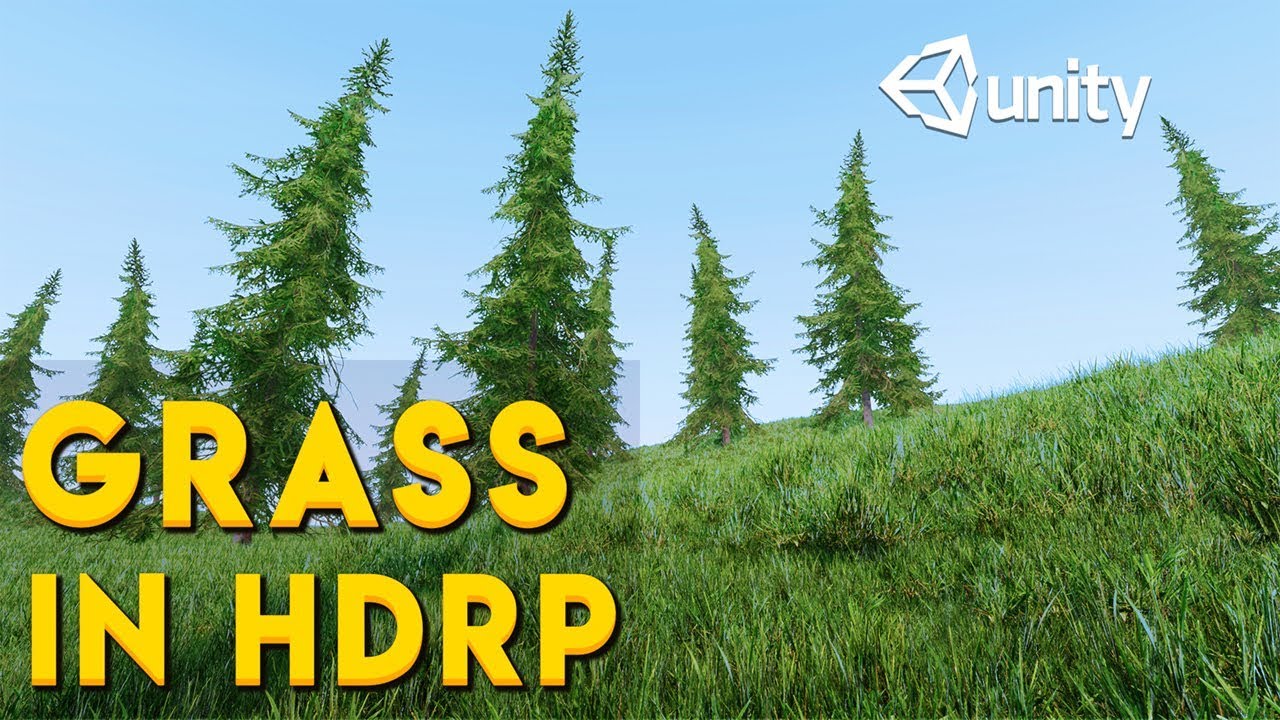
In this video you will learn how to add high quality grass on terrain in Unity's High Definition Render Pipeline.
In Unity 2019(Any version) the default grass system is not supported in HDRP. So in this video I will show you a few tricks to solve this issue. You will also learn a little bit about LOD system for grass.
Unity Book of the Dead D...
There are tons of techniques to make grass. From textures to tiny props.

Grass just isn't good for performance, period.
In the Graphics Settings, you need to let players decide the View Distance for grass.
And also Grass Density.
If it's on console... too bad. Needs to be limited.
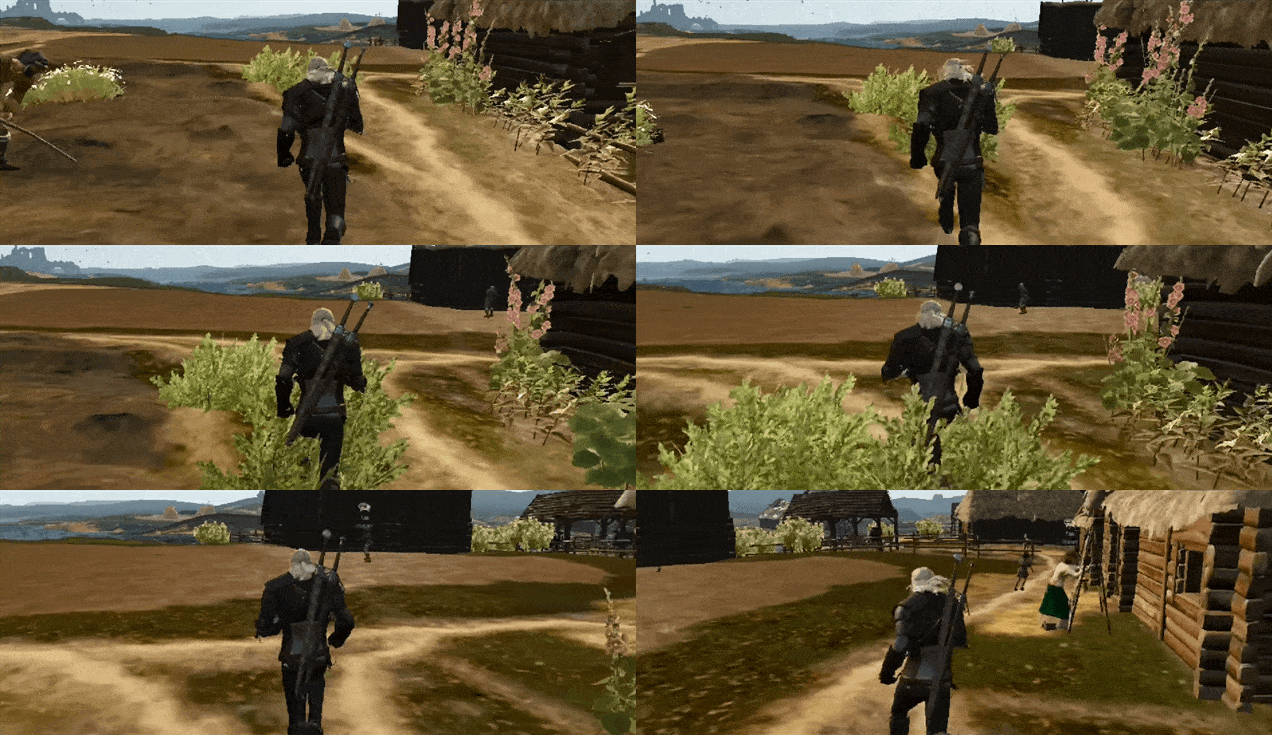 errant plover
GPU instancing and there wont get a problem with grass.
 tribal ravine
i just realized your supposed to use ProBuilder to make levels in Unity
i thought you were meant to make everything in other software like Blender and then just piece it all together in Unity
lime pollen
tribal ravine
i thought you were meant to make everything in other software like Blender and t...
thats what some people do, yes. either way is valid
tribal ravine
feels like the probuilder way makes more sense tho right?
less optimized most likely
but more efficient and convenient
lime pollen
depends on what you want your levels to look like
 glossy ferry
Cool spider robot I made in blender
 blissful relic
Is it better to build maps directly in Unity or in Blender?
ionic harbor
you mean terrains?
unity has a terrain system, i would dive into that @blissful relic
dont know about blender, maybe if its a low poly terrain
@zinc mesa Hey sorry to bother, do you have your models on other stores too? If so do you have any recommendations. I indeed got a queue for about 30 days.. But Im curious on other marketplaces aswell. As i have understood it its okay to publish on multiple stores as long as the price is the same?
blissful relic
ionic harbor
you mean terrains?
No, I mean non-terrain maps
like buildings, rooms, etc
zinc mesa
ionic harbor
<@!257975742820909068> Hey sorry to bother, do you have your models on other sto...
I'm not an artist, my assets on the store are code based
you should be putting your stuff on the Unreal Market place too
and err... there are loads of other places to sell models, but can't think of them atm
 fleet beacon
is there a better gltf plugin yet? for 2020.3.12?
ionic harbor
blissful relic
like buildings, rooms, etc
yea, like if you wanna make 3d models, blender is great for that, then you place them and create an environment in unity
ionic harbor
blissful relic
No, I mean non-terrain maps
The models should be made in blender. But the placement of your models together to create say a room or even a city, is done in unity
I am unsure if this is what you mean, are you new to 3d modeling?
I suggest you to download some free packages from the asset store and import to a new project. https://assetstore.unity.com/packages/3d/environments/sun-temple-115417 https://assetstore.unity.com/packages/3d/environments/landscapes/lowpoly-environment-pack-99479 Play around with them and notice the setup

Elevate your workflow with the Sun Temple asset from Sandro T. Find this & other Environments options on the Unity Asset Store.

Elevate your workflow with the LowPoly Environment Pack asset from k0rveen. Find this & other Landscapes options on the Unity Asset Store.
ionic harbor
zinc mesa
and err... there are loads of other places to sell models, but can't think of th...
Sketchfab, turbosquid, cgtrader ..
Sketchfab looks most appealing imo, thanks for answer will check out unreal🙂
eager mist
@tribal ravine
Pro Builder exists as an alternative to old school brushes we had in Hammer (Source Engine) and Unreal Engine.
It's just to create a rough 3D map layout.
But if you prefer to use 3ds max, maya, blender, Modo or else you can use them as well.
But to create 3D assets, you should stick to 3ds max, maya, blender, Modo or other similar 3d application
Years ago, Unity didn't have ProBuilder and it was somewhat of a big turn off for aspiring level designer, so they used Unreal Engine 4 instead
eager mist
Hello, so I have a FBX character model and want to give it my own colors as it just grey atm. How do I give it colors ? as I can't import it into Blender
tribal ravine
eager mist
But to create 3D assets, you should stick to 3ds max, maya, blender, Modo or oth...
oh yeah i will but the overall level itself
i dont think i would be able to do that in blender
eager mist
To build an entire game level, it requires us to go back and forth between our 3D app, Substance Painter and Unity.
Meaning that we create a 3D asset in our 3d app, then texture it... and then we export that new 3D asset to Unity. And then we can use that 3D asset in Unity to decorate our game levels
It can sure be quite an exhaustive process.
Or feel like it.
The reason why we do it that way is to break down levels into multiple re-usable assets; instances.
 ionic harbor
eager mist
Hello, so I have a FBX character model and want to give it my own colors as it j...
ionic harbor
eager mist
Hello, so I have a FBX character model and want to give it my own colors as it j...
You need to uv unwrap it in blender or other 3d software, unless you want the whole character to be only one color. You could also assign materials to certain faces inside blender.
https://www.youtube.com/watch?v=ms89wP8m4ZU
https://www.youtube.com/watch?v=-uYwkBCPpiQ
Im sure there are even better tutorials. UV unwrapping can be very frustrating for a beginner but once you know how it works its pretty straight forward

In this tutorial I will teach you how you how you can easily add multiple materials to an object in Blender 2.8.
The Ultimate Addon Development Course, Make Complex Addons for Blender:
https://gum.co/fciiU
MASSIVE Simulations Course for Blender:
https://gumroad.com/l/MRtQr
Cool Add-ons for Blender:
1100 Textures in Blender:
https://bit.ly/2Q...

Learn how to UV Unwrap the barrel 3d model (game asset) in Blender. This series is focused on beginners!
🌟ALL TUTORIAL SERIES PARTS🌟
- (Part 1/5) Modeling In Blender: https://youtu.be/_Iu88tZ9utE
- (Part 2/5) UV Unwrapping In Blender: https://youtu.be/-uYwkBCPpiQ
- (Part 3/5) Texturing In Blender & GIMP https://youtu.be/SOds_RGOimg
- (Part ...

 trail imp
 fluid escarp
looks like somethiing is corrupt in your blender. But it's just a guess
fluid escarp
trail imp
looks like somethiing is corrupt in your blender. But it's just a guess
what sould i do
trail imp
fluid escarp
what sould i do
if it were me, I'd google the Python error lines and see if someone in the Blender forums knows
 stuck widget
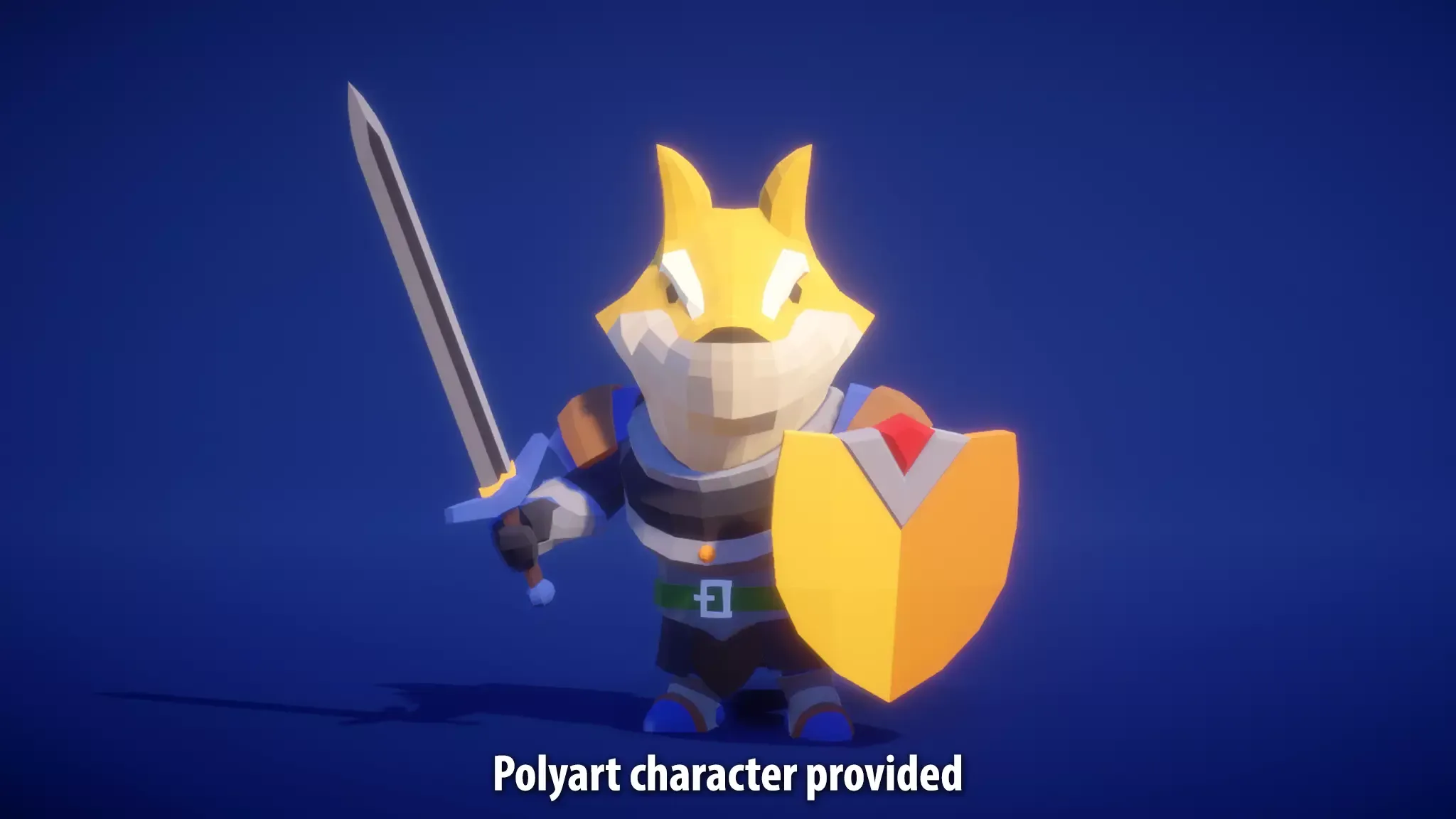
Hello I need to get a polygon cat assassin exactly in the same style of this dog: https://assetstorev1-prd-cdn.unity3d.com/package-screenshot/0b873531-0b34-421e-9b8f-0ee021e16a08.webp I have no experience with blender. I never did blender. How muhc time will I spend to make it alone? I do not want to spend too much time
 fluid escarp
trail imp
if it were me, I'd google the Python error lines and see if someone in the Blend...
fluid escarp
trail imp
if it were me, I'd google the Python error lines and see if someone in the Blend...
good idea
trail imp
stuck widget
Hello I *need* to get a polygon cat assassin exactly in the same style of this d...
If you're not familiar with blender or the tools you're going to spend an easy two months just flubbing through Blender, trying to understand the pipeline and 3D principles
stuck widget
trail imp
If you're not familiar with blender or the tools you're going to spend an easy t...
😦 if I ask to a friend how much time will it spend to him if he had some experience?
trail imp
stuck widget
😦 if I ask to a friend how much time will it spend to him if he had some experi...
It depends on your chum. Making this character has several difficult phases.
- Learn to model it in 3D.
- Then optimize topology form.
- Then learn to unwrap the UVs.
- Then figure out how to paint them.
- Then last but not least, rigging.
eager mist
ionic harbor
You need to uv unwrap it in blender or other 3d software, unless you want the wh...
Yes, I am def trying to give it more colors then 1 ofcourse, so I have to uv unwrap it in blender and then maybe by seeing those videos I can give them more colors etc?
trail imp
in a full game making studio, a lot of these jobs would be split to several specialists who work on those tasks alone
trail imp
eager mist
Yes, I am def trying to give it more colors then 1 ofcourse, so I have to uv unw...
Wtih enough time and dedication, you can do anything in Blender
just depends on what you want to invest in - how much time you want to dedicate
if you want to be the "one-stop-shop" and do all the modeling, coloring, rigging, and animation yourself, it's not going ot be a week long job
stuck widget
@trail imp I want to ask to somebody if he likes my project then see if he wants to do it. where can I ask?
trail imp
If you have money, buy someone's skill/labor off of Unity Asset Store, or on Fivr.
blissful relic
stuck widget
<@!772925429589606441> I want to ask to somebody if he likes my project then see...
So you basically want someone to do all work for you?
stuck widget
trail imp
If you have money, buy someone's skill/labor off of Unity Asset Store, or on Fiv...
interesting
trail imp
blissful relic
So you basically want someone to do all work for you?
well these days you can do that. I didn't feel like modeling a 3D enviro so I paid $15 bucks and bought an asset lol
blissful relic
trail imp
well these days you can do that. I didn't feel like modeling a 3D enviro so I pa...
yeah, asset is one thing, a whole game is another
trail imp
Ahh I thought he wanted someone to just make his character, not the entire game lol
trail imp
but yeah - you're gonna have to trade your own time to learn. OR. You're going to have to trade money with someone with experience to do it fast
stuck widget
trail imp
well these days you can do that. I didn't feel like modeling a 3D enviro so I pa...
can I pay 15$ somebody to write a such model or is it more expensive?
trail imp
There MIGHT be a Synty pack out there with a cat character
stuck widget
blissful relic
yeah, asset is one thing, a whole game is another
yes I just need an asset
trail imp
stuck widget
can I pay 15$ somebody to write a such model or is it more expensive?
Well sometimes you get lucky and your character is on the Unty Asset Store for $15 or so
Synty makes packs with models like this
stuck widget
trail imp
Well sometimes you get lucky and your character is on the Unty Asset Store for $...
it is not 😦
eager mist
trail imp
Wtih enough time and dedication, you can do anything in Blender
I just want a cool character with colors lol, but this one is grey standard
stuck widget
trail imp
Synty makes packs with models like this
where???
trail imp
The you have to see if someone out there has a "game-ready" model outside of asset store
trail imp
eager mist
I just want a cool character with colors lol, but this one is grey standard
Most people do. But you have to eithe rlearn to model, optimize, uv, and paint it yourself. Or you cn pay someone
stuck widget
ah that ?https://syntystore.com/ yes I know

Synty Store
We are a leading asset publisher making stylized art packs for Unity and Unreal game developers. These are easy to use, great for beginners, and fun for prototypes and game jams.
trail imp
stuck widget
ah that ?https://syntystore.com/ yes I know
Yeah they make a ton o' stuff
try there first
if Google and Asset store don't bring you any help, then you have to pay someone to custom make one and that can get pricey since Artists don't want ot work for free, and it's really hard to find a artist that can rig too
stuck widget
trail imp
Yeah they make a ton o' stuff
yes I found my dog here
stuck widget
trail imp
If you're not familiar with blender or the tools you're going to spend an easy t...
even with a tutorial?
eager mist
trail imp
Most people do. But you have to eithe rlearn to model, optimize, uv, and paint i...
This is a hard choice lol
stuck widget
eager mist
This is a hard choice lol
true
trail imp
stuck widget
even with a tutorial?
if you have a tutorial for EXACTLY what you want ot do it might make it easier
stuck widget
trail imp
if you have a tutorial for EXACTLY what you want ot do it might make it easier
no I have a tutorial to make a polyart character and I want to modify the very last result to get a cat
eager mist
What do you guys suggest ? Because I rather not spend a lot of time on making a model as I rather work further on my project
stuck widget
eager mist
What do you guys suggest ? Because I rather not spend a lot of time on making a ...
I do not know I absolutely do not want to abandon this project as I alway do.
But really 2 mounths?
it is too much!
eager mist
stuck widget
I do not know I absolutely do not want to abandon this project as I alway do.
haha, I have the same struggle, restarting too many times because of bugs
stuck widget
eager mist
haha, I have the same struggle, restarting too many times because of bugs
do you do blender?
eager mist
stuck widget
do you do blender?
nope, I did try it, but didn't get so far
stuck widget
@eager mist @trail imp do you know a friend who do blender and who could contribute for free if he likes my game?
trail imp
stuck widget
<@456226577798135808> <@!772925429589606441> do you know a friend who do blende...
I don't know anybody who will work for free. But I can give you this advice - If you really want to get into games, then offer to do something for someone else first. Help others out, and you'll eventually create a network of people who make things or help code
stuck widget
trail imp
I don't know anybody who will work for free. But I can give you this advice - I...
hmmm seems true
stuck widget
trail imp
I don't know anybody who will work for free. But I can give you this advice - I...
or can I make a team with somebody?
@trail imp where can I find people to make a team with? Here? Do you know somebody?
outer halo
stuck widget
or can I make a team with somebody?
Collaboration posts can go on the forums. #854851968446365696 for links.
stuck widget
thank you
ionic harbor
eager mist
Yes, I am def trying to give it more colors then 1 ofcourse, so I have to uv unw...
yea look for uv unwraping videos on youtube. it requires you to uv unwrap, then you need a software to make a texture, for very simple things GIMP is a free alternative.
stuck widget
outer halo
Collaboration posts can go on the forums. <#854851968446365696> for links.
I am afraid of forums. I fear to let too much personal informations and all
outer halo
This coming from the same person who wants to collaborate with other people? That's going to be tough.
tribal ravine
stuck widget
Hello I *need* to get a polygon cat assassin exactly in the same style of this d...
there is no thing such as how much time will it take me to make this specific thing with 0 experience
you need to learn the basics first
wide palm
 stuck widget
tribal ravine
there is no thing such as how much time will it take me to make this specific th...
stuck widget
tribal ravine
there is no thing such as how much time will it take me to make this specific th...
ok I will try alone with blender
errant plover
I am an average blender user. That model would take at least two hours if I was rushing. No animations. @stuck widget I find it's better to just fork out the 5 or 10$ and buy the asset, even if I can make it.
stuck widget
errant plover
I am an average blender user. That model would take at least two hours if I was ...
I did not find any polygon cat assassin on the asset store.
errant plover
Oh yea, sorry. I sort of skimmed over your post.
stuck widget
can I download a character from unity asset store and then edit it in blender? I want to set armature
stuck widget
errant plover
Oh yea, sorry. I sort of skimmed over your post.
no problem
errant plover
Yes.
tribal ravine
@stuck widget what are you using the model for?
stuck widget
tribal ravine
<@!638470686737694730> what are you using the model for?
to add a mouth to speak and to add some facial expression
tribal ravine
Ah i just realized this is the Unity Server
im assuming Game dev?
if so then you should learn blender in general it will be useful for anything you wanna make in the future too
eager mist
Invest in yourself and your future
Learn 3d modeling, texturing, rigging and 3d animation
Modeling isn't difficult. But it is time consuming.
Texturing with Substance Painter, if you have already the right materials is fast.
Rigging and 3D animation can be tricky.
And to learn how to do all that will just take you a few weeks.
 jaunty flax
I am using some characters from mixamo
most of them look fine, but some are kind of borked

should look like this:

I am using URP
any ideas?
I downloaded the FBX for unity file
which seems to work alright for the rest
eager mist
Depends on what kind of game you wanna make.
I think it's cooler to do it all ourselves.
It gives a soul to the game
When the art is coming from a single mind
it's like playing inside the creator's mind
pastel steppe
jaunty flax
should look like this:
That looks like a rig problem
jaunty flax
pastel steppe
That looks like a rig problem
hmm ok
they're all still left on generic
do you think if I tried to generate a humanoid one it would fix it?
because afaiu all the others I have imported straight from mixamo are set to same rig settings
pastel steppe
stuck widget
Hello I *need* to get a polygon cat assassin exactly in the same style of this d...
I would learn 3d modeling. It's honestly worth it in the long run. The game dev.tv blender course is good a solid 15 dollar investment (its always on sale for 15 or so dollars)
pastel steppe
jaunty flax
hmm ok
One thing you could try is take the model into a 3d program like blender and delete the geometry underneath the clothes
jaunty flax
I am just not gonna use these models that imported weird from mixamo
pastel steppe
After a quick search it looks like a material problem
jaunty flax
they're only really serving as placeholder
yeah, so
when I import a mixamo model it shows up without textures
and I have to do....

set it to external materials
click apply
pastel steppe
HOW TO FIX VISUALLY BROKEN MODELS FROM MIXAMO OR ...
YouTube · Jimmy Vegas
Apr. 14, 2019
pastel steppe
Shoot the link didn't copy
jaunty flax
thing is though
I can see the problems on this model before I fix the materials
I don't see any problem like this on my others
they just don't have textures, but I fix that as I just described
pastel steppe
I got to go. If you look up mixamo character looks weird in unity you might get something
jaunty flax

what it looks like before applying the fix for materials
you can see his belly there
which is not supposed to be like that all
so it looks like a...mesh issue? Idk
jaunty flax
pastel steppe
I got to go. If you look up mixamo character looks weird in unity you might get ...
yeah, I could probably track down how to fix this but its not a huge deal

all the other characters are coming in fine for me
I just won't use that one, but it would be cool to know if there was an easy fix
eager mist
Learn 3D modeling. Become a free creative mind.
Own your skills. Even if you suck.
You'll get better at it with practice, like anything else and everyone else.
Plus 3D is fun.
jaunty flax
3D scanning is pretty clutch too
especially when you combine with being able to model

scanned that dumpster the other day
took me about 1 minute
0 cleanup/work applied to it
purely just the scan right there
jaunty flax
eager mist
Learn 3D modeling. Become a free creative mind.
this is really easier said than done
yes, one can learn all about how blender works and whatnot
but it does take being an artist or having artistic skills to be able to just freely create in a tool like that
and that, from what I have seen, is something (not just in 3D) that is usually not so much taught but more of a natural talent/skill
from a young age, I remember having some peers who could effortless draw things that looked good
and other people who struggle with stickmen
eager mist
It doesn't take much skills to ''model'' in 3D.
And you can use a lot of ''already existing references'' to cover 70-95% of the work required.
jaunty flax
well that first statement is really an opinion, which is fine I respect that
I am of the opinion it takes a lot of skill to make something from scratch in 3D that looks good
and for those who struggle with art in general, it can be really challenging or just feel straight up impossible
art in the sense of what we classically think of as art
such as a drawing, painting, etc
visual art
obviously art has many forms
eager mist
Maybe you are slightly overthinking it.
jaunty flax
probably, likely
eager mist
You can just google anything and reproduce it easily in 3D with refs
jaunty flax
I don't want to debate if it's easy or not because that is subjective
eager mist
But yeah, if you are talking about those who can design 2D/3D stuff on the fly
that's more rare
jaunty flax
it is both easy and hard
eager mist
But there are many 3D artists, industry professionals, who are better at reproducing what they see from concepts given to them, but they would struggle to create something all by themselves
jaunty flax
absolutely, I am the same way as well
no matter the visual medium, I can produce decent stuff if I have a reference
I still don't feel like it's easy, for me
but sure, I can do it
eager mist
Personally, I think that...
If the artist can produce something that others can look at and recognize what it is... it's a really good start.
''Oh is this a backpack?"
"Oh, nice chair."
"Man, decent building."
"Clearly a dumbster."
jaunty flax
I agree with that statement
eager mist
The rule of thumbs when I was working on games (in studios) was...
As long as the experience isn't repulsive, you don't give any reason to players to Quit their game
eager mist
Low bar?
jaunty flax
a low bar to shoot for
eager mist
It gets 80% of the work done
jaunty flax
yes
I have this mindset myself
hence why I'm using mixamo garbage to get shit rolling
because its easier to work on all the mechanics first than worry about art, most of the time
art is a lot harder to timebox
eager mist
Choose your battles.
I don't think Darksiders fan would say ''Art isn't relevant enough''
eager mist
What indie devs should aim for... is a final product.
eager mist
So... it's oky to produce 3d assets that arent 5 stars.
You have 10,000 other assets to work on.
Move on to the next one
jaunty flax
yep
I try to tell people this and they get caught up in having the art be perfect right away
 jaunty flax
nice axe
eager mist
But it's not 5 stars. But it's not 2 stars either
You get it's an axe. And there is enough details to say.. oky it's not butched
It's fine
eager mist
That's because it's baked directly on the pole
jaunty flax
gotcha
eager mist
And hands will cover that part anyway
 eager mist
Characters are trickier
But props and environments, most people should be able to do decent looking stuff
jaunty flax
eager mist
A 4 years old could do this.
speaking like this can be very discouraging
to someone listening
whether or not you are right
eager mist
First step is easy. Learn the tools.
Then learn how to deal with Wireframes. You should be able to look at a real-life object and draw over the wireframe in your mind
jaunty flax
eager mist
But props and environments, most people should be able to do decent looking stuf...
should in this sort of context brings in inherent morality, you're a good person if you can do decent looking stuff, bad if you can't
it's subtle, but it's there
what would be a more kind way of saying that is, most people can do decent looking stuff if they put in the time and effort
eager mist
All we need for 3D is basically...
- Create geometry primitives
- Extrude
- Inset
- Bevel
- Add edge loops
- Cut
- Trace edge between two vertices
- Copy/Paste geometry
- Boolean
jaunty flax
nice, always love a simple breakdown/overview
I wish there were more maps for developing skills like this
to help provide an overview of the landscape of what there is to know, why to know it, etc
eager mist
Agreed. Interestingly enough...
I break it all down for new comers in there... and I will add more videos during the year. Just need some free time for that.
https://skilljutsu.com/academy-game-development.html
Intro to game art
https://skilljutsu.com/gamedev-intro-to-game-art.html
Basics of 3D modeling
https://skilljutsu.com/gamedev-blender-3Dmodeling-basics.html
Basics of 3D sculpting
https://skilljutsu.com/gamedev-blender-3Dsculpting-basics.html
--
But for someone new to Blender, the ''Basics of 3D modeling'' page should get them up to speed quickly.
Better than a 15$ tutorial.
It's free...
jaunty flax
shameless self plug lol
I didn't realize this was all actually a salespitch
word of advice: be more compassionate when trying to reach out to newcomers
you'll hook a lot more customers that way
eager mist
I'm not selling or making money off this. I'm the one losing money hosting this website and wasting my time creating educational content.
jaunty flax
that was not completely clear
I retract my statements about sales/customers then
and applaud you for putting out free content
however, I still stand by maybe being a bit more compassionate in your language
eager mist
Free high quality education
jaunty flax
obviously you've got a lot to share and you want to help people, I can see that
but good communication goes a long way
eager mist
Different teachers. Different methods.
In 2021, you can find pretty much all the information that you need to make games solo
But it's true that there is a lot of misinformation out there
And a lot of that info is scattered across the internet
it may be difficult to find
And I think we all need to see the difference between Sharing Knowledge vs Self Promoting
They aren't the same.
But many talk. It's better if you can show off some content that demonstrate your teachings, applied.
jaunty flax
no one wants to get fishing tackle from the guy who catches no fish
eager mist
Precisely
I remember what is was like before I got started in 3D.
Man, it did look like the Everest Mountain
3d apps, modeling tools, UVing, baking, texturing, adding bones, skin weighting, rigging, etc.
🥶
And then the confusion of having so many different 3d apps; 3ds max, maya, modo, blender, XSI, etc
And then Zbrush...
And for texturing... ; photohop, 3dcoat, substance, quixel, mari
😓
eager mist
oh man, 3d in the 90s was such a mess
I waited until 2014 to get into it
when the tools got slightly more interesting
Where Unity and UE4 are at at the moment... is very nice

I don't know if you guys remember the Unreal Engine 3 era with crappy lighting
Im not missing it

Right?
Unity URP
 jaunty flax
how hard would it be to import a source mod map into unity?
eager mist
Depends if you can extract the brushes
I've seen people use Hammer (Source Engine) to make Graybox maps for their games, because their Game Engine didn't feature any kind of Geometry Building tools
I know it was possible to get all the 3D maps from UNREAL 1998 from one of the 2K4 mods.
Unreal remake with Unity would be hilarious...
jaunty flax
yeah these maps would have been made in hammer
eager mist
Technically, it is somewhat illegal to use Hammer (Source Engine) as a tool to make games with a different Engine. 😵💫
So, I would not recommend it.
 left laurel
random 3dmodels-as-pixel art RTS building experiment.
 blissful relic
left laurel
random 3dmodels-as-pixel art RTS building experiment.
blissful relic
left laurel
random 3dmodels-as-pixel art RTS building experiment.
pixel art?
 hoary bronze
blissful relic
pixel art?
hoary bronze
blissful relic
pixel art?
He used a different redering mode
hoary bronze
left laurel
random 3dmodels-as-pixel art RTS building experiment.
Fallout 1
stuck widget
Hello. In blender I have a whole face missing in a cube. I have created a palne with shift - A. how to merge the plane to the cube please?
blissful relic
stuck widget
Hello. In blender I have a whole face missing in a cube. I have created a palne ...
Don't make a plane for that
simply select two edges of the missing face and press F
stuck widget
blissful relic
simply select two edges of the missing face and press F
thank you very much it works!
blissful relic
np
icy mountain
What levels of Subdivision surface modifier on viewport do y'all usually use, does this also mean that it will export with this level of subdivision?
eager mist
How can i add materials with my object from blender to unity?
outer halo
eager mist
How can i add materials with my object from blender to unity?
You can't. You have to remake the look in Unity using new materials.
eager mist
but how, I there is no edit mode in unity
in my object there is like materials in materials
like an object that has eyes with a color and mouth with a color
outer halo
You can assign multiple materials to a mesh renderer in unity. It's a list. Each material in that list pertains to one of the materials on the model.
eager mist
i'll study that more, thanks
blissful relic
stuck widget
how to add a trait in the middle of a face please?
Step 1: open google (or another web browser)
Step 2: search for solution
Step 3: if you cant find a solution then ask here
eager mist
outer halo
You can't. You have to remake the look in Unity using new materials.
Even animation?
outer halo
No? Animations can be imported with an FBX.
eager mist
like if i export my file in fbx it will give me .anim file too?
outer halo
Yep
eager mist
alright, thanks
stuck widget
blissful relic
Step 3: if you cant find a solution then ask here
ok I am trying harder. I will ask you if I do not find
 dire ermine
 terse knoll
dire ermine
terse knoll
dire ermine
thats amazing please respond to ur dm thanks
 spark vigil
any one knows what is with urp and what someone needs to do for making models and why some asset store models appear pink even after upgrading the render pipeline from edit menu?
outer halo
The upgrader won't work if there's custom shaders.
If the asset doesn't explicitly list that it's URP compatible, then it likely isn't (without work on your end to make it so, if possible.)
 loud cradle
Hello, I've wanted to set my pods to be infront of the background that I created in the canvas, but I don't know how can I make the pods to be display in the game scene. I tried changing the sort order of the canvas by 2 but it still didn't show
 lime pollen
loud cradle
Hello, I've wanted to set my pods to be infront of the background that I created...
lime pollen
loud cradle
Hello, I've wanted to set my pods to be infront of the background that I created...
Use screen space - camera
loud cradle
ohhhh okaay, thank you
 dire prairie
are there anygood road systems for large terrain? like spline types
for mobile
and maybe a good way to setup decals too
 sudden urchin
Can someone pls help me
I am tryinna make among us 3d
And super realstic
But for that
U need to know animations and 3d modelling
Which i know none of
I meed hellpp
outer halo
sudden urchin
I meed hellpp
What is your actual question?
sudden urchin
I meed hellpp
outer halo
Okay, but what is your actual question you need help with. Don't be silly.
outer halo
Find a tutorial on Blender and start learning.
sudden urchin
U think i didn't try that
outer halo
If you're asking someone to do it for you, this isn't the place. Nobody is going to take the time to provide you with free work. You can try asking online or on the forums if you still "meed hellpp". There are links in #854851968446365696.
sudden urchin
I am not asking "free" work
outer halo
Okay, so once again, what are you asking for?
sudden urchin
Nothing leave it😭
The game never gonna be completed
I could give nitro for that
But...
Thats not something someone would make animations from meh
I guess..
outer halo
Stop fishing. Go either learn how to make art (which is a learnable skill), or find a way to pay someone to do it. Either way, moping around here isn't a productive use of your time, if you want to take game development seriously.
sudden urchin
Ok
dire prairie
noice
sudden urchin
Ur status xD
eager mist
@sudden urchin
Just sit down. Open Blender and Youtube.
Follow a whole bunch of tutorials on whatever you still need to learn.
Expect to spend a few weeks, a few months or even a few years before you get proficient at whatever it is you want to get good at
And that every single thing you do in 3D will take several hours, days, weeks or months to complete
So if you think that people will work for you for free, it is... let's just say
Very unlikely
If they have any self-respect for themselves
When it comes down to 3D modeling... In general you'll need to learn 3 main workflows
- 3D modeling
- 3D sculpting
- Retopology
And then you'll also need to learn how create UV maps to later bake and texture your 3D assets.
You will also need to learn how to Bake Normal maps. That requires us to create both a High Poly model (millions of polygons, but too heavy for a game engine) and a Low Poly model (in-game). Baking normal maps can be done directly inside of Substance Painter.
And then you'll need to learn how to texture your props with Substance Painter / Substance Designer.
Or hand painted assets, often done with 3D Coat instead.
🍻
And then for 3D animations, you'll need to learn
- Skin Weighting
- Rigging (adding bones, rigs, sliders, IK, etc.)
- Animations
- Technical stuff
And then you need to bring all that into Unity.
And that requires us to know how to deal with anims and C#.
And then after all of the above, the person also need to further develop artistic skills.
outer halo
@sudden urchin If you have no intention of actually learning or being a productive member of this discord, then don't spam it.
sudden urchin
Srry i didn't mean to
But.....
Can u suggest me some good yt chanell
To follow
eager mist
Usually, we'll be glad to answer your questions and give guidance
sudden urchin
And learn that
eager mist
But you need to put in the work, hours and efforts
Like post pictures of your progress
sudden urchin
I like the programmin part of stuff more
But...
Being solo dev
That draws me back
sudden urchin
sudden urchin
Can u suggest me some good yt chanell
Can u tell that though?
eager mist
And later you can replace all the art assets for something nicer and more realistic
sudden urchin
If i et ready made models and animation i can make games like csgo
And i have made those
But 3d models murder my motivation
sudden urchin
sudden urchin
Can u tell that though?
.. pls?
eager mist
Motivation is weak and futile.
You will need to cultivate discipline.
Daily, weekly, monthly, early goals
And deadlines
sudden urchin
sudden urchin
.. pls?
...
eager mist
Yes, 3D art will feel draining
Unless you learn to like it
Or focus more on your end goal than the process itself
sudden urchin
sudden urchin
...
....
eager mist
There are multiple ways to trick the mind
Find what works for you
In my case, whenever I finish an asset. It gives me a boost and I want to finish another one
sudden urchin
sudden urchin
....
All the other stuff was super helpfull to start but...
eager mist
You aren't useful to yourself to begin with
It's simple. Do the work
Or don't.
There aren't 10,000 ways for this to work
It's Either A or B.
0 or 1
True or False
outer halo
@sudden urchin Look up Grant Abbitt, he has beginner friendly tutorial series on his YouTube. Very straight forward and easy to follow.
outer halo
You were aware of it?
eager mist
I got some useful information about game dev, design and art on my website as well for those who want to get started.
But if you do not intend to put in the hours of work or efforts, it will not be helpful.
To make games solo, you need to understand that you really need to turn yourself into a Force of Nature to pull this off.
Making games, full games, is a LOT of work
I only recommend it to those who want to make it their lifestyle

Most successful 3D artists I know, they do 3D day and night.
They drink 3D. They eat 3D. They dream 3D.
sudden urchin
I dream programming
I eat programming
I sllep programming
Though i mistype a lot on my phone
eager mist
How old are you?
If you want to do this as a career, I recommend you get a University diploma (baccalaureate)
In Computer Science or Software Engineering
And make games on the side
As portfolio
For 3D art and design, you can just go with networking (friends) and portfolio.
@sudden urchin
In your case, you could just make low poly games

That way doing 3d wouldn't feel as draining as it does now
And you'll feel joy for completing/selling projects
Id Software had time to produce Quake 1, 2 and 3 in just a few years
It took them longer to make DOOM 2016 or Quake Champions or Rage
High end 3D graphics... takes time to produce
Acknowledge it.
And accept your limitations
It's not worth it unless you are as good as ... let's say David Lesperance who is an Art Director at Valve and working on his indie game Crimson Moon
http://www.davidlesperance.net/crimson-moon
sudden urchin
eager mist
If you want to do this as a career, I recommend you get a University diploma (ba...
Thats gonna be after yeaarsss
Though
I am more motivated as ever
Cuz now i know thats someone is there to help me when im stuck
errant plover
Stick to the low poly stuff. Or that motivation will evaporate.
eager mist
You don't need to make something AAA looking and you don't need to go for the opposite either
Right now, you are just going for the burn out
sudden urchin
Like
Ill call it a succes when i can make AAA
Wat do u mean when u say AA like some example
Though i m just short of time
I can have the laptop for like 4 hours max a day
eager mist
I started as a D&D Dungeon Master when I was 14-17 years old.
Then got a job as a game/level designer at 21 for 4+ years.
That experience allowed me to get a little bit better at using 3DS Max. But not that much.
I had to take courses in College, 3D modeling for games. Then practice for 2-3 years straight to get better. But that's in the details.
And I went back to college to learn C# programming for business.
SQL, PHP, HTML5, CSS3, etc
Nothing really game related there
eager mist
So, when you come here asking for help.
We expect that you also did your part in helping yourself
sudden urchin
I know u might be thinking i am an overestimating kid
eager mist
At your age, this is what I was doing, before I got into game dev.
https://youtu.be/8KG_5y0kVoo
From my perspective, you are young trying to figure out what you should be doing with your time
Which is fine, you know. But you have time.
If you like programming, Unity is a good place.
And 3D modeling is still a good thing to learn
sudden urchin
How i got into this is i saw some speed lvl desing vids i didn't rlly know they were games then i figured out that it was unreal engine and was a game engine
So i downloaded that
But
By laptop could not handle it
So i got unity
I usually crash my whole pc
eager mist
What people call Speed Level Design is not the correct term when it often refers to ENVIRONMENT ART instead of LEVEL DESIGN
sudden urchin
Like that was the title of the vid
eager mist
Level design is about creating a rough 3d layout, placing items, enemies, etc. Making a playable space fun.
It's not about making it look pretty.
It often includes Scripting events, enemies, objectives, etc
Environment art is the other thing. It's about modeling, texturing and placing assets to make a level look good
sudden urchin
Ok so u just told me that i should not be too serious rn?
eager mist
Im telling you that you should expect to spend the next 3 years learning how to make games SOLO
Before thinking about making some
Or you can build 1 and learn from that one
for several months, years
that's up to you
But what I will say to you is... start to see it as a business
You can't spend 10 years making that game
What can you do in 1-2 years
only
ANd make a game every 1-2 years
some people make games every 6 months
sudden urchin
But the thing is
eager mist
Me Im working on something that will probably take me 2-3 years
sudden urchin
I make a game and its to me from then on and its just done and lying in some folder
That demotivates me
eager mist
Like I said.
Motivation will not help you
it's not reliable
You need to sit in front of a computer, like it or not
and work
Like a real job
While your friends will be partying, you'll be making games
You can start with low poly games
and over the year, increase your level of 3d complexity
mid poly
high poly
eager mist
You can create some Mid Poly assets and just not use normal maps, etc
Just slap some flat colors on them
sudden urchin
Ppl say dony just think u eill spend years making a game and then u will earn millions
eager mist
You can do something like this that isn't Low Poly and it's not High poly either

or AAA
sudden urchin
Thats mid poly?

 sudden urchin
Oh.... So u think i shall do this?
I shall take dead line and make a game withing that and watecer happens ill have to put it on my itch.io page?
eager mist
Yes
I think you should go for mid poly instead
and just use flat colors
It's much faster
sudden urchin
Ok ill learn how to use blender first
eager mist
Sure
You can get started with game art and Blender here. Or google 10,000 blender tutorials on youtube.
https://skilljutsu.com/gamedev-intro-to-game-art.html
https://skilljutsu.com/gamedev-blender-3Dmodeling-basics.html
https://skilljutsu.com/gamedev-blender-3Dsculpting-basics.html
limber haven
if you’re doing 3d models, blender is the most useful skill to know
blender itself has some pretty good tutorials in a playlist on youtube, most of them are applicable to unity but some aren’t
sudden urchin
Could u tell me how to start like first lean this then after that learn that and that kinda flow
errant plover
Well find a style you can churn out quickly. It takes me a week, on average, to make a full armour set. You'll never get anything done with that time frame.
eager mist
For your own sanity, I definitely recommend Low Poly or Mid Poly workflows.
But if you are stubborn, you can go AAA with Substance Painter
limber haven
if you want to fake the feeling of higher poly assets, use resources like cc0textures (i think that’s the name) to make your mid/low poly assets look higher quality
sudden urchin
Ye i have seen cc0 textures
eager mist
You can also look for 3D Coat and tutorials to learn how to create Hand Painted assets.
limber haven
also, you’re making a 3d among us right? are you trying to base the character designs off of how they look in game?
or you’re going for a realistic astronaut model or something?
eager mist
Do remake an already existing games doh.
There are copyright issues
errant plover
Just call it "Around Us" lol
eager mist
But you can take an already existing formula and make your own thing
lololol
yeah
I'm doing something that has not really been done before, except in multiplayer.
So I have to spend extra time to figure out how to make it work in Singleplayer
 errant plover
You want my advice? Find someone who likes modeling. You stick to programming.
limber haven
looks good yeah, just be aware this is a tutorial for blender in its entirety, and not all of it is going to be useful for unity
sudden urchin
I see dani remake among us i wasn't gonna make it public anyways
sudden urchin
errant plover
You want my advice? Find someone who likes modeling. You stick to programming.
Thats a problem i am solo
limber haven
sudden urchin
I see dani remake among us i wasn't gonna make it public anyways
well you were talking about motivation, right? i’d recommend making your own game so that you could publish the game online. that’s my motivation, that other people will be able to see my work
 sudden urchin
So ill start to make models and work on a survival kinda game
Chop wood and craft stuff
limber haven
on steam, yes you’d have to pay but itch.io is like the perfect place for indie developers lol
limber haven
perfect, use that
eager mist
The real problem is most people don't want to accept their limitations
sudden urchin
That will be my task
eager mist
They don't want to make 3d AAA looking games that just won't look as good as God of War, Spiderman, Halo, etc
limber haven
i mean sounds good to me, make sure you don’t go over that 6 month mark, having a deadline can help
eager mist
ANd will prefer to make it low poly and claim ''it's the style''
sudden urchin
Yes thats why i made a deadline
Yes low poly and mid poly
Cuz high poly is outta my reach rn
limber haven
but before you start this, i’d recommend learning how to use blender first
eager mist
I'm doing high poly for my indie FPS game.
But I'm also fully aware that I'm not a Blizzard concept artist.
sudden urchin
Yes i am starting that
limber haven
alright good
eager mist
And Im fine with making a AAA looking game that looks like... whatever I'll be making
sudden urchin
Cuz u have exp
 queen wind
i just got a free model from turbosquid but its in .max and i dont have 3ds max, can someone with 3ds max help me convert it to fbx?
eager mist
'cause Ive been willing to learn
And when I work on something, I put in the amount of time and efforts that I need to put in
to make whatever Im working on look oky
or good enough
sudden urchin
The thing will also be ill upload it though noone will download it😂
eager mist
You need to keep in mind that ''3d graphics'' is also Marketing.
Sometimes, low poly can work fine
Sometimes, graphics can help you get more people on board
limber haven
sudden urchin
The thing will also be ill upload it though noone will download it😂
well that could be true, but only if you do nothing after its release! advertise it in #502171626805133312, show off progress in #archived-works-in-progress, find other servers where you can advertise it, etc.
limber haven
(best part about #archived-works-in-progress, people can give you feedback on your work)
@sudden urchin it’s all in the post processing
sudden urchin
I know post processing well
limber haven
yeah it’s one of the main reasons that scene looks good
eager mist
If you are the consumer... do you want to play the game that looks like what is on the left... or what is on the right?
 sudden urchin
Right
limber haven

all this is is bloom and chromatic aberration i think
and that skybox also looks good
sudden urchin
Thats shader graph?
limber haven
nope, all post processing effects (except the skybox)
eager mist
You just need a game that looks good on its own.
Find a look.
Keep in mind that Unity offers decent lighting. Even simple uniform colors can make a prop look good
But if you only use uniform colors, you need a decent image composition
like comic books
To keep props interesting
Marc Brunet covers the rule of 70% in one of his YT tutorials
it's about detailing
sudden urchin
Thank you all soo much i was doing it all wrong
Gtg now
Ill start tomorrow
And thats not an excuse
Its midnight
So gotta hit the bed
I am so greatfull


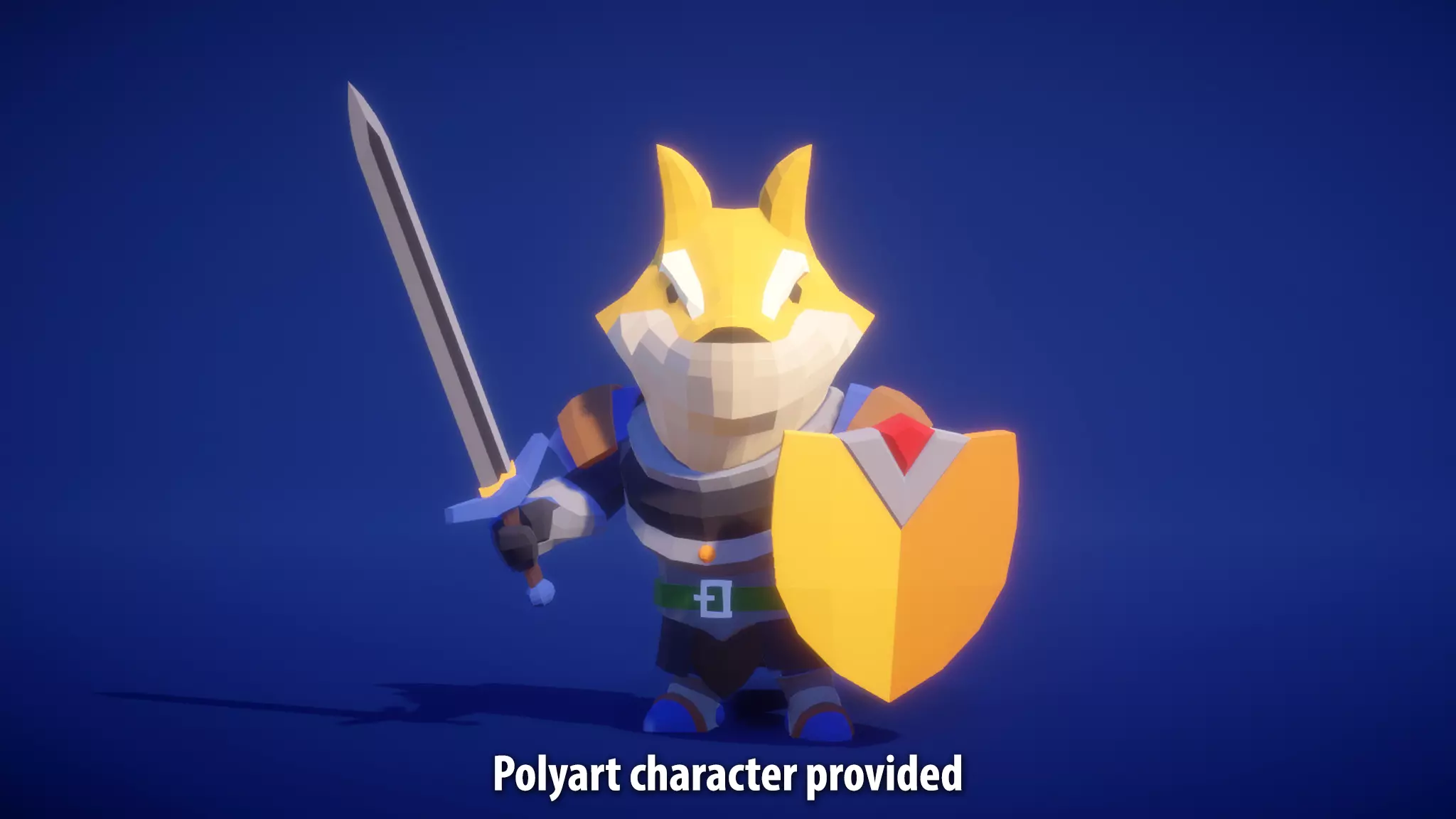
 eager mist
Yeah, no. The first picture is from Marc Brunet's video. He was a concept artist for Blizzard. Pretty good one
This is more my stuff. Scifi prison cell. Something I did when I was remaking Unreal 1998 in UE4. But the mod team wasn't doing much, and I ended up doing everything... I just left.

That's why I think... if anyone wants to make games, they first need to be able to do it all solo.
Then, by adding more people to the team, they speed up production time.
But if team members leave or end up not doing anything, you can still complete projects as a solo dev
I used to draw and model everything in black and white or shades of gray.
I only introduced coloring, shading or texturing recently into my workflow. And to become a more complete solo dev.
When we see people creating art, we don't see all the work that has been done behind the scene... for many years before that project was created. We take their skill level for granted
INTERVIEW - Creator of Bounty Hunters and killer art, Dan LuVisi
https://youtu.be/BLRb4oVPTcY

ARTSTATION: https://www.artstation.com/danluvisiart
He got some amazing inputs on making a career as a 2D artist.
For comic books, games, etc.
spark vigil
hey was wondering if anyone does level building here in unity
spark vigil
eager mist
check trent he also have some amazing videos
next sundial
Does Unity have a way to flip polys, or double side them, so I don't have always go back into Blender to fix minor flipped poly issues?
misty lantern
next sundial
Does Unity have a way to flip polys, or double side them, so I don't have always...
You can recalculate normals in import settings, and make the mesh two-sided in mesh renderer component
You can also avoid them entirely by making them visible in blender using backface culling in Viewport Shading or "face orientation" in edit mode overlays, the colors of which are also customizable
next sundial
misty lantern
You can recalculate normals in import settings, and make the mesh two-sided in m...
Thanks. I'm slowly learning that I have a bad habit of looking for things I want in all the wrong places...Hehe
misty lantern
I think we all go through that
eager mist
That's more a mistake on your side in Blender
In MODO, by default, I'm not going to have this issue.
But yeah, in Blender I think you need to turn off a backface culling option to fix it
sudden urchin
Except for programming ill need to learn everything
3d modeling
Post processing
Sound design
Lighting
Terrain
eager mist
⚡ What are mirrored UV islands?
Here is how I made the UV map for my Battle Axe.
What is red has been mirrored. Which helps me increase the texture resolution.

Thankfully, I had no issues in Substance Painter with mirrored parts

To use this Mirrored UV islands technique is easy.
All you need to do is create a part of the model, UV it and then copy that part multiple times.
You won't have to redo the UV islands for those parts. They will use the same UV islands you created for the original part.
However, this technique works best with Symmetrical props.
sudden urchin
I dont have any ideas
I dont know wat game shall i make!
I would like some mid west theme
But...
Mid poly in that is wierd
sudden urchin
I just need a basic concept