#🔀┃art-asset-workflow
1 messages · Page 62 of 1
 frosty cedar
i'm not very good at coming up with things myself
and I think it would be easier if I got told what I needed to make
 stray stone
The asset store != a portfolio.
You can use art station for a portfolio.
And if you just want to focus on modelling, then you don't have to think of your own stuff.
Look around for a concept you like, Then contact the artist and ask if you can use their concept to make a 3D version or similar.
And then if they say yes, have at thee!
frosty cedar
also should I be using only one shape to make the model or...
stray stone
It depends on the workflow you use.
I tend to model most of my stuff as a single mesh, but that can't be done for everything.
One of my larger models, still a work in progress.
frosty cedar
stray stone
https://i.gyazo.com/9692feb4e9c1f76fa30b75e6a24def44.mp4
it's the chomper thing
heck
i just blanked on the name
stray stone
Audry 2.
stray stone
No, Mines is a 3D version of a character from an old musical film.
frosty cedar
i get that, I'm just telling you that it reminded me immediately of the chomper from PvZ
 pastel steppe
stray stone
https://i.gyazo.com/9692feb4e9c1f76fa30b75e6a24def44.mp4
pastel steppe
stray stone
https://i.gyazo.com/9692feb4e9c1f76fa30b75e6a24def44.mp4
Little Shop of Horrors?
stray stone
Aye my man!
 stray stone
That's a different one, Usually I get Mario Piranha plant.
 warm flare
VROID is software specialized in generating anime characters
it's fre to use IIRC
if you want to model it yourself, this japanese tutorial bar none will get you a similar look pat down
https://www.youtube.com/playlist?list=PLaZf7EtPohEzBJ85nJu12hTEgynwp1Se7

YouTube
書籍『Blender標準テクニック ローポリキャラクター制作で学ぶ3DCG』で制作した3DCGキャラクターの制作過程を動画として記録したものです。書籍と合わせてご利用ください。 CHAPTER 1 制作計画(※動画はありません) CHAPTER 2 頭のモデリング CHAPTER 3 体のモデリング CHAPTE...
 ruby raptor
warm flare
VROID is software specialized in generating anime characters
ruby raptor
warm flare
VROID is software specialized in generating anime characters
can it do those low-mid quality characters? because im not trying to make a genshin impact anime game, also probably easier to make more outfits with the low-mid quality characters
warm flare
the second tutorial is fairly low poly, plus blender can decimate meshes if they are too high poly
ruby raptor
if not too much to ask, does a base character models like the ones in the pictures ive provided exist?
warm flare
https://sketchfab.com/search?features=downloadable&licenses=322a749bcfa841b29dff1e8a1bb74b0b&licenses=b9ddc40b93e34cdca1fc152f39b9f375&licenses=7c23a1ba438d4306920229c12afcb5f9&q=chibi&sort_by=-relevance&type=models
have fun browsing 🙂, they're also filtered by OK free to use licenses
Sketchfab
Use Sketchfab to publish, share and embed interactive 3D files. Discover and download thousands of 3D models from games, cultural heritage, architecture, design and more.
And if you have little experience with blender and need some help getting started https://artisticrender.com/beginners-start-here/
 worthy tulip
Hey guys, I feel a bit homeless since Adobe to kill Fuse 😅 Do you know if there's still a way to create a character with it, including his blendshapes ? 😬 Or another free software for making 3D models ? :/
 outer halo
worthy tulip
Hey guys, I feel a bit homeless since Adobe to kill Fuse 😅 Do you know if ther...
outer halo
worthy tulip
Hey guys, I feel a bit homeless since Adobe to kill Fuse 😅 Do you know if ther...
Blender
worthy tulip
Hum, I got Maya, but to be honest I can't model something more complex than a cube... Unless there's a tool in there which automatically rig the faces of an imported characters? x)
 lime pollen
worthy tulip
Hey guys, I feel a bit homeless since Adobe to kill Fuse 😅 Do you know if ther...
lime pollen
worthy tulip
Hey guys, I feel a bit homeless since Adobe to kill Fuse 😅 Do you know if ther...
they killed Fuse?! Damn you adobe!
on that note, maybe try getting into the metahumans early access https://www.unrealengine.com/en-US/digital-humans idk if thats too high fidelity for what you want though

Unreal Engine
MetaHuman Creator is a tool for creating photorealistic digital humans that are rigged and ready to animate in Unreal Engine.
worthy tulip
@lime pollen Thanks for the link, it's super high quality indeed, haha, but it's an alternative I didn't know, I will look at it 😁
And yeah, actually they gave up support I think. So you still can create your character in Fuse and all, but there's a link missing with the export, and I can't generate blendshapes anymore... :/
 spark vigil
warm flare
VROID is software specialized in generating anime characters
spark vigil
warm flare
VROID is software specialized in generating anime characters
usually people use that for making anime models?
warm flare
it's definitely used by people (there's even a reddit community), now whether it has the blessing of some big corporation like Disney, no idea.
big corps probably have enough artists to spare that they have no need for a tool to speed up the generation of an anime base mesh specifically
stray stone
Let's also note. This isn't making a base mesh. The base mesh is already there. It gives you options to make a character.
A base mesh is a basic model with no details and no texture usually too, so artists don't have to start from scratch.
Base mesh != Basic model.
stray stone
lime pollen
on that note, maybe try getting into the metahumans early access https://www.unr...
I've had a couple hours with this, It's still lacking a lot, and actually downloading the models to make animations in maya is actually such a pain I don't think we'll see too much wide adoption out of people just making quick characters.
Unless they fix their pipeline issues.
lime pollen
its early access for a reason 😄
stray stone
The funny thing about epic, It's not gonna change much, what we see is what we're gonna get.
They still have massive fundimental things broken, but instead of fixing they pack in more features that also make things more broke. :D
Epic is flashy, but not actually stable. :D
 minor sparrow
Heyos! it's been a long, loooong time since I last made any art, but here is something that I had been working on for a while now, and I just finally finished it today. lemme know if you people like it! This isn't entirely what I wanted. I wanted to do a lot more with this, but I couldn't do it because of some problems. But hopefully i'll do those for the next landscape ♥️

 wanton hound
holy moly
wanton hound
does anyone know how to export a submeshes in blender?
stray stone
@wanton hound what do you mean submeshes?
wanton hound
uh like
Mesh.subMeshCount
parts of a mesh that you can apply different materials to
stray stone
You can just assign different materials in blender. Then when you export it as FBX youll get those material slots in unity.
wanton hound
thank you
 quick wedge
Hey, my brushes say read only. How can I change/fix this?
Any help would be appreciated
stray stone
You'll have to reconstruct the materials.
But I will tell you that ripping assets from another game to use in your own is breaking copryright. And with Dark souls, also trademark.
 wooden falcon
Hello. I need to stick Missile Silo in Ground, Witch is a Cube from WorldBuilder so basic cube. But it will cover missile silo hole.
 spark vigil
warm flare
it's definitely used by people (there's even a reddit community), now whether it...
spark vigil
warm flare
it's definitely used by people (there's even a reddit community), now whether it...
i see its use for making some random things
not sure if its for making game ready models
stray stone
It makes models game ready, but more towards the higher end poly counts we see. Around 60k.
stray stone
wooden falcon
Hello. I need to stick Missile Silo in Ground, Witch is a Cube from WorldBuilder...
You can try to boolean the silo or cyclinder to match in size so that it has the cut out of shape.
wooden falcon
stray stone
You can try to boolean the silo or cyclinder to match in size so that it has the...
I need Boolean in Unity3D so silo will cut in cube taht iam using for floor /terrain
warm flare
lime pollen
they killed Fuse?! Damn you adobe!
Fuse 1.3 is still available from Steam for now.
 copper needle
making a character and thinking where should I add the orange point in blender for best animations for an arm and a head
stray stone
The orange dot just means the origin for the mesh or object.
If you are aniamting you should use bones to rig the mesh, and the origin to that should be world center.
copper needle
I'm following a tutorial on how to animate using pixel art 3d and he doesn't have arms and he's putting the dots in certain places so I'm asking where I should make the dot for arms
and head
stray stone
Hmm. What's the video?
 wooden grove

im trying to figure out a workflow for making platforms for a side scroller and I have the dimensions figured out in Unity but I want to be able to know how big the platforms are so when i model up the platforms in Blender, they are pretty much scaled with what I have in Unity. is there a general principal for knowing how these scale? That colored model I have actually had to be sized down to match the platform below it.
 neat field
wooden grove
stray stone
neat field
wooden grove
stray stone
@wooden grove Jut use these for your export settings and it will export 1-1 in unity. :)

The above like is another solution but makes you rotate and do other stuff that you can already do in the export settings.
wooden grove
how about if I for example know I have a block that's 8x4x2
does it just scale then with those dimensions?
because with the above the scale will be 1-1 which is what I want
but if I make an 8x4x2 model in blender that will be about the size of a cube i made in unity thats 8x4x2 despite the scale being 1-1-1?
or when im in blender, don't reset the scale to 1-1-1 and use the settings above
i just did a test with not resetting the scale (alt+a) and it seems to be doing the expected thing with the settings above. Thank you
I just did a test and an 8x4x2 cube i made in unity vs what i exported with the settings above aren't the same. Blender's FBX was bigger than what unity made. Should the scale factor just be decreased?
setting the scale factor to .5 worked to get the same size as the cube in unity
 acoustic river


 near lotus
Your scene is very front-lit, you're killing the shadows. I would try angling the light so it's coming in from the left side, or in from the back, spilling in through the window. I would also add walls to the front and side and set them to contribute GI but make them invisible to the camera, so that way you get bounce lighting from them.


 frosty cedar
neat field
3 packs of 50 materials ! sci-fi and archviz.
frosty cedar
neat field
3 packs of 50 materials ! sci-fi and archviz.
first pair looks alot like warframe
near lotus
 eternal temple

 eager escarp
Hey does anyone have a good pipeline reference for making unity HDRP materials?

 raven verge
anyone knows how i export a blender material to unity? not a texture
stray stone
raven verge
anyone knows how i export a blender material to unity? not a texture
Can't be done, Unity and blender have different shader systems.
You need to reconstruct your materials in unity.
pastel steppe
 silk spoke
J U I C Y
Is adobe fuse a good tool for character creation?
It's free on steam
 rustic trellis
pastel steppe
Is adobe fuse a good tool for character creation?
rustic trellis
pastel steppe
Is adobe fuse a good tool for character creation?
No
 glacial vector
neat field
3 packs of 50 materials ! sci-fi and archviz.
glacial vector
neat field
3 packs of 50 materials ! sci-fi and archviz.
Great materials :) The on the lasts ones is particularly nice
pastel steppe
rustic trellis
No
Is thier a specific reason why?
rustic trellis
pastel steppe
Is thier a specific reason why?
I looked at it and you have no control. It's juste a preset characters with sliders like ingame character creator.
pastel steppe
Okay
 eager mist

 toxic jolt
some practise, obviously not the best
cw for small unrealistic blood

 loud sorrel
Question: How does one transfer mesh from one armature collection to another in blender? I need to transfer the mesh data into the Armature of another. (Basically move hm.001 to inside Armature.001)

 raven blade
How do I flip the uvs on one face for this cube(generate 3d object > cube). One of the sides has my text upside down(texture on material)
 stray stone
loud sorrel
Question: How does one transfer mesh from one armature collection to another in ...
stray stone
loud sorrel
Question: How does one transfer mesh from one armature collection to another in ...
Should be able to change the armature option in the modifier on the mesh.
eager mist
toxic jolt
some practise, obviously not the best
cw for small unrealistic blood
i like that style
toxic jolt
eager mist
i like that style
ty
 fast sage
My model faces are beckwards, when they were in blender they looked just fine, how would i fix this, is there a backface culling option as there is in blender?

ping me
outer halo
Flip your normals in blender.
fast sage
yea, i just did that, works
idk why they were upside down or flipped i nthe first place
raven blade
Anyone have any dice on my question from earlier?
outer halo
fast sage
idk why they were upside down or flipped i nthe first place
Because you extruded the face downwards and through the bottom, essentially flipping it inside out.
 willow junco

 eager mist
fast sage
idk why they were upside down or flipped i nthe first place
eager mist
fast sage
idk why they were upside down or flipped i nthe first place
If you scale by -1 or any negative number, your normals will be flipped.
It could be the reason behind it.
 weak whale

 foggy fog
That controller looks like it has it's own nutsack.
 lofty egret
Does anyone know how to eliminate floating point flickering when working with Probuilder meshes?
 buoyant tundra
Oh great grandmasters of 3D art, could you share your wisdom to help out a poor pleb in seek of blender knowledge? :)

I am wondering what a simple/fast way to extrude all these selected faces (that exists on all sides of my object) towards the inner point of the model? (or cursor if thats easier)
I am aware of the orientation and pivot feature ( "," and "." ) but rarely use it and cant say I get the differences or when to use them yet. The only thing I ever used so far is extrude from normals.
Quite often this question came up for me when learning, instead of using automirror all the time sometimes I just want to position/scale/rotate something, in sync on all sides but towards for ex its "inner" orientation".
would prefer to learn of more ways (for different situations), rather any alternative to selecting individual mirrored faces and using scale on an axis with pivot point to median.
 snow salmon
Guys, i'm getting my blender models to unity thru blender files but this one material just does not render the right way... can someone help me with this?

 lime pollen
snow salmon
Guys, i'm getting my blender models to unity thru blender files but this one ma...
lime pollen
snow salmon
Guys, i'm getting my blender models to unity thru blender files but this one ma...
are you using a custom blender material? those don't import into unity, you'll have to recreate it again
snow salmon
noo, the material only has a color and roughness
I remade the material but it still does not render the right way...
lime pollen
snow salmon
noo, the material only has a color and roughness
unity doesn't import that, you need to remake it in unity
the roughness specifically
pastel steppe
buoyant tundra
I am wondering what a simple/fast way to extrude all these selected faces (that ...
Alt e and then choose extrude along normals


 rigid smelt
i have a lot work but here is the head of my satyr character

he will have beard, hair, realistic horns and eyes
what do you think?
frosty cedar
rigid smelt
i have a lot work but here is the head of my satyr character
... it looks like the horns are just like pushed into his skin, not like its a part of his head...
rigid smelt
frosty cedar
... it looks like the horns are just like pushed into his skin, not like its a p...
yes that's how it's suppose to look like
pastel steppe
rigid smelt
i have a lot work but here is the head of my satyr character
Maybe make it more red around the horns?
Did you sculpt the character yourself?
because it looks really nice
rigid smelt
pastel steppe
Did you sculpt the character yourself?
yes im 16 btw
rigid smelt
pastel steppe
What's the game going to be about?
rpg
 earnest pagoda
hi, how can i get the maximorig:Hips outside the inner Armature (i want to move it up the Hierarchy) i am new to blender can anyone help me out here

 livid jasper
General question, but I have a bunch of objects (some animated, some not) in a single Blender file.
I then export each individually to their own FBX file.
Is it recommended that I separate out each object into its own Blender file? When I'm exporting objects with animations, it exports ALL the animations
earnest pagoda
does only one know how to import only animations from blender to unity ?
eager mist
earnest pagoda
does only one know how to import only animations from blender to unity ?
If you tick export only selected in Blender export settings and only select the rig, that will be it.
 ornate ocean
livid jasper
General question, but I have a bunch of objects (some animated, some not) in a s...
ornate ocean
livid jasper
General question, but I have a bunch of objects (some animated, some not) in a s...
Its probably easier to have each object separated. However, I'm assuming your objects are interacting in some way together with animations. Keep each separate object and give it its own animation actions and only keep the ones you need in Unity
earnest pagoda
eager mist
If you tick export only selected in Blender export settings and only select the ...
ya i tried selected Objects Options during export but for some reason the size scales up 100 times for the animations but when i import both the model with animations they are correct
eager mist
@earnest pagoda that sounds like your actual mesh doesn't have a 1 scale.
earnest pagoda
oh will check
raven verge
is it possible to export particles from blender to unity?
lime pollen
raven verge
is it possible to export particles from blender to unity?
nope
 copper solstice
Kinda wondering, how would I make a model look like it's melting in or out of a surface
lime pollen
copper solstice
Kinda wondering, how would I make a model look like it's melting in or out of a ...
maybe by using a deformation and baking that to a vertex animation, or a simulation with shaders thrown on
copper solstice
Ty
lime pollen
#archived-works-in-progress is probably more apt
 lilac sphinx
 eager mist
Blender or Cinema 4D when it comes to 3D art in general?
lime pollen
eager mist
Blender or Cinema 4D when it comes to 3D art in general?
blender has a lot more resources online, and free
eager mist
lime pollen
blender has a lot more resources online, and free
Cool, thanks for the feedback!
 slow prism
im working on a simple flag model but the flag itself wont show up on the UV map, is there a fix to this?

 lunar panther
slow prism
im working on a simple flag model but the flag itself wont show up on the UV map...
lunar panther
slow prism
im working on a simple flag model but the flag itself wont show up on the UV map...
it is there
press A at the UV Mapping workspace
and u will see a yellow dot somewhere
the reason its not showing up is because all the vertices are small that it became a dot
slow prism
this is the whole map, i have no clue what this highlighted bit it but i doubt its the flag given the amount of faces
 stray stone
@slow prism in object mode, is the scale 1?
raven verge
anyone knows how i can write on a normal map texture?
stray stone
@raven verge Generally you never want to do that, Normal maps are mathematically created. So then editing with a brush or something could cause more errors.
But if you really really want to do it, you can load it up in any paint program and then then match the colours.
eager mist
Does anyone know how to make a see through/ transparent Game Object?
Trying to make a wall I can see through with the camera but still want that wall to reflect light like it normally would.
lime pollen
eager mist
Does anyone know how to make a see through/ transparent Game Object?
change the rendering mode of your material to Transparent
thats a super basic way to do it, if you want something closer to a window then google "window material unity", plenty of different setups out there
eager mist
lime pollen
change the rendering mode of your material to Transparent

Would it be something like this material? It's transparent but the title of the material is default terrain.
I don't have any transparent assets from what I can see.
lime pollen
you shouldn't be changing the default terrain material, you can make a new material by Assets > Create > Material
eager mist
lime pollen
you shouldn't be changing the default terrain material, you can make a new mater...
It kind of worked, kind of not, it's transparent but not fully.

You can somewhat see through but not all the way, maybe I am missing 100% opacity...
lime pollen
lower the alpha in the albedo color
eager mist
lime pollen
lower the alpha in the albedo color
Worked perfectly, you're the best, sorry for the rookie questions, I am really new to this whole Unity development stuff.
Learn something new everyday, thank you so much.
lime pollen
np, try tweaking the metallic and smoothness values too for fun
eager mist
lime pollen
np, try tweaking the metallic and smoothness values too for fun
I have been dipping my toe into programming in c#, doing VFX in High Definition RP, and now trying to mess around with lighting and figured a room with a few game objects bouncing light off of them would be a good place to start but the walls were in my way lol


 rapid echo
Using the new line art modifier added in blender 2.93. It can produce interesting results for line effect.
.
https://twitter.com/FarrukhAbdur/status/1401728516534702080?s=20

Using the new line art modifier added in 2.93, works in viewport real time on objects, collections. Baked lines give fast performance and are editable.✨
#b3d #blender3d #gamedev #indiedev #polycount https://t.co/TPdbWXx1mV
 Twitter
·
Twitter
·
@slow prism The face is brighter because it can be selected already in the mesh. One face is usually brighter in sync selection mode. Try selecting all faces, see if all faces are shown. You can mark seams around the edges and try unwrap. The problem can be due overlap uvs or faces not unwrap.
 old marten
hey! does anyone know how to make a proper torus now the probuilder shape editor has been updated?

the above should have a horizontal circumference of 45 degrees, but because you now have to set the height/width/depth, you can no longer get a perfectly circular torus unless it is 360 degrees all round
 old island

ArtStation
I made this lock to study about udims and improve my knowledge about stylized, I took advantage of it and also made the scenario, I hope you like it!
silk spoke
do yall think gravity sketch is good for modeling?
stray stone
I would say it's a good tool to concept, but I feel you would have to have an optimisation pass to use anything you export from it.
 echo fjord
Has anyone made realistic animal assets? I'm assuming someon has but I dont want to download a virus from a sketchy free assest site. I am looking for african animals specifically, thank you 😄 (u can dm me btw)
pastel steppe
Sketchfab is a good place to pick up models(Some for free some paid). Despite the name it's not sketchy. Turbo squid is also a good place for models.

Elephant 3D Model - Elephant - Download Free 3D model by freddy1231 (@freddy1231) [71e67ef]
stray stone
Just be sure to check the creditations needed. Most assets will most likely be CC-By. Which means you have to credit them. And If nothing mentions what copyright it is, then assume CC-By
echo fjord
pastel steppe
https://sketchfab.com/3d-models/elephant-71e67efec2914040ba2f17ae42929dbf
Thanks a ton, I will check out those sites 🙂
minor sparrow
Working on my next scene

 solar estuary
Hi I am working on a game and I am trying to add color to my player in blender I have everything done but I can't figure out how to save them please help
 amber walrus
@solar estuary Yea getting the materials to transfer can be tricky since materials don't transfer between renderers very well.
Might be simpler to just assign your own materials in Unity to the appropriate slots
Though the proper way to color your object is to UV map it to a texture, then use the texture in a single material that is used across the object
echo fjord
minor sparrow
Working on my next scene
looks epic
 keen hearth
i have a question
i just put my blender files in unity
but some walls are invisible
and i already turned on backface collider
 marsh summit
You shouldn’t be using blend files in Unity. They only work if other team members have the exact same version of blender as you. And by default blender shows back faces (unity does not)
keen hearth
i used fbx files
marsh summit
It isn’t a collider issue - it’s a rendering issue
marsh summit
The shader / materials in Unity only draw the forward face. The way a face is drawn is clockwise triangle verts
keen hearth
so how can i fix it?
marsh summit
Go into blender, and check Hide Backfaces. That will show you what you see in Unity and any game engine.
Then add the inverted face. A wall in the real world has depth, it is two sided.

Blender Artists Community
I have a UV sphere that I’ve flipped the normals on. I would to turn on backface culling so that I can see the inside of the sphere rather than the outside. I can’t find where to turn on backface culling in 2.8. Anyone know where it is? Thanks.
eager mist
Hi all! I am new to Unity (I hope that it's not a problem) and just got my first map. Can anyone help me with tips so I can make it as nice as possible ? I had just one question myself: To place grass and dirt for the player to walk on, do I first need to place a underground so it will be equal high or can I just place it in the air?
stray stone
@marsh summit Face Orientation is another great one, it colours the mesh blue and red so you can see which way the normals face. :D
eager mist
I am not sure if I should post it here, but I thought this is the best place for it..
stray stone
@eager mist I reccomend first making a block out, Just use cubes and other basic shapes to design your level. Get it worked out on a functional level before you start adding art to it. :)
marsh summit
stray stone
<@!229302061840203786> Face Orientation is another great one, it colours the mes...
Definitely! My fav not talked about feature - showing edge lengths. Super helpful for checking models quickly
eager mist
stray stone
<@456226577798135808> I reccomend first making a block out, Just use cubes and o...
I think that I understand it, thanks for your help. :)
minor sparrow
echo fjord
looks epic
Thank you very much!
 forest thunder
minor sparrow
Thank you very much!
forest thunder
minor sparrow
Thank you very much!
you're welcome

 keen hearth
i can not equip my material
can anyone explain
it is for a terrain
oh i see
can i give a phisic material a color?
 whole fog
Importing a railroad track model into z brush and I keep getting this weird rendering issue where parts of the wooden sleepers don't show


this is what the bottom is supposed to look like

oh wait I got it
keen hearth
how can i add an image
i created an canvas and an image
but if i try to put my image in the source image
it doesnt go in there
please help me
lime pollen
keen hearth
it doesnt go in there
you're asking in the wrong channel, but you likely need to change your image import settings to a sprite
 lime pollen
keen hearth
how can i do that
stray stone
lime pollen
keen hearth
how can i do that
stray stone
@wooden oak Set your export settings to these and it should be good.

Also make sure your objects are set to scale 1 in object mode.
 wooden oak
What version of blender is this?
Fixed with FBX all thanks @stray stone
the other options like x forward messed with a lot of stuff
stray stone
Ah right, yeah, Gotta export as FBX.
Yeah, teh forward can basically be what you want, I just use that one.
solar estuary
amber walrus
Though the proper way to color your object is to UV map it to a texture, then us...
Sorry for being late thanks I got it to work
 worldly forge
After exporting rig to blender, and I notice there is lot of files with Tex at ending, and it kept appearing why does that happen?
lime pollen
worldly forge
After exporting rig to blender, and I notice there is lot of files with Tex at e...
.tex files are just the files blender generates when you import a texture/image file
 thorn spire
any 3dsmax expert here? I just want to know the correct / best way to convert fbx.
i have a huge scene with all 3d object in 1 scene files, those will be processed and export to unity
i have successfully able to export fbx & obj for 3dsmax, however i still have some issues.
- What would be way to keep model look "upright" in project window? (I used only pivot rotation atm, but there is also a setting for Y-up in exporter). I assume this because 3dsmax is z-up while unity is y-up
- How to make the object facing correct way forward (this one i had issue), example : 0,0,0 would facing negative world unity Z axis
- Same goes for when dragging object in the scene, sometimes even i set the pivot correct, it rotate to certain direction (i assume i have to bring the object to origin with default rotation in 3dsmax itself before exporting
I think i solved my size issue (using meter or milimeter unit in 3dsmax), but i just want to know a proper way to export it nicely.
There are a lot of 3d objects atm that have to be export individually atm.
thorn spire
hmm, now even more puzzling
have a furniture with multiple part, i assume 1 of the pillow is mirror of another
i already reset transform / pivot / rotation
but when i export to unity
only 1 of then are flipped normal
weird part it, on windows 3d browser (win10), it showed correctly.
and in 3dsmax the normal are correct.
 rotund moth
hey guys, im looking at https://www.prometheanai.com/ which seems really cool to set up a room or environment quickly. but i'm wondering, do people really have this big of an asset library already? it seems that they assume that you already have 1000s of models ready to be dropped in to the scene
lime pollen
rotund moth
hey guys, im looking at https://www.prometheanai.com/ which seems really cool to...
many big studios would have a huge asset library that this would be useful for, they probably also provide some sample assets
rotund moth
right.. trying to see how many assets they provide but cant find anything
lime pollen
rotund moth
right.. trying to see how many assets they provide but cant find anything
why don't you download it and check?
rotund moth
im on mac 😦 😦
lime pollen
get someone else to download it for you and check 😛
alternatively you can go to their discord and ask
rotund moth
oh yeah good idea with the discord 🙂
 ionic blade
This might be a more noobish/general question but I noticed that when I import my 3d models into unity from blender the model looks more like it is in Eevee than it looks like it is in Cycles. What is there I can do to improve the look of my models?
Are there any popular shading/rendering options out there?
ionic blade
I just dropped my .blend file into my project just like that
But are you actually supposed to do that? 😅
I think they have no maps, like normal maps
 pastel steppe
ionic blade
But are you actually supposed to do that? 😅
pastel steppe
ionic blade
But are you actually supposed to do that? 😅
No
You should export as an fbx or other formats
pastel steppe
ionic blade
I think they have no maps, like normal maps
That's because you need to bake the maps and export them

In this video I will show you how to properly bake textures from Blender to use in Unity. I will show you how to bake a texture for a single object, and I will also show you how to merge multiple objects into one to bake a single texture file for those objects and how to apply the texture in Unity.
eager mist
25 minutes to explain baking textures. 
All you need is a decent UV map, have selected the object in the 3D viewport & an image texture in the shader editor (Shading tab) & press "Bake".
ionic blade
My object uses multiple materials, do i need an image texture for each one in the shading editor?
pastel steppe
I believe so
ionic blade
When i bake the texture image it also bakes in the lighting
my scene has blue lighting

but for unity i would want a "lighting neutral" texture
 ionic blade
Doesn't work either
Maybe because I changed the world lighting value

I do not see the red carpet in the baked texture, is that normal?
 pastel steppe
You have to bake each material so yes
ionic blade
so each material needs a new map?
pastel steppe
Never mind you can bake each material into one map

In this episode I take all the textures from the house model we did in the previous episode https://youtu.be/4c64OqXQj3Y and apply them all/bake them to one single texture map. It's a tricky process in some ways but I break it down into simple steps as much as i can.
My website www.gabbitt.co.uk
discord server https://discord.gg/Y5QaDnT
rec...
ionic blade
i have a material that is almost just white, is this what it is supposed to look like?

i did this
 eager mist
ionic blade
i did this
eager mist
ionic blade
i did this
Choose "Emit" instead of Diffuse
and plug the color directly to the output of the shader, so skip the BSDF.

 eager mist
Delete the bsdf,
either use a color ramp or just an RGB node, and plug it into "Surface" of the material output
ionic blade
🤔
 eager mist
Press SHIFT + A to search for the nodes I mentioned
eager mist
ionic blade
🤔
That looks like it's supposed to
ionic blade
But now the other textures are all dark
eager mist
You can either do the same for all other materials on the same object but first uncheck the setting "Clear Image"
or, you can copy/paste the image texture node to the other materials and press bake.
ionic blade
So I guess bake all the other maps with diffuse first then deselect them in the node editor and then only bake the white texture with emit?
eager mist
No, bake all of them with emit.
ionic blade
So first diffuse and then emit but without clear image?
eager mist
Diffuse is the same as emit in this case.
The emit option is just less unpredictable.
ionic blade
it still goes dark
 eager mist
Uncheck "Clear image"
ionic blade
I did for emit
1.Diffuse on all with the clear image checked
2.Emit on all with clear image unchecked
eager mist
You don't need to use Diffuse to bake the textures...
It won't make a difference.
Just do step 2.
Make sure they're all using the same image texture when baking.
 eager mist
What do you want to do?
eager mist
What does your object look like in Blender?
 eager mist
So you've plugged in the color directly into the material output for the white material.
Now do it for the other materials as well.
ionic blade
The other textures are a little bit more complex though
eager mist
Show an image.
ionic blade
For example the ground has this musgrave and everything

for the roughness
and this is the floor (non red part)
 eager mist
I personally don't care for roughness & normal maps. (When making games) I usually try to incorporate all the details in the base color.
If you don't want to do it that way though. You'll need to do what I just told you, but for the different maps.
ionic blade
I see, so back to the color map:
I think it does everything properly when using the diffuse except the white walls
But when I use the emit the walls are good but everything else isn't
So what do i do
First of all how do I clear this?
 eager mist
You use "Clear Image" when baking, to clear it.
 eager mist
What does it look like in the 3D viewport?

 eager mist
Well, then continue using diffuse & include the bsdf.
Alternatively, you can use the Diffuse bake -> uncheck "Clear image" -> bake ONLY the white material.
ionic blade
How do i only bake the white material?
eager mist
Remove the image texture node from the other materials
ionic blade
The problem I have with that is that Blender tries to overwrite the other image texture in the material
eager mist
Then uncheck "Clear image"
 eager mist
You are only supposed to select the image texture node that you want to bake to. (in the shader node editor)
This cannot be the same as an already existing image texture that's used to create the texture/base color
ionic blade
How does selection work in Blender?
ionic blade
Alright, I did the diffuse baking
So now how do I deselect the image texture nodes of all materials except the white one?
eager mist
you just delete them in the other materials.
ionic blade
But that did not work last time I tried it
If I delete the right one, Blender takes the one on the left to bake
 eager mist
You shouldn't need the left one anyways...
ionic blade
Why is that?
eager mist
Because once you have the baked image texture, you'll be able to replace the left image texture node with the baked one...
But if you want to bake the normal map & roughness map, you can just re import the original texture.
ionic blade
So how can I tell Blender to only bake for the white material and leave the rest alone?
I mean, there must be a way
or should be
eager mist
If you have done the following 4 things
- Deleted the image texture node containing the bake texture for the other materials.
- Selected the image texture node containing the bake texture in the white material.
- Selected the object in the viewport.
- Uncheck clear image. (to make sure it doesn't override any previous texture on the image with a blank canvas)
Then it will only bake for the white material. Or you've done something wrong.
ionic blade
So how do I know I did step 2?
When the node has this white border around it?
eager mist
Go to the white material in the shader editor
Yes, it should have a "highlight"-border around it.
ionic blade
like this?
 eager mist
yes

 eager mist
I have no idea what you're doing (wrong)
ionic blade
Why has my emit map turned all dark?

Even though the thumbnail still has the correct image?
 eager mist

Can't tell ya without knowing what exactly you are doing
you aren't giving us any information about your process
I think restarting Blender should help if the image does not match the thumbnail.
ionic blade
I thought maybe it's a common problem
I had to rebake it
Is it fine for roughness maps of materials to overlap?


it looks like the two would be overlapping
eager mist
it's p much the same texture, so it won't be much of an issue ig.
ionic blade
When would it become a problem?
ionic blade
What's the equivalent to roughness in Unity materials?

Apparently it is smoothness, but how do i link that to a roughness map?
lime pollen
ionic blade
Apparently it is smoothness, but how do i link that to a roughness map?
smoothness uses either the alpha from the metallic map or the albedo map
ionic blade
So does anyone know what I can do to make it receive the right smoothness information?
When I check the alpha when baking a diffuse map in blender, will it also include the roughness information?
It still does not look like the material in Blender though


I am fairly new to this so I would need some help.
Is there anything else I should do other than exporting and using these maps?
ionic blade
This is what it looks like in game right now

 fluid oak
You either need to set up the maps to be what unity expects or write a shader that uses the maps you have.
stray stone
ionic blade
This is what it looks like in game right now
You material doesn't have any maps for smootheness/metallic.
So you'll just have a blanket smooth factor. The only thing you can do it adjust it by eye get what you want, or get the maps set up for the material. .
ionic blade
@stray stone So export a metalness map?
stray stone
Yeah, but unity can support also number of materials in that one map.
If you hover over teh text it'll tell you which channel you can assign as what cause it can support multiple maps because they are only black and white ones.
ionic blade
When I export from blender how do I make the metalness map contain the roughness data or is it added automatically?
stray stone
You would have to pack the map into the channels, so photoshop or another tool can do this.
stray stone
So image files come in RGBA, Red, Blue, Green and Alpha.
Because textures like, roughness, metalness, glossyness are all black and white images.
We can get away with putting each of those types onto one channel in an image.
So Green can be the roughness, Red can be the metalness, ect ect.
This is what is called a mask map in HDRP, but they are used in all of unity's materail system.
ionic blade
I am currently using URP
stray stone
If you hover over the text for a map it will tell you what channels each map is assigned to.
ionic blade
Could you take a screenshot maybe?
stray stone

If you hover your mouse over this text, it will tell you what map goes on each channel.
ionic blade
 stray stone
That's the base map, you want the one under that.
ionic blade

 ionic blade
Thanks
stray stone
So if you put the metallic into the red channel, and the smoothness/roughness in the alpha channel you'll be able to use 2 maps in 1 texture!
ionic blade
So in an image manipulation program I can do that when I have both maps?
stray stone
Yeah, Photoshop can do it, I think GIMP as well. I'm not upto date with anythign other than photoshop. 😅
But as long as it allows channel editing, it should allow it.
ionic blade
I see, thank you
And that will make it very close to what I see in Blender?
I guess I'll have to try out and ask then
What kind of rendering does Unity use by default when using URP, something that's closer to Eevee or closer to Cycles?
stray stone
It's more eevee looking.
ionic blade
So how do I make it look more like Cycles?
What shading/rendering options do I have and how do I change them?
stray stone
Cycles is a whole different rendering system, to get anywhere close to that you would need to use a more advanced rendering system like HDRP.
You could bake all the data for lighting and such into your images, from cycles, but that's a lot of work, but possible.
ionic blade
I am not too knowledgable on the topic but I have seen pretty great landscapes in Unity with the usage of something like Microsplat with other rendering systems
stray stone
You can get better results with practice.
Practice is always the thing to do to get better.
ionic blade
That's a good answer
But i also need to know what I need to practice
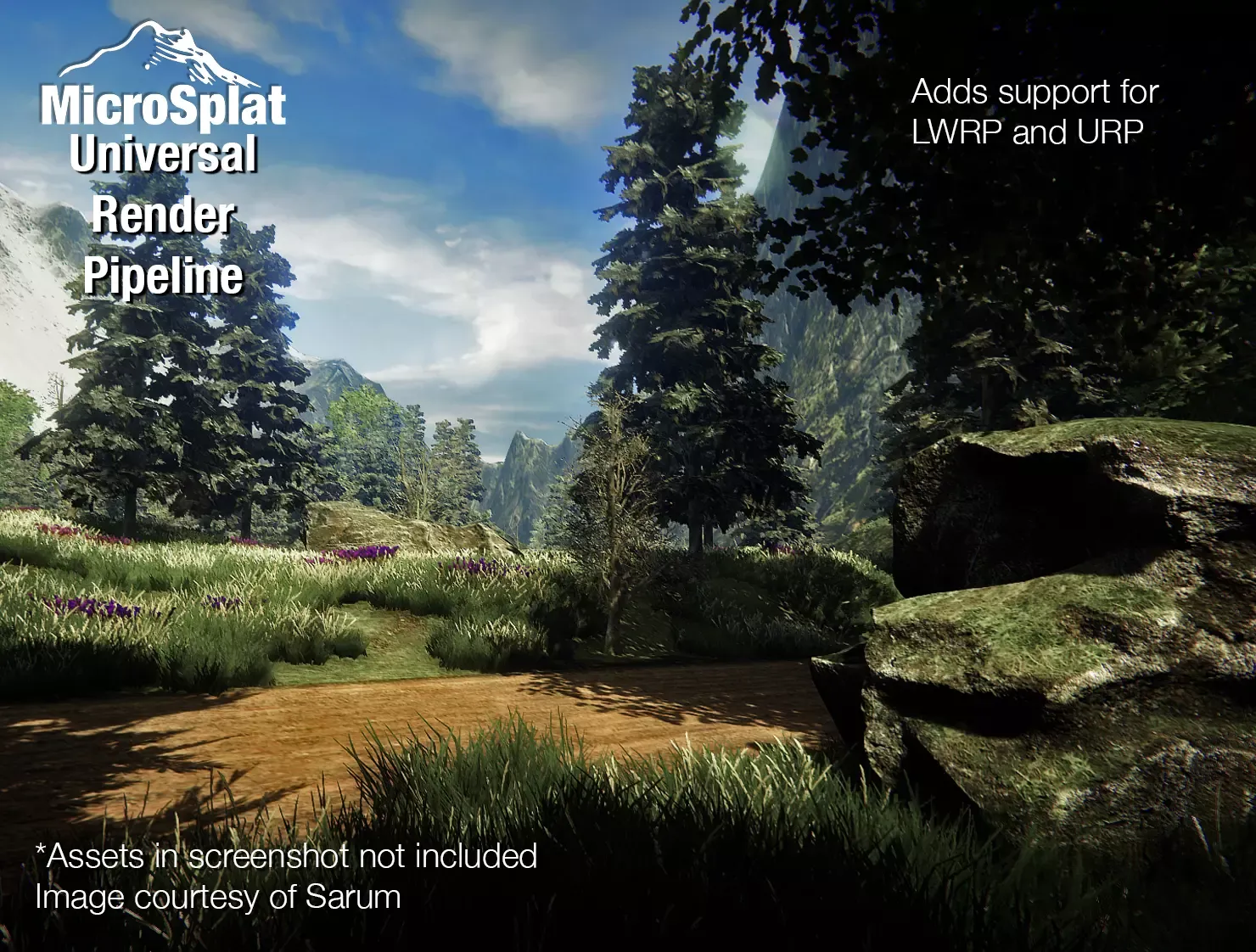
Like how do they do this?
stray stone
Lighting and materials are the top two things.
Also baking lighting which helps optimise.
ionic blade
Baking lighting into the textures?
So I need to take a look at materials, lighting and other things like post-processing?
Anything else?
stray stone
Unity light baking.
ionic blade
Okay
stray stone
Good luck!
ionic blade
Thanks!
 devout dove
hi guys, hope I'm in the correct channel 🤞
so I'm struggling with that for quite a bit and I guess I need to ask some guys now to help me get answers...
I made this button that requires different colors.
when the colors are completely random I would prefer having 2 materials, but what when it's only 4 colors for example? should I bake the texture for every version or also just use 2 materials and color it in Unity? 🤔 cause I learned avoiding multiple materials on 1 object should always be the way to go in terms of performance


 left laurel
you could just color it with the vertex colors and then have different models > colors, but all using the same material?
glacial vector
I would probably use a mask texture
 tawdry valley
could someone help me..
i got some bad topology and i too dumb to fix it lol

looks all good but the neck area..

not sure how exactly i should go about this.. my brain tells me i need the overhanging faces like in the front and back.. but everything i think of ends me up with a triangle

this is all i got.. and then i end up with these 5 vert faces 😐
 native bane
Who has a blender low poly model for human
stray stone
You can select the loos vert and then the corner and Merge them. @tawdry valley
native bane
Free
tawdry valley
stray stone
You can select the loos vert and then the corner and Merge them. <@!317141358894...
wouldnt that make triangle
 native bane
How do I model a low poly human
tawdry valley

YouTube
I make music, sound effects, game development assets, games, and all sorts of different stuff. Thanks for visiting me on YouTube where I share videos of the things I do.
check out this guy @native bane
native bane
Ones that aren't an hour or 30 MINUTES LONG IM ON A LIMIT HERE
lime pollen
you're not going to model a low poly human in less than an hour lmao
native bane
Is there one for Low Poly Humans
native bane
lime pollen
you're not going to model a low poly human in less than an hour lmao
Charg1n prove you wrong
tawdry valley
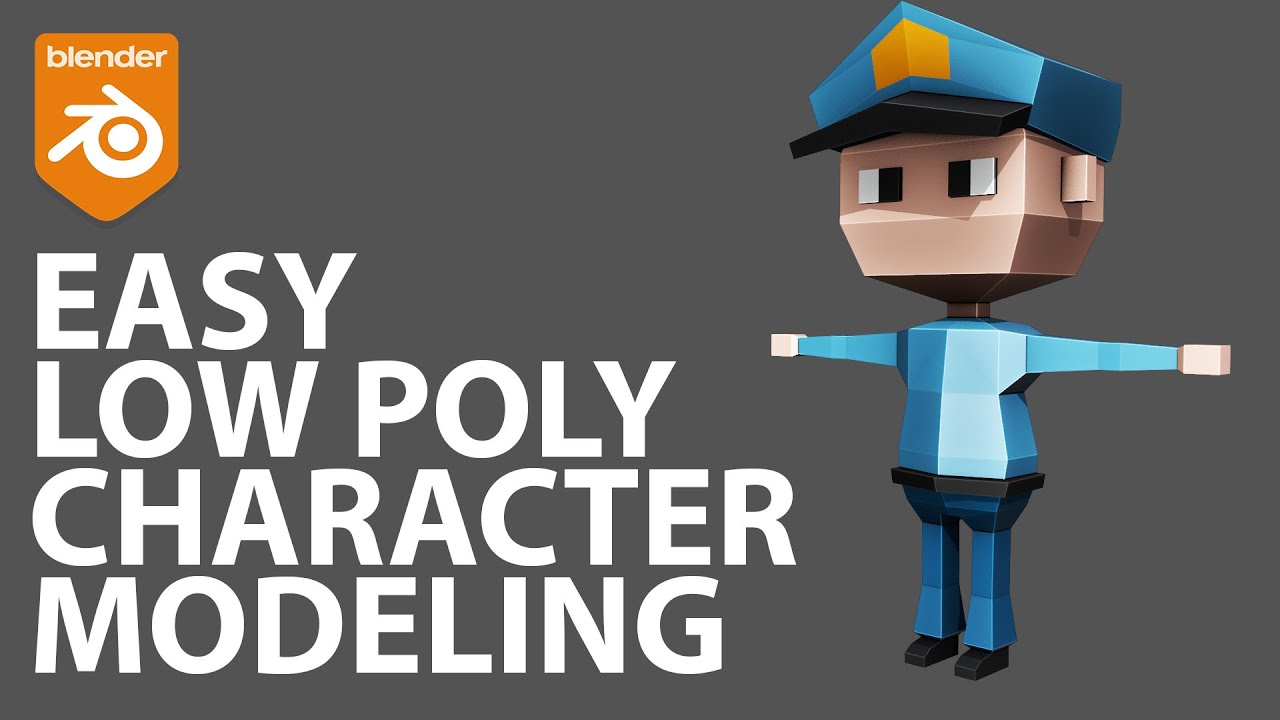
Learn how to easily model a low poly character in Blender 2.9x. This is the first in a series of three videos. In the second video, we create an armature and rig this character and in the third video, we key frame animate an idle and a running animation.
You can download the tutorial files as a Tutorial Tier Patreon at:
https://patreon.com/imph...
lime pollen
just because the video is 10 minutes doesn't mean that you will do it in 10 minutes...
tawdry valley
lime pollen
just because the video is 10 minutes doesn't mean that you will do it in 10 minu...
this ^ and ull probably pause 1,000 times
 native bane
stray stone
<@!317141358894645248> merge these ones.
native bane
stray stone
<@!317141358894645248> merge these ones.
Can you?
stray stone
Can I what?
native bane
Free low poly model (r i g g e d)
stray stone
Second, given the "urgency", I suspect you are just about starting your game.
Which them means you aren't ready to put art in, You should build your game out with cubes for a bit till you work out the mechanics.
This is the basics of prototyping.
pastel steppe
native bane
Can anyone give me a free low poly rigged model?
If you do stuff yourself it's much more rewarding in the long run
If your new to blender I would recommend you do Blender Gurus donut tutorial and then for the low poly character you can find a bunch of tutorials on youtube
 trail imp
Blender gurus is quite amazing. There are also some good tutorials on Udemy for ten bucks
pastel steppe
The game dev tv one is good
 strong sable
Sorry if this is the wrong channel.
I have this object in a file. I would like to import it into another file, preserving the parent/child relationships, in such a way that any changes made to the original file will automatically propagate to all copies.
What is the term for this? I am trying to look it up, but without knowing the Blender term, search results are a mess of not-really-related topics and questions.
Edit: found it. The processes are called "Link" and "Append" in Blender, and Collections which have been linked can be parented to other Collections.
Second edit: However, it turns out that this does not preserve the parent/child relationships within the Collections.
Third edit: I ended up just copying the collection directly into the main file and making linked copies from there, rather than try to keep the objects in separate files.

 primal notch
is anyone interested in helping me make my game? its a 3d unity engine xr crossplatform choose your own adventure emotional drama. Let me know if you can use blender or maya or any compatible 3d asset creation for unity
we have 3 unity devs but need a new artist/s
lime pollen
primal notch
is anyone interested in helping me make my game? its a 3d unity engine xr crossp...
job/collab posts go in the forums, sorry
 bright olive
how can I apply textures to 3d models?
I drag and drop my texture on my model but it just keeps the color, it doesn't transfer the texture
outer halo
bright olive
how can I apply textures to 3d models?
Create a material, assign texture, put material into object.
bright olive
How do I assign a texture to a material
outer halo
Drag it into the slot of the property you want it assigned to. Albedo for example.
bright olive
yes but it still displays just one color
outer halo
Then your texture is incorrect, or the UVs on your model are not mapped to work with that texture.
bright olive
and where can I find good textures for 3d models?
outer halo
The internet. 🤷♂️
 ember python

 iron coral
What are the step we should take while exporting model from blender to unity(like normal map)?
eager mist
iron coral
What are the step we should take while exporting model from blender to unity(lik...
drag blender and drop into unity, then it becomes blenity. thats all

iron coral
@eager mist but like high poly, will it affect performance of game , can it make normal map and bake texture it's own
eager mist
iron coral
<@456226577798135808> but like high poly, will it affect performance of game , ...
nvm dude i was joking 
eager mist
no
stray stone
iron coral
<@456226577798135808> but like high poly, will it affect performance of game , ...
High poly models should be reduced with retopology to make it more performant and also easier to rig/animate.
You can bake normals from high to low.
iron coral
okay
are there any more thing I need to take care of
@stray stone Thank u very much for ans
 sour oak
hey, where the heck is the mesh menu? can't find it, I'm using 2.93
stray stone
What do you mean? To add a mesh, To edit hte mesh in edit mode?

In edit mode, it's here at the top.
 pallid lily
Hey guys! I recently exported textures from blender, and when I import them into unity I notice that my material is getting this Line affect going through it. I'm thinking that it may be something to do with how close my islands are in the UV's, but I thought I'd ask before I export another set of 8192x8192 textures (took me many hours haha)

I don't think that its an issue with the material itself, but here's some more information if you need it

 brazen bluff
Anyone happen to know what is causing these dark rings that follow the camera?

It has these sharp edges in regular intervals
This is in HDRP
Something to do with the normal on this texture 
Okay solved. Through events unclear to me the filter mode got set to none for the normal 

 cerulean solar
hi, i'm creating a skybox, unfortunately substance gradient mask won't work, any solution to this?
 eager mist
ehm
so im making an game and we have someone who makes the props etc with blender... but his blender crashes everytime so can any1 make props etc for us? dm me
 minor horizon
So i have imported a hair piece i did into unity. I made the model, bones, and did the weight painting myself in blender and everything works fine in blender. When i import it into unity though, all weight painting is lost

 pastel steppe
pallid lily
Hey guys! I recently exported textures from blender, and when I import them into...
pastel steppe
pallid lily
Hey guys! I recently exported textures from blender, and when I import them into...
Is your model subdivided?
stray stone
minor horizon
Bones need names. And if you are parenting it to another rig it won't work due to confilcs.
Also just gonna point it out, that's way too many bones.
Should run 4/5 chains and do the hair in bunches.
pallid lily
pastel steppe
Is your model subdivided?
Yeah but Im pretty sure I applied all the modifers and re-ran Smart UV wrap
 errant dome
her name is Teo. Any suggestions? (except for the skirt ill change that later)
 stray stone
Twist the legs so the knees and feet are forwards instead of tilted inwards. That's gonna make leg rigging painful. @errant dome
errant dome
right, thanks for the suggestion <3
stray stone
If it's a female mesh, you also want to make sure the shoulders are thinner than the hips.
 winter gazelle
Anyone familiar with CGAxis, know if their Complete collections are any good for game development?
stray stone
@winter gazelle Having a look at some of their models on the site, They are not suitable for games development.
winter gazelle
Can you be more precise please? Like why you think so?
stray stone
They are too high in poly count.
Simple things that you can model with a few hundred are several thousands here.
winter gazelle
Good point
stray stone
This appears to be a site for people who make arch vis, or animations with offline rendering.
winter gazelle
Just a question from someone a bit green with some 3D modeling software, namely Blender. If I was to merge some of the poly, would that affect the UV?
stray stone
It will.
winter gazelle
So i would have to remap.
stray stone
Yes.
winter gazelle
OKay.
stray stone
Don't buy from this site, please.
You can model most of this with very little effort.
winter gazelle
Modeling yes, texture much less.
stray stone
Depends on what you are texturing but you don't need to hand paint every texture.
If you are just using a wood material, Just gott make sure the UV's all going in the right direction, doesn't matter how it's looking.
winter gazelle
Can i have your opinion on KitBash?
stray stone
Kit bash I know was made with more games in mind, but they are still pretty high poly for most.
They are aimed more to the AAA market rather than indies.
Especially when you are paying $200 for 20 models or so in some of them.
winter gazelle
nods
 shut hinge
So... Speaking of bash kits. Am I doing this right in a low poly sense? It's a kit for a tank.
Either it's hovered or not would still be decided though. 🤷♂️

still a WIP too.
 gaunt minnow
can anyone tell me how to use ProBuilder nicely. Any external website link will also help
amber walrus
@gaunt minnow I would seek out videos made by the creator of Probuilder. Some of them are on his personal channel, and some of them are on the Unity channel.
 leaden jay
bright olive
leaden jay
bright olive
I am trying to make a grass material but when I add my image tha transparency is lost gets lost and a lot of weird lines pop up

(on the right is the image that I add and on the left the outcome)
stray stone
 indigo crypt
Is there a way to get blender to be more lightweight?
indigo crypt
Is there a way to get blender to be more lightweight?
What do you mean more lightweight? It's the most ligtweight 3D modelling program out.
stray stone
bright olive
I am trying to make a grass material but when I add my image tha transparency is...
You need to set your material to allow transparency.
bright olive
stray stone
You need to set your material to allow transparency.
how do I do that?
stray stone

This setting here, Alpha cutout should do it for you.
It will also then give you an option to tweak the boarder of the alpha to be in or out more, so you can tweak it.
bright olive
it just disapears
stray stone
Lemme see the material settings?
bright olive
 stray stone
Adjust your alpha cutoff.
bright olive
so when I adjusted the alpha cutoff it just disappeard
bright olive
stray stone
No worries. 👍 :)
thanks
bright olive
how can I make a mesh visible from both sides?
indigo crypt
stray stone
What do you mean more lightweight? It's the most ligtweight 3D modelling program...
Oh
ionic blade
@stray stone So about what I asked a few days ago. I have now exported a metalness as well as a roughness map, but I do not know how to
1.Invert the roughness map to make it a smoothness map.
2.Copy that into the alpha channel of my metalness map
Could you maybe explain how you would go about doing this in software like photoshop?
stray stone
Photoshop has a channel editing system that's on another tab where you see the layers.
You would load up teh image you want to use as a mask map, Then the images you need to add to the specific channels.
Copy one image from the file you need, and paste into the channel of the mask map texture.
If there is no alpha channel, you can add one.
Inverting in photoshop is just a filter can be found in the menu.
ionic blade
Unfortunately I do not have photoshop, so I have to try to recreate this in other software
First of all, what is the inversion called you would use for this?
Invert colors?
ionic blade
@stray stone What kind of inversion would I need to apply?
ionic blade
So inverting colors will do?
 maiden tangle
any zbrush users?
I'm trying to insert a mesh that is mirrored, I already have symmetry active wondering what else I need to do
imagine a mirrored shoulder pad
stray stone
@maiden tangle What do you mean?
You want to duplicate a mesh across the middle to mirror it on the other side?
stray stone
ionic blade
So inverting colors will do?
Yeah man, that's all it'll need.
ionic blade
Alright
Someone on the blender forum told me I should use a program called fusion and use channel booleans

I guess this will do what I want to achieve?
maiden tangle
stray stone
You want to duplicate a mesh across the middle to mirror it on the other side?
exactly
ionic blade
https://media.discordapp.net/attachments/853744653123059723/853751204524982282/unknown.png
The resulting images look a little weird though
 stray stone
@ionic blade This is because you are stacking different channels, don't worry about how this looks.
Unity will read those channels on there own, not as a whole.
ionic blade
Okay
maiden tangle
@stray stone Copy tool wouldn't be what I want would it?
stray stone
@maiden tangle
Here's the way to mirror across the middle. :)
It's in Geometry > Modifiy Topology > mirror and weld.
If it's not on the right side, you will need to flip your mesh to the other side first.
So that can be done in Deformation > Mirror.
maiden tangle
@stray stone tysm!! works like a charm 🙂
stray stone
@maiden tangle Last thing I sculpted in Zbrush. ;)
 maiden tangle
that's pretty dang cool
yeah it's exciting, just learning dynamesh fun to mess with
stray stone
Sculptris pro is also a great feature to check out, No need to deal with dynmesh. It'll automatically retopologize as you sculpt based on brush size. ;)
maiden tangle
I'm used to blender where if you mirror something, the position of the mirrored object is sort of independent with the real object- whereas here I move the real object, it moves the mirrored exactly the same.. hmm
maiden tangle
stray stone
Sculptris pro is also a great feature to check out, No need to deal with dynmesh...
I originally tried that when it came out, thought it was meant for like zbrush mobile or something not so serious... I guess that's changed? Will have to check it out!
stray stone
Mirror in blender is where the object origin is.
Zbrush is done across the world centre.
maiden tangle
any way to switch it up? I'll keep messing with it this way I guess
stray stone
There's a way to change the location of the mirror, but I recommend just practicing more.
When you start zbrush and add the first mesh, it's always gonna be in the world center.
maiden tangle
I think what I'll do, remove the mirror and properly place the mesh- that way when I mirror it'll be at the correct spot on the other side
instead of mirroring > moving around like I would in blender
stray stone
Zbrush is one of the more diffcult programs to learn within the 3D scopes. Becauseit's just so weird.
Yeah, you don't want to be moving the mesh around unless you need to, or know what you're doing.
maiden tangle
Last question I swear! 😅 @stray stone
removing said mirror-
I've unselected all the little dots on the mirror and weld button
stray stone
Haha, Right okay, This is gonna be interesting.
maiden tangle
oh boy here we go
stray stone
Mask the side you want to get rig off, hide it, then delete hidden.
maiden tangle
understood, interesting approach that's the "go-to" huh?
I'm starting to see like when you do something in zbrush, you gotta know what you've done before you do it lol
stray stone
Zbrush doesn't conform to traditional.
maiden tangle
blender is so much more forgiving.. but I hate the sculpting
stray stone
You also have a history bar right at the top of the viewport that you can drag up and down.
maiden tangle
ohhh forget the forgiving bit.. blender needs that! lol
stray stone
So you can always go back so many steps, but if you go back and start doing stuff, it will remove the stuff infront of it.
maiden tangle
awesome, I'll just do that then
gotcha, fair enough
thanks for the help man!
makes this journey a lot easier asking for help
cheers
stray stone
No worries, I use to teach Zbrush at my uni. 😅
maiden tangle
lucky I caught you online then! 😆
stray stone
I have a bad ass introduction lesson, that's 30 minutes and teaches all you need to know to get started.
maiden tangle
this is what I'm working with since last night, hoping to go full human soon 😄

really my first sculpt having kinda learned this remesher, very satisfying to work with
long way to go obviously
maiden tangle
stray stone
Nope, I do it 1 on 1.
ahh I don't think I could keep up 1 to 1 haha
stray stone
No, I mean I do my lessons 1 on 1. So it's me and a person sitting down and doing it like that.
Cause then I tweak and tailor based on the knowledge of the other person. ;)
If you can, I recommend finding and getting involved in a life drawing course/class/group. Those are massive help for modelling pople.
maiden tangle
yeah I'll have to do that, I'm really winging it I know I need a lot more resources
anatomy needs to be a focus etc.. have a course or two on that I need to get back into
any sculpting related discords you know of?
stray stone
I don't. I only really live in this Unity server and one that's been around longer haha, Doing the same stuff I do here.
Helping. :)
I work in a high end animation studio, but have a masters in games development. 😅
maiden tangle
that's a nice mix, thanks for sticking around here helping the noobs on your free time!
best get back to it, have a great rest of your weekend sir!
stray stone
Good luck!
 viral cypress
Not exactly sure about wheather this is for 3d art but say I have a texture sheet animation, can I put this texture sheet and have it play on a 3d plane.
 dire ermine
 uneven hamlet
very nice
ionic blade
I wanted to import an empty metalness map with the roughness data in the alpha but Unity does not seem to accept it
This is without the map

This is with the map

There seems to be no difference
Also why is the smoothness slider still active?
It shouldn't be active at all if there is smoothness data in the metallic map(?)
I've been trying to find out for days how to get the material properly imported from Blender to Unity without it looking horrible
No luck so far
Yeah, the slider should disappear after loading in the metalness map so why is it still there?
ionic blade
Wow, it works when using a custom shader!

But I don't know if using a custom shader for almost every material is a good workflow?
Does someone have experiences with that?
I'm using URP
lime pollen
ionic blade
Yeah, the slider should disappear after loading in the metalness map so why is i...
the smoothness slider reads from the metallic map, so no it doesn't disappear
ionic blade
@lime pollen Ehm, what do you mean?
Is it supposed to ever disappear in case it found usable smoothness data?
For me it didn't read the data until I used the custom shader
And set the smoothness manually
 lime pollen
its not supposed to disappear
it just reads from whatever map you tell it to read
then you can adjust the intensity using the slider
actually I might be wrong on that nvm
 marble agate
Not sure if this is the correct channel but i have imported a model from blender however in unity my model has no colour but in blender it has colour?
ionic blade
How did you import the model?
marble agate
.fbx
marble agate
oh what do i need to import it as?
marble agate
how do i export just the textures?
marble agate
got a video i could watch on how to do it or a website that tells you how as i am very new to this
lime pollen
iirc fbx should also export textures if you don't use material nodes
the pins has an export setting image you can refer to
ionic blade
It doesn't always work though

Export 3d models from Blender 2.83 to Unity with textures and Materials.
✅Asset Used: House Model
https://bit.ly/2DssWPb
▬▬▬▬▬▬▬▬▬▬▬▬▬▬▬▬▬▬▬▬
💎 Watch advanced tutorial on Patreon 💎
http://patreon.com/uguruz/
▬▬▬▬▬▬▬▬▬▬▬▬▬▬▬▬▬▬▬▬
📱Social Links:📱
🔸 Discord https://discord.gg/BmYJC34
🔸 Twitter: https://twitter.com/U_Guruz
🔸 Facebook: ht...
marble agate
also say i made something in blender and i wanted the doors to open would i make them open on unity or would i have to do that on blender ?
lime pollen
for a simple door opening you can do it either way
ionic blade
I have exported the base color and roughness map but my material still does not look right
In blender

in Unity

I guess I need a higher res roughness texture?
But I think I am also missing something else?
lime pollen
maybe its your texture import settings
ionic blade
This is roughness

aka smoothness but I am inverting the map in the shader
Is this correct?

This goes into smoothness
lime pollen
try importing it as a single channel texture
ionic blade
I do not really see any difference
 ionic blade
I don't think I have overlooked anything in the Blender node

I have the base color as well as the roughness
anything else shouldn't be needed for this example, right?

Maybe it's just the lack of good lighting in my unity scene?
Maybe because I have no normal map?
lime pollen
possibly. Unity isn't going to output exactly the same image as blender
even when the same maps
you also have a reflection map in blender
ionic blade
How do I export and import that reflection?
lime pollen
you can't really, you'll have to set it up in unity
ionic blade
Oof
any good advice or resources on that?
lime pollen
look up unity reflection probes
ionic blade
👍
I noticed the default project for the Lightweight RP has very decent lighting

I wonder how this is done
Is this related to reflection probes?
lime pollen
yeah those sphere things are reflection probes
https://www.youtube.com/watch?v=lhELeLnynI8 brackeys has a decent video on it (for once)

Let’s learn how to create reflections by using Reflection Probes and Screen Space Reflection (SSR).
♥ Support Brackeys on Patreon: http://patreon.com/brackeys/
····················································································
♥ Donate: http://brackeys.com/donate/
♥ Subscribe: http://bit.ly/1kMekJV
● Website: http://brackey...
ionic blade
You don't like Brackeys? 😅
stray stone
Brackeys is fine for the basics. But if you are doing serious stuff. It's useless.
lime pollen
he's not a great reference for complete beginners imo
ionic blade
I learned that just copying code is useless since I want to go back and customize it later anyway and I don't understand anything I copied so I just end up starting from scratch and recoding everything myself anyway
marble agate
ionic blade
https://www.youtube.com/watch?v=5UZ-niuRWz8
Followed the video everything still white
stray stone
@ionic blade how are you making these textures. 🤔
neat field
you don't have anything to reflect in your scene
ionic blade
stray stone
<@371596838178127874> how are you making these textures. 🤔
I have exported the base color, roughness and normal map from blender and put them into my shader graph. That shader I used on my material.
stray stone
So why are you inverting your roughness map?
You don't need to. 🤔
Oh. Your using specular glossy workflow.
I recommend moving over to the metallic roughness. Just removes the need to invert things.
ionic blade
I've been told that what smoothness in unity is the inverse of roughness blender uses
And without inverting it does not look good
stray stone
You can change the shader type to use metal roughness instead of specular smooth.
ionic blade
Where can I do that?
stray stone
Wait. No. You are on URP.
ionic blade
neat field
you don't have anything to reflect in your scene
Also, true
I might need to import a few sample trees or something
ionic blade
stray stone
Wait. No. You are on URP.
yes
stray stone
Ooft. Unity needs to fix this switch quicker.
neat field
just import any HDRI from HDRhaven as a skybox
ionic blade
neat field
just import any HDRI from HDRhaven as a skybox
Ok, will do
stray stone
Don't get a 16k one. 4k is more than enough.
ionic blade
stray stone
Ooft. Unity needs to fix this switch quicker.
What do you mean exactly
stray stone
They are working on building a system that allows you to switch between HDRP and URP on the fly. So are making things more consistent between the two pipelines.
This I hope will bring metallic/roughness to URP.
ionic blade
I heard HDRP is harder than URP
stray stone
It is.
ionic blade
but I also do not want to miss out on the advantages of using these
that's why i chose URP as a middle ground
ionic blade
Standard does not let me use shader graph
stray stone
That is true.
Anyway, if you make a vector node and make it public.
And then plug the wire from invert into multiply top slot, and then plug the vector into the other a multiply slot and plug the multiply into the smoothness slot. You'll have a tweak control to adjust things.
If I was still on my pc I could show you this in a minute. But alas I'm in bed.
If you are still working on it tomorrow. Send me a ping
stray stone
Post processing if you are using URP.
ionic blade
Just out of curiosity, same for HDRP?
ionic blade
stray stone
Post processing if you are using URP.
Which post processing effect is it?
stray stone
I can't remember.
ionic blade
Well, fudge
lime pollen
URP skyboxes are the same as built in

set the skybox material in the lighting settings

 lime pollen
I don't see a skybox
ionic blade
The skybox does not appear in the scene view?
lime pollen
it should
ionic blade
This is in game view

Looks better than before
But something is still not right
How can I desaturate the red?
Actually, other than the missing reflection probes and the color it looks pretty similar now
The original is just shinier and has more reflection
I guess that can also be done with reflection probes?
stray stone
ionic blade
Blender
What you are seeing in blender is a look Dev view. This is a very specific view that isn't actually accurate lighting. It's just to test material properties.
That's what those two little balls in the bottom right are helping with as well.
ionic blade
cycles still has more reflection though
 neat field
oh it's an interior...
place some lights in there, check "static" on floor wall ceiling,
add a Reflection Probe, bouding box as corridor/room size, check "Box Projection" and bake it.
you may also be interested in ScreenSpace Reflections @ionic blade
ionic blade
I see, many things to look forward to the next days
check "static" on floor wall ceiling
@neat field where exactly?
neat field
 ionic blade
What does that do?
neat field
makes the gameobjects rendereable by the reflection probe among other stuff
stray stone
It also tells unity that these things aren't suppose to move.
It then batches things in chunks to make it faster on loading.
 digital kestrel
Hey, I dont know if it fits here, but, should I build my scene by "blocks" of 5x5 meters for example, or should I import all the scene done in one model
I would have more than 500 blocks for the floor if I build it like that
eager mist
One model takes less performance.
digital kestrel
Its better? For example in this image they clearly use the other approach
 eager mist
It depends in what kind of a scene you're trying to make and how much performance you'd like to milk out of it.
digital kestrel
Its for android so I guess all I can haha
glacial vector
is your play area 2,5x2,5 km?
digital kestrel
I havent defined the total size but around that yeah
 harsh dagger
If you look closely it looks like that floor is tileable, so you can import only one of each type and build your scenes with them for example
Trees are repeated as well (with variance in scale), basically if you want to build for android you need to build entire scenes inside of Unity using as fewer unique assets as possible.
And testing performance from the get go
stray stone
Also mark everything that isn't supposed to move as static.
This helps performance A LOT.
digital kestrel
Okay, I will try that. Thanks!
ionic blade
@stray stone Can I also check the static option for objects that do not move but change their position when not active?
stray stone
If they move, they are not static. So no you can't.
Static allows unity to know what isn't moving so then it can batch things together to improve asset loading times.
ionic blade
But when the gameobject is not active / not visible it should not matter(?)
They do not move but have a different position when set to active again
stray stone
Changing if it becomes active or not, means it's not static.
Static means, these do nothing.
eager mist
how can i add a blender project to my unity project?
stray stone
@eager mist I recommend not using blends in unity, But exporting them as FBX .
eager mist
You mean i save my blender project as an FBX file?
eager mist
Then how do i put it in unity?
stray stone
Can click and drag the file into unity's asset browser.
Or you can import new asset in the right click menu.
outer halo
Yes
eager mist
Can we give them names so we can play them in the script?
outer halo
Yes, they're assets with names. The intended use is to use them with an animator controller.
Either using parameters to transition between them, or calling them directly via their names.
 pallid fractal
eager mist
Then how do i put it in unity?
pallid fractal
eager mist
Then how do i put it in unity?
You can also save the FBX directly under your Unity project's Assets directory (or a subdirectory thereof) - Unity will detect it and import it
eager mist
Done, Thanks :)
 keen tartan
👋 I have a shader graph that is a progress bar mostly following this: https://devsplorer.wordpress.com/2020/05/18/creating-a-3d-progress-bar-with-shader-graph-devlog-tutorial/
I modified it to have an enum keyword to describe the XYZ axis for different fill types. In the editor it works fine, I can enable & disable keywords to make the bar fill correctly, but in the build it does not. It always fills along the default axis. Anyone have ideas on why this might be? Happy to share code/graph screenshots if helpful!
glacial vector
keen tartan
👋 I have a shader graph that is a progress bar mostly following this: https://d...
We have a #archived-shaders channel. I suspect this has to do with how shaders are compiled with keywords
keen tartan
Ty! I was just about to update that it was the multicompile option I was looking for 🙂 tyty.
 languid robin
Hi team - I hope this is the best place to ask this?
I am looking to make a health bar be integrated into the character, much like the backpack in Dead Space. I will have a couple of thing represented: Health, shields, maybe ammo or team % remaining. This will be on a 3d model, on the back, on a third person view.
I'm wondering, what's the best way to do this? Have ten lights on the backpack be their own object so I can turn them off and on or change colour as needed? I can do a 2d sprite thing like a usual health bar and parent it to the backpack, but I can't make it emissive, right? I'm new to the animation/modeling portion of this so I'm not sure what the best practice would be here. Any advice?
stray stone
You can do what you suggested with 10 little things/lights.
You could also do a shader that has a variable that allows you to adjust things on the fly. This is what I believe was done in deadspace.
languid robin
stray stone
You can do what you suggested with 10 little things/lights.
You could also do a...
Oh interesting, a shader
Those magical things that do magic
stray stone
Yeah, It shouldn't be to to hard, you can make the bar fully solid with colour, then adjust another colour moving up and down based on object position or UV.
And this can also then have emmission and all the other goodness you want to add.
languid robin
That's really cool
Thank you for the tip
I'll start looking at shader tutorials and learn what they're about
stray stone

A shader for things appearing, Using a hologram effect for the transition for a digital feel.
languid robin
it really seems exactly what I'm looking for
stray stone
This is one I did a while back.
This is more basic than what you would need, but can show you the effect.
languid robin
Oh awesome
Hey - thank you for taking the time, I'm going to look at it now
This sounds exactly what I need!
stray stone
This is a more advanced solution, but offers way more flexibility when it comes to other models and such.
Also entirely possible to use Shadergraph if you are on HDRP, or URP.
languid robin
That's perfect. I have to learn shaders anyway, and this will be a core experience so it's got to be done right
I'll google shaders vs shadergraph, haha
this is all brand new to me. I can code very well, just... artistically got nada lol
stray stone
Shadergraph is just a way to authour shaders.
You can program them yourself, but require you to know HLSL.
languid robin
shadergraph it is! It's just a visual scripting tool I assume
stray stone
Yeah.
stray stone
Then you've got something like what I do. 🪃
 languid robin
Thank you everyone and @stray stone
stray stone
Big shaders.
stray stone
This is a shader I've made to allow dynamic normal map blending, so I can get more impressive character work.
stray stone
Having the characters normal maps change in different places so that they can look more dynamic without having to simulate anytihng.
languid robin
(googling normal maps)
stray stone
Normal maps allow you to have more additional detail in your mesh, without it taking up polygons.
It's essentially a way to get free details.
languid robin
(for hilarity, this is the top answer lol. )
 languid robin
stray stone
Normal maps allow you to have more additional detail in your mesh, without it ta...
languid robin
stray stone
Normal maps allow you to have more additional detail in your mesh, without it ta...
ohhh interesting
stray stone
Normal map 3D might have been a better search. :P
languid robin
haha probably
you seem to know your stuff very well
are you familiar with animation instancing
stray stone
 languid robin
I'm trying to reduce physics load (physics.movebodies, etc) since I have a ton of mesh renderers. One solution I heard about is animation instancing - I guess it's baking the animations into a texture


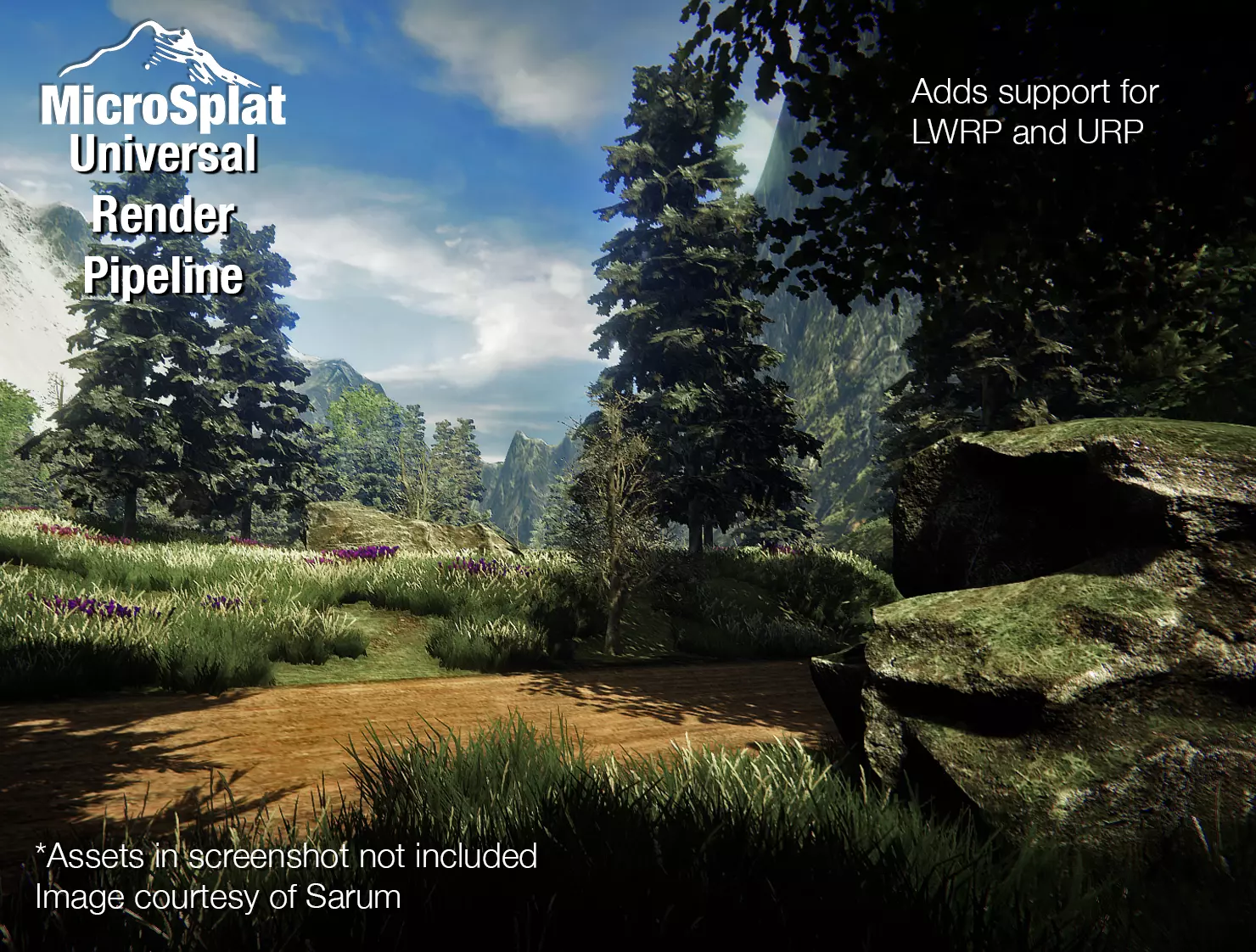

 languid robin
stray stone
languid robin
stray stone
oh DAMN. Yeah that looks WAY better
you should make an asset and sell it
stray stone
Aint got time, I'm busy at work. 😅
languid robin
(y)
stray stone
High end animation studio.
languid robin
oh congrats man
I'll let you go work haha. Thanks again for the advice, really excited to learn
I appreciate it
hope you have a great rest of the day!
languid robin
Will do!!
 wheat sinew
Ok I have a pretty weird question
I barely know how to 3d model but I do know how to get my Minecraft builds into Blender
Is it at all possible to just build my maps in MC and then change textures and make it not cubes in blender to make my levels?
the levels dont have to be High Poly or anything
harsh dagger
Learn how to 3d model, it will be faster and less janky than doing that
wheat sinew
That is my plan in the long run
my charecters Im doing from scratch they are low poly jankey but its a start
harsh dagger
Unless you want to specifically have maps that look like it came from minecraft, which you could use a voxel program for that
wheat sinew
harsh dagger
Unless you want to specifically have maps that look like it came from minecraft,...
im going for more of a TABS look
but the only reason Im using MC is because before I knew how to code games I just made them in Minecraft so I already have the levels
this is the head from my chrecter
its all ive modeled so far
 harsh dagger
It's a start, keep it up 👍
wheat sinew
Thanks!
wheat sinew
Yeah I have no idea how to make arms look good

this is like my 10th attempt at an arm
eager mist
@wheat sinew first shape the cross section of the arm into the shape you want (usually circle) and then extrude the circle
wheat sinew
ok