#🔀┃art-asset-workflow
1 messages · Page 57 of 1
 cobalt slate
If you are using baked lighting, you will need to rebake the lighting
I cant think of any other issues really, you just need to configure as you would normally
For free? Yes at it turns out. Plenty on assetstore.unity.com/
You can filter with price = free
 true geode
@cobalt slate Thanks! I read somewhere that it causes some physics and performance issues, so I was just curious.
cobalt slate
Unless you are resizing thousands of objects at once, no
 languid robin
Hi team - I have a character made of various meshes via skinned mesh renderer. Is there an easy way to only copy the "Arm" (Shoulder, elbow, hand) with all the joints, etc, to use as a dismembered rag doll?
simply duplicating doesn't really work and I'm struggling with the anchor placements by making it from scratch using regular mesh filters/renderers
cobalt slate
You could make a dismembered prefab and instantiate it over the membered object
It would be 100 times easier then trasnforming a membered object into a dismembered object
languid robin
I'm just... very much sucking in making character joints. Can't seem to set the anchor just right. Was hoping for an easier way of "copying" existing things
but OK, sounds good
I have no problem making a dismembered head, but say an entire arm with an elbow and hand that can ragdoll, that's where I'm stuck
but for now I'm just making all 3 pieces separate until I figure out how to do character joints and anchor them right
Thanks for responding man
 sterile basin
@cobalt slate interesting thankyou
@cobalt slate i have about 25 diferent items and equiptment and player 1 and 2 diferent characters all bound and parented to the same skeleton, i was trying to animate the visibility of the different objects for slash animations but the fbx animation doesnt seam to include the visibility channell of objects, is there a setting that includes visibility
cobalt slate
You can add a bone to the rig in Blender/Maya for where the weapon is, but it would not be a humanoid bone rig any more, it would be a generic rig at that point
I wish humaoid rig added a bone for holding something in right and left hand, as we all do that
Anyone know how to "cheat" humanoid rig so you can have a bone in Blender/Maya for a weapon and still use Humanoid in Unity?
^ So many people ask for that, SO many
I have to animate in Blender without the weapon/thing you are holding, then child in the gameobject in post in unity fyi
 dire flicker
Are you wanting the normal? Because the rotation of a face is also the rotation of the object that it is on.
 swift estuary
 west crescent
Depends - how are you ... identifying the face? If it's a raycast, there's a normal on the raycasthit
 cursive root
Question: I am working on a game and one of I made a short placeholder model in Unity which is just a simple cube that I scaled down to be a small cuboid. When I load the game in the Unity Game Preview it automatically resets the scale to a normal cube.
 crimson vector
i feel like giving up i dont understand this and it has no purpose
 gilded wigeon
Does anyone know how to fix this?
crimson vector
i give up goodbye
swift estuary
crimson vector
i feel like giving up i dont understand this and it has no purpose
what are we looking at here??
swift estuary
cursive root
Question: I am working on a game and one of I made a short placeholder model in ...
what is the scale of the object in the prefab view? What is the scale when you spawn it in game? Are you making it a child of any other objects?
cursive root
Prefab:
X = 0.05
Y = 0.05
Z = 0.51172
Game:
X = 1
Y = 1
Z = 1
cursive root
oh
swift estuary
When you look at the in-game object
click this dropdown
and hit "revert all overrides"
should be a button something like that
cursive root
I don't see it
I am looking at the prefab, when I have it spawned in, in the game
When I drag it in, it works perfectly, but when the game spawns it in it becomes a 1, 1, 1 cube
The objects are being spawned in via a C# Script
The Action-Based XR Controller Script
swift estuary
oh if it's being spawned by a script you won't see it. that button is only there for prefabs you have dragged into the scene at edit-time
can you show your script that spawns it?
cursive root
I believe it is the XR Controller Script
It's quite long...
It has more properties such as the new input system
This script is also not mine, it is from the Unity XR Kit
swift estuary
You are not calling Instantiate in your code at all?
cursive root
oh
 bright arrow
Does anyone know how to make a texture duplicate on a surface instead of the texture stretching?
swift estuary
bright arrow
Does anyone know how to make a texture duplicate on a surface instead of the tex...
It's all based on the UV map of the surface in question
but also if you're using a default Unity shader they mostly support changing the tiling parameters
Play with those fields on your Material^
bright arrow
@swift estuary Yes that setting is what i wanted. But is there any way to only apply that to one object instead of all.
swift estuary
bright arrow
<@!179367739574583296> Yes that setting is what i wanted. But is there any way t...
you need to give that object its own special material, or its own special mesh with a different UV mapping
You can do it from a script if you want. If you use the MeshRenderer.material property and modify the tiling there, it will clone the material automatically and you can make changes to that material without affecting other objects that use the same material
bright arrow
ok thanks for your help
swift estuary
np
cursive root
swift estuary
You are not calling `Instantiate` in your code at all?
where do I add Instantiate?
swift estuary
cursive root
where do I add Instantiate?
I'm asking where you are currently calling it.
I'm not super familiar with the XR stuff - how are you spawning your object?
If XR is spawning your object - it may be setting the scale to 1,1,1 for some reason
If that's the case, you can just reorganize your prefab a little bit
make the root object of the prefab have scale 1, 1, 1
and move the mesh renderer etc... to a child object that has the different scale
gilded wigeon
gilded wigeon
Does anyone know how to fix this?
Please help
 lost mauve
gilded wigeon
Please help
lost mauve
gilded wigeon
Please help
how are u exporting it
gilded wigeon
fbx
gilded wigeon
lost mauve
did u do Mesh -> Clean Up -> Merge By Distance
How do i do that?
lost mauve
go to edit mode
gilded wigeon
Sorry i'm still new to unity
gilded wigeon
Oh in Blender?
gilded wigeon
Do i do anything in here?
When i'm in edit mode, they look good, but then when i go back into object mode the lights go back to square
gilded wigeon
@lost mauve
lost mauve
uhh no
gilded wigeon
It didn't change anything though. Do you know another possible fix?
 sacred grotto
What's the preferred way to hide vertexs of a mesh? I dont wanna use blendshape if there's a quicker/more performant way
Context: Im making a "body parts" game. Imagine rayman with his floating body parts, but each of them can be changed
Im hiding the base "hand" when "equipping" a different body part
 dull aspen
windows 7 users, blender apocalypse happened:
https://blender.community/c/rightclickselect/XZgbbc/

Right-Click Select
As you probably know, after recent (2021-02-12) update of blender 2.93 to use python 2.9.1, blender is not compatible with windows 7 (whch still very popular among users).
My...
 amber walrus
Next Microsoft will probably stop security updates, causing everyone definitely to move on, right? 😛
 eager mist
I have a problem where the farther away i am from an object the more "transparent" it becomes
Is there any way to solve that
no
jk
idk
i wish unity just donload unity editor
download
Is take alot time
 sullen plank
@eager mist Again. Don't spam channels randomly.
eager mist
oh my keyboard broke so i had to do that
 main palm
can anyone help me with this error... idk if it's important
NullReferenceException: Object reference not set to an instance of an object
UnityEditor.PreviewWindow.OnDisable () (at <afa5b9a1793446ff98b741dc036c4c6e>:0)
 sand lion
 lost mauve
 vestal hazel
hot
 spark vigil
anyone can share their workflow for importing blender assets in unity?
i think u do the shader inside unity
m just starting out for 3D props and all that
oh m also making low poly stylized
learning from polygon runaway
 toxic saffron
Hey all
Any tips for how to do these walls without it looking wierd and clipping?
The idea is that you can place these turrets on the hexes and they connect to adjacent hexes with the walls
the walls and the turrets are both prefabs
For the moment at least
Is my only solution to design the meshes procedurally?
 errant plover
Not much to it. I just export for the model folder in my project. Some people prefer to save the .blend in their unity project folder. Texture painting and UVs in blender. Shader/Material in shader graph. @spark vigil
 smoky walrus
I'm looking to make an FPS like CoD (back in the day, very basic and straight forward mechanics).
Any ideas where to start?
I'd like to get together some placeholder models and grab an AI online somewhere.
Basically, I'd like to stitch together code and stuff I find online that I will then replace where needed, and for sure replace the models of weapons and items with my own. Player characters, idk.
 jovial anchor
eager mist
I have a problem where the farther away i am from an object the more "transparen...
jovial anchor
eager mist
I have a problem where the farther away i am from an object the more "transparen...
do u have occlusion culling enabled
eager mist
I do
jovial anchor
thats the reason why
dont worry about it
if u want to change that
just untick it as static
but note it may affect performance @eager mist
everyone do u know where i could advertise
 trim bramble
i am this problem in my script ```c#
using System.Collections;
using System.Collections.Generic;
using UnityEngine;
public class NewBehaviourScript : MonoBehaviour
{
public float mouseSensitivity = 100f;
Public Transform playerBody;
// Start is called before the first frame update
void Start()
{

}

// Update is called once per frame
void Update()
{
  float mouseX = input.GetAxis("mouse X") * mouseSensitivity * Time.deltaTime;
  float mouseY = input.GetAxis("mouse Y") * mouseSensitivity * Time.deltaTime;

  playerBody.Rotate(Vector3.up * mouseX);
}
}
and keep on getting these error messages
Assets/NewBehaviourScript.cs(10,20): error CS1002: ; expected
and Assets/NewBehaviourScript.cs(10,20): error CS1002: ; expected
amber walrus
@trim bramble C# is case sensitive, Public and public or Input and input are different things.
trim bramble
ah k thanks
 viral cypress
does anyone know why a model turns into this when i walk next to it
^how its supposed to be
 marble dome
So I have a problem for a shooter that I am doing
basically I have a raw image and I have a custom gun model but for some reason whenever I play the game, the gun model doesnt show up on the raw image
 native furnace
viral cypress
does anyone know why a model turns into this when i walk next to it
native furnace
viral cypress
does anyone know why a model turns into this when i walk next to it
I would assume its getting knocked over.. oorr ?
native furnace
Is there anything controlling it in the scripts
native furnace
Does it have a collider that isn't a trigger
Is the scaling very small?
marble dome
So I have a problem for a shooter that I am doing
basically I have a raw image and I have a custom gun model but for some reason whenever I play the game, the gun model doesnt show up on the raw image
 earnest roost
viral cypress
i mean its not important but its wierd
earnest roost
viral cypress
i mean its not important but its wierd
Post a full editor screenshot with the object selected in the hierarchy.
earnest roost
marble dome
So I have a problem for a shooter that I am doing
basically I have a raw image a...
What are you trying to do exactly? A render texture?
marble dome
I already fixed it
but I do have another problem
I have these custom gun models but for some reason, when I have a gun pickup, and I pickup the gun, the gun models overlap
examples
without pickup
with pickup
@earnest roost do you know why it does this
earnest roost
Assign the rendertexture to a material. Set the material's shader to Unlit Transparent (regular or cutout, whichever you prefer). Assign your material to the RawImage. Make sure the texture slot on RawImage is empty. Go to the camera rendering your gun, set the clear flag to solid color. Set the Camera's background color to black (or whatever you want), and set the alpha of that color to 0.
 white goblet
this is my new pet ❤️
eager mist
just a question on whats the best to export out of blender
 muted temple
eager mist
just a question on whats the best to export out of blender
muted temple
eager mist
just a question on whats the best to export out of blender
I use FBX, and I think most others do as well.
eager mist
alright thanks
muted temple
Hi! I am making a game with a character creator and I need some help. The player will be able to control various aspects of the character's form (body shape) at the start of the game when they are making their character, and then throughout the game they will be able to acquire various clothing items and armor and change clothes and armor as desired while playing. For the purposes of discussion, clothing and armor can be considered essentially the same thing, so I will just refer to them collectively as "clothing".
- The character base mesh and morphs (blend shapes) will be created in Daz Studio (since I already own a large number of Daz Studio assets and licenses).
- The clothing and armor will be made by hand in Blender.
- The final body shape of the character and which clothing items they have selected (equipped) will be determined by the player at runtime.
- The character will perform a large variety of animations (such as running, jumping, and attacking) during the course of the game, and some poses and animations will be procedurally generated using IK.
I am trying to (1) conform the clothing to the morphed mesh, and (2) prevent the base mesh from clipping through the clothes, or from an inner layer of clothing (such as a shirt) from clipping through an outer layer (such as a jacket or armored chestpiece).
I have the following limitations:
- I am working exclusively in URP, and URP must be fully supported.
- I do like UMA, but UMA is not an option for this project. I am looking for another solution. UMA gave me a large number of issues with URP in the past. Even if it is easier to integrate UMA with URP nowadays, I don't want to have to learn such a large technology when I am already so close to a working solution.
- I am not looking for the "quickest and dirtiest" solution, however I do have a soft time constraint. I could certainly solve this with precise weight painting and copying my blend shapes to each clothing item by hand. However, with the sheer number of clothing items and combinations of clothing items the character may wear, this is just not practical. I do not want to have to add precise blend shapes to each clothing item, as it would take ages.
- My budget for solving this clipping problem is about $500 USD. A cheap or free solution is strongly preferred, but I do have a bit of money to spend on the Asset Store if needed.
I was hoping for a solution which involved only free or paid Unity Assets, C# scripting, and/or ShaderLab or Shader Graph shaders. I am quite experienced at programming, especially in C#. However, my knowledge of Blender and other 3D art programs is somewhat limited.
Here is an image depicting a rather comical example of the issue I am trying to solve.
Depicted is a female base mesh (which may be considered nudity to some people, as it is textured) covered by a very basic T-shirt I threw together in Blender in about 20 seconds. The model is depicted three times: On the left, her breasts have been scaled down, yet the T-shirt does not conform to her body so the change is not visible. On the right, her breasts have been scaled up, and clip through her shirt in a very unfortunate way considering my game is not intended to be obscene. In the center, the model is depicted without modification.
The model is an unmodified Shizuka HD figure by Goanna and Sue Yee, to which I own usage rights. The T-shirt was made by duplicating and modifying a portion of her mesh. I used a spoiler tag as a courtesy to those at work, since her base mesh is textured.
muted temple
It has been a while so please @mention me or DM me if anybody replies so I see it. Thanks :)
 broken burrow
muted temple
It has been a while so please @mention me or DM me if anybody replies so I see i...
broken burrow
muted temple
It has been a while so please @mention me or DM me if anybody replies so I see i...
I'd assume you'll have to parameterize the clothing meshes.
general question - is mobile support required or why must it work with URP?
alternatively you'd have to do some point sampling on the clothing - which is expensive and not mobile friendly
given that cloth simulation is still a heavily researched field in 3d graphics, I'd assume your best bet is to just parameterize the clothing so it is modified along the characters basemesh
Alternatively, just bake clothing into your mesh
https://static-wordpress.akamaized.net/montreal.ubisoft.com/wp-content/uploads/2020/07/09155337/RobustMotionInbetweening.pdf
If you're aiming for industry standard animation, then I have to disappoint you. Ubisoft is pushing game animation really far and this is basically what you'd have to implement, which is probably not doable in a very small team with time constraints.
muted temple
broken burrow
I'd assume you'll have to parameterize the clothing meshes.
general question - i...
Thanks so much for the reply. URP is only required right now because I prefer the URP workflow, and I don't have immediate plans for mobile for this game. The way URP handles post processing is nice, and I like having the option to use Shader Graph, which isn't an option in built-in. I should have mentioned that I'm also ok with HDRP if that is necessary, I just don't really like the built-in workflow.
I'm not sure what you mean by "parameterize the clothing meshes" or "point sampling". These are new terms to me, and a quick Google search turned up mixed results and I'm not quite sure how to find out more about these techniques. Could you elaborate a bit or link me somewhere I can learn more?
As for cloth simulation, I don't need industry leading dynamic cloth simulation or physics. I just want the clothing to fit to the base mesh in such a way as it does not allow the base mesh to poke through or be too bloated in places where the player had reduced the size.
As for baking the clothing into my mesh, wouldn't that preclude wardrobe swapping? Perhaps I misunderstood. You obviously know way more on this topic than I do. I have a lot of experience in programming, but I have never worked for a company or done too much with 3D animation until now.
I will read the PDF you linked all the way through tonight, thank you.
I'm not looking for a perfect solution, and I don't need dynamic cloth simulation or physics. By that I mean that the loose bits of cloth don't need to sway with wind resistance, they only need to ensure the skin doesn't clip through.
What I am looking for is essentially an Asset Store asset, a technique I can implement in C#, or some sort of shader magic I can use to "shrink wrap" my clothing around my base mesh as it deforms during character creation.
Oh, another idea is if there is some way to remove vertices of my base mesh dynamically each time the user changes clothes. But this would only solve the clipping problem, not the conforming to a reduced size problem.
broken burrow
Basically by parameterize I meant your base mesh probably has some parameters for size etc. so your clothing mesh should be modified alongside the characters base-mesh parameters. It's the simplest thing I can think of currently. I don't know of any assets sadly.
Alternatively, each piece of clothing is already baked into a mesh, which may or may not be harder to pull off (especially on the artists side) but it can make it much more flexible and even performant. Animation will get harder though (say you want to have some cloth physics when walking or something) BUT you'll have much more fine-grained control over everything.
the reason I would not recommend using true cloth simulation is simply that - it is too expensive to calculate. Point sampling is a method used for cloth simulation in where your cloth base mesh has several points scattered around that are sampled for collision, instead of having the whole mesh collide only the points do. That will cause some minor artifacts depending on how many points you sample.
something else you can do is have just two textures - one displacement and one albedo
so if you have a t-shirt for example then you'd have a displacement texture which would just displace the vertices on the character
this is cheap, in most of the cases good looking (as long as you don't want to achieve the physics of the shirt) and easy to implement
keep in mind the displacement method will not work for things like jackets etc.
only for shirts / pants and similar
muted temple
So by parameterize, that basically means to add shape keys (blend shapes) to all of the clothing, right? I can certainly do that and I already know everything I need to in order to get started, but the reason I'm hesitant to do so is because it would take an enormous amount of time (unless there's some magic weight painting technique in Blender that I don't know about). Unless I'm mistaken (and I very well may be), I would have to check the shape keys for each clothing item alongside every possible clothing combination. Since there are so many combinations, it would take ages. There may well be a faster way I don't know about yet. I am not very experienced with Blender.
I still don't understand what you mean by baking the clothing into the mesh. Do you mean combining the mesh of the base mesh with the clothing? Because if so I don't know how the player will change clothes. I think I'm misunderstanding.
Thanks for explaining point sampling, I understand now. That is like how Magica Cloth does it, and I do own that asset. But I agree with you that it is quite expensive, and I don't need cloth physics yet anyway.
The displacement texture idea is very good. I do think I can do that without much work compared to the shape key approach. I don't know how I would generate this displacement texture in the first place, but I could probably figure it out given enough time and I think the results would be adequate for what I currently need.
As for jackets, skirts, etc, I know that these would require some sort of cloth physics for them to look convincing, but I can figure that part out later. Right now I am still trying to figure out t-shirts, pants, etc.
Thanks for all the help so far, by the way. I really appreciate your time :)
broken burrow
I'm no 3D-Artist either, so I'd assume a charachter artist might know more about that than I do - those are just ideas that plop into my head thinking about efficient stuff. (trying to be rendering engineer, not artist :P)
Yes, by baking I meant it would be completely possible to have the clothing be part of the mesh.
It might be possible to do some magic with some blender plugins I assume?
As for displacement stuff, I think software like substance designer + painter is your best bet.
muted temple
I previously tried the "shrink wrap" modifier in Blender as described here (https://www.patreon.com/posts/22650450) but it didn't seem to carry over to Unity. The image I attached to my original post actually has the models with shrink wrap applied.
I hadn't heard of substance designer or painter yet, but I found them both on Google and they look really cool. But I don't think they would solve the problem since the player would be morphing the character before the clothing gets applied.
From chatting with you, I am starting to feel that figuring out how to copy the shape keys (blend shapes) from the base mesh to the clothing is probably the biggest and most important hurdle. I will research this a bit and ask in a Blender community if I have trouble. As you suggested, there is probably a plug-in that I can use. I doubt it would fully solve the issue, but if it gets me closer then that is also important.
After that, if I could just stop any remaining clipping with some sort of shader (like this one, which has unfortunately disappeared from the internet: https://forum.unity.com/threads/released-neverclip-removes-common-clipping-bugs.276601/). I really wanted this asset, but I can't find it anywhere and the author hasn't replied to my DM yet.
Do you mind if I @mention or DM you in a few days if I'm still having trouble by then? And thank you so much for all the help :)
broken burrow
I don't mind @mention at all. I'm always helping when I can (which might be more or less the coming 2-3 weeks due to exam phase) and no problem at all for helping 😄
keep in mind that this is a non-trivial problem and many AAA games even ignore some clipping in favor of simplicity (runtime cost and dev cost both)
muted temple
Ok thanks so much again and take care. I do understand that a small amount of clipping is practically unavoidable, and I will keep that in mind. I'll go for a bit since I also have an exam coming up and need to study. Good luck on yours and take care!
broken burrow
good luck on yours too! 🙂
In script set the armor blendshapes at the same time as the body blendshapes.
yeah from the patreon post they basically do the exact same - armor / clothing has same blendshapes as body
sacred grotto
Hi all need a suggestion here
Im making a low poly character game, like simple shapes stuff. And i had decided to make the pipeline to be untextured and only rely on vertex color
But now i'm thinking about customizability. Imagine my character is a cube, and the player can color the cube sides differently each with a single color
My approach would be a, like, 4x4 texture and arrange the UV to fit a pixel each. If u want full white, then the whole texture is full white
If u want top and left side, then color pixel #1 and #3 to be blue, or whatever
Now, is this still viable, or should i just make a shader that takes in idk, 6 colors, and still use the textureless approach. The UV is laid out in a single strip and the shader will assign the color from leftmost to rightmost uv accordingly? But this will mean a new material instance for each player
But then again, the 4x4 texture approach will also make a material instance each?
broken burrow
sacred grotto
Hi all need a suggestion here
Im making a low poly character game, like simple ...
textures are preferred (they also make it easier to model it)
sacred grotto
The character's are body part style with very low poly for each body part. This is an old gif but still kinda how it is now
broken burrow
You can just have a 16x16 color palette
also, the best thing about using color palettes instead of vertex colors is that you can change them on the fly without uploading too much data again to the gpu
so you have one palette for summer one for winter for example and you can have snowy roofs and non-snowy roofs then with just one texture swap
sacred grotto
Yes that's what i thought. If i go the VC approach, that means a different color combination means a new mesh data..
Ok the color palette is something i didnt think of before. How do the single cube's individual sides (from the example above) take in a different pixel from the texture?
broken burrow
each vertex has UVs
so you just use them to assign the color from the palette
and the palette can change (if it is the same size)
sacred grotto
Oh ok the palette is basically what i was saying with the 4x4 thing right
sacred grotto
But why?
broken burrow
yeah you'll waste some space but when you require more colors you'll rather have space available than refactor
sacred grotto
If each pixel is 1 "customizable" slot for any piece of body part, then 4x4 (16) is a lot.
Guildwars etc also only have like 3 color for an equipment
broken burrow
you don't fully understand
you have one palette for everything
and every mesh uses the same texture
so your palette has every color you ever want
sacred grotto
Oh ok then this is different than my initial plan
This means.... i'll have to.. "move" the uv of the "left face" of the cube to the right by 5px, for example?
broken burrow
UVs don't care about pixel
your UV coordinates will be the middle of any given pixel on the palette
and that will give you your color
sacred grotto
Yes but then how will that cube face change color, or in other words, occupy a different texture color's pixel?
broken burrow
if you want to change color you change the UV
you'll have duplicated vertices (which you should on a cube)
and each vertex has UVs no?
sacred grotto
Yes
broken burrow
yeah
sacred grotto
Alright. But i'll still need a new mesh data for each "unique" mesh('s uv layout)
But that's still fine tho. These stuff are still low ass poly
Altho im thinking about how to network this. Making a dataset is fine, but to make the modification easier, it'll be worth it to make a vertex group for each of the cube's face
broken burrow
cubes are simple
it gets harder with some more complex models ofc.
relatively speaking, because nothing low poly is too complex
sacred grotto
https://img.tfd.com/ggse/89/gsed_0001_0016_0_img4216.png
I'm gonna be having at most this level of complexity for each body part

But anyways, yeah all good from here on. Thanks
 native pollen
hello friends, i had this one issue where when i look at a textured wall at one angle, it looks really flat when compared to any other angle. More like this image attached. Im currently using URP with custom textures for albedo, specular, normal and occlusion and cant seem t figure out how do i fix this. Any help would be appreciated 🙂 Thanks
broken burrow
anisotropic filtering is what you need
sacred grotto
sacred grotto
Oh ok then this is different than my initial plan
This means.... i'll have to.....
So continuing my confusion from before
I dont use skinned mesh. My characters are body part based and are low poly with non textured, flat colors
I have 2 options now, the 2nd one was suggested by Implodee
- Reuse the mesh for every character that uses it, with the UV laid out to occupy different part of a small texture (4x4?). This super small texture is what i'll create in runtime to make unique combination of colors. Disadvantage, materials are not batched, but i reckon it's ok bcoz they're super small anyways?
- Have 1 color palette + material only (128x128?) containing all the possible colors. For a unique body part, generate mesh and offset the UV to occupy a different pixel slot in the texture. Disadvantage, i guess a new mesh instance per unique customization? Even tho the only different thing is the UV
Both doesn't seem good enough as it's sacrificing batching in 1 way or another. I wonder if there's a 3rd way..
A body part is further split into different mesh? So, a "cube head" that i wanna color red in the front and blue in the rest, actually has 6 submesh, and i assign different materials for each submesh
That means i'll need say 20 materials each represents a color (20 colors is enough for me). These 20 materials will be fully batched bcoz they're not instanced
The mesh/submesh will also be batched bcoz they're not modified at all
But...a (sub)mesh with different material will also not be batched?
west crescent
dire flicker
Are you wanting the normal? Because the rotation of a face is also the rotation ...
Okay thank you!
@swift estuary Alright, thanks you!
 green steeple
@eager mist my pc doesn't support the 4k render so i made this in 1080p
in discord thsi appear so ugly
the original photo is much sharper and has no grain
 white jacinth
native pollen
white jacinth
native pollen
Hey guyys, so im facing another problem where everything is perfect, but when i turn up the reflection of my material and use reflection probes, my light sources (baked area light and directional light) are being reflected onto the surface and a huge amount area is "WHITE". How can i hide the light sources in the reflections, or maybe anyone can come up with another solution for this? Im using urp with hdr rendering and postprocessing
green steeple
@white jacinth you need to go on -file-,-import-,-Fbx- then you select your Fbx file.
 hollow rampart
I want to use a normal map to create a stamped area of a mesh. When I apply it, I lose all my beveled corners.
Do I need to combine my stamp and baked normals, or it there another method to try?
Custom shader i guess?
white jacinth
green steeple
<@!508365390099906575> you need to go on -file-,-import-,-Fbx- then you select y...
Its not an fbx its a blender
eager mist
why guys when I make a terrain and when i add a grass spot the terrain start adding like glowing things on the ground idk what the heck those are but need help on that
ok
 azure ether
@eager mist try posting a screenshot of what you're talking about.
 copper solstice
Do you guys have a recommendation for working with models with multiple arms. Having a bit of a derp moment
 errant plover
Depends on the art style. You could use a boolean modifier and then clean it up. You could sculpt it and retopology over it. Or my favourite, do a Mario 64 style and just let the arms overlap. @copper solstice
This also might help you in the future. I always had issues like that in my earlier days.
https://www.youtube.com/watch?v=Ci1jBOm_5NY
 pearl scaffold
i made this for a friend using fusion 360 (which ik is not commonly used for game dev) but when he imports it into unity the textures are kinda messed up (ik the bottles are missing but that's an unrelated issue thats been fixed)


btw that's not a shadow its the texture
 pearl scaffold
oh hi lol
 pastel steppe
 sturdy wyvern
Better Image
sturdy wyvern
Better Image
You need to bake texture maps for your models
and then put them into a material in unity
also if you are using the basic unity 3d template you should upgrade to URP or HDRP
 quaint stream
I have this crater and I want it to have a collider, but the collider doesn't go down. I'm using mesh collider
 green steeple
@white jacinth ok
swift estuary
quaint stream
I have this crater and I want it to have a collider, but the collider doesn't go...
Uncheck "Convex"
errant plover
Wait, uncheck Convex... I thought concave collision meshes were not supported lol.
 brave ravine
Hello all! Not sure this is the best channel for it... But, I'm trying to use a RenderTexture for the first time. I want to render a character of mine such that ONLY the character model is in the texture, and everything else is clear/alpha. I've setup the second camera, put the character on unique layer and set the camera's mask to only render that layer. But I still get the world background in the rendered texture, and weirdly the character has some alpha applied too. Is there a tutorial or something on doing this, or an obvious thing I'm missing?
This is what I'm seeing; that darkened square around her shouldn't be there at all basically.

 kind breach
Any clue why Unity won't auto find my textures to match the materials with the same name?
My pipeline is,
Create Textures Directory and copy texture files (all PNG with same name as materials)
Drop FBX into unity
Click Extract Materials into a "Materials Directory"

From the docs I'd think this should work?
"Textures
You must store Textures in a folder called Textures, placed inside the Assets folder (next to the exported Mesh) within your Unity Project. This enables the Unity Editor to find the Textures and connect them to the generated Materials. For more information, see documentation on Importing Textures."
kind breach
hmm works if I import and export from mixano first
 astral pilot
brave ravine
Hello all! Not sure this is the best channel for it... But, I'm trying to use a ...
astral pilot
brave ravine
Hello all! Not sure this is the best channel for it... But, I'm trying to use a ...
In the inspector, try setting the camera's Clear Flags to Depth Only I think that's what it is called. I'm not on my system that has Unity installed.
brave ravine
astral pilot
In the inspector, try setting the camera's `Clear Flags` to `Depth Only` I think...
I keep seeing that mentioned in Google searches, but I can't find anything called "Clear Flags" on the camera or anywhere else. I was just in the middle of searching for the 5th time 🙂
astral pilot
Are you using a Cinemachine camera? Maybe it is different. It's the very first setting in the inspector for the old camera.
brave ravine
No, just a standard camera. But maybe HDRP is a factor?
astral pilot
Might be. I haven't messed around with that so I can't say.
brave ravine
I improved the situation a little by changing to the HDRP/Unlit shader, which makes the texture no longer transparent entirely. But of course, that just makes the "background that shouldn't be there" stand out that much more. The camera is set to fill with a background color that's 100% alpha, but the color itself is all that shows up.
Looks like this now:

The "purple" is the fill color that should be totally transparent alpha, and the gray arc thing is... the world? I guess? I don't know what that shows up at all
I guess I don't actually undertand what makes that appear in the main camera either, I'd never thought about it until now lol
This is what I see for camera settings:
 astral pilot
I just did a little Googling and it may be a limitation of HDRP. It seems as if it doesn't support camera stacking. Maybe there's some other way of accomplishing the same thing with HDRP.
brave ravine
Ah ha. It comes from the "Sky and Fog Volume" object that it adds to new scenes. Ok. So now I'm just left with why I can't get the color's alpha to come through
I'm not doing camera stacking (I don't think?) this is just a texture in front of my main camera
and the texture is rendered from a second camera off to the side
Basically I'm going for a fancier "animated 3D model" character portrait in a dialog rather than a static drawing
astral pilot
I see. Hopefully someone else will be able to give you a hand. I'm out of my depth here.
brave ravine
No worries! Thanks for trying 🙂
brave ravine
This sounds like it:
https://issuetracker.unity3d.com/issues/hdrp-camera-color-alpha-variable-is-ignored-when-using-hdrp-5-dot-10-dot-0
How to reproduce: 1. Open the "RenderToTextureBug" Scene in the attached "Test2019_2.zip" Project 2. Click on the "Camera" GameObjec...
Because you can examine the channels appearing in the texture in the inspector, and the alpha is always fully opaque. Which certainly indicates this is what's happening - the color's alpha is ignored or otherwise lost.
Makes me feel a little better that I wasn't completely dumb not figuring it out, but worse that this was reported so long ago and like, 5 major versions of HDRP ago and still is an issue
Oh.... worse. Couldn't actually see this until I logged in:

It INTENTIONALLY doesn't work and isn't going to.
Maybe I can work around it with chroma keying...
 terse crystal
Does anyone know why when I am editing my scene and move too close to my 3D model it starts to disappear? Any help would be appreciated.

 errant plover
@brave ravine not sure why you need an alpha. Set the camera that takes the photo of the chick, to ignore the other layers that she isn't on.
@terse crystal Its called the Near Clip Plane. Select your model and press F. I believe.
Or period.
brave ravine
@errant plover I did, and it is. But it still produces a background. If I set it to "Sky", I get the sky of course. If I set it to "None" it comes out as opaque black, but it ALSO doesn't clear so you get weird double/after images of her. So it needs to be set to a color as far as I can tell, and that color gets its alpha stripped.
Camera with background set to "None" for illustration:

There aren't two of her, so I'm assuming it's just a leftover in memory from a previous render pass
and the grey being opaque makes it a non-solution anyway
errant plover
Hmm, interesting. Went through my minimap and I guess I didn't have it set to transparent and setting it transparent gives me a solid colour I can't seem to change. Sorry, don't know what else to suggest.
brave ravine
No worries. I think that the official answer from Unity there says that in HDRP it's just not possible. Which... seems like a bad call IMO, really shoots the usefulness of render textures. But I'm sure it's not the last thing I'll have to hack around 🙂
I don't think any of my characters will be wearing that particular shade of lime green so I should be able to manage to green screen it.
brave ravine
That did the trick:

 harsh jetty
How do I flip normals on an object?
 shrewd sail
Hello bois i got a problem here i have like many objects in my scene kinda making a house and i have noticed that if i make many houses like these the perfomances starts to go down is there way i can merge these objects and make a single object called house using unity only ? , i tried it on blender got some problems with fbx exportation and textures not coming together can you guys give me solutions ?
errant plover
@harsh jetty if you are in Blender. Tab into Edit Mode. Press 3 for Face Select. Press F to Flip Normals. Save/Export.
 rapid echo
Making on a plant store environment in blender. Thanks for viewing! 🙂
.
https://twitter.com/FarrukhAbdur/status/1362670099270803468?s=20


Added some new items for the plant store environment! 🌿
#b3d #gamedev #blender #indiedev #blender3d #polycount https://t.co/RmezxCTyqO
 Twitter
·
Twitter
·
 mystic olive
I am currently using the action editor in blender. I want to have 2 objects. A weapon, and a rigged character. How can I animate both at the same time
eager mist

 rare dust
 copper solstice
If you rig multiple arms, you keep it in a Tpose right and not different positions?
 robust swallow
how hard is it to add bounce physics to human models?
sacred grotto
Can i pay someone to fix my character rig a bit?
Its blender
A humanoid without legs, so hopefully thats easier
I just need to add a "attack swing arc" functionality
 runic brook
how to add cube
 cunning river
@runic brook
1.buy autodesk m'aya with 1.700 dollars
2.click add
3.chose cube
4.click export fbx
5.go to unity
6.click assets
7.click add assets
8.chose ur maya cube
9.drag ur cube to scen
10.make him be good and happy coding

 pastel steppe
Put what?
white goblet
 eager mist
Where do I start with blender, what is the best way or tutorial that can teach me everything i need to know
swift estuary
Blender is a big complicated thing much like Unity. There is no single tutorial or method that will just teach you how to use it like a pro. It's going to take a lot of time and experience.
marble dome
I have a big problem rn
I am using the fps microgame and I want to add these custom gun models,
so I do that but whenever I pick up another weapon, the previous gun model doesn't disappear like the original weaposn.
does anyone know how to fix this?
eager mist
swift estuary
Blender is a big complicated thing much like Unity. There is no single tutorial ...
Got it
 teal kiln
Kinda new to Unity, but where exacly would i look for terrain/ground color in the files? Its a simple unity game but i cannot wrap my head around where to look. Ive gone thru dll files etc and tried changing it myself but to no avail. In summary i want to change the black color to something else in a unity game that is completed and i don't have the original editing files only the completed one.
 rapid echo
Sharing a flower artwork that I made in Blender from Botw.
.
https://twitter.com/FarrukhAbdur/status/1363742699795308548?s=20

The silent princess flower. Happy 35th to Zelda universe. #Zelda35th
#b3d #gamedev #indiedev #ゼルダ35周年 https://t.co/ibQJzeeP8r
Twitter
·
Hi @teal kiln
You can try assigning a new texture layer material to your terrain inside unity and see if the black part gets removed.
It can be vertex color or some shadow issue also. Add a light and see if the black area lights up.
teal kiln
Thanks @rapid echo, It kind of worked. I just need to tweak the settings.
 pine tulip
vestal hazel
pine tulip
vestal hazel
Incredible. How much time did it take you to make that?
 ivory plume
Hey people! Is anyone here familiar with draw ordering 2D billboarded sprites in a 3D environment?
This is what I'm currently struggling with. The NPCs you see here are procedurally generated, which works fine. The body parts are empty gameobjects which then have SpriteRenderer components attached and a billboard script to make sure they face the player. However, as you can see, the NPCs seems to be drawing in an incorrect order. This is due to me using the sprite sorting layer, which preferences the order in the layer over the Z distance from the player camera. Is there a way to override this so that Z-depth takes precedence over the sorting layer? Help would be greatly appreciated!

This is what I'm currently struggling with. The NPCs you see here are procedurally generated, which works fine. The body parts are empty gameobjects which then have SpriteRenderer components attached and a billboard script to make sure they face the player. However, as you can see, the NPCs seems to be drawing in an incorrect order. This is due ...

 woeful nova
Anyone here super experienced in topology?
 iron grove
Heya everyone, I want to make this tower move extremely slower than the player. Right now, it stays in one place, but I want it to move slow, almost as if it's a background object. Will I have to create a background with these towers, or is there a function for this?
Using Orthographic by the way


 kindred stump
and to be honest
i love it
The final product

changed the trigger, Added a little more bevel and smoothness
also added some lil bits of details :)
 scarlet escarp
why does this happen


they are the same models..
I exported as fbx and imported in unity and it looked like this
the second one is in blender and the first pic is in unity

inverted normals?
how do I fix it
nvm figured it out
 misty stratus
I don't expect you guys to have an answer, but when I switch to Scene View with a humanoid mesh in view, the program crashes.
swift estuary
iron grove
Heya everyone, I want to make this tower move extremely slower than the player. ...
You want parallax. You will get that automatically if you're using a perspective camera and the tower is very far away
 ionic kestrel
Not sure if this is the right channel, but I started using ProBuilder today and I'm having trouble getting the precise scale I want. Basically my object is large enough that the pivot is in the middle, so when I go to scale it it's either too large or too small.
Is there an input field I can plug exact values into or some hotkey I can use for more precise manipulation?
 wide yew
how can i connect this point with the edge
 errant plover
Select the Edge you want to connect to. Press W > Subdivide. Press 1 for vertex select. Press G twice to slide it along the Edge. Select the vertex you have shown in that image, then select the new one. Then press M and select Merge at Last. @wide yew
 swift thicket
Had to go from 2d project to URP but my 2d character *.psb file can't be open in it? how do i fix it?
 maiden tangle
I'm not able to select through faces in xray mode.. anyone know what setting that is?
got it
 compact dew
hi im making a 3d rubiks cude in unity and i was struggling on trying to get the rows/columns to rotate
 ebon compass
So in blender everything looks fine, but when I put it into unity, things get messed up... I tried to mess with the normals on the lockers, but it didn't work out. There is also a UV problem on the wall that I just cannot understand, why its like that. Any ideas?


 rain harbor
Does anyone know why mygame objects arent showing up? It was all there yesterday and now its gone
 halcyon totem
Hello, can someone please help me fix a 3D model so i can import it to unity? It has some holes in the mesh that i want to fix in a certain way and i cant get a continuous surface after importing it... It is my first time ever doing this kind of modelling and I have been trying for +3h already u.u

 woeful wadi
ebon compass
So in blender everything looks fine, but when I put it into unity, things get me...
woeful wadi
ebon compass
So in blender everything looks fine, but when I put it into unity, things get me...
In blender I like to change the view settings to not show a back face. It does show back faces by default, and I think that may be your problem. It’s as simple as recalculating normals if that is the issue. But turning of back face visibility will show you that in blender
woeful wadi
halcyon totem
Hello, can someone please help me fix a 3D model so i can import it to unity? It...
In your 3D program, flip normals of the incorrect parts.
ebon compass
I'll take a look at it tomorrow, thank you
halcyon totem
woeful wadi
In your 3D program, flip normals of the incorrect parts.
fixed!!!! you totally made my day, thanks a lot!!!!!
 abstract flume
Hi, quick question: An .Obj I made shows the correct colors elsewhere, but when I import it to unity (dragging it into the assets tab) it just shows tan. What am I doing wrong?
abstract flume
Oh, never mind. I imported through the import menu and everything works great.
 pallid basin
hi guys im having a problem i cannot seem to get my character to jump properly iv tried changing my script a lot and it teleports up and starts falling really slow. does anyone know whats happening?
abstract flume
@pallid basin What's your code?
pallid basin

@abstract flume this is what i have right now, its pretty similar to some code i have on a 2d project which works well there but idk why its teleporting
abstract flume
@pallid basin what if you make it
rb.velocity = jumpspeed;
right now you are including lateral movement in the jump, I don't know if that's intentional
pallid basin
just tried, still teleporting
abstract flume
hm, you can try rb.AddForce(0, jumpspeed, 0, ForceMode.Acceleration);
pallid basin
it still teleports :c
abstract flume
darn. sorry. I'm pretty new to coding, hopefully someone else can help better than I
pallid basin
Dont worry, thank you anyways
 upper slate
anyone experienced in Blender here, I have few questions
errant plover
What the hell is that code. Sorry, I forgot I am going to be nice this year. Please move your variable declarations out of Update().
@upper slate Sure am. Whats up?
 idle sable
Anyone know if there is a way to, when importing a piece of voxel art, import it as separate gameobjects
The problem is it's a mesh, so is there some addon in unity anyone knows of that deconstructs a voxel mesh after it's in unity?
native furnace
Not sure which post you're referring to but variable declarations should generally have the smallest possible scope.
Possible exceptions for things like caching
native furnace
pallid basin
Is it possible that its just moving insanely fast?
You're setting the velocity to move by 1 unit every frame, so every fixed update the rigidbody will move that.
(Times speed)
- Assuming speed isn't very small
pallid basin
native furnace
Is it possible that its just moving insanely fast?
You're setting the velocity ...
ok yes it was indeed that, changed it to getaxis and its working fine, tho the gravity is messed but thanks.
 thick quail
hey guys, i'm in the middle of developing a very small multiplayer fps. how would i go about making different 1st person and 3rd person models? I have something in blender that would be ok in first person, but would be ridiculous in 3rd person. how would i go about implementing the 2 different models in unity?
 shadow pivot
thick quail
hey guys, i'm in the middle of developing a very small multiplayer fps. how woul...
shadow pivot
thick quail
hey guys, i'm in the middle of developing a very small multiplayer fps. how woul...
Just spawn local player with the first person model and remote players with third person models, it should be as simple as that.
(make two separate models)
thick quail
That does make sense, however i have no idea how to actually implement that in code and more specifically in photon bolt
like maybe you could do if(entity.isOwner){spawn first person model.} else{spawn 3rd person model} in a script but i'm not sure that'd work
shadow pivot
thick quail
That does make sense, however i have no idea how to actually implement that in c...
Something like that. I haven't used photon bolt but there should be something that separates the local player from the remote players when connecting. Tom Weilands youtube tutorials explains how multiplayer works pretty well. I'd recommend to go through it even if you don't plan on using his solution.
thick quail
actually i found his tutorial to be extremely unhelpful. he doesn't exactly explain what the code he's writing does, it goes way too fast and it wasn't really explained well imo. thanks for the help though
native furnace
Check the documentation.
The snippet example you gave is the right idea that looks fine. Exact syntax would be in docs.
Im sure photon has lots of info as its one of the more used services.
woeful wadi
Anyone setup a texture atlas for Unity? I have a bunch of textures for different objects in my scene (I created a modular kit) and the material details are the exact same between them. So I wanted to create a texture atlas. Would I just need to take all of my texture maps and lay them out on a single very large 16k texture or something, then redo the UV maps to line up with the atlas texture?
 dire prairie
maybe someone can help me out. Why on earth does unity ALWAYS try to import the material with the model. How do I change this on default. Its driving me nuts.
white goblet
I cannot get fbx meshes to work as terrain tools
like I want to add details to the terrain, such as meshes
well somehow I got grass to work but no idea how, but now trees won't add
 flint pivot
Imported asset pivot location is changed


How can I make it so the origin stays the same relative to the door?
 coral hemlock
flint pivot
coral hemlock
flint pivot
make sure you are in 'pivot' mode and not 'center' mode
 flint pivot
@coral hemlock Thank you so much!
Just a question though, what will happen if I rotate the object from a script? will it rotate from center or pivot?
coral hemlock
flint pivot
Just a question though, what will happen if I rotate the object from a script? w...
...I'm actually not sure but I would expect the pivot
flint pivot
Np thanks for the help
 signal terrace
how to import 3d objects from
google poly
i have downloaded .obj files

there are these many files
shadow pivot
Hey everyone, I'm trying to import a model into unity and for some reason the forearms bend/twist in a weird way.
No matter how I import it into unity the same problem remains. I tried importing the rig as humanoid and adjust the muscle settings for hand up/down, in/out but when set to 0 the forearms still bend on their own.
 brave ravine
shadow pivot
Hey everyone, I'm trying to import a model into unity and for some reason the fo...
brave ravine
shadow pivot
Hey everyone, I'm trying to import a model into unity and for some reason the fo...
I just went through a similar problem that ended up being that some of my joints accidentally had a scale factor assigned
And after fixing that, the Humanoid avatar was broken because Unity retained a memory of the previously bad values even after re-importing, so I had to manually "reset" the avatar config
shadow pivot
brave ravine
And after fixing that, the Humanoid avatar was broken because Unity retained a m...
How did you manually reset the avatar config? Just reimported the asset and apply humanoid rig?
brave ravine
Well... I opened the .meta file for the model in a text editor and deleted the avatar config. AFTER I did that, I found the "Reset" button at the bottom of the Avatar config UI, in one of the dropdowns. So... do the second thing lol
shadow pivot
Alright, thanks!
brave ravine
Hope it helps! That was a frustrating week for my rigger and I
shadow pivot
Yeah... after finally getting the model and animation right feels really bad to not move on to other stuff
brave ravine
Yup. That's where I was
 rotund turret
Hello everyone! I am working on a project using sprites and some 3d meshes. My problem is this, i want to paint a 3d floor, but i need it to be painted under everything. I tested the ordering layers, and seem to work on the sprites over the floor, but no over the sprites under the floor. Those ones are always hidden by the floor no mather what ordering layer i am using. There is a way to paint a 3dmesh under everything? via layering orders or shader order?
shadow pivot
rotund turret
Hello everyone! I am working on a project using sprites and some 3d meshes. My p...
This is a bit of a hacky solution, but you could have your sprites on separate plain meshes slightly above the floor to always keep them visible
rotund turret
Thanks, @shadow pivot, yeah, i can play with that but i am using the 3d floor in horizontal position, to get the perspective effect, so all the other sprites are in vertical position, so the sprites i want in the foreground need to be painted even some part of them are under the 3d floor plane
shadow pivot
rotund turret
Thanks, <@!215086639867756545>, yeah, i can play with that but i am using the 3d...
If you don't mind can you send me a picture? I can probably visualize it better that way
rotund turret
sure, give me some minutes


as you can see the 3dfloor is a bit rotated
only the floor is 3d, everything else are sprites
signal terrace
hello
i need some help
when ever i import a 3d model
it shows with default white texure
but in windows 3d viewer it shows properly
sturdy wyvern
how can I also generate mesh so that it doesn't look like its floating (put mesh from the edge to the floor), the transparent thing its the mesh
 shadow pivot
rotund turret
shadow pivot
rotund turret
Wouldn't moving the sprites/objects up in y axis be a pretty simple solution?
Moving objects could have a simple script that casts a ray directly down to check for the ground, then adjust sprite position if needed
 rich hawk
Does Unity support importing models with 3d UV(W) coordinates and if so are there limitations on file formats? I know OBJ supports it theoretically, but this seems to be a little-used corner.
I have some programmatically-generated (outside of Unity) 3d data for which I would like to (a) have a normal map (b) have a diffuse color-per-face (from a limited palette of say ~256 colors), (c) be able to bake lighting on import for use as a static mesh (d) an existing OBJ exporter I am hacking on.
Here's what I'm currently thinking:
- The easy-but-obviously-bad-easy-solution is to use a separate material for all the faces of each color.
- I could also add vertex color attributes, but OBJ doesn't support this so I would need to export to a different format, which is more work, and it would blow up the model size somewhat unnecessarily.
- using a second set of UVs is even worse because it's also unsupported, and would exclude lightmapping later.
- The third option is to pack the color palette index into the UVs for the normal map, and use it to do a lookup at runtime. And preferably packed in a way that could allow the normal map UVs to still be interpreted gracefully by model viewers that didn't have a custom shader. Just stuffing the index into W seems easiest, but if that's unsupported I could also stick 4 bits of it into the integer parts of both U and V and let them "wrap".
white goblet
I have enabled double on the material for the leaves, but it's not working... what do I need to do?
 white goblet
I fixed the double issue, by reimporting the tree
but I can't paint trees with the terrain tool
I select it, try adding it in with the brush, and nothing happens
woeful wadi
Anyone know where to get some grunge and dirt decals?
 modest lotus
Occlusion culling: if I mark a gameobject as a "static occludee" (well, static everything), does the "dynamic occlusion" checkbox on it's renderers need to be unchecked, or will they just be ignored?
 fervent tapir
How can I stop this random shine?

 digital basin
Hello.
I made a text animation in maya with text's animation pramater. But I can not not export the animation. It does not work
do you know how to do that.
 fluid oak
@digital basin probably vertex anim texture(VAT) or pointcache animation.
fluid oak
@rich hawk unity supports vertex colors
@rotund turret you can render the floor in a lower layer, or use a separate camera for it.
rich hawk
fluid oak
<@343511559223377942> unity supports vertex colors
But as far as I know, the OBJ file format doesn't support vertex colors (at least not officially). Is there a special extension that Unity supports, or would I just need to export in a different format?
fluid oak
I believe meshlab stores vertex colors in obj files but I dunno if that is standard. .ply, .lwo, and .fbx definitely support vertex color.
rich hawk
Huh, I’ll have to give it a test and see what happens.
 steel wedge
3D modelleme ve 2D modelleme yapabilecek birilerini arıyoruz ekibimize katılmak isterseniz // We are looking for someone who can do 3D modeling and 2D modeling. If you want to join our team https://88studios.org/bize-katilmak-ister-misin/
 copper needle
I'm using 3d text and I want it to be one sided ony how do I do it
 astral sleet
Has anyone got some good tips for building a character with primitive shapes? I want to make a low poly game about active ragdolls adventuring into the depths of an abandoned temple but can't think of a good character to build with primitive shapes
 oak birch
I am new to unity how do I add a texture to just oneside of a cube?
dire prairie
can anyone for the life of me explain why unity in all of its gory will not let me reorganize my project files.

 amber solstice
 fringe kernel
How can i make Blood when i hit the Character?
 slow prism
how do i export this to unity with its materials?
 eager mist
just drag it from explorer
slow prism
ok but the materials wont work
errant plover
Can't share the materials. You need to make your own in Unity. @slow prism
 lethal tinsel
In other game engines, I could apply a 2d texture to a wall.
Example: Adding graffiti to a wall.
I can't seem to find this function. Could someone help, or link me?
brave ravine
I think you're looking for decals
Though I can't explain anything about them because it's next on my list of things to learn 🙂
lethal tinsel
Yes. Decals. That's what it's called
Problem is. I try and drag it onto my model. And it just paints the whole damn thing.
 brave ravine
Yeah, I don't know how to do it either. There were a bunch of things in the asset store that purported to make them easier to place which made me THINK that maybe the feature is supported by maybe the tools are currently very lacking. But I moved onto different stuff because I had bigger problems to solve first
lethal tinsel
Well. I found a tool on the Unity store that does it.
I'm not keen to spend $30 on it.
Thanks for the help.
swift estuary
lethal tinsel
In other game engines, I could apply a 2d texture to a wall.
Example: Adding gra...
You could try using the Projector component
assuming you're using the built-in renderer
(not URP and not HDRP)
lethal tinsel
I'll look into it.
 hallow ocean

 hard river
hey i was working on my first model witch is a crate and it was time to texture it and the uv map is very hard to understand so can anyone help out here
 hard river
slow prism
how do i export this to unity with its materials?
hard river
slow prism
how do i export this to unity with its materials?
i think its better to make a texture to it and then import it with the texture
white goblet
 eager mist
slow prism
ok but the materials wont work
eager mist
slow prism
ok but the materials wont work
You need to unwrap the model and bake out the maps and then set them up in unity
 remote spruce

ArtStation
My attempt on Kriss Vector CRB, as well my first time trying to texture something with substance painter, a lot could be better.
 minor sparrow
Hello! Here is a scene that I made for a client, it was really fun to model, and it was especially fun to texture this one, feedback appreciated (Ping me if you have anything to say about it) ♥️
 flint pivot
Hello, I have a simple question about 3d unity.
- Does Unity automatically handle frustum and occlusion culling?
amber walrus
Frustum culling is handled out of the box and there is a built-in solution for occlusion culling you can set up.
flint pivot
Great to hear, thank you for the quick response
errant plover
@hard river you need to mark seams on your model.
 worldly imp
Hey, so i am just getting into unity and trying it out
I had a not fun experience with Blender so yeah...
right now im trying to figure out how to import a character base and i am having issues
if possible could anyone hop on vc and i can share my screen?
like i said, i pretty much have no past experience with 3D unity
native furnace
worldly imp
Hey, so i am just getting into unity and trying it out
I had a not fun experienc...
This should make the exporting easy for fbx if that helps. The axis may not be the same, think you have to apply an extra rotation 90 degree before exporting. https://github.com/EdyJ/blender-to-unity-fbx-exporter

GitHub
FBX exporter addon for Blender compatible with Unity's coordinate and scaling system. - EdyJ/blender-to-unity-fbx-exporter
crimson vector
@lethal tinsel there's a tool called probuilder which you can probuilderize your barrel then it has a material editor, so you can chose which faces get a certain material
you can get probuilder from the package manager, or asset store

Probuilder 2020 4.0 Series is coming soon!
In this lesson we will go over the Material Editor!
If you are enjoying and they are helpful please like & subscribe here on Youtube! This lets me know that you are enjoying them! ♥ Also Feel free to visit https://www.indiegamehustle.com
Don't Forget to check out the Podcast:
better yet, a tutorial on how to make the barrel directly inside unity:
https://www.youtube.com/watch?v=lmLG4nC9tm0&ab_channel=GabrielWilliams

Learn how to build some simple barrels and crates with ProBuilder! More info: www.procore3d.com
Textures provided by www.gametextures.com
best part about it is that it's totally free to use 
hard river
errant plover
<@!783374445993001021> you need to mark seams on your model.
idk wehere is should
 civic sluice
hello everyone i wanna mix pixel art and 3d graphics like Enter the Gungeon. I read some articles about camera projection and mesh placement but i cant get same results like Enter the Gungeon. How can i make 3d looking like 2d?
 lethal tinsel
@crimson vector did you ping the wrong person?
crimson vector
No I was talking to you I do the texturing through probuilder
this is the best way to make it possible to have multiple materials on the same object without having to remake it's uvs in blender and messing with direct uv/texture creation (my opinion)
errant plover
@hard river think of it like your model is going to be printed on a flat sheet of paper and then coloured in with crayons. Your seams will be the lines that end up on the paper.
 marsh wadi
If you wanted to commission an artist to make a 3D character (+/- rigging and animations), where would you go to find such a person? Artstation?
amber walrus
@neon anchor Don't cross-post your questions.
 glacial vector
polycount forums, unity forums would be one place to start @marsh wadi
ArtStation is more for professional gigs than commissions
 ionic harbor
What are some good sites to find good 3d models free/paid?
I want to expand past asset store since i cant find all that im looking for
 jade furnace
ionic harbor
What are some good sites to find good 3d models free/paid?
jade furnace
ionic harbor
What are some good sites to find good 3d models free/paid?
Sketchfab and Turbosquid are some you can check out
brave ravine
I've definitely landed people for commissions from Artstation, but the professional part is for sure. If you find someone willing you're going to be paying on the upper end of the scale
native furnace
jade furnace
Sketchfab and Turbosquid are some you can check out
Haven't seen Turbosquid before, jeez.. They have some INSANE quality assets.
Thanks for that
 cedar gyro
i have this model that is fine in blender but when imported into unity it look like this


anyone got an idea whats wrong here?
eager mist
@cedar gyro im not sure but usually the render part of unity depends on the shader (textures, gradient, etc.) used to render the mesh
i dont think imported blender meshes are imported with such features you just import the mesh (your box shape)
cedar gyro
I managed to figure it out
I exported the mesh along with the material as fbx file
When i open that file using something like 3d viewer, it displays fine
But for some reason, when importing into unity, the texture doesnt display
I have to manually create a new material and drag the texture onto it
Thanks for the help btw
eager mist
blender does create a seperate texture along the mesh then ?
or did you have to create a new one?
cedar gyro
There is an export option in blender to export fbx with embedded material
When loaded into unity, it displays black like in the image
then i click on export texture

then i drag the texture onto the mesh
cedar gyro
thanks
 frozen junco
i cant seem to find out why the my wall texture is smearing like this

 lost kayak
frozen junco
i cant seem to find out why the my wall texture is smearing like this
lost kayak
frozen junco
i cant seem to find out why the my wall texture is smearing like this
in the texture, set it to repeat and not clamp

 magic geyser
I have a model already in unity with animations, but I added some animations in blender and improve one of the existing animations. How can I add the new animations to my model in unity without entirely replacing the model and losing progress
glacial vector
Your UVs are wrong @frozen junco
 umbral pagoda
How do I make my own materials/textures
eager mist
Hey,
i'm trying to recreate a specific VFX from "Devil May Cry 5 Special Edition". I've been trying to get it done for months now but can't seem to get the hang of it. Are there any experts/tutors willing to help me out with this? I'm also willing to pay for the help/lesson(s). I also tried to reaching out to unitys 1:1 live help but my request doesn't get answered. I'm familiar with Shader Graph/Particle System/VFX Graph. The effect is AAA worthy so i really need an expert on this topic. If anyone is interested in this "job" feel free to dm me on discord.
Greets!
Ps.: I know this might not be the right place to ask for this but i've tried looking for tutors or alikes online and couldn't find anyone/anything besides the unity 1:1 help sessions and i'm really really desperate with this effect by now.
white goblet

 smoky moon
why is my mesh filter fucked up? it divides it in 3 so it can't combine the meshes correctly

super weird
 hidden bough
Can I subdivide the default Unity cube?
without going into Blender
then reimporting
swift estuary
hidden bough
Can I subdivide the default Unity cube?
You can do this with ProBuilder
 round mango
i am thinking about modelling a detailed house for my game
should i prefer blender or probuilder as an amateur?
not the whole house btw, i am gonna model furnitures etc. via blender
errant plover
Subdivide for the sake of subdividing? You could stack four cubes.
 nocturne monolith
Hi guys.. I got a texturing issue that Only happens in a build Unity project, not in the editor or in Blender

These lines are supposed to be straight.. Whats going on?
Im not optimizing mesh data. Could this be a Vertex Compression problem??
errant plover
Check your UV map in blender
nocturne monolith
UVs are done through using a Projector modifier, but it looks nice and straight in blender and in unity
what would I be looking for?
native furnace
Not sure what the issue is sorry, I just wanted to say those 'curved' lines look awesome xD
glacial vector
Try triangulating in blender before you export @nocturne monolith
errant plover
Did you apply the modifier before export?
 graceful cobalt
I imported a model from blender as an FBX and most of it came out perfect but part of it has like a one way material that one side is clear and the other shows the proper color i tried changing the material in both blender and unity but neither worked. any suggestions?
 outer atlas
check the directions of the normals on those faces?
graceful cobalt
i'm new so i have no clue where to find that? In unity or blender?
outer atlas
blender
 fierce verge
graceful cobalt
i'm new so i have no clue where to find that? In unity or blender?
fierce verge
graceful cobalt
i'm new so i have no clue where to find that? In unity or blender?
Welcome to unity!!
3D, 2D , INT
brave ravine
Blender. Polygons are normally one-directional, transparent from the back. Your description makes it sound like you have some that are backward.
outer atlas
^
you can visualize them in blender by...uh hang on are you in 2.8 or 2.79
graceful cobalt
uhhh 2.9?
outer atlas
i guess that counts roughly as 2.8
should be in this menu when you switch to edit mode on a model then

i am bad and should have annotated that first oops
 graceful cobalt
theyre all facing inward. how do i flip them?
outer atlas
press alt+N and then try one of these

(i think it's in the menus somewhere too i just can't remember which one)
looks for 5 more seconds
oop found it
 graceful cobalt
ok thank you they all say theyre facing outwards now. hopefully that fixed it
outer atlas
hella
graceful cobalt
that was it. thank you very much
outer atlas
it's a pretty frequent problem because of how blender will just display everything two-sided, and you can't really tell the difference unless you have normal visualization turned on or are able to discern the very slight lighting difference between the two
the only thing i've noticed that helps with it sometimes is that blender will match normal directions when extruding or making a face next to another face - i.e. if you make a face next to an existing face, it'll always copy the normal direction from the existing face
graceful cobalt
thank you ill look out for it in the future

 eager mist
how can you handle different mobile/tablet screen sizes for 3D cameras?
i have an oriental camera, so i'd only need to change the zoom/distance depending on the aspect ratio
 wanton otter
Hey, everyone. I'm having a issue importing. In blender my model deforms normally, but in Unity I have this odd clipping. I've attached images to illustrate my point. Anyone know why Unity imports like this?

This is how the exact part looks in Blender. The white shirt underneath in exposed and just clips through in Unity
 umbral pagoda
Should I make my game using Voxel Art or using Blender?
wide yew
how can i directly select all edges in blender also the one behind the character by just click the one infront.


 brave ravine
@wanton otter It's very difficult to have layers close to each other like that and avoid clipping. It's best to avoid the situation entirely if possible. Like, if you don't need the character to ever take off the red overshirt, simply don't include the modeling for the white undershirt at all.
The invisible/covered parts of it at least.
 lucid garnet
Is there any way to cut in a Probuilder object's face without using Edge Loops?
Or, coversely, using an "edge" loop cut only on a face?
 meager pike
Wow @dire ermine very good
I really need to commit to learning more Blender but Unity/C# is already time consuming enough.
 dire ermine
@meager pike thanks 🙂 I have the opposite, need to learn more c# 😅
meager pike
How many hours does something like this take? @dire ermine
dire ermine
I think maybe 10h, but then I need to uv map it, texture and make high-poly to bake normals, so there will be more hours to go. @meager pike
meager pike
Way faster than I could ever do lol. I don’t know about uv mapping and textures yet. I’ve only made low poly things so far just out of stretching some cubes pretty much.
Made one character for my current game, but used Mixamo animations which really don’t work well.
And loop cuts! I love them for low poly stuff haha 🙂
dire ermine
I have mad 1 character as well, need more training with them

I, m more with hardsurface modeling
@meager pike tryed something like anime style
meager pike
Wow I would love to learn that style though
@dire ermine
I messed around with sculpting before and it was so fun trying to shape a face.
dire ermine
@meager pike if you have time try this tutorial https://youtu.be/0QT1GNMevfc
Create Your Own Game Character at http://www.darrinlile.com
If you're new to Blender, watch this Blender Quick Start Guide first: https://youtu.be/lZe3tGWSy6s
Starting a new character today! I go over bringing reference images into Blender, the mirror modifier, and establishing good edge flow for facial animation. If you'd like to follow alo...
And yeah I tryed sculpting aswell and it wasn't for me 😅
meager pike
Thanks this will be another to save to my Blender playlist. @dire ermine I really like that character you made. Looks great.
dire ermine
@meager pike your welcome, glad you like it 🙂
 torn swallow
dire ermine
<@109570263581982720> if you have time try this tutorial https://youtu.be/0QT1GN...
torn swallow
dire ermine
<@109570263581982720> if you have time try this tutorial https://youtu.be/0QT1GN...
Hello,
Is there any more updated version on that tutorial, mainly because that blender v looks very old and I had a hard time trying to figure out how he did 2 windows / 2 viewports each one with it's own controls.
 wanton otter
@brave ravine thanks for the reply. I was at work when you mentioned me, so I didn't see the response till now. It's kinda disheartening, but I'll treat it as a learning experience. Once again, thank you!
brave ravine
@wanton otter Is it actually difficult to do? Or do you want the layers to come off?
wanton otter
@brave ravine Well, I painted textures before I realized this was a problem, so I guess it won't be too bad. I just...have to re-texture, but that
s fine
brave ravine
If those are separate meshes on the model it shouldn't be too bad.
wanton otter
No, I combined it all to one mesh. I'm honestly debating on whether or not I want to start over...
brave ravine
Ah, ok.
The way my artist did this for me is that a lot of the costume pieces are separate submeshes. So like, she has a "barbie doll" body mesh that I don't use, but it's there as a model/reference for the rest. Then there's a seperate "body" mesh for each outfit that only has the body geometry that's visible outside clothes. That way the body can't possibly clip through the clothing no matter what.
But, there are other ways to deal with it; make the outer cloth bulkier so it stays further away, do things with the rigging to help prevent it, careful animation to not stress the problem spots etc.
It depends on whether you're going to have a small number of custom outfits, or you're going full on MMO with a bajillion options which makes more sense.
eager mist
Hey can I ask a Blender related question here?
wanton otter
That's some good advice. I'm kinda new to 3D modeling as a whole and didn't know how I was going to tackle this thing, so I don't really mind restarting. I'm making an action game that doesn't require multiple outfits, so maybe I can just tweak this guy, take out a chunk of his back (haha) and re-texture it
Thanks, @brave ravine
brave ravine
@wanton otter Yeah, if it's a single outfit that's the best case. Just totally avoid any hidden geometry 🙂
No problem! I've been learning this stuff by the seat of my pants over the last 9 months 🙂
wanton otter
This whole time I thought it was just how Unity imported based on how it looked in Blender, too
brave ravine
I'm not doing the art myself, but I've had to learn a lot about how it works in order to know what the heck I'm asking for exactly when I commission it 🙂
WEll, it sorta is. But as I understand it it's not just Unity, all 3D software will vary a bit on the precise effect of super-close faces.
So it's just best to totally avoid the problem
eager mist
eager mist
Hey can I ask a Blender related question here?
I can't get into the Blender server cuz I don't have an active number so this might be my best bet.
That's not the question btw
brave ravine
@eager mist You can try; if someone knows they'll answer!
eager mist
Alright
brave ravine
(It won't be me though, sorry!)
eager mist
It's a simple question that is probably really easy to solve but how to I unjoin meshes?
wanton otter
oh!
eager mist
I tried the whole "Edit Mode, P, Selection" thing and it didn't work
wanton otter
If they're, uh...the same object, and not connected, and can select an object with L
Whoa, that shoulda worked. After you select the part of the mesh you want to unjoin it should work in edit mode
eager mist
I want to unjoin the whole mesh
wanton otter
As long as the vertexes are selected it should unjoin the mesh and make a new object
Like, object.001
Well, selected in edit mode...
eager mist
I HAD BOTH OF THE DAMN MESHES SELECTED
eager mist
I know but I'm still stupid for unrelated reasons
wanton otter
I'd have at least ten bucks, you know?
wanton otter
Man, I hear ya! I've been tryin to make this one character for...forever, lol
Well, good luck
brave ravine
I don't know anything about Blender or I'd love to help. I've spent months learning to not fall on my face in Maya
eager mist
I feel like Maya is significantly harder to use than Blender
Am I allowed to share pics here
Of my models?
brave ravine
I think so, within reason. Especially if it's relevant to a question. I'm not a mod or anything, but I don't think it's meant to be a gallery.
eager mist
Oh
brave ravine
Like, don't show a pile of 10 models just for the sake of it I think. One or two is probably fine 🙂
brave ravine
I haven't found Maya to be especially hard once I followed some tutorials, though I don't think I'd ever have gotten anywhere on my own. Mostly though I chose to use Maya because that's what the artists I find usually use and freelancers expected to complete work as Maya scenes
Though, it the Maya Indie license didn't exist I'd have thought a lot harder about trying to get by with Blender anyway
dire ermine
@torn swallow I don't know 🤔 you can check he's YouTube Chanel maybe he has something with newer blender. But if you learn some basics with blender interface you can figure things out 🙂
Maybe this can help https://youtu.be/h6lTo6NIc4Y

The new Blender 2.8 is coming close. In this video, we'll look at learning the new user interface so that you can get a headstart once Blender 2.8 comes out. Perfect for Blender beginners as well.
Song: Ikson - We Are Free (Vlog No Copyright Music)
Music promoted by Vlog No Copyright Music.
Video Link: https://youtu.be/8hSZZ9um0aM
eager mist
Head finished!
 brave ravine
Nice!
brave ravine
Way better than I can do
eager mist
I'm gonna be honest with you
I have absolutely no idea how I did that
I literally just made a sphere, messed around in edit mode, and boom
brave ravine
I've made an OK Bed and couch in Maya and ZBrush, but characters I'm terrible
I'm also a programmer by trade, so I've mostly been commissioning character art
 brave ravine
Are you texturing in Blender too?
eager mist
With the hammer I didn't bother
brave ravine
Well, yeah, I meant Freddy 🙂
eager mist
But I did with Fredbear
Yea
I didn't make the textures tho
I just used premade ones
brave ravine
I'm focusing on learning to animate at the moment
eager mist
Man I don't even know how to rig
brave ravine
I learned the very basics, but I hired someone to do it for my main character
eager mist
Ah nice
brave ravine
Yeah, I'm trying to be realistic about what I can learn to be good at and how much time it'd take to get there.
brave ravine
I want to understand how everything works at least. Commissions cost so damn much I can't afford to screw up what I'm asking for 🙂
eager mist
Another Blender question
How do I join meshes without all the meshes getting the same material?
umbral pagoda
How do I import the material from blender?
I exported my models from blender to OBJ file but now they just gray
eager mist
Fredbear progress #2
 lucid garnet
ughh is there any probuilder guru who can help me add an... indentation in this mesh? I've made two edge loops but I can't figure how to create the indent

 chrome talon
Somethings is wrong when I import certain models from blender into my unity project. the normals are all janky. But this isn't a problem in a new project. The normals are proper. Any ideas?

 graceful yarrow
so, i model something in blender, and then i texture it so i can get the UV maps correct
I export the model to FBX, and put it into unity
however, the settings i applied to my materials in blender (such as smoothness, specular, metallic) are no longer present
so of course i remapped the materials to the ones in my project
the issue is, now theres just materials hanging around that i dont need to use
 old island

ArtStation
More studies of texturing i hope you enjoy, i tried do something like post apocalypse weapon
 obtuse marlin
cross posting from #archived-lighting cause im not sure if its a lighting issue or an issue with the model
 graceful yarrow

#gaming #gamedev #indiedev
my discord server: https://discord.gg/sMdWs4Q
 cobalt marlin
Hi , what is this and can i adjust the distance of it

 mellow ember
cobalt marlin
Hi , what is this and can i adjust the distance of it
mellow ember
cobalt marlin
Hi , what is this and can i adjust the distance of it
what is what
 ashen salmon
chrome talon
Somethings is wrong when I import certain models from blender into my unity proj...
ashen salmon
chrome talon
Somethings is wrong when I import certain models from blender into my unity proj...
apply all transforms in blender and then check normals again
cobalt marlin
the texture on road
mellow ember
is everything blurry or just the road
cobalt marlin
ok its Aniso level from texture settings.
wide yew
why when in solid mode my vertic behind are never selected in blender
i see in tutorials the click the first vertic and the one behind is directly selected to
 hybrid bay

Renders from the finalized headquarter model x Kali's lab!
The process behind this was insane when I think about the blocked out demo model
#3D
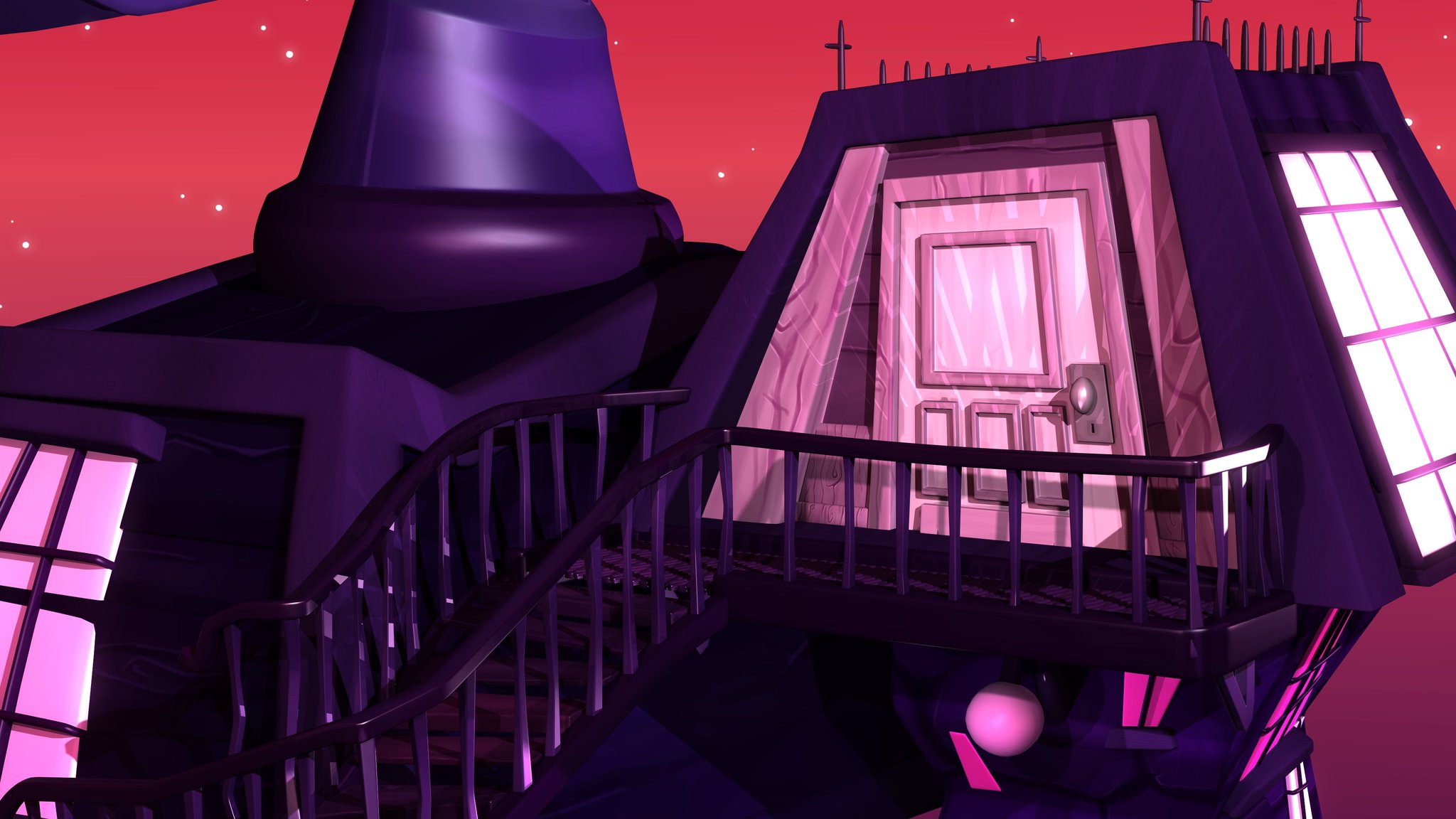 Twitter
·
Twitter
·


 lavish kayak
I'm converting my custom terrain mesh generation code from generating a grid of tiled quads that are triangulated like type A in the pic to now generate quads which are triangulated like type B in the pic and omg creating an algorithm for this pattern is a real pain in the butt. Its working but its not at all clean.
Does anyone know of some algorithms for this type of terrain mesh generation or even what this type of triangulation is called so I could search for some algos?

I see some tools like blender and maya have a feature called "poke" or "poke faces" which uses this pattern.
maiden tangle
lavish kayak
I see some tools like blender and maya have a feature called "poke" or "poke fac...
Try asking in #archived-code-general
I guess its not exactly code specific so maybe not.. This channel seems to be used mostly for non programmable art so its hard to say if someone will be able to help here
swift estuary
I suggested he come here from there 😄
I thought maybe the 3d artists might recognize the tesselation type from Blender or Maya or 3DS max tools or something
at least to get a name for it
 shrewd current
With ProBuilder, what steps do you need to take in order to make it so you can bevel edges
 desert imp
Anyone knows how to fix gaps like this between two world meshes?
 swift estuary
desert imp
Anyone knows how to fix gaps like this between two world meshes?
swift estuary
desert imp
Anyone knows how to fix gaps like this between two world meshes?
Put a big rock there 😆
desert imp
Hahaha seems pretty reasonable, but path of rocks in every chunk border? xD
slow prism
i baked a texture but it said it saved externally, i packed it to make sure it was part of the .blend file but how do i get the texture?
 echo sonnet
eager mist
Something else stupid I made earlier today, a hammer
echo sonnet
eager mist
Something else stupid I made earlier today, a hammer
beautiful hammer:)
eager mist
Thank u
swift estuary
Can I convince Blender to make 2D polygon meshes?
regular polygons*
Or would I need some kinda plugin/python script
Oh wait!
A circle in Blender is just a regular polygon isn't it!

huzzah
graceful yarrow
oh wait
dang theres a better channel for this, but the rules say i cant post it in 2 channels
glacial vector
It’s fine to move it
graceful yarrow
okie
ionic harbor
Hello! If I want to start a publisher account on asset store, do I need a website website? Or can i use something like github pages etc?
eager mist
I have a unity question
I am making a car game where you can get out and complete objectives and fix the car
how do I make the car camera have headbob when you go over bumps and crash
swift estuary
eager mist
how do I make the car camera have headbob when you go over bumps and crash
Get familiar with cinemachine
it can do that kinda stuff out of the box
desert imp
Yes Cinemachine is just epic.
maiden tangle
Has anyone experienced blender not importing a mixamo animation? exported with skin not sure what the issue is, not frames are appearing
 languid ibex
What do y'all use for 3d assets
eager mist
swift estuary
Get familiar with cinemachine
I don't have the money
graceful yarrow

 pseudo comet
Hello everyone. We are looking to make a toon shader that is reminiscent of Guilty Gear XRD and Grandblue Fantasy Versus. Any tips on this achieving this look?
swift estuary
eager mist
I don't have the money
freee
swift estuary
eager mist
where do I get it
 swift estuary
Let's say I have these two rectangular prisms in Blender:
I want to make changes to the one on the right (or the left) and have the changes mirrored on the other side.

I've tried using this tool, but I'm not sure in what circumstances this will work:

Currently these two prisms are just collections of geometry on the same object
what's the setup I need for this mirroring to be able to work? If I select all of the geometry at once, the rotate tool rotates all of it
If I only select one side, it only rotates one side
eager mist
sorry to cut you off cute cat man but would you like to see my game so far?
swift estuary
swift estuary
Let's say I have these two rectangular prisms in Blender:
I want to make change...
Nvm I got this working by using a mirror modifier instead of that mirror tool thing
eager mist
@rotund tundra your name is askalice so does that mean I can do so?
because I need help 😛
swift estuary
How can I get the rotate tool in Edit Mode in Blender to rotate around the 3D Cursor instead of like... the average of the selected vertices or whatever it's doing by default
Nvm found it - https://docs.blender.org/manual/es/2.79/editors/3dview/object/editing/transform/control/pivot_point/3d_cursor.html but I had to use the hotkey. I never have any idea where to find the UI tools it mentions in the Blender docs


 pastel steppe
Looks good
dire ermine
Thanks 🙂
eager mist
quite nice @dire ermine
also I have a question
I got cinemachine, how do I make headbob with it?
dire ermine
@eager mist thanks 🙂
 dreamy timber
I am trying to utilize the new input system and cinemachine to create a manual 3rd person control system with manual camera movement from the right analog stick/mouse inputs. I cannot seem to find my way. I currently have an automatic camera following my player. Can anyone guide me in the correct path?
 rapid jetty
I'm new to art so i need a bit of guidance, can someone explain to me how to achieve something like this type of texture edge on terrain, or point me in a direction to start my research? would it be done through shaders?

or maybe some clever UV tricks?
eager mist
Look like extra tries sticking out
eager mist
Can someone make a concept art of gun for me
glacial vector
I would assume this is some sort of mesh skirt @rapid jetty, a vertical strip placed along the edge with an alpha cutout material
fluid oak
@pseudo comet the guilty gear devs did a GDC talk about how they achieved the look.
So I'd start there
@rapid jetty You could just add a strip of grass at the top of the cliff texture?
 echo condor
Hey everyone, I was wondering if anyone knows where I could get TF2 medic model (rigged) fbx for free, it's just for showcasing an exampe. If anyone knows of any realistic* rigged medic model, I would also appreaciate 🙂
rapid jetty
@glacial vector @fluid oak thank you very much, I'll look at both those techniques and try them out
 exotic crow
Will smooth shading affect my performance little more than flat shading??
 honest lark
Is Voxel Art more performance heavy than normal 3d art
Also I am making a game for mobile
 tranquil wing
Is it normal for a grass mesh to include all planes from blender even after I merged them?

 obsidian bison
not sure where to ask, this channel is probably the closest fit
I want to learn the fundamentals of visual design for games like Civilization, Heroes of Might Magic, and similar. Games where the camera always looks down, all world objects are stylized and their scale is all over the place.
Don't even know where to start. Some keywords to google would be a big help.
 oak lichen
So i have given this boy model for a demo with a texture.png file.
What i did was to create materials using the png file by setting albedo as texture.png. The fbx file has 3 material inputs but only one of them works. How can i make it work? I didn’t work with models before.


The only part that works is clothes (includes hair)
dire ermine
3D sword Game asset
 cyan quiver
If anyone's familiar with Fusion 360
I want to move the edge vertex pointing towards the camera down halfway to the edge of the body to the right.
If anyone has even the slightest idea of how to do so, please tell me...

It seems like a pretty normal thing to do - but so far I haven't found a single forum post or video that helps me with this exact problem...
 coarse sparrow
eager mist
Can someone make a concept art of gun for me
coarse sparrow
eager mist
Can someone make a concept art of gun for me
.
 pale edge
why is when I use any 3rd person controller asset my guy always runs even when not pressing any keysd
is it a setting in unity
or wtf
fuck nvm its because I had pedals and it was using it as an input
eager mist
please help me on modelling the boss of my game
 weak whale


 dark jewel
I am trying to read the normals from a mesh after running mesh.RecalculateNormals(); however, every time I do this, the unity project freezes. Is there another way I can read the data from the mesh normals without this happening?
 tired zinc
How can I get a camera in the Unity editor that I can snap my viewport back to at any given point in time?
I'm looking to recreate an album art cover in VRChat, but I want one constant point of reference to compare the original picture to
I figured it out: select the camera in the hierarchy, then GameObject > Align View to Selected
 dapper spoke
A recent study of 30 people, given a blind selection of cheap gin, medium cost gin and Bombay Saphire, most people could not tell the difference between Bombay Saphire and the medium cost gin, but could tell the difference between cheap gin and the others.
tired zinc
This is gonna sound dumb but where tf do I get water
tired zinc
I think I figured out how to add water-- just slapped the water material onto a game object
why is it just grey tho?
pale edge
how do you guys make maps usually ive tried a few assets and blender
just wondering whats the besty
tired zinc
pale edge
how do you guys make maps usually ive tried a few assets and blender
idk I just started, I'm just messing around with the Unity editor


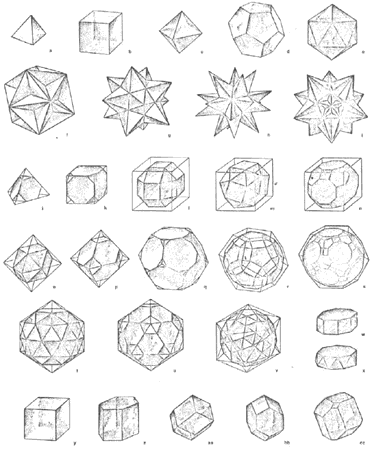 tired zinc
Okay, I saved it and Unity crashed, reopened and nothing is fucking here
what happened?
The asset data and everything remains, assets I created and imported are ready to be re-added
but nothing is in the 3D space
marble dome
Does anyone know how to fix a problem in unity where when I rotate a model, the model stretchs
swift estuary
tired zinc
but nothing is in the 3D space
Did you save your scene? Maybe you just need to reopen the scene?
swift estuary
marble dome
Does anyone know how to fix a problem in unity where when I rotate a model, the ...
fix your scaling
You should use uniform scaling except for leaf nodes
tired zinc
swift estuary
Did you save your scene? Maybe you just need to reopen the scene?
Yeah I just needed to reopen the scene. Had me a good scare there
eager mist
is it normal that tiling and offset do nothing when i change them on a custom shader? are they supposed to be controlling the UV implicitly, or i'm supposed to use them?
 swift estuary
eager mist
is it normal that tiling and offset do nothing when i change them on a custom sh...
swift estuary
eager mist
is it normal that tiling and offset do nothing when i change them on a custom sh...
Unless your custom shader implements those features they won't do anything
You need to use them in your shader
eager mist
i need an offset input anyway, how can i access it?
swift estuary
Well if that's showing up in your shader presumably you've defined it as a parameter/property in your shader
 spring forge
I keep getting this error when trying to export a 3d model.
 spring forge
Still getting this error. \
glacial vector
Those parameters are automatically created by unity in your shader, with a suffix of _ST to the parameter name. So in the sample function you use _myTexture_ST for the UVs
@eager mist
tired zinc
why is my scenes folder empty
guys what the fuck what the fuck what the fuck
what do i do what do i do
all the assets are still here but the scene I was working on is gone?
why doesnt unity just KEEP THE FUCKING SCENE when i reopen it???
Furthermore, Why doesn't it just save the scene???
god this is so fucking bullshit
coarse sparrow
someone help please

 wanton hound
anyone know why i get these thin black lines between the quads of my procedurally generated mesh?

edit: i disabled anti-aliasing and that fixed the problem. not sure how i'll fix it if i want to have AA but this works for now
pastel steppe
coarse sparrow
someone help please
Help with what?
coarse sparrow
i already fixed thank you.
pastel steppe
What was the problem?
coarse sparrow
 pastel steppe
How did I not see that 🤦♂️
coarse sparrow
nah its ok.
swift estuary
To be fair, that could have been intentional for all we know
 dull sail
wait sorry wrong channel
 zinc vigil
I have a material that I want to apply a player color to. Is there a way to make like an additional map/texture that I will only color part of the model(instead of like turning the albedo models color which tints the whole model). Preferably make it glow
swift estuary
zinc vigil
I have a material that I want to apply a player color to. Is there a way to make...
You either need a custom shader or multiple materials and a mesh with multiple submeshes
zinc vigil
Multiple materials? I basically have a sphere with a metal mesh(transparent vmcutout material)
Also would like to be able to apply decals (like logos, emojis) on the player character. So a custom shader would need to work with that I suppose
 rare grove
Not sure where is the right channel but how can I optimize my game'
Instances are causing it to use a lot of memory
sullen plank
@rare grove This is an art channel and don't cross-post, please.
rare grove
Sorry
 hollow elk
yo
my import from blender is working and everything, but the colors are messed up
like it IS colored
but not how its supposed to be
how its suppposed to be colored (hopefully im allowed to post pics):

how it is colored:

pls help
swift estuary
hollow elk
pls help
Looks like possibly just a difference in lighting?
rapid echo
Working on a new game-level environment in Unity3d.
.
https://twitter.com/FarrukhAbdur/status/1371347128124121089?s=20

Making a new level environment with a sakura tree theme! 🌸🌿
Other environments: https://t.co/Z0fuEQzZtf
#gamedev #indiedev #madewithunity #unity3d #polycount #b3d https://t.co/LCwCJLJoiN
Likes
105
Twitter
·
echo sonnet
tired zinc
Why is the water grey?
beautiful stairs
hollow elk
swift estuary
Looks like possibly just a difference in lighting?
yeah, i thought so too, but then I lit him up but it was still weridly colored
dire ermine
hollow elk
nice ship
dire ermine
@hollow elk thanks 🙂
hollow elk
np
 vocal valley
I can't import this model into unity with the textures https://sketchfab.com/3d-models/berettalowpoly-c4977b72ed3f47b1964f7acd6bd88ce7

A Beretta model
Lowpoly-sylized pistol model
Polys: 352
Tris: 703 - Beretta[lowpoly] - Download Free 3D model by Man3gga (@meshandmodel) [c4977b7]
When I download the fbx file and put it into the project, the materials and textures are missing and the extract textures button is grayed out.
eager mist
Hmmm.... perhaps import it into something like blender and see if you can get the textures to appear there, and if so, re-export it?

@vocal valley I decided to import it and I was able to drag the texture onto the model pieces once I selected the pieces that had mesh renderers
EDIT: Moved my question to #🏃┃animation
vocal valley
eager mist
<@!310831541733294097> I decided to import it and I was able to drag the texture...
Thanks for testing it out it's works now
hope you get your problem fixed
eager mist
You're welcome Aurcereal! I'm glad that worked for you too :)
 hoary wedge
So i'm using vertex paint on blender on my low poly models, when i save them and import to unity i have no textures, how can i save my vertex paint into a texture to also import to unity
 eternal temple
dire ermine
eternal temple
dire ermine
reminds me of fortnite for some reason
 flat ruin
Does anyone have a basic 3d city I can use as a placeholder?
My 5x5 plane is getting a bit boring
swift estuary
Check for free Assets on the store?
 signal yarrow
My character keeps falling from a new object which i put in the LEGO game..
How do i make it stand there?
 last dirge

 boreal sky
is it possible to get booleans of 2 objects with probuilder?
just like we can in 3d softwares
 undone garden
Hi, is there a way I can export my blender project with shaders into unity?
 outer halo
No, you have to recreate shaders inside of Unity.
FBX will just import basic lambert materials.
 lunar idol
Hey, someone who can help me? I have this script that generate a list so its easy to use prefab in my game and later easy to add it to UI but i can't drag 3D models into the list,
https://gyazo.com/a65bedcc2115386b66931f75889090d3
Code:
using System.Collections.Generic;
using UnityEngine;

[CreateAssetMenu(menuName = "ScriptableObjects/BuildingTypeList")]
public class BuildingTypeListSO : ScriptableObject {

    public List<BuildingTypeListSO> buildingTypeList;

}```

```using System.Collections;
using System.Collections.Generic;
using UnityEngine;

[CreateAssetMenu(menuName = "ScriptableObjects/BuildingType")]
public class BuildingTypeSO : ScriptableObject {

    public string nameString;
    public Transform prefab;

}```
 teal ice
I see, you have a List of BuildingTypeLISTSO and you are trying to add BuildingTypeSO
Wrong type
Try this:
using System.Collections;
using System.Collections.Generic;
using UnityEngine;
[CreateAssetMenu(menuName = "ScriptableObjects/BuildingTypeList")]
public class BuildingTypeListSO : ScriptableObject {
public List<BuildingTypeSO> buildingTypeList;
}
lunar idol
Thank you, now it works
teal ice
no problem
Hey guys! Anyone knows how to transfer blender drivers to unity? I have a model with 2 drivers attached to bones and only one of them is working properly...
 pale forum
What’s the difference between maya and blender besides price?
eager mist
Does anyone here know if there is a way to export textures like this into something like Blender or C4D as individual textures, when I try import a model into blender it doesn't apply the texture correctly.
 brave ravine
That's what UV mapping is for
If you really want to chop it up into different files you can do that with any image editor, but you probably want to leave it like that an do UV mapping
errant plover
@eager mist you'll have to make a new material and just import that texture.
 thick ember
It seems to me that Unity's standard shader doesn't interpret specular map in the same way that Blender does. Although the metallic element is damn good and makes me even ponder do I need particular spec map in Unity at all for jets (posted some images in works-in-progress), I would still like to know if this is the case and then if there is some specific setting that would make the shader interpret specular map the way Blender does? While I was experimenting with shades of gray on the map, in Blender differences are obvious, while I am not sure what is Unity exactly doing. Smoothness/Metallic seems to interfere somehow...
dire ermine

In this video, I'll show you a little bit around my Treasure island game asset pack scene. For the past few days, I've been working with the Pirate ship model. As you can see the ship now has some sails and other details, but it is still in progress, I am planning to add some cannons as well.
Please subscribe and check out my other 3D modeling...
 thorn harbor
im new to blender and im trying to get a flat plane to appear in unity
im more experienced in 3d animation than frame by frame with sprites
so for my latest project i decided to use flat planes as a substitute for sprites in a top down bullet hell game
i wanted to give my models a white shiny texture ideal for reflecting the color of lights
and i thought i did so in blender with shaders
but when i imported my model into unity it was invisible
if i select it in hierarchy i can see the outline, and edit it as usual
but its doesnt have an appearance
is this because the model is a plane or because i didnt apply textures and shaders properly in blender?
 steep knoll
I don’t have a lot of experience with unity yet but I’m pretty sure you have to apply the shaders and textures in unity, and just use blender to make models themselves
thorn harbor
i see
ill look up a tutorial then
i dont remember having to do that when working in 3ds max
but maybe blender is different
or i just forgot
its been a while
thorn harbor
how do i edit the material
in 3d viewer (microsoft app) the plane has extra geometry that doesnt show up in unity or blender
but its visible
this extra geometry is reflective
a bit too much
im aiming for a neon lighting effect
not a mirror
but its also not applied to the entire plane, just this weird bit of extraneous geometry i can only see in 3d viewer
i got it visible now
teal ice
Apply root motion is causing weird issues. I checked that box on my animator to "apply gravity" but it messes up the CharacterController.velocity and the animations are weird. Also, I have a spawner system that spawns animals in random positions. But if y apply root motion, they all spawn in the same spot. Any ideas why is this happening?