#🔀┃art-asset-workflow
1 messages · Page 47 of 1
 dark slate
 copper bridge
Check face direction in Blender.
In Blender there's a setting that will allow you to see your faces direction. First of all do you have Blender?
 red fiber
yes i have blender
copper bridge
Which version?
red fiber
latest i think
2.82 i think
here it is in blender, where do i go to check which direction the plane is facing
copper bridge
Ok go into overlay (in the upper right) and there should be an option to enable face orientation.
red fiber
i dont see it
copper bridge
Make sure the model is selected in object or edit mode (overlays is the top right option with the two circles)
red fiber
ok i see it now
copper bridge
Cool.
red fiber
im guessing i need to change the red to blue
copper bridge
Right. Just select those faces in edit mode and flip them.
Mesh>Normals>Flip Normals.
copper bridge
It should.
Also just another tip, make sure your models never have negative scale in Blender or the same thing will happen if you import it in Unity. I made that mistake once and it took forever to fix the model.
 gray mango
hey guys, i'm new to the 3d side of unity. what exactly is this shading happening? and why is it happening? it only happens from a distance.
i'm off to bed, but it's a minecraft clone WIP with greedy meshing, hope someone can shed some light
 maiden tangle
@gray mango something to do with your camera or fog of some kind
 pulsar sentinel
I was wondering, is using a 8K atlas a bad idea?
 gritty reef
Eyo first attempt at a high poly mesh. I'll be attempting to finish it later when I'm home since my laptop doesn't handle a polycount higher than the model on the left very well.

If anyone is able/willing to help who has experience with working on higher poly meshes, I'm having some weird artifacts forming on the corners of the inset area when I try to bevel the edges to get those control loops in. How would I go about avoiding this?
https://media.discordapp.net/attachments/672083977766699028/717050782272454696/unknown.png?width=368&height=427

 eager mist
i know its asking a ton but can somone teach me how to use blender the yt turoials are not really helping me
gritty reef
Learn keybinds, extrude faces BOOM, advanced 3d modeler.
Most of what I suggest is to learn your keybinds. It'll save you tons of time and you can fly through models if you know what key to press when. After that, it comes down to learning to keep your topology clean and getting the shapes you want.
IE, practice practice practice
What I did was watch youtube tutorials to understand the basics. How to use tools, some of the more useful basic modifiers like Mirror and Subdivide, the keybindings, and generally how to keep your topology clean (only using quads and making sure the mesh is neat and tidy). From there, I just started playing around, making random shapes, getting the general gist of low poly design until I could make things efficiently and quickly. The tank I posted above, for instance, took me about 15 minutes to make (the low poly version), and now I'm using it to learn subdivision and high poly design (which is an area I haven't really gotten into yet).
 carmine isle
Do you guys know why I have some grey here? From far away it doesn't do that, but when I move it changes like this
gritty reef
Looks like you've got two planes inside each other.
 quartz stone
Someone here is good with rigging?
 junior stone
@quartz stone maybe in #🏃┃animation? or post your issue for someone to take a look at
quartz stone
Oh ok
 half tangle
Blender if you’re a beginner
maiden tangle
Anyone familiar with 3Dcoat know how I would make a selection into a layer?
freezing it? or is that something else
gritty reef
@tender wigeon A lot of people recommend Maya. Like most of the Official Unity tutorials I've seen utilize it. If you don't have a student license or don't intend on moving past a hobby level, Blender is a free and powerful alternative.
 raw glen
Dear Unity Community, i have some expierence in 2D and made an Platformer so far and now i want to try out 3d 🙂 So my question is, are there any handy tools u recommend for level building? Or creating terrain? I want to make a Fun shooter like serious sam to play with my friends. Open to unity asset store recommendations too that cost. So much fun so far! Thank u 🙂
eager mist
For this simple on collision method. When something hits the target, it will stay for a few seconds and then gets destroyed
The object is never destroyed for some reason
Is it because collision method does not do the timer and stuff like the update method
copper bridge
@raw glen Let's see...
-For animating you can either use asset store rigs that come with animations (standard assets and unity chan are some good free) or use Mixamo, which will auto rig and animate any model you upload. I highly recommend Mixamo but it only downloads one animation at a time, so it helps to know how to set up actions and copy them all into a single file.
-You can find a lot of free 3d models on sites like Turbosquid, Free3d, sketchfab, and many others. Just make sure whatever you use doesn't have any copyright restrictions.
-You can download an add on (don't know the name of it offhand) that allows you to convert MMD and PMD/PMX models into Blender friendly files. This will let you use those files in Unity. I can't even begin to tell you where to find MMD/PMD/PMX files because there are countless sites you can get them from. Again, definitely look at copyright restrictions. I can't legally advise you on copyrights, but I can tell you it's very very easy to violate them by accident when using pre-made or downloaded models. Best of luck, hope your game turns out well.
eager mist

Let's learn together mandarin, in the easiest and funny way we have prepare for you, please comment if you have any content that you would like to be added and let's roll.
Dont forget to click on subscribe and like
 paper stump
 potent wraith
looks like inverted normals
 silver cradle
so i need help
im trying to export a fbx from a prefab
but the armature is completely rendered useless after the fact
potent wraith
you mean import?
silver cradle
no i mean export a fbx out of a prefab
or i guess
import it from the prefab in unity
potent wraith
@silver cradle how does it become useless?
silver cradle
so i have a armature within it but upon exporting and placing the fbx the bones dont function with the vertex groups
potent wraith
Can you demonstrate how you do it? Maybe a gif or a video?
silver cradle
https://gyazo.com/353e3c0f23e34b2158c60d71c8413f80 with this and it saves it to a folder in my unity
 potent wraith
oh, is that some kind of plugin?
silver cradle
yep
potent wraith
Better ask the creator of the plugin then. Or it's community if it has one.
carmine isle
Yo, how can you move vertex by inputting numbers instead of with the mouse
Like I want to move a vertex on the right by let's say exactly 20 how can I input that?
I know I can move, scale, and rotate the actual object but what about vertex (and possibly edges and faces)
quartz stone
Can someone help me, I made a cube with legs to be as my main character in unity but my rigging is not working so I need to do the rigging again
 hollow briar
Hello , i want to import my object created in unity with cycles engine
And i want to import it with all the nodes i used in shading mode
Can anyone help me?
potent wraith
you can't do that.
you'll have to recreate your material in unity
you meant *blender in your first sentence, right?
potent wraith
well, if you used the pbr master node in blender, you only need to assign your textures and maps the same way in unity.
nothing complicated
hollow briar
What’s that ? pbr master node?
Could you help me ? How should i import it ? the extension?
hollow briar
But it comes with material which i cannot edit
But i have applied textures through nodes
potent wraith
you can assign a new material
potent wraith
It doesn't matter how you applied them. Textures are textures.
potent wraith
I don't know your set up in blender so I can't really say anything, but if it's any close to the regular workflow, it should work in unity the same way.
hollow briar
Can i send u the blend file?
potent wraith
I guess pbr node is called Principled BSDF in blender.
hollow briar
Ohhh yes i know that
potent wraith
Nah, I don't have time to open it now. You can take a screenshot though.
Quick and easy import from Blender 2.8 to Unity. Import an FBX or import the Blend file directly into Unity with the new(ish) prefab workflow.
Become A Channel Member: https://www.youtube.com/channel/UCkr9CPPqT9VWUjkpo3HcACg/join
Discord: http://discord.onewheelstudio.com
P...
maybe that will help.
hollow briar
Just guide me that will be fine . I am sending u the photo.
potent wraith
Post it here then.
hollow briar
hollow briar
Oh sorry
Wait
I’ll send u the photos of nodes first
These are the textures i used
How do I include them in unity
potent wraith
So you basically have a complex shader just for the vertex color..?
you can create a shader in shader graph or write code it if you know how.
but I think you should just bake the texture and import it in Unity
hollow briar
Okay i can bake
For coding i just know the basics so I don’t think so it’ll workout for me
maiden tangle
@hollow briar shader graph built in or amplify's on the asset store would be what you're looking for to reproduce the nodes somewhat in unity
my rigging is not working so I need to do the rigging again
@quartz stone
it sounds like you answered your own question?
Blender is Free and Open Source Software
The character Rig will be freely available next week on https://cloud.blender.org
Download: https://blender.org/download
Support core Blender development - https://fund.blender.org
--
This tutorial is part of the Blender Fundamentals ...
hollow briar
I’ll try @maiden tangle
quartz stone
Yeah but idk how to rig it from start
maiden tangle
most if not all rigging tutorials will walk you through that from start to finish
quartz stone
Yeah but it’s not a human
maiden tangle
same principles
potent wraith
You need a humanoid rig for mixamo animations.
I doubt you can assign it to humanoid avatar in unity.
quartz stone
So a cube with legs is humanoid?
maiden tangle
is the cube in the shape of a human? do you have a spine, shoulders and all appropriate major bones making up a humanoid?
quartz stone
Uh no
maiden tangle
I've used odd shapes in mixamo before, it's not meant for it though
maiden tangle
if it's a simple model just animate manually and it can be done quickly to reflect the character
you can't use a character with only legs and knees in mixamo, that being said you rig it as you would minus the things you don't need
just don't expect to animate in mixamo
potent wraith
It has to have a certain set of bones, just adding arms wouldn't help.
quartz stone
Uhh idk how to rig well
And for some reason unity thinks that the side of the cube is the bottom part and not the legs
Why is that
potent wraith
that being said, you might be able to rearrange the bones in the unity avatar settings, but it would look weird anyway. why not just make your own animations?
that has to do with your objects pivot point or import settings.
potent wraith
well, then just learn it
quartz stone
The import settings in unity right?
potent wraith
it's not such a big deal
export settings in blender and/or import settings in unity. Depends on how you export it.
potent wraith
google it.
quartz stone
Ok
potent wraith
there are many settings. I don't hold them in my head all the time.
 obtuse oyster
@quartz stone Please do not DM people without asking them first, it is against our conduct to send unsolicited DMs
potent wraith
no, it's the export settings in blender if you export fbx and import settings in unity.@quartz stone
quartz stone
Ok sorry vertx and what dlich?
potent wraith
A bit before, I linked a video in this channel explaining how to export from blender to unity. Scroll up a bit and watch it.
quartz stone
Oh ok tnx
maiden tangle
Anyone familiar with 3Dcoat know how I would make a selection into a layer?
 simple aurora
Hey all. I'm used to 3d content-creation software, moreso than Unity.. Is there an equivalent to Maya's MEL/Python script editor, where I can write a script to automate boring tasks eg - duplicate a bunch of objects. Or to set lots of parameters, build a rig based on the objects I've setup in Unity?
 glacial vector
In Unity @simple aurora? You can write scripts that run in the editor. You can build them from the ground up really easily, but there are also some even easier solutions like using ScriptableWizard
simple aurora
@glacial vector thanks! I'll take a look at that wizard thing. Just needed a pointer in the right direction 🙂
 rigid pelican
,
eager mist
Spike man
 fluid oak
Does it work?
 light wagon
i made a breakable beer bottle
 rigid storm
How can I make my materials tile instead of simply stretching?
eager mist
I'm wanting to get a 3D Artist certification through Unity. I'm kinda wondering though, what do they mean by "working with particles"? Do they mean creating particles from scratch or just knowing how to use them and adjust values?
 smoky loom
when i create a new cube i can't change his color can someone helpme plz
rigid storm
@smoky loom You have to give him a material
smoky loom
i made it but i have problems with the light so it is black at the other side
rigid storm
@smoky loom In that case, you'll need to increase the ambient lighting
go to Window -> Rendering -> Lighting settings
change environment lighting source to color and make the color very bright
eager mist
My camera is not showing the lines of view
This is the scene and it should display its viewbox
any ideas?
maiden tangle
@coarse lagoon your mesh normals are inverted
I would go edit mode > A > mesh > flip normals
 high yoke
Ah yes, normals.
maiden tangle
good shape taking place so far, keep it up!
maiden tangle
you want to select the faces you need flipped (in this case all I guess)
then go thru that
maybe other ways to do it just how I fix it
@coarse lagoon
I find it helps to throw this on so you know what you'll be getting in engine
3d is a lot of fun, 2d skills can definitely carry over well
anyway good luck with it 🙂
oh are you into mirrors edge?
parkour in general we need more of in games I think, can get pretty stale all moving the same
right that sounds fun, I think I've seen similar stuff it's always satisfying when you get the grapple just right, good stuff
 serene plover
question regarding how unity handles ngons
i wanted to bevel the edge of a table im creating but doing so in blender creates ngons
so it kind of ends up looking like this
i know Unity doesnt like ngons much so is there something better i can do here? or does rounding off each of the 4 corners this way should not affect performance as much?
gritty reef
Totally flat ngons aren't as big an issue, but you should still try to maintain quads. Just select two vertices on opposite sides of the ngon and press J to connect them and split up the ngon. Keep doing that until you've cleaned up your topology and have some nice quads
serene plover
Appreciate the input, I'll try that
eager mist
quads aren't too critical @gritty reef @serene plover
in Unity
unless it's an animated object in which case quads are more predictable
what I do is simply select whatever face on those props are Ngons, and just select "triangulate" in Blender. All it does is split that face appropriately without adding any vertexes.
This is of course a method you'd use mostly for props. I haven't found a hard surface prop model yet that has not one triangle. It's really common.
Triangles are better than Ngons, Ngons sometimes don't even show up in some software, like holes
I may actually use triangles for some animated humanoids however to improve knee bending. I'm experimenting. I know PS1 and N64 models had lots of triangles.
serene plover
doesnt importing the mesh from blender to unity convert the model into tris anyways @eager mist ?
fluid oak
Everything is triangles once it goes to the video card
 solar bridge
Hi every one, I have a question :
int layermask = 1<<8; //Is only check in layer 8 or check layers 1 to 8????
Thank for read.
eager mist
@serene plover maybe in Unity, but if one tries to put an object with Ngons into an external model editing software (Zbrush or Substance, maybe even Maya, can't remember which did this), then Ngon will display as holes in the mesh.
If for no other reason, it's just good practice to triangulate your meshes.
Doesn't take long, and it shows people you know what you're doing if you want to work for someone.
serene plover
true, i ended up triangulating the corner of the table
kind of looks like this now
with the bottom looking like this
eager mist
Looks good
 warm sonnet
How would I go about exporting meshes from Unity to an .obj or a format that blender could read?
 sullen plank
There's an FBX exporter package in Unity, personally haven't tried it though. Also ProBuilder can "Probuilderize" any model and export it as obj
glacial vector
FBX Exporter works great if you're on windows
 azure dirge
does anyone know why this is happening? the colours look funky... while the texture looks just fine
its a substance painter
the skin is 1 colour, so I am very confused
 lofty sleet
i want to only put this colour on one face but it automatically creates this when i create the colour i want
anyone knows how to fix it?
azure dirge
if you only have 1 material, it will be assigned to everything in that object @lofty sleet
so you need to make atleast 2 materials and assign the green part to the part you want to be green
and everything has weird pixels or something
 obtuse hound
How to set camera's near field clipping in unity? Zooming in on my ground plane culls most or all of the spot I'm trying to look at in the editor 😦
azure dirge
hdrp, lwrp or normal unity @obtuse hound
cuz I think this is what you're looking for
lofty sleet
okay and how can i make colours all the faces at once, because i now need to do face for face and there has to be a better way
azure dirge
You could combine them into one object with ctrlJ, then assigning the materials to the correct faces. and then seperating them with P
Think thats the fastest way
obtuse hound
Just normal unity. The Clipping planes is set at 0.01 and it still isn't quite enough
azure dirge
cant you make it 0.001
obtuse hound
azure dirge
sont know if thats possible tho haha
obtuse hound
Nope. I'm used to that in blender...
obtuse hound
Probably so. most of the assets are just placeholder blocks anyway, so I suppose an implied world scale isn't really a thing quite yet
I just realized I posted all this in the wrong channel, totally my fault >.<
Thanks for the assistance either way Mark
azure dirge
no problem
I went here to find help for the issues I have haha but I ended up helping others
eager mist
@azure dirge Have any maps other than a color (albedo) texture?
azure dirge
yea I used a mask and normal map
eager mist
did it give you an error and tell you to label it as a normal map?
eager mist
try going to the texture's properties and change its type to normal map
eager mist
np!
obtuse hound
Solution to my problem:
Regardless of the clipping plane the cam has, you can adjust editor by having an item focused and using Right Mouse + W / S to +/- respectively. Works great
azure dirge
I tried to make a blanket
eager mist
which is a good style btw, just curious. Normal maps are usually for high res models that need more bump detail.
azure dirge
and I didnt like the look of it being completely flat
so I threw a crumbled paper normal map on it in substance painter
eager mist
Blanket looks good
eager mist
I was just wondering why the character needs a normal map
since it doesn't seem to add anything from that image you showed
azure dirge
yea, its shirt does need a little bit of the normalmap, and I tried to keep the entire model inside one texture
eager mist
oh little tip btw, if a texture is for a small object or one that is slightly further from the camera, or if the textures are just too high res to begin with, you can change the display resolution for each texture as you please in-engine without editing the texture itself.
I do that and it cuts down a lot of render time.
azure dirge
oh nice
eager mist
Also I would recommend baking something called Occlusion into the camera, that way anything behind the camera loads out completely.
And setting your culling as close as you can, of course.
azure dirge
Iknow the textures dont rly fit together. but something weird is happening with these cacti
maybe you know how to fix this 😁
eager mist
hmm looks like the res is low res and the filtering is messing it up at the seams
azure dirge
I thought It had something to do with the AO map
eager mist
You could try turning the texture to no point (I think that's what it's called) and see if that looks good. It'd add a pixelation tho.
It's a cool style though, I turn off that filtering a lot for my stuff.
azure dirge
where can I find that texture to no point thing?
eager mist
but maybe that blurring effect is causing the seams to overlap weirdly?
azure dirge
haha it sure looks cool
eager mist
What seems to be the case is the seams of the model are too close to where the color ends on the texture image. Usually baked textured fix this by extending the color farther out on the image from the borders of the object's UVs.
thanku! :)
lemme get that for you brb
azure dirge
oh then I will try something brb
eager mist
okie dokie
Hehe I see you've got some Christian songs on Spotify, noice
I really like Remedy Drive
azure dirge
Welp It did work a bit
eager mist
whatchu do?
azure dirge
I Changed the export settings inside of substance painter from 'No Padding' to 'Dilation Infinite'
now everything is filled
eager mist
Is it a PNG or JPG?
Also here's the settings for any image in your assets
You can lower its in-game resolution and also turn off or turn up the blur filtering.
For low res, blurring is kinda N64 style while no blur is more like PS1.
My game with occlusion and baked lighting and culling and LOD, PLUS the low res textures, it all runs so so so smoothly even with the volumetric and godrays and all.
I love optimizing things ^^
azure dirge
that filter mode doesnt rly do anything for me
eager mist
Yea in your case it wouldn't, it was more something to test and see if the UVs were too close to the boundaries
Is it JPG or PNG?
Also does it have a normal map?
eager mist
okie, hmm
you could send the assets to me and I can see if I can figure out the issue
if you want
azure dirge
yea sure
glacial vector
Looks like your UVs are too tight for mipmapping
Try unchecking "Generate mipmaps" under advanced settings to see it that makes a difference
azure dirge
where is that option?
glacial vector
On the texture settings
glacial vector
azure dirge
eager mist
o it's under Advanced
seems like there's no issue with it on my end
Change the Alpha Source to Input Texture Alpha
azure dirge
doesnt change anything
glacial vector
Did you apply it?
azure dirge
yea
eager mist
ok now I'm seeing something when it's on Bilinear... subtly
I'm gonna try resizing the image
yeah the borders aren't lining up
it's something that could be fixed easily in Blender by just shrinking the UVs slightly, since these are solid colors
eager mist
oh nvm they fixed it, noice
I can't remember if I posted these here before, but here's what I'm currently working on in HDRP
I also modified the wind prefab so the trees in the wind blow in a jittery way, almost like how it'd look in pixel art
I'm trying to mix pixelated style with realism and make it look nice
I just made them look pixely by changing that resolution of textures in-engine, and then putting them on "Point (no filter)"
azure dirge
looks very nice
I made this a few weeks ago
was my first time using HDRP's post processing
eager mist
Very pretty
^^
I bought this huge forest asset pack, and a huge lava one by the same devs
They're amazing
I use those assets a lot
azure dirge
the ones I used are all free luckily hehe
azure dirge
ohh neat
eager mist
and also the wind effects, plus LOD
and particle effects like leaves falling and such
and water
azure dirge
that's pretty nice
eager mist
and lots of grass and foliage
yee
I need to really get serious about learning how to make maps well
I haven't messed with splines and such yet
azure dirge
are you a student? cuz substance painter has free student licences
eager mist
I mean... kinda? I don't have any specific university tho
azure dirge
oh
eager mist
I'm studying and working to get a Unity 3D Artist license
but I don't think that counts heh
glacial vector
It does not. But what do you mean by the Unity 3D Artist license?
junior stone
maybe he means certification @glacial vector
 jolly sundial
Is there a channel in this discord to post jobs / look for people to hire? Looking for an environment artist to make my game not look terrible 
eager mist
but yeah that's what I'm aiming for, my main knowledge is in Blender, and I'm getting really familiar with the artist related stuff in Unity
glacial vector
Use Unity Connect for this @jolly sundial
eager mist
glacial vector
No that's network programming
jolly sundial
I will check that out Ole
eager mist
oh ok
smoky loom
hello i used a material but when i put a (gridbox) the color become black
help me plz
 empty star
 gusty surge
Any way to access the Armature of an avatar in unity after configuring that avatar?
 last tapir
Why do some surfaces "flash" on models I import from blender?
 calm atlas
Maybe a problem with the normals?
last tapir
So I've done the normals, cut the ngon's into tris and quads.
But they still flicker.
I've tried unity specific materials and that makes no difference, neither does different lighting.
So it has to be something I've done daft in blender. But I've literally taken a square, scaled it up and out, moved some edges and extruded some surfaces.
Then used another object to cut a hole through the middle.
I'll get a video. But it's driving me insane.
I want to know what's causing it before I go on creating more stuff because if it's something I'm doing wrong I'll end up wasting loads of time 😄

Does the same thing on my macbook pro and my windows pc so don't think it's a platform thing
calm atlas
Looks like z fighting to me. Do you have two layers of geometry?
glacial vector
Agree it looks like that
 sullen plank
@eager mist Put it into #archived-works-in-progress next time.
eager mist
alright
eager mist
@last tapir Did you remove doubles?
calm atlas
@azure dirge I think #archived-hdrp is a better place for this
azure dirge
oh
 willow nebula
Seems like some noise in the volumetric fog.
Is that in play mode ?
azure dirge
im sorry Hjorth
nah its in the scene view
recorded with a external screen recorder
eager mist
@azure dirge That's due to the fog not being set to high quality
it looks like that because there's lower samples to lower render time
azure dirge
I see
willow nebula
not only
in play mode, the fog gets smoother because we use a sort of dithering pattern
try just hitting the play button and look at the rendering in the game view
azure dirge
the volumetric fog quality with a low Depth extent did fix it in the scene
alright
looks much better in the game view
thanks
willow nebula
The "high density volumetrics" setting is not recommanded in game.
eager mist
Yeah I don't usually use it
I actually used the noise to my advantage in my last game. Basically if you have a really bright light source in the middle of dense fog, that effect shows up in game despite the dithering. So in my last horror game, if you saw the noise in the air, that meant somewhere that direction the exit was there.
azure dirge
nice idea
eager mist
thanku :)
eager mist
ok so, I have Naturemanufacture's Forest asset pack, and the various included splines aren't showing up in the 3D section of the create menu in the hierarchy.
They say that "if you have compiler errors before import, they won't show up".
I... imported the asset pack right after making a brand new project.
So idk what's happening.
Everything else shows up fine, all the prefabs work fine, but those splines aren't showing up as options to create.
I'm updating the project to see if that fixes anything.
gusty surge
Any way to access the Armature of an avatar in unity after configuring that avatar as a humanoid?
I had to config it for the animations to work, but now I don't see the Armature in the game explorer, which means I can't use the head bone to rotate the head with camera movement (it's first person)
lofty sleet
this is mine
and I want the colours/shadows to look like this. how can this be achieved?
junior stone
@gusty surge did you export the armature with the model?
I assume you mean a blender armature, but thats not default exported along with the mesh
@lofty sleet add a directional light, you should be relatively close at that point
gusty surge
Yes I exported the blender armature with the model
And it was in unity
Then when I configured the avatar and set it to humanoid it disappeared
I was wondering if I could access it in unity after it is alredy configured as a humanoid @junior stone
 wary eagle
Starting some new asset!
gritty reef
Ooh space assets 😄
wary eagle
No this is totally a submarine! 🤣
gritty reef
Whatever floats your boat lol
wary eagle
haha!
rigid pelican
eager mist
i recently did this and am currently thinking about advertising them as assets. do you think i should?
Hey if I'm exporting a model from Blender to unity what should I export it as
 prime beacon
eager mist
prime beacon
eager mist
I imported my character into unity, how do I split it into multiple parts?
is imported it as an obj
eager mist
wait is it better to rig in blender or unity?
 near apex
definitely blender for me!
and if you want to split you character in separate parts the only way I know is importing them separately but if you have bones then you don't need to separate them
try importing as fbx
eager mist
k ty
I have a folder with all the textures, how do I put those textures on my model in Unity
How can I put the textures next to the gun, onto the gun?
 fringe scarab
before
after
can anyone help with this before and after thingy when i export from blender to unity?
been stuck at this for a while😭
and its just the backside
gusty surge
it's cause of backface culling
You need to use the solidify modifier on any planes in your model @fringe scarab
sullen plank
@fringe scarab @gusty surge Please don't use reaction gifs here
fringe scarab
sorry
 pallid fractal
@eager mist drag them into the appropriate slots in the material
eager mist
ye i figured iot out a while ago xD im dumb
gusty surge
None of my materials imported with the mesh
Is it because they have AO and height data?
This is what they look like in blender
Node structure in blender (all of them look like this, just different images)

Image textures from substance painter, all parts are uv unwrapped
 errant plover
Starting with the basics. Did you select Materials on Export?
carmine isle
Do you guys put your .blend files in version control? If so, do you have an appropriate folder to put them in your folder structure?
rigid pelican
 frigid trench
reeee
pallid fractal
@carmine isle I've some times created a BaseAssets folder parallel to the Assets folder for .blend files and other supporting resources
 final granite
 forest venture
I downloaded this basic zombie assets from store and when I tried to implement my gun shooting, it was not detecting the zombie. I figured (i might be wrong, cause I've no knowledge about mesh and rendering... design stuff basically) that this is happening because the mesh file I have is on different axis.
Can someone help me and tell how to solve this (if this is the issue) else help me with that issue :p
 muted fjord
I'd imagine you just have to rotate the collider by 90 on the X axis @forest venture
gusty surge
@errant plover I saved the .blend file in the assets folder
I tried fbx too, same thing happens
 wispy surge


Kaomi lass @rustyknight_s27 's OC ( =w=) still experimenting on the shader used #b3d #3dmodeling #lowpoly https://t.co/Xr1oQ5JHM4
 Twitter
 agile siren
Hey all! I'm looking to hire a modeler to modify my high-fidelity monsters to match the Synty Studios style. Goal is that players wouldn't know that the monsters and the environments were made by different artists. The monsters are already animated, so a 2nd goal is that they can use the same animations. (I realize they may need slight modifications to the animations, but really the goal is to not have to re-do the animations from scratch, as that costs $$$ for me 😄 )
Does anyone have the skills or know someone that does? I have > 30 monsters to do, so it's a long-term gig. Thanks!
 vague hound
errant plover
vague hound
errant plover
@agile siren for the most part, you can change the shading to flat. Use quads instead of tris and remap the UVs to your desired colour.
agile siren
@errant plover I'll try to play with that more. I once "converted" them to a faceted look using Quantum Theorys converting tool, but the poly count was too high -- more faces than you'd see in the Synty characters, so it didn't really match quite well.
errant plover
Lol... Do you have an fbx or a picture sample of what you want to change?
agile siren
@errant plover this is what I can currently get to. It's faceted, but the polycount isn't correct, so it looks too "Dense", I think, compared to the Synty stuff.
errant plover
You could use a decimate modifier with planar selected.
Well, depends on what the original mesh looks like.
 autumn flare
Hey does someone has a 3D Stick man figure that is used by games like Fun Race 3D and stuff, like a chibi plain model... if you have could you please send me...
fluid oak
Can you show an example of what the style you are after is, @agile siren ?
fluid oak
@smoky loom You are putting that texture(which is not a normal map) into the normal map slot, so it is messing up your normals.
And messed up normals means messed up lighting
smoky loom
@fluid oak how can i fix it ?
glacial vector
Map the UVs of the top to the top of the UV space
Just give the whole cube a planar unwrap
 crisp shard
Hmm i'm kind of a beginner with unity shading stuff, I really do not know how to give the cube a planar unwrap
glacial vector
You would need to make your own cube
crisp shard
Would it be performance intensive if I made like 10 cubes at varying transparencies and just put them right under each other?
glacial vector
Yes, transparency is a demanding task for the renderer, especially if it's may layers over each other
agile siren
@fluid oak This is my monster in the "Fantasy Kingdom" asset by Synty Studios. At first glance it may look like it fits.
However, the polycount is a bit high, and since I used a LOD tool to lower the count on my original mesh to get it to match more, the quality isn't where I'd like it to be -- like, some of the meshes were optimized in ways that don't work as well as it should.
But in essence, matching this style.
 dim gust
hey can someone help me with Textmesh here?
 prisma patio
can someone help me with a restart after a few seconds colliding with a solid. I'm new to this. Thanks
 cedar pivot
in Blender, i have a pretty complex NurbsPath.
i have a small segment of road.
i want to map the road segment onto the Path using an Array and Curve modifier.
I create the Array to fit the length of the Path. this works fine
when i map the Array onto the Curve, the whole thing explodes in some unholy mash where the road segment seems to scale up by a factor of 100, and all array elements seem to be in the same location in world space.
what the hell is happening? i've been trying to figure this out for hours
errant plover
Did you apply the scale on the mesh?
eager mist
what is the best place to download 3d models for free?
azure dirge
you could try the unity store, sketchfab or turbosquid
eager mist
Why is this duplicated model invisible ?
I've looked around but don't seem to find how to fix this
 pale spindle
Just getting the grip of Blender. Im using the rigify addon, but whats the deal with the extra/final rig after you set up the metarig? My metarig is fine but the rig generated after you hit the "generate rig" button is messed up
 dapper spoke
is there a way to convert a probuilder prefab into a normal prefab?
I took a basic rectangular floor tile unit and reskinned it with different materials (wood, stone, brick etc), however in preview they will only display the blue 3d cube icon & not a 3d image
pallid fractal
@pale spindle the generated one is the one that you're supposed to use. you should hide or delete the metarig
pale spindle
@pallid fractal I got that, but the character have very odd movement when i test it in pose mode
 marble obsidian
If I export from Solidworks to Blender as gltf, then from blender to Unity as FBX, is there a way to keep Solidworks assemblies as individual parts rather than on solid model?
pale spindle
As far as i know, solidworks makes bad 3d models for game engines because of performance. the software is ment for real world objects
@pallid fractal
that doesnt look like the movement on tutorials lol
advertise in that channel, not here
maiden tangle
"Foxhowl"
 desert pawn
3d ornament
wary eagle
That's looking nice! Zbrush?
desert pawn
thanks! yes i blocked out some stuff in 3d max first
eager mist
i was tryin to make a game with like a particle as player but i cant edit the vfx graph particle anybody knows why?
fluid oak
@eager mist just use a gameobject and attach the particle to that?
dapper spoke
i have some floors & walls and used pro-builder to change the material to something else for variations. the new models appear in the preview inspector as just default blue cubes, is there a way to de-pro-builderize them so that they are like the originals, but keeping the newly applied materials from pro-builder?
dapper spoke
I found the solution, Export as Object.
 cursive pawn
trying to learn sculpting in Blender -- working on a basemesh
dapper spoke
that looks quite reasonable so far
it looks like it's leaning backwards a bit unaturally though. The proportions and shape are good.
gritty reef
Careful around that neck area. It looks considerably higher poly than the rest of the mesh.
Besides that, proportions and shape and everything look solid.
cursive pawn
the neck is just a cylinder 🙂 the rest is cubes with a "2" subdiv. The neck is actually the lowest poly-count object on it so far lol
the "leaning backward" is probably the angle I took the screenshot -- plus I haven't fleshed out the hips and legs yet
but I can correct it either way
a bit of tweaking since the last screenshot
silhouette / flat view is a fantastic tool
 clever root
how would be called process where i need to make some parts of 3d model be parent of some.
so like i have top part of tower which needs to be rotated
and bottom which is fixed
cursive pawn
Blender's sculpting is nice, and fantastic for something that is free -- but it is still severely lacking vs ZBrush unfortunately.
I ended up having to delete my mesh and start over because blender started not cooperating 😢 --- guess I'm stuck with windows if I want to sculpt. was hoping to be able to do what I needed from my linux laptop since that's where I keep everything
 azure ether
@cursive pawn not sure exactly how well it will work on your system but it seems other have had some luck using WINE or PlayOnLinux to get Zbrush running on Linux: https://www.zbrushcentral.com/t/zbrush-5-0-optimized-for-wine/206107/17

ZBrushCentral
It works, even web registration though you need to manually type in the code! You also need to install VCrun2008. It even starts faster than on windows 10! All I did was copy my zbrush install over my playOnLinux wine 1.94 install, and set up a shortcut to the app and set t...
Also curious if you could just add Zbrush as a "game" to Steam to try running it with Proton instead.
cursive pawn
I would have to deactivate a seat to try lol
though I guess I could set up a trial for it
errant plover
In my experience, you are taking way too long to block it out. Just focus on the basic chunks and later add in the details. Try to not worry too much about position or pose either. You can rig it and move it after.
rigid storm
How should I go about carving the outline of a 5-point star into a sphere? I tried sculpt mode but it's not regular enough, and edit mode would be too tedious
errant plover
Make a Circle with 10 verts. Edit Mode. Select All. Checkered Deselect. Scale Down. F to Fill. E to Extrude. Move the star to the area you want to carve. Select main model. Add Bool modifier. Select Star with eye dropper. Apply. Delete or hide star model. @rigid storm
rigid storm
Wow. Thanks a lot, @errant plover !
pale spindle
I know there are many free resources out there to learn blender/3d, but is there someone interested in learning away 1 on 1?
fluid oak
Are you offering to teach?
junior stone
@fluid oak im pretty sure he wants to just pair up and learn together. right @pale spindle?
pale spindle
@junior stone Yes thats right
eager mist
anyone know why my faces/edges/vertices won't move or extrude anymore with probuilder?
high yoke
@pale spindle is that josh brolin? lol
pale spindle
@high yoke Good guess.
pale spindle
Can someone explain what unity means by "Shift click on the armature layer below" here? https://docs.unity3d.com/560/Documentation/Manual/BlenderAndRigify.html?
The Unity Manual helps you learn and use the Unity engine. With the Unity engine you can create 2D and 3D games, apps and experiences.
errant plover
Hold Shift and then click.
pale spindle
On one of those dots? Which in case? Or is the the layer in the scene collection list?
errant plover
What are you trying to do
wispy surge

@HatCatGames1 's Soul Warrior Merope 😍😍😍
check the game out at https://t.co/j10YZs91Ns , #b3d #lowpoly #gameart https://t.co/lB5uFJACkZ
Twitter
 minor horizon
does anyone know a good way to keep the skirt from flipping over onto the colliders and getting stuck?
maiden tangle
I think it's confused which collider it's sitting on but I don't work with cloth just my two cents
they're a bit big, you can see the clipping in the legs, not sure if that effects anything
 orchid pier
eager mist
orchid pier
eager mist
hey guys Im trying to get procedural animations done in unity and am struggling a lot. can anyone help or point me in the right direction
glacial vector
There is a bunch of resources in this post https://www.alanzucconi.com/2017/04/17/procedural-animations/
This discussion introduces the concept of procedural animations, and how they can be used in your game. This post is part of a series on Inverse Kinematics.
 wanton vigil
Hi all! Does anyone have any idea why part of my texture is so faded when I import it into Unity?
I'm trying to add another tattoo onto an existing texture, but the bottom one (near the bikini line) is several shades lighter than the top one (around the neck).
Even though they're the same color in Gimp.
errant plover
All the skin uses the same material?
wanton vigil
@errant plover Yeah. One skin texture for the entire body.
Oh, I found it! I changed the main body texture but I forgot to replace the texture under matcap mask. Working as intended now.
eager mist
Hey guys I want to be able to make some custom 3D tiles for a game. Am I best making them in blender?
cursive pawn
I got ZBrush installed and running on my linux pc now 🙂 time to sculpt
eager mist
hello
 supple bay
I need help with Ai and navmesh, I want for the Ai to fall of the map when I push him off but when I try it’s navmesh limits him, can someone tell me how to make him fall when I try to push him off?
junior stone
@supple bay if you push the AI, disable the navmesh agent of it so it can slide off
supple bay
ok I will try and do that thanks 🙂
 candid glacier
Can I send my problem here?
junior stone
@candid glacier if its related to 3d, yes
candid glacier
Ok. My problem is When I use yield WaitForSeconds(5); it gives me a lot of errors how can I fix that?
junior stone
how is that related to 3d? this is a question fro #💻┃code-beginner
pale spindle
Im getting error messages in Unity when i import 3d characters ive rigged (rigged with Rigify add-on) in blender that the rigs are missing head and other bones
junior stone
why are you assuming the rigify rig generated is the same type as a humanoid rig in unity?
pale spindle
Does not rigify create the bones necessary for Unity so i have to manually skin some of the bones myself? And maybe rename them to?
I dont know, i just thought i was a tool for blender to unity 🙂
junior stone
its a rigging tool. nothing thats in blender is directly connected to unity
pale spindle
Rigify is a addon
junior stone
for blender
pale spindle
Yes, but there are addons that are for blender to unity
junior stone
well ye, but not on a mesh manipulation level
if you set the rig to custom instead of humanoid in unity it shouldnt error. but it wont animate either way if you dont have a working rig / skin
pale spindle
Excatly
I did use another add-on that converts the rigify rig to humanoid in Unity but maybe its buggy

GitHub
Converts Rigify rig to Humanoid compatible. Contribute to AlexLemminG/Rigify-To-Unity development by creating an account on GitHub.
junior stone
thats possible, I dont know
pale spindle
Guess i got an error because i created the default human rig, not basic lol
supple bay
@junior stone you said early to turn off navmesh agent so the Ai can fall off, but I need the Ai to follow me and be able to fall off any ideas?
junior stone
only turn it off at certain times 🙂 only when hes touching you or track the outside of the navmesh somehow @supple bay
supple bay
Ye good idea
junior stone
not perse, but why would the bone need to be there if it doesnt have weight? @pale spindle
pale spindle
I guess, without weight you cannot animate either right?
junior stone
without weight the bone is only taking up memory, its not used for anything
pale spindle
I see
junior stone
It migth even get stripped from the model. but i dont think so
 swift umbra
how can i make a 3d drag an drop act 2d... if i prevent my draggable object from moving on the Z axis it will become out of sync with the mouse... any fixes for this?
 prisma pagoda
Anyone know why after applying a rigid body and collider to an object, along with the same to another object, that I may experience drift when using a script to move it into the other object? By drift I mean if I stop my inputs it slowly moves away. I believe it is related to rotation constraints as once that component is disabled at runtime it comes to a halt. Msg me direct if you think you could help, thanks a lot.
 dusty burrow
I have a offer for you guys. Place in game dev team, we are currently making a beautiful 3D fantasy game, and we tried to go independent with 11 members, but we added more game content, so we are looking for people who can do 3D Modeling. It's a revshare offer but with contract so you can't get scammed. i won't bother you more here and I'm really sorry if I breaked rules. If you are interested please contact me in private. We are friendly, cooperative and very ambitous team that is taking this project seriously.
pale spindle
What is the selected (white outline) bone called in the vertex groups list? I need to assign a vertice to it but cant find any matching name. Id guess its the pelvis but there is no pelvis in the vertex groups list. When i select the bone in pose mode, rig main properties says its the head and neck follow and torso parent
 sleek spear
guys, are avatars mandatory for 3d animations?
Cant i have all the animations done in blender or maya and only read them in game?
Im halfway through the process of importing a model but I always had that doubt
errant plover
You will need at least one Avatar.
sleek spear
ok so theres no way around it, ok
errant plover
Not that I know of
 boreal shoal
would this be the right place to ask about mesh generation stuff concerning MeshFilter and MeshCollider?
potent wraith
@boreal shoal this channel is more about art side of 3d. If your question is code related, then probably better ask in #💻┃code-beginner
boreal shoal
okk, ill try there ty
 tame horizon
this may or may not be the right area pls dont yell at me if im wrong.
im looking for a bit of help i made a chr with a 3d model helper turned it into blender took that and revamped it then took it into unity now its fine but if i take it into blender again it explodes (legitly explodes)
im trying to make a vtuber i have had less than 20 hrs of unity or blender or art experiences here are my results as of thus far i really need some help with hair
and maybe clothes if willing pls pm or at me i cant really pay much if anything im disabled out of work and this is last ditch effort to help pay for food >>
my attempts at animation are unlisted but here
robzombie
youtube.com/watch?v=e25eq3cwaOk&feature=youtu.be
shot though the heart
youtube.com/watch?v=PokH4jphjCQ&feature=youtu.be
party dance mix
youtube.com/watch?v=vwQ1cGc6QCc&feature=youtu.be
if wiliing to help me with getting the animations i already have done to work or helping me fix my ahir pls pm me pretty pls with cute sugar on top =D
fluid oak
@tame horizon What did you make the model in?
And how are you doing the blender>unity pipeline? As an fbx, or?
tame horizon
@fluid oak vroid > blender > unitity > blender then it breaks
the main thing is blender makes it more easy with cats and unity does all the effects best but i cannot get anything working in say magic mirrror lippit or similar i dont care about vroid chatting at all its for youtube @fluid oak
fluid oak
I'm already lost. Best of luck tho
 south sundial
Hi! I have made a material to my model in blender is there any way to export it to unity?
i think some values as the roughness are lost in the process of exportin it
I should have to bake it?
 obsidian vessel
Hey so, I just kinda wanna be told what tools I need and maybe some help breaking the problem down. I'm not new to programming (low intermediate, I'd say.) but I am brand new to unity.
I basically wanna emulate little standee pawns in Unity. https://i.redd.it/r1jbvwssw9u21.jpg like so.
I have this basic prototype model for that here https://puu.sh/FW0zZ/3c4f903404.png
I want to make a script that automatically shears off the sides when I drag in a new 2D character sprite/just does it when I make a new character in the game I'm making.


I hope that made sense 😟
fluid oak
@obsidian vessel is that a mesh plane, or a sprite?
If it is a mesh, you could just model a mesh with the shape you want and apply the texture to it. If it is a sprite, you could make a shader that lets you apply a 'cutout shape' to the alpha seperately from the main texture.
obsidian vessel
@fluid oak It's a mesh plane. My goal would be able to be able to just easily convert sprites that I need for the game to be cut outs. Though now that you say it, it's probably easier to add the cut out quality to sprites rather than start with a with the mesh plane.
Though I'd still want the final product to be a 3D model to give it that carboard clip on feel, if that makes sense.
So to break down the problem further. Let's say I go the shader route, what's the next step into turning that sprite into a double sided flat 3D object that I could put on a pedestal?
fluid oak
@obsidian vessel The main benefit of using a sprite renderer rather than a mesh renderer is that you wouldn't need to make a different material for each one.
And in unity, sprites are by default rendered as double sided 3d quads.
You can see here https://i.imgur.com/pMMiqCp.mp4
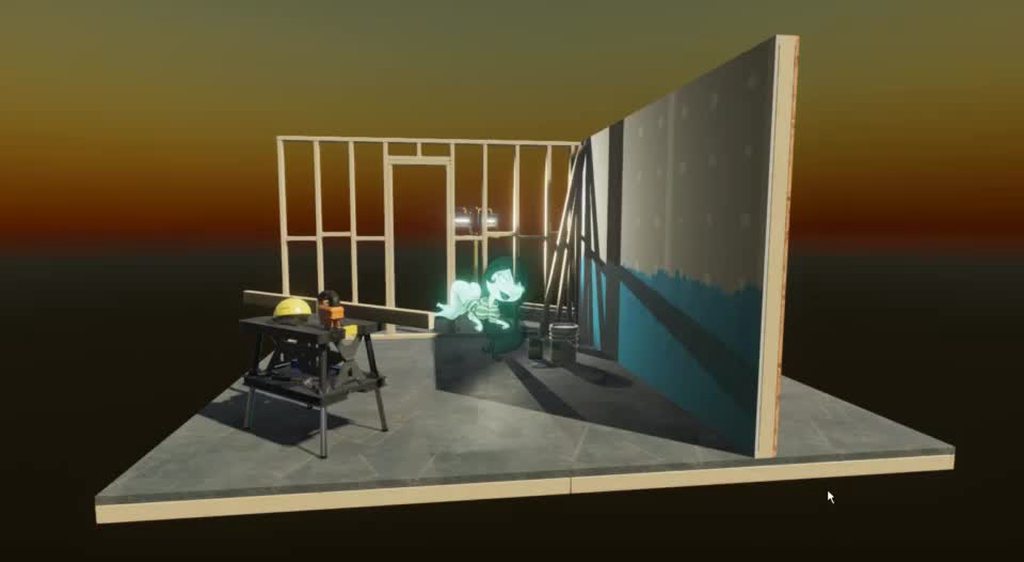 obsidian vessel
I see, so since I still want the actual pawn/standee in game to have a bit of thickness to give off a carboard look, I should go with the mesh route? I wanna be able to create something robust that can turn the images I'll be using into the cut outs since the hypothetical end product would have a of these pawns.
fluid oak
If the characters have alpha channels, you could do both.
That is, use the sprite liek a decal over the mesh
But yeah, just having a pre-cut out mesh and applying the textures should work just fine.
eager mist
Hi! I got a quick question:
On 3D Meshes, do I apply the texture in Blender or in Unity?
obsidian vessel
Alright, I think I landed on what I am gonna do. I'm gonna take your idea of the shader cut out, and just 'fake' the thickness from there. There seems to be a few options to do this and it sounds like the easiest route.
Thank ye for the help.
fluid oak
No problem! I'm curious to see what you do with it. My friend does a lot with physical standees
eager mist
Thank you!
fluid oak
The only actual meshes I've made, I made inside unity
 vagrant geyser
I am trying to export a model. In fbx export settings I set it to Meters in Maya but the model is still really small. Any ideas?
Scale is also 1.0 in unity.
is it normal to scale it up so high that the reference plants are small?
fluid oak
@vagrant geyser Unity expects maya files to be in centimeters, so it scales them up x100
pale spindle
What are those black dots in blender?
The picture is also from blender version prior to 2.8
Im trying to follow a tutorial where you are supposed to select the vertices in the middle (cube) and remove them by right click > remove double vertices. I found out that the remove double vertices function has been replaced by right click > merge vertices > by distance in new Blender versions. But i still cant remove them all though blender says it removed 14 double vertices, they are still there.
 lucid plume
Im more familiar with 2.8 but its buggy sometimes have you tried making a new one and following the steps again? You can also try to use others options in the merge vertices sub menu
 silk epoch
the black dots represent the faces in old blender.
 hexed mango
the black dots in the middle of a polygon are when you're in face select mode
there's vertex, edge and face select mode, controllable from the topleft menu in 3D view
 royal siren
you have a tutorial on how to make a blender car for unity?
 sage shard
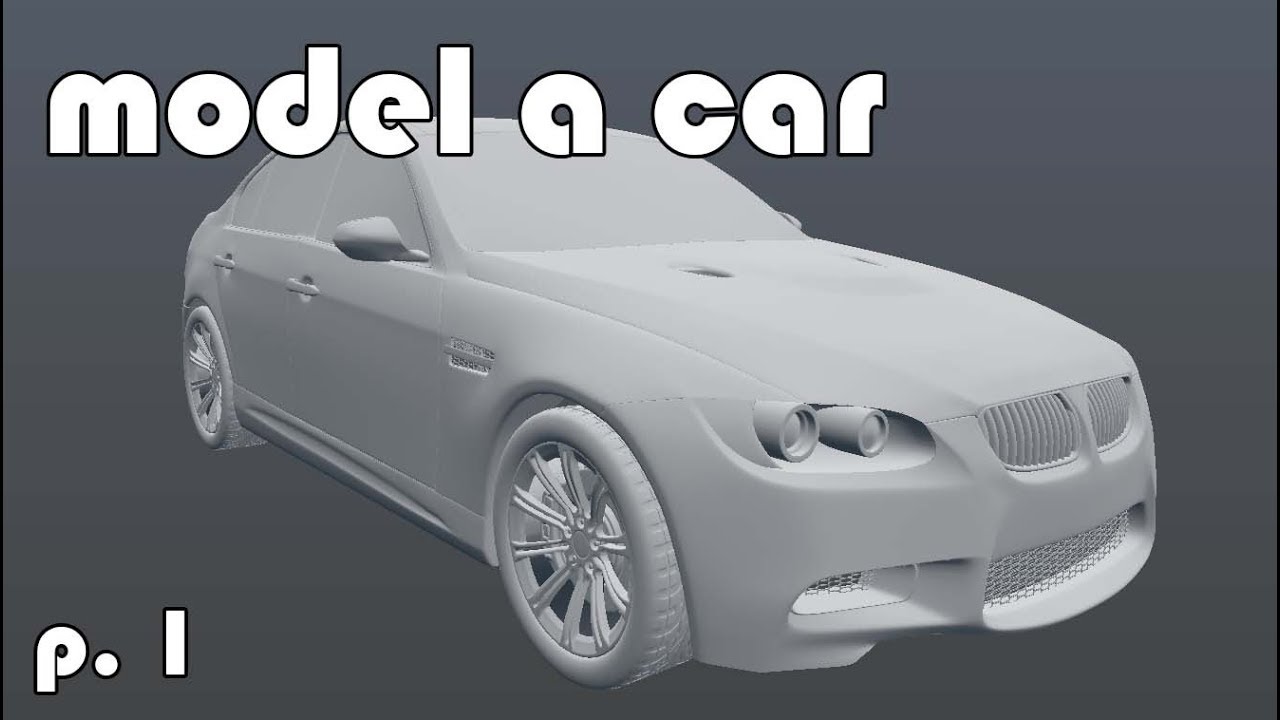
learning how to 3d model a car in blender.
part 1: getting acquainted with blender's user interface
next part: setting up a background image blueprint in our 3d view to serve as reference while modelling.

In this 9 part tutorial series, follow along with Jonathan Williamson as he models a Porsche from start to finish.
For those wanting to follow along, you can grab Blender 2.49 here:
http://download.blender.org/release/Blender2.49/
Want to use Blender 2.6? Grab the latest re...
royal siren
and if I want to make the car for unity and you recommend me to make it in pieces or all in one piece
junior stone
you model it in pieces... but you can export it as a full single mesh if you want. depends on what you plan to do with it
its like the video explains, you make different parts and stitch em together however you need
royal siren
ok thanks
 lean vale
Anyone ever got effed up UVs only on built platforms?
Like, UVs are bad on one area of a mesh on Switch, but perfectly fine in Editor.
this is on 2019.3
UVs are perfectly fine in Maya and Blender.
solar bridge
Can anyone tell me detect enemy by overlapsphere vs OntriggerEnter which is better?
 drowsy tide
Just bought some really cool packs for my horror game from asset store
 floral pendant
Hey guys,I just wanted to ask a dumb question do people put dirt textures on things like road because I have seen a lot of level designee where people don't put dirt or anything
rigid storm
I want to select some parts of my UV map to see where they are in the model, but deselecting the model completely erases the UV map. (Blender)
 thorny wasp
Does anyone have a 3D house model i can use / buy? With interior.
 whole fog
just curious but should I focus on 3D modeling more before diving deeper into Unity
drowsy tide
Hmmm
Tbh if you’re trying to become a programmer u dont neefd to know modeling but models cost money so its a great choice to do both
gritty reef
@floral pendant If the dirt fits, then I'm sure plenty of people utilize it. The issue is that a lot of stuff like roads or sidewalks don't have dirt on them unless there's a reason. They'll be scuffed, have debris, etc, but probably won't be muddy/dirty in most general cases.
@whole fog It's handy to understand the basics, but it depends on how far you want to go into each part of the game-making process and what your goals are. Like if you want a polished, high quality 3d game, you're probably going to get a lot of value out of learning modeling. If you're okay with simplistic graphics or buying textures/models, programming might be the best avenue to spend your time on.
 dense root
Im trying to make a top down game and I dont know do I want to make that in 3d or 2d or does it matter? Im not sure
whole fog
@gritty reef good advice. I really don't wanna have to pay for assets
gritty reef
So your options would be to adjust the style of your game to take into account your skill level, get really good at modeling, or make friends with a 3d artist and partner up on a project.
whole fog
what I have been thinking of right now is something along the lines of an N64 style 3D platformer that replicates the look of N64 games
gritty reef
That would be incredibly easy and an excellent starter project if you're not yet comfortable with modeling.
whole fog
but at the same time also taking advantage of modern hardware to do stuff that wouldnt be possible on the OG N64 hardware
a la Sonic Mania
gritty reef
Since back then everything was so low res and low poly, you'd rely almost entirely on texturing simple shapes to get the desired effect.
So 100% doable solo, even starting from no experience.
whole fog
Probably will go for higher texture resolution than what was standard on the N64
I have been studying the intricacies of the N64 to help get a general idea for what I am aiming for
rigid storm
For some reason, the material is rotated..? on one of the planks in my model.
whole fog
Probably thinking of something along the lines of above N64 but below Dreamcast
errant plover
@rigid storm why do you have six materials on one model?
rigid storm
Idk
That's another mystery I'm trying to solve
when I decrease the list, some of the planks disappear
errant plover
Did you model that?
errant plover
Go back to Blender. Delete all the materials on it, except one. Then upwrap and remap the UVs
rigid storm
Good, that got rid of it, but now a different plank is weird
I've decided to completely remake this, it didn't take much time anyway
fluid oak
@floral pendant Well, it really is down to the individual I suppose.
 lean chasm
Does anybody know the best way to code an active ragdoll with configurable joints?
I'm using Quaternion.Inverse(targetBone.transform.localRotation) to get the target rotation but I don't know enough about quaternions to improve it
 mild vector
Hello guys! Need help with exporting a model into Unity. I am a programmer, but decided to learn a bit of blender. Started off with low poly models(obviously). So I have come up with this simple car model, but when I export it to unity, some faces gone missing. Can someone more experienced help me fix it, please? :3
Here are missing parts, rear lights and top part of a bumper
Never mind guys, just fixed it myself.
sleek spear
So I applied an avatar mask to the hair bones of my character, so it could play the hair animation while it walks, but theres this slight deformation on the hair, what can I do to fix it?
This is how it looks on maya
models humanoid avatar
rigid storm
Is there any simpler way to make such a curve made of cylinders other than using a ton of really small ones?
junior stone
use one with subdivisions and bend it? @rigid storm
rigid storm
How do I create more subdivisions?
glacial vector
Or make one and use array modifier + a curve
rigid storm
I'm trying to use the Subi=division surface modifier but it appears to only split it in half once
K, used the array modifier
junior stone
not that familiar with blender terms, used to 3dsmax
glacial vector
When you create a cylinder you can choose the length and how many divisions it should have @rigid storm
But you can not get these options back after you click away
rigid storm
I already did the thing and it worked
glacial vector
Good :) In 3D you usually have a bunch of different approaches to achieve a goal
 rancid haven
Question, i have a model in unity, can i somehow export the UV map, or do i have to do that in blender?
errant plover
What is your end goal
junior stone
@rancid haven what are you trying to do with the UV map in unity?
rancid haven
Okay wait ill start from the beginning
Im texturing a character
and the knee high socks only have a plain black material right now
i want to add a texture, so i would need to know where what part of the sock is
junior stone
are you trying to make that sock color dynamic in unity then?
rancid haven
im trying to add text to the side of it
i dont really know what the best practice is for doing that
junior stone
well, gettign the UV would be one thing. but you alrdy have the texture
the hard part is actually applying the text to the correct place on the texture
aka, how are you going to write text to the texture
junior stone
you made an unwrap right?
rancid haven
nope, thats the thing
can i do that in unity?
or do i have to go to blender for that
junior stone
you have to unwrap in blender, and import that uv texture to unity. and you ll need a way to paint on the textures too. which is a very complicated thing in itself tbh
you cant unwrap in unity, unless you use probuilder, but I wouldnt advise it. blender would be easier
junior stone
It's not that I think you can't. It's that unity does not provide the tools to do it. But you can paint on the texture to get it working @rancid haven
rancid haven
Allright 😄 I think i found an approach that isnt optimal but itll get me there
 chilly oracle
Anyone who consider themselves good at math and want to help me out with some 3D coordinates here?
I feel someone here might have worked with this problem before me.
var coords = new int3(index / (size * size), (index / size) % size, index % size);
I'm trying to spawn a 3D world using chunks, and I would like a method of getting my coordinates by math in one loop if possible.
This calculation works if my cube is always the same size on all sides, but does not work as a rectangle for example. I just input the index and the size on one axis and I get the right positions for the vector, something like this is what I would need but working for rectangles and oddly shaped chunks of land.
My initial thought has been to just replace some of the "sizes" with the right z,x,y max sizes, but I have yet to figure out the right combination.
This counts in the order of (z > y > x) BTW.
chilly oracle
Might have solved it with:
var coord = new float3((index / (ZMax * YMax)) % XMax,
                      (index / ZMax) % YMax,
                      index % ZMax);
hello I am looking for a 3d modeler for a game that is still in the brainstorming stage called the subway
we have an Programmer
script writer
and me (a 3d modeler) on board
so if your interested in joining our small team please dm me
junior stone
what even is the diffference between a programmer and script writer?
eager mist
programmer programs the movement and how everything works in a game
scirpt writer thinks of the story
junior stone
oh, I assumed script writer to be unity script writer lol. cuz c# unity is a scripting language haha
eager mist
yeah i am sorry i shoulld have specified that
gritty reef
A writy-boi
 frail skiff
so I wanna use tilable textures for some things in my game. For example this.
Now what if i want dirt coming from the lower end tho ?
Im thinking there might be a way to mix this tilable texture with a tilable dirt texture which detects where y is the lowest ?
or i could imagine that i would use a dirt decal directly blending it with the original one ?
not sure how to approach stuff like that the best way
Ofcourse a UV like this wouldnt work with blending dirt directly with the tilable texture but with an seam i could do so. Its more about what would be the best way ?
junior stone
do you want it to always go from the bottom? you could use a shader for that if you'd like
frail skiff
yea its a somewhat dirty game so its always gonna be from the bottom
if i want general dirtyness on that i would just add the dirt to the texture to have that little bit in there from the start
not sure how much of that is good yet tho
junior stone
shader with world-position from the bottom and a bit of a grunge map could work tbh
or just do it in the actual texture in blender, there is nothing wrong with doing that either. its kinda up to your preference @frail skiff
cuz yuo ll need to make the shader and I dont know what your skillset is 😉
frail skiff
ive made shaders in UE so i hope its not too diferent but i know from UE that wouldnt be too difficult either right?
junior stone
if you use either shadergraph or amplify its pretty similar. but idk if you can get the result you want. depends on how good you are with shaders 🙂
frail skiff
alright thanks mate
ill try shader first and see if i can get that done ^^
that would make life easier for other artists in my team
junior stone
the blender route is probably the most straightforward. but the shader way could save you so much time
glacial vector
You can combine tilables and unique bakes with two different UV unwraps, but it's advanced modeling
With a 0-1 unwrap you can make masks for things like dirt in substance painter and use that in unity
frail skiff
that sounds interesting
glacial vector
He set up this shader in Unity as well but it's in a stream vod so I'm not sure where it is
But as I said, this is more advanced. So you decide whether you want to try
 lucid abyss
copper bridge
lucid abyss
copper bridge
Ok so I'm kind of pissed off. I just finished animating a model and adding all the actions, but when I import it into Unity none of the animations show up! This happens whether I export the blend file or the fbx. Can someone help?
copper bridge
This bullshit has to happen one minute before I have to get ready for work. Screw it, I'll deal with it some other time.
I've never had a problem importing a model's animations before and didn't do anything differently this time, so I have no idea at all why Unity decided to stop importing my model correctly now...
If it matters I used Mixamo for the animations then copied them onto a single model as actions. But I use Mixamo all the time and never had any problems.
 midnight pollen
The finished product of a 48 hour challenge!

Blender Artists Community
you can support me by a like here if you want ^ :D
 night socket
How can I fix problems with unity not supporting preserve volume?
without preserve volume if i rotate this bone, the hammer deforms and shrinks
like this
I can't just use preserve volume because Unity doesn't support it so it won't work outside of blender
how the hell am I supposed to fix this?
all answers I find is "just use a helper bone lol" but I have no clue on how to use a helper bone in this case since the answer used it on something that's meant to deform(like an arm), which my hammer isn't
gritty reef
@wary eagle Looks a little higher poly than I'm used to seeing from you lately. Looks fantastic! Did you finish up on the space launch pack you were doing?
@midnight pollen That's really cute, was it a kitbash or all custom?
fluid oak
@frail skiff Why not just use vertex colors as a mask for the different textures?
@night socket If the hammer isn't supposed to deform, just set all the vertices to only be affected by one bone? Then there won't be any influence from other bones to bend/deform it.
night socket
That's already what's happening.
anyway all I had to do was split the bone into 2 bones and just do the same weight paint 
 mystic robin
can you tell its my first time using blender
fluid oak
Nope!
near apex
Yes the donut tutorial!
 dire rock
Anyone got an idea why I would be seeing lines between models at a distance?
errant plover
Use snapping?
dire rock
Yeah, they are all at rounded positions.
errant plover
I would stretch the model or make one wall. No need for so many small ones.
eager mist
why does my scene editor look like this? i have a grass texture on it
heres ingame
ping me if you respond pls ❤️
midnight pollen
@midnight pollen That's really cute, was it a kitbash or all custom?
@gritty reef this was allllll done in the 48 hour from scratch by me, every object u see was a cube/sphere/cylinder/plane once, but i then modelled to the shape i wanted!
junior stone
@midnight pollen consider uploading to sketchfab to make the model viewable in 3D 😄
 rain flax
Does anyone know if there’s some feature that fixes z-fighting?
junior stone
@rain flax I mean, you gotta just makse sure you dont allow it to happen more so than fixing it afterwards. its a thingie that pops up every so often but you need to avoid it since there isnt rly much to fix it other than offsettnig the meshe
rain flax
Alright thanks
midnight pollen
@midnight pollen consider uploading to sketchfab to make the model viewable in 3D 😄
@junior stone yeah, i do these things a lot, i am thinking of maybe making some extra money by selling 3d models online
stuff like game assets for example
maybe, a weapon pack
junior stone
you wanna compete with the big guys dont you xD
midnight pollen
problem is, market is reallllyyyyy saturated
 midnight pollen
you wanna compete with the big guys dont you xD
@junior stone have been using blender for 2.5 to 3 years, so maybe it pays off if i try idk
commision based art is a better idea imo
@junior stone yeah, i dont want to have clients and a "job" tho, this is a hobby, selling models online will not even be a passive income, it will just be a "why not sell the models, they are sitting here doing nothing" kinda thing lol
junior stone
you need to find a team to make a game with lol
so you can use your assets for smt 🙂
midnight pollen
for the past years till today, its a hobby of mine, so i do it for free
with quarantine i just got loads of free time, so i thought if i make 10 dollars even, its nice to try stuff out uk
nothing serious tbh
problem is, market is reallllyyyyy saturated
@midnight pollen that is the only problem that might make me not try at all tho lol
junior stone
yeah, thing is that big studios push out asset bundles fairly regularly and some even make it their main source of income. @midnight pollen I would even argue to say taht you could find one of those and make sure your assets work with them. or go full PBR and sell that since thats not something people commonly make assetpacks for due to the time investment needed to make a single asset
I am currently working on creating interactable 3d scenes for web. I wanted to put some 3d/programming oriented content on my website, so i think that would be a nice idea
midnight pollen
yeah, thing is that big studios push out asset bundles fairly regularly and some even make it their main source of income. @midnight pollen I would even argue to say taht you could find one of those and make sure your assets work with them. or go full PBR and sell that since thats not something people commonly make assetpacks for due to the time investment needed to make a single asset
@junior stone yeah, i have learned to use materials PBR, not only time, but sometimes money to get the textures!
junior stone
@midnight pollen I usually take my own photos and use textures.com for a great database of textures. photoshop skewing and making things tileable. Ive got a pretty solid database of stuff
midnight pollen
i use textures.com too, poliigon sometimes too, but the best, still small but growing database is textureshaven.com
its like pbr haven
but for textures
alll free
up to big resolution too
i dont texture using stuff around/near me irl so i dont make my own textures lol
junior stone
i ve literally gone outside with my camera to look for interesting textures to use
either for pbr, or for testing around with handpainting
@midnight pollen
wary eagle
@gritty reef Thank you Mike!
It's not an asset for the Asset store this time haha, that's why!
I'm still working on the rockets pack! atm, Saturn 5, space shuttle, soyuz are done!
junior stone
@wary eagle progress pics, progress pics, progress pics! (read while chanting)
frail skiff
trying to use this detail mask which ofc contains a normal but i think i have to somehow tell unity that its a normal in there
on other normal maps i have to set them to be normals manually
looks buggy right now
as soon as i turn it down to zero its fine again
glacial vector
Looks like you might have packed something incorrectly?
frail skiff
turns out i forgot to split normal x and y before putting it back together in alpha and green
looks better now but still not the way i would expect it to
glacial vector
Does it still go back to normal if you set the intensity to 0?
frail skiff
ye
eager mist
here is my asset pack
glacial vector
You might need to invert the normals g channel @frail skiff
wary eagle
@wary eagle progress pics, progress pics, progress pics! (read while chanting)
@junior stone Hahaha, of the vehicle? Or the rockets? 😛
wary eagle
I don't have push the vehicle that far since the last render, here is some more floater on it:
And the rockets!
junior stone
is that high poly or are those normal map texture applications?
junior stone
pfft. I woulda just baked one hole and made a tileable overlay on the normal map with it. that just sounds like hell
or even just paint on it with substance painter on the 2D uvs lol
wary eagle
I will not have the hole on the LP, I'll use an alpha map!
That just for the HP render haha.
It's a Zbrush mesh, so kinda easy to do
wary eagle
junior stone
you going to make one of those exploded mesh animations for that to show the insides?
wary eagle
Not planned. Just marmoset render, and in engine renders.
 lean stream
what is your workflow to update a mesh in Unity? say I created a prefab, the hierarchy inside it, applied the materials.. But I want to separate a part of the mesh in the fbx.. Any way to update the object?
junior stone
fair enough. rly high quality model! would LOVE to see more whenever you got some more to show!
wary eagle
I'll send some more render asap so! Thank you!
junior stone
@lean stream you cant split a mesh object after importing it in unity. you should plan ahead and separate them if you want to do that
@wary eagle feel free to tag me if you feel like sharing! (Or DM me, you have my permission to get up in my DM's lol)
lean stream
@junior stone so if I didnt plan ahead, I have to redo everything? No way to just update the fbx?
junior stone
the unity mesh object will update when you change the fbx, but you would need to import the separate parts individually
lean stream
hmm okay, thank you 🙂
junior stone
also, out of curiosity. are you a freelancer? do you model at a studio? whats your occupation, cuz your stuff looks professional @wary eagle
wary eagle
Haha
gritty reef
I'm currently working on a sci-fi motorcycle, prompted by the Sketchfab challenge that ends today. I didn't complete it in time, had other projects and real life nonsense to contend with, but I made it this far and plan on finishing the thing.
https://media.discordapp.net/attachments/698261221987582053/720371901507305642/unknown.png?width=482&height=427
 gritty reef
Thanks Simon! 🙂
copper bridge
Can someone help me out? When I import my model into Unity none of it's actions show up:
wary eagle
https://mod.squadfrance.fr/2020/06/18/wip-23-rafale-b/
That's why the vehicle is made for! 😝

Hello Soldiers! The Tactical Collective Team made an amazing job this month, a lot of progress has been made since WIP #22. We are proud to present to you today our hard work and we hope you like it. Rafale B & Precision Bombing made by TiTooNeT & Medinar With the help of Medi...
 tough vigil
Too high res? 😅
hexed mango
for an ingame model? slightly insane, yes xD
normal maps (hell even displacement maps and tessellation) are a thing, you know :P
tough vigil
I know 😅 I’m new to modelling for games instead of rendering, but since this is a first person shooter where you’re looking at the gun the whole time, it isn’t too bad, right?
wary eagle
You must aim at something like 60-70K max for a rifle. 😉
errant plover
And that how you make a laggy game, like PUBG 😛
 keen meteor
Any suggestion will be appreciated.


Working hard with the #unity3d HDRP pipeline.
#gamedev #blender #3dart #madewithunity
 Twitter
tough vigil
Twitter
tough vigil
Maybe a white bulb object behind the lamp shade that you can see through it?
 eternal raft
Hello everyone.
who can help me for make texture and materials in substance ?
sullen plank
@eternal raft Start with asking the actual question.