#🔀┃art-asset-workflow
1 messages · Page 23 of 1
 violet briar
 vivid slate
So this is interesting, if I follow this workflow of putting the blend file in the assets folder as described in the manual, the deformation looks identical to within blender icluding the hair child-parent setup. Unfortunately it only imports the action imposed on the model when I last saved and there does not seem to be a way to load or import my other actions.
If I export the fbx from blender manually and import as new asset, I get all the actions but the deformations are skewed at the seams.
Unity - Manual: Importing Objects From Blender https://search.app/tHb7uAVtcmNynWzK7
The Unity Manual helps you learn and use the Unity engine. With the Unity engine you can create 2D and 3D games, apps and experiences.
 prime star
How would you guys go about making body sliders in Blender? I'm not talking about the code side, more on the 3D model side. Like, would you go shapekeys? Deform bones? Is deform bones even possible in Unity? I know in UE4 I used deform bones but when I try to import them into Unity, they seem to cause issues.
 astral sleet
To people who create maps what is your general workflow?
I've been using ProBuilder for a while because I just find it incredibly hard to visualize what something might look like in Unity when working in blender but I don't want to because it has so many limitations
I'm hoping there's some sort of magical solution I don't understand. Not being able to see baked light or what materials / shaders look like is a HUGE issue for me
Also working in Blender makes being clean a lot harder since you don't have prefabs and stuff
 misty lantern
astral sleet
I've been using ProBuilder for a while because I just find it incredibly hard to...
misty lantern
astral sleet
I've been using ProBuilder for a while because I just find it incredibly hard to...
There may not be a magical solution, but there's a lot of smaller tricks that help with blender
Can you be more specific, what's the big challenge when it comes to lights and shaders, and what do your prefabs need to do exactly?
 twin merlin
I need help. Unity is not slicing correctly my tileset and i triple checked and im not sure what im doing wrong
 astral sleet
misty lantern
There may not be a magical solution, but there's a lot of smaller tricks that he...
astral sleet
misty lantern
There may not be a magical solution, but there's a lot of smaller tricks that he...
Prefabs for decor so I can adjust all instances later on, for lights it's just kind of hard to visualize what a scene is going to look like in the end so if I make this huge open room and place a couple emissive planes about the place I struggle trying to depict whether that will do the job or not (and if it doesn't then it's just a game of back and fourth with exporting to unity from blender over and over until it does work)
As for shaders there's certain areas in my game that heavily rely on shaders for stylistic reasoning so it's also hard to envision
misty lantern
astral sleet
Prefabs for decor so I can adjust all instances later on, for lights it's just k...
Blender can do full realtime path traced lighting, so it can give you quicker results and often better results than unity's baking does (if you match the lighting conditions closely, but if not you get an idea for how light bounces anyway)
Blender's "linked objects" function like prefabs and are exported as just one re-used object, and after importing the level you can swap them all to a specific Unity prefab
Heavily stylized shaders are a trickier thing
Though you can recreate almost any Unity shader in Blender with some work it may be better to just get an intuitive feel for how the appearance will change between the two environments
Unfortunately a sharpened imagination may be the best tool there, as well as exporting and iterating a lot of times
twin merlin
twin merlin
I need help. Unity is not slicing correctly my tileset and i triple checked and ...
pwease
misty lantern
Importing and editing .blend files directly often is a bit of a sloppy workflow, but it may be worth it if you really need the changes to show up in Unity seamlessly
misty lantern
twin merlin
pwease
I'll reply to you in #🖼️┃2d-tools
vivid slate
@misty lantern hi, it seemed like you may know about blender unity asset management.
I was hoping you might know the solution to this,
If I export from blender and import to unity as new asset, I have some deform issues. Ie. The seams where objects meet don't defor as they do in blender. However is i hopy the .blend file into the assets folder. The model deforms correctly in unity, but only the action imposed by the action editor on the last save gets importer and it doesn't seem I can link new animations to the character asset.
I tried selecting just the rig and exporting the animation, but it won't let me drop it on the .blend asset.
Does that make sense?
 olive iron
Hello everyone I’m experiencing a problem with this model, but on Webl only on Safari, instead on Chrome it looks good

 stuck bramble
I'm trying to export a .unitypackage of a model and all dependencies (materials and textures). Everything seems to be included when importing into another project, but there a decent amount of mesh renderers that lose their material references. Has anyone encountered this issue?
 mild coral
Hi, does anyone know if its good practice when making more structural assets and stuff to just make like a single trim sheet or something for a bunch of different assets, and just modify/scale/rotate each assets uvs in blender to fit within different parts of the trim sheet. And then make the single material in Unity with the trim sheet texture from blender. I kinda want it to be like how this games has pretty similar/looping textures for the walls/floors/ceilings and door and other assets. https://www.youtube.com/watch?v=eDe6_Jj_3uM

Can't believe how close we were to escaping smh.
Wishlist CUFFBUST on Steam! https://store.steampowered.com/app/2592220/CUFFBUST/
Watch the devlog: https://youtu.be/SjAA21uX8ss
Escape prison with your friends by equipping tools, evading guards, and executing your breakout plan. Destructible environments, proximity chat, a multitude of escape r...
misty lantern
mild coral
Hi, does anyone know if its good practice when making more structural assets and...
Yes, it is
You don't have to repost your question so quick
misty lantern
vivid slate
<@166982635950702592> hi, it seemed like you may know about blender unity asset ...
That's a bit unclear
What file format do you mean by "new asset"
It most sounds like bone influence limit, which you have to confirm is appropriately high in mesh import settings as well as quality settings, if there are a lot of vertex groups per vertex
 eager mist
Is it fine to let Unity automatically merge/weld certain Verts in my model, doing it in the modelling software is causing me problems
Had this in Unity Talk before (deleted it), but remembered this channel
stuck bramble
stuck bramble
I'm trying to export a .unitypackage of a model and all dependencies (materials ...
I don't understand why this isn't working, the materials are imported into the new project, but the references to them get lost for whatever reason.
stuck bramble
So all I had to do was upgrade the materials to through the HDRP window.
It really should show a warning on import that the materials are out of date.
And it's weird some references were lost and not others, but then the references figured themselves out when I upgraded the materials. Very strange.
vivid slate
misty lantern
That's a bit unclear
What file format do you mean by "new asset"
It most sounds ...
When you with click in the unity project manager, and select "import new asset"
misty lantern
vivid slate
When you with click in the unity project manager, and select "import new asset"
As opposed to doing what?
vivid slate
misty lantern
As opposed to doing what?
oh I misread and thought you were asking what an asset was.
Both methods are supposedly FBX, but method one where there is variation in the deformation from blender is export fbx from blender then import.
Method two is to save a copy of the .blend file to the assets folder in the directory and supposedly there is a native FBX importer set up to work with the bled file. In this method the deformations are identical to blender but it only gets the animation that was active in the action editor when I last saved the .bend file.
 fluid oak
vivid slate
oh I misread and thought you were asking what an asset was.
Both methods are s...
fluid oak
vivid slate
oh I misread and thought you were asking what an asset was.
Both methods are s...
Sounds like one is baking everything perhaps?
vivid slate
fluid oak
Sounds like one is baking everything perhaps?
I thought that baking meant it was no longer targeted to the rig and only the mesh
fluid oak
vivid slate
I thought that baking meant it was no longer targeted to the rig and only the me...
Baking means that each transform has its modifiers applied to animation curves
So it is just a 'baked' animation clip rather than a bunch of controls and constraints
 astral rivet
why are there backgrounds in the font

they're not in the ttf
anyone know what's going on
fixed spontaneously
vivid slate
fluid oak
So it is just a 'baked' animation clip rather than a bunch of controls and const...
hmm so why would it only be baking the one currently in the action editor?
I guess this is my answer of why I only get one animation
To reproduce: 1. Create a new project 2. Import attached "28blender.blend" file 3. In Editor select the "28blender.blend" file 4. In...
vivid slate
okay so when I import the asset into unity, I see all the parts and the animations show up with the correct start and end, however in the preview, they do not affect the model. They are all stuck in the T pose.
 fluid oak
I'm not a blender user so I haven't done much testing with blend files but from what I've been told the preferred workflow is to export to FBX so you can have more control over the exporting
vivid slate
fluid oak
I'm not a blender user so I haven't done much testing with blend files but from ...
Yeah, I guess based on the link to the issuue I posted above. the automatic blend import is relegated to a single animation per asset.
So im attempting to use FBX and now all my animations show in the file, but only the walk cycle actually moves the mesh once it gets to unity
vivid slate
Ive discovered that in the NLA editor, having the hair and animations and the body animations named the same was causing the conflict
 hoary kindle
astral rivet
why are there backgrounds in the font
hoary kindle
astral rivet
why are there backgrounds in the font
Assuming this is for TMPro, this usually happens when the padding is set too low when generating the font atlas. Try to increase it and generate again

 balmy horizon
hey guys. I'm having a super weird nagging issue while importing my models from blender to Unity. For some reason Unity has decided to add a special mystery polygon to the grip on my model that doesn't appear anywhere on blender? if anyone would be able to shed light on this issue I'd be incredibly grateful. I'm importing/exporting via FBX if that might be the issue.


these are the models import settings

 gritty raft
ok, first, try turning off Weld Vertices
balmy horizon
gritty raft
ok, first, try turning off Weld Vertices
hasn't seemed to have changed anything
could smoothing angle have anything to do with it?
gritty raft
Ok, basically, since there is not a noticeable logical reason for it, go through those settings, and keep turning things off until something works/.
Yes, it is worth a try (smoothing angles)
balmy horizon
gritty raft
Ok, basically, since there is not a noticeable logical reason for it, go through...
tried it, still not having much luck here :/ I think it might be a topology issue now that I'm looking at the grip in blender

I'll fix it in blender later and see if that helps
 cobalt ruin
why in blender - he is normal
But in Unity his brows...
And one moment - it is haircards
First Image - Blender
Second Image - Unity and 3d object viewer
After talking with the developers of the blender addon, they suggested that Alpla Mask is needed here
And one moment - I have HDRP Render

 misty lantern
cobalt ruin
why in blender - he is normal
But in Unity his brows...
And one moment - it is ...
misty lantern
cobalt ruin
why in blender - he is normal
But in Unity his brows...
And one moment - it is ...
Yes, you have not defined the transparency method for the material in unity
cobalt ruin
misty lantern
Yes, you have not defined the transparency method for the material in unity
You talk about surface type?
misty lantern
cobalt ruin
You talk about surface type?
Yes
HDRP also has a dedicated hair shader that may be useful
cobalt ruin
misty lantern
Yes
I don't think so...
 misty lantern
What do you not think?
cobalt ruin
It's a HDRP shader of hair
 cobalt ruin
misty lantern
What do you not think?
cobalt ruin
misty lantern
What do you not think?
That the Surface Type will help... Because brows in blender looked like this
 misty lantern
You have to have learned more than nothing at all to use HDRP materials effectively
The documentation helps
https://docs.unity3d.com/Packages/com.unity.render-pipelines.high-definition@13.1/manual/hair-shader.html
Base Color: ...The alpha value of the color controls the transparency level for the Material if you select Transparent from the Surface Type drop-down.
So you can't expect alpha masking unless your texture has alpha
It's tough to see exactly, but it looks like your eyebrow material in blender is using temporally dithered or "hashed" opaque clipping for transparency
HDRP doesn't support that out of the box, but you can implement your own using Shader Graph
That requires you to know what all those things mean, though
Less trouble to use the usual alpha masked transparency
 mellow swift
guys, where i can find skyboxes?
hoary kindle
mellow swift
guys, where i can find skyboxes?
Internet might be good place to start...
I think I have used at least Poly Haven myself. The unity asset store have some too
mellow swift
im looking for lowpoly skyboxes
Poly haven and unity have realistics skyboxes and i dont like it for my project
misty lantern
What's a "lowpoly" skybox?
mellow swift
not realistic
misty lantern
mellow swift
not realistic
That's even less specific
misty lantern
You may find stylized skies in asset packs, but there hardly are libraries for them since they're custom made for each style
Likely you'll have to make it by yourself to get exactly what you want
 sly marten
I don't know if this is the proper channel for this but I have these low poly textures I wanna use but they all end blurry in unity , how can I fix that
misty lantern
sly marten
I don't know if this is the proper channel for this but I have these low poly te...
Textures can't be "low poly", but if you want to preserve hard pixel edges one option is to set filtering to none (point sample) in texture import settings
sly marten
Thanks
 obtuse oyster
!collab
 lilac edgeBOT
:loudspeaker: Collaborating and Job Posting
We do not accept job or collab posts on Discord.
Please, use Discussions to promote yourself as job-seeking, advertise commercial job offers, or look for non-commercial projects to participate in:
• Collaboration & Jobs
prime star
Hey everyone! I am working on a low poly character and atm everything is split into different materials. Lips, hair, brows, eyelashes, etc. they don't have textures either. It's just plain color with a handdrawn style cellshader. I am just kind of considering how I'm going to texture this.. character looks fine, but:
- Concerned that too many materials will cause issues
- Kind of want to add a layer for make-up eventually
- Maybe some added texture would be nice? Idk.

Would you make mesh planes on the body to handle the stuff like blush/eyeliner for example? And make that different materials too? Maybe I can make lines by adding extra meshes. But feel like it might slow things down.
 signal lodge
anyone know why whenever i remove the mesh from skinned mesh renderer it exports as FBX but when i put it back it says the red error bellow?

the mesh is in .asset format btw
 dusk geyser
https://i.imgur.com/kfU2srQ.png
Where be my preview at
Well, looks like the asset itself was updated so I'm going to assume it's packed
 dense oar
Is there any way to fix a 3DSMax export to Unity so that rotation doesn't come in wrong?
My mesh is upside down backwards even when I export with Y-Up, reset xforms


 earnest vector
Hey, Im having this problem for hours now: When exporting to fbx, after importing my fbx once again, the whole model has the same material
The only part of the model whose material didnt change to the head's one is the flush lever, which had a default material
Also, it does work when exporting to glTF. But in my case I need it to be fbx
fluid oak
I mean, that looks fine. You'd be amazed at the janky grass textures most games use.
 tiny solstice
I made a 32x32 image of a face and want to put it on top of a 64x64 animal. Is there a way to compress the face so it fits without pixel loss?
 lethal summit
My latest raven remake. Im absolutely loving bird modeling...I will probably go further than this at some point.
#bird #3Dmodeling #3Dart #3Dbird #crow #raven #3draven #blender #VFX #roblox #RobloxDev #modeling

 X
·
X
·
 nocturne summit
Is this the best place to ask game dev questions? Me and my brother are making a game in Blender + Unity. He does coding (unity) and I do art (blender). A lot of our models look janky and a bit off once ported to unity though.
 lime pollen
nocturne summit
Is this the best place to ask game dev questions? Me and my brother are making a...
lime pollen
nocturne summit
Is this the best place to ask game dev questions? Me and my brother are making a...
if it involves art assets in unity it can go here. Ask your actual question and post screenshots
 proper igloo
So i'm trying to make a colour map thingy for animation using aarthificials plugin, but for some reason unity seems to be rounding my colours? heres the file in a drawing software verus in unity, aswell as the file itself to show that its definetly in unity. This isnt just in the view port/game view etheir cause its broken the actual colour map. anyone have anyclue what could be going on?


oh forgot to add, its still blocked with sRGB turned off

also, notably, its done this with things that arent gradients too, heres another texture outside of unity vs inside of unity


ohhhhhh it had compression on
well, that was stupid
cobalt ruin
Can someone get me a shader for Haircards? I can't do it
 vast helm
WIP
 mellow swift
What do you think i can improve in this desing, it is the background of the main panel in the main menu

 floral venture
I have a lil question.
So i have made a Unity project. There is a file in called " Weapon.fbx"
I noticed that the weapon had some issues in the mesh, so i went to blender to fix them.
Once i exported again on the Weapon.fbx in unity, normaly it would update itself to the editing.
This time when i exported it to the weapon.fbx in unity, the object/mesh dissapeard.
Is there a way to return it?
 proven cedar
GUYS I'm facing problem using the mesh collider , I'm trying to give a cup mesh collider but the mesh keeps closing from the top and i cant put anything inside the mesh itself , I want to make the cup get filled with objects , does any one have any idea why is this happening ?
hoary kindle
post only on one relevant channel please
 glacial vector
floral venture
I have a lil question.
So i have made a Unity project. There is a file in calle...
glacial vector
floral venture
I have a lil question.
So i have made a Unity project. There is a file in calle...
Usually when this happens to me it's because I have "export selected" enabled in blender but didn't have my mesh selected
floral venture
glacial vector
Usually when this happens to me it's because I have "export selected" enabled in...
Is there a way tough to bring it back without restarting?
glacial vector
You can try and just reexport it and make sure it's exported correctly
 abstract talon
floral venture
Is there a way tough to bring it back without restarting?
abstract talon
floral venture
Is there a way tough to bring it back without restarting?
If you are still facing that issue ig u should try importing that model in .obj file format.
 cosmic lark
is it possible to save just this? ( LIBRESPRITE )
 misty lantern
cosmic lark
is it possible to save just this? ( LIBRESPRITE )
misty lantern
cosmic lark
is it possible to save just this? ( LIBRESPRITE )
Of course
Why would it not be?
cosmic lark
misty lantern
Of course
Why would it not be?
I spent 2 hours on aesprite demo to realise... yeah
fluid oak
Oh, demo. Maybe not.
vivid slate
What is causing this. I have my character in the scene, and I have also made a dagger. Thay are both to scale, but when I try to drop the weapon on the weapon bone in the character rig it blows up in size.
it is popper size when I just drop into the area
I circled the bone I dropped it on

 fluid oak
Try unparenting the dagger, resetting its transform, and then parenting it again?
vivid slate
fluid oak
Try unparenting the dagger, resetting its transform, and then parenting it again...
It seems that the character modes rig is importing with a scale of 100. But I don't know why, the scale is applied in blender
everything else is scaled properly 1,1,1
its just the rig
fluid oak
I dunno. Did my suggestion work?
 smoky stream
i got a question: is its possible to have multiple meshes in a single model and have a single animation that controls both meshes?
 abstract talon
smoky stream
i got a question: is its possible to have multiple meshes in a single model and ...
abstract talon
smoky stream
i got a question: is its possible to have multiple meshes in a single model and ...
Yeah you can do that
 chrome wasp
What's the trick to getting 3d models to scale nicely on just 1 axis without distortion like how Unity primitives (Cube, etc) do?
smoky stream
abstract talon
Yeah you can do that
could i get a brief explanation or any sources of how to do it?
thank you
smoky stream
ill keep looking then
 pearl jay
Hey! Beginner here,, just want some confirmation if I doing the right thing for asset stuff.. So I working on character customization asset for 2D art.. and wanna know if my sprite sheet is correct or not..

 outer halo
@lethal summit @vast helm This channel is for Unity related art integration, not a place to showcase your work, thanks.
abstract talon
Hey! I couldn't check the notification thats why I didn't answer you. As I know you was asking how can we animate multiple objects at once or how can we animate child objects along with the parent object.
Let me explain you with an example if I want to animat a door then Im gonna make both the doors (The left one and the right one) child of an 'empty object' then I am gonna just start animating that 'empty object' and you can select any of the door and start doing as u want.
(In short make all objects that you wanna animate child objects of an empty object then start animating that empty object and you can animate those child objects as well)
smoky stream
Hi thanks for responding
I should’ve clarified, these are animations already baked into a model
Supposedly, they work in Blender together, but animations only apply to one mesh
abstract talon
@smoky stream Ohh I have never worked with animations in Blender so ig I wont be able to help.
smoky stream
It’s alright thanks for the help
cosmic lark
any advice on what to add?
 fluid oak
chrome wasp
What's the trick to getting 3d models to scale nicely on just 1 axis without dis...
fluid oak
chrome wasp
What's the trick to getting 3d models to scale nicely on just 1 axis without dis...
Unity primitives are just meshes. Nothing different abiut them.
 tribal pivot
chrome wasp
What's the trick to getting 3d models to scale nicely on just 1 axis without dis...
tribal pivot
chrome wasp
What's the trick to getting 3d models to scale nicely on just 1 axis without dis...
unity's primitives scale the same way
chrome wasp
Ok thanks, I read something that implied they didn’t
tribal pivot
chrome wasp
Ok thanks, I read something that implied they didn’t
if you want to scale stuff without the texture distorting then you need a custom shader
chrome wasp
Makes sense.. ChatGPT sounded so confident when it said Unity primitive adjust their vertices when scaling (or sth along those lines) 😅. The fact that you can’t seem to access the Unity primitive meshes in the project folder helped me believe it. But they still use standard Unity shaders so I guess that wouldn’t make sense
fluid oak
chrome wasp
Makes sense.. ChatGPT sounded so confident when it said Unity primitive adjust t...
Chatgpt doesn't know facts, it just knows how to construct superficially correct sentences.
chrome wasp
Yeah, I knew I was gonna catch hell for bringing up ChatGPT in here lol. I’m fully aware it’s flawed, but more often than not it is correct.
fluid oak
And you can actually access the mesh assets for the primitives with an asset search for meshes.
fluid oak
There are no prefabs for them, just raw mesh assets.
 tardy cobalt
fluid oak
There are no prefabs for them, just raw mesh assets.
tardy cobalt
fluid oak
There are no prefabs for them, just raw mesh assets.
Is there a way to import a raw mesh asset without all the prefab stuff? When i import a mesh through the project window it just names the actual mesh "default"
misty lantern
tardy cobalt
Is there a way to import a raw mesh asset without all the prefab stuff? When i i...
In what context? Is this continuing the discussion above?
tardy cobalt
misty lantern
In what context? Is this continuing the discussion above?
not really, just wanted to know more about raw meshes since ive been trying to just import a mesh and not all the other stuff

when i import .objs they get imported like this
and the actual meshes are just named default, and i cant seem to rename it
 misty lantern
tardy cobalt
not really, just wanted to know more about raw meshes since ive been trying to j...
misty lantern
tardy cobalt
not really, just wanted to know more about raw meshes since ive been trying to j...
Then do not ping people who are not involved
The name of the mesh data is how it is stored in the imported file, so it cannot be modified from Unity's import settings
You'd have to modify the asset itself by editing and re-exporting it with a modeling program
Assets can be modified from Unity with scripts to an extent, but I don't know if that's an option here
tardy cobalt
misty lantern
Then do not ping people who are not involved
The name of the mesh data is how it...
yeah i get that, they just mentioned raw mesh assets so i was hoping they knew how to do this
il try reexporting my model as one object and see if that names it correctly
yeah its still just naming it default, no idea where this name data would come from after exporting from blender
misty lantern
tardy cobalt
yeah its still just naming it default, no idea where this name data would come f...
In blender each object has its own name, and if the object is a mesh the mesh data also specifies another name for that
There's an addon to help with that https://extensions.blender.org/add-ons/copy-object-name-to-data/
tardy cobalt
it turns out i just needed to export it as an fbx
when i do that it retains the object names, objs probably dont store that data
 fluid oak
tardy cobalt
Is there a way to import a raw mesh asset without all the prefab stuff? When i i...
fluid oak
tardy cobalt
Is there a way to import a raw mesh asset without all the prefab stuff? When i i...
As far as I know, all importers create a prefab object in addition to importing the mesh data. But they all handle the actual importing differently.
tardy cobalt
thanks, even though id like to not have the mesh parented under a box i guess ill just have to live with it
 fluid oak
Though like Spazi said, you can copy a mesh out of a file into its own asset.
tiny solstice
this is my first time making a sprite in aseprite for unity. How can I make different animations of the wolf and add it all to one sprite sheet? Do I have to do this manually or is there an application like smack studio that makes it easier?

 inland thorn
Hey, I was wondering if there is an easy way to convert a video sequence into a sprite sheet
misty lantern
tardy cobalt
Here you've circled the object names, but the mesh name is Cylinder.008
I didn't know .obj ignores that completely though
misty lantern
tiny solstice
this is my first time making a sprite in aseprite for unity. How can I make diff...
Unity's Aseprite importer automatically compiles Aseprite animations into sprite sheets and animations too
tiny solstice
misty lantern
Unity's Aseprite importer automatically compiles Aseprite animations into sprite...
Does it work on the png sprite provided above? I have only drawn the idle position and was wondering if I needed to draw the other motions
misty lantern
tiny solstice
Does it work on the png sprite provided above? I have only drawn the idle positi...
I don't know what kind of tool you are envisioning
If you want frame by frame animations you will have to draw each frame
Aseprite itself has plenty of features to make that easier, like onion skin
Sprite rigging is an alternative to drawing each frame, but it's not usually viable for pixel art
misty lantern
inland thorn
Hey, I was wondering if there is an easy way to convert a video sequence into a ...
If I was doing that I would use something like ffmpeg to convert a video into an image sequence, then VFX toolbox to compile the frames into a flipbook
(But generally I wouldn't do that since there's usually no practical or efficient way to have a video as a flipbook)
inland thorn
Could I instead just import the video file into unity rather than use a spritesheet?
Like I made some shapes in illustrator and animated it on premiere (since I freaking hate how photoshop manages animations), so I have a few ways of exporting that
misty lantern
inland thorn
Could I instead just import the video file into unity rather than use a spritesh...
Yes, there is the video player component
But if it's just "some shapes" I'd also consider unity's animation tools
Playing a video directly is appropriate when it's something you can't have animated in engine, or when it's nothing interactive
inland thorn
Well, here the GIF version

I guess I could have that animated that on Unity itself, yeah
But kinda inconvinient since it's a bunch of game objects nested isn't it?
lime pollen
You probably just need 3
inland thorn
lime pollen
You probably just need 3
Actually is 5
The main star is 2 different sprites so it does not stretch that much and the waves are 2 separated ones cause just scaling that looks awful
misty lantern
inland thorn
But kinda inconvinient since it's a bunch of game objects nested isn't it?
Not as inconvenient as a video, I'm sure
I'd use Animation component or Particle System with sub emitters for it
It might be fine as a flipbook animation since there's so few total frames, even though it's somewhat big
Up to you how much memory use would be too much
inland thorn
I usually rather use images on a empty using an animation controller, unless I want it to be somewhat random or use trails
So yeah, I guess I would convert it to a Unity animation
 vast spindle
so i was wondering why my baked lighting wasnt working
the most cursed uvs ive ever seen
 misty lantern
This is offtopic and collectively we do not care what you choose
You should at least remove the embeds so you are not flooding the channel
misty lantern
vast spindle
so i was wondering why my baked lighting wasnt working
Lightmapping uses the second UV channel which Unity can generate lightmap UVs for automatically from import settings
That UV map looks quite messy but for repeating textures it might work just fine, and by itself does not conflict with lightmapping
vast spindle
misty lantern
Lightmapping uses the second UV channel which Unity can generate lightmap UVs fo...
yeah i ended up not being able to use baked lighting for what im doing anyway, so im sticking with low res realtime lighting
this is for VR so optimization is #1, so i could go and bake lighting in blender or smth, but i think the realtime lighting isnt super impactful on performance so it should be fine
misty lantern
vast spindle
this is for VR so optimization is #1, so i could go and bake lighting in blender...
If you can bake in blender, why not in unity?
vast spindle
well, the way it works is im using assetbundles, which dont include the baked lighting in unity
in blender it would be texture baking
misty lantern
vast spindle
well, the way it works is im using assetbundles, which dont include the baked li...
Because the bundles don't include the scene, I assume?
vast spindle
misty lantern
Because the bundles don't include the scene, I assume?
indeed
misty lantern
vast spindle
indeed
There is this method that might work https://github.com/Ayfel/PrefabLightmapping/
vast spindle
misty lantern
There is this method that might work <https://github.com/Ayfel/PrefabLightmappin...
maybe perchance
ill try it later, putting this on hold rn bcz a plugin i need is broken and the guy who made it is asleep atm lol
well, broken for me for some reason
misty lantern
vast spindle
maybe perchance
Doing your own lightmapping in blender works as well ofc
Just means you can't use mixed lights or otherwise combine different lighting methods very conveniently
 jade stream
Hello all!
Anyone able to help me figure out why material is not visible inside model?
Im guessing its something to do with the way i exported from blender or some elusive option in unity.
 misty lantern
jade stream
Hello all!
Anyone able to help me figure out why material is not visible insid...
misty lantern
jade stream
Hello all!
Anyone able to help me figure out why material is not visible insid...
See pinned messages for "inverted normals"
jade stream
misty lantern
See pinned messages for "inverted normals"
Thanks!
nocturne summit
Hey guys! Im making animations in blender for a game. Right now Im doing a sword swing animation, but want to make it so that I can swap the sword out with other sword models. How can I do that? I animated it with sword already but how can I make sure that the new swords will keep the same rotation and position as the current one?
Hopefully I havent gone too far to make it impossible. Really dont want to have to do the animations over again lol
misty lantern
nocturne summit
Hey guys! Im making animations in blender for a game. Right now Im doing a sword...
Objects can be parented to bones so they keep their relative position
That means held objects should not be an integrated part of your character mesh / sprite / visual representation
nocturne summit
Hmmm. Im not quite sure what you mean in the second message
misty lantern
nocturne summit
Hmmm. Im not quite sure what you mean in the second message
If a sword was drawn in / modeled into your character itself, there would be no way to swap it out for another held object
nocturne summit
No its a separate object if thats what you mean.
But since animating it moves it around, how can I assure that the other sword will be in the same position? How can I even link them together like that?
I parented it to a bone at the start of animating, but Im not sure how I can swap it out for another sword now
misty lantern
nocturne summit
But since animating it moves it around, how can I assure that the other sword wi...
Ah, for that reason you should not animate the object directly because that creates an explicit link between the object and animation
Animate a bone meant as the object's parent instead
So you can parent/unparent anything to that item bone
nocturne summit
Ahh okay. So what should I do to fix that now? Or will I have to redo the entire animation?
misty lantern
Not necessarily
You can still create an item bone and add it in the hierarchy
If it has the precise same name and hierarchy position as your sword did, the animations will work
Your sword and other swords will then be parented to that
nocturne summit
Sorry Im new to this so this is all still pretty complicated lmao. So should I like extrude a bone out from the arm? Or just ctrl a make a new one and move it into place?
misty lantern
nocturne summit
Sorry Im new to this so this is all still pretty complicated lmao. So should I l...
My instructions were for doing it Unity assuming your character was already done
nocturne summit
Oh im in Blender sorry
misty lantern
In blender there's no strict rules about how the item bones must be attached or to what since you have control over all that
But if you want to keep the animation you need to use blender specific methods for that, like constraints if copying keyframes won't work
nocturne summit
God. So complicated. Do you happen to know like a youtube vid that would explain it by any chance? It always seems impossible to find stuff that explains like From Blender to Unity. Every YT vid is JUST for blender but that always causes issues when going to Unity, or simply explains things but leaves out the necessary info to bring it into a game engine.
misty lantern
Quite true
I don't know any particular ones unfortunately
The next best thing is skimmin many so you get a wide picture of what's possible
Then try out them in a very simple test scenario
fluid oak
vast spindle
the most cursed uvs ive ever seen
That's pretty normal?
 umbral garnet
How do you guys get your blender objects into Unity without losing the original color. I’m aware of turning it into image textures but is there really no better way of getting Blender to play nice with Unity? Is there no add-ons or packages I can get to make it easier?
And sometimes image textures don’t even convert it well for me like they turn black or other problems but that might just be my limited knowledge.
misty lantern
umbral garnet
How do you guys get your blender objects into Unity without losing the original ...
No
Base color and UV mapped textures can be imported one to one
Textures aren't "converted" between the two, as they are simply images
But you do need to import the image textures into Unity so that materials there can use them
umbral garnet
I see.
umbral garnet
misty lantern
No
Base color and UV mapped textures can be imported one to one
So avoid using Blender materials besides the principled BSDF and make everything into a UV mapped texture right?
misty lantern
umbral garnet
So avoid using Blender materials besides the principled BSDF and make everything...
Yes
 toxic elk
Is there a way to change the Y X Z setting? (I don't know which channel should I ask for help)

I want the Y Z X to be like this
 misty lantern
toxic elk
Is there a way to change the Y X Z setting? (I don't know which channel should I...
misty lantern
toxic elk
Is there a way to change the Y X Z setting? (I don't know which channel should I...
X is the hotkey to swap between global and local orientation modes
If the axes are misaligned in local orientation mode, you'll need to give it a correctly aligned transform parent to act as its correct pivot, or modify the mesh in a modeling program to align the orientation to its perceptual rotation
Also note that Z is the hotkey for swapping pivot mode, which has to be in "pivot" mode to correctly show where the object's pivot is
 knotty latch
Hi ! I'm trying to sell 2D assets on the store but I keep being rejected, Do I need a specific big demo ? I did one that is ... rudimentary and they rejected me 4 times for 4 different reasons, I try and try but it's been 2 weeks now and I'm becoming crazy
outer halo
You need to do whatever the reasons are.
 dense heath
does anyone know why this frequently happens to the textures in Unity?


 modern widget
i cant get this outfits textures to show up D: if i open the fbx in blender as well its textureless there as well

dug through a couple threads on missing textures and cant seem to find something that helps
modern widget
im an idiot lmao i forgot to download the textures zip
for some reason the textures only partially load in; this ribbon is supposed to be pink 

 austere tangle
Hey how do I achieve what surgery simulator has done how do I make 3d objects like skin which I can cut
Ping me on reply
fluid oak
dense heath
does anyone know why this frequently happens to the textures in Unity?
"this"?
dense heath
fluid oak
"this"?
It's as if it went into an indexed color mode, half the color detail is gone
fluid oak
dense heath
It's as if it went into an indexed color mode, half the color detail is gone
Probably your compression settings.
sly marten
i need help making a main menu , i set a background image and i now i cant add any buttons to the menu , can anyone smarter than me help ?
 tawdry valley
@orchid prairie give me a second and ill see if i cant figure it out for ya
 orchid prairie
tawdry valley
<@1281960215373418516> give me a second and ill see if i cant figure it out for ...
orchid prairie
tawdry valley
<@1281960215373418516> give me a second and ill see if i cant figure it out for ...
I'm re watching it and following Again just watch how its going to mess up again lol
 tawdry valley
the only issue i had was w/ the curve modifier.. had to change the Deform axis..

since my stitches needed to deform along the Y in this case..
tawdry valley
tawdry valley
Create Object
Select LoopCut (this will be the curve we use)
Duplicate it, Shift + D
Then Seperate it out as its own object P seperate selected
Tab back into object mode, select the new loop-cut rename it as MyCurve or something
Go back into edit mode:
Select the starting point, Ctrl + S -> set 3D-Cursor to selected
Then tab back into object mode:
Apply Pivot to 3d Cursor (sets our pivot to the start of the path)
Finally: Convert that loopcut into a Curve...
Now you make ur stitch:
go into object mode: Apply the Array Modifier.. (fiddle with the settings to get the spacing)
then add a Curve Modifier.. (use eyedropper or manually select that curve we converted)
now.. u can fiddle with those settings to get it to follow/deform how u want..
then you can apply the modifiers from the top -> down
(now its a regular mesh..)
remove the curve..
rinse and repeat
orchid prairie
I did it but they are facing the wrong way
 tawdry valley
just rotate the mesh in edit mode..
of the stitch..
as long as the pivot is centered it should just rotate all of em
tawdry valley
orchid prairie
I did it but they are facing the wrong way
this is fine.. looks like ur on the right path now 🍀
ezpz
rotate b4 u apply the modifiers ofc
orchid prairie
@tawdry valley This is why your the goat THANKS ❤
orchid prairie
Hey so in blender I made a rounded cube using bevel and I added an material/image texture to the cube. The texture I added looks good but on the edges of the cube there are these weird lines and they don't really blend like in the image shown. Anyone know how to fix this?
Thanks!
 outer halo
Those are seams, you fix it be placing your props in a way that hides them.
tribal pivot
orchid prairie
Hey so in blender I made a rounded cube using bevel and I added an material/imag...
you need a seamless texture that is seamless in exactly those spots
 jovial comet
Does anyone happen to know why my textures in Unity are screwed up? This is the first time I've had an issue like this.
- Deleting and reimporting the textures didnt work; also applies to new textures exported from Substance Painter
- Switching Shaders doesn't work (Standard, Standard Lite, and a custom shader all show the same result as in Picture 3)
Any help is greatly appreciated


 fluid oak
jovial comet
Does anyone happen to know why my textures in Unity are screwed up? This is the ...
fluid oak
jovial comet
Does anyone happen to know why my textures in Unity are screwed up? This is the ...
Did... you apply the textures to the material, and apply the material to the object?
jovial comet
fluid oak
Did... you apply the textures to the material, and apply the material to the obj...
...yes
either way, issue is solved now, turns out it was a buggered up named uv map in Blender
dusk geyser
https://i.imgur.com/gOGSdgI.jpeg
Any idea why my sprites would shadow without having shadowing enabled? Seems to only happen with orthographic projection and can somewhat be fixed with large negative value in the near-clipping plane.
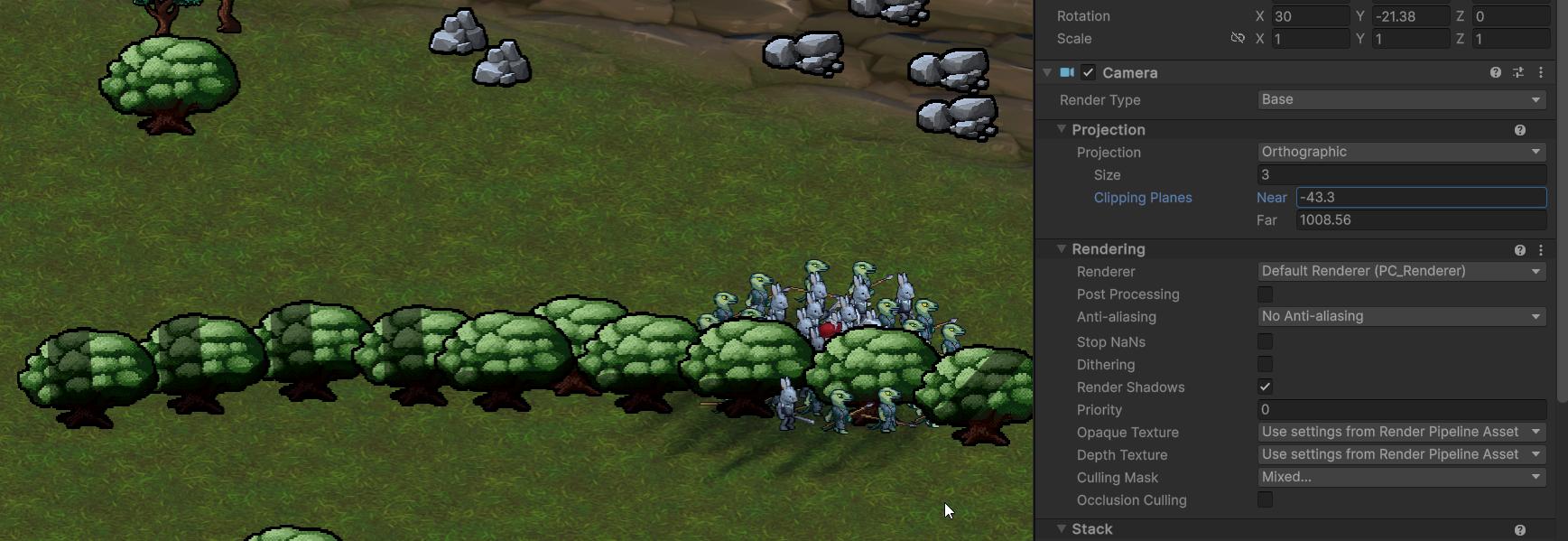
I am using custom billboard shader though, but I can't think of reasons it would be shadowed like that. It would make more sense if the sprite was warped or something.
Hmm, maybe my shader overides that shadow setting
dusk geyser
Yeah, just shadow attenuation not liking my sprites yet again
 tall sage
Hello <@&502880774467354641> Would it be ok if I post a study survey link regarding sustainable futures in games for game artists and art directors on here? Many thanks
 obtuse pilot
probably best to ask the <@&502884371011731486> and not the admins directly
 sullen plank
@tall sage Don't ping admins with moderation issues. As long as it's not advertizing you can post it in #1157336089242112090
tall sage
Apologies and thanks, my university explicitly asked for admin approval, but I will argue this is all good!
 dreamy osprey
New to Unity, can I mix pixel art sets made for different dimensions? One art using 16x16, another using 32x32, and one using 64x64. How does setting pixels per inch work on the images in Unity? Do they all get the same number?
sullen plank
dreamy osprey
New to Unity, can I mix pixel art sets made for different dimensions? One art us...
If you use something like Tilemap Renderer where multiple tiles use same scaling, then make sure to adjust Pixel Per Unity settings accordingly on the asset after importing https://docs.unity3d.com/6000.0/Documentation/Manual/texture-type-sprite.html
Otherwize they would have different pixel size in tiles.
fluid oak
dreamy osprey
New to Unity, can I mix pixel art sets made for different dimensions? One art us...
There is no pixels per inch - just pixels per unit(aka '1 meter').
umbral garnet
Why did the avatar come out like this?

Never mind. Palm had whole torse weighted to it somehow.
 elder vector
Hey, does anyone know why the faces facing the camera are part see-through, even though it is fine in Blender?


 neon shadow
elder vector
Hey, does anyone know why the faces facing the camera are part see-through, even...
neon shadow
elder vector
Hey, does anyone know why the faces facing the camera are part see-through, even...
This is because in real-time engines like Unity or Unreal, they only render one side to reduce the computation cost. You need to reverse the normal
elder vector
I see, thank you.
orchid prairie
Im making a player model in blender and Im trying to make a zipper. My player has a curved shape so I can I perfectly place the zipper on the player without manually doing it?
 misty lantern
orchid prairie
Im making a player model in blender and Im trying to make a zipper. My player ha...
misty lantern
orchid prairie
Im making a player model in blender and Im trying to make a zipper. My player ha...
!blender
lilac edgeBOT
A supportive community for Blender artists of all levels. Share your work, ask for help, and learn from others! https://discord.com/invite/blender
tawdry valley
orchid prairie
Im making a player model in blender and Im trying to make a zipper. My player ha...
I think shrinkwrap modifier may work
orchid prairie
tawdry valley
I think shrinkwrap modifier may work
Thanks 👍
dense oar
What setting might cause soft particles to work in scene view but not in game view?

Oh, the answer is Depth Texture wasnt set to on in my URP renderer 
 sharp needle
First pixelart thing I've really drawn, we shall see how it turns out

 dusk quartz
how can i export animation with modifier, i have a mesh with curve modifier, and it gets applied before i export and the animation does not play as it is supposed to
sullen plank
Unity can only read finished models, modifiers are Blender programs Unity knows nothing about.
dusk quartz
sullen plank
Unity can only read finished models, modifiers are Blender programs Unity knows ...
that's true, i need to rephrase the question, how can i export an animation which works with the help of a modifer (specifically curve)
sullen plank
dusk quartz
that's true, i need to rephrase the question, how can i export an animation whic...
You need to rig it for animation. There's a lot of tutorials on the topic.
dusk quartz
sullen plank
You need to rig it for animation. There's a lot of tutorials on the topic.
alright, thanks
outer halo
 jagged steppe
outer halo
https://discord.com/channels/489222168727519232/1337183091516768377/133718309151...
jagged steppe
outer halo
https://discord.com/channels/489222168727519232/1337183091516768377/133718309151...
Oh! Sorry, and thanks for helping me! I'm new here
fluid oak
dusk quartz
that's true, i need to rephrase the question, how can i export an animation whic...
Either recreate the modifiers in unity with the unity curves package, convert it to a regular animation, or export a VAT or alembic.
 misty lantern
 wide yew
how can i create characters like this
wide yew
how can i create characters like this
Not much different from how you create other different characters
 grim vapor
wide yew
how can i create characters like this
grim vapor
wide yew
how can i create characters like this
blender
 restive meteor
hello, i'm trying to create my own 3d trading cards and import them to unity but i'm failing miserably. Does anyone know an updated tutorial on how to create custom cards and import them to unity? Or a premade trading card resource?


i'm not using any blender shaders or something like that
also transparency works in blender but unity says no


this is checked by the way

hope someone can help me

obtuse oyster
restive meteor
Your material probably isn't set to be cutout/transparent.
Remap your material https://unity.huh.how/materials/readonly-materials so you have an editable instance, and enable alpha clipping
fluid oak
restive meteor
this is checked by the way
That setting doesn't do what you think; it dilates the color channels into the transparent areas to avoid artifacts.
You can see the effects in the corners.
 twin laurel
I am implementing smooth normals for corners in my voxel game

 tawdry mulch
Hiii! I'm sorry if this is the wrong channel, but does anyone know how to export substance painter texture to unity build in (BIRP)? Because there is no option to do so....
Thank you so much in advance!!
 dense oar
using custom data in custom vertex streams on unity particle systems, what is the easiest way to bake in a random value per particle going into a shader? I want to offset a texture per particle randomly so that every particle isnt identical, but I am not sure where/what/how to get something that is random per particle at their birth moment, without constantly re-randomizing over their life time or position
hm maybe its supported stock, I might have to google it more how to use custom vertex streams and custom data in particle shaders

 signal coral
not really sure where this goes... i'm stumped. been banging my head against a wall for 18 hours and i can't figure this out. trying to export my model from blender to unity, everything works fine in blender and i can even re-import the fbx and it works as expected, but in unity everything's all screwy:
i have no idea what i'm doing here but i suspect its one of a billion settings i'm not aware of. It's rearranged my mesh heirarchy too for some reason. The armature is the main parent, with a body and eye mesh (the eye needs to be separate like that so i can animate it with a shader)
settings
 signal coral
nvm solved. armature just needed a root bone
fluid oak
dense oar
using custom data in custom vertex streams on unity particle systems, what is th...
If you just need a single random number per particle, stable.x should be fine?
 gusty pasture
After importing a character model from Blender, some of the bones are suddenly very large (this is in avatar configuration).
Is anyone familiar with this issue?
 gusty pasture
The solution turned out to be "Reset", then "enforce T-pose"
 eager mist
Metallic is present in texture files, but does not apply to model, why is this?

 lime pollen
eager mist
Metallic is present in texture files, but does not apply to model, why is this?
lime pollen
eager mist
Metallic is present in texture files, but does not apply to model, why is this?
Is it set in the material?
eager mist
lime pollen
Is it set in the material?
It was in blender, so it should be in the material.
 lime pollen
eager mist
It was in blender, so it should be in the material.
lime pollen
eager mist
It was in blender, so it should be in the material.
That's not a guarantee as materials don't map 1 to 1. Always check in engine
eager mist
Ah, thanks
 royal rapids
Hello anyone know what software I can use to make my own assets?
outer halo
How can anyone suggest what software would work if they don't know what kind of assets you want to make?
royal rapids
outer halo
How can anyone suggest what software would work if they don't know what kind of ...
2d pixel art or hand-drawn
outer halo
Aesprite is a popular tool for pixel art.
For hand drawn, you can use something like Procreate, Krita or even just Photoshop.
royal rapids
K thx
 raven elm
I'm having some issues doing lightbaking in Marmoset Toolbag. It takes into account the emissive lighting, but not the lights I set up in the scene. Anyone have a solution for that?
misty lantern
raven elm
I'm having some issues doing lightbaking in Marmoset Toolbag. It takes into acco...
What's the context? I would assume that non-unity programs can't utilize unity lights
prime star
How exactly do I export fbx' properly from Unity? Everytime I export fbx from Unity using the FBX Exporter, and then import it into Blender, the model is entirely screwed over or in all kinds of weird positions.
misty lantern
prime star
How exactly do I export fbx' properly from Unity? Everytime I export fbx from Un...
What do you mean by screwed?
 misty lantern
Ah, armature
prime star
Other fbx are imported fine.
misty lantern
What's the point of exporting an armature? I would expect it's an fbx to begin with
prime star
misty lantern
What's the point of exporting an armature? I would expect it's an fbx to begin w...
I bought an asset from the asset store, and I want to use the base mesh in order to make custom clothes for it.
And I need to be able to rig the clothes.
Besides, I'm doubtful I can export the mesh and armature seperate.
misty lantern
Whether you use the exporter or just import the fbx itself, it's going to be very tricky
I'm not sure if it's possible to re-import and re-export it without messing it up
When it was first exported from the source file, all kinds of data was lost
prime star
Egh.. then what's the point in an fbx exporter in unity. xD
misty lantern
In theory I guess if you can import it into blender with correct bone axes and mesh transforms, and maybe correct some of them manually
misty lantern
prime star
Egh.. then what's the point in an fbx exporter in unity. xD
It's for exporting scenes and other gameobject arrangements as well as procedurally generated meshes out from unity
Mesh assets should not require it since in most cases they're fbx files to begin with
But perhaps it has some transform conversion options that blender's fbx importer does not have, who knows
I doubt it's intended for armatures or rigged characters though
prime star
misty lantern
It's for exporting scenes and other gameobject arrangements as well as procedura...
Aha. I could ask the creator if they have a devkit with the base mesh, I guess. Doubt they will do it but yes.
Otherwise I'll have to export it all and simply fix it all and reimport it all over again myself.
misty lantern
prime star
Otherwise I'll have to export it all and simply fix it all and reimport it all o...
This maybe your only option
If only the rotations are wrong, it might not be too bad
But usually the issue of modifying rigged characters in this way is that even if the custom additions work on their own, their transform values and bone axes might be completely different from the base rig and animations
But there's a lot of ifs
It might just work for what you need it to work for
If you don't need to make new animations that simplifies the process
prime star
misty lantern
This maybe your only option
If only the rotations are wrong, it might not be too...
It does have shapekeys in Unity and it'd be a shame to lose them. That's my only problem.
misty lantern
prime star
It does have shapekeys in Unity and it'd be a shame to lose them. That's my only...
No clue if those could be preserved but based on my experience with even just re-exporting meshes I wouldn't hold much hope
prime star
misty lantern
No clue if those could be preserved but based on my experience with even just re...
I'll ask the creator for a base mesh devkit thing and if not, I will simply try and see if I can fix it myself x)
misty lantern
prime star
I'll ask the creator for a base mesh devkit thing and if not, I will simply try ...
It's a bit of a tough spot for external assets because with most assets but particularly characters it's not feasible for any sane workflow to modify them unless you have the source files
 dusky edge
How come there's almost no resources online around Character Creator 4 and Unity ? Is no one using this workflow for some realistic human characters ? (kinda the only alternative to metahuman)
prime star
misty lantern
It's a bit of a tough spot for external assets because with most assets but part...
Yes, I figured. Thanks for all the info, though! Appreciate it. I will wait a few days for the seller to respond, they have responded quick so far. If not, I'll try to fix it on my own since the mesh comes out fine but the pivot / armature are screwed.
fluid oak
prime star
Egh.. then what's the point in an fbx exporter in unity. xD
Mostly for generated meshes and blockout environments.
 waxen parcel
Dunno if here is the correct place to ask but in substance painter, is there a way to export all layers?
 fallen dove
dusky edge
How come there's almost no resources online around Character Creator 4 and Unity...
fallen dove
dusky edge
How come there's almost no resources online around Character Creator 4 and Unity...
Lots of people using them, including myself. There’s a discord as well, but it’s not that busy. Happy to answer any questions you have if I know the answer
Another answer is that many people going for realism, whether for a game or cinematic production, tend to choose Unreal. Though I think HDRP can look equally good or better.
dusky edge
fallen dove
Another answer is that many people going for realism, whether for a game or cine...
Unity can look really good with HDRP, it's just that it's a bit harder to setup.
dusky edge
fallen dove
Lots of people using them, including myself. There’s a discord as well, but it’s...
Thank you ! I haven't started yet but I'll remember it
fallen dove
Character Creator 4 is awesome. You can get really good looking results with fairly minimal effort. iClone 8 I’m not as hot on, but that’s probably because all animation software takes a lot of work at to become proficient. So it’s on me to improve.
 burnt lion
What's the best way to organize assets bought from Asset Store and imported? By default, most of them put the folder directly in root Assets folder.
I saw some people make an "External Assets" folder, and put everything imported from Asset Store into there.
I like this approach and considering doing it, but wouldn't it mess up when there's an update to the asset pack and you need to redownload/reimport the package, won't it now duplicate again into "Assets" (new version) and "Assets/External Assets/" (old version)?
As far as I can tell, when importing an asset package, we can't choose to put it inside a specific parent folder?
mellow swift
Why the pixels are expanded?

This is the original image

The pixels are expanding and contracting
vivid slate
Why is my mesh deforming differently in unity than in blender? I have no bone modifiers in blender, just the base animation
but these are the same frames and as you can see the head is way stretched out in unity

 misty lantern
vivid slate
Why is my mesh deforming differently in unity than in blender? I have no bone mo...
misty lantern
vivid slate
Why is my mesh deforming differently in unity than in blender? I have no bone mo...
Side effect for how Rigify utilizes constraints and parallel skeletons to counteract inherited transform scales, it's not designed for exporting through formats that don't support constraints
So not for game engine use in general
There are some extensions for it out there that intend to make it work with game engines, but the ones I've seen are outdated or proprietary
misty lantern
mellow swift
Why the pixels are expanded?
The scale and position of the asset would be incompatible with the camera's display resolution pixel grid
UI components need the "pixel perfect" setting and sprite renderers need Pixel Perfect Camera component on the camera
 muted flame
Hello,
I have an idea to make a voxel exploration game.
We would like the player to explore a place like in the picture (maybe not as much detail but a notion of immensity)
So a friend is creating the interior model of the cathedral. At the code level however, I would like to know what is the right way to manage this? Do I have to load the element in one go? Finally how to go about it?
I really have no idea how to import something so "big" correctly
Forget about elements such as pillars, benches etc
I'm really talking about the structure, the building.
Thanks

 misty lantern
muted flame
Hello,
I have an idea to make a voxel exploration game.
We would like the pla...
misty lantern
muted flame
Hello,
I have an idea to make a voxel exploration game.
We would like the pla...
Usually engines that can render these don't use mesh files directly
I'm not an expert on it but I think they load in voxel data for the environment and generate geometry for it on the fly
This means that the voxel data and its rendering can both be heavily parallelized
And if there is lighting like what looks to be ray traced type there, the calculations can be innately simplified because all possible surfaces are flat and on the 3D grid
muted flame
Yes, but what you're telling me sounds like procedural generation, doesn't it?
misty lantern
muted flame
Yes, but what you're telling me sounds like procedural generation, doesn't it?
An adjacent concept, though the world is not being generated, only its visual representation
For example minecraft's words are not meshes, they're voxel arrays that are loaded in progressively and geometry is created on the voxels at the moment you see them
muted flame
Yes but that's possible because the world is randomly generated, here it's my friend who will give me voxel models that I have to "fit"
Or maybe I didn't really understand what you're explaining to me and how I can translate that into my game.
Because it is not an open world but closer to what a game like Tunic can do
I know how to limit certain loading thanks to doors etc. but I would like very "large and spacious" places like in my images, which would just be a room in my story mode.
It's this "large room" part that I find complex and calculating on the fly seems a bit overkill for just a single room but maybe I don't have a choice
misty lantern
Minecraft's worlds are only initially random generated, after that the voxel array is persistent
Tunic has nothing to do with voxels, it's all traditional 3D
So I may be misunderstanding what exactly you're looking for
Feeling of "immensity" has nothing to do with technology, only your choices as a level and visual designer
But rendering voxels, especially as many as are in that example art piece would be a big technical challenge in a realtime application
Maybe that's not quite necessary for your project
muted flame
I took tunic as an example because it is a story exploration game like I want to do. The map will never change, in this sense. Maybe it was a bad example
misty lantern
If your artist produces the example's kind of mesh with some voxel modeling tool, chances are it wouldn't run in unity or possibly not even import at all as a mesh asset
muted flame
I only have "rooms" that will be loaded with puzzles and rooms to search, so most of the setting is small, but for a more visual aspect, I would like a large space. I took a cathedral, but it could have been a garden or a disused laboratory
Something like this
misty lantern
It could be doable with just ordinary meshes, but you'll have to test it
Those kind of voxel environments tend to be pushing more vertices than triple-A games do, despite the appearances
The programs used to create them often don't use texturing either, just more polygons for each pixel
muted flame
What you're telling me scares me a little.
misty lantern
muted flame
What you're telling me scares me a little.
It's good to be cautious, since you don't want a lot of assets made that you can't use after all
That's why you need to make test scenes with comparable level of detail and view angles and compare their performance so you'll have at least a ballpark estimate
Maybe there is no issue at all, but if there is, it also helps to learn how to use the profiling tools and to study how 3D rendering optimization techniques work
muted flame
Yes, after that I have the notion of LOD or occlusion shading but I just have trouble imagining how to couple that to a pre-existing model.
I see how it works during a procedural generation, for an already existing object it is still too vague for me
misty lantern
muted flame
I see how it works during a procedural generation, for an already existing objec...
With meshes LODs and occlusion methods are generally per object, which can be a problem for large scenes authored as a single mesh
obtuse pilot
did a little looking into it and there are some engines that are specifically made for voxel games, like iolite

IOLITE is a new voxel-powered game engine with a unique set of features. Support the development by joining our Discord community today.
if you aren't expecting to have destruction like teardown or minecraft and you just want to explore. exporting to an OBJ and working in unity would be fine too
i haven't messed with specifically voxel rendering in unity. but, unity can render voxel models just fine. not sure if they'd look better if rendered with other methods though
misty lantern
obtuse pilot
if you aren't expecting to have destruction like teardown or minecraft and you j...
Technically it can be done, but practically there can be just way too many polygons after the meshes are exported from voxel data into mesh data
Depends on the model
fluid oak
muted flame
Hello,
I have an idea to make a voxel exploration game.
We would like the pla...
You need to define what you actually want better. What do you even mean by a 'voxel exploration game,' for starters...?
muted flame
fluid oak
You need to define what you actually want better. What do you even mean by a 'vo...
I mean a game like fear & hunger, tunic , with basic map (no procedural)
Or The Touryst
misty lantern
I cannot think of much anything technically in common between those examples
hoary kindle
muted flame
Hello,
I have an idea to make a voxel exploration game.
We would like the pla...
Sorry if I missed one of the replies but at least I don't see approaches outside meshes being discussed. As Spazi said, dense voxel world tend to generate quite large mesh files, partly due to flat shading which requires splitting the edges. One approach that I have seen used in large voxel worlds is to store the world in an octree structure and render the world directly based on that using ray tracing against the structure. With that approach it is also not too bad to implement a dynamic LOD type system to optimize it further. I assume that is the approach used by many high fidelity voxel engines, unity isn't one though. Implementing one yourself isn't easy either and doing so within unity wouldn't make too much sense. If I was you, I would honestly just try the simple mesh based approach and if it is too slow, I would look for specialized voxel engines that would better fit your needs.
Mesh based approach is totally fine with minecraft type game with large voxels on screen, with very small ones the processing power required to generate the meshes on the fly quickly becomes a problem and storing everything in mesh files already can be too much for large worlds. It may also be worth noting that GPUs are terrible at drawing very small triangles, if the voxel size on the screen is anywhere near the sizes of pixels, the rendering cost of them will be significant with a mesh based approach
fluid oak
muted flame
Or The Touryst
So... you want to make 'a third person game with an environment that may or may not be 3d.' That isn't really enough to go off of.
eager mist
I'm curious what you guys use as your 3d software of choice? I'm currently using 3DS Max, but I'm wondering if that's the most efficient choice for game assets?
 glad rune
muted flame
Hello,
I have an idea to make a voxel exploration game.
We would like the pla...
glad rune
muted flame
Hello,
I have an idea to make a voxel exploration game.
We would like the pla...
Same way Minecraft does it, I would imagine. Minecraft DOES use json models for certain things (mobs, certain blocks or blockstates, etc) but things like villages, dungeons, or anything that spawns procedurally in the world is all done with a custom file format that minecraft can read and translate into it's voxel engine at runtime.
glad rune
eager mist
I'm curious what you guys use as your 3d software of choice? I'm currently using...
Whatever you're most profient at is the most efficient choice. I use blender. Lots of studios use 3DS or Maya. Also depends on what you're using it for.
If you just need to deliver an FBX file to a texture artist, they probably won't care what software you use to make it. But if you're working with a team of animators that all need to be able to open a model with a specific rig, you all need to be using the same software or it won't work. Most studios have a pipeline that's fairly rigid that they ask you to stick to.
If you're indie and you work alone, use whatever you like the most. I'd argue for blender, given the wealth of tutorials and free content available for it online (materials, brushes, plugins, etc).
tardy cobalt
No one software is gonna be more "efficient" than other ones for game assets in general. Blender, Maya, and Max can all do general modeling. Some tools are built for a specific thing and will be more efficient in their niche; for example ZBrush would be better for sculpting, and Subtance Painter would be better for texturing
tribal pivot
tardy cobalt
No one software is gonna be more "efficient" than other ones for game assets in ...
i've heard max is bad for making models for games, dunno the reason tho
fluid oak
tribal pivot
i've heard max is bad for making models for games, dunno the reason tho
Because Autodesk wants you to buy Maya.
misty lantern
Max, Maya and Blender have so much overlap it practically isn't going to matter which you choose
 steel bluff
Hi! I want to make a gradient background that is animated and changes colors for a project, can somebody give me an idea of where to start researching for me to learn how to do it?
I'm a beginner to Shader Graph, I've done a few things like glow effects and stuff, but not gradients much
fluid oak
steel bluff
Hi! I want to make a gradient background that is animated and changes colors for...
A lot depends on the specific needs; a common method is to generate a pattern that you animate and map your gradient to that. Another option might be to use an array of points and interpolate between them. There really are too many possibilities to easily list without more idea of the final effect you need.
steel bluff
I just need it to change colors randomly but slowly, like after a specific time stamp
So first I can animate it with Shader Graph and how would the mapping work? Or would code be better for this?
 west helm
Does anyone know if there is an easier way to pull the various modifiers in Makehuman into blendshapes, other than adjusting the sliders, and exporting them?
 median storm
is it possible to tint a texture asset the way you tint a terrain layer?
misty lantern
median storm
is it possible to tint a texture asset the way you tint a terrain layer?
Depends what you mean by "same way"
To tint a texture asset you would edit the image in an external program
When a shader reads a texture to use for the color of a surface, it can alter that color with any math operation such as a tint
That's what terrain layers do, and what most included shaders can do
median storm
misty lantern
Depends what you mean by "same way"
To tint a texture asset you would edit the i...
ohh okay got it! should the asset image be in a certain format then?
median storm
misty lantern
When a shader reads a texture to use for the color of a surface, it can alter th...
thank you!
median storm
median storm
ohh okay got it! should the asset image be in a certain format then?
i can probably figure this one out 😭
misty lantern
median storm
ohh okay got it! should the asset image be in a certain format then?
No
It really depends what you're doing
 azure prairie
Hi, not sure if this is artistic enough to go in one of the artist channels, lol. Anyone have an idea why when I make multiple selections and transform them, 1 selection always moves more than the others? (after reselecting, a different selection is the one moving more and its neither the first nor last selection)
Sorry, I couldn't manage to find this one online


Thought I'd throw a second question in here. I followed instructions on how to have blender models with multiple material slots and how to import them into unity but now its in unity, they only seem to have 1 material slot. Could anyone point me in the right direction? (even if its just a better tutorial than the one I found)
misty lantern
azure prairie
Hi, not sure if this is artistic enough to go in one of the artist channels, lol...
If by "transform them" you mean modify the transform component position property, rather than moving the transform with the position gizmo handles, then it seems likely to be because of an inherited transform scale
The transform values are in local space, so if that particular object has a scale somewhere among its parents then 0.1 may be something else in world space
misty lantern
azure prairie
Thought I'd throw a second question in here. I followed instructions on how to h...
There isn't really anything you need to do to make material slots be imported, and I'm not sure what you would do to make them disappear on export
Sometimes the material list of the renderer doesn't update to show all the submeshes, in which case you can click the plus icon to add the correct amount and assign materials to them
 still rover
azure prairie
Thought I'd throw a second question in here. I followed instructions on how to h...
still rover
azure prairie
Thought I'd throw a second question in here. I followed instructions on how to h...
101 answer, but make sure that some of the faces in your models are assigned to the materials. If nothing's assigned, the material slot usually gets removed.

 crystal blaze
Im still learning 3D but im gonna try the yellow dino i just made on Unity

 flint pelican
how would i fill this space with road, sidewalk and grass, like i've downloaded some road plugin but it only adds roads as planes, and doesn't add sidewalks to it, and i don't like to use probuilder for that
 tribal pivot
flint pelican
tribal pivot
flint pelican
blender then
 tiny coyote
given that i have a sprite sheet that is gridded, but that i only want to use a sub-range from that sheet, how do i specify the desired offset and length?
misty lantern
tiny coyote
given that i have a sprite sheet that is gridded, but that i only want to use a ...
Use in what context?
tiny coyote
i'm a noob so sorry if i'm saying this in a stupid way
but we're dragging the sprite sheet onto the stage to make an animator out of it
so that we can have a sprite of our character
the problem is, the sheet in question has several characters on it
so i want to bound which indices the animator is allowed to use
 dark surge
Hey Everyone this might seem like a dumb question but i dont know why i am unable to modify these material properties

Its just grayed out
i have unpacked the pre-fab but i still cannot
west helm
tiny coyote
the problem is, the sheet in question has several characters on it
You can use the Sprite Editor to slice it up, and then grab the sprites you want to use and drag them into your Animation. Does that answer your question?
 minor sparrow
Hi! It's been a while since I posted any artwork online—I’ve been really busy with work. I'm a 3D icon designer, and I usually create very simple icons. But this time, I convinced my boss to let me design stylized and slightly more detailed icons. I've made 35 of these icons, all related to pirates. I'll post the rest soon!
 azure prairie
misty lantern
If by "transform them" you mean modify the transform component position property...
azure prairie
misty lantern
If by "transform them" you mean modify the transform component position property...
Thanks, I was changing the position transform and I think it has something to do with replacing the "-" in the box. I just dragged the xyz arrows instead but its not ideal that I can't just input a number in the position transform
misty lantern
azure prairie
Thanks, I was changing the position transform and I think it has something to do...
Did you go through all the involved transform parents to verify there are no non-1 scales
azure prairie
still rover
101 answer, but make sure that some of the faces in your models are assigned to ...
Thanks, this fixed my issue! VI thought I had done this previously but I had been using the old save without the materials assigned, as I had saved the new one to a different place and forgot to change it over
 arctic kettle
Pretty new here, working on my first game which I might be very over my head when it comes to the art side of it but while I get some of the features set up before finding an artist... Anyone know of any placeholder type soldier/gunner isometric 2d sprites out there? I can find a bit of fantasy but its hard to find something more modern with an attack animation
misty lantern
arctic kettle
Pretty new here, working on my first game which I might be very over my head whe...
OpenGameArt and unity asset store may have something
misty lantern
minor sparrow
Hi! It's been a while since I posted any artwork online—I’ve been really busy wi...
Don't do it here, this place isn't for showcasing portfolios
arctic kettle
Didn't find anything on the asset store. I checked out OpenGameArt and don't recall finding anything fitting the bill exactly, I shall take another look there though!
misty lantern
arctic kettle
Didn't find anything on the asset store. I checked out OpenGameArt and don't rec...
There probably are more storefronts out there
But ultimately it's unlikely that someone has made exactly the kind of asset your game needs, and you'll have to get by with a more generic placeholder instead
arctic kettle
Aye. I have a pretty generic placeholder that is working, just harder to find that 8D placeholder. Art is not quite my department. Thanks for the info though!
minor sparrow
misty lantern
Don't do it here, this place isn't for showcasing portfolios
Ah, which is the appropriate channel for showcase?
misty lantern
minor sparrow
Ah, which is the appropriate channel for showcase?
The showcase category, but note that it's for showcasing unity projects rather than art in general
arctic kettle
I ended up finding one on OpenGameArt that works well! for isometric movement + default ranged attack. I didn't realize in an asset rush I grabbed it! Not a soldier/gunner but has atleast a gun in the sprite! Thank TMIM, your service to the internet has moved me on this day.
tiny coyote
west helm
You can use the Sprite Editor to slice it up, and then grab the sprites you want...
i mean. it probably does, but i'm too new to understand. that conflicts directly with the one way i know how to do this, which is to drag the entire sheet onto the stage
it seems almost certain that i can do this with offset and range, which is how every other engine i've used does it, and that i'm just looking for them under the wrong name, or something like that
west helm
Ah. I'm not familiar with that particular workflow. I've always set mine up as animations. You can find a pretty decent tutorial at https://youtu.be/_gDSfZ01GVE?si=StlG5vQAbSlobR98
So, you're proposing something a bit more like an atlas where you dynamically pull out slices?
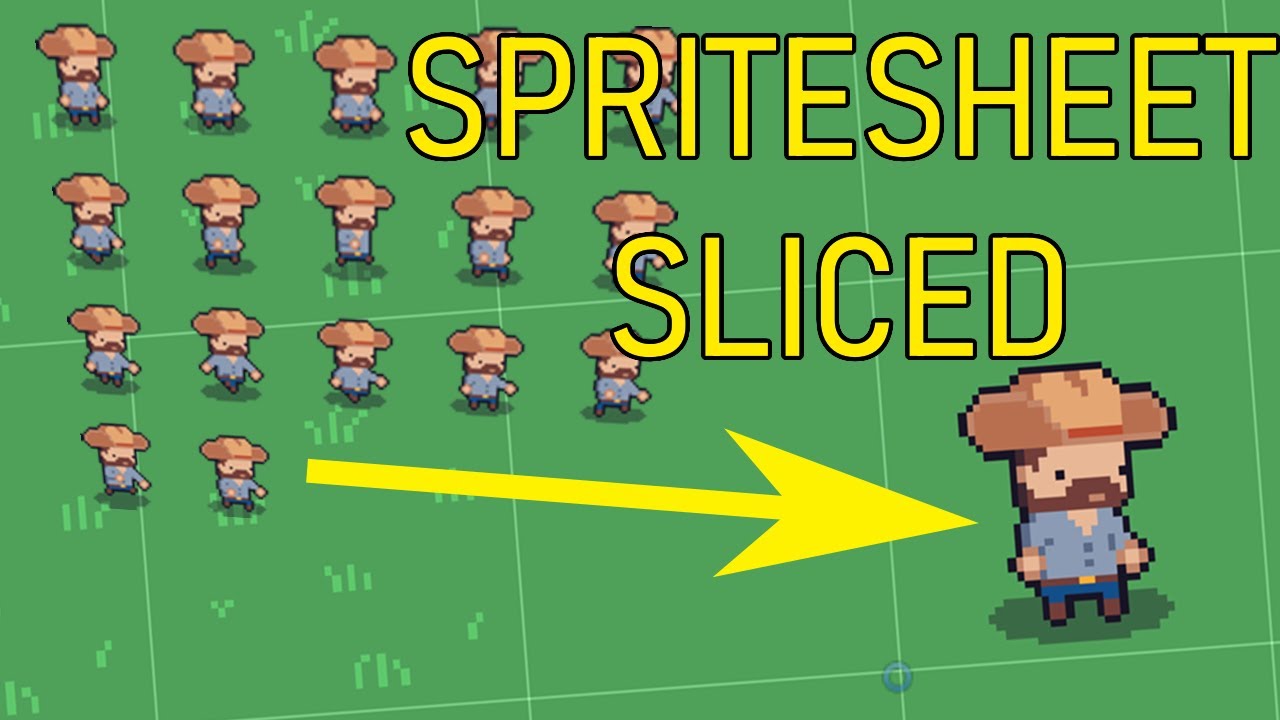
In this video we'll look at how to slide your sprite sheet in Unity. Unity Sprite Sheet Slice shows you everything you need to do from importing your artwork, setting up the sprite sheet in Unity by showing the values that need to be set in the inspector. Then we use the sprite editor to actually slice the sprite sheet into individual sprites. L...
fluid oak
tiny coyote
it seems almost certain that i can do this with offset and range, which is how e...
You can use the spritesheet directly like that, but you will need to do your own shader or custom script to set the uvs.
 long yoke
I thought it would be more relevant here so I am linking my post about this pretty bad aseprite bug. would like if someone could double check this. #🖼️┃2d-tools message
 mortal lotus
I want to parent the window to the empty but get this error.
 fallen dove
mortal lotus
I want to parent the window to the empty but get this error.
fallen dove
mortal lotus
I want to parent the window to the empty but get this error.
You can't change the hierarchy within a prefab. You need to open the Prefab (or unpack it first), then you can change hierarchical relationships. (see Open button to go into prefab isolation mode for editing)
 mortal lotus
fallen dove
You can't change the hierarchy within a prefab. You need to open the Prefab (or ...
mortal lotus
fallen dove
You can't change the hierarchy within a prefab. You need to open the Prefab (or ...
When I press open Button it opens the Microsft 3D model preview
fallen dove
mortal lotus
When I press open Button it opens the Microsft 3D model preview
The Open button on the top right I showed you in my picture?
mortal lotus
fallen dove
The Open button on the top right I showed you in my picture?

This one, did I get something wrong?
fallen dove
I have no idea why that would open Microsoft 3D model unless you've dragged an FBX into the scene and not a prefab.
No idea
Actually, that's exactly it. if that Open takes you to that Microsoft software it's not a prefab, it's an FBX.
You would need to right-click, Prefab - Unpack Completely (even though it's not technically a true prefab yet)
 grave garnet
Unity treats FBX (and other 3D assets) as prefabs
fallen dove
grave garnet
Unity treats FBX (and other 3D assets) as prefabs
Yeah, but clicking the Open which would normally take you to Prefab Isolation mode does not do that with an FBX
instead it opens the FBX
grave garnet
Yep, just like double clicking an FBX in the project window does
There wouldn't be much to edit in the prefab isolation mode
fallen dove
which means it's kind of a prefab, but not a true one as you can't go to isolation mode (where you can change hierarchy of objects for example)
grave garnet
Read-only prefab, I'd call it
You can always make a prefab variant out of it and edit that though
But I think you need to unpack it to change hierarchy, and that's not always desirable
Because then it's not linked to the original FBX anymore
mortal lotus


WTF? Why does tha crane look like this, while it looks normal in Blender with Backface culling turned on?
Note: I checked the face orientation, everything is normal.
grave garnet
mortal lotus
Show the material settings in unity
mortal lotus
grave garnet
Show the material settings in unity
 fluid oak
mortal lotus
WTF? Why does tha crane look like this, while it looks normal in Blender with Ba...
fluid oak
mortal lotus
WTF? Why does tha crane look like this, while it looks normal in Blender with Ba...
Did you recalculate normals in unity?
mortal lotus
fluid oak
Did you recalculate normals in unity?
No.
umbral garnet
How do I go about doing bullets and magazines? Like how do I animate the mag but then have it not be apart of the gun anymore and stay on floor? Same with bullets.
And then get a new one and have it be part of it.
misty lantern
umbral garnet
How do I go about doing bullets and magazines? Like how do I animate the mag but...
The answer may be different depending on whether it's a first or third person game, or something else, but generally the two methods for it is that either the magazine and other moving parts are a part of the gun as on skinned mesh renderer, and when the magazine is released, the magazine bone is shrunk very small and moved out of the way and a physical magazine object instantiated in its place on the same frame
Or the magazine bone doesn't have the magazine on it as part of the rig, but rather it's an external object at all times attached to the bone using constraints, with its physics and colliders toggled on/off along with the constraint when releasing it
If it's a first person gun, there might not be a need to swap anything
The magazine can fall offscreen as part of the gun animation, and a physical magazine can be spawned offscreen in the approximately same location
Since it won't be possible to look at where it happens, it doesn't have to be accurate
umbral garnet
misty lantern
The answer may be different depending on whether it's a first or third person ga...
I'll probably shrink the bone and spawn one in then. Thanks!
Oh wait how do I make sure the times where it shrinks and when it returns to normal scale line up with the animation?
Just gotta set it manually for all animations?
misty lantern
The biggest commitment might be whether you skin all the gun parts to the rig, or keep them as separate objects, since it's hard to swap from one workflow to another later
misty lantern
umbral garnet
Oh wait how do I make sure the times where it shrinks and when it returns to nor...
Line up in what way?
umbral garnet
Oh wait nvm. I forgot you can change the scale of a bone in animation. For some reason I was thinking about scripting it because I did that for another thing.
misty lantern
If every reload animation is unique, you'll probably want to set the mag swap method event uniquely for each one as well
Doesn't have to be an event but that's one convenient way to synchronize the method with the animation
Instead of an event, you could decide on a convention that mag will always be freed at a specific normalized or fixed time in the reload animation
That means you never have to guess when that happens, which may be advantageous for something like reload canceling I suppose
So it won't be possible for the player to spawn a pile of magazines
But there's ways to prevent that just as well with the event method
The choice of tool comes down to preference here, how you want the system to work
tawdry valley
my scale here is 1:1:1

so all my textures fit exactly how i have them in blender.. urs is 100 so ur textures will have to scale accordingly i think
 halcyon pond
i see
tawdry valley
not sure what the difference is.
halcyon pond
but still its not just scale, texture is applied acording to normals in unity
tawdry valley
 halcyon pond
for example, i dont have a stripes on top of the cube
tawdry valley
halcyon pond
but still its not just scale, texture is applied acording to normals in unity
did u not make normals in blender?
i mean uv's

 tawdry valley
hmm idk, let me think
tawdry valley
halcyon pond
is this supposed to be Brown? in this picture
i mean w/ this texture?
 tawdry valley
 halcyon pond
im selecting png, it sets webp
tawdry valley
make sure ur scale factor is set to 1 in the import settings too.
that will make ur transform a solid 1:1:1
tawdry valley
halcyon pond
lmao wtf
try recreating the material
thats the best i got sorry 😦
that and the import ^ tip
everything else looks exactly like my setup and i dont have that issue
tawdry valley
halcyon pond
im selecting png, it sets webp
click this and see if u can change it

see if that png is in that menu
halcyon pond
it only shows webp thing

can i remove this material from the project somehow?
like completly, im not using it anymore
renaming works
but the thing is, i dont want texture to go along UV

i want stripes on all 6 sides
halcyon pond
ok i managed, but still its messed up in unity
scale factor is 1

@tawdry valley any clue?
tawdry valley
i mean the easiest solution is to change the scaling on the texture. (in the material)
may need to recreate the material so its not read-only
i still not sure of the root issue tho sorry

the Tiling values should be able to fix it
 somber salmon
Why leg IK doesn't work? Am I missing something?
I think I did the same way as I did with hand IK. I don't know why it doesn't work
 fathom canopy
where can I get head / face textures for free/cheap? like how I can download e.g metal texture map from polyhaven
fallen dove
somber salmon
Why leg IK doesn't work? Am I missing something?
I think I did the same way as I...
- You should confirm the weight of the rig at the RigBuilder component.
- If you added or changed the leg rig itself after you hit play you would need to rebuild the RigBuilder graph.
Added/changed bones
somber salmon
fallen dove
1. You should confirm the weight of the rig at the RigBuilder component.
2. If ...
Oh yeah the 1st one
tawdry valley

Wire has no normals..
not sure what else to try..
i've:
- duplicated and renamed object
- recalculated outside/inside/etc
- unwrapped using various methods
 leaden prawn
I absolutely ADORE miside's art style, does anyone have any tutorials, references, or anything that might help me make similar art or assets in that style?


 tawdry valley
looks like it may be a mixture of toon/cell shading and outline shader
tawdry valley
tawdry valley
not sure what else to try..
- Exporting as FBX to see if an Import will fix it
 tawdry valley
turns out breaking it into pieces worked out.. ended up with an extra gameobject w/ no vertices soo deleted that one and no import errors anymore 💪
mortal lotus
So I have a fuck up, I exported 100s of models as one entity, because of that, I can't apply materials individually and stuff like that, how can I detach them all and make individual objects?
 glacial vector
mortal lotus
So I have a fuck up, I exported 100s of models as one entity, because of that, I...
glacial vector
mortal lotus
So I have a fuck up, I exported 100s of models as one entity, because of that, I...
You need to do that in your 3D modelling program. Either split it apart or apply different materials there
mortal lotus
glacial vector
You need to do that in your 3D modelling program. Either split it apart or apply...
Shit
mortal lotus
glacial vector
You need to do that in your 3D modelling program. Either split it apart or apply...
Ok, but is it possible to import all that in a way, so objects will be replaced, no manual object placement will be done?
glacial vector
If you haven't unpacked your prefab in the scene, then it should update with the new separate objects
If you have unpacked, then it's only gonna replace the meshes with changes, not add the new objects
mortal lotus
Undertsood
 latent widget
I jsut created a particle system and it came with a fixed material in it. cant edit, delete or add a new one

Ive created a variant and put my material in it, hope that works okay xD but if you guys now a better way to do it, hmu
also, teh particle system looks so different from all the tutorials. did they changed so much in unity 6?
grave garnet
latent widget
I jsut created a particle system and it came with a fixed material in it. cant e...
You can change the material in the Renderer tab of the PS
That material is a built-in default material so you can't edit it but you can swap it to another one
 tacit minnow

no clue why it didnt apply the textures?
i imported a blender model and the textures into unity
but some of the textures didnt apply
i think it has to do with those specific ones having transparent bits
gritty raft
tacit minnow
i think it has to do with those specific ones having transparent bits
have you tried setting them to Transparent?
tacit minnow
ive just done the alpha is transparent thing yes

but theyre still white for some reason
gritty raft
show where you applied the Material (i am loading Unity now)
tacit minnow
i didnt, it auto applied to the model when i imported the model and textures
i already went through this whole charade in blender, now it did it in unity
its so frustrating
gritty raft
it is a bit less annoying once you figure it out, but still annoying, since it it often double work, since Unity and Blender speak different Shader languages
 potent wraith
tacit minnow
potent wraith
tacit minnow
Are you sure it's not several models overlapping?
tacit minnow
 tacit minnow
potent wraith
Are you sure it's not several models overlapping?
tacit minnow
potent wraith
Are you sure it's not several models overlapping?
oh no it IS several models
potent wraith
Ok, then they all need to have materials with textures applied
tacit minnow
this is in blender
 potent wraith
tacit minnow
potent wraith
tacit minnow
If you look at this object material it has no textures applied to it
potent wraith
Because unity is not blender and not everything can be imported as is
tacit minnow
ok uhhh i gotta readd each material
tacit minnow
potent wraith
Because unity is not blender and not everything can be imported as is
HA
funny
no i did this exact same crap when i imported from skyrim
tacit minnow
potent wraith
If you look at this object material it has no textures applied to it

breh
why does he look like this 😭
gritty raft
you should do the Creative Core Pathway on the !learning site
lilac edgeBOT
:teacher: Unity Learn ↗
Over 750 hours of free live and on-demand learning content for all levels of experience!
tacit minnow
ohh wait wait
changed it to cutout
instead of opaque
that seems to have done su
sum
potent wraith
tacit minnow
Probably wrong uvs or textures.
tacit minnow
ok i fixed it, he still looks nothing like what i wanted but for a first try its better than nothing
still annoyed his skin doesnt look right
 prime star
Just wondering here. I've got quite a bit of 3D stuff for my videogame, working on getting it all to work.. but 3D is such a pain to get to work when it comes to animations, rigging, etc. I feel like 2D would just be a lot less stress and worry when it comes to that aspect, wouldn't it? I'm lowkey just considering scrapping my 3D game and going 2D for now seeing it is my first game.
 cold musk
what is the difference between using NLA and not using it when you import to unity?

 misty lantern
prime star
Just wondering here. I've got quite a bit of 3D stuff for my videogame, working ...
misty lantern
prime star
Just wondering here. I've got quite a bit of 3D stuff for my videogame, working ...
The choice mostly depends on what workflows you're familiar with and how you can leverage their advantages in your game
A 3D character that's rigged you can create new and even procedural animations quickly, once you have done all the work of modeling and rigging it
With a frame by frame animated 2D character you don't have to rig or model anything, but you may have to draw the character again entirely for every frame of every animation can be orders of magnitude more work with a lot of animations
2D rigging sprites has basically the same advantages and disadvantages as 3D rigging a model
misty lantern
cold musk
what is the difference between using NLA and not using it when you import to uni...
You can either use the NLA editor or the Action editor
There isn't really a technical difference that I know of, but the tools are somewhat different in use
I think the NLA editor is strange and confusing, but the Action editor is cumbersome to use
You can't really win
misty lantern
 naive pelican
how do u fix this
naive pelican
how do u fix this
Pink means shader error, how to fix it depends on the cause
The most common cause is material that uses a shader incompatible with your render pipeline
If it's unity's shader it can be automatically converted, but if it's a custom shader from an asset the asset may offer material options for various render pipelines, if not it's just incompatible with your render pipeline
It could also be just an actual error in the shader, but that only really happens if you've been modifying the shader
prime star
misty lantern
The choice mostly depends on what workflows you're familiar with and how you can...
That's fair. Thanks! I don't mind spending time on something as long as I progress. At the moment, I've basically spent like.. weeks upon weeks, if not 2 months, working on something, and I still haven't got an animated character. All I spent my time on is literally making the character (male & female) and their customizations.. and I've been struggling with getting them animated since. While on Itch.io and Unity Asset Store, there's plenty of 'base 2D characters' in different animations I can simply draw over or add upon and I feel like had I done that, I would've been much further along.
naive pelican
misty lantern
Pink means shader error, how to fix it depends on the cause
The most common caus...
and how do u automatically convert it, i dont have any custom shader
misty lantern
naive pelican
and how do u automatically convert it, i dont have any custom shader
If your render pipeline is URP or HDRP, they have their own render pipeline converter tools
If the tool cannot convert the gun's material, you can alternatively just select a shader for the material that your render pipeline does support
It will help if you know what render pipeline your project is using
 willow fable
so im having a problem where when I model my building in meters in blender and then import in unity everything looks smaller. i then tried to import a 2 meter cube from blender and compared to a cube in unity scaled by 2( for a 2 unity width) and the blender cube is bigger. so my building should be bigger then what its suppose to be. My character is also 1.8 meters tall in unity. Any feedback would be appreciated.
misty lantern
willow fable
so im having a problem where when I model my building in meters in blender and t...
What are you using to measure the actual size of your imported objects in unity?
willow fable
misty lantern
What are you using to measure the actual size of your imported objects in unity?
i corrected the issue, thank you tho
tawdry valley
willow fable
so im having a problem where when I model my building in meters in blender and t...
just a tip.. be mindful of ur objects scales.. and their actual dimensions..
you can apply scales in blender.. soo an object can be two different sizes.. w/ the same scale..
1:1:1 may represent 3 feet on one object.. but 5 on another.. the little toolbar on the top right helps with that..
then u have a scale factor in the export settings of blender... as well as the import settings of unity


once you figure out a good workflow u can keep things pretty standardized
i use an actual height-chart 😄
 fallen dove
If you click on the mesh in Unity, you can then see its Bounds Size. For example, I imported this cube from Blender but didn't rescale it on import. So it's 1/100th its normal size before scaling it in the scene.
 tawdry valley
fallen dove
If you click on the mesh in Unity, you can then see its Bounds Size. For example...
tawdry valley
fallen dove
If you click on the mesh in Unity, you can then see its Bounds Size. For example...
ahh, i didn't know u could check this in unity.. cool 👍
i thought of 1 last thing i forgot to mention..
here you can see the problem..
the same model but:
- one has a scale of 1
- one has a scale of 100
but they're the same size in unity.. and it got me looking
some people forget that in Blender you can adjust your conversion/scale in the 🖱️ Scene Properties

if you want you can have a 1:1 scale..

 misty lantern
They use the same units by default
But FBX format is agnostic of any scale standards
So if your export settings aren't exactly right (or you aren't using a script that gets them right for you) then you can end up with different scales
 near apex
Hi
Just downloaded these assets: https://assetstore.unity.com/packages/3d/environments/3d-free-modular-kit-85732#content
Anyone who knows how i can fix the fact that they are all pink?
misty lantern
near apex
Hi
Just downloaded these assets: https://assetstore.unity.com/packages/3d/enviro...
The asset only supports BiRP and HDRP
If you're using HDRP you'll have to extract the included HDRP unitypackage
If you're using URP and URP's material converter cannot convert them, your only option is to swap the shaders to URP counterparts by hand and there's no guarantee it'll work
Or remake the shaders in URP yourself
 south pagoda
Hello! I imported an asset from blender to Unity 6 as an .fbx but it seems that there are some areas where it gets blurry and I don´t know why, it does not have any texture


 finite estuary
How to fix this edge loop not going all the way around
 glossy saddle
Hi there
Last project i worked on was my first 3D project. And when i tried to bake lighting, weird glitchy pixelated shadows would appear in walls or the ground. I googled for a while and the only thing i got out of it was that my meshes were too big and it affected the shadow maps. I decided to go full dynamic lights cuz i had a tight deadline (school project) and It wasn't worth the trouble at the moment. (I also didn't do the modeling myself)
Now I'm about to start production on my next 3D project, FPS, PSX graphic style. And soon I'm gonna start greyblocking the environment, which is gonna be a big countryside house (interior) with a big yard (exterior). So I have a couple of questions, in case someone is willing to give me advice ❤️
Should I build the house as a whole mesh? Or should I Modulate the walls, and the ground and ceiling of each room? Does it affect the light baking? Or was it something else i was messing up the last time?
Also, can anyone give me any advise on the workflow before I start?
Ty very much in advance and excuse my long a** message :p
glossy saddle
yes, the house is half of the environment. Probably more important than the yard.
fallen dove
then you definitely do not want to make it a single mesh
glossy saddle
fallen dove
then you definitely do not want to make it a single mesh
Would you mind elaborating a bit more?? ^^
does that have anything to do with the lighting problem I was talking about? just for easier updates on the house?
fallen dove
it will have impacts on lighting, the ability to go into the house, and probably other things I haven't thought of
more experienced people could probably tell you more
all i can tell you is that the only things I've ever seen come as a single mesh were intended as background scenery, not something you would interact with.
for example, would you want to have the player be able to open a door?
how would you do that with a house as a single mesh?
glossy saddle
So big meshes are a big no no ok
Making a mesh for each room would still be wrong? Should i try to build it as tiles?
fallen dove
how would they walk inside? you'd have to make all kinds of funky colliders.. i'm not even sure that could work
people almost always build them as pieces.. let me find a sample
glossy saddle
fallen dove
how would you do that with a house as a single mesh?
Well obviously interactive stuff would be independent, but i figured at least walls ground and ceiling could be one mesh
glossy saddle
fallen dove
how would they walk inside? you'd have to make all kinds of funky colliders.. i'...
Thank you so much ^^
fallen dove

Discover the best assets for game making. Choose from our massive catalog of 2D, 3D models, SDKs, templates, and tools to speed up your game development.
there are all kinds of free house assets you could take a look at as examples
glossy saddle
now you are making me feel a bit dumb xd
I'll do that and may be try to light one of those houses. Ty so much
I'm still open for more workflow related advise if anyone want to feed me up 🙂
fallen dove
glossy saddle
now you are making me feel a bit dumb xd
I'll do that and may be try to light on...
Sorry, not trying to do that. I learn tons every day by revisiting the basics. There's so much to know that everyone's a student.
 hollow zinc
Is there any possible way to force an asset to compile for a different architecture?Im on arm64 but it emulates x64, is there any flag in the asset package i can turn it off to force it to compile. The regular unity project compiles fine with x64 even tho im on arm. I already looked asset inspector.
dusk geyser
https://i.imgur.com/Mfm6Qgf.png
So I'm making something like a splatoon where I'm drawing on textures (masks) and I've came upon a problem where different sizes meshes with similar texture resolutions represents a single drawn pixel value different. I'm not entirely sure how to tackle this besides making similar meshes with similar resolutions and chunk them independently, but for more complex meshes, I'm not entirely sure what resolutions I should be aiming for.
I guess I need to calculate the complete surface area (hopefully easily) and create a ratio of that with a texture resolution. Though I'm looking for suggestions if anyone has any better ideas how to tackle this issue.
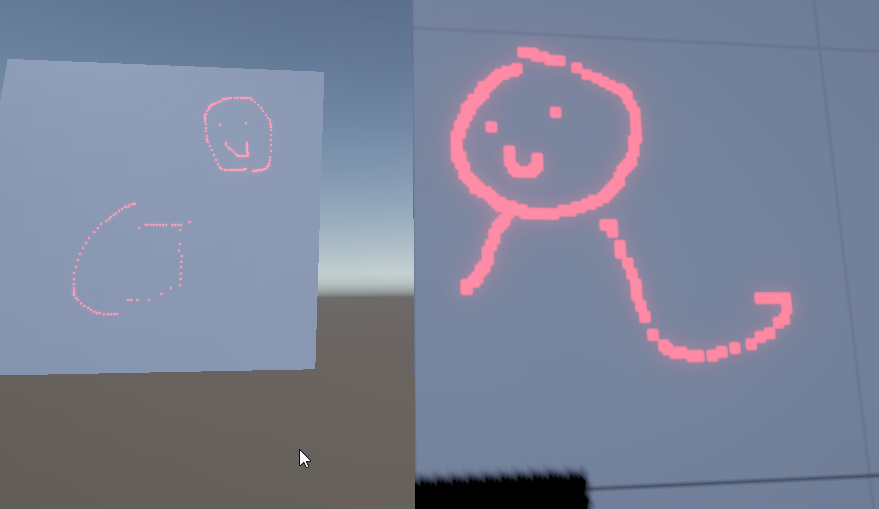
I think I could also go about just normalizing the pixel value being painted if I can figure the surface area of each mesh but I'm not sure how feasible that is.
misty lantern
dusk geyser
https://i.imgur.com/Mfm6Qgf.png
So I'm making something like a splatoon where I'...
Unity's lightmap UV generator can generate equal resolution UVs despite different sizes
Might come in handy
dusk geyser
misty lantern
Unity's lightmap UV generator can generate equal resolution UVs despite differen...
Really I wanted to do decals but there's no real utility to bake them and I'm not enitrely sure how you go about fading/drawing the decals onto a level besides a bunch of projectors. Ideally I'd just use a light map and use it to map out the whole level, which would probably be expensive, but that seems to be the best way about it but unlike texture editing, the tooling for this stuff seems scarce
But say I did want to draw on this lightmap like a texture, what would be the idea to generate one and paint upon that? Usually light baking creates a lightmap equal to the size of what had be illuminated so I would have to tell it to just bake out the whole level, and furthermore I'm not sure how to access a pixel of that lightmap via raycast hit (the hit already provides a texture coordinates which makes this easy for mesh textures)
dusk geyser
Yeah, the light map is definitely the best way about it, but not totally sure of the implications of editing such a large texture at runtime
 supple bramble
hey does anyone know how to fix the avatar asset of a model without the fbx import, i only have the meshes and the armature
any help would be greatly appriciated
misty lantern
dusk geyser
Yeah, the light map is definitely the best way about it, but not totally sure of...
Sounds like a task made for a compute shader, they are extremely efficient at modifying textures
dusk geyser
misty lantern
Sounds like a task made for a compute shader, they are extremely efficient at mo...
Kinda dropped the idea for now, but it does seem like the right idea. Problem is I can't use shader graph to send a texture array and I can't be bothered making a raw shader right now.
misty lantern
The way mesh renderer handles lightmap textures is to fit as many objects as possible onto one texture
If your drawing needs to be quite fine, it may be smarter to create a new texture of suitable size on the fly for every object that gets drawn on
dusk geyser
I managed to find a way to calculate the surface area though, so I kinda generate normalized texture resolutions if I need to
Yeah, havent played with loading/deloading of it all yet, but I imagine it will be a pain. Right now just focusing on environment but for doodads I'll have to manage that somehow
misty lantern
dusk geyser
Kinda dropped the idea for now, but it does seem like the right idea. Problem is...
Not even with a custom node?
dusk geyser
Oh, haven't looked into those yet, just found posts saying there wasn't array support
and I do need them considering the lightmap data is being chunked into like 20 textures lol
misty lantern
dusk geyser
Oh, haven't looked into those yet, just found posts saying there wasn't array su...
They are just raw code in a node
Most of what would require a code shader should be possible with them
misty lantern
dusk geyser
and I do need them considering the lightmap data is being chunked into like 20 t...
This is determined by "lightmap max size", and I guess how much empty space the lightmapper decides to leave in for some reason
dusk geyser
well, technically I would generate the whole level into the lightmap because meshes won't create those uvs at runtime
so there is some merit to doing standalone texturing
misty lantern
dusk geyser
well, technically I would generate the whole level into the lightmap because mes...
I assume you're not doing it at runtime though?
Whether you have unique texture per object, or all UV mapped onto one, that'd usually be an offline process
dusk geyser
Lightmapping I would have to bake, but per object mask already has those uvs if it has a texture ^^
so I'd just have to create a blank texture and use those uv coordinates
funny thing too is I was doing vertex coloring, but had to go back and actually uv map correctly for some stuff
misty lantern
Also possible to compile your own multi-object UVs
The math might not be that hard if you can assume every object UV takes one PoT square
At runtime I mean
If you had your whole scene in blender, it can unwrap multiple different objects as if they were one using any of the included unwrapping operations
dusk geyser
Yeah I was thinking that but that's such a hassle yet probably the best way to really pack your textures
misty lantern
But ultimately I think that depends on if it's feasible to have just one texture for the whole level, or if per object allocated at runtime is preferable
Balance between how much resolution you need for sufficient drawing accuracy for the whole scene, vs how much of the level is meant to get painted so players don't splurge all their vram on it
dusk geyser
Yeah it depends on the level size. It needs to be chunked that's for sure because you're generating a huge uv map otherwise. But you can probably get away with independent texturing if you don't mind the extra drawcalls
misty lantern
Lower resolutions can be fine if it's acceptable to sample them with a noise / blur
The drawing brush can have softness as well
dusk geyser
It just comes down to having to actually make a real shader if I want to try to use those uv1 coordinates
would also be nice if I can actually use the lightmapper at runtime so I'm not packing the game up with those huge uv maps
if I'm already uv mapping every other mesh, I might as well just use them
misty lantern
dusk geyser
would also be nice if I can actually use the lightmapper at runtime so I'm not p...
UV maps don't really have a size, do they
Besides being there
misty lantern
supple bramble
hey does anyone know how to fix the avatar asset of a model without the fbx impo...
Why don't you have the fbx asset?
supple bramble
It's been fixed
dusk geyser
misty lantern
UV maps don't really have a size, do they
Besides being there
Er, I mean generating the lightmaps for those uvs as I'm not sure how you go about generating those textures otherwise
 misty lantern
 prime token
how do I export these? like separate them?
prime token
how do I export these? like separate them?
Kinda depends for what purpose
mortal lotus
In Blender there is a Array Modifier that makes an array of objects copies.
Is there something like that in Unity?
 misty lantern
mortal lotus
In Blender there is a Array Modifier that makes an array of objects copies.
Is t...
misty lantern
mortal lotus
In Blender there is a Array Modifier that makes an array of objects copies.
Is t...
At runtime or in editor?
mortal lotus
misty lantern
At runtime or in editor?
Editor
misty lantern
mortal lotus
Editor
The closest thing you have to that is a gameobject multi-editing trick
https://vxtwitter.com/AlanZucconi/status/1375463875219427333

4⃣ You can create a distribution over a multi-selection.
For instance, R(0,10) will assign a random number between 0 and 10 to every object in the selection.
Unity 2021.2.0 Alpha 10 also supports L(0,10), which fill t…
This example shows randomizing a range, but the L(min, max) would spread them equally over the range
 cunning pendant
hiii, im trying to move,scale etc the camera view and also changeprojection of the camera to ortographic but i dont know i am not able to do that
 misty lantern
cunning pendant
hiii, im trying to move,scale etc the camera view and also changeprojection of t...
misty lantern
cunning pendant
hiii, im trying to move,scale etc the camera view and also changeprojection of t...
You are using Cinemachine, so the camera's position is controller by your cinemachine camera, and the projection by cinemachine camera's lens settings
You need to understand how cinemachine works to use it: https://docs.unity3d.com/Packages/com.unity.cinemachine@3.1/manual/index.html
Or if you don't intend to use it, remove the brain component and any other components or gameobjects related to cinemachine
cunning pendant
ohhhhh, u mean that i cannot move it if i have smth infront of camera when i turn playing?? (im newbie in unity and just wanna put my models and make view to them i game)
cunning pendant
misty lantern
You are using Cinemachine, so the camera's position is controller by your cinema...
so how do i move, scale it using cinemachine
like rly i dont understand unity at all, i only know how to inport things
misty lantern
cunning pendant
ohhhhh, u mean that i cannot move it if i have smth infront of camera when i tur...
No
That's not it at all
It sounds like you don't want to use cinemachine, so I recommend you remove the related components
And also, you do need to understand Unity on some basic level to use that too
!learn
lilac edgeBOT
:teacher: Unity Learn ↗
Over 750 hours of free live and on-demand learning content for all levels of experience!
cunning pendant
misty lantern
It sounds like you don't want to use cinemachine, so I recommend you remove the ...
i dont knows, friends that was doing mechanics did it
misty lantern
Then communicate with that friend, and learn how to use cinemachine if using it is necessary
flint pelican
what should i fix/add here?
 finite estuary
Which is the best way to fill the cap?
 misty lantern
finite estuary
Which is the best way to fill the cap?
misty lantern
finite estuary
Which is the best way to fill the cap?
!blender
lilac edgeBOT
A supportive community for Blender artists of all levels. Share your work, ask for help, and learn from others! https://discord.com/invite/blender
finite estuary
Sory my bad
 sacred swan
Hey, I'm looking for a neat way to have a bunch of different tiles, and walls. My game is orthogoraphic, I'm trying to make all of them the same size, either floors or walls.
What is the best way to achieve this? I Already use the tilmemap brush to add them to ground, but I need a workflow to make these. Should each unique tile and wall be a prefab? What about putting stuff over the tiles and on the walls? Don't wate these to be put in a grid like manner, but more freely
prime star
Is there any way to make shapekeys work in Unity despite exporting it from Blender with modifiers? I've applied modifiers on my model through a tool despite the shapekeys.. but given that one of those modifiers is responsible for how the character looks, the moment I use the slider of those shapekeys, the character loses all integrity. An example.. left = shapekey activated and right is without shapekeys used.

 signal coral
Is there some kind of trick to getting semi transparent UI elements? I’m having this issue importing PNGs with some alpha transparency at say, 0.3f or so, in the asset preview it looks correct, but when applying to a visual element in ui toolkit, at runtime it has this weird red tint to it and it’s got some visible glitching


Tried every combination of settings on the import that made sense, couldn’t get it to look normal
Graphics were made in vector program
tribal pivot
signal coral
i see "Alpha is transparency" which is not ticked
signal coral
i unticked it to see it more clearly. it still happens with it on (see first image)
 serene sleet
Heyo, does anyone know why these problems are appearing when exporting this new model to unity? other models export just fine, just seems for this one it decided to ignore my settings. Apply transform should fix this issue right up, but doesnt

 misty lantern
serene sleet
Heyo, does anyone know why these problems are appearing when exporting this new ...
misty lantern
serene sleet
Heyo, does anyone know why these problems are appearing when exporting this new ...
Off the top of my head uncheck "use space transform"
It's more complicated than that though, to get rid of rotations you'd have to pre-rotate the object in a specific way before exporting
Full breakdown here: https://polynook.com/learn/how-to-export-models-from-blender-to-unity
But I recommend you just use a script for it, like this one
 golden nova
Does anyone know what im doing wrong here, Im trying to rig up my AR here but when i do this it seems to change the base orientation in unity. The images below are of both Rigged and Unrigged blender Files, ALL transforms are applied on both files, not sure what im doing wrong, When exporting (Forward = -Z Forward) (Up = Y Up) Why does rigging mess up the orientation?


 serene sleet
misty lantern
Off the top of my head uncheck "use space transform"
It's more complicated than ...
serene sleet
misty lantern
Off the top of my head uncheck "use space transform"
It's more complicated than ...
ah, a script, thats... uh probably good to use. Thank you for the info, looking into it now.
misty lantern
serene sleet
ah, a script, thats... uh probably good to use. Thank you for the info, looking ...
It's a whole tedious process to do every time if you want it perfect, so you basically need a script if you're doing it often
But since the free scripts to do it in my experience are a bit buggy it can be worth it in the long run to look into a proprietary blender to unity exporter plugin
Even if it sounds a bit absurd to have to pay for that
Alternatively you could just find a combination of settings that works "well enough"
Even if the mesh imports with a rotation in the transform component, it still works fine for 90% of purposes especially if it's facing the right way despite that
You usually have meshes as child objects anyway so their rotation isn't usually relevant
serene sleet
yeah, I'm doing a bunch of editing models to suit my games needs, and that means some advanced vertex selection thats not availiable in probuilder. blender and unity are a pain to do together, both they both have their uses. Yeah, i could do it that way, thanks for the advice.
misty lantern
golden nova
Does anyone know what im doing wrong here, Im trying to rig up my AR here but wh...
The article I linked right above your post explains precisely how to export an fbx while keeping the transforms
And we're just discussing the same topic
golden nova
misty lantern
The article I linked right above your post explains precisely how to export an f...
Thanks, Ill take a look👍
misty lantern
Rigged meshes are trickier than static meshes to export, since some of the transform applying methods mess up bones
tiny coyote
i'm new and i'm having trouble with basic sprite settings and trying to get a tiled grid as a sprite. i'm trying to find the right place to ask my question. is this it?
misty lantern
No
 reef dirge
90% of my low poly game uses solid colors as texture.
Should i use materials or texture images for coloring ?
 digital mantle
Your question makes no sense. You'll use materials on 100% of the things you want to render, and 10% of those materials will use textures because 10% of your game uses textures. The other 90% can have a solid color assigned in their material
misty lantern
I guess the point of the question might be whether to use separate materials with each their specific color property, or a shared material with "palette" style texture UVs
misty lantern
reef dirge
90% of my low poly game uses solid colors as texture.
Should i use materials or...
If so, it is mainly a question of preference
Assuming you are using URP, it takes no performance impact from using many different materials
Using textures just for solid colors may be extra work, but it also lets you swap colors by swapping the texture very conveniently
reef dirge
misty lantern
I guess the point of the question might be whether to use separate materials wit...
Yes.
misty lantern
Having textures also opens the option to use all techniques color properties can't do, like gradients
reef dirge
misty lantern
If so, it is mainly a question of preference
Assuming you are using URP, it take...
Thanks, that was my worry. I wasnt sure on performance when using materials. Cheers
misty lantern
reef dirge
Thanks, that was my worry. I wasnt sure on performance when using materials. Che...
Built-in render pipeline has no method for batching meshes with different materials, so if you are using that it can cause a performance concern
 craggy kite
Can anyone explain to me why the mesh is torn like this and how to fix it? (The torn ichigo model has been edited from blender)
ichigo model has the same vertex group as the kirito model.

 old steppe
Hi guys. what does this mean ?
Is it taking 500mb on ram when play the game ?

 nimble ember
Which fireball look better?


 ocean bramble
Hello there ! I'm looking to do a simple physical simulation of a brickwall that is falling and import this into unity. Do you guys have any resources about that workflow ?
Thanks in advance !
outer halo
ocean bramble
Hello there ! I'm looking to do a simple physical simulation of a brickwall that...
You can look into alembic cache or use particles with a VAT (virtual animation texture).
fluid oak
misty lantern
Having textures also opens the option to use all techniques color properties can...
There are always vertex colors, too!
misty lantern
fluid oak
There are always vertex colors, too!
Right!
These days I don't see much advantage to using vertex coloring instead of palette texturing, as you lose the flexibility of swappable and editable textures even if the workflow may be a bit simpler
But it's very convenient that they can be used simultaneously on the same mesh for different purposes
tiny coyote
nimble ember
Which fireball look better?
to me, upper right
.
If I want to buy a 2d game kit and replace the graphics by shopping in asset store, generally I'm looking for are "sprites"
i want to buy a 3d game kit, which is meant to have you replace the 3d meshes for the people and the textures wrapped around them. what do i look for in store by title please?
if it's relevant, the kit says it uses mecanim
fluid oak
tiny coyote
if it's relevant, the kit says it uses mecanim
The default animation system for. Unity is Mecanim. If it is a mecanim humanoid character, that is what you'd look for for compatibility.
reef dirge
I specifically remember using auto smooth as in blender (by angle) inside unity a month ago.
Can't find it for the love of God. Cant find info neither
Anyone know what's up?
 tacit meadow
please can someone tell me what I can do to fix this??
The 2nd image happens right when I start recording with the animator, or even just click anywhere on the timeline. I have been trying for literally 6 hours today to get this to import to unity correctly I am losing my mind. Thank you.


I have messed around with the bone roll so much and it never gets anywhere near better, only worse.
 lime lion
does anyone know why the imported sprite looks like a lower quality?
It just doesn't pop the same way it does in the drawing program

 tacit meadow
change it to point in the import settings
Blender Model Unity Import Animation Breaks bones, fix?
misty lantern
@lime lion Also disable texture compression
 frank carbon
Is there some way to export blender's grease pencil projects to unity?
 sterile hollow
Hi, is it possible to point a PrefabVariant to a different FBX other than the one it was initially made from?
mortal lotus

How can I separate all child meshes of the Floor 1 asset into separete individualt models? Preferably without affecting the object in the scene.
fluid oak
reef dirge
I specifically remember using auto smooth as in blender (by angle) inside unity ...
Mesh import settings, recalculate normals.
 uncut swift
hey everyone. I have some problems using Linear color space. These are UI elements I create by stacking sprites on top of each other. When using Linear colorspace, the colors looked washed out. In the sprite preview, it seems fine, it happens in scene/game. It also seems to only affect the card graphic (which is taken from a card sheet sliced in sprite editor) and not affect the mana holder which is a single sprite
 tiny coyote
i bought a ground tileset. it has animations of gridded tiles, like riverbanks where the water moves. what's the "normal" way to do a tilemap where the tiles are animated in sync?
happy to rtfm, just don't know what title to look for
 midnight musk
help! How do i get rid of this weird background when working with normal maps?

 patent solar
hello everyone. I am making a modular building asset that uses universal materials for multiple assets. I have 3 materials for the building variants, and 12 for the roof variants. I imported my model as fbx with the base variant model succesfully embedded from blender. However, I have now dithered those texture maps, and wish to switch from embedded textures to the universal materials I have created in unity. So essentially, I want to remove the embedded material and replace it with a single new material for multiple meshes at once, at a project level. As you can see in the second picture, I have quite a lot of them so I would prefer to avoid doing it manually


i could just remove the mats from blender and reimport without but I would still need to apply the materials in unity manually, is there any other way to do it faster?
prime star
Hey guys! I'm makling a 3D game and I made a Character Controller, spent a week coding it. Learnt a lot from it.. but I'm considering mine out for a character controller from Malbers (which includes all animations, movement for mounted, etc). Do you think it's worth it?
 indigo jolt
I've had established a process of exporting models+rigs+animations from blender to Unity.
Now in Blender 4.4 they've changed how actions are handled and... I have no effing clue what the hell is going on. Everything works in blender, but they have this stupid new menu that I have no idea what its supposed to do. it's kinda... You have to choose the wanted action twice?
When I export this shit as usual - it all breaks in Unity, all animations don't have any information in them except the number of frames. What the hell.

I don't even know how to google this shit because the process has been wonky ALREADY and there are a bunch of Blender-Unity tutorials for OLDER versions which are ALSO obsolete, and now this shit
 winged knot
Guys i got a question, i want to start selling assets. and i have no idea which kind of assets usually gets alot of attention
which category of assets would that be?
 woven dome
Assets sorted by popularity: https://assetstore.unity.com/?orderBy=1
Although if you start making assets only based on what other people find popular it's not going to end well. Best quality assets get the most attention. Make assets based on your own strengths
winged knot
woven dome
Although if you start making assets only based on what other people find popular...
OK, am planning to get into either of these 2 things
A) Character modelling + Animation
B) Environment design (Construction + Vegetation)
mortal lotus
Is there a way yo manipulate models UVs, need that for texture atlas.
misty lantern
mortal lotus
Is there a way yo manipulate models UVs, need that for texture atlas.
If you need to do it within unity, I think probuilder has some rudimentary tools for it
Unity has script classes for editing meshes, so you can technically make any kind of UV editor/packer yourself
But it may be easier to just use Blender or some other external tool for it
misty lantern
winged knot
Guys i got a question, i want to start selling assets. and i have no idea which ...
That's very vague
Like asking what kind of games sell well
The stuff that sells the most tends to have the most competition, anyway
You could try to find your niche instead, and look for trends
winged knot
misty lantern
That's very vague
Like asking what kind of games sell well
like am really lost, am a weapons modeller and just finished my commision
and i cannot find any other commisions. am thinking of selling weapon assets as passive income but idk man
i'll figure it out, thanks so much for your help
 queen gorge
 misty lantern
queen gorge
misty lantern
queen gorge
If you don't have a question, #1180170818983051344 are for showcasing
Looks good though
queen gorge
misty lantern
If you don't have a question, <#1180170818983051344> are for showcasing
Looks go...
ohh okay gotcha
mortal lotus
misty lantern
If you need to do it within unity, I think probuilder has some rudimentary tools...
Thanks
But I have other issue, in blender I can change the texture interpolation from linear to closest to make the texture more crisp.
Is there a way to make same thing in Unity?

 misty lantern
mortal lotus
But I have other issue, in blender I can change the texture interpolation from l...
misty lantern
mortal lotus
But I have other issue, in blender I can change the texture interpolation from l...
In texture import settings
filtering to point
You may also want to disable texture compression if the texture size is small
Compression can mix up the colors
mortal lotus
misty lantern
In texture import settings
filtering to point

DId what you said, but came to this issue.
misty lantern
What is the issue to be precise?
mortal lotus
misty lantern
What is the issue to be precise?
See that green line on the top right, it was the blurry part I was talking about, but now it is a crisp line
I also diabled compression as you told, didn't help
misty lantern
mortal lotus
See that green line on the top right, it was the blurry part I was talking about...
Unity materials will ignore any Mapping node values you may have set up in blender
Also, if the texture is non-power of two size, Unity by default will resize it to nearest PoT dimensions
That setting is under Advanced in texture import settings
mortal lotus
misty lantern
Also, if the texture is non-power of two size, Unity by default will resize it t...
That explains a lot, my texture is originally 20x5 pixels.
 mortal lotus
misty lantern
Also, if the texture is non-power of two size, Unity by default will resize it t...
mortal lotus
misty lantern
Also, if the texture is non-power of two size, Unity by default will resize it t...
I disabled that, and it worked, thank you very much!
 half harbor
Hi. I put a tree model on terrain and attached a texture on it but texture has a black background. How can I solve this?


there is no black background originally.
This is before importing to unity.
 mortal lotus
You need to activate the Alpha is transparent
 grave garnet
half harbor
Didn't worked.
grave garnet
half harbor
Didn't worked.
You need to enable it in the material too. Either use a Transparent rendering mode on the material or Opaque with Alpha cutoff
The latter is usually used for vegetation. Better for performance and no depth issues
half harbor
grave garnet
You need to enable it in the material too. Either use a Transparent rendering mo...
Kinda worked but there are still white things.
 grave garnet
Disable "Preserve spercular highlights" if your material has that
The transparent areas are currently reflecting light
half harbor
Is it normal for them to be intertwined like this?
grave garnet
You chose "Transparent" and are seeing the depth issues i mentioned
Just use Opaque + Alpha clipping
And then adjust the alpha threshold


 grave garnet
This kind of simple style probably looks better if you turn down the Smoothness
misty lantern
mortal lotus
You need to activate the Alpha is transparent
The point of Alpha is Transparency is to dilate colors on the texture like you see in that screenshot
Then when the material has transparency or alpha clipping, the black background cannot creep into the colored area when viewed at a distance or at an angle
 uneven root
Someone can help me with some textures and trees, I don't know what to do anymore haha
fluid oak
uneven root
Someone can help me with some textures and trees, I don't know what to do anymor...
That puts you ahead of us; we don't even know what you WANT to do.
uneven root
fluid oak
That puts you ahead of us; we don't even know what you WANT to do.
check dm
fluid oak
Don't think I am gonna do that
uneven root
fluid oak
Don't think I am gonna do that
thanks for your help then !!
uneven root
uneven root
Someone can help me with some textures and trees, I don't know what to do anymor...
it is a assent that among several things brings trees, and then when putting the textures I don't know how to make the leaves look like leaves, they look like geometric figures putting the simple lit
 outer halo
The conversation literally above your question was talking about that very thing and how to solve it:
#🔀┃art-asset-workflow message
uneven root
outer halo
The conversation literally above your question was talking about that very thing...
ty so much !! ^^
uneven root
outer halo
The conversation literally above your question was talking about that very thing...
I have another problem, when I move away not too much, they look like dark blue, not without texture, I send photo
 misty lantern
uneven root
I have another problem, when I move away not too much, they look like dark blue,...
misty lantern
uneven root
I have another problem, when I move away not too much, they look like dark blue,...
This is a problem of trying to use billboarding on the trees without a speedtree shader, I believe
uneven root
misty lantern
This is a problem of trying to use billboarding on the trees without a speedtree...
Do you know any kind of solution?
misty lantern
uneven root
Do you know any kind of solution?
Well, the billboard rendering might not fail if your trees were using the speedtree shader
But I don't know if that's meant to be only used with speedtree tree meshes
You may be also able to disable billboarding for your trees in general
 brave kestrel
Anyone having experience with 2D sprites? I want to create a modular 2D character where you can equip different armors, items and whatever. Its animations should look like this. How would i do this? Is this possible?

Any help welcome!
I assume i dont need to do one new animation for each combination of wearables and items equiped?
 astral stirrup
you would just have animations for each equippable/body part/however you want to divide them and layer them together
brave kestrel
astral stirrup
you would just have animations for each equippable/body part/however you want to...
Okay so like each weapon has an "drop dead" animation in the example above? Same goes for e.g. the helmet? And you basically just take the human, play the drop dead animation on the human, overlay the weapon and helmet and play the same animation too? Isnt this still a huge amount of work?
astral stirrup
you would be able to trace the ones you've already made
prime star
Do multiple materials on one object slow the game down? Currently I've got textures like shown in the image for the entire character. But I feel like it might limit my colors and eventually I want to work with a color picker.
 brave kestrel
astral stirrup
you would be able to trace the ones you've already made
brave kestrel
astral stirrup
you would be able to trace the ones you've already made
How? Any examples? Any tools? Any keywords what to search for? xD
astral stirrup
brave kestrel
How? Any examples? Any tools? Any keywords what to search for? xD
most drawing tools, probably all mainstream drawing tools, have layers and onion skin and many other features to aid the process
sacred swan
Hey guys, I'm wondering here, how can I make an art style in 3D that is consistent? For example, if I pick old school runescape, the art style does seems consistent across 3D models, for some few excpetions that look a bit out of place. I want it simple enough so it is easy to do it myself, but still looks kinda good
 misty lantern
brave kestrel
Okay so like each weapon has an "drop dead" animation in the example above? Same...
misty lantern
brave kestrel
Okay so like each weapon has an "drop dead" animation in the example above? Same...
It is, and you will likely have problems with occlusion
A worn or held item can't be partially behind your character if the character is also wearing an item that changes its silhouette in front, since that animation technique generally requires you to erase the parts of a worn item that would be occluded by a body part during motion
Which is why it's very rarely done
More commonly 2D games don't allow swapping accessories part by part, or if they do the characters tend to be very simple and static
outer halo
sacred swan
Hey guys, I'm wondering here, how can I make an art style in 3D that is consiste...
There is no answer to this. It looks consistent, because the artists involved in making them has the professional experience to do so. It's practice.
sacred swan
outer halo
There is no answer to this. It looks consistent, because the artists involved in...
Well then, I will need to start making whatever models I can for now
But at leeast I would like some tricks to keep polygon count low and still able to discern betweeen characters
Might try this later:https://www.youtube.com/watch?v=eVQCpGCpxWE

Want to learn more https://www.youtube.com/playlist?list=PLYAFctXyURilNnvAQjc1iptR_IKG2VjKU
Learn to Make Low Poly Game Characters in Blender → https://gum.co/u/uudf0jha
Free Guide to create any character in Blender - https://guide.thomaspotter.uk
In this video I will teach you to create low poly game characters in blender from start to finish.
prime star
At the moment I use these type of textures to color my characters, but it doesn't allow for a very versatile enviroment where I can swap colors on the go I think. What if every part of my character (hair, eyebrows, make-up, clothes, etc) were just different materials? Would it make the games performance worse?
 misty lantern
prime star
At the moment I use these type of textures to color my characters, but it doesn'...
misty lantern
prime star
At the moment I use these type of textures to color my characters, but it doesn'...
With URP or HDRP, likely not measurably
prime star
misty lantern
With URP or HDRP, likely not measurably
Okay! Awesome. Then I will do that, a lot easier to customize that way.
 fresh bobcat
Hello, I am making a 2d game and I have experience with UI design and layout but getting the actual images(such as icons, border boxes, animations etc) is a challenge for me. What are some design worflows that work well for you guys that makes it so that the UI images are not blurry. I know how to do pixel art but when it comes to straight line image design I am in the dark. Any help with this would be greatly appreciated, thank you for your help!
 opal girder
What is the range of low-poly count of a building is 20k verts up to 30k verts is good and considered as a low poly ? please advice , thank you
fluid oak
opal girder
What is the range of low-poly count of a building is 20k verts up to 30k verts i...
Depends on the building.
tawdry valley
all these buildings are 200 tris or less.. but yes depends totally on the building

 violet walrus
literally all poly count questions are it depends
like don't use more then required for the style but it really depends on the type of game you are making, how much other thigns are going on, what sort of camera view you have etc
 tranquil arrow
Has anyone investigated using 16 bit (per channel) texture assets, specifically for say normal maps? I'm wondering if there is any real benifit to using high bitdepth textures, like for normalmaps over the standard 8bit per channel?
I'd imagine that for normal maps you would see a difference in accuracy/quality, but I suspect it would be subtle and likely not worth the added memory cost? Has anyone tested this? Any conclusions?
 strange wolf


Modular System for Unity3D. PBR .
in the video the Scales were off, so i actually had to go back to Blender and redo every single Mesh and apply correct scale and rotation. Lol 😂 was pain in the butt but worth it
 meager fossil
Not 100% sure if this is the right channel to ask in, but it's fairly broad so I'll give it a shot;
I'm making a game about morse code, artillery gun operation, and beaurocracy in alternate history early 1900's britain, and I'd like to have in-game guidebooks and manuals for how to operate the various systems in play
I'm trying to find the best way to replicate the look and feel of old handbooks like this one, complete with the font, wonky and imperfect printing, etc
All my attempts to make the document in word and convert to images give me results that look too clean and modern
https://archive.org/details/FieldArtilleryRadioRepairmansHandbook-nsia/mode/2up

Internet Archive
Field Artillery Radio Repairman's Handbook 1944 The purpose of this 1944 manual is to provide field artillery personnel with basic principles of maintenance...
fluid oak
meager fossil
Not 100% sure if this is the right channel to ask in, but it's fairly broad so I...
First thing, check the typefaces used by just looking it up - the military has specifications for that kind of thing.
As for imperfections, my suggestion is to just break down the individual elements into manageable pieces.
And if all else fails, hunt down a typewriter and a fax machine=p
meager fossil
I can find the modern typefaces pretty easily, finding standard from the 1930's and 40's is a lot harder
but I did find someone claiming it was Gill Sans, and it does appear close enough
I'd kill for a decent antique to make these assets, that'd be so much fun lol
supple bramble
anyone know of a good first person arms model is? like no sleeves on it or anything. Just plain arms that are rigged and textured. Would be appreciated
 granite pollen
Heyo i have a tone of like textures/materials on a model and want to export that map to unity without having to reapply that materials/textures i tried embbedding but it didn't seem to work and i dont know if im doing something wrong since im new to unity and blender
strange wolf
granite pollen
Heyo i have a tone of like textures/materials on a model and want to export that...
when you export in FBX, side menu shows “apply transform” check that and on the top (on side menu as well) check copy directory. but make sure to Export the model close to Texture’s Dictionary.. that should help.
outer halo
This is not a server to showcase/promote your work, this channel is for asset integration with Unity. Thanks.
strange wolf
supple bramble
anyone know of a good first person arms model is? like no sleeves on it or anyth...
if you want it for testing and not commercial use then i think you can find Cod models online, that should help for prototyping.
strange wolf
granite pollen
Heyo i have a tone of like textures/materials on a model and want to export that...
also if you’ll need guidance make sure to ping me and hop into VC i’ll share my screen and explain.
gtm+4
 alpine laurel
Anyone know any good resources for making realistic 3D foliage? I've been struggling to find a good tutorial that doesn't look extremely stylized
strange wolf
alpine laurel
Anyone know any good resources for making realistic 3D foliage? I've been strugg...
have you checked Unity Learn? .
Learn.Unity.Com <- they have great courses
granite pollen
hey how do i fix this

and this

and how do i fix textures not being transparent
outer halo
#🔀┃art-asset-workflow message This was asked twice back to back a few days ago (regarding the leaves)
grave garnet
granite pollen
Looks like some of the vertex colors are black. I'm guessing that mesh is supposed to be used with a shader that uses vertex colors to blend different textures or something.
Are you using the correct material/shader for it?
abstract talon
Hello everyone! I was working on my 3D project in Blender but then I realized that I messed up, what I did is that I made a Roof Generator kind of thing using geometry nodes and I set the material inside that Geometry node modifier and made plenty of roofs but, after applying the modifier I realized that I want to change the UVs of the final models and I want to change the material but after applying that I cant do that anymore. And now I can't remake them from scratch. ( Its a headache! )
THINGS TO REMEMBER :-
• At first the actual model was a normal cube and after that using geometry nodes I changed that to medieval house roof.
• The material that I set inside the geometry node modifier was a different material and the material that I used for the final model is a different material. And the final result is I dont know why but that is using the previous material and the new material is using a texture atlas in the albedo channel and changing the UV of the final model isn't doing anything.
Yes , there's only 2 thing to remember.
Any suggestions on how can I fix it would be highly appreciated!
THANK YOU!
PEACE!
fluid oak
abstract talon
Hello everyone! I was working on my 3D project in Blender but then I realized th...
What do you need to do to the UVs?
strange wolf
@abstract talon Depends on what you want that for, if you want it for a Game and you actually made a Modular System you can Model around your high poly model and bake the normals. it’ll look as good in a Game Engine. + better performance.
also roofs aren’t that big of a Deal so i think Texture Baking should be more than enough and you should keep roofs as low poly as possible because they’re hardly visible at all.
BUT. it depends on your project and what you need it for… as i said..
if you can’t recreate it or don’t want to.. i don’t see any other Quick Fix.
abstract talon
fluid oak
What do you need to do to the UVs?
I am using a texture atlas and for that I need to change the uvs to pick up a color. But as i said in the starting I was using a different material when the object had the geometry node modifier and now after applying that modifier I still cant change the material
Its still using that previous mat
abstract talon
strange wolf
<@1063750787198619749> Depends on what you want that for, if you want it for a G...
Yes, I am making a modular village for unity engine and the models are already low poly cant go below that
strange wolf
abstract talon
Yes, I am making a modular village for unity engine and the models are already l...
idk then honestly.. hope you’ll figure it out
abstract talon
@ika Hopefully
 paper bronze

Asset Link: https://u3d.as/3dsc
This assets are used in Grimmboy: The Lost Heim , an open world action adventure mobile game where mystery, realism, and exploration collide offering console quality realistic graphics and smooth gameplay on even low end mobile phone even with AAA visual. Releasing soon on play store.
🔍 Explore a Massive Ope...
granite pollen
grave garnet
Are you using the correct material/shader for it?
No since it's ported from source engine is there a way to fix with the shader I'm already using
granite pollen
outer halo
https://discord.com/channels/489222168727519232/497873833043296277/1353748561396...
I don't understand how to do the fix
How do I make it render transparent
granite pollen
granite pollen
No since it's ported from source engine is there a way to fix with the shader I'...
how doi fix
grave garnet
granite pollen
how doi fix
Osteel linked to a similiar question from before. If you scroll below it you can see my answers.
prime star
I've bought the Malbers Animation asset (it was included in the Horse Anim Pro), I figured it would be an easy route since I wanted to add mounts to my game. I had my own character controller (but no animations set up). But Malbers Animal Controller is a tad complicated for what I'm trying to do personally. As I want the freedom to tweak things and that just gets harder tenfold when it is code you don't understand.
This is nothing against malbers because he makes awesome assets. It's moreso that I'm still a beginner.
I can make my own movement controller and integrate it with the horse anim pro controller. I'm just wondering if this is something people would recommend. I've never set up animations for my own movement controller before and Idk if it's easy or not, especially given the fact I want to add swimming, jumping, climbing and gliding to my game.
 meager arrow
I dug into mesh LODs lately and it all seems reasonable logical and pretty useful and the tools to auto-generate LODs are fine i guess.
On thing i don't get, and gets ignored in content about LODs, is textures and UVs.
Like you can merge two faces for a less detailed LOD, but if the two original faces had their UVs placed on totally different parts of the texture, how's the resulting merged face with just one UV going to sample that?
Are models specifically prepared to have faces with adjacent UVs so the UVS and faces can be combined if a matching UV is possible?
umbral garnet
How do you export something out of Blender and into Unity with the origin where you left it and not the center of the the Blender world space?
indigo jolt
Hey people, Ive been doing exporting-importing from blender-to-unity in a specific way that seems to work, but now I wonder if it ever was the correct way.
Here are two models with armatures Ive made and exported from blender. My question is about axis and orientations. I am confused by this issue.
The left model appears rotated correct in the previews of both the model and animations. The FBX prefab has correct orientation (Z forward for Unity) when I put it into the scene, but everything inside it (armature, model) is not rotated correctly.
The right model is facing backwards on all the previews, both model and animations, but when I put it into the scene, FBX prefab has correct orientations (Z forward) AND ALSO everything inside has correct orientations too (armature, mesh)
What's the deal? It seems that the right model has correct everything... but why does it appear backwards in the previews? The left model has wrong orientations on inner components, but it appears correct in the previews???? What is the proper, correct way?
 frank carbon
is there some way to import adobe illustrator files in vector form in unity without converting it to a jpg or png (any other image format) image
for ui
 finite pumice
how do i drag an object from the project folder ONTO another object which is already in the scene? imagine you just want to put an apple on the table and you dont want to manually realign it on the table after you drag it in the scene
 zenith crown
anyone know how can I fix the scene view and game view quality? they look so much pixelated

 turbid pebble
Does anyone know how to stop this glitch line when painting with tile pallets?
 fluid oak
meager arrow
I dug into mesh LODs lately and it all seems reasonable logical and pretty usefu...
fluid oak
meager arrow
I dug into mesh LODs lately and it all seems reasonable logical and pretty usefu...
From what I understand, many automatic LOD generators take uv island boundaries into account for that reason.
fluid oak
frank carbon
is there some way to import adobe illustrator files in vector form in unity with...
Ironic question given your name... unity doesn't support vector images without rasterizing into a texture, though it depends on what your needs are; if you need the shape info, yu could export as dxf from illustrator and convert that to fbx to import to unity for instance.
abstract talon
Hello Everyone again!
Solved the material issue with the roofs(if anyone here remember my issue)
But now I am fighting with a brand new problem.
My low poly roofs have a problem of Z-flighting or fighting (dont know the actual name) Got the reason that why it is happening, I just have two give a little bit of gap between the roof tiles. But the real problem starts with "HOW" how to do that, how to give gaps between the roof tiles, I can't select each one and move, there are a lot of them!
Remember that I am using blender and using real geometry for the roof tiles, not using any texture for the roofs.
Any suggestions would be highly appreciated!
THANX!
PEACE!


Here are the roof images.
And this is how it is looking when seen from a far away place

Thanx again!
mortal lotus
Is there anyone who knows a good Blender to Unity bridge like Coordiknight for Ureal?
https://blendermarket.com/products/coordiknight

Blender Market
CoordiKnight lets you copy and paste multiple objects' location/rotation/scale from Blender to Unreal.
 magic blade
(dont worry about the different pose)
fluid oak
abstract talon
Hello Everyone again!
Solved the material issue with the roofs(if anyone here r...
Select the roof, invert selection.
abstract talon
@fluid oak Can you explain in detail if possible, it would be very nice. And thanx for the reply!
fluid oak
abstract talon
<@172484507788771328> Can you explain in detail if possible, it would be very n...
I don't use blender, but you said thattge issue was selecting too many bits. But the roof is just one part, so if you select that and invert the selection, you'll have the shingles selected.
abstract talon
@fluid oak Ok thanx alot for your Help! I will try that.
 final girder
How much does caring about Overlapping geometry matter these days when crafting a level?
A friend of mine is just going crazy when making levels, lodging like one wall in to another wall, shrinking a house and rotating it and slamming it halfway in to another house or in to a Cliffside, etc, etc. And I'm just like....that's a lot of geometry that isn't visible to the camera the engine will have to render anyway lol
But I am not sure how much of the industry lets that sort of thing slide, and I do know triangles are cheap these days so idk its probably "within reason"
meager fossil
I can't drag the sprite into the spriteRenderer, the only information I can find involves not turning the asset type into a sprite, but I can confirm I did do that

 frank carbon
fluid oak
Ironic question given your name... unity doesn't support vector images without r...
frank carbon
fluid oak
Ironic question given your name... unity doesn't support vector images without r...
is rasterized image good enough to make high quality ui
like scalable ui on big screens without getting pixelated