#🔀┃art-asset-workflow
1 messages · Page 19 of 1
 misty lantern
 lusty beacon
my rocks, same texture
 misty lantern
 cedar goblet
hello i want modify my mesh collider how can i do it ?
cedar goblet
hello i want modify my mesh collider how can i do it ?
Modify how
cedar goblet
misty lantern
Modify how
I need to raise the bottom of the collider so that the trunk sinks into the ground
misty lantern
cedar goblet
I need to raise the bottom of the collider so that the trunk sinks into the grou...
There are no collider editing tools in unity, but you can separate the collider and mesh renderer to separate objects to modify their transforms separately
Otherwise you'll have to make a collider mesh separately in an external editor
 royal gorge
this is still an issue and is even worse with newer sprites i've added
In-game vs sprite


why would anyone want this?
misty lantern
royal gorge
In-game vs sprite
Looks exactly like texture compression
royal gorge
ok yeah that fixed it i think ty
 quick plover
Any tips on texturing the walls? I want it to look good and realistic and I'm not the best at texturing

 hoary kindle
quick plover
Any tips on texturing the walls? I want it to look good and realistic and I'm no...
hoary kindle
quick plover
Any tips on texturing the walls? I want it to look good and realistic and I'm no...
Use reference pictures and find similar PBR textures to use
 sudden breach
can anyone at all help me with what i think is a super easy problem i just dont know how to do it and ive looked up a bunch and i cant get it to work. i downloaded a free low poly asset from the asset store with the intention of smoothing it to use a cell shader on it. ive taken the mesh and ive smoothed it in maya however when i export the smoothed package as an fbx back into my unity project it remains low poly
maybe im doing something wrong but i have no clue. ill send whatever screen shots you want i just dont know whats important
 misty lantern
sudden breach
can anyone at all help me with what i think is a super easy problem i just dont ...
misty lantern
sudden breach
can anyone at all help me with what i think is a super easy problem i just dont ...
Sure you're looking at the right mesh? The geometry and even the outfit is different
quick plover
hoary kindle
Use reference pictures and find similar PBR textures to use
okay ty
 spare cove
why when i'm exporting from blender in .fbx , my object has a scale of 100 and not 1 ?
 lime charm
spare cove
why when i'm exporting from blender in .fbx , my object has a scale of 100 and n...
lime charm
spare cove
why when i'm exporting from blender in .fbx , my object has a scale of 100 and n...
Is it in the import settings? Then it is 100cm most likely, which is equal to 1m.
Or does it say 100 in the objects inspector?
spare cove
lime charm
Is it in the import settings? Then it is 100cm most likely, which is equal to 1m...
The import settings seam right
 spare cove
lime charm
Is it in the import settings? Then it is 100cm most likely, which is equal to 1m...
spare cove
lime charm
Is it in the import settings? Then it is 100cm most likely, which is equal to 1m...
it's when i put the mesh in my scene
 misty lantern
spare cove
The import settings seam right
misty lantern
spare cove
The import settings seam right
You could fix it by setting scale factor to 100 and then resetting the gameobject's transform
Or you could import it with correct unit scale to begin with, see scale section here: https://polynook.com/learn/how-to-export-models-from-blender-to-unity
spare cove
misty lantern
You could fix it by setting scale factor to 100 and then resetting the gameobjec...
Thx I re export my mesh and now it work !
 true crystal
guys what do u use to get real life photo scans of textures
like they did in the old days, on ps1 style graphics
thats the style I want to use for my game
 fluid oak
true crystal
like they did in the old days, on ps1 style graphics
fluid oak
true crystal
like they did in the old days, on ps1 style graphics
You... take a photo.
true crystal
thats it?
fluid oak
Well, generally you'll want to cut out the bits you want and arrange them on your uvs, but that was the basis.
 kind glade
anyone know what causes these weird artifacts (the thin white horizontal line above the circle character)? they appear as my camera moves

also appear at different zoom levels and such even in the editor. I was hoping it would only appear in editor but it appears when playing too so it would be nice to fix lol
Found a fix through this vid, i had just not created an atlas properly, https://www.youtube.com/watch?v=nptPIZVDU5o
 sage lynx
does anyone know why is the model pink?
 lime charm
- do not take pictures of the screen
- it is a render pipeline mismatch or missing shader
Google "unity magenta" and many guides will pop up.
But first, what render pipeline are you using?
And assuming this is an asset, what render pipeline does its store page or github page or whereever you gound it say it is for?
 quartz galleon
Hi all, I was wondering if someone could help me with a problem I am facing with blender 4.2 exports into unity.
I'm working on a tile based game that uses a meshes directly, rather then instancing them as game objects for performance reasons. As such I wanted the scale of the tile to be exactly 1m^2, exporting from blender has the issue whereas the mesh is scaled by 0.01 (from the conversion between cm to m).
Following this tutorial https://youtu.be/dQWHU8yDpAo and using Apply Transform on export seems to only make the problem worse, instead the size of the base object is now 0.0001, which makes me think Unity is doing the axis conversion the wrong way around. I have tried both turning off and on convert units and bake axis conversion which both again continue to just make the problem worse.
This seems to be the complete opposite from what is being said online, so I was wondering if anyone knew what could be causing this?
Example of a really basic wall tile: (1, 4, 1)

Export settings

Unity side settings for the mesh


When the height is correct (auto applied on dragging the mesh in) the scale is 0.0001
misty lantern
quartz galleon
Example of a really basic wall tile: (1, 4, 1)
How come the scale is 0.000, 0.000, 0.000
It shouldn't even be possible to have any geometry with that scale?
quartz galleon
Oh, I have no idea, I'll fix that and see if this fixes things
I think this could have been a problem with the reimporting of the mesh into blender
Thank you, I didn't even notice that
misty lantern
quartz galleon
I think this could have been a problem with the reimporting of the mesh into ble...
I'm probably not going to check all the details of that tutorial video but in the past this guide has been the most accurate: https://polynook.com/learn/how-to-export-models-from-blender-to-unity
Additionally the whole process can be skipped with an addon such as this: https://github.com/EdyJ/blender-to-unity-fbx-exporter/tree/master
quartz galleon
Okay yeah so looks like the problem is that the mesh is scaled extremely small in object mode but the raw mesh in the edit mode is huge.
I think this is a compounding issue for every time I import it and seems to scale it up in edit mode but down in object mode (some weird blender import thing)
Ill have a look at the addon you suggested! thank you
Addon seems to work perfectly! Thank you
Importing also working too :D
misty lantern
quartz galleon
Okay yeah so looks like the problem is that the mesh is scaled extremely small i...
You should pretty much never import a mesh that you've already exported
Always export from source files only
quartz galleon
Ah okay, fortantly I don't have to many fbx's i've been using as I'm at the start of this project. So I'll get the all stored as blend files correctly and then use them from their.
 gritty raft
ACK! the Catmull-Clark smoothing distortion on Blender Subdivision is killing me! I think i found a way around it though. but it almost amplifies details now, which were supposed to be subtle :/
hoary kindle
gritty raft
ACK! the Catmull-Clark smoothing distortion on Blender Subdivision is killing me...
Blender has their own active discord server which may be better place to ask. Without an image of the effect we wouldn't be able to help anyway tho.
gritty raft
hoary kindle
Blender has their own active discord server which may be better place to ask. Wi...
You are totally correct. out of character early morning venting moment for me. 🙂
hoary kindle
all good
true crystal
how where the textures made on the models seen here?

where they hand made or photographed?
also whats this type of style called?
ps1?
gritty raft
When making LODs for a SkinnedMesh, do all levels share the same skeleton?
gritty raft
Ok, i left them on the same Skeleton and Unity created a LOD group, so i guess that is the case
hoary kindle
true crystal
how where the textures made on the models seen here?
We can't know that but the internet is full of PBR materials which can be generated either procedurally or by some sort of photoscan method + bit of processing to make the textures seamless
 lone meadow
Hi guys, i wounder what are the issues with overlapping UVs ? I've got 2k objects that have overlapping UV and i'm not sure what is the problem with that ? (I'm just using a asset, i did not made it)
 valid slate
man the sprite physics shape editor is so trash how is it even allowed to be in the game engine
u cant even select multiple or copy u just have to click the copy button cell by cell
 glacial vector
lone meadow
Hi guys, i wounder what are the issues with overlapping UVs ? I've got 2k object...
glacial vector
lone meadow
Hi guys, i wounder what are the issues with overlapping UVs ? I've got 2k object...
It's not an issue unless you have specific needs where it's incompatible. For example if you need lightmap UVs but can't generate a new UV set for lightmap UVs
lone meadow
glacial vector
It's not an issue unless you have specific needs where it's incompatible. For ex...
Ohhh okay thanks
misty lantern
true crystal
how where the textures made on the models seen here?
They were usually photographed, then tweaked to be seamless or to improve their colors, and sometimes digitally painted over
Or rather than photographed digitally painted to begin with, since the resolution was so low it was often easy to mix the two techniques
That style is not PS1, but since it's made with GoldSource according to the engine's limitations, that's what the style would be called
true crystal
misty lantern
They were usually photographed, then tweaked to be seamless or to improve their ...
whats this style called? goldsource style?
true crystal
misty lantern
They were usually photographed, then tweaked to be seamless or to improve their ...
and how r faces made than? were they drawn or photographed and touched up?
misty lantern
true crystal
whats this style called? goldsource style?
That would be the closest word for it
Note that names for styles are very inexact, they can just as well describe specific tools or technologies, trends of the time or artistic intent
Just like there's no one specific "ps1 style", each PS1 game had their own style, and used the graphics technology in different ways
misty lantern
true crystal
and how r faces made than? were they drawn or photographed and touched up?
Could've been any of those techniques
true crystal
misty lantern
They were usually photographed, then tweaked to be seamless or to improve their ...
what tools for example would i need to be able to do that?
misty lantern
true crystal
what tools for example would i need to be able to do that?
Pretty much any modern image editor or drawing program does what the 90s tools could do and more, be it PS, Gimp, Krita, etc
For cameras likewise, a phone camera is perfectly good for the task
true crystal
misty lantern
Pretty much any modern image editor or drawing program does what the 90s tools c...
lets say i want a couch model, i would make the low poly model first, than apply the photos right?
misty lantern
true crystal
lets say i want a couch model, i would make the low poly model first, than apply...
You'd need some geometry to apply the photos as textures to before you can really do that
In those days all your meshes were "low poly", if you were modeling them at all
Often furniture had to be made in the level editor, specifically Hammer
Trenchbroom is a modern reinvention of the level editors of that time and it can be used for modern games as well
true crystal
misty lantern
You'd need some geometry to apply the photos as textures to before you can reall...
is there any video u can send that goes over the steps i should take and what to do
misty lantern
true crystal
is there any video u can send that goes over the steps i should take and what to...
I don't know of one, but I'm sure there are tutorials for Trenchbroom and from there you should be able to find more resources for that variety of retro enthusiasts
true crystal
thatnkyou
 hazy citrus
whats the usual way to solve these lines that make the texture look weird when it repeats?


 tribal pivot
i answered to your post in the wrong channel so ill answer here too. it looks like you haven't made your texture seamless
 paper violet
hazy citrus
whats the usual way to solve these lines that make the texture look weird when i...
paper violet
hazy citrus
whats the usual way to solve these lines that make the texture look weird when i...
there was a site that tiled its own textures you can find it with a little research maybe it will solve your problem
i dont know whether it is forbidden or not to post a link here so if you write to me i will send you the link of the site
hazy citrus
paper violet
i dont know whether it is forbidden or not to post a link here so if you write t...
I sent you a message : D
 pastel walrus
Im building a modular environment pieces for my game in unity, should i import all the pieces for the set in a single import to untiy? or import all the variations of one type of piece as one? or should i import every asset individually? Im unsure of the best workflow for this
 lapis elk
pastel walrus
Im building a modular environment pieces for my game in unity, should i import a...
lapis elk
pastel walrus
Im building a modular environment pieces for my game in unity, should i import a...
I would import every asset on its own, it’s more work but you have a better overview
 marsh summit
hazy citrus
whats the usual way to solve these lines that make the texture look weird when i...
marsh summit
hazy citrus
whats the usual way to solve these lines that make the texture look weird when i...
Seamless textures, and smooth shading
 edgy hedge
Hi all! I'm working sprites in VR and noticing that they'll get culled on screen. Is there some way to adjust their bounds so this doesn't happen?
or do I need to take a different approach to having 2D assets in my scene?
 fast scaffold
Curious if theres any addons for blender that just gives you access to a bunch of royalty free well made game assets...
Like I have been just searching for bespoke free models that arent complete trash and figured someone has to have consolidated a lot of generic ones.
This seems awesome https://www.blenderkit.com/asset-gallery?query=category_subtree:model+order:-created+availability:free
BlenderKit
Paid and FREE 3D models of Blender 3D models for Blender. ### Enjoy an ever-expanding library of 3D models render-ready for Blender


 gleaming sail
Making flexible ragdoll objects?
(Noob workflow/technique question)
I want to make flexible "blobby creatures" that I can use like ragdolls in Unity.
I figure my workflow should be: make model in Blender, "rig" a skeleton in Blender (but this will not be anything similar to a human skeleton) and then use Unity ragdoll tool to make it complete.
One problem is that Unitys ragdoll tool wants a humanlike skeleton. Another problem is that the tutorials on the topic I find are aimed towards making humanlike 3d characters.
For example, make a sphere that I tried to model to three connected blobs and put three limbs in it. I would like to get a similar glitchy spaghetti effect as the 3d characters here, but on (blobby creatures):
https://youtu.be/z22s-5poS14?si=uQ2gtmQljAmizp2t
Can anyone help me in the right direction to make this happen?

 tawdry valley
for whoever was asking/ talkin about how many edges and stuff u got.. check out this simple video..
the key to optimizing is.. (do we need this edge to hold the shape?) if not. we can get rid of that edge entirely..
Dissolve Edges we technically only need the ones on the edge.. and the ones in the center (creating the curve)
the rest is just wasting space.. and not adding to the object any.. sooo we can get rid of them..
now the same shape.. has less than half the edges it had before
@slim needle @grim vapor ^ i know ur not the OP dec, but since u were helping him out id figured id ping u to for the redirect
and yes.. that PC model.. has way too much geo for what it is.. unless its a Flagship object.. (an important object being focused on alot, etc)
if its just a prop.. too heavy
 grim vapor
tawdry valley
<@709754951261225022> <@670797575216955395> ^ i know ur not the OP dec, but sinc...
grim vapor
tawdry valley
<@709754951261225022> <@670797575216955395> ^ i know ur not the OP dec, but sinc...
your fine, and thank you
tawdry valley
and probuilder is really nice to prototype w/ but you'll be doing urself a huge service by learning blender now
tawdry valley
grim vapor
i make all my maps in blender
im in the process of creating a work-flow for that
grim vapor
tawdry valley
im in the process of creating a work-flow for that
i just dont know how to make textures 😅
i made some but idk how good they look
tawdry valley
i haven't a clue.. lol ive never heard of it.. i normally optimize my mesh's by hand
 slim needle
oh u sent it lol
grim vapor
you also can use decimate modifier to clean up the model (not for faces that cant be seen, those have to be hand removed)
slim needle
is there a quick way to remove tris, i dont care about how the game looks as its supposed to be arcady
tawdry valley
grim vapor
i made some but idk how good they look
start small and just learn the tools first..
then learn the basic dos and donts of uv mapping..
doing the actual art is the last step
slim needle
and i have hundreds of objects to modify
tawdry valley
slim needle
is there a quick way to remove tris, i dont care about how the game looks as its...
the decimate modifier is the fastest way to remove some geo.
but results are going to be hit or miss
grim vapor
tawdry valley
start small and just learn the tools first..
then learn the basic dos and donts ...
these where the ones i made in gimp


 tawdry valley
heck ya, they look solid to me.
grim vapor
quake style kinda
tawdry valley
not pixelated enough for quake 😛
tawdry valley
these cirlces are way too "circly"
 slim needle
tawdry valley
the decimate modifier is the *fastest* way to remove some geo.
slim needle
tawdry valley
the decimate modifier is the *fastest* way to remove some geo.
so how can i do that?
grim vapor
tawdry valley
these cirlces are *way too* "circly"
💯
grim vapor
slim needle
so how can i do that?
blender has some great tutorials on modifers
i suggest you look at some
tawdry valley
slim needle
so how can i do that?
slim needle
so is this good?
 tawdry valley
click object -> add decimate modifier (drop the value [the lower the value the less geo they'll end up being])
-> apply modifier to actually change the geometry
modifiers are meant to be non-destructive.. u can add one (change it later) and even remove it..
but for it to affect the geo.. u must get applied
slim needle
it used to be 800 tris
tawdry valley
slim needle
so is this good?
if it has less geometry (like when u hit tab to go into edit more) then its better than it was..
but for things like that i like to Dissolve edges manuall
manually
grim vapor
you can also to planar on decimate and set it to 15 degrees, which is what i found best

 grim vapor
try different setting for decimate to see what works best
keep in mind decimate wont solve the issue fully
you will have to put in some work for it
tawdry valley
its more of a manual process to get good results
here im using LineMode -> Alt + Click to select an entire edge..
and im using ( Alt+Click )+ Shift to select multiple lines at a time..
then right click -> dissolve edge
tawdry valley
grim vapor
you will have to put in some work for it
and you also need to take into account WHICH models need the most work..
no point in doing this to all ur models.. say you have 1 model thats really dense...
more dense than the rest <-- focus on that one first..

chipping away at that tri count
grim vapor
the lazy way is to go on sketchfab 😂
tawdry valley
slim needle
bro casually pulled up a monitor
https://www.thebasemesh.com/ i got the hook-up 😉

TheBaseMesh
- 3D Models
- TheBaseMesh
- Every model adheres to real-world scale and comes with basic UVs, so you can get to making those all-important creative decisions faster.
tawdry valley
i try to keep it a secret 😛
grim vapor
tawdry valley
i try to keep it a secret 😛
a trade secret 🤔
tawdry valley
lol sure im just salty that it took me soo long to find it
but its freaking awesome to help you develop.. has clean geo.. good uv-maps.. and my favorite part 👇

helps me world-build.. by having assets that are scaled correctly
grim vapor
oh and i updated my game/github, you want the github?
tawdry valley
grim vapor
oh and i updated my game/github, you want the github?
send me a dm
slim needle


 warped spade
Is this the right place to ask about .vrm files and exporting an avatar for VSeeFace?
misty lantern
warped spade
Is this the right place to ask about .vrm files and exporting an avatar for VSee...
No, the server is for making games and applications in Unity
warped spade
this is considered a game asset
misty lantern
warped spade
this is considered a game asset
Yes, but not for a game you're making
We cannot help with mods or with content for someone else's application
warped spade
if I can't get help using Unity in the Official Unity Discord I don't know where to look
I figured that someone in this community would have the experience
misty lantern
warped spade
if I can't get help using Unity in the Official Unity Discord I don't know where...
I don't know what vrm files or VSeeFace are, but I assume they have their own support or community channels somewhere on the net
paper violet
hello i made a door in the style of frosted glass. i want the normal map on it to appear in a place without light in the second picture when there is no light it turns into common glass how can i do it?


glass consists of 2 different surfaces
misty lantern
paper violet
hello i made a door in the style of frosted glass. i want the normal map on it t...
I don't understand what you mean by "want the normal map to appear in" it, or what "common glass" is
It sounds like you're looking for a refractive, reflective glass material
paper violet
misty lantern
I don't understand what you mean by "want the normal map to appear in" it, or wh...
if there is no light it does not look normal. even if the transparent surface transmits light it still does not look normal.
i used reflection probe it didn't work
misty lantern
paper violet
if there is no light it does not look normal. even if the transparent surface tr...
I still don't understand what you mean by that but assuming you're using HDRP, you'll probably get what you want if you figure out how to use the refractive materials
paper violet
misty lantern
I still don't understand what you mean by that but assuming you're using HDRP, y...
maybe im explaining it wrong
paper violet
misty lantern
I still don't understand what you mean by that but assuming you're using HDRP, y...
I have a mesh with two different surfaces. Since it is a transparent surface, it transmits light. I want this light to affect the normal map on the other side of the door because I cannot put another light source there, how do I do this?
misty lantern
paper violet
I have a mesh with two different surfaces. Since it is a transparent surface, it...
This still sounds like refraction to me
Maybe transmission, though that's basically the same thing but for rough or foggy materials
Your logic seems reversed which is maybe what's confusing me
A transparent surface doesn't "transmit" light, it renders specular reflections and blends them with what's behind it
Light cannot "affect" normal maps, when a light hits a surface the normal maps are used to bend the surface as part of the light calculation
There are some ways to render the light that's hitting the far side of a surface on the near side of the surface that we're looking at, but that's usually for fabrics or paper
paper violet
misty lantern
Your logic seems reversed which is maybe what's confusing me
A transparent surfa...
then explain to me how this happens 😄
 misty lantern
Since your window is glass, the light hitting the backside wouldn't appear on the front side
Other than in the form of refraction
misty lantern
paper violet
then explain to me how this happens 😄
What's the "this"
paper violet
light passes through a transparent surface and affects the normal map in another material
you just said it couldnt happen
misty lantern
paper violet
light passes through a transparent surface and affects the normal map in another...
I have no idea what that means, sorry
paper violet
this game engine is very complicated
misty lantern
I think you may have some misunderstanding about how shaders and materials work
And we have a language barrier
paper violet
bro you just said that a transparent surface cannot transmit light but in the picture above it transmits light and also reflects it to another object making its normal surface visible right?
i just want the transmitted light to make a reflection in fact it does make a reflection albeit very slightly in its current state when i look closely at the glass i can see the normal map albeit very slightly i want to know how i can solve this i cannot put light there so i have to do the job with a single light
i hope i explained it correctly
misty lantern
paper violet
bro you just said that a transparent surface cannot transmit light but in the pi...
This does not happen without ray tracing or path tracing, or with SSR to a very limited degree
If you mean that the dim light on the dark wall to the left is getting its light from the glass door, I think you may be mistaken
Due to its rough normal map it could be getting that light from almost any direction
If you remove the door from the same perspective, the lighting conditions should remain unchanged, aside from shadows the door casted previously
paper violet
misty lantern
Due to its rough normal map it could be getting that light from almost any direc...
you dont wanna to believe it its as if there is no other light source in the environment that affects it (if there was a different light, there would be light overlap anyway xd)
i turned off my pc right now so i cant show you but if you want tomorrow i can pm you how I did this transition
misty lantern
paper violet
i turned off my pc right now so i cant show you but if you want tomorrow i can p...
Provide more info next time, I don't remember any details about what render pipeline or type of lighting you're using
#archived-lighting will be the more appropriate channel
 jaunty mural
anyone know how to fix this

it appears at the right orientation in game but the preview being sideways is just irritating
 merry prism
I’m trying to make a tree asset for my game in blender and the leaves aren’t being lit correctly using 2 sided planes. The normals are flipped. Is there a better way to make a tree with leaves? So I don’t need to make a custom shader?
This guy has my exact same issue
Any ideas?
 fallow frigate
Hi how do I get my player model to show up
 misty lantern
merry prism
I’m trying to make a tree asset for my game in blender and the leaves aren’t bei...
misty lantern
merry prism
I’m trying to make a tree asset for my game in blender and the leaves aren’t bei...
Two sided rendering option looks weird because it doesn't change how the light is rendered, so when looking at a back face you see the light of the frontface which has nonsensical specularity
You can simply flip and duplicate the leaf geometry
Or make a shader that flips the normal when viewing the backface
I think the example tree in the forum post has duplicated and flipped geometry, despite what the original poster theorizes, or it has purely one sided leaves but a lot of them
I'd go with duplicated and flipped
Extra geometry is rarely a big expense, and you can automate the process in blender with a Solidify modifier of 0 depth and rim removed
merry prism
Ok ill let my artist know
tribal pivot
@versed sable in blender, export as fbx and drag that into unity (to the spot where your folders are at the bottom of the unity window) and then from there drag it into your scene
 versed sable
tribal pivot
<@437997971322306571> in blender, export as fbx and drag that into unity (to the...
versed sable
tribal pivot
<@437997971322306571> in blender, export as fbx and drag that into unity (to the...
But if it's for the user to "purchase" and place down, wouldn't it have to be a game object?
tribal pivot
versed sable
But if it's for the user to "purchase" and place down, wouldn't it have to be a ...
yes, and more specifically it would have to be a prefab. when you drag the model into the scene it becomes a gameobject, and to turn it into a prefab you need to then drag that down into a prefabs folder for example.
then you'll be able to instantiate that prefab through code at runtime
versed sable
tribal pivot
yes, and more specifically it would have to be a prefab. when you drag the model...
Awesome, thank you
 sonic kayak
is there anyway to edit 3d objects? I mainly use poly pizza to get 3d models, but they are all turned into 1 "object" but with different meshes. For example instead of: Bun, patty, cheese, tomato, salad and bun2 it is just "Burger".
Is there anyways to edit those? Like delete the tomatos for example?
tribal pivot
sonic kayak
is there anyway to edit 3d objects? I mainly use poly pizza to get 3d models, bu...
you can use blender. or use unity's probuilder to probuilderize the mesh, modify it, and then turn it back into a model
tribal pivot
sonic kayak
even in blender it is one singular object
you gotta go into edit mode and modify the vertices manually
sonic kayak
mhm alright thank you
 tired topaz
jaunty mural
anyone know how to fix this
tired topaz
jaunty mural
anyone know how to fix this
Fixing Blender to Unity:
- Select armature
- Rotate -X 90
- Apply rotation
- Rotate +X 90.
Export settings:
forward: +z forward
up: +y up
Turn off the small button next to scale panel.
Apply scalings: FBX all.
Armature: only deform bones, turn off add leaf bones
Use file scale in Unity.
 limber elbow
Hey
I am modeling a gun for my game
So can anyone tell me how much vertices I should prefer for an AK 47 gun model
right now I have around 38k vertices (which includes base gun, 1 bullet in barrel and 30 bullets in magazine)
sonic kayak
how do I scale this picture down? so it looks like an eye and not like a burned doughnut
 merry prism
misty lantern
Two sided rendering option looks weird because it doesn't change how the light i...
merry prism
misty lantern
Two sided rendering option looks weird because it doesn't change how the light i...
As a follow up, we noticed our tree had a custom shader on it, so I switched it to URP’s Lit shader and it seemed to make the tree look better. All our leaves are flipped for some reason tho so we have to fix that. I lowered the smoothness of the material to 0 to get rid of the reflectiveness on the leaves
limber elbow
sonic kayak
how do I scale this picture down? so it looks like an eye and not like a burned ...
use S key to scale it down
fallow frigate
hi what should I set my grid size to for a 64x64x64 block to stop cliping
 hoary kindle
fallow frigate
hi what should I set my grid size to for a 64x64x64 block to stop cliping
hoary kindle
fallow frigate
hi what should I set my grid size to for a 64x64x64 block to stop cliping
Likely 6.4 but you should really set the Pixels Per Unit value of the texture to something that allows the use of whole numbers (like 64 or 32)
fallow frigate
hoary kindle
Likely 6.4 but you should really set the `Pixels Per Unit` value of the texture...
How would I do that
hoary kindle
fallow frigate
How would I do that
well, you select the texture asset and set it in inspector
fallow frigate
Thank you my bad I have only worked in 2D
jaunty mural

Check out our new merch!
https://teespring.com/en-GB/stores/winglett-store
Check out our patreon! https://www.patreon.com/winglett
Follow us on twitter for more: https://twitter.com/_winglett
Facebook: https://www.facebook.com/winglettente...
Website: http://winglett.co.nz/
Download the game jam version of Radical Relocation here: https://l...
ive timframed it
press owl?
 obtuse ledge
https://i.gyazo.com/02233b12eb5d7a450738467cdcf3ae86.png Can soomeone explain to me how to fix this ? I'm using the dressing tools
 fallow frigate
HI I cant find the ppu in the texture settings
 lime charm
fallow frigate
HI I cant find the ppu in the texture settings
lime charm
fallow frigate
HI I cant find the ppu in the texture settings
You are showing the material, not the texture
Materials do not have a PPU property
fallow frigate
sorry heres the texture I still cant find it
 lime charm
fallow frigate
sorry heres the texture I still cant find it
lime charm
fallow frigate
sorry heres the texture I still cant find it
Your texture type is default. PPU is for "Sprite (2D and UI)"
fallow frigate
Oh ok sorry for wasting your time
lime charm
fallow frigate
Oh ok sorry for wasting your time
Oh not a waste at all! You just have to select Sprite from the drop down and you're good
It will change to show the relevant properties
misty lantern
merry prism
As a follow up, we noticed our tree had a custom shader on it, so I switched it ...
Two-sided rendering on one-sided leaves with the urp's Lit shader does not give you correct specularity
0 smoothness can conceal the issue but it's a hack
fluid oak
obtuse ledge
https://i.gyazo.com/02233b12eb5d7a450738467cdcf3ae86.png Can soomeone explain to...
the what tools
fluid oak
merry prism
https://www.reddit.com/r/Unity3D/comments/15gleg5/question_about_tree_leaves_how...
For built-in renderer you can use the nature shader
merry prism
fluid oak
For built-in renderer you can use the nature shader
Can I use the URP/SpeedTree shader?
merry prism
misty lantern
Two-sided rendering on one-sided leaves with the urp's Lit shader does not give ...
I believe the leaves are 2 sided. I can view the front and back of them
merry prism
My artist said they’re 2 sided leaves. Will they be lit correctly then? With just the URP/Lit shader?
merry prism
Is there a common way of making trees for Unity? Without needing to create a custom shader? (If my above question is wrong)
fluid oak
I mean, it teally depends on the fidelity you need
merry prism
fluid oak
I mean, it teally depends on the fidelity you need
We are going for Xbox 360 era level of graphics. So the foliage is static and the leaves are static. We just want trees with leaves that look decent 😂
fluid oak
360 era, use billboard leaves
misty lantern
merry prism
I believe the leaves are 2 sided. I can view the front and back of them
In what program? With what rendering mode?
merry prism
I observed this in Unity. He uses Blender

This is what it looks like in Blender


This is what it looks like in Unity^
As you can see, the leaf textures are flipped (I think he can fix tht), but it doesn’t appear to be as good looking as the one in blender
misty lantern
merry prism
I observed this in Unity. He uses Blender
This does not help answer the question I have
Just because both sides can be seen doesn't mean the geometry is two-sided
Blender by default does not cull backfaces and renders lighting on them correctly
Unity by default culls backfaces, and if culling is disabled on the Lit shader, will render backfaces incorrectly much how it appears in your unity screenshots
My money's on your artist not knowing the difference of two sided geometry and two sided rendering
 tall spire
misty lantern
This does not help answer the question I have
Just because both sides can be see...
tall spire
misty lantern
This does not help answer the question I have
Just because both sides can be see...
how is the material rendering back-face normals? I mean, like mirror, flipping...
misty lantern
tall spire
how is the material rendering back-face normals? I mean, like mirror, flipping.....
Did you mean to ask me that?
tall spire
Sorry, maybe I'm too late in the conversation, I was thinking on help a little with this topic
merry prism
So is there anything in the shader settings on the Lit shader I need to change then? Or do I need to have him redo the tree?
merry prism
misty lantern
This does not help answer the question I have
Just because both sides can be see...
So your solution is to just create two of every leaf texture and flip them properly or what’s the best solution to making a tree without having to make a custom shader?
I mean ig we could if we need to, but I just figured a tree wouldn’t be so finicky 😰
misty lantern
merry prism
So your solution is to just create two of every leaf texture and flip them prope...
misty lantern
merry prism
I mean ig we could if we need to, but I just figured a tree wouldn’t be so finic...
Usually nothing's as simple as it looks ^^
misty lantern
tall spire
Sorry, maybe I'm too late in the conversation, I was thinking on help a little w...
A relevant question, but one I was hoping to get the answer to as well
merry prism
Okay thank you. My artist says he knows what to do, so ig we will see. Thank you for being so helpful.
fallow frigate
Hi I need help both blocks are the same size but are not lineing up corectly please help

 south verge
I have a question, is there anyways thatii can make the background objects (in the videos) to look like they are for behind and like a part of the sky color like in the screenshots of Rayman?


 fluid oak
south verge
I have a question, is there anyways thatii can make the background objects (in t...
fluid oak
south verge
I have a question, is there anyways thatii can make the background objects (in t...
There are lots of ways; you could use postprocessing if your background objects write to the depth buffer. You can insert transparent sprites or particles between layers. You could use a shader to adjust the color based on distance. You could just manually tweak the colors...
south verge
fluid oak
There are lots of ways; you could use postprocessing if your background objects ...
like for example like that?


 fluid oak
Yes.
lusty beacon
so how come substance painter objects look more detailed than in unity?
I was making a 4k rock pack which looked good and detailed in substance painter
then I imported into unity and it was blurry
only when I exported 8k textures and imported into unity did it look better
still not perfect, but better
hoary kindle
lusty beacon
I was making a 4k rock pack which looked good and detailed in substance painter
Could you show an image that shows both in comparison?
glacial vector
lusty beacon
I was making a 4k rock pack which looked good and detailed in substance painter
By default, unity maxes out the resolution to 2048. You might have to go into the texture settings and up it to 4K
lusty beacon
glacial vector
By default, unity maxes out the resolution to 2048. You might have to go into th...
I did
only at 8k did it look ok
glacial vector
8k rocks 
lusty beacon
glacial vector
8k rocks <:notlikethis:1068134558123442236>
it's a texture atlas
multiple rocks
but still
my game takes place in a cave...literally the only decoration I have is rocks
they need to look good...plus they need to jive with the detailed wall textures
glacial vector
Still would be unacceptable in any production setting, but it's up to you how to do it. I would highly recommend looking into some other approaches https://youtu.be/QcqJckp_q3M

In this video we will cover at a high level many of the techniques we use to texture large assets for games such as boulders/mountains, buildings, large machinery and more.
I will introduce you to the idea of modeling to existing textures, ways we can adjust our UVs to span large surfaces, normal map blending, z up shaders, vertex painting, UE5...
lusty beacon
What do you mean
You mean I should use splatmaps or something for rocks
I mean, I don't know about that
For big cliffs, yes
glacial vector
A combination of tiling textures and smaller baked maps would be the most reasonable approach in my experience
valid slate
uv array not aligned with mesh vertices array (?)
lusty beacon
glacial vector
A combination of tiling textures and smaller baked maps would be the most reason...
I understand for mountains and cliffs
But these are around human size
A bit bigger
And what's the difference between a texture atlas and individual 1k textures
glacial vector
If you need 64 different 1k textures then the memory footprint is about the same yes
But at that point you're brute forcing something that could be solved in a smarter way
If you have a baked normal map in 512 per rock, and combine that with tiling rock surface normals, then you can get the necessary texel density. Then you can combine that with a bakes 512 mask map, with masks for things like moss and dirt, which gives you more variation
Here's a post showing what I mean https://www.artstation.com/artwork/g2XNyZ
lusty beacon
That sounds ok but I haven't done that before
Ah no I understand now what you mean
That does sound like a good solution but is it necessary?
My game will only have rocks and walls
Walls that have tiling textures
Splatmaps whatever
Should I really be concerned with performance there? In tests I get a shitload of fps right now
glacial vector
In the end it's your choice how you optimize your game
 trim gazelle
I hope this is the right place to ask. So far I have been doing a lot of programming, gameplay and level design in Unity and used placeholder assets for everything. Now I want to get into creating good looking graphics.
There are obviously lots of things I need to learn, but one thing I don't understand is how to create enviroments quickly.
Let's say I'm trying to create a city enviroment. I have modular buildings, which have wall segments etc. that can be snapped together to create a variety of buildings. I can use decals to make the materials more interesting and varied, but that only goes so far.
In the source editor for games like Half-Life 2, you could just blend textures so every surface could look unique. Obviously you can also that in Blender etc., but I don't see an easy way to do it in Unity other than building the entire system for it by myself.
Unity has terrain tools, but am I supposed to use that for a wall? For a wall with a hole where a window goes in?
I have trouble thinking of a workflow which allows me to create somewhat good looking levels, without painstakingly creating every little detail by hand, and especially being very inflexible when it comes to changes.
I'm making a 3D FPS with linear levels btw. Think of Half-Life 2.
I hope this is not too rambly and someone can point me in the right direction? Thank you.
misty lantern
trim gazelle
I hope this is the right place to ask. So far I have been doing a lot of program...
If I recall correctly Hammer only supports texture blending for displacements, which correspond to Unity's Terrain which also supports texture blending
Neither displacements or Terrains would be used for buildings though
Transition textures used by buildings were handmade
trim gazelle
valve uses displacments for buildings in the inferno remake
misty lantern
trim gazelle
valve uses displacments for buildings in the inferno remake
That's probably because displacements are the only tool Hammer has for blending textures and they no longer are too expensive objects to use casually
There's twenty years difference between HL2 and the inferno remake and both had multiple pro environment artists working on them, which is important to consider when evaluating your expectations I think
You don't really get a level authoring tool from the Unity editor, but whatever modeling programs you use will be your level editor in most cases
You would need a custom shader for the texture blending
One tool Unity does give you is PolyBrush, that can do vertex painting which your custom shader can then utilize for blending
Blender can do that fine too, and splatmap painting as well
If you're open to third party asset solutions, I hear MicroSplat has a good coverage of features for exactly what you're looking for
 woven temple
https://www.youtube.com/watch?v=8LfyLx1l4Go&t=60s
Hello guys !!!
I want to make a very cute "cartoon" style for my game ! 🙂
I'm not at all initiated in graphics
and I was wondering what software you can advise me!
I have a drawing tablet that my sister gave me
I really like the style of the video
and I was wondering what tips you could give me

We were blown away by The Plucky Squire, a beautiful, charming storybook adventure that blends 2D and 3D gameplay in smart, variety-filled ways. Check out our hands-on impressions. Previewed by Will Borger
valid slate
i recommend checking out how many developers are on their team and how long they spent to make it
it looks like they started before 2021 and has at least 4-5 people working on their team
and both owners of the game studio have multiple big games in their cv like being an pokemon art director
so u gotta plan it strategically or ur gonna slowly realise how long its gonna take a year just to do character movement or one map area
woven temple
omg yes
I just want to make a cute bear and cat (co-op game)
and minimalistic and cartoonish map using tilemaps, and objects to break the squarish of the game, and make it more organic @valid slate
south verge
south verge
like for example like that?
while for some reason i can't do the same thing on the trees
misty lantern
south verge
while for some reason i can't do the same thing on the trees
Going to be tough to speculate just what a "some reason" could be
We don't know what's different about your trees
south verge
misty lantern
Going to be tough to speculate just what a "some reason" could be
We don't know ...
hang on, let me get the screenshots
i can change the value of the pencil background, but for some reason not for the trees while only hte brown color part is shown to be changing

 misty lantern
south verge
i can change the value of the pencil background, but for some reason not for the...
misty lantern
south verge
i can change the value of the pencil background, but for some reason not for the...
You should triple check that the one you're looking at is the one you're changing
You should also make sure that the shader used by the tree's material in the material slot obfuscated by the color picker is actually supporting of sprite color
trim gazelle
misty lantern
If you're open to third party asset solutions, I hear MicroSplat has a good cove...
thanks will check out
south verge
misty lantern
You should triple check that the one you're looking at is the one you're changin...
but i am thought, bluear when father away, like the color of the background
misty lantern
south verge
but i am thought, bluear when father away, like the color of the background
I don't see how that really connects to what I said
south verge
misty lantern
You should triple check that the one you're looking at is the one you're changin...
how do i check the shader?
misty lantern
south verge
how do i check the shader?
Material assets reference a shader
Unity's sprite shaders support sprite tinting
south verge
misty lantern
I don't see how that really connects to what I said
i still don't get it how i can check the shader of the material

 misty lantern
south verge
i still don't get it how i can check the shader of the material
misty lantern
south verge
i still don't get it how i can check the shader of the material
When you click the material "Sprites-Default" it brings you to the material asset which can be then inspected
But if it is Unity's default material as well it will not be highlighted because it's an internal asset, and means that it's correct in any case
If it is so, the problem is somewhere else
For example with changing the tint of the wrong sprite
south verge
misty lantern
When you click the material "Sprites-Default" it brings you to the material asse...
 south verge
misty lantern
If it is so, the problem is somewhere else
For example with changing the tint of...
south verge
misty lantern
If it is so, the problem is somewhere else
For example with changing the tint of...
how am i changing the tint of the wrong sprite while it is the sprite i watned to change?
misty lantern
south verge
how am i changing the tint of the wrong sprite while it is the sprite i watned t...
It's my only guess based on the information I have
south verge
i just still don't get it, it works for the pencil mountain background by changing the color value to make it look like it's far behind, but not for the trees
south verge
do anyone else know?
south verge
since I don't know what I*m doing (i am trying to use the same color from the sky on the tree sprite to make it look like it's far back)
cedar goblet
hello i have made a script when i touch my tree his color change someone can help me my script change only 1 material on my mesh ```if(col.gameObject.tag == "Tree" && FireLevel2)
{
col.gameObject.GetComponent<MeshRenderer>().material = BurnedMat;
        firePrefab.transform.position = col.gameObject.transform.position + new Vector3(0f, 1.5f, 0f);
        firePrefab.transform.localScale = col.gameObject.transform.localScale * 1.5f;
    }```
 signal glacier
cedar goblet
hello i have made a script when i touch my tree his color change someone can hel...
signal glacier
cedar goblet
hello i have made a script when i touch my tree his color change someone can hel...
Can you send a screenshot of the mesh renderer of the tree?
 signal glacier
So, do you only want to change the material for the bark of the tree if I understand well?
The bark of the tree is the brown part
cedar goblet
signal glacier
So, do you only want to change the material for the bark of the tree if I unders...
no all the material
signal glacier
Ah
        {
            MeshRenderer renderer = col.gameObject.GetComponent<MeshRenderer>();
Material[] materials = renderer.materials;

for (int i = 0; i < materials.Length; i++)
{
    materials[i] = BurnedMat;
}

renderer.materials = materials;

            firePrefab.transform.position = col.gameObject.transform.position + new Vector3(0f, 1.5f, 0f);
            firePrefab.transform.localScale = col.gameObject.transform.localScale * 1.5f;
}```try and see if that works :)
cedar goblet
ok
cedar goblet
signal glacier
try and see if that works :)
the script work thank you 🙂
signal glacier
You're welcome
south verge
since i don't know how to change the color value on the trees in unity, i had to do it in art program isntead

 merry prism
south verge
since i don't know how to change the color value on the trees in unity, i had to...
merry prism
south verge
since i don't know how to change the color value on the trees in unity, i had to...
On each sprite renderer in Unity, there is a color value. Changing that will tint it 😉
south verge
merry prism
On each sprite renderer in Unity, there is a color value. Changing that will tin...
#🔀┃art-asset-workflow message i tried but it isn't doing anything as the only changing i noticed is the brown stump tree
merry prism
south verge
https://discord.com/channels/489222168727519232/497873833043296277/1274085670343...
Try making the trees white in photoshop then changing their color in Unity
That's the proper way to do that if ur looking to have different color trees without having to remake art all the time
The way it works (in simple terms) is it tints the color of the image. So if you have a darker color (like ur green tree) it may not appear to be tinted. The lighter the color, the better the tint
south verge
merry prism
Try making the trees white in photoshop then changing their color in Unity
making the trees white? like how much?
merry prism
Here let me give you an example image to test with

Put this into Unity, change it's color 😉
 outer halo
They're trying to make the existing sprites fade to the distance, so it should just be tinted from the original.
But, they (as usual) go off the rails when someone tries to dive into the reason they're not getting it to work.
south verge
merry prism
Ah i see. Well the tint should work regardless
it works for the pencils in the background but not for the trees for some reason

 south verge
south verge
south verge
and i don't know why
south verge
merry prism
Just might be harder to see
and i don't know how to tint
merry prism
Sometimes a good ol fashioned restart works. Have you tried making the tree like a really intense red? My guess is its the color of the tree.
south verge

 merry prism
Yea so its working. You just gotta play around with the color a bit
Im not an expert with colors and shaders but i think the way the color tinting works is it's additive. So darker colors have a harder time. I could be wrong on the technicality behind it but ya
south verge
i was trying witht he same color as the blue color from the sky to make it look like it's far distance
south verge
merry prism
Ah i see. Id just make the alpha LOWER with the tint blue
what alpha?
south verge
merry prism
Lower the A value in the color
but yet...

 outer halo
No, it will make it transparent. It will blend with the background. Think for even a second please.
Also, make thread, as usual.
merry prism
He wants to blend it with the background
outer halo
Either way, your issue was never an issue to begin with. Play with the colours, play with the alpha, until you get the look you want.
Yep, which is why they should be changing the alpha + colour.
south verge
merry prism
He wants to blend it with the background
i said the same color as the sky background
merry prism
I have to go, but the only advice i have left is to make your trees grey scale and do their color in unity
Goodluck
merry prism
merry prism
I have to go, but the only advice i have left is to make your trees grey scale a...
This will work no doubt
south verge
merry prism
I have to go, but the only advice i have left is to make your trees grey scale a...
but that iwll only make it look darker, that is now what i wanted to go for
 tropic gale

idk how to fix this
anytime I use probuilder to detatch a face more of those appear
tawdry valley
looks like uv's got messed up or something
tawdry valley
cant say i know how to fix it..
tropic gale
ok
tawdry valley
i model in blender
tropic gale
oh
tawdry valley
but your talkin about this dark patch right?
 tropic gale
yeah
tawdry valley
ya is ther anywhere in the probuilder tools to re-map/recreate the UVs?
tropic gale
lemme check
tawdry valley
if not.. i could say.. create a new object instead of detaching faces... but thats a horrible solution
tropic gale
there is uv editor and lightmap uvs
 tropic gale
no identical face behind it
tawdry valley
ya, its a normal/uv issue it looks liek
search Probuilder Dark Faces
and you'll find some resources
tawdry valley
np, good luck 👍 maybe someone that knows a bit more about probuilder will see and comment 🍀
tropic gale
tawdry valley
np, good luck 👍 maybe someone that knows a bit more about probuilder will see a...
YO IT FIXED
THANK YOU
all I had to do was generate the lighting again
tawdry valley
tropic gale
YO IT FIXED
nicee.. yea the post above that other one said to turn on realtime lighting and it'll fix it.. but i guess rebaking works too
that'll be a pain in the arse. once ur level gets big enough
tropic gale
alr
I turned on auto generate
so anytime it changes it auto generates
thanks for the help
tawdry valley
no prob
 odd wren
i have a big scene with a lot of instances in blender, i want to export all the instances as seperate fbx and instantiate stuff in unity from transform data ive got from blender
but this ends up being extremely wrong inside unity, have anyone tried to do this before?
odd wren
how tf does this happen imma lose my mind 😭


now i found a way to get the same look inside blender

resize all with individual origins in x axis by -1
rotate all with median point in y axis by 180
scale all with median point in z axis by -1
wtf is this
misty lantern
odd wren
wtf is this
Blender and Unity use different coordinate systems
My guess is that them getting the axis conversions separately will mess up their relative positions to each other
This explains how the coordinate systems are different: https://polynook.com/learn/how-to-export-models-from-blender-to-unity
I use this script to do the correct conversions automatically: https://github.com/EdyJ/blender-to-unity-fbx-exporter/tree/master
It might help in your case but I am not sure
odd wren
thanks a lot, ive actually found a way to manually fix this by scaling and rotating some stuff like how i did inside blender
but uhh why cant i set scale of a child to negative numbers with a script? is it bad to use negative scales in unity?
misty lantern
odd wren
thanks a lot, ive actually found a way to manually fix this by scaling and rotat...
It can cause some issues, especially with physics
odd wren
is there a better way to flip objects inside the editor? i dont really want to edit meshes directly
misty lantern
odd wren
is there a better way to flip objects inside the editor? i dont really want to e...
For sprites there is but not for meshes that I know of
Simplest option would be to import flipped variants
Other option is to write a script that reads and writes the geometry as flipped, particularly if there's collider issues
But that's "if", first try negating the transform scale and try to confirm if it causes any issue in your situation
It might not cause any, so the workarounds could be unnecessary
odd wren
uhh i cant really try if it causes any problems at this point of development 😬
ill try to find a way to export all collections as seperate file with that blender to unity exporter
misty lantern
odd wren
uhh i cant really try if it causes any problems at this point of development 😬 ...
What do you mean by can't try?
odd wren
im not making a game, im trying to import a map into unity for porting it to another game as a mod
so i cant test if this would cause any collider issues atm
odd wren
odd wren
how tf does this happen imma lose my mind 😭
ok so no matter whatever i do inside blender its ALWAYS like that in unity
except i do some negative scaling stuff?
odd wren
misty lantern
This explains how the coordinate systems are different: <https://polynook.com/le...
and that blender to unity exporter is kinda broken idk i couldnt get selection export to work
 strong ibex
how come the texture setting does not match what i set from the inspector ? anyone got any clue

im packing this texture into a compressed sprite atlas so i need the asset to be at its best texture format
 near juniper
Sorry if this isn't the correct channel. I just dont know where to go or what to do. I've tried finding videos of people doing what I'm doing, making an interactable phone that emits light like an actual screen, but I can't find anything
misty lantern
odd wren
and that blender to unity exporter is kinda broken idk i couldnt get selection e...
By not work do you mean it produced no file, or something else went wrong?
misty lantern
near juniper
Sorry if this isn't the correct channel. I just dont know where to go or what to...
You are wondering about three separate things
First you can apply the phone texture to your phone mesh by making a material that texture and assigning it to the phone (It need not be a Sprite for that though)
If you want to use a world space canvas to display UI elements on the phone screen, you don't need anything special to do that, simply attach a a world space canvas with the UI elements to the phone
An image mask will help them not spill over the borders
Those UI elements will not be rendered with any lighting or shading though
If you want light and shading you can use a camera space canvas on an RT camera to render an RT texture, then assign that to the emissive channel of your phone material
misty lantern
strong ibex
how come the texture setting does not match what i set from the inspector ? anyo...
It's possible to have overrides for multiple platforms, so iirc you may need to check from quality settings and/or build settings that your editor is also targeting android
near juniper
misty lantern
You are wondering about three separate things
First you can apply the phone text...
Thank you! I guess I was on the right track, just gave up too soon XD
Also my phone models screen mesh was HORRENDOUS, had to straighten it out and my phone looks GREAT! Also has emission
odd wren
misty lantern
By not work do you mean it produced no file, or something else went wrong?
its like taking forever to export, but ill continue waiting
misty lantern
odd wren
uhh i dont think its gonna happen soon
The script is not very reliable, but at least it's free and works most of the time
There are paid plugins as well that I expect to be better
odd wren
nvm it just finished exporting, now im gonna try again in unity
 alpine laurel
Any Maya experts know why this is beveling weird?
hoary kindle
alpine laurel
Any Maya experts know why this is beveling weird?
I believe you would get better help on Maya related server or community which more than likely exist
alpine laurel
There is a reason I posted it here, because no such community really exists
The official maya server is dead
hoary kindle
It might be dead for a reason. Most Unity solo devs use Blender anyway so only very few people here would be able to help either
alpine laurel
Wish I didn't have to learn this software in the first place but game industry living in the past ig
Too many companies use Maya in their workflow
hoary kindle
alpine laurel
Any Maya experts know why this is beveling weird?
Well, I haven't used Maya but if I had to guess, could have something to do with inverted normals/faces or mesh scaling
odd wren
misty lantern
The script is not very reliable, but at least it's free and works most of the ti...
ok so uhh i tried it again with the fbx exported with that script
and result is still not what i want
i can never get the stuff to look right without any negative scaling 💀
i got an idea ill try smth else
grim vapor
odd wren
thanks a lot, ive actually found a way to manually fix this by scaling and rotat...
you know you can flip everything via CTRL + M
then X, Y, or Z depending on the axis that you want to flip
in blender
so you dont have to manually rotate
odd wren
grim vapor
in blender
well yeah but i needed a way to do that inside unity, no need anymore
i did some random operations to object transforms and now it all looks good somehow
tall spire
alpine laurel
Any Maya experts know why this is beveling weird?
maybe there is an issue with the mesh, you can try to merge the vertex first, in case there are overlapping vertex or something
you can even delete the history of the mesh before creating the bevel, select the mesh and then pressing Shift+Alt+D
tall spire
alpine laurel
Any Maya experts know why this is beveling weird?
or you can even play with some options in the Attribute Editor

 weak surge
How can I import the object with a transparent background texture?

I can't edit the shader
 alpine laurel
tall spire
or you can even play with some options in the **Attribute Editor**
alpine laurel
tall spire
or you can even play with some options in the **Attribute Editor**
Thank you
weak surge
Is it still not possible to create texture with two sides?
weak surge
How can I open the prefab editor?? unity is opening my prefabs in windows 3d viewer
 lime pollen
weak surge
How can I open the prefab editor?? unity is opening my prefabs in windows 3d vie...
lime pollen
weak surge
How can I open the prefab editor?? unity is opening my prefabs in windows 3d vie...
Sounds like you're opening the fbx files, not the prefab itself
weak surge
lime pollen
Sounds like you're opening the fbx files, not the prefab itself
it is an imported fbx
where can I find the prefab?
lime pollen
You make the prefab yourself by dragging it into the scene and dragging it back to the project windows
weak surge
ok, got it, thank you
weak surge
How can I stop seeintg trought the texture?
 weak surge
This is how it is supposed to be
 weak surge
How can I change th orientation of a prefab?

 novel reef
hey guys! i'm currently trying to build a store scene in unity, how would you guys go about placing objects in a crate (eg. a bunch apples in a box)? i'm not sure how i can do this while maintaining a clean hierarchy.
also, if you guys have any good tutorials, please let me know! 
outer halo
Put them as a child of the crate
 tranquil arrow
Anyone aware of any good reasons to keep models as manifold (watertight) in Unity/real-time engines? Specifically i'm looking to cull backfaces from my meshes prior to importing, say for example walls, where you are never expected to see the back of the wall as its 'outside' the level. I'm trying to work out if that might cause issues elsewhere in terms of rendering/lighting.
As its not expected to have lights or probes behind the wall then real-time light leakage or shadows shouldn't be an issue , but i'm not so sure about GI systems or lightmapping. Can anyone think of cases where this approach may cause problems?
I should add, obviously one could contrive special cases where this might be an issue, but i'm more interested in the general case.
 bleak fiber
I imported a .FBX file from blender in unity and it ended up like this.... theres 2 images in unity to show the glass being highlighted


 bleak fiber
It's been 2 hours how did no one send a messege yet ;-;
glacial vector
bleak fiber
I imported a .FBX file from blender in unity and it ended up like this.... there...
Triangulate your mesh in the export settings in blender, and make sure the normals are facing the correct way
bleak fiber
glacial vector
Triangulate your mesh in the export settings in blender, and make sure the norma...
Wait, is that gonna make triangles automatically for me?
I did it manually because I was too lazy to search if theres some automation for that.
glacial vector
When you import it into Unity, it generates triangles anyway. with ngons it's better to do it in blender so theend result is consistent
If it is triangulated, then you need to flip the normals. There is a viewport option for face orientation
bleak fiber
glacial vector
If it *is* triangulated, then you need to flip the normals. There is a viewport ...
Huh. alright. just give me a second, I might not find some things
I found a tutorial that seems like its exactly what I'm looking for
grim vapor
When working with unity assets you always want to see the normals, blender by default renders both sides for convenience.
near juniper
Sorry for the long video, but basically I have animations that control the players arms. And I trigger the animations transitions based on what the player is doing etc. If the player is walking and they pull out their phone it wait until the walk animation for the left arm is done and then transitions to the showphone animation. Although I WOULD like it to instantly go to the showphone animation, but I'll figure that out.
My problem is, when the player walks around with the left hand in the cameras POV the hand disappears every couple frames. I don't believe it's because the hand is clipping into the camera because I've move the arm models away from the camera AND attached them to the camera so they can't possibly intersect. I've also disabled Dynamic occlusion for my hand meshes, although I don't think that does what I think it does, idk
(In the video you can see that the animations aren't overriding themselves, meaning when the left arm is showing the phone, it doesn't go into any other animations until the player hides the phone)
novel reef
bleak fiber
I imported a .FBX file from blender in unity and it ended up like this.... there...
hey! sorry for the late response. your normals are probably the wrong way.
select your mesh in edit mode -> select mesh at the top -> click normals -> click recalculate outside
another way you can check the normals is by selecting the dropdown next to show overlays (the overlapping circles on the top left) and clicking face orientation
the normals are the correct way if it's blue, if not, it's red.
 obtuse oyster
near juniper
Sorry for the long video, but basically I have animations that control the playe...
obtuse oyster
near juniper
Sorry for the long video, but basically I have animations that control the playe...
If there's never a case where you're wanting the hands to be hidden an easy hack is to make the bounds really big
You can see when you have it selected in the scene view that the bounds aren't encompassing the other arm when they're animating
which is probably why they're being culled
near juniper
obtuse oyster
If there's never a case where you're wanting the hands to be hidden an easy hack...
AHHHHH. Forgot bounds were even a thing. It fixed it, thanks!
tranquil arrow
grim vapor
When working with unity assets you always want to see the normals, blender by de...
Is there any way to set Blender up to default to always disable backface rendering? whenever I use it, I always have to enable those settings in the renderer and materials.
grim vapor
tranquil arrow
Is there any way to set Blender up to default to always disable backface renderi...
if you make a brand new scene, click the dropdown next to all the different material modes and enable backface culling and then go to file -> Defaults -> save startup File. it will then save that specific startup file so when you go into a new scene it will have backface culling enabled I believe
dont move camera or anything
or delete anything, unless you want to make it that way
im not sure if you can automate materials backface culling, but the best way is just to make the model and then do materials so you dont have to worry about anything
tranquil arrow
grim vapor
if you make a brand new scene, click the dropdown next to all the different mate...
Nice idea for the startupfile
grim vapor
thats what it is used for
tranquil arrow
I guess I was just wondering if there were built in preferences or perhaps some addon that did this.
tranquil arrow
grim vapor
thats what it is used for
I thought it was just to have the default cube to annoy people 😉
grim vapor
tranquil arrow
I guess I was just wondering if there were built in preferences or perhaps some ...
im not sure there is, you can check in the preferences for it though, gonna have to dig
tranquil arrow
No problem - was just asking in case someone had already discovered all this - I can go and google later to see if there is anything about it online
I just realized from that earlier post above that enabling all the backface culling stuff was something I did quite often and frustrating so figured there must be some way to automate it and thus worth asking about
grim vapor
grim vapor
if you make a brand new scene, click the dropdown next to all the different mate...
you can also enable other settings if they need automated as well
and yes enabling backface culling is very annoying if done every time
but for materials it cannot be automated I believe
bleak fiber
novel reef
hey! sorry for the late response. your normals are probably the wrong way.
sele...
I found a tutorial that told me to do that too! thanks for tryna help me though!
near juniper
How could I go about attaching my characters hands to the bikes handlebars and basically "gripping" them. I see a lot of videos of attaching objects to the players hands, but this is different. And I don't know how to do it.
 weary comet
near juniper
How could I go about attaching my characters hands to the bikes handlebars and b...
weary comet
near juniper
How could I go about attaching my characters hands to the bikes handlebars and b...
inverse kinematics is the answer here, there's loads of tutorials online for this sort of thing, but it can be hard to find search results without keywords like that
hoary kindle
near juniper
How could I go about attaching my characters hands to the bikes handlebars and b...
I did recently just that with simple inverse kinematics script as Poibon pointed out. I initially used FABRIK with a pole to guide the solver which is the most common method but due to some precision issues when the hand was almost extended, I decided to use simple math based approach since I only needed it to work with two bones only (upper arm and forearm). FABRIK works for any number of bones but for human armatures you mostly need two (arms and legs)
 sharp cypress
How can I remove mipmapping on my texture please? It's the same for all the roads (the big one where the car is and the 2 tiles in the shop) and only the top one looks good, on the bottoms one there's always only 1 middle yellow line
 hoary kindle
sharp cypress
How can I remove mipmapping on my texture please? It's the same for all the road...
hoary kindle
sharp cypress
How can I remove mipmapping on my texture please? It's the same for all the road...
It's up to the shader to decide how the texture is sampled. Usually shaders use the sampler coming from the texture settings but you can do whatever you want in the shaders you create. I don't think there is any other way than using a custom shader but in this case it's luckily not too hard to do even with no prior experience. If you need further help on that, you can ask on #archived-shaders
sharp cypress
hoary kindle
It's up to the shader to decide how the texture is sampled. Usually shaders use ...
Thanks!
 inland juniper
hi, im having trouble seperating metallic smoothness maps
outer halo
!collab
 lilac edgeBOT
:loudspeaker: Collaborating and Job Posting
We do not accept job or collab posts on Discord.
Please, use Discussions to promote yourself as job-seeking, advertise commercial job offers, or look for non-commercial projects to participate in:
• Collaboration & Jobs
tranquil arrow
sharp cypress
How can I remove mipmapping on my texture please? It's the same for all the road...
You have some limited controls over mipmaps via the Texture Import Settings in the inspector
- You could simply disable Generate MipMaps.
- You can set filtering to Point. But it will look awful and blocky.
- You could try switching from bilinear to trilinear as that filters between mipmap levels and not just bilinear filtering of the mipmap itself.
- Set Ansio(tropic) to higher levels can help for long thin textures at acute angles.
- Use a custom Mipmap Limit Group, so you could either offset the bias or force it to use a specific resolution percentage.
Though in this case and for any of those i'd be tempted to duplicate you asset, maybe at as low a resolution as possible and assign these values on that version. otherwise you'll simply make the larger view look worse and possibly adversely affect performance depending on usage. In fact i'd likely just create a duplicate texture at as low a resolution as possible and use that for those preview windows (duplicate materials if necessary)
As for shaders, from what I remember you should be able to define your own texture sample and set both minification and magnification options, but no idea if that's supported by shader graph which I guess might be a requirement depending on the pipeline you are using.
However i'm puzzled as to how exactly you are able to achieve the merging of the yellow lines. In some quick tests I did, I couldn't get it to happen without resorting to incredibly small texture resolutions ( 32x32 ).
sharp cypress
tranquil arrow
You have some limited controls over mipmaps via the Texture Import Settings in t...
Thanks a lot for your help, even if by that time I already fixed it by using a second texture with no mipmap generation. My textures were not 32x32 but 1024x1024 if I remember correctly
tranquil arrow
sharp cypress
Thanks a lot for your help, even if by that time I already fixed it by using a s...
Glad you got it sorted and a second texture is likely the wisest approach. Still can't figure out why the textures show up so blurred, can only assume its something to do with the camera set up or some other setting related to those preview windows. Its likely going to bug the heck out of me for the next few days 😉
sharp cypress
tranquil arrow
Glad you got it sorted and a second texture is likely the wisest approach. Still...
It was an orthographic camera with a render texture, maybe that's why
tranquil arrow
sharp cypress
It was an orthographic camera with a render texture, maybe that's why
maybe though I did test with an ortho view but only in scene window., though I guess it being a rendertexture adds some additional possibilities. Oh well.
 ashen wadi
I am importing a model to Unity in an FBX format from Blender just to quickly test how it looks in the engine.
On importing i get a warning on one of the parts from the model saying it has no normals.
I recalculated them in Blender but it happened again after importing again.
What could be the reason this happens? i am not sure why that data is not found or created
jaunty mural
I made these sandbags but they appear weird in unity they look fine in blender? and all the face orientation appears to be correct? anyone got any ideas


wait is red or blue supposed to the the face?
grim vapor
i would instead use backface culling
in blender
but to fix your problem, go to your model in edit mode and press A to select everything then do LALT + N i believe to recalulate normals
i believe its recaluculate outside
jaunty mural
I think thats sorted it now to take it into unity and check
looking much better thanks @grim vapor

 wild path
good evening, does anyone know of any useful tools or software with a grid-based approach to 3d modeling like that of the map-making program TrenchBroom? One that provides concise uv-mapping. Maybe some addons for blender or does 3dsmax have something like this?
 honest lance
Is it possible to make hand drawn animation and animate the sprite limbs (head, legs, etc.) in unity?
grim vapor
honest lance
Is it possible to make hand drawn animation and animate the sprite limbs (head, ...
you cannot hand draw sprites in unity i dont think, best use a third party software
honest lance
no, not drawing in unity, animating it in unity
cuz ik cult of the lamb was made in unity
lime pollen
honest lance
no, not drawing in unity, animating it in unity
Yes, use the 2d rigging package
 delicate prairie
Hey there, I'm trying to figure out what size to make character/enemy sprites at? Game will be 4k and lower 16:9 resolutions and the base canvas for the the assets is 8k just in case for downscaling. Should my character sprite be as tall as the 8k canvas (and scaled down for unity later), or only to size according to the background?
honest lance
actually, what do i use to make character sprites?
 eager mist
Hello,
Does anyone have any guides or videos that talk about making/planning out levels.
I'm working on a grey box for my level, but i cant quite seem to get it to have a decent layout. I'm working on a weird design with floating buildings on islands, so a lot of scaffolds & bridges to connect them. Any guides or resources for planning these out would be great!
 spark night
Hi,
I am trying to update an asset's material, export it as fbx, then import it into unity to make a vrchat world.
The single change I did was changing the Color Space of the roughness texture from sRGB to non-color then exporting it with the settings in the second image, but the import into unity does not reflect this even after deleting the asset and reimporting it into unity


 grim vapor
spark night
Hi,
I am trying to update an asset's material, export it as fbx, then import it ...
grim vapor
spark night
Hi,
I am trying to update an asset's material, export it as fbx, then import it ...
Did you bake the nodes into a texture?
spark night
no
How do I bake them?
grim vapor
I would recommend looking up a YouTube tutorial on how to make your blender nodes into a texture. If you want I can supply a video for you that I looked at once before
glacial vector
The shader does not carry across to Unity. On the roughness texture, there is a checkbox for sRGB that needs to be off for the roughness
spark night
grim vapor
I would recommend looking up a YouTube tutorial on how to make your blender node...
ok, sure!
spark night
hmm.. ok making the material in unity itself works too
grim vapor
spark night
hmm.. ok making the material in unity itself works too
this should help you
https://www.youtube.com/watch?v=yloupOUjMOA

Let's learn about how to take your models and materials from blender, and how to properly export them into Unity!
👾 Join the Discord! https://discord.gg/MYAujpE4xG
🫶 Access Code Files and Projects! patreon.com/RigorMortisTortoise
~ Contact ~
📷 Instagram: @rigor_mortis_tortoise
⏱️TikTok: Rigor_MortisTo...
glacial vector
grim vapor
this should help you
https://www.youtube.com/watch?v=yloupOUjMOA
In this case this is not necessary, since they are just plugging in texture files in blender. But if they were using remaps and ramps ets in blender, you'd have to do like in the video
 vernal trench
[Question] The doors of my model (Archimesh) have a strong anti-aliasing effect in Unity as opposed to Blender. What could be the reason for this?
The second question is I used Archimesh for the doors and there are automatically boolean operators on them. But are these then displayed as meshes in Unity? Can this be the problem that I have done something wrong?
I'm pretty much at the beginning with 3D modeling and more of a programmer. If anyone has any good tutorials or tips on how to design rooms I would be very helpful. I have downloaded a program to draw floor plans and then use them as a template in Blender.


 sullen plank
!softban 196478212354736128 bot
lilac edgeBOT
 zokei was softbanned.
odd wren
ifk if its the right place to ask this but is there a way to prevent asset database refreshing on everytime i do something this shit is taking fucking hours i cant stand waiting anymore
sullen plank
Sometimes it's because cache files got corrupted, can try refreshing Library. Generally moving out assets to Addressables would help not to have them constantly referenced in editor
odd wren
moving out assets to Addressables
is there a tutorial or smth to do this for the goal of better editor performance?
sullen plank
#📦┃addressables has resources pinned.
When you switch to procedurally loading things, you can improve not just editor compilation times but better memory management
odd wren
sorry if im asking dumb questions but uhh i cant really understand how turning some asset into an addressable makes asset database refreshing faster
sullen plank
If it's not referenced it will not be refreshed
Unity only compiles things that directly referenced or in Resources folder that you should not use ever.
You can take out entire scenes outside of the main build and load them dynamically instead
odd wren
i have some big fbx files and thousands of materials, im gonna try putting them into an addressable and see what that would change
wait if you turn something into an addressable does it get moved to another folder?
odd wren
if its referenced in a scene, should i also put it in that addressable?
sullen plank
if it's reference in a scene you already compiling it
you need to take out entire scene
You should do a smaller test project perhaps to practice
To see if you even want to switch. It changes workflow
odd wren
sullen plank
if it's reference in a scene you already compiling it
so if i want any addressable to improve performance i would have to load those addressables at runtime right?
is this what you mean by no references?
sullen plank
yes
If it's a scene it should not be referenced in build settings, to be excluded
I have not played with that myself though.
I've only dynamically loaded assets
novel reef
bleak fiber
I found a tutorial that told me to do that too! thanks for tryna help me though!
glad you could figure it out!
eager mist
What is the best texture format for unity to respect transparency properly?
I am having a bunch of issues regarding sprites with glow and feathering thats making stuff WAYYYY more visible than it looks in other software
which is making the color banding look terrible along with making things too glowy


compared to the reference
i found out im an idiot and it was the player color space
inland juniper
when importing animation from blender to unity i get weird transform issues on some bones


 night smelt
hello nice people I'm looking for some suggestion: I have some physical watercolors and I would like to use them for a 2d game.
My purpose would be to use them for different necessities : static bg, animated bg (imagine a tree with wind) and rigged 2d characters.
Do you have any suggestions/links I could check to identify tools/workflows ?
thank you
 visual reef
Hi all, I'm working on some modular 3D models in blender, I want to find a way to apply tags to meshes in Blender that I can then pick up in Unity, having certain strings in the mesh names has worked so far but becoming a little unwieldy; are there any other ways of doing this?
(my current workflow is to export and import via FBX)
I think I might have found my solution! Blender support custom properties, and I think Unity can read them..
 knotty dawn
Hey there, I'm trying to skin a mesh to a skeleton, although I'm unsure why the mesh is setting UpperSpine as the root when I have LowerSpine as the selected root?

 echo sierra
inland juniper
when importing animation from blender to unity i get weird transform issues on s...
echo sierra
inland juniper
when importing animation from blender to unity i get weird transform issues on s...
Here is few things you can review:
1.Correct Import Settings
Once the animation is in Unity, ensure you set the correct import settings.
Pay attention to the Rig tab in Unity's FBX Importer, ensuring that the animation type is set correctly (e.g., Humanoid or Generic).
Also, check the Transform settings for the imported model.
Sometimes adjusting the scale factor or correcting rotation can solve the issue.
- Constraints or DriversConstraints
drivers in Blender may not export correctly into Unity.
Ensure there are no unsupported constraints that could be causing issues.
odd wren
i wonder if there would be a difference between 1 object having 3 meshes and 3 materials vs having all those 3 meshes as seperate objects
performance wise
inland juniper
echo sierra
Here is few things you can review:
1.Correct Import Settings
Once the animatio...
Rigify doesn’t apparently has inbuilt constraints so ima just redo all my animation without rigify
 spark vigil
Hey i was wondering
For leaves to get animated I think we need to first separate the leaves and the trunk in the tree mesh? I think it might be important to ensure they're either different meshes or have different materials applied. That way, wouldn't we be able to apply the shader specifically to the leaves without affecting the trunk?
grim vapor
yes you would need to seperate them unless you want the trunk to have the same shader as the leaves.
also your best bet for shader talk is in #archived-shaders next time
 upbeat ferry
Hey, for hand painted textures, is it worth it to hand paint a texture atlas and then UV Map the meshes in Blender?
Please ping me if anyone replies
fluid oak
odd wren
i wonder if there would be a difference between 1 object having 3 meshes and 3 m...
Each mesh would have its own renderer and gameobject, so...
fluid oak
upbeat ferry
Hey, for hand painted textures, is it worth it to hand paint a texture atlas and...
Usually you would uv map it first.
Unless it is a trimsheet or something
fluid oak
spark vigil
Hey i was wondering
For leaves to get animated I think we need to first separat...
It depends on how you're animating them.
spark vigil
fluid oak
It depends on how you're animating them.
with shaders
But i also see trees that not seprated but they are animated using shaders
fluid oak
Yeah. It depends on the shader.
You can use the UVs, the vertex colors, a texture, or anything really to determine what parts animate
 prime seal
Hello, I was just wondering how can I improve the game look?
does it even look that bad ?
 humble lynx
hey guys.
im trying to make a somewhat human in blender who will be able to talk, and i want to be able to animate their face expressions and their mouth, both manually(for talking and scripted sequences) and with code(blinking, making a "discomfort"/angry face when being shot at, and other expressions based on their situation).
which is the best way to do this?
should i have the face expressions with shape keys, or should i make a face rig with bones?

 grim vapor
humble lynx
hey guys.
im trying to make a somewhat human in blender who will be able to talk...
grim vapor
humble lynx
hey guys.
im trying to make a somewhat human in blender who will be able to talk...
this is not a unity topic, but to answer usually you would use a face rig for as much control as possible
humble lynx
grim vapor
this is not a unity topic, but to answer usually you would use a face rig for as...
can i use both methods at the same time?
what i mean is i can i have a face rig for manual animation, and shape keys for generic expressions, like "sad","angry","blink" and etc?
because changing simple shape keys will be much easier through code
but i dont want the shape keys to conflict with the face rig
grim vapor
humble lynx
can i use both methods at the same time?
what i mean is i can i have a face rig ...
I would personally use actions in blender as animations then import them into unity and use them as such
for more information on such questions, best use blender discord
humble lynx
grim vapor
I would personally use actions in blender as animations then import them into un...
im trying to see if shape keys and animations, conflict in unity
idk man
humble lynx
grim vapor
I would personally use actions in blender as animations then import them into un...
im also trying to see whats the norm
whats the way people usually approach face animation and expression in unity
grim vapor
they have animations made via blender and import them into unity
im not sure what else to tell you
 kind wadi
Medieval Village Megapack (Unity), Gothic Megapack (Unity), Gothic Interior Megapack (Unity) antone not have these asset packs?
fluid oak
Why would we have them
kind wadi
if you didnt and wanted i would give 🙂
fluid oak
Oh, neat
kind wadi
They came with a bundle i bought but i dont use unity so they are free to whoever wants
echo sierra
prime seal
Hello, I was just wondering how can I improve the game look?
does it even look...
Great idea, just need some visual improvement.
1.Set the obstacles as the focus and the goal as main focus.
Example of what to do:
A light is coming from up and its shinning the platforms and the goal flag is glowing(obviously backround should be dark)
2.Make the particle glow in dark.
Note: this is just my opinion.
prime seal
echo sierra
Great idea, just need some visual improvement.
1.Set the obstacles as the focus...
Thanks man, I'll try to implement these to the game
echo sierra
prime seal
Thanks man, I'll try to implement these to the game
Ohh another thing the particle that emits when you throw the ball should be like a glowing fire or some magical look. You can also make it leave some particle
 bitter locust
Having a 2643x85 texture, how much does changing the max size in import settings from 2048 to 4096 affect the performance?
prime seal
echo sierra
Ohh another thing the particle that emits when you throw the ball should be like...
What do you think would be better
background light color
and the enviroment dark
or the background dark color and the enviroment light?
gritty raft
probably ask #archived-game-design , but you may get responses here (did not realize you were already in a conversation)
echo sierra
prime seal
What do you think would be better
Mainly the focus should be lighter than any other thing becuz our eye will catch lighter part faster
prime seal
echo sierra
Mainly the focus should be lighter than any other thing becuz our eye will catch...
Alright I'll try changing colors
prime seal
echo sierra
Mainly the focus should be lighter than any other thing becuz our eye will catch...
Okay so I just realized that am dumb and I dont know how to adjust the bloom for each certain object
Like I want the player bloom high
how can I achive this?
I'll try using urp instead of post proccesing
 ivory helm
It's not really noticeable at first, but I caught a discrepancy between an Asset image of mine, and the way it renders in Unity when it's loaded. The screenshots show black but that's just a background I added, the image itself is transparent.
On the left is the original image, and on the right is an image whose alpha channel is a bit tweaked in a sense, where the light behind each star in the constellation is seemingly stronger than it should be.
Below are my texture settings, and right next to that is, rendered in Unity, the same image but if I had baked it with a black background from the start (which ends up looking like as I had intended from the start)


Thank you very much for your time.
 grave garnet
ivory helm
It's not really noticeable at first, but I caught a discrepancy between an Asset...
grave garnet
ivory helm
It's not really noticeable at first, but I caught a discrepancy between an Asset...
Hmm, what are you using to render it? SpriteRenderer? And what kind of material does it have?
ivory helm
grave garnet
Hmm, what are you using to render it? SpriteRenderer? And what kind of material ...
yeah, SpriteRenderer! It's currently using the Sprites-Default material
 grave garnet
ivory helm
yeah, SpriteRenderer! It's currently using the Sprites-Default material
grave garnet
ivory helm
yeah, SpriteRenderer! It's currently using the Sprites-Default material
I do see the issue, maybe something to do with alpha premultiplication.. what happens if you disable "Alpha is transparency"?
That material is ok
ivory helm
grave garnet
I do see the issue, maybe something to do with alpha premultiplication.. what ha...
unfortunately nothing happens...
grave garnet
ivory helm
unfortunately nothing happens...
Just checking, you applied the changes, right?
Next I would try a different file format. But maybe someone else knows the fix.
Oh and make sure that your camera is rendering something in the background too. So make sure that the camera's Clear flags/Background type is not set to none
ivory helm
grave garnet
Just checking, you applied the changes, right?
Next I would try a different file...
jpg didn't work either... (it doesnt have alpha apparently because the whole thing rendered with a white background...)
ivory helm
grave garnet
Oh and make sure that your camera is rendering something in the background too. ...
yeah i have it set as a solid color!
grave garnet
Oh yeah jpg wont work, no alpha

 abstract schooner
can someone help me exporting a blender file into unity?
I got this chess board online and wanted to import it in unity. However, the board (pic. 2) is transparent from the wrong side. In blender you can see it from both sides, but in unity the top side is transparent and the bottom side visible. Is there a way to fix this?

 grim vapor
abstract schooner
can someone help me exporting a blender file into unity?
I got this chess board ...
grim vapor
abstract schooner
can someone help me exporting a blender file into unity?
I got this chess board ...
go in blender and enable backface culling in the dropdown menu to the right of the viewport shading tab
abstract schooner
somewhere in here?
 grim vapor
then go into edit mode, select all of the invisible squares and to ALT + N i believe and press recalculate outside
echo sierra
prime seal
I'll try using urp instead of post proccesing
Sorry i couldnt reply you at that time. Its great to hear you found your solution
grim vapor
abstract schooner
somewhere in here?
make sure you are not displaying materials as well in the viewport shading
and also no
the dropdown menu next to viewport shading
on the top right of the layout view
abstract schooner
where is viewport shading? im sorry xD
grim vapor
grim vapor
on the top right of the layout view
here
 grim vapor
yes
now go into edit mode
select all of your invisible squares and press ALT + N
and press recalculate outside
abstract schooner
grim vapor
then go into edit mode, select all of the invisible squares and to ALT + N i bel...
did that, does it look better?
 grim vapor
select all of your invisible squares and press ALT + N
grim vapor
grim vapor
select all of your invisible squares and press ALT + N
best do this for the whole model as long as you dont want to see the inside
grim vapor
abstract schooner
did that, does it look better?
it will look the same in blender and in unity now
abstract schooner
i mean, the rest of the model worked just fine for some reason
finally, thank you so much!
prime seal
echo sierra
Sorry i couldnt reply you at that time. Its great to hear you found your solutio...
no problem :)
 gloomy patrol
Any ideas why my character imports in unity with 300+ bones? In blender it is fine, i have no idea what i did wrong
 grim vapor
gloomy patrol
Any ideas why my character imports in unity with 300+ bones? In blender it is fi...
grim vapor
gloomy patrol
Any ideas why my character imports in unity with 300+ bones? In blender it is fi...
well how many bones do you have in blender?
misty lantern
gloomy patrol
22 in meta rig
Rigify rigs aren't designed to be exported out of blender which is why the hierarchy seems a bit messed
 random mountain
How to import the material?


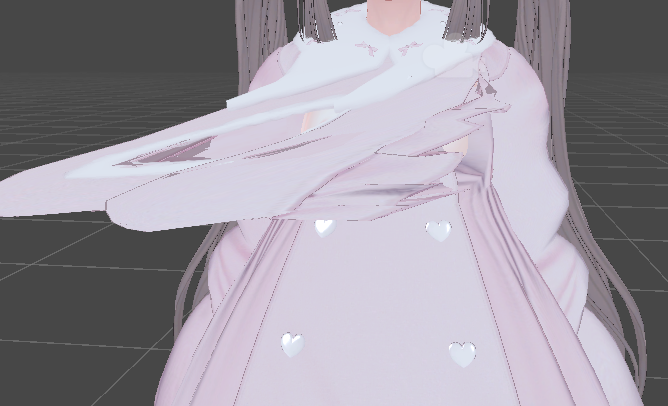

 solemn lintel
Has anyone experience with using texture arrays? I wrote a unity tool that grabs several textures and combines them to an array. Unfortunately the .array file type does not allow myself to experiment with compression, texture size etc. Is there a good workaround besides testing it before and then baking it permanently? Especially since I would need several arrays for different platforms.
 strange briar
How would I go about assigning Vertex groups to a sword in Blender? I've imported my character from mixamo, so it comes with an armature. every other piece than the sword have vertex groups as shown in the first picture. When I export a sword together with the armature, it says that the mesh has verticies with no weight and no bones attached. I've tried parenting the sword to the specific bone i'd like it to sit on in Blender. It will follow the bone in Pose Mode, but still doesn't solve my problem. I'd like it to export as a skinned mesh like the rest of the meshes on my player.

 misty lantern
strange briar
How would I go about assigning Vertex groups to a sword in Blender? I've importe...
misty lantern
strange briar
How would I go about assigning Vertex groups to a sword in Blender? I've importe...
The same way you assign bone weights to any other vertex group
It's better to ask Blender questions in Blender servers
 round kettle
Hi! Im creating a game of the ancient egypt, and i dont find a 3d model of anyone town of egypt who i can use, anyone have a free model? (sorry for my english, im from argentina)
abstract schooner
I just started working on my new project, importet a blender file and it worked fine on my laptop. Now on my pc (synched via github) it shows up like this (pic1) and the objects are not visible in my scene anymore (pic2). Does anyone know why?

 abstract schooner
theres also this error. I was on blender 2.93 so I updated to 4.2, but the error doesn't solve :(
 misty lantern
abstract schooner
theres also this error. I was on blender 2.93 so I updated to 4.2, but the error...
misty lantern
abstract schooner
theres also this error. I was on blender 2.93 so I updated to 4.2, but the error...
Blender integration is deprecated, so too new editor or too new blender neither might work good if at all
The supported way is to export and import as FBX
abstract schooner
on my laptop i did use 4.2
okay I'll try that. I'm pretty new to 3d models and I don't really get exporting to fbx/had some issues
dont remember which but it was a hassle when I tried, so i opted for .blend
misty lantern
Also, the blender istallation has to be in your OS registry / PATH
abstract schooner
so on the C drive?
misty lantern
abstract schooner
so on the C drive?
Drive makes no difference as long as it has shell integration
FBX might be a hassle but blender integration is not a reliable feature anymore
abstract schooner
okay, thanks for the help. I did fbx and it kinda worked, except it's rotated 180° on the z axis
thats good to know :)
misty lantern
abstract schooner
okay, thanks for the help. I did fbx and it kinda worked, except it's rotated 18...
https://polynook.com/learn/how-to-export-models-from-blender-to-unity here's a breakdown about why the rotation and scale errors happen and how to avoid them
There are also scripts and plugins to do so automatically
USD format is supposed to replace FBX as the universal intermediate, and Unity and Blender do support it to some extent already
abstract schooner
thanks so much, that's gonna help a lot
abstract schooner
misty lantern
USD format is supposed to replace FBX as the universal intermediate, and Unity a...
is it like a full solution or is it still worse than fbx?
misty lantern
abstract schooner
is it like a full solution or is it still worse than fbx?
I don't know exactly what its state is currently, and it's being actively worked on on both ends
abstract schooner
alright, I'll look into it later on. Thanks for all the tips
 rain wind
Whats an easy (free?) software to scale down my sprites to the wanted size, and arranging them into a grid?
(I paint all my sprites in ProCreate on my iPad)
fluid oak
rain wind
Whats an easy (free?) software to scale down my sprites to the wanted size, and ...
Shoebox tools
rain wind
fluid oak
Shoebox tools
Thanks a lot, I'll check it out!
 hardy oriole
Hello! I'm trying to use this motion Unity package for my VRChat avatar, but I feel like simply importing it is not enough for it to actually work. XD https://vrsuya.booth.pm/items/5157852

■ 原曲 ■ しぐれうい - 粛聖!! ロリ神レクイエム☆ https://www.youtube.com/watch?v=Ci_zad39Uhw ■ 紹介 ■ - せーの? - AFKやEmoteに入れてアピールしよう! - 構成品はAnim単一ファイルで、自由に活用してください。 - 表情はMMD専用シェイプキーとして使用し、MMD表情が対応していないアバターは表情が正常に出力されない場合があります。 ■ ご利用の際の使用者契約 ■ ※ 本プロジェクトをご購入・ご使用される際、以下の約款に同意させていただきましたものとみなされます。 ※
misty lantern
hardy oriole
Hello! I'm trying to use this motion Unity package for my VRChat avatar, but I f...
!vrchat
lilac edgeBOT
Join the growing VRChat community as you explore, play, and create the future of social VR! https://discord.com/invite/vrchat
weak surge
How can I use a video with alpha in unity? I'm trying to upload a .mov and a .webm and it's not working
rain wind
weak surge
How can I use a video with alpha in unity? I'm trying to upload a .mov and a .we...
Did you solve this? I'm curious as well!
weak surge
rain wind
Did you solve this? I'm curious as well!
Yes
Create a cube or whatever object you want, put video component
Put the webm with v8 codec
Then for me what worked was use the layer override set to 2stamp
And then i could use my psx shader
rain wind
Cool, thanks!
 worthy belfry

someone knows what to do when lights shows correctly on one tile and cuts on adjacent?
someone adviced me to use deffered setting on camera and it helped but only in few cases, i still dont know why sometimes its fine and sometimes shitty
 dry geyser
worthy belfry
someone knows what to do when lights shows correctly on one tile and cuts on adj...
dry geyser
worthy belfry
someone knows what to do when lights shows correctly on one tile and cuts on adj...
Do you have a normal map on your tiles? Have you tried removing that or tried other materials? I had a similar issue where my material was incorrectly setup and it caused a similar issue where 2 tiles looked weird side by side and it was how my shader was done and the normal maps were giving weird results based on the rotation of the plane.
 floral harbor
Hi, I'm a solo dev looking for resources on the visual side of game development. I'm confident in design and prototyping but struggle to bring my ideas to life in the project.
I have reference games but can't decide where to start—terrain, fog, water, enemies, or maybe just a hand-drawn map to focus on gameplay? Thinking hand drawing might clarify things. Any advice?
misty lantern
floral harbor
Hi, I'm a solo dev looking for resources on the visual side of game development....
Before you start, you might want to create a document that outlines all the stuff you will need to do, categorically
After that, start anywhere as long as you start
Whatever you make first you usually end up having to make again as your style settles and skills hone during the project
So, it's most common to start from the least important asset to get a feel for working, or from the most important asset to help style develop in service to that asset
floral harbor
I've created a few GDDs for this game, but you're right—they didn't cover those aspects. I think I'll start by making a list that distinguishes between functional visual elements and purely decorative ones. Then, I'll create a gameplay map that details where the player can go, why, and the reasoning behind it.
After that, I might revisit our post-processing settings. For instance, today I experimented with the directional light settings (since it's a horror game), but it felt like I was making changes without clear reference points. I need to establish why certain choices are necessary, like lowering the directional light for the fog effect or adjusting the player camera's clipping distance to limit visibility—although the fog should take care of that anyway, stuff like that. 😶🌫️
 wanton quail
Hi guys! I'm stuck on a problem regarding switching meshes on an existing rig. I imported the working FBX from unity to blender, but when I export it back the orientation and size of the bones seem to be messed up, no matter which export settings I choose. Any advice on how to fix this?


 jovial roost
Hey, looking for a tutorial on how to create my own GUI(art) for Unity.
Like, what extension, how to make it 9-slice(do I even need to?) and other random things I should be aware of.
I want to draw a simple UI for starters and import it into a project to test.
misty lantern
wanton quail
Hi guys! I'm stuck on a problem regarding switching meshes on an existing rig. I...
Liquefied!
You shouldn't basically ever import a rigged mesh from unity to blender
The process is incredibly lossy and you can expect exactly that kind of result
Always work on source files
misty lantern
jovial roost
Hey, looking for a tutorial on how to create my own GUI(art) for Unity.
Like, wh...
Unclear what you're asking
You can look at a variety of UI tutorials and just start practicing
If you want 9-slicing, then you'll look for tutorials about 9-slicing
If you don't know what it is exactly, look for documentation first
!learn
lilac edgeBOT
:teacher: Unity Learn ↗
Over 750 hours of free live and on-demand learning content for all levels of experience!
misty lantern
floral harbor
I've created a few GDDs for this game, but you're right—they didn't cover those ...
If you want to be formal about it or work with a team, you'll probably need an asset list that includes each and every asset and relevant design notes and implementation details
But it may be more helpful to stick with a general outline or a "map" of what kind of things you'll likely need
jovial roost
misty lantern
Unclear what you're asking
You can look at a variety of UI tutorials and just st...
I need a general tutorial on how to draw my own art to make UI in Unity.
Like, I know how to draw a rectangle, but perhaps there are other things to keep in mind that are common sense for artist but not for me
floral harbor
misty lantern
If you want to be formal about it or work with a team, you'll probably need an a...
Yeah I'll get help from a 3d artist but that's that. For models and stuff.
So what I'll doo is looking like i'll draw a potential gameplay of a player and of 4 players in a new map. and then realize it
misty lantern
floral harbor
Yeah I'll get help from a 3d artist but that's that. For models and stuff.
So w...
This is a good approach
misty lantern
jovial roost
Like, I know how to draw a rectangle, but perhaps there are other things to keep...
Then you should look for guides, courses and other resources for UI art design outside of Unity
All Unity resources assume you have gained those skills elsewhere
jovial roost
misty lantern
Then you should look for guides, courses and other resources for UI art design o...
Thanks, "UI Art Design" is what I needed, just didnt know the good term for it 😄
misty lantern
#🤝┃introductions !collab
lilac edgeBOT
:loudspeaker: Collaborating and Job Posting
We do not accept job or collab posts on Discord.
Please, use Discussions to promote yourself as job-seeking, advertise commercial job offers, or look for non-commercial projects to participate in:
• Collaboration & Jobs
 viscid knot
misty lantern
<#497875120556081172> !collab
viscid knot
misty lantern
<#497875120556081172> !collab
Alright
viscid knot
misty lantern
<#497875120556081172> !collab
I have do the right thing to be. Done
 polar spade
When I flip the sprite (either using spriteRenderer flip or set scale to -1) the sprite becomes unselectable (I can't click on it to select it). Is there any workaround or a way to fix it?
misty lantern
polar spade
When I flip the sprite (either using spriteRenderer flip or set scale to -1) the...
You could give it a selection icon
polar spade
ahh, that's not perfect but it definitely helps, thank you!
 river wagon
when ever I try exporting this model from my unity project it completly breaks the rig and the blendshapes. can someone help me out?
misty lantern
river wagon
when ever I try exporting this model from my unity project it completly breaks t...
It's recommended that you don't do that
Always work on source files
misty lantern
river wagon
This is the only place I have it now
The source file is the file that the FBX was exported out of, so a .blend for example
If you don't have it, you cannot modify or re-export the rig without it becoming a tangled mess in the process
 candid moat
hii, hopefully this is the right place to ask ;; im having to make modular walls/floors for a project im working on, but its my first time doing that and im wonderinf if i should just do planes or use cubes ?
if it helps, the camera view will be a little like in animal crossing
echo sierra
candid moat
hii, hopefully this is the right place to ask ;; im having to make modular walls...
Hey, you can use planes and others but to make a professional approach/more control over geometry you can use -->
- ProBuilder package in package manager.
It helps you create complex geometry.
2.Use Blender. Its a 3d modeling software. You can create 3d Models in it like as you said like modular walls. Also including vehicle's or character.
candid moat
echo sierra
Hey, you can use planes and others but to make a professional approach/more cont...
Im already using blender but im still wondering if i should go with planes or geometry 🤔
candid moat
Okay, thank you 🙏
misty lantern
candid moat
Im already using blender but im still wondering if i should go with planes or ge...
There's not any one right answer to this
Planes and cubes are just different types of geometry for different purposes
If the modular pieces won't be seen from the underside (or outside in case of interiors) there's usually no reason to give them thickness
But sometimes might be
echo sierra
misty lantern
There's not any one right answer to this
Planes and cubes are just different typ...
I thought we can scale it. Cant we scale the cube to look like a plane?
misty lantern
echo sierra
I thought we can scale it. Cant we scale the cube to look like a plane?
Kind of
But it's best to use a plane when you need a plane and a cube when you need a cube, or any other type of geometry likewise
gritty raft
does Muse, when generating Textures, follow a PBR workflow? if so, is the entire set 8 tokens, or each, such as color, height, normal, etc
 fiery lynx
Hello guys, is it normal for bones to be oriented nonconsistently in models? I would like to procedurally control my bones using code, but they are oriented differently and it seems like it could be too complicated.


 gritty raft
fiery lynx
Hello guys, is it normal for bones to be oriented nonconsistently in models? I w...
gritty raft
fiery lynx
Hello guys, is it normal for bones to be oriented nonconsistently in models? I w...
i Think that has to do with how the bones were aligned before coming into Unity. so, perhaps that is just how that model/skeleton was made. you can try IK solutions, if you are just trying to move bone chain procedurally maybe. might want to ask #🏃┃animation
 barren venture
hey guys i just wanted to know is it okay to use gacha characters assets (hairstyles) for my own 2d game?? would i get a copyright issue??
mobile 2d game
outer halo
barren venture
hey guys i just wanted to know is it okay to use gacha characters assets (hairst...
If you're taking assets from another game, what do you think?
 uncut silo
why are texture arrays stored as plaintext hex in the asset file?? for an already large file that is kinda crazy. Is there any way to instead have a texture array be a reference to textures in the editor?
 misty lantern
uncut silo
why are texture arrays stored as plaintext hex in the asset file?? for an alread...
misty lantern
uncut silo
why are texture arrays stored as plaintext hex in the asset file?? for an alread...
How are you making the asset?
barren venture
outer halo
If you're taking assets from another game, what do you think?
basically i just want hairstyles, eyes, mouth and face structure and not the clothes, body and ornaments also like gacha has already coverd almost all hairstyles eyes mouth so basically there not anything new a person can make cause gacha has already got those designs in their game also i am not gonna directly use those things i will make the outlines more thick and my body of the character is totally different from them i just want the upper head parts
uncut silo
misty lantern
How are you making the asset?
                    Texture2DArray textureArray;
                    if (collection.NormalMap)
                    {
                        textureArray = new Texture2DArray(sample.width, sample.height, collection.Textures.Count, sample.format, false, true);
                    }
                    else
                    {
                        textureArray = new Texture2DArray(sample.width, sample.height, collection.Textures.Count, sample.format, false);
                    }
                    textureArray.filterMode = FilterMode.Trilinear;
                    textureArray.wrapMode = TextureWrapMode.Repeat;

                    for (int i = 0; i < collection.Textures.Count; i++)
                    {
                        Texture2D tex = collection.Textures[i];
                        textureArray.SetPixels(tex.GetPixels(0), i, 0);
                    }
                    textureArray.Apply();

                    AssetDatabase.CreateAsset(textureArray, path);
Apparently SetPixels creates totally uncompressed texture data
Same question and some answers here: https://discussions.unity.com/t/texture-array-size/690840/
uncut silo
misty lantern
Apparently SetPixels creates totally uncompressed texture data
Same question and...
Yeah, I saw that, but the problem isn't that it's uncompressed, the problem is that the asset on top of that stores it as hex-text
That alone will double the filesize
But to begin with having it be an actual file instead of being stored as references seems redundant
misty lantern
uncut silo
Yeah, I saw that, but the problem isn't that it's uncompressed, the problem is t...
What should it be stored as?
uncut silo
Well, it's an image so storing it as an image file makes more sense
Ideally though, since it's an array of textures, having an equivalent that just takes an array of textures as input and then generates it as a texture file in Library makes way more sense
misty lantern
uncut silo
Ideally though, since it's an array of textures, having an equivalent that just ...
Is the goal to reduce the asset size in project or in build? Builds don't use any standard image formats, but the usually bigger internal formats
uncut silo
misty lantern
Is the goal to reduce the asset size in project or in build? Builds don't use an...
in project
I'll try what the last person in the thread mentioned and see if that helps though:
public class DisableReadWriteTexture2DArray : AssetPostprocessor
{
    void OnPostprocessTexture2DArray(Texture2DArray texture)
    {
        if (texture.isReadable)
            texture.Apply(false, true);
    }
}
I don't see how that'd help though
misty lantern
uncut silo
in project
I guess then you need a script that writes a PNG file rather than a texture array, and then imports it as a texture array
uncut silo
misty lantern
I guess then you need a script that writes a PNG file rather than a texture arra...
yeah, I tried googling to see if there's a way to make an importer import a different type file but didn't see anything about it
Just for custom filetypes to custom types
Hmm, or maybe a scripted importer can do it after all
Or maybe Asset Importer is all I need even
misty lantern
uncut silo
Or maybe Asset Importer is all I need even
If you have an image sequence of the array already, you don't need a script to set the import type to array
Doing it from the editor does what you ask, at least
This package has the image sequencer tool: https://github.com/Unity-Technologies/VFXToolbox.git
It can sequence multiple images into a flipbook / array, write them into an image file, and import it with specific settings directly
So that seems to do most of what you need
Except you can't specify import types like array, for some reason
uncut silo
misty lantern
So that seems to do most of what you need
Except you can't specify import types ...
Hmm, probably wouldn't work for my usecase since the material takes a Texture2DArray, so if it's a different type it might not assign. I'll finish trying a custom importer first, and if that doesn't work I'll try that
misty lantern
uncut silo
Hmm, probably wouldn't work for my usecase since the material takes a Texture2DA...
The sequencer is useful for the sequencing part, which I assume you need as well
Swapping the type to an array afterwards is only a couple of clicks
I don't know what exactly your use case is though
The package's code is public so it might be an useful base, since it both writes an image file and imports it with customizable settings
 green frigate
Hello. I've downloaded some models from net. Let's start first with the ones that are .fbx and have a folder with textures. How can I import these models so the textures would be applied. They also have some glass materials, so I'd like them to work too.
Another question, what if they are .gltf / .glb, would it be easier to work with them or no?
Thank you.
uncut silo
misty lantern
The sequencer is useful for the sequencing part, which I assume you need as well...
Scripted importer worked great, I could just copy over half the code from the other script and use the other script to generate a text file for it to read. And it's automatically importable too, which is super nice. Reduced the filesize on git by 99.999% lol
Thanks for the help!
uncut silo
green frigate
Hello. I've downloaded some models from net. Let's start first with the ones tha...
We use mostly fbx models and they work fine. Just make sure to have them imported on the asset import settings
 green frigate
uncut silo
We use mostly fbx models and they work fine. Just make sure to have them importe...
green frigate
uncut silo
We use mostly fbx models and they work fine. Just make sure to have them importe...
I have the R73 model, and I want it to link with the textures from the folder nearby. I don't understat this part.

 uncut silo
green frigate
I have the R73 model, and I want it to link with the textures from the folder ne...
uncut silo
green frigate
I have the R73 model, and I want it to link with the textures from the folder ne...
If you want to use the folder instead of the embedded materials then you should change the "Location" dropdown
green frigate
Emm, ok, let's get back to the start. How to import correctly if I have these after unpacking the archive.
I've tried every option, but I still don't get it why it does not work.


I'd like the model to be on this path: Assests>Model>Missiles, and the textures somewhere in this folder: Assets>Textures.

 misty lantern
green frigate
I have the R73 model, and I want it to link with the textures from the folder ne...
misty lantern
green frigate
I have the R73 model, and I want it to link with the textures from the folder ne...
Move "textures" folder from under "models" to under "assets"
Imported meshes should look for textures automatically from that folder
However, consider that there are no universally compatible materials so you'll probably need to make new materials and reassign them anyway
green frigate
Next part, why doesn't glass material work?
What textures shall I bake or how to fix it?
 misty lantern
green frigate
Next part, why doesn't glass material work?
What textures shall I bake or how to...
misty lantern
green frigate
Next part, why doesn't glass material work?
What textures shall I bake or how to...
It's because of what I just said, there are no universally compatible materials
Whatever program the mesh came from doesn't know what kind of material properties unity glass needs
green frigate
misty lantern
It's because of what I just said, there are no universally compatible materials
...
Thanks for the hit. I've found how to make it work =)
 misty lantern
USD format is supposed to solve this material/asset incompatibility problem, but the adoption is not quite there yet
fiery lynx
gritty raft
i Think that has to do with how the bones were aligned before coming into Unity....
Thank you for your answer! Model was downloaded from Mixamo, I don't know if that helps the context somehow, but perhaps I should learn how to rig characters in order to have consistwnt rotation 😅
gritty raft
fiery lynx
Thank you for your answer! Model was downloaded from Mixamo, I don't know if tha...
Yes, that will most likely be a requirement as you move forward. Although, a model from Mixamo seems like it Should have worked. Perhaps talk to #🏃┃animation if things are still not working correctly
 ornate temple
I am making my own model with blender and then using that blender file in unity for my game. When there isn't a cube included in the blende model the size is different
I don't know why the scale keeps changing
With v without the cube in my blender model

 fiery lynx
gritty raft
Yes, that will most likely be a requirement as you move forward. Although, a mod...
fiery lynx
gritty raft
Yes, that will most likely be a requirement as you move forward. Although, a mod...
Thank you! Maybe it does work, I might just be using it wrong. I've tried using IK solver package (forgot what it is actually called) and my bones were being rotated weirdly, but I might have setup it wrong. I'll have to look more into it. Although my concern was more about axis being rotated inconsistently, and that's something I'll ask #🏃┃animation as you have suggested, or Blender community to see what they think. Thank you for all the help
tribal pivot
ornate temple
With v without the cube in my blender model
the cube and gun probably have different scale inside blender?
ornate temple
tribal pivot
the cube and gun probably have different scale inside blender?
The scale in blender was all set to one, I have been remodelling all of my assets in one blender file so I can make sure everything is the same size
grim vapor
ornate temple
The scale in blender was all set to one, I have been remodelling all of my asset...
in blender apply scale to help it and it will either be really small or really big since unity has to convert blender units to unity units
just scale it via unity
ornate temple
I have been applying the blender scale, currently i'm re making the models all in the same file to hopefully fix my issue
outer halo
@copper anchor We don't allow discussions around asset ripping/modding here.
 copper anchor
Why? Are modder not supported? Is there another channel or discord about it? Making a mod where old textures are AI upscaled + rerendered in higher res
outer halo
No, modders are not supported, and no there is not another channel here - it's a server wide rule.
 pastel echo
ornate temple
I have been applying the blender scale, currently i'm re making the models all i...
pastel echo
ornate temple
I have been applying the blender scale, currently i'm re making the models all i...
Make sure you export the Transform as "FBX All"

 ancient linden
Hi, I'm working on a unity project were I'm using a 2d tilemap but the tiles weren't displaying correctly, so I searched on YouTube for a solution and found a tutorial that said to put my sprites under a "Sprite Atlas", it worked but I wonder what does a "Sprite Atlas" actually do ???
ornate temple
pastel echo
Make sure you export the Transform as "FBX All"
Alright thanks
eager mist
Can 3D object be easily changed like SpriteRenderer's .sprite?
Can I use a sphere as a placeholder for an item system and replace them later on when I have the actual 3d thing/asset?

 honest radish
I managed to bake a simple cube into Unity, but now I’m working on a whole building model, and it's overwhelming with so many objects.
Should I join all the objects and bake them together, or is there a better method? Any advice on how you’d handle this would be super appreciated!!

 viral barn
(ignore the framerate I'll fix it eventually) anyone know the cause of the black seems appearing between my modular objects when the character moves? (see the walls behind the character)
MSAA disabled btw. TAA seems to eliminate the seams but it looks awful in pretty much every other regard
pastel echo
eager mist
Can 3D object be easily changed like SpriteRenderer's `.sprite`?
Can I use a sph...
you can, just drag in a the mesh part from whatever fbx you replace it with.
but I wouldn't recommend that workflow. instead, while holding ctrl, drag the object you want to replace it with into the scene on top of the placeholder and choose replace.
 pastel echo
honest radish
I managed to bake a simple cube into Unity, but now I’m working on a whole build...
pastel echo
honest radish
I managed to bake a simple cube into Unity, but now I’m working on a whole build...
When unity goes to render a frame, Every extra object requires an additional draw call. So ya, Join them into one object. https://youtu.be/IrYPkSIvpIw?si=AU-nuhohdkm2WI2-
A short video on how to improve your frame rate in Unity. This video covers various optimizations to reduce draw calls such as combining meshes, batching and gpu instancing.
Music Credit: LAKEY INSPIRED
Track Name: "The Process"
Music By: LAKEY INSPIRED
Official SoundCloud https://soundcloud.com/lakeyinspired
Official YouTube Channel:https:/...
misty lantern
viral barn
(ignore the framerate I'll fix it eventually) anyone know the cause of the black...
I already suggested a potential cause
Anything come out of that?
 grand sedge
Hey, I have some questions related to the asset store publishing. Is this the channel to ask?
misty lantern
grand sedge
Hey, I have some questions related to the asset store publishing. Is this the ch...
Not exactly
grand sedge
misty lantern
Not exactly
Where can I ask about it? It's not that much of big question, something very general
 summer crest
After updating the Read/Write setting on a mesh, new objects using the same mesh recognize the change, but already placed objects in the scene do not. How can I get the existing objects to update, would rather not have to delete and re-add them manually but is a possible solution i guess.
misty lantern
grand sedge
Where can I ask about it? It's not that much of big question, something very gen...
#💻┃unity-talk
If it also is about integrating art assets into unity, it might be relevant here
Difficult to speculate without knowing what the question is
grand sedge
It's about whether the organisation feature makes any difference when publishing to the asset store or is it just my account. Because I want to publish assets under my studio only and as far as I can see organisations are the thng I can closely relate to it.
summer crest
summer crest
After updating the Read/Write setting on a mesh, new objects using the same mesh...
Okay after more investigation, i see the issue is that during runtime the meshes are being changed to a combined mesh which is Read/Write false. Idk anything about combined meshes or why its doing that, so will need to look more into it.
viral barn
misty lantern
I already suggested a potential cause
Anything come out of that?
This is a different issue
you thinking of the one I posted like a week ago about the janky lines on the ground?
 true sapphire
I'd like to import my 3D models into Unity as .blend files so that I can avoid managing the source .blend files and exported .fbx files, however I can't seem to get axis conversion to work properly on imported .blend files.
When exporting to fbx I can configure it properly, but I'd like to get this conversion to work automatically with blend files if possible. Toggling Bake Axis Conversion does not appear to fix orientation of my .blend file. Any ideas?
fluid oak
eager mist
Can 3D object be easily changed like SpriteRenderer's `.sprite`?
Can I use a sph...
The mesh filter mesh.
true sapphire
true sapphire
I'd like to import my 3D models into Unity as .blend files so that I can avoid m...
Ideally the .blend would be imported with z+ forward, y+ up, orientation

 fluid oak
true sapphire
I'd like to import my 3D models into Unity as .blend files so that I can avoid m...
fluid oak
true sapphire
I'd like to import my 3D models into Unity as .blend files so that I can avoid m...
This is just one of many reasons that they don't offer support for .blend imports.
That said, you can write an asset preprocesser to fix it.
true sapphire
fluid oak
That said, you can write an asset preprocesser to fix it.
Thank you, I'll take a stab at writing a preprocessor then
cedar goblet
Hello i have made an house in 3D in blender the house in blender look good but when i import in Unity i have an hole in my house all my part are solidify and the hole was fill with the key "F" someone know what can i do ?

 misty lantern
cedar goblet
Hello i have made an house in 3D in blender the house in blender look good but w...
misty lantern
cedar goblet
Hello i have made an house in 3D in blender the house in blender look good but w...
As the console warns you, self intersecting polygons will be removed on import
Filling edges that don't line up well and n-gons in general can result in self intersecting polygons
Triangulate the problematic face and clean up errors that may seem to result from it
cedar goblet
misty lantern
As the console warns you, self intersecting polygons will be removed on import
F...
so how can can i fill this hole in blender without the shortcut F
misty lantern
cedar goblet
so how can can i fill this hole in blender without the shortcut F
I mean for you to triangulate after filling
 mortal socket
Okay now that I'm in the right thread, thank you @swift estuary for the directions on where to post. Much appreciated.
Is there a Unity Store Asset that would allow me to move bone ends around inside an exist model to make small adjustments to an already Rigged Model? I do not see a Rigging section on here to specifically place this section in, and I have a model that has a bendy rubber elbow instead of bending at the elbow like it should, and the wrist on that arm umm how do I put this properly, is limp and looks stretched while the other arm is 100% just fine. I can not re rig the model as I paid someone to rig it for me since my rigging skills are sup-par and my time length to get edits done is over.
Taking it back into blender makes the model go Wonky as heck and I don't know how to fix that.

 swift estuary
Wait so hold on. I feel like your options in order should be as follows:
- Get the person you paid to fix it, since they gave you a messed up model
- Fix it in Blender (not sure what you mean by wonky)
mortal socket
1: The person I paid was on Fiver and they have a set number of days you can get edits made.
2: Your probably gonna slap me. But I had my programs mixed up. It's not Blender I was thinking of, but Daz3d. Facepalm I'm tired. 16 hours of work and come home and work on this project. yeah.
I don't even know how to fix it is the issue and give than this is Unity, I'm guessing i'm gonna need to ask in a Blender related Discord. I was hoping there was a plug-in (Free or otherwise I could get for Unity to fix this, but alas, I have looked and I am at a very tired loss.
Little background, College was 16 years agoi and we learned on UE4. I am self learning Unity for this project. I might be crazy.
swift estuary
mortal socket
1: The person I paid was on Fiver and they have a set number of days you can get...
I mean there's always https://docs.unity3d.com/Packages/com.unity.animation.rigging@1.3/manual/index.html
But honestly fixing it in Blender is going to be easier
 snow current
OMG this makes me so happy 🥹 . No idea how long it took me to make the tracks line up perfectly.. Well almost perfect.
The straight track is easy to line up into a straight line but that curve was the death of me painstakingly zeroing it in blender on a curve on a plane then going into unity and making sure it lined up and instantiating that perfectly exactly in the middle so it all connected.
Now it just looks and works like magic 🤩 .
 mortal socket
swift estuary
I mean there's always https://docs.unity3d.com/Packages/com.unity.animation.rigg...
mortal socket
swift estuary
I mean there's always https://docs.unity3d.com/Packages/com.unity.animation.rigg...
We found the issue. It's the IK applied to the wings.
grim vapor
thats your camera clipping plane in blender
you imported it though
so its using blenders camera now because you are in blender
ah then its using unity's camera and camera clipping plane mb 😅
although you cannot change it
but you can press F to focus
and that should go away just dont get to close to it
you could move the bones in blender or in unity, the bones in unity act as gameobjects in the hierarchy
misty lantern
grim vapor
although you cannot change it
It can be changed, but usually the dynamic clipping plane works perfectly well enough since it gets automatically set when focusing as you mention
In Unity you'd have to give those particular transforms selectable gizmos from the inspector, or use the Bone Renderer component (though it requires the Animation Rigging package)
grim vapor
misty lantern
It can be changed, but usually the dynamic clipping plane works perfectly well e...
interesting, i didnt know that. thanks for the info 👍
 crisp lynx
I modelled a loop in Blender but when I imported it into Unity some faces facing the camera become transparent. How can I fix this?

 outer halo
Use a solidify modifier on it to give it a little thickness so it has front faces on both sides.
crisp lynx
kk thanks
crisp lynx
outer halo
Use a solidify modifier on it to give it a little thickness so it has front face...
I gave it a shot but now I've got this weird part poking out
 misty lantern
crisp lynx
I gave it a shot but now I've got this weird part poking out
misty lantern
crisp lynx
I gave it a shot but now I've got this weird part poking out
Most likely you always had some weird geometry there, like overlapping vertices
seems to be visible here too

 pliant solar
is there no double face option in unity?
pliant solar
i seen some demo somewhere it renders the same texture on both sides even though its single face?
grim vapor
neat
pliant solar
 grim vapor
if you have URP and are using a shader there you go, i didnt know a shader had that option for materials
lusty beacon
some objects on my texture atlas look way more blurry and low res than others. What am I doing wrong?
 fallen dove
Has anyone else had success importing USD files exported from Unreal 5.4 into Unity 2023/6 using the "USD Importer 1.0.0-pre.2" package? I have no issue importing the scenes into Blender, but Unity errors out on what looks like Unreal's use of relative paths. I've got a reliable workaround for now:
- Export scene from Unreal to USD
- Import USD to Blender
- Export from Blender to USDC
- Drag/drop USDC file and textures folder into Unity project window
This worked nearly flawlessly on an Unreal scene with ~4Gb of assets and was only 15 minutes end-to-end. Pretty impressive, but it's obviously one way for now.
lusty beacon
ok I'll show you my issue
The same texture (where the mouse is) looks a lot more low res than the same one on the further rock
Image
generally seems like inconsistent texture quality to me
oops you can't see the mouse, but I mean the grey spots
in unity, the textures look lower quality overall even though they're double the resolution!
substance shows 4k in inspector but they're actually 8k in unity
I don't understand why
they're in a texture atlas, so 6 rocks, 1 texture set

 lusty beacon
is this a normal looking uv map to you?
 grim vapor
thats what a UV unwrap looks like
I dont get what you are asking, because your "problem" looks fine to me
what you could be seeing is a face being stretched to look like it has inconsistent textures, but to me I dont see anything of inconstancy
lusty beacon
grim vapor
I dont get what you are asking, because your "problem" looks fine to me
Maybe not the best picture, I should have showed a video
But some parts look a lot lower res than others
Maybe a texel density issue
lusty beacon
A better example

A better example
Notice how it's all smudgy in the middle
And it looks worse in unity even though it's higher res there
Idk I will take a video when I get back home
lusty beacon
grim vapor
it looks great ngl
Thanks but I didn't think so
grim vapor
lusty beacon
And it looks worse in unity even though it's higher res there
that seems to be either stretched geometry or just thats how the UV unwrapped it. for a more realistic look i would suggest bumpmaps
bumpmaps bring out the detail in the texture and makes it shine
misty lantern
It has bump mapping
I see no other error mesides that the resolution is low
Unwrapping, especially automatically is inefficient for texture resolution use
lusty beacon
It's an 8k texture for 6 rocks and this is a big one
Should look more high res than that, no?
lusty beacon
misty lantern
It has bump mapping
I see no other error mesides that the resolution is low
Unwr...
I guess I should learn to unwrap manually (if that helps) but it's easier for a simpler/square mesh
misty lantern
lusty beacon
I guess I should learn to unwrap manually (if that helps) but it's easier for a ...
Your rocks are technically subdivided cubes so they could use a cube unwrap to utilize the UV space more effectively, at the cost of more distortion
You might get more resolution out of them just by increasing the relative scale of the islands
There's so much empty space there
Personally I'd just use more textures, or re-use the textures for the rocks to use even less
Baking and unwrapping them individually seems like a waste to me since they're virtually identical at a glance
Recall that story about the Halo game where all the rocks and cliffs were the same mesh scattered around multiple times
lusty beacon
misty lantern
Baking and unwrapping them individually seems like a waste to me since they're v...
I'm not doing that so this cinfuses me
So how much better do you think it woukd be if I unwrapped it better?
misty lantern
lusty beacon
I'm not doing that so this cinfuses me
What are you doing exactly then
lusty beacon
Do you think it looks LQ?
I'm importing 6 meshes at once on 1 uv map and exporting the texture thus
On 1 texture set
misty lantern
Sounds like you are baking and unwrapping them
lusty beacon
But you said individually. I thought you thought I did 1 per uv map
misty lantern
I misspoke
It looks quite fine in engine
Maybe not quite 8k good but close enough perhaps
You can at least easily shrink the excessive padding between islands
lusty beacon
I will take a vid later...also, will reduce uv padding
fluid oak
lusty beacon
ok I'll show you my issue
The same texture (where the mouse is) looks a lot more...
It is possible that your max size is set too low, causing the texture to be scaled down in engine.
Unless you have any distinct features, I'd just use a single tiling texture, maybe with a second detail bump, and use triplanar or stochastic mapping. They're rocks.
 signal osprey
I have a question regarding importing models in Unity. I am used to working with Unreal and in that software, whenever I create an export in my 3D modeling software with multiple models in it, it imports them all seperately into the game engine. Unity creates a prefab of all the models (if I understand correctly). I've figured out how to ''unparent/unpack'' the models from the prefab in my viewport hierarchy, however I would also like to unpack them in my project browser. Does anyone know how I can do that?
Is this only possible by duplicating the meshes inside the prefab?
misty lantern
signal osprey
Is this only possible by duplicating the meshes inside the prefab?
Probably
I guess it could be automated with an asset processor but I don't know how
lusty beacon
fluid oak
Unless you have any distinct features, I'd just use a single tiling texture, may...
I mean, you're not wrong. And I don't even need to use a detail map. Since I'm making the tiling textures myself in substance painter, I can splash on the details on the texture and tile it
and I'll have natural variation for triplanar because of world space, right
they will all look a little bit different
lusty beacon
fluid oak
It is possible that your max size is set too low, causing the texture to be scal...
this is not the case tho, they're 8k and I can see it in engine
misty lantern
lusty beacon
I mean, you're not wrong. And I don't even need to use a detail map. Since I'm m...
You cannot replicate the effect of detail maps like that in substance
Detail maps are higher density textures that are overlayed on the base maps
lusty beacon
misty lantern
You cannot replicate the effect of detail maps like that in substance
Detail map...
I didn't know that
I never used them cause I never thought them necessary
What you're saying is they look more detailed/crisper than if it was something included in the base map?
misty lantern
lusty beacon
What you're saying is they look more detailed/crisper than if it was something i...
That is their primary function
For example skin pores on a face texture
The pore pattern must be multiple times higher resolution, while its repetition barely matters
This is why you can use a small resolution detail texture as the detail overlay displayed at a much smaller scale to get the same practical resolution increase for the skin as you would by increasing the base map resolutions by multiple factors
Rocks and terrains benefit from it just the same
lusty beacon
misty lantern
That is their primary function
For example skin pores on a face texture
The pore...
I understand
Can I use multiple
Like 2 detail maps on top of a base texture
Cause I'm a perfectionist
misty lantern
If the shader has support for that many