
#🔀┃art-asset-workflow
1 messages · Page 11 of 1
 quick hound
Is a target resolution of 1080p overkill for mobile? It would be for a tower defense game.
 misty lantern
If you're using Point (no filter) you may also want to disable Mip Maps as well
I probably wouldn't though, instead preferring Trilinear filtering and Mip Map generation enabled
Since you're rendering the image at much smaller pixel scale than its native resolution, you are bound to lose some detail which either will appear as distorted shape or a "blur"
The only way to guarantee no change in its appearance is to save and import the image in the exact pixel dimensions that it will appear on the screen
 misty lantern
 ivory widget
Disabling mipmaps and setting it to trilinear definitely helped.
ivory widget
Disabling mipmaps and setting it to trilinear definitely helped.
I meant disable mip maps or set it to trilinear
Trilinear filtering depends on mip maps
It may become clearer by reading what these things mean and what do they do
ivory widget
It still looks good tbh
 teal garnet
hi guys
on import settings of an image file, why changing texture type to default and texture shape to cube, it will increase the file siza badly?(from 1mb to 12mb)
 lime pollen
teal garnet
on import settings of an image file, why changing texture type to default and te...
lime pollen
teal garnet
on import settings of an image file, why changing texture type to default and te...
Likely because of different compression algorithms
teal garnet
lime pollen
Likely because of different compression algorithms
there isnt any workaround?
i have to create many skyboxes and my images are cubicmap textures (equirectangular),
the final build size is very important
lime pollen
teal garnet
there isnt any workaround?
i have to create many skyboxes and my images are cub...
well cubemaps are pretty big in themselves, so its probably somewhat unavoidable. You can try compressing the source images yourself I guess
teal garnet
lime pollen
well cubemaps are pretty big in themselves, so its probably somewhat unavoidable...
but the source size is only 1mb, and when i set texture shape to 2D, imported size is 1mb too,
but only when set to cube, it increased to 12mb
lime pollen
Where are you seeing these numbers
teal garnet
in the unity, bottom of import setting window
lime pollen
The 1mb is not the source size, that's the size after unity compression
teal garnet
lime pollen
The 1mb is not the source size, that's the size after unity compression
the source is around 1-2mb too
lime pollen
teal garnet
the source is around 1-2mb too
Well then you don't have much choice other than compressing the source
 willow nebula
@teal garnet Double check all the import settings, in particular the compression used for the texture. If the skybox is an HDR texture, it will require more space to store the extra precision value.
Note that a 1024x512 texture imported as 2D will stay the same size, but imported as cube with lat/long, it will result in a 512x512 cubemap, which is composed of 6x 512x512 faces, so it will already take 3 times the memory space.
A screenshot of the importer settings might help to understand what is happening.
@lime pollen compressing the source asset won't change the imported size in Unity, as the importer "uncompresses" the source asset to recompress it in the require format for the different platforms. That's why it's best to always work with uncompressed or lossless compression assets.
teal garnet
willow nebula
<@391678969264734218> Double check all the import settings, in particular the co...
thanks, very helpful info
 fringe onyx
If I take a cylinder and rotate it and scale it to make it a wheel. Is there a way to "apply" these transforms so that when you look in the inspector it has all 0s but the transform are still affecting the object?
 blissful relic
fringe onyx
If I take a cylinder and rotate it and scale it to make it a wheel. Is there a w...
blissful relic
fringe onyx
If I take a cylinder and rotate it and scale it to make it a wheel. Is there a w...
You can create a mesh with the proportions you want (using blender or something) and then create an object with that mesh, the proportions will be default
alternatively you can make the cylinder object a child of another object; then the parent transform should affect the child too
fringe onyx
blissful relic
alternatively you can make the cylinder object a child of another object; then t...
Will give it a shot thanks! this is for a prototype so i was just slapping some wheels on a box
fringe onyx
blissful relic
alternatively you can make the cylinder object a child of another object; then t...
That did it, thanks!
 red jolt
guys, how can I make the mesh render on both sides?

 lapis elk
red jolt
guys, how can I make the mesh render on both sides?
lapis elk
red jolt
guys, how can I make the mesh render on both sides?
Just switch the rendering method in the Material to "Both"
misty lantern
red jolt
guys, how can I make the mesh render on both sides?
I'd ask why do you want double sidedness
There's many types of it and rarely any of it is necessary
 fathom blaze
how should a grass mesh look like? I've found some video, that has a model with one blade of grass, but the guy in there has his own GPU Instancing and doesn't seem to be using Unity's Terrain.
When using detail mesh with Unity's Terrain, should I also make a model with just one blade, or a model with more grass blades already?
in other words, is this model good for use as detail mesh?

around 1K verts, but if used as grass, it really quickly adds up. In general, not sure whether 1K for a grass mesh is not way too much
lapis elk
fathom blaze
in other words, is this model good for use as detail mesh?
i wont use gras with 1k verts 😄
How many of them do you plan to place?
I guess a bunch of hundreds?
fathom blaze
lapis elk
How many of them do you plan to place?
I guess a bunch of hundreds?
a lot. Like, preferably cover all terrain (or at least vast majority) with grasses of various type
fathom blaze
lapis elk
i wont use gras with 1k verts 😄
Yeah, that is the problem. I've made a wheat field with this model colored to yellow, and while it does look nice, in total it has like 22M verts.
70FPS on RTX 3060Ti, way less on GTX 950 (and not everyone has good GPU)
lapis elk
22mio 😄 wow
fathom blaze

as said, looks kinda nice and maybe realistic, but then I want to make a game people download to play, not to benchmark their PCs XD
well then, now should I make good grass mesh? I know that one possiblity is just making 3 planes intersecting at the center, but I was thinking about something more
lapis elk
Well. Mostly Gras is just made of planes with a texture on it
misty lantern
fathom blaze
how should a grass mesh look like? I've found some video, that has a model with ...
Quads/billboards with multiple grass blades on a cutout texture
Often culled over distances
lapis elk
Use a quad, and add the most detailed gras texture on the world to it 😄
Then maybe rotate it by 45°.. repeat this rotation 7 times and you have gras with many details but only 16 verts
fathom blaze
I have this thing too, but then one issue with it, is that from the top, it's not so nice :/
 lapis elk

well, you have to deal with that.
or write a shader, that bends the top of the quads away from the camera.
https://assetstore.unity.com/packages/vfx/shaders/stylized-grass-shader-143830
or spend some money and avoid headache 😄

Add depth to your next project with Stylized Grass Shader from Staggart Creations. Find this & more VFX Shaders on the Unity Asset Store.
fathom blaze
lapis elk
Use a quad, and add the most detailed gras texture on the world to it 😄
Then m...
yeah, speaking of that, do you maybe know where can I find some good (and preferably free) textures for grass like this?
Technically I could make it myself, just take some photos and use some photoshop, but maybe there are some nice free packs out there
lapis elk
Dont know. I made it myself and just applied a gradient via the shader for the color
fathom blaze
uh... my drawing skills are... well, they aren't. So i'll have to figure something out
but thanks for the help anyways!
 wanton hound
fathom blaze
I have this thing too, but then one issue with it, is that from the top, it's no...
wanton hound
fathom blaze
I have this thing too, but then one issue with it, is that from the top, it's no...
rotate the planes on a different axis instead of being straight up and down
or , another axis i should say
 hearty wadi
making pixel art assets for my game, is it better to have one large one containing all the sprites or multiple smaller one? if the latter, how should i split the sprite sheets
 stuck dagger
anyone got a version of unity's plane mesh, but with more verts?
i need one and for some reason cant create one that works in blender
misty lantern
hearty wadi
making pixel art assets for my game, is it better to have one large one containi...
Sprites from the same sheet can be batched by unity for improved performance, but other than that it matters little
Regardless of how you import the sprites, they can be compiled to a sprite atlas which is basically a big sprite sheet
misty lantern
stuck dagger
i need one and for some reason cant create one that works in blender
Why can't you 
stuck dagger
misty lantern
Why can't you <:UnityChanThink:885169594560544800>
for some reason the mesh always ends up being the same vertex density
even if i subdivide 6 or so times
doesnt matter now though, i fixed it
 wraith spindle
how do i fix my material looking like this

tried tinkering with the tile values doesnt seem to help
misty lantern
wraith spindle
how do i fix my material looking like this
The mesh needs a proper UV map
misty lantern
wraith spindle
so i manually make a uv map in blender?
This
wraith spindle
ok
wraith spindle
misty lantern
This
alr i finished uv mapping it, how do i import the material to unity?
 willow nebula
wraith spindle
alr i finished uv mapping it, how do i import the material to unity?
willow nebula
wraith spindle
alr i finished uv mapping it, how do i import the material to unity?
It is the mesh that you need to export from blender back to unity
wraith spindle
i exported the mesh to unity but it didnt export with the material
alright nvm it did
 solar arch
fathom blaze
as said, looks kinda nice and maybe realistic, but then I want to make a game pe...
solar arch
fathom blaze
as said, looks kinda nice and maybe realistic, but then I want to make a game pe...
realistic grass, won't have the same height 🥹
fathom blaze
well yeah, but it will be more or less the same, with wide range of heights. In that 1K verts model, there are various size blades
Unless I misunderstood you
fathom blaze
I have done what people suggested, that is made the model with a few quads intersecting at one point, and amount of vertices (obviously) went down, which is good, but it seems like something is not quite right here. The back faces seem to be much darker than the front faces, is it something wrong with the model, or the way it's imported?
 misty lantern
fathom blaze
I have done what people suggested, that is made the model with a few quads inter...
misty lantern
fathom blaze
I have done what people suggested, that is made the model with a few quads inter...
There's a quirk related to setting material render face to "both" or otherwise two-sided, as the result is that the backface will simply mirror the lighting and appearance of the front face
fathom blaze
hm... so how should I go around this? Make more faces, and make sure all are front?
misty lantern
A shader that will flip the face depending on its orientation would work, but a simple and good solution is to simply duplicate and flip the faces in modeling software
fathom blaze
yeah, now it looks better. Made it more dense too, looks nice and quite similar to the original one
 lapis elk
fathom blaze
yeah, now it looks better. Made it more dense too, looks nice and quite similar ...
lapis elk
fathom blaze
yeah, now it looks better. Made it more dense too, looks nice and quite similar ...
And how many tris do you have now compared to before? I remember you had something like 20M? 😅
 trail stag
i have geometry inside my characters head, is there an easy way to remove it, i think it's messing with my rig weight
i've tried using a boolean unity but it didn't seem to work
 misty lantern
trail stag
i have geometry inside my characters head, is there an easy way to remove it, i ...
misty lantern
trail stag
i have geometry inside my characters head, is there an easy way to remove it, i ...
No easy way
Booleans are unrealiable and make pretty messy geometry
Remeshing resets your topology
Selecting all from the outside with Circle Select (C), then inverting and deleting is the best way I know
Whether the geometry is there or not doesn't by itself have any effect on your mesh weights, but it may have an effect how easy it is to paint weights, and the results of automatic weighting since it works on connected geometry
Automatic weighting is not expected to produce any final or perfect results anyway
Your best option is to not make intersecting geometry in the first place
trail stag
misty lantern
No easy way
Booleans are unrealiable and make pretty messy geometry
Remeshing re...
okay thanks for the advice 
 vale osprey
can the texture repeat itself instead stretching? it was made in unity not blender


i tried adding tile and offset but not working
misty lantern
vale osprey
can the texture repeat itself instead stretching? it was made in unity not blen...
You are likely using UV coordinates to map the texture
You would instead use object coordinates which rely on the gameobject's transform, not the mesh's UV map
vale osprey
misty lantern
You are likely using UV coordinates to map the texture
You would instead use obj...
works fine with a normal object (expanding trough scales). but not with the bones


I use position to expand the bones
tried also connecting position to split instead scale but nothing
I think this one is a little tricky
misty lantern
vale osprey
works fine with a normal object (expanding trough scales). but not with the bone...
That doesn't really make sense

Object position is simply the position of the object transform origin, not position relative to it
Your Tiling and Offset is unnecessary here, and still using mesh UVs since its UV input is on default UV0 value
You can use position:world instead if you don't want the pattern to move with the gameobject's position at all
fathom blaze
lapis elk
And how many tris do you have now compared to before? I remember you had somethi...
Hey, sorry for late response. I got it down to around 850-900K tris, 1.6M verts. Earlier I had like 22M verts so yeah, that is an improvement for sure
 cold egret
i made a sword

 rancid mica
Anyone has any suggestion for a program that would help me make cards for a little card game I'm making? I just need to make a couple of png and I find that making them in gimp makes it hard to make them all in the same template, sometimes the text is not well centered, etc.
basically what I would be looking for is some sort of program where I can place an image in the background then text in specific positions and I can just make a card, save, make another card, save it, etc
 fluid oak
rancid mica
basically what I would be looking for is some sort of program where I can place ...
fluid oak
rancid mica
basically what I would be looking for is some sort of program where I can place ...
InDesign or Quark probably
Though one is Adobe and the other is horrible
 steel jay
When designing my game character in blender, is it ok to have some triangles in the mesh?
misty lantern
steel jay
When designing my game character in blender, is it ok to have some triangles in ...
All polygons will be triangles
Quads are useful because they're easier to work with when modeling
steel jay
Ok. But sometimes I cant avoid triangles. So that's not that big of a deal, thanks 🙂
 white stag
I'm using an 8192x4096 panoramic skybox texture which has this seam and would like to know a workaround.

also just in case, I did run through the texture in GIMP and found nothing that would indicate a problem with the texture itself, only the way unity seems to handle it
misty lantern
white stag
I'm using an 8192x4096 panoramic skybox texture which has this seam and would li...
Try disabling mip map generation in texture import settings
white stag
misty lantern
Try disabling mip map generation in texture import settings
thanks a ton, it worked
cold egret
Sword has been improved

 dim pollen
hey, so i made a character in blender and added bones so it rigs all good. the character looks like this image above, the bones are shown as well, i added some animations and dropped it into unity and they work fine.
now on the unity side, i want character customization to be able to add clothes to it, armor, etc., but i'm not sure how to approach that. in the second image, i parent that white underwear to the armature's pelvis bone in the unity hierachy and that works fine i mean, until the character starts walking beause the whole underwear object just rotates back and forth instead of each individual "sleeve" moving and the base staying
https://cdn.discordapp.com/attachments/763495187787677697/1132859294849708042/image.png
https://cdn.discordapp.com/attachments/763495187787677697/1132859295113936966/image.png


nevermind i think i got it!
 earnest pecan
Just a quick question regarding bones before I put too much time into rigging. Is there any kind of bone limit or performance issues I should be worried about with skinned meshes with many bones? My character currently has about 180 bones. Majority of it is for facial animation. Should I be worried about that amount? Especially if going for 10-20 characters on screen at once.
I'm sure vertex count plays a factor into that as well. Characters are about 10k vertices for each.
lime pollen
earnest pecan
Just a quick question regarding bones before I put too much time into rigging. I...
completely depends on your game, only way to know is to test it
earnest pecan
lime pollen
completely depends on your game, only way to know is to test it
I get that, of course. My question is more of a general thing. I'm not asking how much performance I'd get in my project. I'm more asking if a bone count like that is something that would affect performance at all and if Unity even works with that many bones.
lime pollen
earnest pecan
I get that, of course. My question is more of a general thing. I'm not asking ho...
bone count does affect performance yes. I think the only limitation is the number of influences a vertex can have?
earnest pecan
Gotcha, okay. I've only worked with facial blendshapes before, which I know incur a memory cost with too many. I wasn't sure about the cons of too many bones
The Unity documentation does say to keep bone count to a minimum, but I wasn't sure if that was because of any limitations or not.
 steel yew
 tight musk
When I import my .blend file into unity I've read that it's supposed to automatically sync changes every time the blender file is saved. However it doesn't do anything for me, is there something I need to do for them to sync changes?
fluid oak
tight musk
When I import my .blend file into unity I've read that it's supposed to automati...
Unity hasn't really fully supported .blend for some time except as a backwards compatibility thing; there are a lot of weird behaviors when doing so that are hard to comprehensively document because it depends on your unity and blender version.
fluid oak
earnest pecan
Gotcha, okay. I've only worked with facial blendshapes before, which I know incu...
If it does end up being too heavy, you can always bake the bone animation into a deformation texture or try something like https://github.com/TriceHelix/BurstSkinning
GitHub
Fast Mesh Skinning on the CPU using Linear Blend (LBS) and Dual Quaternion (DQS) utilizing the Unity Jobs system and Burst compilation - GitHub - TriceHelix/BurstSkinning: Fast Mesh Skinning on the...
earnest pecan
fluid oak
If it does end up being too heavy, you can always bake the bone animation into a...
Oh this is interesting, thank you very much!
fluid oak
earnest pecan
Oh this is interesting, thank you very much!
I'd suggest doing some testing before switching to an experimental solution- just letting you know that there are options if you need them.
earnest pecan
fluid oak
I'd suggest doing some testing before switching to an experimental solution- jus...
Definitely, I'm still in the rigging process currently. I just wanted to ask my question before I got too elaborate with it. I'll be doing testing pretty soon once that's done 🙂
fluid oak
Unity's skinning is already gpu accelerated, and I imagine that they will be incorporating burst into it as well since they already have with 2d skinning.
 limber sedge
Hello there, I have a scene made in unity, but I just noticed that all of my FBXs are 2x smaller than what it should be.
So I grouped everything in an empty and scaled it by 2. It's a quick fix, but I'd like to have all my FBXs to be scaled by 2 and still keeping my scene transforms correct. Is there a way to do that? (like a freeze transform or something)
misty lantern
limber sedge
Hello there, I have a scene made in unity, but I just noticed that all of my FBX...
FBX import settings has a "scale factor"
You can multi-edit imported meshes by selecting multiple
limber sedge
misty lantern
FBX import settings has a "scale factor"
You can multi-edit imported meshes by s...
Thanks for the hint, but I already have a scene built with these fbx. If I scale them 2x everything becomes bigger and overlap each other, it's a mess. :/ Maybe there's a way to "reset" the scale without affecting their size. Like a freeze transform?
misty lantern
limber sedge
Thanks for the hint, but I already have a scene built with these fbx. If I scale...
You can also multi-edit them in scene, and filter the hierarchy by gameobject name or component name to make selecting them easier
If you care that much anyway
If you already implemented your workaround then this doesn't seem necessary
limber sedge
Here's two screenshot, maybe it will be more understandable that way.
The first one is before I set the original scale factor (1). The second image is when I set the scale factor to 2. See how things are messed up?


I think a freeze transform is the way to go. So it overrides all of my prefabs scales to 1.1.1 without resizing the objects
fluid oak
You can't just toss out random phrases like that. 'freeze transform' has different meanings in different software.
fluid oak
limber sedge
Hello there, I have a scene made in unity, but I just noticed that all of my FBX...
I'd suggest writing a script that iterates through all your objects, resetting the scale of each to one, and then moving it into the correct position as if it was larger. And THEN increase the scale in the import settings.
limber sedge
That's exactly what I need
fluid oak
I'd probably just multiply the local position of each object by the scale factor.
So then they will be spaced out as if they were the larger size.
Then they will be in the same relative position once you change the import settings.
limber sedge
I need to give this a try manually first. I'm no coder so I need to find someone to work with on that.
fluid oak
Well, you can apply the same logic manually.
Shrink the objects without changing their relative positions, probably by unparenting them from the scaled object and then shrinking them by the inverse of the scale factor.
limber sedge
I'll give it a try. And if it works I'll try to find someone to write a small script to automate that. Thanks!
misty lantern
Filtering the hierarchy by MeshRenderer and selecting ones that need resizing before resizing them en masse seems quicker than scripting it
Unless you already are familiar with that kind of scripting and the criteria for picking resizeable gameobjects is clearly defineable
misty lantern
limber sedge
Here's two screenshot, maybe it will be more understandable that way.
The first...
Or rather, why do you need to mess with the scale factor if your scene is built already?
You could live with it and keep the scale factor in mind for the future, or even figure out how FBX exporting works without random scales getting in
For this reason I'd recommend always placing meshes under a prefab parent before using them so you can easily modify all of them regardless where they were used
But that's also something you'd implement before you start making the scene
limber sedge
misty lantern
Or rather, why do you need to mess with the scale factor if your scene is built ...
The reason I want it clean even though the scene is built is because I want to ship that as an asset pack on the asset store. And I think it would be better if all the scales are clean.
fluid oak
misty lantern
Unless you already are familiar with that kind of scripting and the criteria for...
The criteria can be 'children of the object he used to resize them'
misty lantern
limber sedge
The reason I want it clean even though the scene is built is because I want to s...
That makes sense!
misty lantern
fluid oak
The criteria can be 'children of the object he used to resize them'
Which needs to be differentiated from every other gameobject
fluid oak
Anyway, if you unparent the scaled up objects and then shrink them, they will remain in the correct relative position
Then you can either scale them in the importer or in the 3d modeling software.
 tranquil peak
Does anyone know if it's possible to change the preview image for imported assets? The angle they are shown from makes it hard to see what the asset is for me
 split snow

When I try to apply transform to the head directly, nothing happens
Is there anything i can do about that?
 sullen plank
Meanwhile you might want to import a similar working model and see how it should be configured as an asset in Unity and in Blender
split snow
sullen plank
Meanwhile you might want to import a similar working model and see how it should...
You mean like
A model with already separate parts?
i don't know where i can find that though
 lilac edgeBOT
🧑🏫 Unity Learn can offer you over 750 hours of free live and on-demand learning content for all levels of experience! Make sure to check it out at https://learn.unity.com/
 normal pendant
Hello, could someone help me troubleshoot this issue?
Basically I'm trying to make modular assets for this level I'm creating and there are 2 different meshes for the ceiling. They use the exact same materials, but the issue is with the lighting. I don't mind the seam that separates the meshes but for some reason the light is reacting differently depending on the angle you're looking at the mesh.
I think it might have to do with the baking but I have no idea

Different angle


It's obvious that it's caused by the rotation of the mesh but how would I fix it?
 lusty beacon
So do I need to credit every asset I used in the game? (other than the unity store)
Like if I downloaded 50 sounds from 50 different people on freesound.org, do I need to credit each of them for the particular sound?
misty lantern
normal pendant
Hello, could someone help me troubleshoot this issue?
Basically I'm trying to ma...
Don't crosspost please
misty lantern
lusty beacon
So do I need to credit every asset I used in the game? (other than the unity sto...
Only if the asset licence requires it
tight musk
fluid oak
Unity hasn't really fully supported .blend for some time except as a backwards c...
Oh I see. Do you know which version of blender works with unitys latest LTS? Or should I just try older versions of blender until it works
fluid oak
tight musk
Oh I see. Do you know which version of blender works with unitys latest LTS? Or ...
No idea, I'm not a blender user. I just have seen the issue get brought up a bunch =p
lapis elk
tight musk
When I import my .blend file into unity I've read that it's supposed to automati...
Why would you use .blend files?
tight musk
lapis elk
Why would you use .blend files?
Only reason is because I want to make modifications to the blender project and have it update in unity without having to reimport every time
lapis elk
Well. I would always keep blender files out of the unity project.
I know what you mean, but fbx is way more compatible with unity as a blender file
tight musk
Sounds like a bit of a hassle considering I'm going to want to preview changes often
I'm gonna try and roll back blender a bit and see if that helps otherwise I guess I'll just have to deal with fbx
 rugged solar
Hi. Anyone trying before to make the outfit for ready player me. Which template file they provided, there is 93 skeleton joint. When I save this in Studio, got error and they recommend 65 joint. How I fix this? Thanks
 steel jay
I'd like to get some feedback to my character model's edge flow. Is this the right channel, or should I use art-asset-showcase?
lapis elk
steel jay
I'd like to get some feedback to my character model's edge flow. Is this the rig...
I think the best for this is Blender Discord 😄
 distant raven

why is this blured
it should look like this

never mind
how i add an image as my background
distant raven
dn too
misty lantern
distant raven
how i add an image as my background
What "background"?
 distant raven
misty lantern
What "background"?
distant raven
misty lantern
What "background"?
please tell me that
misty lantern
distant raven
You should be able to click & drag rectangles with left mouse, or use the "slice" button up top
distant raven
misty lantern
You should be able to click & drag rectangles with left mouse, or use the "slice...
slice mode
what is slice mode
 somber mural
distant raven
it should look like this
somber mural
distant raven
it should look like this
what art program is that
distant raven
somber mural
what art program is that
unity
i can you other tho
so ig i will use pixelorama
but unity is better as in placing stuff
somber mural
does unity have an pixel art maker as a plugin or something?
misty lantern
somber mural
does unity have an pixel art maker as a plugin or something?
No
The screenshot is of Pixelorama
somber mural
ah
 warm oriole
Hello
What sprite size should I use when creating sprites for a Unity mobile game?
For example, I have these assets I drew
What canvas size should each asset be saved in?
Thanks! :)
 lapis elk
warm oriole
Hello
What sprite size should I use when creating sprites for a Unity mobile gam...
lapis elk
warm oriole
Hello
What sprite size should I use when creating sprites for a Unity mobile gam...
Hey.
First you should always save files in a power of 2 format, like 32x32, 64x64 and so on.
The size of your sprites depend on their size in the game.
A good and easy way is, to import them in 256x256 px for example and then reduce their size in the import setting.
If you decrease the size to 128x128 and they still look good, you are fine.
Just decrease the size until they begin to look bad in a realistic resolution.
lusty beacon
misty lantern
Only if the asset licence requires it
Ok so how do I credit exactly? Like if I downloaded one sound from one person from freesound.org, how do I need to credit them?
''Anal lover 6969 - door opening sound''?
or just their username? Do I need to mention the site
I'm a bit confused about this
misty lantern
lusty beacon
or just their username? Do I need to mention the site
The site's legal terms should have all that info, and if the assets are released under a specific licence, that licence can be found in full and will state everything you need to do when using the asset
lusty beacon
alright
misty lantern
I've seen indie games with whole pages in the credits where every sound is listed with its author and the site it's from
lusty beacon
I don't like the idea of it
maybe I should do freesound.org: (list of names)
sketchfab: (list of names) etc
I will search a bit more
well it says I need to mention names, sites, copy paste copyright terms and links
that's stupid
I'll just list names and asset name and pretend I didn't know
fluid oak
Anal lover 6969 has earned their recognition.  If you don't like it, don't use their stuff.
I mean, they are asking for so little, and I don't think that that is the kind of asshole they love.
lusty beacon
I will make a title for the website name, then list names and what they contributed
I won't put some stupid links
or copyright term texts
that would look stupid
misty lantern
lusty beacon
or copyright term texts
You don't need to include any legal texts in length
How do I credit/attribute?
Crediting people is easy, just say something like this:
> "sound1" by user1 ( http://freesound.org/s/soundID/ ) licensed under CCBYNC 4.0
> "sound2", "sound3" by user2 ( http://freesound.org/people/user2/ ) licensed under CCBY 4.0
> etc..```This is not unreasonable, especially when it's the credits page
lusty beacon
and no credit is neccessary when using an asset from the unity store, right?
fluid oak
lusty beacon
and no credit is neccessary when using an asset from the unity store, right?
Depends on the asset
Some have specific licenses.
misty lantern
I guess the Standard Unity Asset Store EULA doesn't require it, but it's possible there's extra requirements per asset
fluid oak
TLDR we aren't here to give you blanket permission to break licensing terms, no matter where you got your stuff from. 😄
 compact summit
i'm trying to bake a height map in substance painter but it's not showing up on my mesh, any help?
 lapis elk
compact summit
i'm trying to bake a height map in substance painter but it's not showing up on ...
lapis elk
compact summit
i'm trying to bake a height map in substance painter but it's not showing up on ...
Did you read the log?
compact summit
lapis elk
Did you read the log?
i don't really know what those logs mean
lapis elk
compact summit
i don't really know what those logs mean
I think you try to bake the Color Map. But your _high mesh does not have any vertex colors.
You should disable the bake for a color map in the baking settings and try again.
compact summit
lapis elk
I think you try to bake the Color Map. But your _high mesh does not have any ver...
i tried only baking the height map and still nothing
 elder edge
Hey
so i try to use a texture map like this
for testing i took one from MC
but i cant get the texture to take a whole block face it only takes 1 color
can someone explain why? 😮 or what you need to help me 😄

 misty lantern
elder edge
Hey
so i try to use a texture map like this
for testing i took one from MC
but ...
misty lantern
elder edge
Hey
so i try to use a texture map like this
for testing i took one from MC
but ...
Your shader/material needs to reference the texture, and your mesh needs UV maps for displaying the texture
elder edge
misty lantern
Your shader/material needs to reference the texture, and your mesh needs UV maps...
like this?
 misty lantern
elder edge
like this?
misty lantern
elder edge
like this?
Is that a sprite shader? Is your ground a sprite renderer component? Where is the mesh from?
elder edge
misty lantern
Is that a sprite shader? Is your ground a sprite renderer component? Where is th...
i use code to generate the mesh
no sprite renderer tho
https://pastebin.com/9HMpgvDb
Pastebin
Pastebin.com is the number one paste tool since 2002. Pastebin is a website where you can store text online for a set period of time.
elder edge
misty lantern
Is that a sprite shader? Is your ground a sprite renderer component? Where is th...
thanks for your patient and help
sry for my bad understanding 😛
misty lantern
elder edge
i use code to generate the mesh
no sprite renderer tho
https://pastebin.com/9HM...
If the texture doesn't show, there could be something wrong with the UV generation, or that "BlockDataManager" isn't connecting the texture offsets* to generated blocks
You'll likely want to use an opaque Lit or Unlit shader, instead of sprite shaders
The generator seems to expect a specific UV offset per block type to pick a tile from the texture map for it
That part may be uncomplete in your implementation
elder edge
i think i get what i need to check
i will be back 😄
elder edge
misty lantern
That part may be uncomplete in your implementation
... i ... ehm.. thanks.. never swap + with * xD

 sharp ridge
.
misty lantern
sharp ridge
.
Stick to one relevant channel
sharp ridge
Sure, sorry
compact summit
compact summit
i tried only baking the height map and still nothing
any help?
lapis elk
compact summit
any help?
You have screenshots from your high and low poly model?
compact summit
lapis elk
You have screenshots from your high and low poly model?
in blender? if so what mode and is there a specific area of them u want to see?
lapis elk
in blender if so what mode and is there
elder edge
Hey quick question why does this happen?
like the difference in the coloring the further away it gets?
 misty lantern
elder edge
Hey quick question why does this happen?
like the difference in the coloring th...
misty lantern
elder edge
Hey quick question why does this happen?
like the difference in the coloring th...
Looks like mip mapping
Mip maps are smoother, lower resolution variants of the texture
So with tiled texture layours there often is color bleeding between tiles
elder edge
misty lantern
So with tiled texture layours there often is color bleeding between tiles
how do i fix this? 😄 i have the file made on gimp and exported it
i guess i can change it there?
misty lantern
elder edge
how do i fix this? 😄 i have the file made on gimp and exported it
i guess i ca...
You can disable mip map generation in texture import settings
Ideally you wouldn't have to but tbh I don't know if there is any way to have mipmaps on a tilemap without adjacent tiles leaking in like this
elder edge
misty lantern
You can disable mip map generation in texture import settings
so while importing into unity? guess i could google lol
nvm...
Filter Mode off
and Filter Mode to Bilinear
Sure it still does it but i think for now its so low that i dont mind 😄

 misty lantern
elder edge
Filter Mode off
and Filter Mode to Bilinear
Sure it still does it but i think fo...
misty lantern
elder edge
Filter Mode off
and Filter Mode to Bilinear
Sure it still does it but i think fo...
Under Advanced if you expand it
 errant cargo
Heya! I'm generating some textures via code and I'd like to set some of their import settings via code as well, so that automatically they're not sRGB, no compression and so that they're not rescaled if not a power of 2. However, I haven't found any parameters that changes those. Is that possible?
 lime pollen
errant cargo
Heya! I'm generating some textures via code and I'd like to set some of their im...
lime pollen
errant cargo
Heya! I'm generating some textures via code and I'd like to set some of their im...

 dense oar
what's the reccomended workflow for exporting meshes from Max to Unity? I am trying to get a setup where I am not getting weird scale conversions between them
 errant cargo
lime pollen
https://docs.unity3d.com/ScriptReference/TextureImporterSettings.html
errant cargo
lime pollen
https://docs.unity3d.com/ScriptReference/TextureImporterSettings.html
Hey, that works! Appreciate it!
dense oar

I set my max units to meters but still getting conversion weirdness, maybe the export is the issue?
I changed the export scale to meters, the import says 1m to 1m, but its very much not 1m

 outer halo
Did you try turning on convert units?
dense oar
outer halo
Did you try turning on convert units?
I turned it off myself because the output I was seeking was exporting meshes at 1:1 scale without the need for unit conversions
I eventually got there after experimentally exporting like two dozen meshes
 graceful mica
anyone here know why the cloth wont drape all the way down?

 void parcel
Asset import failed, "Assets/Discoarded/test/Scifiproject_starcraft_complexsetup_006_neo.sbsar" > SubstanceEngineNotFoundException: Substance engine not found anybody tried the substance plug in and had thi s issue
fluid oak
void parcel
`Asset import failed, "Assets/Discoarded/test/Scifiproject_starcraft_complexsetu...
Make sure it is a version of unity that is supported.
substance plugin is very sensitive to version changes for some reason
fluid oak
graceful mica
anyone here know why the cloth wont drape all the way down?
What happens when you enter playmode? Are you getting any movement at all?
Might be a scale issue
void parcel
@fluid oak it is supported but ill upgrade anyway
 tacit eagle
I downloaded these textures. what does "ao" mean?
 misty lantern
tacit eagle
I downloaded these textures. what does "ao" mean?
misty lantern
tacit eagle
I downloaded these textures. what does "ao" mean?
Ambient Occlusion
It masks ambient/indirect lighting
 grave remnant
Hey does somebody know why or how to remove the green lines from my game view?

 opaque tree
for game UI, where should i make the 2d assets? better to use Ai or Photoshop?
outer halo
You use whatever is comfortable for you.
misty lantern
Only if you want to standardize sprite resolution relative to each other / to the unit grid
dense oar
opaque tree
for game UI, where should i make the 2d assets? better to use Ai or Photoshop?
I second what osteel said but also that if you do use illustrator, iirc unity can't natively take in vectors directly so you'd have to rasterize your vectors to texture unless you use a package like Freya's Shapes
misty lantern
https://docs.unity3d.com/Packages/com.unity.vectorgraphics@2.0/manual/index.html
There is a vector graphics package, which can do the conversion to rasters and render vectors as well, though I'm not sure if it yet has the option to render vector images as vectors directly
 rotund iris
Hi everyone! I have a prefab that has a graphic model as a child. I have the model set as a tpose, however when I'm trying to modify the prefab, the model is bent over due to I'm assuming is the IK rig or avatar. However, messing with the weight of the IK rig shows nothing and I don't know how to tell if the avatar is working, but all the required pieces (chest/arms/etc) are there.
Left is the prefab which has the model as a child, right is the model. As you can see the model is in the correct pose, however even modifying the rig and trying to force the tpose does not make my prefab tpose

 obtuse oyster
Perhaps your normal map is incorrect? What does the file look like?
Also, you can modify the normal map strength in most materials
That looks like an indent, not a protrusion, so the bottom result is more what I'd expect
It looks like you've maybe not baked a reflection probe, and that floor material is very reflective, and that's likely what's making it look bad generally
opaque tree
dense oar
I second what osteel said but also that if you do use illustrator, iirc unity ca...
so its better to expoert as vector rather than png right?
 severe pollen
not sure if this belongs here, but can someone tell me why a shader cant be applied to this material? the model was a prefab but got unpacked, not sure what the issue is

 eager mist
i exported my map model from blender to unity, doesn't seem to have vertex color it came with, anyone knows how to do?
 severe pollen
eager mist
i exported my map model from blender to unity, doesn't seem to have vertex color...
severe pollen
eager mist
i exported my map model from blender to unity, doesn't seem to have vertex color...
if you have multiple textures you should probably bake them all into one
eager mist
i packed the textures into one image
i used vertex painting to make the fake shadows of the map model
but i have no idea how to add the vertex colors on the material in blender
lime pollen
eager mist
but i have no idea how to add the vertex colors on the material in blender
You'll need a custom shader that reads vertex colors
eager mist
lime pollen
You'll need a custom shader that reads vertex colors
right, looks like i have to mimic goldsrc's lighting then
thanks
misty lantern
eager mist
i exported my map model from blender to unity, doesn't seem to have vertex color...
Particle shaders do support vertex colors while other default shaders do not, curiously
I'm not sure if there's any downside to using particle shaders for non-particle purposes but I don't know of any
They have almost all the same rendering options
Goldsrc used baked lightmaps mostly
compact summit
compact summit
i'm trying to bake a height map in substance painter but it's not showing up on ...
any help?
lapis elk
compact summit
any help?
You should check the Substance 3D Discord.
eager mist
misty lantern
Goldsrc used baked lightmaps mostly
i know that, at least it's better than nothing
dense oar
opaque tree
so its better to expoert as vector rather than png right?
unity cant import vector assets afaik
misty lantern
dense oar
unity cant import vector assets afaik
It does have a package for the functionality
dense oar
misty lantern
It does have a package for the functionality
oh cool good to know
misty lantern
Still importing as png is probably better
Depends how the package works in practice
opaque tree
misty lantern
Still importing as png is _probably_ better
Depends how the package works in pra...
what file types do u recommend? coz png can get a lot bigger in terms of file size
misty lantern
opaque tree
what file types do u recommend? coz png can get a lot bigger in terms of file si...
PNG or TGA, you'll always want some lossless format for asset sources
You could also give the Vector Graphics package a try, but most likely it just converts them to png anyhow
Note that Unity has to convert all files to its internal formats anyhow, so the asset size does not reflect its size in game build or in ram
opaque tree
misty lantern
Note that Unity has to convert all files to its internal formats anyhow, so the ...
yea im thinking of this too, thanks for the answer
opaque tree
misty lantern
PNG or TGA, you'll always want some lossless format for asset sources
You could ...
if i use Ai, is it better to export the artboard and let unity slice it, or better just to export selection?
misty lantern
opaque tree
if i use Ai, is it better to export the artboard and let unity slice it, or bett...
Sorry, I have no experience using Ai with Unity
I'm going to guess it depends, so I'd try both
The vector graphics importer might be able to do it for you
opaque tree
misty lantern
Sorry, I have no experience using Ai with Unity
I'm going to guess it depends, s...
i see, thank you once again
 sharp bluff
Hello, I was hoping for some help reguarding springbones and roots. I have been getting errors on everything i have been trying to work on... I tried to add some root bones for collision on a skirt i am working on and it seems like i am doing something wrong. I am getting these errors
fluid oak
sharp bluff
Hello, I was hoping for some help reguarding springbones and roots. I have been ...
Have you tried on the vrm discord? That doesn't seem to be a unity issue
sharp bluff
No :x tbh I have been stuck forever and just started looking for discord help. Thus was my first stop
dense oar
Does anyone know why all my shaders have materials under them? These materials are cluttering up the project and can't even be used for anything since you can't change any parameters on them

Is there some way to delete them all / stop unity from generating these / explain why they exist?
misty lantern
dense oar
Is there some way to delete them all / stop unity from generating these / explai...
Added along with material variants, the default material is always included with the shader for convenience
earnest pecan
I'm having a bit of issues regarding blendshapes. It's possible my import settings are wrong, but some of the blendshapes seem to be a bit inaccurate? A small amount of vertices just aren't moving when they should be.
I double checked in Blender if I made a mistake with the shape keys but it's working fine there, just giving issues in Unity.
 lofty egret
What's preferable if you want chunky pixels in your textures on Probuilder meshes... scale down probuilder UV sizes or increase texture tiling in your materials? Anyone have any experience with this?
nobody will reply, moving on
outer halo
Gave up less than a minute after asking their question. 😆
eager mist
Hello everyone, I'm looking for help creating volumetric fog in the URP render pipeline. If anyone has any resources or links they could share, it would be greatly appreciated. Thank you!
dense oar
can unity's cameras have their focal perspective vanishing point moved like this?

I am guessing its some kind of projection matrix type thing maybe? If it were do-able
misty lantern
eager mist
Hello everyone, I'm looking for help creating volumetric fog in the URP render p...
Doesn't sound related to art asset creation
misty lantern
dense oar
can unity's cameras have their focal perspective vanishing point moved like this...
This neither tbh
I think this stuff is handled by the render pipeline backend, or maybe even GPUs natively
You probably can't really fake it with shaders either because it requires rendering something that wasn't included in the view frustum to begin with
I'm willing to bet it's nigh impossible to change
dense oar
misty lantern
I'm willing to bet it's nigh impossible to change
Hmm, RIP. This is of course an XY problem, my -real- problem is I need to display a camera's output on the left edge of the screen, but without using a render texture because of performance issues with too many cameras and render textures in use already
an overlay camera is still 'centered'v but i need that 'center' to be on the left
my picture might be misleading, I dont want to move the camera, im aware there is 'nothing' off of the right side
I want to move the perspective viewpoint target thingy?
dense oar
misty lantern
This neither tbh
I think this stuff is handled by the render pipeline backend, o...
turns out it was totally do-able and easy, Camera.rect value was able to move the camera over. The bit off the right edge nothing is there (as is expected since like you said it didnt 'see' any of that) but I got what I wanted - a diffferent non-centered position
scratch that already a problem - its doing it to ALL cameras and not just that one
the problem I am having is that the entire game's screen takes place within a rect, and within that rect the camera should be centered, but I cant just put a render texture of the game in that rect because that looks like pixelated shit and is unperformant and requires even more rendering passes and layering that the pipeline cant handle
there is other hud UI overtop of all of that but the meat of the all the rendering should take place within that rect
maybe there is some way to manually stack cameras without using the Overlay parameter
dense oar
I have it sorta working-ish but as soon as you resize a camera to be anything but full 0,0,1,1, it fills it with a background


the background type is set to uninitialized yet it still fills it
 bright delta
so i edited a 3D model in blender (only applied some rotations and different export settings),but it suddenly became transparent and when i checked on the embedded materials,they seemed to have 0 alpha.i tried to search online for solutions but couldn't find anything good,any ideas on what to do?
 lime pollen
bright delta
so i edited a 3D model in blender (only applied some rotations and different exp...
lime pollen
bright delta
so i edited a 3D model in blender (only applied some rotations and different exp...
Change the alpha on the materials?
bright delta
lime pollen
Change the alpha on the materials?
yeah,but the only way is to extract them,which would lead to tons of materials in a folder,and it would be hard to find which material belongs to which
lime pollen
If they're named correctly it shouldn't be too bad
Otherwise you'll have to look at the material in blender and adjust it there
bright delta
lime pollen
If they're named correctly it shouldn't be too bad
Otherwise you'll have to look...
it is fine from blender,heck it even works fine when i import use it without editing it in blender,but the issue is caused when i import it in unity
after i edit it of course
lime pollen
Then your edits have affected the alpha somehow
bright delta
lime pollen
Then your edits have affected the alpha somehow
i literally just changed the size to be smaller,and rotated it 90 degrees,then applied it then exported it
lime pollen
I don't use blender so there's not much I can do here, but I suggest taking a look at the material in blender to see if the numbers are right ¯_(ツ)_/¯
bright delta
i did get to fix it
basically the materials in the shading tab had zero alpha for some reason
misty lantern
bright delta
basically the materials in the shading tab had zero alpha for some reason
Materials can't be expected to work between programs through fbx in my experience
You'll want to make new materials in unity regardless to fix and tweak them
bright delta
misty lantern
Materials can't be expected to work between programs through fbx in my experienc...
already fixed it
i just had to fix them in blender
lime pollen
!collab
lilac edgeBOT

📢 Collaborating and Job Posting
We do not accept job or collab posts on discord.
Please use the forums:
• Commercial Job Seeking
• Commercial Job Offering
• Non Commercial Collaboration
 sly kiln
lime pollen
!collab
sly kiln
lime pollen
!collab
Mb
 weak sphinx
Not sure if this is the right place to ask, but I imported an fbx model from Blockbench to Unity and for some reason the body has a bit of a smudge to it and I'm not sure why? Thanks in advance
 lime pollen
weak sphinx
Not sure if this is the right place to ask, but I imported an fbx model from Blo...
lime pollen
weak sphinx
Not sure if this is the right place to ask, but I imported an fbx model from Blo...
Turn off mipmaps and compression
weak sphinx
Oh wow, thank you!
 warped patio
Im exporting my 3D model from blender into unity, and in unity the 3D model has invisible parts. What is the problem?

 lime pollen
warped patio
Im exporting my 3D model from blender into unity, and in unity the 3D model has ...
lime pollen
warped patio
Im exporting my 3D model from blender into unity, and in unity the 3D model has ...
Inverted normals, see pins
 sacred grotto
Hi all
Can Unity's new water have a sphere shape culling like so? Also with water level?

In Crest water shader asset, u'd have the sphere as the shape, then a box coll to intersect it from above to cull the flat surface out
Oh... so

 lean stream
what is the easiest workflow to implement topdown games in unity
i want to go 3d so i dont have to do annoying hacks but how would i model something like that in the red while keeping all the pixels. would i have to do a voxel model. but that would be frustrating. if i go full billboard sprites then making colliders work would be annoying
what should i do
 misty lantern
warped patio
Im exporting my 3D model from blender into unity, and in unity the 3D model has ...
misty lantern
warped patio
Im exporting my 3D model from blender into unity, and in unity the 3D model has ...
If your character's geometry is made of polygons without any thickness, you'll have do one of:
- enable two sided rendering with the shader/material
- duplicate and flip the faces for those thin parts so they have two sides
- or add thickness by extrusion or the solidify modifier
fluid oak
lean stream
what is the easiest workflow to implement topdown games in unity
i want to go 3d...
If you want to do a 2d pixel art game in 3d, there are going to be hacks involved.
 restive meteor
Is it possible to create 2D text? (Not UI). I have empty cards that need to get a name value assigned upon creation

I'm trying to assing them a empty gameobject with Text but the game tries to render them as UI
fluid oak
restive meteor
I'm trying to assing them a empty gameobject with `Text` but the game tries to r...
If you are using Textmesh Pro, there are two versions; make sure you're not using the UI one
lean stream
fluid oak
If you want to do a 2d pixel art game in 3d, there are going to be hacks involve...
i know but not stupid collision fake z axis and depth sorting hacks
fluid oak
I'm just saying, there are going to be drawbacks to any method. You just need to decide which ones are acceptable.
You could just go 3d but render at low resolution
misty lantern
@brittle ingot https://youtu.be/wG6ON8wZYLc
@brittle ingot apparently this is an updated version of the above tutorial
https://youtu.be/eE7FedDW2AI
But I'm guessing the concepts will not be too different
 cosmic crypt
i need help is there anywhere i can download some 3d models of keycaps??
 cloud sorrel
Could y'all show me what your main menu, pause screen, and what not looks like? I need some ideas because currently my menus all look like someone told their 4 year old to draw something.
outer halo
cloud sorrel
Could y'all show me what your main menu, pause screen, and what not looks like? ...
This is a good resource for UI inspiration
https://www.gameuidatabase.com/

Game UI Database
The ultimate screen reference Tool for game interface designers. Explore over 1000 games and 42,000 individual images, and filter by screen type, material, layout, texture, shapes, patterns, genre and more!
cloud sorrel
Awesome, thanks.
 inner flax
is there any way i can improve this
 lapis elk
inner flax
is there any way i can improve this
lapis elk
inner flax
is there any way i can improve this
Improve in what?
inner flax
lapis elk
Improve in what?
anything
lapis elk
inner flax
anything
I would use the whole size of the canvas. It looks like you are wasting space. You could make the canvas smaller or the tomato bigger.
And the light seems to come from top, when looking at the red part (because it has shadows on the lower part) but the leaves have a highlight on the front.
The leaves could also throw a little bit of shadow on the tomato.
inner flax
lapis elk
I would use the whole size of the canvas. It looks like you are wasting space. Y...
ty, the tomato is that size because the current one has a similar size
misty lantern
inner flax
anything
How to "improve" any piece of art depends 110% on your artistic goals and technical constraints
 gray hill
hey so i imported a new tileset and all my other tiles got really tiny

do you guys know how to fix that?
nevermind, fixed it
 mint orbit
i made a tilemap but it came out in shades of pink. this didn't happen until after i ran the game for the first time, before that it was all ok. i directly copied the tile images into an asset folder. whats the issue??

 tired olive
I'm having an issue where one of my wall meshes has a face missing when it gets imported to Unity (pic attached). No texture, and can be walked through.
It's all fine in Blender, I've checked the normals (blue image), made sure the face wasn't hidden in edit mode, re-exported the mesh.
I tossed the fbx into a seperate blender instance, as well as a few different online FBX viewers, and this issue doesn't occur.
Any ideas as to what could be causing this? Google is failing me

 lime pollen
tired olive
I'm having an issue where one of my wall meshes has a face missing when it gets ...
lime pollen
tired olive
I'm having an issue where one of my wall meshes has a face missing when it gets ...
Likely inverted normals, check the pins
tired olive
lime pollen
Likely inverted normals, check the pins
As I said, I've checked the normals. I even tried having them face the wrong way on purpose, but to no avail
Managed to fix it by deleting the face and refilling it. Appreciate the help ^^
cosmic crypt
i need help finding a directly top down player sprite thats holding a knife with some swinging animations, where can i find one? i cant seem to find one anywhere
blissful relic
cosmic crypt
i need help finding a directly top down player sprite thats holding a knife with...
The more specific it is, the lower the chance of finding what you want
you might want to try making it yourself
cosmic crypt
haha i realized that now but luckily i found one, thanks tho 🙂
 echo bolt
I'm attempting to dive into the deep end before learning how to swim. How would I go about modeling the handle and hilt of this sword? I'm not sure where to start with the handle but I was concidering creating a whole new cube for the hilt and figuring out how to use a boolean modifier to get it attached. I'm not even sure if that is a right or one of the possible solutions. I will need to remove the tang portion of the sword once the hilt is finished but one thing at a time lol
 hearty wadi
what's the fastest way of renaming sprites created from slicing a spritesheet?
 crimson marsh
I would like some help exporting a blender model to unity
the model itself looks fine but the materials don't render propely (will attach pictures)
this is how it looks in unity

this is how in blender
 misty lantern
crimson marsh
I would like some help exporting a blender model to unity
the model itself looks...
misty lantern
crimson marsh
I would like some help exporting a blender model to unity
the model itself looks...
Well what kind of materials are they
crimson marsh
misty lantern
Well what kind of materials are they
this is my first time modeling so I don't really know. How do I check?
misty lantern
crimson marsh
this is my first time modeling so I don't really know. How do I check?
Do you know how you created them originally?
For example procedurally with blender's material editor, or a "palette" UV texturing technique, or something else
misty lantern
Yes


 misty lantern
Those are indeed procedural textures
You must bake them to image textures and UV unwrap the mesh for them
Since they rely on blender's shaders, they are lost on export
crimson marsh
so I need to bake, export the UV maps to Unity, than apply it there?
misty lantern
crimson marsh
so I need to bake, export the UV maps to Unity, than apply it there?
Create UV maps by unwrapping the mesh, bake materials to textures, export mesh and save textures into your project
UV map is mesh data, not a "map" the way textures are maps
 misty lantern
crimson marsh
is the UV map supposed to have no texture on it?
misty lantern
crimson marsh
is the UV map supposed to have no texture on it?
UV map contains vertex positions for the texture to map to when you bake it
crimson marsh
ok ty
 tepid moon
i have a question : on blender, what's the difference between deleting faces and only faces ?
misty lantern
tepid moon
i have a question : on blender, what's the difference between deleting faces and...
"Only faces" leaves behind edges and verts
tepid moon
how do i make a glowing material within unity ?
misty lantern
tepid moon
how do i make a glowing material within unity ?
Most likely you mean post processing bloom
tepid moon
misty lantern
Most likely you mean post processing bloom
i found it now it was just an "emission" checkbox
i mean it's not glowing
but it's good enough
it's like kinda
glowing
 misty lantern
Did you look into post processing bloom
tepid moon
i didn't especially want it glowing
but it would have been better with glow
no
i wanted a glow kinda like that (don't mind the noise)

fock
why didn't i choose the URP
thing
how do i even add post processing ?
 tidal meadow
I've been trying to recreate this top of buildings in a sci-fi looking city night shot for the main menu of my sci-fi game like seen in Spiderman: Into the Spiderverse. I've tried to approach this a couple of times, but failed. I tried (Blender) Buildify, OSM + Buildify and shader work to make random images of windows light up slapped on big cubes. NONE of them feel like city buildings and they look very fake. I think the main issue is: 1. Clearly repeating patterns and 2. Nothing-burger rooftops. But i have no idea how to fix either! I don't have any good textures and I don't know how to randomly model and place rooftop objects to make them look believable. Any tips on achieving this look?
 lime pollen
tepid moon
how do i even add post processing ?
lime pollen
tepid moon
how do i even add post processing ?
Add the post processing package?
tepid moon
lime pollen
Add the post processing package?
i searched in the package manager it said "not found"
lime pollen
What render pipeline are you using
tepid moon
well i was using the normal one
that's the thing
so now i just restart
because i had already almost nothing in my project
i really just added my very ugly beautiful models
lime pollen
Are you searching the unity registry in the package manager
tepid moon
idk
lime pollen
Bruh
tepid moon
i just opened the thing and searched
lime pollen
🤦♂️
tepid moon
and i also took 5mins to find it but that's something else
lime pollen
Change "in project" to unity registry
tepid moon
ok but i already deleted the project
and i'm loading in the new one
but it takes ages
lime pollen
Jesus dude you really just went nuclear for no reason
tepid moon
yeah but it's ok
and it loaded now
yaaa
what's the global volume thing ? should i delete it ?
and why can't i change the background color of the camera now ?
oh i can
it just changed place
uhh i didn't really want it to glow

can i unglow it
?
why does it even glow ?
i just put a white material
because it was gray
misty lantern
tepid moon
i wanted a glow kinda like that (don't mind the noise)
That is ray traced emissive lighting
Baked lightmapping is required for that
lime pollen
misty lantern
(or RTX / path traced lighting)
tepid moon
misty lantern
That is ray traced emissive lighting
Baked lightmapping is required for that
well where do i change that
tepid moon
misty lantern
(or RTX / path traced lighting)
ray traced, path traced same thing
(i mean really not but it looks very similar)
misty lantern
tepid moon
well where do i change that
misty lantern
tepid moon
ray traced, path traced same thing
(i mean really not but it looks very similar)
They imply different things in context of Unity
tepid moon
oh ok
i love how you can bake stuff without an oven
haha...ha
ha
ok i should quit
life
misty lantern
tepid moon
ok i should quit
Save it for later when you will run into the challenges and limitations of all these lighting systems 😉
tepid moon
misty lantern
Save it for later when you will run into the challenges and limitations of all t...
why isn't it the same as in blender 😭
it's already confusing enough in blender
why do they have to make it even more confusing ?
misty lantern
tepid moon
why isn't it the same as in blender 😭
HDRP's path tracing is similar to Blender's Cycles, but neither will be running games in realtime any time soon
Simulating lighting is incredibly difficult so the systems we have are built on hacks upon hacks
tepid moon
misty lantern
HDRP's path tracing is similar to Blender's Cycles, but neither will be running ...
well i choosed URP because idk i saw a video of it and it told me to do that
because i first wanted to understand post processing
and now i gotta search for how to disable freaking glow
even if i wanted glow but not on every single object
and now it it on all objects
why does he deserve a lighting tab and not me

 ruby lake
I exported my first charcter from blender as test, ma boy is clipping through the floor, anyone knows how to fix?
misty lantern
ruby lake
I exported my first charcter from blender as test, ma boy is clipping through th...
The likely reasons are that your character's origin point is above the floor in blender, so Unity assumes it's the floor level
Or you've exported a Humanoid avatar and it resets to "default" pose which is kind of a chicken pose half stuck in the ground
ruby lake
misty lantern
The likely reasons are that your character's origin point is above the floor in ...
First time I exported, it had correct X,Y. but this time it´s not for some reason
Also sorry but Im new to programming so I have no idea how to fix the origin point
Should I export again?
is that above or under?
 misty lantern
ruby lake
is that above or under?
misty lantern
ruby lake
is that above or under?
I can't spot any obvious issue here
Are you importing it as a Humanoid avatar?
tepid moon
best material name ever lmao
 misty lantern
ruby lake
Where do I find that?
misty lantern
ruby lake
Where do I find that?
Character stuck in ground is an issue related to the Humanoid workflow
If you're not consciously doing that, then it's not going to be the cause of the issue
ruby lake
misty lantern
Character stuck in ground is an issue related to the Humanoid workflow
If you're...
I only have one called animator movement for my charcter. Am I suppose to add something there?
misty lantern
ruby lake
I only have one called animator movement for my charcter. Am I suppose to add so...
No
I'm not suggesting you start using the humanoid workflow, even if there's a similar issue with it that you could run into
Unless you want your character stuck in the ground two times over
ruby lake
How can I make my charcter move if I take it from blender, do I just add playermovment script and rigitbody?
 rapid venture
not aure if this is the right place to ask but does anyone know where to find good sand textures?
blissful relic
ruby lake
How can I make my charcter move if I take it from blender, do I just add playerm...
I'd recommend making a normal character and then putting your 3d character mesh inside it
ruby lake
blissful relic
I'd recommend making a normal character and then putting your 3d character mesh ...
I fixed it, just added colider to my character
I have no idea if thats good or not but I will take it💀
blissful relic
ruby lake
I have no idea if thats good or not but I will take it💀
you probably should just worry about getting it to work at all
ruby lake
blissful relic
you probably should just worry about getting it to work at all
Programmer mindset?
 clever tide
why is the nav mesh agent creating such a big outline
 clever tide
!blender
lilac edgeBOT
A supportive community for Blender artists of all levels. Share your work, ask for help, and learn from others! https://discord.com/invite/blender
lapis elk
You can use #archived-art-asset-showcase for this. Thats not the correct channel ^^
 golden marlin
Hello. I am not sure if this is the right channel? Let me know if I should move my question to a different topic. But, does anyone have experience importing OBJ files to Unity? I use this: https://assetstore.unity.com/packages/tools/modeling/runtime-obj-importer-49547 plugin. When I import the object, even though the transform says the position is 0,0,0 (as is the rotation) it does not seem to place the object at 0,0,0. I can see this because I have a generic cube at that location and my imported object is way off. Is there a way to fix this? Thanks!

Get the Runtime OBJ Importer package from Dummiesman and speed up your game development process. Find this & other Modeling options on the Unity Asset Store.
fluid oak
golden marlin
Hello. I am not sure if this is the right channel? Let me know if I should mov...
Are you sure the pivot of your object is at the center?
golden marlin
I am not. How do I check that? I notice that when I rotate, even one degree, it rotates at a crazy angle. So, it could be that is the issue. Is there a way to fix it?
Oh yea, when I change "Toggle Tool Handle Position" from Center to Pivote, the XYZ Grabber Tool (the arrows that are green, red, blue) are way off. Is there a way to change the Pivot location in Unity?
misty lantern
golden marlin
Oh yea, when I change "Toggle Tool Handle Position" from Center to Pivote, the ...
Pivot is in the mesh data so not unless you re-write it somehow
Simpler to fix it at the source
 misty pecan
my materials go to crap whenever I bring them from blender to unity. Additionally, whenever I add 1 object that was imported, all other objects from the scene are children of that object. Is there a way to fix this?


 nova briar
I have a 2-D pixel-art sprite with it's pivot at the bottom, and I have an outline shader that I wanna add. It would be a massive pain to have to go through each image file, move the art up a pixel, as well as move the pivot up.
Is there any way I can automate this with each sprite? I saw there was an extrude edges option, but it didn't seem to do anything. Something like that would be perfect to add to each sprite.
misty lantern
misty pecan
my materials go to crap whenever I bring them from blender to unity. Additionall...
Export your meshes as separate FBX files to not have them inside the same file
If you're using procedural textures you must bake them to image textures
misty pecan
misty lantern
Export your meshes as separate FBX files to not have them inside the same file
I...
yeah they're procedural
misty lantern
misty pecan
yeah they're procedural
Blender's shaders are not supported outside of blender, but image textures are so baking is required to convert them
misty pecan
misty lantern
Blender's shaders are not supported outside of blender, but image textures are s...
would there be an easier way to add a dusty/not perfectly flat look to the wall without using an image texture?
misty lantern
misty pecan
would there be an easier way to add a dusty/not perfectly flat look to the wall ...
You have similar options if using Unity's shaders instead of Blender's
but textures are almost always preferable
Mostly because of performance reasons
The 3D noise you're likely using can also be implemented into Unity but it's expensive
2D noise less so but it requires triplanar mapping to work similarly
misty pecan
misty lantern
You have similar options if using Unity's shaders instead of Blender's
but textu...
would image textures have a smaller file size? I'm not on this project's art team so I'm almost completely clueless about this issue
but if you say best way is to just imageify it I'll try that thanks
misty lantern
misty pecan
would image textures have a smaller file size? I'm not on this project's art tea...
Procedural textures have no file size, but textures are much cheaper to render because they don't need to be calculated in real time
If you want something really easy your best option might be premade material textures applied using triplanar projection mapping shader
This saves the effort of UV unwrapping and baking the meshes
But ultimately this is a decision for whoever's responsible for the tech art side of your project
misty pecan
misty lantern
But ultimately this is a decision for whoever's responsible for the tech art sid...
yeah they've used blender but only for art and never for unity so weren't aware of that limitation
fluid oak
golden marlin
Oh yea, when I change "Toggle Tool Handle Position" from Center to Pivote, the ...
Probuilder can do it, or you could write a import preprocesser script. Like Spazi said, though, much easier to just fix it in your modeling software.
 long pebble
guys what kind of art would this be
https://www.youtube.com/watch?v=y8FHARScih0
I really want to work with something similar and doesn't look to hard to do. Would this style be easier for a beginner?

CULTIC | Part 1 Full Game Gameplay Walkthrough | No Commentary 1440p 60fps PC Gameplay
"Death is only the beginning. Crawl from your grave and gear up to fight your way through the ranks of a mysterious and twisted cult. You, your guns, and your dynamite will have to shoot, slide, blast, duck, dodge, and maybe throw a gib or two to survive in t...
im not a beginner programmer but a beginner into 3d art and 3d games
misty lantern
long pebble
guys what kind of art would this be
https://www.youtube.com/watch?v=y8FHARScih0
...
Easier than what?
long pebble
easier than like regular blender models idk
misty lantern
long pebble
easier than like regular blender models idk
"Regular" doesn't really mean anything in this context does it
misty lantern
Two rules of thumb I've figured
- If you can't gauge yourself how difficult it would be for you to make something, it will most likely be difficult
- If something looks good, you can expect it was made by a proficient artist no matter how simple it appears
long pebble
that's why I'm asking if this technique of using sprites I guess easier than like more polygonial type of models
misty lantern
The sprites here are renders of polygonal models
long pebble
so it's inherently more work because it's an extra step?
misty lantern
They've gone through extra effort to make them appear 2D
long pebble
yea that's kinda what I was asking
so if anything it's more work to achieve this look
I thought recreating something like doom would be less work that's why
misty lantern
You can also straight up draw them or use photographs, like old games did
That's the old way because 3D wasn't feasible back then
long pebble
There is no "easier" method in creating 3d models right? Each art style is difficult in it's own way?
misty lantern
The difficult part is making art that looks good, regardless of technique
That really comes down to how comfortable and experienced you are with the technique
long pebble
I have no technique
misty lantern
An art style is just a set of goals and techniques you choose to stick to in order to hopefully end up with a certain kind of result
Some techniques may be particularly laborous (hand drawn animation cels of Cuphead come to mind) but difficulty is again up to your skill
long pebble
what would be the least laborous in your opinion?
Also I'm not saying CULTIC dev had it easy or anything I was just trying to gauge what's within my realm of possibility because if I'm going to strive for a certain look I want it to be a realistic goal
misty lantern
Only you can know what kind of work you can do the time and effort you can spare
long pebble
Also his quote peaked my interest " But I’ve always wanted to get into 3D stuff. So I did so in 2017. But my models sucked and I, you know, I’m not much of an artist myself. So I kind of just had to get into a time, just get into, like, an art style that I could manage with my limited artistic talent."
lime pollen
long pebble
what would be the least laborous in your opinion?
Using cubes
misty lantern
long pebble
what would be the least laborous in your opinion?
In my opinion there isn't a really way to "rank" them
Either you use the simplest and quickest tools and techniques you have, or you deliberately do something more difficult for the sake of novelty
long pebble
lime pollen
Using cubes
cubes?
misty lantern
Maybe making everything from default cubes is the simplest way
lime pollen
Uh, you know what a cube is right
lime pollen
I mean this is like basic English but I'm assuming you're esl or whatever
misty lantern
But then again some things are harder to make with cubes
Human faces with expression just by using cubes? Your artstyle is now in the difficult category
misty lantern
Anyway there really isn't an answer to your question that'd be possible for us to give
You develop your skills and find techniques that work for you
lime pollen
Uhh, are you like 12 years old then
long pebble
lmao
lime pollen
 lime pollen
You said what's easiest
long pebble
Yes and how does just saying cubes answer that
long pebble
cube for what
lime pollen
To represent things
long pebble
?
long pebble
But how does that help with creating models
I know I can do that
adding functionality to defaults is not new to me
misty lantern
Notch didn't know how to model so that's how we got the boxy minecraft characters
long pebble
I can create my whole game with cubes yes but I was asking questions related to 3d artwork
lime pollen
It doesn't, I'm answering your initial question of what's easiest
misty lantern
Beyond that there are no "shortcuts"
long pebble
I'm not looking for a shortcut
lime pollen
^ If you want to go beyond defaults you gotta start learning 3d regardless
lime pollen
long pebble
I'm not looking for a shortcut
I mean you literally started out by asking if prerendered sprites are easier, that's basically asking for a shortcut
long pebble
how is that asking for a shortcut
if the answer is yes or no I would still pursue that art style
lime pollen
Then why ask in the first place 🤔
 misty lantern
I feel that this argument is getting stuck in the weeds
Let's try to keep it professional
lime pollen
No I'm saying that your initial question would be how to make them rather than their difficulty
But yes let's continue with the actual topic
long pebble
I asked several questions and my very first question was what do you call this art?
long pebble
long pebble
guys what kind of art would this be
https://www.youtube.com/watch?v=y8FHARScih0
...
here
what kind of art would this be
misty lantern
I think they're usually called doom-style sprites
lime pollen
Your next sentence is whether it would be easier
long pebble
the followup question of easier was for curiosity, I would want to learn it regardless
yes
why can I not ask that just to ask?
lime pollen
I would say prerendered sprites
misty lantern
Original Doom (as well as related games usually) used photographs of real clay figures, digitized into sprites
Nowadays 3D meshes are more common for it since modeling is a widespread skill
long pebble
ahh okay
misty lantern
Drawing them is an option but it's a lot of work to do all the animations and different angles with consistency
long pebble
I have another question?
https://www.youtube.com/watch?v=9bymDwjqV6A

THE VIEWMODELS ARE JUST A PLACEHOLDER * not present in the current build.
Follow for more Details :)!
https://tinyurl.com/nhdc4zmv
#firstperson #indiegame #indiedev #gamedevelopment #game #indiegamedev #gaming #gamedesign #videogames #games #gameart #indiegames #gamer #art #gamedeveloper #madewithgodot #blender #pixelart #digitalart #video...
Is this also the same technique?
lime pollen
long pebble
Is this also the same technique?
Yes
lime pollen
glhf
echo bolt
I'm attempting to dive into the deep end before learning how to swim. How would I go about modeling the handle and hilt of this sword? I'm not sure where to start with the handle. I was thinking of researching the screw modifier and fitting it to the handle. I was considering creating a whole new cube for the hilt and figuring out how to use a boolean modifier to get it attached. I'm not even sure if these solutions are right or one of the possible solutions. I will need to remove the tang portion of the sword once the hilt is finished but one thing at a time lol
 lime pollen
echo bolt
I'm attempting to dive into the deep end before learning how to swim. How would ...
lime pollen
echo bolt
I'm attempting to dive into the deep end before learning how to swim. How would ...
Might be something to ask the blender discord !blender
lilac edgeBOT
A supportive community for Blender artists of all levels. Share your work, ask for help, and learn from others! https://discord.com/invite/blender
echo bolt
I couldnt get a response or a suggestion from there either
 junior saffron
echo bolt
I'm attempting to dive into the deep end before learning how to swim. How would ...
junior saffron
echo bolt
I'm attempting to dive into the deep end before learning how to swim. How would ...
Like this https://youtu.be/TKkRRyjggQs

You can get realtime video process + beauty render psd file here:
https://www.artstation.com/a/10678989
This one is more tutorialy
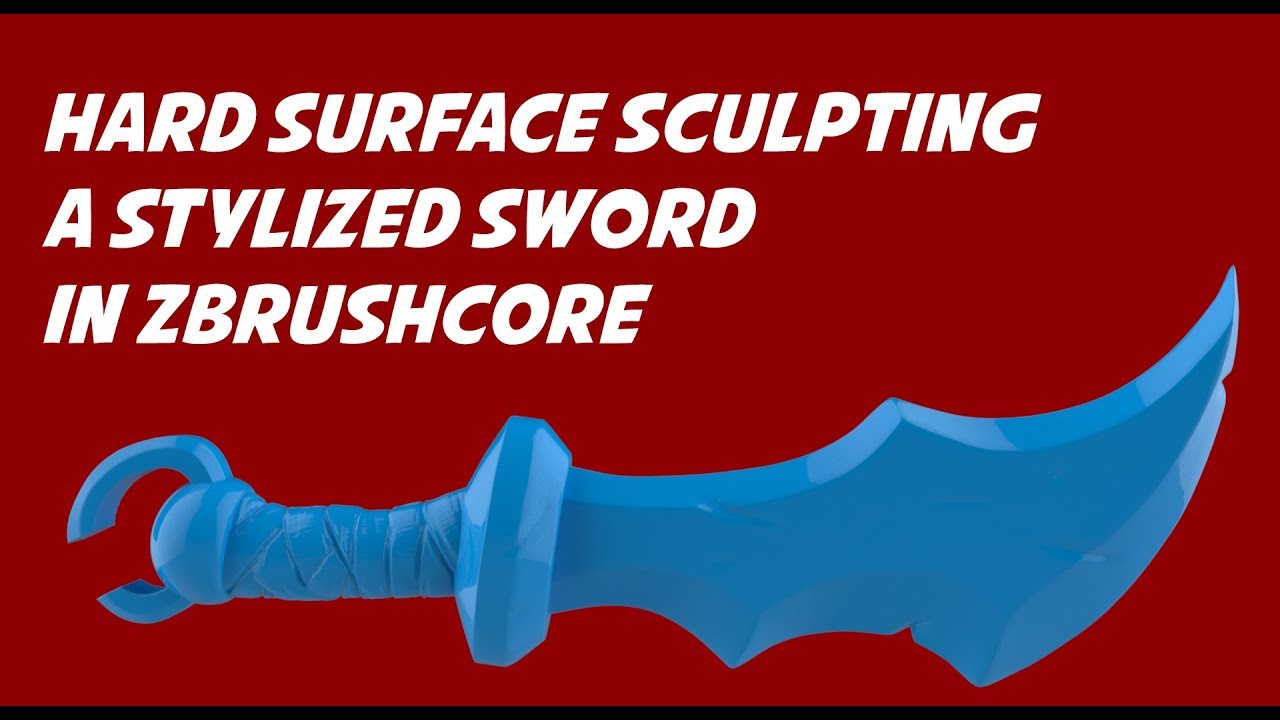
You can download the project file from this tutorial for free, as well as other stuff, on my gumroad page.
Found this useful, buy me a drink!
You can check the unedited realtime video here.
https://youtu.be/ddZ5ls_B47o
For more in depth and other tricks check out my ZbrushCore...
Blender is not the right tool for this, imo, but feel free to use that ig
 balmy shoal
blender has sculpting tools yaknow
echo bolt
junior saffron
Like this https://youtu.be/TKkRRyjggQs
I have had a hard enough time learning blender and still working to learn blender and these solutions were unexpected. I havent even touched sculpting just yet. I think i'm going to try a simpler solution. I know I said I jumped into the deep end but I was thinking something more along the lines of a 8' deep pool, not the Mariana Trench deep lol
appreciate the suggested videos though
junior saffron
balmy shoal
blender has sculpting tools yaknow
Indeed, and who am I to stop people who dig fence posts with their bare hands, it builds character after all
balmy shoal
i have no idea what someone stands to gain by acting like that
but you do you
elitism does no one any favors
junior saffron
Elitism? I'm just suggesting a better tool. If anyone has shown any attitude here it is you, I guess you hate Zbrush?
balmy shoal
no but i would think a lot more people would start out with blender
junior saffron
Anyway I have no interest in feeding this nonsense discussion of fake outrage
I'm out
balmy shoal
suggesting a bunch of zbrush tutorials is far from helpful to someone asking for BLENDER help
clearly you only did so to try and flex some odd feeling of superiority
outer halo
@eager mist !collab
lilac edgeBOT
📢 Collaborating and Job Posting
We do not accept job or collab posts on discord.
Please use the forums:
• Commercial Job Seeking
• Commercial Job Offering
• Non Commercial Collaboration
 waxen tusk
Quick question, what would you guys recommend I do in order to create realistic looking trees for my game? Because unity doesn't import materials from blender, or atleast not with the node system
outer halo
Depends on how realistic you want it. Check the asset store.
If you want high quality foliage, then something like Speedtree is as good as it gets.
 unreal needle
maybe this is where this goes but
for my health bar it was gonna be like a big heart where the red sinks into the middle as you lose health
would that work the same in unity as a slider?
echo bolt
unreal needle
for my health bar it was gonna be like a big heart where the red sinks into the ...
Sounds about right. I imagine a hidden slider as the backing value and using some object with a red material scaled down in proportion to the value of the slider value. Though you dont need a slider to do this and it can be accomplished in different ways
unreal needle
echo bolt
Sounds about right. I imagine a hidden slider as the backing value and using som...
alright thanks
 white flint
AssetDatabase V2 sure is databasing assets again. 🙄
([Worker2] Import Error Code:(4) Message: Build asset version error: ||could be any asset, was a script in this example|| in SourceAssetDB has modification time of '2023-08-12T09:36:46.2053881Z' while content on disk has modification time of '2023-08-12T09:38:52.7588529Z'
I don't even get how that's an error, that's LITERALLY what I would expect during an asset refresh.
 distant abyss
Hi, my Unity Recording shows black screen with this setting. Does anyone know how to fix?
 white flint
Tfw you copy a property of List<string> because you want to import a string list via copy-paste, and want to find out how to adapt the format of your list of names...

JSON like that can go eat a bag of dicts, seriously. I wonder why Unity didn't stick with YAML for copy-paste as well. Complete Workflow killer, especially if your tooling is for YAML or AssetDB.
Creating a custom importer now.
sullen plank
What serializer are you using?
If it's JsonUtility, see prettyPrint parameter https://docs.unity3d.com/ScriptReference/JsonUtility.ToJson.html
white flint
sullen plank
If it's JsonUtility, see prettyPrint parameter <https://docs.unity3d.com/ScriptR...
Thanks... but It's much easier to write an importer from scratch than trying to make something as simple as copy-pasting a text file into a List<String> work with this absurd property schema.
Because there's so much required boilerplate data, whatever I'd write to massage the strings into it, it's more work than a custom importer.
namespace Jovian.Settings.Importers
{
    [ScriptedImporter(1, "names")]
    public class NamesImporter : ScriptedImporter
    {
        public override void OnImportAsset(AssetImportContext ctx)
        {
            var data = File.ReadLines(ctx.assetPath);
            var text = ScriptableObject.CreateInstance<StringListSO>();
            text.strings = new List<string>(data);
            ctx.AddObjectToAsset("strings", text);
            ctx.SetMainObject(text);
        }
    }
}
this is what I get when I right-click on a List<string> property in the inspector - the new, much-touted "universal copy/paste".
Easier this way, fortunately, but it's not always this straightforward. 😄
 sullen plank
Are you capturing copy data from components? Cause that probably was not suppose to be human readable
white flint
sullen plank
Are you capturing copy data from components? Cause that probably was not suppose...
I thought the whole point of it being text was that it was supposed to be readable (well, it's not about human-readability, but machine-writability, so I could write a tool that could fill my clipboard with something I can paste). Now I have to go via serialized assets. Fine, though.
 tough comet
how would i make a object scale with the camera, im trying to make like a shop ui, i have make a object apear but when i change the window size u can see stuff undernether the object?
sullen plank
tough comet
how would i make a object scale with the camera, im trying to make like a shop u...
Fitting 3d camera bounds for dynamic resolution and different aspect rations is not quite trivial, here's some discussions on it https://forum.unity.com/threads/fit-object-exactly-into-perspective-cameras-field-of-view-focus-the-object.496472/
tough comet
sullen plank
Fitting 3d camera bounds for dynamic resolution and different aspect rations is ...
Im working in a 2d game would this also apply to thay,
That?*
sullen plank
Easier to do for 2d, more resources on it as well
search for "unity calculate camera frame for different resolutions"
tough comet
alr ty
distant abyss
distant abyss
Hi, my Unity Recording shows black screen with this setting. Does anyone know ho...
Does anyone know?
 regal ginkgo
Does anyone know how I can get the textures for this model I bought to not look so janky in Unity compared to the Blender model? I've been messing with the shader settings but nothing seems to make the alpha clipping smooth

 obtuse oyster
regal ginkgo
Does anyone know how I can get the textures for this model I bought to not look ...
obtuse oyster
regal ginkgo
Does anyone know how I can get the textures for this model I bought to not look ...
Your surface type is set to Opaque and you're using Alpha clip. Blender doesn't look like it's doing that, and is actually using a transparent material
regal ginkgo
Hmm let me see if I can figure out what exactly the settings are in Blender.. I don't know how to use it, the model just came with that as a format
Would that be the same as the Shadow Mode here on the eyebrows for example?
 obtuse oyster
The blend mode is alpha blending
In Unity you are using Opaque with alpha clipping
 regal ginkgo
So I'd use Transparent + Alpha under Blending Mode?

Definitely a big improvement, thanks! I'll see if I can match the other materials and tweak them to get it looking better
 obtuse oyster
regal ginkgo
Definitely a big improvement, thanks! I'll see if I can match the other material...
obtuse oyster
regal ginkgo
Definitely a big improvement, thanks! I'll see if I can match the other material...
Whatever you're doing with the Combine also seems redundant, and you're just taking the red channel and using as AO, which is also weird
regal ginkgo
obtuse oyster
Whatever you're doing with the Combine also seems redundant, and you're just tak...
Oh I was just trying stuff, I read it in some post about converting Unreal assets to work with Unity before I discovered the flip green checkbox for normals seems to work. I wasn't sure where to plug in the opacity texture
Something about the diffuse also being the ambient occlusion
 amber walrus
Post this to #archived-resources
obtuse oyster
And preferably stop repeating the claims and links so it reads less like a scam

 sullen plank
@astral bone You need to post a complete question with related information if you want it answered.
When importing assets Unity can only match supported materials, you need to instance assets and re-configure materials on prefabs to use them.
 astral bone
Oh damn
astral bone
How come this platform won’t take this texture but everything else will
Ok false alarm there was a copy in the same place
tepid moon
do i have to bake my textures to import my models even if they're just simple textures with a principled bsdf ?
fluid oak
tepid moon
do i have to bake my textures to import my models even if they're just simple te...
Define 'simple texture.' If it is an image use as a texture map, applied to object UVs, then you can just use it as is without baking. If it is a procedural texture OR parametric UVs, you need to bake.
tepid moon
fluid oak
Define 'simple texture.' If it is an image use as a texture map, applied to obje...
well i kinda said it :
on blender, there are some things that are called "nodes" if you didn't know, and the only node i used was the default shader node that is called the "principled BSDF"
(and the material output node to output the material to the surface of the object)
fluid oak
I don't use blender and I am not making any assumptions.
misty lantern
tepid moon
do i have to bake my textures to import my models even if they're just simple te...
Image textures do not have to be baked, procedural ones must be whether "simple" or not
 worn schooner
Quick Questions;
Does anyone know how to Export a prefab to a 3D Model?
I imported a jank model, fixed it with new materials, but now it seems I can't export it?
misty lantern
worn schooner
Quick Questions;
Does anyone know how to **Export** a prefab to a 3D Model?
...
Sure you need to export it? Seems simpler to fix the materials in whatever modeling program you're planning to export it to
Though normally you can apply any materials you need in Unity after all modeling is done and there's no need to make a round trip back to a modeling program anymore
If you really want to do it I expect the FBX exporter package will let you
worn schooner
Thanks for the info @misty lantern ! I'll look into it 🙂

 misty lantern
 safe birch
any idea what could cause this when the model is imported
safe birch
any idea what could cause this when the model is imported
Looks like inverted normals
safe birch
misty lantern
Looks like inverted normals
thanks <3
 marble gorge
Could anyone share their blender to unity fbx (aninated character) import settings? Namely the necessity of NLR strip and leaf bones, can't really find much about them
 undone vigil
Are there any resources for proper texture application for model exporting? I purchased prefabs but some don't export to Blender with textures in place and I'd rather learn how to reconfigure the textures so I don't have to redo them in Blender.
tough comet
why does my sprite look diffrent? first one is in unity and the second is when u open the image

 misty lantern
tough comet
why does my sprite look diffrent? first one is in unity and the second is when u...
misty lantern
tough comet
why does my sprite look diffrent? first one is in unity and the second is when u...
Filtering, compression and non-power of two scale
(actually no filtering that was just the discord preview)
Sprite Renderer should compensate for the NPOT scale I think
 hidden minnow
If I export a blender file to unity, can I change the material in unity?
lapis elk
hidden minnow
If I export a blender file to unity, can I change the material in unity?
Normally you dont use blender Materials in Unity
But you could extract the blender Materials in the Unity Import Settings of your Model
misty lantern
hidden minnow
If I export a blender file to unity, can I change the material in unity?
You can assign any material to the mesh or its submeshes (or "material slots")
sacred grotto
Does anyone use Unity's Tree editor? Is it any good?
Just for stylized fantasy stuff (mushrooms, giant moss, like from Nausicaa), and i know i'll have to model some shapes
marble gorge
It's trash
marble gorge
Ill suggest making those trees in modeling software first and just make a few variations
faster, more control
sacred grotto
How bout windzone compatible?
marble gorge
you can code those with vertex shaders easily
sacred grotto
So windzone approach is not even recommended?
marble gorge
I never used them, I assume it's just a way to modify it's leafs and branches waving and offset with given wind direction
correct me if im wrong but if so, then I got that result with shader + code
One bad thing about that is I don't think there is a good way to paint heaps of them on a terrain
Have to place them manually
 manic axle
I have a general question about PIXEL ART. Does minimalist/low-res pixel art , let you get away with low level of detail ? If yes, is it a good choice for building simulations that must look professional, and do not have too much detail
outer halo
The lower the resolution, the less pixels you have to use. The less pixels you have, the less detail you can fit in.
Looking "professional" is subjective.
 proven widget
Is the HDRP eye shader designed to only work with the specific mesh they provide? Or rather would it be easier to just export that mesh into Blender and use skin it on my character and then apply the shaders/textures?
And if so, would it work if I scale the eye and apply those scales?
proven widget
The left is skinned and the right isn't, they are both the same meshes and they both have the same scales and UV's. What am I doing wrong exactly? (I want the left to have the eye shader which currently does not work.)
 misty lantern
proven widget
The left is skinned and the right isn't, they are both the same meshes and they ...
misty lantern
proven widget
The left is skinned and the right isn't, they are both the same meshes and they ...
Seems unexpected to me that skinning would have any effect on the shader
If the eye doesn't need to deform then you might be able to simply parent it to the eye bone
If it's a problem with scales in hierarchies then that should reveal it
proven widget
misty lantern
If it's a problem with scales in hierarchies then that should reveal it
I tried, but it seems like it only happens when it's skinned. I don't know what exactly is changing when it's skinned. The UV's, the mesh, everything is literally the same. Both of them are the same scales too.
Right now I'm trying the latter as a duct tape solution, to just parent it to the eye bone.
 lusty light
can the free unity creator kit assets be used as a base for a potetnially commercial game ?
i intend to replace the models and animations with stuff i make, but i suck at code and would like to use the existent one as a base as it has a lot of the functionality that i would need already there
 dense zephyr
How does one make their game look like it's being rendered on command prompt?
I really want to make my game look like it's full of "#"s outside the center area that forms a flashlight
what would be a good way to go about doing that?
I was thinking of applying a # texture to the entire map and using the URP decal to show the torch area but I would really appreciate any other ideas that might look better!
lusty light
i think you can use shader graph to mask stuff like colours/ objects/ lighting
dense zephyr
huhhhh I'm sorry I'm quite new to shaders in unity 😅
what is a shader graph?
and I'm assuming this would be where there would be a universal texture ontop of the entire map and then using the shader graph to make the torch functionality right?
lusty light
dense zephyr
huhhhh I'm sorry I'm quite new to shaders in unity 😅
https://youtu.be/Ap4fXGTOb7I is it kinda like this ? (what you are looking for)

Give the project a download if you want to see the final effect without YouTube compression!
https://github.com/Madalaski/ObraDinnTutorial
Twitter: https://twitter.com/Madalaski
Itch.io: https://madalaski.itch.io/
Find The First Person (beta) package here:
https://github.com/boaheck/TheFirstPerson
And here's Breogán's itch page:
https://boahe...
dense zephyr
That looks super cool too
lusty light
i think you can make the dithering effect out of #
lusty light
not sure, maybe you can use the tutorial above and tweak it to get this effect
fluid oak
proven widget
Is the HDRP eye shader designed to only work with the specific mesh they provide...
According to the docs, the shader is designed to work with the eye prefab they provide so I'm guessing that they add additional vertex information to that mesh. Have you looked inside the shader graph to see what mesh info it is using?
proven widget
fluid oak
According to the docs, the shader is designed to work with the eye prefab they p...
I didn't, although if that was the case then the other eye that I imported wouldn't work either. I guess the alternative is to parent the eyes like Spazi mentioned, but it's definitely inconvinient.
fluid oak
I haven't actually used it so I'm only going by the docs.
fluid oak
dense zephyr
How does one make their game look like it's being rendered on command prompt?
I'd probably use a postprocess effect; that way you can just light your scene normally.
 wide wasp
marble gorge
One bad thing about that is I don't think there is a good way to paint heaps of ...
wide wasp
marble gorge
One bad thing about that is I don't think there is a good way to paint heaps of ...
There is a script to convert trees to prefabs. So you can paint your trees, convert, then swap the prefabs for your own models.
wide wasp
dense zephyr
but I was thinking something kinda like
I agree that a fullscreen effect is probably the easiest. You'd need to create an atlas of sorted characters to feed into it, and then you could use a simple flipbook node to convert brightness to text.
 heady epoch
duck i guess
 heady epoch
->
 wide wasp
dense zephyr
but I was thinking something kinda like
wide wasp
dense zephyr
but I was thinking something kinda like
Used https://github.com/Cyanilux/URP_BlitRenderFeature and this texture in a flipbook set from the scene color. (Obviously you could make a better one!)

GitHub
Blit Render Feature for Universal RP's Forward Renderer. Set specific source/destination via camera source, ID string or RenderTexture asset. Also options for _InverseView matrix and _Camer...
 manic fractal
 junior saffron
Then make unwanted posters 🤷♂️
sullen plank
@marble jackal Sorry I stirred you from #archived-works-in-progress channel, I thought you had workflow question there. But for art feedback stuff #archived-art-asset-showcase is the most appropriate one. And please create a thread where to provide feedback there.
 marble jackal
sullen plank
<@920743765646385212> Sorry I stirred you from <#502171560359100437> channel, I ...
marble jackal
sullen plank
<@920743765646385212> Sorry I stirred you from <#502171560359100437> channel, I ...
if i want feedback on something of art i go to art asset and if i want to showcase my stuff and not ask for feedback i go to work in progress?
sullen plank
Correct. And all showcase channels require creating a thread if you expect a discussion/feedback
marble jackal
i dont know how to create a thread
misty lantern
marble jackal
if i want feedback on something of art i go to art asset and if i want to showca...
Works in progress description does include "get feedback"
sullen plank
Right click on your message when you post it and select Create Thread
sullen plank
no trouble, just trying to keep things neat and organized.
 sage talon
is there a ready made asset with tilemap tile assets that resemble a color palette? or do i need to generate those myself through code, or by scriptable objects?
you know, I should just ask chat gpt.
but if anyone knows
misty lantern
sage talon
is there a ready made asset with tilemap tile assets that resemble a color palet...
There are many ready-made tilemaps and color palettes out there
What exactly should it be for
sage talon
misty lantern
There are many ready-made tilemaps and color palettes out there
What exactly sho...
I want a palette/Swatch of tiles for painting in tilemap. Currently I make the tiles one by one and it takes a while
misty lantern
sage talon
I want a palette/Swatch of tiles for painting in tilemap. Currently I make the t...
In Unity or in some pixel art or tileset creation software?
In Unity you can import sprite sheets, slice them automatically by grid and move them together onto a tile palette
sage talon
@misty lantern Thanks. I did try that. I just couldn't find any suitable colour palette.
They usually have a border around them in Google image search.
misty lantern
sage talon
<@166982635950702592> Thanks. I did try that. I just couldn't find any suitable ...
You can define padding and borders when slicing multiple type sprite sheets
You rarely get something perfectly ready straight from google, but searching on OpenGameArt or dedicated palette sites may give you better results
Making some colored squares isn't a very complicated art asset task fortunately
sage talon
misty lantern
You can define padding and borders when slicing multiple type sprite sheets
Thanks. I was wondering if there was a padding option. Seems like that will solve it. I appreciate the help.
unreal needle
in unity how do i make a canva over another one?
outer halo
unreal needle
in unity how do i make a canva over another one?
You can set the order value on the canvas component itself. Higher, the more in front it is.
unreal needle
outer halo
You can set the order value on the canvas component itself. Higher, the more in ...
it didnt work, but i realized i need it disabled anyway
 ripe forge
Most probably a often asked question but still:
Did anyone here used a working workflow using Blender + Unity with USD?
I'd like to try it out with my 3D artist so I can work on a Unity scene with his WIP asset and see a "realtime" synced state of the asset thanks to NVidia Omniverse. That's how I imagine the whole might work?
Anyone already some experience with it?
misty lantern
ripe forge
Most probably a often asked question but still:
**Did anyone here used a worki...
I haven't seen anyone use it and I can count on one hand everyone who has brought up USD at all, so not a frequently asked question by any means
I've been meaning to try it myself but the docs don't speak much of it
Even the page that used to list the package is missing from newer docs
ripe forge
Hm ok I will post my experience when I try things next week then
misty lantern
@ripe forge By the way did you notice this
https://github.com/unity3d-jp/MeshSync
Sounds much like the kind of syncing you were describing
ripe forge
misty lantern
<@442709735196721182> By the way did you notice this
<https://github.com/unity3d...
Oh will check it out!
 meager tangle
Hey, 2D Spritesheets/animation trouble here. I'm having a bit of trouble coming up with the proper workflow for dealing with 2D Spritesheets where I want to be able to adjust the colors of some areas. On top of that, I have multiple spritesheets that I want to share the same animations.
I tried splitting the spritesheets into a base/color and adding them as different sprites on top of each other, this works until I have sprites overlapping, when all of the base sprites are on top of the color sprites. I've tried making a shader in shader graph which would overlay the two sprites but didn't have any success there (beginner with anything shader related). I feel like there has to be an easy way to do this which I'm missing?
Regarding animations. I have ~10ish units which share the same animations (e.g. frames 1-5 are idle, 6-10 walk left, etc...) But it seems like I need to make animations+animation controller for each unit? Again, seems like there's an easy way to do this which I'm missing.
Sorry if this is the wrong channel, brand new to this server 🙂
sage talon
meager tangle
Hey, 2D Spritesheets/animation trouble here. I'm having a bit of trouble coming ...
when you say "I want to be able to adjust the colors of some areas" , what do you mean?
I have no experience of sprite sheets, but just wondering what you mean.
meager tangle
sage talon
when you say "I want to be able to adjust the colors of some areas" , what do yo...
It's an RTS so I'd like to change the units uniforms to the player color while keeping stuff like skin/weapons the same
sage talon
ah right. it there the ability to work with spritesheets like that?
I thought they were one whole thing
meager tangle
My initial approach was to have two spritesheets, one with the base (unchanging) parts, and the other in greyscale with the parts to color. then each part has its own sprite renderer and I would change the sprite renderer color of the colored section.
Another possibility I tried was using a mask but it required a custom shader which I never really got working well.
lapis elk
meager tangle
Hey, 2D Spritesheets/animation trouble here. I'm having a bit of trouble coming ...
You can try to add a mask in your shader and just mask out what you dont want to change the color on.
Oh lol 😄 you already did. Ok
sage talon
so i can modify individual sprites from a spritesheet through shadergraph? ok.
meager tangle
lapis elk
You can try to add a mask in your shader and just mask out what you dont want to...
It seemed like I was recreating the wheel and that there should be an easier way so I never did get it working. If it's the way to go I think I'll give it another shot
meager tangle
sage talon
so i can modify individual sprites from a spritesheet through shadergraph? ok.
You slice the Spritesheet in Unity and they become just normal sprites.
sage talon
meager tangle
You slice the Spritesheet in Unity and they become just normal sprites.
ok. great information.
lapis elk
meager tangle
It seemed like I was recreating the wheel and that there should be an easier way...
Shaders for Sprites are quite easy and nothing really you need to dig in deep.
Do you want to change the color in the shader or do you provide the shader with a already tinted sprite?
meager tangle
I also saw this tutorial which uses a completely different approach. It looks like he builds his spritesheet at runtime.
https://youtube.com/playlist?list=PLzDRvYVwl53vvAulzdE3kG_7zUsvG9nB7&si=wtupUqAVIdk2EvpE

YouTube
Let's create modular Spritesheets as used for Guests in Battle Royale Tycoon
meager tangle
lapis elk
Shaders for Sprites are quite easy and nothing really you need to dig in deep.
D...
I think I would provide the shader with a greyscale sprite and change the color in the shader.
meager tangle
sage talon
i have the 2d sprite effects asset. it was free.
Which asset is this?
lapis elk
meager tangle
I think I would provide the shader with a greyscale sprite and change the color ...
Should be easily done if you do a shadergraph.
Add Texture, create a mask for this texture, tint this masked texture, and add this onto your main texture.
sage talon
meager tangle
Which asset is this?

Add depth to your next project with All In 1 Sprite Shader from Seaside Studios. Find this & more VFX Shaders on the Unity Asset Store.
but doing it yourself is better
anyone know how to generate tilemap tiles in to unity assets?
i asked chat gpt but i cnat pull them into the tile pallete, must not be actual tiles
meager tangle
sage talon
https://assetstore.unity.com/packages/vfx/shaders/all-in-1-sprite-shader-156513
If it does what I want I'm happy to buy it, no point in recreating the wheel😂
sage talon
meager tangle
If it does what I want I'm happy to buy it, no point in recreating the wheel😂
it was in a humble bundle. havnt actually used it ever
but it would probably save 200 hours
but probably shader graph is better in the long run
meager tangle
lapis elk
Should be easily done if you do a shadergraph.
Add Texture, create a mask for th...
Okay thanks, I'll give it a shot.
fluid oak
meager tangle
My initial approach was to have two spritesheets, one with the base (unchanging)...
For the tinting, sprite renderers let you assign secondary textures to a sprite- useful for masks, glowing bits, etc.
 wicked agate
hey im trying to paint the texture of models in unity but as you can see where the uv map ends there are white lines like that even in the cube. When its happening even in cube i assume its not the way i unwrap the car so any idea what i can do ?


 glacial vector
wicked agate
hey im trying to paint the texture of models in unity but as you can see where t...
glacial vector
wicked agate
hey im trying to paint the texture of models in unity but as you can see where t...
It's probably bleeding on the UV seams, in texturing programs you would dilate the texture outside of the UV islands to avoid this
wicked agate
thanks but i painted this meshes in unity with "paint on 3D" plugin it wont dilate the texture
misty lantern
Texture painting systems require dilation/bleed feature
It's an universal limitation of those systems otherwise
gray hill
hey is it possible to make particle spawn position more random?

Or well, avoid clusters of particles appearing randomly
 tulip night
Why is my model like this? I exported a .fbx file and imported it into unity.


 lime pollen
gray hill
Or well, avoid clusters of particles appearing randomly
lime pollen
gray hill
Or well, avoid clusters of particles appearing randomly
Are you using a burst module? Just randomizing the start position should work
lime pollen
tulip night
Why is my model like this? I exported a .fbx file and imported it into unity.
Looks like inverted normals, see pins

 lime pollen
Like I said, see pins
 acoustic summit
i don't know why this is happening
outer halo
acoustic summit
theese purple textures still don't show aswell as the void shaders, any help to fix that?

 misty lantern
@acoustic summit from your video it looks like your material is imported as transparent with alpha blending
That will cause face sort order issues so use opaque instead
 jovial walrus
hi y'all does anyone have any advice or guides they can point me towards for figuring out how i can make a procgen environment based on something like compositing premade modular environment assets made in blender?
I'm basically trying to make an infinite 3D dungeon and struggling to find the right place to start
lime pollen
Probably more appropriate here #archived-art-asset-showcase
 snow quarry
Oh sorry
lime pollen
do you want to get banned for spam
 sand pendant
What can you do exactly in this channel
misty lantern
sand pendant
What can you do exactly in this channel
Ask questions and discuss anything related to 2D, 3D, Audio asset integration into Unity.
 sinful osprey
I think this is the valid place to post this buring question I have, when, oh when, will they recognize the existence of Vray and Vray materials and support the materials in Unity? it's a real shame, I normally use them all the time, I had to cringe yesterday when exporting my model from 3ds max, because I had to use the standard textures so that they'd come through, why this oversight?
misty lantern
sinful osprey
I think this is the valid place to post this buring question I have, when, oh wh...
If Unity devs don't support feature X one possible reason is that they haven't heard that it's wanted, in which case you can file a suggestion through the roadmap (in this case URP or HDRP roadmaps I'd expect)
I think it's more common that the developers of the external program choose to support Unity rather than vice versa, but both have happened
I'm not familiar with Vray materials, are they not PBR like most other formats out there?
sinful osprey
misty lantern
I'm not familiar with Vray materials, are they not PBR like most other formats o...
It's a realistic physics based render engine, been using it for years as a 3d artist, I haven't really compared the other packages to it, but arnold is very good
 unborn flower
Hi im a beginner to unity and wanted to know how I would take an 8x8 pixel asset pack and fit it into a 16x16 tile
if its possible
oop nvm got it
all good 👍🏾
 rocky coral
just want to ask why everytime in github some fbx files gets corrupted?
or get error
junior saffron
It’s me, I corrupt those files…I’m sorry about that
But you should keep backups
I don’t corrupt them every time though, so if that’s happening to you, you should look into it
 zenith grotto
https://assetstore.unity.com/packages/3d/environments/simplepoly-town-pack-62400#asset_quality
yo is this asset fine to use in a uni assignment?

Elevate your workflow with the SimplePoly - Town Pack asset from Gnome's Artworks. Find this & other Environments options on the Unity Asset Store.
my uni permits use of external assets but
i'm thinking of like
from the other way around
idk what the EULA is talking about so i couldn't really tell 💀
lime pollen
zenith grotto
my uni permits use of external assets but
ask your uni
zenith grotto
my uni is fine w/ external assets
i'm asking about this asset being fine for use w/ my uni assignment
lime pollen
don't see why not
fluid oak
I mean, we don't know what your assignment is
eager mist
i accidetally made my level a prefab asset, how to change tilemap editor to prefab mod? or atleast how can i undo the action of making it prefab

haha luckily id idnt save editor so i was able to to undo
but still for futurre
how can i work around this
 hazy citrus
guys I m wondering one thing. Is it doable to do pixel art in greyscale only and color afterwards?
Im color blind and I can only replace the greyscale values with color afterwards otherwise I dont think it will work if thats not possible lol (green-red blind)
 vagrant sorrel
hey, im working on a 2D pixel art game.
my base resolution is 640x360, so i would think that when you play the game in 1920x1080 a pixel that was once 1 pixel will become 3x3 pixels.
however in the actual game it seems that that 1 pixel scales to 2x2, as if they only scaled once. compared to playing another game it seems that each pixel has been scaled to 3x3 as expected.
maybe im stupid but can someone help 😅 ? how should i be able to create this sort of similar scaling in my game?
misty lantern
hazy citrus
guys I m wondering one thing. Is it doable to do pixel art in greyscale only and...
I don't see why not, though it's naturally going to be more challenging
Sometimes you've got details only one or two pixels in size, and they're distinguished from another detail only by their color
Pixel art styles often use limited color palettes, so you could use that to your advantage
You could go full two-color or monochrome, or three color or b/w + one or two tones that your vision can see
Or a palette that has all the colors except the ones you can't see
misty lantern
vagrant sorrel
hey, im working on a 2D pixel art game.
my base resolution is 640x360, so i woul...
What do you mean by "in actual game"
Does that mean when using pixel perfect camera component and its reference resolution, or just by looking at the game window or something else?
vagrant sorrel
i mean when building the game in fullscreen and screenshotting
and checking in aesprite or something
comparing to other pixel art games
i think i found the solution in this thread though:https://forum.unity.com/threads/need-serious-help-with-pixel-perfect-for-different-16-9-resolutions.1429663/

Unity Forum
I'm making a Pixel art 2D Game and I need help with the Pixel Perfect Camera component.
Here's my problem: my camera orthographic size is working...
pretty much my exact problem
 river iris
has anyone ever had this issue in Blender where certain vertices don't move in Sculpt mode? they aren't masked, transforms are frozen and there's definitely enough geometry in this area. I can't figure out how to fix it
 lime pollen
river iris
has anyone ever had this issue in Blender where certain vertices don't move in S...
lime pollen
river iris
has anyone ever had this issue in Blender where certain vertices don't move in S...
Might be a better question for !blender
!blender
Dammit
Look up the blender discord
 wide yew
can you createw 2d character sprite sheets with ai?
eager mist
Hey people im wondering if there are any way to have a paintable texture mask?
like say you have a brick wall, and with some in engine brush you can paint over with a mossy variant
this way I could add that variation to crevices or any specific areas
misty lantern
eager mist
Hey people im wondering if there are any way to have a paintable texture mask?
l...
Texture painting is a feature that can be implemented but it's really quite complex
Vertex painting would work much the same way but be much simpler to implement, and PolyBrush I think already has it
eager mist
mkay
eager mist
misty lantern
Texture painting is a feature that can be implemented but it's really quite comp...
actually, now that i think about it a manual texture paint might be too much, but a procedural shader might be better
thanks for answering my question
 pliant halo
is there a way to export blender mesh with submeshes - without bringing the materials with it
the mesh has 2 submeshes but its given me two materials aswell which i have no intention of using

would be nice if i could just export the fbx with 2 submeshes but it not bring in two random materials which i can't even edit anyway
fluid oak
pliant halo
would be nice if i could just export the fbx with 2 submeshes but it not bring i...
What do you mean, 'can't edit?'
pliant halo
its greyed out

i dont use them anyway so would be nice if unity didnt import them from my fbx file anyway
fluid oak
pliant halo
its greyed out
You just need to unpack them in the importer inspector to edit them.
pliant halo
id rather not import them since i want to use a shader graph material
just more clutter when it imports them
fluid oak
I am not a blender user so I dunno how to change the export settings.
pliant halo
fair enough
fluid oak
I know you CAN have an imported mesh with no material but that is done on the mesh creation side normally.
If you really needed to, you could write an asset preprocesser script to handle that.
Or you can just use shader graph shaders on the imported materials.
long pebble
I have a question, for this example here
https://www.youtube.com/watch?v=Nn-VKi0urPs
what exactly is 2d and 3d? The enemies for sure look like sprites. The gun is 3d made to look 2d? And the environment looks 3d too?

Warhammer 40,000: Boltgun reviewed by Jon Bolding on PC. Also available on Xbox, PlayStation, and Nintendo Switch.
Boltgun impresses with Warhammer 40K chops and a fully realized vision of the famous franchise as a modern retro-shooter, light on story but heavy on action and nods to the tabletop game. The level design of its many fast-paced are...
junior saffron
pliant halo
would be nice if i could just export the fbx with 2 submeshes but it not bring i...
you can extract those materials (right click -> extract) and then delete them
you can also export a dae or something instead of fbx
it will be nice and pinkmagenta
like materialless things ought to be
misty lantern
pliant halo
is there a way to export blender mesh with submeshes - without bringing the mate...
You can disable material importing with this drop down

Or in blender click the X to unlick material data from the material slot
 misty lantern
junior saffron
you can extract those materials (right click -> extract) and then delete them
misty lantern
junior saffron
you can extract those materials (right click -> extract) and then delete them
That extra step shouldn't be necessary
 rustic charm
Had a question about USD, so far my team has been able to get it working in Unity, on both Windows and Mac, however on Mac, USD only seems to work if it's Intel based, and doesn't seem to work with any of the new M1 and M2 chips. Has anyone heard anything about that? We're having a tough time finding any info on it.


 misty lantern
 dry shard
somebody tell me how to remove these black things
dry shard
somebody tell me how to remove these black things
You need a material that uses alpha clipping / cutout
dry shard
misty lantern
You need a material that uses alpha clipping / cutout
I do not know what that is or how to do that
how do i do it?
misty lantern
dry shard
I do not know what that is or how to do that
Make a new material, give it the tree texture, enable alpha clip or set its type to cutout (depending on your render pipeline), assign it to your tree
dry shard
By enabling alpha clip exactly is setting it to cutout right?
misty lantern
dry shard
By enabling alpha clip exactly is setting it to cutout right?
They are two different names for the same thing, if that's what you're asking about
dry shard
oh okay
you see there is a problem
this happens


sorry for my bad english
wait nvm i think i know what the problem is
sand pendant
misty lantern
> Ask questions and discuss anything related to 2D, 3D, Audio asset integration ...
Thanks
 astral talon
I have a question. I am pretty new to blender and I am trying to create and export a mountain I have made. I have colored it with different materials and unwrapped it. I trying to bake it, but whenever I try to bake it, the tops of the mountains are the only things that show up on the UV sheet. Any suggestions?

 lime pollen
astral talon
I have a question. I am pretty new to blender and I am trying to create and expo...
lime pollen
astral talon
I have a question. I am pretty new to blender and I am trying to create and expo...
Probably best to ask the blender discord !blender