#🔀┃art-asset-workflow
1 messages · Page 9 of 1

 winged obsidian
you should also make sure you've exported it from blender recently
winged obsidian
it still looks like your UVs are wrong
do you see more splotches on other sides of the object?
 solar lake
yeah
winged obsidian
you don't happen to have two separate UV maps for this object in Blender, do you?
 winged obsidian
Unity is using the first UV map.
solar lake
o
winged obsidian
a map isn't "baked", per se
you're just baking that texture using the second UV map
which seems a bit weird
solar lake
ive always baked like this


 winged obsidian
the name of the UV map doesn't matter
all that matters is which Image node you have selected in the shader editor
(which is very weird, yes)
winged obsidian
because you haven't changed anything, yes
you need to make that "Baking" map the first UV map in the list
solar lake
you cannot re-arrange them
 solar lake
winged obsidian
switch to UV1 on the material
solar lake
winged obsidian
switch to UV1 on the material
nothing is happening
winged obsidian
oh wait, that only applies to the secondary maps
does the "UVMap" map contain any useful data?
i'd guess not, since you unwrapped it for baking in the "Baking" map
if so, just delete it
solar lake
winged obsidian
does the "UVMap" map contain any useful data?
where is that located?

 winged obsidian
if you aren't using the first map for anything, just delete it
so that Baking is the only map
solar lake
winged obsidian
so that Baking is the only map
any way to make it more hq and actually function as a normal map
winged obsidian
bake it at a higher resolution, I guess
solar lake
ok then
winged obsidian
is this for the fuzzy top of a microphone or something?
solar lake
yeah
winged obsidian
I'd increase the Tiling value so that the texture repeats many times
and just use a uniform "fuzzy surface" normal map
rather than baking it

Asset 'Fabric 034' on ambientCG. Get this asset and 1000+ more PBR materials and textures for free under the Public Domain license.
this might be useful
 solar lake
ok then
winged obsidian
normal maps control which way the mesh appears to be facing
 winged obsidian
i'm actually not sure how you'd do that in Blender..
you'd need to bake the offset between the high-quality mesh and the low-quality mesh
 paper oar
hi, a few of my models have this odd black pattern over them & im not sure what it is. how do i get rid of it?

 hoary kindle
paper oar
hi, a few of my models have this odd black pattern over them & im not sure what ...
hoary kindle
paper oar
hi, a few of my models have this odd black pattern over them & im not sure what ...
Are you sure its not the texture thats having those black pixels?
 lost depot
hi, does anyone know why my 3d model looks like this in blender?

but like this in unity

I don't mean the texture in the mouth, I mean why the eyebrows look like that
hoary kindle
lost depot
Take a look at backface culling. Seems like the triangles on eyebrows are not facing the right way, recalculating all the normals in blender before exporting should do the trick
paper oar
hoary kindle
Are you sure its not the texture thats having those black pixels?
i don't think so. here's the texture as it's applied. everything looks fine to me so i'm assuming its the model
 hoary kindle
paper oar
i don't think so. here's the texture as it's applied. everything looks fine to m...
hoary kindle
paper oar
i don't think so. here's the texture as it's applied. everything looks fine to m...
Try to disable all shadows for a moment to make sure its not self shadows/shadow acne etc.
 ember pollen
paper oar
i don't think so. here's the texture as it's applied. everything looks fine to m...
ember pollen
paper oar
i don't think so. here's the texture as it's applied. everything looks fine to m...
maybe you have some normal map or other texture applied in the material?
paper oar
got it fixed, was a nearby light causing the pattern. thank you for the help
 hoary kindle
paper oar
got it fixed, was a nearby light causing the pattern. thank you for the help
hoary kindle
paper oar
got it fixed, was a nearby light causing the pattern. thank you for the help
But why did that happen?
Lights shouldnt cause those patterns when set up correctly. I assume it was shadows then
paper oar
hoary kindle
But why did that happen?
tbh i'm not really sure why. i just turned down the intensity and range of the nearby lights. but its working now and i don't really want to mess with it any further.
 eager mist
Can someone please explain why my UVs are 90 degrees off in unity compared to in blender?


and more importantly -- how do I fix it?
hoary kindle
eager mist
Can someone please explain why my UVs are 90 degrees off in unity compared to in...
Sounds like you are using custom shader in blender and made it look right with that shader set up, when imported into unity, the shader does not exist anymore and the only thing that matters is the uv unwrapping
eager mist
OHHHHHHH -- ok, ya -- i probably turned the texture in the shader -- that makes sense
thanks
 misty lantern
paper oar
hi, a few of my models have this odd black pattern over them & im not sure what ...
misty lantern
paper oar
hi, a few of my models have this odd black pattern over them & im not sure what ...
I'd check that no lights causing this problem were using light cookies
I recall seeing a problem like that with them
Otherwise I'd guess it's some type of shadow issue
 sly onyx
when I start gesture manager on my avatar and start moving the hand positions, they break and there are gaps in the hands most noticeably at the wrist and thumb on both sides

before animations are applied
same model

skin shader on poiymoi
all solid color
no texture

i cant get that close because my touchpad is dying
but you can see the gaps
this is the exact same model as the hands but this has an actual texture with normals applied for the shiny spider on the other side

this is also the realistic shader on poiymoi
8.1 toon
misty lantern
sly onyx
when I start gesture manager on my avatar and start moving the hand positions, t...
What is "gesture manager" exactly
sly onyx
Vrchats avatar emulator
It just plays vrc animations to the model and shows the toggles that can be used in game
I have one to toggle those hands
But the idle isn’t an A pose or T pose it’s the desktop idle pose for vrchat with both arms down
misty lantern
sly onyx
Vrchats avatar emulator
Vrchat is quite far removed from Unity development so I'd redirect you to !vrchat
 lilac edgeBOT
Join the growing VRChat community as you explore, play, and create the future of social VR! https://discord.com/invite/vrchat
 pseudo bough
I have it set on tile
 frigid hull
how would you go about making bottled liquid "physics"?
something like this

I just want the upper part to match the angle of the bottle
misty lantern
frigid hull
how would you go about making bottled liquid "physics"?
https://youtu.be/DKSpgFuKeb4
You can find many more simply by googling "unity liquid bottle shader"
 rocky temple
Hey! im currently looking into drawing my own skybox, does anyone know where to start?
hoary kindle
rocky temple
Hey! im currently looking into drawing my own skybox, does anyone know where to ...
You can put custom materials to skybox so if you make custom shader for it, you can make anything you want with the material
rocky temple
hoary kindle
You can put custom materials to skybox so if you make custom shader for it, you ...
i was more talking about the cubemap method
misty lantern
Are you talking about drawing as in painting
rocky temple
but i have no clue how to deal with the spherical projection
rocky temple
misty lantern
Are you talking about drawing as in painting
precisely
hoary kindle
rocky temple
but i have no clue how to deal with the spherical projection
6 Sided and Cubemap doesnt require spherical projection
rocky temple
hoary kindle
6 Sided and Cubemap doesnt require spherical projection
it does if you want to hide the seams right?
hoary kindle
rocky temple
it does if you want to hide the seams right?
I dont know what you mean
misty lantern
@rocky temple You can draw them in programs that support panoramic projection in some way
Photoshop can do it https://youtu.be/XZmr-XYRw3w
If you're familiar with Blender you can do it there too by UV-unwrapping a box or a sphere and texture painting on it from the inside, then rendering it out to a panoramic texture or a cubemap image sequence
Here's a video of someone painting like that, though it doesn't show the process itself https://youtu.be/Kf8epDs3frY
rocky temple
misty lantern
<@433953456315957258> You can draw them in programs that support panoramic proj...
thanks! this helps!
rocky temple
hoary kindle
I dont know what you mean
just a quick demonstration of what i meant; you can clearly see where the +z and -x faces of the skybox are meeting in this picture

i was asking about compensating for that
hoary kindle
rocky temple
just a quick demonstration of what i meant; you can clearly see where the +z and...
Well, you have painted it wrong then. Anyway what spazi said is better
misty lantern
There's basically no way to paint it "right" unless the painting process itself considers perspective
 slim prism
Hi, what material setup in 3dsmax supports unity hdrp mask map feature?
 dense oar
My Game view camera suddenly looks blurry as hell and I cant find a single setting to fix it.
Some peopel on the net say turn off Low Resolution Aspect Ratios, but no one says HOW to turn it off

the camera looks correct in scene view, but for some reason there are some WTF ghosting going on in the camera preview that isnt there in game view


its even worse if you move the camera

even shader previews are utterly fucked
what possible setting could cascade into destroying every single camera in unity?
why would such a setting even exist?

restarting unity made it get 4x MORE blurry
this is pretty bad, this is catastrophic even
dense oar
Solved the source after backtracking through git commits, render scale was showing 1.0
 misty lantern
@copper sleet As the error tells you, you need seams if you're not using some kind of automatic UV projecting
Usually you have an unwrapped model to start with before you can bake procedural textures
 copper sleet
 grim vortex
Does anyone know why FBX Exporter sets the emission to materials without a texture map to 1, when it's turned off on the original texture?
Plant to the right is the original, plant to the left is exported. The cacti is the only part with a textured diffuse.

 faint ore
How many polygons or tris should a game character typically be?
 lime pollen
faint ore
How many polygons or tris should a game character typically be?
lime pollen
faint ore
How many polygons or tris should a game character typically be?
depends on the game
faint ore
lime pollen
depends on the game
How about a third person free roam game?
lime pollen
faint ore
How about a third person free roam game?
genre isn't the important thing here, what is the artstyle?
faint ore
lime pollen
genre isn't the important thing here, what is the artstyle?
Really? oh uhm semi realism
lime pollen
faint ore
Really? oh uhm semi realism
actually, what you can do is look up games with a similar artstyle you're going for and see how many polys they use for their characters
 dapper leaf
Hey guys I’m taking inspiration from this guys art but I have no idea where I can draw something similar in terms of apps or softwares. https://youtu.be/KMJbhee4xTk thank you in advance
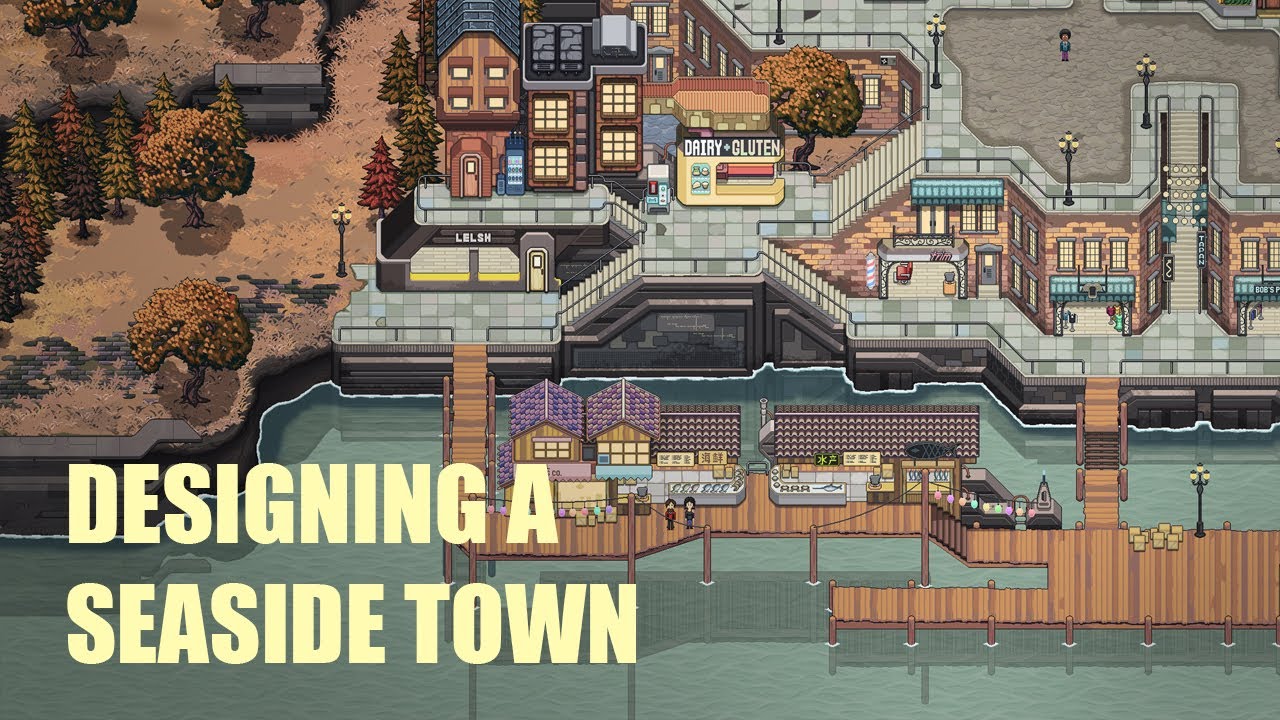
In this video, I go over my design process for creating a new town for Chef RPG, an open world pixel art game.
Wishlist Chef RPG on Steam!
https://store.steampowered.com/app/1796790/Chef_RPG/?beta=0
Follow me on Twitter for regular updates on the development of Chef RPG:
https://twitter.com/pixelarchitect1
Music: Prelude in C, Bach
Licensed b...
misty lantern
faint ore
How many polygons or tris should a game character typically be?
Somewhere between "as many as you can render on the target platform and hardware" and "as few as you need to convey the art and visual information"
winged obsidian
re: the rotation problem, things look correct for me if I do not check the "apply transforms" option when exporting an FBX from blender
the one that I checked "apply transforms" on imports with a 90 degree X rotation

the one that I didn't check that for imports with a 0 rotation
note that you may also be having problems with the model having a rotation in Blender
maybe try applying rotation in blender before exporting
(F3 -> "apply rotation")
 junior coral
dapper leaf
Hey guys I’m taking inspiration from this guys art but I have no idea where I ca...
junior coral
dapper leaf
Hey guys I’m taking inspiration from this guys art but I have no idea where I ca...
Seems like he is using Photoshop to draw his sprites
 tranquil bay
Any suggestions how to work through this? I've got my sprites rendering on quads since theres some wind movement, but I don't know how to deal with this pivot situation where the leaves render behind their trunks when above the trunk's center point


I want the second picture's effect with the leaf positioning of the first picture
 obtuse oyster
tranquil bay
Any suggestions how to work through this? I've got my sprites rendering on quads...
obtuse oyster
tranquil bay
Any suggestions how to work through this? I've got my sprites rendering on quads...
Your material should be opaque and use alpha clipping so it writes to depth. As there's no actual transparency here, there's no reason to use a transparent shader
 woeful chasm
Should the root of my object be the model or should I create an empty parent?
 south robin
woeful chasm
Should the root of my object be the model or should I create an empty parent?
south robin
woeful chasm
Should the root of my object be the model or should I create an empty parent?
I always create a parent. I don't know if it's the right procedure, though. I think it makes it easier to have a "Character" object that has a model.
 indigo wing
From coding perspective, having an empty parent can make things easier.
You can do stuff like make just the model rotate, without rotating the actual object for movement etc.
It rarely matters for static things like non-destructible trees and buildings.
 humble lichen
i want to improve graphics on Standard render pipeline for mobile , with the same assets and materials .
what can i do for it .( its a horror mobile game).
unity particle system (fogg) lags on mobile
 tranquil bay
If you were making an experience bar (or any other kind of tiling bar) for your 16x16 game, which of these would tile more appropriately? I am thinking #2, the short one, since you'd have the middle tile consistently, then two "caps" on either end without much excess?


And I suppose this would therefore be the same for most, if not all interface elements, once I figure out which one is correct.
tranquil bay
Oh dang I think I am getting it. So you basically want to create your UI sprites with minimum fill! This means their edges will tile to their absolute smallest value possible without warping.
 violet axle
dense oar
Solved the source after backtracking through git commits, render scale was showi...
violet axle
dense oar
Solved the source after backtracking through git commits, render scale was showi...
huh.. for me render scale has to be set to 1.0 otherwise the whole thing explodes lol
I'm trying to make an asset for my game, its a TV. I would like to keep as few texture maps as possible for easier painting, but im not sure how. This is the model. ATM it is using 4 UDIM tiles, which from my understanding should result in 4 texture maps. Is there a different way to do this?
 misty lantern
violet axle
I'm trying to make an asset for my game, its a TV. I would like to keep as few t...
misty lantern
violet axle
I'm trying to make an asset for my game, its a TV. I would like to keep as few t...
UDIMs are only useful when you're doing really complex texture painting or baking
As far as I know Blender doesn't support UDIM baking and Unity doesn't support UDIMs at all
For something that simple I'd use traditional unwrapping, or just separate materials and textures
Ideally you might want all the object's details on one texture in the same UV space, but at this point you probably won't get any tangible benefit from optimizing it
 kind hollow
Anyone know why my mesh is distorting like this? I'm clueless. Skin weights are unlimited by the way, and I don't think it's a UV issue.


The last screenshot is an example of how the mesh looks in Blender, it looks fine to me so I don't think it's a weights issue


My import settings
 grave garnet
kind hollow
Anyone know why my mesh is distorting like this? I'm clueless. Skin weights are ...
grave garnet
kind hollow
Anyone know why my mesh is distorting like this? I'm clueless. Skin weights are ...
Are you using blend shapes or just bones?
Hmm looks like bone deformation artifacts. Your mickey mesh is super dense by the way. I think it could do with 3x less vertices
kind hollow
Just bones
Yeah ik the optimisation is pretty bad rn, I was planning to get it redone sometime in August though, or at least before I finish the game
 severe birch
I'm making a game that has to be done in a week, I've finished all the core gameplay implementation but after starting level design it's taken like 5 hours to just make the most basic cave ever
Is there a quicker way to do it than fiddling around with probuilder, like without paying money lol
misty lantern
severe birch
Is there a quicker way to do it than fiddling around with probuilder, like witho...
ProBuilder is intended for greyboxing, it's very inefficient to make actual assets with it
You'd first want to nail down the gameplay design of the level with the simplest tools you have, either ProBuilder or even just duplicating some unity cubes
Then you'd do an art pass over it in whatever modeling program you're proficient with
severe birch
Ok that's helpful, I have literally never used a modelling program in my life so I guess I'm just gonna have to stick with cubes
I mean currently I've spent about 20 minutes trying to put a hole in a cube so idk if I can even grey box anything more complex than literally grey rooms stuck together but maybe that's good enough at this point. At least good to know that I shouldn't try making assets with this lol
 proven wharf
how do i make this interier look good with lighning
i added directional light but now it looks like it doesnt have celling
 violet axle
misty lantern
For something that simple I'd use traditional unwrapping, or just separate mater...
violet axle
misty lantern
For something that simple I'd use traditional unwrapping, or just separate mater...
well, it doesnt really need to support UDIMs, if you look at my image, they are already using different materials, BUT for each UDIM I need a different texture because of the texture painting tool im using. My workflow looks something like this:
- Model the thing in blender, making sure to seperate important sections with different materials.
- Set up UDIM tiles in blender, and organize UV maps neatly so it fits well on each tile, making it easy to see and manipulate the UDIM maps.
- Bring my model into Armorpaint, and use ColorID maps to paint based on each material.
- Export the textures, one texture set for each UDIM tile
- Set each material to use whatever textures its UDIM tile is using
bit of a rough explanation but I think this works
misty lantern
violet axle
well, it doesnt really need to support UDIMs, if you look at my image, they are ...
If you don't want multiple texture maps, bake them into just one
violet axle
uh.. how?
proven wharf
does anybody know how to make this look natural
 violet axle
proven wharf
does anybody know how to make this look natural
violet axle
proven wharf
does anybody know how to make this look natural
i dont see a a single shadow
proven wharf
me to
violet axle
so add them
violet axle
misty lantern
violet axle
uh.. how?
Almost all texture baking / painting guides/tutorials out there are for targeting one texture
eager mist
im trying to import a model into a unity game, and the tangents are messed up, im not sure how to fix this

if someone could help, or point me in the right direction, i would appreciate it, im kinda new to this, i have no idea what to do, because everything ive done before was stuffi was familiar with
it looks like this in game
 misty lantern
eager mist
im trying to import a model into a unity game, and the tangents are messed up, i...
misty lantern
eager mist
im trying to import a model into a unity game, and the tangents are messed up, i...
This server is not for the topic of modding
violet axle
is there a good website for free icons that dont need attribution? ive seen a few listed before but i forgot them
 boreal cedar
while importing a package, I am not able to select some all of it, anyone know the reason?
 violet axle
boreal cedar
while importing a package, I am not able to select some all of it, anyone know t...
violet axle
boreal cedar
while importing a package, I am not able to select some all of it, anyone know t...
i dont understand the issue
boreal cedar
violet axle
i dont understand the issue
ya, sorry my bad
so turns out I already had the package in one of my folders. But I thought I didnt have it so wanted to import it. But it wouldnt let me import all of them.
 jagged osprey
My scene has too many triangles/verts which I believe is causing my lag spikes, with 6 assets in my scene im at over 1.5m triangles, 1.1m verts, and 279 batches. My game is very small so theres really not scripts i made that can cause lag. Im using URP if that matters
Is there a way to heavily reduce the tri/verts from all meshes?
misty lantern
jagged osprey
My scene has too many triangles/verts which I believe is causing my lag spikes, ...
Not automatically
How are just six assets that polygon heavy?
jagged osprey
😔 dont know, a donut in my scene is literally 350k triangles
misty lantern
There are some LOD generators on the asset store that can automate that kind of optimization but I'd really question if your meshes really are meant for realtime use
A lot of models you find online might not outright tell you if they're game ready, or meant for just offline renders
jagged osprey
i was going to replace the models im using as these are placeholders, some are just from mixamo like xbot was over 100k triangles. Though i was concerned because my character is just a bunch of capsules rn and its >50k triangles
But maybe ill look at this more when I use the correct models then
 hardy pawn
I'm just now noticing that unity doesn't let me use sprites as textures, as far as I can tell. Is there a way to convert sprites into textures, other than just manually breaking my sprite sheet up into a bunch of images manually? I already have the sprites defined on the sheet and all that jazz.
I basically made my textures all in one image, figuring I could use the sprite-sheet tools to cut them out accordingly, but now it's looking like I'll have to manually turn them all into individual PNGs?

 vivid crag
I am trying to import this model into my project but it shows in pink what should I do ?

I read that I should change the rendering pipeline but I cannot see rendering in the object properties
also I tried to drag textures to it but the body part didn't accept that
if you want also this is the material link on unity store and it's free

Elevate your workflow with the RPG Monster Duo PBR Polyart asset from Dungeon Mason. Find this & other Creatures options on the Unity Asset Store.
 outer halo
This asset uses the built in pipeline. Did you choose URP or HDRP for yours?
vivid crag
URP
I just found solution here thanks )) (it's window -> render pipeline converter)
https://www.youtube.com/watch?v=V_EGF1M3fgY
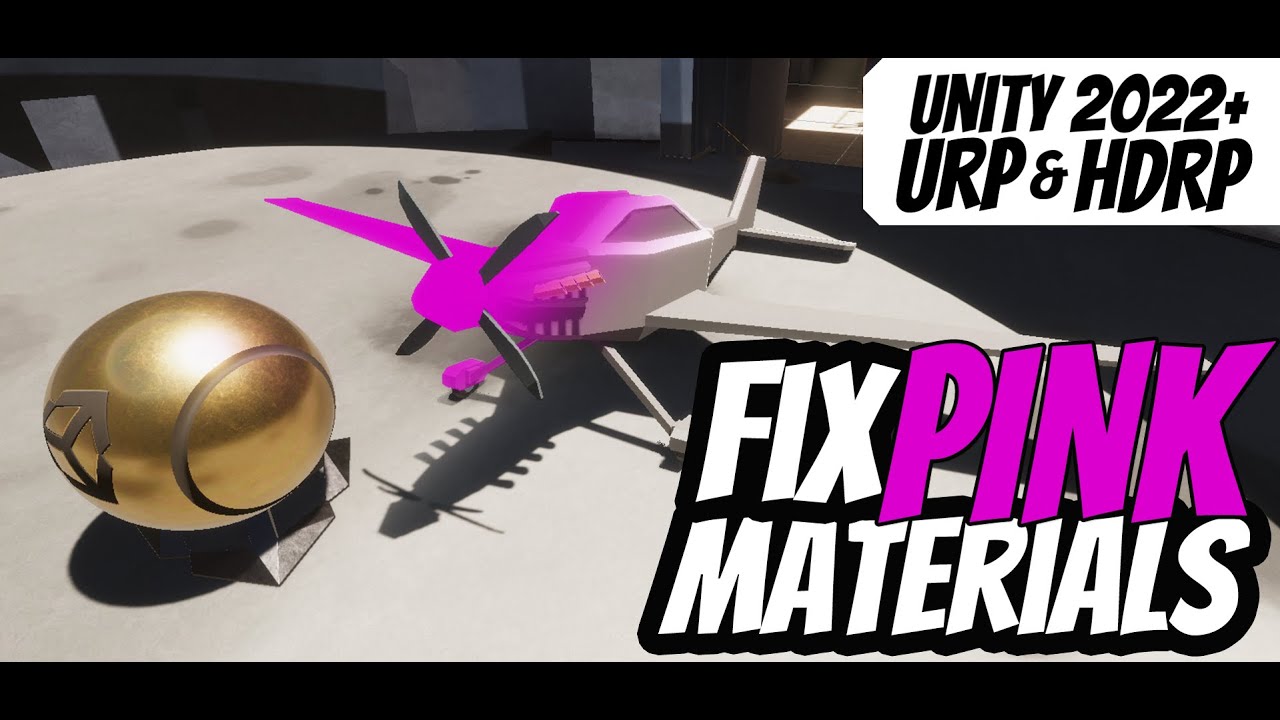
Upgrade materials either for URP or HDRP Unity Projects.. Works for 2021.2 and up, including 2022 builds.
vivid crag
outer halo
This asset uses the built in pipeline. Did you choose URP or HDRP for yours?
but in general do I have to do this every time and why this happens in general ?
outer halo
There are three pipelines: Built-in, URP, HDRP.
It happens because it was made for a different pipeline than the one you're using. Look at the asset description, they will specify the compatibility with each of the three pipelines.
Ones that don't (like the asset you've linked) are from before when there was only one pipeline, so if it doesn't list compatibility, then it's for the Built-in pipeline.
So, if the asset isn't for your pipeline, you will need to convert it. But converting it with the converter only works in specific cases: custom shaders from other pipelines will need to be hand fixed.
 tender brook
https://gyazo.com/65397c550912d6f333cfde170a1814d3 got to the point where i can export my procedurally generated mesh, but when attempting to paint it with polybrush the texture look like this, is that because i havent set any uv coordinates yet?
 eager mist
Can't figure out how to export this model with it's assigned material.
 crimson acorn
Anyone seen this happen when they Copy From Other Avatar? Trying to figure out a fix
 crimson acorn
Is there anything catastrophic that could happen if I adjust all the bone rolls in Blender? Is that possibly the problem?
eager mist
misty lantern
There are some LOD generators on the asset store that can automate that kind of ...
I definitely gotta find some of those
 hoary pawn
crimson acorn
Anyone seen this happen when they Copy From Other Avatar? Trying to figure out a...
hoary pawn
crimson acorn
Anyone seen this happen when they Copy From Other Avatar? Trying to figure out a...
It's a retargeting issue, probably due to unapplied scale or coordinate system mismatch
crimson acorn
hoary pawn
It's a retargeting issue, probably due to unapplied scale or coordinate system m...
How bad could it get if I adjust the rolls manually to fix it? Should I just re-armature it?
 kindred kettle
quick Q yall, but as long as the rig has the correct bone names
it should be compatitable with unitys armature and stuff right?
like the animations should work if the rig has correct names
misty lantern
kindred kettle
quick Q yall, but as long as the rig has the correct bone names
it should be com...
The animation may find the correct bones to move but for it to also look right the animations would have to be designed for that rig, or "retargeted"
kindred kettle
hmm i see, alr so where can i find the rig for unitys basic third person armature
so i just import that to blender and rig the character with it?
misty lantern
kindred kettle
hmm i see, alr so where can i find the rig for unitys basic third person armatur...
I'm not sure what "the basic third persona armature" is
They've used a lot of rigs in their sample content, but to my knowledge have not released any source files
Exporting a rig won't have any IK, constraints or control bones used to author its animations, and the export/import process often results in errors
kindred kettle
damn what the hell, so how can i rig my character

the same way this starter character is rigged
misty lantern
"Rigging" refers to the process of creating an armature for a character with the controls you want for animating it, and also the process of weighting and potentially modifying a character model to fit an existing animation rig
Is either of these what you intend to do for your character mesh?
Or something else
kindred kettle
hmmm im not sure waht u mean, i dont have to rig the cahracter in blender?
i can just make use of the armature?
hmmmmmmmm

basically i changed the skinned mesh
of the basic default third person cahracter
but its messed up for some reason
but the mesh itself looks fine?
in mesh renderer it looks good, only whne i put it in skinned mesh renderer is when it starts messing up
misty lantern
kindred kettle
in mesh renderer it looks good, only whne i put it in skinned mesh renderer is w...
The mesh was not made for that rig
kindred kettle
misty lantern
The mesh was not made for that rig
so the solution to this, is to re-rig the character?
misty lantern
You'd have to, or use animation retargeting assuming both the armature and mesh are Humanoid-compatible
kindred kettle
which is easier in ur opinion?
misty lantern
Humanoid retargeting by all means, but only if they're designed for that
It seems like a wasted effort to do a whole re-rigging process just to use a couple of Unity's sample character animations that you don't have the source files to anyway
kindred kettle
well im assuming theres a lot of animations for unitys rig
on market place for free maybe, so i dont have to do much animating
misty lantern
kindred kettle
well im assuming theres a lot of animations for unitys rig
I don't think that's the case
 urban rock
I export an fbx from blender, and only windows' fbx viewer gets the relative path apparently, importing to unity or blender itself results in no textures
misty lantern
urban rock
I export an fbx from blender, and only windows' fbx viewer gets the relative pat...
import textures separately, or if they're embedded use the "extract materials" button in import settings
@kindred kettle Actually now looking at it since the starter assets character uses a Humanoid rig that means it's compatible with any other Humanoid animation with retargeting
So yes if you rig your character to a Humanoid skeleton you can use those animations and more
Also, for what you're looking for Mixamo is really popular since it offers a lot of Humanoid compatible animations and has some tool to assist in rigging as well as far as I know
kindred kettle
misty lantern
Also, for what you're looking for Mixamo is really popular since it offers a lot...
hmm alr thanks i will see if i can use their site
to rig the cahracter lol
urban rock
misty lantern
import textures separately, or if they're embedded use the "extract materials" b...
Thanks, copy path mode and embedding seems a faster option, but you have to be careful with blender, if your materials have a simple brightness/contrast or curbes connecting to the principled, the exporter forgets to add those textures
misty lantern
urban rock
Thanks, copy path mode and embedding seems a faster option, but you have to be c...
It doesn't forget, rather blender's shader nodes are incompatible with other engines
I always prefer to import meshes and textures separately, since you end up doing that anyway if you ever need to update one of the two
kindred kettle
its not badly rigged tbh

but there is a bit of issue with the fingers and the floating foot
 fast terrace
can someone guide me of making a bullet point right?
because i have weapon and when u shoot the bullet is facing up
@winged obsidian Can ya please help
misty lantern
fast terrace
<@118467312197042182> Can ya please help
It's impolite and against the rules to ping people not involved in the conversation
tranquil bay
Hey all. Just curious to know my way around this fog issue. My tree trunks are using the Sprites/Default shader, and I have custom leaf shaders. Seems like Sprites/Default doesn't support fog interaction. Any help?

 forest wing
tranquil bay
Hey all. Just curious to know my way around this fog issue. My tree trunks are u...
forest wing
tranquil bay
Hey all. Just curious to know my way around this fog issue. My tree trunks are u...
I did find this: https://github.com/bricevdm/FogSprites
It's just the sprite shader that allows for fog. Not sure if you've seen it.

GitHub
Modification of Unity's sprite shaders supporting Fog - GitHub - bricevdm/FogSprites: Modification of Unity's sprite shaders supporting Fog
tranquil bay
forest wing
I did find this: https://github.com/bricevdm/FogSprites
It's just the sprite sha...
Oh this looks like exactly what I want. I'll try it out tomorrow, thanks andrel.
forest wing
👍
Yeah, just tested it on 2021.3.22f1 and it works. Just need this file: https://github.com/bricevdm/FogSprites/blob/master/Assets/Sprites-DiffuseWithFog.shader
GitHub
Modification of Unity's sprite shaders supporting Fog - FogSprites/Sprites-DiffuseWithFog.shader at master · bricevdm/FogSprites
 toxic grove
Hello, I'm wondering if there any best practices regarding picking your Camera base orthographics size in a 2D project ?
I have picked 15 randomly since it was making it easier to work with particle effects size values, but I don't know if I should take other factors into consideration (target resolution, etc..)
I have not started mass producing sprites and think I need to figure that out before starting
 fluid oak
toxic grove
Hello, I'm wondering if there any best practices regarding picking your Camera b...
fluid oak
toxic grove
Hello, I'm wondering if there any best practices regarding picking your Camera b...
There is no right answer, since it depends on the look you want for your game- usually it is just chosen by eye unless you have a target you are emulating.
boreal cedar
Can anyone help with this, I looked online a bit but found nothing that worked.
I recently imported this asset and its pink now.

 granite cobalt
can any one give me some refrence iwant to make model under 2000 polycount
kindred kettle
how do i make a game rig
for unity?
or how do i rig my character
id like to make use of the unitys third person character animations and mixamos
misty lantern
kindred kettle
how do i make a game rig
Usually you first learn the rigging process for the modeling program of your choice, then learn from Unity documentation how to make it Humanoid compatible
 eager mist
Hi guys -- im working on an architectural visualization in Unity -- I am using the Paint Holes function in the landscape, and its leaving sections outside my basement walls open -- how do I fix this?
 tranquil bay
Hey you guys -- what are some options that I have to hide the trunks behind my leaves? The leaves use a shader which moves their vertices around. Reducing the Render Queue of the trunks from 3000 to 2900 worked initially, but I quickly realized this causes all other sprites to appear in front of the trunks, no matter how far they are away.
tranquil bay
forest wing
Yeah, just tested it on 2021.3.22f1 and it works. Just need this file: https://g...
Seems like this shader is causing the trunks to show, vs the Sprites/Default shader. You wouldn't happen to know why that might be, would you andrel? Using Sprites/Default hides the trunks behind the leaves (based on pivot point), but the FogSprite shader causes this to occur.
Edit: You know what -- I think I got it. Seems like the shaders created the opposite interaction with the pivots for some reason -- just had to move down the leaves by 0.01units so their pivot was "under" the trunk.
 shut lichen
Yo does anyone know a good asset for low rez textures
High enough for VR gameplay so not piexl
But still low for an environment
Like a semi realistic psx style?
Please dm
🙏
fluid oak
tranquil bay
Hey you guys -- what are some options that I have to hide the trunks behind my l...
You can also make the sprites opaque(with alpha clipping) and then use proper depth sorting.
 lofty mulch
can anyone recommend some resources to learn artistic 3d modeling for games, specifically anything that helps someone with a mechanical engineering background.. I've got years of experience with Fusion360 and Solidworks but nothing creating art assets in Blender for example. Or I guess a side question is "could I use Fusion360 for some art assets?"
lime pollen
lofty mulch
can anyone recommend some resources to learn artistic 3d modeling for games, spe...

YouTube
Learn the fundamentals of Blender while making your very own donut. You'll learn the UI, modelling, sculpting, texturing, shading, geometry nodes, lighting, ...
lofty mulch
thanks, I bookmarked that, looks good. do people typically use blender for any assets in a game or if you were creating like, idk, highly accurate models of real life firearms, would you use a CAD program to create the models for that?
lime pollen
lofty mulch
thanks, I bookmarked that, looks good. do people typically use blender for any a...
Not really, CAD programs aren't typically used for modeling except for maybe things like architecture rendering
lofty mulch
is it because there's no real control over how the mesh is actually created? CAD software cares about 'watertight' meshes which i guess wouldn't necessarily translate to 'efficient to render'
lime pollen
lofty mulch
is it because there's no real control over how the mesh is actually created? CAD...
Yes
 sick rampart
Do I understand right that vertex bone weights are stored in blender vertex groups? Is that enough to attach the mesh to a skinned renderer, or does it need the armature exported with it to map the bones somehow? I'm trying to make separate armor meshes and attach them to the main character rig on demand
The skinned mesh renderer is complaining about the weights not being there, so I guess it's not going to work without the armature. Or maybe my export settings are wrong :/

 fast wave
how many faces is good for a character to import into unity, Thanks!
misty lantern
sick rampart
Do I understand right that vertex bone weights are stored in blender vertex grou...
afaik both armatures/animations and rigged meshes should be able to be exported separately but I never figured out the exact configuration to make it work so I've been exporting them together and using separately when needed
misty lantern
fast wave
how many faces is good for a character to import into unity, Thanks!
As few as you can get away with, but no more than your user's intended target hardware can handle
 hollow salmon
Can some one help me please i dont understand why in unity im getting these marks like there not erased and on my photo there is nothing
 misty lantern
hollow salmon
Can some one help me please i dont understand why in unity im getting these mark...
misty lantern
hollow salmon
Can some one help me please i dont understand why in unity im getting these mark...
Texture compression
sick rampart
misty lantern
afaik both armatures/animations and rigged meshes should be able to be exported ...
I'll export with the armature then, just seems wasteful to include it in every item if the first thing I do is discard it 😅
misty lantern
sick rampart
I'll export with the armature then, just seems wasteful to include it in every i...
Kind of, but I don't think the unused duplicates will be included in the build so it shouldn't matter
sick rampart
Yup, only affects import/export times and the .fbx filesize
 knotty needle
what is the best way to start with Creating a Pixel character?
 true geode
I'm having an issue issue with my transparent materials in an active scene constantly writing updates to disk causing a lot of issues with source control. Is this standard behavior?
Notably, when actually checking for changes in material, there is nothing. Unity is just causing constant lock-out operation issues with this. (Using URP if that matters)
true geode
Okay, I think the issue is further narrowed down to any material using "Preserve Specular Light" as a blending mode.
misty lantern
@tender brook Laigter apparently can guess the height of solid colored sprites which is a pretty interesting technique
Not sure if it can work with noisy color surfaces or pixel art
tender brook
misty lantern
Not sure if it can work with noisy color surfaces or pixel art
ive liked the effect with it so far
 misty lantern
Can't really see the effect here, if you want my judgement post the albedo and generated normal map side by side ^^
Gimp can generate normal maps from a height map in a straight forward process of comparing the brightness of adjacent pixels and treating that has height angle
tender brook


only problem i have is that the edges of tilemaps still have a "bump" which i guess ill manually have to edit out
misty lantern
Far from pixel perfect and really fuzzy but they look pretty good
Pixel art is problematic for normal generation because normal map texture pixels represent "angles", which individual pixels do not have
tender brook
also take into consideration that im not really sure what im doing when creating normals:P
but now that ive tried some different ones i think i can get better ones from ligter, these are still just for the sake of testing
misty lantern
If you want a pixel-perfect result, though not usually necessary, you'd have to use some kind of manual workflow like which Spritelamp facilitates
http://www.spritelamp.com/
I don't use it but the preview images are good at visualizing how normal mapping works
tender brook
i think ill stick with the free alternative for now
if laigter cant meet my demands anymore ill be sure to check it out
misty lantern
tender brook
i think ill stick with the free alternative for now
I'm not suggesting you use it in your case because a grainy ground texture doesn't need a pixel perfect normal map anyway, but it's a good example of that kind of workflow
eager mist
Anybody have any suggestions for a clothing workflow as far as rigging new clothing to the character
fluid oak
If you want normals for pixel art, just draw them
Treat each channel as a light from a different direction
 violet walrus
would still want to make sure the vectors are adding up and normalized when doing that
misty lantern
Drawing them by hand is a lot of work and getting them correct that way more so
I'd try to find an automatic solution for all less than high priority assets
Gimp's normal map filter works pretty good even with low resolution textures
 fathom crag
hi, how do I remove the Letter T?
 misty lantern
fathom crag
hi, how do I remove the Letter T?
misty lantern
fathom crag
hi, how do I remove the Letter T?
 maiden dagger
I'm just experimenting with the "fake perspective" thing in Binding of Isaac, but I can't seem to figure out what kind of tile I should draw here.
 misty lantern
maiden dagger
I'm just experimenting with the "fake perspective" thing in Binding of Isaac, bu...
misty lantern
maiden dagger
I'm just experimenting with the "fake perspective" thing in Binding of Isaac, bu...
an "outer corner" tile
 maiden dagger
thanks
eager mist
on that note, what do you call this kind of art. 2d sprites used to make it look like it has depth to it? been trying to find some info on it since I suck at art but do need art for my game eventually lol
misty lantern
eager mist
on that note, what do you call this kind of art. 2d sprites used to make it look...
What kind of "depth"? There's many kinds
eager mist
kinda like how games like into the gungeon look like semi 3d
even tho I'm pretty sure they're 2d
so like this

low res image but it should give you an idea of what I mean
fast wave
I want to export a wall model from blender, i have it UV unwrapped and I baked the materials on the object, but when i export the object and assign the material on it it look likes this. Do someone know how to solve this problem?

 fast wave

 lone halo
How do I use my pixel art as a texture for a wall in game like Doom?
lime pollen
eager mist
low res image but it should give you an idea of what I mean
Pretty sure it's just very well made sprites + good lighting
violet walrus
lone halo
How do I use my pixel art as a texture for a wall in game like Doom?
would use pro builder for that
will let you easily just map texture to simple gemoetry with a global uv scale
violet walrus
eager mist
so like this
it is 3d
violet walrus
eager mist
so like this

Behind the scenes look at how we give Gungeon a sense of depth. basically the whole game is just secretly secretly 3d
Likes
1849
Retweets
477
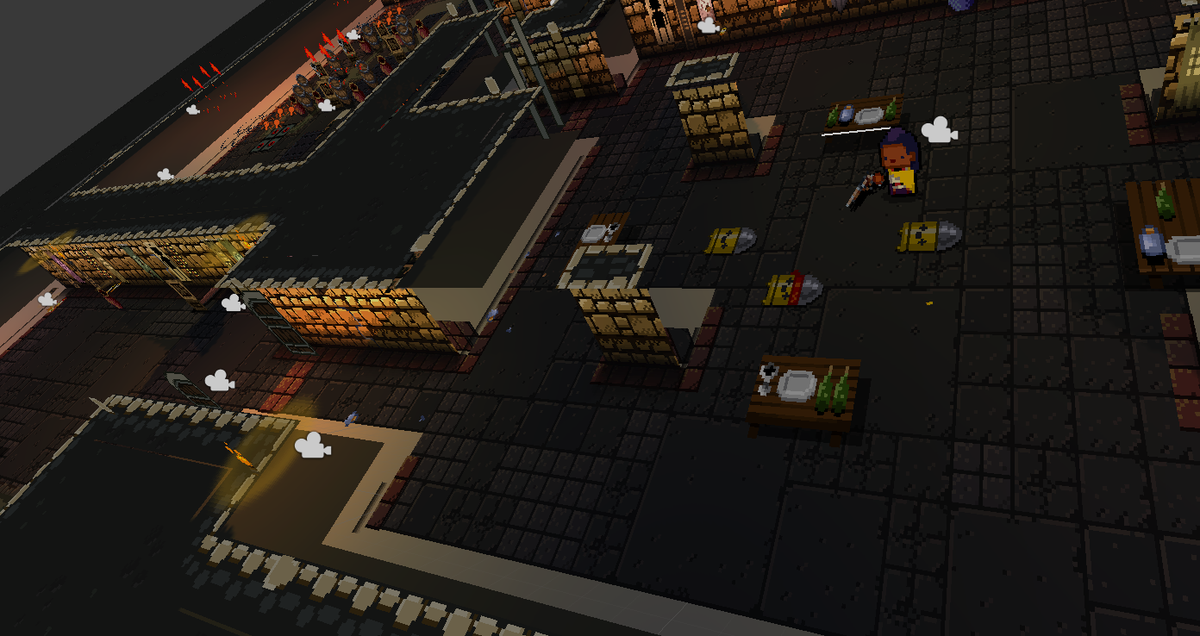
 Twitter
·
lime pollen
Twitter
·
lime pollen
Oh the background is 3d, neat
violet walrus
camera is still ortho
assume this is just to make sorting easier
and a few mechanical things
but as they should they fully abuse the limited camera angle and dont bother to model what cant be seen
eager mist
violet walrus
https://twitter.com/dodgerollgames/status/593625936131653632?lang=en
oh wow thanx! this is really helpful!
 ruby atlas
eager mist
on that note, what do you call this kind of art. 2d sprites used to make it look...
ruby atlas
eager mist
on that note, what do you call this kind of art. 2d sprites used to make it look...
in unity 2d, you can either set the cam to be perspective or orthogonal under projection,

orthogonal means you're removing the distortion/ depth you normally see with objects with perspective
(.eg objects get smaller & less detailed the farther they are from you)
here's the general guideline on when to use what cam

isometric games generally uses orthogonal cams e.g Monument Valley
to ensure the assets ( e.g a tower in this) remains the same size within a scene
 eager mist
ima do some reading up on the both. the code side is (relatively) easy to grasp to me but graphics are a big hurdle to me 😅 but this is great, I had no clue what the difference between the two was.
 cyan lynx
Hello Amazing People!............... I'm facing a problem regarding exporting the fbx from unity by using fbx exporter version 5.0... The issue is given below please help me if someone know about it.
This snap is from unity and I want to export this as a fbx into blender but when i import this in blender this happens....


this is my export setting.... @misty lantern sir please help me.....
This is game environment actaully containing 4k objects approximately..... and I'm trying to export all the object at once....
and this is happening with every object 😢
If I export my environment as a unitypackage then this thing is not happened but with fbx this happens....
misty lantern
cyan lynx
this is my export setting.... <@166982635950702592> sir please help me.....
I don't know
I wouldn't trust the fbx exporter at all
You'd want to only export to Unity from a source file using a modeling program, not the other way around
cyan lynx
is there any way to import the unity package or prefab like into blender ?
I tried but blender doesn't accept these formats
or is there any way to put all the stuff just like in unity export it from unity into mesh and blender ready format
misty lantern
Not besides the fbx exporter
Do you have to do it that way?
cyan lynx
misty lantern
Not besides the fbx exporter
Do you have to do it that way?
not exactly
I just want my unity project into blender
for some mesh editing
misty lantern
cyan lynx
for some mesh editing
Not worth the trouble imo
Edit your source files and export them again or use some tool like polybrush or probuilder to do edits within Unity
cyan lynx
misty lantern
Edit your source files and export them again or use some tool like polybrush or ...
ok boss Thank you...
 red grail
How do I go about creating a workflow?
Do I block everything out in blender
Import it into Unity
Make textures for it in substance and import those into Unity and apply the textures on the blockout?
And then fill the scene with props I made and textured?
lime pollen
red grail
And then fill the scene with props I made and textured?
That sounds about right
 wise jay
Any good artists here? I'm wondering what a good way is of making sketches of things seen in the image (the campfire). Im making a game and also have a notebook like this and need quite a few sketches of different builds. Just wondering what a good way is of doing this
 outer halo
What do you mean "good way". The only way is to actually draw that and import it.
wise jay
outer halo
What do you mean "good way". The only way is to actually draw that and import it...
Draw it on what
I don't have a tablet to do that or anything. Drawing with a mouse is just dogcrap
with "good way" I mean any way that makes this possible
outer halo
The good way is to use a tablet, like an artist who is making professional art for a game would use.
Otherwise, if you're going for the sketched look, do it on paper, scan it with some photoshop magic.
wise jay
hmm I guess scanning would work. I do have something that can scan em properly
 shadow cradle
anyone have a resource for creating slash animations inside of unity?
what i want is to be able to create a mesh like with line renderer but with more control over points
kind of like this

i want to do it inside of unity because im doing animations inside of unity and the slash animation needs to follow the weapon closely
i know the trail renderer can do this sort of thing but I want more precise control
 blissful relic
shadow cradle
i know the trail renderer can do this sort of thing but I want more precise cont...
blissful relic
shadow cradle
i know the trail renderer can do this sort of thing but I want more precise cont...
what do you mean by more precise control
shadow cradle
trail renderer moves depending on the objects pos
blissful relic
ah
shadow cradle
i want to control it
shadow cradle
yeah but its not easy to change the points
i already stated that in my post
read it again
shadow cradle
yes
blissful relic
I'm not sure about it then, I suppose you could put a few blank objects, and then use their positions to position the line renderer's points
idk if there's a built-in direct solution
shadow cradle
i was asking if there's a tool that can provide a good workflow
blissful relic
alright
 proven verge
Hello, guys I'm still kinda of a beginner in unity so I don't know much about the tools in it, I'm more familiarized with the 2D ones but just started using the 3D ones, I'm currently working in a personal project and I can't figure out how I could manage to put these 3D objects behind the tilemap on the front, the ground is already in an inferior Layer than the objects, it's closer to 0 than the objects too on the Z axis (camero on -10 for reference). I really can't get it, on what I should do to make it not overlap the tilemap. (All sprites in scene are placeholders)

 neon lava
hello nice people
i needed some help with prefab stuff
i wanted to bring these prefab files into unity so that i could convert them to fbx but i have no idea how to do so
 lime pollen
neon lava
hello nice people
i needed some help with prefab stuff
i wanted to bring these ...
lime pollen
neon lava
hello nice people
i needed some help with prefab stuff
i wanted to bring these ...
Just put them in the project? I doubt they would work without the dependencies though
misty lantern
shadow cradle
https://i.makeagif.com/media/3-20-2016/rbcCfh.gif
This is drawn by hand, frame by frame
It sounds like you're describing a vector drawing program
shadow cradle
misty lantern
This is drawn by hand, frame by frame
Like i said, it has to be done in unity because the attack animation is done in unity.
So i can just draw a frame by frame because it would be hard to synchronize it
I basically want what line renderer does but line renderer cant be animated
misty lantern
shadow cradle
I basically want what line renderer does but line renderer cant be animated
What part of it can't be animated?
shadow cradle
The points
misty lantern
They're an array of transforms
I don't see why they couldn't be
misty lantern
Any transform component can be animated
Usually you would use a trail renderer instead of a line renderer if you're looking for sword trails though
shadow cradle
Like i said i need precise control
Because they need to be exaggerated for effect
Trail renderer doesnt have the effect i need
misty lantern
So, the trail cannot be pre-drawn or pre-animated because it must follow the weapon
But the trail cannot follow the weapon exactly because it must be pre-animated in some way
shadow cradle
Basically
misty lantern
Exaggerated sword trails that more or less conform to the weapon's swing are really common, but this is somewhat of an unusual way to go about it
shadow cradle
I just dont know why there isn't an imroved line renderer type component
misty lantern
shadow cradle
I just dont know why there isn't an imroved line renderer type component
Improved how? It's not really clear what the effect you're imagining needs technically
 lavish mountain
 spare moss
can I run Blender with Intel HD graphics?
spare moss
can I run Blender with Intel HD graphics?
Give it a try 🤷♂️
Its completly free..
spare moss
ok
 vast matrix
the thing is
blender can still make amazing assets if ur very good at it
and yeah... 1200 usd a year
spare moss
I will put the rage emoji for 1 week in my custom stats if it cloudn't run/get sloved
spare moss
vast matrix
and yeah... 1200 usd a year
1.2k dollars?
spare moss
:(
vast matrix
normally even a game company will not have all their devices install with all softwares needed
they have a group of devices dedicated for modeling , or doing unity stuff
as u see
the price is way too high lmao
lavish mountain
I've got 3DS Max free with my education as i'm studying Games Development, but honestly I don't use it as Blender is just a lot better in my opinion. The hotkeys, workflow, intuitivity is just much greater with Blender.
 trail stag
is anybody familiar with dungeon architect? i'm trying to generate a dungeon using the snap grid flow builder to stitch together prefab rooms but when placed next to each other it creates this ugly double wall effect, would anybody have any ideas on how to remove this or try something else?
 fluid oak
trail stag
is anybody familiar with dungeon architect? i'm trying to generate a dungeon usi...
fluid oak
trail stag
is anybody familiar with dungeon architect? i'm trying to generate a dungeon usi...
Make your rooms with half wall facades on the edges?
Or look at whatever method that the asset uses in their examples
 cerulean rampart
Hi guys, do you know if there is any company that provides some kind of farm rendering/computing for unity/pixyz all I can find is for Blender or Cinema3D but I am loading large 3D models and its getting tiresome
fathom crag
Hi everyone! Someone can figure it out, why do I have icons in my inventory of such a huge size?

although the idea should be like this

when I hide the inventory and start the game through the key
, they become huge
red grail
What is the basic workflow for making for example, a CSGO map?
Can I make it all in blender and texture it and import it in like that?
Or should I make the models in blender, and make the materials and apply them in unity
blissful relic
red grail
What is the basic workflow for making for example, a CSGO map?
start by making a general layout prototype with basic shapes and testing it thoroughly, improving it until it works well
only then move it to blender
it's called whiteboxing
shadow cradle
Is therean application that can let you draw sprites and animate skeletal sprites and let you export to unity?
Like flash
misty lantern
shadow cradle
Is therean application that can let you draw sprites and animate skeletal sprite...
Unity's 2D rigging package lets you do weighted bone animation for sprites
Importing animations from Spine is also supported I think
shadow cradle
What im asking is for a program like spine and can also draw
 steel jay
When I sculpt a character in blender. I have like a high poly head and face that is remeshed etc. And I have a smoothed, mirrored sphere as eyes. When I join both objects, the eyes topology goes all awry. How you do the eyes to end up with a single mesh?
Is there a trick during retopology?
Maybe I have the wrong workflow?
I did one mistake, I build the character from subdivided cubes, then sculpted each cube separatedly with high resolution. I can join up all pieces, but the eyes and the ears end ob awful
misty lantern
steel jay
When I sculpt a character in blender. I have like a high poly head and face that...
Not really a Unity question but
Joining objects causes them all to inherit the modifiers of the active object, because that'll be the only object left
shadow cradle
anyone have a resource for creating slash animations inside of unity?what i want is to be able to create a mesh like with line renderer but with more control over points and the line renderers point properties cant be key framed with the animatori want to do it inside of unity because im doing animations inside of unity and the slash animation needs to follow the weapon closely
Like this but with meshes https://images-ext-2.discordapp.net/external/bW66SmHHDVEvzqaZeKBtlV7UJWBb-xVxCzbhL1zzt64/https/i.makeagif.com/media/3-20-2016/rbcCfh.gif
I basically want flash's functionality
 brittle dew
shadow cradle
anyone have a resource for creating slash animations inside of unity?what i want...
brittle dew
shadow cradle
anyone have a resource for creating slash animations inside of unity?what i want...
https://youtu.be/1FrIBkuq0ZI?t=245 I'm not sure this is exactly what you need but it might be useful
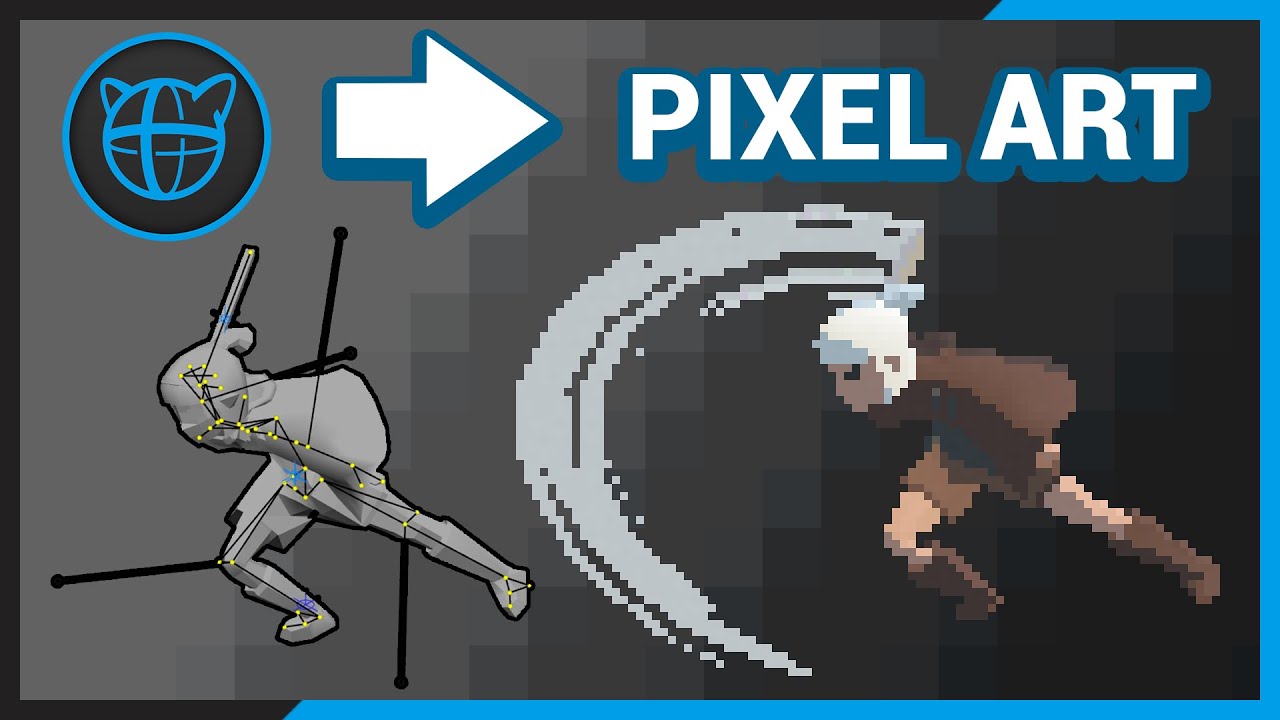
One of the benefits to making my pixel art game in a 3D game engine is the ability to very quickly build and iterate on animation assets. Among other things, it allows the player model and weapon models to be swapped very easily.
Animating convincingly in this style is a little different from typical 3D game animations, but with some guidance a...
skip to 4:05
shadow cradle
Oh thats cool but he doesn't really go into detail on how it was achieved
Just that a texture gets smeared but that can mean anything
brittle dew
if you can find the endpoints of your slash you can generate a similar curve between them and just spawn your mesh/es on it, it might require some programming to figure out but it's achievable
shadow cradle
how hard would it be to edit the sprite shape source code in order to make it work with animator?
no keyframes are being added
found this

Unity Forum
Hello folks,
I'd like to create some animations that reshape a SpriteShape spline based on game state. I've tried a couple options, but none seem to...
so going by the video i would have to set predefined game objects to serve as points?
would it be possible to also make it so the sprite shape point also gets updated aswell when i change the target game object inside the editor?

Unity 2D soft body tutorial using sprite shapes, this tutorial shows how to create a 2d soft body character like jelly in 2d using unity.
Let me know if you're intrested in getting the character in the intro from the asset store.
Binary Lunar Ref: https://www.youtube.com/watch?v=h_bSGoztB2g&t=228s
Music : https://www.bensound.com/
misty lantern
shadow cradle
so going by the video i would have to set predefined game objects to serve as po...
You can make scripts run inside the editor, yes
 maiden crown
Would I be able to take a model made with this Blender Material plugin and export it to Unity with the material intact?
https://blendermarket.com/products/claydoh

Blender Market
Clay D'oh, A procedural shader for Blender 3D! Cycles and Eevee! With stop motion/ animation features, and realistic details like scratches, dust, and fingerprints. No UV unwrapping or texturing needed. Turn your models into all sorts of clay!
misty lantern
maiden crown
Would I be able to take a model made with this Blender Material plugin and expor...
The material* would have to be baked to PBR texture maps on a UV unwrapped mesh
Or functionally recreated with Unity shaders
maiden crown
misty lantern
The material* would have to be baked to PBR texture maps on a UV unwrapped mesh
...
Yeah, I don't expect to be able to do all the fancy configuration stuff, but if it's possible to get it out of Blender once it's all good that should work
eager mist
hi, if im making a lowpoly tree with lod 0 1 2 3, does it have to have same texture material or it can have separate material?
misty lantern
eager mist
hi, if im making a lowpoly tree with lod 0 1 2 3, does it have to have same text...
The LOD models can be anything, but using same materials will make it easier for Unity to optimize
Similar mesh topology / polygon winding order will allow LOD mesh blending to work better, if you utilize that
Or so I've understood, I don't know how that one works under the hood exactly
But in general every time you re-use materials it allows those meshes to be batched, roughly speaking
eager mist
misty lantern
The LOD models can be anything, but using same materials will make it easier for...
thank you, very clear answer
 lyric nymph
I'm rewriting a bunch of ancient shaders to migrate a legacy project to URP. The name of some of the older variables needs to be updated to work with built in URP hlsl passes. How can I update the names without breaking existing material parameters?
 gleaming coral
yo, i was directed to come here with an issue ive been having with a sword im modeling, im gonna copy paste my question, and i do hope one of you lads will understand what this is.
the mesh for my swords texture keeps turning itself off, every time i export the weapon (a mod for Blade & Sorcery) the textures simply turn invisible, and every time i save the project or open it, it also appears invisible within unity. i tried turning the mesh renderer back on, i tried doing the same thing directly in the prefab, i even tried to find a solution online, but i cant seem to figure out why it keeps turning itself off
outer halo
Textures do not go invisible, they're images. If the mesh is not visible while the renderer is active, then make sure your normals are not inverted in Blender.
There's a guide for checking that pinned to this channel
gleaming coral
thats the thing though, the mesh IS visible when the renderer is active, the issue is the renderer itself, it keeps reverting itself into being inactive, seemingly on its own accord
outer halo
Components must be controlled by something, such as code or an animation for example. So something is toggling it to a default off state.
gleaming coral
it would have to be code, i dont mess with the animation side of unity. and while i have no idea what code or where it is, do you think that if i completely deleted this scene and started over from scratch that i wouldnt have this issue?
fluid oak
Are you recalculating normals or tangents inside unity?
fluid oak
Just checking, since that might have caused the problem
 balmy crane
Is there an easy or even automated workflow to create cross quad billboards from prefabs (diffuse + normal)? The GPU Instancer Asset has such a thing build in but it doesn't work for my trees.
red grail
Whats the easiest art style one man can possibly achieve
I gave my try at pixel art and it did not go so well
lime pollen
red grail
Whats the easiest art style one man can possibly achieve
Cubes and spheres
red grail
lime pollen
Cubes and spheres
I'm doing letters and symbols
ascii art seems easy enough
fluid oak
red grail
Whats the easiest art style one man can possibly achieve
http://1.bp.blogspot.com/-zn_UU4R4x0I/UYh2ZMIMIaI/AAAAAAAALG8/U8LhoavsXdY/s1600/Thomas+Was+Alone.jpg

 mossy creek
• How come I hit the 16 samples limitation with just 13 texture maps?
• How come the Sampler State node plugged into 3 textures reduces the sample amount.
• Should I be worried about using Sampler State node to "undo" the scam that I ran out of the texture samples with just 13 maps?
blissful relic
red grail
I gave my try at pixel art and it did not go so well
it can take a while to become actually good at something, give it more try
watch some tutorials too
 peak sierra
Hey there, I was wondering if there was a way I could make and image duplicate itself over and over to fill up the screen of an wide monitor. I have one 16:9 image that fits perfectly for 16:9 monitors but if you have say a 20:9 monitor that image only covers a bit of the middle, but you can see around it's edges. What I want to try is having more images to cover up the screen. The two screenshots should help give some context to what I want to do.

 fluid oak
peak sierra
Hey there, I was wondering if there was a way I could make and image duplicate i...
fluid oak
peak sierra
Hey there, I was wondering if there was a way I could make and image duplicate i...
Can't you just make a small image of the tiling pattern that scales to fit the screen and set it to tile?
 waxen yoke
Rigged up my character and parented using automatic weights... how do i fix 😭
 waxen yoke
Rigged up my character and parented using automatic weights... how do i fix 😭
waxen yoke
waxen yoke
Rigged up my character and parented using automatic weights... how do i fix 😭
 fluid oak
waxen yoke
Rigged up my character and parented using automatic weights... how do i fix 😭
fluid oak
waxen yoke
Rigged up my character and parented using automatic weights... how do i fix 😭
Undo the autoweighting and do it properly I guess
That sort of weighting isn't really suited to models like that.
waxen yoke
Alright I'll try that tommorow
 uneven thunder
Hello, I have an issue with mipmaps for my clothing textures
Here is up close, no mipmap and it's correct

Here is from further away, no mipmap, it's still correct albeit uses the full size texture hence darker lines

And here is with mipmap on from further away too

This cloth uses several materials which connect together and when using mipmaps, the parts which connect have a blank edge appearing
Is there any way to prevent that effect while keeping using mipmaps?
fluid oak
uneven thunder
Hello, I have an issue with mipmaps for my clothing textures
Add padding around your UV islands in the texture?
 craggy star
uneven thunder
Here is up close, no mipmap and it's correct
craggy star
uneven thunder
Here is up close, no mipmap and it's correct
Dayum
uneven thunder
fluid oak
Add padding around your UV islands in the texture?
I can't modify the models unfortunately
Would it work to change the texture instead ?
Oh wait, I misunderstood your reply. It was actually about modifying the textures themselves so I can indeed. I'll give it a shot. Thanks for your reply.
eager mist
i am looking for some Sci-Fi city assets for free.
my game is about escaping from bank in hovercar (more like getaway from cops action).
i want to make a map for the game. i just want free assets
steel jay
I created a low poly character in blender. In unity, the eyes and brows clip into the face. Any ideas how to prevent this or what's the cause for this? It looks fine in Blender:

 peak sierra
steel jay
I created a low poly character in blender. In unity, the eyes and brows clip int...
peak sierra
steel jay
I created a low poly character in blender. In unity, the eyes and brows clip int...
Your normals might be inverted and it might be rendering the inside of your eyes and brows instead of the outside. Unfortunately I forget how to fix this but I found this article which might help: https://all3dp.com/2/blender-recalculate-normals-simply-explained/#:~:text=What Are Normals,-Objects shown in&text=In Blender%2C a normal is,the inside and the outside

All3DP
Normals are an important part of your objects, but they can get flipped. Learn all about Blender's recalculate normals options.
steel jay
I can check and recalculate normals in blender, I'll double check that, thx
steel jay
peak sierra
Your normals might be inverted and it might be rendering the inside of your eyes...
Normals were screwed, you were right, thanks 🙂
peak sierra
steel jay
Normals were screwed, you were right, thanks 🙂
I had this same problem when I first tried making a 3D game, so I was pretty certain you had the same thing happening as I did. I'm glad this fixed your problem! :)
steel jay
Yeah, I'm pretty new to all this. Still need to learn a lot
eager mist
i am looking for some Sci-Fi city assets for free.
my game is about escaping from bank in hovercar (more like getaway from cops action).
i want to make a map for the game.
My game is supposed to have multiple maps but i want to make 1 map for now.
My game is supposed to have full freedom escape where you don't have a fixed track to run on but you have an entire small city
uneven thunder
fluid oak
Add padding around your UV islands in the texture?
Btw, filling my texture fixed my issue. Thanks again for the help 😉
 quartz vale
does anyone mind if they can help me import an asset from blender into unity as I'm having a bit of trouble getting the colours in Unity like the ones in blender
misty lantern
quartz vale
does anyone mind if they can help me import an asset from blender into unity as ...
You'd have to demonstrate the issue
quartz vale
im ok now i got it thank you and sorry
but
does anyone know how to make or get a skybox like in this vid
Replica Studios: https://replicastudios.com/downloads
LEARN GAME DEV: https://www.gamedevrocket.com/
PLAY: https://www.blackthornprod.com/star-sheep
Made by:
Blackthornprod: https://www.youtube.com/@Blackthornprod/videos
Jelle Vermandere: https://www.youtube.com/@JelleVermandere/videos
ButWhyLevin: https://www.youtube.co...
eager mist
eager mist
i am looking for some Sci-Fi city assets for free.
my game is about escaping fro...
Man I just want a suggestion
misty lantern
eager mist
Man I just want a suggestion
It takes talent and effort to make assets
Despite that the internet is full of free ones
Spending time here begging for them instead of searching is not a good look
eager mist
misty lantern
It takes talent and effort to make assets
Despite that the internet is full of f...
The issue is that I can't find any models i like
I just want suggestions
misty lantern
eager mist
The issue is that I can't find any models i like
I don't see how we can know better what you like than you do
Pay an artist to get exactly what you're envisioning
 trail imp
The best way to get exactly what you want, is to learn how to do it yourself or to fork over cash
eager mist
What type of artstyle will suit this game?


 trail imp
your other option is to find someone willing to work on the game with you, and take partial credit, who doesn't mind making no money
¯_(ツ)_/¯
trail imp
eager mist
What type of artstyle will suit this game?
That's up to you. One of the first things many devs do is make a "mood board" of other games they feel match their vision, and then research them
eager mist
Ok
fluid oak
Not exactly, though if you use linear and the aces tonemapper I believe it uses aces colorspace for all color correction operations
steel jay
Created a character in blender, exported it to unity, chose humanoid there and when configuring the avatar, only in the avatar configuration window, the mesh goes awry at the right hand. Any ideas whats going on?

 vernal veldt
did you uncheck leaf-bones?
steel jay
vernal veldt
did you uncheck leaf-bones?
Yes, Sir!
 vernal veldt
ok go back to blender
select only the mesh and it's bones
and export
when expoting check selected objects
steel jay
vernal veldt
ok go back to blender
select only the mesh and it's bones
and export
Thanks for your help, I found the "problem". The right side IKs/PoleTargets where still set to "deform" in Blender! Sorry and ty! 🙂
vernal veldt
no problem man, glad everything is well
vernal veldt
hey guys i'd like some advise on how graphics should be rendererd
am making a 2D platformer and i have no 2D drawing skills so i make 3D models and render them with a pixel shader in blender
when i import my assets into unity should i imort the model and recreate the shader in unity or stay in my comfort zone and render images and animations from blender and import them to unity?
or is there a way to link blender with unity and get the best of two worlds?
lime pollen
vernal veldt
hey guys i'd like some advise on how graphics should be rendererd
am making a 2D...
It's up to you how you want the pipeline to work, either way would work
vernal veldt
whish would be easier to manage?
lime pollen
vernal veldt
whish would be easier to manage?
Depends on the needs of your game. If you use a pixel shader you'll find it difficult to adjust the look of individual sprites for instance. There is no right answer here
vernal veldt
hmm that's true i guess
eh i'll just figure it out while making the game
thanks for the advise!
 red socket
Im using a camera that culls everything except for my player to render my player to a render texture

the issue is that by culling everything except for the player, i'm also culling the shadow casters which block the environmental light
is there a way i can only render the player to the render texture without culling the shadow casters?
(note in the image that the model in the scene has no rim lighting, but the rendered sprite does)
fluid oak
red socket
is there a way i can only render the player to the render texture without cullin...
Instead of culling the shadow casters you could render them as shadows only, if they are meshrenderers
red socket
That can’t be done per camera though, can it?
The issue is the main camera needs to see that layer, but the player rendering camera needs to only render the shadows
My current fix is duplicating the relevant geometry and placing it onto a seperate ‘shadow casters’ layer with a very lightweight shader
 inner oak
hey
I imported a model that has textures
but it's showing white
fixed it
had to extract textures
hardy pawn
I have a question, is there a way to "break" imports?
I've noticed that, while you can drag blender files directly into unity, and they import reletively painlessly
I can't import my asset production blend file that contains all my assets without them being merged into a single object
and can't remove the assets from the imported "superasset"
The only fix would be to make multiple blend files that contain only one object each, but that is exceedingly annoying and inefficient
misty lantern
hardy pawn
The only fix would be to make multiple blend files that contain only one object ...
How is that more annoying than separating sub-assets from the imported collection in some other way?
hardy pawn
misty lantern
How is that more annoying than separating sub-assets from the imported collectio...
Blend files are relatively bloated, so having a ton of individual files is a hassle, and blender doesn't natively have an easy way to save objects in a scene as new blend files or export as blend files, meaning I'd have to make a new blender file, then append everything I need from another scene into it, or use blender's clunky asset browser to save all my stuff into it, which is basically like appending, but a bit simpler in exchange for extra steps in the workflow.
It's also not easy to edit these files if you were to do that, since rather than having everything in one scene, organized and able to be edited at your leisure with all of your various geometry node setups already there, you'd have to choose between still keeping all objects in one scene and resaving to other individual blend files (slow and clunky) or keeping copies of your node setups and animations that are shared between armatures in relevant blend files (bloated and clunky)
Its fine if you're only adding a few little things to unity, but when you've got a large library of assets? It really does start to add to the workload.
misty lantern
hardy pawn
Blend files are relatively bloated, so having a ton of individual files is a has...
Export them to FBX instead, as collections or individually if you prefer
Blend file importing is not fully supported anymore anyway
hardy pawn
Gotcha. the only reason I was looking into blend file importing is because of the hassle involved with blender's fbx exporting having a lot of hoops to jump through to make it correctly import into unity
misty lantern
hardy pawn
Gotcha. the only reason I was looking into blend file importing is because of t...
It's not so bad I think
If you mean the issue with the axis conversion you can use a script to rotate the mesh before export, or as I do export with Z forward and Y up which imports the mesh with a -180 Y rotation which you can reset and it'll be okay
Apply Scalings: FBX All keeps the size correct
hardy pawn
misty lantern
It's not so bad I think
If you mean the issue with the axis conversion you can u...
how do you reset the rotation after import? As far as I can tell, unity just... Doesn't let me change an imported object's imported transforms
misty lantern
hardy pawn
how do you reset the rotation after import? As far as I can tell, unity just......
I set the rotation to 0 from -180 when I use the mesh for something
Meshes are usually children of prefabs anyhow
hardy pawn
gotcha.
misty lantern
Hopefully USD workflow will replace FBX and solve these inconveniences
 wheat crag
We use 2d sprite animations and LimbSolver2D type scripts. It's a good chunk of our frame time doing IK stuff that we could ideally just bake, since we don't actually need IK. It would take our artists a while to remove the IK and just try to hand animation the feet and arms. Anyone know a solution to automate this?
 feral cipher
If I have a humanoid character rig and wanted additional rigged features (an attachable arm for example) would it be better to make it a part of the main rig (no longer humanoid) and toggle the mesh renderer where needed, or to have a separate rig entirely and parent it to one of the humanoid rig's bones? (would need a separate animator)
presuming both could work but just wanted to know which is preferable if anyone knew
 craggy bane
hey, do you guys know where can i find texture for axe impact?

or rather what do i have to type in search bar
steel jay
When exporting my character from blender to unity (as FBX), why are the different mesh objects displayed twice in the file (one with material, one without)?
One is always a game object with skinned mesh render and the like.

The other is just this:
 fluid oak
steel jay
When exporting my character from blender to unity (as FBX), why are the differen...
fluid oak
steel jay
When exporting my character from blender to unity (as FBX), why are the differen...
One is the skinned mesh renderer and one is the mesh data, which you might need to use for other purposes.
 glad cave
How does one go about applying a gaussian blur to a canvas now? I heard that it kindof changes based on the unity version.
fluid oak
Which version are you using?
glad cave
fluid oak
Which version are you using?
3.4.2!!!
fluid oak
Huh. Well, good luck finding documentation for a ten year old version.
You could try asking in #📲┃ui-ux
lime pollen
glad cave
3.4.2!!!
That... doesn't sound correct
 lime pollen
Yes
glad cave
fluid oak
Which version are you using?
sorry I was incorrect it was 2020.3.440f1
lime pollen
That's not correct either but it's close enough
fluid oak
3.4 was a major release so it was believable, if weird.
glad cave
that is my unity hub version
fluid oak
Anyway, #📲┃ui-ux
If you are using URP I know there's a UI kawase blur filter on github that was pretty good, don't recall the exact repo
glad cave
this is such a standard effect I'm amazed it's not easier to impliment
fluid oak
What does that mean
steel jay
fluid oak
What does that mean
In blender, the pose of the last NLA-Track you select is always displayed on the character, even if you reset all transforms of the rig (which is tpose in most cases). When exporting to unity, unity shows this exact last pose on the model as well, instead of tpose. I think that'S what they mean
fluid oak
Ah, I'm not a blender user but generally you can enforce t-pose on the rig while in the rig setup if you are using mecanim humanoid. Otherwise, I believe it uses frame 0 of the imported animation.
steel jay
I have a similar problem.
Character with rig, arm IK and foot IK.
Two NLA-Tracks with one action each:
- walk, with hands relaxed
- run, with hands as fists
When exporting to unity as FBX, animations are alright (animator with Motion blend between walk and run).
However, no matter if I walk or run, the hands are displayed the same no matter if running or walking.
If I modified walk last in blender, hands are always relaxed in unity, even while running.
If I modified run last in blender, hands are always as fists in unity, even while walking.
steel jay
fluid oak
Ah, I'm not a blender user but generally you can enforce t-pose on the rig while...
I exported both of my animations starting with frame 1. Is it better to start with 0?
I double checked with ChatGPT, it's better to start with frame 1
fluid oak
I'm honestly not sure about the better blender workflow.
Don't fucking trust ChatGPT for stuff like that.
If you want to double check, check by trying it.
steel jay
I found out, when you export your character from blender to unity, the LAST NLA-Track in the list defines the default / scene view pose in unity! This took me so long to figure out... 😄
fluid oak
Good to know
 quaint jetty
Hello blender people, in weight paint mode i cannot crtl+lmb to select the bone i want to edit, its simply not selecting anything,,,,
misty lantern
quaint jetty
Hello blender people, in weight paint mode i cannot crtl+lmb to select the bone ...
You have to select first the armature, then the mesh so the mesh is active when you enter weight paint mode
 edgy sedge
does anyone know how i can create a "Material" from a texture2D, using one of it's sub-tiles only (as if it were a smaller sprite sliced out of the tilemap png)? i know i can kinda force it if i cut out the tile to a new png externally, but i'm trying to make it so any color adjustments or extra tiles i add to the base tilemap png would be easily updated. a new material per tile would be ok


seems like maybe adjusting the material's tiling and offset works? but it would be nice to be able to just select the tile attached to the texture2d
 mental seal
Can someone tell me why when I import my model from Blender to Unity via FBX, it's rotated -90 on the x axis?
misty lantern
mental seal
Can someone tell me why when I import my model from Blender to Unity via FBX, it...
Blender and Unity use different coordinate systems, for which the FBX format tries to compensate in unintuitive ways
https://polynook.com/learn/how-to-export-models-from-blender-to-unity this article has a detailed breakdown of how it happens
misty lantern
edgy sedge
does anyone know how i can create a "Material" from a texture2D, using one of it...
Are these for 2D or 3D renderers to use? So, sprites or meshes
mental seal
misty lantern
<https://polynook.com/learn/how-to-export-models-from-blender-to-unity> this art...
omg thanks so much! This has been a pain in my ass
misty lantern
mental seal
omg thanks so much! This has been a pain in my ass
Tldr the only way to get it perfect is to
Rotate the object and apply rotations before export and export with specific settings
Use a script that does it for you
Or do what I do and export with positive Z Forward and Y Up (and Use Space Transform)
That makes the mesh appear with -180 y rotation, but you can reset it in Unity and it faces forward upright as you'd expect
mental seal
misty lantern
Tldr the only way to get it perfect is to
Rotate the object and apply rotations ...
The thing that did the trick was the bake axis conversion
steel jay
When you create a game character with equipment, do you export it all in one file, or do you have separate files for the character and the equipment?
edgy sedge
misty lantern
Are these for 2D or 3D renderers to use? So, sprites or meshes
it's on a basic 3d cube, which renders more or less on top of a bunch of 2d stuff. pseudo-3d
so it uses a mesh
misty lantern
edgy sedge
so it uses a mesh
For meshes you don't benefit from 2D type textures, and it'll be most practical to have them as separate assets
You can use the tiling and offset properties of the material to only display specific parts, but that's extra work and the effect will break down if you ever use meshes that have different UV mapping
edgy sedge
misty lantern
You can use the tiling and offset properties of the material to only display spe...
it's essentially minecraft blocks, the tiles will be used in both 2d and 3d contexts, but mostly 2d render-wise. the 3d bit is just to display the sprites on the sides of cubes, nothing complicated. i'll likely go with a material object per type with offsets. thanks much!
misty lantern
edgy sedge
it's essentially minecraft blocks, the tiles will be used in both 2d and 3d cont...
Generally speaking anything that isn't using a sprite renderer is 3D (excluding UI)
edgy sedge
misty lantern
Generally speaking anything that isn't using a sprite renderer is 3D (excluding...
ah yea, i meant like, most of the game is 2d. this is a small 3d touch on top of a UI-driven game
misty lantern
edgy sedge
ah yea, i meant like, most of the game is 2d. this is a small 3d touch on top of...
All the sprite slicing and other 2D stuff is just data passed onto the 2D renderer components to help them render sprites, 3D renderer components ignore all of it
It might be possible to make your cubes from 6 sprite renderers, that way you can make use of the sliced tiles
A cube is simple enough that it shouldn't cause sorting issues either which are typical if you try to make 3D things out of 2D renderers
edgy sedge
misty lantern
All the sprite slicing and other 2D stuff is just data passed onto the 2D render...
i've actually done that already for part of the game, and i'm using 3d cubes for custom destruction particles that fly off and fall on explosions
it just makes it easier to run the physics
building a pseudo-3d sprite construct was definitely the way to go for the more persistent stuff
it allowed me to do exact pseudoshadows on surfaces and cast down to other surfaces on the grid
sprite overlays for damage cracks
etc, probably more to come
misty lantern
edgy sedge
i've actually done that already for part of the game, and i'm using 3d cubes for...
If you're using Particle System that one has the Flipbook module that can display specific indices of a grid shaped tilemap
Also Particle System works with both 2D and 3D renderers, unusually
edgy sedge
misty lantern
If you're using Particle System that one has the Flipbook module that can displa...
i'm just using rigidbody 2d with a few scripted boundaries
for these at least
other visual effects and such i've used the particle system, it just felt inappropriate for this one
 shell oxide
Greetings, Does anyone here use vegetation system pro with gaia? I have a question about how the LODs work in it, please DM me!
 red shadow
I am having troubles configuring a SpriteRenderer, I attached a new Material to it with the shaders being Unlit and right after the Material was attached, the sprite had this weird property.

Even with the highest layer in the game, it still shows below the game, I searched it out but couldn't find an answer.
 harsh dagger
red shadow
Even with the highest layer in the game, it still shows below the game, I search...
harsh dagger
red shadow
Even with the highest layer in the game, it still shows below the game, I search...
When you say highest layer do you mean the sorting order of your sprite renderer?
red shadow
You're correct
harsh dagger
Just to be clear, this is the sorting order of the sprite renderer:
 red shadow
 harsh dagger
And what about the background?
harsh dagger
Change your material's shader to Sprites / Default
quaint jetty
I have included my Textures into my FBX on Export, in Blender it perfectly uses the Embedded Textures, but Unity wont use them for some reason
misty lantern
quaint jetty
I have included my Textures into my FBX on Export, in Blender it perfectly uses ...
You have to extract embedded textures from the mesh import's material tab
Tbh it's faster to import them separately rather than pack and extract them, especially if you want to edit them
quaint jetty
misty lantern
You have to extract embedded textures from the mesh import's material tab
I pressed that but it didnt work
Maybe i did something wrong
feral cipher
Does the Humanoid rig type allow bones to be connected-offset? (parented but not connected)
Also if my rig has 2 bones for an upper arm/lower arm each would it still be compatible? Or worth merging them instead?
eager mist
Hey Guys and Ladies -- Can someone please point me to the documentation on how to make an emissive object -- This is the emissive material I have set up, its not doing anything that I can tell -- my area light in the same room is doing the lighting -- I'd like to get it right


 gentle hare
hey so i have some questions about setting up a workflow for environment design. i'm working on prototyping a 3D game with 2D sprites, and have some unusual requirements that make me unsure how best to proceed, especially as I am new to working in 3D. i'd love some advice about what tools to try!
i own some appropriate-looking 2d tilesets already, and in a perfect world i would make a 3d mesh that is textured with those tiles and can swap between seasonal variation textures at runtime. i'm currently doing this with Terrain which works but doesn't look great because of the nature of Terrain texture brushes. it would look much better if i could use actual transition tiles instead of having these awkward painted edges. i also don't want it to be completely flat or have to spend a lifetime attaching tiles manually to unit squares to assemble together like voxels.
i know that crocotile and the sprytile blender addon are options to make 3d objects out of 2d tiles. but crocotile has some issues with floating point accuracy of the UVs that requires specially treated tilemaps to work around or you get holes and other problems. i can't just stick a standard existing tilemap into it and get good results. i haven't spent much time with sprytile yet but it's been kinda crashy and awkward at first experimentation. and i don't know for sure yet if either of those tools will let me easily make alternate materials for the different seasonal variations. i think it should work in crocotile because the texture is the original tileset atlas but i haven't tried and i have no clue about sprytile yet because i haven't gotten that far with it.
are there other tool options available to build a 3d level out of 2d tile images and swap the atlas at runtime? or other approach options that might work well instead?

 fluid oak
eager mist
Hey Guys and Ladies -- Can someone please point me to the documentation on how t...
fluid oak
eager mist
Hey Guys and Ladies -- Can someone please point me to the documentation on how t...
Unless your light baking is set up to make use of emissive materials then they won't contribute #archived-lighting. The specifics will depend on whether you are using #archived-urp or built-in renderer.
fluid oak
gentle hare
hey so i have some questions about setting up a workflow for environment design....
You could use a terrain shader that breaks it into tiles, or perhaps uses a height blend which could make nicer transitions between tile types. You could also just make the terrain out of a grid in blender and apply the texture tiles in that.
eager mist
fluid oak
Unless your light baking is set up to make use of emissive materials then they w...
OOPs -- sorry -- missed that channel
 high hill
Got one issue with mip-maps, where far edges of this ground plane become a solid colour
Where can I find a setting to move that single-colour zone beyond the currently visible area?

 modest talon
Anybody know why the colors of my model look so much brighter in blender than they do in unity?

 high hill
modest talon
Anybody know why the colors of my model look so much brighter in blender than th...
high hill
modest talon
Anybody know why the colors of my model look so much brighter in blender than th...
Check two things:
The lights in unity, as the values on them might be different than in Blender
and
The colour space (in project settings > player), as by default it's set to "Gamma" in Unity
modest talon
high hill
Check two things:
The lights in unity, as the values on them might be different ...
I have the color space set to Linear already (which is weird bc I don't remember ever changing that) but yeah I think my texture in blender is rendering super dark for some reason
fluid oak
high hill
Got one issue with mip-maps, where far edges of this ground plane become a solid...
 high hill
Had to go down to around -1, but it works now, thank you!
gentle hare
playing around with sprytile again in blender. i don't know if i did something wrong the first time but it seems much more stable this time around.
my game is 3D environments with 2D sprites and i'm doing the link between worlds thing of setting the camera at a 45° angle and tilting all my objects back 45° as well so they face the camera kind of like lazy billboarding. now i'm trying to figure out if my terrain should work the same way or be at 90° from the ground.
90°: https://www.youtube.com/watch?v=S_d59Yl6rHk
pros: easy to build, movement works pretty much as expected
cons: clipping issues that need to be resolved
45°: https://www.youtube.com/watch?v=nrECZkGASNc
pros: no clipping issues, imo looks better
cons: harder/slower to build, slope traversal issues that need to be resolved
I think I'm leaning towards building the environments at 45° too but what do you think? any artistic or technical insights would be very welcome!

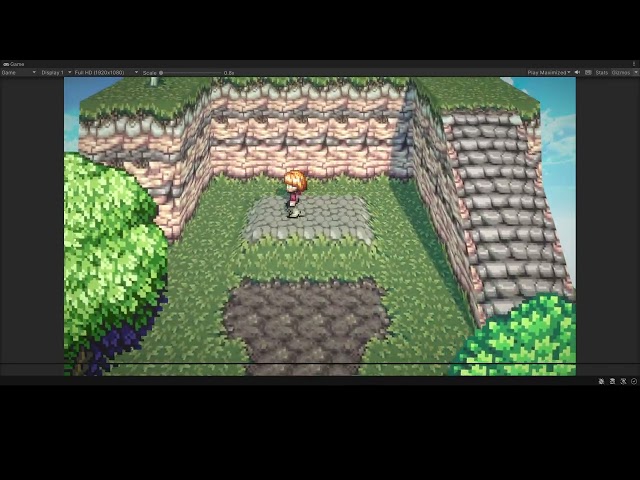
 wary kelp
What’s the best method to get better at pixel art?
hoary kindle
wary kelp
What’s the best method to get better at pixel art?
Practise
 elfin ruin

any plugins to do this sort of level editing?
meaning placing all these objects more easily, maybe brush like or sth
fluid oak
gentle hare
playing around with sprytile again in blender. i don't know if i did something w...
You can do the tilting in shader, and let the gameplay happen in normal space?
gentle hare
I had no idea that was an option. it's slower to build the tilted terrain so that may be worth expirimenting with, but i don't know anything about shaders yet. time to do some research....
fluid oak
gentle hare
I had no idea that was an option. it's slower to build the tilted terrain so tha...
It us similar to the popular 'curved world' shaders but somewhat simpler, especially if you use the approximation of just offsetting each vertex position by its height instead of actually rotating it.
 rustic nova
wary kelp
What’s the best method to get better at pixel art?
rustic nova
wary kelp
What’s the best method to get better at pixel art?
how good are you with art in general?
wary kelp
rustic nova
how good are you with art in general?
not very good :/
rustic nova
@wary kelp then start with that, most of what you need to learn to get decent at art transfers to pixel art
wary kelp
rustic nova
<@597056424803303435> then start with that, most of what you need to learn to ge...
hmm ok ok ty
fluid oak
gentle hare
I had no idea that was an option. it's slower to build the tilted terrain so tha...
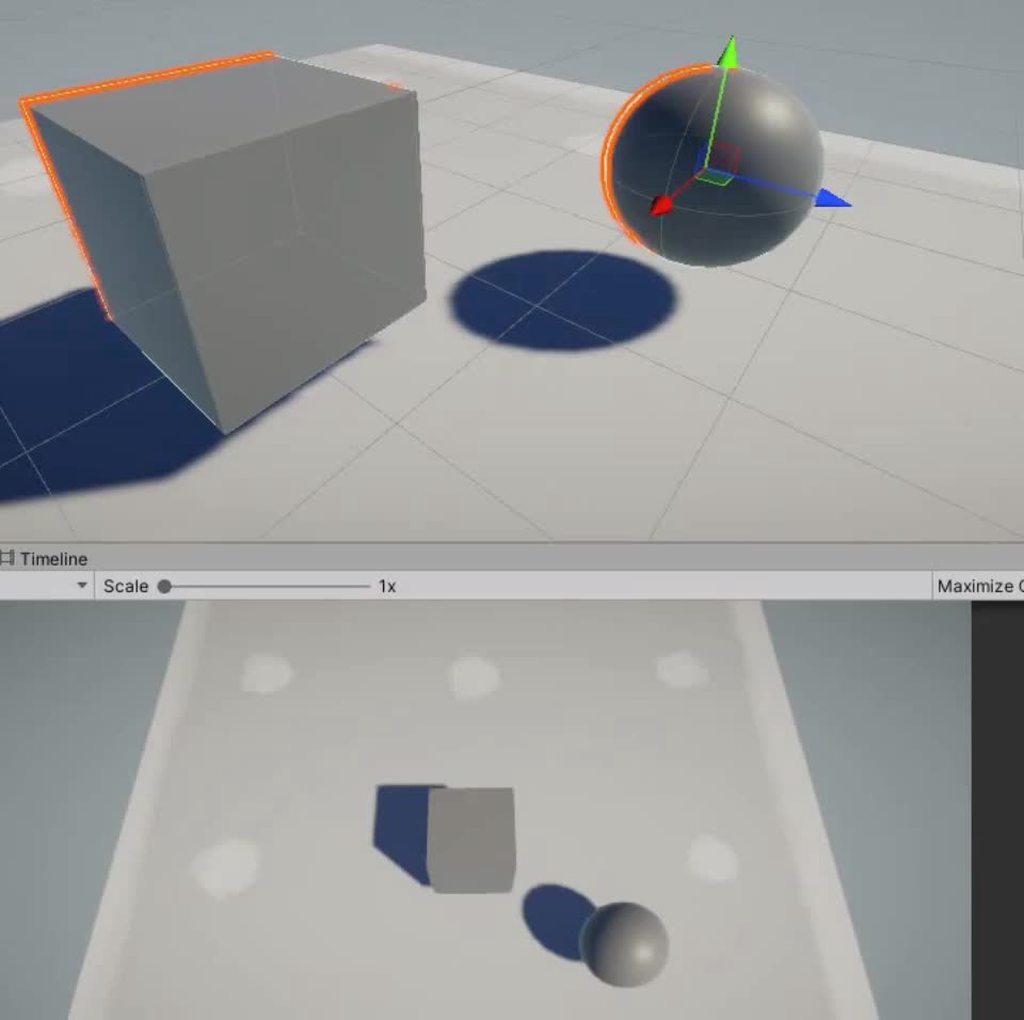
It is a lot easier if you don't mind the shadows being affected
But with Cyan's help that wasn't too bad.
    Out = 1;
#else
    // For URP this is needed :
    #include "Packages/com.unity.render-pipelines.universal/Editor/ShaderGraph/Includes/ShaderPass.hlsl"

    // Test if we are in the SHADOWCASTER pass
    #if (SHADERPASS == SHADERPASS_SHADOWCASTER)
        Out = 0;
    #else
        Out = 1;
    #endif
#endif```
This doesn't handle textures or anything, just the basics, and it does not handle self shadowing very well when the angle and offset are high.
gentle hare
this is how i got it working in like 20 minutes. i haven't run into any weird behavior yet, but it's obviously much simpler than your solution.

ignore the subtract chain at the bottom that was something i disabled
fluid oak
gentle hare
this is how i got it working in like 20 minutes. i haven't run into any weird be...
Yeah, that'll totally work too, though in that case it is skewing rather than rotating.
If the skewed shadows are acceptable, then that is MUCH simpler and avoids some of the other issues. 😄
gentle hare
i'll take a closer look at the shadows when I get out of work
and if they are bad i can switch to your solution so thank you
fluid oak
I'm sure it can be done better, that was pretty much a proof of concept
gentle hare
so i'm home from work and doing some testing and while it looks good at first glance i'm noticing some strange issues with verticality and the ground not being where it appears to be. or perhaps the character isn't where they appear to be relative to the ground? in hindsight this makes sense because i'm drawing things at a different z position than they are at in the scene, and only my environment is being drawn through this shader - the character and objects in the environment are sprites not 3d models. so of course they wouldn't correspond to each other!
is there a way to make these play nice with each other or do i need to drop the shader and go back to angling my level geometery instead?

like in the photo above, the character is not falling because they are actually on the ground.if i try to walk away from the camera to stand on where the ground appears to be, i'll fall off the edge
 vocal solar
quick question:.. is there any way in unitu, or a plugin from the store, that will allow me to either export a custom package from Unity but have it consolidated into it's own hierarchy... or an import that will do this on import? I reguarly have to export pachages from one project to another but when I import them I want to have everything it's imported in it's own folder... there doesn't seem to be an option for this inside of Unity.. and the assets I'm exporting have dependencies all through the hierachy and it's such a pain to try and clean it up afterwards.
 devout holly
why is it looks blury
 fluid oak
gentle hare
like in the photo above, the character is not falling because they are actually ...
fluid oak
gentle hare
like in the photo above, the character is not falling because they are actually ...
You can use a shader that does the same thing on the sprite.
 sinful vault
Good evening gents. I've never used unity before but I want to know what's the typical workflow like. Do import game ready character and animate in unity or import animation for that asset down the line? Or must all animation be Imported while initial importation of the character?
outer halo
Either works. Complicated animations are usually imported.
fluid oak
sinful vault
Good evening gents. I've never used unity before but I want to know what's the t...
Especially when using the humanoid animation system, animations are abstracted so as to let you separate the model from the animations easily. For more complicated or nonhumanoid models, you can still import animations separately as long as the hierarchy is identical(this requirement isn't needed for humanoids as long as they are humanoid compatible.)
sinful vault
@outer halo @fluid oak
Thanks
I dunno I'm considering unity for cinematics... I use UE
fluid oak
Unity has pretty decent cinematics tools.
Though they don't come set up by default, so you'll need to install cinemachine and timeline to make proper use of them.
 unkempt mortar
Hey, Ive done a decent amount of work in unity 3D (decent as in Ive only made a few games lol) but I have never touched 2D before. I wanted to make a wave function collapse demo for another program (dont need help with that part) but I wanted to import some sprites to test things. 1. Why are my sprites rendering so blurry and how do I make the pixel art sharp? 2. How would I separate this spritesheet into separate sprites?
 obtuse oyster
unkempt mortar
Hey, Ive done a decent amount of work in unity 3D (decent as in Ive only made a ...
obtuse oyster
unkempt mortar
Hey, Ive done a decent amount of work in unity 3D (decent as in Ive only made a ...
https://unity.huh.how/graphics/textures/filter-mode (there are more caveats and improvements, but this is a basic setup)
and you separate the sprites using the sprite importer https://docs.unity3d.com/Manual/Sprites.html
unkempt mortar
ok, thanks!
 urban depot
how are maps like this put together? it doesnt look like tile pieces, but the grid aligns with unwalkable tiles perfectly
 lime pollen
urban depot
how are maps like this put together? it doesnt look like tile pieces, but the gr...
lime pollen
urban depot
how are maps like this put together? it doesnt look like tile pieces, but the gr...
Likely a custom tool of some sort
 atomic dust
does anyone know why this keeps happening??

it's supposed to be a full keyboard but parts keep disappearing at different places
misty lantern
atomic dust
does anyone know why this keeps happening??
You may need to provide more details, how and when exactly do they disappear and what were you doing when it happened
atomic dust
ill send a video in a bit
misty lantern
For example does it happen at runtime or during an export/import process
fluid oak
urban depot
how are maps like this put together? it doesnt look like tile pieces, but the gr...
Looks like tiles to me
urban depot
fluid oak
Looks like tiles to me
it probably is, just hard to tell
rustic nova
@urban depot definitely tiles, some pieces are just larger than 1 tile
 quartz dome
Hey there, I'm trying to import a Unity Scene file. I have all the right tiles, but it looks like this:

What could be the problem?
misty lantern
quartz dome
Hey there, I'm trying to import a Unity Scene file. I have all the right tiles, ...
Are you exporting it as a .unitypackage?
quartz dome
Hey there, I already fixed the issue. I had to import the tiles first and then reimport the scene afterwards. Thanks for reaching out though!
misty lantern
quartz dome
Hey there, I already fixed the issue. I had to import the tiles first and then r...
Import assets as packages, so Unity will be able to keep track of dependencies and references
quartz dome
Ah, okay. Thanks for the tip.
 white crypt
Hi, I'm trying to learn architecture for game design (or architecture that's barely functional and looks nice for dummies in other words), but can't seem to find a single resource about that. It could be that I'm just really bad at looking for it, but it's a bit odd how little info there is about this subject. Would love to know if anyone has an articles/course/something about it!
Thanks in advance 🙂
 viscid cliff
How do we get these shadows in 2d isometric pixel games? Is it drawn in sprites or using some built in unity thingy?
 lime pollen
viscid cliff
How do we get these shadows in 2d isometric pixel games? Is it drawn in sprites...
lime pollen
viscid cliff
How do we get these shadows in 2d isometric pixel games? Is it drawn in sprites...
likely hand drawn unles they're dynamic. you can check out the 2d lights package
misty lantern
Unity's own 2D lighting cannot do isometric shadows or any type of perspective
As said those are drawn, unless they're dynamic in which case it's a shader that makes the shadows conform to the grass patterns
 stark oriole
does anyone know why my grass prefab isnt working ?
 viscid cliff
misty lantern
Unity's own 2D lighting cannot do isometric shadows or any type of perspective
A...
viscid cliff
misty lantern
Unity's own 2D lighting cannot do isometric shadows or any type of perspective
A...
But how can we get shadows of objects like trees, fence, rocks etc. Is it hand drawn or a shader making them?
 glacial vector
white crypt
Hi, I'm trying to learn architecture for game design (or architecture that's bar...
glacial vector
white crypt
Hi, I'm trying to learn architecture for game design (or architecture that's bar...
I'd look for GDC talks on this. Here are two:
https://youtu.be/XW7KvppTspc
https://youtu.be/V1n7Qmtp97g
white crypt
glacial vector
I'd look for GDC talks on this. Here are two:
<https://youtu.be/XW7KvppTspc>
<ht...
Thanks!
rustic nova
viscid cliff
But how can we get shadows of objects like trees, fence, rocks etc. Is it hand d...
depends on the case, can be either one. or it could be 3d -> 2d shader like what t3ssel8r did (https://youtu.be/fSNdZ82I-eQ)
 lusty beacon
Why doesn't batching or instancing have an effect on my game? I see the number of batches saved increases (althought still most aren't saved) but it doesn't really seem to make a difference on the performance
misty lantern
lusty beacon
Why doesn't batching or instancing have an effect on my game? I see the number o...
Could be that you have a performance bottleneck somewhere besides draw calls or rendering, or you're using an SRP that already uses SRP batching for similar if not better performance savings
lusty beacon
misty lantern
Could be that you have a performance bottleneck somewhere besides draw calls or ...
I do have some cpu issues but that's unrelated
profiler says gpu hits hardest
my camera perspective is top down...I don't understand how am I getting that
shouldn't it be way easier to draw everything on a top down perspective?
misty lantern
Fundamentally no
Practically maybe
lusty beacon
also lights are probably the biggest issue
misty lantern
You're less likely to try to render so much stuff with that perspective but it isn't any kind of guarantee
lusty beacon
with the performant preset with no lights, I get loads of fps
it's probably the biggest culprit but deferred rendering somehow doesn't change a thing
misty lantern
Which render pipeline?
lusty beacon
urp
I will take a screenshot of the profiler
it still confuses me so maybe you see something I don't
misty lantern
lusty beacon
urp
So, like I mentioned you're using SRP batching by default
Static batching and instancing will likely not perform better than SRP batching, and in case of instancing you would have to take extra steps to not have SRP batching not override it
lusty beacon
I see...SRP batching does seem slightly better than the others
so just how it was

I get good fps now but I know I won't once I enabled spawning and masses of zombies.
Here are the in game stats. FPS varies from 90+ to 70+ usually. Usually 1000+ batches saved

Do I have too many polys? Or are lights the main problem?
misty lantern
lusty beacon
I get good fps now but I know I won't once I enabled spawning and masses of zomb...
The most obvious explanation would be that the zombies are too expensive
Skinned mesh renderers and animators can be taxing on both GPU and CPU, especially with high poly meshes
lusty beacon
yeah
I should probably open up blender
and decimate the meshes
keep them in as a LOD group
cause I probably don't need many polys from this angle
might need to do that for some other things
but that's a lot of work
misty lantern
If it doesn't seem obvious what the expensive stuff is in your scene, there are tools like RenderDoc to measure how long it takes to render specific things
https://thegamedev.guru/unity-gpu-performance/renderdoc-gpu-timings/
 slim vortex
Im sure this has been asked a million times, and Im sorry, but could someone briefly tell me what blender fbx export settings to use to ensure correct axial orientation for unity?
Ooooh I see, I needed to check the Apply Transform option on the export settings window. I thought I was going crazy for a minute
 ruby scroll
How to have multiple material in one mesh when exporting from blender to fbx?
I just noticed that my exported mesh only has one material slot when it should be multiple materials (like when saving directly as blend file)
 iron flare
Hello there
I'm a 3ds max / blender experienced man but my current job is insisting really hard on me to learn Maya. So to deal with them I'm looking for strong paid tutorials / mentoring / whatever, to help me learn it fast and well. The thing is I don't know sites or trusted places to look into.. do you guys have recommendations for me ?
lime pollen
iron flare
Hello there
I'm a 3ds max / blender experienced man but my current job is insist...
Pluralsight has some nice tutorials, idk if their Maya one is good though. Since you already have modeling experience it shouldn't be too hard to pick up
 proven salmon
I have a question about the Spline tool in Unity. I don't know if this is the appropriate channel, but I haven''t found a channel that seems more appropriate.
My problem is: I have a spline inside of a prefab. I want to be able to edit the spline in the prefab instance in the scene, so each instance of the prefab can have a customized spline shape. And it works, I can move the knots of the spline and even add more knots, except for the last knot of the spline. I can't move the last knot by using the transform gizmo in the viewport, I can only move it by changing the x, y, z values in the inspector. All the other knots I can move in the viewport, but not the last one, and it really disturbs the workflow.
Also, whenever I move a knot (any knot), this error appears in the console: "IndexOutOfRangeException: Index was outside the bounds of the array."
So, have I set this up wrong, or is the spline tool kinda buggy like that when working with prefab instances?
outer halo
Sounds buggy. Are you on the latest version of it?
If so, just submit a bug for it and find a workaround workflow I guess.
 latent radish
Howdy all! I'm having a blender model and I import it to unity. But the model is facing the wrong way by default. When I rotate the model in blender the imported model isn't rotated, any suggestions?
 bronze spear
latent radish
Howdy all! I'm having a blender model and I import it to unity. But the model is...
bronze spear
latent radish
Howdy all! I'm having a blender model and I import it to unity. But the model is...
there are addons like this to help with the export process https://github.com/EdyJ/blender-to-unity-fbx-exporter
latent radish
Yeah I just realised I should export as fbx instead of just using the .blend file
bronze spear
it will have the same problem regardless, but yeah you do want to be using fbx most of the time
latent radish
bronze spear
it will have the same problem regardless, but yeah you do want to be using fbx m...
Got it working with fbx, but now my collider is off center :S
lusty beacon
misty lantern
If it doesn't seem obvious what the expensive stuff is in your scene, there are ...
It seems like lights are the most taxing. When I disable the directional light (or just shadows for it for that matter), the game performs considerably betterž
I wasn't going to have the directional light at all but people told me my game was really dark and unclear so I added it back in
maybe I should have gone the route of baked lighting but I was afraid of the complications with lightmaps
the zombies don't seem that problematic. I sometimes get stutters when they are instantiated and always some FPS drop off but it's less of a problem than I thought it would be
lusty beacon
latent radish
Got it working with fbx, but now my collider is off center :S
How is the collider off center? Do you have the collider in unity? Can't you adjust it there. Should be very easy.
And yea, blender is a bitch with their non-conventional metrics. They're like the America of the 3D modelling world. They're big and powerful but FFS use Y as the vertical axis and Z as forward axis. Sorry Americans.
You need to tilt every model on the floor and adjust so that the Y axis goes over its head (or top). That's the easiest way to do it, it will work in unity
rustic nova
lusty beacon
How is the collider off center? Do you have the collider in unity? Can't you adj...
there's an option in export to fix the rotations, you don't need to tilt anything
 lusty beacon
rustic nova
there's an option in export to fix the rotations, you don't need to tilt anythin...
lusty beacon
rustic nova
there's an option in export to fix the rotations, you don't need to tilt anythin...
I had some issues with that IIRC. If you rotate it via export, I think it imports into unity with 90 degree rotation instead of 0
If I remember correctly
that may be fine for some things, but it won't work with tree/grass painting for terrain
rustic nova
fair enough
lusty beacon
Yea so I prefer to tilt it then export just to be safe. Unfortunately there is no way to tilt trees or grass in the terrain tools, they are always placed with 0 rotation, which tilts them to the side
rustic nova
i wonder if there's an asset/plugin we're missing that would fix that
lusty beacon
Maybe but it's on blender for being dicks. No one in the world uses Y for forward and Z for up
they just had to do it
latent radish
lusty beacon
How is the collider off center? Do you have the collider in unity? Can't you adj...
lusty beacon
latent radish
So uhhh...why not make it center? Just click on the collider component
the ''center'' part
zero out the Y axis
latent radish
I can indeed adjust the collider center offset but then my checkbox and overlapbox aren't correct anymore
lusty beacon
Sorry, I don't know what you mean by overlapbox. You can adjust the size too so you really shouldn't have an issue
latent radish
I use checkbox and overlapbox function to check for collisions so objects can't be placed inside eachother
latent radish
lusty beacon
try what I suggested just above
Which one do you mean?
lusty beacon
Tilt the entire object (lie it on the floor) in blender such that the Y axis aligns with ''up'', apply transform and rotation (ctrl + a) then export it normally
that solves the issue of the the default rotation being set to 90 on import in unity
maybe your way rotated only a component
this way all your rotations are zeroed out
I had to learn to do this because, for example, trees and grass are placed with 0 rotation in the terrain tools, which places them sideways if they are imported into unity with 90 rotation
You understand what I mean?
Remember, the pivot point needs to stay the same, else the object won't be centered. Make sure the pivot is where the origin should be
latent radish
lusty beacon
Remember, the pivot point needs to stay the same, else the object won't be cente...
Yeah I think indeed that this is the issue
lusty beacon
yes
if you are doing it correctly
the object should be halfway through the ''floor'' if you are rotating it by 90
don't make it stay above the floor
the ''floor'' doesn't matter
 lusty beacon
I told you why you should try my method
when you use YOUR method, the object imports into unity with 90 rotation, not 0
maybe it's an issue cause your collider or whatever stays at 0 so they're misaligned
try exporting it my way
latent radish
lusty beacon
when you use YOUR method, the object imports into unity with 90 rotation, not 0
But I don't have a 90 rotation ?
lusty beacon
you don't? Not on the parent object or any of the children?
latent radish
No it's 180
lusty beacon
Same principle...So would it be misaligned if it were 0?
latent radish
lusty beacon
don't make it stay above the floor
In blender you mean right? So I need to turn the object 90 degrees on it's back?
lusty beacon
yes
turn it so that the Y axis points above the object
make sure you use the correct export options
 lusty beacon
that's what I'm saying. center it on the point of origin
the red-white circle should be in the middle
that's why it's misaligned, it's not centered
if your transform values are not 0, they should be
actually, I don't know if you want the origin in the center of the object. Maybe bottom of it would be better to use
depends on other things
that circle you see is where the center of the object is as far as unity and blender are concerned
you need it wherever the object should originate from. Maybe bottom (-Z side) would be best if you want it touching your unity floor in that position
latent radish
It's fixed 💪 thank you for your time. 👊
lusty beacon
latent radish
It's fixed 💪 thank you for your time. 👊
No problem. I know this issue frustrated the hell out of me!
latent radish
lusty beacon
No problem. I know this issue frustrated the hell out of me!
Tbh I did the other approach and put it back to center in blender 😜 but still you helped me out 💪 ✌️
lusty beacon
yeah I guess it being off center was the issue, not the export option
but whatever works. In some cases you need the rotations to be all zeroed out in unity which is why I prefer the other method but it's fine
latent radish
lusty beacon
but whatever works. In some cases you need the rotations to be all zeroed out in...
I have also all rotation on zero now in unity, that's why I wanted to rotate the model in blender
lusty beacon
yeah good
blender is really unintuitive and I hate it...but I need it
luckily I will only need to it a slight bit for my game before it's finished
wise jay
Why are my sprites transparent? The alpha is set to 255 for both the texture and in-engine transparency


 north vale
i made this gun (first image) in blender but if i export it to fbx and then import it in unity i get it like the 2nd image, what am i doing wrong?


 lime pollen
north vale
i made this gun (first image) in blender but if i export it to fbx and then impo...
lime pollen
north vale
i made this gun (first image) in blender but if i export it to fbx and then impo...
Blender materials don't always translate to unity. First extract the materials in the model importer and make sure they're assigned to the right slots. The emissive red material will likely need to be recreated in unity
north vale
lime pollen
Blender materials don't always translate to unity. First extract the materials i...
eh so yea if i try to import it it says its none
 lime pollen
north vale
eh so yea if i try to import it it says its none
lime pollen
north vale
eh so yea if i try to import it it says its none
That's for remapping. You should see the materials in the project window
north vale
lime pollen
That's for remapping. You should see the materials in the project window
ah like this

the materials are assigned correctly yes
lime pollen
so now you'll have to tweak them within unity
north vale
wait so that means i have to recreate all the colors and the lighting again?
all the work in blender was for nothing then

north vale
lime pollen
so now you'll have to tweak them within unity
is there a way to export the material used in blender so i can apply it on my gun directly? for exmaple the metallic shiny material?
lime pollen
Not really, you can easily get that effect using the unity standard shader
Again, blender materials don't really translate over to unity because they use different rendering systems



 north vale
lime pollen
Not really, you can easily get that effect using the unity standard shader
north vale
lime pollen
Not really, you can easily get that effect using the unity standard shader
indeed, luckily the lighting i used is easy to replicate apparently
 solemn iris
any tips on getting outdoor photos for outdoors but in clear conditions. every picture that I put in it always looks broken when viewed from inside the room. the project that I made is the building and the size of the view is half a globe
 misty lantern
solemn iris
any tips on getting outdoor photos for outdoors but in clear conditions. every p...
misty lantern
solemn iris
any tips on getting outdoor photos for outdoors but in clear conditions. every p...
"Broken" how?
solemn iris
misty lantern
"Broken" how?
I mean, the resolution drops when I build the APK on oculus (sorry I used google translate)
misty lantern
solemn iris
I mean, the resolution drops when I build the APK on oculus (sorry I used google...
Your target platform likely has a maximum texture resolution either defined, or dictated by the platform's hardware limitations
Such images require huge resolutions
solemn iris
is there any documentation about erase the limitations or compression ?
misty lantern
solemn iris
is there any documentation about erase the limitations or compression ?
Probably somewhere
https://www.reddit.com/r/Unity3D/comments/kns4bv/maximum_texture_resolution_for_mobile_devices/
-GPU limits: some older/weak mobile GPUS limit textures to 512/1024. Most modern ones will handle at least 2048.
https://forum.unity.com/threads/texture-size-and-different-platforms.1173125/
This thread instructs you how to override max import size per texture per platform, though you can't go over what your platform's graphics API allows
wise jay
wise jay
Why are my sprites transparent? The alpha is set to 255 for both the texture and...
Any help on this?
 slender totem
My character for some reason always through walls and the floor when I test the game, I tried using a Rigidbody and Capsule Collider but nothing. Wich is the problem (Maybe if I record it is possible to understand it better, and yes, my model looks very basic)
 lime pollen
slender totem
My character for some reason always through walls and the floor when I test the ...
lime pollen
slender totem
My character for some reason always through walls and the floor when I test the ...
Does the floor have a collider
slender totem
Is has a Mesh collider, and also is a Plane floor
lime pollen
slender totem
Is has a Mesh collider, and also is a Plane floor
Bad idea to use a mesh collider for a simple plane like that, use a box
slender totem
lime pollen
Bad idea to use a mesh collider for a simple plane like that, use a box
👍
slender totem
slender totem
👍
I tried it and it doesnt work
I think the real problem is on the Blender model. I tested the physics with a Capsule and it works
lime pollen
The blender model doesn't really affect physics, the collider does
slender totem
u mean mesh collider right?
lime pollen
Any collider
slender totem
Here is a recording of what's happening actually (I guess)
lime pollen
slender totem
Here is a recording of what's happening actually (I guess)
Looks like you don't have a collider on your player
slender totem
lime pollen
Looks like you don't have a collider on your player
The player has got:
- Rigidbody
- Mesh Renderer
- His respective material
slender totem
Also right now I tried with add mesh collider and nothing
Also, what means that a component has got a + sign?
 lime pollen
Means that it isn't added to the original prefab
Also please don't use a mesh collider, use a capsule
slender totem
It works! Plus something funny
 slender totem
Les goooo really thanks reo
 solemn iris
misty lantern
Probably somewhere
<https://www.reddit.com/r/Unity3D/comments/kns4bv/maximum_tex...
solemn iris
misty lantern
Probably somewhere
<https://www.reddit.com/r/Unity3D/comments/kns4bv/maximum_tex...
thanks
 blissful nacelle
I am making a 2d Game and one of my textures is partly transparent but It fills that trasnparent part with black can I make is so it stays tranparent or not>
?
lime pollen
blissful nacelle
I am making a 2d Game and one of my textures is partly transparent but It fills ...
check the alpha is transparency box in the texture import settings
blissful nacelle
I got it thanks!
misty lantern
blissful nacelle
I am making a 2d Game and one of my textures is partly transparent but It fills ...
At what point exactly does it fill the transparent area with black? Where are you using the texture?
misty lantern
lime pollen
check the alpha is transparency box in the texture import settings
"Alpha is transparency" doesn't affect alpha or transparency
It dilates the color changes into transparent areas to prevent fringing artifacts when the texture is used for something transparent
mental seal
Hey, I'm having an issue with importing a model with animations from blender to Unity. When I export the model in rest mode, the animations don't do anything in Unity. I can see them, but pressing play in the preview or playing them with an animator does nothing, it just keeps the rest position. If I export it in pose mode, the animations work, but then it's not using the rest position as the base. What am I doing wrong?
 tired grotto
Hi, I'm new to modelling and texturing, trying my hand at uv unwrapping. My uv map ended up having holes in the island. Is it bad to have holes like these?

 humble lynx
Is there a way to do vertex painting in unity? Like the thing we have for terrain but for basicly any other mesh.
lime pollen
humble lynx
Is there a way to do vertex painting in unity? Like the thing we have for terrai...
Use Polybrush
misty lantern
tired grotto
Hi, I'm new to modelling and texturing, trying my hand at uv unwrapping. My uv m...
It's not bad if the holes "belong" there
If there's protruding geometry at those hole locations that cannot be represented in one UV island without overlap or distortion, it's good that there's a seam/hole there that separates the protruding parts to different UV islands
But if it's just flat* polygons that are missing then I'd investigate why a seam was placed there
tired grotto
misty lantern
It's not bad if the holes "belong" there
If there's protruding geometry at those...
Yeah, exactly this case
Thanks!
 forest flax
Hi, I am not shure if this question is right here, but
I have a mesh I made using blender, it is very simple, I tried using shadergraph to add effects on it but the objectspace is not working.
the whole mesh gets colored with the same color, when I trie using a noise on it, in the emmission section
I can't get it to work, I tried researching , but the post I found on the forum wasn't usfull.
Adding to that there was a feature mentioned in that thread abount mesh preview, but for some reason meshpreview is not a thing in unity 2021.3.25f1
I really don't know what to do anymore, please help
misty lantern
forest flax
Hi, I am not shure if this question is right here, but
I have a mesh I made usin...
You'll want to show your shader graph and describe the problem in #archived-shaders
 tame viper
How can I import textures from Blender into Unity?
misty lantern
tame viper
How can I import textures from Blender into Unity?
Drag them into your Unity project, make materials for them and assign the materials to your mesh
If your Blender materials aren't textures, but rather generated with Blender's shader editor, then you will need to look into how to bake them into textures
 fast scaffold
Howdy, I am using a render texture to show a UIDocument.
The UI document shows on the mesh with the render texture but it is flipped vertically and is very zoomed in.
This does not happen when I use a plane instead of my custom mesh from blender.
Is this a UV map issue that I will have to fix in blender?
misty lantern
fast scaffold
Howdy, I am using a render texture to show a UIDocument.
The UI document shows ...
It does sound like a UV map issue that you will have to fix in blender
 winter monolith
hey guys im new to 2d art. making a 2d wilderness survival game and i made a player running animation any thoughts on how i can improve it?


first time animating something
outer halo
Add some vertical movement? Nobody runs with their head at the exact height
winter monolith

 fleet pivot
winter monolith
fleet pivot
winter monolith
Maybe the hips up and down a bit too? I dunno, watch real people running.
mental seal
Hey, I'm having an issue with importing a model with animations from blender to Unity. When I export the model in rest mode, the animations don't do anything in Unity. I can see them, but pressing play in the preview or playing them with an animator does nothing, it just keeps the rest position. If I export it in pose mode, the animations work, but then it's not using the rest position as the base. What am I doing wrong?
 hollow citrus
Why cant I press this button?

 misty lantern
hollow citrus
Why cant I press this button?
misty lantern
hollow citrus
Why cant I press this button?
Could be that some canvas element is blocking it or you're missing an Event System
Not an art asset question though
 spare brook
Hello everyone! I have problem with certain model, when i import it in to unity - in mesh preview certain part is tinted blue and that part is not displayed in game window. I checked normals, even tried material that shows both sides, but no luck. Anyone knows whats going on?
 hollow citrus
misty lantern
Could be that some canvas element is blocking it or you're missing an Event Syst...
hollow citrus
misty lantern
Could be that some canvas element is blocking it or you're missing an Event Syst...
Thanks the it Event system it was