#archived-lighting
1 messages · Page 67 of 1
 olive iris
 supple kelp
olive iris
It has a lot to do with helping you and how to help you.
supple kelp
olive iris
It has a lot to do with helping you and how to help you.
I'm 18
olive iris
How long have you been using Unity?
olive iris
supple kelp
I'm 18
And you are using URP?
supple kelp
olive iris
How long have you been using Unity?
3 years, and no, I'm using standard pipeline, never tried urp or hdrp
olive iris
Watch these for now. A lot transfers over to Standard. https://www.youtube.com/playlist?list=PLG8PGT0rNvtG-WKf0eqotmFfKS79dBm7y

It should answer some and future questions you are going to ask.
supple kelp
Ok, I'll check them out
olive iris
supple kelp
Ok, I'll check them out
Try this one too https://www.youtube.com/watch?v=CLHo8eU26qI&list=PL0N1q3x8o-9z0fguM_gfwdrK_V-MIoNog&index=47

This video is made for Nukeeee in Unity Community to help guide him with this school project and lighting. As usual, I focus on the process, thought process and approach rather than a step by step tutorial. If all you do is copy a tutorial you will not really learn a lot for the long term.
Discord Community: https://discord.gg/DwRhSrBtKe
Unrea...
You should find other videos to your older questions that went unanswered too.
Actually just go through all of it https://www.youtube.com/playlist?list=PL0N1q3x8o-9zzYckCwPNEm7LQQG7xGGlQ

YouTube
These should teach you a few tricks, troubleshooting and various methods to light. And perhaps improve your lighting.
supple kelp
Ok, thanks!
 deft fiber
olive iris
Watch these for now. A lot transfers over to Standard. https://www.youtube.com/p...
deft fiber
olive iris
Watch these for now. A lot transfers over to Standard. https://www.youtube.com/p...
Built-In RP and URP use the same concepts and features for lighting
I don't think there is any immediate benefit to switching render pipelines mid-process
olive iris
deft fiber
Built-In RP and URP use the same concepts and features for lighting
I don't thin...
Exactly. So the learning outcome is useable without actually switching render pipelines.
deft fiber
olive iris
Exactly. So the learning outcome is useable without actually switching render pi...
Right, I thought you were implying that they needed to switch render pipelines
olive iris
No, implying them to learn a bit on their own. Enough resources out there that answers things. Unless you want to be 24/7 support. 😛
deft fiber
It can be quite the headache when someone who sorta-understands the lighting system starts switching render pipelines
usually with partial success
olive iris
We would want to avoid that. That would just lead to more questions.
olive iris
deft fiber
It can be quite the headache when someone who sorta-understands the lighting sys...
What do you do besides answering 350 questions a day?
deft fiber
olive iris
What do you do besides answering 350 questions a day?
Waiting for my job to start again where I do pretty much the same thing 😄
olive iris
Use Unity at work?
deft fiber
olive iris
Use Unity at work?
Yes, working as an instructor
olive iris
deft fiber
Yes, working as an instructor
Nice, fun. 🙂
deft fiber
olive iris
Nice, fun. 🙂
Quite ^^
Less freedom to pick and choose the questions though 😄
olive iris
deft fiber
Quite ^^
Less freedom to pick and choose the questions though 😄
What is your specialty as instructor?
deft fiber
olive iris
What is your specialty as instructor?
Everything besides like, music, but mostly I specialize in the art asset pipeline as well as the graphical implementation and optimization side of it
My instructees' experience is around entry level in their disciplines so I'm able to fork out pretty effectively
olive iris
Cool stuff 🙂
 fast pendant
I'm having an issue with Auto Generate Lighting, just flying around in a scene I'm getting massive slowdown. Profiler shows Global Illumination as the culprit. When I turn off Auto Generate Lighting and generate manually, the generation is nearly instant, and there is no more slowdown with auto-generate disabled.
Hovering over Auto Generate Lighting tells me that it recomputes the lighting whenever I make changes to the scene. I'm just flying around in editor, not changing anything, so why is it endlessly recomputing the lighting?
"If Auto Generate is enabled, Unity precomputes lighting data automatically when you make changes to the Scene.
This data includes lightmaps for the Baked Global Illumination system, lightmaps for the Realtime Global Illumination system, Light Probes, and Reflection Probes.
Unity usually begins the bake a few seconds after you make a change to the Scene. If Auto Generate is disabled, you must manually invoke a bake yourself, using the Generate Lighting button in the Lighting window, or the Lightmapping.Bake or Lightmapping.BakeAsync APIs.
Note that when you precompute lighting data using Auto Generate, the precomputed lighting data is not stored as Assets in your Project. It is instead stored in memory, and serialized as part of the Scene.
This property is stored in a Lighting Settings Asset. It is visible in the Lighting window only if the Scene tab is selected, and the active Scene has a Lighting Settings Asset assigned to it."
Okay so it's not actually recomputing the lighting
It has something to do with this object in memory?
fast pendant
This is what the profiler looks like when Auto Generate is enabled

"Global Illumination" utterly chokes the CPU but only after the generation is complete, not during
Based on this:
Note that when you precompute lighting data using Auto Generate, the precomputed lighting data is not stored as Assets in your Project. It is instead stored in memory, and serialized as part of the Scene.
I'm surmising that the editor visualization needs to access the "precomputed lighting data" to render, and it's somehow choking when trying to access it from memory
deft fiber
fast pendant
> "If Auto Generate is enabled, Unity precomputes lighting data automatically wh...
Good info there
Auto Generate can have some quirky bugs, some have reported it causing editor hang-ups simply when clicking and selecting objects
fast pendant
Is there some kind of editorscript-fu I can do to have the convenience of auto-generate with the regular method of storing the data?
olive iris
fast pendant
It has something to do with this object in memory?
You should turn off auto generate lighting. It also doesn't actually do a complete lighting bake. Don't remember the details. Better to click it when you need it.
fast pendant
olive iris
You should turn off auto generate lighting. It also doesn't actually do a comple...
It also doesn't actually do a complete lighting bake.
Yeah that sounds about right
If it was doing a partial bake of some kind, and the GI needed stuff that wasn't getting precomputed, then it has to compute on the fly
 tropic harness
Hey I am not used to lighting with a lot of area lights, but how do I have more than like 3 lights?
only 2 -3 render and flicker when I get close
thx
olive iris
tropic harness
Hey I am not used to lighting with a lot of area lights, but how do I have more ...
You can increase the amount of lights Unity will render from the quality settings
 ember meteor
what are those bright spots? light bounces, or light going through mesh?
 ember meteor
what are those bright spots? light bounces, or light going through mesh?
ember meteor
ember meteor
what are those bright spots? light bounces, or light going through mesh?
no i think this comes from light baking
deft fiber
ember meteor
no i think this comes from light baking
Light baking doesn't normally cause shiny bright spots, those are usually from specular reflections, often issues with normals and/or smoothness but hard to say based on that
ember meteor
deft fiber
Light baking doesn't normally cause shiny bright spots, those are usually from s...
but those appear usually when lightning is generated...but maybe it cofmes from the shader because it uses scene lightning
are the reflection probes baked when lightmaps are baked?
yes, so it comes from reflections, but the normals are unity-calculated for this mesh.....
deft fiber
ember meteor
are the reflection probes baked when lightmaps are baked?
I think they always get generated in the same go
Reflection probes are a part of specular reflections so it's something there probably
ember meteor
deft fiber
I think they always get generated in the same go
Reflection probes are a part of...
thanks spazi!
olive iris
ember meteor
thanks spazi!
Do you have LODS?
ember meteor
olive iris
Do you have LODS?
no
 mild glen
Hey! Does someone knows if Light Layers work with a webgl build? it works well inside unity but when running the webgl the layers just dont appear to work (as if they were not present at all)
supple kelp
The first picture is what I want, the second picture is the best lighting I am able to get (made in photoshop but point still stands)


Is it because my textures absorb all the light for some reason?
Can't get my light to look like tutorial even if I copy the settings
Ok setting my texture to a completely white texture gives the first result
But only with a baked light, not mixed
But light doesn't bounce if I use darker textures and the result is the 2nd image
 daring dragon
Hey, I need some help, my lightmaps are very broken...
Here are my settings

The result is full of weird artifacts


 deft fiber
daring dragon
daring dragon
deft fiber
daring dragon
daring dragon
oh, cool, thanks!
supple kelp
deft fiber
Texel invalidity
<https://forum.unity.com/threads/faq-blocky-artifacts-appear-wh...
I clicked on that link cause I also get some artifacts (though they look different than this) and my screen went black for like 15 seconds and then I got an "out of memory" error, probably because i'm currently in the middle of baking lights
 shut rune
how to bake lights?
supple kelp
shut rune
how to bake lights?
https://www.youtube.com/watch?v=VnG2gOKV9dw watch this, it explains the basics of lighting
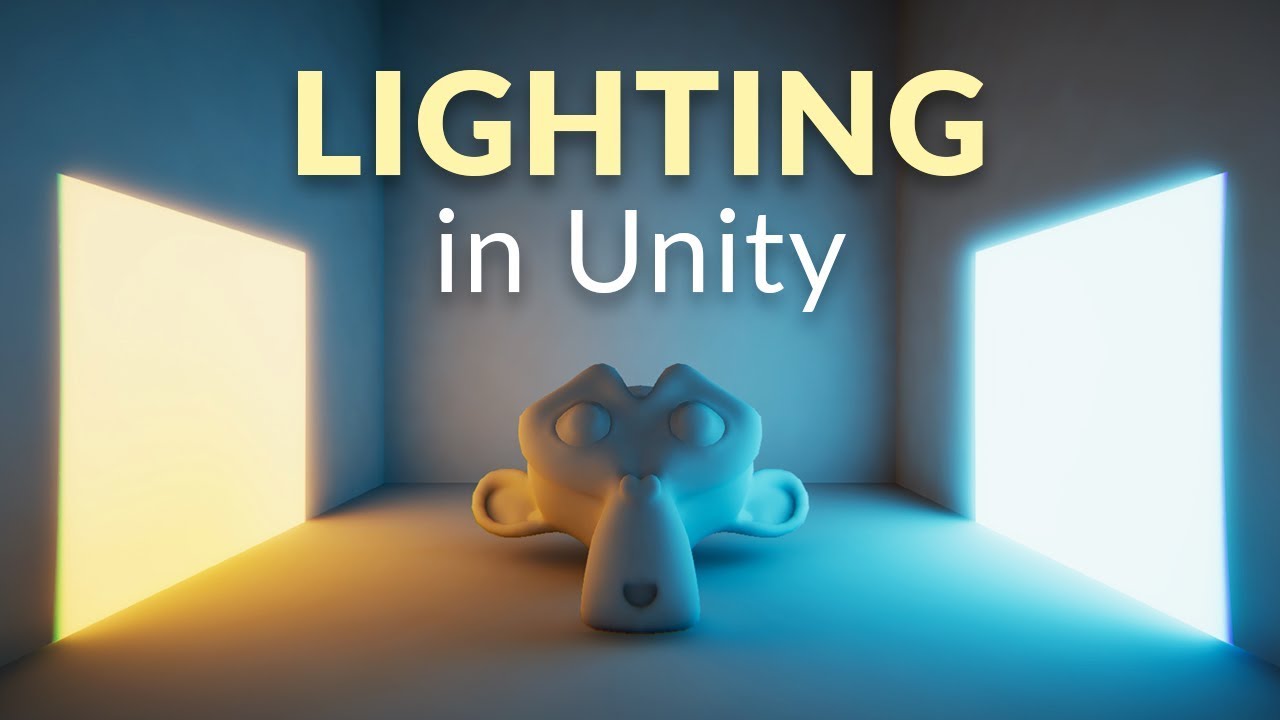
In this video we’ll learn a bunch about lighting and use it to light a simple scene using the Progressive Lightmapper.
● Get a discount on The Complete Unity 3D Game Development Course: https://www.udemy.com/unity-developer-course/?couponCode=YTBRACKEYS999
● Download Room + Monkey: https://goo.gl/6EZjQL
● LMHPoly's youtube channel: https://goo....
shut rune
i tried it and it didnt work
deft fiber
shut rune
i tried it and it didnt work
Try more until you find one that does
https://youtu.be/okYhs6kQ0xw
like this

Let's learn some basics of light mapping in Unity 2020.1 using Universal Render pipeline (URP).
You will also learn some Unity tips and techniques to improve and speed up light baking workflow.
☑️Old House 3D model : https://bit.ly/2xQSeU4
▬▬▬▬▬▬▬▬▬▬▬▬▬▬▬▬▬▬▬▬
☑️Quick Links :☑️
Introduction - 00:00
Part 1. How to bake lights ...
shut rune
ok i will try, thank you
deft fiber
supple kelp
I clicked on that link cause I also get some artifacts (though they look differe...
It would be useful to confirm that your system is fully capable of the light baking process, since you keep having weird issues with it
Trying baking in a sample project would be helpful if you can find a suitable one
daring dragon
deft fiber
Texel invalidity
<https://forum.unity.com/threads/faq-blocky-artifacts-appear-wh...
thanks, it worked! just forgot to tick double-sided GI the first time 😬
 unborn lotus
bake time : 10 seconds
HOLD ON : 5 min...

 rain swan
Hey ,there, i have some strange artifacts in my shadows (after my bake), especialy a gap between my mesh and the shadow even if both objects are stick to the other. Any idea ?

Its very strange, but if i disable the "Cast shadow" option and don't rebake, the problem is gone :
 rain swan
Please guys, i don't understand 😭
olive iris
supple kelp
The first picture is what I want, the second picture is the best lighting I am a...
You did not watch the videos I sent you, did you? IF you did you would have learned about materials. And that darker materials absorbs light and reduces indirect. And so does reflective material.
 neat lily
Is it possible to Bake a lightmap, but still use mixed lighting to have "realtime" shadows and save half the processing power since the lightsource might not move, but want the shadows to go over dynamic objects ?
rain swan
neat lily
Is it possible to Bake a lightmap, but still use mixed lighting to have "realtim...
Yes, you can use lightprobes
You can also check different lighting mode (backed indirect, shadownmask, substractive), I'm not sure which one is corresponding to what you want, but if my memory is good you can have realtime shadow with 1 or 2 of them
neat lily
rain swan
Yes, you can use lightprobes
unfortunately lightprobes dont give precise shadows (meaning you won't see the shape of the shadow when it passes over another body) it will change the color of the whole body at once
neat lily
rain swan
You can also check different lighting mode (backed indirect, shadownmask, substr...
Yeah I'm trying right not, reading up on a whole lot of things, but I'm really in-experienced in lighting my games other than Realtime Lit or Unlit. So I was hoping on cutting some time off by asking ^^ But yeah thanks I'll go read those sections in the manual right now !
rain swan
neat lily
Yeah I'm trying right not, reading up on a whole lot of things, but I'm really i...
No problem, sorry if i didn't gave much details, I don't really have much experience too
rain swan
rain swan
Please guys, i don't understand 😭
I noticed that if I disable the shadows completly un QUality settings , the correct shadows are shown (like in screenshot 2) if i didn't clear bake data. So it seems like the baked shadows are correct, but the realtime shadows above that are incorrect. So my problem (gap in shadows) come from realtime shadows, Any idea ?
rain swan
neat lily
Is it possible to Bake a lightmap, but still use mixed lighting to have "realtim...
In quality > Shadows > Shadowmask mode , you can use DIstance ShadowMask to have both realtime and baked shadows


 rain swan
 carmine flare
anyone know why this is happening?
carmine flare
anyone know why this is happening?
What is the problem ? i don't really understand
carmine flare
rain swan
What is the problem ? i don't really understand
gi baking has these weird dark spots for some reason...
rain swan
carmine flare
anyone know why this is happening?
the 4 dark rectangle ?
maybe it's an uv problem, make sure there is no overlapping uv especialy in the UV2 channel used for lightmapping
carmine flare
rain swan
maybe it's an uv problem, make sure there is no overlapping uv especialy in the ...
how do i fix overlapping uvs?
rain swan
carmine flare
how do i fix overlapping uvs?
Change scene view mode to Overlapping UV to see if you have some
Then to fix it you can open your 3D software and do a layout of your uvs without overlapping for example
mild glen
Hi! I'm using light layers which works perfectly well on unity but not on built version (windows and webgl). Have you already encounter this situation?
Is there any setting to embark light layers on a build or something?
rain swan
Is this normal that i have these shadows when using baked lighting instead of realtime ?
Shouldn't they be more smooth and completly invisible because of the amount of lights (8) on my chandelier ? Thanks a lot in advance !
 supple kelp
olive iris
You did not watch the videos I sent you, did you? IF you did you would have lear...
supple kelp
olive iris
You did not watch the videos I sent you, did you? IF you did you would have lear...
I did watch it, but my material is not that dark. So it shouldn't absorb all the light
rain swan
 upper fable
maybe you need more light bounces?
upper fable
maybe you need more light bounces?
Maybe, i don't really know, i already have 3, i think it's already quite long to bake but i'm going to check this, thanks
olive iris
carmine flare
how do i fix overlapping uvs?
You can also adjust it on the mesh if your baking it.
olive iris
rain swan
I noticed that if I disable the shadows completly un QUality settings , the corr...
If your light is mixed, go into shadow bias and adjust the slider until the shadow connect. When there is a gap using mixed or realtime, the first thing to do is check shadow bias.
olive iris
neat lily
Is it possible to Bake a lightmap, but still use mixed lighting to have "realtim...
Lightprobes do not create shadows.
You can use shadowmask setting and mixed lighting. It can switch between being baked or real time shadow depending on camera distance. You can adjust that in the quality settings.
rain swan
olive iris
Might need higher texel resolutions
I already increased it a lot (150)
olive iris
rain swan
I already increased it a lot (150)
That is overkill.
rain swan
olive iris
If your light is mixed, go into shadow bias and adjust the slider until the shad...
Thanks, but i already reduces the bias a lot tu reduces this effect too
rain swan
olive iris
That is overkill.
Yea, it was for testing purposing to solve this problem but nothing new
The problem comes from realtime shadows (i use mixed lights), but i can't figure exactly why it's doing this
olive iris
Something is off with your mesh or combination with lighting. Your shelf is dark on the side but not in the back.
Did you turn on UV on the mesh itself?
rain swan
olive iris
Something is off with your mesh or combination with lighting. Your shelf is dark...
You are right, this is strange ...
I have made UVs for lightmapping in UV2 channel
olive iris
Show them?
You might want to "generate UV lightmap" to see if there is issue with yours.
rain swan
olive iris
Show them?
I suppose i can't do that immediatly in Unity. I have unwrapped all my mesh parts and strectch them to fill the UV space
The generate UV lightmap is horrible according to me, i have always ugly results
olive iris
mild glen
Is there any setting to embark light layers on a build or something?
I don't know for sure with this new future. But for old you need to turn on the layers on camera level to render.
rain swan
olive iris
Also, this is too many lights.
I should replace it by only 1 right ? but isn't it not realistic ?
olive iris
I sent you my resources it will improve you.
olive iris
carmine flare
anyone know why this is happening?
You can also check texel validity view and check if everything is green
 outer monolith
Wondering if anyone has any advice on lightmapping? I've been wondering why the color of the light seems to be off when baking with a mixed directional light. On the left is a non-static mesh and on the right is the same mesh but static, why don't they look the same?
 rain swan
outer monolith
Wondering if anyone has any advice on lightmapping? I've been wondering why the ...
rain swan
outer monolith
Wondering if anyone has any advice on lightmapping? I've been wondering why the ...
i imagine that it's because non static light receive only direct lighting so it looks different
carmine flare
nothing in the scene is even green
 deft fiber
carmine flare
nothing in the scene is even green
deft fiber
carmine flare
nothing in the scene is even green
Most of the debug views like texel validity are stored only temporarily when you make a bake, and it almost seems that sometimes they don't get stored at all if you bake before using the debug views
It should work if you bake again
Be sure that the bake has finished uninterrupted


 deft fiber
<@&502884371011731486>
deft fiber
carmine flare
this is going to take hours
You should reduce texel density and sample counts when not doing a final bake
And bake with the GPU if you've got one that's capable.
Blotches of texel invalidity is caused by surfaces being exposed to geometry backfaces. Alter the geometry so that is not happening or use a material that renders both sides of the mesh. The thin strips of invalidity around the seams aren't usually a problem, though they can be avoided by using steamless meshes.
The red seams in UV overlap can be problematic, there are a few different ways to fix them
https://docs.unity3d.com/Manual/ProgressiveLightmapper-UVOverlap.html
neat lily
olive iris
Lightprobes do not create shadows.
You can use shadowmask setting and mixed ligh...
thanks, i'll look into it, didn't know! great to hear
 thick pendant
how do I fix this absurdly bright light
 upper fable
thick pendant
how do I fix this absurdly bright light
upper fable
thick pendant
how do I fix this absurdly bright light
Is it just bloom being very intense? What it looks without bloom?
thick pendant
yeah my bloom was too high
upper fable
thick pendant
yeah my bloom was too high
Or maybe rather the threshold. You can play around with both values
 mossy kiln
Are there any straight forward ways to do GI with procedural sky, vol. clouds, etc, in HDRP? overriding indirect lighting multiplier lightens the shadows but they don't receive the color of sky / clouds so it looks unrealistic

 timber lichen
Use invector
deft fiber
mossy kiln
Are there any straight forward ways to do GI with procedural sky, vol. clouds, e...
If you actually mean GI bounce lighting then there's no straightforward way
If you only need objects to recieve indirect lighting from your procedural sky that should be default functionality
mossy kiln
Ye, I just want ambient light from the sky
deft fiber
mossy kiln
Ye, I just want ambient light from the sky
In my experience the Visual Environment override applies the dynamic sky as reflections and indirect lighting to objects out of the box
Can't say exactly why it doesn't work for you
It's possible that you've baked static lighting for the terrain so it can't react to changes you make to the sky
I don't think you need to do anything particular to make indirect lighting work
 mossy kiln
Strange, all my lighting is set to dynamic
Also worth noting that I need to tick off and on again the override for vol. cloud shadow resolution, otherwise the entire landscape is shadowed
 exotic pivot
im having some problems with artifacts after baking my lightmaps in hdrp. all meshes have light map uvs in the 1 to 1 uv space and are set to static. no matter how much i increase the lightmap resolution and size, im still getting artifacts. would appreciate any help. first screenshot is before baking lightmaps and second screenshot is after


 slender light
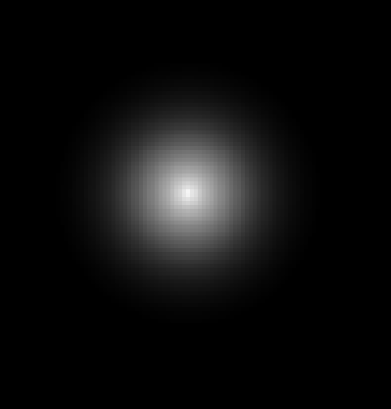
What causes "pinholes in smoothness masks?
It seems to happen in almost every part that is a single spot like this
https://i.gyazo.com/3c9d17ec35a21f1fa59b6190074998a0.png
https://i.gyazo.com/8d37db54695cf6e453cc2fbae3b59556.png

 deft fiber
@slender light Hard to tell from the picture but my guess is that it's working as intended
If smoothness approaches 100%, light sources in the reflection will shrink relatively
Which means it'll reflect the black background clearly, and the light as a small bright spot only from the correct angle
slender light
deft fiber
<@!196106126155055105> Hard to tell from the picture but my guess is that it's w...
It only does it when using a mask, though. If I set smoothness to be very high without one, it does not happen.
deft fiber
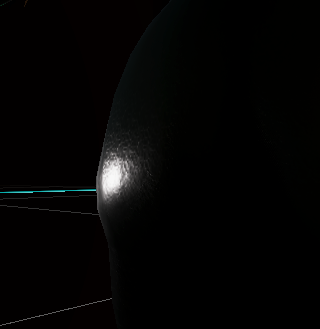
What does it look with 100% smoothness without a mask?
Preferably from the same angle
slender light
deft fiber
What does it look with 100% smoothness without a mask?
Pretty much what is expected
https://i.gyazo.com/93dcc170aaddfa18e06185a75dfad4d1.png
 deft fiber
I still believe the "pinhole" is a region of the same blackness we see here
Only it stands out because the rougher area around it scatters light much more and appears grayer
slender light
deft fiber
I still believe the "pinhole" is a region of the same blackness we see here
Also, it occurs almost everywhere except these top ones, despite being pretty much the same, and despite one of them being brighter there.
https://i.gyazo.com/fcebeacea98f7fe6394ec1d48e794271.png

It also does not occur when it is like this, but that defeats the purpose since I want strong reflections in certain spots
It just seems very random.
https://i.gyazo.com/a036b5e1fe7b7ce7a75a8c630e8ddc31.png
 deft fiber
You have strong reflections
Only there is nothing much to reflect
slender light
Not sure what you mean. It's reflecting light. As far as I can tell it should work the same as high smoothness without a mask
but limited to that area
deft fiber
It does
I can demonstrate the same effect in blender

The black spot is a spot of high smoothness on a texture map like yours
It is black because it reflects the black surroundings clearly
But the point light reflection is there as well, which appears as a tiny dot
If I add an environment it will be visible on the smooth spots

The spot below looks now white because it's directly reflecting the bright sky
Blender and Unity use the same material standard so it works both ways
The main thing is that you need something meaningful for the surface to reflect
slender light
I think the problem is still the mask
or rather, small differences
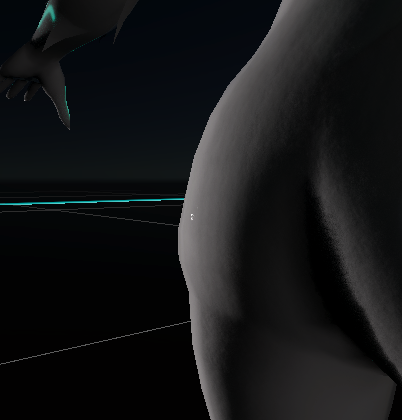
if I use a white mask, the dark areas are "elsewhere" I'm sure
but I need to know how to stop it from happening
what specifically is it reflecting?, exactly? As in, is there something I can replace with white
deft fiber
If the areas on the mask are in the wrong place, that's a separate issue
slender light
No, what I mean is that small patches of white seem to cause the hole in very specific circumstances. Even though they are almost the same as others on the same model, they do not have the issue
blurring it and enlarging the area of white makes the issue less obvious, but then the smoothness appears less localized
And on lips, for example, they need to be in a very specific spot.
It only reflects the BG is I turn metallic up, like this
https://i.gyazo.com/12d027ac40cc8936cb3059918117879d.png
So what is the black that it is reflecting if metallic is off?
 deft fiber
It's the surrounding darkness, and some of the dim horizon as you can see
This is not a technical issue for sure
Usually harsh smoothness ramps like that are not used because they look weird and don't really occur in nature
Nonmetallic surfaces also reflect the surroundings, but if the material is very dark it'll be harder to see
Unity uses PBR material standard which helps you if you try to emulate real life materials, but hinders you if you don't
slender light
is there a way I can trick it into only reflecting white?
deft fiber
I'm not perfectly sure what kind of look you have in mind
slender light
Well, I guess I'm just doing something that isn't possible
I will try making it brighter white
but adding more transition
Or I may just be trying to do something that isn't possible
clear coat would work if it were smoother, but it's pretty much always sharp
deft fiber
Most things are possible if you understand what the systems are doing for you
If you want 'clear' reflections then your reflective area should have full metallic, high smoothness and white color
like this perhaps

You need to store all three in textures
but still without an environment properly reflective surfaces don't look much like anything
 slender light
deft fiber
but still without an environment properly reflective surfaces don't look much li...
slender light
deft fiber
but still without an environment properly reflective surfaces don't look much li...
It's not really meant to be reflective like a mirror, since metallic is off entirely. It's meant to be more like skin. Pretty much imagine if part of the skin was wet with sweat, and the rest was not.
Or as mentioned before, things like lips which often have a slight gloss to them.
Like if you were to draw something like this,
https://i.gyazo.com/df8f3b4767f2560050ce237be1fc81ac.png

whereas if it goes too far, it looks like this
https://i.gyazo.com/2d903cba902fc140c19187db60ae7389.png

an example on the actual model, where it happens to be working fine,
https://i.gyazo.com/a0265bc565cce1de8898bacce2a461b7.png
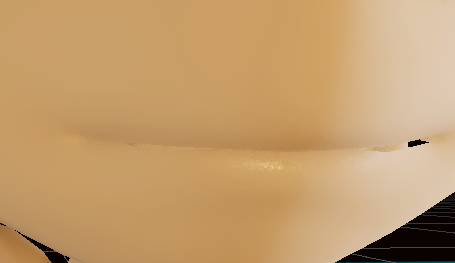 deft fiber
slender light
It's not really meant to be reflective like a mirror, since metallic is off enti...
deft fiber
slender light
It's not really meant to be reflective like a mirror, since metallic is off enti...
That's good to know!
You'll want to use clearcoat with a mask for wet/dry areas
slender light
clear coat is too sharp, unfortunately. It would work for the lips, but not other areas
I tried a mask for it as well
deft fiber
Wet parts would have sharp reflections, no?
slender light
because clearcoat is always very small, it ends up looking more like this
https://i.gyazo.com/19d71e959e1ffb1f2da06104038e88bb.png
 deft fiber
For lips you want a precise smoothness value and kinda paint it on like you did
Not crazy high smoothness or it can get a bit weird
slender light
I want some of the smooth transition like you get with smoothness
deft fiber
slender light
because clearcoat is always very small, it ends up looking more like this
https:...
Small?
slender light
It's sort of just off or on. It looks similar to smoothness at 100.
Whereas smoothness looks like this, at slightly lower values
https://i.gyazo.com/d5e82fa8508a0011e55ce6e507bad006.png
 slender light
Don't worry about it lol. You've been helpful.
Knowing I'm not using it as it's normally used is still enough information
I can still get the effect I want, just not as perfect, as long as I blur the mask a bit
deft fiber
I guess the most important part is to have well lit surroundings, either a sky or lights so you can see the effect of your tests properly
slender light
Yes and no. In this case the model will appear in dynamic lighting
deft fiber
The PBR material standard is used basically everywhere, so I'm sure there are resources and guides for how to make wet skin and lips within its rules
deft fiber
slender light
Yes and no. In this case the model will appear in dynamic lighting
You'll still want to see what you're doing, probably!
slender light
deft fiber
You'll still want to see what you're doing, probably!
Nah man, I like the mystery of not seeing what I'm doing.
It's like a little surprise every time when things go wrong
 quartz monolith
I sometimes have this weird bug in unity. i have 3 scenes. one UI Only and 2 gameplay scenes. sometimes one of the gameplay scenes has weird lighting when building or entering playmode. it sometimes is both of them and rarely it is "normal"

any idea what i can do to fix it and whats causing it?
this is what it looks in the editor and sometimes after building
 tropic harness
can I use some help with lighting...

why is it being so weird after generating the global illumination?
it should look like this skip about 40seconds into vid
 deft fiber
quartz monolith
I sometimes have this weird bug in unity. i have 3 scenes. one UI Only and 2 gam...
deft fiber
quartz monolith
I sometimes have this weird bug in unity. i have 3 scenes. one UI Only and 2 gam...
Generate lighting for the scene manually and see if that makes it consistent
deft fiber
tropic harness
Look for errors in Texel Validity and UV Overlap using scene window's debug views
https://docs.unity3d.com/Manual/GIVis.html
 robust fossil
Is there a way to do real time lighting on an object like a carried torch?
I cant seem to find a way to approach it.
deft fiber
robust fossil
Is there a way to do real time lighting on an object like a carried torch?
I ca...
Any light you create is realtime by default
robust fossil
deft fiber
Any light you create is realtime by default
Perhaps I am stupid with this, but it wont cast shadows of an object that it hits... So maybe I misunderstood realtime.
deft fiber
It should if it has shadows enabled
robust fossil
It is enabled, but sadly I just cant get this spotlight to cast a shadow in URP
Its even more strange because the directional light casts a shadow, but the spotlight will not
deft fiber
robust fossil
It is enabled, but sadly I just cant get this spotlight to cast a shadow in URP
I can't think of any exception about URP spotlight shadows
URP sample scene template should have a shadow casting spotlight which you could check works right
robust fossil
Mmm, I believe I removed it from the project like I usually do as a tidying sort of thing.
even more strange its like the light is clipping right through ALL objects... Even with the near plane adjusted
Solution found, thanks though, apparently at higher inner outter spot angles it just begins to completely ignore objects and shines through them
 raven cape
How do I bake lighting to make it as if objects are casting shadows but the shadows and lighting are actually on the textures?
 serene urchin
when i switch scenes my scenes become realy dark, how can i fix this?
upper fable
serene urchin
when i switch scenes my scenes become realy dark, how can i fix this?
by googling "unity load scene gets darker"
serene urchin
upper fable
by googling "unity load scene gets darker"
already fixed it...
serene urchin
sorry, forgot. im speedrunning my game right now.
deadline is to night
 topaz blaze
Hi, I have a scene with only a spotlight and it breaks dynamic batching because some objects are lit and some not. So, is there any way to force all objects to use this spotlight?
Or, is it possible for the spotlight to be only used for shadow casting but not lighting?
upper fable
Having *lights that casts shadows but doesn’t light up objects doesn’t make any sense…
topaz blaze
If you can't understand, please don't answer and please don't be condescending. Thank you.
deft fiber
topaz blaze
If you can't understand, please don't answer and please don't be condescending. ...
Sounds like you're the one being condescending
https://docs.unity3d.com/2021.2/Documentation/Manual/dynamic-batching.html if I'm reading the limitations section correctly here, dynamic batching should be supported with one light, but there are a lot of other ways it can break to be mindful of
I don't believe there's any straightforward way to force objects to use a light besides increasing the light range, but that'd increase the light's render cost massively and at that point you need to consider if it's worth it
No idea how you would get only shadows from a light considering the shadows' only job is to mask out the light
You could use unlit materials combined with separate shadow caster meshes but that certainly wouldn't save any drawcalls
topaz blaze
Thanks for your answer. The batching is broken explicitely because of the light (as stated in the frame profiler). I have some custom lightings to circumvent the multiple drawcalls in forward rendering but can't find a way around the batch breaking from just one light. Shadowcasting and lighting are two totally different steps and it should be possible to have shadows without lighting. But how with unity, and if it's possible, that I don't know.
 vivid pasture
I have a statue thats static and has generated lightmap but its showing as unlit. The scene is baked


what could be causing this?
in realtime it shows perfectly fine:

nvm I have found a workaround by setting the metallic property in the material to less then1
 tidal musk
can anyone explain to me what is up , or maybe a pointer into what may cause this...
there's about 3 of these walls around the scene ... solid black , clearly they are all the same, static, yet, over and over, a couple just stay solid black after a bake. There's a light with 10yrd range literally right beside it...

 dark knoll
Anyone know what is best way to produce multiple fake Godrays in unity?
 hoary fossil
testing out some DXR in Unity using Quixel megascans.
olive iris
topaz blaze
Hi, I have a scene with only a spotlight and it breaks dynamic batching because ...
Wait what? You have light casting a large area. And they are not affected because you excluded them? But you want to include them? And why are they not included if you want them included to begin with? You are saying they are lit and not lit. Then you are saying you want them in the same batching or that they are not being batched at all.
 warm scroll
anyone know the best way to remove banding?
my pointlight shows these circles around the character
deft fiber
warm scroll
anyone know the best way to remove banding?
Using linear color space and enabling dithering on the camera are the two main things
 light bay
Hello, im "new" to unity and I need some help with how my character looks when I import it from blender, i figured it was a lightning problem or a material problem.
Why does the model looks good in the armature action preview but it looks so bad in the scene (no matter the angle i choose in the directional light). Also when i select the no shadows option it looks good and shadowed in itself, but it doesnt cast a shadow.


 fallow pendant
Hey! so im new to visuals on Unity and I've been having a problem with my lighting. I've searched for hours for a solution but nothing works. When I load into scene 1 from my menu the lighting in the scene goes darker. I've checked to make sure I don't have anything automatic updating in my light settings and when I click "Generate Lighting" it works for a bit but then makes the lighting even darker. If anyone knows a fix please let me know its killing me!
Normal:

Messed up:

 lofty hill
Howdy!
2019.4.31f1, built-in renderer user here. I've started having this issue with reflection probes out of the blue recently where they stopped blending at all. I can either get to show one or the other based on importance, or both simultaneously. Where could I start digging?
 vivid pasture
light bay
Hello, im "new" to unity and I need some help with how my character looks when I...
vivid pasture
light bay
Hello, im "new" to unity and I need some help with how my character looks when I...
If you're refering to the holes in your lighting, try to decrease your normal bias to a very small number like 0.1 or 0.05

 sturdy dagger
@vivid pasture Do you think you could help me with this issue aswell?
upper fable
sturdy dagger
<@!259057546059448320> Do you think you could help me with this issue aswell?
Don’t ping random users. If someone is helping someone other, you can’t expect them to be able to help with your issue. Also this doesn’t seem #archived-lighting related. Keep that in #💥┃post-processing and don’t crosspost. Be patient
raven cape
Is it easier to bake lighting if the map is smaller in the editor? it's not like it's going to affect the gameplay right?
 inland mantle
Quick question. I have a 3d scene that is mainly an exterior with sunny ambient lighting... all lighting is currently realtime. I would like to go from this sunny environment into a cave area that has very little ambient light. Could someone point me in the right direction for how to achieve this? Pretty new to realtime lighting in Unity so any links to useful tutorials etc would be appreciated. There doesnt seem to be much in the manual regarding this.
deft fiber
inland mantle
Quick question. I have a 3d scene that is mainly an exterior with sunny ambient ...
Reflection probes are used for this purpose, although they're not strictly realtime
 strong python
Hi! why my baked normal map (right side of the stone texture) appears less intence in comparsion with realtime light (left)?
 deft fiber
strong python
Hi! why my baked normal map (right side of the stone texture) appears less inten...
deft fiber
strong python
Hi! why my baked normal map (right side of the stone texture) appears less inten...
Normal maps react to directional lights
Baked lighting is not directional unless baked with light direction information into it, though this mode can't do specular reflections as those are dependent on view angle
You can get directional shadows and specular reflections by using shadowmask lighting mode, but that incurs an extra cost of everything being rendered again using realtime lighting
And it only helps with punctual light sources rather than indirect
But you can use both directional lightmaps and shadowmask lighting mode together
strong python
deft fiber
You can get directional shadows and specular reflections by using shadowmask lig...
Thanks! Where can I switch to shadowmask lighting mode?
deft fiber
In lighting settings
strong python
deft fiber
In lighting settings
it is shadowmask. Actualy there is baked normal map but it is rather flat. Smoothness of wall and floor texture is 0


 shadow horizon
im baking a lightmap on a scene with a fair few object. does this look normal? I dont know what i hould be expecting

im unsure what i should be doing, to make it not a massive map, not take ages, but look "good enough" if you feel me?
 deft fiber
shadow horizon
im baking a lightmap on a scene with a fair few object. does this look normal? ...
deft fiber
shadow horizon
im baking a lightmap on a scene with a fair few object. does this look normal? ...
I don't think there are any hard and fast rules about this
Is 245MB of data too much to store/load per scene for your users or devices?
shadow horizon
i canceled the current bake, 245mb on that one, 1/3rd finished
i would of been close to 1gb
Seems far too excessive
deft fiber
shadow horizon
im unsure what i should be doing, to make it not a massive map, not take ages, b...
I always felt that 40 texels per unit which is the default is pretty high, but aside from that most of the optimization happens in the scene
For example not everything needs to be lightmapped
Anything that doesn't visually benefit a lot from lightmaps can be set to recieve baked lighting from light probes
Or anything that's too small, which also saves baking time
I believe directional lightmaps need twice as much space as non-directional ones, and shadowmask maps take some space as well
shadow horizon
im trying these currently, i think every mesh is set to be lightmapped

if i didnt want that, would i turn off Contibute to global illumination on them?
deft fiber
shadow horizon
if i didnt want that, would i turn off `Contibute to global illumination` on the...
You can do that or set them to recieve light from light probes instead of lightmaps
Correction to earlier: you would set small objects to not contribute GI at all if they're too insignifact to contribute to it; objects with tighter polygon density take more time to bake
But if you want them to be calculated but not store lightmap data, such as furniture which cast shadows but might not need accurate shadows you would keep them contribute GI static but with light probes instead of lightmaps
Samples and bounces only affect the accuracy of the bake, not filesize
It's also worth experimenting with different compression methods and levels for the lightmap and try to find a good balance
Though in my experience compressing much causes crunchy and colorful artifacts really easily, so I settle for lower resolutions instead
shadow horizon
deft fiber
It's also worth experimenting with different compression methods and levels for ...
Compression methods?
deft fiber
shadow horizon
Compression methods?
Lightmaps are image textures which can be compressed using all of the same ways as such
shadow horizon
this bake still looks pretty perfect to me, so i think i can decrease the settings even further, but tomorrow. i dont have the time to sit around and wait each time i test
 deft fiber
shadow horizon
this bake still looks pretty perfect to me, so i think i can decrease the settin...
deft fiber
shadow horizon
this bake still looks pretty perfect to me, so i think i can decrease the settin...
293 maps sized 512x512 sounds like a lot
Hard to say without knowing the scene but I'd reduce the resolution and number of lightmapped objects
It's better to start low and increase, faster that way
Also, changing compression settings doesn't require re-baking, luckily
You can also look at the lightmap textures themselves to gauge by eye how much of it is important
strong python
deft fiber
I don't think there are any hard and fast rules about this
Is 245MB of data too ...
any tips? i cant make this work(
deft fiber
strong python
any tips? i cant make this work(
The first step is to understand the features you want to make use of
I'd start by reading these
https://docs.unity3d.com/Manual/LightmappingDirectional.html
https://docs.unity3d.com/Manual/LightMode-Mixed-Shadowmask.html
strong python
deft fiber
The first step is to understand the features you want to make use of
I'd start b...
ok thanks, 1st link seems to be about directional light
deft fiber
strong python
ok thanks, 1st link seems to be about directional light
Yes, both are options for you
strong python
deft fiber
Yes, both are options for you
directional light works fine, will try to achieve this with point lights, thanks
strong python
deft fiber
Yes, both are options for you
according to doc i tried to use mixed lighting with shadowmask mode, it didnt help(
 limber delta
Hey guys.
- I'm wondering if anyone knows why reflective surfaces like metals look very dark for me?
- Why are there no cast shadows? I understand dynamic objects do not cast shadows, but in the example up top, shouldn't there be a cast shadow in the baked example? (left one). That wall part is a static object.
I'm on Unity 2021.2.4f1, URP, and use mixed lighting (baked indirect) with point lights set to "Baked." There is no sun source (inside an apartment) and there is a skybox material applied to the scene. I have both a reflection probe (baked) and light probes in the scene.
Appreciate any help, thanks!

Shouldn't dynamic objects still reflect when using baked lights + reflection probes?
deft fiber
limber delta
Shouldn't dynamic objects still reflect when using baked lights + reflection pro...
Yes, but if the albedo color is black and there aren't a lot of bright areas to reflect, the result will be rather dark
Metals are rarely colored black in real world / PBR standard
limber delta
deft fiber
Yes, but if the albedo color is black and there aren't a lot of bright areas to ...
True, but the albedo is a medium grey. I'm going to try this https://forum.substance3d.com/index.php?topic=22525.0 though and see if it helps.

Substance3d
Substance by Adobe | The complete suite with everything artists need to create 3D digital materials.
When I remove the metallic map it looks better. Though no reflections
deft fiber
It also kinda looks like there is nothing reflecting besides the light so you could check that the probes do have useful data in them
limber delta
Yeah, the reflection probe bakes fine it seems.

Do you know why there are no cast shadows when I change the light to baked? I mean even on static obejcts.
They might be there but really blurry. Not sure
deft fiber
That could be a low resolution lightmap without a shadowmask
Hard to guess what's happening over there
limber delta
Yeah haha
deft fiber
I'd try to isolate the problem to either the metal material or the light bake
limber delta
Right
Actually, the cast shadow things seems to be because of "Baked Shadow Radius" was set to 1. At least that one I think is solved.
deft fiber
Compare the metal material to a new metal material on some random primitive side by side or move the door to a new scene and see if it reflects there, see if baking works with the test sphere by tweaking some settings
limber delta
deft fiber
I'd try to isolate the problem to either the metal material or the light bake
I'll have to do some testing
limber delta
deft fiber
Compare the metal material to a new metal material on some random primitive side...
Yes, good idea. Thanks for the help!
One thing though, I have brought the intensity multiplier for the Environment reflections down to 0.2. When that is at 1 the scene looks really bad. I mean, metallic surfaces look better but everything is is way too light
 limber delta
Ok, I seem to have narrowed it down. Everything is OK until I apply the metallic/smoothness map from Substance.
it makes everything flat, even though the metallic parts are white and the rest is black. Not sure what is happening there
this is the mesh with a material without textures and metallic + smoothness on 1

same with metallic texture applied. there is a reflection but it's really weak

Ok, sorry for "spamming", but it seems like I've gotten to the bottom of this. I applied a 100% white material in substance, metallic 1 and no roughness and it looks all seems to work as expected now. I need to look into my textures it seems.
deft fiber
limber delta
One thing though, I have brought the intensity multiplier for the Environment re...
I'd be careful about tuning any intensity multipliers before making sure that everything else works
Tuning them is never physically accurate and can conceal and convolute other more underlying problems
But once you're sure everything works correctly and consistently then it's fine
limber delta
deft fiber
I'd be careful about tuning any intensity multipliers before making sure that ev...
Right. That makes sense, thanks!
I don't understand how to work with the intensity multiplier at 1 though. It makes everything light up way too much.
limber delta
I guess by using a very dark skybox. I'm working on an indoor scene.
deft fiber
limber delta
I guess by using a very dark skybox. I'm working on an indoor scene.
Reflection probes will override the skybox if you've got them baked
limber delta
Thanks, again, appreciate the help. I scaled back. Reset everything basically and added just one light. Started with the environment lighting and took it from there. I think I understand better now what is happening. Your suggestion to be careful with tuning intensity multipliers before anything else really helped. I didn't understand the effect that had on the reflections.
limber delta
For some reason the metallic smoothness map from Substance turns almost black inside of unity. My reflective surfaces all turn mat.
Only a problem when I have the light on baked.
 river parrot
I have trouble to make my space scene Dark
how i can turn off Ambient Lighting in build in renderpipeline? 🙂
 primal kayak
why does baking lights take so long for me it took an hour for it to bake the lights and now it says 3 hours for some reason, i asked another person if it takes a long time for them to bake lights and they said it doesnt take long at all
limber delta
primal kayak
why does baking lights take so long for me it took an hour for it to bake the li...
Are you baking with the CPU or the GPU?
primal kayak
i dont know i think CPU
 primal kayak
yeah i just dont want to use tutorials for everything because i want to learn on my own sometimes but ill try
limber delta
Right. Not my method of learning, but I hear you 🙂
I recommend this one if you're using the URP. https://youtu.be/hMnetI4-dNY

In this video, you'll gain an understanding of how lights and shadows work in the Universal Render Pipeline, as well as how to set up a scenario with a mix of real-time shadows, Light Probes, and baked GI.
Speaker:
Ciro Continisio
Ask your questions here: https://on.unity.com/2UmP9TE
Did you find this video useful? Room for improvement? Let us...
primal kayak
yeah thanks ill watch this and ill do it next time i use baked lights which probably wont take long because i just waited like 2 hours for the baked lights to load
limber delta
right
limber delta
river parrot
how i can turn off Ambient Lighting in build in renderpipeline? 🙂
Have you played around with these settings? Under Environment

@river parrot For you I recommend this tut https://youtu.be/f6zUot73-gg 🙂

This tutorial is an explanation about dynamic lighting in Unity, and should help you make better looking scenes ! It will go over Skybox, Ambient, Reflection probes and post process.
NOTE : This tutorial is made with Unity 2019.x in mind, and the Built in render pipeline
this is NOT a tutorial for unity 2020.x or HDRP or URP. The theory is e...
primal kayak
limber delta
In the Lighting tab.
wheres the lighting tab?
limber delta
Under window > rendering > lighting
deft fiber
primal kayak
wheres the lighting tab?
For learning it's much better to stop following tutorials only once you've got the basics down
In my professional opinion tutorials are not training wheels, you don't get smarter (or make much progress) by doing things without instructions
limber delta
Well said, totally agree with above.
 kindred harness
Is it possible to have a spotlight in HDRP have an increasing intensity with distance ? I don't want it to be so bright when it hits objects close to it
deft fiber
kindred harness
Is it possible to have a spotlight in HDRP have an increasing intensity with dis...
Please do not crosspost
shadow horizon
Spazi! hello! i got the bake down to 200mb, i can still go lower! But now, all my objects have a stark reflection of my skybox (blue)
Do you know how to tone that down?
I dont see it in the scene view, but when i play, its obvious

Ah, its probably there in scene view, but my post processing is probably making it much much more obvious
deft fiber
shadow horizon
Spazi! hello! i got the bake down to 200mb, i can still go lower! But now, all m...
If you were to tone down the reflections, the objects would appear as if tinted towards black instead
It might be better to bake some reflection probes
Right now the weird part is how the surfaces are reflecting a sky from below
 waxen kayak
is there a way for having a held object (that can move) be affected by emission coming from a texture that's used to create lightmaps with?
deft fiber
waxen kayak
is there a way for having a held object (that can move) be affected by emission ...
Light probes are used for this purpose, best accompanied by reflection probes
 trim dust
hi all - absolute beginner here, hoping i can get some help with an issue i'm having. I have some giant light-up billboards in my game that use baked lighting. when i play the scene in unity, the lightmap loads correctly, but when i do a standalone build, the light doesn't load at all (see screenshot - unity scene on left, standalone build on right)
i assume this is some type of draw distance issue (i made the "arena" the gameplay takes place in stupidly huge because idk what im doing). assuming that is the case, is there any way to increase the draw distance the lightmap loads? or maybe its something else entirely? any help is appreciated, i've been screwing with settings for hours to no avail

 finite hill
Hi, my lights are not working(except for directional light) and i dont know why. even if i turn up the intesity to 100 or higher there is no light. i am using urp.
 past merlin
Anyone know why there are these weird shadow lines on some floors / walls? and how i can get rid of them?
I generate the level in 10 x 10 chunks, but that shouldnt mess with the lighting right?
 upper fable
past merlin
Anyone know why there are these weird shadow lines on some floors / walls? and h...
upper fable
past merlin
Anyone know why there are these weird shadow lines on some floors / walls? and h...
I think you’re running out of pixel lights. What is the pixel light count set to atm?
finite hill
past merlin
Anyone know why there are these weird shadow lines on some floors / walls? and h...
are you making a backroom game?
past merlin
upper fable
I think you’re running out of pixel lights. What is the pixel light count set to...
its at 8, which is max
finite hill
past merlin
yeah
oh cool i am making one too lmao
upper fable
past merlin
im in urp btw
Unless forward+ is released, 8 is the max on urp. What happens if you decrease that to smth like 4? Does it just make more of those unwanted seams? On unity versions after 2021.2 deferred rendering path is supported which can have unlimited amount of lights (and it would perform better in this case, since you have a lot of lights in the scene). Just out of curiocity, are you following some tutorial or why I have recently seen many people having the same problem with almost identical looking scene?
past merlin
hahahaha, no im not following a tutorial!
Its a game about the backrooms, a concept that pretty much exploded the last couple of months again
If you look it up on google you will find many pictures that look very similar to what you mean!
Also yes, 4 makes more of em
Will deffinetly look into the deferred rendering thing, thx!
 timid wasp
Hey there!
I am trying to learn how to deal with lighting and I came across this problem where the 2 light sources don't blend well with one and an other.
I can't find documentation about that.
 deft fiber
timid wasp
Hey there!
I am trying to learn how to deal with lighting and I came across thi...
deft fiber
timid wasp
Hey there!
I am trying to learn how to deal with lighting and I came across thi...
Don't "blend"? I don't see a problem
timid wasp
deft fiber
Don't "blend"? I don't see a problem
Aren't lights suppose to mix a little if they are both on different side of a wall?
Ho wait
deft fiber
They seem to be mixing
timid wasp
Got it, I didn't place them the way I wanted
timid wasp
deft fiber
They seem to be mixing
Yeah you are right

 deft fiber
@sonic mason Check texel validity and UV overlap debug views
 viral panther
Anyone has an idea whats the issue with the 2D lights here? Every Sprite looks like this, with OR without an Normal Map

 wise ferry
hey, can someone help me please, I have a problem with my shadow
(it lights it up and doesn't do a shadow..

 orchid ivy
This question is probrably asked many times here, but how to remove shadows...?
Im talking about the shadows that the directional light makes:
 orchid ivy
limber delta
Have you played around with these settings? Under Environment
orchid ivy
limber delta
Have you played around with these settings? Under Environment
How do you open the Environment tab?
nvm fixed it by my self as always....
 odd void
Fellas, how do you make sprites glow / use emission maps in SRP?
For the purposes of not being able to recreate an effect in URP, I need to use SRP, but I have not found much on using emission maps with sprites in SRP.
Any help?
orchid ivy
odd void
Fellas, how do you make sprites glow / use emission maps in SRP?
For the purpose...
you want something like this?
 odd void
orchid ivy
you want something like this?
odd void
orchid ivy
you want something like this?
Yes but on a 2d sprite if possible
orchid ivy
this should help you

it's pretty simple
i use Post processing too
but if your PC isn't that good, then i recommend turning it off while you test your game
@odd void
wise ferry
wise ferry
(it lights it up and doesn't do a shadow..
please
odd void
orchid ivy
<@!161096949334802433>
Okay thanks! Gonna try it out soon but I’m wondering if what’s shown in the video applies to all sprites or only selective ones?
My purpose is to use it on 2d sprites within a 3d space to give particle effects that 2.5d glow look. Which is why I was wondering if an emission map kind of thing could work
orchid ivy
odd void
Okay thanks! Gonna try it out soon but I’m wondering if what’s shown in the vide...
if you want to make a certant object glow, then try making a layer for the object. and then in the post processing render only that layer
upper fable
orchid ivy
if you want to make a certant object glow, then try making a layer for the objec...
I dont think you can mask objects using layers like that. As far as I know, post processing is always affecting the full image of rendered camera
odd void
orchid ivy
if you want to make a certant object glow, then try making a layer for the objec...
In the video though the layer is not applied to the object but the post processing volume?
odd void
upper fable
I dont think you can mask objects using layers like that. As far as I know, post...
Is there another way to be selective with what objects are affected by a glow effect?
upper fable
Other than using multiple cameras, i dont know any easy solutions
orchid ivy
yeah i had trouble with the multiple cameras... i made a second camera for the gun to not clip through walls, but then some of the objects didn't render
orchid ivy
odd void
Is there another way to be selective with what objects are affected by a glow ef...
make a glow material
checkmark the "Emission"
upper fable
Oh yeah im dum
orchid ivy
on the material
upper fable
You can just increase the threshold of bloom and increase the emission of certain objects
orchid ivy
yep
upper fable
Then only objects with emission/color intensity more than threshold will get the glow effect
odd void
Okay cool! I'll be trying these out!
 odd gull
Hi, im making a day-night cycle. In my current state I have two directional lights rotating and beign set active or inactive based on the day time, but while the sun is visible during the day, there is no trace of the moon and I have no idea of how to add it (even tho the moon still casts shadows in the right direction and the light color is right)
wise ferry
odd gull
Hi, im making a day-night cycle. In my current state I have two directional ligh...
I can't help you, sorry, but could you help me with my shadow?
 runic quarry
I'm having an issue with my lights flickering like this

setting the render mode of the point lights from "auto" to "important" seems to fix it, but then it breaks the other lights in the scene
I also can't set every light to "important", otherwise these lights will remain off again
 charred nimbus
im making a 3d rhythm game and all my notes are dark, i want to have them all glow as if they were made of light, how? (also im not sure if this is the right channel but it sounds like it)
edit: actually im not sure if this is lighting or post processing but i have no idea what im doing so im keeping my question here
 olive python
charred nimbus
im making a 3d rhythm game and all my notes are dark, i want to have them all gl...
olive python
charred nimbus
im making a 3d rhythm game and all my notes are dark, i want to have them all gl...
probably Post Processing, use Emission on the material and crank up Bloom in PP
deft fiber
runic quarry
I'm having an issue with my lights flickering like this
Pixel light limit per object issue
runic quarry
would you mind elaborating or linking the relevant documentation?
deft fiber
runic quarry
would you mind elaborating or linking the relevant documentation?
In forward rendering every mesh within the range of a light is rendered again per light, which is why there's a limit
The limit can be increased in quality settings, but it gets really expensive
It's better to decrease light ranges and slice meshes into smaller parts
Another option is to check if your project can use deferred rendering, that removes this per-mesh limit and cost but comes with its own limitations
runic quarry
thanks, I've heard about deferred rendering, but I can't seem to find that option anywhere
I'm unsure if the UI is different from the tutorials I'm watching or if it's because I'm using URP
thanks nonetheless, I'll look into it
deft fiber
runic quarry
thanks, I've heard about deferred rendering, but I can't seem to find that optio...
URP has its own version of it and not every URP version supports it
I hope this is enough keywords at least for you to research
runic quarry
ah, it appears deferred rendering for URP is available in version 12.0+, which is pretty recent
my project uses ver 10.8.1
 tepid kettle
Hello there!
I’m trying to export the lightmap atlases generated by Unity with the secondary UV set. The official FBX exporter of Unity doesn’t do it 😭
I found this guy who in theory does it (according to the forum thread) https://assetstore.unity.com/packages/tools/modeling/fbx-exporter-for-unity-69997#description
Do you guys know another way to do so?
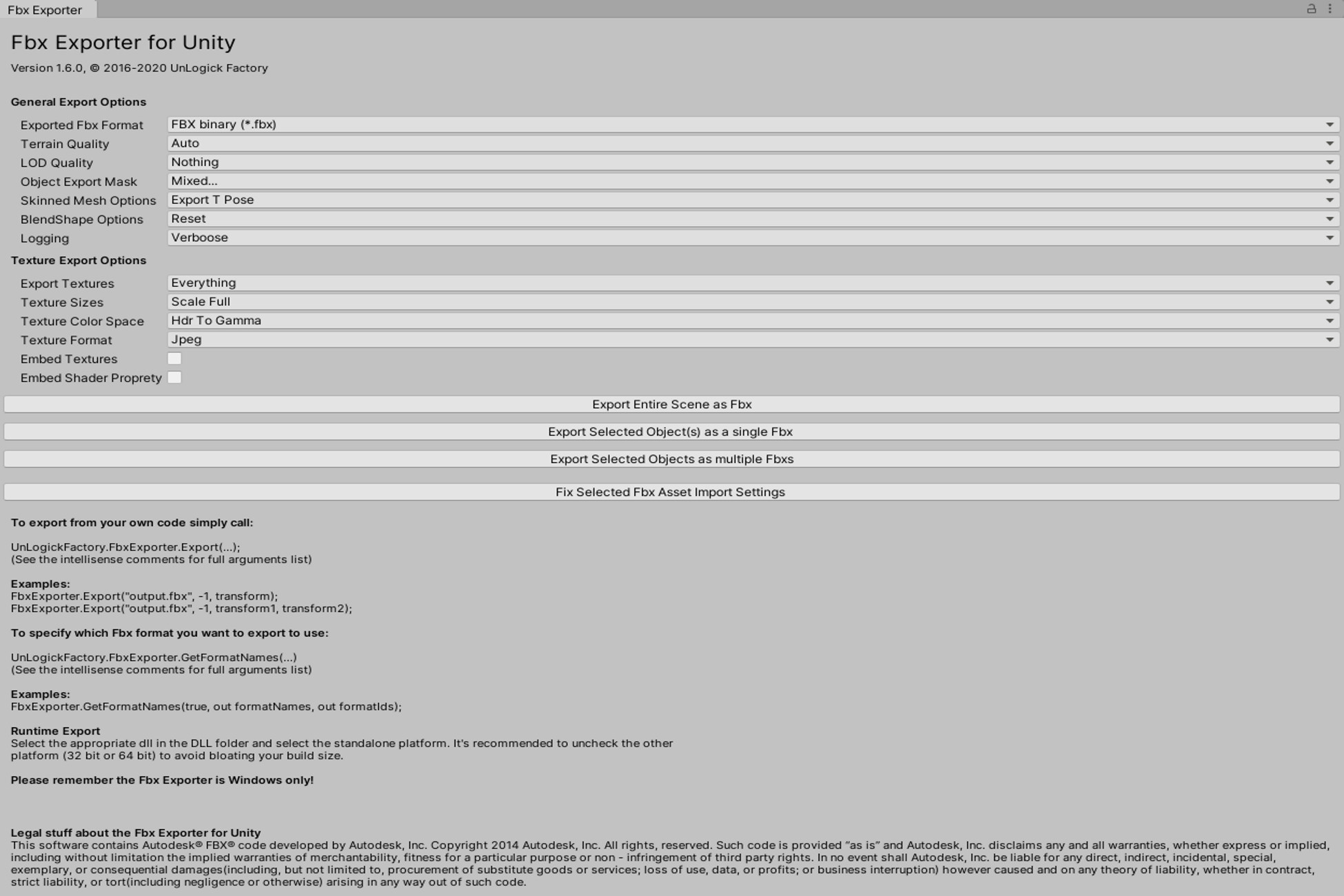
Get the Fbx Exporter for Unity package from UnLogick Factory Aps and speed up your game development process. Find this & other Modeling options on the Unity Asset Store.
 fringe topaz
hi sorry if this is in the wrong channel!
i was wondering if its possible to change the "atomsphere thickness" attribute on my skybox material through a script
 keen elbow
like have fog?
 open crystal
I'm trying to add lighting into my 2D scene using the Universal RP. I created an URP Asset and 2D renderer, changed my RP settings to the render asset. Nothing changes and adding a light does nothing. Can someone please help.
fringe topaz
keen elbow
like have fog?
nono like
i have my skybox_mat
and i want to be able to access all these components in my script and change them

specifically the atmosphere thickness one
keen elbow
this is likely what you need
https://docs.unity3d.com/ScriptReference/Material.SetFloat.html

im nnot surre of the float name atm
but with the name you should be able to freely set the atomsphere thickness through code
deft fiber
fringe topaz
specifically the atmosphere thickness one
Property names can be found by inspecting the shader itself
 keen elbow
how can i fix objects that are invisible inn scene and game view?
they both got put on new layers
but the layers can be rendered by the camerra
and they are marked as visible in the layerrs window
and also why would lighting vary wildly in intesity between projects usingn the samevalues?
deft fiber
keen elbow
how can i fix objects that are invisible inn scene and game view?
Depends how they have been made invisible, there's many ways
keen elbow
i have no idea how
theyrre visible onn the default layer
but there shouldnt be anything making them invisible
timber lichen
After baking the light, the scene is extremely dark and my performance is not very good. Does anyone have an idea how I can optimize this or what it is ?

 foggy forge
why are my shadows so weird? i enabled two sided lighting on the roof

its fixed when i move away a bit, the directional lighting near plane is 0.1

 karmic wing
can someone help me solve this issue?
on the left is a 2D sprite that is rotated 0 on the y axis
and on the right is a 2D sprite that is rotated 180 on the y axis
they both use lwrp simple lit shader, but the rotated one doesn't seem to light up, there is another light in the scene facing it too

 timber lichen
any ideas on how to fix this seam in the skybox?
 upper fable
timber lichen
any ideas on how to fix this seam in the skybox?
upper fable
timber lichen
any ideas on how to fix this seam in the skybox?
Could probably be wrong texture wrap mode
timber lichen
upper fable
Could probably be wrong texture wrap mode
how would i go about fixing that?
upper fable
Do you have the cubemap textures somewhere in your project window?
upper fable
timber lichen
any ideas on how to fix this seam in the skybox?
Actually nevermind. It’s because of mipmaps. On those corners the uv coordinates of the texture are non continuous and therefore uses wrong mipmap level (because partial derivatives gets messed up). You can just select the textures(/single texture/whatever you use for the skybox) and disable mip map generating from inspector
keen elbow
is the urp broken with layers?
Ive got two new layers Ive added and the urp will not render them at all
ive tried every debugging method I can think of
timber lichen
upper fable
Actually nevermind. It’s because of mipmaps. On those corners the uv coordinates...

I'm insane
upper fable
timber lichen
Maybe under Advanced?
timber lichen
 upper fable
timber lichen
upper fable
timber lichen
Did you just disable the generate mip map setting (and applied changes) or was it like that all the time?
timber lichen
upper fable
Did you just disable the generate mip map setting (and applied changes) or was i...
Disabled it and didn't fix it
I got it! I changed the wrap to clamp.
upper fable
timber lichen
I got it! I changed the wrap to clamp.
Oh nice 👍
 vague nexus
does anyone know why my lighting changes (gets darker with harsh shadows) when i load a scene at runtime?
the lighting is normal when i view it in the editor, and its also normal when i start the game with the scene
it only gets messed up when i transition to the scene at runtime
upper fable
vague nexus
does anyone know why my lighting changes (gets darker with harsh shadows) when i...
Google ”unity lights get darker on scene load” or something like that. Youll get loads of answers
vague nexus
nope i already tried googling and i seem to have a different problem than the ones others are having
because i use realtime lighting in my game and the solution is apparently saying i need to enable auto-generate lighting
upper fable
vague nexus
nope i already tried googling and i seem to have a different problem than the on...
Sorry for delay. It’s actually not different. The problem is that you have to bake only the ambient probe which happens automatically when you bake lighting. Before enabling the Auto Generate option, you can untick the Baked Global Illumination checkbox so only ambient probe gets baked
 upper fable
Weird, editor is doing that baking all the time no matter those lighting settings
vague nexus
i dont understand why my problem only happens when i switch to the scene at runtime
i feel like i shouldnt have to be baking anything at all
upper fable
vague nexus
i feel like i shouldnt have to be baking anything at all
But that’s how the thing is. I’m not aware of the technical details but as mentioned editor is baking the ambient probe all the time (ig every time you do something with directional light). It seems the baked ambient probe doesn’t get saved anywhere and when you load scene (even if you load the current scene again), the old one gets discarded
vague nexus
theres an ambient probe even though i use realtime lighting?
upper fable
vague nexus
theres an ambient probe even though i use realtime lighting?
yes. ambient probe is not realtime, it's a texture that needs to be recalculated in order to make changes to it (usually when you rotate directional light)
vague nexus
okay but when i open my scene in the editor it seems like it takes .25 seconds for the lighting to look right
but this bake is taking like 5 mins
upper fable
try to cancel it at try again
vague nexus
done that
upper fable
did you untick the baked global illumination checkbox?
vague nexus
yeah its unticked
again it seems like i shouldnt have to bake anything. after all, im literally staring at my scene with the correct lighting while im doing this bake
in the scene view
upper fable
ik. I can't really help more than that. In editor it's baked automatically but it's relatively heavy process so it can't be baked every frame when running the game
upper fable
it absolutely shouldn't take more than few seconds. I can bake it in game mode by calling DynamicGI.UpdateEnvironment() and it takes about 0.01 seconds (using my crappy laptop).
I don't really know what's wrong with it
vague nexus
well thanks anyway though
karmic wing
anyone has an idea why my diffuse material is doing this?
 karmic wing
fixed by removing the renderer from the collision tiles
upper fable
karmic wing
anyone has an idea why my diffuse material is doing this?
For the future: always give enough information to understand the problem. ”this” and image of the game doesn’t tell anything. We don’t know what is the desired look of your game and what’s wrong 👍
karmic wing
upper fable
For the future: always give enough information to understand the problem. ”this”...
yeah sorry for not giving enough context and information for the problem, i will do next time
 rotund sparrow
Anyone got any tips for making lightmaps bake faster? I'm really new to them but I find it ridiculous that a 90 poly mesh with a point light in it and directional light shining on it takes 11 minutes to bake
I am definitely not going to bake lighting if I have to deal with that lmfao
Also I tend to get this weird issue sometimes where my entire lightmap is just this greyish colour

And the baked object looks like this

Ok I fixed the time now it's just the weird lighting thing here
Ok I just fixed that too but there's no shadows

Nevermind! All good now
 tepid comet
How do I make it extremly dark?
odd void
Does anyone know anything about why lighting in Unity’s editor would look different than lighting when you build to web version? My Ludum Dare submission’s lighting looks odd compared to the one we have in the editor
odd void
It's supposed to look like this
But the passing lights, which are just point lights, end up flickering
 hollow skiff
Does anyone have any idea how to make a proxy shadow not cast shadows over the original mesh? I have a complex mesh that doesn't cast shadow and a simpler mesh overlapping set to cast shadows only.
Basically, I want the mesh to receive shadows from everything except the shadow caster
 gaunt bloom
Is there baked lighting in the standard render pipeline?
deft fiber
gaunt bloom
Is there baked lighting in the standard render pipeline?
Always been in all render pipelines

 deft fiber
 sonic mason
Looks like texel invalidity and the alien probably doesn't have lightmap UVs, but hard to guess
timber lichen
Stone has the same Problem

Why do the sails become blue instead of white. What could be the reason ? Is something wrong in post processing ? I dont find out what it is

 vague nexus
do you have a skybox?
timber lichen
yes but if i change the skybox the color didnt change
 steel crescent
Hello,
What am I wrong about shadows? The light shines through the object. When I switch the shadow resolution to Ultra, it does less, but it still does.
 upper fable
steel crescent
Hello,
What am I wrong about shadows? The light shines through the object. When ...
upper fable
steel crescent
Hello,
What am I wrong about shadows? The light shines through the object. When ...
Flat meshes are not optimal for shadows. You can try both sided shadows and maybe decrease normal bias
steel crescent
upper fable
Flat meshes are not optimal for shadows. You can try both sided shadows and mayb...
Normal bias will help but really only a little, it still shines through. And where do I set both sided shadows in HDRP?
upper fable
steel crescent
Normal bias will help but really only a little, it still shines through. And whe...
From mesh renderer of the shadow caster
steel crescent
upper fable
From mesh renderer of the shadow caster
Thanks when I can, I'll test
 grizzled warren
Anyone have an idea for this kind of shadow artifact? It simply doesn't want to go away here.
 deft fiber
timber lichen
yes but if i change the skybox the color didnt change
deft fiber
timber lichen
yes but if i change the skybox the color didnt change
You should try adding reflection probes if you don't already have them
They would normally synchronize the ambient lighting with the baked geometry
And light probes too preferably for the sake of any dynamic objects
 left shard
grizzled warren
Anyone have an idea for this kind of shadow artifact? It simply doesn't want to ...
left shard
grizzled warren
Anyone have an idea for this kind of shadow artifact? It simply doesn't want to ...
I believe that might be shadow acne and it can be fixed with a shadow bias
 grand basin
any tips on how to transition better from high exposure environment to darker places using indirect baking?


my settings
steel crescent
upper fable
From mesh renderer of the shadow caster
Still shining through 😦
 crisp topaz
I copy pasted the wooden window frame before the light back, then baked the light and now after the back they both looking so different. Any one got any idea why and how to fix it? Thank in advanced!!
 grizzled warren
left shard
I believe that might be shadow acne and it can be fixed with a shadow bias
grizzled warren
left shard
I believe that might be shadow acne and it can be fixed with a shadow bias
Thank you, it turned out to be a bug with BLS
 royal bridge
grand basin
any tips on how to transition better from high exposure environment to darker pl...
royal bridge
grand basin
any tips on how to transition better from high exposure environment to darker pl...
Can you try this?
Multiple İmportance Sampling: Close
Min Bounce: 3
Max Bounce: 5
grand basin
royal bridge
Can you try this?
Multiple İmportance Sampling: Close
Min Bounce: 3
Max Bounce: ...
works way better now, thanks - just want to ask, how you found the solution so fast? i've been playing with all of these settings before but without much change.
Can you recommend some kind of tutorial to lightmapping?
royal bridge
grand basin
works way better now, thanks - just want to ask, how you found the solution so f...
because I made the same mistakes. 🙂
I also recommend you to read the description of the functions.

and I am sorry. There is no tutorial I can recommend. 🤷
grand basin
royal bridge
this one i've disabled before but without any result
i think bounce count does the trick
royal bridge
grand basin
i think bounce count does the trick
The more the light bounces, the more points it reaches. To make these points better quality, it is enough to increase these two options.
İndirect Samples: --
Environment Samples: --
timber lichen
deft fiber
You should try adding reflection probes if you don't already have them
i found the problem. The Process of light baking was the error. i was working and had it created. Apparently, he canceled without me having noticed. Have regenerated it and now everything is in order
 atomic summit
Could someone help me with this problem where the platform gets dark when I look in a certain direction but only at the center of the platform its self
nvm I fixed it
it was the fog
 sterile iron
Hello,
I would like to learn how to use lights in Unity. Do you have any tips/tutorials?
Indeed I would like to do Level Design. So make a nice scene.
So it's not just placing GameObjects randomly in the scene but also making it beautiful. And suddenly, you also have to know how to use the lights. The VFX, it's not complicated that, we place it in the scene like a GameObject but the lights must know how to place them correctly to have a beautiful light effect and make the good settings.
 fickle wind
weird lighting issue that I'm at a loss on.
If I play my scene in editor, directly from the scene itself, the scene looks normal.
But, if I play from scene index 0, then go to scene index 1, then this scene is loaded at index 2, it looks like the bottom image. They are for sure the exact same scenes.

nvm. think i just found my answer here: https://answers.unity.com/questions/1264278/unity-5-directional-light-problem-please-help.html
Unity is the ultimate game development platform. Use Unity to build high-quality 3D and 2D games, deploy them across mobile, desktop, VR/AR, consoles or the Web, and connect with loyal and enthusiastic players and customers.
 topaz robin
does anyone know how to create the sun light
I deleted it to test something and now I see that there's no sun light option in the light creation
 undone urchin
So my problem is the lighting, someone knows how to fix it ... If you have to show something, let's do it.
The problem is the shadows cast by the lamps
you can somehow turn them off or fix the shadow they cast


 olive python
undone urchin
The problem is the shadows cast by the lamps
you can somehow turn them off or fi...
olive python
undone urchin
The problem is the shadows cast by the lamps
you can somehow turn them off or fi...
If you want more realistic lighting with ceiling prop lights use Spotlights instead, make angle radius pretty wide
 bright rune
hi
how do i make it so that there is a drop shadow by the bigger planet since the smaller one is blocking the way
Edit: turns out you have to be in 2021+ unity version


 tiny ore
when phasmophobia wasn't a thing yet
bright rune
bright rune
hi
how do i make it so that there is a drop shadow by the bigger planet since th...
or what light type shall i use if point light isnt the right one
 storm hatch
tiny ore
when phasmophobia wasn't a thing yet
storm hatch
tiny ore
when phasmophobia wasn't a thing yet
Still have that bug now, I fixed it by making the glowstick ignore all light
tiny ore
storm hatch
Still have that bug now, I fixed it by making the glowstick ignore all light
😆 nice
crisp topaz
Does anyone know why the wooden window frame turns so dark after the light bake? It's hard to tell, but the wood is actually white and also meant to be white after the light bake 😄
 deft fiber
storm hatch
Still have that bug now, I fixed it by making the glowstick ignore all light
deft fiber
storm hatch
Still have that bug now, I fixed it by making the glowstick ignore all light
Probably hitting the light limit
 chilly kettle
crisp topaz
Does anyone know why the wooden window frame turns so dark after the light bake?...
chilly kettle
crisp topaz
Does anyone know why the wooden window frame turns so dark after the light bake?...
how does the lightmap look?
crisp topaz
the lightmap itself like this. But if u look on the first pic on the right. "Tilling X infinity, Tillinng Y infinity, Offset nan..."

I assume I got some setting wrong. But I don't know which one
chilly kettle
i mean, when you change the setting in the viewport to "baked lightmap"

and does the lightmap look the same in every LOD?
undone urchin
Unfortunately, I still can't fix these shadows, if someone is ready to help me, I can even send them my project, please help.
deft fiber
@undone urchin Did you try swapping them out for spotlights as suggested?
You probably should exclude objects as small as those from the light bake either way
timber lichen
Hi all, so im a bit stuck on something and not sure how to proceed, im making a 3d game and I only want the player to see a certain distance around them and past that distance to be completely dark, like phasmophobia or among us, any suggestions would be really appreciated, im quite new at this so sorry if I don't understand something :)
deft fiber
timber lichen
Hi all, so im a bit stuck on something and not sure how to proceed, im making a ...
You may want to look into scene fog
Though neither of those games have something like that
Among Us uses a 2D "fog of war" system and I believe Phasmophobia is just a dimly lit game
timber lichen
ill have a look into the fog of war thing then and see if that helps, thank you
deft fiber
timber lichen
ill have a look into the fog of war thing then and see if that helps, thank you
That's only for 2D or top-down games
 remote wind
Why not just use a light?
timber lichen
remote wind
Why not just use a light?
I removed all light from the scene however I can still see the entire map just completely black,, I dont want to be able to see the map from a certain distance, my first idea was to remove all lights fromt the scene then put a light onto the player object so I only light up the area around my player however the problem is I can still see the rest of the map but just black, if you can tell me how to fix this issue it would work perfectly
remote wind
If it's black, then how come you can see it? 😅 black = nothing
timber lichen
Im an idiot
To stop that I just need to put a roof on my map
thanks for your help
Made me realise that hehehe
remote wind
😄
deft fiber
@timber lichen In Phasmophobia from what I've seen it appears that things "fade to black" over a distance because the only light source is usually a carried light
The light of which fades over distance by virtue of physics
timber lichen
So if the only light source on the scene is from an object the player has and I set it up right it should work :) thanks for all the help
deft fiber
I believe so!
undone urchin
deft fiber
<@679772667510784065> Did you try swapping them out for spotlights as suggested?...
well, unfortunately, I tried, I can't fix it, I don't know much about unity, unfortunately ... Would you help me if you want? I mean send you the project file, maybe you could fix it .... How do you want ... 
deft fiber
undone urchin
well, unfortunately, I tried, I can't fix it, I don't know much about unity, unf...
That's asking a bit much
I'm fairly sure you can get some kind of results just by switching the lights' types from point to spot
undone urchin
deft fiber
That's asking a bit much
I'm fairly sure you can get some kind of results just b...
How?
 deft fiber
undone urchin
How?
deft fiber
undone urchin
How?
Can't?
You're going to have to find guides to study if you don't know how to change light type
undone urchin
deft fiber
You're going to have to find guides to study if you don't know how to change lig...
hmm ... I'll try to fix the problem ... but thanks for your help
bright rune
Hi!
I'm in 2021 URP and trying to get realtime shadows to work. However, the shadows don't show. What possible setting could I have wrong?

 chilly kettle
bright rune
Where do I change the shadow resolution?
chilly kettle
bright rune
Where do I change the shadow resolution?
in the urp quality settings
bright rune
chilly kettle
in the urp quality settings
 deft fiber
bright rune
deft fiber
bright rune
URP requires a Render Pipeline Asset assigned for each quality level
The shadow settings are in that asset
bright rune
ah okay
 vapid oar
I have multiple scenes that need to run concurrently, for a space sim. One is interior, one is the exterior with the space ships. The interior has well lit spaces and the exterior has a single sun light, so the lighting requirements are very different, and I don't know what best practices are. I would like the interior to be lightmapped but that doesn't seem a workable option when it is not the main scene. What should I do
deft fiber
vapid oar
I have multiple scenes that need to run concurrently, for a space sim. One is in...
I don't know either, it seems somewhat strange and arbitrary how lightmap data is tied to the main scene
However if you search around you may be able to find ways to base lightmap data on prefabs instead of scenes, such as this perhaps
https://github.com/Ayfel/PrefabLightmapping
 pseudo ember
Is there a good way to make sense of Unity's lighting settings?
Or is everyone just guessing and trying until it looks right?
- What are direct samples? How do I know how many I should set for my scene?
- What are indirect samples? How do I know how many I should set for my scene?
- What does lightmap resolution do? How do I know what setting I should use for my scene?
There is usually a short explanation, but it never tells one how the setting relates to the size of a scene etc.
What triggered this rant: I left 'Indirect Samples' at default 512. Then in some forum post, someone
always sets it to 50k or more? How am I supposed come up with a number for my scene?
deft fiber
pseudo ember
Is there a good way to make sense of Unity's lighting settings?
Or is everyone j...
You don't have to guess what things mean if you read the manual https://docs.unity3d.com/Manual/progressive-lightmapper.html
50k samples sounds insane to me
Finding the right amount of samples and resolution is always a balancing act though
In my experience the default settings have worked perfectly fine for every situation so far, been able to halve the lightmap resolution as well without visible issue
pseudo ember
deft fiber
In my experience the default settings have worked perfectly fine for every situa...
This is actually helpful - for what size of scenes did you find the default settings be be good enough?
Was this for a 'normal' size indoor map? (thinking of the typical multiplayer fps map size)
deft fiber
pseudo ember
This is actually helpful - for what size of scenes did you find the default sett...
Small-ish outdoor scenes I suppose?
I would turn down the default values to something small and increase them gradually until there's no artifacts or much visual gains
Takes less time than testing from top to bottom anyhow
Manual says about Indirect Samples: "For some Scenes, especially outdoor Scenes, 100 samples should be enough. For indoor Scenes with emissive geometry, increase the value until you see the result you want."
 exotic sundial
Does any one knows any good tutorial on explanation of lightmapping settings that goes beyond documentation?
TIA.
 chilly kettle
exotic sundial
Does any one knows any good tutorial on explanation of lightmapping settings tha...
chilly kettle
exotic sundial
Does any one knows any good tutorial on explanation of lightmapping settings tha...
https://www.youtube.com/watch?v=hMnetI4-dNY&t=2894s this is a great one to understand the process.
Most cases in the settings should be self explaning. If you have some questions what they mean, you can PM me, if you like.
In this video, you'll gain an understanding of how lights and shadows work in the Universal Render Pipeline, as well as how to set up a scenario with a mix of real-time shadows, Light Probes, and baked GI.
Speaker:
Ciro Continisio
Ask your questions here: https://on.unity.com/2UmP9TE
Did you find this video useful? Room for improvement? Let us...
 drowsy elbow
What kind of tips do you guys have for making the view on the left look less flat and blurry?
 upper fable
drowsy elbow
What kind of tips do you guys have for making the view on the left look less fla...
upper fable
drowsy elbow
What kind of tips do you guys have for making the view on the left look less fla...

 tepid hill
I added a Shader Graph for light/shadows for my 2D sprites in a 3D world, but the sprites are affected by lightning too much, like this:
https://i.imgur.com/JZf1gxg.png
I want to keep them Lit, but affected by light with less intensity, while still keep the light intensity on the terrain as it is, is there a way to do this?
 chilly kettle
You could add a second light and let this only effect the tree. You can use layers for this.
chilly kettle
tepid hill
I added a Shader Graph for light/shadows for my 2D sprites in a 3D world, but th...
And the first light can only affect the layer of the background.
tepid hill
ah ok I'll give it a try!
and is there any way to change that metallic shine to something else, or lower its intensity in Shader Graph? 🤔 that's the main distracting thing
(if I put it to Specular, it just got worse)
chilly kettle
Set metallic to 0/black
rotund sparrow
Why are my lightmaps so screwed? I auto adjusted the Lightmap UVs with ProBuilder but it just looks like this:

Settings are


I just kind of copied them from an old project that I did
It seems to be messed up on normal cubes too
Okay uh I'm not entirely sure why but I tuned a setting then reverted it and boom it works now lol
Nevermind it's back :/
Blargh I don't get it
I change a setting and it works for a few bakes and then just stops working again
What is this?
chilly kettle
rotund sparrow
What is this?
Are your Gameobjects marked as Lightmap static?
 glossy garnet
Hey there,
i sometimes look into Unity for personal use. Mostly VR stuff. Made a proposal game for my fiance and now its a VR enviroment for our soon to be house. But i get some weird stuff with my lighting.
Made the kitchen from plans in blender. used lightmaps autogenerate in unity. The rear faces and the front faces are designed exactly the same... whats up here?
A Second question. why are the faces in the lightmap file so small?
i tried creating the lightmap UVs on my own in blender in a second channel. but unity ignores the size of the UVs. this looks like a waste of space.
btw: unity 2020.3.23f1 is the version currently in use. URP


 chilly kettle
looks like your fronts are lit by lightprobes.
Do they have a lightmap assigned when you click on them?

 chilly kettle
No, they dont cause this look

 chilly kettle
i PM you, so we dont spam here ^^
glossy garnet
That would be best. Unfortunately i have to go in a few minutes. But will come back ^^
rotund sparrow
chilly kettle
Are your Gameobjects marked as Lightmap static?
Sorry. Yeah I am
I'm just referring to the weird pattern on the front of it and the top
chilly kettle
Oh, you want them so dark? ^^
deft fiber
rotund sparrow
I'm just referring to the weird pattern on the front of it and the top
Weird patterns are usually because of texel invalidity caused by exposed backfaces
But it could be that you simply don't have enough samples, 16 is incredibly low
The defaults are 32, 512 and 256 samples for direct, indirect and environment samples respectively
 atomic herald
why are the lights only showing up when i get close to them in editor/in game?
how can i fix this?
chilly kettle
Are this Realtime lights? @atomic herald
If yes, you propably have to many lights per Mesh. URP only allows a low amount of Realtime lights per Mesh.
chilly kettle
atomic herald
why are the lights only showing up when i get close to them in editor/in game?
 atomic herald
chilly kettle
Are this Realtime lights? <@414078146531426314>
If yes, you propably have to man...
atomic herald
chilly kettle
Are this Realtime lights? <@414078146531426314>
If yes, you propably have to man...
sorry im quite the begginer and it wasnt me who put in the lights
im not even sure what urp is
I have been handling the scripting, but project mates dropped out of the face of the earth xd
chilly kettle
In Edit > Render Pipeline, you can see if you are using URP
atomic herald
chilly kettle
In Edit > Render Pipeline, you can see if you are using URP
i cant find a render pipeline tab but in graphics there is none selected

from looking it up now i guess this project is using the default?
how time consuming would it be to switch?
chilly kettle
you choose the render pipeline depending on what kind of game you want to create.
If you want to create a mobile or VR game, URP is the way to go.
If not, you choose built in or HD render pipeline
atomic herald
chilly kettle
you choose the render pipeline depending on what kind of game you want to create...
its a vr app
urp it is
chilly kettle
look if you have URP Asset in your Settings folder
 atomic herald
chilly kettle
look if you have URP Asset in your Settings folder
atomic herald
chilly kettle
look if you have URP Asset in your Settings folder
nope, just installed it from the package manager
chilly kettle
Hm. I never installed URP into a existing Unity System.
But in the end, you may have the same problem with the lights, because you can only have 8 realtime lights per Model
atomic herald
i was just starting to read through that
chilly kettle
You can avoid this by splitting the model into smaller parts or bake lights
chilly kettle
i think you need the basics ^^
https://youtu.be/okYhs6kQ0xw
Let's learn some basics of light mapping in Unity 2020.1 using Universal Render pipeline (URP).
You will also learn some Unity tips and techniques to improve and speed up light baking workflow.
☑️Old House 3D model : https://bit.ly/2xQSeU4
▬▬▬▬▬▬▬▬▬▬▬▬▬▬▬▬▬▬▬▬
☑️Quick Links :☑️
Introduction - 00:00
Part 1. How to bake lights ...
atomic herald
thanks!
atomic herald
chilly kettle
i think you need the basics ^^
https://youtu.be/okYhs6kQ0xw
i really do xD
chilly kettle
the start is overwhelming, i know ^^
atomic herald
this isnt a proper game, we're making little experiments to test immersion in virtual reality
but it was kind of ulgy and it was really bugging me
chilly kettle
Yeah, im doing gamedesign for VR ^^ i know the problems
atomic herald
i really appreciate the help thanks a lot
chilly kettle
youre welcome 🙂
atomic herald
nvm xd
chilly kettle
lol
atomic herald
i love dyslexia
 chilly kettle
Show me the materials of the lamps
atomic herald
chilly kettle
Show me the materials of the lamps
 chilly kettle
change shader tu URP/Lit

 chilly kettle
assign the textures now
atomic herald
chilly kettle
assign the textures now
ahhh

i dont think these barrels were transparent on the inside before
 short steeple
make sure the barrel has a two sided shader applied.
atomic herald
short steeple
make sure the barrel has a two sided shader applied.
how do i do that? hahah
chilly kettle
 atomic herald
looks like the base asset was always like that
 atomic herald
chilly kettle
atomic herald
chilly kettle
sweet! thanks a lot
 proud pendant
Hello, I am trying to achieve this effect but I can't seem to find how to do it in the up to date documentation and all tutorials I've found so far do it with particle effects. Could someone point me in the right direction? (Assuming this is the correct channel to ask, apologies if not)

 fresh oracle
Sun shafts (BiRP) is part of the standard asset

DOWNLOAD: https://drive.google.com/file/d/1wdVCj1FK6GByef2UmbgysNM09jV-lEoN/view
Meu Fórum: http://www.schultzgames.com/
Facebook: https://www.facebook.com/pages/Tutoriais-Unity3D-Brasil/1625865227637134?ref=hl
============ OUTROS CANAIS DE TUTORIAIS SOBRE UNITY 3D =============
Paulo(wemakeagame): https://www.youtube.com/user/wemakea...
If I'm not mistaken, it's a modified / updated version of the sun shafts made by unity. That's what I use. I think the results are good


Some examples
proud pendant
Brilliant, thanks. Is it heavy on performance?
fresh oracle
Not much, you can lower the quality and add in the graphics settings of the game the possibility to deactivate
proud pendant
Okay, thanks for the help, much appreciated
fresh oracle
With pleasure. By the way, thanks to you I found out that Unity in the past (version 5.x) had this effect xD. I thought it was first introduced in 2018, with HDRP (Volumetric light)
however, Volumetri Light is MUCH more advanced ... but at the same time it needs better hardware (CPU,GPU)
 upbeat spruce
Added URP to a project I was working on and started getting weird artifacting with lightmapping, can't find anyway to get rid of it


 topaz hill
do light probes and light baking have any effect if I have a dynamic time of day with the sun position changing over time?
chilly kettle
topaz hill
do light probes and light baking have any effect if I have a dynamic time of day...
baked light is always the same
chilly kettle
upbeat spruce
Added URP to a project I was working on and started getting weird artifacting wi...
Looks like your lightmap UVs are not correct.
deft fiber
upbeat spruce
Added URP to a project I was working on and started getting weird artifacting wi...
Problems with lightmap UVs as mentioned, and also looks like texel invalidity which results from exposed geometry backfaces
chilly kettle
deft fiber
Problems with lightmap UVs as mentioned, and also looks like texel invalidity wh...
What do you mean with "exposed geometry backfaces"
chilly kettle
Thats great to know
 rocky cipher
help
why is it a bit pinkish on mobiles(tried 2) vs desktop?

 grizzled crag
hey, anyone know why my lights go through the walls ?
 chilly kettle
grizzled crag
hey, anyone know why my lights go through the walls ?
chilly kettle
grizzled crag
hey, anyone know why my lights go through the walls ?
Maybe no Shadows activated on the light itself, or the model does not throw shadows.
grizzled crag
or the model does not throw shadows.
how can i check that ?
chilly kettle
In the Mesh Renderer of the Model is a Lighting Tab and there is a "Cast Shadows" dropdown.
chilly kettle
Show me the spotlight settings
grizzled crag
 chilly kettle
Near Plane is to big. Adjust it to 0.1
grizzled crag
chilly kettle
Near Plane is to big. Adjust it to 0.1
nothing change, i already try to change it 😦
that's inside and outside

 chilly kettle
When you place a Unity generated Cube. Does this cube cast a shadow?
grizzled crag
like that ?
 chilly kettle
Are you using a toon shader or something?
grizzled crag
yes, but the cube is with the defaut urp shader, and with or withour cast shadows on or off it look same
chilly kettle
so the cube does not throw a shadow also? And if you place an additional plane there? Does the cube throw a shadow on this plane?
Just want to check, where the problem is
grizzled crag
i tried different positions but seems no shadows
 chilly kettle
Ok. Then go to Edit > Project Settings > Graphics. There is "Scriptable Render Pipleline Settings". Klick on the Settings
And in the Settings there is also a Tab "Lighting" - there is a Cast Shadows Checkbox
 chilly kettle
what is in the URP Global Settings? You use a much newer version as i do 😄 i dont know this.
grizzled crag
chilly kettle
what is in the URP Global Settings? You use a much newer version as i do 😄 i do...
2022.1

 grizzled crag
thats the same sthings as the ui of project settings
 chilly kettle
😵💫
 grizzled crag
checked but notghinf change
chilly kettle
Ok.. maybe restard unity.. 😄 i dont know what this could be.
Maybe create a new Scene and see, if you have shadows there.
And check different light types. In older Versions Point Lights do not support shadows
Maybe its still not supporting
grizzled crag
even with spotlight it go through 😦
chilly kettle
i wrote you a PM, so we dont spam here 😄
crisp topaz
Can someone tell me how to fix this?
 chilly kettle
crisp topaz
Can someone tell me how to fix this?
chilly kettle
crisp topaz
Can someone tell me how to fix this?
Is it just on one Model?
crisp topaz
No. It's window frame I wanna copy past multiply times. I copied it 6 times and none of them have a proper lightbake
chilly kettle
And other Models in your scene? Beside the Frame?
crisp topaz
actually another window frame aswell. But it's a completely different model / objects
chilly kettle
Maybe @deft fiber knows it? ^^
deft fiber
@crisp topaz Does the mesh have "generate lightmap UVs" or turned on in import settings?
That's the only idea I have based on this info
chilly kettle
Yeah, i think its caused by the model
crisp topaz
ah god dang
thank you very much. This was the problem. I'm new to Unity and the whole light baking thing. Can be quite confusing
chilly kettle
😄 lol i didnt thought is was that easy ^^
hoary fossil
Messing around with DXR and DLSS. So much improvements are being made. I'm really excited to see what people create
Also, the scene is capped at 60 due to Unitys in engine recorder. I get an average of 120-144 frames.


 smoky pilot
Hey guys, I have a small problem in my project. When I am playing by editor the lightmap is the same as it was in time pf baking. But when I am build my application and running by exe, Light is so much brighter. I've checked an Enviromental settings and nothing works. Please help me. The most anoying difference is on First image


 deft fiber
smoky pilot
Hey guys, I have a small problem in my project. When I am playing by editor the ...
deft fiber
smoky pilot
Hey guys, I have a small problem in my project. When I am playing by editor the ...
Are you sure the light is brighter?
To me it looks like only the floor is different
smoky pilot
On the first picture?
deft fiber
All of them
smoky pilot
Fire is much stronger on build then edit in edit mode
deft fiber
Doesn't look to me that way
Though if you go from a darker floor to a brighter floor the brighter floor will reflect much more of the fire's light
chilly kettle
You have different ground Materials? White ground reflects more light than your checkerboard mat does there
smoky pilot
Oww... Fu..
smoky pilot
chilly kettle
You have different ground Materials? White ground reflects more light than your ...
Nope
I dont have any other ground material
Its the same as in edit
chilly kettle
But why is one checkered? ^^
smoky pilot
I dont know
It same material as on empty terrain
Once that you've created on the begining
Okey guys
I've checked on different terrain layer
U have right
Thx
 eternal horizon
Im working on school project and was wondering how would i be able to fake this atmosphere in unity? The render is from Blender Eeve and i couldnt get the same result in unity. I just used emission and bloom in blender + the coloring of world surface that changes the atmosphere alot. But i didnt find any setting close this in unity. Can someone suggest me something how to get similar result? Maybe some shader? Render pipeline?


 summer aspen
#💥┃post-processing has bloom. Check out pinned resources there.
deft fiber
eternal horizon
Im working on school project and was wondering how would i be able to fake this ...
You will need bloom as mentioned, sky color which matches world color in blender, ditto for directional light / sun
Probably will also need to use linear color space, HDR and a tonemapping post process as those are used by default in blender
upper fable
What comes to render pipeline, it think urp would work well
 gilded gulch
I messed my project up heavily and the backup i tried making didn't work. I managed to somewhat fix it, however my lights are still messed up. This is a spotlight that works normal, however it is ALSO acting as a point light, the lighting you see in the picture is not intended at all, and should only be a small circle of lighting, the problem is, the real light is in there still. When I disable the spotlight, it also removes the unintended light. I have no idea what settings have made this happen, the exact effect is happening to the rest of the project, but it isn't just that. All lights in the world cannot be selected in the scene, but only from the hierarchy. Idk what to do from here, what settings to fix and such. This all happened because I installed High Definition Render Pipeline

when I search for it on the hiera, it appears, otherwise this is how it is permanently, even selected. I cannot edit the size of it using the scene anymore. I have now uninstalled HDRP

 humble frigate
Are 2D light cookies (URP) not available in 2021 LTS? I was able use to use 2D light cookies in 2020 LTS, but I can't find them anywhere in 2021 LTS.
 slim steppe

i imported these planets from blender i made
its 2d
but the obj is 3d
will i have to add suns(light source) and then decrease it?
wait nvm i fixed it
 smoky crow
Hey this is what my scene looks like after baking, what did i do wrong?
 exotic sundial
In 2020.3.31f1 i am trying to bake my scene in Progressive GPU but it is falling back to Progressive CPU which is taking too much time to bake. You can check my lightmap settings(Check the screenshot) and getting a error called OpenCL Error. Falling back to CPU lightmapper. Error callback from context: Not enough GPU memory to fit lightmap in memory, even in tiled baking mode. Available GPU memory: 5.79 GB
My system specs
Processor - Intel Xeon(R) Cpu E5-2667
GPU - Nvidia Gefore GTX 1070
Ram - 64 GB
I have got some solutions like try installing latest nvidia studio drivers and having extra GPU. I have latest drivers, but still it is falling back to CPU for Baking saying lack of memory
Please let me know if this is not the right channel to pose this question. TIA


 idle schooner
smoky crow
Hey this is what my scene looks like after baking, what did i do wrong?
idle schooner
smoky crow
Hey this is what my scene looks like after baking, what did i do wrong?
do you have lightmap UVs for this mesh? Either create custom lightmap UVs or have Unity generate them for you and then try re-baking the scene.
deft fiber
smoky crow
Hey this is what my scene looks like after baking, what did i do wrong?
Check texel invalidity and lightmap UV debug views
Texel invalidity is caused by exposed mesh backfaces
idle schooner
deft fiber
Check texel invalidity and lightmap UV debug views
Texel invalidity is caused by...
so adjusting backface tolerance can solve this issue?
deft fiber
idle schooner
so adjusting backface tolerance can solve this issue?
It might
Another option is to use a two-sided material
Better than both of them is to just not have exposed backfaces
idle schooner
I wonder if enabling double sided GI in the material's option can fix this as well. But I assume it solves different issues altogether.
deft fiber
idle schooner
I wonder if enabling double sided GI in the material's option can fix this as we...
I don't recall
it's worth a try
 river swallow
question!

this is an indoor scene and has no lights on presently
but the enviornment light from the skybox is leaking through and lighting the scene from below
chilly kettle
Is this a baked light?
chilly kettle
And the walls are just flat 2D Meshes i assume?
river swallow
the walls and floor are one singular mesh with different materials

(please ignore the ugly door aa)
chilly kettle
Sometimes you need something like a Shadowcaster.
Like a box outside of the room with its normals faced outside.
river swallow
already have one

it's the only way the dynamic shadows don't leave seams through the edges
chilly kettle
but the normals are the wrong direction i think?
because you can look through it from the outside
river swallow
nah that's cause i have it set to shadows only
would that not work as intended with built lighting?
chilly kettle
Hm. it should work like you did it
What happens if you change the Environment Light to black and bake again?

 chilly kettle
i think you have to turn off piece by piece to check whats causing your weird lighting there
river swallow
mmm i'll give it a go
chilly kettle
looks like its bleeding through the edge from the outside
MAYBE it would help to set the Material of the Bookshops walls to doublesided
but maybe it makes it worse 😄
chilly kettle
And if you turn it off? ^^
river swallow
exactly the same, i tried it when you mentioned it haha
deft fiber
@river swallow Absolutely sure all the floors are contribute GI static?
Also, you'll need separate reflection probes for inside and outside areas
chilly kettle
deft fiber
<@185799520116801536> Absolutely sure all the floors are contribute GI static?
A...
Good idea
river swallow
deft fiber
<@185799520116801536> Absolutely sure all the floors are contribute GI static?
A...
yep! all of the floor and walls are all in one model with properly merged verts, and the reflection probes are working correctly, the glow is getting written into the lightmaps themselves
its just like. coming through the seams of the floor and wall
it's not bleed either, since its consistent, and viewing the lightmaps shows there's no overlap
deft fiber
river swallow
it's not bleed either, since its consistent, and viewing the lightmaps shows the...
Feels like it has to be that the floor mesh and/or shadowcaster aren't doing their job
What if you 'block off' the underside of the floor with some static default cubes?
 drowsy plinth
hey I asked this question in particles but no one answers so:
does anyone know how to attach 2d light to particles?
river swallow
deft fiber
Feels like it has to be that the floor mesh and/or shadowcaster aren't doing the...
this seems to be the only way to fix it, which is really annoying

but it does work
deft fiber
river swallow
this seems to be the only way to fix it, which is really annoying
Probably not the only fix but a fix nonetheless
It does seem to prove that the walls / shadowmesh have a problem
river swallow
yeah i was able to figure out that alright, it's just that it was something i couldn't control
or at least if i could it was going to be awkward as hell
it should in theory have worked fine
and i mean it did on the roof seam, between the wall and ceiling
same mesh, same welded verts, going from one material to the next
deft fiber
drowsy plinth
hey I asked this question in particles but no one answers so:
does anyone know h...
There's this one solution at least
https://forum.unity.com/threads/lwrp-using-2d-lights-in-a-particle-system-emitter.718847/#post-5554201
not sure if there's been a newer one in recent years
deft fiber
river swallow
it should in theory have worked fine
That's usually how it seems at first 😄
drowsy plinth
deft fiber
There's this one solution at least
<https://forum.unity.com/threads/lwrp-using-2...
I tried this but it didn't work
deft fiber
drowsy plinth
I tried this but it didn't work
It seems to have worked for others
Please don't crosspost about the same issue
drowsy plinth
deft fiber
It seems to have worked for others
Please don't crosspost about the same issue
ok here you can see:
i attached a light


i even tested it out with max intensity:
 deft fiber
iirc the 2D lights can be finicky about which depth they are at, and instantiating them this way puts them at the same depth as the particles themselves
drowsy plinth
deft fiber
iirc the 2D lights can be finicky about which depth they are at, and instantiati...
@deft fiber yeah i did this
both zero
the lights are even created but don't show
timber lichen
Is there a way to make sprites get 3D lights?
I'd like sprites to have they default color + any light influence
Pretty much like the 2D renderer works, but in 3d
chilly kettle
timber lichen
Is there a way to make sprites get 3D lights?
Use Plane, put a Material on it and insert your sprite as Albedo ^^
timber lichen
That means i need to have a different material for any sprite i have in the world right?
chilly kettle
If you want to use a standard shader, yes.
but maybe there is a other way how Sprites receive 3D lighting
chilly kettle
timber lichen
That means i need to have a different material for any sprite i have in the worl...
timber lichen
chilly kettle
https://hananon.com/how-to-make-2d-sprite-cast-and-receive-shadow-in-3d-world-us...
Thank you!
Almost
Unfortunately it messes up the color of the sprite
Before / after
With this shader the color look dead even with a neutral light
timber lichen
Unfortunately it alredy is
I love the effect that 2D light give
It's a shame they don't work in 3D
chilly kettle
show me your shader pls
 timber lichen
Sure thing ^^
chilly kettle
i mean the Tree png ^^

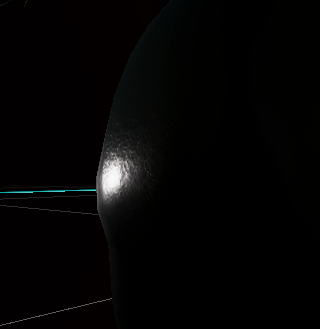
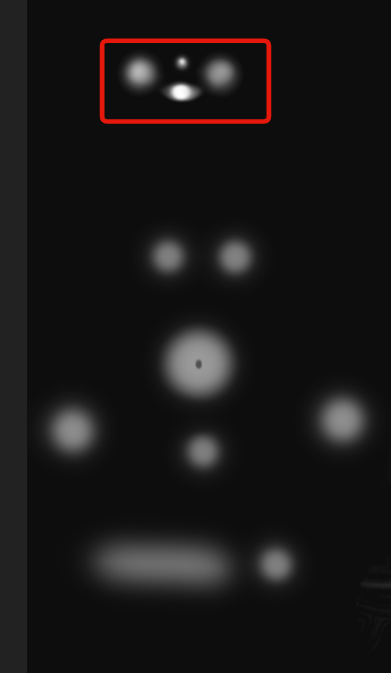




 runic quarry
I'd like to have the hair cast shadows on the face (URP)

I'm wondering if this is a render settings issue, lighting, shader, model, etc
deft fiber
runic quarry
I'd like to have the hair cast shadows on the face (URP)
Opaque shaders with "cast shadows" on should cast shadows on other opaque shaders normally when illuminated by a shadow casting light
runic quarry
shadows are indeed enabled for the mesh -- the shader is opaque, but it does have alpha clipping (alpha not enabled)
well I used alpha clipping for a fence post object, and shadows work fine on that
does it help at all that the hair and face mesh are part of the same FBX file (still separate objects)
deft fiber
runic quarry
shadows are indeed enabled for the mesh -- the shader is opaque, but it does hav...
Alpha clipping is fine for shadows
Same FBX would be fine as well, even singular meshes should be able to self-shadow
runic quarry
so everything seems to be correct
tried messing with the directional light, still nothing
deft fiber
runic quarry
tried messing with the directional light, still nothing
Are they using custom shaders, and do they recieve shadows from other objects?
runic quarry
it's using the URP shader graph, does that count as "custom"?
and yes
even casts shadows on the environment
deft fiber
Hmm, what if you grab the hair and drag it away towards the light source?
If surfaces are really close to each other I guess that could influence shadows
runic quarry
I can't seem to move the hair object since it's part of the same fbx file
deft fiber
I think separate objects within the same FBX should be movable?
runic quarry
or the position changes, but the model in the viewport doesn't move
deft fiber
runic quarry
or the position changes, but the model in the viewport doesn't move
If you toggle their meshrenderers, can you disable them individually still?
runic quarry
yes
deft fiber
Huh
deft fiber
I guess the hair's position could be overridden by physics or animation somehow
To test if the shadow problem is because of distance, I would try to bring in another hairpiece directly from the inside the mesh asset
Or tweak the light's Bias settings temporarily
Like in this example the fingers are not shadowing each other because they are too close for shadow bias, but the thumb is shadowed by the palm because there's enough distance

But this all to rule out just one possible cause
runic quarry
I see
deft fiber
Also you could swap the face's and hair's materials to default lit material to confirm it's not the shader graph
runic quarry
ah, I think you may be right
I just duplicated the character and disabled the other parts to isolate the hair, and the shadows only appear at a certain distance
ideally I don't want to bake the shadows into the texture, so if there's another way I'll greatly appreciate it
otherwise it's not a big deal
deft fiber
runic quarry
ah, I think you may be right
I just duplicated the character and disabled the ot...
That suggests that altering light Bias settings could be the way, though it's tricky to get those right
May also be necessary to increase shadow resolution to get it working with such fine details
 winter pollen
Why is the baking light always making troubles in non LTS versions?

 sudden steppe
Hello Community quick question:
Is it normal to have the Light Parameters aka. Intensity cranked up so much?
Or am I missing something? Just feels so unusual to have such high numbers
 crisp topaz
Is it necessary for ur scene to be lit properly?
idle schooner
sudden steppe
Hello Community quick question:
Is it normal to have the **Light Parameters** ...
Is this the built-in render pipeline? if so, it definitely does seem extreme. You'll probably have blown out highlights and clamped brightness if you go beyond 3 - 5 (unless you're using abnormally dark textures)
idle schooner
sudden steppe
Hello Community quick question:
Is it normal to have the **Light Parameters** ...
If your project is on SRP, its good to use real-world units wherever possible. It's a lot easier to know if your values are incorrect or inaccurate.
Here's the documentation for physical light units (currently only available in HDRP, i think) https://docs.unity3d.com/Packages/com.unity.render-pipelines.high-definition@14.0/manual/Physical-Light-Units.html
sudden steppe
idle schooner
Is this the built-in render pipeline? if so, it definitely does seem extreme. Yo...
Yes
@crisp topaz @idle schooner I'm using the URP
-Project will be built for Android
-Unity 2020.3
 tough flower
Hey yall,
Im making a mobile game and right now Im wondering if adding 2d lights like in the following videos will make my game way slower.
https://www.youtube.com/watch?v=m-6QjaDfigs&ab_channel=PitiIT
https://www.youtube.com/watch?v=nkgGyO9VG54&ab_channel=Brackeys
Also let me sent some screenshots of the game just in case you guys think its not necessary to do such a thing.
 deft fiber
winter pollen
Why is the baking light always making troubles in non LTS versions?
deft fiber
winter pollen
Why is the baking light always making troubles in non LTS versions?
This seems to be caused by ProBuilder
https://forum.unity.com/threads/mesh-error-when-baking-lights.1061249/
 lethal quiver
I am making glowing light but for some reason my game camera is not producing the same result as my scene camera. I want my cube to glow exactly like it does in my scene camera. Can someone help me with it please? Or is there a better channel where I can ask this question?
 winter pollen
deft fiber
This seems to be caused by ProBuilder
<https://forum.unity.com/threads/mesh-err...
winter pollen
deft fiber
This seems to be caused by ProBuilder
<https://forum.unity.com/threads/mesh-err...
It was one single object in my hierarchy with hundreds of probuilder made meshes.
One single mesh made me the entire day troubleshoot, why my baked lighting was not able to generate!
After I tried to export everything as a .obj with the hope that reimporting it as a existing asset object would fix it, did I found this special Error on one single mesh that ended up always like this, if I tried to export it:
OverflowException: Value was either too large or too small for an Int32.
System.Convert.ToInt32 (System.Double value) (at <695d1cc93cca45069c528c15c9fdd749>:0)
iirc there were some editor scripts for fixing the problem meshes in the thread
I don't know any of the details but the scripts worked for someone who had the same problem some time ago
winter pollen
deft fiber
I don't know any of the details but the scripts worked for someone who had the s...
just a rumor or a real fact?
deft fiber
winter pollen
just a rumor or a real fact?
I meant to say I sent the thread to someone with the same (or similar) problem and they got it fixed