#archived-lighting
1 messages · Page 65 of 1
 deft fiber
 timber lichen
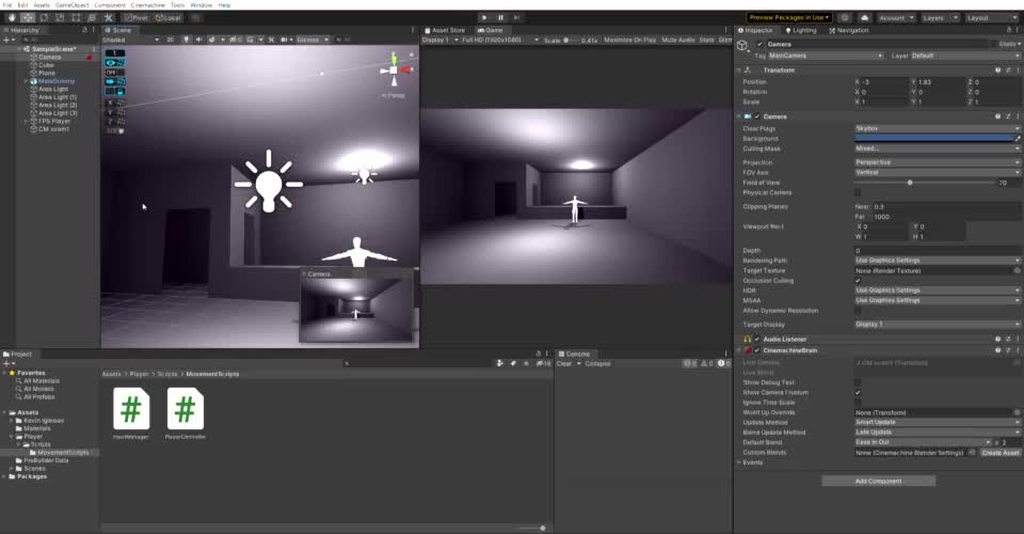
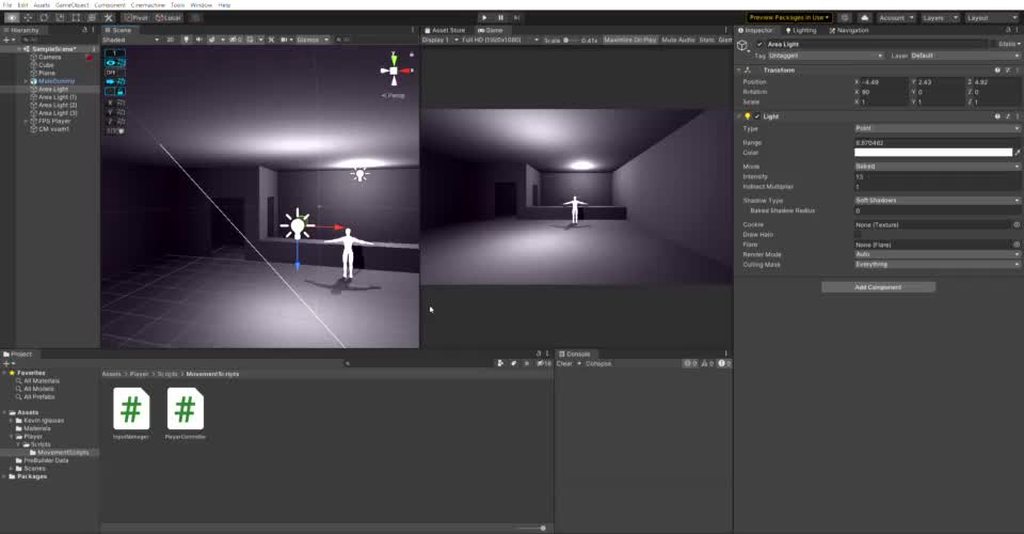
And this is the light when i go a bit back
timber lichen
And this is the light when i go a bit back
I'm guessing this is a case of per object pixel light limit
There's a hard limit of how many lights can affect a mesh before they start getting culled, and looks like your level could be a singular mesh
timber lichen
Um
No
This problem is happening in every project
not only this one
Even on a cube
So its something from unity
deft fiber
With only one light?
timber lichen
also
@deft fiber
from this ankle i can barely see the red lighting

but if i go in front i see it normal
 deft fiber
timber lichen
Even on a cube
deft fiber
timber lichen
Even on a cube
I'd rather see an example of this
deft fiber
Not of this level
Does it happen with a cube with one light?
deft fiber
timber lichen
Can you try it in a blank scene? I still am not seeing the cube itself being affected, just the floor which looks like it could be affected by the lights elsewhere
timber lichen
it is not affected
deft fiber
I have not seen that kind of fading, but it still seems like light limit
Your level is one continuous mesh, right?
That usually causes this kind of issue
timber lichen
um
then what do i do
i see that it got fixed after i increased the light pixel count

but i also get this thing
when i select a light
oh
deft fiber
timber lichen
This is unrelated
timber lichen
i had to change the rendering path to deferred
now its fixed
thanks for all help!
 edgy yacht
Why do some of my point lights turn off when the camera goes out of a certain range? Only some of them do and others not.
 stoic stone

 versed garnet
yep, that seemed to solve it
now, I wanted my non static objects to cast shadows to the environment, would I be able to do that without adding realtime light sources?
 limber delta
versed garnet
now, I wanted my non static objects to cast shadows to the environment, would I ...
limber delta
versed garnet
now, I wanted my non static objects to cast shadows to the environment, would I ...
Not in any way I know off.
 strange mango

Unity Play
A lighting study of a scene you may recognize. It utilizes area, spot, and point lighting. This is also my first time experimenting with volumetric fog, 3D modeling, and post processing.
timber lichen
anyone know how to do lighting like this in unity 2d

ive been looking up videos but cant find anything
timber lichen
Pins?
 stark temple
The info pinned to this channel
timber lichen
i keep seeing things on the lwrp or the urp and it tells me to Open the Package Manager Window. Locate Lightweight RP and select it but its not there
versed garnet
limber delta
Not in any way I know off.
well that's disappointing
deft fiber
versed garnet
well that's disappointing
Stands to reason you need realtime lights to have realtime shadows, no?
versed garnet
deft fiber
Stands to reason you need realtime lights to have realtime shadows, no?
I mean yeah, but for example, point lights don't support realtime lighting
Wouldn't there be a way of making them work with mixed lighting?
deft fiber
versed garnet
Wouldn't there be a way of making them work with mixed lighting?
Mixed means that a light is treated as baked towards static objects and as realtime towards dynamic objects, still means the light can't move because of how baking works
deft fiber
versed garnet
I mean yeah, but for example, point lights don't support realtime lighting
What do you mean by this?
versed garnet
deft fiber
What do you mean by this?
I ment realtime shadows my bad
 versed garnet
deft fiber
Mixed means that a light is treated as baked towards static objects and as realt...
versed garnet
deft fiber
Mixed means that a light is treated as baked towards static objects and as realt...
yeah, and my goal is to simply make the non static objects cast shadows onto the static objects
for example, this box should cast a shadow to the walls/ground from the point light on the lamp object
 deft fiber
versed garnet
for example, this box should cast a shadow to the walls/ground from the point li...
deft fiber
versed garnet
for example, this box should cast a shadow to the walls/ground from the point li...
You could use a spotlight here, they do cast shadows
I think 2020.3. URP is the last version of Unity that doesn't support point light shadows
versed garnet
wait so should I use a more recent version of unity?
deft fiber
versed garnet
wait so should I use a more recent version of unity?
Upgrading a project in progress can be a nightmare so I don't outright recommend that
And still, spot lights are much more performant for shadows than point lights so if you can get by without it's for the best
versed garnet
so you think I should chnge all my point lights to spotlights?
deft fiber
versed garnet
so you think I should chnge all my point lights to spotlights?
That'd be my first option
versed garnet
deft fiber
That'd be my first option
Okay I did that. I'm not quite sure why but they're not baking any light to the static objects now
deft fiber
Are they of type mixed and marked as contribute GI static?
versed garnet
deft fiber
Are they of type mixed and marked as contribute GI static?
yesp

I'm not sure if this is the way this type of light works because I have barely ever used it before

(if I ever did)
deft fiber
versed garnet
I'm not sure if this is the way this type of light works because I have barely e...
Make sure the light isn't inside geometry and that the temporary changes you've made to the prefab are active in the scene
Not sure what else could be the issue
versed garnet
I think it is far enough
 versed garnet
deft fiber
Make sure the light isn't inside geometry and that the temporary changes you've ...
versed garnet
deft fiber
Make sure the light isn't inside geometry and that the temporary changes you've ...
and yes it is indeed syncing
versed garnet
wait, what lighting mode should the scene use?
okay from what I read it seems like that won't affect it
versed garnet
Okay yeah I have no idea of what's going on with this spotlight
 deft fiber
versed garnet
okay from what I read it seems like that won't affect it
deft fiber
versed garnet
okay from what I read it seems like that won't affect it
Supposedly it is possible to bake indirect lighting while having direct light and shadows also, from a Mixed light source
but I'm failing to achieve that myself
versed garnet
oh
deft fiber
Nevermind, the Lighting Mode in Lighting window must be "baked indirect" or "shadowmask"

Capsule is dynamic, everything else is static
Spot light is Mixed with shadows enabled
versed garnet
so what's better?
shadowmask or baked indirect
also, this is happening to the dynamic objects on my scene due to probes on the other side of the walls being selected, isn't there a way of separating probes from each other?
 deft fiber
Add probes near the walls so the ones on the other side won't be selected
It looks like your crates are entirely being lit by probes, instead of the light itself
versed garnet
this is happening
 versed garnet
deft fiber
It looks like your crates are entirely being lit by probes, instead of the light...
versed garnet
deft fiber
It looks like your crates are entirely being lit by probes, instead of the light...
yeah I noticed that, how'd I change that?
deft fiber
versed garnet
yeah I noticed that, how'd I change that?
I'd recommend a new test scene like mine, and in that play around and isolate the settings that work
It's not necessary, but a temporary clean slate has helped me solve many problems
versed garnet
so it's not as simple as changing some settings?
deft fiber
versed garnet
so it's not as simple as changing some settings?
It should be as simple as getting a bunch of settings right
At least one of them is not right if your crates aren't being lit directly
If you don't have a good guess what that setting is, I recommend doing a test from scratch
versed garnet
Yeah I have no idea
timber lichen
hello, someone knows how I can make my scene totally dark except where there is some light, I am trying to make a horror game but there are areas that do not have light but are still illuminated

I have put dark fog very close, but I do not think q is the best option

the last photo is the result I want but without having to put fog
deft fiber
timber lichen
hello, someone knows how I can make my scene totally dark except where there is ...
There's a lot of ceiling lights illuminating your office, and there's also ambient light in the scene that isn't being blocked by anything
timber lichen
deft fiber
There's a lot of ceiling lights illuminating your office, and there's also ambie...
how do I block ambient light?
deft fiber
If you want to stick to realtime lighting, you could turn it way down in environment light settings, but that won't be accurate if you want to have areas illuminated by the sky
Another option is to bake lighting using lightmaps and/or light probes
That calculates how much of the interior is blocked from ambient light coming from the outside
versed garnet
Ok so, the baked lighting comes out WAY TOO BRIGHTER than the realtime lighting

this is how it looks pre baking
 versed garnet
Ok so, the baked lighting comes out WAY TOO BRIGHTER than the realtime lighting
versed garnet
versed garnet
Ok so, the baked lighting comes out WAY TOO BRIGHTER than the realtime lighting
this after
deft fiber
versed garnet
Ok so, the baked lighting comes out WAY TOO BRIGHTER than the realtime lighting
Lights have an "indirect multiplier" and baking settings have even more multiplier settings which can cause that if tweaked haphazardly
versed garnet
Okay I'm starting to lose hope on this xd
deft fiber
versed garnet
and it's still like that
I guess it could be an issue with lightmap UVs or reflection probes, hard to guess though
versed garnet
I'm not much experienced with lighting in unity so I literally have no idea
versed garnet
versed garnet
this is how it looks pre baking
btw, the boxes are also not emitting any shadows at all onto the walls nor floor
deft fiber
versed garnet
btw, the boxes are also not emitting any shadows at all onto the walls nor floor
You've found tutorials about this topic, at least?
versed garnet
I tried to search for people with similar issues but couldn't find any solution
deft fiber
There are many steps in the baking process that are easy to miss
If something just doesn't seem to work for me, I'll try to follow a tutorial in a clean setting, and work forward from there step by step
You can work towards better results only when you've learned how to guarantee some results
Regarding mixed lights and baked indirect / shadowmask it helps a lot to read documentation
versed garnet
I see
okay so, I think the issue is with the shader on the walls material
what do I need to have on a shader for it to receive shadows?
I assumed it would already do it by default
okay nevermind, seems that wasn't the issue
unless none of the shaders work with shadows ofc lmao
versed garnet
could this be the reason behind no shadows?
 deft fiber
versed garnet
unless none of the shaders work with shadows ofc lmao
deft fiber
versed garnet
unless none of the shaders work with shadows ofc lmao
All "lit" shaders from Unity support shadows
deft fiber
versed garnet
could this be the reason behind no shadows?
I don't even really know what that's referring to
possibly precomputed realtime global illumination, but that's not what we're dealing with right now
versed garnet
Since I can't find a good work around for this I decided to just keep the light on dynamic objects with probes and don't have shadows on them
This is just a demo and I need to work on more critical things before my deadline so I'll just come back to it later
 golden cobalt
is there a way to force shadow maps to use point/nearest neighbor filtering?
 hasty horizon
Hello, my left hedge is static, so it is baked into the lightmap and the right one is not. I would like to know how i can make the left one more like the right one? What are some of the settings i should try out to get a better result
 hasty horizon
what static settings should i keep to make unity know it won't move but does not have to be rendered differently?
 cinder parcel
I am having a extremely weird issues with proyectors
I am working on a 3d game that will use fixed camera angles and projection mapped sprites
I want to have shadows that influence the sprites, and since it's gonna have platformer elements I added a projector with a blob shadow to signal the player's position
it works perfectly fine, except for this weird edge case
Since I want the shadow to be placed in context of the sprite background, I am using basic geometry to map collisions, and then using said shapes with the option to receive shadows only
the issue is, as you can see, is that when i set the geometry to receive shadows only, the proyector also renders a shadow in a part of the geometry that shouldnt be visible
 plush osprey
I am working on 2d game and making a menu. But lighting is very low scale. My quality option is ultra. Will it be good when i built it?

 undone lance
is there any particular reason why a point light won't work as a "point light" and instead either fully lights up the scene
either leaves it completely dark if it's far enough from the scene
undone lance
fixed, it wasn't targeting the right sprites
 hexed dock
Is there a way to only render areas affected by a point light into a render texture?
versed garnet
@deft fiber uh so
funny thing about my lighting

normal probuilder object with a light source
object with inverted normals
 deft fiber
oof!
versed garnet

looks like probuilder objects just won't receive shadows at all
okay no wait

eh?
what's goin on with my shadows
deft fiber
Have you tried using unity's default cubes for testing
versed garnet
I have no brain
 versed garnet
deft fiber
Have you tried using unity's default cubes for testing
versed garnet
deft fiber
Have you tried using unity's default cubes for testing
that's what I'm doing
versed garnet
versed garnet
I have no brain
this made zero difference...
deft fiber
I mean, even using probuilder meshes is an unknown variable when you're doing a "clean slate" test
versed garnet
yeah but not even the unity cubes are receiving shadows
deft fiber
The next step back would be to make a new project, see if shadows work there
As a sanity check
It's possible that they're disabled in quality settings or somewhere
versed garnet
I want to commit sayori
versed garnet
deft fiber
It's possible that they're disabled in quality settings or somewhere
where is that
I demand to know
deft fiber
Edit>Project Settings>Quality
iirc
 deft fiber
Hmm the advanced shadow settings are in the Ultra settings asset itself which is probably in a folder called settingss
But if the shadows don't work in a fresh URP project either, all of this is fruitless
deft fiber
Yes, you can export and import them as packages
 golden cobalt
trying again, is there a way to force shadow maps to use point/nearest neighbor filtering?
versed garnet
deft fiber
But if the shadows don't work in a fresh URP project either, all of this is frui...
the issue was on the project
(smh)
uh what LMAO

hard shadows issue ig?
deft fiber
You will probably need to increase shadow quality and/or cascades in quality asset, the defaults are rather low
Another thing to mind is that flat-shaded meshes will often suffer from swiss cheese shadows
versed garnet
there's also double shadow issue LMAO
 versed garnet
deft fiber
You will probably need to increase shadow quality and/or cascades in quality ass...
versed garnet
deft fiber
You will probably need to increase shadow quality and/or cascades in quality ass...
what do u think is a good value?
and how would I fix the swiss cheese
okay seems good

bruh
dude
how do I like
get unity project from a game build
I might or not've deleted the old project and somehow the probuilder mesh didn't get imported
deft fiber
versed garnet
get unity project from a game build
Practically impossible
Keep backups 😔
I guess fishing out singular assets is doable with some of the unity decompilers out there but still, version control is a must for any project you plan to spend meaningful time on

 frank hound
does lightmapping generate automatically on every build?
or does it use the last one I generated?
it looks like it - hope someone has more info?
 main wolf
the last one generated I think
 hard urchin
frank hound
does lightmapping generate automatically on every build?
hard urchin
frank hound
does lightmapping generate automatically on every build?
The build will use the current lightmap
 tawdry dew
Hey I’m having a problem where in certain parts of my scene the shadows get really hard then soft on and of over and over. Right now I only have one global light does anyone know what the problem is
deft fiber
tawdry dew
Hey I’m having a problem where in certain parts of my scene the shadows get real...
It may help find the issue if you can show a picture
tawdry dew
Idk how well you’ll be able to see it I hope this works tho
Also the shadows kinda shake
tawdry dew
deft fiber
It may help find the issue if you can show a picture
So do you know what the issue is
This one shows the problem more clearly
deft fiber
tawdry dew
So do you know what the issue is
I haven't seen this issue before, but if I had to guess it would be related to shadow settings, cascades in particular
Vibration usually implies floating point errors, which could be a result of shadow near distance and far distance being too far from each other
Tweak those, or try resetting shadow settings entirely
tawdry dew
deft fiber
Tweak those, or try resetting shadow settings entirely
How do I do that
I just turned off my directional light and the scene is darker but it works. Idk should I still fix some things so I’m set up for future reference
deft fiber
tawdry dew
How do I do that
I don't recall if there is a simple reset button, but you could lift the quality asset (if on URP) or the setting variables from a clean project
deft fiber
@tawdry dew If you've confirmed that it persists with clean shadow settings, switching between deferred and forward rendering might give a clue about what's up
tawdry dew
Wow you really know your lights thank you
 cursive coyote
Hey would anyone know if there's a way to disable 2D shadows once you're a certain distance from them?
 coarse wagon
I was doing some testing when switching rendering pipelines and now all of my shadows dont work. Any idea on how to get them back?

 split creek
coarse wagon
I was doing some testing when switching rendering pipelines and now all of my sh...
split creek
coarse wagon
I was doing some testing when switching rendering pipelines and now all of my sh...
Indent know if that’s the error in your case. But alll materials have to be updated, galdfully, unity can do this for you. Go toEdit window, and then I think at the very bottom you can select something like upgrade/update all materials. Sorry that I can’t tell you the exact path, but that should fix it.
coarse wagon
Oh yeah ive already done that before so i dont think thats the issue 😦
 split creek
Ohh sorry, i don’t think I know the issue 😦
 mortal cosmos
classic case of overlapping uv's
don't know how to fix it (swapping uv's for the mesh didn't work)
deft fiber
coarse wagon
I was doing some testing when switching rendering pipelines and now all of my sh...
Your lighting hasn't finished generating, judging from the progress bar
It won't look right until it's completely done
 tawdry snow
Anyone have any idea why when I use: SceneManager.LoadScene(0); to reload the first scene the lighting gets all messed up?
Before:

After:

As far as I know, nothing is being changed other than the scene being loaded again
After some quick tests, it appears as though the environmental lighting is being disabled when I load the scene. Does anyone know how I can prevent this?
tawdry snow
Nvm, I fixed it by enabling "auto generate" in the lighting settings
 fast pendant
Anyone know any clever solutions for a light-emitting beam? It's a beam of particles, I've tried a variety of permutations of the options for point lights attached to emitter, or detached and controlled via script
But doing it with point lights it never looks quite right
I mean I'd need a very large number of small point lights for it to look right, rather, which isn't an option 🤔
deft fiber
fast pendant
Anyone know any clever solutions for a light-emitting beam? It's a beam of parti...
This is perhaps the hardest thing you could ask out of almost any lighting system out there
Does the beam have to move or be directable?
 peak haven
im using foward rending and it does this werid effect when ambient occusion is on how the hell do i fix this
 fast pendant
deft fiber
This is perhaps the hardest thing you could ask out of almost any lighting syste...
fast pendant
deft fiber
This is perhaps the hardest thing you could ask out of almost any lighting syste...
Hahaha yes my googling has demonstrated as much!
So it's a lightning bolt 'spell' the actual bolt proper is made up of line-renderers and particles. It doesn't move it very quickly surges into and out of view (no perception of movement, connects the caster/target)
Or rather the lines don't move
So ideally the lines would cast light commensurate to the glow
I was able to get it somewhat decent with "only" 15-20 point lights, not sure how bad that can be for something that is only visible for 1 seconds 🤔
15-20 point lights at max range that is
deft fiber
If you're using deferred rendering, you could add low range shadowless point lights along the beam's length for a passable effect that's reasonably cheap too
Otherwise you don't have much options
fast pendant
But I unfortunately can't do baked which I assume is the normal go-to for something like a fluorescent tube light
deft fiber
Usually games work around this problem, or just settle for one or two lights for the whole effect
For graphical budget it's important to consider how many of them can be on screen at once
fast pendant
Yeah... what are the ballpark ranges for number of lights that start to bog things down?
deft fiber
Can't guess, depends on the light ranges and your target hardware
fast pendant
Between how briefly it flashes and potential minimum cooldown like absolute max of 3, and most bolts will be less than max range so fewer lights (counted by distance)
So range helps with performance cost? That's good, range 1 seems enough to give the effect
I'll have to test it out
timber lichen
Any tips on how I can make some of these tiles emit light? Its going to be a procedurally generated level so I cant just add light objects to wherever the light on the texture is

something like this
 cursive coyote
deft fiber
If you're using deferred rendering, you could add low range shadowless point lig...
cursive coyote
deft fiber
If you're using deferred rendering, you could add low range shadowless point lig...
You might be able to use bloom through the intensity level of an HDR colorspace. It wont look as good as proper lights but it's incredibly cheap.
 drifting saffron
 indigo sonnet
My baked lighting produces some pitch black faces. I've checked the normals are correct, and I "Generate Lightmap UVs" on the Model import settings. Any ideas?
 indigo sonnet
I'm pretty sure it has to do with shader graph. Using a simpler material, has no problem.
 silk light
what causes this sort of shadow fuzz

 hasty carbon
Quick question, do light probes override real-time shadows when an object connects to a light probe? Or vice versa?
deft fiber
hasty carbon
Quick question, do light probes override real-time shadows when an object connec...
Probes only store "indirect" lighting, which is combined additively with direct lights and shadows
hasty carbon
Ah cool, was worried about the order of it, but seems to work well, thanks
hasty horizon
Hello, not sure if this is the right spot, but when using occlusion culling, can i somehow make it happen after the camera is enough of a distance away instead of immediately when the object isn't in view? cause the shadows disappear along with it which isn't really a good look
 mellow sierra
!ban 327152292082221067 scam
 tawdry schoonerBOT
 Karurosu#9219 was banned
timber lichen
Does anyone know if there is a guide out there on how to make realistic looking light cookies?
Like is there some way to simulate lighting in a program like maya and then bake the result into a cookie cubemap>?
deft fiber
timber lichen
Does anyone know if there is a guide out there on how to make realistic looking ...
There's a standard called IES profiles which some pipelines support that can accurately describe real world light shape/lensing
If all you need is a custom light cookie, it should be as simple as pointing your light to a plane and baking the light shape on the plane to a texture and using that as a cookie
 blissful arch
im using light2d and shadowcasters but the shadows are too low quality, is there any option to increase the shadow resolution?

in the unity docs it says the light2d has a quality property, but i cant find it

 manic cobalt

How do I make it so the flashlight's light is wider at the start? like it ignores a certain range of rendering at the start
Or how to set it so it renders behind the flashlight
 glass blaze
i don't know if this is the right place to ask but my gpu goes crazy whenever i press play
even if there is nothing in the world
even when i move it's like this
manic cobalt
glass blaze
i don't know if this is the right place to ask but my gpu goes crazy whenever i ...
target framerate or vertical sync to lower framerate;its probably rendering as many frames as it can
also u ask in general , probably
glass blaze
manic cobalt
target framerate or vertical sync to lower framerate;its probably rendering as m...
thank you
 ripe harbor
Okay so. Is there a way I can map where light falls on an object to a texture. Kinda Like baking?
timber lichen
deft fiber
There's a standard called IES profiles which some pipelines support that can acc...
Point lights use cubemaps for their cookies
So let's say I wanted to create a cubemap for an old school lantern
Would I take a cube, do a smooth modifier on it to turn it into a 6 sided sphere, put a light in the center of the lantern, and then bake the result on the sphere?

 frigid oar
#archived-shaders message i realize that this falls more under lighting than shaders. can anyone help?
frigid oar
 lament mural
how do i fix failed lighting generation?
lament mural
how do i fix failed lighting generation?
ok i know it's probably obvious, but i'm making sure, is that a mixed directional light? what are your lighting options?
frigid oar
nvm, found out i typed the wrong thing in the wrong script
 cursive grail
Im messing around doing a little VR game and I've read over and over to only used baked lighting. However, objects that cannot be static like a door that the player can open/close don't get lit and look bizarre. Whats the solution?
 floral crown
Hi, anyone had any experience with improving shadow draw distance for WebGL? Is it possible to get the shadow draw distance to around 300? The game is very basic, graphically, so I'm not trying to push it hard, but it would be very beneficial to the game to have shadows drawn far.
deft fiber
cursive grail
Im messing around doing a little VR game and I've read over and over to only use...
Mixed lighting usually
It's better to have a few objects lit dynamically than the whole scene
deft fiber
floral crown
Hi, anyone had any experience with improving shadow draw distance for WebGL? Is ...
Is it an option to supplement dynamic shadows with shadowmasked baked shadows?
timber lichen
hello, I have a question, if I render an emissive texture and deactivate it you will be able to see the change in real time?

for example if disabling the light will affect the scene?
 turbid thicket
How do i make proper baked lighting with emissive textures?
here is my attempt so far
 deft fiber
turbid thicket
How do i make proper baked lighting with emissive textures?
here is my attempt s...
deft fiber
turbid thicket
How do i make proper baked lighting with emissive textures?
here is my attempt s...
Looks fairly proper to me
Light probes and reflection probes are essential for emissives as they can't otherwise affect dynamic objects
turbid thicket
Ok
I want it to look a bit like karlson

I am rubbish at lighting so I can't figure out how
deft fiber
turbid thicket
I want it to look a bit like karlson
That looks like a baked spotlight
turbid thicket
deft fiber
That looks like a baked spotlight
Yeah. I've tried that but I can't get the intensity right because of the bloom
And for some reason it looks really yellow
That might be colour grading
deft fiber
turbid thicket
Yeah. I've tried that but I can't get the intensity right because of the bloom
The light itself is a separate thing from bloom and color grading
It might be best to apply bloom and color grading after you have the light values correct
turbid thicket
deft fiber
The light itself is a separate thing from bloom and color grading
It might be be...
Cool thx
 hollow skiff
I'm making a 2.5D game, with billboard character on top of 3D world. My billboard casts shadow, but if the light comes from the side, it becomes just a line (since the sprite is flat). I tried to fix it with another sprite renderer set to cast shadows only, but it ends casting shadow in the sprite itself, which is not the intended behaviour. My question is: can I change some layer settings so my shadow caster sprite only cast shadows in other objects other than my billboards,so there is no self shadowing?
turbid thicket
How could i make this look better?

 lucid sage
Bloom maybe
turbid thicket
does that happen in game
 whole mural
This is driving me absolute nuts. All my lights are baking like this, even a default cube, default skybox, I'm getting this crap. Anyone run into this before? here's my lighting settings


 blissful salmon
Is there anyway to fix these type of black spots in the directional map?


 exotic sundial
I'm getting these lightmap artifacts when I switch the lightmap's compression from DXT5 to BC7
-
Is there any way I can remove these artifacts?
-
Alternatively, is there a way to set the lightmap's compression type before baking? (in my case it always defaults to RGBA Compressed DXT5 sRGB)
Thanks in advance
 deft fiber
exotic sundial
I'm getting these lightmap artifacts when I switch the lightmap's compression f...
deft fiber
exotic sundial
I'm getting these lightmap artifacts when I switch the lightmap's compression f...
Why not use DXT5 if it works?
 gusty ruin
Good day all! I am in need of a little help. I am working on an animated logo / bumper for my videos and I am having what I think is a lighting issue. I am getting these odd circles and can not seem to find the correct setting to get rid of them. Right now my scene looks like the end of a Loony Toons cartoon episode lol. Happy to share pics of the scene/setup if that helps. Any ideas? Thanks!
 exotic sundial
deft fiber
Why not use DXT5 if it works?
exotic sundial
deft fiber
Why not use DXT5 if it works?
I can compress with DXT5, but our programmers are using BC7 in their project and I wanted to be on the same page.
- Is there a way to avoid lightmap artifacts when switching compression algorithms?
- If the above isn't a possibility, Is there a way to get lightmaps to generate automatically compressed to BC7 so that I wouldn't have to worry about changing compression algos or artifacts?
(a note regarding #2: Lightmaps are automatically compressed to DXT5 with encoding quality set to Normal, and BC6H with encoding quality set to High)
tldr: Is there a way to change the default compression used for lightmaps?
exotic sundial
gusty ruin
Good day all! I am in need of a little help. I am working on an animated logo ...
what is the background I am looking at? is it a skybox or a texture on an object or a light? Are the lights real-time or baked?
I can barely see any lighting issue in the image, Assuming it's a texture the issue is probably banding artifacts which can be removed by changing the texture's compression format to something like RGBA 32 bit or similar high quality compression formats.
gusty ruin
The background is a large box stretched as a mostly solid color background plane. There is an overall light as well as a few fillers on the cubes (which expand into my logo), all lights are realtime
deft fiber
gusty ruin
The background is a large box stretched as a mostly solid color background plan...
Do you want the background to be a solid color and does it need to be a mesh surface?
You could set the camera's background type to "solid color" to ensure that the background won't be affected by any lighting
gusty ruin
Thats a fair point. Thanks Ill give that a go. Sometimes we get so focused on the complex stuff we forget about the simple 🙂
I did have the cube background at first due to the fact that the camera moves and the lighting change was nice from black to full color but I can animate the color with the background camera as well. Thanks again!
 golden surge
ok so im using URP, and ive changed some default lighting settings to make it darker. the issue here as its very obvious, some objects dont bake the lighting. i have no idea how to fix this
 lucid sage
make all objects contribute GI
 brazen girder
@sharp slate it didnt work
 sharp slate
i have no idea then
 digital delta
Im on URP and when I set GameObject static and bake lighting, this weird things appears, I have tried to set the lightingmap compression to none but they still there. Why is it happening?
 deft fiber
digital delta
Im on URP and when I set GameObject static and bake lighting, this weird things ...
deft fiber
digital delta
Im on URP and when I set GameObject static and bake lighting, this weird things ...
What is "this weird thing" is, which objects are static, and also what did it look like before?
digital delta
deft fiber
What is "this weird thing" is, which objects are static, and also what did it lo...
Oh sorry, the weird thing is the pattern in the green ground, these are the objects set as static. And before set to static, the pattern doesnt appear
deft fiber
digital delta
Oh sorry, the weird thing is the pattern in the green ground, these are the obje...
Do you have errors about overlapping UVs either in console or lightmap UV viewport mode?
digital delta
Yes, i think is is cause this low poly pack
digital delta
deft fiber
Do you have errors about overlapping UVs either in console or lightmap UV viewpo...
I dont know if i can do anything with that
deft fiber
digital delta
I dont know if i can do anything with that
In the import settings of problematic meshes you could try enabling "generate lightmap UVs"
digital delta
deft fiber
In the import settings of problematic meshes you could try enabling "generate li...
Okay i will try it, thaanks
digital delta
deft fiber
In the import settings of problematic meshes you could try enabling "generate li...
It looks great now! btw i have all these lightmaps, idk if its good to have so many lightmaps (i have to do some researches i think)
 deft fiber
digital delta
It looks great now! btw i have all these lightmaps, idk if its good to have so m...
deft fiber
digital delta
It looks great now! btw i have all these lightmaps, idk if its good to have so m...
They take space on disk and must be kept in memory when the scene is active like normal textures, so they have that drawback
How much is too much depends on the hardware requirements you're shooting for
It's often prudent to decrease "size in lightmap" for objects that can afford that, and use lighting from light probes instead of lightmaps for small objects, which also quickens the baking time
 unborn drift
Hi guys! Total beginner here. I wanted some tips on how to re-create a scene kind of like this, or at least inspired by it. I can't seem to find much help online in regards to this sort of look, and when I try to light a scene it ends up looking a bit too "realistic" for my taste. If anybody has any tips on achieving this kind of look I would really appreciate it

The game is "The Music Machine" by David Szymanski
 visual belfry
looks like a toon shader

Add depth to your next project with Flat Kit: Toon Shading and Water from Dustyroom. Find this & more VFX Shaders on the Unity Asset Store.
 pulsar aspen
turbid thicket
How could i make this look better?
pulsar aspen
turbid thicket
How could i make this look better?
. change crosshair- opaque black is not that interesting especially for something center screen. Make it feel your theme better, stylize it.
. grime up the place.. even if it's not actually dirty, it looks too artificially "clean" to be a real place, and therefor less realistic.. wet spots, grime in the corner of the textures.. anything to break up the repeating.
. to further the above, add some variation to what you see in the scene besides white wall/roof.. a black panel, a cable.. anything
post works ofc but only to amplify what is already present. Cranking bloom won't make things automatically better, in fact that's a bit of a joke around games they just abuse post especially bloom, so make sure you look at good bloom/post in general references before committing.
imo yours is already looking better than karlson's. But all he's doing is post in a blank scene 🙂
turbid thicket
Ok thanks for the tips @pulsar aspen
 unique fox
Lighting noob question,
How to make the corridor’s light more smoother in this case?


 main wolf
unborn drift
Hi guys! Total beginner here. I wanted some tips on how to re-create a scene kin...
main wolf
unborn drift
Hi guys! Total beginner here. I wanted some tips on how to re-create a scene kin...
You can override or create custom ligthing in the shader, and set lighting value (atten iirc) anything above 0 to 1
deft fiber
unique fox
Lighting noob question,
How to make the corridor’s light more smoother in this c...
Hard to tell exactly from the photo what's going on, but one cause for problems is that the mesh of the walls and ceiling isn't continuous
Ideally they would be a part of the same mesh with welded vertices
 unborn drift
main wolf
You can override or create custom ligthing in the shader, and set lighting value...
unborn drift
main wolf
You can override or create custom ligthing in the shader, and set lighting value...
Thanks for the tips, I'll try this stuff out!
 fallow thicket
anyone have any idea why the radius visual of a spotlight isn't working?
 deft fiber
fallow thicket
anyone have any idea why the radius visual of a spotlight isn't working?
deft fiber
fallow thicket
anyone have any idea why the radius visual of a spotlight isn't working?
I had this before and solved it by restarting the editor iirc
fallow thicket
deft fiber
I had this before and solved it by restarting the editor iirc
Yeah I did that too. Didnt work sadly
main wolf
fallow thicket
anyone have any idea why the radius visual of a spotlight isn't working?
Check this one

 undone forge
How do I do a scene with a bunch of candles dimly illuminating the scene without massive frame rate drops?
(I’m using the legacy rendering pipeline)
deft fiber
@fallow thicket Now I remember, the solution was to reload the editor layout
 weary pawn
Hey, I'm getting strange lighting behavior. You can see it mostly on the path. I'm not really sure why it's doing this. This question is probably a bit vague, but I don't really know how else to describe it

 lucid pumice

Shouldn't directional light light up the entire scene equally?
Why's this part (where the directional light points to) lighten up more than other areas?
How do I get a lighting that is completely even, purely directional?
visual belfry
make the material perfectly flat, non metallic
Part of lighting is specular highlighting, this is part of Phong shading
weary pawn
visual belfry
Part of lighting is specular highlighting, this is part of Phong shading
Doesn't Unity interpolate values to get this type of specular highlighting? I could be wrong. I'm pretty new-ish to lighting
visual belfry
Dunno the details of how they go about doing lighting, just abstractly that this is an expected result from Phong shading
weary pawn
Okay. I believe Unity does some behind the scenes lighting stuff to make stuff like that happen. Although yeah, that is a completely normal result.
undone forge
undone forge
How do I do a scene with a bunch of candles dimly illuminating the scene without...
So, could someone help me out with this?
weary pawn
undone forge
How do I do a scene with a bunch of candles dimly illuminating the scene without...
baked lighting
undone forge
That prevents them from wavering around and having realtime shadows, right?
weary pawn
yes
But like, having a bunch of candles with realtime shadows seems unrealistic for good performance
undone forge
Is ther a way to use LODs to make it so that the candles far away use the baked light, and the closer ones use the realtime one?
weary pawn
That sounds like a good idea actually
I would have no idea how to do that, but go for it
undone forge
🤔
 scarlet torrent
Idk how lighting works
Im making a maze and it spawns light and wall prefabs once ran, and idk how to get the lights to work properly
 undone forge
Pretty much, realtime lights.
Which render pipeline are you using @scarlet torrent ?
scarlet torrent
idk
undone forge
I think you should check out the Quality Settings.
scarlet torrent
None
undone forge
Oki, you're using the Legacy Rendering Pipeline.
The reason not all lights seem to be appearing is that you've very quickly hitting the pixel light limit for Forward Rendering.
And it's really expensive for the framerate to increase that limit.
scarlet torrent
How do I not hit that limit
undone forge
Well, using occlusion culling is definitely a good way of going about it.
Or you could also give the light prefabs an LOD group and assign the light component to it and make it turn off when far enough.
scarlet torrent
Which would you do?
undone forge
I'd start with the LOD group and see what happens.
scarlet torrent
Ill attempt that
undone forge
Let me know how it goes
scarlet torrent
I added this to the light prefab
 undone forge
scarlet torrent
I added this to the light prefab
undone forge
scarlet torrent
I added this to the light prefab
Select LOD 0, and assign the light object to that. Then delete LOD 1 and LOD 2.
scarlet torrent
How do I assign the light object to it
undone forge
scarlet torrent
How do I assign the light object to it
There should be a panel that appears when you click on an LOD category
scarlet torrent
I cant add the light
I can add the cube but that makes the cube and not the light dissapear
 undone forge
Hmm...
 undone forge
Did you hit the Add button that appears?
 undone forge
Hmm...
If just dragging the Point Light object in doesn't work, try tinkering with occlusion culling
scarlet torrent
whats that
undone forge
Basically prevents hidden objects from being rendered.
scarlet torrent
How do I do that
undone forge
Well, first, you gotta bring up the Occlusion panel. Should be self explanitory from there.
hollow skiff
how do I turn on light/shadow layers on urp?
https://docs.unity3d.com/Packages/com.unity.render-pipelines.universal@13.1/manual/lighting/light-layers.html
I don't see the option in my urp asset
 hollow skiff
nevermind, didn't know I was one version before it got implemented
 drowsy skiff
I connect LightingData and hope that the LightMap textures will link to the scene and start working, but this does not happen. What could be the problem?

Or am I misunderstanding the LightingData functions?
deft fiber
drowsy skiff
I connect LightingData and hope that the LightMap textures will link to the scen...
If it's the correct LightingData asset for the scene that has been baked then yes it should work that way
 muted brook
I haven't used Light in my games before and I was wondering how I could make this light transition more naturally to the background if that makes sense? Basically I don't like that you can see these circles around the player.
 deft fiber
muted brook
I haven't used Light in my games before and I was wondering how I could make thi...
deft fiber
muted brook
I haven't used Light in my games before and I was wondering how I could make thi...
First thing I would try is enabling camera dithering
 summer aspen
@timber lichen Why are you posting this in random places?
timber lichen
summer aspen
<@456226577798135808> Why are you posting this in random places?
u menntioned me to post my problem or code problem in lightning..
so where i post then sir
if i had problem with some code
summer aspen
timber lichen
u menntioned me to post my problem or code problem in lightning..
The question had link attached to the person I was answering to. And I've told you where you can find answers in #💻┃code-beginner
 balmy perch
I was wondering if there's any way to script the falloff intensity of 2d lights. I looked all over google but I can't seem to find a way to do it or even a workaround. I'm trying to make the light around the player expand as they progress through the level. Any suggestions?
muted brook
deft fiber
First thing I would try is enabling camera dithering
I think it did help but I'm still not that happy with it. Any other advice?
 deft fiber
muted brook
I think it did help but I'm still not that happy with it. Any other advice?
deft fiber
muted brook
I think it did help but I'm still not that happy with it. Any other advice?
Is the blue glow a 2D light on the URP pipeline? Just checking what we're working with
deft fiber
Next I would try to enable linear color space, HDR and tonemapping post processing
muted brook
where do I enable them?
deft fiber
muted brook
where do I enable them?
Color space is in Project Settings>Player>Other Settings>
muted brook
ok
deft fiber
HDR is defined in quality settings asset
I'm not 100% sure if tonemapping is required at this point but it can applied as an override in a post processing volume
 eternal shoal
does anyone know what caused my grass and lighting to change from top to bottom? I was trying a variety of shaders and lighting bakes but am unable to undo it and return to its original state
 eternal shoal
aww thanks haha
 true wyvern
@eternal shoal also how did you make the sun in the top because its nice and I kinda wanna do the same thing for my game
eternal shoal
I used a directional light, and used a picture in my skybox that had a sun on it
eternal shoal
I did not
eternal shoal
you would need to change the angle of the light, to get the shadows to grow longer
and then when it falls below the horizon delete it
true wyvern
i meant the picture
eternal shoal
hmmm, maybe a 3d model would be easier
true wyvern
ok thanks
 fickle needle
eternal shoal
does anyone know what caused my grass and lighting to change from top to bottom?...
fickle needle
eternal shoal
does anyone know what caused my grass and lighting to change from top to bottom?...
feels like post processing is missing
second picture looks like it has no bloom compared to the previous one
weary pawn
eternal shoal
does anyone know what caused my grass and lighting to change from top to bottom?...
Did specular reflections get turned off somehow?
 snow pumice
I made a second floor in a separate scene and need to merge them. I can copy everything over with open scene additive, but I lose the lightmaps when I remove the extra scene.
I can't modify the old floor's lighting as it was made by someone else using Bakery, which is incompatible with my graphics card.
Can I either:
A) Copy the lightmaps over?
B) Only bake the top area after copying the assets over?
 main wolf
eternal shoal
does anyone know what caused my grass and lighting to change from top to bottom?...
main wolf
eternal shoal
does anyone know what caused my grass and lighting to change from top to bottom?...
My guess is your lightings get baked in the bottom one, try to disable auto bake and clear baked data .
eternal shoal
main wolf
My guess is your lightings get baked in the bottom one, try to disable auto bake...
ty
 maiden vector
What are these, why are they there and how can I get rid of them?
 stark temple
Likely too many lights lighting a surface
maiden vector
Could be potentially solved by decreasing ranges of some lights?
stark temple
reducing their range, or substituting many specific lights for fewer more general ones
maiden vector
I think I found it, a light in a different room was casting these for some reason, reducing the range removed the squares
Thanks for the help
blissful arch
why is my material so dark? as you can see if i increase the ambient light the character is too bright and the map is too dark (im using urp)

 left helm
I want to use static lightmaps for my static objects, and dynamic lighting for my other objects, is that possible in Unity?
As far as I can see I am only able to change that per light source and not per object
 sly fox

For a school project I used a little too many realtime lights, to the point where I got like 10 fps while playing
What would be a smart way to make it playable? I've tried baked lights, but that looks horrible
Would it be an option to use like occlusion culling for lights? To detect in which room you are and disable all other lights?
deft fiber
sly fox
Use deferred rendering path with low-range lights with shadows turned off
Deferred rendering natively culls lights that are occluded
That's more lights than I have objects in total 😄
sly fox
its URP, don't know how to use deferred for that
deft fiber
sly fox
its URP, don't know how to use deferred for that
Think you could find instructions?
sly fox
not for my version of unity
only with the newest version you can switch
i do need shadows tho
deft fiber
Then you're out of options
sly fox
I did notice the option Shadow Atlas Resolution, which makes the shadows look way more accurate
 steady spire
Hey everyone! Does anyone have a guess why after baking, the textures of some of my buildings look so shitty? The walls also look like this one the outside even though there are no lights outside. All of these pink and green colors and artefacts... it's so annoying
 deft fiber
steady spire
Hey everyone! Does anyone have a guess why after baking, the textures of some of...
deft fiber
steady spire
Hey everyone! Does anyone have a guess why after baking, the textures of some of...
Check the scene with viewport's UV overlap and Texel validity debug modes
steady spire
there are a few minor overlaps, nothing that would explain these big artefacts or strange lights/shadow that affect the outside parts of the wall
 fair moth
if i want to use a mix of realtime and baked lighting, is it appropriate to bake my main directional light when it is in 'baked' mode, and then switch it back to realtime? (assuming im using baked shaders that ignore realtime lights where appropriate)
or should i just have two light objects...
i guess that makes more sense
deft fiber
steady spire
there are a few minor overlaps, nothing that would explain these big artefacts o...
Did you look at texel validity? To me it looks like artefacts caused by exposed backfaces
deft fiber
fair moth
if i want to use a mix of realtime and baked lighting, is it appropriate to bake...
How do you want to mix realtime and baked?
If you set it to Mixed you won't need to "switch" it
fair moth
indeed; i confused myself into thinking that's not what mixed was for (some bugs and a bad description). basically i just want some to be realtime and others to be baked
thanks
 crisp heath
hi, i was wondering why in my 2d game i cannot see my spot light no matter what, ive tried many things but none of them have worked, can someone please help me with this
 brisk sedge
Hello dear programmers. In 2021.2.10f I have quite weird problem. When i have Spot lights overlapping, it starts flickering depending on camera position. Light and shadows turns off and on depending where character is looking. Any ideas?
brisk sedge
nw, found, there is new option in URP how many lights can object have. 🙂 problem solved 😄
 bold dawn
Is there a setting I'm missing because these shadows and lighting look really bad and glitchy.

 quiet mango
Admittedly, it would have been much easier to map UVs before putting a whole scene into unity instead of spending hours fixing object UVs. The lessons you learn in Unity.
quiet mango
Is this excessive or just par for the course? From what I understand, you should have two light probes on each side of every major change in lighting.

or at least outlining the shape of a room so you get a good gradient.
deft fiber
quiet mango
Is this excessive or just par for the course? From what I understand, you should...
I've seen more used in most of Unity's example levels
Even the URP sample is pretty loaded with probes
 quiet mango
Ah ok
 solid sonnet
Im new to baking lightmaps with emissive objects. I started of with the tutorial for hdrp. The "baked light" doesnt seem to interact with the smoothness of the material (white Light = realtime point light for comparison). Is that expected behaviour or do I need to tweak settings?

 deft fiber
solid sonnet
Im new to baking lightmaps with emissive objects. I started of with the tutorial...
deft fiber
solid sonnet
Im new to baking lightmaps with emissive objects. I started of with the tutorial...
Looks expected to me
Specular reflections can only work with points
You have options though, reflection probes (box projected type especially) can give shiny reflections for light sources of any shape
Other types of reflection work as well, such as screen space, ray traced and planar
solid sonnet
Ill try that, thank you :)
 warped trout
im trying to get this part to glow but idk what im doing wrong
been following some random tutorials with no luck
 maiden vector
So there is something not ok with the normal map, is there a simple fix to this?
 deft fiber
maiden vector
So there is something not ok with the normal map, is there a simple fix to this?
deft fiber
maiden vector
So there is something not ok with the normal map, is there a simple fix to this?
Is it of type "normal map" in import settings?
maiden vector
Yes, neither normal or default look correct
deft fiber
maiden vector
Yes, neither normal or default look correct
Still that's precisely the kind of problem that results from wrong color space / gamma
maiden vector
It does seem that way, maybe altering the overall color of it or something like that?
deft fiber
maiden vector
It does seem that way, maybe altering the overall color of it or something like ...
Where's the normal map from?
maiden vector
Asset pack from unity store, converted to hdrp
deft fiber
@maiden vector Usually an sRGB normal map can be converted to linear with a gamma (or power) of 0.4545, and back again with 2.2
maiden vector
How can I do that? I should probably try
 topaz veldt
how do I make it so 2 lights don't overlap? (2d btw)
unborn drift
Hey, I've recently opened up my Unity Project and am now getting weird green lines around my lights - here's a gif https://imgur.com/bqWQOsY
The lights are all point lights, no idea what caused this and I don't remember seeing this before
Anybody had something like this?
It seems to be dependent on the Range of the lights
It also only happens when I move the lights themselves, or move the player camera. Not when static:
And finally it is dependent on color, so if I make the lights all red then there seem to be no lines. However even slightly white and it still happens
Thanks in advance if anyone knows anything
deft fiber
@unborn drift are the lines visible in the clips?
unborn drift
Sorry, I'm a super beginner, what are clips?
Or if you mean the actual videos then they are the green flickering lines in circles around the light sources, should be visible
deft fiber
unborn drift
Or if you mean the actual videos then they are the green flickering lines in cir...
I mean I really can't see anything like that in the video clips due to their compression
But I guess what you're seeing is color banding caused by insufficient color depth
Try switching project color space from gamma to linear
unborn drift
Okay, thanks a lot for that tip, I'll try it out!
deft fiber
And enable dithering on camera or post processing settings, depending on rendering pipeline
unborn drift
That unfortunately didn't seem to work. I took another video closer to the light source, hopefully the lines are visible in this one
They are the subtle green lines that flicker when moving. They're not actually visible when stationary, and they appear both in the Game mode and in the scene view itself, seems to be independent of camera
I'll try and tinker with the lighting settings a bit to see what might be causing this
deft fiber
Heavily compressed and scaled video is not a great way to show the problem
unborn drift
I know it's compressed but I'm pretty sure it's visible in the above video?
Okay, well I've found a sort of fix by just decreasing the intensity of the lights, though it's of course not ideal. It seems to just be the interaction of the point lights with the materials of the room itself
I'll try and fiddle around a bit more to see what's actually causing it, will report if I figure anything conclusive out
Thanks for the help Patchi in any case
deft fiber
unborn drift
I know it's compressed but I'm pretty sure it's visible in the above video?
It really doesn't help me diagnose the issue even if the video looks okay to you
The last of my guesstimated solutions is to make sure HDR is enabled along with the linear color and dithering
unborn drift
UPDATE: Okay, so, this might actually have something to do with my monitor! I just viewed a random video online and it had the same problem, only that it, of course, wasn't in engine or anything. Very weird. Just letting everyone know that it's not because of the engine! 🙂
deft fiber
unborn drift
UPDATE: Okay, so, this might actually have something to do with my monitor! I ju...
That sorta stuff happens! Apologies if I seemed impatient
weary pawn
Hey, can I get some help with my lighting? I like the look of hard shadows, especially for the game I'm working on, but when I do baked lighting, all I get are soft, really low-res shadows that look pretty bad. Does anybody know any settings that I could maybe use to get the look of higher resolution baked shadows?

It would be ideal if it could look like this:
 deft fiber
@weary pawn The resolution of baked shadows is determined both by the lightmap UVs of your ground and the texel density in baking settings
There are no one size fits all solutions
weary pawn
I changed the texel size and that seemed to help
Now I just have to figure out why the path is being weird
deft fiber
The lightmap looks a bit messed up tbh, might have lightmap UV overlap
weary pawn
What does that mean? Sorry, I'm very new when it comes to lighting
deft fiber
weary pawn
What does that mean? Sorry, I'm very new when it comes to lighting
I recommend searching the term
Reading the unity manual for lightmap baking will surely help a lot as well
weary pawn
Alright, thanks. Shoulda thought of that in the first place
 remote idol

I believe this is a lightmapping artifact
(the lightmap uv has a seam along this artifact)
But I have no idea how I'd fix this.
 stable patio
remote idol
stable patio
remote idol
Are you generating or modeling the mesh? if you modeled it you can make second UV channel that will be used for Lightmapping.
remote idol
stable patio
Are you generating or modeling the mesh? if you modeled it you can make second U...
The mesh is modelled but the lightmap uv is auto-generated by unity.
stable patio
remote idol
The mesh is modelled but the lightmap uv is auto-generated by unity.
Yeah, unity's uv generation is very artifacted, you can try changing the settings, but I would recommend disabling auto-generation and unwrap the uv yourself, pretty much always you can get better quality while setting up the mesh with least amount of seams to do not have this kind of artifacts
remote idol
I'm a brogrammer ;-;
remote idol
stable patio
Yeah, unity's uv generation is very artifacted, you can try changing the setting...
thanks babe ❤️
 frail vine
why can only one light cast shadows in hdrp? or is it something wrong with my settings?
one light shadows

two light shadows
 deft fiber
@frail vine https://forum.unity.com/threads/multiple-directional-light-shadow-maps.1025698/
Maybe you can disable cascade shadow mapping, or use the workaround provided
 wild hare


 abstract coyote
Does anyone know if it's possible to straight up disable a light map on a game object during runtime? I have a setup that swaps out my light maps when the lights go out, but it requires swapping the entire scenes light maps for another baked set. Every level in my game requires this and so having multiple light maps sets is going to be gigs and gigs of file space. I don't need baked lights at all on inside portions of the scene once the lights go out. It should be simple to just disable light maps on selected gameobjects, but I can't find anything helpful on how to do it. Changing the light map index has not been working for me
 sacred arrow
anyone know how to fix lighting issues along the seams of my model?

oh derp, I never marked my normal map as a normal map
 compact rock
Hey guys, I was wondering, when I bake my light using the GPU I get a few artefacts here and there that dissappear once I use the CPU for baking. Anyone know a reason for this?
sacred arrow
I’d be curious to know too. I feel like the results from the 2 settings are very different
deft fiber
@compact rock @sacred arrow #archived-hdrp message
Apparently GPU baking just isn't as accurate as CPU baking in its current form
sacred arrow
Thanks!
weary pawn
I'm trying to get my lightmapping working, but I seriously can't figure it out. All of the settings I've done have led to nothing. I have overlapping UV's, which I'm trying to fix, but like I said, changing the settings doesn't do anything. It's odd though, because when I disable the check box for the generate lightmap, it doesn't appear that I have any more overlapping UV's

 carmine hedge
i have box with 3k tris. when i enable cast shadow, it goes to 9k. what is happening ? isn't it should be 6k ? my cascade is 1. help please and thanks 😄
 orchid solar
Can I have objects that arent visible but still cast shadows?
these are going to be static objects
orchid solar
Thank you
 heavy gull
I'm wondering if anyone knows of a tutorial on how to use pre-baked lightmaps from Maya? I've got 6 FBX models and i'm assigning 2 meshes - the first is a transparent texture and the 2nd is a lightmap (tex set as lightmap type) but as of Unity 2021 I have to set Swap UVs in each FBX (in Unity) but then my transparent textures are not mapped in the correct positions anymore, I have to play with tiling/offset values and they still aren't showing up correctly. I'm also wondering if this is even how I'm supposed to use Lightmaps on a mesh. Unity 2020 URP I didn't have to use the Swap UV button but everything mapped correctly.

I have all baking options disabled in the scene as well... not sure if this is even the correct way to use pre-rendered lightmaps. I've read all about lightmaps in Unity docs but nothing is really helping.
 trim pewter
probably the easiest question on earth, how do I fix the shadows in my scene? it's an rts camera so it's always far away.
 timber lichen
Google searches couldn't help me find any answers, so I will post here if anyone knows
I'm running into this really troubling issue that I have no idea how to solve. I have two area lights in this small room to help light it, but they show up in reflections as these massive boxes, because the reflection probe is trying to include the area light.
For example, here's all of the area lights off, with a testing sphere:
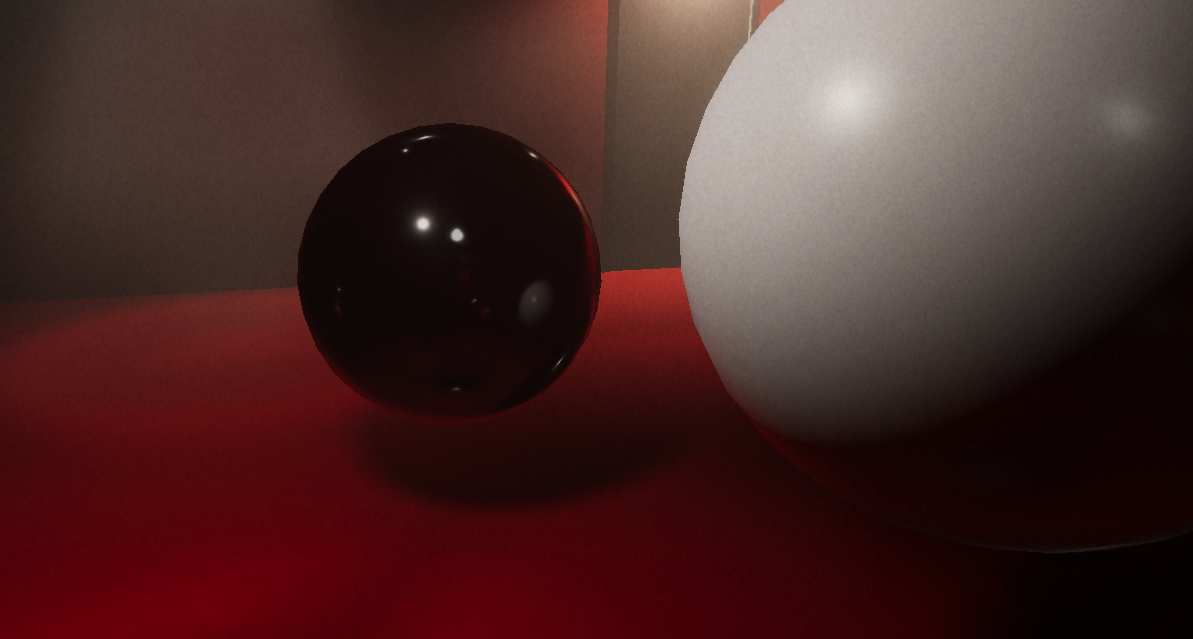
And here is what happens to reflections when I turn on the bottom area light:
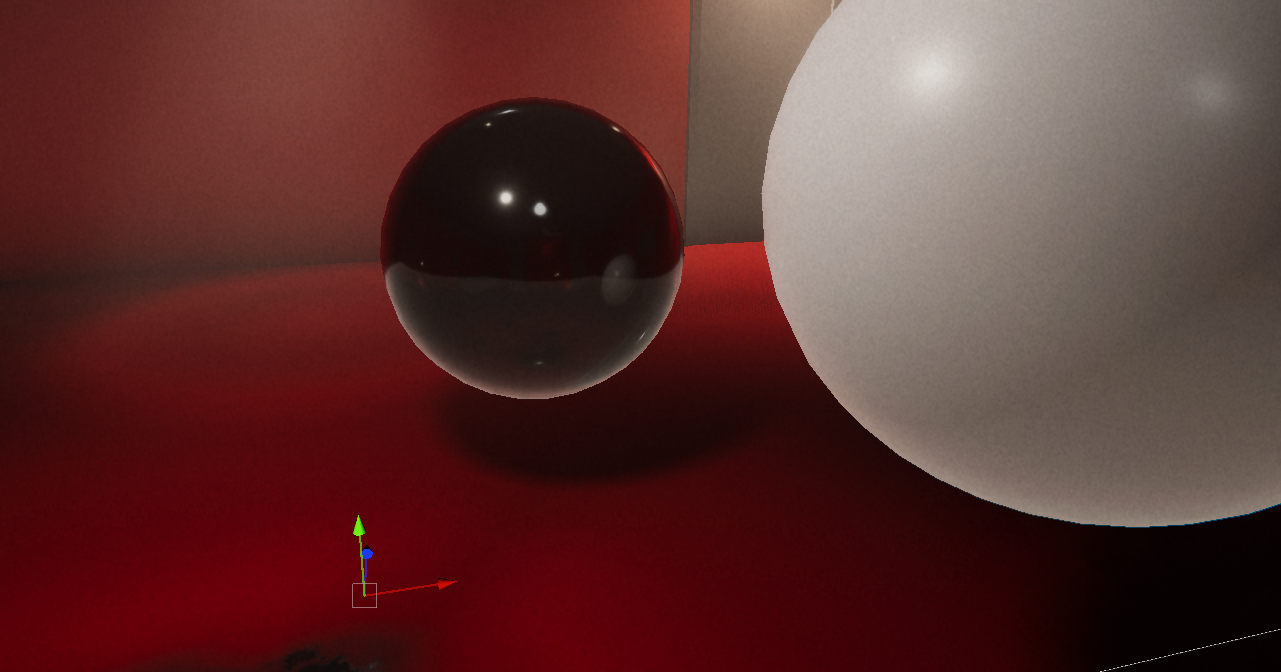
I tried adding the Area Light to the "Ignore Reflections" layer but it doesn't do anything unfortunately
The solution would be any way for reflections to ignore any type of light, if that exists.
Anybody have any tips for lighting trees in a big open world? Should I set them to contribute GI or use light probes? I'm using realtime enlighten GI
 steel thunder
I'm working on 2021.1.25f1 on a VR game using URP. I have a strange issue where there are shadows only in Scene view. In both Game view and build, there are no shadows. (Both in the Game window and in the headset) The lighting quality is set to ultra by default. Does anyone know what might be going on with my lighting?
I just found it. The issue was that if the far clipping plane on the camera is too far, the shadows go away. Not a lighting issue in the end at all.
 rancid hull
Does anyone have any tips for how much space to use for lightmaps for modern phones? I'm currently using a 1k baked lightmap texture for each of my levels, but I'm not sure if I can go higher without much loss in which phones would support it. ( This is on top of regular texture usage by art assets)
pulsar aspen
timber lichen
Anybody have any tips for lighting trees in a big open world? Should I set them...
I don't think light probes are large world conscious, maybe someone can correct me but you have to place them manually for each shadow to get the proper effect no?
baked GI sounds better anyway.
lucid sage
Does HDRP work with vr?
pulsar aspen
any reasonings as to why it wouldn't?
if vr is just a camera in a scene, who cares what materials/fx we use right?
 stone gull
How to fix lightings that gives two shadows on my character? I've set the "Per Object Limit" of shadow to '8' in URP settings so that it wouldn't look epileptic on my object shadows cause my lights flickers in the scene.

 lucid sage
stone gull
How to fix lightings that gives two shadows on my character? I've set the "Per O...
lucid sage
stone gull
How to fix lightings that gives two shadows on my character? I've set the "Per O...
I think you have to switch the shadow from 2 sided to either no shadows or shadows on
 warped schooner
hey! so in the game im working on, there is a function to scale a model, not that model has a normalmap, and when i stretch the model, i want it to repeat the normalmap instead of streching it. Is it possible, or is an impossible task?
also i hope this question goes in lighting
 upper fable
warped schooner
hey! so in the game im working on, there is a function to scale a model, not tha...
upper fable
warped schooner
hey! so in the game im working on, there is a function to scale a model, not tha...
Using #archived-shaders that would be possible. You could ask there with more details about the model and material youre using. Probably something like triplanar mapping could do the trick
stone gull
lucid sage
I think you have to switch the shadow from 2 sided to either no shadows or shado...
I tried all the settings but it doesn't limit the character's shadow. Maybe there's a way to limit a specific object shadow count?
 glass mulch
my lighting seems to not be happy

is there any way to fix this?
could shadow resolution be a cause?
maiden vector
stone gull
How to fix lightings that gives two shadows on my character? I've set the "Per O...
I would assume there are 2 lights in the scene? In that case I would disable shadows on one of the light sources
maiden vector
glass mulch
my lighting seems to not be happy
Rather than shadow resolution this could likely be too many light sources with high ranges. Try to reduce the ranges to the least necessary for the lights to look good or just reduce the number of light sources
 shadow cedar
Can someone help me, Realtime shadows are causing too much lag on Android. I have only 1 dynamic object at the moment but that alone brings FPS down from 60 to 50 ? If i disable that I get 60 fps
im testing on middle spec phone
deft fiber
I would guess this happens if you've turned the emission on the lights too high at some point, possibly to compensate their brightness before you had finetuned bloom
Assuming the glow isn't from sprites or halos
 golden dock
oh sorry i forgot to remove the message
it was related to something else on the game that i was modding, disabled and problem solved
 hybrid rivet
HAving a lot of issues with lighting on my game. So we've coded procedually generated rooms that have lights but the lights are pretty janky and don't really bake well with the rest of the objects. IT all just looks unshaded and cheap. I'm pretty new to lighting and would like a few tips on how I Can make this better.

I don't know what the best form of lighting should be for this type of procedually generated terrain since choosing realtime lighting objects only seems to cause excessive lag and fps drops.
deft fiber
hybrid rivet
HAving a lot of issues with lighting on my game. So we've coded procedually gene...
It looks like you have rather strong ambient lighting in the scene which would give it an "unshaded" look
Normally in these kind of areas would practically have to use baked lighting, but it being procedural makes that difficult though not impossible with some workarounds
 deft fiber
It's an improvement definitely
hybrid rivet
yes but one issue
deft fiber
If you haven't already it's worth looking into deferred rendering, that helps a lot with light performance
 deft fiber
What type of shadows are you using here?
hybrid rivet
deft fiber
What type of shadows are you using here?
well I have shadow map turned off
since using it causes an extreme amount of lag
deft fiber
If they're dynamic lights with no shadows, they are not going to stop at walls or anything
hybrid rivet
how do I change this again
deft fiber
But that is a pretty huge number of shadow casting lights to have, even with deferred rendering
There is no good or simple way to have procedural corridors with lots of lights
hybrid rivet
yeah, that's the issue.
 nocturne merlin
does anyone know why my lights are flickering?
glass mulch
maiden vector
Rather than shadow resolution this could likely be too many light sources with h...
thank you
it's likely a mixture of too many light sources and high range
is there any efficient way to light each set of crystals in this scene? They are dynamic and will be harvested / regrow during the scene so I don't think I can bake
 glass mulch
would light probes work?
all the crystals themselves are static and will only be deleted (harvested) or scaled up (growing)
 errant kindle

 glass mulch
is there any efficient way to light each set of crystals in this scene? They are...
glass mulch
glass mulch
is there any efficient way to light each set of crystals in this scene? They are...
someone has done it already and they posted in somewhat general sounding terms how they did it, but i'm not sure how to implement it (reference https://www.reddit.com/r/Unity3D/comments/gkiyjj/10000_cheap_dynamic_point_lights/)
 stone gull
Is it useless to bake lighting if I don't have any baked type lights(all are set to realtime)?
 shrewd frost
I am also trying to do instanced light rendering like above, but I am fairly new to unity. Anyone have experience with deferred rendering, instanced indirect lights, and command buffers playing together?
I have deferred lights right now and can get about 3k lights and fairly slow when looking at a spot with a bunch of pixels effected by lights
brisk sedge
stone gull
Is it useless to bake lighting if I don't have any baked type lights(all are set...
Some light sources can have mixed options. Be real time and add real time data to baked ones.
then there is point to bake lights in order to get more realistic lights.
Otherwise... yyou dont.
deft fiber
stone gull
Is it useless to bake lighting if I don't have any baked type lights(all are set...
It's useless if you don't have Contribute GI -static mesh renderers or light probes that would recieve baked lighting from any baked/mixed lights or the scene's ambient lighting
deft fiber
glass mulch
is there any efficient way to light each set of crystals in this scene? They are...
You could test what kind of results deferred rendering gives you
If the crystal lights don't cast shadows and the ranges are short enough that they don't overlap much, it could be reasonably cheap
Otherwise you might have to look into some workarounds, perhaps using sprites to fake the lighting, or maybe even a custom tile based lighting solution similar to what games like Terraria use
hybrid rivet
nocturne merlin
does anyone know why my lights are flickering?
Did you like turn the intensity like rlly high or maybe it’s lag.
limber delta
Hey guys, do you recommend the Magic Lightmap Switcher asset for switching lightmaps? Is there any other good alternative?
stable patio
Hey any idea what is wrong when I press generate lightmap [Pathtracer] loaded programs and then Unity just Lags out doing nothing in the background?
 spice storm
Maybe a dumb question but can someone explain to me how Area Lights work? It just seems to do nothing for me and I think I'm doing it wrong
upper fable
spice storm
Maybe a dumb question but can someone explain to me how Area Lights work? It jus...
Area light is not meant to work realtime on build-in render pipeline. They get baked into light maps but they don't light your scene realtime
upper fable
only hdrp of the default render pipelines can handle realtime area lights
 sly stirrup
What’s the best way to optimize 100+ baked lights in an hdrp scene and include shadows. Rn the only way to get good fps Is to disable shadows and it looks very good but light is bleeding through walls when I turn in shadows fps goes down drastically and the lights bug out and flicker
upper fable
are you updating it runtime?
that's the reason then. sampling from reflection probe is really cheap but updating it is quite heavy.
deft fiber
sly stirrup
What’s the best way to optimize 100+ baked lights in an hdrp scene and include s...
Are they really baked if you can turn the shadows on and off?
upper fable
the resolution of reflection probe doesn't even affect that much. the bottleneck may be just the amount of extra draw calls caused by the reflection probe rendering
 languid cove
upper fable
only hdrp of the default render pipelines can handle realtime area lights
languid cove
upper fable
only hdrp of the default render pipelines can handle realtime area lights
No, only HDRP handles realtime area lights
Not built-in
upper fable
you can also update the probe manually only lets say every 10 frames
upper fable
languid cove
No, only HDRP handles realtime area lights
Not built-in
isn't that what I said? my english is not greatest it seems 😅 . I meant hdrp is only of the three (build-in, hdrp, urp)
sly stirrup
deft fiber
Are they really baked if you can turn the shadows on and off?
I’m not quite sure, the light setting is set to baked but i it allows me to turn on shadows but it ends up just being incredibly laggy and glitchy I don’t NEED lights to be baked. What would you recommend for my issue? open to anything
languid cove
upper fable
isn't that what I said? my english is not greatest it seems 😅 . I meant hdrp is...
Ah, well, yes, said like that it makes sense.
But there is often confusion like "built-in rp = default rp", I agree that the terms are not always clear.
upper fable
I don't think youd really see any significant performance difference between 64 and 512 resolution. as I said I think the resolution is not the bottleneck here
you could just incerease the resolution and make it update only once pre few frames
upper fable
languid cove
Ah, well, yes, said like that it makes sense.
But there is often confusion like ...
yeah by "default" I meant all of the 3 👍 I should have been more clear there
could you show what type of objects those reflective objects are?
deft fiber
I think(?) there's a way to cull objects by layer from runtime reflection probes which might help
Being able to set a LOD bias for it would be sweet but I don't think that's default functionality
upper fable
oh true, you can use layers, there's culling mask property on reflection probes
deft fiber
Having LODs is hugely important in general though
upper fable
I don't really know what type of effect you're referring to but my point was just that some special cases such planar reflections can be made using different camera + shader
screen space reflections also looks pretty nice on many cases but sadly they are not supported on urp
youd have to implement them yourself or use some asset
stable patio
So I think I have found one cause of my trouble, so is there a way to Lower the amount of VRAM unity can use at a time? can it cut itself to slices and just use 4GB and bake a part of the map and then move on? currently it jumps into my full 8GB I have available and the Editor just freezes with no work being done. All I can see is that editor stopped working and in task manager my VRAM is maxed out.
Or is there any specific thing that causes Unity to use this much VRAM, my models are quite low poly the whole scene that gets baked is around 300-400k polys?
 winter cave
lighting > bake?
winter cave
no i meant go to lighting and press "Generate Lighting"
 snow hare
yeah i can't do that, it doesn't render
winter cave
is your geometry static
the surfaces the light casts on must be lightmap static or you wont see any effect
snow hare
what, im pretty new here so
snow hare
winter cave
the surfaces the light casts on must be lightmap static or you wont see any effe...
oh ok
 snow hare
yep i did that
wait, it still doesn't work
do I need to change any settings in the lighting tab?
deft fiber
snow hare
wait, it still doesn't work
Read the manual or find a guide for baking lights in your project's rendering pipeline
winter cave
make sure the light is actually strong enough to see, and make sure this option is checked


 stark temple
and what happens when you click generate lighting?
snow hare
the light still doesn't light
 snow hare
stark temple
is there anything in the console?
snow hare
stark temple
is there anything in the console?
nope
snow hare
stark temple
it should say that there's lightmaps
yeah I mean i don't know
deft fiber
It would save you a lot of time to learn the baking process by instructions, rather than trial and error
snow hare
the ones in the pinned?
stark temple
Sure, the documentation for lightmapping would be a start
stark temple
We could continue to speculate... that your meshes don't have any lightmap uvs, that you are using weird shaders.. I have no idea
deft fiber
https://youtu.be/KJ4fl-KBDR8 this seems also up date
Practice in a new blank scene with default meshes and default materials to guarantee consistent results
Though this is for HDRP
If you're not, find instructions for your project's rendering pipeline
snow hare
stark temple
We could continue to speculate... that your meshes don't have any lightmap uvs, ...
oh yeah! I created my meshes with probuilder, that doesn't have lightmap static checked
thanks a lot its working
snow hare
deft fiber
<https://youtu.be/KJ4fl-KBDR8> this seems also up date
Practice in a new blank s...
ill still see the tutorials man
thanks!
cuz i need to learn about that
 tacit shoal
I'm having an issue with baking lighting if there's anyone who might be able to help.
For some reason when I try to generate lighting it's giving me a ton of errors and getting stuck on "preparing bake" in the bottom of the unity tab.
most recent error: Line 227 in Wintermute::Geometry::Verify - Geometry geom 4afe3bfc44ff161a5c6e899b398f0c15: 12 components out of 6000 total are non-finite
I'm sending over a screenshot of my Lighting Tab settings and the console with a lot more errors shown
I'm not sure why it's happening because it's been working all day and it randomly occurred. This is the second iteration that I've done of this world project and the same error happened on the last iteration.
Unity Version: 2019.4.31f1
If there's anyone who could help out, it'd be greatly appreciated.

 deft fiber
@tacit shoal https://forum.unity.com/threads/progressive-gpu-error-failed-to-add-geometry-for-mesh-stud-mesh-is-missing-required-attribute-s.976230/
Potential solutions here
If you're using ProBuilder, it might be a mesh with messed up UVs
Resetting them or forcing them to regenerate could fix it
tacit shoal
I'm still pretty new to using Unity so I'm not sure how to do that ;-; I saw the code that someone sent in the thread you posted but I'm also not sure how to use the code
deft fiber
How about instructions is posts #17 and #18?
using UnityEngine;
using UnityEditor;

public class FindMesh : MonoBehaviour
{
    [MenuItem("Window/FindProblemMesh")]
    private static void FindProblemMesh()
    {
        string meshName = "pb_Mesh-459464";

        var filters = FindObjectsOfType<MeshFilter>();
        foreach (var filter in filters)
        {
            if (meshName == filter?.sharedMesh?.name)
            {
                EditorGUIUtility.PingObject(filter.gameObject);
                break;
            }
        }
    }
}```
@tacit shoal  There's also this script from a unity dev working on the issue
You make a new script named FindMesh, replace its contents with this script and "FindProblemMesh" appears under "Window" category in editor
I can't test this incidentally as I don't have the issueThis is supposed to find and list the meshes, not fix them
tacit shoal
Resetting the UVs in the UV Editor was the fix! Thanks a ton for your help!
 rare fulcrum
Good Evening,
I currently try to customize the light fall-off in Unity 2021.2.11f1 URP for Point Lights. I followed the example from the wiki but even with baked or mixed light it seems like nothing is working:
https://docs.unity3d.com/Manual/ProgressiveLightmapper-CustomFallOff.html
Has anyone experience with that? For a toon style game I would like for my point light to have no falloff. So that everything in range is illuminated by the same Intensity. I already use a shader for the models so I would love to know if there is a project wide solution for this problem. 🙂
I tried around the last couple weeks so I would really appreciate every help 😅 .
 deft fiber
rare fulcrum
Good Evening,
I currently try to customize the light fall-off in Unity 2021.2.1...
deft fiber
rare fulcrum
Good Evening,
I currently try to customize the light fall-off in Unity 2021.2.1...
You'll probably want to use the same toon shader you use for some of the models for the environments as well
baked Lightmaps cannot be used to emulate toon lighting
rare fulcrum
deft fiber
You'll probably want to use the same toon shader you use for some of the models ...
I would love to have a solution in realtime :). I use a toon shader from the store (Quibli). But I dont know how or what to edit to achieve this effect. I hoped for a way where I edit the light directly.
deft fiber
From what I've heard this blockiness happens when there's too many overlapping light ranges
Also, common indoor lights are 1600 lumens, not 1 000 000
upper fable
I think hdrp values are different from actual lumen values. 1600 isnt really much at hdrp (btw i know nothing about what im talking but i remember unity stating that somewhere)
deft fiber
upper fable
I think hdrp values are different from actual lumen values. 1600 isnt really muc...
I haven't heard of that, but the sample scene seems to use 1600 on average, sometimes half or double varying by light type so I thought it checks out
main wolf
when in doubt, refer to manual
https://docs.unity3d.com/Packages/com.unity.render-pipelines.high-definition@7.1/manual/Physical-Light-Units.html
steady spire
Hey, does anyone have an Idea why after baking my shadows look so crappy? The light source is enviro directional mixed light (sun)
deft fiber
steady spire
Hey, does anyone have an Idea why after baking my shadows look so crappy? The li...
What files are these exactly?
timber lichen

Can anybody give me any tips on my lighting? It's realtime GI and enviro. 0.1 texels because it's a huge world.
steady spire
deft fiber
What files are these exactly?
sorry, I deleted the file ending

 steady spire
sorry, I deleted the file ending
steady spire
steady spire
sorry, I deleted the file ending
The first is before baking, the second after. I don't get why after baking the lighting looks so wrong. Enviro (sun) directional light is mixed.
deft fiber
steady spire
The first is before baking, the second after. I don't get why after baking the l...
Looks like texel validity issues
Check all the lightmap debug views to see if they reveal red error areas
And console in case of warnings, naturally
stable patio
Is there a way to use unity_Lightmap in shader without marking the shader as being lightmapped? my instancing breaks because of it.
steady spire
deft fiber
Looks like texel validity issues
Check all the lightmap debug views to see if th...
there are no warnings in console or red areas in debug mode. As you can see, it doesn't only affect certain textures but everything, even the terrain. I don't know what it could be, I would much appreciate help with this!
deft fiber
steady spire
there are no warnings in console or red areas in debug mode. As you can see, it ...
Can you show a picture of it when viewing with texel validity debug mode?
steady spire
does it need to be bakeed first?
deft fiber
Well yes
steady spire
thought so, It'll take another 1-2 hours to be baked completely with updated settings.
deft fiber
Can't really debug lightmap errors if the lightmap isn't baked
steady spire
I will share a screenshot of texel vailidity debug mode then
deft fiber
steady spire
thought so, It'll take another 1-2 hours to be baked completely with updated set...
You can lower samples and lightmap resolution when doing non-final bakes so it'll be done faster
In the meanwhile you can read about texel validity here
https://forum.unity.com/threads/faq-blocky-artifacts-appear-when-i-bake-a-scene-how-can-i-fix-them.951444/
steady spire
thank you, I'll try
 bleak zephyr
Hey, I just baked my lights... and it looks awful, like really bad. How do I reverse it?
I did it to increase fps, but it made it even worse and the light is glitching
Oh, apparently I just had to hit Clear Bake data
steady spire
deft fiber
You can lower samples and lightmap resolution when doing non-final bakes so it'l...
you were right, a lot of things red here... especially the terrain. why is that so and how can I fix it? is it complicated?
 deft fiber
steady spire
you were right, a lot of things red here... especially the terrain. why is that ...
deft fiber
steady spire
you were right, a lot of things red here... especially the terrain. why is that ...
The linked thread should have the instructions
tl;dr it's caused by backfaces
Don't have backfaces anywhere light rays can reach
 dusk swan
hey, i wondered if anyone could give me an insight on how to get rid of these baked lighting fragments. im baking at a high resolution (40) and all my baking settings are rather high. the "bug" only happens at these panels on the wall


i also doubt it has anything to do with the uvs since its using the same uvs as some other items in the scene that are unaffected
steady spire
deft fiber
The linked thread should have the instructions
tl;dr it's caused by backfaces
Do...
I checked your link and it makes sense for objects with meshes… But for me my terrain generated by Gaia is all i valid which is odd… maybe I‘ll try changing the textures of the terrain then? How can my terrain be backfaced?
deft fiber
steady spire
I checked your link and it makes sense for objects with meshes… But for me my te...
I haven't worked with Gaia so I don't really know
One thing I'd check is if it's using a custom shader, if so, try with unity's default terrain shader
deft fiber
dusk swan
hey, i wondered if anyone could give me an insight on how to get rid of these ba...
I would check debug views for UV overlap and texel validity here as well
 novel totem
Hi ! Im currently using HDRP and working a lot with volumetrics light and fog. The Box shape is currently my best option for creating my visual & feel that I want. I was wondering if there is a way to have a custom shape instead of the "Box" Shape ? The idea behind this is to be able to fill more space (with a custom shape) with a light that use volumetrics parameter instead of having to duplicate multiple box light.
 dusk swan
deft fiber
I would check debug views for UV overlap and texel validity here as well
dusk swan
deft fiber
I would check debug views for UV overlap and texel validity here as well
hey, i checked it, but i couldnt find any anomalies
deft fiber
dusk swan
hey, i checked it, but i couldnt find any anomalies
How about the surface's lightmap resolution
Does it match the surrounding surfaces
 ornate trout
I'm quite new to unity and have been having an issue with shadows. They are fine in the normal mode and if I run the game from the scene but if I load the main menu then press start, the shadows are overly dark and almost pitch black
Does anyone know how I could fix this?
deft fiber
ornate trout
I'm quite new to unity and have been having an issue with shadows. They are fine...
Try generating lighting for the scene from lighting window
ornate trout
How would I do that?
stark temple
novel totem
Hi ! Im currently using **HDRP** and working a lot with **volumetrics light** an...
You can at least change the shape along the long axis by using a cookie
 hybrid smelt
Someone know why this is soooooo dark?


 lucid sage
most likely no indirect lighting but what do i know
hybrid smelt
lucid sage
most likely no indirect lighting but what do i know
it has 256 on indirect lighting, looks like its using the reflection baked light, because the environment baked light are all in a single color
lucid sage
What light are you using? point light or area light, or even directional light?
hybrid smelt
lucid sage
What light are you using? point light or area light, or even directional light?
directional
lucid sage
Oof i struggle a ton with that, i dont know very much about lighting yet
 wispy goblet
hybrid smelt
Someone know why this is soooooo dark?
wispy goblet
hybrid smelt
Someone know why this is soooooo dark?
Very weird.
I forget which sample data needs to be low and which high for outside scenes, but it's much different that's for sure.
One ends to be very low like 8 and the other very high like 500-2000, much different than internal scenes.
Next, make sure your trunks are baked GI flagged.
As well at your terrain/mesh ( which it should be cause the rest is anyway)
Lately in the case of seeing a high amount of back faces, unity can often flag a mesh as invalid.
If you think something's been marked as invalid, you can adjust the
Backface Tolerance of the
Lightmap Parameters asset
https://docs.unity3d.com/Manual/class-LightmapParameters.html
and see if you have anymore luck getting the mesh validated.
hybrid smelt
wispy goblet
Very weird.
I forget which sample data needs to be low and which high for outsi...
the backface rolerance dont fixed, the contribution for the GI are on... =/
maybe its environment light high? because the indirect light high are not helping that much
wispy goblet
The Static Flags option on game objects. Sorru wasn't clear on that
hybrid smelt
wispy goblet
The Static Flags option on game objects. Sorru wasn't clear on that
actually the trees are like this

environment light settings
 hybrid smelt
wispy goblet
The Static Flags option on game objects. Sorru wasn't clear on that
hybrid smelt
wispy goblet
The Static Flags option on game objects. Sorru wasn't clear on that
the craziest thing is: it only generate 2 baked lightmaps, and only one has shadows

the 0 looks like a single color, so how he do the shadows?
on the texel validity preview of the baked 0 lightmap has something strange

looks like the uv of the trees are not on the lightmap baked texture
wispy goblet
hybrid smelt
looks like the uv of the trees are not on the lightmap baked texture
Are these terrain trees as well?
You may have probes generated on the tree from the terrain, though, that shouldn't affect in this situation.
Also, unless your trees are massive redwoods, you can do away with being occluder static just because the nature of some trees may not actually aid in performance gains here.
Also check the mesh in question and see if it's light mapping size is above 0
hybrid smelt
wispy goblet
Are these terrain trees as well?
You may have probes generated on the tree from ...
Thats the terrain settings for the trees

ye the lightmapping size are bigger than 0

maybe i should change from swap UV to generated lightmap uv
wispy goblet
You have one very stubborn tree 😅
Given the set up here your tree should be lit by light probes and Light maps. With a scale of 1 in the bake which we can see in your map validity.
We can clearly see it's coming back as invalid.
I'd also check maybe if unity can generate the lightmap UVs on the mesh level.
If you look for the mesh in your Project Folder
On the general tab, check Generate lightmap UV
hybrid smelt
checking the mesh on Blender looks like it dont have mark seams
idk if i should press this button too
 hybrid smelt
wispy goblet
You have one very stubborn tree 😅
Given the set up here your tree should be lit...
hybrid smelt
wispy goblet
You have one very stubborn tree 😅
Given the set up here your tree should be lit...
looks like it didnt solved =/
now i'm thinking if something on the terrain can be the problem... like the remove light probe or the bake light probe
deft fiber
hybrid smelt
Someone know why this is soooooo dark?
Kinda looks like that the trees and grass are being lit by light probes, some of which are underground so they're baked as pure black
 charred bronze
I have a very specific weird question, I'm making a world in vrchat and I'm using bakery gpu light mapper for the world's lighting, how would I light something that isn't static on all sides? Because more specifically, there is a pool table where if I bake the lights the balls are only lit from the top where the light source is and the bottom is shadowed and when the balls then roll it looks off, how would I just have them and the table be compleatly lit without using real-time lighting??
wispy goblet
hybrid smelt
now i'm thinking if something on the terrain can be the problem... like the remo...
You could remove the tree probes option from the terrain itself and check you scene light probes and
Boost the sample count ( though I'm really sorry for forgetting which for outside scenes, it's possibly indirect high. Direct /low).
Patchi makes a great point with checking probe data to to ensure so near by ones aren't invalid too.
Good luck with this though, I'd be really interested in hearing the solve when you get there.
wispy goblet
charred bronze
I have a very specific weird question, I'm making a world in vrchat and I'm usin...
Check out the mixed Lighting part of the docs here.
https://docs.unity3d.com/Manual/LightMode-Mixed-BakedIndirect.html
I unfortunately can't speak for Bakery itself you'll have to contact Frank about that ( or the docs)
https://forum.unity.com/threads/bakery-gpu-lightmapper-v1-9-rtpreview-released.536008/?_gl=1*vt5i0v*_gcl_aw*R0NMLjE2NDUwOTMzMzguQ2p3S0NBaUFnYmlRQmhBSEVpd0F1UTZCa2pKRzVXRDBLZE13RlJuZ25UeDZ1YzhfejBsUjZIZU1XTlFsQ2tPR2VBaTl2ZHp3NDZXQ3lob0MtWUlRQXZEX0J3RQ.._gcl_dcR0NMLjE2NDUwOTMzMzguQ2p3S0NBaUFnYmlRQmhBSEVpd0F1UTZCa2pKRzVXRDBLZE13RlJuZ25UeDZ1YzhfejBsUjZIZU1XTlFsQ2tPR2VBaTl2ZHp3NDZXQ3lob0MtWUlRQXZEX0J3RQ..
However I recommend studying Unity's methods by default as that will give you a better understanding of how the engine could work these situations.
In short, using mixed lighting will act differently depending on your static ( table) and dynamic ( balls) objects.
For lighting
Dynamic objects
realtime direct lighting
And
baked Indirect lighting
from light probes
Static objects
realtime direct lighting
And
baked Indirect lighting
from light maps
There's more with shadowing too but you'd have to look deeper in this as different editor versions and render pipelines handle this differently
Unity Forum
Asset store link:
https://assetstore.unity.com/packages/tools/level-design/bakery-gpu-lightmapper-122218
Link to RTPreview plugin for Bakery:...
charred bronze
indirect lighting from light probes? so could i have the balls just pull their illumination from light probes rather than the light map and that should remove the shadowinf effect i get on them>
 sinful lagoon
im having some funky issues
im only seeing textures and shadows if something is at a certain angle
lemme send video
mp4 ver
 lime lagoon
Hey people, I want to use an orthographic camera but I also want to use ambient occlusion. Is there any way to do this in Unity? It seem like turning on the orthographic projection turns off the ambient occlusion?
 bleak kernel
Hallo, I manipulate my skybox's material during runtime, but the Environment Lighting (ambient) doesn't change. anyone knows the reason for this? (built-in RP)
it works with flat and gradient colors, but not with skybox colors
bleak kernel
sinful lagoon
im having some funky issues
looks like crazy specular/metallic settings to me
sinful lagoon
this is default settings
no specular/metalic stuff going on
just
this funkyness
bleak kernel
hmm, fog settings?
upper fable
bleak kernel
Hallo, I manipulate my skybox's material during runtime, but the Environment Lig...
 upper fable
it may be quite expensive, dunno
try it yourself and profile the performance hit of it
bleak kernel
already on it
adds like 5-9ms per frame, oof
i probably could cache it somehow, via RenderSettings.ambientProbe
 rain swan
Hey, i have a very basic scene (spot light, max quality settings, few shapes) and after baking lights i have this strange artifact on my ground :
can somebody help me please ?

( my walls are along the red lines, but not displayed because i have deleted the backfaces)

Thanks a lot in advance 😭
 neon bough
how to get this kind of pink lighting in my scene ?
 upper fable
neon bough
how to get this kind of pink lighting in my scene ?
upper fable
neon bough
how to get this kind of pink lighting in my scene ?
Dont see where the ”pink lighting” is. Seems like pink background + some sort of pink fog (maybe y position based)
neon bough
yea its like pinkish light emitting from the ground of the skybox with a kind of fog maybe
upper fable
So what part you dont know how to make?
This seems very promising if you need gradient skybox shaders https://github.com/aadebdeb/GradientSkybox/blob/master/README.md

GitHub
Gradient Skybox for Unity. Contribute to aadebdeb/GradientSkybox development by creating an account on GitHub.
upper fable
neon bough
yea its like pinkish light emitting from the ground of the skybox with a kind of...
Also maybe take a look at some fog plane shader like this one made by cyan https://www.cyanilux.com/tutorials/fog-plane-shader-breakdown/
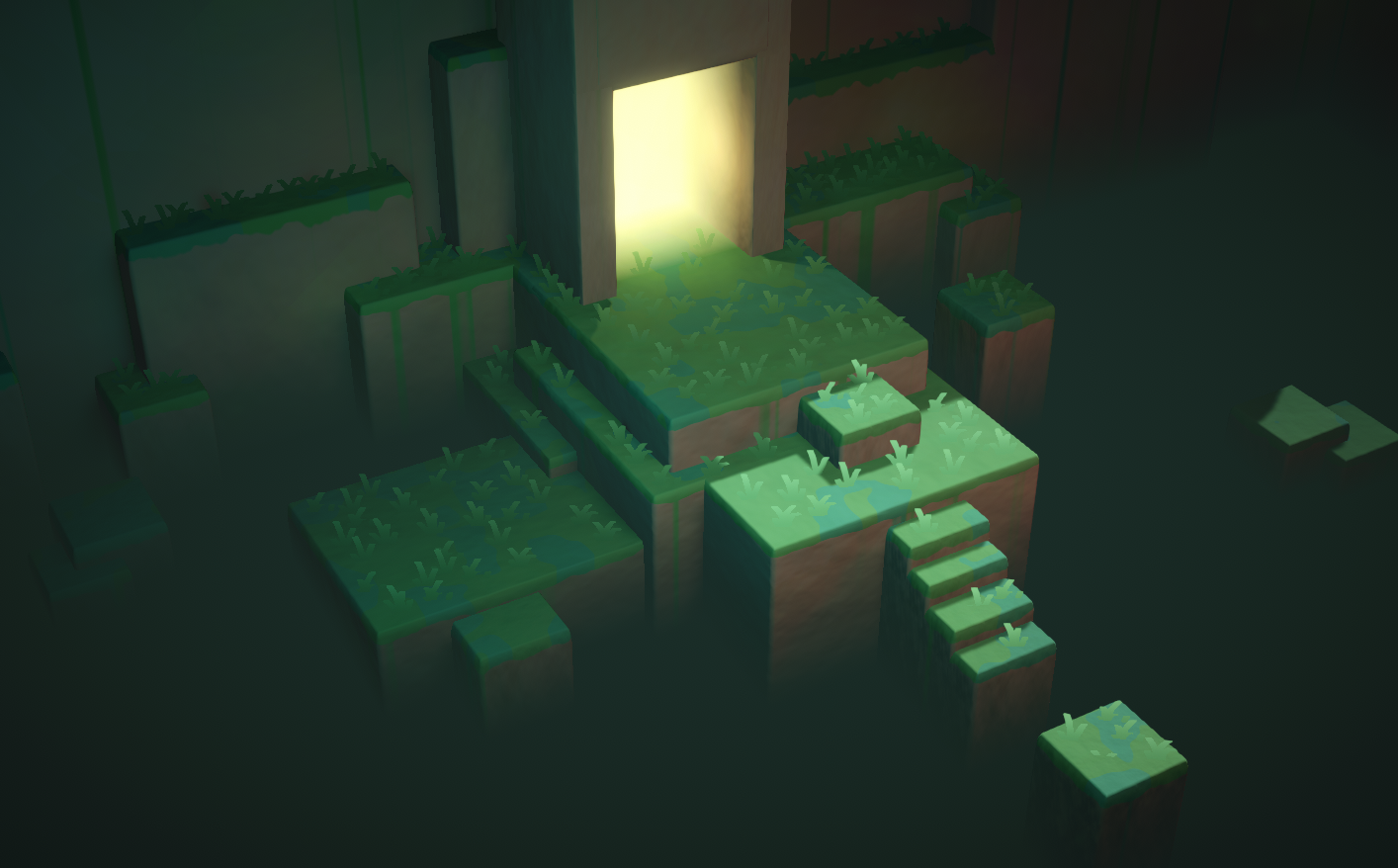
Two examples of vertical fog effects produced using the depth texture (scene depth)
 tardy root
Hi to you all!
Is it possible to bake light probes in Unity to make use of them later? Basically what I´m thinking is to make a point light, bake that light into a light probe area and use it as a "light source" on a LOD. For example in the case of a torch could add that light probe to the prefab and repopulate the scene re utilizing the same light information.
I tryied to make a new scene and make the custom baking but had no lighting after implementing the asset in another scene. Would this be possible? anyway to go arround this? I´m using Unity 2021.2.10f with URP 12.
Thanks in advance.
 crisp maple
Hello. Do any of you know how to use unity base fog with unlit materials?

No ok im good

Unity Forum
Using the fog node with a unlit master node being active result in the return value of the density being completely black (understand 0). When a PBR...
 solid pagoda
Anyone familiar with baking lighing onto a glb in unity?
Have spent days at this point & am pulling hairs....
hybrid smelt
what i created? why u are like this?
 hybrid smelt
wispy goblet
You could remove the tree probes option from the terrain itself and check you sc...
hybrid smelt
wispy goblet
You could remove the tree probes option from the terrain itself and check you sc...
i found the solution but was not what i was specting
wispy goblet
hybrid smelt
i found the solution but was not what i was specting
Aha one of those eh? Was it something seemingly unrelated
solid pagoda
steady spire
Hey everyone! Does anyone have a guess why after baking, the textures of some of...
Same issue, can't seem to get my lighting to show up on the glb after export & baking works like 10% of the time.
Would really appreciate insight here as well.
deft fiber
solid pagoda
Same issue, can't seem to get my lighting to show up on the glb after export & b...
I recommend you look for errors with lightmap debug views as well (all of them)
 pulsar fulcrum
I'm having a weird issue where the position of the camera seems to trigger some global illumination that should not exist. Happens in the editor and at runtime. Anyone know what might be going on here?
 sinful lagoon
bleak kernel
hmm, fog settings?
sinful lagoon
bleak kernel
hmm, fog settings?
there is 0 fog
bleak kernel
i got nothing then
hybrid smelt
wispy goblet
Aha one of those eh? Was it something seemingly unrelated
it was the shadows from directional light, the problem is i need shadows on my scene, so if i turn it off solve the black trees but if turn it on to get good leaves light it turn some trees black
if i could make the HDR do shadows so it all could be solved
i changed the bake mode to baked indirect and it did a little help but not enought
deft fiber
hybrid smelt
it was the shadows from directional light, the problem is i need shadows on my s...
So are the trees lit by probes or the lightmap?
hybrid smelt
deft fiber
So are the trees lit by probes or the lightmap?
by the reflection probes and the shadows from direction light
so if turn the reflection probes off and the shadows off from Direc.L. so it solve the black trees, but the scene dont will have shadows anymore
 hollow bough
Hi all, I'm having trouble with lights in my scene - to get them to even register I have to put in some stupid high value


Using HDRP, anyone know what the problem could be?
stark temple
it's radius looks tiny Ah, sorry, I'm looking at the wrong thing. Range is important, not that familiar with HDRP
adjust it in the scene view with gizmos on so you can actually see what's going on
hollow bough

no worries 😛
I have tried changing all the settings on the light itself, and project settings
Can't get anything to actually 'brighten' it
This is what its supposed to look like:


Let's learn how to make realistic fire and smoke with VFX Graph!
This video is sponsored by Unity.
● Previous VFX Tutorial: https://bit.ly/2Tbh5Hw
● Download Textures: https://ole.unity.com/smoketextures
♥ Support Brackeys on Patreon: http://patreon.com/brackeys/
···············································································...
His light is 700 Lumens, mine is 40,000
stark temple
Is this a normal sized scene, and that a 1m^3 cube?
hollow bough
Yep
stark temple
HDRP can have so many things that affect the apparent brightness of a light, and it's a lot to go through to figure out whether that's the case. Check the Volumes in your scene if you have them to see if there's a Tonemapping or Exposure effect just flattening everything
hollow bough
Nope, but I added them and it didn't change much
Just copied the light into a URP project...
 hollow bough
Created a new project and imported HDRP (instead of using the premade one) and this is the result: (Smoke texture removed, and no lighting Scene Settings)

Now with 700 Lumen 😛

Looks like a problem with the premade HDRP project
I'll compare the settings side by side and see if I can find the culprit
hollow bough
Couldn't find the difference in the 2 projects but importing the same 40,000 Lumen light into the HDRP Sample Scene makes it work as expected in the interior room3 (not exterior though..).
stark temple
It's likely an exposure effect on the volume in that area then
hollow bough
That seems to do most of it, but I tried adding Exposure to another scene and it didn't quite work - seems to be a combination of a few settings.
Thanks for the help 🙂, might not have fixed it but with your pointers I have a better idea of whats going on
rain swan
Hey, i still have problem with baking lights. All of my vertical objets (blue in the screen) are supposed to be the same, so same color. But after baking, they are very differently lit. Any ideas ? 😦

 valid raft
I have a problem with lights turning off when I turn one on.
All of these are spotlights. https://gyazo.com/cb82e161fe622943ac8e44121805bf58
https://gyazo.com/b27cec34ee6217cd59d3506fd7914c95


Any help would be great.
valid raft
Nvm, figured it out.
 tender stream
Hey! I am trying to make kind of a cctv camera that has nightvision while still maintaining the darkness in the scene. So what i am asking is what is the right way of making one camera see in pitch black dark(so light exposure wont work) and others not. I am guessing shaderes would be answer?
upper fable
tender stream
Hey! I am trying to make kind of a cctv camera that has nightvision while still ...
if you're working with built-in render pipeline, you can take a look at this: https://docs.unity3d.com/Manual/SL-ShaderReplacement.html
 vestal canopy
when i turn the shadow cascades above 1, like 2 or 3 or 4 this weird thing happens with the shadows and they get cut off. any ideas how to fix this?
vestal canopy
vestal canopy
when i turn the shadow cascades above 1, like 2 or 3 or 4 this weird thing happe...
i just needed to increase the near* plane of the directional light i was using
upper fable
vestal canopy
i just needed to increase the near* plane of the directional light i was using
far plane of camera? haven't heard of light far plane
vestal canopy
upper fable
far plane of camera? haven't heard of light far plane
near plane* of the light
 upper fable
haven't heard of that either. have to take a look what it does
ig may be this artifact they talking about
 deft fiber
I can verify that very large triangle part
Single polygons that extend way out of the view are difficult for shadow casting
upper fable
and those objects on the video seems to have quite large triangles
upper fable
tender stream
Hey! I am trying to make kind of a cctv camera that has nightvision while still ...
so you could just make one night vision looking shader and then render the camera by replacing all the materials rendered with that night vision shader
tender stream
upper fable
so you could just make one night vision looking shader and then render the camer...
Allright thanks! Would you suggest using shaders versus adding spotlight to camera and only rendering the spotlight for the cctv cameras and not players camera?
upper fable
tender stream
Allright thanks! Would you suggest using shaders versus adding spotlight to came...
id not use light approach because it may not look that good and also it needs to do a lot useless calculations. night vision should be quite easy effect to do using shaders with quite small overhead
tender stream
upper fable
id not use light approach because it may not look that good and also it needs to...
Thanks! I will look in to the shaders then!
deft fiber
upper fable
id not use light approach because it may not look that good and also it needs to...
What's wrong with having a culling layer light for the NV camera
upper fable
deft fiber
What's wrong with having a culling layer light for the NV camera
I don't know if theres anything particularly wrong with that but id atleast do that using shaders. if you can get good lookign results with that approach, feel free
deft fiber
I'm just wondering about the useless calculations you mentioned
upper fable
I mean using shaders you could just ignore all other lights and shadows etc. (well, ig you could do that too using culling layers and stuff)
deft fiber
@tender stream Btw when you post, keep it to one relevant channel so there's no need to have multiple concurrent discussions about the same topic
tender stream
deft fiber
<@!212547134585700353> Btw when you post, keep it to one relevant channel so the...
Spotted this channel and tought that this was more on topic, did not want to delete the other one sience you already answered.
deft fiber
upper fable
I mean using shaders you could just ignore all other lights and shadows etc. (we...
That's true
Still, you'd need a shader that looks convincing while ignoring all the lights
I can totally see it working with a cartoony style
If going for realism I'd use the culling light to simulate an IR camera with its IR light, or post processing exposure to simulate image intensification NV camera
 supple kelp
When I bake lighting for a directional light, lights don't bounce at all
Shadows are completely black
I have the default settings for lighting
Help
Bounces: 2 in lighting settings but currently it doesn't bounce at all
solid pagoda
pulsar fulcrum
I'm having a weird issue where the position of the camera seems to trigger some ...
Been trying all kinds of things for days...
Got the point of the bake appearing but they're all showing up sideways on the model
tender stream
deft fiber
That's true
Still, you'd need a shader that looks convincing while ignoring all ...
Btw just for the record seems like you cant exclude light with only culling masks. At least on built in render pipeline
deft fiber
tender stream
Btw just for the record seems like you cant exclude light with only culling mask...
Really? That's a bummer
I'm sure it's possible somehow
tender stream
deft fiber
Really? That's a bummer
I'm sure it's possible somehow
seems like the layer is only affecting the light gameobject not the actual light on the scene
deft fiber
tender stream
seems like the layer is only affecting the light gameobject not the actual light...
The culling works but only for geometry on the same layer as the light, seems


The other way seems to be to disable the lights and enable them just before rendering the secondary camera's image
MonoBehaviour.OnPreRender()
Camera.Render() seem to be the tickets for built-in RP
I need to figure an URP way still

 deft fiber
@agile totem https://forum.unity.com/threads/faq-blocky-artifacts-appear-when-i-bake-a-scene-how-can-i-fix-them.951444/ looks like texel invalidity
 agile totem
deft fiber
<@!286627986944294912> <https://forum.unity.com/threads/faq-blocky-artifacts-app...
agile totem
deft fiber
<@!286627986944294912> <https://forum.unity.com/threads/faq-blocky-artifacts-app...
Ok thanks, it works now. But now I have a different issue. I can't have a realtime light ONLY for my moving objects, if I enable culling only for my "car" layer, the terrain recieves it too.
deft fiber
agile totem
Ok thanks, it works now. But now I have a different issue. I can't have a realti...
I'm not sure I fully understand the situation
Normally you can use Mixed lighting so you don't have to mess with culling
agile totem
deft fiber
I'm not sure I fully understand the situation
Normally you can use Mixed lightin...
When I mixed I get double lighting double shadows

 deft fiber
agile totem
When I mixed I get double lighting double shadows
deft fiber
agile totem
When I mixed I get double lighting double shadows
Did you bake again after enabling mixed lighting? There's also mixed lighting settings in the lighting window
agile totem
oh right
deft fiber
And confirm that you don't have multiple directional lights
Even if the shadows are stacking they shouldn't be pointing in entirely different directions
agile totem
I rotated it to show the shadows are stacking and not just extra dark
Ok I baked it with mixed and only the ao got baked
 deft fiber
I've never seen that happen and I can't find a way to recreate that error
What type of mixed?
 deft fiber

If it's using shadowmask you're only supposed to be seeing ambient occlusion and realtime shadows up close
 deft fiber
Anyway considering the original problem I think you've missed some step in setting up baked lighting because those problems are definitely not supposed to be occurring
Or something could be very off in the scene
agile totem
So, If I wanted lighting on my nonstatic objects like my car, and baked lighting for my tracks (with GI, shadows, emittion all baked), what should I be doing usually?
(With URP 12, up to date)
deft fiber
Mixed lights for everything you want to light up both
They will be treated as baked for "contribute GI" static objects and realtime for non-static objects
Shadowmask mode mixes realtime and baked shadows seamlessly
Baking may seem chaotic at first with so many scattered settings to get right but with a bit of tests and practice it'll become clear
And if you don't understand something always check what the manual says
 sturdy dagger
does anyone know why this happens when I get too far in a dark room?
 lucid sage
@sturdy dagger try turning lighting and indirect lighting resolution up if you using baked lighting, Id say for regular lighting resolution put it up from 15-25
 deep crest
Hello ! When I put a pointlight I have the pivot displayed but I don't have the little pointlight logo and of course this one doesn't work :/ any idea ?
 deft fiber
deep crest
Hello ! When I put a pointlight I have the pivot displayed but I don't have the ...
deft fiber
deep crest
Hello ! When I put a pointlight I have the pivot displayed but I don't have the ...
Do you have gizmo visibility toggled on in scene window?
deep crest
deft fiber
Do you have gizmo visibility toggled on in scene window?
yay =/

 deft fiber
 minor moth
Im having issues trying to get basic GI to work for me. am i doing somthing wron...
minor moth
Im having issues trying to get basic GI to work for me. am i doing somthing wron...
That depends a lot on what you're doing
Any specific instructions you're following?
minor moth
the instructions were basically make everything you want to interact with the GI static and then choose a color on the emissions material tab and that seemed to be it for them
deft fiber
And bake the lighting?
minor moth
yeah and change the emission option to bake
unless there is a button i need to press to actually bake the lighting?
deft fiber
In the lighting window there is
minor moth
oh
deep crest
https://www.youtube.com/watch?v=hx3RXs0mEB4 Hello, Does anyone know why all my lights do this? It moves...


