#archived-lighting
1 messages · Page 55 of 1
 solemn heath
didn't find shadow size tho
yeah no change
it's ok, i'll just go with thw shitty visuals
 frozen crypt
Looks like they are casting shadows to me.
 radiant oar
Could someone kindly explain why I have these artifacts in my views?
 languid wing
radiant oar
Could someone kindly explain why I have these artifacts in my views?
languid wing
radiant oar
Could someone kindly explain why I have these artifacts in my views?
Shadow bias I think?
radiant oar
I'm having a hell of a time uploading pics 😛
Either way, I changed the directional light 's shadow bias to custom and adjusted some settings and seems to be fine
Thx
I still can't get rid of the shadow weirdness on this step ladder
frozen crypt
Is that an actual cube or do you have more faces in there?
radiant oar
frozen crypt
Looks good to me. Must be the lighting.
radiant oar
It's the AurynSky Forest Pack
Also... why is all my stuff so low res and showing a bunch of resolution aliasing?
I've never had this problem before... I think they're related
 tidal musk
hey guys, anyone have any insight into why a few objects are just completely black with no light probes affecting them.
-does have uv's.
-is read/write.
entirely no idea whats up 😦
nvm , dumb me , few probes outside geometry , insta gibb everything
fixed, ty, come again
 tropic sable
Hello!
Im having some issues with lighting, specifically with light probes on HDRP
they just dont work
I placed some light probes for testing, and placed my lit shaded character inside of it, and the color remains the same, glowy and unrealistic in dark ambients
radiant oar
Yeah, I straight up can't get Anti Aliasing to work in Scene view. Using URP. I've set up the Global Volume and Post Processing with Bloom is fully working, but not AA
Google search seems to say that I need to set up Post Processing with Layer, but as far as I know you don't need to do layer anymore, and my post processing seems fine
radiant oar
How?
frozen crypt
Window > Rendering > Light setting > top right corner, click the cog wheel, click reset.
radiant oar
Didn't work
languid wing
radiant oar
Yeah, I straight up can't get Anti Aliasing to work in Scene view. Using URP. ...
I don't think AA has ever worked in scene view...
radiant oar
I created a new project with URP and this is what came up. Anti-aliasing is broken somewhere
radiant oar
languid wing
I don't think AA has ever worked in scene view...
But @frozen crypt 's screenshot shows perfect aa
languid wing
Is that from scene view though?
radiant oar
languid wing
Is that from scene view though?
Hey @frozen crypt was your SS from scene view?
frozen crypt
No, in play mode. I thought we were trying to fix the shadow issues. I don't think MSAA is enabled in scene view.
languid wing
Yeah thought so
radiant oar
Thx. My Game view looks pretty clean so I'm alright
Shadow issues... I still gotta fix those
frozen crypt
wth lol
radiant oar
I don't know why playing with Shadow Bias fixes things a bit
radiant oar
frozen crypt
wth lol
I specified my issues were in scene view
radiant oar
Thx for telling me to reset my light, though. I deleted it and made a new one and it's much better. Shadows are better.
 mellow onyx
i have a problem
the shadow map just looks awful, can anyone tell me how to make the shadowmap smooth on lowpoly opbjects?
i tried smoothstepping it, no luck
 tired kindle
guys e n my friends setup a rain shader everything works flawlessly but the surface doesnt catch any sunlight
tropic sable
radiant oar
I specified my issues were in scene view
Hmmm, I just tested my urp project, and it seems that antialising have not been developed for scene view yet, it only works on HDRP (tested on URP 10.2.0)
tropic sable
tired kindle
guys e n my friends setup a rain shader everything works flawlessly but the surf...
He is using an unlit shader, he needs to use a lit shader
tropic sable
tired kindle
<@!332573303749214209>
well, just change the shader type to lit
tropic sable
tired kindle
hmm
what master node is he using?
mellow onyx
so noone can guide me to smoother shadows? using unlit and the shadow map
tropic sable
mellow onyx
so noone can guide me to smoother shadows? using unlit and the shadow map
what render pipeline are you using?
mellow onyx
urp
tropic sable
mellow onyx
urp
alright, I dont know if your URP version has this panel on right
if that is the case, then click on material and choose lit
if not, then you need to choose the create node option, choose PBR master node and after that, right click on the PBR master node that you created and choose "set active" (I dont remember if that is the exact name, but has the word "active" on it)
and after that, you need to reconected the nodes you had on the unlit master to the master node and need to delete the unlit master
mellow onyx
i'm using unlit for exaclty the purpose of changing shadows and having full control in the shader. setting it to lit doesnt change the shadow res btw 😄
tropic sable
Omg, im sorry, I thought you were the guy that was asking about the rain shader
regarding shadows, I would say that you should mess with shadow bias and near plane values, that could help a bit
but personally I love how those shadows are looking right now
mellow onyx
@tropic sable problem is the sphere and half lit flat surfaces, makes everything janky
tropic sable
Ahh, I see, in tha case, I dont know how to help you there, sorry
 slender light

How do you fix a problem like this,
where specular light becomes harsh at the edges?
it is because of the normal map, or shader/material settings?
frozen crypt
Low faces?
tropic sable
slender light
https://i.gyazo.com/a40c142c287590de44aef913f8368bb1.png
looks like a normal map quality issue
Hey, have someone fixed the issue where light probes are not working on HDRP in play mode? it seems like GI data loses when entering play mode and every dynamic object looks fake because of the bad lighting
scene view
playmode
slender light
frozen crypt
Low faces?
Low faces? What do you mean?
frozen crypt
The model. Is there very few faces in that area with harsh light?
Need to see the whole thing.
 solemn nest
Has anybody encountered this crap after a light bake?
 knotty briar
I am having a problem with mixed lighting, my baked lighting is not casting shadows in realtime
is this a known bug in unity 2019 or is there an easy fix?
ah changing to baked indirect from subtractive and rebaking the lighting seems to fix it
 snow shuttle
scene loaded by addressables, WebGL, Unity 2020.2, URP, shadowmask
the same build but loaded the second time from cache has correct light map as game window
Any help?
frozen crypt
Check your shadow settings in Project Setting > Quality.
Shadow Distance and check your cascades.
snow shuttle
Good point, thanks.
I use urp template to setup my project. In Quality setting, only high quality uses Distance shadowmask, while WebGL use medium as default quality.
high quality urp pipline asset has and is the only one having more than 1, two, cascade counts. Split = 12.5 (m).
then, I am wondering why the initial load will cause the problem, using high quality maybe? but loading from the cache has correct quality setup.
 sinful gazelle
how do I turn up intesity of a light (material light source thing)
it is very dark currenty
 timber lichen
how do you change the color of different things differently?
I tried ambient light but
its kinda the same for every object
i can use Point Light but it will be many lights then
 lunar pendant
Anyone know why my leaves turn white as shown in picture? Im using HDRP and the trees from book of the dead. Subsurface scattering is turned off.
 agile obsidian
They have this on YouTube. But I do not have this (Universal RP). How do I add this to my Unity? (my Game is 2D)
 spark garden
Hello! I am using progressive GPU as a lighmapper. I have 2 scenes that use a lot of light panel lights. In one of them I have no problem with the baking, and it takes 5-10 minutes with progressive gpu and 1-2 hours with progressive cpu. In the other scene, when I try to use the progressive gpu ligtmappper the editor gives me the falling back to cpu ligtmapper error and it takes more that a few hours. I have tried everything I found online, using the nvidia studio drivers, the last unity version(2020.2.3f1) and other things, nothing helped
spark garden
I think I found the problem, I have imported some chain 3D models from online and now I deleted them and now it works fine.....
 stuck arrow
This might be a dumb question, but is there anyway to increase how many light sources will bake on an object? When baking lights in the scene right now it only does 4 per object. I did try googling to solve the problem, but I must be asking the wrong question
snow shuttle
stuck arrow
This might be a dumb question, but is there anyway to increase how many light so...
I only know 4 light probes per object if light probes baked. The exact number is at Lightmapping settings -> lightmapper ->light probe sample multiplyer. But no idea about the light sources. I assume it depends on the distance and intensity. please correct me if I am wrong.
stuck arrow
Thank you for your response @snow shuttle
 naive scaffold
maybe its a question here, i just upgraded my project to use unitys built in 2d lights from packages, but not all my particle effects are purple boxes. Anyone know what i need to change?
frozen crypt
Probably need the new materials.
naive scaffold
was just looking into that, but not sure which one it should be.
frozen crypt
Not too sure. I never use 2D
lunar pendant
agile obsidian
They have this on YouTube. But I do not have this (Universal RP). How do I add t...
Did you solve the problem?
 wheat fog
Hey guys, this shadow is really harsh. Especially since I told the directional light "no shadows". How do I reduce this effect? I am using Universal Render Pipeline / Lit shader.
Nevermind, I figured it out. I didn't realize the angle of the directional light mattered. Thanks for help 😉
timber lichen
Apparently light probes can also be pretty 😛
agile obsidian
lunar pendant
Did you solve the problem?
i uppdat my unity. (2019.1 to 2020.3) . I'm going to look and tell you if it was right :)
agile obsidian
lunar pendant
Did you solve the problem?
yes . if u have this problem u have to update your unity . :)
 edgy isle
Can somebody tell me how to get baked lighting?
timber lichen
Stupid question. I've added 3D objects to my 2D (mobile) game but they aren't making shadows...
My light is like this
 covert stirrup
what material are you using
covert stirrup
On the objects
timber lichen
covert stirrup
Do you have lights enabled in the viewport?
timber lichen
I believe so.
covert stirrup
Ok, the last thing I can think of would be to check your quality settings
timber lichen
covert stirrup
Try changing those values around perhaps. It's not immediately clear to me what the problem is
timber lichen
Thank you for trying ^_^
 elder spear
Hey guys,
Any idea why this happens ?
https://gyazo.com/7136b253090aa4cc9c7750796d934390
 fallen mist
 desert orchid
why the heck are none of my baked lights showing up, i have everything set to static, generate uv's is on, the reflections are working, just not the lights!
lunar pendant
agile obsidian
yes . if u have this problem u have to update your unity . :)
Nah i just wanted to tell you that if you update it will probably fix it!
covert stirrup
elder spear
Hey guys,
Any idea why this happens ?
https://gyazo.com/7136b253090aa4cc9c775079...
Since there's movement on the Y axis I assume it's blending between two light probes
desert orchid
I've done everything i can think of, none of my baked lights are working, none. My reflections are working though
desert orchid
oh my god it was because of metallics im so angry
 muted ridge
Setting my lights to Mixed helps, but I'm wondering if it baked at all - moving the lights removes any color so it might not have any improvement on performance
 tame basin
Can anyone suggest a good beginner tutorial on how to get started lighting a scene? I am fuzzy on when and how to use baked and real-time lighting, and I'm not sure how things like light probes work
 clear crystal
I have realtime lighting in a scene. The sun moves through the sky. The intensity lerps down to 0 at night. Sometimes everything works fine, sometimes however I get these white 'flashes' and certain items will flash pure white for just a few frames. Does this sound familiar to anyone and how would I fix?
 serene tartan
Any idea why Skybox might be not showing? Whatever skybox I set (including default one) I only see gray in scene view and black in gameplay view. Those are my lighting settings and I am using URP 10.2.2
covert stirrup
Normal maps are not baked with unity’s default light system @muted ridge
@tame basin here’s one https://youtu.be/KJ4fl-KBDR8
What you see is determined in your camera settings, not light @serene tartan
serene tartan
@covert stirrup You are right, thanks 🙂
 olive iris
clear crystal
I have realtime lighting in a scene. The sun moves through the sky. The intensit...
olive iris
clear crystal
I have realtime lighting in a scene. The sun moves through the sky. The intensit...
Are you using light probes?
olive iris
tame basin
Can anyone suggest a good beginner tutorial on how to get started lighting a sce...
Unity has some good basic tutorials on their site.
Are your materials reflective at all? And have you tried increasing the reflection size or intensity to see if it does anything for you?
olive iris
elder spear
Hey guys,
Any idea why this happens ?
https://gyazo.com/7136b253090aa4cc9c775079...
Probably light probes as suggested earlier.
olive iris
timber lichen
On the object or lightning ?
Any reason you are not using real time or baked lighting since they are set on off? Also your bias are too high. Try lowering them down for the light it might reveal the shadows. Play around with clipping.
timber lichen
olive iris
Any reason you are not using real time or baked lighting since they are set on o...
Even if I use real time or baked lightining, nothing is changing. Tried just now to play with bias, lowered them, regenerated lightning. Nothing seems to change
olive iris
timber lichen
Even if I use real time or baked lightining, nothing is changing. Tried just now...
Turn off indirect multiplier a bit.
clear crystal
Dycerius, theres no light probes in my scene. Maybe its something in urp settings? Its very strange it usually only happens on the first 'night' when the sun goes down and then never again.
olive iris
clear crystal
Dycerius, theres no light probes in my scene. Maybe its something in urp setting...
Are you using post processing?
clear crystal
ya, I'm still new to a lot of these consepts. I enables some post processing effects and decided to come back to them later
olive iris
And those items that flashes are they dynamic objects that are moving?
olive iris
clear crystal
ya, I'm still new to a lot of these consepts. I enables some post processing eff...
Try turning it off completely and test without your post processing online.
The next thing to test is not to turn intensity down to 0 but 0.3 or something so you still get some light at night. Also, are you gradually making it day and night or instant on and off?
clear crystal
it lerps intensity down to 0. i like the idea of mabe just keeping it a few points off 0. that might work
olive iris
clear crystal
it lerps intensity down to 0. i like the idea of mabe just keeping it a few poin...
Generally you do not want it at 0 though. So I suggest you have something still. It might just not be able to deal with the 0 for that matter.
clear crystal
@olive iris Thank you for your wisdom! I set the light to lerp down to 0.01f. It looks great and Ive tested it a dozen times and have not seen the issue creep up.
olive iris
clear crystal
<@!174185317669011456> Thank you for your wisdom! I set the light to lerp down t...
And I hope it stays this way.
 ruby oxide
Anyone know what setting I need to be adjusting to keep fine shadows in tact when baking a directional light? I get great shadows from realtime but all but the thickest shadows disappear when I switch it to baked.
 lunar pollen
also, why do i get results like this, where the walls have brighter lighting than the floor
 junior nebula
How can I stop a reflection probe from reflecting onto certain surfaces?
 vast quartz
Does anybody know how to change the color of a 2d point light using a script?
I have a script on my player that used GetComponent<Light> on the light gameobject but it returns null
languid wing
vast quartz
I have a script on my player that used GetComponent<Light> on the light gameobje...
is the light on the player?
GetComponent only gets you a component on the same GameObject as the current script.
vast quartz
Its attached to the player but its not a component but I have a [serializefield] to drag the light into the script and Im using getcomponent on that
languid wing
you dont need getcomponent if you have a field already
just use the field
[SerializeField] Light theLight;
theLight.color = whatever
vast quartz
If I do that it says its a type mismatch
 civic pendant
I think 2D lights are of type Light2D
vast quartz
I tried Light2D but it doesnt recognize it as a type
languid wing
vast quartz
I tried Light2D but it doesnt recognize it as a type
do you have the right using statemetns?
using UnityEngine.Experimental.Rendering.Universal
languid wing
it needs to be in your script for you to reference the type Light2D
vast quartz
Ill try that thats probably it
languid wing
you need a using statement to use any class that is not in the same namespace as your script
vast quartz
Yeah I know that I just didnt know light2d wasnt in the default statements
languid wing
vast quartz
If I just drag the gameobject it should work?
languid wing
yes
vast quartz
Im pretty new to unity so Im probably dumb
languid wing
[SerializeField] Light2D theLight;
you can drag the gameobject (The one that has the Light2D on it) into that field
and use the light
no GetComponent required
timber lichen
hey all is it possible for environment to receive shadows from other objects but not the direct light?
timber lichen
hey guys, sorry if my first message is a question...
I have been on this problem for more than a week now.
My 2D tilemap platforms have a really strange minor jitter effect, some pixel ghost and appear only in certain perspectives.
when the player moves...
and the camera follows.
 summer aspen
@timber lichen Don't cross-post, please.
timber lichen
sorry but the issue could be related to any of the groups I posted in.
summer aspen
Then post there later if you don't get an answer.
timber lichen
Ok, thanks.
 jovial jasper
Hey all. I have a unity terrain I am using navmesh on and under the terrain I built a cave system using probuilder.. I have a directional light in scene (I am a lighting neophyte sorry. I know nothing) and it lights the terrain great but it also lights the cave. someone suggested light is bleeding in or something so I should put a box around the cave syste, I just created a 3D cube entirely around the caves but the directional light still lights the caves underground. Any idea what I am doing wrong?
 ionic grotto
I'm currently having an issue with a building I have. Shadows are bleeding right through the object, could anyone help?
 muted wyvern
Hi im new to unity and i have a queston is lighting in unity 2d a thing
 hollow tundra
Man, lighting & textures make me hungry. Baked illumination, light cookies, crunch compression...
 unreal marten
How to do something like this but for 3D? https://www.youtube.com/watch?v=CSeUMTaNFYk&ab_channel=CodeMonkey

✅ Get the Project files and Utilities at https://unitycodemonkey.com/video.php?v=CSeUMTaNFYk
Let's make an awesome Line of Sight effect that interacts with walls, enemies outside the Field of View are not visible. Excellent effect for any sort of Stealth or Horror game.
Get Survivor Squad and Survivor Squad: Gauntlets in the Game Bundle
https:/...
Planning to implement this in a 2.5d game, can't figure out a wae yet
jovial jasper
Well I've tried everything I can think of including completely encompassing my caves in 3d objects (like the caves are a box inside a box) well below the terrain. I've tried all manner of shadow adjustments but the directional light in my scene (the sun) still lights up the cave system somehow... Driving me batty. Any suggestions graciously appreciated. BAsically at night the caves are pitch black like the surface and during the day they are as bright as the surface..
hollow tundra
Is the directional light set to cast shadows? @jovial jasper
 surreal trench
Hi I generated Lightning yesterday in my scene it took like 5 Hours & when I opened Unity again I had to do it all over again is there a way to save the Cache?
jovial jasper
@hollow tundra As the sun yes it is. I want shadows on the main terrain but I don't want the light to cary through the terrain to my cave system underneath.
I've stopped the shadows from bleeding through by setting the shadow to two way on the 3d boxes I created around the cave but the light is still the same in the cave vs the terrain
Or is that the wrong way to do shadows from the sun? The issue isn't shadows in the cave it is the ambient light. So at Midnight, the main world area in the scene is the right darkness for midnight and during the day, at noon for example, the light levels are perfect outside. I just want the caves which are below the navmesh terrain object and now wrapped in 2 different sets of cubes to try and occlude the light (uneffectively), to be not lit by the scenes directional light, the sun.
 jolly current
Hey does anybody know why I just can't update the hdrp to 10.3.1 when I have like 10.1.0? I enabled the preview packages in the project settings.
also killed the asset cache in the library
Okay had to get it from git... https://github.com/needle-mirror/com.unity.render-pipelines.high-definition

GitHub
[Mirrored from UPM, without any changes. Maintained by Needle. Not affiliated with Unity Technologies.] 📦 The High Definition Render Pipeline (HDRP) is a high-fidelity Scriptable Render Pipeline bu...
 whole mural
Unity's GPU lightbaking is so frustrating sometimes
I have a 3080 and it STILL falls back to CPU halfway through the bake, even though I'm getting 300+ mrays per second

languid wing
There's a reason Unity decided to support Enlighten again
frozen crypt
@jovial jasper you can assign it to a layer and then have your sun light ignore that layer.
Light the cave with area lights.
jovial jasper
@frozen crypt ! Been a while mate. I tried that. Zero effect.. Going to double check I am not smoking something but I swear I did that.
Oh wait.. Does everything in the cave need to be flagged as that I bet?
I flaged the cave shell and the other layers.. More testing.
jovial jasper
Ya no I had done that.
Interdasting though. I just testefd making a building the dungeon layer and the light didnt hit it.. So now I suspect its some assenine thing to do with probuilder..
jovial jasper
This is the effect I'm getting:
Aside from that torch there is nothing else there to light. That is the sun behind the cave walls setting.
It seems like intensity or something..
Yup that was it..!!
When I turn the intensity on Enviro down to .05 it's almost unnoiceable
Still there though. It's like the probuilder GO isnt blocking.
frozen crypt
Is it fog?
jovial jasper
Hmm. I did try putting a post processing layer in there. Good idea. Will turn it off.
Nope.
When I flag a GO as a dungeon layer it definitely stops receiving the light.. but when I do that with the probuilder gameObject it still lights..
 fierce glade
I need some help! Every time my Unity bake finishes, it automatically starts over again for no reason. It's been cycling like this for hours even though the estimate is 30 mins. Have tried restarting everything and these settings worked fine for me before.
jovial jasper
So every other object in the dungeon I can stop the directional light from hitting but the probuilder which is my terrain unfortuantely
fierce glade
This is what's in the error log
I simply moved my camera and now it's starting all over again...it went from 20 minutes to now an hour and a half estimated.
 shadow remnant
What causes the lights to pass through walls
fierce glade
I fixed my issue! Just had to 'clear baked data' and try again. I must have clicked Force Stop and caused it to save a weird unfinished lightmap somewhere it thought could be completed but couldn't.
 lilac fern
Is there any alternative to real-time global illumination in HDRP? In Unity 2020
tired kindle
any fix?
lunar pollen
lilac fern
Is there any alternative to real-time global illumination in HDRP? In Unity 2020
screen space gi
lilac fern
@lunar pollen oh interesting. Is it a post process effect #?
lilac fern
Okay. Thanks!
lunar pollen
from my experience it doesnt work the best, but it will most likely be update
timber lichen
So I’m going to try and be specific as possible here
But my idea for the game I’m creating is having the player in a dreary “dream like” world where the only shining, bright, white light is from the occasional window in a building etc. How hard would this be to achieve, and would anyone recommend the best tutorial for it? Thanks
I assume I should create the game in HDRP
frozen crypt
@fierce glade your lightmap resolution is way too high. Unless you are making a professional car commercial.
fierce glade
Really? What should I put it at?
frozen crypt
Also looks like you are doing VR? This might help.
I use 2. Pump it up to 20 when you are ready to release or something. Keeps everything quick
fierce glade
Compress lightmaps should definitely be turned on for VR builds though
frozen crypt
Yea, use whichever settings you need. But for performance, check the blue and yellow.
 meager stratus
Anyone know why in the world my mesh-based grass is randomly dark in some areas? It's randomly dark even with 'receive shadows' unchecked. Object-casted shadows seem to be working just fine though (see sphere shadow on grass)
fierce glade
I think I have the same issue. My speedtree LOD's are like completely black in some of them.
frozen crypt
You can extend the shadow cascades for that
meager stratus
I think I had some weird vertex normals via Blender. Messing with the normals seems to fix the issue
timber lichen
Does anyone know if it is possible to paint vertex colour directly in unity?
@meager stratus yes youll need to make all the normals of each vert face directly upwards for the best lighting effect
frozen crypt
When I looked into, around 2018, Polybrush was the only solution. I think Unity made it one of their tools. @timber lichen
timber lichen
neat thanks 🙂
 steady yew
I think Polybrush is the standard tool right now too
I guess the more things change the more they stay the same
jovial jasper
Whats the cheapest type of lightsource to use in unity? CPU wise. point?
Ive gto light 10 torches in my scene and Unity is whining about lights.
covert stirrup
Pretty sure it goes (from cheap to expensive) directional, spotlight, point light, area light (realtime)
frozen crypt
Bake your lights?
I think there is a limit to how many lights you can have in URP with forward rendering.
jovial jasper
Thanks guys. Wow. I thought directional was always the expensive one. LEarning slowly but surely 🙂
frozen crypt
I think directional light is only expensive relative to the bounces used.
 vague rivet
Anyone have an idea why my material turns basically one sided when its rotated..?
heres a screenshot..
 stark temple
it looks like it's always one-sided to me
vague rivet
I can fly around the left one and can always see it
The right one (pointing down) I can only see the half that is further away.
stark temple
nothing about the one on the left shows me that it's not exactly like the right
it's just that it's not clearly intersecting with something
stark temple
yeah, still looks the same to me
vague rivet
its not
stark temple
one's intersecting with the floor, showing the issue, the other isn't
 worldly nova
why do all unity shadow lights cast offset
like the shadow does not start at the base of the object
the shadow starts behind it after a while
 pale rivet
 frozen crypt
@worldly nova there is an offset adjustment slider in the shadows settings. I think its called Bias.
frozen crypt
Disabled shadows?
 sharp cedar
Is it still possible to have realtime GI (HDRP) in 2019.4?
And does 2021.1 beta include the said new realtime GI system?
sharp cedar
I have a weird effect in HDRP, the shadows have this blue-ish tint but I dont know how to fix it
frozen crypt
Looks like fog to me. @sharp cedar
sharp cedar
apparently it was my probe
ok so I saw a unity staff mention realtime gi being re-enabled, do we know when?
is it in 2021 beta?
sharp cedar
its most likely a reflection probe setting
olive iris
@sharp cedar Might also be indirect lighting or light probes.
sharp cedar
I dont have light probes in the scene
olive iris
@worldly nova You need to adjust shadow bias and shadow plane settings for your light if this occurs.
olive iris
covert stirrup
Pretty sure it goes (from cheap to expensive) directional, spotlight, point ligh...
Directional is pretty expensive since it affects everything.
olive iris
jovial jasper
Ive gto light 10 torches in my scene and Unity is whining about lights.
You should be able to go into settings in your project and increase pixel light. I think it is set on 4 by default.
covert stirrup
But since there's no distance involved I thought it was cheaper?
olive iris
fierce glade
I fixed my issue! Just had to 'clear baked data' and try again. I must have clic...
It can also restart sometimes because you have prioritize view on. So if you move the camera it will change the priority.
olive iris
covert stirrup
But since there's no distance involved I thought it was cheaper?
No, the cost is how many objects are affected and casting shadow. Or draw calls. Directional light would affect the whole game, thus be the most expensive one. The second expensive one is the point light. And then spotlight. Area light should be more expensive but currently it is baked only, so the expense would be texture space instead.
That said the reason you might say directional light is cheaper from math point of view is due to the uniform direction and no fall off. And the other lights technically need per vertex and attenuation per pixel math.
For forward rendering that is.
covert stirrup
Indeed
olive iris
For deferred the cost comes in draw calls.
covert stirrup
Obviously a directional light wouldn't be a candidate for a torch 😛
olive iris
covert stirrup
Obviously a directional light wouldn't be a candidate for a torch 😛
Well, for two reason. The overall range and affect...obviously but also because it gives parallel directional lighting and not a sphere.
 junior atlas
Hey all I tried to add some simple lighting but it making any tiles stand out any one got a tip to avoid this effect?
In the unity editor it shows up like this. Being much closer to what I was looking for where likes look like they are lights. But when running in game they look like crap
frozen crypt
Move the meshes closer together. Use seam stitching on the object mesh renderer settings.
Auto generate lightmap uvs
junior atlas
Hum ok thank you
 stuck fjord
why is a material completely black when the metallic/smoothness is completely up?
frozen crypt
No environment lighting?
stark temple
stuck fjord
why is a material completely black when the metallic/smoothness is completely up...
missing reflection probes
olive iris
@junior atlas Probably helps to increase lightmap resolutoin among some things.
junior atlas
@dy cool ty I have no idea how to do that but I will look it up. not strong with the art side at all
fierce glade
Anyone know why I'm getting these baking artifacts?
It looks like a problem with my lightmap UV's but I disabled lightmap UV's and reenabled them hoping it'll re automatic UV them
frozen crypt
Clear baked data?
sharp cedar
 glass pollen
 eager fox
can someone tell why my baked light map looks so weird?
im using just a default directional light and all objects are static
i checked "generate lightmap uvs" for my meshes
just mention me @eager fox
 simple nacelle
hi guys, I have the following problem:
i want to show the healthbar only when its inside the light, and everything outside should be black
but im not sure where to adjust this
@ me if you have any ideas 🙂
frozen crypt
I dont know much about 2D but you should have some sort of layering system. Bring the darkness forward.
languid wing
alternatively - enable/disable the health bar based on a trigger collider (circle) around the player
with the same radius as the darkness
or simply distance to player
 vague cradle
in this scene, i have 9 spotlights arranged in a 3x3 pattern on the ceiling. they are using mixed lighting. why are only some of the lights casting light?
vague cradle
so do i need to change the pixel light count to 9?
stark temple
you should bake your lights
consider using a deferred render pipeline
or, at the cost of performance increase the pixel light count
vague cradle
where can i find a deferred rp? i have the lightweight active right now
stark temple
lightweight hasn't been a thing for a while
vague cradle
really
stark temple
URP?
vague cradle
yes
stark temple
URP does not have a deferred render path.
https://docs.unity3d.com/Packages/com.unity.render-pipelines.universal@11.0/manual/universalrp-builtin-feature-comparison.html
URP's light limits are listed here
vague cradle
I can use HDRP if it's necessary
stark temple
If you can change them you would do so in the pipeline asset
I think HDRP's lights are unlimited, though I'm not familiar with its quirks
stark temple
baked lights are unlimited for all pipelines, so if you can, baking is always advised!
frozen crypt
Hate to be that guy but why the hell do you need lights like that? Why not just use one and call it a day?
vague cradle
because i'm new to lighting and i wanted to create the effect of there being multiple lights
if there is a better way to do that, please tell me
frozen crypt
I would use one light and then set a material to be emissive with post processing.
vague cradle
noted
frozen crypt
Like on the light model it self
So when players look up, it looks like there are multiple lights there.
Im also very stingy on performance lol
 spark fractal
fierce glade
Anyone know why I'm getting these baking artifacts?
spark fractal
fierce glade
Anyone know why I'm getting these baking artifacts?
You should check the UV's in the lightmap preview, it looks like they're being overlayed. I have this problem if the lightmap scale is wrong, there's bad lightmap UV's, or an odd issue with xatlas in bakery
 real chasm
Hey guyys, so im facing another problem where everything is perfect, but when i turn up the reflection of my material and use reflection probes, my light sources (baked area light and directional light) are being reflected onto the surface and a huge amount area is "WHITE". How can i hide the light sources in the reflections, or maybe anyone can come up with another solution for this? Im using urp with hdr rendering and postprocessing
 fervent ore
Hey guys I have a question regarding having lighter shadows in unity - I read somewhere increasing ambient light intensity leads to less intense shadows but if I increase ambient light intensity - a 3d plane out in the open becomes so bright you cant see the point light on it.
default lighting
ambient intensity turned to 1
but objects with shadows like this seem much better when i turn ambient intensity to 1
and im guessing this is the ambient intensity
 keen wedge
Have y'all dealt with this weird default lighting change in Unity 2019.4.20? Everything is blue
2019.4.19
2019.4.20
 haughty atlas
Facing this issue while using Progressive GPU lightmap render in 2020.2.4 and 2020.1.5, this works fine in 2019 lts
unity crashes while using cpu/gpu lightmap render
frozen crypt
If you are making a game, you should stick to LTS.
haughty atlas
yep reverted back to 2019
https://gyazo.com/c62dedac75655eb6458fad35660f25a7
there is like a big circle like thing when my character moves close to interior mesh
no idea how to fix it, any help would be great
frozen crypt
Shadow Distance
lilac fern
Do we know when real time gi will be coming to HDRP? I read somewhere that they are adding enlighten back but any ideas when and for what version?
 quartz yacht
@lilac fern It has been merged to the main branch https://github.com/Unity-Technologies/Graphics/pull/3385
lilac fern
@quartz yacht does that mean it will be in the next release?
quartz yacht
Not sure what the pipeline from the main repo to a package is.
lilac fern
Okay. Thank you! This is great news it’s coming back for now
lilac fern
I hope it ends up being in the final release of 2020. I read on another thread that this was added for HDRP 12. But I may have to wait for word from Unity about it.
 subtle haven
anyone know why i would have no light in my scene
eager fox
Hey guys
I have a walking animation and there is an any transition with condition move forward > 0. that works fine, however:
- if hasExitTime is checked, the animation does not start straight away but waits for the time of the walking animation then plays it
- if hasExitTime is NOT checked, the animation replays in the middle, so it looks odd.
Suggestions as to what I should do?
Just mention me @eager fox when you have an idea
covert stirrup
wrong channel @eager fox
lilac fern
@subtle haven is there a light in your scene? Double check your hierarchy
You may also have to turn up the brightness of the light quite a bit
eager fox
Oh crap I thought this was #🏃┃animation
unreal marten
1 Light Peach spotlight in the middle, 4 light blue spotlights in the corners
covert stirrup
Increase the pixel light count to 5 in your pipeline/quality settings @unreal marten
Or bake the lighting
 warped schooner
hey i think this goes under lighting, but im way unsure
basically the transparent rendering mode on a shader is not working properly
timber lichen
is mixed lighting as fps demanding as realtime lighting?
im new to unity so forgive me if it sounds stupid


 gritty ore
Is it possible to have baked lighting, and also have some realtime shadows?
I've tried using the mixed setting on lights, but that creates more light on static objects, and I only want shadows
timber lichen
gritty ore
Is it possible to have baked lighting, and also have some realtime shadows?
yes
gritty ore
How can I do it?
timber lichen
mixed lighting
gritty ore
I tried that already
timber lichen
idk why it isnt working for u
gritty ore
But that creates realtime light onto the baked objects

 inner seal
hi! is there any way of removing these weird shadows on the edges of things without upping the shadow bias?
 frozen crypt
Not really. Use textures or don't use such hard edges.
Depth at 1.5 looks good to me. Strength 0.8
 eager star
im not sure if this is the best place to ask, but i think its something to do with lighting, maybe. I have this model i brought in from blender and it only works from one angle, as i rotate the camera it starts disappearing, any thoughts as to why?


 lilac fern
eager star
im not sure if this is the best place to ask, but i think its something to do wi...
lilac fern
eager star
im not sure if this is the best place to ask, but i think its something to do wi...
Is it a single sided mesh? You may be seeing the back side of the mesh as only one side will show in engine
eager star
im unsure how to check, still fairly new to this whole thing
frozen crypt
You'll need to fix the faces
Rookie mistake when it comes to modeling. Happens to everyone.
vague rivet
How can I make my baked reflection probes NOT reflect the skybox??
stark temple
vague rivet
How can I make my baked reflection probes NOT reflect the skybox??
just set the clear flags to not the skybox
 vague rivet
so solid color..? that just makes everything black
stark temple
well what on earth do you want it to be? Just change the color
vague rivet
Chrome
 stark temple
that doesn't explain how you want the background of your reflection probe to be. The probe already captures the environment from that position
if your probe is only capturing the skybox and not other things, then those things mightn't be marked as reflection probe static
or maybe your probe's clipping is incorrect
 vital finch
I hace theese weird spots on my meshes after baking

There's no object that gives that shadows

Only in that part of the scene
on walls too

Is there any way to know what objects are the one responsible of giving shadow to other objects?
summer aspen
Haven't used baked illumination, but did you try display tools in the draw mode (top left on the scene view)?
 wet locust
anyone here good at doing indoor reflections
wet locust
no of course not. No one is here
wet locust
@quartz yacht what?
quartz yacht
You have been here for long enough that you should know how to ask questions
Large % of people are likely going to just skip that, whether they do or don't know the topic
wet locust
just didn't feel like going into details before I knew anyone was here, or could help

trying to resolve issues like that
that is a straight line, but the reflection shows it on a 45 degree angle at the end
and this:

box projection but it's showing reflections like they are viewed from the centre of the room where the probe is
I do it without box, the roof is mega zoomed in


also not on box:

I can't do Planar because it's in standard renderer
@quartz yacht so now I gone through some of the details... do you know anything on the topic?
I'm considering getting an asset like 'PIDI : Planar Reflections 3 - Standard Edition', but don't even know if someone in the know would expect it to help or not
 spring pond
Can anyone explain how to use Indirect Lighting? No matter how high or low I set it, it doesn't change the appearance of the scene at all.
 eager fox
yo guys, i suddenly have this error
Baked lightmap denoising failed during progressive bake on lightmap 5. Try disabling the denoiser or lowering the Lightmap Size.
so im looking forward to change my baked light settings.. any recommendations? is there a general guideline / recommendation? ups and downs of the different filtering/denoiser algorithms?
i changed from auto to optix and the error occurs there so it seems like the error comes from there
 hushed axle
Had lots of people tell me Linear color space is the way to go, only it seems way worse? Is there some trick I'm missing

 hallow stag
Guys, is baked linear color space compatible for all mobile devices ?
 neon forge
anyone have an idea of how to get the lightness of the surrounding enviorment? i have thought of one way of doing this, by having a camera looking on the ground(ortho) and taking the pixels of the image and doing a greyscale and avrage out the pixel image array to get the lightness, but its not that performat. Does any other sugesstions?
timber lichen
how do i bake the lightning
neon forge
@timber lichen in the unity editor -> window -> rendering -> Lightning Settings , a window for the lighting should appear and at the bottom there should be a button that says "Generate Lighting"
timber lichen
ok thanks
but does it help me with this?

if i baked the lightning would this dissapear
my lightning is black there
oh thank you so much
now the black lightning is removed and the normal one is added
 main portal
I am new to the lighting, whats a good place to get started?
what light object do I have to make for a colored spot light

like in a specific direction
like this
 covert stirrup
Here @main portal https://youtu.be/_JX2ywSgB7o
 onyx turret
Anyone here ever use the progressive lightmapper to bake light cookies? From this article here: https://docs.unity3d.com/uploads/ExpertGuides/Create_High-Quality_Light_Fixtures_in_Unity.pdf, I'm trying to follow this method and can't seem to get it to work
timber lichen
Hi all, I have a lantern here, i'm trying to add a light source to it, the lantern casts shadows but I dont want the point light (which is attached as a child) to use shadows on it's parent.
I dont think I can use Mask layers for this as it would require hundreds probably, anyone know a workaround?
Adding the light directly to the mesh just results in the light being above the lantern instead of inside it.
 olive iris
vague rivet
https://cdn.carbuzz.com/gallery-images/840x560/32000/300/32396.jpg
olive iris
vague rivet
https://cdn.carbuzz.com/gallery-images/840x560/32000/300/32396.jpg
You would have to reflect the skybox or something to get the chrome effect, if there is nothing to reflect you would not see the reflection. You can even see the reflection of the sky and everything in your reference.
olive iris
vital finch
I hace theese weird spots on my meshes after baking
Looks like resolution settings. Try clicking the mesh with the issue, and scale the lightmap up for it, or/and increase to higher resolution in lighting tab. There are other things you can do, but this should be a good start to test.
olive iris
wet locust
and this:
You can place the reflection size according to the object and room. And then move the ball within that radius to see how it looks like. I tend to use real time to get an idea of how it should look, and then try and do it with baked. I will also put reflection probes closer to specific objects to better control them and using priority settings.
olive iris
spring pond
Can anyone explain how to use Indirect Lighting? No matter how high or low I set...
You did not provide enough information. What is your unity version, what are your lighting tab settings etc. If you do now have Realtime GI on, it will not work. It is also very expensive. You can use it for baking instead, and you will see that indirect multiplier increases the amount of bounce that the light does. Rather than adding multiple lights to have the light reach a darker area. You can cheat and increase this instead.
olive iris
eager fox
yo guys, i suddenly have this error
```
Baked lightmap denoising failed during ...
I find OpenImageDenoiser to be more reliable.
olive iris
hushed axle
Had lots of people tell me Linear color space is the way to go, only it seems wa...
When you use the color space linear it is making the assumption that your textures are in gamma color space. If you made the textures in linaer color space you need to bypass the sRGB sampling. See if that gets you any closer. https://docs.unity3d.com/Manual/LinearRendering-LinearTextures.html
 olive iris
hallow stag
Guys, is baked linear color space compatible for all mobile devices ?
olive iris
hallow stag
Guys, is baked linear color space compatible for all mobile devices ?
It is recommended to use gamma for mobile.
olive iris
neon forge
anyone have an idea of how to get the lightness of the surrounding enviorment? i...
That made no sense to me, what are you trying to do?
olive iris
main portal
what light object do I have to make for a colored spot light
You answered your own question. Spotlight.
olive iris
timber lichen
Hi all, I have a lantern here, i'm trying to add a light source to it, the lante...
What are you saying here? You do not want to cast shadow at all from the lantern? Or you do not want the point light to cats any shadow from the lantern? For the latter, which is what I think you mean. You create a layer for example IgnoreShadow, you assign the layer to your lantern. And you pick the point light and you turn off the layer IgnoreShadow in the occlussion settings. What is a layer? What and where are the other settings? I am sure you can figure it out.
timber lichen
It's fine, I believe i've sorted it
wet locust
olive iris
You can place the reflection size according to the object and room. And then mov...
My problem is that there is no one place the probe can be in a room to give good reflections on all the surfaces. When I have more than one, I end up with blurred mixed reflections. I also have a problem of reflections going through walls, and so am anchoring them. As far as I have found, I can't have it anchored to more than one probe though
timber lichen
hey guys im facing this problem

so i baked my reflection probe
and then baked my lighting
and this happened
 hallow stag
hey guys
how do i add bloom effects to unity?
@timber lichen install urp, add the pipeline, make a volume, done.
If confused watch brackeys videos
timber lichen
hallow stag
> hey guys
> how do i add bloom effects to unity?
<@456226577798135808> install ...
ah ok
which video
from brackeys
timber lichen
alright thx :D
 cinder igloo
Just note one thing
hallow stag
I mistype, should be 'install urp'
cinder igloo
PPSv2 as covered by Brackeyes is not compatible with HDRP anymore
If you're not using HDRP, you're fine
Otherwise, the steps are slightly different
timber lichen
ah ok i'll keep that in mind
timber lichen
hallow stag
Just pick the one in 2019 or 2020
Master EVERY Post Processing effect in Unity!
► Check out AT+Explore! https://bit.ly/AT_E_BR1
● RPG Poly Pack Lite asset: https://assetstore.unity.com/packages/3d/environments/landscapes/rpg-poly-pack-lite-148410?aid=1101lPGj
● HDR and Tonemapping in Unity: https://docs.unity3d.com/Manual/HDR.html
● Filmic Tonemapper(ACES) and Color Grading: ...
this?
ah ok
i found in 9:09
snow shuttle
Hey, I am super novice in lighting and my current focus is why the reflection probes in my scenes looks like a sun?

 snow shuttle
I get no idea. After I deleted these light probes, clear baked data, disable directional light, the strong sun-like reflection still exists
olive iris
snow shuttle
I get no idea. After I deleted these light probes, clear baked data, disable dir...
Did you make sure the reflection probe range does not go outside the walls?
Did you turn off emissive intensity?
Did you check that your fridge is set on static to bake?
Did you set texture resolution to be high enough?
snow shuttle
olive iris
Did you make sure the reflection probe range does not go outside the walls?
Did ...
Thank your for replying!
I intentionally set range go through the wall while I am wondering whether it is a correct way now. I suppose this take no harm.
I only have material of lights with emission enabled, intensity =0.6.
The fridge and TV are static.
The texture of TV and fridge used to be good enough baked in Unity 2020.2.3f.
olive iris
snow shuttle
Thank your for replying!
I intentionally set range go through the wall while I a...
Increase lightmap parametet to high? And if that does not work. Increase lightmap scale for the object higher.
spring pond
olive iris
You did not provide enough information. What is your unity version, what are you...
Hi, thanks for getting back to me. I am using the latest 2019 version of Unity, I have tried all of the lighting settings - toggled on/off every lighting setting multiple times, tried high values and low values for numbers, and Indirect Multiplier on the lights still does absolutely nothing.
olive iris
spring pond
Hi, thanks for getting back to me. I am using the latest 2019 version of Unity, ...
And you are using what settings? And what lighting pipeline?
spring pond
Just whatever the default is. No HDRP or URP or any of that stuff.

I've tried changing all of this. Ticing on/off each toggle. Raising the bounces, raising other things. And yet the lights still don't do any indirect lighting.
olive iris
spring pond
Just whatever the default is. No HDRP or URP or any of that stuff.
And what do you actually need? Can you get by using baked lighting?
spring pond
I tried having it bake the lighting, but after 30 minutes it was still loading, so I gave up on that.
Which is odd to me, since my scene isn't even big. It has like 3 lights in it.
I'm using a 2018 Macbook Pro
olive iris
@spring pond Do you have a GPU to render with?
I would just use the baked settings and the indirect should work fine. You do not need to keep the settings for realtime lighting on if there is no good reason. You can also turn down the indirect samples to 256, and lightmap resolution to 20 to speed up your renders a bit.
spring pond
I see, I can try using GPU. I'll give those things a try. I'll come back if nothing still turns up.
Thanks for the advice
olive iris
@spring pond Not that I think its a problem but try clearing your cache also, assuming it might be full.
spring pond
Oh, how do I do that?
olive iris
spring pond
Oh, how do I do that?
I am sure you can look that up.
timber lichen
@snow shuttle It's probably something with the smoothness value of the material assigned to your fridge, the entire fridge looks like it's reflecting the light emmensely, so turn down the smoothness, that may solve the bright reflection problem
olive iris
Might be normal direction too for all we know.
snow shuttle
timber lichen
<@!281391649005895682> It's probably something with the smoothness value of the ...
Turning down smoothness of the fridge does work. But in the case of TV, because it should be in kind of high/above average smoothness, this does not work.
snow shuttle
olive iris
Increase lightmap parametet to high? And if that does not work. Increase lightma...
I have tired high resolution but the probe still looks like a sun on screen of TV.
I tired both 16 and 56 lightmap resolution with max 1024 lightmap size. The first 16 resolution creates 512x512 lightmap, and 56 one creates three 1024x1024 lightmaps. Anything wrong with the result?
But after I git push and pull from another PC, the reflection probe problem disappeared. Everything looks so dark in the scene. Looks like reflection is not rendered.
In my previous laptop, the reflection probe issue resists after reimport all, and modify Edit->Quality from medium to high (the project is built from URP Template).
onyx turret
Anyone know why turning on a spotlight can cause all your point lights in the area to turn off? (I know of the lighting limit, but I can add additional point lights, but a single spotlight causes all my point lights to turn off unless I drop the intensity of the spotlight to almost nothing (this is in HDRP btw)
 candid geyser
does anyone know how to add lights to ui objects?
timber lichen
What is the difference between progressive cpu vs gpu. im assuming that one setting just uses the different hardware, correct?
olive iris
snow shuttle
I have tired high resolution but the probe still looks like a sun on screen of T...
Try placing new reflection probes in smaller areas and expand if needed. If problem happens, reduce the range and add another one instead of one big one.
olive iris
timber lichen
What is the difference between progressive cpu vs gpu. im assuming that one sett...
Simple answer yes. If you have powerful GPU you tend to use that.
stuck fjord
stark temple
missing reflection probes
do I need to add them to the scene?
stuck fjord
@stark temple got it working thanks 👍
 carmine hedge
hey, i have huge map and i want to bake my light onto it with static objects. my problem is i can't scale its lightmap more than 0.1 and it means my shadow looks like just blury. how should i increase my shadow quality on bake ?
 midnight cipher
How did you get the lights to react to the textures and stuff?
Cause I couldn't even get to that point 😦
covert stirrup
if you have a 'huge map' you shouldn't be baking your lights @carmine hedge, it's not feasible
You have the option to split your terrain into smaller chunks but you're gonna end up with pretty big texture memory
carmine hedge
it is mobile game and i was thinking i must bake static objects light. what is the best aproach for good of performance
game like mini gta
and about chunck thing - 256x256 size heightmap says it has 16 pieces for lightmap and 128x128 has 4 chunked map for lightmaps. is not that auto ? i mean on every stuation they seems equal but i don't have any idea , just small icon says that
covert stirrup
if you look at a large world mobile game like pugb mobile you'll see they've disabled shadow casting on the light
carmine hedge
hmm you are right, i don't see any shadow on similar to my game aswell but without shadow, i dont know - everything look so simple 😦
covert stirrup
unfortunate reality of mobile
carmine hedge
okay thanks for answers
midnight cipher
Oh so if I have a map with 200 objects and 1.2 million vertices, baking lights is out of question?
covert stirrup
No. Totally depends on your scene
I have a scene around those proportions baked pretty nicely in a single 2k lightmap
midnight cipher
Well I've merged all the items that are the same (so like all the doors, all the vases)
I don't know how that would affect it
I tried to bake the lights, but some textures either didn't work, or got lit up everywhere
covert stirrup
Baked lighting needs some preparation and planning to work properly. It's not just a matter of hitting bake on a realtime scene
midnight cipher
😦
covert stirrup
Here's a nice official tutorial on the subject https://youtu.be/KJ4fl-KBDR8
midnight cipher
I seem to get better results but I also have warnings
On some objects it worked and some just really try to ignore it XD
 plucky canyon
Having an issue where shadows don't render outside of a certain distance from the camera. It looks like this

Here's an MS Paint edit to illustrate which part is missing (the red part)

I'm using URP and the floor material uses the Simple Lit shader, any ideas?
snow shuttle
olive iris
Try placing new reflection probes in smaller areas and expand if needed. If prob...
Thank you. The problem of sun-like reflection probes seems not to persist after upgrading to 2020.2.6f.
olive iris
carmine hedge
hey, i have huge map and i want to bake my light onto it with static objects. my...
You could technically turn only trees to cast while bushes and such does not and see if that works. You get higher resolution you need to increase texture size in lighting settings.
olive iris
plucky canyon
Having an issue where shadows don't render outside of a certain distance from th...
Increase your shadow distance settings.
carmine hedge
okay thanks! i will try
unreal marten
How to blur real time shadows?
 olive iris
unreal marten
How to blur real time shadows?
olive iris
unreal marten
How to blur real time shadows?
Gotta put in your own work besides using soft shadow.
keen wedge
We finally figured it out: Game objects are turquoise because the new Unity 2019 (2019.4.20 vs 4.19) gives a default Intensity Multiplier in Lighting as 1, when I change it to 0 stuff looks right again:

 timber lichen
I'm using the same textures and the result is so different. I used generate lighting but it didn't look any better before
 unreal marten
olive iris
Gotta put in your own work besides using soft shadow.
unreal marten
olive iris
Gotta put in your own work besides using soft shadow.
may I request for an elaboration? 🥲
covert stirrup
The lighting setup is completely different @timber lichen. If you want the same lighting you'll need the same skybox, same lightsetup, and even then there are fundamental differences between blender and unity. You can get it as close as you can
timber lichen
so if i have similar hdri's it should be better?
 royal narwhal
Hello everybody. I apologize for interrupting your conversation, and for my general stupidity and ignorance.
I was trying to see if Unity allows for dynamic lighting to be built and designed, for example dynamic RGB lighting into a model / object placed into the game environment?
plucky canyon
olive iris
Increase your shadow distance settings.
How does one do that?
Oh I looked it up, with the render pipeline asset apparently
I'll give that a shot
olive iris
plucky canyon
How does one do that?
I would have told you to look it up anyway. 50/50 shared effort here. 😄
spark fractal
snow shuttle
Hey, I am super novice in lighting and my current focus is why the reflection pr...
My guess is your HDR workflow is improper. Or your prob is reading lights your scene isn't, so it's a masking issue.
 ruby stirrup
nevermind i got it
snow shuttle
spark fractal
My guess is your HDR workflow is improper. Or your prob is reading lights your s...
Probably, but not sure how to disable HDR workflow
 final adder
Hello, there's a problem I don't know how to resolve :
There's NOTHING in my scene, but something is casting a shadow. I don't get why, it's driving me crazy
Note : the shadow in my scene view is different from the game view.
final adder
it seems to appear when I've got 2 directional lights in the same scene, is it normal ?
olive iris
final adder
it seems to appear when I've got 2 directional lights in the same scene, is it n...
Why are you using 2 directional lights to begin with?

 quick flower
How can i fix this weird lighting at the seams of my objects?

My mesh is set to two sided
olive iris
quick flower
How can i fix this weird lighting at the seams of my objects?
shadow bias probably
final adder
olive iris
Why are you using 2 directional lights to begin with?
I just wanted to simulate light bounce. No the plane you're poiting is the floor. Anyway thanks a lot. I feel like using 2 directional lights is not normal
final adder
quick flower
Check out your shadow settings. May be contact shadows, or micro shadows should be on better quality (?)
wet locust
Is it possible to have a realtime light that lights up and casts a shadow from only a specific layer, and shines through all other layers but projects the shadow on them?
I'm trying to fix a situation where the lighting is meant to be continuous from the roof, but is in reality made by multiple point lights. So instead of casting a shadow straight down, it's casting multiple shadows from the angles of each point light
olive iris
final adder
I just wanted to simulate light bounce. No the plane you're poiting is the floor...
Its not ideal to use two directional lights. There are other ways to do things
olive iris
wet locust
Is it possible to have a realtime light that lights up and casts a shadow from o...
You could try using layers and occlusion. Or if this is specific case, change shadow settings. But not sure what your trying to do or why. And if its a normal way to do this..
wet locust
@olive iris mind if I show you more about my problem with screenshots?
note the chain of spot lights in the hall. They are the stand in for what should be continuous light from lots of little bulbs in the roof

this is creating a situation where dynamic objects are obviously casting multiple shadows, and the orientation will change as they do

but in reality, they would only have one shadow straight down
One idea for a fix was to have a light that is over the dynamic object casting it's shadow down (and the object being ignored by the room lights) but that creates a light spot on the floor and walls as well as the shadow
 final adder
Thanks a lot for your help, Dycerius.
final adder
wet locust
Is it possible to have a realtime light that lights up and casts a shadow from o...
I would simulate it by using a transparent mesh just to cast a shadow on the layer you want the shadow, if you know what I mean.
wet locust
hm so you mean light only affects the character, and this transparent mesh? so that's the false floor for the shadow to hit? I'll see what happens
olive iris
Go on
wet locust
so far transparent doesn't have shadows
transparent, cutout, and fade don't get shadows when using no texture but the colour set to alpha, nor with a all alpha texture
wet locust
see the above for my screenshots and explanation
I want the guy to have a shadow facing straight down
the room is made of multiple lights so doesn't work like that
olive iris
It would if you light it differently.
wet locust
I want it to look like the last shot but with no light circle under him, just a shadow
olive iris
You would use spotlight facing down with dynamic shadow on. And point light baked to fill in the darker areas.
wet locust
I don't get it
the last shot shows a point light over the character straight down
the problem isn't the dark areas, it's the light circle under him
olive iris
Yeah because the cone is not wide enough
You increase the cone radius or add point light to fill the dark areas. The dark area, is the lack of light. Which is why you see the dark circle.
If you fill in the darker areas of equal intensity you will not notice the dark circle anymore.
 olive iris
Not if your a lighting artist like me. 😜
wet locust
see the light to his side? It's meant to be dark light the panel closest to camera on right
olive iris
I would never use point lights in this hallway to be clear.
They are expensive and not needed for a hallway.
Not like you used it at least.
I would have considered baking area light to get a decent level of brightness and try spot lights.
wet locust
the area light looked like shit when I baked it
olive iris
wet locust
see the light to his side? It's meant to be dark light the panel closest to came...
You can use layers so the spot light is not affecting the walls.
wet locust
plus
area is baked
so no real time shadows
if the spot light doesn't affect the walls, it also doesn't cast a shadow on them
olive iris
You assign your walls a layer not to be affected by the spot lights.
You use your baked lighting to cast the shadow.
wet locust
but if it doesn't get affected, it doesn't get the shadow
see

only his layer gets that light. No shadow on floor
olive iris
You dont need it that wide. You keep it wide enough to cover the floor only. You use a layer to ignore the walls just in case. And you use baked lighting to cast shadow in general.
wet locust
he is dynamic
one moment he will be in the middle of the room, next against a wall
so wide enough is relative
olive iris
First you put spot light to figure out your floor and shadows. Like this

You then figure your walls. And intensity, radius and ranges together with spotlight. You then turn off shadow casting for half of your spotlight, so it only cast shadow as it moves from area to area. Obviously, you will not get a perfect top down for this example. But that is the thought process of achieving it.
 wet locust
the not perfect is the problem
olive iris
You would have to create square cookies for that to control it more.
wet locust
I'll either need 20 spotlights per hall or it will cast on an angle
olive iris
wet locust
I'll either need 20 spotlights per hall or it will cast on an angle
In your case you have other solutions like having a spotlight following him over his head upon entering this hallway.
Or the non technical solution is that you could also use layers and use directional light to only affect the hallway. You would most certainly get this affect.
So you would use a directional light, tell it not to cast anything on anything but that hallway. It would look like you want it to be.

I have to go on with my day, I hope one of the solutions gets you closer to your desired effect. Lighting is a very specialized area so there is a limit on how much I can pass on in short notice.
wet locust
thanks for the suggestions
timber lichen
what happened here??
 olive iris
timber lichen
what happened here??
olive iris
timber lichen
what happened here??
What did you do?
I see you have a sphere shape on the walls also.
timber lichen
i dont know
 vague prism
So when i bake my lighting, everything looks extremely pixelated. When i am in lightmap mode, it doesnt look as bad, but when i am in normal display mode, everything looks like sh*t
The lightmap resolution is 1024
olive iris
vague prism
So when i bake my lighting, everything looks extremely pixelated. When i am in l...
Increase your lighting settings. It should be fine once you tweak the correct setting.
timber lichen
How can I make lightning everywhere so that there is no shadows
 unkempt kindle
Hi everyone! I was trying to build a project containing a Light 2D with Universal render pipeline. On Windows no problem, everything works. On Android It seems lights are not working: camera associated with 2dRenderer only displays background and not sprites (for which visibility depends on light 2d). Can you help me? Thanks in advance
 celest ice
Hey everyone, how would I go about making walls in 2D that block light?

the blue box shows the region we shouldn't be able to see
olive iris
timber lichen
How can I make lightning everywhere so that there is no shadows
Turn off shadow
olive iris
celest ice
Hey everyone, how would I go about making walls in 2D that block light?
You can use layers. You can add 3d object that are hidden on top and cast shadow. A few methods.
celest ice
So even though its a 2D light, if there was a 3D cube on top of the tiles it would block the light?
olive iris
celest ice
So even though its a 2D light, if there was a 3D cube on top of the tiles it wou...
You could just add a 2D shape on top for that matter too. But it all depends what you really need or want. As its not that simple.
If you dont want light AT ALL you just put it to ignore using layers and culling etc.
olive iris
unreal marten
may I request for an elaboration? 🥲
shader coding normally
olive iris
timber lichen
I'm using the same textures and the result is so different. I used generate ligh...
Need to do the lighting...you can not just build light from basic unity lighting.
olive iris
fervent ore
Hey guys I have a question regarding having lighter shadows in unity - I read so...
did you figure it out?
@celest ice You can use the same principles I explained to @wet locust but I made a quick dirty video to show it in practice. https://youtu.be/1cjKPU_3A4A
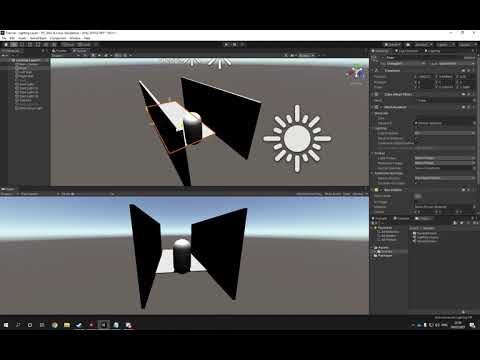
This short video is to show the principles of using Unity Layers on Objects which is then used to ignore them during Occlusion so light will not affect them. This allows you to finetune your lighting and get more control to solve different issues.
celest ice
@olive iris not yet, been trying a few different things but no luck, thank you for the video I will try this!!
olive iris
quick flower
How can i fix this weird lighting at the seams of my objects?
In case my short answer about how to fix shadow not connecting to your objects was too little. Here is a video to kind of give you an idea of how it works. https://youtu.be/Plp-LEm_G4A
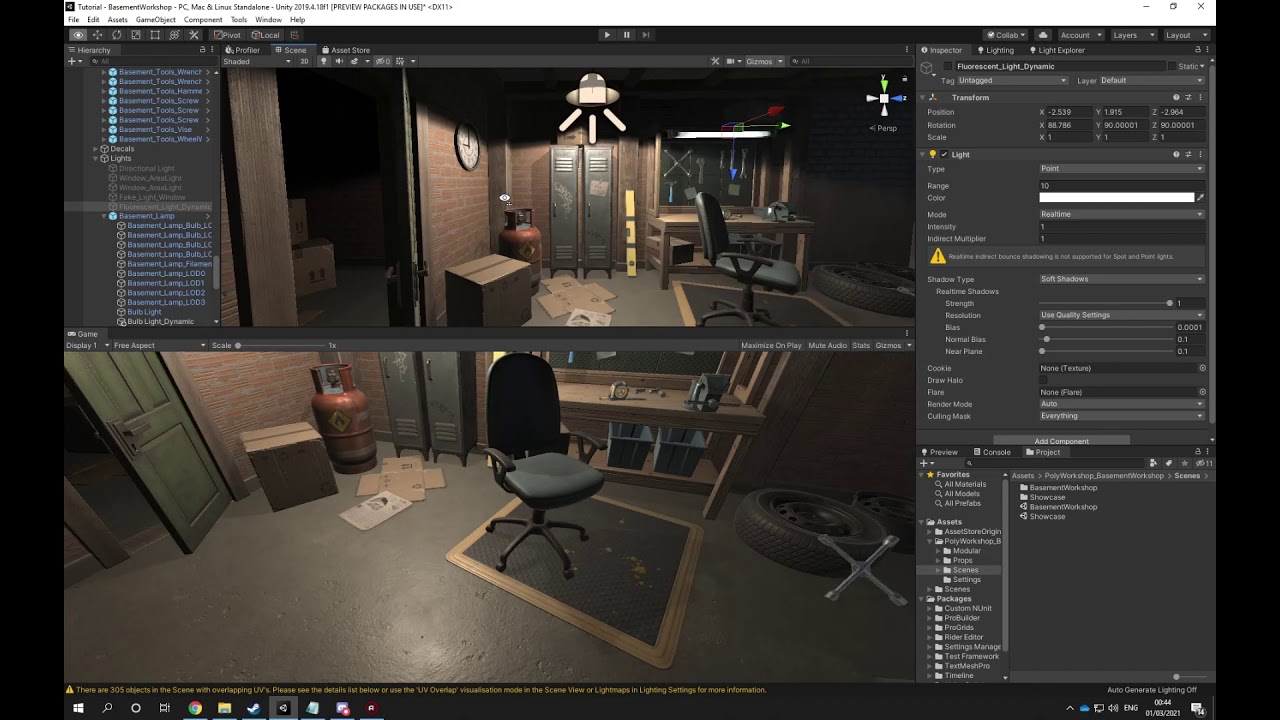
In this video we use Shadow Bias to adjust the shadows so they will connect to the objects on ground and overall around the scene. It also quickly explains the theory of solving light coming through walls for baking.
quick flower
olive iris
In case my short answer about how to fix shadow not connecting to your objects w...
Thanks. Sadly i'm not working on it anymore
olive iris
That is okay. It is a common question which is why I made a video for people to just copy paste as answer.
wet locust
olive iris
did you figure it out?
thanks. I checked the video out. I get the impression it may do the shadow effect, but would be a pain to calibrate the lighting in general when the directional light add to everything (so everything else will need to be turned down), but also because it will disproportionately light the floor compared to the walls due to the direction. I will keep this method in mind though. I actually gave up on trying to do it through lighting and got on to a free 'blob' shadow, which actually uses a render texture to get that actual look of a realtime object to create a fake shadow
it's set to be subtle sorry so not great as a showing example, but see how it looks like he has a shadow below him that is in his pose
 fervent ore
olive iris
did you figure it out?
fervent ore
olive iris
did you figure it out?
Oh man - no I haven't , thanks for getting back to me I appreciateit. Edit - I didn't know you could do that so thanks for the video, but I'm still not sure how to deal with my question; if my ambient lighting intensity is high I can't see any point lights on a plane out in the open - but I'm keeping ambient lighting high because I don't like how all my shadows are almost black. I feel like I'm doing something really dumb though but idk what
wet locust
fervent ore
Oh man - no I haven't , thanks for getting back to me I appreciateit. Edit - I d...
I don't know what your original question was like, but excessive dark can be helped by baking shadows
which will calculate bounces
fervent ore
You're right I - I shall try that (but what if I want to do realtime lighting? can i still bake stuff then)
fervent ore
fervent ore
Hey guys I have a question regarding having lighter shadows in unity - I read so...
this was my original question btw
Also thank you as well for helping me out : ))
olive iris
fervent ore
Oh man - no I haven't , thanks for getting back to me I appreciateit. Edit - I d...
You use another light with cast shadow off to create and fill your light for shadows.
fervent ore
I see - so it's not a good idea only relying on ONE directional light for everythin?
 thorny tundra
I wonder if this is a problem on lighting or camera but how do I get rid of this annoying texture going on every asset that has a specific edge?
 wet locust
fervent ore
You're right I - I shall try that (but what if I want to do realtime lighting? c...
wet locust
fervent ore
You're right I - I shall try that (but what if I want to do realtime lighting? c...
you can combine baked with realtime. To do this, you select Mixed mode on the light sources. Items marked as lightmap static are baked, but dynamic objects are lit and cast shadows in real time.
fervent ore
wet locust
you can combine baked with realtime. To do this, you select Mixed mode on the li...
I see thanks
olive iris
fervent ore
I see - so it's not a good idea only relying on ONE directional light for everyt...
Really depends on your pipeline and how you do your lighting. My approach is probably a bit more than placing out directional light and a few lights. But as Voodoo says, you can use mixed if you want.
Of course, it can be expensive to bake a big map using baking. And it can be expensive to cast shadow too. So, there are optimization things to consider eventually.
fervent ore
olive iris
Of course, it can be expensive to bake a big map using baking. And it can be exp...
what would be the best way to do things for a big map? Use culling or something? I thought realtime lighting was always more performance heavy compared to baking
olive iris
Up to you. The project. Use profiler. :)
 fluid current
This is probably a massive noob question but I'm using a demo scene from an asset pack as my practice level for a game I'm making, and the global illumination rendering message pops up every few minutes. What are some basic settings that I can lower to reduce the demand on the light renderer?
olive iris
fluid current
This is probably a massive noob question but I'm using a demo scene from an asse...
Do not understand your question. No comprend. System malfunction. What are you saying?
 silk plover
Hey friends. I've got a question in hopes that someone will be able to shed some light on this issue. When I bake reflection probes, one of the cubemap sides remains empty (realtime reflections look ok). Did anyone ever come across similar issues? Using Unity 2019.4 with HDRP 7.5.1

 tropic quest
hey! i've got a question, does anyone know how to set up these scripts + shader in a scene to get the effect?
https://github.com/Unity-Technologies/VolumetricLighting/tree/master/Assets/TubeLight
I'm trying to use this TubeLight from the Unity Adam demo
I have TubeLightSource.mat, TubeLightShadowPlane.cs, TubeLightEditor.cs, TubeLight.shader and TubeLight.cs
🙂
 lost shadow
I accidentally clicked Generate Lighting and completely destroyed all the lighting and reflection probes in my entire game! is there really no way to undo this? it's an absolute nightmare. I have a duplicate backup of this project. Can I just copy and replace the lighting data from the other project back into this one?
if a file of such lighting data exists, i can't find it
also, there are a ton of reflection probes in this project file. They all appear to still be saved. yet for some reason all the reflections in the game have reverted to ugly/dark/just the skybox. can i not drag the data from on of these reflection probe maps that appear to be saved back onto the reflection probe object in my scene?
olive iris
silk plover
Hey friends. I've got a question in hopes that someone will be able to shed some...
Is your reflection range going outside of a wall etc?
olive iris
tropic quest
hey! i've got a question, does anyone know how to set up these scripts + shader ...
Did you read through the readme file and documentation?
silk plover
No. Doesn't really matter how large the Influence volume box size is. The blank face also moves with the reflection probe, so there is a constant cutoff point that is a set distance away from the center of the reflection probe, no matter the probe's position or size.
olive iris
lost shadow
I accidentally clicked Generate Lighting and completely destroyed all the lighti...
The files are generated into the lighting map folders.
tropic quest
olive iris
Did you read through the readme file and documentation?
It didn't help much, but i downloaded the scenes and have been accompanying them
that's working out better for me 🙂 thank you
olive iris
silk plover
No. Doesn't really matter how large the Influence volume box size is. The blank ...
Sounds like you need to provide tests, and narrow down what it can be.
silk plover
We've been debugging this issue internally for two days now, breaking down all possible steps, from the HDRP settings up to game objects in scene. We'll probably send a test scene to Unity directly, but that's outside my work domain.
olive iris
silk plover
We've been debugging this issue internally for two days now, breaking down all p...
Did you delete the reflection probe? Make a new one? Move it around? Turn off lights and sky etc?
silk plover
We tried disabling and enabling all Volume components we use one by one, changing the sky type etc. Did not try disabling lights, will give that a shot. We use realtime lights so there can be no issues with lightmaps.
olive iris
silk plover
We tried disabling and enabling all Volume components we use one by one, changin...
Did you turn off set of objects, one by one and see how it reacted with the reflection?
That said, your reflection looks different regardless if I can not see the surrounding areas.
Meaning, a reflection should generally look like something else.
silk plover
olive iris
Meaning, a reflection should generally look like something else.
I'm sorry, I don't understand what you mean by that. 🙂 As for your first question, we stripped down the scene objects to until there was nothing left. We're thinking maybe something got saved into the scene file and that's causing problems.
olive iris
silk plover
I'm sorry, I don't understand what you mean by that. 🙂 As for your first questi...
Your reflection looks odd regardless of your issue.
Did you clean your GI cache?
 warped hemlock
why does my game look like my post processing settings in scene view, but in game view its like with default setting
scene view:

game view

I baked lightmaps but it looks like no light is emitted or reflected anywhere
this is what my baked light map looks like:
 timber lichen
how can i stop my lights from only being on when i look in a certain direction
silk plover
olive iris
Did you clean your GI cache?
Yes, had no difference.
olive iris
warped hemlock
why does my game look like my post processing settings in scene view, but in gam...
What did you do so far to see what changes it?
olive iris
timber lichen
how can i stop my lights from only being on when i look in a certain direction
Coding
warped hemlock
olive iris
What did you do so far to see what changes it?
Well tried to adjust some settings in the post processing, but nothing changes
olive iris
warped hemlock
Well tried to adjust some settings in the post processing, but nothing changes
So the bloom is not working in game view, is that what you are saying?
Or is it the emissive?
warped hemlock
both I would say
olive iris
Did you turn on static for everything around it?
warped hemlock
well the cube in the middle isn't static the rest yes
olive iris
This is your emissive shader or?
warped hemlock
the baked light map
olive iris
warped hemlock
the baked light map
Did you check online and go through the dozen of similar issues people had?
This is not a new issue so you should fine an answer in your browser search.
warped hemlock
something else is weird too
when I turn the emission intensity high up and bake the light, everything becomes black in the end
olive iris
Create a new scene and add a emissive to see if it works
warped hemlock
ok
olive iris
And use normal color no texture
warped hemlock
but I'm gonna do that tomorrow its already late for me 🙂
olive iris
Ok
 naive edge
In URP (2019.4), is there any way I can make a static object receive light and be baked into lightmaps but NOT cast shadows on other objects?
I have flat shapes lying against the floor, I want them to match up with the lighting, but they leave shadows on the floor even though I’ve moved them as close as possible.
olive iris
naive edge
In URP (2019.4), is there any way I can make a static object receive light and b...
turn off cast shadow for the mesh 3d plane
naive edge
I do have it turned off
olive iris
naive edge
I do have it turned off
on the light or the object itself?
naive edge
On the object. Because I want other objects to cast shadows still, just not the flat ones
olive iris
show me the flat ones that its shadow casting is off
naive edge


 olive iris
@naive edge did you turn off shadow on the other object too? The one that is also next to them?
naive edge
Yup all the yellow pieces have it turned off
naive edge
The gray floor doesn’t cast shadows, but it receives them because I want other big objects to cast shadows on the floor. I just figured turning cast shadows to off would be a thing you can do for static lights per object, but it seems to only make a difference for dynamic objects.
Yes progressive GPU, subtractive
olive iris
You can use mixed lighting and turn off GI for the yellow ones.
Instead they get real time, since they do not cast shadow anyway it is low cost or almost free.
naive edge
Oh I see. I will try that thank you
Sorry I’ve actually got one more question if anyone has a minute. I keep seeing this and have tried everything.
I’ve got a mixed directional light for letting dynamic objects cast shadows, it’s pointing straight down. In this image, the 2 cubes are dynamic, the platform and floor below is static.
The boxes cast shadows on the platform AND on the floor as well. Any idea why this would be happening?


 olive iris
naive edge
Sorry I’ve actually got one more question if anyone has a minute. I keep seeing ...
olive iris
naive edge
Sorry I’ve actually got one more question if anyone has a minute. I keep seeing ...
Because you have a directional light casting shadow. It does not matter if something is static or not static when using mixed lighting. It will cast shadow down to the closest surface.
naive edge
But why would it cast shadows through the static object and onto the static object behind it as well?
If I have three in a row one underneath the next, the dynamic boxes cast shadows on all three of them
olive iris
might be that the object is allowing it to cast through....
Might be something with the material or lighting settings. It could also be bias settings.
It is a long shot but try adjusting the bias settings for your directional light https://www.youtube.com/watch?v=Plp-LEm_G4A
In this video we use Shadow Bias to adjust the shadows so they will connect to the objects on ground and overall around the scene. It also quickly explains the theory of solving light coming through walls for baking.
Also, make sure your shadow strength is set to 1.
I have no idea how any of you keep getting all of these weird lighting issues. 😄
You can also use layers to control your lighting if you can not figure out the problems. https://www.youtube.com/watch?v=1cjKPU_3A4A

This short video is to show the principles of using Unity Layers on Objects which is then used to ignore them during Occlusion so light will not affect them. This allows you to finetune your lighting and get more control to solve different issues.
naive edge
Thanks, I will try those suggestions out
silk plover
Here is a lighting pass I did in Unity 2019 with HDRP 7.5. I would love some feedback!
 silk plover
If you bake lights (you said generate, I presume you mean bake), then you need to re-bake your lightmaps every time you make a change. If you want realtime changes for a specific light, set its lighting mode from Baked or Mixed to Realtime.
 kindred turret
I'm trying to light a bitcoin model, however it looks really awful. How could I fix it?

I looks like there's no self shadows/ambient occlusion


any help would be greatly appreciated.
snow shuttle
Hey guys, I am using 2020.2.6f urp.
I messes up models with real-time point light.
These two pics have almost everything the same. The difference is just transform of the wall. I don't know why point light get pass some part of the wall, which is unexpected.


Btw, the messed up wall is exported from 3ds max
olive iris
kindred turret
I'm trying to light a bitcoin model, however it looks really awful. How could I ...
First you need correct materials
olive iris
snow shuttle
Hey guys, I am using 2020.2.6f urp.
I messes up models with real-time point ligh...
Try this for now https://www.youtube.com/watch?v=Plp-LEm_G4A
In this video we use Shadow Bias to adjust the shadows so they will connect to the objects on ground and overall around the scene. It also quickly explains the theory of solving light coming through walls for baking.
kindred turret
It's a unity material with metallic and smoothness pretty high up, and a normal map to add some texture. it looks just as awful with any other material
 olive iris
kindred turret
It's a unity material with metallic and smoothness pretty high up, and a normal ...
olive iris
kindred turret
It's a unity material with metallic and smoothness pretty high up, and a normal ...
See if you can learn something from this https://www.youtube.com/watch?v=Jbd0cx5GM_Q

In this Unity tutorial I show you how to create a simple gold bar using the Unity standard shader to create the overall material effect! It's really easy and only requires a few simple steps.
Patreon: https://www.patreon.com/SpeedTutor
Join the Community Discord: https://discord.gg/vnhWy6R
······················································...
kindred turret
I'm pretty sure it's the lighting, not the material. it looks like this with a directional light:

still bad, but more like what I want
I ended up using a spot light for the coin. Point lights just wouldn't cast self shadows on it.
 frail quartz
My shadows are missing from my built game but present inside my Game View. Can someone help?
This is my game view.

This is my built game.

The shadows on the left part of the ground are missing.
olive iris
kindred turret
I'm pretty sure it's the lighting, not the material. it looks like this with a d...
Your going to need more than a few lights to make it look good.
olive iris
frail quartz
The shadows on the left part of the ground are missing.
Gonn have to provide more info on what you have done, tried, tested, settings etc
 modern girder
how can I make this sun look better
 frail quartz
modern girder
how can I make this sun look better
frail quartz
modern girder
how can I make this sun look better
I think you can add bloom. It's a post-processing effect that makes glowing things look way better in my opinion. You can also change the light colour to orange or yellow to make it look more natural.
modern girder
@frail quartz how. im new to unity and this cant be an effective way of light right?
 frail quartz
I think you should put just one in the middle and increase some values to make the light go further? I don't know, I'm new to lighting.
modern girder
@frail quartz where is the post procceseing
frail quartz
It's a Unity package. You need to get it through the Package Manager.
frail quartz
 frail quartz
It's in the Package Manager.

 river moon
I'm having wierd lighting issues.

In a previous build taken before baking the lighting it looks perfect. what could be the cause of this problem?

Nevermind. it was because probuilder didnt create lightmap uvs
snow shuttle
olive iris
See if you can learn something from this https://www.youtube.com/watch?v=Jbd0cx5...
Thank you for your video. But these setting does not seem help. Only shadowOnly cube works for me now. I tried hard and strength=1 soft shadow, both with bias=.001 , normal=.4, near plane=.1.
As you may see, the light on the side of wall casting shadows looks like Gaussian blurred, if bias depth <= .2. The behavior doesn't show at the side of wall not casting shadows.
To be worse, the setting of bias depth bias normal bias near plane intensity range takes no effect at the side of wall not casting shadows. No matter how up or down I turn transform value to, this side just doesn't cast shadow.
 olive iris
That is a question not a problem, what is the problem?
@snow shuttle Did you try two sided shadow settings on your object mesh?
snow shuttle
Yea, I tried, but it looks worse

 mystic dew
kindred turret
I'm pretty sure it's the lighting, not the material. it looks like this with a d...
mystic dew
kindred turret
I'm pretty sure it's the lighting, not the material. it looks like this with a d...
better to make a coin with baked AO texture on it.
 regal night
I'm trying to make the inside of my buildings dark and evenly lit on the outside (but keeping the shadows), I changed the settings in (Lighting Settings> Ambient Color) to very dark, so the inside parts of the buildings were dark , but on the outside they were also dark where there is shadow, I want to know how to make the inside of the room dark but leave the ambient color on the outside light, if someone can help me!
olive iris
Probably not exactly no.
You still have not stated the issue. If the issue is you are trying to light something, it is not a problem but a matter of practice and knowledge. But that is still not a problem but rather you wanting help to light up something. If that is the case, you should show your scene and what you want to do with it.
olive iris
regal night
I'm trying to make the inside of my buildings dark and evenly lit on the outside...
Dont use ambient color. Just turn it off if you want to. And use directional light instead and sky light.
regal night
olive iris
Dont use ambient color. Just turn it off if you want to. And use directional lig...
I can make it dark inside, because I just want to illuminate it with lights, but on the outside I want it brighter, as if it were in real life, not so dark shadows, is it possible?

on the outside I want the shadows on the wall and floor much lighter, but the inside part I want even darker than it already is
 gray oxide
Hey all. So I have a game which is all realtime (meaning I can't bake lighting exactly except for the initial stuff for realtime stuff). Any ideas how to make lighting not so dark on unlit areas?
Oh @regal night asked a similar question
I have decent environment ambient lighting (I'm using a flat color to help)
olive iris
regal night
I can make it dark inside, because I just want to illuminate it with lights, but...
Sure, try one of these methods https://www.youtube.com/watch?v=1cjKPU_3A4A
Or around 3 min https://www.youtube.com/watch?v=Plp-LEm_G4A but probably the one that is 3 min in
This short video is to show the principles of using Unity Layers on Objects which is then used to ignore them during Occlusion so light will not affect them. This allows you to finetune your lighting and get more control to solve different issues.
10h Unreal Lighting Course - https://www.wingfox.com/c/8221
My Artstation - https://www.artstation...
In this video we use Shadow Bias to adjust the shadows so they will connect to the objects on ground and overall around the scene. It also quickly explains the theory of solving light coming through walls for baking. #lighting #shadow #bias #clipping #unity #unity3d #unityengine #gameengine #lookdevelopment #postprocessing #spotlight
10h Unreal...
regal night
olive iris
Sure, try one of these methods https://www.youtube.com/watch?v=1cjKPU_3A4A
Or ar...
That didn't help me 😦
What I want is on the inside (as it is closed) to be dark, and on the outside as it is open and there is light I want it to be illuminated evenly but preserving the projected shadows (no matter the intensity of these projected shadows on the side outside)
The inside I want

The outside I want (no matter the intensity of these projected shadows on the side outside)
 olive iris
There would be no shadow in the inside to begin with. Since it is a square with surface on.
So, it should be dark to begin with if you are lighting like this.
regal night
Everything is ok, what I want is for the outside to be lighter
olive iris
And that gives what issue? It is too bright once you remove the top surface inside the square?
regal night
regal night
The outside I want (no matter the intensity of these projected shadows on the s...
If I make the outside so clear, the inside is also clear, because I have to use Intensity Multiplier
olive iris
Nah, you follow my videos and you can solve this.
You put a fake top that never removes itself and is not showing its mesh but blocking the light. So you can see through it once you remove the real surface. You then have a point light with no shadow casting inside the square to control the light inside the square, regardless of the light outside. Since that light will not be going through.
You just need to put the video knowledge into practice using other knowledge of lighting.
- Duplicate the top surface.
- Set it to cast shadow only
- turn off its mesh collision
- Adjust your directional light or exterior light as you want to be outside.
- Double check that you understand and used this trick correctly by removing your real top surface.
- Add a pointlight inside the box to illuminate it a bit, turn of shadow if needed, if so do not have too high radius outside of the thickness of those walls.
regal night
What I want is if it is a closed space, stay completely dark, on the outside as it is open and has directional light, I want it to be clear, but without removing the projected shadows outside
I will try to follow your steps
I put the top part as "shadows only" to be able to see inside it as I want, but using ambient color (or intensity multiplier) as "black" I get the inside part as I want it dark but on the outside it is also dark (outside must be light), if I set ambient color (or intensity multiplier) as "white" the outside is as I want light, but the inside also remains light (inside must be dark). Like the pictures I sent
This is the inside that I want

This is the outside that I want

I left the top part as "shadows only" to be able to see inside
olive iris
regal night
I put the top part as "shadows only" to be able to see inside it as I want, but ...
Because your approach to this is not accurate per my personal thought. I would not depend on ambiance for this.
olive iris
regal night
What I want is if it is a closed space, stay completely dark, on the outside as ...
What were you using? HDRP? URP?
olive iris
regal night
I put the top part as "shadows only" to be able to see inside it as I want, but ...
Also, are you using baked or real time? Or does it matter?
regal night
URP, realtime, forward rendering
I think it's not possible to make what I want right?
I didn't find anything
I tried change settings on directional light, on Lighting settings, on objets etc
 azure wyvern
Is it possible to have more than 8 real time lights in a scene at once using URP? How am I supposed to load a large scene with only 8 lights? I'd use a directional light or bake lightmaps, but obviously baking doesn't really work properly in Unity, so I'm having to only use real time
I'd use directional lights, but they seem to pierce through geometry. So the only two options are real time point and spotlights. I've set them to "important", but I can still only get up to 8 lights
olive iris
azure wyvern
Is it possible to have more than 8 real time lights in a scene at once using URP...
If you are using forward rendering you need to increase your pixel amount in Unity settings for the projects. And baking works fine, and so does directional light.
regal night
@olive iris You said that to me?
olive iris
regal night
<@174185317669011456> You said that to me?
No, for you need to be unrealistic. You need to remove the skybox and turn down environment lighting.
At least take away the skybox.
 regal night
But I want environment lighting, and dark rooms

 regal night
But the outside is dark as the inside
olive iris
 regal night
I want outside more clear
olive iris
Yeah, this works. Now go fine tune it.



 regal night
I love playing The Sims, I just found out that their lighting is the way I'm looking for

The inside of the room is dark, but I want more dark

In the red circle is outside, and it's clear
olive iris
Yeah, you can do it like I showed you.
olive iris
Of course, I am not going to do the work for you. That is your job.
I am just taking time out of my busy schedule to give you the guidance so you know what you need to do.
regal night
I know, but I want someone to give to me some tip How to do it
olive iris
You have been given the resources to do it, now you just need to learn how to do it properly by thinking how one thing affects another thing.
regal night
In the pics you sent all the shadows are the same, outside and inside
:(
You just put a light :(
olive iris
Shadow is the absent of light.
olive iris
azure wyvern
Is it possible to have more than 8 real time lights in a scene at once using URP...
No, URP is still in development from what I know. So even if you increase the slider to 8, you might get a few more out of it. You need to consider HDRP or deferred.
regal night
But in outside the parts where is against directional light receive some light in real life, so I think to make more cleared this parts
azure wyvern
olive iris
If you are using forward rendering you need to increase your pixel amount in Uni...
Are you sure? Everywhere I've checked online says it's absolutely broken beyond repair
olive iris
azure wyvern
Are you sure? Everywhere I've checked online says it's absolutely broken beyond ...
It is not broken, you need to change your pipeline.
azure wyvern
I spent weeks trying to bake scenes and the lightmaps were always horrible and completely broken
or would take like 16 hours to bake a tiny room with 5 cubes in
regal night
Deferred it's bad if you want to run your game in any device right?
olive iris
regal night
Deferred it's bad if you want to run your game in any device right?
That was not for you but Crippled issue.
regal night
Oh ok
olive iris
azure wyvern
I spent weeks trying to bake scenes and the lightmaps were always horrible and c...
Send me your scene if you want.
regal night
I have a doubt, if deferred not run on some device, Unity changes it at runtime to Forward?
olive iris
regal night
I have a doubt, if deferred not run on some device, Unity changes it at runtime ...
As for you. You need to start with something like this (ignore the red, it is just to show you what is going on)
 olive iris
azure wyvern
I spent weeks trying to bake scenes and the lightmaps were always horrible and c...
olive iris
azure wyvern
I spent weeks trying to bake scenes and the lightmaps were always horrible and c...
This is a low res bake. Seems like a fine beginning too me. You sure you know what you are doing?
 regal night
I already did the dark inside, but the outside keep like inside

I want inside dark and outside more clear
I think this is not possible to do
azure wyvern
Thanks Dycerius. I have multiple scenes, however. The lightmaps always come out completely wrong and blocky
So it seems that way for every scene
I should look into the pipeline maybe
 odd flax
hey guys
I made "a thing™" in Probuilder

I want to fix the lighting, though. each part of the "arc" is a separate face, and I'd like to keep it that way
see? they're separated. I'd like for the lighting to behave as if I clicked "merge faces"
 olive iris
regal night
I think this is not possible to do
olive iris
regal night
I think this is not possible to do
I just showed you how to do it. Three different versions. You need to consider more lights to solve your issue and other settings.
olive iris
azure wyvern
So it seems that way for every scene
Probably just the settings really. 🙂 And the fact you are unfamiliar with it, probably.
olive iris
odd flax
I want to fix the lighting, though. each part of the "arc" is a separate face, a...
Show us a reference of what you want.
odd flax
olive iris
Show us a reference of what you want.
this is basically what I'd like
 olive iris
odd flax
this is basically what I'd like
olive iris
odd flax
this is basically what I'd like
I think the surfaces need to be changed in terms of smoothing group etc?
 blissful remnant
I don't know what causes the problem, but when the player approaches a shadow, the shadow partially disappears and instead creates an entire circle without a shadow (circle's diameter is 2-4 times the height of a capsule), I put in light probes, but I removed them, I tested with both with global illumination and without
I'm using HDRP
 elder pike
modern girder
how can I make this sun look better
elder pike
modern girder
how can I make this sun look better
Use halo
modern girder
@elder pike TY
odd flax
olive iris
I think the surfaces need to be changed in terms of smoothing group etc?
Yep, I think that's the problem as well. Any way to do it without merging the faces in Probuilder?
I got it working with the Smooth Group Editor window
https://docs.unity3d.com/Packages/com.unity.probuilder@4.0/manual/smoothing-groups.html
 olive iris
blissful remnant
I don't know what causes the problem, but when the player approaches a shadow, t...
olive iris
blissful remnant
I don't know what causes the problem, but when the player approaches a shadow, t...
Might be shadow distance settings?
olive iris
odd flax
I got it working with the Smooth Group Editor window
https://docs.unity3d.com/P...
I thought as much.
blissful remnant
olive iris
Might be shadow distance settings?
uuumm, the blend distance?
No?
Where do I find it?
olive iris
blissful remnant
Where do I find it?
You type in the keyword I gave into a search engine and click the documentation that pops up.
Then you try it out somehow, and then you tell me if it works or not. And then we keep troubleshooting. 🙂
Screenshot or gif or video would help also.
odd flax
why is my "ambient light" leaking inside? there is no space between the construction and the ground
 olive iris
odd flax
why is my "ambient light" leaking inside? there is no space between the construc...
olive iris
odd flax
why is my "ambient light" leaking inside? there is no space between the construc...
Is that sunlight real time?
 supple carbon
Um........ why can i not use anything other then realtime
 olive iris
supple carbon
Um........ why can i not use anything other then realtime
olive iris
supple carbon
Um........ why can i not use anything other then realtime
Depends what you have been up to. What happens if you take off the Flare?
supple carbon
olive iris
Depends what you have been up to. What happens if you take off the Flare?
still doesnt work its on all of my lights like that, the grayed out Mixed and Baked
olive iris
supple carbon
still doesnt work its on all of my lights like that, the grayed out Mixed and Ba...
Is this a fresh project? Or did it work before in this existing scene with content?
supple carbon
olive iris
Is this a fresh project? Or did it work before in this existing scene with conte...
it never worked