#archived-lighting
1 messages · Page 54 of 1
 hot harness
 teal stratus
go to filtering and see if there is a denoiser on, if not, try Optix if you have a Nvidia GPU or Open Image Denoise otherwise
 timber lichen
Yeah, they area all set to OpenImageDenoise
I do have an Nvidia GPU but Optix is disabled
 ionic smelt
Hey 🙂 maybe someone can help me with that https://forum.unity.com/threads/volumetrics-with-shadowmask-unity-2020-2-hdrp-10-0.1026907/ ❤️

Unity Forum
Hey guys,
Just a quick question because I'm a bit confused.
Is it possible to display Volumetrics while using Shadow Mask? Because if so, it has some...
 lavish stone
here's the reference Image
here's how it's rendered using real time render ( Quixote Mixer)
here's how it's look in unity
I hope someone know why quixel is better by default than unity clustery look
I use static , GI reflection probe , lights probes group and maximum shaadowmap resolutions .
 celest quest
hello all, so for some unknown reason my shadows have disappeared. If I delete the Directional Light > Save > CTRL Z > The shadows return, it seems I can now save and the shadows are there but if I start the game the shadows disappear again
before and after:
its like the lighting is reducing which makes shadows disappear?
 sturdy narwhal
using HDRP shouldnt this be pitch black?
its a closed off cube and no lights inside, only directional light in my scene
sturdy narwhal
^ is fixed
Is there a way to adjust the range of a material emission ? the distance the light goes
 mystic dew
lavish stone
I hope someone know why quixel is better by default than unity clustery look
mystic dew
lavish stone
I hope someone know why quixel is better by default than unity clustery look
You want to add tesselation on terrain layers texture?
 tulip chasm
My HDRI sky isn't visible. Why? I'm using HDRP
timber lichen
Can someone please link me a doc or a vid showing how to get that good looking 3d scene
u know like those test scenes
where u test stuff
 lethal heron
@lavish stone enable the phong model for tessellation in the material's settings. then, experiment with the depth of the normal map. you have to google tessellation in DXR / DX12 a bit
@tulip chasm start with a sample scene
@sturdy narwhal emission effects in what sense? its primary illumination? use point lights and non-primary-illuminating emission if you need to control "distance"
sturdy narwhal
ah that makes sense, instead of emissive material, put a point light above it and adjust that? ty !
trying to learn about light baking but its so much and so complex, watched a ton of videos and man 
lavish stone
mystic dew
You want to add tesselation on terrain layers texture?
That's not a terrain . that's geometry model ( plane) with surface material .
lavish stone
lethal heron
<@!388852322157199372> enable the phong model for tessellation in the material's...
Ok thank you I will try
 rugged condor
hey i want to disable the shadows of the player and i cant figure out why my camera sees my player when i move so should i disable the mesh renderer so it fixes both the problems
 plucky schooner
 lunar pollen
how do i fix this weird shadowing effect in HDRP?
and shadow res being super low in general
 maiden breach
hey. how to make emission objects affect non-static objects?
 toxic hemlock
timber lichen
toxic hemlock
timber lichen
Hi all, I've posted a question on 2D lighting using the lightweight render pipline on the Unity forums which hasn't had any replies yet - if anyone could help me out that'd be amazing https://forum.unity.com/threads/lighweight-render-pipeline-lwrp-sorting-layers-and-order-in-layer.1027645/
 scenic estuary
Hello.
Everytime I remove my non static object from scene, light is being re calculated.
why?
after everymove I take, should I wait?
hot harness
hey im getting some wired errors when baking lights
such as
unity mesh point ,strip or line topology not supported with light mapping
and atlas size has reached it limit
anyone know how to fix these problems
ok nvm mind apprently when I collabed back to my other computer it looks great now
lavish stone
I know it missing color bleeding because Idont use ray tracing
lavish stone
smh reflection doesn't look fight because I use forward rendering here's anther shot with deferred , massive change (look at the reflection) defiantly screen space is better with the deferred rendering but I lose geometry details if I dont use forward
lunar pollen
are you in hdrp?
lunar pollen
idk about built in render pipeline, but hdrp can use forward and deferred
if your project is newer or if your just setting up cinematic shots i urge you to look into hdrp, its amazing
lavish stone
yes but i'm not familiar with it + some sharers doesn't work I should focus on learning first then when i'm comfortable I will move to hdrp
lunar pollen
i dont recomend moving to hdrp once your project gets larger, its better to do it earlier imo
 summer aspen
@honest coyote You need a light source to view lit materials
 honest coyote
but i just want it all the same light
i dont want like some parts to be darker than others
summer aspen
lunar pollen
Setup shadow cascades and Depth/normal bias
summer aspen
honest coyote
but i just want it all the same light
There's an ambient light settings, if you don't want shadows at all you want an unlit materials
honest coyote
where
summer aspen
Depending on the pipeline, manuals are linked here in pins
 gilded zephyr
I've been trying to use HDRP, lighting has been looking weird for a while and I can't figure out quite how to fix it
Currently, there is one directional light in the scene, the scene is a hd default one so it already has the profile etc.
When I direct the light towards the floor of the building, it provides light coming through the windows like I'm trying to get, but everything apart from the outside of the building turns blue (even with materials applied)
Seems like it happens when the light is not at specific angles, and even when the light is at one the specific angles, only some of the objects show their textures properly (as shown in the image)
I've tried following a few tutorials on this but not sure quite what's going wrong
also have a weird bug now where that dark circle appears on the wall
lunar pollen
im in 2020.2 and i sometimes get circles like that in scene view, editor restart fixes it
 novel raft
Beginner here..how do I make it as bright as this..because few of sides of my cube are black literally
novel raft
fixed it
 rapid galleon
When I save the RenderSettings.ambientLight color to a variable, I get the right color (dark blue), but when I try to set the RenderSettings.ambientLight color to that same dark blue color via script, I get a lighter version of the color. Why?
 reef wind
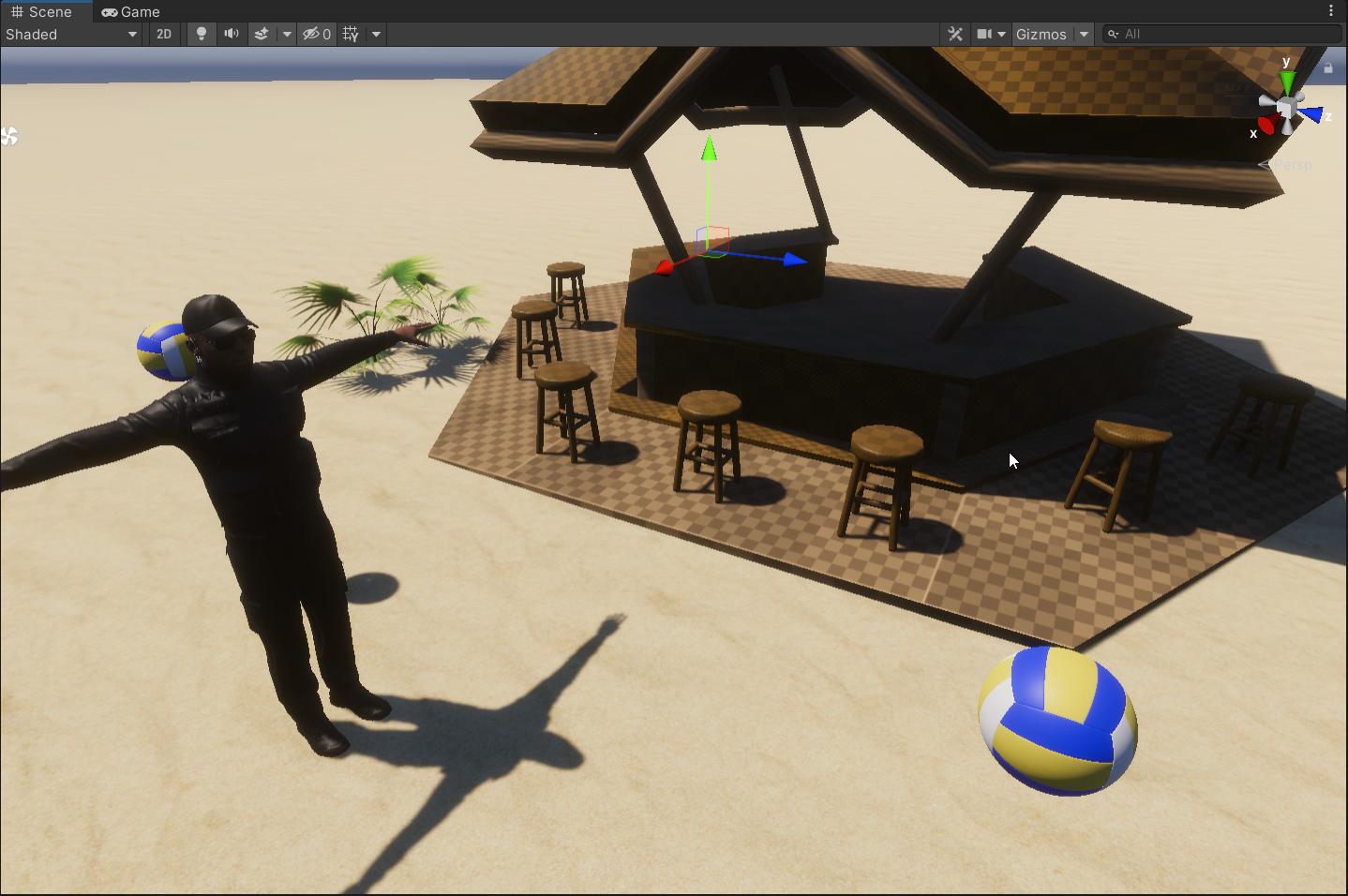
with HDRP, what am I missing here? the character's clothes and face are barely visible but the sun is high and bright. same for in the shaded area, too dark
 timber lichen
I made the materials for this 3d object shiny in blender but in the game engine it isn't shiny at all. I'm a noob at lighting so it's probably a simple fix but please help (i'm using legacy RP)
lavish stone
timber lichen
I made the materials for this 3d object shiny in blender but in the game engine ...
add Emission texture map using pbr shader
for more information :
https://docs.unity3d.com/Manual/StandardShaderMaterialParameterEmission.html

 ripe wedge
Can anyone help me? I have a problem with my volumetric light beam..
In Editor it looks like this:
https://i.gyazo.com/c7652c700edee89e0117f112d283ebce.jpg

But in game like this:
https://images-ext-1.discordapp.net/external/2PqxZlDPSg5z50CbGtDRrcjuR0r6qaiL3pSiC7k40qo/https/i.gyazo.com/0338d7be840c1b0b8886a02d518e44eb.jpg

I've tried a lot. But idk what to do.. I haven't done anything strange. There are a couple of changes in the default light settings. But nothing that will cause something like this.
 lusty vine
I have absolutely no idea what that is. But it looks like a missing/broken light map
ripe wedge
Yea I found the problem a second ago. There is something in the code of the shader that creates this problem.
lusty vine
Ah good
ripe wedge
Been trying to solve this problem for a day ...
lusty vine
I'm a good ducky 😄
 steep hedge
Does anyone familiar with Aura 2? Do you know if there is a way to make it work in URP pipeline?
mystic dew
@steep hedge probably no. wait for Aura 3
steep hedge
Aura 3 is wip?!!
 solemn heath
Hey, so after light build, static objects are getting completely dark, i'm using progressive gpu, but this also happens on cpu
timber lichen
Is there any way to achieve a lighting effect like this in real time. Essentially seeing the shadow silhouette through a Japanese paper wall thing.
 balmy stratus
 winter echo
If I am going to use light probes, am I able to make seperate light probe groups for each room, or should I have one large light probe group?
winter echo
solemn heath
Hey, so after light build, static objects are getting completely dark, i'm using...
what do your materials for those objects look like
 honest nova
So I'm testing a small concept game where you are basically skydiving. I'm using physics for the whole thing but I get strange artifacts in the lighting once the falling objects get too far away from the origin. Is there an easy way to fix this? (also, is this the right channel for this question? I'm new, and I just switched to Unity from Godot)
solemn heath
if i clean GI cache, do i lose my scene lighting?
 spark fractal
Has anyone had an issue where additional lights don't work in URP on android?
I also have an issue where post processing disables when camera stacking is on.
 warm lichen
If I set baked lighting to one bounces instead of two, how much would a scenes quality be diminished.
warm lichen
Also is there a way to save and recall lightmaps
 compact remnant
I guess you could copy them to another folder, as they're essentially texture maps? Though I've never done it before so I couldn't tell you with 100% certainty @warm lichen
 raven oyster
not sure if this is a relevant question, but I need in a 2d game to get shadows (not yet decided how to create) when opening the door to the next level.
P.S. photo maked in "paint" for understanding (sorry for my english)
opened
should I try changing the Camera Culling mask? Or just make a sprite with dark Backgroung and move it?
 haughty plume
dudes, not sure if anyone is able to explain this to me, i'm trying to make puddles, at night, and they reflect light and have raindrops. now, i can do this, its fine, but i found the only way i could make it work was by using an area light on it, if i use a spot light, it kinda.....diffuses the white light on the surface. but, using an area light is means 1) my shadows suck, and 2) i cant use volumetric on it. i'm not sure what i can do to the shader to make it not diffuse the light
haughty plume
looks like i can disable 'affect specular' on the sportlight but that breaks the specular i want on other objects
its like i need to disable specular highlights on the shader for the puddle
ooh, changing the shader to stack lit seemed to fix it 😄
 nimble lava
I've got light bleed that isn't visible in the editor, but is visible when looking through the camera of my player character. Any idea what could cause this??
it may not be super visible but here's a picture showing the problem
 topaz jackal
Are these artifacts coming from an issue with lighting?
 icy tundra
@timber lichen you can project shadows onto the surface. Or you could cheat and just use scene depth if you don't change viewing angle much.
 quick hamlet
hey i tried unity 2020.2 ssgi but the results are not impresive it is almost like no baked lighting but on the announcement video the ssgi looks great so how can i achive that kind of realism ?
 queen junco
Anyone know how something like this could work in unity? Like fire that could completely cover a object?
 weary kettle
Hey, I am not sure if this is the right channel for this, but I am using normal maps for 2d sprites, and it is causing an issue where you can sort of see behind one sprite to another. It seems like the normals of the car here are effecting the character in front. Anyone know what could be causing this?
timber lichen
queen junco
Anyone know how something like this could work in unity? Like fire that could co...
A shader graph probably
 covert stirrup
VFX graph seems like it would be necessary
 finite compass
Can someone help me increase my shadow quality in URP?
lavish stone
can someone explain to me why unity use toolbag for DevLook instead of unity path tracer ?
 hardy aurora
Ofc. it's okay, why shouldn't it be?
Well most AAA games use realtime GI, which works well in most games
so I assume baking will achieve atleast that quality
Exactly
But you can calculate baked lighting on the GPU
That's what GPGPU is for
In the VFX Industry they also use many GPUs just to bake lighting
As GPU's do different rounding than CPUs or offer less precision (using float instead of double) there might be a small loss in precision but it is completely negligible
It should be fine, even better to be honest because you can let your GPU work without blocking your CPU
Also, always keep in mind that you can use the GPU for more than just rendering (see compute shaders, gpgpu)
Though I'm going OT with that xD
compute raytracing is fun too, until you need to build your own datastructures on the gpu 😛
 wise basin
i was just wondering if lwrp has soft shadows
or if anyone knows a good alternative to lwrp for implementing soft shadows
 split furnace
folks, we sometimes have an issue where a baked shadow gets cutoff when a ground tile ends and a new one begins. could anyone suggest what could be causing this behavior?
 worthy sapphire
What would the best way to have mixed lights in interiors with functional light switches be?
Like, I wanna have multiple rooms in a scene where I can turn lights on and off using a light switch. Currently I kinda need to bake the lighting and reflection probles so that it looks good, but if I bake it with the lights on then the lights remain baked on the objects when I turn off the lights.
 gritty ore
Saw this during some light baking, just thought it was funny enough to be worth sharing.
 pulsar aspen
 hoary fossil
amazing results!
timber lichen
I'm having a rather strange issue with my baked lighting.. The yellow lines are the direction of the light.
If you look at the fence on the left where the blue lines are at, the shadows are going in totally wrong directions + aren't baking onto the terrain either. Can someone please help me understand what i'm doing wrong?
I'm on URP 10.2.2. I generally never do baked lighting but i'm trying to get a test scene made before I get my Oculus Quest 2 in the mail, so figured I'd be smart and bake lights. But this doesn't seem correct. The shadows on the trees are fine, but something is wrong with this fence.
 quick saddle
I just don't know what the use for it is when normal maps do the same thing
 gritty echo
Anyone know what might cause jagged shadows? I'm using HDRP and tried increasing shadow resolution and messing with cascading, but I can't seem to fix this.
gritty echo
Okay, I figured it out. I was setting my resolution past 4096, but it didn't seem to do much, but then I realized I didn't change my max shadow resolution, so I upped to to 8192 for testing, and it worked lol
gritty echo
Now I'm running into this problem. This mesh is made up of triangles, but it's relatively flat here, and I don't think it should be looking like this... Has anyone seen something similar?
 supple patrol
Did you by any chance change Lightmap resolution as well?
gritty echo
Tbh, I'm not sure what the lightmap is, but I'd assume what you mean would either be changing the top or bottom of these values. Either way, I can't tell what changing these actually does.
@supple patrol
supple patrol
go into the light settings and view the baked lightmaps (assuming your mesh is static and the lights are baked). Have the mesh selected and it should be visible on the lightmap. does everything fit there or are there overlaps?
how big is your lightmap? (Lightmap size in the Lighting settings)
gritty echo
Sorry, I ended up going to bed @supple patrol. This is from a rotating directional light acting as the sun. It keeps moving, but at certain angles, these show up for a little bit.
 thin zealot
Hey guys im not at home RN but i have a problem that my camera can see shadows only when they are close
How can i fix it
 stark temple
timber lichen
help
stark temple
timber lichen
help
https://docs.unity3d.com/2017.4/Documentation/Manual/class-TrailRenderer.html
If enabled (the box is checked), the Trail geometry is built with Normals and Tangents included. This allows it to use Materials that use the scene lighting, for example via the Standard Shader, or by using a custom shader.
 cobalt dove
What happened to the lan bake feature unity were going to polish and release a few years back ?
 shadow horizon
Why is unity lighting system still garbage??
Thisis what it looks like baked
this is not baked. My lights are set to baked. So... What am i doing wrong? Im not waiting 30 mins per bake for it to just not work
 upbeat ember
Hello ! I really really need your help please ! I'm trying to build a game but the lights are breaking when I do a build, could someone help me please?
Here's the result in the non build scene :
here in the build
shadow horizon
looks like a shader problem more than lights
 pulsar tapir
shadow horizon
this is not baked. My lights are set to baked. So... What am i doing wrong? Im n...
pulsar tapir
shadow horizon
this is not baked. My lights are set to baked. So... What am i doing wrong? Im n...
Is the geometry all set to static?
I have an issue with baked GI. No matter what my lighting setup is—e.g. if I have no light sources, including the environment lighting—the result is blank white.
What can cause that?
Could it be that this is Baguette's same issue in the image above?
My scene with the incorrect baked lighting looks different from that only because it has intense bloom also. I get the same white appearance
This is in 2020.2
Baguette's issue doesn't look like a shader problem since the shading is fine in the first image
cobalt dove
@shadow horizon Are your lightmap UV's correct?
pulsar aspen
There's an asset' (I know lol) that gives you a decent preview of a bake, might be worth the investment.. shakes fist at unity
shadow horizon
cobalt dove
<@272528080826793985> Are your lightmap UV's correct?
I don't even know what that means
cobalt dove
the lightmapper requires a second set ot UV's. Unity can generate those automatically if you select the option on the fbx.
shadow horizon
Lightmapper must be working if the lights work fine unbaked, no?
@cobalt dove can I dm you about it in a couple hours? Eyes need more sleep 😅
cobalt dove
Lightmapper is the thing that bakes the lights. Things turning completely dark is usually a sign of missing lightmap UV's
shadow horizon
I assume that uv setting is on the mesh import settings? I'll give it a go after nap
cobalt dove
yes in the model tab right at the bottom
covert stirrup
Here @shadow horizon https://www.youtube.com/watch?v=KJ4fl-KBDR8
 finite hamlet
Hey 🙂 Do you have any idea if it's possible to create a lit AND unlit shader in 2d renderer? I have an outline shader, so when i highlight an object, it gets an outline. However, it's a lit shader, so if it's a dark room, the outline doesn't show.
I want to show the highlight even if it's a dark room, but the item itself (like a cupboard) is supposed to be dark unless there is a light on it. Weird huh? Is it possible? 🙂
 hardy rivet
Anyone have any idea what could be causing these speckles?
I wonder if it's a problem with the GPU lightmapper
mystic dew
hardy rivet
I wonder if it's a problem with the GPU lightmapper
what is your Unity version?
shadow horizon
@cobalt dove @covert stirrup Should my point light GO be static?
covert stirrup
No, that doesn't matter, only the setting on the light does
shadow horizon
lets hope this works then, i generated lightmap UV's for all my objects
@covert stirrup Still pitch black
the baked shader thing for scene view clearly shows the lights though...
covert stirrup
@shadow horizon I would recommend setting up a test scene to iterate more quickly
shadow horizon
Its taking 8 mins per bake, thats fine. i just want it working xD
covert stirrup
What kind of shader are you using
shadow horizon
No shaders, its just normal materials. Im using URP
covert stirrup
So default lit?
shadow horizon
ya
covert stirrup
And show one of your lights?
shadow horizon
covert stirrup
Is the light you see there baked?
shadow horizon
@covert stirrup
covert stirrup
hmhm, not sure about this when it shows up in the lightmap preview
covert stirrup
no
shadow horizon
why does unity hate me
 rocky peak
shadow horizon
why does unity hate me
rocky peak
shadow horizon
why does unity hate me
Okay you in the chat Anxiety? If not pay attention 😄
[ Insert Meme of Navi here but I can't because the Mods will hate me ]
shadow horizon
Yes
shadow horizon
Yup yup, you want a SS?
rocky peak
shadow horizon
Yup yup, you want a SS?
Yep
shadow horizon
rocky peak
Also what Unity version are you on?
shadow horizon
2019.4.8 LTS URP
rocky peak
Set your intensity mulitiplier to .1 or .2 (ish). Although you're making a dark spoopy scene, you're going to need a little bounce lighting. It always exists in nature (unless you're in space). And intensity muliplier gives you such
(also this will be a process as I help you debug and troubleshoot kay? I will need to check mlutiple things)
shadow horizon
this is what it looks like real time, i want it to look similar to this
rocky peak
Beautiful stuff 😄
shadow horizon
Ok, i've set intensity multiplier to 0.2 in the light settings
rocky peak
What's inside your Mixed LIghting? Is Baked GI checked and LIghitng Mode set to SHadowmask?
shadow horizon
rocky peak
shadow horizon
Why Subtractive?
rocky peak
shadow horizon
idk, i believe thats the default setting
Shadowmask is
WEIRD something not right at all with that
Try setting your Enviro LIghitng to .2 and see if Shadowmask comes back
shadow horizon
Negative
rocky peak
Hmm muy interesante that should not be off
Okay before we check the lights, let me see the rest of your lightmap settings. Your one screenshot cut it off. Give me the whole shebang.
rocky peak
Dear LAWD why 2 texels per!?
covert stirrup
lightmap size 32
covert stirrup
Why do you think I recommend a test scene!!
rocky peak
Okay so was this your "!@)#(*%&)#@%&) WHY IS THIS NOT WORKING!?!?!!" settings?
also can you give me a birds eye screenshot of your level? I want to see how complimacated it is.
rocky peak
There is no reason in hell (pun! Per your hellish game) that should take 30ish minutes
so I'm guessing your geometry is afoul. However let me proceed with the troubleshoot
shadow horizon
it takes 8 minutes with my current settings
rocky peak
shadow horizon
it takes 8 minutes with my current settings
Yeah but your current settings aren't going to do it my friend (thus why you're in here still asking for help) 😄 but we've got your back
Go to Window > Rendering > Light Explorer pretty please
rocky peak
Is the "outside" part of the level pure realtime?
shadow horizon
Yea, theres no additional lights out there, just the directional light
rocky peak
That's a LOT of blooming lights O.o
 iron crow
jeez that's a lot of realtime lights
rocky peak
Yeah way to break your GI cuz.
Switch to reflection probes section of your tab pretty o' please
shadow horizon
I don't have any
rocky peak
SHAAAAAMMMMEE
You can fake quite a bit of atmosphere with a baked reflection probe 😉 I'll teach you how
also, hopefully you saw the "SHAAAME" Hot Fuzz meme in your head since I can't meme in here
shadow horizon
Never seen it
rocky peak
ahh the memes are better than the movie anyways
Okay back on target - is your room one seamless object?
shadow horizon
No. "tiles"
rocky peak
Or modular objects snapped together with the might vertex snapping?
shadow horizon
rocky peak
okay excellent excellent choice sir! You get a gold star ⭐
Have you gone through the FBXs that are generating this room, and ensured that Generate LIghtmap UVs is checked?
I've trolled myself forgetting this quite a bit
shadow horizon
Aall the objects have that yea, i did that couple hours ago
it moaned about overlapping UV's though
shadow horizon
I'd have to bake again to get the warning :p
rocky peak
This shouldn't make your break your entire map though
WELL when that happens, you can fix some of those errors by fiddling with these settings. Usually be setting your pack margin a lil higher (I SAID LIL OKAY!? )
rocky peak
You may not need to bake your decals
shadow horizon
Decals are like hay clumps on the floor
rocky peak
no shadow data on them either pretty please
no probs no probs
Standby I'm going to quickly prototpe a versino of your "hell" on my end
OH quick quick question that COULD make or break your maps - are these items set to a proper size in unity? To check, drag your fbxs near the unity 1x1x1 cube. That cube represents ONE square meter. IF your FBXs are obnoxiously stupid big compared to this cube, that is likely the issue
shadow horizon
rocky peak
That looks big to me.
shadow horizon
About 4x the size
But i dont see why that would matter, If they receive light normally with real time
rocky peak
yeah. How "big" is your room, by this wager?
Believe it or not, if you have meters upon meters upon meters of space you're trying to map, that will take up ALL the space and cause the maps to take forever
standby while I get my walls
It's only 4x4 though that should be too bad
Yeah that shouldn't be kilin git so hard
Are these walls marked as static and all that jazz?
timber lichen
How can i set my scene completely Dark? I set the ambient light to black but my scene is still light
shadow horizon
Yea
rocky peak
OKay.
shadow horizon
@timber lichen You can utlilise Post processing for that
rocky peak
Alright lets move to the next questin - did you set all your realtime lights under one empty game object, and all your baked lights under a separate game object?
?
shadow horizon
No
timber lichen
@shadow horizon like the stack from package manager?
shadow horizon
Depends what render pipeline you're using
rocky peak
shadow horizon
No
That's a lighting "Best Practice" 😉 helps you troubleshoot what might be killing you. Go ahead and organize them now. I usulaly title the "empty" game object as "--------BakedLights" so there's no mistaking it
shadow horizon
Then i guess you'll have to use the stack yea, Not sure how to install / make it work though, im on urp
@rocky peak ok, all pointlights are in a empty GO now
rocky peak
Not all point lights perse - all BAKED lights in one. All REALTIME in another
shadow horizon
All my points want to be baked
rocky peak
I'm going to make you turn off all the realtimes to see if somehow they're causing a fuss
that's not what I saw in your light explorer e.0
shadow horizon
Yea, they should of all been baked 😛
rocky peak
Coo that means I helped at least a little so far
it's good window
okay try baking again for science -that might have been the issue
If it's still kind of dark, lift up your texel density again
shadow horizon
with these settings?
rocky peak
Humbly I think you should go back to default
shadow horizon
I didnt make that pack up slightly on model import settings, should i do that
rocky peak
ALSO set your outside map to NON STATIC we don't want it on the light map
No not yet you don't want to push your packing out unless it's on a trouble geometry
your default settings uusally help you. Most of hte time.
if they are being hindered that's your chance to say "Huh. THat's not right."
shadow horizon
How do i reset to default light settings
rocky peak
There is no easy reset
that I'm aware of anyways
OH wait yes there is
click the sprocket in the top right lmao@!
(that's what I get for not looking first)
shadow horizon
Nahnah that changes my skybvox and stuff, ill just manually punch in the values in your screenshpot
rocky peak
did it kick your ass on any UVs?
"these UV r not good"
if so look at what objects kicked it up
rocky peak
kay
rocky peak
you're still getting warmer! What's that light got the others dont?
shadow horizon
An intensity of 1 and not 10
rocky peak
okay what about your indirect multiplers? Did you set them to 0 by chance?
shadow horizon
they are all 1 or 3
shadow horizon
The candles have no lights, just bloom
cobalt dove
Did you duplicate lights when you were placing them ?
rocky peak
cool alright I think.. you should hear me on this process that I use -
Delete ALL THE LIGHTS! (save for your directional). Yes I know that's tedious and sucks but there's a reason I do it this way.. Do a -save as if you must. and make a copy of your level.
But delete all your lights. Then set your light settings to "auto-generate" . Your autogenerate shouldn't take longer than 5 minutes if you ONLY have a single directional in there. If it does - something is wrong with the geometry and that'd take me too long to figure out.
Then, I'm going to recommend you start with a single, BIG BIG BIG area light that's set to VERY low. Area LIghts are specifically FOR this process of creating a "layer" or "coating" of light that's baked only.
as you introduce a bkaed light here or there, you shouldn't be seeing MASSIVE spikes in the bake settings.
cobalt dove
We had a bug where lights that where copied did not register for bake
rocky peak
That's good info
cobalt dove
Try to delete all baked lights clear baked data and cretae them again but dont duplicate them
rocky peak
also part of why I do this modularly and keep checking my settings
cobalt dove
If this is the case Im going to do a bug report
shadow horizon
You want me to create and place each light individually again? 😮
rocky peak
shadow horizon
You want me to create and place each light individually again? 😮
well.. okay I didn't want to be a snot but you're doing it inefficiently
you shouldn't need TONS of lights to get what you want my friend
Give me about... checks the light map settings size minutes and I'll show you want I'm doing with ONE properly placed area light 😄
6 minutes
cobalt dove
I dont want you to do that. Just sharing my experience. You might not have the same bug
rocky peak
So I'm going to advice an area light to do most heavy lifting. A reflection prope to help you adjust minutely. Then some beautiful point lights, but A FEW
LMAO but >I< want him to delete his lights
I mean check out. 3 minutes and that area light already gave me JUST right info to let me know I'm in a room
(the splotches on the right are because it's not done baking but it was only a 6 minute endeavor on default settings)
shadow horizon
that bake on default settings was 0.6gb
Thats far too mch
I'll delete all lights in the throne room and just use 1 area light
rocky peak
Yes I agree has to be your geo
I did just the room righ tand my default bake is 1.2M
HEre's what I did on the Area LIght for mine. BIG. And since you want spooky and barely there, I did 2.3 on that indirect multiplier. Your indirect lighting is going to do a lot of heavy lifting for you
shadow horizon
What do i do with an area light xD its just a flat plane
rocky peak
It's probably facing down.
shadow horizon
rocky peak
Area lights start out really small but you should see the handles as yellow dots. It will resize it. A small line poking out it's middle will show you which direction it's facing in.
Area lights are amazing for controlling ambiance. You can face them in the corners of places to really get smooth atmosphere. Treat them light those "reflectors" that photographers use 😄
I'm still baking but here's two lights (aside from the directional, which is set to mixed, btw) in the scene. Alright picking up some good definition (for SPOOKY lighting that is)
shadow horizon
Where would i place it and how big to generally light up the room?
rocky peak
My area light takes up the whole ceiling in this case
I put at the top of the ceiling - faced it down -and set it to low intensity but lots of indirect multiplication
(also this is no post processing either)
(fr my screenshots that is)
shadow horizon
So like this
rocky peak
yeap
also it finalized the baking on my side. 6 minutes. Using the "autogenrate" will let you know you're doing something wrong on a small room like this because if you see your autogen go up to 50 minutes and your level is small... that's your queue to say "Well. I did something dumb. But what?"
and please do not misread me I do a LOT of dumb things every day 😄 I'm good at it.
so don't be offended
shadow horizon
Ahhh it looks like its working
shadow horizon
I see light spots
rocky peak
that's the lightmap splotching before it finalizes
shadow horizon
Still so massive
rocky peak
with baking it ain't over until the fat reflection probe finalizes
and this is with your default?
It might be your throne
it looked complicated
shadow horizon
I put it down to 512
rocky peak
that should still give you some data
shadow horizon
I don't want the build to increase massivly
rocky peak
If you're concerned about something being amiss, check your Bkaed LIghtmap and look at your throne
My light maps on a simple square like I have is only 5.3mb
I can't imagine your map is that much more complicated
shadow horizon
Seems fine
rocky peak
try rmeoving the throne and seeing what happens then. If the lightmap drops in size, there's your issue
it doens't look bad at all e.0
I have default on my lightmap
directional. Cmpress lightmaps. 2 padding. 40 res. Direct Samples and Indirect Samples default
shadow horizon
the walls however, have lot of squares
oh, i dont have compress lightmaps enabled
rocky peak
try that
shadow horizon
Shall i cancel?
rocky peak
also for your walls if you think people won't pay that much attention,
Yeah sure
but you can open your individual hierarchy objects, check their lightmapping value, and set them to LOW res.
and then if you think people will be looking at and studying your htrone, set that to high res
I did all of that with JSUT this
After my baking finalized it had this SUPER COLORRIFIC ROOM! And guess what - this is ONE area map. One point light. That's it. My direcitonal too
area light* sorry
so you might bethinking (egads thats ugly). No prob.
After my baking is done, I can adjust this bad boy to make it look more what I want. No waiting for rebakes to happen.
Since I relied on my indirect lighting I was able to pull it down and instantly to see how bright or dark I want it
shadow horizon
Wb these?
rocky peak
So if I can get THAT sucka to do that much using only three lights, you should be able to do that too 😄 And i know tha'ts frustrating to hear because you're probably thinking "well. WTF THEN!?"
It's so dark in there my friend turn your AO off
You don't just turn that guy on BECAUSE.
shadow horizon
Wont it add nice blending though?
rocky peak
As dark as it is in your room, no I don't think it's doing much for you
you have to always be strategizing with your lighting the same you strategize with your programming
shadow horizon
Oki, baking now
rocky peak
you have ot ask yourself how much do I need AO in a dark room? Will it save my lightmap in size? If so. BLAM
shadow horizon
Lets hope it works
shadow horizon
And it not massive in size
Yea, delete lights and make an area light
got it got it
rocky peak
Then I've don e aservice! BWAHAHAH 😄 does the hell yeah dance
also - light explorer is your friend
You can tell I started on the art side of the house huh?
shadow horizon
😛
Hopefully this will give some performance increase too
Thats the main thing
Plus stop lights flickering
rocky peak
shadow horizon
Plus stop lights flickering
ALways a pain
shadow horizon
https://streamable.com/b043rn i have that problem here

But when i bake, it just "bakes" instantly and nothing changes 😛
Different scene
rocky peak
check your light explorer
love the ambiance btw
no bake time sounds like it doesn't see any lights set to Mixed or Baked
shadow horizon
I made it really bright so people can see in discord, since discord compresses and makes it much darker
Ah, i probably havent set them to baked
rocky peak
I lov eit though. Reminds me of Carnevil.
rocky peak
Light Explorer is your friend 😄
shadow horizon
Cheap as chips
rocky peak
shadow horizon
You can buy the game 😉
Was thinking about it but have to get my work done for the day
speaking of which, I had better get cracking. My lunch is over. But DM if it's still being a putz.
shadow horizon
Thanks for the help man, I'll let you know 🙂
 maiden lynx
I have this problem: I've made two different platform, one hexagonal and one rectangular, with the same colors. In the first photo is with only one light, in the second the light is lower in intensity and i've added 2 more spotlights. the problem is that it seems that the two platform have different colors and i can't understand why. pls help
shadow horizon
7 hours in and still cant get baked lights to actually work... Does anyone know please
@cobalt dove I've tried everything. if my lights are baked, they stop working
 teal sierra
Haven't run into that exact issue, but the answer may be in here. https://docs.unity3d.com/Manual/LightMode-Baked.html
gritty echo
I'm using URP, and I want to have my fire cast shadows, but I'm using a point light for my fire's light source, and I guess point lights can't cast shadows. Is there any other way to have my fire cast shadows? It looks really weird without shadows.
 plucky tapir
How do i get a shader to cast lighting on other nearby walls? I can increase the emission of a shader, but it looks horrible in a low-lit room because it doesn't cast any lighting
I made by with some area light, but I would like to learn how to code in light casting in a shader.
covert stirrup
Emissive light will cast baked light, but not realtime @plucky tapir. That would require a change to the lighting system
@shadow horizon Can you please make a new scene with just a static plane and a point light set to baked and see if it works there
 supple shard
I'm not sure if this is the place to ask, but I'm having a bit of a problem: these faint lines appear all over the place when I move, and I don't know what's causing that.
(I'm not talking about the lines of the camera, but the faint grey lines)
covert stirrup
The horizontal and vertical lines? That looks like the grid
That's just in scene view
covert stirrup
might be the tilemap yes
Ask in #archived-art-asset-showcase with a screenshot from game view
timber lichen
Is there anything inherently wrong with using the Progressive GPU baker? The reason I ask is it says it's in preview. However, if I do progressive CPU it would take literal hours to bake my scene, the GPU one said 8 minutes and it was done... So just curious what issues generally come about with Progressive GPU baker.
covert stirrup
If it runs without crashing and gives a good result then there's no problem in using it @timber lichen. The end result is a lightmap texture either way. But those two things are not guaranteed while it's in preview
timber lichen
Yeah, sounds good - ty
queen junco
Does anyone know how to make eyes glow in the dark?
timber lichen
@queen junco I'd say just use an Emission Color/Texture. Now I suppose if you want the glowing eyes to affect walls then I'd just put some point lights/spotlights from the eyes.
Bloom post effect can create some good results if you know how to modify the post stack in real-time. Whilst it won't affect walls and such, it can at least give that bloomy affect without needing lights.
timber lichen
so i turned off all lights, bcuz i have shadow flickering, but even without lights its happening
https://i.imgur.com/PcwogPO.gif
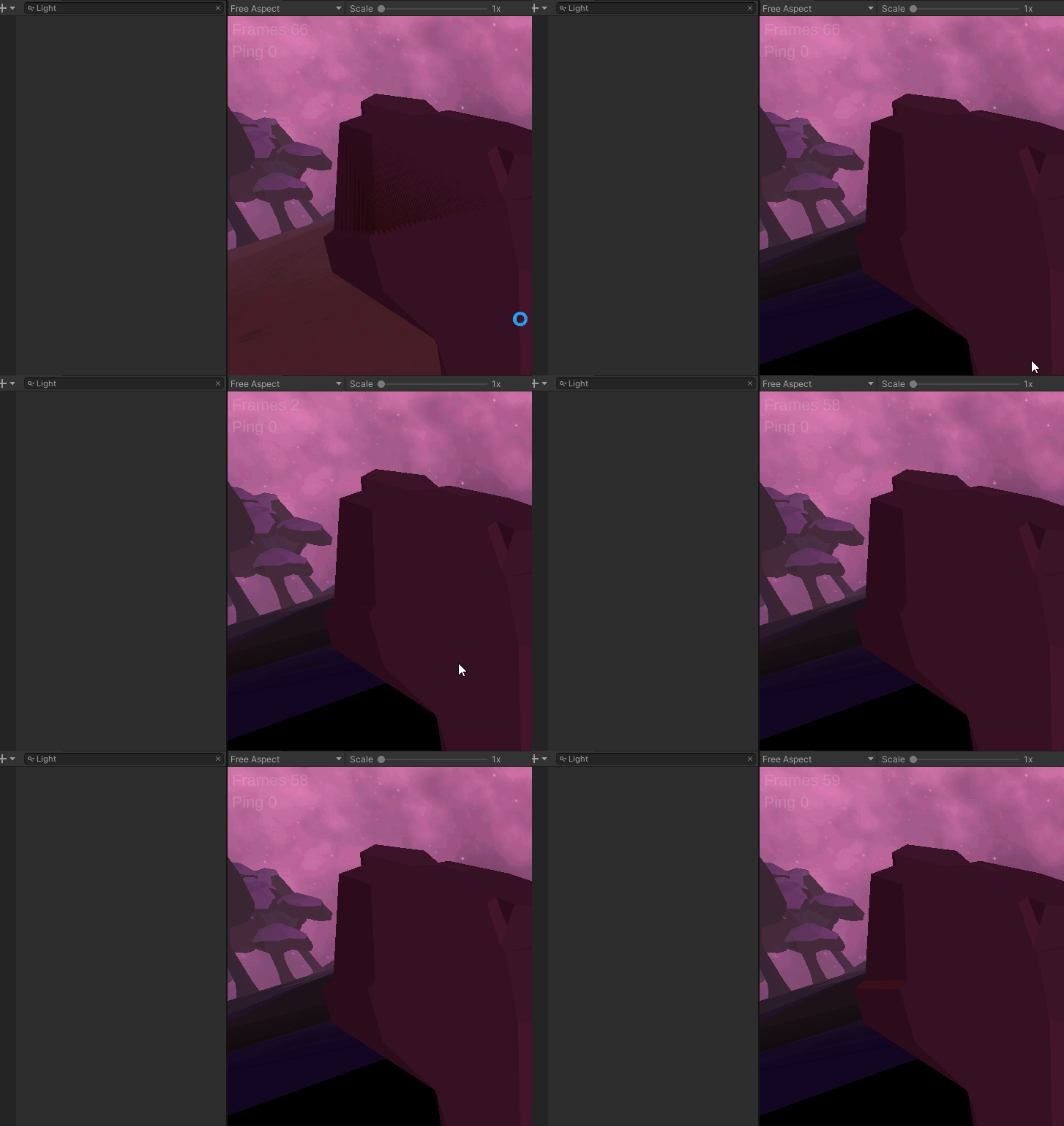
anyyone knows?
covert stirrup
is it Z fighting?
covert stirrup
so yes. Good 👍
 sharp cedar
how can I make a completely white scene? (like this scene from Matrix)
summer aspen
Set ambient light to white.
 shrewd socket
@timber lichen for other computers gpu might not be best, also gpu's do math different from eachother for performance reasons, so if you had like 2 computers with different gpus rendering half each of one animation, the color or something might not match perfectly
 rough iris
Any good tutorials on outdoor lighting?
 whole eagle
how do i make my shadows semi transparent
pulsar aspen
whole eagle
how do i make my shadows semi transparent
go to your light and set shadow intensity
shadow horizon
supple shard
Looks like colour banding to me. You can help reduce it by enabling dithering on your camera.
Or, since you know the keyword now, go have a Google for potential fixes :)
 grave yoke
hi guys. i got a question related to realtime directional light mode. In Lighting window, there's a realtime lighting setup, and I turned off the Realtime GI cause I don't need it (and it's also deprecated). Since I think it's realtime and turned that settings off, I wonder why there's still some baked lightmaps in my settings? It shows there's 2 Directional Lightmaps with size of ~11 MB. I'm using 3D built-in shader, Unity 2020.2.1f1
covert stirrup
If you have unwanted baked data click this
grave yoke
ok thank you
hardy rivet
Anyone know why I'm getting light on the far wall? I've got Lightmap UVs enabled and set to the same resolution as I'm baking
Unlit
It's also not passing across to neighbouring pieces
(yes, they're static)
 warm spoke
my light in normal setting have very low light but i see in ohter unity light have high light in normal setting. how to fix or is normal?
This probelm for all light
hardy rivet
Also what is going in with baking affecting the albedo? Temperature is turned off in the light
 wanton valley
Hi guys! Why my point light does not emit light for my particles on the left side?! 😮 Am i missing something?
It has a big radius and everything
timber lichen
Friends
any idea how to make sun shafts??
 silver zodiac
here is the front
here are the sides
here is the back
how do i turn off the shadows
or whatever is causing some faces to be black
summer aspen
@silver zodiac Set ambient lighting
or use unlit materials if you don't need shadows
 modern root
any idea why i can't see the skybox? i've followed the steps in here https://docs.unity3d.com/Manual/skyboxes-using.html, using URP configured for 2d, perspective cinemachine, keeps only showing the solid color. The material shader is ok i can see it when applied to an object in the scene... though it does work once i remove the URP renderer, in fact it seems to only work with the 3d urp renderer and not the 2d one...
 umbral crater
hello, I'm getting these weird yellow spots on game objects that have LOD after generating light (using GPU lightmapper), does anyone know how to fix it?
umbral crater
umbral crater
hello, I'm getting these weird yellow spots on game objects that have LOD after ...
In case someone has the same problem, I fixed it by disabling the "Contribute Global Illumination" check on LOD1, LOD2 and LOD3 for every game object that has LODs
 dim sigil
Hello. I'm completely new to unity and have an extremely limited knowledge. I'm trying to follow a tutorial, but I am having trouble with shadows. As you can see, the sun is creating shadows, but my objects inside are not. I have changed everything to static and watched some videos, but I cannot figure out why there are no other shadows. Any help would be greatly appreciated!
 misty panther
anyone know why my dynamic models in my scene with baked lighting are flat shaded?
lighting settings:
model properties:
hmm
well I think it's because I have no realtime lights
any way to get realtime lighting on my dynamic objects without making everything realtime?
alright: I made a directional light, made it only affect my gun layer
works now
dim sigil
Could you erase your message if you got it working so people can see what I asked too?
covert stirrup
Area lights don't cast realtime shadows @dim sigil
Only baked. At least by default. In URP/HDRP you might be able to, I dont't remember
dim sigil
Sorry, I don't know what URP/HDRP means. Could you elaborate on that?
covert stirrup
Render pipelines
dim sigil
Are those just different methods of rendering?
covert stirrup
Yes you choose it when you start a new project
dim sigil
I'm a bit confused why mine would function different from the tutorial I'm watching. In the tutorial, the world has objects that cast shadows despite the same kind of lighting
All the assets came prebuilt in a kit I imported, so I know the lights are the same as the video
Do you know why this might be?
I can show you my lighting settings if it would be of use
covert stirrup
Instead of a tutorial on setting up a scene you should watch a more fundamental video about lighting in Unity. It's a big topic
As well as Unity more in general, like the render pipelines. This matters a lot for how your scene looks
I'm heading out now but good luck
dim sigil
Okay, thank you for the assistance
 long lynx
how do i keep the cast shadow of the sphere but remove the shadows i circled here
nvm figured it out
 crisp dagger
summer aspen
crisp dagger
summer aspen
@crisp dagger Don't cross-post. Pick one channel.
You need to set ambient lighting.
sharp cedar
Using GPU lightmapping Im getting these awful results, any way to improve it?
Im using the default settings
 dry arch
I'm having trouble with large and small objects being affected differently from fog. Is the fog calculation only done once per object? Or am I doing something wrong?
 idle axle
I'm trying to turn these guys into light panels
kind of like this
is there any way to do that?
dry arch
@idle axle i’m new to unity as well but i guess you would use an emissive material and an area light?
idle axle
Ive been trying to use the area light but it doesn't seem to want to work
I'll mess around with it some more ig
spark fractal
@idle axle add emission to the material
Make sure it's static
Lights like that only work with baked lighting and light probes
if you want this effect in realtime/dynamic there's some methods in HDRP but it still requires trickery
 atomic valley
Hey guys, I need help using reflection probes.
I have a reflection probe, but the reflections the reflections don't follow the geometry, if you get what I mean.
The reflections just stay in place. The probe is capturing reflections, but it keeps them in place.
If anyone can help, I'd appreciate that.
 leaden reef
is this is your solution?
https://forum.unity.com/threads/reflection-probe-not-reflecting-some-mesh-object-in-scene.465091/
@atomic valley
Unity Forum
I have a room, and placed one reflection probe in it, the floor have set to proper metallic and smoothness, I can see all scene mesh objects reflected...
atomic valley
Hmm
No @leaden reef I have all the reflections, but it doesn't move the reflections with the geometry
Thank you for searching though! You're the best
leaden reef
atomic valley
Thank you for searching though! You're the best
no i am not best
i am wrost
atomic valley
😅 Why?
leaden reef
idk
atomic valley
Ok thanks!
idle axle
@spark fractal nope not working lol
spark fractal
@idle axle https://www.youtube.com/watch?v=VnG2gOKV9dw
In this video we’ll learn a bunch about lighting and use it to light a simple scene using the Progressive Lightmapper.
● Get a discount on The Complete Unity 3D Game Development Course: https://www.udemy.com/unity-developer-course/?couponCode=YTBRACKEYS999
● Download Room + Monkey: https://goo.gl/6EZjQL
● LMHPoly's youtube channel: https://goo....

High quality lighting is not performant... Until now! Let's have a look at Light Probes in Unity.
► Get the free ebook! (sponsored) https://create.unity3d.com/nine-ways-to-optimize-game-development?utm_source=thirdparty&utm_medium=affiliate&utm_campaign=gaming_global_acquisition_2020-01-gmg-ebook2&utm_content=brackeys
● Simple Lighting in Unit...
idle axle
I've watched that first one a hundred times but nothing works
spark fractal
Then you're missingsomething
you should be posting details of your whole scene setup
mesh render settings and everything
 safe pewter
Is there a way to make baked lighting interact with normal maps?
it just looks flat because the baked lighting isn't effected by normal maps
point light works fine so it's not a problem with the normal map themselves
fixed it
had to bake with directional
 quaint gate
I'm new to unity, does someone know how to remove this?
 true summit
I think it's because of your materials that you chose
quaint gate
Its the "basic" material
I literally just created the material and changed the color
true summit
ah ba I do not know how to remove
mystic dew
safe pewter
it just looks flat because the baked lighting isn't effected by normal maps
use shadowmask
spark fractal
@safe pewter Bakery
 latent saddle
how do you fully customise bake results- i.e realism and stuff?
 timber lichen
I have a problem where my object seems to be ignored by the sun, meaning all light comes through the object geometry and there are no shadows inside
I'm on the HDRP btw
 steel crescent
Hi guys,
I have a big problem with shadows.
If I want enable shadows on directional light a turn on shadows, happen this to me. If I set resolution to ultra everything is ok, but this shouldn't do this at all, shouldn't it?
I use Unity version 2019.4.15f1 and HDRP
safe pewter
why are only one of my lights contributing to baked lighting? Both have the same emissive material, both are static, everything around both ones are static, everything has UVs
safe pewter
also why does unity's baked lighting looks SO much worse than lighting baked in blender using eevee
here's it in blender
timber lichen
Check your lightmapper settings (Resolution, samples, bounces etc)
How can i make those branches on the left make less reflective and more representative of how wood supposed to look?
So that they would look something like this
 ivory crag
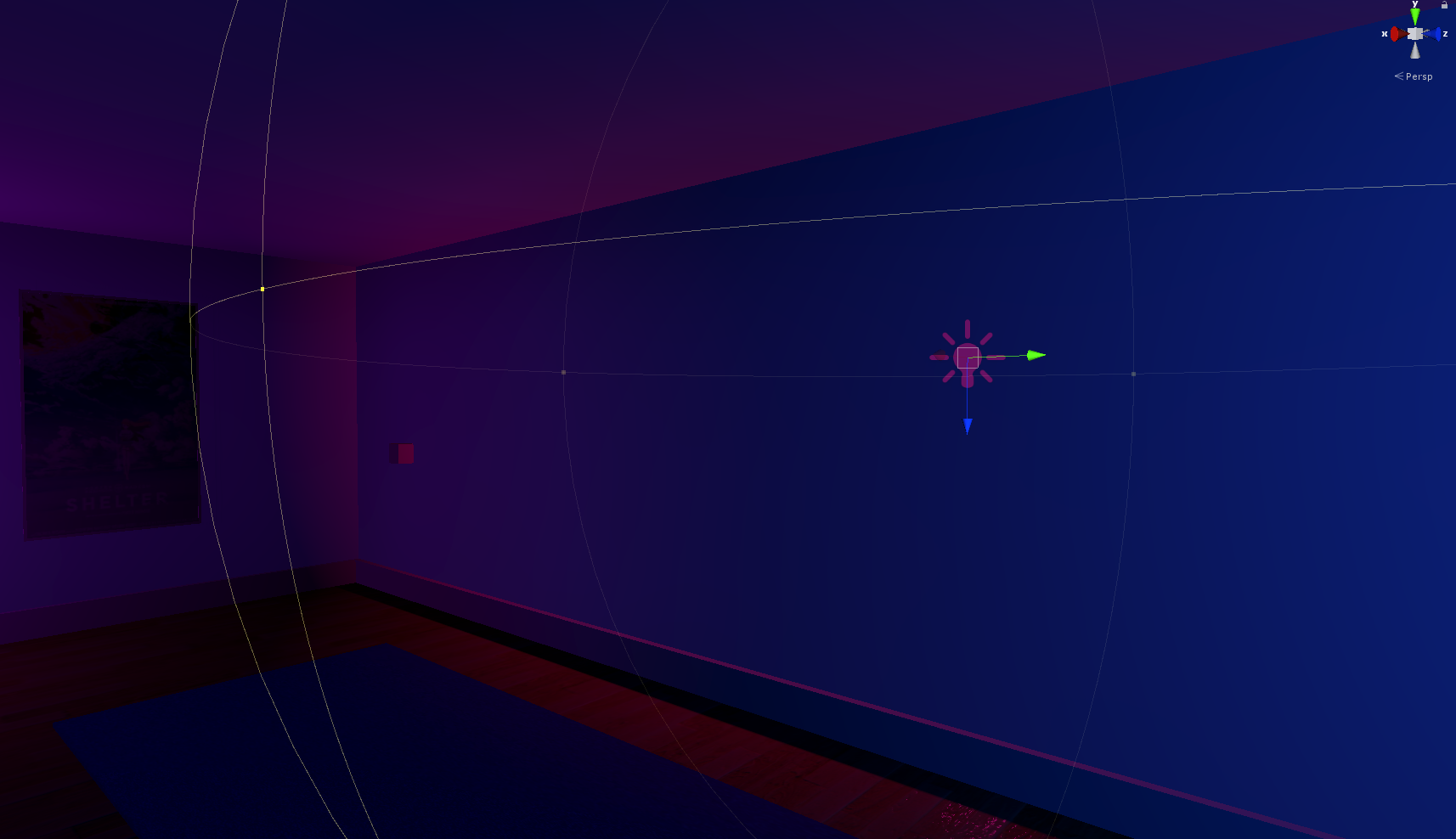
hey i'm a big noob and i have a really basic question, what's the best way to prevent light bleeding through walls for separate rooms? i'm just trying to light up an entire room a specific colour but i have to expand the point light so much it ends up bleeding into other rooms
 sharp wagon
I have same question about light bleeding.
 fallow bone
ivory crag
hey i'm a big noob and i have a really basic question, what's the best way to pr...
fallow bone
ivory crag
hey i'm a big noob and i have a really basic question, what's the best way to pr...
i guess lighting is disabled there
idk
even i am noob
can u send full screenshot
ivory crag
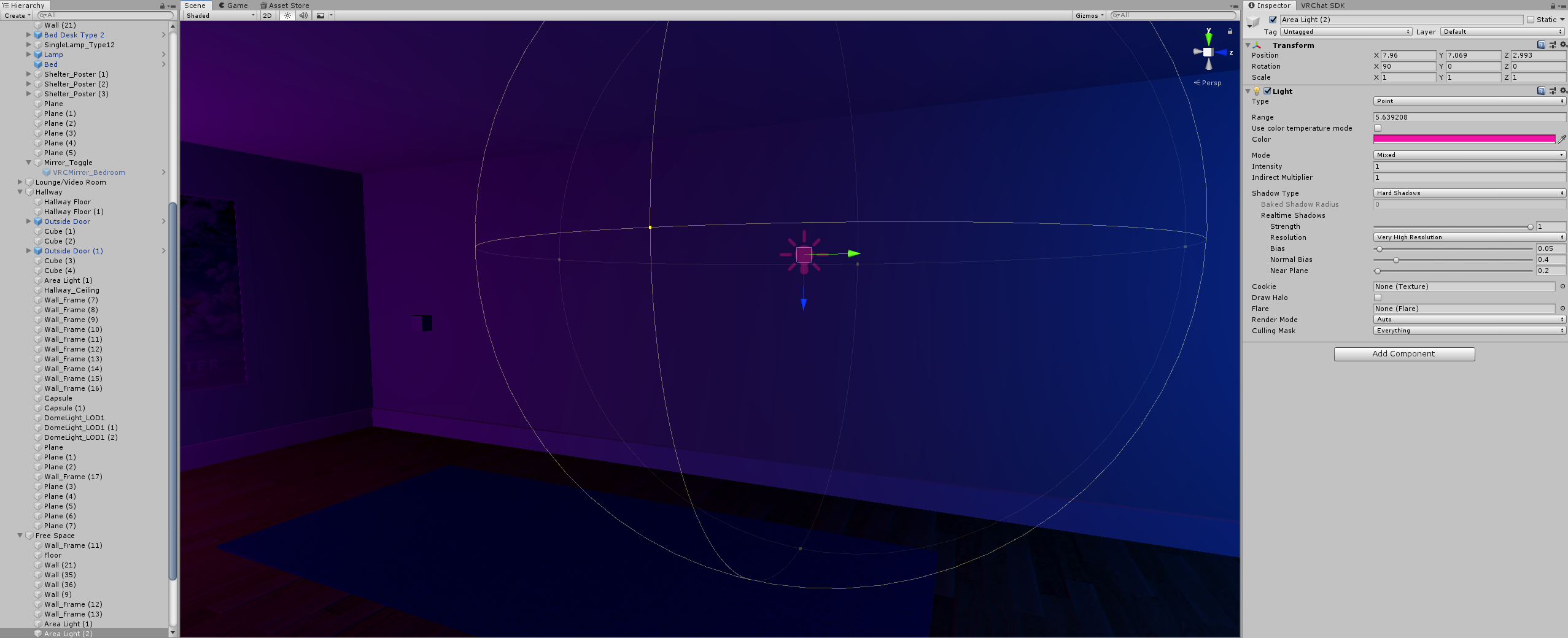
i have a point light in a separate room selected there, and you can see how far out i have the radius for it
and the pink is bleeding into the corners there
i somewhat fixed the issue by using mixed lighting instead of realtime and just adjusting how far out the light goes
but it just seems like such a scuffed solution
there's gotta be a better way to light up a room without the corners going dark or with light bleeding out
i just don't know how to do it
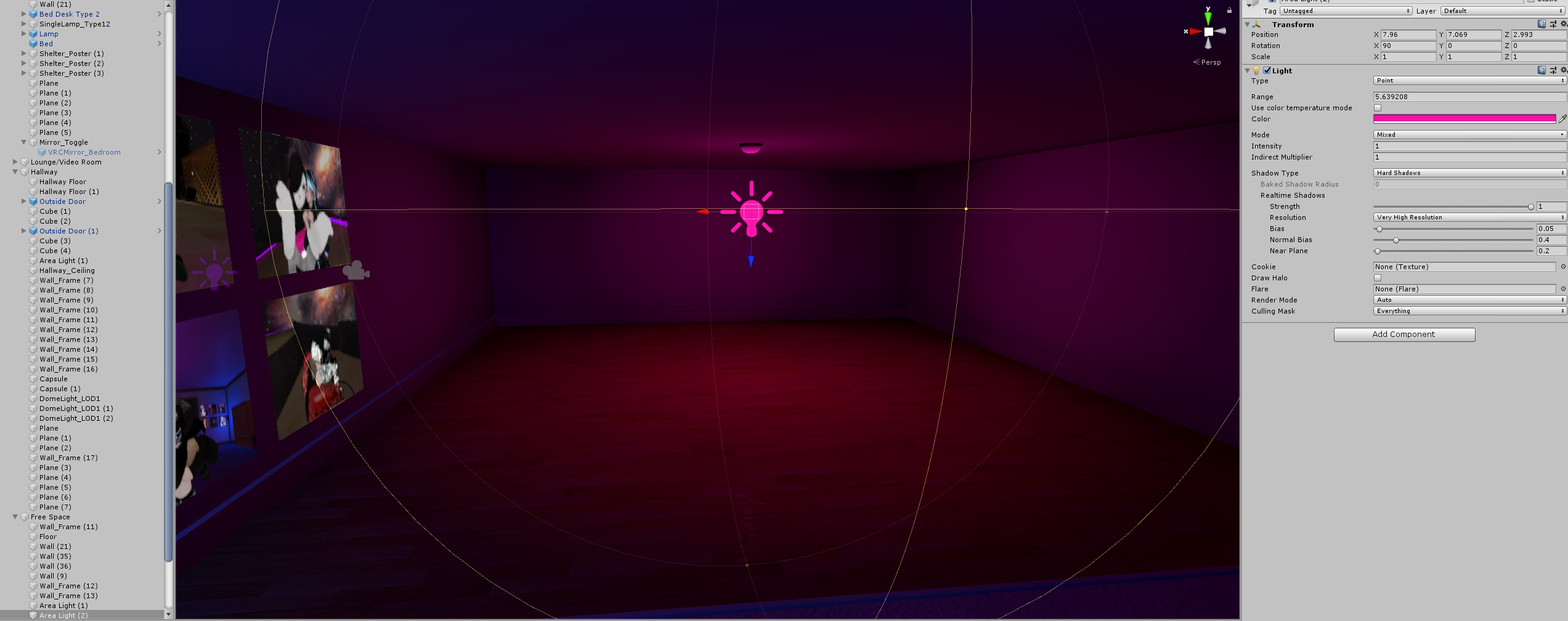
so this is my having it 'sort of fixed'
but the room in question here, i wish the corners werent darkened, i want it to be uniformly lit up
 cobalt dove
Well you could use the culling mask and set up layers for your rooms
 crisp rain
Hi. I'm tying to bang my head around baked lighting. So I set up my scene, to have all items static and starting baking lights. I'm actually dissatisfied with the results, as using baked lighting reduces details, e.g. on the floor (see Screenshots). The scene does not have any directional lights, environment lighting is rather low. Anyhow, the first screenshot shows the scene with cleared baking data- Second one with baked lightmaps (please note the lacking floor details), thirs screenshot shows basic lighting setup. Overall my understanding was, that baked lightmaps should have even better shadowing and details then realtime, due to its nature.
baked lightmaps
I probably have a basic misunderstanding, but fiddling around with LM settings did not change my problem of loosing details.
Please note: I disabled any post-processing to not mask issues.
 hasty carbon
Has anyone else here tried to bake their own cookie cubemaps for point lights in HDRP?
Been pulling my hair out at this all day
Been following the High-Quality Light Fixtures guide by Unity but even when following it religiously, nothing will look right
timber lichen
for Lightprobes on a simple wall, is a single layer ok or should I use a double layer box formation?
ivory crag
cobalt dove
Well you could use the culling mask and set up layers for your rooms
thanks
 spring veldt
Has anyone ever tried using Bakery for GPU lightmapping? https://assetstore.unity.com/packages/tools/level-design/bakery-gpu-lightmapper-122218#description
How is it compared to Unity's lightmapping system?
Is it better to use for lightmapping or of better quality? How's the speed, is it faster?

Get the Bakery - GPU Lightmapper package from Mr F and speed up your game development process. Find this & other Level Design options on the Unity Asset Store.
Hey, this is a response you posted way back in September, how is using bakery compared to Unity's baking process?
ivory crag
@cobalt dove just want to say that this perfectly fixes the issue I was having, never really used unity before but layers seemed so obvious and easy to implement, thanks a ton
spring veldt
When building my game, my light map seems to disappear. This is AFTER the build.
This is what it should look like before
This is something that happened after I switched to URP. The light gets crazy messed up after building
I can't figure out why it's happening
spring veldt
Heheh... I had Bakery on the project and I didn't clear all the settings @_@
covert stirrup
spring veldt
Has anyone ever tried using Bakery for GPU lightmapping? https://assetstore.unit...
Been using Bakery for almost a year and highly recommend it
spring veldt
covert stirrup
Been using Bakery for almost a year and highly recommend it
What are some of the biggest advantages of using it vs the Unity's built in lightmapper?
Is it ease of use, quality, or maybe more functionality? I saw the lightmapping prefabs, so that's pretty neat, but it looks like you can do it with Unity's lightmapper with some jacky scripts.
It takes way longer from what it seems
Also, how's the lightmapping asset size compared to Unity's lightmapper?
covert stirrup
Quality of the results and how fast it bakes in comparison
I haven't compared the size of the lightmap assets
spring veldt
Hmmm, might I ask what your settings are? I have a 1070 and I have been using Unity's gpu progressive and it's way faster
I put it on the recommended parameters when I first started using it.
I was asking about the asset sizes because I've been trying to reduce my build size.
It's almost 150MB for my project and I've been using mostly 1024x1024 textures and light maps get huge pretty quickly
covert stirrup
Can't tell you any specific bake settings, since I've used it in different scenarios. And I never used the GPU lightmapper since it got deprecated
I can run a test now though maybe to see
 tidal musk
hi guys .. i am wondering if its normal for all Lightmap-0_comp_light's to be black ... no color at all.
solemn heath
Hey
Is there a way to keep baked lighting info when i duplicate an object?
solemn heath
oh my god that's aamazing, can you link me a resource on baking lightmaps to prefabs? This is kind of a life and death situation here
 keen crow
I'm messing around with HDRP for the first time in a while and am getting some unsightly banding - seemingly at the edges of shadow cascades. I've tried changing the shadow distance, resolution and normal bias with no luck. any ideas?
 slender light
Is there a reason why spotlights and point lights are so dim?
Is it just a matter of exposure?
I want exposure to be high so I can have sunlight very bright,
but it seems to make point and spot lights tiny and dim
latent saddle
keen crow
I'm messing around with HDRP for the first time in a while and am getting some u...
I’m not a coding expert or anything, but maybe if you use a shader graph you can make it less noticeable by using a gradient type thing to blend the closer parts with the further parts
 golden dock
baked lights are not visible in shaded mode
it looks like that in baked lightmap mode
how can i fix that?
spring veldt
solemn heath
oh my god that's aamazing, can you link me a resource on baking lightmaps to pre...
Using Bakery: https://www.youtube.com/watch?v=3t7iyVmqG2g
Other ways: https://github.com/nukadelic/Unity-Lightmap-Prefab-Baker

Bakery GPU Lightmapper - Lightmapped Prefab Tutorial #NO_Commentary.
Assets Used:
Bakery: https://assetstore.unity.com/packages/tools/level-design/bakery-gpu-lightmapper-122218
Asia - Far East Environment: https://assetstore.unity.com/packages/3d/environments/asia-far-east-environment-21298
GitHub
Unity Light Map Prefab Baker. Contribute to nukadelic/Unity-Lightmap-Prefab-Baker development by creating an account on GitHub.
solemn heath
thank you so much man!
slender light
What's the best way to get a "baseline" setting for light? It seems like when I mess with exposure, either dark areas are bad, or bright areas are bad.
So what is the best setting to start with to base other settings around? Otherwise it's hard to tell if light is wrong, exposure is wrong, or materials are wrong.
 clear crystal
trying to get my point light to work how they did in classic render pipeline. I updated to unity 2021 and my point lights create shadows... but they dont go far enough. i though i could modify lighting.lhsl (or w/e the file name is) but it doesnt seem to exist in the 2021 library. just looking for ideas to make point lights have greater range in urp
One idea i came across that might work would be to scale my game down
since Im still fairly early in development it wouldnt be a lot of work...
 lavish rock
Hi is there any explanation why my Sun turns Black?
timber lichen
this weird shadow keeps appearing and disappearing where ever I take my camera, this happens in scene view and game
timber lichen
Screen Space Global Illumination doesnt require lightprobes to work right? it works off the volume framework?
 tired kindle
that light pole is marked as static
but as u see it still doesnt cast light down on the terrain
i tried with light probes
still nothing
spark fractal
@tired kindle the intensity isn't high enough, the only way to improve it is to up the intensity further, or use something like bakery to force it to be more intense despite the visual.
in this case though it's probably better to just ad da static point light
tired kindle
well wouldnt that just eat away all the performance?
 wanton wigeon
Does anyone know what causes these weird shadows?
 delicate slate
I'm having trouble finding the Pixel Light count in a 2019.4 URP Project. Google isn't being super helpful (as all the answers are from 2018 versions or older)
spring veldt
@solemn heath I wanted to follow up to see if that lightmapping prefab was useful. Did it help you do what you wanted to do?
solemn heath
Dude i was just about to write to you, that saved my life ahahaha
deadline for a project was today so
yeah, it worked
@spring veldt i didn't use the one you linked, but i found another one that i managed to get working, but it was your info that got me there!
it was this one https://github.com/Ayfel/PrefabLightmapping

GitHub
Script for saving lightmapping data to prefabs. Used through the Assets tab in Unity. Place your prefbas in the scene with this script at the root. Set up your lighting and in the editor go to Asse...
i wish i had the money to buy bakery, it seems WAAAAY better tthan the current gpu lightmapper
 tall verge
Hello. So I've been having issues with lightmap baking via Enlighten. I added some Lightprobes and Area lights and attempted to rebake the scene. Now, it has been stuck at Bake Visibility for several Hours, and the console gets the error "Failed executing external process for 'Bake Visibility' job." Every 2-5min.
 vague rivet
solemn heath
i wish i had the money to buy bakery, it seems WAAAAY better tthan the current g...
vague rivet
solemn heath
i wish i had the money to buy bakery, it seems WAAAAY better tthan the current g...
Bakery is great i love it
vague rivet
vague rivet
https://i.gyazo.com/88b159c85543658ae0fb9bc4f65d3c07.mp4
Anyone know how to somewhat-simply make these types of "lights"?
tall verge
Does anyone know how to fix this error or even what causes it?
 coarse vortex
The cube is flush against the plane, with a spot light casting upon it. Why is the shadow not lining up with the corners of the cube? Is this a bug, or am I failing a setting somewhere?
Light Settings
Found it. It was the Bias setting
tall verge
Still have no idea whats causing it to hang at Bake Visibility with Enlighten. Settings are default. Does anyone have any ideas? I've tried clearing the GI cache and deleting all previous lighting data
cobalt dove
@vague rivet the simplest and most effective way to fake it to use a mesh and a shader for that mesh that emulates the transperancy. You can use shadergraph and a simple mask texture that fades towards the edges.
vague rivet
@cobalt dove so would I put the texture on a plane..? Or would I shape it to the size I want the light to be or
cobalt dove
@vague rivet you would make a simple mesh that aproximates the shape of the beam.
 edgy horizon
Hi, anyone know why i get those weird lines on the wall?
if i move my camera those line will change
 hoary marsh
Hello, I'm looking for a way to filter white out of my Render Texture. I found an old shader from back in the day that apparently did this, but i havent been able to get it working. Where would I find something like that nowdays?
vague rivet
With Bakery should I use mixed or baked lights?
vague rivet
I know I keep asking about lasers and stuff but like, if this is just a mesh how is there so much variation?
 vale flower
vague rivet
I know I keep asking about lasers and stuff but like, if this is just a mesh how...
vale flower
vague rivet
I know I keep asking about lasers and stuff but like, if this is just a mesh how...
i'd say it uses shaders to increase amount of lines when the laser cone is scaled up and down
vale flower
lots of math magic
i assume it takes the scale and then changes tiling of a laser texture to match
vague rivet
So what makes the lasers shoot out then? @vale flower
vale flower
enabling-disabling the object
also, now that i rewatch the video, the lasers aren't even scaled to match, the object is probably just scaled up and down without any custom shaders
rotating is done with animations
vale flower
yeah, applied to a cone
vague rivet
A cone?
vale flower
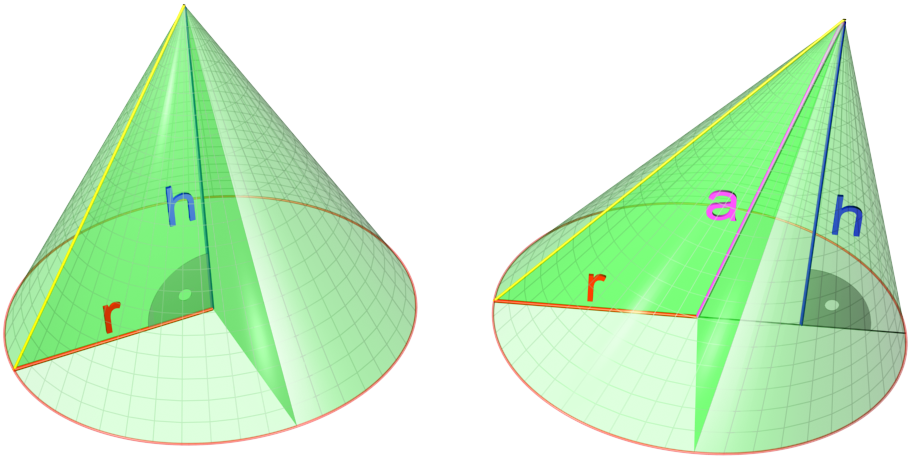
A cone is a three-dimensional geometric shape that tapers smoothly from a flat base (frequently, though not necessarily, circular) to a point called the apex or vertex.
A cone is formed by a set of line segments, half-lines, or lines connecting a common point, the apex, to all of the points on a base that is in a plane that does not contain the...
vague rivet
Well I know what a cone is lol
vale flower
yeah, just a texture applied to that
vague rivet
just now how they work in unity exactly
vale flower
with emission on or using an unlit shader
well, you can use 3d modelling software (blender, 3ds max, maya or even probuilder which is a unity plugin) to make a cone, then (unless you use probuilder) import it into unity by drag-and-dropping the model into your project
vague rivet
I stopped using probuilder after I got into blender lol
vale flower
yeah
vale flower
if you do proper UV maps, it won't
vague rivet
Hey @blazing yew, why use a cone?
 blazing yew
(Probably the other Arty! :p)
covert stirrup
A spotlight is a cone https://i.pinimg.com/originals/d1/ab/8a/d1ab8aeab6db88a379a66fb1677da57b.jpg
 spark fractal
tired kindle
well wouldnt that just eat away all the performance?
spark fractal
tired kindle
well wouldnt that just eat away all the performance?
A baked light is not the same as a real light. Doesn't matter if it's an emissive material or a point light source.
spark fractal
wanton wigeon
Does anyone know what causes these weird shadows?
shadow bias, NGSS shaddows asset
 patent oak
edgy horizon
Hi, anyone know why i get those weird lines on the wall?
patent oak
edgy horizon
Hi, anyone know why i get those weird lines on the wall?
the lines are made because to objects are at the same Z axis. try clicking on the wall and deleting or hiding it. There might be a second one under it.
edgy horizon
Yeah it worked that you
tall verge
So at this point I've removed light probes, lights, reinstalled unity, and I still can't get this project to generate lighting using enlighten, and I get bright spots that shouldn't exist when using progressive CPU.
 meager stirrup
for some reason I have no shadows
I have no clue what to do
I have been researching for 2 hours and I have gotten nothing
stark temple
Can you screenshot your ground material
stark temple
the material on your ground object
also remove this component as it is doing nothing
meager stirrup
stark temple
also remove this component as it is doing nothing
ok lol
stark temple
can select your cube and focus it with F
do the shadows appear when you are that close?
meager stirrup
well there are no shadows period
like you can kind of make out the sides cuz it's a shade darker
but
there is no shadow in contrast of the cube and the white cube
stark temple
I'm gonna have to open a new project to see what you could have changed to make this happen
meager stirrup
meager stirrup
stark temple
I'm gonna have to open a new project to see what you could have changed to make ...
ok
thanks
stark temple
change your settings back to how they started
meager stirrup
stark temple
change your settings back to how they started
are you on hard shadows?
stark temple
yes
meager stirrup
because it won't let me changed baked shadow angle to 0
can you send ur entire iinspector?
for the direction light ?
that would be much appreciated
stark temple
You can just right click on it and press Reset
Actually, that won't do it
make a new directional light
that's what my settings are
(with shadows on)
meager stirrup
making a new directional light didn't do anything
stark temple
what happens when you just make a new basic scene and add two cubes to it?
because mine have shadows
stark temple
a totally new scene
meager stirrup
oh
 wispy tangle
Hello guys, would this be the right channel if i have questions about lighting that i want to discus? **
stark temple
sure
stark temple
I have no idea what you've done to the previous scene
it's yellowy because the light is yellow
wispy tangle
So i have been working with light probes for some time, but it have only been with small scenes, but right now i'm working on a "big" scene, and it seems very overwhelming, any tips on how to get started with a big scene
meager stirrup
thanks
meager stirrup
how do I make my shadow a little less severe? it makes the shady side of my cube look like a black hole
 languid wing
Either add more lights or look into ambient lighting
hoary marsh
@meager stirrup I would encourage you to check out some art videos on painting and drawing light. Light is pretty straight forward overall. Light reflects from a smooth surface at the same angle as it hits the surface, and it technically does the same on rough surfaces but it has more times to bounce on a scale we dont see so it diffuses faster. There are a lot of art videos on how to work with it. It looks like you only have one light and a floating object. If you had more objects i think you can have unity calculate the bounced light, i havent needed to mess with it for my purposes so? prolly
but yeah, if you set up some other types of lights or a second directional light you can simulate the bounce light pretty easy
meager stirrup
hoary marsh
<@!532369562377912321> I would encourage you to check out some art videos on pai...
I know... I had watched a few videos but spent 30 mins even trying to find the ambient light setting 😂
hoary marsh
yeah if you are on the new unity version most of the videos are outdated. they moved stuff all over. its driving me crazy
meager stirrup
hoary marsh
<@!532369562377912321> I would encourage you to check out some art videos on pai...
Also I have been experimenting. The real time consumer is actually trying to find the setting..
meager stirrup
hoary marsh
yeah if you are on the new unity version most of the videos are outdated. they m...
Ikr
hoary marsh
So ive been watching old guides for things i need, then watching a guide on that specific thing like the shader graphs. they changed stuff and albido is now base color etc.
or i mean i watch a guide on what they changed
hoary marsh
after i watch a guide on how it used to work. because no new guides haha
meager stirrup
It would be very helpful
hoary marsh
yeah one sec
meager stirrup
Thanks 😊 🙏
 serene galleon
I dont get lighting at all at this point, I baked the lighting and it looks muddy but the real time directional light thats shining through the door on the left is showing more of the detail on the texture?
 hollow valley
how do i make object not recieve any light ? Like the object would be pitch black
covert stirrup
Use an unlit material @hollow valley
 torpid whale
 ruby oxide
I'm trying to recreate a scene from an unreal engine 1 (1998) game - any tips on how I would go about matching the lighting here. I don't want to use post processing and would hope to be able to do it very cheaply (computationally). I'm a bit of lighting novice, having a bit of trouble - here is what I am looking at
Game Screenshot:
Unity Recreation: Things in general just seem a bit dingier - more gray and washed out - note that I am using the same textures but I can't seem to replicate the vibrant darks in the original
languid wing
Original seems to have shadows
e.g. for the stools
also, are they using an unlit shader for the lamps maybe?
probably not but... they seem to have their own irradiance
of some kind
same with the neon sign in the back
timber lichen
yeah that seems to have baked emission on, just stick a soft point light on yours should do the trick.
ruby oxide
Thanks for the tips!
 modern igloo
trying to bake lights in my game so I don't need realtime shadows but all my character are blackend or dark color when I 1 directional baked light
here is the issue
hoary fossil
 red crescent
Hey there people. I am trying to bake lighting in my scene and I have run into an odd issue. When I bake I get stuck in a loop and have to cancel. The error I get says Could not read textures from Assets.
I also see Integrate failed on Write Lighting Data job.
And it is moving files from one folder to another so when the light map bakes it tries to bake it then moves the file then bakes it again and moves the file over writing the old one and just does this over and over.
Lastly it seems the file moving issue also happens if I make a change to an image such as update a png in a folder. When I save the new png it moves that file out of its sub folder and places it in the root? Any one ever seen this or have an idea how to fix it?
 final grove
how do i get my weapon to glow like this in unity?
https://sketchfab.com/3d-models/graviton-hand-cannon-abfb7b6e09584a52a13d36739ceb0e71

Destiny 2 Inspired Fan Art. Based off concept art found for a Graviton Lance style weapon in the form of a Hand Cannon/Pistol. - Graviton Hand Cannon - Download Free 3D model by Discover (@Discovered) [abfb7b6]
mine is not glowing in game
summer aspen
final grove
how do i get my weapon to glow like this in unity?
https://sketchfab.com/3d-mode...
#💥┃post-processing bloom, resources are pinned in the channel.
 neat lily
Hey guys, anyone know how I can bake a big scene of static objects without Unity crashing?
 stuck fjord
can anyone help me with this object? why is it completely black?
languid wing
stuck fjord
can anyone help me with this object? why is it completely black?
idk, what settings are on the renderer?
 cursive lake
Can some one help me with make a emergency light system for my game?
stuck fjord
languid wing
idk, what settings are on the renderer?
Gamma
stuck fjord
languid wing
I mean what material
I'm not sure what you mean, I made the .obj from point cloud data - using meshlab?
I really don't know what i'm doing tbh 😄
languid wing
Click on the "default" object in your hierarchy
On the right side of your screen you will see a MeshRenderer component, in the Inspector
The MeshRenderer will have a list of materials on it
The material determines which shader and textures etc.. the object is using
which is what determines the appearance of the object
stuck fjord
languid wing
Ok so... it's a sorta black material
and the object looks
sorta black
What are you expecting to see?
stuck fjord
but, can you see how some of the other materials 'normal'?
I can apply textures/materials to some of them and I can see the colour, but for this one for instance, when I try to a apply a material to it nothing changes
It just stays black
I really only want the model
Like the default materials square etc
@languid wing example 😦
languid wing
It's possible your mesh's normals are messed up
stuck fjord
you don't have to tell me what to do - but just some advice 🙏
languid wing
did you make the mesh yourself?
stuck fjord
yep
languid wing
e.g. in Blender?
stuck fjord
using meshlab
languid wing
Ok I've never used meshlab
but see if there's a button somewhere to recalculate normals
stuck fjord
I have blender as well
languid wing
something like that
stuck fjord
i'm getting desperate 😄
languid wing
Or at least a button to show the normals
stuck fjord
languid wing
Or at least a button to show the normals
there's a few buttons alright 😄
languid wing
Try some of those "Recompute Face Normals" and "Recompute Vertex Normals" buttons
or Reorient all faces coherently..
those all seem promising lol
stuck fjord
ok you can see even in this editor it's black 😦
languid wing
Also see if there's something under "view" maybe that is like "show face normals" or "show vertex normals"?
Sorry again never used MeshLab before
and I'm only a beginner in Blender really 😉
stuck fjord
I'm doing my university project
I have to make this app for a jewellery company
GOING SO BAD
GET ME OUT 😄
stuck fjord
languid wing
and I'm only a beginner in Blender really 😉
figured it out 😜
languid wing
was it the normals?
 carmine hedge
Hello , i have a big open world map for my car game and wonder what is the best approach to use light in that map ? i learned what is bake - static and moveable object - a little bit light probe - reflection also but i am beginner and wonder about performance because it will be a mobile game. Making my objects static and press generate ligtmapp button is the only way in my mind with informations i have for now but what will gonna looks like that lightmap for entire map and objects ? shudn't i use static with that way or just use dynamic lights based on camera location ? i am loooking for a little guide or advice , Thanks 😄
neat lily
Is there any way for Bakes to not take hours or crash ? I'm on a 1.0M Tris + 1.7M Verts and can barely get it to bake with a lightmap resolution of 2
stuck fjord
languid wing
was it the normals?
yep
neat lily
Hey guys, I'm having trouble with my scene when baking, on a single color terrain, I'm havin weird 'stains' anyone know why?
 scarlet bane
neat lily
neat lily
Hey guys, I'm having trouble with my scene when baking, on a single color terrai...
scarlet bane
neat lily
neat lily
Hey guys, I'm having trouble with my scene when baking, on a single color terrai...
Hmm, so I found that it was a compression error; but this makes my scene lightmaps go from 24MB to 112MB :[
 ocean marsh
Anyone has any idea as to what i could do to reduce/fix the tearing on the shadows?
The Light component is the light that causes these shadows and the field below it is quality settings.
Though maybe they are supposed that way, although i would expect "High Resolution" shadows to look a little better.
Im not very experienced with graphics and lighting so i would like your opinion.
And sorry if the image is really dark, increasing your display brightness helps a lot.
vague rivet
Anyone else seeing these weird square artifacts?
also got this weird shit goin on
 wet locust
@vague rivet try ensuring the mesh have UV Lightmapping
vague rivet
wet locust
<@!250426565114986509> try ensuring the mesh have UV Lightmapping
It is
and still doing this
ive deleted and reimported bakery 5 times..
vague rivet
The light on the left baked nicely with the soft halo on the ceiling, the right one is blocky




 digital delta
mmm someone knows why is this happening wit the shadows on terrain's trees?
 frozen crypt
@stuck fjord what on God's green Earth did you make? Delete that model. Create a torus. In object mode press Ctrl+4. Export.
languid wing
Hey, it's called Art!
frozen crypt
@digital delta yea, it has something to do with your shadow cascades. Don't remember it off the top of my head.
frozen crypt
Yall wild
spring veldt
@solemn heath did you try increasing lightmap size? There should also be a parameter for shadow size in the light setting, try increasing that