#archived-lighting
1 messages · Page 53 of 1
 little sigil
 summer aspen
You should describe what is the issue exactly and what is your setup.
little sigil
the image is the issue
It's creating a sheer line with shadows
and what about my setup should I share?
summer aspen
What render pipeline are you using, what are the cascading shadows settings, etc.
little sigil
cascading shadow settings?
I'm also not sure how to tell what my render pipeline is either
summer aspen
...Do you want that shadow or not. What do you try to achieve. the picture says nothing about that
little sigil
alright sorry
I don't want the shadow
the harsh edges tend to be around the edge of the objects too
summer aspen
cascading shadow settings?
I'm also not sure how to tell what my render pipeline is either
Something to research before asking questions.
Cascading shadows are in lighting settings.
summer aspen
You need to make some effort first.
little sigil
I already tried researching
This problem is hard to describe honestly
I don't think cascading shadows are the problem here, the lighting doesn't appear to be antialiased either
summer aspen
Start by finding out the source of the shadow first. If it's the shadow range doing that or something else.
little sigil
I'll start by saying there is no "shadow" range said anywhere
the shadows also appear and reappear depending on what angle I look at the spot light
summer aspen
If you are using URP without cascades setup it can create a single shadow circle sometimes, at least used to.
little sigil
Hm
summer aspen
So experiment and setup cascades to avoid that.
little sigil
I'll see what I can do
oh here's a good example
so I am further away, and the light isn't there
but if I get closer
it appears
I think it has to do with it rendering the light only on the objects nearby the camera, but I don't want it to do that
since you can partially see the unlit objects in-game
oh, do you know any good tutorials for cascades?
little sigil
Thanks :D
summer aspen
Cascades themselves are pretty straightforward, just have to experiment and understand how it works
little sigil
yeah
summer aspen
Also to debug your lighting create a clean scene with default shaders with similar scale and see what's happening.
little sigil
I struggle with researching stuff like coding because I really haven't been doing it that long
summer aspen
From these pictures only vague guess work can be done
little sigil
understandable
summer aspen
Practice and experimentation is the key
little sigil
So do I have to bake a cascade?
summer aspen
It's for dynamic lighting I think. I haven't used it a lot.
little sigil
yeah the spotlights move with the player so I wouldn't be able to bake any of the lighting
I'm not sure this is straightforward, there is a lot of text in that
summer aspen
It's LOD for your shadows basically
little sigil
the cascade?
summer aspen
yes
little sigil
actually I'll try to recreate the problem in another scene
 obsidian canopy
@summer aspen Hey fog while your attention is here, do you know if it's at all possible for Unity to share how their Lighting Data Asset is laid out?
We are trying to do baked lighting in a procedural map and the last step is Light Probes
room prefabs generated in random positions to be specific
summer aspen
@obsidian canopy I have no direct relation to Unity or its development. Please don't ping staff or people out of conversation with support questions.
obsidian canopy
Oh okay lol
little sigil
well I lost track of where my scene was so now I need to find it xD
so the lighting edge forms around the edge of the collision of the object, instead of spilling over onto the next one over, is there a reason for this specifically?
summer aspen
Check if it uses a different shader
little sigil
They should all be using the same shader
summer aspen
or renderer shadow/lighting settings
little sigil
they do
summer aspen
That's where clean scene + default shaders would point you to the problem
little sigil
Yeah, but I don't know how I'd see it
if I can't see the problem now I don't know how that would help any more than just this
summer aspen
Create default cubes in unity and put them in place of the road, see what happens
summer aspen
So that would point you to the problem with shader/material. Change them to confirm.
little sigil
what should I change them to?
summer aspen
To the ones that worked - default ones
little sigil
Also I've noticed the objects not in view aren't being lit up, and when the spotlight objects aren't in view the light doesn't show
they are all set as "mobile/diffuse"
oh right, I should set it to standard I guess
wow that fixed it instantly
Makes me wonder why "mobile/diffuse" did that
well thanks for the help either way :D
 supple patrol
What do you think?
 timber lichen
I think it looks little f*cked up
little sigil
It seems the intensity of the lighting is a bit high I think
 pulsar aspen
Shadows need fixing
Generally I go by "if u have to ask if it looks good.. Try again"
Getting rid of the blinding white will help tho
 true gate
Any idea on how to create an effect equivalent to the one that was used on the Driver: San Francisco?
 silk schooner
I was wondering if anyone could help me fix this issue.
In the editor, everything appears white, I've tried messing around with the directional light lux value and so on but it only changes in-game, not in the editor.
I'm not quite sure as to what's causing the bright white in the editor
summer aspen
Check what effects are being applied on the scene (dropdown on top of the scene) . Skybox lighting looks like not being applied.
pulsar aspen
@true gate looks like an overlay to me
 sinful anvil
hi ! i don't get it i have removed all lights, skybox exposure is on 0 direct light is rotated as night time but the world is still bright thanks !!
 ebon brook
Any ideas on why my game looks like this in Shaded mode?
it bakes ok
I'm assuming it's my reflections maybe
but deleting my Probes does nothing
obsidian canopy
If you're working on a game that has procedurally generated levels, and want to eventually implement baked lighting for your sections (Baked Lightmaps and Lightprobes), please add your voice here https://forum.unity.com/threads/prefab-level-generation-light-probe-support.999266/ So we can hopefully draw more attention for Unity to change this.
 vocal ivy
Say there is a glitch in my code where sometimes when I change directions before my airplane levels out it will stay rotated in the opposite direction. I could use a set of eye's if one of y'all could tell me what's I'm missing and I would appreciate it.
float input = Input.GetAxisRaw("Horizontal");
if (Mathf.Abs(input) > inputDeadZone && Mathf.Abs(horizontalAxisRotation) <= rotationLimit)
{
    horizontalAxisRotation += Mathf.Clamp((transform.rotation.z + input) * -rotateSpeed * Time.deltaTime, -rotationLimit, rotationLimit);
}
else if (input == 0)
{
    horizontalAxisRotation *= rotationDampFactor;
}
// transform.localEulerAngles = Vector3.forward * horizontalAxisRotation;
gameObject.GetComponent<Rigidbody>().transform.localEulerAngles = Vector3.forward * horizontalAxisRotation;
 exotic folio
Hey guys new here, I'm having an issue with lighting. I just recently changed my project from standard to HDRP. all the lighting is broken and I can't seem to bake any lighting at all.
 delicate sonnet
Im trying to bake lighting in a scene for testing purposes, the only light source being a directional light and with the settings as shown here
this is the result inside a building and I cant figure out what's causing this
Ive been thinking it might be to do with the materials or the import settings for the models or the lightmap resolution or the lighting settings but I get varying types of broken results no matter what Ive tried so far, switching to the Enlighten mapper makes the building appear all black
I feel like Im missing something obvious, to me it looks like the lightmap data has very low resolution but I dont know why
even when I create rather high resolution lightmaps those dark spots remain throughout the scene
sinful anvil
Anyone has a good free flare package to share for unity 2020 ? or some tips ? that would save my day ! thanks a lot!
 shadow horizon
Can anyone tell me, on a brand new scene, my scene lighting is being set to -12 intensity?
pulsar aspen
try adding a skybox to the environment?
shadow horizon
@pulsar aspen not sure what that would solve
The level is 100% in doors, no windows i dont need a skybox
pulsar aspen
The hdr color is directly below your blank skybox, those three tabs are their own section; it appears they relate to one another @shadow horizon
You may not need a skybox to look at, but it may effect other things
Just a guess
shadow horizon
Didnt solve the issue
Like i cant do anything, i cant bake my lights, since the scene intensity is still -12 when i press play... so the game is just black..
 lusty vine
@shadow horizon I'm a lighting noob so whatever I say, please question it 😄 But as far as I know indoor scenes won't be affected by outdoor lighting.
Except for showing cracks in/between your models. I had the same issue when I was trying to light my indoor scene (and I never solved it). The way I worked around it was by just adding a crap ton of area lights and point lights. After baking, it looked terrible. Then I solved it by closing the project and giving up.
lusty vine
Oh do share 😄
lusty vine
What the crap
shadow horizon
i know right lmao
lusty vine
Are the other lights baked?
If you figure out why this is happening could you ping me? I'm very curious now
shadow horizon
Sure, dont think i will find it out though
i solved it by keepign the light active, but just making the light color black
i've always had light problems with unity
i never bake. its terrible. changes the look of the scene too drastically
its just clapped. needs a complete over-haul
lusty vine
I think that might be the problem
This light is realtime
Are the other lights realtime?
lusty vine
And everything around it is static?
If a light's mode is baked, and nothing gets baked, then the scene will be black in play mode because there's no lighting information
But then it also doesn't make sense that the parts around the ceiling lights are lit when you enable the spot light...
I hope someone smarter than I sees this and has an answer
Also I have a question about URP and runtime shadows. I don't have a directional light either because it's an indoor scene. And URP doesn't have realtime shadows... So how can I have shadows still? I can't fake it with multiple directional lights because that's also not supported. And not having shadows makes it look weird.
It's for VR, so I can't use HDRP either.
A while ago I saw that URP point lights has realtime shadows "in research". But that hasn't moved yet so idk what to do.
shadow horizon
@lusty vine URP does have real time shadows, Im using Urp and my player arms cast shadows
lusty vine
@shadow horizon What? Which version are you using?
Also which light are you using for the shadows
lusty vine
Ah spotlights... I don't use those. Maybe I should try that.
If I set the radius wide enough it shouldn't be too obvious
shadow horizon
Yea, they have a fade-off angle which is super useful
But. Unity lighting still trash 😂
lusty vine
haha +1
lusty vine
Dumb question... Probably. But is there a way I can let my lighting have the same brightness everywhere? I'm trying to illuminate a room so I put lights in the corners but it's making these "extra" lit bits because that's how light works
 marsh kiln
haha um.. im losing my mind rn, im trying to bake lights with my gpu and i get this: "OpenCL Error. Falling back to CPU lightmapper. Error callback from context: [CL_INVALID_KERNEL] : OpenCL Error : clEnqueueNDRangeKernel failed: invalid kernel 0x0
"
vocal ivy
@lusty vine that's an odd effect, it only effects the floor and ceiling. Are you using the same material for the walls?
pulsar aspen
I think that happens when the lights are too close to the outside of the mesh
so you get some light some places, but say the wall, it's detecting light as on the other side of it / normals not lining up
 wispy brook
Having issues with shadows for mass spawned trees after baking my lights all the shadows for the trees arent baking any solutions
pulsar aspen
@wispy brook are they static?
pulsar aspen
could be out of memory
wispy brook
i have 32 gbs of memory
pulsar aspen
I'm not experienced with mass baking but I'm sure it's possible- just not all at once maybe like you're attempting
wispy brook
idk any other way of doing it
pulsar aspen
combining those trees might do something? maybe someone else can chime in
wispy brook
u cant really do much to them they are all apart of the terrain
pulsar aspen
you can extract them tho
if it comes down to it
but there should be an easier way to do large scale baking, my suggestion is turn down your settings
@wispy brook https://blogs.unity3d.com/2019/08/28/static-lighting-with-light-probes/ also check this out if you haven't, still learning this stuff myself
wispy brook
ill mess with it more tomorrow ig guess cuz i got a lot of optimizing done so it should run better over all
pulsar aspen
anyone experienced know what I can do about A: needing to bake my lights (for Area)
and B: needing to turn said lights off at runtime.?
pulsar aspen
try set emission color to white unity 2020.. https://i.imgur.com/hGqAYS5.gif
 paper gorge
does anyone know how to fix this?
i realy dont know what happened here
the objects look like they have a weird outline
and the lights in the windows look pixelated or something
 meager spoke
The light is going on the ceiling and floor but not on the wall
Any way to fix this
 digital plover
@paper gorge u can try decrease the scale
@meager spoke im not rly sure but maybe reflection probes might help
 iron karma
is the gpu progressive lightmapper suitable for extremely large environments (lots of small objects) across like 2x2km distance?
iron karma
another concern is how texture streaming would handler hundreds or thousands of lightmaps. lightmapped objects would be swapped out with baked low res chunked LOD geometry probably, so I'm guessing that shouldnt be a problem
 winter echo
What is the purpose of light probes. I know they store lighting data that isnt on surfaces, but I do not know when to use them
supple patrol
What is the purpose of light probes. I know they store lighting data that isnt on surfaces, but I do not know when to use them
@winter echo They fake light from a baked lightsource and bounced light from static surfaces onto non static objects.
You can safe performance by using Baked Lights and use Lightprobes to project the surrounding illumination (so non static objects don't feel out of place and not affected by light) onto non static objects instead of using realtime/mixed lights.
Basically use it when you want ambient light to affect non static objects and use realtime lights when precise reflections are crucial, for example in close up shots.
Any way to fix this
@meager spoke looks correct to me, It seems the materials reflect light differently. Change the Material from the Wall
winter echo
ah ok thanks
vocal ivy
I got this bug in Unity and was wondering if there was a way to fix it, actually 2 bugs but they seem to be related.
The first one will open a window with my project telling me I should download the Hub which Is where I'm launching the project from and asking me what I want to do.
The second one will open a blank window with my project and if I close it then the other window will close as well.
 fervent turret
Hi all,
is there a way to get a world space canvas to react to 2D lights in URP? I have some text displayed on a wall, and only want the player to see it when it's lit with the player's torch.
 autumn crow
Hello people. I need some wisdom to figure out a problem I:m having. I have this statue model with lights around it. The user is able to scale the model as they wish. However, when you scale down the statue, its becomes too bright since the lights remain at the same brightness and radiues and light up a smaller model. Any ideas on how I can fix this? I tried doing some sinple maths to reduce the intensity of the lights with the sacle but it wasnt good enough.
 quick saddle

how would the blue tint effect on far away object be implemented with unity's lighting system?
 daring seal
Blue fog, i guess
 silver kernel
Hello there. Having some big shadow acne issues in URP. I've been tweaking bias but doesn't really help. Searched for the fixes on google, but there's nothing apart from recommendations of using NGSS. Is there really no way to fix that without that asset?
 toxic hemlock
10/?
 solar salmon
I'm getting weird lighting when using HDRP:
Whenever I am looking directly at or near a very bright or very dark material, the exposure of the camera completely freaks out. Either everything turns super-light/white or super-dark/black.
What have I done wrong? 🤷
 mystic dew
@solar salmon did you setup auto exposure in volume render component ?
solar salmon
@mystic dew I guess so. I had the tick for exposure checked in my "Sky and fog volume" and the value was set to 10000 😮
timber lichen
why do my directional lights work for everything except character? blue light makes all things blue but character still white
i made it baked for speed/peformance
sinful anvil
Hi ! any idea on how to add flares on unity 2020.1 ? Thanks a lot !!
 violet night
@timber lichen have you setup light probe? Baked lighting and lightmap is only for static object, dynamic object have to use light probe to simulate lighting effect
timber lichen
oh ok, i thought i will need to change it to Mixed lighting
from baked
will check your solution, thanks
violet night
it depend on what you need, if you targeting low end device full bake + light porbe can save a lot of performance. If you target mid end or PC, you can use mixed, but you still need to setup light probe to make some lighting effect to work
timber lichen
oh ok i have these settings. doesnt it mean lightprobe is already turned on? https://i.imgur.com/iLfYBKA.png @violet night
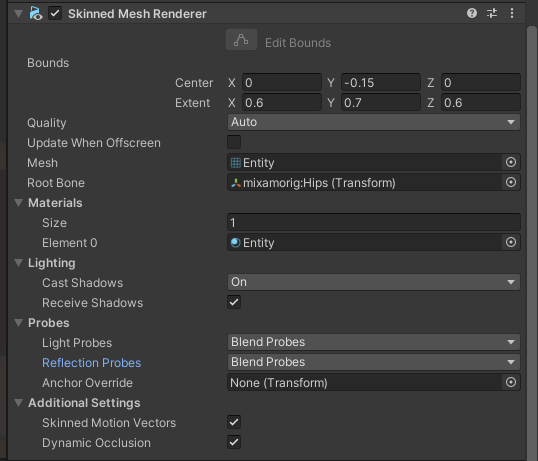
or mb i need to bake again
violet night
no, light probe is another object you can place in scene, try google light probe
and you need to bake again after placed in scene
 lilac lynx
hiii
for some reason my lights flicker in a specific camera position like this
does anyone know how i can fix this?
also the lights are realtime spotlights and i am using URP
 clever jasper
@lilac lynx wow never seen anything like it
 violet quiver
@lilac lynx that's wierd, try lowering your camera and see if that fixed it, looks like its above your mesh, but then you look up and it works, might be a clipping plane issue
lilac lynx
hi! sorry!
I actually found something pretty interesting
only issue with this is when I bake the lights they disappear
violet quiver
oh, thanks for the update, I wasn't aware of that limitation
lilac lynx
haha me neither
 frigid badge
Hi I hope is the good channel. I have problem when I build apk the spotlight doesn't work. version of unity : 2020.1.11f1 and urp project
violet night
like how
frigid badge
@violet night are you talking to me?
toxic hemlock
👍🏻👍🏻
violet night
@frigid badge yap, we probably need more info like screenshot, setting for the light and something else
frigid badge
My project is for oculus quest 2. When I run apk with the headset, spotlight didn't work but in the editor is work
timber lichen
I've created a new URP project, but my character has that dark shadow on the other side. How can i fix that?
supple patrol
 toxic hemlock
Now I want a script or an engine to get the gear moving?
timber lichen
can someone help me
the light is not bouncing around and is stoping dead after a certain radius
 mossy pivot
if you are using hdrp or urp then ambient light is... complicated. You can up the exposure on hdrp, on urp I do not know how ambient is handled
Also light does not bounce around except when baked in. Realtime lighting is limited
 delicate lichen

 vague cradle
how do i make an object unaffected by lighting so that its always lit?
 covert stirrup
somewhat ironically, due to the phrasing of your question, by applying an unlit shader
vague cradle
oh
is there a way to convert a pbr shader graph to an unlit one?
do i swithc it to a unlit master instead of a pbr
covert stirrup
yyyyyes probably but I'm not too familiar with it. You can add a new master node and right click on it to make it active. But if you can't get it to work then ask in #archived-shaders
vague cradle
okay
 quaint yew
i'm using 2019.4. The progressive lightmapper gives me horrible results in my scene. some areas are wayyy overexposed, and there are some random black spots on the light maps.
i have auto generate light map UVs turned on for all meshes
y'all know what could be the cause of this?
i should also note, the scene is pretty large, and is mostly made up of a modular kit, so a lot of reused geometry
timber lichen
how do I remove shadows completely and make the lighting the same everywhere?
quaint yew
like unlit?
timber lichen
like I want it to bright but same brightness everywhere and no shadows
quaint yew
use an unlit shader then
timber lichen
what's that
quaint yew
at the top of a material's settings, there's a drop down for "shader", just browse through and choose one that says unlit
timber lichen
Ok. After I create that do I have to add it to something?
quaint yew
yeah you can just drop the material on something
 rancid coral
If anyone has used bakery before for baked lighting, is it worth the money? It seems really expensive and I'm not sure about taking the plunge on it, but baking is so slow it's pushing me to it
rancid coral
lmao nvm I just took half an hour to bake and then realized I still had something messed up in my scene I'm getting it lol
delicate lichen
@vocal ivy are you using a shader for water the creates waves?
delicate lichen
@vocal ivy what kind of objects are hitting the water? They would need roundish colliders. It seems like just using a shader with a particle would be easier than having to do mesh deformations
Yea the ripples are actually a particle effect according to that reddit post. He said he followed this: https://www.patreon.com/posts/24192529
 wise prawn
Hi, i have a problem. I am making a muliplayer game with Photon Pun2. And at the moment I have around 90 PointLights as ceiling lamps. Now it lags a lot. How can I make less lights, but still bright in the rooms or get the lags away?
supple patrol
are the lights baked?
wise prawn
no, realtime
supple patrol
Any particular reason for that? Are the Lights themselfes moving?
supple patrol
Might want to set them to baked then and combine them with Lightprobes.
wise prawn
ok, thanks
supple patrol
pretty sure Baked+Lightprobes are "best practice", but you could first try to set the lights to baked and see if the lag disappears
wise prawn
so if i move my player in room, the shadow moves to?
supple patrol
should, yeah
supple patrol
are the walls/ground the lights should illuminate marked as static objects in the inspector?
wise prawn
no
supple patrol
mark them as static
wise prawn
are there any disadvantage when i make them static?
supple patrol
no, unless you want to move the objects
supple patrol
then mark the walls as static
wise prawn
ok
supple patrol
then rebake your scene and look if the walls are now affected by light
wise prawn
should I turn the lights static too?
supple patrol
yes
supple patrol
at the bottom right of unity should be the Lighting options. If it's set to auto you'll see a progress bar until it's finished every time you change something in your scene, if it's not set to auto you can click on it and manually start the bake
supple patrol
😆 You could change to GPU-Baking to shave off some time, but it's a preview feature, so might not be perfect.
wise prawn
so I can't change to GPU now?
supple patrol
yes
supple patrol
Anyway, I'm not 1000% sure about the character Shadow stuff, you might have to change the Lights to mixed later, but first add the lightprobes
wise prawn
ok, the shadow of the player is not that importend
I'll let them bake and get back to you later
supple patrol
@wise prawn sry, missread you earlier. You CAN change to GPU-Baking. But I'd still do the final Baking in CPU.
covert stirrup
Check this out @wise prawn https://www.youtube.com/watch?v=KJ4fl-KBDR8
wise prawn
ok, i will see
toxic hemlock
lilac lynx
why does my lighting bake like this in URP lol
supple patrol
walls not static?
daring seal
Is there a way to bake lighting while playing the game?
I'm making a scene out of custom made meshes and I want to bake the light just after instantiating them
Also, would I require well made uv's for the object?
lilac lynx
not specifically well made
probably recommended to but i wouldn't really say it has to be super well made
just as long as it's not terrible i guess
anyway to answer your question
baking on runtime is really not a good idea. it would make your game unplayable for a good amount of time because it's using like 4GB of RAM and all of your CPU.
what you should do is lightmap the objects you want to instantiate. or you just stick to realtime lighting. @daring seal
daring seal
What I actually want is to bake the lighting only once
And how could I lightmap a custom made object?
lilac lynx
i don't think it is even possible to bake lighting at runtime anyway.
even if it was possible i would not recommend it.
also i think you can do it by going into Lightmapping > Object settings?
i'd do this for the prefab of the object that you want to instantiate.
daring seal
Thats the problem, the object info is stored in a class and everytime the object is instantiated, the script has to build the object from the ground up (vertices, faces, normals, uvs etc)
daring seal
Oof, well thanks for the help xD
lilac lynx
haha it's not the nicest thing to hear i know
but i wish you the best of luck man! 🙂
supple patrol
Not sure but when you set your lights to mixed and create objects during gameplay, it should get handled by the mixed light as long as you dont set the object as lightmap static?
This way you can still prebake static objects and don't bog your system down with realtime lighting, but never tried it
quaint yew
anyone know why my light probe lit objects are significantly darker than they should be? (like compared to the baked lighting in the spot they're standing in
 zinc nexus
Hi all, I'm trying to get baked lighting working on sprites/tilemaps but ... seems like maybe it's not possible. More detail here (https://forum.unity.com/threads/is-it-possible-to-use-baked-lighting-with-tilemaps-sprites.1003359/) - if anyone has a solution or alternate approach please let me know !
 silk lichen
where can I tweak bounce light brightness? I'm using light probes for these characters, as you can see there is some probe action but I would think that the bounce light from the sun would be a bit brighter
supple patrol
anyone know why my light probe lit objects are significantly darker than they should be? (like compared to the baked lighting in the spot they're standing in
@quaint yew can you show your lightprobe setup and tell you light settings?
timber lichen
I'm having this issue with the directional light passing through the backfaces of an object. I've tried searching on google but nothing really helped
 teal stratus
I'm having this issue with the directional light passing through the backfaces of an object. I've tried searching on google but nothing really helped
@timber lichen set Cast Shadows to Two Sided
in the mesh renderers of the walls
timber lichen
@teal stratus Setting it to two-sided makes it worse actually. It still pours in through small amounts
Two-sided
teal stratus
you want it to be completely dark?
@timber lichen
also that pouring is due to shadow bias in the directional light so the only fix would be decreasing it, which could add shadow acne unless you set the shadows to hard
teal stratus
but you want the walls to cast a perfect shadow in the floor
?
like to completely block light there
in that case just destroy the directional light
teal stratus
ye
teal stratus
hm its not related
if you want to make an horror game i guess you would reduce a bit the ambient lighting
add a reflection probe in there to catch a real reflection instead of the skybox
timber lichen
Ok, thanks!
 dusky yew
Does anyone know how to fix the light coming through this mesh (I'm pretty sure it's caused by the normal map) in HDRP?
mystic dew
@dusky yew select mesh and mark it as cast shadow both sides?
dusky yew
it does cast a shadow, but the problem is the little specks of light
these disappear if I remove the normal map
vague cradle
how do i reference the urp lighting settings from code?
 gaunt swallow
Hi guys, do you know why these artifacts are happening with my blender models when I bake them in unity? I have generate uv lightmaps enabled for all models in their import settings.
These are my settings
gaunt swallow
Anyone at all? I'd be grateful if anyone has even the littlest idea.
gaunt swallow
@vocal ivy thanks, will try. I tried a clear bake a few times but I can maybe try the different bake methods
gaunt swallow
Ok so it might be the Uvs then. Thank you. I'll check it out.
 chrome badger
could be your uvs in some areas are too small
but I have done a ton of lightmap baking, but in texturing it'd cause that
gaunt swallow
I see. Would posting my lightmaps help you guys find the issue at all?
Just took a look in the "uv overlap" view on unity. Is this normal?
violet night
@gaunt swallow try enable double sided global illumination in the material
and you might need to enable double sided shadow in mesh renderer also
I just having similar artifact but then it fixed after I enable the double sided global illumination
gaunt swallow
Ok i'm going to test it right now, thanks.
Do i have to always enable generate uv lightmaps in unity import settings?
It seems like the model doesn't receive any lights without enabling it.
even though it has uvs of its own
gaunt swallow
Double sided global illumination didn't help unfortunately.
 proper parrot
Hey guys, I need a hint.
My models are black as a black hole on the side away from sun, example:
I use default lighting, did not change anything. Any tips?
I mean, I can solve it by creating second sun on other side which cast no shadows, but I am looking for not hacky way
violet night
@gaunt swallow opps, sorry, didn't heck my discord message. Generally if you already have uv2, then you no need to tick the generate uv lightmaps
no think realtime GI is working with progressive, try uncheck realtime GI. Do you use mixed light on your light?
can bump direct sample to 64 or higher, indirect 1024, ambient can keep 512
and if you have better GPU, you can try to use GPU progressive, which a lot faster
 wet locust
does HDRP have Eye Adaptation or something similar automatically on?
my indoor room (no directional light) is dark no matter how intense I turn up the point light, and seems to change brightness based on the direction the camera is looking
wet locust
@small void all you have found is the setting to automatically bake lighting, rather than wait for you to press the button
so what you are seeing is the difference between the realtime representation and the baked representation
if you have auto on, every single time you move an object it will try to bake again while you are still working
wet locust
I would say it's mostly a nuisance
When you want the lights baked, press the button, otherwise you don't need stuff flashing and your editor lagging just because you touched an object
especially when it will keep starting again and again with every touch, so you aren't even letting it finish while you are actively working
so basically the reason why your shadow was so dark before baking is because there are no reflections with real time lighting
and so why baking takes time is that it calculates where the light can bounce/spread to when it hits surfaces
 primal garnet
Hello everyone! I've tried to bake my lightmaps (at a low resolution for now) and this happens. The material is opaque, but for some reason, it gives a metallic feel, since the sky is visible on the buildings, and not only. What could I do to fix this?
silver kernel
This may seem strange but... with every unity version change (no matter if it's upgrade or downgrade) the lights seem to have much bigger numbers, like when I didn't upgrade it the good value was like 200 lumen, then after upgrade 2000, then after another upgrade 20000... it's like they were getting less intensive with every version, seems like it happens with bloom too.
@timber lichen yeah, I've also noticed that thing
not sure why tho
like bruh, I was so confused when met this problem first time, I thought my lights were broken or not even emitting light
it's not that big for me tho, I'm not using something more than 5k, but anyways that's still a thing (probably not that bad cuz I've upgraded it only once in my main project)
silver kernel
btw still not sure how I could fix this big shadow acne problem I've got recently
tried adjusting bias values but doesn't really help
 alpine cypress
@proper parrot not sure if you resolved your black lighting issue, if I recall to ensure correct lighting you need at least one reflection probe. I t could be a large one for general area but that should resolve it without hacks. Ideally you would have more probes strategically placed, but can sort that as project progresses.
timber lichen
When the camera is too far away the shadows disappear, I think it's like a clipping plane. Where do i adjust that?
covert stirrup
Project settings>Quality @timber lichen
timber lichen
@covert stirrup Which setting?
covert stirrup
Oh you're on URP, then it's on the pipeline asset
timber lichen
Thanks 😄
timber lichen
Does anyone know how I can change the values of a 2D point light, such as falloff intensity through a script? I have been trying to find the answer to this for around 6 hours today and have not found anything.
specifically how do I reference the lighting script built in. I have tried making the entire class public, but it has not worked.
timber lichen
nevermind
 sinful moth
 visual mural
I have a problem with my textures on unity, they are unlit materials. They look dull compared to the real colors of the texture exported from substance painter.
The original texture
 thick gull
hey all, there's no realtime gi support for unity 2020, right? are there other solutions?
 hollow lintel
hey guys i am currently working on lighting in my game, i set up this light and it isnt lighting the room as i expected it to, how do i fix this, it only consists of a point light and the render pipeline is URP
its glowing only because of the bloom post process effect
thx for helping in advance
 prime thicket
hollow lintel
hey guys i am currently working on lighting in my game, i set up this light and ...
prime thicket
hollow lintel
hey guys i am currently working on lighting in my game, i set up this light and ...
have you tried upping the range ?
hollow lintel
yea i did
anyways i got it fixed
I duplicated the light and then changed it to spot light, and increased its area
 icy plover
my skybox is turning off in play mode
icy plover
there might be some script switching it, i’ll check it later
paper gorge
I get this error. its about raytracing so I thought this might be the chat to ask how to resolve this error
does anyone know how to
hollow lintel
paper gorge
does anyone know how to
idk how to but have u imported any assets which may have changed your lighting settings ?
hollow lintel
 velvet laurel
why does the materials are dim by defualt
velvet laurel
why does the materials are dim by defualt
there can be many reasons why it doesnt show up brightly
- theres not much light in the scene
- If you want it to glow, you should give it an emissive material
- Change color space from gamma space to linear (gives much more better reuslts)
- Depends on your render pipeline too, for example, the default SRP (Scriptable render pipeline) gives these sort of results, while URP gives a better and sort of brighter look
velvet laurel
oo
hollow lintel
Hope your problem is solved : )
icy plover
icy plover
there might be some script switching it, i’ll check it later
turns out there is indeed a script changin it to the default, now i'll have to find that script
icy plover
is there an easy way to see which script is changing it?
velvet laurel
why is the white material is in blue color everything was fine
using defualt material
nvm fixed it
 jovial vigil
Hi guys. I Just created a ne 3d Project. The only thing i added is the ground and this guy. but why is he soooo dark when not in the light?
pulsar aspen
@jovial vigil your lighting is unbaked
Lighting tab > bake
@velvet laurel you answered your own question. Everything was fine it's up to you to retrace your steps and figure out what you did wrong
 graceful yarrow
I was going to ask the same lighting question; I've rebaked lighting and reflection probes which brightened it up from pure black, however it still remains the incorrect color to a lower degree (the skybox is set to be black in the background if wondering)
pulsar aspen
@graceful yarrow remember if your shadows are too dark you can always adjust shadow intensity in the light itself
skybox can effect that yes, it can all be changed in your lighting window
using the skybox, or a gradient, or a color for example for ambient lighting
 celest epoch
Why are all of my in game objects showing up as gray and black when they say they are white in their descriptions, this started happening yesterday and I don't know what to do.
 stark temple
The light is probably yellow-ish and the lighting settings (Window/Rendering/Lighting) have defined the ambient colour
 fluid sapphire
Is this a good configuration for a underground (cave) scene? Can I tweak something to decrease baking time?
 hoary fossil
What render pipeline are you using?
fluid sapphire
Standard (default non scriptable)
 light narwhal
why cant i find SSAO in URP (WebGL)? in the docs it says: SSAO is a render feature
 lavish stone
quixel mixer material
Unity hdrp and stuff
I mean i'm not complaining about how the material should look or anything
(yes I'm newbie it's not the engine fault but using basic skybox should give similar result
supple patrol
Hey, If I change my "Sky and Fog Volume" from "HDRI Sky" to "Physically Based Sky" and add the according Override to the Volume, the changes don't save and revert back to HDRI after reopening Unity.
Anyone had this before?
Edit: I think I answered it myself. Is it possible that even tho you can add the Physically based Sky to a global Volume, you're not supposed to? I added it to the environment profile, disabled the Visual Environment override in the global Volume and now it works.
 rugged summit
why does my light baking thing never finish?
it will go to like 2 seconds and then jump to 30 over and over
it looks like it is re porcessing the same map over and over again
hollow lintel
How do i get screen space reflections ?
like i want water on the road
and i want screenspace reflections on it
supple patrol
Hey, I use very thick Volumetric Fog and Lights and get following Problems:
Here are all the Settings I think are relevant:
It has to do with the slice distribution of the Fog Volume, if i change the "slice distribution Uniform", the issue changes. Is it possible to increase the Fog Volume Slices or any other way to get a smoother light transition?
 grizzled edge
Does anyone have tips or resources for learning how to make high quality textures for stylized lighting? I am referring to textures such as a brush texture or complex hatching or different types of noise textures
Also ramp textures. I see so many complex ramp textures and I have no idea how you even approach making those
hoary fossil
final work finished. Unity is starting to look more professional and I love it.
Build: Unity 2020.2 Beta (HDRP version 9.52) using DXR
 serene coral
covert stirrup
serene coral
covert stirrup
That would be more of a #archived-shaders question @grizzled edge
 desert orchid
trying to do baked lights on a level, how do i make the shadows not as dark?
also the ice isnt affected because of the shader i use for it, which is fine by me
 random basin
if i look at task manager unity's memory usage is still increasing so it probably isn't stuck?!?!?
 woeful prism
hey gang, can anyone tell me why my lightmaps look like this? Specifically that giant green square sure seems like a waste of texture memory....
 eager sphinx
On 2D my shadows don't stack on other shadows. How would I allow to stack?
 hardy hinge
Hi guys, pretty new to Unity here. I can't seem to find the emission value shown in a Brackeys tutorial on 2019.4.9f1
 modest ibex
@woeful prism You can change individual object lightmap scale or all of them at once - it takes some time to find the right number. It will fill more space then. You might also have some messed up UV2 on some of the objects.
Does anyoneone know what can be causing this flickering? I take it's switching between shadow qualities. I thought it's caused by shadow cascaled, but tweaking them doesn't really change much :/
modest ibex
@true swallow Are they static/baked?
if not, I would check the ambient light in rendering window
 true swallow
they are not static and I have no ambient lighting
the ground for example is not lit up
modest ibex
You have nothing here?
modest ibex
Can You show the material?
true swallow
the tree material
The tree was built using speedtree
so its not your standard material
true swallow
trying it now
true swallow
that made my trees white xD
modest ibex
set the color next to it to black
or maybe just uncheck the subsurface thingy (red)
Also, is there any info about the "Extra" slot?
true swallow
I set it to black and it helped a bit
trying it again with subsurface off
turning sub surf off definately helps
modest ibex
🙂
true swallow
modest ibex
Maybe it's directional light issue
modest ibex
👌
modest ibex
can You go to Window->rendering->lighting settings
modest ibex
can you set this to color?
true swallow
sure
true swallow
I set it to a colour
true swallow
modest ibex
ahh you have intensity set to zero
yes because I am using no skybox currently
modest ibex
I'm out of ideas for now 😛
true swallow
haha all good
Ill just fiddle around I guess
also I got another unrelated question
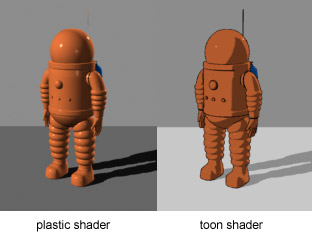
this was made in unreal 4
how can I acheive a similar look, I know its a big question but I figured maybe you would have some ideas
is it just a combination of bloom and lighting?
modest ibex
hm
There's probably loads of things going on here. Custom shaders, bloom are big part of it
true swallow
yea, ignoring planet atmospheres here do you think I just need bloom and a good skybox?
also interested in maybe introducing some volumetrics
modest ibex
there's some cell shading here as well
true swallow
cell shading?
modest ibex
Cartoony way of rendering materials
 true swallow
yea thats cool
modest ibex
You're using default renderer?
true swallow
yes sir
modest ibex
You'll probably need HDRP or at least URP for that ... unless you want to buy some plugins
modest ibex
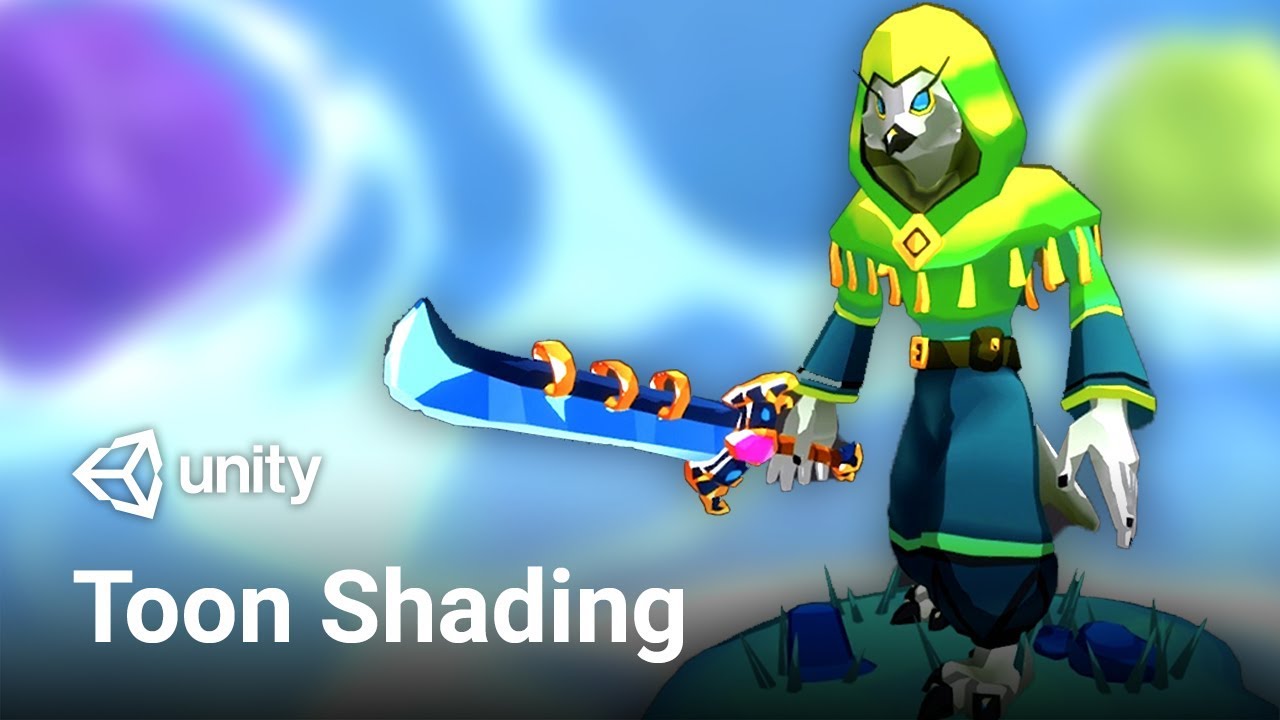
In this video, we're using Shader Graph in Unity to make a toon shader with toon ramp, and specular effect.
Check out MinionsArt here: https://ole.unity.com/MinionsArt
Download the project: https://ole.unity.com/ToonShadingProject
modest ibex
Yeah shader graph is really cool 🙂
It changed a lot lately so i bet this tutorial is quite outdated 😄
modest ibex
Glad I could help ... to some degree at least 😛
true swallow
haha, have a nice day bro
modest ibex
Same! 🙂
shadow horizon
What is the best lighting settings for best performance? is per Pixel extremely taxing? Should i use per vertex instead?
woeful prism
@shadow horizon per vertex is faster, but very low quality as it will light only where geometery has vertices and do linear interpolation for the shading. Try it, maybe its a look you want but most games use per pixel.
@modest ibex Thanks man, i figured that was it. I have been doing global resolution settings through the panel, and have not gone through EACH object to determine if there are overlapping UVs (editor says 300+). Are you aware of any good tutorials for optimizing lightmaps? Seems very hard to find this info. I still haven't found good info on generating second UVs in a DCC app either. thanks!
modest ibex
You can use Unity's auto UV's. They work quite well most of the time. What DCC are you using?
@woeful prism
I don't know if there ever gonna be a good tutorial about lighmaps optimization. There's probably too many variable that can influence the lighmap ... scene size, target platform, game type, art style etc.
There's some helpful tips like .. using light probes for smaller objects (like pebbles) instead of lightmaps. Setting smaller lighmap size for objects that are far in the distance, etc.
pulsar aspen
I wish there was more content on the subject honestly, I've even purchased a course or two on it that only scratched the surface.
woeful prism
agree; very difficult to find specifics. Unity changing things too fast for good documentation.
 languid ravine
How do I disable shadows
stark temple
It really depends what you mean by that, because shadows, you can disable on the lights
but darkness caused by the absence of light, you need to change the lighting settings (Window/Rendering/Lighting) to have a higher ambient
or you can use Unlit shaders on your materials
stark temple
languid ravine
thx
true swallow
Guys I really really really need and would appreciate any help here, currently working on a space scene (see attached) in the built in render pipeline. At the moment I pretty much hate how it looks, is there anything I can do to make this look better?
There are stars in the image also but are hard to see in the screenshot you can open original to see them better.
timber lichen
what kind of light should i use for a weapon laser cause this spot light looks kind of dull
true swallow
You need some sort of constant ray line
laser line
I dont know much about that sort of thing but I imagine you would do something like shoot out a ray cast at infinite range and when it hits something then draw a laser graphic along that raycast
or you could just stick a static laser model on the front of the gun

Use the Volumetric Lines tool for your next project. Find this and more particle & effect tools on the Unity Asset Store.
check this asset pack out
Might help you
ps, its free
timber lichen
thanks
 lean prairie
what is the best way to do lighting with 2d sprites within a 3d space? i have this at the moment
 serene galleon
sorry if this is not the right section but I tried asking this question in the reddit unity page but nothing that was suggested fixed my issue, I have very harsh and jagged shadows no matter the setting (even tried to use a simple cube in unity) and i'm really confused as to why I can not get the correct shadows, project had even been set to 4k with no luck. Is this more than just a lighting issue, did I set something up wrong? the lighting is a directional light, mixed lighting, and soft shadows. Props were set as static and lighting was set to baked indirect. Project is running on 2020.1.13f1 for URP unity -Thanks
 bright drift
pulsar aspen
bright drift
pulsar aspen
@bright drift do you mean flat colored without shadows?
that's a shader, called unlit
timber lichen
shadow horizon
Anyone know how to solve this?
lower the light map size
primal garnet
Hello everyone! I've tried to bake my lightmaps (at a low resolution for now) and this happens. The material is opaque, but for some reason, it gives a metallic feel, since the sky is visible on the buildings, and not only. What could I do to fix this?

 rare torrent
how do i make lights with universal render pipeline
 glacial pagoda
I asked a question on the subreddit but I'll put it here too: https://www.reddit.com/r/Unity3D/comments/k3iipp/the_normal_bias_on_the_directional_light_seems_to/
shadow horizon
I really want to understand lighting... But unity makes it so hard. WHY when i bake my lights, They just stop working??? They are set to baked. i bake, and they no longer work
Why is this
covert stirrup
This is a nice intro @shadow horizon https://www.youtube.com/watch?v=KJ4fl-KBDR8
 tall arch
serene galleon
sorry if this is not the right section but I tried asking this question in the r...
tall arch
serene galleon
sorry if this is not the right section but I tried asking this question in the r...
try cascades, in the urp render settings
tall arch
shadow horizon
I really want to understand lighting... But unity makes it so hard. WHY when i b...
the objects in your scene that you want to be affected by the baked light HAVE to be set to static in order for the lighting to work.
shadow horizon
@tall arch But then whats the point of GPU instanced material? i cant have both
hoary fossil

Unity 2020.2 has a new default scene and I decided to re do the textures using Quixel Mixer and alter the lighting to my liking. This engine is unstoppable and I am really looking forward to future releases.
Ólafsson: Reflection · Víkingur Ólafsson
Provided to YouTube by Universal Music Group
PLEASE WATCH IN 4K
mystic dew
@hoary fossil you have to work with video transition between scenes 😄
hoary fossil
@mystic dew um sure. Its not a short film, and im just showing off graphics thats all. Not trying to make the best edited film out there.
I appreciate the video editing advice though?
mystic dew
well all good exept moments between change scenes. its had a white flash frame
hoary fossil

Unity 2020.2 has a new default scene and I decided to re do the textures using Quixel Mixer and alter the lighting to my liking. This engine is unstoppable and I am really looking forward to future releases.
Ólafsson: Reflection · Víkingur Ólafsson
Provided to YouTube by Universal Music Group
PLEASE WATCH IN 4K
better ?
 half bluff
Really needing some help with lighting and shadows. I have a model that is a plank of wood and is smooth edged, nothing jagged. The shadow casted however is very jagged when up close.
weird artifacts also when zoomed out a bit
timber lichen
Is there a way to keep fog from showing in shadowed areas in HDRP? I mean perhaps in this specific area it isn't so bad, but what about cave systems? The directional light would light it up like a flashlight.
Ahh I think i found the solution. Not sure if it's the proper solution. I turned down "Ambient Light Probe Dimmer". Not sure if this will have any unforseen effects.
primal garnet
Hello everyone! I've tried to bake my lightmaps (at a low resolution for now) and this happens. The material is opaque, but for some reason, it gives a metallic feel, since the sky is visible on the buildings, and not only. What could I do to fix this?
 gentle tiger
I've been trying to troubleshoot this issue for several days, and kind of at the end of my rope here. The blob shadow projector is causing seams to appear over every mesh border it covers, even these untextured squares. I've tried changing all kinds of lighting and texture settings and I have no idea what to do at this point. Does anyone know of a simple fix or an easy replacement blob shadow I can stick under the player object? This is just the default unity shadow projector, so I have no idea why I'm having such issues with it.
mystic dew
@hoary fossil much better now.
pulsar aspen
@graceful solstice it's either your intensity or the material itself
white light on white material is going to look.. white
 graceful solstice
ik ik but this happens on any color, either sand, dirt, asphalt
and i can remove it by setting the intensity to something around 0.4
but then it is too dark
pulsar aspen
you have a brown dirt that's glowing white?
if that's the case check the material
not the texture, the actual shader settings
any post processing happening? that could be it as well
what is your environment tab look like in light setting?
that pic does not give much to go off.
graceful solstice
no post processing, it is a texture not a material.
pulsar aspen
You can't apply a texture to an object without a material.
 sharp harbor
Hello there! I'm still a student but i want to know if Someone knows about a YouTube channel that teaches about lights? I want to create smooth ones, but every time i try something it looks horrible (i'm in URP, no HDRP, idk if that changes much).
serene galleon
quick question, what is the best way of doing modular walls and floors? I am using URP unity and was told that one sided walls would be alright so I made a 5m tall by wide wall and snapped them together in unity but after baking it gives dark lines in between the walls I did not get much better results after doing a test 5x5 wall with both sides
 dusky acorn
How i can capture high quality hdri with unity ? Look like we are limited to the maximum quality of the reflection probe capture. DM plzhttps://www.youtube.com/watch?v=YJFlOLXU-Kw

Skyboxes are used for reflections and for lighting your scenes. Here's a quick beginner/intermediate tutorial on how to render your own custom HDRI skyboxes in Unity by baking reflection probes.
 timber lichen
fixed this with either setting light to deferred or legacy(prespass)
but on forward, my water doesnt display
so im left with legacy, isnt legacy something ancient ?
timber lichen
ironically in NEW SCENE, both forward works
with no shadow flickering
and water displays
pulsar aspen
with a new scene comes new light parameters after all @timber lichen
for fun I'd reset your light settings in that scene and see what happens
 verbal garden
I have a completly black Skybox (Space, stars will be implemented later) and everything that isn't facing the Point Light(Sun) is just completly black. Can I change this somehow? PS: I have no idea how lighting works
zinc nexus
@verbal garden Directional lights maybe make a better 'sun' than point ones ... and there is an 'Ambient Color' in Lighting Settings/Environment that might help light everything up a bit.
verbal garden
Thank you. Also how could I use a directional light as sun? I need it as a real object the Player can fly towards.
@zinc nexus
zinc nexus
... then a point light makes more sense, thought you meant 'sun' as in global light
 hexed sequoia
is there a way i could make lighting work in 2d?
zinc nexus
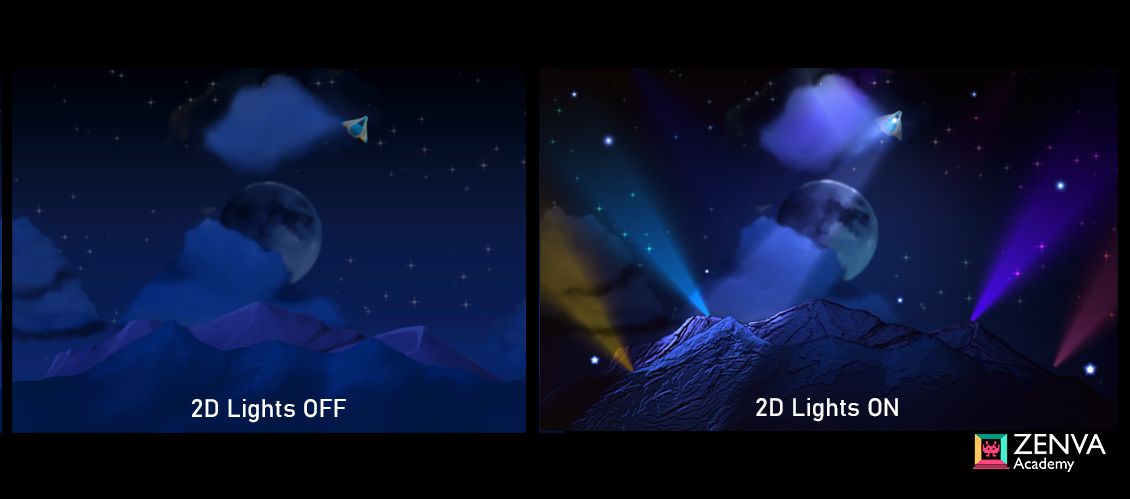
@hexed sequoia there's a whole 2d lighting setup in URP ... https://gamedevacademy.org/unity-universal-render-pipeline-tutorial/
GameDev Academy
Unity 2019.3 is packed to the brim with new features to help improve your game development process! Along with the release of a new graphics rendering pipeline called Universal Render Pipeline (form
You can also make the 3D lights work on 2D stuff with a ton of caveats and headaches.
 golden dock
is it possible to export lights from blender to unity?
pulsar aspen
 lyric horizon
https://gyazo.com/2fd6cc3365cfb52cd29f3f39147d9bc4
lyric horizon
https://gyazo.com/2fd6cc3365cfb52cd29f3f39147d9bc4
what is the context ?
@golden dock yes
lyric horizon
@pulsar aspen My lighting is messed up. This is a brand new project and I'm not sure why this is happening.
pulsar aspen
Context..
What is the green?
Why is it moving?
What version of unity is this?
if you see banding in the background it's due to the shadow distance being too short, not the lighting being messed up
other than that I see no issue here
clarify if that doesn't fix your problem.
lyric horizon
I've expanded the shadow distance.
Previously.
The green is the ground.
Version is latest 2019
I'm moving to show that the shadows move along when you move back.
When you move back, it shrinks, when you move forward, it expands.
 fierce glade
Some help please! Anyone know why my lighting is bleeding through my ceiling? There are no gaps.
fierce glade
It’s even worse when I bake. It just doesn’t read the roof at all and all the light comes through it.
 nocturne cave
As i know, this is Unity bug. I fix this by increasing scale of objects with very small nunbers (like 0.0001) in one way (x, y or z, depending on where you see that bleeding)
fierce glade
That doesn't seem to do anything
stark temple
golden dock
why does that happen?
If you're using forward lighting there are light limits per object
If you switch to Deferred then those limits aren't a thing
golden dock
thanks but its already deferred
stark temple
in HDRP there are limits to the amount of lights on screen too, I think you can play with them in the quality settings.
There's aslo a light limit per tile that cannot be changed, you can see those values in the render pipeline debugger for tile/clusters
golden dock
stark temple
in HDRP there are limits to the amount of lights on screen too, I think you can ...
i cant find anything about that in quality settings
pulsar aspen
@golden dock go to quality settings and adjust light count
should be at the top cant miss it
pixel light count
first one in fact
golden dock
:/
golden dock
stark temple
in HDRP there are limits to the amount of lights on screen too, I think you can ...
what should i understand from that?
stark temple
I think those numbers look fine. Though I can't tell you what other setting or issue could be causing it, I'm not super familiar with HDRP. It's probably worth asking in #archived-hdrp
 vestal hound
I have this weird bug that the light changes if I look up in my scene view (in HDRP). Does anybody know why that is happening?
this is what it looks like if I look down
pulsar aspen
@vestal hound I believe that's a post processing thing
not color grading something to do with auto x
vestal hound
yeah seems like using Fixed Exposure fixes it
pulsar aspen
auto exposure something like that
yep exactly
probably more suited for cinematic
giving the player that much control can end up wonky
what I would do though is give them a slider in the options so they can adjust based on their monitor
vestal hound
yeah I would probably do that at some point but in general I don't like that dynamic exposure. I'm happy that I could fix it xD
 maiden vector
Is there any simple explanation for why does light behave differently in editor and play mode?
For context: I'm using HDRP, I have volumetric fog and some light sources which gives the cool effect and all.
Now the issue is that when I move a light source while in play mode, it leaves a trace behind, while in editor it updates instantly.
Can I do something to get the instant update result in play mode?
maiden vector
Ok, nevermind, had to go Edit > Project Settings > HDRP Default Settings and just uncheck reprojection
 topaz jackal
So is SEGI not compatible with newest versions of Unity? It doesn't seem to be working in 2020.1.4
Tried it with URP and HDRP
 vital finch
I have a big project on my hands and baked several times before the last week. All bakes were perfect but added things, fix others, etc. Now, every time I bake everything looks like shit, it's obvious UV's overlapping. Nothing in light settings seems to really help. I believe Mipmap is not working properly but I'm not sure, and despite having "autogenerate UV's" some models still have the sign warning me it's off, and that it is overlapping. It's not the models, I exported them to another project it is not happening there, reimporting won't work either. Cant migrate because this is an 8 month project and don't have the time to "remake" it whole. Does ANYONE have what the hell is going on? I'm getting desperate.
Before
After
timber lichen
okay i have issue
basically
my character is all black on the back when helooks at the sun
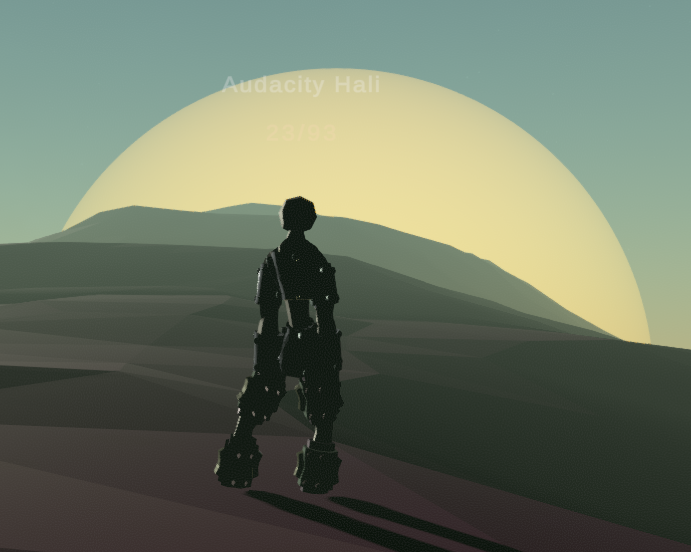
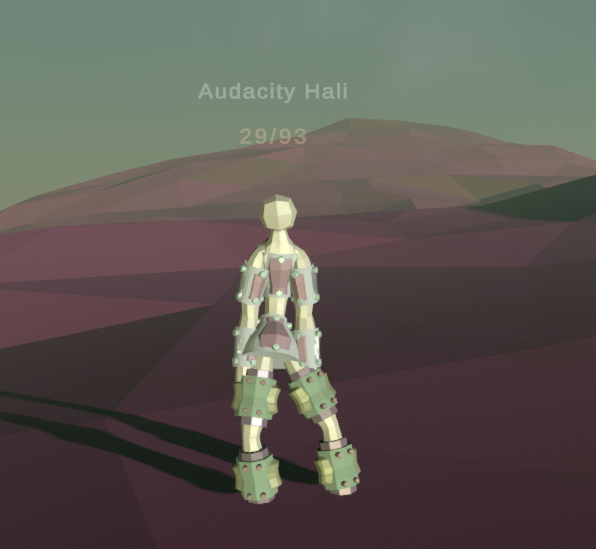
well i guess adding light works
but the problem is with light, it doesnt know what direction sun is
so it will light both the unlighted and the lighted way
maiden vector
timber lichen
so it will light both the unlighted and the lighted way
Maybe use environment lighting or at least a reflection probe
 wispy skiff
Does anyone have experience trying to match lightmaps with light probes? I've lit with them for years, but now I need them to be near perfectly matched, but the lightmaps are just massively brighter than the light probes in every instance. I'm doing this in HDRP, but I also tried a fresh URP project and it's the same there.
The grass and terrain are the exact same albedo. I've tried with other things as well, like a quad with the terrain texture on it lit by probes, but it's darker than the baked terrain.
 zenith spruce
Hopefully this is the right place -- I have an issue with HDRP where my Scene tab is rendering the volumetric lighting/fog but my Game tab is not. Here's what I'm seeing
I was assuming it was something having to do with the camera, but I wasn't able to find anything in my search
 indigo cobalt
How do I get a 2d light to interact with other objects? What I mean by this is I don't want the light to shine through the floor as it does already
half bluff
@hoary fossil from last week, its Unity 2020.1.13f with URP
 mortal raft
Hello,
Can I create a light only for the camera ?
Because my game is during the night but I want to create camera to display what's going outside
(In 3D)
zenith spruce
zenith spruce
Hopefully this is the right place -- I have an issue with HDRP where my Scene ta...
Still haven't had any luck on this, if anyone has any guesses
 mint halo
Anyone please able to help me with some super basic lighting? Working on a school project for the first time in Unity with a small group of 5 and none of us know how to fix the lighting being glitchy
Its a super basic project and I think someone can help me out in no-time if they know what to look for.
timber lichen
damn
help
have issues with light flickering

@modest ibex did you fix your light flickering issue? i see you have exactly same issue (or had!)
omg..
well fixed i think..
modest ibex
@timber lichen I slightly moved the light and it somewhat fixed it
 jaunty harness
Hey everyone! We are working on a trailer inside the HDRP right now and I am unsure on how to improve the performance for baking light in a scene that heavy in the end. Bakery seems to be making no progress at all (desptite not throwing errors, but it's slow AF). The integrated baker from unity keeps rendering, but the STA varies a lot. Are there any optimal settings I can chose to guarantee a bake in the end, or are there any numbers on how much long I can expect a bake to be?
I should also mention, that we are trying to reduce the overall batches in the scene but do not really pay attention to vertex count at all
 safe compass
rare torrent
safe compass
rare torrent
wall not blocking light :(
rare torrent
also no render pipelines
 dense fjord
[JOB][PAID]
Hi Guys,
I bought the assets on the left and you I made the scene on the right.
I am looking for a professional that would help me perfect this scene to look more like on the one on the left.
If anyone is interested please send me a message.
Regards
 forest rose
Does anyone know the reason why my light probe wont let me extend its boundaries in Unity?
 dire siren
I took camera closer to everything and downscale it and it works better now 😉
Thanks
verbal garden
Window\Rendering\Lighting Settings. Then untick fog. Distance shouldn't be a problem afterwards
@dire siren
dire siren
Even better now! Thanks ❤️
 drifting cliff
Is there a way to do light filters in unity like you can do in Maya
hoary fossil
 strong forum
wow (I'm poop in render xD)
 lusty coral
drifting cliff
Is there a way to do light filters in unity like you can do in Maya
lusty coral
drifting cliff
Is there a way to do light filters in unity like you can do in Maya
try post processing
 heavy elk
Hm.. I'm getting some weird shading going on here on this seating area back here. (Using real-time lighting)
Anyone know how I can fix that?
 hushed moss
heavy elk
hushed moss
heavy elk
Another view of the map
timber lichen
Forgive me if this question does not belong here, but i have a cardboard cutout, and i want it to glare depending on where you look, how can i do that?
 digital delta
hey, i'm playing firewatch, and i just entered in a cave, and it looks like this
but if the cave is underground, how do u iluminate it to looks like this??
timber lichen
I'm using 2020.1.17f1 HDRP.
Are Realtime light probes still removed? I seem to remember they ripped out Enlighten at some point...
fierce glade
Please help! When I bake lighting the normal maps on my rocks here disappear. Why does that happen?
It's supposed to look like this. This is the same mesh just dragged in without baked lighting.
Also all of my SpeedTree trees have black faces on one side after I bake. It looks terrible and this was a two hour bake, all waiting for nothing. 😦
mystic dew
@fierce glade with mode are you use for bake? Shadowmask?
fierce glade
mystic dew
<@!143468221427613696> with mode are you use for bake? Shadowmask?
Indirect
mystic dew
fierce glade
Indirect
after baking indirect and subtractive etc you will lose mostly normals and smoothens/metalic maps
try to bake in distance shadowmask mode
fierce glade
mystic dew
after baking indirect and subtractive etc you will lose mostly normals and smoot...
I'm baking for a VRChat world, that looks like it's mixed? That may be way too heavy. It's already almost twice as heavy as it should be.
mystic dew
well its a optimization... The rocks use default materials, or custom one?
fierce glade
mystic dew
well its a optimization... The rocks use default materials, or custom one?
Just a pretty normal shader
mystic dew
fierce glade
Just a pretty normal shader
well yea. Try to take a look in Bakery asset for bake light. its have mode that can save your normals after baking
fierce glade
I'll look into it thanks, I'll see how a shadowmask bake looks like too
rare torrent
rare torrent
wall not blocking light :(
helpppp
 nocturne pebble
This might be a really basic question, but I can't quite figure it out in Unity. So I want ambient light to stream in through the windows, how would I go about that?
 jaunty fox
hello
how to make my games light look broght
bright
and good
PostProcessing? Auto generate lighting?
Its so dark in default
digital delta
@jaunty fox yeah, first need to autogenerate light, to generate the "ambient light"
jaunty fox
digital delta
<@!778832929186906123> yeah, first need to autogenerate light, to generate the "...
ok
thx
wet locust
has HDRP done anything about shadows cast from transparent objects?
found some tutorials on how to do the glass refraction and reflections and such, but nothing about shadows. In the standard pipeline I know transparent shadows such because of bad dithering
the day light can be coloured by going through glass will be good. I'm guessing things aren't at that stage yet?
timber lichen
i have question
whenever unity does assetdatabase.refresh (or basically something else that i dont know what) for example when i click SAVE project
(ctrl+s) then if project was indeed dirty and saved
my lights stop working
before and after saving
how to stop this? super annoying ;/
im not even use if this is light or not cus with scene light on off the effect is the same anyway
timber lichen
well its related to mesh/material
heavy elk
I'm sorry for repeating myself, but would anyone know why these two separate meshes are being shaded differently (they use the same material)
fierce glade
I tried shadowmask and Bakery, but my normal maps are still missing and my SpeedTree trees are still baking black. Images if you scroll up a few messages. 😦
It says there's overlapping UV's or the lightmap has reached its size limit on the SpeedTree trees and the rocks, but there's no way for me to re-UV the trees as they're a unique file type and if I enable 'Lightmap UV's' on the rocks, it breaks all the UV's including the diffuse. Even with Swap UV's enabled.
heavy elk
I wish I knew the solution.
mystic dew
@fierce glade bakery need to use special shader that store normals data
fierce glade
Ooh ok thank you. I heard that shader doesn't work with VRChat though. But I'll do some tests.
So, the tree issue, they bake fine on terrain but any hand placed trees bake black. They only have some artifacts in the viewport, but when I press Play they're 100% black.
heavy elk
Okay I found out I needed to set my lights to "Important"
Now to deal with blue reflections
fierce glade
Could be your ambient skybox color or something? Have you got some cubemaps in there too?
heavy elk
Yeah I figured it out it was using an outdated reflection probe bake.
 sonic nymph
hi, how can we bake a light in movement ?
covert stirrup
You can not @sonic nymph. Baked lights must be static
sonic nymph
right 😦 but it is possible to have light in movment ?
covert stirrup
Yes but it has a performance impact
sonic nymph
ok ok ^^
thx :3
and the light static can't "illuminate" movable wall ? it's same ?
( it's an example")
 compact remnant
sonic nymph
and the light static can't "illuminate" movable wall ? it's same ?
compact remnant
sonic nymph
and the light static can't "illuminate" movable wall ? it's same ?
you could use lightprobes

High quality lighting is not performant... Until now! Let's have a look at Light Probes in Unity.
► Get the free ebook! (sponsored) https://create.unity3d.com/nine-ways-to-optimize-game-development?utm_source=thirdparty&utm_medium=affiliate&utm_campaign=gaming_global_acquisition_2020-01-gmg-ebook2&utm_content=brackeys
● Simple Lighting in Unit...
compact remnant
np!
 pure totem
what is a good lighting method for vr in urp for a procedural level ? im having trouble with environmental light since it will light* both the surface and the underground caves and dynamic light is too expensive to lit the entire surface
 brittle zinc
Hey I have a question for you all-- disclaimer im pretty new to lighting - im trying to get super soft dynamic shadows from a directional light, is this possible (in URP)? I know you can use "soft shadows" but it seems it doesn't really get nearly as soft as I'd like. Any solutions out there?
 haughty plume
could anyone explain to me, in idiot terms, why i would want SSGI enabled and baked at the same time? as it seems the SSGI effect by itself is so weak you cant really see it. i don't doubt i have the wrong idea totally about what's its for, but i'd like a pointer 🙂
 lunar pollen
i just upgraded to 2020.2, can anyone tell me why my sun gets really big when i look at it? and why i went from 100+ fps to 30?
2020.1 to 2020.2
hdrp
nvm about the performance thing. for some damn reason it defaulted to 4k
the sun issue still persists
golden dock
how can i use vertex colors like these in unity with emission?
covert stirrup
There’s a vertex colour node in shader graph @golden dock, just use that
golden dock
covert stirrup
There’s a vertex colour node in shader graph <@666324788846919709>, just use tha...
like this?
:/
covert stirrup
Yea, I'd add a multiplier for the emissive intensity
timber lichen
wow nice game @golden dock
golden dock
timber lichen
wow nice game <@!666324788846919709>
thanks but its not a game and not my work
golden dock
covert stirrup
Yea, I'd add a multiplier for the emissive intensity
still doesnt look that good, also can i keep the hdrp lit textures when changing the shader?
covert stirrup
you can do whatever you want in the shader
golden dock
but how?
when i change the shader it loses textures and i cant add them manually for every material there are hundreds of materials
covert stirrup
If you create parameters in your new shader and give them the exact same names as in the default shader, parameters will carry across when you switch shaders
golden dock
thank you so much i will try that
golden dock
covert stirrup
If you create parameters in your new shader and give them the exact same names a...
am i doing something wrong? it doesnt work
covert stirrup
What you see there is not the names of the parameters. Look at a standard shader in debug mode
golden dock
oh i have to put it in reference thanks
 jovial shadow
I have a question about my project about lighting can i ask it here or is there another channel?
covert stirrup
This is it
jovial shadow
Can I fix the light glitch under the capsule?
covert stirrup
did you try playing with the bias on your light?
jovial shadow
These are the settings of the spotlight
covert stirrup
Oh you mean the green square?
jovial shadow
no, i mean the light under the capsule
It's a capsule with a flashlight, but there is light under the capsule
covert stirrup
Almost looks like a point light
golden dock
@covert stirrup tysm everything looks amazing now but alphas doesnt work anymore how can i fix it?
covert stirrup
You need to set your shader to use alpha. On the gear icon on the master node I think
Actually you see it tpo the right in the screenshot there
Surface type
golden dock
there are only 2 options, opaque and transparent. transparent just makes everything worse
covert stirrup
You'll need to apply your alpha in the shader as well
As alpha mask I think
I'm off now but good luck
golden dock
this doesnt change anything too
 silk iron
guys how do i do good lighting with neon lights? Im new to unity and making games in general.
 glass aspen
does anyone know why with URP, shadow distance when increased, lowers the quality of shadow edges?
rare torrent
why pixelated :(
 magic rivet
Does anyone here know how to disable light-refraction/reflections off of game objects? I've turned all of the shaders' smoothness to the minimum, yet light still refracts off of it a lot
An example of what I mean (notice the glare on the top left)
rare torrent
magic rivet
An example of what I mean (notice the glare on the top left)
mettalic and smoothness must be 0 on the material
delicate sonnet
hey does anyone know why I still get these shadow artifacts of deleted objects on the table even after generating new lighting?
 potent heron
Hey guys so lightning in unity 2018 version looked pretty good in the beginning when u start a project but i'm now on 2019 unity and it looks pretty crap how can i make the lightning like nice and not bright and hurt my eyes i also have trouble with shadows i want no darkplaces just bright place
 upbeat oxide
 wraith goblet
Question! I have a house with a bunch of switched lights (they can be either on or off). In that case I would not bake any of those lights right? They would all be realtime since that dynamic?
 manic pebble
@wraith goblet Right, I believe they should be realtime or mixed.
wraith goblet
Cool, tyty I thought so!
pure totem
anyone knows good Realtime GI methods for generated levels ?
was looking for something similar to this but with URP support : https://assetstore.unity.com/packages/vfx/shaders/fullscreen-camera-effects/upgen-lighting-hdrp-169744

Add depth to your project with UPGEN Lighting HDRP asset from Anton Tril. Find this & more VFX options on the Unity Asset Store.
sonic nymph
Helllooo !
I would like know why my light is off but it's turn on when my camera turn arround please ( i'm begin with lighting)
https://gyazo.com/524515704b6ea916cdf5f9e74bc62425
pulsar aspen
sonic nymph
Helllooo !
I would like know why my light is off but it's turn on when my came...
try increase max point light in settings
looks like they're fighting for priority, higher count gives more screentime
wraith goblet
Hello! I am running into a weird stitching issue between two gameobjects and realtime lights. Anyone know of some documentation to point me to to solve this?
2019.4 *
pulsar aspen
sonic nymph
here ?
Quality settings
pulsar aspen
What was the fix?
 gleaming cipher
I can't get the lighting right on my game, either half the character is dim or the whole world is too bright
manic pebble
wraith goblet
Hello! I am running into a weird stitching issue between two gameobjects and rea...
I believe I'm experiencing this as well. Haven't been able to figure it out.
manic pebble
wraith goblet
Hello! I am running into a weird stitching issue between two gameobjects and rea...
Here's what I'm seeing. Hard to tell from your screenshot, but does this feel similar?
 proven pasture
extremely basic question, but here's my setup. I have a point light as a child of light, a chinese character. I'm trying to have it so that the character eminates a light, but it's pitch black when i run the program. i'm using universal RP
 idle nymph
@proven pasture did you get an answer?
proven pasture
no @idle nymph
idle nymph
@proven pasture Is your sprite renderer still set to Sprites-Default for a material by any chance?
proven pasture
@idle nymph it's set to sprite-lit-default
idle nymph
Try adding a 2D point light instead of a regular point light.
idle nymph
Haha
proven pasture
alright, so i have it lit like this, but how would i have it light up the background as well?
do I just need to add some background object?
idle nymph
I'm a total scrub, most of what I'll suggest is guessing. I think if you add a background sprite which is also sprite-lit it should work. Double check the light because you have to specify the layers affected by the 2D light
proven pasture
gotcha
any advice for making it not a perfect circle? like having the edges maybe flicker a little so it seems more like an actual light?
idle nymph
There are scripts you can write to flicker a light. you've already had more success with your lights than I have lol
If I were to try and make a flicker, off the top of my head, I'd probably cobble together some DoTween messing with intensities or something.
When I set UPR as my projects renderer it immediately ruins everything. 😦 I can't get my Christmas tree to glow nicely at all.
proven pasture
it always feels so weird starting in a new engine
i feel like i've gone back to elementary school lol
idle nymph
I've only started playing around this year. I had a little basic experience with Java and Python... but that's about it.
Now I can do this! https://streamable.com/wwal8r
 wraith goblet
Is it possible to have [Global Illumination] lights that can be switched on and off in 2020.2 HDRP?
wraith goblet
manic pebble
Here's what I'm seeing. Hard to tell from your screenshot, but does this feel si...
That looked like distance/shadow/dropoff settings I was playing around with in the lights
 heady plinth
idle nymph
I've only started playing around this year. I had a little basic experience with...
heady plinth
idle nymph
I've only started playing around this year. I had a little basic experience with...
C sharp is basically an easier version of Java Microsoft created to avoid paying licensing fees to Sun Microsystems
You'll be fine
lusty vine
Does anyone know why my shadow looks choppy like this? I tried "generate UV maps" but it stays choppy.
Setting shadows to "hard" doesn't make it beter
wraith goblet
I believe that has to do with your lightmap resolution settings
idle nymph
Morning, I've got this scene with a point light rigged to the moon. My sprites don't react to the light in any meaningful way though... Any advice? .. really struggling here 😦
 keen crow
I'm using the second uv set for detail texturing, but whenever I enter playmode the uvs change. i'm guessing this has something to do with unity autogenerating the second set of uvs for lightmaps, but not sure how/why it's happening or if I can do anything about it. Here's how the detail texture changes when in/out of play mode
And here's the uvs to confirm
timber lichen
My baked lightmaps always have these weird artifacts in them, how can I fix it?
These are the settings
wraith goblet
If I want realtime GI in 2020.2 HDRP I should use HDRP + DXR is that right?
pulsar aspen
timber lichen
feel like it's something to do with either compression or res/size
 hot harness