#archived-lighting
1 messages · Page 41 of 1
 deft fiber
 runic root
materials are using unlit shaders
deft fiber
Yeah, that means no lighting
They'd have to be using lit shaders
Each render pipeline has their own variety of lit shaders
 quaint totem
Yep, figured that out a bit ago. Thanks though

 deft fiber
 heavy cave
How to fix this problem
heavy cave
How to fix this problem
Can you describe it in specific terms
heavy cave
deft fiber
Can you describe it in specific terms
(URP). In my game, one side of the objects is bright (lit properly), but the other side is completely black (no light showing). I want all sides of my objects to be visible and lit. How can I fix this problem?
deft fiber
heavy cave
(URP). In my game, one side of the objects is bright (lit properly), but the oth...
Problem is no scene lighting
You can use the lighting window to Generate lighting
Lighting Settings should not be necessary
(nor Realtime GI or Baked GI)
heavy cave
@deft fiber thank you very much 👍 is fixed
 sterile blade
that's good to know thanks.
Btw I'm currently trying to make a shader that discards pixels with a certain brightness level, so it becomes visible only near light sources, since currently I'm in brp, and the forward rendering for light is composed by many passes, I thought that I could achieve this by somehow rendering the model yet again with just a white shader to capture received lights and use it as a mask for the real model
but I could come out only with using a second camera which renders walls etc shadow only
isn't there a better way, I tried the command buffer method "Drawrenderer ' but it excludes lights
 unborn oriole
Is it possible to create a shadow catcher in unity? Something that is entirely invisible but still receives shadows?
 pallid grotto
How can i fix this blur blue color reflection on walls after backing?

 stuck crane
Hey folks, not sure what other channel to put this in
Does Unity support per-triangle culling? I know I can cull object out of frame, but I have several large high poly models that take up the entire scene. I'd really like for a way to render only those polygons of the object that are visible on screen
deft fiber
stuck crane
Does Unity support per-triangle culling? I know I can cull object out of frame, ...
I don't think this is really an option
To know which triangles to cull would require evaluating those triangles, defeating the point of doing that in the first place
Or require a clever solution that solves that very complicated dilemma
Or alternatively split the meshes into parts for a trivially simple workaround
deft fiber
pallid grotto
How can i fix this blur blue color reflection on walls after backing?
Depends what you mean by "fix"
You are supposed to get indirect bounce lighting when baking lights, especially with mixed lights that you appear to be using
So maybe instead of removing indirect lighting you'd want to look into what causes the blotchiness instead
https://discussions.unity.com/t/lightmapping-troubleshooting-guide/895352
Could be too low samples, could be denoising issues, could be UV overlap
 vale mural
Hello, I have a shadow issue that pixelate the grass when it's shadowed by another object.
The grass is made of few triangles with an alpha clip in the material, it also has a world normal of (0,1,0).
I've found that the issue comes from the grass normals, I made some test with no normals set (no problem) and a world normal of (0,1,0) and the problem occurs. What is causing this ? Is there a setting to tweak to fix that (I'm using HDRP) ?
Edit: Apparently it's the ambient occlusion that is causing this, any way to disable it only on the grass?


 pallid gorge
Hello, did anyone encounter this window when baking light? I've never seen it and it takes literal ages to generate... something... I've baked light on this scene before (yes, with APV) and it never appeared, but now it pops up every time I try to bake light

 tame mural
any ideas on what causes these artifacts?

it seems that these artifacts persist after baking with no lights enabled in the scene

 hollow falcon
how do i change the light source to color, i dont see the option to change in in the environment section of the lighting menu
 bitter shell
Anyone know why my shadows look so bad?
jagged and edges dont line up?
 tame mural
hollow falcon
how do i change the light source to color, i dont see the option to change in in...
tame mural
hollow falcon
how do i change the light source to color, i dont see the option to change in in...
do you mean this?
 pallid gorge
Hello, did anyone encounter this window when baking light? I've never seen it an...
pallid gorge
pallid gorge
Hello, did anyone encounter this window when baking light? I've never seen it an...
any ideas? 😅
 pallid gorge
bitter shell
Anyone know why my shadows look so bad?
jagged and edges dont line up?
pallid gorge
bitter shell
Anyone know why my shadows look so bad?
jagged and edges dont line up?
Realtime shadows have problems with shadow bias, and basically, there is no way to correct this in unity (only realtime light, baked lightmaps don't have this issue) to my knowledge, only things you can do is try to lower shadow bias (you can not set it to zero), lower shadow resolution and select soft shadows to make it blend better
 timber lichen
hey guys, im trying to figure out lighting methods for a cockpit simulator project in URP, currently I have an exterior environment with baked lighting and the cockpit interior real-time lighting

currently im using a point light for the cockpit, though I really dont like how the lighting is
ive tried baking both individually, but the global lighting keeps showing in the cockpit baked even with the cockpits layers culled
is there some sort of general practise to this? similar to if you were to light a house, and a houses exterior?
deft fiber
tame mural
any ideas on what causes these artifacts?
https://discussions.unity.com/t/lightmapping-troubleshooting-guide/895352/
Probably c. 14
If you're using APVs it might not be because of any issue, just due to low samples
deft fiber
 thin jolt
This seems totally unfamiliar so I'd report a bug
For that process you would want to try to do a minimal repro in different unity versions, which is a process that often helps you find clues that lead to solutions even before reporting
thin jolt
deft fiber
This seems totally unfamiliar so I'd report a bug
update; I was able to track it down to the lighting rendering scale setting in the 2D renderer's properties
it specifically only occurs when lighting scale is exactly 0.5, every value I tested from 0.1 to 0.499999 to 0.51 to the maximum all eliminated the issue completely
deft fiber
thin jolt
update; I was able to track it down to the lighting rendering scale setting in t...
Good to know
Despite the easy workaround it does sound a lot like a bug
deft fiber
bitter shell
Anyone know why my shadows look so bad?
jagged and edges dont line up?
Jaggedness looks to be because of no soft shadows enabled
Disconnection can happen due to bias settings
https://docs.unity3d.com/Manual/ShadowPerformance.html
thin jolt
Is there a way to make text with normal maps? I'd like to make text appear on pixel art assets, but the lighting looks wierd
thin jolt
The shadow caster casts as if the rectangle is a box jutting out a few feet from the wall, is there a way to shorten it so it only casts a small shadow as if it were a few inches?

it's a plate bolted to the wall, so no shadow looks wrong but this is much more wrong
deft fiber
thin jolt
The shadow caster casts as if the rectangle is a box jutting out a few feet from...
None
2D lighting system is built around assuming shadow casters are infinitely "tall"
thin jolt
Well, that's very unfortunate... Any known workarounds?
deft fiber
3D lighting, third party 2D lighting, or maybe implementing some kind of fake or custom non-infinite shadows via the custom sprite lit shader graph
 radiant kettle
I'm trying to duplicate the default skybox shader to change some colors. Some debug properties are not the same. How can I get a 1:1 replica?

The base material is in "Resources/unity_builtin_extra" and not quite sure how to access it to properly duplicate it
ended up just manually editing it in debug mode to get 1:1
didn't find another way
deft fiber
radiant kettle
I'm trying to duplicate the default skybox shader to change some colors. Some de...
You have not duplicated the shader, but the material
Why not do it the usual way, make a new material that uses the sky shader and set the properties as desired in the non-debug inspector
radiant kettle
deft fiber
You have not duplicated the shader, but the material
Why not do it the usual way...
doing that the lighting was off (things looked much darker)
wanted to have it look like the default but with some tweaks
and just creating it from shader didn't seem to be 1:1 either
deft fiber
radiant kettle
doing that the lighting was off (things looked much darker)
This is not expected
A new material with the skybox/procedural shader will use the exact same default properties as the built in sky material
At least it always has done for me
A material asset will remember every property you've changed, so if you have edited the properties previously and then assign the shader, it will not reset properties to defaults
radiant kettle
hmm okay might've done something wrong then
right now i'm experiencing a different issue, in my code i enable fog and set it to linear with a start and end distance. then, i try to switch back to mode ExponentialSquared, but it's like the settings are not properly applied, or atleast that the start and end distance are still taken into account.
even if i disable, modify, then re-enable
also tried modifying the value at runtime (with inspector) and getting the same issue
RenderSettings.fog = false;

// RenderSettings.fogStartDistance = 99999f;
// RenderSettings.fogEndDistance = 0f;

RenderSettings.fogMode = FogMode.ExponentialSquared;
RenderSettings.fogDensity = GSU.GFX_FOG_DENSITY;
RenderSettings.fog = true;
In theory Exponential fog doesn't use Start and End at all, so I wonder how it seems effected by them?
Or at least it's not intended to use anything besides Density
radiant kettle
Seems like it does, was currently experimenting with making a fog that hides everything, using only start and end, then switching to exponentialSqr: does not restore visibility.
Restoring the previous start and end values to 0 and 300 seems to fix it, but i'm not sure it's actual ExponentialSquared fog at this point, even if editor/code says it is
does seem like it is though
weird behavior
i mean.. not quite, the density setting does nothing after that
deft fiber
So it's probably linear?
radiant kettle
deft fiber
So it's probably linear?
yeah.. and i'm just realizing, even if I set it in editor/inspector (to expSqr) density does nothing..
unless it can't be changed at runtime
something is off, wondering if it could be an issue with my unity version at this point
2022.3.50f1
deft fiber
radiant kettle
something is off, wondering if it could be an issue with my unity version at thi...
Maybe
The fog settings I think are tied to the "active" scene so there may be some extra hoops to changing them from a script
radiant kettle
deft fiber
Maybe
The fog settings I think are tied to the "active" scene so there may be so...
tried to put it directly in the scene i'm loading aswell (through ui), something seems off
deft fiber
I'd do a sanity test and try it again in a fresh project
Maybe with other LTS versions too for a wide coverage
radiant kettle
hmm, works just fine in another project
seems like it has to do with scene loading
also the right scene is the active one so shouldn't be an issue
the mystery still is, why could i change the settings as long as they are linear in the loaded scene
and can't with expSqr
deft fiber
Could be a bug too, hard to say from here
 jagged jungle
hey guys i have a scene in unity that spawns multiple prefabs with realtime lights i think in total theres 30 to 40 realtime lights.
during runtime i notice some of the lights turns off despite having them turned on in the prefab, could this be because of hdrp realtime light limit?
 proud wyvern
wierd lightning bugg, I am using the unity toon shader for all materials. someone that knows why it might be happening?

shouldent the shadow fill everything in the area that the line shows on the picture down bellow:
 hollow falcon
tame mural
do you mean this?
hollow falcon
tame mural
do you mean this?
yeah
deft fiber
proud wyvern
shouldent the shadow fill everything in the area that the line shows on the pict...
Not that way, but the shadow should be a descending ramp, I believe
It could be an issue with bias settings, but I'd also swap to a non-toon lit shader just to verify how that changes the appearance
 ocean arrow
I'm tearing my hair out over here trying to figure out why lightmaps disappear in play mode


I'm on Unity 6000.0.44f1m URP
Googling turns up a bunch of forum threads about prior major Unity versions, which all seem to just claim it eventually stops happening, but I've tried copying everything into a new scene, restarting the editor, creating new lighting settings, and nada
ocean arrow
I'm also not loading other scenes or anything like that. This is just, one scene.
Has anyone dealt with this? Searching in this Discord hasn't turned up working solutions yet :(
 keen minnow
leaves material looks fine without baked lights but with baked lights , its white? how do i fix , in unity the leaves look fine


thats the photo in unity
engine
proud wyvern
deft fiber
Not that way, but the shadow should be a descending ramp, I believe
It could be ...
im switching and it looks like this:

backside have the same problem

everythin cylinderish is getting that shadow thing'
maybe when using toon I dont need to cast shadows...
emoving casting it looks like this

 timber roost
light-baking resulting in these dark areas. The scene is modularly build from prefabs. Anyone that knows what can result in this?


 quaint echo
anyonje run into this issue when trying to bake Adaptive Probe Volumes
Baking Set-Default.CellProbeOcclusionData.bytes' does not exist
 agile mortar
Hello light conoisseurs.
How would you make light for a tiny room like this?
 agile mortar
THe more I touch it it seems the worse it gets lol

 dense citrus
Hey! Do i have to bake the lightmap for lights set to "baked" to work properly?
 agile mortar
Closer to what I want lol

 supple nacelle
agile mortar
Hello light conoisseurs.
How would you make light for a tiny room like this?
supple nacelle
agile mortar
Hello light conoisseurs.
How would you make light for a tiny room like this?
You are likely looking for the baked/mixed lighting settings - so that your objects get connected looking shadows.
 stark tulip
How can I stop from these edges bleeding?
-Using realtime/mixed directional light (it's solved when I use baked lighting but I do not want baked lighting for my scnerio)
-The walls have thickness
-Shadow cast is on, on the object and the light source
-URP
-Unity 6

 supple nacelle
stark tulip
How can I stop from these edges bleeding?
-Using realtime/mixed directional lig...
supple nacelle
stark tulip
How can I stop from these edges bleeding?
-Using realtime/mixed directional lig...
You don't want baked lighting? Is that UV Map overlay with the rendered shadows there not your lightmap?
stark tulip

It is my lightmap? or do I understand the concept wrong?
I either wanna use mixed or realtime (prefferabbly mixed)
supple nacelle
stark tulip
It is my lightmap? or do I understand the concept wrong?
I don't know, not sure where you captured that image from. But it looks like a lightmap
Unless its your texture atlas?
Is each plank supposed to be one color? In which case do you have multiple UVs on your model and its using the wrong one?
What are you expecting that wall to look like?
stark tulip
Sorry for the little amount of information:
- It is atlas kinda, and the UV mapping is done on Blender so there is no UV overlappin.
- Each plank is supposed to have different textures, and done according to my UV mapping. Model's do have one singular UV tho, one for the Door and one for the Room. They are seperate objetcs.
- It's a closed room, so I would assume everything to be under shadow


 barren gate
hi, i am in a bit of a pinch with how to get this to work. Currently, i am working on a night scene for which i want to light a stadium with some spot lights. so for the area around the field im using a variety of lights. i bake the whole scene with these lights. now the main problem i am facing is I need a real time shadow that moves with the player in the field for which i have a directional light it again lights the scene and makes it brighter. is there any other workaround for this?
Sorry for the little amount of
tame mural
barren gate
hi, i am in a bit of a pinch with how to get this to work. Currently, i am worki...
if the realtime directional light is making everything brighter, why not make the baked lights dimmer to compensate?
barren gate
because there are objects in the scene that is using the directional light to have real time lighting
it is making the character dimmer
barren gate
tame mural
if the realtime directional light is making everything brighter, why not make th...
is there a way to hide certain objects from a light source?
 barren gate
oh thank you. i was looking for something like light linking in blender. hope this is that. thank you 🙂
 quaint river
Hey! I am trying to get that good'ol PlayStaiton one liging going, but first, When I bake I get these super weird artifacts
 agile mortar
I had a lot of progress in lighting my scene, with an area light. Now, I need to find a way to make the light of the player match the light of my scene. Not sure how to approach this, anyone has suggestions?
I would prefer that the plaayer had a very consistent color. Not much affected by the surrounding light

The way it is right now the player is too dark
agile mortar
Turns out I just had to bake the player. Not sure if this is the best approach
 agile mortar
Now I don't know what to do about the light, because players should be able to edit the scene in edit mode, but the light will never match, so going back to play mode will look very different from edit mode.
I need some way to mimc the area light in realtime so it looks kinda similar
supple nacelle
If the scene needs to be built by players you won't be able to prebake it. You may need an asset for something like that (I am not the right person to say). Like https://github.com/sonicether/SEGI
https://assetstore.unity.com/search#q=realtime global illumination Or something there
 hearty rune
Any tips on how I can make this look better? This is for a VRChat world i'm working on. (I'm new with lighting and semi new with unity so I don't know what most of the tools are, etc.)

I want it to be atleast more realistic like real life.
 scarlet geyser
agile mortar
I had a lot of progress in lighting my scene, with an area light. Now, I need to...
scarlet geyser
agile mortar
I had a lot of progress in lighting my scene, with an area light. Now, I need to...
Light Probes/APV
deft fiber
Light probes or APVs aren't runtime dynamic
deft fiber
hearty rune
Any tips on how I can make this look better? This is for a VRChat world i'm work...
Your environmental light is extremely dim, so the shadows are unnaturally dark
deft fiber
quaint river
Hey! I am trying to get that good'ol PlayStaiton one liging going, but first, Wh...
https://discussions.unity.com/t/lightmapping-troubleshooting-guide/895352/15
Looks mostly like c. 14 "fireflies"
But check the others too
hearty rune
deft fiber
Your environmental light is extremely dim, so the shadows are unnaturally dark
How would I go fixing that?
deft fiber
hearty rune
How would I go fixing that?
From the lighting window, environment tab
quaint river
deft fiber
<https://discussions.unity.com/t/lightmapping-troubleshooting-guide/895352/15>
L...
oh NEAT!!! Great guide ! Thank you ❤️
This should be a PDF pinned to this channel . Pretty exensive !
hearty rune
deft fiber
From the lighting window, environment tab
What would I modify to make it look better? Intensity Multiplier I assume?
 deft fiber
hearty rune
What would I modify to make it look better? Intensity Multiplier I assume?
deft fiber
hearty rune
What would I modify to make it look better? Intensity Multiplier I assume?
Set both intensity multilpliers to 1 and Generate
Note that you don't need Realtime GI or Baked GI to be enabled in Scene tab lighting settings to generate ambient lighting
And unless you know what they do, should not have them enabled
hearty rune
Ok, thank you.
hearty rune
deft fiber
Set both intensity multilpliers to 1 and Generate
Note that you don't need Realt...
Just finished generating, but shadows have now dissapeared.
 deft fiber
hearty rune
Just finished generating, but shadows have now dissapeared.
deft fiber
hearty rune
Just finished generating, but shadows have now dissapeared.
Finished generating with what Lighting Settings?
In the Scene tab
hearty rune
deft fiber
In the Scene tab
I assume these?
 deft fiber
hearty rune
I assume these?
deft fiber
hearty rune
I assume these?
No, but that may be relevant also
Lighting window has Scene tab with the scene lighting settings in it
Presumably because you didn't disable Baked GI, and your light is Baked type, but your meshes aren't set up for baked lightmapping that explains why the shadows are unable to appear
 deft fiber
Disable Baked GI there, make sure Realtime Lighting category doesn't have Realtime GI enabled also, set your Light component's type to Realtime from Baked, and Generate again
hearty rune
I've been told that Realtime doesn't work well with VRC, but i'll do that.
deft fiber
It can be more expensive to render, and you may very likely want to use Baked GI anyway
But you should move one step at a time
hearty rune
Def will do, thank you for the help. Cause VR renders everything twice, it gets quite hard on the GPU.
I'm running an RX6600 which is decent for VR, not the best nor what most people run, but it's perfect for me to be able to get a good average.
deft fiber
The Lighting window is ambigous about what really is generated when you "Generate", as it depends on those settings
hearty rune
Ah alright.
deft fiber
WIth realtime lighting you only have to generate the scene's ambient light that's used globally
If Baked GI or Realtime GI are enabled, Generate starts a whole raycasting process of calculating light and storing it into textures
Which will not work unless you've also done every step required to prepare lights and meshes for either Baked GI or Realtime GI
hearty rune
Ah alright. well shados have returned and everything looks alot better and isn't as bland as it used to be.
 deft fiber
So it can be confusing because the settings are easy to get wrong
hearty rune
Thanks for the help.
deft fiber
@hearty rune If you want the performance and appearance benefit of Baked GI, it's important you study the process well
https://youtu.be/KJ4fl-KBDR8
https://docs.unity3d.com/Manual/Lightmappers.html
https://docs.unity3d.com/Manual/Lightmapping.html
And I think even more important that you practice it in a new scene with just some default cubes and simple lights
hearty rune
I will take a look, thank you very much.
deft fiber
Then increase the complexity of the task from there
There's about two dozen things that can easily go wrong when you get into lightmapping so there isn't really such a thing as proceeding too carefully
Without experience it's difficult to tell where one issue ends and another begins
hearty rune
Thank you.
 livid dirge
Hey! I’m working on a small MMO and I could really use some feedback on the lighting, visuals, and VFX.
Right now I’m trying to balance performance with visual clarity, and I’m not sure if things look too dark, noisy, or just not clear enough.
If anything stands out or feels off, feel free to let me know — I’m still tweaking things and open to suggestions!
supple nacelle
deft fiber
<@1128124196350873722> If you want the performance and appearance benefit of Bak...
This applies here especially because it looks like you are putting these houses on open terrain, which is a very different animal that just lightmapping the insides of a small room.
supple nacelle
livid dirge
Hey! I’m working on a small MMO and I could really use some feedback on the ligh...
Lighting all looks fine, depends on if that Pokemanish look is your intention or not. Your bigger issues seem to be in the animators
deft fiber
supple nacelle
This applies here especially because it looks like you are putting these houses ...
Yeah, even the shape and layout of the interior or exterior both can give rise to unique lightmapping glitches or challenges
livid dirge
supple nacelle
Lighting all looks fine, depends on if that Pokemanish look is your intention or...
Hey thank you very much for the reply. The anim of the character or the mobs?.
supple nacelle
livid dirge
Hey thank you very much for the reply. The anim of the character or the mobs?.
Both really. The character is sliding without any seeming connection of their feet to the ground and your npcs seem to be ticking very strangely. Is this networked or something? It looks like Fusion without interpolation or something
livid dirge
supple nacelle
Both really. The character is sliding without any seeming connection of their fe...
Yeah, the server is authoritative. But again you are throwing me gold stuff here.
supple nacelle
Is this the server or a client?
livid dirge
supple nacelle
Is this the server or a client?
The client, btw I'm not using anything releated with Unity multiplayer, I did everything myself, there is some tool or package from Unity that you think I can use to improve?.
supple nacelle
You wrote your own networking library?
deft fiber
livid dirge
Hey! I’m working on a small MMO and I could really use some feedback on the ligh...
It's way too busy and incoherent
Visual importance (contrast, colors, motion) is entirely lopsided for unimportant environment objects
None of the assets fit together
supple nacelle
Its a discussion for not here either way. The networking issues should be asked in the networking chan, but that seems to be the bulk of the issues
livid dirge
I'm using websockets. And when a message comes I use events to proliferate the message thru the subscribed objects.
supple nacelle
your animators and transform sync seem to not be interpolating correctly
livid dirge
deft fiber
It's way too busy and incoherent
Visual importance (contrast, colors, motion) is...
Hey thank you for the feedback. Yeah, it was hard to match assets. I wonder what you'll do in my situation to fix this issue.
deft fiber
livid dirge
Hey thank you for the feedback. Yeah, it was hard to match assets. I wonder what...
I'd tone down the wind like 85%
Decrease the frequency of birds a whole lot
To decrease contrast of light and shadow, increase scene's ambient lighting and optionally decrease direct lighting intensity
supple nacelle
I would also strongly recommend AGAINST an MMO in any form for your first game dev attempts. They require a certain level of success to even have a remote change of success, and unless you have a large budget and you are really gaming Steam on how to promote your game well in advance of release, MMOs all face plant.
deft fiber
Ideally you'd have a document with color palettes meant for environments, enemies, NPCs, players, effects, which you would tweak texture colors to fit categorically
This way you create strong visual associations that implicitly tell the player what to expect when they see any object, and speeds up the visual recognition process when function can be understood at a glance
livid dirge
supple nacelle
I would also strongly recommend AGAINST an MMO in any form for your first game d...
Ty for the advice. I was planning to have something simple, nothing complex. Something like vampire survivors online.
 placid obsidian
guys any one used light mapper in linux? i get stuck at 5% not sure if this common bug
deft fiber
So for example if enemies or spiders in particular are always moving dark objects on the screen, you immediately know that a dark moving object is a particular kind of threat
Now the shadows of the birds share that category
livid dirge
deft fiber
Ideally you'd have a document with color palettes meant for environments, enemie...
Cool, I'm writing down everything that you point me, going to try to have a doc too as you mentioned.
supple nacelle
livid dirge
Ty for the advice. I was planning to have something simple, nothing complex. Som...
Just be sure the game works without a lot of players, or any other players (solo players can still enjoy the game). The risk with MMOs is that if a lot of players aren't on for release, the game feels empty and players immediately ask for refunds.
deft fiber
placid obsidian
guys any one used light mapper in linux? i get stuck at 5% not sure if this comm...
GPU lightmapper issues are very common on linux, and pretty hard to track down
Usually it comes down to driver and version incompatibilities
livid dirge
supple nacelle
Just be sure the game works without a lot of players, or any other players (solo...
Good point, I'm aiming to another type of MMOs, one that is like Realm of the Mad God. Not super community driven.
placid obsidian
deft fiber
GPU lightmapper issues are very common on linux, and pretty hard to track down
U...
ty i guss i will stick to cpu
 past forge
Hello! I'm having a couple of issues when trying to bake light. I'm using HDRP, Baked GI and Shadowmask mode. Since I'm planning on using APV's later, I'm at this time mostly just trying to bake direct light and shadows to save performance.
The first is that when using mixed lights with shadowmask distance, many of those lights get overridden to Baked during the bake process, because appearently more than 4 mixed lights overlap on the same object/texel. The issue with this is that this happens even in spots where I cannot for the life of me understand why - there simply aren't more than 4 mixed lights close enough together to cause this. Am I missing some important aspect of how and when this overlap can occur?
The second issue is much more serious, and it is that when mixed lights get overridden to baked, they don't get baked at all, and emit no light whatsoever. These lights won't begin to function again no matter what, unless I clear all baked lighting data. Also, none of my intentionally Baked lights get baked either. They are similarly just not emitting any light.
I thought I'd solved it when I saw that a bug describing this had been solved in a future Unity version, but after updating to the very latest LTS (which is after the version with the fix), the problem still persists.
Please, if anyone has any insight or any idea at all of where to look for answers, I could really use the help. I'm kind of at my wit's end with this one.
Here are my lighting settings if it helps:

 jaunty skiff
Hello, is there any way to get the value of incoming lights for a point on a surface in hdrp?
 jaunty kettle
Hi, i get like that problem when i bake. What can cause the problem?
 supple nacelle
jaunty kettle
Hi, i get like that problem when i bake. What can cause the problem?
supple nacelle
jaunty kettle
Hi, i get like that problem when i bake. What can cause the problem?
First guess would be that your lightmap is using the wrong UV, looks like its using the UV0 instead of UV1
Be sure to give your models a second UV, or on the mesh importer tell it to generate the second UV
 jaunty kettle
I checked, it is not a problem
supple nacelle
jaunty kettle
I checked, it is not a problem
It looks like it applying the lightmaps with the wrong UV though, whatever the reason.
That or its just a REALLY spotty lightmap you have that just makes it look like that
what are your lightmapping settings in the lighting panel?
supple nacelle
It doesn't seem like the square patterns repeat, so probably not a wrong UV issue. That makes it look like a REALLY low sample setting or something instead maybe
 desert dawn
how do you make a light that follows only the player
 tired vortex
how to cast shadows and light on viewmodels?
 proper horizon
Hello everyone, I have a problem with the lights: depending on where I look with the player’s camera, the lights turn off and on.
Does anyone know why, please?
I am using URP on Unity 6.
 supple nacelle
proper horizon
Hello everyone, I have a problem with the lights: depending on where I look with...
supple nacelle
proper horizon
Hello everyone, I have a problem with the lights: depending on where I look with...
Likely you are hitting the max number of lights based on your settings, and the culling is sorting out which to enable/disable dynamically?
proper horizon
supple nacelle
Likely you are hitting the max number of lights based on your settings, and the ...
I’m not really sure where it’s coming from, because in my renderer I set the limit to the minimum (8), and I only placed 4 lights.
stark tulip
I kind of do not understand the Light resolution settings. I have a scene where a room sometimes bleeds light through the walls. However if I make this room really big, this problem sceses to exist, and the lighting/shadows works perfectly in the room. So I assume this had something to do with the resolution/batches of the lighting. However changes in them did not really ammount to something. So what should I change in order to make the lighting work while keeping it small?
 frozen meadow
Hey so i have setup a room with some point light and an area light the thing is the area light don't light up the roof and i don't wana change the other lighting cause they are perfectly setup so the roof just look really dark compare to the world, any way i could fix that?

Also i disabled the wall so it easier to see
Also forgot to mention but all of them are baked light
supple nacelle
Any light on the ceiling will have to bounce off of other surfaces as part of the GI baking
In real life embedded ceiling lights like that don't cast light on the ceiling, its all indirect.
supple nacelle
frozen meadow
Hey so i have setup a room with some point light and an area light the thing is ...
Assuming the lights in question are those yellow ceiling lights?
supple nacelle
Area Lights are directional
frozen meadow
supple nacelle
Assuming the lights in question are those yellow ceiling lights?
Wait area lights don't bouce off the ground?
supple nacelle
they are baked only, so they HAVE to bounce off the ground as part of your baking process
frozen meadow
Or well any surface but you know what i mean
frozen meadow
supple nacelle
they are baked only, so they HAVE to bounce off the ground as part of your bakin...
But i baked them tho
supple nacelle
What color is your floor?
frozen meadow
And i tried multiple thing in the settings but well it not of much help
wait i'm gonna take a screen
supple nacelle
If you cranked the light multiplier way up, still no light bouncing?
And your lights are like to far into the ceiling, so they aren't getting blocked by the ceiling mesh?
they are lighting the floor?
frozen meadow
supple nacelle
they are lighting the floor?
Yep i made sure to not make them too hight or too low so they light up everything
Well i can't actualy show like it was before cause i forgot i made a seconde area light on the ground as temporary fix to it's light the ceiling up
supple nacelle
If they are lighting the floor, they should be bouncing up to the ceiling. Your ceiling looks partially lit in your screenshot, is that not from that bounced light?
I would start your test with just the most basic materials and all, just to try and get the baking working
frozen meadow
supple nacelle
If they are lighting the floor, they should be bouncing up to the ceiling. Your ...
Not really, the reason they look quite bright is cause i made the point light a bit low so they light up the ceiling a bit
supple nacelle
I would get rid of that for now, and just start with some very basic geometry and default lit materials until you get the light working
frozen meadow
Well with both area light the place look like i want it to

What i did is just put an other area light on the ground and divided the strengh of the light by 2 so it's not too bright
using 2 area light cost a lot of performance?
My guess would be no since they are baked
supple nacelle
Your geometry is all set to static right?
A light on the ground will look pretty unnatural, and yeah its an expense. I would just figure out how to bake correctly before committing to some really hacky workarounds
frozen meadow
Yep all geometry set to static and my point mostly is to make the area light to have a kind of backroom like feeling
supple nacelle
Just a quick test in URP, no issues
 frozen meadow
but i'm gonna try to fix it
supple nacelle
frozen meadow
but i'm gonna try to fix it
Just the one area light on the ceiling works as expected, so you might just have some minor setting issue. Which pipeline btw?
 frozen meadow
supple nacelle
Just the one area light on the ceiling works as expected, so you might just have...
frozen meadow
supple nacelle
Just the one area light on the ceiling works as expected, so you might just have...
URP
supple nacelle
this is URP as well
frozen meadow
i'm gonna try multiple things don't worry
it just that i'm looking for a light that do that

So there is as much light on the ground than on the ceiling
supple nacelle
its not realistic for the celing to be light as well as the floor, if your have only ceiling lights
supple nacelle
If your surfaces are mostly white, then you will get close though
frozen meadow
backroom like feel
supple nacelle
Washed out rooms require white walls, which is probably what backrooms uses
you can also turn up the indirect multipler to fake it
But once you get into unnatural, its easy for lights to get out of control
frozen meadow
supple nacelle
you can also turn up the indirect multipler to fake it
yeah i tried right now it baking
frozen meadow
supple nacelle
But once you get into unnatural, its easy for lights to get out of control
yeah i mostly guessed ^^'
i mean i also have post processing that handle the other part so it don't look too wrong but just wrong enough
supple nacelle
messing with unnautral indirect values you can run into overlit walls, etc
frozen meadow
tho i think i might need a nap first before figuring this out it's been 2 day i didn't sleep and honestly i'm tired as ***
supple nacelle
For context, escape has realistic lighting in this regard

the ceilngs aren't being magically overlit
frozen meadow
Yeah i see
I guess this could be done without any area light and just point light but yeah just need to sleep first
or i might not wake up until 2 day has passed
supple nacelle
At the distance from the floor your points lights are at, would likely give a similar outcome
frozen meadow
Thanks for the advice tho it's really helpfull ^^
frozen meadow
Yeah but that would be i would need a lot of area light then
supple nacelle
wide spotlights we be preferable, and again just letting the baking light the ceilings
Area lights have no cost though
once you bake light, its a fixed cost
you can have 3000 of them, won't affect player performance
frozen meadow
Yeah but i can use point light as baked light so might not even be a problem
supple nacelle
I wouldn't recommend it, but there is value in trying to see what happens - so I would give it a shot
You kind of have to try, to find out why you don't want to do it
Looking at backrooms screenshots, I am guessing they are using mixed mode spotlights
frozen meadow
Okay well then i will figure this tomorrow cause i have a lot of hours of sleep i need to catch up since i have so many different project i'm doing at the same time. Again thanks mate you help me up a tone and have an amazing night or day idk what time it is for you but thanks
supple nacelle
They used Unreal I think (depending on the actual backrooms game) so not a one to one exactly
gl
frozen meadow
supple nacelle
Looking at backrooms screenshots, I am guessing they are using mixed mode spotli...
maybe, i don't know if it was on unity or unreal, i know the one fancy made was on unreal tho
supple nacelle
The lighting theory used by both is the same,
game engines generally handle lights the same way, its all pretty industry standard
frozen meadow
Just one last thing before i go Is there a way to bake lightning on procedural maps? like having a prefabs with light bake into them that i can just place like skyrim do? cause i know there is an addon but i was wondering if there was an other way?
supple nacelle
The procedural part of is the texture I assume, not the material shader itself
If its a custom shader, it needs to be written in a way that works correctly with baking I think, but anything based on the Lit Shader should work as far as I know
I am not that knowledgeable about shaders in unity sorry
But I have procedural textures on my stuff and it works with my light maps
frozen meadow
No what i mean is like a map that just expand the further you go in. imagine i have like a dungeon and each part is a prefab with lighting inside each prefabs
How would i do to load the baked light of the specific prefab?
supple nacelle
Lightmaps are stored with scenes, if you are using scene loads additively I think that should work
I use Prefab Baker for what I am doing
I have room segments that can be added in realtime, so I bake them with that
frozen meadow
Okay
supple nacelle

GitHub
Unity Light Map Prefab Baker. Contribute to nukadelic/Unity-Lightmap-Prefab-Baker development by creating an account on GitHub.
frozen meadow
But using multiple scene in one isn't like heavy on performance?
supple nacelle
That lets me save the segments as prefabs, and I just load the prefabs and I don't use Scenes
No idea, I dont use scenes
I don't know what its doing for Scenes, so I just handle it myself with loads/unloads of my segments
frozen meadow
supple nacelle
https://github.com/nukadelic/unity-lightmap-prefab-baker
yeah i know about the addon i have an other one that do the same but i was wondering if there was a way without addon
supple nacelle
There are other assets on the store I think for it. But this works for me.
frozen meadow
Okay well again thanks mate have a nice day/night and take care
i'm off to be gone for 32h i think
supple nacelle
np, gl
 heady hedge
Hey everyone! I've posted this on #💻┃unity-talk but i couldn't find an answer. Why is this happening on some meshes? These artifacts appear when moving and standing still

 heady hedge
Hey everyone! I've posted this on <#497872424281440267> but i couldn't find an a...
heady hedge
heady hedge
Hey everyone! I've posted this on <#497872424281440267> but i couldn't find an a...
if anyone comes across these white artifacts lines i figured what was causing it: the vertices on my mesh were not truly overlapping
 upper fable
heady hedge
if anyone comes across these white artifacts lines i figured what was causing it...
upper fable
heady hedge
if anyone comes across these white artifacts lines i figured what was causing it...
Do you mean you had to move the faces slightly on top of each other or just put the vertices exactly on top of one another?
heady hedge
upper fable
Do you mean you had to move the faces slightly on top of each other or just put ...
I merged all the vertices in the places where these white lines appeared, the vertices looked like they were on top of each other but they were not (my guess is bool modifier in blender messed up my topology) which caused a “micro” bleeding along the edges.
upper fable
heady hedge
I merged all the vertices in the places where these white lines appeared, the ve...
Sounds alright, just wanted to make sure there's not something more into play here. Similar artifacts can be caused by other reasons too (like MSAA) but in this case it sounds like it was just a bad model, glad you got it fixed
heady hedge
upper fable
Sounds alright, just wanted to make sure there's not something more into play he...
Yeah! I originally thought it was either z clashing or AA bug but no, just a mesh problem, thanks 🙂
 heady veldt
Hello, I am having some strange artifacts on my animated character. As you can se from the video, some pixels of the face of the character becomes very bright. Does someone has experience it before and does it know what is the cause of this issue?By the way The light are fully baked and the lighting mode is set to Shadowmask
 crude wind
heady veldt
Hello, I am having some strange artifacts on my animated character. As you can s...
crude wind
heady veldt
Hello, I am having some strange artifacts on my animated character. As you can s...
What shader are you using for the character, specifically its face?
 eager rivet
hey, I got a point light with a brown colour. The light is not active unless you touch a trigger. It works fine on editor and build but when I play it on other computers the light will be white.
how can I fix this?
 mental linden
i'm confused, is this a lighting issue?


my metal map looks horrid in unity
fine in blender/SP
skybox intensity i guess. nvm
deft fiber
mental linden
skybox intensity i guess. nvm
Metallic materials / parts of a material are lit by specular lighting only, so only skybox and other reflections
Nonmetallic materials are lit mainly by diffuse and some specular
So, environment reflection intensity specifically should generally remain untouched, so that diffuse and specular environment lighting are equally bright and the same color
mental linden
deft fiber
Metallic materials / parts of a material are lit by specular lighting only, so o...
i'm having a real hard time finding a good lighting scheme for some reason
is this just a bad skybox?


i have no idea what i'm looking for here
 deft fiber
The clouds we see are the skybox?
deft fiber
mental linden
yea
Which render pipeline is this?
mental linden
built in
deft fiber
Right
I would make sure to test lighting and materials separately
So have default spheres or capsules next to your object as references, and give them a smooth (like 0.75) metallic and nonmetallic material each with the standard shader
Rough ones too if you want the best insight
After you've changed the environment lighting settings, press the Generate lighting button to make sure it's saved into scene reflection probe and ambient light probe
Realtime GI or Baked GI do not need to be enabled in scene lighting settings for this
mental linden
sun source doesn't seem to do anything
deft fiber
It practically doesn't I believe
 deft fiber
To my eye it looks consistent
mental linden
its very uh... sparkly
but still very dark
i just lowered the directional light intensity back to 1. thats a bit better but still dark
 deft fiber
Your directional light is extremely bright
But your ship's body is metallic, rough and dark in color so it absorbs the light very heavily
 deft fiber
The blender screenshot has a HDRi that's brighter and more evenly lit than the one you have in Unity
mental linden
yeah. i imagine SP does too
deft fiber
Furthermore by default Blender (and maybe SP) have HDR tonemapping and linear color space
mental linden
i'm in linear already
deft fiber
HDR tonemapping at least needs to be configured separately
mental linden
is that HDRP?
deft fiber
No, it's a graphics setting + post processing
mental linden
could i fix it with post processing you think?
ah, some post exposure and color grading
 deft fiber
Fix is a loaded term since the sky and its lighting are different from the other programs
But if you enable HDR and then set a tonemapping profile and optionally tweak the brightness with other post processing effects, you will get a result more like them
mental linden
hmm.. not seeing tonemapping profile

unless you mean Custom (where its set to Neutral)
deft fiber
Neutral is one
ACES and Filmic might be given as options
mental linden
no filmic
deft fiber
It may be simplest to bake the albedo texture with a lighter shade of blue
mental linden
probably
deft fiber
The reflections and ambient light, post processing and the PBR maps of the materials form a triangle of moving goalposts
And each can have their respective issues to pin down
 deft fiber
It's important to understand them all to know how they affect each other before you can really get the precise outcomes you plan
But before reaching that it's best to get as solid as possible understanding of one of the three categories and use that as a benchmark to tweak the others
deft fiber
YRGB Curves possibly
deft fiber
World shader?
deft fiber
Post processing effects are shaders that affect the rendered image
If you want to get a better understanding of HDR tonemapping, you could add your sky to your Blender scene, and tweak Blender's tonemapping settings to see when they seem to match more what you're seeing in Unity
SP might have those options exposed too
Or if you want to understand materials instead, you could have a test scene with unchanging lighting and post processing (like one of Unity's example scenes they provide for different purposes) and create different materials in it to see what kind of colors and surfaces you can achieve
Or do a similar process for lighting and create different lighting setups in a scene where the materials and post processing don't change
That mainly helps to learn to catch diffuse/specular mismatching and other errors
mental linden
i feel like i need a crash course on this from the ground up
deft fiber
But if you want to only get an acceptable result, it's an option to just tweak all three until it seems to work out
But then it'll be pretty difficult to keep a track of what's affecting what, and to be sure that more than one part at a time isn't set up incorrectly
mental linden
so you saying it could just be i picked too dark a shade of blue also?
this is close ish

added auto exposure also
deft fiber
mental linden
so you saying it could just be i picked too dark a shade of blue also?
I'd say that's probably like 50% of the issue
25% each is that the sky's pretty dim and contrasted too, and that the other programs have much "flatter" tonemapping profiles
mental linden
well i got a lot to research i guess. trying to find my game's "look" mainly. i put it off too long
deft fiber
mental linden
well i got a lot to research i guess. trying to find my game's "look" mainly. ...
Either throw stuff into the wall until something sticks, or get studying and practicing
Half assing the process is the least effective way for learning or getting results in my experience
Full assing might not teach you much but at least it'll get you some kind of result in a reasonable time
mental linden
the spaghetti method's gotten me through 30 years of most things 
so skyboxes do have something to do with environment lighting?
supple nacelle
mental linden
so skyboxes do have something to do with environment lighting?
Depends on your settings, but by default they are going to affect the baking of your scene
If you aren't baking here though, they shouldn't be. They WILL though be what is reflected by default if you have no reflection probes
You are definitely getting some reflections of those clouds it looks like, which will act as a form of lighting
deft fiber
mental linden
so skyboxes do have something to do with environment lighting?
If your environment light and reflection source is the skybox, then yes
Generating lighting is a necessary step to bake the sky itself into a reflection probe and a light probe that'll be used across the scene
Though that is a type of baking the terms are ambiguous, that process is not usually referred to as "baked lighting" which commonly indicates Realtime GI or Baked GI you see in the Scene tab of lighting window
supple nacelle
This is a prefab, so I don't think it will have any baking unles he is specifically using like Prefab Baker. But the reflections will definitely be that environment
deft fiber
supple nacelle
This is a prefab, so I don't think it will have any baking unles he is specifica...
My point exactly
Environmental lighting from the skybox will have to be baked into a reflection probe and a light probe for materials to be able to be lit by it
But there's no baking of any type of lightmaps or "global illumination"
supple nacelle
deft fiber
My point exactly
Environmental lighting from the skybox will have to be baked i...
If he has no reflection probes it should default to the sky box as the reflection source no?
heady veldt
crude wind
What shader are you using for the character, specifically its face?
Thanks for the reply, i am using a lit shader! I think i figured it out, it is related to the normals
i set the legacy bland shape normals to true and made Unity Calculate the normals for that model....it seems better now
deft fiber
supple nacelle
If he has no reflection probes it should default to the sky box as the reflectio...
Yes
But technically it requires baking the sky to the probes, otherwise shaders can't sample it
And that doesn't always happen
Unity 6 almost always requires lighting to be Generated when the sky has been changed
Versions prior to 6 did it automatically (even with auto-generate off), but stored it only temporarily
supple nacelle
Ah
 toxic rover
How would I go about disabling everything I can to make my map entirely dark? (URP)
supple nacelle
toxic rover
How would I go about disabling everything I can to make my map entirely dark? (U...
Turn off your lights, and probes, and be sure your environment is set to black?
toxic rover
Thanks
tame mural
is it ok to have my normal bias set to 0? my shadows look best like this, but are there any unintended effects of having this set to 0?

 storm raft
Does anyone know what causes this?
 young bison
Hello guys, how i can fix this leon lines ?
 supple nacelle
young bison
Hello guys, how i can fix this leon lines ?
supple nacelle
young bison
Hello guys, how i can fix this leon lines ?
Is that face really thin in your UV map? Seems like its stretching a very small area of the map in that one direction maybe?
Not sure how you are defining your UV maps
young bison
supple nacelle
Not sure how you are defining your UV maps
It's test map making with pro builder
I cant watch UV maps
supple nacelle
If you increase your lightmap size does it proportionally affect those lines?
I don't know much about how probuilider generates its UVs
Seems there is an editor option for UVs
Did you scale that ceiling tile using the transform's scaling? Like was it a box that you stretched?
I am not even sure its the UV, but that is the first that that comes to mind seeing that
I assume your darkened corners are coming from Ambient Occlusion an aren't baked into the lightmap?
The other shadows look right, so that makes it being a UV problem less likely.
In which case, you might just need higher settings for the lightmapping of indirect light?
young bison
supple nacelle
If you increase your lightmap size does it proportionally affect those lines?
Resolution doesn't affect the lines, even if I set it to 150, they will still be there
supple nacelle
Have you tried cranking up the indirect/direct samples next?
young bison
supple nacelle
Did you scale that ceiling tile using the transform's scaling? Like was it a box...
Most likely this may be due to the fact that I did not create a separate object through Pro Builder but stretched it myself
supple nacelle
resolution 150? Not sure what that number means? Resolution will be a power of 2... like 256x256 or 1024x1024
young bison
supple nacelle
resolution 150? Not sure what that number means? Resolution will be a power of 2...
I currently have 50 by 2048
150 it's test
supple nacelle
Pro Builder but stretched it myself
Stretched how?
If you scaled the Transform it may be an issue
young bison
supple nacelle
> Pro Builder but stretched it myself
Stretched how?
I took the floor from one room that I made with Pro Builder, dragged it to another room and started to simply change scale it, not with Pro Builder
It's most likely because of this
supple nacelle
I haven't used Pro Builder, but scaling like that seems like it would work against its built in UV mapping
You will be stretching out a small UV map area
young bison
I have an option that I will try to create another ceiling but with the help of pro builder
Can this help?
supple nacelle
Its worth a try, you need to eliminate possible causes
But stretching with scale is definitely not something I would recommend when using pro-builder. Unless it is smart enough to factor that in
Which I doubt
young bison
Probably the best solution now would be to try to rebuild the room only with a builder
Thanks for pushing me to think, if the same problem remains I will let you know
supple nacelle
Gl
 proud rover
Hey! Been studying lighting as a complete noob. Anybody has any idea why lighting the scene with lightmaps looks good, but lighting it purely via light probes looks so bad? I have tweaked a bunch of settings to the max but I can't find what is causing these shadows to look so poor. (Unity 6000.0.37f1)

As a reference, I've done the exact same process in the URP 3D Sample Project and it doesn't look half as bad
supple nacelle
Light probes aren't really meant to be casting shadows on static objects. They are used so dynamic objects can still can some approximation of shadows at runtime when you have baked your static shadows.
Did you set your static objects to Static?
@proud rover
proud rover
supple nacelle
Did you set your static objects to Static?
Everything in the scene has these settings
 supple nacelle
But are your static objects set to static?
And I don't think you want them to be light probes
proud rover
Sorry, I left it out of my image, yes
supple nacelle
That is for dynamic objects, not static ones
proud rover
supple nacelle
Light probes aren't really meant to be casting shadows on static objects. They a...
I understand. My intention was to use different baked light probe scenarios to switch between day and night lights for a day & night cycle, without relying on realtime shadows
 supple nacelle
I don't know the exact setup, since I haven't had a project that can really use light probes, but my understanding of them is that they are not meant to be your primary shadow handling. They are just a way of dealing with mixed lighting.
You probably want to do some kind of lightmap switching for day to night
There is an asset on sale atm I think that handles that
proud rover
That's probably Magic Lightmap Switcher, yeah. Still I was afraid that it could be costly for mobile to switch between lightmaps. As a reference, I followed a Unity official tutorial: https://docs.unity3d.com/Packages/com.unity.render-pipelines.high-definition@17.1/manual/probevolumes-bakedifferentlightingsetups.html
Granted this is in the HDRP docs, but every setting was there in URP as well
supple nacelle
If you are trying to swap lightmaps for as massive scene, probably a bit spendy - or at the very least memory intensive, dunno. Doing time of day effects in realtime on mobile isn't something I would even be considering personally.
Lightprobes won't save you here I don't think. You just have an ambitious requirement
Swapping light probes in realtime would also be tricky, I have no idea how that would even be done
proud rover
supple nacelle
Lightprobes won't save you here I don't think. You just have an ambitious requir...
Haha yeah that's true. I'll keep seeing what I can do and perhaps give that asset a try as well.
supple nacelle
Do Light Sceneros cover light probes? I haven't worked with them at all
proud rover
supple nacelle
Swapping light probes in realtime would also be tricky, I have no idea how that ...
The system itself works and is pretty easy to setup, and it is not realtime shadows, I AM able to switch between light probe scenarios with just a few clicks. The problem really is I can't find anywhere where the quality settings for light probes is. Everything I can tweak seems to exclusvely adjust lightmaps
supple nacelle
Its also HDRP only no?
proud rover
Nope, it exists in URP as well. There's this guy who used it for the same purpose I'm trying to use: https://www.youtube.com/watch?v=oL6oGMkhJwQ

Thank you to the sponsor of this video, Southern New Hampshire University!
For more information about their Game Degree program - https://snhu.edu/shrimp
Today, we're going over how to use Adaptive Probe Volume in Unity 6 to create a Day and Night cycle. Its surprisingly easy to do now that we have Adaptive Probe Volumes. In less than 20 minut...
supple nacelle
Looks like URP as well yeah
proud rover
It's just that the URP 3D Sample scene has so many assets and lights that "it just works", but I did basically the same process
supple nacelle
That definitely seems like a good place to start
I assume in theirs they baked statics, where you are not?
proud rover
Nope, we both baked all static objects with GI being handled by light probes
supple nacelle
If the sample is all probes only, then seems like they would be using a higher density of probes than you are?
proud rover
Mayhaps. I copied everything to the T but I guess I'll keep trying. I tweaked the probe density a bunch and saw no difference unfortunately. I'm starting to think that light probes require additional lights spread around to create a good effect, that's the only difference I see
Whereas in my scene I only have a single directional light
 karmic dagger
(I’m using HDRP as my render pipeline.)
Hello, I was aiming for a slightly dark, stormy, and heavily overcast atmosphere in my game. Once I started building out the map, I noticed the scene was way too bright, so I bumped the exposure from 1.5 up to 4.5. That definitely brought the overall brightness down to where I wanted it, but it also caused my Directional Light to disappear. I tried cranking its intensity back up, but it just looked fake, so I settled on 44 lux—which wasn’t perfect, but it was manageable.
When I added a roof to the map, I saw that even areas with no direct lights were getting some stray illumination. To fix that, I added an Indirect Lighting Controller to my Global Volume and set Indirect Diffuse Lighting to 6.38, Reflection Lighting Multiplier to 0.24, and Reflection Probe intensity to 1.75. The scene tightened up nicely, and truly unlit indoor spaces went pitch black—exactly what I wanted.
However, after installing windows in my map, I discovered that the light from the Directional Light doesn’t scatter through them and just looks awful (see attached photo). How can I get my Directional Light to behave properly?
(I’ve included screenshots of my Global Volume and Directional Light settings. I’m still pretty new to lighting, so my values might be off, but everything looks solid now—except for that stubborn directional light. Also, all models in the scene are marked static, and I’m only using an Adaptive Probe Volume—no traditional reflection probes.)


 supple nacelle
karmic dagger
(I’m using HDRP as my render pipeline.)
Hello, I was aiming for a slightly dark...
supple nacelle
karmic dagger
(I’m using HDRP as my render pipeline.)
Hello, I was aiming for a slightly dark...
The directional light I assume is what is coming into the room from the windows on the left? Keep in mind directional light in this case is going to pretty much be moonlight (should be blueish), and and you probably want some kind of HDR sky to be contributing through those open windows as well?
All of your light currently is basic white, so there is no distinction between what is coming from your ceiling panels (which should probably be fluorescent or incandescent in color), so its all just a homogenous gray
karmic dagger
supple nacelle
The directional light I assume is what is coming into the room from the windows ...
yep
supple nacelle
What does your directional light represent? Sun, Moon, Street lamps?
It needs to be colored appropriately, and needs its intensity to be in the right scale to be that source. The brightness feels about right in relation to your ceiling lights for moon, but the color is definitely wrong
And what are your walls using for material?
karmic dagger
supple nacelle
What does your directional light represent? Sun, Moon, Street lamps?
Actually, the scene takes place in the morning, but due to the clouds and storm, the sunlight is blocked, and I want it to give off a moonlight-like vibe
supple nacelle
How they reflect will be entirly based on your material
Sunlight is blocked, then you shouldn't have a direct light
that is not going to ever make sense to the eye
blocked sunlight will be fully diffuse
And you should just rely on a skybox wth an HDR texture for that
karmic dagger
supple nacelle
It needs to be colored appropriately, and needs its intensity to be in the right...
I just made the lights slightly yellowish a moment ago
 supple nacelle
You can use real color temps btw rather than guessing for that
karmic dagger
supple nacelle
And you should just rely on a skybox wth an HDR texture for that
Yeah that makes sense. right now I’m just using a gradient sky.
i will fix it
karmic dagger
supple nacelle
Are you using Built In or URP?
HDRP
supple nacelle
then I would strongly recommend using realistic light settings, using temp
Little diff in URP, but similar

They have presets for different light types so you don't get too out of whack guessing colors
karmic dagger
supple nacelle
Little diff in URP, but similar
Is this a directional light?
supple nacelle
That is a spot, but directional use the same color options
karmic dagger
hm okay thanks
supple nacelle
Use Filter and Temp rather than color
You don't have to, but it keeps you from getting all jacked up with unnatural colors for lights
karmic dagger
supple nacelle
Use Filter and Temp rather than color
Alright, I'll use it Thanks!
supple nacelle
I would start with lights off and your skymap
And get your scene rendering looking realistic for just having outdoor skylight coming in throught the windows just using baked lighting
Then add your indoor lights to that base
HDRP has auto-exposure stuff, so its easy to get your lighting intensity crazy out of whack
Keep in mind too that using natural light temps, you may find your scene looks very orange... because in real life indoor lighting is very orange to sickly green
And our eyes white balance that for us.... so you can adjust the final output with some post processing to put the final result closer to a white balanced outcome
The goal being to keep everything realistic
karmic dagger
Thanks, really appreciate it!
 karmic dagger
supple nacelle
The goal being to keep everything realistic
karmic dagger
supple nacelle
The goal being to keep everything realistic
I'm trying to do what’s in the image, but I don't think it's working. As I increase the Exposure Compensation of the HDRI Sky, the light coming from the sky increases, but then everything becomes too bright, even isolated areas with no windows are getting bright.


Actually, I was going to turn off the directional light, but I'll leave it for now.
This is what I based it on
 supple nacelle
karmic dagger
This is what I based it on
supple nacelle
karmic dagger
This is what I based it on
Yeah, there is no directional light in that real image
supple nacelle
karmic dagger
I'm trying to do what’s in the image, but I don't think it's working. As I incre...
Your walls may be too white, causing too much indirect bounce
karmic dagger
supple nacelle
Your walls may be too white, causing too much indirect bounce
But isn’t the one in the real photo also white?
supple nacelle
White is usually some kind of gray, so depends how white
true white is rare and nearly impossible
I don't know how HDRP translates its white to black into real world refractivity. But if you are getting too much light in areas without direct line of sight to the windows, that would indicate that your white is too white.
Try something a bit more gray and see what happens.
karmic dagger
supple nacelle
Try something a bit more gray and see what happens.
I made all the materials black, but everything is still bright. (I included the images with and without materials to show how the scene looks visually, and the image of the black room is there to show how it looks from the inside and how bright it still is.)


I guess it can’t really be done in Unity
supple nacelle
I am not sure what I am looking at. The white in the left picture is the environment itself, but the walls are all black
"Everything" is still bright... the only thing that is brignt to me is the actual skybox, which is of course bright - its your skybox
supple nacelle
karmic dagger
I made all the materials black, but everything is still bright. (I included the ...
Another thing to be careful of is the environmental reflection
It can act like a global lighting effect, because all surfaces will reflect based on the reflection probes in the scene. If there are none that can be using the skybox as the fallback reflection probe
You can test for that by setting your Occlusion to a black texture, that will stop all reflectivity of your material. That or just use a test material with reflections disabled
karmic dagger
supple nacelle
"Everything" is still bright... the only thing that is brignt to me is the actua...
In the images I shared, the dark ones have Exposure Compensation set to 1.38, and the bright ones are at 6.01. What I want is for the light from the skybox to illuminate only the areas where the windows are, not the entire map (just like in the reference image). But it’s not working; when I increase the Exposure Compensation, everything lights up, not just the window areas


 karmic dagger
supple nacelle
You can test for that by setting your Occlusion to a black texture, that will st...
karmic dagger
supple nacelle
You can test for that by setting your Occlusion to a black texture, that will st...
oky il test it
and yes i dont have any reflection probe in scene
supple nacelle
Oh, you are adjusting the exposure compensation of Post? Yeah, that is a master brightness control
karmic dagger
supple nacelle
Oh, you are adjusting the exposure compensation of Post? Yeah, that is a master...
this exposure compensation
 supple nacelle
Reflections are always a pain to get right when it comes to baking, I always have to futz with the settings endlessly to figure out how to stop them from messing things up still myself
karmic dagger
karmic dagger
this exposure compensation
and yep its in volume setting
supple nacelle
But once I get them, the lighting does what it is supposed to
 karmic dagger
supple nacelle
But once I get them, the lighting does what it is supposed to
karmic dagger
supple nacelle
But once I get them, the lighting does what it is supposed to
woww its looking good
So, is this happening because there’s no reflection probe in my scene?
supple nacelle
Required a reflection probe centered on that sphere, and then some futzing
I would assume, that is usally what screws with things for me
The primarly environmental reflection gets into everything, and will reflect the skybox off of everything if you get it wrong
karmic dagger
karmic dagger
So, is this happening because there’s no reflection probe in my scene?
reflection probe*
supple nacelle
meaning inside objects will reflect as if they are outside
Setting the probe to realtime had better results than setting the probe to baked, for whatever reason
karmic dagger
Thanks for helping me for such a long time :)
supple nacelle
There is a constant chicken/egg issue with probes and baking as to which affects the other
supple nacelle
Just a little tweaking and getting the reflection probes to not pollute things, it looks pretty correct. This is nothing but skybox - no lights at all. @karmic dagger
 karmic dagger
supple nacelle
Just a little tweaking and getting the reflection probes to not pollute things, ...
karmic dagger
supple nacelle
Just a little tweaking and getting the reflection probes to not pollute things, ...
its looks pretty good
 hoary fossil
karmic dagger
this exposure compensation
hoary fossil
karmic dagger
this exposure compensation
Classic Mud road sky. Favorite HDRI out there
 supple nacelle
Lightmaps will always be a little noisy. It's that not good enough? Texture maps will hide the noise. Unless you are unhappy with some other aspects of it?
young bison
supple nacelle
Lightmaps will always be a little noisy. It's that not good enough? Texture maps...
it's fine, it's just a test map, you don't need much on it, it was just unpleasant to look at these stripes, but thanks for the help!
supple nacelle
I'm not seeing the stripes in the latest one, unless I am looking at the wrong thing
I see some aliasing, if you are talking about that ring gradient being somewhat visible?
karmic dagger
karmic dagger
In the images I shared, the dark ones have Exposure Compensation set to 1.38, an...
Okay. Im changing game engine to unreal
supple nacelle
Unreal for a Backrooms clone probably makes more sense
 deep wren
Hey, Im using unity 6000 HDRP and im experimenting with light cookies. It seems to not work though. I made a very contrasty flashlight texture to see if it works but besides lowering the strength of the entire light a little bit, nothing seems to happen. I tried changing the texture to "cookie" but then it gives me the warning that in HDRP you are supposed to use Default. Anybody has a idea why its not working? Also i was wondering if anybody knows if its possible to plug maps with colors or only black and white? thank you in advance


 supple nacelle
Can't recall with HDRP, but in URP you will also need to have the Light Cookies option enabled in the Render Pipeline asset
deep wren
supple nacelle
Can't recall with HDRP, but in URP you will also need to have the Light Cookies ...
Thank you, I found the problem today though. I loaded in a 2k texture for the cookie and somehow in my project settings the light cookie resolutions are capped to 512x512 per default. I find it a little frustrating that it does not give you a warning if you texture is higher but yea. It works now, thank you 🙂
hoary fossil
karmic dagger
Okay. Im changing game engine to unreal
I mean you can get to that level it just takes a bit of work.
 obsidian ravine
i need help the with lighting issue on this part. When i turn my camera the spot light doesnt show but at that angle (picture 2) its in when it shows

 obsidian ravine
i need help the with lighting issue on this part. When i turn my camera the spot...
obsidian ravine
obsidian ravine
i need help the with lighting issue on this part. When i turn my camera the spot...
its the corners, they gives me the spot light but the other sides doesnt

 pallid grotto
Can anybody share a tutorial video for baking adaptive prob volume in additive scene loadings. As if I bake every other scene in single mode, when the next scene is loaded it doesn't have proper light the objects just look black. And if I bake all the scenes in one bake set that is also not working properly. Can somebody suggest something in this case.
 stone kestrel
👋
I've built a room that isn't exposed to the sky in any way. How can I make it so that only a directional light in that room is lighting there and nothing else?
So the room by itself should be dark, and in the room there should be a light object (it most likely will be directional light, but it might be something else too) which will light the room
This is how my Lighting>Environment tab looks like

And this is how inside the room looks like
 supple nacelle
You probably either need to add a reflection probes to the room, out disable the wood as the reflection
deft fiber
stone kestrel
So the room by itself should be dark, and in the room there should be a light ob...
Can you clarify what you mean by directional light "in" the room
Directional lights do not have a position, as normally they light up every object in the scene
supple nacelle
That is clearly the default skybox reflecting in this case
deft fiber
Yes, to exclude environmental light from the room you indeed need a reflection probe baked inside it
That only takes care of the specular lighting though, for the diffuse ambient lighting there would have to be baked light probes, which requires baked GI
If the scene only has that room, then probes or baked GI aren't entirely necessary, as you can just disable environmental lighting from the whole scene
(It's also technically possible to create light probes for local darkenss without baked GI, like you can with reflection probes, but unity has no tools for it)
stone kestrel
deft fiber
Can you clarify what you mean by directional light "in" the room
Directional lig...
So my goal is to have a lightbulb at the top of the room which I've already placed a model for
And I want the light to start from there and light up the room only
stone kestrel
supple nacelle
That is clearly the default skybox reflecting in this case
This is what happens when there is no skybox

Somehow the lightbulb doesn't reflect any light but the rest does
deft fiber
stone kestrel
This is what happens when there is no skybox
In Unity 6 you must generate lighting before changes in the environmental lighting are reflected by materials
stone kestrel
deft fiber
In Unity 6 you must generate lighting before changes in the environmental lighti...
Ah, I see
Yeah now the room is dark
To create a lightbulb effect I must use spot light, right?
deft fiber
stone kestrel
So my goal is to have a lightbulb at the top of the room which I've already plac...
Then you don't want a "directional" light, but a point light or a spot light
Light from shadow casting lights does not pass through shadow casting walls
Baked GI can stop light from going through walls without the need for realtime shadow casting
Though baked GI is a whole workflow

 jagged kayak
How to use post processing for horror games?
stone kestrel
But the room still seems dark and the lighting seems way too unnatural. How can I fix this?
stone kestrel
jagged kayak
How to use post processing for horror games?
What I do is create a global volume and add a profile like this
 jagged kayak
stone kestrel
What I do is create a global volume and add a profile like this
jagged kayak
stone kestrel
What I do is create a global volume and add a profile like this
For dark ambience?
stone kestrel
jagged kayak
For dark ambience?
Yeah
Then in your main camera, make sure to check Post Processing

With Post Processing
 jagged kayak
I'll test it!
stone kestrel
Without Post Processing
 stone kestrel
A dark ambient isn't exactly fully based off post processing tho
Keep that in mind
jagged kayak
Depends
stone kestrel
stone kestrel
But the room still seems dark and the lighting seems way too unnatural. How can ...
Bump
deft fiber
jagged kayak
How to use post processing for horror games?
#💥┃post-processing next time
Post processing isn't tied to any game genre, works the same even if you're making a dating simulator
deft fiber
stone kestrel
But the room still seems dark and the lighting seems way too unnatural. How can ...
First check that your light ranges aren't too low
The range property caps the maximum range of the light, it doesn't ensure the light "reaches that range"
There could also be a problem with your wall materials
Make sure they have a metallic value of 0 and no texture map giving them any metallicness, assuming they're not meant to be metal
stone kestrel
deft fiber
There could also be a problem with your wall materials
Make sure they have a met...
It was this

Looks way better now
But I don't like the fact that the top of the room is fully dark, what approach should I follow for that?
deft fiber
stone kestrel
But I don't like the fact that the top of the room is fully dark, what approach ...
There are several options
Baked lightmaps are one, since they simulate bounce lighting from the walls to the ceiling
Downside is it's only for static surfaces and a complicated process that may take quite some learning when you get into it
A simple one is to have weaker shadowless extra spot lights below the lamps pointing up to mimic bounce lighting
Downside is with more lights you reach the light limit quicker, if that's a concern in your case, and if objects can get between the lamp and the fake bounce light it'll look pretty weird
Third option is to use point lights instead of spot lights, but control the angle of the light with a 3D light cookie which lets some light through behind the light
Downside is 3D cookies require special tools to create, and can be tough to wrap your head around if you're not familiar with cubemap textures to begin with
stone kestrel
deft fiber
There are several options
Baked lightmaps are one, since they simulate bounce li...
Well it'll only be this room and a corridor next to this room, and I won't have any more lights than 5-6 at most
Which one would be best?
deft fiber
stone kestrel
Which one would be best?
There's no "best", how bad the downsides are varies by developer, by project and even by room
Light limits can be worked around, or avoided with deferred and forward+ rendering
Baked lighting is perhaps the most "correct" solution, but it's a lot more work than option 2, and will not always produce perfect results either
jagged kayak
deft fiber
<#497873924504420362> next time
Post processing isn't tied to any game genre, wo...
But there are its types
jagged kayak
Post processing wont wooooooork
deft fiber
jagged kayak
Post processing wont wooooooork
This is still the lighting channel, not the post processing channel
jagged kayak
Oh ok
 south dragon
is it possible to manually assign lightmaps? i have a single lightmap that was used for a project and contains every lightmap for that project but how do i assign it?
 livid stump
How can I avoid these dark spaces? I only use 1 light, and this is already baked. I also added post-process, or is there a specific setting in post-process to resolve this?

Do I really have to use low intensity baked light sources at certain spots?
supple nacelle
Are you sure your UV map is correct and doesn't have overlapping faces? If you have overlapping faces on your second UV you can get some really odd outcomes
@livid stump
livid stump
Yes, I already have that. What I did for now is to put a counter direction light without a shadow. and it slightly works
not really sure if it is optimized for mobile tho haha
 supple nacelle
Hard to tell from that screenshot what the issue actually so, but if adding lights to the bake helps - you can do that. Just be aware that if they are mixed you will have to account for the extra lights adding to your rendering costs at runtime
livid stump
aight, thanks
supple nacelle
But realistically, the inside of a cave is going to be pretty dark - because that is realistic
livid stump
Yeah. I'm just wondering if there are any tricks.
supple nacelle
There may be, but I am not familiar enough with any of them to say. Sounds like you want to make certain areas have an indirect light multiplier that is higher than the rest of the scene
Increasing bounces might help get some more light into the darker areas, but it will still be limited to realistic indirect lighting
You probably aren't going full HDR so you can't really have your shadows be massivley darker in the cave. In a realistic HDRP type setup it can be dealt with realistically, which is that the cave is just that much darker, but it still has lighting detail. And when you enter you just crank up the exposure of the camera when you go into the cave.
But you are using URP probably it sounds like, or BIRP - so you likely just want to hand light things so that you don't get extreme dark/light areas
You will have to sort out how non-static objects are going to be lit though in those areas out of the sun
livid stump
Thanks for the infos!
deft fiber
livid stump
How can I avoid these dark spaces? I only use 1 light, and this is already baked...
To my eye the shadows look significantly darker than seems likely to occur in those conditions
I'd try to confirm that the skybox is correctly being baked to ambient lighting, and that the normal maps don't have any issues that can cause extreme occlusion
The rocks appear to have considerably darker shadows than the tree bark, which doesn't seem consistent
Depending on to what extent the light is baked, it could be an issue with that such as incorrect lightmap UVs causing ambient light occlusion where it's not supposed to
supple nacelle
Also, be sure that your static objects are set to static, so that the baking is happening for them @livid stump
I do see spots of light on your cave rocks, which suggest that it is baking though. Really hard to tell from one static picture though.
 sinful thunder
Hdrp shadows change based on if i see or dont see sun any solution to fix it?
supple nacelle
I am not sure what you are seeing is your shadows appearing or disappering. I think that might be the result of the volume fog being additive
And its bringing your barely visible darks into the visible range
Hard to say for sure from just that clip though
sinful thunder
When i disable fog it happens even faster well i think its somethink with light because when sun isnt on screen the shadows become more dark
Solved exposure setting broke it when i updated unity idk how but now when disabled its better
supple nacelle
That seems a bit backwards with the auto-exposure
Normally when the sun is exposed that should clamp the auto-exposure down, not up
livid stump
deft fiber
To my eye the shadows look significantly darker than seems likely to occur in th...
I'm not using skybox, I am using gradient for this one
supple nacelle
The gradient will still act as a skybox in regards to reflections, unless you explicitly tell it to use black its going to show up in your reflections
 graceful canyon
Hello hello! Im sorry to just jump in straight here, but i am getting bald from trying to make a decent office-lighting but there is always something that is wrong.
What kind of lightsources should i use? At the moment, the office is filled with 80(ish) that has the following (Picture 1) settings
And the result at the moment is this (Picture 2). I mean, its decent but it feels so "clutterish", but the MAIN problem is this.
When rendering the light, i have baked indirect mode and some nice settings, but Unity is making "Combined meshes" in my scene, and therefore when im trying to highlight an object in the scene, another object in the same combined mesh gets the same treatment. What do you think? You think (picture2) seems clutterish? And how can i avoid the Combined Mesh?

 supple nacelle
Easy enough to rule it out by just setting all of the environment stuff to none and black
And how can i avoid the Combined Mesh?
Is this something that happens auto? I thought you had to be very specific to make combining happen at all
graceful canyon
Oh, and btw, here is two example of things that dosen't work. The yellow is "the same combined mesh items getting highlighted" and the black desk is supposed to be blueish.
 graceful canyon
supple nacelle
> And how can i avoid the Combined Mesh?
Is this something that happens auto? I ...
graceful canyon
supple nacelle
> And how can i avoid the Combined Mesh?
Is this something that happens auto? I ...
As far as i know, and read myself to, when using baked lightmaps, Unity optimizes so it combines meshes that are "the same". or something like that
supple nacelle
Had never noticed that happening, but possibly I just never looked in the right place
Baked lightmaps can merge multiple objects into a shared lightmap texture, that I have seen often. But never noticed meshes being combined
graceful canyon
Looks something like this for me, but i dont want that 😄

But Emotitorn, what do you think about the look and lighting in my second picture above, dosen't it look "to clutterish" for you? Or have i actually managed to do something with my lighting?
supple nacelle
Not sure I follow the question @graceful canyon Can you elaborate on "clutterish"?
I see aliasing in your fine lines and in the shadows, but not sure if you mean that
graceful canyon
supple nacelle
I see aliasing in your fine lines and in the shadows, but not sure if you mean t...
Sorry, im so damn new to this lighting thingy, but yeah the "Shadows" are so off. Let me post another example.

In a little room, where the picture above is, i got 6 lights -> Spot to cover the room with light. Is there like a best practise for what kind of light source you want to use for a simple room with objects in it?
supple nacelle
Those are baked shadows or realtime? If you disable the lights, the walls should stay lit and the shadows remain if they are baked. If they are not, it might be that you are using Distance ShadowMap and they are realtime shadows as a result.
graceful canyon
Everything is baked, i disabled the lightsource and everything is still lit 🙂
supple nacelle
Feels a bit messy yeah. I would try messing with the lightmap size, and the render settings for direct and indirect to see if any of those push it into looking tighter. Your light falloff also looks a bit unnatural, like its not following inverse square
graceful canyon
Aight, thanks for the pointers! Lightmap Size, REnder settings for direct/Indirect lights and Light Falloff (Never heard of it).
supple nacelle
You also might want to make more use of Area Lights, as they will give more natural shadows
graceful canyon
Ohh, Area lights, will experiment with it aswell
supple nacelle
Also, start with your key light, turn off the other lights
Get your primary light or handful of lights right first, then add in the supplemental lights. Don't try to debug the look of a scene with 20 lights all enabled
deft fiber
livid stump
I'm not using skybox, I am using gradient for this one
Whatever the source of your environment lighting is, the amount of ambient light is not consistent with how bright the sky is
Additionally the ambient light is not consistent between adjacent objects
Each symptom suggests an issue
deft fiber
sinful thunder
Solved exposure setting broke it when i updated unity idk how but now when disab...
HDRP requires an exposure override to render light values correctly
If you disable all exposure overrides in the scene, a default one from the default HDRP settings asset will be used
A bit puzzling why disabling the override seems to be a fix, normally adaptive exposure makes the screen darker when the camera views something bright, not brighter
It mostly looks like SSGI that's not working correctly but it's hard to say
sinful thunder
Thanks
livid stump
deft fiber
Whatever the source of your environment lighting is, the amount of ambient light...
Thanks for the info on where to look. I'll check on it.
 astral frost
guys this type of pattern happend with me while baking that the ground get this gradient looking bake

 deft fiber
astral frost
deft fiber
astral frost
Your meshes don't have lightmap UVs
Make sure to follow all steps required for baked lightmapping
 atomic cypress
I am working in a scene with baked lighting only. I am trying to light these cabinet doors with light probes, since they can be opened and closed. However, for some reason the left door keeps appearing darker than the right one. Ive tried changing indirect lighting intensity settings, adding more light probes, use light probe proxy volumes and giving the left door more light probes, but nothing seems to fix the issue. Does anyone know how I can fix this?
 deft fiber
atomic cypress
I am working in a scene with baked lighting only. I am trying to light these cab...
deft fiber
atomic cypress
I am working in a scene with baked lighting only. I am trying to light these cab...
Proxy volume generally should help, since it improves the accuracy of probe lighting in general, it's only for BiRP though
More probes make this problem worse, as the cause of the issue is that they're sampling different probes and getting too different lighting because of it, so having just one probe near the doors could solve it
But perhaps most importantly mesh renderers have the Anchor Override setting under Probes, that allows you to specify a position of a Transform as the point where they sample probes instead of the mesh origin
If they share the transform, they always have the same ambient lighting
Since they're dynamic that means the lighting will not change when they move, so an alternative is to parent an empty as anchor override to each door so that the empties overlap when in closed position but follow the doors when opened
So the lighting would be equal when the doors are closed but react when each of them is opened
atomic cypress
The project is in URP and from what I read, proxy volumes cannot be used in URP right? The other solutions I will definitely have a look at! Thank you for the help!
 prime sedge
Howdy Folks, Trying to make the 'emission' of this lamp object go dark so it doesn't look out of place when the light flashes
    void Start()
    {
        emissiveMaterial = objectToChange.GetComponent<Renderer>().material; objectToChange = null;
        timer = Random.Range(minTime, maxTime);

    }
    void LightsFlickering()
    {
        if (timer > 0)
            timer -= Time.deltaTime;

        if (timer <= 0)
        {
            lightOB.enabled = !lightOB.enabled;
            emissiveMaterial.DisableKeyword(keyword: "EMISSION");
            timer = Random.Range(minTime, maxTime);
        }
The light stays 'lit' but the light flashess
 prisma ferry
question though.. is that your code, or CGPT?
prime sedge
 prime sedge
prisma ferry
question though.. is that your code, or CGPT?
prime sedge
prisma ferry
question though.. is that your code, or CGPT?
Me?
prisma ferry
yes
prime sedge
It's my code lmao why?
prisma ferry
ok. just looks odd to me, so i was wondering. no worries
prime sedge
Using CGPT for coding is a hillarious concept to me lol
I got the emissiveMaterial.DisableKeyword(keyword: "EMISSION"); from reading unity threads though
prisma ferry
you may end up in the code room at the end, but the people here should be able to shed some light 😁
 gray turtle
prime sedge
Howdy Folks, Trying to make the 'emission' of this lamp object go dark so it doe...
gray turtle
prime sedge
Howdy Folks, Trying to make the 'emission' of this lamp object go dark so it doe...
The keyword is wrong. Use _EMISSION instead of EMISSION. At least that's what I do for URP and it works fine in my case
for example this is what I use to toggle my lights
if (Enabled)
{
    Light.enabled = true;
    material.EnableKeyword("_EMISSION");
}
else
{
    Light.enabled = false;
    material.DisableKeyword("_EMISSION");
}
"More like hd" is very vague
You could read about baked lightmapping and practice it, that likely is the technique that'll help you the most for a balance of visuals and performance
graceful canyon
Anyone know what could be the problem here? In the picture, i have a outline-script from the Unity Asset Store (Free) to just outline-highlight an object. When im far away, everything flickers on the object, when i get closer, the gameobject next to it starts to flicker, and when i get superclose, the outline dissapears 😮

 lost glacier
Hello !
I'm trying to bake my lights, have done a separate UV map for them, also tried to generate one via Unity in case I did something wrong but the result is the same (the picture). Did I do something wrong ?
I just didn't do any UV for the part that are still blockout and are supposed to be deleted after I've modeled them
(Is is possible to just bake my light in Blender and importe the texture ? Because even without this error my scene is not very pretty is since almost everything is static...)
Thank you so much in advance!
 supple nacelle
The spotting aspect is usually from too low settings. The light leakage usually is an issue with your mesh, either actual gaps or your normals are wrong - if that is what you mean?
lost glacier
I on ultra settings! And yeah I didn't place my mesh right so there is light leakage you're totally right I'm going to fix this! But I don't know if it was the entire issue because not baked it look like this ! It's just a test but It's weird that it goes so wrong
 deft fiber
lost glacier
Hello !
I'm trying to bake my lights, have done a separate UV map for them, also...
deft fiber
lost glacier
Hello !
I'm trying to bake my lights, have done a separate UV map for them, also...
Possible to bake lighting in blender but not worth the trouble because Unity automates the whole process, and you couldn't use the same lights either
Don't make your lightmap UVs, generate them automatically from mesh import settings
Unless you know precisely how to do it manually and why, automatic generation is faster and more reliable
Also, don't try to lightmap everything, set small and complex objects to receive GI from light probes instead (and place the light probes)
More tips too like don't have your lights too close to any geometry, and don't have walls too thin especially if your floor covers both indoor and outdoor lit areas
lost glacier
deft fiber
Possible to bake lighting in blender but not worth the trouble because Unity aut...
Okay I will check what light probes are more in details!! Thank you so much for your help!!
It's just that it's so effortless in Blender to look good, I struggle so much with the transition

 lost glacier
deft fiber
More tips too like don't have your lights too close to any geometry, and don't h...
lost glacier
deft fiber
More tips too like don't have your lights too close to any geometry, and don't h...
Oooh maybe that's the light too close !! I've putted them the closest I could
deft fiber
You'll also need a reflection probe
deft fiber
lost glacier
Okay I will check what light probes are more in details!! Thank you so much for ...
Here you're rendering to screen, you'd realise it's not such a simple process if you were rendering to lightmap textures
The process to do that in both engines are largely the same technically
supple nacelle
Yea, in game engines you are doing all kind of trickery to try and make these things possible in realtime. There is a lot of overlap in the techniques, but game engines have to do all kinds of baking and caching trickery
Unity doesn't get unlimited time to render each frame, so a large part of learning shaders and lighting and all is learning what tools are available and how they work behind the scenes
Blender on the other hand can just render with pure brute force
deft fiber
graceful canyon
Anyone know what could be the problem here? In the picture, i have a outline-scr...
That depends totally how the outline shader works, and how your mesh is shaped
Usually they render the mesh again, enlarged, with flipped normals and a solid color
If your server cabinet has a door that's transparent (or with flipped normals), then an outline shader would create a solid wall right there
 limpid warren
https://gyazo.com/eaac24f18fae7e6901cf0bc3a61d5dbe
How can I make this lighting look more realistic. Currently the point light is in the middle of the red emissive mesh. It looks a bit off with the back wall being bright all the time
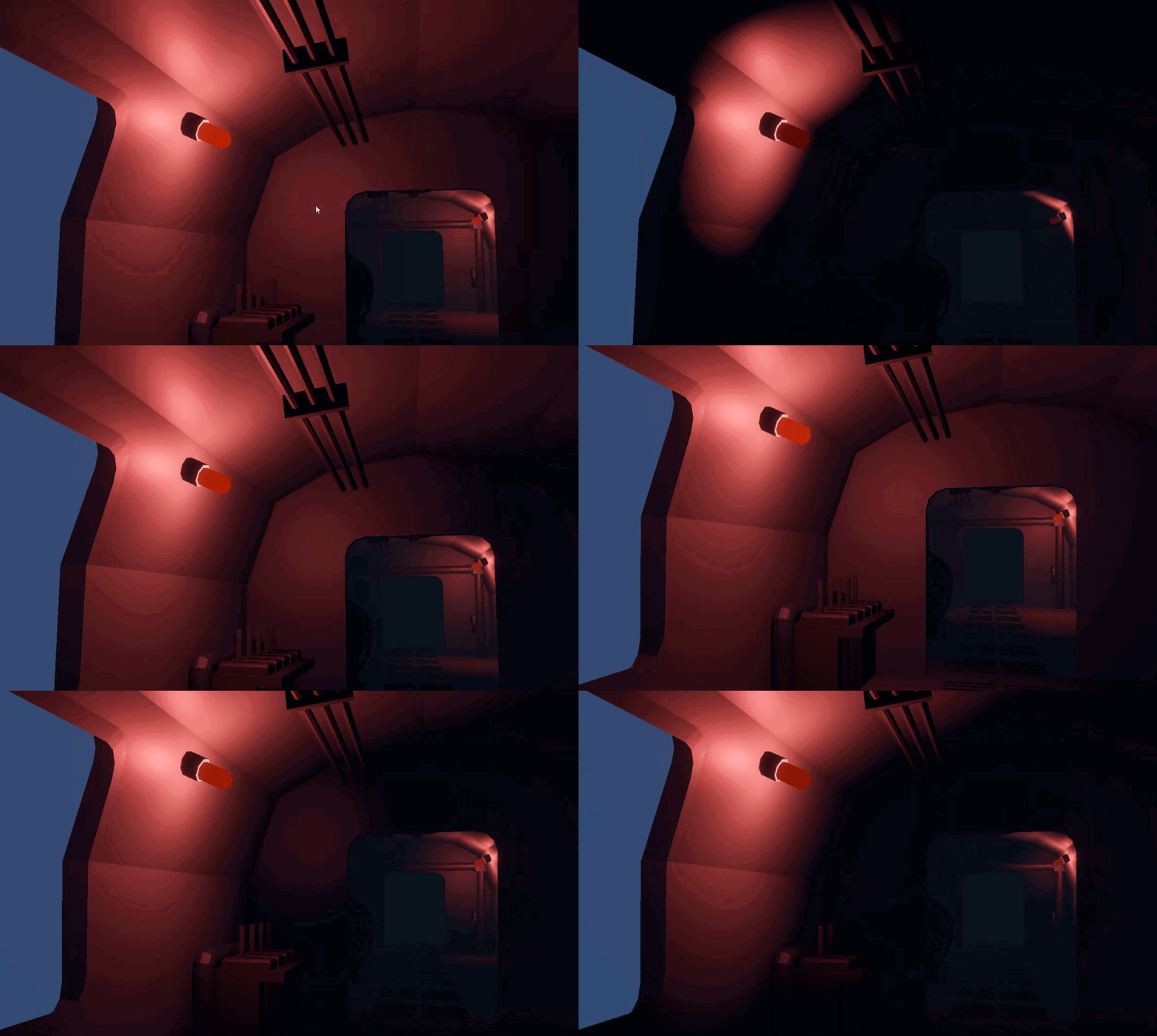 deft fiber
limpid warren
https://gyazo.com/eaac24f18fae7e6901cf0bc3a61d5dbe
How can I make this lighting ...
deft fiber
limpid warren
https://gyazo.com/eaac24f18fae7e6901cf0bc3a61d5dbe
How can I make this lighting ...
Are you animating the light's intensity or range?
limpid warren
deft fiber
Are you animating the light's intensity or range?
no im using a c# script to make it into a sinusoidal wave
I just feel like my placement for the light might be off? because its way too shiny on the wall or im not sure tbh
deft fiber
limpid warren
no im using a c# script to make it into a sinusoidal wave
The wave is controlling some property of the light to make the pulsing happen, which property is it?
limpid warren
deft fiber
The wave is controlling some property of the light to make the pulsing happen, w...
im making the range go up and down
private IEnumerator PulseRoutine()
{
    float timer = 0f;
    while (isPulsing)
    {
        timer += Time.deltaTime;
        if (timer > pulseInterval) timer -= pulseInterval;

        // Light Range Pulse
        float t = Mathf.Sin((timer / pulseInterval) * Mathf.PI);
        _light.range = Mathf.Lerp(minRange, maxRange, t);

        // Emissive Color Pulse
        for (int i = 0; i < _emissiveMats.Count; i++)
        {
            Color c = _origEmissiveColors[i] * t;
            _emissiveMats[i].SetColor("_EmissionColor", c);
        }

        yield return null;
    }
}```

I wouldve thought maybe some other settings are wrong but this is working fine for pulsing it just looks a bit offDon't change the range, change the intensity instead
limpid warren
hmm let me try that
deft fiber
Range is a maximum limit for the light, which means when the range is decreased it cuts off the falloff of the light and it gets relatively brighter, and with an unnaturally sharp edge
limpid warren

is this better?
does that look like how its supposed to? because for me the really bright part is throwing me off but i just might be wrong
supple nacelle
Inverse Square Law is likely in effect here. You just notice it more in 3D because of the lack of realtime indirect bouncing of light
limpid warren
supple nacelle
Inverse Square Law is likely in effect here. You just notice it more in 3D becau...
anyways to mitigate this? should I move the point source do be further from the walls?
supple nacelle
Its likely not helping that your room is already very dark, so your baked lighting is not creating much in the way of ambient lighting
Is that even baked?
supple nacelle
Direct lighting is always going to look extremely contrasty, because of the lack of indirect bounce
limpid warren
im a total lighting beginner, what should I do then?
supple nacelle
Baking will at least give the room some ambient light, though the issue with baking is that the indirect lighting will still be painted on the walls when the lights are turned off, but that can often look fine
supple nacelle
limpid warren
im a total lighting beginner, what should I do then?
Read up on baking lights
limpid warren
alright thanks for your help!
deft fiber
limpid warren
https://gyazo.com/137d4224f5a8a377a9bb7335c0c6680f
It looks better
Two things are still off about it
The physical light is much less emissive than what the amount of light would suggest, and the light is illuminating the base of the lamp where light would not be able to reach as much
Fixing the first one is very simple, just increase the emission intensity of the material at the height of the wave
The second one is tougher as it would require a cubemap cookie, which are tough to make because there aren't many tools out there to do it https://docs.unity3d.com/2019.3/Documentation/uploads/ExpertGuides/Create_High-Quality_Light_Fixtures_in_Unity.pdf
It's not what makes or breaks the "realism" for this scene though, because honestly 80% of how your lighting looks is what your materials and meshes look like
PBR materials with proper textures are a must if you want to have a shot at visual realism
Personally I don't think baked GI is a practical option here, since your lights are fading to full darkness it might be pretty obvious that indirect lighting is not fading out
Realtime GI however would be
supple nacelle
You can also do lightmap switching, but not for fades. I don't think lightmap crossfades are supported, but there are assets that can do that
https://assetstore.unity.com/packages/tools/utilities/magic-lightmap-switcher-built-in-srp-196489
But that can get expensive
Realtime GI isn't something I have seen much off. I suspect because of the cpu/gpu costs
limpid warren
deft fiber
It looks better
Two things are still off about it
The physical light is much les...
played around with some settings and made it more bright at the peak:
https://gyazo.com/d0880e69990a927a7975c6558946edce
Im not gonna lie the other stuff like cubemap cookie or whatever lese sounds lowkey hard 😂 so I hope this is good enough for the time being until I learn a bit more about lighting

 rancid lava
I'm making a game using unity dots, and when I make a build, my shadows are gone (actually they are here If I zoom out a lot), anybody knows why or how I could fix that?
 finite zinc
guys i put in my player model and it's black and i dont know why. it looks normal without lighting but idk..


 finite zinc
how do i fix the lightmaps on walls? I just imported the wall model from blender and idk what happened. How do i fix this???
 supple nacelle
finite zinc
how do i fix the lightmaps on walls? I just imported the wall model from blender...
supple nacelle
finite zinc
how do i fix the lightmaps on walls? I just imported the wall model from blender...
You might need to clarify the exact issues, as there are a few things wrong with what we are seeing there, but not sure which of those things are related to your question
finite zinc
supple nacelle
You might need to clarify the exact issues, as there are a few things wrong with...
i fixed it dw
mental linden
am i tripping or is URP's lighting just way better by default?
i had to do an awful lot of work to get it right in BIRP - like everything was so dark, i just popped my model in on URP and it looks great with no work
compare and contrast (pun!)

 deft fiber
mental linden
am i tripping or is URP's lighting just way better by default?
deft fiber
mental linden
am i tripping or is URP's lighting just way better by default?
I think they should be nearly identical, aside from punctual light falloff curve
The scenes compared are not identical so it's not an apples to apples comparison
URP projects start out with HDR tonemapping enabled, and I think it only depends on Unity version whether new projects use gamma or linear color space but worth checking anyway
Linear is the better one
mental linden
yeah that was in linear space but BIRP
it does seem the HDR tonemapping is very obvious at first glance. it was very dark at the beginning scene too in BIRP
 craggy birch
I tried light mapping but I didn't really like it, now I want to switch back to real time and this is the issue, objects look really dark and I've tried everything but it won't go back to normal
This is how the scene looks without shadows
 supple nacelle
craggy birch
I tried light mapping but I didn't really like it, now I want to switch back to ...
supple nacelle
craggy birch
I tried light mapping but I didn't really like it, now I want to switch back to ...
Without baked lighting, you will need some form of ambient light source. Either from reflections, ambient light, or placing some omnis. But they are all going to be pretty unnatural.
You also probably want a primary light, even if this is a night scene - usually a single Directional light with shadows enabled to simulate the moon
Without a primary shadow of some kind, nothing is going to look attached to the ground
What did "normal" look like?
deft fiber
craggy birch
I tried light mapping but I didn't really like it, now I want to switch back to ...
The editor UI is not clear that you need to have generated lighting from the lighting window to have basic ambient light defined in the environment tab, but to not also bake lightmaps you need to have disabled baked GI and realtime GI in the scene tab
supple nacelle
Is this normally a daytime scene?
 little prism
Is environment lightning applied when baking lights? I'm trying to set a base lightning level for indoors and cannot make environment lightning work after baking.
I'm using URP. I've created a new scene, with four cubes acting as walls to create a closed room. Environment lightning source is set to color and by changing the color I can see the changes in the editor, but after baking the interior looks completely dark.
deft fiber
little prism
Is environment lightning applied when baking lights? I'm trying to set a base li...
Depends what type of lighting you're baking
If you generate lighting with realtime or baked GI enabled and light probes in the scene, environmental lighting will calculate occlusion so static interiors with the probes in them will be dark
If you generate lighting without realtime or baked GI, the environment lighting should be applied equally everywhere
little prism
I just tried to disable realtime GI, baked GI, and both disabled. But baking in each case doesn't change anything. Is there something else I could look into? (I've created a new URP project so most of the settings for lightning/rendering are the default)
deft fiber
little prism
I just tried to disable realtime GI, baked GI, and both disabled. But baking in ...
If the two GI checkboxes are disabled, only the settings in the Environment tab matter
You can "clear lighting cache" before generating again to make sure none of the baked lighting remains
Could show your Environment tab of the lighting window as well as before and after of the scene
And what the scene's sky is like if you're using it as an ambient source, and whether you're using light probes or not
little prism
Yes, having both disabled the environment lightning appears (I'm not using a skybox). But disabling Baked GI says all mixed/baked lights are overriden to realtime.
deft fiber
little prism
Yes, having both disabled the environment lightning appears (I'm not using a sky...
As it's supposed to
little prism
So, is there a way to provide a uniform base lightning to interiors when using baked lights?
deft fiber
Not "baked lights"
"Environment lighting", which has to be baked by generating lighting
But not by "baked GI"
Crystal ball running out of juice so anything you can show would help
little prism
Here's the lightning settings, the "room" from outside and from inside


 dreamy talon
Is there a way to adjust the shadow bias of a light on a per object basis?
(in URP)
deft fiber
little prism
Here's the lightning settings, the "room" from outside and from inside
Realtime GI and baked GI are enabled in the first image when they should not be
Your reflection source is skybox but you have no skybox, nor a reflection probe
deft fiber
dreamy talon
Is there a way to adjust the shadow bias of a light on a per object basis?
No such option as far as I know
It could be possible to make a custom shader that implements custom bias in vertex shader only during the shadow caster pass
 umbral juniper
 thorny osprey
Check out this gif I made for Reddit showcasing my Sky AO implementation
thorny osprey
Check out this gif I made for Reddit showcasing my Sky AO implementation
Very nice, what method did you use for it?
thorny osprey
umbral juniper
Very nice, what method did you use for it?
umbral juniper
Cool!
 small fulcrum
Is it a known issue that a Shadergraph in 2D Unity 6 will have its normal maps break if the material has GPU instancing enabled? Is there a workaround beyond disabling the instancing?
 night shell
thorny osprey
night shell
thorny osprey
nice, I've done something very similar on some projects in the past before, people forget how important skylight ao/shadowing is. In outdoor scenes it's so important to have its not even funny
 chilly kettle
Anyone got an idea why my decal projectors only work after turning them OFF and then ON again? 😄
 dreamy talon
deft fiber
No such option as far as I know
It could be possible to make a custom shader tha...
dreamy talon
deft fiber
No such option as far as I know
It could be possible to make a custom shader tha...
That was actually what I was already doing, but I was trying to get away from doing so much custom lighting for such a small tweak.
deft fiber
dreamy talon
That was actually what I was already doing, but I was trying to get away from do...
Does this require wholly custom lighting? I assumed you could do it with just a lit graph
 tired siren
Does anyone have experience with Unity 6? This may not be specific to this version but I've never had this issue on any other version to date.
I have a scene that is just ALWAYS lit. I have disabled all lights, removed the skybox and ambient lighting as far as I can tell. Nothing I do has any effect on the scene lighting and I'm stuck.
deft fiber
tired siren
Does anyone have experience with Unity 6? This may not be specific to this versi...
Generating lighting is required to save the changes to environmental lighting
(lighting settings aset or realtime/baked GI are not necessary)
tired siren
I've tried generating lighting, but it doesn't have an effect
Tried with both a light in the scene and without.
There's a setting somewhere that I'm not seeing that has some sort of "default light everything" going on and I cannot find it for the life of me.
deft fiber
tired siren
There's a setting somewhere that I'm not seeing that has some sort of "default l...
The lamp icon button in scene window?
It's not per scene though
tired siren
deft fiber
The lamp icon button in scene window?
Well I'm seeing that the scene/game is ALWAYS lit no matter what I do. Even with all lighting turned off. It's always lit. If I turn lights on they don't actually affect the scene or the game
I'm pretty experienced with Unity that's why I'm stuck, because there is nothing anywhere that I can tell that would cause this. The skybox changes the background, but the assets stay lit at the same light levels regardless of what I do.
I can change every setting that has to do with light, and it does nothing...
deft fiber
tired siren
Well I'm seeing that the scene/game is ALWAYS lit no matter what I do. Even with...
Maybe a screenshot? Many types of "always lit" potentially
Also check (and show) graphics quality settings
and show lighting window too
tired siren
deft fiber
Maybe a screenshot? Many types of "always lit" potentially
Also check (and show)...
Does Cinemachine have some setting that auto lights a scene that I'm not aware of
deft fiber
tired siren
Does Cinemachine have some setting that auto lights a scene that I'm not aware o...
None
It moves the camera around
tired siren


Basically ALL assets in the scene are lit and no lighting affects them in any way shape or form At all.
Even with all of these settings enabled, no change.
deft fiber
tired siren
Basically ALL assets in the scene are lit and no lighting affects them in any wa...
Their materials could have emission, or an unlit shader
tired siren
Their materials are Sprite/Default
But that's the only thing I can think of, its the materials.
deft fiber
tired siren
Their materials are Sprite/Default
That is an unlit shader
deft fiber
tired siren
Any thoughts on how to fix their materials?
Sprites are not designed to be lit, though to an extent they can be with a lit shader
If you're not using sprite renderers you wouldn't be using sprite shaders anyway but the Standard shader
tired siren
So they're either on, or they're off.
deft fiber
tired siren
So they're either on, or they're off.
Depends what "they" is here
tired siren
It's a 2D game, with the environment tiles and characters cut from a sprite sheet.
Everything is technically a sprite.
deft fiber
tired siren
Everything is technically a sprite.
Technically they are if they use the sprite renderer component
tired siren
I think I need to read up on how to light a 2d game. All my previous games have been 3D and this is gonna require a rethink of renderers.
deft fiber
tired siren
I think I need to read up on how to light a 2d game. All my previous games have ...
You can try the Standard shader with some lights and see if you run into any weirdness
Normal maps have the most issues I believe
URP has a 2D sprite lighting system
tired siren
deft fiber
URP has a 2D sprite lighting system
I'mma try this.
 primal owl
Does anyone know why this happens with my shadows?
When the camera gets closer to the player it seems like shadow resolution gets worse? The shadows also just change so drastically within a small area. I'm not sure what I'm doing wrong or how to prevent this.
chilly kettle
primal owl
Does anyone know why this happens with my shadows?
When the camera gets closer ...
Can you show your shadow settings?
Distance, cascades etc.
deft fiber
primal owl
Does anyone know why this happens with my shadows?
When the camera gets closer ...
Since it's a punctual light I'd assume it's downgrading its shadow resolution to fit all shadow casting lights in the shadow atlas based on their visibility
primal owl
deft fiber
Since it's a punctual light I'd assume it's downgrading its shadow resolution to...
That makes sense. That seemed to be what was happening when I played with the far clipping plane and shadow resolutions (on the specific light) more.
Although, the shadows kind of change resolution all at once. I figured shadow cascades would have them change over a distance. idk if things work differently with spotlights
deft fiber
primal owl
That makes sense. That seemed to be what was happening when I played with the fa...
Yes, they don't use cascades or have any distance based optimization built in
All light shadow resolution can be reduced at once if that's what's necessary to make the shadowmaps fit onto the shadow atlas
A point light with shadows coming into view will add 6 whole shadowmaps to the atlas
If the movement of the camera that causes the issue to occur does not correspond to more lights entering the camera's view then it's more of a mystery to me
If you disable all lights but that one then the issue should stop occurring which would prove it one way or the other
Also the console should tell you when that happens and the frame debugger should show you how that happens
 tropic tulip
Hey, guys! Why it takes so much time to bake lighting?
 arctic isle
tropic tulip
Hey, guys! Why it takes so much time to bake lighting?
arctic isle
tropic tulip
Hey, guys! Why it takes so much time to bake lighting?
It's a computationally expensive operation called path tracing. The runtime depends on the number of samples and bounces, the size, resolution and number of lightmaps you have, the post-processing (denoising) that you are doing to the lightmaps and of course your hardware. It can be much faster using a GPU.
APV and probes in general can be faster.
tropic tulip
arctic isle
It's a computationally expensive operation called path tracing. The runtime depe...
I have checked right now a guy has the same issue with me in Unity Forums and it's really the source of the issue I have to reduce the samples and other options for less computation. Do you think I have to use GPU instead of CPU?
arctic isle
tropic tulip
I have checked right now a guy has the same issue with me in Unity Forums and it...
Yeah using the GPU is usually much faster. You don't have to, but it's recommended
mental linden
is there no way to configure where baked lighting data ends up? i'd prefer to be able to have it generate to a dedicated "lighting" folder or something instead of cluttering up my scenes folder
 abstract saddle
mental linden
is there no way to configure where baked lighting data ends up? i'd prefer to b...
abstract saddle
mental linden
is there no way to configure where baked lighting data ends up? i'd prefer to b...
Sadly, there is no built-in way to configure that. If I were you, I would just manually move it to where you want it
mental linden
abstract saddle
Sadly, there is no built-in way to configure that. If I were you, I would just m...
That broke it last time I did that
abstract saddle
Dang, that is frustrating. At least the lighting data creates a folder so that the data is someone visually separate from your scene files, since folders are sorted first in the inspector
supple nacelle
You might need to make use of the scene menu instead of digging through the folder to open scenes

or make use of the filter. Not ideal but if the folder is unusable you have those options to help

Though is it not baking into subfolders inside of scene? That shouldn't be making it unusable
 distant yew
primal owl
Does anyone know why this happens with my shadows?
When the camera gets closer ...
distant yew
primal owl
Does anyone know why this happens with my shadows?
When the camera gets closer ...
if its a second light you need to set an override on the light object to get better light resolution, if its the main light (aka you have it as the sun) then it will use the cascade settings if your in URP (which you probably are?)

but also check your atlas settings and make sure additional lights are set to per-pixel
 vestal tendon
is there any way to get 2D lights to respect the sprite sort order such that the light is masked when "behind" a sprite?
primal owl
distant yew
if its a second light you need to set an override on the light object to get bet...
I see. Thank you. So is it only the main light that uses cascades?
 serene glen
Hey people, I've been banging my head for several hours on that one. I have a big circular room and a realtime spotlight against the wall. When looking at the wall from afar, no issue. But when the player is inside the spotlight cone, it randomly culls parts of the light with a stair like effect.
There's no other lights on this scene. Only this spotlight.
Any idea ?
I noticed changing the near clip of the camera affects it. If I let the camera still at a place and rotation where the bug happens, and change the near plane, the bug is fixed, but it happens again if I move a bit or rotate the camera.
I tried Light.useBoundingSphereOverride = true and changed the radius of the Bounding sphere but no changes. The light just disappear when I set a radius too low, and the bug is still happening when setting a higher radius
Also tried disabling occlusion culling completely but it didn't helped
I'm on URP forward +
serene glen
Ah, it's now fixed. It was a known issue with spotlight + forward+ on Unity 6000.0.2*. Fixed on 6000.0.30
deft fiber
vestal tendon
is there any way to get 2D lights to respect the sprite sort order such that the...
Yes, "target sorting layers"
desert dawn
how do you make a spotlight that looks like a disco which moves around like left and right then have this volumetric effect?
 icy tundra
desert dawn
how do you make a spotlight that looks like a disco which moves around like left...
icy tundra
desert dawn
how do you make a spotlight that looks like a disco which moves around like left...
Show an example?
rancid lava
Hi, I have shadows when I play my game in the editor, but not when I build, any ideas?
rancid lava
my key?
tropic tulip
Hey, guys! I have a small issue with my lightmaps. So, they dont look fine at all. Can you recognize the issue?


I see these on my lightmaps
Maybe I have to increase samples
Check here another detail

from the perspective of the house
It has to do with baking artifacts probably
supple nacelle
tropic tulip
Hey, guys! I have a small issue with my lightmaps. So, they dont look fine at al...
Can't make out what I am seeing there. Are you seeing white edges on what should be dark areas? That usuallly would be an indication of either light leaks or your UV2 map has faces on it that are closer than 1 pixel and its causing overlaps? Hard to tell what we are seeing there though
tropic tulip
Probably bad looking baked artifacts
I have searched for it in unity forums
Now playing with the lightmapping settings
I just dont want to bake all the time adjusting the values and then I will generate because it takes so much time to bake lighting because I am using CPU instead of GPU and my GPU has crashes when generate lighting no memory.
supple nacelle
tropic tulip
I just dont want to bake all the time adjusting the values and then I will gener...
I would just test your theory on a smaller scene with just the problematic areas until you put your finger on the issue.
 agile mesa
(hopefully) quick thing, would anyone know how i can disable the blurring/texture filtering at the edges of my shadows? I'm trying to get low-res point filtering with the lights. Also this is in the standard rendering pipeline, unity 6 .46f1
 scarlet geyser
agile mesa
(hopefully) quick thing, would anyone know how i can disable the blurring/textur...
scarlet geyser
agile mesa
(hopefully) quick thing, would anyone know how i can disable the blurring/textur...
you can't
thorny osprey
agile mesa
(hopefully) quick thing, would anyone know how i can disable the blurring/textur...
it looks like your spot attenuation, not shadows
for the built-in pipeline, I'd download the shaders and modify the lighting calculations
you can also try with a cookie with hard edges but it's unlikely to look good
supple nacelle
I also wouldn't expect much in the way of quality if you have a spotlight with a 180 degree angle like that. That creates a LOT of area for a shadow map to cover.
tropic tulip
Hey, guys! I still have this issue with lightmap settings. Really not sure what causing it. Check how everything looks like isn't it bad?


 tired oasis

uh, is this normal?
My settings are absolutely minimal. The resolution here is 4

At this rate, bake will be done in 4 hours
And that's just with this room... i've disabled the props and lights in every other room

What the hell?
I'm baking with an RX 7900 XTX
Highest performace setting
agile mesa
thorny osprey
it looks like your spot attenuation, not shadows
for the built-in pipeline, I'd ...
yeah i tried making a cookie in Krita and turning the resolution waay down, kinda like it but not exactly what i'm trying to go for. However, when the spotlight's at 90 degrees it looks almost exactly like what i was going for without all the distortions. I wonder if i can write a compute shader to generate the cookies on the fly, so for example i can offset the edges with a noise algorithm. Problem with that is it's data going from the gpu to the cpu and back to the gpu which is not good for performance

 thorny osprey
agile mesa
yeah i tried making a cookie in Krita and turning the resolution waay down, kind...
thorny osprey
agile mesa
yeah i tried making a cookie in Krita and turning the resolution waay down, kind...
for the built-in pipeline, you can download the built-in shaders, put them in the project, restart the editor and unity will use your copies instead of the ones that come with it
then you can modify the spot light attenuation function to have hard edges
I assume you want them all to have it
tired oasis
Hey how come adaptive probe volumes don't get baked but the rest of the scene does? It keeps giving me this, even though I very much have baked.

On a different note, I have seen people constantly dunking on Unity's lightmapper and suggesting Bakery instead. It indeed looks far better than Unity's
But I do not have an nvidia GPU. Am I just screwed then?
 fallen island
Hi, I have a problem, bc I built my game and in the editor everything is fine, but when I open my game, than lights start flickering and it looks like there is per object limit set to 1 but I have it set to 8. I tried everything and I have no idea what to do anymore.
I'm using URP btw
supple nacelle
fallen island
Hi, I have a problem, bc I built my game and in the editor everything is fine, b...
Something to check with flickering lights is your camera near clip - too low and it can cause that
Esp if they seem to flicker as your rotate your camera
fallen island
supple nacelle
Something to check with flickering lights is your camera near clip - too low and...
do you mean this?
 supple nacelle
yeah, near clipping planes below 0.6 in my current project start producing light flickering
fallen island
Ok, I'll change it to 1 and tell you if it worked
supple nacelle
The lower the value, the more pronounced
fallen island
I changed it to 1 and it doesnt seem to be working.
 supple nacelle
Probably something else then
fallen island
I can be correct
But what tho
its happening only in build so must be in build setting smth
I dont even know anymore
supple nacelle
Someone might have some ideas where to look. Whenever I run into that stuff I end up scrutinizing my editor graphics settings to make sure they match the build. And also start stripping things out of the scene to try and reduce the problem down to a very small set of variables.
fallen island
Ok, thanks for trying to help.
tropic tulip
tired oasis
Do we have the same issue bro?
@tired oasis
Have you checked my messages above
fallen island
supple nacelle
Someone might have some ideas where to look. Whenever I run into that stuff I en...
I have just discovered that the problem is with PipelineAsset. When I load scene from editor and I don't touch MainMenu scene where I can choose what graphics I want, than I think there is default pipeline but when I go thru menu than the problem begins even in editor so its pipeline asset fault.
I don't know if it makes sense
But smth like this
And I think I know how to fix it
but I would have to remove control over graphics
That shouldn't be a big deal
supple nacelle
Ahh, makes sense
fallen island
ok nice fixed it
Im kinda sad I cant have graphics settings in game but I don't understand urp so no big deal ig
Wait
no I didnt
light is still getting a stroke in the build
I was so happy bruh
I'll see what happens if I delete urp
So I can't not have urp
bc everything turns pink
tho it's making my game look bad
supple nacelle
You can go back to the Built-In renderer, but yeah you will need to rebuild all your textures unless you have them backed up in your git from before the change to URP
fallen island
I switched to hdrp but I dont know what to do with this
 supple nacelle
fallen island
I switched to hdrp but I dont know what to do with this
supple nacelle
fallen island
I switched to hdrp but I dont know what to do with this
You have to rebuild all of your materials, it should be on the HDRP import window that pops up to have it try to automatically update the shaders
Anything using the built-in renderer shaders is going to show as magenta, which indicates missing. Cyan means "still compiling"
fallen island
supple nacelle
You have to rebuild all of your materials, it should be on the HDRP import windo...
you mean this one?
 supple nacelle
Yeah, if that didn't get it, you may have to manually rework whatever material that object is using
fallen island
so from the start I have to do this yeah?
 supple nacelle
If that is the shader selected for the material, then it should be showing up
fallen island
the problem is I have triplantar shader and it doesnt work so I would have to remake it?
 supple nacelle
Might be something that has no HDMI equivalent so it couldn't auto-upgrade. Not sure, I am not an expert in any of this
But that shader if custom is likely written for BIRP
and won't work for URP
fallen island
:/
I have too much materials
I think Ill switch back to the urp
and try to solve this another way
my triplantar borke
nvm works just had to save it and add it to the material again
Im gonna try one more thing - opening scene without the menu so I know if its menu thing
not menu thing btw
 south sonnet
yea i have the same problem
fallen island
Later Ill try to change from auto to other rendering thingy and see if that works
If not - Im gonna give up on this issue for now and try to find if sb had the same issue.
tropic tulip
Hey, guys! Do you know why the lightmapper doesn't bake any texel at this point?


What it could be?
 hasty condor
Anyone know why my baked lightmaps disappear when I enter playmode?
It only happens if I'm using light probes. To bake, I'm using Bakery. Render pipeline URP. Unity version 6000.0.47f1
fallen island
urp is stupid I don't understand what devs were smoking hope sb will help you
supple nacelle
If BIRP was working for you and you don't need an URP feature... why are you using URP though?
fallen island
idk it was by default I think or I just know it the most
btw I tried now changing every setting in quality, graphics, urp assets and camera and nothing
Too bad I won't be able to test my theories for the next five days
My theories are: there could be a setting that makes light bounce of of the walls and it makes more lights on one object; there are really more than 8 light sources on one block so I have to make a script that hides every light source that is covered by the wall or is further than fog (but I dont know if its gonna work).
The last thing can be that range of my lights are too big and its just too much lights in one place.
But I have no idea why in editor everything is fine.
Thats twisted.
hasty condor
hasty condor
Anyone know why my baked lightmaps disappear when I enter playmode?
It only happ...
Tried it with unitys normal bake, some of the objects were able to bake but now my screen occasionally flashes random colors and a strange face
otherwise is there like some alternative to light probes cuz i feel like this could be a unity bug
its the same for all scenes even without bakery
deft fiber
tired oasis
"Create Geometry" step iirc is a part of Enlighten's bake process, which indicates you've enabled Realtime GI which always bakes on the CPU
The workload of a bake mostly depends on how much geometry surface area you've set as Contribute GI, and to receive GI from lightmaps especially
That means small and complex geometry should be set to use probes instead of lightmaps whenever possible, and preferably to not contribute to GI at all
Usually their contribution would be insignificant, and/or they would not get clean lightmaps anyway
deft fiber
tired oasis
On a different note, I have seen people constantly dunking on Unity's lightmappe...
The quality is about the same ever since Unity revamped its lightmapper some years back, before that the choice was clear
What it does have is loads more control and features, but unless you've exhausted the potential of Unity's lightmapper, they're more likely to be overwhelming than useful
Bakery can't bake APVs afaik, but it has its own "bakery volume" lighting system that works on the same principle
deft fiber
fallen island
its happening only in build so must be in build setting smth
A typical cause for that kind of mismatch is that your build platform is set to use a different quality level/asset than the one you have in the editor as emotitron mentioned
fallen island
deft fiber
A typical cause for that kind of mismatch is that your build platform is set to ...
Still I tried I think everything to fix it and I just can't find a solution
deft fiber
fallen island
Still I tried I think everything to fix it and I just can't find a solution
Well, seems like many different things could be going on so it's hard to focus on any one
You can have in game graphics settings menu in URP, and the render pipeline assets are a tool to do that
Regardless whether you have the in-game settings or not, the render pipeline asset is definitely not expected to change on its own upon switching a scene, so something in your project or likely scripts is doing that
Assuming you've confirmed that's really happening
If you feel lost using URP, definitely do not swap to HDRP
Use version control before mass upgrading assets of your project(s), so you can revert the change as tools to "downgrade" assets are not provided
Shader Graphs can be manually converted to different render pipelines by adding a render pipeline to "active target" in graph settings