#archived-lighting
1 messages · Page 33 of 1
 deft fiber
The same way you do everything else
First look up how and then do
https://docs.unity3d.com/Manual/realtime-gi-using-enlighten.html
 broken prairie
So what's going on why is my floor not making light?

 cerulean scaffold
oh super btw i solved the light overlap problem when the lights are side by side (which I dont understand why) there is less light overlap so the lights did not cause a problem but when i put the lights on top of each other it always caused overlap (maybe because there was no collider) so i solved the problem by dividing each floor into a different scene
 random vortex
Hi, i'm making a proceduraly generated backroom-like maze but the lighting looks trash on half of the walls and I don't know what to do to fix it
It's probably due to the fact that the walls are seperate game objects
 random vortex
update: tweaked some settings, now some walls look good but others don't and I really don't know how
 deft fiber
random vortex
update: tweaked some settings, now some walls look good but others don't and I r...
deft fiber
random vortex
update: tweaked some settings, now some walls look good but others don't and I r...
Tweaked what settings
What lighting are you using, what is the render pipeline, where are the meshes from and what materials are they using
random vortex
mostly spot angle, i'm using baked and your message reminded me that there is a lighting option on mesh (i'm pretty new to lighting and I just ignored mesh  ), I activated it and it looks way better
Thanks for the help !
 deft fiber
random vortex
mostly spot angle, i'm using baked and your message reminded me that there is a ...
deft fiber
random vortex
mostly spot angle, i'm using baked and your message reminded me that there is a ...
Which "lighting option"
Still lacking a lot of relevant information
random vortex
I mostly tweaked spot angle, lowering it kinda hides the thing but now most of the walls work but there's still some glitches
deft fiber
Start simpler
Try to isolate the problem to lights, geometry or materials, with the help of default meshes and default materials
Realtime, mixed and baked lights all behave differently
random vortex
Ok, i'll try
random vortex
random vortex
update: tweaked some settings, now some walls look good but others don't and I r...
It works well, even when I put the materials on it looks good, but sometimes it goes back to doing this

it just does it way less frequently than before
random vortex
I changed the render pipeline from the default one to URP and it works completly ! Thank you
deft fiber
random vortex
I changed the render pipeline from the default one to URP and it works completly...
Really? That's not the kind of improvement we'd expected to see with just that change
Unless you changed something else as well
 paper glade
deft fiber
The same way you do everything else
First look up how and then do
<https://docs....
paper glade
deft fiber
The same way you do everything else
First look up how and then do
<https://docs....
I read the docs, my RGI is enabled, but not working
deft fiber
paper glade
I read the docs, my RGI is enabled, but not working
Enabled and baked?
random vortex
deft fiber
Really? That's not the kind of improvement we'd expected to see with just that c...
idk i'm pretty new to unity but I walked for 5 minutes and saw no bugs
paper glade
deft fiber
Enabled and baked?
Baked? Do I have to? My scene lighting changes constantly (day/night cycle)
deft fiber
paper glade
Baked? Do I have to? My scene lighting changes constantly (day/night cycle)
Yes
Realtime GI has to be baked, isn't that obvious from the name? 😛
It's important to read the documentation I linked
Enlighten precomputed realtime GI is kind of a weird system
In your case if you don't need its realtime lightmapping component, it could be enough to keep meshes dynamic so the system only modifies the scene light probe
paper glade
deft fiber
Yes
Realtime GI has to be baked, isn't that obvious from the name? 😛
It's impo...
Oh ok, do I bake it once or everytime at runtime? So like..
When do I bake Realtime GI?
deft fiber
paper glade
Oh ok, do I bake it once or everytime at runtime? So like..
When do I bake Realt...
Once, and then I believe it should be valid until you change the light source or the sky / environmental lighting in some "significant" way
If you are also using precomputed realtime lightmaps for static geometry or light probes, you'd have to also rebake when the static geometry or probe positions change
paper glade
deft fiber
Once, and then I believe it should be valid until you change the light source or...
But the sky lighting is changing fast at runtime
Do i have to rebake at void update? Thats gonna be performance heavy
deft fiber
paper glade
Do i have to rebake at void update? Thats gonna be performance heavy
No, not having to do that is the point of Realtime GI
Did you actually read the docs and try it?
I haven't used it much but it works well enough with Unity's own procedural sky
paper glade
deft fiber
No, not having to do that is the point of Realtime GI
Did you actually read the ...
Yes I read it
I don't use procedural sky
I used a skybox and im changing the tint
To darker colors at night
deft fiber
I expect that should work fine, but test it
Less sure if you're swapping sky shaders entirely at runtime, but that might work too
paper glade
And I enabled the RGI option
deft fiber
It still needs to be baked to become active
paper glade
So, if the sky color changes fast, from day to night cycles, I have to bake RGI everytime?
deft fiber
No, like I said
paper glade
deft fiber
No, like I said
Idk anymore sorry, you say I have to bake it to become active, but if its constantly changing at runtime... how would i show the changes?
deft fiber
paper glade
Idk anymore sorry, you say I have to bake it to become active, but if its consta...
When you check the checkbox "Realtime GI" in the lighting window, that indicates that realtime GI will be baked and become active when you click Generate Lighting
Once that's done, lighting in your scene will respond to most if not all runtime changes
paper glade
Ooooh ok
deft fiber
paper glade
Ooooh ok
The caveat is that realtime GI is precomputed so it cannot respond to absolutely all changes
Static geometry or light probes being altered can invalidate the precomputation, and since it on some level relies on knowing what your scene's sun and sky are, swapping them out completely might also confuse it
But that's probably not something you're going to run into
paper glade
deft fiber
The caveat is that realtime GI is _precomputed_ so it cannot respond to absolute...

enabled it + pressed "generate lighting"
my scene is still very bright
when it transformss to night time, it doesn't update, the map is not getting darker
deft fiber
paper glade
when it transformss to night time, it doesn't update, the map is not getting dar...
You might need at least one light probe in the scene, though I assumed it wouldn't be necessary
paper glade
deft fiber
You might need at least one light probe in the scene, though I assumed it wouldn...
light probe?
sorry, im a rookie at lighting
im better at coding lol
i wanna learn more lighting stuff
paper glade
@deft fiber how do i update the reflection probe?
i have an ocean that reflects the clouds etc, it has to change aswell
deft fiber
paper glade
<@166982635950702592> how do i update the reflection probe?
i have an ocean that...
Set refresh mode to realtime, or to "via scripting" and call the method to render it at the frequency you want
paper glade
deft fiber
Set refresh mode to realtime, or to "via scripting" and call the method to rende...
basically every frame :/
void update ig
deft fiber
paper glade
void update ig
Realtime does that
Time slicing slows it down to be more performant
paper glade
ah ok
but wait
you say i have to call the method to render it at the frequency, what method i it and when do i call it
 split laurel
can someone help a noob? i baked my map but accidentally deleted an object and hit undo but it is no longer baked, is the a way to fix this?
split laurel
split laurel
can someone help a noob? i baked my map but accidentally deleted an object and h...
solved it. just restarted unity
 spiral quail
how to blend light in URP 2D so they are not so bright when stacked on each other?

so even when there are hundreds of 2D light in one spot, they are only as bright as one light in that spot
 next creek
Does anyone know if there is a way to create a spotlight that lights up a further area without being blinding? I'm trying to make a flashlight that still gives a really good sense of where you are without being absurdly bright.
Nevermind, I found out that making a dim skybox light gives a similar effect to what I'm looking for and I'm just gonna do that :)
 upper fable
spiral quail
how to blend light in URP 2D so they are not so bright when stacked on each othe...
upper fable
spiral quail
how to blend light in URP 2D so they are not so bright when stacked on each othe...
That is contrary to how lights work in real life and I doubt there is a way to avoid that without custom shaders or something like that. Why do you need that though?
deft fiber
paper glade
you say i have to call the method to render it at the frequency, what method i i...
If you wonder what methods a component has, all you need to do is look that up in its script reference
https://docs.unity3d.com/ScriptReference/ReflectionProbe.html
Note that you only need to call the probe update manually if realtime mode is not adequate
 final narwhal
Why does the lighting glitch and look weird in my game build but its completely fine in the editor

the ceiling lights go from working to not working depending on where the camera is pointing
 dawn pawn
final narwhal
the ceiling lights go from working to not working depending on where the camera ...
dawn pawn
final narwhal
the ceiling lights go from working to not working depending on where the camera ...
Maybe there are too many lights active at once?
Which rp, unity version, how many lights, and which render path are you using?
For mobile also which render api is used?
final narwhal
dawn pawn
Maybe there are too many lights active at once?
Which rp, unity version, how ma...
unity 2021.3.19f1, Im not sure how many lights I have, using the built in render pipeline and forward rendering path
 opal tangle
why is this spot light not... lighting? did i forgot some configuration?
 dawn pawn
final narwhal
unity 2021.3.19f1, Im not sure how many lights I have, using the built in render...
dawn pawn
final narwhal
unity 2021.3.19f1, Im not sure how many lights I have, using the built in render...
Maybe try deferred or use URP with forward+
We can't see how many lights you have, that's in your project
dawn pawn
opal tangle
why is this spot light not... lighting? did i forgot some configuration?
Which render pipeline?
Are additional lights enabled and the light count is high enough?
Is the range big enough to project on anything?
Tried increasing the intensity?
opal tangle
dawn pawn
Which render pipeline?
Are additional lights enabled and the light count is high...
HDRP
how can i do this? i'm new to unity
yes. it's even past the ground, i even tried to increase the radius. but even area light is not working
yes
final narwhal
dawn pawn
Maybe try deferred or use URP with forward+
We can't see how many lights you h...
I have quite a lot of lights but I set the pixel light count quite high so I figured it should be fine
final narwhal
dawn pawn
Maybe try deferred or use URP with forward+
We can't see how many lights you h...
Deferred did fix the problem but now the fog doesn't work?
dawn pawn
opal tangle
HDRP
how can i do this? i'm new to unity
yes. it's even past the ground, i even ...
Best to ask in the hdrp section. Don't have enough experience with it myself
dawn pawn
final narwhal
Deferred did fix the problem but now the fog doesn't work?
Maybe port to URP and use forward+
That will also improve performance
 jaunty birch
hi why dont my lights work

 chilly kettle
jaunty birch
hi why dont my lights work
chilly kettle
jaunty birch
hi why dont my lights work
Hi why no informations?
realtime? baked? URP?
deft fiber
jaunty birch
if u click the ss u see more
Explaining the problem clearly with necessary details and background information is not only important for people to help you, but also communicates in that you're willing to put in some effort
chilly kettle
jaunty birch
realtime

This video deals with the common problem of flickering or invisible lights in Unity.
If you also have the problem that your Unity lights flicker or become invisible depending on the viewing angle, this is the video for you.
Fixing the problem of flickering or invisible lights in a few seconds with a few mouse clicks
If you are interested in g...
 mighty dome
for urp - how can i prevent lighting from lookiung like this?

areas with higher poly density like the elbow have crooked shadows

lighting looks bad in blender as well

compared to this other mesh anyway

not even high poly

is it because im using quads?

or some building technique that i messed up
deft fiber
mighty dome
lighting looks bad in blender as well
You likely have overlapping geometry and/or inverted vertex normals
Select all in edit mode, merge by distance, recalculate normals outside
mighty dome
deft fiber
Select all in edit mode, merge by distance, recalculate normals outside
also for future reference - should i be making my faces more square?
i noticed a lot of good quality models are made that way
deft fiber
mighty dome
also for future reference - should i be making my faces more square?
Generally yes
Polygons that are bent or elongated often have shading issues
Using tris instead of quads often also causes weird shading, and they also interrupt edge and face loops which makes modeling less convenient
But also there are some situations where trying to force quad topology isn't worth the trouble
mighty dome
what can i do then to make the shading look better
just add more edge loops?
i straightened the loops a bit and started getting this weird artifact

sides of the model still have wavy almost shadows

 spiral solstice


guys please help I clicked something random and suddenly all the sprites have no light on the default layer im so confused
i checked every sorting layer filter and theyre all set to include the default layer
mighty dome
might be something to do with your shadows and not having no light
turn o ff casts shadows see if that fixes it
spiral solstice

and the thing is it started when i acidentally added a layer and if i delete the new layer with nothing on it, the default layer lighting breaks
spiral solstice
ye thanks but ahhhhhhhhhhh kill me
i swear if it fixes itself when i reload or something
deft fiber
spiral solstice
and the thing is it started when i acidentally added a layer and if i delete the...
Does that mean it works if you undo the deletion of the dummy layer?
spiral solstice
yep
deft fiber
Layer or sorting layer specifically
spiral solstice
if i add the dummy layer to the world light's target sorting layers it breaks too
sorting layer


like this
deft fiber
Good to have it pinpointed as weird as it is
I would try restarting
I think I had some totally impossible sorting layer lighting issues similar to that which did get fixed by restarting
deft fiber
mighty dome
sides of the model still have wavy almost shadows
I think I can still see geometry overlaps and inverted normals
spiral solstice
jfc i restarted after deleting it and it worked
i tried restarted right when it happened but didnt delete the layer before restarted
thanks lol
i wasted an hour on a unity bug ww
mighty dome
deft fiber
I think I can still see geometry overlaps and inverted normals
redid all that stuff with a tolerance of 0.35m and recalculated outside again
deft fiber
mighty dome
redid all that stuff with a tolerance of 0.35m and recalculated outside again
To more precisely troubleshoot that kind of problems, you can enable Face Orientation overlay to highlight backfaces, and then in edit mode move individual vertices and edges temporarily to see if extra geometry was hiding under them
mighty dome
i cant find a single overlapping vert
mighty dome
deft fiber
To more precisely troubleshoot that kind of problems, you can enable Face Orient...
face overlays are all consistent, moving verts shows no hidden geometry
 daring trench
baking APV causes my scene to look like this

after making the minimum probe distance smaller, this is now a thing

it keeps doing it
all objects look moldy after baking the APV
ok figured it out, i have, almost clouds? of invalid probes in the mix of it all
i just need to figure out how to actually fix this validity issue :/
 daring trench
me waiting 30 minutes for this shit

how can a bake even come out like that
I LOVE LIGHTMAPPING!!!!
 deft fiber
mighty dome
urp shadow calculations kinda busted?
deft fiber
mighty dome
urp shadow calculations kinda busted?
This occurs in all render pipelines, and even in other engines
The main thing is to have geometry blocking the light on the other side of the wall, which you can set to be shadows-only
A smooth-shaded cube is the most effective light blocker / shadow padder shape, which you could re-use for any problem area
 charred wadi
Hi im using reflection probe for the first time, but the relection return is huge. the pokemon image is what im trying to get.

 cerulean scaffold
yo yo yo
btw if there was a different light source their there would be a change in the other glass as well
i use hdrp and its basic shaders
deft fiber
charred wadi
Hi im using reflection probe for the first time, but the relection return is hug...
The example image is using likely something called a planar reflection probe that "duplicates" all the meshes
It's also one of the most expensive ones generally
If you only need to fix the reflection size you can use a box-projected reflection probe
Screen space reflections are an option that can also help in addition to probes
 timber lichen
I'll try it ty
deft fiber
yo yo yo
 narrow coral
Hello guys, im working an a game and im currently trying to create som good lightning. I use the Unity's fog option in Window then Render options, i also just use a normal Spotlight for the flashlight. But in my opinion the lightning looks very unnatural. For example when the elevator doors opened the flashlight wasn't completely shining into the second room, or when i was walking in the hallway the flashlight was also not shining far away but it's more just like a lightning circle infront of me with short range. How could i improve this situation since the lightning is very bad in my opinion.
deft fiber
narrow coral
Hello guys, im working an a game and im currently trying to create som good ligh...
Fog simply blends to fog color over distance, ignoring lighting
This is more or less realistic, because such black fog would obscure lighting
The issue may be more about that you're using the fog to create darkness in an area that's not actually dark
narrow coral
deft fiber
Fog simply blends to fog color over distance, ignoring lighting
This is more or ...
How could i create darkness that would actually make the flashlight reflect light like an actuall flashlight?
I cant much about lightning in unity as most of my unity work is based on programming, ive been trying all kinds of stuff and the only thing that worked so far is the fog. But again the fog makes the flashlight look innatural
deft fiber
Real darkness is absence of light, when you get close to walls through the fog it appears they're lit from somewhere
Usually that's environmental lighting
narrow coral
deft fiber
Real darkness is absence of light, when you get close to walls through the fog i...
There is an absence of light there, since there are no light sources other than the flashlight but it's still not dark for some reason, it's more light just some eerie ambience thats all
 narrow coral
deft fiber
That's environmental lighting
narrow coral
deft fiber
That's environmental lighting
Oh, how could i turn it off then?
Sorry im really new to this unity lightning thing. I've never been able to actually create good lightning for my games
Ive been searching for youtube tutorials on how to create realistic darkenss
deft fiber
narrow coral
Oh, how could i turn it off then?
Yes, from the lighting window's environment tab
You can set the ambient light source to a black color, and turn down the intensity of ambient reflections to 0
narrow coral
But none of them were actually good and it was just pretty much all the fog thing etc
deft fiber
If your level is not procedurally created, you can use baked lighting and reflections for properly accurate indirect lighting
(If it is randomly generated you can still benefit from realtime reflection probes but you may need to spend some effort culling them when not in view)
 deft delta
Hey I am using 2 direction lights - I need one pointed down as I use a cookie. I have shadows turned off on this one. The second I want to use for shadows HOWEVER shadows wont work with it and only the first one. Is there a way I can fix this? I am not trying to use shadows on 2 d lights only one
narrow coral
deft fiber
If your level is not procedurally created, you can use baked lighting and reflec...
Oooooh thank you so much now i actually managed to make it dark without the fog. I assume this is what you mean right by the enviroment settings?
 deft fiber
narrow coral
Oooooh thank you so much now i actually managed to make it dark without the fog....
deft fiber
narrow coral
Oooooh thank you so much now i actually managed to make it dark without the fog....
Yes, set all color fields of the gradient to black
Having no environment reflection source might cause some bugs but if that happens, use default sky with 0 intensity (or any black texture imported as type cubemap and assigned to a skybox material)
Amazing soundscape by the way
narrow coral
Yep it looks way better now, Thank you so much 🙏 Now i will just adjust it so that it's not too dark either but perfectly matching the flashlight and everything is going to look good. Thank you so much again i never knew you could make lightning good like that. 😁
 narrow coral
deft fiber
Yes, set all color fields of the gradient to black
Having no environment reflect...
narrow coral
deft fiber
Yes, set all color fields of the gradient to black
Having no environment reflect...
Thank you 🙂 and also thanks for the soundscape :))
deft fiber
narrow coral
Yep it looks way better now, Thank you so much 🙏 Now i will just adjust it so ...
One drawback of having no reflections is that since metallic materials almost entirely rely on them, they will appear very dark and featureless
But having reflections that don't match the room will make them shine through the darkness, unfortunately
narrow coral
Yep the metalic materials do seem pretty black. But wouldn't removing the metalic material just fix the issue?
deft fiber
It would remove the issue along with the material
That would be easier than setting up appropriate reflections, certainly
deft fiber
deft delta
Hey I am using 2 direction lights - I need one pointed down as I use a cookie. ...
I think there's an arbitrary limitation that only the "main" directional light can have shadows, which is chosen as whichever has the highest intensity
There may be some way to force a specific light to be the main directional light, but I do not know of it
deft delta
ah I was unaware of the intensity being the factor, that might help me in this case
narrow coral
Metalic Material just give's reflections tho and thats pretty much everything? Because i've never seen any purpose in metalic material other than that they just reflected a bit of the enviroment. That why also on most of my 3D objects i dont use metalic materials either
I've also noticed that i dont need to remove the Metallic material completely but istead just reduce the smoothness, that leaves a little tint of the metallic reflections and also makes the object texture appear not black.
deft fiber
narrow coral
Metalic Material just give's reflections tho and thats pretty much everything? B...
The "purpose" is that metals and non-metals have different visual properties both in our world as in rendering
If anyone wants to have a surface made of metal, the PBR metallic workflow is intended to give a realistic metal appearance with just one variable
Before that became the norm some time after 2010, you may recall that a lot of games had materials that all just looked like different types of plastic
narrow coral
deft fiber
The "purpose" is that metals and non-metals have different visual properties bot...
Reduced the smoothness to 0.3 so that it doesn't look like what you're just reffering to (plastic) and for an inde game looks pretty fine

So again thank you so much for the help, the lightning looks way better now than with the fog before.
deft fiber
narrow coral
Reduced the smoothness to 0.3 so that it doesn't look like what you're just reff...
Rougher smoothness mitigates the issue, as it spreads the light from direct sources over a larger surface area
If you want fancier lighting, I can give pointers if I know whether the level is procedural or static
narrow coral
deft fiber
Rougher smoothness mitigates the issue, as it spreads the light from direct sour...
Oh so it's worser in that case?
deft fiber
narrow coral
Oh so it's worser in that case?
Not worser, betterer, for our purposes
narrow coral
deft fiber
If you want fancier lighting, I can give pointers if I know whether the level is...
If i only knew what prodecural or static means 😬
deft fiber
narrow coral
If i only knew what prodecural or static means 😬
Procedural means you are placing the pieces of the level from code, so they can be in random positions
Static means preset into unchanging positions, which enables lighting calculations made in editor outside of the game
narrow coral
deft fiber
Procedural means you are placing the pieces of the level from code, so they can ...
Im making the game in the editor and pretty much everything on the scene is made on the editor so i would assume that's static?
deft fiber
narrow coral
Im making the game in the editor and pretty much everything on the scene is made...
Yes, or can be made static more precisely
That means you can use baked reflection probes and baked lighting with lightmaps or probe volumes
It's only useful if you have static light sources as well though
If the place is entirely dark aside from dynamic/moving light sources, there would be nothing to bake
narrow coral
It is entirely dark, i mean the only light source in the entire game would be pretty much the player's flashlight which is a child of the Main Camera. Other than that there are really no other light sources.
deft fiber
narrow coral
It is entirely dark, i mean the only light source in the entire game would be pr...
In that case you'd still have to use realtime reflection probes to get any reflections, and it's a bit questionable if they would even be very noticeable
narrow coral
deft fiber
In that case you'd still have to use realtime reflection probes to get any refle...
But it's fine for now tho, im not creating a triple a game anyways haha, eventually later i may try to do anything with the reflections but for now the lightning is still way better than when it was when i used the fog
 coral talon
Any idea why my shading would look much worse on android compared to the editor? My meshes almost look flat shaded
coral talon
Found the culprit, was SSAO
 steel wagon
Any idea why the spotlight is "bigger" than the spot it makes on the ground? I'm using the attenuation of the light to determine whether to show dust particles and that's being thrown off by the extra volume.

(Maybe I just don't understand how spotslights work 😅 )
 short tusk
Yo can someone join call and help me with lighting?
Just DM Me or @ me here
I'd be so happy
upper fable
short tusk
Yo can someone join call and help me with lighting?
You are more likely to get helped if you just asked here so everyone could see the problem and some of them might know the answer. I wouldn't feel comfortable committing to a problem that I don't even know what it's all about let alone know whether I'm able to help
deft fiber
steel wagon
Any idea why the spotlight is "bigger" than the spot it makes on the ground? I'm...
I guess it's likely because of the color posterization filter, which rounds colors to nearby steps
The darkest outer part of the spot angle might be getting rounded to "zero" and so not appear on the grass
steel wagon
ah yeah, you're right. the outer ring is just too weak to show up.
gonna tweak the stepping and hopefully that'll do it.
short tusk
upper fable
You are more likely to get helped if you just asked here so everyone could see t...
I mean I can’t really describe it my lighting just looks a bit weird and I wondered if someone could watch my screen just for diagnosis
upper fable
short tusk
I mean I can’t really describe it my lighting just looks a bit weird and I wonde...
As I said, likely not many will. You can always use screenshots and video recordings to visualize your problem
chilly kettle
short tusk
I mean I can’t really describe it my lighting just looks a bit weird and I wonde...
Give us some screenshot and i guess someone will help
 ruby berry
Anyone have any clue what could be causing the error Non finite value in Temp/LightBakerOutput/lightmapRequest0/directionalityIndirect0.exr. when I bake my lightmaps?
 rancid bolt
I'm lighting a scene in unity. Any tips on what I could do to improve it?

 languid blaze
I am once again struggling with baked lights when using modular level pieces.
My lightmap scale is 10 texels/unit, and I imported these objects with the "Generate Lightmap UVs" option checked (and configured for 10 texels/unit)

The objects are cubes with the ends cut off and the normals flipped
These are my current lightmapper settings

it somehow wound up with this leak between this uv chart and another more brightly lit one

(this was after reducing padding to the default of 2 texels, though)
Stitch Seams is enabled on the renderers, but it doesn't seem to do anything either way
Killing all filtering is a major improvement, but I can still see seams
languid blaze
languid blaze
Stitch Seams is enabled on the renderers, but it doesn't seem to do anything eit...
(it sounds like steam stitching is for faces within the same mesh)
ah, yes, i have to read the entire page
 mental trench

What are you guys’ thoughts on this? Anything I can improve? Built in render pipeline
 arctic oxide
when i bake the lights in my scene, everything in my scene looks like this, how do i fix it??

i'm still sorta new to baking lights, so i dont really know how to fix this
languid blaze
Noisy bakes happen when you don't have enough samples, or when your denoising settings are too weak
What's your light source?
deft fiber
languid blaze
I am once again struggling with baked lights when using modular level pieces.
M...
Chances are you always will struggle as long as the geometry is unwelded and has discontinuous UVs
The best solution would be to swap them out for totally solid meshes after everything's in place
APVs might not suffer from this limitation, but I am not sure
 gloomy willow
hi, my stuff doesn't light up in the scene but does in the camera view. how do i fix this?
thanks in advance

i fixed it, turns out the light bulb thing was clicked
languid blaze
deft fiber
Chances are you always will struggle as long as the geometry is unwelded and has...
Yeah. I worked out that this is…just how lighting is (not even just in unity)
I’ve made larger prefabs and I’m covering up joins with…joints!
arctic oxide
languid blaze
What's your light source?
directional light
i've just been testing out baked lighting in a seperate scene though just to get the hang of it
 soft fox
why does my lighting look dull? any ideas?
 chilly kettle
soft fox
why does my lighting look dull? any ideas?
chilly kettle
soft fox
why does my lighting look dull? any ideas?
what lighting are you using?
What do you want to achieve?
soft fox
i tried using point lights but soon realised the limit is 8. those looked good
so now i tried emissive small cubes
but they light up the whole room and there are no lines/effects/realism
ive watched some tutorials but still havent found what im looking for
chilly kettle
Do you want some kind of "realistic" rendering or do you want to make a game out of it?
chilly kettle
ok, so no realtime lights for you ^^
chilly kettle
no
Is everything set to static?
You should not try to light up a scene with emissive materials.
Add some Area lights infront of your light sources.
soft fox
everything except the car because it becomes way too dark
chilly kettle
As you can see it doesnt look realistic, because your car is to bright.
It would look more realistic, if its dark ^^
soft fox

this happens when its static which is why i avoided it
its probably 2 headaches until i figure out how to fix this
so i just removed static
instead im more worried about the warehouse lighting and why it looks dull
chilly kettle
Have a look on my tutorial to this topic:
https://www.youtube.com/watch?v=zO2l0Fy7yDw
Maybe it helps
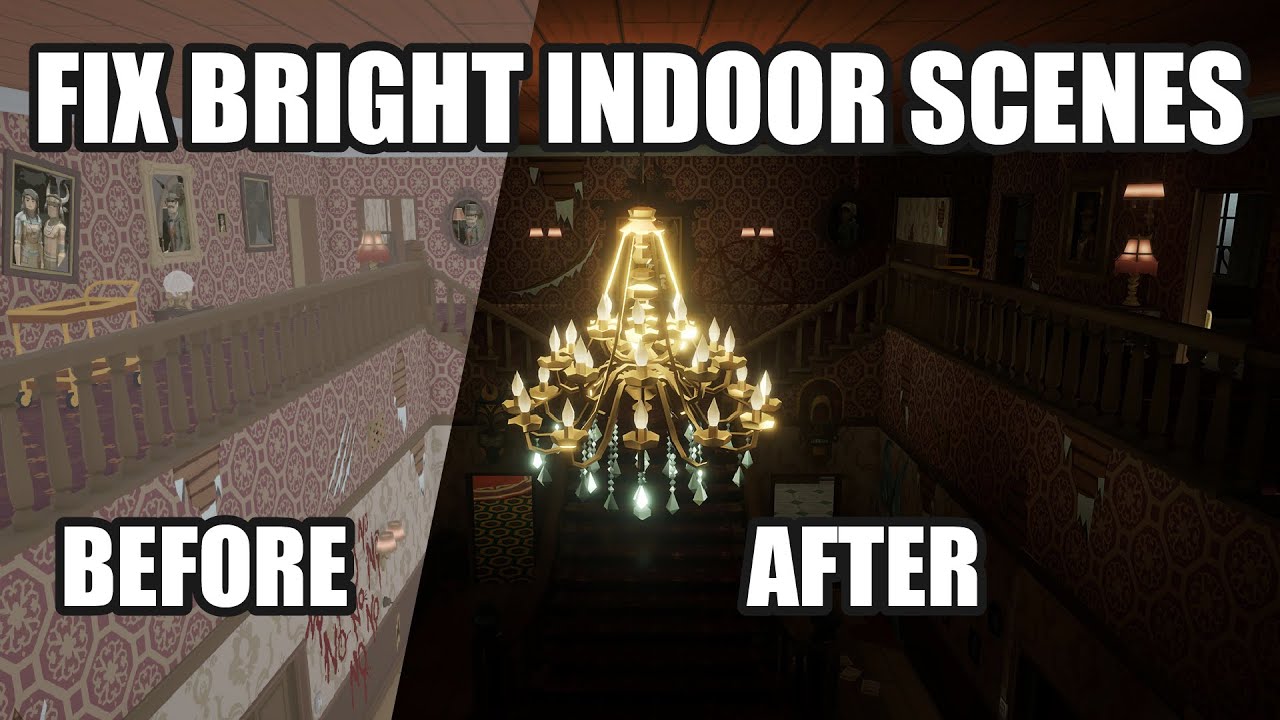
This video deals with the common problem of to bright indoor scenes people often face.
If you also have the problem that you cant get pitch black interior scenes for your horror game in Unity, this is the way to go!
Fixing the problem of too Bright Indoor Scenes for Horror Games in Unity.
Create dark indoor scenes in Unity.
If you are interest...
soft fox
thank you ill watch it now
thanks very much
i watched the video but the scene still looks the same
not much changed
and for some reason my area light does nothing
spiral solstice
is tilesets set to individual having occlusion culling even if i turn it off in camera a bug?
universal rendering pipe 3d
i can fix it if i duplicate the tilemap, set one to individual and no cast shadow, one to chunk and cast shadow only, but thats still annoying to deal with because ill have to double everything
if somebody knows a better way then lmk lol

the tilemaps are generated in real time from a 3d array of block classes btw
spiral solstice
spiral solstice
i can fix it if i duplicate the tilemap, set one to individual and no cast shado...
deft fiber
spiral solstice
https://cdn.discordapp.com/attachments/1184076057356279839/1273384502600794183/R...
From what I know of how 2D and 3D features is designed, it's a happy coincidence you can get 2D tilemaps to work in 3D space with 3D lighting at all
Procedural 3D geometry for the tiles would likely be a better option in the long run
I would imagine more performant too
spiral solstice
ah yeah i probably should be doing that
i wrote code that takes x y z chunk of blocks, calculated their autotile and then directly added it onto a x times y times z amount of tilemap
generating all the tilemaps takes 1 ms and i get 3-4 hundred fps so ive been avoiding learning 3d
deft fiber
spiral solstice
generating all the tilemaps takes 1 ms and i get 3-4 hundred fps so ive been avo...
Everything is 3D in unity
2D components and conventions are just sometimes restricted to being used only with each other
 dusk fjord
Hiya - I have a 2d game using sprites for almost everything, but I want a 3d character. I added a mesh to my scene that I imported from Blender and I'm trying to figure out the lighting. Right now the character seems "fully" lit but there's no 3d lights in the scene. No matter what kind of light I add, it doesn't seem to impact the character at all. Ideally, I could get it to respond to the existing 2d lighting, but I'm not sure that's a reasonable thing to hope for
(I'm also totally ok if I need to use 3d lights separately for the character, but adding them right now seems to have no effect. He's always just fully lit
timber lichen
Made a closed box of cube meshes assigned with some pbr texture, how do I make it so that those "lines" or areas of darkness and whiteness are not present? Completely disabling all light sources so light can only be present from one source
 deft fiber
dusk fjord
Hiya - I have a 2d game using sprites for almost everything, but I want a 3d cha...
deft fiber
dusk fjord
Hiya - I have a 2d game using sprites for almost everything, but I want a 3d cha...
Do you have an example of what do you mean by "fully lit"
And most importantly what render pipeline and renderer are you using in your project
deft fiber
timber lichen
Made a closed box of cube meshes assigned with some pbr texture, how do I make i...
You are probably referring to environmental lighting in the form of ambient light and ambient reflections
spiral solstice
deft fiber
Procedural 3D geometry for the tiles would likely be a better option in the long...
omg i fucking did it

finally
now i just have to rewrite the code so that it directly turns into mesh instead of tilemap
deft fiber
spiral solstice
omg i fucking did it
Well done!
Was it tough?
dusk fjord
deft fiber
Do you have an example of what do you mean by "fully lit"
And most importantly w...
Here's a screenshot of the skinned mesh in the 2d scene with some 2d lights (and zero 3d lights)

And here's a screenshot of all the 2d lights turned way down low, showing that the 3d mesh isn't impacted at all by the lighting in the scene

This is the URP pipeline with a 2d renderer:
 deft fiber
dusk fjord
And here's a screenshot of all the 2d lights turned way down low, showing that t...
deft fiber
dusk fjord
And here's a screenshot of all the 2d lights turned way down low, showing that t...
Expected
2D renderer locks you out of any 3D lighting
2D lights only affect 2D lit sprite shaders
Sprite shaders only appear correctly with sprite renderers
dusk fjord
Helpful, thank you. Is the solution to move to a 3d renderer or does that preclude using 2d lighting?
I'd really like to avoid moving the whole project to an orthographic 3d game
(especially because evertyhing other than lighting seems to work well
I also tried just changing the material on the mesh to sprite-lit-default to try to get it to react to the 2d lighting. That makes the mesh surface react to 2d lights, but all the texture goes away
deft fiber
dusk fjord
(especially because evertyhing other than lighting seems to work well
I would predict that swapping to a 3D renderer doesn't break anything except the 2D lighting
It's probably easier to get sprites to work with 3D lighting than meshes with 2D lighting
Not using a 2D renderer doesn't lock you out from using 2D, with the exceptions of 2D lighting, pixel perfect camera and custom sort axis, off the top of my head
dusk fjord
awesome. appreciate you pointing me in a direction. If I can get 3d lighting to work with sprites, then I'll be good. I'm not using PP camera and I'm already managing z-index to merge the 2d and 3d assets
jaunty birch
i have 169 baked lights and 1 realtime light??

 tame delta
Anyone have any idea what's causing these weird flickering/lighting issues?
I'm using Graphics.DrawMeshInstancedIndirect with a simple shader graph
 dry pumice
im assuming it falls into this category but if not then sorry, but how would i go about fixing this? the whole area is supposed to be filled with shadows, and it is fading out the shadows when i get further away.
 timber lichen
how can i remove these dark blackish things
ive disabled all ambient lighting, only 2 spot lights are present

and if i cannot remove these, how can i make them lighter so the skin is actually visible
upper fable
timber lichen
how can i remove these dark blackish things
ive disabled all ambient lighting, o...
That seems to be the lest of your issues but ambient lighting indeed is designed to reach the areas that other lights don't
jaunty birch
i am using urp. i baked a lightmap, but now i realise it was too dark. How can i increase the exposure of my lightmap so the entire scene is brighter, or how can i switch to a different lightmap

 plucky geyser
will I be able to do baked lighting if I sometimes turn off the shadows during gameplay?
deft fiber
plucky geyser
will I be able to do baked lighting if I sometimes turn off the shadows during g...
You might need to load the LightingData of a scene that doesn't have any baked lightmaps to disable the current scene's lightmaps
I assume that's what you mean by "turn off shadows" in this context, though just to turn off realtime shadows you don't need to think about baked lighting at all
deft fiber
jaunty birch
i am using urp. i baked a lightmap, but now i realise it was too dark. How can i...
The simplest answer is to bake again with different settings
Unless you mean to do it at runtime
Usually there's no reason to change lightmap brightness, at 1 intensity it lines up with the intensity of your light sources
To make a scene brighter you'd in most situations increase light intensity, or post exposure in a PP volume
deft fiber
timber lichen
how can i remove these dark blackish things
ive disabled all ambient lighting, o...
It looks like your normal map is messed up
Either not marked as type normal map, not in GL format, or otherwise containing incorrect data
deft fiber
dry pumice
im assuming it falls into this category but if not then sorry, but how would i g...
This looks to be the limit of your realtime shadow distance
spiral solstice
deft fiber
Well done!
Was it tough?
its so fucking hard i almost gave up on the project
i debugged for over 12 hours today and another 12 yesterday and another 12 the day before jfc
i did it though lol someone called widzo on the server was telling me what might be the problem i had
deft fiber
3D tiles are no small task, I was surprised how quickly you had it done
 manic raven
anyone know why reflections are really blinding at certain camera angles?
 dry pumice
deft fiber
This looks to be the limit of your realtime shadow distance
dry pumice
deft fiber
This looks to be the limit of your realtime shadow distance
how do i change that and is there a way to change it to baked instead
deft fiber
dry pumice
how do i change that and is there a way to change it to baked instead
There are shadow distance settings, yes
You can alternatively change it to baked by changing the light to Baked and baking Baked GI
dry pumice
deft fiber
There are shadow distance settings, yes
You can alternatively change it to baked...
yeah but where do i find the settings at
deft fiber
dry pumice
yeah but where do i find the settings at
If you're on BiRP it's in quality settings
If you're on URP it's in your URP asset, which is in quality settings
dry pumice
oh ok thanks
 icy tundra
dry pumice
how do i change that and is there a way to change it to baked instead
icy tundra
dry pumice
how do i change that and is there a way to change it to baked instead
If you're using urp you can enable screenspace shadows, too
plucky geyser
In my game I got a day and a night. At day I got trees which never move. And at night, same thing but I turn off the shadows. Could I still bake the lighting even though at night I turn off the shadows?
apart from that. The shadows never change
 pallid gorge
Does anyone know what to do with this type of artefacts? They happen from time to time in some random places with no visible reasons, but they disappear if I set Max Bounces to zero (which is unacceptable for my project), but I can't get rid of them without touching this parameter. I tried different combinations and values for lightmapping settings, but nothing worked. Maybe I am missing some really simple thing?🥹
 deft fiber
pallid gorge
Does anyone know what to do with this type of artefacts? They happen from time t...
deft fiber
pallid gorge
Does anyone know what to do with this type of artefacts? They happen from time t...
Check for texel validity using the overlay:
https://docs.unity3d.com/Manual/GIVis.html
Fix texel invalidity using instructions in chapter 15:
https://discussions.unity.com/t/lightmapping-troubleshooting-guide/895352
Side note resolution of 200 and padding of 25 seem insanely high
The default resolution of 40 is considered a high resolution in real-world scaled environments
Padding values tend to be 2 or up to 4
pallid gorge
deft fiber
Side note resolution of 200 and padding of 25 seem insanely high
I tried different values, it's just my last try on these values, but thank you, I didn't know, that even 40 is high enogh! 👍
pallid gorge
deft fiber
Check for texel validity using the overlay:
<https://docs.unity3d.com/Manual/GIV...
Thank you! I thought I would never find a solution!
deft fiber
pallid gorge
I tried different values, it's just my last try on these values, but thank you, ...
The resolution is relative to unity units though, so the perceptual resolution depends on the scale of your scene (and if the Scale in Lightmap has been changed for meshes)
pallid gorge
deft fiber
The resolution is relative to unity units though, so the perceptual resolution d...
makes sense
 royal mantle
Why's my projector just setting the material...

I've looked everywhere for a solution and it just WORKS for everyone else ):
icy tundra
royal mantle
Why's my projector just setting the material...
That is what projectors do; it creates a copy of whatever mesh it hits, with a projector material on it.
 silk sail
this is how I set my lighting
placed a point light on my lamps
is this an accurate way of doing so?
I feel like theres something wrong
 chilly kettle
silk sail
this is how I set my lighting
placed a point light on my lamps
is this an accur...
chilly kettle
silk sail
this is how I set my lighting
placed a point light on my lamps
is this an accur...
you normally place them below the lamp so you dont have this bright halo on your ceiling
 astral elk
I've got a bug with lighting in Unity 2022. I've got some quads and I'm generating textures for them. I'm using an unlit material, but one of the quads is "stuck" being lit instead of unlit. I had 2 quads, added a third and it had this bug. I played around with a bunch of toggles and re-creating the quad and a bunch of other things to try to figure out why it wasn't working. It finally started working right and I don't know what I did. I created another quad, so I'm up to 4 quads, and now the new quad is doing the same thing; it's stuck as lit even though by all rights it should not be. It was USER ERROR! Sorry.
deft fiber
astral elk
~~I've got a bug with lighting in Unity 2022. I've got some quads and I'm genera...
If it helps any I have not seen a bug like that in my years
Can you show what the quad precisely looks like, what material it has assigned and what shader the material has?
Probably
They might still ask you to show exactly what material and shader the problematic quad has
And I'd like to see it actually reflecting some light
As far as I can tell the colors are entirely different from the other three so I can't really tell if it's lit or not
 rocky lantern
Hey so if I have a large mesh, why does it only sample 3 light probes, when it covers about 30 probes?
deft fiber
rocky lantern
Hey so if I have a large mesh, why does it only sample 3 light probes, when it c...
Which render pipeline and which probes
Light probe groups or APVs
rocky lantern
Light probe group 2021 BIRP
deft fiber
rocky lantern
Light probe group 2021 BIRP
Iirc only 1-4 nearest probes can be sampled, and the probe in the middle is their interpolated value
That is unless you're using the light probe proxy volume
https://docs.unity3d.com/Manual/class-LightProbeProxyVolume.html
rocky lantern
Oh dang ok
I needed the group cuz I am writing to the light probes spherical harmonics manually
deft fiber
The proxy volume gives an object multiple points for sampling nearest probes
Without it, the nearest probes' lighting is applied to the whole object as if it was just one point
In which case it doesn't make much sense to sample very many probes since they will be averaged
rocky lantern
Oh ok!
Is there a way for me to replace the actual lighting data of the probes with my own data for the proxy?
Or is the proxy more like a layer between an existing group and the object?
deft fiber
The proxy volume is a component that expands how an object samples and uses probes, it doesn't affect the probe groups
rocky lantern
Oh cool, so just modifying the group probes itself will have the same affect but with better sampling
deft fiber
I believe so
rocky lantern
Thanks!
jaunty birch
hi, ive tried for days to bake a lightmap for my scene by leaving it on overnight, but everytime i wake up 8 hours later, it has been stuck on appstatusbar.paint for 7 hrs etc. My friend with an rtx 3070 has the same problem with the exact same scene, he says it just 'stops baking'.
 sick token
hi, im having issues with lighting, even when i bake my lights they are flickering on and off when i turn around as if they were realtime, and ive made sure they have been baked properly
silk sail
chilly kettle
you normally place them below the lamp so you dont have this bright halo on your...
for some reason the light isn't spreading as far as the range is set
sick token
interestingly the issue somewhat goes away if i selected forward+ rendering, but surely it should be the other way round
deft fiber
sick token
They are not baked, for whatever reason
sick token
there are baked lightmaps
deft fiber
You're seeing the realtime pixel light limit
sick token
what do i do to fix it then
deft fiber
sick token
there are baked lightmaps
Maybe, but the flickering lights aren't included
sick token
 sick token
deft fiber
Maybe, but the flickering lights aren't included
sick token
deft fiber
Maybe, but the flickering lights aren't included
the light i had selected was set to baked
ive turned on scattering so you can see more clearly the lights turning on and off
why on earth does forward+ allow more
deft fiber
sick token
Here it looks like the issue is with the volumetrics, perhaps not with the lights themselves
sick token
deft fiber
Here it looks like the issue is with the volumetrics, perhaps not with the light...
nah the volumetrics is for showcase
getting the shadows to work is a bit tricky
most of my point lights are set to no shadows
the volumetrics just makes it easier to show
deft fiber
silk sail
for some reason the light isn't spreading as far as the range is set
The Range is a cutoff distance, it cannot "extend" the light's range beyond what its intensity allows
sick token
ill do it again w no volumetrics
deft fiber
sick token
why on earth does forward+ allow more
Rendering paths do not interact with truly baked lights at all, since they'd be just static textures
I don't see a cause but it certainly appears your lights act as realtime
Or perhaps as mixed
sick token
deft fiber
Rendering paths do not interact with truly baked lights at all, since they'd be ...
yes but even so lets say they were realtime which they really shouldnt be
but even still
forward+ should not have more lights
deferred should 100%
forward+ is an imitation of deferred
silk sail
deft fiber
The Range is a cutoff distance, it cannot "extend" the light's range beyond what...
increasing the intensity brings up a bright halo on the floor & ceiling
deft fiber
sick token
forward+ should not have more lights
Why should it not? Forward+ is designed to support extra lights
deft fiber
sick token
deferred should 100%
Note that shadow casters have different limits from pixel lights themselves
Baked lights should not be able to cast any realtime shadows either, though
sick token
yes so maybe theres an issue w baking, are there any issues w my settings
deft fiber
Forward+ is not an "imitation"
Both rendering paths are meant to increase light limits, but do so in very different ways
sick token
forward+ is meant to be deferred with the good aspects of forward
its made to bridge the gap
a cheaper deferred
obviously they are very different technically but they are built for the same purpose
foward+ is there to get the light limits of deferred along with all the good things that come with forward rendering
however due to some of the things im doing with my game forward rendering is not an option
these are my lighting settings

this is with deferred and then i siwtch to foward+ which has other artifacts

 harsh maple
how could I make this "window" emit light in a cool way?

URP
not exactly this, but something similar
 deft fiber
harsh maple
not exactly this, but something similar
deft fiber
harsh maple
not exactly this, but something similar
I expect here you've got a directional light shining through the windows that have shadow casting disabled
The bounce lighting is then baked along with a box projected reflection probe
The light shafts seem most likely transparent mesh geometry to fake volumetrics
harsh maple
deft fiber
The light shafts seem most likely transparent mesh geometry to fake volumetrics
i was thinking of that too
harsh maple
deft fiber
I expect here you've got a directional light shining through the windows that ha...
arent directional lights bad though?
as in, they ignore walls and such
i mean, they work like a sun would
deft fiber
They're not "bad" and they don't ignore walls more than any other light does
Meaning it's up to shadow casting settings whether they ignore walls or not
harsh maple
I am extremely bad at overall environment making and such

i wanted something neon-styled but this just feels bad

everything just looks so bad
its quite demoralizing
deft fiber
harsh maple
I am extremely bad at overall environment making and such
Why it "feels bad" to you is hard to determine, among other reasons because we don't know what your vision is
Baking can simulate light from emissive materials

Which is one option
harsh maple
deft fiber
Why it "feels bad" to you is hard to determine, among other reasons because we d...
you can bake materials?
also, i wouldnt want to just put gloom on everything, that also looks bad
deft fiber
harsh maple
you can bake materials?
You can bake light from materials to the environment
deft fiber
harsh maple
also, i wouldnt want to just put gloom on everything, that also looks bad
Gloom?
harsh maple
deft fiber
You can bake light _from_ materials to the environment
how?
deft fiber
harsh maple
how?
"Baked lightmapping"
deft fiber
harsh maple
bloom
You do have bloom on, and I think it looks decent
Neon looks weird without any glow from bloom
harsh maple
overall, my game would be a bullethell
so i want to focus minimalistic, yet good looking graphics
harsh maple
deft fiber
You do have bloom on, and I think it looks decent
Neon looks weird without any g...
im just not sure how to use it or how to make things fit together. im not an interior designer, im a programmer :c
as an example, i dont get how games like furi do their lighting and environments so well

i see so many things but i cant tell what is what and how its done
like how could I create textures for things? do I literally have to draw them by hand and hope they don't look bad?
 main wolf
harsh maple
main wolf
harsh maple
Well, for starter, your color seems to be too saturated.
Then that colored glass windows is just out of place.
Since you are going for neon theme, every color should have meaning, like teal is for good guy, orange is bad guy.
Also, you might need to watch tron movie, then you'll have the idea/vision on how your game should look like
deft fiber
harsh maple
as an example, i dont get how games like furi do their lighting and environments...
There's not much there technically except textured meshes, toon shading and particles
Everything on top of that is just raw artistry
Fury had a team of pro artists behind it
deft fiber
harsh maple
like how could I create textures for things? do I literally have to draw them by...
There's maybe a hundred different ways to make textures, for different styles and different purposes
deft fiber
harsh maple
im just not sure how to use it or how to make things fit together. im not an int...
If an artist was just done learning "hello world" and wants to make an rts multiplayer than runs without lag, you know there isn't really anything stopping them from succeeding but still it'd be smarter to temper expectations
Be inspired by the cool stuff and try to imitate them, but balance it out by aiming for something that seems achievable
You always learn when trying, but you can get stuck and become unrewarding if it's too tough
Just like with programming, you'll need to know what tools and features there are and how to use them so it's important to focus on learning those
Artistry is kind of unwieldy in the sense that it's not objective at all
If someone says that some part of your art style doesn't work, it's impossible to know how subjective that criticism is
Or if the thing that's pointed out as a flaw could work perfectly well if something was changed, or if it was nebulously "done better"
Or the flaw could be only a flaw if they assume specific goals, that you might not in reality have with your art
harsh maple
main wolf
Well, for starter, your color seems to be too saturated.
Then that colored glass...
yea the window texture is just a placeholder that I generated, because as I said, I have no artistic skill, I just didnt want to leave it blank
For the "first boss" of the game, I very much want to focus on the colors red and yellow, also orange maybe for combinations
I have heard about tron, and ive seen the GTA tron bikes minigame as an example
deft fiber
Some games/art make a style out of "ugly" things and people like that too
harsh maple
deft fiber
There's maybe a hundred different ways to make textures, for different styles an...
I want to go with something extremely simplistic, yet still not just solid colors, I don't know how to do that
harsh maple
deft fiber
Some games/art make a style out of "ugly" things and people like that too
well I don't want to be the next Cruelty Squad
I don't really want anything abstract
harsh maple
deft fiber
Artistry is kind of unwieldy in the sense that it's not objective at all
If som...
yeah, thats one of the main issues
deft fiber
harsh maple
I want to go with something extremely simplistic, yet still not just solid color...
Technically you avoid having solid colors just by applying textures
There's no recipe for how to ensure it looks "good" though
harsh maple
overall im a more objective-oriented person, I suck at taking subjective critisism
harsh maple
deft fiber
Technically you avoid having solid colors just by applying textures
There's no r...
yeah, but how do I get the textures themselves?
I don't want to pay for them
deft fiber
Unfortunately there's no such thing as objective criticism
They're always subjective to our preferences, or to specific goals, that we may have disagreements and misunderstandings about
harsh maple
deft fiber
Unfortunately there's no such thing as objective criticism
They're always subjec...
well, in programming id argue it can exist
main wolf
harsh maple
yea the window texture is just a placeholder that I generated, because as I said...
I just didnt want to leave it blank
Maybe you should try to leave it blank instead and see how well it blends to your games overall looks, sometime less is more
daring trench
Any reason Unity 6 has no skybox lighting in unbaked scenes?
deft fiber
daring trench
Any reason Unity 6 has no skybox lighting in unbaked scenes?
I think the idea was to reduce confusion when in pre-6 editors the lighting you see is generated by the editor and ephemeral, disappearing as soon as you switch scenes in play mode or in build
daring trench
ahh okay, i get you
graident and solid colour still works fine so im gonna use that instead
deft fiber
But it's still not very clear about what "generate lighting" actually does, since it has many different contextual functions
 kindred perch
Hi. I have a pretty simple question for the directional light. I want my light to cast from down to top. So like an inverted sun.^^ But when I set the rotation to 0 or -values it doesn't cast any light at all. Why is that and how can I fix it?


my solution atm would be to use a spot light and make it over extreme 🦖 But I don't think this is a good solution.
 versed totem
yo I was wondering how I can replicate these shadows in unity
 dawn pawn
Toon shading @versed totem
Many YouTube videos, git repos, and assets for it!
deft fiber
Raster shadow casting which Unity uses does not usually produce sharp and accurate shadows like that if used with toon shading
The result might be acceptable, but you might need to use "shadow volume" tech instead which makes shadows using extruded geometry to keep them perfectly crisp
 wanton tendon
Any way I can have a baked light be applied if it's inside an object?

 misty bone
Hey guys, I need to do a project for class (in unity hdrp) and i'm having some issues with the lights... they are flickering... now i dont know anything about the lights and the baking and the realtime things.... im lost with any tutorials or can't find a one working with hdrp... do you know why ? (if im close to the lights they dont flicker... but the further away i go from them, the more they do flicker)
 summer aspen
This might be relevant https://discussions.unity.com/t/weird-light-flickering-in-hdrp/824951/7
misty bone
Thx, I'll check that
misty bone
It is not working so if anyone has another idea, you are more than welcome 🥲
The problem was basically that I had too much Area lights on my screen, if anyone ever has the same problem.
 versed totem
yo I want to make my toon shader cast toon shadows on other objects that have the same toon shader enabled, does anyone know how I can do that?
 toxic walrus
Hey guys, I'm looking for help with light baking in URP (2022.3.0).
I have a scene where all the assets are ticked as static. I have a single spot light in the scene which I've also ticked as static and have given "Mixed" light mode. My lighting mode is currently Baked Indirect.
The scene is baking ambient occlusion and emission materials into the light map just fine, but it's not picking up the spot light at all.
Note: The spotlight gets baked in if I turn it to "baked" mode. Also, for some reason it bakes just fine when the spotlight is "Mixed" if I change my Lighting Mode to "Subtractive".
In the end, I just want Baked Indirect lighting mode, with a spotlight that also lights and gives shadows to dynamic objects
 mighty gorge
Im trying to get nice shadows in my game but Im struggling with it. (everything in the picture is baked lights).
The shadows only looks pretty good when I set the URP shadow max distance to 0. However obviously, this makes my dynamic objects not get shadows which is not what I want.


when I set my max distance to 100 lets say, I get shadows on my player, which is great, however the overall baked shadows looks ugly, and some places that needs shadows dont get any (as seen at the back of the canyon)


am I just going at this wrong ?
also here I have one directional light, which is set to mixed
toxic walrus
mighty gorge
Im trying to get nice shadows in my game but Im struggling with it. (everything ...
I'm still learning, so I may not be helpful, but aren't those controls for dynamic shadows only?
So when you set the distance to 0, aren't you effectively just turning off dynamic shadows?
mighty gorge
yeah they are, and yeah it does turn off dynamic shadows, but when I set it to higher it affects the baked ones too for some reason, and thats what bothers me..
mainly the part at the back that just doesnt get shadow anymore when the camera gets close
toxic walrus
mighty gorge
yeah they are, and yeah it does turn off dynamic shadows, but when I set it to h...
Are your objects definitely set to static?
(maybe dumb question but just checkin')
mighty gorge
this is my baked lightmap and the back is clearly not in the light
 mighty gorge
toxic walrus
Are your objects definitely set to static?
mighty gorge
toxic walrus
Are your objects definitely set to static?
yup definitely
mighty gorge
toxic walrus
standard shaders?
not sure what that is
toxic walrus
mighty gorge
not sure what that is
nah I just was making sure you're using out of the box unity shaders, like URP Lit or whatever
mighty gorge
the walls are, the ground is a custom shader I made, but shouldn't be a problem
toxic walrus
mighty gorge
the walls are, the ground is a custom shader I made, but shouldn't be a problem
Yeah that's why I said "nvm". Custom shaders were a problem for me previously as for some of them you have to explicitly add baked light.
mighty gorge
well I figured out why theres this one place of light ig, when its in the range of dynamic shadows it doesnt take into account back faces
 toxic walrus
Man mixed lighting is very very confusing
toxic walrus
mighty gorge
well I figured out why theres this one place of light ig, when its in the range ...
Ah yeah that makes sense
mighty gorge
is there a magic button that fixes that or do I need to extend the upper walls ? 😭
well I can set the material to render both faces but I feel like that wouldn't be very good ?
toxic walrus
mighty gorge
is there a magic button that fixes that or do I need to extend the upper walls ?...

In the object settings
Cast shadows -> Two Sided
mighty gorge
oo nice thanks 😄
toxic walrus
Note to self; Shadows Only looks handy
mighty gorge
what does that even do ? doesnt sound very explicit 😂 "Cast Shadows ? Shadows only"
ah it doesnt render the meshh
I see
toxic walrus
mighty gorge
what does that even do ? doesnt sound very explicit 😂 "Cast Shadows ? Shadows ...
I guess it casts shadows but isnt affected by light?
yeah, I mean either it doesn't get affected by light (not super useful) or it doesnt get rendered but casts a shadow (useful)
mighty gorge
yep thats what it does I checked online, does seem pretty handy
toxic walrus
toxic walrus
Hey guys, I'm looking for help with light baking in URP (2022.3.0).
I have a sc...
just gonna bump this. I still can't figure this out at all
toxic walrus
OK I've figured it out...What I wanted isn't immediately possible 😦
 ebon hare
just realised shadows dont move
is this a thing with the directional light or do i need to use a different type
if so which
im trying a point light but everything looks a little weird
and how do i get flare
upper fable
ebon hare
just realised shadows dont move
is this a thing with the directional light or do...
What you mean by ”don’t move”?
ebon hare
with directional light the shadows are fixed from the direction of the light
even if its face down when the player moves to the side it appears to be from the top
i saw with other sources that's not the case but which js the best for a sun like light
upper fable
ebon hare
even if its face down when the player moves to the side it appears to be from th...
I’m not sure I understand. Directional light simulates sun like light source with direction only (it’s so far away the light rays are practically parallel in real life too)
ebon hare
with directional light
the object in unity
even if its directly about the player by even the slightest ammount
and the player moves
the shadow stays the same
upper fable
It’s hard for me to keep up with these incomplete sentences but if I understand correctly what you mean, that’s to be expected. The shadow angle (caused by the sun) wont change in real life either when you move because sun is practically infinitely far away
toxic walrus
ebon hare
and the player moves
Show a screenshot
Will be easier to help if we can understand what you mean
ebon hare
I'm not at my pc ill do it tomorrow and ping you
 mild scroll
Has anyone successfully used an external lightmapper with unity? I want to be able to have a level editor that can bake lighting.
 prisma prism
how do I make a 2d shadows length not infinite and have all the shadows face one direction instead of facing relative to the light source
 neat mantle

I have no idea why the UVs are messed up
It's imported from ac3d and it uses triangle fans for each surface
 dire eagle
So I have this factory map and baked the liked with all the area lights and it looks ok to me.
However I also want some dynamic light/shadows for that Worker NPC character to appear.
So one can change the area liked to a Mixed type. In a video I saw that this is the way to go - however my lightmap baking via Generate Lightmap doesn't do much when I changed all those lights to mixed.
Is there anything I need to do additionally to make this work?

 red nexus

Can I go completely dark?
I want no lighting at all
I can't go completely dark!

I set environment reflection to 0
YES I did it
 steel wagon
I combined 2 directional lights (#F5D176 & #199BF5) of intensity 0.5 and got a pretty good result. Is there a blending formula to mimic the result in a single light/color?
Probably highly dependent on the things that are receiving the light, but just want a place to start digging.
 remote arch
I only have one light (Directional Light) which is set to mixed. The mesh here is set to static. I dont have any other lights or post processing enabled. This is how the scene looks, any idea why my shadows look like this?
 deft fiber
remote arch
I only have one light (Directional Light) which is set to mixed. The mesh here i...
deft fiber
remote arch
I only have one light (Directional Light) which is set to mixed. The mesh here i...
Lightmap UV issue
deft fiber
steel wagon
I combined 2 directional lights (#F5D176 & #199BF5) of intensity 0.5 and got a p...
The blending formula is "multiply"
remote arch
deft fiber
Lightmap UV issue
Thanks for the info, do you have any suggestion what I should change?
deft fiber
remote arch
Thanks for the info, do you have any suggestion what I should change?
Enable lightmap UV generation in your mesh import settings
remote arch
I do not import the mesh, I generate it with an Editor Skript, maybe I need to change something there? I use the PrimitiveCube and combine them into one single Mesh
I also have this message, but I only have one single light source, the directional light and no reflection capsules or emissive lights
 deft fiber
remote arch
I do not import the mesh, I generate it with an Editor Skript, maybe I need to c...
deft fiber
remote arch
I do not import the mesh, I generate it with an Editor Skript, maybe I need to c...
Then your script would have to generate lightmap UVs as well
https://docs.unity3d.com/ScriptReference/Unwrapping.GenerateSecondaryUVSet.html
This method potentially works
deft fiber
remote arch
I also have this message, but I only have one single light source, the direction...
I only can say what the error tells me and it's claiming there are multiple lights
You could study what light overlap means in lightmapping and with that information know what to look for
https://discussions.unity.com/t/lightmapping-troubleshooting-guide/895352/ c.7 for light overlap
https://docs.unity3d.com/Manual/GIVis.html debug view for light overlap
remote arch
Wow, thank you very much Spazi, I will look into it right now
deft fiber
remote arch
Wow, thank you very much Spazi, I will look into it right now
If generating secondary UVs from script doesn't work for whatever reason, I guess you have the option to export the mesh into an asset and import it with the importer
remote arch
deft fiber
If generating secondary UVs from script doesn't work for whatever reason, I gues...
Ah, great Idea
deft fiber
Something to note is that you have a lot of hidden internal faces with the mesh you generate, which is very troublesome for lightmapping
Every square unit that's hidden inside will still need its space on the lightmap
remote arch
So it would be good from a lightmap point of view to generate the cubes not fully to the bottom but check their surroundings and end where the next cube begins, so there are no hidden or partually hidden faces?
deft fiber
remote arch
So it would be good from a lightmap point of view to generate the cubes not full...
It could be better, but not perfect because each new cube covers the top of the cube below making some new hidden surfaces, and because no matter how you use cubes their sides will still be covered in some places
To make it perfect you'd have to use "manifold extrusion" or something similar that results in a manifold mesh
An alternative is to try Adaptive Probe Volumes instead of baked lightmaps, since the probe volumes are not based on mesh surfaces
(Or just eat the inefficiency of using cubes and lightmaps, for now)
remote arch
I am not quite sure if what I am doing is the right approach, I also have a version which uses GPU instancing, but then I cannot bake the lighting and I have to use mixed. But there the visual results look very nice. But I dont know what is better performance wise, is it GPU instancing with mixed lighting + Ambient occlusion, or is it baked lighting + ambient occlusion.
Thank you very much for your input!
deft fiber
remote arch
I am not quite sure if what I am doing is the right approach, I also have a vers...
If you're using SRP Batching, GPU Instancing is rarely an improvement over it
 burnt brook
Hey, I can't figure out how to fix these lightning issues.
deft fiber
burnt brook
Hey, I can't figure out how to fix these lightning issues.
Directional light near plane setting
The longer polygons your meshes have, the more likely it is to cause these kind of issues
 lucid linden


I don't really know if its about the PSX Shader but the lights in my scene stop working after adding the 4th or 5th one.
I tried increasing Pixel Light Count but it didn't work.
Anyone have ideas ?
Also they seem to work when looked at through certain angles but they break again like in the first 2 screenshots.
dire eagle
Hello everyone,
Currently I am struggling with the appropriate lighting setup for my game scene.
- I marked the immobile map objects as static
- I setup area lights
baked(seen in the top of the screenshot) - I baked the light map for all the lights
So the baked light looks ok - I am happy with it.
I know have a dynamic player object.
To also illuminate this player I generated adaptive light probes.
I can see that the player now receives lighting when nearby the light sources (I however don't know if it's supposed to be the indirect or direct light via the probe - but it looks convincing)
However I am missing shadows from those light sources to my dynamic player!
I checked out many tutorials and videos now. All talk about using Mixed mode - which forces me to use either spot or directional or point lights.
So I did that...However turning all my lights into Mixed really turned down the performance. I can't believe that this is somehow the approriate workflow for my scene. Using so many realtime/mixed lights feels like bad practise (I have over 50 light sources!)
Can someone guide me in what I need to do to make this playable and looking good with shadows for the player? I have no idea what to proper way is 😦

 deft fiber
lucid linden
I don't really know if its about the PSX Shader but the lights in my scene stop ...
deft fiber
lucid linden
I don't really know if its about the PSX Shader but the lights in my scene stop ...
It is
It's the shader's job to support additional lights per mesh in forward rendering path, and to optionally interact with the pixel light limit setting
And it's also the shader's job to support deferred or forward+ rendering paths to increase the limit
If they aren't supported your only option is to slice meshes into smaller segments so they aren't affected by more than 4 lights at a time
deft fiber
dire eagle
Hello everyone,
Currently I am struggling with the appropriate lighting setup fo...
There's no way around it, if you want shadow casting you have to face the performance cost of shadow casting
Additionally you might need to disable shadow casting on lights by distance to not exceed shadow atlas size
Alternatively you could make "blob shadows" with a decal projector
You probably are not using adaptive probe volumes since those are incompatible with baked lightmapping
"Light probe volumes" are used with baked lightmaps instead which are obviously a 100% different thing
dire eagle
deft fiber
You probably are not using adaptive probe volumes since those are incompatible w...
I am actually using Adaptive Light Probes - but you mentioned Adaptive Probe Volumes? I guess that's yet another thing?
deft fiber
dire eagle
I am actually using Adaptive Light Probes - but you mentioned Adaptive Probe Vol...
There's no "adaptive light probes", but Adaptive Probe Volumes (APV) and light probes / light probe groups (which can be extended with light probe proxy volumes)
dire eagle
deft fiber
There's no "adaptive light probes", but Adaptive Probe Volumes (APV) and light p...
True - mixed that up
deft fiber
dire eagle
True - mixed that up
Do you recall which one you have specifically?
With baked lightmaps that calculate lights onto static meshes, light probe groups are used in addition so baked light can affect non-lightmapped and dynamic meshes as well
 deft fiber
APVs can light up both static and dynamic meshes
dire eagle
Yeah I saw the result of that - it works as expected
So I am quite fine with all the direct and indirect lighting
But the only thing missing is shadows - I tried to have ~3 mixed lights around that at least cast some shadows
but that already dropped my fps by 20-30%
Quite discouraging 😄
deft fiber
No realtime shadows for you I'm afraid
dire eagle
deft fiber
No realtime shadows for you I'm afraid
True - so you called out shadows via decals. Is this a wording I can google for?
Where I might find some guides how to achieve that?
deft fiber
dire eagle
Where I might find some guides how to achieve that?
"Blob shadows", however the name includes many different methods technically
It means just to project a blobby spot of darkness below a character or an object
With URP or HDRP you'd use the decal projector for it
dire eagle
deft fiber
It means just to project a blobby spot of darkness below a character or an objec...
Ah ok - but it also has to move depending on light directions doesn't it? Otherwise the illusion of a dynamic shadow seems far away
deft fiber
dire eagle
Ah ok - but it also has to move depending on light directions doesn't it? Otherw...
It could move (or rather rotate), but that is rarely a practical option since the shaddow has to be very vague to not reveal how limited it is
If you had many lights you'd then need many of such projected shadows, and you'd need a way to control their color in a smart way so total darkness wouldn't increase with more lights
Simpler to have just one pointing down
 tight moss
has anyone ever had an issue where a HDR reflection probe is not saving as .exr?
dire eagle
deft fiber
If you had many lights you'd then need many of such projected shadows, and you'd...
A friend of mine just told me to use light layers to focus dynamic lights only on my Player & NPCs. This way I can reduce performance loss since only a few objects are casting shadows and calculate realtime light illumination
Worth a try?
deft fiber
dire eagle
A friend of mine just told me to use light layers to focus dynamic lights only o...
As far as I know you'll still have to include the ground in shadow casting for it to be able to receive shadow, but try it
Definitely will have to include it as light receiver, since shadows only exist as an absence of light
dire eagle
deft fiber
Definitely will have to include it as light receiver, since shadows only exist a...
just solved my questionmarks popping up because I couldn't see any light 😄
rancid bolt
I'm getting these rainbowy artifacts and black spots when I bake, especially on the ring in the middle. anyone know why this happens?

heres the full picture. theres only artifact in the upper left corner
 deft fiber
rancid bolt
I'm getting these rainbowy artifacts and black spots when I bake, especially on ...
deft fiber
rancid bolt
I'm getting these rainbowy artifacts and black spots when I bake, especially on ...
Could be UV overap, coul be filtering or denoising issue
I would simply exclude those candles from receiving lightmaps since small, curved and complex meshes are extremely inefficient for lightmapping
Have them receive GI from light probes, or it might not be necessary to make them lightmapping static at all
rancid bolt
deft fiber
Could be UV overap, coul be filtering or denoising issue
is it usually related to light strength? I have a general light for the scene, and it looks better when its boosted. still quite low res on the wood, but better
 deft fiber
rancid bolt
is it usually related to light strength? I have a general light for the scene, a...
deft fiber
rancid bolt
is it usually related to light strength? I have a general light for the scene, a...
More light could mean less denoising to do if it's a denoising issue
The light strength is not the root of the issue though
I recommend you light them with probes instead
The unsightly seams on them are unlikely to disappear until you do
rancid bolt
deft fiber
The unsightly seams on them are unlikely to disappear until you do
looked into the lightmap settings on the object. do these errors mean anything to you?

like, I know it has overlapping uvs, but thats because I merged all these objects into one for easy export. does that mess with the lightmap ig?
deft fiber
rancid bolt
like, I know it has overlapping uvs, but thats because I merged all these object...
It does, and the mesh has too many materials as the warning says
Do you have a compelling reason to try to lightmap these candles?
rancid bolt
doing the lightmaps, because the scene will have 5 cameras, so I'll have to make 5 different lighting conditions for us to switch to, depending on the camera
and it keeps the framerate lower
deft fiber
You will need light probes anyway if you want to have any dynamic objects receive the light
They are also stored in a lighting settings asset, so they can be switched same as lightmaps
Probes are a part of the baked lightmap workflow
rancid bolt
but how many materials per object is too many? do I just have to seperate everything sharing the same material?
deft fiber
rancid bolt
but how many materials per object is too many? do I just have to seperate everyt...
Every polygon has some material that corresponds to a material slot
When merging your meshes they shared the material, but possibly kept material slots separate for some reason
If you maximize the materials category you can see the slots and remove the extra ones

 rancid bolt
 deft fiber
The warning says that your candles do not use all of those materials, despite there being 9 slots
Whenever there's more materials assigned than the mesh uses, the slots loop and the meshes get rendered again with the extra material
This can cause any number of rendering problems
dry pumice
does anyone know why my lighting is doing this? all i did was change the shadows to soft (im using urp, my version is 2022.3.21f1, and the lighting mode is on baked)


actually nvm dont worry about it im not using it
rancid bolt
When I bake a new lightmap, even if I move the old lightmaps to another folder, they still get deleted. how do you keep previous baked lightmaps?
deft fiber
rancid bolt
When I bake a new lightmap, even if I move the old lightmaps to another folder, ...
A new lighting settings asset should take care of that
rancid bolt
ok, thanks!
 golden dock
project turned into this after closing it from task manager

ive tried clearing library
nothing changed
 cedar relic
for some reason my baked light in unity urp 2022.3.19f1 works on some spots in my map and then it doesnt on others its really weird.
nothing is different on the other side tho the light wont work. its emissive materials incase this is info is important.


 loud gazelle
cedar relic
for some reason my baked light in unity urp 2022.3.19f1 works on some spots in m...
loud gazelle
cedar relic
for some reason my baked light in unity urp 2022.3.19f1 works on some spots in m...
is that the same gameobject from different angles?
If not you might have just forgotten to set the stuff to static
deft fiber
cedar relic
for some reason my baked light in unity urp 2022.3.19f1 works on some spots in m...
Spotty lighting can appear due to low samples, filtering problems or denoising problems
https://forum.unity.com/threads/lightmapping-troubleshooting-guide.1340936/
cedar relic
loud gazelle
is that the same gameobject from different angles?
If not you might have just fo...
its the same room and everything is static
cedar relic
deft fiber
Spotty lighting can appear due to low samples, filtering problems or denoising p...
alr thanks ill look into it
 warm remnant
Hello,
I'm trying to switch my webGL project to webGPU
But when I compile in webGPU, I get very poor quality for the lights. I don't understand what the problem is. For webGl I get a good result.
I'm using version 2023.3 of unity
Thx

 deft fiber
warm remnant
Hello,
I'm trying to switch my webGL project to webGPU
But when I compile in w...
deft fiber
warm remnant
Hello,
I'm trying to switch my webGL project to webGPU
But when I compile in w...
These problems are usually due to gamma color space or LDR rendering
I don't know enough about WebGPU to guess why it seems to fail with that in your case
Unity 6 got a lot of WebGPU updates so it may be worth experimenting with upgrading a copy of your project to Unity 6 and building that to WebGPU
warm remnant
deft fiber
These problems are usually due to gamma color space or LDR rendering
Thanks for your answer. It's strange because I use linear Space. So I go to test in unity6
 arctic isle
This banding may be because of lightmap compression as well if you check the player settings, High should fix it. At least this is the fix for Android, not sure about webgl/webgpu
@warm remnant
sick token
having a problem between projects, my original one looks great but the new one im moving too looks washed out, i already fixed colour grading so im not sure whats going on
left is new w bad lighting, right is old w good lighting


 floral lava
sick token
having a problem between projects, my original one looks great but the new one i...
floral lava
sick token
having a problem between projects, my original one looks great but the new one i...
Use Post Processing, especially the increase Exposure and Contrast.
 sly oyster
hey,
Is there any way to make everything black when there isn't any light in the scene?
I thought it was indirect lightning, but I set it to zero in post processing and things are still visible
 warm remnant
sly oyster
hey,
Is there any way to make everything black when there isn't any light in th...
warm remnant
sly oyster
hey,
Is there any way to make everything black when there isn't any light in th...
To solve this problem. I use a custom Lightning shader to remove the indirect specular
use the light attenuation variable to render an object completely dark or light.
sly oyster
ohh
deft fiber
warm remnant
To solve this problem. I use a custom Lightning shader to remove the indirect sp...
"Indirect specular" should be the exact same setting as reflection/planar probe intensity multiplier of Indirect Lighting Controller, is it not
deft fiber
sly oyster
hey,
Is there any way to make everything black when there isn't any light in th...
Assuming your ambient light and reflection probes are sufficiently dark, you might have the appearance of light from some fog
 frank grove
Hi. I got some trees in my Scene. And before baking they appear fine, but when I bake they become dark and "strange" even though I have disabled receiving shadows. Any idea why ?


 formal igloo
i added some spotlights on bake mode, baked the lightning and im curious if i can make them work like realtime and affect only non static objects
deft fiber
frank grove
Hi. I got some trees in my Scene. And before baking they appear fine, but when I...
Could be missing lightmap UVs, could have a shader that isn't properly compatible with baked lightmapping
In most cases you wouldn't have foliage receive GI from lightmaps, or have them lightmap static at all since the geometry is often unsuited for the lightmapping process
deft fiber
formal igloo
i added some spotlights on bake mode, baked the lightning and im curious if i ca...
What do you mean by that
Realtime lights don't affect only non-static objects
 hasty horizon
Hello, i am trying to make a texture to use as a lightcookie. I want to use this layout since it seems like everything will be evenly displayed and not stretched too much. I just need to have the edges of the 6 faces line up, can i find some info somewhere on how the cubemap for this looks like? Like if you unwrapped it?
 floral lava
formal igloo
i added some spotlights on bake mode, baked the lightning and im curious if i ca...
floral lava
formal igloo
i added some spotlights on bake mode, baked the lightning and im curious if i ca...
How it works:
Actually baking the light means you are setting the light's to not being calculated in every frame to save some performance.
And real-time lights are being calculated in every frame.
Answer:
So you cant say that you baked your light and want to make them work like real-time light.
If you are baking static light's the visual Between baked and real-time will be same.
 native pewter
Hello fellow artists, I need some help/advice with lighting
What would you guys do to improve these lights?
I'm not happy with how my spot lights are turning out. I'm fine with the neon light bulbs, simple emission does it good. However, my spot lights are too harsh, I'd like the lights to be much softer but still illuminate the areas. After messing around this is literally my best attempt but I can't figure out what steps to take to improve it. Any tips?
This is literally 1 day of work so still early enough to scrap it and completely try again.


I'm attempting to mimic this image for reference

 rose charm
When baking lighting, does this error mean anything gamebreaking?

"Assertion failed on expression: 'openCLRenderBuffers.HasBakingBuffers()'"
timber lichen
what causes this weird static-y artifact on the ceiling after baking gi? i'm on urp and am using baked indirect
 granite timber
How do I undo the generate lighting feature?

because I baked the lighting and it just looks like utter garbage.
And I can't seem to undo the lighting.
timber lichen
granite timber
And I can't seem to undo the lighting.
click this button, then click "clear baked data"
 granite timber
ah, thanks!
sick token
Why is there a light limit in deferred rendering
 sage verge
For some odd reason, the ground isn't lighted properly. it is lighted only when the player looks directly at the spot light on the ceiling. I have no idea why this happens, i tried to switch the spot light from realtime to baked and it didn't fix the problem. how can i fix this?

 graceful creek
Hi, I really need your help, nothing is working, I am making a school project game, and NO LIGHTS are working!!! Only the default directional light is changing the "luminosity" of the objects, but inside my building no lights at all work. I tried installing URP (shoul be complete), but still nothing. Really need your help! Thanks, Plawro


Fixed, but the light intensity still needs to be around 10-20 instead like 1-3??
floral lava
native pewter
Hello fellow artists, I need some help/advice with lighting
What would you guys ...
Its seems eveything is perfect just some few adjustments.
Solution:
Make your ground more reflective and use GI
sage verge
sage verge
For some odd reason, the ground isn't lighted properly. it is lighted only when ...
it seems like unity is trying to optimize the lighting as much as it can, because it turns on the spot lights only when the player is right below them. how do i force the lights to stay on all the time?
upper fable
sage verge
it seems like unity is trying to optimize the lighting as much as it can, becaus...
which render pipeline are you on?
sage verge
upper fable
which render pipeline are you on?
URP
sage verge
sage verge
it seems like unity is trying to optimize the lighting as much as it can, becaus...
i forgot to mention that this issue is also in the scene view, not just the play mode and build.
upper fable
sage verge
URP
From the URP asset you can increase the per object additional light limit. Note that increasing the light count will decrease the performance a bit and 8 is also the maximum you can set it to
 sage verge
upper fable
From the URP asset you can increase the per object additional light limit. Note ...
sage verge
upper fable
From the URP asset you can increase the per object additional light limit. Note ...
alright, thanks a lot.
i set the per object limit to 8 and it still didn't fix the problem, lights are still appearing only when the player is looking directly at the spot light.
it seems like the walls are lighted properly, only the ground isn't lighted when the player isn't looking at the spot light.
upper fable
sage verge
it seems like the walls are lighted properly, only the ground isn't lighted when...
If the ground is made of one mesh (or large meshes in general), it is to be expected that 8 lights isn't enough to light it fully. Breaking it into smaller pieces will help on that. If that does not help, you can change the Rendering Path from Forward to Deferred (not suggested for mobile and other low end devices) or Forward+ (only 2022.2 and later versions) which both can support much greater amount of lights, they both have their limitations though
sage verge
upper fable
If the ground is made of one mesh (or large meshes in general), it is to be expe...
ok, thanks. i will try to break the floor into smaller pieces
it worked, thanks a lot.
 smoky crow
Hey, is there a way to have a thick fog somehow ? not just on the meshes but all around the player
 sick token
hi i need help with deferred rendering, it seems that for some reason i get MORE lights w forward+?? but that makes no sense
Video has a scattering asset on purely to help demonstrate, it happens without it too
 deft fiber
sick token
hi i need help with deferred rendering, it seems that for some reason i get MORE...
deft fiber
sick token
hi i need help with deferred rendering, it seems that for some reason i get MORE...
The lights do not change when you change the rendering path, but the volumetrics do
Whatever system you're using for volumetrics must have its own unique light limit / rendering path behaviour
sick token
Damn not even specifying helps
Alr guess I gotta turn on shadows
It’s not the volumetrics lmao
But I’ll take another video
Matter of fact I’ll make a new project and just import those models with the lights to showcase it’s not any external problem
deft fiber
sick token
Matter of fact I’ll make a new project and just import those models with the lig...
I would place some default meshes with unity's own shaders next to them
If your assets use custom shaders, the issue might be there
sick token
Unity’s shaders are fine afaik but that’s not the problem the problem is why aren’t these shaders fine, I checked their light mode tags and they are universalforward which should be fine right
I read the documentation
There wasn’t a very specific deferred equivalent so I just assumed universalforward worked
But I checked unity’s own lit shader and that’s what they use
deft fiber
sick token
Unity’s shaders are fine afaik but that’s not the problem the problem is why are...
What shaders are the assets using?
sick token
Their own shaders mostly, I can send the generated shader code if needed
deft fiber
sick token
Their own shaders mostly, I can send the generated shader code if needed
I would rather send them feedback to implement deferred rendering into their shader
deft fiber
sick token
I’ll try
Even if they're not updating it, reaching them for instructions or hints how to make it work is the next best thing assuming you can reach them
Updating someone else's custom shaders is a lot of tedious work, particularly in URP without Shader Graph so it's tough to find someone to do it for free
#archived-shaders people might be able to help if you can ask very specific questions about the process
Still, best to make sure you've confirmed the error really happens with that shader and that urp Lit works fine
If the shader doesn't do anything particularly weird or complicated, it might be a better idea to recreate it in Shader Graph
Or even just swap it to Lit if applicable
deft fiber
sick token
Hence why I said generated shader code
You shouldn't normally ever have to modify generated SG code
In theory when the graph generates a shader, it handles all the lighting passes
sick token
It’s the only way I was able to check the lightmofe tag
 twilit cradle
hello, in our unity project with no shadows we have 100 fps but when we set range to 1 we drop to 70
even though no shadows are visible at this range it cause a massive drop
we are using buit in 2021 lts
and I wonder if this was maybe fixed in later versions of unity ?
if no what can we do to fix this issue
deft fiber
twilit cradle
hello, in our unity project with no shadows we have 100 fps but when we set ran...
When shadows are enabled, every light needs to render shadow casting passes, essentially extra camera perspectives from the point of view of the light
6 points of view in case of point lights
Shader complexity also increase, as they need to include shadows in the lighting calculation and filter them
Limiting light range reduces the geometry that must be rendered in that light's shadow pass, but does nothing to help the overhead cost of having the shadow passes and the shader complexity
So it cannot be "fixed"
Shadows require a lot of rendering stuff to make them work at all so they have inherently a steep cost
twilit cradle
Any way to optimize this?
deft fiber
twilit cradle
Any way to optimize this?
Use as few realtime shadow casting lights as possible
Use spot lights instead of point lights for shadow casting whenever possible
Utilize lower shadow resolution presets for each light whenever possible
Use lightmaps or APVs to bake light and shadow to reduce need for realtime shadows
 scarlet geyser
smoky crow
Hey, is there a way to have a thick fog somehow ? not just on the meshes but all...
scarlet geyser
smoky crow
Hey, is there a way to have a thick fog somehow ? not just on the meshes but all...
no
 devout plume
Hello. I want to change the falloff value from code but it doesn't work:
using System.Collections;
using System.Collections.Generic;
using UnityEngine;
using UnityEngine.Rendering.Universal;

public class LightSettings : MonoBehaviour
{
    private Light2D _light;
    public Color treasureRoomColor;
    public Color bossRoomColor;
    public float specialRoomFalloff;
    //public float falloffStrength;
    //public float intensity;
    // Start is called before the first frame update
    void Start()
    {
        _light = GetComponent<Light2D>();
        _light.pointLightOuterRadius = 40;
    }

}
 boreal vault
any idea on how to combine thoses wall, to fixe the ugly shadows ?
deft fiber
boreal vault
any idea on how to combine thoses wall, to fixe the ugly shadows ?
Use a single wall mesh instead of many parts
APVs instead of lightmaps might deal better with seams like that, and if they do, it could be the better choice with the "voxel" artstyle since those meshes have a huge wasteful amount of geometry seams
cerulean scaffold
when i bake with shadowmask the shadows are so less they are almost invisible
i can only get shadows in places where there is very little light for example under the couch
i use hdrp


 deft fiber
cerulean scaffold
when i bake with shadowmask the shadows are so less they are almost invisible
i ...
deft fiber
cerulean scaffold
when i bake with shadowmask the shadows are so less they are almost invisible
i ...
Could be light overlap preventing shadowmasking, could be too many shadowcasters to fit on a shadow atlas so they start getting culled
Hard to tell exactly with so many things going on visually
 tulip tendon
deft fiber
Use a single wall mesh instead of many parts
APVs instead of lightmaps might dea...
tulip tendon
deft fiber
Use a single wall mesh instead of many parts
APVs instead of lightmaps might dea...
i can confirm that they do
deft fiber
tulip tendon
i can confirm that they do
That is good ^^
boreal vault
deft fiber
Use a single wall mesh instead of many parts
APVs instead of lightmaps might dea...
but how ? I've already tried to combines the meshes into one, and it look even worst
deft fiber
boreal vault
but how ? I've already tried to combines the meshes into one, and it look even w...
"Combine" how?
There must not be UV seams across the wall
Having the wall be made of continuous geometry is a prerequisite for that
deft fiber
boreal vault
with a script found on internet x)
Joining multiple meshes into one mesh is not enough if the gaps in the geometry exist still
You practically can't build environments out of cubes with baked lightmapping because lightmaps are allergic to seams, as well as to occluded internal faces
boreal vault
oh, do you have an easy tuto to do wall with baked lights ?
deft fiber
boreal vault
oh, do you have an easy tuto to do wall with baked lights ?
Not a tutorial for that specifically in lighting context, but I suppose if you study what "manifold geometry" means you should understand the issue
deft delta
Morning, we had an artist bake some lighting in a scene but at certain angles and positions the baked lighting vanishes. Any ideas why this might happen?
It just seems to turn off
deft fiber
deft delta
Morning, we had an artist bake some lighting in a scene but at certain angles an...
This should not be possible
Realtime and mixed lights can turn off at specific angles if realtime pixel light limit has been exceeded
But baked lighting is saved to textures, it's not simple to turn it off even if you wanted to
A video of the problem occuring may help to confirm this
deft delta
I think I realised what he did, used real time lights - I have it set to use the bare minimal in vr
was meant to bake it
So I swapped them to baked but they are not baking - the radius is good and they should show up, set to static but my lightmap is just mostly dark
deft fiber
deft delta
So I swapped them to baked but they are not baking - the radius is good and they...
There's many things that can go wrong when baking lightmaps, usually the geometry is missing lightmap UVs if the lighting is missing or in the wrong place
 undone forge
What's the best way to do dynamic lighting with a bunch of candles with dynamic shadows and stuff?
[I'm using Built-in render pipeline, and I hope to optimize the way my game handles lighting and shadows in Deferred Rendering]
deft fiber
undone forge
What's the best way to do dynamic lighting with a bunch of candles with dynamic ...
There rarely is a "best way" so it's a bit of a vague question
undone forge
deft fiber
There rarely is a "best way" so it's a bit of a vague question
Right now, I use a single particle with a point light effect to simulate the candle flicker and motion, but that increase the step count on the frame debugger like crazy
Especially when there is lots of them, and I need a lot of them
deft fiber
undone forge
Right now, I use a single particle with a point light effect to simulate the can...
Forward and deferred rendering have very different performance when it comes to lights so it seems to make more sense to profile with deferred rendering
Deferred rendering gives only little if any benefit for shadow rendering
Shadow casting lights, especially point lights will still be expensive pretty much no matter what you do
deft delta
deft fiber
There's many things that can go wrong when baking lightmaps, usually the geometr...
Very odd, it all looks fine otherwise but it just wont bake the lighting. Thanks anyhow
deft fiber
deft delta
Very odd, it all looks fine otherwise but it just wont bake the lighting. Thank...
How do you know the lightmaps look fine if the lighting won't bake?
deft delta
deft fiber
How do you know the lightmaps look fine if the lighting won't bake?
I didnt say they did, I said everything else does.
deft fiber
deft delta
I didnt say they did, I said everything else does.
That doesn't really help me get closer to figuring out the issue
Anything relevant you can show might
But in any case the best way to get baked lightmaps going is to first bake a very simple test scene with default meshes to make sure the process works and to get a bit familiar with it
deft delta
restarted unity and now it works, verrrry odd
 cunning comet
hey can someone help me real quick ? i'm trying to make a small game where we are in a dungeon or a big house and i'm doing the lighting part, so the character has a vision field or like a torch so we can see in front of us and a bit around us but not through walls and that's my problem, the lights are passing through walls and we can see objects behind even if a wall is in front of us (i'm using tilemap)
cunning comet
I had this idea in my mind for quite some time now and recently I had some free time. So here it is I guess.
Source code:
https://github.com/aarthificial/darkwood-vision-effect
Support me on Patreon:
https://www.patreon.com/aarthificial
Art by "Omnihunter" project:
https://opengameart.org/content/top-down-basic-furniture
Gameplay by Nokzen:
...
i'm trying to do this but i don't understand what to do
i found how to do the light, i just put the shadow intensity to 1 but i have a bug with the light and the tilemap now

i already changed the outline and the physic shape
dry pumice
is there a way to make the lighting of this player more brighter without emmision or unlit shaders? its a blender model that has a skinned mesh renderer and it is also a prefab.


 grand atlas
Hey, I’m having an issue with SSAO in Unity. I’m using Screen Space Ambient Occlusion in the Renderer Data settings, but I’ve noticed that light gets blocked in the lower corners, like where the walls meet the floor, creating a dark line. The effect works well on the sides of the walls, but in areas where light should hit the floor, it’s being suppressed. How can I fix this so that light isn’t overly blocked in those corners?

 deft fiber
cunning comet
https://www.youtube.com/watch?v=XWMPEE8O05c&t=82s
deft fiber
cunning comet
https://www.youtube.com/watch?v=XWMPEE8O05c&t=82s
This method is old and unnecessarily complicated
Once you have 2D lighting up and running as normal, you can get the hiding effect using Sprite Custom Lit shader graph
https://docs.unity3d.com/Packages/com.unity.render-pipelines.universal@14.0/manual/2d-customlit.html
This gives you access to the internal Light Textures which you can use for sprite alpha, so anything outside of the light becomes invisible
 jovial widget
how do people solve the issue with procedural 3d dungeons and good lighting in URP? realtime lighting looks like ass especially with dark moody interiors and baking the individual rooms before the generation would also make the transition between rooms look like ass (obviously because the baking was individually done). Any "bright" ideas? 🙂
deft fiber
jovial widget
how do people solve the issue with procedural 3d dungeons and good lighting in U...
Realtime is the only practical option, even if some pre-baked methods are "possible"
URP's logarithmic light falloff makes it seem harder to do various types of lighting, but not impossible by any means
Linear falloff is more permitting, and though it's unfortunate we can't customize that easily from inside the editor, you can replace URP's light falloff with your own by replacing the file itself, or by using custom lighting shaders for your materials
jovial widget
Been trying to get realtime lighting to look good for ages but it always ends up looking horrible...
no area lights etc... basically limited to a cone or a point that shoots everywhere
deft fiber
jovial widget
no area lights etc... basically limited to a cone or a point that shoots everywh...
You can combine many of them, especially if you're on forward+ or deferred rendering path
jovial widget
I'm on forward... not really sure what the difference is to forward+ or deferred. Also what do you mean combine?
deft fiber
I often favor a wide spotlight forward, and another wide but dimmer one immediately in front of it pointing in the other direction to fake light bouncing back
Or a point light and a very soft spot light, to increase light in the room without overblowing light on the wall that the light's on
jovial widget
yeah, tried that but it's very hard to controll light like that... for example a bright room with a purpusefully dark area in the same room (think like a dark closet)
deft fiber
jovial widget
I'm on forward... not really sure what the difference is to forward+ or deferred...
Forward rendering path has to render each mesh again for each light whose range reaches it, which is expensive especially with big meshes and has a hard limit of 8 lights per mesh
Deferred rendering renders lighting per screen pixel instead and has no light limit at all, but limitations with AA and transparency
Forward+ rendering is as Forward, but light limit is larger and per "screen tile" instead, which in theory has no drawbacks
jovial widget
so there's no reason to use forward instead of forward+ would be a fair takeaway from that?
deft fiber
jovial widget
so there's no reason to use forward instead of forward+ would be a fair takeaway...
Technically no reason not to
Forward+ is much newer so you may encounter bugs with it, and older devices may not all support it
jovial widget
gotcha... mehhh i get that realtime is my real only option but it's incredibly annoying to work with and kinda looks like trash (gives out that typical "unity" look)
and emissive materials contribute nothing with realtime either
deft fiber
jovial widget
gotcha... mehhh i get that realtime is my real only option but it's incredibly a...
What exactly is a typical unity look 
URP's and HDRP's PBR rendering are the same one every other engine uses
And aside from post processing, that's all there is
I can give hints and opinions if you can show some work in progress
languid blaze
I'm a little confused by the "Probes" settings on renderers.
I'm making a doohickey to check the lighting in VRChat worlds. One mode will be used for checking realtime lights only -- I do not want any reflection probes, light probes, etc.
However, even with these settings, my renderer is still getting lit up by the baked GI provided by my emissive materials!
I see that https://docs.unity3d.com/2022.3/Documentation/ScriptReference/Rendering.LightProbeUsage.html does say that the ambient probe gets provided, but this shouldn't be changing as I move the renderer around...

I've got the opposite -- checking only light probes -- working by writing a shader that does nothing but sample a texture and then multiply by the result of ShadeSH9(...)
It is possible that the game is just clobbering those settings 
oh, yes, this works fine in the editor. my problem lies elsewhere!
I'll just make a surface shader, generate the code, then chop out the part that samples light probes
perfect

 deft fiber
cunning comet
why it does that ?
deft fiber
cunning comet
why it does that ?
The error seems to tell you pretty clearly why
 deft fiber
cunning comet
but why would i put a light inside a light ?
deft fiber
cunning comet
but why would i put a light inside a light ?
Light is not the same as Light2D
cunning comet
deft fiber
`Light` is not the same as `Light2D`
i changed the Light to Light2D in the script but it makes another error
 deft fiber
cunning comet
i changed the Light to Light2D in the script but it makes another error
deft fiber
cunning comet
i changed the Light to Light2D in the script but it makes another error
You are missing URP's script namespace
https://docs.unity3d.com/Packages/com.unity.render-pipelines.universal@17.0/api/UnityEngine.Rendering.Universal.Light2D.html
As you can see it's in the UnityEngine.Rendering.Universal namespace
cunning comet
deft fiber
You are missing URP's script namespace
<https://docs.unity3d.com/Packages/com.un...
oh i didn't know but it works thank you
 fallen crater
Im trying out Unity 6, URP. I'm using Enlighten and have and emissive material that I'm using for my light, and that object with that material is set to static. After baking I'm able to change the emissive intensity which illuminates the other static objects like it suppose to. The problem I'm having in when I run the scene and change the intensity it does not update in real time. It keep the immersive intensity at whatever I change it to before running the scene. Am I missing something? Thanks.
fallen crater
I figured it out:
https://docs.unity3d.com/ScriptReference/DynamicGI.SetEmissive.html
Here is the script I use:
public class EmissiveUpdater : MonoBehaviour
{
    public Material material;  // The material to update
    public Color emissiveColor = Color.white;  // The base color to set as emissive
    public float intensity = 1.0f;  // The intensity of the emission

    void Update()
    {
        if (material != null)
        {
            // Adjust the emissive color with intensity
            Color hdrEmissiveColor = emissiveColor * intensity;
            material.SetColor("_EmissionColor", hdrEmissiveColor);

            // Update the Global Illumination system
            DynamicGI.SetEmissive(GetComponent<Renderer>(), hdrEmissiveColor);
        }
    }
}
Hope that helps someone!
 hushed kernel
Have this really strange issue where 2d lights are behaving really strangely around 2d objects when I use the perspective camera. Even a few degrees of perspective tilt causes the 2d lights to break. This is a standard sprite square with a high scale and 2 normal point lights. I didn't have this issue in past projects, I feel like it's an issue with the URP in 2022 LTS version. Has anyone found a workaround for this?

Moving or scaling the underlying object causes the lights to wobble strangely
The rectangle shape is not tilted, everything is on the same Z plane
 cerulean scaffold
deft fiber
Could be light overlap preventing shadowmasking, could be too many shadowcasters...
cerulean scaffold
deft fiber
Could be light overlap preventing shadowmasking, could be too many shadowcasters...
i made different bakes with shadowmask and baked indirect there was no problem with the shadows in baked indirect
i think the problem is not related to lightmap resolution or map size
shadow mask shadows are pixelated and create ridiculous shadows


maybe the problem is in the filtering settings
 hybrid estuary
Is there any system that auto sets up light probes similar to unity 6s apvs but for other unity versions
boreal vault
how can i make baked shadows move ? or At least have shadows on the paint, because with baked shadows, when i move the paint in game, the shadow stay still (which is normal for baked shadows), but if i can't find any way to put shadows on paint :/
(i have mixed lights)

 boreal vault
cerulean scaffold
i made different bakes with shadowmask and baked indirect there was no problem w...
boreal vault
cerulean scaffold
i made different bakes with shadowmask and baked indirect there was no problem w...
try to disable Dynamic Occlusion, and try to up the Baked Shadow Radius of the light :)
i think it's on of them that worked for me
timber lichen
is it possible to make light blend in 3d?

 idle quartz
hi, is there any way to make my transparent material work on real time GI too, im using HDRP screen space GI, and it work good with opaque surface types but not with transparent
pallid gorge
Backside of faces block backed light, instead of let it through like realtime one, is there a way to change that?
boreal vault
idle quartz
hi, is there any way to make my transparent material work on real time GI too, i...
Check if this option is checked
 idle quartz
boreal vault
Check if this option is checked
idle quartz
boreal vault
Check if this option is checked
thats URP, do we have it in HDRP as well?
boreal vault
i don't know :/
deft fiber
timber lichen
is it possible to make light blend in 3d?
Only by implementing a custom lighting for all lit materials that do some other type of blending than simple multiplicative
timber lichen
deft fiber
Only by implementing a custom lighting for all lit materials that do some other ...
how hard is that 
basically id need a new shader nad replace all my lit materials?
deft fiber
timber lichen
basically id need a new shader nad replace all my lit materials?
I think so
You need some custom lighting shader code for it, and some understanding how it works to modify it for a specific blend
cunning comet
how can i not light the back of the wall ?

 raven panther
hey
i have all my lights set to baked, yet it seems that realtime shadows still works?
my assumption was that you can only have realtime shadows if you have at least one mixed or realtime light?
 storm raft
Does anyone have advice for how I can make my lighting and textures look kinda like Doom 3/FEAR?


 raven panther
storm raft
Does anyone have advice for how I can make my lighting and textures look kinda l...
raven panther
storm raft
Does anyone have advice for how I can make my lighting and textures look kinda l...
i don't know much about this, but there's a really good article on the doom's rendering stack you might find interesting
https://fabiensanglard.net/doom3/renderer.php
storm raft
Ok, good place to start if I can understand anything that's being said.
hybrid estuary
hybrid estuary
Is there any system that auto sets up light probes similar to unity 6s apvs but ...
Guessing no
 winged violet
I have a bunch of Models that use emission lighting from blender, and i have recently converted my project to HDRP and it has disabled all the emission lights coming from some of my objects faces, is there any fix for this.
loud gazelle
I am experiencing very inconsistant lightng, all 3 parts (leftwall/topofdoor/rightwall) use the same material and are illuminated by the same light, but they have that weird visible border

same thing with these 2 walls

both with the same material and both set to static
 tepid kelp
i have problems with the lighting after i baked my scene the interior is super dark while the exterior and the environment its perfect and the shadows are way too dark i am using URP


 urban mantle
I need a help and a bit of guidance in lighting system if anyone is available, Ping me plss
 vital wren
hybrid estuary
Is there any system that auto sets up light probes similar to unity 6s apvs but ...
vital wren
hybrid estuary
Is there any system that auto sets up light probes similar to unity 6s apvs but ...

Use the Magic Light Probes from Eugene B on your next project. Find this utility tool & more on the Unity Asset Store.
deft fiber
storm raft
Does anyone have advice for how I can make my lighting and textures look kinda l...
Both of them use a rather simple phong shading model, I believe, since they were made long before physically based rendering
Doom 3 famously uses shadow volumes
https://en.wikipedia.org/wiki/Shadow_volume
At the time there weren't really many more shadow projection techniques besides that, so it's possible FEAR used some modified variant of it to try to get soft shadows
But that'd likely be expensive so the technique could've been entirely different too
boreal vault
Why the books on the right are darker than the left one ?
And also why I'm I getting a ugly line in the map world ?
deft fiber
boreal vault
Why the books on the right are darker than the left one ?
And also why I'm I get...
Those UV overlap warnings are a big important clue
Also, dense geometry like those books are very inefficient for lightmapping
boreal vault
and how could i fixe that 😅
 deft fiber
boreal vault
and how could i fixe that 😅
deft fiber
boreal vault
and how could i fixe that 😅
Did you search for information about lightmap UV overlaps?
boreal vault
i'm a currently, but if you have easy solutions i don't say no x)
deft fiber
boreal vault
i'm a currently, but if you have easy solutions i don't say no x)
The simple solution is to make sure that your objects have lightmap UVs
However lightmapping is complicated so simple solutions don't really give you the tools to tackle all the problems
boreal vault
i'm using magica voxel models, and FBX models, so i'm pretty sure they have lightmap
deft fiber
boreal vault
i'm using magica voxel models, and FBX models, so i'm pretty sure they have ligh...
That's no indication that they have lightmap UV generation enabled, or lightmap UVs generated before importing
Besides that you might find out that voxel messes have a lot of issues with lightmapping due to their excessive geometry seams
boreal vault
do you think it's possible to reduce the amount of geometry seams in a software or other ?
deft fiber
boreal vault
do you think it's possible to reduce the amount of geometry seams in a software ...
It's possible using a "greedy meshing" algorithm or similar
But since you have a lot of distinct corners, and possibly colors/material regions differentiated by geometry rather than by texture, the potential gains are probably slim
It may save you trouble to learn to use APVs instead of lightmaps, or to avoid baked lighting entirely
boreal vault
ok thanks i will check that :)
 keen kayak
Why the lights turn off when the player look to them?
storm raft
deft fiber
Both of them use a rather simple phong shading model, I believe, since they were...
Is that possible to replicate in unity? Sorry I'm pretty new to lighting stuff.
deft fiber
storm raft
Is that possible to replicate in unity? Sorry I'm pretty new to lighting stuff.
Yes, if you know how lit shaders are made
storm raft
OK I'll look up some tutorials
 fresh beacon
hello team

shadows and particles get messed up

at some distances

happens in scene view, and also in game view
I'm using cinemachine and

I was wondering where should I look to fix this
deft fiber
fresh beacon
I was wondering where should I look to fix this
Near plane setting of your directional light, I believe
fresh beacon

what should it be?
0.1?
or 1
well thanks that did help with the shadows thing
deft fiber
fresh beacon
or 1
I don't recall which way but by sliding it around you should find something that works
The directional light shadow caster frustum doesn't deal well with large polygons, which is what the near plane setting affects
fresh beacon
ahh nice okay okay
c: thanks for the explanation too
knowledge is power
the particles still messed up
sometimes they're visible, sometimes they're not 🤮
let me go to #✨┃vfx-and-particles and see
keen kayak
I baked the lights and all turned completly dark
 boreal vault
Is this possible to bake light on sprites ?

 keen kayak
is it normal the light became weak after baking?

 dry pumice
is there a way to make the lighting of this player more brighter without emmisio...
dry pumice
dry pumice
is there a way to make the lighting of this player more brighter without emmisio...
anyone able to tell me
keen kayak
Anyone using psx shader that know how to bake the lights properly?
deft fiber
dry pumice
anyone able to tell me
There shouldn't be a need to make lighting "more bright" since light should be affecting all surfaces equally, multiplied by the base color / base texture
I'd rather investigate why the lighting seems dark in the first place
deft fiber
keen kayak
Anyone using psx shader that know how to bake the lights properly?
This depends 100% how the specific shader implements lighting
From your image it looks a bit like you're trying to bake mixed lighting, but that the shader wouldn't support it so you only see indirect lighting and no direct lighting at all
But that's only a guess
PS1 games didn't have much anything resembling baked lightmaps
Baked lights were a thing but they were baked to vertex colors instead
deft fiber
boreal vault
Is this possible to bake light on sprites ?
You could try with an opaque non-sprite shader, but I doubt it'll work
It would be preferable to make a mesh quad with a material of your map, and scale it to proportions manually
keen kayak
deft fiber
This depends 100% how the specific shader implements lighting
From your image it...
very frustrating...
deft fiber
keen kayak
very frustrating...
First I'd check if the shader you have claims to support lightmapping, or baked lighting in general
keen kayak
apparently not... apparently not

GitHub
PSX retro graphics plugin for URP with Shadergraph in Unity - Math-Man/URP-PSX-FORKED
Known Issues
Unity's Shadergraph still has a long way to go when it comes to creating NPR effects. You might experience some lighting clipping issues if you are using the PBR master node. To fix it, I tweaked some settings in the URP pipeline asset settings so they are barely noticeable.
dry pumice
deft fiber
There shouldn't be a need to make lighting "more bright" since light should be a...
ive investigated everything, and i didnt find anything helping.
deft fiber
dry pumice
ive investigated everything, and i didnt find anything helping.
"Everything" seems to leave nothing as an option
dry pumice
deft fiber
"Everything" seems to leave nothing as an option
ok fine. ive tried “everything” i can think of and found no solution.
 eternal marlin
Hey! I got two point lights in my scene that acts wierd all the others works as intended.
https://gyazo.com/9a0ec7ac80e50295342febf72a614007
the shadow causes theese wierd artifacts, what could the source be?
 deft fiber
eternal marlin
Hey! I got two point lights in my scene that acts wierd all the others works as ...
deft fiber
eternal marlin
Hey! I got two point lights in my scene that acts wierd all the others works as ...
Which render pipeline is it?
eternal marlin
deft fiber
Which render pipeline is it?
Oh sorry I should have mentioned that, it is URP
deft fiber
eternal marlin
Oh sorry I should have mentioned that, it is URP
It looks like a bit of the type of artifacts you can get with deferred rendering with accurate g-buffer normals turned off
Beyond that I'd suspect it could be some corruption in your project Library or in your URP and Renderer assets
The easiest thing to try is the g-buffer thing if you're using deferred, and a new URP and Renderer assets after that
eternal marlin
deft fiber
It looks like a bit of the type of artifacts you can get with deferred rendering...
Thanks! hopefully it is just simple setting 😬
"accurate g-buffer normals turned off" where would I find this option?
deft fiber
eternal marlin
Thanks! hopefully it is just simple setting 😬
"accurate g-buffer normals turne...
In the active renderer asset, same place you'd enable deferred rendering if you were using it
eternal marlin
deft fiber
In the active renderer asset, same place you'd enable deferred rendering if you ...
that didnt solve it, but it did help me.
Because with it disabled this value did nothing for me
https://i.gyazo.com/113e61a92c6cd6dc7d1a1b26a05a70c5.png " Near plane" but whith "accurate g-buffer normals" and a higher "Near plane" value it went away, dont know how they are related however
So thanks!
 deft fiber
eternal marlin
that didnt solve it, but it did help me.
Because with it disabled this value did...
deft fiber
eternal marlin
that didnt solve it, but it did help me.
Because with it disabled this value did...
Were you using deferred rendering in the first place?
eternal marlin
deft fiber
Were you using deferred rendering in the first place?
No but I did enable it and it gave me some sharp shadowns around the corners with I liked, but the near plane value sadly came with a downside and removed thoose hardlines 😦
https://gyazo.com/a8e2e63bac17d01bb7f431c8998a02c9


 deft fiber
eternal marlin
No but I did enable it and it gave me some sharp shadowns around the corners wit...
deft fiber
eternal marlin
No but I did enable it and it gave me some sharp shadowns around the corners wit...
I did not suggest to enable deferred rendering
In theory it should have no effect on anything here if the problem wasn't caused by it in the first place
It definitely should not change the appearance of shadows
eternal marlin
deft fiber
I did not suggest to enable deferred rendering
In theory it should have no effec...
Yeah I know but after enabling it I saw that it made the scene better looking so I wanted to keep it :3
languid blaze
I'm playing around with where I put my reflection probes. My map is made of hallway segments with different kinds of lighting in them.
Until now, I've given each hallway a centered reflection probe, so that each probe covers exactly one segment. This causes pretty obvious seams if two differently-lit hallways are next to each other.
I just tried putting the probes on the intersections of the hallways, so that two differently-lit areas get spanned by one probe. The seams are much less obvious now.
Is this a better probe placement strategy?


(They're all set to use box projection)
deft fiber
eternal marlin
Yeah I know but after enabling it I saw that it made the scene better looking so...
It's better to understand what the feature actually is for, and what are the implications of using it
deft fiber
languid blaze
I'm playing around with where I put my reflection probes. My map is made of hall...
The strategy is "as few as you can get away with" mostly to reduce the need for blending and by extension seams
If all rooms are like that, one per facility might be enough
languid blaze
That is something else I was considering
I tried just doing one BIG probe for the entire linear hallway
deft fiber
It looks like you don't have any spatial blending of the adjacent probes for some reason
languid blaze
Reflection probes don't get blended per-pixel, do they?
This is a built-in RP project
it does blend between probes as I move a shiny object around
deft fiber
languid blaze
Reflection probes don't get blended per-pixel, do they?
I don't recall exactly, it confused me before
Unity documentation uses "probe blending" entirely ambiguously to refer to per-object blending and per-fragment blending
languid blaze
my favorite 
ew, the box projection gets very wonky near the edges of the volumes (since it's acting like the reflection actually comes from the edge of the volume)
squish

I don't have any super-reflective surfaces in this scene, so I mostly just need to have accurate light levels to make glossier objects look decent
here's a single long box probe
 deft fiber
Box probes kinda force you to make many small ones
And they really would benefit from fragment blending
But I guess one really vague probe might be the best option here
boreal vault
deft fiber
You could try with an opaque non-sprite shader, but I doubt it'll work
It would ...
The quad trick worked thanks !
storm raft
Does anyone know how to make a precise shadow volume?
Everything I can find online is either vague instructions to do seemingly really complicated stuff or a $500 package.
upper fable
storm raft
Does anyone know how to make a precise shadow volume?
What you need that for?
storm raft
Trying to replicate the style of Doom 3/FEAR.
They have a really great horror atmosphere and the harsh hard moody lighting due to the use of shadow volumes adds a lot to it.
upper fable
storm raft
Everything I can find online is either vague instructions to do seemingly really...
Well, ”vague instructions to do seemingly really complicated stuff” is because shadow volumes are not used anymore so you have to do it all yourself or buy an asset made by someone else. Shadows are really hard thing to implement in general so it is no wonder it looks difficult + shadow volumes to me actually seem to be more complicated and have a lot more edge cases than the shadow mapping methods used today
Shadow mapping is also a lot more GPU friendly solution than shadow volumes. For sure it is possible to do shadow volumes fast enough (atleast for low poly meshes which you seem to be aiming for) but it might require a lot of optimizations making the implementation harder
upper fable
storm raft
They have a really great horror atmosphere and the harsh hard moody lighting due...
One cheaper and easier way would be to do matrix shadows which only works for flat ground but can give similar sharp shadow appearance
 pallid bear
is there any way to decrease normal shadow strength/color other than reducing normal intensity?
my scene has no ambient light and normal shadows look jarring. Nothing other than increasing normal intensity significantly impacts them
deft fiber
pallid bear
my scene has no ambient light and normal shadows look jarring. Nothing other tha...
Can you demonstrate what exactly is the effect of changing normal intensity on shadows in your project?
They don't seem all that directly related concepts to me
pallid bear
deft fiber
Can you demonstrate what exactly is the effect of changing normal intensity on s...
oh the intended
if you remember, you already commented on my cave walls and harsh normals because of harsh surface
and I reduced the normals etc. I just get less black patches
but the ones that are still there are very black
is there simply a way to make normal shadows less abbyssal?
deft fiber
pallid bear
if you remember, you already commented on my cave walls and harsh normals becaus...
Right