#archived-lighting
1 messages · Page 30 of 1
 deft fiber
Only objects like walls that should block all light should be shadow casters
Normal maps can be used to cast shorter shadows, but only within one material, not from a sprite to another
Another option is a third party asset such as this
https://assetstore.unity.com/packages/tools/particles-effects/smart-lighting-2d-112535
Which does support non-infinite shadows, and isometric shadows as a bonus
Or this one perhaps, less features but cheaper
https://assetstore.unity.com/packages/tools/particles-effects/modern-2d-shadows-229634
 fading notch
deft fiber
If I had to guess you're using URP 2D renderer's sprite shadows
The system calcu...
fading notch
deft fiber
If I had to guess you're using URP 2D renderer's sprite shadows
The system calcu...
is there a way to do it for free
deft fiber
fading notch
is there a way to do it for free
By finding a free system for it somewhere, or by learning to make your own 2D lighting system with the necessary features, I suppose
fading notch
deft fiber
By finding a free system for it somewhere, or by learning to make your own 2D li...
Unity is trying to destroy us, one monobehavior at a time.
 drowsy siren
yes
 pure vine
I was using HDRP for a while and after Unity 6 I wanted to use some new features with URP too but I get a weird problem with probe volume. why is there black probes?

I just made the house static to test it fast
My directional light is mixed
 sleek jewel
anyone know why its not as dark as the baked and has banding

 fading notch
deft fiber
By finding a free system for it somewhere, or by learning to make your own 2D li...
fading notch
deft fiber
By finding a free system for it somewhere, or by learning to make your own 2D li...
OMG am a genius, I made it so every tile is placed randomly in either tilemap 1 or 2, now it works fine
deft fiber
fading notch
OMG am a genius, I made it so every tile is placed randomly in either tilemap 1 ...
How does that help the issue or what does it look like?
fading notch
deft fiber
How does that help the issue or what does it look like?
Technically there isn’t a closed shape, so it looks like there is no shadow inside
deft fiber
fading notch
Technically there isn’t a closed shape, so it looks like there is no shadow insi...
Can you show what it looks like?
deft fiber
I feel I may have misunderstood the issue, but I'm glad you found a solution
Naturally you don't want the background tiles also be shadow casters
fading notch
The background tiles aren’t, I set the tile to “none” so they basically don’t exist
deft fiber
sleek jewel
anyone know why its not as dark as the baked and has banding
It looks like you're viewing the lightmapped object with a very high post-exposure, as it is brighter than the lightmap preview
Too bright and you'll expose the lightmap format's bitrate limitations
You should bake with light intensity that's as close to the intended brightness as possible
 spice wadi
guys i tried almost everything cant seem to find the issue here its just a sample scene URP... editor

vs build
 deft fiber
spice wadi
guys i tried almost everything cant seem to find the issue here its just a sampl...
deft fiber
spice wadi
guys i tried almost everything cant seem to find the issue here its just a sampl...
Usually the differences between editor and build are from
- Mismatching quality levels in Project Settings > Quality
- Building to a platform that doesn't support the rendering features you're using
- In the case of shaders, shader stripping erroneously removing shaders that are needed
spice wadi
deft fiber
Usually the differences between editor and build are from
1. Mismatching quality...
ive tried eveything... its been 3 days now...
building on windows
and trying on windows
deft fiber
spice wadi
ive tried eveything... its been 3 days now...
That is not actionable for us, as you can imagine
Is this HDRP's water?
deft fiber
I notice your ambient light disappears too so try generating lighting from the lighting window
For every scene
 deft fiber
I'd be very surprised if it's not one of the causes discussed, but that's all I can do by just guessing
deft fiber
pure vine
I was using HDRP for a while and after Unity 6 I wanted to use some new features...
It's not just that there are black spots and probes, but the probe data doesn't seem to match the environment at all, even ones that are clipping into the ground don't seem affected by it
Which render pipeline is it? I'd try making a very simple test scene for the APV bake first to figure out a process that works
pure vine
deft fiber
It's not just that there are black spots and probes, but the probe data doesn't ...
It's URP
I know how to use it with hdrp. I've tested many things with it
But I don't know why I can't make it work with urp
deft fiber
In that situation I would do test scene bakes with your assets side by side with a HDRP project
That could confirm that your process is correct at any rate
And that there's not an issue with the assets
pure vine
deft fiber
And that there's not an issue with the assets
It's weird that even the ones in the background are black
It's just in empty space
deft fiber
Weird indeed, which is why I recommend tests to try to isolate the problem
I've only used APVs with HDRP and have not seen this particular issue
But it seems it has to be a bug with that version of URP, an issue with the assets or scene, or with baking settings
A simpler test scene that you also bake in HDRP could reveal which
pure vine
Okay I'll test it in both hdrp and different version of urp because I'm using Unity 6 which is still in preview
You know if older version of urp does have apv?
pure vine
deft fiber
Weird indeed, which is why I recommend tests to try to isolate the problem
I've ...
I've just tested it with same project but a new scene and it works as it should

so it might be some weird problem with assets? but even in the air
I added some of the assets in this new scene and it still works
the scene was a demo scene for the assets. maybe there is some settings that causing this because the scene was made with older version
thanks btw
spice wadi
deft fiber
I'd be very surprised if it's not one of the causes discussed, but that's all I ...
how i can give your more info ? the ligthing is totally broken...
deft fiber
pure vine
the scene was a demo scene for the assets. maybe there is some settings that cau...
The problem seems to be narrowing down quickly ^^
how i can give your more info ? the
sleek jewel
deft fiber
It looks like you're viewing the lightmapped object with a very high post-exposu...
sorry I’m not exactly sure what you mean by post exposure
might be misinterpreting but I don’t have any post processing(?)
deft fiber
sleek jewel
sorry I’m not exactly sure what you mean by post exposure
might be misinterpreti...
What render pipeline is your project using?
sleek jewel
Built in
deft fiber
Not a lot of clues to go on in those cropped images
sleek jewel
I dunno what to show 🔥
deft fiber
sleek jewel
I dunno what to show 🔥
Do you have any other objects with baked or non-baked lighting to show side by side? It looks strange and it'd be helpful to see what other things in the scene look like
Wouldn't be the first time seeing the hierarchy reveals a Volume for post processing, but just make doubly sure there isn't one
Uncropped screenshots can reveal useful context like custom assets or systems also having an effect in the scene
 sterile jetty
I can't figure out how to configure the generate lightmap setting so it doesn't produce overlapping UVs
deft fiber
sterile jetty
I can't figure out how to configure the generate lightmap setting so it doesn't ...
Usually it's enough to tick the box and as long as you're not baking below minimum lightmap resolution that's all
Where are the UV overlaps occurring?
sterile jetty
 deft fiber
sterile jetty
deft fiber
sterile jetty
Are the wheels and the tiny red things separate objects?
 deft fiber
Then I would exclude them from lightmapping
sterile jetty
but then how will they be lit???
deft fiber
Small and complex objects in most cases are counterproductive for lightmapping
sterile jetty
they'll just be black 
deft fiber
sterile jetty
but then how will they be lit???
Receive global illumination: light probes
sterile jetty
oh rightttt
deft fiber
Light probes and reflection probes should be used together with baked lightmaps
sterile jetty
I've been meaning to ask how the hell to use them
I tried like... 3 or 4 tutorials and could never figure out what I was looking at
it was like "do this do this do this, now you've learned how to use this"
....no, I've learned how to do your project
deft fiber
sterile jetty
it was like "do this do this do this, now you've learned how to use this"
....n...
The articles in this category explain everything in great detail
But the short story is that the light probes sample lighting at points in space during baking, which at runtime is interpolated by nearby objects
deft fiber
Meaning even dynamic meshes can receieve an approximation of baked lighting
deft fiber
sterile jetty
I never came across the second link
The first link is a category that contains them and more
 sterile jetty
I always get overwhelmed with these manuals
deft fiber
sterile jetty
I always get overwhelmed with these manuals
I hope my summary is helpful
sterile jetty
no, it's very helpful
sometimes I just need somebody to say "look at this, this and this" instead of "check the manual, it's in there"
deft fiber
Reflection probes are similar in concept, but they are for specular lighting rather than diffuse, so reflections rather than ambient lighting
When baked they store a 360° image of the surroundings, which are then reflected by reflective objects in its range
You usually have one per room, so not as densely packed as light probes
sterile jetty
the reflection probes I figured out
with a bit of FAFO
my asset I'm working on is going to be moving all over the map
does this mean I need light probes in all of my areas it'll go?
deft fiber
sterile jetty
does this mean I need light probes in all of my areas it'll go?
Yes, no matter how far the object is, nearest light probes will be used for lighting
An annoying inconsistency with how reflection probes work, in my opinion
sterile jetty
that's okay, it'll be parked outside of the working space when not in use
it'll be called on demand
I just was using a bunch of spot lights to try and get it a good bake so it wouldn't look weird wherever it went

deft fiber
sterile jetty
that's okay, it'll be parked outside of the working space when not in use
If you have an area that needs light probes and areas that don't, like a building interior surrounded by a flat exterior area, you can surround the outside of the building with a few light probes, so those will always be the nearest to any object outside the building
Building or whatever equivalent shape of area
 deft fiber
sterile jetty
deft fiber
sterile jetty
If the lighting is not very varied, the whole thing could receive GI from probes rather than lightmaps
Whenever you can exclude something from being lightmapped, it frees up lightmap space for everything else
All detailed objects consume extra space from having to have a lot of UV margins
sterile jetty
performance wise

lightmaps vs light probes?
there's a lot of stuff that's just rectangles, like walls and stuff, and then there's furniture and props with details
deft fiber
Probes are better, you can spread them out sparsely and only bundle them densely where the lighting sharply changes
sterile jetty
I thought lightmaps would be because it's information baked to the material... right?
deft fiber
But these types of probes can only affect a whole mesh's lighting, not parts of it
deft fiber
sterile jetty
I thought lightmaps would be because it's information baked to the material... r...
They're similar in that sense
Lightmaps are stored in textures, probes are stored as as arrays of vectors, both then read by the shader at runtime
But lightmaps often get very large in file and memory size
sterile jetty
yeah, mine are currently at 21mB
my brass is black... wait is this because I have no reflection probes?
 deft fiber
sterile jetty
my brass is black... wait is this because I have no reflection probes?
deft fiber
sterile jetty
my brass is black... wait is this because I have no reflection probes?
Yes
sterile jetty

please hold
YEEHAW

time to pull an ADHD and look for a material for the body
I think I've been using the wrong normal maps
does unity use directx or opengl?

because I've been using the normalGL
this looks sick

but yeah, not sure if unity uses dx or opengl
deft fiber
sterile jetty
but yeah, not sure if unity uses dx or opengl
GL
deft fiber
sterile jetty
I was about to cry if I had been using the wrong map
They can be easily converted, in newish editors directly from import settings
The only difference is flipped green channel
 median vine
So, I suck at lighting. And I'm trying to figure stuff out and ending up bashing my head against the wall. Does anyone know why the inside of this tube isn't actually becoming "dark" ?


In reality a setup like this with a long enough hallway it would begin to lose light.. But it's like you can still "see" the inside without "darkness" appearing inside of it
I don't know what I'm doing wrong but I can never get "dark areas" to actually look dark like they are supposed to
Ok wow well I was sort of stupid, it was the fault of the material I was using. Had smoothing enabled on it so the lights all bounced around inside of it, still doesn't look amazing but way better.

 deft fiber
median vine
Ok wow well I was sort of stupid, it was the fault of the material I was using. ...
deft fiber
median vine
Ok wow well I was sort of stupid, it was the fault of the material I was using. ...
Realtime lights do not "bounce", which is kind of your issue
Because in similar vein environmental lighting cannot be occluded
Rougher materials show less reflected ambient light, but that is not quite correct either
median vine
I'm using baked
deft fiber
You are? Then you must be missing a reflection probe
median vine
Are those neccesary?
deft fiber
Yes, the shine you're seeing is the outside sky being reflected from inside the corridor
Assuming this is not HDRP?
median vine
No, URP.
deft fiber
Then you're essentially stuck with baked lighting and probes
There are few cases where you don't need baked lightmaps, light probes and reflection probes together for indirect lighting
(Except with APVs which combine lightmaps and light probes, but still require reflection probes)
median vine
Hm ok
sterile jetty
I can't see the object I'm working on
how do I make the stupid bubble disappear?


it's referencing the wrong light probes
 deft fiber
sterile jetty
I can't see the object I'm working on
how do I make the stupid bubble disappear...
deft fiber
sterile jetty
I can't see the object I'm working on
how do I make the stupid bubble disappear...
The size and visibility can be controlled from the scene window gizmos drop down
deft fiber
sterile jetty
it's referencing the wrong light probes <:catstare:1043075191955267665>
Have you baked after adding more?
sterile jetty
I hadn't added a reflection probe for this room
my brass looks really crappy though-
why isn't it shinier?
 deft fiber
sterile jetty
why isn't it shinier?
deft fiber
sterile jetty
why isn't it shinier?
It could be that it's not 100% metallic or smoothness is too low
All metal materials should have metallic value of 1
sterile jetty
but I mean it looks shiny when not in a reflection probe
 gloomy yoke
why is my 2d point light not working? (it's supposed to be on top of the character)

 sturdy cave
how can I fix that?
When I get closer, it disappears, it's only when I'm away from the shape
 sterile jetty
for light probes, should I have one per room or just use the same system globally?
sterile jetty
sturdy cave
how can I fix that?
When I get closer, it disappears, it's only when I'm away f...
hmm.... have you checked your model for overlapping faces?
do these faces flicker as you move, or do they just disappear?
sturdy cave
no they don't and it is the cube from unity
and there's only 1 light
they are shadows, when I disable shadows in my light, they disappear but I need shadows
sleek jewel
deft fiber
Do you have any other objects with baked or non-baked lighting to show side by s...
hi sorry for the late response
and my main camera nor the hierarchy has any post processing
sphere is unbaked

 deft fiber
sleek jewel
hi sorry for the late response
and my main camera nor the hierarchy has any post...
deft fiber
sleek jewel
hi sorry for the late response
and my main camera nor the hierarchy has any post...
Still I am not seeing much because of how zoomed in and cropped these images are
The lightmap seems to be overexposed for some reason
Try doing test bakes in a new scene as a sanity check to first confirm that you can get expected lightmap results at all
deft fiber
sturdy cave
how can I fix that?
When I get closer, it disappears, it's only when I'm away f...
Probably a shadow bias issue
deft fiber
gloomy yoke
why is my 2d point light not working? (it's supposed to be on top of the charact...
There's many potential reasons
Make sure it's a 2D light, that the project is using the URP 2D Renderer and that the sprites are using the "lit" sprite material
 hybrid estuary
all my lighting is turned off but when I go into play mode it looks fine

how do I turn it back on in scene veiwer?
deft fiber
hybrid estuary
all my lighting is turned off but when I go into play mode it looks fine
What do you mean by "all lighting is turned off" and "looks fine"
Are your light components turned off or not, and are they meant to be?
hybrid estuary
deft fiber
What do you mean by "all lighting is turned off" and "looks fine"
Are your light...
the scene is pitch black, and all the lights are on but the scen is still black. but when I go into play mode all the lights are still active but they actually work, do I have lighting turned off somewhere?
deft fiber
hybrid estuary
the scene is pitch black, and all the lights are on but the scen is still black....
Not that I can see
The four sphere icon buttons in the top right corner control lights and visibility
hybrid estuary
it only happened after I updated my project to a newer version
turning off fog and post processing makes the lights appear again but its super saturated
hybrid estuary
Should I create a new project and just import everything over or something?
deft fiber
hybrid estuary
Should I create a new project and just import everything over or something?
Can't give any recommendations on just this sparse information
What did you upgrade your editor from and what to? Did you change render pipelines too? What did your scene look like before? What does it look like now without fog and separately without post processing?
hybrid estuary
deft fiber
Can't give any recommendations on just this sparse information
What did you upgr...
I just updated to unity 6, I’m still using the same pipeline (hdrp) and the only other thing I updated was cinemachine
deft fiber
hybrid estuary
I just updated to unity 6, I’m still using the same pipeline (hdrp) and the only...
From what Unity version?
hybrid estuary
deft fiber
From what Unity version?
2023.1
deft fiber
hybrid estuary
2023.1
It's in the same ballpark of versions, but since 2023.1. is a tech stream release I'd still expect stuff to break
You may be able to get some improvement by deleting the Library and letting it regenerate, but beyond that you would have to keep hunting the discepancies manually or move your assets to a fresh project
Never a great idea to swap versions mid-project, especially without version control
hybrid estuary
deft fiber
It's in the same ballpark of versions, but since 2023.1. is a tech stream releas...
do I just delete the library folder? how do I regenerate it?
deft fiber
hybrid estuary
do I just delete the library folder? how do I regenerate it?
By opening the project again
hybrid estuary
its still broken so I'm going to have to make a new project and import everything over
hybrid estuary
Figured out the issue
And also glad I deleted the library because it was 3gb which I’m pretty sure is to much
deft fiber
hybrid estuary
Figured out the issue
Which was?
hybrid estuary
ended up being something broken with the post processing
 lapis sandal
guys why do 3d object flicker when i enable hard or soft shadows on the directional light?
like they flicker every second angle i turn
either it has shadows or its just bright without shadows
 shadow spade
is it possible to have realtime shadows on baked lights?
deft fiber
shadow spade
is it possible to have realtime shadows on baked lights?
With Mixed lights yes
 chilly kettle
lapis sandal
guys why do 3d object flicker when i enable hard or soft shadows on the directio...
chilly kettle
lapis sandal
guys why do 3d object flicker when i enable hard or soft shadows on the directio...
you use a bunch of realtime lights?
lapis sandal
nah it was a empty prohject with only a capsule and a directional light
deft fiber
lapis sandal
nah it was a empty prohject with only a capsule and a directional light
If it's an empty project with no changes from you, that suggests the problem can't be in the project assuming it generated correctly
If you make another new project with the same template and it still shows the issue, most likely it is some kind of incompatibility with your machine and Unity
deft fiber
lapis sandal
i created enough new empty prohjjects to test that
So did they also exhibit the issue?
deft fiber
Still implies it's a bug that prevents expected functionality, not an incorrect setting
Update your GPU drivers at least, and reinstalling the editor / installing a different editor might also have some effect
 raven jewel
what is the difference between URP lit and URP lit baked? Is the 1st setting lit live only (real time). Whilst the later is baked in lighting?
I understand that different lights in the scene can be real time or baked. Does this mean i need to set every material to lit baked, if i want my baked lights to be baked?
deft fiber
raven jewel
what is the difference between URP lit and URP lit baked? Is the 1st setting li...
No, Baked Lit is baked lighting only
Lit is all types
raven jewel
deft fiber
No, Baked Lit is baked lighting only
Lit is all types
oh ok. so if my objects are set to lit. i will still able to generate a baked light map of that object
raven jewel
deft fiber
No, Baked Lit is baked lighting only
Lit is all types
However, I get different baked lighting with lit vs lit baked. But i only have baked lighting in my scene.
deft fiber
raven jewel
However, I get different baked lighting with lit vs lit baked. But i only have ...
Lit can have varying roughness and metallic values and does PBR lighting calculations with ambient light and environmental reflections
Baked Lit does not
It's only using the baked lightmap
raven jewel
deft fiber
Lit can have varying roughness and metallic values and does PBR lighting calcula...
would you say lit is the most common one to use?
deft fiber
raven jewel
would you say lit is the most common one to use?
Yes
Baked Lit, Simple Lit and Unlit are simpler shaders with less features
Complex Lit has more
 strange bough
Hi! I have a lightmap that I baked on a static object and I want to apply this lightmap in a shader graph (as a texture) on a skinned object. What are the math steps that need to be taken in the shader to achieve the same look as if the object was using the lightmap the normal way? (Because simply multiplying the basecolor doesn't work unfortunately haha)
deft fiber
strange bough
Hi! I have a lightmap that I baked on a static object and I want to apply this l...
You'd need a shader that applies all lighting calculations separately so you can include the lightmap in that process
Or just add it to the emissive input, that might give you passable results as well
strange bough
deft fiber
Or just add it to the emissive input, that might give you passable results as we...
Thank you I will look into that !
 zenith flax
wtf happened to my lighting? (second picture inside the room). The lighting was baked. I built the game and it looks fine in a build. Now, the lighting seems to have been cranked up to the max. All the lightmaps are also pure black/white. But, there are no changes reflected in git, and when I revert with git it still stays like this.

 deft fiber
zenith flax
wtf happened to my lighting? (second picture inside the room). The lighting was ...
deft fiber
zenith flax
wtf happened to my lighting? (second picture inside the room). The lighting was ...
Usually implies a NaN value output by the shader due to some glitch
If nothing's changed in the assets, it might be that the Library has become corrupted
zenith flax
deft fiber
Usually implies a NaN value output by the shader due to some glitch
I deleted the project and re-cloned it and it started working, thx.
I also have another question. Do I always need to "Generate Lighting", even in scenes where I have no baked lights? The lighting looks weird when loaded through the SceneManager in scenes where I haven't hit "generate lighting" (because I had no baked lights in those scenes, so I thought I didn't need to).
deft fiber
zenith flax
I also have another question. Do I always need to "Generate Lighting", even in s...
It is needed, because the ambient probe and reflection probe of the scene are not otherwise saved
zenith flax
Ambient probe? Sorry, I haven't heard that before. Is that basically what applies ambient lighting?
deft fiber
This process will happen even if you disable Realtime GI and Baked GI from the lighting generation, and it's often good to do so to not start a lightmap bake accidentally
deft fiber
zenith flax
Ambient probe? Sorry, I haven't heard that before. Is that basically what applie...
Yes, even in an enclosed space an object receives "environmental lighting" either from the sky or from settings defined in the lighting window's tab of the same name
When skybox is used for ambient light, the editor generates the ambient light probe (for diffuse lighting) and reflection probe (for specular lighting) for you, but it does not persist to build or for scene change during Play mode
zenith flax
ah, i didn't know that lighting is baked. Well... looks like its going to take an hour to generate lighting for each scene, and I have 8 scenes to do it for... :(
why does it take an hour per scene to generate lighting (with no reflection probes or baked lighting), but the editor is able to do it seemingly instantly?
deft fiber
zenith flax
why does it take an hour per scene to generate lighting (with no reflection prob...
They are different processes
Like I said you should disable Realtime GI and Baked GI when generating lighting when you don't intend to also generate precomputed or baked lighting
The Generate Lighting button always generates the scene's environmental lighting which takes a fraction of a second, but additionally can generate precomputed Realtime GI or Baked GI lightmaps if those settings are enabled, which can take a very long time
zenith flax
how do I turn off baked GI? I know where the setting is for realtime GI but not baked.
deft fiber
zenith flax
how do I turn off baked GI? I know where the setting is for realtime GI but not ...
They are close to each other

Kind of curious that it's under Mixed
zenith flax
i am dumb
I glossed over it because it's under mix sorry
It seems that the realtime GI was taking up all the time anyway? Baked GI only takes 5 minutes so I might as well do that I think
deft fiber
zenith flax
It seems that the realtime GI was taking up all the time anyway? Baked GI only t...
They both need to calculate lightmaps, but Baked GI can benefit from GPU acceleration
zenith flax
I read from the unity manual that they don't suggest using the GPU lightmapper
deft fiber
zenith flax
I read from the unity manual that they don't suggest using the GPU lightmapper
That sounds like outdated information
It was new and experimental a couple of years ago
zenith flax
still says preview for me, I'm in 2022.3.17
 deft fiber
It works fine
If it doesn't, you can swap to CPU
zenith flax
I noticed that CPU seems like it looks better when there's lots of baked lights. I'll try it out for GI only, I mean I really just need the GI and not have sides of things be black lol
deft fiber
In any case you don't need either GI just to have environmental lighting that persists in build
zenith flax
will GI "look better" at all if I do?
deft fiber
zenith flax
I noticed that CPU seems like it looks better when there's lots of baked lights....
In theory the difference in baking result is imperceptible, but GPU bakes have an above zero chance of just glitching out
deft fiber
zenith flax
will GI "look better" at all if I do?
Baked GI can give you realistic path traced bounce lighting for static objects, saved into lightmap textures and light probes
zenith flax
I don't really know how to describe it, but on shiny/smooth surfaces the CPU lightmapper seems to let the normal maps of the surface "peak through" a bit more than the GPU lightmapper does.
deft fiber
zenith flax
I don't really know how to describe it, but on shiny/smooth surfaces the CPU lig...
GPU lightmapper may need more environmental light samples (up to 4 times) to achieve the exact same result as CPU
Additionally I believe CPU bakes are deterministic while GPU bakes are not
Those are just architectural differences, otherwise they do the same path tracing calculations the same way
If you notice a difference your bake may be bottlenecked by low sample counts
zenith flax
these are my settings:
 deft fiber
Also when you bake, I recommend you test your lighting for Realtime GI and Baked GI separately
They are 100% different systems that both calculate lightmaps
raven jewel
Why does this wall light turn itselve on and off? Depending how close i am in the viewport. I have set all lights to baked, so I expect this light to always be on.
 deft fiber
raven jewel
Why does this wall light turn itselve on and off? Depending how close i am in t...
deft fiber
raven jewel
Why does this wall light turn itselve on and off? Depending how close i am in t...
They are rendered as realtime until you bake
So they're subject to realtime light limits before that
 vocal gorge
Yo random question but
whats the technical term for the kind of lighting you see in Unity scene window when you turn lighting off
blender's modelling window has it too
deft fiber
vocal gorge
Yo random question but
whats the technical term for the kind of lighting you see...
You must be thinking of MatCap, which Blender uses
But Unity does not
When you disable lighting in Unity scene window, it disables light sources and replaces them with one light source that effectively follows camera
Or rather I believe it uses the lighting calculations but positions the light virtually at camera plane
It's a bit of a weird one, these are with "lighting disabled"

The extra spot and the black hole that also appear for some reason are always positioned above and below the object, which matcap can't do
raven jewel
deft fiber
They are rendered as realtime until you bake
Sorry to bother you again. I am having a nightmare trying to get my spot lights working for the gold trim areas, such as that around the TV

I have also purchased a URP glass shader called ciconia URP glass shader. But scene is dark outside, but my glass is rending bright yellow. I am so confused as to why this would happen. I really do not understand unity lighting lol

 fallen crater
I'm using Unity 2022, is there a way to not have area lights show up in my reflection probe? I tried disabling them, and then baking, but they came back when re-enabled. I also tried putting their intensity to 0, baking, then increasing, but that didn't work either. Any thoughts would be greatly appreciated!
deft fiber
fallen crater
I'm using Unity 2022, is there a way to not have area lights show up in my refle...
Is this on HDRP and are the area lights realtime, baked or mixed?
fallen crater
deft fiber
Is this on HDRP and are the area lights realtime, baked or mixed?
They're realtime, I can't seem to get the baking looking the way I would like it.
and yes. HDRP
deft fiber
They're realtime, I can't seem to get
deft fiber
raven jewel
Sorry to bother you again. I am having a nightmare trying to get my spot lights...
Metallic materials only receive specular lighting, which baked lighting cannot do, except via reflection probes
raven jewel
deft fiber
Metallic materials only receive specular lighting, which baked lighting cannot d...
Oh ok. So having a reflection probe in there may help?
deft fiber
raven jewel
Oh ok. So having a reflection probe in there may help?
They are necessary when using baked lighting, but they are not an accurate replacement for realtime specular reflections in many situations
raven jewel
deft fiber
They are necessary when using baked lighting, but they are not an accurate repla...
Thank you
 tall coral
hi everyone, im quite new to game design, just going through the basic learning tools and such.
i made a quick bubble text asset in blender and put it in my game. i wanted to put these sort of LED looking lights on it like this and then write some scripts to make it blink, but i ran into a lot of problems real fast.
first, i had to make each individual point light an Important render because too many that close together would only let a couple light up at a time.
now, it definitely slows down the rendering speed a TON. is there a better way to do this? i tried to just make it an animation in blender using its lights but same problem.

okay i discovered the issue is with shadow rendering, once i turned them off the performance went back to normal
for this specific lighting i dont really need shadows since theyre more just LED fun to look cool
okay new issue lol:
for some reason, in editor play mode, when i look at the text, it causes my mouse sensitivity to increase by like a lot. im assuming it has something to do with the code, and that its handled in update and based on framerate of the game or something. how can i fix that in code? i want the game to be able to run on any framerate
deft fiber
tall coral
hi everyone, im quite new to game design, just going through the basic learning ...
The most important thing is perhaps to make sure the letters don't have a huge number of polygons, and decrease light ranges
There's quite a few ways to make such an effect performant but they tend to require some experience with light rendering before they make sense
tall coral
deft fiber
There's quite a few ways to make such an effect performant but they tend to requ...
i thought that might be the case
im a noob
deft fiber
Lighting can be pre-rendered into textures and swapped at runtime, for example, as other objects likely don't need to get into the range of those lights so it won't become apparent that they're not lights at all
But there are also choices for lighting different back-ends like deferred rendering path that's optimized for many low-range shadowless lights, but has other drawbacks
Perhaps it's enough to make sure the letters and the lamps within are as low-poly as feasible, and decreasing the light ranges as much as you can without changing their appearance too much
Might well be
deft fiber
tall coral
okay new issue lol:
for some reason, in editor play mode, when i look at the tex...
This is a mystery for #💻┃code-beginner though
tall coral
deft fiber
This is a mystery for <#497874004401586176> though
ill put it there
sterile jetty
are mesh colliders expensive?
tall coral
sterile jetty
are mesh colliders expensive?
how do you mean?
sterile jetty
are they more calculation heavy than say 3 box colliders that serve the same purpose
tall coral
ah you mean taxing
yes
definitely
if you can make a collider from a couple regular box colliders it will save you a lot of performance
if it serves the same purpose
sterile jetty
gotchya, thank you
 harsh pelican
just going to bump this question again 😄
 urban rover
all my objects are black after baking, even if i rebaked again
 deft fiber
urban rover
all my objects are black after baking, even if i rebaked again
deft fiber
urban rover
all my objects are black after baking, even if i rebaked again
You might have warnings in the console about overlapping UVs
urban rover
yes, how can i fix it?
deft fiber
urban rover
yes, how can i fix it?
Enable lightmap UV generation for your meshes in their import settings
urban rover
leme try
thanks leme try it, also is der anyway i can improve the speed of baking?
it seems to take 2hrs or something 😦
deft fiber
urban rover
thanks leme try it, also is der anyway i can improve the speed of baking?
Decrease samples, more importantly decrease Lightmap Resolution from the default 40, and most importantly use Progressive GPU lightmapper if you have a GPU
urban rover
i am using Progressive GPU
deft fiber
Do not bake Realtime Global Illumination at the same time with Baked Global Illumination
 deft fiber
urban rover
deft fiber
urban rover
You could decrease Indirect Samples to 128 still
urban rover
ok
deft fiber
One more thing is to exclude small or high poly objects from the bake entirely, if you have any
deft fiber
I would like to hear more about this
What does it look "off a fresh bake" and how does it change
There are no way for shadows to accumulate, since they are an absence of light
I would've said that the darkness is likely because you bake at night, so you see the ambient light of the night, which is very dark
But that shouldn't spontaneously change, unless you by entering Play mode your day/night scripts start running and make changes to the ambient lighting or to other settings
harsh pelican
deft fiber
But that shouldn't spontaneously change, unless you by entering Play mode your d...
Thanks for taking the time! Much appreciated.
This is from a different angle, but just to get the point across, this is generally the color of shadow pre-spontanious change. Which is why the harsh change is weird to me.
We do indeed bake at night, but we don't bake shadows or light. We pretty much just bake for the occlusion and emission + sub-lights for light probes.
 deft fiber
harsh pelican
Thanks for taking the time! Much appreciated.
This is from a different angle, b...
deft fiber
harsh pelican
Thanks for taking the time! Much appreciated.
This is from a different angle, b...
You have quite a lot of warm ambient lighting visible here, which I suppose would not be visible in the night bake
Is this particular wall contributing to GI and/or receiving GI from lightmaps or probes?
harsh pelican
deft fiber
Is this particular wall contributing to GI and/or receiving GI from lightmaps or...
hmm, no, I don't believe the ambient lighting would be visible during the night.
I don't think this particular wall is giving off or receiving any GI 🤔 It's not close to anything glowing at least
 loud gazelle
is there a way to have bloom in unity whilst using the standard render pipeline ( I created a game without selecting a render pipeline)
deft fiber
loud gazelle
is there a way to have bloom in unity whilst using the standard render pipeline ...
Yes, #💥┃post-processing has instructions for post processing effects of every different render pipeline
Built-in RP uses the PPSv2 package
BiRP is not "standard" though
A common misnomer
loud gazelle
oh my bad for not seing that channel, I truly don't know which I have, I just assumed not selecting any would be the "standard"
deft fiber
loud gazelle
oh my bad for not seing that channel, I truly don't know which I have, I just as...
It could've been considered standard before, but it's legacy now
The official name for it is the "built-in render pipeline"
 hushed vale
Hey there folks, anyone knows why on my webGL build if the object is too big the shadow is cut off? (on editor playmode it doesnt happen, just on browser running my webgl build)
- The shadow is ok on editor playmode
- The shadow on browser running webgl build is cutoff if the object is too big and the point light is to far from the shadow


 muted tinsel
When loading out and into another scene during gameplay, the lighting in the new scene looks much worse. Does anybody understand what is causing this? The lighting should be the exact same in both scenes

 chilly kettle
muted tinsel
When loading out and into another scene during gameplay, the lighting in the new...
chilly kettle
muted tinsel
When loading out and into another scene during gameplay, the lighting in the new...
You have to load the light when changing scenes at runtime.
muted tinsel
chilly kettle
You have to load the light when changing scenes at runtime.
Can you elaborate a bit on that?
chilly kettle
muted tinsel
Can you elaborate a bit on that?
- Open the scene that is being loaded, containing the game world.
- Window -> Lighting -> Settings
- At the very bottom, uncheck "Auto Generate" and then click "Generate Lighting".
- Save the scene (leaving "Auto Generate" unchecked).
muted tinsel
chilly kettle
1. Open the scene that is being loaded, containing the game world.
2. Window -> ...
Thank you! That worked!!
chilly kettle
muted tinsel
Thank you! That worked!!
Good 😉
 gilded lake
Hello, I have a problem with my lights in my scene but I can't solve it.
The corners of my box let the light through (I use probuilder), I tried to tweak a bit the URP parameters (notably normal bias and depth bias) but I couldn't fix it.
For the record, it's doing it to all my probuilder models, bearing in mind that the cube you see in the image has only just been created.
My directional light is in mixed mode.


 timber lichen
hey can somone help me fix this cuz i dont know how to
 chilly kettle
timber lichen
hey can somone help me fix this cuz i dont know how to
chilly kettle
timber lichen
hey can somone help me fix this cuz i dont know how to
"this"?
timber lichen
yes
chilly kettle
Can't read your mind, sorry 
You should explain what you want to fix ^^
timber lichen
idk lighting on the scene look weird
chilly kettle
timber lichen
idk lighting on the scene look weird
Yeah, because you have turned of the lights
 timber lichen
ohhhhh mb
 pure flicker
@muted tinsel May I ask how you are lighting your scene? Is it 2.5D with 3D lights? URP?
muted tinsel
pure flicker
<@239276673831403530> May I ask how you are lighting your scene? Is it 2.5D with...
That’s exactly what it is, yes!
pure flicker
muted tinsel
That’s exactly what it is, yes!
What Shader are you using for the sprites? I have been working on this the past week. I have one working but I'm wondering if there are better solutions.
 analog turtle
How can i make my 2D game Completly Dark? and useing lights to light up things?
deft fiber
analog turtle
How can i make my 2D game Completly Dark? and useing lights to light up things?
Are you using URP 2D lighting?
Or something else
analog turtle
wdym
analog turtle
deft fiber
Are you using URP 2D lighting?
Im a noob and idk these stuff
deft fiber
analog turtle
Im a noob and idk these stuff
To use lights properly with 2D sprites, you have to use Unity's 2D Renderer of the Universal Render Pipeline
Perhaps you know what template you used to create the project from Hub?
analog turtle
deft fiber
To use lights properly with 2D sprites, you have to use Unity's 2D Renderer of t...
I Used this
 deft fiber
analog turtle
I Used this
deft fiber
analog turtle
I Used this
Then you do not have acces to 2D sprite lighting
Unless you manually upgrade your project to URP and set it to use the 2D Renderer
analog turtle
deft fiber
Unless you manually upgrade your project to URP and set it to use the 2D Rendere...
Idk how
deft fiber
analog turtle
Idk how
Then you have two options which are to either start a new project with the 2D URP template and move your assets there, or find out how to upgrade a project and set the 2D Renderer manually
deft fiber
analog turtle
No dark ligthing for me ig
Here's a hint, URP instructions can be found pinned in #archived-urp, URP 2D lighting documentation can be found pinned in this channel
You do need some research ability to implement these systems correctly
Or to do anything in gamedev tbh
 shrewd wing
urp
 hollow cobalt
I am having issues with the lighting for my game again. For some reason, the lighting is darker than before.
 deft fiber
hollow cobalt
I am having issues with the lighting for my game again. For some reason, the lig...
deft fiber
hollow cobalt
I am having issues with the lighting for my game again. For some reason, the lig...
Which part of it is darker, what did it look before and what happened in between?
hollow cobalt
deft fiber
Which part of it is darker, what did it look before and what happened in between...
This so what it looked like originally
 deft fiber
hollow cobalt
This so what it looked like originally
deft fiber
hollow cobalt
This so what it looked like originally
And how or when did it change?
hollow cobalt
deft fiber
And how or when did it change?
It happened when I made a new scene
hollow cobalt
hollow cobalt
It happened when I made a new scene
And also when I deleted an object
An unimportant object btw
deft fiber
hollow cobalt
It happened when I made a new scene
Generate lighting for the new scene and all other scenes as well from the Lighting window
Disable "Realtime" and "Baked" Global Illumination options from the lighting window before generating
hollow cobalt
deft fiber
Generate lighting for the new scene and all other scenes as well from the Lighti...
How do I do that? I’m semi-new to Unity
deft fiber
hollow cobalt
How do I do that? I’m semi-new to Unity
Can you find the Lighting window?
hollow cobalt
I’m not too familiar with lighting window. Is it Window > lighting?
Like go to window first then lighting?
deft fiber
hollow cobalt
I’m not too familiar with lighting window. Is it Window > lighting?
Window > Rendering > Lighting
 wheat sapphire
How can I change the way the volumetric lights are rendered? I am trying to add a noisy texture and multiply it by the fresnel of the volumetric light data

 deft fiber
 snow orbit
Can someone help with this?
snow orbit
Can someone help with this?
Which render pipeline and rendering path?
snow orbit
deft fiber
Which render pipeline and rendering path?
Not sure, im pretty new to unity
how do i check?
deft fiber
snow orbit
how do i check?
Project Settings > Graphics would reveal it
snow orbit
 deft fiber
Based on this I assume that you haven't been tweaking many settings or using many lights, so it seems unlikely to be anything you caused
Or anything wrong with the project either, if it's a relatively fresh one?
snow orbit
its pretty new, ive got scripts and skyboxes in there but i dont think that'd mess with spotlights
deft fiber
snow orbit
its pretty new, ive got scripts and skyboxes in there but i dont think that'd me...
Unlikely but not impossible
You could confirm in a fresh Core 3D template project real quick with just a default cube and the spot light
If it occurs again it very heavily implicates a hardware or a driver issue
deft fiber
snow orbit
or should i just make a new scene
Project preferably
snow orbit
okay
Alright so it is an issue with my current project

this is a new project and it works fine
snow orbit
alright, it is my scene

i have tried changing the skybox and tweaking with the lighting settings and it didnt fix anything
snow orbit
@deft fiber any ideas?
deft fiber
snow orbit
<@166982635950702592> any ideas?
Not off the top of my head
Could just move everything one by one in there
And hope the problem doesn't reappear
snow orbit
deft fiber
Not off the top of my head
Could just move everything one by one in there
And ho...
alright, will moving the things to another scene mess up the scripts?
deft fiber
snow orbit
alright, will moving the things to another scene mess up the scripts?
You can move stuff together that are connected by script references
But the suspect might be among them
snow orbit
alright
ill look around and try to fix it before moving to a new scene, thank you for your time
analog turtle
deft fiber
Here's a hint, URP instructions can be found pinned in <#900380950083534888>, UR...
hehe i learned a trick my self
 hushed vale
Guys, anyone would know why in editor playmode the shadow working fine and on webgl build on browser the shadow is cutted off at base? (using urp balanced)
 chilly kettle
hushed vale
Guys, anyone would know why in editor playmode the shadow working fine and on we...
chilly kettle
hushed vale
Guys, anyone would know why in editor playmode the shadow working fine and on we...
Maybe you are building in a different quality for WebGL.
The problem you face there is the normal bias.
You can find it in the URP Asset Setting > Shadow > Normal Bias
hushed vale
chilly kettle
Maybe you are building in a different quality for WebGL.
The problem you face th...
The editor is selected as the same quality from default build quality, I changed the normal bias and nothing changed on build.
I play with the Normal Bias value on editor and it show in playmode the shadow being cutted off, so I tweaked the value so the shadow wasnt cutted off on playmode, and it isnt, but when I compiled the build and it shows on runtim, it is cutted off
another thing I realized was it starts to happen if the light is in a certain distance from the object where the shadows is being received, if the light is near the background wall where the shadow is projecting itself, the shadows is perfect, if the light is moved away from it, it is start to cut the shadow from where it starts to be projected
hybrid estuary
is there a way to make it so there is less light the further you go down the y-axis in a volume when using a directional light?
 warm merlin
if there isn't any ambient light (Environment Lighting = Source Color, Black) and there aren't any lights in the scene baked or otherwise, there shouldn't be any reflections right? My terrain seems to be reflecting (and getting lit by) the skybox when I would expect it to be completely black
- URP, 2022.3.28f1, DX11
 runic quarry
I have a baked scene that looks like this

However, whenever the room is moved (to be reused for a future level) all of the lightmapping disappears and the room becomes dark
like this

Anyone have an idea as to what's going on? I bake the geometry when they're static, and remove the static flag so I can move them (works perfectly fine when I'm moving them in the editor using the transform gizmo), but when they're moved with a script the lightmapping disappears
runic quarry
I did some tests, and it seems like the lightmaps get messed up when the object is rotated, but translating still works
 vernal karma
Hello Lighting freaks. I have an inquiry regarding hdri quality lighting in unity.


So this is a car in a scene using a custom hdri
the sky lighting is extremely intense and I love it
but for realtime and dynamic scenes hdri is not a good choice for car driving games
is there a way to edit the properties of the default skybox in unity to make the sky reflect intensly onto the car paint shader?


this is with default skybox. - sky looks very dull on the car paint. how can i intensify it?
i dont know how to access these settings

seems greyed out
actually i figured out how to edit those settings but they are not what im looking for.
any ideas how to do this?
 lyric valve
Hello
I am making game i have problem about lights
I use baked lights but it is not possible to turn on and off
So if i use realtime i can only create 4 lights
So which light i need to use
Give me complete guidance thank you
And also the door handles are not show in baked lights
 pine galleon
lyric valve
So which light i need to use
pine galleon
lyric valve
So which light i need to use
You can use directional, point, spot and area light, i think from the name you can understand what each of them does. Maybe a more detailed explanation? For what scene and what effect do you want to achieve?
lyric valve
pine galleon
You can use directional, point, spot and area light, i think from the name you c...
Thanks for replay
It is a horror hospital where suddenly lights turn off and only flash light work
So i do not light my scene now because i think first i need to talk about it with seniors
In my previous game i use bake light and in realtime only 4 lights work so i think baked light is good but how i can turn off and on
So please can you make a full tutorial on lighting thank you very much
pine galleon
lyric valve
Thanks for replay
It is a horror hospital where suddenly lights turn off and onl...
I probably won’t give you a full tutorial, but I can recommend using RealtimeGI (not just realtime lighting) which does exactly what you need
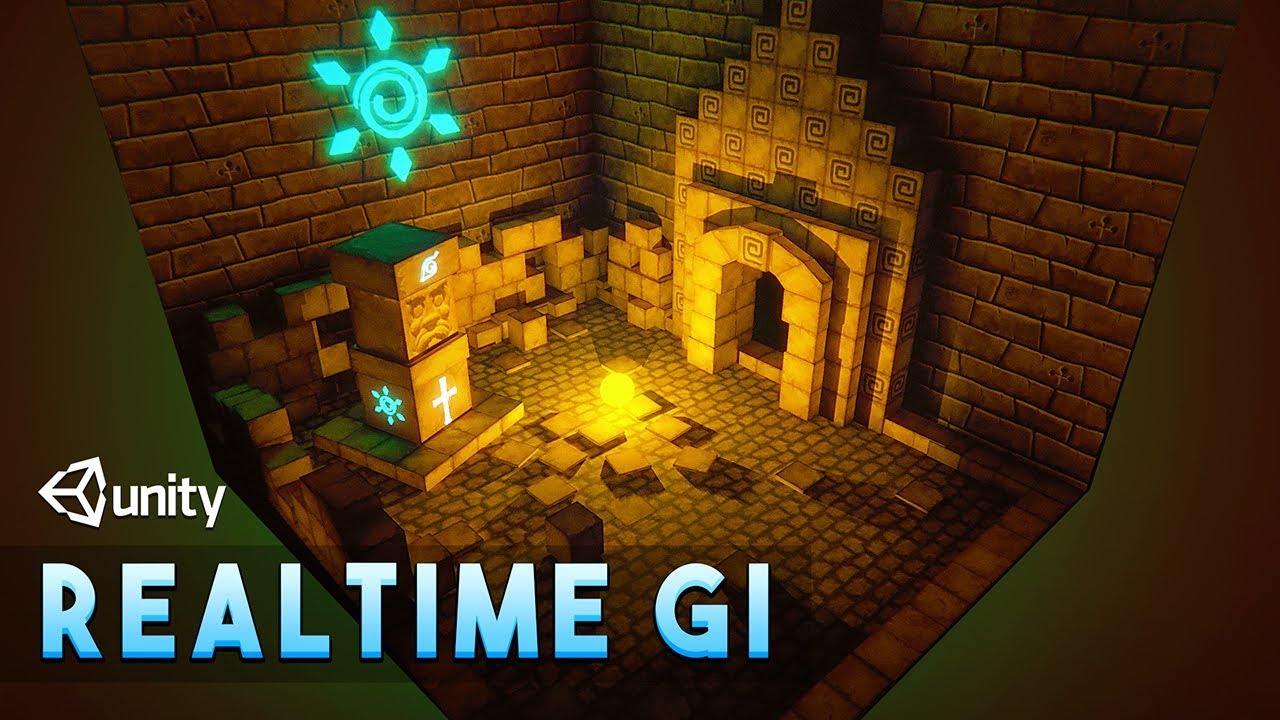
Let's explore the Realtime GI(Global Illumination) for Realtime lighting in Unity.
Realtime GI is very useful in indirect lighting. I will also show you how to use self illuminated objects to light the scene.
✅Cartoon Temple Building Kit Lite[Affiliate] : https://bit.ly/3e0vFLX
▬▬▬▬▬▬▬▬▬▬▬▬▬▬▬▬▬▬▬▬
💎 Watch advanced tutorial on Patreon 💎
...
Lighting can be turned on, off, moved, rotated, and reflected lighting (like in baked gi) will change realistically
lyric valve
pine galleon
I probably won’t give you a full tutorial, but I can recommend using RealtimeGI ...
Ok i wilk try it thanks
In this video he is using realtime lighting but i want to use baked light with turn on and off
Real-time problem is i can only create 4 lights please can you tell me how i can make more than 4 lights in realtime or how to turn on and off baked lights please thank you
I have idea to turn on and off lights in baked like
I create two light maps one with light second is dark and just transition between light maps please can you tell me is it work or please make tutorial using this idea please thank you
pine galleon
lyric valve
I have idea to turn on and off lights in baked like
I create two light maps one ...
Oh, now I understand your point
This is called a lightmap switcher, there is no such function in Unity, you need to write a script for this (or download it if you find)
I once tried to write such a script myself, but for some reason it didn’t work out
There are guides on this topic on YouTube, I even found one guide in Russian
pine galleon
lyric valve
In this video he is using realtime lighting but i want to use baked light with t...
Regarding the fact that you cannot create more than 4 light sources, I really don’t understand. If you work on a standard render pipeline with forward rendering (also default), then in your project there is a concept "Per pixel light count" in quality settings. This setting is responsible for how many light sources can be mixed at one point, initially the value of this parameter is 4
Perhaps because of this, you did not see more than 4 light sources on a conventionally one platform measuring 10x10 meters, so try increasing this value and see what happens
lyric valve
pine galleon
Regarding the fact that you cannot create more than 4 light sources, I really do...
Thank you
I will check
timber lichen
how do i fix this weird slant line thing

which are a result of these reflection thingies

even tho the material has 0 softness
pine galleon
timber lichen
even tho the material has 0 softness
go to lighting>enviroment and set enviroment reflections to none
or you can set custom reflection probe in this place with picture of just black color
hollow cobalt
How do you turn off baked lights for Unity?
timber lichen
pine galleon
go to lighting>enviroment and set enviroment reflections to none
Nope, didn't do anything
Maybe because im using heightmaps and those pbr texture things?
wanted result is this for all surfaces

what im getting

I tried turning off the material reflections as well but doesnt work
pine galleon
timber lichen
I tried turning off the material reflections as well but doesnt work
oh, than, build in/urp/hdrp?
timber lichen
pine galleon
oh, than, build in/urp/hdrp?
I detoured from the original spot lights since I figured they were a pain
now im using directional light with a flashlight cookie

is there any way to not have multiple cookies tho?
Okay I read the docs
I got it
Thanks tho for your help
 halcyon nymph
 urban rover
am i missing any steps that i should do to bake interior lightings?
apparently the world is getting baked, but interiors are not.

 urban geyser
Im new to unity and game development in general, I baked the lights for this scene but I run into the issue of the lights not lighting non-static objects. What's the best way to light non-static objects like this enemy cube in the scene?

 night shell
urban geyser
Im new to unity and game development in general, I baked the lights for this sce...
night shell
urban geyser
Im new to unity and game development in general, I baked the lights for this sce...
Light probes
Whenever you are using baked lighting in any form, light probes are a must
There are many resources regarding light probes, but all you need to know is that it’s a grid of “positions” where lighting is sampled from, these then get used by objects that are not light mapped
For most instances, placing probes in a grid like pattern will suffice

Get the Simple Light Probe Placer package from Alexander Vorobyov and speed up your game development process. Find this & other Tools options on the Unity Asset Store.
urban geyser
Ok, thanks for the help. I will look into that now
hollow cobalt
deft fiber
Window > Rendering > Lighting
I apologize for the late message. So I am on the light windows now. What do I do then?
 deft fiber
hollow cobalt
I apologize for the late message. So I am on the light windows now. What do I do...
deft fiber
hollow cobalt
I apologize for the late message. So I am on the light windows now. What do I do...
Can you see the "generate" button? Do you recall my instructions?
deft fiber
 glossy goblet
I gat problem on night scene can some one tell me what is going on here
glossy goblet
I gat problem on night scene can some one tell me what is going on here
It seems you have disabled light components, but the ambient/environmental light has not been updated to reflect that, or hasn't been changed at all as the daytime sky is still being reflected
hollow cobalt
I did
deft fiber
hollow cobalt
I did
Did what exactly?
deft fiber
hollow cobalt
And it takes me to scene and 3 different tabs
All of them have the Generate Lighting button
hollow cobalt
deft fiber
All of them have the Generate Lighting button
Here is where I am on right now
 deft fiber
hollow cobalt
Here is where I am on right now
deft fiber
hollow cobalt
Here is where I am on right now
Can you click the Generate Lighting button?
hollow cobalt
Yes
deft fiber
hollow cobalt
Yes
Does it solve the issue for that particular scene?
hollow cobalt
It does not solve the issue for that particular scene

It does fix it but when I click on the button again, it darkens it more so Im not sure at this point
deft fiber
hollow cobalt
It does not solve the issue for that particular scene
I don't recall off the top of my head if saving the scene lighting requires a Lighting Settings Asset, so you could try that
Before Generating click "New" to create a new asset there, after that make sure to uncheck Realtime GI under Realtime Lighting and Baked GI under Mixed Lighting as I cautoned earlier
Then Generate again
That at least should save the scene lighting permanently
 muted pasture
so is there a way to has real-time indirect lighting?
 versed totem
why is it that when I build my project the lights don't work?
 languid blaze
I don't understand why the hallway is significantly darker than the room.
The four screenshots here are the shaded draw mode, baked lightmap, UV Charts, and UV Overlap views


All of my lighting is coming from emissive materials in the room
I'm using the Progressive GPU lightmapper (the only option on my ARM macbook)
Here are my lightmapper parameters

the hallway is a separate mesh from the main room
There are similar discontinuities in other places.

I do have tiniest smidge of UV overlap in this one along the edge that comes from the bottom left corner
related: these are default unity cubes stuck in the ceiling. I don't understand why this is reporting a UV overlap, given that the cube is very nicely packed in the baked lightmap, and that nothing else overlaps it


oh! I think I get that part, at least
the checker pattern in this image is the actual density of the lightmap
two islands are overlapping the same pixel
because the faces are too tightly packed
and the seam is a lot less noticeable when I increase the size of the mesh renderer in the lightmap

although I still don't get why that was there in the first place
 stiff shadow
Hello how to bake lights in the environment?
chilly kettle
stiff shadow
Hello how to bake lights in the environment?
You should watch youtube tutorials first and if you struggle, ask here.
 modest swan
Hello,
I am wondering why when I switch the spot light mode from Realtime to Mixed it become very dim and darker,
I am trying to light an apartment, I tried using the area but it didn't fit into my game theme, any ideas about that?
stiff shadow
chilly kettle
You should watch youtube tutorials first and if you struggle, ask here.
ok
 proud gate
hello, when I load the world of my choice with a menu, the character lands in the chosen world, but the light is not loading arlos that I have a directional light, do you know how to resolve this problem please? (ping me pls)
chilly kettle
proud gate
hello, when I load the world of my choice with a menu, the character lands in th...
Did you hit "generate light" in the scene you load?
urban rover
interiors are looking smuged after baking, i have 3 point lights in scene, but the scene doesnt seem bake properly.
looking into warnings i found uv overlap messages.
most of the assets having these settings, any idea what i should be doing to fix it?

 languid blaze
urban rover
interiors are looking smuged after baking, i have 3 point lights in scene, but t...
languid blaze
urban rover
interiors are looking smuged after baking, i have 3 point lights in scene, but t...
You can tick "Generate Lightmap UVs" near the bottom of the importer inspector.
urban rover
i did that, and set the margin method to calcualte aswell
languid blaze
This will produce (reasonable) lightmaps for the model
 languid blaze
You get this effect when the denoiser is trying to work with a very low sample count
What are your lightmapping settings?
 languid blaze
urban rover
but right now it seems my baking process isnt completing
languid blaze
urban rover
but right now it seems my baking process isnt completing
So the lighting progress bar is getting stuck?
 urban rover
actually it process for 10mins and around 1 min minute, it goes finishes the process
it will process around 10mins minutes, but it feels that it finishes before completing the rest of the map, and leaves this smudgy scene
languid blaze
Turn down the lightmap resolution so that it finishes faster. The baked lightmap will be blurrier.
you could put it as low as 4 texels per unit

 languid blaze
Is the "UV Overlap" debug view clean now?
 granite spoke
Hi, I have a question:
I am using a variation of URP (PSX Style) and when I activate a postprocessing effect it turns the shadows very black. I’ve been tinkering with the settings of that effect but results on no change…
Is there any way in unity to make shadows less black?
 languid blaze
granite spoke
Hi, I have a question:
I am using a variation of URP (PSX Style) and when I act...
languid blaze
granite spoke
Hi, I have a question:
I am using a variation of URP (PSX Style) and when I act...
and what is this post-processing effect?
 granite spoke
languid blaze
and what is this post-processing effect?
granite spoke
languid blaze
and what is this post-processing effect?
Is a CRT filter, tho i cant see in its settings any options that changes/affects the shadows
languid blaze
granite spoke
Is a CRT filter, tho i cant see in its settings any options that changes/affects...
This isn't really a lighting problem. It sounds like the CRT filter is increasing the contrast or otherwise rescaling brightness so that dark areas get very dark
urban rover
not clean. there is seems to be some overlap
 languid blaze
urban rover
languid blaze
urban rover
did you enable "Generate Lightmap UVs" on the importers for the other models?
You may need to tweak the settings if you already have
languid blaze
languid blaze
related: these are default unity cubes stuck in the ceiling. I don't understand ...
the UV Overlap view is indicating when this happens
the different chunks of the lightmap for one object are sharing pixels
urban rover
languid blaze
did you enable "Generate Lightmap UVs" on the importers for the other models?
i did for all models
granite spoke
languid blaze
This isn't really a lighting problem. It sounds like the CRT filter is increasin...
Ah so I would need to see the code and tweak that effect then
languid blaze
so two separate areas wind up using the same pixel
languid blaze
granite spoke
Ah so I would need to see the code and tweak that effect then
or maybe apply another effect before it
i dunno exactly the order these things will apply in
a Color Curves effect that lets you bump up dark areas would be sufficient
granite spoke
languid blaze
a Color Curves effect that lets you bump up dark areas would be sufficient
I will try color curves when I get home, thank you very much!
urban rover
i am also using unity cubes for floor and walls
languid blaze
oh right -- one important thing
languid blaze
languid blaze
you could put it as low as 4 texels per unit
this is probably the cause of your UV overlaps
The lightmap UVs are generated with a specific minimum resolution in mind

The higher the minimum resolution, the tighter-together you can squeeze the islands
So when we reduced the lightmap resolution really low, we also started causing a bunch of overlaps
languid blaze
languid blaze
you could put it as low as 4 texels per unit
You probably need to use a resolution higher than 4 for this scene anyway
urban rover
urban rover
here it was set to 40 in lightmap setting and model setting aswell
languid blaze
urban rover
here it was set to 40 in lightmap setting and model setting aswell
I noticed that you don't have denoiser/filter settings available. Maybe those are only available with the "Progressive GPU" lightmapper?
I can only pick GPU on my mac, so I can't tell
urban rover
ok leme switch
languid blaze
Denoising can help a lot, but that is pretty extreme noise
Also, what kinds of lights are you using?
I see you have an area light on the left side of that image
urban rover
its available here under filtering
 urban rover
languid blaze
I see you have an area light on the left side of that image
urban rover
languid blaze
I see you have an area light on the left side of that image
yes i do
urban rover
languid blaze
Also, what kinds of lights are you using?
area light, point lights
in my main scene i also have direction light for exterior
languid blaze
I would try turning off everything and then just using a few point lights
languid blaze
urban rover
That noise makes me think that very strong light is bouncing off of a shiny surface
urban rover
hmm, i have update the settings lets see

 simple pollen
hey guys I'm making a blockout for my composition and am kinda stuck on something, i'm trying to make this traditional chinese night scene with blue and red light. But I can't seem to make something good, anyone got any tips on how I could improve my scene?

 little shard
anyone know why im getting these weird shadows? I've tried turning off cast shadows and receive shadows but it still gets this

 tulip tendon
little shard
anyone know why im getting these weird shadows? I've tried turning off cast shad...
tulip tendon
little shard
anyone know why im getting these weird shadows? I've tried turning off cast shad...
looks like fucked up UV's
little shard
tulip tendon
looks like fucked up UV's
So how do i solve it?
tulip tendon
i need more context, is that terrain a mesh, are you baking lights?
little shard
tulip tendon
i need more context, is that terrain a mesh, are you baking lights?
Yes, im baking, the terrain is a probuilder mesh
tulip tendon
go to the probuilder lightmap window and generate light map uvs
 scarlet geyser
Hi! The left screenshot is APV and the right screenshot is Light Probes. The APV probes look like they are completely black, but the character still gets some lighting. With LP you can't see him, but he's there, as he should be in the dark. Why does this happen and how to fix it?

 little shard
tulip tendon
go to the probuilder lightmap window and generate light map uvs
little shard
tulip tendon
go to the probuilder lightmap window and generate light map uvs
all i see is just auto lightmap uvs on so i think i already generated it
but it still isnt fixed
night shell
simple pollen
hey guys I'm making a blockout for my composition and am kinda stuck on somethin...
fog
I also see that you have a random light lighting the entire world from below seemingly, not sure why that is there
hollow cobalt
I am still having lighting issues with my game. I have tried to change mode and generated my lighting but it only works temporarily
chilly kettle
hollow cobalt
I am still having lighting issues with my game. I have tried to change mode and ...
Thats all info you have for us? 
hollow cobalt
chilly kettle
Thats all info you have for us? <:thinkies:1013540050761429053>
So when I play my game, the lighting looks like this

But when its on editor, it looks like this
 chilly kettle
hollow cobalt
So when I play my game, the lighting looks like this
chilly kettle
hollow cobalt
So when I play my game, the lighting looks like this
Have a look into your Universal Render Data (by default its named for example URP-Balanced-Renderer) and have a look if there is SSAO activated. If you deactivate it, it might help.
hollow cobalt
How do I look into the Universal Render Data? I am not too familiar with Unity
chilly kettle
hollow cobalt
How do I look into the Universal Render Data? I am not too familiar with Unity
Edit > Project Settings > Click on the Render Pipeline Asset > Select it > at the top you find the Renderer Data
If thats not working (or there is no SSAO activated) try generating the light.
Window > Rendering > Lighting > deactivate baked global illumination (if you dont use it) > hit generate lighting button.
hollow cobalt
chilly kettle
Edit > Project Settings > Click on the Render Pipeline Asset > Select it > at th...
So this is what came up for me. I dont see the Render Pipeline Asset on my left with the others
 chilly kettle
Means you are using built in pipeline. Im not very familiar with this.
But you can also try my second approach with the generate lighting
hollow cobalt
chilly kettle
Means you are using built in pipeline. Im not very familiar with this.
But you c...
So this is my lighting settings here
 chilly kettle
hollow cobalt
So this is my lighting settings here
chilly kettle
hollow cobalt
So this is my lighting settings here
What happens if you hit generate?
hollow cobalt
chilly kettle
What happens if you hit generate?
Im still getting that same result
 chilly kettle
hollow cobalt
Im still getting that same result
chilly kettle
hollow cobalt
Im still getting that same result
I would try changing the environment lighting to "color" and have a look if this helps, if you choose a brighter color.
hollow cobalt
But when I add Realtime to as my Mode, it works but when I save it, it goes back to square one
hollow cobalt
chilly kettle
I would try changing the environment lighting to "color" and have a look if this...
So I do I change the enviornment lighting to "color"
 chilly kettle
hollow cobalt
So I do I change the enviornment lighting to "color"
chilly kettle
hollow cobalt
So I do I change the enviornment lighting to "color"
yeah, choose a color your scene should be tinted in.
 hollow cobalt
I did that, it just made it darker
hollow cobalt
It’s it best if I change my sky?
 dapper geyser
Hi,
I'm new to lighting probes and wanted to know if it's a problem that the web is all tangled. Should I create separate groups for each room instead of one large group of light probes?
chilly kettle
dapper geyser
Hi,
I'm new to lighting probes and wanted to know if it's a problem that the we...
it makes no difference for you. Maybe several Groups are easier to manage, but the effect is the same.
deft fiber
hollow cobalt
So this is my lighting settings here
It looks like you missed my previous instructions #archived-lighting message
dapper geyser
chilly kettle
it makes no difference for you. Maybe several Groups are easier to manage, but t...
Thanks
 little prism
I have some realtime lights which when enabled light not only the room they are in but also go through some walls and light other rooms (circled in blue in the second screenshot). The house is made in Blender, I've checked there's not space between walls/ceiling, I've tried changing the light Bias. Any ideas on how to fix this?


 summer harbor
also i have an issue with my light (i think 🤔 ) when i get close to the shelf a large shadow covers them, it doesn't only happen in the editor burt when i build and test too
little prism
little prism
I have some realtime lights which when enabled light not only the room they are ...
I've found that changing the rendering mode of the light to Important, the adjacent wall in the other room is not affected by that light

 deft fiber
 gritty fox
any way to help this light overlap?
gritty fox
any way to help this light overlap?
Can you show the light overlap debug view?
Do you have two shadowmasked mixed lights per lamp?
deft fiber
summer harbor
also i have an issue with my light (i think 🤔 ) when i get close to the shelf a...
You'd have to increase shadow distance, or disable shadows entirely
summer harbor
deft fiber
You'd have to increase shadow distance, or disable shadows entirely
alright thanks
it worked
i disabled shadows
gritty fox
deft fiber
Do you have two shadowmasked mixed lights per lamp?
right pic is the light overlap
the lights at the ceiling are mixed shadowmask pointing down
the lights under those are baked pointing up no shadows
deft fiber
little prism
I have some realtime lights which when enabled light not only the room they are ...
Light can only be occluded by shadow casting, which is failing here
Probably because the built-in render pipeline swaps unimportant lights to vertex shading when exceeding the light limit, which cannot cast shadows and whose light also spreads unpredictably
Important lights are prioritized for shadow casting, but if that's not enough you'd use any technique you'd normally use to avoid hitting "pixel light limits per object"
timber lichen
Hello!
So I’m not entirely sure if it is possible, as all of the outdated forums I’ve been prowling for answers have not yet garnered any results, but if there is an expert out there who could help I’m still shooting my shot:
Questions regarding Cookies and Projectors:
-
Has anyone yet made a shader or workaround which would allow cookies to be animated? Without having to do each frame..
-
Projector shaders used to be part of a unity basics pack on the asset store which Unity has since removed. Any suggestions here? I am stumped on a shader I can use with MIT license or something of the sort…
My desired effect for either application is what suncatchers do to walls, if that helps 

I have experience with normal lights and cookies but the only method I’m thinking possible is a particle system subemitter, but I would really prefer to do it with light… 
 formal veldt
how do I fix lightmaps that look like this? like what is the problem occuring here
 chilly kettle
formal veldt
how do I fix lightmaps that look like this? like what is the problem occuring he...
chilly kettle
formal veldt
how do I fix lightmaps that look like this? like what is the problem occuring he...
You mean the stairs?
Possibly to low resolution or overlapping UVs
formal veldt
I don't think it's UV overlap, at least it doens't show it

ill show another area too

 deft fiber
formal veldt
I don't think it's UV overlap, at least it doens't show it
deft fiber
formal veldt
I don't think it's UV overlap, at least it doens't show it
Grey means no data to show
Debug data is only available for the most recent bake during the current editor session
formal veldt
ah ok so I have to rebake
chilly kettle
formal veldt
The seams there can be caused by seperated meshes or wrong packed Lightmap UVs there
formal veldt
now it's white, is that because I didn't "fully" rebake it
 formal veldt
chilly kettle
The seams there can be caused by seperated meshes or wrong packed Lightmap UVs t...
formal veldt
chilly kettle
The seams there can be caused by seperated meshes or wrong packed Lightmap UVs t...
the whole level is one mesh currently
I make it in trenchbroom and export as obj
deft fiber
formal veldt
now it's white, is that because I didn't "fully" rebake it
I'm going to say yes, likely
formal veldt
how do I force a rebake? is there a way besides moving a light source
chilly kettle
Window > Lighting > Generate Lighting Button
deft fiber
I assumed you meant you canceled the bake
chilly kettle
and uncheck auto generation ^^
deft fiber
Anyway your mesh should have lightmap UV generation enabled in import settings
formal veldt
I mean I clicked generate lighting but it was already cache so it only took a few seconds
formal veldt
deft fiber
Anyway your mesh should have lightmap UV generation enabled in import settings
it does but idk what any of the settings mean or how to debug them
im trying to figure out what the problem even is cuz I know there can be a million different things that ruin the lighting
I have subtractive lighting mode currently
deft fiber
formal veldt
it does but idk what any of the settings mean or how to debug them
If we believe the lightmap UV view indicating there are no UV issues, the problem could be that you have way too many seams
And too low lightmap resolution relative to geometry
Each stair is barely three lightmap pixels
And the sides of the stairs are way less than that, made of multiple separate blocks
What you're having seems to be an extreme case of that
formal veldt
speaking of scale I wonder if my entire scene is at a weird scale because the gizmo seems to move things by a lot even at the minimum increment
my character is "2.08" tall
idk if that's way too small or what
chilly kettle
formal veldt
my character is "2.08" tall
1 Unity Unit = 1 Meter
If you create a cube its 1x1 Meter
Thats a good way to make sure evertything is the correct scale
formal veldt
I think 2 meters is like a fairly average height right? or at least a plausible human height
I guess the move increment is just a meter though which is why it feels so big to me
I really hate the editor interface in unity tbh
chilly kettle
well, i dont know many people that are 2.08 high 😄
chilly kettle
formal veldt
I really hate the editor interface in unity tbh
its quite intuitive and easy to use. I like it ^^
formal veldt
if I could make the focus of orbit around any point I click on like in blender it would be a lot more usable
to travel large distances I basically have to do a bunch of weird zooming and scrolling until I find an object I can click on to reset the orbit
chilly kettle
You normally move by Rightclick + WASD
formal veldt
chilly kettle
You normally move by Rightclick + WASD
thanks, that is a bit better

also stich seams was already on but I dont know what this error means
chilly kettle
formal veldt
your uv shell is limited by the max resolution you set in the lightmap bake settings
can you show your bake settings?
formal veldt

the max size only goes up to 4096 so I'm not sure how I would be able to light an entire level
chilly kettle
hell thats a mess
chilly kettle
formal veldt
try something like this

 formal veldt
looks about the same
 chilly kettle
formal veldt
looks about the same
chilly kettle
formal veldt
looks about the same
did you follow @deft fibers messages?
Did you hit genrate lightmap UV in the import settigns?
formal veldt
yeah its always been enabled
chilly kettle
formal veldt
yeah its always been enabled
i guess something is wrong with your model in this case.
If you want, send it to me via PN and i have a look
formal veldt
PN?
formal veldt
ok I sent it
chilly kettle
hmm.. your model is 1920 Meter high
formal veldt
yeah, im not sure if the lightmap can even be big enough to light the whole level
chilly kettle
here you go.
you made everything from blocks.
No wonder that you dont get a usable lightmap.
 chilly kettle
I guess in this case you cant use trenchbroom, what ever it is ^^
formal veldt
well I have to because modelling in blender is not an option
horrible workflow for making a map
why can unity not handle boxes?
chilly kettle
Well... there is a reason why people use blender, 3dmax etc. for 3d modelling and not trenchbroom ^^
In your case there is so much useless geometry that influences performance and also the lightmap.
And the lightmapper cant work correct with the model you provide.
formal veldt
I might have to switch to Godot then beacuse it has a specific plugin for using trenchbroom
I am absolutely not going back to using blender for making map geometry
chilly kettle
well, what is your target? What do you want to do in the end?
deft fiber
formal veldt
why can unity not handle boxes?
Unity can, but lightmapping regardless of engine is not designed to handle an excess of seams and internal geometry faces
formal veldt
idk if there's some algorithm I can run to remove extraneous edges or something, if not I probably will just have to use Godot then
because I know people are using it with trenchbroom
chilly kettle
You will never get good results with this geometry
formal veldt
trenchbroom is basically similar to Hammer editor, but it's made for Quake originally
I've been exporting as obj but maybe there's some way to get it from the .map format it can also export
I think that's like a Quake format though
but it's literally like 10x faster than using blender, I really like blender but it is just not what I need here
chilly kettle
maybe you get good results in Trenchbroom.
But what you are exporting there is not usable for realtime engines.
maybe for quake-engine ^^
deft fiber
trenchbroom is basically similar to
formal veldt
ok yeah it seems the issue is the obj export on trenchbroom lol
 deft fiber
We should stay in the thread since this is taking a lot of space
formal veldt
in quake I believe it uses a "binary space partition" format where there's not really verticies or something
ok
deft fiber
timber lichen
My first idea would be to use multiple lights with a non-animated cookie
Perhaps a couple of point lights with a cookie, or a few spot lights with cookies that themselves rotate to create the motion
Or you could use multiple decal projectors that use a shader that implement the animation, either procedurally or as flipbooks
If you're using URP that should be fairly easy
If BiRP, you may have to dig for a bit for the decal shaders
timber lichen
Flip books as the cookie would be amazing if my brain was big enough to figure that out. There’s so little information about it, and I haven’t delved far enough into making my own shaders yet
There’s only so many dark corners of Reddit about cookies and none of them are helpful. Like you said, I could do many and animate them to rotate, but more than four lights gets heavy

I could probably get away with the three primary colors and hope they sync well enough to make the rest of the effect happen???
deft fiber
timber lichen
Flip books as the cookie would be amazing if my brain was big enough to figure t...
Which render pipeline are you using? And which target building to
timber lichen
I believe BiRP and Standalone windows
deft fiber
timber lichen
I believe BiRP and Standalone windows
As I mentioned that's a bit tough
URP has up to date decal projector feature and Shader Graph for quickly and easily making shaders
BiRP doesn't provide any shaders for you out of the box and expects you to know how to write them up, or find some from someone else
dapper geyser
Hi everyones,
Can light probes work in a different scene than the one they were created in? For example, if my active scene is A and I then load scene B, which doesn't have its own light probes, would the light probes from scene A work in scene B?
chilly kettle
dapper geyser
Hi everyones,
Can light probes work in a different scene than the one they were...
yes
chilly kettle
dapper geyser
Hi everyones,
Can light probes work in a different scene than the one they were...
you may have to instatiate them after loading them into the scene.
But there are several tutorials for this if you google it.
dapper geyser
Thanks for the answer 🙂
timber lichen
can anyone help why my lights dont work inside buildings
chilly kettle
timber lichen
can anyone help why my lights dont work inside buildings
for sure. but not with this amount of information ^^
timber lichen
ok ill show video
video might be a bit tough to understand
but also when i turn on shadows itj ust doesnt work
chilly kettle
timber lichen
but also when i turn on shadows itj ust doesnt work
you use a directional light.
It works like the sun. If you turn on shadows, your building casts shadows, so its just natural, that you dont see it inside ^^
timber lichen
ohh
chilly kettle
and the position doesnt make a difference
chilly kettle
timber lichen
so what light is recommended for interior
It depends on a few things ^^
If you want to bake lighting, area lights are a good way to go. but they only work with baked lighting.
If you want realtime, you have to use point lights.
timber lichen
and also i have another question, how come if i have no sun source or lighting in the game how is it not pitch black
chilly kettle
wait, i created a tutorial video for this
chilly kettle
timber lichen
and also i have another question, how come if i have no sun source or lighting i...
This video deals with the common problem of to bright indoor scenes people often face.
If you also have the problem that you cant get pitch black interior scenes for your horror game in Unity, this is the way to go!
Fixing the problem of too Bright Indoor Scenes for Horror Games in Unity.
Create dark indoor scenes in Unity.
If you are interest...
modest swan
any idea why is the sprite Rendered is always visible in dark ?
 deft fiber
modest swan
any idea why is the sprite Rendered is always visible in dark ?
deft fiber
modest swan
any idea why is the sprite Rendered is always visible in dark ?
Sprite shaders are not affected by 3D lighting
They somewhat do work if you swap the sprite shader to a lit shader though
modest swan
deft fiber
Sprite shaders are not affected by 3D lighting
is there any way to add photos like this in 3d?
deft fiber
modest swan
is there any way to add photos like this in 3d?
Try swapping the shader of the material to a 3D lighting compatible one as I suggested
Otherwise you have the choice to use simple mesh quads with textures on them
 pastel gulch
Hello, how can I fix this flinks light?
deft fiber
pastel gulch
Hello, how can I fix this flinks light?
Looks like light limits, try: https://youtu.be/y_vw-jzuNs0
 dire matrix
how to fix this lighting problem, pls tell why it do this🙏
 chilly kettle
dire matrix
how to fix this lighting problem, pls tell why it do this🙏
chilly kettle
dire matrix
how to fix this lighting problem, pls tell why it do this🙏
What exactly do you mean?
dire matrix
chilly kettle
What exactly do you mean?
it's not smooth
chilly kettle
dire matrix
it's not smooth
this lines?
 dire matrix
chilly kettle
this lines?
dire matrix
chilly kettle
this lines?
no sir uhh inside the box the shadow is x
it should be smooth like next box
chilly kettle
click here on the arrow and show me a screen of the debug view : baked lightmap
 dire matrix
 chilly kettle
beside the button i marked you is a little arrow, klick on it and choose baked lightmap
i guess its just a shadow there ^^ nothing thats badly wrong or a bug
chilly kettle
well you dont have to, but if its okay for you, then its okay for me
deft fiber
dire matrix
no sir uhh inside the box the shadow is x
The "X" are the realtime (or Mixed) shadows from nearby lights crossing
dire matrix
deft fiber
The "X" are the realtime (or Mixed) shadows from nearby lights crossing
but i want player shadows with baked shadows at the same time:o
deft fiber
It would happen in real life too, with punctual light sources
chilly kettle
yeah its just a realisticly casted shadow ^^
deft fiber
With larger light sources the edges of shadows would be indistinct, but the kind of soft shadow filtering required for that is only offered by HDRP
dire matrix
deft fiber
With larger light sources the edges of shadows would be indistinct, but the kind...
so i switch to hdrp?:O
deft fiber
dire matrix
so i switch to hdrp?:O
HDRP is a complex system, and upgrading a project to it is an irreversible and a complicated process
I would gain more experience with either or both render pipelines first before such decisions, but you pick your poisons
dire matrix
deft fiber
HDRP is a complex system, and upgrading a project to it is an irreversible and a...
alr
languid blaze
I messed with a static lighting sky for a bit, and now I keep getting this warning in my console at random. I unassigned it from the game scene's lighting settings (as well as from my prefab isolation scene's settings, where I had originally tried using it)

I'm unclear where to go to get rid of this!
 tired fox
why do I have the lighting scene setting locked and how do I unlock it ?
 dire matrix
tired fox
why do I have the lighting scene setting locked and how do I unlock it ?
dire matrix
tired fox
why do I have the lighting scene setting locked and how do I unlock it ?
press new
tired fox
dire matrix
press new
thanks
dire matrix
Do i need to delete directional light for indoor scenes, no windows
 ripe radish
Hey there. I have a pure curiosity question.
I believe I understand what the near plane does and as I drag the slider very high, the result makes sense.
However, there's a significant difference between setting the near plane at its minimum, 0.06, and over 0.3.
here is 0.06:

and here is 0.30, where thick black lines appear:

and here is 2.2, where you start seeing the near plane:

the floor tiles aren't flat, but instead have small holes between them. the player model itself is ignored via the culling mask and nothing else is affecting the scene
does anyone know what this is?
sterile jetty
I know how it works but I can't put it into words
it's more or less where to start calculating the light
like.... if it starts closer to the source or farther away can adjust how the shadows appear
I'm sure there's a better way to explain it but that's the best I can do
 supple kelp
chilly kettle
https://www.youtube.com/watch?v=zO2l0Fy7yDw
supple kelp
chilly kettle
https://www.youtube.com/watch?v=zO2l0Fy7yDw
is the end result using baked or realtime lighting?
chilly kettle
supple kelp
is the end result using baked or realtime lighting?
realtime
supple kelp
chilly kettle
realtime
is it only for this tutorial or do you always use realtime lighting? if so, why do you use realtime lighting instead of baked? i thought it was regarded as better
chilly kettle
supple kelp
is it only for this tutorial or do you always use realtime lighting? if so, why ...
Baked and Realtime lights have different usecases and situations when you use them.
If you have a lamp in the street, you can bake its light, so you dont need to compute the light at runtime.
And baked light can bounce, which makes the scene look more realistic
supple kelp
chilly kettle
If you have a lamp in the street, you can bake its light, so you dont need to co...
ok, thanks! btw your scene looks awesome i thought it was baked lol. i wanted to ask you how long it took you to bake it cause baking always takes hours for me
chilly kettle
supple kelp
ok, thanks! btw your scene looks awesome i thought it was baked lol. i wanted to...
scenes like this should not bake longer than a few minutes.
chilly kettle
supple kelp
ok, thanks! btw your scene looks awesome i thought it was baked lol. i wanted to...
If you bake for hours, you do something wrong ^^
supple kelp
chilly kettle
If you bake for hours, you do something wrong ^^
hmm thats weird
deft fiber
ripe radish
However, there's a significant difference between setting the near plane at its ...
The smaller the near plane is made for a shadow caster or for any camera, the exponentially lower the accuracy for drawing vertices in the view frustum
So basically the shadow caster loses the ability to tell the depth between tile and gap and they're just squeezed into one solid surface
ripe radish
deft fiber
The smaller the near plane is made for a shadow caster or for any camera, the ex...
Oh, so because of the depth buffer getting full. That explains it, thanks
deft fiber
ripe radish
Oh, so because of the depth buffer getting full. That explains it, thanks
Not precisely, think of it more of it as getting "stretched thin"
There's a limited number of depth "steps" from near plane to far plane, so the further those two are, the more the steps are spread out thus a bigger jump between each
ripe radish
yep yep
less precision
with more allocated to the front of the light/camera
but this is awesome to know, one of those weird things that got me curious but google/chatgpt couldn't answer
 glass bison
how do I fix this
 deft fiber
glass bison
how do I fix this
deft fiber
glass bison
how do I fix this
Any more details at all? Debug views for lightmap and UV overlap? Which lightmapper is being used and with what settings? Does the artefact occur anywhere else or react to changes in the scene between bakes?
 south river
hey im pretty new to unity and im struggling with making my character cast shadows and be affected by them. the character is a psd that i will be rigging and animating, as a png it had no problem with the lighting. I was also planning on applying a material with a normal map onto the character and once i added that material as a test it started bein affected by light but the actual colors and outline of the jacket disappear. pls help 😭


i also tried putting the jacket image into the base map to see if that would work but the scale is off and there is not transparency :/
 wanton tendon
I wrote an editor that procedurally generates room meshes based on a tile map. When baking the light map, it generates a drop shadow at every seam of two generated wall meshes (See photo, shaded on top, shaded wireframe at the bottom).
What could be the issue here? microscopic overlap of the mesh? The seam not being considered as such?
Is there a way to avoid this?
 deft fiber
south river
i also tried putting the jacket image into the base map to see if that would wor...
deft fiber
south river
i also tried putting the jacket image into the base map to see if that would wor...
No crossposting please
deft fiber
wanton tendon
I wrote an editor that procedurally generates room meshes based on a tile map. W...
Seams are always bad for baked lightmapping
I'd recommend welding/merging the overlapping verts and generating continuous lightmap UV maps for them
south river
deft fiber
No crossposting please
oh sorry!
 queen shell
how the hell do i fix this with baked lighting?
 deft fiber
queen shell
how the hell do i fix this with baked lighting?
deft fiber
queen shell
how the hell do i fix this with baked lighting?
Looks like the barrels don't have lightmap UV generation enabled
queen shell
deft fiber
Looks like the barrels don't have lightmap UV generation enabled
And how do i enable that
deft fiber
queen shell
And how do i enable that
If your meshes are imported, in the mesh import settings
deft fiber
Why are you announcing that here?
wanton tendon
deft fiber
Seams are always bad for baked lightmapping
I'd recommend welding/merging the ov...
Merged a wall together to test, the result is wild 😄
 chilly kettle
You should not share any screenshots of a companys work you do a internship for. lol
 grave nexus
hi, new to lighting and just wondering if baking lights with overlaps will cause an issues?
 deft fiber
grave nexus
hi, new to lighting and just wondering if baking lights with overlaps will cause...
deft fiber
grave nexus
hi, new to lighting and just wondering if baking lights with overlaps will cause...
Only when using Mixed shadowmasks
grave nexus
Is there a video you could link on interior lighting ? So many videos on lighting but none with what im trying to do.
chilly kettle
grave nexus
Is there a video you could link on interior lighting ? So many videos on lightin...
depends on what you are looking fore
grave nexus
ive tried doing real time lighting but it drops frames so much.

so pretty much looks good in game but no shadows ...i just wanna have some shadows when jumping ramps.
i tried to dup all the lighting and switching lights to mixed and changing them to spot but i get such a harsh circle no matter what.
chilly kettle
grave nexus
ive tried doing real time lighting but it drops frames so much.
Whats the target platform you want to make the game for?
grave nexus
pc
chilly kettle
In your case i would bake most of the light.
Bake the hall and the ramps. let your character and some small parts like the rails be lit by lightprobes.
For the realtime light on your character, you could use a directional light or just a few realtime point lights in the hall.
grave nexus
would I match the emissions for the realtime ?
chilly kettle
grave nexus
would I match the emissions for the realtime ?
not sure what you mean
grave nexus
should I copy the lighting settings but just set it to point light *
chilly kettle
First i would start to bake the environment and make sure it looks great.
After that you could have a look to switch some of your point lights to mixed, so you should get a nice result and shadow for your skater.
grave nexus
okay. thank you very much!!!
queen shell
how do i make it so an object cannot recieve light baked onto it but can recieve shadows because this happens to my light

so i just want it so light cant bake onto it
deft fiber
queen shell
how do i make it so an object cannot recieve light baked onto it but can recieve...
There's the "recieve global illumination" option on the mesh renderer to use probes rather than lightmaps for baked lighting of that object but I feel like that's not really what you're asking for
With baked lighting a shadow is just an absence of light, you can't "receive shadows without light"
queen shell
deft fiber
There's the "recieve global illumination" option on the mesh renderer to use pro...
oh okay its just i have a mesh with an emmission and it shines through to the other side of the lamp wait i may have a way
to fix it
i think i just had render face on both instead of front
it may fix it
nvm lol it didnt
 real perch

Why am I getting this on my lightmap?

There seems to be weird blocks, it's fine on the building on the right, but not on the left. Why is this?
real perch
anyone?
chilly kettle
real perch
anyone?
you could try to increase the max lightmap size to 1024 or 2048
 rancid goblet
Hi all. I am a bit confused. I'm on a Macbook M2 chip machine and have been using Unity 2020.3 for a long time but just upgraded to 2021.3. Now suddenly Unity tells me I can't use Progressive CPU ligthmapper because I'm on M2. BUT I've used that always on 2020.3 and it worked fine with only minutes to bake the whole seen. Now I'm forced to use GPU and it takes like 7 hours??? What. How can I get my CPU baking back, or how can I speed up GPU baking?
chilly kettle
rancid goblet
Hi all. I am a bit confused. I'm on a Macbook M2 chip machine and have been usin...
7 hours bake are normally caused by wrong settings or to many small objects that slow down the baking process.
GPU is way faster than CPU, which means its probably not caused by the switch from CPU to GPU.
rancid goblet
chilly kettle
7 hours bake are normally caused by wrong settings or to many small objects that...
I've never used GPU as it has always been slower than CPU on my machine. What can I do to then fix that? Lighting has always been a bit like black magic, but got it to work ok in 2020.3. Can you guide me to how to speed up GPU on M2?
deft fiber
real perch
Texel invalidity, and or lightmap UV overlap
https://docs.unity3d.com/Manual/GIVis.html these help you diagnose the issue
https://forum.unity.com/threads/lightmapping-troubleshooting-guide.1340936/
This has precise explanations
 rigid cove
Need help with my lighting
My lighting does this: this is how the lights in my scene are pre baking

Post baking


All lights and objects in the interior scene are static
chilly kettle
rigid cove
My lighting does this: this is how the lights in my scene are pre baking
In your prebake you have lights deactivated
chilly kettle
rigid cove
Post baking
hard to tell with your pixel postprocessing effect
rigid cove
chilly kettle
In your prebake you have lights deactivated
it's just to visualize it for the question
Okay so I realize why the lights are different
They don't use the same shader I use (URP PSX Shader)
Perhaps that's the problem?
Another note: I generated new lighting settings, now when I bake the lights work for like 1 second, but by the time they finish baking it's dark again
There are 24 objects in the Scene with overlapping UV's. Please see the details list below or use the 'UV Overlap' visualisation mode in the Scene View or Lightmaps in Lighting Settings for more information.
- default: 6654 texels
- default: 864 texels
- default: 608 texels
- default: 608 texels
- default: 587 texels
- default: 587 texels
- default: 506 texels
- default: 405 texels
- default: 205 texels
- default: 198 texels
- default: 170 texels
- default: 170 texels
- default: 155 texels
- default: 120 texels
- default: 85 texels
- default: 77 texels
- default: 75 texels
- default: 72 texels
- default: 61 texels
- default: 55 texels
- default: 32 texels
- default: 28 texels
- default: 27 texels
- default: 4 texels
Got this issue
chilly kettle
well named objects 
So..
- You have overlapping lightmap UVs, you should fix this first.
- Did you set your lights to be baked?
- Did you check if your PSX Shader supports baked lighting?
rigid cove
chilly kettle
well named objects <:UnityChanThumbsUp:885169594808029275>
Yeah the names didn't carry over from Blockbench
rigid cove
chilly kettle
So..
1. You have overlapping lightmap UVs, you should fix this first.
2. Did you...
-
How do I fix overlapping lightmap UVs?
-
I did set my lights to be baked.
-
I should check that

 chilly kettle
The Effect under the bed is texel invalidity
rigid cove
Texel invalidity?
chilly kettle
yep 😄

Unity Forum
Introduction
I developed this guide in order to help developers get the most out of Baked Global Illumination (GI) in the Unity Editor. Here, I unpack...
rigid cove
uh, okay, guess i'll have to look into that, what about the harsh light on the wall
see, that wall is very important for my game, a sort of "cooking system" would take place there, can't blind players with this shining wall now can I?
chilly kettle
rigid cove
uh, okay, guess i'll have to look into that, what about the harsh light on the w...
will it be reduced if you reduce the range/intensity of your point light?
to light up rooms you can use area lights perfectly
rigid cove
Area lights were too dim
chilly kettle
increase intensity ^^
rigid cove
Worked like a charm, you're a life saver!
median vine
Alright I'm sick of THIS, what is the first thing I can do when opening up my project. To spice up the skybox and lighting, everything looks so incredibly dull. Does anyone have suggestions for what I can use to liven it up, I never have any specific things I try doing. But I go around trying out different features and whatnot for unity, and I'm sick of being stuck HERE. So does anyone have any suggestions for what to do?

Everything I try myself ends up looking horrible as I'm bad with open world design / lighting / skybox and colors
chilly kettle
median vine
Alright I'm sick of THIS, what is the first thing I can do when opening up my pr...
The Skybox is one of the last things you should care about when creating something great ^^
Just turn it off, use another skybox or ignore it until you have something better 😄
deft fiber
median vine
Alright I'm sick of THIS, what is the first thing I can do when opening up my pr...
A rather early point to be stuck on 
"Dullness" you refer to is probably because the default post processing volume overrides use an extremely wide dynamic range tonemapping
Once start placing stuff in the scene and you know how bright the brightest parts will be and how dark the darkest parts will be, you'd next use color adjustments like curves, exposure and contrast, and optionally try other tonemapping profiles
median vine
deft fiber
A rather early point to be stuck on <:UnityChanLOL:885169594879320084>
"Dullnes...
Thanks for the tips, and yeah haha it's just such a pain for me to deal with all this lighting stuff. my brain just doesn't work
deft fiber
As Kjarudi mentions a different sky / a HDRi might help set the mood, but this early you will not really know the right colors and contrast for the scene
Once you have a sky that's in the ballpark of what you want (matching time of day and/or environment conditions) then you'd build the world geometry, then set up lights, and then start tweaking post processing and perhaps go back to tweak the lighting
That's usually the easiest order of doing things, although it's not a strict step by step thing and mostly it just comes with experience to know what to do first and how
If you start from post processing you are very likely to then use completely wrong light colors and intensities since you always have a distorted view of them
But the eye learns to notice that when you work with them enough
 tiny jackal
Hi, when I bake my lighting I get 2 ligtmaps instead of one, some assets ssem to use a different lightmap index. How could I cange that to be the same index for everything, since this way my second one is having lower resolution atm
deft fiber
tiny jackal
Hi, when I bake my lighting I get 2 ligtmaps instead of one, some assets ssem to...
Number of lightmaps shouldn't affect resolution
Another lightmap texture is allocated if one can't fit all objects
But still you can increase max lightmap size to potentially fit them all in one
tiny jackal
deft fiber
Number of lightmaps shouldn't affect resolution
Another lightmap texture is allo...
that makes sense but why is the size lower?
deft fiber
tiny jackal
that makes sense but why is the size lower?
Do you mean the actual lightmap texel density is lower for all objects that use the second lightmap?
deft fiber
tiny jackal
how could I check
https://docs.unity3d.com/Manual/GIVis.html
"UV Charts" nevermind that's probably for Enlighten
Try "Baked Lightmap" view with objects from the different lightmaps side by side
deft fiber
tiny jackal
the pixel size is lower
Lower pixel size means higher resolution
tiny jackal
deft fiber
Lower pixel size means _higher_ resolution
oh yeah that actually makes sense
yeah you were right
i incred the pixel size and now it have only one lightmp
thanks!
 craggy cairn
chilly kettle
You should **not** share any screenshots of a companys work you do a internship ...
craggy cairn
chilly kettle
You should **not** share any screenshots of a companys work you do a internship ...
srry had an issue and deleted messages once solved but that one i didnt delete i guess.
And I most definitely can luckely. We work out of a police base, and are only under NDA as to what we might pick up being said in the station.
Our supervisors even allow us to share screenshots if that might help fixing issues
craggy cairn
deft fiber
Why are you announcing that here?
thought i delete all messages, but guess not that one (as the issue was solved)
was more to it haha
srry
 empty condor
Hi there - I'm having issues using normal maps on isometric tiles using URP 2d lights to simulate 3D space. As you can see from this picture, the light only seems to point down and actually makes some parts of the image darker.

Applying a simple posterization shader on top of that makes the problem even more obvious.

the normal maps look like this (and are correctly imported and applied as a _NormalMap secondary texture)

I can minimize this by increasing the 'distance' variable under Normal Maps in the light's inspector (and turning normal maps off entirely does return it to the correct shape)

 boreal merlin
how do I make a sprite get darkened when it moves into fog?
empty condor
The downside to this is that it negates the normal effect, which I'd really like to have. I'd really appreciate help with solving this. I have found several posts online with the same issue such as this one: https://www.reddit.com/r/Unity2D/s/ah2vpSz5R8

Reddit
Explore this post and more from the Unity2D community
The comments on this post suggest that it is interpreting the normal map as color data, but my normal map is correctly imported (set to image type 'normal map')
 dusky nacelle
is there any possible way to pause lightmap baking and restarting the editor?
sometimes the UPS cant supply much time till electicity comes back
 fickle token
Yeah it worked
dusky nacelle
dusky nacelle
is there any possible way to pause lightmap baking and restarting the editor?
bump
dusky nacelle
does the increasing of lightmap padding value cause the increase of lightmap textures?
deft fiber
empty condor
Hi there - I'm having issues using normal maps on isometric tiles using URP 2d l...
This is correct and expected, at least technically
Our brains assume the normals would be interpreted in 3D space which would make them incorrect but note that isometric sprites are totally flat and 2D
So, since the normals of the "flat" ground are facing upward, that means pixels below the light are facing towards the light so they get lit, but pixels above the light are facing away from the light so they get shadowed
Towards/away from the light in 2D space mind you
What makes a light appear to have perspective with an isometric view are not the normals anyway, it'd be the distance attenuation in 3D space
All that's to say really is that the URP 2D lighting will not work right at all with any perspective besides fully flat side or top-down
 lunar pollen

does anyone know how to fix this issue when using enlighten?
this screenshot is of a wall, built using 2 different gameobjects
they have the same material, same mesh, same rotation, just placed next to eachother
yet get vastly different results when using "realtime gi"/enlighten
 acoustic tartan
So are there any advantage in using Light Probe Groups over Probe Volumes?
Cause it seems to me Probe Volumes is just Light Probe Groups, but automated.
deft fiber
acoustic tartan
Cause it seems to me Probe Volumes is just Light Probe Groups, but automated.
They're quite different systems from the ground up
APVs replace lightmaps also, not just light probes so you'll be using probes for everything then, for better or worse
I guess two advantages of light probes to APVs is that they can be placed manually and they're cheaper
Lightmaps in turn are better at representing relatively sharp changes in lighting conditions, like shadows
 strong flax
Hello! Does anyone know if there is any performance advantage to using 2D Sprite Lights vs 2D Spot Lights?
I have a scene where my camera is constantly moving left to right and there is a portion where I need to light up an airport. Everything runs fine until I add in all of my lights. (i.e. Runway lights and fence lights) They also blink.
I'm wondering if converting all of my 2D spot lights to sprite lights will help since it won't have to redraw all of the lights as they animate. All together there is something like 70 lights 😬 and I'm not sure how to be more performant. I've attached an example of a portion of the scene.
Sorry if this is confusing. I can help clarify any questions!
Thank you!

And if it helps I’m not using normal maps, I’m not using shadows and each light is only targeting 1 sorting layer
acoustic tartan
deft fiber
They're quite different systems from the ground up
APVs replace lightmaps also, ...
Cheaper in what sense? Reduced build/bake times or cheaper at runtime?
empty condor
deft fiber
All that's to say really is that the URP 2D lighting will not work right at all ...
Is there any way to get the expected result other than writing my own lighting system? I'm already doing a custom lighting shader for the posterized effect
 empty condor
seems to me:
option A: don't fix it and have janky lights
option B: make some crazy custom lighting
option C: three point lights in a trenchcoat
 deft fiber
acoustic tartan
Cheaper in what sense? Reduced build/bake times or cheaper at runtime?
deft fiber
acoustic tartan
Cheaper in what sense? Reduced build/bake times or cheaper at runtime?
Cheaper at runtime because traditionally a lightmap texture is loaded and rendered per object or two or three light probes are interpolated per object
APVs allow each pixel, not just object be lit by any number of probes, and they might need to be streamed into memory if there's many of them
They're also a newer technology that might not be so well supported on old devices and have an overhead cost due to the complexity, but I've not measured the real performance difference
deft fiber
empty condor
seems to me:
option A: don't fix it and have janky lights
option B: make some cr...
I believe your only practical option is to abandon normal maps and shadows both since they are not capable of working with isometric perspective
If you use a sprite light you can use a squashed elliptic sprite to mimic perspective, but it cannot react to walls or surface curvature
There are some third party assets that can approximate isometric lighting, but only in flat areas
A better alternative would be to make the level out of 3D geometry with 3D lighting and render it pixelated
At least with the current art style you have it'd look nearly exactly the same
deft fiber
strong flax
Hello! Does anyone know if there is any performance advantage to using 2D Sprite...
The difference of spot and sprite lights is only that sprite lights are multiplied by a sprite, spot lights are multiplied by a distance function
Their performance should be very similar, but you can test it easily by duplicating some and comparing, or simply swapping the type of light used if you're using prefabs
Since you probably don't need shadows, you might be able to get potentially better performance by using a particle system with an additive material for the lights
But that's something to test and compare all the same
fickle token
Im trying to add lighting to my scene, Any ideas on how i can, I cant used baked lighting because i have a Day&Night cycle. And if i used too many Point/Spot lights it drops my fps drastically. Directional light is too big for the inside of the building im trying to light. Any other ideas on what i can do?
strong flax
deft fiber
The difference of spot and sprite lights is only that sprite lights are multipli...
Thank you for clearing all of that up!
 spice tinsel
Hi guys, I have this weird bug that makes my main menu light go off after my player dies and goes back to menu. In first picture you can see main menu as it was supposed to be, bright and you can see everything and second picture is my main menu after I go back to main menu after dying in my game scene. Pls help!

 deft fiber
spice tinsel
Hi guys, I have this weird bug that makes my main menu light go off after my pla...
deft fiber
spice tinsel
Hi guys, I have this weird bug that makes my main menu light go off after my pla...
Create Lighting Settings and generate lighting from the Lighting window for all your scenes
Have Realtime GI and Baked GI disabled unless you intend to use those workflows