#archived-lighting
1 messages · Page 28 of 1
 tulip wren
 chilly kettle
If you want your team members to see lightmaps, you should add them ^^
And LFS should be used when working with unity.
 queen shell
ur... why does this happen when i bake my lighting?
 tulip wren
chilly kettle
If you want your team members to see lightmaps, you should add them ^^
And LFS s...
tulip wren
chilly kettle
If you want your team members to see lightmaps, you should add them ^^
And LFS s...
i works alone
chilly kettle
tulip wren
i works alone
i guess in this case you can put them on gitignore ^^
chilly kettle
queen shell
ur... why does this happen when i bake my lighting?
looks like lightmap noise.. just very huge!
Increasing the number of samples could help.
queen shell
which one? also there was red on lightmap culling debug menu
 chilly kettle
https://forum.unity.com/threads/lightmapping-troubleshooting-guide.1340936/#post-8467172
Have a look on Chapter 13-17
I guess you can assess better, which one fits your problem best

Unity Forum
Introduction
I developed this guide in order to help developers get the most out of Baked Global Illumination (GI) in the Unity Editor. Here, I unpack...
queen shell
chilly kettle
https://forum.unity.com/threads/lightmapping-troubleshooting-guide.1340936/#post...
it doesnt look like any of them
I turned it down
 chilly kettle
Probably low res and denoise artifacts
queen shell
queen shell
which one? also there was red on lightmap culling debug menu
by increasing samples does it mean this?
queen shell
chilly kettle
Probably low res and denoise artifacts
So I increase my res?
 feral patrol
Would anyone know why my complete lighting turns of when i turn anything from raytracing on?
queen shell
queen shell
I turned it down
Anyone know?
 dusky nacelle
show your lighting setting
queen shell
okay
queen shell
dusky nacelle
show your lighting setting
 queen shell
also have this issue im using an emission on my material but idk whyu it looks like that
 chilly kettle
queen shell
also have this issue im using an emission on my material but idk whyu it looks l...
chilly kettle
queen shell
also have this issue im using an emission on my material but idk whyu it looks l...
If you have a look on the lightmap resolution you could see the problem. Maybe the texels at this place are just that big.
queen shell
chilly kettle
If you have a look on the lightmap resolution you could see the problem. Maybe t...
its at 20? do i increase it
dusky nacelle
queen shell
put the max lightmap size to 2048
queen shell
okay! thanks!
dusky nacelle
and yeah lightmap compressing quality to none
dusky nacelle
queen shell
also have this issue im using an emission on my material but idk whyu it looks l...
it's actually a problem with the lightmap size...256 lightmap size is ridiculous to set if you want a good lighting fidelity
queen shell
dusky nacelle
it's actually a problem with the lightmap size...256 lightmap size is ridiculous...
it is a vr game so i dont want it too demanding
dusky nacelle
no problem , you can set it to 1024, as baked things do not affect the cpu that much
queen shell
for both?
dusky nacelle
i mean the lightmap size
dusky nacelle
if you have a large map that's giving out lots of 2048 lightmaps , then there is already a way to compress it , it is ASTC texture compression mode, which keeps the texture size in the memory low as possible keeping the visual quality okay
queen shell
yes! all fixed
 dusky nacelle
but for now, bake it with lightmap size 2048, compression to "none" ,and see the result
looks awesome
queen shell
i need to make it darker now 😭
dusky nacelle
im sorry , couldnt help you with this little tip earlier , thought someone else could
queen shell
im making an abandoned school
queen shell
dusky nacelle
im sorry , couldnt help you with this little tip earlier , thought someone else ...
thats okay! glad you helped!
dusky nacelle
queen shell
i need to make it darker now 😭
are you using lights? or material emission?
if lights , then reduce the range , if emission , reduce the intensity and then bake
queen shell
both im using spot lights and emmision but my emmsion is at 0 so bit confused
ah ill reduce range
dusky nacelle
then maybe the emission is not contributing at all, it's just glowing post processing effect u're using?
queen shell
dusky nacelle
then maybe the emission is not contributing at all, it's just glowing post proce...
yep
im using post pro
dusky nacelle
then just reduce the bloom intensity
queen shell
bloom
dusky nacelle
and set the emission to .5 or something
dusky nacelle
queen shell
rebake , but change the setting a little bit i.e set the "directional mode" to Non directional
queen shell
dusky nacelle
rebake , but change the setting a little bit i.e set the "directional mode" to N...
will do!
dusky nacelle
otherwise you'll get the double of the lightmap size , which you dont need
thus you can keep it very simple and lower size keeping the visual quality good enough
queen shell
super helpful ty for the info 😄
dusky nacelle
np
dusky nacelle
queen shell
yes! all fixed
the dark edges are too dark , i guess you'd want the indirect contribution under the ambient occlusion menu to 1 or .75
queen shell
dusky nacelle
the dark edges are too dark , i guess you'd want the indirect contribution under...
bet changed it to .75
dusky nacelle
i guess now it's all okayish
queen shell
one other issue i have the lockers are really dark compared to other objects
 queen shell
dusky nacelle
just brighten the texture , it'd suffice
queen shell
dusky nacelle
just brighten the texture , it'd suffice
no but even if i add a super bright material its still dark
nevermind
i figured out why
 distant yew
I have a script that bakes 1 map at a time, the problem is if it runs out of memory once it defaults to CPU mode, the problem is the next scene stays in CPU mode instead of going back to GPU mode.
is there a way to make it try GPU mode first, every single map?
second problem, though less important, if I bake in UI it skips baking if maps are baked, but if I bake via script it voids existing maps and rebakes, is there a way to prevent this so it only bakes unbaked maps?
 upbeat hound
What is a light UV map?
Sorry, what I mean is:
I am studying some features of lighting in unity and notice it is crucial to baking maps, but does the light UV matter if you are not baking it?
Should I make one myself on blender or let Unity do it for me?
Is it good for other engines like Unreal to have it or is just unity?
I have seen the person make a blender bake light using cycles, but does it affect an eevee render and can be used there?
chilly kettle
upbeat hound
Sorry, what I mean is:
I am studying some features of lighting in unity and noti...
You can use blender lightmap in Unity. You can check „generate lightmap UVs“ in the import setting of your model. Most of the time these are totally fine. It’s very rare that they don’t work well.
upbeat hound

 dry pumice
is there a way to stop the light clipping through the probuilder object
 chilly kettle
dry pumice
is there a way to stop the light clipping through the probuilder object
chilly kettle
dry pumice
is there a way to stop the light clipping through the probuilder object
adjust the normal bias in your light source or add some shadow caster geometry
dry pumice
what is shadow caster geometry
chilly kettle
A 3D Model outside your Building, that the user (in the best case) will not see but throws a shadow of the backside of your walls there.
so the light cant break through the edges of your walls
you can also give the walls some more thicknes
dry pumice
chilly kettle
you can also give the walls some more thicknes
how would i do that when i did invert normals on it
chilly kettle
dry pumice
how would i do that when i did invert normals on it
you should use blender or something similar instead of focusing on probuilder.
probuilder is made to blockout a level and make sure all the sizes are correct etc.
But for final models you should try to use blender.
dry pumice
i usually use probuilder for them all except for a few things
its easier for me to do it using that
dry pumice
chilly kettle
A 3D Model outside your Building, that the user (in the best case) will not see ...
but anyway do you have anything that can help me make this or
chilly kettle
so your wall is just a 2d plane there?
dry pumice
basically
chilly kettle
so. make them 3d
dry pumice
oh wait no its a 3d map
chilly kettle
yeah, but your walls need thickness
or light will cast through edges.
As i said you can try to use the normal bias on your light source, but you will ever have light going through the backside of edges with a flat 2D wall.
 pallid karma
Been trying to adjust the light intensity of my skybox, it's one of the free ones from the unity asset page, but adjusting the intensity doesn't seem to actually be changing the intensity of the light. Is there something i'm missing?

Oh wait, I just needed to generate lighting again. Fair enough.
Although one other thing, how is it best to place light probes around the scene? In what spots are the most effective?
Also just noticed this strange band of light on the underside of this object, even though it's firmly planted in the floor. What might that be?
 chilly kettle
pallid karma
Also just noticed this strange band of light on the underside of this object, ev...
chilly kettle
pallid karma
Also just noticed this strange band of light on the underside of this object, ev...
Thats lightmap leaking.
Lightmap leaks occur when a single lightmap texel occupies lit and shadowed areas at the same time. This causes the baked light to “leak” into surrounding texels, causing a noticeable difference in lighting. It is common to see this artifact in dimly lit indoor areas, with a bright light outdoors.
Make sure that your objects do not intersect or stick out through the scene geometry.
pallid karma
First i've heard of a texel, any easy way to explain what that is?
chilly kettle
pallid karma
First i've heard of a texel, any easy way to explain what that is?
a pixel on a texture ^^
chilly kettle
yeah, i guess its only used in lightmaps, as far as i know ^^
pallid karma
I will say though that I've gotten this warning, might that have anything to do with it?
 chilly kettle
pallid karma
I will say though that I've gotten this warning, might that have anything to do ...
chilly kettle
pallid karma
I will say though that I've gotten this warning, might that have anything to do ...
Yeah, there again texels come into place ^^
A Lightmap UV Shell from model A shares texels with a lightmap UV shell from Model B.
Now unity has the problem to decide, how to deal with this texel.
It dont know if it should use this texel to save lighting data from Model A or from Model B.
pallid karma
Well given how many models in a scene must share UVs given they have the same mesh and texture, how do you fix that?
chilly kettle
if it decides to write the lighting data to this texel from model A, you will see a weird color/light on model B.
pallid karma
ah yeah I can see more leakage here too
 chilly kettle
pallid karma
Well given how many models in a scene must share UVs given they have the same me...
chilly kettle
pallid karma
Well given how many models in a scene must share UVs given they have the same me...
Models can have multiple uv channels.
By default unity uses the first uv-channel (UV 0) for textures and the second (UV 1) for lighting data. (lightmaps)
You can provide a fbx with already created UV 0 and 1, or just let unity create the UV 1 for the lighting information.
You can do this by checking "generate lightmap uv" in the import settings of your 3D Model.
pallid karma
Not sure if I've manually exported that UV 1 channel myself, I just sort of let it do whatever is default, but does this setting just create lightmaps for each instance of that model separately?
Can already see a change with that enabled
chilly kettle
pallid karma
Not sure if I've manually exported that UV 1 channel myself, I just sort of let ...
It creates a lightmap uv for your model.
When you bake, unity place them all side by side in the lightmap for every model you have.
pallid karma
yeah that's looking better

Another question if you don't mind, what are the main differences between the different lighting options here?
I assume baked indirect just bakes whatever indirect lighting appears on the model in the scene into the texture itself, but what about subtract and shadowmask?
 chilly kettle
pallid karma
Another question if you don't mind, what are the main differences between the di...
chilly kettle
pallid karma
Another question if you don't mind, what are the main differences between the di...

perfect description there ^^
pallid karma
so in essence, shadowmask is baked indirect but with further draw distance
I think i'll stick to that one then
pallid karma
Was also wondering about light probes, I believe I understand how they work, but in general whereabouts should you put them in your scene?
I take it areas of greater contrast works best, but would you scatter them on the edges of shadows for instance?
chilly kettle
At places where the light changes.
You place one probe in the sun and one in the shadow of a building, for example.
If there is no big change, just place them with a specific distance.. maybe like 1 Unit.
something like that
 pallid karma
if the light values are all mostly the same in the shadow do you only need a couple?
chilly kettle
i placed them extremly dense here, because in there spawns a randomized labyrith and i have a bunch of objects which needs quite good lighting
 pallid karma
in my case I'll be having very harsh shadows with little ambient light
pallid karma
coolio
and while I know they are useful for dynamic object lighting, do they improve the overall lighting quality at al?
chilly kettle
Light probes dont care for dynamic lights.
They just receive baked light and give this informations to dynamic objects near them.
So you can have dynamic objects fit into your baked scene (which wont receive baked light b default)
pallid karma
yeah, changed my message since I worded that wrong
chilly kettle
i have only baked lighting here, but in enemys walk by, they receive the light blue light on their sides.
Without Lightprobes, they would just walk by that light with no change.

 orchid gyro
yo guys got a really weird bug (img attached) but it would do this near instantly before and now its only at 7/11 after 1500 seconds. I have low quality lighting settings and not ultra detailed meshes or objects. Can anyone help me?

 shell juniper
orchid gyro
yo guys got a really weird bug (img attached) but it would do this near instantl...
shell juniper
orchid gyro
yo guys got a really weird bug (img attached) but it would do this near instantl...
Seems you might have enlighten enabled
orchid gyro
shell juniper
Seems you might have enlighten enabled
im using baked indirect
 night shell
orchid gyro
im using baked indirect
night shell
orchid gyro
im using baked indirect
That’s the mixed lighting mode, he’s talking about the light mapper
It looks like you are using enlighten
Because the progress is reporting back “7/11 Light Transport” which is definetly a message from the enlighten lightmapper when in use
Either you switched to enlighten baking, or you enabled real time recomputed GI in the lighting window, which also enables enlighten
 deft wadi
Hey guys how are you ? I have a question a don't know why my light is bug can you help me ?
shell juniper
deft wadi
Hey guys how are you ? I have a question a don't know why my light is bug can y...
 orchid gyro
night shell
That’s the mixed lighting mode, he’s talking about the light mapper
orchid gyro
night shell
That’s the mixed lighting mode, he’s talking about the light mapper
ah ok, im on progessive gpu, but how would i turn off realtime recomputed gi, or is that the same as realtime gi
night shell
orchid gyro
ah ok, im on progessive gpu, but how would i turn off realtime recomputed gi, or...
it should be a toggle right in the lighting window, also I meant precomputed* not recomputed
that was a typo
orchid gyro
a toggle for precomputed specifically or just realtime gi?
orchid gyro
i dont see it im on 2021.3.33f1


 craggy flame
Hey all, this is something that always bugs me and I can't remember how I fixed it before, I have an object that has a light shining on it (well duh). The issue I keep having is that the shadows always seem to have holes in them (like the light is shining through 'gaps' in the mesh, especially on sharp angles.
I've fixed it once before a while ago, but can't for the life of me figure out what the issue is (It's not the mesh btw).
chilly kettle
deft wadi
Hey guys how are you ? I have a question a don't know why my light is bug can y...
Yes we can
chilly kettle
craggy flame
Hey all, this is something that always bugs me and I can't remember how I fixed ...
Screenshots would help
craggy flame
Just getting some, Hold please. lol.
I'll be honest, it's not massively clear here, but you see the shadow of the gun on the characters thigh? It's full of 'holes' but the gun is solid.

 timber lichen
Unity Forum
[ATTACH]
The Voxel character is solid, standard lighting settings pretty much
might help
craggy flame
Ah cool. Thank you 🙂
chilly kettle
Yep. That’s the fix. But don’t set the normal bias to 0.0
Better to something like 0.01
(It’s in the light source)
craggy flame
That's great, thanks guys, appreciate it 🙂
 sly sapphire
Why does my map turn BLACK when I bake my map lights. the left is it after baking and the right is realtime.

 timber lichen
Is there other light except dir light
sly sapphire
no
timber lichen
Unity Discussions
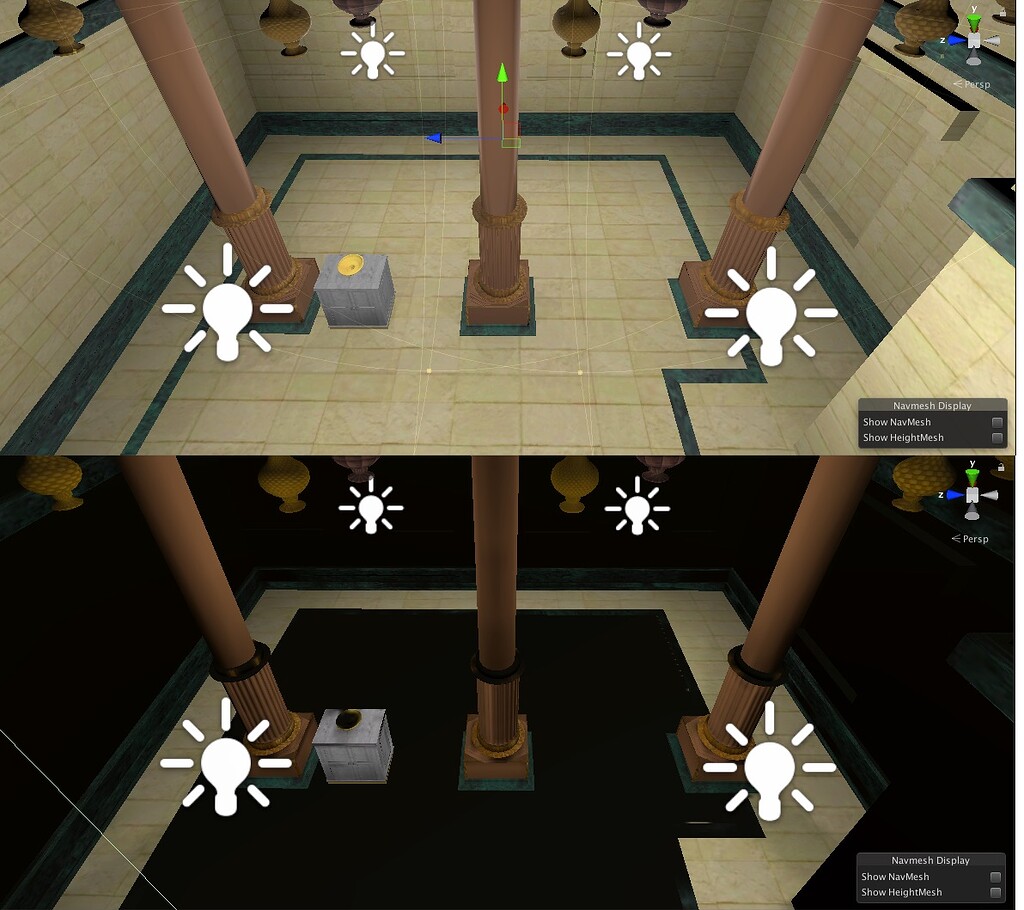
I’ve been struggling to bake my scene for several days. And I don’t know where to look at to solve the issue. I have a scene made up of some outdoor stuff and a room with no windows. Inside the room, there are four point lights. Models are imported OBJ models. In the editor before baking, the everything looks nice. After the bake, things go bl...
dry pumice
i changed some settings in the lighting tab, and it made this room all buggy. how do i fix this?
 chilly kettle
sly sapphire
Why does my map turn BLACK when I bake my map lights. the left is it after bakin...
chilly kettle
sly sapphire
Why does my map turn BLACK when I bake my map lights. the left is it after bakin...
Did you check generate lightmap UVs in the import setting?
Did you set the mesh to static?
chilly kettle
dry pumice
i changed some settings in the lighting tab, and it made this room all buggy. ho...
Show the settigs^^
dry pumice
its fine i fixed it
 muted lichen
hi, a question, how long does it usually take to render light?
 deft fiber
muted lichen
hi, a question, how long does it usually take to render light?
deft fiber
muted lichen
hi, a question, how long does it usually take to render light?
Realtime lights a few milliseconds usually
Baked or precomputed lights anywhere between a few seconds and a few hours depending on circumstances
muted lichen
deft fiber
Realtime lights a few milliseconds usually
Baked or precomputed lights anywhere ...
what changes?
sly sapphire
chilly kettle
Did you check generate lightmap UVs in the import setting?
Did you set the mesh ...
yes, i just did that, thanks!
deft fiber
muted lichen
what changes?
Clarify the question?
muted lichen
deft fiber
Clarify the question?
what changes between realtime light and baked or precomputed lights?
chilly kettle
muted lichen
what changes between realtime light and baked or precomputed lights?
I recommend using google. You will find an answer instantly. 🤓
Short: baked lights save performance at runtime.
muted lichen
chilly kettle
I recommend using google. You will find an answer instantly. 🤓
come on, I asked a question. anyway thanks
chilly kettle
muted lichen
come on, I asked a question. anyway thanks
Yep, but we answer exactly this questions multiple times a week.
It’s so fundamental, that a google search would bring you an answer even faster than we can answer. ^^
If you have specific questions or problems while baking, I’m happy to help. 
muted lichen
chilly kettle
Yep, but we answer exactly this questions multiple times a week.
It’s so fundam...
okay, you're right, thx
chilly kettle

Medium
Yesterday, I touched on how to bake lighting data. Today I will explain the different lighting modes a bit more specifically.
I linked you a good explanation for your answer 
 median vine
What are some good basic lighting settings? Here's what I got going on and I'd just like to learn a little bit more about general lighting


I get some of this weirdness with the lighting on the floor with my current settings, looks a bit off

And weird low quality edges
 night shell
median vine
I get some of this weirdness with the lighting on the floor with my current sett...
night shell
median vine
I get some of this weirdness with the lighting on the floor with my current sett...
how do you mean exactly? the shadows or the reflections?
the shadows looking funky. Can't really pin down what your setup is on that shot but I'm going to assume that you have baked shadows. And in that case those funky shaped shadows could potentially be due to filtering and not enough samples
the reflection on the other hand you might be seeing, i.e. you move to certain angles and the floor appears to glow that bright blue/cyan color, and what your seeing there is reflections (very diffuse reflections given how you setup those scene materials)
night shell
median vine
And weird low quality edges
this actually most likely seems to be SSAO given the fact that you don't have ambient occlusion enabled on the lightmapping settings. So i.e. that is coming from post processing (i.e. an effect applied after the scene is lit and rendered)
night shell
median vine
What are some good basic lighting settings? Here's what I got going on and I'd j...
I should note this is a pretty broad question honestly. It depends on a variety of scenarios and how dynamic you want your environment/lights to be (or lack thereof)
Given the fact though that you sent a screenshots of the lightmapping settings menu I'm inclined to think you mean lightmapping settings, so in that case I'll provide my personal opinon on the best lightmapping settings.
Generally I always keep sample counts of Direct/Indirect/Environmentsamples at 32 samples, with Importance sampling and progressive updates disabled. Max bounces I usually set to 4 (sometimes 8 and even 16 if I want more quality) and filtering set to advanced (which forces the lightmapper to always apply filtering). The default filtering settings usually do a pretty good job so I just leave them as is
there are more settings and such that I would setup here and there but generally that is what I like to set my settings lightmapping wise as. Its fast to bake, and 9/10 times provides very good quality
for outdoor scenes mind you
but it would help if you provided more information on what you are looking for and attempting to do
since "what's some good basic lighting settings" isn't specific enough, need some more information since it depends on the context
median vine
Oh okay thanks for the good info, I wasn't really going for anything specific just trying to fix up the resolutions of lighting and whatnot
Just a odd issue that kept occuring but I think I fixed it
 chilly kettle
 tropic delta
how can i make the top of the cube not as bright?
tropic delta
how can i make the top of the cube not as bright?
Reduce the light intensity
 sweet tendon
I'm having issues with my light flares, im wanting to have them like BATDR. when the player gets close to the light you can see the flare if you look up at them. like so:


would anyone know how to assist?
deft fiber
sweet tendon
I'm having issues with my light flares, im wanting to have them like BATDR. when...
What issues?
It might also be just bloom with a smudge texture rather than flares, can't tell from the images
 fluid girder
deft fiber
It might also be just bloom with a smudge texture rather than flares, can't tell...
fluid girder
deft fiber
It might also be just bloom with a smudge texture rather than flares, can't tell...
maybe he didnt add more directionnal light power
 golden dragon
In this 2d game. i have a problem where there is a cut between the wall and the background because the light affects it (se pic).
And i cannot just remove the dark part of the wall because situations where it is needed do occur.
fluid girder
golden dragon
In this 2d game. i have a problem where there is a cut between the wall and the ...
does the camera follow player?
golden dragon
yes
deft fiber
golden dragon
In this 2d game. i have a problem where there is a cut between the wall and the ...
I suppose you could fade the sprites to black and make the void inside walls black as well
fluid girder
deft fiber
I suppose you could fade the sprites to black and make the void inside walls bla...
yea that is the solution
sweet tendon
deft fiber
What issues?
This is what I'm wanting it to look like, but no matter where you look at the light, there is a huge flare
chilly kettle
sweet tendon
This is what I'm wanting it to look like, but no matter where you look at the li...
Do you use URP 2023?
sweet tendon
I belive so (not at pc rn)
chilly kettle
sweet tendon
I belive so (not at pc rn)
I don’t know why, but they added some kind of lense flare in 2023, which is activated by default.
sweet tendon
It isn't a default thing, what I set it up and it is just too much, and I cannot fix it
sweet tendon
chilly kettle
Do you use URP 2023?
- im new to this still 2. im special, wdym by URP?
 gaunt jay
sweet tendon
1. im new to this still 2. im special, wdym by URP?
gaunt jay
sweet tendon
1. im new to this still 2. im special, wdym by URP?
URP is a package you can install in the package manager
sweet tendon
I'll take a look at it and see if it is what I'm looking for
dry pumice
i put on post processing and then regenerated my lighting and it made it all bright. how do i fix this because i disabled all my point lights and the directional light cant go through the map since i put it on two sided.

 graceful marsh
Has anyone got any resources on Volumetric Lighting in URP? I would like to get some effects similar to this plugin, but I don't know where to start honestly!
https://assetstore.unity.com/packages/vfx/shaders/lumen-stylized-light-fx-220976

Add depth to your next project with Lumen: Stylized Light FX from Distant Lands. Find this & more VFX Shaders on the Unity Asset Store.
chilly kettle
dry pumice
i put on post processing and then regenerated my lighting and it made it all bri...
Don’t know how to Beginn in this mess 😂
I recommend start learning baking lights in a new scene where you start with one cube and a plane and just one light. 💡 🤓
dry pumice
no it was part of the lighting setting i fixed it
 trail summit
I need some ideas how to make the lighting on my custom terrain better. The shadows it casts onto itself are quite poor and am not completely sure why they look the way they do. They look very blocky and weird. In addition to the images there are also some singular triangles here and there that have shadows even though they shouldn't have. The first image shows other objects casting shadows just fine. The terrain mesh should have everything else but proper normals. It is currently using normals only calculated in a shader and the mesh normals all just face upward.


 night shell
dry pumice
i put on post processing and then regenerated my lighting and it made it all bri...
night shell
dry pumice
i put on post processing and then regenerated my lighting and it made it all bri...
looks like the lightmapper is struggling actually with the skybox or HDRI that you are using
either enabling importance sampling, or increasing environment samples should fix it
enabling importance sampling kind of depends on the HDRI your using, in my experience using HDRIs with strong single points of light (i.e. like a simple blue sky with a bright sun point) importance sampling helps fix those issues your having as it will essentially prioritize shooting rays from the bright spots of the HDRI.
However with some HDRI's if they have tons of bright spots with just as much or more brightness/intensity that will also cause the problem to appear, and in cases like that enabling importance sampling isn't as effective. So the only thing one can do is either to increase environment samples, or you could temporarily drop the HDRI resolution to something extremely low and then do a bake at that resolution
 mighty idol
Alright guys, so I have this torch that's using a point light contained within the top. I have 3 major issues:
- The glare on the players hand and body.
- The harsh shadows it causes the arm to cast on the ground.
- The light clipping through the top of the torch.
As of right now I have no idea how to fix these issues. Can anyone here help?
chilly kettle
mighty idol
Alright guys, so I have this torch that's using a point light contained within t...
Decrease the intensity from your light.
Or use two lights, one that lights the character and one that’s lights the rest
mighty idol
chilly kettle
Decrease the intensity from your light.
Or use two lights, one that lights the c...
Thought of that second one shortly after sending the message here. Thanks for the reply though.
 noble surge
aaand it crashed. Tried to bake reflection probes

that's like 5th time in a row I try to do that
 ember vessel
hey guys!
I'm a little bit at a loss with the unity 2D lighting system
so like, I've been trying to add 2D lighting into my game but thus far, it doesn't really wanna work how I kinda wanted it to work
I kinda wanted it to function like this

however, it's functioning more like this
 ember vessel
I kinda wanted it to function like this
ember vessel
ember vessel
I kinda wanted it to function like this
is there a way I can achieve this in-engine using the lighting system? or am I just supposed to fake it?
chilly kettle
ember vessel
is there a way I can achieve this in-engine using the lighting system? or am I j...
the only difference i see is the shadow?
you want some kind of blob shadow behind it?
ember vessel
pretty much
ember vessel
chilly kettle
the only difference i see is the shadow?
you want some kind of blob shadow behin...
(and yes, the only difference is in the shadow)
chilly kettle
Well, you light source is somewhere left of the character, so you get the shadow on the right of your character i guess.
You could place it infront of your character so the shadow will be thrown behind him.
You could also add a fake shadow directly into the PNG.
Or add a fake blob shadow in a seperate PNG if you need to turn it on/off.
ember vessel
chilly kettle
Well, you light source is somewhere left of the character, so you get the shadow...
"You could place it infront of your character so the shadow will be thrown behind him."
I don't think that's possible with 2D lighting, is it?
chilly kettle
never used 2D in unity, but i guess its still a 2.5D world right?
Cant you use the Z axis to place objects?
ember vessel
It doesn't work unfortunately
chilly kettle
do you know this tutorial?
https://youtu.be/-gzw_DHfoKU?si=_pIknIXqNHHjgHg7

Hey! In this video, we will look at how to get realistic 2D lighting in the Unity engine. I will show you how to set up shadow masks to get results worthy of HDRP graphics!
This is kind of a unity tutorial, but also kind of me just playing around with stuff. If you'd like a video that would go into more details, make sure to let me know in the ...
maybe it helps
deft fiber
ember vessel
is there a way I can achieve this in-engine using the lighting system? or am I j...
Not possible, fake it
ember vessel
gotcha
deft fiber
2D shadow casters are 'infinitely tall' and there are no soft shadows
ember vessel
thanks everyone!
chilly kettle
deft fiber
Not possible, fake it
you cant place lights on Z Axis there?
ember vessel
nope
chilly kettle
But sprites? Or how to create the illusion of depth?
deft fiber
Technically the only kind of illusion depth you can get is with normal maps, which also have a variable for approximating light "height" relative to them
But other than that sprites are fully lit or fully shadowed
 worn ridge
is it just my unity or is the global illumination preprocessing horrifically slow
its already busy for 2 hours and im half way
my scene is a simple low poly scene with no lights
no wait really?
i switched scenes and it needed to start over?
well screw this
chilly kettle
It should take some seconds.
Maybe you have hundreds of overlapping UVs or a rediculous high resolution.
chilly kettle
worn ridge
is it just my unity or is the global illumination preprocessing horrifically slo...
Show us the settings
worn ridge
chilly kettle
Show us the settings
where i find that
this?

why doesnt it use the gpu to compute this?
it went always really quick until i made most of the scene static
then it takes ages
compiling on a i7-8750H btw
chilly kettle
Chose GPU instead of CPU ^^
worn ridge
o wait thats just a setting 💀
@chilly kettlethat doesnt work yet when i make all the object static, then it still takes my cpu
chilly kettle
You should have a error log in the console
worn ridge
no
i do not have an error
but it does go way faster
waaaayy faster
already further now then i was before after 2 hours
chilly kettle
You had nothing set to static before?
worn ridge
no
chilly kettle
Well. No static’s no bake 🤓
chilly kettle
Maybe he went in some dead end because there was nothing to bake
worn ridge
no thats not it
i made it static
then it took ages
cancled it
re made everything static but with that gpu setting
and now it goes faster
still slow now
step 6
chilly kettle
worn ridge
this?
How does your scene look like?
And your settings are hidden by a tooltip
worn ridge
o my bad


this is the main menu scene im baking atm
the main game scene is this but like 2 times larger
just lot of low poly assets
 chilly kettle
Well that is a huge scene
And it needs optimization if you want to bake it completely
Try set resolution to 1 for a first bake and bake again
It will look bad, but you can start work with this
chilly kettle
No, but you need optimization^^ you don’t want your Mountains to Bake. In the Same Resolution as the Houses for example
chilly kettle
And You Don’t Want to Bake very Small pieces because the need Long timeto Bake.
chilly kettle
worn ridge
is it that scale in lightmap?
Yep
worn ridge
thats a confusing setting, why is a it a scale and not just a resolution
chilly kettle
Well it’s a multiplier for your lighting settings, which malte much more sense, so you don’t need to touch hundreds of models again when changing lightmap resolution ^^
Sorry I’m on my phone 😂 it mixes some German into my messages 😂
worn ridge
doesnt change that i need to go over every model right
im used to unreal where theres a setting in every object for the lightmap resultion
worn ridge
chilly kettle
Sorry I’m on my phone 😂 it mixes some German into my messages 😂
no worries
im dutch so i can understand bits of german
chilly kettle
👍🏻 you can join our gamedev conmunity linked in my discord profile, I can give you some better answers later. Need to drive home now ^^
 tulip tendon
for a scene that big i would reccomend using APV's or just a realtime solution
worn ridge
chilly kettle
👍🏻 you can join our gamedev conmunity linked in my discord profile, I can give...
sounds good thanks
worn ridge
tulip tendon
for a scene that big i would reccomend using APV's or just a realtime solution
wouldnt baked lighting look better
in unreal i baked scenes much larger then this in less time
o i think why i know it went so fast for a sec
cuz it was able to get some cached stuff
i think
tulip tendon
APV's are baked lighting
and are specifically designed for large worlds
with disk streaming and very fast bake times
they wont look as good as lightmaps but for an open world you will barely notice
you can also mix it with lightmaps
use APV's for details like tables, trees, etc and lightmaps for the big structures
and SSGI can also look very good
chilly kettle
worn ridge
ill look into it
have you done it? 🙂
worn ridge
chilly kettle
have you done it? 🙂
not yet, was traveling home
doing the same bake on my pc now
saying its gonna take about an hour
so ill go with that for now
cuz i have to hand in this game tomorrow
cant spend too much time on it now cuz i have some nasty bugs to fix lol
but after the project ill look into it
chilly kettle
Did you lower the resolution?
40 is really to high for this.
chilly kettle
worn ridge
saying its gonna take about an hour
go with 5 and check if it looks ok 😄
chilly kettle
you may get Gigabytes of lightmap.. 😄
worn ridge
oh right
lmao
well ill just gitigore that and hope the binaries wont get too large
then it will blow up the pc from my teacher when it opens my project but hey thats not my problem right xD
chilly kettle
tell me how it went 😄
worn ridge
i will
deft fiber
@worn ridge You should generally avoid lightmapping small, detailed and geometrically dense objects
Those take the most time, waste the most lightmap space and probably end up looking bad anyway
For example if those vehicles of yours are static, they'll be awful for this process
They can instead be set to receive baked lighting from probes, or excluded from contributing to GI entirely
worn ridge
ah thanks
 meager stratus
In the screenshot, directional light shadow is still showing through the point light.
Would anyone know if there is a simple way to have point or spotlights eliminate directional shadows completely without dialing the brightness up to a ridiculous amount?
 chilly kettle
meager stratus
In the screenshot, directional light shadow is still showing through the point l...
chilly kettle
meager stratus
In the screenshot, directional light shadow is still showing through the point l...
Well, you would need do make the point light as bright as the sun to eliminate the shadow there
deft fiber
meager stratus
In the screenshot, directional light shadow is still showing through the point l...
That logic doesn't bend well into Unity's lighting fundamentals
Shadow of a light is absence of that light
To totally "eliminate" the directional light's shadow, the point light would somehow have to prevent the ceiling from shadowing the directional light
More sensibly your option is to implement custom lighting and clamp the total brightness a surface can receive to some relatively low amount, so there'd be no perceptual difference in shadowing
That would significantly alter the look of your lighting though
Why do you want the shadow's edge hidden? It seems like a bit of an unusual request
 unkempt cipher
new to unity so forgive if this is obvious, but why would my scene lighting be different when playing from the scene directly vs loading the scene from main menu?
deft fiber
unkempt cipher
new to unity so forgive if this is obvious, but why would my scene lighting be d...
Unity doesn't make it very apparent but Playing a scene has the editor generate environmental lighting for it automatically and temporarily
To do it permanently lighting must be "generated" from the lighting window
Note that realtime or baked GI do not need to (and should not) be enabled if you don't need either of those two
The generate button performs many different functions depending on those settings
unkempt cipher
deft fiber
Unity doesn't make it very apparent but Playing a scene has the editor generate ...
gotcha, thank you! was able to get it to my desired lighting
 wraith quail
hey all, I am working on lighting a scene with the Physically Based Sky in HDRP. I have a large scene with lots of both interior and exterior. I am finding that ambient lighting inside scenes is far too bright, almost as if its ignoring geometry. I tried using auto exposure to balance this between inside and outside, but this is not doing the trick at all. I have a dynamic time of day, outside is very bright during the day, and it makes the ambient value look basically unlit on the inside. Is there any way around this with dynamic lighting?
Override volumes dont seem viable here, as when outside the same profile would be applied when looking inside from out, where as it should appear dark inside, especially before the exposure adjusts as you enter
Ideal example would be- im outside, its nice and bright, there is good ambient values vased on the intensity of the directional. If im looking into a structure with no artificial light, it would seem darker. I enter the structure, and the exposure adjusts to whatever value, its seems brighter. When I look out a window or door, the exterior intensity is still very briight.
Currently, the interior will darken with exposure, but it will also effect exterior ambient values and brightness, and vice versa. The ambient value for interiors is the same as the exteriors.
deft fiber
wraith quail
hey all, I am working on lighting a scene with the Physically Based Sky in HDRP....
What exactly do you mean by "look basically unlit"
This type of system should work out of the box with auto exposure
As long as the light brightness values are different enough, the inside will look dark when adjusted to the bright outside, and the outside will look really bright when adjusted to the dark inside
Maybe your method of dynamic time of day system has some weirdness going on with it
chilly kettle
Someone got an idea whats happening here?
Seems that my directional realtime light shines through the ceiling depending on the viewing angle
Changing the Near Plane fixed it.. but why?
I dont understand it ^^
deft fiber
chilly kettle
Changing the Near Plane fixed it.. but why?
I dont understand it ^^
it does that ™️
chilly kettle
deft fiber
it does that ™️
i can remember you said, its behaving weird on long triangles?
and it is quite long
 deft fiber
chilly kettle
i can remember you said, its behaving weird on long triangles?
deft fiber
chilly kettle
i can remember you said, its behaving weird on long triangles?
Yes, I don't understand the logic fully but something to do with how the directional light orthographic camera frustum projects geometry
chilly kettle
alright 😄
deft fiber
The frame debugger can help you show exactly what the sun is "seeing" to give you an idea how it works in that situation
chilly kettle
im not a friend with the frame debugger, and he doesnt like me too
😄
Its rocket science
wraith quail
deft fiber
What exactly do you mean by "look basically unlit"
Yes, im trying to identify where its going wrong. Its using the physical sky, Im thinking that the lux value is far too low. Midday sun should be 100,000 lux?

starts with exposure on, trying to darken the interior, toggling ti off shows how it looks with no exposure correction
deft fiber
wraith quail
I don't see automatic exposure doing its thing here
Anyway, it seems the problem is rather that nothing is occluding the ambient lighting from your interior
Usually you want baked lighting for that since it's tricky to get right only with realtime options
But on the realtime side indirect lighting controller is one that can kind of do it
 jade bone
hey guys, why is a mesh renderer receiving light only from one side, please? I have a circular maze like this, but as you can see from the screenshots, if I turn around, the wall isn't receiving light. I'm using URP


it works fine for a rectangular maze
 deft fiber
jade bone
hey guys, why is a mesh renderer receiving light only from one side, please? I h...
deft fiber
jade bone
hey guys, why is a mesh renderer receiving light only from one side, please? I h...
Might be because your scene window's lighting is toggled off
The light bulb icon button is gray rather than blue
jade bone
it's the same in-game
deft fiber
jade bone
it's the same in-game
Exactly the same? That'd be very unusual
It may also help to record a video of the problem occurring
jade bone
this is a screenshot from in-game:
 wraith quail
deft fiber
But on the realtime side indirect lighting controller is one that can kind of do...
wraith quail
deft fiber
But on the realtime side indirect lighting controller is one that can kind of do...
Yeah baking isnt an option unfortunately as we have time of day
jade bone
 deft fiber
jade bone
this is a screenshot from in-game:
deft fiber
jade bone
this is a screenshot from in-game:
Still very hard to see what's happening
If you're on W11 the Snipping Tool has an easy and compact video recorder option
jade bone
ok, let me try
deft fiber
If I had to take a wild guess I'd assume you perhaps are using a two-sided material
Which by its nature receives light only on the front faces, and duplicates it on the backfaces
Or some kind of issue with normals
jade bone
I'm using a front-render face material with URP Lit shader
with a rectangular maze it works fine
I've imported the maze from Blender
deft fiber
I'd make a directional light and some point lights to move around the walls to figure out how they respond to lighting, if at all
The dark first person view is giving a very limited perspective to both of us
jade bone
here are two point lights. no other lights in the scene. Still the walls aren't lit on one side

here's a screenshot for a rectangular maze where it works
 jade bone
ok, I reworked the model in Blender a little bit (added it more thickness and height) and reimported it to Unity. It works now. Originally, I had to set the Z-scale to 50000 in Unity, that might be the reason? Now it's only 3000
 upper fable
jade bone
ok, I reworked the model in Blender a little bit (added it more thickness and he...
upper fable
jade bone
ok, I reworked the model in Blender a little bit (added it more thickness and he...
only 3000? isn't scale of 1 what people usually should use?
 young flume
Aaaa what the fuuuuuucccckkkkk

My reflection probes dont seem to work at ALL. Metallic objects remain black.
Setting it to realtime doesnt seem to work either

Only slightly better that way
deft fiber
young flume
My reflection probes dont seem to work at ALL. Metallic objects remain black.
Where is your reflection probe? Is your level geometry set as Reflection Probe Static?
Is your metal material particularly dark in color?
young flume
deft fiber
Where is your reflection probe? Is your level geometry set as Reflection Probe S...
What it should look like:
 young flume
deft fiber
Where is your reflection probe? Is your level geometry set as Reflection Probe S...
young flume
deft fiber
Where is your reflection probe? Is your level geometry set as Reflection Probe S...
Right, static. It doesnt look as bad but still oddly dark

What's up with that
 median bridge
Anybody know what is causing this like distance blur effect?? i dont know whats causing it
young flume
median bridge
Anybody know what is causing this like distance blur effect?? i dont know whats ...
Shadow range
It will fade them out to a lower resolution for performance
Can be tweaked in graphics settings, look that up
chilly kettle
young flume
Right, static. It doesnt look as bad but still oddly dark
and your reflection probe?
young flume
chilly kettle
and your reflection probe?
Its within the bounds, covers the whole room
 keen finch
What is lighting my scene by default? I toggle off the directional light and can still see. Skybox is off, can still see (if it even adds light)
chilly kettle
keen finch
What is lighting my scene by default? I toggle off the directional light and can...
What do you want to archive?
keen finch
I want to see what one specific light will do if it's night. Only I can't get it to night bcs it's always !dark
chilly kettle
It’s dark? In your scene?
Or the light? 🧐
Or do you really wrote !dark to tell me it’s NOT dark? 😂
https://youtu.be/zO2l0Fy7yDw?si=mqzaitdDd97eC8uA
Check my tutorial to this out.
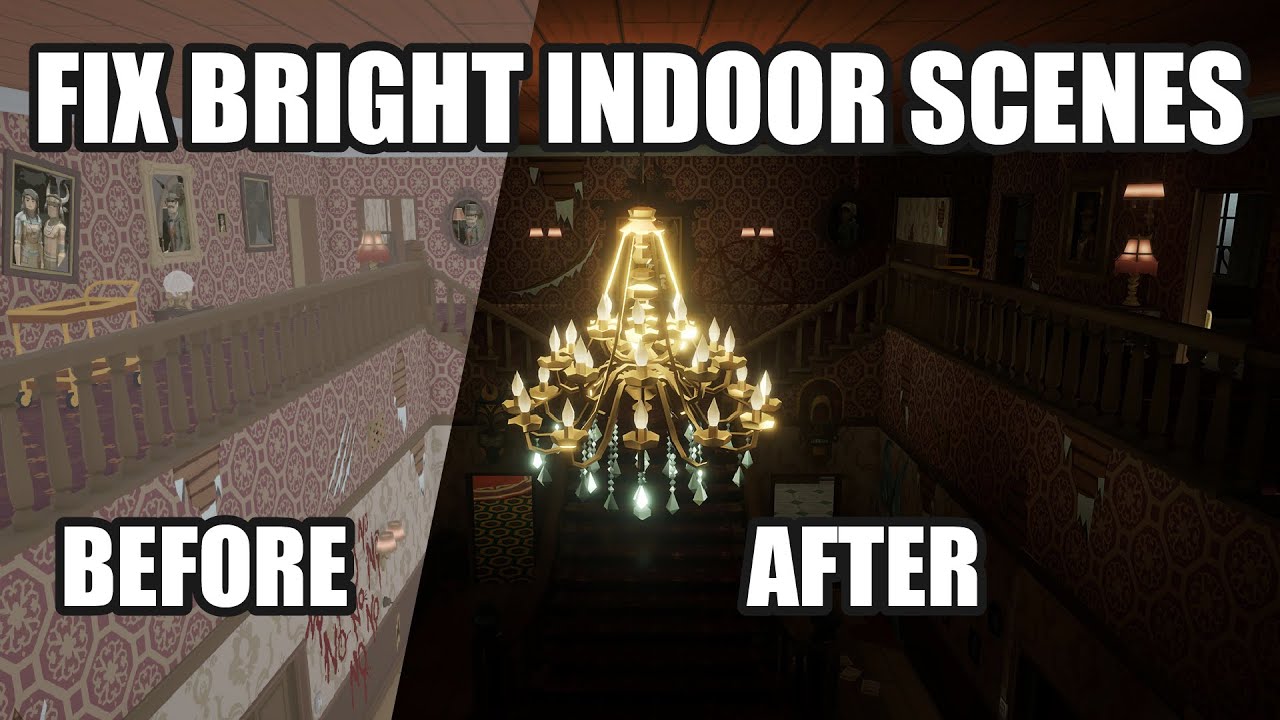
This video deals with the common problem of to bright indoor scenes people often face.
If you also have the problem that you cant get pitch black interior scenes for your horror game in Unity, this is the way to go!
Fixing the problem of too Bright Indoor Scenes for Horror Games in Unity.
Create dark indoor scenes in Unity.
If you are interest...
keen finch
chilly kettle
Or do you really wrote !dark to tell me it’s NOT dark? 😂
Yeah I'm not a native speaker and I can't remember the name for !dark 😆
jade bone
jade bone
hey guys, why is a mesh renderer receiving light only from one side, please? I h...
hi guys, I still have the issue. Why is this happening (see pics below)? You can see a point light between two walls, but the left wall is shining on both sides. When the light is moved to the other side of the wall it doesn't get any light (second pic). I imported the model from Blender. Thanks

 keen finch
Now this helps a bit (20 seconds into the video)
 chilly kettle
jade bone
hi guys, I still have the issue. Why is this happening (see pics below)? You can...
chilly kettle
jade bone
hi guys, I still have the issue. Why is this happening (see pics below)? You can...
possibly your normals are wrong?
Is it a realtime light or baked?
jade bone
realtime light
I'm a newbie. Should I try to fix normals in Blender or in Unity?
when I imported the model to Unity I did receive an error about normals: "The mesh Curve has invalid normals. Try cleaning and triangulating Curve in your 3D modeller before importing it in unity."
but then I got a warning saying: "Mesh 'Curve' has no normals. Recalculating normals.", so I thought Unity recalculated them
keen finch
Is there such a thing as a skybox fade?
deft fiber
young flume
What it should look like:
I'm more interested in what properties the material has exactly after importing
They don't always stay intact, so for example smoothness may be lower than expected and colors may be darker
Also it would be relevant to show the reflection probe's box and the inspector preview of what the baked probe's cubemap is showing
deft fiber
keen finch
Is there such a thing as a skybox fade?
Not precisely sure what you mean, but if you want to fade the skybox from one texture to another, that is usually best done with a custom skybox shader
keen finch
Okay thx. Yes was thinking about how to make a day and night cycle with different skyboxes
deft fiber
keen finch
Okay thx. Yes was thinking about how to make a day and night cycle with differen...
Unity itself uses a fully procedurally generated skybox with no textures to achieve that with math
May be simpler to sample two cubemap textures and interpolate between them based on a float
In either case though it's good to note that changing the skybox doesn't automatically update ambient lighting, which is composed of an internal reflection probe and a light probe
They can be re-generated with the DynamicGI API or you can have custom probes to blend between
That probably doesn't seem to make much sense right now but if you go down that path it may seem less confusing then
keen finch
haha going down that path is a great way of saying that
Still have to go down the path of networking 💀
Thanks alot anyways
deft fiber
That's definitely even a longer trek
keen finch
I'll just not include day and night in the game jam game
 autumn falcon
Hey so when i play the game scene itself, everything is normal, but when i change the scene from the mainmenu scene to the game scene it looks like this. Does anyone know how to fix this? (the scene also looks like that when i switch scenes in editors for a split second)


nvm it just fixed itself
wtf
chilly kettle
You have to generate light in all your scenes and initialize the probes lighting for example if you load a scene into another
pallid karma
I've got an object here firmly planted in the ground, but the shadow seems to start a few pixels behind it. Any particular reason why?
 chilly kettle
pallid karma
I've got an object here firmly planted in the ground, but the shadow seems to st...
chilly kettle
pallid karma
I've got an object here firmly planted in the ground, but the shadow seems to st...
Normal Bias in your Directional Light
pallid karma
what does that have an effect on?
chilly kettle
on the distance between mesh and shadows ^^
pallid karma
hm. first I've heard of it
so what, set that to a lower value so it appears closer to object edges?
chilly kettle
The Unity Manual helps you learn and use the Unity engine. With the Unity engine you can create 2D and 3D games, apps and experiences.
pallid karma
might read into that a bit more then. I can't see what use it has when the default values don't match up properly.
and even then, setting them to zero still leaves some offset

i'll just work on the other parts and come back to fixing it later
 ionic spoke
Hi, im collaborating on a project and I have to make the outside scene night time. How would I do this? I've been playing around with intensity/temperature and a few other things but haven't been able to make the outside scene seem dark

 chilly kettle
pallid karma
might read into that a bit more then. I can't see what use it has when the defau...
chilly kettle
pallid karma
might read into that a bit more then. I can't see what use it has when the defau...
i (guess) it could also be a problem with the shadow resolution
pallid karma
maybe I suppose. I've not changed it from default because I don't want to accidentally push it too far. Don't know what settings affect baking speeds as much
chilly kettle
ionic spoke
Hi, im collaborating on a project and I have to make the outside scene night tim...
https://youtu.be/zO2l0Fy7yDwmaybe this helps
chilly kettle
pallid karma
maybe I suppose. I've not changed it from default because I don't want to accide...
baking speed is only effected by lightmap resolution, bounces etc.
And you have a realtime light there i guess?
pallid karma
should have, since there would need to be a shadow for the player
my light probes are a mess lol. Might need to redo this
 ionic spoke
chilly kettle
https://youtu.be/zO2l0Fy7yDwmaybe this helps
ionic spoke
chilly kettle
https://youtu.be/zO2l0Fy7yDwmaybe this helps
my environment's "lighting" tab is so different from the one in the videos I'm watching and im not sure why ?

 chilly kettle
ionic spoke
my environment's "lighting" tab is so different from the one in the videos I'm w...
chilly kettle
ionic spoke
my environment's "lighting" tab is so different from the one in the videos I'm w...
You are working in HDRP
ionic spoke
o yes i just figure dthat out imma watch this thanks :
https://www.youtube.com/watch?v=nv0LS47OQwY

Hi:) At the beginning I would like to thank everyone who subscribed the channel :) The channel has just exceeded 500 subscribers, which makes me very happy :) On this occasion, I have a completely different video for you than before :) This is a fairly simple tutorial in which I show how I set up volume and lighting i the "Burial Ground" video.
...
 hidden void
any one here good using bakery? I am having dificulties baking lights, inside lights they are not working as if there are no lights to bake and in outside it works
median bridge
young flume
Shadow range
thank you so much!!!!!!!!!!!!!!!!!!!!!!!!!!!!!!!!! been searching everything for it
 rain prism
The marked red is actually yellow because of the light, but since the light is inside the lamp, the yellow is black. How can I fix it that it is yellow?
 shell juniper
ionic spoke
Hi, im collaborating on a project and I have to make the outside scene night tim...
shell juniper
ionic spoke
Hi, im collaborating on a project and I have to make the outside scene night tim...
Your lights are baked, so just changing parameters won't do anything, you'd need to rebake your lighting
You could switch the light's mode to realtime just for testing and finding a good look since baking takes a while
ionic spoke
I got what I wanted ty! I just ended up recreating my lighting
chilly kettle
rain prism
The marked red is actually yellow because of the light, but since the light is i...
you cant
chilly kettle
rain prism
The marked red is actually yellow because of the light, but since the light is i...
The only thing you can do is add an emission to the lamps glass
rain prism
chilly kettle
The only thing you can do is add an emission to the lamps glass
and how is that possible?
chilly kettle
rain prism
and how is that possible?
i dont know how your lamp is made.
But normally you would add an emission map (like a texture) to the emission channel of your material.
You could also add a single material with emission to the parts you want to glow yellow.
 hard furnace
Hello everyone, Im having a problem for a long time in my game when i active a gameobject with 2D Light component no matter the intesnitiy of the light my game crash for like 1 second when i get close to the gameobject and only 1 time, does anybody know why could it be? im using universal renderer pipeline maybe its the project problem or project settings?
chilly kettle
like this. i have two windows in my model, which glow in the dark, because they have the normal texture and the emission texture @rain prism

 chilly kettle
hard furnace
Hello everyone, Im having a problem for a long time in my game when i active a g...
chilly kettle
hard furnace
Hello everyone, Im having a problem for a long time in my game when i active a g...
Shouldn’t be a problem with your lights, do you run some scripts that may cause the crash?
rain prism
chilly kettle
i dont know how your lamp is made.
But normally you would add an emission map (l...
the lamp only has the black material, and the yellow material, there where the light should be
 chilly kettle
rain prism
the lamp only has the black material, and the yellow material, there where the l...
chilly kettle
rain prism
the lamp only has the black material, and the yellow material, there where the l...
Adjust the light material and give it some emission.
pallid karma
with reflection probes do you just need to set one around the whole scene? I've got one encompassing the whole scene here but when I look at this wall from an angle I can see some reflection which isn't quite right, and I'm wondering if it's the reflection

since looking at it dead on is fine
chilly kettle
As long as you dont have reflective materials, its okay to have one for the whole scene.
Just make sure everything is inside its bounding box.
chilly kettle
pallid karma
with reflection probes do you just need to set one around the whole scene? I've ...
at 1:54 i explain a little how to adjust Reflection Probes
https://www.youtube.com/watch?v=zO2l0Fy7yDw&ab_channel=WeirdChickenGames
This video deals with the common problem of to bright indoor scenes people often face.
If you also have the problem that you cant get pitch black interior scenes for your horror game in Unity, this is the way to go!
Fixing the problem of too Bright Indoor Scenes for Horror Games in Unity.
Create dark indoor scenes in Unity.
If you are interest...
pallid karma
ah, I see, that explains it a bit more. Although in this case, since it's not necessarily a series of rooms, I'm not sure how i'd define the spaces for these probes to go in
chilly kettle
pallid karma
ah, I see, that explains it a bit more. Although in this case, since it's not ne...
Its like with light probes, if you think the surrounding of your player changes drastically, you use a new reflection probe.
pallid karma
so since I'm going for something that heavily relies on that distinction between light and dark, would it be fitting to put these probes in the dark and light spots?
chilly kettle
But as long as you dont have any really reflective materials, noone will notice if you stay with just a few probes ^^
pallid karma
it only seems to be that oddity with light on the bottom side of the wall there that I'm noticing
which can be a bit distracting
getting rid of said probe does remove that oddity though, but I'd like there to still be some reflection
chilly kettle
show me what you mean ^^
As long as you have metallic and smoothness near 0, the reflection probe wont effect it that much.
pallid karma
Bit tough to see, but without the probe it does this, with it, does this


for detail sake I'd like to still have some reflection, but I don't quite know how to position it to avoid that
chilly kettle
so, without a probe your stuff is reflecting the skybox. thats why its blueish.
With a Reflection Probe it reflects the surrounding fo the probe.
What you can also do is change the clear flags to solid color and choose a color that fits your scene, so the reflection probe will be that color wherever it would reflect the skybox otherwise
 chilly kettle
pallid karma
Bit tough to see, but without the probe it does this, with it, does this
chilly kettle
pallid karma
Bit tough to see, but without the probe it does this, with it, does this
if you set this color to something brownish like your scene is, it would be even better i think
pallid karma
to help me understand all this better, how exactly does the reflection probe work?
chilly kettle
pallid karma
to help me understand all this better, how exactly does the reflection probe wor...
Its just like a 360° camera
pallid karma
so a bit like a HDRI, it would sort of take a picture from it's centre to the edges of the box, and anything in it uses that to define how reflections work?
chilly kettle
yeah, reflective objects grab this "360° image" from the probe and adjust it so it looks like its a reflection ^^
thats why you wont get realistic reflections, because it will never get the correct angle
pallid karma
so that might be why I get that glow on the outside
if it projects from the centre, then it'll be capturing the side of the wall with a glow on it, so the other side of it will treat that as the light it needs to reflect
chilly kettle
hmm, not really. Its more like its multipliying the image that is captures by the probe onto your object.
And the more reflective the object is the more it looks like a bad mirror ^^
that explains it a little better than me with my non native english 😄
pallid karma
sounds like it works the way I imagine it would
although configuring it to be precise looks rather tough
chilly kettle
If you need precise reflections you need to use "screen space reflections"
Probes will never give you realistic reflections, they will always be off
pallid karma
screen space might be my go to then
I'll have a look and see if I can do without probes. In some places it looks nice, but others, like behind that wall, I can't really keep that like that
is there much setup for SSR?
chilly kettle
never used it
pallid karma
i'll look into it then. Although it's not too important at the moment, need to get the foundational systems down first
on a time limit to get this done by the 18th 😬
 hallow nimbus
my issue is that, my terrain grass are not being lit up when shun by any light except the directional one, left grass is the prefab i just placed to test, and to the right is the grass i placed using the terrain system, im confused as to why is this happening
 hallow nimbus
my issue is that, my terrain grass are not being lit up when shun by any light e...
hallow nimbus
hallow nimbus
my issue is that, my terrain grass are not being lit up when shun by any light e...
additional: it also has this message in the terrain component.

 placid forum
Hello there. I've a question about shadows in real time lighting. I have a scene with several (15-20) real time point lights that cast shadows. Cant use baked because level will be procedurally generated from prefab "tiles".
I'm using forward+ renderer but unfortunately it looks like there is a certain shadow count limit allowed within view? As you can see, my character is now casting shadows, when I've few lights active.
As soon as I enable one more light, shadows break up, like I'd pass some threshold of maximum shadows allowed on screen or something like that?


It happens when lights become hidden in any way, either by disabling them but when I move camera around so fewer lights are visible then shadows come back too. Is there any 'shadow count' limit on screen? I cannot find anything in documentation.
Oh and the issue persist in deffered mode as well, so I am pretty sure it has nothing to do with 'per object light limit'.
placid forum
It even flicker a lot when I move camera around editor. I didnt remember this happening to me before, I'd definitely notice this before. So I've decided to try bisect it manually, by checking out to previous commits in git and even really old commits had the issue. But it didn't satisfy me, I was sure I did not have this problem before.
So I've tried to remove Temp, Library, etc. folders, the ones that are auto generated and issue is gone. Removing Temp and Library folders fixed the issue, not sure why but if you ever have this weird behaviour with shadows, rm -rf temporary data before debugging. Owhhh Unity 😉
placid forum
Update: apparently it just happens on mobile platform. I constantly switch platforms between Windows and Android and when Android is active, shadows are broken both in editor and device. Probably Unity uses some simpler model for Android realtime shadows, which has some hard limit. Unfortunately, there are no resources at all explaining what the limit is and how it works and whether it is tunable. It causes random glitches like this:
And it doesnt matter what quality level I choose, only build target matters - picking android immediately breaks it.
I think I'll give up with realtime shadows on Android, probably that dont make sense anyway.

 gritty gyro
probably had this question asked a million times but recently upgraded to URP from standard and my scene is extremely dark now. almost like my main lighting source isnt there... Is there any fix to this?
 placid forum
@gritty gyro definitely a lot to check there. I see in your scene that cube and that flat green square are properly lit.
So try tuning stuff one by one and check how it reacts, mostly:
- is it set to static and light as baked? if so, bake it, if not, then ensure light is realtime
- check if those meshes have custom shaders?
- check metalic/specular settings, maybe values werent properly converted? set metalic=0 / smoothness=0
gritty gyro
placid forum
<@292139102168547329> definitely a lot to check there. I see in your scene that...
as far as i can see everythin is correct?
 placid forum
Kinda hard to tell. Try duplicating mesh and reset material to default and look how it looks
gritty gyro
i guess the asset that i downloaded didnt really support urp maybe?
 burnt robin
I have some small plants casting dynamic shadows on the ground in front of me. As I move the mouse a pixel at a time to the side - so just slightly changing the view - the projected shadows jitter pretty substantially. I've played with the max shadow distance and the cascades but thus far nothing seems to have helped. Any other ideas?
chilly kettle
placid forum
Update: apparently it just happens on mobile platform. I constantly switch platf...
https://www.youtube.com/watch?v=y_vw-jzuNs0
This tutorial of me is about this problem. I guess forward+ may not work on mobile. Try deferred for mobile, or better use no realtime lights on mobile.

This video deals with the common problem of flickering or invisible lights in Unity.
If you also have the problem that your Unity lights flicker or become invisible depending on the viewing angle, this is the video for you.
Fixing the problem of flickering or invisible lights in a few seconds with a few mouse clicks
If you are interested in g...
hallow nimbus
hallow nimbus
additional: it also has this message in the terrain component.
bumping this upp
chilly kettle
hallow nimbus
bumping this upp
Is the terrain Gras using some different shader/material as the other one?
hallow nimbus
chilly kettle
Is the terrain Gras using some different shader/material as the other one?
yes both are using the same material
dusky nacelle
I've two questions , (Im using the new beta version of unity )
-
will Adaptive Probe volume" not be supported in Built in Pipeline?
-
My PC's VRAM is 2 gb , unity has declared that 2gb gpu will support gpu progressive lightmap, but still it's not being supported for it.


 thin helm
hello. help me pls: im creating 2d game with urp mode. and the 2d light lightning the all map. but im need to lightning only the characters. how this?
im try to use sorting layers but not work. lightning all or nothing
 plush hatch
dusky nacelle
I've two questions , (Im using the new beta version of unity )
1. will Adaptive...
plush hatch
dusky nacelle
I've two questions , (Im using the new beta version of unity )
1. will Adaptive...
- as far as i know, built in is dead and you shouldnt use it (and it wont support the new features)
- you have to bake once so unity can recognize what devices your device offers for baking. Then you can select your GPU
 livid stump
Why is my LODs not receiving baked lightmaps? even tho they are already marked as static

 zenith flax
crying
 zenith flax
Why's it not lighting anything up?

 deft fiber
zenith flax
Why's it not lighting anything up?
deft fiber
zenith flax
Why's it not lighting anything up?
""Realtime"" GI only works for static emissive materials that must be precomputed
Its color can be changed after precomputing, though
Maybe should add a few more pairs of quotes around realtime
zenith flax
deft fiber
Maybe should add a few more pairs of quotes around realtime
i see. So the emission updates realtime but not what recieves the emission
misleading name :(
deft fiber
zenith flax
i see. So the emission updates realtime but not what recieves the emission
More precisely the emission and light from it is fully static, except for its color and intensity
zenith flax
i see. Also I saw that enlighten is discontinued?
deft fiber
Enlighten's "realtime" GI otherwise allows moving of punctual light sources as well as changing their color
but materials are more restrictive than punctual light sources
zenith flax
i see. So I should just leave it on?
deft fiber
zenith flax
i see. So I should just leave it on?
I don't know, what's the desired results?
zenith flax
deft fiber
I don't know, what's the desired results?
well, actual realtime emission, but they're spread out enough where I can just put realtime lights in them and turn off shadows for them (which I did)
deft fiber
zenith flax
i see. Also I saw that enlighten is discontinued?
It was deprecated, then un-deprecated for a scheduled number of years because it had no replacement
Iirc it'll be out by unity 2024 or soon after that, and there's still no functional replacement
zenith flax
hmm rip unity having ""realtime"" GI
does it only effect emissive materials or does it effect anything else?
deft fiber
zenith flax
well, actual realtime emission, but they're spread out enough where I can just p...
If your crystals are created at runtime, punctual light sources rather than light from emission are your only option
Whether you want to keep precomputed realtime GI enabled on top of that is up to you
deft fiber
zenith flax
does it only effect emissive materials or does it effect anything else?
Punctual light sources can have indirect lighting on static objects
zenith flax
they aren't created, but rather sometimes disabled at runtime.
zenith flax
deft fiber
Punctual light sources can have indirect lighting on static objects
by punctual you mean not baked? Im not familiar with the terminology
deft fiber
zenith flax
by punctual you mean not baked? Im not familiar with the terminology
Punctual means originating from a point
Most Light component types are punctual
zenith flax
deft fiber
Punctual means originating from a point
Most Light component types are punctual
Ah okay cool. My light does say that it cannot have indirect lighting because it's a point light though, so I'm assuming it would need mixed, but since it's sometimes disabled then I think that wouldn't work out too well.
deft fiber
zenith flax
Ah okay cool. My light does say that it cannot have indirect lighting because it...
They can but the messaging is confusing
Not in small part because of the multiple overlapping lighting systems
And because Enlighten's settings are not in one place but scattered all around
It's best to study how it's meant to be used, then practice with it a bit in test scenes and then try to implement it in your game
dusky nacelle
plush hatch
1) as far as i know, built in is dead and you shouldnt use it (and it wont suppo...
thanks , but I dont get it why they are abandoning built in RP, there are so many possiblities with it )
I will try baking it and see if the gpu option is showing up or not
dusky nacelle
is it true that the quality of Progressive CPU lightmapper is a bit better than the GPU lightmapper of unity?
 dusky nacelle
bump !
chilly kettle
dusky nacelle
Thats quite interesting and good to know!
deft fiber
dusky nacelle
is it true that the quality of Progressive CPU lightmapper is a bit better than ...
"Better" in what sense?
GPU lightmapper might be technically less accurate than the CPU one but in a real world practical scenario that won't make much of a perceptible difference
GPUs are still on average orders of magnitude faster at baking than CPUs are
 mint perch
no matter the material, these 2 shapes are always brighter no matter the material, (unless its poyomi, however that material doesnt allow me to shine a spotlight onto it.

How do i fix either the shape, or should i use a curtain material that will allow a spotlight on it
deft fiber
mint perch
no matter the material, these 2 shapes are always brighter no matter the materia...
Is the problem with the shape or lighting or shading or what? It's a bit unclear to me
mint perch
deft fiber
Is the problem with the shape or lighting or shading or what? It's a bit unclear...
when putting the material on the shape (its the same material at the one the T and the K has) however with the I and the S its lighter for some reason
deft fiber
mint perch
when putting the material on the shape (its the same material at the one the T a...
Is that a 3D mesh? What does the material look on a default sphere
mint perch
deft fiber
Is that a 3D mesh? What does the material look on a default sphere
yeah imported from blender
its not the material, its just a standard unity one, idk why its lighter only on the I and S model
deft fiber
mint perch
its not the material, its just a standard unity one, idk why its lighter only on...
It looks to be equally bright in all, but depending on curvature of the surface
Default material will reflect the environment, and do so more intensely at glancing angles
mint perch
deft fiber
Default material will reflect the environment, and do so more intensely at glanc...
but theres no directional light in the world, do u know how i can make them all the same shade
 deft fiber
Environmental and ambient lighting are not reliant on the directional light
If you want "all the same shade" you can make an unlit material for it
But I have a feeling that's not what you really want
It may be better to ensure that the environmental lighting matches the area
mint perch
yeah cos i need a spotlight to be able to be projected on it
mint perch
deft fiber
It may be better to ensure that the environmental lighting matches the area
how do i do that then?
rain prism
the light is buggy because of the cars lights, any way to fix this?
 deft fiber
mint perch
how do i do that then?
deft fiber
mint perch
how do i do that then?
https://docs.unity3d.com/Manual/lighting-ambient-light.html
Ambient light can be generated from the skybox alone, which should be black in an indoor scene, or with reflection probes and light probes for static geometry
mint perch
thxxx
chilly kettle
rain prism
the light is buggy because of the cars lights, any way to fix this?
What do I see?
livid stump
livid stump
Why is my LODs not receiving baked lightmaps? even tho they are already marked a...
anyone encountered a problem in Lightmap when you baked LODs? where the LODs beyond 0 are not receiving baked lights? how did you solve it?
rain prism
chilly kettle
What do I see?
the weird straight Line of the Light ending from the lantern
chilly kettle
rain prism
the weird straight Line of the Light ending from the lantern
Is it realtime?
And is this straight line a new mesh of the ground?
 meager vessel
does anyone here know why scale in lightmap uv doesn't seem to do anything? i have a smaller mesh with finer details that has ugly baking artrifacts
 deft fiber
meager vessel
does anyone here know why scale in lightmap uv doesn't seem to do anything? i ha...
deft fiber
meager vessel
does anyone here know why scale in lightmap uv doesn't seem to do anything? i ha...
The meshes may be lacking valid lightmap UVs, or the scale in lightmap may have already reached max atlas size
meager vessel
i've tried unwrapping it in blender, and tried checking import light map uv's but that doesn't seem to change much
deft fiber
Still even with everything in check lightmapping is ineffective with small meshes that have a lot of sharp detail and curved surfaces
Such meshes should generally be set to receive lightmapping from light probes rather than lightmaps, or excluded from contributing to GI entirely
Lightmapping as a rule of thumb should be used for architectural meshes, not decorative meshes
meager vessel
that's fair, good to know thanks for the advice ill try doing that ^^
burnt robin
Is there any way to mitigate the shadow flicker that happens with animating foliage, and which looks really bad if you kick shadow distances out to 500 meters or so (which yields big shadow blocks that jump all over the place)?
chilly kettle
burnt robin
Is there any way to mitigate the shadow flicker that happens with animating foli...
can you shot what you mean?
burnt robin
One second....
This is just a still image but should help illustrate the issue. The problem is that the shadows projected onto the ground - due to the slight animation - constantly cause the shadow projection to be recalculated, which makes it bounce all over the place. As in...you can see the resolution of the shadow texture - imagine if each of those texels bounced around to the neighboring 1 or 2 cells instead of remaining static. It's just a sea of movement.
 chilly kettle
burnt robin
This is just a still image but should help illustrate the issue. The problem is...
chilly kettle
burnt robin
This is just a still image but should help illustrate the issue. The problem is...
A shadow distance of 500 is WAY to much. First you should start decreasing it to something like 50.
You can also add shadow cascades to make the shadows that are close to you more crisp and the shadows in the distance low res.
burnt robin
The first thing I tried was taking it way down. That increased the resolution of the shadow projection but it still flickered like mad.
upper fable
burnt robin
This is just a still image but should help illustrate the issue. The problem is...
do you happen to do the "animation" in the foliage shader?
burnt robin
On a possibly related note...all of the small foliage from Gaia's biomes flicker even when they're not animating as long as I even slightly change the location/orientation of the camera. That is...while in editor mode I can simply shift-move the mouse to just barely alter what the camera is looking at and the shadows jump just like what I'm talking about above, although the above art came from NatureManufacture's "Forest Environment" asset and the shadow only recalculates when it animates in the game. Any idea as to the problem with the Gaia models?
Of the two the Gaia model shadow issue is worse since you really notice it if you're just looking around and not actually moving.
I'm not sure where the animation is done. I'd presume where you're going with that thought is that if it is done in the shader then the modified geometry would be getting factored into the shadow projection, whereas if it's not then I'd always get the same static shadow for a given light vector. Yes?
I'd assume they're doing the animation in the shader, though. Does anyone not do that?
upper fable
burnt robin
I'm not sure where the animation is done. I'd presume where you're going with t...
I mean't that if you had access to the shader itself, you could modify it so that the animation doesn't happen in the shadow pass. When the camera moves and rotates, the shadow mapping frustum will move as well causing the shadow map pixels move in relation to the objects in the scene and that might be unavoidable, at least I don't think there is a way to avoid that. As adding cascades, redusing the shadow distance and increasing the resolution will get you only so far, the only solution I can think of would be to completely remove the shadow casting for those objects and maybe do that via contact shadows (only in HDRP I think) or something similar which is suboptimal at best. Of course you wouldn't have that flickering with baked shadows but I assume you want realtime shadows in which case I can't think of any real solution that would fix the issue (increasing the shadow quality of course should make it less noticeable). From the image alone it doesn't look too bad but maybe from video recording we could see how severe the issue is
burnt robin
I have access to the NatureManufacture shaders - would presume I would with Gaia as well.
I can bring the shadow distance in a bit but when you're often looking out over the terrain from elevated positions it really catches your attention when dozens of trees all have the terrain in front of them substantially darken almost simultaneously.
upper fable
burnt robin
I can bring the shadow distance in a bit but when you're often looking out over ...
do you use any shadow cascades?
burnt robin
I've got the LODs tuned well enough that the performance is fine even with the extended shadows.
Yes, I'm using two cascades at the moment.
upper fable
I'm not really aware of the cost of cascaded shadows to the performance but quality-wise they can have huge impact making the shadows very crisp when looking from closer distance
burnt robin
Yes, that's why I played with the distance quite a bit. 500 was basically the sweet spot for me. As you can see in the image they're not super sharp but for bits of foliage they're fine...if they just wouldn't constantly flicker.
I can say that even when I brought the distance WAY in and they got super sharp the flickering was still super annoying.
Do you have any idea why the Gaia foliage would have this same flickering effect even though they're NOT animating?
upper fable
burnt robin
Do you have any idea why the Gaia foliage would have this same flickering effect...
do they when the camera doesn't move?
burnt robin
They're static as long as the camera is static. If I shift-move the camera view just a tiny, tiny bit the projected shadow changes substantially.
The NatureManufacture assets do not do that.
upper fable
burnt robin
They're static as long as the camera is static. If I shift-move the camera view...
I believe that's because the camera moves the shadowmap frustum with it. Have you tried to set the Shadow Projection to Stable Fit (don't know where that setting is and surely depends on the render pipeline as well). Don't really know how that works but that's supposed to fix that issue or atleast help with that (it might cause some other issues though)
burnt robin
Ha - I read a forum comment somewhere about "Stable Fit" and went looking for it but couldn't find it. I found deprecated Unity documentation referring to it so wasn't sure if it's still a thing nowadays.
I'm missing something, though. If the camera moves the shadow map frustum with it then I'd think the NatureManufacture assets should exhibit the same behavior when just changing the camera position/orientation in the editor (where they're not animating.) Instead, their shadows are rock solid for foliage that looks practically identical.
upper fable
burnt robin
Ha - I read a forum comment somewhere about "Stable Fit" and went looking for it...
It seems that it isn't a thing anymore on URP (it's Stable fit by default) and I couldn't reproduce any sort of flickering on URP. On BIRP, there's still seems to be the Close Fit option available which produces clearly visible flickering in both scene and game views. About HDRP I have no clue and very little knowledge about. Which render pipeline are you using and does this same flickering happen with any other objects (can you get the shadow of a default cube for example to produce any flickering)?'
burnt robin
I'm on HDRP.
upper fable
ouch
burnt robin
Interesting. I just checked the "Desert" biome - from the same guys that created Gaia - and it doesn't flicker in the editor when moving the camera (and not animating.) So, it's behaving like the NatureManufacturer assets.
This is in the same project - just a different scene.
upper fable
so it's only the one type of asset that flickers and no flickering for other assets?
burnt robin
The NatureManufacture assets don't flicker in the editor when moving the camera. They do flicker when animating in the game, but I get that - the geometry is changing so.... The normal Gaia assets - those included with the terrain tool - flicker in the editor when the camera is moved. They don't animate in the game but I'm sure if they did they'd still flicker there. In the other scene...the "Desert" assets - made by Procedural Worlds, the Gaia guys, but a separate asset - don't flicker in the editor when you move the camera. So, I'll have to see what's different between the normal Gaia and "Desert" assets. I'm curious to see if they use the same shader.
 simple pollen
im getting these super harsh shadows, I use Post processing but I can't really seem to get rid of these shadows. someone who might know how to fix this?
 burnt robin
As far as I can tell the actual Gaia assets are ok. It seems like the problem comes from the ones that are spawned via the biomes.
chilly kettle
simple pollen
im getting these super harsh shadows, I use Post processing but I can't really s...
Maybe Ambient Occlusion?
simple pollen
cant seem to find that anywhere
 visual ember
does anyone have a vague idea on what the ideal position for lighting would be for an angled top down tower defence? currently its looking....yeah
upper fable
visual ember
you could maybe increase the light intensity, add more ambient lighting and play with post processing, the position of the direction light makes literally no difference and I don't think there is anything wrong with the angle either. it's more about the things I mentioned above. Watch some low poly style lighting and post processing tutorial if you can't get it right
visual ember
upper fable
you could maybe increase the light intensity, add more ambient lighting and play...
got it. thank you
upper fable
visual ember
got it. thank you
Feel free to post here again when you get some results
 worthy trail
 mint perch
how do i make poyomi toon allow world lighting??


like why cant a light be shown on the material!!
 chilly kettle
young flume
How's this
chilly kettle
young flume
How's this
Often games and films add some blue postprocessing if tbey want it to look cold
young flume
chilly kettle
Often games and films add some blue postprocessing if tbey want it to look cold
I want to make the scene look cold, not the game though
chilly kettle
yes i know, thats why i answered like this 😄
young flume
I was mostly looking for feedback on the scene itself, but it is so simple I don't think there is much to critique
I really want to advance my blender skills to finally start building houses, or nature. 3 years already my characters have suffered in cold concrete test chambers 😆
chilly kettle
Well, you wont see a difference if its like -20 or +20 degrees in a room like this ^^
Maybe add some frost on the tiles. i guess thats all you can do.
young flume
chilly kettle
Well, you wont see a difference if its like -20 or +20 degrees in a room like th...
well, not that cold
Cold like devoid, maybe a little chilly
I think I nailed getting it devoid, all right
chilly kettle
young flume
I think I nailed getting it devoid, all right
Depends on what happened in this room i think. Do you want to tell a story?
It reminds me on the movie "El Hoyo".
I guess you can get some design elements from there 🙂
deft fiber
mint perch
how do i make poyomi toon allow world lighting??
That depends what you mean by "world lighting"
To me it could just as well refer to ambient environmental lighting, specular environmental lighting, main directional lighting, scene-baked lighting or any light component you consider a part of the world
 stark prairie
so i tried to look up how to make it have outlines but now it looks like this and its not even glowing
 deft fiber
stark prairie
so i tried to look up how to make it have outlines but now it looks like this an...
deft fiber
stark prairie
so i tried to look up how to make it have outlines but now it looks like this an...
Outlines are a #archived-shaders thing
For glowing you probably want #💥┃post-processing bloom
stark prairie
deft fiber
Outlines are a <#497874081329184799> thing
For glowing you probably want <#49787...
Okay
 vestal canopy
i get this error when baking lighting and the process dosnt start.
any fixes?(i did restart)
Property (_TreeInstanceToWorld) exceeds previous array size (36 vs 19). Cap to previous size. Restart Unity to recreate the arrays.
 modest swan
any idea of how to make the scene dark and looks like it's in the night?
I tried to disable the light but noting happend
 chilly kettle
modest swan
any idea of how to make the scene dark and looks like it's in the night?
I tried...
chilly kettle
modest swan
any idea of how to make the scene dark and looks like it's in the night?
I tried...
i've made a tutorial about this topic, a follow would be appreciated if it helped you
https://www.youtube.com/watch?v=zO2l0Fy7yDw
This video deals with the common problem of to bright indoor scenes people often face.
If you also have the problem that you cant get pitch black interior scenes for your horror game in Unity, this is the way to go!
Fixing the problem of too Bright Indoor Scenes for Horror Games in Unity.
Create dark indoor scenes in Unity.
If you are interest...
modest swan
chilly kettle
i've made a tutorial about this topic, a follow would be appreciated if it helpe...
oh thanks it works actually, any idea of how I could make it hard to see in front of you ?
like if there was a lot of fog and you can only see nearby objects
chilly kettle
In the Environment Tab of the Lighting Tab is a fog setting in the bottom
modest swan
chilly kettle
In the Environment Tab of the Lighting Tab is a fog setting in the bottom
yea i see it, but I want it to look like there is a lot of clouds
chilly kettle
well, i need to see an example 😄
modest swan
something like this,
So you can't see what's in front
 chilly kettle
yeah, thats what fog does ^^
 vestal canopy
i get this error when baking lighting and the process dosnt start.
any fixes?(i ...
vestal canopy
vestal canopy
i get this error when baking lighting and the process dosnt start.
any fixes?(i ...
Hey any help on this?
deft fiber
vestal canopy
Hey any help on this?
Are you using some kind of custom trees? If so, what
 coarse minnow
Anyone know why baking lights for a really small world is gonna take 20 days?... In this project which is just a small room seems to always start at 2 months waiting time and gradually goes down for no reason, And most of the time It just doesn't bake for ages
 coarse minnow
Anyone know why baking lights for a really small world is gonna take 20 days?......
coarse minnow
coarse minnow
Anyone know why baking lights for a really small world is gonna take 20 days?......
Yeah I give up at this point. ( Nevermind I somehow fixed it )

 ripe arch
is there a way to have baked shadows with realtime specular highlights for an area light? I like having the reflection in the floor, but I don't need the overhead of realtime shadows

 rose birch
bakery settings (ignore texel per unit, it gives me the same issues regardless)


I have various point lights, a single skylight, a single directional light, with light and reflection probes set up properly
 chilly kettle
i guess your resolution is just very low there.
rose birch
chilly kettle
i guess your resolution is just very low there.
is there a way to have bakery make more than one baked lightmap?
currently its just putting everything onto one, with it being a big scene
simple pollen
for some reason the shadow of my tree stays there even though the tree is gone, also when i disable and reenable my sun the lighting changes to what it should look like
 chilly kettle
rose birch
is there a way to have bakery make more than one baked lightmap?
chilly kettle
rose birch
is there a way to have bakery make more than one baked lightmap?
i think so, havnt used bakery for years because built in is quite nice and way easier to use ^^
chilly kettle
simple pollen
for some reason the shadow of my tree stays there even though the tree is gone, ...
did you rebake your scene?
rose birch
chilly kettle
i think so, havnt used bakery for years because built in is quite nice and way e...
for 2022?
i hear it was improved perhaps i may need to try it instead
simple pollen
chilly kettle
did you rebake your scene?
it's in hdrp so should it still be baked?
chilly kettle
simple pollen
it's in hdrp so should it still be baked?
are you working with realtime or baked lighting? ^^
rose birch
 simple pollen
chilly kettle
are you working with realtime or baked lighting? ^^
simple pollen
chilly kettle
are you working with realtime or baked lighting? ^^
realtime
chilly kettle
rose birch
i hear it was improved perhaps i may need to try it instead
yeah, since there is a GPU Lighmapper, its quite nice!
chilly kettle
simple pollen
realtime
the light only changes when you turn light off and on?
simple pollen
it changes but it changes wrong
and when i turn it on and off it's fixed for that angle it seems like
but like even my camera seems to be an object?

left is before i turn my sun on and off and right is after


but it has to be something with my sun because if i make a directional light it doesn't have those issues
oh wait, i think i found it
the update mode was set on demand
 chilly kettle
😄 fine
simple pollen
😫 pain
chilly kettle
simple pollen
😫 pain
is there a reason you use hdrp?
Your game looks not like it needs all this ultra realistic features ^^
simple pollen
yes, it's for a school assignment
chilly kettle
And they want you to use hdrp?
simple pollen
it's a lot of struggling
simple pollen
chilly kettle
teachers are weird
exactly
vestal canopy
deft fiber
Are you using some kind of custom trees? If so, what
Negative.
Im only using tree prefabs placed via the terrain system
 fallow quail
Hello guys!
In the built-in pipeline is there any way to directly access the shadowmap of a directional light source?
upper fable
fallow quail
Hello guys!
In the built-in pipeline is there any way to directly access the sha...
it sure is but for what purpose? is it supposed to be used on shader code or C# side?
fallow quail
I need to deal with the shadowmap, Of course it would be much better to use up, but I can't switch bacuse of some requirements.
I would like to use it on the c# side.
deft fiber
fallow quail
I need to deal with the shadowmap, Of course it would be much better to use up, ...
"Deal with"?
fallow quail
I want to take the shadowmap of the directional light source and visualize it on screen space, so I have to access it. 🙂
upper fable
fallow quail
I want to take the shadowmap of the directional light source and visualize it on...
visualization sounds like you would do in shader no?
fallow quail
Yeah, but I need to pass it somehow to the shader or can I access it directly from shader?
upper fable
fallow quail
Yeah, but I need to pass it somehow to the shader or can I access it directly fr...
Sure you can. You could find this useful: https://catlikecoding.com/unity/tutorials/rendering/part-7/. Btw if you just want to visualize it for yourself, you can use the Frame Debugger instead but if you need to visualize it for the player of the game for some reason, then you need to do it in the shader code
pallid karma
is it possible to create a light source that has a longer range, but isn't quite as intense near the centre?

I get that it's 'realistic' to have the light be brighter to cover a longer distance, but in this case it serves a mechanical purpose, and I'd like it if i was slightly dimmer but could still reach far out
 late patrol
how would I stop two overlapping lights from increasing intensity

 heavy inlet
hey, does anyone know what lighting model Unity implements?
gaunt jay
rain prism
the light is buggy because of the cars lights, any way to fix this?
I'm not too sure as I suck at lightning but try mixed light on the car lights instead of baked. Mixed lights are basically directional light in baked scenes.
 keen notch
How do you prevent shadows from casting through static objects? Anything that I've baked, dynamic shadows cast through!
tulip tendon
pallid karma
is it possible to create a light source that has a longer range, but isn't quite...
you can try putting a spot light above the map pointed down
deft fiber
heavy inlet
hey, does anyone know what lighting model Unity implements?
PBR with inverse square falloff if on URP or HDRP, linear falloff if on BiRP
deft fiber
keen notch
How do you prevent shadows from casting through static objects? Anything that I'...
I don't think that's supposed to happen, could you show what it looks like
Still, Mixed lighting mode gives you more flexible shadow casting between static and dynamic objects
deft fiber
late patrol
how would I stop two overlapping lights from increasing intensity
Not strictly possible
2D lighting offers additive and alpha blended Overlap Operations, which you can set to alpha blend to stop high intensity lights from over-exposing each other but you can still see them being blended if they have any falloff
deft fiber
pallid karma
is it possible to create a light source that has a longer range, but isn't quite...
You can mitigate the issue by making sure your project is in linear color space rather than gamma, and by enabling HDR and a tonemapping profile
Those will spread out all lighting values in a more even way
Beyond that you would have to modify the shaders of all surfaces that receive lighting, or the lighting calculations of your render pipeline itself to change the light attenuation to be less sharp

 chilly kettle
 wild fog
anyone know why unity is just generating only 1 lightmap
wild fog
anyone know why unity is just generating only 1 lightmap
Because it don’t need more because the one you have isn’t fully used.
wild fog
it kinda looks really bad
chilly kettle
wild fog
it kinda looks really bad
Increase resolution
wild fog
btw why arent some lights used in the baked version
chilly kettle
I guess because you haven’t set them up correctly. Lights have to be in baked mode and your models have to be GI Static
wild fog
 chilly kettle
Looks correct. But your models are not lit? Are they static? Did you generate lightmap UVs?
 lean dagger
Hi. Do you have any suggestions to what I should do about lanterns like this one? If I disable shadow casting it works much better as a lighting source but it looks somewhat unrealistic. And if it's enabled, the area around it is dark because light has so few little ways to escape. Is there some sort of way I can decide which parts of this lantern can and cannot cast shadows?

here's what it looks like if i enable shadow casting on the base
 fallow quail
upper fable
Sure you can. You could find this useful: <https://catlikecoding.com/unity/tutor...
fallow quail
upper fable
Sure you can. You could find this useful: <https://catlikecoding.com/unity/tutor...
Hey thanks! 🙂
Btw, is it possible to access the screenspace buffer on unity side in built-in pipeline? 😃
 thorny goblet
What can i do about this, Directional lights shadows look good, points lights look good, but spot light gives me this: https://i.imgur.com/PUDGbHq.png
I'm not going to use baked shadows, because those take hours to get done. I'm sticking with realtime.
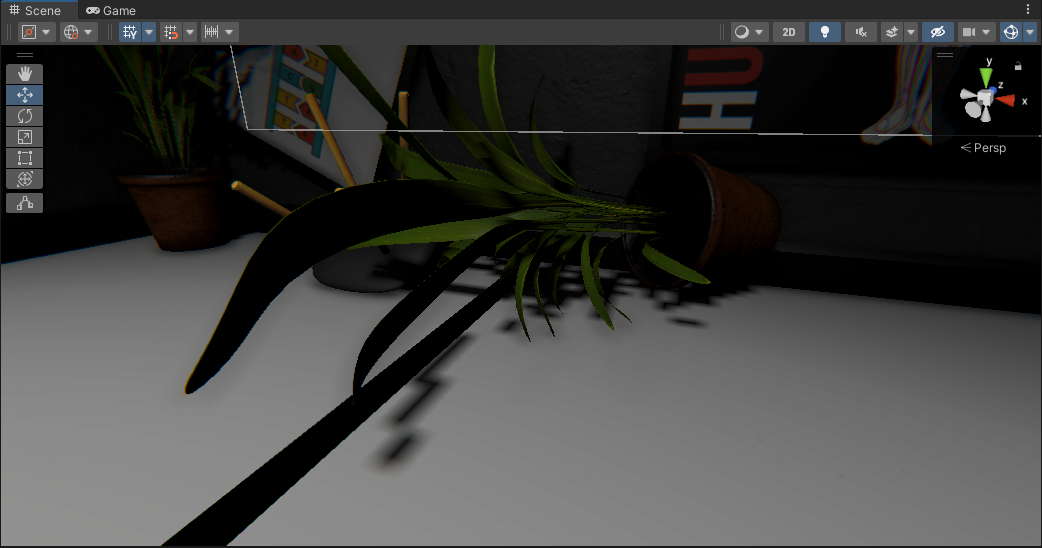 young flume
Hey guys, whats going on here?

Terrible light leakage and no settings fiddling can fix it

 prisma ferry
It looks like Spazi is not online right now, but probably knows exactly what it is. in the mean time, there are guides and info under the pinned messages
prisma ferry
Yeah, pretty much
chilly kettle
lean dagger
Hi. Do you have any suggestions to what I should do about lanterns like this one...
you can use light cookies, which in this case for a point light have to be a cubemap.
Normally you dont place lights into objects like this. You can fake the light with emission and add lights around your lamp.
chilly kettle
young flume
Hey guys, whats going on here?
looks like your roof is just a "folded" 2D Plane? Does it have a volume?
To fix your problem you have to lower the normal bias.
deft fiber
lean dagger
Hi. Do you have any suggestions to what I should do about lanterns like this one...
You can disable shadow casting from each mesh renderer individually, so you would have to split it into multiple meshes to keep shadows on some parts
If you want prettier results you have a lot of options, as Kjarudi suggests using a light cookie to mimic the kind of soft shadowing you'd get in that situation, or with multiple lights around the light
I would avoid multiple shadow casting point lights due to the expense, but spot lights for each "window" of the lantern might look interesting
deft fiber
young flume
Terrible light leakage and no settings fiddling can fix it
It probably can't be fixed with settings tweaking alone if your geometry has many seams in it, be they gaps or edges with sharp normals
For seamless shadow casting you'd always prefer to use as much continuous geometry as possible, with smooth normals
If you need sharp normals, you can split the mesh in two, one shadowless for appearance, and another shadows-only with smooth normals and no seams
deft fiber
thorny goblet
What can i do about this, Directional lights shadows look good, points lights lo...
It looks like you don't have soft shadows enabled and that your shadow resolution is very low and/or shadow distance is very high
chilly kettle
deft fiber
It probably can't be fixed with settings tweaking alone if your geometry has man...
uuh, i didnt think about using a shadow only mesh, thats good 
deft fiber
chilly kettle
uuh, i didnt think about using a shadow only mesh, thats good <a:peepoClap:78564...
Tbh it should be one checkbox to automatically split the mesh in two and automatically weld and smooth the vertices of the shadow mesh, no idea why it isn't
Quite a nightmare to do manually, especially when you've got LODs too
chilly kettle
yeah but its really a cool way, if it works with smoothed edges.
I always worked with additional shadow caster geometry arround my stuff that leaks lights.
deft fiber
chilly kettle
yeah but its really a cool way, if it works with smoothed edges.
I always worked...
It works on the same principle
Shadow caster primitives are still useful for padding gaps between different meshes, but may not be able to conform to complex shapes sufficiently
chilly kettle
true
dry pumice
so i dont know what i did, but when i turn a certain way, some random shadows appear and i dont know what i did to cause it. anyone able to help with it?


ok somehow i fixed it by changing the urp pipeline to forward and then back to deferred
yeah so all fixed
 late patrol
How would I make a darkwood type effect on a topdown 2d game? like specific object not visible unless a light2d hits them?
thorny goblet
deft fiber
It looks like you don't have soft shadows enabled and that your shadow resolutio...
I have shadows enabled, and tried the resolution at 8192. What do you mean by shadow distance?
deft fiber
thorny goblet
I have shadows enabled, and tried the resolution at 8192. What do you mean by sh...
Soft shadows enabled
Shadow distance is a lot what it sounds like
https://docs.unity3d.com/Manual/shadow-distance.html
 idle bramble
Hi, question, When I bake I'm getting these white spots on my terrain from my trees. Any idea what setting is making this happen?

 deft fiber
idle bramble
Hi, question, When I bake I'm getting these white spots on my terrain from my tr...
deft fiber
idle bramble
Hi, question, When I bake I'm getting these white spots on my terrain from my tr...
Looks like texel invalidity, likely because of the exposed backfaces under the branch geometry
https://forum.unity.com/threads/lightmapping-troubleshooting-guide.1340936/
c.15
 muted pasture
is there a way to get beams of light in here? like maybe through volume?
 vestal canopy
muted pasture
is there a way to get beams of light in here? like maybe through volume?
vestal canopy
muted pasture
is there a way to get beams of light in here? like maybe through volume?
Its different based on your render pipeline. Which one are you using?
muted pasture
vestal canopy
Its different based on your render pipeline. Which one are you using?
sorry im a begginer, whats the render pipleine?
vestal canopy
muted pasture
a 3D
You need to get a custom asset for volumetric fog. It is not supported by default. Only unity hdrp has volumetric fog out of the box.
idle bramble
deft fiber
Looks like texel invalidity, likely because of the exposed backfaces under the b...
@deft fiber Thanks, I already had double sided enabled in my material.
 deft fiber
idle bramble
<@166982635950702592> Thanks, I already had double sided enabled in my material.
deft fiber
idle bramble
<@166982635950702592> Thanks, I already had double sided enabled in my material.
I believe this option in shader graph might not affect GI, but the mesh renderer's double sided shadow casting property should
Still you should confirm texel invalidity issues with the scene view's debug view for texel validity
idle bramble
@deft fiber I don't see a double sided shadow casting option on my mesh renderer. If I want to check textel invalidity, where would I go here?

Oh it's in scene view, got it;
 deft fiber
idle bramble
Oh it's in scene view, got it;
deft fiber
idle bramble
Oh it's in scene view, got it;
You need to have baked in the session
Also could show mesh renderer component
idle bramble
Baking...
 deft fiber
idle bramble
Baking...
deft fiber
idle bramble
Baking...
"cast shadows"
idle bramble

Went to cast shadows and set to 'double sided', did a quick render, I think the white spots are still there. Doing a higher quality bake now.
I still get them with cast shadow OFF :/
simple pollen
hey guys im having an issue, in my original scene (left one) I have soft shadows, after this i copy pasted the asset folder to a different unity project but got these very hard shadows, even though I use the same Post process and sky and fog volume

 deft fiber
idle bramble
Went to cast shadows and set to 'double sided', did a quick render, I think the ...
deft fiber
idle bramble
Went to cast shadows and set to 'double sided', did a quick render, I think the ...
Are you sure you got texel invalidity with cast shadows set to double sided?
idle bramble
@deft fiber Double sided and baked;
 dry pumice
is there any way to stop the light from going through the probuilder map? i did flip normals on it but i dont know if theres a way to fix the light issue
 deft fiber
idle bramble
<@166982635950702592> Double sided and baked;
deft fiber
idle bramble
<@166982635950702592> Double sided and baked;
Hard to say
Enabling two-sided shadow casting even with render face: front avoids that issue, both with default shaders and SG shaders
I'd try to verify that you're modifying the correct assets / gameobjects
In case the trees in questions have prefab overrides that ignore your prefab changes, or something similar
deft fiber
dry pumice
is there any way to stop the light from going through the probuilder map? i did ...
It's a bit hard to see what the issue is
The lights are below this particular room? If so, shadow casting must be enabled so light can be occluded by geometry of the room below this one
Assuming there is one
deft fiber
simple pollen
hey guys im having an issue, in my original scene (left one) I have soft shadows...
Post only to one channel
As you were told, you are missing ambient lighting which is tied to scene data
dry pumice
deft fiber
It's a bit hard to see what the issue is
The lights are below this particular ro...
how do i enable shadow casting
also yes there is lights and a room below this room
deft fiber
dry pumice
how do i enable shadow casting
It's a property of the light component
Individual meshes and the graphics settings also have an option for shadow casting that must be enabled, but by default those should be on
simple pollen
deft fiber
Post only to one channel
As you were told, you are missing ambient lighting whic...
What do you mean with post only to one channel?
Oh
Yeah ok
simple pollen
deft fiber
Post only to one channel
As you were told, you are missing ambient lighting whic...
Didn’t see anything missing in my lighting settings tho
deft fiber
simple pollen
Didn’t see anything missing in my lighting settings tho
https://docs.unity3d.com/Manual/lighting-ambient-light.html
Ambient light for the scene is generated from the Lighting window using the Generate button
Realtime GI and Baked GI should be disabled for this operation unless you intend to use either those workflows
shell juniper
simple pollen
hey guys im having an issue, in my original scene (left one) I have soft shadows...
Looks like a lack of Indirect diffuse
Try hitting generate lighting in the lighting tab. (turn off baked or realtime GI though since I assume you don't want to lightmap everything)
Just realized Spazi literally just said what I did. Oops 🤦♂️
deft fiber
shell juniper
Just realized Spazi literally just said what I did. Oops 🤦♂️
same brain 🧠
wraith quail
Is there anything that would make precompute GI less performant than not building it and just using the realtime lighting(which has a single ambient value and doesnt look as good)? Besides memory overhead
night shell
wraith quail
Is there anything that would make precompute GI less performant than not buildin...
having too many lightmapped objects, having a high indirect/cluster resolution, having a high irradiance budget
as for how much is too much honestly depends on the target hardware your shooting for
wraith quail
okay, we have a rather large levels, been trying to solve the neutral ambient value, and found that precomputed has very nice visual results.
And addressing it with exposure dims exterior lighting and it just looks strange
wondering what the limits are, when using like low quality settings
night shell
the limits again will come with the hardware, and given I don't know what your shooting for its hard to say. But just use the profiler and measure performance
but to keep things simple and safe, just lightmap/precompute ONLY large geometry
and have everything else be lit by probes or lppvs
wraith quail
okay, yeah, just picked up Magic Probe, and its really great for algorithmically placing probes through subscenes, so im going to take all props off the precomputed clusters
night shell
magic probes is good for that as well, but don't forget also that you have access to Light Probe Proxy Volumes, which is a handy feature if you need to make large geometry look properly shaded
but as long as you follow that general rule things should be still fairly light
I mean mirrors edge cataylst had precomputed enlighten GI tech for an entire city so it's definetly possible
but anyway just keep the amount of geometry marked as contribute GI static to an absolute minimum (only large geometry that would significantly affect a given area, general rule is if an object is smaller than two texels when looking at it in the "Systems" scene draw mode under realtime precomputed GI then there is no reason to have it), and have everything else be lit with probes. A single probe will do it for 95% of objects (you also have an "anchor override" to control what probes are picked for a given object), but for some you also Light Probe Proxy Volumes, which can be used for larger objects (hell you can even "cheat" and have some large geometry not be marked ContributeGI static at all but be lit with this and it would suffice). The less you are lightmapping/baking/precomputing the better
pallid karma
Not entierly sure why the lights here aren't making any shadows

and baking doesn't do anything either
However it works over in this part of the scene?

as a side note, should I be concerned about this at all?

well I found that the issue was that the plane wasn't static, but now all light is just gone. How do I keep breaking things :(
 night shell
pallid karma
as a side note, should I be concerned about this at all?
night shell
pallid karma
as a side note, should I be concerned about this at all?
honestly no
its just a note that should only concern you if you are lightmapping, basically saying that the object is already big enough, and it can't allocate more "lightmap resolution" to this object because its already taking up an entire lightmap atlas
but that has nothing to do with your issue atm
pallid karma
doesn't 'generate lighting' mean i'm using lightmapping?
night shell
yes
pallid karma
Honestly I'm not too certain about all this
night shell
your issue looks like it doesn't have anything to do with lightmapping or such, just more to do with the lights and meshes in the scene
are the meshes in your scene set to shadow casting?
do they have shadow casting, and/or reciving shadows enabled on them?
pallid karma
Changing them off of static has them working fine
'contibute global illumination' was off, will see if that does anything since my other objects have that on
although what are you supposed to do with large scenes if you want to lightmap but there isn't enough space on the atlas?
doing the same thing :/
It's set the cast shadows, but now the whole thing is messed up

the hell
I think I'm just going to stay away from baking lights for the time being since it's not liking me today X/
 pallid karma
although shadows shouldn't just not exist if not baked surely

ah, there was another setting to enable
baking it still looks odd though. What actually is going on here to cause this weird square?
 median vine
Not sure if anyone here uses Bakery but I'm getting weird texturing on walls when I bake.. Max resolution 2048, bounces 5, samples 64.

Sometimes I suffer from this issue when not using bakery aswell
deft fiber
median vine
Not sure if anyone here uses Bakery but I'm getting weird texturing on walls whe...
Looks like the mesh doesn't have lightmap UV generation enabled
deft fiber
pallid karma
baking it still looks odd though. What actually is going on here to cause this w...
Definitely looks like your meshes still don't have lightmap UV generation enabled
pallid karma
I enabled the ‘generate uv lightmaps’ thing last time around, I’ll check to see if it’s on the new geometry or not
deft fiber
pallid karma
I enabled the ‘generate uv lightmaps’ thing last time around, I’ll check to see ...
Is it a ProBuilder mesh, per chance?
pallid karma
Nope, imported from blender
pallid karma
could it possibly be something to do with my lack of light probes around the object?
goodness me
 deft fiber
Now the lightmap UVs look correct
https://docs.unity3d.com/Manual/GIVis.html
Remember to use scene window's debug view modes for "texel validity" and "uv overlap" whenever there are odd visual problems
pallid karma
didn't know about those
with UV overlap on, and texel validity. I haven't got a clue what any of this means, but I assume the red is bad

 deft fiber
pallid karma
with UV overlap on, and texel validity. I haven't got a clue what any of this me...
deft fiber
pallid karma
with UV overlap on, and texel validity. I haven't got a clue what any of this me...
Basically, a lightmap texture pixel is invalidated if it has a line of sight to a polygon backface
pallid karma
ah, that'll be this stairway then


although the red around the objects on the lefthand side, could that be why the shadows aren't properly on the edge?
 deft fiber
pallid karma
although the red around the objects on the lefthand side, could that be why the ...
deft fiber
pallid karma
although the red around the objects on the lefthand side, could that be why the ...
Yes, if 3D objects overlap the front faces and backfaces often end up facing each other
It's not strictly a bad thing in controlled amounts
An invalid texel simply uses the nearest valid texel as its color
pallid karma
so to avoid that would I need to have them perfectly aligned?
deft fiber
https://forum.unity.com/threads/lightmapping-troubleshooting-guide.1340936/
In chapter 15.2.4 you can see how invalidated texels can look better than if they were "validly calculated"
deft fiber
pallid karma
so to avoid that would I need to have them perfectly aligned?
I don't think it's an issue in the small amount you have
pallid karma
although it does look kinda odd
if possible I need shadows to be fairly accurate since they are involved in the mechanics of the game
deft fiber
pallid karma
if possible I need shadows to be fairly accurate since they are involved in the ...
The ideal is to use continuous geometry, like the walls on the right, rather than separate pieces
pallid karma
the final level will all be one big piece of geometry fortunately, so that shouldn't be an issue
it's just that that geometry has some crazy lighting issues
although even that geometry does this

For the time being I'll just try and fix those backface issues in blender, work on getting the rest of the game sorted then fix up lighting issues at the end
I'll be removing that scene on the left so if that's contributing at all to these issues it shoudn't do later on
deft fiber
pallid karma
it's just that that geometry has some crazy lighting issues
This is not a lightmapping issue, but a result of bias of realtime shadows from the Mixed lights sometimes referred to as "peter panning"
pallid karma
So much new terminology  .
.
Is that something I’ll be able to address?
deft fiber
pallid karma
So much new terminology <:notlikethis:1068134558123442236> .
Is that something I...
Bias settings can help it somewhat, but it's mostly prominent just with very blocky and non-continuous geometry, like the blockout you have
So I wouldn't worry about it until later
pallid karma
Not too sure why that happens, surely shadows would work best when the geometry is simple?
Just, in my head I would have imagined it’s easier to project shadows when the geometry isn’t too complicated. Wasn’t expecting it to be the other way round
deft fiber
pallid karma
Not too sure why that happens, surely shadows would work best when the geometry ...
So you would think, but the tech is pretty complex
pallid karma
Definitely
In that case I’ll wait and see if it resolves itself later as I add more stuff
deft fiber
pallid karma
In that case I’ll wait and see if it resolves itself later as I add more stuff
While it might not resolve itself, you don't want to implement fixes that work for the blocky temp geometry but could turn out to be detrimental for the final assets instead
At that point you'll want to look into how bias values affect shadow casting and how they should be tweaked
pallid karma
I’ll give it a look, it’s all getting rather confusing. Might take me a while to grasp all of it
deft fiber
pallid karma
I’ll give it a look, it’s all getting rather confusing. Might take me a while to...
As I mention it'll be relevant later when you're replacing the blockouts
 supple coyote
hello, I bake the lightmap on my scene. Few models are going very very dark. I find to enable generate lightmaps UV but I can't. I got a warning
"Could not pack uvs, most likely Pack Margin is way too high. Aborting uwrap"
The objects whos going very dark after baking lightmaps are one big fbx (400mb) which contains many many submeshes

is the model bad, or I did something wrong? Other objects are ok after baking
and I have this warning on this dark objects
 deft fiber
supple coyote
is the model bad, or I did something wrong? Other objects are ok after baking
deft fiber
supple coyote
is the model bad, or I did something wrong? Other objects are ok after baking
Maybe they are too complex to get lightmap UVs, or something else is up with them
I wouldn't prefer to try for meshes that complex anyhow
Instead I would set the Receive Global Illumination to Light Probes and add some probes around the scene
 loud gazelle
hey, can someone help me with rendering lighting and shadows?
For whatever reason it always looks weird. Surfaces that are sharp start to look rounded and objects that are only one color are also looking very bad.
PS: I don't know if this is the right channel, if not, please tell me :)
screenshots for reference:

 deft fiber
loud gazelle
hey, can someone help me with rendering lighting and shadows?
For whatever reaso...
deft fiber
loud gazelle
hey, can someone help me with rendering lighting and shadows?
For whatever reaso...
Don't bother trying to lightmap small detail objects at all, and avoid lightmapping furniture also
Lightmaps excel only at architecture, as a rule of thumb
Your solid color walls may be missing lightmap UVs entirely
loud gazelle
I am not really understanding what you mean, I am a complete beginner. I just pressed generate lighting in the lighting tab and this is the result after half an our of baking
deft fiber
loud gazelle
I am not really understanding what you mean, I am a complete beginner. I just pr...
Don't set everything static
Tiny objects on a table or shelves, and the table and shelves should not be static
For lighting them you would instead use light probes
Small objects are also slow as hell to bake
Which is why they should preferably be excluded
loud gazelle
Imma look up a tutorial on light probes, but this issue also happens with bigger objects like walls as well
deft fiber
loud gazelle
Imma look up a tutorial on light probes, but this issue also happens with bigger...
If your walls don't get correct lights and shadow you should first look into lightmap UV issues
The ugly wobbly shadows are because of low samples and/or denoising issues but those might only affect the tiny objects that shouldn't be lightmapped anyway
loud gazelle
Makes sense, how do I check for lightmap UV issues?
median vine
deft fiber
Looks like the mesh doesn't have lightmap UV generation enabled
🤦♂️ Thanks I totally forgot about unwrapping the model because I forgot I had made it in blender
deft fiber
median vine
🤦♂️ Thanks I totally forgot about unwrapping the model because I forgot I had ...
No need to unwrap manually, enabling lightmap UV generation in mesh import settings does it automatically (and correctly)
 stark tulip
When I approach a wall, there is some lighting that randomly generates from random angles. How can I stop this?(First image when I am far from the wall, the second image when I hug the wall)

 loud gazelle
deft fiber
The ugly wobbly shadows are because of low samples and/or denoising issues but t...
loud gazelle
deft fiber
The ugly wobbly shadows are because of low samples and/or denoising issues but t...
I just made all the smaller objects non static and they are very dark. Also the ugly wobbly shadows havent been fixed even tho I now use 4 times as many samples
64 direct samples and 1024 indirect samples
median vine
deft fiber
No need to unwrap manually, enabling lightmap UV generation in mesh import setti...
🙏 Thanks I'll try that next time
median vine
deft fiber
No need to unwrap manually, enabling lightmap UV generation in mesh import setti...
Any idea how to fix these? It is properly unwrapped this time


Checkers are weird here like they aren't lining up

Not sure if thats part of the issue
median vine
It's almost like these edges aren't being unwrapped properly

 chilly kettle
median vine
Checkers are weird here like they aren't lining up
chilly kettle
median vine
Checkers are weird here like they aren't lining up
do you have overlapping UVs?
median vine
chilly kettle
do you have overlapping UVs?

(Yes I know this isn't optimized at all I'm just trying to figure out why the lighting trippin balls)
chilly kettle
Thats not the lightmap.
median vine
Oh the lightmap uvs
chilly kettle
Show your lightmap with overlapping UV debug view. I guess there is a bunch of red areas ^^
 chilly kettle
UV Overlap
median vine

 chilly kettle
hmm.. weird
median vine
Shit hold on I left the previous preview on lol
Yeah still the same thing
It's also odd that only the corners are getting any light yet the whole strip is emission
chilly kettle
So. Normally your kind of light leak is caused by overlapping lightmap UVs.
What are the settings of your "generate lightmap uv" in the import settings of the model?
median vine
... I may have not even been using generate lightmap uv in the import, I put it on the wrong model.

This is what I have after enabling it 🤦♂️
chilly kettle
median vine
it wasnt enabled?
chilly kettle
lol
median vine
Should I see how it looks after enabling it?
chilly kettle
No
Enable > Apply > Rebake.
And the settings you have there are not right.
Set the Min Lightmap Resolution to the Resolution you bake your Lightmap


 dusky nacelle
is there any simple way to swap between the baked lightmaps of day and night?
 pure vine
dusky nacelle
is there any simple way to swap between the baked lightmaps of day and night?
pure vine
dusky nacelle
is there any simple way to swap between the baked lightmaps of day and night?
Let's learn how to change baked lights in Unity during runtime!
Useful links:
pure vine
dusky nacelle
is there any simple way to swap between the baked lightmaps of day and night?
there is no transition between? just day and night?
lean dagger
pure vine
there is no transition between? just day and night?
is there any way to do it with transition?
oh nvm
pure vine
lean dagger
is there any way to do it with transition?
You want baked light changing realtime?
lean dagger
nah I realised the question was dumb
pure vine
It's not actually
 wheat oak
I'm trying to create a PSX style game, the flashlight is pretty decent for my standards... at least thats what I would say if when I built the project, it completely messed up. I can't really explain very well, so I suggest looking at the video
 muted tinsel
Is there anyone who wouldn't mind taking a look at a scene in my project and giving me pointers on how to make the general lighting more atmospheric? I know very little on the subject and feel as though I could use some pointers
night shell
muted tinsel
Is there anyone who wouldn't mind taking a look at a scene in my project and giv...
you could post some examples/screenshots here...
muted tinsel
Of course

It's a 2.5D game, so I don't need it to be overly complex, but still, I feel like I could do better
 maiden hare
i converted my game to use the URP but when i build the project the lighting looks very different on the built webGL game versus what is seen in the editor. It is a lot brighter in the editor, any ideas?


theres not really much lighting effects or any post processesing being applied this game is pretty naked
night shell
muted tinsel
Of course
honestly I think it looks great, but if you are shooting for something with atmosphere then you need to look into fog solutions
wait are those mountains in the background?
muted tinsel
night shell
wait are those mountains in the background?
Indeed, they are