
#archived-lighting
1 messages · Page 27 of 1
 sharp glen
the first one is from inside and the 2nd one is on the outside, as you can see, the lights are visible thru the lights. It wasn't like that earlier
before I changed the normal mapping etc
 deft fiber
What is the shader?
sharp glen
deft fiber
What is the shader?
wdym
deft fiber
What shader is your material using
When you send screenshots, crop them less than you have so far
Clues are being cut out
sharp glen
 sharp glen
deft fiber
What shader is your material using
sharp glen
deft fiber
What shader is your material using
does this answer?
deft fiber
It does not
The shader used by your material should be visible at the top of this inspector view, out of sight here
It seems to be a nonstandard shader, and it would be important to figure out why it's used here and how it works
 finite kiln
How i can make it be same thickness?

 deft fiber
finite kiln
How i can make it be same thickness?
deft fiber
finite kiln
How i can make it be same thickness?
That's a wholly different challenge
The sprite would have to change shape relative to its size
finite kiln
deft fiber
That's a wholly different challenge
The sprite would have to change shape relati...
is there any way without sprite?
deft fiber
It's usually done with shader math with a signed distance field
sharp glen
deft fiber
The shader used by your material should be visible at the top of this inspector ...

here
deft fiber
sharp glen
This is the mesh renderer, not the material
sharp glen
deft fiber
This is the mesh renderer, not the material
sorry didn't realise the materials were not pressed but that is what you mean tho right?
deft fiber
No
It seems you need to get familiar with the basics of materials, shaders and asset editing in general
!learn
 tawdry schoonerBOT
:teacher: Unity Learn ↗
Over 750 hours of free live and on-demand learning content for all levels of experience!
 lapis frost
Is it possible to use 2D lights and 3d lights in same scene using 2D Renderer?
I have some 3d objects in my scene that I want to light. (The majority of the games assets are sprites with 2d lighting)
deft fiber
lapis frost
Is it possible to use 2D lights and 3d lights in same scene using 2D Renderer?
Not practically
2D Renderer disables all 3D lighting related rendering features for no discernible reason
If you implement your own lighting calculations, they will work, but you don't have access to functions like "get additional lights" so unless you implement those too you'd be limited to a fixed number of lights
lapis frost
thank you for answering! thats not great news lol. dang..
appreciate the explanation and response 👍
maybe I should just give the 3d objects sprite lit materials so they are effected by 2d lights
Is there an equivalent of GetMainLight() for 2D lights?
deft fiber
lapis frost
Is there an equivalent of GetMainLight() for 2D lights?
The Sprite Custom Lit graph gives you access to the 2D light texture, which when multiplied with the main texture produces the lit result
lapis frost
thanks @deft fiber
deft fiber
If you choose to use a third party 2D lighting system those should allow use together with 3D lighting, in multiple render pipelines
But you might end up having to pay for one
lapis frost
interesting
is there one in particular you'd suggest me taking a look at?
actually i probably dont want to use a third party lighting system i think though
deft fiber
lapis frost
is there one in particular you'd suggest me taking a look at?
This one seems to be the highest reviewed and has the most features, even more than Unity's own 2D lighting
But it's also the most expensive and from what little I hear not as easy to set up
I have not used it or any other third party lighting solutions so I can't speak to them more than that
lapis frost
No worries! I appreciate showing me that. Im going to see what applying a sprite lit material to the 3d object looks like with 2d lighting
 muted pasture
Could it be possible to make sort of god rays using unity lighting?
I have a window with bars on it and I want the light to sort of flood in through rays
 timber lichen
muted pasture
Could it be possible to make sort of god rays using unity lighting?
timber lichen
muted pasture
Could it be possible to make sort of god rays using unity lighting?
Definetly, loads of tutorials online, depending on whether its 2d / 3d and what render pipeline you are using.
Any clues as to why this Spot Light lighting is treating these two meshes differently, they are both using the same exact material


 azure lagoon
https://i.imgur.com/jr1f6GV.png
Got around implementing the cube using that script, but I eventually ran into other issues like scene lighting still affecting the prefabs, so I did need to use light layers for them. Previously I thought light layers were tied to your usual layers which is why I've been avoiding them, but it turns out that is not the case. I think for this situation, or for my specific requirements, that these light layers may just have been enough to solve the overall problem, but the script is still pretty useful to craft stuff on secondary scenes to ship it over.
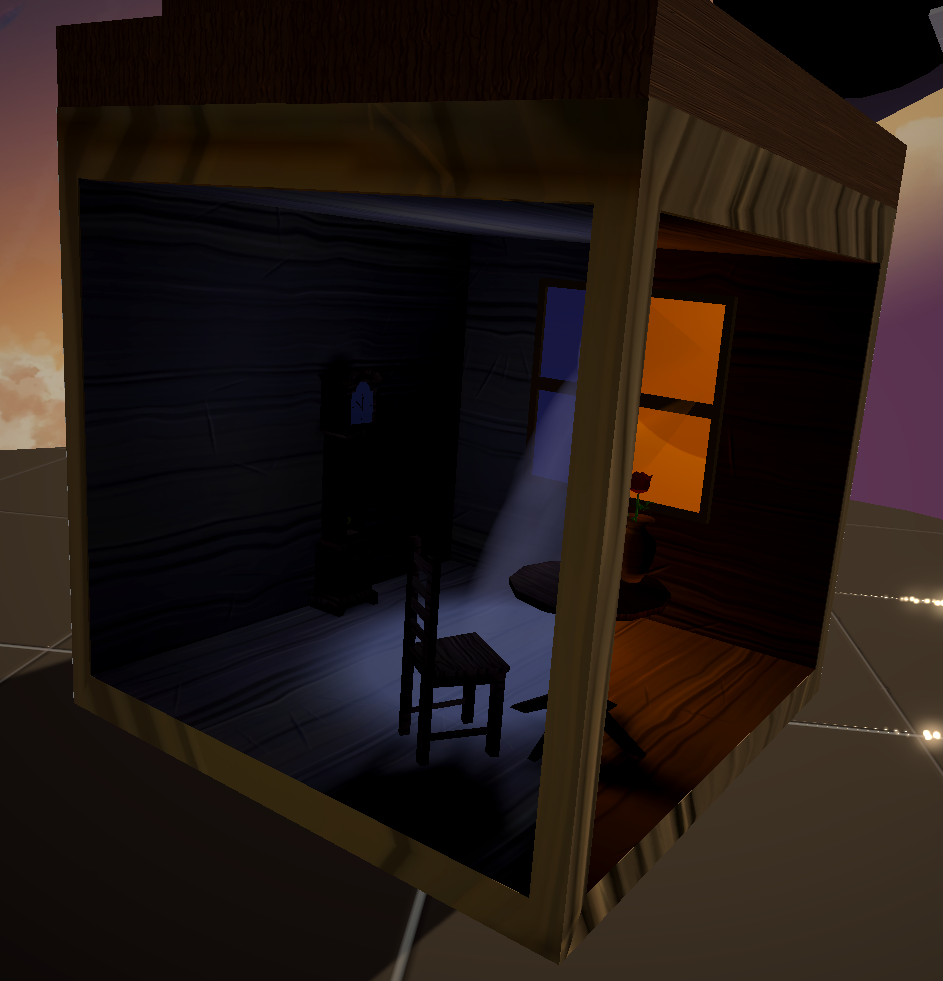
now if they can separate rendering layers with physic layers that would be great
deft fiber
azure lagoon
https://i.imgur.com/jr1f6GV.png
Got around implementing the cube using that scri...
oh good ^^
That example is showing both light layers and prefab lightmapping in action?
azure lagoon
deft fiber
oh good ^^
That example is showing both light layers and prefab lightmapping in ...
Yeah, works better than expected considering every single tutorial on this stuff disables them
 strange sun
Hey guys, I'm using URP and for some reason only directional lights work, but not point lights or spotlights. I've building with andriod for the quest 2. Any help would be really appreciated cause I've looked everywhere online and have found no solution

I'm trying to make a model solar system and want to put a point light in the sun so all of the planets are illuminated correctly
deft fiber
strange sun
Hey guys, I'm using URP and for some reason only directional lights work, but no...
I wish this screenshot was less cropped
Do you have lighting enabled in the scene view? Can you show the directional light action at the same time?
strange sun
sure
strange sun
deft fiber
I wish this screenshot was less cropped
Do you have lighting enabled in the scen...
Lighting is def enabled, here's a directional light
 deft fiber
strange sun
Lighting is def enabled, here's a directional light
deft fiber
strange sun
Lighting is def enabled, here's a directional light
Everything seems to be in order
Next place I'd look in are your currently active URP settings
To ensure additional/punctual/pixel lights are enabled and not limited
strange sun
deft fiber
Everything seems to be in order
Next place I'd look in are your currently active...
where do I find these?
deft fiber
strange sun
Hey guys, I'm using URP and for some reason only directional lights work, but no...
They seem to be the assets visible here in Project window
Note that your quality levels in Project Settings > Quality determine which one your editor and build will use
strange sun
Ah so it will be on low as it's building for android

I assume that's what the green tick means?
deft fiber
strange sun
I assume that's what the green tick means?
Yes, the brighter horizontal bar means the one your editor is using right now, and you can simply click one of them to change that although now it is correctly on Low
Then you see an URP asset reference field below that table for that quality level
Clicking it brings you to that specific asset so in Project you can edit it in Inspector
strange sun
deft fiber
Yes, the brighter horizontal bar means the one your editor is using right now, a...
I've got some other strange happenings now lol

the earth is 2000 units away from the light source

If I increase the intensity by 1 then the earth suddenly looks like this lmao
Any idea on what's happening here?
deft fiber
strange sun
the earth is 2000 units away from the light source
Unity's lights aren't designed to work on those distances
strange sun
right ok, I'll just scale everything down then
strange sun
deft fiber
Unity's lights aren't designed to work on those distances
what kind of scales should I be looking at?
deft fiber
strange sun
what kind of scales should I be looking at?
In my experience 100 range max if you expect shadows of any quality even at 4k shadowmap
Max 400 without shadows but that's stretching it
URP does not have the dynamic range to allow you meaningfully lit objects across that distance with its light distance attenuation
strange sun
Anyway to disable the attenuation or change the curve?
Or is there an easier way to do this lighting without using a point light?
The problem with the directional light is that the planets are orbiting the sun so the direction needs to change
deft fiber
strange sun
Anyway to disable the attenuation or change the curve?
Not any nice way
 mint patio
Hello everyone ! As you can see I have small lights gaps here, anyone can help me ?

 chilly kettle
mint patio
Hello everyone ! As you can see I have small lights gaps here, anyone can help m...
chilly kettle
mint patio
Hello everyone ! As you can see I have small lights gaps here, anyone can help m...
Hey! Check the Bias of your light source, maybe this aleady helps 🙂
mint patio
chilly kettle
Hey! Check the Bias of your light source, maybe this aleady helps 🙂
I already set the bias to 0 :(

 chilly kettle
mint patio
chilly kettle
mint patio
are the meshes very small sized?
mint patio
0.2 ; 0.2 ; 0.2
 fallen jacinth
light settings in prefab, can it be mixed by light probes adjust/swap or blend to show you mix light effect, we have this animation, detail how this to use to get it switchable baked settings URP (swap, but not to reload a clone scene other light settings)? https://github.com/Ayfel/PrefabLightmapping

GitHub
Script for saving lightmapping data to prefabs. Used through the Assets tab in Unity. Place your prefbas in the scene with this script at the root. Set up your lighting and in the editor go to Asse...
chilly kettle
mint patio
0.2 ; 0.2 ; 0.2
Thats your scale i think? That could mean anything.
If you import something thats 1x1x1 meter and scale it to 0,2 its much bigger than something you import with 0.1x0.1x0.1 meter and scale it to 0.2 ^^
If your mesh is very small, this could cause this shadow too
chilly kettle
mint patio
0.2 ; 0.2 ; 0.2
What you can also check is the shadow resolution
mint patio
chilly kettle
Thats your scale i think? That could mean anything.
If you import something that...
the default plane is way too large (10x10x10), that's why i downscaled it
mint patio
chilly kettle
What you can also check is the shadow resolution
How do I change that ?
chilly kettle
mint patio
How do I change that ?
in your render pipeline asset
mint patio
chilly kettle
in your render pipeline asset
😳
chilly kettle
mint patio
How do I change that ?
https://www.youtube.com/watch?v=y_vw-jzuNs0
I explained the way to find it here at 0:40
There is the Shadow resolution a little above the slider i am using there ^^
 chilly kettle
mint patio
chilly kettle
mint patio
how? 
chilly kettle
Are you using build in render pipeline?
 chilly kettle
well, i dont know what settings you had before, maybe you should go back if you have not planned to use urp ^^
maybe @deft fiber has a clue ^^
fallen jacinth
mint patio
you can upgrade project build in materials into urp in menu->settings->rendering->urp convert, but without special shaders
Edit > Render Pipeline > Universal Render Pipeline > Upgrade... ^OR^ Window > Rendering > Render Pipeline Converter
mint patio
Problem fixed ! Ty @chilly kettle and @fallen jacinth
 deft fiber
URP is better than BiRP at small object shadows, but it's far from immune from the issue
You usually have to turn shadow resolutions prohibitively high and biases extremely low for the gap to disappear
The only surefire way to defeat it as far as I know is to make walls and floors from continuous geometry, preferably with merged normals with the help of bevels
mint patio
deft fiber
You usually have to turn shadow resolutions prohibitively high and biases extrem...
I made my wall with a lot of Plane :
 chilly kettle
mint patio
chilly kettle
mint patio
interesting approach 😄
mint patio
That's not the right way to proceed?
chilly kettle
Did you hear from Blender? ^^
deft fiber
mint patio
Pretty wild
chilly kettle
Normally you use a 3D Modelling tool like Blender or Unitys ProBuilder (for very simple stuff)
mint patio
chilly kettle
Did you hear from Blender? ^^
I started Unity 2 days ago, so I don't know how to make and import 3D objects 😅
mint patio
chilly kettle
Normally you use a 3D Modelling tool like Blender or Unitys ProBuilder (for very...
oh ok
deft fiber
Well better to go balls to the wall in days than to mull over details for years isn't it
Fundamentally I don't think there should be a difference to using planes this way instead of cubes other than a much higher polycount, and them being unaffected by Bias, only reacting to Normal Bias
mint patio
deft fiber
Well better to go balls to the wall in days than to mull over details for years ...
Yes, that's true, but we must admit that it's not just a minor detail. Seeing light pass through a wall is indeed very ugly
chilly kettle
if you want to stay in unity, have a look at probuilder. i also wrote you a PN with some info
mint patio
chilly kettle
if you want to stay in unity, have a look at probuilder. i also wrote you a PN w...
Yes, I think I will definitely start using it. It took me about 20 minutes to make my wall x)
fallen jacinth
fallen jacinth
light settings in prefab, can it be mixed by light probes adjust/swap or blend t...
(see previous animation), scene from designer to c# programmer, but differences are huge the light probes fails, adapt values, lights wrong rotated blender to unity, see the first how it schoud be, a-a-a- mixed backed light probes: now looking a working sample of prefablightmapping ?
 minor flame
Is there a way I can get rid of the glossiness while still like keeping shadows, all solutions I found just got rid of shaddows and had horrid lighting
 deft fiber
minor flame
Is there a way I can get rid of the glossiness while still like keeping shadows,...
deft fiber
minor flame
Is there a way I can get rid of the glossiness while still like keeping shadows,...
You could turn smoothness and AO of the material to 0
minor flame
thx
fallen jacinth
prefablighting baked only lights settings no mix, another try in the editor go to Assets->Bake Prefab Lightmaps

 thorn hill
Hi! I'm planning to bake my scene but it looks like everything is too bright, I'm expecting the baked lighting should look like the same way as I have in the editor right now. I'm using Unity 2020.3.13f1 with URP & here are the settings attached. I noticed the light values are really high (100-300s) in the editor but it is the only way to achieve the look as I wanted before it's baked. Is there a way to bake the lighting to just look like how it is in the editor before it's baked?


 deft fiber
thorn hill
Hi! I'm planning to bake my scene but it looks like everything is too bright, I'...
deft fiber
thorn hill
Hi! I'm planning to bake my scene but it looks like everything is too bright, I'...
First ensure there's no lightmap UV overlap issues, and no texel invalidity either while you're at that
azure lagoon
deft fiber
First ensure there's no lightmap UV overlap issues, and no texel invalidity eith...
Do models with bad texels / overlapping uvs create performance problems with realtime shadows / lighting at all? I get a few warnings for some models I'm too lazy to fix but visually they look fine.
chilly kettle
azure lagoon
Do models with bad texels / overlapping uvs create performance problems with rea...
No problems.
Often you can ignore it, if it looks fine
azure lagoon
ay ty. I think the problem is I forgot to unwrap the uvs on some stuff
mostly just solid color'd doodads though (also using a lot of world uvs)
chilly kettle
well, you can still unwrap and bake again ^^
azure lagoon
x_x
chilly kettle
<@&502884371011731486> - again this thingy that gets through the Bot ^^
 mellow sierra
!ban 961957337051045888 bot
tawdry schoonerBOT
 pet1suis was banned.
mellow sierra
Weird the bot isn't picking it up as accurate. Maybe they found the right combination of scam.
chilly kettle
Possibly 😠
timber lichen
been trying to figure it out for 2 days now but when ever I try to add light into my scene its not working at all. im new to unity and trying to figure out a fix 
 chilly kettle
timber lichen
been trying to figure it out for 2 days now but when ever I try to add light int...
chilly kettle
timber lichen
been trying to figure it out for 2 days now but when ever I try to add light int...
Do you have some more info?
Realtime or baked?
timber lichen
I have tried both realtime and baked with the mode but still just no lights. turning up the intensity doesnt do anything. Could it maybe be something under the Lighting? My lights just arent working in general.
 quiet lava
could use some guidance
ive been working on this world for a couple days, baking and everything is great, looks good. open it a random day to work on things, i rebake lights and now its not baking anything and throws this error. ive tried all the solutions to it online but nothing is getting this error off and my lights or anything dont bake anymore. pls help !! puts a hold on my world progress. ive always used bakery and it randomly started this mid project

 tulip tendon
do what the warnings say
quiet lava
tulip tendon
do what the warnings say
yes, i have, nothing bakes still
all meshes are static, it just randomly started mid project and on a clean one i tested it on
timber lichen
Would anyone be so kind as to help me identify whats wrong with the lighting / shadows in this area? Repeats itself in a couple of other places. I already have these materials set to recieve shadows. https://streamable.com/zactup
 azure lagoon
Question: If I want to bake shadows, but also keep on mixed lighting so I have real time shadows for specific units, is the idea here to turn on all shadow renders, bake, then turn the ones I don't want rendering shadow at runtime off? Or, is there another way to accomplish that since this seems quite excessive when you've got a lot of objects to bake.
I guess I could always start appending to some list of objects to quickly flip on and off
tulip tendon
quiet lava
yes, i have, nothing bakes still
all meshes are static, it just randomly started...
create new lighting data, clear any previously generated lighting and generate again
chilly kettle
azure lagoon
Question: If I want to bake shadows, but also keep on mixed lighting so I have r...
you could use a baked light and bake everything you want.
If you want just a few objects to throw a shadow, you could add a realtime light and use the culling mask, so your light only effects some of your models.
chilly kettle
timber lichen
Would anyone be so kind as to help me identify whats wrong with the lighting / s...
First you have a light limit on your mesh it seams. its standard set to 4 lights per mesh, thats why some lights are flickering. you can watch this tutorial to eliminate this: https://www.youtube.com/watch?v=y_vw-jzuNs0&feature=youtu.be

This video deals with the common problem of flickering or invisible lights in Unity.
If you also have the problem that your Unity lights flicker or become invisible depending on the viewing angle, this is the video for you.
Fixing the problem of flickering or invisible lights in a few seconds with a few mouse clicks
If you are interested in g...
chilly kettle
timber lichen
Would anyone be so kind as to help me identify whats wrong with the lighting / s...
The other problem you are facing is the shadow distance, which can be increased in the same window as the light limit (which is shown in my video)
timber lichen
chilly kettle
First you have a light limit on your mesh it seams. its standard set to 4 lights...
Hey Really appreciate the reply :))
I actually tried it out.
Shadows: https://streamable.com/95cmve
Lights: https://streamable.com/dzqlwh


didnt seem to solve the issue
the lights are still being weird despite putting them on deferred
and as for the shadows, it seems like something is still casting a shadow, despite that building being the only thing thats supposed to create one
chilly kettle
timber lichen
Hey Really appreciate the reply :))
I actually tried it out.
Shadows: https://...
first I would change the cascade count, your first cascade is very small, I guess that’s one problem
timber lichen
chilly kettle
first I would change the cascade count, your first cascade is very small, I gues...
That's done, but it hasn't made much of a difference :(
I'm not sure why, but this mesh is being treated differently from the one right next to it

doesnt make any sense to me :')
chilly kettle
Possibly it’s the mesh’s normal?
chilly kettle
timber lichen
I'm not sure why, but this mesh is being treated differently from the one right ...
But not sure. I just tag @deft fiber, he knows everything. 😂
 shell juniper
timber lichen
I'm not sure why, but this mesh is being treated differently from the one right ...
shell juniper
timber lichen
I'm not sure why, but this mesh is being treated differently from the one right ...
Check the normal debug view in the rendering debugger check if they look continuous or if there's a break
Also try disabling shadows for a second to see if that's the cause
deft fiber
timber lichen
doesnt make any sense to me :')
This is much unlike what we expect to see when using the deferred rendering path
I would first ensure that when you enable deferred rendering on the Renderer Asset, that the currently active URP Asset is using that specific Renderer Asset
Then check which material/shader the road is using, if it for some reason is rendered as transparent it will be subject to forward rendering's light limits
A possible reason for an otherwise opaque material to be made transparent is to allow for some kind of blending with its surrounding terrain
As Kabinet suggested it may give some clue to disable shadows on the lights, at least temporarily
Lighting and shadows are rendered in a different way from each other in deferred rendering, and may be subject to their unique limits (or bugs)
If your roads are generated at runtime, it's possible that there's some weird batching thing happening that gets them culled from the shadow rendering pass when they shouldn't
timber lichen
shell juniper
Check the normal debug view in the rendering debugger check if they look contin...
still the same in the debugger

No shadows: still the same

 timber lichen
deft fiber
A possible reason for an otherwise opaque material to be made transparent is to ...
timber lichen
deft fiber
A possible reason for an otherwise opaque material to be made transparent is to ...
I double checked the material and that im using the right renderer asset. One thing I should mention though is that im using an asset from the asset store to make the roads, EasyRoads3D, it uses a spline system to make the roads n such. I'm thinking maybe I can contact their support and ask, though this seems more generally related to unity, but I'm running out of solutions
deft fiber
timber lichen
I double checked the material and that im using the right renderer asset. One th...
What shader are they using?
timber lichen
deft fiber
What shader are they using?
custom shader that belongs to the asset pack
but it works similarly to the standard urp one
deft fiber
timber lichen
custom shader that belongs to the asset pack
How did you confirm that it's not rendered as transparent?
timber lichen
I swapped over to the URP shader
checked the material in transparent
then swapped back
deft fiber
timber lichen
checked the material in transparent
"Checked"? That doesn't seem to confirm it, unless the URP Lit shader as opaque also suffered from the same issue
timber lichen
deft fiber
"Checked"? That doesn't seem to confirm it, unless the URP Lit shader as opaque ...
Yes that's what I meant, the material in the standard urp shader as opaque still had the same issue
deft fiber
I see
The last thing that comes to my mind is whether the lights in the street lights are Unity's own lights or some custom component
timber lichen
what would I even do if the material on the custom shader was actually transparent and that was causing the issue?
timber lichen
deft fiber
I see
The last thing that comes to my mind is whether the lights in the street l...
just regular spot lights
deft fiber
timber lichen
what would I even do if the material on the custom shader was actually transpare...
Then the road meshes would be unable to benefit from deferred rendering's unlimited lights, unless they could be made opaque
I guess the last thing left to do is to contact the asset's support
It's always difficult to troubleshoot third party assets when you or we don't know how they work
timber lichen
yeah that's true, that's what I'll do now
deft fiber
If there's some way to turn the roads from procedural meshes into mesh assets, there may be a chance that'll help
timber lichen
I can actually finalize the meshes and turn it into one big mesh
but that's only after I'm sure that I won't be making any further changes
thank you all for your help, I'm sure I'll find a solution soon :)
 half plank
hello is there any command to set unlit shading mode?
deft fiber
half plank
hello is there any command to set unlit shading mode?
That doesn't sound very specific
You can swap your materials to Unlit ones, or disable lighting in scene view
half plank
on UE we have an start up console variable to set viewmode to unlit
deft fiber
half plank
on UE we have an start up console variable to set viewmode to unlit
Do you mean only in editor or also in build and just for debugging or as an effect?
half plank
debugging
only works in developemnt builds
im wondering if theres something similar
try to archieve unlit mode in a real build
deft fiber
half plank
debugging
ctrl + backspace would toggle the rendering debug overlay
That's probably the closest thing
It has among others the option for "albedo only" as material override
half plank
ok ty
chilly kettle
timber lichen
I can actually finalize the meshes and turn it into one big mesh
Did you figured it out? Im curious what the problem was.
timber lichen
chilly kettle
Did you figured it out? Im curious what the problem was.
No not yet :'[
Still trying to figure it out
timber lichen
anyone know how to change the shadowResolution for individual lights in URP?
in SRP it seems you can change the Light.shadowResolution judging by this video:
https://www.youtube.com/watch?v=4uFKwR0SrZo

One of the most popular optimization techniques is LOD, but rarely does anyone talk about LODing their lights. Lighting is one of the most expensive calculations in games today. In this tutorial, learn how you can apply the same concept of LOD to your lights to dramatically reduce the GPU load, boosting performance!
💸 Ongoing sales 💸
⚫ Check ou...
 vernal karma

anyone have any tips on increasing the lights intensity on the reflection probe?the windows do not reflect as much light onto the car paint as id likeand i do not want to turn up the overall intensity of the reflection probe
 lean shale
Does anyone know how to achieve this effect: https://forum.unity.com/attachments/lighting-gif.88460/
 deft fiber
lean shale
Does anyone know how to achieve this effect: https://forum.unity.com/attachments...
deft fiber
lean shale
Does anyone know how to achieve this effect: https://forum.unity.com/attachments...
URP 2D lighting with sprite lights can achieve that exact effect
If you want to avoid using the whole URP 2D renderer for some reason, you may be able to hack together something similar with decal projectors
lean shale
deft fiber
URP 2D lighting with sprite lights can achieve that exact effect
If you want to ...
I also bought Smart 2D Lighting because that had some really positive reviews
I'd assume you can definitely use that, too
I just struggle with manuals and cant find a video tutorial anywhere
deft fiber
vernal karma
Since you're using reflection probes, you cannot get interreflections from the window to the car paint or vice versa, both of them will simply reflect the probe's cubemap
Some render pipelines might expose the option to boost specularity per material over 100% but if not, your only option is likely to intensify the reflected light itself
Light layers and reflection probe overrides can effectively let you give only the car the brighter reflections
deft fiber
lean shale
I also bought Smart 2D Lighting because that had some really positive reviews
I don't use that one so I can't help with it
deft fiber
timber lichen
in SRP it seems you can change the Light.shadowResolution judging by this video:...
This video is not for any SRP, but for the built-in render pipeline
URP is an SRP (scriptable render pipeline)
URP stores a lot of its light settings in the UniversalAdditionalLightData component, which also contains additionalLightsShadowResolutionTier, which corresponds to URP's light resolution but is unfortunately read only
I don't know how to swap the tier at runtime but hopefully that'll get you a bit closer
Note that URP's rendering code is in the UnityEngine.Rendering.Universal namespace, and some parts of it is also split into the SRP core namespace UnityEngine.Rendering
vernal karma
deft fiber
Since you're using reflection probes, you cannot get interreflections from the w...
ok so i think i would have a workaround using bloom. is there a way a can make it so that bloom is culled out to certain objects? Like lets say i onmly want the bloom onto the car paint. I can make it super intense so those lights are brighter, but i dont want it applied to all the objects. How can i do it that way?
 deft fiber
vernal karma
ok so i think i would have a workaround using bloom. is there a way a can make i...
deft fiber
vernal karma
ok so i think i would have a workaround using bloom. is there a way a can make i...
No, post processing is fullscreen only
Personally I don't think that looks "brighter" in the way we expect brighter things to look
vernal karma
damn
do you have any adeas to workaround this issue?

Like in csr 2 their lights are bright
deft fiber
vernal karma
do you have any adeas to workaround this issue?
Which render pipeline are you using? A material's appearance is just as much in the material's properties as it is with the lighting around it, and the render pipeline gives you the tools of what you can do out of the box
Car paints are "clear coated" materials which have two layers of shine
The blue car doesn't seem to have a signifdicantly different material, rather it's environment reflections have better contrast
vernal karma
I am using built in
deft fiber
Well, I don't think that one has clearcoat option, though you may be able to find a custom shader for it
It's only necessary if you want a realistic car paint look
vernal karma
no i am using beffio's car paint shader which has clear coat and smoothness
deft fiber
Then you're not technically missing anything
And the result you have to my eye doesn't look unexpected at all, the environment itself just isn't very bright or contrasted
vernal karma
deft fiber
Then you're not technically missing anything

I think i solved it
i just balanced the smoothness and reflection intensity
thanks for the hint though
deft fiber
I'm glad if you're happy with the result
vernal karma
yeah
i just need to make the overall fidelity a lot better. i think this shot looks bad
im trying to make cars look like the cars in csr2
 barren yacht
Why is my spot light that im using for my flashlight making the terrian (floor) glow weridly once shined within range of it. If it goes close to the floor it lights a big area. Can anyone help me
deft fiber
barren yacht
Why is my spot light that im using for my flashlight making the terrian (floor) ...
It seems likely pixel light limit is exceeded, and/or that your lights are falling back to vertex lighting
This happens most commonly when you have too many lights affecting a mesh
If you can, try to find a better video recording tool
Windows 11 has one out of the box in the Snipping Tool
barren yacht
deft fiber
It seems likely pixel light limit is exceeded, and/or that your lights are falli...
I think it’s one of the only light sources in the scene
deft fiber
barren yacht
I think it’s one of the only light sources in the scene
Depending on what the light limit is set as, ones of light sources could still be exceeding it
But it's hard to say that with certainty, as I don't get many clues from that video
Is the light that appears even correlated to that spot light in position?
How many lights are there precisely? What kind of terrain it is, Unity's Terrain component or something else?
 golden crow
there's a really nice specular effect when i use realtime lighting in my scene which is gone after light baking. i want baked lights in my game so it can be optimized and easy to run, bu i want the specular effect. is there any asset i can use or some tips and tricks? so summarized question: can i achieve the same (or close enough) effect with baked lighting?

 barren yacht
deft fiber
Depending on what the light limit is set as, ones of light sources could still b...
barren yacht
deft fiber
Depending on what the light limit is set as, ones of light sources could still b...
Ill send another vid but its the only light and its not very demanding
chilly kettle
barren yacht
Ill send another vid but its the only light and its not very demanding
This video deals with the common problem of flickering or invisible lights in Unity.
If you also have the problem that your Unity lights flicker or become invisible depending on the viewing angle, this is the video for you.
Fixing the problem of flickering or invisible lights in a few seconds with a few mouse clicks
If you are interested in g...
 gloomy minnow
why does the shadow of the light component decrease in resolution when the camera angle is low, and increase resolution when the camera angle is high?
 rotund sparrow
Is there a way to make the transition between multiple baked objects smoother? This is what it currently looks like. You can see on the left is the doorframe and on the right is the room

I plan on switching to blender at some point because of ProBuilder's annoying issues but in the meantime it would be nice to have a fix for this
chilly kettle
rotund sparrow
Is there a way to make the transition between multiple baked objects smoother? T...
not used probuilder before. But did you create Lightmap UVs?
rotund sparrow
chilly kettle
not used probuilder before. But did you create Lightmap UVs?
It has an option to auto generate them. I'm assuming this effect is because of those then?
If it is I can just switch to blender right now I'm fed up of ProBuilder creating weird subdivisions and treating quads like n-gons for no apparent reason at times
chilly kettle
rotund sparrow
It has an option to auto generate them. I'm assuming this effect is because of t...
i would try it, i guess otherwise they just bake light on each other or share the same light on each tile.
you could check with the debug view "overlapping lightmap uvs"
rotund sparrow
Yeah the lightmap uvs are a bit off with probuilder's method I think I'll just do the swap now. I have pretty much everything to gain
My only issue was materials anyways. I know they'll look completely different in Unity
But I can always tweak them there
deft fiber
rotund sparrow
Is there a way to make the transition between multiple baked objects smoother? T...
The transition is "supposed" to be smooth with no action on your part
However, if you have a lot of disconnected geometry seams, lightmaps can easily leak from adjacent UV islands
deft fiber
gloomy minnow
why does the shadow of the light component decrease in resolution when the camer...
Enabling "conservative enclosing sphere" may improve the issue, but beyond that I'm not sure what could be causing it
I would try and see if a much lower shadow distance could have a positive impact, and also try to tweak shadow cascade count and thresholds
gloomy minnow
deft fiber
Enabling "conservative enclosing sphere" may improve the issue, but beyond that ...
conservative enclosing sphere, lowering shadow distance, and tweaking shadow cascade appears to have no effect
however, increasing light component's shadow resolution reduces the effect
deft fiber
gloomy minnow
conservative enclosing sphere, lowering shadow distance, and tweaking shadow cas...
Just to be sure check that the URP asset you're modifying is also in use currently in project quality settings as an active quality level
It seems lose the shadow resolution as more meshes come into view, as if the directional light would resize to fit them all
Using occlusion culling per chance?
gloomy minnow
deft fiber
Just to be sure check that the URP asset you're modifying is also in use current...
yes, i can see the effect of the shadow cascades as im modifying the URP asset, but the low res issue is still there.
gloomy minnow
deft fiber
It seems lose the shadow resolution as more meshes come into view, as if the dir...
occlusion culling is enabled (on main camera)
deft fiber
gloomy minnow
occlusion culling is enabled (on main camera)
Try disabling it
gloomy minnow
occlusion culling (on or off) appears to have no effect
deft fiber
Darn
gloomy minnow
it may be worth noting that the shadow resolution also decreases as the light radius increases
deft fiber
Oh it's a spot* light, I thought it was a directional light
What we see above is expected
Spot light shadow resolution starts suffering a whole lot at any angle above 90°
gloomy minnow
mhm
gloomy minnow
deft fiber
Spot light shadow resolution starts suffering a whole lot at any angle above 90°
so all spot light shadow resolution will suffer from the low camera angle?
where low camera angle == high spot light angle, and thats why we see this effect with both cases
at least, lowering the spot light angle seems to reduce the effect
deft fiber
gloomy minnow
so all spot light shadow resolution will suffer from the low camera angle?
So far I've never seen the camera's angle affect shadow resolution so I don't know why that seems to have an effect
And I can't seem to make it happen myself
gloomy minnow
hmm, i want to try and replicate this is a new project as well
deft fiber
gloomy minnow
hmm, i want to try and replicate this is a new project as well
Let me know if you find the steps to it, or if the new project seems to be missing the issue entirely
It's kinda weird enough that I'd suspect creating a new URP + Renderer Assets might even fix it, but at the same time it acts too logical as if it's a real feature even though I do not recognize it
rotund sparrow
rotund sparrow
This is huge wtf bookmarking this
Clearly something was wrong with ProBuilder's meshes... just built a quick remake in Blender and the way the light pours in is gorgeous. I cant believe I was missing out on this
chilly kettle
rotund sparrow
Clearly something was wrong with ProBuilder's meshes... just built a quick remak...
normally you just have ugly seams between modular pieces when baking.
After you merged them to one mesh now you should be fine ^^
deft fiber
rotund sparrow
Clearly something was wrong with ProBuilder's meshes... just built a quick remak...
ProBuilder's geometry can be a bit... sloppy, but it should "work"
The main thing about it is that the place to enable lightmap UV generation is different from imported meshes so it's easy to miss
ProBuilder is not something you should actively strive to use anyhow
They only recommend it for greybox level design and for that it's quicker than jumping between unity and blender
rotund sparrow
Yeah I don't like the slow workflow currently hopefully I can get something better. Right now I'm modelling in Blender with no reference as to how it'll look, exporting it as fbx, dragging it in and assigning the materials then baking
rotund sparrow
chilly kettle
normally you just have ugly seams between modular pieces when baking.
After you ...
It does kind of suck I suppose but it's understandable. I didn't know it was doing this much though lol. With my ProBuilder mesh places where there were no faces would only get a little bit of light but now it actually bounces around and seeps in and it looks amazing
deft fiber
rotund sparrow
Yeah I don't like the slow workflow currently hopefully I can get something bett...
With experience you get pretty good at guessing that
But also it doesn't take too long to match the materials and lighting, especially since Eevee and Unity are very similar lighting engines
There's also the fbx exporter package which can be used to transfer greybox levels from Unity so you know you have the scale right for starters
gloomy minnow
deft fiber
Let me know if you find the steps to it, or if the new project seems to be missi...
new project seems to be missing the issue entirely, even when using the same URP + renderer assets in the broken project. creating URP + renderer assets/importing from new project into broken project still shows the effect.
gloomy minnow
deft fiber
Let me know if you find the steps to it, or if the new project seems to be missi...
after some testing, this seems to be caused by having too many lights in the scene. remove excess lights reduces the effect
deft fiber
gloomy minnow
after some testing, this seems to be caused by having too many lights in the sce...
I see that makes sense actually
You probably have a warning in your console that says "punctual light shadows exceeding shadow atlas size, reducing shadow resolution"
gloomy minnow
deft fiber
I see that makes sense actually
You probably have a warning in your console that...
there doesnt appear to be any warnings
deft fiber
I guess it'd not be a yellow type of warning but the white kind of info message
Strange if it's missing in this case
 digital adder
Hi, I'm relatively inexperienced with shaders/lighting in Unity and I'm having some issues with a game I'm making. It's meant to be set in a city, so lots of greys and such - but when I recently generated the lighting for it, the colours changed from what I intended, to... this? I'm probably overlooking something simple but I can't figure out what would have caused the change. Any suggestions? I've already cleared the lighting settings multiple times and I can't seem to figure out where the issue stems from

Slightly old image, but this is what the area looked like before

 blazing compass
Despite baking the lights, they still flicker in and out of existance


Using built-in
chilly kettle
digital adder
Hi, I'm relatively inexperienced with shaders/lighting in Unity and I'm having s...
Your maximum lightmap size is set to 128x128. That could be one problem.
You are having 180 lightmaps there. i guess its just not enough space to get correct lighting there.
Increase it to 2048 or 1024
blazing compass

 chilly kettle
blazing compass
chilly kettle
blazing compass
Do your point lights flicker?
blazing compass
yes depending on what angle I look at it
digital adder
I'll give that a shot! I think that's what I had it on prior to the issue also? But I did just add in a lot of new geometry since the most recent bake before that
blazing compass
This happens ingame too
chilly kettle
blazing compass
yes depending on what angle I look at it
i created a tutorial video for this.
Should solve your problem: https://www.youtube.com/watch?v=y_vw-jzuNs0&t
This video deals with the common problem of flickering or invisible lights in Unity.
If you also have the problem that your Unity lights flicker or become invisible depending on the viewing angle, this is the video for you.
Fixing the problem of flickering or invisible lights in a few seconds with a few mouse clicks
If you are interested in g...
chilly kettle
digital adder
I'll give that a shot! I think that's what I had it on prior to the issue also? ...
my first guess is, that your UVs are just to big for the size of your Lightmaps.
You are also mixing realtime GI with Baked GI.
It is possible to do so, but you should start with baked GI OR realtime GI if you are not familar with lights in unity
chilly kettle
blazing compass
Does this apply even with baked lights and not realtime
No. Im quite sure that your lights are not baked there.
they wont flicker if they are baked
blazing compass
chilly kettle
No. Im quite sure that your lights are not baked there.
They are supposed to be baked
chilly kettle
So. Did you set them to baked and the geometry to "contribute GI"?
chilly kettle
if you baked before you changed it, yes
alway rebake when changing something on the light
blazing compass
I didn't change anything but I'll try with Bakery this time. The baking is a bit too slow
chilly kettle
blazing compass
I didn't change anything but I'll try with Bakery this time. The baking is a bit...
well, bakery is a little more advanced as the standard unity lightbaker is.
digital adder
chilly kettle
my first guess is, that your UVs are just to big for the size of your Lightmaps....
Ok, I just generated with 1024 max size and nothing changed. I then went to clear baked data to try generating without realtime GI, and it showed correct-ish visuals... until I hovered over it? Got a screencap before it changed back.
 blazing compass
chilly kettle
well, bakery is a little more advanced as the standard unity lightbaker is.
blazing compass
chilly kettle
well, bakery is a little more advanced as the standard unity lightbaker is.
I've used it in the past but it always created some weird artifacts when using it on maps from SWBF2
chilly kettle
i didnt use it for a while, but i think i can remember that you need a few scripts when baking with bakery?
blazing compass
yeah adding components to all lights
the bakery specific ones

I'll let it cook and see if it worked
chilly kettle
digital adder
Ok, I just generated with 1024 max size and nothing changed. I then went to clea...
you have some errors there in the console.
Did you bake with GPU or CPU?
digital adder
GPU Initially but it seems to have fallen back to CPU?
blazing compass
It always does that to me too 
I think it might be something with low vram but I could be wrong
chilly kettle
hmm. never saw that before.
Time to mention @deft fiber  😂
😂
digital adder
Well, I hadn't even started generating lighting again, but it was throwing that same yellow error at me uhh, a couple thousand times per second
chilly kettle
blazing compass
yeah adding components to all lights
for your case, im quite sure that something is wrong with bakery there.
It should look perfect when setting your geometry to static + GI Contribute and set lights to baked.
digital adder
so Unity just crashed to desktop
blazing compass
chilly kettle
for your case, im quite sure that something is wrong with bakery there.
It shoul...
Ah no before I used the built in baking
I'm just trying bakery now
since the built in is too slow for me
chilly kettle
blazing compass
Ah no before I used the built in baking
Should be quite fast or faster as bakery is.(if you bake with GPU)
chilly kettle
wtf 😄
digital adder
What GPU do you have?
blazing compass
Could be that im using an older unity version
LTS 2019.4.31f1
blazing compass
digital adder
What GPU do you have?
3080ti
chilly kettle
blazing compass
Could be that im using an older unity version
LTS 2019.4.31f1
is there a reason for this old version?
blazing compass
chilly kettle
is there a reason for this old version?
SDK 2 Vrchat
chilly kettle
okay
blazing compass
the latest that they use is 2022 but sdk 2 doesnt work with that
Since its deprecated but I have my own combat system scripts
and imo it's superior to sdk 3
digital adder
I'm on slightly older as well, 2021.2.0f1
blazing compass
Whats your gpu?
digital adder
Radeon 5700XT, not the strongest but should be able to handle this
chilly kettle
blazing compass
the latest that they use is 2022 but sdk 2 doesnt work with that
Your flickering lights can for sure be fixed with my tutorial. But you want to bake it and for any reason it is not baking the point lights.
blazing compass
chilly kettle
Your flickering lights can for sure be fixed with my tutorial. But you want to b...
Yeah but the only problem is that I don't think its gonna run well for the quest 2 since I need it to be cross compatible
I've noticed that the system hates more than 1 realtime light
chilly kettle
digital adder
Radeon 5700XT, not the strongest but should be able to handle this
OpelCL error means that you are running out of GPU memory.
What you guys can try is reducing the file size to 512x512
digital adder
I wouldn't call it a regular error on my end. Just generated lighting just fine on GPU
chilly kettle
blazing compass
I've noticed that the system hates more than 1 realtime light
i would recommend opening a new scene, bring your geometry in this and add just one light and bake it, to get a feeling for it.
If it looks good add more until you get it to work or break
 blazing compass
chilly kettle
i would recommend opening a new scene, bring your geometry in this and add just ...
blazing compass
chilly kettle
i would recommend opening a new scene, bring your geometry in this and add just ...
I think I had a map where I had around 138 baked lights and it worked with bakery, Just some artifacts were created when using bakery
Here is a screenshot of that. Made in 2022 November

It looks a bit scuffed since I was still new to baking light and map making
 gritty fox
Hi, I just baked lighting for my level and everything looks good except I still get some weird stuff light these


At first I thought it couldve been the mesh but I cant see how that could be (blender view of left image)

these are my bake settings.


 charred moth
hey guys, is there a way to have good looking lighting in interiors without lightbaking? for example in a procedual map scenario?
gritty fox
gritty fox
Hi, I just baked lighting for my level and everything looks good except I still ...
Been told to try upping the padding to 16 as 2 is apparently very low which was default, lower lightmap compression and create a new lightmap parameter with a low backface tolerance but still no change at all.
tulip tendon
charred moth
hey guys, is there a way to have good looking lighting in interiors without ligh...
depends on your game, normaly you can get away with only an ambient light, but if you want actual realtime indirect lighting with no baking only HDRP supports that with SSGI and RTGI
 sage hill
how do i fix this? it changes when i change my depth and normal bias and my cascade count on my urp asset
 sage hill
how do i fix this? it changes when i change my depth and normal bias and my casc...
sage hill
sage hill
how do i fix this? it changes when i change my depth and normal bias and my casc...
it also changes when i change the max shadow distance
sage hill
sage hill
how do i fix this? it changes when i change my depth and normal bias and my casc...
btw my lighting is mixed
sage hill
sage hill
how do i fix this? it changes when i change my depth and normal bias and my casc...
ive set my bias to 0 and still nothing
 static wigeon
during the light baking i am getting this error
anyone can me help to solve this problem
 chilly kettle
static wigeon
during the light baking i am getting this error
anyone can me help to solve thi...
chilly kettle
static wigeon
during the light baking i am getting this error
anyone can me help to solve thi...
As long as you see no artifacts, you can ignore this.
you could fix this, but its not 100% necessary
static wigeon
But when I am baking the light map, the 3D object in which this error occurs, the light map is not being baked evenly in the object. Lights effect has been increased in all those objects
chilly kettle
static wigeon
But when I am baking the light map, the 3D object in which this error occurs, th...
can you provide a screenshot? ^^
Did you generate lightmap UVs for this object?
 open aurora
I need to make this effect with a cone mesh with shader or volume or just a light with script it would be fine.
Can anyone help me to make this spotlight volume effect?

 humble grotto
You have to activate the bloom in HDRP and set a cone light to enable in volumetric @open aurora
charred moth
tulip tendon
depends on your game, normaly you can get away with only an ambient light, but i...
RTGI?
tulip tendon
charred moth
RTGI?
Ray Traced Global Illumnation
charred moth
tulip tendon
Ray Traced Global Illumnation
is it any good?
and how is the performance on something like an amd 6000 series
tulip tendon
charred moth
is it any good?
yeah its good
tulip tendon
charred moth
and how is the performance on something like an amd 6000 series
idk, im using an Nvida RTX 2060 12GB
and i get like 30fps in editor with RTX on max quality along with everything else, and DLSS on balanced
sage hill
sage hill
how do i fix this? it changes when i change my depth and normal bias and my casc...
still havent fixed this if anyone knows how to, i alos have the planes set to 2 sided
 languid blaze
I'm confused by the behavior of reflection probes. This is using the HDRP.
I have the atlas set to 4096x4096. I captured a bunch of reflection probes set to a resolution of 256x256.
But when I view the atlas with the Rendering Debugger, each of these images is clearly 1024x1024 -- and I get yelled at because the atlas is full!

...oh, right, it's a little more complicated than that, since each reflection probe produces six 256x256 images
I guess those turn into a single 1024x1024 image?
 tall kelp
I have a question, now come my Light 2D component doesn't affect my tilemap when I set it to Global. I am trying to make the world dark and only visible with a light source (like a torch)

 deep pebble
hey, what exactly calculate lighting does?
does it calculate pixel or vertex lighting? or maybe just material lighting?
why does it take so long, it's like static pre-baked raytraycing?
can I stop it mid generating and continue it later? it takes so long
does it affect performance? (mobile/desktop)
chilly kettle
deep pebble
hey, what **exactly** calculate lighting does?
does it calculate pixel or vertex...
It’s baking the light. Like you said like „raytracing“
No performance effect, just slightly larger file size
deep pebble
what about dynamic objects? I don't want them to be baked
gritty fox
So Ive remade a small recreation of my level just a few walls so its a bit faster with baking to try fix issues like this


but in blender and unreal everything seems fine

ive tried toggling keep quads to see if that would change anything and messed with the normals options on the model but nothing at all. Am I doing something wrong or is there some mini little shit I just dont know about thats causing all this?
tried asking for advice in the blender discord but that seemed to be useless. Unsure what to do at this point, still havent found anything online thats helped me yet either
 stark temple
gritty fox
So Ive remade a small recreation of my level just a few walls so its a bit faste...
stark temple
gritty fox
So Ive remade a small recreation of my level just a few walls so its a bit faste...
Looks like your lightmap uvs (UV2) are very bad. Make sure you have non-overlapping and appropriate-looking UVs in the 2nd UV channel
Unity can also do an automatic unwrap if you select generate lightmap UVs in the model importer
 main wolf
deep pebble
hey, what **exactly** calculate lighting does?
does it calculate pixel or vertex...
main wolf
deep pebble
hey, what **exactly** calculate lighting does?
does it calculate pixel or vertex...
baking lighting is basically saving all the lighting calculations into texture(s)
it calculate (iirc) pixel lighting
and yes, it's affect performance, baked lighting is faster since all the heavy lighting calculations are replaced by a texture lookup
gritty fox
stark temple
Unity can also do an automatic unwrap if you select generate lightmap UVs in the...
I have already got that on
stark temple
gritty fox
I have already got that on
Your geometry is particularly bad, looking at your UVs in blender it looks like you have an auto-triangulated mesh. It's generally not great to have a lot of long thin triangles, which may just be the cause of the issue
It may help to copy your current UVs to UV2 and not let Unity auto-unwrap
with your current triangles I don't think it's doing a good job
gritty fox
stark temple
It may help to copy your current UVs to UV2 and not let Unity auto-unwrap
on the individual meshes or?
stark temple
I don't know what you mean. Create a UV2 on the problematic mesh and disable generate lightmap UVs for that object
gritty fox
ah, I see
 arctic oyster
excuse me, i want to ask something. I have a prefab variant of a 3d object, and i want to bake them. I already set the original 3D asset to generate uv Lights, but after i bake them, the variant object seems didnt update whit corresponding light. Is there a solution? I alredy set the object to static also
lapis frost
Hey everyone. I'm having an issue with Mask Maps in 2d Renderer for a edge/fresnel lighting effect.
In all the documentation I find, the solution is to use a blending style that is Blend Mode of Additive with Mask ( Red Channel ). However, when doing that, it's not at all what I expect it should look like. It's all blown out very white.
Multiply with Mask (R) seems to be more of what I expect but when I do that, I lose a lot of the Normal Map effect.
Could anyone offer advice?
arctic oyster
is there another way to bake a 3d object that uses skin mesh renderer?
 rich knot
Hello, i have problem like this. When i increasing resolution of the lightmap it's going good a little bit but increasing size too much. I am making for mobile, so a little bit help will be good

its 2048 res, but size is nearly 70mb so any chance to reduce it or different way to make?
 deft fiber
rich knot
Hello, i have problem like this. When i increasing resolution of the lightmap it...
deft fiber
rich knot
Hello, i have problem like this. When i increasing resolution of the lightmap it...
One drawback of baked lighting that it can't accurately capture sharp shadows without also bumping up the resolution a lot which is a waste with big shadowless surfaces
There is a workaround though which is to slice your ground into separate objects around the shadows and increase "scale in lightmap" value just for those slices
Just be careful of creating too many individual slices, as their padding will also consume lightmap space
rich knot
deft fiber
One drawback of baked lighting that it can't accurately capture sharp shadows wi...
slice like this and increase scale in lightmap which requires more shadow detail, am i right?
 deft fiber
rich knot
slice like this and increase scale in lightmap which requires more shadow detail...
deft fiber
rich knot
slice like this and increase scale in lightmap which requires more shadow detail...
If only your street lamps need the sharp shadows, you'd slice around those shadows
Slicing into equal sized parts doesn't really help, unless it makes sense to have equal sized parts with different lightmap resolutions
rich knot
deft fiber
If only your street lamps need the sharp shadows, you'd slice around those shado...
Streets lamb shadows only effects this part. As i understand, increasing the scale of this part can work? Just try to understand how it works.
 deft fiber
rich knot
Streets lamb shadows only effects this part. As i understand, increasing the sca...
deft fiber
rich knot
Streets lamb shadows only effects this part. As i understand, increasing the sca...
Yes, could for shadows that fall on that mesh
But only one side of the street is being hit by shadows currently so resolution will be wasted on the shadowless side
It can be a tough tradeoff using this technique, as it may not be very practical to slice around every individual shadow, but effectiveness may be lost anyway when not making small enough slices
But there aren't really much practical options
Baking is very inefficient at capturing sharp shadows in situations even with workarounds
rich knot
Maybe i can change the shape of shadow. Can you explain what is "sharp shadows", is it about angle?
deft fiber
Since each of your street lamps would have an identical shadow, using a transparent mesh decal for their shadows would be another option
A bit more complicated to set up when they fall on uneven surfaces
deft fiber
rich knot
Maybe i can change the shape of shadow. Can you explain what is "sharp shadows",...
It's about the size of the light source (which I believe is not adjustable when baking normally), and the expectation of how sharp edges the shadow would have
rich knot
Thank you very much. I will try to implement every advice you give. If something gets better, I'll let you know.
deft fiber
lapis frost
Hey everyone. I'm having an issue with Mask Maps in 2d Renderer for a edge/fresn...
What is your expected result then? Additive bright white light quickly blows out the color as it's simply summed up with the color values of your sprite
And you seem to "lose" the normal mapping because your mask texture is all black in those parts so the light is ignored entirely by those pixels, you can't expect parts to be lit when light is masked out
Note that lit sprites with no mask textures default to white, so if you want a light to ignore sprites with none, you'd want to use a "one minus" blend style instead to invert the mask functionality
deft fiber
arctic oyster
excuse me, i want to ask something. I have a prefab variant of a 3d object, and ...
Baked lights are per scene not per prefab unless you use something like PrefabLightmapping
deft fiber
gritty fox
but in blender and unreal everything seems fine
That's a massive n-gon there which often causes all sorts of lighting issues
You should use the knife tool to cut the doorway so it's not just one large polygon, then triangulate the polygon above the doorway before exporting
If the wall is flat and you take care of the ngons, unity's lightmap generation should handle it fine
If lighting artifacts appear in this process in blender, the wall likely was not flat to begin with
 deft fiber
deep pebble
what about dynamic objects? I don't want them to be baked
deft fiber
deep pebble
what about dynamic objects? I don't want them to be baked
Dynamic objects cannot be baked, but there are other ways to allow them to benefit from baked lighting
It will become clear once you study and practice baked lighting
deep pebble
deft fiber
Dynamic objects cannot be baked, but there are other ways to allow them to benef...
that's good thanks just wanted to know that
rich knot
@deft fiber Can i ask you something? I realized some baked shadows are very clear but some of them are really poor. Is it about lightmap UV or lightmap scale?
 deft fiber
rich knot
<@166982635950702592> Can i ask you something? I realized some baked shadows are...
deft fiber
rich knot
<@166982635950702592> Can i ask you something? I realized some baked shadows are...
Both
Lightmap UVs determine how geometry takes space on the lightmap, "scale in lightmap" is a multiplier to that for you to adjust
Unity attempts to set a consistent lightmap texel density across all geometry, but can only do so if automatic lightmap UV generation is enabled
Scale in lightmap is applied after those automatic processes which can let you choose per-geometry how much lightmap resolution you get
In any case lightmap pixels on surfaces that are in completely flat light are wasted, which the slicing method can help alleviate
rich knot
Yeah, i just found out i just try to bake entire blank map 🥲
 rich knot
deft fiber
Both
Lightmap UVs determine how geometry takes space on the lightmap, "scale in ...
rich knot
deft fiber
Both
Lightmap UVs determine how geometry takes space on the lightmap, "scale in ...
Can it be solved if I make the UVs for each object myself?
 sonic edge
Hello guys, anybody knows why my camera is culling contact shadows in the border of the screen? Tried to change HDRP Quality settings and camera too but can't find how to solve it... Example: https://i.gyazo.com/48dbdb0188b229ecfe0b66d8bb772ed4.mp4
chilly kettle
rich knot
Can it be solved if I make the UVs for each object myself?
you may save some free space if you make the lightmap uv for the objects by yourself
rich knot
chilly kettle
you may save some free space if you make the lightmap uv for the objects by your...
Thanks.
chilly kettle
rich knot
Thanks.
But you should have a look if this is necessary. Sometimes unity packs the lightmap uv a little weird, which creates free spaces which you can avoid by packing them yourself
deft fiber
rich knot
Can it be solved if I make the UVs for each object myself?
Yes, it's a similar process
Instead of slicing regions into separate objects and setting a specific lightmap scale, you'd add cuts in the geometry and UV unwrap it as you like as a complete object
It gives you more control in the unwrapping process, but might take more work and prevents you from adjusting the islands' UV scales without editing and re-exporting the mesh so adjusting it afterwards is harder
I'd use manual UV unwrapping rather than slicing into objects technique only if you're seasoned unwrapper enough that it seems like the better option
In any case lightmap resolution cannot change over a solid surface unless it has UV seams or is separated into a different object
Same is true for all texturing
rich knot
deft fiber
Yes, it's a similar process
Instead of slicing regions into separate objects and...
Thank you so much. And sorry for last question, which way will be better?
- Using baked lit shader for sliced areas(Effecting by shadows) and for other areas using simple lit.
- All areas with baked lit.
deft fiber
sonic edge
Hello guys, anybody knows why my camera is culling contact shadows in the border...
All screen space effects that rely on geometry like contact shadows, SSAO and SSR will stop working near the edge of the screen because they cannot sample geometry outside of the screen
To make this less abrupt there's a fade distance variable, either in the override that implements the effect, in the default volume profile or in HDRP global settings
This will not stop the shadow from getting "culled" however
Contact shadows are meant to small and only for filling gaps left from traditional shadowmaps, but yours seems huge in comparison
It's possible that contact shadows are incorrectly guessing where a shadow should be from that perspective, as if the roof were connected to the ground, and you might be better off without the feature
rich knot
I mean, should i bake entire map or just sliced areas?
deft fiber
rich knot
Thank you so much. And sorry for last question, which way will be better?
1. Usi...
Option 1. seems good, but also if your slices are separate mesh renderers, you can set them to not contribute global illumination at all so they're ignored by the baking process
Sharing shaders is usually good for performance but the difference may be negligible
gritty fox
deft fiber
That's a massive n-gon there which often causes all sorts of lighting issues
You...
Ty
 floral breach
Anybody know how to fix shadows moving and flickering when the camera's FOV changes? (I can provide a video if needed, also don't know if it matters but it's in URP)
deft fiber
floral breach
Anybody know how to fix shadows moving and flickering when the camera's FOV chan...
The video might help
floral breach
Give me one sec lol
floral breach
deft fiber
The video might help
The shadow bug only happens when I move (which is when the FOV changes)
deft fiber
floral breach
The shadow bug only happens when I move (which is when the FOV changes)
You need a much higher shadow resolution, or to not change the fov
Besides increasing the resolution directly, you can lower shadow distance and enable shadow cascades
What is your shadow distance currently?
floral breach
350
deft fiber
floral breach
350
That's way too high if your levels have nothing to show that far away
Set it as low as you can
Cascades will help in any case
floral breach
deft fiber
That's way too high if your levels have nothing to show that far away
Set it as ...
Thanks for the help! That did the trick.
lapis frost
deft fiber
What is your expected result then? Additive bright white light quickly blows out...
Thanks @deft fiber. I always appreciate your responses. This makes total sense to me.
I guess I was confused by reading Unity's 2D e-book and a companion video they have regarding it


Unity
This e-book is our biggest, most comprehensive 2D development guide, created for Unity developers and artists who want to make a commercial 2D game.

2D top-down games can be beautiful, especially if you make the most out of Unity's new features with dynamic lighting, animation, or effects. This session walks you through the new upcoming 2D sample game, designed to help you show examples of high-end 2D art and tech coming together. This talk, in particular, offers a quick overview of some 2D ...
It seemed to me that they were using a mask map with black fill and white around the edges in addition to the normal map at the same time with one light source to get both normal map lighting and the edge/fresnel effect
So I thought the mask map texture and blend mode set to Multiply with Mask R would equate to "ignore the black for the additive with R channel mask. And that is seperate to the normal texture blending"
But, could you help me understand, @deft fiber . is the idea: One light source should be targeting a normal map with a blending style suited for the effect of normal map lighting and another light source in a different position ( not near the previously mentioned light) could target the mask map effect with a blending suited for that?
lapis frost
Ultimately, I'm trying to achieve a similar effect to this though. Which is not blowing out edges with white but more so brightening up the pixels. Which I think the multiple with R did nicely.
 buoyant vector
hihi 
is this ok? https://www.youtube.com/watch?v=wwm98VdzD8s My lights are ugly right now but I will try using the video, I want to make it pretty, or is there a better way or this is ok?

● Get IBM Watson Unity SDK: https://www.assetstore.unity3d.com/#!/content/108831?aid=1101lPGj&pubref=IBM
In this video we’ll learn how to light up a scene in realtime.
● Good Graphics in Unity: https://youtu.be/owZneI02YOU
♥ Support our videos on Patreon: http://patreon.com/brackeys/
··························································...
I am using unity 3d standard, if ok
 main river
Does anyone have any good videos or anything about good lighting. I’ve been having difficulty with lighting in Unity for years now and I only recently purchased Bakery to try and see if my lighting would look better. Every time I tried to render a bake in bakery it wouldn’t provide a proper bake which didn’t make sense to me. I have to head to bed at the moment but if anyone has any idea or help for lighting in general with bakery or built-in please let me know! Thank you!
chilly kettle
<@&502884371011731486>
stark temple
!softban 569438203573043200 bot spam
tawdry schoonerBOT
kboltiz was softbanned.
chilly kettle
main river
Does anyone have any good videos or anything about good lighting. I’ve been havi...
There are many good tutorials from Unity themselves on YouTube that should help you
deft fiber
main river
Does anyone have any good videos or anything about good lighting. I’ve been havi...
Bakery doesn't produce different results from Unity's Progressive Lightmapper, as both aim for the same "real world accurate" result
It's just got more settings to tweak
This is a comprehensive guide for URP lighting techniques which are relevant for HDRP as well:
https://youtu.be/hMnetI4-dNY
And here is one specifically for HDRP environmental lighting:
https://youtu.be/DlxuvvYZO4Q
deep pebble
why tree is getting darker with more frequency?

 main river
deft fiber
Bakery doesn't produce different results from Unity's Progressive Lightmapper, a...
main river
deft fiber
Bakery doesn't produce different results from Unity's Progressive Lightmapper, a...
Alrighty thank you!
deep pebble
deep pebble
why tree is getting darker with more frequency?
fixed, it's ambient occlusion density in main tree settings
 modest remnant
Hi Guys , i'm getting crazy with lightmapping for imported fbx. Even disabling generate uv maps it shifts uv clusters and make lightmaps at 256px despite meshes have been unwrapped on a 4096px uv layout
modest remnant
modest remnant
Hi Guys , i'm getting crazy with lightmapping for imported fbx. Even disabling g...
That's what happen , left fbx of 2 separate object but unwrapped together on the 2nd channel , 4096px layout. Import them into unity , Generate Lightmaps UV Disabled , and it gives me a 256px lightmap resolution. How can I keep my uvs and scale the lightmap resolution at 4096px ?

 native crystal
Might be a stupid question here but how can I make my lights in game look like they're actually turned on (like the picture below) Whenever I try and do it, I get the light coming out of it but the actual light itself is just dim and dark and doesn't look good / real in the slightest

(I know I can turn up the bloom in my PP but then it seems everything else is too bright when the lights seem good)
shell juniper
native crystal
(I know I can turn up the bloom in my PP but then it seems everything else is to...
Make your material for the light emissive, and mess around with intensity
That lets you control the strength of your bloom per material
modest remnant
modest remnant
That's what happen , left fbx of 2 separate object but unwrapped together on the...
Anyone ?
chilly kettle
modest remnant
That's what happen , left fbx of 2 separate object but unwrapped together on the...
You can set the max Lightmap size in the Baking options.
The size of your selfmade uv has no impact to the baked lightmap.
If you want a bigger lightmap you have to increase the Resolution of the bake (but normally you don’t want big lightmaps, they just have to be as small as they can be and still look good)
chilly kettle
native crystal
Use emissive material and postprocessing (bloom)
modest remnant
chilly kettle
You can set the max Lightmap size in the Baking options.
The size of your selfma...
Yes but when you multiply it by the diffuse channel you could get low res textures on the model while Ligthmaps are ok , no ?
chilly kettle
Why would you do that? ^^
modest remnant
The things , despite the size it shifts and moves my uvs on set on the 2nd channel and it seams to be now way to avoid that unless you merge all meshes before import
modest remnant
chilly kettle
Why would you do that? ^^
Because i need to bake light in unity and export exr lightmaps externally
So uv1 is direct and indirect light , uv0 is diffuse channel. If you multiply them together you get the final bake rgb + lighting.
chilly kettle
Hmm, I think thats a quite experimental approach to use Unity light maps and not how they used normally^^ I guess there are other tools to do this.
modest remnant
yes there are tons of tools but unity is the fastest way to bake light. External softwares like blender or similar are resource intensive especially for interiors
Unless you have 10 x rtx 4090 there's no way to bake the whole scene at 4096px with the same unity speed
lapis frost
I want to display the circle shape of the light but it doesn't work against black/dark colors


How could I get this to work against dark/complete black background?
 shut yacht
it is working theres just nothing to light up, that pure black is as lit up as it can be. The shape is coming from making the blue brighter, closer to its base color as it gets closer to the light center
if you want a minor brightness increase from your light on a black background maybe just go to like a very dark grey
 mellow pilot
I switched from the built-in render pipeline to the URP pipeline today and it seems like my lights are not baking properly anymore.
I'm using a bunch of point lights set to Mixed mode and subtractive mode in the lighting settings.
Using Unity 2022.3.7f1
also there's a weird issue with the lights when they are not baked. I took a light that was working and if i move it over it will stop producing light
 hybrid dust
Can someone please help me out? Im simply trying to learn Unity and just messing with a demo project
I tried to bake lighting for the first time and it went from looking amazing to complete trash, everything is blue and theres shadows look horrible with
a 2nd blurred shadow out of nowhere? where tf does one find a fix for this?


I tried so many lighting settings maxed out everything, absolutely nothing changes. The worst part is I cant even go back, after deleting lightmaps the whole scene looks washed out and bad... :/
 hybrid dust
Okay I fixed the lighting problems, the only issue that remains is this monstrosity of (reflections)?

Solution

 clear iris
Hi 
I have a scene that looks like I want it to look in scene view, but in game view, the shadows look very different. I have been experimenting with the Shadows settings inside the URP asset and it feels like they are based on the distance of the viewer to the objects, but that doesn't sound right to me  I tried to find the correct settings to check if I can recreate the scene look in game by increasing the numbers, but it doesn't seem to work this way.
Could somebody help me and point me in a better direction, please?
First image: Game view
Second: Scene view
Third: Settings


(The glare on the window is based on position, so I'm fine with that not showing up. But there is a darker shadow to the top and right side of the inner area of the window I really want to get in game. Also the shadows look less blurry in scene view)
deft fiber
clear iris
Hi <a:wave:1154059163916320820>
I have a scene that looks like I want it to loo...
If you have cascades enabled, shadow resolution is split into regions relative to distance from camera so that you have higher resolution shadows close to the camera where they are needed more
Otherwise the relative shadow resolution seems to decrease towards the camera
Shadow resolution and the cascades is affected by camera FoV a lot
deft fiber
mellow pilot
I switched from the built-in render pipeline to the URP pipeline today and it se...
URP has lower pixel light limit than BiRP, if you're not using deferred or forward+ rendering path
The realtime component of mixed lights is subject to this limit
clear iris
deft fiber
lapis frost
I want to display the circle shape of the light but it doesn't work against blac...
Multiplicative lighting cannot light up a black color because 0 multiplied by any value is still 0
Additive may wash out detail
Those are fundamental limitations
Regarding your earlier question you probably do want to use one maskless light for general lighting, and another masked light just for rim lights
deft fiber
clear iris
<:think:1153778915286978620>
The shadows are likely different because it looks like your game camera is much further away than scene camera
So you see the highest quality shadow cascade in effect in scene view but not in game view
clear iris
Yeah, I am currently experimenting with the position and FoV values of the camera, thank you for pointing that out. The game's camera is at -25 with a Vertical FoV of 25, which brings it near enough to show the building, but the shadows are not showing up like I want them to
This is going to be tricky, seeing as this is an architecture game and the buildings can get quite large...
deft fiber
clear iris
Yeah, I am currently experimenting with the position and FoV values of the camer...
The simple solution would be to have the camera closer with a higher fov
clear iris
But that leads to this effect :D Or maybe I'm just not setting the right values
 deft fiber
That's a very high fov
The scene view by default uses a reasonable 60
Another option is to increase the near clip plane of the camera which brings the closest shadow cascade closer to the actual objects in front of the camera, but also stops rendering stuff closer than that entirely
A more complicated solution is to stack cameras so one's far clip plane ends where another camera's near clip plane begins
But I'm not sure if that's necessary
clear iris
Ah, sorry, I was trying to illustrate a point there 😁 This will need some more tweaking with smaller steps, I guess.


Yes, this is setting me on the correct course, thank you, Spazi!
(that's game view)


 deft fiber
 daring root
Does anyone know why my shadows are broken on certain objects or places?
daring root
Does anyone know why my shadows are broken on certain objects or places?
The warning seems to tell you exactly what's wrong
 wet cave
why is my lighting doing this?
i have my whole map as a probuilder mesh if that is anything to do with it
but thats all i can think of
deft fiber
wet cave
why is my lighting doing this?
Looks like the pixel light limit which is per mesh
Refer to this guide https://youtu.be/y_vw-jzuNs0
 solid terrace
Can baking look exactly like realtime?
wet cave
deft fiber
Looks like the pixel light limit which is per mesh
Refer to this guide <https://...
thank you bro
 hoary egret
So I have a large school model and it needs to be lit, but I cant add many lights before they just stop working
I tried messing with the light limit but only was able to fix it by a few lights
idk how to make it work anymore than this
and baking takes wayyyy to long
any possible solutions?
deft fiber
solid terrace
Can baking look exactly like realtime?
Under some circumstances, but that's rarely practical or desirable
Realtime and baked lights have different strengths and weaknesses
deft fiber
hoary egret
I tried messing with the light limit but only was able to fix it by a few lights
You could slice your mesh into smaller parts to divide up the light limit
Or consider your rendering path choices
You too check the link I posted above you
solid terrace
deft fiber
Under some circumstances, but that's rarely practical or desirable
Realtime and ...
I would like my baking to look like realtime, is it possible?
hoary egret
deft fiber
You could slice your mesh into smaller parts to divide up the light limit
Or con...
thanks for the link, I guess ill have to use forward+ for testing and then bake it then switch back to forward
the performance hit is real
deft fiber
hoary egret
thanks for the link, I guess ill have to use forward+ for testing and then bake ...
Forward, deferred and forward+ are all realtime light rendering techniques, they have no effect on baked lights (mixed lights however use both realtime and baked)
deft fiber
solid terrace
I would like my baking to look like realtime, is it possible?
To an extent
You would have to disable bounce and indirect lighting which baked lightmapping can do but realtime lights cannot
But you would not practically reach the same high resolution realtime lights are capable of, so any sharp shadows would look pretty bad
As I said it's not very practicaly or desirable so I wonder why you think you need it
solid terrace
deft fiber
To an extent
You would have to disable bounce and indirect lighting which baked ...
To optimize, i am making a mobile game, the realtime looks nice
deft fiber
solid terrace
To optimize, i am making a mobile game, the realtime looks nice
Both realtime and baked lights look their own kind of nice because of their unique advantages
It's better if you use baked lighting to its strength when using it
 arctic holly
Hello. Could anyone help me? Lights in unity disappear after building
 queen shell
how do i do a directional light in only one area?
 pure estuary
is there a way to make a reflection probe follow an object?
hoary egret
So my model is having some weird lighting issues, this has been around since before baking, I think its a normal issue but idk how to fix it.

the ceiling should be the same color but its very broken for some reason
any ideas?
 golden mantle
Is there an add on to generate evenly sized texels across many objects instead of setting up the "Scale In Lightmap" factor individually?
 rain arch
How do I fix this lighting issue?

 static saffron
hoary egret
So my model is having some weird lighting issues, this has been around since bef...
static saffron
hoary egret
So my model is having some weird lighting issues, this has been around since bef...
check the normapmap texture settings, it should be tagged as normalmap
static saffron
rain arch
How do I fix this lighting issue?
you have to much global illumination/ambiante GI, and maybe your sun is super strong too
hoary egret
static saffron
check the normapmap texture settings, it should be tagged as normalmap
the surface is untextured atm so it wouldnt be a normal map issue
arctic holly
Hello. Could anyone help me? Lights in unity disappear after building
tulip tendon
arctic holly
Hello. Could anyone help me? Lights in unity disappear after building
you need to give more details, which render pipeline are you using, which rendering path are you using, unity version, is it baked lighting or realtime, are you using any lighting related packages?
deft fiber
arctic holly
Hello. Could anyone help me? Lights in unity disappear after building
Is your editor using the same graphics quality level as your build target platform?
If your question gets no reply, it's usually because there isn't enough information
arctic holly
how I can check that? Sorry new to unity
arctic holly
deft fiber
If your question gets no reply, it's usually because there isn't enough informat...
also sorry
deft fiber
arctic holly
how I can check that? Sorry new to unity
Project Settings>Quality
The quality level last clicked on is highlighted and the one your editor is using
The one marked in greem for a given platform in the list will be used when building to that platform
arctic holly
 arctic holly
tulip tendon
you need to give more details, which render pipeline are you using, which render...
arctic holly
tulip tendon
you need to give more details, which render pipeline are you using, which render...
URP, realtime, 20223.12f1, urp high fidelity render pipeline
arctic holly
I unchacked everything except High Fidelity and it works thanks for help 😄
hoary egret
So my model is having some weird lighting issues, this has been around since before baking. The ceiling should be the same color but its very broken for some reason. Any ideas for a fix? I think it might be something to do with the model.
 deft fiber
hoary egret
So my model is having some weird lighting issues, this has been around since bef...
deft fiber
hoary egret
So my model is having some weird lighting issues, this has been around since bef...
Yes, check the geometry
hoary egret
deft fiber
Yes, check the geometry
I looked over the geometry and it seems normal. Strangely enough even though the weird splotches are polygonal, they don't line up with the geometry
deft fiber
hoary egret
I looked over the geometry and it seems normal. Strangely enough even though the...
Checked for overlapping meshes and geometry?
 white valve
Im currently trying to bake a light map into my scene, but for some reason these green light spots are appearing on every texture. Any reasons why this might be happening and how can I fix it?
 deft fiber
white valve
Im currently trying to bake a light map into my scene, but for some reason these...
deft fiber
white valve
Im currently trying to bake a light map into my scene, but for some reason these...
Looks like a problem called "fireflies" likely because of your starry "high frequency" skybox
https://forum.unity.com/threads/lightmapping-troubleshooting-guide.1340936/
See chapter 14.2.2
white valve
deft fiber
Looks like a problem called "fireflies" likely because of your starry "high freq...
Thanks, I managed to fix the fireflies, however now I've added point lights to the scene it causes some problems
 deft fiber
white valve
Thanks, I managed to fix the fireflies, however now I've added point lights to t...
deft fiber
white valve
Thanks, I managed to fix the fireflies, however now I've added point lights to t...
What fix did you implement for the fireflies and is that light in question baked
Not just baked type but actually baked
white valve
it is baked, and what I did to fix the fireflies is I set the environment samples to 500, indirect samples to 1000, and set the indirect intensity to 0. Also, where it says fixes on the page you sent, it says to enable importance sampling, but this was alreay on
the intensity thing someone else suggested
 glossy pulsar
Hello Everybody, i'm here to learn about HDRP ligths. I want to know if there is a way to have lights Reflection on a Material that have high smoothness with a baked light that looks as good as a realtime Light
Here is two pictures, first is baked, second is real time

 deft fiber
glossy pulsar
deft fiber
glossy pulsar
This is called missing specular response, however, this particular example of specular reflection may be somewhat difficult to recreate because it's visually incorrect and considered an error of realtime lighting
The ceiling cannot reflect a light source that's in the ceiling itself
We're looking at a reflection of a phantom light source that could not exist in real life
 tranquil hare
I am a complete noob and I have a problem with the shadow rendering on my grass (terrain detail). I cant find any solutions online is there anyone who could lend me a helping hand

 grand rose
anyone know why this happens? when i move the lighting changes...
is it a baking issue?

 queen shell
i have this warning any ideas?
OpenCL CPU device Microsoft Basic Render Driver from Microsoft is not supported, ignoring device for lightmapping.
 night shell
queen shell
OpenCL CPU device Microsoft Basic Render Driver from Microsoft is not supported,...
night shell
queen shell
OpenCL CPU device Microsoft Basic Render Driver from Microsoft is not supported,...
I get the same warning sometimes, its nothing to be worried about
so just ignore it
its just a warning, not an error
queen shell
How do I fix this? After baking my lighting

 strong plank
curious if anyone has figured out how to enable night sky in Unity 6 beta?
night shell
queen shell
How do I fix this? After baking my lighting
those look like texel invalidity artifacts

Unity Forum
Introduction
I developed this guide in order to help developers get the most out of Baked Global Illumination (GI) in the Unity Editor. Here, I unpack...
those are often caused by geometry in your scene that has exposed backfaces
light or rays hit these backfaces and terminate, causing those funky artifacts
those also could be the cause of bad lightmap UVs
night shell
night shell
those also could be the cause of bad lightmap UVs
to correct for this one, which is the simplest one. Is in the model file when you import the model into unity, you can generate lightmap UVs just by ticking an option on

ripped this from google but its the option on the bottom
and you will need to rebake the scene again
night shell
night shell
those are often caused by geometry in your scene that has exposed backfaces
if the problem still persists then its due to this, and there are a few solutions to fixing that
deft fiber
grand rose
anyone know why this happens? when i move the lighting changes...
is it a baki...
Are they lights that have been baked? Baked lighting by definition can't be changed by moving the lights before baking again
So it's more likely they're realtime lights and you're running against the pixel light limit per mesh
Note that editor previews baked lights and realtime until you bake them
grand rose
no they are unbaked
grand rose
deft fiber
Are they lights that have been baked? Baked lighting by definition can't be chan...
uhm how do i fix the pixel light limit per mesh
tulip tendon
strong plank
curious if anyone has figured out how to enable night sky in Unity 6 beta?
if you go to create a new directional light there is now an option for a directional moon light
deft fiber
grand rose
uhm how do i fix the pixel light limit per mesh
Try this guide https://youtu.be/y_vw-jzuNs0
grand rose
thank u
deft fiber
tranquil hare
I am a complete noob and I have a problem with the shadow rendering on my grass ...
You did not seem to describe the problem
tranquil hare
im sorry, its that the shadow doesnt render on my grass
richt behind the building is a dark shadow but the grass is unnaffacted
i have however 'fixed' it

i just replanted darker grass :P
strong plank
tulip tendon
if you go to create a new directional light there is now an option for a directi...
Thanks!
deft fiber
tranquil hare
im sorry, its that the shadow doesnt render on my grass
Receiving shadows is a shader setting, but I'm not familiar enough with terrain detail shaders to give anything more exact
 paper matrix
Anyone able to help? I m using a directional light in my unity project for visionos (polyspatial) and when i build it to the headset its as if my directional light doesnt exist.. the lighting just isnt there
 north moon
hey, normally i was working on my project on a untiy 2022 version, but i wanted to use a package that only works on 2023 versions. so i launched my project in another place in a 2023 version and now the lighting is not the same. its way worse now.
anyone knows why and how to fix it ?
this is in the 2023


its 2023.2.13f1
these are in the 2022 version


its 2022.8.3f1
even the other side with the lighting is different, this is the 2023


 glossy pike
how do i prevent the "mesh contains non-finite values" error when baking lights? it only bakes properly when the mesh doesnt contribute global illumination, but its a pretty important mesh.
 hollow thunder
Hey, is anyone familiar with Bakery lightmapper. Currently have a large ish scene that I'm struggling to bake. Some of my light map groups are just coming out black and I can't figure it out. Some people online have said it could be bake failing due to running out of VRAM but I have a 4090 with 24gb
pure estuary
im having an issue with hdrp, where shadows show up when i move an object
but

they dissapear as soon as i stop moving it

any ideas?
it only shows up when screen spaced shadows are on 😐
erm
and its only certain objects
chilly kettle
north moon
fog enabled?
 errant plank
Can anyone help me? Everytime I try to bake my lighting, it just ends with an error saying “could not allocate memory; system out of memory!” But it already shows that I successfully baked the lighting.
 dim seal
Was wondering if anyone could help me out here. Im new to Unity and have no clue what or why this is happening.
 undone gull
when i build unity every light goes pitch black and only emmisons remain
is driving me CRAZY
are there any info i should give or something
uhh im using urp
unity 2020 version
i already finished game this is the only bug ruining game 😭
ill take a screenshot rn
chilly kettle
dim seal
Was wondering if anyone could help me out here. Im new to Unity and have no clue...
https://www.youtube.com/watch?v=y_vw-jzuNs0
I have made a tutorial for that problem.
If you get it fixed, i would appreciate a like 🙂
This video deals with the common problem of flickering or invisible lights in Unity.
If you also have the problem that your Unity lights flicker or become invisible depending on the viewing angle, this is the video for you.
Fixing the problem of flickering or invisible lights in a few seconds with a few mouse clicks
If you are interested in g...
chilly kettle
undone gull
ill take a screenshot rn
when? 😛
undone gull
oh i was about to but something werid is happening
ill still take it
ok so heres exhibit A
this is how everything is supposed to look before build, this is in the editor


but after i build all the lights dissapear and only emmsions remain
 chilly kettle
undone gull
but after i build all the lights dissapear and only emmsions remain
chilly kettle
undone gull
but after i build all the lights dissapear and only emmsions remain
What kind of lights do you use?
undone gull
now this is exhibit B, this is the same scene as before, i generated lighting and then this came out, the scene no longer became pitch black after build but it looks ugly, it looks like this in the editor also so thats an improvment

i think i use point lights mainly
before i generated lights it was pitch black and only emmisions remained
chilly kettle
undone gull
now this is exhibit B, this is the same scene as before, i generated lighting a...
Are you using some kind of postprocessing to archive your artstyle?
chilly kettle
if you turn them off, does the gradient look also this stepped?
undone gull
lemme check
well these are the effects, when i turn them off all it does is just remove bloom i think

i think the problem may be with the lighting renderer
maybe the lights arent generated
i have another scene with the lighting i want but i dont know how to generate it so that it looks the same

 chilly kettle
 golden remnant
hi, how can i disable Enlighten?
golden remnant
hi, how can i disable Enlighten?
 golden remnant
chilly kettle
golden remnant
chilly kettle
Thanks ❤️
 oblique gulch
Hi guys, is there a way to make the scene lit in the editor and dark in the play-mode or build? I would like to edit my game without the scene being so dark.
 frigid flame
anybody has any experience with Aura2?
I have a few questions
- should I bake all the lights and only keep the directional light realtime? how does Aura2 work with baking? sadly I have a huge map and I don't have a few days to test all kinds of setting and perhpas someone already did this
- how can I make the directional light not affect all volumes and so on, it bleeds trough any kind of walls
 solemn flicker
This might be strange question, but I was playing around with the Viking Village Demo (quite old I know), and I couldn't help but notice the number of Light Probes Unity has used in this scene. My question is simple; why?
Aren't Light Probes for lighting dynamic objects? As far as I can tell, other than the windmills and torches, there are no dynamic objects in the scene. Do they have these in case someone wanted to throw in dynamic objects to see the way they are affected by the probes, or is there some other purpose for them that I am missing?
chilly kettle
solemn flicker
This might be strange question, but I was playing around with the Viking Village...
I think just people to see how they have to be placed
solemn flicker
chilly kettle
I think just people to see how they have to be placed
That makes sense. I am just trying to make sure I am not missing something regarding their use cases. Thanks!
fallen jacinth
Light Layers in Unity higher than 2022.1+ UniverseRp 13.1 are not in Manual, why? https://docs.unity3d.com/Packages/com.unity.render-pipelines.universal@13.0/manual/lighting/light-layers.html
deft fiber
fallen jacinth
Light Layers in Unity higher than 2022.1+ UniverseRp 13.1 are not in Manual, why...
deft fiber
solemn flicker
This might be strange question, but I was playing around with the Viking Village...
Not only dynamic, but also static objects that do not need lightmaps or which can't be lightmapped without issues
deft fiber
oblique gulch
Hi guys, is there a way to make the scene lit in the editor and dark in the play...
The scene window has a light bulb icon which "disables" lighting, or practically makes everything illuminated for editing purposes
solemn flicker
deft fiber
Not only dynamic, but also static objects that do not need lightmaps or which ca...
That's good to know, thanks!
 old hawk
Hi
Some can lights are in mode "RealTime" and others can are in "Baked" at the same time?
errant plank
Can anyone help me? Whenever I bake my lighting, it says it will take 2 days and it isn’t even baking.
 topaz violet
errant plank
Can anyone help me? Everytime I try to bake my lighting, it just ends with an er...
topaz violet
errant plank
Can anyone help me? Everytime I try to bake my lighting, it just ends with an er...
i mean if it already baked then ur good
but other than that its just a memory error
how much ram is it using up?
chilly kettle
errant plank
Can anyone help me? Whenever I bake my lighting, it says it will take 2 days and...
To big resolution or do many bounces may cause this, or you have some kind of error in the console?
deft fiber
old hawk
Some can lights are in mode "RealTime" and others can are in "Baked" at the same...
Yes
deft fiber
errant plank
Can anyone help me? Whenever I bake my lighting, it says it will take 2 days and...
Often having too dense geometry can cause baking time to rise exponentially
It may give some clues if you can show your baking settings, the scene and also the CPU/GPU you're baking with
 clever hedge
Hello, I have some trouble baking light on an object.
I have strange shadow on edges of my machine, initially I thought was the ambient occlusion so I exported from substance the AO map but it dont resolve it.
I think is the UV the problem but I tried to adjust it in many ways, in the attached photo you can see the square are not stretched.
I use substance to create UV and also adjusted it in Cinema 4D. Why I have so many artifacts?
I using Bakery with high settings

 deft fiber
clever hedge
Hello, I have some trouble baking light on an object.
I have strange shadow on e...
deft fiber
clever hedge
Hello, I have some trouble baking light on an object.
I have strange shadow on e...
It looks like insufficient lightmap UV padding or a lack of UV stitching
Which of your programs is responsible for your lightmap UVs? Note that they are separate from the texture UVs
 merry field
Does anyone know how I get 2D lighting to work? I've tried following a few tutorials but none seemed to work
deft fiber
merry field
Does anyone know how I get 2D lighting to work? I've tried following a few tutor...
That's very vague
There's no universal reason why tutorials would not work
merry field
deft fiber
That's very vague
There's no universal reason why tutorials would not work
Well I download the Universal from the package manager but I can't get the render they get
deft fiber
It's not enough to download it, you'd also need to configure your project to use it, specifically with the URP 2D Renderer
merry field
deft fiber
It's not enough to download it, you'd also need to configure your project to use...
I know but when they got to create a render, I don't have the same option
It's not same as them
deft fiber
merry field
I know but when they got to create a render, I don't have the same option
The assets may have had some name changes if the guides you are following are several years old
Up to date instructions can be found in the docs, can be found in the pinned messages of #archived-urp
merry field
deft fiber
The assets may have had some name changes if the guides you are following are se...
In the urp I don't get that screen they have with the screenshot and that's what i'm trying to get to.
I thought I sent that but I guess i didn't
errant plank
deft fiber
Often having too dense geometry can cause baking time to rise exponentially
It m...
It is GPU and I have been getting a low memory error but I don’t know how to fix that
deft fiber
errant plank
It is GPU and I have been getting a low memory error but I don’t know how to fix...
What is your GPU? What is your unity version? What of all the other information I requested?
errant plank
Ok hold on
errant plank
Gpu: 42.9ms Unity version: 2022.3.9f1 Tris: 576.9k Verts: 1.2M
If not, here are the baked lighting settings
 errant plank
deft fiber
What is your GPU? What is your unity version? What of all the other information ...
errant plank
deft fiber
What is your GPU? What is your unity version? What of all the other information ...
These are the settings I used and usually it makes the baking time faster
 shadow spade
i made a level for my game and its using mixed lights and the lights turn off depending on the angle your looking at it how do i fix it?


i baked the lights btw
deft fiber
errant plank
These are the settings I used and usually it makes the baking time faster
There's no issue in the baking settings, nor in the editor version
Old editor versions were worse at utilizing available gpu vram
I don't know what "42.9 ms" refers to, and it doesn't seem to tell me what your gpu is or how much vram it has
1.2 million verts sounds like a lot, but doesn't reveal how dense your scene's geometry is. which is something the lightmapper struggles with
If you have unoptimized high poly meshes or many tightly grouped small meshes contributing to lightmapping that can cause an issue
It's difficult to keep guessing with limited information
Animated shaders can also cause the lightmapper to hang up
You always have the option to bake a smaller test scene to confirm that baking works, then isolate portions of your main scene and bake those to get an idea of what's expensive to bake and what's not
But that's a crude process of elimination and may not be necessary if the clues I asked for reveal a more glaring issue
deft fiber
shadow spade
i made a level for my game and its using mixed lights and the lights turn off de...
Mixed lights have realtime direct lighting and baked indirect lighting, so they're subject to realtime light limits
See this for more info: https://youtu.be/y_vw-jzuNs0
static wigeon
after baked lighting, when i selected the object then it's showing this error.
and due to this error i am not able to apply lights on this object
 deft fiber
static wigeon
after baked lighting, when i selected the object then it's showing this error.
a...
deft fiber
static wigeon
after baked lighting, when i selected the object then it's showing this error.
a...
It indeed seems to tell you what the problem is, so also what to search for
queen shell
this is annoying me and i still dont knoww how to fix it (i use baked lighting)
 errant plank
deft fiber
There's no issue in the baking settings, nor in the editor version
Old editor ve...
errant plank
deft fiber
There's no issue in the baking settings, nor in the editor version
Old editor ve...
I’m sorry I have no idea how to check what gpu I am using or the geometry. I’ve been using the stats on the player’s camera
 random crow
can someone please tell me why my area light is not working? (i baked it)
 chilly kettle
random crow
can someone please tell me why my area light is not working? (i baked it)
chilly kettle
random crow
can someone please tell me why my area light is not working? (i baked it)
Geometry set to static/GI?
random crow
GI
fallen jacinth
Searching Doc gives result: Rendering Layers ^=^ Light Layers
https://docs.unity3d.com/Packages/com.unity.render-pipelines.universal@13.1/manual/lighting/light-layers.html
https://docs.unity3d.com/Packages/com.unity.render-pipelines.universal@15.0/manual/features/rendering-layers.html
 deft fiber
errant plank
I’m sorry I have no idea how to check what gpu I am using or the geometry. I’ve ...
deft fiber
errant plank
I’m sorry I have no idea how to check what gpu I am using or the geometry. I’ve ...
The GPU is a component in your computer, if you don't know what it is it should be reported by your system information such as the device manager in windows
Simply showing the scene you have may reveal if there are way too complex meshes in it
The stats window is not a good indicator
queen shell
queen shell
this is annoying me and i still dont knoww how to fix it (i use baked lighting)
Any ideas?
deft fiber
queen shell
Any ideas?
Standard procedure
Use scene view's debug modes to spot issues. particularly UV overlap and texel invalidity views
https://docs.unity3d.com/Manual/GIVis.html
(which work only after baking during that editor session)
Then try to find matching issues using the lightmapping guide
https://forum.unity.com/threads/lightmapping-troubleshooting-guide.1340936/
To me it doesn't closely match any particular problem just from looking at it
But I'm guessing texel invalidity
Or you have some mesh intersecting the blue t hing that's set to contribute GI but hidden in the editor
queen shell
deft fiber
Standard procedure
Use scene view's debug modes to spot issues. particularly UV ...
Ohhh that’s why there’s looks like there’s no issues in the debugging modes cuz I need to bake it in the session thanks!
 finite jolt
How can i fix that?
 queen shell
deft fiber
Standard procedure
Use scene view's debug modes to spot issues. particularly UV ...
queen shell
deft fiber
Standard procedure
Use scene view's debug modes to spot issues. particularly UV ...
everythings fine in all the debugging modes
deft fiber
finite jolt
How can i fix that?
Do you need to fix it?
GPU baking is generally faster
finite jolt
deft fiber
Do you need to fix it?
İ dont know
İ just downloaded assets
Then i saw this error
deft fiber
finite jolt
İ just downloaded assets
So you're not baking lighting?
finite jolt
deft fiber
So you're not baking lighting?
İm using real time lightning
And mixed for second light
deft fiber
finite jolt
And mixed for second light
Mixed lights are both baked and realtime
If you're not using baked lightmapping workflow, you'll want to disable Baked Global Illumination from the lighting window
And likely also want to disable Realtime Global Illumination, because that's one type of baked lighting as well
finite jolt
deft fiber
Mixed lights are both baked and realtime
If you're not using baked lightmapping ...
Thanks
queen shell
i also tried deleting my directional light thinking it was a shadow issue but it was still there
deft fiber
queen shell
i also tried deleting my directional light thinking it was a shadow issue but it...
Can you show the scene window debug views for baked lighting, UV overlap and texel validity for that part?
queen shell
idk if that helps 💀

 deft fiber
queen shell
idk if that helps 💀
deft fiber
queen shell
idk if that helps 💀
Grey means there is no information
It should be green or red
You probably should bake again
queen shell
huh i baked again its still gray
chilly kettle
queen shell
huh i baked again its still gray
means you have no lights set to baked i guess.
If you have a look into the contributer/receiver debug view, which colors do your models have?
queen shell
wheres contributer/reciver i cant find it
nvm
i can
they are blue
and a couple non static objects are orange
chilly kettle
so. that means your blue objects receive lighting from light probes?
queen shell
idk if this affects anything but i made the object using probuilder
queen shell
chilly kettle
so. that means your blue objects receive lighting from light probes?
ig?
chilly kettle
set the objects you want to be baked to static and set the Receive GI to Lightmaps:

then they should become green, what means they receive lighting from lightmaps
queen shell
chilly kettle
set the objects you want to be baked to static and set the Receive GI to Lightma...
already is
when baking with the texel invlidity i can see its green but once finished baking it turns gray

 harsh knot
How do i fix this happening when i try bake lighting?

 deft fiber
harsh knot
How do i fix this happening when i try bake lighting?
deft fiber
harsh knot
How do i fix this happening when i try bake lighting?
What is "this"
Which one is before and which one is after baking
harsh knot
Is was white AFTER baking and purple before
i fixed it by disabling Global Illumination on white objects
🤷♂️
deft fiber
That doesn't seem like a proper solution, but as long as it works why not I guess
harsh knot
deft fiber
That doesn't seem like a proper solution, but as long as it works why not I gues...
is this even really baked?
if the shadow disappears when the object disappears? (its static)
or is that how unity does baked

 deft fiber
harsh knot
is this even really baked?
if the shadow disappears when the object disappears? ...
deft fiber
harsh knot
is this even really baked?
if the shadow disappears when the object disappears? ...
No, that's realtime
harsh knot
ah thought so
deft fiber
If you happen to be using mixed lights, those cast realtime direct lighting, together with baked indirect lighting
harsh knot
yea its on mixed and the objects static
i thought that made it used Baked for static objects and realtime for non staic
deft fiber
harsh knot
yea its on mixed and the objects static
i thought that made it used Baked for st...
There is also an option for that if you use "subtractive lighting mode"
But it seems the bigger issue is that your indirect lighting seems to be all over the place
You should check for UV overlap and texel invalidity errors
https://docs.unity3d.com/Manual/GIVis.html
UV overlap errors also appear in console
harsh knot
yea i have 10 overlaps
after i fix that i want to use "shadowmask" then?
to make them not live yet have live show on moving objects
deft fiber
harsh knot
to make them not live yet have live show on moving objects
I'm not sure what you mean by this
Realtime lights are purely realtime (though they illuminate static objects)
Baked lights are purely static (though they illuminate dynamic objects if you also use light probes)
Mixed light behaviour is determined by your choice of lighting mode, which are different ways of combining realtime and baked lights
Distance shadowmask is the fanciest option, subtractive is the simplest
harsh knot
deft fiber
I'm not sure what you mean by this
Realtime lights are purely realtime (though t...
i want the lights on so Static objects DONT have realtime shadows just purely baked
and non static objects have realtime shadows because they move
 zenith flax
can I receive any guidance on how to debug this seam appearing in my baked lighting? I am baking with default unity cubes scaled to get a feeling for how it will appear once models are placed in, is it an issue with the cubes UVs or something?

in the "lit clustering" view i can also see this seam here.

I am using URP
chilly kettle
zenith flax
can I receive any guidance on how to debug this seam appearing in my baked light...
a seam between different meshes is quite normal when baking.
As long as this is just a blockout stage you should ignore that.
later you can fix this by merging the meshes to one single mesh, increase lightmap resolution (texels per unit) or hide seams with other geometry.
zenith flax
chilly kettle
a seam between different meshes is quite normal when baking.
As long as this is ...
Ah I assumed do, thank you. I just wanted to double check.
chilly kettle
zenith flax
Ah I assumed do, thank you. I just wanted to double check.
have a look on this guide, its very well written: https://forum.unity.com/threads/lightmapping-troubleshooting-guide.1340936/
Unity Forum
Introduction
I developed this guide in order to help developers get the most out of Baked Global Illumination (GI) in the Unity Editor. Here, I unpack...
tranquil hare
when i bake my light it only bakes on the ground


i got 1 spotlight that i want to bake

and it doesnt bake on my house asset
 deft fiber
tranquil hare
when i bake my light it only bakes on the ground
deft fiber
tranquil hare
when i bake my light it only bakes on the ground
Meshes need to be set as contribute GI static and to have lightmap UVs to be baked
tranquil hare
deft fiber
Meshes need to be set as contribute GI static and to have lightmap UVs to be bak...
didnt have the lightmap uvs on there, thanks alot!
 grizzled prism
I just realized one of my slimes does not cast shadows. the mesh renderer has "cast shadows" on, and I have a directional light - literally everything else in my scene is casting shadows but this one object. Tried searching but couldnt find anything relevent. Any ideas?
 cold sage
so im having some problems with baking my lights unity the the game map is made in blender and imported to unity with a fbx but when i bake lighting it has bugs and as you can see in the tunnel to the cave there is a dark thing on the ground exactly above the cave if anyone knows how to fix this or can help me with this i would b every greatfull thats it.


 timber light
Hey, is it possible to fade in a single baked lightmap? Like i have one lightmap for the night that just shows some baked light coming through windows etc. and they should only be visible at night. I cant really afford to have another lightmap for the day. And since i want to slowly fade this night lightmap into appearing i need some kind of starting point cause i dont even know if it is possible.
URP btw.
 silent mortar
any idea what’s causing the flickering here? i’m going nuts https://streamable.com/ndius1

 olive mesa
Hey all, i'm a bit newer to lighting and trying to understand what is happening
i have a bit of a weird one:
Below youy will see two images, you will note in the lighting data asset tab it says none. But if i go into the tab dropdown and select none it changes the llighting. If i leave the scene and come back it goes back to bright white.
Can anyone help explain why it does this?
I'm assuming it has something to do with the baking process, but no idea why selecting the same option would fix it.


 daring root
what should i do

my lightmaping is broken af
i might quit beign dev if im not gonna fix it'
it happening to all my objects
i tried to change unity version, change uv scale in lightmaps, dif lighting settings
 chilly kettle
daring root
i might quit beign dev if im not gonna fix it'
chilly kettle
daring root
i might quit beign dev if im not gonna fix it'
dont quit!
First you should check, if you have texel invalidity in your scene.
Use the Debug Scene View for that!
You should also check, if you have "generate lightmap uv" checked in the import settings of your mesh/model.

if it looks like that, you have texel invalidity
 daring root
 chilly kettle
have a look on chapter 15:
https://forum.unity.com/threads/lightmapping-troubleshooting-guide.1340936/#post-8467001
clever hedge
Hello, quick question:
This could be considered Shadow Acne or are something about the UV? After I bake the lights I have some shadow artifacts on object itself
I attached an image where it is UV Baked Lightmap view and UV Overlap view and all my settings (lightmap, urp settings and directional light)
Try to setup very hight resolution Lightmap, adding Depth Bias (don't affect anything on my scene), increase also the Baked Shadow Angle but I have this little point of shadow displace on my models (blue arrow in image)
I can't figure out if it's shadow acne or not
Unity 2022.3.10, 1 Directional Light Mixed, 1 Area Light
 chilly kettle
clever hedge
Hello, quick question:
**This could be considered Shadow Acne or are something ...
chilly kettle
clever hedge
Hello, quick question:
**This could be considered Shadow Acne or are something ...
looks like shadow acne, yeah.
But thats (as far as i know) only a realtime light problem.
So you are using mixed, it may come from the realtime light of your mixed light.
If you switch it to baked it should be gone.
You could also try to change the normal bias of your light source to fix it or change the angle of the light
clever hedge
chilly kettle
looks like shadow acne, yeah.
But thats (as far as i know) only a realtime light...
Thank you for the tip!
Now I try with Baked to know if it is the problem but I will need the mixed because after ill have some dynamic objects
chilly kettle
clever hedge
Thank you for the tip!
Now I try with Baked to know if it is the problem but I w...
If you dont rely on the shadows, you could also use light probes for the dynamic objects.
clever hedge
With baked light doesnt change so much.
With realtime directional light I dont have the artifact but once I bake yes, for this I think it's not shadow acne another clue its changing depth bias doesnt affect the artifact
 placid river
Hey I am baking some light, there is just a simple direction light in a scene and point light both set to Baked mode. Light Scene setting on screenshot. I do not know why I get this grid on a material. This "island" i made of cubes that make that grid.
I tried:
- increasing "Lightmap resolution" to 80 (it improves it but grid is still there)
- increasing "lightmap padding" to 20 -> not working
- increase "Direct Samples" to 128 -> not working
I see that on lightmap the side of the cube that is below bleeds into the top side but padding as far as I know only impact separate object not faces.
Is the only solution to make a new UV map that has each face separated so it never bleeds to one another or is there something else? It is easy fix here I think but wanted to educate myself if there are other options.

 dim seal
Hay Im new to stuff like Blender and Unity, and was wondering how I can fix the lighting here. I have to rotate the UVs of the wall textutres in blender but it seems like that breaks the lighting when I bake it in Unity, any help?

 tulip wren
Has anyone encountered such a problem with Lightmapper?


 timber lichen
Hello guys, I'm new at unity and I have some issue. I can't see my spotlight on scene somehow. Why could be the reason of that?
 placid river
timber lichen
Hello guys, I'm new at unity and I have some issue. I can't see my spotlight on ...
placid river
timber lichen
Hello guys, I'm new at unity and I have some issue. I can't see my spotlight on ...
Can you elaborate what you mean saying "cant see spot light on scene"?
placid river
tulip wren
Has anyone encountered such a problem with Lightmapper?
Did you make unwrap UVs for these models? If not maybe that is the issue you go to the Assets folder where you imported these models and on prefab there is "Generate Lightmap UVs" checkmark.
Other issues I was thinking is in Material you could check "Render Face" "Both"
placid river
dim seal
Hay Im new to stuff like Blender and Unity, and was wondering how I can fix the ...
Hey,
Can you describe what "Fix" means for you?
dim seal
placid river
Hey,
Can you describe what "Fix" means for you?
Yeah the hallway is supposd to look like this, but when I bke lighting most of my walls break and become that mess of shadows. I was wondering if theres a way to make them not become that weird jumble of lighting

as of right now its not the greatest
 placid river
dim seal
Yeah the hallway is supposd to look like this, but when I bke lighting most of m...
placid river
dim seal
Yeah the hallway is supposd to look like this, but when I bke lighting most of m...
Did you mark the objects as static so hey are included in the calculation? When object is selected top right corner in Inspector tab says "Static" near checkmark. Your light also need to have appropriate mode. We can jump on voice chat in 30 min if you want.
dim seal
placid river
Did you mark the objects as static so hey are included in the calculation? When ...
yes all my objects are static


 haughty bridge
depending on the camera position, my spot lights are turning on/off
this happens in build and editor

 deft fiber
haughty bridge
depending on the camera position, my spot lights are turning on/off
this happens...
deft fiber
haughty bridge
depending on the camera position, my spot lights are turning on/off
this happens...
Most likely realtime light limits, more info: https://youtu.be/y_vw-jzuNs0
haughty bridge
so if i convert them to baked, and generate lighting to my level it should be fixed ?
deft fiber
haughty bridge
so if i convert them to baked, and generate lighting to my level it should be fi...
Theoretically yes, but it depends on the situation and there's tradeoffs
deft fiber
 quartz tapir
Why are these grayed out?
quartz tapir
Why are these grayed out?
Do you also have a quality level that utilized the 2D renderer selected under Quality tab?
I would also check that the 2D sprite package is installed
haughty bridge
deft fiber
Theoretically yes, but it depends on the situation and there's tradeoffs
tried and baking didnt work
all lights are off now
converting to mixed fixed it
but still have the original issue
deft fiber
haughty bridge
tried and baking didnt work
To bake successfully you have to understand that workflow, it's not any kind of magic bullet solution nor the first option I'd recommend
Did you watch the linked video?
haughty bridge
deft fiber
To bake successfully you have to understand that workflow, it's not any kind of ...
yes
i dont have any rendering pipeline so i wanted to try another solution before
deft fiber
haughty bridge
i dont have any rendering pipeline so i wanted to try another solution before
The fixes to light limit problems are the same regardless whether you're using URP or BiRP (which you are)
The difference is that on BiRP pixel light limit setting can be set much higer, and that there's no forward+ rendering path
So if you don't care about performance it'll be even easier for you to fix the problem without URP
haughty bridge
okay ty
deft fiber
dim seal
Hay Im new to stuff like Blender and Unity, and was wondering how I can fix the ...
You should check debug views for texel validity and UV overlap directly after baking https://docs.unity3d.com/Manual/GIVis.html
The problem is likely one or both of those
Lightmap UV generation must be enabled in mesh import settings, and the meshes must not be exposed to backfaces of other meshes or lightmap texels will be invalidated
deft fiber
placid river
Hey I am baking some light, there is just a simple direction light in a scene an...
because of the sharp angles, automatic lightmap UV generation should be able to separate those cube faces just fine
However it's a bit of a mistake to bake lighting on meshes like those that have so much wasted surface area inside
You'd want to combine the meshes and delete the inner faces so there's no wasted geometry, nor unnecessary seams either

 analog lantern
So in unity, Been having an issue where there are hard cuts in my lighting. Yes, i do stich seams, and generate lightmap UVs also. How can i fix this?

 deft fiber
analog lantern
So in unity, Been having an issue where there are hard cuts in my lighting. Yes,...
deft fiber
analog lantern
So in unity, Been having an issue where there are hard cuts in my lighting. Yes,...
Can you get an extreme closeup of the strip on the left image?
quartz tapir
deft fiber
To bake successfully you have to understand that workflow, it's not any kind of ...
I added


and now it's like this
the options do appear now
but when I add the light, all the images turn dark?

wait nvm, I think it works
 deft fiber
analog lantern
deft fiber
analog lantern
Thanks
I think your lightmap resolution (or the mesh's scale in lightmap) is simply way too low to not run into problems with seams
As you can see, the lightmap texture pixels are massive compared to your geometry
Reducing seams in favor of continuous geometry helps the issue, but may not be applicable at resolutions this low
analog lantern
deft fiber
Thanks
I think your lightmap resolution (or the mesh's scale in lightmap) is sim...
if I higher the resolution, this happens

 deft fiber
analog lantern
if I higher the resolution, this happens
deft fiber
analog lantern
if I higher the resolution, this happens
Those "stripes" are stretched lightmap UVs
They should not be happening if your mesh really has lightmap UV generation enabled
analog lantern
deft fiber
Those "stripes" are stretched lightmap UVs
They should not be happening if your ...
am i doing something wrong?
 deft fiber
analog lantern
am i doing something wrong?
deft fiber
analog lantern
am i doing something wrong?
as the info box states the lightmap resolution you bake at shouldn't be less than Min Lightmap Resolution
I would also triple check that the mesh we're looking at is not a different one that the inspector is showing here
analog lantern
deft fiber
I would also triple check that the mesh we're looking at is not a different one ...
just checked, it is the same
analog lantern
deft fiber
as the info box states the lightmap resolution you bake at shouldn't be less tha...
fixed that too
deft fiber
analog lantern
just checked, it is the same
Where is the mesh from and is there a chance you might've scaled its transform that much?
If it's from ProBuilder, then the relevant lightmap generation settings are somewhere in the ProBuilder UI
dim seal
On my map only one of my Outside lights ever bake when i tell them too. Im on 3D URP 2021.3.5f1
 sonic edge
Hello guys I'm testing HDRP lighting for the first time, after touching almost every option my conclusion is that I am quite lost, can anybody guide me a bit with the options I have in Unity? I am just want to achieve realtime GI for a Diablo/POE camera-like game... It needs to be realtime because I need a day/night cycle in a open world approach. I think I got a quite good SSGI realtime illumination but my FPS with a RTX4070 in an almost empty low-poly scene are around 80 so I am a bit worried... Is the Mixed SSGI the best choice I have for graphics quality in my case?
shell juniper
sonic edge
Hello guys I'm testing HDRP lighting for the first time, after touching almost e...
Realtime gi is just really expensive, I'd advise not using it by default, and offering ray tracing as an option for strong cards
you could go with Unreal if you absolutely desperately need it, since it would probably work better with lumen, but you'd still be locking your game to people with really strong cards (with lighting quality worse than bakes can achieve)
shell juniper
sonic edge
Hello guys I'm testing HDRP lighting for the first time, after touching almost e...
Almost every game with huge impressive worlds gets away with baking smartly, even realtime day night cycles really don't need rtgi, since you can blend bakes in different conditions. Unity isn't all that well equipped for this, and doesn't blend lightmaps, but in the current beta APV works reasonably well. (APV is quite close to how games like read dead or horizon work, since baking lightmaps for an entire world is memory heavy and ridiculously time consuming to bake)
In general, performant lighting for a dynamic open world is something that takes entire lighting departments, render farms, or aggressively optimized and game specific techniques (eg. teardown doing highly efficient software ray tracing by virtue of only having a world made of voxels)
 zinc flume
sonic edge
Hello guys I'm testing HDRP lighting for the first time, after touching almost e...
zinc flume
sonic edge
Hello guys I'm testing HDRP lighting for the first time, after touching almost e...
Seems like you need to optimize the hdrp setting & disable feature you don't need. Also switch to dx11 as well
sonic edge
shell juniper
Almost every game with huge impressive worlds gets away with baking smartly, eve...
Thanks for ur answer! Blending lightmaps is a thing that I've already looked for too but I read that Unity didn't have this choice so... Do you think that APV could be interesting for my purposes then? I worked with Unreal a few months too, but I prefer C#
zinc flume
sonic edge
Thanks for ur answer! Blending lightmaps is a thing that I've already looked for...
APV blending is good for that but it's not fully dynamic as in you still need to bake night/day then lerp between the two
I'll honestly just use SSGI and be done with it lol
yeah, SSGI should be best for this. cheaper than RTX & fully dynamic.
And in most ARPG, there is a main light source above player so it will feed enough information to the system and make GI look great without the downside of offscreen light that is the problem with screen space solution
sonic edge
zinc flume
Seems like you need to optimize the hdrp setting & disable feature you don't nee...
Uhmm yeah I need to revise this too
zinc flume
SSGI feature should take like 3ms on 3070 I think
sonic edge
zinc flume
APV blending is good for that but it's not fully dynamic as in you still need to...
this wouldn't be a problem I just need day and night, I don't need the other daystates
zinc flume
zinc flume
SSGI feature should take like 3ms on 3070 I think
best to profile it though. It should give you an idea on how much it take on the frame budget you have
sonic edge
zinc flume
yeah, SSGI should be best for this. cheaper than RTX & fully dynamic.
And in mo...
Yeah but I think I want the "Sun" directional too
sonic edge
zinc flume
best to profile it though. It should give you an idea on how much it take on the...
yeah maybe I just need to play with the profiler and test with a good sample scene
zinc flume
sonic edge
Yeah but I think I want the "Sun" directional too
If there is a sun out indirect gi will barely have any effect. It's mostly directional light + shadow at play.
So either apv or ssgi will work in that case
 golden dragon
Is there any way to cast Negative lighting to counteract other light sources.
Imagine like a 2d top-down dungeon crawler, i would want to make every other room not visible when you enter a room. I thought of doing that by toning down the light everywhere else. so it would be very easy if i could just have a global light that goes negative lighting. but that doesn't work
night shell
lighting is designed to be additive by default, so no but you could write some custom shaders that would do just that
but I would say if you want to do negative lighting... why not just remove/disable light sources rather than trying to "subtract" what is already there?
@golden dragon
confused as to what you are really trying to achieve though, are you aiming for a fog of war style thing?
golden dragon
Yea a kind of fog of war. It would be tedious to have a script on every light source in the scene to set change the lighting. or is there any easy way to change the intensity of every light source
im not that experienced with lighting or shaders yet 😅
@night shell
night shell
golden dragon
Yea a kind of fog of war. It would be tedious to have a script on every light so...
I don't think it's as tedious as you would think, if its a dungeon crawler you can create zones and do something like an overlap sphere/box to capture lights within an area, and if the player enters an area you can do what you need to (disable lights, control intensity, etc.)
but there are fog of war solutions that do exist already online I believe
golden dragon
👍
night shell
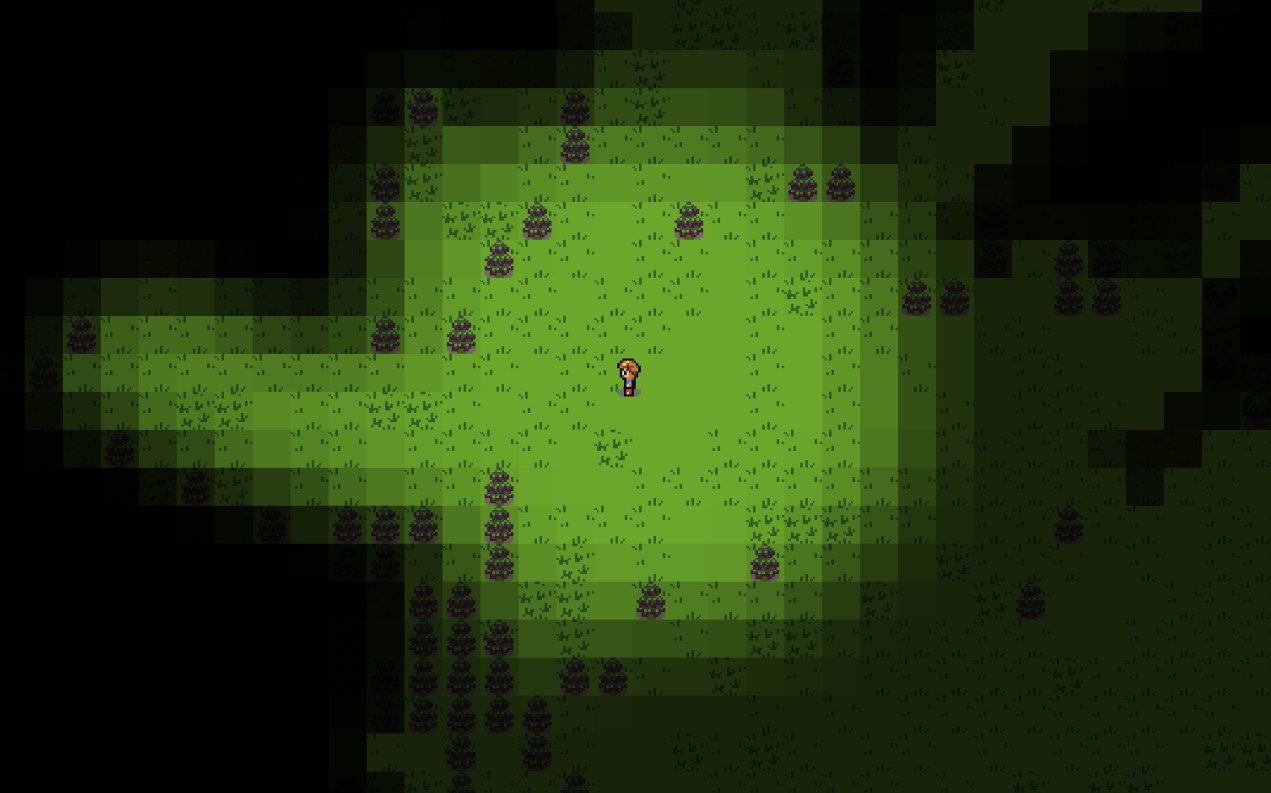
GitHub
MangoFog2D is a 2D/3D mesh rendered fog of war system for the Unity Engine. It's based off TasharenFogOfWar except it can use a MeshRenderer, SpriteRenderer, or render directly to the GPU. ...
 torpid anvil
Hello everyone. I've been working on a simple 3d game. In my game, I have asteroids, and I recently added a more "lava-y" variant that I modeled in blender. The asteroid has parts of it that are colored orange/yellow/red, and parts that are colored a constant gray. Is there some super easy way to make only the orange/yellow/red parts glow? I'm very new to lighting, shaders, and materials, so I'm not sure if this is even possible.
main wolf
torpid anvil
Hello everyone. I've been working on a simple 3d game. In my game, I have astero...
use unlit shader for the orange/yellow/red part
torpid anvil
Thanks! Ill see if I can get that working.
 marble ice
changing the intensity is not making the material glow and also when setting it to 0 it turns black which ig should not happen
i hv all the required settings for it to glow still its not working
i am using URP
deft fiber
marble ice
changing the intensity is not making the material glow and also when setting it ...
Post processing must be enabled on your main camera for it to appar in scene view
marble ice
deft fiber
Post processing must be enabled on your main camera for it to appar in scene vie...
it is enabled
deft fiber
marble ice
it is enabled
Can you show the effect through your camera using the game view
And also set bloom threshold to 0 for now
marble ice
deft fiber
Can you show the effect through your camera using the game view
And also set blo...
ok wait
deft fiber
Color intensity is a multiplier to the color
Multipliers close to zero will produce a color close to black
Even though the intensity value displayed in the editor is not exactly linear
marble ice
deft fiber
Can you show the effect through your camera using the game view
And also set blo...
deft fiber
Seems to be working fine
marble ice
ye
but in the scene view it does nt show up causin me to think tht its not working any ide y?
deft fiber
You need a camera with post processing enabled for it to work in scene view
So if you only create one at runtime, it won't have any effect otherwise
marble ice
thanks @deft fiber
i am actually new to vfx and lighting settings
u helped alot
bro thank yo
deft fiber
marble ice
i am actually new to vfx and lighting settings
This has to do with neither 
Your problem with bloom is #💥┃post-processing and how your shader utilizes the HDR color is #archived-shaders
 worldly ether
Hi,
Maybe I'm wrong but GI works only with lights? It's any way to have good "lights" reflection only with material's emission? Especially when we don't see the source? For example, I have a neon without lights, only with emission on material, is any way to see reflection when I will turn away from this neon? Without ray tracing... and in real time. 🤔
deft fiber
worldly ether
Hi,
Maybe I'm wrong but GI works only with lights? It's any way to have good "li...
There are many types of "GI"
Most of the do support light from emissive materials exactly the same as from light components
For reflections you need reflection probes
And for emissive materials to be able to affect dynamic objects at all you will need light probes too
worldly ether
Thanks, I will make some test with that
deft fiber
worldly ether
Thanks, I will make some test with that
I can give more useful advice if you can say what GI you are using
Baked, precomputed, screenspace perhaps?
deft fiber
 tired inlet
<@166982635950702592> I thought you might like to hear the update about this
tired inlet
<@166982635950702592> I thought you might like to hear the update about this
Oh cool! "Impossible to fix" is a tough verdict but at least it's improving
placid river
deft fiber
However it's a bit of a mistake to bake lighting on meshes like those that have ...
Thanks Spazi, for now I see the only solution is to make it a single geometry. My goal was to have the ability to make 3D tiles but it seems it is not working with such tightly connected geometry.
I could stylize these, bevel etc. but for now I will try simpler solution making it single mesh.
tired inlet
So I won't be able to experience the fix until 2023 gets an LTS
deft fiber
tired inlet
Unfortunately we only use LTS versions in our company
Smart in most cases
Maybe only a couple months until 2023 LTS is out of beta, or "Unity 6" as they call it
tired inlet
Are they renaming 2023 to unity 6?
I thought Unity 6 was pretty much what would have been Unity 2024
deft fiber
tired inlet
Are they renaming 2023 to unity 6?
So I've understood, if I've understood correctly
Definitely one of the two
 icy mountain
Hi, I'm trying to make a light out of a material with emission and for some reason the objects around it aren't being affected at all by the light, I tried setting all the objects to static has I had seen people say that would solve and it still doesn't seem to be working
 stark temple
icy mountain
Hi, I'm trying to make a light out of a material with emission and for some reas...
stark temple
icy mountain
Hi, I'm trying to make a light out of a material with emission and for some reas...
You have to bake lightmaps for this to work. (Or use raytracing)
Otherwise you need a proxy light that's just pretending to be that emissive surface

 solemn flicker
I have the following workflow I'm using and I don't understand why it doesn't work:
- Load several additive scenes, let's call them M1, A1, A2, A3.
- Set M1 as the active scene.
- Perform the bake.
- Save all the scenes.
- Unload M1 and load M2, set M2 as the active scene.
- Set MeshRenderers in A1, A2, and A3 to have scaleInLightmap values of 0, so that they contribute GI but don't get baked lightmaps.
- Perform another bake.
- Save M2, unload all other scenes without saving them.
In this scenario, since I unloaded A1, A2, A3 after the second bake without saving, I would expect the MeshRenderers in those scenes to still use the lightmaps from the first bake (M1). But that doesn't appear to be the case. Instead, they don't have lightmaps at all!
Edit: I figured out the problem with this workflow:
When you perform a bake, Unity iterates over each open scene, and if it has a Lighting Data asset assigned, it searches that Lighting Data asset for the data related to the scene and removes it. So even if you close the baked scene after baking (which will indeed preserve the reference to the last Lighting Data asset it was baked and saved with), that Lighting Data asset will no longer have the data for the scene. Therefore, Unity will interpret the scene as not having baked data.
I believe a workaround will be to move the game objects from their original scene to a new scene, then close the orignal scenes before the bake. Going to give that a try now.
Thanks in advance for any help!
chilly kettle
solemn flicker
I have the following workflow I'm using and I don't understand why it doesn't wo...
Why do you load all the scenes in there, unload etc?
Are you doing this at runtime?
It feels like a very hacky workflow ^^
chilly kettle
icy mountain
3 hours for a single light doesn't seem right xD
Nope. I guess you have a very high resolution or a ton of lights?
Did you generate lightmap UVs for your models?
solemn flicker
chilly kettle
Why do you load all the scenes in there, unload etc?
Are you doing this at runti...
This was a simple example, imagine it's a large open world game where there's a need to automate the light baking. The game world is broken into separate chunks (stored as scenes), therefore when baking a small area of the world it's necessary to load several different chunks/scenes at once.
And yeah it's hacky, because Unity does not support this type of multi-scene game world very well.
And it's editor only to answer your other question.
chilly kettle
solemn flicker
This was a simple example, imagine it's a large open world game where there's a ...
We are doing something similar in our game.
We have a tarrain in Scene A and a Maze in Scene B
I baked the Terrain in Scene A and Baked the Maze in Scene B and in the game i load Scene A and Scene B into the Main scene.
tulip tendon
this sounds like a job for APV's
they are designed to work with additive scenes and world streaming
 glossy cairn
How would I resolve an issue where my point lights only appear very near to the camera in URP? I have them set to baked and I'm using a baked lightmap. You can see it in the screenshot, where the nearer torch is producing light, but the further away ones are not
 chilly kettle
glossy cairn
How would I resolve an issue where my point lights only appear very near to the ...
chilly kettle
glossy cairn
How would I resolve an issue where my point lights only appear very near to the ...
i am quite sure that you didnt bake ^^
to bake it, the light must set to baked and the walls set to static/Contribute GI
glossy cairn
That's the thing, I have baked, as if I clear baked data, the level looks like this, and I have generated lightmaps once I finish baking. Also my walls are set to static and have contribute GI checked

 chilly kettle
glossy cairn
How would I resolve an issue where my point lights only appear very near to the ...
chilly kettle
glossy cairn
How would I resolve an issue where my point lights only appear very near to the ...
how does this view look if you view only the baked lightmap?
 glossy cairn
So it turns out I had the lights set to mixed, and when they're set to baked, they don't appear at all, but the baked lightmap looks like this
 chilly kettle
sure that you set your point light to baked? 😄
glossy cairn
Yep
 chilly kettle
please also show lighting settings
because that makes no sense, you must have forgotten something ^^
glossy cairn
This is what I have, I'm definitely missing something, I'm just trying to figure out what
 solemn flicker
chilly kettle
We are doing something similar in our game.
We have a tarrain in Scene A and a M...
solemn flicker
chilly kettle
We are doing something similar in our game.
We have a tarrain in Scene A and a M...
If you were to bake shadows, wouldn't you be missing the maze's shadows on the terrain in this case? I've thought about this as a possible strategy, but I think it would result in the lighting not being quite right.
chilly kettle
solemn flicker
If you were to bake shadows, wouldn't you be missing the maze's shadows on the t...
i use a realtime directional light for hard shadows
solemn flicker
tulip tendon
this sounds like a job for APV's
Hi, thanks, but I'd like to get light mapping working. This is for an Asset Store Product and I would like to support as many workflows (light maps with/without light probe groups, APVs, and whatever else might be added in the future) as possible.
solemn flicker
chilly kettle
i use a realtime directional light for hard shadows
Shadows were just an example. The indirect lighting itself would also be off I believe.
Don't get me wrong, it's not a bad workflow, and for certain games it would probably be fine.
But I'm still committed to getting this working in a way where as much "stuff" as possible can be loaded for each bake, for the most accurate lighting possible.
solemn flicker
So to anyone who runs across the same issue, I figured out what the problem was. When you perform a bake, Unity iterates over each open scene, and if it has a Lighting Data asset assigned, it searches that Lighting Data asset for the data related to the scene and removes it. So even if you close the baked scene after baking (which will indeed preserve the reference to the last Lighting Data asset it was baked and saved with), that Lighting Data asset will no longer have the data for the scene. Therefore, Unity will interpret the scene as not having baked data.
I believe a workaround will be to move the game objects from their original scene to a new scene, then close the orignal scenes before the bake. Going to give that a try now.
tulip wren
does anyone know if *exr files are needed in the github repo? they can weigh a lot and I don't want to use github LFS.
 deft fiber
tulip wren
does anyone know if *exr files are needed in the github repo? they can weigh a l...
deft fiber
tulip wren
does anyone know if *exr files are needed in the github repo? they can weigh a l...
"Needed" in what sense?