
#archived-lighting
1 messages · Page 24 of 1
 kind kraken
 chilly kettle

Unity Forum
Visual artifacts in baked lighting can occur for a number of reasons. These may commonly appear as unexpected dark or light patches, streaks or...
artefacts are caused by exposed backfaces
chilly kettle
For your case, it should be the easiest way
 kind kraken
kind kraken
kind kraken
there are still little shadows on the leaves that makes it seem burnt
chilly kettle
Okay. Next Question:
How big will your forest become? ^^
kind kraken
chilly kettle
Okay. Next Question:
How big will your forest become? ^^
not that much, its actually a little forest
chilly kettle
im quite sure, that baking the leaves is not the best way
kind kraken
chilly kettle
im quite sure, that baking the leaves is not the best way
longer baking times?
 arctic isle
chilly kettle
For your case, it should be the easiest way
arctic isle
chilly kettle
For your case, it should be the easiest way
Yep for foliage it's the correct solution
chilly kettle
Big Lightmaps ^^
i would try to set them static, but change "Receive Global Illumination" to Lightprobes in the Mesh-Renderer.
And place some lightprobes around the forest.
That should be good enough
kind kraken
right
im going to create a small forest just for testing and will tell you
there's one thing tho
I should separate leaves and branches
since on the lods they're just one mesh
Three LODS and Three Meshes
but i should have 3 lods and 6 meshes
leaves and branches
to do what you told me to do
chilly kettle
because you want to baked the trunk and use Probes on the leaves?
im not sure how LODs behave when beeing baked. @arctic isle - do you?
kind kraken
chilly kettle
because you want to baked the trunk and use Probes on the leaves?
should i set just the leaves to receive gi to probes?
or the entire mesh?
chilly kettle
i would suggest that you test what works best
baking lights is often try and error
arctic isle
We have full LOD support for lightmaps and probes https://docs.unity3d.com/Manual/LODForBakedGI.html
 kind kraken
kind kraken
kind kraken
There's one thing that i'm wondering about, why the shadows down here are just a reflection of the plain faces of the mesh and not the transparent textures instead?
chilly kettle
arctic isle
We have full LOD support for lightmaps and probes https://docs.unity3d.com/Manua...
Means LOD0 uses the baked lighting from Lightmap and LOD1 and 2 use the probes?
kind kraken
Here is evident in realtime lighting
arctic isle
chilly kettle
Means LOD0 uses the baked lighting from Lightmap and LOD1 and 2 use the probes?
You set up each lod separately, so you could do that for performance yea
chilly kettle
kind kraken
There's one thing that i'm wondering about, why the shadows down here are just a...
maybe caused by the shader?
Im not sure how this shader behaves with baked light.
kind kraken
This shader was made using Amplify shader editor
fortunately I have it
I could try to tweak some settings and make it work
chilly kettle
kind kraken
I could try to tweak some settings and make it work
im quite sure that has something to do with the alpha or how they made it.
kind kraken
chilly kettle
im quite sure that has something to do with the alpha or how they made it.
I'm seeing people on forums that say that bakery solves a few problems when lightmapping, but tbh I don't wanna spend that much money for just baking lights, since the only problem that im facing now is just this
using the standard URP/lit shader with alpha cutoff works
it renders the shadows properly
but using the Amplify one it doesn't
chilly kettle
i used bakery for years but switched back to Unity lightmapper a year ago
the unity one is really great
and you cant use the unity debug features for bakery lightmaps
 humble bronze
Heya, I decided to use a spotlight as a viewcone for a top down dark themed game. Any idea what's going on here?
The first image is with 0.5 shadow strength and second one with 1 shadow strength and it still leaks through somehow
In both images there is a wall to the right of the player. There is a ceiling that prevents from light entering (shadows only)

 kind kraken
I fixed it! I just had to rename the maintexture parameter from _Texture00 to _MainTex and change the name of the shader from "Raygeas/AZURE Vegetation" to "Raygeas/Transparent/AZURE Vegetation" @chilly kettle
 chilly kettle
kind kraken
I fixed it! I just had to rename the maintexture parameter from _Texture00 to _M...
chilly kettle
kind kraken
I fixed it! I just had to rename the maintexture parameter from _Texture00 to _M...
shame on them, that they dont use the standard unity names
 sage hill
so I'm not sure if this happens without URP but for some reason my lighting goes really bright in some places when Contribute To Global illumination is on the object, it seems like smaller places do this but the room Infront of the bad one I smaller, I'm also going to post this in #archived-urp so those people can help, i also sent an image of a good room and the light map


also this only happens after bake
sage hill

@stark temple (so sorry for ping) you helped me with my other problem you know how to fix this? (again sorry for ping)
 stark temple
I have no idea
sage hill
alright
 acoustic seal
Anyone know why Unity won't detect my HDR display? I have HDR on in Windows 11 as well.
 acoustic seal
Or if anyone knows how to enable HDR, lmk. I've followed all the Unity articles I could find (2). I'm on 2022.3 and in HDRP. I also tried 2023.2 with URP but no difference. On an LG C2 42, windows 11.
 main wolf
sage hill
so I'm not sure if this happens without URP but for some reason my lighting goes...
main wolf
sage hill
so I'm not sure if this happens without URP but for some reason my lighting goes...
there is something wrong with the material on the bright room, try replacing the material with other material, clean light map and (re) bake
kind kraken
What it means when there are transparent things when in UV Overlap view?

these are trees
 deft fiber
kind kraken
What it means when there are transparent things when in UV Overlap view?
deft fiber
kind kraken
What it means when there are transparent things when in UV Overlap view?
Means they don't have any valid lightmapping
 charred moth
everything except for that wall is perfectly fine,

but that wall has some baked artifacts for no reason
i wanted to enable double sided gi but its not available in urp
deft fiber
charred moth
but that wall has some baked artifacts for no reason
You can use the Texel Validity debug view to find the problematic polygons
Exposed backfaces cause texel invalidity, so it's best to fix them on the model rather than using double sided GI
It can also happen if there's overlapping geometry
 raven flower
My volumetrics have disappeared...
I had them on before, and it worked correctly.
I must've done something to some setting, because now they don't work.
I have Volumetrics enabled on the light.
I've got Volumetrics ticked in the HDRP global settings.
I've got fog in my scene, with volumetric fog turned on. It's quite thick too.
What could I be missing?

Nevermind. My smart ass had this ticked in.

 alpine briar
Hey there for some reason when i try to bake lighting, Unity just crashes
So i tried using the "Bakery" unity asset and this shows up

I'm on the latest drivers tho and i even tried doing a clean reinstall of the latest drivers using DDU
currently using an RTX 3080
Anyone have any ideas on what's going on?
arctic isle
alpine briar
Anyone have any ideas on what's going on?
Maybe there's something relevant in the editor !logs otherwise you'd need to look for help from the asset creator
 tawdry schoonerBOT

📝 Logs
Editor logs
Windows: %LOCALAPPDATA%\Unity\Editor\Editor.log
MacOS: ~/Library/Logs/Unity/Editor.log
Linux: ~/.config/unity3d/Editor.log
Unity Hub
Windows: %UserProfile%\AppData\Roaming\UnityHub\logs
Mac: ~/Library/Application support/UnityHub/logs
Linux: ~/.config/UnityHub/logs
alpine briar
arctic isle
Maybe there's something relevant in the editor !logs otherwise you'd need to loo...
This is happening with the unity light baking aswell so i think the issue isn’t to do with the asset
I’ll send over the crash logs in a bit
 magic osprey
I thought I was going crazy, I finally have proven to myself that I wasn't. Okay so here's this image... The mesh with the super black shadows (WHAT I WANT), was made in 3D's max. The other mesh that's lit up even in the shadows was made in pro builder. Both have the same exact materials, yet the one in bro builder is obviously more lit.... I am using HDRP.
 alpine briar
arctic isle
Maybe there's something relevant in the editor !logs otherwise you'd need to loo...
alpine briar
arctic isle
Maybe there's something relevant in the editor !logs otherwise you'd need to loo...
Here if you can figure anything out from this i would greatly appreciate it 🙏
arctic isle
magic osprey
I thought I was going crazy, I finally have proven to myself that I wasn't. Okay...
Did you check the "Generate Lightmap UVs" box in the mesh import settings?
arctic isle
alpine briar
Here if you can figure anything out from this i would greatly appreciate it 🙏
Ill take a look in a sec 🙂
magic osprey
@arctic isle - i'm just curious as to why both look different with shadows. Like why is PB shadows more lit and the mesh made in 3ds max more dark? Both are using real-time light. I'd rather stick with real-time lighting if possible, I know baked would fix it. I'm just genuinely curious as to why both types of meshes just appear different in general.
arctic isle
magic osprey
<@271000502555115521> - i'm just curious as to why both look different with sha...
perhaps you're using a different material/shader for each?
magic osprey
Ahh I see something. Reflection probe makes everything more equal in lighting. But that's the interesting part - without reflection probe the PB object still appears just as bright, but if I add a reflection probe the 3ds max mesh is just as lit as the PB mesh
arctic isle
magic osprey
Ahh I see something. Reflection probe makes everything more equal in lighting. B...
maybe the 3dmax mesh has a really high specular / metallic setting
and so would receive less light from diffuse sources
 arctic isle
no problem!
arctic isle
alpine briar
Here if you can figure anything out from this i would greatly appreciate it 🙏
Hey, the crash looks like it happens within the nvidia drivers. I'd recommend 1. triple checking you have the latest drivers and 2. downloading the latest 2022.3 as I see you're using 5f1 which is quite old https://unity.com/releases/editor/whats-new/2022.3.16
Unity
alpine briar
arctic isle
Hey, the crash looks like it happens within the nvidia drivers. I'd recommend 1....
i've checked like 10X now and have done a clean install of the latest drivers (and older drivers) and i'm 1000% sure the drivers are at their latest lol
So i have 0 clue what to do next
arctic isle
Get latest 2022.3- I don't recall fixing a crash like this in the 2022 release stream but who knows. Maybe the latest drivers + old 2022.3 has some hiccup
If that doesn't fix it, maybe it's a bug
arctic isle
alpine briar
i've checked like 10X now and have done a clean install of the latest drivers (a...
also, maybe a long shot but (after you upgrade to latest and if it still repros) worth checking that you don't have any strange invalid meshes in your scene. if you do find something still report a bug because we should be handling this more gracefully.
alpine briar
i don't think the issue is with Unity honestly, I'm pretty sure its something to do with the Graphics Card
gonna contact NVIDIA support and see if they can help in any way
arctic isle
alpine briar
gonna contact NVIDIA support and see if they can help in any way
Great! Feel free to ping me here if it ends up being a problem on the Unity side. Good luck!
 atomic nest
I think it is related to urp so Ill move em
kind kraken
Why does my freshly made baked gi have this weird circle weird light shapes? These are my settings


I'm in urp
By increasing lightmap resolution it becomes even worse

Putting the resolution to 1 texel per unit seems to fix it, but I will get messy lighting later when placing objects
arctic isle
kind kraken
Putting the resolution to 1 texel per unit seems to fix it, but I will get messy...
what type of lights are you using?
arctic isle
if you use spot lights, you'll have access to the 'baked shadow radius' value which will make this smoother. The distance to your meshes is what makes the hard edge here.
kind kraken
alright, imma try with it
oh I just forgot Cast Shadows enabled on my ceiling lights meshes, actually I don't really care about shadows on them
I previously disabled it but I think that reimporting some assets messed up things a little
I understand the point of using spot lights tho
kind kraken
ok what's this sh*t now

there's a room between tho

no cast shadows on both light ceiling meshes
 chilly kettle
kind kraken
ok what's this sh*t now
chilly kettle
kind kraken
ok what's this sh*t now
Unity Forum
Introduction
I developed this guide in order to help developers get the most out of Baked Global Illumination (GI) in the Unity Editor. Here, I unpack...
 deft plank
im making a horror game and need to make this creepier and darker. any tips?
 chilly kettle
deft plank
im making a horror game and need to make this creepier and darker. any tips?
chilly kettle
deft plank
im making a horror game and need to make this creepier and darker. any tips?
First idea: Turn down the light 😄
alpine briar
deft plank
im making a horror game and need to make this creepier and darker. any tips?
Go to Lighting > Environment > Change source to Color > Mess around with it and make it dark
then i guess you should add torches around with point lights?
That's how i'd go about it if i was you
deft plank
alpine briar
Go to Lighting > Environment > Change source to Color > Mess around with it and ...
thats smart thansk
thanks
deft plank
alpine briar
Go to Lighting > Environment > Change source to Color > Mess around with it and ...
i cant find how to change the source to color
deft fiber
deft plank
i cant find how to change the source to color
What are you seeing
 deft fiber
deft plank
deft fiber
deft plank
"source" as instructed
 deft plank
i was looking at the wrong one thanks
deft plank
can someone help me fix these wierd shadows? im using pro builder btw

 winter pollen
I tried google but it didn't helped.
Why does the darkness turns completely black after baking and how can I go around this and have a still visible darkness like in the first picture, but also having the light points baked?


 quaint river
chilly kettle
https://forum.unity.com/threads/lightmapping-troubleshooting-guide.1340936/#post...
quaint river
chilly kettle
https://forum.unity.com/threads/lightmapping-troubleshooting-guide.1340936/#post...
This is super handy! No idea this existed. My main issue is light bleeding between modular assets
chilly kettle
winter pollen
I tried google but it didn't helped.
Why does the darkness turns completely blac...
can you show the light bake settings?
charred moth
winter pollen
I tried google but it didn't helped.
Why does the darkness turns completely blac...
You could add an area light that is very weak or increase the brightness with post processing
The darkness could happen because either theres not enough bounces or the lights are realtime
winter pollen
chilly kettle
can you show the light bake settings?
Is it not included in the screenshots?
chilly kettle
winter pollen
Is it not included in the screenshots?
oh.. i am blind 😄
Okay. Looks fine for me.
Are you sure that everything you want to bake is set to Static and the Lightsources are set to baked?
winter pollen
chilly kettle
oh.. i am blind 😄
Okay. Looks fine for me.
Are you sure that everything you wa...
What is with roomdoors and wardrobe door that needs to be animated or moved?
chilly kettle
winter pollen
What is with roomdoors and wardrobe door that needs to be animated or moved?
For dynamic objects you work with Light Probes
 atomic thunder
i was trying to bake lighting for my vr game and it always says this: (by the way the time keeps on going up and up)


 night shell
atomic thunder
i was trying to bake lighting for my vr game and it always says this: (by the wa...
night shell
atomic thunder
i was trying to bake lighting for my vr game and it always says this: (by the wa...
hard to say but its possible that your CPU is struggling to render the scene
you can do alot of things to optimize the process and make it more managable for both the CPU/GPU to render the scene when using progressive
night shell
drop sample counts, enable filtering, create a custom lightmap parameters asset and disable baked anti-aliasing, make sure that you have realtime GI disabled, and if you aren't using mixed lighting, make sure that is also disabled (or at the very least set to subtractive)
 drifting barn
how do i make a light that emits light in all direction
without y'know, exploding my computer?
drifting barn
drifting barn
how do i make a light that emits light in all direction
i just realized i could use point
 placid forum
Hello! Sorry probably stupid question, but I cant find any info on Google.
How can I use baked lighting with realtime objects? I've a part of scenery that is set to static and should have baked lighting, but as soon as I do this, my dynamic objects stop casting shadow from directional light.
This is how it looks with dynamic lighting.

When I change light to baked and bake lighting, I've got this. As you can see, capsules no longer cast shadows.
 night shell
You need to use mixed lighting
Mixed lighting combines both aspects of real-time and baked light
 tulip tendon
placid forum
Hello! Sorry probably stupid question, but I cant find any info on Google.
How c...
tulip tendon
placid forum
Hello! Sorry probably stupid question, but I cant find any info on Google.
How c...
use light probes
or better adaptive probe volumes if your using unity 2023
placid forum
Could you please link some resources about this? I'm not sure if I understand whats hapenning here. I'm on 2023.
tulip tendon
i can show you some pictures using every light mode
tell you how it works
so this is a realtime light

it works as you expect
this is baked light

which has your problem with the dynamic object not being lit
there is mixed light which combines both

but that means your dynamic object will only get lit by the direct light
indirect light wont affect your object
and having many mixed lights can also be expensive
so thats what light probes are for

as you can see the dynamic object also recieves indirect lighting
in this scenario i used the new adaptive probe volumes
which are only available in unity 2023 for URP
it looks like this

it samples the baked light from the scene and gives it to dynamic objects
this process is pretty much automatic
all the probes are placed during the bake time
@placid forum
placid forum
Thank you for this very detailed explanation, I really appreciate it!
So, in order to use baked lighting I must use light probes and dynamic objects will be lit and cast proper shadows then.
Thanks, I'll play with this and see the results.
👌
night shell
placid forum
Thank you for this very detailed explanation, I really appreciate it!
So, in or...
*mixed lighting will allow dynamic objects to cast shadows onto your baked lighting
light probes will help correctly light your dynamic objects, but mixed lighting will allow the realtime shadow casting you were looking for initally
volt is correct though, mixed lighting can become very expensive when you have many mixed lights
although depending on many factors, how expensive depends on the scene, and if your only going to have 1, one is usually fine even on mobile
you could also go the fully baked route, and there are methods there also for faking shadows for dynamic objects
but thats a whole other can of worms
tulip tendon
night shell
light probes will help correctly light your dynamic objects, but mixed lighting ...
the APV's can also cast shadows more or less
but is not as accurate
night shell
tulip tendon
the APV's can also cast shadows more or less
APVs casting realtime shadows?
tulip tendon
ye
im testing it right now with a dynamic cube under a baked spot light
and the area under the cube darkens
night shell
specifically casting realtime dynamic shadows?
because from what I recall APVs were baked
dont want to say too much again though because I haven't messed with them in the newer unity versions
tulip tendon
nvm, it was the ambient occlusion causing it
night shell
so only baked, figured
tulip tendon
but realtime APV's are on the roadmap, so thats great
night shell
that is great indeed
placid forum
I have only one light and several dynamic objects. My dynamic objects are not casting shadows when I set mode to "mixed" thou. Are probes required for shadow casting?
Okay I could did something wrong earlier, now they are properly castig shadows in Mixed mode.

Thanks for assistance, I think I now uderstand this topic better 🙂
night shell
placid forum
I have only one light and several dynamic objects. My dynamic objects are not ca...
probes are not required for shadow casting
placid forum
So, generally I should use "Mixed" light and still use Light Probes, right? Because on "Baked" mode when I've put light probes, dynamic objects are not casting shadows.
 night shell
yes if you want to maintain realtime shadow casting you would use mixed, when on baked mode there are no realtime shadow casters because its all baked for performance
@placid forum
now granted I did mention its possible to have "shadows" even when fully baked, but thats a whole can of worms with a bunch of techniques that can achieve such a thing, but with various drawbacks
placid forum
Thank you David for assistance. Sorry for spamming, I'd love to ask you one more question when we are on track already. I'm using 2023 and I'm cosidering deploying this to mobile devices (phones), which lighting model would work the best in terms of performance? I assume baked lighting will be better than real time.
But what about light probes? Shall I skip them for mobile devices?
night shell
light probes are very lightweight, you shouldn't skip them for mobile devices
in terms of performance for mobile though, the best would be purely baked lighting
tulip tendon
placid forum
I recommend using the adaptive probe volumes instead of the light probe groups, those are automatically placed in the scene and offer way more accurate lighting
you can also use those as a replacement to lightmaps and they are a lot faster to bake
 regal otter
Okay added flashlight pickup and culling but one problem is the lighting on the flashlight itself, how do i add proper render to the flashlight itself? Also the flashlight has it's own camera basically 2 cameras in one scene. Also in the end which pixel resolution you guys prefer? 256x128 or 128x64 for PS1 graphics?
The flashlight camera is a overlay camera by the way
regal otter
regal otter
Okay added flashlight pickup and culling but one problem is the lighting on the ...
Oh yea since this is the lighting channel, i'm using URP by the way
deft fiber
regal otter
Okay added flashlight pickup and culling but one problem is the lighting on the ...
What are you asking exactly, "proper renderer"?
Why does the flashlight need another camera
regal otter
Oh hey Spazi! i think already fixed it! i just need to removed the Directional Light that was causing the lighting bug ha ha! Ah yes the flashlight with a camera. it's a FPS fix technique they use for wall culling fix
regal otter
deft fiber
What are you asking exactly, "proper renderer"?
Why does the flashlight need ano...

Expanding on the "sneaky fps trick" video
Music: Road Trip - Slynk
MP40 model: https://sketchfab.com/3d-models/mp40-machine-gun-pistol-downloadable-5a61e4dc4dda4b08a7aa452f8477d790
Gaming channel: youtube.com/c/GarbajGaming
Discord: https://discord.gg/mpHFmhW
Twitter: https://twitter.com/Garbaj2
deft fiber
regal otter
Oh hey Spazi! i think already fixed it! i just need to removed the Directional L...
A side effect of using another camera for an overlay is that it doesn't render the environment so you lack lights and shadow casters, so other methods may be preferable
No idea what "wall culling fix" refers to
You have to preface your problems in more detail
regal otter
the "Wall culling fix" my bad for spelling it wrong, it's a way to fix items in first person, hang on lemme record it
here's the "Wall Culling fix" basically if i don't use a 2nd camera for the flashlight it would clip to the wall as seen in the clip
now this is the flash with it's own camera! so it fixes the culling problem! but the lighting is inaccruate
basically use of camera stacking
deft fiber
regal otter
here's the "Wall Culling fix" basically if i don't use a 2nd camera for the flas...
Ah, by culling your rather mean clipping
Glad you found a solution
If you end up needing different alternative options I can enlighten you
regal otter
Yes please Spazi there's this method i'm confused about and how it's works, they said shrink the item inside the player collider but size it up via a "Shader" somehow which is odd, i don't if they mean ShaderGraph or "other", here's the video https://www.youtube.com/watch?v=9MB_bNLYAX8 skip to 1:00

Wishlist on Steam: https://store.steampowered.com/app/2280900/Blood_Rot_1918/
Support on Patreon: https://www.patreon.com/OBrooks
Go and subscribe to @garbaj! Do you know of any games that use this technique?
I first learnt about it from the Unite LA talk about the then-new FPS sample. Apparently the new Doom games use it, but I haven't been a...
Also they said it's a "fix" for the lighting of the item?
oh "doesn't suit for interacting with objects" ah never mind
deft fiber
regal otter
oh "doesn't suit for interacting with objects" ah never mind
Says "isn't a great fit" which I agree with mostly
With two cameras item interaction is totally impossible which is worse than not a great fit
Not sure why a shader is mentioned here as it's not really necessary or even helpful for this effect
This is generally the method I'd prefer though, even if there's a third option that overrides render order
Still you'll need to do more than this to get the flashlight to work correctly
If you poke the flashlight directly into a wall, the light source will be occluded
That's more just how we expect things to work than an "issue"
In that situation you'll have to decide if you want the light to be blocked by the wall's shadow, if the flashlight should move out of the wall's way way dynamically, or if the light should be attached to the player's viewpoint rather than the flashlight physically
 vestal canopy
regal otter
Okay added flashlight pickup and culling but one problem is the lighting on the ...
vestal canopy
regal otter
Okay added flashlight pickup and culling but one problem is the lighting on the ...
Has a simple fix!
Bake your lighting, and USE LIGHT PROBES.
Wven tho your weapon camera dosnt render the environment, the lighting info is still stored inside of light probes so your viewmodel will be lit correctly.
deft fiber
vestal canopy
Has a simple fix!
Bake your lighting, and USE LIGHT PROBES.
Wven tho your weap...
This is generally useful advice but not the solution in this case
Light probes cannot create occlusion from any realtime lights
vestal canopy
sooooo make the lights mixed or baked? Shouldn't that work?
deft fiber
With baked yes, mixed no
Baked lights can't have any specular response outside of reflection probes though
I think in this case the solution was to simply disable the directional light because it wasn't shining indoors anyway
regal otter
Yep I just fixed it via removing the directional light
 gaunt flax
Im trying to apply lighting to my 2d game im haing this issue
why with sprite lit default is it still light?

isnt it supposed to be dark
i have the URP set up in the project settings too
 deft fiber
gaunt flax
Im trying to apply lighting to my 2d game im haing this issue
why with sprite l...
deft fiber
gaunt flax
Im trying to apply lighting to my 2d game im haing this issue
why with sprite l...
If you have no lights, Lit sprites are treated as Unlit
It's meant for convenience
gaunt flax
i did figure it out
deft fiber
No point having Lit sprites unless you have some light after all
gaunt flax
i just had the wrong renderer
 idle bramble
Anyone know how to view JUST the AO in the scene? like you can with Unreal?
chilly kettle
idle bramble
Anyone know how to view JUST the AO in the scene? like you can with Unreal?
Baked AO?
Texture AO?
You can view the baked lightmap via Debug Draw Mode (not exactly only the AO).
And you can use a custom shader and plug the AO into the Albedo channel, if you want to see the AO of your Material.
idle bramble
@chilly kettle Good point, I meant Texture AO. The option to plug it into albedo just to see what it looks like isn't exactly what I'm after, I want to see and know for certain that the AO is enabled.
deft fiber
What's "texture AO"?
idle bramble
Ambient Occlusion Texture Map
deft fiber
idle bramble
Ambient Occlusion Texture Map
So, in a PBR shader? Not with post processing AO or lightmapping AO?
All three are ambient occlusion and use texture maps
chilly kettle
deft fiber
What's "texture AO"?
What I mean is, that you bring your own AO for 3D Objects with the AO-Texture. And that’s easy to show when plugging it directly in the albedo channel ^^
deft fiber
Maybe RenderDoc will let you view individual texture passes
But you could also just make a scene with some distinctive ambient lighting to try them out
The AO output of a material is nothing but a multiplier for any light that's "indirect"
tulip tendon
idle bramble
Anyone know how to view JUST the AO in the scene? like you can with Unreal?
go to the rednering debugger > lighting
deft fiber
tulip tendon
go to the rednering debugger > lighting
Oh that's cool!
I forgot these overrides are also in Play mode from the debug menu you get by pressing ctrl + backspace
 static thorn
So, this is the bed of a dump truck that's lifted up to dump dirt. I'm having a weird issue where light seems to come through at the corners of the model instead of being all shadowed in there. Does anyone know what might be causing this?
 idle bramble
tulip tendon
go to the rednering debugger > lighting
idle bramble
tulip tendon
go to the rednering debugger > lighting
How do you access this? I can't find out via google. Even the Unity documentation has this 'Select Window > Analysis > Rendering Debugger' which I don't see 'Analysis' in my Window> options.
static thorn
idle bramble
How do you access this? I can't find out via google. Even the Unity documentatio...
Window -> Analysis -> Rendering Debugger -> Lighting
static thorn
idle bramble
How do you access this? I can't find out via google. Even the Unity documentatio...
Oh sorry, just realized you said you didn't see it there
What Unity version?
idle bramble
Yeah, am using Unity 2022.3.1of1
 static thorn
Analysis is right there. 5th from the bottom...
idle bramble
Doh! Thankyou 😄
static thorn
Lol! happens to the best of us!
idle bramble
Oh this is great, just what I wanted. Thanks!
deft fiber
static thorn
So, this is the bed of a dump truck that's lifted up to dump dirt. I'm having a ...
Shadow bias pushes shadows away from mesh surface normals, so they don't "sink into" the geometry
But if you have split normals (hard edges) in your mesh, the pushing effect creates gaps between the shadow casting polygons
The best solution would be to disable shadows on the mesh, and have a copy of it that's shadows only with its normals calculated to be totally smooth/merged
If that's not an option you could try tweaking the bias values (while avoiding extremely low or high biases), increasing relative shadow resolution and enabling two-sided shadow casting
A problem that looks similar to that can also result from generally low shadow resolution
static thorn
I've tried tweaking the bias values and increased resolution. I'll try enabling two-sided shadow casting.
deft fiber
Hands down the most watertight solution is the smooth-shaded shadow caster mesh
It should be a built-in option
static thorn
deft fiber
A problem that looks similar to that can also result from generally low shadow r...
I bumped it up from 1024 to 2048. This is a work project and we have limited graphics due to high level of physics calculations, so I'm not sure i can put it any higher because of the performance hit.
static thorn
deft fiber
Hands down the most watertight solution is the smooth-shaded shadow caster mesh
...
Thanks, I'll look into that as well.
deft fiber
static thorn
I bumped it up from 1024 to 2048. This is a work project and we have limited gra...
Graphics are calculated on the GPU, while physics are on the CPU so their performance costs shouldn't stack up
static thorn
deft fiber
Graphics are calculated on the GPU, while physics are on the CPU so their perfor...
I believe we offload a lot of the physics calculations to the gpu as well though because of the high amount of them. We have physics based diggable dirt and physics based machines, so there's a lot going on.
deft fiber
static thorn
I believe we offload a lot of the physics calculations to the gpu as well though...
Interesting! Then you'll want to pay special attention to the shadow settings
Increasing shadow resolution is not the only way to increase relative shadow resolution
Shadow resolution is spread across shadow distance, so decreasing distance increases the resolution effectively
Shadow cascades are also useful for packing higher resolutions closer to camera where it's needed without affecting the distance or resolution, for a small overhead cost
static thorn
Yea I was playing with the cascades a lot but just couldn't seem to get rid of the problem. even when I bumped everything up to really high resolution just to test the fix, it still had the same issues. Almost makes me think it's a model issue, like it doesn't recognize there's a model there in that small area.
deft fiber
static thorn
Yea I was playing with the cascades a lot but just couldn't seem to get rid of t...
It's possible
The mesh you use for shadow casting should ideally be fully gapless and have totally smooth normals, and minimally overlapping parts
It sucks that we can't easily define a "shadow caster mesh" directly from the mesh renderer component, nor change the mesh properties for shadow casting
So you have to use a child object mesh renderer for it
Or alternatively author the mesh with no sharp edges at all, instead using bevels with hardened normals
But that might double the polygon count
static thorn
I wouldn't be surprised if it's a model issue. We use a 3rd party company for doing our models and they seem to have a lot of issues. I may open it up in blender and take a look. I'm not an expert at modeling at all, but if i can at least see that there is an issue we can send it back to be fixed.
Thanks for the help, and all the info on shadows. If anything, I've got a lot of possible routes to try for fixing or improving the issue!
deft fiber
static thorn
I wouldn't be surprised if it's a model issue. We use a 3rd party company for do...
There's no issue here technically
Shadow bias works as it's expected to
Models with sharp normals are common
Them together have this unsightly side effect and Unity doesn't provide any fix to it directly
static thorn
deft fiber
There's no issue here technically
Shadow bias works as it's expected to
Models w...
Ooooh I see.
deft fiber
But if the gap is unexpectedly big, it's also possible that the mesh has an inverted normal that appears as a gap to the shadow caster, but not to the viewer in case the material is two-sided
But that may be a bit far fetched
@static thorn here's an example of what I think we're looking at
 static thorn
Ah ok I see what you mean. Is there a way to check for back facing normals in Unity?
deft fiber
The fix I'm suggesting is to use the mesh on the left for shadows only
deft fiber
static thorn
Ah ok I see what you mean. Is there a way to check for back facing normals in Un...
Not sure if directly, but I'd check to confirm the material has render face only front, and then inspect visually
static thorn
Alright
deft fiber
You can control the normal smoothness of an imported mesh within Unity if needed
Using Normals: Calculate with Smoothing Angle of 180 makes it entirely smooth
The only annoying part is you need to duplicate the mesh and use both

Then duplicate the mesh in scene, set the duplicate as the child object, change its mesh to the smoothed mesh, set mesh renderer to shadows only and set the parent mesh renderer's shadows to none
If that fixes the problem then it likely was the sharp normal gap problem
static thorn
Alright, I'll give that a shot.
 austere bloom
How do I make light be a different color

I changed the color to red but it doesnt change
night shell
 timber lichen
https://i.gyazo.com/a7bbfe084d10ce21338b62c01c1e0816.mp4
timber lichen
https://i.gyazo.com/a7bbfe084d10ce21338b62c01c1e0816.mp4
vertex lighting?
not sure what your setup is there
timber lichen
Just some realtime spotlights going over a probuilder road
The streetlamps are mixed spotlights
timber lichen
I figured it out, the street lamps were set to important and the maps not properly baked for some reason
 cinder parcel
Hello! I am having a very bizarre issue with lighting in built-in. When using deferred rendering on a scene with realtime lighting it looks like this

forward rendering on this same scene looks like this

nothing unusual so far
but when making a completely new scene from scratch, these are the results
forwards looks like this

but deferred looks like this

which makes absolutely 0 sense to us
there is nothing fundamentally different between the setup of both scenes
both are using the same standard lit built in shader
hell, if I disable every single light in the scene it still looks like this

while forward looks like this

I am completely lost here of why this is happening
it even seems like there is something adding light to the scene

but as I said there is no lights in the scene
so yeah, if anyone could lend me a hand I would greatly appreciate it, I am out of ideas, there are no lights in the scene, no lightmaps (game is purely using realtime lighting), no enviroment light so I am completely lost here, specially because it does work on other scenes
this might be an issue of how we are importing the packages I think these assets come from another project that works in HDRP, but still, the behavior seems highly unpredictable
night shell
reflections?
cinder parcel
maybe? I have no idea where to look at
this seems like a bug to me tho
because if I move the assets outside of where they "should be" they instantly are illuminated like they should
so for some reason being confined to that space makes them look like that
and by that space I specifically mean that space
if I move the parent this happens
cinder parcel
night shell
reflections?
Spot on, thank you so much
why would reflection probes make the scene act that way btw?
forward

deferred
 night shell
well forward rendering has a very simplified reflection setup, I believe its only 2 per object, and a crossfade is done between the two
with deferred its a little more complex, but it leads to better fedelity. You can have as many per object, and blending between probes is higher quality
now not to sure whats different about the reflection setup, but clearly it looks like the deffered rendering doesn't have a good reflection fallback
cinder parcel
yeah, I was going insane I had no idea what could have caused that
in the topic of "I have no idea why this is happening"
night shell
its kind of hard to explain but I'm sure someone here can explain it better than I can but your issues are just with reflections
cinder parcel
thanks for the info, deleting the probes certainly fixed it, now I am getting another problem that doesnt happen in a clean scene, if you can see from the video, on deferred, when I have an object being iluminated by 2 real time light sources the places where they meet looks pitch dark
night shell
ok so it seems like you aren't aware of the differences between forward and deferred rendering
both are rather different, and have different limitations
but what your seeing there in that clip you posted
is a limitation of forward rendering, that being that there is only a set amount of per pixel lights you can have for an object before unity falls back to vertex lighting them
usually the limit is set to 4
4 per object
but you can increase it
but there is a side effect
deffered is alot better and doesn't have such a limitation with per pixel lights, and it also scales better with more realtime lights
cinder parcel
Yeah aware of that, its also significantly slower with multiple realtime lights which is why we were using deferred on this project. I dont get this clipping issues on another clean scene so I am wondering why this might happen on this specific scene
night shell
ohh wait I viewed that wrong, your switching to deffered which has those patches, I thought it was forward
cinder parcel
haha yeah you would think its the other way around!
Forward should look worse
yet deferred has the artifacts
I already cleared the baked oclussion culling so its not that
night shell
hmm not sure what it could be, I have no idea what your scene setup is so it could be due to alot of things
I'm assuming this is the built in pipeline?
cinder parcel
built in yep
cinder parcel
mix of both hmmm
it seems the glitch here is the spotlight is acting as an area light for some reason
nvm again its acting as a square in both
but in forward the indirect lighting masks it
deferred doesnt
it seems like it lighting the objects in chunks?
cinder parcel
aghhhhhhh
spot on

works perfectly now
thank you so much for the help
I lost like 7 hours of work today due to these 2 stupid little bugs 😭
Forward wasnt an option because the game framerate was tanking
night shell
if frame-rates are tanking might need to eliminate lights/shadow casters
if lights don't change in your levels might be worth just baking them
cinder parcel
only on forward, game is running at smooth 90+ fps on a scene with 0 optimizations, culling and like 40+ real time lights hehe
we have some gameplay mechanics tied to turning on/off light sources so we would need some custom solution
but yeah, thanks for the help! The same setup not working on essentially the same scenes was driving me crazy haha
 unique gulch
Is there any way of stopping 'double shadows' when using subtractive mode baked lighting? E.g. when the dynamic character heads into an areas with baked shadows, I can see both the baked and realtime shadow?
 vapid bison
1st Image:
I have made these triangular mesh tiles in ProBuilder for generating a procedural mesh terrain but some of the edges of the triangles are sometimes very visible and the shadows are kind of strange.
2nd Image:
If I set the material to unlit, the edges aren't visible at all anymore so I'm guessing it's due to a lighting issue
3rd Image:
If I drag a road spline with terrain edges using the same material through the terrain, the lighting is very strange again. One side of the road is completely covered in shadow which makes it very obvious that the terrain consists of several smaller pieces.
Is this a lighting issue or an issue with the material/normals? I tried to select the meshes and check the "Generate Lightmap UVs"-box which I hadn't before but that didn't seem to do anything. Is there something wrong with the meshes and how can I fix this?
Thanks!


 vapid bison
deft fiber
Using Normals: Calculate with Smoothing Angle of 180 makes it entirely smooth
Th...
vapid bison
deft fiber
Using Normals: Calculate with Smoothing Angle of 180 makes it entirely smooth
Th...
This could be similar to my issue, do you have any tips for my problem I asked about? 🙂 Seeing as you appear to know a great deal!
I'm not generating the meshes at runtime, I'm merely placing them so could it be that I need to recalculate the normals for my meshes beforehand in the editor? Can I do that?
 lethal dagger
Guys do you know any Tools that can bake Shadows ONLY?
That Works like unity 2014 lightmapper.
winter pollen
Whats the best Setting for a high quality baked light?
if you are willing to wait up to 10 minutes for baking the light with a 4090.
Whats are the settings because the default settings seems to be pretty low and just increasing every value x4 doesn't seems right with some values in the lightmapping settings.
So whats settings are the best for a highend quality baked light?

 uncut coral
How can I bake light in 1 scene but in parts, not full baking in single time but like in 4 parts, but scene is single
 near wraith
Hi. In my project, the glare is reflected from the lighting of the models (textures). I saw on the Internet that I need to remove 2 checkboxes so that this does not happen, but this only works on standard materials created in Unity itself. This is not available for my textures (in the model itself and in the "textures" folder, where texture images are stored).. How to remove glare?
P.S. I did not understand which channel is responsible for this problem. I apologize in advance

 fluid charm
does anybody know why this happens? its a terrain tree painter and im using a prefab but when i place it and i go abit far, they render like this for somereason, im getting this error aswell

 deft fiber
vapid bison
I'm not generating the meshes at runtime, I'm merely placing them so could it be...
deft fiber
vapid bison
I'm not generating the meshes at runtime, I'm merely placing them so could it be...
It looks like the lighting problems are normal discontinuities between your ground pieces
You'd likely need some code to merge the normals of border vertices of adjacent tiles
Or generate the mesh entirely in script with merged normals to start with
deft fiber
lethal dagger
Guys do you know any Tools that can bake Shadows ONLY?
Maybe what you're looking for is to set bounces to 0 or indirect intensity to 0
"Shadows only" doesn't fully make sense to me but without any indirect bounce lighting you'd only get shadows from direct lighting
deft fiber
winter pollen
Whats the best Setting for a high quality baked light?
if you are willing to wai...
There are no universal "best settings"
The default values are generally the highest you need
If you feel it's not good enough, there could be other causes for it that we might be able to diagnose if you provide images
deft fiber
timber lichen
Are the cars static? If so, is the lighting baked?
Does the light provide any shadows for any dynamic objects if you move it out from within the pole?
deft fiber
uncut coral
How can I bake light in 1 scene but in parts, not full baking in single time but...
Normally you cannot, but there may be some custom solutions
Partial light baking seems a bit challenging as every object might be shadowed or illuminated by objects you would exclude in this case
vapid bison
deft fiber
It looks like the lighting problems are normal discontinuities between your grou...
I see. Does that need to happen at runtime or can I do it before in the editor? Because I believe I found some code for recalculating normals at runtime here: https://forum.unity.com/threads/how-to-recalculate-normals-so-they-appear-smoother-on-chunked-meshes.898649/
It's in the post by someone named "yurowm"
Unity Forum
Hello everyone, me again.
So I've done this quadsphere that subdivides itself into a quadtree so it can handle a greater level of detail in specific...
deft fiber
vapid bison
I see. Does that need to happen at runtime or can I do it before in the editor? ...
It would need to happen at whenever time you compile the chunks together, unless you set the normals at the seams to always point a specific predestined direction so there can be no discrepancy
That'd require every seam to be essentially flat and level though
deft fiber
near wraith
Hi. In my project, the glare is reflected from the lighting of the models (textu...
This is a material setting, not a texture setting as they are very different kind of assets
The option should be available on your custom materials using the same shader as here
vapid bison
deft fiber
It would need to happen at whenever time you compile the chunks together, unless...
I see. I don't know how to "compile chunks together" xD I'm just placing the tiles in a grid!
So what if I just do it on every tile/mesh when I place them
deft fiber
vapid bison
So what if I just do it on every tile/mesh when I place them
It doesn't need to happen at runtime then, but at least before you finalize the level
vapid bison
deft fiber
It doesn't need to happen at runtime then, but at least before you finalize the ...
Hmm, I'm placing them procedurally at runtime. That's what the game is about, kind of. You build little procedural islands
So I'm guessing I'll just run that recalculate normals-script whenever I place a tile at runtime then?
deft fiber
vapid bison
So I'm guessing I'll just run that recalculate normals-script whenever I place a...
Yes, or once all tiles are placed, depending how your system works
near wraith
deft fiber
This is a material setting, not a texture setting as they are very different kin...
Do I need to create a separate material for each texture?
deft fiber
fluid charm
does anybody know why this happens? its a terrain tree painter and im using a pr...
As the warning implies, distant trees use billboarding, which won't work without the correct shader
deft fiber
near wraith
Do I need to create a separate material for each texture?
Yes, or if your mesh already has embedded materials with the texture references you can extract them as well
near wraith
deft fiber
Yes, or if your mesh already has embedded materials with the texture references ...
I was hoping that I wouldn't have to make a material for each texture, but I will have to... Thanks
 stuck zinc
okay HOW do you add a texture to a directional light (the sun)
vapid bison
deft fiber
Yes, or once all tiles are placed, depending how your system works
Understood, thank you! 🙂
deft fiber
stuck zinc
okay HOW do you add a texture to a directional light (the sun)
Do you mean a light cookie for the sunlight's shadows, or a sun sprite / flare in the sky?
stuck zinc
deft fiber
Do you mean a light cookie for the sunlight's shadows, or a sun sprite / flare i...
no idea what a light cookie is but
yk
when you have a light
deft fiber
stuck zinc
when you have a light
Can you try to explain in some more detail?
stuck zinc
deft fiber
Can you try to explain in some more detail?
see that sun looking thing?

yeah i wanna change that (look wow minecraft clone :D)
deft fiber
stuck zinc
see that sun looking thing?
There'a generally three methods to give the sun visual appearance
First one is the sky shader itself which is what you're likely looking at
Flexible if you're making shaders to begin with but inflexible if not
Second one is a lens flare component
Third one is a mesh or a sprite that's set to render in front of the sky but behind the world, and controlled with scripts
stuck zinc
deft fiber
There'a generally three methods to give the sun visual appearance
First one is t...
the thought of making a shader gives me the chills so
what's a lens flare?
deft fiber
stuck zinc
what's a lens flare?
You can figure out that faster by googling it than I can tell you to google it
Each render pipeline has its own lens flare implementation
stuck zinc
deft fiber
You can figure out that faster by googling it than I can tell you to google it
E...
I mean the point of me asking it here was because Google wasn't helping me it was confusing me
So I figured asking people who I can actively talk to would be better
deft fiber
stuck zinc
I mean the point of me asking it here was because Google wasn't helping me it wa...
Sure, but you need to be able to point out the confusing parts or we'd just repeat what the google results tell you
fluid charm
deft fiber
As the warning implies, distant trees use billboarding, which won't work without...
I fixed it, it was some thing in the terrain settings
timber lichen
deft fiber
Are the cars static? If so, is the lighting baked?
Does the light provide any sh...
cars are not static, player body casts shadow
player body not static either
lighting is fully baked, lights are mixed
winter pollen
deft fiber
There are no universal "best settings"
The default values are generally the hig...
If you hold your cursor over the setting, it days higher values can cause better quality.
Ub my case the quality is not accurate enough and very pixelated.
I just can take the degault values and multiple the value by x2 or x3
But are there some settings that should not be made higher or even cause worse qualit- if the value get higher?
deft fiber
winter pollen
If you hold your cursor over the setting, it days higher values can cause better...
There are other reasons for pixelation than the bake quality settings, which is why I'm asking for screenshots
Oftentimes totally unrelated causes
timber lichen
Why are my contact shadows acting up like this and flickering?
lethal dagger
deft fiber
Maybe what you're looking for is to set bounces to 0 or indirect intensity to 0
Uh all Shadows are now black
winter pollen
deft fiber
There are other reasons for pixelation than the bake quality settings, which is ...


thats now with default settings
night shell
 sullen spire
i cant use more than 4 point light in my scene
sullen spire
i cant use more than 4 point light in my scene
forward rendering limitation
what render pipeline are you using?
with the built in pipeline you can increase it to be as high as you want, in URP you can increase it up to 8
sullen spire
night shell
what render pipeline are you using?
urp
sullen spire
night shell
with the built in pipeline you can increase it to be as high as you want, in URP...
how can i do this? is there a source you can recommend?
night shell
sullen spire
how can i do this? is there a source you can recommend?

Game Development Stack Exchange
My location in the scene is the Bunker, there are many light sources in the form of wall lamps. There are more than 8 of them. Therefore, you need to be able to render more than 8 lights in the sce...
as mentioned in there also, its specifically a limit to the amount of lights per object
so theoretically you can have as many lights as you want in a forward rendered scene
you just can't have more than 4 lights (or 8, depends on your limit) PER OBJECT
deft fiber
lethal dagger
Uh all Shadows are now black
Sure, I'm not sure what else you mean by baking "shadows only"
deft fiber
winter pollen
I think your light sources are way too close to your candle meshes
Bake resolution is the only setting that affects the actual texel density of the lightmap, other settings may reduce noise and improve the accuracy of the lightmapping
But no light source will work very well when it's too close or clipping into geometry
You can also increase lightmap resolution per object by increasing a mesh renderer's "scale in lightmap"
But you shouldn't try to get sharp shadows by increasing lightmapping resolution, as the diminishing returns are incredible
You'd rather use mixed lights in that case, or fix the problem that's causing unnecessarily sharp shadows in the first place
lethal dagger
deft fiber
Sure, I'm not sure what else you mean by baking "shadows only"
https://youtu.be/HnbZbPo7gnk?si=WilSTWsE9t3Tz3yK
I wanna bake shadows like in this game idk
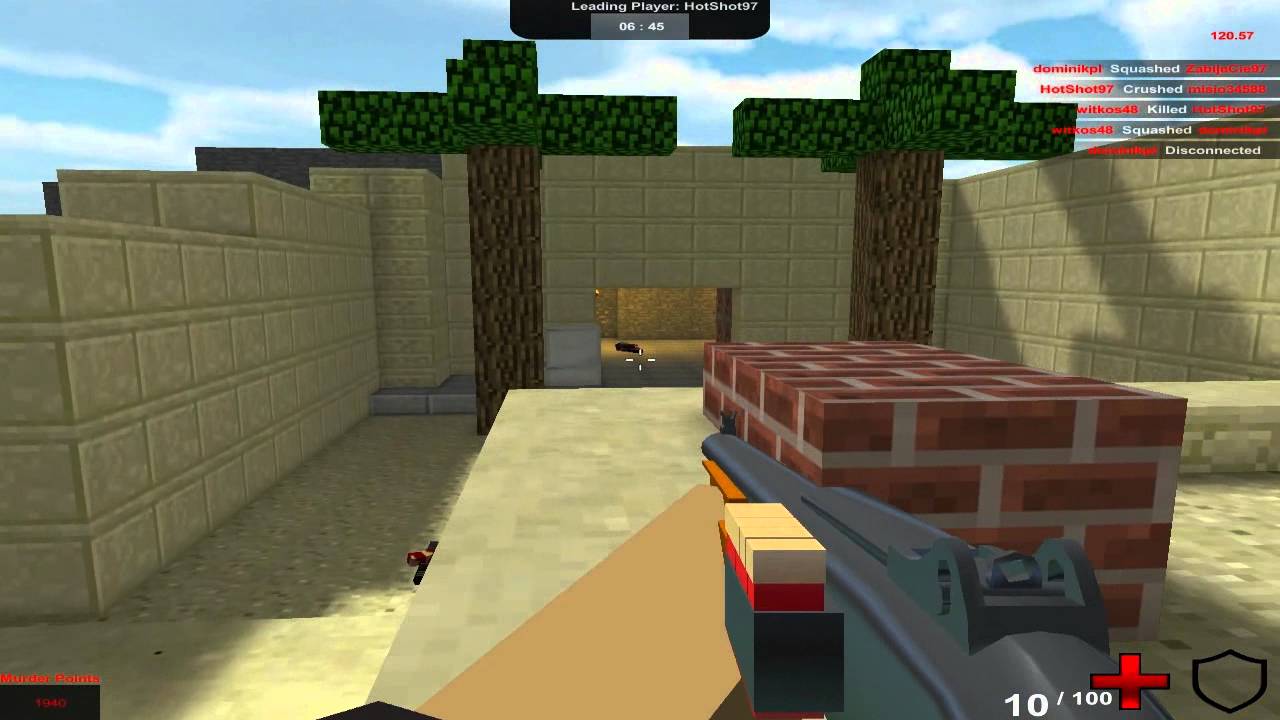
Gra do zagrania na:
http://murdershadow.ct8.pl/
Wymagana wtyczka unity web player:
https://unity3d.com/webplayer
Krótki niezobowiązujący gameplay prezentujący grę autorstwa MrKibass'a i Unit13. By Gamers for Gamers.
deft fiber
lethal dagger
https://youtu.be/HnbZbPo7gnk?si=WilSTWsE9t3Tz3yK
I wanna bake shadows like in t...
What's the issue with the kind of result you get with default settings?
It should look similar or a bit better
If you need it to be precisely similar I guess what you want is a lightmap baked with no bounces that's brightened by a bit afterwards
Bakery has a global brightness option but with Unity's own lightmapper you may have to do something hacky like brightening the whole lightmap afterwards (and maybe also light probes)
You get a similar effect using a realtime light with a solid ambient color
If you don't have to do anything hacky, all the better
sullen spire
night shell
you just can't have more than 4 lights (or 8, depends on your limit) PER OBJECT
wow ty for your time man
i solved it reading these
lethal dagger
deft fiber
What's the issue with the kind of result you get with default settings?
You can see there is no dark Places

 vestal canopy
does the 8 lights per object limit also apply to baked lighting?
deft fiber
vestal canopy
does the 8 lights per object limit also apply to baked lighting?
Not purely baked, but mixed type lights yes as they have both realtime and baked functionality
 merry yacht
is there any way to cast the shadow of a 3d model onto a tile map/2d sprites?
 thick lodge

Hi I am trying to use fog and in 3d it works but in 2d it doesnt
How should I fix that?
I want fog to appear behind the house
deft fiber
merry yacht
is there any way to cast the shadow of a 3d model onto a tile map/2d sprites?
Mainly if you stop using sprite shaders and use 3D shaders on your sprites and tilemaps instead
But it's technically also possible to make your own shadow caster pass and sample that in a sprite shader
merry yacht
@deft fiber How do I change the shader of a tilemap? change the materal from sprites-default?
deft fiber
merry yacht
<@166982635950702592> How do I change the shader of a tilemap? change the matera...
yes
Not all sprite features will work if you stop using sprite shaders, though
merry yacht
what stops?
deft fiber
merry yacht
what stops?
2D sorting and sprite masking mainly, color tinting also but that can be reimplemented
 supple coyote
Hello 🙂 I have a problem with "flickering shadows" Unity: 2022.3.16f1 and HDRP
It's on a very tiny specific angel. No occlusion culling or anything with turning off gameobject.
The light is realtime
supple coyote
this happens only in build. During playmode in editor everything is fine
main wolf
supple coyote
Hello 🙂 I have a problem with "flickering shadows" Unity: 2022.3.16f1 and HDRP
...
Looks like shadow 'acne' , try adjusting shadow bias
https://docs.unity3d.com/Manual/ShadowPerformance.html
supple coyote
main wolf
Looks like shadow 'acne' , try adjusting shadow bias
https://docs.unity3d.com/Ma...
I accidently discovered that making gameobject static cause this problem. When I turn off static checkbox then shadows are ok
but why?
supple coyote
main wolf
Looks like shadow 'acne' , try adjusting shadow bias
https://docs.unity3d.com/Ma...
this one not help, but making them non-static also doesn't work everytime
reloading the scene also make it worse
 viral urchin
I have a fire effect made with vfx graph that I want to see reflected on the ground, how can I do it?
 hot beacon
hi, i want to increase my point light range while keeping the intensity value?, is there anyway to do that? because i already tried to increase the range but it wont change and i realize that i need to increase the light intensity too
 deft fiber
hot beacon
hi, i want to increase my point light range while keeping the intensity value?, ...
deft fiber
hot beacon
hi, i want to increase my point light range while keeping the intensity value?, ...
Range is an "upper limit" to how far the light can illuminate, and will not affect intensity unless it has to cut off the light's effective range
Lights are always brighter closer to the light source, so you can't "extend" the light without changing intensity
hot beacon
deft fiber
Range is an "upper limit" to how far the light can illuminate, and will not affe...
https://forum.unity.com/threads/how-do-i-increase-point-light-range-without-changing-intensity.1101673/
yup figured, and this guy figured it out by changing the Lighting.hlsl source code, sadly i am not familiar with it, and i am afraid changing the source code will have other issue as well
Unity Forum
I am trying to get this lantern to shine light at a greater distance but with URP, you can't just increase the range. If I increase intensity, closer...
deft fiber
hot beacon
https://forum.unity.com/threads/how-do-i-increase-point-light-range-without-chan...
It requires you to have a modified URP which can be troublesome
Another option is to only do that on a per-shader basis
hot beacon
deft fiber
It requires you to have a modified URP which can be troublesome
Another option i...
guess i need to learn about shader for lighting, thanks for your help 
deft fiber
hot beacon
guess i need to learn about shader for lighting, thanks for your help <:UnityCha...
If you find tutorials for toon shading or custom lighting you'll be on the right track
Those usually implement a custom light attenuation, which you probably want to be basically gone entirely
 tame mural
does anyone know why my player shadow is pixelated but all other shadows arent?

 deft fiber
tame mural
does anyone know why my player shadow is pixelated but all other shadows arent?
deft fiber
tame mural
does anyone know why my player shadow is pixelated but all other shadows arent?
It looks like the other shadows are too, but the ground doesn't make it easily apparent
Check that soft shadows are enabled
tame mural
deft fiber
It looks like the other shadows are too, but the ground doesn't make it easily a...
now that i look at it a bit closer, all shadows are pixelated, but enabling soft shadows doesnt change anything
 deft fiber
tame mural
now that i look at it a bit closer, all shadows are pixelated, but enabling soft...
deft fiber
tame mural
now that i look at it a bit closer, all shadows are pixelated, but enabling soft...
They should also be enabled in the quality settings, I believe
tame mural
wdym "quality settings?
deft fiber
tame mural
wdym "quality settings?
https://docs.unity3d.com/Manual/class-QualitySettings.html
These if on built-in render pipeline
Active URP asset on URP
If soft shadows are disabled in the quality settings, trying to enable them on the light source would not do anything
tame mural
deft fiber
<https://docs.unity3d.com/Manual/class-QualitySettings.html>
These if on built-i...
im using urp, so what do i have to do? sorry for the questions, im unfamiliar with lighting in general
 frosty creek
Hey does anyone know why I'm having this weird color blending happening??
 deft fiber
Definitely looks like a reflection from the light
Turning smoothness down would likely eliminate it
deft fiber
tame mural
im using urp, so what do i have to do? sorry for the questions, im unfamiliar wi...
Did you find the settings in the URP Asset?
 fickle bane
i'm making a map and i used a shader pack called poiomi to make the neon material, but then when i bake it, the lights seem off, specially on the doors, the doors are so bad, the rest of the lighs seem like they could make more light but they don't, can anyone help, plese? i'm new
 deft fiber
fickle bane
i'm making a map and i used a shader pack called poiomi to make the neon materia...
deft fiber
fickle bane
i'm making a map and i used a shader pack called poiomi to make the neon materia...
Did you try with the default materials with emission rather than custom if the problem is specific to that?
fickle bane
deft fiber
Did you try with the default materials with emission rather than custom if the p...
default doesn't emit light at all
also this error with these options

darkness inside the light
deft fiber
fickle bane
default doesn't emit light at all
It will if you enable emission in the material with global illumination: baked and the object static
Test it with defaults only first
I'd always tart by looking for issues using the GI debug draw modes, primarily UV overlap and texel validity
https://docs.unity3d.com/Manual/GIVis.html
There's probably more issues there too so look f or similar problems that are shown in this guide
https://forum.unity.com/threads/lightmapping-troubleshooting-guide.1340936/
Could be denoising problems or lightmap UV bleed problems, at a glance
fickle bane
deft fiber
It will if you enable emission in the material with global illumination: baked a...
oh it actually works, but it's very weak
 deft fiber
fickle bane
oh it actually works, but it's very weak
deft fiber
fickle bane
oh it actually works, but it's very weak
Then you can boost the material's emission intensity
It could be that some of the custom shaders were boosting their own visibility or brightness in some way, which would make it hard to make everything consistent
Since you have a lot of occluded emissives, you could try increasing max bounces to 3 or 4
Note that you have warnings about UV overlaps in the console, which is what my earlier links will help you deal with
 frozen mortar
Hey, Is there a way that I can somehow bake light/shadows into a prefab?
I'm new to light baking and the visuals side of things. (Been about 4 or so months working on the dev side of things though)
I'm trying to achieve a look, and baking light (the static objects thingy) gives me pretty results
The issue is that, my level map will be dynamic (i will be initializing prefabs at runtime)
Now I've chunk of level map that stores 10 levels each. I want the look it gets when I bake light in the scene (when I make all of the objects in the chunk static)
I also want to give short animations to stuff on the map (interactive animations, when they are pressed, I would like to play a short animation)
I am using the builtin render pipeline. Idk how to write my own shaders. So shader side of things are kinda limited for me.
Just ping me when someone replies to me, I wont mind.
Thank you a lot, in advance. 😃
deft fiber
frozen mortar
Hey, Is there a way that I can somehow bake light/shadows into a prefab?
I'm new...
Could try this
https://github.com/Ayfel/PrefabLightmapping/
And also theck out this for some tricks potentially
https://youtu.be/KbxiGH6igBk
frozen mortar
deft fiber
Could try this
<https://github.com/Ayfel/PrefabLightmapping/>
And also theck out...
Thank you once again.
I will look into it tomorrow and will update here.
Stay blessed
 slim bobcat
Complete beginner here. I am trying to add a spotlight, that I was hoping to model into being a sort of an "opening in the sky", to indicate if a unit is selected or not. I have added a spotlight as shown in the image, but it seemingly does nothing. The map is an isometric grid with multiple layers in it. The character is a rigidbody2d entity, with a fixed z position. When I start my game, the spotlight is seemingly invisible and has zero effect. What am I doing wrong / misunderstanding ?
 deft fiber
slim bobcat
Complete beginner here. I am trying to add a spotlight, that I was hoping to mod...
deft fiber
slim bobcat
Complete beginner here. I am trying to add a spotlight, that I was hoping to mod...
Are you using the 2D renderer and is it a 2D light?
slim bobcat
@deft fiber Good questions ! No clue how to answer them! 😂
@deft fiber The light is created from the menu. Right click hierachy, Light, Spot light. Unmodified at that. How do I check what kind of renderer I am using ? I have just set up a default 2d project and added an isometric tilemap to it
deft fiber
slim bobcat
<@166982635950702592> The light is created from the menu. Right click hierachy, ...
URP 2D?
slim bobcat
deft fiber
URP 2D?
How do I check?
slim bobcat
OK, never mind. I found some stuff online. I'll meddle with that for a bit and see what happens. Thanks for the hinter @deft fiber !
deft fiber
slim bobcat
OK, never mind. I found some stuff online. I'll meddle with that for a bit and s...
Once you have URP 2D installed and configured, you can use 2D lights with Lit sprites
slim bobcat
This one, yes ?

I think I have set up a new renderer, but no difference, even though I added a spot 2d
tame mural
deft fiber
Did you find the settings in the URP Asset?
no, i have no clue how to find that
deft fiber
tame mural
no, i have no clue how to find that
URP asset is referenced in your quality tab, clicking it will take you to the asset
That will contain your shadow settings
Googling any of these terms will likely yield more information
deft fiber
slim bobcat
I think I have set up a new renderer, but no difference, even though I added a s...
You can check that your active URP asset in the quality tab is using a 2D renderer, then confirm that your sprite renderers have a Lit sprite material
With those, the 2D lights should work
tame mural
deft fiber
URP asset is referenced in your quality tab, clicking it will take you to the as...
i enabled soft shadows but my shadows still look clunky?


any idea why?
deft fiber
tame mural
i enabled soft shadows but my shadows still look clunky?
The resolution is too low / shadow distance is too high / not using shadow cascades
tame mural
deft fiber
The resolution is too low / shadow distance is too high / not using shadow casca...
i've been messing around with these settings, but i cant achieve good looking shadows without also them being seen from far away. is there a guide i can read on what settings are optimal?
deft fiber
tame mural
i've been messing around with these settings, but i cant achieve good looking sh...
None that I know of
The default settings you get when getting an URP project template (or should get when installing URP) are usually good for most purposes
But depending on the scale and needs of the game they still often need to be tweaked up/down from there
Yours seem to be set to absolute lowest
tame mural
i'll try my best to mess around and see what i can do. thanks for all of the help otherwise 👍
deft fiber
tame mural
i'll try my best to mess around and see what i can do. thanks for all of the hel...
If you make a new project from the URP template using the same unity version, you'll probably can plagiarize the settings from there, or even export and import the asset over
tame mural
deft fiber
If you make a new project from the URP template using the same unity version, yo...
i did that and it looks perfect now. thanks a lot!!!
slim bobcat
@deft fiber Sorry for my delayed response - I was out travelling. Is it this you mean ?
 deft fiber
slim bobcat
<@166982635950702592> Sorry for my delayed response - I was out travelling. Is i...
deft fiber
slim bobcat
<@166982635950702592> Sorry for my delayed response - I was out travelling. Is i...
Yes
The project settings>quality tab should have a reference to that asset in the currently active quality level
If you make a new project using the URP 2D template, create a new sprite gameobject into scene and a 2D light, it should light it
Could make a test project like that and compare
slim bobcat
That was set to none, but I selected that asset now
deft fiber
slim bobcat
That was set to none, but I selected that asset now
If it was set to none, you also need to ensure that project settings>graphics has the reference as well
In other words confirm that the URP 2D configuration is complete
There are step by step guides to that in the docs
slim bobcat
It was set in settings -> graphics ... which I did when I followed that guide 😄
I guess, since I created my game objects before I added URP2D, they are missing some sort of config that gets automagically added with URP ?
deft fiber
slim bobcat
It was set in settings -> graphics ... which I did when I followed that guide 😄
project settings>graphics and project settings>quality

 deft fiber
slim bobcat
deft fiber
slim bobcat
So, next check that the sprite material is Lit like I mentioned previously
slim bobcat
@deft fiber On the spotlight I have created, or do I have to add a material to my character ?
deft fiber
slim bobcat
<@166982635950702592> On the spotlight I have created, or do I have to add a mat...
Sprite renderers need the Lit sprite material
slim bobcat
@deft fiber The sprite renderer of my character definitely doesn't have a Lit Sprite material. Nor does a material of that type exist in my project, it seems
slim bobcat
Ah, I finally got it working ! I had to convert my assets to urp2d 😄
@deft fiber Thanks a lot for patience and quality feedback! Much appreciated 😄
deft fiber
slim bobcat
Ah, I finally got it working ! I had to convert my assets to urp2d 😄
The only converting for urp 2d is swapping the material
For some reason the sprite Lit material is hidden from assets but newly created sprite objects have it
slim bobcat
@deft fiber I went to Window -> Rendering -> Render Pipeline Converer .. once I ran that and converted to (Built-in to 2D URP), it made the materials and automatically applied it to my assets
slim bobcat
@deft fiber Getting there 😄

 jovial orbit
Hi, I have an issue. Whenever I imported my blender map and I bake lights in unity, the map gets bright/lights up. I want the shadows to look good and I don’t know why it’s doing that. Any tips?
deft fiber
jovial orbit
Hi, I have an issue. Whenever I imported my blender map and I bake lights in uni...
What does the "glow up" look like?
Got any warnings in console?
jovial orbit
deft fiber
What does the "glow up" look like?
It basically makes the map really bright
Idk it’s like a bright light
deft fiber
So why don't you show how it looks like
Words are ambiguous, but most lightmapping problems can be recognized from their appearance
jovial orbit
deft fiber
Words are ambiguous, but most lightmapping problems can be recognized from their...
I’m going to open my unity project and send you a picture
@deft fiber it does this

It’s weird
deft fiber
jovial orbit
<@166982635950702592> it does this
Prefer to take screenshots in the future rather than photos, can't see much here
You should rule out UV overlap and texel invalidity problems first as they're the most common
https://docs.unity3d.com/Manual/GIVis.html
These debug view modes can reveal them, but only work if the lighting has been baked in the current session
https://forum.unity.com/threads/lightmapping-troubleshooting-guide.1340936/
Additionally look for a visual match of the error using this guide
And if your surfaces are using custom shaders, try baking with unity's default lit shaders instead to rule out that issue
Custom shaders may apply lightmap and brightnesses in unpredictable ways
jovial orbit
deft fiber
Prefer to take screenshots in the future rather than photos, can't see much here...
What’s uv overlap and texel invalidity? I’m not very good at unity
deft fiber
jovial orbit
What’s uv overlap and texel invalidity? I’m not very good at unity
Chapters 9 and 15 of the linked guide explain those
 fiery plover
Why is my default scene so bright I dont even have any lights
chilly kettle
fiery plover
Why is my default scene so bright I dont even have any lights
Scenes have Environment Lighting by default.
fiery plover
How do I deactivate this?
chilly kettle
In the Lighting Tab
fiery plover
yeah that makes sense ty
deft fiber
Looks like lightmap UV overlap
https://forum.unity.com/threads/lightmapping-troubleshooting-guide.1340936/
c.9
 sonic mason

god i hate text in unity , it just spawn a big ass canvis
is there a way to make it not be.. this big and have to scale it down everytime
chilly kettle
sonic mason
Use Screen Space - Camera 😛
deft fiber
sonic mason
is there a way to make it not be.. this big and have to scale it down everytime
You aren't expected to scale it down
You can double click the Canvas gameobject to frame the scene view around it
(or hit F with it selected, also, I like to hotkey the 2D mode to "2" key so you can very quickly view the canvas as it is)
Canvas treats each unity unit as one pixel, rather than one metre so the size difference is intentional
Also, #📲┃ui-ux this has nothing to do with lighting
fiery plover
Game View vs Scene View why is the game view white?

 deft fiber
fiery plover
Game View vs ...
deft fiber
fiery plover
Game View vs ...
Mostly looks like fog but really hard to tell from a vague image like this
fiery plover
No fog
 fiery plover
deft fiber
Mostly looks like fog but really hard to tell from a vague image like this
fiery plover
deft fiber
Mostly looks like fog but really hard to tell from a vague image like this
Any idea for better images?
deft fiber
fiery plover
Any idea for better images?
Oncropped and showing more things in the scene
Maybe also what type of lights you're using in the scene if any
fiery plover
No lights
deft fiber
fiery plover
No lights
Which render pipeline? Is post processing enabled?
fiery plover
URP post processing is disabled in the camera settings
deft fiber
fiery plover
URP post processing is disabled in the camera settings
And if you enable it?
fiery plover
no difference
 whole bramble
any other component attached to the main camera?
whole bramble
using canvas?
fiery plover
yes
whole bramble
reduce the alpha of the overlay ui
whole bramble
np
deft fiber
Quicker if you can provide screenshots that show everything, including the hierarchy so way less need to guess things one by one
For future
fiery plover
deft fiber
Quicker if you can provide screenshots that show everything, including the hiera...
I will do it in the future thanks anyways
 olive hinge
Hi, have a nice day, guys.
I would like to ask what possibility cause the lighting in my imported scene go wrong?
I setup lighting for a scene in a different project and then export as unitypackage to another project.
I checked ProjectSettings/Graphics, /Quality and Rendering/Lighting configs but they are the same.

 chilly kettle
olive hinge
Hi, have a nice day, guys.
I would like to ask what possibility cause the light...
chilly kettle
olive hinge
Hi, have a nice day, guys.
I would like to ask what possibility cause the light...
For me it looks like your Materials are more rough / less glossy on the right image. And maybe the direction or intensity of a light has changed?
olive hinge
chilly kettle
For me it looks like your Materials are more rough / less glossy on the right im...
Thanks for replying but no, the material of the model is the same, same goes with the lighting settings within the scene.
After checking the project settings and lighting settings, I thought about the difference of Unity version. The one I setup the scene is 2022.3.11f and the one project I actually use is 2021.3.14f. I tried upgrade the project but the result is still same.
olive hinge
That's it! Thank you sir!
 wintry kettle
I am really new to unity and it seems to be a problem with my blender house that i imported to unity. does anyone know how to fix the walls being see through in the inside but not on the outside

 chilly kettle
wintry kettle
I am really new to unity and it seems to be a problem with my blender house that...
chilly kettle
wintry kettle
I am really new to unity and it seems to be a problem with my blender house that...
Are they only made from a single face, or do the wall have a thickness?
What you see (or not see) there from the inside is the "backface" of a face.
In Unity and many other tools you can see through a backface of a face.
In your Material you can change that to "both sides", so the engine renders not only the frontface but also the backface.
 hybrid hamlet
why the light in the scene view is not the same light when running the game ?

 chilly kettle
hybrid hamlet
why the light in the scene view is not the same light when running the game ?
chilly kettle
hybrid hamlet
why the light in the scene view is not the same light when running the game ?
looky nearly identical to me ^^
hybrid hamlet
chilly kettle
looky nearly identical to me ^^
In game mode, I can see the pixels of the lamp, which makes the quality feel lower
chilly kettle
hybrid hamlet
In game mode, I can see the pixels of the lamp, which makes the quality feel low...
Can you show that more detailed? ^^
hybrid hamlet
chilly kettle
Can you show that more detailed? ^^
I feel like the scene mode is smoother


how to fix it? I'm using vintage house materials

Elevate your workflow with the Vintage House asset from Manufactura K4. Find this & other Environments options on the Unity Asset Store.

 hybrid hamlet
game
hybrid hamlet
hybrid hamlet
game
game light is so bad idk why please i really need help about that
tulip tendon
hybrid hamlet
how to fix it? I'm using vintage house materials
thats not a pipeline
the light looks fine to me
you mean the pixelation?
chilly kettle
hybrid hamlet
game
Do you use a low quality setting when building the game?
Is Anti Aliasing helping with the problem?
deft fiber
hybrid hamlet
game
Show an uncropped screenshot
Seems likely that you have zoom enabled in the game window
Another option is lowered render scale in render pipeline asset, but that rarely happens by accident

 deep pebble
any idea why light changed by script is so bright at night?
RenderSettings.ambientIntensity = 0;
sunLight.color = Color.black;
sunLight.shadowStrength = 1;
0:11
deft fiber
deep pebble
Even if the ambient light changes, the reflection probe does not
deep pebble
deft fiber
Even if the ambient light changes, the reflection probe does not
RenderSettings.reflectionIntensity = intensity;
like this?
deft fiber
Environmental lighting consists of the main directional light, the ambient probe and the reflection probe
deep pebble
deft fiber
Environmental lighting consists of the main directional light, the ambient probe...
I think now works thanks
deft fiber
deep pebble
I think now works thanks
I think overriding the intensity settings works yes
Other option is to recalculate them, which is accurate but expensive
Third option would be to blend between precalculated probes, which could be the best result but maybe finicky and unsupported
deep pebble
yeah Im doing day cycle and calculating it when time changes

what about those normal shadows?
I cant find anywhere to change it
deft fiber
deep pebble
what about those normal shadows?
By "normal shadows" do you mean the ones cast onto the ground by the directional light?
deft fiber
deep pebble
I mean those black sides
What isn't lit by the directional (or any punctual) light is lit by ambient light and reflections
The mix of which is determined by material smoothness and metallicness
All lighting is affected by normals
deep pebble
I dont really understand

I mean those black sides
they are completly pitch black
deft fiber
deep pebble
they are completly pitch black
Yes, they are lit by ambient light
Since you're modifying ambient light, it means your ambience is all black either from having no ambient/reflection probe information, or from you reducing the intensity to 0
 west robin
is there ANY way i can make transparent materials cast a shadow in URP
ive been looking for a solution for 3 hours now
 chilly kettle
west robin
is there ANY way i can make transparent materials cast a shadow in URP
ive been ...
chilly kettle
west robin
is there ANY way i can make transparent materials cast a shadow in URP
ive been ...
an Opaque Shader with Alpha Clipping
west robin
Ill try that rq
TYSM.
Idk why I couldn’t find any answers online when it was that easy
chilly kettle
west robin
TYSM.
Idk why I couldn’t find any answers online when it was that easy
i know what you mean 😄
 lime shoal
Where is that setting?
chilly kettle
lime shoal
Where is that setting?
In you Render Pipeline Asset / Settings
winter pollen
Why does baked light looks so much better than realtime?
chilly kettle
winter pollen
Why does baked light looks so much better than realtime?
Realtime lights do not bounce. Baked lights can bounce so you have a way more realistic appearance
Well. Realtime lights can bounce with Raytracing, but thats very expensive, like you can see in Cyberpunk etc.
winter pollen
chilly kettle
Realtime lights do not bounce. Baked lights can bounce so you have a way more re...
why exactly?
I mean such complicated realtime things like raytracing does also exist, so why no default realtime lights that can bounce?
chilly kettle
winter pollen
why exactly?
I mean such complicated realtime things like raytracing does also e...
well, a lightmap doesnt need highend hardware and achives the same visuals like a realtime light with raytracing that needs a good GPU ^^
winter pollen
chilly kettle
well, a lightmap doesnt need highend hardware and achives the same visuals like ...
what is a lightmap?
chilly kettle
The resulting texture after baking light ^^
 hoary fossil
Little APV test in 2023
 cloud bough
Does anyone know why this is happening? This is in the scene view and if I zoom in or zoom out it changes color, like green, blue, red, and yellow. I don't know if this is a new feature in 2023, I've always worked on 2019. Any help will be appreciated!

 unique yarrow

my lighting goes through walls, i have the walls normals flipped since you are inside the box you can see the wall texture, but from the outside you can see in and light passes through
 magic ruin
Oh! you need something blocking it from that side.
A simple fix would be to make sure those walls are double sided
You could test it by toggling on render faces "both" in your walls material
unique yarrow
magic ruin
A simple fix would be to make sure those walls are double sided
how can i do that?, i used pro builder to make it
magic ruin
Just edited my above reply to something more specific to solve that!
unique yarrow
thank you!
 glossy remnant
anybody know how to make a fake shadow effect like in this picture i dont have lighting enabled in my scene

ok thanks ill look up a tutorial on youtube
 shell juniper
glossy remnant
anybody know how to make a fake shadow effect like in this picture i dont have l...
shell juniper
glossy remnant
anybody know how to make a fake shadow effect like in this picture i dont have l...
a decal of a black circle is the easiest way to throw something like that together
glossy remnant
thanks for the advice but i already solved the issue i just send a ray out wherever it hits it moves a sphere to it
 vestal canopy
glossy remnant
vestal canopy
glossy remnant
It will not work on non flat geometry. You can use a decal instead of a squished sphear to solve that as Kabinet suggested
You can also modify the shape of the shadow blob with decals, like make it smooth around the edges
glossy remnant
wdym mean flat surface?
 willow nymph
any idea why bro's legs aint casting shadows

 deft fiber
unique yarrow
deft fiber
unique yarrow
Normal maps are not set as type normal map, or something else is wrong
deft fiber
willow nymph
any idea why bro's legs aint casting shadows
I'd try to poke the problem more precisely by moving the mesh and the light, to see if the problem could be positional
Also confirm that shadows are enabled on the legs' mesh renderer
unique yarrow
deft fiber
Normal maps are not set as type normal map, or something else is wrong
yep turning normal map from 1 to 0 fixes it, but then obviosly i have no normal map active
deft fiber
unique yarrow
yep turning normal map from 1 to 0 fixes it, but then obviosly i have no normal ...
Normal map textures need to be set as type normal map
unique yarrow
deft fiber
Normal map _textures_ need to be set as type normal map
lol im a bit dumb, thank that fixed it !
 fleet zinc
is there any good alternative for lights with IES textures in URP? (Seems to only be supported in HDRP)
deft fiber
fleet zinc
is there any good alternative for lights with IES textures in URP? (Seems to onl...
Light cookies perhaps
 timber egret
Sorry to bother and for the long message but I wanted to know why, in HDRP 2022.3.17f1, in the shadows section of the directional light (Sun), there is nothing else such as the "Dimmer" or the "Tint" etc.
I also wanted to know if it is possible to change the maximum rendering distance of grass, rocks and other details, because every time I try to do a level design I have to try to cover the furthest part of the terrain (usually it is 500x500 large) with large assets to Don't give the feeling that it's not complete
lastly, it seems that even if I bake the light, the reflection probe always gives this message in the inspector: "baked reflection probe normalization data is invalid". I would like to point out that everything I have said up to now I have also tried on a new and clean project to see if it was just a moment
Thanks in advance
unique yarrow
could someone explain or link me something that explanans reflection probes, im not sure how many you need, is 1 per room good? or if a room is in an "L" shape shoudl i use 1 that covers the whole thing or two different probe? does the location of the probe its self have and effect or can i put it anywhere as long as its borders cover the room
chilly kettle
unique yarrow
could someone explain or link me something that explanans reflection probes, im ...
That depends on the realism of your scene i would say.
If you need some realistic reflections on reflective Material such as Glas or Metal, you should add some more Reflection Probes to your scene.
One should be enough per Room, if its not to big.
If its an "L" shaped room, you could add two probes, one for each "L"-legs of the room.
unique yarrow
chilly kettle
That depends on the realism of your scene i would say.
If you need some realisti...
so this room is okay to have just the 1? imo its looking good so i think so
 chilly kettle
unique yarrow
could someone explain or link me something that explanans reflection probes, im ...
chilly kettle
unique yarrow
could someone explain or link me something that explanans reflection probes, im ...
if purple is your room with some walls, you can add reflection probes like this (red)
 unique yarrow
whats the point of the middle small one? cant you use jsut extend the top one?
chilly kettle
if there is a wall, the top one cant see whats behind the wall
a reflection probe is more or less just a 360° camera
and what it sees is mapped on the reflective materials
unique yarrow
oh yeah mb just saw the walls
unique yarrow
unique yarrow
so this room is okay to have just the 1? imo its looking good so i think so
@chilly kettle do you think ill need 3 probes in this room or just the 1?, idk how performance heavy they are. i have it set to every frame, idk if i should put it to "on" or "on demand" idk what on demand does
chilly kettle
timber egret
Sorry to bother and for the long message but I wanted to know why, in HDRP 2022....
Games normally work with LODs when it comes to show objects in a far distance.
And im sure you know the look, when stuff in the distance appears from nothing or changes its details when you come closer.
chilly kettle
unique yarrow
<@240155892128022528> do you think ill need 3 probes in this room or just the 1...
You have to keep in mind, that reflection probes are not like a perfekt mirror, like you can see in the reflections of your water.
They are always a little "off".
For the performance:
If your scene doesnt change much, its enough to BAKE the reflection probes.
You can change the resolution to save space. Turn it down as low as possible until you cant live with the quality anymore ^^
Often its enough if the Reflection Probe is like 128x128 px. If 128x128 px is enough, you can use dozens of them.
unique yarrow
tbh its not even a detailed scene other than the water, and the water refracts the light anyway you you cant even notice it
so i can probably get away with it
unique yarrow
chilly kettle
You have to keep in mind, that reflection probes are not like a perfekt mirror, ...
what does on demand do?
chilly kettle
unique yarrow
what does on demand do?
let me have a look in the docs
on demand updates the probe if you request it by code
i would recommend baked.
unique yarrow
ok ok 👍
unique yarrow
chilly kettle
You have to keep in mind, that reflection probes are not like a perfekt mirror, ...
as youve said if you look hard enough its perfect, its just like sniper scopes in scp when you rotate, i guess it has a reflection probe
so how could you get accurate reflections?
chilly kettle
There is a technique called "Screen Space Reflection".
I have never used it, because i am completly into stylized art.
But i can give you the docs ^^
https://docs.unity3d.com/560/Documentation/Manual/PostProcessing-ScreenSpaceReflection.html
The Unity Manual helps you learn and use the Unity engine. With the Unity engine you can create 2D and 3D games, apps and experiences.
unique yarrow
chilly kettle
There is a technique called "Screen Space Reflection".
I have never used it, be...
stylised art? as in art thats not realistic and more creative?
unique yarrow
chilly kettle
There is a technique called "Screen Space Reflection".
I have never used it, be...
oooohhh thanks! ima go look at this
chilly kettle
unique yarrow
stylised art? as in art thats not realistic and more creative?
Yeah.. like warcraft etc.
Thats the stuff i made: https://www.instagram.com/p/Cz3nClKqXZq/
timber egret
chilly kettle
Games normally work with LODs when it comes to show objects in a far distance.
A...
this is what I did and as you can see just beyond the river you can see the grass prefabs and a little further down the bilboards but if I try to paint other details further down or add them manually they don't appear, except the trees, unless I move the camera closer and in the terrain settings I had already set the rendering distance of the trees and details to the maximum.
I wanted to know if there is a way to increase this render distance
 chilly kettle
timber egret
this is what I did and as you can see just beyond the river you can see the gras...
chilly kettle
timber egret
this is what I did and as you can see just beyond the river you can see the gras...
Do these trees use LOD Groups?
timber egret
chilly kettle
Do these trees use LOD Groups?
yes, but also grass and rocks
chilly kettle
timber egret
yes, but also grass and rocks
you can adjust the distances, where the different LODs appear.
 timber egret
chilly kettle
you can adjust the distances, where the different LODs appear.
timber egret
chilly kettle
you can adjust the distances, where the different LODs appear.
I'll try as soon as I have the chance
Maybe I left them at the default parameters
but thanks
supple coyote
hello again 🙂 I'm going trough the unity template about URP and I noticed something weird. I'm in the section about local lights. There is a expert tip: "To optimize performance, you may decide do reduce the number of real-time lights, turn their shadows off, or set their Mode to Baked"
So I did it, to learn I change one of the spot light from mixed to baked and after generating a new lightmap the shape of the light is broken. On the screen in right circle is mixed, and on the left circle is baked. Could someone please explain to me why this happened?

when I go back to mixed the ligth shape is the same as the one on the right
 deft fiber
supple coyote
hello again 🙂 I'm going trough the unity template about URP and I noticed somet...
deft fiber
supple coyote
hello again 🙂 I'm going trough the unity template about URP and I noticed somet...
Mixed lights also have a realtime component so you get baked bounce lighting from them but fully realtime direct lighting and shadows, including normal maps, while baked lights only write to lightmaps
Lightmaps don't capture normal maps, but if you're baking with Directional Mode enabled, then the additional directionality maps can give you a somewhat vague approximation of normal mapped lighting
Lightmaps are also limited by their resolution, as mentioned, which makes them a poor fit to capture any sharp spot light shapes
tulip tendon
supple coyote
lightmaps do not have normal map data, if you want baked lights to affect normal maps use APV's
vestal canopy
Any way to incresce the render distance of realtime and mixed spot lights in unity?
They fade out when you go far from them.
chilly kettle
vestal canopy
Any way to incresce the render distance of realtime and mixed spot lights in uni...
Do you have a lot of lights? Maybe they are turned off because of the light limit
vestal canopy
Its a hallway with 4 mixed lights shining down from the top
Baked indirect lighting
chilly kettle
go to edit-> project setting -> quality -> increase pixel light count to your desired number of lights.
Could solve the Problem
if you are using URP - go to your Universal Render Pipeline Asset and increase the Per Object Limit value, located under Lighting > Additional Lights.
vestal canopy
Im using hdrp
deft fiber
vestal canopy
Any way to incresce the render distance of realtime and mixed spot lights in uni...
Are you baking using distance shadowmask, or shadowmask at all?
In my experience shadows have a fade out distance, but lights do not
With the exception of shadowask distance which basically blends between mixed lights and baked lights at the threshold
timber egret
chilly kettle
you can adjust the distances, where the different LODs appear.
I think it has improved slightly, these are the images, I just don't understand what sense it makes to put the detail distance to the maximum if the grass reaches a maximum of 43 distance. if this is maximum, patience, I will adapt


 tired inlet
unique yarrow
oooohhh thanks! ima go look at this
tired inlet
unique yarrow
oooohhh thanks! ima go look at this
Yeah you're gonna want screen space reflection to get accurate reflections on your water
Reflection probes will help shade the room accurately
But they will not provide accurate reflections on mirror like surfaces (like water)

Funnily enough I was working on a scene like that in unity back when it was the hype so I could give you some advice specific to that type of environment scenario
Use area lights for the big light holes, set to mixed mode so that the light bounces around with a nice bake, but still gets nice real-time specular highlights
You want your scene to have full reflection probe coverage, but placement depends on how much of a difference there is in lighting around the scene
tired inlet
tired inlet
For that shot there is 1 reflection probe that covers the entire room because the lighting is mostly the same, and the difference in reflection is not noticable (since the water is reflecting realtime reflections with screen space reflection which overrides reflection probes)

But then for example I had this dark tunnel somewhere, and you would need to put different reflection probes there so that they don't reflect the "bright room"
I would place one at the threshold between light and dark, and than one in the dark area to make sure the dark spaces are shaded properly
I know other people have given you almost the same suggestions above, but just wanted to drop in my 2 cents since I dig the aesthetic
Not sure if this is an option in URP, but in HDRP that feature exists

I have quite a dense scene in my game in terms of lighting and if this didn't exist I'd be fucked 😂
tired inlet
supple coyote
In this case judging by how square and blobby that light is it indeed looks like too low of a lightmap resolution. You can increase the lightmap resolution as a whole for the scene, or a more optimized way is to increase it only on objects that need a higher resolution if the rest of the scene is fine
On the object's mesh renderer there is this value where you can multiply the resolution given to that specific object without upping it for your whole scene

It however still wouldn't capture the grain of the wall very well. To improve this you could enable "directional" lightmaps

However this means unity will generate an additional lightmap to store the directional data to give you a higher fidelty of light hitting at an angle at the cost of more vram, and space on disk
Yeah it's an uphill battle here too
We work with HDRP for the lighting and rendering fidelity, but the added overhead is quite a big chunk, so we still needed to implement a whole bunch of our own optimizations to make it run on lower end hardware
Especially because we did it as an "upgrade" to our already shipped game that ran on built-in rp, so we needed to make sure our original system requirements were still being met
Good thing Built-In was unoptimized as fuck too 😛
Don't even talk to me about the high shadow filtering that's still broken 
deft fiber
The "universal" part refers more to compatibility than the features
vestal canopy
tired inlet
I have quite a dense scene in my game in terms of lighting and if this didn't ex...
You can look into the diffrent rendering types( deferred and forward ). lights and shadows are more performant in forward rendering
tired inlet
Yeah we use deferred, but shadows just cost a lot
unique yarrow
tired inlet
But they will not provide accurate reflections on mirror like surfaces (like wat...
i have a smooth tile texture (which i kind of want to change but they will do for now) which reflect the room as well, but i think i want to
unique yarrow
tired inlet
thats pretty much exactly where im trying to get to, for now i have white walls since i cant find a texture i like or colour
vestal canopy
tired inlet
Reflection probes will help shade the room accurately
Planar reflection probes are there, they even provide better reflections
Since ssr cannot show what isnt on your screen
So planar refs are better for water
unique yarrow
tired inlet
I know other people have given you almost the same suggestions above, but just w...
what youve said is really helpful!
tired inlet
vestal canopy
So planar refs are better for water
But also a lot more expensive than SSR
vestal canopy
That is true. You win some and you lose some
deft fiber
Oh yea that one would be nice to have, using scripts for light culling is kind of unwieldy
Luckily light cost is mostly proportional to geometry in its range, which is pretty easy to cull using LOD groups, and if you have big levels you'll want to be loading/unloading parts of the level at runtime anyway
unique yarrow
tired inlet
where did you get your wall texture from? ive been looking for a pool tile PBR texture but they are paid or not what im looking for
tired inlet
unique yarrow
where did you get your wall texture from? ive been looking for a pool tile PBR t...
I made it myself in substance designer
unique yarrow
tired inlet
I made it myself in substance designer
hmmm, do you think it would be difficult if i installed it and try to make somethign simular or should i stick with free assets, at least for now
tired inlet
It's a good program to learn, but can be quite extensive
I can give you my texture if you want it, I just made that as a personal fun project
unique yarrow
tired inlet
I made it myself in substance designer
this is a problem i have with reflection probes, u cant tell cuz its too bright in most places but in the dark it looks metallic and u can clearly see the 360 view probe image and it breaks immersion
 unique yarrow
tired inlet
I can give you my texture if you want it, I just made that as a personal fun pro...
unique yarrow
tired inlet
I can give you my texture if you want it, I just made that as a personal fun pro...
if you could that would be amazing
even then maybe ill try and give it ago and learn it down the line
tired inlet
Not sure if I'm allowed to share files so download it quick, and then I'll delete it 😛
unique yarrow
tired inlet
Not sure if I'm allowed to share files so download it quick, and then I'll delet...
got it 
tired inlet
unique yarrow
this is a problem i have with reflection probes, u cant tell cuz its too bright ...
Yeah that's because a bright reflection probe is shading a surface with high smoothness that is in a dark area
unique yarrow
tired inlet
i take it in this image you have a filter on your camera to make it look like a video tape/ recording, what do you call that kind of filter? when i look at VHS affects it seems a bit too strong for my liking
tired inlet
But that's also way dark, do you have any baked indirect lighting in your scene?
I would suggest setting most of your environment lights to mixed, setting your environments to static, and doing a bake 🙂
unique yarrow
tired inlet
But that's also way dark, do you have any baked indirect lighting in your scene?

a single real time point light but the pillar cast a shadow, and thats why i thought maybe SBGI is something i should use to lighten up area like that
tired inlet
You could, however screen space global illumination does not work with reflection probes at the moment
So I would personally bake your global illumination
unique yarrow
tho i dont get these sliders, numbers where okay but HDRP uses these sliders and it confuses me lol, turned it down but it still seems smooth
 unique yarrow
tired inlet
So I would personally bake your global illumination
unique yarrow
tired inlet
So I would personally bake your global illumination
would mixed work?
tired inlet
Yes, mixed keeps the realtime light, but bounces around baked lights to go in to all your crevices
unique yarrow

this is with the texure you sent me, need to scale it and that ofc
but like the other texture i have a problem with everything looking dark and metalic, and im not sure why
tired inlet
unique yarrow
i take it in this image you have a filter on your camera to make it look like a ...
Without making (or buying) custom image effects you can get a long way by adding film grain, bloom, chromatic aberration, and lens distortion
And then add exposure override and on compensation boost it slightly so that it looks over exposed like an old/cheap camera
You could use depth of field with manual ranges to ever so slightly "defocus" your image as a whole as well
tired inlet
unique yarrow
but like the other texture i have a problem with everything looking dark and met...
make sure on the normal map import settings to set the texture type to normal
tired inlet
Unity used to warn you automatically if you plugged in a texture not set to normal map in to a normal map slot, but not anymore
So it's an easy mistake to make
unique yarrow
the texture is perfect thank you! the last one i had had a bit too much dirty look to it
tired inlet
Cool
Another tip is to use temperature on your light instead of color
Easier to get the right shade of white that way
unique yarrow
currently baking to see how its going to look

not too bad, need some water reflection and adjust the lighting i think

 unique yarrow
this room looks much better than the bigger room, maybe the bigger room needs more powerful lighitng
tired inlet
Notice how that area is no longer super dark because it gets bounced lighting from the rest of the room 🙂
Now you just have to play with it until you get what you like 
unique yarrow
:) its not far off what i want tbh
tired inlet
unique yarrow
Here it looks like not all your geometry is set to static, or not all light sources are mixed/baked
unique yarrow
for the accurate water reflections, is that a volume applied to only the water itself?
unique yarrow
tired inlet
Here it looks like not all your geometry is set to static, or not all light sour...
its all static and I changed all of them to mixed, tho maybe it didn't work ill try generating lighting again
deft fiber
tired inlet
Not sure if I'm allowed to share files so download it quick, and then I'll delet...
Why wouldn't you be?
tired inlet
deft fiber
Why wouldn't you be?
In case there is something weird about sharing zip files in the server rules
I like this place so I just wanted to be safe 😉
timber egret
timber egret
I think it has improved slightly, these are the images, I just don't understand ...
if there is nothing else I can do about this, I would like to know something about the directional light and reflection probe issues that I wrote about earlier
tired inlet
@timber egret
Sorry to bother and for the long message but I wanted to know why, in HDRP 2022.3.17f1, in the shadows section of the directional light (Sun), there is nothing else such as the "Dimmer" or the "Tint" etc.
Not sure what you mean there, but if you are looking for extra/advanced features on lights you can click on the three dots end enable the additional options for each section of the light component
 timber egret
tired inlet
<@198883350071476224>
> Sorry to bother and for the long message but I wanted t...
timber egret
tired inlet
<@198883350071476224>
> Sorry to bother and for the long message but I wanted t...
thank you ❤️
tired inlet
I don't know about the invalid reflection probe
For the grass disappearing should indeed be the LOD distance, I'm not quite sure what your problem is
timber egret
regarding the reflection probe I searched a bit and it says it's a bug in the current unity version
tired inlet
timber egret
I think it has improved slightly, these are the images, I just don't understand ...
Where do you find the max distance to be 43?
timber egret
tired inlet
For the grass disappearing should indeed be the LOD distance, I'm not quite sure...
on the Z axis of the object
 timber egret
yes
tired inlet
On that same image I see some play on the lod slider
Beyond that size it could be that the object itself becomes smaller than pixel size and just gets "lost"
I'll have a look in my unity
timber egret
in fact, beyond a certain distance it shrinks and disappears
instead trees, for example, reach almost to the end of the ground while other smaller plants or even grass disappear before them

 timber egret
yupo
timber egret
so can't do nothing
tired inlet
What you could do if you really want to render grass at that distance is create an additional LOD group on the prefab with a bigger version of the mesh
So it is a bigger version if it's further away
But keep in mind if you're doing this for anything other than a render it's not gonna be good for your performance
timber egret
I understand, thank you very much for your help, at most I will reduce the size of the environment
or enlarge the prefab as the distance increases
deft fiber
timber egret
or enlarge the prefab as the distance increases
Usually if you want performant grass you'll have to fade it out at some distance threshold, and when it approaches that you'd make it gradually smaller and less noticeable using LODs
Some games even implement a system to shrink the grass down in the vertex shader itself, so it'll blend into the ground grass texture extremely smoothly
tired inlet
That's a smart one
timber egret
thanks for the advice but at the moment I'm only doing static level designs, but thanks for the tip
deft fiber
timber egret
thanks for the advice but at the moment I'm only doing static level designs, but...
Static or no, these optimization techniques work just the same
 deft fiber
 trim hornet
Hi, does anyone know why my spotlight isn't working?
trim hornet
Hi, does anyone know why my spotlight isn't working?
Looks like you're using a 3D light with 2D sprites

 chilly kettle
Someone has a clue how to fix these shadow artifacts?
i can only reduce them by changing the shadow bias depth.
 deft fiber
chilly kettle
Someone has a clue how to fix these shadow artifacts?
i can only reduce them by ...
deft fiber
chilly kettle
Someone has a clue how to fix these shadow artifacts?
i can only reduce them by ...
This is called "shadow acne" and normally occurs on extreme shadow bias values (too low bias iirc)
chilly kettle
deft fiber
This is called "shadow acne" and normally occurs on extreme shadow bias values (...
Yeah I know the name. But the only way to fix is the shadow bias right?
deft fiber
chilly kettle
Yeah I know the name. But the only way to fix is the shadow bias right?
Yeah basically, unless there's some other cause
I've seen deferred rendering path cause some similar shadow glitches on some editors and platforms
chilly kettle
nope, normal model
has nothing to do with normals.
I nearly fixed it by adjusting shadow bias ^^
if normals were screwed, i wont see this face because the backside dont show? ^^
chilly kettle
lol, i am aware of fundamentals like smoothing groups ^^
But thanks. im fine with the shadow bias
timber lichen
I didnt know where else to go but anyone know how to fix this? iv already tried lightmaps, also I cant bake lights because my pc will have a seizure
 chilly kettle
@deft fiber - im so confused. I did my lightmap uv manually (First screen) and baked the scene in Unity. But the UV is getting ripped apart, and i have no clue why.
I thought it might come from a manual change in the "Scale in Lightmap", but thats default.. you have a clue why this is happening? It steals so much UV space.

 deft fiber
chilly kettle
<@166982635950702592> - im so confused. I did my lightmap uv manually (First scr...
deft fiber
chilly kettle
<@166982635950702592> - im so confused. I did my lightmap uv manually (First scr...
If your lightmap UVs are in the second UV channel and automatic UV generation is disabled, Unity should use them as-is
https://docs.unity3d.com/Manual/LightingGiUvs-GeneratingLightmappingUVs.html
chilly kettle
deft fiber
If your lightmap UVs are in the second UV channel and automatic UV generation is...
Yeah UV0 is texture UV1 is lightmap.
As you can see, my uv makes it into unity, but some parts are moved.
If you compare my UV and the Lightmap you can see, that this shell just moved up (and i dont know why)
 deft fiber
timber lichen
I didnt know where else to go but anyone know how to fix this? iv already tried ...
deft fiber
timber lichen
I didnt know where else to go but anyone know how to fix this? iv already tried ...
You'd have to specify what's the "this" you want fixed
That said, you can see from the lighting window and console log that you have lightmaps in use that have an UV overlap problem, so that can cause any number of issues
deft fiber
chilly kettle
Yeah UV0 is texture UV1 is lightmap.
As you can see, my uv makes it into unity, ...
That is strange
I'd try to remake the gameobject alone into an empty scene and bake lighting for that
If the problem still occurs, I'd try the same but with a newly imported mesh
Just to poke at the problem
deft fiber
@chilly kettle Lightmap resolution, max lightmap size and indeed also scale in lightmap are settings to watch when testing
chilly kettle
deft fiber
<@240155892128022528> Lightmap resolution, max lightmap size and indeed also sca...
did everything. And max lightmap size / resolution wont explain why unity splits part ov the UV out 😄
i guess my model is somehow broken
deft fiber
chilly kettle
i guess my model is somehow broken
Other models seem to not have the issue?
chilly kettle
deft fiber
Other models seem to not have the issue?
dont know, i saw this the first time, normally i can trust on the automatic generated lightmap uvs
chilly kettle
deft fiber
Other models seem to not have the issue?
Not possible for me to fix this.. 😄 haha
chilly kettle
deft fiber
Other models seem to not have the issue?
I have redone the whole UV, but always the UV shells are moved in the lightmap
deft fiber
chilly kettle
I have redone the whole UV, but always the UV shells are moved in the lightmap
Always the same ones, or some at random?
What about different meshes?
chilly kettle
deft fiber
What about different meshes?
each one is a mesh.
I guess each mesh needs its own lightmap UV?
 deft fiber
chilly kettle
each one is a mesh.
I guess each mesh needs its own lightmap UV?
deft fiber
chilly kettle
each one is a mesh.
I guess each mesh needs its own lightmap UV?
So they're separate objects?
chilly kettle
deft fiber
So they're separate objects?
yay! 😄 Thx for the hint

 north lotus
hey, this is a bit of a weird question.
so my game has a few scenes and they are atm, working pretty well (ranges now 13-14 ms and below which is pretty good in editor) without baked lighting.
so i thought to bake lighting and instead of a performance gain, i instead had a performance decrease, quite big, now ranging from 14-16ms and up.
is it okay not to even bother baking light? it feels weird not baking light.
like it feels wrong to make a game without baked lighting
this isn't a 1 scene issue btw, this is across the board (my best scene ranges from never going above 10ms without baked lighting, even realtime reflection probes on an older laptop in editor which is pretty damn good).
is there any graphical reason i should bake light regardless? or is it purely for optimising (because if it was purely for optimising, for some reason it offers no performance gain, the reverse actually)
deft fiber
north lotus
hey, this is a bit of a weird question.
so my game has a few scenes and they are...
You get bounce lighting and occlusion with baking that you otherwise can't get
If you use Baked lights you simply remove lighting calculations as they are stored in textures, so the performance loss doesn't make sense
If you bake with Mixed lights instead, you basically have both realtime and baked light for each light, so the cost would be slightly higher than purely realtime
north lotus
deft fiber
You get bounce lighting and occlusion with baking that you otherwise can't get
I...
it only happens after baking the light, the profiler says it's to do with the editor which, if this was true, there shouldn't be a difference
deft fiber
north lotus
it only happens after baking the light, the profiler says it's to do with the ed...
Try profiling a build, if the editor seems to be to blame
You should basically always profile builds
 quartz lily
If you clear a bake, can you undo that clear and get the bake back?
deft fiber
quartz lily
If you clear a bake, can you undo that clear and get the bake back?
I think that just straight up deletes the lightmap files
But if it doesn't, then I guess there might be some hacky way
Probably no any kind of official undo option for it
chilly kettle
quartz lily
If you clear a bake, can you undo that clear and get the bake back?
i guess only with version control
quartz lily
deft fiber
I think that just straight up deletes the lightmap files
But if it doesn't, then...
Ok, I took the plunge and tested.
The bake doesn't get deleted, all that happens is the data asset gets removed, which can be re-added from the project window \o/
 deft fiber
quartz lily
Ok, I took the plunge and tested.
The bake doesn't get deleted, all that happen...
deft fiber
quartz lily
Ok, I took the plunge and tested.
The bake doesn't get deleted, all that happen...
Oh that's cool!
quartz lily
I'm recoding a 360 vid, trying to work out what setting/ feature is causing these differences in the cubemap

there aren't any flares on the lights, which is the usual cause
vapid bison
I still have these really obvious seams and edges between my meshes even though I have tried to recalculate the normals at runtime. Look at the images to see the difference between with lighting and without lighting.
I don't think it worked to recalculate the normals with a script because the meshes look really weird, almost as if they are turned inside out so it could have been the script that was wrong. But I have tried to fiddle with the model settings on the meshes and changing how it calculates normals and generates Lightmap UVs etc but nothing seems to fix these very obvious seams.
Could anyone provide some further input on what I should do? Should I "bake" lightmaps somehow? And would that work since I am generating these meshes procedurally at runtime.


 west cobalt
Hello guys I am quite new to lightmapping, can I ask why there are weird light map like this after baking lightmap?
Btw after I switch to baked lightmap view I noticed that my lightmap resolution don't increase altho I increase my lightmap resolution in the lightmapping settings(But the lightmap res of the box outside my model increase as well).
Any idea to solve this problem?


btw I expect it look like this, like it is in blender~
 deft fiber
west cobalt
Hello guys I am quite new to lightmapping, can I ask why there are weird light m...
deft fiber
west cobalt
Hello guys I am quite new to lightmapping, can I ask why there are weird light m...
The size of each lightmap texel is smaller than each one of those cells in the wall, so that kind of detail can't be displayed
Lightmap resolution has no effect likely because your mesh has already filled the max 4K lightmap size
That doesn't quite look like 4K for that amount of geometry, so check if something is hogging all the lightmap space
I'd split the mesh into more objects
west cobalt
deft fiber
The size of each lightmap texel is smaller than each one of those cells in the w...
👌shanks you
deft fiber
west cobalt
👌shanks you
Also, note that that kind of paneled wall with sharp edges is kind of a worst case scenario for lightmapping, due to automatic lightmap UV unwrapping being forced to create seams for each and every panel
Usually manual lightmap UVs are not necessary but in that specific situation you may end up needing to unwrap the panel wall in such a way that it has no seams
deft fiber
vapid bison
I still have these really obvious seams and edges between my meshes even though ...
Recalculating normals (or using a fixed normal direction for seams an I suggested) is still the correct solution, even if the script didn't seem to work in this case
Baking does not provide any benefit here
vapid bison
deft fiber
Recalculating normals (or using a fixed normal direction for seams an I suggeste...
Yeah, I went back to look through your answers and changed some of the mesh settings to "calculate" so that Unity might calculate it for me since the script didn't seem to work. That didn't help, however. Do you have a script in mind that would work for me that you could recommend?
deft fiber
quartz lily
I'm recoding a 360 vid, trying to work out what setting/ feature is causing thes...
Looks like it's the post processing, when bloom sources are not on screen, neither is the bloom
I'd assume you might end up having to render the facets with a higher FoV and a higher resolution to compensate, and then cut just the middle part for stitching later
deft fiber
vapid bison
Yeah, I went back to look through your answers and changed some of the mesh sett...
I haven't done any runtime normal recalculation so not specifically
The "calculate" option merely recalculates normals when importing, something your modeling program likely does before exporting
Still, you could try setting each edge vertice's normals to face up in a modeling program and see how that works (and make sure not to override it with unity's import settings)
Might avoid the need to recalculate at runtime entirely
vapid bison
deft fiber
I haven't done any runtime normal recalculation so not specifically
The "calcula...
Oh, I see. So maybe in ProBuilder then? Because that's where I made the meshes.
 queen shell
just baked my lighting and this is happening to my texture any clues?!?
 chilly kettle
queen shell
just baked my lighting and this is happening to my texture any clues?!?
chilly kettle
queen shell
just baked my lighting and this is happening to my texture any clues?!?
can you show the raw lightmap data?
Could be bad Texel Validity
show these two
 queen shell


i get this warning but when i go in uv overlap theres nothing red
There are 5 objects in the Scene with overlapping UV's. Please see the details list below or use the 'UV Overlap' visualisation mode in the Scene View or Lightmaps in Lighting Settings for more information.
- Cube (19): 143 texels
- Cube (16): 143 texels
- Cube (21): 143 texels
- Cube (17): 143 texels
- Cube (20): 143 texels
vapid bison
deft fiber
I haven't done any runtime normal recalculation so not specifically
The "calcula...
I have been using this script so far but I doesn't seem to have any effect at all... Do you know if I'm missing something?
using UnityEngine;
public class RecalculateNormals : MonoBehaviour
{
void Start()
{
Mesh mesh = GetComponent<MeshFilter>().mesh;
mesh.RecalculateNormals();
mesh.RecalculateTangents();
}
}
It's basically just this example script: https://docs.unity3d.com/ScriptReference/Mesh.RecalculateNormals.html
deft fiber
vapid bison
It's basically just this example script: https://docs.unity3d.com/ScriptReferenc...
Normals are calculated from all shared vertices.
If your meshes are still separate parts that don't share verts, this wouldn't practically do anything
vapid bison
Ooooh...
deft fiber
queen shell
The debug view here being grey and black means it has no data to show at all
GI debug draw modes are only valid for the current editor session and scene after baking
vapid bison
deft fiber
> Normals are calculated from all shared vertices.
If your meshes are still sepa...
Do you have any ideas on how to do it between meshes? 😅 Or will I need to combine meshes and then run the function?
deft fiber
vapid bison
Do you have any ideas on how to do it between meshes? 😅 Or will I need to comb...
Will need to combine the meshes, and likely vertices too in a separate step
vapid bison
I see, thank you!
queen shell
how do i fix these uv overlaps

 granite spoke
What is this lines that I see here? The object has the two sided illumination being an interior but idk how to fix this little lines of light passing through
 deft fiber
queen shell
how do i fix these uv overlaps
deft fiber
queen shell
how do i fix these uv overlaps
https://docs.unity3d.com/Manual/ProgressiveLightmapper-UVOverlap.html
That said these don't look like a big problem, the artifacts you were showing earlier are texel invalidity
deft fiber
granite spoke
What is this lines that I see here? The object has the two sided illumination be...
Happens with sharp edges
It's best to use shadow blocking geometry to pad the walls
granite spoke
deft fiber
Happens with sharp edges
It's best to use shadow blocking geometry to pad the wa...
Ah! so creating just some things to block those edges and done? thx
deft fiber
granite spoke
Ah! so creating just some things to block those edges and done? thx
If you've got an interior and the only problem is the sunlight, it might be enough to just pad the roof geometry with a shadows-only quad mesh
granite spoke
deft fiber
If you've got an interior and the only problem is the sunlight, it might be enou...
yep, that's what happening, the directional light is doing this thingies
deft fiber
granite spoke
yep, that's what happening, the directional light is doing this thingies
You may also find it useful to use smooth shaded shadows only cubes as the shadow padding mesh
Or if you have complex shapes that can't easily be padded, you can in that situation fully fix the issue by letting a smooth shaded variant of the mesh take care of all the shadow casting
Smooth shading is the important part, as smoothed normals prevent the shadow gaps from forming
granite spoke
deft fiber
You may also find it useful to use smooth shaded shadows only cubes as the shado...
Hmm this complex shape is made on probuilder so that might be another added problem, but thanks, I'll try to see how to do this smooth shading on the object
If not, the scene is gonna be at night and in an interior, so maybe I can...not do directionals and with lights just do everything
deft fiber
granite spoke
Hmm this complex shape is made on probuilder so that might be another added prob...
ProBuilder is kinda limited in many regards such as this, so it's officially only recommended for temporary greybox levels
granite spoke
I see, welp, as a greybox is great, so I will bring this base to blender to do a better version and fix this problems, thanks for the help!
quartz lily
deft fiber
Looks like it's the post processing, when bloom sources are not on screen, neith...
Some of the lights have emission on the material, disabling those lights sorted it
deft fiber
quartz lily
Some of the lights have emission on the material, disabling those lights sorted ...
Ah, I assumed the blazing glow was a desired effect
quartz lily
Would have been nice to keep them, but extremely short time frame and they're behind the viewer.. so the 4 lights causing the issue can go!
queen shell
deft fiber
<https://docs.unity3d.com/Manual/ProgressiveLightmapper-UVOverlap.html>
That sai...
Oh okay and how would I fix that?
deft fiber
queen shell
Oh okay and how would I fix that?
Which one is "that"?
UV overlap or texel invalidity
queen shell
deft fiber
Which one is "that"?
the texel invalidity