#archived-lighting
1 messages · Page 20 of 1
 subtle night
 frigid bison
WOW! thats so cool
subtle night
anyone knows?
 neon pebble
Project settings>Graphics>Lightmap Modes
did you check this section. Is it set to custom or automatic
also what render pipeline
did you try urp
or do you have complex project
hmm
is this happenign on all plattforms or like only mobile or desktop
very weird problem here.
 languid blaze
I'm putting down some reflection probes in a scene with lots of rectangular rooms. Is there an easy way to expand a probe until it runs into colliders?
I guess I could write a little editor script...
 west flax
Anyone?
languid blaze
seems like bad normals to me
If you have smooth shading enabled, you can get very weird normals around hard edges
(since the normals will be getting interpolated between those two faces)
You may want to use an Edge Split modifier to make those edges hard
let me get an example..

Both are smooth shaded. The cylinder on the right has an Edge Split modifier.
The cylinder on the left has all of its vertices welded together. The one on the right is going to wind up being two discs and a tube.
after applying the edge split modifier and dragging the ends up/down

Here's an example closer to what you have.
smooth shading, smooth shading w/ edge split, flat shading

 distant yew
Okay hear me out. I want the scene light to come in at a 45 degree angle .. but my character shadow to be at a 90 degree high noon angel. How?
I thought of putting a second direct light in and got it to only apply to the character but now I need his shadow to apply without it lighting up any of the scene.
I need the ground to accept 2 shadow sources but only 1 light source.
Yes I know this is unnatural looking. That's the point, lol
 chilly kettle
distant yew
Yes I know this is unnatural looking. That's the point, lol
chilly kettle
distant yew
Yes I know this is unnatural looking. That's the point, lol
You cant have 2 shadows and only 1 light on the ground, because shadow is nothing than the absenence of light.
you could fake the light of the character
languid blaze
I think it'd be easier to fake the shadow than it would be to jury-rig the lighting system to work this way
distant yew
languid blaze
I think it'd be easier to fake the shadow than it would be to jury-rig the light...
I suppose your right and projection map the shadow or something...
languid blaze
maybe just a decal?
distant yew
Yeah like a decal
languid blaze
Decals can control a lot of things (albedo, roughness, normals...)
a pure black decal should be enough already
you'd also make it max out the roughness so that you don't get a shiny surface
distant yew
Basically going for the crash bandicoot remake appearance of having scene lighting but crashes shadow is always directly below him they do it but not in unity
They have a real time AND a circle fallback decal shadow
But no other objects cast shadows like that so they have some kind of way to do it... Calculate his shadow from a different angle
But again... Not unity I don't think.
 kind kraken
Is it possible to limit a directional light to affect objects in a delimited volume? (HDRP)
kind kraken
I thought to use two different sets of lightmaps for the same scene but what if I want the lights to be realtime?
 tired inlet

Hey @deft fiber coming back to this problem, I've tried to pin point it and haven't yet been able to


So in order to try and figure out the source I have turned off all the lighting in my scene
The scene is lit by lightmap only at this point, and the pizza box (a dynamic object) is lit by the light probe volume
I am pulling my hair out over this
There's more places this is happening in my scene, but the pizza box is the clearest point to show it off on
Hope you don't mind the ping 🤞
WAAAAAAAAAAAAAAAAAAAAAAAAAAAAAAIT A MINUTE
On the volume override for the probe volumes there's a sampling noise adjustment
It's the probe volumes

By default animate sampling noise is off, but that's the one that makes it so that TAA can attempt to delete the noise
Enabled it and now it's no longer an issue with TAA enabled
Of course I realise this only after pinging you so I'm sorry ❤️
And hopefully this will help out anyone else trying the experimental probe volumes
 deft fiber
tired inlet
deft fiber
tired inlet
Ah so this is an APV specific setting?
tired inlet
deft fiber
Ah so this is an APV specific setting?
Correct! it blends probe information with a dithering noise to smooth out harsh results, but also gives this unwanted artifacting when not combined with TAA AND having the animate sampling noise activated
These settings live on the probe volume settings override
deft fiber
tired inlet
Correct! it blends probe information with a dithering noise to smooth out harsh ...
I see, didn't know they relied on denoising as well
Always remember to include the info like of what kind of light sources you're working with ^^
 potent siren
Ok so im having yet another issue. Whenever i go to bake reflection probes in my scene i run into the issue where i get these errors and then no reflections. Ive baked the lightmaps already and even baked the light probes. Any ideas as to how to fix this? The other two screenshots are of my reflection probe in the scene and in the project files. Also note that in my project files it shows a reflection as you can see but for some reason you are incabapable of seeing that reflection. Again if anyone knows a fix that would be great.
Also for reference here the last 2 screenshots are from the scene before and after baking, i need to slightly readjust the power levels on things for it to look better but even without that there is still the issue of the reflection probes not being baked at all. You can see reflection on the first image but none on the second. If anyone again knows of any way to fix this that would be great.


 chilly kettle
i would try baking with a little more texels per unit
deft fiber
Perhaps the textures are compressed in the second image but not the left image
If you change the texture meta data for the lightmap directly, I think it's possible that it ignores that on import and uses the compression quality defined in the lighting settings asset instead
 errant plank
When I opened my unity game, my baked lighting was stuck at the part where they were making baked lightmaps for me, now my whole maps are pitch black is that okay still? Or do I have to. Rebake it
 hot beacon
hi, i jsut create LOD, and just realize they doesnt have bake lightmap data, and i dont want to bake the scene again,is there anyway to use the lighmap texture to other game object?
deft fiber
errant plank
When I opened my unity game, my baked lighting was stuck at the part where they ...
You should be able to view to texture data in the lightmaps via the Baked Lightmaps tab to see if they look correct there
If not, you'll have to rebake
Make sure auto-generate option is disabled
potent siren
Ok so im having an issue where basically im trying to use area lights in my scene. I know how to bake objects and im just fine with that but for some reason the area lights will never bake. All meshes are marked as static and the light obviously is set to baked cause it doesnt allow realtime. So even after baking the thing wont bake into any of my meshes. Anyone know a fix for this?
chilly kettle
potent siren
Ok so im having an issue where basically im trying to use area lights in my scen...
Well, as you explained it, it should work ^^
potent siren
it should but sadly doesnt
 azure river
can someone help this happens when i bake my lighting and also none of my lights work
 chilly kettle
azure river
can someone help this happens when i bake my lighting and also none of my lights...
chilly kettle
azure river
can someone help this happens when i bake my lighting and also none of my lights...

Unity Forum
Introduction
I developed this guide in order to help developers get the most out of Baked Global Illumination (GI) in the Unity Editor. Here, I unpack...
chilly kettle
potent siren
Ok so im having an issue where basically im trying to use area lights in my scen...
Did you generate Lightmap UVs for your models?
potent siren
chilly kettle
Did you generate Lightmap UVs for your models?
yes
every other light type works
point lights will bake perfectly
but my area light wont even bake
azure river
chilly kettle
Chapter 15
https://forum.unity.com/threads/lightmapping-troubleshooting-guide.1...
i did what it says to do nothing changed
can a water shader mess the whole thing up?
chilly kettle
potent siren
yes
you clicked on generate Lighting? 😄
chilly kettle
azure river
can a water shader mess the whole thing up?
can you show me the "texel validity" view?
potent siren
yes
i can even go to the lightmapped view in the scene and itll show the lightmaps
and i can go to the lighting settings and see the baked lightmaps
azure river
chilly kettle
can you show me the "texel validity" view?
im kinda new to unity so where is that?
chilly kettle
azure river
im kinda new to unity so where is that?
?? i think you said you did what chapter 15 told you 😄
chilly kettle
azure river
im kinda new to unity so where is that?
 azure river
ok what does it mean if some of it is red?
chilly kettle
potent siren
yes
Weird.. i would try to have a look in a new scene. Place just a unity cube, set it to static, and a area light, and bake. See if it works
chilly kettle
azure river
ok what does it mean if some of it is red?
15.1 Why does this happen?
Sometimes, invalid texels can be the cause of blocky artifacts in a lightmap.
Unity can mark Lightmap texels as invalid under the following circumstances:
When a given texel has not received any illumination via direct, indirect, or environment samples.
Rays originating from a texel have intersected back-facing surfaces.
means you have exposed backfaces
Show me a screenshot
potent siren
chilly kettle
Weird.. i would try to have a look in a new scene. Place just a unity cube, set ...
yeah imma try that
azure river
chilly kettle
Show me a screenshot

thats the same spot
and its not just that room its the objects that have a roof
chilly kettle
that looks okay
chilly kettle
azure river
are you sure its the "Texel Validity" scene view mode?

 chilly kettle
azure river
yes
chilly kettle
azure river
yes
Show me the Bake Settings
 chilly kettle
Ok.
Set the max size to 1024, because 512 is a little low.
And i would try to add a few more bounces. Maybe like 4 and try again
You have 14 Lightmaps of 512x512, that means you can easily make it to 1024.
deft fiber
 agile lodge
exceeding light limits per mesh
agile lodge
Best way to fix something like that? Like having multiple torches around an environment?
chilly kettle
agile lodge
Best way to fix something like that? Like having multiple torches around an envi...
the more lights you have the worse it gets
how many realtime lights you have in this room?
agile lodge
what counts as a mesh? and what is URP
chilly kettle
hmm. i guess we have to start from scratch 😄
Your ground is a mesh. the undifined amount of polygons connected together
your wall seem to be another mesh
URP is the Render pipeline from unity for low to midrange hardware

Game Development Stack Exchange
My location in the scene is the Bunker, there are many light sources in the form of wall lamps. There are more than 8 of them. Therefore, you need to be able to render more than 8 lights in the sce...
You should bake lights, to avoid using this many realtime lights, because they are expensive
agile lodge
Okay so I need to change them to baked lights and that should fix the problem?
chilly kettle
you should always bake lights, when they do not change (e.g. turning on/off, chaning intensity etc.)
agile lodge
ah alright well thank you!
agile lodge
well, all of my lights are baked and its still affected by being too many on one mesh
Is there a different method of baking lights that I dont know about?
deft fiber
@agile lodge The simplest option is to use more meshes
For example instead of one big floor that stretches across rooms, use just one floor per room
And decrease light ranges to be no larger than necessary
Your lights aren't fully baked if the light limit pop-in issue is visible still
If you can get by with just limiting meshes and light ranges, baking won't be necessary
agile lodge
Is there any cons to light baking?
deft fiber
chilly kettle
you should always bake lights, when they do not change (e.g. turning on/off, cha...
I wouldn't perhaps say "always"
Mainly because the workflow is slow, limiting and very easy to get wrong
agile lodge
Is there an easier way to get like plane structures to snap together and be right next to each other without clipping
deft fiber
agile lodge
Is there any cons to light baking?
Aside from complexity, it limits forces you to work with static geometry and requires storing and loading a lot of textures
deft fiber
agile lodge
Is there an easier way to get like plane structures to snap together and be righ...
Hold V, then you can click and drag the plane from its corner to another plane's corner so it snaps
agile lodge
You are a life saver
I have been adjusting the x and y my whole dev process
By like .01 numbers
deft fiber
You can also hold control while dragging the gizmos to snap to increments, which lets you easily move them in the grid if they're of standard sizes
To effectively or even successfully work with light baking you'll need to know a lot of concepts you might not be looking to spend time learning at this point
You'd have to on some level understand stuff like staticness, light types like mixed vs baked, lightmap UVs, texel validity, light probes and lightmapping device options and settings
It may be simpler to try to work around realtime lighting at this point
If the light limit per mesh seems prohibitive, other options that can remove it are the deferred rendering path (which has drawbacks like not support unlimited lights for transparent materials) or forward+ rendering path (which is new and unstable)
agile lodge
I can most definitely work with the mesh and realtime lighting thank u for the info
 modern badger
Hey everyone,
I got a bit off an odd problem when baking lights in my project. After changing some settings of my lights (prefabs) I regenerate my Lightmaps. This works well 2-3 times and after that lots of my interior seems to lose the lighting/only gets affected by GI. You can see the table suddenly reflecting the skybox instead of being a dark surface and the sofa on the right being very reflective. I didn't change the Lighting settings.
Anyone got an idea what could be the cause?
 chilly kettle
modern badger
Hey everyone,
I got a bit off an odd problem when baking lights in my project. A...
chilly kettle
modern badger
Hey everyone,
I got a bit off an odd problem when baking lights in my project. A...
Do you have reflection probes there?
modern badger
I don't think so, they should show up in the light explorer, right?
modern badger
I placed one in the middle of the scene and it seems to have solved the issue. I increased the area to cover the whole scene, is that fine or should I put in more probes instead?
Also, could you maybe explain what the reflection does in this case and why it was working before? Thanks a bunch!
These are the settings for the table for example:
 chilly kettle
modern badger
I placed one in the middle of the scene and it seems to have solved the issue. I...
chilly kettle
modern badger
I placed one in the middle of the scene and it seems to have solved the issue. I...
If you have no reflection Probe, your reflective materials just reflect the skybox.
Normally you want to place a reflection probe in every room, or in every place of your game, that has a different environment.
Then you bake it.
modern badger
But then why did it work before? I did not create this project, so its possible that someone had reflection probes, baked the light and then removed them? That seems weird to me.
chilly kettle
modern badger
But then why did it work before? I did not create this project, so its possible ...
Did you do something with the Material, Shader or Textures?
modern badger
I dont think so, its just turns many materials into very reflective ones when it happens.
Maybe I have a weird way of thinking how it "should" look like
and the materials are just too reflective
chilly kettle
i never seen this happening when baking light. That cant be the reason i think^^
Show me the material of the table ^^
modern badger
It is set to be quite reflective
 chilly kettle
Yeah.
So if you want this table to have a metallic look, you can keep the metallic as it is and just change the smoothness slider to something like .2
modern badger
I think I understood the issue now
As you said it will reflect the skybox
the originals project skybox is empty/gray
i readded it
 kindred tendon
Hey everyone. Is there a way to make some text mesh pro text get affected by light?
 arctic isle
kindred tendon
Hey everyone. Is there a way to make some text mesh pro text get affected by lig...
arctic isle
kindred tendon
Hey everyone. Is there a way to make some text mesh pro text get affected by lig...
yes, assign a lit material to the text mesh pro object
kindred tendon
arctic isle
yes, assign a lit material to the text mesh pro object
I've tried doing that, but there are a lot of lit shaders. And they all either make my text pink, low resolution, white boxes, etc.
I'm also trying to make some UI images get affected by light and I got that working using the Sprite-Lit-Default material (although, it seems like that stops them from being affected by masks - not sure what to do here). But that material doesn't work on TMP.

 whole bramble
does progressive cpu lightmapper work faster if I attach more ram on my desktop?
 crude stump
My terrain is shiny and I don't know how to fix it. I can't switch the Environment Reflections Source from Skybox to anything else without removing the reflections on water. I just want the ground to not be shiny.


I've already disabled the Alpha Source for both the texture and normal map. No dice.
crude stump
Took me a bit but I think I figured it out. Needed to change this:

 arctic isle
kindred tendon
I've tried doing that, but there are a lot of lit shaders. And they all either m...
arctic isle
kindred tendon
I've tried doing that, but there are a lot of lit shaders. And they all either m...
make a new material and apply it to the text, don't change the shader on the existing material
arctic isle
whole bramble
does progressive cpu lightmapper work faster if I attach more ram on my desktop?
not really
kindred tendon
arctic isle
make a new material and apply it to the text, don't change the shader on the exi...
And that creates me a Sprite-Lit-Default by default. If I attach it to my UI images, I get this _Stencil property error. They also stop being affected by the Mask component.
And when it comes to Text Mesh Pro, I don't even know where I'm supposed to attach that material.


 arctic isle
kindred tendon
And that creates me a Sprite-Lit-Default by default. If I attach it to my UI ima...
arctic isle
kindred tendon
And that creates me a Sprite-Lit-Default by default. If I attach it to my UI ima...
Take a look at these shaders https://forum.unity.com/threads/plans-for-hdrp-compatibility-for-tmp.660598/page-2#post-7081120
Unity Forum
Working on it as we speak...
Any news?
chilly kettle
Hey! Does anyone have an idea how i can make sure, that this tile of stones at the bottom dont look so out of place? (screenshot 1)
The terrain outside is baked and the inner part with the labyrinth is generated and uses lightprobes (in fact all pieces use the same anchor, that sits in the middle of the labyrinth) my only idea is to go back and let every piece gets its own light from lightprobes. But the proble is, that the stone tiles dont have a nice, even lighting and you can see the seems between them. (like in Screenshot 2).

 deft fiber
chilly kettle
Hey! Does anyone have an idea how i can make sure, that this tile of stones at t...
deft fiber
chilly kettle
Hey! Does anyone have an idea how i can make sure, that this tile of stones at t...
In BiRP you used to be able to use Light Probe Proxy Volume component to blend multiple probes
In URP there is no support for it, so the only option (aside from dynamic shadows) is to use APVs
But I don't know which URP versions or platforms support APVs
If any
chilly kettle
deft fiber
In BiRP you used to be able to use Light Probe Proxy Volume component to blend m...
i guess i have to deal with my lighting problem then 😄
deft fiber
chilly kettle
i guess i have to deal with my lighting problem then 😄
I think your best bet is to hide this limitation
Don't have shadows be cast onto the play area and the problem is as good as gone
It may increase gameplay clarity as well
chilly kettle
deft fiber
I think your best bet is to hide this limitation
but loses charme 😄
 river hatch
Hey hey, I just posted my question in the terrain channel, but actually this might be more appropriate...
I have a problem with baked shadows on terrain trees (everything works completely fine with hand placing trees on terrain). Using URPin Unity 2021.3
My terrain trees don't receive baked shadows if my light is in mixed mode when I generate lighting. All is fine with fully baked or fully dynamic lights. Dynamic shadows work fine in dynamic or mixed mode. Baked shadows appear exactly as they should in baked mode. Only problem with terrain trees - shadows work fine on the terrain itself, or anything that's hand placed.
Anyone have any suggestions what might be happening? Once again it's baked shadows not being received by trees, but only with mixed lights, and only for the terrain trees, nothing else.
river hatch
river hatch
Hey hey, I just posted my question in the terrain channel, but actually this mig...
Ahhh, looks like it's a bug with that version of Unity - exact same set-up in 2022.3 appears to work fine.
kindred tendon
arctic isle
Take a look at these shaders https://forum.unity.com/threads/plans-for-hdrp-comp...
Hey, thanks. Those shaders help me add different effects to a text and even some sort of lighting. But they don't make my text get affected by Spot Lights 2D, Global lights, etc.

 rocky fox
Hello! After some googling I've found some confusing answers on how to use externally rendered lightmaps. I'm trying to create a lightmap in blender and import it into unity, can anyone explain how this can be done and what exactly it needs generated?
deft fiber
rocky fox
Hello! After some googling I've found some confusing answers on how to use exter...
I don't think it's an officially supported workflow
Why's the progressive lightmapper not sufficient?
rocky fox
deft fiber
I don't think it's an officially supported workflow
Why's the progressive lightm...
I see.. A custom lightmap allows me to have more flexibility with my stylized textures, as of right now I'd like a custom lightmap to emulate pixelated lighting (by downscaling a lightmap to be pixelated and possibly modifying it too). It's also easier to get lighting to look right in blender too imo
Interesting to hear it's not officially supported though. I've heard a good few times of people who make their lightmaps in blender to use in unity
deft fiber
rocky fox
Interesting to hear it's not officially supported though. I've heard a good few ...
The lightmapper does a lot of things, as it creates a new UVs for each lightmap texture that includes multiple separate meshes, and extra maps if using shadowmasking
Instead of trying to modify that process it'd likely be more practical to make a shader that implements entirely custom lightmaps in a way that isn't so complex
But different much simpler options are to directly modify the generated lightmaps in an external editor, or use custom shaders that interpret the lightmaps in a particular way
here's an example of a Unity lightmap that I simply dithered in an image editor after baking
 rocky fox
Wow! That looks really great
Okay so maybe I wasted all day trying to figure out how to do this in blender haha
Thank you so much
deft fiber
Here's a different effect that applies a stepped gradient onto the lightmap texture in the shader

As proof of concepts
The above dithering technique was really promising, but since there was no way to ensure that lightmap resolution and texture resolution are equal, I was planning to combine it with the second technique and do the dithering and pixelation all in the mesh's shader
Wouldn't require the extra step of editing the lightmaps either, but implementing that kind of shader was a bit too much math for me at the time
So it's still a good compromise to edit the lightmaps in post
Also, no need to pixelate the asset since you can bake at low resolution and set the texture filtering to point / no filter in import settings
rocky fox
deft fiber
Wouldn't require the extra step of editing the lightmaps either, but implementin...
Yea I'm not ready to pick up more advanced shader concepts yet 😅 I'm okay with the densities not matching up if it's not too jarring
About the lightmaps, I'm not really sure what any of these signify. Do you know which'd be the one I should look into editing?
 deft fiber
rocky fox
About the lightmaps, I'm not really sure what any of these signify. Do you know ...
deft fiber
rocky fox
About the lightmaps, I'm not really sure what any of these signify. Do you know ...
the "light" one should just be a snapshot of all the light as it hits the surface and the one to edit
"dir" is a directionality map used for specular reflections, and not one you can practically edit
If you're going for something stylized or retro, it may be better to not bake with directionality at all
I think it may be a bit of an expensive effect as well
rocky fox
ahhh okay, yea I didn't know I had that enabled. Thanks ^^
chilly kettle
Hey. This is a channel for lighting in Unity, if you need support in Blender, i recommend a Blender Discord ^^
chilly kettle
 crude edge
thanks
crude edge
thanks
But i think your Ambient Occlusion is not working correct
crude edge
it is, as it's all ray-traced
but it's still just off lol
/shrug
rocky fox
Hi! Is anyone familiar with the process of swapping out lightmaps? Ideally would like to pre bake two lightmaps in unity and then swap from one to the other when called.
For example I'd like to have this spotlight without all the other lights in one lightmap. And then after some point I switch it to another prebaked lightmap with all the other lights activated
 chilly kettle
rocky fox
Hi! Is anyone familiar with the process of swapping out lightmaps? Ideally would...
chilly kettle
rocky fox
Hi! Is anyone familiar with the process of swapping out lightmaps? Ideally would...
https://www.reddit.com/r/Unity3D/comments/gwjtl1/swapping_lightmaps_in_realtime_practical/ Second result in google 😄
Reddit
Explore this post and more from the Unity3D community
hope that helps 😄
rocky fox
I looked into that earlier but didn't use it for some reason, forgot why though let me double take
Ah yes, it supposedly adds a lightmap per gameobject? I'd want a lightmap to be applied to the whole scene for performance reasons
chilly kettle
Well, every static gameobject has a lightmap attached, i guess you have to switch the lightmap on every object that uses lightmaps
But i never did it. If you can spend some money, there are plenty usefull assets out there. i guess some are also free
rocky fox
chilly kettle
Well, every static gameobject has a lightmap attached, i guess you have to switc...
Ah, in my scene baked with the unity baker I just have one big lightmap for everything. I figured there would be some easier way to just switch between two of them if the scene is identical
I'll be testing a couple free assets. Though I might just go for the Magic Tools lightmap switcher if I can't figure it out practically, though it seems a bit overkill lol
chilly kettle
Yeah its a great tool. Eugene (the owner) always helps people on their discord
rocky fox
I'll be considering it, thanks for the help ^^
potent siren
Ok, so i have a world in unity, this world has a a bunch of lights mainly being area lights to get the most realistic look i could get. Well i baked these lights and it works great everything in the world is looking amazing. But i have one slight issue when it comes to non static metallic objects. I have light probes baked and it works fine for everything that isnt metallic but ive noticed that when i have a metallic object that isnt static it turns straight black. There are too many lights for me to make them mixed for performance reasons and most of them are area lights so i cant even make them mixed. Is there any way to make it so these metallic objects dont look black? for light related objects i have point lights, area lights, one directional light, reflection probes, and light probes. If there is a setting in one of these to allow the non static metallic objects to work that would be great. And if there is something separate i could do to make it work that would also be great.
note this is an indoor area for most of the map with a directional light for the exterior only
so i cant rely on mixed lighting with the directional light cause it doesnt touch all of the map
deft fiber
potent siren
Ok, so i have a world in unity, this world has a a bunch of lights mainly being ...
Metallic objects reflect no ambient lighting, but the cubemap from reflection probes or the scene sky only
Make sure the reflection probes cover the area and have valid baked cubemaps in them
potent siren
Got it, i mustve messed up a setting wih my reflection probes by accident
 vagrant flume
Anyone know if it's possible to bake multiple lightmaps for one scene and then swap between them at runtime?
chilly kettle
vagrant flume
Anyone know if it's possible to bake multiple lightmaps for one scene and then s...
It’s like 5 messages above 😅 #archived-lighting message
 dire eagle
I'd like to change the ambient lighting on runtime via script.
using UnityEngine;
using UnityEngine;

public class ChangeAmbientColor : MonoBehaviour
{
    public Color newAmbientColor;

    void Start()
    {
        RenderSettings.ambientLight = newAmbientColor;
    }
}
Unity Muse tells me this. However I can't resolve the RenderSettings class. Any idea why?
 rare anvil
After experiencing the joy that is Lumen in UE5 I'm curious if we have any 3rd party solutions on the UAS yet that could handle lighting in a similar way for Unity. Anyone can recommend something to look at for URP yet? 😄
 arctic fiber
I'm having an issue with baking emissions.
All of these neon sign letters came from the same FBX. They are all using the same material, all have the same settings (other than transform positions) and yet these 3 specific letters refuse to bake the emissions. Any ideas?
 chilly kettle
arctic fiber
I'm having an issue with baking emissions.
All of these neon sign letters came ...
chilly kettle
arctic fiber
I'm having an issue with baking emissions.
All of these neon sign letters came ...
Are they also same mesh?
arctic fiber
chilly kettle
Are they also same mesh?
no each letter has it's own mesh
well the fbx is all one
chilly kettle
arctic fiber
no each letter has it's own mesh
is there a specific reason for that? ^^
arctic fiber
chilly kettle
is there a specific reason for that? ^^
cause that is how the asset was given to me
I wanted to see how it would look in the scene first. I had the plans to merge it to a single mesh in blender
chilly kettle
i would try to just join the mesh in one and give it another try.
arctic fiber
aight
chilly kettle
the only thing i can imagine is, that there is no emission on the "H, E, S" but .. dunno
arctic fiber
¯_(ツ)_/¯
deft fiber
arctic fiber
I'm having an issue with baking emissions.
All of these neon sign letters came ...
Enabled "generate lightmap UVs" in mesh import settings?
Maybe neon tubes are just prone to failing!
arctic fiber
deft fiber
Enabled "generate lightmap UVs" in mesh import settings?
yes
I am currently merging the letters to a single mesh and exporting it back to unity
 cloud swift
Could anyone help me out. I'm getting this jitter on my players hand. I turned the material Unlit/ zoomed in on scale to get a better gif. I've turned off animations. Only rotation being affect is the camera. Only happens when the players rotates fast

I feel like I've reset everything back to basics and still getting this
deft fiber
cloud swift
Could anyone help me out. I'm getting this jitter on my players hand. I turned t...
Something to do with motion blur / motion vectors
cloud swift
ah It was the motion blur in the hdrp settings 😉 ty good sir
 dark jay
can someone please tell me how to add more light layers? ive read the docs but theres nothing
 untold jolt
Can anyone help me why is my door so dark?

 spring elk
Hi, I'm trying to implement enemy and player vision using 2D lights. What I need here is to get the mesh of lights other than the global lights used in this project. I mean, I've made all the enemy's and allies' views using 2D Light, and I want to get a mesh or collider of these 2D lights and do what I want with them. Is there a way? Please mention.
arctic isle
spring elk
Hi, I'm trying to implement enemy and player vision using 2D lights. What I need...
I think Light2D.shapePath is what you want
So grab all the lights in a list and then access this field for each of them which should give you a list of Vector3s which are the shape of the light.
arctic isle
untold jolt
Can anyone help me why is my door so dark?
Hey, there's not enough info to go off here, what's your lighting setup? I see you've turned off environment lighting.
arctic isle
dark jay
can someone please tell me how to add more light layers? ive read the docs but t...
I don't believe you can do that, but you're right the docs aren't explicit about it
dark jay
well, im going to need at least 30 light layers. what can i do?
im using light layers because i dont want to use shadows
spring elk
arctic isle
I think Light2D.shapePath is what you want
Is it valid for other modes of lite other than that of the Freeform mode?
arctic isle
spring elk
Is it valid for other modes of lite other than that of the Freeform mode?
For point lights you could use the angle and range of the lights to calculate the vision cone if this doesn't apply to your setup.
 gritty fox
Hi ive been looking into some "IES files". I was wondering if they would be any help with making my lights look like actual lights like the first picture and how do I get them?

 deft fiber
gritty fox
Hi ive been looking into some "IES files". I was wondering if they would be any ...
deft fiber
gritty fox
Hi ive been looking into some "IES files". I was wondering if they would be any ...
https://docs.unity3d.com/Packages/com.unity.render-pipelines.high-definition@14.0/manual/IES-Profile.html
IES profiles capture the shape of a light and you can simply assign one to your light component
That's not strictly what's necessary to do what your pictures are demonstrating though
I would use an emissive material and a spot or area light to simulate that kind of light pane, instead of a point light like in the second picture
 worthy trail
What would be the best way to use this for lighting? I mean one point light obviously doesnt work. Should I use emmisions?
 deft fiber
worthy trail
What would be the best way to use this for lighting? I mean one point light obvi...
deft fiber
worthy trail
What would be the best way to use this for lighting? I mean one point light obvi...
What do you mean by "obviously doesn't work"? The reasons don't seem so obvious from here
worthy trail
deft fiber
What do you mean by "obviously doesn't work"? The reasons don't seem so obvious ...
by that i mean having a point line in the inside of it.
it wont work bc the inside of it captures the light, but near clip plane is only on realtime, where this is baked
 oak dawn
dire eagle
I'd like to change the ambient lighting on runtime via script.
using UnityEngine...
oak dawn
dire eagle
I'd like to change the ambient lighting on runtime via script.
using UnityEngine...
use this for skybox ambient lighting RenderSettings.ambientIntensity = intensity; or what you seemingly want to do RenderSettings.ambientLight = ambientColor * ambientIntensity; so everything you're doing should work absolutely flawlessly
i'm guessing you should make sure everything's fine with the lighting tab
 uneven topaz
hey
can someone please help me with this .im placing light probe group but i cant see the cluster
i have all the gismos on b ut still its not showing up

anyone?
@deft fiber

 worthy forum
Anyone know why light probes don't respect layer masks? It's such a baffling and insane oversight by Unity
It makes so that one cannot make a distinction between lights that are meant to only bake into lightmaps and lights that are meant to be baked into lightprobes (to affect dynamic objects)
 prime ivy
Hi Guys

i am working on a city environment and this is the road view i can see on my end
whereas, when delivered to developer, the light and reflections change completely
this is how it looks on developer side

i have also provided Quality preset to Developer
and Lighting settings and directional light settings are completely same except the skybox
the skybox he is using is different than the one i am using, what could be issue?
worthy trail
worthy trail
it wont work bc the inside of it captures the light, but near clip plane is only...
any updates on this?
prime ivy
prime ivy
this is how it looks on developer side
the identified issue is of Roughness Map, but i dont know why is it acting weird on developer side
if the roughness map is removed and roughness is adjusted manually, it works fine
what could be wrong
deft fiber
prime ivy
the identified issue is of Roughness Map, but i dont know why is it acting weird...
Potentially the texture is set as "sRGB" in one end and not in the other
deft fiber
worthy trail
any updates on this?
If the lights can be purely baked, you could use spot lights or area lights for each side of the light post lamp
worthy trail
thanks
deft fiber
worthy trail
thanks
Emissive materials work too but it's best to let light components do the heavy lifting
Ideally the emissive surfaces could lit the details of the lamp, which the light components might miss or overblow otherwise
worthy trail
I see
cloud swift
Trying to understand in general how I should go about lighting my scene. It would be aiming towards lighting in like P.T or even phamosphobia. Dark Interior, lights on and off, scene setting night time, everything would be static besides player/using flashlight if lights go out. I'm just getting into the struggle of how I want to go about the lights in the scene. I've been looking up about using baked lighting and switching light maps but it's a hard topic to find understanding on. I've seen about replacing lightmaps at runtime, which I could see if optimized/time spent could work. I'm currently using mixed lights atm in my scene and this an unbaked screenshot. While I've think I've watched about every lighting video/podcast there is, I'm still lacking practice.

Would it be as simple baking the scene for night/lights out and just enabling realtime lights if turning lights on?
ofc it's lighting so I know there is not just one way/depending on what we want, just looking for clarification
cloud swift
Also Using HDRP 2022
uneven topaz
How to use adaptive probe volume for andriod project
I have a big scene
I need to add light probes in
It will take me hours to setup
:(((
Magic probe just puts too many probes
Any other idea?
 dawn pawn
uneven topaz
Magic probe just puts too many probes
dawn pawn
uneven topaz
Magic probe just puts too many probes
Adaptive probe volumes work like this. Use the regular light probes to manually add lighting
deft fiber
uneven topaz
I have a big scene
How big? How complex? How are you placing the probes?
Note that you only need probes in spots where there are changes in the lighting, and can box select multiple probe points and use ctrl+D to duplicate them at an exponential pace
After duplicating them you can delete unnecessary probes or tweak them
For general purposes that should be quick enough to do manually, but there's also this tool to automate it according to your specifics https://github.com/cgaueb/light_probe_placement
uneven topaz
I got the probes
But the issue now is
How to get my LODS baked
Im using bakery assest
uneven topaz


any idea how to fix this issue
in first picture from outside there is different colours on the wall
and in second even tho im using point light source the area is too dark
 past quest
hey, so i was playing with the shadows in my game because the default shadows just dont look good, and i tried modifying the cascades, but i dont know how to make the shadows look always like in the beginning of the video? Or in general, do you guys have any tips on how to make the lighting and shadows look realistic in URP?
oak dawn
if you want them to be blurry, just increase the shadow distance or decrease the shadow map resolution, though keep in mind artifacts, and if you want to remove the edges i believe there's a few ways like playing with the normal bias, two sided shadows and overall just fixing your meshes
 magic stag
I'm fighting Unity's lightmap baker really bad, I've spent all day re-baking the scene because Unity misses 1-2 objects every single time. Do all of my objects have to be in camera view to bake properly? I've noticed my view position affects how my objects bake..
Also curious if backfaces are stopping my theorized camera rays from properly helping the bake. Unity says how many objects are in view or w/e when baking in the info panel. I'm so frustrated, help?
Here's the map for reference
 magic stag
😔 I've re-baked this over 100 times in the past day no joke. Why, Unity?
It's like winning the lottery when it finally goes right. It's an absolute pain to have to change anything that would affect lighting, because that means playing the baking lottery for another whole day until I win..
uneven topaz

What am i doing wrong
Even though im using area light its not liting the olace
Place
🥲🥲🥲

Also tried point light source
Why are the colors on wall different?
🥲🥲🥲
Please help me
deft fiber
magic stag
I'm fighting Unity's lightmap baker really bad, I've spent all day re-baking the...
What are the objects that refuse to bake? The progressive lightmapper is functionally deterministic, errors don't appear or disappear no matter how many times you rebake
That is unless the pre-existing lighting cache has some lingering problems, but you can rule those out by clearing the cache before baking
What you're looking at in scene view has no effect on the final result of the bake, that's just the setting "Progressive Updates" that first applies changes to texels that are in view
I'd guess the objects that refuse to bake have no lightmap UVs
magic stag
They all have custom lightmap UVs, and the final object(s) that end up not baking are indeterminate, it's usually one of many interior items (a pile of boxes, a tunnel, or an entire segment of the map)
i've made sure all of their scales in lightmap are in the atlas range, so that's not it either
And before you ask, the UVs are in UV2 and I have generate lightmap UVs unchecked
deft fiber
cloud swift
Trying to understand in general how I should go about lighting my scene. It wou...
There could be multiple issues there that make it look off
Are you using a natively HDRP project with HDRP template scenes, or did you get HDRP by upgrading an existing project and creating the settings for it yourself? Some settings could be off or missing, and you need to have proper HDR exposure for lighting to look right
Are you using PBR materials with shaders that implement HDRP's lighting features? If no to either, they can't look very good under any circumstances
Why does it seem like moonlight is getting through the ceiling? Are there reflection probes?
deft fiber
magic stag
They all have custom lightmap UVs, and the final object(s) that end up not bakin...
Hmm did you try with the automatic lightmap UV generation? It usually seems to work better with the automatic lightmap atlasing
magic stag
Here's an example UV and topology screenshot, this object usually bakes perfectly, but sometimes doesn't, like the rest. The blue light is emissive.
I was doing automatic lightmaps for a bit, but Unity's lightmap UV generator is sketchy at best and causes performance issues when switching platforms.
I'm using Unity 2019.4.31f1 for my VRChat world, so I'm bit out of date here but unsure how out of date as I'm not aware of how often Unity's lightmapper gets updated


That room is black in the previous screenshot because this is the (only) object that the lightmapper refused to bake this time around
deft fiber
That might have something to do with it
in 2019 the lightmapper was extremely work in progress
Now it's ready and stable
magic stag
Imagine a for loop that goes over a list of fischer-yates shuffled array of indices from 0 to mesh count, and it skips the last 1-3 indices. That's what's happening to me in simplified form
deft fiber
If you have meshes with organic/weird/detailed shapes you should avoid using lightmapping if at all possible
magic stag
These are mostly clean topology so idk
other than a few parts, the dirtiest topological areas usually get baked flawlessly
deft fiber
Even the manual unwrap is UV seam hell
magic stag
this turns out beautiful when it actually bakes
 deft fiber
I guess it's not the issue here though
magic stag
well thanks for the effort, it's much appreciated and hearing that the 2020+ lightmappers are better, I might just upgrade & bake this in a new version, then copy the lightmap textures over
deft fiber
I guess you also have access to Enlighten for baking instead of Progressive Lightmapper
magic stag
that's true, I've never tried it
deft fiber
Which was much more developed tech at the time
magic stag
alright well hey thanks again, i'm gonna try enlighten & if that doesn't work I'll probably just port the scene to a new Unity version & copy the lightmaps over
deft fiber
magic stag
alright well hey thanks again, i'm gonna try enlighten & if that doesn't work I'...
Good idea! The newer Progressive Lightmappers should have much better features and optimizations overall too
If the new lightmap atlases don't for some reason match the old ones, you may be able to export the scene with just the meshes and lighting as a Unitypackage, with luck there might not be compatibility problems
But you can also manually modify the baked lightmap texture, since it's just an .exr image
Can copy paste the working parts over the failing parts in an image editor like Gimp that can save .exr
There's also a tool to attach lightmapping to prefabs instead of scenes / the lighting settings, that might make them easier to handle though I'm not sure about the compatibility of this
https://github.com/Ayfel/PrefabLightmapping/tree/master
magic stag
deft fiber
Can copy paste the working parts over the failing parts in an image editor like ...
This is actually genious and I'm ashamed I didn't think about it sooner; just copy the parts that actually bake 😂 😭
deft fiber
magic stag
This is actually genious and I'm ashamed I didn't think about it sooner; just co...
It seems the simplest ideas occur to us either first or last of them all!
 coarse minnow
Anyone know what could be causing my issue? Every time I go into play mode it always ruins my baked lighting, and I mean every single time, Even after closing and reopening.
 dry abyss
Anyone know how you're able to blend between two lighting scenarios at runtime using Adaptive Probe Volume?
is it even possible or am I wasting my time 🤔
dry abyss
Everything ive read and everyone ive asked said it was possible, but I cannot find a single source on implementation of APV scenario blending
 dry abyss
I found out, leaving this here in case anyone ever needs it

only took nearly 2 hours for 1 line of code
tired inlet

Any tips on how to reduce these artifacts?
Light radius is 0.15
Adjusting biases do not help
Shadow filtering on high of course
Lowering light radius makes the artifact thinner, but does not go away until 0.025 (basically sharp shadows)
 livid pilot
Hi guys, why my point light don´t make shadows?

 timber lichen
livid pilot
Hi guys, why my point light don´t make shadows?
timber lichen
livid pilot
Hi guys, why my point light don´t make shadows?
Do you have Shadows on
tired inlet
tired inlet
Hmm yeah this thing is making soft shadows un usable
Any value above 0 on the radius shows that seam artifact on any point light
Distance from walls doesn't matter either
livid pilot
timber lichen
Do you have Shadows on
i fixed, it´s just a little bug, i restarted the engine and everthing works fine
 gilded cloak
what is happening to the lighting on the right side of my screen as i turn the character? theres no model or anything for the fps character, no lights on it

 night shell
gilded cloak
https://streamable.com/lej86t
what is happening to the lighting on the right si...
night shell
gilded cloak
https://streamable.com/lej86t
what is happening to the lighting on the right si...
looks like you are using SSAO and what your seeing there looks like the classic artifacts you get with it
SSAO - Screen Space Ambient Occlusion, which I'm sure you know
but its ambient occlusion in screen space, meaning that it will only work on things that are currently on your "screen"
so as the side railing disappears from your screen when you look away, so does the occlusion from it
 digital sigil
Hi, I tried baking the scene from the vr tutorial, but I get this pixelated look. (The image is the baked lightmap debug view). Increasing lightmap resolution seems to do nothing. What could be the problem?
 arctic isle
digital sigil
Hi, I tried baking the scene from the vr tutorial, but I get this pixelated look...
arctic isle
digital sigil
Hi, I tried baking the scene from the vr tutorial, but I get this pixelated look...
Hey, in the Player Settings choose HIgh Quality on the "Lightmap Encoding" option
for the platform you're currently on
digital sigil
Thanks, that's a lot better !
gilded cloak
night shell
looks like you are using SSAO and what your seeing there looks like the classic ...
is there anything i can do to minimize that look? i toyed around with the SSAO settings and nothing seemed to really help outside of just turning it off which looks worse in many ways
night shell
gilded cloak
is there anything i can do to minimize that look? i toyed around with the SSAO s...
sadly not really, like I said that is just the nature of how SSAO operates, it only occludes what it sees on screen so if its not there, then the shading will disapear because it doesn't exist in the screen
you could try to reduce the radius of the SSAO so its less apparent
or if you have some shader prowess, you could render SSAO on a different camera that has a slightly wider FOV, that is then composited back to the main image and scaled up a bit so the "cutoff" of the occlusion doesn't happen immeideatly (your basically rendering more of the scene outside of your game view for the AO to work with)
although its a strange solution admittedly but it will help mitigate it
the other solution is to use lightmapped or some baked AO solution
that is on the scene level rather than as a post effect
gilded cloak
i can probably just live with it, was just curious if there was an easy fix. i appreciate the info and suggestions
 sweet wing
I added a 2d light to my URP 2d project, it works when I add the Sprite Lit material to the sprites, however not getting any shadows even with added Shadow Caster 2D enabled on the mentioned sprites. Pictures incoming


my expectation was that the shadow would be cast from the character onto the rectangle sprite behind it, is this wrong?
sweet wing
is this still true?
 sweet wing
I originally started this project as a 2D without URP and added it later, im guessing it has to do with some of the project settings
sweet wing
issue seems project specific, ugh 😦 shadows work fine in a new 2d urp project

 clear iris
Hi 
I have super strange light streaks on multiple of my 3D models's shadows. They look like this, for example. In Blender, the Model looks fine though. I tried fixing it with this tutorial, but the result still looks like that waffle-y shadow up there :/ https://www.youtube.com/watch?v=GelFADvLJXY Anybody have an idea on how to solve this or a resource you could point me to? 3D is still a bit new to me.


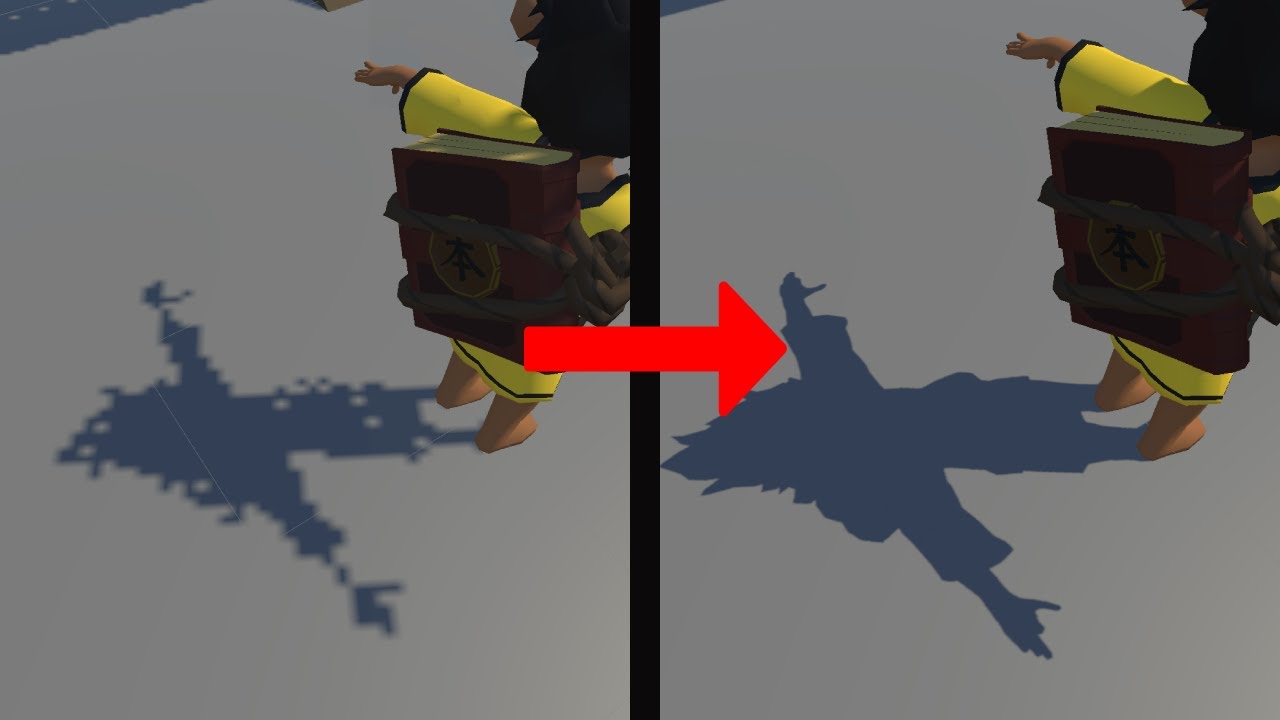
how to fix Unity URP Shadows
#unity #URP #Shadow #Universal Render Pipeline
deft fiber
clear iris
Hi <a:wave:1154059163916320820>
I have super strange light streaks on multiple ...
The only true solution to this is to have continuous meshes with smooth normals across your seams
The cause is that shadow casting must "shrink" the mesh that casts the shadow as to not shadow itself, but the shrinking happens away from mesh seams such as sharp normals or discontinuity gaps
Tweaking the biases can help but in most cases there is no good combination values that's possible to find, with the best compromise exhibiting both of the problems
It's best to keep biases at defaults
clear iris
deft fiber
The only true solution to this is to have continuous meshes with smooth normals ...
Thank you for the explanation =)! I tried around and somehow when I set the material to Render Face: Both, the result looked like what I was hoping for. It might probably break stuff in the future, though. I'll have to check how/why I can fix it in another way; but that's a problem for future me.
deft fiber
clear iris
Thank you for the explanation =)! I tried around and somehow when I set the mate...
Render face: both makes it a bit more expensive and plugs the shadow holes that would otherwise pass through mesh backfaces
But the gap problem still exists
Smooth shaded meshes don't suffer from the issue, and they can be rendered with flat shaded normals using shaders
clear iris
I kinda figured, but I hope in a scene with about maximum 40 elements in it, it won't be too harsh on the resources.
Hm, I need to look up what that means, honestly  Still very new to the whole 3D thing and I don't yet have all the needed terminology.
deft fiber
clear iris
Hm, I need to look up what that means, honestly <:think:1153778915286978620> Sti...
Which part seems mystifying?
 toxic eagle
How can I improve lighting so it still seems dark but you can still clearly see trees, enemies etc. My lighting right now is default apart from making the sky box colour a light blue
 dry abyss
anyone know why my gpu is being so underutilized during an APV bake?
 sonic mason
im baking with bakery, and all normal maps dont pop out as much as they do when there is realtime lighting ,
how can i make the normal map pop out more without having realtime lighting and only baked
cloud swift
deft fiber
There could be multiple issues there that make it look off
Are you using a nativ...
Ty for replying @deft fiber , I was honestly testing few things and I didn't bake in the direct lighting yet. I was hoping for hopefully a summary of how I should go about the lighting. From the resources I'm finding. I am using my own settings, I started off with no lighting.
My Settings: Modern Home, Environment Light Coming from moon into windows, giving home some indirect light. Lights in home would be able to be turned off and on.
Gameplay: One Player, Most object's would be static besides doors and some interactables.
My Question: How would you suggest I go about the interactive lights?
My Current thought process: Using baking to bake any static lights in the home and environment lighting/using spot lights to give windows better direct lighting light god rays in a way and using real-time for room/main lights.
I'm just looking for some direction that I'm doing/understanding this.
For games like P.T and some other dark atmosphere games, with interactive lights. Is there more performant ways or ways to get around the issue of lights on/off with being able to bake the lighting.
deft fiber
cloud swift
Ty for replying <@166982635950702592> , I was honestly testing few things and I...
What settings do you mean by "using your own settings"
HDRP settings? Or just light properties?
 deft fiber
If you've tried to make your HDRP asset, it could be that you're not utilizing HDRP's lighting properly
"Lighting settings" affect only baked lighting
Unless you know HDRP's features inside out, you should lift your HDRP asset from the HDRP sample scene template
cloud swift
ok I believe I am, my apoligies. I didn't start with a blank template on the settings.
deft fiber
Toggleable lights are easiest to do via Realtime light components
Swapping baked lightmaps is possible but there isn't a supported workflow to do it
cloud swift
 deft fiber
These are Volume Profile settings, not HDRP settings
Nevermind I missed the Frame Settings as well
But most of the settings are still located elsewhere, in the HDRP asset
cloud swift

and I was under quality HDRP in last pic
No
So I am using the HDRP asset
and ok so using realtime would be ideal for the interactive. I just wanted to be sure.
thank you
 twin sun
Hey, i wanted to make a Linux build of my game, but i noticed that reflection probes would not work on any distro that i tested it on
well the probes seemed to report no errors, but relfective materials simply looked the same and pretended that the probes wouldnt exist
 vital halo
I'm trying to bake out my lighting using my GPU and it's taking forever. I don't have much in my scene and it looks like my CPU is being used instead of the GPU - Any idea if this is normal or how I could troubleshoot?
 twin sun
that has pretty much been my experience so far too
night shell
vital halo
I'm trying to bake out my lighting using my GPU and it's taking forever. I don't...
when it switches to CPU its usually because the vram has been maxed out
twin sun
better upgrade your GPU just to be sure 😁
night shell
I've been able to bake pretty large scenes on the GPU lightmapper, you have to have some fineese with it but the solutions involved are to reduce the amount of objects being lightmapped
turning down the lightmap atlas size
vital halo
night shell
when it switches to CPU its usually because the vram has been maxed out
I am monitoring the VRAM usage and it's only at 7GB of 10, BUT I don't know if that's because it would exceed 7GB were it not using the CPU. I'll test in a smaller scene to be sure
night shell
and also turning off some features
vital halo
I'll toy around, thanks for the advice 🙂
night shell
vital halo
I am monitoring the VRAM usage and it's only at 7GB of 10, BUT I don't know if t...
*allocated vram not necessarily like system max vram
but in my experience usually its because of that
the main tip I found that helps for me is making a custom lightmap paramters asset
and turning down the anti aliasing samples to 1
and using that in the lighting settings window
but also as I've suggested, reducing the amount of lightmapped objects you have helps as well
not every single object you have needs to be lightmapped

I see 193 lightmaps, which is alot
vital halo
night shell
I see 193 lightmaps, which is alot
Hmm okay, any idea how to reduce that count?
night shell
night shell
but also as I've suggested, reducing the amount of lightmapped objects you have ...
.
you can have objects still contribute to the overal lighting
but instead of them being lightmapped they can be probe lit
for instance say you have a bookshelf
with a bunch of book meshes
you can have the main bookshelf frame be lightmapped, but the books themselves be probe lit, but still contribute to lighting (so that means you will still get shadowing/bounce lighting/etc from it)
on the mesh renderer of objects there is a field where you can have an object recieve GI from the lightmap or probe
 vital halo
Got it, I'll see what I can tweak about that too
 deft fiber
 fossil radish
There's no need to crosspost
You have very little shadows, but beyond that there are no specific settings to make a scene look a specific way
Good colors and contrast in a 3D setting come from knowledge and skill in using assets and the available rendering features
fossil radish
deft fiber
There's no need to crosspost
You have very little shadows, but beyond that there...
ok thanks
tired inlet
Yeah contrast comes from both light and darkness which can be in terms of having light and shadows, and colors that contast more
Creating more shadowy shaded areas to contrast with lighter open areas
You could also bump the contrast in the post processing artificially, but be careful as that is easily overdone if you don't know what you're doing
deft fiber
But like also the kind of assets you use and their textures/materials are just as important to lighting as the lighting itself
azure river
anyone know how to fix?
 tired inlet
On the import settings for your mesh you have to click generate lightmap uv's and then bake your lighting again
 slim vector
Why I get these bruises after baking?

 vital halo
@night shell I just wanted to come back to let you know that your advice was spot on regarding the custom lightmap parameters asset - Reduced the AA setting to 1 but also imposed a maximum Lightmap Limit - Reduced it from almost 200x512x512 lightmaps to 6x1024x1024 maps 🙂 Thanks so much for your help
 surreal grove
Are there any 2d lights experts here? I just posted on here, but maybe this is a better channel for my question? Thank you!! #🖼️┃2d-tools message
worthy trail
How can I make something not occlude a lens flare? urp
 stoic hound
Does anybody know why this is pitch black from some angles but well lit in others?


 polar wadi
Hello, I've got 40cm thick walls, I still got light bleeding issues. How do I fix that??

 supple coyote
Hello, I have a problem when I started using EasySave 3.
When I'm loading a scene (for example first mission) the scene is without ligthmaps - this happen in editor and build. This will not happen when I will load a scene without Easy Save 3. The lightingdata asset is correct in Lighting->Baked Lightmaps->Lighting Data Asset but still it shows scene without lightmaps. When I switch to different ligthing data asset and then go back to the good one everything is fixed.
This sample of script repair the problems, but not in build (UnityEditor library). Please anyone have any idea how to solve this?

 sly cradle
is this for me?
oak dawn
sly cradle
is this for me?
yes
 tardy jetty


Hey, anyone know what the problem might be here? I need to bake my scene since there's too many lights, but when I do it ends up too dark as well as splotchy in some areas. From what I understand, all of my probes are set up right.
Left is how it turned out, right is how it should be
slim vector
After baking lights I noted that some points of the scene are too white, after checking the maps I noted that these spots are black on a thing called "Directionality"


Do somebody knows how to fix it?
slim vector
I kinda fixed by setting the light baking setting to Non-directional
 regal condor
Strange lightmaps cause strange light effects on this wall, help

 supple coyote
is Unity saving ligthmaps in some hiddens folder, appdata or something like that?
We have a problem where one player has the good lightmap, and the second one has the bad ligthmaps. They have the same version from steam.
How is this possible?
so we have a game on steam version 1.0 let's say with lightmap
we update the game to version 1.1 and deleted ligthmaps
So after that the players got the update trough steam, but they have ligthmap (and the funny thing, not all of them has this problem)
arctic isle
regal condor
Strange lightmaps cause strange light effects on this wall, help
you have very different texel scales (scale in lightmap) for each of the objects. Adjust them so that the squares are even if the two objects are adjacent/part of a larger one like the wall.
arctic isle
supple coyote
so we have a game on steam version 1.0 let's say with lightmap
we update the g...
That's interesting. Are you using auto-generate or are you baking using the Generate Lighting button in the Lighting Window?
arctic isle
tardy jetty
Hmm kinda hard to tell exactly what's going on, looks like you either don't have UVs set up correctly or the lights/shadow settings are not set up properly
supple coyote
arctic isle
That's interesting. Are you using auto-generate or are you baking using the `Gen...
I need to achieve this:
Scene1 with lightmaps
Scene2 without any lightmaps, just directional ligth with realtime
supple coyote
arctic isle
That's interesting. Are you using auto-generate or are you baking using the `Gen...
but I discovered something more. We use additive loading scenes.
When I jump first into the scene2 without lightmaps its working
But if I go to Scene1 with lightmaps, and then go to scene2 where i dont want any lightmaps somehow these scene holds ligthmaps from prev scene
in scene1 I use generate lighting button
I even put the ligthdataasset empty, but still its swaps with lightmaps from previous scene.
SetActivating also dont work here
oh and in Lighting -> Baked Ligthmaps I have none, but when im loading the game, the lightmaps from Scene1 jumps here...
arctic isle
And you're using the Generate Lighting button only in scene 1, not when 2 is additively loaded?
supple coyote
arctic isle
And you're using the Generate Lighting button only in scene 1, not when 2 is add...
if I understand your question correctly - yes
Scene1 has Generating Lightmap
Scene2 should have none
regal condor
arctic isle
you have very different texel scales (scale in lightmap) for each of the objects...
I know but I adjust a lot of value in lighting tab, and I can only change them together, where can I change the resolution
arctic isle
supple coyote
if I understand your question correctly - yes
Scene1 has Generating Lightmap
Sce...
Can you try to rebake your scenes, individually? So open scene 1, go to the Lighting Window, at the bottom click "Generate Lighting". But this without scene 2 open.
supple coyote
arctic isle
Can you try to rebake your scenes, individually? So open scene 1, go to the Ligh...
without scene 2 open?
arctic isle
regal condor
I know but I adjust a lot of value in lighting tab, and I can only change them t...
These should be done on the objects in their respective MeshRenderer component Inspectors, using the Scale In Lightmap field
arctic isle
supple coyote
without scene 2 open?
Yep! That way the lighting data won't be tied to Scene 2 at all
supple coyote
but you mean in editor?
arctic isle
yes
supple coyote
I did that yesterday, I rebake light without scene 2
arctic isle
Do you have Light Probes in the scene?
arctic isle
okay, add LightProbes.TetrahedralizeAsync(); after you switch scenes
arctic isle
supple coyote
delete them from scene2?
if you haven't baked scene 2 then they won't show up
supple coyote
arctic isle
okay, add `LightProbes.TetrahedralizeAsync();` after you switch scenes
ok I will try

something like that?
arctic isle
It should come in when the scene loading is done, so maybe in your DoAfterNextSceneLoaded or whenever you have callback code to execute as soon as the other scene has loaded
Maybe WaitForAction takes care of that, but you want to do that every time you load a new scene with a diffrent Light Probe configuration
supple coyote
ok this did something. In editor works. I uploading this to steam and give a final test
supple coyote
@arctic isle OMG this helps. Thank you so much ❤️
could you help me with one more thing about light
This is the Scene1, which has ligthmaps.
Generating lightmaps make much darker scene, but I will handle it

on this screen, I have these strange, white "dots"/ "stains"
not everywhere I have this effect on this map, with the same ligthmaps

here is ok, zero problems. This is other side of the building
 arctic isle
supple coyote
not everywhere I have this effect on this map, with the same ligthmaps
arctic isle
supple coyote
not everywhere I have this effect on this map, with the same ligthmaps
This is an issue with sampling, you can either increase the indirect sample count or try to solve it with filtering, use Advanced filtering where is says "Auto" and choose OpenImage denoiser and try again. Use a wider gaussian filter size (right underneath) if that doesn't work.
tardy jetty
arctic isle
Hmm kinda hard to tell exactly what's going on, looks like you either don't have...
Found out what it was. The blocks that the lights were inside of had shadow casting on, which blocked it from escaping.
 vocal canopy
Hello, I'm just testing normal maps in 2D and it's all working fine, but IDK why but I have a weird black bordering that isn't affect by light (from what it appears to look like). Any way to fix or diagnose it?

Top sprite is a sprite without a normal map, bottom is a sprite with a normal map applied
vocal canopy
vocal canopy
Hello, I'm just testing normal maps in 2D and it's all working fine, but IDK why...
Testing out other lights and messing with distance, I can rid that border but it's quite inconsistant
gilded cloak
i added a couple of directional lights only affects the Worker layer since my npc models were kind of dark, having some issue where if the intensity is too high it seems to kill the shadows in the scene completely. 0.2 intensity and everything looks normal, 0.21 is shadow disappear. what causes that behavior? the lights for the NPCs themselves are set not to cast shadows


none of the objects in the scene are on the worker layer except the NPCs
 flint osprey
hello. Im newbie at lightning. I want to make display which emits the light like in real life. I tried emission but its not real time but baked. I would need to make realtime. I tried using point light behind the display but it is shpere but i need rectangular shape. Dont you know how to solve it? :/ thank you 🙂
deft fiber
flint osprey
hello. Im newbie at lightning. I want to make display which emits the light like...
Without raytracing there isn't really a way to do realtime emissive material lighting
HDRP has realtime area lights which are useful for monitor screens
HDRP and BiRP (and URP unofficially) has screen space reflections which can allow emissive materials to give off accurate specular lighting, but not diffuse lighting
Enlighten's realtime GI can simulate emissive materials, but only the intensity and color can change, and the scene must be using Enlighten's precomputed lighting
 ancient laurel
Is 10 light sources a lot? I put 10 ligth bulbs on my scene and its lagging now even in editor mode. What did I do wrong?
deft fiber
ancient laurel
Is 10 light sources a lot? I put 10 ligth bulbs on my scene and its lagging now ...
Light performance depends on many factors
Which render pipeline you're using, which rendering path, how big are the light ranges, do they cast shadows and what kind of meshes are affected by them, what kind of materials your meshes have
ancient laurel
deft fiber
Light performance depends on many factors
Which render pipeline you're using, wh...
omg, god save me.
deft fiber
ancient laurel
omg, god save me.
Oh and most importantly the platform/device you're making the game for, if it's mobile the performance constraints are particularly stringent
God will not save your lighting but if you can provide any of these details we may be able to present suggestions
regal condor
how can i remove the seams between meshes

 brave goblet
I'm hoping someone can help - I'm building a scene into an asset bundle, there's nothing in the scene except a room made out of simple cubes with a standard shader, some simple seats and a single spot light that's using baked lighting.
I bake the lighting then export the asset bundle and then download it in a different project and open the scene.
Once I do this I can see that the lighting is completely different - The entire scene is white except for some objects (which is also weird). I can't for the life of me understand why!


 lost sorrel
Im pretty new to unity, I have a toon shader and a toon material setup I have managed to get the toon lighting to work on objects but I cant figure out how to make the light affect terrain grass It seems to just diffuse it, could someone possibly help or mention an alternate way of doing things https://youtu.be/2SaLs6dE12w would it be a thing I would have to edit in the gras material

Just a quick test of my grass system
 errant plank
Why is no one answering
 vague river
Prob bcz no one has a clue yet
I cant help either cuz im not an expert in unity light baking
Sry
deft fiber
errant plank
when I baked my lighting, it started to turn into this
this warning in your screenshot tells you what the problem is
 slim vector
Can somebody help me understand what are these dots? Light is baked
 chilly kettle
slim vector
Can somebody help me understand what are these dots? Light is baked
chilly kettle
slim vector
Can somebody help me understand what are these dots? Light is baked
Have a look on Chapter 14
Unity Forum
Introduction
I developed this guide in order to help developers get the most out of Baked Global Illumination (GI) in the Unity Editor. Here, I unpack...
deft fiber
slim vector
Can somebody help me understand what are these dots? Light is baked
Starry skies often cause that
It looks to be indeed the chapter 14 problem
 mellow sierra
@lost sorrel Stop spamming your question across this server.
slim vector
Thanks for helping indentifying the issue, as suggested I tried to increase the samples (you can see the bake settings) but some of the Fireflies still persists, any suggestion on what values should I use?
 deft fiber
slim vector
Thanks for helping indentifying the issue, as suggested I tried to increase the ...
deft fiber
slim vector
Thanks for helping indentifying the issue, as suggested I tried to increase the ...
Instead try baking with a black, very dark grey or blurred version of the skybox instead to see if the problem disappears
If you blur it you can still get the light from the earth but not the speckles caused by the stars, if they're the culprit
Then you can swap back to the sharp one and bake reflection probes
slim vector
Changed skybox, same result

I'd say it doesnt depend from the skybox, the artifact generated should have been at least different
deft fiber
slim vector
Changed skybox, same result
Then I'd test for other issues like chapter 16 and 17
slim vector
Idk if I'm going in the right way but I noticed that just by toggling ON "generate lightmap UVs" the artifacs are a bit smoother
 deft fiber
slim vector
Idk if I'm going in the right way but I noticed that just by toggling ON "genera...
deft fiber
slim vector
Idk if I'm going in the right way but I noticed that just by toggling ON "genera...
All lightmapped meshes require valid lightmap UVs but that itself doesn't cause artifacting
It simply can cause artifacts and other problems to be mirrored from other meshes
 thorny goblet
You gotta love light baking: https://i.imgur.com/xNh5MpQ.png https://i.imgur.com/aDmG60X.png
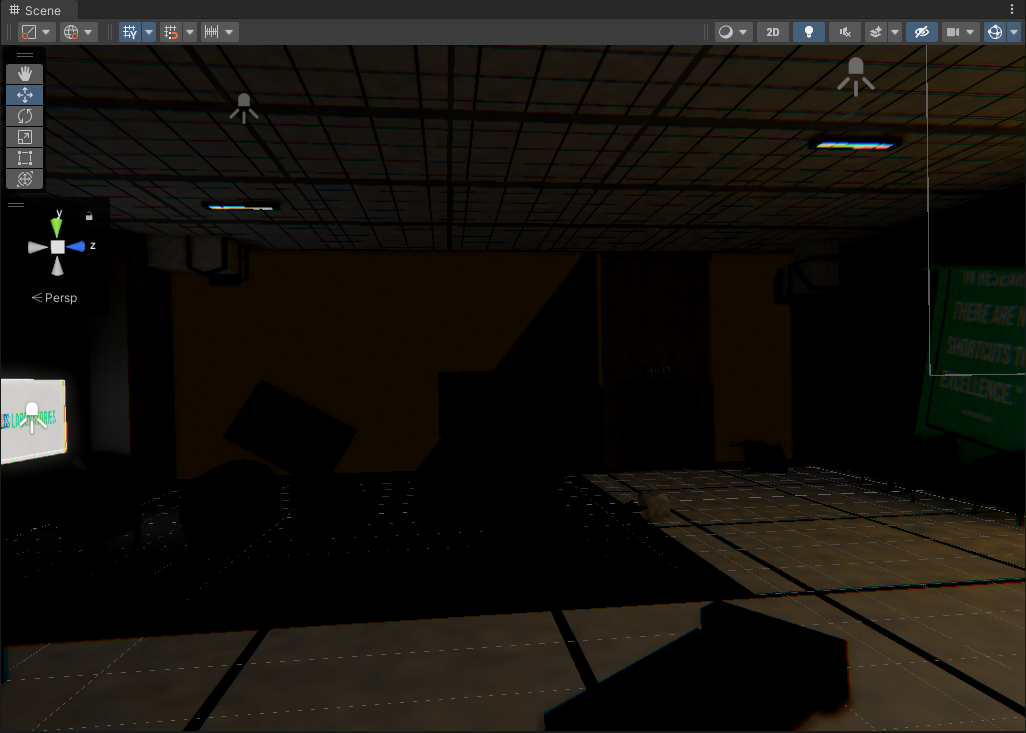
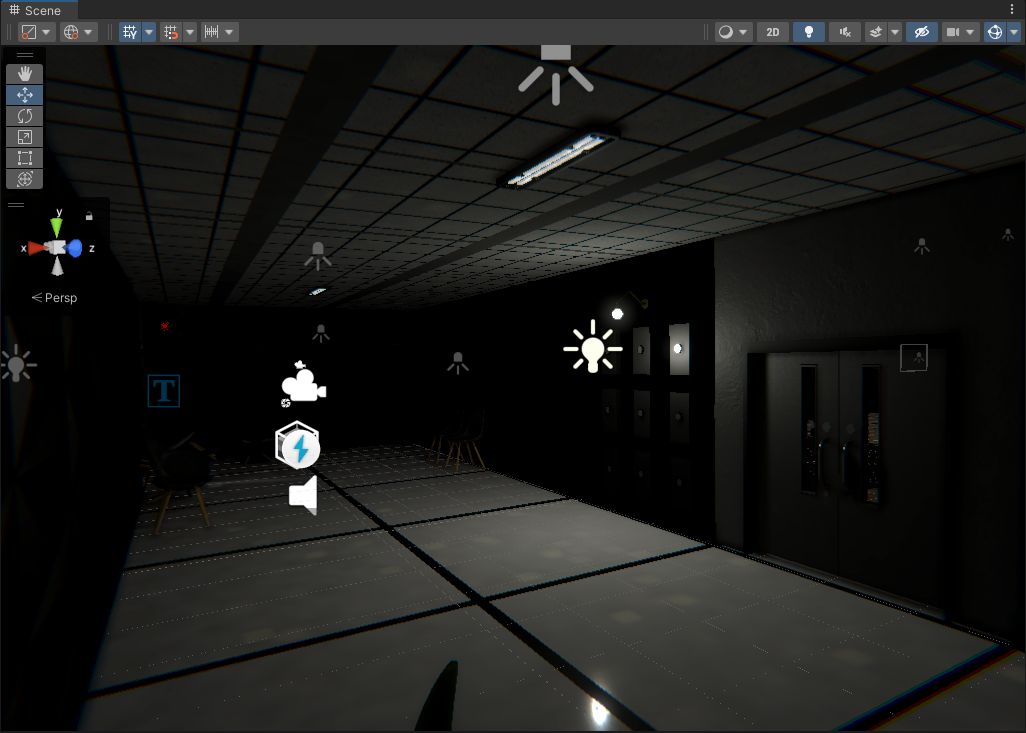
How do i fix this? :https://i.imgur.com/LuU3QmT.png
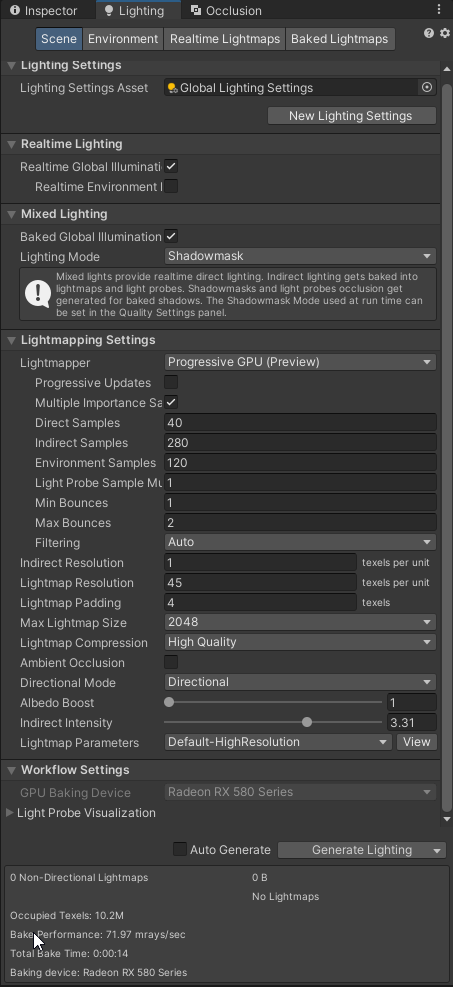 chilly kettle
thorny goblet
How do i fix this? :https://i.imgur.com/LuU3QmT.png
chilly kettle
thorny goblet
How do i fix this? :https://i.imgur.com/LuU3QmT.png
What do you mean?
 golden surge
when i have multiple scenes loaded at the same time, its the active scene that has the lighting settings used right?
deft fiber
thorny goblet
How do i fix this? :https://i.imgur.com/LuU3QmT.png
You should describe the issue unambiguously
Are you sure you've meant to have realtime GI and baked GI both enabled? They're rather different workflows
thorny goblet
In picture 1 the orangish color is from the directional light that is outside of the room, and it shouldnt be seen on the wall, and the common issue i run into, which is on picture 2, is all walls dont get baked, and some are just pitch black. Is there not a way to just bake the shadows as is, and my scene look the same as it did before baking?
@chilly kettle @deft fiber
chilly kettle
thorny goblet
In picture 1 the orangish color is from the directional light that is outside of...
Did you set the Objects you want to bake to "static" ?
Did you generate Lightmap UVs for the Objects you want to bake?
Did you set the light to baked?
thorny goblet
chilly kettle
Did you set the Objects you want to bake to "static" ?
Did you generate Lightmap...
Yes, all objects are set to static.
slim vector
Is there a way to visualize in the scene the area light size? I have no Idea on how tweak their Width and Height since there are no references
deft fiber
@thorny goblet so, are you trying to precompute realtime GI or bake lightmaps?
thorny goblet
deft fiber
<@896194058920292374> so, are you trying to precompute realtime GI or bake light...
I'm not sure, i'm new to this, i jsut want to bake the shadows, to help with performance.
What do you suggest?
deft fiber
thorny goblet
What do you suggest?
Disable Realtime Global Illumination
Reset your lightmapping settings
Even if everything's correct, baked lightmapping and realtime lighting work in kind of different ways
It's not just intended to bake lighting to lightmaps, but also simulate indirect and bounce lighting
thorny goblet
deft fiber
Disable Realtime Global Illumination
Reset your lightmapping settings
Okay thanks
whole bramble
except the standard shader , which shader will support the reflection probe ? (for mobile)
chilly kettle
whole bramble
except the standard shader , which shader will support the reflection probe ? (f...
i guess every lit shader should


 chrome venture
Something is very wrong with my Lighting and I can't figure out what the problem is.
My objects are completely flat and no matter what light sources are in my scene, there is no shading whatsoever.
Any Skybox material, even the default, makes the Skybox turn black.
I've messed around with Lighting Settings, Camera, Quality, Project Settings, URP Light Asset settings, Changing render pipeline, etc for over an hour. Absolutely zero change.

If anyone has an idea of what could be going on I would greatly appreciate it
2d lighting works fine though by the way.
Only thing I can think of is starting in a 2d project changes something fundamental somewhere deep inside lighting settings and needs to be changed for 3d scene but I can't find it after a lot of searching.
deft fiber
chrome venture
Only thing I can think of is starting in a 2d project changes something fundamen...
URP 2D renderer disables all non-2D shaders, including the sky and all types of lighting
No clue why
Swapping the URP asset to use the non-2D Renderer gives you all the lighting back, but disables most of 2D features
As does disabling URP to go back to Built-in Render Pipeline
This means that if you want to combine 2D and 3D, BiRP is your only viable choice
chrome venture
deft fiber
This means that if you want to combine 2D and 3D, BiRP is your only viable choic...
Thanks for the explanation, now I see what the problem is. I decided to make up a workaround where I just have two cameras and have one running the 2d renderer and the other running the Universal renderer and switching between them as needed, good enough to get the job done.
 long umbra
How do I get a light in my unity 3D scene to also effect sprites?
deft fiber
long umbra
How do I get a light in my unity 3D scene to also effect sprites?
The sprites need a lit material
long umbra
How do i do that?
deft fiber
long umbra
How do i do that?
Make a new material with a lit shader if URP, standard shader if BiRP and drag it to the material slot of the Sprite Renderer
You may need to enable two-sided rendering and alpha blended transparency or alpha clipping (or "fade" or "cutout" if on BiRP)
This is technically a hack so not all sprite renderer features might work properly
long umbra
Okay thank you
dire eagle
Very nooby with lights. I have this TV in a living room with a point light and a spotlight to simulate the TV shine.
What I wonder is why the rest of the room isn't illumunated just a bit. Shouldn't there be some kind of light bouncing? I am using URP - is this not a feature of it?
 deft fiber
dire eagle
Very nooby with lights. I have this TV in a living room with a point light and a...
deft fiber
dire eagle
Very nooby with lights. I have this TV in a living room with a point light and a...
There is no realtime bounce lighting in basically any rendering engine out there
dire eagle
Ok well then I am just a naive noob 😄
deft fiber
An exception to this is Enlighten precomputed realtime GI, baked lightmapping and in HDRP ray tracing / path tracing
 gritty kiln
I have 96 point lights in my scene, all "baked" and "Important" render priority, but they flicker when the camera moves, except when bloom intensity is disabled. However, this also seems to break the point lights, as they only work when you get extremely close to them and seem very buggy. How do I fix this?
deft fiber
gritty kiln
I have 96 point lights in my scene, all "baked" and "Important" render priority,...
Light limit, baked lights and bloom are all separate systems with no overlap
Baked type lights are rendered as realtime if you have not yet baked lightmaps
Bloom settings should have no impact whatsoever on the typical light limit flickering
gritty kiln
deft fiber
Baked type lights are rendered as realtime if you have not yet baked lightmaps
I have baked lightmaps
I think it's just I have too many, but I can't get rid of any
deft fiber
gritty kiln
I have baked lightmaps
Baked lightmaps are not subject to light limit flickering
You'd have to first identify which one of the three systems is the culprit
If you can catch a video of it I can try to look
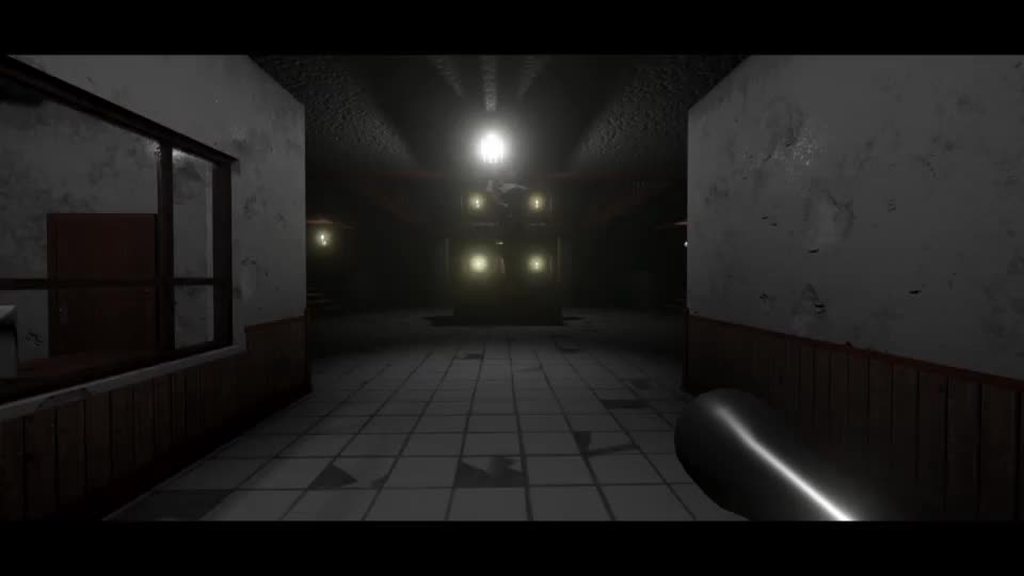 deft fiber
gritty kiln
https://imgur.com/a/qmqPUli
deft fiber
gritty kiln
https://imgur.com/a/qmqPUli
These lights have not been baked and thus are showing the realtime light limit per mesh
The bloom is flickering also, which usually happens if the emissive surface is too small in screen space
It also looks like you could be using lens flares or halos, which also are flickering, which would be worse with bloom
 tepid wigeon
Okay so I'm testing baking but keep getting this weird light result where the light looks like a water coloured painting on the objects
 gritty kiln
deft fiber
These lights have not been baked and thus are showing the realtime light limit p...
gritty kiln
deft fiber
These lights have not been baked and thus are showing the realtime light limit p...
Although about half of the lights stop flickering after baking, the whole scene becomes much brighter when I bake them, and I can't change it
chilly kettle
tepid wigeon
Okay so I'm testing baking but keep getting this weird light result where the li...
Can you shoow bake settings? What is your Lightsource?
tepid wigeon
I tried using emissive materials then area lights but still get the same results. All set to static objects
 deft fiber
gritty kiln
Although about half of the lights stop flickering after baking, the whole scene ...
deft fiber
gritty kiln
Although about half of the lights stop flickering after baking, the whole scene ...
You have multiple flickering issues
Tackle one of them at a time
Decide whether you want to work around realtime light limits or to fully use baked lightmapping
Baked lightmapping is a complex process that requires you to take time to learn it
gritty kiln
How would I work around the light limits?
tepid wigeon
chilly kettle
Can you shoow bake settings? What is your Lightsource?
I have posted it. Is there anything I can do?
deft fiber
gritty kiln
How would I work around the light limits?
Increase light limit in quality settings, limit light ranges and slice the mesh into segments
In forward rendering path each mesh within a light's range must be rendered again for that light, this is why URP caps the light limit to 8 and though BiRP doesn't have this cap it's not recommended to raise it above that for performance reasons
Alternatively there's the deferred rendering path, and forward+ rendering path if using URP
Deferred rendering path has some limitations like no hardware antialiasing and no deferred rendering for transparent materials, whereas forward+ rendering path has no limitations but may be buggy as it is new
lost sorrel
Hey I am having issues trying to get my toon shading lighting to apply to my terrain grass anyone got any tips or recommendations, do I perhaps have to code toon shading into my already exiting material for grass? I have already got a toon shader that work for objects as you can see on the box, or should this be done through a volume instead? (Not sure if this should be lighting or shaders) https://youtu.be/2SaLs6dE12w
Just a quick test of my grass system
dire eagle
I have an issue with lights here. Please see the small clip I made. As I walk into a room the light reflection on the ceiling game object is only appearing when I come closer to it. This is happening with different lights in my scene.
I added a screenshot of the light component configuration. Also a screenshot of the ceiling game object (green material) and screenshots of the global light configurations.
Lightning is very new to me so I just can't really figure out what the source of the problem is.


 deft fiber
dire eagle
I have an issue with lights here. Please see the small clip I made. As I walk in...
deft fiber
dire eagle
I have an issue with lights here. Please see the small clip I made. As I walk in...
These are realtime light limits, I was just listing solutions to that two posts upward
 stuck flicker
Hi. I'm having some problems with the Probe Volume. My terrain doesn't affect the lighting
 dire eagle
deft fiber
These are realtime light limits, I was just listing solutions to that two posts ...
dire eagle
deft fiber
These are realtime light limits, I was just listing solutions to that two posts ...
oh what a coincidence. But where are those settings? On the light source itself I couldn't find them and in the Lighting window I couldn't really find the light limit etc
deft fiber
dire eagle
oh what a coincidence. But where are those settings? On the light source itself ...
In the URP asset and URP renderer asset
Project Settings > Quality has each quality tier referencing one such asset
dire eagle
deft fiber
Project Settings > Quality has each quality tier referencing one such asset
Hm ok it seems I have to increase per object limit. It's set to 8 which is already max. How can I increase this even further? Because my bathroom has more than just 8 objects... also is increasing a best practise here? Feels like I am going towards a performance problem
deft fiber
dire eagle
Hm ok it seems I have to increase per object limit. It's set to `8` which is alr...
You can't, and it's lights per object, not objects per light
Since you're using ProBuilder I think you don't have much control over how meshes are combined
My previous post also went over the alternative ways to skip the limit if you can't work around it
dire eagle
deft fiber
You can't, and it's lights per object, not objects per light
Since you're using ...
Oh wait that's a good point. I can merge meshes into one object. That kinda would make the whole room one object and should solve the problem ? I will try
deft fiber
dire eagle
Oh wait that's a good point. I can merge meshes into one object. That kinda woul...
That would make it worse
dire eagle
😮
So lights per object means - how many lights can manipulate fragments/pixels of the mesh. I have 8 limit. The flicker tells me that I kinda get out of range of the maximum light and enable the bathroom light to be enabled?
Light Range isnt' a factor for this limit is it?
Is my camera?
So if I see <= 8 lights in my camera everything should be fine?
Ok but I think you pointed me to a solution. I need to stream different level sections to avoid having to much lights active. Thanks!
deft fiber
dire eagle
Light Range isnt' a factor for this limit is it?
That's exactly not what I stated in the earlier post though
dire eagle
deft fiber
That's exactly not what I stated in the earlier post though
Sorry I am trial-error'ing while trying to figure things out and read your comments. Mixing things up here
deft fiber
dire eagle
Sorry I am trial-error'ing while trying to figure things out and read your comme...
limit light ranges and slice the mesh into segments
In forward rendering path each mesh within a light's range must be rendered again for that light, this is why URP caps the light limit to 8
If a single mesh is within the range of more lights than limit allows, the lights will get culled
Forward rendering path is not concerned with pixels or fragments
So logically smaller light ranges and less big meshes make it easier to not surpass the limit
Deferred rendering does lights per screen pixel, but it has no limit for non-shadow casting lights anyway
Forward+ rendering is basically forward with automatic slicing so you get a bigger limit with supposedly no drawbacks
 burnt pendant
Hello everyone, I am trying to create a room with a similar lighting scheme to this.
How do you think this was done? it seems like it was light using an emission only and doesnt actualy use any lights, what do you think?

 rocky peak
burnt pendant
Hello everyone, I am trying to create a room with a similar lighting scheme to t...
rocky peak
burnt pendant
Hello everyone, I am trying to create a room with a similar lighting scheme to t...
A combo of good mats + baked lighting with area lights specifically, and then yeah some emissives.
burnt pendant
area lights okay thank you
deft fiber
burnt pendant
Hello everyone, I am trying to create a room with a similar lighting scheme to t...
The standing lamp could likely be a point light using a cookie
If the glowing materials are emitting any light, it's extremely faint
They are showing post processing bloom and can be seen in cubemap reflections, so it's possible they're not even contributing to diffuse lighting
Emissive material lighting is very inefficient to bake, so usually you might just as well use point or area lights as stand-ins for them
burnt pendant
deft fiber
The standing lamp could likely be a point light using a cookie
If the glowing ma...
Okay so put in a point light inside an emissive object like a lamp
night shell
burnt pendant
Okay so put in a point light inside an emissive object like a lamp
Watch out for this because putting lights inside of objects that are getting baked will occlude them
burnt pendant
night shell
Watch out for this because putting lights inside of objects that are getting bak...
oooh sht yeah that was a blonde moment of me
deft fiber
Yea in that case the lamp parts would not be GI static
Or you'd increase the light shadow near plane sufficiently
Though I don't recall if baked lights have that option
burnt pendant
i was thinking of putting a low intensity light in the middle of the room and make the range cover the entire room. Could be a god idea?
night shell
deft fiber
Yea in that case the lamp parts would not be GI static
Or you'd increase the lig...
They don’t
Those options are only for real-time shadowing
dire eagle
deft fiber
So logically smaller light ranges and less big meshes make it easier to not surp...
Ah that makes sense now. My ceiling mesh is over all rooms and there the range of each room's light range is touching that object therefore coming over the limit of 8. Now I understand this.
 brittle geyser
why does this happen? This is a point light shadow. The light is in front of the mesh but the shadow has holes carved in it.
 arctic isle
night shell
Those options are only for real-time shadowing
arctic isle
night shell
Those options are only for real-time shadowing
yep, realtime shadows and path-traced (baked) shadows are fundamentally different so this option wouldn't really make sense
 deft fiber
 red bison
Transparency usually refers to material properties
But that looks like just the editor grid, which will show through opaque objects
 restive abyss
I have a problem. I load Addressables that contain static lightmapped objects. BUT after I loaded the assetbundle, I want to move these objects to a different place in the scene. The problem is that under StandaloneWindows64, the mesh doesn't move, even though I changed the position of the transform.
restive abyss
Seems I found it. I need to disable "Static Batching" in the project that generates the lightmapped objects.
timber lichen
Hey guys
Im looking for support on the area of lighting and light settings
I'm using the Unity Asset "Bakery GPU lightmapper"
I am currently experiencing issues with my lighting across multiple projects
My baked lighting has this banding/wavy effect as you can see in the pictures
My real time lighting appears to have the same issue
Important information:
The photos are from my main project where I'm using Bakery. The builds are both Windows & Android
I have done testing without Bakery in a separate project and got the same results
The banding is present at all light levels
Iv been dealing with the issue for about a month and iv tried various "fixes" such as compressing my lightmaps to formats like ASTC for android
The banding is present even before compression
I'm hoping someone can shed some light on what's going wrong because I didn't have issues like this before a few months ago
The environment I'm trying to light up is a low poly sci fi city. The environment is dark


 deft fiber
timber lichen
Hey guys
Im looking for support on the area of lighting and light settings
I'm...
deft fiber
timber lichen
Hey guys
Im looking for support on the area of lighting and light settings
I'm...
16 million colors we're limited to can't do much better than that
With realtime or mixed lights if you have "dithering" option on the camera that can be used to smudge up the bands for a much smoother image
But with baked lightmaps the bands exist on the texture and there isn't really a way to smudge them the same way
timber lichen
deft fiber
16 million colors we're limited to can't do much better than that
So this is caused by my color choice? If I'm understanding correctly
timber lichen
deft fiber
With realtime or mixed lights if you have "dithering" option on the camera that ...
Hmm I'll give that a try
timber lichen
deft fiber
But with baked lightmaps the bands exist on the texture and there isn't really a...
That's a pain
deft fiber
timber lichen
So this is caused by my color choice? If I'm understanding correctly
Some colors make it less obvious but every color suffers from it
The reason you don't see this problem in other games is that they tend to have surface textures that conceal the issue, and you don't need a lot of texture for that
But also you don't really pay attention to this stuff when just playing games
timber lichen
That's starting to make sense now that I think about it, my older world was a night club with detailed textures. There were hardly any flat or solid colors
This pack I'm using is low poly so majority of the objects are flat/solid colors making it more noticeable
I think my best option is leanring towards a shader that will cover it up more and see if I can do dithering
Since I'm doing an android build too I can't use post processing (this is a limitation caused by VRC SDK)
 mystic delta
hi everyone, maybe it's some kinda easy and googable question but i can't resolve this problem with baked lightmaps
i've attached some screenshots how does the scene look with baked lightmaps, also there is my lighting settings. almost all my lights are set to Baked mode, cast/receiving shadows is enabled on all mesh renderers, i'm using built-in render pipeline
if someone can help me to sort this out i'll be really glad because i don't understand how it works sometimes


 deft fiber
mystic delta
hi everyone, maybe it's some kinda easy and googable question but i can't resolv...
deft fiber
mystic delta
hi everyone, maybe it's some kinda easy and googable question but i can't resolv...
Any warnings about lightmap UV overlap?
mystic delta
deft fiber
Any warnings about lightmap UV overlap?
in console? no, don't have such warnings
deft fiber
mystic delta
in console? no, don't have such warnings
Hmm next step is to check the GI debug viewmodes of the scene window
https://docs.unity3d.com/Manual/GIVis.html
UV overlap and texel validity are the usual suspects
Note that this requires a bake having been made for that scene during the current editor session
Light overlap is another I'd pay special attention to
The cut-off shadows could imply that
They also resemble the kind of light distortion you get when using normal map textures that haven't been marked as of type: normal map
mystic delta
thx man!
 short lichen
I have found that the easiest way for me to properly light an environment is to fill it with orbs with emissive materials. This makes nice smooth lighting.
Is this dumb? Is there a better way? I tried area lights but getting uniform light with them is frustrating
 deft fiber
short lichen
I have found that the easiest way for me to properly light an environment is to ...
deft fiber
short lichen
I have found that the easiest way for me to properly light an environment is to ...
It's certainly smooth but not very believable or realistic
You're meant to use lights that match the lights that physically exist in the scene
It might be better to show what the "not uniform" results were like that you were getting previously
night shell
short lichen
I have found that the easiest way for me to properly light an environment is to ...
this is the most intresting way to light a room I've ever seen someone do
and also wildly unnecessary lmao
arctic isle
short lichen
I have found that the easiest way for me to properly light an environment is to ...
That's neat! By all means go with the method that fits your art direction. Usually we design light types to fit into physical objects in the scene, but you don't have to go for naturalistic design if you don't want to. Very creative, thanks for sharing!
arctic isle
short lichen
I have found that the easiest way for me to properly light an environment is to ...
an alternative may be to use point lights and increase the Baked Shadow Radius
deft fiber
Does the mesh have lightmap UV generation enabled?
I'd also check texel invalidity debug view
 mild hemlock
Does someone know if Realtime Lighting baking uses the GPU or the CPU? And if it uses RAM or VRAM in case it's the GPU?
deft fiber
Impossible to answer without knowing what the "grass" is, what shader it's using and what shader you're using for toon shading
deft fiber
mild hemlock
Does someone know if Realtime Lighting baking uses the GPU or the CPU? And if it...
I'm pretty sure precomputing realtime GI uses CPU
mild hemlock
deft fiber
I'm pretty sure precomputing realtime GI uses CPU
Thanks for answering!
 whole snow
Any good tutorials on lightning for HDRP? I thought it was supposed to be modeled after real life, but I've got to use insane values to get any sort of actual visibility
deft fiber
whole snow
Any good tutorials on lightning for HDRP? I thought it was supposed to be modele...
https://youtu.be/DlxuvvYZO4Q This one in particular probably
https://www.youtube.com/@unity/search?query=HDRP The channel has more, and the Unity Learn site might possibly have more actual tutorials still
The lighting is modeled after real life, but if you end up requiring huge light intensities that suggests you may not have camera exposure working properly
whole snow
ty!
deft fiber
If you don't know the system inside out I think it's very important to always use the HDRP project and scene templates that set you up with all the necessary components and values, and give you a point of reference
HDRP will simply not work correctly if the Volume component doesn't have the necessary overrides
I guess it's also possible that you're looking at the light units wrong, since there are so many different ones
whole snow
that's a good point, ty for the exposure direction.. I was just looking into that
it's very cool, very much like a real camera
which I have a good amount of experience, but also think I broke it when I incorrectly configured Opsive UCC camera.. good times 😄
lost sorrel
Anyone have any tips on improving performance of casted shadows getting some major fps drops at night but cant figure out a way to optimize it, perhaps a making script that turns of shadow casting when not visible to camera might work but unsure if this is the best way to do it , currently my main issue is the shadows casted to my grass terrain material https://www.youtube.com/watch?v=FU13L494-ds&t=4s
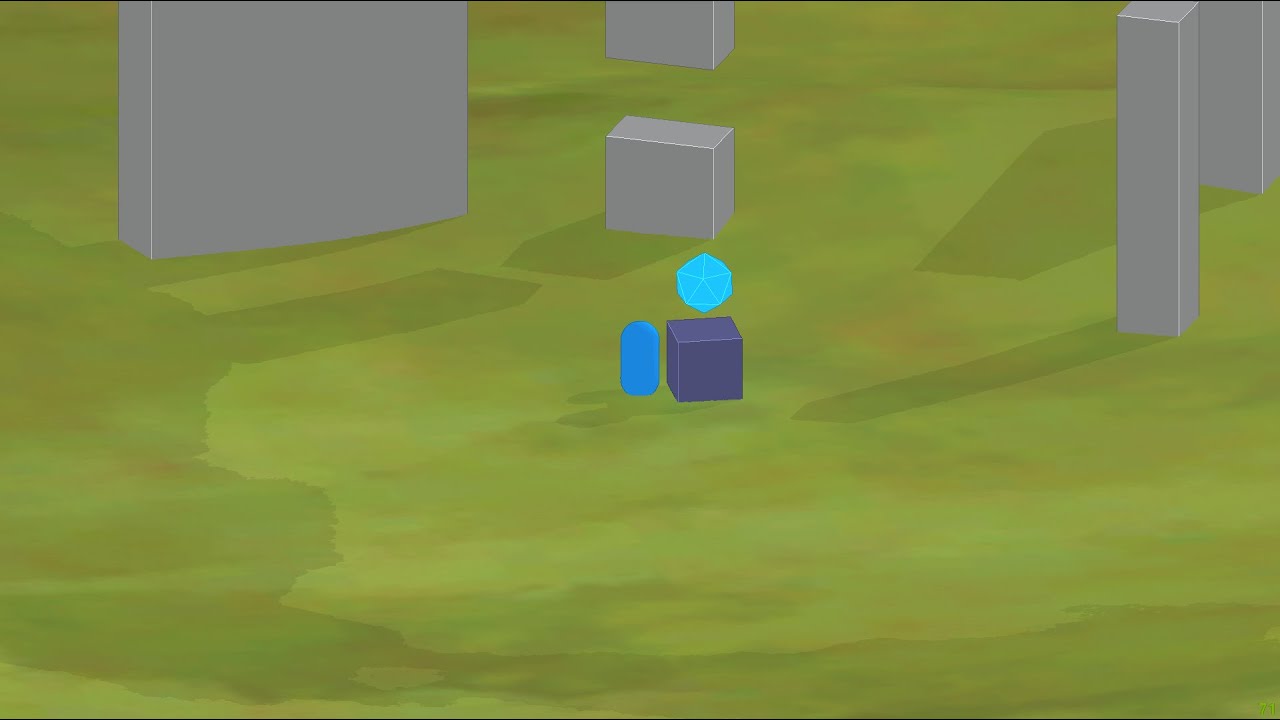
Just a little test of my cloud shadow system, took a long time fixing the quality of my shadows.
timber lichen
my shadows are flickering, how to fix?
timber lichen
timber lichen
my shadows are flickering, how to fix?
im using realtime lighting
also it doesnt flicker in editor
only in build
dire eagle
I have a question about the spread of light.
In this scene I have a small bedlight. The bed light should be sufficient to see the room properly for the player.
However I have only two options to make this happen. I can either increase the Range very high which let's low intensity light fill the whole room however because of the range I touch other objects as well and therefore add up to their lights per object limit.
The other option is lower range but higher intensity. However this results in a way too bright light source.
Any ideas what I can do here?
 deft fiber
dire eagle
I have a question about the spread of light.
In this scene I have a small bedlig...
deft fiber
dire eagle
I have a question about the spread of light.
In this scene I have a small bedlig...
Do the lights need to be realtime? If not, you'll likely get best results with the baked lightmapping workflow
timber lichen
timber lichen
my shadows are flickering, how to fix?
i found fix, but i dont like it. disable shadow casting for every transparent object
deft fiber
timber lichen
i found fix, but i dont like it. disable shadow casting for every transparent ob...
Do they need to be transparent? Looks like they could be opaque with alpha clip just as well
timber lichen
deft fiber
Do they need to be transparent? Looks like they could be opaque with alpha clip ...
i mean
they are with alpha clipping
lol
 dire eagle
deft fiber
Do the lights need to be realtime? If not, you'll likely get best results with t...
dire eagle
deft fiber
Do the lights need to be realtime? If not, you'll likely get best results with t...
Do baked lightmaps work with Postprocessing like Eye Adaption and Bloom and so on?
Also I wanna be able to turn lights on and off - does that already count as dynamic?
But what I really wonder is if the range/intensity configuration is really so limited - isn't there an Unity asset that allows more configurations?
deft fiber
dire eagle
Do baked lightmaps work with Postprocessing like Eye Adaption and Bloom and so o...
- yes 2. yes 3. yes 4. maybe
arctic isle
dire eagle
Do baked lightmaps work with Postprocessing like Eye Adaption and Bloom and so o...
Do baked lightmaps work with Postprocessing like Eye Adaption and Bloom and so on?
yes, those are screen-space effects that are applied after lightmaps are rendered onto the geometry
does that already count as dynamic?
yes, if you want to do that you'd need to use Enlighten Realtime GI (if the geometry doesn't move)
isn't there an Unity asset that allows more configurations?
maybe? Unity's normal light attenuation is made to conform more or less to the natural way light intensity falls off over a physical distance
dire eagle
arctic isle
> Do baked lightmaps work with Postprocessing like Eye Adaption and Bloom and so...
Hm ok. It just feels like the falloff is way quicker for light distance than I'd expect it in "reality". That's why I thought I might use the configuration of a light somewhat wrong
arctic isle
that's because with the realtime lights you only have direct lighting and no scattering of any sort which would fill the room
dire eagle
Does the range of a light affect objects (in terms of lights per object limit) even when the light won't reach that distant object?
arctic isle
you get that with lightmaps (realtime and baked)
dire eagle
arctic isle
you get that with lightmaps (realtime and baked)
Ah ok so lightmaps are bringing in those light bouncing effects
arctic isle
dire eagle
Does the range of a light affect objects (in terms of lights per object limit) e...
you get the first 4 most dominant lights per object rendered. that said, you will unnecessarily slow down you game if you have huge areas for each light. light range was made to limit the range of lights for performance reasons. normally they would be "infinite"
dire eagle
hm ok I think I really need to watch some videos about unity lighting. I am unfortunately not as bright as the lights in my scene
arctic isle
dire eagle
hm ok I think I really need to watch some videos about unity lighting. I am unfo...
godspeed! write back here if you need help 🙂
and also the pinned messages have some useful resources
short lichen
does anyone know why these defects happen and how to fix them? Using Unity 2021 built-in baked lighting engine, Progressive GPU
 deft fiber
short lichen
does anyone know why these defects happen and how to fix them? Using Unity 2021 ...
deft fiber
short lichen
does anyone know why these defects happen and how to fix them? Using Unity 2021 ...
These are invalid texel artifacts
https://forum.unity.com/threads/faq-blocky-artifacts-appear-when-i-bake-a-scene-how-can-i-fix-them.951444/
short lichen
deft fiber
These are invalid texel artifacts
<https://forum.unity.com/threads/faq-blocky-ar...
Thanks! Setting the material to be two-sided fixed it
timber lichen
no background tasks, but there are still 'Cancel' button + Unity still eats CPU and RAM

is it okay?
arctic isle
Are you using APV?
timber lichen
arctic isle
Are you using APV?
what is it?
arctic isle
timber lichen
what is it?
Probe volumes. I assume not. Hmmm... Maybe progress reporting is broken for some reason? Doesn't mean a bake isn't happening.
timber lichen
arctic isle
Probe volumes. I assume not. Hmmm... Maybe progress reporting is broken for some...
maybe
but it is still using my ram more and more
and cpu too
 tawdry schoonerBOT

📝 Logs
Documentation
Windows: %LOCALAPPDATA%\Unity\Editor\Editor.log
MacOS: ~/Library/Logs/Unity/Editor.log
Linux: ~/.config/unity3d/Editor.log
Unity Hub
Windows: %UserProfile%\AppData\Roaming\UnityHub\logs
Mac: ~/Library/Application support/UnityHub/logs
Linux: ~/.config/UnityHub/logs
timber lichen
arctic isle
can you post an editor log?
yeah
a bit later, i will give it some time before giving log
maybe it will finish
arctic isle

timber lichen
arctic isle
<:UnityChanThumbsUp:885169594808029275>
so, it didnt finish
do i need to close editor before sending log?
or just send it while it running
it is doing something
because temp folder in root of project is bigger and bigger
wai
t
it is importing assets now
literally right now started doing it
IT IS DOING SOMETAHING
YEAAAAAAAAH

IT FINISHED
YAAAY
but the hell is it lol
 arctic isle
timber lichen
arctic isle
timber lichen
there's probably a lot of problems with your setup
timber lichen
arctic isle
there's probably a lot of problems with your setup
okay
what should i do?
arctic isle
the geometry doesn't look like it has proper UVs
and you probably don't need the realtime gi
unless you'll have tons of moving realtime lights that need bounce
timber lichen
arctic isle
unless you'll have tons of moving realtime lights that need bounce
nah
i have one directional light
and it is not moving
arctic isle
so turn it off and the bake will go much much faster
timber lichen
realtime gi?
arctic isle
yeah
 vestal canopy
timber lichen
but the hell is it lol
vestal canopy
timber lichen
but the hell is it lol
Is this map ported from a source engine game?
vestal canopy
Overlapping UVs* maybe? Csgo/cs2 maps are made in the hammer editor and it does some weird shit when doing the uvs for geometries made in the map(not models. Things like walls and ceilings made in hammer) and i personaly have had problwms baking lights in maps ported from the source engine
timber lichen
imported to blender and then exported to fbx
timber lichen
vestal canopy
Overlapping UVs* maybe? Csgo/cs2 maps are made in the hammer editor and it does ...
maybe
arctic isle
you would need to fix the UVs as well yeah :/
timber lichen
how?💀
vestal canopy
vestal canopy
Overlapping UVs* maybe? Csgo/cs2 maps are made in the hammer editor and it does ...
I tried porting* the borealis level from half life 2 beta and among other problems i had problems with baking lighting and got alot of artifacts
arctic isle
there's a little bug icon at the top of the scene view with a bunch of options, you can see how the UV charts are generated
timber lichen
vestal canopy
I tried porting* the borealis level from half life 2 beta and among other proble...
did ya fixed them?
vestal canopy
Nah gave up lol
timber lichen
vestal canopy
Nah gave up lol
lol
timber lichen
arctic isle
there's a little bug icon at the top of the scene view with a bunch of options, ...
 arctic isle
timber lichen
arctic isle
timber lichen
each of the colored checkerboxes is a "texel" here
only some of the surfaces will receive proper lighting
arctic isle
see how this is distorted in the same way as you can see the checkerboxes on it-- you want the boxes to align, be the same size and parallel

well you have to UV unwrap the objects correctly in blender
arctic isle
Yeah...
timber lichen
ill better use realtime lighting
timber lichen
timber lichen
my shadows are flickering, how to fix?
do you know how to fix this flickering for objects with alpha clipping?
arctic isle
timber lichen
ill better use realtime lighting
You can probably get away with it
timber lichen
timber lichen
do you know how to fix this flickering for objects with alpha clipping?
this is the only one thing that made me bake lighting
arctic isle
timber lichen
this is the only one thing that made me bake lighting
Unity Forum
I upgraded my project from 2021 LTS to 2022.3.1f1 LTS and everything has been fine except for one of my scenes. In the editor, I don't have any issues...
If not I'm not sure how you can work around it
timber lichen
arctic isle
https://forum.unity.com/threads/urp-shadow-flicker-after-upgrading-to-2022-3-1f1...
guy said that it was fixed in 2023.1
so, time to upgrade lol
arctic isle
Last comment says it's good on latest 2022.3
timber lichen
arctic isle
Last comment says it's good on latest 2022.3
im using 2022.3.10f
this is the latest 2022.3 version
oh, latest version is 2022.3.11f
anyway, it was latest some days ago
arctic isle
It say 9 was fine for them so maybe you're seeing a different issue. Don't really know how to help with this
timber lichen
ill try to upgrade unity version to 2023.1
also i will try to upgrade unity 2022.3 from 10f to 11f
maybe that will fix the issue
timber lichen
timber lichen
also i will try to upgrade unity 2022.3 from 10f to 11f
first
and then to 2023.1
arctic isle
I hope you find a good workaround if this isn't solved. Just turning off shadows is an idea though it might not look as good
 timber lichen
arctic isle
I hope you find a good workaround if this isn't solved. Just turning off shadows...
timber lichen
arctic isle
I hope you find a good workaround if this isn't solved. Just turning off shadows...
tep, ive thiught about that like a fix
but thats literally not what i want
arctic isle
timber lichen
tep, ive thiught about that like a fix
That bug was for hdrp and it seems like it doesnt repro but closed as "wontfix"
I looked it up internally
timber lichen
arctic isle
That bug was for hdrp and it seems like it doesnt repro but closed as "wontfix"
so i have a chance to get it fixed in newer unity versions?
timber lichen
timber lichen
so i have a chance to get it fixed in newer unity versions?
newer than my current i mean lol
tawdry schoonerBOT
🪲 To make bug reporting as quickly as possible, we made a bug reporting application for you. When running Unity choose Help->Report a Bug in the menu, or you can access it directly through the executable in the directory where Unity is installed. It will also launch automatically if you experience a crash.
📝 If your bug report is to do with Documentation, either an error, typo, or omission, you can report it by scrolling to the bottom of the page where you found the issue and click ‘Report a problem on this page’!
💡If your report is to do with a new feature idea, you can check the Unity Product Roadmaps page to see if your idea has already been planned.
For more complete instructions on how to report bugs, access: https://unity3d.com/unity/qa/bug-reporting
timber lichen
arctic isle
You can also submit a !bug
it is already submitted
timber lichen
timber lichen
oh shit
.
arctic isle
timber lichen
.
This one was about hdrp, which render pipeline are you using?
timber lichen
urp
arctic isle
Then it's a different issue sadly
arctic isle
Great!
timber lichen
loook

if the Light Atlas Resolution is too low, it can break clipping
maybe this is my problem?
ill try tomorrow(because it is night for me now lol)
but i will google possible solutions
arctic isle
Maybe! Try it out, I haven't run into this problem before

 arctic isle
timber lichen
and again, possible fix
arctic isle
timber lichen
and again, possible fix
This one is for baked lighting specifically
But maybe? Doesnt hurt to try
 arctic isle
I wonder if it's the same issue. Hopefully it works in 23 then!
timber lichen
yep
wait
i dont need to upgrade my project because im already using unity 2023.2 now
so i just need to clear lighting data
and build it
 twin kernel
Is it possible to cast shadows onto a tilemap? I have an art style similar to paper Mario and im able to cast shadows on Terrain, but I want to use tilemaps for the flooring instead, which isn't displaying shadows.
deft fiber
twin kernel
Is it possible to cast shadows onto a tilemap? I have an art style similar to pa...
You can if it's using a shader that supports 3D lighting
twin kernel
So I'd need to apply a material to the tilemap?
I'll have to sus that out when I get home
timber lichen
arctic isle
I wonder if it's the same issue. Hopefully it works in 23 then!
it doesnt flicker in unity 2023!
arctic isle
timber lichen
it doesnt flicker in unity 2023!
amazing! happy it worked out for you
 feral knoll
Is there way to block the light going to another "side"?

 lofty rune
I was messing with the visual environment and somehow cause a bunch of ghosting:

Anyone know what might've caused this?
 mental mulch
hey im trying to use someprefabs but they are showing up lek this

nvm i fiex it
but that error is sitll showing up
 fierce prism
Is there an issue with baking lighting/bakery and probuilder? Having these complications when I am trying to bake my lights with bakery. Lighting is from a material with emissions (the neon light tubes). All objects are probuilder, with the walls have smoothing on, if any of that matters


 plush notch
Does anyone know if there's a way in unity to have a model use a baked reflection from a different scene? I'm trying to get an N64 style effect of oldschool reflection mapping where a texture is rendered as a reflection. I've tried to bake a reflection probe with one skybox, but when I change the skybox later, all the reflection probes go black until I rebake them with the new skybox. Maybe there's a better way to achieve oldschool reflection textures?
 deft fiber
plush notch
Does anyone know if there's a way in unity to have a model use a baked reflectio...
deft fiber
plush notch
Does anyone know if there's a way in unity to have a model use a baked reflectio...
You'll want to use a custom shader that samples a cubemap and outputs it as emission color or unlit color if you're not using unity's lit shaders
Or more precisely a matcap texture instead of a cubemap since matcaps are more like what the old games were using
plush notch
deft fiber
You'll want to use a custom shader that samples a cubemap and outputs it as emis...
I'll try that, thanks!
 half summit
hey.. I'm trying to setup lighting for my scene and I have strange results generating lightmaps.. I'm trying to make them for static ceiling, walls and floors, but it looks like everything is lit just randomly. All my lights are using mixed mode and have the same values, yet some parts are really bright and other strangely dark.. what am I doing wrong?
 deft fiber
half summit
hey.. I'm trying to setup lighting for my scene and I have strange results gener...
deft fiber
half summit
hey.. I'm trying to setup lighting for my scene and I have strange results gener...
Could be missing lightmap UVs on the meshes so they don't bake right, could be exceeded realtime light limits
Most likely both
I would troubleshoot them separately as Mixed lights have a realtime and baked component, and the limitations of both
For UV overlap there's the scene window debug view to visualize them
https://docs.unity3d.com/Manual/GIVis.html
Exceeded light limit should appear by randomly turning the lights on and off when you move them or when you move the viewpoint around
 ripe current
So ive been trying to bake a lightmap for the past week or so and it didnt work in unity 2021 so i upgraded my project to 2023.1.11f1 and tried baking it a few times on the lowest memory profile (my gpu only has 4gb of ram) until it worked and after trying it overnight there were no errors but the lighting ended up like this with all the weird branch pipe looking artifacts. Does anyone know the issue here?

I also had the ambient occlusion on the optix setting which only now i realised that it does not work on my hardware maybe that would have done something?
thanks for any help in advance
arctic isle
ripe current
I also had the ambient occlusion on the optix setting which only now i realised ...
Can you open the texel validity view mode and the uv charts view mode? This is either invalid UVs or backfaces in the scene. I would recommend turning off the rest of the scene and focusing on the one house for debugging / rebaking.
arctic isle
ripe current
I also had the ambient occlusion on the optix setting which only now i realised ...
"Using" optix here didn't do anything, it simply didn't use a denoiser. We clarified the UX for this in most recent unity.
ripe current
there doesnt seem to be any uv errors and i know its not incorrect backfaces because I made the models myself and went through and checked for that already. I have attached both views. I have attached the texel validility (it has some red spots not too sure what it means though) and the uv charts (which looks a bit weird).

 ripe current
arctic isle
Can you open the texel validity view mode and the uv charts view mode? This is e...
ripe current
arctic isle
Can you open the texel validity view mode and the uv charts view mode? This is e...
any ideas?
and thanks for the help
after reading up on the uv stuff now i see im gonna go and remap the house and see if it helps
holy crap the uvs are bad i must have forgotten about it
arctic isle
ripe current
holy crap the uvs are bad i must have forgotten about it
Yup the UVs do indeed look incorrect 😁
ripe current
let me show you what they look like in blender
its bad

cant believe i forgot them
arctic isle
Amazing
ripe current
thanks anyway
 arctic isle
NIce!!
 zinc flume
Just tried 2023.2 beta, loving the interactive preview. Is this the same thing as realtime preview that's on the roadmap or that's a seperate thing? I couldn't find a way to apply the preview result into the non-debug view.
arctic isle
zinc flume
Just tried 2023.2 beta, loving the interactive preview. Is this the same thing a...
Very happy to hear that you like it! The short answer is no, it's not the same thing.
Longer answer: The realtime preview is under development and planned for a future release (post-2023LTS) and it will be in screenspace and instant with no baking. This interactive preview feature is a "stop-gap" solution for us getting rid of what was Auto Generate baking. This interactive preview is a heavily optimized version of the Lightmappers that you find in 2022 and before that outputs only lightmaps and only for the sake of debugging. These are stored in memory and never written out as we wanted to make this completely non-destructive.
What happens after you press the Generate Lighting button is a new (as of 2023.1) baking orchestrator kicks in, which is a fire-and-forget version of the old Lightmappers (which would continuously watch for changes in the scene causing myriad bugs). This is not a situation where we have two/three different systems that do the same thing-- one is explicitly preview and one is explicitly "for production", so what you would choose with higher sample counts and denoising, as the new architecture allows for much better stability, no CPU fallbacks etc.
 tepid kelp
a little help XD

i tried to backed but when it finished my fps is now fixed from 5 fps before and now i have 90 fps but the lighting is broken
arctic isle
tepid kelp
i tried to backed but when it finished my fps is now fixed from 5 fps before and...
very hard to tell what's wrong here, my initial reaction is that you either have a lot of realtime lighting overpowering the scene or your lights are too high-intensity. very hard to tell from this screenshot though
tepid kelp
arctic isle
very hard to tell what's wrong here, my initial reaction is that you either have...
the scene was perfect but when i backed the lights for better performance this happend
thank god i did a backup of my scene here the original but its lagging
 arctic isle
tepid kelp
the scene was perfect but when i backed the lights for better performance this h...
arctic isle
tepid kelp
the scene was perfect but when i backed the lights for better performance this h...
realtime and baked lighting requires different setup, they're not completely interchangeable visually
tepid kelp
arctic isle
realtime and baked lighting requires different setup, they're not completely int...
all of my lighting were set on backed not realtime
idk why this happend and how to fix it
ripe current
Hello again
so everythings all good with the light baking now except that some of my trees shadows appear just offset. There are some with the right ones and some with the offset ones. I thought it may have been something to do with the lods on the trees but ive been messing around with settings for the past while and havent gotten anywhere. Also the texel validility screen shows red where the shadow starts and not where the tree actually is. Any clue on what is happening here?
Thanks 🙂
Fixed the problem
it was an issue with my array modifier for the houses in blender
seperating all the objects fixed it 👌


 ornate axle
hi, im trying to get a couple urp realtime spot lights working in my game but when one is on the other turns off? and i cant figure out why its doing it. seems like its only allowing for one light to exist at a time near each other but that makes no sense.
anyone know how to fix this?
 stark temple
ornate axle
hi, im trying to get a couple urp realtime spot lights working in my game but wh...
stark temple
ornate axle
hi, im trying to get a couple urp realtime spot lights working in my game but wh...
Which rendering path are you using? Because Forward as a limit of 4 lights per object, Forward+ and Deferred are unlimited, though there are also per-camera restrictions
ornate axle
nvm. i found it. yeah i finally found the setting and turned it up
errant plank
Can anyone help? For some reason when I added URP to my game, it removed all my shadows, can anyone help
deft fiber
errant plank
Can anyone help? For some reason when I added URP to my game, it removed all my ...
Shadow settings live inside the URP asset, and you should confirm your light sources have shadow casting enabled where needed
errant plank
I don’t see URP asset
deft fiber
You have to create one to be able to use URP
Detailed instructions pinned in #archived-urp
errant plank
Ok thanks
errant plank
deft fiber
Shadow settings live inside the URP asset, and you should confirm your light sou...
Wait I have it now, how do I find that
 zealous orbit
Hey guys!
Do you know where I can find assets for a skybox? I already checked out the asset store but couldn't find any that fit my purpose. I want something galaxy-/sci-fi-like. Kinda how it looks like in geometry dash but just in 3D:
 ornate axle
Light flare (srp) is there a way to access the components variables in a script. Cant seem to access it,
deft fiber
ornate axle
Light flare (srp) is there a way to access the components variables in a script....
What did you try? What error do you get if any?
ornate axle
deft fiber
What did you try? What error do you get if any?
Well I tried public LightFlare lightFlare; but I guess lightFlare and light flare srp are different so idk what to put. Couldn’t find anything in docs. Just trying to adjust the flare scale in code.
ornate axle
No errors just can’t get the component, seems like it isn’t able
 ionic wind
Hi whenever I bake my lights it gets permenantly stuck
I haven't changed anything and I've tried leaving it on overnight
arctic isle
ionic wind
I haven't changed anything and I've tried leaving it on overnight
Can you post your editor !logs and take a screenshot of the Lighting window and Background Tasks panel while you are baking? Also 😄 which version are you on?
tawdry schoonerBOT
📝 Logs
Editor logs
Windows: %LOCALAPPDATA%\Unity\Editor\Editor.log
MacOS: ~/Library/Logs/Unity/Editor.log
Linux: ~/.config/unity3d/Editor.log
Unity Hub
Windows: %UserProfile%\AppData\Roaming\UnityHub\logs
Mac: ~/Library/Application support/UnityHub/logs
Linux: ~/.config/UnityHub/logs
deft fiber
ornate axle
No errors just can’t get the component, seems like it isn’t able
The URP lens flare is of type LensFlareComponentSRP and requires using UnityEngine.Rendering
https://docs.unity3d.com/Packages/com.unity.render-pipelines.core@14.0/api/UnityEngine.Rendering.LensFlareComponentSRP.html
 opaque ice
its point light , but its shining too much at the middle ,
i want it to distribute low light equally throghout the room .
i had achieved it using point light and double the range of the room , but doing this affected lights of other room ,
how to do it pls tell me

Also , in android the lights look different ( more lighted) and in PC Editor it loooks differnet, how to fix that
deft fiber
opaque ice
Also , in android the lights look different ( more lighted) and in PC Editor it ...
If by different you mean more contrasted or harsher, that could be if your target android platform only supports gamma color space
opaque ice
deft fiber
If by different you mean more contrasted or harsher, that could be if your targe...
contrast , phone has more contrast
deft fiber
If so there isn't strictly a "fix", but you can set your project to use gamma color space so you should be seeing the same visuals on both ends at least
Regarding the problem with light range, shadows and brightness, you would get much better results by baking lighting
It only works for static light sources, but should solve all those problems and could be cheaper to render too
opaque ice
deft fiber
If so there isn't strictly a "fix", but you can set your project to use gamma co...
i checked , its already set to gamma color space in player settings
deft fiber
opaque ice
i checked , its already set to gamma color space in player settings
In that case another thing that could alter the look of the game between platforms is if the desktop version has enabled HDR in quality settings and post processing, particularly tonemapping, which android platforms might not support either
opaque ice
deft fiber
Regarding the problem with light range, shadows and brightness, you would get mu...
baking lights , changes only the materials textures ?? .
Wouldnt baking give the same result without realtime rendering it the next time.
I actually dont know about lighting much , i should watch some lighting tutorials
deft fiber
opaque ice
baking lights , changes only the materials textures ?? .
Wouldnt baking give th...
Sorry, I don't fully understand
Baked lightmapping is a complex light simulation that's saved to another set of textures that are overlayed with your objects' own textures
opaque ice
deft fiber
Sorry, I don't fully understand
Baked lightmapping is a complex light simulation...
i meant , what baking does is, it just replaces your current textures to a new texture (which has direct and indirect lightings calculated ) ?
in this case both baked and realtime would look same.
my point is Does baked and realtime lighting look different ? in a static scene?
opaque ice
deft fiber
Sorry, I don't fully understand
Baked lightmapping is a complex light simulation...
oh i see , new terms, its better for me to just learn about lighting in unity .
thanks for the help tho
deft fiber
opaque ice
i meant , what baking does is, it just replaces your current textures to a new t...
It doesn't replace texture but creates another set that's shown on top of the original textures
Baked lights do realtime/indirect lighting which realtime lights do not, making the lighting much softer
They also do shadows for no extra cost, which are very expensive to do on mobile for realtime lights
 iron vine
Hello! I wanted to know why my lighting in my reflection probe preview is looking (like i want) and in the game itself it kinda sucks... Can anyone help me point this out please?
 arctic isle
iron vine
Hello! I wanted to know why my lighting in my reflection probe preview is lookin...
arctic isle
iron vine
Hello! I wanted to know why my lighting in my reflection probe preview is lookin...
it looks like the lighting is missing in general, are you loading multiple scenes together?
iron vine
arctic isle
it looks like the lighting is missing in general, are you loading multiple scene...
No not realy. Only 1 scene 🙂 thanks for the quick response btw 🙂
arctic isle
iron vine
No not realy. Only 1 scene 🙂 thanks for the quick response btw 🙂
and the lighting is baked, right?
 arctic isle
I think you have no lightmaps and just the reflection probe, which is why you're seeing this

Maybe if you rebake it will generate them?
The reflection probe looks like it was generated at a time when there were lightmaps
iron vine
it wont create lightmaps? 😒 i pressed generate lighting and nothing happens. It says baking but it remains the same.
arctic isle
iron vine
it wont create lightmaps? 😒 i pressed generate lighting and nothing happens. It...
it's also baking realtime GI, so that takes a while... do you need 'realtime global illumination' ?
realtime gi and static reflection probes are not exactly compatible 
 arctic isle
right, it should appear once the bake is done


 iron vine
To late i'm re baking 🙂 sorry 🙂
will see the result in an instance. Hold on
Okay i did this and it stays the same:

I will go into baked lightmaps tab

all black?
arctic isle
iron vine
all black?
maybe you didn't check the Generate Lightmap UVs checkbox in the mesh importers?
the lightmapper is either not seeing any lights or not seeing any geometry-- what you saw before in the ref probe was probably the realtime lightmaps