
#archived-lighting
1 messages · Page 19 of 1
 polar wadi
Ok nevermind, it appears the tonemapping and SSGI are making everything super bright inside and the effect is simply barely visible.
 astral dagger
How do I make a light beam for a flashlight?
 oak dawn
astral dagger
How do I make a light beam for a flashlight?
oak dawn
astral dagger
How do I make a light beam for a flashlight?
what do you mean? do you mean a spotlight or volumetric lights?
astral dagger
Volumetric lights. But I found Brackey's tutorial, Imma give that a try first
astral dagger
oak dawn
what do you mean? do you mean a spotlight or volumetric lights?
Alr that didn't work. Do you know how to make Volumetric lights without buying a unity asset?
oak dawn
few ways, depends on what pipeline are you using
astral dagger
I'm not using URP or HDRP
oak dawn
astral dagger
I'm not using URP or HDRP
so built-in, also which version are you using, does it support shader graph?
astral dagger
oak dawn
so built-in, also which version are you using, does it support shader graph?
I'm using 2022.3.5f1
oak dawn
alright, many ways to go about it, you can fake using a mesh, you can use a mesh and create a simple shader with shader graph to put on a mesh, or you can just go ahead and use real volumetric lighting. Here's a simple mesh generator https://github.com/WorldOfZero/UnityVisualizations/blob/master/VolumeLights/VolumeLightMesh.cs
astral dagger
oak dawn
alright, many ways to go about it, you can fake using a mesh, you can use a mesh...
How do I use real volumetric lighting?
oak dawn
and if you're looking for real volumetric lighting there are a lot of open source assets on github that do exactly that (haven't tried them so may not work) https://github.com/SlightlyMad/VolumetricLights https://github.com/Scrawk/Brunetons-Atmospheric-Scatter
or you can switch to HDRP
astral dagger
oak dawn
and if you're looking for real volumetric lighting there are a lot of open sourc...
The first one that you sent is the one in brackey's tutorial and the one I tried, but none of the sliders do anything and it doesn't seem to work at all
I'll try the mesh script
Thanks
I've used the mesh generator, attached it to my spotlight, and it doesn't seem to do anything
oak dawn
and by the way if you still want volumetric lighting, just search up on google volumetric lights, god rays, sun shafts, atmospheric scattering etc. and hopefully you'll find something that works
astral dagger
oak dawn
and by the way if you still want volumetric lighting, just search up on google v...
I did but most of what I found cost money
oak dawn
then look in github
there are a ton of assets there that are completely free (and open-source)
astral dagger
I've found one and this one worked! Thank you for your help!
 slow rose
Why is the lighting changing depending on my cameras rotation?
slow rose
I'm also having lighting issues here. Sometimes when my flashlight light is on, another light goes off unless my flashlight light is close to the other light
 gilded sapphire
slow rose
Why is the lighting changing depending on my cameras rotation?
gilded sapphire
slow rose
Why is the lighting changing depending on my cameras rotation?

Youve not baked lighting
those objects that dont move, enable static on them
Watch YT on interior lighting
slow rose
I will try that, thanks.
slow rose
slow rose
I'm also having lighting issues here. Sometimes when my flashlight light is on, ...
Anyone know how to fix this?
 worthy trail
Anyone got any ideas for this? I need to figure ot how to make this point light not cast shadows on the lamp itself, but URP doesnt seem to have a radius var on the point light. I'm on URP 14.0.8
 oak dawn
i haven't used URP but from an idea, you have to look for a near clip plane, or play with the affected layers of lights
worthy trail
I would try to change the layers, but I want the whole post to also cast shadows yknow
oak dawn
so what are you trying to achieve? isn't this exactly what you want?
worthy trail
I dont want only the light inside the lamp to cast shadows from it being inside of it
like this

if only i had the radius
oak dawn
so if there is a "near clip plane" or something like that, or just make the post on another layer and make sure the post isn't affected by the point lights inside of them, and the lights will cast shadows on the ground, walls etc. but the post shadows won't be visible
worthy trail
if youre talking about a near clip plane var on the light, that's not a thing
 willow jewel
hello , I have a problem with the lightning of my game , when I start the game directly from the game scene theire is no problem but when i lunch the game from my lobby scene the lightning is completly brocken but I dont know why.
worthy trail
@willow jewel its because you dont have lighting generated
just generate lighting in your scenes and itll be fixed
willow jewel
worthy trail
just generate lighting in your scenes and itll be fixed
how I do that ?
worthy trail
 willow jewel
worthy trail
willow jewel
worthy trail
where do you find this tab ? (sry i never touch to lightning 😅 )
 willow jewel
Thank a lot 😁
worthy trail
np
 deft fiber
slow rose
I'm also having lighting issues here. Sometimes when my flashlight light is on, ...
deft fiber
slow rose
I'm also having lighting issues here. Sometimes when my flashlight light is on, ...
You're seeing the light limit per object being exceeded
deft fiber
worthy trail
if youre talking about a near clip plane var on the light, that's not a thing
Light component > Shadows > Near Plane
 worthy trail
slow rose
I'm also having lighting issues here. Sometimes when my flashlight light is on, ...
worthy trail
slow rose
I'm also having lighting issues here. Sometimes when my flashlight light is on, ...
a workaround is in the 2022 lts if youre on urp
you can switch to forward+ rendering
slow rose
deft fiber
You're seeing the light limit per object being exceeded
Do you know any work around for the standard rendering pipeline?
deft fiber
slow rose
Do you know any work around for the standard rendering pipeline?
You can increase the light limit in quality settings
slow rose
Thanks
oak dawn
..or switch to deferred rendering which is better for larger scale games
slow rose
I'm having lighting issues in my build. The first image in the Editor Play Mode, and the second image is the Build.

 deft fiber
oak dawn
..or switch to deferred rendering which is better for larger scale games
deft fiber
oak dawn
..or switch to deferred rendering which is better for larger scale games
I wouldn't say it relates to the game's "scale"
The best choice of lighting always depends on the needs of each case individually
oak dawn
deft fiber
I wouldn't say it relates to the game's "scale"
The best choice of lighting alwa...
i more meant it in a way that you’d use forward for simple mobile games and deferred for anything bigger basically
oak dawn
slow rose
I'm having lighting issues in my build. The first image in the Editor Play Mode,...
this looks both like ambient lighting or too low of the pixel light limit
do you bake lighting?
slow rose
oak dawn
do you bake lighting?
Yep
deft fiber
oak dawn
i more meant it in a way that you’d use forward for simple mobile games and defe...
I wouldn't use it unless I specifically needed to leverage its efficient rendering of shadowless lights
It has many drawbacks, such as not supporting hardware antialising or transparent shaders and it has more performance overhead than forward rendering
And more depending on render pipeline
oak dawn
fair enough, but how can you render transparent materials then by the way?
deft fiber
They fall back to forward rendering
oak dawn
and afaik gta 4 and 5 use dithering for lod blending, which somewhat fakes transparency but many people feel like it looks ugly
oak dawn
deft fiber
They fall back to forward rendering
that’s cool to know
deft fiber
If you can get by simply by slicing meshes into smaller pieces and limiting light ranges, I'd prefer that as the first option
Hopefully Forward+ will be stable enough to be an universal solution
oak dawn
by the way would it be worth it to create a custom script that disables lights depending on the distance or not?
deft fiber
I think unlit transparent shaders have no problem being used with deferred rendering, since no light calculation is required
slow rose
Soo, does either of you know how I can fix my lighting issue?
deft fiber
oak dawn
by the way would it be worth it to create a custom script that disables lights d...
Generally not
As light cost is 'per object in range' in forward and 'per pixel on screen' in deferred they have no render cost if mesh renderers in their range are culled by LOD, occlusion or frustum culling
Beyond that they only have the cost of an idle monobehaviour afaik, which isn't a big worry but if your world is big you'd want to load/unload whole chunks of it as needed
But checking distance/occlusion of each light manually is surely not worth it
deft fiber
slow rose
I'm having lighting issues in my build. The first image in the Editor Play Mode,...
The most common difference between editor and build is the default quality level for the target platform
by that I mean the selected quality level in quality settings may be different than what your build is using
 proven crown
Some werid shadows while character is moving, do anyone know how to fix that? Environment is a Meadow Environment - Dynamic Nature from Nature Manufacture and it is their demo scene.
In editor mode everything looks good, Unity HDRP
 sly cradle
in this room it is kinda bright but there are no light source inside

its not a flipped normal room
oak dawn
this looks like ambient lighting and ambient environment reflections, if you're using the built-in render pipeline you have to go to lighting settings and disable environment reflections and ambient intensity, or just bake your lighting or get a realtime gi solution if you plan on having both outdoors and in-doors environments in the same map
deft fiber
No solution yet
I don't think URP relies on physically based math in any considerable way, unlike say HDRP
Baked lighting may not match the new lighting, but that's an issue just the same with any custom lighting, and baking has its own light falloff settings anyway I think
The bigger problem is that there's no easy or simple way to modify the light attenuation in the first place
I believe you'd have to fork your URP package which makes it incompatible with updates, or recreate all the necessary shading in a custom shader that remaps the inverse squared attenuation back to linear
 craggy badge
What does the blue color matter in normal maps if I draw in 2d?
deft fiber
craggy badge
What does the blue color matter in normal maps if I draw in 2d?
Three channels are required to represent normalized vectors which a normal map is made of
Technically those can be inferred from the R and G channels by the engine but I don't know if 2D normal mapping does that
craggy badge
deft fiber
Three channels are required to represent normalized vectors which a normal map i...
Thanks, I figured out how it works. But does it make sense to change the z(blue) coordinate in 2d?
deft fiber
craggy badge
Thanks, I figured out how it works. But does it make sense to change the z(blue)...
It depends on how it utilizes the blue channel
It very likely might be necessary but I'd confirm it first by testing and comparing the same normal map with varying data in the blue channel
This information doesn't seem to be anywhere online to be found
craggy badge
I didn't notice the difference between these map, but I decided to ask here. Maybe there are some subtleties


 civic copper
Does anyone has a problem with SSGI on hdrp? it keeps flickering while moving
i tried high settigngs but it does not work also
oak dawn
i don't see any issue but it may be something to do with the fact that that is Screen Space, i believe you would need some sort of fallback as well
 opaque grove
Hoping someone could help me out.

Having an issue where my directional light is shining straight through an object.
So for instance it is meant to look like this.

Objects are on default layer, culling mask is set to everything for the directional light.
Shader is a standard one.
Textures are in the right spot.
Only odd thing I have noticed is this option is greyed out.

When I delete the directional light it looks normal.

 chilly kettle
opaque grove
chilly kettle
opaque grove
Did you bake the light?=
opaque grove
Everything is baked.
Just the directional is realtime.
For the full picture

Then without the directional light
 opaque grove
Goal is what it used to be
 chilly kettle
yeah.
You can set the Directional Light to Mixed
opaque grove
It's currently realtime, I can try baking it as mixed.
chilly kettle
May help.
Im just wondering, why the "receive shadow" is greyed out for you
opaque grove
Yeah it's weird, I tried going into debug
I can uncheck it but nothing happens.
If you're down happy to screenshare.
Mixed did nothing.
chilly kettle
Google said that maybe a different rendering path will help here. But not sure.
https://docs.unity3d.com/Packages/com.unity.render-pipelines.universal@12.0/manual/urp-universal-renderer.html#rendering-path-comparison
Try switch it to deferred/forward.
opaque grove
Found that too.
Already on forward.
Going to check if it is the asset, making a fresh project.
chilly kettle
Hm.
What i would do now is: take your spaceship to a different, new scene. Place a directional light and try if it works there
civic copper
oak dawn
i don't see any issue but it may be something to do with the fact that that is S...
what unity version are u on?
oak dawn
civic copper
what unity version are u on?
what does that have to do with anything?
civic copper
It was fine on 2022.3.3f1
broken on 2022.3.8f1

this is my game on 2022.3.2f1 with screen space gi
no issue
oak dawn
oh you mean the noise on characters?
yeah, ray-tracing and Global Illumination has that artifact, not much you can do other than probably activating a denoiser or something like that, and not too sure about this one but anti-aliasing may help?
civic copper
Yeah
I have anti aliasing too
It does not help
but it was working before
Why would anyone use it if it has noise?
It consume gpu and the result is worse
oak dawn
i see you should activate these settings
 oak dawn
civic copper
Why would anyone use it if it has noise?
oak dawn
civic copper
Why would anyone use it if it has noise?
you see, raytracing does have noise, but if you're doing a static scene then that noise isn't visible
oak dawn
civic copper
It is all active (i tried with that active)
try playing with the radius and disable the half-resolution denoise
and i see there are a few ways of doing the GI, rtx, ray marching and mixed, try them all out, basically just play with the settings
civic copper
oak dawn
and i see there are a few ways of doing the GI, rtx, ray marching and mixed, try...
How do i change the way?
oak dawn
settings on your volume which has SSGI activated
 oak dawn
i see you don't have it
 oak dawn
i compared this to the unity docs since i really haven't tried using GI with HDRP, i'm still a built-in RP user
oak dawn
civic copper
Is that a problem?
maybe, since DX12 and Vulkan do have support for real-time rtx, and the older API's don't
oak dawn
(software rtx and stuff like OpenCV doesn't count here, especially for a real-time application)
civic copper
without even enabling rtx
oak dawn
civic copper
i lost like 40% of my fps using it
use vulkan then, vulkan's better
civic copper
even on windows?
oak dawn
the reason is because dx11 (microsoft) implements optimization by default and dx12 leaves everything up for the developer (unity)
oak dawn
civic copper
even on windows?
yes, many games and engine have implemented Vulkan much better than DX12
oak dawn
oak dawn
use vulkan then, vulkan's better
(actually now that i think about it, it depends on the implementation so it may not be better but still try it)
deft fiber
opaque grove
Just the directional is realtime.
Realtime lights cannot benefit from baked shadows, and thus are constrained to shadow render distance
And unless your ship is static and unmoving, it cannot benefit from baked shadows of mixed lights anyway
deft fiber
civic copper
broken on 2022.3.8f1
Wouldn't be the first time 2022.3. LTS broke a whole feature in a bugfix update
It'd be the fifth time, if I recall correctly
It'd be best to fire a bug report if you can repro it in a test project
civic copper
deft fiber
It'd be best to fire a bug report if you can repro it in a test project
I will, i had like other 3 bugs from updating
My water was not working, all shader graph shaders broke
i deleted library 3 times
recompiled all shaders (building project)
enabled water again and removed ocean from scene
then added again
opaque grove
deft fiber
And unless your ship is static and unmoving, it cannot benefit from baked shadow...
It is currently static and unmoving.
My main confusion is why the directional light isn't casting a shadown like it used to.
opaque grove
opaque grove
As in like this.
Baked lighting happily going on inside and realtime directional being cut off properly.
Instead it just goes straight through the object now.
deft fiber
opaque grove
Instead it just goes straight through the object now.
I would also try clearing the lighting cache between bakes
Receive shadows being greyed out might be due to being on deferred rendering path instead of forward
opaque grove
Currently on forward.
Cleared baked data a couple times.
What confuses me is why it doesn't go through objects like this.

But then it does this.

Even though they are on the same layer.
deft fiber
Not sure why they wouldn't be working now
I think originally you needed the directional light to be mixed in "shadowmask" or "distance shadowmask" mode
opaque grove
King
I think that might of fixed it
@deft fiber waiting for bake
Switched from baked indirect to shadowmask.
 opaque grove
opaque grove
opaque grove
Plus not being able to toggle shadows is weird
Pretty sure I was able to get it working with baked indirect, and see it visually within my unity without baking.
@deft fiber
deft fiber
opaque grove
Pretty sure I was able to get it working with baked indirect, and see it visuall...
Not sure what you mean by "get it working"
If your light was realtime previously then it was completely excluded from the bake, thus being able to toggle shadows
Now the light is baked as part of the lightmaps so you can't functionally change it anymore
Since your original light was realtime, that means shadow rendering was limited by shadow distance
Shadowmasking solves this by swapping to baked shadows beyond realtime shadow distance for mixed lights
opaque grove
So I guess my target state is having one directional light at an angle that sends light into the ship like above.
In the past I had it where the ship would have a baked light map, and I could move my directional light as I pleased and it would send light into the ship.
Now it just does this.
 deft fiber
opaque grove
deft fiber
opaque grove
So what change exactly made the shadows stop working?
opaque grove
Not sure I messed around with this project a couple months ago in terms of layers.
Only came back now.

What confuses me is why all these objects happily have shadows.
Yet this one doesn't, as well as the rest of the ships.
They are all on the same layer now.
As the ones working.
deft fiber
opaque grove
Not sure I messed around with this project a couple months ago in terms of layer...
It seems it'd be quite important to solve that mystery before any solutions from us can really stick
No idea what it could be but note that lights use "light layers", not "layers" if my memory serves
opaque grove
Last thing I did was mess around with these to make it so certain layers get certain lighting.

Culling Mask at the bottom
And layer at the top.
deft fiber
opaque grove
What confuses me is why all these objects happily have shadows.
These are not "shadows" but "shading"
Even if a lit material does not cast or receive shadows, surfaces away from the light will be shaded
opaque grove
Yeah cause when I rotate the directional light

It changes up the internals.
I just don't understand why it is so weirdly shaded, like for instance
Without directional lighting


With it.
Just lights up areas it shouldn't.
deft fiber
Definitely looks like it's not casting shadows
It's also possible that it's affecting ambient lighting if you have Unity's dynamic skybox in the background
Make sure you also have reflection probes in the scene
opaque grove

Got them happily working
As in reflection probes
Wait

So switching from gradient
to skybox
Made it like darker

Improvement
But yeah the whole thing should look like this

Like it's casting shadows from the internal lights
As you can see.

Yep confused
Rotated the directional light
@deft fiber anything else I can get you info wise?
Apperciate the help
deft fiber
opaque grove
<@166982635950702592> anything else I can get you info wise?
Nothing in particular
Try to do some tests to find out when the directional light casts shadows and when does it not, and with which meshes
Also check graphics quality settings for directional light shadows
opaque grove
@deft fiber
Alright so I imported the whole thing to another project.
I could check the recieve shadows button
But the moment I deleted the default udon camera that came with a new scene, it went back to being greyed out.
deft fiber
opaque grove
But the moment I deleted the default udon camera that came with a new scene, it ...
Udon refers to vrchat stuff? It could have some lighting features or limitations I don't know about
polar wadi
Hello, how can I increase the density of the volumetric fog in my interior through the window?

I've already set it to 16 in the sun settings but it's still barely visible and only at certain angles.

What am I missing to have the volumetric light visible?
The fog is visible behind the window
polar wadi
Nobody knows?
 slim vector
in the light baking process, If I set the quality of the parameters higher, it shouldn't affect runtime performances right?
chilly kettle
slim vector
in the light baking process, If I set the quality of the parameters higher, it s...
Lightmaps don't really affect performance. It will take longer to bake them, yes. And the filesize of your game will be bigger. But the performance wont be affected.
slim vector
chilly kettle
Lightmaps don't really affect performance. It will take longer to bake them, yes...
ok thanks
chilly kettle
slim vector
ok thanks
But, nontheless you should try to keep them as small as possible without losing details ^^
slim vector
yeah, I know that texture size could be a problem
chilly kettle
slim vector
yeah, I know that texture size could be a problem
not directly, its okay to have some 4k Lightmaps, but it would be better, to have all your lightmaps in a 1k or 2k file, if the quality wont suffer ^^
Just to have smaller file sizes of your build
slim vector
chilly kettle
Just to have smaller file sizes of your build
oh thats not a problem then
 austere tendon
I was baking lighting (with the progressive lightmapper) and at 11/17 it threw this error into console and its been for 10 hours on this 1 job... should i wait

 deft fiber
austere tendon
I was baking lighting (with the progressive lightmapper) and at 11/17 it threw t...
deft fiber
austere tendon
I was baking lighting (with the progressive lightmapper) and at 11/17 it threw t...
Which unity version is it and what are your lightmapping settings
austere tendon
deft fiber
Which unity version is it and what are your lightmapping settings
this. But I killed unity and loaded the temp scene from \Temp\ProcessJobs\0.backup and the baked lights are there so...
 deft fiber
austere tendon
this. But I killed unity and loaded the temp scene from \Temp\ProcessJobs\0.back...
deft fiber
austere tendon
this. But I killed unity and loaded the temp scene from \Temp\ProcessJobs\0.back...
Which unity version is it?
austere tendon
5.6.7
 wispy goblet
polar wadi
Hello, how can I increase the density of the volumetric fog in my interior throu...
wispy goblet
polar wadi
Hello, how can I increase the density of the volumetric fog in my interior throu...
Use a local fog volume to create and control where "pockets " of fog are different.
In 2022 this is default additive in nature to the other fog settings. They're quite interconnected so be sure to understand what the properties, quality and Culling methods do
 burnt brook
Whats the best approach for targeting PCVR with realtime shadows and mixed lightning and Mobile VR with baked lightning only?
deft fiber
austere tendon
5.6.7
Hmm any specific reason to be working on a museum piece like that?
 tired inlet
Woah that is ancient
 lost granite
is there a way to make isolated environmental lighting areas in the same way you can do for reflection probes?
ideally one that uses a cubemap or a colour or something that can be easily set
cos i can more or less substitute the "environmental reflections" option by just placing a reflection probe and setting the type to custom using a cubemap
but i cant think of a similar workaround for environmental lighting in an isolated box
if im not making sense please ask me to elaborate
im using URP if that's relevant, performance is important
if there's no way to achieve this in an isolated box without severely impacting performance I can think of a way i can make the design work with a cheeky lighting swap in the middle of a transition
lost granite
okay ignore all of that, new question
ive got a system that now will dynamicallly swap out the lighting environment using baked cubemaps and such
only issue is i'm not quite sure how to approach the Environmental Lighting
i know that it is possible to feed it prebaked "SphericalHarmonicsL2" data but
idk how to get that data so I can assign it at runtime
does anybody know a way either a cubemap could be interpretted to create SphericalHarmonicsL2 data, or if there's a way to easily generate seperate SphericalHarmonicsL2 light probe data without a bunch of jank so it can be done repeatedly?
or does environmental lighting have such little impact that its not even worth it
im pretty sure it does have an impact
its nowhere near as much as the environmental reflections stuff does but when the skybox is dark you can definitely tell theres something up
i've tried using environmental lighting in the flat colours and gradient mode and just calculating that based on the parameters I used for my skybox but the results are noticably jank
if it helps heres kinda what i wanna do in code
//Solution 1
RenderSettings.ambientMode = AmbientMode.Custom;
Cubemap bakedCubemap = newData.reflection;
SphericalHarmonicsL2 convertedLightData = MagicConversionFunction(bakedCubemap); //How would I do this if it is possible

RenderSettings.ambientProbe = convertedLightData;

//Solution 2
RenderSettings.ambientMode = AmbientMode.Custom;
RenderSettings.ambientProbe = newData.lightData; //How would I efficiently generate and store the baked data to swap out at runtime
it might just be way easier to go through each one and manually pick 3 colours
 cloud swift
Could anyone point me in the right direction or help with a solution for this. New to blender so I have a model of trim in a dark hallway and it's not getting the same lighting as the walls, etc. should be just dark when my char is this far
 chilly kettle
cloud swift
chilly kettle
cloud swift
Is this realtime or baked? Does it use the same material as the rest of the scene?
deft fiber
cloud swift
Could anyone point me in the right direction or help with a solution for this. N...
This is in Unity, right?
Judging from the sly blue glare on the floor, It would seem there's a reflection probe imposing blue reflections on both the floor and the trim, but if the trim has much higher smoothness it reflects more, becoming more blue
If that's the case, you could tone down the smoothness of the trim and also bake a new reflection probe for that area so the reflections make sense
@lost granite Unity does support ambient lighting zones via light probes the same way as reflection probes, and it also has functions for creating light probe SH data from gradients or reflection probes
The unfortunate part is that it exposes none of it to us
The supported ways to generate SH probes is DynamicGI.UpdateEnvironment to generate one from the gradient or cubemap sky, and by baking lighting
These are also the easiest ways to use them but either not locally or not dynamically
If I were making a local light probe system I'd look into getting SH data in an easy way somewhere, either stealing what UpdateEnvironment or baking produces, or a tool to create them manually, and writing over existing probe groups
slim vector
I'm baking some light and I have this werid effect, do you know what could be the cause?

 timber lichen
Hello, why the terrain became black after i finish baking the light ?
 deft fiber
timber lichen
Hello, why the terrain became black after i finish baking the light ?
deft fiber
timber lichen
Hello, why the terrain became black after i finish baking the light ?
Try first examining the debug views for lightmap UV overlap and texel validity
deft fiber
slim vector
I'm baking some light and I have this werid effect, do you know what could be th...
Where's the "weird effect" exactly?
I'd likewise recommend first checking out UV overlap and texel invalidity problems
slim vector
deft fiber
Where's the "weird effect" exactly?
I'd likewise recommend first checking out UV...
The rough lighting differece at the middle
cloud swift
Heyo I passed out sorry ladies/gents t.t Atm I have default hdrp lighting in skybox. I wanted to get the house all built before I put any effort in the lighting
I did just for testing put the same material on this object.

As the walls behind it
 deft fiber
cloud swift
I did just for testing put the same material on this object.
deft fiber
cloud swift
I did just for testing put the same material on this object.
It doesn't look like the same material
Did you try adjusting the smoothness or baking a reflection probe like I suggested
austere tendon
deft fiber
Hmm any specific reason to be working on a museum piece like that?
3ds homebrew games :p
deft fiber
austere tendon
3ds homebrew games :p
That's a reason I haven't seen before
The progressive lightmapper was very early in development back then so it could have any number of weird and fatal bugs
I see you were also trying to bake both baked GI and realtime GI at the same time which is not properly supported
So I'd recommend to disable realtime GI, or only enable that if you want precomputed realtime GI
Beyond that I'd try to get a the barest of test scenes to bake, with just some default cubes and no custom shaders, with either or both Progressive or Enlighten lightmapper assuming those are options to you
Custom shaders may cause the lightmapping to hang up forever if they have any animation in them
cloud swift
So I did try my own attempt to recreate the material and that had the issue so I just duplicated the same material I use for wall and put it on the object. I as well adjusted the smoothness and I do not see any affect on the object. Forgive me spazi, I'm still learning the lighting. I honestly was not trying to add any light sources or probes until I finished the basic model of the home.
The main difference in this object to other objects is I made it myself in a way. It was part of another model all I did was remove some extra solid parts of the wall that was apart of the trim above and re imported it back as fbx

I can say for the base map is white. I adjusted it to black and that def made it have the affect I want, but then the object is black ofc close up 😛
deft fiber
cloud swift
So I did try my own attempt to recreate the material and that had the issue so I...
Well, just to be sure try setting the trim material's smoothness to 0
Increasing smoothness would make the glare worse
Also, avoid assigning textures that are not normal maps into the normal map slot, even if the intensity is 0
Anyhow the solution to the glare is most likely a reflection probe
To fix an issue with lighting you may not be able to avoid placing probes or other lighting components
cloud swift
Logically tho and I am still a youngin with all of this lol and using the same material no probes are required atm for the build so 99% of the objects, store bought look fine, but the 1 edited does not so that sounds like a odd fix.

not really a glare unless I just don't understand the term for unity wise. It's just so bright
Either way, if that doesn't change your opinion, I'll keep tinkering and try to use your original suggestion
I may have figured it, poss >.> if so either way I missed something < -- dummy
it was not static
yea that was it. Sorry Spazi =\ noob mistake
deft fiber
Staticness should have no effect on this 
cloud swift
I put it on static and rebaked
deft fiber
Ah, you're using baked lighting
cloud swift
I just watched like 20 hours of unity dev about lighting just like 2 days ago and I'm like still like o.O is this realtime or baking technically
deft fiber
Which suggests that while all of the materials receive ambient reflections, the trim mesh also received ambient lighting as it wasn't occluded in the baking process
cloud swift
I do appreciate 🙂
deft fiber
If you're baking you really should be using light probes and reflection probes as well, since they're a part of the same workflow
cloud swift
now as well. my last request for a tip/advise. This is a horror game, Lights flickering etc. This way so far with probes etc would be acceptable or?
deft fiber
Light probes store ambient lighting from the baking process so non-lightmapped objects can be affected by it, which would've included this trim board
Reflection probes are the only way to store reflections per room, so it'd fix the blue glow coming from the outside through walls
cloud swift
ah ok I was wondering about that. ty that will help when I start dive into the ligthting of everything
deft fiber
cloud swift
now as well. my last request for a tip/advise. This is a horror game, Lights fli...
You'll want to use both kinds of probes whenever you bake lighting
If you have light sources that move, flicker or change color at runtime it's best to keep them purely realtime
cloud swift
ok so it would be most likely a mix of baked/realtime
i'm assuming that is like 1+1 = 2? but just trying not to set my self up for failure 😛
either way. I appreciate your help @deft fiber thank you
one step closer to making the best game in the world muahaha >.>
deft fiber
cloud swift
i'm assuming that is like 1+1 = 2? but just trying not to set my self up for fai...
They're entirely different type of lights if that's what you mean
Baked lights can't be moved or changed at all since they only exist as baked data, they can only light dynamic objects via probes
Realtime lights can be altered in any whichever way, but they're more expensive and can't produce indirect lighting
There's also "mixed" lights which combine the two
Mixed lights can't be moved due to being part static, but they can have both baked indirect lighting and high quality realtime shadows and specular response
cloud swift
I added this to my notes of Info. Ty It's slowly all coming together. Slowly is the key word 😛 appreciate you good sir
 fair pond
Anyone know how to fix the lighting here so that the two GO can have the same look
 deft fiber
fair pond
Anyone know how to fix the lighting here so that the two GO can have the same lo...
deft fiber
fair pond
Anyone know how to fix the lighting here so that the two GO can have the same lo...
Depends on what kind of lighting is used here, what kind of mesh they are and what kind of textures they have
 cursive quiver
hi, is there any way to have shadows not be drawn relative to the distance to the camera? I'm making a strategy game and my shadows wont render when I am zoomed out. I have tried increasing the shadow distance but this ends up being 10000 and still not far enough to render shadows at the edge of the screen.
i shall attach ss in a second
as you can see the trees in the centre of the screen are not showing shadows even at a distance of 10000

this may be due to my cascades setting but I was wondering if they could be rendered in another way to be irrelevant to camera distance
 covert burrow
Hey, how can I reset my standart lighting in my scene? Messes up some options and can't undo it
 sly marten
How can i improve the look of these spotlight shadows? way too jagged. I am spawning these lights at runtime so afaik baking is not an option.

 chilly kettle
sly marten
How can i improve the look of these spotlight shadows? way too jagged. I am spaw...
chilly kettle
sly marten
How can i improve the look of these spotlight shadows? way too jagged. I am spaw...
You have to increase the Shadow Resolution

 night shell
covert burrow
How can I fix those effects on the floor?
night shell
covert burrow
How can I fix those effects on the floor?
those wierd lines are shadow acne most likely
your bias is too low
the bias is there on the shadow casting settings of the light to eliminate that artifact (though if you make the bias value too high it'll introduce the issue of objects appearing to "float")
sly marten
chilly kettle
You have to increase the Shadow Resolution
On the light itself?
deft fiber
sly marten
How can i improve the look of these spotlight shadows? way too jagged. I am spaw...
Change from "hard shadows" to "soft shadows"
Make sure your shadow resolution isn't being decreased to fit the shadow atlas
Decreasing range may help
Decreasing "outer spot angle" will help if that's suitable in that case
deft fiber
cursive quiver
hi, is there any way to have shadows not be drawn relative to the distance to th...
Only baked shadows are camera-independent
You could increase shadow distance until they're visible far enough, but you'll also want to utilize shadow cascades to their full extent with large shadow distances
lost granite
deft fiber
If I were making a local light probe system I'd look into getting SH data in an ...
yeah that may be necessary, i’m okay with this 3-colour system for now considering this is only meant to be a demo and not a final product but idk
it’s probably sufficient for the final project too tbh
lost granite
deft fiber
The supported ways to generate SH probes is `DynamicGI.UpdateEnvironment` to gen...
is this expensive?
hearing anything with “update” and “environment” in it is scary on mobile hardware
then again i’m not sure if my system atm is very good for mobile hardware
i’ve got a DOTween sequence that animates like a tonne of environment parameters and am not sold that it isn’t gonna severely tank performance on mobile
i would hope the fact that the geometry in this game is very little and covers a small space helps with all this lighting stuff at least a little
polar wadi
wispy goblet
Use a local fog volume to create and control where "pockets " of fog are differe...
I'm not sure I follow. My scene is a simple indoor room 5x5 meters and a single window. If I add a local volume on the room without fog, then the volumetric light does not show at all in the room.
Without the local volume, the volumetric light appear to shine everywhere in the room but I'd just need it through the window. How can I disable fog in the room but not the one coming from the window?
polar wadi
Here is a clearer example. Only one global volume with fog and volumetric fog ON, fog set to green color. SSGI and lighting environment disabled to make sure nothing interfers. I disabled the window too to make it easier to visualize. Volumetric light set to 16 to max out the effect. There's 0 volumetric light going in the room. I'm not sure what I'm missing.

Note that I don't bake lights since my room is loaded dynamically at runtime. I'm using SSGI to light the interior dynamically.
We can see the room itself creates a hole in the volumetric fog top right
Here with SSGI just in case. Still no volumetric lights going inside. I'm confused how it's supposed to work.

Hm, just tried it in a new scene with the same volume and a model I drag from the Project assets and it seems to work this way.

OK I tried again in my original scene too, I deleted my runtime loaded room and simply dragged one from the Project assets and it does work like expected...

Ok, that's weird. It appears to be a scale problem? Here is my room in 1:1 scale, 5x5 meters. No volumetric light or barely visible?

And here is 10:10 scale, it's more visible

Now I'm wondering if it's not simply the white wall color which makes it less visible.
Here is blue wall, now we're talking. But still 10:10 scale.

And... back to 1:1 scale... The volume disappears again. It seems to fill the whole room at 1:1 scale so we can't see it.

I'm not sure if this is intended. But at least I got a solution to my problem, I just need to scale my room to 10 to fix this.
It might be worth asking a Unity expert if this is normal behavior or if there's a setting I missed to make it work a 1:1 scale.
(Sorry for the flood :x)
deft fiber
lost granite
is this expensive?
It is expensive in my experience
But as I suggested you could leverage that method to pre-generate SH probe data in editor to later use at runtime
deft fiber
polar wadi
It might be worth asking a Unity expert if this is normal behavior or if there's...
Fog density is relative to unit scale
By increasing the size you're effectively increasing fog density relative to room scale
deft fiber
polar wadi
I'm not sure I follow. My scene is a simple indoor room 5x5 meters and a single ...
I think the point of suggesting local fog was for you to increase the fog density locally rather than decrease it, so the fog inside to room would be thicker without blocking out the sky outside
polar wadi
deft fiber
I think the point of suggesting local fog was for you to increase the fog densit...
Oh, good point, but even this doesn't work since the fog leaks everywhere in the room for some reason.
deft fiber
polar wadi
Oh, good point, but even this doesn't work since the fog leaks everywhere in the...
Did you say this leaking issue was because the room was loaded at runtime, rather than due to the type of fog?
polar wadi
deft fiber
Did you say this leaking issue was because the room was loaded at runtime, rathe...
I'm not sure actually. I'll have to test more indeed.
wispy goblet
polar wadi
(Sorry for the flood :x)
Would be interesting to see if you found a bug related to runtime loading objects.
But yeah the idea would be to set your outside fog the way you want it and then tune the inside local fog volume accordingly. ( these are two different components of that wast clear)
LTS doesn't currently have subtractive methods of this so you're left with using a local fog volumes Additively.
When you place one in the light shaft, or the Room scene with your global fog of the scene, you are then adding the two densities.
The HDRP demo actually shows this is the second room too with the tree.
You can use a volume override local to the room as well to control other parts, but you can't see into those volume
polar wadi
wispy goblet
Would be interesting to see if you found a bug related to runtime loading object...
Well, my project is even more tricky because the assets are loaded from the StreamingAssets folder using the Trilib asset bought on the Unity asset store.
So there's a chance the problem comes from this assetnot setting up the model properly.
wispy goblet
polar wadi
Well, my project is even more tricky because the assets are loaded from the Stre...
Seems like it could be the case, when you said you tried the none runtime loading scene, it worked as expected?
polar wadi
Let me give it a shot again
It seems to also have issue without runtime spawning

But this was 1:1 scale
Here is 10:10 scale and there are not more problems.

But SSGI struggles to lit the room properly when I scale the room up so I simply disable volumetric at the moment until I find a solution.
The room model has an invisible outer wall 20cm thick to block the light btw if that can have any impact
So it appears this problem does not come from the way I load my asset but from Unity directly?
deft fiber
polar wadi
OK I tried again in my original scene too, I deleted my runtime loaded room and ...
Here you mentioned the lighting works when you re-create the scene without runtime loading
Was that example at normal expected scale?
deft fiber
polar wadi
It seems to also have issue without runtime spawning
The artefacts we're seeing here seem to suggest that the fog voxel resolution is incredibly low relative to room size
polar wadi
deft fiber
The artefacts we're seeing here seem to suggest that the fog voxel resolution is...
So the solution would be to increase voxel resolution? Can it be done in the current latest HDRP version ?
polar wadi
deft fiber
Here you mentioned the lighting works when you re-create the scene without runti...
Yes, in this example, it was working because I had set my room to 10:10 scale. I didn't know at that time the scale had an impact on the result. I assumed scale would never have an impact on such thing
deft fiber
polar wadi
Yes, in this example, it was working because I had set my room to 10:10 scale. I...
I expect so
Probably in Fog volume settings or quality settings somewhere
Slice Distribution Uniformity, Volumetric Fog Budget and Resolution Depth Ratio are the ones I'd try
polar wadi
Hm, I tried to play with those but still no luck. I tried in a bigger room. The light still leaks a lot for some reason
And here with all settings maxed out. The volumetric light does get smoother but still leaks from the wall?
Same as the other room, there is an invisible outer wall to block light.
lost granite
deft fiber
It is expensive in my experience
But as I suggested you could leverage that meth...
i suppose at this point since I'm making baking cubemaps for the environmental reflections anyways I might as well just go full prebaked on literally everything
i would have to swap to the actual shader to animate smoothly between the skyboxes though
timber lichen
I made an empty and did a test for Runtime, Baked and Mixed Lighting Mode's.
Baking works as expected but the Mixed mode...
I want the shadows to be Baked and dynamic object's to cast shadow but it doesnt works. It always casts in Runtime.
The objects set to Static except the dynamic object. After that i generated the light data.
This is enabled tho

The "Highlight" are baked but shadow not. I want the shadow to be baked
 chilly kettle
timber lichen
I made an empty and did a test for Runtime, Baked and Mixed Lighting Mode's.
Ba...
chilly kettle
timber lichen
I made an empty and did a test for Runtime, Baked and Mixed Lighting Mode's.
Ba...
Which mixed mode do you use?
timber lichen
Mixed
chilly kettle
Baked indirect, Shadowmask or Subtractive?
timber lichen
Shadowmask and i have no idea what is that
 chilly kettle
Baked indirect has realtime shadows too
timber lichen

chilly kettle
Are you sure, that your static objects dont throw baked shadows?
timber lichen
I am disabling and enabling the gameobject and the shadows also be gone with it. There is no shadow left from their position
I am testing substractive now
chilly kettle
A mixed light do not bake shadows
just indirect light
You could use a light source (like a sun) to bake shadows. And add a second light source for realtime shadows (mixed or realtime)
timber lichen
Wow i thought there can be only one sun
timber lichen
But it also worked with one directional right with Mixed mode - Substractive.
Thank you so much again i need to waste some time with generating light data and test how it works to understand instead of bothering you 
chilly kettle
timber lichen
But it also worked with one directional right with Mixed mode - Substractive.
Th...
No Problem ^^
 torpid lark
I'm facing a small issue, when I bake my lights, my pieces of assets look weird like this
 night shell
torpid lark
I'm facing a small issue, when I bake my lights, my pieces of assets look weird ...
night shell
torpid lark
I'm facing a small issue, when I bake my lights, my pieces of assets look weird ...
those are invalid texel artifacts
caused by either poor UVs, or usually and often times caused by exposed backfaces on geometry being lightmapped


In this example I have a wall that is made out of only two planes, and culling is disabled so you can see every side of it without invisible faces
but since the plane has exposed backfaces on the "backside" of it, when you lightmap it, it will introduce such artifacts
and this will happen with any mesh you have that has backfaces, and if they are exposed to the player view
so the way to fix this is either patch up the geometry or move it so that there is no backfaces
or on the material settings of that object, enable Double Sided GI
if you are on URP I believe this field is also set when you set the render face mode to both
torpid lark
night shell
caused by either poor UVs, or usually and often times caused by exposed backface...
I use the same assets for the other part of the structure and there is no problem there, I think it is not caused by uvs, so I guess it's the 2nd problem, but I can't say that I understand how to fix it, I'm very inexperienced in the graphics part yet enabling double sided GI is not fix the issue


I'm using hdrp
night shell

Unity Forum
Introduction
I developed this guide in order to help developers get the most out of Baked Global Illumination (GI) in the Unity Editor. Here, I unpack...
night shell
torpid lark
I use the same assets for the other part of the structure and there is no proble...
as a note you need to rebake
after enabling it
torpid lark
night shell
as a note you need to rebake
Yes I rebake but to see results faster I reduce the lightmap resulotion
night shell
do you have other geometry in that area
that have exposed backfaces
it doesn't have to be on the mesh ceiling assets themselves
it can be caused by having other meshes within proximity that have exposed backfaces
torpid lark
Is there a way I can see this from within unity like I said I'm an amateur.
night shell
yes
there is a scene view mode called texel validity

green pixels are good
red pixels are bad
torpid lark
well I guess I have lots of them in the scene
 night shell
so there are alot of places where it appears, that isn't good
do you have any meshes in the scene that have exposed backfaces?
in laymens term by that I mean do any of your meshes have like holes in them that are see through or invisible in certain spots?
torpid lark
night shell
in laymens term by that I mean do any of your meshes have like holes in them tha...
like those
 torpid lark
night shell
are these assets you have made yourself?
torpid lark
night shell
are these assets you have made yourself?
yes for placeholders
but except those I couldn't see other backfaces is there a mode to show these in unity
night shell
not really
but give me a second I might be able to do something


green is front faces that are good
red are backfaces
oh wait
your on HDRP
damn
that means my shader wont work of course
well beyond that there isn't really any other way to check other than to check the shaded view, and sort like it shows in here you see the outline does not line up wit hthe object itself, and thats because there are backfaces on the model, and from the current angle you are looking at they are invisible because you are seeing the backside of it
torpid lark
night shell
that means my shader wont work of course
oh and I was like hmm seems like there is no problem but
torpid lark
night shell
well beyond that there isn't really any other way to check other than to check t...
I see
night shell
to fix it is through the double sided GI property
and it should be specifically enabled on problematic geometry
not just on all materials in the scene
chilly kettle
Can you guys make a thread for this please? ^^
night shell
that will introduce other problems
but the other fix also is when modeling your geometry
avoid having geometry or "walls" that are a single quad

like here I see they are razor thin
torpid lark
I see thanks for your help I'll try some fixes you mentioned
 ripe sphinx
how do i bake lighting on skinned mesh renderers?


 whole flare
hi hi does anyone know how to apply a flat shaded effect to a unity terrain?
i have this example low poly terrain but it obviously does not turn out flat shaded. can someone help me? thanks.


URP btw
deft fiber
ripe sphinx
how do i bake lighting on skinned mesh renderers?
Are you sure you need to do that? Generally that wouldn't make sense and isn't supported because skinned mesh renderers are recalculated at runtime, whereas baked lightmaps must remain entirely static
deft fiber
worthy trail
i get this when i bake lights. how can I fix it?
Modular meshes like these are kinda the worst case scenario for baked lightmapping
See chapter 10 here:
https://forum.unity.com/threads/lightmapping-troubleshooting-guide.1340936/#post-8467097
worthy trail
deft fiber
Modular meshes like these are kinda the worst case scenario for baked lightmappi...
I found the fix, I needed a better Triangulation Method. Blender fixed it
thanks tho
chilly kettle
whole flare
hi hi does anyone know how to apply a flat shaded effect to a unity terrain?
i h...
i guess you need some kind of toon shader for that. But not sure how to do this exactly
deft fiber
It does require a custom shader that implements flat shading, but not a toon shader specifically
slim vector
Can somebody help me understand how to fix this baking light issue?

It shouldnt be an UV problem
These are the baking settings
 deft fiber
slim vector
Can somebody help me understand how to fix this baking light issue?
deft fiber
slim vector
Can somebody help me understand how to fix this baking light issue?
What did it look like under UV overlap and texel validity views
slim vector
deft fiber
What did it look like under UV overlap and texel validity views
seems good to me


 deft fiber
slim vector
seems good to me
deft fiber
slim vector
seems good to me
Then I'd try to figure out what exactly are we looking at
Is it a realtime shadow or something in the lightmap?
slim vector
deft fiber
Then I'd try to figure out what exactly are we looking at
Is it a realtime shado...
thre are no realtime shadows
this kind of behavour is also visible outisde the room
 deft fiber
slim vector
deft fiber
slim vector
Doesn't really look like anything I've seen before and I can't really test any theories from here
I'd first confirm that the pattern appears on the lightmap, and then try to poke at light sources and shadow casting objects as a process of elimination
Maybe even bake that mesh again in a new fully empty scene with all default sky and lighting
For test bakes decrease resolution to speed it up and bake on the GPU if you have one
slim vector
I noticed that the lines changes if I rotate the room on its Y so I guess its something about the skybox
I changed the skybox and its the same
im very confused
deft fiber
slim vector
I noticed that the lines changes if I rotate the room on its Y so I guess its so...
That's why I keep asking if you can confirm that the lines are on the lightmap texture
They shouldn't change at all if they are
If they're not, it likely isn't a lightmap issue directly
Wild guess it's an environmental reflection that's messed up in some way
slim vector
Im trying to turn off and on several stuff to exclude things from the causes list
deft fiber
slim vector
Im trying to turn off and on several stuff to exclude things from the causes lis...
If it's a reflection issue then it'd be affected by the normal map and smoothness of the room material
slim vector
deft fiber
If it's a reflection issue then it'd be affected by the normal map and smoothnes...
ok thanks for the suggestion, I'll try to change these textures
slim vector
Ive tried to remove every texture in the material and its still there
 deft fiber
slim vector
Ive tried to remove every texture in the material and its still there
deft fiber
slim vector
Ive tried to remove every texture in the material and its still there
Did you check if it's on the lightmap itself
slim vector
Yes since I baked
cause when I clear baked data its not there

its must be something in the baking settings
deft fiber
slim vector
Clearing the bake also clears probes, so it's not definite proof
Which are responsible for reflections
To preview the lightmap you can use scene view or lighting window

 slim vector
deft fiber
To preview the lightmap you can use scene view or lighting window
slim vector
deft fiber
To preview the lightmap you can use scene view or lighting window
Sorry for the late reply, heres the baked lightmap
 deft fiber
slim vector
Sorry for the late reply, heres the baked lightmap
deft fiber
slim vector
Sorry for the late reply, heres the baked lightmap
That implies you should hunt for odd or rogue light sources and shadow casting geometry
I'd do the test scene I mentioned for that
To eliminate any unaccounted for stuff
slim vector
deft fiber
That implies you should hunt for odd or rogue light sources and shadow casting g...
Found the culpirt! It was an area light
Even if increase its radius and range it still produces this artifcact

 tiny garden
doing some kind of solar system simulation, and im having problems. i have objects on the planets(rocks, trees etc) and for some reason they ligth up even tho they are on the backsides of the planets. This is my point ligth


any idea how i can fix this
urp btw
 dire eagle
Running on URP - at the bottom in the scene the lights look fine but in Play mode (top) they look... whack. Any idea why that is?
EDIT: I created a Cinemachine Camera - since then it stopped working
 polar wadi
Hello, my outer wall (in red) does not block the sun light. My walls are thick so it should block it but for some reason, the outer wall is completely ignored by the directional light?

Hm, when I change to another material, it works... That's really strange. The original material is a simple HDRP/Lit material and I see no option on the material itself regarding shadows. I don't get it.
Great, it doesn't work anymore even after reloading the scene and trying to change the material manually like I did before... What is happening...
polar wadi
OK nevermind, I had reduced the slope-scale depth bias in my sun setting in my previous attempt and forgot to reduce it again in my second attempt, it's working fine when I replace the material manually at runtime but the original material still refuses to cast ANY shadow while it's a simple HDRP/Lit shader with no transparency used. I still don't get why it's not working with the original material.
polar wadi
Well in the end, I simply used the other material by default with Shadows only in shadow caster + making my walls 40cm thick with slope-scale depth bias set to 0 to fix both the wall not blocking the light + the light bleeding in edges. So complicated.
Not sure what problem could trigger from having slope-scale depth bias at 0 though. If anybody knows?
deft fiber
I don't see much of any lighting at all
Lighting smoothness comes mostly from whether vertex normals are merged or not
What does "the same way" mean?
What does the shading look like if place the light at a very shallow angle relative to surface
That's a much better view for us
Judging from the smooth slope it could have a very high poly count?
If the faces are very densely packed, it'd look smooth even if each of them had flat shading
Similarly to how the edge forms a smooth curve, so might the lighting be doing
So how many are there? A wireframe view could help
If you're generating the mesh I assume you have control over whether the vertex normals are merged or not
Try this viewport shading mode

Not super high poly unless it has some kind of GPU subdivision or tessellation that doesn't show up in wireframe
It probably has merged vertices, but you could check closer by setting the metallicness and smoothness of the material to max and then zoom in as close as you can get
If there's still no flat polygons visible then you know you'll need to either modify the procedural generation so the vertex normals aren't merged, or use a shader that calculates flat shading on smooth shaded surfaces
polar wadi
Small question for HDRP, is it possible to have volumetric lighting without fog? I'm thinking about an interior scene with window. I'd like the light to have volume inside the room but not have any fog outside. Is it possible?
 gritty fox
whats the best way to go about ceiling lights? I'm currently just using point lights because they seem to look the best and most realistic. But is there a better/more realistic way for interior ceiling lights?

want to get rid of the big light spots so it looks like the actual lights are emitting light but cant do that without decreasing the radius. I want shadows+mixed lighting
 versed whale
Is there a tool in unity or a package or something for lighting, like everything is slightly dark as default and torches, lights, the sun, etc lighting up the area for 2d? I'm making a dungeon crawler type rougelike and I want everything to be dark and only lit up by nearby fluctuating torches and etc
deft fiber
versed whale
Is there a tool in unity or a package or something for lighting, like everything...
I'm not sure exactly what you're looking for, an example how to make lighting for torches?
https://assetstore.unity.com/packages/essentials/tutorial-projects/lost-crypt-2d-sample-project-158673
This sample project might be useful in that case
versed whale
Hmm ok thanks I ment more like a glow
Like a big area glow mainly that just randomly fluctuates
deft fiber
gritty fox
whats the best way to go about ceiling lights? I'm currently just using point li...
The method I prefer is a spot light on the lamp facing down, and a weaker spot light slightly below it facing up
If you want proper good lighting you'll want to use baked lighting also
deft fiber
versed whale
Like a big area glow mainly that just randomly fluctuates
There's the 2Dd lights and there's post processing bloom
I expect they can be used to make the type of glow you're thinking of
gritty fox
deft fiber
The method I prefer is a spot light on the lamp facing down, and a weaker spot l...
ah ok ill give that a shot
I would like realtime lighting/shadows aswell or does it not matter between mixed/baked?
deft fiber
gritty fox
I would like realtime lighting/shadows aswell or does it not matter between mixe...
That's what mixed lights are for
gritty fox
thats what i use currently
deft fiber
If you bake the lighting you might need only one mixed type spot light per lamp
The upward facing weaker (shadowless) spot light would have been to simulate bounce lighting from the floor, but baking should take care of that
They can be used together though
deft fiber
versed whale
Ok I'll try them. Any other method for lighting?
Other method besides what? 2D lighting? I'd say 3D lighting
Or another method besides a specific type of 2D light?
Not really lighting per se, but additive sprites or particles can be used to create a fake glow
gritty fox
or will it not change anything
deft fiber
gritty fox
so baking a mixed spotlight will give the ceiling bounced lighting
I expect it would
versed whale
deft fiber
Other method besides what? 2D lighting? I'd say 3D lighting
Or another method be...
Like another way to do 2d lighting
deft fiber
versed whale
Like another way to do 2d lighting
I mean sure there are custom 2D lighting systems to be found on the asset store, but it's unclear to me why the offered options aren't adequate for your goals
versed whale
They are I just want to know what ways there is for lighting just as a option :d lol
gritty fox
gritty fox
whats the best way to go about ceiling lights? I'm currently just using point li...

thats a bit better
oak dawn
hmm, i think you should add realtime GI or just use mixed lighting for baked GI and realtime shadows, since it does look very weird on the spots where the ceiling is lit up and then on the top part of the walls it's completely black, and then super bright going down
deft fiber
I'd first try reducing the inner angle of the spot lights to smooth it out
The upward-facing spot can also be used with baked lighting to fake a smoother bounce lighting
In which situation I'd make it baked only and shadowless
polar wadi
Hello everybody, I've been wondering how to handle lighting with interior generated at runtime similar to "The Sims" houses? How would it work if we can't bake the lighting since the size and shape of interior changes dynamically?
 hallow nimbus
why is the spotlight acting like this? it has the weird flickering issue as you can see in the video, it is on very low settings on the quality*
hallow nimbus
hallow nimbus
why is the spotlight acting like this? it has the weird flickering issue as you ...
nvm fixed it!, i just set its render mode to important
 deft fiber
hallow nimbus
nvm fixed it!, i just set its render mode to important
deft fiber
hallow nimbus
nvm fixed it!, i just set its render mode to important
The problem is you're exceeding the pixel light limit per object
Render mode Important prioritizes the light but doesn't change the limit
You can increase the light limit, and/or limit the objects that are hit by light by decreasing light ranges and dividing meshes into smaller individual parts
hallow nimbus
deft fiber
The problem is you're exceeding the pixel light limit per object
Render mode Imp...
oh i see, im new to lighting so i really have no idea what is happening
deft fiber
If you can't get around the limit using those two solutions, there's also different rendering paths that aim to solve that problem though with some unique drawbacks
deft fiber
polar wadi
Hello everybody, I've been wondering how to handle lighting with interior genera...
There's a lot of Sims games
Do you have an example of the lighting?
polar wadi
deft fiber
There's a lot of Sims games
Do you have an example of the lighting?
I'm thinking about The Sims 3 where you can shape your house however you want and the day time is dynamic. What do you mean an example of the lighting?
deft fiber
polar wadi
I'm thinking about The Sims 3 where you can shape your house however you want an...
Like a timestamp in a video where this particular type of lighting can be seen so we don't have to go digging for it
polar wadi
deft fiber
Like a timestamp in a video where this particular type of lighting can be seen s...
I'm afraid not. It was more of a theorical question in anticipation of a potential project.
With HDRP, there would be SSGI which could work but it doesn't work from transparent materials
deft fiber
polar wadi
I'm afraid not. It was more of a theorical question in anticipation of a potenti...
You can't find any example to show at all?
polar wadi

Download: http://thesimsupply.com/Beginnings.html
You all keep asking for it, so here it is, a starter home under $16,500 to buy in game!
polar wadi
deft fiber
You can't find any example to show at all?
Well, something like that
Walls are built dynamically meaning you can't bake anything.
 wanton ivy
Help me. When I bake my lighting I get this
 deft fiber
polar wadi
https://www.youtube.com/watch?v=DopVj_8KCEA&ab_channel=JamesTurner
deft fiber
polar wadi
https://www.youtube.com/watch?v=DopVj_8KCEA&ab_channel=JamesTurner
It's a very interesting system
I think they're doing the lighting simulation in 2D basically on the floorplan, with resolution as low as the unit grid potentially
Unity doesn't have anything even remotely similar to it though
SSGI and dynamic lighting may be your only option
oak dawn
polar wadi
https://www.youtube.com/watch?v=DopVj_8KCEA&ab_channel=JamesTurner
hmm, i don't really see any GI here, but if you do want that without hdrp, there is SEGI for built-in RP, which does look a bit bad and the performance isn't that good, but it might just work for you
polar wadi
deft fiber
It's a very interesting system
I think they're doing the lighting simulation in ...
But dynamic lighting still rely on Light maps if I understood well, don't they? I couldn't figure out how to load them at runtime.
deft fiber
polar wadi
But dynamic lighting still rely on Light maps if I understood well, don't they? ...
Dynamic lighting is specifically not lightmaps
polar wadi
oak dawn
hmm, i don't really see any GI here, but if you do want that without hdrp, there...
Indeed, I read about SEGI. For HDRP, there's also Lumina which is based on SEGI but I couldn't make it work yet. SSGI was much easier to set up
wanton ivy
wanton ivy
Help me. When I bake my lighting I get this
can you guys help?
polar wadi
deft fiber
Dynamic lighting is specifically not lightmaps
Oh? I must have misunderstood then. I checked this video:
https://www.youtube.com/watch?v=QNXbAUKkbEc
And there were some lightmaps involved. Or is this not what dynamic light is?
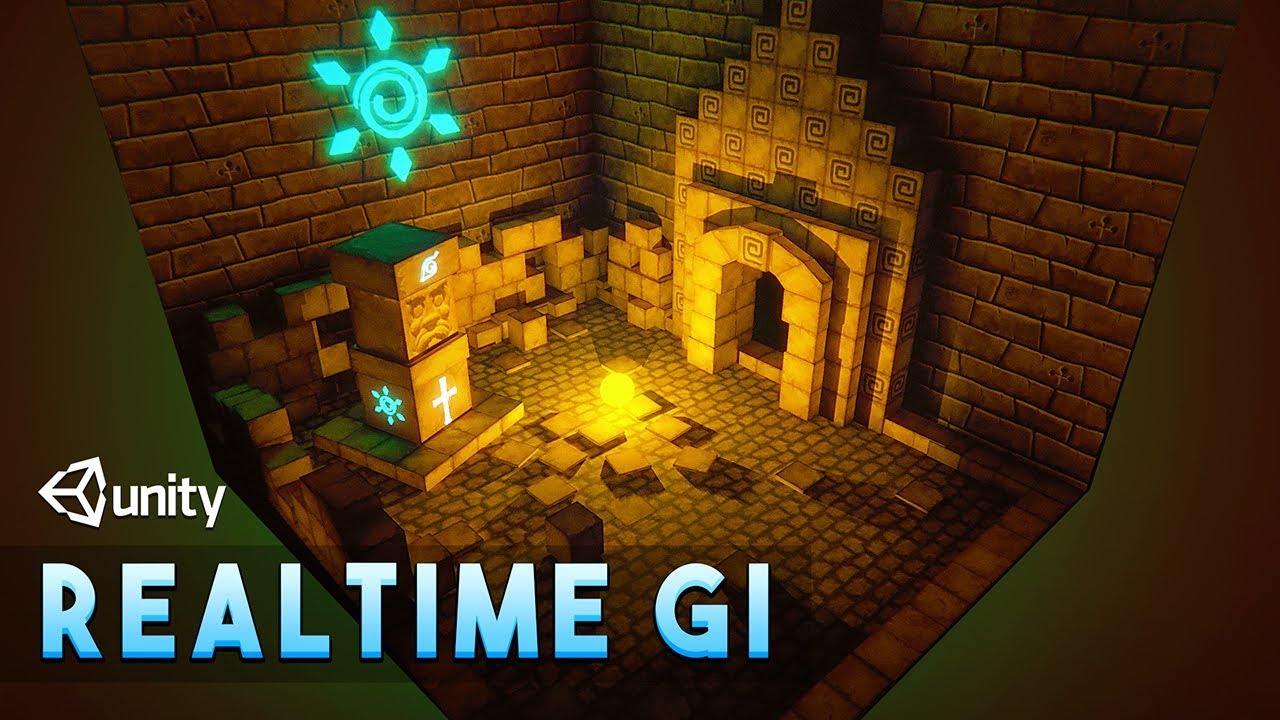
Let's explore the Realtime GI(Global Illumination) for Realtime lighting in Unity.
Realtime GI is very useful in indirect lighting. I will also show you how to use self illuminated objects to light the scene.
✅Cartoon Temple Building Kit Lite[Affiliate] : https://bit.ly/3e0vFLX
▬▬▬▬▬▬▬▬▬▬▬▬▬▬▬▬▬▬▬▬
💎 Watch advanced tutorial on Patreon 💎
...
deft fiber
wanton ivy
can you guys help?
Check for lightmap UV overlap and texel validity
Custom shaders also sometimes can cause crazy values when lightmapping
polar wadi
wanton ivy
can you guys help?
Seems like some overexposure in HDRP?
wanton ivy
deft fiber
Check for lightmap UV overlap and texel validity
Custom shaders also sometimes c...
I am not using shaders
deft fiber
polar wadi
Oh? I must have misunderstood then. I checked this video:
https://www.youtube.co...
Generally we speak of realtime/dynamic versus baked/static lighting
"Enlighten realtime precomputed global illumination" breaks this naming convention a bit, and it's also functionally kind of static but kind of dynamic in some ways
wanton ivy
it is one of the first times I am using baked lights
deft fiber
It's not truly realtime because it requires precomputation on static geometry
deft fiber
wanton ivy
it is one of the first times I am using baked lights
My condolences
Practice a few times in a new blank scene with just some boxes and a few basic light sources to get a feel for how different settings affect the lightmap and try out the debugging tools
https://docs.unity3d.com/Manual/GIVis.html
wanton ivy
deft fiber
My condolences
Practice a few times in a new blank scene with just some boxes an...
k
deft fiber
wanton ivy
k
I assume you've already looked at the official guides and documentations for lightmapping, but also remember to refer to here when issues come up
https://forum.unity.com/threads/lightmapping-troubleshooting-guide.1340936/
If you turn off the bloom it may become easier to see what the problem precisely looks like
But still 80% of lightmapping problems are revealed by the UV overlap and texel invalidity GI vis modes in the first link
polar wadi
deft fiber
It's not truly realtime because it requires precomputation on static geometry
Static geometry like the walls then? Meaning it would require some lightmaps?
deft fiber
polar wadi
Static geometry like the walls then? Meaning it would require some lightmaps?
Basically yes, even if the internal format might be different
Moving or dynamically created objects can't be affected by Enlighten realtime GI
At least they can't actually bounce any light or "globally illuminate"
polar wadi
Ok, so that would leave SSGI or Lumina from what I found. I just wanted this confirmation. Thanks for your help!
 fallow thicket
is it possible to bake a single asset in an entire scene? One of my assets didn't have lightmaps, so it has janky lighting baked on it. I reimported the asset with lightmaps, and I only need to bake on just this one asset now.
deft fiber
fallow thicket
is it possible to bake a single asset in an entire scene? One of my assets didn'...
No, unless you use a custom script to associate lightmaps with prefabs, bake it separately and place it in the scene
However the lightmap result depends on bounce lighting and occlusion from nearby geometry so it won't be accurate
 vale venture
How hard is it to change lightmaps at runtime?
chilly kettle
vale venture
How hard is it to change lightmaps at runtime?
There are Store Assets that do that
vale venture
https://assetstore.unity.com/packages/tools/utilities/magic-lightmap-switcher-built-in-srp-196489 this I assume

Use the Magic Lightmap Switcher (Built-In + SRP) from Eugene B on your next project. Find this utility tool & more on the Unity Asset Store.
chilly kettle
Yeah, i can give you his discord server if you have questions.
vale venture
feels a little too powerful for what I need, so I was thinking if there are alternatives
chilly kettle
GitHub
Tool that allows switching different baked lightmap sets on a unity scene at runtime. - GitHub - laurenth-personal/lightmap-switching-tool: Tool that allows switching different baked lightmap sets ...
maybe this one
chilly kettle
Good luck 🙂
vale venture
No mention of URP support worries me a little
deft fiber
vale venture
No mention of URP support worries me a little
Lightmapping is mostly not render pipeline dependent, surprisingly enough
gritty fox
oak dawn
hmm, i think you should add realtime GI or just use mixed lighting for baked GI ...
i do have mixed lighting on but im just trying out the spot light method at moment as you seen in the picture above
one for the light on mixed lighting with shadows and one for the ceiling with only baked no shadows
the only problem is the lighting and shadows do not look realistic with spotlights
but with point lights it does
gritty fox
gritty fox
whats the best way to go about ceiling lights? I'm currently just using point li...
the only way ive found to get rid of the light spots (of course because the point light is very close to the ceiling) is to increase the radius
but then that makes things look shit and worse than spot lights
gritty fox
gritty fox
whats the best way to go about ceiling lights? I'm currently just using point li...
is there any other way around with point lights with that problem here?
oak dawn
gritty fox
the only problem is the lighting and shadows do not look realistic with spotligh...
it should look the same, hard to explain but it the shadows look exactly the same when with spotlights
and i honestly don’t know any better solution
gritty fox
oak dawn
it should look the same, hard to explain but it the shadows look exactly the sam...
look at both those pictures
the point lights look more realistic
aaaah
hmm
how far can i go with the indirect lighting value?
 random plover
ive been having trouble with baking my lights for my scene, every time i bake them it goes dark like this
and the 2nd picture is what it looks like before i bake


here are my settings, and im using unity 2019.4.31f1
my cpu is 12th gen Intel(R) Core(TM) i5-12400F
my gpu NVIDIA GeForce GTX 1650

 chilly kettle
random plover
ive been having trouble with baking my lights for my scene, every time i bake th...
chilly kettle
random plover
ive been having trouble with baking my lights for my scene, every time i bake th...
There are several possible problems.
First: i would suggest du use thze GPU lightmapper (you are using CPU, thats slow).
Are your Lightsources are set to "baked"?
Are your Gameobjects that you want to be baked are set to "Static"?
random plover
chilly kettle
There are several possible problems.
First: i would suggest du use thze GPU ligh...
i was able to get a brighter scene after tweaking settings for a bit
thank you for your response though
deft fiber
random plover
i was able to get a brighter scene after tweaking settings for a bit
What settings exactly
It looks like there was no baked lighting at all
random plover
deft fiber
What settings exactly
It looks like there was no baked lighting at all
someone in another server send a screenshot of entirely different settings and i copied them
and i also made the lights in my scene much brighter
deft fiber
Normally the boost, intensity and contribution values don't need to be changed
They can be useful for having a greater control over the lighting but the expected result is that baked lighting looks very similar to realtime lighting before baking, with added bounce lighting
 zealous oracle
Not really experianced with lighting, what could be causing these artefacts after generating baked lighting
 night shell
zealous oracle
Not really experianced with lighting, what could be causing these artefacts aft...
night shell
zealous oracle
Not really experianced with lighting, what could be causing these artefacts aft...
exposed backfaces on geometry
those artifacts your seeing are invalid texel artifacts
which in english means that when lightmapping and tracing rays, if rays are hitting an invisible polygon (otherwise known as backface) it terminates and causes those strange artifacts to appear
You can debug them in the Texel Validity draw mode in the scene tab to see them more clearly (green for good rays, red for bad rays)
but the fix for them is to either look around in that area for geometry with exposed/invisible faces that you can see, and either fix them by removing them or modifying them so that the invisible faces aren't visible, or you enable double sided GI on the material settings of the problematic object
more details here - https://forum.unity.com/threads/lightmapping-troubleshooting-guide.1340936/#post-8467202
Unity Forum
Introduction
I developed this guide in order to help developers get the most out of Baked Global Illumination (GI) in the Unity Editor. Here, I unpack...
zealous oracle
Ahhh gotcha, thanks for the info! Having a read and investigating now. The room I have build is with probuilder and doesn't seem to have any invisible faces or differences to the other walls in the room but ill try look a lil further

Fixed by setting material render face to both, however I am wondering why this seems to be the case when the rooms normals seem to be corrently set?
deft fiber
zealous oracle
Fixed by setting material render face to both, however I am wondering why this ...
Hard to say, the scene view debug mode for texel validity may give more clues
My guess is that it's just ProBuilder being sloppy and doing weird stuff as usual
The tool is quite imperfect especially when baking lighting so it's officially recommended to be used only for greyboxing
 frank socket
hey, im having some issues with lighting in my scene and im not sure why. I have added area lights and the lighting is turned on in the scene but it doesnt appear to be producing light in the scene or game view. It also seems to generally have light in the scene even throughout the whole thing even when I dont have any lights. Does anyone have any idea? Or would anyone be able to potentially jump in a call and help me troubleshoot? (please ping if u respond so i see it)
deft fiber
frank socket
hey, im having some issues with lighting in my scene and im not sure why. I have...
Area lights only have a realtime component if using HDRP
In other render pipelines they only show up when baked onto static geometry with the lightmapper
frank socket
deft fiber
Area lights only have a realtime component if using HDRP
In other render pipelin...
oh shoot - what lights can i use then?
deft fiber
frank socket
oh shoot - what lights can i use then?
Point lights, spot lights and directional lights
frank socket
deft fiber
Point lights, spot lights and directional lights
oh ok - I will try that then. tysm sorry if that was a dumb question lol
deft fiber
Depending on your project and scene requirements, HDRP or baked lighting could be options also
But there's a lot of learning with them so I recommend tests and practice separately first
frank socket
yeah ok i will hold off on that for now ahah
frank socket
question about post processing - i cant get it to show up for me and idk if i have it connected in wrong


anyone have any ideas on what might be breaking
deft fiber
frank socket
question about post processing - i cant get it to show up for me and idk if i ha...
The post processing package is not meant to be used with URP as it has its own system for it
I suggest you uninstall the package to avoid confusion and set up URP's pp with the instructions for it pinned in #💥┃post-processing
 atomic parrot
Guys
Why is the model so shiny compared to the rest of the objects in the scene?


The model is great but it's too shiny for my game

The inspector of the model has no lighting setting
should I use some sort of culling in the lighting for it not to affect the model?
deft fiber
atomic parrot
Why is the model so shiny compared to the rest of the objects in the scene?
You can create a material for it and adjust its smoothness
 iron hazel
Hey everyone, I was wondering if anyone had any resources or could point me in the right direction of creating light rays. I’m trying to create a concert type scene and wanted to animate stage lighting but I’m unsure how to get the lights to show rays/beams
 unique terrace
As you can see in the photo, dynamic objects are extremely bright! I've checked the intensity of the reflection probe. I've also checked the intensity of the lighting. I completely disabled the directional light so that its not a factor. I've tried recalculating the magic light probes and rebaked (in any order). I can't identify any other lighting source in the world. What is causing this? It doesn't happen in every space in the world. Only in some of them, so it seems to be something local in the map, but I can't figure what. Does anyone have any ideas of what I should be looking for?
 night shell
unique terrace
As you can see in the photo, dynamic objects are extremely bright! I've checked...
night shell
unique terrace
As you can see in the photo, dynamic objects are extremely bright! I've checked...
check light probes by enabling gizmos and this

it'll show your baked light probes consistently
that are placed in your scene with their light values/colors
unique terrace
night shell
I'll check all this!


 whole bramble
hey
i have my buildings getting baked well by progressive lightmapper
but when i add a terrain , i see so many artifacts on the walls like grafitti after baking
what to do?
has anyone faced prblm like this b4?
deft fiber
gritty fox
Looks like denoising problems or "fireflies"
Check chapters 13 and 14
https://forum.unity.com/threads/lightmapping-troubleshooting-guide.1340936/
deft fiber
whole bramble
but when i add a terrain , i see so many artifacts on the walls like grafitti af...
I don't like blindly guessing but it sounds like lightmap UV overlap, texel invalidity or both
Check the scene window debug view modes for both problems
https://docs.unity3d.com/Manual/GIVis.html
whole bramble
If so, then why the lightmap was so much beautiful and okay before adding terrain?
terrain is a culprit
though im gonna use terrain mesh, but i was curious, why Did it happen
deft fiber
whole bramble
though im gonna use terrain mesh, but i was curious, why Did it happen
The two view modes I mentioned may provide clues as to why
gritty fox
deft fiber
Looks like denoising problems or "fireflies"
Check chapters 13 and 14
<https://f...
14 seems to be the one
But it says about increasing to 4k indirect samples
Meaning?
Literally increase it to 4000?
Because I've already tried 1k-4k light map resolutions on different bakes to try and fix it
deft fiber
gritty fox
Because I've already tried 1k-4k light map resolutions on different bakes to try...
Resolution is not the same as samples
Did you read the whole thing? There's also information about importance sampling and emissive object sizes
gritty fox
i know im just saying ive also tried that. Importance sampling is already on so ill try increasing the indirect samples
timber lichen
how to make these shadows smooth

 fickle wind
I have my first decent light bake. But, I have a couple game objects that are baked weird.
I have zero realtime lights. Everything is baked.
In this example, the shadows we are seeing are from game objects on the other side. Which is weird, because the wall has thickness. There is a different face facing the gameobjects on the other side, and the shadows are getting cast onto that face (and baked) correctly. I can't figure out whats going on with this one.
 deft fiber
fickle wind
I have my first decent light bake. But, I have a couple game objects that are ba...
deft fiber
fickle wind
I have my first decent light bake. But, I have a couple game objects that are ba...
Looks like lightmap UV overlap
fickle wind
deft fiber
Looks like lightmap UV overlap
Yes! of course! thank you! Found the model in the asset folder, checked the 'generate lightmap uv' box, and its much better now! TY!
fickle wind
Ok, so generating lightmap UVs for everything did make the lighting looks so much smoother. But, now, these wall pieces that touch, get this little shadow seam. It does get a bit better if I double my resolution (was at 20, this image was 40). Do I just keep bumping up resolution? or is there something else I can try?
 deft fiber
fickle wind
Ok, so generating lightmap UVs for everything did make the lighting looks so muc...
deft fiber
fickle wind
Ok, so generating lightmap UVs for everything did make the lighting looks so muc...
https://forum.unity.com/threads/lightmapping-troubleshooting-guide.1340936/#post-8467097
Chapter 10: lightmap UV seams
Stitch seams option should fix it if they're the continuous faces in the same mesh, but if not it's a bit trickier
The best way to fix it is to combine the wall parts into a single mesh surface, but you can also try increasing padding
For there to be enough padding there must also be enough resolution
fickle wind
thanks again!
timber lichen
timber lichen
how to make these shadows smooth
bump
gritty fox
deft fiber
Looks like denoising problems or "fireflies"
Check chapters 13 and 14
<https://f...
ive tried so many different methods and i just cant find anything to fix it

even waiting hours on a higher sample counts just doesnt do anything
deft fiber
gritty fox
ive tried so many different methods and i just cant find anything to fix it
Did you try moving baked lights away from static geometry? From that image looks like they're halfway inside the wall
deft fiber
timber lichen
bump
Smooth in what way precisely?
And which render pipeline are you using
 bronze raft
hello, im new to baking in unity urp. I have a small room that is one (connected) mesh. I have some strange light and black shadows on wall after bake. What it can be ?
 deft fiber
<https://forum.unity.com/threads/lightmapping-troubleshooting-guide.1340936/#pos...
deft fiber
deft fiber
<https://forum.unity.com/threads/lightmapping-troubleshooting-guide.1340936/#pos...
@bronze raft looks like same deal as here
bronze raft
deft fiber
<@203600338689720320> looks like same deal as here
thanks i will try it
 drowsy talon
gritty fox
even waiting hours on a higher sample counts just doesnt do anything
drowsy talon
gritty fox
even waiting hours on a higher sample counts just doesnt do anything
try switching the "Directional mode" to "Non Directional" and rebaking
if that fixes it, I might have some further info for you
gritty fox
drowsy talon
if that fixes it, I might have some further info for you
Thanks i will try this when I get home
timber lichen
deft fiber
Smooth in what way precisely?
And which render pipeline are you using
instead of being completely sharp like this, they should look more like cloud shadows which are much smoother like that
 deft fiber
timber lichen
instead of being completely sharp like this, they should look more like cloud sh...
deft fiber
timber lichen
instead of being completely sharp like this, they should look more like cloud sh...
There isn't an inbuilt technique for soft or semitransparent shadows (at least not unless you're on HDRP)
So the best option is to see if you could use a directional light cookie to create the cloud patterns, or implement them as part of a custom lighting shader
timber lichen
deft fiber
There isn't an inbuilt technique for soft or semitransparent shadows (at least n...
so like, one requires me to rebuild the lighting completely, and the other makes them just inaccurate random cloud shadows
can't I use the shader as a light cooki
(it's a plane with a material that has the shadergraph that generates them)
 knotty lily
Hello guys !
I have a problem with Reflection probe...
I set one in my scene and bake it properly, fine.
I set a mirror with specular material and it's working, i have reflections of my scene 🙂
But when I run the game, mirror turn to black and no more reflections 😦
I'm on WebGL not Windows... But in other scene I have same set up and it's working so i don't understand !
knotty lily
Problem solved ! the reflection probe was desactivated with occlusion culling !
 plush notch
How can i use a texture as a reflection? I have a cubemap texture and want to use it as the specular reflection for all faces on a model. I'm not asking about spec/smoothness mapping, I want to use a texture directly as a reflection, like in classic 3D video games (see images).
I have tried using "custom" reflection probe type and assigning the cubemap, then assigning the probe as anchor override on the mesh renderer, but the model still reflects the default unity sky instead of the texture. (I've already set culling mode to "nothing" so models aren't drawn)
i believe I could get this to work if there is a way to use a skybox from assets for reflections instead of the skybox in the scene. Is this possible?

 gritty fox
drowsy talon
try switching the "Directional mode" to "Non Directional" and rebaking
gritty fox
drowsy talon
try switching the "Directional mode" to "Non Directional" and rebaking
didnt change anything
gritty fox
deft fiber
Did you try moving baked lights away from static geometry? From that image looks...
theyre slightly underneath because if i have it under too much then you cant see the actual light so i either have to have it really close or really far away from the lights
i will try lower it but for other scenes i cant go low because the ceiling is at a normal height, this part here is just an extra weird level part
deft fiber
gritty fox
theyre slightly underneath because if i have it under too much then you cant see...
"Fireflies" are a common symptom of light sources cutting too close to geometry
Can't see the actual light? Extra weird level part? These seem like problems that should be dealt with
gritty fox
deft fiber
Can't see the actual light? Extra weird level part? These seem like problems tha...
extra weird level part as in just another part of the level ive designed to seem strange when you come across this area. Here is alright because the ceiling is very high but on another scene the ceiling is at a normal height
deft fiber
If I'm interpreting that properly it means you don't have any actual mesh for the lamp or fixture of the light, so you're instead relying on the light component overblowing the brightness of the ceiling panel to give the appearance of a lamp
gritty fox
There is
what i mean is im using point lights because it just looks better than spotlights, and having one to light up the ceiling messes up the lighting after baking (a previous suggestion given to me in here)
i do have mesh for the lights, that also have a material with emission. but with the spot light being close to it, you cant see it because its too bright, the only way around that is by increasing the "radius" but that then makes the mixed lighting look shitty on certain objects. OR I was doing what i did there where the lights are very close to the lights so it does look like it lights up properly.
but ive now changed that as you guys suggested and that fixed the fireflies problem
deft fiber
gritty fox
i do have mesh for the lights, that also have a material with emission. but with...
I feel like this problem should be fixable just by finding the correct settings for that setup
The earlier result, even ignoring the fireflies doesn't look "proper" to my subjective eyes
gritty fox
agreed. On that first note I have been messing about with different settings alot and just cant find a way around it. Ive stuck with point lights simply because it just gives off the most realistic looks with the lighting and shadows.
deft fiber
Baked lightmapping follows real world light propagation rules very closely
When in doubt, try to emulate real world lamps in form and function
deft fiber
gritty fox
agreed. On that first note I have been messing about with different settings alo...
Something that may also distort your results is the super intense post processing you have
It almost looks like your game might as well be rendered in gamma color space
gritty fox
is that better?
deft fiber
Much worse unless you're going for retro graphics
Your project likely isn't in gamma space, since no project by default is anymore, but I'd double check to make sure
I notice your screenshots seem to have high contrast and sharpening in your unity windows outside of the rendered game
I don't know if that's just something applied to your screenshots as you take them, or something that applies to everything you see
But that's another thing that could skew the visual results
gritty fox
gritty fox
ive tried so many different methods and i just cant find anything to fix it
like this compared to something
gritty fox
gritty fox
like this?
ive got a screenshot thing in my project
if thats what you mean
if i just want a picture for a finalised look in game ill use this and slap it on 4k because why not but if i need to show something in the editor or whatever ill just do a normal screenshot
 deft fiber
gritty fox
if thats what you mean
deft fiber
gritty fox
if thats what you mean
The point is that something seems to be altering the visual look of your whole screen in the image
It could be post processing in whatever program you use to take a normal screenshot, in which case it only looks different from reality to us which isn't all that important
But if it's not just the screenshot but your own view of your editor is altered, then that means you can't fully rely on your eyes when you tweak the look of your game
gritty fox
deft fiber
The point is that something seems to be altering the visual look of your whole s...
not sure what you mean
could you show me where?
i have not noticed this
i think it might just be my screenshots that look different
ive seen a few times before it looks darker or just doesnt bring out everything sometimes when trying to send screenshots to my friends
that could be it
unless im still missing what you're trying to say
deft fiber
gritty fox
i think it might just be my screenshots that look different
If you take them with an external program it doesn't seem unlikely that it adds its own post processing, easiest thing would be to compare the screenshot of the editor to your editor
gritty fox
i am looking now but i dont see much difference
deft fiber
gritty fox
i am looking now but i dont see much difference
Above is your screenshot, below is how Unity looks normally
There's increased contrast and sharpening

Not a huge difference, but it could have an effect on your visual design if it also affects your 3D viewports
 errant plank
help, when I bake my lighting, it won't bake. it says it's baking but it took 10 hours and yet it still didn't bake, it wasn't even that much to bake, please help
deft fiber
errant plank
help, when I bake my lighting, it won't bake. it says it's baking but it took 10...
What editor version you have, what are your baking settings and what stuff is in your scene?
errant plank
It’s 2022.3.7f1 it worked last time with this version I don’t know why it isn’t working anymore
deft fiber
errant plank
It’s 2022.3.7f1 it worked last time with this version I don’t know why it isn’t ...
And the other two?
errant plank
What other two
 shell juniper
errant plank
help, when I bake my lighting, it won't bake. it says it's baking but it took 10...
shell juniper
errant plank
help, when I bake my lighting, it won't bake. it says it's baking but it took 10...
Infinite bakes are often helped by clearing the GI cache
I swear the GI cache is responsible for like 80% of my lightmapping bugs
 viscid lodge
help whys it doing this i showed the issue and the UV debug to show no overlapping UV's
gilded sapphire
viscid lodge
help whys it doing this i showed the issue and the UV debug to show no overlappi...
Either camera clipping, the object is at the same location so it doesn’t know which to show in front, you have to rebake lighting, otherwise idk
Would clear baked data and do it again
viscid lodge
gilded sapphire
Either camera clipping, the object is at the same location so it doesn’t know wh...
I figured it out
It has to do with my meshes
Whenever two lights are projecting onto the same mesh one of the lights stop projecting based on my camera angle
Does this remind you of anything?
gilded sapphire
Haven’t run into the problem
My lights overlap
And I use extra baked lights to make it blend more and show more ambient light bounces
viscid lodge
Hmmm okay il check my settings
viscid lodge
gilded sapphire
And I use extra baked lights to make it blend more and show more ambient light b...
https://gamedev.stackexchange.com/questions/28761/why-do-my-point-lights-disappear-when-another-nearby-light-is-above-1-85-range i read this and it describes my issue perfectly but I can't find pixel light count in quality (Using URP)

Game Development Stack Exchange
I'm making a game with a dungeon setting in Unity 3D. Many torches line the walls. I'm using a point light over each torch to simulate the flame. However, when two torches are across from each othe...
gilded sapphire
viscid lodge
https://gamedev.stackexchange.com/questions/28761/why-do-my-point-lights-disappe...
Pixel light count is on the object. You should not need to touch that tho
The only time you touch that is to reduce it on LODs
viscid lodge
Dang
viscid lodge
viscid lodge
I figured it out
I said I figured it out
Crap
Now it says I have overlapping uvs
UV's
But I don't see any in uv overlap view
I'm so frustrated at unity rn
I can't confirm but I think I fixed it
viscid lodge
gilded sapphire
You said you fixed it tho
The range of multiple point lights were overlapping and so they canceled one another out!
gilded sapphire
viscid lodge
Now it says I have overlapping uvs
If there’s a yellow warning saying overlapping uvs, that’s probably not the problem, that happens often
deft fiber
errant plank
What other two
Your baking settings and the scene you're baking
We have close to no information to help you with
deft fiber
gilded sapphire
The only time you touch that is to reduce it on LODs
What do you mean by reduce it on LODs? The pixel light limit affects all meshes equally whether they're LODs or not best I can tell
deft fiber
viscid lodge
help whys it doing this i showed the issue and the UV debug to show no overlappi...
Definitely looks like a pixel light limit issue
The UV overlap view is not showing no overlap, rather it's not showing anything at all
The GI debug views only work if you have baked lighting for that scene during that editor session since the debug data is temporary
That said there don't seem to be be any obvious lightmap UV issues to be seen
viscid lodge
I fixed it
errant plank
deft fiber
Your baking settings and the scene you're baking
We have close to no information...
the scene I am baking is monkemonkemonke
 deft fiber
errant plank
the scene I am baking is monkemonkemonke
deft fiber
errant plank
the scene I am baking is monkemonkemonke
Scene you are baking is what?
What sticks out to me is that your lightmap resolution is pretty high, and you have an insane number of baked lightmaps, which suggests to me that your scene is massive or has a huge number of lightmapped meshes, potentially with high polygon density
The most typical cause for that is having a level that's unreasonably big for being loaded in at once, or a level that's full of detail meshes that are all set as contribute GI static and lightmapped
 dull copper
I fr need to get a phd in shaders to make point light with different fall off? I just want to have 1 light in scene that would light up everything with line of sight towards it
errant plank
deft fiber
Scene you are baking is what?
What sticks out to me is that your lightmap resolu...
It was from a tutorial
The scene is called: monkemonkemonke
deft fiber
errant plank
The scene is called: monkemonkemonke
I don't know what that's supposed to tell me
I'd rather know what kind of meshes are in your scene and how big it is
errant plank
deft fiber
I don't know what that's supposed to tell me
I'd rather know what kind of meshes...
Most of my meshes are big due to map making an all that stuff
Every single mesh is in static
deft fiber
Then you'll probably want to make a smaller scene and/or don't make everything static, or at least set them to use light probes instead of lightmaps
I can't give more precise advice without seeing the scene to know what kind of meshes are in it and how big it is
And decrease bake resolution like I suggested previously
deft fiber
dull copper
I fr need to get a phd in shaders to make point light with different fall off? I...
Pretty much yes
There is no simple way to change the light falloff in any render pipeline
errant plank
deft fiber
Then you'll probably want to make a smaller scene and/or don't make everything s...
But if I don’t make it static, it won’t make that shadowy corner affect I want it to
I could do that, but unity now just crashes on me
I think I broke it
deft fiber
errant plank
But if I don’t make it static, it won’t make that shadowy corner affect I want i...
I don't know what's "it" in this context
dull copper

 unique prism
why is my light acting like this please help
worthy trail
why does having indirect lighting on cause this when baking ☠️
 deft fiber
worthy trail
why does having indirect lighting on cause this when baking ☠️
deft fiber
worthy trail
why does having indirect lighting on cause this when baking ☠️
Heh, the Matrix is breaking down
Always check lightmap UV overlap and texel validity debug views first
Is it Unity's own progressive lightmapper used here, or possibly Enlighten or Bakery?
worthy trail
deft fiber
Heh, the Matrix is breaking down
Always check lightmap UV overlap and texel vali...
Unity's built-in. I checked all the debugs, and everything seemed fine
but yeah that happens
worthy trail
deft fiber
Heh, the Matrix is breaking down
Always check lightmap UV overlap and texel vali...
but yeah it only happens when i have bounces above 0, yknow, indirect lighting
deft fiber
worthy trail
Unity's built-in. I checked all the debugs, and everything seemed fine
I'd like to see the results of those two views visually if possible
worthy trail
deft fiber
I'd like to see the results of those two views visually if possible
welp i cleared the baked data
i mean i can just do it again
and send
hold on
deft fiber
worthy trail
i mean i can just do it again
Well the only important part is that UV view is purely white and validity view is purely green
worthy trail
yeah
do you think
it can be caused by the generated uvs
i can pretriangulate and make my own light uvs

theres texels

and overlap
deft fiber
What do the baking settings look like?

 deft fiber
Nothing weird in the settings
I've never seen this kind issue in my time so I'd troubleshoot using the process of elimination
Meaning you do a test bake in a new blank scene with just some default cubes to confirm the problem doesn't repeat there as it absolutely shouldn't
worthy trail
deft fiber
Nothing weird in the settings
I've never seen this kind issue in my time so I'd ...
i suspect it's the mesh
deft fiber
Then you'd bake again with some parts of your house mesh in the new scene
worthy trail
because if everything in unity seems fine, prop a issue with meshes
i mean i had a mesh in another scene that had artifacts that i had to pretriangulate to fix
yeah ok im gonna fix up the mesh hold up
because when the pixel thing was happening, it only happened on the house
deft fiber
Additional clues may be provided by previewing the lightmap itself in the Lighting window's Baked Lightmaps tab
worthy trail
seems like uvs
deft fiber
@worthy trail Is the mesh using materials with custom shaders?
 deft fiber
worthy trail
so its prob uvs i think
deft fiber
worthy trail
so its prob uvs i think
Could be, but it could be other things too
I'd do the troubleshooting for the mesh in the blank scene just to be sure
If you want to show me the baked lightmap window itself that may give some clues
worthy trail
ok
let me finish this pretriangulation and test it rq
also you seem like you know a more than healthy amount of light stuff
how long have u been doing lighting
deft fiber
worthy trail
also you seem like you know a more than healthy amount of light stuff
That seems definitely right!
For two years I'd say
worthy trail
gg
deft fiber
Two years making lighting for Unity pretty much daily, but the lighting concepts were already familiar from working in other engines every now and then over the years
worthy trail
like making the lighting itself? like working at unity?
deft fiber
worthy trail
like making the lighting itself? like working at unity?
Ah I mean just in the engine, I'm not that high level by any means
worthy trail
deft fiber
Ah I mean just in the engine, I'm not that high level by any means
oh ok
still nice tho
ok i have the new mesh imported
its baking
we'll see how it turns out
ok so its not doing the room first so i have to wait
BUT
i dont see any pixel thingies outside of it

ok i want to unalive

at least i have better uvs i guess
the lightmaps seem normal

i think
hey @deft fiber is it ok if i screenshare in a vc it would make it miles easier
deft fiber
ok so its not doing the room first so i
deft fiber
unique prism
why is my light acting like this please help
Is this happening with custom lit shaders or the normal sprite lit shaders?
fickle wind
It seems there is some sort of conflict between Unity Version Control, and Baking Reflection Probes. First bake of the probe is fine. But, if I make adjustments, and then hit 'bake' on the probe again, I get a Unity Version control Popup, telling me item is already checked out (as if I'm trying to do a checkin)
unrelated, I'm getting these weird differences in color in a low lit room.

The room is full of light probes.

And in the top picture, in that bathroom, there is also a reflection probe
deft fiber
fickle wind
unrelated, I'm getting these weird differences in color in a low lit room.
Resembles a normal map issue, are their textures of type: normal map?
fickle wind
nope.

oh geeze. i just noticed my carpet is super smooth
becaues it shares the same material as something else, and I stupidly change the values for the shared material.
but it has a metallic map, so maybe smoothness only applies to the uvs in that area?
oh wait, there is a normal map in the 'details' section
 deft fiber
fickle wind
but it has a metallic map, so maybe smoothness only applies to the uvs in that a...
deft fiber
fickle wind
but it has a metallic map, so maybe smoothness only applies to the uvs in that a...
As Source is Metallic Alpha, the alpha channel of metallic map is used for smoothness
The slider is a multiplier on top of that
There appear to be reflection probes very close to each other so it's conceivable that floor parts are being lit by different probes, receiving different reflections
Some seem to be reflecting a blue sky, others not
fickle wind
oooh. that makes sense
deft fiber
Make sure no light or reflection probes are clipping inside geometry
fickle wind
the bounds of the reflection probe box. is it applying reflections to everything in the box, or checking for reflections in the box?
nvm. I think i found the answer to that
deft fiber
fickle wind
the bounds of the reflection probe box. is it applying reflections to everything...
This varies by render pipeline and potentially also by its version
Probe blending is an ambiguous term between blending the influence of probe by mesh or by position
unique prism
deft fiber
Is this happening with custom lit shaders or the normal sprite lit shaders?
its default 2d URP shaders
 copper steeple
does anyone know what is causing this problem


when im far away from the door the shadows get all screwy
but when im closer it looks fine
chilly kettle
copper steeple
does anyone know what is causing this problem
i think shadow cascades or shadow distance
copper steeple
I'll have A look at that in a second thanks
I've messed with distance but not cascades
deft fiber
copper steeple
does anyone know what is causing this problem
Seems likely the door is too thin at the inset parts
Shadow casting relies on being able to shrink the mesh so the shadow doesn't cover the lit side, but if it has no room to shrink then light and shadow can appear in unexpected places
thinnest to thickest insets
 copper steeple
why does it look fine up close though?
copper steeple
deft fiber
Seems likely the door is too thin at the inset parts
^
deft fiber
copper steeple
why does it look fine up close though?
If the shadows are from a directional light using shadow cascades, the shadow resolution would be higher up close
 distant yew
if im building a bakebox, is the most critical aspect total gpu memory, or gpu memory bandwidth
distant yew
also if anyone knows how much performance impact the indirect lighting from probes has...
basically trying to do some really complex scenes in a game that will go on switch... so having hundreds if not thousands of baked lights, but a smaller number of dynamic lights
trying to figure out if i need to go old school by putting dynamic objects on their own lighting channel and controlling lighting that way or if the probes are efficient enough without having to spend "a lot" of time setting it up both ways
 subtle night
lights not working

 tight scarab
I am having trouble with real time RTGI
Can someone help?
subtle night
subtle night
lights not working
it was working earlier with built in pipeline,
but as i switched to urp, the lights dont work
also some options like halo dissapeared
deft fiber
subtle night
but as i switched to urp, the lights dont work
Do they seem to work in a new scene with some default boxes
deft fiber
subtle night
also some options like halo dissapeared
Afaik halos are lens flares that are controlled by scene fog
URP only has lens flares without the fog functionality of halos
subtle night
some baked issue
deft fiber
tight scarab
I am having trouble with real time RTGI
Can someone help?
Don't crosspost and don't leave your issue unexplained
 hollow skiff
I am using a light cookie on a directional light, with shadow strength of 0.6. How can I make the shadow strength also affect the cookie, since the cookie is not a shadow casted, but instead the absense of light?
shadow strength only affects shadows casted by shaders
subtle night
how to bake a light
hollow skiff
it could work if the light was static

