#Voron 2.4 Build Log – Tunisia | Working Within Constraints
1991 messages · Page 2 of 2 (latest)
 bitter wadi
 rocky ember
i mean i can it will cost quite abit but i can
bitter wadi
it might be worth it once you have the machine moving
also, whats your plan for keeping the cb1/2 cool?
rocky ember
but i have a question when the ups takes over can i like um tell klipper to pause and when power comes back to resume ? cause the black outs are like 30 mins minimum
bitter wadi
rocky ember
but i have a question when the ups takes over can i like um tell klipper to paus...
so the downside with klipper is that when the klipper is killed, the print dies
rocky ember
bitter wadi
also, whats your plan for keeping the cb1/2 cool?
it has the heatsink on it and with the like 4 fans in the skirts would it not be fine ? if not ill add a fan over it
rocky ember
bitter wadi
so the downside with klipper is that when the klipper is killed, the print dies
oh so when the ups takes over it cant save where it is on the print ?
bitter wadi
rocky ember
it has the heatsink on it and with the like 4 fans in the skirts would it not be...
you should be fine unless you start getting to 40c ambiaent
then you might run into problems
rocky ember
bitter wadi
you should be fine unless you start getting to 40c ambiaent
lol the weather is 41C
bitter wadi
rocky ember
oh so when the ups takes over it cant save where it is on the print ?
so as long as the CB, manta and the ebb have power, you will be fine. if you loose power, your print will die
rocky ember
bitter wadi
so as long as the CB, manta and the ebb have power, you will be fine. if you loo...
yikes
um lets say i dont use the EBB just a thought does the other stuff support RRF
bitter wadi
not seeing manta compatibility
rocky ember
so i guess its not really an option
rocky ember
well i got a gasoline generator 😭
but that wont work cause it will already be shut down
bitter wadi
Hence the ups
rocky ember
bitter wadi
Hence the ups
will look into a good UPS with a good runtime when its working 👍
 radiant drift
If you connect a UPS to a server like home assistant, you could send a pause command when the UPS is on battery, turn off the hotend but I’d be tempted to keep the bed warm as otherwise you could still potentially loose the print if the parts detach from the bed. Motors will need to stay engaged as well.
rocky ember
@uneven canyon i saw some people use some sort of idk what it is silicone or what to secure the flex heater do i need that or can i do without it ? if so what is that just silicone ?
 uneven canyon
rocky ember
<@895414492513579008> i saw some people use some sort of idk what it is silicone...
uneven canyon
rocky ember
<@895414492513579008> i saw some people use some sort of idk what it is silicone...
High temperature RTV is commonly used
The heaters usually come with adhesive sheet. Sealing the edges with RTV is very common
rocky ember
SEA Tunisie
Achetez RTV SILICONE HAUTE-TEMP.-SS-2400 au meilleur prix en Tunisie. SEA Tunisie, distributeur officiel de pièces auto et solutions industrielles. Livraison...


is this it ?
rocky ember
uneven canyon
The heaters usually come with adhesive sheet. Sealing the edges with RTV is very...
so i should use it then ok
rocky ember
uneven canyon
Yup
yup to that i should use it or yup to yes that is the correct product
uneven canyon
rocky ember
yup to that i should use it or yup to yes that is the correct product
Yes correct product and I believe it should be used
rocky ember
uneven canyon
Yes correct product and I believe it should be used
YIPPIE first time its actually the right product when i try to find smth
rocky ember
uneven canyon
Yes correct product and I believe it should be used
bruh the site doesnt do delivery why tf are u an online store then
https://www.technoquip-tn.com/shop/silicone-haute-temperature-rtv-58811#attribute_values=24142,25925
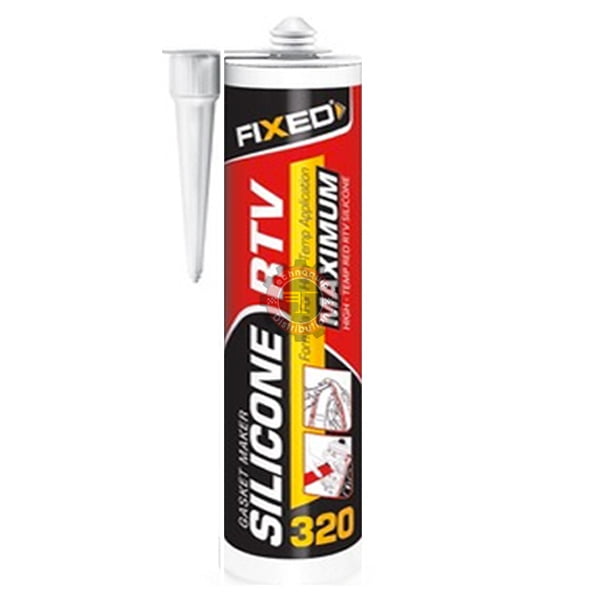
Technoquip Distribution
Silicone haute température RTV SGS, mastiques colles — disponible chez Technoquip Distribution en Tunisie. Demande de devis et conseil technique.

CEG Gros
RTV High-Temp Silicone est un mastic silicone haute performance développé pour les tra...
@uneven canyon i found these other two
uneven canyon
rocky ember
<@895414492513579008> i found these other two
Those should be fine. Red high temp is your search criteria
rocky ember
ohh so not specific one cool that makes it much easier
uneven canyon
Yeh the high temp ones are usually red
rocky ember
interesting the panels guy just ghosted me XD
bitter wadi

rocky ember
bitter wadi
<:cat_meow:1037505645945045053>
meh idc really like i havent even paid him yet so i dont get why XD
rocky ember
@uneven canyon @bitter wadi for the panels some weird like adhesive thing is used for squish how big is that
uneven canyon
rocky ember
<@895414492513579008> <@1160672238404645026> for the panels some weird like ad...
Foam tape. 3mm thick, 5mm wide adhesive on one side only
rocky ember
We are so back 🤙🏻

@uneven canyon im gonna clean it and apply magnetic first than do heater let it rest on some weight and tomorrow when the gasket sealant arrive do that thats good plan ?
All the stock of 6x3mm
 uneven canyon
rocky ember
<@895414492513579008> im gonna clean it and apply magnetic first than do heater ...
uneven canyon
rocky ember
<@895414492513579008> im gonna clean it and apply magnetic first than do heater ...
Yep, magnet first since it is flat
 uneven canyon
rocky ember
This is the setup after i applied the magnet 😭
uneven canyon
rocky ember
This is the setup after i applied the magnet 😭
15 minutes is more than enough.
rocky ember
OH
The alu plate is slightly bigger than 350 so the magnet is slightly not covering it all but the aound is satisfying
time to do the heater now wish me luck
rocky ember
Done gonna put the wood and the weight on it now 😝

@uneven canyon how long do i leave this one like this
 rocky ember
Ldo rails feel way different than cheap ahh rails i have 😭


 bitter wadi
rocky ember
Ldo rails feel way different than cheap ahh rails i have 😭
bitter wadi
rocky ember
Ldo rails feel way different than cheap ahh rails i have 😭
Listen, you can always upgrade
rocky ember
bitter wadi
Listen, you can always upgrade
For sure
uneven canyon
rocky ember
These screws
 rocky ember
uneven canyon
These screws
rocky ember
uneven canyon
These screws
yeah i know but it said to leave 2.5mm im asking from what end look at the arrows in my pic
rocky ember
um @uneven canyon remember those belt clips ? in the like toolhead i tried to use the m3 screw but there is nowhere to make thread its loose
uneven canyon
rocky ember
yeah i know but it said to leave 2.5mm im asking from what end look at the arrow...
from the head of the screw.
uneven canyon
rocky ember
um <@895414492513579008> remember those belt clips ? in the like toolhead i trie...
I believe there should be a heatset insert on the back? Let me look at the tap manual real quick
rocky ember
oh that would make sense
but the manual i have doesnt have these like clips has where to insert belts so i didnt find it
uneven canyon
Oh... no belt clips this is stock tap. The belts are held in place when the assembly is tightened to the carriage.
rocky ember
uh what that mean ?
uneven canyon
it means you feed the belts through from the back like in this picture. then when you have them with light tension, you screw the assembly to the linear rail carriage
 rocky ember


 rocky ember
uneven canyon
it means you feed the belts through from the back like in this picture. then whe...
rocky ember
uneven canyon
it means you feed the belts through from the back like in this picture. then whe...
That's not the one i have
I dont have the extra place where belts go to from the feont
uneven canyon
rocky ember
That's not the one i have
ok. let me dig up old manuals
rocky ember
thanks
uneven canyon
rocky ember
thanks
YOu need to install two hex nuts here
 uneven canyon
NP
rocky ember
bruh a m3x8 bhcs wont go in but a SHCS m3x8 will imma use that
ahnd see if i run into an issue with it
uneven canyon
You may... we will see 🙂
uneven canyon
rocky ember
<@895414492513579008> btw i should do double magnet right ?
start with single magnet for now. You can always change it later
rocky ember
oh okay its just i thought ldo gave me 4 cause they rec that but ill do one
uneven canyon
They give you both the screws and the magnets so you can choose. using 4 magnets increases the actuation force required. No reason to do that yet.
uneven canyon
it is supposed to be very light. YOu have to remember that you will have the entire weight of the toolhead on there as well.
rocky ember
its not light pulling its actually 0 pulling like it stays on top do i keep it like that ?
uneven canyon
When you follow the guide, there will be a section on adjusting the magnets. make sure that you installed the magnetic screws BTW
rocky ember
hmmm will go look into the guide again i guess
uneven canyon
rocky ember
hmmm will go look into the guide again i guess
are the flathead screws you installed magnetic?
rocky ember
yeah but i guess when i install the toolhead i will figure out what to do
uneven canyon
If they are magnetic, I would continue on with the guide. There is going to be a point where you are going to release the magnets to seat properly against the screws. Yes, it should feel like almost zero resistance.
 uneven canyon
rocky ember
<@895414492513579008> is there a printed version of this ? if not whats the alt...
uneven canyon
rocky ember
<@895414492513579008> is there a printed version of this ? if not whats the alt...
There is. it is called PUG. The other option is to remove the connector on the other end so you can feed it through. It does require you to recrimp the connector when done though.
rocky ember
uneven canyon
There is. it is called PUG. The other option is to remove the connector on the o...
does it need to be printed in tpu or smth soft ?
uneven canyon
rocky ember
does it need to be printed in tpu or smth soft ?
TPU is common for them. I have also seen ABS.
rocky ember
uneven canyon
TPU is common for them. I have also seen ABS.
abs would work ??
wont it break or smth ?
uneven canyon
rocky ember
abs would work ??
Yep. it will be fine. Is the connector already on the other side so you can't fit it through?
rocky ember
uneven canyon
Yep. it will be fine. Is the connector already on the other side so you can't fi...
uh wdym on what side ?
i still havent ran anything from the toolhead to the main board if thats what u are asking
uneven canyon
the cable that goes through there, should have the connecter off the other side so you can feed the cable through that gland
rocky ember
ahh okk then i wont crimp anything until i print that
do u happen to know any good "pug" that i can print in abslike a link for a stl
uneven canyon
You can feed the cable through the gland that you have? no need to print anythign though.
rocky ember
uneven canyon
You can feed the cable through the gland that you have? no need to print anythig...
i dont have a gland
uneven canyon
Ahhhh.
rocky ember
the spiraly thingy
uneven canyon
thats not your pic. 🙂
yeah. once you have the machine running, we can work to get those done
rocky ember
nooo if i had it why would i ask is there a printed version XD
rocky ember
uneven canyon
yeah. once you have the machine running, we can work to get those done
so i dont need that pug or gland thingy for now ?
uneven canyon
rocky ember
so i dont need that pug or gland thingy for now ?
Nah, you can just zip tie it in place for a print or two.
rocky ember
sick
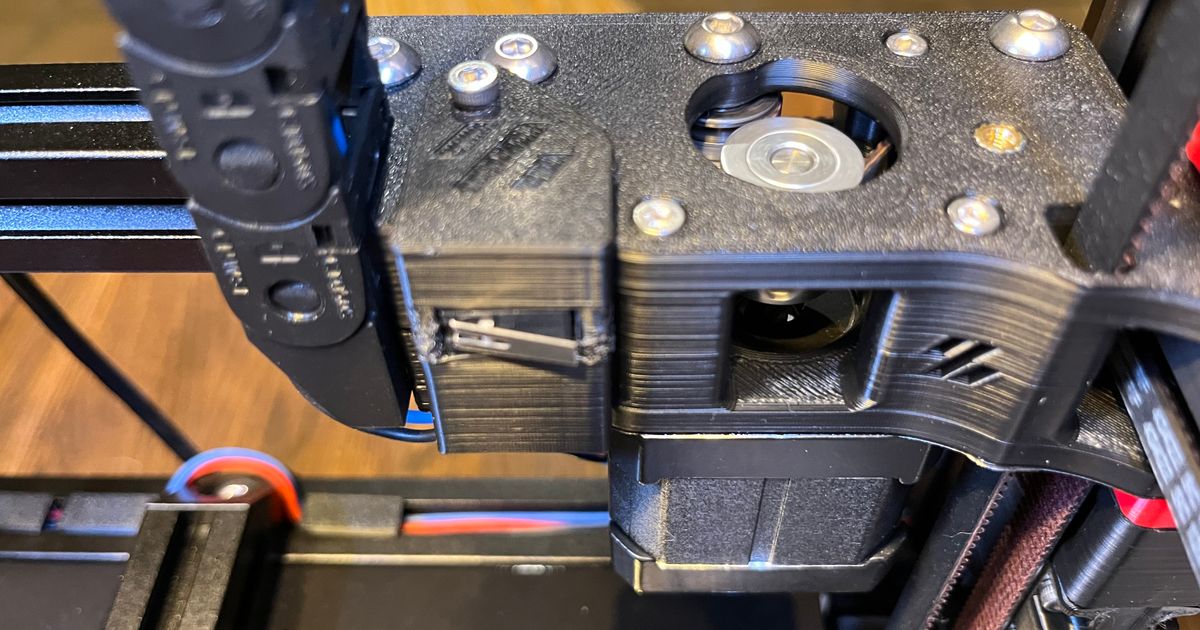
Printables.com
If you are using an umbillical or canbus that goes through the exhaust vent cover then this Y switch holder is for you! | Download free 3D printable STL models
gonna print this for Y enstop
i have that place where he screwed it in
uneven canyon

Printables.com
Cable gland for 4.5mm to 10mm cable, not compatible with PG7 mount | Download free 3D printable STL models
rocky ember
rocky ember
https://www.printables.com/model/838596-voron-24-y-endstop-switch-holder/files
@uneven canyon this one good or do i look for smth else ?
uneven canyon
rocky ember
<@895414492513579008> this one good or do i look for smth else ?
As long as your umbilical is going to go up and out of the exhaust, that is as good a location as any
rocky ember
yeahhhh thats also smth i wanted to ask u think from the exhauset better or from there in the cable chain >
uneven canyon
exhaust.
rocky ember
okk will look for the exhaust thingy then to also print
uneven canyon
rocky ember
okk will look for the exhaust thingy then to also print

Printables.com
Voron Exhaust cover with both PUG and PTFE passthrough | Download free 3D printable STL models
rocky ember
thanks
rocky ember
@uneven canyon do i need to reflash my main board to use the toolhead board ?
uneven canyon
rocky ember
<@895414492513579008> do i need to reflash my main board to use the toolhead bo...
Which toolhead board are you using?
generally no though
rocky ember
EBB36 1.2
uneven canyon
did it come with a U2C board?
rocky ember
no im using the can port on my M8P v2
uneven canyon
Yeah. I have no clue how those work. I would suggest asking in #can_and_usb_toolhead_boards. the CAN geeks hang out there
rocky ember
shiiii i have to reflash it all jeez
rocky ember
next time i say i want a toolhead board please hit me @uneven canyon
rocky ember
The one thing u guys hate about my build i fixed 

But ugh the gasket sealent is no where to be found i guess will be delivered tmrw or smth
bitter wadi
rocky ember
But ugh the gasket sealent is no where to be found i guess will be delivered tmr...
You could always try printing out of tpu
rocky ember
bitter wadi
You could always try printing out of tpu
Huh?
Print gasket sealent for the heated bed out of tpu ? 😭 I think u replied to smth wrong
bitter wadi
rocky ember
Print gasket sealent for the heated bed out of tpu ? 😭 I think u replied to smt...
Ohh
Yeah thats not gonna work

rocky ember
bitter wadi
<a:catfaint:1144819887336853534>

rocky ember
I love magnets
bitter wadi
 rocky ember
bitter wadi
https://klipy.com/gifs/magic-how-do-they-work
rocky ember
bitter wadi
https://klipy.com/gifs/magic-how-do-they-work
magic
radiant drift
rocky ember
The one thing u guys hate about my build i fixed <:Deviouss:1145115744816861194>
Hate is a strong word. I had long term reliability concerns with the steel core belt. You would have been able to make parts but for how long was the question.
rocky ember
radiant drift
Hate is a strong word. I had long term reliability concerns with the steel core ...
now we wont have to worry 👍
rocky ember
i just figured this out
belt black DOES NOT mean belt in fiberglass core 😭
i guess when shitty steel core belt breaks i can replace it with another shitty one 😭
bitter wadi
rocky ember
i guess when shitty steel core belt breaks i can replace it with another shitty ...
Is this the z belt?
rocky ember
bitter wadi
Is this the z belt?
yeah
im not that sad cause its on z which is way better than if it wouldve been on AB
uneven canyon
On Z I wouldn't worry about it. Just have spares
rocky ember
uneven canyon
On Z I wouldn't worry about it. Just have spares
XD now i do so im not mad about it
rocky ember
Using rtv gasket for bed and wiring bed and toolhead is all that is left

Ofc after those i will have to tune and stuff
bitter wadi
👀
rocky ember
Also build on bed cause no table 😭
rocky ember
This stuff is stinky
 rocky ember
This stuff is way cheaper to buy irl than online
 uneven canyon
rocky ember
This stuff is stinky
uneven canyon
rocky ember
This stuff is stinky
I warned ya 
rocky ember
uneven canyon
I warned ya <a:hehe:880902570003025920>
i took your advice XD I did it in the balcony
@uneven canyon do you perhaps know a good wiring diagram for bed and ssr and that
uneven canyon
rocky ember
<@895414492513579008> do you perhaps know a good wiring diagram for bed and ssr...
THe manual... always the manual 🙂
rocky ember
uneven canyon
THe manual... always the manual 🙂
uh ofc XD
uneven canyon
rocky ember
uh ofc XD
pages 182-185
rocky ember
@uneven canyon to bed power out in controller ? And bed power in with 24v from psi ?
 uneven canyon
rocky ember
<@895414492513579008> to bed power out in controller ? And bed power in with 24...
uneven canyon
rocky ember
<@895414492513579008> to bed power out in controller ? And bed power in with 24...
that to controller side is the bed port on your MCU. Polarity matters!
rocky ember
uneven canyon
that to controller side is the bed port on your MCU. Polarity matters!
yeah i know that but on mcu there is two bed power and other one bed out I'm guessing ssr to bed out no ?
uneven canyon
rocky ember
yeah i know that but on mcu there is two bed power and other one bed out I'm gue...
bed out. the bed power goes to your 24v power supply. again. polarity matters.
rocky ember
uneven canyon
bed out. the bed power goes to your 24v power supply. again. polarity matters.
i will take pic when finished so u can spott if I'm wrong in smth
rocky ember
@uneven canyon here u go inspection officer


brown is + blue is -
for DC
for AC
black is L grey is N
and ground well its ground
 gleaming loom
rocky ember
<@895414492513579008> here u go inspection officer
gleaming loom
rocky ember
<@895414492513579008> here u go inspection officer
bed wiring + and - look good assuming you did in fact wire the PSU to bed power and the SSR to Bed Out (I trust you, but can't see it in these pictures)
 gleaming loom
rocky ember
And other one bed power is to psu
gleaming loom
rocky ember
And other one bed power is to psu
looks good to me
rocky ember
gleaming loom
looks good to me
yayyy
how long u reckon i let the silicone like settle for ?
gleaming loom
rocky ember
how long u reckon i let the silicone like settle for ?
I think it's like 1hr set, 24hr cure so I'd give it a full day
rocky ember
and its fine to be inside ? or do i need to leave it outside
gleaming loom
rocky ember
and its fine to be inside ? or do i need to leave it outside
i think inside is fine
 gaunt leaf
Oh btw did you end up sourcing 6x3 magnets?
rocky ember
gaunt leaf
Oh btw did you end up sourcing 6x3 magnets?
Yeah most voron projecta use them anyways i got 40
rocky ember
https://preview.redd.it/i-google-ebb36-pinout-and-got-2-pictures-with-different-v0-ifi0g7782yje1.jpg?width=640&crop=smart&auto=webp&s=caf14581c947bde5d6f8cd6e0a4a797004b263fa](https://preview.redd.it/i-google-ebb36-pinout-and-got-2-pictures-with-different-v0-ifi0g7782yje1.jpg?width=640&crop=smart&auto=webp&s=caf14581c947bde5d6f8cd6e0a4a797004b263fa)
in the ebb pinout
the endstop is a 5 pin jstxh
do i only use 5v and gnd from it ?
 uneven canyon
rocky ember
https://preview.redd.it/i-google-ebb36-pinout-and-got-2-pictures-with-different-...
uneven canyon
rocky ember
https://preview.redd.it/i-google-ebb36-pinout-and-got-2-pictures-with-different-...
GND and PB6
rocky ember
uneven canyon
GND and PB6
oh okk thanks
uneven canyon
rocky ember
oh okk thanks
don't want to connect +5 to GND 😉
rocky ember
also ofc its not gnd and 5v that would be a big problem if the two of those are clicke xD im dumb
uneven canyon
Not dumb.
rocky ember
uneven canyon
don't want to connect +5 to GND 😉
are u watching my screen ? 
rocky ember
@uneven canyon the tap probe has 3 wires comming out of the tap pcb what connector do i use to plug it into these headers
 uneven canyon
use the PB9, +5v, and GND from the probe connector. Just triple check that you have the correct pinout (maybe even quadruple check) since getting a replacement would be challenging.
Pro tip, you can use a 2.54 pitch JST connector on those pins as well, instead of having to crimp duponts
rocky ember
im guessing black gnd red 5v and blue is pb9
its the wire that came with the pcb
but i will check for optotap pinout


Yes i am correct
But sadly the guy thats printing the last stuff the ebb mount and exhaust thingy said it will be done Sunday cus he busy
So prob printing next week 👀
uneven canyon
rocky ember
Yes i am correct
Yep. you got it.
I have been waiting for this serial request for over 6 months. 🙂
rocky ember
not just u 😃
bitter wadi
Can we git some pictures plz
rocky ember
yes sir
Gap front right and back left. But smooth motion frant to back


@bitter wadi so ?
i did what he said in the vid but it did not work
do i need to remove belts ?
rocky ember
i tried my best to minimize it but meh
bitter wadi
I would open a thread in #1169405960540917810
Cause while im pretty sure you square to the rear of the printer, im not 100 percent sure
rocky ember
will do that
bitter wadi
👍
rocky ember
so update racking wasent solved bed wired but it is not aligned well it is going to the left about 8mm more than the right
will try a shot on both tmrw
rocky ember
@uneven canyon can u help me out with this racking issue i tried to the best of my ability yesterday but to no luck
do u reckon i need to remove belts
bitter wadi
@rocky ember I would follow the advice in your #1169405960540917810 post
rocky ember
@bitter wadi i solved itt hehhehehhe so nice
also um question does any of u know how to get a m5 bolt out if its head is like messed up 🙃
uneven canyon
That deserves a pic of the bolt
rocky ember
The bottom one

The bed is 5mm to the side so i would prefer to move it a bit
Also lol im gonna buy a pi4 model b 4gb ram for 200 tnd i haggled a guy down from 270 to 200
uneven canyon
That head doesn’t look too bad. I would try a different 3mm driver. Definitely not a ball head
rocky ember
Will look for another one
uneven canyon
rocky ember
Will look for another one
You may be able to take the bolt completely out of the one going into the bed support and then twist the bracket and the bolt at the same time, but it will definitely scratch the extrusion if you do
rocky ember
uneven canyon
You may be able to take the bolt completely out of the one going into the bed su...
Will be last resort 🤚🏻
uneven canyon
Yep
rocky ember
sadly had to twist it off
but now everything is done
also i left a bit of heated bed wiring and made it in a cercle so if in the future i need to change anything i have spare wire
now just gotta plug in the bed thermistor
uneven canyon
Nice. Be pooping plastic today?
bitter wadi
rocky ember
Also lol im gonna buy a pi4 model b 4gb ram for 200 tnd i haggled a guy down fro...
@uneven canyon can you use a manta in pass through mode with a pi4 to access the can port?
uneven canyon
bitter wadi
<@895414492513579008> can you use a manta in pass through mode with a pi4 to acc...
No clue. Never actually used one of those devices
bitter wadi
Neither have i
uneven canyon
Yeah. I would probably wait on the Pi until I was forced to do it
rocky ember
bitter wadi
<@895414492513579008> can you use a manta in pass through mode with a pi4 to acc...
ohhh
im not saying im gonna buy it to use it here with the printer im saying maybe for future builds and to tinker with at the moment XD
and i also always wanted to use a pi as a dedicated HA system not a docker image
rocky ember
what this mean ?

do i actually just wait for it to change ?
here is the klippy thing
bitter wadi
rocky ember
where can i find the files for XOL pcb ?
That uses the same microfit connectors as the one you are struggling with
rocky ember
bitter wadi
That uses the same microfit connectors as the one you are struggling with
Mr wheels as i have seem him he doesnt use the connector he just shoves them in XD
uneven canyon
rocky ember
where can i find the files for XOL pcb ?
Toolhead pcb is here. https://github.com/ruiqimao/VoronStuff/tree/main/Xol_PCB Honestly though, I would think about just hardwiring the toolhead side given the issues with acquiring hardware. You can still do umbilical, it is just longer wires. Here

GitHub
Collection of my Voron mods. Contribute to ruiqimao/VoronStuff development by creating an account on GitHub.
rocky ember
@uneven canyon Are you proud dad 😂
bitter wadi
One of the first prints will probably be a pug
uneven canyon
rocky ember
<@895414492513579008> Are you proud dad 😂
Haha. I saw you got it running in the ticket there. Good job, just continue to be patient and you will be printing soon. Don’t forget the advise about insulating that wire. Hot glue, tape or RTV would all work, but not a huge fan of the hot glue. 😂
rocky ember
i already have some one that will print me the orbiter to ebb36 mount so it will be ziptied to that untill i print myself a pug for sure
uneven canyon
bitter wadi
One of the first prints will probably be a pug
Absolutely this. Get as much stress relief as possible there since it is a common failure point anyway
rocky ember
uneven canyon
Haha. I saw you got it running in the ticket there. Good job, just continue to b...
a little dap of hot slop wont hurt XD
rocky ember
uneven canyon
Absolutely this. Get as much stress relief as possible there since it is a commo...
will def do
uneven canyon
rocky ember
a little dap of hot slop wont hurt XD
As long as the chamber stays below the mid 60s it will be fine
rocky ember
how would i go about doing that with RTV cause i have LOTS of it now XD
oh i could put heat shrink just shrink the bottom bit and fill it with RTV XD
uneven canyon
That’s kinda what I was thinking, but just make sure it doesn’t go down into the connector pins. That might be difficult with the heat shrink. You are definitely going to want to find some microfit connectors soon so you have spares and for future projects
rocky ember
uneven canyon
That’s kinda what I was thinking, but just make sure it doesn’t go down into the...
Will look every electronics store i can find cause y8kes it would be sad if they break 🤞🏻pray they dont
uneven canyon
rocky ember
Will look every electronics store i can find cause y8kes it would be sad if they...
Yeah. You are always able to directly wire if needed as well. Microfit 3 are what you are looking for
Well off to bed. Good luck!
rocky ember
Thanks good night
rocky ember
anyone know of some sort of guide so i can like do the config and all that
also y will be sensorless for now until i print a diffrent mount for the A thingy
 willow shuttleBOT
bitter wadi
willow shuttleBOT
bitter wadi
Is that what you were looking for?
rocky ember
bitter wadi
Is that what you were looking for?
yes thank you very much
bitter wadi

rocky ember
eh um ive looked in it but thats not really what im looking for cause right now when i move x or y it says short to pin gives a error i made stealthchop 999999 and now it moves but sounds weird so is there a video or guide to fixing quirks like that
 earnest aspen
What is sounds weird?
rocky ember
It moves weird and does this buzzing sound
Before i fixed it idk how
I think when i was doing sensorless
Will show vid of how it is when i get home
bitter wadi
Btw for sensorless here is the link for setting it up
willow shuttleBOT
earnest aspen
What is moves weird  buzzing is normal you need to install TMC autotune which helps a bit
rocky ember
The movement it does move to the right side but its not smooth at all one sec
This what i mean
earnest aspen
Looks smooth to me 
Your umbilical cable is too strained, you'll break it like that
bitter wadi
also the rear cable chain has a very uncomfortable angle
earnest aspen
I think you'll need to remove some links from the cable chain otherwise it would hit the top panel when z is high
rocky ember
earnest aspen
Looks smooth to me <a:confused_dog:875101615479197766>
Your umbilical cable is ...
Ik im not even moving it just to test the board
rocky ember
earnest aspen
Looks smooth to me <a:confused_dog:875101615479197766>
Your umbilical cable is ...
Eh idk how thats smooth it was way smoother before like way before
earnest aspen
You're moving it 💀
rocky ember
earnest aspen
You're moving it 💀
XD yeah i guess 😭
Do u hear the weird sound it makes? Like brrr brrr
Thats whats confusing
rocky ember
earnest aspen
I think you'll need to remove some links from the cable chain otherwise it would...
Okk
earnest aspen
rocky ember
Do u hear the weird sound it makes? Like brrr brrr
Yea, it doesn't sound too out of the ordinary, but usually it's higher pitched. But depending on your motor it sounds plausible
You want TMC autotune for sure on this one, what's your motor part number? The tmc2240 drivers make a difference too
gleaming loom
earnest aspen
Yea, it doesn't sound too out of the ordinary, but usually it's higher pitched. ...
might be in a noisy area because going slow too, but don't send it at 1m/s either
rocky ember
earnest aspen
Yea, it doesn't sound too out of the ordinary, but usually it's higher pitched. ...
Hmm im usin 2209 and and i finish eating and come try to figure out
earnest aspen
gleaming loom
might be in a noisy area because going slow too, but don't send it at 1m/s eithe...
Good point :3 yea must be a noisy speed
rocky ember
Hehe cool lights
 rocky ember
earnest aspen
Good point :3 yea must be a noisy speed
rocky ember
earnest aspen
Good point :3 yea must be a noisy speed
Soook what do i dooo
earnest aspen
Nothing, software stuff later, keep building
rocky ember
Not much to build wait for ebb orbiter mount print and exhaust print from the guy just those 😝
rocky ember
ehh do any of you know what sensor type x1c hotend is ? i found someone said on reddit its ATC Semitec 104NT-4-R025H42G but when i heated up it doesnt change value
uneven canyon
It is either going to be a 104NT or generic 3950. Connect is and see what it is reading on the display to be sure.
rocky ember
uneven canyon
It is either going to be a 104NT or generic 3950. Connect is and see what it is ...
connect is ? what is that
also one of the 4010 fans turns out its dead
uneven canyon
rocky ember
connect is ? what is that
Meaning connect it to the toolhead board and see what shows in the UI. If it is reading the same as room temp, you have the correct thing selected
rocky ember
uneven canyon
Meaning connect it to the toolhead board and see what shows in the UI. If it is ...
yeahhh i dont think room temp is 26.2 XD
thats what its giving me as ATC Semitec 104NT-4-R025H42G
will try generic
both no working 
meh will continue tmrw im tired
uneven canyon
Night. Ping me tomorrow and we can work through some things.
 fiery igloo
the generic 3950 would be like this. That's what I've put for the bambu clone hotends I've used (edited to include line for the pullup resistor, I think that's also required)
pullup_resistor: 2200```yay it worked
the thing was i have the pin set on the ebb.cfg but i forgot to change in printer.cfg the pin to EBBCan: PA3
with no pullup resistor btw
and holy moly does it heat up FAST
rocky ember
@uneven canyon ehh i think i need to extend heater wires
hotend wires
is there a good way to do that
with the orbiter to ebb36 mount it has increased in depth and the board gone up a bit so wires dont reach anymore
uneven canyon
rocky ember
<@895414492513579008> ehh i think i need to extend heater wires
The normal process is to make a short wire with the proper connector on each end. A good solder job and heatshrink can be used as well.
rocky ember
btw for the umbilical i choose from the exhaust as u said and at the back what do i use like cable ducting or just let the wires there i did sleeve them
gleaming loom
@rocky ember to not clog the other build log, my 4040/4020 misumi frame was $243.47 and I drilled/tapped the holes myself, mostly with tools at work.
rocky ember
gleaming loom
<@1433122438723407987> to not clog the other build log, my 4040/4020 misumi fram...
Thats reasonable tbf also very rude person
uneven canyon
It is the normal path 🙂
uneven canyon
What do you have left?
rocky ember
gotta go to my friends house get some heatshrink cause to lengthen the heater wires and i suppose first time tuning or configurating idk what to call it and we are in business also gonna go buy a kg of ABS im thinking black
uneven canyon
Nice. Make sure that you follow the startup guide exactly when you are first getting it going. start it right from the beginning even if you have done some of the steps already. I like to treat it as a checklist after doing any large maintenance on my machines as well.
rocky ember
uneven canyon
Nice. Make sure that you follow the startup guide exactly when you are first get...
will def do that and yeah i gotta do sensorless on Y for now
uneven canyon
rocky ember
will def do that and yeah i gotta do sensorless on Y for now
Getting close!
earnest aspen
I love Sensorless homing 
rocky ember
earnest aspen
I love Sensorless homing <a:catroombaspin:1308629349720915968>
how so ?
uneven canyon
rocky ember
how so ?
Insanity
rocky ember
earnest aspen
I love Sensorless homing <a:catroombaspin:1308629349720915968>
its like magic im doing it purely out of necessity 😭
uneven canyon
rocky ember
its like magic im doing it purely out of necessity 😭
This is why I don't like it (I have one machine with it though) https://en.wikipedia.org/wiki/Death_of_Garry_Hoy

Garry Hoy (January 28, 1954 – July 9, 1993) was a Canadian lawyer who died when he fell from the 24th floor of his office building at the Toronto-Dominion Centre in Toronto, Ontario. In an attempt to prove to a group of prospective articling students that the building's glass windows were unbreakable—a stunt he had performed without incident...
earnest aspen
rocky ember
how so ?
Motor knows where it isn't by sensing it's own voltage output. How cool is that
rocky ember
earnest aspen
Motor knows where it isn't by sensing it's own voltage output. How cool is that
it is extremly cool but if i had a choice i would go with the easy solution
earnest aspen
Sensorless is easy! Less wire mess on your gantry
rocky ember
also @uneven canyon i got a GX16 4pin connector to put in the exhaust cause uh why not and it allows me to split it to two parts
rocky ember
earnest aspen
Sensorless is easy! Less wire mess on your gantry
well then you'll have to keep your word when u help me set it up tmrw
uneven canyon
rocky ember
also <@895414492513579008> i got a GX16 4pin connector to put in the exhaust cau...
they are quite easy connectors 🙂
rocky ember
uneven canyon
they are quite easy connectors 🙂
the GX16 ? yeah thats why i got them
earnest aspen
Sounds good 
rocky ember
earnest aspen
Sounds good <a:Devious:1144821793144700988>
yippies
uneven canyon
earnest aspen
Sensorless is easy! Less wire mess on your gantry
Its not like you arent already running a bunch of wires there for steppers thermistors, etc. 😛
earnest aspen
 welllll true...
 rocky ember
got into the college i wanted 
i also chose smth with electronics in it cuz i wanna learn and whats a better place am i right
gaunt leaf
I’m surprised how much you were able to source locally it’s insane
rocky ember
gaunt leaf
I’m surprised how much you were able to source locally it’s insane
it def took a while tho
anyways i did the umbilical for now now i gotta do config and stuff hehe
oh
bed doesnt seem to want to heat up
nvmmm i looked at pinout and saw bed-out was PF5 and changed the heater pin to that
earnest aspen
you're electronicking correctly
rocky ember
im learning
rocky ember
ehh do i switch to kalico ? it says its simpler to use it for sensorless
@earnest aspen you need (not need, need is a strong word) to answer me cuz its about sensorless and u said you'll help hehehe
earnest aspen
yes get Kalico, a lot of folks say it's more reliable than even Klipper. no breaking probe changes and such.
for sensorless, install TMC Autotune and it gets really a lot easier
earnest aspen
https://github.com/andrewmcgr/klipper_tmc_autotune#sensorless-homing
here's the write up, so basically you want to make your sensorless sg4_thrs more sensitive so that it gets tripped by nothing, you'll see it move a bit and stop. then, increase the threshold until it's moving consistently to the back
rocky ember
im now following the github page on how to switch to kalico
earnest aspen
for this one, higher number = more sensitive. so start a bit higher than the default and go down :3
 earnest aspen
rocky ember
im now following the github page on how to switch to kalico
earnest aspen
rocky ember
im now following the github page on how to switch to kalico
I like Kiauh, to switch to kalico, super easy
rocky ember
earnest aspen
I like Kiauh, to switch to kalico, super easy
the timing 🤌 i just used the method one right this second, not kiauh 😭
earnest aspen
the other methods works too
also if you flashed your boards already, you'll want to reflash it for Kalico. I ran into some PWM issues with kalico + klipper firmware
rocky ember
whattt
so wait
if i reflash it for kalico does that mean i loose my flash for how its in canbridge mode ?
earnest aspen
it 'should' work, but not guaranteed unless you re-flash the firmware, for both the canbridge bus on your main board and your can toolhead board
but imo, kalico has many more features that I enjoy, like dual loop pid
rocky ember
uhhh well this sounds like quite the headache 😭
ill just stick with klipper 😭
now how do i undo whatever i did
mv klipper klipperOLD
git clone https://github.com/KalicoCrew/kalico.git ~/klipper
sudo systemctl restart klipper
i did these as the github said

GitHub
Klipper, but Limitless. Contribute to KalicoCrew/kalico development by creating an account on GitHub.
earnest aspen
you wont regret using this, its sooo nice
your printer's software manager for the linux side :)
rocky ember
here screenshot
 rocky ember
earnest aspen
you wont regret using this, its sooo nice
rocky ember
earnest aspen
you wont regret using this, its sooo nice
will do it then
earnest aspen
o it works in the linux terminal not mainsail
rocky ember
the commands i sent u mean ?
earnest aspen
which commands, could you send again?
rocky ember
mv klipper klipperOLD
git clone https://github.com/KalicoCrew/kalico.git ~/klipper
sudo systemctl restart klipper
GitHub
Klipper, but Limitless. Contribute to KalicoCrew/kalico development by creating an account on GitHub.
i did them with ssh btw
ofc not in mainsail
earnest aspen
ooh yea ok good :)
rocky ember
i updated kiauh and it says please restart kiauh
earnest aspen
I meant show ssh screenshot yea :3
 earnest aspen
do these three and youll be in kiauh
 rocky ember
im already there the screen shot is there
i said yes update kiauh
and it said to restart it now
earnest aspen
o then ./kiauh/kiauh.sh to start it again?
rocky ember
 earnest aspen
sure Y
rocky ember
 earnest aspen
nice, so for Klipper, owner, repo, it's showing Kalico
so go to S settings, then send screenshot
 rocky ember
yayy
earnest aspen
what does it show now? after you pressed 1
 earnest aspen
select 1 again, this is the main klipper branch yes :)
and it should be doing the switch over back to Klipper automatically (you'll see it running something)
rocky ember
yeah its loading stuff will prob switch to kalico one day in the future but not now cus i just wanna print im sick of waiting XD
rocky ember
bruh why when i try to home x the Z goes down 💀
rocky ember
Please tell me you can hear that awfull motor sounds
And why is x making y go backwards 😭
I think this happened when i was trying to add tap stuff
i decided it is better to redo the whole like config stuff like use a sample config and add to it
earnest aspen
ok several things,
- your Z motion direction is backwards (all 4 corners). when homing, it goes up a bit on Z in case you are near the bed.
- that gantry sound is not normal at all, I can't tell which direction it is moving but you mentioned it was moving Y direction too? I think your belts could be misrouted. could we get some detailed photos of the left right idler, front and back of each XY joint on the X beam, and front and back of your motor mounts, remove the back panel.
earnest aspen
rocky ember
I think this happened when i was trying to add tap stuff
no not related to tap
rocky ember
earnest aspen
ok several things,
1. your Z motion direction is backwards (all 4 corners). whe...
i fixed the Z thing its moves up
and it moves Y then when it reaches end moves x its kinda weird
and wait for pics
 steady arch
rocky ember
I think this happened when i was trying to add tap stuff
steady arch
rocky ember
I think this happened when i was trying to add tap stuff
is this while homing?
rocky ember
steady arch
is this while homing?
Im still in homing i didnt do anything further
steady arch
sensorless?
rocky ember
i still didnt do sensorless yet im just trying to figure out how to fix the weird movement and sound
btw people BEFORE i did do sesorless and it was moving just fine with same motors
do i have to remove back panel ik its routed correctly there
i dont have any move masking tape to put it back 😭
 barren cedar
Have you redone basics like stepper_buzz
rocky ember
oh yeah about that all work well except when doing stepper x it gives me STEPPER_BUZZ STEPPER=stepper_x


 barren cedar
rocky ember
oh yeah about that all work well except when doing stepper x it gives me STEPPER...
barren cedar
rocky ember
oh yeah about that all work well except when doing stepper x it gives me STEPPER...
I don’t know what you mean by this
rocky ember
barren cedar
I don’t know what you mean by this
oh sorry im used with windows when i do ctrl+v it sends screenshot
 barren cedar
So there’s a problem with your X/B motor- most likely wiring/crimping.
rocky ember
rocky ember
heh then why when its not stepper buzz but homming i dont get that error ? @barren cedar
barren cedar
The electrical current changes in stepper buzz are more rapid than in normal movement so are more likely to trigger the error.
The abnormal noise/motion seen in your video fits with a motor that is not moving properly, and the error you show adds to that evidence.
rocky ember
ohh okk will investigate this right now
@barren cedar interesting thing i just found
so i tried using another wires and same thing i said huh dont tell me its the motor then i changed the tmc2209 to slot 3 and changed config for that too
and it works
with buzzer
they both buzz fine
x and Y
but when trying to home still awfull sound so i will i guess remove the back panel and investigate further


Its fine no?
barren cedar
It’s fine. Can I see a new klippy log
barren cedar
Set stealthchop to 0 for tmc2209 stepper x and stepper y
rocky ember
huh i did that now its giving me this when i do G28 X
 barren cedar
But not y?
barren cedar
So we still have a problem with the X/B motor, wiring or stepper driver.
rocky ember
but when i do buzz its good and when stealthchop is not 0 its good
good doesnt mean it works good mean no short error but weird noises
barren cedar
The error is the thing to focus on.
rocky ember
yeah thats what i mean when stealthchop is not 0 it doesnt give error
barren cedar
Yes, and you should not have stealthchop activated for x and y, so that’s going to be a problem.
rocky ember
so its fixed
you are 100% correct one of the wires is messed up
i gotta lengthen this one now
rocky ember
it was a factory cable that one btw and i figured why its bad the two pins in the middle are swapped i depined them swapped them and now that cable also works
now i gotta acrtually do sesorless y XD
its so funny i started wanting to do sensorless at 9 and its been two hours XD
gleaming loom
rocky ember
its so funny i started wanting to do sensorless at 9 and its been two hours XD
Thats how these things always go
rocky ember
gleaming loom
Thats how these things always go <a:hehe:880902570003025920>
if its always like this its gonna take a while 😭
alright i hope i dont break anything
rocky ember
guess who decided to measure once and now has to cut twice
anyways its not a biggie
im trying y sensorless but now matter what driver_SGTHRS value i set it does the same thing move a little back then stop then a little more than it says it homed when it didnt anyone has an idea ?
here is a vid
uneven canyon
You should be homing faster with Sensorless
rocky ember
uneven canyon
You should be homing faster with Sensorless
I have hominh speed to 80 ? As the guide said ill crank it yo 100
earnest aspen
Ya go up to like 100? If it's too slow it doesn't work well
rocky ember
Eh why does it always do that like 2 moves
uneven canyon
It does the second one slower to be more accurate
radiant drift
rocky ember
Ummm, if the moves are to back away from the Y max values for each home, your A and B motors are swapped.
Dissable the stepper drivers and swap the steppers at the motor drivers.
rocky ember
radiant drift
Ummm, if the moves are to back away from the Y max values for each home, your A ...
i did now its moving twice to the front doesnt THAT mean they're swapped ?
bruh why dont some one just do x and Y on toolhead switches
radiant drift
X is easy. Y needs to be done on the A motor mount typically. Yes, I'm a fan of switches.
rocky ember
radiant drift
X is easy. Y needs to be done on the A motor mount typically. Yes, I'm a fan of ...
i wish i can find a way to mount a switch now XD would be a hell of alot easier
radiant drift
rocky ember
i wish i can find a way to mount a switch now XD would be a hell of alot easier

GitHub
Voron Community mods. Contribute to VoronDesign/VoronUsers development by creating an account on GitHub.
rocky ember
without printing another part i mean btw
rocky ember
i did smth
uneven canyon

uneven canyon
As long as it is sturdy there and can’t fall off. Slow it down a bit now that you aren’t using Sensorless btw
rocky ember
Oh yeah lol i forgot and ueah its pretty snug in there also double sided tape for extra
uneven canyon
Watch it like a hawk and be prepared to hit the emergency stop button until you can get something printed
 uneven canyon
Save this for when you can print https://www.printables.com/model/324787-voron-v24-and-trident-y-endstop-relocation-mod
uneven canyon
rocky ember
Yout specialty mr <@895414492513579008>
Nice. I am getting ready to head to bed for the night. Take your time and read through it a couple of times. I am sure someone will be in if you need help. Good luck!
rocky ember
uneven canyon
Nice. I am getting ready to head to bed for the night. Take your time and read t...
Thanks, goodnight
rocky ember
bruh i dont understand how motor Z decided it doesnt want to move anymore
earnest aspen
Well your ab wiring was bad.. so probably wiring again :3
Didn't you promise you knew how to crimp those 
gaunt leaf
rocky ember
it def took a while tho
True but btw for the 6x3mm magnets did you import them or what did you do?
rocky ember
earnest aspen
Well your ab wiring was bad.. so probably wiring again :3
dudeee
in the vid homminh Y the Z went up just fine
look at it
why now wiring will decide otherwise ?
rocky ember
gaunt leaf
True but btw for the 6x3mm magnets did you import them or what did you do?
i got them with my uncle from abroad i got as many as i could
rocky ember
earnest aspen
Well your ab wiring was bad.. so probably wiring again :3
to just be sure i also used a known working cable
and its the same
barren cedar
What has changed since it was working last.
rocky ember
barren cedar
What has changed since it was working last.
config stuf just that
tried to add tap
barren cedar
So go over the config again and make sure the entries for that z drive are correct. I presume not even stepper_buzz is working?
rocky ember
yes no its not working but other Z are working
ill try again to go over it
btw here is my Z0 section if anyone can spot smth wrong
Z0 Stepper - Front Left on MOTOR4
[stepper_z]
step_pin: PB4
dir_pin: PB3
enable_pin: !PB6
rotation_distance: 40
gear_ratio: 80:16
microsteps: 16
endstop_pin: ^PF2
Z-position of nozzle (in mm) to z-endstop trigger point relative to print surface (Z0)
(+) value = endstop above Z0, (-) value = endstop below
Increasing position_endstop brings nozzle closer to the bed
After you run Z_ENDSTOP_CALIBRATE, position_endstop will be stored at the very end of your config
#position_endstop: -0.5
##--------------------------------------------------------------------
Uncomment below for 250mm build
#position_max: 240
Uncomment below for 300mm build
#position_max: 290
Uncomment below for 350mm build
position_max: 340
position_endstop: 340
##--------------------------------------------------------------------
position_min: -5
homing_speed: 8
second_homing_speed: 3
homing_retract_dist: 3
Make sure to update below for your relevant driver (2208 or 2209)
[tmc2209 stepper_z]
uart_pin: PB5
interpolate: true
run_current: 0.8
sense_resistor: 0.110
stealthchop_threshold: 0
barren cedar
Config alone is not much use, need to know what’s plugged in where too
rocky ember
z0 motor to motor4 slot in the m8p v2
 rocky ember
what u think could be the issue
barren cedar
Well, providing motor is actually plugged into m4, it could still be wiring, or a bad stepper driver.
rocky ember
barren cedar
Well, providing motor is actually plugged into m4, it could still be wiring, or ...
so what i did now is i exchanged like wires so z1 went to motor4 and z went to motor5 and the problem is now in z1
so its not motor or wiring
i changed Z0 to slot 3 in the m8p and changed config to that and now its working
rocky ember
@uneven canyon tap also works now
uneven canyon
rocky ember
<@895414492513579008> tap also works now <:cat_happy:1037505601024041081>
Getting closer!
rocky ember
uneven canyon
Getting closer!
 rocky ember
soo what this mean ? when i did SAVE_CONFIG for bed heater its fine

extruder it gives me that
barren cedar
You are trying to save a config variable that is not in the main printer.cfg but in an included file
rocky ember
oh in the ebb.cfg i guess its there ? so what do i do ?
uneven canyon
rocky ember
oh in the ebb.cfg i guess its there ? so what do i do ?
You need to create an extruder section in your printer config and move some of the parts over there. Let me get you an example
rocky ember
uneven canyon
You need to create an extruder section in your printer config and move some of t...
ohh ok thankss
uneven canyon
Here is one of my machines with a nitehawk-36 and the printer.cfg as well. The nitehawk config would kinda be like your ebb36 config (just different pinouts)
You will see that [extruder] exists in both the toolhead board file and the main printer config, BUT there are no values that overlap.
The short answer is that you need to remove the control and PID values from your EBB36 config and put them in your printer.cfg under an [extruder] section
uneven canyon
Also, don't use anything from my config. it is going to be wildly different from your machine. Just an example of how they work together. It is also why I really dislike having config in multiple files.
rocky ember
tomorrow will buy masking tape and a roll of ABS and it should be the day i start pushing plastic
rocky ember
@uneven canyon i have no idea what any of these numbers mean
 uneven canyon
rocky ember
<@895414492513579008> i have no idea what any of these numbers mean
uneven canyon
rocky ember
<@895414492513579008> i have no idea what any of these numbers mean
Take this slider at the bottom. move it to the right and keep it there. the rest of the numbers mean that you have an excellent quality bed. Well worth the wait
 rocky ember
uneven canyon
Take this slider at the bottom. move it to the right and keep it there. the rest...
rocky ember
uneven canyon
Take this slider at the bottom. move it to the right and keep it there. the rest...
really ? im very happy then nice but this is cold btw
do i do one hot now ?
uneven canyon
rocky ember
do i do one hot now ?
It won't hurt, but I would expect to see an excellent result there as well.
rocky ember
what temp u reckon 100 bed ?
uneven canyon
Now... There is something else you are going to need to get done in order to be ready to print. YOu need to setup your slicer and print start macro
rocky ember
uneven canyon
It won't hurt, but I would expect to see an excellent result there as well.
im actually so happy rn cus idk what this bed went through for 2 months 😭
uneven canyon
rocky ember
what temp u reckon 100 bed ?
For ABS you want 110 and leave it at 110 until your printer will overheat because it is at 110 (meaning you have lots of insulation)
rocky ember
uneven canyon
Now... There is something else you are going to need to get done in order to be ...
i wanna set up as many things as i possibly can so tmrw i can print
rocky ember
uneven canyon
For ABS you want 110 and leave it at 110 until your printer will overheat becaus...
i dont have panels on at this moment btw
uneven canyon
rocky ember
im actually so happy rn cus idk what this bed went through for 2 months 😭
You should be very happy with that. There are people who would beg for that. LOL
rocky ember
uneven canyon
You should be very happy with that. There are people who would beg for that. LOL
 uneven canyon
rocky ember
i dont have panels on at this moment btw
uneven canyon
rocky ember
i dont have panels on at this moment btw
Yeah. thats why I said it wont hurt. Honestly, I would just skip it.
rocky ember
uneven canyon
Yeah. thats why I said it wont hurt. Honestly, I would just skip it.
i wont do it then
ill do it tmrw
rocky ember
uneven canyon
Now... There is something else you are going to need to get done in order to be ...
so i do these now
heheheh
uneven canyon
OK. print start macro. Go to this website and step through the questions https://abetterprintstartmacro.com/
Generate better print_start macros for Voron 3D-printers with bed mesh, heat soak, purge routines and smart startup logic.
If you have questions or something isn't clear, let me know and we will work through it. It should be pretty straight forward though.
And use the simplest options you can find for now @rocky ember, there will always be time to make it more complicated
rocky ember
uneven canyon
If you have questions or something isn't clear, let me know and we will work thr...
uh do i use hotend thermistor as chamber thermistor or let it fall back to the 5min heatsoak ?
rocky ember
uneven canyon
And use the simplest options you can find for now <@1433122438723407987>, there ...
dw the simpler the better for now
uneven canyon
rocky ember
uh do i use hotend thermistor as chamber thermistor or let it fall back to the 5...
Just do the 5 minute heatsoak for now
Then we will need to work on getting you an additional thermistor to put in the chamber
rocky ember
BTW for the bed mesh do i do SAVE_CONFIG after it or nah ? and i got the macro
uneven canyon
Once you are ready to print tomorrow, we can walk you through a manual heatsoak to get the machine up to temp
uneven canyon
rocky ember
BTW for the bed mesh do i do SAVE_CONFIG after it or nah ? and i got the macro
Replace the print start in your printer config with the one from the website and then do a save and restart
Manual Heatsoaking
- Home the machine
- Move the toolhead to X:175, Y:175, Z:100
- Turn the part cooling fans to 100%
- Leave the extruder OFF!!!
- Set the bed to 110°
- Monitor the reported temp from the Extruder until you see it reach a minimum of 50°
Once you see it hit 50, you can then start your print job. It will go through the entire print start process again and after the 5 minute heatsoak, you will be ready for ABS.
- If your machine doesn't make it to 50 in 30-45 minutes, you may need to put a blanket over the machine. I suspect this will not be an issue for you at this time of year.
uneven canyon
rocky ember
BTW for the bed mesh do i do SAVE_CONFIG after it or nah ? and i got the macro
Also, what slicer are you going to use?
rocky ember
orca slicer i guess ? i always hear about it
btw question about part cooling fans
i get them to 100% but they dont feel that powerfull
willow shuttleBOT
uneven canyon
Manual Heatsoaking
1. Home the machine
2. Move the toolhead to X:175, Y:175, Z:1...
uneven canyon
It doesn't ever feel like a big blast of air. as long as they are turning fast, I am sure they are doing what they need to do. Honestly, until you get the chamber temps up, you are probably not going to need a lot of part cooling either.
rocky ember
uneven canyon
It doesn't ever feel like a big blast of air. as long as they are turning fast, ...
okk gladdi was this close to using an air compressor as part cooling /j
so now after i did printer start macro now whats next step sensei
uneven canyon
Download orcaslicer of course 🙂
rocky ember
uneven canyon
Download orcaslicer of course 🙂
duhh 😭
uneven canyon
rocky ember
duhh 😭
haha... we may need to get the attention of someone familiar with Orca for setting up the custom start gcode in there.
You are going to want
M104 S0 ; Cancel slicer-injected heating so PRINT_START controls it
M140 S0 ; Cancel slicer-injected heating so PRINT_START controls it
print_start EXTRUDER=[first_layer_temperature] BED=[first_layer_bed_temperature] CHAMBER=[chamber_temperature] CHAMBER_MINIMAL=[chamber_minimal_temperature]
As your custom start in the slicer
rocky ember
uneven canyon
haha... we may need to get the attention of someone familiar with Orca for setti...
what u use ?
uneven canyon
rocky ember
what u use ?
I use a slicer called BOSS. it is a customized version of Prusaslicer. Lets do the simple things first though 🙂
rocky ember
uneven canyon
I use a slicer called BOSS. it is a customized version of Prusaslicer. Lets do t...
for suree was just curious
@uneven canyon this slicer? XD
 earnest aspen
uneven canyon
Take this slider at the bottom. move it to the right and keep it there. the rest...
earnest aspen
uneven canyon
Take this slider at the bottom. move it to the right and keep it there. the rest...
wow amazing!
rocky ember
noo racist orca where is africa /j
 earnest aspen
under 0.2 is pretty much perfect
uneven canyon
earnest aspen
wow amazing!
Right? took him 3 months to get it but I say it was worth the wait
rocky ember
finished the wizard
 uneven canyon
Now getting the custom start into there is where I am lost on this one. @earnest aspen, you know Orca?
earnest aspen
no.. I stayed with prusaslicer 😆 3.0 will be worth it !
rocky ember
uneven canyon
Right? took him 3 months to get it but I say it was worth the wait
btw that was my biggest fear that i waited 3 months and it would be messed up so such relief rn 😌
i go to #slicers_and_print_help ?
uneven canyon
rocky ember
i go to <#461133450636951552> ?
That would be the correct channel for all things slicers.
rocky ember
awful news i have lost my btt ducky
uneven canyon
It was a crap ducky anyway
rocky ember
uneven canyon
It was a crap ducky anyway <a:hehe:880902570003025920>
nooo it made funny sounds 
uneven canyon
Tell your uncle he needs to start visiting more often 🙂
rocky ember
 rocky ember
uneven canyon
Tell your uncle he needs to start visiting more often 🙂
rocky ember
uneven canyon
Tell your uncle he needs to start visiting more often 🙂
he for sure needs to
uneven canyon
rocky ember
Some google foo can help bridge the gap.
rocky ember
uneven canyon
Some google foo can help bridge the gap.
yup just put it here for future use and u learn too 
uneven canyon
Oh, I doubt I will use orca. The interface is too modern for me. There are no analog dials or nixie tubes
inb4 Bom posts nixie tubes
uneven canyon
It would have been easier if there was a nixie tube
uneven canyon
Yeah, I was going to say that you are probably done until you can pick up some filament and tape for the panels. I have a feeling there will be some pooping of plastic tomorrow.
rocky ember
uneven canyon
Yeah, I was going to say that you are probably done until you can pick up some f...
me tooo im excited im gonna get black abs cus well idk i guess black and blue suits the look
also the bed screws that hold it down
uneven canyon
rocky ember
me tooo im excited im gonna get black abs cus well idk i guess black and blue su...
I buy black ABS 40kg at a time. it is the best.
rocky ember
i once saw that u need to only screw two or smth i dont remember is that a thing ?
rocky ember
uneven canyon
I buy black ABS 40kg at a time. it is the best.
one day
uneven canyon
rocky ember
i once saw that u need to only screw two or smth i dont remember is that a thing...
Personally, I tighten all 4 when the bed is at temp.
rocky ember
ohh so i untighten them now ?
i have heated up the bed before btw with them tightened
uneven canyon
Honestly, I am not sure that it makes a bit of difference.
earnest aspen
uneven canyon
I buy black ABS 40kg at a time. it is the best.
lol what brand :o
rocky ember
thanks @uneven canyon you have been an awesome help in this journey
uneven canyon
earnest aspen
lol what brand :o
ZYLTech
uneven canyon
rocky ember
thanks <@895414492513579008> you have been an awesome help in this journey
Not just me 🙂
rocky ember
im gonna try abs that is advertised as "tunisian filament"
rocky ember
uneven canyon
Not just me 🙂
ofc all of you guys are major help i was this close to @ everyone
uneven canyon
rocky ember
ofc all of you guys are major help i was this close to @ everyone <:Deviouss:114...
@teal mulch can do it for ya 😛
uneven canyon
rocky ember
im gonna try abs that is advertised as "tunisian filament"
Wait until you find out that it is the best ABS ever made 🙂
rocky ember
uneven canyon
Wait until you find out that it is the best ABS ever made 🙂
i WISH
uneven canyon
rocky ember
i WISH
We are going to find out tomorrow. I probably won't make it back from our building maintenance day until 7PM your time, but I will check in on ya from time to time.
rocky ember
huh

it homes z just fine but QGL says that
it touches the bed but doesnt go abit more down to triger the probe
i tried to like make it parallel by hand then run it and it worked
but it wasnt skew that much
so isnt QGL whole job to do that for me 😭
installed the panels with the forbidden masking tape
will go later to buy some ABS the store was closed when i went earlier
earnest aspen
rocky ember
so isnt QGL whole job to do that for me 😭
U can increase the probe movement range on your config but you risk grinding out your corners if you let it do too far with a twisted gantry
U can increase it a fair amount safely with the stock setup tho at least a couple mms
rocky ember
earnest aspen
U can increase the probe movement range on your config but you risk grinding out...
ohh next time i turn it on later i will ask how to do this and do it cause if it moved 1mm more it would have triggered
also wifi is trash way to connect to printer it keeps disconnecting so i pulled the 10M ethernet cable and hooked it up
earnest aspen
Lol depends on your wifi I guess. Mine is solid
rocky ember
earnest aspen
Lol depends on your wifi I guess. Mine is solid
mine is DOODOO 💩

 rocky ember
gonna do esteps now its the last thing in the initial startup guide
uh i didnt think of this until now
do i have to have smth to put the filament on it ? to roll or can i put it on the table standing and it will be fine ?
fiery igloo
you could probably leave it loose on the table (keep an eye on it so it doesn't unravel all over the place), but you'll want to print a spool holder in pretty short order.
also i'm pretty skeptical about that print temp, 230 is usually pretty low for ABS.. bed temp is about right though
rocky ember
fiery igloo
you could probably leave it loose on the table (keep an eye on it so it doesn't ...
how much you think i should set it at
250 ?
fiery igloo
that'd probably where I'd start testing. Since it's ABS+, the temp might kinda depend on what the "+" means.
I guess the other thing is that a spool holder can be printed out of PLA or whatever you have handy. It needs to be tough but since it's outside the chamber it doesn't have to be heat-resistant.
rocky ember
fiery igloo
I guess the other thing is that a spool holder can be printed out of PLA or what...
i have never printed anything before in my life so i dont have anything else 😭
rocky ember
i have a question
concerning esteps
do i insert the filament until its all the way down into the hotend then mesure 150mm from the entrance of the extruder ?
it prob is clear in the guide but i couldnt understand do i insert then mesure or do i mesure then insert
earnest aspen
ya insert then measure. all that matters is the extruder is gripping the filament so it doesnt need to start all the way down either
just make sure hotend is hot to melt away :)
 rocky ember
earnest aspen
ya insert then measure. all that matters is the extruder is gripping the filamen...
rocky ember
earnest aspen
ya insert then measure. all that matters is the extruder is gripping the filamen...
uh question 😭 i have two cfg one ebb.cfg and one is printer.cfg
they both have extruder section
which one is the actuall one ?

 rocky ember
how do i do that ? i remove the one in the printer.cfg ?
earnest aspen
ya just cut and paste into ebb and comment it out
rocky ember
Andddd i got it to exactly 100mm
 earnest aspen
the preset value is pretty good tbh
rocky ember
 earnest aspen
lmaoo
earnest aspen
@bitter wadi positron spool holder ?
rocky ember
also can do 5kg spools
bitter wadi
earnest aspen
<@1160672238404645026> positron spool holder ?
@wanton sail I think the cat has a point
bitter wadi
rocky ember

rocky ember
i think this is time to realocate the printer to THE FLOOR

 wanton sail
rocky ember
i think this is time to realocate the printer to THE FLOOR
wanton sail
rocky ember
i think this is time to realocate the printer to THE FLOOR
I’m genuinely afraid to move the Cascade
earnest aspen
now you know why smol printers are popular but its nice to have one big one
rocky ember
earnest aspen
now you know why smol printers are popular <:cat_happy:1037505601024041081> but ...
next printer will def be a 180
rocky ember
wanton sail
I’m genuinely afraid to move the Cascade
2 man job i would think
rocky ember
rocky ember
next printer will def be a 180
is it a 180 tri zero is it a micron is it smth completely different who knows
spool loaded i guess then its time to heat soak
@earnest aspen
what first print do i do ?
like to calibrate or smth idk
this is unknown territory for me
rocky ember
is this really a calibration print ? 😭
im gonna stack stls of stuff my mom will like so she doesnt think im wasting money
earnest aspen
rocky ember
is this really a calibration print ? 😭
yea there are several difficult print spots, and angular faces, and overhangs

 rocky ember
earnest aspen
yea there are several difficult print spots, and angular faces, and overhangs
rocky ember
earnest aspen
yea there are several difficult print spots, and angular faces, and overhangs
will print then AFTER a voron cube i mean its only fair it would be a sin if its not the first one i try XD
rocky ember
heatsoaking

question is it okay to home at 110 bed temp ?
i homed before but i tried to send a print but it said smth about virtual sd card thing
so im guessing ill have to home when i change whatever it is i need in the config
excited
 earnest aspen
fun!!!
by the way, try adding this to your config.
[temperature_sensor EBBCan]
sensor_type: temperature_mcu
sensor_mcu: EBB0
min_temp: 0
max_temp: 100

[temperature_sensor CM4]
sensor_type: temperature_host
second one, I forget if you have a CM4 but worth a try regardless
rocky ember
um is it normal if orca is saying hotend 150 ? does it do 150 then go up more ?
earnest aspen
for probing and such, its 150
earnest aspen
:3 your print_start should include a home
rocky ember
earnest aspen
:3 your print_start should include a home
yeah it did and um it got to 150 and its fluctuating between 150.5 and 151 for a good min now
ik im asking a bunch of question im sorry but im scared kinda lol
so im babying it
its leveling now LETS GOOO
earnest aspen
o either needs to redo pid if its fluctuating that much. but there's a chance your printer is starting as intended
yay ur good. just needs a while more to hit 150 if your pid is weird
rocky ember
will def redo it later need to remember that
i wish @uneven canyon was here 🙁 its like seeing ur son's first steps XD
ehh in console when done leveling it said too many retries in red 🙁

with the chamber at temp
earnest aspen
very nice
rocky ember
what is EXCLUDE_OBJECT_START
EXCLUDE_OBJECT_END
it keeps saying unkown command EXCLUDE_OBJECT_START
@bitter wadi 67
 bitter wadi
rocky ember
<@1160672238404645026> 67
bitter wadi
rocky ember
<@1160672238404645026> 67
bitter wadi
rocky ember
it keeps saying unkown command EXCLUDE_OBJECT_START
Look up exclude objects on the klipper website
fiery igloo
if it makes you feel better i put a note in my start macro reminding me to make sure that's set up
bitter wadi
Also you should follow the better start macro
rocky ember
bitter wadi
Also you should follow the better start macro
i did that
willow shuttleBOT
rocky ember
and i added it to orca
fiery igloo
that macro creator is extremely cool. i ended up at basically the same one, except it was tinkering over six months vs instantly
rocky ember
how do i remove a print from a bed lol
do i let it rest
untill it cools down ? like bread
noice
gleaming loom
rocky ember
untill it cools down ? like bread
You can flex the steel plate, but thin parts can bend that way. Otherwise let the sheet cool to ~60C either in the printer for least warp or on a table for faster
rocky ember
gleaming loom
You can flex the steel plate, but thin parts can bend that way. Otherwise let th...
i let it rest in printer until it was 55 and got it out
phone needs to turn on so i can show u people
thoughts ?
earnest aspen
hmmm, really good for a first print, but could definitely use a reth boot camp :3
gleaming loom
rocky ember
thoughts ?
Looks like a successful print, no issues a little tuning can't clean up! Get your serial and start printing spare parts
rocky ember
gleaming loom
Looks like a successful print, no issues a little tuning can't clean up! Get you...
i dont think i can get serial with masking tape panels ? 😭
rocky ember
earnest aspen
hmmm, really good for a first print, but could definitely use a reth boot camp :...
whats a reth boot camp
earnest aspen
make post here
gleaming loom
rocky ember
i dont think i can get serial with masking tape panels ? 😭
You can get serial printing pla or anything you want
earnest aspen
you're eligible, print some door printed parts for your request 
rocky ember
earnest aspen
you're eligible, print some door printed parts for your request <a:jakelaugh:125...
XD so the serial vid is me printing door clips funny
sooo i need to do input shaper then now ?
earnest aspen
o this is without input shaper? :o
rocky ember
earnest aspen
o this is without input shaper? :o
uhh yeah ? 😭
earnest aspen
niceee
ok so just do install steps here
https://github.com/Frix-x/klippain-shaketune
and then do the commands in here
https://github.com/Frix-x/klippain-shaketune/blob/main/docs/README.md
rocky ember
okk will doo
earnest aspen
compare belt responses is kind of a joke because it assumes your toolhead board is perfectly rigid so dont worry too much about that one
rocky ember
[resonance_tester]
accel_chip: adxl345
probe_points:
175, 175, 20
i add this to printe.cfg ?
earnest aspen
yea :3
[resonance_tester]
accel_chip: adxl345
probe_points:
     175, 175, 20
accel_per_hz: 100
sweeping_accel: 400
sweeping_period: 0```so i installed it
did first one
AXES_MAP_CALIBRATION
said some about high angle error detected ?
do i ignore it and continue ?
earnest aspen
can ignore, probably your toolhead is a bit wobbly
for example, move x -> x + slight toolhead wobble = x+z -> some percentage angle error
rocky ember
ahhh i guess cus boad isnt mounted really THAT well
i ignored and did COMPARE_BELTS_RESPONSES
its making funny loud noises
my printer is a race car
i think the cb1 is having some issues
 earnest aspen
oh cb1 tends to do that on compare belts response
good thing its useless
u can try closing mainsail while its running to lower the cpu load lmao
but ya move on to axis shaper calibration
earnest aspen
I forget, ithink its fine
rocky ember
its funny when the belts make clapping noises
so it did two one for x one for y where can i find them ?
ahh it made a folder


what do these mean
this is it for today
it is 5 AM 😭
night
earnest aspen
night!
those are very good graphs. I'd just save the MZV values to your config and be happy
rocky ember
earnest aspen
those are very good graphs. I'd just save the MZV values to your config and be h...
how do i save them ?
before i go eep
might as well do it
earnest aspen
shaper_type_x = mzv
shaper_freq_x = 68
damping_ratio_x = 0.051
#11360 max

shaper_type_y = mzv
shaper_freq_y = 45.6
damping_ratio_y = 0.086
#4360 max
in your printer.cfg
rocky ember
ah uh got it thanks you've been a major help this night thanksss
radiant drift
rocky ember
thoughts ?
If i had to say advice: More PA, lower EM.
Good first print though!
uneven canyon
rocky ember
thoughts ?
Great job! You can definitely get a serial like that!
rocky ember
radiant drift
If i had to say advice: More PA, lower EM.
Good first print though!
Will try to tune those then thankss
rocky ember
uneven canyon
Great job! You can definitely get a serial like that! <a:catroombaspin:13086293...
Will then print door clips atleast and get one hehe
uneven canyon
haha. many machines never even get panels. but I get it 🙂 Make sure that you tuning the machine by printing spare parts for the machine, not printing the same thing over and over again. There will be plenty of time for that 🙂
rocky ember
uneven canyon
haha. many machines never even get panels. but I get it 🙂 Make sure that you tu...
Im gonna make a tower of voron cubes 😂
Ik but i just want it to be a little presentable when i post it hehe
uneven canyon
rocky ember
Im gonna make a tower of voron cubes 😂
yeah. the cube is a complete wase of plastic. LOL
rocky ember
uneven canyon
yeah. the cube is a complete wase of plastic. LOL
For sureee but its must print for first time
uneven canyon
I have printed exactly one cube. and I will never print a bency those things need to die out
rocky ember
uneven canyon
I have printed exactly one cube. and I will never print a bency those things nee...
Agreed like what'sthe point
rocky ember
so im doing PA in orca and uh what settings do i use ? i know its PA pattern but like what accels and speeds idk where mine is at tbh
fiery igloo
If you're doing the pattern, you want to use the accel/speed settings you'd most likely use in a real-life print. I generally run whatever settings I have for my outer walls, since that's the part of the print I want to look nice
https://ellis3dp.com/Print-Tuning-Guide/ is your friend, if you don't have it already.
rocky ember
will follow that guide then cause i dont really know what i have them setup as i just chose the voron 2.4 350mm preset in orca and printed XD
ah uh found it
outer walls in orca is set to 120 and accels at 5000
i guess ill use those
old phone as ip camera
 rocky ember
my room smells....weird
gleaming loom
rocky ember
Im gonna make a tower of voron cubes 😂
make an army of dino clips instead 🙂
uneven canyon
One thing that helps is to use some vinyl tape to seal the bottom panel to the extrusions from the underside of the machine. then make sure the exhaust hole is sealed up around your umbilical and ptfe tube. YOu will end up where the only gap is on the Z drives and you can use the same vinyl tape to seal those to the machine as well as the access holes on them.
rocky ember
uneven canyon
One thing that helps is to use some vinyl tape to seal the bottom panel to the e...
i mean the smell mostly came when i got the PA calibration print out when i opened the doors but yeah the Z drives i need to seal those i already sealed the umbilical hole for now
also sadge thing
i dont have m3 hammerhead tnuts
will have to buy those
earnest aspen
rocky ember
my room smells....weird
Sniff your blind joint corners. Gaping holes the the screw holes
uneven canyon
earnest aspen
Sniff your blind joint corners. Gaping holes the the screw holes
Foam earplugs work perfect for those.
rocky ember
the best looking one in PA is at 0.03
earnest aspen
Calibration print got me close but I like the voron cube corners
rocky ember
time for EM now
rocky ember
hehe
 rocky ember
best one for EM is -0.3
rocky ember
time to do door hinges
rocky ember
@uneven canyon first semi long print
 uneven canyon
rocky ember
<@895414492513579008> first semi long print
uneven canyon
rocky ember
<@895414492513579008> first semi long print
Very cool. just keep an eye on it until you get comfortable. 🙂
rocky ember
uneven canyon
Very cool. just keep an eye on it until you get comfortable. 🙂
thats what the janky phone ip webcam is for XD
without it i keep getting up from my chair going to admire it and come back every 5 min ( im lying more like every 2min)
uneven canyon
You get to the point where you dont even think about it anymore and come back the next morning to say "Oh yeah, i did print that"
rocky ember
uneven canyon
You get to the point where you dont even think about it anymore and come back th...
soon hopefully XD
im gonna make keyboards with it im planning
uneven canyon
rocky ember
im gonna make keyboards with it im planning
Just don't let @barren cedar know 🙂
rocky ember
uneven canyon
Just don't let <@387010667602771969> know 🙂
oh no why not ?
gleaming loom
rocky ember
oh no why not ?
He will show you all kinds of shiny keyboards to build, right @wanton sail and @teal mulch?
barren cedar
⌨️ ⌨️ ⌨️ ⌨️ ⌨️ ⌨️
uneven canyon
I was actually suggesting that you do 🙂
rocky ember
gleaming loom
He will show you all kinds of shiny keyboards to build, right <@4210981057363968...
split keyboards look sick
 teal mulch
gleaming loom
He will show you all kinds of shiny keyboards to build, right <@4210981057363968...
teal mulch
gleaming loom
He will show you all kinds of shiny keyboards to build, right <@4210981057363968...
Yis and you will do fun shiny things
gleaming loom
rocky ember
split keyboards look sick
We are building Lily58s 🙂
barren cedar
 uneven canyon
I have all of these purple keys that I pulled out of my keyboard. I should build something with them
rocky ember
gleaming loom
We are building Lily58s 🙂
gotta look it up and see the possibility of me makin one the sadge thing is i cant find low profile switches so i gotta stick with normal ones
rocky ember
uneven canyon
I have all of these purple keys that I pulled out of my keyboard. I should build...
YOU DEF SHOULD
damn the lily58 does look super cool
gleaming loom
uneven canyon
I have all of these purple keys that I pulled out of my keyboard. I should build...
How many Erik might have an extra set of pcbs
uneven canyon
gleaming loom
How many <:Deviouss:1145115744816861194> Erik might have an extra set of pcbs
at least 100. LOL
earnest aspen
100 watts keeb
rocky ember
gleaming loom
How many <:Deviouss:1145115744816861194> Erik might have an extra set of pcbs
hand wire it
earnest aspen

gleaming loom
rocky ember
gotta look it up and see the possibility of me makin one the sadge thing is i ca...
When is your uncle visiting again? /hj
rocky ember
gleaming loom
When is your uncle visiting again? /hj
XD next year
he comes once a year for 3 weeks
barren cedar
earnest aspen
100 watts keeb
The above one gets close. Required a sata cable to power all the LEDs at max brightness.
Anyway bimo ping me any time in gchat if you want to talk keyboards. They were my main hobby for a long time and I know a modest amount about building them.
rocky ember
barren cedar
The above one gets close. Required a sata cable to power all the LEDs at max bri...
will def do when i start looking at which one to build thankss
rocky ember
@uneven canyon is it normal that its not using any cooling ? like part cooling ?
its not moving from 0% when im looking in the mainsail interface
uneven canyon
rocky ember
<@895414492513579008> is it normal that its not using any cooling ? like part co...
Possibly normal. I am not sure what the default profiles in Orca have for that. You should ramp up cooling as you start to see difficulty with overhangs, never before that that, and you always want to error on the side of less cooling for the strongest parts
rocky ember
uneven canyon
Possibly normal. I am not sure what the default profiles in Orca have for that. ...
i am sorry but i dont understand that last part
ahhhhh nvmmm
i just caught it
its just that its not like a constant thing i guess
its 0 then for some instances it goes to 80
then goes back to 0 so i think im good
uneven canyon
Yep. Cooling is actually bad for strength, but we make a compromise to get acceptable overhang performance.
rocky ember
ahhh i seee makes sense if it cools too fast it will not bind to the other lines
got itt thanks
uneven canyon
yep. it will harden the plastic before it can adequately bond
rocky ember
need m3 hammer head tnuts to mount the door magnets will come tmrw and tmrw i will be submitting my serial req
rocky ember
flow rate is 25mm^3/s
uneven canyon
Thats one of those things that I don't wast my time testing independently. I push speeds on infil but keep sane speeds on perimeters. when I start to see issues on infill, I know I have hit the line and go maybe 15% below that as a max 🙂
rocky ember
it was a 10 min print cus i knew the ball park for a genuine x1c hotend so its not that much wasted time but i get you its just nice to know
uneven canyon
Yep, never hurts.


 uneven canyon
the last one
rocky ember
Fresh
 gleaming loom
rocky ember
Fresh
gleaming loom
rocky ember
Fresh
your filament is moister than an oyster
rocky ember
gleaming loom
your filament is moister than an oyster <a:hehe:880902570003025920>
Really ?
gleaming loom
looks good otherwise
gleaming loom
rocky ember
Really ?
the stringing is moisture related
rocky ember
Let me take a closer pic on like the outside of the print not the supports
gleaming loom
OHHH you used supports all over that side too
rocky ember
I didnt do anything it just said to do supports so i clicked check thats all 😭
gleaming loom
rocky ember
I didnt do anything it just said to do supports so i clicked check thats all 😭
Oh, if you downloaded the support model, it has them built in and you don't nee them in slicer 🙂
rocky ember
Is this a clear image
 rocky ember
gleaming loom
Oh, if you downloaded the support model, it has them built in and you don't nee ...
rocky ember
gleaming loom
Oh, if you downloaded the support model, it has them built in and you don't nee ...
Bruh orca gave me a warning and said to check them 😭
It will still function no?
gleaming loom
rocky ember
It will still function no?
yeah, it should be fine once the supports are removed
I think your filament is okay, it was the supports I saw that looked like stringing
rocky ember
gleaming loom
I think your filament is okay, it was the supports I saw that looked like string...
Yayyy
Cus i dont want to buy a dryer at the moment 😭
gleaming loom
rocky ember
Cus i dont want to buy a dryer at the moment 😭
some have reported success drying in their printer by heating the bed and covering the spool with the filament box
uneven canyon
rocky ember
Cus i dont want to buy a dryer at the moment 😭
With that model, dont use your own supports 😉
rocky ember
gleaming loom
some have reported success drying in their printer by heating the bed and coveri...
If it comes down to it then i would do that
rocky ember
uneven canyon
With that model, dont use your own supports 😉
I didnt knoww 😭😭😭
uneven canyon
rocky ember
I didnt knoww 😭😭😭
Its all a learning experience 🙂
rocky ember
supports all removed
next one will def be no supports these supports SUCK
but very functional
very nice print 10/10
uneven canyon
 ?
?
rocky ember
Will this video be okay ? Before i upload it
i dont get why when i upload smth to discord the quality goes 📉 📉 📉 📉
uneven canyon
rocky ember
I would send it
rocky ember
uneven canyon
I would send it
noice will do right now then
rocky ember
welp time to wake up the proxmox server so i can watch my printer from anywhere i want
rocky ember
No supports as intended
 gleaming loom
Looks good!!!
rocky ember
Thankss im really happy with how its printing so far very much worth the effort and wait
fiery igloo
that little triangle at the hinge pops out, it's one of the built-in supports. If you close the jaws i think it'll find its own exit 🙂
prints are lookin' pretty good, you've done well
uneven canyon
Now it is time to finish panel clips and start printing spares!!
rocky ember
fiery igloo
that little triangle at the hinge pops out, it's one of the built-in supports. ...
oh yeah it did pop right out
rocky ember
uneven canyon
Now it is time to finish panel clips and start printing spares!!
u are watching my screen

im gonna print one and see how it fits
cause idk i print one see if it works then print all of them
uneven canyon
do small batches at first. Better than having a failure
rocky ember
yupp o plan on printing like each panel's clips on its own i think thats a good amount
also i ordered a thermistor for the chamber
mom loved the dyno clips i gave them to her and she used them on the cats food bag hehe
now need to find a print for pops
earnest aspen
make yuuuuge printer. print micron sized batches
rocky ember
earnest aspen
make yuuuuge printer. print micron sized batches <a:jakelaugh:125346402382407278...
they are called baby steps
bruh bed mesh takes FOREVERRRR
earnest aspen
need adaptive mesh
uneven canyon
rocky ember
bruh bed mesh takes FOREVERRRR
Only if you are watching the machine non-stop
rocky ember
uneven canyon
Only if you are watching the machine non-stop
SOOOO my situation exactly
i have this setup for a reason
 earnest aspen
it's faster if you look away