#h1-tech-support
1 messages · Page 25 of 1
 severe anchor
 strange mesa
Hey. Is there a fix to missing purple wave particles from Asterius and alike?
 plain rampart
hey im not able to see the Rail's crosshair while aiming its special, is that intentional?
 faint jewel
hey im not able to see the Rail's crosshair while aiming its special, is that intentional?
@plain rampart If you mean the circle on the ground, then no, it's not intentional, it should be visible. It's best to F10 it I think.
 delicate fossil
im having the same issue
@plain rampart do you get any flickering during room transitions? im wondering if they might be related
 woeful kayak
I'm having issues with black screen. Games starts, music plays, cursor shows, but nothing else is visible. If I click F10 then it captures the screenshot with the game as it should be, but the main game window is still black.
I tried adding launch options /FullScreen=false /NoBorder=true /X=1280 /Y=720 /UseSwapEffectDiscard=true
However, it seems that adding the last one also breaks the sound, it plays normally again if I remove that parameter.
Game worked fine on Nighty Night version, but I had issues with another game since I'm on a relatively fresh install on Windows 10 on an old laptop, so I installed updates and some libraries to make other things work, not sure if that could break Hades though.
Here's my Hades.log and dxdiag.
 clever thunder
Hi, i don't know if that's the good chan for that, but since the update i think, my settings are reset each time I restart the game (Like Audio settings or Languages )
 gilded ravine
Hi, after the recent update I'm unable to launch the game anymore. The program comes up but it simply stops responding. I've verified the game cache, upgraded my graphic drivers and checked my visual c++.
 crude acorn
Hi, i don't know if that's the good chan for that, but since the update i think, my settings are reset each time I restart the game (Like Audio settings or Languages )
@clever thunder we have a fix in the works, sorry about that
@gilded ravine did the last update work?
gilded ravine
The last time i managed to successfully launch the game was on June 22
crude acorn
@woeful kayak we're working on that at the moment
crude acorn
@gilded ravine Which GPU do you have?
 celest nacelle
Yeah, I just had the "walk through wall of the bedroom" glitch... into the blue screen. still in blue screen.
 frosty tiger
Not a huge bug but noticed the font was different for one of the boons
celest nacelle
LOL.... while running around in the wall I get 2 audio's from Zag. "Wonderful" and "My authority does have it's limitaitons". Still stuck outside though. Sent bug report.
 last kettle
hi @frosty tiger, please report in-game with F10!
 zenith kettle
Stygian Soul with a Chaos Boon that adds another cast seems to have a UI bug upon using casts.
I've reported it using the in-game tool but wanted to share it in motion.
https://im3.ezgif.com/tmp/ezgif-3-c1ba70cb1782.gif

 hot rock
I seem to have lost sisyphus' contract for release, I think Hades must've hidden it.... I think it's been gone since the update that changed the house contractor I did submit it s a bug report but I thought I'd drop a message in here as well
 sharp narwhal
@hot rock The requirements for that event have changed - you need to ||have the administrative area unlocked, then have conversations with both Nyx about the admin area, and with Hades about Sisyphus, which may also require you to speak to Sisyphus more than you already have.|| So far we haven't found any issues with the sequencing on that quest, and it's likely you just haven't seen the required conversations yet, though we will double-check of course.
We look at and investigate all reports that we get via F10 at one point or another, so please keep this channel clear for technical issues such as being unable to start the game or experiencing crashes without the bug reporter!
hot rock
I believe I had it unlocked and just didn't purchase it in time in the past but I can keep playing and see if any event pops up, apologies for the clog
 hearty kernel
Not sure where I should post this, but after the new update, I feel like the game is running much less smoothly than before, my framerate feels lower (I can say that it's currently capped at 30fps, but I don't recall if it used to be higher), and more importantly, I've noticed a palpable input lag. The input lag is significant enough that I feel as though I can't really play the game anymore, even after having poured over 100 hours into it prior. Is anyone else having a similar experience?
Edit: If it helps, I'm running on a 2016 Razer Blade: i7-7700HQ, 16GB 2400MHz RAM, GTX 1060.
 naive moth
I have a jittery visual bug with the Crystal enemies, 3rd room on first play of new patch, wasn't present on previous patch.
6gb 1660 TI, i5 9700KF, Win 10
 teal wraith
he must have been drinking too much coffee...
 olive urchin
After the update, the game is still choppy. it runs well before the blood price update. Now it is an unpleasant experience to play the game. I have try /UseSwapEffectDiscard=true but it makes no difference. Could you try to fix this problem, or just use the previous code. I think the previous code is even better than this version.
 somber pivot
Hi, somehow the game stutters badly after the new update. So far i tried:
- Updating graphic driver to nvidia's latest one
- Set launch option to: /FullScreen=false /NoBorder=true /X=1920 /Y=1080
- Turning on / off vsync in setting
- Verify game cache
- Restart my pc
So far the game still stutters, any idea what should i do next?
Oh, and i tried messing around the settings a little bit, whats weird is on 1920 x 1080, whether i set Vsync on or off, fps counter still capped at 60fps. On resolutions below that, if i set VSync off, im getting 300+ fps.
I don't know if thats important, but hope that helps somehow.
 weak beacon
I can't move up or down and my cursor moving causes lag, I don't know what's going on, I have not been able to play the game since the update
frosty tiger
I can't remap the keys in keyboard. When I attempt to change a key, it doesn't register any key and the message "press any key" is just keep showing.
 zealous nacelle
Game crashed in the middle of the final boss fight
I was using the new weapon aspect
 prime drum
Any ideas on why music and sound in general is giving interferences and don't sound clear?
 surreal pike
@naive moth that's a bug! please report in-game with F10 (you can include a link to your video).
 teal summit
just fought tisiphone and her dash attack (don't know the name, sorry) reverted her to her original position so she did the same attack from the same point of origin twice. I've fought her before and not had this happen, is it a bug?
 ruby ingot
the fps is locked at 30 for some reason and runs teribbly even when compared to normal 30fps. turning off vsync does not uncap the fps
 weary ravine
how do you get the PS4 dualshock button prompts to appear over the default gamepad ones? I heard that simply connecting your PS4 controller will do the trick but it hasn't worked out on my end
 sudden osprey
yo all these micro patches and fixes
my mouse cursor still flickering which is kinda annoying lol
tried already what little i could find on the net for this
 dim spruce
@hearty kernel @olive urchin @ruby ingot we've updated #h1-tech-fixes with more solutions to "If You're Experiencing Hitching or Frame Rate / Performance Issues with the Game" please try everything in there if you haven't already. if nothing in there helps, please DM me your DxDiag following the instructions here:
https://support.microsoft.com/en-us/help/4028644/windows-open-and-run-dxdiagexe
@prime drum if that sound issue happens to you, waiting until a save point, quitting to the menu and reloading should resolve it
@weary ravine try using the following:
- Right-click on Hades in your Steam Library
- Select 'Properties...'
- Press the button that says 'Set Launch Options...'
- Enter the following: /PS4Gamepad=true
@sudden osprey @weak beacon try using the following:
- Right-click on Hades in your Steam Library
- Select 'Properties...'
- Press the button that says 'Set Launch Options...'
- Enter the following: /IgnoreGamepads=true
weary ravine
@dim spruce hmmm it still shows the default gamepad layouts for some reason, even with the launch options
i mean its fine really its more of a mild inconvenience
dim spruce
ok thanks for trying we will look into that more!
 last axle
Anyone else having an issue like this? https://gfycat.com/lonelyvainblueshark
 dim spruce
hey @last axle can you see if using the following helps at all?
- Right-click on Hades in your Steam Library
- Select 'Properties...'
- Press the button that says 'Set Launch Options...'
- Enter the following: /IgnoreGamepads=true
you can also try increasing the DeadZone in the Controls Settings
 molten carbon
i played today for like 1-2 hours and the save symbol showed after every next room but when I exited and re ru the game a few hours afterwards, it didnt save anything from today and the save was from yesterday
last axle
hey @last axle can you see if using the following helps at all?
- Right-click on Hades in your Steam Library
- Select 'Properties...'
- Press the button that says 'Set Launch Options...'
- Enter the following: /IgnoreGamepads=true
@dim spruce Thanks Gavin, unfortunately this did not resolve it. I detached all peripherals and restarted the game, still the same thing whether DeadZone is set to 0 or 100
dim spruce
ok thanks for trying we'll look into it more!
@molten carbon can you go to this folder \Documents\Saved Games\Hades and see if any** .sav** files in there have a timestamp from your most recent play session?
dim spruce
if that Profile1_Temp.sav file looks like it's from the time you want, rename that to simply Profile1.sav (overwriting the existing one) and see if that gets you back to where you should be when loading again
molten carbon
thx!
 green stratus
hey- still having issues with my cursor flickering constantly in game. any fixes?
dim spruce
hey @green stratus try using the following:
- Right-click on Hades in your Steam Library
- Select 'Properties...'
- Press the button that says 'Set Launch Options...'
- Enter the following: /IgnoreGamepads=true
green stratus
Thanks so much, ill give it a shot!
@dim spruce I tried but it didnt work. Anything else?
 dense parcel
So i was playing on another pc before Hades come into epic store cloud support. How can I sync my previous saves from the other device to my new one?
I mean it hasnt yet synced
dim spruce
@green stratus ah sorry the next things would be to try would be some of the sections in #h1-tech-fixes:
If You're Experiencing Hitching or Frame Rate / Performance Issues with the Game
Mouse and Controller Input Issues (e.g. Flickering Cursor, Slow Cursor)
Mouse Cursor Not Visible
hi @dense parcel all your save files are kept here:
\Documents\Saved Games\Hades
and you can certainly move them manually from your old PC to your new one
dense parcel
nice thanks a lot @dim spruce but cloud has to work too right? I mean even when I move them manually
then they sync in the cloud
dim spruce
unfortunately we don't have Cloud Saves fully setup yet on the Epic Game Store
dense parcel
aah okay still problems with it I suppose! Thanks a lot for the quick answers Gavin! Always helpful
green stratus
Nothing is working for the mouse issue. Would it help/matter if I've listed what I've tried or just sorta deal with it?
dim spruce
@green stratus it's ok sorry for the inconvenience for now, we will look into it more!
green stratus
Thanks so much! I've tried all the options listed, all the launch options (using steam), verified the game files, I don't have a controller in, I don't have issues with my mouse in any other games. Tried toggling all the mouse settings In game as well.
molten carbon
does the game sometimes just randomly make you get into an older save or is there a way to prevent it
dim spruce
@molten carbon it looks like a bug for some users that we are looking into and hope to have fixed with another update
molten carbon
naice
sudden osprey
@sudden osprey @weak beacon try using the following:
- Right-click on Hades in your Steam Library
- Select 'Properties...'
- Press the button that says 'Set Launch Options...'
- Enter the following: /IgnoreGamepads=true
@dim spruce can i do the same for EGS?
dim spruce
apologies, yes this is under Settings -> Manage Games -> Hades -> Additional Command Line Arguments
sudden osprey
thank you
 verbal tundra
@dim spruce Ive done all the fixes in regards to stuttering, overall the biggest improvement came from re-installing the CC+ '14-'19.
However I am still receiving frame skips, during the frame skips no input is being registered, so the game plays / acts as if I'm not doing anything at all. Then once the refresh catches up to updating the game visually, 10 - 15 frames were skipped, and I've likely taken damage or a ability will not trigger or there will be a massive delay between input and actual casting of abilities if the game remembers it is attempting to cast something after the frame skips.
dim spruce
hey @verbal tundra if you've already gone through everything in #h1-tech-fixes then please DM me your DxDiag following the instructions from:
https://support.microsoft.com/en-us/help/4028644/windows-open-and-run-dxdiagexe
 polar panther
So I may have run into a bit of a problem. I had gotten the waking phrase for the shield from Chaos and continued my run for a bit before pressing "give up" sense the run was going terribly. Afterward, I didn't have the aspect (as expected). So I went on another run, expecting Chaos to give me the phrase again, but he didn't. I've done two separate runs now talking to Chaos but he still hasn't given it to me again. I fear I may accidently locked myself out of the final shield aspect.
 scarlet wagon
Quick question, Is it true borderless windowed mode isn't actually borderless windowed
Because I still can't move my mouse to my second screen
And nowadays this kind of display mode is necessary in a game. Cause everyone at least has two screens
sharp narwhal
@scarlet wagon Do you have Mouse Lock turned on in settings?
dim spruce
@woeful kayak please try using the following:
- Right-click on Hades in your Steam Library
- Select 'Properties...'
- Press the button that says 'Set Launch Options...'
- Enter the following: /GpuIndex=1
sharp narwhal
@polar panther Report that in-game with F10 please!
scarlet wagon
@sharp narwhal Thanks!
 open trail
I've crashed on latest steam update
couple lags while fighting with rama aspect bow in Tartarus and then it's crashed
log
 proper flume
weird font issue, not sure if its right to report here
 red venture
The game was running fine yesterday, but today I can get only ~22fps, even in main menu. It was probably either today's NVIDIA driver update or Hades hotfixes?
dim spruce
hi @red venture please try evreything listed in #h1-tech-fixes under:
If You're Experiencing Hitching or Frame Rate / Performance Issues with the Game
and if nothing in there helps, please DM your DxDiag following the instructions here:
https://support.microsoft.com/en-us/help/4028644/windows-open-and-run-dxdiagexe
open trail
game freezed with audio playing in background when background update came
sharp narwhal
@wise patio Try using alt+tab to pull the bug reporter window to the foreground if it doesn't show up automatically!
 wise patio
Thanks! I looked through my alt-tab, and it wasn't an option. Reposting here instead of feedback:
Hey, I've just hit F10 to report a bug, and it caused another bug... Hades was minimized, no bug report screen was pulled up, and now Hades is frozen. The window is entirely cyan, but I can see the version number and timer, and move my in-game cursor. (The original bug was weird font/text issues in the Well of Charon menu.)
frosty tiger
Keep seeing this even after I've tried all the troubleshooting steps. Happens intermittently (first occurance during an escape was mid-Asphodel). I've already submtted a report via F10.
 stray elm
One of my latest feedback in #hades-feedback doesn't seem to have the reactions on it?
woeful kayak
- Enter the following: /GpuIndex=1
@dim spruce I cleared my previous options, ran it with this one, and it worked! (Out of curiosity tried running the game without it again and it didn't work.) Thank you for the fix!
 limpid mist
Well then.
Hello!
I just have a tiny bit of an issue; my game keeps crashing. This seems to have a link with alt-tabbing, which I do do quite often, however this never used to be an issue before.
I used to have lots of lag and such prior to the update, and while that no longer is the case, the crashing has just been tragic. I've been unable to get past Tartarus in runs.
Gonna try Borderless now, but if that doesn't work, I'll return. :/
 subtle moss
i just have a small problem. so on the fated list there is a quest to repair the lounge from Cerberus's rampage. i did that, both of em, but it haven't gotten the check mark and the 4 diamonds i need.
 dense grove
I'm having performance issues after the Blood Price update. FPS drops to 30-50 FPS in most areas now(the worst being in Asphodel) when it was a solid 60 before the update. Tried everything in #h1-tech-fixes to no avail, pls halp.
 fleet knot
ik linux is not supported but I'm asking anyway if anyone knows where the ingame screenshot is saved, it gives a windows location(in proton). ik where steam save its screenshot but not the ingame one.
 hearty ravine
Every single time I open the game, my settings get reset to default. I only have to change language to spanish and the volume, but it's a minor nuisance that I wanted to know if you were aware of
EDIT: Ok lied, it's every time the game updates, but it did have like 3 or 4 tiny (couple of megabytes) updates these days
 grand raven
@dim spruce new build works quite a bit better. I still get stuttering in the House, but not as noticable in game? Would like frametimes/fps display I guess
@fleet knot you could always run 'find' inside your home folder. It'll be somewhere under the Steam / Proton path
fleet knot
I did but could not find it maybe cuz my proton is in different drive.
with hidden files shown
 fading leaf
Hi, is there any update on the steam streaming issue? I'd like to get mine set up asap
 oak kayak
Hi everyone so I just got the game today and I'm getting the save game issue. I've made the save files as not read only and run as admin. Is there something else I should do?
 south locust
Heyo, on a new system and redownloaded the game yesterday and now my mouse is flickering whenever I move it. No controllers are connected and I added "/IgnoreGamepads=true" to launch options.
 wind pagoda
is there a fix to the sound problem ?
 digital sleet
I've gone through all the tech fixes (I think) but the game still won't boot, registers as running for a few seconds but no window ever loads and then it stops. I've included my dxdiag just in case but I'm honestly lost
fleet knot
@digital sleet it happened to me couple of time but not now, I tried restarting steam.
crude acorn
@fleet knot maybe this helps? https://www.reddit.com/r/linux_gaming/comments/99fv2i/proton_savedocuments_location/
 scarlet coral
sorry
crude acorn
@scarlet coral what was the issue? maybe someone else runs into the same problem
crude acorn
I just have a tiny bit of an issue; my game keeps crashing. This seems to have a link with alt-tabbing, which I do do quite often, however this never used to be an issue before.
@limpid mist do you maybe have a file named similarly to hades.dmp in C:\Users\<username>\AppData\Local\CrashDumps\ or C:\Program Files (x86)\Steam\dumps\ ?
fleet knot
k I'll look into that.
limpid mist
👀
crude acorn
Hi, is there any update on the steam streaming issue? I'd like to get mine set up asap
@fading leaf not yet unfortunately, we are working on it, but still no solution
limpid mist
Let me take a look.
crude acorn
@wind pagoda which sound issue are you referring to?
 void apex
Where's a good place to report bugs?
crude acorn
F10 in game is the best as it gets automatically logged as a bug for us
void apex
Cool cool, will do!
limpid mist
Do any of these tick?
crude acorn
hm, no, small chance of it being in the reports folder, but more likely in the other folder from my previous message
 lyric remnant
@crude acorn can i message you my debuglog after latest crash?
crude acorn
sure
crude acorn
@limpid mist what happens if you type %LocalAppData% in windows explorer?
limpid mist
Oh boy, time to whip that dusty browser out.
Let me see, just a sec!
.. Oh wait, File Explorer, obviously.
crude acorn
yes, sorry 😄
limpid mist
It's fine! For some reason it is taking a -lot- for my laptop to process that request xD
Will I ever get through this stretch? 
crude acorn
when did that start happening?
crude acorn
what CPU&GPU do you have?
scarlet coral
intel i7
just getting the spec quick
i7 - 9700 3.00GHz
graphics card Nvidia 2060 RTX
crude acorn
thanks, we'll be looking into it, this is the first report of that problem that I've seen so far
scarlet coral
Thank you the other supergiant games I had no issue with them
sharp narwhal
@scarlet coral Just to double-check, have you verified your installation through the launcher?
scarlet coral
I have
sharp narwhal
Could you try running the game as administrator from the .exe file? Should be in Steam\steamapps\common\Hades\x64 or Epic Games\Hades\x64, right-click Hades.exe and run as administrator
scarlet coral
tried it
 pseudo dawn
As someone else has said in this channel but never got a response ( @weary oriole ) It appears Remote Play access has been removed from Hades?
Was this intentional or a bug?
scarlet coral
Nikral you referring to me ?
pseudo dawn
No I pinged who had mentioned it before
Steam Remote play worked ~2 months ago, but for the past month it doesn't seem possible anymore
crude acorn
@pseudo dawn did it start with this update a couple of days ago, or a month ago? @fading leaf was asking about it as well
pseudo dawn
About a month ago
Maybe a little longer
Verified, Updated, Tried Mobile Steam Link, Tried in home remote. Just doesnt seem to detect it on the Host PC
crude acorn
mobile doesn't work either? Since the update, mobile works for me, but another PC doesn't
that's strange
pseudo dawn
Haven't tried mobile since update... let me see
Okay Mobile works!! But as of last night the PC wasnt working
 civic raven
Guys, I gotta ask - my game keeps freezing at random times during the game - I think it started happening with the former update - anyone got a similar experience?
It'll be running beautifully at 100+ FPS and then suddenly it'll just freeze - the music usually continues playing. What really sucks is that when I then close it from Task it considers it a 'give up' as if nothing ever happened.
 vague ore
i'm experiencing lagging, when i opened the game today it updated maybe it comes from that?
sharp narwhal
@boreal pond Report bugs in-game with F10 please!
 boreal pond
Will do!
sharp narwhal
@still ingot Bugs can be reported in-game with F10!
boreal pond
Is there any way to send previous screenshots through F10? I have the image but when I press F10 it shows me the current screen (which does make sense in almost all circumstances).
 still ingot
Thanks!
sharp narwhal
@boreal pond You can upload images to another location like imgur and then include the external link in the text of your report
boreal pond
Thank you!
civic raven
Reporting bugs doesn't do much when the game crashes though :/
subtle moss
i just have a small problem. so on the fated list there is a quest to repair the lounge from Cerberus's rampage. i did that, both of em, but it haven't gotten the check mark and the 4 diamonds i need.
 graceful night
I have a mouse flickering issue thats been reported before and ive done every fix that has been suggested but the issue persists.
Have there been any other fixes that I should try?
It only flickers when the cursor is moving
dim spruce
hi @graceful night if you've tried everything in #h1-tech-fixes that's all the solutions we have for the moment but if that didn't resolve it for you we will continue to look into it. apologies for the inconvenience in the meantime
 elfin nymph
i play hades on the epic games launcher, have about 7 days played on it and apparently with the new update my save file has been wiped. is there anything i can do at all?
dim spruce
hi @elfin nymph your save files should be in this folder and should be untouched unless they were somehow deleted if you can check:
\Documents\Saved Games\Hades
 pine canyon
my hades is updating now for 400MB; what is coming for? bug fixes?
stray elm
I'd assume so
elfin nymph
@dim spruce hey i recently built a new pc so youre telling me for whatever reason my save file isnt in a cloud for epic servers? so my old save is on my old pc??
dim spruce
@elfin nymph unfortunately cloud saves are not enabled for Hades on Epic yet. but if you still have your old PC you can defintiely move them over manually
elfin nymph
i was one of the people who gave epic more credit when people were hating on them but i must say, this is annoying lol
thank you gavin
 low jacinth
Anybody know where Hades save data is located? I wanna make some backups
dim spruce
@low jacinth \Documents\Saved Games\Hades
frosty tiger
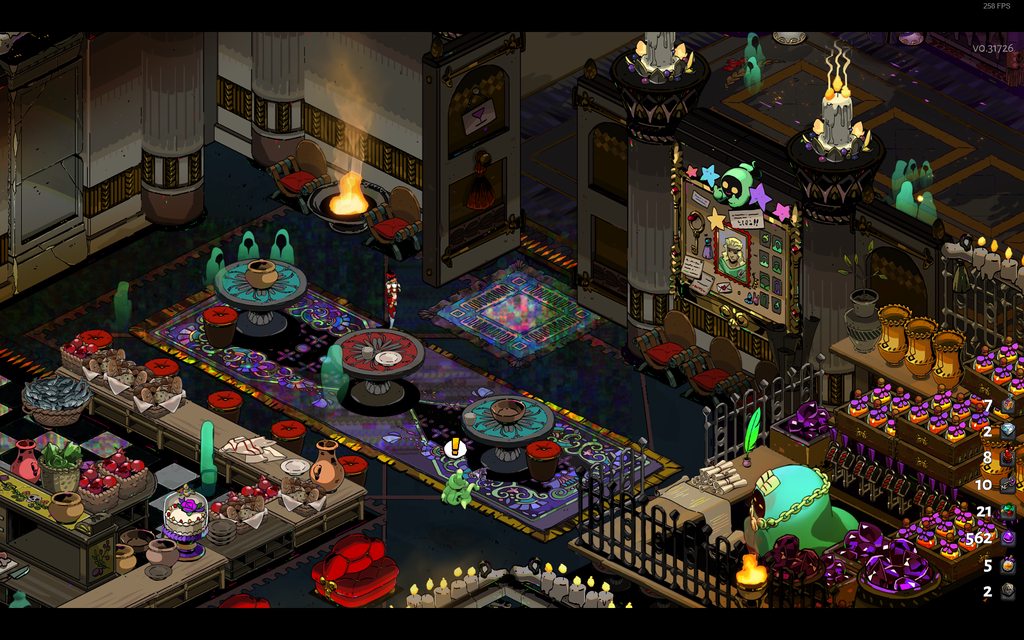
Just logged into Hades after the latest patches and there appears to be some strange lighting bug/artifacts everywhere? Is anyone else having this issue or know of a fix? Here are some screenshots: https://imgur.com/a/WN0Aaoy
 dim spruce
hey @frosty tiger would you mind DM-ing me your DxDiag following the instructions here:
https://support.microsoft.com/en-us/help/4028644/windows-open-and-run-dxdiagexe
frosty tiger
Wow, thanks for the quick response! Sent 🙂
 chilly quarry
I haven't seen that specific issue, but I have seen some VFX corrupting into white squares
frosty tiger
@dim spruce , fyi, I tried uninstalling and reinstalling Hades and the lighting issue seems to have gone away
sharp narwhal
@scarlet coral Are you still seeing the strange screen when trying to start the game?
 hasty plover
@scarlet coral if you are still experiencing that issue could you kindly share log file(Hades.log) (should be next to your saves/profiles in Documents/Saved Games/Hades)? thank you 🙂
 pine talon
@scarlet coral There is a new Hades update, your screen at the top right will show v0.31726 on the current latest version. Let us know if the issue persists after the update
 nimble gull
@dim spruce I'm using the new shield aspect and am getting a constant clicking sound in every room that persists until i leave the room. not sure what is starting it but it happens often.
last kettle
Hi @nimble gull, that sounds like an in-game bug. Please report in-game using F10!
nimble gull
@last kettle thank you! i didn't know that was a feature. that's fantastic.
 visual bloom
Hey, so I can't progress in hades anymore.
My save file shows me as being in a room in tartarus.
If I continue this save, things operate as normally, but when I quit the game I will end up back at the same place when starting.
Checked my saved data folder, and there is nothing dated after 13 Jun.
sharp narwhal
@visual bloom There are some suggested fixes for save issues in #h1-tech-fixes - give those a try!
 ebon dragon
last patch kinda messed up the audio, I'd report this as a bug but it's not a good thing to capture on screenshot :D
- Meg's voice always comes panned from the left
- when I alt tabbed, the game just put a flowing (boiling?) river (of blood, presumably) on the highest volume and it persists until I quit to menu
- some sounds which should play, don't, such as some dialogue lines
- music and ambience sometimes crackle and turn off
I'm using an USB sound card, but I never had any audio problems in Hades whatsoever. Been playing since like half a year ago.
 stuck narwhal
Anyone else´s game crashes on hydra since last patch?
sharp narwhal
@stuck narwhal There was a bug causing a crash at the Hydra, though we thought we addressed it - you're on the latest version? Is the game creating a bug reporter window when it crashes?
stuck narwhal
@sharp narwhal I did update the game today, so I should be on the last one; and yes it did create the bug reporter and I sended it
(thank you for your fast answer, you guys are the best)
sharp narwhal
Alright, thanks, if you sent the report in we'll take a look!
 dreamy wadi
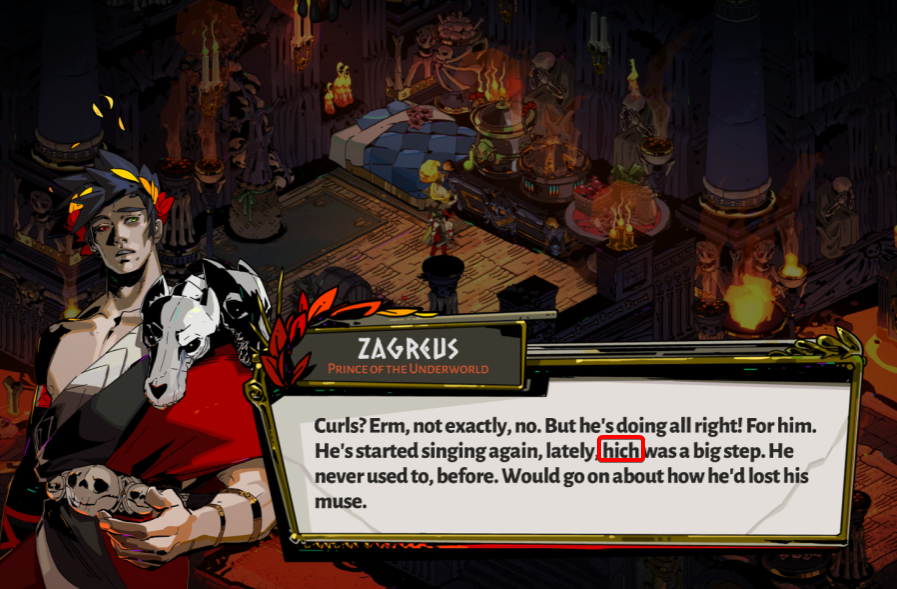
found a typo in one of Zagreus' dialogues, how does one go about reporting that what-with spoiler considerations?
 signal ether
@dreamy wadi please press F10 in the game to report it if you can
dreamy wadi
unfortunately I forgot about that function when I encountered it during my run, so I just took a screenshot of it.
signal ether
Ok no worries, can you DM it to me?
dreamy wadi
here on discord?
 surreal aspen
Hi, I'm one of the guys that commented on performance issues after the patch on Steam.
Well, as I said, I, and not only me, experiences huge performance issues after the latest patch.
signal ether
@surreal aspen Hi -- thank you for coming to our Discord. We really appreciate it. Someone here will follow up with you momentarily so we can figure out what's going on and try to fix it for you and others.
 glass mauve
Ever since the blood price update the has updated every time i turn on my pc and steam automatically boots ups. Did you guys release like 3 short updates? Or is my game endlessly updating?
signal ether
hey @surreal aspen, would you mind DM-ing me your DxDiag following the instructions here:
https://support.microsoft.com/en-us/help/4028644/windows-open-and-run-dxdiagexe
We could also use your Hades.log file:
log file (should be next to your saves/profiles in Documents/Saved Games/Hades)
surreal aspen
@signal ether I will do my best!
signal ether
Thank you -- sorry for the issues. We really appreciate it!
surreal aspen
It's a great game, but can't be perfect in Early Access.
 toxic trout
@glass mauve well, there's been the blood price update, then "several technical hot-fixes" (to quote Greg's patch notes, i wouldn't know details myself ^^;) and a subsequent smaller update as seen in #hades-patch-notes - is that maybe the downloads you're seeing?
glass mauve
Aaaah the update news below the play button wasn't showing anything so i got worried but now i see they were a few patches. Those were probably it. Sorry and thanks!
 timid fulcrum
Hey there, I posted on the steam discussion about performance issues afters today's patch
 versed sonnet
Hi @timid fulcrum thanks for coming to our Discord. Really appreciate it. Would you mind DM-ing me your DxDiag following the instructions here:
https://support.microsoft.com/en-us/help/4028644/windows-open-and-run-dxdiagexe
We could also use your Hades.log file:
log file (should be next to your saves/profiles in Documents/Saved Games/Hades)
 oak hull
should everyone experiencing that do the same?
dim spruce
hi @oak hull if you can first please try going through the steps in #h1-tech-fixes under:
**If You're Experiencing Hitching or Frame Rate / Performance Issues with the Game
**and if none of that resolves it please do DM me your DxDiag and Hades.log file!
 upper aurora
Hey,
I commented a few days ago about bad framerate when running a youtube video on the side.
The update before fixed it but with the newest update it still stutters a little bit while running a youtube video.
I tried using the /UseSwapEffectDiscard=true command line argument and it runs perfectly smooth with a youtube video on the side.
dim spruce
@upper aurora thanks for the update glad you were able to find a smooth setup for now
frosty tiger
Still seeing this pop-up occasionally as of the newest update. Already done all the attempted fixes.
frosty tiger
Did everyone get the last update v.031726 ? I closed Steam, verified integrity of the files, no update yet for me. Fixed by changing download location within Steam
digital sleet
I've gone through all the tech fixes (I think) but the game still won't boot, registers as running for a few seconds but no window ever loads and then it stops. I've included my dxdiag just in case but I'm honestly lost
@digital sleet still not working after latest patches
visual bloom
Hey, so I can't progress in hades anymore.
My save file shows me as being in a room in tartarus.
If I continue this save, things operate as normally, but when I quit the game I will end up back at the same place when starting.
Checked my saved data folder, and there is nothing dated after 13 Jun.
I tried to go through all of the save-related fixes in #h1-tech-fixes , but to no avail. Wondering what else I could do.
 fallen pilot
Huh, so I came here for tech support for framerate issues.... but evidently I just figured it out. Is there a known massive framerate loss when playing with mouse and keyboard vs controller?
signal ether
@digital sleet and @visual bloom -- apologies for the issues you are experiencing. We may be a little slow to reply until tomorrow. Thank you for your patience. We hope we can get you running (and saving properly) then.
@fallen pilot we are not aware of those issues. When you play with a gamepad, you no longer have performance issues?
fallen pilot
Yep. Mouse and keyboard is single digit framerates, stutters, mostly unplayable. As soon as the gamepad engages, everything smooths out completely.
frosty tiger
Second time this night, every other game on Steam updates just fine, now patch notes says version is v0.31730 and I have v0.31726 and the trick to change download location doesn't work.
visual bloom
@digital sleet and @visual bloom -- apologies for the issues you are experiencing. We may be a little slow to reply until tomorrow. Thank you for your patience. We hope we can get you running (and saving properly) then.
@signal ether no worries, this has been ongoing for a couple weeks now and im just itching to play the new patch
signal ether
@frosty tiger have you tried this?
It Used to Work... (Verifying the Game Files)
Sometimes, issues can happen when downloading game updates. If the game isn't working properly for you, try verifying the game files:
On Steam:
· Right-click on Hades in your Steam Library
· Select 'Properties...', then select the 'Local Files' tab
· Select 'Verify Integrity of Game Files...'
 paper prawn
Hello @signal ether decided to join this discord after downloading the new patch ive been getting bellow 30fps in the meny or in game and nothing i do fixes it?
might have to do with the mouse and keyboard framerate @fallen pilot mentioned earlier
signal ether
@paper prawn -- sorry for the issues you are having. Were you able to try the following things under #h1-tech-fixes:
If You're Experiencing Hitching or Frame Rate / Performance Issues with the Game
· As stated above, ensure you have the latest graphics drivers
· Try toggling the Fullscreen and/or VSync settings in-game
· If you have Nvidia G-Sync or AMD FreeSync, please disable them
· Add the following launch option (instructions on how to do this below): /UseSwapEffectDiscard=true
· If available, in your graphics device control panel, set “Maximum Performance Priority” and/or “Fast VSync”
· Ensure Windows 7 compatibility mode is NOT turned on for Hades.exe
· Disable any overlays, e.g. Steam, GeForce, etc.
· Physically disconnect all secondary display devices
If that doesn't work, yes please try a gamepad instead of keyboard + mouse if you have that option. And if none of that works, please let me know.
paper prawn
i seem to have had some other drivers i needed to update after the patch and had to restart my computer
once i did the game worked fine ty very much for the sup @signal ether
frosty tiger
@signal ether yeah did it for the first time I had that issue, it didnt work, then changed the download location and then it worked, but this time both solutions don't work.
signal ether
@paper prawn thanks, glad to hear it! Which drivers did you need (Intel, AMD or Nvidia)?
@frosty tiger have you tried uinstinalling the game completely and reinstalling?
frosty tiger
@signal ether wont do that with 12GB to download every time lol 😛
 sharp rune
I'm still running the blood price update (the one just before the patch posted today ending in 30) and can't figure out how to get the new patch. Steam didn't automatically download it like it usually does.
frosty tiger
Yeah something is off with Steam, but other games auto-update just fine, will try again and again.
signal ether
@sharp rune Sorry for the issues you are having -- our latest hotfix includes a fix for an audio 'leak' in Asphodel and the new Aspect of Beowulf, though beyond that it's not much different so you may be ok to continue until Steam allows you to download it.
Alternatively, you can try restarting steam, or right-clicking on the game in your library, going to Properties -> Updates and selecting "Always Keep This Game Up To Date".
frosty tiger
Hmm what I'll do now is delete just one of the executables and check for game files integrity again, that might trick Steam to force update.
Nope, didnt help, it just dowloaded the missing file, are you sure you deployed the patch to steam correctly?
signal ether
@sleek oyster Hi there -- please use spoiler tags on your screenshots by using these: || around both sides. Please report these type of bugs in-game by pressing F10.
@frosty tiger Yes, we have many players playing on it at the moment.
frosty tiger
Okay thanks, don't know what else to think about really, restarted Steam several times, checked game files integrity, changed download location, deleted one file to force update, what else Im missing hmm
signal ether
@frosty tiger Sorry -- I just looked at your issue more closely. Sometimes the in-game menu number is slightly off the number we write in the patch notes. The version you have should be the latest.
frosty tiger
Oh man! thanks @signal ether it was driving me crazy, for future reference though we should be all aware of that, might save some headaches for you and us.
signal ether
@frosty tiger -- Yeah, sorry for the headache!
frosty tiger
@signal ether it's okay, finding solutions to problems is my passion in life 🙂
frosty tiger
Question, in your bug report tool, is it normal it shows half the ram I got? DXDiag and other software is reporting it correctly, just wanted to let you know in any case. As for the version mismatch Im watching all streamers have the same v0.31726 so it is correct after all.
sharp rune
Oh, okay, thats good to know. Then my issue is probably ignorable then, if there's just a graphical version number mismatch.
signal ether
@frosty tiger good to know there is a discrepancy there. We mostly rely on DxDiags when tryin to diagnose hardware specific problems.
 spare onyx
Easy Issue is the Steam Patch Notes Under "Boons and Blessings" has the following un-evaluated "{$Keywords.Cast}"
In game POM option for "Thunder Flourish" Lv.1 to Lv.2 Gives a description where text "Special" and "causes" intersect with each other
 oblique fiber
Hi! Is there where I would report technical issues with the game?
I've had repeated crashes with the game since the formal rollout of the patch, which is weird since it was fine prior and in the techbeta
 tall flame
your new update brought the resolution bug back
 proven wolf
 empty pilot
After the last update my game crashes at the Hydra. Zag says his lane and then the game dies. It is not even possible to end it by task manager
frosty tiger
that is the boon of big smoky
oak hull
ok, someone mentioned that when he played with a controller it fixed the stutters, after trying it it worked for me too! but even if the controller is plugged in as soon as I play with KB/M the stutters come back
 grave dragon
Hi! I have a bug on my game. Each time i start it , on the menu, everything is fine but when i launch the game , the sound goes off. I have to go in the game menu to put it back on. Btw , your game is awesome but sadly , i would like 20 more levels 😄 Thanks for everything and all my support for the rest of the dev 😉
last kettle
@spare onyx thanks for the catch! could you please report the pom text issue in-game using F10?
@oblique fiber , sorry for the recent issues! you can try verifying your game:
On Steam:
· Right-click on Hades in your Steam Library
· Select 'Properties...', then select the 'Local Files' tab
· Select 'Verify Integrity of Game Files...'
On Epic Games Store:
· Locate Hades in your Library
· Click the three-dots symbol near the game title, and select 'Verify'
if this doesn't work, please DM your DxDiag and Hades.log to @dim spruce using the steps here:
https://support.microsoft.com/en-us/help/4028644/windows-open-and-run-dxdiagexe
@tall flame , thanks for the update and sorry for the inconvenience. for now, if running your game in a smaller window worked last time, I'd recommend trying it again:
- Right-click on Hades in your Steam Library
- Select 'Properties...'
- Press the button that says 'Set Launch Options...'
- /FullScreen=false /X=1280 /Y=720
Also, if you have multiple graphics cards, please see if you can get the game to use the more powerful one in your control panel
@proven wolf that is a healing room reward! if you need any help with gameplay, i'd recommend asking the friendly users over at #h1-for-new-players or #h1-builds-and-combat
hi @empty pilot , please try verifying your game using the steps under** It Used to Work... (Verifying the Game Files)** on #h1-tech-fixes
@oak hull , glad there's a solution that works! if you could, please dm your user DxDiag and Hades.log to @dim spruce so we can find a more permanent solution. instructions on how to do so here: https://support.microsoft.com/en-us/help/4028644/windows-open-and-run-dxdiagexe
 inland lake
After the v0.31730 update I have been getting lots of lag, a little after the first run starting the game, then a lot during a second run. I could hear different audio loops playing, not music, but the background audio. Maybe some of the audio resources are leaking?
last kettle
@grave dragon , thank you for the kind words! if you haven't already, please verify your game using the steps under** It Used to Work... (Verifying the Game Files)** on #h1-tech-fixes. if that doesn't work, send your DxDiag and Hades.log to @dim spruce
hi @inland lake , please DM your DxDiag and Hades.log to @dim spruce and we'll look into it!
 tender saddle
Weird v0.31730 update issue with EGS: The game keeps re-downloading the latest patch. EGS does the whole "There's a new update" rigamaroll but it's the same version as before. It has to re-download the same patch every time. Anyone else getting this if they own the EGS version?
 whole ice
good afternoon image problem. Geometric shapes appear around light sources
frosty tiger
@tender saddle your ingame version shows v0.31730 or v.031726 ?
whole ice
this is what glitches look like around light sources
tender saddle
V0.31726
frosty tiger
Then you have indeed the latest update, for some reason the number version ingame is wrong as @signal ether told me earlier but its the latest.
tender saddle
(the game still launches and runs normally, it's just that I have to re-download the patch every time I want to sit down to play it)
frosty tiger
Yeah I guess the patch was deployed incorrectly, since even in Steam the same version appears.
last kettle
@whole ice, would you mind pming your DxDiag and Hades.log to @dim spruce ?
hi @scarlet coral, sorry for the trouble. I see @hasty plover asked for your DxDiag yesterday; if you haven't, I recommend sending that along so he can follow up. Otherwise, what bugs are you currently experiencing?
tender saddle
Oh weird. I discovered an unrelated bug when I stopped to tell you my version number.
I had the game un-paused for a while because no monsters were nearby, but then I paused it anyway, and now
that I've un-paused it
frosty tiger
F10 within the game and report it @tender saddle
whole ice
@last kettle Sorry, English is not my language, where to get DxDiag and Hades.log
scarlet coral
tender saddle
The sound effects--only the battle sfx--are muffled as if the game is still paused
Uh...
I hit F10 and this happened:
frosty tiger
Oh my I guess latest hotfix brought more problems than solutions, but im sure th devs will look into all that pretty much soon.
last kettle
@whole ice Hades.log should be next to your saves/profiles in Documents/Saved Games/Hades
Instructions how to get DxDiag here: https://support.microsoft.com/en-us/help/4028644/windows-open-and-run-dxdiagexe
tender saddle
whole ice
frosty tiger
@tender saddle alt+tab, playing on mac?
frosty tiger
You're playing on mac ?
whole ice
tender saddle
Boot Camp
Windows 10
Didn't see the bug report window
Everything is back to "normal" after I submitted the bug.
frosty tiger
Okay, no harm then.
 swift crater
Hello and sorry to interrupt. I'm having some frustrating issues with the "Warning: Unable to Save!" pop-up.
Toggling read-only in properties does nothing - it instantly resets.
Trying to toggle it via Administrator: Command Prompt didn't work. My access was denied by Windows Security and it didn't work even after disabling 'real-time protection' and 'controlled folder access' protection. It simply doesn't reply with a message anymore.
I've also tried running the game itself as administrator, and reinstalling it. The game was purchased through steam and played on the same hardware with no apparent issues back in march. And enjoyed quite thoroughly, might I add.
Edit: Solved with no one clear solution. Folder still says it's read-only though.
¯_(ツ)_/¯
frosty tiger
@last kettle could you suggest that in #hades-patch-notes the version number is v.031726 and not v.031730 as it might get confusing.
tender saddle
Huh.
scarlet coral
@frosty tigerin Hi Gavin Allison referred me to you in regards with the dxdiag log file.
last kettle
hi @swift crater, sorry for your recent issues and thanks for your continued support. please forward your DxDiag and Hades.log files to @dim spruce and we'll try to get you sorted out.
Hades.log can be found: next to your saves/profiles in Documents/Saved Games/Hades
DxDiag can be found: https://support.microsoft.com/en-us/help/4028644/windows-open-and-run-dxdiagexe
@frosty tiger, I'll forward that along! there's also a chance we may have another small patch over the next few days, so it may not be an issue for long.
scarlet coral
@last kettle does anybody using it in a Linux OS have any issues with the game ?
swift crater
I may be confused.
There is no Hades.log in my Saved Games > Hades folder. Possibly due to it being a fresh install.
last kettle
@scarlet coral while I can't provide any specific information about users' preferred set-ups, the Blood Price update uses an entirely new engine, so we anticipate hiccups at first with many set-ups. Can you please describe more about the bugs you are currently experiencing?
last kettle
@swift crater if you have no save profiles then Hades.log won't be there. in that case, don't worry about it--your dxdiag should be enough. 🙂
swift crater
It's not there.
I do (or hope I still do) have my old saves, but no attempts to play past the warning have been made after the fresh installation.
frosty tiger
I see, then provide your DXDiag and it should be enough for the dev team to assist you.
 twilit dirge
So, I had a problem that basically "crash" the game. I gave the last bottle of Ambrosia to Charon and had the talk with him. After that all the game's sound stopped and the only thing playing was the song from the conversation. When a tried to move to the next room I got stuck on a black screen with the music still playing. I closed the application but didn't close properly on steam and the music kept playing 😆 . So I had to shutdown the game's thread on the task manager.
 bold fox
I'm not sure if this is the right place to mention, i had my game crash twice in Elysium. The first time I loaded back in fine, the second time I loaded back in weapon room :(
twilit dirge
I was not sure too. But didn't find anything saying where I should report.
bold fox
I also had the music bug too
 flat crater
I cannot seem to get the update to 0.31730, the version that I have is 0.31726 and I have tried restarting steam with verifying game cache files. Also, every time I verify local files it says its downloading two new files and never works. Also, if I try opening the game using the x64 version nothing happens, the .exe doesnt work at all, so if I try to open the game through Steam nothing happens and I have to go to the file location to open the x86 exe.
frosty tiger
@flat crater yeah we all have that, its something wrong with the ingame number, you have the correct version.
sharp narwhal
The in-game number is generated when the game is built; sometimes if changes are really small, it won't increment, so you get a different "visible" version number. If you have the game on Epic, clicking the three dots to the right of the game in your library will show the "real" version you're on.
It's strange that the x64 .exe isn't working though. @flat crater Has that always been the case or is it recent? Do you have a 64-bit operating system?
frosty tiger
That's odd, even the smallest change in the game structure generates a new build no?
 barren swan
Zag sometimes glitches out when I interact with things, i.e whenever I'm changing weapons or picking up gems etc. I'm able to recreate it, but only very randomly.
And by 'glitches out' I meant the sprite disappears or some parallel lines appear in place of Zag for a very short moment.
frosty tiger
@barren swan AMD card?
barren swan
No, Intel integrated graphics.
frosty tiger
Ouch
sharp narwhal
@barren swan Yes, that's a known issue we're still looking into. You can report stuff like that in-game with the F10 key
flat crater
@sharp narwhal I just got the game when the Summer sales started (25th), and it's been like that from the start
My OS is 64bit
sharp narwhal
Alright - there are some "Hades won't start" fixes in #h1-tech-fixes, give those a try if you haven't already. In particular make sure you have the x64 version of the latest C++ redistributable
Steam is supposed to include them but something could've gotten messed up
barren swan
Thank you Ellis, I was unsure whether that was an issue with my graphics card or an actual bug that's why I asked that here.
sharp narwhal
Nope, it's a game issue! No worries 😄
hasty plover
@scarlet coral could you also share your log file(Hades.log) it should be next to your profiles/saves in Documents/Saved Games/Hades
@flat crater are you saying x86 works for you? Could you kindly share dxdiag and log file?
flat crater
Yeah, x86 works, but I have to manually go to the files and execute the x86 from there, I guess Steam executes the x64 by default
I'll get the log files in a minute
 rapid plover
welp. just found out the hard way after getting a new hard drive that epic does not have cloud saves? 50+ hours in this game and all i unlocked gone. anyone have a save file uploaded anywhere to download?
i'll see if epic will let me refund it too, see if can't get it on steam now.
frosty tiger
@scarlet coral I think you meant to @dim spruce, not me. Best of luck!
somber pivot
I still have frame stuttering problem even after updating to the latest build.
I tried all solutions in pinned tehnical support thread on steam forum, still stutters.
Any ideas what do i have to do to get Hades running smoothly again?
dim spruce
hi @somber pivot would you mind DM-ing me your DxDiag following the instructions here:
https://support.microsoft.com/en-us/help/4028644/windows-open-and-run-dxdiagexe
as well as this file:
\Documents\Saved Games\Hades\Hades.log
sharp narwhal
@rapid plover You can ask around some of the Hades discussion channels here to see if someone would be willing to share; there are also some saves available at https://www.speedrun.com/hades/resources
Speedrunning leaderboards, resources, forums, and more!
rapid plover
Thanks Ellis! i'll just grab one from there.
flat crater
My steam is x86 for some reason, is there a x64 version of steam? Can it run x64 games even if its x86?
frosty tiger
@last kettle if keep experiencing the same "Warning: Unable to Save!" bug, should I forward my DxDiag and Hades.log files to someone? I'd be happy to, if that's the case.
last kettle
@frosty tiger yes, please forward those to either @dim spruce or our team at support@supergiantgames.com
 brittle glen
i'm having a weird stuttering issue. every few seconds (especially bad in rooms with a lot going on, like the viper fight), i get stutters, lasting a couple tenths of a second. it seems to be slightly better on lower resolutions, but it's still a problem with every setting from no-vsync 720p windowed to vsync 4k fullscreen, even just in the training/weapon choosing room. especially at the lower resolutions, i can clearly see that neither my cpu nor my gpu are anywhere near maxed out, so this puzzles me.
here are the two files you requested from the last person, assuming those will help
dim spruce
hi @brittle glen thanks for providng these. if you haven't already, please do try the additional steps in #h1-tech-fixes under:** If You're Experiencing Hitching or Frame Rate / Performance Issues with the Game**
flat crater
The log files requested by @hasty plover ,I sent it here but should I send it somewhere else?
brittle glen
just tried those, neither disabling the overlay (which i had tried earlier) nor setting the launch args seemed to help
chilly quarry
There is something worth trying for Nvidia people.
I've seen a huge performance difference from the latest Nvidia driver's new option, Low Latency Mode. With it off, I get choppy 90FPS in the House, but with it on, I have my 120FPS back. The issue is that it defaults to being off...
brittle glen
running on a radeon card, myself
chilly quarry
Dang. No idea. It might help anyone with issues on Nvidia this driver though... that and SwapEffectDiscard made a difference for me.
 ember hatch
i know its been mentioned but did all listed fixes with launch options with no running background apps, fresh windows install with no bloatware, no turned on startup apps, tried all graphic settings and options/res, mouse options both in game and out, several compatibility tricks, checked task manager for active running programs such as malwarebytes, adjusted deadzone, so on and still my cursor flashes heavily when in main menu or in home base and lightly just while playing, same with light cursor
every other game I play works fine so just wanted to make sure the devs have this for debugging searching
sharp narwhal
@ember hatch If your GPU has an option for G-sync or V-sync in its settings/properties for specific games, you could try adjusting that if you haven't already and see if you see any improvement
 twilit spire
 ember hatch
have on both my monitor and in game and also didn't help
sharp narwhal
Report in-game with F10 please!
twilit spire
sorry
sharp narwhal
Chex, gotcha - we're still looking into that issue more broadly, and sorry for the inconvenience. Could you generate a DxDiag.txt log by running DxDiag.exe and clicking "Save all information", more instructions here: https://support.microsoft.com/en-us/help/4028644/windows-open-and-run-dxdiagexe
Attach the DxDiag to an email and send it to support@supergiantgames.com and we'll take a look shortly as we're working on that issue!
ember hatch
will give this a shot when I am able 🙂
hasty plover
@flat crater thanks for sharing the files.
What happens when you open from steam is it crashing or blacksreen?
flat crater
Nothing, the cursor makes the loading animation and then nothing. Tried opening as admin as well and nothing.
 craggy beacon
After the update a cant move up and right. Its not my keyboard...
 narrow ledge
Well I've tried everything to fix the game becoming choppy since the recent patch with no luck. The only thing I haven't done is "disconnect all secondary display devices" because that's not an option with my setup. I hope y'all plan to make the game playable for people with multiple monitors.
 vocal rain
Oh I was just about to share the same typo
stray elm
 it if you can
@craggy beacon what happens if you change the bindings to different buttons?
craggy beacon
@craggy beacon what happens if you change the bindings to different buttons?
@stray elm oh. Thanks for that. I dont know why but there is no key for right and up in the controlers. Now is working ahahah. Thanks man
stray elm
Sure thing ^.^
o7
That being said, it seems like they got unbound during the update, so that might still be something for the devs to look into
dim spruce
hi @narrow ledge would you mind DM-ing me your DxDiag following the instructions here:
https://support.microsoft.com/en-us/help/4028644/windows-open-and-run-dxdiagexe
as well as this file:
\Documents\Saved Games\Hades\Hades.log
 ocean quail
Does anyone have issue with missing the soundtrack when buying Hades bundle from Steam? I tried the directory "Steam\steamapps\common\Hades\Soundtrack" but there was no file said "Soundtrack" beside the 3 files "Content", "x64", and "x68".
Hi again, sorry for the fuss. I've just managed to solved it. It turned out that I had to download the soundtrack alone when I thought it came with the game download.
sharp narwhal
If you have issues with a missing product after purchase or something like that in the future, you can also reach out at supergiantgames.com/contact, and someone will get back with you there shortly!
 normal crypt
Hello there. I wrote 3 month ago that i can't finish Poseidon quest with fishing. Well, new update and still can't finish this quest, or maybe fish counter go to 0 when update is started?
sharp narwhal
Hey there, I think there are some other reports like this being investigated - you can submit a new report with F10 and we'll look into it along with any other reports!
 muted wharf
Hello all, just wondering if anyone else is having issues launching the game?
sharp narwhal
@muted wharf There are some potential fixes in #h1-tech-fixes; have you already given those a try?
muted wharf
I have and cant seem to get it working sadly
sharp narwhal
Alright - how specifically is the game not launching? Are you seeing a black screen, is it crashing to desktop on launch, freezing on launch, or failing to launch entirely?
muted wharf
the game will launch and as its loading up to bring me to the main menu the loading bar will stop about half way and will crash and bring me to the submit bug menu.
sharp narwhal
Alright - if you're submitting those reports, we're actively investigating and fixing crashes and all reports contribute to that. If you submit another report and include your Discord name in the contact info (or if you did so already), I can find the error and look into it more
muted wharf
OK thank you very much, ive put a few through but i will send another with my discord tag.
sharp narwhal
Interesting, it's a font error of some sort, and it looks like a unique report so far. Since it's happening every time you start the game and it doesn't reproduce on my end, it's probably something unique to your setup, though I can't say what it might be offhand.
molten carbon
sharp narwhal
Are you playing the game in English?
molten carbon
this doesnt make sense it says 12pm save but i was sleeping at 10 pm
sharp narwhal
12 PM would've been during the afternoon
molten carbon
oh alright so that means i use the temp sav
muted wharf
@sharp narwhal yes i am playing it in english and that is weird as ive put about 40 hours into the game already and havent changed anything since starting the game
sharp narwhal
Yeah, not too sure - if you've submitted other error reports they either didn't come through or they were a different error. Either way, we'll take a look once everyone's in the office on Monday, sorry for the trouble!
muted wharf
its ok i just was reallying looking forward to the new update lol hope it gets fixed soon though lol
sharp narwhal
@formal depot That can be reported in-game using the F10 key!
 formal depot
Oh my bad, thanks for the heads up!
 plucky token
i have access to fated list, i’ve beaten hades multiple times, i’ve unlocked 6 new aspects, and achilles still won’t talk to me for guan yu. i can’t get any 4th aspects. 
sharp narwhal
Report with F10 in-game, I'll take a look!
 deep elbow
Have you ||invested 5 blood into the spear|| specifically @plucky token
plucky token
i didn’t think that^ was a condition for it
according to pin in #h1-story-discussion
deep elbow
Interesting I'm probably wrong then, I trust peach ^_^
 silent reef
Hey there, currently experiencing a frustrating issue with the mouse and was wondering if anyone knew the fix. The whole game seems to lag whenever i move the mouse. while completely still, all animations work completely fine but as soon as the mouse moves the whole game starts to stutter. Any fixes?
 heady sluice
Can confirm I experiencing the same issue. Moving around with my keyboard is smooth; the instant I move my mouse cursor, stuttering and frame skipping occurs.
silent reef
I even used the fix listed in tech fixes but it seems to have not worked. Tankos do you use any sort of gamepad?
@heady sluice
heady sluice
@silent reef I don't have a gamepad plugged in at the moment. I was going to plug one in and see if it magically fixes the mouse. I also attempted all the fixes in the tech fixes channel.
silent reef
i wonder if just playing with the gamepad would work
heady sluice
I can even see the stuttering in the main menu as well as the opening cinematic
Are you using a Razer mouse by chance?
Disabled Mouse software and no change. Running windows update to go to Windows 10 v1909
silent reef
Nah im using corsair
i also have the main menu
issue
Okay i have made a bit of progress
the fix that is listed
/IgnoreGamepads=true
that command doesnt seem to work for some reason
I am on the otherhand using a razer gamepad
silent reef
lol please dont say its that simple
 olive nymph
I've lurking around here and reddit to see if anyone has audio issues with the newest update? Hadn't been on in a few weeks and updated it and get 0 audio from it. I've checked my default settings, verified files and do have other steam games that have audio with no problems.
heady sluice
@silent reef Did that fix your stutter as well?
pine talon
Hi, we are looking into mouse stutter issues. @heady sluice @silent reef I or someone from the team might DM you for some debug info in a bit
heady sluice
No problem. Enabling 'run as administrator' for the x64 Hades.exe seems to have cleared mine up.
olive nymph
Did uninstall and re install game as well to no avail
heady sluice
Updating Windows 10 to v1909 does not resolve the issue by itself. So far only running as administrator seems to fix the mouse stutter.
pine talon
@olive nymph Could you DM me your dxdiag and also your Hades.log file please? Thanks!
https://support.microsoft.com/en-us/help/4028644/windows-open-and-run-dxdiagexe
as well as this file:
\Documents\Saved Games\Hades\Hades.log
pine talon
Thanks, will take a look and get back to you shortly
flat crater
Every single time I verify game files it shows that two files are downloading, and every single time it shows that the download was successful but nothing changes.
and the second file is this one
Ok I tried downloading the C++ redistributables and it worked!
Thanks for the help
 tardy lynx
damn, my bug reports are still broken, in both full screen and not, is there anything i can try?
Also new patch keeps resetting my in-game main volume to 0 every time i go to main menu (1)
Learnie summon is still alive after battle is done (2)
 spice flax
Hey does anyone else have a problem with Eurydice ranking up unrankable boons such as the hammer upgrade or is this an intended risk?
 velvet fog
Not entirely sure if it's something with the game in general or something specific to my save file but the security log will only show the heat and mirror settings for the last two runs I completed. On everything before it will show the total amount of heat used, but no specific pact options chosen as well as nothing for the mirror.
faint jewel
Not entirely sure if it's something with the game in general or something specific to my save file but the security log will only show the heat and mirror settings for the last two runs I completed. On everything before it will show the total amount of heat used, but no specific pact options chosen as well as nothing for the mirror.
@velvet fog AFAIK (was mention somewhere here I think) this log is not backwards compatitible, only shows the heat and mirror settings from this build, so it works as intended
velvet fog
@faint jewel Thanks, but I completed more than two runs in this build, and it still only shows the last two used.
faint jewel
Then it's worth F10ing I think
velvet fog
I did that during the Beta, where it was the same. The fact that it isn't fixed and no one else complained makes me think that it might be related to my install specifically, that's why I'm asking here.
tardy lynx
I had the same when patch started, all my runs before the new patch had the total heat but not what was chosen
velvet fog
It's not just all the runs before the patch for me, it's all runs except the last two listed.
If I complete another run, win or lose, I lose the entries from the now third-to-last one.
bold fox
Minor bug where I came back to Tartarus, the VO stopped working for all characters other than Zag
It seems to work now since restarting the game
last kettle
Please report all bugs in-game using F10. We appreciate your sharp eyes/ears!
sharp narwhal
@tardy lynx Don't worry about the images not showing in your reports - the reports send us a save file too, and as long as you describe the issue and what you were doing before it started, we can usually figure it out even if the screenshot doesn't attach properly. We will continue to look into why that's happening but for the purpose of bug reporting, it's not urgent
tardy lynx
Thank you, understood
sharp narwhal
The in-game volume resetting is, I think, something having to do with save profiles that are converting numbers between different regional formats (i.e. language and region settings), we're looking into why that happens too
@flat crater If you have trouble with Steam redist or game downloads again, clearing the download cache may help: https://support.steampowered.com/kb_article.php?ref=3134-TIAL-4638
Article "Clear download cache"
 hard shoal
First time playing since the new update yesterday, and I had an issue where the D-Pad up button on my Xbox One controller wasn't being registered by the game. Seems like the control settings were corrupted somehow, and I fixed it by reverting them to the defaults. I had not edited them previously. Epic store version if it's relevant.
 lapis ruin
Hello there!
Ever since the new update, I have a blackscreen when I launch the game. I can hear the game is runnibg by the music and sounds of the menu, I see the mouse cursor, but that's it. I reinstalled the game once, it worked, but today I have the same issue. Is this something you're aware of? Is there a solution?
Thank you very much 🙏
sharp narwhal
@lapis ruin There are some potential blackscreen fixes in #h1-tech-fixes - give those a try if you haven't already!
lapis ruin
Thank you very much. All the love for the team of Supergiant Games, you guys are doing awesome games!
 shy hornet
Hello, in my run today the final boss dialogue stopped being spoken, just some text. Then when I came back to the house, most of the dialogues wasn't spoken too, only zagreus and dusa was spoken.
Some other sfx also didn't appear like the sound when the items pop up after you give fish to the chef
 crisp ginkgo
Hello! I found some odd graphics layering issues (in a specific room in Tartarus, destroying pots will make a statue briefly disappear, then reappear when you next move, in another Tartarus room I was able move behind a section of wall where that shouldn't be possible). I have screenshots, but only just came to this Discord and saw that you prefer in-game reporting. Are the screenshots still useful, or is it better to wait until I see this again in-game?
sharp narwhal
@shy hornet Yes, that's a known issue we're still looking into. Quitting and restarting the game should fix it.
@crisp ginkgo Just wait until you see them again!
crisp ginkgo
@sharp narwhal When I hit F10 in-game to report the bug, the screen went completely blue with only the Hades cursor visible above it (and when I tried to take a screenshot, the screenshot displayed it as being completely black instead of the aqua blue I was seeing). My computer was fine, and I could minimize the game and see and interact with my desktop, Steam, etc without issue, but I couldn't get rid of the blank screen for Hades and needed to stop the game via the task manager. It reopened after this without issue, and even loaded me into the same room I had been in when I pressed F10 with all acquired boons.
sharp narwhal
When you see that cyan screen, try using alt+tab to cycle through active windows and see if you can bring the bug reporter window to the foreground!
crisp ginkgo
That did it. Thank you!
 onyx citrus
Since the last update, my xbox controller doesn't want to work in Hades, i don't know why :/ i've tried in other game and my pad seems to work perfectly
Is there a solution ?
faint jewel
Try turning off vibrations in Settings menu
 frank moss
getting messages about savegame errors constantly - at least every 2-3 rooms. Game still seems to save fine though so not sure what problem is. I've deleted save files whilst game is running and let it recreate but same issue pops up. Any one else noticed?
dim spruce
@frank moss would you mind sending me this file?
\Documents\Saved Games\Hades\Hades.log
tardy lynx
I checked, and, sound resets to 0 with every language except English and last two
wait what the hell, game like made a small screen on the side at the start, and now some textures are gone
oh, sorry for much screenshots, but i can see myself dashing down there together with me
okay, going back to menu didn't help, but closing and opening the game did, i got scared i corrupted something, other rooms lacked textures (like Orpheus) too
sharp narwhal
The sound resetting to 0 is an issue with some non-English language save profiles, we're looking into a fix!
 tame loom
my steam controller isnt working properly with the game anymore
the physical controller actually turns off when I try to play, but behaves normally with everything else
and when I turn it back on it immediately activates left trigger in game
tame loom
no
stray elm
That might be worth a try?
tame loom
it didnt change anything but it seems turning off vibration does the trick
I hope thats a temporary fix
 dapper lily
There is happening some dash cross walls in this patch
also happened in the chambers
sharp narwhal
Most dashing through and across walls is as designed - if a dash takes you very obviously out of bounds or into an area outside of the main map, please report that with F10 in-game!
frank moss
@frank moss would you mind sending me this file?
\Documents\Saved Games\Hades\Hades.log
@dim spruce done. Thanks
 cold jetty
Hello, hello. I logged on today, only to find after the most recent patch, my save file was totally gone. I posted on Reddit, and was led here! 😄
I made 2 new profiles since then, in slot one and two (two is in hard mode or whatever) but my progress from before the dash changes (A while back, huh?) is all gone.
 uneven shuttle
Hello, hello. I logged on today, only to find after the most recent patch, my save file was totally gone. I posted on Reddit, and was led here! 😄
@cold jetty Same thing happened to me just now... 5 days played on Epic
 supple spire
collision
couldnt press f10 on time
is this the right place to report this?
column collision size is messed up/small
and this here happens a lot
on both columns
its not even a bug but I think it needs fixing or something
sharp narwhal
@uneven shuttle If you have any files in \Documents\Saved Games\Hades that have a ".sav.bak" extension, e.g. "Profile1.sav.bak", try renaming them to ".sav" and starting the game again
uneven shuttle
@sharp narwhal I saw this advice on Reddit and tried it without success unfortunately
sharp narwhal
Alright - sorry about that! Someone here may be willing to share a save file; there are also maxed-out saves available at speedrun.com/hades/resources
uneven shuttle
Ok I'll do that, thx anyway
 exotic dome
Hi, are the audio issues with missing dialog already known? It started to me after the blood price update
sharp narwhal
Yes we're aware the audio can cut out sometimes - restarting the game should fix it
exotic dome
Awesome, thanks. I also had a couple of runs in which the water background sound kept playing non-stop, after I defeated that last guy and came back to the house.
I just played again and the issue didn't happen, but then I had some missing dialog lines instead.
How do I submit bug reports from the game itself? It's probably better than reporting from here, so you can check if any combination of boons, weapons and effects is the culprit.
stray elm
You can press f10 while in game
 frozen talon
Wasn't sure where to give my observations: it seems, Varatha's special with Guan Yu will miss somehow, even if it flies right through the enemy
Also couldn't catch that on screenshot, happens much too fast
stray elm
Try and f10 it anyway when it's close to happening, that'll still be helpful for the devs. Just make sure to describe what's happening in the text box there
cold jetty
I've been playing since before the Dash Changes, when bone hydra was the furthest boss. I hate that I lost my file lol
frozen talon
@stray elm aight, will try!
stray elm
o7 good luck!
cold jetty
I tried the .bak change, and nothing. :*(
sharp narwhal
@exotic dome The water SFX issue sticking was hotfixed a couple days ago
exotic dome
All right @sharp narwhal , thanks for the info!
 latent badger
I lost a massive amount of progress for no apparent reason?
I load the game up and I'm back where I was 3 days after I got the game and the backup save is identical
cold jetty
@latent badger At least you didn't lose ALL your progress like me.
latent badger
...rip
 fading owl
Hello guys, i think i found a bug in my game, I'm currently playing with the aspect of hades, but i keep getting the spin attack instead of the sweep, has anyone else gotten that??
 hollow swan
after the latest patch my saving has been inconsistent as sometimes the autosave works as usual but sometimes i get a save error, then i get to the next room and it saves like usual. has anyone else had this issue?
sharp narwhal
@fading owl Report bugs in-game with F10 please!
fading owl
ok
sharp narwhal
@hollow swan There's another issue that can cause the "can't save" message to appear, we're looking into it - as long as your game is saving correctly, I'd disregard it for now
hollow swan
ok just wanted to make sure it wasnt just me
stray elm
@quick dragon that's something to bring up in here, not in #hades-feedback
 quick dragon
Lost a run at Hades bossfight due to a crash, last thing I saw was me [dodging] (with passive ability) an attack of Hades and then screen froze. I didn't get a bug report prompt this time.
thanks
stray elm
o7
quick dragon
crashed like 3/4 times already this patch, never had issues before
omg i can report bugs ingame? i never saw a button for it!
stray elm
you can press f10!
quick dragon
why is it hidden!
 fervent locust
I've received a noticeable amount of stuttering and in-game "lag" for lack of a better term. I know there were driver updates issued and I've downloaded them. A slowdown and stutter can be seen on both menus and during gameplay.
Is this something other players are encountering?
quick dragon
i enabled vsync in nvidia control panel with a gsync monitor, before that it ran choppy as well (vsync on or off in-game no difference)
dim spruce
hey @fervent locust please try out all the steps under #h1-tech-fixes and if nothing there helps your game stuttering would you mind DM-ing me your DxDiag following the instructions here:
https://support.microsoft.com/en-us/help/4028644/windows-open-and-run-dxdiagexe
as well as this file:
\Documents\Saved Games\Hades\Hades.log
fervent locust
will do
deep elbow
have you completed 0 heat with that weapon?
tall flame
well beginning I did why is it reset ?
strange thing I swear I did finish the blade from the beginning now it seem to reset when I reach and beat heat 20
a possible reset bug ?
deep elbow
 sounds like a bug best off reporting that using the in game bug reporter (F10)
tall flame
not complaining maybe a good chance to get the bounties
hehe
well I am reporting here so hope it helps
deep elbow
in games bugs should be reported with the in game bug reporter where possible
this channel is primarily for tech support for issues like game crashes, game not starting etc
 ocean bluff
is there any fix for high cpu/gpu usage but only when tabbed out? dont believe this happened before the recent patches
getting about 20-30% cpu and 10-15% gpu when tabbed in but more than double that when tabbed out for some reason
 obsidian aspen
Hey! I ve bought the game 25.06 and played it a bit. Is it me or sound effects like swings and gasps do seem kinda muffled (not in volume, distorted) since last update? Does anyone have the same feeling?
pine talon
is there any fix for high cpu/gpu usage but only when tabbed out? dont believe this happened before the recent patches
getting about 20-30% cpu and 10-15% gpu when tabbed in but more than double that when tabbed out for some reason
Hi, thanks for letting us know about this. We will apply a fix for it in the upcoming patch
Hey! I ve bought the game 25.06 and played it a bit. Is it me or sound effects like swings and gasps do seem kinda muffled (not in volume, distorted) since last update? Does anyone have the same feeling?
@obsidian aspen Yes, can confirm that seems to be an issue in the current build. Will be looking into fixing this for the next update
 quaint cosmos
Sometimes models and sprites turn into a glitchy mess for a split second, sometimes accompanied with a half second gamefreeze, it happens pretty often but its so short I couldnt possibly press the bugreport button ingame
pine talon
@quaint cosmos I will dm you for some details about your bug in a moment. Thanks for letting us know
 lament cliff
I tried the fix in 'hades-tech-fixes' to get back save data from a crash, but instead of reset my game to how it was when the update hit. Thankfully I was able to restore it to after it crashed but I still lost the latest run. Is there anything I can further I can try?
 fleet steeple
cant send it to localisation
quick dragon
I just crashed again for like the fifth time making me lose a run, game just freezes without any other notification and I have to shut it down. Anyone else getting this? Last two runs I lost happened on the new weapon during bossfights, I don't trust the fistweapons anymore 😛
pine talon
@quick dragon Have you been able to send a crash report?
quick dragon
it prompted me to do so once and i sent it
the other times i couldnt do anything ingame anymore nor did i get bug report prompt
pine talon
ok, if you added any username/email to it then I can look at it right now. You can dm me the details you added to the crash report
 dim haven
My game keeps skipping saving; as in it will save sometimes, usually once per session and then not again. Is this a problem anybody else has had? I've lost a ton of progress at this point.
sharp narwhal
@dim haven There are some fixes for the game not saving in #h1-tech-fixes , give those a try if you haven't already!
@lament cliff Losing your most recent run and being returned to the training room is a side effect of the game crashing, depending on when it crashes. There are two "Quit" options in the main menu, "Quit" and "Give Up". "Give Up" rolls your progress back to your last save in the House, before the current run - most of the time the game is crashing at a time when "Quit" isn't available and "Give Up" is, so when the game closes, it interprets this as "Giving Up", rolling back your progress. There's not really a way to work around this.
lament cliff
Oh ok, thanks for the reply
dim haven
I've applied the changes to windows defender and hopefully now it will work. Strangely enough, it only seems to stop saving after playing the game for extended periods, not sure why that would be
Also thank you for the reply as well
onyx citrus
Try turning off vibrations in Settings menu
@faint jewel
it doesn't work for me :/
 trail hedge
So I get a blackscreen with the blue loading cursor thingy, and no audio, the game used to work, but now it just doesn't. When I click it just says hades.exe not responding. Anything I can do to fix it?
I did all the tech fixes things, but they didnt work.
 tame marten
Hey guys!
The guard post mirror (where Achilles stands) is unavailable for purchase. I nearly have all the items in the game so I know I've met all the requirements; even checked the wiki. I didn't even know the mirror existed till I saw someone's screenshot
Any way I could sort this out?
 jovial hill
So I get a blackscreen with the blue loading cursor thingy, and no audio, the game used to work, but now it just doesn't. When I click it just says hades.exe not responding. Anything I can do to fix it?
@trail hedge I'm seeing the same thing today. Hopefully someone has an idea of how to fix this. Was working fine yesterday.
There is also an "Application Hang" event in the Windows Application log within Event Viewer:
trail hedge
yeah it worked fine for me too yesterday, now I know that I'm not the only one with this problem at least.
sharp narwhal
@tame marten I'm pretty sure I saw your bug report about this - I'm going to look into it soon!
"Application Hang" is a generic windows error that unfortunately doesn't provide any details about what caused the hang.
@trail hedge and @jovial hill , you can generate a DxDiag.txt (instructions here: https://support.microsoft.com/en-us/help/4028644/windows-open-and-run-dxdiagexe) and send that and Hades.log (Documents\Saved Games\Hades) to @dim spruce with a description of what's happening and he'll look into it.
 acoustic night
Can you tell me where savedata is stored?
I had to reset my OS but made a backup of most files on my primary drive and would like to copy the files back.
sharp narwhal
@tame marten It's a bug that I think has to do with some gift conversation names being changed. We'll work on a fix!
\Documents\Saved Games\Hades, @acoustic night
acoustic night
Oh there... thanks. Was looking alot in AppData
tardy lynx
Ouch, game froze to death when i tried to summon Meg on the Thanathos competition
Run resetted completely, but save is alright, so, im fine, i just don't know if i could help somehow with it
@lapis ruin You tried to reinstall the drivers too?
 cobalt ore
hi after last update everytime i continue my save game a global volume is set to 0
tardy lynx
Its a known bug with any language except english for now
 rain hound
hey i've had the game crash twice today and reset my run after it reboots?
this hasn't happened before and is it a known issue
but i keep losing good runs because it puts me back in the training room after the game crashes
sharp narwhal
The game rolling back your progress after a crash (or not, as the case may be) is a consequence of how the save system works - there are two quit options during a run depending on whether you've completed a chamber or not: "Quit" and "Give Up". You're able to quit safely at the very start and end of most chambers. At all other times, though, your only quit option is "Give Up", which rolls back your progress to before you started the run. Depending on when the game crashes, it may interpret the crash/force quit as a "Give Up", which will roll back your run.
 dull jetty
I have completely updated all things able to be updated and have run the game both through steam and through Epic, and as administrator, It will not load, it just black screens and then when i click it says the program is not responding. any hints, helps, or pointers?
 wide grove
Hades just crashed mid Theseus fight, and now it won't restart, despite rebooting my PC.
Corrupted save?
brittle glen
@frosty tiger (from #hades-feedback) this is the place for that (i think), also press
frosty tiger
Oh, sorry. reloading the game already fixed it.
dim spruce
@dull jetty yes there is a list of potential solutions for not starting in #h1-tech-fixes please try those out
@wide grove you're saying Hades won't launch at all or you just can't load your save anymore?
dull jetty
will not launch, just pulls up a black screen that isnt responding
stray elm
@opaque nexus this is the place to bring up issues like what you put in #hades-feedback . In addition, next time that happens make sure to press f10, which brings up the bug reporter
 finite oxide
hey, I have a thing where one of the gods prophesies has been completed, but, when inspected on the Finished greyed out list, it still says that I havent received one of the gods boons. Has this happened for anyone? It doesnt seem to impact the game in any way, I think, was just curious.
tardy lynx
New boons been added during the patch, but since you already completed the prophecy on previous patch, new boons in them remain unrecieved
wide grove
@Manthro you're saying Hades won't launch at all or you just can't load your save anymore?
I couldn't launch at all. I fixed it though, all good
 hearty scaffold
Does anyone know how to fix remapping keys not work. I am unable to adjust the keybindings for MKB.
 stiff cairn
Anyone having trouble with the F10 option? It always boot up so slow and occasionally prevent me from doing anything
 glossy barn
I don't know where it's right to post this but I found a typo in an english dialog box
supposed to be "which was a big step"
frosty tiger
Yeah this has been reported already a lot of times
sharp narwhal
@stiff cairn Can you generate a DxDiag.txt file (instructions: https://support.microsoft.com/en-us/help/4028644/windows-open-and-run-dxdiagexe) and send it to support@supergiantgames.com with a description of the issue you're having with F10? We'll take a look!
@glossy barn Yes, we've fixed that typo locally, it should be fixed in the next patch you guys get. You should report things like that in-game with F10; if the bug reporter window doesn't come up right away, press Alt+Tab to cycle through until you find it
 real spindle
Um, I don't know if this was reported, but for some reason only Talos and Stygius have been getting "Dark Thirst" Like it bounces between the two. I haven't seen it on another weapon for the past 5 or 6 runs.
sharp narwhal
I'd imagine it's RNG; 5 or 6 runs isn't super unusual. If you don't see another weapon get the bonus for 10+ runs, report it in-game with F10
sharp narwhal
Most likely!
 gusty radish
hello  i just download the game and after the first launch i see a message unable to save
what i should do? 
sharp narwhal
@gusty radish There are some potential fixes in #h1-tech-fixes - give those a try!
glossy barn
Cool, didnt know about the f10 thing, ill do that next time
 cinder ingot
my fish codex never updates and only has two fish:
sharp narwhal
Report that in-game with F10 please!
sharp narwhal
@cinder ingot The other fish are in your Codex too - you can scroll up by clicking that "up" arrow at the top, or by using the d-pad if you're on controller
lyric remnant
still getting crashes. if i can send my debuglog to anyone let me know.
tardy lynx
@cinder ingot There is a special mechanic about fishing, you need to catch at first third of the second (i think?) to get a chance for tier 3 fish.
Game will say that its "Perfect catch!" instead of "Caught!" at the top if you were successful
I hate that game never says that
I think thats what was your problem, you didnt get any other tier 3 fish from other areas, right?
 spice fern
Hi all, wanna report a crash. I’m playing offline and whenever I try to pick a godly power-for example start of the run- game crases immediately.
tardy lynx
Is it happens only offline? Try looking up in #h1-tech-fixes
spice fern
@tardy lynx haven’t tried playing online. I must add that my save is safe and OK after so many crashes
tardy lynx
It could be something related to offline steam but i doubt, damn, i can't help there. Try using methods like open as admin or steam/egs starting properties. Does it suddenly started happenning, like, next day after fine work (also maybe after patch) or it happens for long time?
Try looking up for similar problems or just other ways to fix game crashing up this channel
sharp narwhal
@spice fern Do you have McAfee antivirus?
spice fern
No, I don’t have McAfee
And it started kinda recently, this morning-10 hours ago wrt my timeline
sharp narwhal
Alright; since it's happening consistently I'd recommend trying to verify your installation through the game's launcher first
pseudo dawn
@crude acorn Sorry for ping, but did anything come out of the Remote Play issues?
 shrewd field
Hello. My game is very frequently stuttering in combat and even out of combat. I have an NVIDIA 2070, 16gb ram. I have tried the launch setting fix with no luck
stray elm
@unique quest this is the place to mention that, not #hades-feedback . In addition, you can press f10 in game to report bugs properly
 versed kayak
I was having issues with bad frame rates / microstutter in combat, so I completely ddu'd and reinstalled my graphics drivers and it's like butter now. But now the dang mouse wont stop flickering and I've tried it ALL. Re-lock and unlock mouse, disable gsync, enable fast vsync, reinstall the game. Ignore gamepad launch option. No gamepads plugged in. Just nothing.
 haughty sleet
Not sure how many people have had the disappearing zag/enemies bug, but I got an interesting version of it today where Zag's model was misplaced toward the bottom right of the screen. Unfortunately I mostly speedrun so I didn't take the time to press F10 and report. Can/Should I post a clip of it here?
hasty plover
@lyric remnant were you able to send crash report?
haughty sleet
I have a recording of the whole run and my inputs as well since I was streaming a speedrun at the time, unsure how helpful that'd be.
sharp narwhal
@haughty sleet If character models are disappearing in your game, that's most likely an issue with the game files, particularly some missing animations. Try verifying your installation through the launcher
Zag loading out of bounds is a different issue that we're working on a fix for
haughty sleet
Will definitely try verifying/reinstalling, it's hard to say what's going on w/ this bug to be honest, Zag and enemies just kinda pop in and out of existence for a couple frames at a time usually. This time was weird because Zag appeared in a new place on screen instead of just vanishing.
versed kayak
the patch that came out fixed my (mouse) flickering issue THANK YOU SUPERGIANT
sharp narwhal
Great, glad to hear it's working for you!!
frosty tiger
hey! ever since i updates the game i crash when i try to start my file or create a new save
FATAL EXCEPTION at 0x00007FFFF919EBD5
Violation when reading address 0x5691c040c84
Code: 0xc0000005
dim spruce
hi @frosty tiger sorry about that, we'll have it fixed shortly!
frosty tiger
alright, cool! anything you need from me to help?
dim spruce
not at the moment, we'll let you know!
frosty tiger
okok ill reinstall the game when i see a hotfix, love u peeps
 broken moon
@frosty tiger I just had the same problem, i was able to fix it by putting Hades in program settings on the nvidia control panel and adding this launch option /FullScreen=false /NoBorder=true /X=1920 /Y=1080
stray elm
@cerulean mirage that's something to bring up here, or report with f10 in-game
 west dragon
Anyone else report problems with not being able to Alt+Tab out of the game? I'm having that problem currently, even restarted my pc cause i thought it was on my end.
dim spruce
hi @west dragon yes we're aware of the issue and looking into it, sorry for the inconvenience! putting your game into Borderless Windowed mode in the Display Settings should workaround it in the meantime
west dragon
Ah alright just wanted to make sure! Thanks alot!
 silent thorn
Not sure if this is the place to post this and not sure if this has been brought up or fixed already or if ya'll even wanna fix it but during one of the loading screens to the start of a run where Hades talks to you and a word is like highlighted. One of them has a typo, just need a space between two words. I forgot which one, I'm sorry if this isn't helpful, just thought ya'll should know.Thank you so much for making awesome games.
 median eagle
Hey, I'm having a bit of trouble with my mouse input. I can see my cursor move and click just fine but I'm not able to navigate the menu or aim in game using it. It might be unrelated but there's a very thin green border visible (in both fullscreen and windowed, and all resolutions)
pine canyon
why when my game crashes, or bug reporter just appear and exit the game or anything like this, my game won't start back on the previous room/save that I was in before the problem?
stray elm
@pine light the alt-tab thing isn't something to put in feedback. Though the devs are working on it!
dim spruce
hey @median eagle would you mind DM-ing me your DxDiag following the instructions here:
https://support.microsoft.com/en-us/help/4028644/windows-open-and-run-dxdiagexe
as well as this file:
\Documents\Saved Games\Hades\Hades.log
 gusty vale
@median eagle if you have COMODO, i know that it uses a thin green border for if you run something in sandbox, so that might be it
 potent jay
hey guys, how is it going? so, i found a weird "bug"(?) with the screen that whenever you attack, everything gets a bit downgraded graphic-wise
here
is it supposed to be like this?
stiff cairn
Is the Alt+Tab option not supposed to work after the newest update?
dim spruce
hi @stiff cairn that's a new bug unfortunately, we're aware of it and working on a fix, sorry for the inconvenience! putting your game into Borderless Windowed mode in the Display settings should workaround it in the meantime if you need
 mellow lark
Hi, so after this new update I'm not able to find my second profile. I had my first save on a regular playthrough, and a second save on Hell Mode that I was pretty far along on. For some reason, it won't recognize the second profile. I've imported the save, tried renaming the temp file to "Profile2", I have no clue what to do. I really don't want to have to start all over again
 analog bough
Anyone else having an issue booting up Hades on Epic Game Store. It was working last night for me but now just hangs at a black screen upon booting the game up
dim spruce
hey @analog bough please try out all the steps under #h1-tech-fixes and if nothing there helps would you mind DM-ing me your DxDiag following the instructions here:
https://support.microsoft.com/en-us/help/4028644/windows-open-and-run-dxdiagexe
as well as this file:
\Documents\Saved Games\Hades\Hades.log
analog bough
I'll take a look at the tech-fixes and give it a shot. Thanks!
@dim spruce Guess all it took was a driver update and/or restart.
dim spruce
great, glad to hear!
 restive basin
Hello 🙂 Regarding Dusa's bond, ||I filled up all the hearts, not able to give her more ambrosia and had the conversation about being more than friends and such. She ended up saying that she needs to think but she hasn't quite told me anything else about it yet (several runs after this). On top of that, when I check the keepsake, there's no message for the Bond like with Chaos, Nyx and anyone else with whom you have forged a bond with. Is the missing bond message a bug? Am I missing something? Is there anything else that she would tell me?||
Thank you 🙂
 coral herald
excuse me but ever since the update on june the 26th my game constantly drops to 20 fps or lower and I can't tab out the game
sharp narwhal
@restive basin There should be one more event before you get the bond message. It may take a while to come up, but I'm pretty sure it's not bugged.
@coral herald Not being able to tab out of the game is a known issue and we're working on a fix. As for performance, there are some suggested settings in #h1-tech-fixes ; if none of those work, could you submit a report in-game using F10 when you're seeing really severe lag?
restive basin
@restive basin There should be one more event before you get the bond message. It may take a while to come up, but I'm pretty sure it's not bugged.
@sharp narwhal Glad to hear it, thank you, Ellis!
 steady mantle
I just logged into the game and it appears my 2 save files were destroyed....I had over 30 hours in them, Is this a thing for the new update or is it just me? I had recently formatted my pc, does hades not have cloud saves? is there any way of getting my files back?
coral herald
that fixed it thank you
 burnt herald
Darn it, sorry. Wanted to do an in game report but didn't get it. Basically what happened after losing to fight with Theseus and Minotaur, it seems either the audio in the left channel was being weird and most voice lines except Zag weren't playing after even into the next run (voice lines from Chaos and other boons were not happening). Is there a way to send you a log.txt or something?
I assume such a thing will get overwritten when i restart the game
restive basin
Darn it, sorry. Wanted to do an in game report but didn't get it. Basically what happened after losing to fight with Theseus and Minotaur, it seems either the audio in the left channel was being weird and most voice lines except Zag weren't playing after even into the next run (voice lines from Chaos and other boons were not happening). Is there a way to send you a log.txt or something?
@burnt herald it happened to me a lot, I realized that opening the menu in each voiceline would restore the audio for that voiceline, not a fix but at least you could listen to them (if it's the same problem)
burnt herald
by that you mean hitting escape or pressing start during dialog?
I should also note that the dialog windows would still act with the same behavior. The down arrow "continue convo" button that appears when a voice line ends still appeared - there was just no audio of the line, i.e. it was as if certain characters or voice lines were on mute
 dry stump
Hello! Cannot alt+tab your game after last update. Tried to turn off fullscreen mode, but now i only see black or white screen in window and cant do anything. Restarting the game doesn't help.
frosty tiger
Hello! Cannot alt+tab your game after last update. Tried to turn off fullscreen mode, but now i only see black or white screen in window and cant do anything. Restarting the game doesn't help.
@dry stump Its a new bug with latest patch and they are working on it, windowed+borderless witll fix that issue in the meantime.
somber pivot
The framerate stuttering still not fixed after the latest update for me.
Does anyone else experiencing frame stutter whenever you move the cursor/mouse or moving your charachter with controller?
onyx citrus
Since the last update, my xbox controller doesn't want to work in Hades, i don't know why :/ i've tried in other game and my pad seems to work perfectly
Is there a solution ? I already disabled vibrations in the setting menu and my pad doesn't work, i also re-install the game, same result again :/
Somebody have a solution ?
tame marten
@sharp narwhal thank you!
barren swan
I've f10'd something similar to what Benjamin has faced as well, at some point in the run dialogues of some NPC's stopped playing for me. After dying on that run I heard Hades' dialogue in a very small volume in the left ear. At the same time in the lounge I heard only Maegera's dialogue when she and Nyx were having a conversation.
I haven't reopened the game yet, so idk if it fixes itself.
I'm telling this here because I rushed the f10 and sent the report at the first instance it happened due to which the report isn't detailed. (In my case, first Eurydice's singing/dialogue broke),
last kettle
Hi @steady mantle, sorry to hear about your recent saves. Please try the following steps:
· Navigate to \Documents\Saved Games\Hades
· Rename Profile1.sav.bak to Profile1.sav (or Profile1_temp.sav.bak to Profile1.sav); this assumes you use Save Slot 1 (in your case, also rename Profile2.sav.bak to Profile2.sav)
· Then open the Play menu in-game and look for the saves.
Dialogue audio not playing is a known issue and is currently being worked on. If it occurs again, feel free to send an F10 so we can get a log of it. Otherwise the issue can normally be solved by exiting the game and verifying your game files.
frosty tiger
Oh incoming patch 🙂 alt-tab fixed in fullscreen, thanks guys
haughty sleet
Since the overhaul that came with the Blood Price update, Hades no longer behaves well when running multiple monitors at different refresh rates. Previously, if the game was in Fullscreen then the game always used the refresh rate of the monitor it was on regardless of any hardware accelerated tasks occuring on secondary monitors. Current behavior is that the refresh rate fluctuates depending on other monitor activity, resulting in the framerate jumping around if V-sync is on and a generally poor play experience regardless of V-sync setting. This means, for example, that if I want a smooth Hades experience I can't have discord up on my second monitor if somebody is typing in a channel as that animation causes refresh rate issues.
dim spruce
hi @haughty sleet thanks for letting us know. if you haven't already could you please try the steps under #h1-tech-fixes and if nothing there helps would you mind DM-ing me your DxDiag following the instructions here:
https://support.microsoft.com/en-us/help/4028644/windows-open-and-run-dxdiagexe
as well as this file:
\Documents\Saved Games\Hades\Hades.log
haughty sleet
The "/UseSwapEffectDiscard=true" launch option seems to have fixed my issue? I'll post again if it pops back up but thanks for pointing me the right way Gavin. Hopefully means I can use the twitch dashboard/have OBS up on my second monitor again. 🙂
steady mantle
Hi @steady mantle, sorry to hear about your recent saves. Please try the following steps:
· Navigate to \Documents\Saved Games\Hades
· Rename Profile1.sav.bak to Profile1.sav (or Profile1_temp.sav.bak to Profile1.sav); this assumes you use Save Slot 1 (in your case, also rename Profile2.sav.bak to Profile2.sav)
· Then open the Play menu in-game and look for the saves.
@last kettle that unfortunately didnt help,thanks anyway
sharp narwhal
@fleet steeple Report bugs in-game using the F10 key please!
fleet steeple
ok, sry
 lyric cloud
i'm coming back to the game after a long time, i want to say i last played around february, the performance on my computer seems to have worsened, has anyone else here experienced that?
i don't have the greatest computer, but i used to get steady 60fps, now it's around 43
dim spruce
hi @lyric cloud please try out all the steps under #h1-tech-fixes and if nothing there helps would you mind DM-ing me your DxDiag following the instructions here:
https://support.microsoft.com/en-us/help/4028644/windows-open-and-run-dxdiagexe
as well as this file:
\Documents\Saved Games\Hades\Hades.log
 unkempt furnace
similar issue as Zonula only with a PS4 controller. Every new update seem to screw somthing on the controler in minor ways but now its nearly unplayable. Ocassionally zag will either continuosly move in one direction or only dash in one direction. Pausing the game would reset him but now I can't pause with the controler at all. Anyone with a similer problem that has found a solution?
 pastel forge
Does Epic game store not have cloud saves for Hades?
dim spruce
@pastel forge unfortunately Hades does not have cloud saves on the Epic Games Store right now
quaint cosmos
I want to commend @pine talon for doing great and thorough tech support 
frosty tiger
i think i had bugged
i cant get the song name 'The bloodless'

i have all of the song, but blood less
i got all of the song that i can buy, so i get v mark
but i cant find the song name 'The bloodless'
tardy lynx
Its the theme of "Barge of death", but i dont know conditions to open it... except for its encounter?
Asphodel mini-boss encounter
tardy lynx
That seems bugged because it shows that you have everythink bought
frosty tiger
i think i saw 'the bloodless' at my music tap, but one day that gone at my music tap
i didnt buyed it
ok it bugged
feelsbadman
stray elm
@sonic mango next time you lose audio in the game, make sure to press f10 to open the bug report window, and describe what happened there
 whole dust
After installing the blood price, I found the nyx sidequest available; after completing it, i found nyx appearing once with chaos but she never returned to the house even after 20+ runs, and I need her to advance in other quests. Furthermore, I unlocked all aspects available except the adamant rail one; I heard I need to talk to zeus but he never gives it, even after maxing the bond. Charon also suddenly stopped popping his secret boss encounter. Is my save file corrupted?
sharp narwhal
@frosty tiger Report that in-game with F10 if you haven't already, please!
@whole dust Charon's boss encounter not showing up is likely to be bad RNG; there are only a few locations where it can be available, too, and if you're not going through every one of them, it lowers your chances. As for the other two, you can submit a report with F10 and we'll look into it!
 rapid copper
Hi i just bought Hades today but it's stuck constantly on the 'performing first time set-up'. Like it's supposedly successful and the download bar finishes but when i attempt to start the game, it does the same thing again, any way to solve this?
sharp narwhal
Try clearing your download cache: https://support.steampowered.com/kb_article.php?ref=3134-TIAL-4638
Article "Clear download cache"
rapid copper
Alright, will attempt that!
Hmm now it basically starts up the game but then immediately closes within 1/2 a second. If it helps, i tried to launch the game via administrator but it mentioned something along the lines of 'D3DCOMPILER_47.dll' is missing from my com.
sharp narwhal
Are you on Windows 8 by any chance?
rapid copper
yes i am!
sharp narwhal
Yeah, weirdly we've been seeing that issue but only from Windows 8...haven't had time to look into it further. It's a DirectX component but not too sure why it's missing. Just a second and let me check my support tickets to see if what I'm thinking of will help you
rapid copper
Alright sure, thanks. I appreciate it
sharp narwhal
Give reinstalling .NET a try: https://support.microsoft.com/en-us/help/4054531/microsoft-net-framework-4-7-2-web-installer-for-windows
Also if you have any pending Windows updates, try installing those
rapid copper
Okay will give that a go
rapid copper
Hmm sadly enough, it says my pc is uncompatible with all the options in the .NET.. Is it possible that Hades needs rather decent specs to run as a game? Reason being that my pc is considered pretty old (Edit: nvm just checked somewhere that my pc should be able to run it properly)
That being said though.. is there any other way to solve this problem? Like would there be a potential update in the future that resolves this issue perhaps or not at all since it seems to be an issue that resurfaces
sharp narwhal
No, it's not connected to your specs or the game, it's a system file issue. I'm not sure why, but a few Windows 8 users have had this same issue and I can only guess that there was a Windows update that was weird at some point or something like that. We're looking into it more; other players who've contacted me about this issue have ended up resolving it themselves, though I'm not too sure how. I don't want to tell you to go download a random copy of D3DCompiler_47 from some .dll site or anything like that but until I have a better idea why it might be missing or where the official source would be I can't make a solid suggestion. From Microsoft's support page it looks like the included DirectX packages can't be reinstalled as a standalone either.
Have you updated your graphics drivers to the latest version recently?
hasty plover
Hey @rapid copper
Could you share you dxdiag and log file. following the instructions here:
https://support.microsoft.com/en-us/help/4028644/windows-open-and-run-dxdiagexe
Documents\Saved Games\Hades\Hades.log
rapid copper
Hi thank you but i think it's resolved now alr thanks to @frosty tiger!! 🙂
sharp narwhal
For future reference, what did you need to do?
frosty tiger
The DLL...since windows 8 is...hmmm..you know.
sharp narwhal
So you just redownloaded the DLL from somewhere?
frosty tiger
Yep.
 toxic moon
F10 not only crashing my game but pc, so I will mention that
a treasure trove after being completed restarted as I was spamming the interact button waiting for the reward
stray elm
@polar oar that's a bug, if possible report it with f10
 polar oar
ah ok, ty for the reply
stray elm
o7
 solid tinsel
I'm having some trouble when using F10. It print it's totally black, even when I cycle through the windows. Is there any way to correct it?
 agile zinc
Hi, my game crashes on launch, even after working perfectly fine. Before the latest patch my game would launch, but it would take like a minute but wouldn't crash on launch. Now even after trying everything in the recommended tech fixes, it doesn't launch at all. It immediately stops responding. Have I ran out of options? :~/
dim spruce
hi @agile zinc sorry to hear that, were you able to submit a bug report for that or does nothing happen when you open it? would you mind DM-ing me your DxDiag following the instructions here:
https://support.microsoft.com/en-us/help/4028644/windows-open-and-run-dxdiagexe
as well as this file:
\Documents\Saved Games\Hades\Hades.log
 graceful badge
Hi, my game continues to say its not saving, but every time i exit the game and come back I start right off where I was. Its great that the game is wrong! 😆 But I figured it should know if it saves or not.
 quiet laurel
Just installed the patch. The Main Menu functions correctly. When I select Continue and then my save file, it doesn't seem to finish loading the game scene. The screen goes completely white. The game is still responsive in that I can activate the Pause menu and interact with it normally, but the game environment and characters never appear. Reset machine, trying launching it from the Epic launcher and from the executable, drivers are all up to date.
 still swallow
Since the new patch, whenever i go on another screen and come back the hades screen is just black. No sound, no image, no anything. It used to work fine before that. The only way i found to fix it is put my computer on a single screen, click inside hades with the mouse, put it back to multi screen and then use the controller. I know this bug must not be that complicated to reproduced, but that's the only 100% i got
 small halo
 nova elbow
I keep crashing at Soul Ball boss in Elysium. Second time in a row tonight.
last axle
https://gfycat.com/lonelyvainblueshark?fbclid=IwAR3dviZymDE3zo2QMI-R-u1PHpRV01CVVotHk3Ez0Qerx486Ia7Y2z5m6Cs Hoped that today's patch would fix this movement/display bug but no dice 😦
dim spruce
@nova elbow if you haven't already, please try updating your game to the latest version, should show V0.31938 in the corner
@last axle please try these steps:
- Right-click on Hades in your Steam Library
- Select 'Properties...'
- Press the button that says 'Set Launch Options...'
- Enter the following: /IgnoreGamepads=true /UseNativeGaInput=true
and see if that helps at all
last axle
@dim spruce Unfortunately not, but thanks anyways.
nova elbow
I figured out what's causing my crashes. Steam Labs OBS. Trying to stream and play at the same time is somehow overburdening my laptop. A reminder that I need a new rig.
dim spruce
@last axle would you mind DM-ing me your DxDiag following the instructions here:
https://support.microsoft.com/en-us/help/4028644/windows-open-and-run-dxdiagexe
as well as this file:
\Documents\Saved Games\Hades\Hades.log
last axle
DMed, thanks!
 median sphinx
@sharp narwhal hey i think it was you that i talked with last time when i had cursor issues, so updates of the game seems to have worked but now theres this issue
a bit hard to play like that tbh
stray elm
@proud ember you can report bugs in-game with f10
 proud ember
Thanks, I was looking for it in game
stray elm
o7
 deft hill
I've stumbled on some font issues
deep elbow
please report bugs/glitches with the in game bug reporter (F10) @deft hill
 odd dagger
Im having an issue where if im running hades normally but if I click onto discord or some other app and then click back to it there seems to be an issue where it just goes black and cant seem to snap back to running the game. This didnt happen before, when I would be running the game, click off to something else, and click back to the game without any issues. What can I do to resolve this issue? Thanks.
odd dagger
Sometimes if I restart the game itll restart me at the point I was at in my run and at other times itll restart me back before I started the run at all
 tiny abyss
Hello. I wish some help with this message i got today when trying to play
 lime basin
anyone else been having a lot of freezing issues? i haven't been able to complete a single run since the update because it freezes midway through the run every time, and whenever i exit out and go back in, it restarts me back before the run
 solemn fog
Hello
- Game went from azerty to qwerty or viceversa. Old bindings are tangled.
- Remapping keyboard or Remapping Controlers locks the game in a state of "waiting for new bind" only alt+F4 works
- F10 for bugs repport result in a black screen. Alt+F4 doesn't work, need to kill app in manager.
 opaque tiger
Hi, has anyone had issues with losing save data with the latest update? I don't have any error messages as it mentions in tech fixes and the documents/saved games/hades path is there but doesn't contain any old save files. Has anyone else had this problem or had any luck recovering data?
frosty tiger
Hello
Is there a way to change the save file destination ?
I can't seem to take off the read-only attribute so I would like to change the directory altogether
 austere drift
Is the bug reporter supposed to only show 4 GBs of RAM when I have 16?
 rain cradle
you run x64 or x86?
sharp narwhal
@austere drift That's just an issue with the bug reporter right now
austere drift
Alright. Thanks! 
sharp narwhal
@opaque tiger There are no.sav.bak files either, it's completely empty? Did you reinstall windows or clear your hard drive at any point?
@solemn fog Could you generate a DxDiag.txt file by running DxDiag.exe and clicking "Save all information" (instructions: https://support.microsoft.com/en-us/help/4028644/windows-open-and-run-dxdiagexe) and send it to support@supergiantgames.com with a description of the issue? We'll take a look.
@lime basin If the game freezes for you again and you have to close it, please generate a DxDiag.txt file (instructions in the message above) and send that file and a copy of Hades.log (located in \Documents\Saved Games\Hades) to support@supergiantgames.com with a description of what you were doing when the game crashed!
@tiny abyss Try running Steam as adminstrator, or running Hades outside of Steam as administrator.
@odd dagger Please generate a DxDiag.txt file by running DxDiag.exe and clicking "Save all information" (instructions: https://support.microsoft.com/en-us/help/4028644/windows-open-and-run-dxdiagexe), and send it to support@supergiantgames.com with a description of the issue, and we'll take a look
@median sphinx Hey again! Sorry about that - if you could please send a DxDiag.txt file (instructions to generate in the message above) and a Hades.log file (located at Documents\Saved Games\Hades) to support@supergiantgames.com we'll take a look!
 boreal vale
I am still experiencing fluidity issues in the game. In Asphodel I have a drastic fps drop. I started the game with the command / UseSwapEffectDiscard = true the game stuck and without this command the game also had fps drops.
Running the game as an administrator gives me nothing
I reduced the resolution and it did nothing
stray elm
@rotund ledge you can bring up technical issues here, instead of in feedback. In addition, have you double-checked that Escape is still bound to open the pause menu?
tiny abyss
@tiny abyss Try running Steam as adminstrator, or running Hades outside of Steam as administrator.
@sharp narwhal will I'll post the results =)
tiny abyss
@tiny abyss Try running Steam as adminstrator, or running Hades outside of Steam as administrator.
@sharp narwhal It worked when running hades as admin but not steam. When trying through steam i still get the error
This wasnt happening before the latest steam update
 tender lake
i have checked the fixes for black screen and trouble starting up but couldn't fix this problem
I start the game, it starts to load, but then freezes at a black screen, any click that i try to do will cause a white screne
i managed to send a fatal error game report about it
weirdly enough, it only started today
frosty tiger
Hello
Is there a way to change the save file destination ?
I can't seem to take off the read-only attribute so I would like to change the directory altogether
 covert ridge
hey guys, i'm having this anoying bug where whenever I leave the game open and go to other open programs in my pc, when I come back to the game it completely freezes and i have to close the game and start it again
any ideas how to solve this?
I don't lose any progress, it always autosaves fine, but its annoying having to close the game every time
 winter cloud
Before the update I was able to click the game by the title bar in windowed mode and move it around my desktop, now when I click the title bar it captures my mouse and the window moves straight down past the taskbar. Any way to work around this? Right clicking it in the taskbar and selecting Move still captures my mouse so I can't reposition it that way either. Only way to get it back onto my screen is to change my monitor resolution so every window moves back onto my screen.
 shell glacier
my screen keeps going black when i try to play the game :/
 supple dragon
ever since the newest update, the game wont start for me. it gave me a message abt some dll files which i installed and inserted into my windows, but it still wont start, but now it doesnt even give me an error message anymore. please help 😩
shell glacier
try checking your steam files
shell glacier
ohhhh
i don't really use epic
so i dunno how to help
try reinstalling the game
shell glacier

 hot robin
Nothing to do with the game but it appears that the bot for this discord server seems to not be working. I posted feedback but the bot didnt respond to it.
I guess it was resolved by one of the mods responding in its place
supple dragon
i reinstalled but im still having the same issue
nvm i started the x86 exe from the files and its working here haha
 primal whale
I just wanted to say that I got micro-stutters. I checked steam discussion and looks like a I am not alone.
Never had this problem before, so it must be from recent patch
opaque tiger
@opaque tiger There are no.sav.bak files either, it's completely empty? Did you reinstall windows or clear your hard drive at any point?
@sharp narwhal
none of my old ones, i opened a new save slot ( in slot 2 instead of 1 where all my old stuff was) and thats the only one showing files 😢 havent cleared hard drive or reinstalled, unless normal updates would count?
 lone finch
So uh, how do you report a bug without using the built in report feature? Because I encountered a bug and screenshotted it instead
 vast gull
you could open it again and link to the screenshot
lone finch
hm I suppose that works
 plush summit
The contrast is too high in certain chambers and the attack animations are displaced.
 flint compass
please report bugs with F10 in-game!
plush summit
Ability HUD too. I already did. I just thought I'd share some screenshots here too.
In case someone found a fix here.
spice fern
ever since the newest update, the game wont start for me. it gave me a message abt some dll files which i installed and inserted into my windows, but it still wont start, but now it doesnt even give me an error message anymore. please help 😩
@supple dragon same type of problem occurs on me as well. But I play on Steam
 mighty badger
weird little thing that I only noticed since the Blood Price update; When i play Hades, i like having something playing on youtube on my 2nd monitor while i do so, but since the update, having youtube open drastically lowers my framerate in Hades. It does NOT happen with other sites such as Netflix using the same browser (Chrome)
tall flame
may seem I repeat the same question so I apologize just want to know if this is a bug or the game bounty limit is 20
deep elbow
that's working as intended @tall flame
their are no bounty rewards after heat 20
tall flame
oh got worried there when I notice heat level reset to 1 on its own and thought it was a bug
barren swan
I had two crashes in the same run today, first crash restored the game in the previous room and I mistakenly closed the F10 window, second crash ended the run/restored the save to pre-run, didn't allow to F10. So should I send something here or F10 in-game?
(Please ping me, I'll check some time later.)
 keen imp
How to solve this problem, I run the game do Alt Tab on the second screen return to the game and appear black lines at the top and bottom (before they were not there). Watching Hades: Graphical Issues realized that I have a problem with "Dual Monitors: If you have a dual or multi-monitor setup, your monitor settings and configuration may cause Hades not to display properly.But I have no idea how to fix it, in the game screen resolution 1680x1050 as usual, but then there were black lines and how many not change the resolution in the flesh to 1600x900 lines remain .Thank you.
dense parcel
still no cloud support for epic store?
 shrewd atlas
Since the latest patch I have had multiple crashes midgame. Really frustrating..Also it does not save your progress of that run. Is there a way to fix this?
sharp narwhal
@tiny abyss The error is a Steam-side issue; try this next: https://steamcommunity.com/discussions/forum/1/1458455461474727488/



@tender lake If the game is generating error reports and you're sending them in, then we'll take a look at them; if you send another one and attach your Discord username so that I can find it, I can at least tell you if it's a technical issue we'll continue to work on, or something that can maybe be fixed another way.
@frosty tiger There isn't a way to change the save destination that I personally know of, but I can double-check with an engineer on Monday.
@supple dragon If the x64 version isn't starting for you, I'd make sure that you have the latest x64 C++ redistributable: https://support.microsoft.com/en-us/help/2977003/the-latest-supported-visual-c-downloads
@hot robin Thanks for the heads up! I think it's fixed now
@plush summit Make sure your graphics drivers are up to date, and also try verifying your installation through the launcher - those graphics definitely aren't normal!
@spice fern Make sure you have the latest C++ redistributables installed: https://support.microsoft.com/en-us/help/2977003/the-latest-supported-visual-c-downloads
If the game isn't updating correctly or is stalling during installation, try clearing your download cache: https://support.steampowered.com/kb_article.php?ref=3134-TIAL-4638
Article "Clear download cache"
plush summit
@sharp narwhal I'll try that although I should let you know that this issue crept up after the latest patch.
sharp narwhal
Every time there's an update there's a chance that the installation packages won't be downloaded or installed correctly, so a verification issue would pop up around a patch!
@boreal vale @covert ridge @winter cloud @primal whale @mighty badger @keen imp Could you generate a DxDiag.txt report by running DxDiag.exe and clicking "Save all information" (detailed instructions here: https://support.microsoft.com/en-us/help/4028644/windows-open-and-run-dxdiagexe) and send the DxDiag.txt file to support@supergiantgames.com along with a description of the issue? We'll take a look soon!
@dense parcel We tried enabling cloud saves with Epic and encountered technical issues with it, so we're trying to iron those out before we re-enable them. Sorry for the inconvenience!
dense parcel
Its alright, better have it at the right moment, when it's working fine rather than now
Thanks for the effort you're putting into it
stray elm
@frosty tiger you can report bugs in-game with f10
frosty tiger
thank you sir
stray elm
o7
hearty scaffold
Hey is anyone else having the issue of "Remapping keyboard or Remapping Controlers locks the game in a state of "waiting for new bind" only alt+F4 works"
 sweet viper
For some reason, the game is not saving but it is claiming my progress was saved X time ago. I’m not sure what is wrong nor how to solve it.
hearty scaffold
@sweet viper is your controls being save? the Save file and the control file is in the same file location.
sweet viper
I do not know how to check to see if my controls being saved.
hearty scaffold
change your keybindings and see if it saves when you reopen the game
sweet viper
What I did:
Start Hades > Change Report Bug in Controls for both Controller and Keyboard > Die > Respawn > Quit
Still doesn’t save. Am I doing the steps incorrectly?
hearty scaffold
@sweet viper
wait so your controls reverted to the defualt layout right?
sweet viper
Let me check
It reverted to the default layout. However, I just booted the game to check.
hearty scaffold
hmm i think it is the same issue. I cant change my key layout but my game saves perfectly fine. By chance do you have cloud syncing services running on your PC?
sweet viper
How would I check if it’s running for Hades?
hearty scaffold
go through each cloud syncing service's setting and check if the Documents folder is being synced
boreal vale
@sharp narwhal I wrote for support in my case and I am still waiting for a message.
sharp narwhal
We're not in the "office" right now, but we'll get to all support tickets on Monday! Thanks for your patience
sweet viper
@hearty scaffold I do not know how to browse such folders, or rather, I don’t know the process.
hearty scaffold
@sweet viper Wait do you use things like google drive, one drive, and dropbox?
sweet viper
Yes, but for Hades, I do not know how I would check if such folders were being cloud synced.
hearty scaffold
Mac or Windows?
sweet viper
Windows 10
hearty scaffold
every cloud syncing service should show up as a mini icon on your taskbar on the bottom right hand side. right click the icons and settings should pop up
@sweet viper Try this link. https://discordapp.com/channels/456889434672201729/675070621075374090/675145523627556895
sweet viper
Settings > Cloud. It is on for games that support it.
hearty scaffold
nono not steam settings 😛
hearty scaffold
Ok GL man. Need to wait on my issue too.
 loud hawk
What's this?
stray elm
that looks like a bug @loud hawk :P You can press f10 to report it in-game
stray elm
@slate junco I believe that change was to make it so that you couldn't be offered the boon before you had unlocked the fountains from the contractor
 tawny raven
Hey I've been playing for a bit and i just got past the Elysium boss fight and now I'm stuck on a black screen, i don't get any input response but its not gets an unresponsive error either. I've tried closing the game and loading the save again but I still get nothing. i didn't see anything mentioning this in #h1-tech-fixes and f10 doesn't do anything either.
 abstract lagoon
can anyone here help me with Epic Games cloud saves? :\
stray elm
Epic Games currently does not have cloud saves for Hades, afaik
abstract lagoon
I thought they'd added support for it in a recent patch... 😒
stray elm
I might've missed that?
abstract lagoon
I'll see if I can find something about it
@dense parcel We tried enabling cloud saves with Epic and encountered technical issues with it, so we're trying to iron those out before we re-enable them. Sorry for the inconvenience!
@sharp narwhal
Ah 🙂
So I guess it's not enabled after all
Guess I'll just keep playing in my main computer hahah
Thx anyway 🙂
 woeful mauve
Just updated Hades and all my progress is gone. Is there anything I can do?
I do have several files in "Saved Games > Hades", [activeProfile, Hades.log, Profile1.ctrls, Profile1.sjson]
Was curious how much progress I've lost since I was quite addicted to the game. Epic says Atomicrops (35 hours). Hades (12 days) 
 humble vigil
dunno if this is like a bug or not just thought i'd mention regardless-
when I gave Sisyphus the nectar he did not have any spoken voicelines, even when i initiated a normal conversation after I excited the nectar conversation
 dapper spruce
soo i just pressed F10 to report a bug right after i defeated the third biome boss, and it's doing the thing where the game is now a black screen again. i'm worried if i force stop the game it won't have saved and will automatically give up.... any advice?