#h1-tech-support
1 messages · Page 10 of 1
 thin sparrow
Thanks Morgan, thats what I was looking for. I appreciate it!
 analog fjord
Can you tell me what version number you see in the pause menu?
thin sparrow
The last patch just rolled out a couple hours ago right?
analog fjord
Yeah, if you pause, it should be in the upper left corner of the screen
thin sparrow
I am pretty sure this run I just started was on the patch before, and at some point during my game crashed. Then when I restarted, it had to update.
Currently game said its V0.11652
thin sparrow
haha, thats truly unfortunate
analog fjord
But yeah, that workaround should help, and hopefully we can patch it for good next patch to allow people to recover their saves!
thin sparrow
Its a roguelike so I am not too worried about any specific run. Being able to keep my data is wonderful. I will go try that workaround right now.
Woo the workaround worked!
But I lost my Artemis gift, noooo 
 little iris
Hi, got a bit of a problem here. I cant even start the game. Always have this pop up right after I start the game
analog fjord
Hey @little iris We're working on that! As a workaround changing your Windows language and region setting to English should help
little iris
Thanks for the info. 😃
 shrewd mesa
Is it only me or settings reset to default after starting game or loading save?
analog fjord
hmmm they shouldn't
 olive isle
Apologies for disappearing, but, the shop issue was fixed just by quitting the game and reopening it, so
 dusty flower
Hey, just encountered a problem where I was getting an error crashing the game on the same moment. I just got the legendary posideon boon of the double wave knockback, went into a miniboss fight in area 2 with the moving platforms and the moment I break a barrel it immeditately crashes.
Trying to post an image to show the error, also submitted it under the name "Alice"
 minor pond
Can someone help?? I've been trying to place a order for Hades but it won't go through! Apparently others are having similar issues?? I've tried entering my CORRECT card information, but then it says it's "invalid" and I'm unable to proceed with the purchase! And I've tried using three different cards--none of them work!!
dusty flower
Unable to continue my run, dont know if it would be best to attempt to just let the creatures kill me / jump in the lava, or if this is fixable?
 sharp narwhal
@minor pond that's an Epic Games Store side issue; try checking their FAQ or submitting a service ticket through their website. Their store's been having trouble all day
 thin sage
Hey Alice! If you can wait we're gonna try to push out a patch that will go live in a day or two, but if you can't restarting the run by dying in lava will work as well. Sorry about that! Seems related to the legendary boon.
 boreal raven
Hi it's telling me that my machine isn't able to run the installation as its graphics card is too low quality. I have an Intel HD 520 card and an i7 processor. I've been able to run all previous Supergiant games, mmorp games such as black dessert online, and games such as Forza on here. Not sure what's going on - if I can't play it, is there a way to get a refund?
minor pond
Thanks Ven-hades!
dusty flower
@thin sage Thank you for the quick response! I guessed it might be from how quickly it kicked in after, i'll make sure to avoid it now and just lava jump. Any other of the boons with known crashes on them so I can avoid them?
minor pond
@sharp narwhal Um how do I submit a service ticket? 😛 I'm looking at their Support Center right now. Its weird their store has been having trouble all day....
sharp narwhal
@minor pond Go to their help page; there should be an FAQ and then a button that says "Contact Us"
Then you can select your issue from a dropdown list and fill out details
minor pond
thanks!
thin sage
I think that's the only one! :S people have reported lag with the ares legendary boon and the zeus legendary boon, but no straight up crashes
dusty flower
Ah that makes sense as I had the Zeus one before and did think it was getting laggy but wasnt sure. Thanks again!
 graceful locust
Anybody seeing an error when trying to open the epic games launcher? I'm getting Unsupported Graphics Card "There is a problem with your graphics card. Please ensure your card meets the minimum system requirements and that you have the latest drivers installed"
I installed the latest drives through device manager and got the same error
Then installed the latest drivers through NVidie GeForce Experience
same error. Then reinstalled the launcher, added -OpenGL to the launcher
minor pond
@sharp narwhal In the drop-down menu for 'help' there isn't a description of my issue! Any idea what I should do instead??
sharp narwhal
I'd say just get as close to your issue as you can - payment or billing information, or something else about transactions
I'm not looking at it right this second, sorry I can't help with specifics ;;
minor pond
Sorry, ok, thanks, you've been a big help ^_^
 ornate cypress
!bug when throwing the spear near one of the walls (same kind as that one with the circle just above) it messes up the layer the wall is on
 mild larkBOT
Thanks, @ornate cypress! Bug report saved as: #315
ornate cypress
!bug also throwing the spear at this statue places the spear behind the statue
mild larkBOT
Thanks, @ornate cypress! Bug report saved as: #317
 umbral blade
!bug when using the shield charge attack, if you then use the same attack again, the distance indicator is always on its smallest distance
mild larkBOT
Thanks, @umbral blade! Bug report saved as: #318
 elfin lodge
I had a problem a while ago where I was fighting some pests and two explosions happened at once and the screen froze, and after waiting in vain for it to unfreeze, I alt+tabbed to see if that would fix it to be greeted with a black screen and a flickering mouse cursor
The game was still running, and I fumbled around until I died before exiting the game and launching it again
Unfortunately it was a while ago so I don't remember the details of what I had that might have caused it
 rough trellis
Anyone know how to take screenshots or is print screen the only option
analog fjord
Currently just print screen
But... I think we may be able to add that in the future!
 static cipher
!bug sometimes when I pick up an Artemis upgrade I am not able to select any option and have to exit the run
mild larkBOT
Thanks, @static cipher! Bug report saved as: #328
 native lagoon
!bug currently stuck in chaos area and the exit is locked with no way out
mild larkBOT
Thanks, @native lagoon! Bug report saved as: #329
analog fjord
Hey @frosty tiger ! If you pause the game can you sell me what version number you see in the top left corner of the screen?
native lagoon
VO.11652
 magic knoll
!bug Pressing Mouse 4 and using WASD at the same time seems to get your character confused. I get stuck trying to auto-run towards the last clicked point and pressing WASD doesn't cancel it. I either have to reach the point or dash to cancel. It's not rebindable and M4 is my push to talk key. https://gfycat.com/KaleidoscopicGlumAustrianpinscher
 mild larkBOT
Thanks, @magic knoll! Bug report saved as: #335
 eager pivot
!bug I beat the first boss and was given my boon, and then alt-tabbed when the selection screen had the three options. When I tabbed back, I couldn't interact with the boon menu in any way, although I could switch all option settings
mild larkBOT
Thanks, @eager pivot! Bug report saved as: #342
analog fjord
Hey @eager pivot ! Are you playing in Fullscreen or Windowed?
Do you have one or more monitors?
We are trying to track down this issue!
eager pivot
@Morgan 2 monitors, I was playing in windowed borderless at 4k on my main monitor, I may not have explicitly alt-tabbed, but may have clicked over to my secondary monitor to do some googlin'
 crimson canyon
Sorry to bother... I just bought the game but I can't install it. In the beta version of the Epic launcher, clicking "install" does nothing. In the non beta version, it says "Unavailable - Hades is currently unavailable to download". What's going on?
 meager raft
!bug Correct me if this is intentional and I'll delete it! But after immediately after dashing with the shield you can left-click-attack twice extremely quickly, despite the normal attack having a pretty long recovery between attacks.
mild larkBOT
Thanks, @meager raft! Bug report saved as: #368
 cinder totem
Hey @crimson canyon ! Please check the pinned posts here.
analog fjord
#h1-tech-support Signing off for a while!
meager raft
!bug In non-combat areas, the left-clicking to roll after a dash plays a rolling animation, but Zagreus stays stationary.
mild larkBOT
Thanks, @meager raft! Bug report saved as: #373
crimson canyon
Thank you @cinder totem , it helped. FYI for some reasons I had to change my DNS to google's...
cinder totem
Good to know, thank you!
 cosmic steeple
!bug Basically unplayable. The menu constantly flickers black, and keypresses take over a second to move the icon. Sound plays perfectly.
mild larkBOT
Thanks, @cosmic steeple! Bug report saved as: #380
 turbid hawk
!bug while selecting a boon, it glitches out and I am unable to select any boon. Seems to happen sometime while I am hovering over the selectable boons. Can't continue with the run, have to reset to the main room and lose progress. Build VO.11652, single ultrawidescreen monitor
mild larkBOT
Thanks, @turbid hawk! Bug report saved as: #385
 radiant fjord
!bug I just had the same problem as benshiffler. I was using a controller and the analog stick and d-pad stopped being able to select boons. I was still able to select boons with my mouse, but after a while that stopped working too. I was still able to use the start menu.
mild larkBOT
Thanks, @radiant fjord! Bug report saved as: #398
 empty olive
!bug game won't get past opening load screen.
mild larkBOT
Thanks, @empty olive! Bug report saved as: #399
Thanks, @granite umbra! Bug report saved as: #401
 granite umbra
!bug the pike makes textures from the back ground jump to the foreground https://imgur.com/a/DskNWZ7
 mild larkBOT
Thanks, @granite umbra! Bug report saved as: #402
empty olive
!bug when the game freezes and I have to ctrl+alt+del to quit it, it flashes rapidly. hurts the eyes and it's impossible to make it stop since it makes it hard to close the game
mild larkBOT
Thanks, @empty olive! Bug report saved as: #404
 polar vigil
!bug the flame feet effect from the item that gives a speed boost for the next 3 encounters (I forget what it's called) persists after death once you return to the house
mild larkBOT
Thanks, @polar vigil! Bug report saved as: #405
polar vigil
it's hard to tell if the effect is still there as well, but my feet are definitely on fire
ignited ichor, that's what it's called
 lavish idol
game is crashing when using Poseidon's double knock back lendary
 blissful tartan
so my game has some serious screen tearing, is there some way to force v-sync. Also I can't display at 4K without getting nasty screen flicker(my display is 4K)
 molten jolt
Ehm, so I bought the game but whenever I try to click install the button just flashes for a second and then nothing happeneds.
 opaque kraken
!bug caught this one time: got the gold, Z. said "vast riches", eng subtitles said "I'm rich!"
mild larkBOT
Thanks, @opaque kraken! Bug report saved as: #418
cosmic steeple
Is there a way to update a ticket? I've found a workaround for the flickering - playing in windowed mode. #380
sharp narwhal
No updates; i'd suggest submitting a new bug report and saying at the beginning re: bug report #380 or something!
@molten jolt Sounds like an Epic store issue; try restarting the launcher and trying again. If that doesn't work, talk to Epic support
!feedback so my game has some serious screen tearing, is there some way to force v-sync. Also I can't display at 4K without getting nasty screen flicker(my display is 4K) (Hades Times)
mild larkBOT
Thanks, @sharp narwhal! Feedback saved as: #420
sharp narwhal
@polar vigil I think the flaming feet is a normal animation effect for Prince Z
molten jolt
@sharp narwhal Yeah that didn't work, gonna contact Epic support.
sharp narwhal
Ok. Sorry about that!!
polar vigil
yeah I noticed on a later run that it was still happening; I thought it was linked to the item
cosmic steeple
!bug I previously lodged #380 - the issue still occurs in fullscreen, but I can get around it by playing in a window. Still inconvenient.
mild larkBOT
Thanks, @cosmic steeple! Bug report saved as: #424
lavish idol
Hello so i notice that after i kill the hydra. i can literally run off the map?
im live streaming right now if you wanna see https://www.twitch.tv/civictyper
 sharp narwhal
@lavish idol nobody from the SGG team is around right now and it will be a few hours before they're around. I'd suggest recording a video, uploading it to youtube or turning it into a gif, and then submitting a !bug message in this channel or the feedback channel
opaque kraken
!bug update to 418, seems that a lot of these messages about gold are off sync with the subs
mild larkBOT
Thanks, @opaque kraken! Bug report saved as: #438
 uncut oak
!bug im not sure if its intended but the animation during LMB attack with shield sometimes prevents you from doing the deflect with holding LMB. you press LMB down and at first game thinks you are trying to attack instead of starting up the deflecting animation
mild larkBOT
Thanks, @uncut oak! Bug report saved as: #440
uncut oak
!bug when repeatedly attacking, it's hard to work out when you can dash. it doesn't let you to attack as you're swinging, but with the freeze frames it's so easy to misstime the dash
mild larkBOT
Thanks, @uncut oak! Bug report saved as: #442
 frosty tiger
hi, anyone have a rly bad fps, like 1-2 fps at some times?
 lunar perch
!bug I started a treasure trove and then entered a blood gate, while in the blood gate animation I took some damage. The blood gate realm loaded but I died instantly. After respawning, upon entering my room the character stopped responding to inputs
mild larkBOT
Thanks, @lunar perch! Bug report saved as: #447
 odd vortex
lack of cloud saves is a game bug or Epic store messup?
 remote stump
!bug the screen constantly freezes during playing the game for example after entering new location or after performing an attack
mild larkBOT
Thanks, @remote stump! Bug report saved as: #454
 waxen yarrow
!feedback With the shield special upgrade that deflacts attacs, using it against Meg's attack of purple bolts in every direction makes the game feel pretty choppy
mild larkBOT
Thanks, @waxen yarrow! Feedback saved as: #455
 frank mist
!bug the ai for the thug and wretch basically can't path to get to you if there's a gap between you and them and they need to walk down and back up to get to you (this is hard to explain, I have a screenshot of an example location). easiest to see in the right room with a survival challenge.
mild larkBOT
Thanks, @frank mist! Bug report saved as: #457
waxen yarrow
!feedback When one's cleared a room and the reward appears, it instantly blocks movement in a direction. You can still take damage after a room is cleared, so not being able to move in a direction may cause one to take damage.
mild larkBOT
Thanks, @waxen yarrow! Feedback saved as: #458
 proper jewel
!bug The game freezes after a few minutes of playing with only the sound remaining. Seems like only the graphics freeze, bc I can still hear sound fx when pressing buttons. Happend most of the time in the weapon selection room. I need to restart my computer afterwards or the game won't even start again. Sometimes not even alt+F4 works to quit the game when it freezes, I then need to cut the power of my laptop. i7-7700HQ 2,8GHz, GeForce GTX 1050 4GB
mild larkBOT
Thanks, @proper jewel! Bug report saved as: #465
 lone flame
For anyone having this issue, check if the game is running on your dedicated graphics card, mine wasn't and it was the cause of the issue !
 lean kraken
still can't buy Hades this is fine™
lean kraken
also it seems that epic games has this bad habit of taking the money from transactions without giving the promised product
waxen yarrow
Surely not?
It took a solid two minutes of waiting for the transaction to go through through epic games' app
 balmy hamlet
when did you buy it if i may ask?
waxen yarrow
Yesterday
balmy hamlet
hm
waxen yarrow
About four hours after release
balmy hamlet
cause i have tried to buy it yesterday late evening and today in the morning with no luck.
and I am just unsure if it's a store problem or if I'm doing something wrong
 compact oak
@lone flame how do I check that? I have the same issue - the game crashes after a few minutes with only the sound still playing, requiring me to restart my computer.
lean kraken
it gave me a payment error
 exotic merlin
!bug Game is unavailable to buy in the beta version of the launcher. Same when trying to buy it in the store logged in, displays "This product is currently unavailable in your region." (I'm in the UK). I've managed to buy it fine in the launcher after disabling the beta version
mild larkBOT
Thanks, @exotic merlin! Bug report saved as: #475
 solemn edge
!bug I'm stuck on the boon select screen, not being able to pick one. After making a few circles with my mouse quickly, none of the options respond anymore, only thing I can do is Esc.
mild larkBOT
Thanks, @solemn edge! Bug report saved as: #481
 flint pine
C:\Program Files\Epic Games\Hades\Content\Scripts\Main.lua:521: ...es\Epic Games\Hades\Content\Scripts\AwardMenuScripts.lua:233: attempt to index field 'AwardMenuScreen' (a nil value)
bei NLua.Lua.ThrowExceptionFromError(Int32 oldTop)
bei NLua.Lua.CallFunction(Object function, Object[] args, Type[] returnTypes)
bei GSGE.Script.run(Thing triggeredBy, String name, LuaTable triggerArgs)
Version: Release v0.11652
NVIDIA Corporation GeForce GTX 1050 Ti/PCIe/SSE2 OpenGL = 4.6.0 NVIDIA 416.34 GLSL = 4.60 NVIDIA HasBC7 = True, HasFrameBuffer = True
OS: Microsoft Windows NT 10.0.16299.0
RAM: 16335
Cores: 4
64-bit: True
Region: de-DE
Crashed
 lofty matrix
hello my friends, i am struggling to use my PS4 controller with Hades? any ideas?
game doesn't seem to recognise my controller at all. it works fine on other games. only thing i've tried so far is disconnecting/reconnecting
analog fjord
Hey @lofty matrix Some people mentioned that they needed to turn off Steam Controller support in Steam before it would work. Maybe give that a shot?
lofty matrix
yo isorted it, dunno if the cable was dodgy or turning off steam controller support fixed it but it didn't work until i unplugged it and replugged it after the game was launched --- thanks for the help!
analog fjord
Hey @flint pine I think we should have this fixed in our next patch 😄
#h1-tech-support Is slowly opening for business as I wake up
 toxic trout
one-morgan support desk
 tough stirrup
!bug Hey, I think I encounter a bug. I cannot choose a boon (if i click, nothing happens) (seems to be the same thing that happend to @solemn edge )
When I quit and came back, I was in the same room, the enemies where already there, but I had no boon chosen (i can still go ahead tho, but the boon is lost in the chaso :p )
mild larkBOT
Thanks, @tough stirrup! Bug report saved as: #491
analog fjord
Thanks @tough stirrup We're working on a fix for that today! It's currently listed in our known issues over in our #hades-patch-notes
 brazen copper
!bug Where you have to choose between the boons of two Gods, I chose one, defeated the enemies, then spoke with the other God. It opened the 'Select boon' screen, but I cannot click any of them
mild larkBOT
Thanks, @brazen copper! Bug report saved as: #494
brazen copper
analog fjord
Thanks @brazen copper We're working on a fix for that today! It's currently listed in our known issues over in our #hades-patch-notes
 coral night
So, I found a fix for the perfomance problem (game was lagging on gtx1070). Somehow game used CPU only by default. Had to change that on Nvidia Control Panel, now it runs smoothly using graphics card.
 dense zenith
anyone having an issue where it wont let you install the game?
analog fjord
@dense zenith Check the pinned messages!
 vast wind
Seems my PS4 controller disconnects as soon as I start the game. Tried native, Inputmapper and DS4Windows. Anybody experienced the same?
lean kraken
Hey, is there any chance that I can't buy the game because I'm in Italy?
vast wind
Switched USB slots while the game was running and it magically started working 😃
 sleek tusk
For DS4 try and disable controller support for steam. It worked for me
 harsh flint
@coral night How did you change this in the control panel?
 tropic helm
in later areas of the game/places with large amounts of enemies my games been slowing down a good bit, is there any way to fix this like giving it more memory?
analog fjord
@tropic helm The easiest method would be to lower your resolution in the Display menu when you pause the game
tropic helm
👍
 sacred mantle
Hi, don't know if this is the right chat to ask, but how to i enable the debug mode? 😃
 strong finch
Hi @analog fjord ! I'm getting a crash on startup every time I try to play the game. Tried everything in the pinned messages so far, and looked into the chat log, but nothing worked.
mild larkBOT
Thanks, @vocal vortex! Feedback saved as: #528
dense zenith
thank you!!! @analog fjord
 balmy reef
!bug The game appears to consistently crash when attacking an explosive urn with any attack on the asphodel boat ride while having Poseidon's legendary double knockback upgrade. The game crashed on me about 8 times in a row when I did this before I wised up and knocked enemies into the urn to get rid of them instead.
mild larkBOT
Thanks, @balmy reef! Bug report saved as: #529
analog fjord
@strong finch Do you get an error message when you launch the game?
@balmy reef That's such a good bug. If you haven't beat that room yet can you DM me your save?
If you've already moved on it's all good!
strong finch
@analog fjord Nope! But I realized I didn't actually change the system language, just some language settings. So I'll try that first, it could be that known issue
analog fjord
okay great! We hope to release a patch today that should fix that crash too!
coral night
!bug Skull spawner appeared inside the wall. Can't get it killed though skulls are spawning and attacking like normal.
mild larkBOT
Thanks, @coral night! Bug report saved as: #532
balmy reef
@analog fjord I had already moved on but the first time it happened I submitted it through the builtin bug reporter under an email with the same name as my discord name if that helps. Great game by the way Im loving it!
 marble badge
so yesterday my controller worked just fine - was even able to remap some controls - today it's not working at all. somehow all the controls are remapped to random buttons so I can only open the menu. I tried switching usb ports for the controller already. has anyone else encountered something like this?
tropic helm
what kind of controller do u use?
marble badge
well it's a steam controller, but it worked perfectly yesterday.
 thick lava
@marble badge Are you currently running Steam (and were you running it yesterday)?
marble badge
no wasn't running it today and it's possible it was up yesterday. does it need to be open?
 tiny ice
Hey guys when I press install nothing happens
thick lava
Yeah, I'd try that first. Steam controllers default to a "desktop" profile if you aren't running Steam
Or, said another way, Steam itself is the steam controller driver
marble badge
great, thanks for the help!
tiny ice
Okey so I just bought the game but I can't download it
 lost gulch
Been having some really bad frame drops for some reason. specs are I5 7600, RX480, 16GB of RAM. any idea what the issue seems to be?
thick lava
@tiny ice I know some people have disabled the beta launcher from settings. There's some more troubleshooting info here: https://epicgames.helpshift.com/a/epic-games-store-and-launcher/

Epic Games | Support Center Support
Have a question? Search for answers
@lost gulch Make sure you've got up-to-date drivers from AMD. 18.12.1.1 has some Hades-specific optimizations that may help.
Also, if you have an SSD, installing on that may also help
analog fjord
We're also in Early Access, and early in Early Access, so expect a lot more optimization as we progress!
odd vortex
Hey guys, now that you are online I'll ask again: is lack of cloud saves a game bug or EpicStore messup?
 grand bough
anyone else have payment issues within epic store?
thick lava
Epic's store doesn't support cloud saves right now, although we will certainly bring that to their attention!
grand bough
says card is good. Even tries to charge it, then fails and kicks it back and won't process the order.
Love supergiant....just very frustrated with epic store at moment.
thick lava
For payment issues, I have to refer you to Epic's support. We're working with them to see this resolved. I know that paypal sometimes works when credit cards don't
grand bough
yeah I sent them a message as well. Was just curious if its more widespread
thick lava
Yeah, we know people have been running into roadblocks on the payment/installation side. I'm sorry it's happening, but know that we're working with Epic to make sure it's a priority
grand bough
sounds good. Always want to support supergiant.
frosty tiger
Hello, I just got the game on Epic's store, but can not start it without crashing. My laptop has lower system requirements than the minimal. But it managed to play The Pyre without a problem. The sign says this error: TartarusGhost01Collision trying to inherit from 3DGhostIdle which does not exist... I just would like to ask if this is a problem becose of my system requirements? 😃
 cerulean parcel
hello
why i cant install a game
ill buy it on epic game store
 cyan rain
Huh, did you installed the Epic Game Launcher and tried to install from it ?
At which step do you encounter a problem ? (downloading the game ? installing it ? any error message ?)
cerulean parcel
Ill buy it in game store and see the button instal, click on it and nothing happend
in my library is only fortnite
cinder totem
Epic Games | Support Center Support
Have a question? Search for answers
We've heard some reports that switching from Beta to Non-Beta in the Epic Launcher's Settings will sometimes help with the download/install issue.
cerulean parcel
@cinder totem when i switch epic launcher's to non beta i have hades unavailable
when i switch back
to beta launcher
i see hades and price for buy early acces game
but when i click on it
they switch to Install Button
again click on install button and nothing happend
NO ERROR CODES
NOTHING HAPPEND(i can spam clicking on install button)
cinder totem
I'm sorry to hear switching didn't fix it for you! At this time that's the only information we have on the issue, but you're not the only one facing it. Send a report to Epic via the page I linked, and we'll make sure to share information when we have it.
frosty tiger
Hey, does anyone experience this issue, when starting the game?,.. what does it mean and so on? 

thick lava
@frosty tiger There's a workaround for this, which is to set your region/language to English. We have a patch for this coming soon.
frosty tiger
That is very releaving to hear, thank you. But it looks like a have english language as a picked choice in the settings.
relieving*
 green stream
Hi, is anybody else noticing issues with Button config? I'm on a 360 controller and B and A both dash, and when I try to rebinds the controls, it behaves very strangely
frosty tiger
@thick lava You were right, it worked, Thank you! changing the actual language of my system worked. 😃
thick lava
@green stream I'd first try setting the controls back to default. I know that some people have had to close Steam or disable Steam controller support
(I'm assuming you're using a legit xinput controller and not something like x360e)
green stream
Yup with a Microsoft wireless adapter.
I tried resetting to default, bit I'll close steam and try again.
thick lava
Thanks, let me know if that helps at all. I have another bug to test XB1 wireless controllers
green stream
That worked! Though I miss the deadline settings from Steam.
cerulean parcel
Ok i can download now, new store is completly lagged and need time to refresh
mild larkBOT
Your feedback is appreciated, @thick lava. We have filed it as #569.
 broken igloo
This is a very minor bug, but: my PC for some reason takes a bit to sync the time, it's usually 3 hours late until it does the npm call, which I usually force after booting. Apparently I forgot to do it before launching the game, and it updated during play, so it did not save my progress and said that it had "last saved -150 minutes ago".
frosty tiger
This is more of a question but idk where to put it. What do you consider a major update? A new floor? A new god? And will there be small updates aswell? Like just a god. Or a new weapon?
analog fjord
@frosty tiger I think all of things would probably be considered a major update. Check out our first one to see 😄
frosty tiger

cyan rain
I usually consider major update some content added to the game, or a critical bug fix that prevented the already created content from being played.
Minor are everything else. Bug fixes and improvements
 blissful current
Hmm I'm unsure where else to put this, but does anyone else have frame rate issues? the game runs far from smooth for me which is a shame, is it just my Laptop or could something else be the issue?
analog fjord
Hey @blissful current There are some suggestions pinned in here. It's also worth remembering that we're early in Early Access and the game will continue to be optimized throughout!
blissful current
Ah I didn't think to look there, thank you!
analog fjord
Yeah... I think I'm going to have to give the pins here their own channel so they're more visible!
I will do that in a bit!
toxic trout
hades-common-issues?
frosty tiger
also when do you guys look at the feedback? Like how is your workflow with the whole feedback and bug reports
analog fjord
Right now a few of us are looking at it constantly. We're going to have a deeper dig after the weekend since we imagine some people are getting their first chances to play this weekend!
Then we are going to be sorting out non-critical bugs to our testing team (and me) to track down and fix, and feedback generate ideas and tasks for us! Some we'll tackle right away, some may need more time for us to think about how to address in future updates. But literally every piece of feedback we receive is getting read!
frosty tiger
Alright you might want to somewhat pin that as i would imagine that more people would like to know this as well. As this does give some insurance of their feedback actually being read
toxic trout
suddenly remembers my salt-filled rants about the slam-dancers and their buddies
sweats loudly
frosty tiger
XD
toxic trout
i meant it with love i swear
analog fjord
hahahaha
@frosty tiger That's a good point! I think it can fit into our FAQ on here somehere 😄
frosty tiger
would be awesome
also are you guys gonna tease the updates with art pieces or voice lines?
analog fjord
@frosty tiger I think it depends on the content. Some of it we really want to keep as a surprise, but I am sure some if it will be shared ahead of time!
frosty tiger
Also just want to say im loving this game and im really exicted for the next update! 
analog fjord
Awww thanks! We are too!
 proven crater
the shield still labels the bull rush as defend
analog fjord
It defends! It just doesn't deflect
If that makes sense.
If you hold it down, you'll block attacks, but not deal deflect damage
proven crater
oh
oooh
thats still pretty good
ok
sorry for wasting your time with my confusion
analog fjord
hehe it's okay!
tropic helm
does the normal melee still block if you hit it right when an enemy attacks you? im p sure i remember it deflecting before but i could be wrong
 smoky tree
Hey guys, loving Hades so far but after playing about 10 minutes I start to get some real bad lag/frame drops. It happens regardless of windowed/borderless/fullscreen and resolution I set it to. Makes it pretty hard to play :/ anyone have an idea what might be causing this? Thanks!
 foggy lava
hey, guys, bought the game, it processed through, i got charged, but now it won't install and it's not in my library.
 fluid wharf
foggy lava
fluid wharf
foggy lava
i have tried that and it hasn't worked
when i click the isntall button it doesn't do anything. it just says preparing and goes back to install.
or pending
its too fast to read
foggy lava

 full crater
good file name
foggy lava
oh good i tried to contact epic support and it points to pages that don't even exist https://gender.needs-to-s.top/a73a18.png

https://gender.needs-to-s.top/ee6dd9.png the logs are no help

 sour kiln
Add me to one who can not use ps4 controller also. I was playing without steam even open, anyway. But per the faq i opened steam, and went to disable steam controller support, but i don't see where to do that. Steam, View, Settings, Controller, General Controller Settings does not list Steam controller with a check mark to enable or disable. Windows detects the controller fine
if there is another place to disable it, please let me know where thx
 tardy sentinel
Hey @sour kiln have you tried unchecking all the boxes in that display?
sour kiln
no, i can
tardy sentinel
let me know if the issue persists after trying that
sour kiln
@tardy sentinel ok, i turned off all checks, (just the 2 listed above) and ok. opened the launcher again and launched hades, and still no controller support. opening back the config page in steam, guide button focus steam is checked again automatically, playstation controller support is unchecked . unchecked it again. ok. went back into the settings and its unchecked now. went back into Hades, and no controller still
here is my dxdiag if that helps
tardy sentinel
thank you! we'll be looking into this
sour kiln
np thanks. cant wait to try this with controller!
analog fjord
@sour kiln You could also try opening Device Manager, and reinstalling your controller's drivers!
sour kiln
i just tried using the ps4 plugged in to usb, and still no controlelr input. (windows sees it). I was using the official sony wireless adapter before and it wasnt working in hades. i'll try reinstalling driver later.
 heavy thicket
!bug After leaving the keepsake shelf, the selection bar remained onscreen.
mild larkBOT
Thank you for reporting a problem, @heavy thicket. Your report was filed as #675.
heavy thicket
👍
 rough halo
!bug Apostrophes are rendered incorrectly in one section of Artemis dialogue
mild larkBOT
Thank you for reporting a problem, @rough halo. Your report was filed as #677.
smoky tree
Updated drivers, but the frame drops start even sooner now. Just swinging around the shield in the armory causes the game to stutter :/
 wind pollen
are saves not saved to a server? i tried playing on my laptop but my saved game from desktop was not there.
 lucid grail
!bug I can't break this vase in the corner with a sword attack, only ranged.
mild larkBOT
Thank you for reporting a problem, @lucid grail. Your report was filed as #682.
polar vigil
I've noticed that happening for several vases in corners like that
 stark briar
!bug at max rank of quick temper, and possibly others, the 10 extra power shot damage on the bow does not get the +100% damage. It does however, get the crit bonus from the dash-crit power.
mild larkBOT
Thank you for reporting a problem, @stark briar. Your report was filed as #684.
lucid grail
!bug I get stuck when I clip through the top right corner of his room.
mild larkBOT
Thank you for reporting a problem, @lucid grail. Your report was filed as #686.
lucid grail
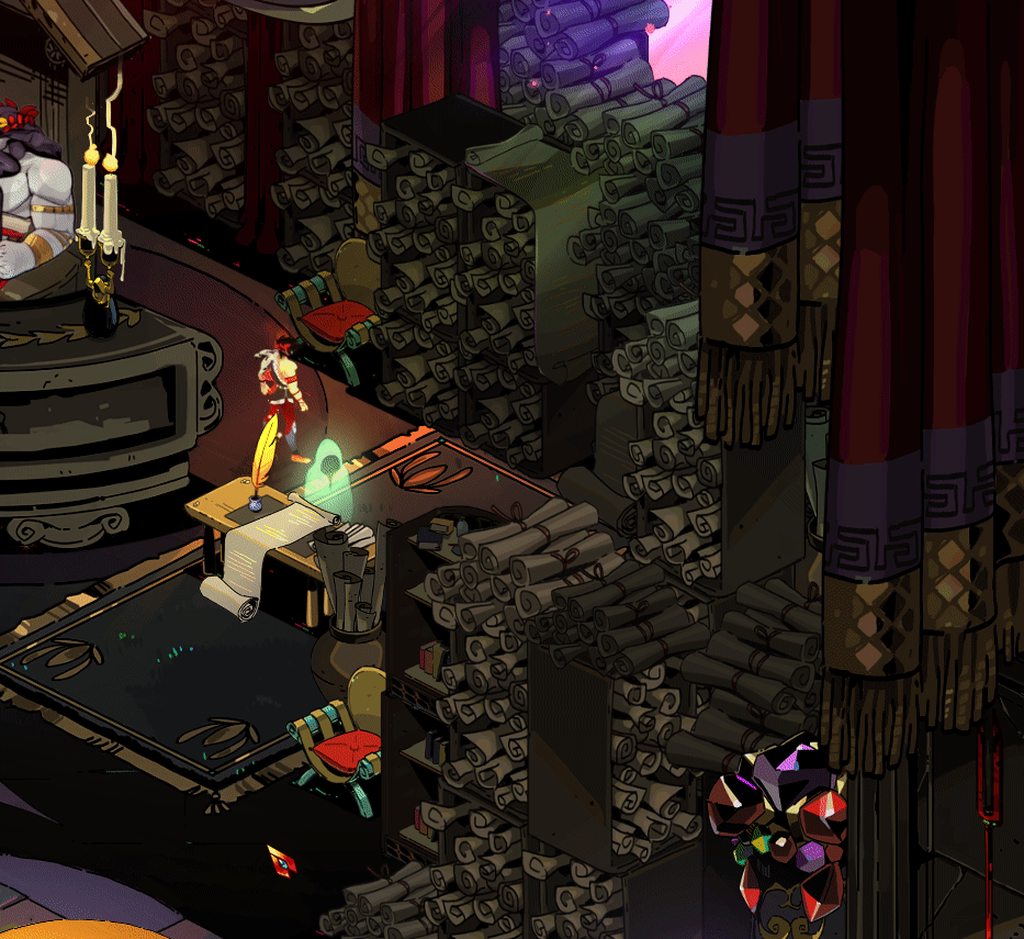
I do QA testing as a living for health care stuff so it's nice to poke at a game made by my favorite developer team 😄
 mild larkBOT
Thank you for reporting a problem, @lucid grail. Your report was filed as #688.
mild larkBOT
Thank you for reporting a problem, @lucid grail. Your report was filed as #695.
 lament obsidian
!bug walking into my room with the codex open caused me to be unable to navigate the mirror's UI (x-box 360 controller).
mild larkBOT
Thank you for reporting a problem, @lament obsidian. Your report was filed as #701.
 sage condor
!bug Not sure if bug but I lost all my progress after quitting the game. Basically can't save. Is this an early access thing?
mild larkBOT
Thank you for reporting a problem, @sage condor. Your report was filed as #704.
sage condor
it also said my profiles were corrupted, so all settings were lost upon relog
 wet parrot
!bug entering asphodel, I did not receive +25 to health container from the pickup that's on the boat. I had just equipped cerberus collar replacing aphrodite rose in the hallway between tartarus and asphodel
mild larkBOT
Thank you for reporting a problem, @wet parrot. Your report was filed as #709.
 rapid herald
I just bought the game on th e epic store and can't seem to be able to start the download.
Myu launcher was in beta at the time of the purchase and as suggested above I tried toggling the beta mode on and off.
This didn't fix the issue and when the launcher is in non beta mode, the game says that it is "currently unavailable for download".
Can anyone help me with that
 unreal cove
!bug with the latest v0.11720 patch, I no longer see my mouse cursor when in fullscreen, or when the resolution is set to my native 1920x1200 resolution and set to borderless. I end up having to play in windowed mode at a lower resolution to keep my mouse cursor visible.
mild larkBOT
Thank you for reporting a problem, @unreal cove. Your report was filed as #711.
 dense rune
@rapid herald Did you follow the instructions for this issue in the #hades-tech-fixes-old channel?
rapid herald
I missed that channel thanks
 drowsy current
!bug I get a blackscreen specifically when I cross from the bedroom to the weapon room and no where else. no other display issues and my drivers are up to date.
mild larkBOT
Thank you for reporting a problem, @drowsy current. Your report was filed as #715.
compact oak
!bug Boons UI stacking on itself
mild larkBOT
Thank you for reporting a problem, @compact oak. Your report was filed as #728.
analog fjord
@sage condor When you quit two things can happen - the menu will say “Quit” and you can quit with a mid-run save. You can do this when first entering a room before taking damage there, or after taking a room reward. If you try to quit and see the words “Give Up”, which triggers a pop up that explains you’ll lose progress, Hades will laugh at you if you choose to quit. This occurs if you try to quit in the middle of combat. It’s to prevent save scumming. So watch the menu. Quit is safe, Giving Up gives up, and should have a ton of feedback warning you!
@compact oak it’ll clear itself up next room!
@sage condor I just read your message in Hades! You’re antivirus is probably blocking the game from saving. Make sure you whitelist the game!
 late stream
!bug More PS4 controller issues, steam has controller disabled, ps4 drivers reinstalled, controller registering fine in the 'game controllers' windows dialogue, but won't register at all in the hades menu or settings. I haven't tried starting a game as I want to play with a controller the whole way through.
mild larkBOT
Thank you for reporting a problem, @late stream. Your report was filed as #733.
analog fjord
@late stream What model number is on the back of your controller?
late stream
@analog fjord CUH-ZCT1E
analog fjord
Thanks! We’ll try to figure it out soon, but we’re mostly off tomorrow since it’s Sunday!
late stream
@analog fjord yep no worries at all 😃 I'll check back in a few days
sage condor
@analog fjord so my saving problem had to do with Access. I had the Documents folder protected by Window Defender protected folder access feature. I fixed it by disabling
analog fjord
Thanks for confirming!
stark briar
!bug the first item you recieve in Asphodel (I persoanlly got the heart) is not affected by Ocean Bounty.
mild larkBOT
Thank you for reporting a problem, @stark briar. Your report was filed as #743.
 keen scroll
!bug after handing ambrosia to Cerberus 2nd time
Fatal Exception
Collection was modified; enumeration operation may not execute.
at System.ThrowHelper.ThrowInvalidOperationException(ExceptionResource resource)
at System.Collections.Generic.List`1.Enumerator.MoveNextRare()
at GSGE.World.Draw(Single elapsedSeconds, RenderTarget2D renderTarget, RenderTarget2D altRenderTarget, RenderTarget2D layerTarget, RenderTarget2D blendTarget, RenderTarget2D depthTarget)
at GSGE.Code.GUI.GameplayScreen.Draw(Single elapsedSeconds)
at GSGE.ScreenManager.Draw(Single elapsedSeconds)
at GSGE.App.Draw(Single elapsedSeconds)
at GSGE.App.UpdateAndDraw(Single elapsedSeconds)
at Game.Windows.Program.Main(String[] args)
Version: Release v0.11720
NVIDIA Corporation GeForce GTX 980 Ti/PCIe/SSE2 OpenGL = 4.6.0 NVIDIA 391.35 GLSL = 4.60 NVIDIA HasBC7 = True, HasFrameBuffer = True
OS: Microsoft Windows NT 10.0.17134.0
RAM: 16326
Cores: 8
64-bit: True
Region: en-AU
mild larkBOT
Thank you for reporting a problem, @keen scroll. Your report was filed as #744.
 autumn basin
!bug graphical issues occurs after playing for a bit, where certain bits of the artwork go bright colours. This occurs in menus, character art, gameplay, everything. Updating graphics drivers did not fix the issue.
mild larkBOT
Thank you for reporting a problem, @autumn basin. Your report was filed as #753.
 shrewd stag
!bug I regularily have a freeze at the middle of a combat with inputs stills working in the background. It is infinite and need me to Alt+F4.
mild larkBOT
Thank you for reporting a problem, @shrewd stag. Your report was filed as #754.
shrewd stag
!bug I also regularily have a black screen with inputs still working in the background. It is infinite and need me to Alt+F4 like for the freezes.
mild larkBOT
Thank you for reporting a problem, @shrewd stag. Your report was filed as #756.
 sonic kettle
!bug my cursor has disappeared, it will highlight items, and my normal cursor will appear on my second screen. I have tried restarting both the game and the entire computer. Is there any known fixes to this?
mild larkBOT
Thank you for reporting a problem, @sonic kettle. Your report was filed as #762.
 wicked pagoda
!bug Idling in main menu resulted in graphical freeze, tabbing out and opening again resulted in this crash (continously flickering).
mild larkBOT
Thank you for reporting a problem, @wicked pagoda. Your report was filed as #792.
waxen yarrow
Oh wow
 ruby cargo
Hi, I got a strange crash, I might have too many effects when hitting an enemy, I think the double knock back caused it
wicked pagoda
!bug in the new patch where the bow won't shoot at times, but rather just charge forever. Picture for proof/reference. I'm using both hands to take the photo.
mild larkBOT
Thank you for reporting a problem, @wicked pagoda. Your report was filed as #801.
coral night
!bug I can still move but Zag animation is not moving. Rotating though. After I attacked it is normal again.
mild larkBOT
Thank you for reporting a problem, @coral night. Your report was filed as #803.
coral night
Happening every room lol
 fleet thorn
Hello I'm having trouble with the latest patch that came out! It looks like it won't download even if I restarted the epic client and turned off and on the update setting, any help on how I can update?
wicked pagoda
!bug Talking to Artemis just now, all her apostrophes are asterisks instead. Weird.
mild larkBOT
Thank you for reporting a problem, @wicked pagoda. Your report was filed as #804.
toxic trout
@wicked pagoda wouldn't happen to have been this dialogue, would it?
toxic trout
looks like it!
 late vector
i was trying to purchase but my transaction didnt push through. what do i do now? i asked my bank why they said it was at your side
 neon widget
I dont know if this is the right place to post it.
But everytime i try to do my dash slsh strat, the game freezes (more stutters) and gets worse with more enemies. It really screws with responses to attacks. Frames are at a constant 120+
Gtx 1080ti
I7 4.7 ghz
Win 10
coral night
@neon widget check if game really uses your card instead of cpu (nvidia control panel)
neon widget
@coral night well its says that it does
@coral nightits not major stutters just enough to screw with me
coral night
@neon widget have you tried borderless windowed instead of fullscreen?
it helped me to fix stuttering in transistor

 flint compass
!bug sometimes subtitles dont match the line, zagreus said "coin for charon" when the subtitles said "vast riches"
mild larkBOT
Thank you for reporting a problem, @flint compass. Your report was filed as #815.
 fossil prism
Anyone know how to turn on vsync through the profile1.xml? Forcing it in the nvidia control panel didn’t seem to help my screen tearing.
 supple dawn
game crashed and lost tons of progress 😦
 pallid lava
!bug with the hammer upgrade that lets the bow instantly charge, the bow would randomly not fire. In some rooms every third click or so wouldn't result in a shot. This only happened in one run for me. It doesn't seem to be an interaction because it was the first upgrade I got that run, and first occurred in the first room after the hall. Even more strange, it would only happen in certain rooms. I would enter a new room, and in most the bow would work perfectly fine. Every once in a while throughout the run I'd hit a room where this issue would occur.
mild larkBOT
Thank you for reporting a problem, @pallid lava. Your report was filed as #827.
 tight narwhal
!bug holding W and D into the 2 piles of scrolls next to cerberus pretty consistently causes your character animations to glitch out
mild larkBOT
Thank you for reporting a problem, @tight narwhal. Your report was filed as #829.
tight narwhal
Ok scrolls in general have really weird collision if you try and wedge yourself between 2 piles of them
tardy sentinel
!bug Ok scrolls in general have really weird collision if you try and wedge yourself between 2 piles of them
mild larkBOT
Thank you for reporting a problem, @tardy sentinel. Your report was filed as #830.
tight narwhal
❤
 peak marsh
!bug Had a witch get stuck behind this wall, here, and couldn't progress. It was an Asphodel stage https://gyazo.com/16ad16855f3622f94cf94a8ba8ab3f13
mild larkBOT
Thank you for reporting a problem, @peak marsh. Your report was filed as #839.
thick lava
@supple dawn Did the game crash during a run? Or did you lose progress from between multiple runs?
analog fjord
@fleet thorn you may need to delete the game and reinstall.
flint compass
!bug I just gave Achilles the fifth gift and zag said “You’ve always been there for me Achilles, even when my father pushed me away. This is nothing. I don’t think I can ever repay you.” But the text said “I just happen to think you deserve better than you’ve got down here, Achilles.”
mild larkBOT
Thank you for reporting a problem, @flint compass. Your report was filed as #849.
 austere fiber
!bug the game froze during my frisbee rampage at Asphadel. Couldn't take screenshot because the whole Windows 10 froze. Additional info: there are a lot of things going on the screen, dozens of witches projectile, Aegis deflecting them while moving around the screen, and each hit add +150% damage to all enemies
Edit: The game continues to the latest area I was in with all of the upgrade after I restart it
mild larkBOT
Thank you for reporting a problem, @austere fiber. Your report was filed as #855.
harsh flint
!bug after the update the game loads to a black screen when jumping back into the game. Also uses 0% of gpu while epic launcher uses a whooping 25% of the Nvidia 1050ti.
mild larkBOT
Thank you for reporting a problem, @harsh flint. Your report was filed as #863.
cosmic steeple
@wicked pagoda Have you tried running the game windowed? Mine flickers and freezes in fullscreen, but it's fine in a window.
 lament cliff
!bug while late in my runs in the second zone my games visuals often freeze while the rest of the game continues, leading me to restart the game and loose all progress
mild larkBOT
Thank you for reporting a problem, @lament cliff. Your report was filed as #896.
ornate cypress
!bug sometimes casts can leave the crystal in a place where you cant retrieve it, I was using aphrodite's cast upgrade
mild larkBOT
Thank you for reporting a problem, @ornate cypress. Your report was filed as #905.
 grim hamlet
!Bug the door glitches a bit when you throw the spear near it
mild larkBOT
Thank you for reporting a problem, @grim hamlet. Your report was filed as #908.
grim hamlet
!bug i have found that if you throw the spear near a door (in particular the one of the Bomberman Boss) it does a weird thing
mild larkBOT
Thank you for reporting a problem, @grim hamlet. Your report was filed as #909.
 coarse maple
!bug controller support has several issues on my end. I can only do the first two attacks with the starting sword combo. I lose all control whenever I charge the bow, forcing me to use keyboard and mouse. Also sometimes after I do attacks I end up walking forward automatically. I'm running the game as a steam shortcut so I can use my PS4 controller with the game. Keyboard and mouse seem to work fine otherwise.
mild larkBOT
Thank you for reporting a problem, @coarse maple. Your report was filed as #910.
 carmine egret
I bought hades from the epic client, it now won't let me install, I have the button that says install and have clicked it but it does nothing, have uninstalled and reinstalled the client logged out and logged back in, and have also restarted my computer and done a full power down, I don't know what else to do at this point
rereading the faq again now to make sure I didn't miss anything
 wary anvil
!bug I don't know if it's been reported, but you can get out of bounds on one of the maps by dashing at a certain section of the wall. I think it's because I had a damaging dash move, but I'm not sure.
mild larkBOT
Thank you for reporting a problem, @wary anvil. Your report was filed as #913.
cinder totem
Hey @carmine egret , right now all the information we have on it is in our FAQ. At this time my best suggestions is to put in a report to Epic. We'll make sure to update and communicate any news or fixes we learn about. 👍
wary anvil
video of the glitch: https://www.youtube.com/watch?v=dVUXeVU7-mw&t=27s

A glitch I caught when playing Supergiant's newest game. I think it's because I have a damaging dash move (Aphrodite's Passion Dash in this case)but I don't ...
cinder totem
!bug video of glitch referred to in report #913: https://www.youtube.com/watch?v=dVUXeVU7-mw&t=27s
A glitch I caught when playing Supergiant's newest game. I think it's because I have a damaging dash move (Aphrodite's Passion Dash in this case)but I don't ...
mild larkBOT
Thank you for reporting a problem, @cinder totem. Your report was filed as #915.
peak marsh
!bug I've had a few cases where two thugs will spawn on top of eachother, unable to move. Walking near enough to be attacked fixes this, but figured I'd mention
mild larkBOT
Thank you for reporting a problem, @peak marsh. Your report was filed as #916.
 subtle lark
!bug attacking the pot near the pillar causes the game to crash.
mild larkBOT
Thank you for reporting a problem, @subtle lark. Your report was filed as #927.
lucid grail
!bug
mild larkBOT
Thank you for reporting a problem, @lucid grail. Your report was filed as #929.
 sterile mirage
!bug the game's dead zone for aiming on an xbox pad is too small so attacks that charge or get aimed will launch in a random direction instead of forward or auto target as the analog stick recenters
mild larkBOT
Thank you for reporting a problem, @sterile mirage. Your report was filed as #930.
 tired zodiac
Is there Controller support for Hades?
tired zodiac
I've got my XBONE controller plugged in and it's not registering
eager pivot
Does Hades have controller support?
We do! We use the same controller support at Pyre, so PS4, Xbox One, 360, Switch Pro, and most XInput controllers should work! If you run into issues with a controller try disabling Steam Controller support in Steam. We've received reports that this helps!
 dense saffron
did u plug it while the game allready was running?
magic knoll
@carmine egret Try running the Epic Games Launcher as an administrator? Also check your Downloads tab. Did it create a directory on disk where you told it to install?
mild larkBOT
Thank you for reporting a problem, @lucid grail. Your report was filed as #947.
lucid grail
NOOOOOOOOOOOOOOOOOOOOOOOOOOOOOOOOOOOOOOOOOOOOOOOOOOOOOOOOOOOOOOOOOOOOOOOOOOOOOOOOOOOOOOOOOOOOOOOOOOOOOOOO
....
wtf, wrong photo
nooooooooooooo
rip
It was a fatal error issue
 supple nest
!bug occasionally two or more thugs will spawn on top of each other and be unable to move
mild larkBOT
Thank you for reporting a problem, @supple nest. Your report was filed as #948.
 left fossil
Can some post a screen shot of the menu screen leading to the display setting? I went from windowed mode to fullscreen and everything turned black. I can hear tones when I mouse over the selection I just can't get any further than that.
 stuck sierra
Do you mean this one?
left fossil
@stuck sierra Yes! and the actual display menu please.
stuck sierra
There you go.
left fossil
@stuck sierra Thank you! I was able to return the screen back to windowed mode.
stuck sierra
Your welcome 😃
@left fossil did you try run as Administrator? and then change display settings?
 inner perch
!bug Monster spawned behind a wall. Couldn't attack with weapon but was able to kill with Poseidon AoE.
mild larkBOT
Thank you for reporting a problem, @inner perch. Your report was filed as #967.
 still ore
!bug Hi, I'm having trouble. I started playing yesterday, but every time after I die that I try to escape the game crashes. It stays on the visual of the room for a very long time before starting to flicker intensely.
dense saffron
might want to repost it with bug instead of crash
still ore
Thanks
!bug Hi, I'm having trouble. I started playing yesterday, but every time after I die that I try to escape the game crashes. It stays on the visual of the room for a very long time before starting to flicker intensely.(edited) I tried reinstalling, but to no avail.
mild larkBOT
Thank you for reporting a problem, @still ore. Your report was filed as #970.
dense saffron
😃 yw
 main scarab
!bug After playing for a few hours, then quitting and putting my PC to sleep, I came back and launched my game and my save file isn't there and started me from the beginning. Very frustrating and very annoying.
mild larkBOT
Thank you for reporting a problem, @main scarab. Your report was filed as #971.
 short star
would i report lag as a bug?
analog fjord
The game is still early in Early Access so lag is expected. We’ll be optimizing throughout Early Access
analog fjord
!bug why doesn’t the game throw a save error message when it can’t create a save directory?
mild larkBOT
Thank you for reporting a problem, @analog fjord. Your report was filed as #974.
analog fjord
Thank YOU StyxBot
wicked pagoda
@cosmic steeple This was a crash, not a persistent issue
 oblique canyon
I am having an issue playing the game with my Nintendo Switch Pro controller. I have (I believe) properly disabled my Controller stuff in Steam, but nothing seems to change in Hades. Can anyone help me? All boxes are unchecked on Steam for Controller Support, Steam is closed, I have tried both with the game on and off, even from a fresh restart. I have tried reloading the drivers and different USB ports, but nothing seems to change.
 thin flint
!bug In the training chamber where all weapons are displayed, when I go to that part of the map were the camera suddently starts going up and you see the scenery (The green buildings), whenever I move when the camera moves, the game freezes at a frame but still goes.
mild larkBOT
Thank you for reporting a problem, @thin flint. Your report was filed as #994.
thin flint
I can't Alt+F4 and my pc doesn't respond so I have to turn it off, lose all the data I didn't save, and turn it on again.
 loud inlet
@harsh flint I had the same problem. After I reinstalled the game, it loads my save fine now.
 brittle lintel
!bug I am unable to download the game
mild larkBOT
Thank you for reporting a problem, @brittle lintel. Your report was filed as #1016.
sharp narwhal
That's not really a supergiant side problem, @brittle lintel . You should check Epic Games support for that
frosty tiger
hello! Will I be able to run Hades on an intel if-8250U CPU? #h1-tech-support
Is there a chance that our saves will get wiped? As some early access games do that? If so this might be a thing to put in the FAQ.
sharp narwhal
I don't know why they would? I feel like we would be told if that was the case. Besides your saves are readily accessible and easy to back up
frosty tiger
sorry, *intel i5-8250U CPU? #h1-tech-support
sharp narwhal
@frosty tiger the minimum specs are listed in the FAQ. You can compare your specs to those
frosty tiger
@sharp narwhal Thank you. The FAQ directed us here for more questions. I will just google it.
sharp narwhal
I think as long as you've got the RAM, the disk space, and the right operating system you're probably good to go with any modern machine. SGG games aren't very intensive
frosty tiger
My specs do match up for the most part.
sharp narwhal
Yeah it looks like you're good
frosty tiger
I just googled it and I dont think you can as the base clock is 1.6ghz. But it does turbo to 3.4 so its a bit of a gamble.
the cpu is the only thing that might run a bit slower in the ghz.
frosty tiger
that is my "iffy" area. so even if I can't... I won't be too steamed over $20 dollars.
sharp narwhal
Hey tina! Check #h1-builds-and-combat !
frosty tiger
Are you planning to upgrade?
sharp narwhal
Morgan said that with the minimum specs he was still getting a solid framerate
So a little under might be kinda laggy but not terrible?
 gray egret
OH SORRY I thought i was there! deleted and resent thanks for warning
sharp narwhal
Np np
frosty tiger
For this game, I would not rule out a cpu upgrade for the best experience.
toxic trout
re: saves being wiped, the #hades-faq says that they’ll try to avoid it but if it’s unavoidable then it’ll be communicated in advance
waxen yarrow
It runs fine on my i5-2320
frosty tiger
Sorry was a bit blind i guess.
that i5-2320 is a 3.30 ghz chip. you got good power.
my i5-8250U is a 1.6ghz base. haha
waxen yarrow
I just thought that because it had a bigger number, it would be faster 
frosty tiger
the first number is the generation wich is in his case better but the other 3 numbers are what you need to focus on. in which case yours is higher
@frosty tiger I haven't bought the game yet. I just need to man up and gamble the $20 bucks. lol
@waxen yarrow You can check chip speeds on wikichip or memory4less
or intels own site 😛
@frosty tiger you win the internet👌
haha
Thanks for the help everyone! I will upgrade to a better intel i5 processor before jumping into hades.
 iron vortex
For some odd reason I cannot install the game
 errant wigeon
If i want to run as non steam game in steam, do i pick 64 or 86 client?
dense saffron
86
 versed stirrup
When i play the game my screen flickers like textures don’t line up ir a delay when i dash/move in general is there any fix for this?
 vestal creek
!bug I have switched to windowed mode and updated my graphics drivers (Dell laptop/Win 10 with Nvidia GeForce 940 MX) but the graphics still freeze when I approach the "pink window" (which by the way is definitely a purple door) after returning to my room after my first death, then leaving to the northeast. What else can I do? I want to make some progress here!!
mild larkBOT
Thank you for reporting a problem, @vestal creek. Your report was filed as #1032.
vestal creek
Even with frozen graphics I can still move around and hear footsteps, interact with things, etc. so it's like the graphics are not updating even though the game engine is aware that I am moving around...
thin flint
It happens the same to me, and If I don't close the game fast, my whole pc freezes and have to turn it off (I'm using a laptop aswell)
remote stump
!bug screen freezes after performing a power shot with the bow and after starting fight in the second room (i'm playing on the laptop)
mild larkBOT
Thank you for reporting a problem, @remote stump. Your report was filed as #1037.
analog fjord
@frosty tiger Answer about losing progress is already in #hades-faq !!!
 chilly junco
Hi! Will Intel core i7 1.6GHz Q 720 handle Hades?
frosty tiger
If i compare it to the minimum req not
chilly junco
😦 well at least i can watch gameplays
 distant cedar
!bug the game crashed when i accidentally opened the achille's book while entering the next room, after selecting the door
mild larkBOT
Thank you for reporting a problem, @distant cedar. Your report was filed as #1056.
oblique canyon
@brittle lintel I had the unable to download glitch as well. Restarting my computer fixed the problem for me! I hope this helps.
I still can't get my Switch Pro Controller working with Hades. I have reinstalled drivers, turned off Steam Controller Support, Closed Steam, Restarted, tried different USB ports, tried it plugged in before starting, and tried it plugged in after starting. Short of reinstalling everything I feel like I have tried everything.
 still coral
So, the game is glitching out immediately at first launch and it's because of the 4K resolution. Is this a known issue?
Ah, it is, just checked the pinned messages. I'll try that fix.
Not sure how to open the launcher though. lol
thin flint
Regarding the black screen problem whenever you play the game I guess it is due to the fact that I'm using a laptop. I tried the game in a tower pc and It goes perfectly.
still coral
Nope, that fix, caused the game to crash at launch.
I want my 4K goodness.
And now the game won't launch at all saying that my graphics card doesn't meet minimum requirements.
I have a GTX 1060...
Oy vey.
analog fjord
@still coral sounds like your PC is using your onboard GPU instead of your GTX. Try setting it to use your high performance card in your NVIDIA Control Panel
still coral
This only occurred after I changed the launcher settings for 4K.
I'm verifying the game, updating the drivers, and messing with Control Panel settings now.
analog fjord
What do your launcher settings look like?
still coral
Nothing now, I had to disable it.
I used what was in the pinned message but replaced the 1080p resolution with 4k.
analog fjord
Oh interesting. It's worth noting the game doesn't have great 4K support atm
Since it's day 4 of Early Access!
still coral
Evidently. lol
But yeah, it caused the game to crash at the loading screen and it was still flickering.
I can play at 1440p, but a higher resolution would obviously look nicer. Definitely made Pyre pop.
analog fjord
We don't have 4k assets at this time either 😦
still coral
Even with just text and scaling it helps. I'm sure Hades will get there.
analog fjord
It should!
 arctic grail
Hi, the game crash often on asphodel and then bugs my backups, so i lose 2-3h of gameplay for nothing :/
analog fjord
@frosty tiger When it crashes does it bring up a crash report window?
P.S. you should never lose more than the current run, and even that is unintentional. If the game isn't saving you need to ensure that you have granted write access to the game in your Antivirus or Windows Defenders settings
arctic grail
@analog fjord yes he do
analog fjord
okay great, using the crash reporter is the best way for us to track it down!
arctic grail
I granted write access, but the game crash for the 7 time so..
 short atlas
unable to download from epic. any suggestions?
cinder totem
Hey @short atlas ! Check out #hades-tech-fixes-old
short atlas
well none of those fixes worked. game doesnt even show in my library
flint compass
did your transaction go through?
arctic grail
@analog fjord It's ok the game don't crash this time
shrewd stag
Is there a way to see the logs to have an error message to send here?
analog fjord
@shrewd stag DebugLog.txt is in your save location: Documents\Saved Games\Hades
 gusty vale
!bug the spear being thrown here makes the front of this wall disappear
mild larkBOT
Thank you for reporting a problem, @gusty vale. Your report was filed as #1110.
 late tulip
!bug Malwarebytes detects Hades.exe as ransomware. This might be solely due to naming of program similar to "hades locker," though unsure.
mild larkBOT
Thank you for reporting a problem, @late tulip. Your report was filed as #1124.
 agile lantern
!bug Shield still passing through walls on rebounds
mild larkBOT
Thank you for reporting a problem, @agile lantern. Your report was filed as #1128.
analog fjord
@late tulip We can't do anything about that right now, but you should whitelist it to prevent issues.
late tulip
@analog fjord Already solved my issue, thought yall would want to know about it though.
analog fjord
Thanks!
 inner sentinel
!bug the crash deleted my run so I am sorry if I am not descriptive enough. Using the Legendary Poseidon boon which repeats knockback on an impervious slam dancer causes a crash, I think.
mild larkBOT
Thank you for reporting a problem, @inner sentinel. Your report was filed as #1135.
analog fjord
@inner sentinel Do you have the latest patch?
What version do you see in the top left of the main menu?
inner sentinel
V0.11731, but if it is relevant the run was started on the previous patch, then updated and continued it
analog fjord
ah yeah that may be it!
If you change the same of Profile1_temp.sav.bak to Profile1_temp.sav you may be able to get your progress back (if you haven't already started a new run)
 crisp hull
Hey, does Hades support the Xbox 360 Controller? I am using one and it is having consistent bugs that do not show up in other games
If it isn't supposed to support it then whatever, but if it is I'll explain the bugs
full crater
it is supposed to!
crisp hull
Cool, I wasn't sure if they had changed support to exclusively Xbox 1
analog fjord
If you're using a non-native driver OR are using it with Steam Controller support turned on... don't!
crisp hull
How do I turn steam controller off?
 mild meteorBOT
Please check #hades-faq for our answer regarding additional platforms!
 keen dagger
Question, will Hades be available in other countries soon?
I am an American living in Korea and I'd love to get early access if possible
analog fjord
Epic is working on it! Unfortunately it's out of our control.
 jolly walrus
So i was trying to stream the game but I get 8 fps or less in obs
But when I close and start playing fornite it go back to 60fps
I can play the game fine but can’t stream it and I can’t find a way to put FPS limit
oblique canyon
Okay, so I’m not sure if this is the right place to post this, but I finally found a way to get the Nintendo Switch Pro controller working. I added the game to Steam as a non-Steam game and turned the controller support back on. After starting the game from Steam the controller works great.
So, if all else fails, this might work for you. Before this I tried all the recommended steps to get it working, but my attempts yielded a no response from the controller.
analog fjord
Thanks for the info! I'll add it to our #hades-tech-fixes-old
green stream
!bug The info for Athena's legendary boon is broken
mild larkBOT
Thank you for reporting a problem, @green stream. Your report was filed as #1163.
analog fjord
Good catch
green stream
Also kinda curious who that ability is for... Ignoring 1 hit seems virtually useless.
Certainly a disappointing "Legendary"
 lone sparrow
!feedback The first time I plugged in my PS4 controller my sound died because the game automatically switched my audio output to the jack on the controller. Was easily fixed by changing the audio output in Windows audio settings though
mild larkBOT
Your feedback is appreciated, @lone sparrow. We have filed it as #1167.
lone sparrow
The actual controller support is great though. I haven't had any issues with prompts, button press registration or anything like that
coarse maple
I reported in a bug that has partially been fixed in the newest patch. Is there a way I can update that or should I just report the part that is still a problem again?
sharp narwhal
Just report it again! I'm sure sgg has a tracking system
coarse maple
k, thanks
coarse maple
Yes, it is. I can operate most things normally, but the bow still causes me to lose control.
coarse maple
I have a PS4 controller that I'm running through Steam controller support.
analog fjord
Try 1. Disabling that or 2. Adding the game to Steam as a non-steam game!
coarse maple
Right, that's what I meant to say. I have it added as a non-steam game.
hm, I lose control when charging the spear too. It seems to be a problem with charging attacks.
analog fjord
Oh... I think it's probably because Steam is trying to emulate a Steam Controller, and we don't have actual bindings for it because we're not a Steam game
oblique canyon
I'm using a Switch Pro Controller through Steam with Hades as a non-Steam game and it works great even with charging weapons. Are the prompts in-game properly changing to controller prompts @coarse maple? Also, make sure the type of controller you are using is the only one checked in the boxes. Have you tried using the Steam Controller Settings to calibrate the controller as well??
coarse maple
I'll futz around with some stuff and see how that works.
Well this is confusing. I'm still having problems with the spear and bow charges but I just unlocked the shield and the charge on that has no problems.
🤔
I'll try another controller, maybe that'll show me where the problem lies.
changed controllers, messed with the settings mentioned, and the problem persists. Weird.
fleet thorn
Need some help over here, I clicked to uninstall Hades with the purpose to install it again but Epic Games client won't show up anything to download
dense saffron
have u checked the hades tech fixes channel? might be something about it there
jolly walrus
Does anyone know how to max hades fps to60?
 proven plank
So I finally managed to buy the game, step one complete 👏
The problem I had was that my bank decided to block my debit card because EpicGames "seem untrustworthy" and after failing to call them for 2 days I decided to physically go to the bank to have it unblocked.
Now I hope everything else about installing & running the game works out for me 🙏
 latent matrix
Hi I wasn’t sure which sub to post this in so if there’s a better one please direct me! I stupidly didn’t read the pc requirements before buying hades and can’t play it on my Mac unfortunately. Do you guys think it’s worth keeping the game until it’s released for mac os and play then or just refund my purchase and wait ;-; since I’m not sure how long/if there’ll even be a version available for macs in the near future.
full crater
awwwww that sucks sorry!! I think its probably best to refund and wait ;;; itd be the same 20$ either way, and then you know for sure that you can play it
OR bug your nearest windows habing friend or relative lol
 hexed breach
That's exactly how I got to play the game actually
My old computer bricked a while ago
latent matrix
ty for the reply omg yeah I was rly bummed when I finally realised :(( my fam and friends all use mac so I’m kinda screwed there rip I’ll just ask for a refund then and get it at a later date
 last lotus
Im having problems trying to pay for Hades at the Epic Games store, has anybody had any problem with them? I tried contacting Epic´s support but they are not answering...
 atomic solstice
what is room 28 of 27?
 sterile zodiac
didnt have any lag issues whatsoever. a lot of simultanous hits on monsters cause some fps drops, maybe you experienced that?
thin flint
Laptop?
 charred marsh
desktop
thin flint
You got something else other than the game open?
charred marsh
i got quite a beefy system. i play most games fine
sterile zodiac
does it only happen in combat or while just stnading still aswell?
charred marsh
combat and sometimes when i talk to a god
its random. so i cant pin point the cause
proven plank
How do people take screenshots of the game? I think neither EpicGames nor Hades have a screenshot-saving feature?
I tried print-screening and then pasting the image, but strangely, whenever I do that (in Fullscreen) the clipboard keeps the previous screenshot until I tab out of the game? Or something like that? So like, if I want to screenshot something, I first need to alt-tab to some other window, then back into the game, print screen, and paste into paint or whatever.
sterile zodiac
@charred marsh whats your resolution settings for the game?
sharp narwhal
Yeah screenshots don't really work right now. A third party program would be best
proven plank
Thanks for the answer 🙇
 keen nimbus
i use lightshot for screenshots but that doesn't work with Hades either...
charred marsh
2560x1080. i dropped it to 1080p. same problem
sterile zodiac
hm  sorry i´m not too tech savy so my last suggestion would be a reinstall
toxic trout
there is a screenshot function, it's just not documented anywhere and is part of the bug report thing
charred marsh
no worries. im just wondering whether anyone else has this problem
sharp narwhal
the only mention of a similar problem is just because the game defaulted to running on the weaker graphics card
 opaque portal
!bug the game didnt save my progress while playing on pc.
mild larkBOT
Thank you for reporting a problem, @opaque portal. Your report was filed as #1240.
toxic trout
@opaque portal #hades-tech-fixes-old
 acoustic trout
Can't get the game to start running into following error: "SDL Error: Could not create GL contex"
Updated my drivers for my GeForce 680 and Intel HD 3000
Tried the launch options and run as admin fixes from #hades-tech-fixes-old
Any pointers what I should try next?
still coral
The game kind of jutters for me @charred marsh during even simply movement.
Have you restarted your computer?
acoustic trout
Message: Unable to create OpenGL context!
Detailed Message: SDL Error: Could not create GL context: p
Module: Hades.exe
Source: Unable to load symbols (pdb)
Stack trace:
at Game.Windows.Program.SDLError(String message)
at Game.Windows.Program.Main(String[] args)
still coral
I haven't seen that error, personally. Hopefully someone on the team can help you.
acoustic trout
Full Error Message
!bug Can't get the game to start running into following error: "SDL Error: Could not create GL contex"
Updated my drivers for my GeForce 680 and Intel HD 3000
Tried the launch options and run as admin fixes from #hades-tech-fixes-old
Any pointers what I should try next?
Full Error Message:
"Message: Unable to create OpenGL context!
Detailed Message: SDL Error: Could not create GL context: p
Module: Hades.exe
Source: Unable to load symbols (pdb)
Stack trace:
at Game.Windows.Program.SDLError(String message)
at Game.Windows.Program.Main(String[] args)"
Thanks Bot 😃
mild larkBOT
Thank you for reporting a problem, @acoustic trout. Your report was filed as #1242.
thick lava
@acoustic trout Make sure the game is set to use your Nvidia card and not the Intel HD 3000! You should be able to configure this in your Nvidia Control Panel but lmk if you need help
acoustic trout
Just set the GPU to the NVIDIA earlier didn't help, also reinstalled and verified my installation
 terse spire
game flickers constantly at native 4k res. using 2080ti. switching to 1440p fixes it. might wanna look into that
acoustic trout
@Dexter Any other settings I should adjust in the NVIDIA control panel?
thick lava
I'm looking at mine to see if I've missed anything, one sec
acoustic trout
Thanks for your time, much appreciated
My primary display (two monitor set up) is connected via DVI and the secondary via HDMI, might that be an issue?
thick lava
Shouldn't be, as long as both of those cables are coming from the card (and not the motherboard)
acoustic trout
yeah both on the graphics card
terse spire
horrible tearing issues. native 4k res but running at 1600p. forced v sync through nvidia control panel but didnt fix it. any ideas?
thick lava
@acoustic trout I remember there being a way to right-click in Windows 10 on a exe and choose which graphics card you want to launch with. I'm not seeing it today. However, it does look like your card supports OpenGL 4.2
acoustic trout
Do you have Windows Aero disabled (I think I once had a very weird issue with screen tearing, bc on W7 and below stuff is tied to the weird aero feature)
thick lava
@terse spire If you could !bug that and attach your DxDiag, that'd be super helpful to us
You may want to try disabling window scaling as well, since you're on a 4K monitor. That might cause issues
terse spire
@thick lava i faced the same issue on wolfenstein 2. only way to fix it was adding a custom resolution of 3840x2159 (1 pixel less than full 4k) and selecting it from the in game menu. but hades has the resolution options hardcoded. also how do i bug?
acoustic trout
@terse spire you can do a bug report via !bug before the message in here
terse spire
@acoustic trout thanks. i submitted a bug report from directly in the game
acoustic trout
@Dexter I'm on Windows7, so the shift + right click only allows me to run as different user (which is irrelevant). Might having a different Hard Drive for the Installation Folder and the SavedGames/Hades Folder be an issue?
@terse spire If only I could start the game to do bug reports 😄
thick lava
@terse spire You can set launch options! /X=3840 /Y=2159
acoustic trout
@terse spire it's under settings of the epic games launcher, scroll all the way down to hades and tick the box for launch options 😃
@Dexter I'll be off playing some Divinity OS 2, if you have any idea how I could fix my problem or anything I can provide to help fixing it, feel free to message me.
In the worst case I will have to try running it on my Laptop.
terse spire
@thick lava @acoustic trout thanks for the tip. but it didn't fix it in this case 😦
 zinc peak
So, game just got flagged for ransom-ware. The program that found it MalwareBytes deleted said content, game won't verify, or play now. False positive, or something else going on?
toxic trout
it's a false positive, most likely because there's a ransomware thing called "hades locker" - someone mentioned it earlier
don't think there's anything sgg can do about it at the minute
zinc peak
Hm, weird since I played it literally hours last night 
 lunar junco
Hello! A thing I've noticed: With my controller, if I let the thumbstick go to drop to center, it flicks past just enough to turn my little man around. It seems like a stick sensitivity setting in software could help. Anyone else notice something like this?
dense saffron
nope cant say i have noticed that
lunar junco
I think it might be the spring in my controller being a little over-active. I need to do some more investigatin', for sure, but thought I'd stop here.
dense saffron
could be yeah, alot goin on in the game hard to know what it was sometime
 heavy summit
Game is great fun, but I get micro-stutters at the end of a room (like the screen freezes but I can still hear that I'm moving Zagreus around, before it snaps back into action).
It usually happens when the items appear at the end of a room, but sometimes it happens during combat (I've walked into too many traps blindly avoiding attacks lol).
If it helps my PC specs are Ryzen R5 1600 at 3.6GHz; an Nvidia GTX1080Ti and 16GB RAM all at clock speeds. The game is installed on an SSD.
 wet grove
hey im trying to install the game and whenever I hit install nothing happens
heavy summit
Have you tried restarting the EPIC launcher? It's a bit wonky.
wet grove
yeah i just did still nothing
bought the game but its not showing up on my library
go to store page and it says i can install it from there and w/e i click it nothing happens
 plucky cargo
i'm getting an error and it wont let me continue my journey, can anyone help?
zinc peak
which error?
 copper prism
hey guys! love the game. I am stuck in the floor and cant get out and the game saved in that level. So now that save is always stuck in the floor and I cant die or anything. Any way to fix this?
plucky cargo
E:\games\epic-games\hades\Hades\Content\Scripts\Main.lua:521: ...c-games\hades\Hades\Content\Scripts\RoomPresentation.lua:632: attempt to index field 'Encounter' (a nil value)

   at NLua.Lua.ThrowExceptionFromError(Int32 oldTop)
   at NLua.Lua.CallFunction(Object function, Object[] args, Type[] returnTypes)
   at GSGE.Script.run(Thing triggeredBy, String name, LuaTable triggerArgs)


Version: Release v0.11731
NVIDIA Corporation GeForce GTX 1060 6GB/PCIe/SSE2 OpenGL = 4.6.0 NVIDIA 398.36 GLSL = 4.60 NVIDIA HasBC7 = True, HasFrameBuffer = True
OS: Microsoft Windows NT 10.0.17134.0
RAM: 8130
Cores: 4
64-bit: True
Region: en-US
Not the issue I got sorry dude.
plucky cargo
i opened a timed coin chest then tried to enter a blood well, then died. now i'm home and it wont let me continue
wet grove
cannot install the game and it's not showing up on my library
just reinstalled launcher as well
never lucky
zinc peak
Mine got flagged by MalwareBytes and now Verify fails, and running fails  Tis early access
cinder totem
Hey @wet grove , have you already tried what's listed in #hades-tech-fixes-old ?
cinder totem
Hey there @arctic bluff ! Best to post it to a hosting site then link it here with a description of your experience with the glitch. Post it all in one message with !bug at the beginning and our bot will collect it.
 arctic bluff
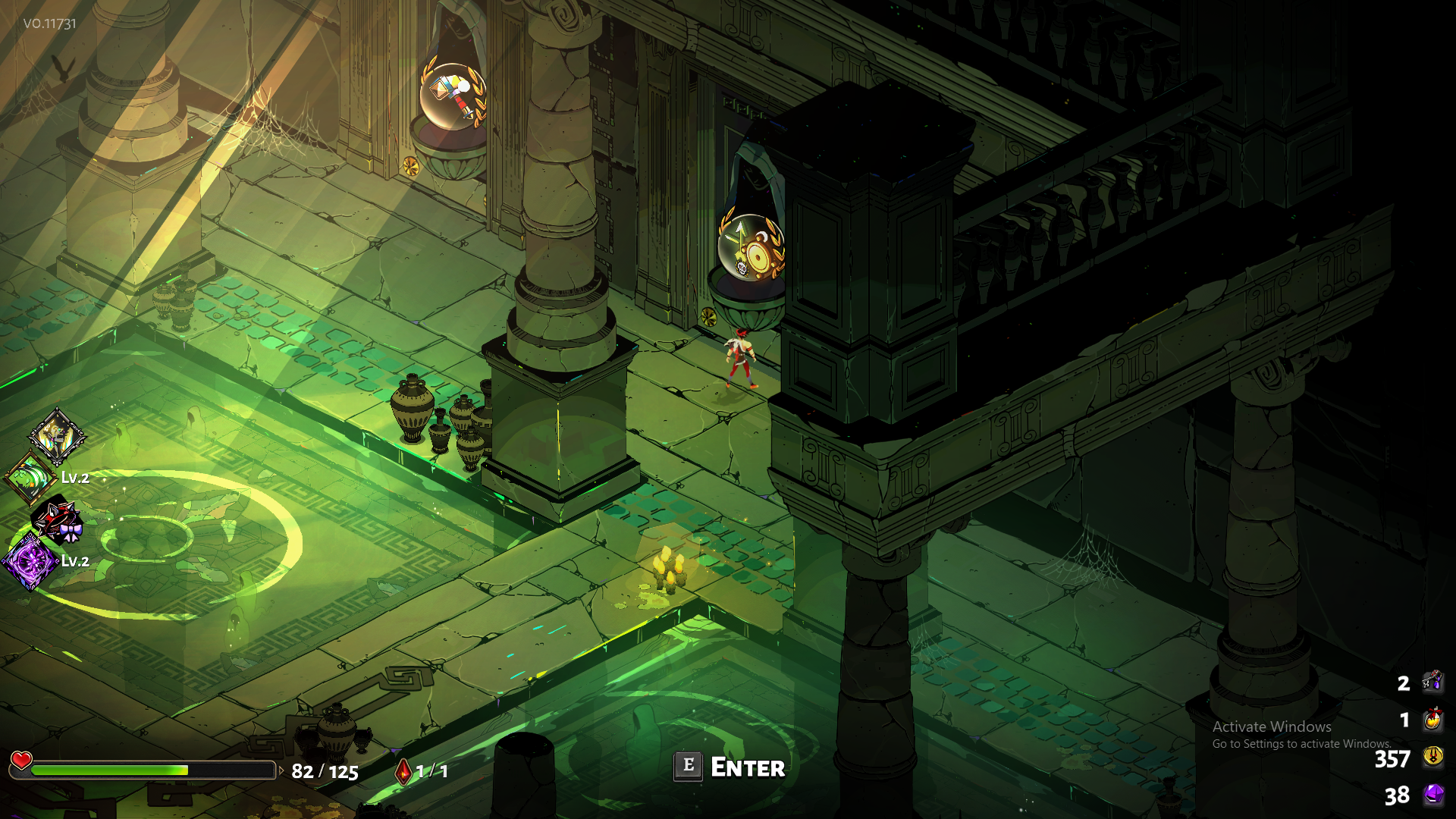


 mild larkBOT
Thank you for reporting a problem, @arctic bluff. Your report was filed as #1320.
flint compass
what's the bug here? some detail would help
dense saffron
looks like god powers on he door that are overlapping eachothers icon
flint compass
that's not a bug, it's a trial of the gods, aka a room with two boons
 slate pike
There is a bug where theres a room with two boons but you can't see both boons
dense saffron
some times u only see one on the door tho:p and this case the icons are kinda overlapping eachother
slate pike
Yeah. Its a room with both boons in it
arctic bluff
@flint compass oh i am sorry i didnt know thats a feature so i thought its a bug
sharp narwhal
@arctic bluff I also thought it was a bug at first and screencapped it for later reporting before I went in and saw it was a feature!
 mighty wharf
Guys, help! I'm waiting 8 hours in the queue. Is that ok!?
heavy summit
What else is your EPIC launcher trying to download?
Shouldn't be queued for long at all was it trying to update/download something else? Might be time to restart the launcher and if not then your PC.
mighty wharf
ok, thanks
 digital zephyr
Is there cloud save on Hades? (Or on Epic Games for that matter. It's my first time using Epic Games)
If there is, I don't seem to be able to grab my save data
cinder totem
Hey @digital zephyr , no cloud saves through Epic as of yet. It's definitely been requested though, so if it happens you'll hear about it here. 👍
digital zephyr
Oh alright. Thanks. Darn, I was hoping I'd be able to finish a round of Hades while I'm on lunch break today. Guess I'll have to wait till I get home then..
 median sky
i think there's a dmg bug with shield special and some athena's boons..
median sky
i was in aspho and i was bouncing off the special against the direction of the baddies and dashingx3 all of a sudden the bloodless i think was it that had armor are getting one shot
i know i had the extra damage per bounce and a crit on special but i dont think it would do that much damage
everything was just paper at that point
but i couldnt really see my damage coz i was trying to get away as far as possible
sharp narwhal
I know for sure the aphrodite "damage against weakened enemies" is currently multiplying its damage rather than stacking it, so it could be a similar issue
You don't remember any of your specific boons?
The Artemis boon for critting on Special...
median sky
i didnt have aphro yet i had the artemis boon for special crit ares for delay damage for attack and thats about it i think
oh the special that bounces projectiles
sharp narwhal
I'd say if you had the "extra damage per bounce" then that could've been what was doing it, in conjunction with your Ares boon
median sky
ohh ok ok
 sweet escarp
Did a search for “4K” and saw that some others have had trouble too, but just figured I’d report that I’m having really bad tearing/black line flickering issues at the main menu when I try to run in 4K.
Bumping down to 1440p solves it, though, so nothing critical!
sharp narwhal
!feedback Did a search for “4K” and saw that some others have had trouble too, but just figured I’d report that I’m having really bad tearing/black line flickering issues at the main menu when I try to run in 4K. Bumping down to 1440p solves it, though, so nothing critical!
mild larkBOT
Your feedback is appreciated, @sharp narwhal. We have filed it as #1360.
analog fjord
@sharp narwhal I think I may add that one to the FAQ 🤔
sharp narwhal
That might be a good idea, since it seems to be a well-known issue!
sharp narwhal
👏
frosty tiger
oh boy my computer wont update the launcher
i can still play the game through the exe but i may have to go to epic for this one, which is a lot more annoying lol
 echo egret
i presume there are no cloud-stored saves for Hades?
tossing savefiles back and forth between home and work became annoying 😄
echo egret
oh thx
frosty tiger
so I can't play this game anymore because epic launcher refuses to reinstall
and uninstalling the launcher deleted the game of my harddrive without telling me it would do so
anyone else have any similar problems?
zinc peak
So. MalwareBytes flagged the Hades.Exe as ransomware. Now that I am attempting to just reinstall the whole thing I find out Epic Launcher will not reinstall unless the folder route is empty.
Go to delete the whole Hades folder. Find out the thing Malwarebytes flagged is some how beyond ALL admin permissions, I can seemingly no longer delete, manage, or restore the file just to delete it or anything.
shrewd stag
I had the same bug with Avast. I managed to restore the .exe from quarantine, then delated all the folder and installed it in another folder.
 neon nacelle
Hey ! i got problem thats i cannot stream Hades from OBS, SOBS or Nvidia SHIELDS. Can u help me about that ? i really wanna share this game to others on twitch.
frosty tiger
Heya, my problem is that I keep the note popping up: Unable to save progress to device. It happens even in the midddle of battle, any help?
cinder totem
Hey @frosty tiger , check #hades-tech-fixes-old
frosty tiger
@cinder totem Thanks!
cinder totem
And @neon nacelle first suggestion is to make sure all your drivers are up to date, you might also want to check #hades-tech-fixes-old as there are a few to double check suggested there.
wind pollen
Are saves only saved to one PC? i downloaded Hades on my laptop and none of my saves were there
cinder totem
Anddd @wind pollen check #hades-faq at the bottom 😄
wind pollen
sweet thanks!
 neon minnow
@cinder totem Hi there! I have a report on a reproducible (at least on my end) hard crash in the game. Where should I post that?
It's not a crash log, but a list of steps that can be taken to reproduce the issue and how it was originally discovered.
cinder totem
Go ahead and report it here withour !bug command.
neon minnow
OK, will do. Thanks!
neon minnow
!bug
Current behavior:
⦁ Game hard crashes when:
⦁ Using a controller (Dual Shock 4 CUH-ZCT2U) via USB
⦁ Audio device is set to "Headset Earphone (Wireless Controller)" in Windows
⦁ A new scene/zone should load
Steps to reproduce:
Game not running:
- Launch Hades
- Connect Dual Shock 4 (CUH-ZCT2U) via USB
- Confirm audio device is set to "Headset Earphone (Wireless Controller)" in Windows
- Dismiss "Early Access" modal with controller
- Select "Play" and start game
- Observe results
Game already running:
- Ensure Hades is running in a scene (e.g. main menu) or zone (actual in-game zone)
- Connect Dual Shock 4 (CUH-ZCT2U) via USB
- Invoke a new scene/zone (e.g. entering through any zone doorway in the game)
- Observe results
Expected behavior:
⦁ Game should launch next scene without hard crash
Notes:
⦁ Tested with 2 x official Sony Dual Shock 4 models:
⦁ CUH-ZCT1U: PASS
⦁ CUH-ZCT2U: FAIL
Note: With this model, Windows automatically changes the audio device to "Headset Earphone (Wireless Controller)" when plugged in via USB for this model
mild larkBOT
Thank you for reporting a problem, @neon minnow. Your report was filed as #1418.
neon minnow
Attachment contains system info as well as stack trace / crash log. Please let me know if there's anything there else you need that would prove helpful!
toxic trout
wow, that's some detail right there :o
shrewd stag
@analog fjord Thanks for your advices in Tech Fixes channel. Hades is running smoothly on my PC in 1600×900 Borderless :)
 plush stump
I think I have a bug but maybe its just my computer?
I cant really play anymore cuz my screen freezes every time I actually get into game
the game keeps running and making sound effects but I just get stuck with a black screen or a frozen image of my dude
dense saffron
u could check hades tech fixes it says something about blackscreens
plush stump
ok thanks I didnt see that
dense saffron
yw
analog fjord
@shrewd stag Yay!
@plush stump Any way we could make it more obvious to check there first? Honestly wondering since most people skip checking that!
dense saffron
maybe in the faq?
plush stump
I just didnt see the board for tech fixes
dense saffron
mention about the channels?
dense saffron
or a pinned message
plush stump
ok so its fixed now, I set the resolution to the lowest but having fullscreen doesnt seem to affect anything for me
dense saffron
yw:)
analog fjord
@plush stump Hmm interesting! That is really good info to have. If you have a chance, can you run DxDiag, save all, and DM me the resulting file?
Hopefully you can play that way for now!
 rain mica
Hey there. I've done the fixes for the screen issues that are listed. If I have the game fullscreen at all in any resolution I get a long black band that runs up and down toward the top of the screen. It does go away if i'm windowed, but can only play the game in a small window. This a known thing?
I see I should have scrolled up. Maybe its a similar issue.
dense saffron
yeah from most of what ive seen its alot with ppl tryng to run 4k
rain mica
It happens on any resolution though, but I do have a 4k display.
4k wont work at all, but any other resolution in full screen gives me thin banding.
Windowed mode does alleviate it but obviously makes it small.
And can see my desktop, and all that.
dense saffron
is it like screen tearing?
 regal pivot
!bug Save file cannot be deleted(it will visually. but if you go back to main menu or start game in another save slot , it will be restored), but can be overwritten. So it is not critical, but anyway.
mild larkBOT
Thank you for reporting a problem, @regal pivot. Your report was filed as #1435.
analog fjord
@regal pivot That's intentional! It isn't deleted until it's actually overwritten by a new save in-game in case you did this accidentally.
@rain mica we're trying some things for 4K in the next patch. I think Windowed may be needed until then. Sorry
 small saffron
Hi guys, I'm having issues with the game crashing at a specific scene where Charon's shop spawns. Because it saved right before I can't seem to escape it. 😦
toxic trout
oh damn i guess that means i'm stuck with the temp save i made just to get a clean screenshot of the mirror with no points invested OTL
analog fjord
Oh no if you start a new game in that slot it gets overwritten as soon as you go into a new room
@small saffron Do you get a bug reporter window when it crashes?
small saffron
I suppose crash is the wrong word. It freezes and I have to alt-Tab out of it to close it.
If I push buttons I can hear the noises (ie the huff sound when I dash), but the visuals are frozen harder than Antarctica.
analog fjord
@small saffron Also, if you open Documents\Saved Games\Hades there should be a Profile1_temp.sav and a Profile1_temp.sav.bak
Try renaming Profile1_temp.sav.bak to Profile1_temp.sav. It will back you up a step
Oh
In that case try the steps in #hades-tech-fixes-old
It's probably a render thread crashing because your drivers are out of date or can't handle the game at max resolution
small saffron
Ah, thought I looked there, sorry!
Computer is plenty able to run it, must be drivers then. I'll give that a go.
analog fjord
Maybe it's trying to use an onboard GPU instead of a real one? That has been pretty common with our games
small saffron
Well. I checked, the NVIDIA drivers are up to date and is the default in Control Panel. I'm just going to give it the old "off and on again" treatment and see how that does. 🤷
analog fjord
If all else fails please run DXDiag and save all info, then DM that and your save to me!
small saffron
Will do. 10/10 so far guys ❤ .
analog fjord
Awww thanks!
 tardy jewel
not sure if this is the correct channel to ask, but for some reason i haven't been able to stream or screenshare hades? i've tried w obs and discord but it just captures the cursor + sound
it might just be bc my laptop is old, but i wanted to see if anyone else had this problem before and if there's a way to fix it 😅
tardy sentinel
Hey @tardy jewel I looked into it, and read that some older Radeon laptops have trouble streaming games via OBS (https://obsproject.com/forum/threads/black-screen-only-cursor-appearing.11744/). Not sure if your laptop qualifies, but may be related.
Are you able to stream other games without issue?
tardy jewel
Yeah other games have worked for me. The way I ended up streaming it to my friend was using fullscreen on obs and never tabbing out but it wouldn't capture just the game window properly.
I'll check what my laptop is when I get home bc I don't remember.
heavy summit
I have a very new PC and discovered that I can only stream Hades (even through discord) if it's on Windowed mode and not Fullscreen
Otherwise it's just a black screen
tardy jewel
But it wouldn't pluck up the game in fullscreen or windowed mode
*pick
I'll take a look at that link when I'm home from work, thanks for the help!
tardy sentinel
also, it could be that your laptop is recording from your integrated laptop GPU rather than the nvidia/amd/etc GPU
if it's an Nvidia GPU, go into the NVIDIA control panel, go to program settings, find your obs.exe file in program files on your local disk, then make sure you set it to run on NVIDIA. Chances are it's initially running on your integrated GPU and not NVIDIA which you need to make game capture work properly.
green stream
!bug If you die with the wallet equipped, you will have your gold up until you begin your escape, and then you will start with zero gold (including gold you should have started with from the mirror)
mild larkBOT
Thank you for reporting a problem, @green stream. Your report was filed as #1468.
neon minnow
Is there a publicly available issue tracker? I'd like to continue to submit bug reports, but don't want to create duplicates of known issues.
analog fjord
@neon minnow Don't worry about it! If you do a quick search in here and don't see it, you're safe.
Making our bug and feedback tracker public is an interesting idea though.
neon minnow
Sounds good. And yea, that'd be great. At least maybe limited access? Not sure.
analog fjord
I'm not sure we can with our current setup, but it's something we can look into as EA goes along
neon minnow
But it'll save both sides a bit of time-- you guys reporting them and us spending time on reports for dupes
Sounds good. Keep us posted, please. 😃
 south sorrel
hey guys quick question
how much cpu does hades take when it runs for you?
im having some pc issues so im trying to narrow down what it could be and i dont think it should be taking up like 70% of my cpu lmao
south sorrel
okay!
dense rune
I recall one of the devs saying they'd be working on optimizing the game later on
 pale trench
With a Zeus special shield build, I crashed one time on Meg, too much big ball
 ornate heath
Shield special builds can be insane with bounce dmg multiplayer and increased bounces
numbers sometimes go too high
acoustic trout
!bug Game doesn't start and instantly crashes with the following message:
Message: Unable to create OpenGL context!
Detailed Message: SDL Error: Could not create GL context: p
Module: Hades.exe
Source: Unable to load symbols (pdb)
Stack trace:
at Game.Windows.Program.SDLError(String message)
at Game.Windows.Program.Main(String[] args)
Tried all fixes as mentioned in the #hades-tech-fixes-old.
DxDiag attached.
mild larkBOT
Thank you for reporting a problem, @acoustic trout. Your report was filed as #1514.
 long charm
!bug Well, this is unfortunate. I went into a Chaos portal while fighting a tresure chest. On my I was killed and therefore died in the Chaos Area. That somehow broke my game... Everytime I talk to a NPC now my game crashes
Fatal Exception
E:\Games\Epic\Hades\Content\Scripts\Main.lua:521: E:\Games\Epic\Hades\Content\Scripts\RoomManager.lua:1792: attempt to index field 'Encounter' (a nil value)
bei NLua.Lua.ThrowExceptionFromError(Int32 oldTop)
bei NLua.Lua.CallFunction(Object function, Object[] args, Type[] returnTypes)
bei GSGE.ScriptManager.Update(Single elapsedSeconds)
bei GSGE.World.Update(Single elapsedSeconds)
bei GSGE.Code.GUI.GameplayScreen.Update(Single elapsedSeconds, Boolean otherScreenHasFocus, Boolean coveredByOtherScreen)
bei GSGE.ScreenManager.Update(Single elapsedSeconds)
bei GSGE.App.Update(Single elapsedSeconds)
bei GSGE.App.UpdateAndDraw(Single elapsedSeconds)
bei Game.Windows.Program.Main(String[] args)
Version: Release v0.11731
lost gulch
hey guys, started having a crash problem today for some reason. it randomly freezes and I need to alt tab out of it to manually close the exe, sometimes I need to hard reset because it freezes my PC with it and I can't do anything. it doesn't give a bug report either. I tried re installing the game. also my AMD driver is up to date with the latest version,
specs:
I5 7600@3.5 Ghz
16 GB DDR3 RAM
AMD RX480
 muted shadow
Controller issues (ps3 dual axis with scptoolkit)? I just added Hades to Steam as a non-steam game and for some reason, it makes my controller buggy. I was playing/streaming yesterday and the cast button turned into Zag's dash and the steam keyboard kept popping up. It would go back to normal for a few minutes after defaulting button options , but then goes back to the same issue.
mild meteorBOT
Please check #hades-faq for our answer regarding additional platforms!
atomic solstice
help me, alway getting fatal error crash in asphodel. not a specific room or build. had the crash 2 times with the bow in a row
Fatal Exception
Der Speicherdatenstrom kann nicht erweitert werden.
bei System.IO.__Error.MemoryStreamNotExpandable()
bei System.IO.MemoryStream.set_Capacity(Int32 value)
bei System.IO.MemoryStream.EnsureCapacity(Int32 value)
bei System.IO.MemoryStream.WriteByte(Byte value)
bei GSGE.Code.Helpers.Serialization.BinarySaveData.saveRawBytes(String key, IntPtr ptr, UInt32 length)
bei GSGE.ProgressManager.GatherLuaState(ISaveData saveData)
bei GSGE.ProgressManager.GatherSaveData(ISaveData saveData, SaveInfo saveInfo, String startNextMap, Boolean suspendNonPersisted)
bei GSGE.ProgressManager.save(String saveFileName, IPlatformSaveDevice saveDevice1, IPlatformSaveDevice saveDevice2, String startNextMap, Boolean suspendNonPersisted, Boolean showSaveSpinner)
bei GSGE.ScriptAction.SaveCheckpoint(ScriptArgs args)
bei GSGE.ScriptAction.Execute(Action action, ScriptArgs args)
bei GSGE.ScriptAction.Dispatch(Action action, ScriptArgs args)
bei GSGE.ScriptManager.<>c__DisplayClass93_1.<InitLua>b__6(LuaTable t)
Version: Release v0.11731
NVIDIA Corporation GeForce GTX 970/PCIe/SSE2 OpenGL = 4.6.0 NVIDIA 417.35 GLSL = 4.60 NVIDIA HasBC7 = True, HasFrameBuffer = True
OS: Microsoft Windows NT 10.0.17134.0
RAM: 16337
Cores: 8
64-bit: True
Region: de-DE
ornate heath
Keep getting screen freezes in the 2-3 rooms of asphodel. Game keeps going, but image is frozen.
Already using windowed and lesser resolution just like its said in #hades-tech-fixes-old
Its realy sad to get some pretty good runs ruined by this
thick lava
!bug from @atomic solstice Fatal Exception
Der Speicherdatenstrom kann nicht erweitert werden.
bei System.IO.Error.MemoryStreamNotExpandable()
bei System.IO.MemoryStream.set_Capacity(Int32 value)
bei System.IO.MemoryStream.EnsureCapacity(Int32 value)
bei System.IO.MemoryStream.WriteByte(Byte value)
bei GSGE.Code.Helpers.Serialization.BinarySaveData.saveRawBytes(String key, IntPtr ptr, UInt32 length)
bei GSGE.ProgressManager.GatherLuaState(ISaveData saveData)
bei GSGE.ProgressManager.GatherSaveData(ISaveData saveData, SaveInfo saveInfo, String startNextMap, Boolean suspendNonPersisted)
bei GSGE.ProgressManager.save(String saveFileName, IPlatformSaveDevice saveDevice1, IPlatformSaveDevice saveDevice2, String startNextMap, Boolean suspendNonPersisted, Boolean showSaveSpinner)
bei GSGE.ScriptAction.SaveCheckpoint(ScriptArgs args)
bei GSGE.ScriptAction.Execute(Action action, ScriptArgs args)
bei GSGE.ScriptAction.Dispatch(Action action, ScriptArgs args)
bei GSGE.ScriptManager.<>cDisplayClass93_1.<InitLua>b__6(LuaTable t)
Version: Release v0.11731
NVIDIA Corporation GeForce GTX 970/PCIe/SSE2 OpenGL = 4.6.0 NVIDIA 417.35 GLSL = 4.60 NVIDIA HasBC7 = True, HasFrameBuffer = True
OS: Microsoft Windows NT 10.0.17134.0
RAM: 16337
Cores: 8
64-bit: True
Region: de-DE
mild larkBOT
Thank you for reporting a problem, @thick lava. Your report was filed as #1533.
atomic solstice
okay now i cant enter my room. every time i enter the room i got a crash report and the game closes
thick lava
Same crash?
atomic solstice
yes
only with my maxed save. i can actually play with a new one but i would rather played my main save tbh 
chilly junco
hi! i have been told that my laptop will not handle Hades but i bought it anyway cos' im dumb and guess what, it works just fine. but i found !bug
!bug I took sword, found ares boon and took perk that heals you every thurst but lowers your Hp, i had ceberus collar too, when i died ceberus collar was still affected by perk and added 13 instead of 25 hp
mild larkBOT
Thank you for reporting a problem, @chilly junco. Your report was filed as #1542.
rain mica
@analog fjord Hi Morgan, I saw your mention to me about the 4k issue. I just wanted to clarify that it happens in every resolution I select for full screen, but you're saying it's the fact that my screen is native 4k? Thank you just clarifying.
atomic solstice
@dexter i also tried reinstalling the game, making new saves and playing a bit with them but it didnt work either
 placid dust
!bug here's the report just after crashing. Killed the twins (had a lot of slow down, was running Bow with Artemis Dash and Aphro Attack boons)
Fatal Exception
Collection was modified; enumeration operation may not execute.
at System.ThrowHelper.ThrowInvalidOperationException(ExceptionResource resource)
at System.Collections.Generic.List`1.Enumerator.MoveNextRare()
at GSGE.World.Draw(Single elapsedSeconds, RenderTarget2D renderTarget, RenderTarget2D altRenderTarget, RenderTarget2D layerTarget, RenderTarget2D blendTarget, RenderTarget2D depthTarget)
at GSGE.Code.GUI.GameplayScreen.Draw(Single elapsedSeconds)
at GSGE.ScreenManager.Draw(Single elapsedSeconds)
at GSGE.App.Draw(Single elapsedSeconds)
at GSGE.App.UpdateAndDraw(Single elapsedSeconds)
at Game.Windows.Program.Main(String[] args)
Version: Release v0.11731
NVIDIA Corporation GeForce RTX 2080/PCIe/SSE2 OpenGL = 4.6.0 NVIDIA 411.69 GLSL = 4.60 NVIDIA HasBC7 = True, HasFrameBuffer = True
OS: Microsoft Windows NT 10.0.17134.0
RAM: 16273
Cores: 12
64-bit: True
Region: en-US
mild larkBOT
Thank you for reporting a problem, @placid dust. Your report was filed as #1553.
 opal cobalt
Win+G overlay doesn't work, screen only blink for a moment
thick lava
@opal cobalt Does it appear when running in borderless or windowed?
analog fjord
@placid dust that’s one we’re definitely tracking and hope to fix with our next patch
 steel salmon
!bug Sometimes the game stops rendering for a moment (music still plays and gameplay stops as if it's frozen), and after a moment it either resumes as normal or the rendering stays frozen in place while gameplay continues to happen, it gets funny trying to fight with only audio until I die. Backing out into the menu doesn't fix it, only relaunching fixes it. Playing on windowed with NVIDIA card enabled
mild larkBOT
Thank you for reporting a problem, @steel salmon. Your report was filed as #1558.
analog fjord
@steel salmon We just released a patch that we hope helps with that!
But... if it still exists please DM me your DxDiag info!
Hey @rain mica It's my suspicion with our code that it's because you're in Fullscreen. We released a patch just now that caps some effects in fullscreen to try to help
 peak atlas
!bug I have a three monitor setup using a 1060. In order to get Hades to open on the correct monitor (middle) I have to change my default monitor (to the one on the right) because it always opens on the monitor directly to the left of whichever monitor is my default.
mild larkBOT
Thank you for reporting a problem, @peak atlas. Your report was filed as #1566.
 weak mauve
!bug Sometimes Megaera goes invisible when she is behind a fully destroyed pillar and reappears after ~ 1.5 sec
mild larkBOT
Thank you for reporting a problem, @weak mauve. Your report was filed as #1567.
 polar gale
@tardy jewel Hey Sven, I had this exact problem when I tried to stream Hades last night. We fixed it afterward by lowering the resolution one iteration smaller than my laptop's native one of 1920x1080 and setting it to windowed mode.
In OBS we used Window capture and just resized it to take up more room. Hope this helps!
polar gale
It was really frustrating but thrilling when we finally got it working.
thick lava
@peak atlas Use launch option /DisplayIndex=0 or (1, 2)
depending on your setup/monitor number
 fading storm
Is there a tech I can DM with an Epic store question?
tardy sentinel
@fading storm please shoot us an email (info@supergiantgames.com) for best results!
fading storm
Sending now! Nothing serious.
 ashen mango
!bug I bought the game today, played for about a half hour on ultrawide 3440 x 1440 resolution in fullscreen then took a break. I did notice the pillar art on the sides of the screen which were a great touch. I launched the game an hour later and found the resolution substantially lower than the mentioned native resolution, as well as the pillar art replaced with a different texture consisting of the Supergiant logo. Changing resolution and toggling fullscreen have no effect. Have tried reinstalling and verifying the game.
tardy sentinel
Ok, I'll keep an eye out for it!
mild larkBOT
Thank you for reporting a problem, @ashen mango. Your report was filed as #1574.
ashen mango
analog fjord
@ashen mango #hades-tech-fixes-old
ashen mango
@analog fjord I checked there, but that was a 4K issue being addressed. I didn't see anything for ultrawide 😦 I can try the launch options, if i can figure out where they go in the launcher
analog fjord
That's also in #hades-tech-fixes-old !
haha
We may have accidentally applied the 4K stuff to anything over 1080p...
which may have been done intentionally.
We'll double check since you bugged it!
ashen mango
Oh i seeeeeeeee, sorry was strictly thinking 4K 16:9/16:10
fading storm
@tardy sentinel Sent! Its just a request to bribe you all. nbd.
peak atlas
@thick lava Thanks! Hope that's a workaround and not a permenant fix. Only game I've ever had do this to me. Keep up the great work!
thick lava
Once you save at least once, you shouldn't need the launch option anymore. It could get reset by switch save profiles, but pretty sure it'll be okay
 ocean dome
Hi, I just downloaded the game. It crashes everytime I go from the weapon room to the exit door. it means that I cannot even start the game.
elfin lodge
Hades really wasn't kidding when he said you can't leave
 edgy otter
!bug When I press F10 to open the feedback window, the screen is all turquoise. My mouse icon changes when hovering over the text region. The Version number in the top left is still readable. When I take a screenshot with the print screen I do not have the turquoise on the screenshot but the feedback window. I need to click at the edge of the screen or alt+tab to get back to the game / feedback window.
Version: Release v0.11988
NVIDIA Corporation GeForce GTX 1060/PCIe/SSE2 OpenGL = 4.6.0 NVIDIA 416.34 GLSL = 4.60 NVIDIA HasBC7 = True, HasFrameBuffer = True
OS: Microsoft Windows NT 10.0.16299.0
RAM: 16340
Cores: 8
64-bit: True
Region: de-DE
mild larkBOT
Thank you for reporting a problem, @edgy otter. Your report was filed as #1608.
 shell otter
!bug Multiple times (usually in Asphodel) the game display will freeze. The sound still plays and in every sense the game still progresses normally aside from the obvious issue of the screen being frozen on whichever frame it happened on. The menu works, I can tell the character is moving and responding to all my inputs though from the sound, though.
Version: Release v0.11988
Intel Intel(R) HD Graphics 630 OpenGL = 4.5.0 - Build 22.20.16.4836 GLSL = 4.50 - Build 22.20.16.4836 HasBC7 = True, HasFrameBuffer = True
OS: Microsoft Windows NT 10.0.17134.0
RAM: 16256
Cores: 8
64-bit: True
Region: en-US
mild larkBOT
Thank you for reporting a problem, @shell otter. Your report was filed as #1627.
 wild jacinth
same problem as Kronos above. Game is now totally borked at 3440x1440p resolution. Can play find in "windowed" mode, but it shrinks so much its hard to play / see much.
small saffron
@shell otter I had a similar issue yesterday. Fixed it by quiting graphics drivers from Task Manager and restarting the computer. Granted though, that was on the previous build.
That is assuming, however, that you've already tried the stuff in Tech fixes like your drivers and what-not
 tepid fable
!bug In Aphodel, I pushed a witch through a wall and now I can't hurt her
mild larkBOT
Thank you for reporting a problem, @tepid fable. Your report was filed as #1634.
 karmic frigate
!bug Game crashed on bone hydra fight, likely due to too many units? Video clip: https://youtu.be/Y2kacr0Duws Already reported this with the in-game feedback feature as well.
mild larkBOT
Thank you for reporting a problem, @karmic frigate. Your report was filed as #1637.
 earnest wasp
I feel like I might've seen this somewhere in one of the Hades channels, but have others reported unexpected slowdown when trying to stream Hades through Streamlabs OBS? None of my processes were anywhere close to 100% (actually, the highest they got was 50% total), but the problem only persisted when I tried to stream. The game works fine now.
I didn't see anything in the doc, so I thought I'd ask!
 quaint birch
i was experiencing this earlier
sharp narwhal
I do think someone reported an issue about the game not playing nice with OBS *a while ago, but it might be worth reporting it again - once, haha
tardy sentinel
@earnest wasp are you streaming on a laptop, by chance?
earnest wasp
Nope! Desktop!
tardy sentinel
Ok, thanks - please feel free to report!
earnest wasp
Yep, just submitted one! Included my OS and graphics card info too