#h2-tech-support
1 messages · Page 16 of 1
 alpine zephyr
 fading dirge
I don't know how it happened, other than it was there on a game I resumed after the 1.0 switchover. Was in Thessaly, just a random room, but it persisted. Was wielding ||Anubis||, but I don't think that had anything to do with it.
I couldn't figure out much about it, other than that it appeared each screen had some sort of invisible 'sound' source that was producing garbage. It would get louder or quieter when I moved around the rooms, so there seemed to be some sort of origin point for it.
It continued all the way through beating the final boss and ending up back at the crossroads, and then only went away finally when I shut down the game and restarted.
I will watch for it happening again.
The noise also shifted--in the first screen it was a loop of a background noise from the screen I was on, after that it went to gibberish that wasn't quite white noise, but was garbage noise.
 thick surge
any help would be appreciated it seems to happen after starting the 2nd to last area both ways
 humble niche
fading dirge
I don't know how it happened, other than it was there on a game I resumed after ...
humble niche
fading dirge
I don't know how it happened, other than it was there on a game I resumed after ...
Thanks for the details! I think it actually could be related to using ||Anubis Special or Omega Special||. Re-equipping that aspect at the Training Grounds should fix it if still happens.
fading dirge
I didn't use the ||Omega Special|| at all that run, so wouldn't have been that one.
humble niche
alpine zephyr
before the lunch of the game i had over 100 of the drop the last boss drop no i ...
Yes, it's intended and was announced in the previous patch note (please see the first section "General Gameplay" for that): #hades2-patch-notes message
humble niche
thick surge
any help would be appreciated it seems to happen after starting the 2nd to last ...
I'd suggest starting with verifying the game files integrity to make sure it's all good there, and then there are things to try listed here in Performance section: #h2-tech-fixes message
 lilac summit
My only issue is input lag on Switch 2 rn. Especially on tv (w Switch 2 Pro controller)
humble niche
Hey, if you purchase the other Wagon, so the Scavenger's Wagon, and do a run, the other Wagon should re-appear on the list.
 hoary gazelle
humble niche
Hey, if you purchase the other Wagon, so the Scavenger's Wagon, and do a run, th...
hoary gazelle
humble niche
Hey, if you purchase the other Wagon, so the Scavenger's Wagon, and do a run, th...
I'll try that later, thank you
 warm pollen
Hey hey, I just wanted to hop in here for a quick question;
I have a Switch 1 but can’t afford a Switch 2 yet. What I’m wondering is if I purchase the game on Switch 1, will I be able to upgrade to the Switch 2 version for free down the road?
I’m sure the answers online, but I prefer the personal direct inquiry, yknow? :p
humble niche
warm pollen
Hey hey, I just wanted to hop in here for a quick question;
I have a Switch 1 b...
Yes, there's a free upgrade: #hades2-faq message
warm pollen
Neato, appreciate ya :>
 fringe zodiac
lilac summit
My only issue is input lag on Switch 2 rn. Especially on tv (w Switch 2 Pro cont...
fringe zodiac
lilac summit
My only issue is input lag on Switch 2 rn. Especially on tv (w Switch 2 Pro cont...
Hey, can you try some of the following and see if the input delay is improved?
Settings to try
- In the Switch 2 System Settings > Display > enable Auto Low-Latency Mode
- In the Switch 2 System Settings > Display > TV > TV Resolution > Set it to 1080p
Other things to try
- Check you monitor for game mode, or similar settings to help reduce input delay.
- Check that the controller is not low on battery charge.
- Check that the pro 2 controller and dock are on the latest software.
- Fully disconnect the pro 2 controller and remove it from the Switch 2 settings, then reconnect it again.
 sage quest
 sage quest
sage quest
sage quest
Hello I tried to launch the game, unsuccessfully once again.
This time this message popped up!
 earnest cliff
sage quest
Hello I tried to launch the game, unsuccessfully once again.
This time this mess...
earnest cliff
sage quest
Hello I tried to launch the game, unsuccessfully once again.
This time this mess...
Hey sorry to hear that -- this may indicate that your PC is below the min specs to play the game listed on the Steam page.
sage quest
earnest cliff
Hey sorry to hear that -- this may indicate that your PC is below the min specs ...
Thank you for your reply! I thought it was weird since I was able to run the early access version just fine but...yeah, I just checked and it makes sense. At least I know what's wrong now 😌 !
 crude wraith
fringe zodiac
Hey, can you try some of the following and see if the input delay is improved?
...
crude wraith
fringe zodiac
Hey, can you try some of the following and see if the input delay is improved?
...
I also tried all of that: low latency mode is on, resolution set to 1080p, monitor on game mode, charged pro 2 controller that recently got paired and updated software. Even tried the option for wired connection and was using the controller wired.
If you search on reddit for 'input lag' and sort by new there are a handful of threads, all on the switch 2 docked or not docked. The common factor when docked seem to be 4k tvs that cannot output 120hz. Maybe the game is forcing 120hz but the display can't handle that thus resulting in lag? Hope there is someone looking into it - wishing you guys the best and thanks for the support.
 river tartan
I'm sorry to be sending it here, because I know there's probably a better place for it but my pookie was streaming Hades II for me and we found this in a pom of power!

 eager yarrow
river tartan
I'm sorry to be sending it here, because I know there's probably a better place ...
eager yarrow
river tartan
I'm sorry to be sending it here, because I know there's probably a better place ...
could you report that with F10? and any other bug you may encounter!
river tartan
Okay let me tell them!
 karmic pulsar
humble niche
I'd suggest starting with verifying the game files integrity to make sure it's a...
karmic pulsar
humble niche
I'd suggest starting with verifying the game files integrity to make sure it's a...
same problem here, it just happens after having the game open for a while. done all the things listed in tech support and no change. only a pc reset fixes it (temporarily). game ran perfectly on my pc while it was in early access, so i'm a bit put out that it keeps happening
 shell matrix
the game has my face buttons swapped for some reason
 tacit roost
I'm not able to talk to Hermes, i can only salute. any way to fix this or is it a bug? ive tried restarting multiple times
shell matrix
it thinks my X is my Y, my Y is my X, my A is my B and my B is my A
it makes menus a pain
 cedar flicker
shell matrix
the game has my face buttons swapped for some reason
cedar flicker
shell matrix
the game has my face buttons swapped for some reason
Heyo! What type of controller are you using?
shell matrix
not a brand with software or anything lol
cedar flicker
shell matrix
not a brand with software or anything lol
Switch Pro, Xbox, etc?
shell matrix
EasySMX
cedar flicker
shell matrix
EasySMX
Are you playing through Steam?
shell matrix
yup
cedar flicker
shell matrix
yup
Could you try using Steam's controller settings to rebind the inputs?
cedar flicker
tacit roost
I'm not able to talk to Hermes, i can only salute. any way to fix this or is it ...
Heyo! Are you stuck in a room because of that?
tacit roost
yep
cedar flicker
tacit roost
yep
Is it || at the Peak ||?
shell matrix
cedar flicker
Could you try using Steam's controller settings to rebind the inputs?
I suppose, but that shouldn't be a thing I need to do
tacit roost
cedar flicker
Is it || at the Peak ||?
no litteraly the first area in the underground
im softlocked hah
cedar flicker
tacit roost
no litteraly the first area in the underground
Ooh, gotcha. That's definitely weird—I'm assuming you've tried saluting and nothing happened?
And what platform are you on?
tacit roost
cedar flicker
Ooh, gotcha. That's definitely weird—I'm assuming you've tried saluting and noth...
exactly nothing works, im on windows
cedar flicker
shell matrix
I suppose, but that shouldn't be a thing I need to do
Ideally, yes, but sometimes controllers require a bit of extra setup. Could you report it in-game with f10? The devs might be able to figure out why it's being flagged incorrectly
cedar flicker
tacit roost
exactly nothing works, im on windows
It might be worth trying with different weapons (if you have any) and/or different keepsakes, just to see if it's some edge case bug like that. In the meantime though, could you report it in-game by pressing f10, and include your discord tag in the report?
tacit roost
cedar flicker
It might be worth trying with different weapons (if you have any) and/or differe...
yes ill give it a try
ill do it immediately, if it dont work, ill send a report as you said 👍
 faint marlin
when you enter oceanus and mel said "is this a new song?" what kind of song is supposed to be playing? there's literally no music for me so i don't know if it's meant to be meta or if there's a song that's supposed to be playing. i turned up my game to max volume too.
cedar flicker
faint marlin
when you enter oceanus and mel said "is this a new song?" what kind of song is s...
It is (probably) supposed to be new music, yeah—the Sirens write some new songs over time. It might be more audible once you get further down, though it should be at the top (you can also enable subtitles if they aren't already on, which will show their singing)
faint marlin
cedar flicker
It is (probably) supposed to be new music, yeah—the Sirens write some new songs ...
I think my game might be bugged then. i have subtitles enabled because i like to sing along with the sirens but there were no music for that particular run and no subtitles either. it felt like silence till I reached scylla
cedar flicker
faint marlin
I think my game might be bugged then. i have subtitles enabled because i like to...
More likely just a small glitch, as long as it doesn't happen again—if you notice their singing isn't happening again in the future, could you report that in-game with f10?
 languid compass
This ultimately resolved itself after several runs, basically had to exhaust all the new 1.0 dialogue first lol
 spice steeple
Would this be the place to file a bug? I don't see a specific channel for bug filing.
cedar flicker
spice steeple
Would this be the place to file a bug? I don't see a specific channel for bug fi...
If you're not on a console, you can report bugs in-game by pressing f10. Otherwise, here is fine, just make sure to spoiler tag if appropriate 
spice steeple
cedar flicker
If you're not on a console, you can report bugs in-game by pressing f10. Otherwi...
Sick, thanks. I was looking for a menu option, didn't realize F10 would do it. Much appreciated 🙏
 hearty violet
i found a bug how do i sent video for them
cedar flicker
hearty violet
i found a bug how do i sent video for them
You can upload the video to a hosting site (such as youtube or Steam) and include the link in a report in-game with f10. If you're on a console, you can put the report here instead, just please spoiler tag if appropriate
hearty violet
okey
 sick raptor
Are we supposed to see aspects in the pool if you haven't acquired it yet, and be able to level em up? I saw that there's an ||Aspect of Shiva || but I haven't gotten that one yet.
cedar flicker
sick raptor
Are we supposed to see aspects in the pool if you haven't acquired it yet, and ...
If you haven't had any dialogues about it yet, that does sound like a bug - could you report that in-game with f10?
sick raptor
cedar flicker
If you haven't had any dialogues about it yet, that does sound like a bug - coul...
ah thank you!
 delicate python
hearty violet
so when dash i go in to wall
delicate python
hearty violet
so when dash i go in to wall
Thank you! Can you please report this in-game with F10?
cedar flicker
hearty violet
i did it but it wont let me send a video
That alright - you can also draw on the screenshots in the report to indicate where the "hole" is
 sullen sapphire
Is there literally any way to turn off the crit slow-mo that's happening now
 wild solstice
Context: Dash at cursor is not enabled in the settings. When moving in let's say up and then doing a dash+special up but targetting the attack to the right, the character after the attack does not continue up but does a small detour to the right before continuing up. Can anyone else confirm? Is this a known issue?
 wheat kelp
cant progress the last relationship bond for heph, says i need to upgrade my nocturnal arms - but i have all of them at rank 5 (including hidden aspects) any ideas?
all aspects, all rank V

 cedar flicker
sullen sapphire
Is there literally any way to turn off the crit slow-mo that's happening now
cedar flicker
sullen sapphire
Is there literally any way to turn off the crit slow-mo that's happening now
Heyo! Could you clarify what you're seeing?
cedar flicker
wild solstice
Context: Dash at cursor is not enabled in the settings. When moving in let's say...
Heyo! What weapon are you using?
cedar flicker
wheat kelp
cant progress the last relationship bond for heph, says i need to upgrade my noc...
I haven't gotten there yet so I can't say for certain, but my current guess is you may just need one or two more dialogues
wild solstice
cedar flicker
Heyo! What weapon are you using?
The starter weapon
sullen sapphire
cedar flicker
Heyo! Could you clarify what you're seeing?
It's just compared to EA each hit that generates a crit seems to slow down the game more. Kind of like to show emphasis on the crit
cedar flicker
sullen sapphire
It's just compared to EA each hit that generates a crit seems to slow down the g...
I haven't noticed that myself - I'll keep an eye out though
cedar flicker
wild solstice
The starter weapon
Gotcha - I'll test that in a bit when I'm done with my current run
sullen sapphire
cedar flicker
I haven't noticed that myself - I'll keep an eye out though
Alrighty, it was really throwing off my rhythm so I had to ask
 old night
More of a technical question than a technical issue, but how does the new Poseidon wave internal cooldown work?
cedar flicker
old night
More of a technical question than a technical issue, but how does the new Poseid...
That's not something I can help with, unfortunately. If you're particularly curious, you may be able to get help from the modding community (link pinned in #self-promotion )
cedar flicker
sullen sapphire
It's just compared to EA each hit that generates a crit seems to slow down the g...
I just got a few crits and I didn't notice any slowdowns from them. Might be worth trying some of the steps in #h2-tech-fixes for performance issues?
 uneven quartz
Hi! I've been playing since early access released and every now and then i noticed that the background graphics or.. i don't know how to call them, those pretty graphics that appear when you forge a bond with someone, for example - they seem reaaally pixelated?? Now with the v1 update i feel like its gotten worse. i just played a round and took a few screenshots, excuse the crappy Paint graphics lol but otherwise i have absolutely NO graphic issues. You can see the Enemy felled text is extremely clean but everything else always shows up like this?
 cedar flicker
uneven quartz
Hi! I've been playing since early access released and every now and then i notic...
cedar flicker
uneven quartz
Hi! I've been playing since early access released and every now and then i notic...
Heyo! Have you already tried adjusting the graphics settings in-game?
uneven quartz
cedar flicker
Heyo! Have you already tried adjusting the graphics settings in-game?
Sorry if this has been mentioned before! Yup, it's set to high. Still happens regularly. Just struck me as odd since its only some graphics?
cedar flicker
uneven quartz
Sorry if this has been mentioned before! Yup, it's set to high. Still happens re...
Could you try verifying file integrity? It might also be worth trying to lower the settings, restart the game, and then raise them again
wild solstice
cedar flicker
Gotcha - I'll test that in a bit when I'm done with my current run
I tested it in the training room, it's reproducible there
cedar flicker
wild solstice
I tested it in the training room, it's reproducible there
If you're not on a console, could you report that in-game with f10?
wild solstice
I did that, just wanted to make sure I wasn't dreaming stuff
 sacred field
Hello, I'm playing Hades II with the Switch 2 version in the dock and I'm having an issue with it with my graphics being very jagged and blurry, it is noticeable with the characters and the text and whenever I go to Switch menu itself while playing the Switch UI is also looking very jagged. Edit: this does not happen with other Switch 2 games.

 cedar flicker
sacred field
Hello, I'm playing Hades II with the Switch 2 version in the dock and I'm having...
cedar flicker
sacred field
Hello, I'm playing Hades II with the Switch 2 version in the dock and I'm having...
Heyo! To clarify, this is happening on your TV, not on the Switch's display?
sacred field
cedar flicker
Heyo! To clarify, this is happening on your TV, not on the Switch's display?
Yes, it happens only when docked. Playing on handheld it is perfectly fine.
sullen sapphire
cedar flicker
I just got a few crits and I didn't notice any slowdowns from them. Might be wor...
My performance is fine, already tested that yesterday lol. Might just be me imagining things, I swore it would slow down a lot less a few days ago
 compact portal
Is there still a way to report an error? I found mistake in dialogue translation but don't remember the shortcut for reports and if it still works
 shell adder
F10!
compact portal
Thank you
cedar flicker
sullen sapphire
My performance is fine, already tested that yesterday lol. Might just be me imag...
Could you try getting a screen recording? Might be something specific happening (and might help see if it's actually slowing down)
sullen sapphire
cedar flicker
Could you try getting a screen recording? Might be something specific happening ...
It's not actually slowing down, moreso just it looks like it has to wait for certain things to happen. Kind of like when you take heph boons. Happens with wound also
That was why I was unsure, since it feels like it's just a tad slower than previously
fringe zodiac
sacred field
Yes, it happens only when docked. Playing on handheld it is perfectly fine.
Hey, what is your Switch 2 TV resolution set to?
sacred field
fringe zodiac
Hey, what is your Switch 2 TV resolution set to?
it is set on 1080p full HD
 tough bay
Hey, so I haven't been able to feed Treats to my pets and get the incantation to upgrade my pets. Can anyone help me out or explain why I can't press G or R2 on my pets. 60+ hours, multiple runs on surface and below completed. No one seems to be able to explain how I get Bravery of Familiar Spirits unlocked?
fringe zodiac
sacred field
it is set on 1080p full HD
Do you have the Nintendo Switch 2 Edition upgrade pack installed?
sacred field
It should be right? It shows the name. Is there something do I need to do to make sure?
 fringe zodiac
sacred field
It should be right? It shows the name. Is there something do I need to do to mak...
fringe zodiac
sacred field
It should be right? It shows the name. Is there something do I need to do to mak...
Yes, your screenshot here says Nintendo Switch 2 Edition so that means it's installed
fringe zodiac
sacred field
It should be right? It shows the name. Is there something do I need to do to mak...
Are there any TV settings you have enabled that may affect the smoothness? The game will be slightly blurry or not perfectly smooth when I look very closely, but I cannot replicate a highly noticeable version of the issue
sullen sapphire
cedar flicker
Could you try getting a screen recording? Might be something specific happening ...
Turns out I was experiencing the screenshake I guess lol, turned it off and im all good now
sacred field
fringe zodiac
Are there any TV settings you have enabled that may affect the smoothness? The g...
The only thing I can think of is the sharpness, but it's on 40, if it goes lower I can't see anything. The thing that is making me confused is that whenever I see other people recorded gameplay on Switch 2 the game doesn't look like that, other games that I have are fine too. But could you see what I meant in the screenshots? It's like it gets compressed.
fringe zodiac
sacred field
The only thing I can think of is the sharpness, but it's on 40, if it goes lower...
I do see what you're mentioning in the screenshots. Are you outputting through a video card/capture device?
 lime halo
I found the fix for my screen freezing problem incase anyone comes along with a similar issue, it was changing the monitor refresh rate from 144 to 60 hz that did it for me
sacred field
fringe zodiac
I do see what you're mentioning in the screenshots. Are you outputting through a...
Yeah, Fifine Ampligame V3
fringe zodiac
sacred field
Yeah, Fifine Ampligame V3
Okay, I'd make sure that the capture card is set to output at the same resolution as the Switch 2. You may have to check the settings in the capture software you're using and the Switch 2 Display settings. And then maybe check the capture software for any other picture settings that could be affecting it.
It may also be worth checking if you still see the issue if you try a direct connection from the docked Switch 2 to the TV.
 rose spear
Hi— I’m not sure if this is a bug or a mechanic I’m not understanding but sometimes in combat, right after I dash, I will automatically (without my input) attack the nearest enemy. If I’m not facing them I will turn to face them. This can kind of get in my way and I’m confused by it. Don’t know what makes it trigger. Switch 2 btw
 frozen hemlock
i keep getting input lags for some reason, i tried everything, turning on and off vsync, resolutions, fullscreen, borderless, all that stuffs, even updated my driver and reinstall the game a few times and it still just bums out, any help?
cedar flicker
frozen hemlock
i keep getting input lags for some reason, i tried everything, turning on and of...
Heyo! Are you using a controller or keyboard?
frozen hemlock
cedar flicker
Heyo! Are you using a controller or keyboard?
i tried both, and the input lag is about the same in both, being wired connections, about a half a second delay
cedar flicker
frozen hemlock
i tried both, and the input lag is about the same in both, being wired connectio...
Could you try setting the launch option /EnableSDLRawInputDriver=true and see if that helps at all?
On Hades II in your Steam Library, Right-click > Properties > General > Launch Options
frozen hemlock
cedar flicker
Could you try setting the launch option `/EnableSDLRawInputDriver=true` and see ...
like this?
 frozen hemlock
like this?
frozen hemlock
frozen hemlock
like this?
nope, still there
cedar flicker
frozen hemlock
nope, still there
Just to make sure, did you also try the steps here? #h2-tech-fixes message
 dry plinth
Hey I'm soft locked on a run with a dialogue option that wont work and the route is blocked, cannot describe exact scenario without spoilers but i'm trying to get into Oceanus after beating Hecate
cedar flicker
dry plinth
Hey I'm soft locked on a run with a dialogue option that wont work and the route...
Can you describe in more detail using spoiler tags? || like this ||
dry plinth
||Nemesis is standing infront of Chronos and he has the "!" above his head, but I can't talk to either of them||, the route is blocked with a seal even though I drank from the fountain
frozen hemlock
cedar flicker
Just to make sure, did you also try the steps here? https://discord.com/channels...
i think the only one that's viable to do is turning on or off mouselock but it still doesn't affect at all
cedar flicker
dry plinth
||Nemesis is standing infront of Chronos and he has the "!" above his head, but ...
What platform are you on?
dry plinth
Steam
So I could easily Undo the night, but I'm trying to get Improbable outcome achievement
cedar flicker
dry plinth
Steam
Have you tried interacting with the keepsakes or pool? Otherwise, it might be worth resetting the room and see if you can || interact with them before you drink from the fountain|| ?
dry plinth
This is run 2 of a randomized chaos run
cedar flicker
you should be able to reset the room anyway, as far as I'm aware they don't have to be in the same play session
dry plinth
I'm afraid it'll break the streak
I'll try then, but I had this occur earlier where ||Nemesis was just hanging out|| right after beating Hecate and ||all i could do was salute them||
My route wasn't blocked that time
cedar flicker
dry plinth
I'll try then, but I had this occur earlier where ||Nemesis was just hanging out...
Before you reset, could you report it in-game with f10?
(if you already did, just do it once you're back in)
shell adder
frozen hemlock
i think the only one that's viable to do is turning on or off mouselock but it s...
Hey is this input lag you're seeing specific to your mouse cursor? Is keyboard or controller also laggy?
frozen hemlock
shell adder
Hey is this input lag you're seeing specific to your mouse cursor? Is keyboard o...
all inputs have this 0.5 second delay
dry plinth
Submitted, I'm going to reset the night now, thank you @cedar flicker
shell adder
frozen hemlock
all inputs have this 0.5 second delay
Can you DM me your DxDiag information? I see you already tried the launch option Swan provided. You can get the info by hitting Windows key + R, type in dxdiag and hit enter, then once loading is done click Save All Information
sacred field
fringe zodiac
Okay, I'd make sure that the capture card is set to output at the same resolutio...
Hey, the direct connection did work, the text/graphics doesn't look stretched neither the UI on Switch 2 look jagged when the game is open, but I still noticed something that happens (in both direct connection and capture card): the screen blinks for a very short period before the animation of the Switch 2 logo finishes and pick up the HDMI input again so I am still unsure what's going on. For now, direct connection seems to work fine regarding the quality of the image, so thank you.
frozen hemlock
shell adder
Can you DM me your DxDiag information? I see you already tried the launch option...
there you go
 fringe stone
I F10'd this but UI elements for Macbook look very low resolution a lot of the time
especially noticeable for the biome banners when you enter them
 slender monolith
Hello, does somebody has an issue after like 3 or 2 runs that the game is lagging or lowering fps? May check garbage collecting of the game code. You could say that maybe is my PC but, after re opening the game it goes back to normal. Thank you
fading dirge
Would it be possible to get some sort of symbol on the ||Bearing Dark Gifts|| prophecy so we could know which weapon is which? I have multiple ||"Aspect of Melinoe"|| that I need to do, and... uhh. I dunno which is which.
cedar flicker
fading dirge
Would it be possible to get some sort of symbol on the ||Bearing Dark Gifts|| pr...
Heyo! Thanks for the feedback. While it's not perfect, you can figure it out based on || which other aspects are next to them. ||
(I've seen similar feedback brought up before, though I can't make any promises about any changes)
fading dirge
Yeah, that's fair, it's just a bit of a pain in the backside. 🙂
fringe zodiac
sacred field
Hey, the direct connection did work, the text/graphics doesn't look stretched ne...
Great! The flicker may be the TV or Switch 2 changing resolution as the title boots. Is the TV Resolution option on the Switch 2 set to Automatic? The flicker may not occur if manually setting a fixed value.
 pine axle
wheat kelp
cant progress the last relationship bond for heph, says i need to upgrade my noc...
pine axle
wheat kelp
cant progress the last relationship bond for heph, says i need to upgrade my noc...
Same issue with Heph, Hestia and Poseidon. Also finish all activities in chaos stone, but haven't achievement of it
Could it be the issue, because i finish all activities before release (like broken counter or smth)?
shell adder
slender monolith
Hello, does somebody has an issue after like 3 or 2 runs that the game is laggin...
Are you playing with a game controller? And, if so, does reconnecting the controller have any affect in reducing the lag (before restarting the game)?
sacred field
fringe zodiac
Great! The flicker may be the TV or Switch 2 changing resolution as the title bo...
The flicker occurs on all of them and the jagged text/resolution always occurs when using the capture card. I've tried all manual settings and automatic at this point, the only thing I could do now is trying another capture card but that's not an option for me right now. It's just a shame that only Hades II is having this issue but I can't really 100% prove if it's just on my side or not. But thanks for your time. 🙏 I'll be playing on handheld for now.
dry plinth
Wait, is this not the requirement for the achievement?
 cedar flicker
dry plinth
Wait, is this not the requirement for the achievement?
cedar flicker
dry plinth
Wait, is this not the requirement for the achievement?
What do you mean?
dry plinth
The fated list didn't update, I was under the impression I needed to clear the same chaos trial back to back? What's the condition to properly receive the achievement for improbable outcome?
cedar flicker
dry plinth
The fated list didn't update, I was under the impression I needed to clear the s...
That sounds correct - you may need to do another run or talk to Chaos to trigger it
dry plinth
I'll try that then
 strong sapphire
is this amount of life points a bug?
 wheat kelp
pine axle
Same issue with Heph, Hestia and Poseidon. Also finish all activities in chaos s...
wheat kelp
pine axle
Same issue with Heph, Hestia and Poseidon. Also finish all activities in chaos s...
update on heph, just needed to take him like 10 more times...
 vague coral
has anyone run into a memory leak bug/slowdown issue after some time playing? my game starts very smooth and starts slowing down to very low fps after a while, and then I have to restart. It's enough time to get a run in but it's still a weird issue and a bit annoying to restart the game now and again to get it back up to full speed
cedar flicker
strong sapphire
is this amount of life points a bug?
Heyo! That's a special amount for that chaos trial, not a bug ^.^
cedar flicker
vague coral
has anyone run into a memory leak bug/slowdown issue after some time playing? my...
I've seen a couple mentions of similar things - could you try the steps here ( #h2-tech-fixes message ) for performance issues and see if they help? If not, please follow the steps here ( #h2-tech-fixes message ) about sending some system info and log files to support@supergiantgames.com
strong sapphire
oh ok thanks!
vague coral
cedar flicker
I've seen a couple mentions of similar things - could you try the steps here ( h...
thanks, I took a look and thought it seemed like these are more to do with general lag rather than the type that builds up as would be with a memory leak, but I'll give it a try to see how it goes, maybe it would work. If not I'll contact support, thanks for the reply!
earnest cliff
vague coral
thanks, I took a look and thought it seemed like these are more to do with gener...
Hey in addition to trying those steps, can you clarify if you're playing with a controller? And does the lag go away if you use keyboard and mouse?
vague coral
earnest cliff
Hey in addition to trying those steps, can you clarify if you're playing with a ...
I am using a controller, 8bitdo Ultimate 2 Wireless using the dongle, and I haven't tried with KB+M actually
earnest cliff
vague coral
I am using a controller, 8bitdo Ultimate 2 Wireless using the dongle, and I have...
If it starts lagging again, try switching to K&M and seeing if it goes away. Can also try disconnecting and reconnecting the controller. Let me know if any of that helps!
 kind peak
Bumping my issue
vague coral
earnest cliff
If it starts lagging again, try switching to K&M and seeing if it goes away. Ca...
sure, will give it a try and see if that does anything, thanks!
I'll report back if it does just in case anyone else wants to know too
cedar flicker
Sorry for missing this one! Could you list out what other things you've already tried, so I'm not just repeating things back at you?
Does it usually happen after you beat the boss at the end of a run, or just generally towards the end of a run?
kind peak
It doesn't seem to be linked to anything beside a certain time of play, never happened to me early in a run, so I was mostly able to abandon and relaunch
I tried launch as admin, clear cache, verify files, GC drivers
What I've yet to try is a fresh install
cedar flicker
kind peak
It doesn't seem to be linked to anything beside a certain time of play, never ha...
Could you try disabling the Steam overlay?
· Right-click on Hades II in your Steam Library
· Select 'Properties...'
· Toggle 'Enable the Steam Overlay while in-game'
It might also be worth running through the steps for performance issues from here: #h2-tech-fixes message
 sudden comet
Hello! Nothing major I hope but I thought I should report it at least, I had this weird graphical glitch with these creatures, the next lot that spawned it didn't happen with
cedar flicker
sudden comet
Hello! Nothing major I hope but I thought I should report it at least, I had thi...
Heyo! Is that on a phone via Steam Link? Or something else?
sudden comet
cedar flicker
Heyo! Is that on a phone via Steam Link? Or something else?
Switch 1, sorry should have said
cedar flicker
sudden comet
Switch 1, sorry should have said
Gotcha - if it happens again, could you try reinstalling? That will hopefully fix it
 somber geyser
I was able to play the game fine yesterday after the 1.0 release, but now I'm having issues. I'm able to launch the game, and I see it in my taskbar, but I'm not able to actually tab into it. Playing on Windows 10 on Steam, and I confirmed that other games work fine. Tried updating Nvidia drivers, restarting computer, reinstalling game, etc. Anyone else experience this?
cedar flicker
somber geyser
I was able to play the game fine yesterday after the 1.0 release, but now I'm ha...
Could you try backing up and then deleting your settings file:
%USERPROFILE%\Saved Games\Hades II\GlobalSettingsWin.sjson
Note: This is not your save progress. This will simply make the game restore its default settings.
somber geyser
cedar flicker
Could you try backing up and then deleting your settings file:
`%USERPROFILE%\Sa...
This worked! Thank you
I was even able to replace the newly generated settings file with the backed up one and it still works
fringe zodiac
sudden comet
Hello! Nothing major I hope but I thought I should report it at least, I had thi...
Hey, thanks for the report. Was the game and/or Switch running for several hours? Sometimes a full power cycle can help prevent issues like that - Hold the power button > Power Options > Shut Down
hoary gazelle
humble niche
Hey, if you purchase the other Wagon, so the Scavenger's Wagon, and do a run, th...
It worked, thank you very much!
vague coral
vague coral
I'll report back if it does just in case anyone else wants to know too
just an update: I had the issue reoccur, changing to KB+M did not fix it. I used KB+M for a couple of rooms and the fps was around steady, with the controller disconnected from my PC. Switching back to controller again after that, again no change so it seems to be unaffected by changing between them. Also I monitored the RAM usage using the Steam overlay, it was steady throughout the whole session, not much change except for going down by 0.1 GB from the beginning to when the slowdown happened (I assume this is within the expected variance for this though). The RAM was also only around 9GB out of 16 so it wasn't near the top or anything. I've also attached a screenshot from RAMMap, looks like Hades 2 is pretty clean RAM wise, so despite looking like a memory leak I don't think this is to do with RAM
 earnest cliff
vague coral
just an update: I had the issue reoccur, changing to KB+M did not fix it. I used...
earnest cliff
vague coral
just an update: I had the issue reoccur, changing to KB+M did not fix it. I used...
Thanks, so to clarify the issue doesn't fix itself by switching to M&K but it still only occurs when using the controller?
vague coral
earnest cliff
Thanks, so to clarify the issue doesn't fix itself by switching to M&K but it st...
I've tried it in my latest run when I got the issue while I was using a controller, but I've not tried to reproduce the issue with just KB+M, so I can try that if it would be useful to know if it's a factor
I've also sent an email to support with my log and DxDiag as well as an explanation of the issue and everything I've discussed in these Discord messages too
earnest cliff
vague coral
I've also sent an email to support with my log and DxDiag as well as an explanat...
That's great thanks. And yes if it's not inconvenient, it would be nice to know if the issue doesn't occur when using KB+M for the run.
vague coral
earnest cliff
That's great thanks. And yes if it's not inconvenient, it would be nice to know...
will do, I'll report back here about it and also reply to the email thread with a rundown of the controller vs KB+M findings, thanks
 left cliff
Having a problem where the input from my left stick is "twitchy". When moving around it's like there are invisible bumps and rails that I'm fight against to get Mel to go where I want. This also translates to aiming ranged attacks, which is worse because some don't have reticles (like axe omega special).
Playing on Steam/Windows 10 with a 1st party wired Xbox controller.
Use the same controller on other games without issue.
 arctic kernel
hey, anyone having constant crashes with the game? played in early acess all the time and now that's released i can't even finish a run
earnest cliff
left cliff
Having a problem where the input from my left stick is "twitchy". When moving ar...
Hey try changing the DeadZone setting under Options -> Gameplay
earnest cliff
arctic kernel
hey, anyone having constant crashes with the game? played in early acess all the...
Hey sorry to hear that. Try updating the drivers for your graphics card and also disabling the Steam overlay and see if the crashes persist.
left cliff
earnest cliff
Hey try changing the DeadZone setting under Options -> Gameplay
Higher or lower? cause it's happening when I'm full-tilt running around.
earnest cliff
left cliff
Higher or lower? cause it's happening when I'm full-tilt running around.
Probably higher but I'd try both ways
left cliff
earnest cliff
Probably higher but I'd try both ways
maybe that worked? hard to tell. I moved it from 30% to 40%. Captured a video and highlighted a couple instances of the issue.
left cliff
earnest cliff
Probably higher but I'd try both ways
Yeah, definitely not working. tried as low as 10% and as high as 65% and niether made a big difference.
earnest cliff
left cliff
Yeah, definitely not working. tried as low as 10% and as high as 65% and niether...
Ah ok. You might also try toggling Steam input on or off and of course if you have another controller available could try that to compare as well.
left cliff
earnest cliff
Ah ok. You might also try toggling Steam input on or off and of course if you h...
Steam input was already off. Wish I had another controller to compare it to. But, like I said, this controller works without issue on other games, including hades 1.
earnest cliff
left cliff
Steam input was already off. Wish I had another controller to compare it to. But...
You could try turning Steam input on if it was off, and adjusting any of the settings in there. Otherwise if you send an F10 report in-game we can take a look at the specifics of the configuration and try to improve compatibility in the future.
vague coral
earnest cliff
That's great thanks. And yes if it's not inconvenient, it would be nice to know...
Hi, another update: just did a run with KB+M, the issue is still present. To give some context on how it goes, the run was going smooth for the most part with small fps drops when the action picked up but took a nosedive when I got past ||Polyphemus. The sections on the ship were lower FPS than before, but still not bad FPS, and then after Charybdis the FPS got slightly worse again.|| However once I died soon after and came back to camp the FPS took another nosedive. It was at 60fps for a bit but declining as I moved through camp and stuttering as I did so. Again RAM usage was mostly constant, and the controller was turned off and never used from booting up the game to the point this happened. The behaviour is the same as the other runs where this happened with controller and another with switching to KB+M when the issue presented ||after polyphemus||. I hope this helps, I'll send another email with the Hades2.log again as well as a rundown of the behaviour from the runs that I've described so far between controller and KB+M. Please let me know if there's anything else I can do or data I can provide
 arctic thicket
The Hades II sounds really muffed on the Nintendo Switch 2 on dock mode.
I use a 5.4.1 home theater audio and it’s really noticeable the high level of compression on the Audio.
The treble levels are really low for my ears.
 midnight token
I have a rather serious bug to report, as a Chinese player using the Microsoft Pinyin input method that comes with Windows. When I press Shift, it automatically switches from English to Chinese input, causing my game to freeze. It then enters typing mode, with Chinese characters appearing in the top-left corner. My character will run continuously in one direction and become unresponsive to keyboard controls. Even after switching back to English input, this behaviour persists for some time. Strangely, even after disabling the Shift key's function to toggle input modes in Settings > General > Keyboard > Chinese/English Mode Switching, pressing Shift still triggers this behaviour.
 gloomy marten
I've encountered a bug with Arachne's Silk where with ||Shiva's|| Aspect of the weapon it keeps hitching up and not auto attacking with my special correctly. I have it set so I can press LT to toggle between auto attack / long press(charged attack?), and it keeps not attacking all the way through in both states. It didn't work properly again until after I lost all my shield. Restarting the game and verifying file integrity did not clear the bug. I have sent a bug report in-game, too
I've included a short clip of the bug, and a screenshot of all my Boons/Arcana/Vows.

 modest arrow
Hi all, I have a problem with the game being capped at 60 fps. I've tried changing the display settings in-game as well as using the "fps_max unlimited" or "fps_max 0" launch options as some have tried here, to no avail. Btw I'm using a monitor connected to my laptop, I know some mentioned having a second monitor being the cause.
earnest cliff
midnight token
I have a rather serious bug to report, as a Chinese player using the Microsoft P...
Hi sorry to hear that! Maybe you can re-bind the Dash / Sprint control to something else on your keyboard (Spacebar also works for this by default) so you can avoid using Shift for now.
vague coral
modest arrow
Hi all, I have a problem with the game being capped at 60 fps. I've tried changi...
Maybe a dumb question but does the cable support >60?
modest arrow
vague coral
Maybe a dumb question but does the cable support >60?
Yes, I have up to 120fps in other games
earnest cliff
modest arrow
Hi all, I have a problem with the game being capped at 60 fps. I've tried changi...
Yes it's unfortunately possible that the game is reading the other monitor for the VSync value, but if you turn off VSync the game should run much faster depending on your PC specs.
modest arrow
earnest cliff
Yes it's unfortunately possible that the game is reading the other monitor for t...
I've tried turning v-sync on and off and it didn't work unfortunately
earnest cliff
modest arrow
I've tried turning v-sync on and off and it didn't work unfortunately
How about if you turn off Fullscreen and try putting the game in a smaller window with VSync off, it still locks to 60?
midnight token
earnest cliff
Hi sorry to hear that! Maybe you can re-bind the Dash / Sprint control to somet...
This doesn't work. Firstly, I can't guarantee I won't accidentally press Shift at all – you know how frantic things get when gaming. Secondly, I've now completely disabled the language switch; I've turned off every single feature that could trigger it, yet the issue persists.
I've tried absolutely everything, but which button is playing up?
earnest cliff
midnight token
This doesn't work. Firstly, I can't guarantee I won't accidentally press Shift a...
Sorry about that, yes definitely understand it's not ideal. To clarify, even with the language-switch turned off, once you press Shift, Melinoe only runs in one direction?
modest arrow
earnest cliff
How about if you turn off Fullscreen and try putting the game in a smaller windo...
Just tried and it's still locked (monitor is 4k)
 midnight token
It only occurred once just now. The sole solution is to press Esc to pause the game, exit to the main menu, and then return to the game. Once this situation is triggered, no key presses will have any effect; the character will either run in one direction or come to a complete standstill.
midnight token
earnest cliff
Sorry about that, yes definitely understand it's not ideal. To clarify, even wi...
yes, it is
This is utterly bizarre.
earnest cliff
midnight token
This is utterly bizarre.
Yes very strange. Does your PC have other software such as G-Sync or FreeSync that might be controlling the framerate? I would try looking at your display driver settings.
midnight token
The red text indicates that if this checkbox is cleared, the function to switch to input method mode using keyboard keys will be disabled.
 cedar flicker
It might also be worth restarting your computer now that the language switch is disabled
midnight token
earnest cliff
Yes very strange. Does your PC have other software such as G-Sync or FreeSync t...
I've never heard of it. Is this something that requires an additional installation, or is it included with the system? If it's an additional installation, I haven't downloaded it.
earnest cliff
midnight token
I've never heard of it. Is this something that requires an additional installati...
Sorry, I replied to the wrong person there, I meant that for @modest arrow !
midnight token
cedar flicker
It might also be worth restarting your computer now that the language switch is ...
That doesn't work either; I've tried it before.
midnight token
earnest cliff
Sorry, I replied to the wrong person there, I meant that for <@65504118470357811...
That's perfectly fine, thank you for your explanation.
 glacial hinge
I may be misunderstanding something but shouldn't this be a free buff?
cedar flicker
glacial hinge
I may be misunderstanding something but shouldn't this be a free buff?
In the description, it has a note for how to "awaken" or activate the card, instead of it having a regular cost

 outer needle
So I just started the game and I’m experiencing really bad… motion blur? And I think it might be a framerate issue on my end? I just tried steam recording in 60fps and it didn’t show it, is there any way I can cap it at that? For me vsync puts it at 75fps and disabling it puts it at 150fps, both appear to have that issue and it’s really hurting my eyes
earnest cliff
outer needle
So I just started the game and I’m experiencing really bad… motion blur? And I t...
You could adjust the framerate of your monitor itself to lower it to 60 and then VSync should lock to that.
modest arrow
earnest cliff
Yes very strange. Does your PC have other software such as G-Sync or FreeSync t...
I tried turning off gsync and setting the max frame rate for hades2.exe to 120 in the nvidia control panel, but it still didn't work
earnest cliff
modest arrow
I tried turning off gsync and setting the max frame rate for hades2.exe to 120 i...
I assume you've tried updating your graphics drivers and resetting your PC after those setting changes? I agree that's very strange, hard to say what's still limiting it.
midnight token
Is there any way I can see which keys I've pressed? This has happened again while playing Disputed Avatar, and I've had enough.
outer needle
earnest cliff
You could adjust the framerate of your monitor itself to lower it to 60 and then...
I got it
Thanks! Disabling vsync puts it at 120fps as well and even that feels better than before, my eyes feel a lot better now lol now I can play
earnest cliff
midnight token
Is there any way I can see which keys I've pressed? This has happened again whil...
There's definitely 3rd party software that will do that you can find with Google.
midnight token
earnest cliff
There's definitely 3rd party software that will do that you can find with Google...
I mean within the game itself? After all, stuttering in one direction should be highly unusual code.
earnest cliff
midnight token
I mean within the game itself? After all, stuttering in one direction should be ...
Unfortunately no the game doesn't have a feature to display that. Another great option of course may be to use a controller to play your games instead to avoid that, though I know that's a big separate cost.
midnight token
earnest cliff
Unfortunately no the game doesn't have a feature to display that. Another great...
I shall endeavour to identify the specific key responsible for this issue, though I would prefer the game to accommodate Chinese input methods, even if the problem may not lie there at present. Thank you for your assistance.
earnest cliff
midnight token
I shall endeavour to identify the specific key responsible for this issue, thoug...
You're welcome, it's definitely something we can look into for a future patch!
 mortal merlin
Can't finish the run bc it says "foes nearby"?
Anybody else get this?
 earnest cliff
mortal merlin
Can't finish the run bc it says "foes nearby"?
Anybody else get this?
earnest cliff
mortal merlin
Can't finish the run bc it says "foes nearby"?
Anybody else get this?
If you can't find what's blocking you please use F10 to send us a bug report for that!
If you send us a bug report with F10 we can take a look though most likely you just need to keep talking to Circe, if she's had other things to say so far.
mortal merlin
earnest cliff
If you can't find what's blocking you please use F10 to send us a bug report for...
Sent. I also can't quit because it's still treating it like an encounter. Should I just alt f4? Do I just lose this run entirely?
earnest cliff
mortal merlin
Sent. I also can't quit because it's still treating it like an encounter. Should...
You can use the steps in #h2-tech-fixes under If You Unexpectedly Lose Saved Progress to get your progress back if you lose the run.
modest arrow
earnest cliff
I assume you've tried updating your graphics drivers and resetting your PC after...
Yeah tried that, also when the game starts up it shows 120 fps for a split second then drops to 60, if that suggests anything about the behaviour
earnest cliff
modest arrow
Yeah tried that, also when the game starts up it shows 120 fps for a split secon...
Also to clarify, the game will run at the appropriate speed if you put it on your primary laptop monitor rather than the external one?
modest arrow
earnest cliff
Also to clarify, the game will run at the appropriate speed if you put it on you...
Unfortunately my laptop monitor is broken (which is why I'm hooking it up to an external monitor), so I can't test it 🙁
 worldly seal
Hey is anyone else getting constant crashes as well? It happens in different boss fights, yesterday I updated my graphics drivers and verified game files which seemed to fix it for yesterday, but now it's just happening again and it's kind of making it unplayable.

 gaunt relic
Is it ok to resume progress from early access? Any known issues or bugs?
earnest cliff
gaunt relic
Is it ok to resume progress from early access? Any known issues or bugs?
Yes perfectly fine to resume your existing save.
gaunt relic
I wonder if I would lose new stuff to do or see in the early game...
earnest cliff
worldly seal
Hey is anyone else getting constant crashes as well? It happens in different bos...
Hey sorry to hear that -- I would try re-installing the game entirely as the next best option. Also try disabling the Steam overlay.
earnest cliff
gaunt relic
I wonder if I would lose new stuff to do or see in the early game...
Certainly many things in the early game changed during Early Access so if you want to start over to experience it all again that is a good option as well, but you'll be able to complete everything either way.
worldly seal
earnest cliff
Hey sorry to hear that -- I would try re-installing the game entirely as the nex...
Thanks, will try those first.
mortal merlin
earnest cliff
You can use the steps in <#1237195543474606200> under If You Unexpectedly Lose S...
Thanks man, you're a lifesaver! ❤️
 worldly seal
earnest cliff
Hey sorry to hear that -- I would try re-installing the game entirely as the nex...
worldly seal
earnest cliff
Hey sorry to hear that -- I would try re-installing the game entirely as the nex...
That did the trick, I was very worried I'd have to come back to this one later 😄

 high mirage
Hi, I've completed Great Chaos Below 3 times but still haven't got the Steam achievement (first 2 clears were before 1.0, just did one now also thinking it might trigger it)
earnest cliff
high mirage
Hi, I've completed Great Chaos Below 3 times but still haven't got the Steam ach...
Hey you're referring to the Chaos in Hell achievement?
earnest cliff
high mirage
Yup
Ok could you send an F10 from your game and I can take a look?
 errant basin
Hi guys, idk if anyone had this problem but whenever I finish a run and return to crossroads, my fps drop, i have to restart the game so it goes fine but then it happens again
 valid lance
Hello! Sorry to intrude. But I've been trying to fight ||Unrivaled Chronos|| only for the game to keep on crashing during ||his 3rd phase|| with the same script reappearing, ||and also only on the same enemy that he summons||. Is there any way to fix this or should I just wait until there's another patch fix? 😭 I've restarted my device and the same crash report still appears

To add to the oddity, before the v1 launch I could just fight this boss just fine without it crashing. So I'm not sure why this is happening now ;;;
errant basin
valid lance
To add to the oddity, before the v1 launch I could just fight this boss just fin...
Same for me with the fps issue
valid lance
Man 😔
errant basin
idk if a reinstall could work
earnest cliff
Yes, re-installing the game is a good option to try. Also I recommend disabling the Steam overlay.
earnest cliff
errant basin
idk if a reinstall could work
I would try the same for the FPS issue as well. Also are you using a controller? If you disconnect and re-connect it does that make any difference?
high mirage
earnest cliff
Ok could you send an F10 from your game and I can take a look?
Have done, thank you!
errant basin
earnest cliff
I would try the same for the FPS issue as well. Also are you using a controller...
nope, keyboard and mouse, but i'll try a reinstall
thx
earnest cliff
high mirage
Have done, thank you!
So it looks like you've only completed "Chaos Below" which is a different Trial than "Great Chaos Below" which unlocks later
high mirage
earnest cliff
So it looks like you've only completed "Chaos Below" which is a different Trial ...
Oh I thought I had done that too... No worries - thanks, will check after this run 🙂
earnest cliff
 vast notch
Technically yes, though Steam will likely redownload those files whenever there's an update.
 crimson pine
I have a problem of just not being able to start my game at all from the steam, nothing pops up and I already validating my game files, what else should I be doing?
 errant basin
crimson pine
I have a problem of just not being able to start my game at all from the steam, ...
errant basin
crimson pine
I have a problem of just not being able to start my game at all from the steam, ...
have a nice death 🐐
earnest cliff
crimson pine
I have a problem of just not being able to start my game at all from the steam, ...
Hey sorry to hear that. Please try the steps mentioned in #h2-tech-fixes under “If You're Having Issues Launching the Game, or See a Black Screen”
 urban falcon
A white screen appeared with visual bugs after i entered the room, cant run or attack, restarting doesnt help at all, basically run is dead
 earnest cliff
urban falcon
A white screen appeared with visual bugs after i entered the room, cant run or a...
earnest cliff
urban falcon
A white screen appeared with visual bugs after i entered the room, cant run or a...
Hey sorry to hear that, I’d start by trying the steps in #h2-tech-fixes under “Verifying the Game Files” as well as updating your graphics drivers. You can also try re-installing the game completely.
 supple tapir
I'm having a weird issue trying to run the game on arch; the window visually freezes (stops rendering new frames) but based on the audio, it's still responding (clicking where menu buttons should be makes the sound of opening/closing menus). tried looking this up but all I'm getting is forum posts about the whole system freezing or the game/system crashing which is not what I'm getting
tried forcing proton 8 and using VKD3D_FEATURE_LEVEL=12_2 %command% and it didn't work; tried that and mangohud gamemoderun and just gamemoderune, tried --use-d3d11, nothing has even mitigated the problem. I'm using drivers from the nvidia package which I just reinstalled (and rebooted) like half an hour ago
it freezes pretty shortly after starting the game and each time has not unfrozen and I've just closed the window, so it's impossible to play. I could just use windows but I'd still like to get it working and figured I'd see if anyone here might have any ideas cuz I'm out of ideas
just tried hades I and it also exhibits this problem (haven't tried multiple times yet) though there it only happened once I actually selected a save file; I got through managing the options just fine
 marble ibex
I lost all of my progress after updating to full release, i tried verifying the game files and checking to see if i have any past files but they all got replaced with 9/26/25
 midnight delta
hello!
I’ve tried to connect my steam account on Switch 1 in Hades 2
for the first time, the I’ve failed to enter the authentication code (the Switch on-screen keyboard did not let me enter all characters..), then Steam told me that I’ve tried too many times, and try later
two days later , after entering Steam credentials, it stills says that I’ve tried too many times to enter
so I hve not managed to connect my account
have you experienced similar issues so far?
humble niche
marble ibex
I lost all of my progress after updating to full release, i tried verifying the ...
Just to check, have you tried recovering one of the .bak files (if there is any in the folder) as per instructions here: #h2-tech-fixes message ?
marble ibex
i tried but none of them had my old save progress
humble niche
marble ibex
i tried but none of them had my old save progress
You can also check if there's anything in the Steam cloud here: https://store.steampowered.com/account/remotestorageapp/?appid=1145350. If there's still nothing, then unfortunately it seems that your save file is lost... There are pre-made saves, so if you'd like to use one, please dm me with what you remember about your progress and I'll try to find something that's close.
cedar flicker
supple tapir
I'm having a weird issue trying to run the game on arch; the window visually fre...
Heyo! Thanks for the detailed report. Have you tried any other Proton versions? There's a possibility that might be enough to get it to work
cedar flicker
midnight delta
hello!
I’ve tried to connect my steam account on Switch 1 in Hades 2
for the fi...
Hello! Could you make sure your date/time is synced between the Switch and your PC? I'd also suggest fully shutting down your Switch, waiting several minutes, and then starting it back up.
midnight delta
cedar flicker
Hello! Could you make sure your date/time is synced between the Switch and your ...
I’ll try, thanks!
supple tapir
cedar flicker
Heyo! Thanks for the detailed report. Have you tried any other Proton versions? ...
hey, thanks :3 I've tried the default proton experimental as well as proton 9, 8, and hotfix, and the same issue has shown up with all of them. I'll go through and try all of the options there
hmmm, managed to get far enough to set the graphics device to my graphics card manually instead of auto and maybe that worked? also using proton 6 now. anyway, thanks! it's too laggy to play so I'll probably just run it on windows anyway, but appreciated nonetheless :]
 sharp fox
Hello, I currently made it ||to the point where I just acquired Hade's weapon in the dream with Zagreus|| but the game crashed and my save got corrupted. I tried the fixes by using backup saves and but they end up with the same problem
humble niche
sharp fox
Hello, I currently made it ||to the point where I just acquired Hade's weapon in...
Hey, sorry to hear that. It might be worth restoring an earlier save to see if the issue still persists. Also just to check, are you using any mods by any chance, or did you modified your save in any way?
sharp fox
humble niche
Hey, sorry to hear that. It might be worth restoring an earlier save to see if t...
I don't have any earlier saves listed unfortunately. I did use mod before and I uninstalled it, but the save still got corrupted
humble niche
sharp fox
I don't have any earlier saves listed unfortunately. I did use mod before and I ...
Just to check, if you look in your local saves folder as per instructions here #h2-tech-fixes message there are no more .bak files? It's worth checking Steam cloud saves if there's a save you can try: https://store.steampowered.com/account/remotestorageapp/?appid=1145350
sharp fox
humble niche
Just to check, if you look in your local saves folder as per instructions here h...
Yeah the clould saves are all the corrupted ones, there are still some .bak files left that are right before ||I entered Zagreus's room|| but I had already tried 3 of them and they all ended up corrupted
humble niche
sharp fox
Yeah the clould saves are all the corrupted ones, there are still some .bak file...
What exactly happens when you try to load one of the saves, does the game just crash? Is there any error message?
sharp fox
humble niche
What exactly happens when you try to load one of the saves, does the game just c...
When I load in it is normal, but the game will immediately say the game file is corrupted + f10 after the conversation is done and I try to go back to the crossroad
And when I try to open the save afterwards it just says the file is corrupted and cannot be opened
 median nymph
Unsure where to send a bug report, so my best bet is here. This text seems like it missing a pretty crucial element. This is upon meeting Chaos for the first time
 humble niche
sharp fox
When I load in it is normal, but the game will immediately say the game file is ...
humble niche
sharp fox
When I load in it is normal, but the game will immediately say the game file is ...
Hmm, okay... It might be worth to keep trying to find a non-corrupted save in your files, or if you'd like there are some pre-made saves you could use, so if you dm me with what you remember about your progress I'll try to find something that's close.
humble niche
median nymph
Unsure where to send a bug report, so my best bet is here. This text seems like ...
You can use F10 in-game to send a bug report, but I don't actually see what's wrong with this one?
median nymph
Maybe it's just me who's confused by the wording. I haven't seen the keyword Prime enough to tell how it's generally used, but I was expecting something like "it" to follow it
humble niche
median nymph
Maybe it's just me who's confused by the wording. I haven't seen the keyword Pri...
I believe this is a correct wording, although it does look unusual.
 verbal oxide
Sorry I'm on steamdeck and it's hard to bind F10 for a potential bug report, not sure if it's just me, but the brass stinger that plays when you enter Talos's room seems incredibly loud
humble niche
verbal oxide
Sorry I'm on steamdeck and it's hard to bind F10 for a potential bug report, not...
It's fine to report issues here if you're playing on Steam Deck, thanks!
 odd glen
Hey im having this weird issue on my pc with a controller. It plays fine for the first 15 min but after a bit it will start too stutter and lag like crazy and i can only solve it by turning my controller on and off agian, which then its fine for another 15 min or so.
Ive tried disabling control overide on steam, differnt graphic settings etc. Nothing works.
valid lance
earnest cliff
Yes, re-installing the game is a good option to try. Also I recommend disabling...
so erm, i reinstalled and disabled the overlay... but the issue still persists 😔
 humble niche
odd glen
Hey im having this weird issue on my pc with a controller. It plays fine for the...
humble niche
odd glen
Hey im having this weird issue on my pc with a controller. It plays fine for the...
Hey, there are some things you can try listed here: #h2-tech-fixes message
Also, if it's wireless, it's worth checking if your battery is not low, and potentially checking if wired works fine.
humble niche
valid lance
so erm, i reinstalled and disabled the overlay... but the issue still persists �...
Might be worth trying some things listed here in Performance section: #h2-tech-fixes message
You can also try backing up and then deleting your settings file:
%USERPROFILE%\Saved Games\Hades II\GlobalSettingsWin.sjson (Windows)
%USERPROFILE%\Library\Application Support\Supergiant Games\Hades II\GlobalSettingsmacOS.sjson (macOs)
Note: This is not your save progress. This will simply make the game restore its default settings.
odd glen
humble niche
Hey, there are some things you can try listed here: https://discord.com/channels...
batteries are newly replaced and ive tried most of these expect the steam overlay and trying wired. ill see if that helps thanks.
Also does the xbox control overlay also count?
humble niche
odd glen
batteries are newly replaced and ive tried most of these expect the steam overla...
Yea, I'd turn Xbox overlay as well.
It might be also worth trying things listed here in Performance section in case it's not actually related to the controller: #h2-tech-fixes message
 ruby charm
does the switch 2 version of hades 2 support the same languages as other platforms?
nintendo eshop says no so i wanted to make sure (nintendo is not officially available in turkey, which is my region)
humble niche
ruby charm
does the switch 2 version of hades 2 support the same languages as other platfor...
Yes, the languages should be the same on all platforms.
ruby charm
humble niche
Yes, the languages should be the same on all platforms.
awesome thank you very much
midnight delta
cedar flicker
Hello! Could you make sure your date/time is synced between the Switch and your ...
I’ve tried turning the switch completely off, but the issue remains. I don’t know to to check the time synchronizatiom.
Any other guesses maybe?
 solar spindle
hello i have an issue, i finished a run yesterday and i cant go to training area, im stuck in the hub, i done everything i could but nothing im just stucked in the "hub"
humble niche
midnight delta
I’ve tried turning the switch completely off, but the issue remains. I don’t kno...
You can check Date and Time on your Switch in System Settings -> System -> Date and Time, then compare if it's the same as your PC.
Apart from that, it might be worth logging out of your Steam, then logging back in, and then trying to connect Switch with Steam.
humble niche
solar spindle
hello i have an issue, i finished a run yesterday and i cant go to training area...
Hey, there's a known issue where this can happen when you Gift Hecate without talking to her first, so it's worth re-loading your save and Talking to her first, instead of Gifting.
humble niche
solar spindle
nope i didnt even talked to her and im stuck
Perhaps you need to do a specific Incantation in the Cauldron then.
solar spindle
oh i have to talk to her then it works
i mean just talk no gifting ty so much have a nice day
 compact hedge
Certain characters that I met pre-portrait updates dont appear in my Book of Shadows for this old save from the second EA update ||(Narcissus and Echo)||
valid lance
humble niche
Might be worth trying some things listed here in Performance section: https://di...
Nothing is working 😔 i've tried all of them :") (thank you though)
humble niche
compact hedge
Certain characters that I met pre-portrait updates dont appear in my Book of Sha...
For characters to appear in the Book of Shadows you need to Gift them at least once, I believe.
valid lance
Including updating my graphics card...maybe i'll wait for the next patch
compact hedge
Oh, Im not sure that I have. Or if i did I sure havent so far in 1.0
Ill try, thank you. Shouldve thought of that
 fallen urchin
any ideas onh why my controller doesnt work
humble niche
valid lance
Including updating my graphics card...maybe i'll wait for the next patch
Yea, not sure what you could try at this point, unfortunately... But if it's only during ||Unrivaled Chronos||, then perhaps if you turn off ||that vow||, you won't get any crashes...?
 valid lance
humble niche
Yea, not sure what you could try at this point, unfortunately... But if it's onl...
valid lance
humble niche
Yea, not sure what you could try at this point, unfortunately... But if it's onl...
that's what i was thinking as well 😔 just sucks though i cant fight him 💔 previously i could beat him just fine with no vows at all. thank you for the help again
humble niche
fallen urchin
any ideas onh why my controller doesnt work
There are some things related to controller not working listed here that are worth trying: #h2-tech-fixes message
fallen urchin
and now that ive turned on fullscreen the game wont turn on
humble niche
fallen urchin
also
If your monitor's resolution is the same as the game's resolution, then it will naturally fill the whole screen. Unless I'm missing something here...
fallen urchin
humble niche
If your monitor's resolution is the same as the game's resolution, then it will ...
it used to be windowed
it just changed
humble niche
fallen urchin
it used to be windowed
Try changing the Resolution for a lower one and see if the game will be in a window then.
fallen urchin
There is a problem
The game wont turn on now
Earlier when i tried clicking fullscreen it used to go black and go into the "background" even if I alt tab it
This time i clicked fullscreen and restarted the game, now it automaticlly goes into thsi state when i turn it on
Is there a way to purge all data including settings
I havent done anything yet
 tawny badge
So I've encountered a couple issues on the switch version of the game, it's regarding the prominence flare boon. First off most visual effects break and just stop showing if too much is on screen which I've only had happen with the circe aspect and secondly the game crashed due to too much happening at once during the ||second phase of the chronos fight||
 pale cedar
Hiii!! I wanted to ask about my case: So Idk why but when I first started the game the animation opening and character portraits plus the art surrounding the menus is at a really low resolution for me. My device isn't a 4K device or anything, just normal 1920x1080 (the game is set to those resolution settings) . I've watched a lot of people play the game and this didn't happen to them, but in my case all these elements were all of a sudden at a way lower resolution.
On the other hand, I've done my research and found someone that had kinda the same problem but for Hades 1. The solution was to go to "[Steam Path]\Hades II\Content\Packages" and rename the 720p folder to something else and then rename 1080p to 720p and then finally go to "[Steam Path]\Hades II\Content\Movies" to do the same. The thing is that if I do this and try to play the game this warning will pop up: "Verify the integrity of the game files" which forces me to do this verification undoing those changes I did in the game's folders that contain the images' files/assets.
Is there any way to solve this? I would like to enjoy the game at it's best quality. Thx in advance and I hope you're enjoying and having a great experience killing time in Hades II ❤️
PD: My device is a Lenovo Ideapad 3 14ALC6 laptop with 8 GB of RAM memory an integrated AMD graphics card (with updated drivers). I tried the game's early access and it ran super smoothly on my laptop but had the same problem with the images's resolution so I followed the solution's instructions and it worked well in order to achieve the best resolution. I thought this would work in the 1.0 update, but it didn't :' )
humble niche
fallen urchin
Is there a way to purge all data including settings
Yes, you can try backing up and then deleting your settings file which is located:
%USERPROFILE%\Saved Games\Hades II\GlobalSettingsWin.sjson (Windows)
%USERPROFILE%\Library\Application Support\Supergiant Games\Hades II\GlobalSettingsmacOS.sjson (macOs)
tawny badge
tawny badge
So I've encountered a couple issues on the switch version of the game, it's rega...
On the switch 1
humble niche
tawny badge
So I've encountered a couple issues on the switch version of the game, it's rega...
Thanks for the report! It might be worth re-installing the game on the internal (System) memory rather than on SD card if applicable, as it might help with such issues.
humble niche
pale cedar
Hiii!! I wanted to ask about my case: So Idk why but when I first started the ga...
Hey, it seems that your laptop barely meets the minimum requirements, especially with the integrated graphic card, so I'd say that there is not much to do in terms of improving the quality, however, you can check Graphics Quality setting in Display Options and change it to a higher one if possible.
As for the "Verify the integrity of the game files" pop up, you should still be able to continue without verifying the files when the message pops up (just close the message).
pale cedar
Thx for answering 🫂
 crystal tendon
pale cedar
Thx for answering 🫂
crystal tendon
pale cedar
Thx for answering 🫂
hope this works for you! Death to Chronos 
humble niche
I think that's an intended change, so that it's not uncovered all the time now.
 west yarrow
I originally asked this in the #h2-for-new-players channel, but I think this is more fitting.
--
I have a few questions about purchasing the game for the Switch.
I have a Switch and a Switch 2.
If I buy the Switch 2 edition immediately, will I be able to play it on the Switch 1?
Will I have to buy the Switch 1 edition, and then buy the free upgrade?
If I buy the upgrade, will I be able to move the game between my switches?
Is there any difference between Switch 1 edition + upgrade, and the just the Switch 2 edition, when playing it on the Switch 2?
In the eshop it says «The Nintendo Switch 2 Edition includes the content of both the Nintendo Switch software and the upgrade pack for that software», but i'm not sure if that actually means it will be playable on the Switch 1
 half verge
idk if this is the right place but i encountered a "bug" while fighting typhon
 stoic bear
Is it just me or does the game on Switch 2 (only in handheld mode) feels like it has loads of input delay. in docked i know it runs at 120fps and 60 in handheld but it feels too laggy to play handheld
humble niche
half verge
idk if this is the right place but i encountered a "bug" while fighting typhon
Please report issue with F10 in-game if you're on PC, thanks!
half verge
ah ok
 gentle pilot
anyone have a save before the end ?
humble niche
stoic bear
Is it just me or does the game on Switch 2 (only in handheld mode) feels like it...
Might be worth adjusting Dead Zone in Gameplay Options.
stoic bear
humble niche
Might be worth adjusting Dead Zone in Gameplay Options.
tried that, it's mainly when i dash it's super noticeable
especially when compared to it in docked mode where it feels super fluid... and it's how i remember hades running on my switch 1
humble niche
stoic bear
tried that, it's mainly when i dash it's super noticeable
Hmm, perhaps toggling Auto Low-Latency Mode in System Settings -> Display could help in this case? Though it's weird that there's input delay in handheld, and not in docked...
stoic bear
just tried my pro controller in handheld and it seems a bit better. feels like the whenever i press the 'b' button to dash on the joy cons it takes half a second before it does it
humble niche
stoic bear
just tried my pro controller in handheld and it seems a bit better. feels like t...
Hmm, maybe try disconnecting and re-connecting joy cons?
stoic bear
tried it 🙁
even when using my pro controller it feels like moving Mel around using the left stick feels delayed.
wish handheld felt the same as docked
humble niche
stoic bear
even when using my pro controller it feels like moving Mel around using the left...
I don't have Switch 2 so don't know the exact place to do that, but on Switch 1 it's possible to update controllers in System Settings -> Controllers and Sensors section, maybe try that?
stoic bear
humble niche
I don't have Switch 2 so don't know the exact place to do that, but on Switch 1 ...
All controllers are up to date
 tight storm
Is there any way to prevent getting booted back to crossroads when the game crashes?
I am getting fairly frequent crashes (have messaged support) but I'd like to still be able to play the game and was wondering if there's any way around getting booted back to crossroads when the game crashes
When I get an APPCRASH, it instantly kicks me to crossroads
 humble niche
stoic bear
All controllers are up to date
humble niche
stoic bear
All controllers are up to date
Perhaps try turning off the controller vibration then, should be able to do that in-game, rather than from Switch System setting (but might be worth trying both).
stoic bear
humble niche
Perhaps try turning off the controller vibration then, should be able to do that...
just tried both and it feels the same 🙁
humble niche
tight storm
Is there any way to prevent getting booted back to crossroads when the game cras...
You might be able to recover your mid-run save by following steps listed here and using Profile_temp.save: #h2-tech-fixes message
humble niche
stoic bear
just tried both and it feels the same 🙁
Have you tried power cycling the console, so Hold the power button > Power Options > Shut Down?
stoic bear
I have but i'll try it again
Yeah it still feels the same
It feels is if it's something to do with it running at 60fps, other games that run at 60fps on switch 2 look wayyyyy smoother than Hades 2 for some reason
 austere mountain
Hello! I'm a little over 4 hours into the game and I've only unlocked one achievement. For example, the "Cross the Oceans" achievement isn't unlocked even though I've already been to the biome. Do I have to... go through the entire area?
 nimble vapor
yo i have a quick question, idk if its just me but the character portraits for are like legit 480p idk why. I'm running the game on max graphics so yeah if anyone is experiencing something similar and knows how to fix it i would be grateful 🙏
humble niche
stoic bear
Yeah it still feels the same
Hmm, not sure what else there is to try at this point, unfortunately, but I'll relay this to Jonathan when he's around who might be able to help more and/or investigate this further.
stoic bear
humble niche
Hmm, not sure what else there is to try at this point, unfortunately, but I'll r...
Thanks, who is Jonathan?
 daring vault
hello I have a little problem hades II launches on steam but does not appear (I can see it running on my task manager) I tried running other games and they worked, I restarted my PC and patched my pilots, reinstalled the game, verified the files but nothing changes what should I do ? Thanks for the answer !
humble niche
stoic bear
Thanks, who is Jonathan?
One of the team members, Platforms QA, so he's got more knowledge about Switch 2 than I do, maybe he can think of something that can help.
stoic bear
humble niche
One of the team members, Platforms QA, so he's got more knowledge about Switch 2...
Awesome, thank you. Is he going to contact me?
humble niche
stoic bear
Awesome, thank you. Is he going to contact me?
I'll send him the link to this Discord convo.
stoic bear
humble niche
I'll send him the link to this Discord convo.
You are a legend thank you!
humble niche
austere mountain
Hello! I'm a little over 4 hours into the game and I've only unlocked one achiev...
I assume you're referring to "Witch of the Depths" achievement, which requires to Clear Oceanus, so yes, go through the whole area and defeat the boss; the achievement should trigger once you're in a Location past that boss.
humble niche
nimble vapor
yo i have a quick question, idk if its just me but the character portraits for a...
Just to check, do you have Graphics Quality set at High in Display Options? Might be also worth changing your Graphics Device if applicable, as well as verifying the game files integrity and making sure your graphic card drivers are up to date.
humble niche
daring vault
hello I have a little problem hades II launches on steam but does not appear (I ...
Hey, try backing up and then deleting your settings file:
%USERPROFILE%\Saved Games\Hades II\GlobalSettingsWin.sjson (Windows)
%USERPROFILE%\Library\Application Support\Supergiant Games\Hades II\GlobalSettingsmacOS.sjson (macOs)
Note: This is not your save progress. This will simply make the game restore its default settings.
If that doesn't help, there are also some other things worth trying here: #h2-tech-fixes message
daring vault
Thanks but sadly it doesn't work either I still see the game running in the background but no appearance the strange thing is that I already played it in early access a few months ago and never had a problem ...
humble niche
daring vault
Thanks but sadly it doesn't work either I still see the game running in the back...
Have you tried using Alt-Tab to find the game's window?
humble niche
west yarrow
I originally asked this in the <#1237846861176508518> channel, but I think this ...
-
If I buy the Switch 2 edition immediately, will I be able to play it on the Switch 1?
It does look like it, yes. According to Nintendo website: "If you already have the original Nintendo Switch game—as either a physical or digital version—you can upgrade to the Nintendo Switch 2 Edition by purchasing the game's upgrade pack from Nintendo eShop, My Nintendo Store, or retailers. After you upgrade, the original Nintendo Switch game can still be played on Nintendo Switch, though the features and content of the Nintendo Switch 2 Edition can only be played on Nintendo Switch 2." https://www.nintendo.com/us/gaming-systems/switch-2/featured-games/switch-2-edition/ -
Will I have to buy the Switch 1 edition, and then buy the free upgrade?
It doesn't seem like it, as per above point, since Nintendo Switch 2 version includes the Switch 1 edition. -
If I buy the upgrade, will I be able to move the game between my switches?
There is a "Transfer your save data" on Switch 1, so I assume it is easily done, although I don't have Switch 2 to verify that. -
Is there any difference between Switch 1 edition + upgrade, and the just the Switch 2 edition, when playing it on the Switch 2?
It doesn't seem like it, since upgrade unlocks the Switch 2 edition features (120fps performance at 1080p while playing in TV Mode, 60fps at 1080p in Handheld Mode, Enhanced texture quality, Enhanced visual effects) -
In the eshop it says «The Nintendo Switch 2 Edition includes the content of both the Nintendo Switch software and the upgrade pack for that software», but i'm not sure if that actually means it will be playable on the Switch 1
The information I found on the website in the point 1 does seem to confirm that it is playable on Switch 1, at least that's how I understand it.
nimble vapor
humble niche
Just to check, do you have Graphics Quality set at High in Display Options? Migh...
yep, i did everything and its still the same 😔
humble niche
nimble vapor
yep, i did everything and its still the same 😔
Might be also worth re-installing the game and restarting your PC, as well as making sure that your graphic card drivers are up to date.
daring vault
humble niche
Have you tried using Alt-Tab to find the game's window?
yeah haha but strangely i opened the game and left eating for an hour and the game launches now ! guess it just takes a long time. Still thanks for the help
midnight delta
humble niche
You can check Date and Time on your Switch in System Settings -> System -> Date ...
thanks!
sadly this has not solved the issue either
I’ll try this again tomorrow
maybe other tips until then!
 proud spear
not at all sure what changed with the full release to cause this but i did not have a single issue with the game stuttering, lagging, or freezing during the 90 hours of Early Access I played, but now during full release it stutters on almost every dialogue popup & it just took me a full minute to cross the first chamber into Tartarus (the one with no enemies) because my game froze at the start of it, and then started freaking out when Mel went through the door (she did the door animation 5 times in a row, with the game stuttering the whole time and no sound)
this is the 4th time since 1.0 launched where my game crapped itself so bad i thought it was gonna crash
delicate python
proud spear
not at all sure what changed with the full release to cause this but i did not h...
Hey, there are some things you can try in this post: #h2-tech-fixes message
 ruby ridge
is EGS achievements coming? or what?
 obsidian sigil
am i the only person having sudden lags/stutters exclusively on locations between regions? i even tried to put settings on Low but still happening. For example it always happens after reaching ||Rift of Thessaly|| (before entering on the first encounter of the region), so i dont know if its a compilation issue
and it never happens during combat, just on 'transition' locations
delicate python
obsidian sigil
am i the only person having sudden lags/stutters exclusively on locations betwee...
Feel free to try the steps in this post, as well as submitting an in-game bug report using F10: #h2-tech-fixes message
 marble saffron
hello? the game feels impossible to play with this?? is this a bug???

 blazing osprey
It may be a bug so I ask here just in case, but it's probably not: I'm late in the game, killed ||Chronos || 2 times, did a lot of stuff in || the surface ||, but still haven't unlocked the "Faith of Familiar" incantation? Did I miss something?
delicate python
blazing osprey
It may be a bug so I ask here just in case, but it's probably not: I'm late in t...
Please submit an in-game bug report with F10 and we'll take a look at your save.
 terse oar
can we do anything to report bugs if we aren't playing on pc?
blazing osprey
delicate python
Please submit an in-game bug report with F10 and we'll take a look at your save.
Done! Thank you! Can you let me know if it's just a me problem?
delicate python
terse oar
can we do anything to report bugs if we aren't playing on pc?
Unfortunately not. You can post bugs here or send them to support@supergiantgames.com , though.
terse oar
ok, thanks. divine intervention caused a barrel to explode, dealing Melinoe damage, and leaving fire under the room reward. I believe this is several bugs in one: 1) melinoe taking unavoidable damage as a result of divine intervention 2) melinoe taking damage off screen during a cutscene 3) reward being unreachable without standing in fire and taking fire damage 4) fire not disappearing after room is cleared https://imgur.com/a/Ndh6eV4
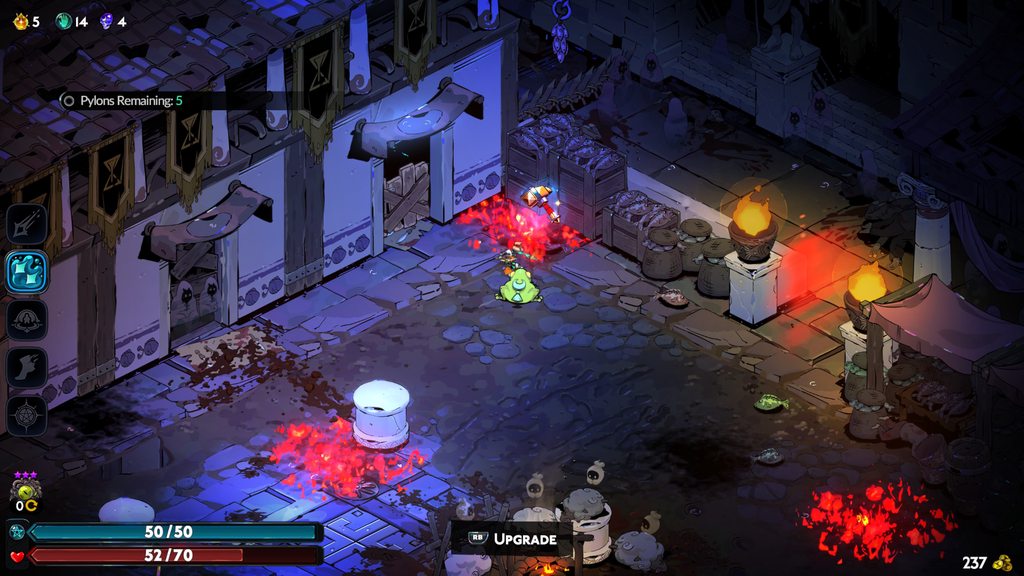 delicate python
blazing osprey
Done! Thank you! Can you let me know if it's just a me problem?
delicate python
blazing osprey
Done! Thank you! Can you let me know if it's just a me problem?
I took a look at your save. The incantation is locked behind a conversation with ||Hecate in her boss arena||, which was being held up by various narrative events. It should unlock naturally for you within the next few times you reach and defeat them.
 peak cove
quick question as I'm just sure there's something I'm missing, but I'm currently dying with a death defiance active, what could be going on there? early game, unlocked the ||surface|| and that had killed me with death defiance at first so I thought it was a surface thing. but then Hecate also did the same. Switch 2 version
 tidal marten
Hi there. My hades 2 always takes a long time to launch. Anywhere from 5-10min. Now my pc is a bit older but its not weak. For reference, I can launch expedition 33 in under 1 min. Is this a known issue? Is there something I could do about it?
delicate python
tidal marten
Hi there. My hades 2 always takes a long time to launch. Anywhere from 5-10min. ...
Hey, please try the steps listed here: #h2-tech-fixes message
tidal marten
delicate python
Hey, please try the steps listed here: https://discord.com/channels/456889434672...
Alright, thank you!
peak cove
peak cove
quick question as I'm just sure there's something I'm missing, but I'm currently...
seems to have resolved itself, but no idea what was going on there
 marsh abyss
so uh, I took the aspect of shiva to the depths on the run after casting dissolution of time, but the prophecy isnt completed
delicate python
marsh abyss
so uh, I took the aspect of shiva to the depths on the run after casting dissolu...
Thanks, please report in-game using F10 if you're on PC!
cedar flicker
marble saffron
hello? the game feels impossible to play with this?? is this a bug???
Not a bug, no, but something special to that area—if you continue talking with Hecate, it should make more sense what to do
 amber lodge
Hello, Quickk question i do not have the aspect of Nyx unlocked for the black coat and I cant seem to find any way to unlock it
Is there any specific way to do it?
 crisp basin
This is an issue which started before launch, when this subquest was implemented, and at the time there didn't seem to be a specific fix besides possibly just starting a new save file, so I held off in the hopes it'd be sorted by the time 1.0 landed, but there doesn't seem to be any change. I still appear to be locked out of progressing ||Dora's memory recovery subquest||, having been given the ritual to perform which then disappeared as an available ritual shortly after unlocking it. Is there any more info on fixing this?
cedar flicker
amber lodge
Hello, Quickk question i do not have the aspect of Nyx unlocked for the black co...
I don't know for sure, but if you just unlocked the coat, you most likely need to do a run or two before aspects will unlock
cedar flicker
crisp basin
This is an issue which started before launch, when this subquest was implemented...
Hello! The requirements changed a bit, so you should just need a couple more dialogues with || Prometheus and Dora ||
amber lodge
cedar flicker
I don't know for sure, but if you just unlocked the coat, you most likely need t...
I maxed out both of the other aspects and still did not unlock. ill do a couple more runs and see if the problem still persists
cedar flicker
amber lodge
I maxed out both of the other aspects and still did not unlock. ill do a couple ...
Ahh, gotcha. Then it's possible you need to || interact with the pitch-black stone ||—do you have that unlocked?
(To be clear, I'm genuinely unsure of the specific unlock requirements, and they've likely changed since I did it on my main save)
cedar flicker
amber lodge
I guess not where is that
It's || directly above the weapons—the large black crystal. You can eventually unlock some additional interactions with it ||
I'll also check more when I get on my computer later, to see if there's something we might be missing
amber lodge
ohh okay ill check it out after my run
Thank you so much
 fierce trellis
I'm on Steam Deck, and this may have been an issue with the steam deck itself, and I'm not entirely sure how much of what happened was intentional.
During the Chronos fight I paused twice. The second time he asked if I "want a time out" and the game stopped accepting any inputs for a minute or two before the game unpaused (possibly in response to my inputs, possibly not) and then didn't let me move as Chronos finished me off.
I thought maybe it was just the new version of the "not-being-able-to-pause-during-the-chronos-fight" from Early Access, but even after the fight, the game wouldn't accept my inputs. I could open the steam deck menu, screenshot, and screen record so the controller was working fine, the game itself just stopped accepting inputs.
I do have it recorded (though it's a lot of sitting around doing nothing because inputs don't work) if that can help.
 hard echo
is this the appropriate place to report when somethings is wrong
for some reason athena's keepsake isn't proc-ing
I went through the rooms starting from 5 without any death defiances, previous keepsake was skelly's tooth
Are there other boons that prevent it from procing?
 delicate python
fierce trellis
I'm on Steam Deck, and this may have been an issue with the steam deck itself, a...
delicate python
fierce trellis
I'm on Steam Deck, and this may have been an issue with the steam deck itself, a...
Thank you and sorry for the trouble! Feel free to send that video to support@supergiantgames.com
If you encounter this input issue again you can try the fixes here: #h2-tech-fixes message
delicate python
hard echo
is this the appropriate place to report when somethings is wrong
for some reas...
There shouldn't be any boons that block it, but there is a chance for it to not proc each room. Feel free to F10 in game if it's been a while and she hasn't appeared.
hard echo
I'll report after the boss, I'm pushing this run
Death to Chronos.
marsh abyss
marsh abyss
so uh, I took the aspect of shiva to the depths on the run after casting dissolu...
okay got it sent, just took 2 more runs after credits to fulfill
hard echo
delicate python
There shouldn't be any boons that block it, but there is a chance for it to not ...
report sent.
 hollow dust
Hi, I’ve played a lot of the unreleased content before the official release and unlocked/upgraded many things. Before the release, I changed my computer. On my new computer, I downloaded the released version of the game and expected Steam Cloud to keep all my progress. It seems it did, but not entirely — I lost all the arcano upgrades, weapon upgrades and unlocks, and some relationship progress. Is there a way to recover this by using the old save files from my previous computer, or any other method?
 analog egret
Has anyone had any issues with stuttering? I have a 5800X and 9070XT but yesterday when loading into the city in the overworld, the game stuttered and froze for a few seconds before fixing itself.
Didn’t fully crash, so was unsure if I should follow steps in the tech fixes.
cedar flicker
hollow dust
Hi, I’ve played a lot of the unreleased content before the official release and ...
If you have access to the previous computer, you can manually copy the files over from there.
Most likely, the Steam Cloud was out of date for some reason.
 dry plover
cedar flicker
analog egret
Has anyone had any issues with stuttering? I have a 5800X and 9070XT but yesterd...
dry plover
cedar flicker
analog egret
Has anyone had any issues with stuttering? I have a 5800X and 9070XT but yesterd...
Heyo! Are you using a controller or mouse&keyboard?
cedar flicker
dry plover
Could you try reinstalling the game? That may help
analog egret
cedar flicker
Heyo! Are you using a controller or mouse&keyboard?
Mouse keyboard
cedar flicker
analog egret
Mouse keyboard
If it keeps happening, I'd try the steps here ( #h2-tech-fixes message ) for performance issues. Otherwise, it might just be a minor hitch that can happen sometimes.
dry plover
cedar flicker
Could you try reinstalling the game? That may help
Just verifying game files didn't do it, so uninstalled and am re-downloading now
 velvet shuttle
austere mountain
Hello! I'm a little over 4 hours into the game and I've only unlocked one achiev...
velvet shuttle
austere mountain
Hello! I'm a little over 4 hours into the game and I've only unlocked one achiev...
I have the same problem. Playing on the Steam Deck. A few hours of playtime, in the third biome, no achievements so far.
humble niche
velvet shuttle
I have the same problem. Playing on the Steam Deck. A few hours of playtime, in ...
Hey, please send your Hades II.log file to support@supergiantgames.com so it can be investigated.
To locate your Hades II.log file on Steam Deck, please follow these steps:
- Press the Steam button and go to Power > Switch to Desktop
- Open Dolphin and navigate to this folder: /home/deck/.steam/steam/steamapps/compatdata/1145350/pfx/drive_c/users/steamuser/Saved Games/Hades II/
The log file should be in there!
velvet shuttle
humble niche
Hey, please send your Hades II.log file to support@supergiantgames.com so it can...
I’ll do that now. Thanks!
 hallow sleet
i swear i tried to look this up before asking, really appreciate any help!
how do i overwrite my cloud save? the one that's stored in cloud is May 2024 (steam deck/pc). i'm playing on pc now but it didn't sync and started a new playthrough instead. my steam deck and mac still pulls the May 2024 cloud save but now i just want to keep my 1.0 save from the windows desktop and propagate it to mac and deck. The desktop save is in Steam... steamapps... Hades II/Profile.save1
 vestal lily
What is this icon on Poseidon's keepsake?
 delicate python
vestal lily
What is this icon on Poseidon's keepsake?
delicate python
vestal lily
What is this icon on Poseidon's keepsake?
This represents the keepsake you've prioritized with an incantation. It will be automatically selected between runs. You can deprioritize it or prioritize another keepsake by hovering over it and selecting the "Prioritize" button on the keepsake menu. (This button will change depending on your input but you can see it on the bottom right of your screen when you're hovering over the keepsake!)
vestal lily
ahhhhh bless.
delicate python
hallow sleet
i swear i tried to look this up before asking, really appreciate any help!
how ...
PMing you!
hallow sleet
delicate python
PMing you!
dry plover
cedar flicker
Could you try reinstalling the game? That may help
No achievements registered so far. 😞
 slim nexus
this keeps happening after unlocking a new weapon, and it gives me a new window to submit the bug

then after I try to reload everything and go back to my save that happens right away. I guess my game is broken?
then after pressing okay, it wont let me move at all or do anything, sound is still okay because the music is still playing and everything seems moving, i just cant move
it's just that run, other saves are okay
delicate python
slim nexus
then after I try to reload everything and go back to my save that happens right ...
Hi! To clarify, you're still seeing the "Report a Bug" window and aren't able to move after you exit and relaunch the game?
slim nexus
delicate python
Hi! To clarify, you're still seeing the "Report a Bug" window and aren't able to...
yes
i tried restarting my pc as well, i might reinstall the game. I cant afford to lose that save lmao
 scenic wasp
I just barely completed a run where I brought Arachne's Crimson dress to the final Chronos encounter on the Switch 2. It didn't remain intact for the entirety of the clash but I did successfully bring it to the fight (which I understand is how you get the achievement). However, when I opened my save on Steam it didn't carry over (I confirmed that the cross-save functionality is functional and that the save I just closed on my Switch 2 got brought over). Is there a way to fix this? I also submitted a bug report.
slim nexus
this is what pops out, everytime i load to that game then try moving, just because after unlocking that weapon
 earnest cliff
scenic wasp
I just barely completed a run where I brought Arachne's Crimson dress to the fin...
earnest cliff
scenic wasp
I just barely completed a run where I brought Arachne's Crimson dress to the fin...
Unfortunately this one will need to be unlocked on Steam itself as it only checks right when you make it to Chronos.
cedar flicker
dry plover
No achievements registered so far. 😞
Are you on the Steam Deck?
cedar flicker
slim nexus
this is what pops out, everytime i load to that game then try moving, just becau...
Heyo! Could you try verifying file integrity?
dry plover
cedar flicker
Are you on the Steam Deck?
No, but I am on Linux
slim nexus
cedar flicker
Heyo! Could you try verifying file integrity?
how do i do that? i play on steam
cedar flicker
slim nexus
how do i do that? i play on steam
You can follow the steps here: #h2-tech-fixes message
cedar flicker
dry plover
No, but I am on Linux
Gotcha. Could you pull up your log file (Hades2.log , the Windows folder location is here: #h2-tech-fixes message ) and email it to support@supergiantgames.com , explaining that achievements aren't unlocking?
dry plover
cedar flicker
Gotcha. Could you pull up your log file (`Hades2.log` , the Windows folder locat...
Yep, I went and found that file earlier, in case I could try to make heads or tails of anything in it myself 😂 Will do, thanks!
scenic wasp
earnest cliff
Unfortunately this one will need to be unlocked on Steam itself as it only check...
Ahhhh gotcha 😭 good to know!
 orchid maple
I'm not sure how I managed this, but I apparently soft locked myself. Melinoe keeps saying "The Cauldron first" when I try to head to the battle prep room and the game blocks me, indicating that I need to do some Incantation first. However, I'm currently brewing Beast Morsels in there, and I have no way to fast forward Whiles (since I already hung out with someone tonight).
Is there a way to restore older save files?
earnest cliff
orchid maple
I'm not sure how I managed this, but I apparently soft locked myself. Melinoe ke...
Hey sorry to hear that, can you send report this to us by using F10? Also have you used any mods to add extra resources to your game by chance?
orchid maple
you caught me lol. I'm guessing the mod accidentally added the hidden resource for the "stop Chronos" Incantation?
cedar flicker
orchid maple
I'm not sure how I managed this, but I apparently soft locked myself. Melinoe ke...
In terms of breaking the softlock, you may be able to reset the room just by quitting, or force-closing the game.
orchid maple
cedar flicker
In terms of breaking the softlock, you may be able to reset the room just by qui...
The game saved after I entered the first hub, so quiting would just put me back here
earnest cliff
orchid maple
you caught me lol. I'm guessing the mod accidentally added the hidden resource f...
Yes that's right, we can look into supporting it but of course something we weren't anticipating! If you need to load an older save you can press B on your keyboard in the Play menu.
slim nexus
cedar flicker
You can follow the steps here: https://discord.com/channels/456889434672201729/1...
it worked thank you
orchid maple
I gotta say, it's VERY poetic that, by me trying to cheat time, I got punished by the Incantation related to Time
orchid maple
earnest cliff
Yes that's right, we can look into supporting it but of course something we were...
Got it, thank you!
 blissful kelp
Not a tech issue but unsure where to post this but there's a leftover artifact in game. anyone know where i can send the pic of it?

its in multiple rooms, looks like a drawn texture
cedar flicker
blissful kelp
What platform are you on?
My guess is those are the remnants of an environmental piece that was destroyed
cedar flicker
blissful kelp
im playing on pc on steam :)
You can report bugs or things that look strange in-game by pressing f10 ^.^
(I don't know for sure if that is one, but I can't check right now)
blissful kelp
oh, when i come across it again ill do that :)
 narrow vessel
Has anyone else experienced an issue with the persistence arcana card? It gives me the max magick but not the max health
 distant solar
Hello everyone! I just joined to share 2 problems, loving the game!
On Switch 2
-
When playing with a wireless third party controller (8 bit do with a dead battery) if I unplug the controller and then reconnect, the game will crash everytime it finds the controller again
-
Had a weird visual bug on a room in Mount Olympus
cedar flicker
narrow vessel
Has anyone else experienced an issue with the persistence arcana card? It gives ...
What are your Max Life/Magick with and without it?
distant solar
narrow vessel
cedar flicker
What are your Max Life/Magick with and without it?
Health stays at 30, magick goes from 50 to 70
cedar flicker
distant solar
Hello everyone! I just joined to share 2 problems, loving the game!
On Switch 2...
Heyo! Thanks for the reports. Could you try reinstalling the game? That may fix that bug.
cedar flicker
narrow vessel
Health stays at 30, magick goes from 50 to 70
Do you have the White Antler selected as your keepsake?
narrow vessel
omg.... forgot I had that equipped 🤦♂️
distant solar
cedar flicker
Heyo! Thanks for the reports. Could you try reinstalling the game? That may fix ...
Sure. It seems to only occur when reconnecting the controller so other than that. It's alright. The visual bug I shared tho... A reinstall might not be enough haha
cedar flicker
distant solar
Sure. It seems to only occur when reconnecting the controller so other than that...
It might fix the visual, might not - but that will help figure out what sort of bug it is ^.^
narrow vessel
cedar flicker
Do you have the White Antler selected as your keepsake?
W tech support
distant solar
cedar flicker
It might fix the visual, might not - but that will help figure out what sort of ...
Aaah I see. Sure. Let me try that now!
 fossil hedge
Hello! I'm trying to play on my Windows 11 PC on Steam with Xbox gamepad. The game stutters every ~3 seconds. Tried using Bluetooth/wired connection, disabling/enabling Steam input, enabling/disabling vibration, enabling/disabling vsync. If I disconnect my gamepad, the game runs smoothly. Any possible solutions?
cedar flicker
fossil hedge
Hello! I'm trying to play on my Windows 11 PC on Steam with Xbox gamepad. The ga...
Heyo! Could you also try setting the launch option /EnableSDLRawInputDriver=true ?
fossil hedge
cedar flicker
Heyo! Could you also try setting the launch option `/EnableSDLRawInputDriver=tru...
I've just tried it, didn't help
cedar flicker
fossil hedge
I've just tried it, didn't help
Thanks for giving that a try. Does the stuttering start right away, or after a bit of time playing?
fossil hedge
cedar flicker
Thanks for giving that a try. Does the stuttering start right away, or after a b...
right away, I can even see how the FPS count drops in the main menu
cedar flicker
fossil hedge
right away, I can even see how the FPS count drops in the main menu
Gotcha. Could you follow the steps here ( #h2-tech-fixes message ) about sending some system info and log files to support@supergiantgames.com ?
fossil hedge
cedar flicker
Gotcha. Could you follow the steps here ( https://discord.com/channels/456889434...
sure, I'll do it, thank you
earnest cliff
fossil hedge
Hello! I'm trying to play on my Windows 11 PC on Steam with Xbox gamepad. The ga...
Another question also -- how is the controller connected to the PC? If it's through a USB hub similar could you try connecting it directly or in a different port?
fossil hedge
earnest cliff
Another question also -- how is the controller connected to the PC? If it's thr...
I tried Bluetooth and a few different USB ports
earnest cliff
fossil hedge
I tried Bluetooth and a few different USB ports
Ok thanks and same issue with all of them?
fossil hedge
earnest cliff
Ok thanks and same issue with all of them?
yes, the same issue
earnest cliff
fossil hedge
yes, the same issue
Ok thanks for the info, please go ahead and send those files in as Swan suggested above!
 lilac quiver
Ok I didnt had time to send a report in-game (especially because i was loud of laughing) BUT:
I found a bug regarding the EPILOGUE of the Story (DONT LOOK IF YOU DIDNT REACHED IT):
||Regarding the requirement for meeting the Fates, it said: "avoid Dying 3 times a row then die the 4th."
But i avoided twice and died the 3rd and it let me meet the Fates.||
 modest marten
Is there a way to reduce controller deadzone to 0%
cedar flicker
lilac quiver
Ok I didnt had time to send a report in-game (especially because i was loud of l...
Heyo! Feel free to report a bug in-game even after the event ^.^
cedar flicker
modest marten
Is there a way to reduce controller deadzone to 0%
What platform are you on?
modest marten
PC
not an option in game, i dont mind editing some config files if thats what i takes

 unreal mantle
I wanted to ask, is hades not supporting the new macOS of Tahoe? Ever since I updated I can’t open the game anymore like I was able to during EA
cedar flicker
modest marten
PC
I'm not sure about in-game, but if you're playing through Steam, you could try adjusting the settings there. You could also try editing the settings file (.sjson in %USERPROFILE%\Saved Games\Hades II\), though I'm not sure if that will actually work for this.
cedar flicker
unreal mantle
I wanted to ask, is hades not supporting the new macOS of Tahoe? Ever since I up...
Heyo! Are you getting an error message?
fringe zodiac
unreal mantle
I wanted to ask, is hades not supporting the new macOS of Tahoe? Ever since I up...
Hi, sorry about that. We're tracking this issue currently, but can you try this as a workaround?
- Right click hades on steam and click on Manage>Browse Local Files.
- Finder will open up, right click on hades games icon and click on "Show package contents"
- From there, Contents>MacOS>Hades II. This will first open terminal and then open the game. You can play or just close it to start playing normally from Steam
unreal mantle
cedar flicker
Heyo! Are you getting an error message?
Yes I was! I can check now edit:
The error is OS 256
distant solar
cedar flicker
It might fix the visual, might not - but that will help figure out what sort of ...
Seems like the reinstall helped. It's no longer crashing!
cedar flicker
unreal mantle
Yes I was! I can check now edit:
The error is OS 256
Could you try what Jonathan suggested above?
unreal mantle
Yay! It worked!! Thank you so much!! Now I won’t be stuck playing at my desk and play on my couch! Yall are the best  thank you for all that yall do
modest marten
cedar flicker
I'm not sure about in-game, but if you're playing through Steam, you could try a...
yeah so uhh dont set them to 0 it breaks it lol
it might work at like 0.1% but i think it being at 0 makes it just, well its acting as if im fiddling with the joysticks and moving on its own
Hades 2 has Vulkan as an available graphics API right?
earnest cliff
modest marten
Hades 2 has Vulkan as an available graphics API right?
No, on Windows it's exclusively DirectX right now.
modest marten
I'm not on Windows but that's good to know, for some reason the entire internet seems to be saying Vulkan is available 😆
earnest cliff
modest marten
I'm not on Windows but that's good to know, for some reason the entire internet ...
The original Hades does have a Vulkan option that might be getting mixed up with.
modest marten
I see thanks, I mean the game runs amazing well regardless so it's not necessary in this case lol
 dark sand
Okay, I got the Sheep's Clothing achievement alert today, but it's not appearing in my list when I look at all achievements together.
 little pawn
Okay, so I’m not sure if this is known or not, nor if it’s a steam deck issue (somehow) or not, but while the game overall is obviously in 1080p, various drawn UI textures are in lower quality? Specifically elements like the region name pop ups, the “boss vanquished” embellishments, and actually the background elements of the portraits might have this too. Again I’m not sure what the cause might be. Thanks.
fringe stone
little pawn
Okay, so I’m not sure if this is known or not, nor if it’s a steam deck issue (s...
this issue is also popping up for me on Mac
 nocturne matrix
Why is there no option for having no keepsake collected? you can have no arcana cards and no pet but why no keepsake?
 vague siren
Is it possible to copy a save from one slot to another to avoid cloud overwriting?
cedar flicker
vague siren
Is it possible to copy a save from one slot to another to avoid cloud overwritin...
Yes - while the game is open, go to your save file folder and rename the files from Profile1 to Profile2 (or whichever slot you'd like to use, up to 4)
vague siren
cedar flicker
Yes - while the game is open, go to your save file folder and rename the files f...
Okay, thanks!
fossil hedge
fossil hedge
Hello! I'm trying to play on my Windows 11 PC on Steam with Xbox gamepad. The ga...
In the end I found one more condition for this issue - TV screen. The issue happens if and only if I play on my TV screen with a gamepad. The problem disappears if I switch to a monitor. Really strange, considering they are both 4K and both are connected using HDMI
 radiant bramble
im having some stuttering issues on steam. the game runs generally smooth but there's occasional stutter in dialogue, music, and dialogue boxes freeze when popping on the screen mid animation
launching the game also took like a few minutes
fringe stone
This game absolutely despises alt tabbing on Mac
freezes up for maybe 10 seconds before resuming
earnest cliff
fossil hedge
In the end I found one more condition for this issue - TV screen. The issue happ...
Does your TV have any type of "Game Mode" you can set that may lower latency?
fossil hedge
earnest cliff
Does your TV have any type of "Game Mode" you can set that may lower latency?
Have just tried it - didn't help
earnest cliff
radiant bramble
im having some stuttering issues on steam. the game runs generally smooth but th...
Hey sorry to hear that. I’d suggest you try re-installing the game completely and also disabling the Steam overlay.
 cloud schooner
hi, I'm here for my friend who's having a glitch. quote: || "before I fight Chronos [evil version/past version] and before I fight Typhon [past version], Chronos isn't there to greet me till I'm already leaving" ||
cedar flicker
cloud schooner
hi, I'm here for my friend who's having a glitch. quote: || "before I fight Chro...
(you need two bars || like this || to spoiler tag)
cloud schooner
cedar flicker
(you need two bars \|\| like this \|\| to spoiler tag)
thanks man, I was trying to get that situated ahead of time 😭
this glitch is causing them a lot of problems, I'm asking so they don't get anything spoiled
 crimson totem
The vampire boss in the Mourning Fields being able to heal from our Night Bloom minions makes the fight unwinnable if you have the feature that keeps the minion around for the location permanently
 hybrid sundial
i am having some sync save issues, my switch 2 is not sync saving when i'm trying to quit
even though i am right in front of my pc with it as well in the best rooms with internet
cloud schooner
cloud schooner
hi, I'm here for my friend who's having a glitch. quote: || "before I fight Chro...
IMPORTANT: this is a postgame issue. no idea what that means but it's important
fringe zodiac
hybrid sundial
i am having some sync save issues, my switch 2 is not sync saving when i'm tryin...
Hi, does a retry option appear? And are you able to try with a different internet connection?
hybrid sundial
Yes, the retry option does appear, and we only have the one provider. It really may just come down to our provider being... Not Great.
I'll try again later, but it is fairly annoying... and worrying
fringe zodiac
hybrid sundial
Yes, the retry option does appear, and we only have the one provider. It really ...
It may be worth redoing the Steam cross-save connection on the Switch 2, or yes just retrying some more.
fringe zodiac
hybrid sundial
I'll try again later, but it is fairly annoying... and worrying
Feel free to send us a ticket at support@supergiantgames.com if it keeps happening. Sorry about that
hybrid sundial
I will blame my internet providers, it's not really the first time having them has been really bad.
 orchid juniper
hey, when I'm playing the game, my fps gradually reduces and eventually refuses to budge above 50fps. any fix for this?
it starts out at a buttery 360fps, and my CPU and GPU usage both remain low the entire time, my fps just keeps reducing to lower and lower limits. I don't have any performance limiting programs running, and I've tried switching from full screen to windowed and toggling vsync.
upon restarting the game, it's fixed and my fps is back to normal, but after doing a run in reduces again. it reduces a little bit after each room.
earnest cliff
orchid juniper
hey, when I'm playing the game, my fps gradually reduces and eventually refuses ...
Hey sorry to hear that. If you're playing with a controller does disconnecting it / switching to keyboard and mouse help?
orchid juniper
earnest cliff
Hey sorry to hear that. If you're playing with a controller does disconnecting ...
I'll try that, thanks.
orchid juniper
earnest cliff
Hey sorry to hear that. If you're playing with a controller does disconnecting ...
no, it does not. I also want to mention that this did not happen in early access, it's only started after the release of 1.0.
earnest cliff
orchid juniper
no, it does not. I also want to mention that this did not happen in early access...
Thanks yea, we're trying to figure out what caused this so your info is greatly appreciated. If you have any other USB devices connected does disconnecting them resolve it?
modest marten
fringe stone
This game absolutely despises alt tabbing on Mac
freezes up for maybe 10 seconds...
borderless windowed
fringe stone
modest marten
borderless windowed
unfortunately this computer sucks unless the game is fullscreen
modest marten
is compositing disabled when in full screen?
orchid juniper
earnest cliff
Thanks yea, we're trying to figure out what caused this so your info is greatly ...
okay, so I disconnected every USB device that wasn't my controller (including my keyboard and mouse). it didn't fix it initially, but upon restarting it's running at a full 360fps and not reducing.
I did restart the game mid run, which isn't something I've done before, so once this run is over I'll test to see if that's what actually fixed it.
if you want any information about the hardware I'm using, there's a pcpartpicker link in my bio containing my full setup, listing all of the hardware I have.
earnest cliff
orchid juniper
okay, so I disconnected every USB device that wasn't my controller (including my...
Awesome, thanks for confirming. Hopefully that helps for the time being and we'll try to get it fixed completely in a future patch.
orchid juniper
earnest cliff
Awesome, thanks for confirming. Hopefully that helps for the time being and we'...
okay nevermind, it didn't reduce at all for four rooms and is now doing it again.
earnest cliff
orchid juniper
okay nevermind, it didn't reduce at all for four rooms and is now doing it again...
Ahh ok
orchid juniper
thought it was fixed, my bad, sorry
 stoic cargo
hi.ive got a weird problem when i change my game to anything aside of my native resolution it removes the stuttering and lag i have when iam on my native screen resolution any help cuz the stuttering/lag is insane in the home area and some other areas.
orchid juniper
also, this is happening both aboveground and in the underworld, and it happens with different familiars, weapons, arcana setups, and fear levels. none of those things are affecting what's happening.
also, this is a save from early access that I'm now playing on, if that helps at all. idk what information is relevant to this issue.
earnest cliff
stoic cargo
hi.ive got a weird problem when i change my game to anything aside of my native ...
If you set the game to not-Fullscreen and Borderless does that help, while at your native resolution?
stoic cargo
earnest cliff
If you set the game to not-Fullscreen and Borderless does that help, while at yo...
i tried that too still didnt work
my frames dont change in all the resolutions i put in the game too
but in my native res its the same frames and no loss at all but stuttering/lag in home and some areas
earnest cliff
stoic cargo
but in my native res its the same frames and no loss at all but stuttering/lag i...
If you use Steam launch options to set /X=1920 /Y=1050 (example values just slightly smaller than your native resolution) does that fix the issue?
stoic cargo
earnest cliff
If you use Steam launch options to set /X=1920 /Y=1050 (example values just slig...
alr lemme try
stoic cargo
earnest cliff
If you use Steam launch options to set /X=1920 /Y=1050 (example values just slig...
it does
tho i want it it to be at full so i could see everything with ease
earnest cliff
stoic cargo
it does
Yea understood, we'll try to get a real fix out in a future patch.
stoic cargo
earnest cliff
Yea understood, we'll try to get a real fix out in a future patch.
is it a common/known problem?
earnest cliff
orchid juniper
also, this is happening both aboveground and in the underworld, and it happens w...
Could you try this as well, run the game in a smaller window than your native resolution and see if that helps?
earnest cliff
stoic cargo
is it a common/known problem?
Hard to say, we're still looking into it!
 solemn cedar
Just a little queston, im playing with a controler and it seems to be laggy ish? Idk if its caused by framerate drops ( mainly cause idk how to check it) but it just feels worse to play compared to the EA biulds.
Any tips?
orchid juniper
earnest cliff
Could you try this as well, run the game in a smaller window than your native re...
I'll try it. I'll switch from 1440p to 1080p.
earnest cliff
solemn cedar
Just a little queston, im playing with a controler and it seems to be laggy ish?...
Does the issue not happen if you playing with keyboard and mouse?
solemn cedar
earnest cliff
Does the issue not happen if you playing with keyboard and mouse?
I dont think it does, as ive not played with keyboard before testing this, but it seems more responsive
earnest cliff
solemn cedar
I dont think it does, as ive not played with keyboard before testing this, but i...
Ok can you try adding to your launch options: /EnableSDLRawInputDriver=true (instructions for this are in #h2-tech-fixes ) and see if that helps with the controller?
orchid juniper
earnest cliff
Could you try this as well, run the game in a smaller window than your native re...
didn't help
solemn cedar
earnest cliff
Ok can you try adding to your launch options: /EnableSDLRawInputDriver=true (ins...
Issues still there
stoic cargo
earnest cliff
Hard to say, we're still looking into it!
so i changed it to be set at /X=1920 /Y=1079 and it became fullscreen with no lag/stuttering (thanks btw @earnest cliff)
earnest cliff
orchid juniper
didn't help
Ok maybe last thing I can offer for now, is if you've tried disabling the Steam overlay? (Also assume you've tried updating your graphics drivers)
orchid juniper
earnest cliff
Ok maybe last thing I can offer for now, is if you've tried disabling the Steam ...
I have not tried disabling steam overlay, I'll do that. also, I have the latest drivers for my GPU.
well I've toggled it, but not straight up disabled it. I assume disabling it actually removes it, whereas I assume toggling it just hides and unhides it.
 bitter wave
Visual error with .5 gold showing up (I’m on steam deck)


 cedar flicker
bitter wave
Visual error with .5 gold showing up (I’m on steam deck)
cedar flicker
bitter wave
Visual error with .5 gold showing up (I’m on steam deck)
Heyo! Thanks for the report, though || please remember to spoiler tag late-game content  ||
||
 bright phoenix
Hello, I am playing on PC. Since 1.0 released there have been a few instances where the performance becomes super laggy and stutters aggressively. I made sure my drivers were updated, but it still happens. The only fix is a full restart of my computer. This isn't happening on other games so was wondering if this is an issue anyone else is having and if you found a fix 🙂
cedar flicker
bright phoenix
Hello, I am playing on PC. Since 1.0 released there have been a few instances wh...
Heyo! Are you using a controller?
bright phoenix
cedar flicker
Heyo! Are you using a controller?
Yes!
 vale dew
I think I found a glitch were the boon volcanic flourish with the upgrade that gives 500 extra damage to armor together on the daggers just removes the 500 damage to armor.
cedar flicker
bright phoenix
Yes!
If you try disconnecting and reconnecting the controller, does that ease the lag?
bright phoenix
I have not tried that. I am about to start a session now so I will try and update you on if it works
cedar flicker
vale dew
I think I found a glitch were the boon volcanic flourish with the upgrade that g...
If you're not on a console, could you report that in-game with f10?
vale dew
ok
vale dew
cedar flicker
If you're not on a console, could you report that in-game with f10?
How do I do it?
cedar flicker
vale dew
How do I do it?
While in-game, press f10 on your keyboard, which should bring up a bug report window
bitter wave
cedar flicker
Heyo! Thanks for the report, though || please remember to spoiler tag late-game ...
Ahh, didn’t double check sorry bout that
orchid juniper
earnest cliff
Ok maybe last thing I can offer for now, is if you've tried disabling the Steam ...
disabling steam overlay didn't fix it, but it seems to have helped? fps is still visibly reduced, but not quite as badly
earnest cliff
orchid juniper
disabling steam overlay didn't fix it, but it seems to have helped? fps is still...
Ok thanks for trying so many steps, we're continuing to look into it.
bright phoenix
cedar flicker
If you try disconnecting and reconnecting the controller, does that ease the lag...
Well by golly that seems to fix the issue
cedar flicker
bright phoenix
Well by golly that seems to fix the issue
It's likely not a permanent solution - but it should help in the meantime, while the devs are investigating the issue
 polar harbor
I believe that I locked my self out of upgrading the familiars (switch)
cedar flicker
polar harbor
I believe that I locked my self out of upgrading the familiars (switch)
Heyo! Why so?
cedar flicker
polar harbor
the spell hasnt shown up after i got it
As in, you saw the pop-up saying a new incantation was learned, but the incantation isn't visible in the cauldron, even if you scroll down?
polar harbor
yes
cedar flicker
polar harbor
yes
You may need to have an additional conversation with one of the characters about it, potentially. How many familiars do you have?
polar harbor
the first three, I have the head mistress nearly maxed out for hearts
cedar flicker
polar harbor
the first three, I have the head mistress nearly maxed out for hearts
Are you still getting new dialogues from her? It's possible something for upgrading the familiars is just waiting in the queue
cedar flicker
polar harbor
how do I tag spoilers?
Two bars on either side, || like this ||
polar harbor
thanks, and i've met both ||the hound and the pole cat once|| in their location but haven't found them again
cedar flicker
polar harbor
thanks, and i've met both ||the hound and the pole cat once|| in their location ...
Gotcha. Could you DM me screenshots/pictures of each page of your cauldron, so I can see what's available/what you've already cast?
polar harbor
sure, gotta die rq in a run.
cedar flicker
no rush haha
tawny badge
tawny badge
So I've encountered a couple issues on the switch version of the game, it's rega...
So this is actually a really big issue as certain attack telegraphs don't show like ||the safety telegraph for Chronos's instakill||
cedar flicker
tawny badge
So this is actually a really big issue as certain attack telegraphs don't show l...
Heyo! Thanks for the follow-up - I've noticed this as well on my end on the PC, and passed along a report
(I've had a few crashes from the same boss fight from related issues)
tawny badge
Definitely to do with prominence flare as I've not had the issue running the same kind of build without it
 fiery delta
The game ran smoothly for me in Early Access, but has started stuttering since the full release dropped. Lowering the graphics quality helps a little, but even low quality stutters a bit. I'm playing on Steam, Windows 11.
 amber bridge
hey is melinoe not supposed to talk || on the run after doing dissolution of time? after hecate is captured? ||
|| i also got the pearl for circe this run, and she kinda like looked at it for a while. it seemed like she was supposed to have dialogue? idk ||
sorry if this is the wrong channel
earnest cliff
fiery delta
The game ran smoothly for me in Early Access, but has started stuttering since t...
Hey sorry to hear that. Are you playing with a controller and if so does disconnecting it help?
 floral roost
Are there any ways to force exit out of the path of stars screen if you have more upgrades than available nodes? I just lost a run because sea star gave me an extra path of stars that bought me over the limit and when I force quit the game it didn't resume me from the room like I expected. (I also submitted a bug report but in case it happens again I don't want to get soft locked)
worldly seal
Hey @earnest cliff, Sorry to ping you. The issue I wrote about yesterday (only comments in my comment history) that you helped me with now happened again. Same errors with animation errors crashing the game. It also happened first on the first day playing. It always happens on a Guardian, but always different ones. I didn't change anything since yesterday so steam overlay is still off.
Couldn't make a screenshot of the error because the game (and box) closed automatically.
fiery delta
earnest cliff
Hey sorry to hear that. Are you playing with a controller and if so does discon...
I'm playing on a controller, yes. I just tried disconnecting it and running around The Crossroads with a keyboard. I think it was better than before, but I was still getting some stutter around the cauldron
earnest cliff
worldly seal
Hey <@327145250009382912>, Sorry to ping you. The issue I wrote about yesterday ...
Ok sorry about that, we'll try to get out a better fix in a patch. Hopefully it's at least been a bit less frequent in the meantime.
earnest cliff
fiery delta
I'm playing on a controller, yes. I just tried disconnecting it and running arou...
Ok thanks. If you take the game out of Fullscreen and put it in lower your resolution so the game is in a smaller window (just as a test) does that help as well?
worldly seal
No worries, had hoped there was more info out there what could fix it. But I'll patiently wait for the patch 😄
earnest cliff
floral roost
Are there any ways to force exit out of the path of stars screen if you have mor...
Sorry about that, if you lose your progress you can follow steps in #h2-tech-fixes to recover your run.
fiery delta
earnest cliff
Ok thanks. If you take the game out of Fullscreen and put it in lower your reso...
I put it into a smaller window. With a controller, it didn't help at all. After disconnecting the controller and using a keyboard, it helped again, but didn't get rid of the stutter entirely
earnest cliff
fiery delta
I put it into a smaller window. With a controller, it didn't help at all. After ...
Ok thanks for the info. If you have any other USB devices connected you could try disconnecting those as well and see if it helps.
fiery delta
earnest cliff
Ok thanks for the info. If you have any other USB devices connected you could t...
Oh, for the sake of full info: I'm using a wireless xbox controller connected via Bluetooth. The keyboard and mouse are the only things connected by USB (both wireless)
earnest cliff
fiery delta
Oh, for the sake of full info: I'm using a wireless xbox controller connected vi...
Ok gotcha. Also disabling the Steam overlay may help further (and of course updating your graphics drivers if you haven't already)
 unique sand
Hey i have a problem with a fate quest named "awakened aspect" i killed ||typhon or cronos|| with almost every aspect. I just need melinoe aspect left and i killed cronos 4 time with it and ||typhon|| 1 time. it's not finishing the fate quest. Is it normal ?
fiery delta
earnest cliff
Ok gotcha. Also disabling the Steam overlay may help further (and of course upd...
Drivers were updated yesterday. I'll try disabling the Steam overlay tomorrow, I'm out of time for tonight. Do you want me to report back after I try it tomorrow?
earnest cliff
fiery delta
Drivers were updated yesterday. I'll try disabling the Steam overlay tomorrow, I...
Yes, let us know, thanks! Your info will help us get to the bottom of the issue
earnest cliff
unique sand
Hey i have a problem with a fate quest named "awakened aspect" i killed ||typhon...
There is an Aspect of Melione for each weapon, you likely need to do the others. Apologies for the confusion with that one!
unique sand
Ohhh ok i didn't understand that ! ty for the fast response 🙂
 fossil solstice
I seem to have gotten my health bar stick saying ???/??? (appearing to have max health) by opening a door with dark side activated. I can't tell how much health I actually have, I do use death defiances though, so I just can't see my real health. Re-using dark side does not change this.
fringe stone
fossil solstice
~~I seem to have gotten my health bar stick saying ???/??? (appearing to have ma...
thats a boon you picked up
fossil solstice
Oh lmao, defeated by reading comprehension my bad
orchid juniper
earnest cliff
Ok thanks for trying so many steps, we're continuing to look into it.
as a last resort, I DDU'd my GPU drivers and did a clean reinstall of my drivers, and I'm no longer having the weird performance issues where my FPS degrades every room. it did turn out to be a driver issue.
 wet nimbus
on PC I'm having an issue where the game consistently crashes and locks up my whole system (requiring a forced power down). anyone else having that? one time I was able to play for about 5 minutes before it stopped responding, but usually it happens in the starting menu screen. I tried verifying the game files, disabling steam overlay, running as admin, and my graphics drivers are up to date. I'm running windows 11, amd 5800x3d cpu, radeon 6900xt gpu, and 32gb of ram
it doesn't seem to line up with GPU temperature issues or anything; the one concerning thing is that AMD adrenaline claims my average fps in game is like 526 which seems insane
cedar flicker
wet nimbus
on PC I'm having an issue where the game consistently crashes and locks up my wh...
Heyo! Are you using a controller? And could you try enabling vsync if it's disabled? (In case the fps is somehow spiking that high)
 lusty pivot
I might be crazy and idk where else to post this but
I'm 99% you only get offered the "automatically collect all items in a room" incantation once you catch all the unique fish in each region (of which I have unlocked the incantation)
But poseidon still says I need to "prove your prowess with the Rod of Fishing"
What haven't I done? I ask here solely cuz I have no clue what to do and looking it up isn't helping at all
wet nimbus
cedar flicker
Heyo! Are you using a controller? And could you try enabling vsync if it's disab...
I am using a wireless xbox controller, but the crash has happened before I even turn on the controller so I don't think that can be it. sorry, how do I mess with the vsync settings?
cedar flicker
wet nimbus
I am using a wireless xbox controller, but the crash has happened before I even ...
It would be in the display options. I'd also suggest toggling Fullscreen off.
Are you getting any error messages, or does it just lock up?
wet nimbus
cedar flicker
It would be in the display options. I'd also suggest toggling Fullscreen off.
A...
I can try but on most launches it locks up before I can even access the in-game settings.
there are no visible error messages on my end
cedar flicker
lusty pivot
I might be crazy and idk where else to post this but
I'm 99% you only get offer...
Most likely, you just need a few more dialogues to progress with Poseidon, since several more interactions have been added across most characters.
cedar flicker
wet nimbus
I can try but on most launches it locks up before I can even access the in-game ...
Could you try the rest of the steps here? (I see you already did a couple, thank you for writing out what you've tried so far)
#h2-tech-fixes message
wet nimbus
cedar flicker
Could you try the rest of the steps here? (I see you already did a couple, thank...
ok
wet nimbus
cedar flicker
Could you try the rest of the steps here? (I see you already did a couple, thank...
I tried deleting the settings file (although the game never really worked in the first place so idk if applicable) and repairing my vc++ thing. next launch it crashed again before I could get to settings to mess around with them. still able to do stuff fine outside of the app, but it's when I force close it that everything locks up
I may try letting it sit here for a few minutes to see if it ever does anything different
is there a way to turn on vsync without launching the game?
cedar flicker
just to make sure, have you tried restarting your computer since you installed the game? (other than the crashes forcing a restart)
wet nimbus
I'm sure I did one normal power off between installing and now, but I can try again
I've restarted the PC and was able to at least look at settings. it's on the default settings, so Fullscreen is Off and Vsync is On. should I try switching these?
this is a very random guess but based on my experiences I'm wondering if mouse movement is somehow related to my issues
cedar flicker
wet nimbus
I've restarted the PC and was able to at least look at settings. it's on the def...
Might be worth trying? But that's what I would've suggested setting them to
What about mouse movement do you think might be related?
wet nimbus
I'll need to mess around more before I can give a solid answer, just a hunch. I tried turning on the controller well before launching the application and that let me mess with the settings, and I think it may have already been on during the one session where I was able to play for a few minutes. whereas some of the other instant crashes happened when I hadn't yet used the controller or turned it on
ok no, now I'm worried it was from messing with the volume via my keyboard. that seems to have maybe triggered an insta crash after I was able to almost get to gameplay
or not... sorry for the stream of consciousness. this time it actually unfroze after a minute
yeah, changing my speakers volume level using my keyboard seems to be causing severe issues
it would be odd if I had done that every single time it crashed but I wouldn't be surprised if I do it unconsciously
 dusk vapor
Reported in game that I tried to do the prophecy bringing ||Aspect of Shiva|| to the end of the Underworld during the final battle before the credits rolled, and it didn't check off in the list of prophecies. A subsequent run with ||Shiva|| also did not result in the prophecy being fulfilled.
cedar flicker
dusk vapor
Reported in game that I tried to do the prophecy bringing ||Aspect of Shiva|| to...
Heyo! Thanks for the report
(Please also remember to spoiler tag things like || hidden aspect names || in this channel )
 crystal veldt
Hi folks, I hit a bug where the "Rich Soil" incantation disappeared. I searched the web and saw others have this issue too [1]. I already submitted an in-game bug report. In the meantime, is it possible to fix my save file (attached)? It's frustrating that I'm stuck with 2 soil plots. @cedar flicker
[1] https://steamcommunity.com/app/1145350/discussions/1/591778249679514880/

I have seen 2 discussions on this (One from September 2024, and one from June 2025). It has not been fixed. I thought maybe they had patched the Rich soil out to make it harder to obtain but all guides say it should appear after reaching Oceanus, which I have, multiple times. I even had it on Forget-Me-not but when I got the required 3 lotus' th...
wet nimbus
ok this is weird, but I can confirm that somehow volume settings are consistently crashing the game and windows. if I change my speaker settings either with my keyboard or manually on the speakers themselves it will crash, but if I minimize and use the mouse to change the windows volume setting it does not. I think I unconsciously tend to fiddle with the volume as I start up games so it was happening every time.
I am guessing this is a bigger issue than just with this game; I realize I've had other games be difficult when I change the volume, just never to this extent. it may be something with windows
 stoic rain
Is it normal for the game to stutter after the autosave when picking up the room reward? Is it because of the savefile size being too big (i have runs in the triple digit) since it doesn’t happen in a fresh save. I have the game on a ssd nvme
cedar flicker
wet nimbus
ok this is weird, but I can confirm that somehow volume settings are consistentl...
That does sound like it could be something within Windows. If you end up isolating it to Hades, I'm happy to help more; otherwise, best of luck getting it sorted
wet nimbus
cedar flicker
That does sound like it could be something within Windows. If you end up isolati...
thanks for the help anyway. definitely an odd situation
cedar flicker
stoic rain
Is it normal for the game to stutter after the autosave when picking up the room...
Heyo! I've heard similar reports in the past, though I haven't noticed it yet on my own saves. Could you report it in-game with f10?
 smoky comet
Has the latest patch been localized into Japanese?
cedar flicker
crystal veldt
Hi folks, I hit a bug where the "Rich Soil" incantation disappeared. I searched ...
Heyo! Try planting your wheat - that should unlock it
 barren heron
I've been encountering a stuttering issue as well. When I took out the cyclops, every move between "rooms" (boats) is smooth, but as soon as combat starts the game tears hard and the audio goes extremely haywire
I'll F10 it when I encounter it again
cedar flicker
barren heron
I've been encountering a stuttering issue as well. When I took out the cyclops,...
Heyo! Are you using a controller?
 loud cargo
Hello. I can't seem to get the chaos trails of the above and below and I've done every requirement that should unlock it
barren heron
cedar flicker
Heyo! Are you using a controller?
I'm running an Xbox controller via PC on epic games launcher if that makes a difference
cedar flicker
barren heron
I'm running an Xbox controller via PC on epic games launcher if that makes a dif...
Wired or wireless?
barren heron
cedar flicker
Wired or wireless?
wireless, but my audio is hardlined directly into the PC, not via the controller
cedar flicker
loud cargo
Hello. I can't seem to get the chaos trails of the above and below and I've done...
Heyo! The requirements did recently change with 1.0, so it's possible there's something different you may need to do to unlock them.
barren heron
@cedar flicker I did close and relaunch the game hoping that would fix some of it, but it immediately suttered on relaunch
cedar flicker
barren heron
wireless, but my audio is hardlined directly into the PC, not via the controller
Could you try verifying file integrity and updating your graphics drivers? If those don't help, there are some additional things to try for performance issues in #h2-tech-fixes message
barren heron
(it's currently suttering in the background as we're chatting)
barren heron
cedar flicker
Could you try verifying file integrity and updating your graphics drivers? If th...
I sure can!
barren heron
cedar flicker
Could you try verifying file integrity and updating your graphics drivers? If th...
Game files are verified and my drivers are up-to-date according to NVIDIA. I'm still encountering the stutter
cedar flicker
barren heron
Game files are verified and my drivers are up-to-date according to NVIDIA. I'm ...
Gotcha, could you give the rest of the steps for performance issues here a try, then: #h2-tech-fixes message
loud cargo
cedar flicker
Heyo! The requirements did recently change with 1.0, so it's possible there's so...
Can you DM me the list? I've looked at multiple list and have done everything on all of them. I can't figure out what I haven't done for it when I've already unlocked everything and done over 30 runs and finished and have don't multple 10+ heat runs
barren heron
cedar flicker
Gotcha, could you give the rest of the steps for performance issues here a try, ...
just did a large chunk of those, relaunched the game and now have stuttering in the menu while using controller
cedar flicker
loud cargo
Can you DM me the list? I've looked at multiple list and have done everything on...
I don't have a list on hand, unfortunately, that's just my guess. Are you still getting fresh dialogue from Chaos?
cedar flicker
barren heron
just did a large chunk of those, relaunched the game and now have stuttering in ...
Interesting - did that include turning off the Epic overlay?
barren heron
@cedar flicker yes, and to your earlier question: it isnt tearing/hiccuping when I'm not using a controller
loud cargo
cedar flicker
I don't have a list on hand, unfortunately, that's just my guess. Are you still ...
I don't believe so. I exhausted his dialog pre 1.0 patch and never got it and we have a full bond now was well
 strong cedar
I’m not really sure where to post this, but I found an issue with certain songs of the soundtrack on YouTube- the ai audio-dub is enabled for some of them ||e.g TIME BELONGS TO US (CROSSROADS MIX) in Ukrainian|| for no reason
It is quite comical but I don’t think it’s intentional
cedar flicker
strong cedar
I’m not really sure where to post this, but I found an issue with certain songs ...
Heyo! The devs might see this here, but could you also send a message directly via their contact page: https://www.supergiantgames.com/contact/
Supergiant Games is a small independent game development studio in San Francisco, known for its award-winning titles Hades, Pyre, Transistor, and Bastion.
cedar flicker
loud cargo
I don't believe so. I exhausted his dialog pre 1.0 patch and never got it and we...
Do you have every keepsake unlocked? There were a few new ones added with 1.0
cedar flicker
barren heron
<@132661721922797569> yes, and to your earlier question: it isnt tearing/hiccup...
Could you try setting this launch option: /EnableSDLRawInputDriver=true
barren heron
cedar flicker
Could you try setting this launch option: `/EnableSDLRawInputDriver=true`
Sure, I'll work on it tomorrow night and report back if I'm still having issues
modest marten
Sorry, but maybe there's a bug for achievement "unfamiliar form"
I already max all my oet before the 1.0 patch and max all my keepsake and got all achievements but this "unfamiliar form" Because i cant gwt the updgrade from "circe"
Any solution?
Pls help me
cedar flicker
modest marten
Sorry, but maybe there's a bug for achievement "unfamiliar form"
I already max ...
Hello! Getting the boon from Circe is a random offering, so you should just need to keep trying to visit her and you'll get it. You want to choose the one that upgrades your familiar for that night, which is separate from giving the familiars treats.
 mental kettle
Hades is ignoring all the things I change on steam for my controller, how come?
 cedar flicker
mental kettle
Hades is ignoring all the things I change on steam for my controller, how come?
cedar flicker
mental kettle
Hades is ignoring all the things I change on steam for my controller, how come?
Heyo! What are you trying to change?
modest marten
cedar flicker
Hello! Getting the boon from Circe is a random offering, so you should just need...
Omg all this time i thought we have to alter companions in the base/crossroads
mental kettle
cedar flicker
Heyo! What are you trying to change?
I'm trying to swap the A and B buttons, and I did so in this menu I'm showing
However, once I load in game, they are not swapped
So it seems Hades 2 is ignoring those settings
cedar flicker
mental kettle
I'm trying to swap the A and B buttons, and I did so in this menu I'm showing
Ho...
Could you make sure you have Steam Input enabled in the game properties?
 hollow sage
Hello guys, sorry if this gets asked often, but i tried looking this up to no avail.
My save files between pc and steam deck cant sync for some reason, i first played on pc, later downloading on the deck, where it said the cloud synced, but there were no save files. I created a save on the deck, and now its just like the cloud doesnt work at all, both saves are unique to the device, any help?
mental kettle
cedar flicker
Could you make sure you have Steam Input enabled in the game properties?
Like so?

I have been having the issue even with this setting enabled, and several game restarts
cedar flicker
hollow sage
Hello guys, sorry if this gets asked often, but i tried looking this up to no av...
Heyo! Could you check here ( https://store.steampowered.com/account/remotestorageapp/?appid=1145350 ) to see what is stored in your steam cloud?
 hollow sage
cedar flicker
Heyo! Could you check here ( https://store.steampowered.com/account/remotestorag...
hollow sage
cedar flicker
Heyo! Could you check here ( https://store.steampowered.com/account/remotestorag...
this is what shows up
 cedar flicker
mental kettle
Like so?
cedar flicker
mental kettle
Like so?
Yeah, gotcha. What happens if you disable Steam Input?
cedar flicker
hollow sage
this is what shows up
It looks like your main save file (Profile1.sav) isn't being uploaded to the Steam Cloud for some reason. Could you try launching the game on your PC again, then saving and quitting?
mental kettle
cedar flicker
Yeah, gotcha. What happens if you disable Steam Input?
Actually sorry for the inconvenience.
It seems the input was being correctly swapped, but another steam setting for the switch pro controller was also checkboxed, which swapped them again
It is fixed now, it is no longer double swapped
cedar flicker
Had a feeling that might be the case (I use a switch pro as well, when I use controller) - glad it was a simple fix
hollow sage
cedar flicker
It looks like your main save file (`Profile1.sav`) isn't being uploaded to the S...
alright yes i relaunched and a third one appeared on the site you sent, ill relaunch it on the deck, cause i did this already, so no clue why only 2 showed up
mental kettle
cedar flicker
Had a feeling that might be the case (I use a switch pro as well, when I use co...
 Supay made me eye my controller for that chillax gameplay
hollow sage
@cedar flicker ok maybe youre a wizard i have no clue why opening both games on both devices worked this time but not yesterday but thank you regardless
 fallen valve
Hello, ||the incantation Bravery of Familiar Spirits is locked from me, despite having Frinos, Toula, and Raki. I’ve completed multiple full runs of the surface and the Underworld and I’ve gotten the ending. Hecuba and Gale are spawning in their respective places as well but I’m unable to make Witch’s delight or feed them. || Anyway, this seems like an issue a few people are experiencing? I’m playing the game on Steamdeck.
crystal veldt
cedar flicker
Heyo! Try planting your wheat - that should unlock it
that's indeed the issue! finally got the "Rich Soil" incantation. thank you
 timber falcon
loud cargo
I don't believe so. I exhausted his dialog pre 1.0 patch and never got it and we...
timber falcon
loud cargo
I don't believe so. I exhausted his dialog pre 1.0 patch and never got it and we...
Did you get this resolved? I also can’t get the chaos trials
cedar flicker
timber falcon
Did you get this resolved? I also can’t get the chaos trials
Do you have every keepsake unlocked? There were a few new ones added with 1.0
timber falcon
cedar flicker
Do you have every keepsake unlocked? There were a few new ones added with 1.0
I’m only missing|| zags, is that now a pre req? And after I get it should it unlock, also regarding Zag, I’ve done 7 runs post epilogue and I still haven’t seen him, just bad luck or have I missed something||
odd glen
humble niche
Yea, I'd turn Xbox overlay as well.
It might be also worth trying things listed...
Hey wanted too thank you from yesterday. Did alot of the solutions from what you recommended, not sure which one ended up working but it works 99% fine now. Just some hicc ups still but not as bad as before😁
humble niche
fallen valve
Hello, ||the incantation Bravery of Familiar Spirits is locked from me, despite ...
To unlock that incantation you need at least 4 familiars. So you need to recruit ||Gale or Hecuba||, and to do that, you indeed need ||Witch's Delight||, which should unlock in the Cauldron after you unlock ||Pitch-Black Stone|| so perhaps that's what you're missing.
 knotty warren
Good morning everyone, whenever the H2 window is in focus on my primary monitor, any video on my secondary monitor (Twitch, YouTube, TennisTV) runs at a heavily lower frame rate (~10fps and it is ONLY the video; the monitor runs contiuously at 165Hz). This happens on all coombinations of fullscreen, borderless, Vsync. This does not happen if I put H2 on my secondary monitor and the video on my primary monitor (again independent of fullscreen, borderless, vsync). H2 is the only application that does this.
I am running 2 MSI Optix MAG27QRF-QD monitors at 2560x1440 @164,84Hz on a NVIDIA GeForce 3070ti. I use the same resolution in game. I have updated my graphics driver which did not fix the issue.
Any help/ideas would be greatly appreciated.
 latent juniper
I've unlocked all other achievements but can't unlock the last one, even though I've already unlocked all the others anyone can help (I’m playing in steam)
humble niche
latent juniper
I've unlocked all other achievements but can't unlock the last one, even though ...
It might be worth doing a run to see if it pops up, but if it doesn't, please report this with F10 in-game, thank you!
 slim gulch
knotty warren
Good morning everyone, whenever the H2 window is in focus on my primary monitor,...
slim gulch
knotty warren
Good morning everyone, whenever the H2 window is in focus on my primary monitor,...
hey, thanks for the report, we'll be looking into it
 unborn solstice
Hey guys I’ve been playing the game on my switch 2 in handheld mode and the input lag is quite noticeable and i have read other people have noticed it too the problem doesn’t show up in other games or if i play the game on my tv is that issue being checked into?
 brazen sandal
Re: Hades 2 on Linux doesn't open
Tried:
- Having the minimum specs requirements: ...i do
- Updating drivers: apparently everything is up to date
- Changing Proton version: tried 10.x beta, hotfix and some other 9.x versions
- Using Lutris: Hades 2 is not on Lutris yet, and didn't understand how to use my local files
Could try changing my kernel but I don't wanna risk it :/
humble niche
unborn solstice
Hey guys I’ve been playing the game on my switch 2 in handheld mode and the inpu...
Hey, adjusting the Dead Zone might help with that. Might be also worth updating the Joy-cons in System Settings -> Controllers and Sensors section, as well as turning off controller vibration.
unborn solstice
humble niche
Hey, adjusting the Dead Zone might help with that. Might be also worth updating ...
Thanks for the reply! I already have the deadzone at 10% which helped a little but on quick movements I can still feel that there is a little delay and the controllers are up to date
 spark spear
Guys anyone else having rich soil upgarde not appearing in the incatation? I have all the requirements and on night 30 already. I didnt had this issues on my previous beta save file
cedar flicker
spark spear
Guys anyone else having rich soil upgarde not appearing in the incatation? I hav...
Heyo! Could you make sure you've planted and gathered Wheat and Cattails at least once?
fallen valve
humble niche
To unlock that incantation you need at least 4 familiars. So you need to recruit...
Youre only given 3 witches delights though. I’m unable to make more.
humble niche
unborn solstice
Thanks for the reply! I already have the deadzone at 10% which helped a little b...
Alright, unfortunately I don't think there's anything else to do at this point, but thank you for the report, this is being investigated!
humble niche
fallen valve
Youre only given 3 witches delights though. I’m unable to make more.
As I wrote, to be able to make more ||Witch's Delight|| you need to unlock ||Pitch-Black Stone|| first.
unborn solstice
humble niche
Alright, unfortunately I don't think there's anything else to do at this point, ...
Thanks a lot for the quick response again! Much appreciated
 snow sleet
im unable to to trigger the dialogue to start the unfinished business prophecy ive beaten polyphemus multiple times with the knuckle bones but often odysseus has nothing at all to say
humble niche
brazen sandal
Re: Hades 2 on Linux doesn't open
Tried:
- Having the minimum specs requirement...
There are some things that might be worth trying listed here: #h2-tech-fixes message
humble niche
snow sleet
im unable to to trigger the dialogue to start the unfinished business prophecy i...
This prophecy does take some time to unlock, so chances are you need to keep playing. Make sure you gift Odysseus as much as possible and keep talking to him, as well as to characters that are relevant to him, such as ||Circe||, ||Scylla|| and ||Polyphemus (no need to do it with Knuckle Bones, I believe)||. Mel also needs to complete her main objective first, so ||deal with Chronos||.
snow sleet
humble niche
This prophecy does take some time to unlock, so chances are you need to keep pla...
yeah i can give circe a necter so maybe thats it
 muted sail
hi I think my Echo encounter might be bugged, I can't gift her anything and she doesn't appear in my Book of Shadows at all. I'm still missing the Concave Stone in my save.
I have finished the Voice and Vanity prophecy and finished Narcissus's entire storyline if that is relevant.
 spark light
Hello. just incase this hasn't been reported yet, the game randomly doesn't take input from my controller and it's happening quiet often. Controller works fine I just disconnect and connect again. I am playing on PC using a controller.
muted sail
 humble niche
muted sail
hi I think my Echo encounter might be bugged, I can't gift her anything and she ...
humble niche
muted sail
hi I think my Echo encounter might be bugged, I can't gift her anything and she ...
Hey, the option to Gift her should become available after you Talked to her first and got a trait from her.
humble niche
muted sail
hi I think my Echo encounter might be bugged, I can't gift her anything and she ...
If you're still not able to Gift her then, please report this with F10 in-game and include your Discord tag, thanks!
humble niche
spark light
Hello. just incase this hasn't been reported yet, the game randomly doesn't take...
There are some things listed here that are worth trying: #h2-tech-fixes message
Also, if you're using it wirelessly, it's worth checking if the battery isn't low.
muted sail
humble niche
If you're still not able to Gift her then, please report this with F10 in-game a...
ok I'll do that
because I never got the gift option when I played during Early Access
back then I assumed it was locked behind the Narcissus storyline
 sour rover
Hello, on Switch 1 when I want to select a keepsake on Crossroads the game shuts down, it happens every time. Has anyone perhaps encountered a similar problem and can reproduce it?
humble niche
sour rover
Hello, on Switch 1 when I want to select a keepsake on Crossroads the game shuts...
Hey, I didn't see any reports of this, but it's worth power cycling your Switch, so Hold the power button > Power Options > Shut Down, and potentially also re-installing the game if that doesn't help.
cedar flicker
sour rover
Hello, on Switch 1 when I want to select a keepsake on Crossroads the game shuts...
Heyo! Could you try reinstalling the game? That may clear it up
 forest trellis
https://steamcommunity.com/app/1145350/discussions/1/601916423125824611/?ctp=3#c601916423126029028
I am still struggling to get the game to work properly. I have done the things recomended in the response, it has made the problem slightly better, but my game is still creeping up on lag, with the only fix being disconnecting my controller and reconnecting. Is there anything else I could do, or should I just email at this point?
Although the game runs at 144 fps for me, sometimes it drops to 100 or so for a couple of seconds and it produces a very annoying freeze/stutter. Does anyone else have the same issue?
cedar flicker
forest trellis
https://steamcommunity.com/app/1145350/discussions/1/601916423125824611/?ctp=3#c...
If you've also tried setting the launch option and going through the steps for performance issues, go ahead and send the email ^.^
forest trellis
cedar flicker
If you've also tried setting the launch option and going through the steps for p...
Where can I find the logs?
cedar flicker
forest trellis
Where can I find the logs?
At the file location mentioned here: #h2-tech-fixes message
 steel furnace
knotty warren
Good morning everyone, whenever the H2 window is in focus on my primary monitor,...
steel furnace
knotty warren
Good morning everyone, whenever the H2 window is in focus on my primary monitor,...
sorry that you are running into this problem, I will dm you with some ideas that you can try
humble niche
Hey, please spoiler tag this
 trim oasis
Hello ! Congrats for this amazing game. I'm locked out of the ||fates|| quest : I've ||forged bonds as required|| and the quest now requires me to ||cross 3 rooms in Oceanos with Moros souvenir equiped. I didn't die when the sigil appeared, kept going, and now it doesn't appear again. I've tried dying at several locations in Oceanos, it just sent me back to the crossroads.||
humble niche
trim oasis
Hello ! Congrats for this amazing game. I'm locked out of the ||fates|| quest : ...
Just to check, did you activate ||Engraved Pin in 3 successive chambers, then died on the 3rd activation? So it should be activate in chamber 1, then clear the encounter, activate in next chamber, then clear the encounter, and activate in next chamber, then die||
 balmy trellis
Hi, it seems i never unlocked the "Faith of Familiar Spirits" incantation despite beating ||Chronos|| multiple times and ||Typhon|| one time. Hecate just doesn't want to talk to me about familiars when i beat her.
I also just sent an in-game bug report about it
humble niche
balmy trellis
Hi, it seems i never unlocked the "Faith of Familiar Spirits" incantation despit...
Hey, I looked at your save and you need to compel shades a few more times, then at one point Hecate should offer the line.
balmy trellis
humble niche
Hey, I looked at your save and you need to compel shades a few more times, then ...
Ok, thank you very much 🙂
 meager current
Hi, I bought H2 today, I play on an MBA, and I'm having a problem with significant lag on the left mouse button in the game, in the menu, everywhere. Unfortunately, it's unplayable. Is the team aware of this bug? Several people have also complained about it on Reddit. Thx
 deep wraith
i don't think its a big bug, but when you use the night bloom hex and revive a siren, and then she dies, scylla still has the voiceline like she was on her team and got angry that she died!
humble niche
meager current
Hi, I bought H2 today, I play on an MBA, and I'm having a problem with significa...
Hey, please report this with F10 in-game when it happens so it can be investigated, thanks!
humble niche
deep wraith
i don't think its a big bug, but when you use the night bloom hex and revive a s...
Please report it with F10 in-game if it happens again, thanks!
meager current
humble niche
Hey, please report this with F10 in-game when it happens so it can be investigat...
It happens all the time. I've tried various recommendations that I've read everywhere, including here on DC, but as soon as I start the game, there is a significant delay until I shut it down (only the left mouse button, nothing else; otherwise, the game runs perfectly). For more information, see https://www.reddit.com/r/HadesTheGame/comments/1nr582f/attack_sensitivity_issue_in_hades_2_happening_to/
Reddit
Explore this post and more from the HadesTheGame community
meager current
humble niche
Please report it with F10 in-game if it happens again, thanks!
I play on MBA (macOS 26), F10 only works on Windows according to this Discord.
 formal wharf
Hi, I would like to know if I have the game on Switch and I want to put it on PC, do I have to buy the game on PC again?
delicate python
formal wharf
Hi, I would like to know if I have the game on Switch and I want to put it on PC...
Yes, the Switch and PC version are separate products.
humble niche
meager current
I play on MBA (macOS 26), F10 only works on Windows according to this Discord.
It should still work on macOS, I think you need to press Fn+F10.
formal wharf
delicate python
Yes, the Switch and PC version are separate products.
Okay Thanks
meager current
humble niche
It should still work on macOS, I think you need to press Fn+F10.
It works, reported.
 mighty grove
Hello guys. I played h2 well, but after power loss it says "you'r save files are corrupted". I spent huge amount of time on this playthrough... Can anybody help with it? Can this save files been restored somehow? Steamcloud was turned off before start playing, so no backups, only original files, but game can't read them
formal wharf
If I start my adventure on Switch and want to continue it on PC, can I?
delicate python
mighty grove
Hello guys. I played h2 well, but after power loss it says "you'r save files are...
We can likely restore a local backup save for you. PMing you.
delicate python
formal wharf
If I start my adventure on Switch and want to continue it on PC, can I?
Yes!  Hades II has cross saves with Steam and EGS.
formal wharf
How do I do it? I have already connected my switch to Steam. What should I do?
delicate python
formal wharf
How do I do it? I have already connected my switch to Steam. What should I do?
First, please make sure you have a stable internet connection and are connected to the internet on Switch. On the Hades II Switch main menu, you'll see an option for "Cross Saves". Select that, then select Steam. A browser pop-up will appear asking you to connect your Steam account. After that, your saves will automatically be uploaded to the cloud.
formal wharf
I connected my Switch 1 account to Steam and I have the game on both platforms.
Next ?
delicate python
That's it, you're done! The next time you play with an internet connection, your save will be transfered between platforms.
formal wharf
it doesn't show my progress

And That
Its good
It worked, sorry for the inconvenience
delicate python
No worries, glad to hear it!
 bitter tree
I realise this is very first-world-problems but I play on a 4K display and noticed some of the assets like the boon here and the pillar on the right look kind of blurry, like they were exported for a 1080p display rather than a 4K one. I've also noticed similar issues with other boons, icons, and character portraits, though most assets in the game are 4K-ready, so I guess I'm just wondering if this is a bug or something
 delicate python
bitter tree
I realise this is very first-world-problems but I play on a 4K display and notic...
delicate python
bitter tree
I realise this is very first-world-problems but I play on a 4K display and notic...
Thanks, please report this in-game with F10!
bitter tree
Gotcha!
 upper sand
am I the only one with locked aspects I already unlocked in the early access? I don't understand why? I had to unlock some stuff, but now I can't because I wasted the ressources...
bitter tree
bitter tree
I realise this is very first-world-problems but I play on a 4K display and notic...
Should I report every instance of this that I find, or just the one report?
delicate python
bitter tree
Should I report every instance of this that I find, or just the one report?
Just the one report is fine. Feel free to write the full context in the description.
delicate python
upper sand
am I the only one with locked aspects I already unlocked in the early access? I ...
Hey, thanks for reaching out. Please report this in-game using F10.
 void carbon
Hello. I am unable to ascertain whether this is an issue with my files, with an unlock I have yet to see, or something else entirely. I am using the same save file from the first EA patch, and in the 1.0 release, I can no longer use the ||pitch-black stone to attempt "chaos above" or "greater chaos above" trials. They are also missing from the fated list of minor prophecies.|| Is there supposed to be a new requirement?
delicate python
void carbon
Hello. I am unable to ascertain whether this is an issue with my files, with an ...
Hey, yes, the requirements for these have been updated for 1.0 release. As long as you keep progressing the main story they should naturally unlock again.
void carbon
Progressing... Past ||rescuing the fates||?
 gray sparrow
i found a bug. one of the new keepsakes, it shows 11/22/33 insteed of 1/2/3
 tight storm
Well found the cause for this.
Turns out Riot Vanguard was doing something weird which was causing the crashes.
😐
delicate python
void carbon
Progressing... Past ||rescuing the fates||?
You may need to|| clear a Surface run with 10 Fear active|| to unlock these again.
delicate python
gray sparrow
i found a bug. one of the new keepsakes, it shows 11/22/33 insteed of 1/2/3
Thanks! Please report this in-game with F10. 🙂
 lilac sinew
I have done several runs with no gems dropping at all, is it a bug or intended?
delicate python
lilac sinew
I have done several runs with no gems dropping at all, is it a bug or intended?
This is RNG-based, but feel free to report it with F10 if it's been a while.
crude wraith
humble niche
Alright, unfortunately I don't think there's anything else to do at this point, ...
Thanks!
loud cargo
timber falcon
Did you get this resolved? I also can’t get the chaos trials
It did not sadly
void carbon
delicate python
You may need to|| clear a Surface run with 10 Fear active|| to unlock these agai...
That has unfortunately not helped.
 rugged pebble
Hey not sure if this is a known issue but I seem to not be able to unlock the rich soil incantation despite having the requisite items and other incantations unlocked?
 tight niche
Defeated ||Prometheus|| and after he disappeared there is a bright blue glow on the ground. During the fight he's also very bright with blue light too. Not sure if this is a bug
 delicate python
void carbon
That has unfortunately not helped.
delicate python
void carbon
That has unfortunately not helped.
Feel free to submit a bug report with F10 and I'll take a look at your save from there.
delicate python
tight niche
Defeated ||Prometheus|| and after he disappeared there is a bright blue glow on ...
Thanks, please submit this in-game with F10!
delicate python
rugged pebble
Hey not sure if this is a known issue but I seem to not be able to unlock the ri...
Feel free to submit a bug report with F10. I'll look and your save and see what could be holding it up.
tight niche
delicate python
Thanks, please submit this in-game with F10!
Can i upload screenshot in the Bug Reporter form? Didn't see any option for it
void carbon
delicate python
Feel free to submit a bug report with F10 and I'll take a look at your save from...
I will do that when I return. Thank you for your willingness to assist.
 crimson flint
Dont know if this is a bug but I've completed the main game (the ||killing chronos|| part at least) but I still can't tame ||gale|| or ||hecuba||. From what I've heard Hecate is supposed to give you permission for taming ||hecuba|| at least but prior to reaching the credits I had completely exhasted her dialogue. Has something gone wrong or are these fammiliars unlocked a lot later than I thought?
 weary fulcrum
muted sail
hi I think my Echo encounter might be bugged, I can't gift her anything and she ...
weary fulcrum
muted sail
hi I think my Echo encounter might be bugged, I can't gift her anything and she ...
Same, thought it was a feature or change in her quest line.
muted sail
weary fulcrum
Same, thought it was a feature or change in her quest line.
rip that sucks. Is this about the Book of Shadows entry or did you not get the chance to gift her too?
 gritty dock
how do i turn off the trigger resistance on a ps5 controller?
delicate python
tight niche
Can i upload screenshot in the Bug Reporter form? Didn't see any option for it
A screenshot is automatically uploaded when you send the report.
tight niche
delicate python
A screenshot is automatically uploaded when you send the report.
Ah i see how it works now. Haven't used this type of form before. Sadly the screenshot was taken using the Windows tool so i didn't attach the correct screenshot
 mystic mountain
Hello ! I think may have softlocked myself with hypnos questline, I had an incantation with a cooldown already on it and hypnos dialogue overwrite something on the cauldron but I only got my initial incantation the next night. I played around 10 nights and nothing is moving on his questline
weary fulcrum
Unable to gift, talked to her like 5 times and have a handful of juice. No prompt for gifting though
delicate python
mystic mountain
Hello ! I think may have softlocked myself with hypnos questline, I had an incan...
Hi, can you please report this in-game with F10?
delicate python
weary fulcrum
Unable to gift, talked to her like 5 times and have a handful of juice. No promp...
What character is this?
 fluid cove
Came here after not finding any help online, I've beaten both ||Chronos|| and ||Typhon|| once but for some reason I don't have the spell to swap keepsakes or ||familiars|| unlocked. I'm not sure whats going on I just assumed they came a bit later.


 river nova
Hi, I just got my save file corrupted and can't seem to find the guide to restore it manually using the .bak files. Does anyone have a link or a written guide?
nvm found it in another channel
 languid tartan
hi i dont know if anyone has said it yet, but in the portuguese translation, the fated list is kinda buggy? The phrases are mixing up with each other, and I dont know if thats only a me problem lol
The spoilers are up bc it envolves some spoilers for the game
 delicate python
languid tartan
hi i dont know if anyone has said it yet, but in the portuguese translation, the...
delicate python
languid tartan
hi i dont know if anyone has said it yet, but in the portuguese translation, the...
Thanks! Feel free to report this in-game with F10.
weary fulcrum
Echo
delicate python
weary fulcrum
Echo
Echo can be gifted after talking to her. Try sticking around after you've picked up a reward from her the next time you meet.
fluid cove
is my problem familiar at all?
 main shell
Idk where else to post this but not once in the many times I have been to || Tartarus || has any marble spawned for me to mine
cedar flicker
lilac sinew
I have done several runs with no gems dropping at all, is it a bug or intended?
Heyo! To clarify, you usually only get gems when using the weapon with Grave Thirst (the red glow) after casting the appropriate incantation
 delicate light
Is this a bug? Aspect of Morrigan. Omega attack base is 144. All those upgrades I have should boost it up to 14k but my omega attack is 1k

144×(1+450%+400%+125%+21%) = 14k
There is no way my omega is 1k
cedar flicker
gritty dock
how do i turn off the trigger resistance on a ps5 controller?
Heyo! That may not be changeable through the game (I don't have one, so I'm genuinely not sure). If you're on Steam, you could see if that is a setting you can adjust in the controller settings, or checking around for more general PS5 controller support.
cedar flicker
main shell
Idk where else to post this but not once in the many times I have been to || Tar...
Heyo! If you're not on console, you can report that in-game with f10, though it could just be very unfortunate rng
main shell
cedar flicker
Heyo! If you're not on console, you can report that in-game with f10, though it ...
Crazy RNG lmao 🤣
cedar flicker
fluid cove
Came here after not finding any help online, I've beaten both ||Chronos|| and ||...
Heyo! Have you gifted nectar to multiple characters? And have you been gathering many of the various materials you can find along the run, including Compelling Shades?
main shell
I even took every detour to mister time
cedar flicker
delicate light
144×(1+450%+400%+125%+21%) = 14k
Heyo! I get 1.5k when I add those up, which is larger than 1k but I don't think it would get as high as 14k.
 fluid cove
cedar flicker
Heyo! Have you gifted nectar to multiple characters? And have you been gathering...
fluid cove
cedar flicker
Heyo! Have you gifted nectar to multiple characters? And have you been gathering...
yes ive done both, but the spells aren't on the menu at all, nor has their been a voice line or anything for it.
 languid tartan
delicate python
Thanks! Feel free to report this in-game with F10.
languid tartan
delicate python
Thanks! Feel free to report this in-game with F10.
okayy!!
cedar flicker
fluid cove
yes ive done both, but the spells aren't on the menu at all, nor has their been ...
Gotcha. I'll check later to see if there are any likely requirements that might be missing. In the meantime, could you report that in-game with f10, and include your discord tag in the report?
delicate light
cedar flicker
Heyo! I get 1.5k when I add those up, which is larger than 1k but I don't think ...
Wait. Those percentages are based on the base damage? And not like: base omega 144. Then I got attack boon +100%. So now the omega is 288. Then the hammer +400%. Which means my omega is 1440?
fringe stone
delicate light
Wait. Those percentages are based on the base damage? And not like: base omega 1...
it's additive, so you should be getting 144 * 500%
fringe stone
this probably shouldn't be discussed here, but the game basically works like balatro
Power (base power + power boosts from boons/hammers) x Mult (All % added together)
cedar flicker
No worries, and that's still a crazy good build haha
lilac sinew
cedar flicker
Heyo! To clarify, you usually only get gems when using the weapon with Grave Thi...
Gotcha, thanks
void carbon
delicate python
Feel free to submit a bug report with F10 and I'll take a look at your save from...
It has been done.
 lean lynx
Yo, new to the game, loving it so far. I cleared my first run and now im back at crossroads, but the path to the area in which you start a new run seems blocked, can't go through. Anyone knows why?
eager yarrow
lean lynx
Yo, new to the game, loving it so far. I cleared my first run and now im back at...
there are two routes, the one on the left should be the way to go!
 timber hemlock
Does anyone know how to get my dagger blades testament back it just randomly disappeared and I was only at 2 fear completed
lean lynx
eager yarrow
there are two routes, the one on the left should be the way to go!
Nope not that, I mean I literally cant go in the area with Arcanas, Skelly and all that, im stuck where Hecate is
cedar flicker
lean lynx
Nope not that, I mean I literally cant go in the area with Arcanas, Skelly and a...
You most likely need to talk to Hecate or one of the other characters
lean lynx
Already talked to everyone
cedar flicker
lean lynx
Already talked to everyone
Hmm. And this is on your first successful clear, heading down? Did you also gift Hecate anything?
lean lynx
First successful clear yea, I did gift to Hecate
 frail mountain
bug right? wdym YOUR forced retreat
 cedar flicker
timber hemlock
Does anyone know how to get my dagger blades testament back it just randomly dis...
cedar flicker
timber hemlock
Does anyone know how to get my dagger blades testament back it just randomly dis...
Did it just change today, or did it change from before 1.0 to now?
cedar flicker
frail mountain
bug right? wdym YOUR forced retreat
Heyo! Did you lose a run going up recently, even if it wasn't the most recent one?
cedar flicker
lean lynx
First successful clear yea, I did gift to Hecate
You may need to load a slightly earlier save—there's a bug right now with that dialogue and gifting Hecate at the same time. You can load an earlier save by pressing B while looking at the save select menu
lean lynx
lean lynx
First successful clear yea, I did gift to Hecate
Maybe I bugged something by gifting her and now I cant talk to her and get the dialogue that makes me progress?
timber hemlock
cedar flicker
Did it just change today, or did it change from before 1.0 to now?
I don't really remember but I think it might've been during 1.0
cedar flicker
timber hemlock
I don't really remember but I think it might've been during 1.0
Could you send a screenshot of your testament screen here? (Spoiler tagged, please)
lean lynx
cedar flicker
You may need to load a slightly earlier save—there's a bug right now with that d...
I reloaded from the comeback to crossroads, I'll just not gift to her, thanks for the help
timber hemlock
cedar flicker
Could you send a screenshot of your testament screen here? (Spoiler tagged, plea...

There is a decent chance that it disappeared before 1.0 first time playing blades during 1.0 and I just realized that I had no more testaments
cedar flicker
timber hemlock
There is a decent chance that it disappeared before 1.0 first time playing blade...
Ah—it should show back up again later. My guess is it is currently set for a boss you haven't encountered yet
timber hemlock
cedar flicker
Ah—it should show back up again later. My guess is it is currently set for a bos...
Is there really a boss I haven't seen? I've beaten both sides around 15 times now
cedar flicker
timber hemlock
Is there really a boss I haven't seen? I've beaten both sides around 15 times no...
Hmm, probably not then haha. The options were all from going down so I thought there was a chance you hadn't gone all the way up. Could you report that in-game with f10, and include your discord tag?
If you haven't already, I'd also try doing a run with the daggers, maybe upgrading and changing aspects, and see if that refreshes anything.
 reef sundial
How do I get the "Moonlit Essence from Shadow" recipe? I have shadow, cinder, and I've used moon dust to upgrade arcana before
 earnest cliff
reef sundial
How do I get the "Moonlit Essence from Shadow" recipe? I have shadow, cinder, an...
earnest cliff
reef sundial
How do I get the "Moonlit Essence from Shadow" recipe? I have shadow, cinder, an...
Hey, that recipe has been removed in the 1.0 version. The "From Stars" version is there to use now.
 vagrant tundra
How do I get the Empath's Intuition recipe? I'm about 20 hours into 1.0, have gotten to the bath salts gifts, beaten Chonos, and still to not have Empath's Intuition to see the relationship status.
earnest cliff
vagrant tundra
How do I get the Empath's Intuition recipe? I'm about 20 hours into 1.0, have go...
You need to have given gifts to a number of different characters first, so just keep going 🙂
vagrant tundra
earnest cliff
You need to have given gifts to a number of different characters first, so just...
more than 20? Because that's how many I've done
earnest cliff
vagrant tundra
more than 20? Because that's how many I've done
Have you also gifted some of them multiple times?
vagrant tundra
earnest cliff
Have you also gifted some of them multiple times?
yeah, I've gotten to the point where I can use bath salts on 2 of them
earnest cliff
vagrant tundra
yeah, I've gotten to the point where I can use bath salts on 2 of them
Ok well I would expect it to come up soon. If it still doesn't after some more runs and gifting please send us an F10 to report it!
 lethal elk
hello! my partner has just started playing hades 2 on their own account on our steamdeck, and the settings are being shared across both accounts e.g. if god mode is activated on one account, its then activated on the other, all button mapping changes etc are being applied to both accounts on the steamdeck
is there a way to fix this?
vagrant tundra
earnest cliff
Ok well I would expect it to come up soon. If it still doesn't after some more ...
Will do, just as some extra information I restarted when 1.0 came out, and I did not delete my original save which did have Empaths Intuition unlocked on it.
 hollow ruin
@vagrant tundra Did you get the Rite of Vapor-Cleansing for the hot spring? Because I'm also playing on a new slot, and I got them no problem when played early access when it released, and now after many runs and given nectars I see neither Rite of Vapor-Cleansing nor Empath's Intuition. Or maybe there's some obscure requirement to the first one that I'm missing.
vagrant tundra
hollow ruin
<@131960576615251968> Did you get the Rite of Vapor-Cleansing for the hot spring...
In the middle of a run rn, but I will let you know once I die 😬
vagrant tundra
hollow ruin
<@131960576615251968> Did you get the Rite of Vapor-Cleansing for the hot spring...
went on a banger run, first time to the surface in 1.0, got to typhon. Yes I did get rite of vapor cleansing
hollow ruin
vagrant tundra
went on a banger run, first time to the surface in 1.0, got to typhon. Yes I did...
Oddly enough I apparently unlocked both of them at the same time right now. I think I specifically spent one more nectar on Moros before last run, so maybe something related to that? Or at least in my case it was.
vagrant tundra
hollow ruin
Oddly enough I apparently unlocked both of them at the same time right now. I th...
I just spent 2 more nectar but I have to make dinner now so hopefully when I play again tomorrow I'll get Empath's
 cedar finch
if i did chaos trials before V1.0 launch do i need to re do them for it to count towards the achievement?
 dawn ivy
a little thing i noticed in the game idk if its french only but there is two "+" for this boon

the dodge one from aphrodite
dawn ivy
@hollow island put a spoiler warning next time plz it show endgame stuff
 hollow island
dawn ivy
<@396196470841147403> put a spoiler warning next time plz it show endgame stuff
hollow island
dawn ivy
<@396196470841147403> put a spoiler warning next time plz it show endgame stuff
sry
earnest cliff
cedar finch
if i did chaos trials before V1.0 launch do i need to re do them for it to count...
Your previous clears should count!
cedar finch
earnest cliff
Your previous clears should count!
i have 21 chaos trials done but it hasnt popped for me
 barren escarp
I have Hammer upgrade on Xinth that gives 25% chance to fire off special attack when you attack. The missiles that are coming out do not apply my special boon (hitch). Is this a known bug?
The similar hammer upgrade on knives that makes dash attack spawn 3 special attacks DOES apply special boon, so not consistent?
dawn ivy
cedar finch
i have 21 chaos trials done but it hasnt popped for me
perhaps it checks them after you complete one, do an easy one to clear it quick and tell us
cedar finch
will do let me finish this run rq and ill go do one
 jaunty wind
Hello, I’m experiencing some issues with the game and my Xbox Series S controller. As soon as I connect my controller, the game runs normally. But after a while, the game starts freezing. When I test it with mouse and keyboard, the game runs fine again. However, if I move with the controller, it keeps freezing. I then need to disconnect the controller and reconnect it for the game to return to normal. Is anyone else having this problem? Is it something with the game, or is it my controller (or my Bluetooth adapter) that might be causing the issue? Also, it's been a while I don't play anything using my controller on my pc that's why I can't tell if it's happening to other games. I'll try other games now but... if anyone can tell me in advance what it could be, it would be great. Thanks in advance for the help!
fringe zodiac
jaunty wind
Hello, I’m experiencing some issues with the game and my Xbox Series S controlle...
Hi, this is an issue we are investigating. Though in the meantime, can you try disconnecting and reconnecting the controller? Also, if you're playing on a TV, are you able to try playing on a monitor, or different display to see if it still happens? Also check out the controller section in #h2-tech-fixes if these don't work.
 harsh nexus
Hi! I am playing with a PS5 controller and the screen keeps turning black for a few seconds and comes back. That makes the game unplayable. Hades 2 is the only game with that behavior. I tried a lot of things found in Tech Support thread of Steam, but to no success. I also tried playing with a PS4 controller, still the same thing 🙁
jaunty wind
fringe zodiac
Hi, this is an issue we are investigating. Though in the meantime, can you try d...
Oh, I see! Sure! Thanks for your time responding to me. I'll check it out the section and will continue using this method to conect and disconect when it happens, no problem at all.
fringe zodiac
harsh nexus
Hi! I am playing with a PS5 controller and the screen keeps turning black for a ...
Hello, do you have other devices connected via USB or bluetooth that you can try disconnecting?
harsh nexus
I plug in via USB
 high citrus
Hello! I tried launching the game for the first time today and it steam will show thats its running, but the game will not open. Even if I close the game out through task manager and try to launch it again, it still wont show up. In the process of unistalling and reinistalling it right now. Does anyone have any adivce if it still does not open?
harsh nexus
fringe zodiac
Hello, do you have other devices connected via USB or bluetooth that you can try...
I have my mouse/keyboard also plugged via USB
fringe zodiac
harsh nexus
I have my mouse/keyboard also plugged via USB
Do you have another display or monitor to try it out on, to see if it happens there as well? If nothing in #h2-tech-fixes works, please send us a ticket to support@supergiantgames.com
fringe zodiac
high citrus
Hello! I tried launching the game for the first time today and it steam will sho...
Hello, can you check for updates to make sure that your Steam client is on the latest version?
 peak swan
Hi, is there a way to disable the thing that makes it so PS5 controller triggers are difficult to push down when your hex is not up? It's the first time I see this feature on the controller get used (didn't know it was a thing) and I thought my controller was broken. I can see why some people would find it helpful to remind them it's not up but I'm not a fan of this or any kind of controller vibrations and would like to disable it.
fringe zodiac
peak swan
Hi, is there a way to disable the thing that makes it so PS5 controller triggers...
Hi, can you try toggling Steam Input for Hades II? Try enabling it first. Then, if that doesn't work, try disabling it. Library > Right-click Hades II > Properties > Controller > Override for Hades II
I believe there may be additional settings to toggle in Steam > Settings > Controller as well.
peak swan
fringe zodiac
Hi, can you try toggling Steam Input for Hades II? Try enabling it first. Then, ...
doesn't seem like enabling/disabling Steam Input affects it
I think there also might be a bug with this because it sometimes causes triggers to be hard to push down even while the hex is up
fringe zodiac
You may have to restart the game whenever you toggle input
peak swan
I'll try
fringe zodiac
Hmm I'm not seeing it when trying to replicate. Which hex are you using?
peak swan
enabling Steam Input and restarting the game disabled it, thank you!
peak swan
fringe zodiac
Hmm I'm not seeing it when trying to replicate. Which hex are you using?
using twilight curse
doesn't seem to be super consistent though but just jank enough for me to want to disable it, I don't have specific repro steps but it seemed most apparent while trying to use it off cooldown during fights, or while I try to gift something by pressing R2 and hex is not up
fringe zodiac
peak swan
using twilight curse
Dualsense or Dualsense Edge?
peak swan
fringe zodiac
Dualsense or Dualsense Edge?
regular dualsense
high citrus
fringe zodiac
Hello, can you check for updates to make sure that your Steam client is on the l...
Its updated and after reinstalling the game it still does not open :(
fringe zodiac
peak swan
regular dualsense
Very strange, I cannot repro. Can you send in a bug report with F10?
fringe zodiac
peak swan
regular dualsense
Thank you
peak swan
fringe zodiac
Very strange, I cannot repro. Can you send in a bug report with F10?
will the bug report get the right info if I submit it after having enabled Steam Input and restarted the game? should I try to reproduce it before submitting?
fringe zodiac
peak swan
will the bug report get the right info if I submit it after having enabled Steam...
Yes, just need to submit it when it happens again
peak swan
alright will do, thanks for the help
fringe zodiac
high citrus
Its updated and after reinstalling the game it still does not open :(
Does your PC meet the system requirements?
Windows MINIMUM:
Requires a 64-bit processor and operating system
OS: Windows 10 64-bit
PROCESSOR: Dual Core 2.4 GHz
MEMORY: 8 GB RAM
GRAPHICS: GeForce GTX 950, Radeon R7 360, or Intel HD Graphics 630
STORAGE: 10 GB available spacemacOS MINIMUM:
Requires an Apple processor
OS: macOS 12 or newer
PROCESSOR: Apple M1
MEMORY: 8 GB RAM
GRAPHICS: Apple M1
STORAGE: 10 GB available space
 fringe barn
Could there be a bug on the hidden aspects? I am unable to get the last 2 aspects from Circe and Artemis. I have 1 aspect maxed out, all the rest unlocked. I have tried speaking with them both with their aspect equipped and other aspects equipped. I have not received the phrase to unlock those aspects.. Been like 20 runs I've been trying.
 lusty reef
I can't validate the prophecy of the hidden aspect of Nergal for some reason (the one where you have to go to Tartarus with it). The other ones work, I clear Tartarus and they validate, but this one doesn't, I tried it 2 or 3 times. The only thing I can imagine is that it's because I ended the story with it, so maybe for some reason the last run end doesn't count, and somehow bugged the prophecy ? Idk, but I have no solution and I kinda plan on 100%ing the game so...
 bitter matrix
There seems to be a bug with epilog hecate
 serene wharf
There seems to be a bug with completing the Prophecy || Melinoë, Remember Us|| where it has the golden lettering that indicates it was completed, but it doesn't allow me to claim
(Spoiler'd since it is technically post-game content)

 desert rose
I had just unlocked the recipe for upgrading pets, but I picked up the wrong keepsake and ended up resetting the run, but I was never able to unlock the pet upgrade recipe again. Is there anything I can do? I didn't want to create another save
 royal mica
the switch 2 version of the game crashes pretty often if being streamed through gamechat
 stuck terrace
serene wharf
There seems to be a bug with completing the Prophecy || Melinoë, Remember Us|| w...
stuck terrace
serene wharf
There seems to be a bug with completing the Prophecy || Melinoë, Remember Us|| w...
It's not bugged, it'll change after another run or two to something different. You can't claim it yet.
It's just very misleading lol
serene wharf
stuck terrace
It's not bugged, it'll change after another run or two to something different. Y...
That’s truly unfortunate. It should still be changed to either not light up or to explain the amount of runs necessary. It seems unnecessarily misleading and easily fixable
Thank you for your help and response!!!
stuck terrace
You're welcome! Now my problem
Are we supposed to get the Golden Age achievement after beating the main story? Because I didn't get it.
 grizzled void
my game runs progressively worse the longer i play
earnest cliff
grizzled void
my game runs progressively worse the longer i play
Hey sorry about that, do you happen to be using a controller? Does the issue go away if you play with mouse and keyboard?
grizzled void
i hadn't tried that, i have been using an xbox controller
earnest cliff
grizzled void
i hadn't tried that, i have been using an xbox controller
You can also try disconnecting and reconnecting the controller and see if that helps.
stuck terrace
Is the Golden age achievement bugged?
earnest cliff
stuck terrace
Is the Golden age achievement bugged?
Golden Age requires progressing through more of the story past the credits.
stuck terrace
Ooooh okay. Thanks. Will just keep going then.
hallow sleet
Has anyone else encountered an issue on Windows 11 where Steam creates a second Hades II folder inside common\Hades II? The saves then get put inside that folder and \%USERPROFILE%\Saved Games\Hades II\ is never created either.
I'm already talking to support about it but I feel like I'm going crazy. This is then causing cloud save issues on Mac/Steam Deck which can read the cloud save just fine.
 dusky epoch
I saw a Reddit post about someone having a lot of trouble with Scylla because they're red-green colorblind, making the drummer's attacks, which are red, hard to see. https://www.reddit.com/r/HadesTheGame/comments/1nsuk6l/struggling_with_underground_boss_2_way_more_than/

Reddit
Explore this post and more from the HadesTheGame community
 slim topaz
Hi, I'm on night ~45 now and cleared both areas 10+ times. I don't have the crafting recipe for nectar, but do for ambrosia. Aphrodite has 4 hearts and I've talked to her on the surface (at least once with mirror). Did I miss a step as this is severely slowing down my game with no nectar crafting