#🏃︱animating
490104 messages · Page 539 of 491

 stiff oak
You can switch weapons without using them as tools, but it depends on how you want to do it.
 stiff oak
Whatever works best for your game, lol.
Typically, if your'e going to be using a lot of custom animations, it's better to not use the tool system and code everything in yourself.
 bitter valley
Then I should probably go down that route, but I wish there was a simple solution
stiff oak
Anything worth doing isn't simple ^^
 eternal meadow
stiff oak
Anything worth doing isn't simple ^^
eternal meadow
stiff oak
Anything worth doing isn't simple ^^
besides doing your mom
https://gyazo.com/e0de4c2000fb44e6fef65a72f56e9016 feedback on my naruto run?

it needs more movement on the legs
ok ty
 knotty trail
make the torso lower down
 sweet tartan
sweet tartan
sweet tartan
yeah i messed up the arm
 tribal field
I say give the gun more kick to it
eternal meadow
oh gosh
tribal field
it feels a bit weak looking at it like that
eternal meadow
the reload anims 
tribal field
no smacks...
 copper coral
Guesty what plugin are you using to animate?
eternal meadow
blender i think
 covert heath
thats not a plugin but ok
stiff oak
Once I make a plugin for animating, use mine >.>
 spiral fjord
Wow that's smooth
eternal meadow
stiff oak
Once I make a plugin for animating, use mine >.>
no
i honestly think its going to be bad
 mighty shale
fellas i finally switched to blender
and needless to say im fuckin confused as hell
 little slate
mighty shale
and needless to say im fuckin confused as hell
little slate
mighty shale
and needless to say im fuckin confused as hell
basically what happened when I used blender for the first time
mighty shale
it's not that its like
 lunar vine
Well yes
little slate
yes
lunar vine
Just press random buttons or waste 2 months of your life
mighty shale
like i rotate a part
this shit literally
fuckin
goes nowhere near where i want it
i wanna find a way to make it stay in the same location
but rotate
lunar vine
What version do you have
mighty shale
the latest one
lunar vine
Oh alright
There should be a “view” option then click on toolbar then there should be settings like move, resize, and rotate
mighty shale
yeah i already found all that
im just trying to make it stay in the same place
while rotating
lunar vine
Huh
mighty shale
ill get an example hold on
lunar vine
Just hold the lines and move your mouse
mighty shale
like this
eternal meadow
mighty shale
like this
bad
lunar vine
Wait, your animating a rig in blender?
mighty shale
yes
mighty shale
oh
lunar vine
Do you have the add on?
mighty shale
yes
lunar vine
Yeah then it’s just like that
lunar vine
Or find some rigs
eternal meadow
im gonna animate rebolbur
lunar vine
There’s different rigs that have different controls that is easier
stiff oak
You have to learn the mouse controls. Click and hold your scroll wheel in order to pan the camera. Press shift + scroll wheel to actually move the camera around.
mighty shale
alright im starting to understand it
eternal meadow
ok
mighty shale
basically
imagine mooncap animator animating controls
but inverted
also, you gotta get an addon
look it up on youtube there should be a tutorial
eternal meadow
wip
eternal meadow

 slender atlas
BeAn
 crisp monolith

Gif quality bad
H-hello?!?!?!? 
@prime prawn Hello, can you tell me if this animation is a3 level 
Going on a timeskip
eternal meadow
how do i rank up to a2 or a3 just from showcasing gun anims
crisp monolith
You can get a2 or a3 from just showcasing gun animations
However the animations must be good
There's a considerable gap between each rank, a1 being beginner, a2 being experienced, and a3 being pretty good (maybe near pro level I don't know)
So you won't rank up because you made some slight improvements, you're going to need to have noticeable, decently high improvement
 fringe latch
how to get a4
crisp monolith
A4 is star rank
 crisp monolith
tf is that
fringe latch
a4 paper

 austere kettle
My third animation ever still incomplete, working on long and multiple movements
Based on the DJ EXIT animation
eternal meadow
is this good enough for a2 @azure river
eternal meadow
idk
crisp monolith
eternal meadow
is this good enough for a2 <@!343654129136304139>
hmmmmmm 
ok
It's definetly higher than most a1s
But I don't know if it's a2
eternal meadow
its still in wip 
crisp monolith
I'm not a viewmodel specialist though so I'm not the guy to ask
eternal meadow
maybe ask discord chan
crisp monolith
Also
You need to ask an a2 or a3 in order to rank up
Well, they're not the ones that give you ranks. They're just the ones that decide whether or not you're eligable
eternal meadow
sus
austere kettle
Please no
slender atlas
crisp monolith
https://gyazo.com/b85a2189666d0ae4b928497c5ea84940
Another reborn animation, another watching reborn animations in slow mo
slender atlas
austere kettle
My third animation ever still incomplete, working on long and multiple movements
U sure thats only your third animation ever? cuz that insane for 3rd
 stray solar
 stray solar
slender atlas
U sure thats only your third animation ever? cuz that insane for 3rd
stray solar
slender atlas
U sure thats only your third animation ever? cuz that insane for 3rd
it's possible
this is only my 30th or so
@eternal meadow Do you think I'm worthy of Animator III
there's one above btw
austere kettle
slender atlas
U sure thats only your third animation ever? cuz that insane for 3rd
thanks, I’m still learning tho
this is my first animation
 crisp monolith
stray solar
https://gyazo.com/ca580c4b8ed928a9ec94e7694f3d7392
crisp monolith
stray solar
https://gyazo.com/ca580c4b8ed928a9ec94e7694f3d7392
Hello
slender atlas
stray solar
Is that bwender
slender atlas
austere kettle
this is my first animation
Im pretty sure i've seen you do animations before that before
eternal meadow
Rate anim
austere kettle
slender atlas
Im pretty sure i've seen you do animations before that before
Actually yea I found my very first
slender atlas
austere kettle
https://cdn.discordapp.com/attachments/742506939652767777/809545783526817792/vid...
Your first recorded animation right
austere kettle
Of course I had to learn how to use moon and moved limbs and stuff
But I made that on my first day
After learning how to do first person animations
Now I know to use thinner arms and transparent body
austere kettle
The mechanics are easy to use
Its just hard to make things realistic sometimes, especially with R15
austere kettle
I just like making anims for skits
And also to improve
And hopefully get a1 role sooner or later
 austere kettle
falco is just god-tier
years of animation
ill move to blender when I master moon
eternal meadow
Not really
Its not like other animators couldn't be him or reach his skills that are roblox gun animators
Yes but ill most likely have a good start on blender
 valid iris
I'm looking for an animator for my future demon slayer game (feel free to dm)
austere kettle
From what I seen, blender isn’t too difficult
But I’d only use it for static animations, moon is easier to adapt your animation to the environment
eternal meadow
austere kettle
But I’d only use it for static animations, moon is easier to adapt your animatio...
moon animator is animation editor but more advanced, lowkey you can't disagree with that
 ** You are now Level 11! **
austere kettle
eternal meadow
moon animator is animation editor but more advanced, lowkey you can't disagree w...
If you’re talking about the official roblox animator, I’ve never used it. There’s a lot more to do with moon yah.
eternal meadow
austere kettle
If you’re talking about the official roblox animator, I’ve never used it. There’...
yes that
you don't improve animation skills with moon
just have way more stuff to get
austere kettle
Constantly working on animations in general improves your skills
I haven’t animated in a few weeks until recently and it took me a while to get better
 void nymph
roblox animating and blender are totally different
blender animating doesnt take long to learn but it takes long to master
eternal meadow
funny how notive destroys majority of good blender animators and he uses moon animator
stray solar
eternal meadow
Yes but ill most likely have a good start on blender
it doesn't automatically make you better
and it's not just about it being smooth and all that
for example, game animation needs to have clarity and be responsive in-game
eternal meadow
ok
eternal meadow
ok
austere kettle
stray solar
for example, game animation needs to have clarity and be responsive in-game
It depends on the goal of your animation
eternal meadow
** You are now Level 9! **
austere kettle
Whether it’s a skit or an in-game mechanic differs
as well as if you’re using R6 or R15
eternal meadow
what if its viewmodel
slender atlas
How far is this from a2, and what do i need to do to make it a2
eternal meadow
slender atlas
How far is this from a2, and what do i need to do to make it a2
smiling man
 fathom sand
slender atlas
How far is this from a2, and what do i need to do to make it a2
fathom sand
slender atlas
How far is this from a2, and what do i need to do to make it a2
the sword portrays weight at the start but at the end it looks like there is no weight on the sword
stray solar
austere kettle
It depends on the goal of your animation
no an animation should always have clarity and be responsive
stray solar
slender atlas
How far is this from a2, and what do i need to do to make it a2
the movement isn't very natural and he keeps pausing as he brings the sword up
it doesn't portray weight very well and the actual bringing down of the sword is awkward and the motion curve is linear
with the way he winds up his attack, he should be doing a diagonal swing
this is your line of action

the pose itself is awkward, no line of action, that wouldn't even hit a target, etc.
 crisp monolith

austere kettle
stray solar
no an animation should always have clarity and be responsive
Of course I just meant the way you'd do it would differ depending on the style or type of avatar you're using
austere kettle
slender atlas
How far is this from a2, and what do i need to do to make it a2
Add more weight to the sword and a more fluid transition from animation to animation
crisp monolith
stray solar
and it's not just about it being smooth and all that
He's telling the truth btw, a lot of beginners think that smoothness is all you need and while yes, smoothness is important there are other fundamentals you have to follow. If animation were only ranked by smoothness you could use blender and boom, a3 level instantly.
He's also right about clarity and responsiveness 
If you plan on becoming an animator for games specifically then you especially need to know that
austere kettle
I'm still not sure if I want to do it for games as of now
My main purpose is for skits and cinema
crisp monolith
If you wanna be a cinematic animator that's fine
Me personally I prefer game animations because how cool they look in game
Though, you still have to practice outside of doing something for a game
also
@stray solar https://youtu.be/8PtYWSpoBrU?t=116 Ink
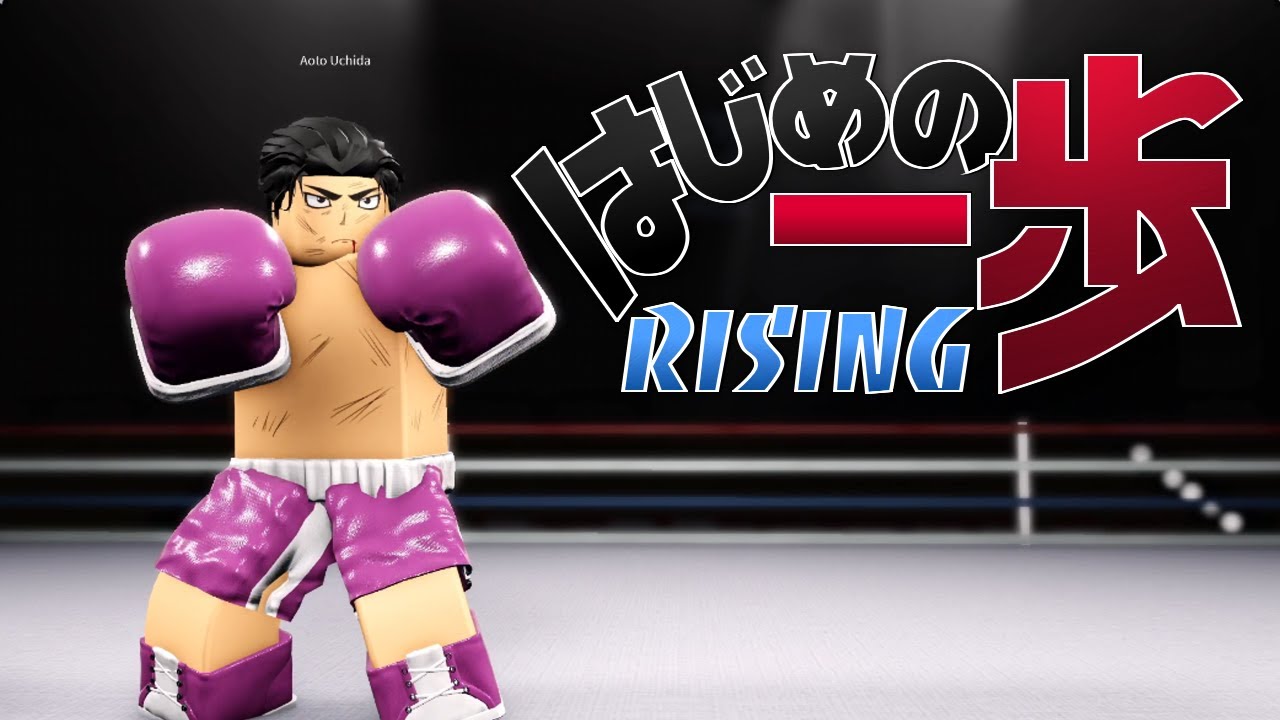
WELCOME TO HAJIME RISING.
GAME DISCORD: https://discord.gg/DnqcYQs
Credits:
Kraze (kr_ze): Owner/Scripter
Aricku (Arickuu): Artist
Faj (fajuro): Builder
Ink (Inkzsz): Animator
Opom (opom1231): Modeler
What is ROBLOX? ROBLOX is an online virtual playground and workshop, where kids of all ages can safely interact, create, have fun, and learn. ...
austere kettle
Game animations are always cool, I mean look at that
R15 is really fun to animate
crisp monolith
It really is
austere kettle
It looks more realistic so the standards are kind of higher but
End results are always great to look at
 austere kettle
R15 isn't too bad, once you learn to be creative with it, it can make a lot of R6 animations look better
Sheesh
I've been teaching myself to do realistic walking and bouncing animations
https://cdn.discordapp.com/attachments/742506939652767777/811631760580411452/Animated_GIF-original.mp4
Though it is really stiff
crisp monolith
It is
austere kettle
 crisp monolith
austere kettle
I've been teaching myself to do realistic walking and bouncing animations
https:...
crisp monolith
austere kettle
I've been teaching myself to do realistic walking and bouncing animations
https:...
But the physics behind it are on point
The gravity seems alright
austere kettle
Physics is the best part of R15
slender atlas
stray solar
with the way he winds up his attack, he should be doing a diagonal swing
Could you elaborate this one a little bit more
crisp monolith
slender atlas
Could you elaborate this one a little bit more
He's saying, with the way he's winding up his sword to the side. The swing should be diagonal
Ok
Let me elaborate
I basically just said the same thing he said lol
slender atlas
crisp monolith
He's saying, with the way he's winding up his sword to the side. The swing shoul...
Ah ok thanks! 
austere kettle
Bring the sword around to the left a bit
So more of a swing than a slam
As seen in your animation
crisp monolith
So you see how he's holding his sword to the side? If that's the case he should swing the sword diagonally because for you to hold your sword like that then slam it down vertically isn't very realistic (I mean, if you're really strong I guess you could do it???)
austere kettle
You should also slow the animation in which he brings down the sword. It adds more weight and doesn't make it seem the sword is made of paper
slender atlas
We've seen that smiling grey brikmen are very stronk, alright, gimme a sec to fix the slash
slender atlas
stray solar
the movement isn't very natural and he keeps pausing as he brings the sword up
Thanks alot dude!
 steel canopy
a test (the tail is NOT done)
https://gyazo.com/b1ca7252d5366a0aced7affed46fda66
 austere kettle
smexy
eternal meadow
steel canopy
a test (the tail is NOT done)
https://gyazo.com/b1ca7252d5366a0aced7affed46fda66
among us
@steel canopy give rig
steel canopy
mmmmmmmm mmmwhy
eternal meadow
steel canopy
mmmmmmmm mmmwhy
im interested on animating it
steel canopy
you'd have to use the old animation editor to animate it
the way its rigged isnt friendly to other ones
aswell as its for my project and i dont just want to be giving out my models
 stone pewter
crisp monolith
A lot of people trash r15 because skill issue
stone pewter
crisp monolith
A lot of people trash r15 because skill issue
True
steel canopy
for a first animation the legs and arms are good
give it torso movement
it looks like its just in place
eternal meadow
steel canopy
you'd have to use the old animation editor to animate it
BS
 prisma tiger
here is it at more of a sprint
Do you think this looks good?
could someone please tell me how I can set this as the walk/run animation for a charachter?
character*
tribal field
may just be my OCD but you're ejecting unused bullets
austere kettle
I've got alternating lights in my world currently through a script, and I'm trying to observe them without having to run the game so I can run my animation while seeing the lights alternate. Is there a way to do this or is this just impossible?
eternal meadow
austere kettle
I've got alternating lights in my world currently through a script, and I'm tryi...
is there a way for my balls to be purple
austere kettle
I'll make them turn purple if you don't tell me how to do this
tribal field
through what are you animating?
austere kettle
Moon
So can just run the animation without playing the game
And I'm trying to view the alternating lights as well
tribal field
I'm not sure if I remember how to do this again
austere kettle
Its at least possible?
austere kettle
Nah its alternating lights through a script
I'm trying to have the lights alternate while I'm in dev mode
if thats possible at all
So I can run the animation
While having the lights go off at the same time
eternal meadow
yeah, its just for showcasing or films
austere kettle
thats what I'm attempting to do
a short skit
and im trying to add alternating lights within the skit through a script, though scripts only work in game I guess
and so I'm trying to find a way to do this somehow
tribal field
yeah then you could use cframe
austere kettle
cframes can active scripts?
tribal field
you can use it to active and deactive the light iirc
austere kettle
Heres the animation btw
The lights on the table are supposed to alternate green and black
And I'm attempting to run this animation along with the alternating colors
eternal meadow
the anim looks like linear spam
austere kettle
Mostly because its around 8 to 10 seconds
eternal meadow
but its sine
austere kettle
I zoomed out so its more compacted and you can see all of them
I've experimented with the other anims and I couldn't find one that transitioned well for each one as it did with linear
eternal meadow
eternal meadow
4K
How the fuck does those 2 bullets exit the chamber.

H O W
WHAT BLACK MAGIC IS THIS
eternal meadow
eternal meadow
H O W
eternal meadow
eternal meadow
WHAT BLACK MAGIC IS THIS
the extra bullets are teleporters
stray solar
crisp monolith
<@!345257901062881282> https://youtu.be/8PtYWSpoBrU?t=116 Ink <a:pepeblush:75681...
ooooooooo
stray solar
crisp monolith
He's telling the truth btw, a lot of beginners think that smoothness is all you ...
well blender doesn't automatically make everything smooth
and it also has a lot of disadvantages
bezier just makes things accelerate then decelerate basically
the graph editor
can be annoying sometimes
for example
if you scale out keyframes
sometimes one of the keyframe handles can go whack and make it weird
ima just give up
on this
the side vault over the block
isn't working
😩
I need IK
reee
im gonna do a normal vault
mighty shale
something tells me this is gonna take a while to master
stray solar
lol
stray solar
slow it down a bit
mighty shale
thats what im gonna do
i realized that the teq i used in mooncap
doesn't work in blender
not as well at least
stray solar
wym
stray solar
split a walk animation into its keyposes
mighty shale
i would make 0 look like they're about to take a step
go 14 keyframes ahead
make them take a step
10 keyframes ahead of that
stray solar
well it might be your framerate
mighty shale
make em repeat step 0 but with different feet
mighty shale
my framerate is set to 60
stray solar
okay anyways
mighty shale
if i make it slower it looks chunky
stray solar
split a walk into its keyposes
mighty shale
alright
stray solar
Up, Contact, Passing, Push
and the problem for you is that you might have these tips but you don't actually understand why that looks good
the reason it might look good is because it has a constant pace
the legs stay the same speed and cycle
mighty shale
no i understand how it has the same pace and stuff
i can already make walk anims, im just trying to master it
finding just the right places
stray solar
Yeah
First off
The torso should have priority
otherwise you'll have to adjust the legs later on
mighty shale
alright
mighty shale
alr
stray solar
the Up pose should be the highest
and one leg should be in the air a bit
and then the contact pose
in a walk cycle these should be furthest away
the passing is where the character is when the center of gravity is at the legs
forget the push I had btw
that's for run cycles
_ _
the down pose is before the passing and after contact
Up > Contact > Down > Passing
eternal meadow
someone made this with blender and there not new to it. (i didn't make it )
mighty shale

eternal meadow
changed easing style from linear spam to quad inout and i see no difference

 dense mauve
is there a difference with using old r15 and regular r15
lunar vine
Oh, I don’t really use moon that much so I have no information on it
eternal meadow
dance animations
 opal sapphireBOT
 Sunset_panda💕🌸✨#4206 has been warned.
tribal field
wanna see it?
 random sand
I'm new to the server and it didn't let me type, thats why I came here-
It says im not allowed to type in hiring
random sand
How-
tribal field
that will give perms to talk in the marketplace channels
by just talking in the server
yeah I know
yeah
I kind of changed my idea for the animation in the middle of it
I'll end up re-doing it later
I'm not that good though
have more experience in 2d animation
you can get a1 for a simple idle anim
the walk one?
I accidentally went to 2.14 and literally screamed "WAHSJDHA"
we could, but I wanna try getting a bit more experience in the style
cause man
24 fps, every frame a keyframe
atleast there isnt 500 bones
idk why I actually did but I made the chair into a rig
I will turn people into chairs
144-ish frames iirc
pain.
it's why I'd rather just get more experience with shorter ones
it would
thats a slight issue
I'm just using moon anim
cya
eternal meadow
Yo where are the animations?
tribal field
scroll up and theres animations
 crisp monolith
 slender atlas
crisp monolith
https://gfycat.com/impartialunluckyeyra
slender atlas
crisp monolith
https://gfycat.com/impartialunluckyeyra
yummy-
 vivid finch
i love sword and shield
tribal field
now imagine 500 bones
I watched the entire talk about the animation and stuff
it's not like they did anything new
they just did so much
eternal meadow
Pain in a nutshell: Human body, every single joint. And add some extra pain into having to animate the mouth and fingers.
cries in way too many joints
tribal field
ayo
it looks pretty nice
the pacing of swinging the sword around needs to be a bit slower
it goes a bit too fast
but for the rest
its nice
crisp monolith
vivid finch
i love sword and shield
I love the cartoony style, you are worthy 
eternal meadow
wtf is this
 eternal meadow
ok
i don't think a musket being that short could be hard enough to get someone unconscious
 azure river
well it wont
cause im gonna make him spin like a looney toons character then shoot him in the chest
eternal meadow
azure river
cause im gonna make him spin like a looney toons character then shoot him in the...
that's almost weaker
azure river
knocking my actors out is a safety hazard
eternal meadow
atleast change the weapon or give it a bayonet

 runic spire
 azure river
make it move forward when grabbing the mag out of it
 shrewd heron
I’m going to get started with animation, does anyone have tips or videos on how to make smooth animation?
azure river
RFMC
eternal meadow
help, i exported a high poly fbx to obj and my roblox studio crashed when i tried importing it
slender atlas
Yo, blender users, could yall tell me why you guys prefer blender
And for people who use moon animator or animation editor would u like to switch to blender and why aswell
eternal meadow
slender atlas
And for people who use moon animator or animation editor would u like to switch ...
people still think that blender animators or blender starters are still miles better than any roblox studio animator
yet notive is better than most blender animators and he uses moon
slender atlas
My question why why blender is worse or better than roblox studios, but thanks for that anyways Xd
eternal meadow
slender atlas
My question why why blender is worse or better than roblox studios, but thanks f...
its better for modeling , animating most of the time, and just importing or exporting
like, you can literally make a pixar movie with blender
slender atlas
eternal meadow
its better for modeling , animating most of the time, and just importing or expo...
I mean just for aniamting
animating
why is it better for animating than roblox studios was my question
what things in the animator of blender makes it better than moon
 sharp copper
Can somebody help me make a zombie game for free?
eternal meadow
how you move things
opal sapphireBOT
DickMan#7456 has been warned.
slender atlas
s o w d r
 void sparrow
susord
sharp copper
Eof
eternal meadow
shit ass
sharp copper
dang dude chill
 eternal meadow
** You are now Level 1! **
sharp copper
im sorry
 void sparrow
dom
tribal field
yeah
it's better for when you go from 2d to 3d
I'm used to spending ages on frames
slender atlas
U putting everything on constant?
tribal field
it's based off the sol badguy victory from guilty gear
stray solar
eternal meadow
yet notive is better than most blender animators and he uses moon
who's notive
I mean
are you talking about blender animators in general?
cuz trust me no way is a ROBLOX animator better than most blender animators
eternal meadow
stray solar
are you talking about blender animators in general?
Not all
stray solar
you said most
Dillon Goo animates in blender
and some industry professionals do too
eternal meadow
stray solar
who's notive
Notive
stray solar
@notive
void nymph
why u put all the keyframes on constant
stray solar
to block things out
eternal meadow

stray solar
get the timing right and is less distracting
allows people to work on the key poses and make them strong
stray solar
eternal meadow
Notive
is he better than TBGlitch
how many blender animators do you know
stray solar
slender atlas
what things in the animator of blender makes it better than moon
It has more features like a flexible dope sheet, graph editor, motion curves, more advanced IK, actual rendering, better quality graphics (not that important for ROBLOX), etc.
stray solar
eternal meadow
Searched him up and I saw animated nsfw
notive?
stray solar
notive seems to use blender
sometimes
I can see IK constraints and bezier interpolation
only his less serious videos are in moon
stray solar
eternal meadow
TBGlitch
an animator
eternal meadow
stray solar
an animator
ik but i am still seeing WWE content and fnf
stray solar
cuz he doesn't have a youtube
eternal meadow
oh
stray solar
he has the cool role in the moon animator server
he's one of the best animator who uses moon
he's not like super good or anything tho
eternal meadow
changed things
 scarlet pulsar
eternal meadow
scarlet pulsar
eternal meadow
ok
eternal meadow
ehqwyugewwqyeg
austere kettle
How do you animate a rig and keep it in place without it falling over bruh
Anchoring it just stops it from animating
And welding as well since the entire body is moving
i love you
thank you
its beautiful
eternal meadow
austere kettle
i love you
mad sus
eternal meadow
FN Fal reload, its a recycled AK reload I made before
https://gyazo.com/ad14de837eb42fdba8386a585526da7b
https://gyazo.com/09de0f4b7786da70f5822f692b7fb1af
or L1A1 idk the difference between the two
eternal meadow
eternal meadow
FN Fal reload, its a recycled AK reload I made before
https://gyazo.com/ad14de8...

no viewmodel
ye
im not using the Fe gun script that every else is using
eternal meadow
mighty shale
also, you gotta get an addon
what addon
mighty shale
look it up on youtube
eternal meadow
mighty shale
look it up on youtube
send a tutorial
mighty shale
kk
eternal meadow
you mean blender addon or studio plugin?
mighty shale
Blender Addon 2.80: https://pastebin.com/raw/aMYdCqX3
Blender Addon 2.80 / 2 : https://www.mediafire.com/file/dtpbg2ub5bzryww/HOW.py/file
do not forget to Put .py file on the desktop
Roblox Plugin: https://www.roblox.com/library/716953901/Blender-rig-exporter-animation-importer
Blender 2.80 64bits: http://download.blender.org/release/Blender2...
eternal meadow
https://twitter.com/Lasting_Ink/status/1372627154576547843
https://gfycat.com/forsakenacclaimedaardvark


BackStabbbbbbbbbb | Valhalla's Blood
#Roblox #RobloxDev #robloxanimation #BlenderAnimation https://t.co/dEvE21GN8B
 Twitter
·
Twitter
·
 tribal field
theres one left even if you miss
eternal meadow
there's a possibility that the 6 bullets don't hit all of them
tribal field
oh right
 short pine
makes sense i guess

 eternal meadow
first blender anim, ignore the background music its netflix
void nymph
Cool
eternal meadow
give me a2 now :troll:
 tall dagger
who listens to lion king and animates at the same time
tall dagger
void nymph
Cool
what would you rank pri 
eternal meadow
tall dagger
who listens to lion king and animates at the same time
its troll hunters
 eternal meadow
>
eternal meadow
eternal meadow
>
what is this supposed to mean
<
a1
whatstheir work @tall dagger
tall dagger
eternal meadow
first blender anim, ignore the background music its netflix
dis
is there work
eternal meadow
anymore?
eternal meadow
tall dagger
dis
wait
eternal meadow
eternal meadow
changed things
this
tall dagger
repost your work pri
eternal meadow
idk much about fps 
can't rlly
say
sad
if i ask falco, ill get roasted
 maiden stone
 surreal folio
https://i.gyazo.com/5412922c0187bbc3119a9094cf9c3dea.gif
surreal folio
https://i.gyazo.com/5412922c0187bbc3119a9094cf9c3dea.gif
thanks for the 2 fps
maiden stone
eternal meadow
idk much about fps <:sweatingintensifies:693302016524550264>
i'd say he still needs to work
50% done tho
lol
maiden stone
the animation just doesn't feel realistic enough to a real gun
there needs to be more force
in the reload
eternal meadow
like what type of force tho
don't include the shotgun recoil :troll:
recoil script settings can just change it
maiden stone
the animation needs to be smoother lad
eternal meadow
isn't it already smooth
 eternal meadow
steel canopy
https://gyazo.com/7fb8b61fb69b851219928db71974ad29
eternal meadow
steel canopy
https://gyazo.com/7fb8b61fb69b851219928db71974ad29
juice world rex
steel canopy
what
stiff oak
That's cool
 red haven
I'm genuinely disturbed
azure river
@eternal meadow https://youtu.be/ZKQCCCy_-64
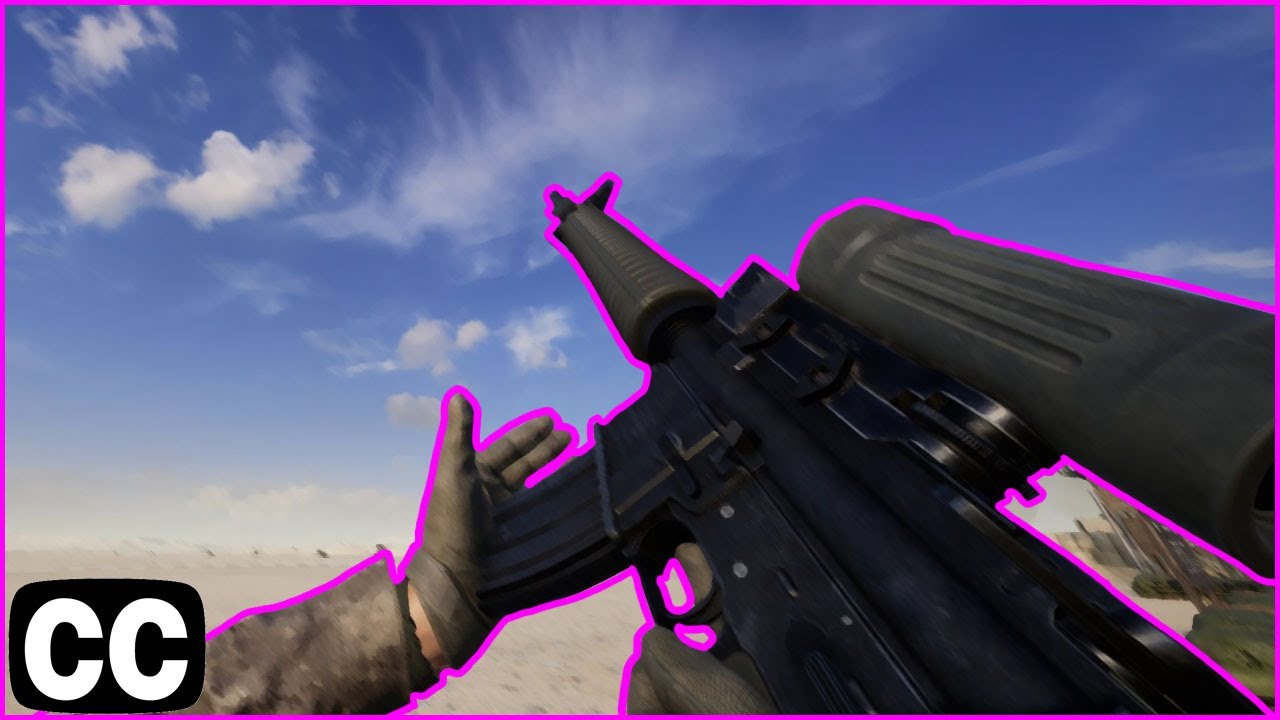
Animation Rating: 9.5/10
I dont like this game
I was unhappy with the result of the video that I already made. So I just remade it.
Inspired by Hectorlo's "All Reload Animations in (n) Minutes" series.
*If my video gets claimed by Hectorlo, I will gladly private it.
*I will use max FOV for these kind of format as far as I can. If you got a pro...
when they're pulling the mags out make the gun rotate down
then pull it up again
same thing when inserting a mag
rotate up then back down
also the ak mag goes forward first before pulling out and inserting mag
azure river
surreal folio
any tips?
well first get a better recorder cause idk what to give feedback on
i can't see
 deft heron
Good enough?
eternal meadow
eternal meadow
Nice
deft heron
ok
tribal field
to add to that, why are you not even close to the charging handle?
theres nothing on the side to pull the bolt back
azure river
the gun is too far away from the camera
you dont have to put the right hand in frame
eternal meadow
azure river
when they're pulling the mags out make the gun rotate down
ik
 frosty token
i made a combo string and i think it looks nice though it looks a little weird at the end
eternal meadow
** You are now Level 1! **
 round anvil
does anyone know how do i animate with a tool?
 meager oracle
round anvil
does anyone know how do i animate with a tool?
meager oracle
round anvil
does anyone know how do i animate with a tool?
Peen has heard you need to rig the tool to the body with a separate bone.
round anvil
meager oracle
Peen has heard you need to rig the tool to the body with a separate bone.
uh
what
meager oracle
But she isn’t quite sure since she’s new to animating as well.
round anvil
tf
stiff oak
frosty token
https://gyazo.com/858a5c82d17dd976c73e2306be9e5cc4
It's a good start for animating, but it needs a bit of work. For one thing you should try to exaggerate the motions a bit more. Make them feel like there's force behind them.
round anvil
stiff oak
It's a good start for animating, but it needs a bit of work. For one thing you s...
hey smart man can u help me out
frosty token
stiff oak
It's a good start for animating, but it needs a bit of work. For one thing you s...
aite thanks
round anvil
frosty token
https://gyazo.com/858a5c82d17dd976c73e2306be9e5cc4
legs are weird make them a bit spaced out
frosty token
round anvil
legs are weird make them a bit spaced out
it's uh supposed to be while you're walking
round anvil
frosty token
it's uh supposed to be while you're walking
oh
frosty token
so i'm not really gonna animate the legs
stiff oak
round anvil
**hey smart man can u help me out**
with?
round anvil
stiff oak
with?
idk how to animate with a tool
stiff oak
depends on what exactly you mean by that
round anvil
well
i want to have my dummy
have a tool
so i can get a uhh
better view of how it will look
eternal meadow
round anvil
idk how to animate with a tool
get the tool model, name the main part/biggest part ''handle''. use easy weld or rigedit/rigedit lite to do the welds
stiff oak
typically you just animate the humanoid, then when the humanoid has the tool equipped it will be welded to the hand as the animation plays
round anvil
eternal meadow
get the tool model, name the main part/biggest part ''handle''. use easy weld or...
so, i weld the handle to the dummy?
eternal meadow
round anvil
so, i weld the handle to the dummy?
r6 or r15?
round anvil
r6
eternal meadow
weld the right arm to handle
 crisp monolith
 slender atlas
did miq leave
tribal field
yea
eternal meadow
@runic spire
why did he leave
eternal meadow
eternal meadow
https://cdn.discordapp.com/attachments/671081114646872084/821776709501059092/202...

omg
omg

@eternal meadow fix arm clip or get cancelled
i will get canceled over way worse stuff
 eternal meadow
can someone help me get a roblox character rig?
 zealous pendant
eternal meadow
can someone help me get a roblox character rig?
zealous pendant
eternal meadow
can someone help me get a roblox character rig?
youtube
eternal meadow
zealous pendant
youtube
i tried already. i just need someone to show me the process
frosty token

i updated the animationa bit
the torso moves more
and the uppercut moves a little bit more smooth
eternal meadow
frosty token
https://gyazo.com/b23e7aa4786742e8be1dd7688ea460c5
Try to make it so that the kegs don't move as much
frosty token
aite
eternal meadow
Hey can someone help me i was rigging my model and when i did the moon animation it legit CRASHED my entire computer someone help me fix this issue
skill issue with pc
try restarting
Nooo because i went to a different new file with a different model and it was working fine
or check if its like overloading stuff
eternal meadow
eternal meadow
or check if its like overloading stuff
how i do that\
i don't really know. but you should try restarting the main things
like reinstalling the plugin
or pc
or dev forums
oh and #✋︱studio-help-classic
not here
probably ill do that and if it does not work i finna say fuck that model and make a new one
 brazen plinth
scp 106 walk animation, still working on it
https://gyazo.com/a0f85c4fe995676e2d49bc9eec7f9504

 silent zealot
https://streamable.com/y8j87b already fixed the clip moving slowly then quickly

 rocky plume
brazen plinth
scp 106 walk animation, still working on it
https://gyazo.com/a0f85c4fe995676e2d...
rocky plume
brazen plinth
scp 106 walk animation, still working on it
https://gyazo.com/a0f85c4fe995676e2d...
Holy thats great
stiff oak
frosty token
https://gyazo.com/b23e7aa4786742e8be1dd7688ea460c5
Yeah, the torso movements look much better now. What I'd suggest is putting the legs in more of a 'fighting stance'. No one would deliver punches like that with their feet together.
crisp monolith
silent zealot
https://streamable.com/y8j87b already fixed the clip moving slowly then quickly
Good job
I don't know if you wanna be reranked but from what I can see I'd say that's low a2 level
brazen plinth
made the walk smoother
https://gyazo.com/983bc9334029e6281e1056dbdee5444f
brazen plinth

 remote mural
brazen plinth
049 idle
https://gyazo.com/8b749cc21236d1492e598942447dfebc
remote mural
brazen plinth
049 idle
https://gyazo.com/8b749cc21236d1492e598942447dfebc
I'm not much of an animator but I do have some advice to make it more smooth if that's what your looking for, I would personally have the easing style as cubic and the easing direction as InOut
that's just what I'd personally do
brazen plinth
remote mural
I'm not much of an animator but I do have some advice to make it more smooth if ...
thanks
remote mural
brazen plinth
thanks
np
slender atlas
remote mural
I'm not much of an animator but I do have some advice to make it more smooth if ...
if its looping, put the end keyframes as sine out or quad out
 austere kettle
brazen plinth
walking
austere kettle
brazen plinth
walking
Looks nice, looks a tiny bit stiff
As in it looks like it loops two animation frames back and fourth
Try adding a little more elaborate movement in each step and as the arms sway
though this isn’t much great either, something like this is what I mean

But I’m really obsessed over realism so it might not matter much
also @eternal meadow I think i’m ready for animator 1
 sly tundra
silent zealot
sly tundra
silent zealot
 red haven
I'm currently making an r86 
 balmy elk
huh
red haven
nvm it ended up being an r59
aa
I have a part named 54, and the animation editor insists its being affected by 2 motor6ds even though I only have one motor6d with 54 as its part0 and only one motor6d with 54 as its part1
Why is this happening 
 potent oxide
 eternal meadow
silent zealot
https://streamable.com/gd8njg
eternal meadow
silent zealot
https://streamable.com/gd8njg
Finally someone that does viewmodel
slender atlas
red haven
I'm currently making an r86 <:wheeze:676884469566799872>
Wat is an r86 or an r59 or an r7219
 teal flare
.
 cloud lotus
It's just troll I believe :v
eternal meadow
second time animating in blender
tribal field
why does the mag just, go from inside the gun to his hand
short pine
eternal meadow
tribal field
why does the mag just, go from inside the gun to his hand
which one
there's 2
and if you're talking about the mag2 inside the chest
then don't count that.
tribal field
 short pine
It aint realistic but its fine for me i guess
tribal field
that aint it chief
tribal field
the magazine clips from the magwell into the hand
without actually being pulled out
eternal meadow
ok
we9uuqwuiehwhuqeq
ok i found the frame (s) that does that

recorder fucked up badly which is why it made it 60fps to 30fps
qweqwe9jqweijqw
 eternal meadow
 floral anvil
https://gyazo.com/b335bbf6453a98d046ede852fbdcf62e
floral anvil
https://gyazo.com/b335bbf6453a98d046ede852fbdcf62e
good animation but what is happening in your pfp
i didnt know how to render animation so i did OBS
first animation
i thought you were a2 for a sec
actually, imagine if you could get a2 with this. that would be very pog
floral anvil
eternal meadow
good animation but what is happening in your pfp
its black clover
floral anvil
eternal meadow
i didnt know how to render animation so i did OBS
that's not a walk
floral anvil
 eternal meadow
which
it teleports :troll:
sadly there is no way of importing that into blender anymore
cause i didn't save
and idk how to edit that in animation editor or moon
 simple bramble
Animations much yes?
https://gyazo.com/67c99ed714ef4c121464f65c03705192
red haven
slender atlas
Wat is an r86 or an r59 or an r7219
I don't even know. Just making an arm made out of several dozen small cubes and making each cube animatable
eternal meadow
simple bramble
Animations much yes?
https://gyazo.com/67c99ed714ef4c121464f65c03705192
seeing 2 duplicates fight each other doing no damage is funny
simple bramble
eternal meadow
seeing 2 duplicates fight each other doing no damage is funny
nah, that one standing still is a dummy
I am just showcasing animations
tribal field
they look nice
eternal meadow
a2 role grind
 austere spindle
a walking animation, pretty shitty because im new to animation, any tips to make it look more natural and smooth?
slender atlas
red haven
I don't even know. Just making an arm made out of several dozen small cubes and ...
Ah- so basically a fancier rig
eternal meadow
 abstract kayak
can anyone send a yt video that explains how i can rig some wings
abstract kayak
eternal meadow
looks cool
 eternal meadow
silent zealot
so it'll loop nicely
eternal meadow
silent zealot
so it'll loop nicely
I intentionally did that but using animation editor to get the original position just makes it look uhhh choppy
sly tundra
void nymph
basic
crisp monolith
Is he British?
crisp monolith
The only thing worse than a British is an American - Reborn, probably
eternal meadow
bri'ish 1 arm melee user?
eternal meadow
void nymph
british "people"
there aliens
 verbal locust
eternal meadow
i kinda fixed the clipping
verbal locust
eternal meadow
i kinda fixed the clipping
if i were you id make the hand go higher as you wouldnt really have it low donw
down
eternal meadow
verbal locust
if i were you id make the hand go higher as you wouldnt really have it low donw
ok
round anvil
props to all animators i find it hard ngl
 latent rune
^
sly tundra
i give props to myself 😔
eternal meadow
pog
 real siren
sly tundra
i give props to myself 😔
real siren
sly tundra
i give props to myself 😔
fkinda smooth ngl
slender atlas
sly tundra
i give props to myself 😔
 beautiful
 muted knoll
oh
short pine
any suggestions
(im a beginner animator rank so dont know about this one)
 lost moat
Is this walk animation ?
floral anvil
short pine
any suggestions
(im a beginner animator rank so dont know about this one)
horse run
 simple bramble
austere spindle
a walking animation, pretty shitty because im new to animation, any tips to make...
simple bramble
austere spindle
a walking animation, pretty shitty because im new to animation, any tips to make...
First thing's first, the keyframe all the way at the beginning should be the exact same as the one at the end so that there is no jitter in loop
2nd thing is, instead of animating the thing frame by frame, you are gonna wanna use a cycle, you basically animate the stuff that matters
and let the animator interpolate
 eternal meadow
eternal meadow
eternal meadow
why does no one talk here
where does it clip
i see 1 frame of that
do i get a2 now?
short pine
lost moat
Is this walk animation ?
yeah
i recorded that from a different angle
eternal meadow
** You are now Level 3! **
 lunar hazel
sly tundra
lunar hazel
sly tundra
The new animation of Gt Chara?
 nocturne hollow
 sturdy palm
https://gyazo.com/6cde5c224e90c942252d5b1eaf2d464f
sturdy palm
https://gyazo.com/6cde5c224e90c942252d5b1eaf2d464f
Vast realms grip animation?
lunar hazel
sturdy palm
https://gyazo.com/6cde5c224e90c942252d5b1eaf2d464f
Brutal
sturdy palm
?
eternal meadow
** You are now Level 2! **
most likely won't respond
i did that before and no response even for a2's
eternal meadow
it's my second reload animation in blender
and ive been only using it for 2-3 days
azure river
ahwga
hello
what
well i wouldn't exactly call it a2
the gun is clipping in and out
it looks like it's not welded to the arm and being its own thing
eternal meadow
azure river
it looks like it's not welded to the arm and being its own thing
it's welded to the right arm
eternal meadow
 azure river
ohh
well im not sure why the gun is clipping in and out
but if you want the reload visible don't show the handle too little
like expose it more
eternal meadow
azure river
well im not sure why the gun is clipping in and out
i didn't change the mag position for all frames of it
azure river
so it's not clipping
waht
that shouldn't be a problem it doesn't move
a lot
it's just going out and back in
eternal meadow


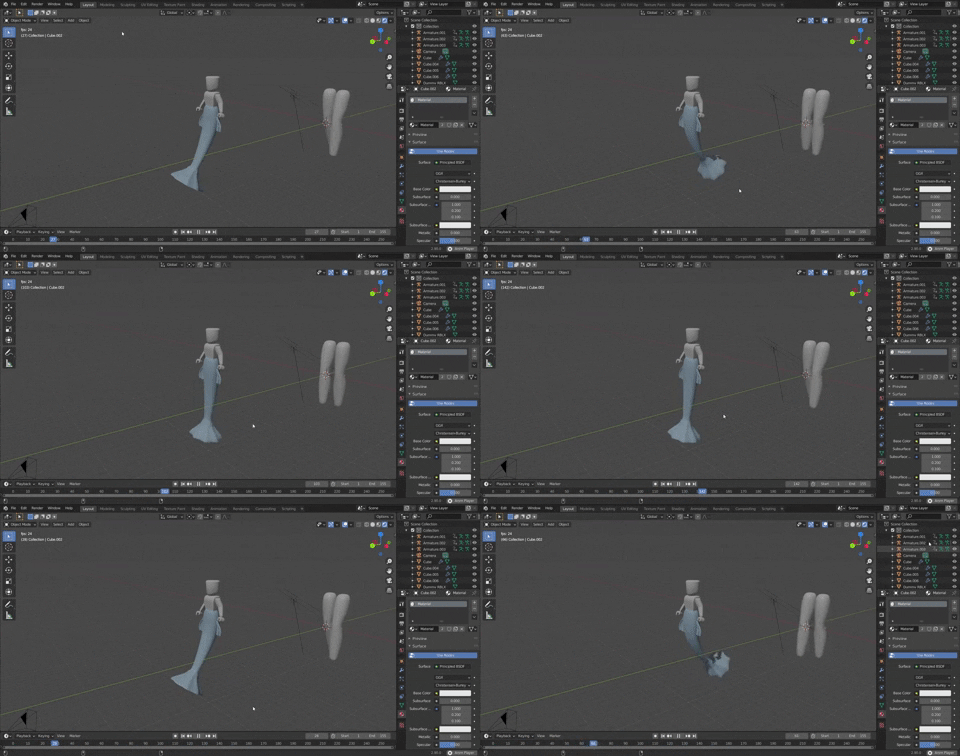

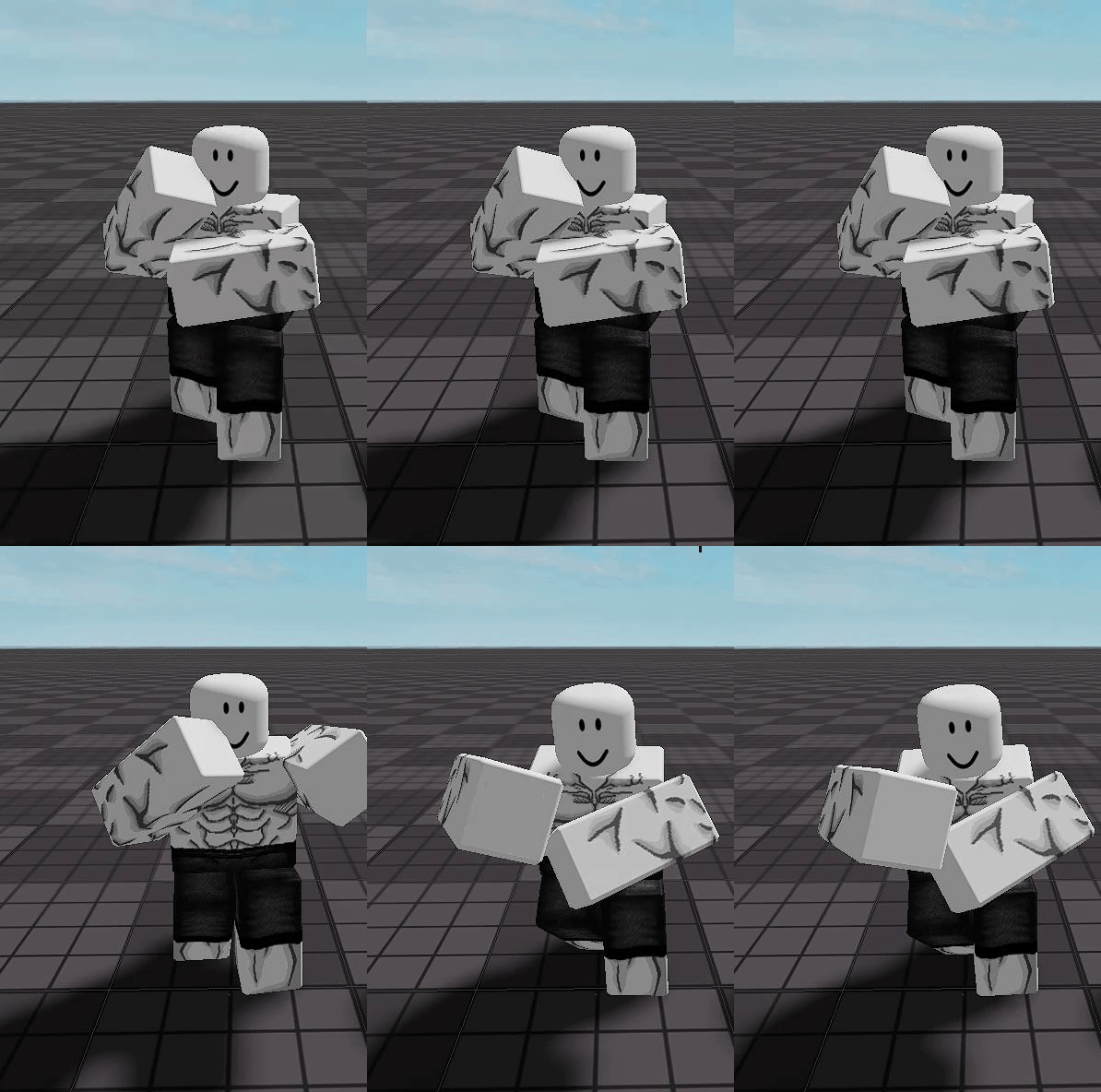

 eternal meadow
 azure river
by the way why is he drived in the ground
eternal meadow
azure river
by the way why is he drived in the ground
humanoidrootpart is supposed to be ''0,0,0''
for it to be animate able
in blender
well it does at first
eternal meadow
azure river
ive seen people move it up
yes yes
yes
but the left arm moves weird alot
during the anim
when it's not putting the mag in
it looks weird
crisp monolith
lost moat
Is blender better in animating?
eternal meadow
** You are now Level 2! **
eternal meadow
lost moat
Is blender better in animating?
miles better
:troll:
its smoother and better results
i didn't even save the deagle animation in blender
so i have to restart the whole thing in blender
but is it a2 without the minor clipping
lost moat
Miles? i haven't heard about it
eternal meadow
azure river
me no use blender beep boop device
then what do you use for animating
azure river
moon suite
austere spindle
simple bramble
2nd thing is, instead of animating the thing frame by frame, you are gonna wanna...
sorry but what do you mean by the "stuff that matters"? didnt quite get that
azure river
the poses
simple bramble
austere spindle
sorry but what do you mean by the "stuff that matters"? didnt quite get that
look up "walk/run cycles"
austere spindle
ah alright, thanks
eternal meadow
azure river
moon suite
void nymph

 eternal meadow
void nymph
<:deepsigh:707227110472679424>
eternal meadow
void nymph
<:deepsigh:707227110472679424>
sus
lunar hazel
XD
balmy elk
void nymph
<:deepsigh:707227110472679424>
Godly
eternal meadow
clipping
 tribal field
thats just an image
eternal meadow
tribal field
thats just an image <:NOOO:818334696954003466>
anim video is coming in a sec
i hope no one says ''clipping''
:troll:
someone say something
eternal meadow
tribal field
I can't give a2
ik
nvm there was no clippin
doesn't matter too much
eternal meadow
eternal meadow
@azure river is this a2 worthy?
where is the clipping
what
i don't see it
are you talking about the mag? or the handle
ok
intentional
ive seen other games/anims do it
arsenal pistols
eternal meadow
bwqeugbqwegqwgq
tribal field
theres too many pistols for me to remember
eternal meadow
im going to mentally insane
so, i just keep the handle's position and don't change it
ok
do i get a2 if i fix it :troll:
tribal field
uhh I think I found the pistol he was talking about