#💻tech-talks
1 messages · Page 497 of 1
 olive garnet
 balmy bronze
120hz is all I need
olive garnet
120 is good yeah
balmy bronze
or even 90hz really
balmy bronze
I'm so used to 60hz, anything more is amazing
olive garnet
or like 85 but below that i don't like it
 nova gazelle
tempted to go projector instead of a monitor as there's some pretty nice ones out currently
balmy bronze
contrast isn't great with projectors
olive garnet
that's why CP2077 is frustrating outside in front of Vs appartment
nova gazelle
there was one by BenQ that was rated well, but I'm more thinking about 1-2 years out
olive garnet
the latency hits hard for DX12 and doesn't matter how good your GPU is or even your CPU or memory for teh most part you are down to 75 hz
balmy bronze
olive garnet
the latency hits hard for DX12 and doesn't matter how good your GPU is or even y...
eh...pretty sure you hit much more than that at lower settings
olive garnet
you know one thing about cyberpunk that is good. is that it got people more into tech
balmy bronze
I've never noticed a major hit ther
olive garnet
you can't cuz it's CPU driven
 fickle scroll
olive garnet
or like 85 but below that i don't like it
fickle scroll
olive garnet
or like 85 but below that i don't like it
85 used to be my minimum but then i saw cp2077 with ultra RT and now i'm fine even at like 50 fps
olive garnet
75-85 yeah
balmy bronze
what CPU are you running?
olive garnet
9900K 5 ghz
hard to find videos on youtube to compare it to becuase all the bench vids on YT dont' show gameply in areas like that
balmy bronze
5950x, soon for 5800x3d
olive garnet
they cherry pick lower CPU intensive areas
I looked at YT
same FPS in that spot.
maybe like 5-7 more
balmy bronze
I'll benchmark it in the morning
olive garnet
it's just the game and DX12. DX11 would allow faster CPUs to get more FPS DX12 is good if you have a slower chip and you are trying to get it all onto your GPU
balmy bronze
olive garnet
it's just the game and DX12. DX11 would allow faster CPUs to get more FPS DX12 ...
that's not how it works
olive garnet
or if the game doesn't use a lot of CPU and you have a newer CPU DX12 great
balmy bronze
DX11 uses a single render pipeline, DX12 has multiple
balmy bronze
DX12 uses more CPU but has lower laytency
balmy bronze
olive garnet
Same result with World Of warcraft
that's a super old, hacked engine
olive garnet
no way not from my testiung i have way higher usage on 11
balmy bronze
olive garnet
no way not from my testiung i have way higher usage on 11
yes because 11 is highly inefficient, and CPU bound
that's the whole point of DX12 and Vulkan
olive garnet
Vulkan is DX12 done properly
balmy bronze
no, they're almost exactly the same
olive garnet
except one works much better htan the other
balmy bronze
Have you written programs with them?
Do you understand the architecture at the API level?
they're very much the same, they both split out render pipelines into separate command queues, so that multi core CPUs can better leverage the wider compute of modern systems
the reason why Vulkan is so much faster sometimes is that those engines are ported from DX11, so they take the single render pipeline in DX11 and turn it into a single render pipeline in DX12. Native DX12 games (like CP77) perform almost exactly the same as Vulkan games
olive garnet


there you go 1080p usage dip. Bottleneck. Engine based. Dx11 would fix that, just like it fixes BFV, WoW or other cpu driven or open world latency driven titles. .
not even in front of Vs appartment either.
that'as a 5800x
DX12 is amazing if it's used with the right game.
@fickle scroll i'm salty cuz my FTW3 is stable at 10.9 ghz Memory but unstable at 11
the 9900K vs the 5800X is only 3 FPS apart in almost every game at high fps you can OC the 9900Ks memory to get it to pull ahead by about 5-10 so it's just engine BS cpu isn't really the issue.
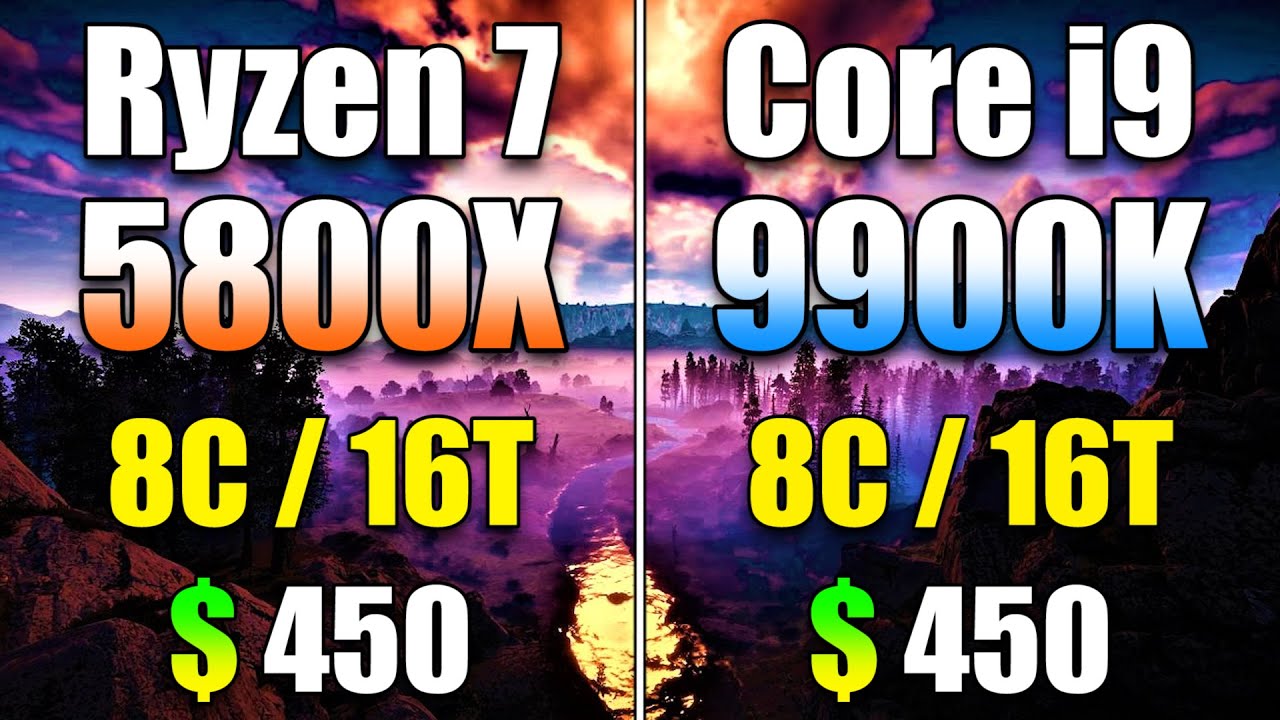
Ryzen 7 5800X vs Core i9 9900K | PC Gameplay Benchmark Test in 1080p and 1440p | RTX 3080 10GB
System Specs :
Operating System : Windows 10 Pro 64 Bit
CPU 1 : AMD Ryzen 7 5800X @Stock (Gigabyte X570 Aorus Xtreme)
CPU 2 : Intel Core i9-9900K @Stock (Asrock Z390 Taichi Ultimate)
GPU : NVIDIA GeForce RTX 3080 10GB @Stock
CPU Cooler : Corsair H100i...
olive garnet
This game only uses 4.5 GB VRAM in 4k lol

 fathom trail
olive garnet
fathom trail
olive garnet
That's using ultra RT
raster perf might not be capped out but DXR perf probably is
balmy bronze
olive garnet
the 9900K vs the 5800X is only 3 FPS apart in almost every game at high fps you ...
and the 5800x3d is like 15% faster than the 5800X due to the cache
 devout stump
9900k still stronk 🥲
fickle scroll
olive garnet
This game only uses 4.5 GB VRAM in 4k lol
what game?
 modern narwhal
fickle scroll
what game?
modern narwhal
fickle scroll
what game?
Very likely is "A plague tale"
fickle scroll
dead space 1 at 8k gets 200 fps and only uses 2-3GB vram
battlefield 4 (2013) gets over 60 fps average ultra settings at 8k
and uses under 6GB at 8k
just kinda funny
balmy bronze
NVidia announced they're switching their high end servers back to Intel. Not surprising, but does show that even NVidia doesn't think Intel is behind anymore
fickle scroll
Halo 2 anniversary gets ~50‐70 fps at 8k with a regular 3090
at least on first mission
and it uses almost 13GB of vram on the 3090
fathom trail
balmy bronze
NVidia announced they're switching their high end servers back to Intel. Not sur...
Then again AMD is certainly making gains in some areas
cough just look at the top of the TOP 500 recently
Of course Frontier (And LUMI) are of particular note but what really shines is the efficiency of new AMD-based machines
Half of the top 10 of the TOP 500 are using AMD CPUs and only one is using Intel
(10 AMD and 5 Intel for top 20)
of course for consumer CPUs Intel isn't behind in anything but efficiency on the higher end
olive garnet

 fickle scroll
olive garnet
<:feelscyberpunkman:543002773759852544>
fickle scroll
olive garnet
<:feelscyberpunkman:543002773759852544>
dodged a bullet
it's iffy for me. i am not sure i wouldn't go back to win10 if given the choice
olive garnet
fickle scroll
dodged a bullet
I really want to try it
modern narwhal
olive garnet
<:feelscyberpunkman:543002773759852544>
TPM?
olive garnet
(in caps) howwwwwww tfffff?????????

bro seriously HOW TF????? HOW HOW am I just way too dumb or something or is my mobo just horrendous I seriously don't get it
olive garnet
modern narwhal
TPM?
it only wants me to enable secure boot which I've done 10 times and restarted my pc that many times
 shadow cedar
modern narwhal
olive garnet
it only wants me to enable secure boot which I've done 10 times and restarted my...
shadow cedar
modern narwhal
olive garnet
it only wants me to enable secure boot which I've done 10 times and restarted my...
Backup your data and then check this
https://www.windowscentral.com/how-enable-secure-boot-pc-install-windows-11

Windows Central
Windows 11 requires Secure Boot, and in this guide, we'll show you how to check and enable the feature.
olive garnet
okay, I'll try it thank you
olive garnet
nah I'm upgrading my pc to a 5600x and a 3060 ti, irdc I'm doing it it'll be worth it anyways and who knows if there will be stock for current gen GPU's when 4000 series come and even if they will be in stock, who knows
balmy bronze
fathom trail
Then again AMD is certainly making gains in some areas
agreed, this isn't about AMD sucking. NVidia would never have used AMD in the first place if Intel wasn't in a bad place. This is more about Intel catching up enough that it makes sense to switch back. Also perhaps they've shifted enough compute into the BDUs so that they don't need as much CPU power
Even when they used AMD chips they'd do funny things like have benchmarks showing "performance on non-Intel CPUs" or something like that. They'd try their best to never use AMD's name once in any literature
balmy bronze
olive garnet
(in caps) howwwwwww tfffff?????????
also, you can get add-on TPUs for some time
laptops often have TPUs for platforms that wouldn't normally have them
fathom trail
Personally I think that has a lot to do with AMD being a direct GPU competitor
fickle scroll
yeah
i feel the same way. AMD had cheaper GPUs that did 50-80% better in raster performance per dollar
surely, EVENTUALLY the consumers will find out
balmy bronze
yep, it's absolutely about them being a competitor. That and Intel and NVidia have worked together for years
And NVidia now makes their own CPUs, so I imagine it's easier for them to say "if you have to have x86-64, there's always intel"
fathom trail
yeah, Intel being a nonentity in the dGPU space matters a lot as well
balmy bronze
instead of being so heavily linked to performance
 jade veldt
Test folding till phone gonna broke  https://www.youtube.com/watch?v=1bNSYgpdb5Y

In this test different people will fold the Samsung Z Flip 3 until it breaks.
The stream is not sponsored by Samsung or any other company.
Watch this video to learn more: https://youtu.be/dqtuTR0HaBs
fickle scroll
i can't overstate how little interest i have in those, outside of emulating 2-screen devices
balmy bronze
The whole folding thing feels like a solution in search of a problem
olive garnet
@modern narwhal @fickle scroll correct was plague tale
olive garnet
fathom trail
That's using ultra RT
that was with DXR and it still wasn't capped that was my point I'ts slightly better but still lackign pure raster.
olive garnet
fathom trail
Then again AMD is certainly making gains in some areas
AMD is great
olive garnet
balmy bronze
and the 5800x3d is like 15% faster than the 5800X due to the cache
correct
huge 96 MB cache
my Memory OCed 9900K is about an 5800X3D because of the latency being about 35ns.
 crude elm
balmy bronze
The whole folding thing feels like a solution in search of a problem
crude elm
balmy bronze
The whole folding thing feels like a solution in search of a problem
I have the fold 3
It's nice for watching videos and stuff
fickle scroll
6900XTs are going for under $900 some places, sheesh
 peak steppe
is it alright to ask for advice here?
fickle scroll
the girlier the girlyman, the alrighter it is to ask
peak steppe
I don't know PC parts that well and I'm buyin a big desktop for the first time in a decade
fickle scroll
ok
peak steppe
cracked out this in PC specialist
 fickle scroll
looks pretty based to me.
what resolution and hertz on those monitors?
personally i will never buy non-audiophile speakers again. if you need them, you need them, but i'd spend that money on audiophile headphones instead in most cases
peak steppe
24", 1080p, 75Hz
fickle scroll
3080 is overkill for that
peak steppe
I'll probably be fine with the standard audio tbf, I have a bad habit of just blaring music instead of listening to in-game stuff
fickle scroll
ok
but yeah you don't need a 3080 for 1080p 75hz gaming
what kind of games do you play?
peak steppe
cyberpunk, iron harvest, ace combat, want to play death stranding too but I've been holding off
though I do have a lot of older games I default too
should mention I have a 4k TV hand-me-down I'm going to hook up to the system too
fickle scroll
still, 1080p 75hz gaming. like there's no point in a beefy gpu for that
how much is the 3080 there
idk what your setup is like where a 4k 60hz television could be hooked up look good for gaming
peak steppe
800~ish from what I can tell
fickle scroll
800 pounds seems decent
i can't really tell what you plan on doing. i can't imagine the tv looking good
but even at 4k 60hz the 3080 is only getting pushed by a couple of games out there
i wouldn't buy an enthusiast gpu without an enthusiast monitor
my 1440p 144hz ips monitor leaves rtx 3090 performance on the table and that definitely looks nicer than all but the nicest, densest 4k tvs
peak steppe
Ok, fair enough, I'll maybe downgrade it a bit, it'll take some of the edge off the price
fickle scroll
also rtx cards are mostly useful for ray tracing capability and dlss usage
you're paying a premium for those two things. if you don't use them a lot, save hundreds of dollars with an RX card from AMD
nova gazelle
peak steppe
I'll probably be fine with the standard audio tbf, I have a bad habit of just bl...
these days you can drop the sound card in 90% of cases as the motherboard's built in audio is actually pretty solid
and btw, check out the WD BLACK 2TB SN850 for your NVME, it's near the top of the line and not too much more in price than the 970 EVO
olive garnet
3080 is perfect with 4k 120 or 4k 144
1440p 165 would be the sweet spot
@fickle scroll just for clarity i was looking at this one too, I get the exact same frames on my 9900k, Zero difference and that's RTX off. usage is still wildly low
 fickle scroll
olive garnet
<@174754158660812801> just for clarity i was looking at this one too, I get the...
fickle scroll
olive garnet
<@174754158660812801> just for clarity i was looking at this one too, I get the...
not sure what this refers to
olive garnet
you mentioned something about RTX being on in one of the screencaps from a YT vid i posted
so i posted one with RT off for Full raster
fickle scroll
i don't think that was me
fickle scroll
👍
 grizzled tide
Replace your 3080 with a 3070. New GPUs are coming in a few months, and the new tech is going to make you switch faster anyway.
I've a strong feeling that it'll force 6900 and 3080 to be 1440p60 cards.
olive garnet
grizzled tide
Replace your 3080 with a 3070. New GPUs are coming in a few months, and the new...
new tech is always coming in a few months
grizzled tide
olive garnet
new tech is always coming in a few months
It always is, true. Here we have someone who is building a completely new rig and it's a great idea to not spend the top dollar for a GPU
Get something that will just do good and not empty your bank account. The money saved now goes to the upgrade
modern narwhal
peak steppe
cracked out this in PC specialist
Depending on how much data are you gonna store you may want to switch that HDD to a SSD. 6TB is what I store in my local NAS and it has 50% free space. You could have a 250GB SSD for your operative system and applications and a 2TB for storage (games & data).
olive garnet
turning down settings in 4k doesn't make the game look worse though. 4k on med/high combo is still nicer than 1440p ultra most of the time. More pixels = more definition. If you are talking about raytracing yeah it'l get demanding, but raytracing is hardly optimized. Raster looks great
4k med/high settings DLSS balanced.

 balmy bronze
olive garnet
turning down settings in 4k doesn't make the game look worse though. 4k on med/h...
balmy bronze
olive garnet
turning down settings in 4k doesn't make the game look worse though. 4k on med/h...
raytracing is extremely optimized
it's just very demanding
but I'd rather that then the smeared reflections, and blocky shadows you get from rasterized games
 echo goblet
uhh I'm back, but I had to make a new discord account, I hope that's not a problem cause it's an alt or whatever, but I'm on Windows 11 Pro and actually I like it and I did updates, drivers and e.t.c e.t.c and I had to make a new one cause of 2FA
modern narwhal
echo goblet
uhh I'm back, but I had to make a new discord account, I hope that's not a probl...
Nice you got it working. Remember checking all the privacy settings to avoid MS getting your data
echo goblet
aight, thank you
hehe 11 pro go brrrr

tbh it's kind of understandable why Microsoft wants such high requirements for a motherboard, CPU and so on for this one
fathom trail
balmy bronze
raytracing is extremely optimized
Yeah, the only thing that really "optimizes" it further is reducing the amount of rays used
for example UE5's Lumen tech which some have claimed to be way more optimized than current RT is, surprising absolutely nobody, just using fewer RT effects
balmy bronze
It’s about time https://www.pcworld.com/article/784091/microsoft-wants-you-to-ditch-hdd-boot-drives.html

A new report says Microsoft will require solid-state boot drives for new laptops and desktops starting next year
balmy bronze
fathom trail
for example UE5's Lumen tech which some have claimed to be way more optimized th...
Yeah lumen pulls that off by just pre calculating more resulting in some weird cases when lights move , or they won’t let the lights move
fathom trail
it also uses considerably fewer rays and at least in that tech demo it wasn't doing nearly everything you'd expect from current RT
fathom trail
Oh and since I didn't elaborate on that further while it does result in better performance there are losses in how good it looks and just how realistically light behaves meaning that it's not just cutting out unnecessary parts
olive garnet
balmy bronze
raytracing is extremely optimized
it's really not. You'll see that your GPU usage is hardly 99% with RT on in most games. Loads of stutter too. It's in it's early stages.
usually usage down at 91-92 while in raster you get more frames and more usage. RT is not optimized ubd
balmy bronze
olive garnet
it's really not. You'll see that your GPU usage is hardly 99% with RT on in most...
Tested it this morning, my GPU was locked at 99% usage
balmy bronze
Turning off RT made it cpu bound and usage dropped to 60fps
olive garnet
if you are only getting 60 FPS in CP2077 with RT off. There's something else going on like a bottlneck
balmy bronze
olive garnet
higher FPS you drop usage with RT
Yes that’s the way computers work, lol
Cpu bound means Lower GPU usage
olive garnet
Depends on your CPU
depends on your latency
60 FPS isn't really a good testing point for GPU usage. Or CPU usage
balmy bronze
olive garnet
if you are only getting 60 FPS in CP2077 with RT off. There's something else goi...
99 usage with 1600p RTX psycho 45fps outside of Vs megabuilding
balmy bronze
DLSS quality
balmy bronze
You’re just saying crazy things now. You said RT was cpu bound
olive garnet
i never said that
You'll need to quote that
Never said RT was CPU bound. THe higher the FPS the more the CPU is used. RT regardless
"that's how games work" More FPS means more CPU
balmy bronze
olive garnet
it's really not. You'll see that your GPU usage is hardly 99% with RT on in most...
This right here
olive garnet
Stiill never said it's cpu bound
balmy bronze
If it’s not 99 percent you’re cpu bound
olive garnet
unless it's unoptimized
balmy bronze
I’m done, nothing you’ve said in our conversations makes any sense
olive garnet
you could have lower usage becuase of poor optimization. Not just becuase it's CPU bound. You can have a game be CPU bound and STILL have 99 % usage because you have a fast CPU
balmy bronze
Cp77 is highly optimized
olive garnet
No it's not. Have fun Being a conflict man bud
you haven't linked any proof either. I've sourced my info you've sourced nothing

Ray tracing on 1080p Over 100 FPS USage drop
Please don't test things at 60 FPS. Thank you
RT on 1080p

RT off 4k.
fickle scroll
olive garnet
it's really not. You'll see that your GPU usage is hardly 99% with RT on in most...
when i use ray tracing on fortnite, my gpu usage remains above 95%
olive garnet
Fortnite raytracing isn't real RT tho. That's like WoW RT
fickle scroll
olive garnet
Fortnite raytracing isn't real RT tho. That's like WoW RT
1000% wrong
olive garnet
not much difference going on there. Just a meme addon. What's your FPS in Fortninte?
Most RT is just smoke and mirrors
fickle scroll
fortnite has more ray tracing options than cyberpunk
olive garnet
options don't mean that it's actually doing anything.
fickle scroll
you have no idea what you're talking about. it's ok you can test it for free. it's like 25GB
olive garnet
It's awefully funny when people accuse you of being wrong without linking a single bit of data
just claiming "this is what i get on my dad's pc"
fickle scroll
fortnite's ray tracing is deep enough to be a staple alongside cyberpunk in tom's hardware's ray tracing suite of benchmarks
fickle scroll
olive garnet
not much difference going on there. Just a meme addon. What's your FPS in Fortni...
source?
you made the claim first. source it
olive garnet
it's been widespread knowledge that RT is Smoke and mirrors for a while
No you bud, You accused me of being full of garbage. I've linked doezens of snapshots from my own games, and youtube
it's time for someone else to link something
pretty rude for a "professional"

nic ememe
fickle scroll
What in the world would I be linking? My only argument was that I have high gpu usage both with rt on and off
olive garnet
please use games with advanced RT for your argument. "metro exodus" Shadow of the tomb raider. CP2077, etc
fickle scroll
olive garnet
yep you can clearly see the difference in shadows there but something tells me it is also a very old screen
olive garnet
Oh yeah okay. Nice goal post alteration
fickle scroll
olive garnet
please use games with advanced RT for your argument. "metro exodus" Shadow of th...
fortnite too
olive garnet
Please tell me what FPS you get your 95 and up usage at?
fickle scroll
75 ish
olive garnet
still low.
fickle scroll
yep i have an older cpu
olive garnet
120 plus is where benchmarkers test CPUs and games at
fickle scroll
3700x
olive garnet
you are always going to have high GPU usage at lower framepoints because you are pushing your settings. So again. Please test at higher FPS
you have an older CPU so you increase settings to make up for a bottlneck
fickle scroll
olive garnet
120 plus is where benchmarkers test CPUs and games at
i've been building PCs and benchmarking them for 18 years and i've never heard of this before
source?
olive garnet
Every single youtube video HW unboxed Gamers nexus they are all tested at 100 Plus frames to test the latency of the system and bencvh the CPU. I really doubt that last claim is true. Sounds more like you've been alive for 18 years
the way you've come at me and sourced zero information
you don't see gamers nexus test his titles at 60 fps
75 fps
All at 130-150 to actually see which CPUs out do what
fickle scroll
Hmm my only claim was that I get high gpu usage in a game with deep RT integration.
That may be because I've cranked my settings, sure. idrc
i have nothing to debate
olive garnet
yeah. It is becuase you cranked your settings
fickle scroll
sorry if it appeared that i was debating something
olive garnet
Just would be nice to see someone back up with some YT vids or their own screencaps
 fickle scroll
there's nothing to debate with me

 fickle scroll
your screens are a waste of time, i have seen over 1000 such benchmark graphs. i understand how this works thanks
olive garnet
In your mind perhaps.
fickle scroll
no matter what you say, i can't replace a father figure or whatever it is you're reaching out for
sorry bud
g2g
olive garnet
Statements like that prove you are 18 and a liar
have fun
no proof, no sourcing, insulting, and wrong. Trademarks of a child. Don't project your daddy issues on to me please and thank you
fathom trail
olive garnet
120 plus is where benchmarkers test CPUs and games at
This isn't at all how it works
of course most games that are CPU bound tend to run at high framerates but that doesn't actually imply that a high framerate is something that matters for testing in on itself
balmy bronze
Yeah, I blocked them, there’s some fairly basic misunderstanding of how computer graphics work.
nova gazelle
seems Locktail left the server
echo goblet
well you know, everyone has their own mindset and knowledge, so then, if they're stubborn to accept the opposite person on the side's own knowledge and/or experience, then we call him a donkey on a bridge 
is this any good, what do y'all think? preset it's between low medium high some ultra without psycho native 1080p (I'll activate my windows, dw I just uh, uh, uh need to find a way!)

this one is surprisingly pretty damn good, on psycho settings without RT and FidelityFX Super Resolution 1.0 on Ultra Quality with FFX Sharpening ON, pretty happy with this result and FPS (both on stock 1660 Ti)

my CPU reached 95% in front of the apartment thru the crowd and the crowd density on High
 fickle scroll
echo goblet
is this any good, what do y'all think? preset it's between low medium high some ...
fickle scroll
echo goblet
is this any good, what do y'all think? preset it's between low medium high some ...
cyerpunk is decently optimized. idk what perf 1660ti should be getting but it's great that you can use FSR and such
if it looks and feels good, that's what matters
what does DRS stand for? dynamic resolution scaling?
i wonder why the cyberpunk benchmark results screen has so little information
doesn't show if ray tracing is enabled at all, doesn't show if FSR is enabled
just kinda weird things to leave out
it's likely that more cyberpunk players use FSR than DLSS, right?
balmy bronze
echo goblet
this one is surprisingly pretty damn good, on psycho settings without RT and Fid...
that is really good for a 1660ti
echo goblet
Sheeeeesh, okay thank you
olive garnet

Get 2 FREE Months of Artlist : https://bit.ly/artlist-tausifhussain
Are you looking to learn how to film high quality videos an on iPhone for YouTube, Shorts, Instagram, TikTok or anything else? Look no further. In this video we will explore everything you need to know in order to shoot high quality videos straight from your phone. Settings and...
 orchid jasper
fickle scroll
i wonder why the cyberpunk benchmark results screen has so little information
orchid jasper
fickle scroll
i wonder why the cyberpunk benchmark results screen has so little information
It's just a very minimal benchmark. It still has this bug where you can choose the lowest possible settings and then select the RayTracing_Ultra preset without having to apply anything, and the benchmark result will show RT_Ultra @200+ FPS. 
 little ice
Ultra RT/all rt options on, psycho reflections. The rest of the options maxed out as far as they will go.

I can overclock and pump those numbers up just don’t see a need.

Believe they saw my settings on the EVGA discord… with multiple screen shots even in game… had to explain to them and point out up the eye candy=more vram usage, frames will go down and lowering eye candy will affect it visually.


 crude elm
little ice
crude elm
little ice
Not sure what you are trying to say here, but this is more of a hardware channel. Game issues are better posted in #💻tech-talks
Hmm nvm, had to scroll back a little to see the topic
 fringe furnace
You guys know how i can check if my laptop has an extra ram slot?
Without opening it of course
 wide kayak
can you recommend a player to stream on discord? for some reason, when I stream vlc, the frame rate is lower than usual
balmy bronze
fringe furnace
You guys know how i can check if my laptop has an extra ram slot?
Without openi...
IIRC CPUz may show that
or look up the model/make online you might find a spec sheet somewhere
modern narwhal
fringe furnace
You guys know how i can check if my laptop has an extra ram slot?
Without openi...
Either the UEFI/BIOS has a built-in hardware monitor or get the laptop specs from the vendor.
Edit: Software like HWInfo64 can provide you what exact model your motherboard is
With tools like HWMonitor you know what is plugged in, but not if you have empty slots
modern narwhal
fringe furnace
You guys know how i can check if my laptop has an extra ram slot?
Without openi...
Example: We know my mobo model and that I have two memory sticks, if you go to Gigabyte website you will see that model has 4 slots, so I have two empty slots. This screenshot is from HWInfo
 modern narwhal
wide kayak
can you recommend a player to stream on discord? for some reason, when I stream ...
modern narwhal
wide kayak
can you recommend a player to stream on discord? for some reason, when I stream ...
Not discord related, but NVidia cards do have Geforce Experience broadcasting to Facebook, Twitch or Youtube
echo goblet
I'm shocked
 olive garnet
is that origins?
modern narwhal
echo goblet
I've finished main story and the 2 DLCs
aren't 3 dlc? one for each regular ending?
olive garnet
good to know i probably wont have problems running it maxed out then lol, i remember played some pirated version way back on my old pc and it barely ran
echo goblet
modern narwhal
aren't 3 dlc? one for each regular ending?
I don't know, actually 
I dusted off my PC, btw
modern narwhal
echo goblet
I don't know, actually <:cyberthink:459295108899012609>
A quick google:
- Johnny glasses
- Aldecado jacket
- Liberty pride
echo goblet
modern narwhal
A quick google:
- Johnny glasses
- Aldecado jacket
- Liberty pride
ohhhh, my bad I was talking about the 2 DLCs for AC Origins
so sorry
modern narwhal
rolf, taht was a funny missunderstanding on my part
echo goblet
it's okay, no worries
I'm shocked that Origins runs that well on my PC with that CPU on THAT game, you know
(The GPU gives fps, of course, but I mean that it's not stuttering, freezing, lagging and so on on max)
echo goblet
olive garnet
good to know i probably wont have problems running it maxed out then lol, i reme...
yeah, when I had an fx-6300 and an amd radeon r9 I think 200 or 290 it was 2gb it was running, uh well you know how really bad and now with the current r5 2600 non-x 1660 ti it's really good and smooth tbh
Valhalla on max it's good, Ubisoft promised that they'll reduce the CPU usage or whatever it was, which they did and kept their word at least on my side on max it's running 30-something fps which still is playable
olive garnet
echo goblet
yeah, when I had an fx-6300 and an amd radeon r9 I think 200 or 290 it was 2gb i...
yeah i remember playing it on my i5 2500 & r9 280 and not having a great time at all
olive garnet
echo goblet
Valhalla on max it's good, Ubisoft promised that they'll reduce the CPU usage or...
oOOOO im playing valhalla rn too doing 80+ most of the time on high
echo goblet
ayyy :DDD
olive garnet
odyssey still doesnt run well for me lol
wanted to play it but stutters quite a bit every now and again, not maxing out vram tho
echo goblet
for sooo, so, so many attempts to get into odyssey and I still can't, legit
olive garnet
ive played like 8hrs of it, then suddenly quit
nova gazelle
if you never have already, take a look at this page, looking towards the "Mods" section too
https://www.pcgamingwiki.com/wiki/Assassin's_Creed_Odyssey
that said, Odyssey had some great DLC
going through Valhalla too right now, but still at the beginning, lol
btw... you can unlock the mtx equipment without throwing money at them, just check the Nexus on that
olive garnet
hmm, looks interesting I will try out that scheduling tweak for sure
fickle scroll
modern narwhal
Not discord related, but NVidia cards do have Geforce Experience broadcasting to...
but not on discord?
crude elm
fickle scroll
but not on discord?
Use the discord windows client to stream to discord.
Other streaming solutions do not have a stream to discord function
fringe furnace
@modern narwhal @balmy bronze. Thanks yall!!!
echo goblet
yayyyy, I just activated windows 11
balmy bronze
echo goblet
yayyyy, I just activated windows 11
nice, have fun, been using it for almost a year now. Pretty much 0 complaints
fickle scroll
it's harder to use advanced audio options in my experience
and some advanced networking is still impossible with w11
but for everyday use, gaming, web, seems okay. haven't tested production though
outside of it being harder to use advanced audio stuff
nova gazelle
lmao, can't believe how long it took Discord to finally add this

90% of the time they'd rather just rely on third party bots
fickle scroll
wow nice
nova gazelle
did some tests in my own server and it isn't quite on par with bots, doesn't allow regex
asterisks only work on the beginning and end, not the middle
can set it up for things like *.gift* which would kill a bunch of spam at least
balmy bronze
Really fascinating results : https://www.youtube.com/watch?v=H19_JKw4QN4

Thanks to Crucial for sponsoring this video!
Check out Crucial's DDR5 RAM today at: https://crucial.gg/LTT_DDR5
Still gaming in 2022 on 8GB of RAM (hopefully) in dual channel? We tested some newer games to find out whether or not you'll benefit from an upgrade, or if you're good to go for a little while yet.
Discuss on the forum: https://linu...
and a nice spread of benchmarks 1x8GB, 2x4GB, 2x8GB, DDR4, DDR5, 1080p, 4K, etc.
fickle scroll
i feel like 8GB is only enough for playing older titles on immaculately maintained machines and while having absolutely no other programs up
for a great many people, being able to use discord and a couple other things is important while gaming
so i would recommend 16 as a minimum.
ram is so cheap and faster ram helps so little that i just have to disagree with the Crucial advertisement Linus made there
nova gazelle
yep, 16 should be the standard for the moment
balmy bronze
Interestingly though, I don't think being RAM limited would affect FPS for users. Even back in the day it didn't. I got 16GB of RAM way before other people, not because it improved FPS, but just so I don't have to shutdown apps to play games.
fickle scroll
it's just an odd position because 32GB is still enthusiast tier
balmy bronze
Same today, 64GB is probably too much, but it was cheap at the time, and means I have a nice fat disk cache as well
Still it's not uncommon for me to have 24-32GB of RAM in use while gaming
nova gazelle
fickle scroll
it's just an odd position because 32GB is still enthusiast tier
yeah, and I was surprised at how cheap 32 was when I was putting a new PC together
fickle scroll
I'm not sure I've ever seen 20GB usage so far in normal use
balmy bronze
It was super cheap, then expensive, how cheaper, but I miss the days of it almost being $2/GB (right before <human malware> hit)
nova gazelle
I've had it push past 16, but rarely actually getting to 20
fickle scroll
yep
it's just really nice to be able to have 10 programs open at once and as many tabs open as i like
way nicer than 3% more fps with faster ram
at best
nova gazelle
at this moment, I'm already using 12GB, so 8 would already be too low
fickle scroll
yeah but part of that is windows 11 just sucking imo
nova gazelle
I'm still on Win10, lol
fickle scroll
ok and win10
nova gazelle
though I also have a game open on another screen
fickle scroll
even with all programs closed, my windows idles at like 6.5GB
all launchers closed, background programs, etc
nova gazelle
solid 800MB just for Discord, lol
fickle scroll
mhm
fathom trail
fickle scroll
it's just an odd position because 32GB is still enthusiast tier
Barely so at this point
32GB is becoming more and more popular (compared to other amounts of RAM), just because 16GB is the most popular choice doesn't mean that anything above is enthusiast
balmy bronze
more often than not the most common is the bare minimum
fathom trail
Precisely
fickle scroll
fathom trail
32GB is becoming more and more popular (compared to other amounts of RAM), just ...
yeah i wanted to say it might not be enthusiast for just that reason. its popularity
steam survey doesn't even list 32GB lmao
@fathom trail 32GB is a lot less popular than i thought
it, along with 16, 48, 64, 128, etc are all grouped in 0.87%, less common than 512MB. about as common as 5GB lol
actually that seems... weird
for 16GB + 32GB + everything above it being under 1%? really?
seems hard to believe
🙂 was reading vram
that's what i get for reading steam survey while working
rip
yeah 16GB is 51%, 32 is almost 13%
 hidden needle
Hey, a person i know has their hardrive working it's ass off at 100% all the time. does anyone have an idea what could be screwing with it?
fickle scroll
hidden needle
Hey, a person i know has their hardrive working it's ass off at 100% all the tim...
i mean just use any program to check
even task manager
that's one of the easiest things to diagnose
hidden needle
we have checked but couldn't find anything that's the culprit
fickle scroll
cpu is at 100%?
nova gazelle
msconfig and start with safe mode, see if things behave the same
then disable safe mode but with less non-MS services
hidden needle
fickle scroll
cpu is at 100%?
no, the cpu is fine but the hardrive is always being used
hidden needle
yes
fickle scroll
could do the safe mode thing above
fathom trail
fickle scroll
yeah 16GB is 51%, 32 is almost 13%
And if you check how much those amounts change you can see that 32GB is growing faster than 16GB
fickle scroll
fathom trail
And if you check how much those amounts change you can see that 32GB is growing ...
but it's still enthusiast tier imo
modern narwhal
echo goblet
yayyyy, I just activated windows 11
Liking win11?
echo goblet
modern narwhal
Liking win11?
yeah, I Liked it a lot but I moved back to 10
fathom trail
windows's file deletion is so slow, it's honestly a bit infuriating now that I'm used to doing most things on linux
a mere 80k files took me over a minute to delete
balmy bronze
It’s mostly the UI, doing from the windows terminal is faster
 radiant olive
ghad dayum

The PlayStation 5 is a BIG console... let's fix that! Also, visit http://dbrand.com/diydarkplates if you'd like to customise your own PS5!
Want to support DIY Perks? http://patreon.com/diyperks
Or buy a cool t-shirt!: https://diy-perks.creator-spring.com/listing/diy-perks-fan
Join the chat!
https://discord.com/invite/diyperks
http://forum.diy...
fathom trail
balmy bronze
It’s mostly the UI, doing from the windows terminal is faster
honestly I'd kind of expect that, it's just that it feels painful
particularly as I almost exclusively use linux through a CLI (GUI (and CLI) for work but that's mostly just using certain applications, not linux itself so I don't have much experience with the GUI) and I pretty much exclusively use windows through the GUI
modern narwhal
fathom trail
particularly as I almost exclusively use linux through a CLI (GUI (and CLI) for ...
rm -f out of it 😄
almost 10 years since I had to do linux CLI stuff at work
fathom trail
the extent of our linux CLI usage is like 5 commands
one of which is sudo su and two of which are systemctl start/stop
oh and another is switching to an user with sudo perms
echo goblet
oh man, I want an NZXT case so bad, they look so cool
olive garnet
looks cool is hot
i had that with my H510 Elite, beautiful case but it was overpriced and the cooling of components was bad
and they don't have support for any rad over 120mm on the top for some odd reason
 final loom
I currently have a NZXT S340 Razer Edition (Free RGBLights)
It is ok-ish but I will buy a Fractal Torrent for my next pc
It is only green Del 
echo goblet
my current case is DeepCool E-Shield
btw, is it that important to update BIOS or not?
fathom trail
Generally I'd get the first couple of BIOS updates if you're early into a gen or just update it once if not
generally it shouldn't make much of a difference but early on there can be issues that impact performance/etc. in a major way (the reason to update if you're not early into the gen is to make sure they didn't ship you a motherboard that hasn't been updated since launch)
 native dragon
Guys, I'm stupid new... looking for help with the modding process. I've never done it before and YouTube videos seem to be catered to those with at least some modding experience. Anyone point me in the right direction or lend me a hand? I would be forever in your debt (proverbially speaking)
nova gazelle
Creating Cyberpunk mods or just using mods?
There's a lot of info on the wiki:
https://wiki.redmodding.org
(also has a link to the main modding discord server)
As for using mods, NexusMods is the main hub, you may come across mods that rely on these (each fills a different role so can be used together):
CyberEngineTweaks (gets used the most)
https://www.nexusmods.com/cyberpunk2077/mods/107
RedScript
https://www.nexusmods.com/cyberpunk2077/mods/1511
Red4Ext
https://www.nexusmods.com/cyberpunk2077/mods/2380
TweakXL
https://www.nexusmods.com/cyberpunk2077/mods/4197
Native Settings UI (not as commonly relied on)
https://www.nexusmods.com/cyberpunk2077/mods/3518
also be sure to read their decriptions
I wouldn't really recommend using a mod manager with Cyberpunk just with how Cyberpunk loads mods, instead just dragging and dropping them (.archive files) into the mod folder.
(\Cyberpunk 2077\archive\pc\mod)
Mods are loaded in order of filename, so whatever is loaded first will take the highest priority.
balmy bronze
echo goblet
btw, is it that important to update BIOS or not?
I only do it when there's a feature I'm missing, like support for a processor or some new firmware addition. Upgrading the BIOS is marginally risky (if you lose power while upgrading you could brick the system) so it's not something I normally do just 'cause.
That being said, I've never actually ruined a system via a bios update
modern narwhal
some warnings just in case:
Make sure you do not shutdown/lose power doing bios update
Some motherboards do have dual bios, so in those mobos updating one of the bios is pretty safe
Always check the manuals/instructions
 sturdy eagle
is a r7 3700x enough to run this game on max settings?
 turbid venture
sturdy eagle
is a r7 3700x enough to run this game on max settings?
turbid venture
sturdy eagle
is a r7 3700x enough to run this game on max settings?
more than enough. depends on your gpu
fathom trail
sturdy eagle
is a r7 3700x enough to run this game on max settings?
You certainly shouldn't be CPU limited, the game isn't that intensive on CPUs
I run it just fine on a 3700X
But to run it at max settings, even at 1080p, you'd want at least a 3080
Max settings 60fps above 1080p isn't really possible, either
of course if you make liberal use of DLSS and don't use max RT then it is
echo goblet
balmy bronze
I only do it when there's a feature I'm missing, like support for a processor or...
ah okay, got it thank you
fickle scroll
sturdy eagle
is a r7 3700x enough to run this game on max settings?
depends on what you mean by max settings. if i max out literally everything at 1440p with my 3090, it does drop to below 50 fps in some areas.
i'm trying to remember if it ever drops below 40. possibly when stuff gets really hairy in the heaviest areas?
with just a little bit of optimization in the settings, it works just fine though
sturdy eagle
Got a 3080ti but games not running well on 1440p lmao
radiant olive
DLSS setting?
fickle scroll
sturdy eagle
Got a 3080ti but games not running well on 1440p lmao
ram? cpu? graphics settings? fps? stuttering?
balmy bronze
sturdy eagle
Got a 3080ti but games not running well on 1440p lmao
what settings, and did you recently upgrade?
nova gazelle
https://gizmodo.com/amazon-alexa-deepfake-grandma-re-mars-demo-machine-lear-1849095743
definitely not something that's going to be abused

Gizmodo
The uncanny valley of the future doesn't just feature lifelike robots; it also includes deep faked voices.
sturdy eagle
Ok. Late answer, sorry. I run at 1440p high with a 3700x and a 3080ti. Running 32gb of 3200mhz ram. Fps is quite low. And it stutters ever so often
balmy bronze
sturdy eagle
Ok. Late answer, sorry. I run at 1440p high with a 3700x and a 3080ti. Running 3...
Did you happen to update the GPU recently?
And how low is low fps?
fickle scroll
TechRadar
These are not the graphics cards you are looking for
native dragon
Damn I missed a bunch since asking my original question 😂
Anyways, just using them is all I'm tryin to do
 fringe wasp
just play on pc
balmy bronze
echo goblet
700 USD for a series x for horizon 5, worth it or not
yeah, I'd wait
fickle scroll
echo goblet
700 USD for a series x for horizon 5, worth it or not
i don't think any money is worth horizon 5
 vivid spruce
Hey
Is the msi 1660 super ventus xs oc worth it for 1080p gaming ?
I currently have a 1060 3gb vram and I’m struggling with new games
fathom trail
a 1660 would be an upgrade but not really a huge one
 green panther
I would wait and pick up an used GPU later this year.
modern narwhal
green panther
I would wait and pick up an used GPU later this year.
Carefull with the source, a miner card would be short-lived
green panther
Exactly, but there are some cards which are safe to buy imo.
fathom trail
Honestly while mining cards are more risky it's not like their lifespan is just completely gone
olive garnet
some of them reportedly got abused to the point memory chips failed and you get less VRAM lol
 haughty grove
What’s the market like for a non-mined 3060 (non-ti)? I’m looking to get into a 3070(preferably ti). Playing this game at 1080p on a 4K display is not very fun for me. I’d like to play @1440p60 with RT on.
fringe wasp
why dont you use dlss
haughty grove
I do use dlss. I could turn some features down. But I just looks sooooo good.
 warm tundra
quick question, does the USB-c adapter to AUX in phones lessen the audio quality?
fringe wasp
haughty grove
I do use dlss. I *could* turn some features down. But I just looks sooooo good.
use optimized settings
haughty grove
warm tundra
quick question, does the USB-c adapter to AUX in phones lessen the audio quality...
Depends. On the LG Vx series, I think it does. Because the quad-dac is connected to the headphone jack. On the Pixel line of phones I don’t think it affects the audio quality.
haughty grove
fringe wasp
use optimized settings
Yeah. That requires losing some of the cool visual features.
balmy bronze
haughty grove
What’s the market like for a non-mined 3060 (non-ti)? I’m looking to get into a ...
what card do you have now?
Because what you can do for 4k is turn DLSS down. DLSS 4K UltraPerformance = rendering at 1080p and scaling up
but in general I would not recommend trying 4K gaming on anything below a 3080, and probably want a 3090/3080ti
fickle scroll
haughty grove
What’s the market like for a non-mined 3060 (non-ti)? I’m looking to get into a ...
imo just wait for the next gen gpus in a few months
balmy bronze
haughty grove
What’s the market like for a non-mined 3060 (non-ti)? I’m looking to get into a ...
market is pretty good for 3060ti's right now though, pretty much at MSRP. New GPUs are coming out in about 4 months, but they start at the high end, so you're looking at 9-12 months for a 4060
haughty grove
balmy bronze
what card do you have now?
currently rocking the ryzen 5 5600x and a base RTX 3060.
haughty grove
fickle scroll
imo just wait for the next gen gpus in a few months
I’m thinking this is the move. I’ll need to upgrade my psu with any graphics card upgrade anyway.
balmy bronze
haughty grove
currently rocking the ryzen 5 5600x and a base RTX 3060.
Then I’d aim a lot higher, 4K gaming is a 3080/3090 thing
Even then those cards can only mostly do 4K
haughty grove
I’m ok with 1440p60.
fickle scroll
haughty grove
currently rocking the ryzen 5 5600x and a base RTX 3060.
yeah 3060 is a high end card but not "enthusiast" like 6800/3080 12GB and up
what is your psu?
also 3090 can run tons of older games at 8k60
it only has "problems" with 4k with maxed settings in a few new titles
i have and 850w psu that i don't intend to upgrade before 2030
my next gpu might be RX 9600 XT, which will still be under 400w. 7700 XT is estimated to be at 200w, 7900 XT at 400w. so I fully expect 9600 to be well under 400w.
balmy bronze
haughty grove
I’m ok with 1440p60.
you can probably turn down the RT a bit and turn up DLSS and hit that. It might be tight though the game rather heavy with RT
haughty grove
fickle scroll
what is your psu?
Something like 500watts
fickle scroll
i see
yeah nvidia cards are super power hungry
i agree with halgari there. even 3080/3090 owners often turn down some RT settings
tbh it can be hard to tell the difference between some options
i don't think any normal consumer pc today can run cyberpunk maxed at 4k60 (dlss quality)
1440p60... well maybe?
dlss performance looks pretty good imo. i use it sometimes on my 3090
fathom trail
haughty grove
Something like 500watts
You'd most likely want a more beefy PSU
nova gazelle
you definitely want to go with something with more wattage
would recommend a 1000w when going with Nvidia, tbh
their next generation is already looking to be even MORE power hungry
balmy bronze
someone on reddit the other day was like "yeah I had issues with my 3090 and a 650W", 🤦 that's a fire hazard
balmy bronze
my 3090 pulled 600W when DLSS and RT is running
That's kindof what GN was talking about awhile back as well 3090 claims it's 300W or 350W, but cards can easily draw 2X that during spikes
haughty grove
Just double checked. So I have a powerspec G509. The psu is 650. Either way, the 3070 (any variant) still recommends more than I have. So perhaps I’ll grab a 1k watt, and just be don’t with it. Or is that overkill?
balmy bronze
haughty grove
Just double checked. So I have a powerspec G509. The psu is 650. Either way, the...
I personally think 1K is the norm for 3000 series. And the trend is to consume more power in exchange for more performance.
fathom trail
balmy bronze
That's kindof what GN was talking about awhile back as well 3090 claims it's 300...
a quality 650W PSU should handle more than 650W safely
of course I'm not claiming it's a particularly good idea considering spikes but it should work without being a hazard
haughty grove
Hmm. Thanks chooms. Looks like I’ll be heading to my local computer store for an upgraded PSU.
balmy bronze

#gtx1630 #1630 #1050ti
Test new GTX 1630 4gb vs GTX 1050 Ti 4gb in 10 games 1080p
The GeForce GTX 1630 is a graphics card by NVIDIA, launched on June 28th, 2022. Built on the 12 nm process, and based on the TU117 graphics processor, in its TU117-150-A1 variant, the card supports DirectX 12. This ensures that all modern games will run on GeForce...
TL;DW - it's a slightly slower 1050ti
60fps in fortnite though, so I guess it works for something
modern narwhal
@civic hamlet ping 😉
 civic hamlet
I remember doing a build in like, 2008, and you had separate hard drive, separate disk drive, also iirc that's when separate SSD and HD was super fashionable because SSD's were small... so many more things, all needing to be hooked up, so much more wiring
😉
when I did my last build in like, 2014 or so, I somehow missed the whole m2 thing completely, feel rather stupid
modern narwhal
At home I only has a NAS and a desktop PC, my desktop is this, it has two m.2
 civic hamlet
damn, a 1 TB, m2, ssd, can typically be had for $100
and 2 TB can be had for $200
that's amazing
modern narwhal
m.2 does get pretty hot tho
civic hamlet
eh it'll be ok
i'm not overclocking or anything like that
is AMD on top again these days for gaming builds?
modern narwhal
I am not gaming, airflow is perfect because not a closed case, at m.2 temps are at 42ºC
modern narwhal
civic hamlet
is AMD on top again these days for gaming builds?
Until latest Intel chip, AMD was on top. Now they are almost the same (Intel a bit on top with far more power consumption)
civic hamlet
gotcha. yeah if there' snot a big difference I just tend to prefer intel.
I actually use my computer for work much more, but want it to be able to game as well
I still have a gtx 1070 that's definitely showing its age
the main reason I didn't even consider CP for desktop
modern narwhal
I have a laptop on top of a cardbox I use for work ^-^
civic hamlet
wtf
? this bot is seriously broken
I've been wfh for over 3 years now
!!!!!!
c-ovid is considered a swear word to the bot
modern narwhal
Maybe saying "I use a 1050" is considered obscene
civic hamlet
anyhow, so since corona...
there we go.
So i've gradually upgraded my setup to match what I had in the office, and now I'm at full parity
modern narwhal
Maybe an agressive wordlist to avoid getting offtopic or avoid IRL talks
civic hamlet
I have two 49" ultra wides stacked one on top of the other
modern narwhal
I have no table space to get a 49'', I jsut have an ultrawide 34'' somewhat close to me
civic hamlet
when corona started I didn't either, but after a few months I bought a big L-shaped desk for my office
modern narwhal
In the photo the shadow on the table is the shadow of the monitor
civic hamlet

reddit
56 votes and 27 comments so far on Reddit
modern narwhal
Too much panel to close to my liking, but well space managed
modern narwhal
If possible consider a bit cable managing those clables close to the monitors
civic hamlet
yeah, I could do that better probably, but at thsi point it's a bit of laziness
if it works I tend to leave it, cable management is always such a pain for some reason
modern narwhal
I did cable manage using double sided white velcro

Oner dude told me "oh! no cables", I anwered to double check it
green panther
Then do like me and buy it when it's 50 % off 
modern narwhal
I am happy with the mousepad, cordless mouse with no need to charge it
I agree it was overpriced indeed
civic hamlet
yeah, crazy expensive, but its logitech, you pay for quality
for the number of hours I use the thing I'm just not that price sensitive
balmy bronze
civic hamlet
when I did my last build in like, 2014 or so, I somehow missed the whole m2 thin...
eh that was several of us, I followed computer tech fairly closely in the early 2000's then stopped for awhile until about 2019. Lot changed in those times, but LTT, Jayz2Cents, GamersNexus did a ton to fill in the gaps
Watched those channels non-stop for a few months while I saved up for my "everything" rig
civic hamlet
balmy bronze
eh that was several of us, I followed computer tech fairly closely in the early ...
yeah it's just sad in my case because I did do a decent amount of research
but just somehow, completely, totally missed m2
at least now I know better
modern narwhal
anyway, early m2 support in mobos was... expensive and not that many slots
nova gazelle
most modern mobos also have built in heatsinks for them
so you don't need to buy a version of m.2 with a built in heatsink
civic hamlet
yeah, this should probably be the easiest building experience ever
no need to see if video cards fit either, like with my last small case
nova gazelle
built in audio is also much better than it was
civic hamlet
put the cpu, ram, and ssd in the mobo. put the mobo, video card, psu in the case. connect a grand total of like 3 cables... done
nova gazelle
my previous build relied on an audio card because the mobo's systems were just bad, lol
civic hamlet
yeah, it's cool how the motherboard has done more and more over time
personally I feel like built in audio has been good enough for most people for a long time
i think even the build I did in 2008, I didn't seriously consider getting a sound card
nova gazelle
used to have an MSI mobo and the build was from 2013, it definitely needed a separate thing for it
balmy bronze
it's a bit more complicated now with DDR5 (two types of RAM to worry about) but for awhile yeah it was plug and play
for audio though? I think a lot of people use optical/USB or some sort of bluetooth device. So not much of a need for soundcards these days, even when the mobo is bad
fickle scroll
@balmy bronze would you buy an rtx 40-gen Nvidia Titan with 48GB even if it's under 5% better gaming performance than a 4090 Ti?
say, at $3000
900W
balmy bronze
pretty awesome to see how these hands have advanced over the years https://www.youtube.com/watch?v=cDb0xiYdKeg

In this video we sit down with Tilly, a teen amputee who has bionic arms.
Tilly takes us through how she lost both of her arms and how getting bionic arms changed her life.
Subscribe To Our Channel: http://bit.ly/SubscribeLADbible
Facebook: https://www.facebook.com/ladbible/
Instagram: https://www.instagram.com/ladbible/
Twitter: https://twi...
multiple grip modes now, rotatable wrists (not motorized yet though)
fickle scroll
balmy bronze
pretty awesome to see how these hands have advanced over the years https://www.y...
I could really use something like that but for my legs. My lower joints are completely done at a young age after 15 years of sprinting, long distance running, tricking, and drumming
fickle scroll
Any chance DLSS 3.0 is exclusive to RTX 40?
Or FSR 3.0 exclusive to RDNA3?
or could RTX 40 do DLSS better than RTX 20/30, marking an end to something of an early era of late 2010's early 2020's consumer gpu tech
modern narwhal
fickle scroll
Any chance DLSS 3.0 is exclusive to RTX 40?
Or FSR 3.0 exclusive to RDNA3?
Nvidia: That would be stupid, when DLSS 2.0 was released it was avaliable in all RTX cards, no only in 20 series. Is there any reason you think they would change that?
AMD: Why would they shoot at their feet? FSR 3.0 would be software, there is no point in that limitation. AMD would like to improve how all their cards behave, not only RDNA3, to make them more competitive against NVidia
fickle scroll
FSR 3.0 could be hardware
they're already improving how all cards behave with fsr 1 and 2
which gtx and rtx also benefit from
modern narwhal
They could limit FSR 3.0 to AMD cards making the driver implement it and not disclosing its API, but that would not make it RDNA3 exclusive because all AMD cards would benefit from it
Also other manufacturer could check at how software comunicates with AMD drivers and reverse engineer their API, so ultimately pointless
fickle scroll
modern narwhal
Also other manufacturer could check at how software comunicates with AMD drivers...
just like DLSS being limted to RTX was pointless?
olive garnet
FSR3.0 could be like XeSS where it works better on say RDNA3 than RDNA2 or NVIDIA/Intel products but still works
grizzled tide
olive garnet
FSR3.0 could be like XeSS where it works better on say RDNA3 than RDNA2 or NVIDI...
This guy gets it.
fathom trail
fickle scroll
just like DLSS being limted to RTX was pointless?
It's specifically using physical hardware only on these cards
if I don't recall incorrectly running it without the hardware only gave mediocre results at best
Because DLSS is hardware-dependent 40xx should perform better just like 30xx performs better than 20xx
even if that difference isn't comparably huge
balmy bronze
The only reason DLSS is RTX only in the first place is the presence of tensor cores. Those cores are even faster on 3000 series, thanks to tensor compression.
Only way we get another "RTX X only" feature is if the hardware itself doesn't support anything less. For example RTX IO is backwards compatible to 2000 series cards. And RTX itself works on 1000 series cards.
I'd imagine DLSS works just fine on 1000 series cards but it's so slow that its not worth publishing
as an example : https://miro.medium.com/max/1400/1*zI4W0BXFZ7OHnO7ch0FC_Q.png
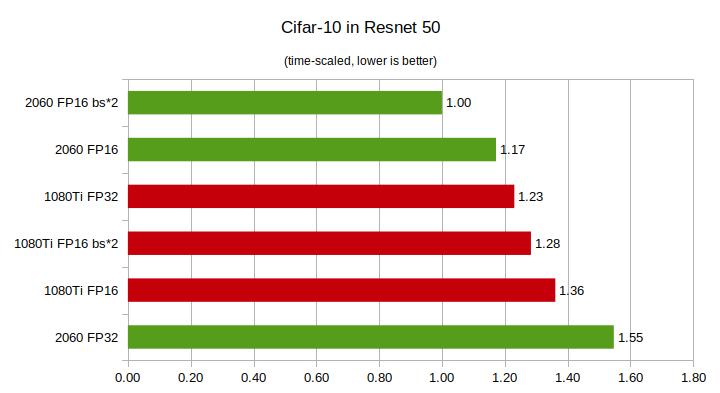

That's a ML (tensor) benchmark between the 2060 and the 1080ti
2060 is 28% faster, while the 1080ti is using all its CUDA cores, the 2060 is using only its tensor cores
fickle scroll
fathom trail
It's specifically using physical hardware only on these cards
i'm aware
fickle scroll
grizzled tide
This guy gets it.
we all get it though
fickle scroll
balmy bronze
Only way we get another "RTX X only" feature is if the hardware itself doesn't s...
agreed
grizzled tide
fickle scroll
we all get it though
You don't.
fickle scroll
grizzled tide
You don't.
oh? which comment made you think that? because i do
fringe furnace
is a DDR4 worth it for gaming? i'm just gonna add another ram card to my laptop. curious if price tag is worth it
olive garnet
how much ram do you have now? because going from 16 to 32 doesnt impact gaming performance
 clever crag
Black knight got a update with side fan and 2 fans under GPU.
 radiant olive
Looks great. I did something similar with a 140mm. Just zip tied it to the side panel.

my airflow is different though, fresh air from the back and exhaust from side and top
radiant olive
clever crag
Black knight got a update with side fan and 2 fans under GPU.
wait, what case is that? Thought it was nr200, but its different
clever crag
radiant olive
wait, what case is that? Thought it was nr200, but its different
little bigger. Matx case
Inter-Tech IM-1 Chassi
radiant olive
Hot damn, that's pretty darn small for a matx
clever crag
@radiant olive Yeaah 😅
 balmy bronze
The hero we didn't know we needed : https://www.youtube.com/watch?v=1hc52_PWeU8

Thanks https://PCBWay.com - Hi there. Let me give you a PSA. Friends don't let friends build RAIDs out of floppy disks. I know it sounds funny. Like, "ha ha, let's build a RAID out of these 34 random USB floppy drives". But I'm telling you, it's a dark path.
But hey, don't take my word for it!
🍎 The Boing Boing thread: https://boingboing.net/2...
fathom trail
olive garnet
how much ram do you have now? because going from 16 to 32 doesnt impact gaming p...
it certainly can impact performance
particularly because people don't generally just have a game open
olive garnet
i never peak above 12gb with a lot of programs open
fathom trail
I'm pretty much consistently above 16 while doing things
balmy bronze
fathom trail
particularly because people don't generally just have a game open
yeah but in practice, the game starts, other stuff is swapped to disk and ram size no longer matters. As much as I like 32GB being standard (I have 64GB) it just isn't totally necessary at this point
olive garnet
using a standby cleaner you can also free up memory
balmy bronze
olive garnet
using a standby cleaner you can also free up memory
I wouldn't do that, most of those programs are scam/malware
The OS will routinely move data to swap when it runs out, there's no point in "cleaning" it
olive garnet
the "Intelligent standby list cleaner" is made by the same guy from DDU lol
it's quite useful if you ask me
haughty grove
Is LTT a bad word here?!
haughty grove
fringe furnace
is a DDR4 worth it for gaming? i'm just gonna add another ram card to my laptop....
Thanks to Crucial for sponsoring this video!
Check out Crucial's DDR5 RAM today at: https://crucial.gg/LTT_DDR5
Still gaming in 2022 on 8GB of RAM (hopefully) in dual channel? We tested some newer games to find out whether or not you'll benefit from an upgrade, or if you're good to go for a little while yet.
Discuss on the forum: https://linu...
crude elm
haughty grove
Is LTT a bad word here?!
No, I like ltt
modern narwhal
haughty grove
Is LTT a bad word here?!
I like their style, but sometimes it looks like they are "too sponsored". Personally I discovered one of their videos totally wrong (one that claimed static was harmless to computers) but generally their videos are fun, well made
Some time ago my motherboard broke for no apparent reason, some months later I realised what very likely broke it... Poorly grounded PSU caused shocks when touching the case and ultimately sending the motherboard to the trash bin
balmy bronze
modern narwhal
Some time ago my motherboard broke for no apparent reason, some months later I r...
that's the problem with these sorts of topics though. Because the facts don't lie, ram chips can take quite a shock and work just fine. Except when they don't...
Personally I ground my hands on the case before doing any changes to my PC, but I've also shocked systems pretty heavily on accident and never had an issue.
But it can damage something. So it's more like "you're probably fine, but why risk it?"
hidden needle
Anyone got a not too clicky keyboard they could recommend
haughty grove
hidden needle
Anyone got a not too clicky keyboard they could recommend
As in not cherry blues or greens?
All my keebs come from wasd
hidden needle
Something that won't keep a person up at night
Something that clicks but not loud like my razer ornata chroma
haughty grove
Custom or no?
hidden needle
No custom
hidden needle
Alright I'll check them out thank
fickle scroll
Should be an $80 card at most but they're selling for $160-$200

NVIDIA silently releases the GeForce GTX 1630, a low-end GPU that is a rehash of the GTX 1050 from 2016, offering limited performance.
RX 6400 flavor
olive garnet
i like how its even worse than the rx 6400
 elder token
Yea
 sly vale
Sometimes
fickle scroll
olive garnet
i like how its even worse than the rx 6400
oh snap really? wtf
olive garnet
yeah lol
haughty grove
So, I'm trying to use my xbox series x controller on my PC w/ an intergrated bluetooth controller. It doesn't work. I'm on the latest drivers and everything. I'm assuming I need to use a different bluethooth card/dongle. Anyone have any recommendations.?
crude elm
haughty grove
So, I'm trying to use my xbox series x controller on my PC w/ an intergrated blu...

TechRadar
We show you how to use your Xbox Series X controller on PC so that you can take your new controller with you from the couch to the desk
Windows should automatically have the drivers and stuff for it
You can use techradar's article I guess to figure out how to connect
devout stump
I'm using my Series controller with my old xbox one controller adapter and it works great
crude elm
Shouldn't need an adapter since the Xbox One controller. Only 360 needed as far as I know.
devout stump
yeah it should work with regular BT too
haughty grove
So, apparently I’m having a range issue. If I hold the controller a few cm from the antenna it works. But more than a few cm away and the connection drops. Gonna try to sort out the interference issue(s).
modern narwhal
haughty grove
So, apparently I’m having a range issue. If I hold the controller a few cm fro...
technically bluetooth is supposed to work up to 10 meters
 peak copper
i remember the times of... infrared
haughty grove
modern narwhal
technically bluetooth is supposed to work up to 10 meters
True. But I remember reading something a while back, about how bandwidth intensive Xbox controllers are.
modern narwhal
peak copper
i remember the times of... infrared
Infrared is still going, fortunately only not that popular, relegated to tv controllers
haughty grove
Huh, so it was the bt card drivers. Now I can sit back and play my games!
 cedar spear
guys i need help
How do I make this stop
it barely started happening probably a few weeks ago
and its so annoying, i can't do many things
hold on nvm, let me record it again
its not just the Xbox app, its everything, from the search bar on windows to regular windows tabs, etc etc
 exotic root
Are you using control?
cedar spear
like a xbox controller? if so yes
or like holding down the control key
it happens even when the controller is disconnected though
and it also happens when the keyboard and mouse are disconnected too
exotic root
Did you try restarting or setting up from the factory?
cedar spear
yeah ive restarted my pc, and even reinstalled windows
exotic root
Mmmm, strange, I don't know much, but maybe it's an internal flaw or a virus
Sorry for not being able to help much
cedar spear
its all good, thanks for the attempted help
 coarse ember
Does $600 seem like a fair price for this used (for 5 years) pc right now? Its about half of what I paid for when I built it.
https://pcpartpicker.com/list/HNPCDq
- Gtx 1080 overclocked but never overvolted
- 6700k ran at 4.4ghz
PC Builder - Intel Core i7-6700K, GeForce GTX 1080, In Win 503 ATX Mid Tower
modern narwhal
Overpriced. GPU's prices are failing down. For that price you can get a recent Ryzen laptop
coarse ember
How much would you be willing to pay if you were to buy it?
Could you link me to a laptop that youre thinking of? Im not very familiar with ryzen laptops
modern narwhal
Not in USD but in euros, a friend recently was between an Aspire 5 A515 (650€) and a Pavilion Aero 13-be0009ns (699€) but was looking at a kinda expensive shop
Both were decent AMD Ryzen laptops
coarse ember
sorry i assumed UDS. thats what the $600 is in
coarse ember
HP Pavilion Aero 13 - Ryzen 5 5600U - AMD Vega 7
3DMark 13 – Fire Strike: 2908
3DMark Fire Strike benchmark scores with NVIDIA GeForce GTX 1080 and Intel Core i7-6700K Processor
Average score: 17883
balmy bronze
coarse ember
HP Pavilion Aero 13 - Ryzen 5 5600U - AMD Vega 7
3DMark 13 – Fire Strike: 2908
...
It's not that the price is off so much, it's that there is better tech for not too far off the price
but let's price it out a sec:
1080's are going for ~$200 on Ebay at the moment,
16GB 3000Mhz RAM isn't bad (not amazing) - $50
1TB NVME SSD - $70
6700k with a motherboard goes for $250 on Ebay, but a 5600X goes for $170 + $50 for a mobo
So really the question you have to ask, is someone going to pay $570 for that system, or spend $700-800 for a 5600X + 3060?
coarse ember
Yeah now that I think about it, a build with a rx 6600 or 6600xt around like $700 would probably have similar $ per fps, with the added benefit of everything being new with modern features
good point
I guess the one thing I would need to go for is a lower price bracket where its a lot harder to build a pc because of minimum costs on stuff like power supplies. Also better $ per fps compared to what can be built today, to compensate for it being used. Maybe $400-$500?
balmy bronze
or perhaps part it out depending on where you're selling it. GPUs still sell fairly well, and the CPU/MOBO may be useful for those looking for a direct replacement
maybe keep the storage, as HDDs/SSDs are quite hard to properly erase, and there are people who buy used storage devices just to scan them for personal info
modern narwhal
if you were a linux user I would say "just dd the heck out of it"
modern narwhal
balmy bronze
maybe keep the storage, as HDDs/SSDs are quite hard to properly erase, and there...

Ask Ubuntu
I'm planning on selling a USB external hard drive that currently contains an old Ubuntu installation with stored passwords and banking information.
How can I securely erase the drive before sellin...
balmy bronze
modern narwhal
https://askubuntu.com/questions/17640/how-can-i-securely-erase-a-hard-drive
there's so many levels of logic in modern SSDs though from what I understand it may be close to impossible to completely erase consumer SSDs
ah looks like some modern drives may have a drive-level command to nuke the drive at the firmware level : https://www.makeuseof.com/tag/securely-erase-ssd-without-destroying/

MUO
SSDs can only be written to a limited number of times. Then how can you securely erase your SSD? Here's what you need to know!
but TBH, I never bother, I still have 40GB HDDs from my 160GB RAID device, just because I don't want to bother smashing them and throwing them away yet
fickle scroll
...same
i have some 40GB lying around
maybe even a 20GB...
Got rid of all the 8GB, most likely
 waxen hill
my first build
Gaming Pc - Intel Core i7-10700F, GeForce RTX 3050 8GB, Cougar MG130-G MicroATX Mini Tower
overclocked gpu running games at high then some
balmy bronze
Nice! Enjoy
waxen hill
balmy bronze
Nice! Enjoy
is has been very fun went from an acer nitro with a 1060 and just WOW
fickle scroll
waxen hill
is has been very fun went from an acer nitro with a 1060 and just WOW
nice!
 meager hare
I can't get any answer on this over at buildapc discord guess I'll try here
I'm thinking of doing a standoff mod for motherboard and tuck power cables behind it, will it cause problems? Like short circuit or whatever, if the cable touch the motherboard metal or something, I have no knowledge of how it works
fickle scroll
waxen hill
https://pcpartpicker.com/user/nickbird517/saved/gVPYdC
RTX 3050 is still high end imo. right there at the 1070 Ti/1080 performance equivalent, arguably midrange but imo the lowest end of high range.
midrange by end of this year for sure.
though i would have gone with the RX 6600 (1080 Ti equivalent) and saved $30
makes me wonder though. will 1080 Ti finally be considered midrange soon?
the king of kings gpu
balmy bronze
meager hare
I can't get any answer on this over at buildapc discord guess I'll try here
I'm...
It wont technically. But parts of the motherboard will get fairly hot. Also I'd be careful as the backside of the mobo can sometimes have rather sharp spikes from the solder holding the pins into the board, if the cables stacked in a wrong way, and you tighten down on the screws I could see something getting punctured or torn. Also I wouldn't attempt to pull the cables through with the mobo on as those pins could slice something open.
So in general I'd just go for a case that has a lot of room behind the mobo mounting plate. For example the super popular 4000D Airflow has almost an inch on the backside for cable routing
waxen hill
fickle scroll
RTX 3050 is still high end imo. right there at the 1070 Ti/1080 performance equi...
thanks for the reply and yea didnt do too much research just kinda picked a 30 series and expected it to do better
fickle scroll
waxen hill
thanks for the reply and yea didnt do too much research just kinda picked a 30 s...
still a good card imo, especially for 1080p.
waxen hill
whats imo
fickle scroll
in my opinion
random but i remember buying a GPU for a full 50% below MSRP 2 years after it released.
back before crypto
i wonder how long it will take to get back to that
olive garnet
funny how the price i paid for my 5700 is actually still what youd pay for a similar card lol, 390eur for my 5700 back in may 2020 and now you can buy a 6600 for slightly below, 1 6600XT for the same price & the rest is 3050's lol (in my country)
fickle scroll
olive garnet
funny how the price i paid for my 5700 is actually still what youd pay for a sim...
yeah stuff hasn't been the same since like
before 2018
i would sell my 3090 for an RX 6900 XT and $800 any day of the week
imagine making $800 and getting better fps in almost all my 1440p games
hell i'd take a loss and just $500 at this point
balmy bronze
waxen hill
thanks for the reply and yea didnt do too much research just kinda picked a 30 s...
3000 series is better over all, but normally xx50 cards are pretty bad. It's just that you skipped 2 generations and DLSS makes up a lot of difference
olive garnet
fickle scroll
i would sell my 3090 for an RX 6900 XT and $800 any day of the week
imagine mak...
what frames are you getting with your 3090?
fickle scroll
olive garnet
what frames are you getting with your 3090?
not sure how to answer this. i change my settings all the time, and play dozens of games
6900XT crushes 3090 for several hundred dollars cheaper in 1440p though
fickle scroll
waxen hill
thanks for the reply and yea didnt do too much research just kinda picked a 30 s...
yeah you're getting some cool things with the 30 series for sure. access to DLSS on top of universal access to FSR, and surely even a bit of ray tracing power even in the 3050. also power efficiency compared to the 1080 it's equivalent to in raster
hidden needle
Hey can someone give me a quick run down on ram and megahertz. What they do and what's best
balmy bronze
hidden needle
Hey can someone give me a quick run down on ram and megahertz. What they do and ...
That's a tricky question, on AMD processors RAM mhz should match 1/2 the FCLK of the CPU, so that means AMD CPUs want lower Mhz, 3200-3600 is the best. On Intel CPUs the higher the better.
In general the Mhz of the CPU is how many clock cycles per second the ram can process, the CL number is the number of clocks it takes the RAM to respond to a request. so a 3200Mhz CL14 may be better than a 3800 CL16 because although the RAM is slower it takes less clock ticks to respond
in practice it doesn't matter a whole lot, we're talking 1-10fps a
The rule of thumb: use combination of two sticks. So have 2 or 4 sticks in your system, never 1 or 3. And just go for what you can afford at the time. 16GB is good, 32GB is slightly better, if you don't care about money go for 64GB
hidden needle
Alright thanks man. Im getting 32 gigs of ram in my system soon and i haven't done research in a long time
fickle scroll
64GB you can't use unless you're doing specific kinds of creative work
i've still never used over like 24GB even with over 200 chrome tabs and multiple games up
I'd wager 32GB will be more than enough for gaming + multitasking for at least another 6 years
but i made sure to go for 48-64+ for my professional systems
fathom trail
I'd actually wager over 32 will become beneficial in not too many years for even just gaming
mostly because particularly with new systems more and more people are going for 32 and hence you can actually make games that benefit from it without causing problems for most users
amd when games are designed to use that much then there certainly are going to be more opportunities for it to be a limiting factor
fathom trail
balmy bronze
That's a tricky question, on AMD processors RAM mhz should match 1/2 the FCLK of...
That's not quite true is it?
For Zen 3 (and even Zen 2) the ideal speed is a bit higher than that and especially with Zen 3 there's definitely a performance increase for going to 3800
3866 is ideal for Zen 3 at least per AMD's marketing IIRC
of course in practice it makes little difference because the differences aren't large
modern narwhal
Officially I am blind xD
fickle scroll
fathom trail
I'd actually wager over 32 will become beneficial in not too many years for even...
Well consoles still have at most 16GB of memory total
that could potentially change with PS5 Pro and Xbox Series Elite, but possibly not
there may be like 3 extremely poorly optimized games out there than can use 16GB of ram. i can't think of any mainstream ones though.
balmy bronze
fathom trail
For Zen 3 (and even Zen 2) the ideal speed is a bit higher than that and especia...
No, you always want the RAM speed to match the FCLK speed otherwise they desync. It's true that faster ram better, but only so much as it's still matching the FCLK
Some claim to be able to have a FCLK of 1900Mhz, but I've never gotten it to be stable on my previous 5950x.
But the overall point was: don't get 4200Mhz RAM and run it at 4200Mhz with an AMD CPU, it may actually be slower than running it at 3600Mhz (and tighter timings)
Whereas with Intel you can pretty much throw the fastest RAM possible at it, and it'll be happy
balmy bronze
fathom trail
I'd actually wager over 32 will become beneficial in not too many years for even...
And they don't even need to use 32GB. Windows starts swapping out RAM when it gets to about 75% usage, and any "extra" ram is used as a disk cache by the OS. So 16GB of RAM is really more like 12GB due to OS swapping. Then take out ~2GB for the OS's overhead. And you're at about 10GB for a game. Lots of games these days will use 10GB or so, meaning you don't really have much wiggle room.
Already it's pretty easy to start touching swap with 16GB. That'll get worse once games start using more RAM. So 32GB is what I'd reach for for any gaming PC these days.
Nice fat disk cache, no swapping, and multitasking
 livid walrus
Hello I have a problem with epic games - After computer full reset, when i start some of the games such as GTA V or Fall Guys (before the reset both of them were working correctly) it shows "Running" for a few seconds and then it crashes with no error / error code 0xc000007b. I would be glad if anyone could help. Thanks :D
PS. Fortnite is running as always
green panther
Usually is a client issue iirc, basically reinstall EGS.
modern narwhal
@shadow cedar scammer kinda active today
livid walrus
green panther
Usually is a client issue iirc, basically reinstall EGS.
solved by installing csgo from steam xD
it downloaded directx for me
i couldnt do it manually idk why
green panther
livid walrus
solved by installing csgo from steam xD
That's an odd sollution
livid walrus
xD
balmy bronze
livid walrus
it downloaded directx for me
probably using a old version of DX
DX9? that would seem strange
 hollow dagger
my game crashes after i launch it on steam, how do I fix this?
 scarlet granite
hollow dagger
my game crashes after i launch it on steam, how do I fix this?
scarlet granite
hollow dagger
my game crashes after i launch it on steam, how do I fix this?
Can you be more specific?
hollow dagger
you know that CDÅR launcher you get after you launch it on steam?
CDPR*
when I click play the launcher just closes and the game wont open, and on steam it goes from RUNNING to PLAY
scarlet granite
I would verify game file integrity through steam first and see if it still happens
Is this the first time you're launching or is this happening after awhile of playing?
balmy bronze
hollow dagger
you know that CDÅR launcher you get after you launch it on steam?
verify the files in steam, what are your system specs
also have you ever used mods with the game?
hollow dagger
I have verifies loads of times and my specs are 3070 and an AMD 3 3700x the game worked fine before
but after they introduced that CDPR launcher a while back the game wouldt launch
olive garnet
Anyone have experience with the Xbox All Access program? Anyone recommend it?
olive garnet
Add -launcher-skip and it’ll bypass the launcher
orchid jasper
@hollow dagger like @olive garnet suggested, you can skip the RED Launcher. (See video) As far as I'm concerned, you need to add "--launcher-skip", so it's a double dash before "launcher", and a single dash before "skip", everything in one word, without the quotation marks. If that didn't work and your game is installed on any other drive than C:, open Windows Defender settings and create an exception for Cyberpunk2077.exe in 'Data Execution Prevention.', for both private and public networks. If there are multiple entries of Cyberpunk, tick all of them.
https://youtu.be/REptrIS8DzI

Took me a second to find out how to skip CD Projects Red's launcher for Cyberpunk 2077! Let me share how I did it!
Let’s get in touch:
►Be sure to join our Discord server to talk with me and other Indie Game enthousiasts! https://discord.gg/z5SawzU
► Check me out on twitter! https://twitter.com/IndieGameGuides
► Subscribe for more guides: http...
hollow dagger
orchid jasper
<@374666232630083594> like <@456226577798135808> suggested, you can skip the RED...
Yhe I have done that as well but the game wont open
modern narwhal
@vagrant notch There has been some debate about the 30 and 40 series power consumption, here is a good analysis about what happens technically

Support our in-depth testing, journalism, and analysis! Grab a Modmat, mouse mat, shirt, or more at https://store.gamersnexus.net/ (through 6/25, 10% of ALL store revenue ALSO goes to a charity handling technology education for kids, e-waste processing, and refurbishing).
Grab a GN Tear-Down Toolkit with 7-year warranty! https://store.gamersnex...
balmy bronze
modern narwhal
<@125784005227315200> There has been some debate about the 30 and 40 series powe...
I don't like the title/basic analysis in that video, but in the end the conclusions are fine
Steve throws all the blame on the GPU makers (specifically NVidia) at the start. Although later admits that it's also partly the PSU maker's fault, or really that they both need to somehow agree.
 upbeat narwhal
is anyone using a mechanical keyboard? I am considering getting a new one (assembling a keyboard for a first time) but I am not sure about the switched (I'm currently using cherry MX blue switches). any recommendations for tactile switches? or what are you currently using?
balmy bronze
upbeat narwhal
is anyone using a mechanical keyboard? I am considering getting a new one (assem...
I have the kenesis gaming, as that helps my RSI. In general I prefer browns
fickle scroll
modern narwhal
<@125784005227315200> There has been some debate about the 30 and 40 series powe...
we've watched this yeah. good vid.
but i just cap my fps and literally experience zero such issues with a 3090
 gray glacier
*[Specs: RTX 3070Ti, Ryzen 7 5800X, 16 GB DDR4 RAM, M.2 SSD, 720p DLSS'd to 4k]
Why could ray tracing be causing severe stutters in my system? Most of what I've looked up mentions a possible memory "leek". The game loads up and runs more or less as expected for the first couple of minutes, but then performance drops to completely unplayable levels. LOD/crowd density have an unreasonable impact on the magnitude of these stutters. This persists across both vanilla 1.52 and a slightly modded profile with some streaming optimization tweaks. When RT is disabled, I get some stutters but they are extremely rare and performance is as expected from my hardware. Any ideas?*
[Posting for @fallen lynx, because of overenthusiastic bot 🤖]
modern narwhal
gray glacier
*[Specs: RTX 3070Ti, Ryzen 7 5800X, 16 GB DDR4 RAM, M.2 SSD, 720p DLSS'd to 4k]
...
You have not tried to talk in this channel about water cooling loops xD. Indeed an enthusiastic bot
gray glacier
Ah yes, the spillage
modern narwhal
@fallen lynx I would do some troubleshooting. In game OSD showing:
- usage % for GPU and CPU
- temps for GPU and CPU
- FPS
 fallen lynx
CPU usage stays rather low (40-50%), GPU reaches full load (98%+)
Temps are below throttling limits, a bit below 80ºC
The game runs at 50-60FPS (Ultra, all RT) until it begins stuttering, rapidly dropping to an average of 25 or so
modern narwhal
CPU keeps the same?
fickle scroll
gray glacier
*[Specs: RTX 3070Ti, Ryzen 7 5800X, 16 GB DDR4 RAM, M.2 SSD, 720p DLSS'd to 4k]
...
8GB vram in CP2077 at 4k is not a possibility
it's frankly insane they released $500, $600 8GB cards in 2020, that frequently sold for $1300-1500
8GB would even be hard at 1440p to be frank, and that's with lowered settings
I use almost 10GB at 1440p on a 3090. 4k uses 12GB. though it seems on other cards, it will read as using less
though a 3080 10GB will use the 10GB okay, i think? not sure if there are any slowdowns when playing maxed 4k on this patch
fallen lynx
modern narwhal
CPU keeps the same?
In vanilla, I've noticed that performance drops off gradually before beginning to stutter, and this is marked by lower CPU usage (ends up in the 30s at a maximum); at that point, even opening the map lags the game for a good 5-10 seconds
fallen lynx
fickle scroll
8GB vram in CP2077 at 4k is not a possibility
I tried DLSS-ing to 1080p as well with no notable change; 4k DLSS Ultra Performance renders at an internal resolution of 720p, same as 1080p DLSS quality, does DLSS have a VRAM cost?
fickle scroll
fallen lynx
I tried DLSS-ing to 1080p as well with no notable change; 4k DLSS Ultra Performa...
in MY personal experience, DLSS had little to no effect on vram usage
fickle scroll
fallen lynx
CPU usage stays rather low (40-50%), GPU reaches full load (98%+)
Temps are belo...
i also observed this vram limitation when playing Resident Evil Village on a 3070 at 1440p
3070/3070ti is a great 1080p series
1440p too but not for 2020 games
i would say RTX 3060Ti/3070/3070ti are great 1080p cards
3080 10GB/12GB/Ti great at 1440p
3090/3090 Ti great at 4k
but for older games, of course, anything goes
i bet a 3070ti will run many older games at 4k
you can manually lower your resolution, or other settings, and close programs in the background
but i don't know if 8GB will run CP2077 at 4k in any context. maybe with textures lowered a lot?
green panther
Soo does that mean allocation or actual usage ? 😉 People claimed 10GB of VRAm isn't enough for many games yet so far not many issues has been seeen. Like CP7 only uses 7.5GB of VRAM (actual) on 4k without any RT. Only if you add the RT it spikes to just below 10GB.
balmy bronze
fallen lynx
I tried DLSS-ing to 1080p as well with no notable change; 4k DLSS Ultra Performa...
Certainly sounds like a RAM usage or heat issues
fickle scroll
green panther
Soo does that mean allocation or actual usage ? 😉 People claimed 10GB of VRAm ...
allocation most likely, most of the time.
well except he really is vram limited. as you say, shut off rtx entirely and get just below 8GB. use optimized settings and get below 7GB
but maxed 4k with rt? nope
memory limited in these big beefy titles
had the exact same issue with my 3070
fickle scroll
https://www.bestbuy.com/site/asus-rog-strix-g15-advantage-edition-15-6-fhd-gaming-laptop-amd-ryzen-9-5900hx-16gb-memory-radeonrx-6800m-512gb-ssd/6466550.p?skuId=6466550or for $150 more, get a laptop with 6700XT equivalent power
fickle scroll
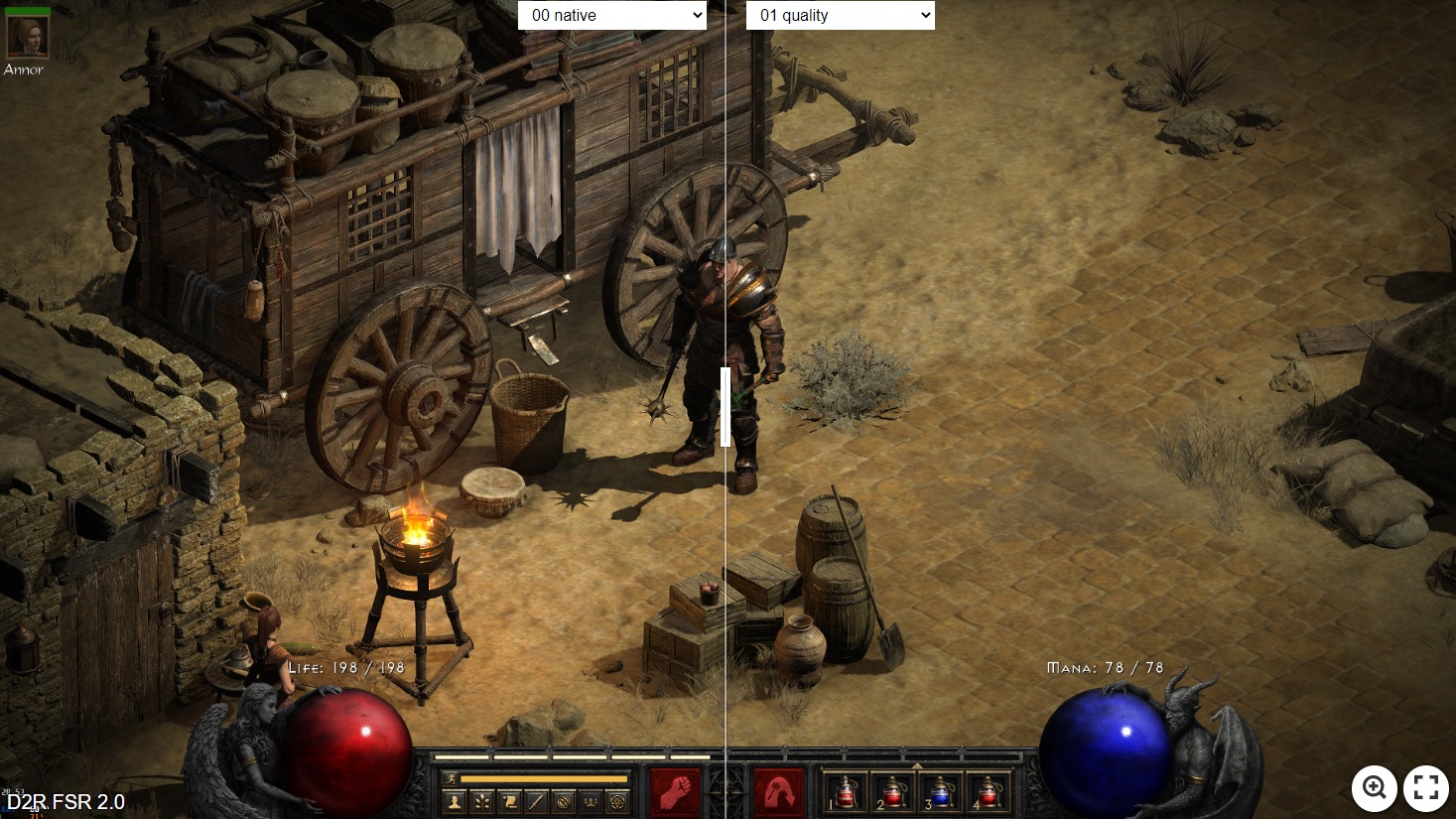
Diablo 2 Resurrected and various other DLSS-supported games can now make use of FSR 2.0 by using the Cyberpunk 2077 FSR 2.0 mod.
balmy bronze
Always a fan of Buildzoid, good points in being careful on you evaluate RAM : https://www.youtube.com/watch?v=w3ehKJj8TLo
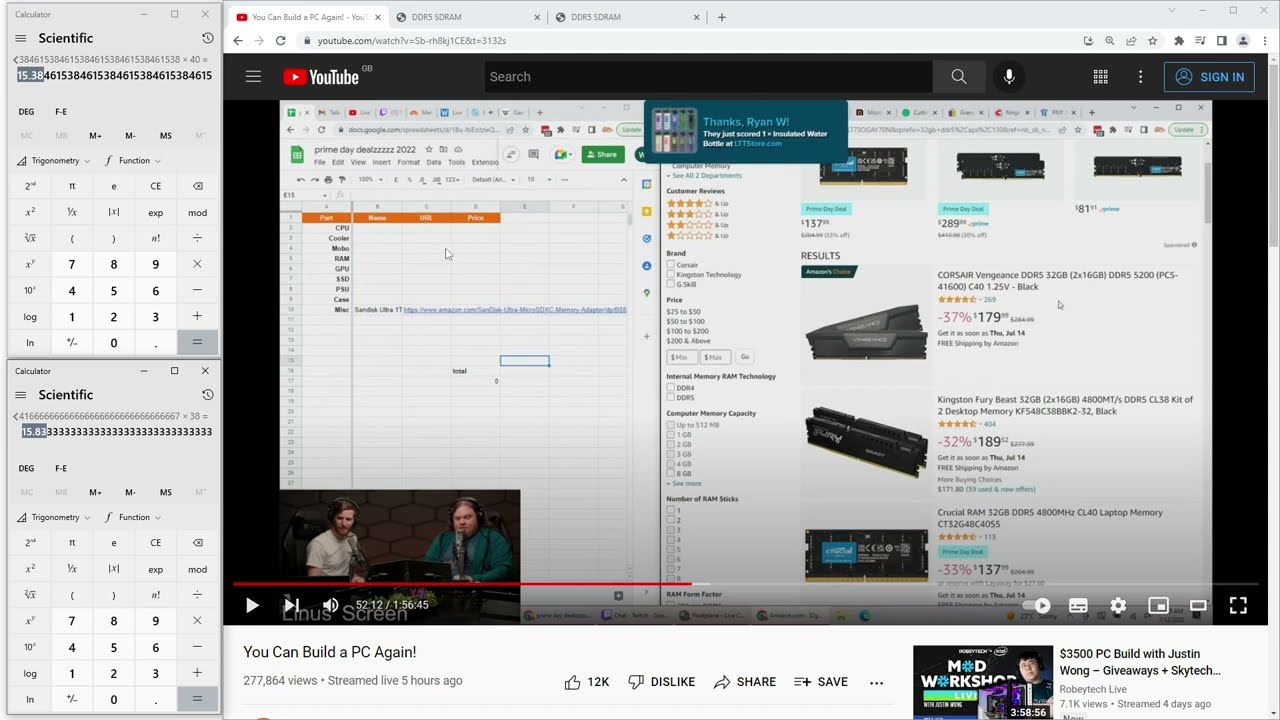
My Patreon: https://www.patreon.com/buildzoid
Teespring: https://teespring.com/stores/actually-hardcore-overclocking
Bandcamp: https://machineforscreams.bandcamp.com/music
Twitch: https://www.twitch.tv/buildzoid
Twitter: https://twitter.com/Buildzoid1
Facebook: https://www.facebook.com/actuallyhardcoreoverclocking
balmy bronze
1/3rd of the way through this video and I love it so far : https://www.youtube.com/watch?v=AN8ZAf15DrM

Sponsor: be quiet!'s Silent Base 802 https://geni.us/DaGYu
Intel's new Arc GPUs are starting to roll-out. We're looking at the Intel Arc A750 briefly, but mostly talking with Intel Graphics Engineer Tom Petersen (formerly NVIDIA) about how Arc clock control works, some of the architecture, PCIe x8 decisions, driver challenges, and more. The disc...
 restive zenith
finally got my xtrfy m42 wireless 🙂
arrived in just 2 days from sweden
 olive garnet

Microsoft Excel Video with Jan Brehm
coarse ember
Hi Nerds,
Question:
For a pure gaming PC build right now, would it be worth getting an 8 core cpu (or more) over a 6 core cpu, not for gaming performance now, but for future proofing?
I dont think theres much of a difference in 2 cores right now for gaming, but I heard the new consoles have 8 core cpus. I know good amount of games are developed for console first then ported over to pc because its a lot more streamlined that way. Im guessing the newer games will better take advantage of higher core counts and multithreading so thats where the logic to this argument comes from.
A solid 6 core cpu right now is th R5 5600x for example, at $175. I think the cheapest 8 core cpus are the i7s from 10th gen intel or the R7 5700x at $275. Maybe the i5 12600k with 6P4E, 14 threads at $260?
From that pricing alone I think no way right? Very little performance gain right now and maybe better performance in the future at the cost of $100? (Again, for pure gaming).
Im curious to hear other opinions on this since it doesnt seem like this is talked about much right now
fathom trail
Honestly future proofing doesn't make sense
furthermore 8-core CPUs (or similar) were already used on consoles in the past, the PS4/Xbox One both had APUs with dual quad cores and for example the One X already used a proper 8-core
fathom trail
fathom trail
Honestly future proofing doesn't make sense
Specifically because you're spending more money now for a possible benefit later even though it'd generally be better to buy what you need now and upgrade later
furthermore the less you spend on say, the CPU the more you can spend on other things
coarse ember
Woah yeah there are 8 physical cores in the 2014 xbox one and PS4 now that I look it up. The consoles aside, do you think games released in the future will be better at utilizing more cores than the games now?
fathom trail
Yes
however I don't think buying a better CPU now because of that future makes sense - you'd certainly be better off buying what you need now and then upgrading later
if you skip a couple generations you will most likely see major per-core performance improvements and even higher core counts at around the same price
hidden needle
I need some help one something. I recently upgraded my pc with three things. A new power supply motherboard and RAM. It has constant been blue screening on high and low end games. It reboots for no reason aswell.
If anyone has an idea what problem i could be having please help me. I will provide system specs if you ask
balmy bronze
hidden needle
I need some help one something. I recently upgraded my pc with three things. A n...
so auto-rebooting is a OS level issue. In this case, I might first check the memory with a memory check, as well as ask if you completely reinstalled the OS
a mobo replacement is like a brain transplant kindof need to reinstall everything
hidden needle
do you have any guides for those on hand? i don't want to worsen it lol
crude elm
hidden needle
I need some help one something. I recently upgraded my pc with three things. A n...
Thanks to Seasonic for sponsoring this video! Buy a Seasonic TX 1000 PSU today at https://geni.us/aryiquT
We’ve done plenty of build guides before – But now we’re taking it to the next level. Not only will you know how to build a PC, you’ll know how to build ANY PC – This is the LAST guide you’ll ever need!
Discuss on the forum: https://linust...
Probably best to look at something that goes through everything step by step.
You can skip the parts selection stuff and go to the build stuff.
hidden needle
thanks for the video but i believe it's a software problem as amd sometimes says a driver timeout occurred. i will definitely see if anything's loose or out of place.
crude elm
If you just replaced components, and are running into so many issues, it is possible it is a driver issue, but also possible something isn't set right. For example, like someone said above, you could have a memory not properly slotted. Maybe your cooling isn't proper. Replacement of a motherboard means you need to put everything back on it, so it could be either software or hardware.
But, it has some troubleshooting references there.
 rocky leaf
https://youtu.be/BSkcMwzZEFo they saved money on cooling

M2 MacBook Air Thermal Throttling Cooling Mod using Thermal Pads that GREATLY improves extended performance!
The BEST Thermal Pad for Cheap ➡ https://geni.us/RMoQL
Best Budget Fast Charger for M2 MacBook Air! ➡ https://geni.us/PvFr2
iFixit Pro Toolkit ➡ https://geni.us/8qkP
NEW M2 Chip Shirt (20% OFF with M2CHIP Code): https://max-tech-store....
balmy bronze
rocky leaf
https://youtu.be/BSkcMwzZEFo they saved money on cooling<:vwhat:589887242592321...
Not anything new, Apple has pissed me off for years on how much they stifle their CPUs
they used to shove a i9 in a ultra-thin case, and have it share a heatpipe with a GPU, then blame Intel for being too hot
maybe don't try to run a workstation processor in a 1in case and you'll be more successful
that's when I knew Apple wasn't for me. I want power in my computers, I don't give a crap about weight/size
 distant ingot
I'm gonna need a bit of help here to decide:
3060 and 3060ti are the ones that came to mind, but when I looked the benchmark, power consumption and etc for both of them, I found myself thinking that it's a small FPS difference including the use of RT and DLSS, though 3060ti offers a better performance. For the pricing, I’m taking this from SCAN UK, 3060 is like around £379 at minimum and 3060ti go between £499 to £650. I have been stuck with 1050ti for a long time, mainly because I didn't know much about PC when I had pre-built gaming PC (and it was actually a turd ) until I learnt so much that I was a bit embarrassed and admitted how dumb I was to upgrade from 1050 non-ti to 1050ti.
Right now, I have been playing less games for a short amount of time like 2 hours on average (if it's a game that I'm willing to put most of my time to finish, 8-12 hours). Other than that, I also do editing like Premiere Pro for making short films as many as I can if I’m bothered (I do use lumetri color, color correction and what not on Premiere, though it depends on the project), and recently, still thinking about making a 9-hour observational documentary in the near future. For gaming, I normally optimize the graphic settings that I feel comfortable with especially if I want to use RT, as I’m generally not concerned about playing it at above 60FPS in ultra settings at all times. In terms of the monitor, it seems very unlikely that I’ll be upgrading my monitor to 1440p 120Hz at some point given my circumstances, so I have been living with 1080p 21” monitor 60Hz for years.
These are my specs at the moment:
Ryzen 5 5600x (with a stock CPU cooler)
2x 8GB Corsair 3600mhz DDR4
Zotac GTX 1050ti
Overall, I’m just not quite sure which. I had second thoughts and was slowly leaning towards to getting 3060 non-ti regardless of the affordability.
balmy bronze
distant ingot
Overall, I’m just not quite sure which. I had second thoughts and was slowly lea...
What storage device are you using?
lol, sorry about htat
distant ingot
balmy bronze
What storage device are you using?
Two internal sata SSDs.
Nah, it’s cool. Lol
balmy bronze
Yeah, then I think a GPU upgrade is certainly what you should look for at this moment, a 3060ti is faster than a 3060 and 8GB of VRAM should be enough
if you're using adobe products, I'd also consider upgrading to 32GB of RAM
distant ingot
I guess 3060ti, that is. 3060ti was what I initially wanted to get, to be honest.
fickle scroll
coarse ember
Hi Nerds,
Question:
For a pure gaming PC build right now, would it be worth get...
i think 6 cores are still good for gaming. they're likely still gonna release 6 core cpus for at least another 2 generations
fathom trail
I'd assume we'll see 6-core CPUs for even longer than that
I mean 4-core CPUs are still being released, I'd assume those would get phased out first
balmy bronze
fathom trail
I mean 4-core CPUs are still being released, I'd assume those would get phased o...
yeah, but we'll start to see "firm" requirements for 6 core in the near future I suspect. I remember how DA:I ran like utter trash on a dual core. Even now I'd say quad core is a bit underpowerd especially if you lack HT
fathom trail
6 cores is already the de facto min spec for actual use (in terms of gaming) at this point
balmy bronze
Indeed
coarse ember
Quad core is already struggling today. Now I know cyberpunk is not the best example, but with a 6700k and GTX 1080, the 6700k is actually the bottleneck and the 1080 is only used around 80%. My GPU has always been the bottleneck for me in other games
balmy bronze
coarse ember
Quad core is already struggling today. Now I know cyberpunk is not the best exam...
Yeah, Cyberpunk is certainly a sign of things to come. Although to be fair, 6th gen Intel is also quite a bit behind
coarse ember
I was checking out the fps calculator on that PC builder website, and the 6700k is beaten by the 10100 which is hard for me to accept. $350 flagship vs like a $100 budget i3, same cores, same threads. Yeah its like a 4 year difference, but wow. I don't think it's on the website yet, but I'm pretty sure the 12100 would destroy the 6700k/7700k.
I think it's fair to say the same thing will happen with 6 cores eventually, it's just a matter of when? So like in 2 years, or like 10 years? For right now though, too much value in the 5600x to go above 6 cores for mid range/high range gaming only builds (seems like this is the consensus from this discord server and judging by the price s right now). I'm hoping 13th gen intel raptor lake and AM4 will be good. Not for myself, but helping a friend build a PC near Black Friday. Maybe the budget cpus will have a baseline of 8 cores. That would be great
balmy bronze
coarse ember
I was checking out the fps calculator on that PC builder website, and the 6700k ...
That's pretty accurate though, the generation by generation improvement in CPU tech is about 10-20%. So let's take 15% as a baseline, if the 6700k has a base speed of 1x, then a 10700k would have a relative performance of: 1.78x
balmy bronze
coarse ember
I think it's fair to say the same thing will happen with 6 cores eventually, it'...
yeah I think 13th gen will be quite good, I'm considering switching myself just to get in o DDR5 and the insane speed of some of the new Intel CPUs
final loom
crude elm
https://www.youtube.com/watch?v=BL4DCEp7blY&ab_channel=LinusTechTips
The only true guide for PC building is the one from The Verge 
balmy bronze
final loom
The only true guide for PC building is the one from The Verge <:hehehe:344584659...
Did you see the one LTT did with that guy? Pretty good stuff.
final loom
The one from LTT is good
modern narwhal
final loom
The one from LTT is good
It is a redemption video, kudos for the dude
echo goblet

New Customers Exclusive – Get $25 off your purchase of any AMD and Intel Processor (limit 1 per customer): https://micro.center/224a17
SmartDeploy: Claim your FREE IT software (worth $580!) at https://geni.us/SmartDeployJuly
Intel brought us the Arc A770 to definitely not test. We certainly didn't show any performance data. For sure.
Discus...
 worldly plaza

New Customers Exclusive - Get a Free 240gb SSD at Micro Center: https://micro.center/d61a58
Get 30% off list price and 30% off onboarding at http://www.graphus.ai/linus
With GPUs getting bigger and bigger and cases smaller and smaller, will Silverstone be the one to save our space?
Buy Silverstone SUGO 16 (Black) on Amazon: https://geni.us/W...
grizzled tide
coarse ember
Hi Nerds,
Question:
For a pure gaming PC build right now, would it be worth get...
Future proofing is not a thing - it is only getting a few more years worth of use (at best), but with new CPUs just around the corner, it is not a great time to purchase unless you are fine with sticking with one (or in some cases, two) generations behind the market.
If your current CPU is not enough for your current workload, get it.
The way you decide whether something is worth purchasing or not is by breaking down the factors that are actually making it worth it, if those factors do not impress you for the price you pay then it's probably not the best idea.
 sleek spruce
personally im still using a 10 series but ill prolly upgrade when the 40 drops imo its better to make big big purchases overe small ones when it comes to gaming itll save money in the long run