- Download and install this https://download.oracle.com/java/17/archive/jdk-17.0.3.1_windows-x64_bin.msi
- Open CurseForge and click the
 in the bottom left corner.
 - Go to the
 Minecraft tab and scroll down to the bit about java versions.
 - Click the
 icon and then choose Java: 17.0.3.1 (64 Bit) from the list.
 - Follow the instructions from
!mc-installfix(if your internet is slow the instructions from!mc-updatemodloaderwork but need to be done on every profile made since the error began to happen)
#🔥︱curseforge-support
1 messages · Page 654 of 1
 red patioBOT
 upper root
Just because you can send a screenshot of the launcher showing you signed in doesnt mean you own the game
 quick wadi
i own it
 scarlet tusk
thx

 upper root
Did you used to use a launcher that allowed you to play without owning it?
upper root
quick wadi
no
🤨 The results from the powershell command say otherwise
 eternal shale
!mc-installfix
red patioBOT
This is NOT instructions for Repair Profile! They are NOT the same! You need to do this!
- Click on the Minecraft Tab on the Left side of the CurseForge App.
- Click
 button next to the
 Create Custom Profileoption. - Click

Repair Installationoption. - Play game.
NOTE: You will not lose any modpacks or worlds!
 tulip turret
 upper root
!oops
red patioBOT
You had an "Oops, that was not supposed to happen!"
Follow the instructions in this link!
If the info in the link does not work please do ?cflogs-oops and follow the instructions there to get the log files.
quick wadi
you know what screw it im uninstalling curseforge
 opal cipher
You could just remove the entries for the Minecraft-things in that file, restart the computer and try again.
upper root
They left
upper root
!notcf
red patioBOT
Your question is not related to CurseForge owned/maintained features or services.
Please use the appropriate game room by getting a game role from #786424115535544350.
Otherwise use #👽︱game-support for game related help.
CurseForge does not make or maintain any of the content or games used on the site or app. Just because it's on the site/app does not make it a problem with CurseForge. Move rooms as requested, arguing about it will result in you being muted.
opal cipher
It's not gonna give you a different response just because you type it..
 muted plover
did i ask
opal cipher
Nope, but I told you anyway
 dusty thunder
?cflogs-oops
red patioBOT
Oops :(
- Make sure you tried these steps first!
- Click the
Create logs.zipbutton on the bottom of the oops error. - Drag and drop the file it makes into this room.
- Wait for someone to look the logs.

 unborn basin
dusty thunder
i dont have the create logs.zip button
unborn basin
dusty thunder
i dont have the create logs.zip button
!outdated
red patioBOT
Your CurseForge App version is outdated!
To use CurseForge with the latest features & fixes you should update your CurseForge App.
You can do this by uninstalling the app from your computer programs and then install it again from https://download.curseforge.com/
NOTE: Uninstalling CurseForge will not remove any game/mod data, It's entirely safe to remove and install again!
dusty thunder
thanks boi
 narrow olive
why does it say game crashed when i try to open a minecraft mod?
 queen storm
!notcf
red patioBOT
Your question is not related to CurseForge owned/maintained features or services.
Please use the appropriate game room by getting a game role from #786424115535544350.
Otherwise use #👽︱game-support for game related help.
CurseForge does not make or maintain any of the content or games used on the site or app. Just because it's on the site/app does not make it a problem with CurseForge. Move rooms as requested, arguing about it will result in you being muted.
 soft bolt
Is this the channel where i can ask how to register a command? (just for context i normally mod in fabric, but i need my mod to go to forge, its just a simple mod that runs specific code every hour, and when a command is done by an operator. I just can't find anything online that actually works, most things seem to be for older versions.)
If you want me code for what i tried rn ill be happy to provide it.
upper root
!!=
red patioBOT
Wording is important!
Forge = Minecraft Forge, This is a modloader often just called "Forge".
Fabric = Fabric MC, this is another modloader, just called "Fabric".
CurseForge = A Website/App that has content for games.
Mods = Individual mod files.
Modpacks = Multiple mods put into the mods folder or downloaded from CurseForge.
These are not Interchangeable! Please use the correct terms as it allows us to help you faster!
upper root
Try read past line 2
soft bolt
i just said that i normally mod in fabric so have no clue how forge works
upper root
specifically the bit that says what CurseForge is
red patioBOT
 echo girder
so yesterday curseforge was all fine but when i tried to open it today, it got stuck on the loading screen and the "forging your library" menu for hours now
i even tried uninstalling curseforge and overwolf and then reinstalling them again, restarting my pc multiple times, disabling the firewall and antivirus
upper root
!cflogs-zip
red patioBOT
upper root
send it here then
echo girder
upper root
have you restarted your computer recently?
echo girder
yep, 2 times trying to fix the problem
 cold badger
I cant send my support text on the site it says: Hmmm… can't reach this page It looks like the webpage at https://support.curseforge.com/en/support/tickets might be having issues or it may have moved permanently to a new web address.
ERR_ACCESS_DENIED
echo girder
literally yesterday i opened curseforge right after opening the pc and it worked fine
cold badger
cold badger
I cant send my support text on the site it says: Hmmm… can't reach this pag...
sorry for that link btw
echo girder
upper root
have you restarted your computer recently?
any idea on what's causing the problem?
upper root
be patient, its been 2 minutes
echo girder
it's kinda hard to be patient when i've been trying to fix the problem for 3 hours yk
upper root
Its kinda hard to read logs when you are simultaneously helping 3 other people in two other channels
echo girder
sorry
upper root
Your error is also something I haven't seen before, so im taking a reading a lot more log than i normally would to try understand its cause better
cold badger
echo girder
it's kinda hard to be patient when i've been trying to fix the problem for 3 hou...
last time i made a modpack i had worse problems than now my support didint work (just like now) so i sent a message here and then nobody helped me and i needed to fix it on my own and spent 4 days (i only got the slightest bit of help) i needed to fix about 98 procent of the problem on my own SO DONT let this problem end the same way curseforge im paryin🥲
upper root
echo girder
Do you have anything that could be preventing curseforge from accessing the internet?
Its trying to get a list of games from a server somewhere, but its failing to do that for an unknown reason
echo girder
i haven't changed a single thing from yesterday
the problem only occured this morning
upper root
try access this in your browser, it should download a json file. you can delete that, i just need to know if it works
https://curseforge.overwolf.com/downloads/ow-client-overrides-v2.json
 upper root
yeah
echo girder
do i have to run it?
upper root
No, its a useless file, just needed to know if your computer could access that server
https://api.curseforge.com/legacy/game?supportsAddons=true can you access this?
upper root
yeah
try copy that into a new json file at C:\\Users\\<username>\\AppData\\Local\\Overwolf\\Curse\\gamesCache.json
echo girder
i only have this in the //curse file
 upper root
a new json file
echo girder
idk how to create json files
upper root
open notepad, then when you go to save it save as All Types and name it as a .json
echo girder
okay now?
upper root
so the file is now in ther with the content from that link?
echo girder
yes
 upper root
!cflogs-app send these again
red patioBOT
<:overwolf:857375414002384916> How to get CurseForge App logs! <:overwolf:857375414002384916>
- Click the

Create logs zipin the menu.
menu. - Drag and drop the file it just made to this chat room to upload it.
- Wait for someone to look at it so they can help you.
 echo girder
upper root
echo girder
upper root
well it got a step further
echo girder
towards better or worse
upper root
better, it got stuck on getting a mod instead of getting a list of games
unborn basin
echo girder
towards better or worse
Can you try net stop hns, then net start hns?
upper root
lets the smart guy handle it
echo girder
unborn basin
Can you try `net stop hns`, then `net start hns`?
and how does one try those?
echo girder
it says the service is invalid
unborn basin
Do you have any antivirus running?
unborn basin
Did you relaunch CF after disabling the antivirus?
echo girder
yep
unborn basin
Do you have any vpn or cloud service on?
echo girder
nope
unborn basin
Can you connect your computer to a mobile hotspot?
echo girder
no
 rich beacon
Hello! I'm having a problem about trying open minecraft in curseforge, the error is ''Failed to download the minecraft launcher due to a network error''
upper root
Windows 7?
rich beacon
Yup
upper root
!win7
red patioBOT
Hey there,
You seem to be running Windows 7 which is not supported anymore by Overwolf or Curseforge. Please upgrade your machine if possible.
You can find the download link here
 finite fern
i wanna do my own modpack how?
upper root
!mc-installmods
red patioBOT
How to install mods in CurseForge App.
- Click
+ Create Custom Profile - Name it, select the required Minecraft version, select the modloader & modloader version (usually the highest number), click
Create. - Click the profile icon.
- Click

Add More Content - Search and install the desired mods.
- Start the game!
How to install mods not on CurseForge.
- Right click the profile picture or Open the profile and click the Icon next to the play button.
- Click

Open Folder. - Drag the mod(s) into the
modsfolder. (Note: Some mods will require others, to run. Make sure to read the instructions for the mod!) - Start the game!
 finite fern
thx
 fresh kelp
i cant place modded objects in my minecraft server can somebody help me make it work?
the server runs on forge
 meager path
fresh kelp
i cant place modded objects in my minecraft server can somebody help me make it ...
meager path
fresh kelp
i cant place modded objects in my minecraft server can somebody help me make it ...
looks like you started up a vanilla server
 upper root
!notcf
red patioBOT
Your question is not related to CurseForge owned/maintained features or services.
Please use the appropriate game room by getting a game role from #786424115535544350.
Otherwise use #👽︱game-support for game related help.
CurseForge does not make or maintain any of the content or games used on the site or app. Just because it's on the site/app does not make it a problem with CurseForge. Move rooms as requested, arguing about it will result in you being muted.
fresh kelp
how do i start it up as a forge server
upper root
Please move channels, your problem is not CurseForge related
 dim cove
im unsure if this goes in #👽︱game-support though it happens if i launch minecraft with curseforge (overwolf).

would appreciate any help
this error has been frustrating me for the past few hours

i looked into popular answers and i clicked repair installation.. and now it's doing this
 queen storm
Restart your pc, try again
dim cove
ok
 short grove
i tried to launch a modpack, but it gives me this error;
 dim cove
i mean, i did leave my pc on overnight accidentally so that might be the reason
queen storm
short grove
i tried to launch a modpack, but it gives me this error;
!mc-installfix
red patioBOT
This is NOT instructions for Repair Profile! They are NOT the same! You need to do this!
- Click on the Minecraft Tab on the Left side of the CurseForge App.
- Click button next to the
Create Custom Profileoption. - Click
Repair Installationoption. - Play game.
NOTE: You will not lose any modpacks or worlds!
short grove
queen storm
!mc-installfix
it now gives this;
 queen storm
Which OS?
short grove
Windows 11
queen storm
!cflogs-app
red patioBOT
<:overwolf:857375414002384916> How to get CurseForge App logs! <:overwolf:857375414002384916>
- Click the
Create logs zipin the menu. - Drag and drop the file it just made to this chat room to upload it.
- Wait for someone to look at it so they can help you.
short grove
queen storm
How did you get there? Just by restarting the app?
queen storm
Tried restarting the app?
queen storm
Will poke staff about this for you.
 woeful perch
how I do add register plugins in forge server?
upper root
Have you bought the game yet?
woeful perch
It's question for education reasons
queen storm
Question still stands
woeful perch
just answer me how to add register plugin in localhost server
queen storm
You want support while you don't own the game.
Yes, that is piracy.
Right now you have a timeout, asking again about this will result in a timeout for a day.
After that it is a ban
 digital roost
does curseforge work on windows 8
 lyric crescent
!getcf
red patioBOT
Looking to install the CurseForge app?
<:windows:798410728188936222> Windows
Minimum Requirements:
- OS Version: 10 or 11
- 64 bit Required.
- 350MB storage space.
- Microsoft .Net 4.8
- Intel/AMD quad-core CPU
- 8GB ram
[Windows Download]
[Windows Alternative Download]
If you are having issues with the Windows Download use the Windows Alternative Download to install Overwolf. Then download CurseForge from the App Store.
Windows Standalone: NOTE: ONLY SUPPORTS WORLD OF WARCRAFT CURRENTLY!
Requirements:
Uh, Windows? (No not the ones in your house)
WoW as that's all it's useful for..
Some sort of zoomy box that does teh verk.
[Windows Standalone] NOTE: ONLY SUPPORTS WORLD OF WARCRAFT CURRENTLY!
<:mac:798410654418862130> Mac
:penguin: Linux
NOTE: ONLY SUPPORTS WORLD OF WARCRAFT CURRENTLY!
Minimum Requirements:
Something not windows or mac would be a start.
Hopefully it turns on.
A screen would be beneficial too.
 upper arrow
my AV is stopping curesforge from connecting to the internet. I can not find the exe file for curseforge at all. I can only find the exe file for curseforge install.
Edit: Reinstalled it and it seems to work now nvm
opal cipher
Downgrade the forge modloader version.
opal cipher
Could try with version 41.0.88
 south dagger
Didn't work should I just try random ones until it works?
opal cipher
More or less, just keep going down in versions until it does. I'm not that well known with this error, but there is something with the later versions that made a lot of mods to break.
south dagger
ok thank you I have been trying to fix this since like yesterday
so the error swapped to this
 civic tinsel

 fathom drift
how to make it so it auto alocates ram to games so i dont have to select the number i want each time
i want 9gb
lyric crescent
?mc-ram
red patioBOT
How to set Global Minecraft RAM value.
- Click the icon in the bottom left to open settings.
- Click the Minecraft tab.
- Scroll down.
- Slide slider to recommended ram range as seen below.

 shrewd current
what does that mean?? im stucked here since 2hours....
 queen storm
Curseforge installs it
fathom drift
or just instal it from microsoft store
queen storm
Curseforge doesn't use that one
fathom drift
oh
 tough otter
hey guys I have a problem. I just updated one of my mods from 1.16 to 1.19 and java 8 to java 17, but uh... I don't know the recent changes that were made to java, and now I have a bunch of red errors on my screen telling me that this is wrong and its confused
i need help
lyric crescent
not sure how curseforge is related to you updating a mod?
tough otter
i just thought that maybe one of you knew since a lot of people here know how to mod
lyric crescent
 tawdry basin
 young bone
?help
red patioBOT
╰( ͡° ͜ʖ ͡° )つ──☆*:・゚ *˜”*°•.˜”*°• Many Help •°*”˜.•°*”˜* <:curselit:796985620550385705>
Please provide a description of your issue with as much detail as possible. If you have an issue with a mod or modpack, tell us the name. Explain what you can see happening. Be specific!
 Tell us what is happening, we already know it "doesn't work".
Avoid using words like "it", tell us exactly what "it" is.
Don't assume anyone knows what you are talking about, be specific.
Tell us what you expected to happen.
Provide screenshots or video if possible.
Provide a log if possible. ?mc-log
south dagger
the game just launches then closes immediately and this is the error can somebody help me with this?
shrewd current
fathom drift
how do you open minecraft
it is
shrewd current
queen storm
Curseforge doesn't use that one
so i have to delete my mc from the mc store? and download from the mc page?
lyric crescent
south dagger
the game just launches then closes immediately and this is the error can somebod...
!notcf ⤵️
red patioBOT
Your question is not related to CurseForge owned/maintained features or services.
Please use the appropriate game room by getting a game role from #786424115535544350.
Otherwise use #👽︱game-support for game related help.
CurseForge does not make or maintain any of the content or games used on the site or app. Just because it's on the site/app does not make it a problem with CurseForge. Move rooms as requested, arguing about it will result in you being muted.
shrewd current
queen storm
Curseforge doesn't use that one
now i downloaded it from minecraft.net and its still not workin
lyric crescent
#📛︱rules 5
curseforge uses its own copy, whatever you are downloading or deleting is meaningless
tough otter
what is the latest forge mapping?
red patioBOT
Your question is not related to CurseForge owned/maintained features or services.
Please use the appropriate game room by getting a game role from #786424115535544350.
Otherwise use #👽︱game-support for game related help.
CurseForge does not make or maintain any of the content or games used on the site or app. Just because it's on the site/app does not make it a problem with CurseForge. Move rooms as requested, arguing about it will result in you being muted.
lyric crescent
10 minutes timeout as i just warned you about #📛︱rules 5
The most likely cause of your issue is that the user you are signed into doesnt have permissions to install Curseforge on your computer. You should read the Learn More linked in the error for assistance. If the solutions listed there don't help them make a ticket.
woeful perch
queen storm
You want support while you don't own the game.
Yes, that is piracy.
Right now yo...
ok
shrewd current
and how can i fix that issue? or how can i get permissions
lyric crescent
You should read the Learn More linked in the error for assistance. If the solutions listed there don't help them make a ticket.
shrewd current
i did and i didnt understand it bro thats why i am asking here for better informations
lyric crescent
then
make
a
ticket
bro
lyric crescent
yes
 grizzled token
Anyone help me pls
 grizzled token
Anyone help me pls
grizzled token
grizzled token
Anyone help me pls
Decryption operation failed, see inner exception
lyric crescent
!owlogs
red patioBOT
<:overwolf:857375414002384916> How to get CurseForge App logs! <:overwolf:857375414002384916>
- Click the
Create logs zipin the menu. - Drag and drop the file it just made to this chat room to upload it.
- Wait for someone to look at it so they can help you.
grizzled token
lyric crescent
looks like a network issue. try restarting your pc, modem, and router. or try another connection.
 vale monolith
how do i make a modpack for minecraft public, I have made the modpack but when my friends search the name they cannot see it
lyric crescent
?mc-packshare
red patioBOT
There are two ways to share a modpack you've made with others...
Export and Share - For Friends to Small Groups.
- Click the Icon for the modpack.
- Click the button next to play.
- Click

Export. - Select the files that should be included.
- Send the zip to the people that want it! They can follow the instructions in
!mc-installpackto install the pack!
Upload to Curseforge - For Public Release to Everyone.
This options will make your pack public to EVERYONE, it comes with extra requirements and will take some effort to set up.
- Go to here: https://www.curseforge.com/project/432/4471/create
- Fill out the information with a proper description of the pack. This should allow anyone to understand what the pack is.
- Click the Icon for the modpack in the CurseForge app.
- Click the button next to play.
- Click
Export. - Select the files that should be included.
- Open your Project you made on the CurseForge site and Upload the file you just made.
- Wait for Moderation & Sync so it can show up in the client! (See
!syncfor limitations)
 tropic shoal
I launched curseforge after a long time and now I cant start it
 lyric crescent
!oops
red patioBOT
You had an "Oops, that was not supposed to happen!"
Follow the instructions in this link!
If the info in the link does not work please do ?cflogs-oops and follow the instructions there to get the log files.
dim cove
anyway to fix this? my profile worked before but all of a sudden it's refusing to launch
 lyric crescent
!mc-forgejava
red patioBOT
- Download and install this https://download.oracle.com/java/17/archive/jdk-17.0.3.1_windows-x64_bin.msi
- Open CurseForge and click the in the bottom left corner.
- Go to the Minecraft tab and scroll down to the bit about java versions.
- Click the icon and then choose Java: 17.0.3.1 (64 Bit) from the list.
- Follow the instructions from
!mc-installfix(if your internet is slow the instructions from!mc-updatemodloaderwork but need to be done on every profile made since the error began to happen)
red patioBOT
This is NOT instructions for Repair Profile! They are NOT the same! You need to do this!
- Click on the Minecraft Tab on the Left side of the CurseForge App.
- Click button next to the
Create Custom Profileoption. - Click
Repair Installationoption. - Play game.
NOTE: You will not lose any modpacks or worlds!
dim cove
it works tysm
 river sonnet
rip in pieces
 foggy wing
looks like the website is down
 covert eagle
its the second day its down rip
 timid crest
yeah dude tf is happening
 serene harbor
I read the news but its still happening
covert eagle
serene harbor
I read the news but its still happening
yeah
foggy wing
covert eagle
its the second day its down rip
It was up earlier today
lyric crescent
this isnt even new, if you look at the news its been happening for months
timid crest
lyric crescent
this isnt even new, if you look at the news its been happening for months
yeah
i'm wondering when will they try and fix these issues
lyric crescent
once the current website gets depreciated i expect
 woeful canyon
hello me problem is that when I download the mods and they all go I get error -1 and the game crashes
lyric crescent
that has nothing to do with the website
lyric crescent
woeful canyon
hello me problem is that when I download the mods and they all go I get error -1...
send a log in #👽︱game-support
timid crest
lyric crescent
that has nothing to do with the website
bruh
thought he was reffering to not being able to download mods from the website
woeful canyon
lyric crescent
send a log in <#778097796410376242>
ok 1 moment
 scenic jolt
Hello, is curseforge down? the minecraft mods section refuses to open, not even links from youtube videos works or google search up, it just spends 10 hours loading and it's not my network since I checked mine it's fast and stable
timid crest
scenic jolt
Hello, is curseforge down? the minecraft mods section refuses to open, not even ...
xD
lyric crescent
the app should still be working
serene harbor
Just use the launcher^
scenic jolt
I cannot find the mods I was looking for tho
 patent shoal
is the website not loading for anyone else?
scenic jolt
patent shoal
is the website not loading for anyone else?
Yeah
timid crest
patent shoal
how long will this take by chance?
you'll have to wait
woeful canyon
 lyric crescent
?mc-installmods
red patioBOT
How to install mods in CurseForge App.
- Click
+ Create Custom Profile - Name it, select the required Minecraft version, select the modloader & modloader version (usually the highest number), click
Create. - Click the profile icon.
- Click
Add More Content - Search and install the desired mods.
- Start the game!
How to install mods not on CurseForge.
- Right click the profile picture or Open the profile and click the Icon next to the play button.
- Click
Open Folder. - Drag the mod(s) into the
modsfolder. (Note: Some mods will require others, to run. Make sure to read the instructions for the mod!) - Start the game!
young bone
woeful canyon
That is mod pack search
 untold storm
lyric crescent
untold storm
lyric crescent
!notcf
red patioBOT
Your question is not related to CurseForge owned/maintained features or services.
Please use the appropriate game room by getting a game role from #786424115535544350.
Otherwise use #👽︱game-support for game related help.
CurseForge does not make or maintain any of the content or games used on the site or app. Just because it's on the site/app does not make it a problem with CurseForge. Move rooms as requested, arguing about it will result in you being muted.
 untold swift
Is there a linux version available?
young bone
Yea, but it only supports World of Warcraft right now
untold swift
oh, what about minecraft? when is that gonna happen?
young bone
Eventually
opal cipher
ATLauncher is a good choice for now
untold swift
opal cipher
ATLauncher is a good choice for now
thanks
 marsh pecan
I keep getting this error even though my internet is working fine. my firewall isnt stopping it either so idk whats up with it
 lyric crescent
What OS?
marsh pecan
Windows 7
lyric crescent
!win7
red patioBOT
Hey there,
You seem to be running Windows 7 which is not supported anymore by Overwolf or Curseforge. Please upgrade your machine if possible.
You can find the download link here
marsh pecan
oh, that makes sense
 floral quail
so is curseforge no longer a thing
 edgy flower
why is cusrse forge not inporting
lyric crescent
floral quail
so is curseforge no longer a thing
What are you talking about?
lyric crescent
edgy flower
why is cusrse forge not inporting
What is the problem?
floral quail
 lyric crescent
How does this mean curseforge isn't a thing, you literally have it opened..
?oops
red patioBOT
You had an "Oops, that was not supposed to happen!"
Follow the instructions in this link!
If the info in the link does not work please do ?cflogs-oops and follow the instructions there to get the log files.

 fossil magnet
Yes but it is important
young bone
Is that something you uploaded?
floral quail
yeah i tried all that nothing works, i even tried re-installing
young bone
You’re in the files tab, where you’re directly looking isn’t going to have a download button
fossil magnet
What do you mean?
young bone
Scroll down
lyric crescent
This was so important I needed to be pinged.. 🙄
young bone
Orange button
floral quail
i think imma try to just use atlauncher
fossil magnet
fossil magnet
This is the curseforge launcher button
I do not use that garbage software
young bone
Then use atlauncher to download it if you think Curseforge is trash
young bone
I guess they haven’t switched to the new API
fossil magnet
young bone
I guess they haven’t switched to the new API
We did
But you see any opted out mods have to be downloaded from the website
So if the website doesn't work properly we have issues
young bone
Have you seen how ATLauncher goes about downloading mods with third party downloads disabled
fossil magnet
So do your job and tell the devs they need to fix it
Thank you
fossil magnet
young bone
Have you seen how ATLauncher goes about downloading mods with third party downlo...
yes
young bone
GDLauncher should do it like that
fossil magnet
We open a web browser that download automatically all the opted out mods
Just so we can have no trouble with curseforge eula
This is also anti competitive
young bone
You’re not the first to claim that
lyric crescent
the website is working properly
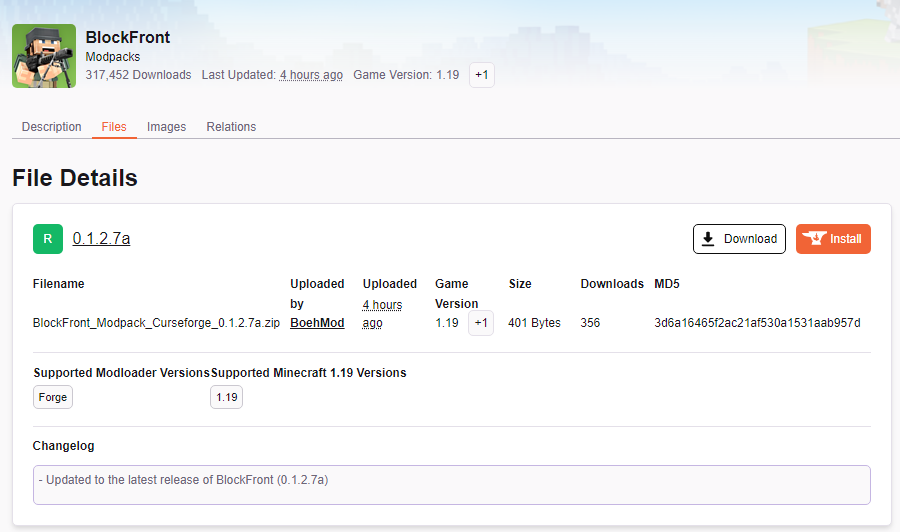 fossil magnet
Well well
 young bone
Wrong spot, still
fossil magnet
 lyric crescent
the download button is and has always been in the file page, not next to the file list
click the file
lyric crescent
"has always been"
fossil magnet
It always was so easy to download from the website
I use it for 3 years now and it is the first time it changed like that
lyric crescent
nope
lyric crescent
ok
there was at one point a download button on the main page, which was removed due to it being confusing for people as it only downloaded the main file which may not be what people want. the download button was still always in the file page.
 knotty surge
wait did you actually remove the download button for modpacks?
lyric crescent
doesnt look like it
 viscid mantle
I’m trying to play The Pixelmon Modpack, however every time I do so, I get a pop up message of it failing to download
fossil magnet
You should use a better launcher
viscid mantle
I use Minecraft-
lyric crescent
thats not what they asked
viscid mantle
?
fossil magnet
So i can't help him
viscid mantle
 lyric crescent
!mc-installfix
red patioBOT
This is NOT instructions for Repair Profile! They are NOT the same! You need to do this!
- Click on the Minecraft Tab on the Left side of the CurseForge App.
- Click button next to the
Create Custom Profileoption. - Click
Repair Installationoption. - Play game.
NOTE: You will not lose any modpacks or worlds!
lyric crescent
!notcf
red patioBOT
Your question is not related to CurseForge owned/maintained features or services.
Please use the appropriate game room by getting a game role from #786424115535544350.
Otherwise use #👽︱game-support for game related help.
CurseForge does not make or maintain any of the content or games used on the site or app. Just because it's on the site/app does not make it a problem with CurseForge. Move rooms as requested, arguing about it will result in you being muted.
digital roost
hi in curseforge mods aren't downloading and it is showing this error
The decryption operation failed, see inner exception error
lyric crescent
!owlogs
red patioBOT
<:overwolf:857375414002384916> How to get CurseForge App logs! <:overwolf:857375414002384916>
- Click the
Create logs zipin the menu. - Drag and drop the file it just made to this chat room to upload it.
- Wait for someone to look at it so they can help you.
digital roost
lyric crescent
!mc-forgejava
red patioBOT
- Download and install this https://download.oracle.com/java/17/archive/jdk-17.0.3.1_windows-x64_bin.msi
- Open CurseForge and click the in the bottom left corner.
- Go to the Minecraft tab and scroll down to the bit about java versions.
- Click the icon and then choose Java: 17.0.3.1 (64 Bit) from the list.
- Follow the instructions from
!mc-installfix(if your internet is slow the instructions from!mc-updatemodloaderwork but need to be done on every profile made since the error began to happen)
digital roost
!mc-installfix
red patioBOT
This is NOT instructions for Repair Profile! They are NOT the same! You need to do this!
- Click on the Minecraft Tab on the Left side of the CurseForge App.
- Click button next to the
Create Custom Profileoption. - Click
Repair Installationoption. - Play game.
NOTE: You will not lose any modpacks or worlds!
digital roost
!mc-updatemodloader
red patioBOT
You can update the mod loader within the same game version in the CurseForge app by following these steps!
- Click on the modpack profile you are working with.
- Click on the button next to the play button.
- Click on the
 Profile Options button.
 - Select the mod loader version you want from the dropdown.
- Play!
If you need to update to a new game version, a new profile is required.
digital roost
its not working
and whenever i change it to the thing you told me to it went back to automatic
lyric crescent
that shouldnt be a problem, this has worked for about 50 people at this point
 sharp lion
he did not do mc-installfix step correctly
lyric crescent
!owlogs
red patioBOT
<:overwolf:857375414002384916> How to get CurseForge App logs! <:overwolf:857375414002384916>
- Click the
Create logs zipin the menu. - Drag and drop the file it just made to this chat room to upload it.
- Wait for someone to look at it so they can help you.
lyric crescent
the error is not here
sharp lion
they restarted?
digital roost
it might be because my curseforge froze and i have to task manager it
lyric crescent
oh yea, previous log.
you have a network issue
restart your pc, router, modem or use a different network.
 maiden patio
Might wanna ban this person. He spammed me with scam stuff

 upper root
!dm
red patioBOT
Don't want scam DM?
Scams are distributed via throwaway accounts, They get used once and then tossed. There's no point in banning them.
 maiden patio
Theres always a point. I work for a discord server and we ban every scam account cuz you never know
 fleet bear
Good for you, We don't waist our time banning accounts that already spammed everyone and will be banned in a few days by discord anyway.
maiden patio
If you think Banning scam accounts is a waste of time then you are insane. Banning any kind of accounts scam, spammers, hackers is a good thing to do
 mystic cradle
I uninstalled CF to make room for an update and now it wont let me download modpacks
 vocal solstice
good afternoon, I made a new version of my texture pack that adds the old boat models

it's the H63_1 version
upper root
Whats the problem..?
 broken seal
heyooo, I have a small problem with downloading stuff
 knotty oak
hello 
since I guess the last launcher update I'm struggle recently with the slow loading screen inside CF > Minecraft > Mods
by using search bar it's take long to load & by click on any mods to see the discerption it's take while to load or sometime fail just empty screen
refresh sometimes help & sometimes do nothing so I just relaunch the game profile or relaunch the launcher
is there is a way to fix it ? I have good internet speed to load anything out the launcher
 broken seal
heyooo, I have a small problem with downloading stuff
broken seal
broken seal
heyooo, I have a small problem with downloading stuff
Every time I download something it gets deleted immediately
 steep lynx
Got a problem with CurseForge not recognizing that minecraft is installed, when I try to play, it opens the old launcher which I can't sign into because my mojang account uses microsoft.
steep lynx
steep lynx
Got a problem with CurseForge not recognizing that minecraft is installed, when ...
here can be seen CurseForge saying minecraft is not installed while my minecraft folder is visable

 mystic cradle
Would someone be willing to call and screen share to try and fix my issue please? ive been trying to fix it for a week now
 weak tangle

 young bone
Look really closely at the accounts logged in to both launchers
Or maybe you need to log out and log back in
 long plinth
okay so I keep getting error messages when trying to load a mod
Couldn't load launcher core from
C:\Users\pcnamehere\curseforge\minecraft\Install\game\launcher.ddl:*
LoadErrorNotPresent
Unable to start the Minecraft Runtime Environment. This is most likely
caused by a corruption. Please try to reinstall Minecraft.
I reinstalled Minecraft and it didn't change anything
 signal ridge
!mc-installfix try this
red patioBOT
This is NOT instructions for Repair Profile! They are NOT the same! You need to do this!
- Click on the Minecraft Tab on the Left side of the CurseForge App.
- Click button next to the
Create Custom Profileoption. - Click
Repair Installationoption. - Play game.
NOTE: You will not lose any modpacks or worlds!
 mossy fox
i cant download curse forge
 viral gorge
mossy fox
i cant download curse forge
viral gorge
mossy fox
i cant download curse forge
Im not Official Support but can you tell me what you did to download it?
mossy fox
viral gorge
Im not Official Support but can you tell me what you did to download it?
i downloaded the app in the curse forge site
i got the curseforge installer
viral gorge
and then?
viral gorge
hm
mossy fox
and already seen the faq
 runic rune
How do I uninstall from mac?
mossy fox
but nothing can say me exactly what it is
viral gorge
runic rune
How do I uninstall from mac?
Go into your files app, Find the curseforge app file and hit delete.
mossy fox
in the past
runic rune
I am so dumb
mossy fox
i already installed curse forge
but i deleted the overwolf files
to i install it again
in the future
cuz in that time i already not need more the curse forge app
but now i need it
but i cant install it correctally
 agile smelt
it won't open curse forge for me
steep lynx
steep lynx
here can be seen CurseForge saying minecraft is not installed while my minecraft...
is there any known solution to this or should I find a different mod loader?
digital roost
hi i am having trouble launching my game it just says this ailed to download file.
Name: netty-all-4.1.68.Final.jar
URL: https://libraries.minecraft.net/io/netty/netty-all/4.1.68.Final/netty-all-4.1.68.Final.jar
Filename on disk: netty-all-4.1.68.Final.jar
Path: C:\Users\max\curseforge\minecraft\Install\libraries\io\netty\netty-all\4.1.68.Final\netty-all-4.1.68.Final.jar
Exists: File
steep lynx
upper root
Install the non alpha version
i have the recommended ver that's in powerwolf
digital roost
Hello, i am having thousands of troubles by making my first modpack publication (i already have a resourcepack published long time ago), the last update was about my description, anyway, the fact is that it never get fully accepted by the moderation when the files is alright and the post explain what it actually is, at least to me... so i followed what the moderation asked and i need to thank them for being able to handle so much trouble, but, i don't know what to do now, can someone please help me in that?
 crystal heath
this isn't rlly need of support its rather i should let the mods or owner know but I got a message from someone names iAkifReiz#5446 whos in this server and it was a spam/hacking message just thought I should let the mods know but im not sure where to put it
upper root
steep lynx
i have the recommended ver that's in powerwolf
Linux?
upper root
crystal heath
this isn't rlly need of support its rather i should let the mods or owner know b...
!dm
red patioBOT
Don't want scam DM?
Scams are distributed via throwaway accounts, They get used once and then tossed. There's no point in banning them.
upper root
digital roost
Hello, i am having thousands of troubles by making my first modpack publication ...
Whats the errror you are getting?
digital roost
upper root
Whats the errror you are getting?
what actually happened was that my first post got some problems, it had so much versions i deleted it
then i made a new one, but, the deleted one got approved, but, it was already deleted.
in fact that was my fault, i used to use technic to publish my modpacks, but, i found curseforge with a better organization, but, still getting with it
upper root
So.. whats the issue?
digital roost
that's what appear on the approved one
 upper root
So someone deleted it, was it you?
digital roost
cause deleted it myself, it got approved after that
digital roost
upper root
So someone deleted it, was it you?
yes me, but, it got approved after i deleted it, and the new post which have all the necessary fixes is not working since it's under review, so i just wanted to say that the right post is the recent one published two hours ago
vocal solstice
😳 I got DMED my a scammer
 upper root
!dm
red patioBOT
Don't want scam DM?
Scams are distributed via throwaway accounts, They get used once and then tossed. There's no point in banning them.
vocal solstice
@inner spruce is the scammer
steep lynx
upper root
Linux?
Windows
upper root
!getcf use this link
red patioBOT
Looking to install the CurseForge app?
<:windows:798410728188936222> Windows
Minimum Requirements:
- OS Version: 10 or 11
- 64 bit Required.
- 350MB storage space.
- Microsoft .Net 4.8
- Intel/AMD quad-core CPU
- 8GB ram
[Windows Download]
[Windows Alternative Download]
If you are having issues with the Windows Download use the Windows Alternative Download to install Overwolf. Then download CurseForge from the App Store.
Windows Standalone: NOTE: ONLY SUPPORTS WORLD OF WARCRAFT CURRENTLY!
Requirements:
Uh, Windows? (No not the ones in your house)
WoW as that's all it's useful for..
Some sort of zoomy box that does teh verk.
[Windows Standalone] NOTE: ONLY SUPPORTS WORLD OF WARCRAFT CURRENTLY!
<:mac:798410654418862130> Mac
:penguin: Linux
NOTE: ONLY SUPPORTS WORLD OF WARCRAFT CURRENTLY!
Minimum Requirements:
Something not windows or mac would be a start.
Hopefully it turns on.
A screen would be beneficial too.
vocal solstice
I disabled my dms globally so yeah
digital roost
digital roost
yes me, but, it got approved after i deleted it, and the new post which have all...
sorry for getting it back, but, does what happened looks clear now? a very peculiar duplicate error i would say...
upper root
digital roost
yes me, but, it got approved after i deleted it, and the new post which have all...
Ah.
None of the moderation team checks this channel, just wait for it to be approved
digital roost
upper root
Ah.
None of the moderation team checks this channel, just wait for it to be appr...
oh i will, i was just wondering if they got any trouble with the deleted duplicate which would do something like disable the good one which is still to get approved
upper root
If it was found to be a duplicate it would of already been denied, a 24/7 robot checks for that, hot a human
 marsh pecan
hey is anyone having issues with making/installing 1.19 profiles in application?
digital roost
upper root
If it was found to be a duplicate it would of already been denied, a 24/7 robot ...
okie dokie then, thank you very much
steep lynx
upper root
!getcf use this link
still insists minecraft isn't installed
upper root
Screenshot please
upper root
marsh pecan
hey is anyone having issues with making/installing 1.19 profiles in application...
Not thathi know of
steep lynx
upper root
Screenshot please
 upper root
Which launcher do you have installed?
steep lynx
java
 upper root
Try install the launcher from https://minecraft.net
steep lynx
that's where i got this one
upper root
That one you have is the new launcher, from the windows store
red patioBOT
Ignore the new launcher update. CF does not use it or works with it, yet.
Everything will work fine otherwise.
upper root
Thank you carl

 languid zealot
How ram is needed usually for a modded server
signal ridge
languid zealot
How ram is needed usually for a modded server
!notcf
red patioBOT
Your question is not related to CurseForge owned/maintained features or services.
Please use the appropriate game room by getting a game role from #786424115535544350.
Otherwise use #👽︱game-support for game related help.
CurseForge does not make or maintain any of the content or games used on the site or app. Just because it's on the site/app does not make it a problem with CurseForge. Move rooms as requested, arguing about it will result in you being muted.
marsh pecan
upper root
Not thathi know of
when i try to install/make profile it will just delete or cancel itself
 red patioBOT
- Download and install this https://download.oracle.com/java/17/archive/jdk-17.0.3.1_windows-x64_bin.msi
- Open CurseForge and click the in the bottom left corner.
- Go to the Minecraft tab and scroll down to the bit about java versions.
- Click the icon and then choose Java: 17.0.3.1 (64 Bit) from the list.
- Follow the instructions from
!mc-installfix(if your internet is slow the instructions from!mc-updatemodloaderwork but need to be done on every profile made since the error began to happen)
marsh pecan
red patio
oh no i have java installed i know this because i have other mod packs with forge on it
yeah i don't think java is the problem
its only with 1.19 that it just delete's the profile itself automatically or just cancel's
signal ridge
Did you even bother trying what the bot said? OR just assuming it wont work?
As we have seen others with the issue and that is the fix.
 peak rune
Ok. So the mods I am trying to run for java 1.19 is not working and is saying null? Am I do something wrong or am I stupid? Btw all the mods are compatible with each other
 signal ridge
peak rune
Ok. So the mods I am trying to run for java 1.19 is not working and is saying nu...
signal ridge
peak rune
Ok. So the mods I am trying to run for java 1.19 is not working and is saying nu...
!notcf
red patioBOT
Your question is not related to CurseForge owned/maintained features or services.
Please use the appropriate game room by getting a game role from #786424115535544350.
Otherwise use #👽︱game-support for game related help.
CurseForge does not make or maintain any of the content or games used on the site or app. Just because it's on the site/app does not make it a problem with CurseForge. Move rooms as requested, arguing about it will result in you being muted.
marsh pecan
signal ridge
Did you even bother trying what the bot said? OR just assuming it wont work?
i tried it it did't work
signal ridge
Screen shot the app showing its set to use the version of java you downloaded from the bot
red patioBOT
This is NOT instructions for Repair Profile! They are NOT the same! You need to do this!
- Click on the Minecraft Tab on the Left side of the CurseForge App.
- Click button next to the
Create Custom Profileoption. - Click
Repair Installationoption. - Play game.
NOTE: You will not lose any modpacks or worlds!
signal ridge
ah ok, thought maybe it would show before the repair bit.
 normal rover
I need help
how do I fix this?

it let me in the game a second ago
then crashed
and started to do this
normal rover
signal ridge
ah ok, thought maybe it would show before the repair bit.
ty
for helping me with the last problem
but theres a new one
red patioBOT
Your question is not related to CurseForge owned/maintained features or services.
Please use the appropriate game room by getting a game role from #786424115535544350.
Otherwise use #👽︱game-support for game related help.
CurseForge does not make or maintain any of the content or games used on the site or app. Just because it's on the site/app does not make it a problem with CurseForge. Move rooms as requested, arguing about it will result in you being muted.
normal rover
I didnt ping you
mystic cradle
Still trying to find help please, I cant download mod packs
signal ridge
normal rover
I didnt ping you
Replies ping unless you turn it off each time by clicking the @ ON button
 fair lily
how do I add WoW Wrath Classic to the drop-down menu?? I see BCC, BCC PTR, and Retail. I put a few addons in the Addon folder for Wrath Beta, but it's not showing up in the drop-down menu
do I need to add Wrath Classic manually or something? the others just showed up automatically
 ocean elm
can anyone show me a good luckyblock mod pack for friends that work i have been trying to make one of these pre mods work vfor the last hour
steep lynx
can anyone fix my curseforge not detecting that minecraft is installed?
digital roost
Hey, I've just downloaded the Curseforge Launcher and I'm trying to create a new profile. Every time I do so, it fails with Error Code 1
red patioBOT
Error/Exit codes are useless. Follow these steps so someone can actually help you.
- Right-click the modpack profile icon OR click the button in the modpack profile.
- Click
Open Folder. - Open the
logsfolder. - Drag and drop the FILE named
latestORdebuginto discord.
digital roost
Righto
lyric crescent
on curseforge itself?
digital roost
The Curseforge App
lyric crescent
!mc-forgejava
red patioBOT
- Download and install this https://download.oracle.com/java/17/archive/jdk-17.0.3.1_windows-x64_bin.msi
- Open CurseForge and click the in the bottom left corner.
- Go to the Minecraft tab and scroll down to the bit about java versions.
- Click the icon and then choose Java: 17.0.3.1 (64 Bit) from the list.
- Follow the instructions from
!mc-installfix(if your internet is slow the instructions from!mc-updatemodloaderwork but need to be done on every profile made since the error began to happen)
digital roost
Just running it again with a fresh install to get a log
Uh, my only option is Java 13
lyric crescent
please read the instructions above
digital roost
Yeah, I did, when I got to step 4 my only option in the dropdown list was Java 13
 grim zenith
hi can and help my curseForge it fails to download the initialization can help me and minecraft can forget in portuges pfv
upper root
Did you actually run the installer you downloaded?
upper root
grim zenith
hi can and help my curseForge it fails to download the initialization can help m...
!getcf try the alternative link
red patioBOT
Looking to install the CurseForge app?
<:windows:798410728188936222> Windows
Minimum Requirements:
- OS Version: 10 or 11
- 64 bit Required.
- 350MB storage space.
- Microsoft .Net 4.8
- Intel/AMD quad-core CPU
- 8GB ram
[Windows Download]
[Windows Alternative Download]
If you are having issues with the Windows Download use the Windows Alternative Download to install Overwolf. Then download CurseForge from the App Store.
Windows Standalone: NOTE: ONLY SUPPORTS WORLD OF WARCRAFT CURRENTLY!
Requirements:
Uh, Windows? (No not the ones in your house)
WoW as that's all it's useful for..
Some sort of zoomy box that does teh verk.
[Windows Standalone] NOTE: ONLY SUPPORTS WORLD OF WARCRAFT CURRENTLY!
<:mac:798410654418862130> Mac
:penguin: Linux
NOTE: ONLY SUPPORTS WORLD OF WARCRAFT CURRENTLY!
Minimum Requirements:
Something not windows or mac would be a start.
Hopefully it turns on.
A screen would be beneficial too.
digital roost
Yep, ran the installer, hang on I got an idea
Gonna try and update my Java version
upper root
thats what the installer we got you to download was doing..
digital roost
1 moment
upper root
try select java 13 in cf, it should hopefully still work
digital roost
Alright then
 upper root
are you on windows 7?
digital roost
Worked, thanks
grim zenith
yea
red patioBOT
Hey there,
You seem to be running Windows 7 which is not supported anymore by Overwolf or Curseforge. Please upgrade your machine if possible.
You can find the download link here
upper root
!win7
lyric crescent
That didn't make sense.
grim zenith
just br didn't know sorry
lyric crescent
You would know if you read the rules you accepted when you joined.
grim zenith
just br is hard to read
queen storm
Have some time to do so then
 gaunt wyvern
how do I fix failed to download minecraft due to network error (win 7)
lyric crescent
!win7
red patioBOT
Hey there,
You seem to be running Windows 7 which is not supported anymore by Overwolf or Curseforge. Please upgrade your machine if possible.
You can find the download link here
steep lynx
Chief, did you see my last reply?
upper root
the one where you showed the download button on minecraft.net?
steep lynx
yes
upper root
which means like.. nothing
Do you have the store launcher installed as well, or just the one from minecraft.net?
steep lynx
that was the link you gave me, and just the one from .net
upper root
did you install it to the default location?
steep lynx
i have, it doesn't work there
upper root
!cflogs-app
red patioBOT
<:overwolf:857375414002384916> How to get CurseForge App logs! <:overwolf:857375414002384916>
- Click the
Create logs zipin the menu. - Drag and drop the file it just made to this chat room to upload it.
- Wait for someone to look at it so they can help you.
steep lynx
upper root
Have you tried manually adding it?
steep lynx
Whenever I try to manually add resource packs or something, it just boots the old Java launcher
I can't use it as my account is through Microsoft
upper root
this one?
 steep lynx
Yes
 wise jewel
My memory heap keeps fluctuating and going from 500 to 200
upper root
steep lynx
Yes
Next time say your actual problem then, not one you think might be related (cause it isnt)
steep lynx
?
upper root
Go to C:\Program Files (x86)\Overwolf\ and right click on OverwolfLauncher.exe -> Properties. Send a screenshot of the Compatibility tab, like so:
 upper root
wise jewel
My memory heap keeps fluctuating and going from 500 to 200
upper root
wise jewel
My memory heap keeps fluctuating and going from 500 to 200
memory heap in... where?
upper root
steep lynx
?
Your problem is it launches the old jar launcher, not that cf cant detect minecraft
steep lynx
"Got a problem with CurseForge not recognizing that minecraft is installed, when I try to play, it opens the old launcher which I can't sign into because my mojang account uses microsoft."
wise jewel
like whhen the launcher is loading
steep lynx
I very cleary stated that it boots the old launcher as well
upper root
Ah, i missed the very first message you sent about that (i only saw the reply to the second message)
opal cipher
steep lynx
"Got a problem with CurseForge not recognizing that minecraft is installed, when...
It probably opens the ancient launcher, because a process has compatibility mode activated, turn it off, restart Overwolf (fully), and it should launch the proper launcher.
So do like Chief said with OverwolfLauncher, and uncheck the "Run the program in compatibility mode"
Basically it's telling every process that gets launched through Overwolf, that "Hi, I'm Windows 7" (or whatever version is selected), and then the Minecraft launcher goes "Oh, this is an old verison, lets use this one instead, lol"
opal cipher
Maybe I should build my compatibility fixer and release it as a community tool.
I mean, I had the code working, but got halted by "We have this in a coming version of the troubleshooter"
steep lynx
Thanks, I'll give it a shot
Do I turn compatibility mode off on the mc launcher or curseforge
opal cipher
Everything. :P
steep lynx
Oki
opal cipher
But mostly Overwolf and CurseForge
upper root
Turn it off for OverwolfLauncher.exe, like i described above
If the others are in compat mode wouldnt hurt to turn those off too
steep lynx
Thanks
 frozen nexus
Hi, im having issues where I click install on a modpack and it goes through the installation process but then cancels it and deletes the files on its own.
queen storm
!mc-forgejava
red patioBOT
- Download and install this https://download.oracle.com/java/17/archive/jdk-17.0.3.1_windows-x64_bin.msi
- Open CurseForge and click the in the bottom left corner.
- Go to the Minecraft tab and scroll down to the bit about java versions.
- Click the icon and then choose Java: 17.0.3.1 (64 Bit) from the list.
- Follow the instructions from
!mc-installfix(if your internet is slow the instructions from!mc-updatemodloaderwork but need to be done on every profile made since the error began to happen)
 rich flint
frozen nexus
Hi, im having issues where I click install on a modpack and it goes through the ...
rich flint
frozen nexus
Hi, im having issues where I click install on a modpack and it goes through the ...
?cflogs-app
red patioBOT
<:overwolf:857375414002384916> How to get CurseForge App logs! <:overwolf:857375414002384916>
- Click the
Create logs zipin the menu. - Drag and drop the file it just made to this chat room to upload it.
- Wait for someone to look at it so they can help you.
frozen nexus
queen storm
!mc-forgejava
Thank you, it worked!
steep lynx
I made sure that none of the relevant apps are in compatibility mode but CF still says MC isn't installed and still boots the old launcher
this one

i'll give it another try tho
bingo
nvm
still boots the old launcher
opal cipher
Did you restart Overwolf fully? Right click the wolf-head, exit, and restart it. And even try to restart your computer.
I'll see if I can write a thing to check this through command line.
opal cipher
:|
I'll write some powershell to check things then, gimme a few. Haven't done this in ages
steep lynx
oki
opal cipher
In powershell (as admin), enter this Get-Item -Path "HKCU:\Software\Microsoft\Windows NT\CurrentVersion\AppCompatFlags\Layers"
steep lynx
what's powershell
opal cipher
It's like the command prompt, but with more commands.
Open the start menu and type in powershell, right click it and run as admin
steep lynx
oh right
opal cipher
The above command should output something like this

And if it doesn't contain anything, try Get-Item -Path "HKLM:\Software\Microsoft\Windows NT\CurrentVersion\AppCompatFlags\Layers"
steep lynx
 opal cipher
Ah, you might need to fix that Minecraft-executable then
 mental wasp
im getting exit code 1 only on forge
red patioBOT
Error/Exit codes are useless. Follow these steps so someone can actually help you.
- Right-click the modpack profile icon OR click the button in the modpack profile.
- Click
Open Folder. - Open the
logsfolder. - Drag and drop the FILE named
latestORdebuginto discord.
opal cipher
!mc-forgejava
red patioBOT
- Download and install this https://download.oracle.com/java/17/archive/jdk-17.0.3.1_windows-x64_bin.msi
- Open CurseForge and click the in the bottom left corner.
- Go to the Minecraft tab and scroll down to the bit about java versions.
- Click the icon and then choose Java: 17.0.3.1 (64 Bit) from the list.
- Follow the instructions from
!mc-installfix(if your internet is slow the instructions from!mc-updatemodloaderwork but need to be done on every profile made since the error began to happen)
mental wasp
opal cipher
Oh, that one
steep lynx
so how do i fix the mc exe
opal cipher
mental wasp
!mc-optifine
red patioBOT
We do not offer support for Optifine!
If you have issues with Optifine, remove it. If you want further support try the discord found on their website.
https://www.optifine.net/home
Installing Optifine with modpacks on Curseforge:
- Right click the modpack icon, select
Open Folder. - Put the
Optifine.jarinto themodsfolder. - Now start the modpack.
 opal cipher
steep lynx
so how do i fix the mc exe
opal cipher
steep lynx
so how do i fix the mc exe
Go to C:\Users\Steel\curseforge\minecraft\install, and right click minecraft.exe
opal cipher
mental wasp
do i delete the folder or the jar
You can try to downgrade the modloader.
!mc-updatemodloader
red patioBOT
You can update the mod loader within the same game version in the CurseForge app by following these steps!
- Click on the modpack profile you are working with.
- Click on the button next to the play button.
- Click on the Profile Options button.
- Select the mod loader version you want from the dropdown.
- Play!
If you need to update to a new game version, a new profile is required.
opal cipher
Downgrade to like.. something with 60+
upper root
They are using the vanilla launcher
opal cipher
Oh.. right
upper root
Send the launcher_log.txt file from inside the .minecraft folder
steep lynx
i literally couldn't find the .exe for minecraft, my search thing was coming up dry
i just assumed i didn't have one because of that
mental wasp
opal cipher
steep lynx
i just assumed i didn't have one because of that
Wait, you don't have one in C:\Users\Steel\curseforge\minecraft\install?
upper root
mental wasp
delete this file: C:\Users\COD\AppData\Roaming\.minecraft\config\fml.toml
opal cipher
Ok, gimme another sec, will post a command to yeet that registry thing then.
opal cipher
steep lynx
.exe and all
Oh. Try removing any compatibility-flags in the file properties there then.
upper root
mental wasp
but what causes this problem?
That config file got corrupted somehow
steep lynx
i turned off compatibility mode for the .exe
mental wasp
upper root
That config file got corrupted somehow
my pc turned off oops lol
opal cipher
steep lynx
i turned off compatibility mode for the .exe
Try again now. And lets hope it doesn't start the old launcher
steep lynx
it gave me the new one
but now it's doing this again

it did this after i uninstalled CF the first time due to odd crashes
mental wasp
can i make version in curseforge with mods i want only?
upper root
The curseforge app?
steep lynx
yes
upper root
steep lynx
it did this after i uninstalled CF the first time due to odd crashes
!mc-installfix try this
red patioBOT
This is NOT instructions for Repair Profile! They are NOT the same! You need to do this!
- Click on the Minecraft Tab on the Left side of the CurseForge App.
- Click button next to the
Create Custom Profileoption. - Click
Repair Installationoption. - Play game.
NOTE: You will not lose any modpacks or worlds!
upper root
steep lynx
yes
!mc-installmods
red patioBOT
How to install mods in CurseForge App.
- Click
+ Create Custom Profile - Name it, select the required Minecraft version, select the modloader & modloader version (usually the highest number), click
Create. - Click the profile icon.
- Click
Add More Content - Search and install the desired mods.
- Start the game!
How to install mods not on CurseForge.
- Right click the profile picture or Open the profile and click the Icon next to the play button.
- Click
Open Folder. - Drag the mod(s) into the
modsfolder. (Note: Some mods will require others, to run. Make sure to read the instructions for the mod!) - Start the game!
mental wasp
upper root
The curseforge app?
yea
upper root
oh, i got you and Butter confused
the installfix is for butter, the install mods is for bene
steep lynx
sweet
it's a regular launcher again, gonna test with world edit.
launcher be downloading at 1mbs ;-;
Yay it's done, and working!
digital roost
I'm launching bettermc through curseforge, but then the launcher says play demo. When I launch normally (without curseforge), theres 2 accounts that show up, 1 that has MC and one that doesn't
This is when I launch it normally

but then this comes up

Duplicate entries showing in mod browser https://i.imgur.com/6GrfEgM.png
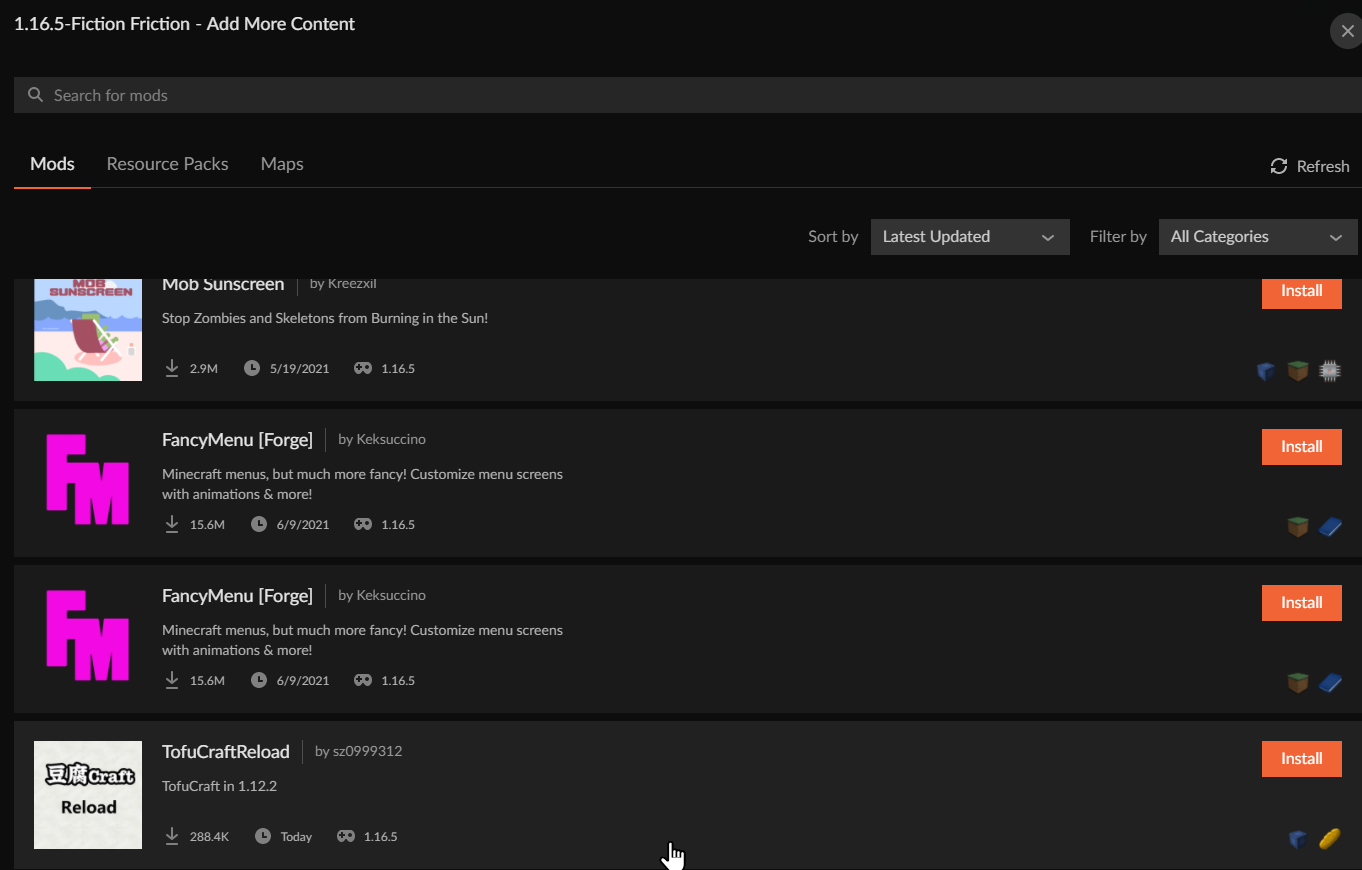 digital roost
but then this comes up
digital roost
digital roost
but then this comes up
when I launch through curse forge
 brisk stream
when i try to open forge or curseforge modpack i get this and it happened after i stopped playing a modpack yesterday can someone pls help?
 upper root
!mc-logs send this into #👽︱game-support
red patioBOT
Sending logs for support.
- Right-click the modpack profile icon OR click the button in the modpack profile.
- Click
Open Folder. - Open the
logsfolder. - Drag and drop the FILE named
latestORdebuginto discord.
brisk stream
upper root
!mc-logs send this into <#778097796410376242>
?
upper root
Send the file the bot explains how to get into the #👽︱game-support channel
upper root
Drag and drop the file into discord
brisk stream
ok
digital roost
@upper root can you read my problem? It’s up
 shell yew
Okay. So i've googled this Xis not an option thing, and i can see a lot of people have fixed it. But its usually other versions, or they dont write HOW they actually fixed it in detail. Im rather new to this, so i've got no clue what its all about. Hope i can grab some help here 🙂
upper root
!notcf
red patioBOT
Your question is not related to CurseForge owned/maintained features or services.
Please use the appropriate game room by getting a game role from #786424115535544350.
Otherwise use #👽︱game-support for game related help.
CurseForge does not make or maintain any of the content or games used on the site or app. Just because it's on the site/app does not make it a problem with CurseForge. Move rooms as requested, arguing about it will result in you being muted.
shell yew
forge server is not curseforge?
upper root
!!=
red patioBOT
Wording is important!
Forge = Minecraft Forge, This is a modloader often just called "Forge".
Fabric = Fabric MC, this is another modloader, just called "Fabric".
CurseForge = A Website/App that has content for games.
Mods = Individual mod files.
Modpacks = Multiple mods put into the mods folder or downloaded from CurseForge.
These are not Interchangeable! Please use the correct terms as it allows us to help you faster!
mental wasp
 upper root
!mc-forgejava
red patioBOT
- Download and install this https://download.oracle.com/java/17/archive/jdk-17.0.3.1_windows-x64_bin.msi
- Open CurseForge and click the in the bottom left corner.
- Go to the Minecraft tab and scroll down to the bit about java versions.
- Click the icon and then choose Java: 17.0.3.1 (64 Bit) from the list.
- Follow the instructions from
!mc-installfix(if your internet is slow the instructions from!mc-updatemodloaderwork but need to be done on every profile made since the error began to happen)
mental wasp
!mc-updatemodloader
red patioBOT
You can update the mod loader within the same game version in the CurseForge app by following these steps!
- Click on the modpack profile you are working with.
- Click on the button next to the play button.
- Click on the Profile Options button.
- Select the mod loader version you want from the dropdown.
- Play!
If you need to update to a new game version, a new profile is required.
mental wasp
!mc-installfix
red patioBOT
This is NOT instructions for Repair Profile! They are NOT the same! You need to do this!
- Click on the Minecraft Tab on the Left side of the CurseForge App.
- Click button next to the
Create Custom Profileoption. - Click
Repair Installationoption. - Play game.
NOTE: You will not lose any modpacks or worlds!
woeful perch
how to fix that ?
 opal cipher
!notcf
red patioBOT
Your question is not related to CurseForge owned/maintained features or services.
Please use the appropriate game room by getting a game role from #786424115535544350.
Otherwise use #👽︱game-support for game related help.
CurseForge does not make or maintain any of the content or games used on the site or app. Just because it's on the site/app does not make it a problem with CurseForge. Move rooms as requested, arguing about it will result in you being muted.
 craggy pollen
every time i open curseforge this appears, does someone know what i can do?

 eternal gyro
I have questions can MacBook use curseforge?
upper root
Yes
eternal gyro
Okay
upper root
craggy pollen
every time i open curseforge this appears, does someone know what i can do?
!cflogs-oops does this button exist?
red patioBOT
Oops :(
- Make sure you tried these steps first!
- Click the
Create logs.zipbutton on the bottom of the oops error. - Drag and drop the file it makes into this room.
- Wait for someone to look the logs.
craggy pollen
it dont show me something like this
 dark solar
Hello, I cant install modpack. every time I click Install button it starts downloading, after that it end installing and install button is still there and my modpack is not installed. Please help, How can I fix it?
upper root
craggy pollen
it dont show me something like this
!outdated
red patioBOT
Your CurseForge App version is outdated!
To use CurseForge with the latest features & fixes you should update your CurseForge App.
You can do this by uninstalling the app from your computer programs and then install it again from https://download.curseforge.com/
NOTE: Uninstalling CurseForge will not remove any game/mod data, It's entirely safe to remove and install again!
upper root
dark solar
Hello, I cant install modpack. every time I click *Install* button it starts dow...
!cflogs-app
red patioBOT
<:overwolf:857375414002384916> How to get CurseForge App logs! <:overwolf:857375414002384916>
- Click the
Create logs zipin the menu. - Drag and drop the file it just made to this chat room to upload it.
- Wait for someone to look at it so they can help you.
craggy pollen
upper root
!outdated
Thanks for helping me its working now
dark solar
upper root
!mc-forgejava
red patioBOT
- Download and install this https://download.oracle.com/java/17/archive/jdk-17.0.3.1_windows-x64_bin.msi
- Open CurseForge and click the in the bottom left corner.
- Go to the Minecraft tab and scroll down to the bit about java versions.
- Click the icon and then choose Java: 17.0.3.1 (64 Bit) from the list.
- Follow the instructions from
!mc-installfix(if your internet is slow the instructions from!mc-updatemodloaderwork but need to be done on every profile made since the error began to happen)
 primal hedge
 west merlin
curseforge just goes black while downloading mods for minecraft on the mac build


i reinstalled it many times
and it doesnt create logs at all
digital roost
I just want to download modpack not a whole game what should i do
and it always stops at applying patch 2/6
young bone
?status
red patioBOT
Project Moderation Time
Project/File moderation is done on these days unless otherwise mentioned:
Sunday, Monday, Tuesday, Wednesday, Thursday: <t:1631170800:t> - <t:1631199600:t> (Your time)
Friday, Saturday: No Moderation!
Projects are moderated First in, First out. If you submit late in the work day, it will likely get left until the next day!
New Projects or anything flagged for manual review: 1-3 Working Days
Updates to approved projects not needing manual approval: 1 Hour
-If your file has been "Under Review" for more than an hour, then it is at manual review!
Changes will only show in the app if the project meets the requirements in the ?sync command and up to 24 hours has passed from when it was accepted.
digital roost
Will there be a fixed to speed up launcher mod search loading times?
 brazen osprey
i sendt yesturday
young bone
Is it a brand new project?
brazen osprey
i sent 18 hours ago
young bone
That doesn’t answer my question
brazen osprey
was created 18 hours ago
young bone
Then it’s under manual review and it’s their weekend now
young bone
Sunday to Tuesday
digital roost
nothing is wrong with my internet but why i can't download mods
I find a mod just 400kb on the curseforge website but actually it is 200mb
 zenith bluff
"an error occured while executing forge install command.Exit code 1"
red patioBOT
Error/Exit codes are useless. Follow these steps so someone can actually help you.
- Right-click the modpack profile icon OR click the button in the modpack profile.
- Click
Open Folder. - Open the
logsfolder. - Drag and drop the FILE named
latestORdebuginto discord.
 willow hill
Hello, how do you host Create (the new one with the trains) on a server
is there a specific website you guys use?
digital roost
I have a question, I just downloaded a large modpack (30GB) and I don't want the pack on my PC, I want it on my hard drive. If I copy and paste it, it's on the hard drive too. But if I then delete the file on my computer, the modpack is completely deleted. How can I somehow push the pack onto the hard drive or install it directly there?
queen storm
!mc-path
red patioBOT
Instructions for changing CurseForge Minecraft install path!
If Minecraft is not installed in CurseForge App:
- Click the
 in the top left.
 - Select Minecraft from the list of games.
- Select the
Advancedoption and select:
--- Windows:Local Disk (C:)at the left side of the window. If you do not see it, clickThis PCfirst.)
--- Mac:/Users/Shared/CurseForge, If it does not exist, make it. - Click
Continue.
If Minecraft is installed in CurseForge App:
- Click the in the bottom left.
- Select the Minecraft tab.
- Click
Change. - Select the location:
--- Windows:Local Disk (C:)at the left side of the window. If you do not see it, clickThis PCfirst.)
--- Mac:/Users/Shared/CurseForge, If it does not exist, make it.
digital roost
THANKS!
 visual shore
hey everytime i want to make a new profile this error shows up

(minecraft mod or profile)
?
opal cipher
!mc-forgejava
red patioBOT
- Download and install this https://download.oracle.com/java/17/archive/jdk-17.0.3.1_windows-x64_bin.msi
- Open CurseForge and click the in the bottom left corner.
- Go to the Minecraft tab and scroll down to the bit about java versions.
- Click the icon and then choose Java: 17.0.3.1 (64 Bit) from the list.
- Follow the instructions from
!mc-installfix(if your internet is slow the instructions from!mc-updatemodloaderwork but need to be done on every profile made since the error began to happen)
visual shore
!mc-installfix
red patioBOT
This is NOT instructions for Repair Profile! They are NOT the same! You need to do this!
- Click on the Minecraft Tab on the Left side of the CurseForge App.
- Click button next to the
Create Custom Profileoption. - Click
Repair Installationoption. - Play game.
NOTE: You will not lose any modpacks or worlds!
 spice inlet
hey i'm trying to launch a custom modpack, but whenever i try launching it for some reason it shows an error when signing into my account
i tried repairing the custom profile but it doesn't change anything
digital roost
spice inlet
hey i'm trying to launch a custom modpack, but whenever i try launching it for s...
Crash log?
digital roost
huh hm.
 icy hound
Im trying to open the curseforge app but it doesn't laugh for me and I get this
 young bone
!oops
red patioBOT
You had an "Oops, that was not supposed to happen!"
Follow the instructions in this link!
If the info in the link does not work please do ?cflogs-oops and follow the instructions there to get the log files.
icy hound
?cflogs-oops
red patioBOT
Oops :(
- Make sure you tried these steps first!
- Click the
Create logs.zipbutton on the bottom of the oops error. - Drag and drop the file it makes into this room.
- Wait for someone to look the logs.
red patioBOT
Your CurseForge App version is outdated!
To use CurseForge with the latest features & fixes you should update your CurseForge App.
You can do this by uninstalling the app from your computer programs and then install it again from https://download.curseforge.com/
NOTE: Uninstalling CurseForge will not remove any game/mod data, It's entirely safe to remove and install again!
 granite quarry
Does anyone know if Optifine is having issues within curse right now? I made a new modpack in 1.18.2 and it's suddenly not working with this one
(Same minecraft and java versions)
young bone
!mc-optifine
red patioBOT
We do not offer support for Optifine!
If you have issues with Optifine, remove it. If you want further support try the discord found on their website.
https://www.optifine.net/home
Installing Optifine with modpacks on Curseforge:
- Right click the modpack icon, select
Open Folder. - Put the
Optifine.jarinto themodsfolder. - Now start the modpack.
granite quarry
Already seen that, I am not asking about optifine, I am asking about curse side of things
young bone
Curseforge is just a mod manager, it’s rather if it’s not working with Forge
granite quarry
I was just curious if there may have been an update and something had a hickup somewhere. I guess not, so I will look elsewhere
young bone
Try the optifine server
 sweet valley
hello! i just exported a modpack i had saved locally and uploaded the .zip file to discord. but now that i'm at the pc i wanted to import the pack into, i have discovered its just a mod list. is there any way to download all these mods instantly or upload the .zip directly to curseforge, or do i have to manually download all the mods again via the modlist links?
queen storm
!mc-installpack
red patioBOT
How to install modpacks with the search features in app.
- Open the
Minecraftsection of the app. - Click the top search bar where it says
Search for modpacksOR Click theBrowse ModpacksTab. - Find the Modpack you want to install and click install on it.
- Wait for CurseForge app to download and unpack all the required files.
- Once finished, click
Play!
======================================================
** **
======================================================
How to install modpacks from a Export. (Custom/Private/Site downloaded Modpack zip)
- Get CurseForge App if you don't have it, use
!downloadfor a link. - Get the exported modpack from CurseForge or someone else,
!mc-packshareexplains how to make them. - Open the
Minecraftsection of the app. - Click

Create Custom Profile - Click the
Importoption. - Find the file you just downloaded in step 2 and select it.
- CurseForge app will now attempt to download and unpack the modpack. If it fails, try steps 4-6 again.
- Once finished, click
Play!
 sweet valley
oh i see. thank you!
 minor spade
cant find server files for curseforge, trying to set up server with custom modpack
lyric crescent
Curseforge doesnt make server files..? not sure what you mean.
minor spade
what i mean is, where do i find server files for a custom modpack on curseforge
or is there any
lyric crescent
if you dont see them then they dont exist
minor spade
k
 fickle wolf
pls help
 lyric crescent
What OS?
 vestal vale
pls help win10, ryzen 9, 3080ti
 lyric crescent
!mc-forgejava
red patioBOT
- Download and install this https://download.oracle.com/java/17/archive/jdk-17.0.3.1_windows-x64_bin.msi
- Open CurseForge and click the in the bottom left corner.
- Go to the Minecraft tab and scroll down to the bit about java versions.
- Click the icon and then choose Java: 17.0.3.1 (64 Bit) from the list.
- Follow the instructions from
!mc-installfix(if your internet is slow the instructions from!mc-updatemodloaderwork but need to be done on every profile made since the error began to happen)
vestal vale
!mc-installfix
red patioBOT
This is NOT instructions for Repair Profile! They are NOT the same! You need to do this!
- Click on the Minecraft Tab on the Left side of the CurseForge App.
- Click button next to the
Create Custom Profileoption. - Click
Repair Installationoption. - Play game.
NOTE: You will not lose any modpacks or worlds!
young bone
Then ask it
 ionic token
the decimation mod on curse forge dont work
when i open it minecraft crash
saying exit code:1
red patioBOT
Error/Exit codes are useless. Follow these steps so someone can actually help you.
- Right-click the modpack profile icon OR click the button in the modpack profile.
- Click
Open Folder. - Open the
logsfolder. - Drag and drop the FILE named
latestORdebuginto discord.
young bone
Post those logs in #👽︱game-support
young bone
Because exit codes are useless
lyric crescent
it says that
 kindred topaz
I've been doing this for more than 24 hours and they still haven't approved it and I have no notification or email from curseforge.
 digital roost
kindred topaz
I've been doing this for more than 24 hours and they still haven't approved it a...
kindred topaz
digital roost
kindred topaz
I've been doing this for more than 24 hours and they still haven't approved it a...
kindred topaz
Thanks!


 digital roost
Whenever I try to run my modpack it just crashes and shows this
digital roost
digital roost
Whenever I try to run my modpack it just crashes and shows this
i just took away the mods that are not for that version i just had that problem lol
anyway how do i fix this?
 signal ridge
!mc-logs send this to #👽︱game-support
red patioBOT
Sending logs for support.
- Right-click the modpack profile icon OR click the button in the modpack profile.
- Click
Open Folder. - Open the
logsfolder. - Drag and drop the FILE named
latestORdebuginto discord.
broken seal
Hey, every time I try downloading something it gets instantly deleted. Is there anything I can do about this?
 signal ridge
!cflogs-app
red patioBOT
<:overwolf:857375414002384916> How to get CurseForge App logs! <:overwolf:857375414002384916>
- Click the
Create logs zipin the menu. - Drag and drop the file it just made to this chat room to upload it.
- Wait for someone to look at it so they can help you.
broken seal
- is this for my problem? 2. what file am I supposed to upload?
signal ridge
broken seal
1. is this for my problem? 2. what file am I supposed to upload?
yes, and read what the bot says, then send the zip file it creates here
broken seal
broken seal
signal ridge
yes, and read what the bot says, then send the zip file it creates here
thanks!
red patioBOT
- Download and install this https://download.oracle.com/java/17/archive/jdk-17.0.3.1_windows-x64_bin.msi
- Open CurseForge and click the in the bottom left corner.
- Go to the Minecraft tab and scroll down to the bit about java versions.
- Click the icon and then choose Java: 17.0.3.1 (64 Bit) from the list.
- Follow the instructions from
!mc-installfix(if your internet is slow the instructions from!mc-updatemodloaderwork but need to be done on every profile made since the error began to happen)
digital roost
signal ridge
!mc-logs send this to <#778097796410376242>
is this for me or someone else?
signal ridge
Both of you.
signal ridge
correct
broken seal
me too?
digital roost
ok ty
signal ridge
broken seal
me too?
No you do what the bot above says #🔥︱curseforge-support message
broken seal
oh ok, so am I good for now?
signal ridge
yes? Just need to follow the bot and it should fix your issue
broken seal
alright so I'll just wait for someone to check the file out?
signal ridge
I already did, and then told you how to fix it.
digital roost
digital roost
i just took away the mods that are not for that version i just had that problem ...
all my mods are for that version i believe
signal ridge
digital roost
all my mods are for that version i believe
!mc-logs send this to #👽︱game-support
red patioBOT
Sending logs for support.
- Right-click the modpack profile icon OR click the button in the modpack profile.
- Click
Open Folder. - Open the
logsfolder. - Drag and drop the FILE named
latestORdebuginto discord.
digital roost
digital roost
all my mods are for that version i believe
k then idk sorry
digital roost
signal ridge
!mc-logs send this to <#778097796410376242>
should i send it there?
 raw yacht
Does anyone have the fix for when I open minecraft with mods it goes to demo mode even though I have the game?
signal ridge
digital roost
should i send it there?
I wouldnt have told you too if I didnt want you to?
digital roost
I didnt realize what you meant, chill man
signal ridge
raw yacht
Does anyone have the fix for when I open minecraft with mods it goes to demo mod...
!mc-login
red patioBOT
Minecraft Logins
As of march 10th 2022, you will need a Microsoft Account to play!
Step 1: Get to the Microsoft login screen.
Step 2: Log in with a Microsoft account that owns the Java version of Minecraft.
Done!
Issues: If it says PLAY DEMO then the account used DOES NOT own Java Minecraft. Log in with one that does.
 broken seal
!mc-updatemodloader
red patioBOT
You can update the mod loader within the same game version in the CurseForge app by following these steps!
- Click on the modpack profile you are working with.
- Click on the button next to the play button.
- Click on the Profile Options button.
- Select the mod loader version you want from the dropdown.
- Play!
If you need to update to a new game version, a new profile is required.
lyric crescent
raw yacht
And i have a micrsoft account
The account you logged into does not own it.
raw yacht
I bout them together in the pack
lyric crescent
If you have an issue logging into the correct account contact Microsoft support
 unreal sequoia
Please help me

I tried to turn off my antivirus program and windows defender but nothing change.
lyric crescent
What OS
unreal sequoia
Win7
lyric crescent
!win7
red patioBOT
Hey there,
You seem to be running Windows 7 which is not supported anymore by Overwolf or Curseforge. Please upgrade your machine if possible.
You can find the download link here
broken seal
oh btw, I was wondering if I needed to own an official version of minecraft to play better minecraft plus
signal ridge
Yes, You need a legal copy of the Java version of minecraft to use the CF apps modpacks. We do not support Cracked
 marble mural
so i selected the wrong zip when updating my modpack.. but i dont see any way to cancel the upload do i just have to wait for it to process now?
oh nvm it finally got rejected
signal ridge
You should be able to Archived the file. but duplicates/incorrectly formatted zips should just get rejected
marble mural
the checkbox for archiving was grayed out
 rain iron
General install error. when I try to click "install" in the "add more content" area in a Minecraft modpack
 naive heron
Hey peeps I'm trying to add the server files to my modpack as I've done dozens of times before but they got rejected for this:
The following file versions have been removed from CurseForge: /libraries/commons-logging/commons-logging/1.2/commons-logging-1.2.jar
My previous server files have this specific file but they were fine. Any ideas?
red patioBOT
Your question is not related to CurseForge owned/maintained features or services.
Please use the appropriate game room by getting a game role from #786424115535544350.
Otherwise use #👽︱game-support for game related help.
CurseForge does not make or maintain any of the content or games used on the site or app. Just because it's on the site/app does not make it a problem with CurseForge. Move rooms as requested, arguing about it will result in you being muted.
signal ridge
oh wait sorry miss read it
signal ridge
rain iron
`General install error.` when I try to click "install" in the "add more content"...
!cfapp-logs
...
!cflogs-app
red patioBOT
<:overwolf:857375414002384916> How to get CurseForge App logs! <:overwolf:857375414002384916>
- Click the
Create logs zipin the menu. - Drag and drop the file it just made to this chat room to upload it.
- Wait for someone to look at it so they can help you.
signal ridge
naive heron
Hey peeps I'm trying to add the server files to my modpack as I've done dozens o...
If I remember right you shouldnt be including the modloader or its files to start with. ei the .jar minecraft_server.jar or the libraries folder. Users should be downloading it on their own or have a script to do it.
signal ridge
rain iron
k
try rebooting your pc and router if possible
rain iron
ive done that like twice
signal ridge
using a vpn by chance?
rain iron
no
signal ridge
in the cf app click the > minecraft tab > screen shot the path the app is using for minecraft
signal ridge
ok
 raven agate
I load mc up with a pixlemon mod and nothing happens when I load up a world or try to drop the files into the game???
signal ridge
rain iron
didnt screenshot because username
Ill have to forward this to support. Im not really sure whats going on. Other then possible network issues on your end.
rain iron
ok
signal ridge
rain iron
ok
Wait does this happen when you try to install any mods (other versions)? OR just in the 1.18.2 profile?
 iron trail
curseforge no minecraft optifine in forge support? i have a forge 1.12.2 modpack i need to install optifien in it HOw
signal ridge
!mc-optifine
red patioBOT
We do not offer support for Optifine!
If you have issues with Optifine, remove it. If you want further support try the discord found on their website.
https://www.optifine.net/home
Installing Optifine with modpacks on Curseforge:
- Right click the modpack icon, select
Open Folder. - Put the
Optifine.jarinto themodsfolder. - Now start the modpack.
signal ridge
raven agate
I load mc up with a pixlemon mod and nothing happens when I load up a world or t...
Are you using the cf app?
rain iron
signal ridge
Wait does this happen when you try to install any mods (other versions)? OR just...
anything
signal ridge
rain iron
anything
You have tried older versions of mc? Like 1.16.5?
rain iron
ye
signal ridge
ok, I have forwarded this off. May be a bit till someone contacts you tho
signal ridge
which was?
rain iron
it was just my wifi being stupid
i think it was like a firewall or sumn
not letting me access the forgecdn website to get the actual mod file
signal ridge
hmm - well as long as its working now
 glad cargo
can someone help