#🔥︱curseforge-support
1 messages · Page 616 of 1
 fervent crown
 upper root
!mc-path
 red patioBOT
Change your install path to the following:
For Windows: C:\CurseForge
For Mac: /Users/Shared/CurseForge
You will need to make this folder!
If Minecraft is not installed in CurseForge App:
- Click the
 in the top left.
 - Select Minecraft from the list of games.
- Select the
Advancedoption and pick the location for your computer listed above. - Click
Continue.
If Minecraft is installed in CurseForge App:
- Click the
 in the bottom left.
 - Select the Minecraft tab.
- Click
Change. - Select the location for your computer listed above.
:no_entry_sign: Minecraft Files should NOT be installed inside the following locations :no_entry_sign:
:no_entry_sign: .minecraft folder.
:no_entry_sign: OneDrive folders.
:no_entry_sign: Desktop folder.
:no_entry_sign: iCloud enabled folders.
:no_entry_sign: or any other cloud saved folder.
:no_entry_sign: or folders with non-English characters in them.
If any of the above are in the path you need to change/move it!
fervent crown
what was the issue?
upper root
It doesnt have file permissions to the location it installed the minecraft launcher to
upper root
Follow the instructions below that
- Click the
- Select the Minecraft tab.
- Click Change.
- Select the location for your computer listed above.
upper root
You will need to navigate to Shared and make the Curseforge folder yourself
fervent crown
okay
fervent crown
upper root
You will need to navigate to `Shared` and make the `Curseforge` folder yourself
ah make a new one?
upper root
yes
 upper root
Yep!
 untold tinsel
can someone help me get shaders
upper root
!notcf
red patioBOT
Your question is not related to CurseForge owned/maintained features or services.
Please use the appropriate game room by getting a game role from #786424115535544350.
Otherwise use #👽︱game-support for game related help.
CurseForge does not make or maintain any of the content or games used on the site or app. Just because it's on the site/app does not make it a problem with CurseForge. Move rooms as requested, arguing about it will result in you being removed from the discord.
untold tinsel
upper root
!notcf
can u help me
 eternal radish
Hi, I received no information regarding how to activate the 3 month subscription to CurseForge from the Tiltify donation, can someone tell me how to do that please?
 vivid gust
Hey, how long does it take to get my mod approved?
 signal ridge
!status
red patioBOT
Project Moderation Time
Project/File moderation is done on these days unless otherwise mentioned:
Sunday, Monday, Tuesday, Wednesday, Thursday: <t:1631170800:t> - <t:1631199600:t> (Your time)
Friday, Saturday: No Moderation!
Projects are moderated First in, First out. If you submit late in the work day, it will likely get left until the next day!
New Projects or anything flagged for manual review: 1-3 Working Days
Updates to approved projects not needing manual approval: 1 Hour
-If your file has been "Under Review" for more than an hour, then it is at manual review!
Changes will only show in the app if the project meets the requirements in the ?sync command and up to 24 hours has passed from when it was accepted.
vivid gust
oh ty
i uploaded my mod yesterday
at 1pm my time
it says its till 4pm
it didnt get viewed
signal ridge
then will be 1-3 days starting sunday
vivid gust
kk thanks
 inland wyvern
Hello! I made a ticket 12 days ago. Is there any chance for an update please?
Ticket #113277
 errant rose
 lyric crescent
Usually a good idea to use words when you have an issue, as an image does not provide context.
lyric crescent
I just loaded it however.
errant rose
it appears that the problem is fixed now though
momentary glitch i guess?
or something on my end probably
 fleet bear
eternal radish
Hi, I received no information regarding how to activate the 3 month subscription...
fleet bear
eternal radish
Hi, I received no information regarding how to activate the 3 month subscription...
We have no idea how that works and that wouldnt be related to us, use the Overwolf discord as that's the part that handles payments and subscriptions.
 rotund ivy
Are there known issues with mod file processing at the moment? I uploaded a new file about 50 minutes ago and it's still in the "Processing" phase
lyric crescent
No, there are not. You might want to try uploading with another browser.
rotund ivy
The file is uploaded, it's just stuck on processing
 lyric crescent
i knew what you meant
rotund ivy
Delete and re-upload it is then
rotund ivy
Re-uploading it worked. Only issue is that I can't delete the broken file
lyric crescent
you would have to archive it first to be able to delete it, if that is not possible you will need to wait for it to be rejected.
rotund ivy
I can't even archive it because the checkbox is greyed out
fleet bear
You can't do anything with a file in processing. Just ignore it.
 scenic dove
when downloading curseforge app i get an error that a device attached is not functioning
And it won't download
 rich island
i need help
 upper root
!mc-logs
red patioBOT
Sending logs for support.
- Right-click the modpack profile icon OR click the
 button in the modpack profile.
 - Click

Open Folder. - Open the
logsfolder. - Drag and drop the FILE named
latestORdebuginto discord.
upper root
And lets move to #👽︱game-support
scenic dove
when downloading curseforge app i get an error that a device attached is not functioning
 shut tapir
i find that this happens on a lot of curseforge fabric installations that dont even have any mods installed

log and crash report
upper root
!notcf
red patioBOT
Your question is not related to CurseForge owned/maintained features or services.
Please use the appropriate game room by getting a game role from #786424115535544350.
Otherwise use #👽︱game-support for game related help.
CurseForge does not make or maintain any of the content or games used on the site or app. Just because it's on the site/app does not make it a problem with CurseForge. Move rooms as requested, arguing about it will result in you being removed from the discord.
shut tapir
ok
 subtle gull
how do you get optifine on curse forge
red patioBOT
We do not offer support for Optifine!
If you have issues with Optifine, remove it. If you want further support try the discord found on their website.
https://www.optifine.net/home
Installing Optifine with modpacks on Curseforge:
- Right click the modpack icon, select
Open Folder. - Put the
Optifine.jarinto themodsfolder. - Now start the modpack.
 brittle trail
yep thats pretty much it
lyric crescent
seems fine though
 shadow gale
i thought it might be lag but discord isn't having issues
 distant swallow
!status
red patioBOT
Project Moderation Time
Project/File moderation is done on these days unless otherwise mentioned:
Sunday, Monday, Tuesday, Wednesday, Thursday: <t:1631170800:t> - <t:1631199600:t> (Your time)
Friday, Saturday: No Moderation!
Projects are moderated First in, First out. If you submit late in the work day, it will likely get left until the next day!
New Projects or anything flagged for manual review: 1-3 Working Days
Updates to approved projects not needing manual approval: 1 Hour
-If your file has been "Under Review" for more than an hour, then it is at manual review!
Changes will only show in the app if the project meets the requirements in the ?sync command and up to 24 hours has passed from when it was accepted.
distant swallow
?sync
red patioBOT
Sync and your Project.
CurseForge App and site do not share the same requirements! You can find things on the site but this does not mean it will be in the app!
For a mod to show up in the app:
- Projects MUST have a file marked as RELEASE
 or BETA
- Projects MUST be APPROVED
- Projects MUST have a file marked for the GAME VERSION SELECTED/LOADED
- Projects CAN'T be EXPERIMENTAL
- Projects CAN'T be ABANDONED
Files can take a while to show up in the app. If your files still have not shown up either your project is new and you have yet to mark a file as Release/Beta or there is issues with the sync system making it slow.
Vote this issue up if you would like to know when the last sync was! https://curseforge-ideas.overwolf.com/ideas/CF-I-1617
 dense cloak
Site is being extremely slow. Wifi is fine, PC restarted twice.
 magic stream
im playing on mac and ive got the "could not verify minecraft version" thing happening
i think it happened right after i migrated minecraft accounts
but not sure if thats the real cause or not
any help would be much appreciated
lyric crescent
?mc-installfix
red patioBOT
This is NOT instructions for Repair Profile! They are NOT the same! You need to do this!
- Click on the Minecraft Tab on the Left side of the CurseForge App.
- Click button next to the
Create Custom Profileoption. - Click

Repair Installationoption. - Play game.
NOTE: You will not lose any modpacks or worlds!
fleet bear
Restarting the app should fix it
 turbid wedge
Hello, i'd like to be able to atach mdopack icon to my modpack for my frends, how do i do it? I have my icon set but it's not being exported minecraft modpack that is
fleet bear
Icons are only locally applied unless you upload it to CF.
turbid wedge
is there a way to make an unlisted modpack on the page?
magic stream
fleet bear
Restarting the app should fix it
tried that, didnt work
fleet bear
Did you fully close out or just minimize to task bar..?
magic stream
ive both fully closed and restarted my computer
upper root
turbid wedge
is there a way to make an unlisted modpack on the page?
No. Not in the way you want
magic stream
fleet bear
Did you fully close out or just minimize to task bar..?
im also on mac, dunno if that changes anythign
fleet bear
!owlogs
red patioBOT
<:overwolf:857375414002384916> How to get CurseForge App logs! <:overwolf:857375414002384916>
- Click the

Create logs zipin the menu.
menu. - Drag and drop the file it just made to this chat room to upload it.
- Wait for someone to look at it so they can help you.
 magic stream
ive downloaded another modpack and when i run it, it says "cannot insert profile into launcher_profiles.json"
fleet bear
Did you do the install fix?
magic stream
what fix?
fleet bear
magic stream
it says failed to repair installation: minecraft is currently running
and no other apps
besides curseforge
are running
fleet bear
Access to the path '/Users/unmesh/Documents/Curse/Minecraft/Instances' is denied.
you have a file permission issue.
magic stream
ok how do i resolve the issue?
lyric crescent
either figure out how to give yourself permissions or change the folder used
?mc-path
red patioBOT
Change your install path to the following:
For Windows: C:\CurseForge
For Mac: /Users/Shared/CurseForge
You will need to make this folder!
If Minecraft is not installed in CurseForge App:
- Click the in the top left.
- Select Minecraft from the list of games.
- Select the
Advancedoption and pick the location for your computer listed above. - Click
Continue.
If Minecraft is installed in CurseForge App:
- Click the in the bottom left.
- Select the Minecraft tab.
- Click
Change. - Select the location for your computer listed above.
:no_entry_sign: Minecraft Files should NOT be installed inside the following locations :no_entry_sign:
:no_entry_sign: .minecraft folder.
:no_entry_sign: OneDrive folders.
:no_entry_sign: Desktop folder.
:no_entry_sign: iCloud enabled folders.
:no_entry_sign: or any other cloud saved folder.
:no_entry_sign: or folders with non-English characters in them.
If any of the above are in the path you need to change/move it!
 feral rover
for some reason the "view all" (files) page on any minecraft mod on the curseforge site is refusing to load
fleet bear
Site is slow.
fleet bear
it's likely timing out the request internally because everything is slow
magic stream
lyric crescent
either figure out how to give yourself permissions or change the folder used

like this?
fleet bear
magic stream
yes
feral rover
fleet bear
it's likely timing out the request internally because everything is slow
well thats a problem cause i needed a specific mod version that i cant access without getting to that page
fleet bear
Well, then you wait?
feral rover
sobbing
fleet bear
It's not like the site should be running slow intentionally. Something is clearly going on that shouldn't be.
nothing we can do about it here.
feral rover
well is there another site you can point me to where i can download it?
fleet bear
no?
feral rover
that may be the dumbest questino ive ever asked in this server
fleet bear
Likely.
magic stream
fleet bear
yes
alright it seems to work now
thanks for your time man
wait i lied
*** Terminating app due to uncaught exception 'NSInvalidArgumentException', reason: 'launch path not accessible'
fleet bear
you got something else going wrong then
 lunar mantle
How do I deal with this?
 lyric crescent
?mc-log
red patioBOT
Sending logs for support.
- Right-click the modpack profile icon OR click the button in the modpack profile.
- Click
Open Folder. - Open the
logsfolder. - Drag and drop the FILE named
latestORdebuginto discord.
lunar mantle
like this?
I thought removing certain mods would work but I guess it didnt
but it seemed to have crash with or without the mods there so I guess they dont have anything to do with it
lyric crescent
?mc-installfix
red patioBOT
This is NOT instructions for Repair Profile! They are NOT the same! You need to do this!
- Click on the Minecraft Tab on the Left side of the CurseForge App.
- Click button next to the
Create Custom Profileoption. - Click
Repair Installationoption. - Play game.
NOTE: You will not lose any modpacks or worlds!
lunar mantle
still crashed
lyric crescent
looked like a mod issue to me anyway
lunar mantle
lyric crescent
looked like a mod issue to me anyway
could it be a storage issue or something else, because I have less than 100 mods
 sweet dust
wow I've been trying to fix this for an hour and that was literally all I had to do
lyric crescent
no, its a mod issue
lunar mantle
lyric crescent
no, its a mod issue
Like a mod compatability issue?
lyric crescent
yes
lunar mantle
lyric crescent
yes
how do you tell what mods are compatible and what isnt?
lunar mantle
ok
 merry raptor
I was playing ATM7 yesterday on minecraft, and this happened after I took a break to get food or smthg,,,, any ideas? game was workign perfectly fine before this

important info maybe?: rtx 3070, driver version 512.15, 15.75 gb ram
 rich flint
post your log file in #👽︱game-support . i'll do a message there to show where to get
 brisk heron
Is it a known bug that if you fullscreen the window all popups disappear?
rich flint
1.16.5 = no
some other versions = yes
1.13-1.16 no, others yes
for any more game discussion use #👽︱game-support
 vernal hare
when I load Minecraft 1.18 Fabric it shows this error not sure why

this is my mod folder
upper root
!notcf
red patioBOT
Your question is not related to CurseForge owned/maintained features or services.
Please use the appropriate game room by getting a game role from #786424115535544350.
Otherwise use #👽︱game-support for game related help.
CurseForge does not make or maintain any of the content or games used on the site or app. Just because it's on the site/app does not make it a problem with CurseForge. Move rooms as requested, arguing about it will result in you being removed from the discord.
vernal hare
it might have been because I changed the modloader version though
 upper root
It could be related to that, but its still not an issue on cfs end
 vocal jacinth
is the website down?
 zinc pumice
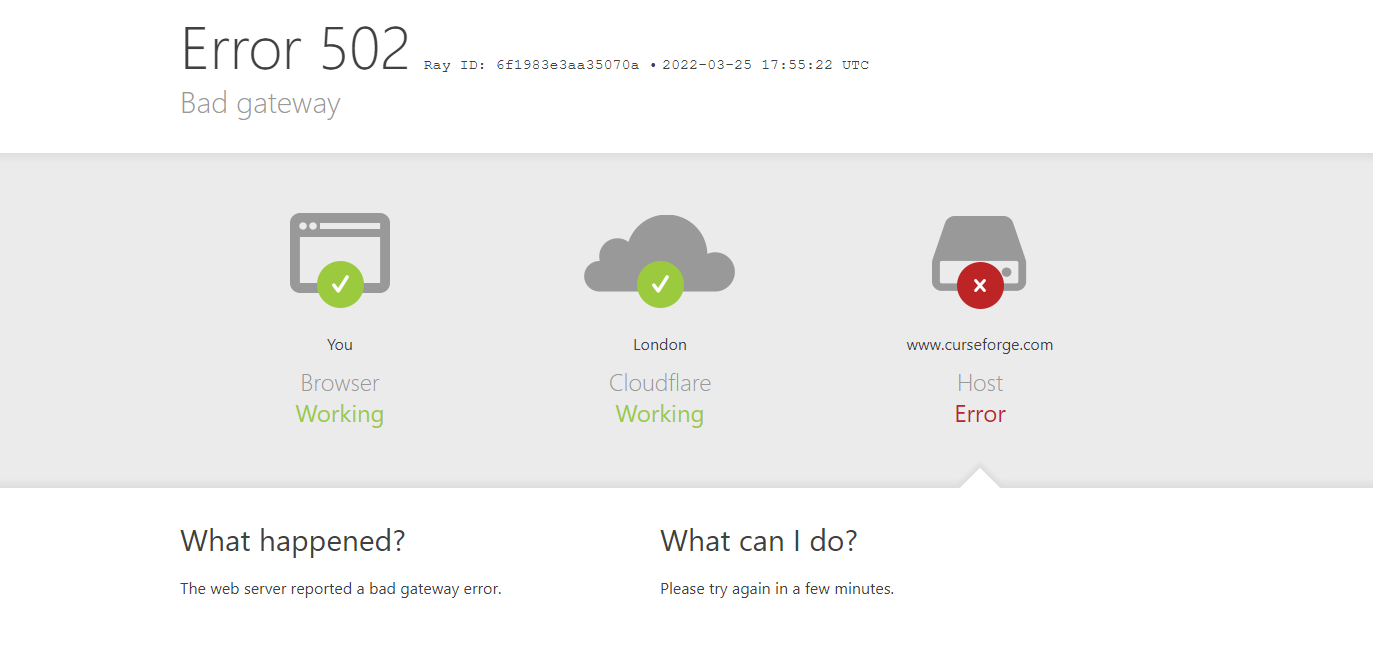
Yeah I keep getting 502 errors
 safe raven
Curseforge sometimes crashes when I update mods inside the app
Especially if i try to update mutliple at once
it never happened before
 idle sentinel
Whenever i start a modpack (Team Rustic 4) and the loading whenever i press "PLAY" its just white and wont load
(minecraft curseforge)
 cerulean idol
 idle sentinel
Nvm a restart fixed it
cerulean idol
i updated a mod and it still had a update button on it
 digital roost
What are the base files place of curseforge
Like with the mods folder a d instances
I ant check in the app
 queen storm
Settings, Minecraft, Minecraft modding folder
queen storm
If there is no internet then you can't use curseforge
lyric crescent
Windows has a search function
digital roost
How?
lyric crescent
Go to search bar, type name of thing to search
digital roost
Just takes me to overwoldf
lyric crescent
Maybe it would be best if you Google how to find files on a computer
digital roost
Alr
 lofty niche
how long does it usually take for my modpack to get approved?
signal ridge
!status
red patioBOT
Project Moderation Time
Project/File moderation is done on these days unless otherwise mentioned:
Sunday, Monday, Tuesday, Wednesday, Thursday: <t:1631170800:t> - <t:1631199600:t> (Your time)
Friday, Saturday: No Moderation!
Projects are moderated First in, First out. If you submit late in the work day, it will likely get left until the next day!
New Projects or anything flagged for manual review: 1-3 Working Days
Updates to approved projects not needing manual approval: 1 Hour
-If your file has been "Under Review" for more than an hour, then it is at manual review!
Changes will only show in the app if the project meets the requirements in the ?sync command and up to 24 hours has passed from when it was accepted.
lofty niche
?sync
red patioBOT
Sync and your Project.
CurseForge App and site do not share the same requirements! You can find things on the site but this does not mean it will be in the app!
For a mod to show up in the app:
- Projects MUST have a file marked as RELEASE or BETA
- Projects MUST be APPROVED
- Projects MUST have a file marked for the GAME VERSION SELECTED/LOADED
- Projects CAN'T be EXPERIMENTAL
- Projects CAN'T be ABANDONED
Files can take a while to show up in the app. If your files still have not shown up either your project is new and you have yet to mark a file as Release/Beta or there is issues with the sync system making it slow.
Vote this issue up if you would like to know when the last sync was! https://curseforge-ideas.overwolf.com/ideas/CF-I-1617
lofty niche
ok thanks
 onyx vortex
error:connection error, it times out building the recipe registry.
how i can fix it?
lyric crescent
we dont know what you are talking about
 night trail
so if I go to curse forge and look up a Naruto mod for minecraft how would i make it to where i can play with other people?
red patioBOT
Your question is not related to CurseForge owned/maintained features or services.
Please use the appropriate game room by getting a game role from #786424115535544350.
Otherwise use #👽︱game-support for game related help.
CurseForge does not make or maintain any of the content or games used on the site or app. Just because it's on the site/app does not make it a problem with CurseForge. Move rooms as requested, arguing about it will result in you being removed from the discord.
 empty path
do y'all know what this means?

i've been testing out to see why adding all the termal series mods
just breaks my modpack
this is an entirely different error message than what i've gotten previously
 slim schooner
ask my spy not ditect
 rich flint
empty path
do y'all know what this means?
rich flint
empty path
do y'all know what this means?
exit codes not helpful, need logs
red patioBOT
Error/Exit codes are useless. Follow these steps so someone can actually help you.
- Right-click the modpack profile icon OR click the button in the modpack profile.
- Click
Open Folder. - Open the
logsfolder. - Drag and drop the FILE named
latestORdebuginto discord.
lyric crescent
empty path
i've been testing out to see why adding all the termal series mods
Something you need to discuss with the mod dev, not a curseforge issue.
rich flint
that just means you need to add the mod JEID to 1.12.2 modpacks
slim schooner
some one help ? my addons error no ditect
lyric crescent
 young walrus
any help on fixing the "oops, that was not supposed to happen"
 young bone
!oops
red patioBOT
You had an "Oops, that was not supposed to happen!"
https://support.curseforge.com/en/support/solutions/articles/9000194900-curseforge-troubleshooting#oops
Please follow these instructions
queen storm
!mc-login
red patioBOT
Minecraft Logins
Step 1: Get to the Microsoft login screen.
Step 2: Log in with a Microsoft account that owns the Java version of Minecraft.
Done!
Issues: If it says PLAY DEMO then the account used DOES NOT own Java Minecraft. Log in with one that does.

 tropic sedge
Heres the issue
I did that
And i own minecraft with that account
It still says play demo
queen storm
You logged in on the right account?
tropic sedge
Yea
After migration yea
But when i click play it doesnt take me to the microsoft dcreen
queen storm
Then show the vanilla launcher
tropic sedge
It takes to the 1.12 monecraft laun CA er
queen storm
And the curseforge one


 queen storm
If those things have compatibility mode on software: disable it for curseforge
tropic sedge
Where do ifind that
queen storm
No idea. Don't have a mac 🤷♂️
 ember slate
trying to update a mod in profile, why does it do this?
 tropic sedge
queen storm
No idea. Don't have a mac 🤷♂️
tropic sedge
queen storm
No idea. Don't have a mac 🤷♂️
Well i think ill have to reinstall minecraft again
For it to like say “you own it”
queen storm
ember slate
trying to update a mod in profile, why does it do this?
Restart pc, try again
queen storm
tropic sedge
Well i think ill have to reinstall minecraft again
Nope, won't help, different instance
queen storm
tropic sedge
For it to like say “you own it”
!mc-installfix Tell if this works
red patioBOT
This is NOT instructions for Repair Profile! They are NOT the same! You need to do this!
- Click on the Minecraft Tab on the Left side of the CurseForge App.
- Click button next to the
Create Custom Profileoption. - Click
Repair Installationoption. - Play game.
NOTE: You will not lose any modpacks or worlds!
ember slate
actually restarting the app seemed to work 😄

 fallen loom
What version of Curse do you have? Just to have it noted
tropic sedge
Theres nothing next to the create custom profile thing
Most recent version
Well no
fallen loom
No, I want numbers
9 times out of 10 when someone says "most recent" it isn't actually the most recent
tropic sedge
V. 0.0.22
queen storm
Stop with the very short messages
Reinstall curseforge, you are a couple numbers behind
tropic sedge
Ill try but i cant on my own my dad has admin power. Ill see what i can do
Thank you
queen storm
Need 0.194.something at least
fallen loom
On my Windows PC I have v. 0.194.1.6, not sure if PC and Mac have the same versions
(Being an electron app I hope they would)
queen storm
#📢︱news message
Close enough
tropic sedge

Thats for mac
Ill have my dad do it at some point
Thanks ill let you know if theres any other issues
Also is this new update help with migration?
queen storm
No idea, mojang is providing that launcher to your machine
tropic sedge
Kk thank you laters
 main egret
idk if anyone knows how to fix my weird problem but my Minecraft mods in 1.16-1.16.5 always crash and has worked like this the second time I tried loading said mods idk if its a curse forge problem or pc problem but they work on technic so I think curse forge
fallen loom
It's probably not Curse itself, move to #👽︱game-support and we'll see
main egret
kk thx
 balmy solstice
As it turns out, these mod issues I talked about yesterday in #👽︱game-support were not caused by the mods themselves, but by Curseforge not properly deleting previous versions out of the mods folder on update. Unknown as to why. Manually deleted and ran it fine, so that was the only issue.
#👽︱game-support message
 lofty echo
Yo I am trying to put it a mod inside my mod pack that isn’t on curse dodge via the folders but then I got a crash message does anyone know if I can add more manually via file location?
(Reposted since wrong channel)
 fair cave
post the crash log in #🧱︱mc-other-help if it's a minecraft issue?
get the minecraft role first though
people are more likely to know how to help you there
and make sure to post your crash log if you need help fixing an issue
lofty echo
K got it ty
 merry merlin
Is there a way to be notified by email every time a Minecraft mod I follow updates?
young bone
You can follow a mod and set notifications for it and receive emails
merry merlin
Thanks!
 heavy path
So I was trying to get mods on CurseForge but I don't have the mod folder and dont know how to get it
lyric crescent
?mc-installmods
red patioBOT
How to install mods in CurseForge App.
- Click
+ Create Custom Profile - Name it, select the required Minecraft version, select the modloader & modloader version (usually the highest number), click
Create. - Click the profile icon.
- Click
Add More Content - Search and install the desired mods.
- Start the game!
How to install mods not on CurseForge.
- Right click the profile picture or Open the profile and click the Icon next to the play button.
- Click
Open Folder. - Drag the mod(s) into the
modsfolder. (Note: Some mods will require others, to run. Make sure to read the instructions for the mod!) - Start the game!
 heavy path
Now whenever I try to run minecraft with the mods it immediately crashes :/
 fallen loom
?mc-logs
red patioBOT
Sending logs for support.
- Right-click the modpack profile icon OR click the button in the modpack profile.
- Click
Open Folder. - Open the
logsfolder. - Drag and drop the FILE named
latestORdebuginto discord.
 quiet copper
my curse forge isnt opening
it will load but after loading it wont open
i have even tried opening it as admin
lyric crescent
reinstall it
quiet copper
i have it doesnt work after reinstalling aswell
lyric crescent

Overwolf Support Help Center
We're here to get you informed on everything you need to know about Overwolf, including helpful guides and troubleshooting articles to back you up when you get in a pickle
 pulsar agate
How long does it take for modpacks to get approved?
lyric crescent
!status
red patioBOT
Project Moderation Time
Project/File moderation is done on these days unless otherwise mentioned:
Sunday, Monday, Tuesday, Wednesday, Thursday: <t:1631170800:t> - <t:1631199600:t> (Your time)
Friday, Saturday: No Moderation!
Projects are moderated First in, First out. If you submit late in the work day, it will likely get left until the next day!
New Projects or anything flagged for manual review: 1-3 Working Days
Updates to approved projects not needing manual approval: 1 Hour
-If your file has been "Under Review" for more than an hour, then it is at manual review!
Changes will only show in the app if the project meets the requirements in the ?sync command and up to 24 hours has passed from when it was accepted.
 true cairn
hello, i get a error when open curse forge, i uninstall and when i try to install the installer dont open, anyone can help me ?
lyric crescent
?getcf
red patioBOT
Looking to install the CurseForge app?
<:windows:798410728188936222> Windows
Minimum Requirements:
- OS Version: 7 (64 bit), 8.1, 10, 11
- 64 bit Required.
- 350MB storage space.
- Microsoft .Net 4.8
- Intel/AMD quad-core CPU
- 8GB ram
Download: https://download.overwolf.com/install/Download?&PartnerId=4047
If you are having issues with the installer use the URL below to install Overwolf then go to the app store to download CurseForge.
https://content.overwolf.com/downloads/setup/latest/regular.html
<:mac:798410654418862130> Mac
Minimum Requirements:
- OS Version 10.14 or newer.
- 64 bit Required.
Download: https://curseforge.overwolf.com/downloads/curseforge-latest.dmg
:penguin: Linux
Minimum Requirements:
Yes. SOON:tm: ( ͡~ ͜ʖ ͡°)
Download: :person_shrugging:
lyric crescent
use the 2nd link
true cairn
the installer show and i install but i get this
 lyric crescent
You will need to ask in the overwolf discord then
true cairn
to use this mod https://www.curseforge.com/minecraft/modpacks/zombie-apocalypse-slow-zombies-by-forge-labs
i need curse forge and overwolf
?
lyric crescent
that is a modpack, and you need some mod manager to install it
upper root
 Mod yungsextras requires yungsapi 1.18.1-Forge-26 or above
Currently, yungsapi is 1.18.1-Forge-24
 uncut thicket

how do i fix the forge one?
i got the rftoolsbase, but what should i do about the other
 upper root
Its probably the wrong version
uncut thicket
Alright I'll try a newer one
 clever pelican
I was wondering if someone could help answer a quick question. If this is the wrong place to ask, please accept my apologies. A friend and I are setting up a new minecraft server, and they have said they've heard that Forge (not any specific mod, just Forge) changes the way Redstone works versus Vanilla, and can break certain Redstone based machines. I was wondering if anyone had any insight on that?
upper root
Forge trys to stay as true to vanilla as possible, it is highly unlikely that is messes up redstone
I do know of other server software, such as paper and spigot that do mess with redstone a lot tho, your friend may be confused with those
fleet bear
(this is also the wrong place)
vivid gust
!status
red patioBOT
Project Moderation Time
Project/File moderation is done on these days unless otherwise mentioned:
Sunday, Monday, Tuesday, Wednesday, Thursday: <t:1631170800:t> - <t:1631199600:t> (Your time)
Friday, Saturday: No Moderation!
Projects are moderated First in, First out. If you submit late in the work day, it will likely get left until the next day!
New Projects or anything flagged for manual review: 1-3 Working Days
Updates to approved projects not needing manual approval: 1 Hour
-If your file has been "Under Review" for more than an hour, then it is at manual review!
Changes will only show in the app if the project meets the requirements in the ?sync command and up to 24 hours has passed from when it was accepted.
vivid gust
what would the secondary category be for like custom blocks i made
and how would i make my mod into a .jar file
queen storm
Don't need one, and export
queen storm
Probably gradlew build
 opal cipher
I suggest you grab the Minecraft-role from #786424115535544350 and move these questions to #⚙️︱authors-help, as they are not entirely CurseForge related
vivid gust
k
digital roost
why is my name not suitable? it the name of the mod
 queen storm
Does not say anything close to what it does
digital roost
its trash
queen storm
Then don't upload it?
queen storm
Then change it to "just another trash can"
digital roost
alright
 ancient shale
Is CF down rn?
vivid gust
Nope.
 tulip cliff
yo can you add mods on demo
tulip cliff
okay thanks
 safe pagoda
Can someone please tell me how long im gonna need to wait for a project to either get approved or denied? I have been waiting since last year and I havn't gotten anything.. this is getting dumb. at this point I would be happy to even be denied so I know whats wrong
queen storm
!status
red patioBOT
Project Moderation Time
Project/File moderation is done on these days unless otherwise mentioned:
Sunday, Monday, Tuesday, Wednesday, Thursday: <t:1631170800:t> - <t:1631199600:t> (Your time)
Friday, Saturday: No Moderation!
Projects are moderated First in, First out. If you submit late in the work day, it will likely get left until the next day!
New Projects or anything flagged for manual review: 1-3 Working Days
Updates to approved projects not needing manual approval: 1 Hour
-If your file has been "Under Review" for more than an hour, then it is at manual review!
Changes will only show in the app if the project meets the requirements in the ?sync command and up to 24 hours has passed from when it was accepted.
safe pagoda
safe pagoda
Can someone please tell me how long im gonna need to wait for a project to eithe...
as I said I put it in last year. it is now coming up on 3 months now
queen storm
Show a screenshot of the red banner at the top
safe pagoda
 queen storm
Link please
queen storm
Poking staff
safe pagoda

lyric crescent
Did you upload a file?
safe pagoda
I did... but now that I am looking months later the file is gone.. I havn't touched this project in months since I have been busy
guess ill upload it again ¯_(ツ)_/¯
 indigo spade
Is CurseForge 502'ing for anyone else right now?
safe pagoda
indigo spade
Is CurseForge 502'ing for anyone else right now?
no but I get a CF robot check every single time I change page on the website which is really really annoying
queen storm
That is cloudflare
indigo spade
I'm getting assorted errors, some of which are CF and some of which are Cloudflare
And it seems to have passed, at least for now
safe pagoda
queen storm
That is cloudflare
thats what I meant sorry used to using CF in relation to cloudflare
 fallen crow
Hello,
I have a problem with minecraft
Whenever I try to open a modpack and then try to click on my account it won't load and it's stuck at this homescreen
 lyric crescent
remove the account and readd it?
queen storm
Need a Microsoft account anyways
fallen crow
lyric crescent
remove the account and readd it?
thank you it worked
 remote badge
anyone else getting this error?

tryna update my mods in my modpack
oh and this also

oh nvm i just had to brute force click update
fallen crow
if im playing a modpack how do i make it less laggy?
queen storm
!notcf
red patioBOT
Your question is not related to CurseForge owned/maintained features or services.
Please use the appropriate game room by getting a game role from #786424115535544350.
Otherwise use #👽︱game-support for game related help.
CurseForge does not make or maintain any of the content or games used on the site or app. Just because it's on the site/app does not make it a problem with CurseForge. Move rooms as requested, arguing about it will result in you being removed from the discord.
 winged hatch
How do I update fabric? I'm using the latest version according to the client, but I'm wanting to update to 1.18.2 from 1.18.1
lyric crescent
You cannot change MC versions with a profile, you need to make a new one.
winged hatch
Thanks for clarifying.
 low trellis
I need help because I can't launch any modpacks on minecraft due to a crashing error 1
hello by the way !
lyric crescent
?mc-log
red patioBOT
Sending logs for support.
- Right-click the modpack profile icon OR click the button in the modpack profile.
- Click
Open Folder. - Open the
logsfolder. - Drag and drop the FILE named
latestORdebuginto discord.
red patioBOT
Please visit the project page for the content you posted about and look for a way to contact the developer.
Somewhere on the page there is usually a method of contact. Look for one of the following things:
Issuestab like the image below.- Discord link.
- Twitter link.
- Comments section below the project.
If no contact method exists you will either have to remove the project or find a solution on your own.

 solemn fable
The game crashed whilst there was a severe problem during mod loading that has caused the game to fail
Error: net.minecraftforge.fml.common.LoaderException: thebetweenlands Failed to load new mod instance.
Exit Code: -1
red patioBOT
Error/Exit codes are useless. Follow these steps so someone can actually help you.
- Right-click the modpack profile icon OR click the button in the modpack profile.
- Click
Open Folder. - Open the
logsfolder. - Drag and drop the FILE named
latestORdebuginto discord.
red patioBOT
Your question is not related to CurseForge owned/maintained features or services.
Please use the appropriate game room by getting a game role from #786424115535544350.
Otherwise use #👽︱game-support for game related help.
CurseForge does not make or maintain any of the content or games used on the site or app. Just because it's on the site/app does not make it a problem with CurseForge. Move rooms as requested, arguing about it will result in you being removed from the discord.
solemn fable
ah sorry
quiet copper
this is my logs
sorry i sent late
my curse forge isnt opening even when i try to open it as admin
i have tried to uninstall and reinstall
it still doesnt open all it does it load then stios
stops
lyric crescent
that does not appear to be the logs requested.
quiet copper
oh how do i do it then im not 100% how to
lyric crescent
follow the instructions i sent you
quiet copper
im not sure what i did wrong it looks like i followed the windows 10 version
lyric crescent
me either, but what you sent contains nothing of use. perhaps you should reinstall curseforge and overwolf
quiet copper
kk
 fallow iris
Can someone tell me how to conjure up this button? Because the tutorial has it, but my profile does not. https://support.overwolf.com/en/support/solutions/articles/9000197260-how-to-enable-2fa

 drifting shell
guys does anybody know why i cant find the fabric category in here? i want to search for fabric mods but i just cant find the category

what do i do
queen storm
drifting shell
guys does anybody know why i cant find the fabric category in here? i want to se...
You make a fabric profile, tada, fabric mods
drifting shell
queen storm
You make a fabric profile, tada, fabric mods
ohh ok
ohhh yeaa i see now
thank youu
 outer grove
can you privacy share a modpack with friends without a twitch account
queen storm
Just send them the exported zip
queen storm
!mc-packshare
red patioBOT
There are two ways to share a modpack you've made with others...
Export and Share - For Friends to Small Groups.
- Click the Icon for the modpack.
- Click the button next to play.
- Click

Export. - Select the files that should be included.
- Send the zip to the people that want it! They can follow the instructions in
!mc-installpackto install the pack!
Upload to Curseforge - For Public Release to Everyone.
This options will make your pack public to EVERYONE, it comes with extra requirements and will take some effort to set up.
- Go to here: https://www.curseforge.com/project/432/4471/create
- Fill out the information with a proper description of the pack. This should allow anyone to understand what the pack is.
- Click the Icon for the modpack in the CurseForge app.
- Click the button next to play.
- Click
Export. - Select the files that should be included.
- Open your Project you made on the CurseForge site and Upload the file you just made.
- Wait for Moderation & Sync so it can show up in the client! (See
!syncfor limitations)
outer grove
thx
queen storm
!getcf Use the second link
red patioBOT
Looking to install the CurseForge app?
<:windows:798410728188936222> Windows
Minimum Requirements:
- OS Version: 7 (64 bit), 8.1, 10, 11
- 64 bit Required.
- 350MB storage space.
- Microsoft .Net 4.8
- Intel/AMD quad-core CPU
- 8GB ram
Download: https://download.overwolf.com/install/Download?&PartnerId=4047
If you are having issues with the installer use the URL below to install Overwolf then go to the app store to download CurseForge.
https://content.overwolf.com/downloads/setup/latest/regular.html
<:mac:798410654418862130> Mac
Minimum Requirements:
- OS Version 10.14 or newer.
- 64 bit Required.
Download: https://curseforge.overwolf.com/downloads/curseforge-latest.dmg
:penguin: Linux
Minimum Requirements:
Yes. SOON:tm: ( ͡~ ͜ʖ ͡°)
Download: :person_shrugging:
 tight reef
queen storm
!getcf Use the second link
tight reef
queen storm
!getcf Use the second link
luv u
fallow iris
fallow iris
Can someone tell me how to conjure up this button? Because the tutorial has it, ...
Okay, the problem was that you need to go to the CF site and not the Reward Store/Overwolf. They have almost identical interfaces.
queen storm
Show proof
 stoic epoch
which proof
stoic epoch
bruh i am play it now
queen storm
That is not proof
stoic epoch
i wanted support beacuse of i am not able to on exavate
stoic epoch
queen storm
That is not proof
how i can show
queen storm
Show that you bought it, somebody paid for it, show that statement
stoic epoch
queen storm
Show that you bought it, somebody paid for it, show that statement
its my friends account
what can i do
queen storm
Then you didn't buy it, #📛︱rules 8
#🔥︱curseforge-support message
And don't lie to me
fallen loom
 tulip cliff
every time i try to go into a modded server it crashed why is that and yes i bought real version
lyric crescent
Prove it
tulip cliff
prove what
fallen loom
Provide a full log, please
 fallen loom
Provide a log
 frosty forge
i was about to ask for support so since i gotta prove i own it what is a log and how can i provide it
 signal ridge
!mc-logs send these to #👽︱game-support
fallen loom
?mc-logs
red patioBOT
Sending logs for support.
- Right-click the modpack profile icon OR click the button in the modpack profile.
- Click
Open Folder. - Open the
logsfolder. - Drag and drop the FILE named
latestORdebuginto discord.
fallen loom
Guh
frosty forge
so then should i send what i sent to game supprt?
signal ridge
Send the latest log to #👽︱game-support
frosty forge
i think im running and old version since i still have the christmas theme on, how do i manually update curseforge
 spring crown
Soo how do you unzoom in the app 😂
lyric crescent
That would be your display settings
spring crown
@lyric crescent were is that im looking and cant find it
frosty forge
i updated curseforge but this still happens, is there a way i can fix this?
 signal ridge
Like I said earlier, Send your latest log to #👽︱game-support
frosty forge
how do i get a log?
signal ridge
Ill post how in that channel
 fallen loom
tulip cliff
fallen loom
tulip cliff
How many times must I ask for a log?
tulip cliff
how do i show a log
frosty forge
tulip cliff
go to #👽︱game-support it says so there
digital roost
I have a question where do I go for that?
queen storm
Depends on the question
digital roost
its with the forge minecraft mods installer
queen storm
Then here
digital roost
ok so
my browser is called Brave
and when I try to get the installer and run it. it just downloads it again
queen storm
Go ask Brave
digital roost
???
queen storm
digital roost
my browser is called Brave
This, go ask them
queen storm
Then use curseforge instead.
Till that: can't help you in this discord
inland wyvern
Hello! I made a ticket 2 weeks ago. Is there any chance for an update please?
Ticket #113277
lyric crescent
For?
inland wyvern
A reply to the ticket 😄
lyric crescent
About what
fleet bear
!notcf
red patioBOT
Your question is not related to CurseForge owned/maintained features or services.
Please use the appropriate game room by getting a game role from #786424115535544350.
Otherwise use #👽︱game-support for game related help.
CurseForge does not make or maintain any of the content or games used on the site or app. Just because it's on the site/app does not make it a problem with CurseForge. Move rooms as requested, arguing about it will result in you being removed from the discord.
 glacial hollow
Do minecraft custom modpacks not allow downloading as servers? I'm trying to get a jar file, and while better minecraft lets you download the server pack, my custom does not. I'm wondering what steps I might need to take to fix this, if possible. Thanks.
signal ridge
Server packs are made by the packs dev. So if you havent made the server pack and uploaded it, your pack wont have a server pack to download.
 opaque pagoda
when i try to open the curseforge shortcut, it says "the item referred to by this shortcut cannot be accessed. you may not have the appropriate permissions"
 normal crane
my friend is on curseforge and trying to play sky factory 4 with me and when I open skyfactory 4 from curseforge it auto makes a profile/installation so i can play it. but when my friend opens it it does not auto make a profile/installation
we already tried a lot of thigns
lyric crescent
they need to close the launcher before pressing play, or restart their computer
normal crane
we tried first one but i will tell him to try second one
pulsar agate
I’m running a modpack through server miner and I’m launching the same version of the modpack there and on my computer but when I try to connect I get an error saying the “mismatched mod channel list”
how do i fix that
lyric crescent
!notcf
red patioBOT
Your question is not related to CurseForge owned/maintained features or services.
Please use the appropriate game room by getting a game role from #786424115535544350.
Otherwise use #👽︱game-support for game related help.
CurseForge does not make or maintain any of the content or games used on the site or app. Just because it's on the site/app does not make it a problem with CurseForge. Move rooms as requested, arguing about it will result in you being removed from the discord.
normal crane
he said it didnt work
lyric crescent
?mc-installfix
red patioBOT
This is NOT instructions for Repair Profile! They are NOT the same! You need to do this!
- Click on the Minecraft Tab on the Left side of the CurseForge App.
- Click button next to the
Create Custom Profileoption. - Click
Repair Installationoption. - Play game.
NOTE: You will not lose any modpacks or worlds!
normal crane
he said it still didnt work
lyric crescent
?mc-path
red patioBOT
Change your install path to the following:
For Windows: C:\CurseForge
For Mac: /Users/Shared/CurseForge
You will need to make this folder!
If Minecraft is not installed in CurseForge App:
- Click the in the top left.
- Select Minecraft from the list of games.
- Select the
Advancedoption and pick the location for your computer listed above. - Click
Continue.
If Minecraft is installed in CurseForge App:
- Click the in the bottom left.
- Select the Minecraft tab.
- Click
Change. - Select the location for your computer listed above.
:no_entry_sign: Minecraft Files should NOT be installed inside the following locations :no_entry_sign:
:no_entry_sign: .minecraft folder.
:no_entry_sign: OneDrive folders.
:no_entry_sign: Desktop folder.
:no_entry_sign: iCloud enabled folders.
:no_entry_sign: or any other cloud saved folder.
:no_entry_sign: or folders with non-English characters in them.
If any of the above are in the path you need to change/move it!
lyric crescent
and if it doesnt work after that one, its user error
digital roost
when i click the little garbage can icon on mods in my minecraft instance, they don't always get deleted. i can't tell how often it actually happens, all i know is that i clicked it on 20 mods and around 7 of them were still in my mods folder after i clicked it even though the listing in the curseforge launcher was gone.
lyric crescent
sounds like you have something going on in the install location, try changing the path as it says above
stoic epoch
pls help me
your admin gave me timeout because i am using my friend acc
why i got a timeout
opal cipher
Because using other than your own account is against the EULA and TOS for Minecraft
Just buy the game yourself instead.
inland wyvern
lyric crescent
About what
About a private issue for the wow community that folks have requested me, a discord partner and community figure, to bring up. I want to keep things private.
stoic epoch
opal cipher
Because using other than your own account is against the EULA and TOS for Minecr...
bruh it is now my acc
 ember magnet
is there any way to have a modpack on the curseforge app while running optifine as well
queen storm
stoic epoch
bruh it is now my acc
 queen storm
ember magnet
is there any way to have a modpack on the curseforge app while running optifine ...
queen storm
ember magnet
is there any way to have a modpack on the curseforge app while running optifine ...
!mc-optifine
red patioBOT
We do not offer support for Optifine!
If you have issues with Optifine, remove it. If you want further support try the discord found on their website.
https://www.optifine.net/home
Installing Optifine with modpacks on Curseforge:
- Right click the modpack icon, select
Open Folder. - Put the
Optifine.jarinto themodsfolder. - Now start the modpack.
ember magnet
hmm ok
stoic epoch
queen storm
https://cdn.discordapp.com/attachments/782027635252920322/957706140173602976/unk...
bruh if my friend ask u doubts
is it ok
ember magnet
guess ill just use sodium :/
queen storm
stoic epoch
bruh if my friend ask u doubts
It is against the Minecraft TOS, we are not gonna allow you to break it.
If you ask again you will get banned
stoic epoch
queen storm
It is against the Minecraft TOS, we are not gonna allow you to break it.
If you ...
what are u saying my friend can ask u dobts as it is his acc
queen storm
No, he is not allowed to share his account
stoic epoch
bro as my father didn,t allow mew to use credit card his father paid the ammount and i gave him cash
what is wrong in it
queen storm
It is still not your account. That is what is wrong with it. Read the TOS
stoic epoch
bruh how
opal cipher
We don't make the rules, Mojang is the one who does. And we only support people with their own licenses.
stoic epoch
this clearly right
opal cipher
queen storm
So it is not your account. So you are not allowed to use it according to the Mojang TOS
queen storm
stoic epoch
stoic epoch
my friend dos.nt use this acc -_-
yes this is right my friend dos,nt use
do not
no
queen storm
So it is his account, not yours
stoic epoch
why
queen storm
Why else would you say he is not using the account?
stoic epoch
bruh i tell from satrting
queen storm
If he is not using it, then he has access, and you are doing something wrong regardless
stoic epoch
my father don't allow me to use credit card because of scams
stoic epoch
stoic epoch
my father don't allow me to use credit card because of scams
understood
queen storm
If it was your account then you would not have mentioned that friend
queen storm
I am done.
If you had issues with things then you should have gone to your own father to do what you did with your friends father.
The fact that you even brought your friend into this conversation is weird.
Next time I see you talking about this I will just ban you
 wind hatch
inland wyvern
Hello! I made a ticket 2 weeks ago. Is there any chance for an update please?
T...
wind hatch
inland wyvern
Hello! I made a ticket 2 weeks ago. Is there any chance for an update please?
T...
👍🏻
 chilly yarrow
For the curseforge app windows app launcher, is there a way to make it not open vanilla launcher and just load the game right away?
upper root
No
chilly yarrow
So it suppose to do that?
queen storm
Yes
 wintry thistle
Hello how do I just download the files instead of it just making me download curse forge?
 queen storm
What files? Modpack or mod?
queen storm
And how are you gonna install the modpack then?
 sly coyote
Hey so idk if there's something wrong with the launcher or if my minecraft is busted but everytime I go to launch a modpack it launches the launcher then just keeps the launcher in a black screen preventing me from fully launching my pack
queen storm
How long did you wait?
sly coyote
queen storm
How long did you wait?
I've waited over 15 minutes at 1 point
queen storm
!mc-installfix
red patioBOT
This is NOT instructions for Repair Profile! They are NOT the same! You need to do this!
- Click on the Minecraft Tab on the Left side of the CurseForge App.
- Click button next to the
Create Custom Profileoption. - Click
Repair Installationoption. - Play game.
NOTE: You will not lose any modpacks or worlds!
sly coyote
Yea I know thats the only way to get it to launch the problem is I have to do that everytime I want to play
queen storm
Mine takes a lot of time to load as well, does load after a while though
sly coyote
I see still over 15 minutes for just the launch just for it to still be a black screen is abit much
lyric crescent
tried allocating more ram?
sly coyote
lyric crescent
tried allocating more ram?
I have 7gb allocated, should be more than enough to launch the minecraft launcher from the cursedforge launcher
sly coyote
Apologies but I was responding to you
lyric crescent
i can see your reply without a ping, thanks.
sly coyote
I usually don't even if I have notifications on so I do apologize
 reef river
Quick q, this a good place to talk about forge Minecraft problems?
red patioBOT
Your question is not related to CurseForge owned/maintained features or services.
Please use the appropriate game room by getting a game role from #786424115535544350.
Otherwise use #👽︱game-support for game related help.
CurseForge does not make or maintain any of the content or games used on the site or app. Just because it's on the site/app does not make it a problem with CurseForge. Move rooms as requested, arguing about it will result in you being removed from the discord.
 daring sedge
bonjour j'aimerais avoir de l'aide a mon propos du launcher Curse forge, je l'ai depuis quelques mois et j'ai un problème d'interface qui ne m'a jamais vraiment gêné, mais je voudrais créer un modpack mais je suis dans l'incapacité de lire le contenu, pour résumé mon interface est entièrement pixelisé et je ne trouve pas le moyen de résoudre le problème quelqu'un pourrait m'aider pour régler le problème
( sorry I use a translator for speak in English, my Englisg is bad ) Hello I would like some help with my topic of the Curse forge launcher, i have had it for a few months and i have a problem with the interface which has never really bothered me, but i would like to create a modpack but i I am unable to read the content, to summarize my interface is entirely pixelated and I cannot find a way to solve the problem can someone help me to solve the problem
daring sedge
sorry ^^'
queen storm
Post a screenshot please
daring sedge
 queen storm
Do you have a weird screen resolution?
queen storm
Multiple monitors?
daring sedge
Only on CurseForge I had this problem
no i don't have any more
my resolution is 1920x1080
queen storm
Can you open overwolf itself and see if it has the same issue?
 remote badge
so im installing mods and yea

thi was working fine until a few days ago
3-4 days ago
queen storm
daring sedge
Only on CurseForge I had this problem
Tried reinstalling ?
 spare bison
how can i publish my mod pack in curseforge?
lyric crescent
?MC-PACKSHARE
red patioBOT
There are two ways to share a modpack you've made with others...
Export and Share - For Friends to Small Groups.
- Click the Icon for the modpack.
- Click the button next to play.
- Click
Export. - Select the files that should be included.
- Send the zip to the people that want it! They can follow the instructions in
!mc-installpackto install the pack!
Upload to Curseforge - For Public Release to Everyone.
This options will make your pack public to EVERYONE, it comes with extra requirements and will take some effort to set up.
- Go to here: https://www.curseforge.com/project/432/4471/create
- Fill out the information with a proper description of the pack. This should allow anyone to understand what the pack is.
- Click the Icon for the modpack in the CurseForge app.
- Click the button next to play.
- Click
Export. - Select the files that should be included.
- Open your Project you made on the CurseForge site and Upload the file you just made.
- Wait for Moderation & Sync so it can show up in the client! (See
!syncfor limitations)
queen storm
You can't
 drowsy citrus
oh
fleet bear
99% of the time it wont matter, the world you make is going to be 2 to 5x larger in file size than the pack itself.
 rich cedar
Does curseforge work with the new minecraft yet??
signal ridge
As in the new launcher? No.
red patioBOT
Ignore the new launcher update. CF does not use it or works with it, yet.
Everything will work fine otherwise.
 dusky acorn
I'm confused, what does this mean?
> The following files belong to CurseForge-hosted projects, and should therefore not be added directly to zip files:
The following files belong to CurseForge-hosted projects, and should therefore not be added directly to zip files:
-
Remove any mods listed in the error message from the profile you exported. Then reinstall them with the CurseForge app. DO NOT drag and drop files from the site.
-
Export the profile again, open the new zip that was just made. Check for the
overrides/modsfolder. If you still see any mods in that folder do the step above again for each mod. -
Upload the zip once complete and no more mods show in the
overrides/modsfolder.
dusky acorn
Ok, thanks
lyric crescent
!notcf
red patioBOT
Your question is not related to CurseForge owned/maintained features or services.
Please use the appropriate game room by getting a game role from #786424115535544350.
Otherwise use #👽︱game-support for game related help.
CurseForge does not make or maintain any of the content or games used on the site or app. Just because it's on the site/app does not make it a problem with CurseForge. Move rooms as requested, arguing about it will result in you being removed from the discord.
 opaque sphinx
oh sorry
 red hare
 lyric crescent
?oops
red patioBOT
You had an "Oops, that was not supposed to happen!"
https://support.curseforge.com/en/support/solutions/articles/9000194900-curseforge-troubleshooting#oops
Please follow these instructions
 dim prairie
One message removed from a suspended account.
One message removed from a suspended account.
One message removed from a suspended account.
lyric crescent
what ad
dim prairie
One message removed from a suspended account.
lyric crescent
what is the problem with it exactly?
dim prairie
One message removed from a suspended account.
lyric crescent
going to need something more than you didnt like it. that's not really a reason to report something.
fair cave
i personally dislike something so it's worrying and needs to be removed
fallen loom
 young bone
I love that 70’s show
 deep yoke
my curseforge won't progress past this screen
 fleet bear
!owlogs
red patioBOT
<:overwolf:857375414002384916> How to get CurseForge App logs! <:overwolf:857375414002384916>
- Click the
Create logs zipin the menu. - Drag and drop the file it just made to this chat room to upload it.
- Wait for someone to look at it so they can help you.
 unborn basin
deep yoke
my curseforge won't progress past this screen
unborn basin
deep yoke
my curseforge won't progress past this screen
Still happens?
 fast coral
Guys how to change the key which mines all the same blocks nearby
red patioBOT
Your question is not related to CurseForge owned/maintained features or services.
Please use the appropriate game room by getting a game role from #786424115535544350.
Otherwise use #👽︱game-support for game related help.
CurseForge does not make or maintain any of the content or games used on the site or app. Just because it's on the site/app does not make it a problem with CurseForge. Move rooms as requested, arguing about it will result in you being removed from the discord.
 bold tendon
How to solve?
 lyric crescent
click learn more
bold tendon
it didn't help
lyric crescent
What did you try?
bold tendon
A lot of things
lyric crescent
helpful
Glad i don't have to help you now since you arn't being forthcoming with information anyway. #📛︱rules 8
ember magnet
bruh what happened to my curseforge
 lyric crescent
you shrunk it?
ember magnet
my modpacks dissapeared
lyric crescent
check what folder is being used and see if the files still exist
ember magnet
How do i do that
lyric crescent
click the gear icon, minecraft, and look at the top of the settings
lyric crescent
me too, lets compare thoughts.
ember magnet
like i did some stuff with icloud and i may have deleted a few files
lyric crescent
Mac cloud saving is on, and mac copied your files to its backup and removed them.
nice
lyric crescent
not a clue
i would recommend turning that off in the curseforge folders for future use though
ember magnet
i have no idea how to do that :/
lyric crescent
google time
 ember magnet
lyric crescent
Mac cloud saving is on, and mac copied your files to its backup and removed them...
ember magnet
lyric crescent
Mac cloud saving is on, and mac copied your files to its backup and removed them...
How often does it backup and delete
queen storm
#🥑-off-topic-chat by now
 tidal solar
Hi, I can't open the Forge client to install it what should I do?
fallen loom
?!=
red patioBOT
Wording is important!
Forge = Minecraft Forge, This is a modloader often just called "Forge".
Fabric = Fabric MC, this is another modloader, just called "Fabric".
CurseForge = A Website/App that has content for games.
Mods = Individual mod files.
Modpacks = Multiple mods put into the mods folder or downloaded from CurseForge.
These are not Interchangeable! Please use the correct terms as it allows us to help you faster!
digital roost
sorry this is kinda off topic but i suck at righting how do i make an actually goo decsripton
 lyric crescent
digital roost
lyric crescent
digital roost
alr thanks
tidal solar
tidal solar
Hi, I can't open the Forge client to install it what should I do?
@lyric crescent sorry ping.
tidal solar
signal ridge
<#777323206884327484> 5
Excuse me but no one answers me.
signal ridge
Deamon did,
 west folio
and that doesnt excuse the ping
signal ridge
So we know what your talking about. Forge and Curseforge are very different
#🔥︱curseforge-support message
lyric crescent
Hour timeout, since you did that knowingly.
 gray horizon
Anyone else unable to login on the curseforge website? I log in with Twitch and get an Internal Server Error
 vague lily
Same here
lyric crescent
Passed the login issue on to the CF devs.
gray horizon
Thanks 🙂
 stable creek
hello I am trying to login and it just says:
Internal Server Error
An internal server error has occurred. Please try again later. If the error continues please reach out to support.
lyric crescent
read two messages up
vague lily
fixed now
 hybrid oasis
Hey can I use the CF logo to make a banner that says Download it at: and then the CF logo here????
my mod has about 70K downloads and I never made a banner so that other platforms would download it in CF lol
lyric crescent
I can't say I see why there would be a problem with that, but also can't give you permission. I will ask about it and get back to you unless someone else does before me.
hybrid oasis
lyric crescent
I can't say I see why there would be a problem with that, but also can't give yo...
Alright!
Thanks!
 gusty spoke
so i created my own mod profile and tried to load the game with all the mods but whenever i try to it crashes does anyone know why. I can show you more info if you ask
 signal ridge
!mc-logs send these to #👽︱game-support
red patioBOT
Sending logs for support.
- Right-click the modpack profile icon OR click the button in the modpack profile.
- Click
Open Folder. - Open the
logsfolder. - Drag and drop the FILE named
latestORdebuginto discord.
gusty spoke
ohhh do i need cloth config as a mod or something?
ty human
but it still crashes?
lyric crescent
you were asked to move channels, please do that
gusty spoke
sory
digital roost
wehn ever i open cursedfroge i get this errors


idk what is happening everything was fine before
i unistalled java and mc and reinstalled
didnt help
fallen loom
?mc-logs
red patioBOT
Sending logs for support.
- Right-click the modpack profile icon OR click the button in the modpack profile.
- Click
Open Folder. - Open the
logsfolder. - Drag and drop the FILE named
latestORdebuginto discord.
digital roost
digital roost
didnt help
lyric crescent
?mc-installfix
red patioBOT
This is NOT instructions for Repair Profile! They are NOT the same! You need to do this!
- Click on the Minecraft Tab on the Left side of the CurseForge App.
- Click button next to the
Create Custom Profileoption. - Click
Repair Installationoption. - Play game.
NOTE: You will not lose any modpacks or worlds!
fallen loom
Hehe
 lyric crescent
?MC-PATH
red patioBOT
Change your install path to the following:
For Windows: C:\CurseForge
For Mac: /Users/Shared/CurseForge
You will need to make this folder!
If Minecraft is not installed in CurseForge App:
- Click the in the top left.
- Select Minecraft from the list of games.
- Select the
Advancedoption and pick the location for your computer listed above. - Click
Continue.
If Minecraft is installed in CurseForge App:
- Click the in the bottom left.
- Select the Minecraft tab.
- Click
Change. - Select the location for your computer listed above.
:no_entry_sign: Minecraft Files should NOT be installed inside the following locations :no_entry_sign:
:no_entry_sign: .minecraft folder.
:no_entry_sign: OneDrive folders.
:no_entry_sign: Desktop folder.
:no_entry_sign: iCloud enabled folders.
:no_entry_sign: or any other cloud saved folder.
:no_entry_sign: or folders with non-English characters in them.
If any of the above are in the path you need to change/move it!
digital roost
lyric crescent
?MC-PATH
like this?
 lyric crescent
nothing said anything about.. that.
digital roost
lyric crescent
nothing said anything about.. that.
oh
where to change the location

its in my local disc
signal ridge
2nd and 4th line of the bot says where to put it.
digital roost
cant find it
 signal ridge
Did you make the folder? Like Line 4 says?
digital roost
i have the folder
lyric crescent
show it
digital roost
this right?
 lyric crescent
that isnt it
digital roost
i am bad at computers ...
lyric crescent
click the thing on the left side of the screen that says c drive
make a new folder
digital roost
 signal ridge
Still not correct
Open a file folder > On the Left Click This PC > Open the C drive Folder > Make a new folder there > Call it CurseForge > Then in the app select the new cf folder. Will look like this in the app: C:\CurseForge
 lyric crescent
do whatever you were trying to do
digital roost
ty
 pastel pendant
how to install mods in files in curseforge launcher/app
signal ridge
!mc-installmods
red patioBOT
How to install mods in CurseForge App.
- Click
+ Create Custom Profile - Name it, select the required Minecraft version, select the modloader & modloader version (usually the highest number), click
Create. - Click the profile icon.
- Click
Add More Content - Search and install the desired mods.
- Start the game!
How to install mods not on CurseForge.
- Right click the profile picture or Open the profile and click the Icon next to the play button.
- Click
Open Folder. - Drag the mod(s) into the
modsfolder. (Note: Some mods will require others, to run. Make sure to read the instructions for the mod!) - Start the game!
pastel pendant
how to do it with fabric api i am installing eyephone mod and i need to instal fabric
signal ridge
Select fabric when making the custom profile
pastel pendant
and i need to fabric api
signal ridge
the app will auto install it when you choose fabric as the modloader.
pastel pendant
thx
hybrid oasis
lyric crescent
I can't say I see why there would be a problem with that, but also can't give yo...
So, did you get a response? If not, I'll contact them directly trough OverWolf support!
lyric crescent
Well they arnt working currently so i wouldn't have a response yet.
 warped sand
is there a way to have a short cut to load a profile to put on desktop?
fleet bear
no
warped sand
ok
 slim reef
hey im trying to download curseforge but whenever I do it pops up as a blackscreen and nothing happens. Please Help
@lyric crescent
 cursive flower
when i try to install something it says an exception occurred during a WebClient request
 static oasis
Hello, im getting issues trying to run CurseForge, how can i fix this issue? ive tried the methods from the website provided but came to no conclusion
 lyric crescent
what did you try?
lyric crescent
cursive flower
when i try to install something it says an exception occurred during a WebClient...
?owlogs
red patioBOT
<:overwolf:857375414002384916> How to get CurseForge App logs! <:overwolf:857375414002384916>
- Click the
Create logs zipin the menu. - Drag and drop the file it just made to this chat room to upload it.
- Wait for someone to look at it so they can help you.
static oasis
well i tried uninstalling it and installing it, i tried going through my firefall and windows defender
lyric crescent
iirc there are more things to try than that
static oasis
sorry i had also tried changing connections and DNS issues
just havent done IPv6
says its a last resort
hoping there was anything else
lyric crescent
sounds like you are on last resort
cursive flower
lyric crescent
?owlogs
lyric crescent
Passed that on to the CF devs, will probably be a few hours before you get a reply.
slim reef
can i please have my question answered now
lyric crescent
when someone has an answer for you
static oasis
i had turned off real-time protection and it seems to work
could this be to do with my antivirus?
lyric crescent
yep
static oasis
okay thankyou
slim reef
hey im trying to download curseforge but whenever I do it pops up as a blackscreen and nothing happens. Please Help
fallen loom
Volt, if you're still here try quitting Curse, going into your temp folder (C:\Users\Bobby\AppData\Local\Temp), deleting the CF folder, and then relaunching Curse
 tribal cliff
Hey! So I am not too clear on licences and such, but I am making a simple electron app that just displays a webview of curseforge and modrinth and i was wondering if i could put it on flathub/release it if i gave credit to curseforge for the website
Modrinth already said its fine
 knotty musk
can you guys help me? im trying to join a server in better minecraft 1.18.2 but when i join the server it says connection closed - mismatched mod channel list
fallen loom
Mismatched mod channel list means you're either missing mods or you have extra mods that don't work client-only
knotty musk
i see
 hidden fern
cursive flower
hidden fern
cursive flower
Hello sir, could you please DM me?
 icy crown
Hello I'm French and I have a problem(minecraft modpack), when I try to install a modpack, the installation is done but at the end, the modpack is not installed. What should I do ?
queen storm
Any errors or not?
icy crown
queen storm
Any errors or not?
no
queen storm
Go to the path configured in the app, curseforge, settings, minecraft, minecraft modding folder.
Is the modpack in the instances folder there?
icy crown
no
queen storm
!owlogs
red patioBOT
<:overwolf:857375414002384916> How to get CurseForge App logs! <:overwolf:857375414002384916>
- Click the
Create logs zipin the menu. - Drag and drop the file it just made to this chat room to upload it.
- Wait for someone to look at it so they can help you.
icy crown
queen storm
Skyfactory 4?
queen storm
That is a timeout error
icy crown
and how I fix it ?
queen storm
Need better internet for that
icy crown
ok but how I fix it ?
queen storm
Poked staff to see if there is anything at all that can be done
icy crown
you're not the staff ?
upper root
All of us orange and blue people are random volunteers, the staff actually work at overwold/curseforge. (They have red names here)
icy crown
oh ok, so I wait one of the staff to help me
upper root
The problem seems to be it timing out, ie your internet is being slow. Is there anything you could do to make it faster? (Hook up to cable instead of wifi, move closer to the router ect)
icy crown
I am already in cable
 brave vessel
most ksp mods wont load but from what ive known ksp does not care about versions but half the mods wont load and most of em have the warning sign

here logs
upper root
Dont use curseforge for ksp, it doesnt work very well. Use CKAN instead
brave vessel
yeah
but worse part is that ckan its hard to find the mods
wish it can just list all the mods
icy crown
it's ok, it works
hidden fern
queen storm
https://discord.com/channels/428228256236306434/782027635252920322/9586635227897...

slim reef
hey im trying to download curseforge but whenever I do it pops up as a blackscreen and nothing happens. Please Help
queen storm
!getcf Use the second link
red patioBOT
Looking to install the CurseForge app?
<:windows:798410728188936222> Windows
Minimum Requirements:
- OS Version: 7 (64 bit), 8.1, 10, 11
- 64 bit Required.
- 350MB storage space.
- Microsoft .Net 4.8
- Intel/AMD quad-core CPU
- 8GB ram
Download: https://download.overwolf.com/install/Download?&PartnerId=4047
If you are having issues with the installer use the URL below to install Overwolf then go to the app store to download CurseForge.
https://content.overwolf.com/downloads/setup/latest/regular.html
<:mac:798410654418862130> Mac
Minimum Requirements:
- OS Version 10.14 or newer.
- 64 bit Required.
Download: https://curseforge.overwolf.com/downloads/curseforge-latest.dmg
:penguin: Linux
Minimum Requirements:
Yes. SOON:tm: ( ͡~ ͜ʖ ͡°)
Download: :person_shrugging:
pastel pendant
why when i download all files for eyemod phone it dont load my version is 1.18.2
queen storm
#👽︱game-support for that
tribal cliff
tribal cliff
Hey! So I am not too clear on licences and such, but I am making a simple electr...
:)
lyric crescent
Can't say I understand what that question has in relation to licences.
 hollow heron
Previously, when I launched a custom profile (minecraft), the launcher with a microsoft account quietly opened. Now CurseForge are asking me to sign in to my Microsoft account. Why?
lyric crescent
CurseForge never asks for your account info.
hollow heron
Here is a video demonstrating my attempt to run a profile
lyric crescent
That is the minecraft launcher. What is the problem here? Just sign in?
hollow heron
This only happens when trying to launch via curseforge
lyric crescent
Well you need to sign in.. I don't get the problem.
hollow heron
This happens every time I try to log in through curseforge even after I logged in
lyric crescent
Sounds like you have some issue with the folder used then. Either some kind of cloud save program or antivirus corrupting the files.
?mc-path might help, you will need to move all your installed stuff manually
red patioBOT
Change your install path to the following:
For Windows: C:\CurseForge
For Mac: /Users/Shared/CurseForge
You will need to make this folder!
If Minecraft is not installed in CurseForge App:
- Click the in the top left.
- Select Minecraft from the list of games.
- Select the
Advancedoption and pick the location for your computer listed above. - Click
Continue.
If Minecraft is installed in CurseForge App:
- Click the in the bottom left.
- Select the Minecraft tab.
- Click
Change. - Select the location for your computer listed above.
:no_entry_sign: Minecraft Files should NOT be installed inside the following locations :no_entry_sign:
:no_entry_sign: .minecraft folder.
:no_entry_sign: OneDrive folders.
:no_entry_sign: Desktop folder.
:no_entry_sign: iCloud enabled folders.
:no_entry_sign: or any other cloud saved folder.
:no_entry_sign: or folders with non-English characters in them.
If any of the above are in the path you need to change/move it!
hollow heron
What if I don't have C:\CurseForge?
young bone
You make it
lyric crescent
someone should add that to the instructions. the 4th line would probably be a good place
young bone
“You will need to make this folder!”
hollow heron
does this line say i should delete this folder?
 hollow heron
young bone
**“You will need to make this folder!”**
hollow heron
young bone
**“You will need to make this folder!”**
Yes, I see
hollow heron
Yes, I don’t know how the changes affected, but now the launcher remembers again
Thanks
The previous folder was on the path C:\Users\user\curseforge\minecraft
Since I moved minecraft to a new location, should this folder be deleted?
lyric crescent
as long as you dont want to save anything from it
lyric crescent
what does that mean
lyric crescent
?mc-installmods
red patioBOT
How to install mods in CurseForge App.
- Click
+ Create Custom Profile - Name it, select the required Minecraft version, select the modloader & modloader version (usually the highest number), click
Create. - Click the profile icon.
- Click
Add More Content - Search and install the desired mods.
- Start the game!
How to install mods not on CurseForge.
- Right click the profile picture or Open the profile and click the Icon next to the play button.
- Click
Open Folder. - Drag the mod(s) into the
modsfolder. (Note: Some mods will require others, to run. Make sure to read the instructions for the mod!) - Start the game!
 severe haven
ok thanks
tidal solar
Hi, I have little problems with opening CurseForge client to install it. Answer me as soon as possible
lyric crescent
what problems
red patioBOT
Looking to install the CurseForge app?
<:windows:798410728188936222> Windows
Minimum Requirements:
- OS Version: 7 (64 bit), 8.1, 10, 11
- 64 bit Required.
- 350MB storage space.
- Microsoft .Net 4.8
- Intel/AMD quad-core CPU
- 8GB ram
Download: https://download.overwolf.com/install/Download?&PartnerId=4047
If you are having issues with the installer use the URL below to install Overwolf then go to the app store to download CurseForge.
https://content.overwolf.com/downloads/setup/latest/regular.html
<:mac:798410654418862130> Mac
Minimum Requirements:
- OS Version 10.14 or newer.
- 64 bit Required.
Download: https://curseforge.overwolf.com/downloads/curseforge-latest.dmg
:penguin: Linux
Minimum Requirements:
Yes. SOON:tm: ( ͡~ ͜ʖ ͡°)
Download: :person_shrugging:
tidal solar
I already have the app
lyric crescent
then im not sure what this means
" opening CurseForge client to install it."
lyric crescent
ok, then what is the problem
tidal solar
Cannot open client
 eternal wyvern
Hey
tidal solar
There are other types of links to install the non .jar curse forge client
eternal wyvern
So, I was told a little while back that i could search up mods on curseforge launcher to update our modpack.
I was told that projects without at least one beta build won't show up,
How long does it take for curse launcher to update to include the project in the search box?
lyric crescent
usually an hour unless it needs approval still
tidal solar
i guess i solved i made a custom profile from the app and it's upgrid the laucher
Moderator ladies you are the best
I did it thanks to all of you
I now have the client installed
Thanks,
My dream came true
 short plume
does anyone know about issues adding optifine to a modpack in 1.18.2? everytime i try i get this:
org.spongepowered.asm.mixin.transformer.throwables.MixinTransformerError: An unexpected critical error was encountered
Exit Code: -1
red patioBOT
Error/Exit codes are useless. Follow these steps so someone can actually help you.
- Right-click the modpack profile icon OR click the button in the modpack profile.
- Click
Open Folder. - Open the
logsfolder. - Drag and drop the FILE named
latestORdebuginto discord.
upper root
One of your mods is incompatible with optifine, remove optifine
short plume
rip
 craggy coyote
hello all
i used to play Better Minecraft 1.16 but today i got this crash

can anyone tell me what causes the crash
and how can i fix it
is it mod related?
fallen loom
Please provide a screenshot of your launcher
craggy coyote
 digital roost
i've been trying to add mods to a modpack, which i've partly figured out. Although, the mods I want to download aren't compatible with the modpack (apparently) and don't show up when trying to add them via Curseforge. I've tried downloading the mods and adding them directly to the files but I dont see any change in game. Is there any way to overrule the compatibility? The mod wouldn't change much, just adding a couple mobs.
queen storm
There is no compatibility being checked when you add them using files
digital roost
I may have missed something in game then. Does Just Enough Items automatically update with new items when adding new mods? I may have to do background work to connect all of the mods into one.
queen storm
Jei gets its items when loading the game
fallen loom
Compatibility checks are usually there for a reason
 thin plaza
I have sorted my addons by "Action" to put the items needing updates at the top, items recently updated next, and the rest below. Not sure exactly when it resets but at least daily, I'm having to re-sort by Action again. It doesn't hold my sort. Is there anything I can do to fix that?
 tight dust
hey, im not sure if this is a known issue/if there is a fix for it yet, but i have the curseforge desktop app and for the past couple days it refuses to open, the destop icon is there, but its just the avil and no background to it, is there an issue with it at the moment?
it will show the standard window that shows up, but doesnt open the actual app itself
 fleet bear
!owlogs
red patioBOT
<:overwolf:857375414002384916> How to get CurseForge App logs! <:overwolf:857375414002384916>
- Click the
Create logs zipin the menu. - Drag and drop the file it just made to this chat room to upload it.
- Wait for someone to look at it so they can help you.
fleet bear
Oh wait...
tight dust
yeah lol, i cant even open curseforge :/
fleet bear
Theres a thing for this but I'd need to look it up. Give me a second.
tight dust
no worries, thank you
fleet bear
Overwolf Support Help Center
We're here to get you informed on everything you need to know about Overwolf, including helpful guides and troubleshooting articles to back you up when you get in a pickle
Then you will need to wait for someone who can look at the logs. I'm on mobile so it's not really something I can do currently.
tight dust
how do i send them to someone like the site says?
lyric crescent
send it here
lyric crescent
"message": "The process cannot access the file 'c:\users\acer\curseforge\minecraft\instances\better minecraft [forge] - 1.16.5\saves\just pain\poi\r.0.0.mca' because it is being used by another process.",
broken world maybe, or completely unrelated. not really sure
seems weird for that to break the app tho
tight dust
so that one world broke the app?
lyric crescent
pretty sure i specifically did not say that


 lyric crescent
try removing that save for the moment
tight dust
i moved the folder for that save out and its still not working
lyric crescent
reinstall curtseforge
 dawn oasis
im having the issue where my curseforge wont start up a modpack i was playing 2-3 hours ago it says it has a invalid java runtime configuration i was just on the modpack
red patioBOT
"Invalid Java Runtime Configuration" does not help us, Follow these steps so someone can actually help you.
- Right-click the modpack profile icon OR click the button in the modpack profile.
- Click
Open Folder. - Open the
logsfolder. - Drag and drop the FILE named
latestORdebuginto discord.
lyric crescent
not the log
lyric crescent
dunno, looks like a mod issue anyway, not curseforge. try in #👽︱game-support
dawn oasis
now its crashing curseforge
digital roost
i've added a few mods to my modpack via Curseforge. However, it's saying that the Fabric Loader is needing a newer version. Is there a way to update it through Curseforge?
 spark gale
Hi! I am currently making a modpack for me and a server I own. When trying to load it onto curse forge as an already created profile (which it is since we made it on here) we have been getting a radium error specifically this one: Exception of type'curse.radium.installmanagement.installtaskfailedexception; was thrown. I am unsure as to how to fix it and I really need to get this working. Is there anything I can do to fix this error? Am I missing something or have a setting changed?
digital roost
digital roost
i've added a few mods to my modpack via Curseforge. However, it's saying that th...
im pretty sure u can either just install fabric or there might be a way to update
rich flint
want to get working
post your logs in #👽︱game-support
or does it not open the vanilla launcher?
rich flint
digital roost
i've added a few mods to my modpack via Curseforge. However, it's saying that th...
?mc-updatemodloader
red patioBOT
You can update the mod loader within the same game version in the CurseForge app by following these steps!
- Click on the modpack profile you are working with.
- Click on the button next to the play button.
- Click on the
 Profile Options button.
 - Select the mod loader version you want from the dropdown.
- Play!
If you need to update to a new game version, a new profile is required.
 rare bison
When is the general payment delay for curseforge authors? I redeemed 800 points into paypal $5 bundles around 20 Days ago, and i still havent recieved any money
And some more points over time since then
fleet bear
First week of the next month. (normally)
rare bison
Oh ok thanks, that makes sense
fleet bear
Only amazon cards are instant
upper root
Its probably a compatibility issue, install indium if you have sodium.
If that doesnt fix your problem/you need help on how to do that ask again in #👽︱game-support or #🧱︱mc-other-help (this channel isnt really for game support)
 rugged latch
ok thnx a lot