
#🔥︱curseforge-support
1 messages · Page 589 of 1
 rustic hearth
 shy talon
Hi I'm new to discord, so apologies if I'm in the wrong space. I rebooted my mac and 'My Modpacks" are all missing! I see a new version of CurseForge was installed. Please help!
 fleet bear
No way.
I'll pass the error up to get it looked at tho.
 narrow minnow
Can you please send a screenshot of which page you are trying to do this from?


 frigid iron
As an update, restarting CurseForge after installing .NET 6, which I had to do for another reason, seems to have solved my problem. 🤷
I believe I had .NET 4.5 as my latest one previously.
rustic hearth
rustic hearth
Pressing the unsubscribe button leads to the error above
@ me if you find or need anything👍
 toxic plank
curse forge keeps rejecting my modpack and saying this
References invalid fileIDs: fileID: 3308448, projectID 480881 (project-480881).
can someone please help me
Idk what that means
 opal cipher
Can't find a mod with that project ID, could it be a removed mod?
toxic plank
I have removed a bunch of mods before from that modpack if that whats ur asking
opal cipher
I think that the invalid file, could very well be that the author of the mod, could have removed that file. Or something like that
opal cipher
You should remove the mod in total. It's the Hbm Nuclear Tech one
 maiden kiln
how it's supposed to look like vs how it actually looks like
why is it like that?
(markdown)

 toxic plank
opal cipher
You should remove the mod in total. It's the Hbm Nuclear Tech one
toxic plank
opal cipher
You should remove the mod in total. It's the Hbm Nuclear Tech one
oh ok thanks
 queen storm
Site is silly
fleet bear
maiden kiln
how it's supposed to look like **vs** how it actually looks like
why is it like ...
Curseforge markdown supports very little.
maiden kiln
but why doesn't it load my image?
queen storm
Is the description public or not?
maiden kiln
it's public right now
queen storm
Link please
queen storm
The owner of this website (happysnake.de) does not allow hotlinking to that resource (/gurtenheim/title.png).
 digital roost
wysiwg or something liek this is better than markdown but still doesnt support everything that github markdown has 😗
maiden kiln
hm okay 🤔
digital roost
and vscode uses github markdown that has features like built-in html etc
developers need rewrite that markdown on curseforge website smh
queen storm
Curseforge website is getting a rewrite
digital roost
and thats neat
 sweet jungle
my game keeps crashing
queen storm
 winter rock
I'm back again. so my modpack got approved but if i search for it on the site or app it does not show up. also if i go the my modpack and press download with the curseforge app it only lauches the app but no download. do the curseforge servers need time? or is something wrong
 lyric crescent
link?
 red patioBOT
Sync and your Project.
CurseForge App and site do not share the same requirements! You can find things on the site but this does not mean it will be in the app!
For a mod to show up in the app:
- Projects MUST have a file marked as RELEASE
 or BETA
- Projects MUST be APPROVED
- Projects MUST have a file marked for the GAME VERSION SELECTED/LOADED
- Projects CAN'T be EXPERIMENTAL
- Projects CAN'T be ABANDONED
Files can take a while to show up in the app. If your files still have not shown up either your project is new and you have yet to mark a file as Release/Beta or there is issues with the sync system making it slow.
Vote this issue up if you would like to know when the last sync was! https://curseforge-ideas.overwolf.com/ideas/CF-I-1617
toxic plank
I need help
they rejected again with this
The following files are corrupt or otherwise cannot be checked for validity:
overrides/mods/1.7.10/ForgeMultipart-1.7.10-1.1.2.331-universal.jar
How do i fix it
someone pls help
lyric crescent
delete it and reinstall with the app
toxic plank
also why does it say codelib needs to be downloaded for voltzengine everytime i launch my modpack?
i already have it downloaded
lyric crescent
would need to see what is saying that
 lyric crescent
what is that from
toxic plank
everytime
lyric crescent
doesnt look like any window i've ever seen
fleet bear
It's a java window. Sounds like a broken mod checker.
lyric crescent
sounds like you need to report this to voltz engine
toxic plank
is there anyway for me to get rid of this tho?
lyric crescent
remove the mod, report it to get it fixed
toxic plank
dont i need it ?
lyric crescent
no idea. this issue is not related to curseforge.
 hardy spoke
https://www.curseforge.com/minecraft/mc-mods/voltz-engine
if this is the mod, then it's Dead
and yes this is NOT a CF issue
 toxic plank
ok thanks
 unborn basin
Do you have a K:/ drive?
frigid iron
unborn basin
Do you have a K:/ drive?
Yes.
You're the second person to ask about a K drive. What a peculiar potential source of trouble.
unborn basin
Only asking since we've had a few users with a ghost drive problem
Indeed a peculiar scenario
Good thing you got it resolved though, I'll be looking into it
frigid iron
Apparently others have been having the issue too; I think it's a bug in .NET itself. If you google "Item has already been added. Key in dictionary "ProcessStartInfo.get_EnvironmentVariables"" (https://www.google.com/search?q=Item+has+already+been+added.+Key+in+dictionary+"ProcessStartInfo.get_EnvironmentVariables"&hl=en) it's not a unique problem to this launcher.
shy talon
Yo, wheres all my modpacks gone!?

Is there someone technical I can screenshare with that can help me get this back?
lyric crescent
Would help to explain how you came about this situation.
shy talon
lyric crescent
Would help to explain how you came about this situation.
Reboted, and i think it updated to the new version. I'm on a mac.
lyric crescent
So you didn't change anything?
shy talon
It was lierally working fine, then rebooted, and its gone.
 hollow siren
Yo so, anyone else trying to use optifine with a modpack and it just gives an error
red patioBOT
We do not offer support for Optifine!
If you have issues with Optifine, remove it. If you want further support try the discord found on their website.
https://www.optifine.net/home
Installing Optifine with modpacks on Curseforge:
- Right click the modpack icon, select
Open Folder. - Put the
Optifine.jarinto themodsfolder. - Now start the modpack.
lyric crescent
shy talon
It was lierally working fine, then rebooted, and its gone.
What version of curseforge are you on. Settings > bottom left corner.
 lyric crescent
click minecraft, what is the install path?
 lyric crescent
you didnt mess with that at all?
shy talon
lyric crescent
you didnt mess with that at all?
Nope
lyric crescent
go to that folder, is anything there?
 lyric crescent
back up one
 shy talon
lyric crescent
.. i meant go back
shy talon
lyric crescent
.. i meant go back

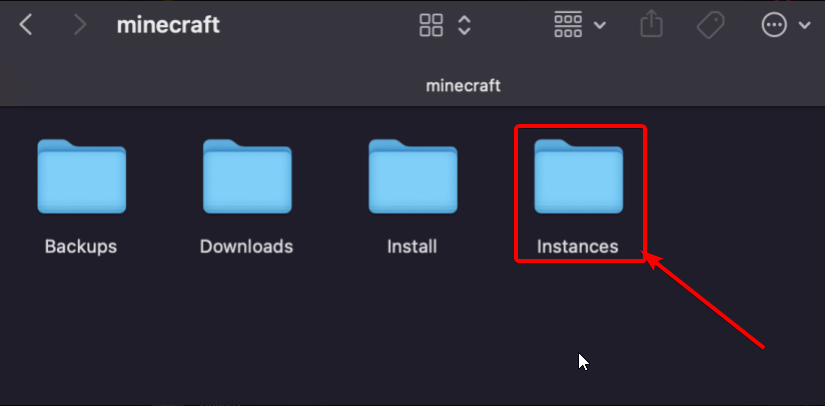 shy talon
lyric crescent
anything in here? https://i.imgur.com/nXFKzbu.png
shy talon
lyric crescent
anything in here? https://i.imgur.com/nXFKzbu.png

u know what -- There was a macOS update
lyric crescent
looks like you found the problem
shy talon
So that might be something to watch out for on other users.
lyric crescent
well you should probably be disabling cloud drives on things where it's not needed, like there.
shy talon
Well - That could be the problem. With mac these backups are on by default. After the update, it seemed to disable the iCloud link.
No this is not right -- This is not my mods that I was using lately. I has reverted to an old version some how?
lyric crescent
yea, probably. that's how cloud drives work
shy talon
But why is Curseforge not picking up the stuff I has this morning?
How do I find that?
lyric crescent
it picks up what is in the folder. your cloud drive erased what you had and saved something older. this is not a curseforge problem.
shy talon
lyric crescent
it picks up what is in the folder. your cloud drive erased what you had and save...

I found this
But it doesnt have the ones Ive been using. Where would the backups be stored from before?
lyric crescent
there are no backups
curseforge only saves a backup if you change version of a profile
 next vault
hello! i need some help. when installing modpacks i get a websocket error can anyone help
lyric crescent
show the error please
 lyric crescent
?owlogs
red patioBOT
<:overwolf:857375414002384916> How to get Overwolf logs! <:overwolf:857375414002384916>
lyric crescent
send this here
lyric crescent
passing this on to the curseforge devs to look at.
 lusty scroll
i am trying to install stardew valley but it wont let me
lyric crescent
?stardew
red patioBOT
Overwolf maintains a known list of issues here, some with solutions, others without.
https://support.curseforge.com/en/support/solutions/articles/9000196615-curseforge-known-issues
Scroll down, look at "Other games"
next vault
lyric crescent
passing this on to the curseforge devs to look at.
ETA?
lyric crescent
when someone has time to look at it 🤷♂️
could be 5 minutes, or 24 hours.
This is a support channel, for people who need support. You do not need support. And I answered you where I told you to go.. 🤦♂️
 elfin jasper
could anyone please help?
im trying to play pixelmon but it keeps showing me this after launching it through the launcher, i tried closing and opening and also deleting the profile and installing it again
 lyric crescent
?mc-installfix
red patioBOT
- Click on the Minecraft Tab on the Left side of the CurseForge App.
- Click
 button next to the
 Create Custom Profileoption. - Click

Repair Installationoption. - Play game.
NOTE: You will not lose any modpacks or worlds, These are saved in the Instances folder. DO NOT TOUCH THIS FOLDER OR YOU WILL LOSE EVERYTHING
 summer sluice
some on can help me? how can i create a link for my modpack?
lyric crescent
?mc-packshare
red patioBOT
There are two ways to share a modpack you've made with others...
Export and Share - For Friends to Small Groups.
- Click the Icon for the modpack.
- Click the button next to play.
- Click

Export. - Select the files that should be included.
- Send the zip to the people that want it! They can follow the instructions in
!mc-installpackto install the pack!
Upload to Curseforge - For Public Release to Everyone.
This options will make your pack public to EVERYONE, it comes with extra requirements and will take some effort to set up.
- Go to here: https://www.curseforge.com/project/432/4471/create
- Fill out the information with a proper description of the pack. This should allow anyone to understand what the pack is.
- Click the Icon for the modpack in the CurseForge app.
- Click the button next to play.
- Click
Export. - Select the files that should be included.
- Open your Project you made on the CurseForge site and Upload the file you just made.
- Wait for Moderation & Sync so it can show up in the client! (See
!syncfor limitations)
elfin jasper
red patio
its showing this after i click on repair installation (minecraft isnt open)

 lyric crescent
restart your computer, then do it
 potent hatch
Im trying to get curseforge on notebook says something about me not having OpenGL what do I have to download?
elfin jasper
it showed "minecraft repaired successfully" or smth like that
moment of truth hopefully it works now
lyric crescent
potent hatch
Im trying to get curseforge on notebook says something about me not having OpenG...
that means you either dont have a graphics card, or it's not good enough to be used
potent hatch
See
 peak mulch
Hi,
I'm getting some error when I'm trying to run forged minecraft (without any mods installed) in version 1.18.1
Are you already experienced with this error ? I already played around with all existing forge versions and different resolutions . Nothing helped
red patioBOT
Your question is not related to CurseForge owned/maintained features or services.
Please use the appropriate game room by getting a game role from #786424115535544350.
Otherwise use #👽︱game-support for game related help.
CurseForge does not make or maintain any of the content or games used on the site or app. Just because it's on the site/app does not make it a problem with CurseForge. Move rooms as requested, arguing about it will result in you being removed from the discord.
 prime halo
hey how do i make it so my friends can get my mod packs easier to get
lyric crescent
peak mulch
potent hatch
See
maybe you can check if you have a second graficscard in your notebook. If you have a second graficscard you have to activate that it's used for java processes. Or sometimes also checking for updates of your grafic drivers helps
potent hatch
ima check that out
Microsoft SQ® 1 Adreno™ 685 GPU
Microsoft SQ® 2 Adreno™ 690 GPU
this maybe good enough or not worth the try?
elfin jasper
its showing this again ;-;
 lyric crescent
?mc-log
red patioBOT
Sending logs for support.
- Right-click the modpack profile icon OR click the button in the modpack profile.
- Click

Open Folder. - Open the
logsfolder. - Drag and drop the FILE named
latestORdebuginto discord.
lyric crescent
yea, still the issue i expected. try it again
lyric crescent
yea
prime halo
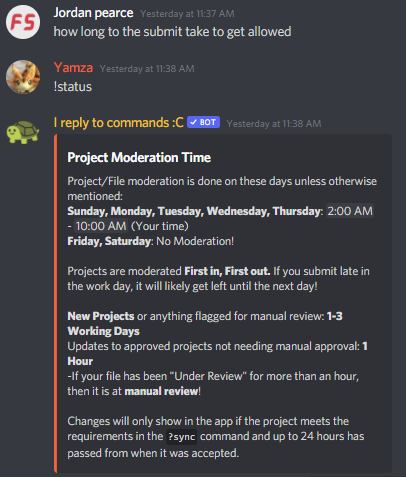
how long to the submit take to get allowed
lyric crescent
!status
red patioBOT
Project Moderation Time
Project/File moderation is done on these days unless otherwise mentioned:
Sunday, Monday, Tuesday, Wednesday, Thursday: <t:1631170800:t> - <t:1631199600:t> (Your time)
Friday, Saturday: No Moderation!
Projects are moderated First in, First out. If you submit late in the work day, it will likely get left until the next day!
New Projects or anything flagged for manual review: 1-3 Working Days
Updates to approved projects not needing manual approval: 1 Hour
-If your file has been "Under Review" for more than an hour, then it is at manual review!
Changes will only show in the app if the project meets the requirements in the ?sync command and up to 24 hours has passed from when it was accepted.
prime halo
is the anything for forge to do different role on a server like staff role
red patioBOT
Your question is not related to CurseForge owned/maintained features or services.
Please use the appropriate game room by getting a game role from #786424115535544350.
Otherwise use #👽︱game-support for game related help.
CurseForge does not make or maintain any of the content or games used on the site or app. Just because it's on the site/app does not make it a problem with CurseForge. Move rooms as requested, arguing about it will result in you being removed from the discord.
 harsh quest
 lyric crescent
remove any additional arguments you have in your settings
peak mulch
peak mulch
maybe you can check if you have a second graficscard in your notebook. If you ha...
@lyric crescent any idea about this ? I see no error . Fabric ist starting . I see problems only for forge modloader
lyric crescent
about what..?
peak mulch
lyric crescent
about what..?
the error I pasted . I cannot start forged mc 1.18.1 without mods
lyric crescent
this isnt forge support
that's why i sent the thing that said to ask in the correct place
peak mulch
Ah okay. you do not know if there is a discord for this ?
lyric crescent
here.. in the correct channel. did you bother to read what i sent? guessing not.
elfin jasper
it said game crashed again and did the same procedure that i did last time
didnt change ;-;
peak mulch
lyric crescent
here.. in the correct channel. did you bother to read what i sent? guessing not.
so I will ask in mincefat again. thanks
elfin jasper
i repeated the same thing
 lyric crescent
elfin jasper
it said game crashed again and did the same procedure that i did last time
lyric crescent
elfin jasper
it said game crashed again and did the same procedure that i did last time
? mc-path
red patioBOT
Change your install path to the following:
For Windows: C:\CurseForge
For Mac: /Users/Shared/CurseForge
If Minecraft is not installed in CurseForge App:
- Click the
 in the top left.
 - Select Minecraft from the list of games.
- Select the
Advancedoption and pickC:\drive. - Click
Continue.
If Minecraft is installed in CurseForge App:
- Click the
 in the bottom left.
 - Select the Minecraft tab.
- Click
Change. - Select the
C:\drive.
:no_entry_sign: Minecraft Files should NOT be installed inside the following locations :no_entry_sign:
:no_entry_sign: .minecraft folder.
:no_entry_sign: OneDrive folders.
:no_entry_sign: Desktop folder.
:no_entry_sign: iCloud enabled folders.
:no_entry_sign: or any other cloud saved folder.
:no_entry_sign: or folders with non-English characters in them.
If any of the above are in the path you need to change/move it!
elfin jasper
where can i select the "advanced" option i didnt find it
when im clicking on minecraft from the list it takes me to where all my modpacks are
oh wait im sorry
i didnt read further
sorry
done i did that
now what should i do next?
lyric crescent
install the pack and launch it
 solar agate
Hello.
I cannot write anything on CurseForge, because any of my letters and comments are marked as spam.
I tried to write to the technical support on the site, but for some reason the captcha won't let me in either.
lyric crescent
you on a vpn or public internet?
 lyric crescent
where are you writing this
 lyric crescent
where are you writing this
elfin jasper
says game crashed again ;-;
solar agate
private messages
lyric crescent
why are you trying to send a message like that in private messages. i would call it spam too.
solar agate
in the comments is the same
solar agate
I am trying to send only the upper adequate part of the text. Everything else appears on its own after sending.
Second
solar agate
I try send this
 lyric crescent
elfin jasper
says game crashed again ;-;
lyric crescent
elfin jasper
says game crashed again ;-;
?mc-log
red patioBOT
Sending logs for support.
- Right-click the modpack profile icon OR click the button in the modpack profile.
- Click
Open Folder. - Open the
logsfolder. - Drag and drop the FILE named
latestORdebuginto discord.
solar agate
How can I fix this? I tried to write without a translator, but he does not send this one either
lyric crescent
try a diffrent browser. i have no idea
elfin jasper
solar agate
Ok
lyric crescent
yea still the same. something is corrupting the minecraft files on install
do installfix again. after that i'm out of ideas
elfin jasper
oh damn
lyric crescent
might be that you have a virus, or some other program messing with your files
elfin jasper
i have an antivirus so its prob not that
but what other program can be messing with my files
lyric crescent
antivirus
elfin jasper
wait the antivirus?
well its 12am here rn ill go to sleep and ill see about it later
thanks for all your help :)
solar agate
It worked, thanks
 obsidian mural
hi i need support and its one of my mods that something is not working
lyric crescent
!notcf
red patioBOT
Your question is not related to CurseForge owned/maintained features or services.
Please use the appropriate game room by getting a game role from #786424115535544350.
Otherwise use #👽︱game-support for game related help.
CurseForge does not make or maintain any of the content or games used on the site or app. Just because it's on the site/app does not make it a problem with CurseForge. Move rooms as requested, arguing about it will result in you being removed from the discord.
queen storm
solar agate
I try send this
Disable your translator extension
queen storm
Please explain more
obsidian mural
i opened minecraft luancher
and
i selected the correct version
i pressed play and it had to download
and then
it came up with a screen of fliles
files
 cobalt fiber
Hello I have a problem on curseforge, when I try to create a profile for a minecraft modpack there is this message which appears "curse.radium.installmanagement.installtaskfailedexception" I first check if the read only box was okay uncheck and yes it is and i cant seem to fix it if someone can help me thanks.
lyric crescent
restart your computer
lyric crescent
obsidian mural
files
So.. what is the issue. And try to keep it in one block please and not a string of a few words at a time.
obsidian mural
ok
cobalt fiber
I have already restarted my computer but the problem persists ...
queen storm
obsidian mural
it came up with a screen of fliles
Show a screenshot then
lyric crescent
cobalt fiber
I have already restarted my computer but the problem persists ...
?owlogs send this
red patioBOT
<:overwolf:857375414002384916> How to get Overwolf logs! <:overwolf:857375414002384916>
obsidian mural
how do i take screenshots i got this pc for my christmas
lyric crescent
https://www.google.com/
type: how do i take screenshots
obsidian mural
it wont work on minecraft
queen storm
Screenshots take your entire screen, not a game -.-
obsidian mural
i know but it wont take a screenshot when im on minecraft launcher
queen storm
🤷♂️ Figure that out, then we can help
narrow minnow
cobalt fiber
is it a specific modpack?
 willow totem
So.. i've just opened a new project, but it was rejected because it wants the logo as a .zip.. how is it meant to work as a logo.. if its a zip file?
narrow minnow
cobalt fiber
Try the Repair Installation option
 narrow minnow
willow totem
So.. i've just opened a new project, but it was rejected because it wants the lo...
narrow minnow
willow totem
So.. i've just opened a new project, but it was rejected because it wants the lo...
screenshot please
willow totem
 narrow minnow
it looks like you've tried to upload a logo instead of a mod/modpack
what are you trying to do exactly?
willow totem
excuse me for two seconds..
willow totem
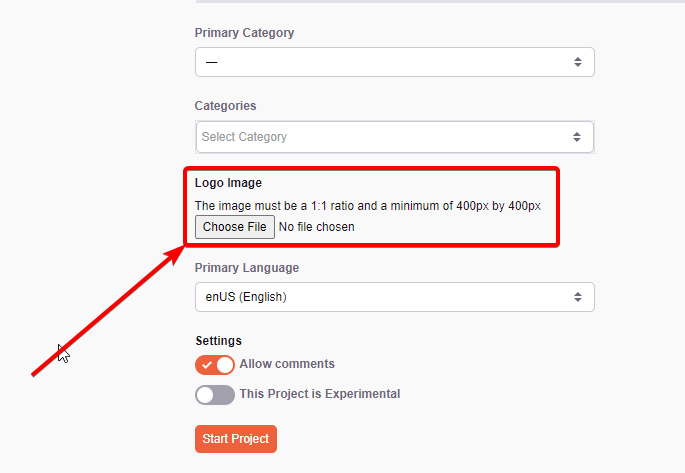
Ok.. when you start a project.. are there 2 upload file buttons right next to eachother at the bottom? one for logo, one for mod file?
lyric crescent
logo gogo here-o https://i.imgur.com/LBsyjsv.png
 willow totem
yeah, thats where I put the logo
lyric crescent
then the logo isnt the issue-o
narrow minnow
is this a mod/modpack?

 willow totem
2nd one
 lyric crescent
seems like you tried to upload the logo as the file.
narrow minnow
yeah, that's my guess as well
willow totem
yeah thats what i had.. i had uploaded a logo.. then changed it.. but clicked the wrong button..
ok..
well i've uploaded the mod.zip
so just waiting on approval now
 late laurel
Hello, I cannot update any minecraft modpacks I get this error

Says that the files are in use but I have nothing open
 upper root
Try restart your computer
late laurel
I have
 solemn phoenix
Hello, my modpack files have been validated and my project was created 2 days ago but when I search on the app I can't see it, anyone would know why?
lyric crescent
link?
late laurel
late laurel
I can update to new profile but not get the original profile to update; if it were actually due to the files being in use, I would assume neither action should work
solemn phoenix
lyric crescent
link?
upper root
late laurel
I have
Did you restart your computer then immediately (without opening anything else) try to update?
solemn phoenix
Only me can see the project, my friends can't
lyric crescent
do they have beta enabled?
late laurel
upper root
Did you restart your computer then immediately (without opening anything else) t...
yeah, doesn't help.
lyric crescent
yea i dont see it either actually. could be that sync is behind. it can take up to 24 hours. probably should set that file as release as well to avoid issues.
solemn phoenix
okay but it's a beta 😅
and the project has been validated since monday
I've been struggling for 3 days just to get it out x)
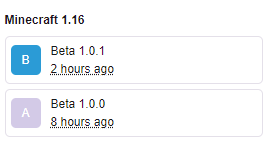 solemn phoenix
because you don't see the rejected x)
lyric crescent
ok but idk what 3 days has to do with this
solemn phoenix
leave alone 😂
lyric crescent
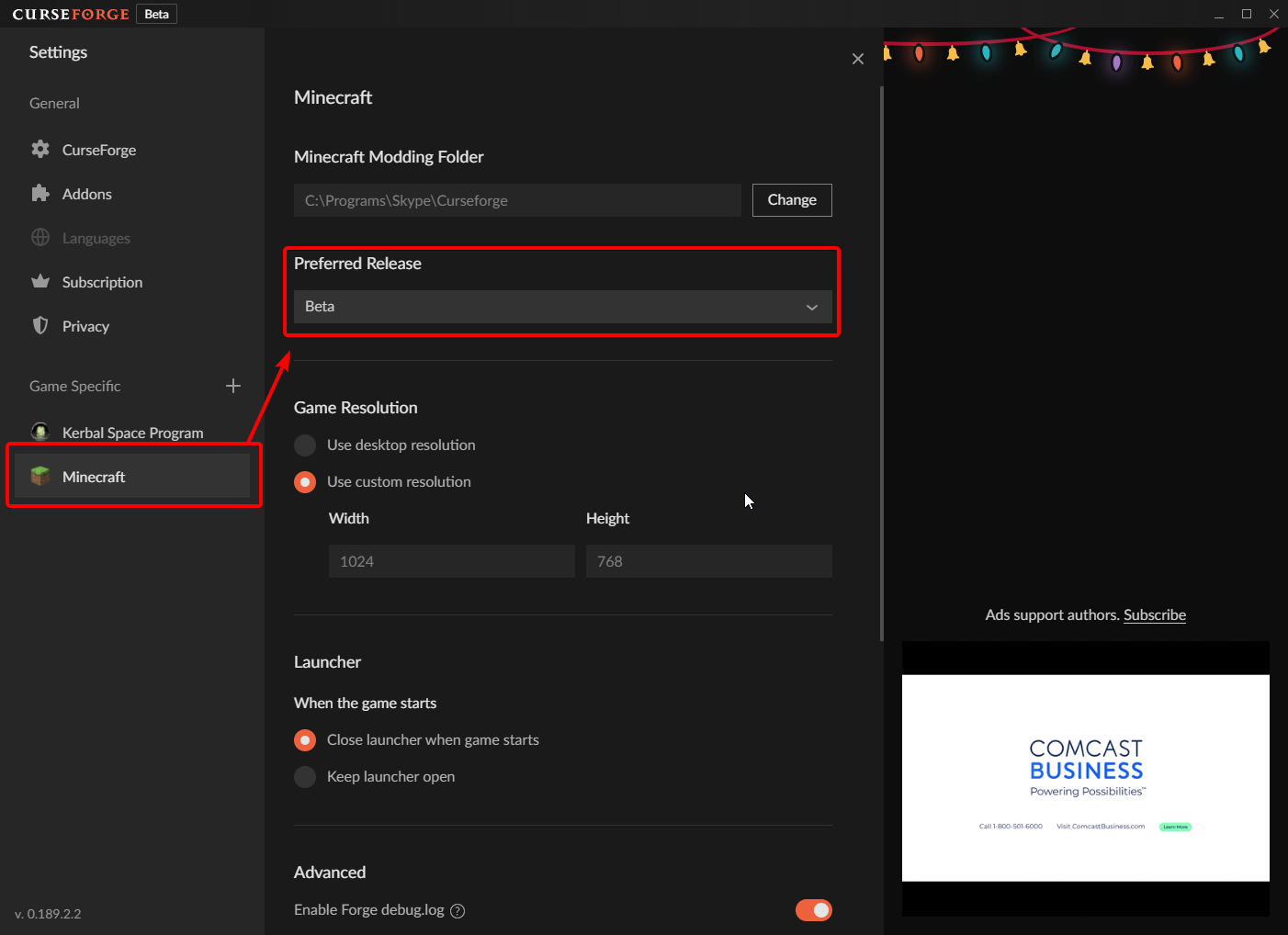 solemn phoenix
so only the link works ?
lyric crescent
or just set to release so people dont have to find it
solemn phoenix
i think i'll do that because even with this settings it doesn't change anything
lyric crescent
lyric crescent
yea i dont see it either actually. could be that sync is behind. it can take up ...
that's why i said this after 🙂
solemn phoenix
thank you for your help, go wait a day x)
willow totem
how long does a mod approval take first time?
 cedar glade
Heya; just joined and wanted to ask if there were any problems with minecraft mod updating as of recently; I had to manually download updates for BiomesOPlenty and Terrablender, and upon doing so Curseforge is failing to recognize them as mods, as well as outright failing to load them in the process.
I originally thought this was a problem with those mods in particular up until it started affecting another mod: Supplementaries. Upon updating it, the mod would fail to be recognized and wouldn't even load up. Furthermore, a lot of mods, upon being updated, would keep the old version or outright duplicate themselves.
Anyone else having these issues or know of why it's happening?
upper root
willow totem
how long does a mod approval take first time?
For the first time it is always manual review, so three working days (max of 5 days if you get the weekend). Run !status in #🟢︱user-bot-spam for more info
willow totem
ohh. ok so it will likely be reviewed tomorrow. cheers 🙂
 wise vault
Is it possible to play your own mod before checked by a developer?
For Minecraft if that matters
upper root
It is possible. I would check out the instructions for whatever tool you used to make the mod to see how you do it in that
wise vault
Alright
upper root
Also note that curseforge does not play your mod at all, so they will not find bugs for you. You need to do that yourself
wise vault
Yep 👍
 sour sequoia
what i do before i export my modpack?
upper root
Do you mean what boxes you check?
 ornate grove
Everytime I try to open the curseforge installer it pops a msg then closes in like .2 seconds
is this a problem with my laptop, or curseforge, or overwolf?
and sometimes it just doesnt do anything when i double click, select and enter, or right clock to press the open button
is it cuz im using the stantalone version of mc?
or i dont have overwolf yet
upper root
!getcf try the second link
red patioBOT
Looking to install the CurseForge app?
<:windows:798410728188936222> Windows
Minimum Requirements:
- OS Version: 7 (64 bit), 8.1, 10, 11
- 64 bit Required.
- 350MB storage space.
- Microsoft .Net 4.8
- Intel/AMD quad-core CPU
- 8GB ram
Download: https://download.overwolf.com/install/Download?&PartnerId=4047
If you are having issues with the installer use the URL below to install Overwolf then go to the app store to download CurseForge.
https://content.overwolf.com/downloads/setup/latest/regular.html
<:mac:798410654418862130> Mac
Minimum Requirements:
- OS Version 10.14 or newer.
- 64 bit Required.
Download: https://curseforge.overwolf.com/downloads/curseforge-latest.dmg
:penguin: Linux
Minimum Requirements:
Yes.
Download: :person_shrugging:
 brazen badge
ive tryed the second link too and it just does the download and i press finish and it just closes and never opens
 faint elk
Silly question. Can the curseforge app be launched offline? A winter storm took out my internet and I may be without a connection for a while.
I have tried to launch it but keep getting an error.
lyric crescent
No
 oblique plinth
Is 20 hours a long time for a modpack to be under review?
lyric crescent
!status
red patioBOT
Project Moderation Time
Project/File moderation is done on these days unless otherwise mentioned:
Sunday, Monday, Tuesday, Wednesday, Thursday: <t:1631170800:t> - <t:1631199600:t> (Your time)
Friday, Saturday: No Moderation!
Projects are moderated First in, First out. If you submit late in the work day, it will likely get left until the next day!
New Projects or anything flagged for manual review: 1-3 Working Days
Updates to approved projects not needing manual approval: 1 Hour
-If your file has been "Under Review" for more than an hour, then it is at manual review!
Changes will only show in the app if the project meets the requirements in the ?sync command and up to 24 hours has passed from when it was accepted.
oblique plinth
Its not a new project but its flagged for manual review ok 😭 hopefully it doesnt take too long
Thank you!
 pastel pagoda
oblique plinth
Its not a new project but its flagged for manual review ok 😭 hopefully it doesn...
pastel pagoda
oblique plinth
Its not a new project but its flagged for manual review ok 😭 hopefully it doesn...
well, seems like i'm not the only one
good luck 😉
oblique plinth
Ty
pastel pagoda
i hope all our files are not going to be reviewed manually, at least that would be annoying for me since i was updating nearly everyday
 last rover
Hey got an issue, I want to transfer all of my modpacks that were previously on another computer. For context, I had the twitch launcher with all of my modpacks and then on the same computer, I downloaded CursewForge and used them from there for a while. I now have CurseForge on a new computer and I want to transfer all of those modpacks to this new computer. I put all of the modpack folders into my instances folder and none of them are picking up in the app, only the modpacks I downloaded directly through CurseForge on the new computer. All of the modpacks, rather through the new computer or old are in the same folder. I would like to keep my data.
lyric crescent
Best option would be to reinstall the packs and move your saves over. Curseforge doesn't work well with things being done manually like that
last rover
lyric crescent
Best option would be to reinstall the packs and move your saves over. Curseforge...
Alright
upper root
Or export the packs using the export feature
 limpid umbra
Hey, sorry to disturb but I've got a problem that I've been trying to solve for quite a while but I can't get anywhere with it.
I've downloaded the 'WorldEdit' mod and I can see it in my documents, but when I open my documents on CurseForge, the WorldEdit mod has disappeared. I know how to import mods since I've done it before and understand the basic, but this is the one thing I'm struggling with.
Maybe it's something that I'm doing wrong??
If my explanation isn't clear, here what's different
 fleet bear
limpid umbra
Hey, sorry to disturb but I've got a problem that I've been trying to solve for ...
fleet bear
limpid umbra
Hey, sorry to disturb but I've got a problem that I've been trying to solve for ...
"I know how to import mods"
Well... theres the first problem. You cant import mods.
!mc-installmods
red patioBOT
How to install mods in CurseForge App.
- Click
+ Create Custom Profile - Name it, select the required Minecraft version, select the Forge version (usually the highest number), click
Create. - Click the profile icon.
- Click
Add More Content - Search and install the desired mods.
- Start the game!
How to install mods not on CurseForge.
- Right click the profile picture or Open the profile and click the Icon next to the play button.
- Click
Open Folder. - Drag the mod(s) into the
modsfolder. (Note: Some mods will require others, to run. Make sure to read the instructions for the mod!) - Start the game!
 upper root
!notcf (get  from #786424115535544350 and use #⚙️︱authors-help)
red patioBOT
Your question is not related to CurseForge owned/maintained features or services.
Please use the appropriate game room by getting a game role from #786424115535544350.
Otherwise use #👽︱game-support for game related help.
CurseForge does not make or maintain any of the content or games used on the site or app. Just because it's on the site/app does not make it a problem with CurseForge. Move rooms as requested, arguing about it will result in you being removed from the discord.
digital roost
hello why does my minecraft crash everytime i try to play now? i get a fatal error and i assume people here have had similar problems
i feel like the migration messed everything up
upper root
!mc-logs put these into #👽︱game-support
red patioBOT
Sending logs for support.
- Right-click the modpack profile icon OR click the button in the modpack profile.
- Click
Open Folder. - Open the
logsfolder. - Drag and drop the FILE named
latestORdebuginto discord.
digital roost
ok ty
 tulip gate
can i get a bit of help
anyways
so
my curseforge is downloading
and its stuck on "Extracting Files"
its been on this for like
5+ minutes??
i just want to play origins with my friends

 pseudo canyon
oh sorry
 pulsar island
idk why is this my problem or site the site is loading very slowly
but like other websites loading at there normal website
@fleet bear site is down wha
what
pulsar island
oh sorry
fleet bear
I can't do anything about the site being down anyway.
fleet bear
🤷 I was using it fine ~25 minutes ago
pulsar island
me to before 2 hours it was fine
 signal crag
my curseforge keeps saying theres a JNI error and tells me to check the instalation
upper root
Can you show the error?
 crisp furnace
Is curseforge now in 1.18
queen storm
Curseforge is a mod manager, not a modloader that needs a specific minecraft version
signal crag
upper root
Can you show the error?
 upper root
!mc-installfix try this
red patioBOT
- Click on the Minecraft Tab on the Left side of the CurseForge App.
- Click button next to the
Create Custom Profileoption. - Click
Repair Installationoption. - Play game.
NOTE: You will not lose any modpacks or worlds, These are saved in the Instances folder. DO NOT TOUCH THIS FOLDER OR YOU WILL LOSE EVERYTHING
 upper root
What are you trying to do to get it?
upper root
Wdym by open? Click play on curseforge or the minecraft launcher?
signal crag
when i click play on curseforge

 lyric folio
How am I able to add Beta mods to my Modpack as they are invisible for me.
lyric folio
lyric folio
How am I able to add Beta mods to my Modpack as they are invisible for me.
nvm i think i found it
unborn basin
next vault
ETA?
PMed you
unborn basin
cobalt fiber
Still having that problem?
 hidden fern
pseudo canyon
anyone know this glitch
hidden fern
pseudo canyon
anyone know this glitch
DM me please
unborn basin
pseudo canyon
anyone know this glitch
!owlogs please send them
red patioBOT
<:overwolf:857375414002384916> How to get Overwolf logs! <:overwolf:857375414002384916>
queen storm
pseudo canyon
anyone know this glitch
Please follow rule 4
signal crag
any way to stop the two error messages from above?
opal cipher
Try clearing all java arguments. Settings () -> Minecraft () -> Scroll down to "Additional arguments" under "Java Settings", and clear it.
unborn basin
signal crag
any way to stop the two error messages from above?
!mc-installfix might fix it as well
red patioBOT
- Click on the Minecraft Tab on the Left side of the CurseForge App.
- Click button next to the
Create Custom Profileoption. - Click
Repair Installationoption. - Play game.
NOTE: You will not lose any modpacks or worlds, These are saved in the Instances folder. DO NOT TOUCH THIS FOLDER OR YOU WILL LOSE EVERYTHING
signal crag
i tried that one earlier and it brought up the error again
 storm sorrel
Hello people I noticed for a while... that if you want to add new "mods" to your project (Via the app) then it gets slower and slower over time (so the Curseforge app).... I miss a much smoother scrolling. (Minecraft)
signal crag
and i cant get to the additional arguments
queen storm
Why not?
signal crag
i dont see a way to claer it
opal cipher
If it's empty (or only having a placeholder text), it's empty.
signal crag
okay then what could be another way to fix that error. it only happens when i try to load newer versions of minecraft
upper root
Try add -XX:+IgnoreUnrecognisedVMOptions to it
pulsar island
who is this
 red patioBOT
Your question is not related to CurseForge owned/maintained features or services.
Please use the appropriate game room by getting a game role from #786424115535544350.
Otherwise use #👽︱game-support for game related help.
CurseForge does not make or maintain any of the content or games used on the site or app. Just because it's on the site/app does not make it a problem with CurseForge. Move rooms as requested, arguing about it will result in you being removed from the discord.
fleet bear
pulsar island
who is this
!notcf
signal crag
upper root
Try add `-XX:+IgnoreUnrecognisedVMOptions` to it
same thing happened again
 whole echo
Hello,
If i have installed any mod (fabric / forge), and i decide to downgrade that mod to older version, old files are keeping in folder.
Just example:
I want install mod named "TestMod 1.2.3".
But this version is wrong (not working well), so i decide to downgrade it to 1.2.2. Then in Fabric folder i have these files (see pinned screenshot)
 signal crag
could it have something to do with me updating my java?
queen storm
Nope, as the game does not use that one
pastel pagoda
okay, i have this now
30 hours of waiting for THIS

i wasn't aware my modpack was a bukkit plugin 
queen storm
You got a zip in your export somewhere
pastel pagoda
but a modpack file can't be a jar...
queen storm
Yes, the error is broken, known issue.
queen storm
Check your export, is there a zip in there?
queen storm
Reuploading won't fix anything
I am talking IN it
pastel pagoda
not a bukkit plugin
queen storm
Not the thing itself
pastel pagoda
there's datapacks in it, so ye, these are zips
also 0.4.9 was approved and there's zips too
queen storm
Remove those and it works
prime halo
how long dose this take. "moderation staff, pending" just that i want to release my server today but i cant till the pack gets approved
queen storm
!status
red patioBOT
Project Moderation Time
Project/File moderation is done on these days unless otherwise mentioned:
Sunday, Monday, Tuesday, Wednesday, Thursday: <t:1631170800:t> - <t:1631199600:t> (Your time)
Friday, Saturday: No Moderation!
Projects are moderated First in, First out. If you submit late in the work day, it will likely get left until the next day!
New Projects or anything flagged for manual review: 1-3 Working Days
Updates to approved projects not needing manual approval: 1 Hour
-If your file has been "Under Review" for more than an hour, then it is at manual review!
Changes will only show in the app if the project meets the requirements in the ?sync command and up to 24 hours has passed from when it was accepted.
pastel pagoda
okay, i reuploaded the thing without any zip in it
prime halo
is there anything that we can do to make this go faster just that this will be take way to long i need to announce the server today and cant if no one can get the mods.
fleet bear
No, you waited to the last second to upload, that's how it works.
pastel pagoda
okay, my file got approved in 2 minutes now
fleet bear
Next time look into how things work or ask ahead of time so you dont run into problems waiting for the last minute to do things.
prime halo
that just really rude i have been looking for help for a long time and it took a good friend to help me sort it out need to get better support if that how thing work
fleet bear
And its not rude that you come here demanding special attention to get something approved because you didn't come here and ask before the exact day you needed something done...?
This discord has provided support and has been listed on the site for the last 3 or so years.
prime halo
i never demanded anything i asked a way of getting it faster so don't start saying thing i also asked a 3 weeks a go so i did ask thank you
queen storm
And you got answers every time
fleet bear
The information provided to you even told you about moderation. You only asked how to share packs, you never asked any further about the process that was given to you.
digital roost
!status
red patioBOT
Project Moderation Time
Project/File moderation is done on these days unless otherwise mentioned:
Sunday, Monday, Tuesday, Wednesday, Thursday: <t:1631170800:t> - <t:1631199600:t> (Your time)
Friday, Saturday: No Moderation!
Projects are moderated First in, First out. If you submit late in the work day, it will likely get left until the next day!
New Projects or anything flagged for manual review: 1-3 Working Days
Updates to approved projects not needing manual approval: 1 Hour
-If your file has been "Under Review" for more than an hour, then it is at manual review!
Changes will only show in the app if the project meets the requirements in the ?sync command and up to 24 hours has passed from when it was accepted.
lyric crescent
fleet bear
The information provided to you even told you about moderation. You only asked h...
They did ask, and were answered immediately
https://i.imgur.com/DrpwfPe.png
 flint ingot
hey my pixelmon download isnt working
fleet bear
lyric crescent
They did ask, and were answered immediately
https://i.imgur.com/DrpwfPe.png
Ah, I looked at the reference "I asked a week ago and didn't get a reply"
fleet bear
flint ingot
hey my pixelmon download isnt working
Pixelmon is a 500+mb file.
flint ingot
yes i know but i try to download any version and its stuck on the download
lyric crescent
?owlogs
red patioBOT
<:overwolf:857375414002384916> How to get Overwolf logs! <:overwolf:857375414002384916>
lyric crescent
send that
 elfin river
hi my friends game crashes on launch due to incompatible mod set and it looks like the log is saying that fabric is not installed
 queen storm
Get your friend in #👽︱game-support for that
elfin river
oh ok
 indigo lark
can I link my releases link of my github in my plugin if it is not uptodate?
fleet bear
indigo lark
can I link my releases link of my github in my plugin if it is not uptodate?
Yes? You can link back to any official platform you release on. CF isnt territorial like that.
It's your content, you can put it wherever you wish.
indigo lark
fleet bear
Yes? You can link back to any official platform you release on. CF isnt territor...
yeah, but arent they like super strict about security or viruses/malwares?
fleet bear
Well yeah... if you upload bad stuff to your project page you will likely get your stuff removed till it's fixed or banned depending on what it is.
But like every dev uses another platform to host their works code so it's kinda pointless to block as CF isnt a git repo.
Theres also a fair few people that have their own websites that they link to
 dark bobcat
Can Minecraft Java on Xbox Game Pass be used on CurseForge
 sweet pebble
how do i change my profile pic
lyric crescent
dark bobcat
Can Minecraft Java on Xbox Game Pass be used on CurseForge
Don't think so, since you dont technically own it.
lyric crescent
sweet pebble
how do i change my profile pic
Change it on twitch, then relog.
digital roost
hi, i wold like to know if is possible to transfer a modpack downloaded on a computer to another without reinstalling the modpack? Thanks
lyric crescent
an interesting question.. transferring is just installing is it not?
digital roost
i was thinking like download from a pc and than coping the flies and tranferring them to the other one
lyric crescent
you mean like some kind of file sync? no, that is not possible for curseforge to do with minecraft
digital roost
i ment the mods file of a modpack
lyric crescent
ok, same answer
digital roost
tht i do not have installed in the other pc
lyric crescent
you can export from one pc and import to the other. but that is just "reinstalling" as far as i understand it.
digital roost
ok i'll look for the export thank ypu very much
 ashen pelican
first i thought there is a problem with my paypal then realized, that this mail is fake 🙂
 queen storm
- Why would there be something wrong when you get stuff?
- Why would it be fake?
- Why do you post about it if you think it is fake?
ashen pelican
queen storm
1. Why would there be something wrong when you get stuff?
2. Why would it be fak...
- I didn't get anything but this fake mail
- Paypal saying that valid mail should have transaction id.
- Curseforge is saying my order has fulfilled which is not!!
lyric crescent
if it's fake, then what does it have to do with us?
queen storm
Bit late about it as well btw
 queen storm
Yeah, things have been slow with these, did you check your actual paypal account? Because they got your email correct, your name and overwolf.
Not to forget that it came from an actual paypal email
ashen pelican
queen storm
Yeah, things have been slow with these, did you check your actual paypal account...
I am checking my paypal since forever !
queen storm
And? Did you get it?
ashen pelican
Nope
PayPal is saying there should be a transaction id in that mail.. which is not there that's why I am thinking it is fake
queen storm
Then check the links in that email, do they all point to paypal?
Do you maybe have multiple paypals?
lyric crescent
or look in your recent activity on paypal?
this email is from 2 weeks ago
 orchid dune
Hello, can anyone help me with this problem
 lyric crescent
Send a log in #👽︱game-support
elfin jasper
Hey if anyone is upto help me solve my curseforge minecraft mod not opening please lmk ;-;
lyric crescent
need to give more details first
elfin jasper
its the same thing from yesterday
i open a mod from curseforge and then from the launcher when i open it it keeps on crashing
lyric crescent
what was the answer yesterday then?
elfin jasper
i didnt get an answer ;-;
it was late at night so then after trying everything i said ill try tomorrow
lyric crescent
lyric crescent
might be that you have a virus, or some other program messing with your files
seems like you did..?
elfin jasper
but the thing is i could play it on the same device like in november of 2021
and also is there a way to find out what program it is?
lyric crescent
not a way that i can help with
lyric crescent
sure, but the problem was never with curseforge. it's with the files being downloaded for minecraft.
elfin jasper
sorry, im not good with files and stuff but do you think it could be some java issue?
like should i update java or smth?
lyric crescent
nope
elfin jasper
hmm
lyric crescent
what i know:
The error in the log says that the minecraft files were corrupt.
I had you reinstall them several times, and they still end up corrupt.
i had you move the install directory and they still end up corrupt.
I can reasonably conclude that curseforge itself is not involved in whatever issue is happening, and that something is corrupting the files either during download, or after they are downloaded. what that could be I have no clue.
lyric crescent
i had you move the install directory and they still end up corrupt.```oh ok
could it possibly be a minecraft launcher problem? cause i use this one and there was a new one, should i be changing?
 lyric crescent
nope
elfin jasper
hmm
lyric crescent
delete everything curseforge, and the stuff it installed. reinstall it all.
then if it still doesnt work it is for sure something on your computer
lyric crescent
yea, or just back them up somewhere if you have saves
elfin jasper
no its fien ill delete everything
im gonna be deleteing curseforge, overwolf and whatever is there in the directory
is that enough or is there more?
lyric crescent
that would be it
 keen otter
Hey I uploaded my modpack on curseforge but it doesn't show up on my profile what do I need to do
lyric crescent
link?
keen otter
There's another problem it was not approved yet and I published it 18 hours ago
red patioBOT
Project Moderation Time
Project/File moderation is done on these days unless otherwise mentioned:
Sunday, Monday, Tuesday, Wednesday, Thursday: <t:1631170800:t> - <t:1631199600:t> (Your time)
Friday, Saturday: No Moderation!
Projects are moderated First in, First out. If you submit late in the work day, it will likely get left until the next day!
New Projects or anything flagged for manual review: 1-3 Working Days
Updates to approved projects not needing manual approval: 1 Hour
-If your file has been "Under Review" for more than an hour, then it is at manual review!
Changes will only show in the app if the project meets the requirements in the ?sync command and up to 24 hours has passed from when it was accepted.
keen otter
Oh ok
keen otter
But why its not showing up on my profile does it need to be approved to show up?
elfin jasper
cause i clicked play on another mod and its working
lyric crescent
keen otter
But why its not showing up on my profile does it need to be approved to show up?
yes
keen otter
Ok thx for help
lyric crescent
elfin jasper
cause i clicked play on another mod and its working
ok, send a log for the not working one
lyric crescent
make a new profile for this and run it
Forge Mod Loader version 14.23.5.2860 for Minecraft 1.12.2 loading
elfin jasper
meaning like in the minecraft launcher create a 1.12.2 world?
lyric crescent
on curseforge
 lyric crescent
that wasnt meant to fix anything 🤔
elfin jasper
Before that i downloaded the 1.12.2 version
in the minecraft laucher
was testing out a theory but did that work?
 serene pulsar
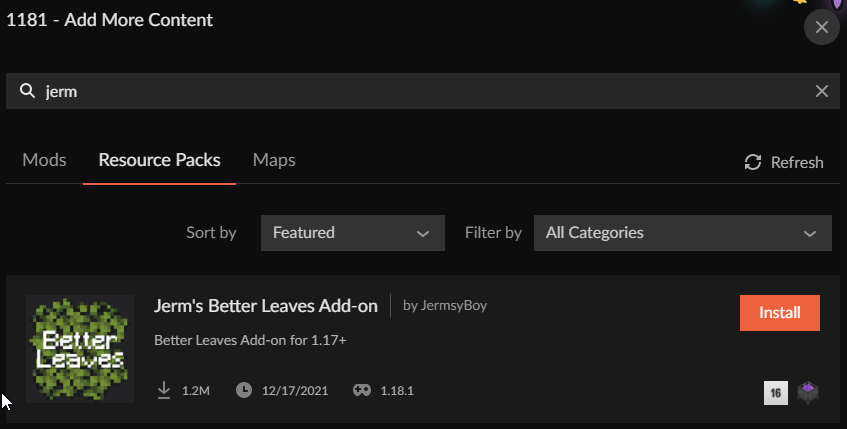
wanting to download this add on: https://www.curseforge.com/minecraft/texture-packs/better-leaves-add-on-2-0 but curseforge is not allowing me to do this through the application
 obsidian fiber
i got this crash log after my game crashed can someone please tell me why
that should be the latest log
lyric crescent
!notcf
red patioBOT
Your question is not related to CurseForge owned/maintained features or services.
Please use the appropriate game room by getting a game role from #786424115535544350.
Otherwise use #👽︱game-support for game related help.
CurseForge does not make or maintain any of the content or games used on the site or app. Just because it's on the site/app does not make it a problem with CurseForge. Move rooms as requested, arguing about it will result in you being removed from the discord.
obsidian fiber
ops sry
serene pulsar
lyric crescent
https://i.imgur.com/vqZN4sf.png
mine does not look like that so maybe i need to update the app
lyric crescent
are you looking in resource packs?
 lyric crescent
?mc-installmods
red patioBOT
How to install mods in CurseForge App.
- Click
+ Create Custom Profile - Name it, select the required Minecraft version, select the Forge version (usually the highest number), click
Create. - Click the profile icon.
- Click
Add More Content - Search and install the desired mods.
- Start the game!
How to install mods not on CurseForge.
- Right click the profile picture or Open the profile and click the Icon next to the play button.
- Click
Open Folder. - Drag the mod(s) into the
modsfolder. (Note: Some mods will require others, to run. Make sure to read the instructions for the mod!) - Start the game!
serene pulsar
lyric crescent
?mc-installmods
u da best
serene pulsar
ok ok I'm just getting into this, I tried googling it first. Can I combine a texture pack with a mod? I love the Beeyond mod but I also want cool looking leaves from another texture pack. I tried moving Beeyond mod under my profile along with the active texture pack but that did not work.
lyric crescent
i assume you mean two texture packs, not mods?
serene pulsar
lyric crescent
i assume you mean two texture packs, not mods?
i mean mod & texture pack, two separate
lyric crescent
yes you can have a mod and a texture pack
 native sapphire
Hi! Every time i try to install some sort of mod pack, I keep getting an error that says it failed to install said modpack. Are there any common reasons for this happening?
lyric crescent
show the error
 misty flare
hello ! i need help too instal shaders on better minecraft by sharkisLPS
lyric crescent
!notcf
red patioBOT
Your question is not related to CurseForge owned/maintained features or services.
Please use the appropriate game room by getting a game role from #786424115535544350.
Otherwise use #👽︱game-support for game related help.
CurseForge does not make or maintain any of the content or games used on the site or app. Just because it's on the site/app does not make it a problem with CurseForge. Move rooms as requested, arguing about it will result in you being removed from the discord.
native sapphire
Weird...it installed this time. All it really said was Failed to install mod pack insert string of numbers here
 jaunty plaza
I am having an issue with updated a group of mods for my custom modpack. Is this a known issue, or will you need more information from me?
lyric crescent
well this gives none so.. yes?
jaunty plaza
Haha no worries, so I am trying, for example, to update BoP to the latest version for 1.18, and I get an I/O Error pop up
lyric crescent
from what version to what version?
can you show the error?
 ripe crag
so when I try to use modpacks through curse forge it keeps it limited to 2 gigs of space allocation, how do I up this for curseforge?
red patioBOT
Hey there, it is Curseforge, not "Cursed forge"
jaunty plaza
Sure, you know what, BoP might be a bad example, all of their releases are listed as Beta, let me get you a better example
lyric crescent
ripe crag
so when I try to use modpacks through curse forge it keeps it limited to 2 gigs ...
curseforge defaults to 4gb, where are you getting 2gb from?
ripe crag
I miss counted in Megabites
lyric crescent
?mc-ram
ripe crag
but because of how many mods are in the pack I'm trying to use I think I may need to allocate another gig or two more
red patioBOT
How to set Global Minecraft RAM value.
- Click the icon in the bottom left to open settings.
- Click the Minecraft tab.
- Scroll down.
- Slide slider to recommended ram range as seen below.
 jaunty plaza
Ars Nouveau will be my new example. I am trying to update from 2.0.0 to 2.0.4, let me get you a screen shot of the error as well
ripe crag
thank you
jaunty plaza
 lyric crescent
did you click learn more?
lyric crescent
what does it send you to
lyric crescent
lol
jaunty plaza

CurseForge Support
We're here to get you informed on everything you need to know about CurseForge, including helpful guides and troubleshooting articles to back you up when you get in a pickle
 lyric crescent
?mc-log
red patioBOT
Sending logs for support.
- Right-click the modpack profile icon OR click the button in the modpack profile.
- Click
Open Folder. - Open the
logsfolder. - Drag and drop the FILE named
latestORdebuginto discord.
ripe crag
lyric crescent
jaunty plaza
?owlogs send this please
red patioBOT
<:overwolf:857375414002384916> How to get Overwolf logs! <:overwolf:857375414002384916>
jaunty plaza
Will do!
 tender ledge
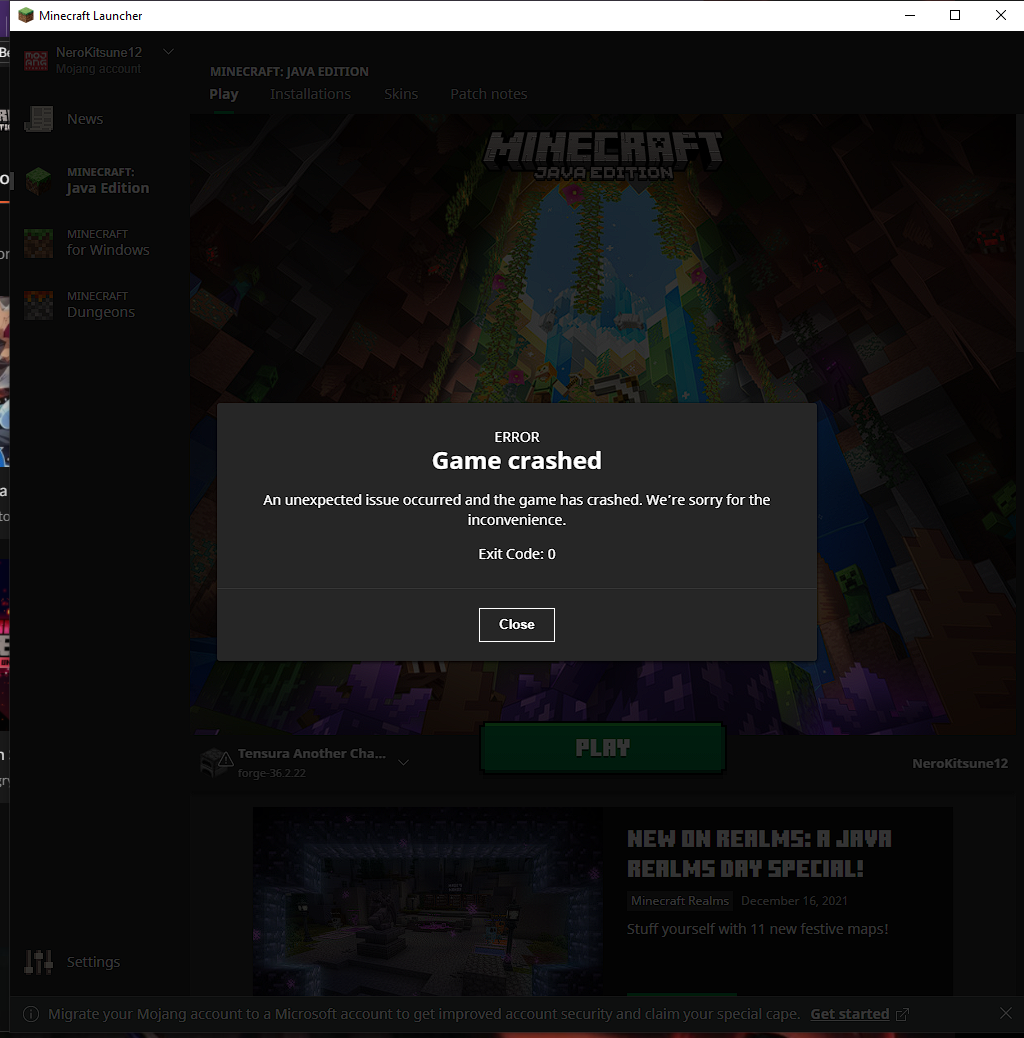
minecraft 1.8.9 is crashing with error code 0 everytime
red patioBOT
Error/Exit codes are useless. Follow these steps so someone can actually help you.
- Right-click the modpack profile icon OR click the button in the modpack profile.
- Click
Open Folder. - Open the
logsfolder. - Drag and drop the FILE named
latestORdebuginto discord.
lyric crescent
ripe crag
Description : WGL: The driver does not appear to support OpenGL
update your drivers
jaunty plaza
Well that is the first time I've ever done that, gonna have to keep it in mind for any future issues 🙂
lyric crescent
tender ledge
1.8.9 forge is crashing imediatly
?mc-installfix
red patioBOT
- Click on the Minecraft Tab on the Left side of the CurseForge App.
- Click button next to the
Create Custom Profileoption. - Click
Repair Installationoption. - Play game.
NOTE: You will not lose any modpacks or worlds, These are saved in the Instances folder. DO NOT TOUCH THIS FOLDER OR YOU WILL LOSE EVERYTHING
lyric crescent
jaunty plaza
Well that is the first time I've ever done that, gonna have to keep it in mind f...
passed this on to the curseforge devs to look at.
jaunty plaza
Awesome! Thanks!
jaunty plaza
Always a pleasure getting your help Yamza!!
lyric crescent
drive full?
tender ledge
lyric crescent
?mc-installfix
it failed i tried it again
lyric crescent
send the log again
tender ledge
lyric crescent
jaunty plaza
Always a pleasure getting your help Yamza!!
"message": "There is not enough space on the disk.\r\n",
This was for you. Is your C drive full?
lyric crescent
curseforge still uses the temp folders in c to download stuff
jaunty plaza
It is certainly full, let me see if that fixes it
lyric crescent
tender ledge
make a custom profile with
Forge Mod Loader version 11.15.1.2318 for Minecraft 1.8.9 loading
and see if that loads
tender ledge
lyric crescent
make a custom profile with
`Forge Mod Loader version 11.15.1.2318 for Minecraft...
do you mean an empty profile
i tried that
lyric crescent
send a log for that
jaunty plaza
lyric crescent
"message": "There is not enough space on the disk.\r\n",
This was for you. Is yo...
AND YAMZA WITH THE SAVE!
tender ledge
lyric crescent
and do installfix once more and try again
lyric crescent
?owlogs send this
red patioBOT
<:overwolf:857375414002384916> How to get Overwolf logs! <:overwolf:857375414002384916>
tender ledge
lyric crescent
?owlogs send this
to you?
lyric crescent
to here
tender ledge
lyric crescent
and for good measure, try a pc restart then installfix again.
red patioBOT
Change your install path to the following:
For Windows: C:\CurseForge
For Mac: /Users/Shared/CurseForge
If Minecraft is not installed in CurseForge App:
- Click the in the top left.
- Select Minecraft from the list of games.
- Select the
Advancedoption and pickC:\drive. - Click
Continue.
If Minecraft is installed in CurseForge App:
- Click the in the bottom left.
- Select the Minecraft tab.
- Click
Change. - Select the
C:\drive.
:no_entry_sign: Minecraft Files should NOT be installed inside the following locations :no_entry_sign:
:no_entry_sign: .minecraft folder.
:no_entry_sign: OneDrive folders.
:no_entry_sign: Desktop folder.
:no_entry_sign: iCloud enabled folders.
:no_entry_sign: or any other cloud saved folder.
:no_entry_sign: or folders with non-English characters in them.
If any of the above are in the path you need to change/move it!
tender ledge
it worked thank you
 full thistle
Hello, good morning, I have an error with CurseForge every time I try to install a ModPack it tells me "index outside the limits of the matrix" and I reinstalled the curseforge but the error continues
red patioBOT
<:overwolf:857375414002384916> How to get Overwolf logs! <:overwolf:857375414002384916>
full thistle
queen storm
!owlogs and these
give me a second
queen storm
If it is not crashing then there is no need for those
 north lichen
can some one help me?
full thistle
queen storm
!owlogs and these
this
 queen storm
north lichen
can some one help me?
queen storm
north lichen
can some one help me?
!help
red patioBOT
╰( ͡° ͜ʖ ͡° )つ──☆*:・゚ *˜”*°•.˜”*°• Many Help •°*”˜.•°*”˜* <:curselit:796985620550385705>
Please provide a description of your issue with as much detail as possible. If you have an issue with a mod or modpack, tell us the name. Explain what you can see happening. Be specific!
 Tell us what is happening, we already know it "doesn't work".
Avoid using words like "it", tell us exactly what "it" is.
Don't assume anyone knows what you are talking about, be specific.
Tell us what you expected to happen.
Provide screenshots or video if possible.
Provide a log if possible. ?mc-log
full thistle
ho sorry
north lichen
ok so i am trying to set up minecraft modding folder in curse forge but it is telling me that path can only incude english letters and numbers
queen storm
!mc-path
red patioBOT
Change your install path to the following:
For Windows: C:\CurseForge
For Mac: /Users/Shared/CurseForge
If Minecraft is not installed in CurseForge App:
- Click the in the top left.
- Select Minecraft from the list of games.
- Select the
Advancedoption and pickC:\drive. - Click
Continue.
If Minecraft is installed in CurseForge App:
- Click the in the bottom left.
- Select the Minecraft tab.
- Click
Change. - Select the
C:\drive.
:no_entry_sign: Minecraft Files should NOT be installed inside the following locations :no_entry_sign:
:no_entry_sign: .minecraft folder.
:no_entry_sign: OneDrive folders.
:no_entry_sign: Desktop folder.
:no_entry_sign: iCloud enabled folders.
:no_entry_sign: or any other cloud saved folder.
:no_entry_sign: or folders with non-English characters in them.
If any of the above are in the path you need to change/move it!
full thistle
ok, let me try
queen storm
full thistle
ok, let me try
Was not for you, still waiting on those logs
full thistle
ho ok
north lichen
omg it is working ! thank you becouse potato like me would never do that without you :DDDD
 dire ore
hello how do i fix this problem
 lyric crescent
!oops
red patioBOT
You had an "Oops, that was not supposed to happen!"
https://support.curseforge.com/en/support/solutions/articles/9000194900-curseforge-troubleshooting#oops
Please follow these instructions
dire ore
well i did it and it still shows the same problem ?
 lyric crescent
did what exactly? there are several things to do there
dire ore
it said only internet protocol version 6 ?
lyric crescent
that's the last thing it says even
north lichen
i think i have another problem
i am instaling the pixelmon mode pack and it stopped at 14%
i just have to wait or something is wrong?
queen storm
Wait
lyric crescent
?owlogs send this
red patioBOT
<:overwolf:857375414002384916> How to get Overwolf logs! <:overwolf:857375414002384916>
storm sorrel
Hi guys... where can I actually find in relation to the "Curseforgeapp" ... Post suggestions for improvement? ...
I noticed that just with many projects that are either played or developed... the loading times are quite long.
If I open such a project I'm working on... it takes up to 5 min until he displays everything.
And especially annoying I feel the loading times as soon as I press the button** "Add more Content"**.
Because if I look through the mods so and scroll down .... then it takes a **very long time **until he
shows me more mods....
Where can I post such kind of suggestions for improvement?
lyric crescent
What is your suggestion?
storm sorrel
Well maybe optimize Network-Code to improve loading times.... if you start up Curseforgeapp dont load up every single Project...
only Project that i highlight .. something like that.
lyric crescent
I don't think something like "fix it" is really a suggestion. But this is a known issue and is potentially going to be fixed in the next few days/weeks.
lyric crescent
what "is not working"?
reading? clicking the link? following the instructions?
 grand relic
Guys, I was trying to add an extra file to my modpack which is supposed to auto download when a user installs the pack since it's too big to ship it with the pack.
I added it as an extra file to the version, but it didn't seem to work as I expected.
Since this it's a custom menu for my project, does anyone know how can I make Curse automatically install this zip file whenever a user download my pack?
storm sorrel
lyric crescent
I don't think something like "fix it" is really a suggestion. But this is a know...
I understand that ... I had just answered spontaneously now...
of course I would write my improvement suggestion differently...
something meaningful. I had only answered your question
spontaneously... of course I realize that if I just write "fix this" ...
that not much will happen as long as I don't press my finger
directly into the wound...
lyric crescent
!feedback
red patioBOT
<:CFidea:798388634972717066> Have an idea on how to improve CurseForge? <:CFidea:798388634972717066>
CurseForge is looking for great ideas and user feedback! Get into the CurseForge Community by providing some feedback and voting on what's important to you!
Think some game should be supported? Post an idea and explain why!
Got a to die for feature idea? Let's hear it!
Location In-app
- Click the
 button on the bottom left of the app.
 - Click on

Suggest a Featureoption!
north lichen
lyric crescent
what "is not working"?
reading? clicking the link? following the instructions?
i just cant open overwolf
lyric crescent
grand relic
Guys, I was trying to add an extra file to my modpack which is supposed to auto ...
curseforge will not automatically download anything other than what is inside an export.
storm sorrel
hey Yamza is there a working solution for that? ... just as an example.. my network-adapter has only Ipv4 marked.. and ipv6 is unchecked
lyric crescent
not that i know of
storm sorrel
then thank you very much for your help and feedback 🙂
lyric crescent
actually
im confused what you are even asking about. you mean loading times like the game actually loading. or when browsing mods?
grand relic
lyric crescent
curseforge will not automatically download anything other than what is inside an...
I was thinking about making another project that would provide the file (like a mod) to my modpack, as suggested to one of the people that answered me a week ago.
queen storm
north lichen
i just cant open overwolf
Then follow the manual way?
lyric crescent
grand relic
I was thinking about making another project that would provide the file (like a ...
ok but that has nothing to do with curseforge then?
north lichen
queen storm
Then follow the manual way?
okay
late laurel
Hello, still looking for help that I cannot update modpack profiles without creating a new profile (says files are in use when they are not)
grand relic
lyric crescent
ok but that has nothing to do with curseforge then?
Not exactly, I can see a lot of options when I create another project. In this situation, should I choose a "mod project" or a "customization project"? I don't know how Curse handles this.
storm sorrel
lyric crescent
im confused what you are even asking about. you mean loading times like the game...
Imagine you start the app... now you have let's say 20 projects in your library.
This complete startup phase until everything is loaded, takes about 3-5 minutes.
Then you select your project, so you can see the modlist and start it. This complete
process is slowed down.... added, if you look out for more mods... this also takes
longer sometimes.
I hope I could explain it to you reasonably... english is not my native language...
queen storm
late laurel
Hello, still looking for help that I cannot update modpack profiles without crea...
Restart your pc, try again
queen storm
grand relic
Not exactly, I can see a lot of options when I create another project. In this s...
#💬︱general-chat please
lyric crescent
storm sorrel
Imagine you start the app... now you have let's say 20 projects in your library....
Okay, I was understanding correctly then, just the 3-5 minutes seems a bit much. But anyway performance improvements for the app are already in the works.
storm sorrel
lyric crescent
Okay, I was understanding correctly then, just the 3-5 minutes seems a bit much....
That is good news 🙂
late laurel
queen storm
Restart your pc, try again
Doesn't help; even if I do nothing else but reopen curseforge and try to update upon restarting. Could it have to do with permissions/security?
 foggy wigeon
when i want to download medieval minecraft fabric modpack the download hangs for few minute and show me this every time i do it

Is there another way to download the modpack ?
keen otter
I still have a problem with review of my modpack it have been uploaded 21 hours ago and its still under review my friend had a review and he published his modpack like 3 hours ago
lyric crescent
foggy wigeon
when i want to download medieval minecraft fabric modpack the download hangs for...
?owlogs send this
red patioBOT
<:overwolf:857375414002384916> How to get Overwolf logs! <:overwolf:857375414002384916>
lyric crescent
keen otter
I still have a problem with review of my modpack it have been uploaded 21 hours ...
did you bother to read the information at all?
keen otter
What information
lyric crescent
north lichen
yamaza i did all what it said created a folder with zip and all of this stuff but can you help me with that ,,Attach the file you just created to your support e-mail/form" i just dont know where it is and what to do with it
lyric crescent
then you should understand why this is happening, and that it is working as intended.
opal cipher
north lichen
yamaza i did all what it said created a folder with zip and all of this stuff bu...
Drag the zipped logs in here.
north lichen
where? i dont know where it is
queen storm
north lichen
where? i dont know where it is
You saved them somewhere yourself...
keen otter
Wait what day is there now?
lyric crescent
foggy wigeon
Passing this on to the curseforge devs to look at, in the meantime you can try the following... ⤵️
!webclient
red patioBOT
Timeout/WebClient errors are from networking issues to your computer. You can try a few things to fix it:
- Restart the computer.
- Restart your router/modem.
- Try another internet source like a hotspot, wired connection or moving closer to the WiFi.
- Pause/Stop other things using the internet. (Streams, music, etc)
- If this still doesn't work, try again in an hour and hope your connection is stable.
foggy wigeon
lyric crescent
Passing this on to the curseforge devs to look at, in the meantime you can try t...
thanks
opal cipher
keen otter
Wait what day is there now?
It's Thursday the 6th January of 2022.
lyric crescent
🤦♂️
keen otter
Or I'am bad at reading
opal cipher
Because of queues, it being a new project, or marked for manual review.
lyric crescent
 opal cipher
And seeing that it's past the review time today, it's gonna be 1-3 workdays, starting on sunday.
opal cipher
Yes, you can update the pack, but then you're getting to the back of the queue again.
keen otter
Hmm ok if the pack would be only checked and there would be information what do I need to do to repair this pack to be published. If I would repair it after the information would I still be on manual review?
lyric crescent
possibly
keen otter
Btw what do I need to do, for this pack to be published?
 abstract idol
Ive made a modpack update and i keep geting this error i have re exported the modpack for 3 times by now and i dont know what to do i tried to delete the file but then it still got rejected
 lyric crescent
?reject-cfhosted
red patioBOT
The following files belong to CurseForge-hosted projects, and should therefore not be added directly to zip files:
-
Remove any mods listed in the error message from the profile you exported. Then reinstall them with the CurseForge app. DO NOT drag and drop files from the site.
-
Export the profile again, open the new zip that was just made. Check for the
overrides/modsfolder. If you still see any mods in that folder do the step above again for each mod. -
Upload the zip once complete and no more mods show in the
overrides/modsfolder.
abstract idol
thx
 tidal cargo
is their a website api?
i want to fetch a list of top mods and resources is that a thing ?
lyric crescent
There is not a public API. There is a private API that you can apply for access to however, but it isn't officially released yet.
tidal cargo
where do i apply
lyric crescent
Have feature requests for the API? The Ideas portal will be the place for these to be collected! https://curseforge-ideas.overwolf.com/
API key application form: https://forms.monday.com/forms/dce5ccb7afda9a1c21dab1a1aa1d84eb
3rd Party API TOS:
https://support.curseforge.com/en/support/solutions/articles/9000207405-curseforge-3rd-party-api-terms-and-conditions
Project API Toggle information and How-To:
https://support.curseforge.com/en/support/solutions/articles/9000207877-project-distribution-toggle
 sturdy charm
Hey I am having some issues, I am using curseforge for my minecraft mod packs and downloaded a mod pack which includes minecolonies, when loading up minecraft curseforge is not reading stucturize which is a mod needed for Minecolonies
I have both Structurize and Minecolonies but curseforge doesnt seem to read Structurize when loading minecolonies
upper root
Does it show an error? If so, can you post a screenshot of it?
 rich flint
sturdy charm
I have both Structurize and Minecolonies but curseforge doesnt seem to read Stru...
rich flint
sturdy charm
I have both Structurize and Minecolonies but curseforge doesnt seem to read Stru...
Minecolonies file versions require specific version each of the structurize mod (usually not the latest published version). Did you update the Minecolonies mod yourself?
sturdy charm
rich flint
Minecolonies file versions require specific version each of the structurize mod ...
No it was in the mod pack i installed
rich flint
Ok. Either screenshot the error message in #👽︱game-support or go to support if any for the modpack
 cerulean idol
how do i update this mod?

or any mod in general
do i need to download it manually
upper root
I assume you are playing a premade pack, in which case follow the instructions below to enable Content Management
!mc-modifypack
red patioBOT
How to add/remove mods in a modpack.
- Click on the picture of the modpack.
- Click the

Add More Contentbutton, IF this button is not there, see below before continuing. - Find the Mods, Resource Packs or Maps you wish to Install and click
Installon them. - Wait for all the required mods to be downloaded.
- Start the modpack.
How to Enable/Disable content management for modpacks.
- Click on the picture of the modpack.
- Click on the button next to the
Playbutton. - Click on

Profile Options. - Check the
Allow content management for this profileoption if you want to edit the content of the modpack, uncheck it to disable.
NOTE: The Allow content management for this profile option is what allows you to Delete, Disable, Update or Install any Mods, Resource Packs or Maps managed by CurseForge. It must be on to modify any of them! (Currently)
lyric crescent
if you're playing a premade pack you should not be updating mods.
cerulean idol
well
this its a prepack but i added the mod myself from diffrent launcher
but it was an old profile
oh thank you
 nimble tundra
Heya, looking to fetch the name of the latest version of a minecraft modpack via python. The most efficient way of doing this is CF Core, correct?
opal cipher
Yes.
red patioBOT
╰( ͡° ͜ʖ ͡° )つ──☆*:・゚ *˜”*°•.˜”*°• Many Help •°*”˜.•°*”˜* <:curselit:796985620550385705>
Please provide a description of your issue with as much detail as possible. If you have an issue with a mod or modpack, tell us the name. Explain what you can see happening. Be specific!
Tell us what is happening, we already know it "doesn't work".
Avoid using words like "it", tell us exactly what "it" is.
Don't assume anyone knows what you are talking about, be specific.
Tell us what you expected to happen.
Provide screenshots or video if possible.
Provide a log if possible. ?mc-log
 vagrant sluice
I was interested if you download a modpack, where do the mods go? I have five modpacks installed yet when i check the default mod folder in .minecraft i do not see any mods there. I am asking because i want to play offline but i cannot seem to find the mods anywhere i look.
upper root
Right click the modpack and select Open Folder, that is where that pack is stored
 worthy loom
Cureforge Exit Code 0
Its happening to more then one modpack that I installed
red patioBOT
Error/Exit codes are useless. Follow these steps so someone can actually help you.
- Right-click the modpack profile icon OR click the button in the modpack profile.
- Click
Open Folder. - Open the
logsfolder. - Drag and drop the FILE named
latestORdebuginto discord.
worthy loom
upper root
!mc-installfix
red patioBOT
- Click on the Minecraft Tab on the Left side of the CurseForge App.
- Click button next to the
Create Custom Profileoption. - Click
Repair Installationoption. - Play game.
NOTE: You will not lose any modpacks or worlds, These are saved in the Instances folder. DO NOT TOUCH THIS FOLDER OR YOU WILL LOSE EVERYTHING
worthy loom
upper root
!mc-installfix
Thank you my good sir
vagrant sluice
Is offline mode an option for the app?
upper root
No
vagrant sluice
Sadness
 plucky fox
is there a way to combine the mod folders from 2 custom mod profiles on forge without having to add each one I plan to add manually in the add more content section? I was hoping i could create a new profile and just put all the mods in the new profiles mod folder but it doesn't register any of the mods in curse forge.
upper root
No, there is not
plucky fox
thank you
 vapid magnet
Hello! How can I mount a Forge server on linux?
upper root
!notcf
red patioBOT
Your question is not related to CurseForge owned/maintained features or services.
Please use the appropriate game room by getting a game role from #786424115535544350.
Otherwise use #👽︱game-support for game related help.
CurseForge does not make or maintain any of the content or games used on the site or app. Just because it's on the site/app does not make it a problem with CurseForge. Move rooms as requested, arguing about it will result in you being removed from the discord.
vapid magnet
oh sorry
 dense musk
why does exporting a profile hate it so much cause everytime i do an export it has like 3-5mods in override that is not suppose to be there
 rose hemlock
is anyone else having problems with Kambrik?
upper root
dense musk
why does exporting a profile hate it so much cause everytime i do an export it h...
You need to install them through the app or it may not recognise them properly
dense musk
that is what i did
welp i will see what i can do tomorrow morning as it is quite late for me
 safe pagoda
question, How long does it take for a modpack to be approved? I have been waiting since the 30th at this point for one.. meanwhile I have had another be approved in ~2-3 hours
upper root
!status
red patioBOT
Project Moderation Time
Project/File moderation is done on these days unless otherwise mentioned:
Sunday, Monday, Tuesday, Wednesday, Thursday: <t:1631170800:t> - <t:1631199600:t> (Your time)
Friday, Saturday: No Moderation!
Projects are moderated First in, First out. If you submit late in the work day, it will likely get left until the next day!
New Projects or anything flagged for manual review: 1-3 Working Days
Updates to approved projects not needing manual approval: 1 Hour
-If your file has been "Under Review" for more than an hour, then it is at manual review!
Changes will only show in the app if the project meets the requirements in the ?sync command and up to 24 hours has passed from when it was accepted.
safe pagoda
upper root
!status
yes I get that but I put both modpacks in for approval at almost the same time. one was approved about 3 hours later but this one is still just sitting there..
oops ping mb
upper root
Not all projects are approved the same.
I would also check whether the other pack requires chaneges, as it should only take 5 days max

 steady mango
idk what caused this
 gentle apex
how do i play make a server so me and a friend can play with mods
upper root
!notcf
red patioBOT
Your question is not related to CurseForge owned/maintained features or services.
Please use the appropriate game room by getting a game role from #786424115535544350.
Otherwise use #👽︱game-support for game related help.
CurseForge does not make or maintain any of the content or games used on the site or app. Just because it's on the site/app does not make it a problem with CurseForge. Move rooms as requested, arguing about it will result in you being removed from the discord.
 indigo crow
Does anyone know how I can publish my Modpacks and make them available to public? Would be really great to know. Thanks!
upper root
!mc-packshare
red patioBOT
There are two ways to share a modpack you've made with others...
Export and Share - For Friends to Small Groups.
- Click the Icon for the modpack.
- Click the button next to play.
- Click
Export. - Select the files that should be included.
- Send the zip to the people that want it! They can follow the instructions in
!mc-installpackto install the pack!
Upload to Curseforge - For Public Release to Everyone.
This options will make your pack public to EVERYONE, it comes with extra requirements and will take some effort to set up.
- Go to here: https://www.curseforge.com/project/432/4471/create
- Fill out the information with a proper description of the pack. This should allow anyone to understand what the pack is.
- Click the Icon for the modpack in the CurseForge app.
- Click the button next to play.
- Click
Export. - Select the files that should be included.
- Open your Project you made on the CurseForge site and Upload the file you just made.
- Wait for Moderation & Sync so it can show up in the client! (See
!syncfor limitations)
 open temple
What is the "Enable Project Pages" in general settings of managing projects?
also, what do I do about this issue, I want to create a 1.18.1 modpack but I cannot include Sodium through curseforge launcher because the mod is marked for 1.18, how do I bypass this?
fleet bear
open temple
What is the "Enable Project Pages" in general settings of managing projects?
a wiki like options for your project.
fleet bear
open temple
also, what do I do about this issue, I want to create a 1.18.1 modpack but I can...
You ask the dev to fix the tags or don't use it.
open temple
but i have seen many other modpacks for 1.18.1 that have sodium
so there is obviously a workaround that I don't know
fleet bear
And we don't support people using the system in an unintended way.
open temple
fleet bear
a wiki like options for your project.
I can't exactly figure out what that is, can you maybe send a screenshot of the "project page" from a modpack
fleet bear
open temple
I can't exactly figure out what that is, can you maybe send a screenshot of the ...
It's just more empty pages to write on like the description page.
open temple
fleet bear
And we don't support people using the system in an unintended way.
there are too many people doing it, specially with 1.18 sodium for 1.18.1 modpacks, ig i will have to try to figure out myself
fleet bear
open temple
there are too many people doing it, specially with 1.18 sodium for 1.18.1 modpac...
and at any time this might stop working or result in rejected files
open temple
almost all fabric modpacks have sodium, even in popular section, they didnt get rejected... I will see what i will do with it, thanks for the info on project pages nonetheless
fleet bear
Yeah they aren't being rejected now
but that doesn't mean they won't be in the future.
 dreamy jolt
hey im kinda new to curseforge and for some reason it wont load any of my mods on ksp
fleet bear
KSP modding on CF is really broken currently.
fleet bear
Devs that upload projects wrong issue.
dreamy jolt
is there a fix for it at all or is it completely down for now
fleet bear
no there's no fix for it. use something else like CKAN or whatever it is instead.
dreamy jolt
ok thanks
 sick lake
Can someone tell me what it means when it says there is an instance of minecraft that is already running or a similar process that is stuck?
fleet bear
restart the computer
sick lake
did that. didnt do anything
hold on a second
said something about a corruption and that i need to re-install minecraft
signal crag
so my curseforge keeps putting up this message anytime i try to load up a modpack
 lyric crescent
? mc-installfix
red patioBOT
- Click on the Minecraft Tab on the Left side of the CurseForge App.
- Click button next to the
Create Custom Profileoption. - Click
Repair Installationoption. - Play game.
NOTE: You will not lose any modpacks or worlds, These are saved in the Instances folder. DO NOT TOUCH THIS FOLDER OR YOU WILL LOSE EVERYTHING
signal crag
error pops up when i do that too
lyric crescent
signal crag
error pops up when i do that too
Try restarting your computer then do it again
Buy the game. #📛︱rules 8
Really gunna keep talking about it after I warned you..
signal crag
lyric crescent
Try restarting your computer then do it again
it did it still
lyric crescent
?owlogs send this
red patioBOT
<:overwolf:857375414002384916> How to get Overwolf logs! <:overwolf:857375414002384916>
signal crag
@lyric crescent
lyric crescent
Need to pass this on to the curseforge devs. Might be a bit before someone gets back to you.
signal crag
oh uh did i break it?
rich flint
signal crag
oh uh did i break it?
try updating your NVIDIA GeForce GTX 1050 Ti graphics drivers if they're out of date
signal crag
okay
 flat pelican
so its getting rejected because it has an error processing my file?
 fleet bear
Yes, if the automation fails to handle the file they are auto rejected.
What's the project URL?
flat pelican
i think it was because the file was bigger than 1gb
fleet bear
and you can try uploading the file again to see if it's accepted or not.
why is the file that large...?
flat pelican
serverpack with a lot of mods
fleet bear
sure sounds like you are including things you shouldn't be.
or you are adding a default world that's rather large
flat pelican
its always been approved, this time I kept some client mods but ill just remove them
 spice oak
hey yall, i wanted to ask about shaders with mods, im still partially new to pc and modding, so any help would be greatly appreciated!
fleet bear
!notcf
red patioBOT
Your question is not related to CurseForge owned/maintained features or services.
Please use the appropriate game room by getting a game role from #786424115535544350.
Otherwise use #👽︱game-support for game related help.
CurseForge does not make or maintain any of the content or games used on the site or app. Just because it's on the site/app does not make it a problem with CurseForge. Move rooms as requested, arguing about it will result in you being removed from the discord.
spice oak
i use curseforge for modding, so i dont see how it isnt related, but where would i go to ask this question
rich flint
read over the reply 😉
 coral cobalt
hayo, so, curseforge is not installing anything. not even updating, this is the error
 narrow minnow
are you on a slow internet connection?
coral cobalt
kidnda
narrow minnow
How long does it take you to download this file:
https://edge.forgecdn.net/files/3534/312/Divine Journey 2.9.1.zip
on your default browser?
CF limits 20 minutes per file
coral cobalt
 coral cobalt
8 minutes
coral cobalt
i can try other router
narrow minnow
or mobile hotspot
narrow minnow
and now try CurseForge
coral cobalt
ok
its downloading
but just divine jorney 2
if i try to download MnM it times out
 gusty aspen
Can anyone here help me with the "Oops, that was not supposed to happen" error
I've tried everything in the learn more page
queen storm
!oops That page?
red patioBOT
You had an "Oops, that was not supposed to happen!"
https://support.curseforge.com/en/support/solutions/articles/9000194900-curseforge-troubleshooting#oops
Please follow these instructions
 queen storm
And I asked if that was the one 🤦♂️
dense musk
in 1.12.2 where the hell do i start kubjs recipe change events and jei hide events cause their wiki not really helpfull
queen storm
dense musk
in 1.12.2 where the hell do i start kubjs recipe change events and jei hide even...
gusty aspen
queen storm
And I asked if that was the one 🤦♂️
thought it was just the command to get the link from the bot, my bad
queen storm
!owlogs
red patioBOT
<:overwolf:857375414002384916> How to get Overwolf logs! <:overwolf:857375414002384916>
queen storm
Drop those here
gusty aspen
queen storm
Forwarding to staff
gusty aspen
queen storm
Forwarding to staff
Alright thanks
queen storm
gusty aspen
Alright thanks
Reinstall overwolf
coral cobalt
 red patioBOT
Timeout/WebClient errors are from networking issues to your computer. You can try a few things to fix it:
- Restart the computer.
- Restart your router/modem.
- Try another internet source like a hotspot, wired connection or moving closer to the WiFi.
- Pause/Stop other things using the internet. (Streams, music, etc)
- If this still doesn't work, try again in an hour and hope your connection is stable.
coral cobalt
Wolfgang told me to test the internet bc it wasent installing Divine Jorney, the 2 attempt worked and when i tried to install pixelmon just timedout
gusty aspen
queen storm
Reinstall overwolf
okay 👍
 pearl pier
Ayo, since a few days everytime i export & import a modpack i've created it deletes the fabric api automaticly on the first start of the modpack. Installing the api again helps but i cant upload the file when i know it wont import correctly 
gusty aspen
queen storm
Reinstall overwolf
still not working
queen storm
gusty aspen
still not working
New logs then please
digital roost
hello can someone help me i have a problem
red patioBOT
╰( ͡° ͜ʖ ͡° )つ──☆*:・゚ *˜”*°•.˜”*°• Many Help •°*”˜.•°*”˜* <:curselit:796985620550385705>
Please provide a description of your issue with as much detail as possible. If you have an issue with a mod or modpack, tell us the name. Explain what you can see happening. Be specific!
Tell us what is happening, we already know it "doesn't work".
Avoid using words like "it", tell us exactly what "it" is.
Don't assume anyone knows what you are talking about, be specific.
Tell us what you expected to happen.
Provide screenshots or video if possible.
Provide a log if possible. ?mc-log
 brittle cargo
digital roost
hello can someone help me i have a problem
brittle cargo
digital roost
hello can someone help me i have a problem
Just tell your problem instead of asking if someone can help
open temple
mods auto update in custom minecraft modpack profiles everytime I open Curseforge Launcher right?
(considering I dont keep curseforge or overwolf on in the background)
dense musk
wow 4 hours now since i uploaded an update to my modpack and it still not approved
why does it take so long?
opal cipher
!status
red patioBOT
Project Moderation Time
Project/File moderation is done on these days unless otherwise mentioned:
Sunday, Monday, Tuesday, Wednesday, Thursday: <t:1631170800:t> - <t:1631199600:t> (Your time)
Friday, Saturday: No Moderation!
Projects are moderated First in, First out. If you submit late in the work day, it will likely get left until the next day!
New Projects or anything flagged for manual review: 1-3 Working Days
Updates to approved projects not needing manual approval: 1 Hour
-If your file has been "Under Review" for more than an hour, then it is at manual review!
Changes will only show in the app if the project meets the requirements in the ?sync command and up to 24 hours has passed from when it was accepted.
dense musk
oof
opal cipher
- It's Friday
- It takes 1-3 workdays on new projects (or if it's manual)
opal cipher
So, probably a manual review then.
pearl pier
pearl pier
Ayo, since a few days everytime i export & import a modpack i've created it dele...
little addition to that, as soon as i add any mod, export & import the profile, curseforge deleted the fabric api modfile on the first start
 golden umbra
Hey guys, my friend is having an issue where every time he launches minecraft through curseforge, he gets "exit code 0." We have tried everything to fix it, from the "repair profile" button to updating graphics card and reinstalling minecraft, but nothing is working. We tried launching vanilla minecraft through curseforge and it still gave exit code 0. When we launch minecraft normally, it runs fine, it only happens when using the curseforge launcher. I had him log out and back in and it still didn't work. Any help would be greatly appreciated.
red patioBOT
Error/Exit codes are useless. Follow these steps so someone can actually help you.
- Right-click the modpack profile icon OR click the button in the modpack profile.
- Click
Open Folder. - Open the
logsfolder. - Drag and drop the FILE named
latestORdebuginto discord.
golden umbra
the reason I posted it here is because this only happens when using curseforge, we can use mods when we launch them through the launcher on its' own, but when we go through curseforge it never works
opal cipher
Remove optifine
opal cipher
!mc-installfix
red patioBOT
- Click on the Minecraft Tab on the Left side of the CurseForge App.
- Click button next to the
Create Custom Profileoption. - Click
Repair Installationoption. - Play game.
NOTE: You will not lose any modpacks or worlds, These are saved in the Instances folder. DO NOT TOUCH THIS FOLDER OR YOU WILL LOSE EVERYTHING
opal cipher
You said "Repair Profile" though.
 teal drift


