#🔥︱curseforge-support
1 messages · Page 588 of 1
 upper root
 fleet bear
This isn't a CurseForge issue. Talk to flans
 compact fog
But curseforge is the one that said talk to support
The following files belong to CurseForge-hosted projects, and should therefore not be added directly to zip files:
overrides/Flan/[1.7.10] Wolff's Star Wars-2.2.jar

These files should, instead, be referenced in the manifest.json file generated by the Twitch Desktop App during a profile export.
If you have any questions please contact our support team https://support.curseforge.com/.
And I'm telling you that you will never get the project accepted with the mod in the flans folder.
You need to talk to the flans devs to find a way to get the content there or if they support loading from the mods folder.
compact fog
Then how did the other modpacks get curseforge to put the files into /flan?
fleet bear
I already told you CurseForge doesn't do that
compact fog
But when I download the overrides for the other modpacks the .jars are in overides/flan/whatever
fleet bear
For the 4th time, Go talk to flans. This isn't a CurseForge problem.
Likely because they where uploaded before they where added to the site or Twitch didn't care.
You can not upload project files that are hosted on CurseForge in any other place. They must be in the manifest.json There's no way around this.
compact fog
And theres no way to say in manifest.json to install the .jar in a different folder right?
compact fog
Is that a no as in no way to do it, or no there is a way to do it?
 digital roost
1: When I click the Overwolf or CurseForge shortcut it will not open, it has an error message.
2: When I use a mod in a single player world it works, but when I try to use it on my aternos server it does not work even though all of the versions and everything are correct.
3: When I try to open the mod pack in game (file location) it comes up with an error message
 queen storm
- Show that error message.
- #👽︱game-support
- Show that error message
digital roost
4: I am trying to download a mod from the website by using curseforge, but when I click install it will not open. The mod is available on aternos so it must exist I think.
Okay, thank you very much :)
queen storm
- Use the app
digital roost
 digital roost
queen storm
4. Use the app
digital roost
queen storm
4. Use the app
The mod does not show up on the app, usually I should click install and it should open the app and install it
queen storm
Your shortcuts are broken, reinstall
digital roost
I did reinstall and the same thing happened :(
 unborn basin
!mc-path
 red patioBOT
Change your install path to the following:
For Windows: C:\CurseForge
For Mac: /Users/Shared/CurseForge
If Minecraft is not installed in CurseForge App:
- Click the
 in the top left.
 - Select Minecraft from the list of games.
- Select the
Advancedoption and pickC:\drive. - Click
Continue.
If Minecraft is installed in CurseForge App:
- Click the
 in the bottom left.
 - Select the Minecraft tab.
- Click
Change. - Select the
C:\drive.
:no_entry_sign: Minecraft Files should NOT be installed inside the following locations :no_entry_sign:
:no_entry_sign: .minecraft folder.
:no_entry_sign: OneDrive folders.
:no_entry_sign: Desktop folder.
:no_entry_sign: iCloud enabled folders.
:no_entry_sign: or any other cloud saved folder.
:no_entry_sign: or folders with non-English characters in them.
If any of the above are in the path you need to change/move it!
red patioBOT
- Click on the Minecraft Tab on the Left side of the CurseForge App.
- Click
 button next to the
 Create Custom Profileoption. - Click

Repair Installationoption. - Play game.
NOTE: You will not lose any modpacks or worlds, These are saved in the Instances folder. DO NOT TOUCH THIS FOLDER OR YOU WILL LOSE EVERYTHING
unborn basin
digital roost
Do you have overwolf installed?
digital roost
unborn basin
Do you have overwolf installed?
Yes
unborn basin
digital roost
Yes
Prove it


 old lagoon
Hello, maybe someone here can help me.
I want to play modded 1.18.1 Minecraft over Curseforge, but as soon as i start the game over the Launcher it crashes with the Code 0. I also tried playing it without Mods (Vanilla) and it won't start. I don't have the same issues with other Versions of the game. I already updated Java and de- and reinstalled Overwatch and Curseforge.
Thanks in advance for any recommendations!
queen storm
!mc-logs
red patioBOT
Sending logs for support.
- Right-click the modpack profile icon OR click the button in the modpack profile.
- Click

Open Folder. - Open the
logsfolder. - Drag and drop the FILE named
latestORdebuginto discord.
old lagoon
queen storm
!mc-installfix
red patioBOT
- Click on the Minecraft Tab on the Left side of the CurseForge App.
- Click button next to the
Create Custom Profileoption. - Click
Repair Installationoption. - Play game.
NOTE: You will not lose any modpacks or worlds, These are saved in the Instances folder. DO NOT TOUCH THIS FOLDER OR YOU WILL LOSE EVERYTHING
old lagoon
thanks dude, youre amazing ❤️
unborn basin
digital roost
Can you run overwolf?
unborn basin
Check now
 winged ledge
Seems to work now. For a moment it was fixed earlier, but then JEI had the issue. After restarting the CF app completely, now it works.
 visual stone
am I allowed to suggest the use of a launcher other than the official curseforge one in my Minecraft modpack description?
winged ledge
As long as all the mods you have in the pack allow it. Meaning you'll have to check each individual mod's page. iirc, a couple of the bigger mods that everyone likes specifically states you can only have it if you plan to use curseforge.
upper root
Most mods don't have their stand on third party downloads.
I only know of one that does say (global data and resource packs)
queen storm
visual stone
am I allowed to suggest the use of a launcher other than the official curseforge...
Why though?
visual stone
because the official curseforge launcher is slower
queen storm
If that is the only reason then just ignore it, as soon as the game is running you can close it anyways
visual stone
alright.
winged ledge
MultiMC used to work with curseforge URLs iirc, so if you use that, and it simply uses the CF URL, then it should be fine. MultiMC just parses modpacks anyway.
visual stone
I'm thinking of gdlauncher, is that one ok?
queen storm
This is not curseforge support anymore guys
visual stone
queen storm
This is not curseforge support anymore guys
where else is it then
 twilit meadow
Its saved in registry as "launcher_pos" and I just deleted it it and now it opens on the correct screen ^^
twilit meadow
twilit meadow
Its saved in registry as "launcher_pos" and I just deleted it it and now it open...
If I maximize the launcher on my main monitor, then close and reopen it goes back to the second screen 🤣
So I'm not allowed to maximize the launcher or it somehow will change the open position to my second monitor
digital roost
unborn basin
Can you run overwolf?
yes, if I search for it
unborn basin
digital roost
yes, if I search for it
And does it run?
digital roost
unborn basin
And does it run?
Yes
 scenic thunder
Failed to download file.
Name: eat4.ogg
URL: https://resources.download.minecraft.net/6a/6ac381cb9b69baf96b909e59d8c9886579746e4f
Error details: Server aborted the SSL handshake
Filename on disk: 6ac381cb9b69baf96b909e59d8c9886579746e4f
Path: /Users/matyaspopelka/Documents/curseforge/minecraft/Install/assets/objects/6a/6ac381cb9b69baf96b909e59d8c9886579746e4f
Exists: Nonexistent
what does this error mean
?
and how do I fix it?
twilit meadow
Is there a way to get multiple instances of Minecraft?
twilit meadow
I want to be on 2 servers XD
digital roost
thats possible
queen storm
No, not at the same time using curseforge
twilit meadow
Sadge
digital roost
@queen storm yes you can, atleast me
queen storm
Curseforge checks if minecraft is running silly, will yell at you when it is
digital roost
if i have mc launched and start annother version, the running instance tays alive, even i tell it to kill it
from cf
twilit meadow
digital roost
if i have mc launched and start annother version, the running instance tays aliv...
Is that while the launcher or the client is open?
fleet bear
scenic thunder
Failed to download file.
Name: eat4.ogg
URL: https://resources.download.minecraf...
Just restart the launcher.
 copper wedge
heyy :D
scenic thunder
fleet bear
Just restart the launcher.
just did it and still same error, idk if this helps, but im on mac
 sweet pebble
can I change a file to release type?
twilit meadow
digital roost
if i have mc launched and start annother version, the running instance tays aliv...
You're right, it works 🤣
queen storm
sweet pebble
can I change a file to release type?
Yes, click the file on the site, again, click edit
fleet bear
scenic thunder
just did it and still same error, idk if this helps, but im on mac
It has nothing to do with curseforge, try again later.
scenic thunder
fleet bear
It has nothing to do with curseforge, try again later.
alright thanks 😄
scenic thunder
fleet bear
It has nothing to do with curseforge, try again later.
I figured it out it was because minecraft was blocked on my wifi, changed wifi and it works thanks 🙏 😊
copper wedge
i got a few cool RPG mods for survival :D
queen storm
This is not a general chat channel @copper wedge
 dense oyster
Im trying to play kinda crazy ceaft but this keeps poping up some one please help

 compact relic
The following files belong to CurseForge-hosted projects, and should therefore not be added directly to zip files: what does this mean?
 rich dome
How would I add the mod "essential" to my modpack if its not on curseforge? And I would need a public release aswell
 lyric crescent
compact relic
The following files belong to CurseForge-hosted projects, and should therefore n...
lyric crescent
compact relic
The following files belong to CurseForge-hosted projects, and should therefore n...
!reject-cfhosted ⤵️
red patioBOT
The following files belong to CurseForge-hosted projects, and should therefore not be added directly to zip files:
-
Remove any mods listed in the error message from the profile you exported. Then reinstall them with the CurseForge app. DO NOT drag and drop files from the site.
-
Export the profile again, open the new zip that was just made. Check for the
overrides/modsfolder. If you still see any mods in that folder do the step above again for each mod. -
Upload the zip once complete and no more mods show in the
overrides/modsfolder.
lyric crescent
rich dome
How would I add the mod "essential" to my modpack if its not on curseforge? And ...
You check the 3rd party allowed list. if it's on there it goes in mods/overrides. if its not on there you dont add it
!mc-3rdparty
red patioBOT
Minecraft Modpack 3rd party
Mods not on CurseForge must be on the 3rd-party list to be included in modpacks uploaded to CurseForge. If a mod is not on this list it can't be included in the export of a modpack and must be removed before uploading. If you upload with a mod that isn't on this list the file will be rejected.
List of approved 3rd party mods:
https://docs.google.com/spreadsheets/d/176Wv-PZUo9hFxy6oC6N8tWdquBLPRtSuLbNK-r0_byM
compact relic
lyric crescent
!reject-cfhosted ⤵️
yeah theres an issue with that all of the mods are in the overrides folder for some reason i installed them all my self so i dont know why it would do this
winged ledge
dense oyster
Im trying to play kinda crazy ceaft but this keeps poping up some one please hel...
Get the Minecraft role from #786424115535544350 and ask in #768311610674380800 or #🧱︱mc-other-help, make sure to provide a log from the logs folder.
 hallow flower
I got this on my export-window, but I just used mods from CurseForge itself. Does that mean a mod isn't on Curseforge anymore or is this a bug?
 lyric crescent
check the zip after you export
rich dome
hey, Why cant I launch a single player world also it doesnt work for anyone
its the modpack "ProjectX-Craft"
queen storm
!projectissue
red patioBOT
Please visit the project page for the content you posted about and look for a way to contact the developer.
Somewhere on the page there is usually a method of contact. Look for one of the following things:
Issuestab like the image below.- Discord link.
- Twitter link.
- Comments section below the project.
If no contact method exists you will either have to remove the project or find a solution on your own.
 rich dome
I made the pack...
compact relic
when ever i upload my files to my project it adds an _ to some of the file names so it crashs the game
 lyric crescent
Take this over to #👽︱game-support and provide datails and logs
compact relic
lyric crescent
Take this over to <#778097796410376242> and provide datails and logs
me?
queen storm
Both
compact relic
not to argue but its seems to be a curse issue because it happens only after i upload the file
rich dome
rich dome
I made the pack...
TimTower
queen storm
rich dome
TimTower
queen storm
compact relic
not to argue but its seems to be a curse issue because it happens only after i u...
File is not in the actual upload, and then we still need the logs to find out what is wrong
red patioBOT
- Click on the Minecraft Tab on the Left side of the CurseForge App.
- Click button next to the
Create Custom Profileoption. - Click
Repair Installationoption. - Play game.
NOTE: You will not lose any modpacks or worlds, These are saved in the Instances folder. DO NOT TOUCH THIS FOLDER OR YOU WILL LOSE EVERYTHING
 shrewd violet
@queen storm
queen storm
Link please
queen storm
Yes, thank you
winged ledge
That username for the mod author alone is enough to get a hammer
 abstract berry
How do you fix this
 queen storm
Are you the user that you blurred?
abstract berry
Yep
queen storm
!mc-path
red patioBOT
Change your install path to the following:
For Windows: C:\CurseForge
For Mac: /Users/Shared/CurseForge
If Minecraft is not installed in CurseForge App:
- Click the in the top left.
- Select Minecraft from the list of games.
- Select the
Advancedoption and pickC:\drive. - Click
Continue.
If Minecraft is installed in CurseForge App:
- Click the in the bottom left.
- Select the Minecraft tab.
- Click
Change. - Select the
C:\drive.
:no_entry_sign: Minecraft Files should NOT be installed inside the following locations :no_entry_sign:
:no_entry_sign: .minecraft folder.
:no_entry_sign: OneDrive folders.
:no_entry_sign: Desktop folder.
:no_entry_sign: iCloud enabled folders.
:no_entry_sign: or any other cloud saved folder.
:no_entry_sign: or folders with non-English characters in them.
If any of the above are in the path you need to change/move it!
 queen storm
there is a space in between
It is your
C:\
abstract berry
Ok
I just made a folder called drive and it worked it’s like magic
Cool
Thank a lot
queen storm
The drive is to tell it is a harddisk thing, not an actual folder 🤦♂️
abstract berry
ok
im kinda dum
can you import mod using forge
like other mods that is not in the forge
yes
adding external mods
how do do that
digital roost
hey nice pfp
abstract berry
i know that there is a mod folder
do i copy and paset the mod there

So you are not supposed to do this
how to add exteral mod

how to install
do you just put it in the mod place
right? help
the new game "minecraft mod wanted"
hello
 thorn lagoon
I am having trouble updating Seaopolis to the newest version, as my server has updated, but it is giving me an error saying 'Could not find a part of the path 'B:\Users\name\Documents\Curse\Minecraft\Instances\FTB Revelation' What can i do to fix it?
Hello there
 torpid geyser
I keep downloading the launcher, but it refuses to open after saying yes to the popup about changes
h
e
l
p
queen storm
thorn lagoon
I am having trouble updating Seaopolis to the newest version, as my server has u...
We are not ftb support
queen storm
abstract berry
hello
!mc-installpack
red patioBOT
How to install modpacks with the search features in app.
- Open the

Minecraftsection of the app. - Click the top search bar where it says
Search for modpacksOR Click theBrowse ModpacksTab. - Find the Modpack you want to install and click install on it.
- Wait for CurseForge app to download and unpack all the required files.
- Once finished, click
Play!
How to install modpacks from a Export. (Custom/Private/Site downloaded Modpack zip)
- Get CurseForge App if you don't have it, use
!downloadfor a link. - Get the exported modpack from CurseForge or someone else,
!mc-packshareexplains how to make them. - Open the
Minecraftsection of the app. - Click

Create Custom Profile - Click the
Importoption. - Find the file you just downloaded in step 2 and select it.
- CurseForge app will now attempt to download and unpack the modpack. If it fails, try steps 4-6 again.
- Once finished, click
Play!

 hollow herald
hi i hope i am at the right place for this other wise i am sorry i bother you, but i have minecraft java and the curseforge app is linked to it but all of sudden it gets these error and i dont know why. i already reinstalled minecraft and curseforge app

 abstract berry
queen storm
!mc-installpack
abstract berry
queen storm
!mc-installpack
where is the import butten
thorn lagoon
queen storm
We are not ftb support
I can not update any modpacks i have downloaded to include SkyFactory 4, RAD, and MC Eternal. I can download new modpacks but can't change the versions.
 left stratus
Start from the beginning, I create my Modpack and put some random mods doesn't matter which, after this i launch minecraft and the launcher create default folder and start this minecraft, but folder with mods its still there but i can't launch this.
On the screenshot "почему не запускается" its a folder with mods and an another with random letters its default auto created folder.
 queen storm
abstract berry
where is the import butten
queen storm
abstract berry
where is the import butten
Top of the create profile popup
queen storm
thorn lagoon
I can not update any modpacks i have downloaded to include SkyFactory 4, RAD, an...
Restart your pc
digital roost
finite+ needs update
queen storm
Then tell that to the mod dev
digital roost
@everyone hey mod dev, update this, 5 mods need an update and i cannot even continue to even play
 digital roost
queen storm
Then tell that to the mod dev
digital roost
queen storm
Then tell that to the mod dev
hows that?
red patioBOT
Please visit the project page for the content you posted about and look for a way to contact the developer.
Somewhere on the page there is usually a method of contact. Look for one of the following things:
Issuestab like the image below.- Discord link.
- Twitter link.
- Comments section below the project.
If no contact method exists you will either have to remove the project or find a solution on your own.
queen storm
And don't ping everybody
digital roost
right, so should i go ahead and post it in #👽︱game-support then? the same message?
queen storm
No, you find the mod developer
digital roost
really? if he is not on discord and there is no link to project page ... then what?
queen storm
Google the modpack, there is a webpage for it
 queen storm
Then check the other options 😑
digital roost
the recent files wont be helpful
nor are disappointed emojis
nor a twitch account since they are as useless as the gov
queen storm
Comment section? Dm the author?
digital roost
ill let you catch up
lyric crescent
you were given a list of options to use, and then a final alternitive. perhaps read what you were given instead of sarcastic retorts.
digital roost
@queen storm @lyric crescent so much more helpful than the list of options provided and its pinned, why didnt anyone mention that?
lyric crescent
beacuse curseforge has nothing to do with your issue
mod devs fix mods. curseforge is not the mod dev. if you cant contact the mod dev... dont use the mod.
queen storm
And the wait time on those is a week at least
queen storm
digital roost
<@!525950791710801921> <@!125588118538682368> so much more helpful than the list...
The only thing that they will tell you is the same as we did: poke whoever made it
digital roost
Poke
lyric crescent
it uses what you give it always, which is why you dont give it more than needed
queen storm
digital roost
Poke
No idea why you poke me, don't do that, no need to
 calm tinsel
and the server crashes
queen storm
#👽︱game-support For servers
 sterile holly
whenever I open a minecraft modpack it launches vanilla minecraft instead of the modpack how do I fix this?
upper root
!mc-installfix try this
red patioBOT
- Click on the Minecraft Tab on the Left side of the CurseForge App.
- Click button next to the
Create Custom Profileoption. - Click
Repair Installationoption. - Play game.
NOTE: You will not lose any modpacks or worlds, These are saved in the Instances folder. DO NOT TOUCH THIS FOLDER OR YOU WILL LOSE EVERYTHING
sterile holly
it still launches vanilla 1.18 instead of the pack
upper root
Try restart your computer
sterile holly
that fixed it thank you
shrewd violet
why / how is this mod still active on CF?
https://www.curseforge.com/minecraft/mc-mods/log4j-exploit-patch
I reported it earlier and nothing has been done.
Disappointing that despite there being an approval process for new mods, that crap like this still gets passed.
I thought CF had players interests & safety at heart, granted this is not dangerous (rather offensive and crass), but the apparent failing in the approval process highlights the fact that something nefarious could easily bypass it.
I'm not sure on the employment of Mods in here, probably volunteers but this needs escalating.
shrewd violet
then why is the mod still up for people to download.
upper root
Because the person who can do stuff hasn't yet, likely because they are asleep/not at work/have other things to do
shrewd violet
not good support practice to silo tasks to 1 person.
not like Overwolf are short on cash to employ staff to carry out tasks.
queen storm
The entire company is not at work
shrewd violet
🙄
fleet bear
shrewd violet
why / how is this mod still active on CF?
https://www.curseforge.com/minecraft/m...
I would like to see you verify the hundreds of files uploaded every day for every possible exploit.
Stuff will always get past, theres multiple whole fields of study and jobs based off trying stop bad stuff yet they still dont stop it either.
 jaunty ginkgo
whats the bot spam command for telling me how long it takes for shit to synch in launcher
upper root
!sync
jaunty ginkgo
!sync
red patioBOT
Sync and your Project.
CurseForge App and site do not share the same requirements! You can find things on the site but this does not mean it will be in the app!
For a mod to show up in the app:
- Projects MUST have a file marked as RELEASE
 or BETA
- Projects MUST be APPROVED
- Projects MUST have a file marked for the GAME VERSION SELECTED/LOADED
- Projects CAN'T be EXPERIMENTAL
- Projects CAN'T be ABANDONED
Files can take a while to show up in the app. If your files still have not shown up either your project is new and you have yet to mark a file as Release/Beta or there is issues with the sync system making it slow.
Vote this issue up if you would like to know when the last sync was! https://curseforge-ideas.overwolf.com/ideas/CF-I-1617
 midnight egret
how long does it usually take for modpack updates to sync from site to app? just curious
upper root
See the bot message above yours
 mental dagger
i need help, i am trying to make a forge surver but my server will not make the files to allows the server to run, if you know how to do it pls help
upper root
Post a screenshot of whats gong wrong in #👽︱game-support
mental dagger
ok
jaunty ginkgo
@midnight egret ive been waiting on my sync for an hour so
midnight egret
Yeah thats why im askin. Usually my syncs take 1-15 minutes at most
jaunty ginkgo
if both of us are having issues im assuming its having trouble rn
midnight egret
Valid
 stiff venture
Hi,
I have created a modpack via the Curseforge Launcher. Now I want to publish it so that my friends can download it about the Launcher.
upper root
!mc-packshare
red patioBOT
There are two ways to share a modpack you've made with others...
Export and Share - For Friends to Small Groups.
- Click the Icon for the modpack.
- Click the button next to play.
- Click

Export. - Select the files that should be included.
- Send the zip to the people that want it! They can follow the instructions in
!mc-installpackto install the pack!
Upload to Curseforge - For Public Release to Everyone.
This options will make your pack public to EVERYONE, it comes with extra requirements and will take some effort to set up.
- Go to here: https://www.curseforge.com/project/432/4471/create
- Fill out the information with a proper description of the pack. This should allow anyone to understand what the pack is.
- Click the Icon for the modpack in the CurseForge app.
- Click the button next to play.
- Click
Export. - Select the files that should be included.
- Open your Project you made on the CurseForge site and Upload the file you just made.
- Wait for Moderation & Sync so it can show up in the client! (See
!syncfor limitations)
stiff venture
thanks 🙂
upper root
jaunty ginkgo
damn they really got a command for everything
!commands in botspam to get a list of them dmed to you, !mc- for for info on cm specifc one
jaunty ginkgo
!status
red patioBOT
Project Moderation Time
Project/File moderation is done on these days unless otherwise mentioned:
Sunday, Monday, Tuesday, Wednesday, Thursday: <t:1631170800:t> - <t:1631199600:t> (Your time)
Friday, Saturday: No Moderation!
Projects are moderated First in, First out. If you submit late in the work day, it will likely get left until the next day!
New Projects or anything flagged for manual review: 1-3 Working Days
Updates to approved projects not needing manual approval: 1 Hour
-If your file has been "Under Review" for more than an hour, then it is at manual review!
Changes will only show in the app if the project meets the requirements in the ?sync command and up to 24 hours has passed from when it was accepted.
 viscid root
Hi, i'm having a problem exporting the file of my modpack, some mods appear in the overrides>mods folder and not in the manifest.json
do you know why is this happening?
upper root
Try re-add those mods through the app, it can be finnicky sometimes
viscid root
ok
 wise vault
How do I upload a mod?
jaunty ginkgo
uhh i dont know the command for it but basically just go here https://www.curseforge.com/project/create
ironic doesnt seem like we got a command for that
fleet bear
Why would we need a command for something on every CF page?
jaunty ginkgo
why would we need a command for all the other seemingly self explanatory stuff idk
just figured theres a command for everything else
upper root
Theres a command for everything that is often asked
Most of the time mod devs are able to figure out how to upload their mods by themself
jaunty ginkgo
fair enough assuming a level of competence above the average asker is understandable
fleet bear
upper root
Most of the time mod devs are able to figure out how to upload their mods by the...
I'm going to guess they didn't make the mod based off the current circumstances.
fleet bear
jaunty ginkgo
why would we need a command for all the other seemingly self explanatory stuff i...
Theres also like 20 separate requirements unrelated to each other so uploading entirely relies on whatever they made.
 peak whale
hey I'm new! I have a problem with a project on curseforge, where do I report it exactly?
 pastel pagoda
since 24 hours i'm trying to upload a file and it can't get approved
not even a server pack, a normal file, on an existing project
support said me to wait but other pack devs are getting their files approved in 2 minutes
i removed the file and bumped the version a lot of times
nothing
fleet bear
jaunty ginkgo
oh boy what current circumstances now
Just based off the question is all I need.
fleet bear
peak whale
hey I'm new! I have a problem with a project on curseforge, where do I report it...
As you didn't include what the problem is I cant give you any useful information related to your issue.
peak whale
I have a project which has an anormal number of downloads, with no com (>100K)
fleet bear
pastel pagoda
since 24 hours i'm trying to upload a file and it can't get approved
!status
red patioBOT
Project Moderation Time
Project/File moderation is done on these days unless otherwise mentioned:
Sunday, Monday, Tuesday, Wednesday, Thursday: <t:1631170800:t> - <t:1631199600:t> (Your time)
Friday, Saturday: No Moderation!
Projects are moderated First in, First out. If you submit late in the work day, it will likely get left until the next day!
New Projects or anything flagged for manual review: 1-3 Working Days
Updates to approved projects not needing manual approval: 1 Hour
-If your file has been "Under Review" for more than an hour, then it is at manual review!
Changes will only show in the app if the project meets the requirements in the ?sync command and up to 24 hours has passed from when it was accepted.
digital roost
hey how do i share a pack i made on curseforge app
upper root
!mc-packshare
red patioBOT
There are two ways to share a modpack you've made with others...
Export and Share - For Friends to Small Groups.
- Click the Icon for the modpack.
- Click the button next to play.
- Click
Export. - Select the files that should be included.
- Send the zip to the people that want it! They can follow the instructions in
!mc-installpackto install the pack!
Upload to Curseforge - For Public Release to Everyone.
This options will make your pack public to EVERYONE, it comes with extra requirements and will take some effort to set up.
- Go to here: https://www.curseforge.com/project/432/4471/create
- Fill out the information with a proper description of the pack. This should allow anyone to understand what the pack is.
- Click the Icon for the modpack in the CurseForge app.
- Click the button next to play.
- Click
Export. - Select the files that should be included.
- Open your Project you made on the CurseForge site and Upload the file you just made.
- Wait for Moderation & Sync so it can show up in the client! (See
!syncfor limitations)
pastel pagoda
fleet bear
!status
but normal files on existing project are validated by a bot right ? i uploaded like 30 on my project and they're generaly approved in 2 minutes
fleet bear
peak whale
I have a project which has an anormal number of downloads, with no com (>100K)
And what is "no com"
pastel pagoda
other pack devs are getting their files approved in 2 minutes too...
that's just me...
peak whale
fleet bear
And what is "no com"
https://www.curseforge.com/minecraft/texture-packs/a-better-gui-2
There it is if you want
digital roost
!mc-installpack
red patioBOT
How to install modpacks with the search features in app.
- Open the
Minecraftsection of the app. - Click the top search bar where it says
Search for modpacksOR Click theBrowse ModpacksTab. - Find the Modpack you want to install and click install on it.
- Wait for CurseForge app to download and unpack all the required files.
- Once finished, click
Play!
How to install modpacks from a Export. (Custom/Private/Site downloaded Modpack zip)
- Get CurseForge App if you don't have it, use
!downloadfor a link. - Get the exported modpack from CurseForge or someone else,
!mc-packshareexplains how to make them. - Open the
Minecraftsection of the app. - Click
Create Custom Profile - Click the
Importoption. - Find the file you just downloaded in step 2 and select it.
- CurseForge app will now attempt to download and unpack the modpack. If it fails, try steps 4-6 again.
- Once finished, click
Play!
winged ledge
This BOP File won't appear in the CurseForge app, and attempting to install it via the curseforge link via the files page will open your modpack list and do nothing: https://www.curseforge.com/minecraft/mc-mods/biomes-o-plenty/files/3592926
Tried restarting CF App, nothing changed.
fleet bear
pastel pagoda
but normal files on existing project are validated by a bot right ? i uploaded l...
Not if you get flagged for manual review by the bot like the message says... spamming files doesnt change that.
pastel pagoda
i got the problem with server packs a few times are reuploading was fixing the thing
fleet bear
peak whale
https://www.curseforge.com/minecraft/texture-packs/a-better-gui-2
There it is if...
This doesnt tell me anything?
pastel pagoda
also why am i flagged by the bot ? i mean it's just an update for my pack with a few new mods...
also i have no notifications for my files
peak whale
there is over 100K donwloads, and only one com :/
pastel pagoda
peak whale
there is over 100K donwloads, and only one com :/
me ?
fleet bear
pastel pagoda
also why am i flagged by the bot ? i mean it's just an update for my pack with a...
Mate, if you would follow what the dammed message says it explains it all. You will find out when it goes through normal moderation....
peak whale
pastel pagoda
me ?
im talking about my project
fleet bear
peak whale
there is over 100K donwloads, and only one com :/
what is a com....
pastel pagoda
aaah okay
peak whale
commentary
fleet bear
A comment?
fleet bear
You are asking why you have 100k downloads and one comment?
peak whale
yes :/
jaunty ginkgo
what
peak whale
It's very weird
fleet bear
 jaunty ginkgo
are you asking if the downloads are a glitch
pastel pagoda
it's in m&m modpacks
jaunty ginkgo
did you have more
pastel pagoda
so the downloads are from the modpack, not from random people
jaunty ginkgo
chuunkyz i had an issue once
peak whale
what ?
jaunty ginkgo
i just remade the pack from scratch in a different instance
sometimes when updating stuff weird shit just gets stuck along the way and the bot no likely imo
pastel pagoda
you mean just load it and re export it with the launcher ?
fleet bear
peak whale
It's very weird
https://www.curseforge.com/minecraft/texture-packs/a-better-gui-2/relations/dependents
It's called people are using your mod...?
pastel pagoda
you mean re-adding manually all the mods ??
pastel pagoda
i mean, this is just a manifest file and a modlist...
how can this change things
if that's the same project ids
 wide pelican
Whenever I try to play a modpack my game crashes and I get this message:java.lang.IllegalArgumentException: Time cannot be negative! PLEASE HELP ME
upper root
!mc-logs post this into #👽︱game-support
red patioBOT
Sending logs for support.
- Right-click the modpack profile icon OR click the button in the modpack profile.
- Click
Open Folder. - Open the
logsfolder. - Drag and drop the FILE named
latestORdebuginto discord.
wide pelican
Thank you!
 reef junco
Could i ask for help about forge itself here? or is it just about the mc client/launcher?
jaunty ginkgo
forge itself is a diff server
winged ledge
Get the Minecraft role from #786424115535544350 and ask in #⚙️︱authors-help if you need help making a mod.
 cedar mason
uhh I how do i transfer a mod in to the curseforge app?
I have the mod downloaded from the curseforge web site and it is in my files but how do I transfer it in to the app it self???
lyric crescent
for what reason would you not just use the app to install said mod
cedar mason
idk what that means I jsut started using curseforge
winged ledge
lyric crescent
for what reason would you not just use the app to install said mod
My current example: #🔥︱curseforge-support message
upper root
cedar mason
idk what that means I jsut started using curseforge
!mc-installmods ⤵️
red patioBOT
How to install mods in CurseForge App.
- Click
+ Create Custom Profile - Name it, select the required Minecraft version, select the Forge version (usually the highest number), click
Create. - Click the profile icon.
- Click
Add More Content - Search and install the desired mods.
- Start the game!
How to install mods not on CurseForge.
- Right click the profile picture or Open the profile and click the Icon next to the play button.
- Click
Open Folder. - Drag the mod(s) into the
modsfolder. (Note: Some mods will require others, to run. Make sure to read the instructions for the mod!) - Start the game!
 cedar mason
oh ty
jaunty ginkgo
um
why was there a porn game ad on curseforge
i swear to god im not crazy
it was huol
upper root
That has been reported before and forwarded to staff
 earnest temple
Hi Support I want to give a feedback with the windows "ads support authors"
lyric crescent
wise vault
so i got my mod set up how do i play it before getting approved?
lyric crescent
Install it?
lyric crescent
Put it in the mod folder
wise vault
Like for the Minecraft launcher?
lyric crescent
? mc-installmods
red patioBOT
How to install mods in CurseForge App.
- Click
+ Create Custom Profile - Name it, select the required Minecraft version, select the Forge version (usually the highest number), click
Create. - Click the profile icon.
- Click
Add More Content - Search and install the desired mods.
- Start the game!
How to install mods not on CurseForge.
- Right click the profile picture or Open the profile and click the Icon next to the play button.
- Click
Open Folder. - Drag the mod(s) into the
modsfolder. (Note: Some mods will require others, to run. Make sure to read the instructions for the mod!) - Start the game!
wise vault
Alright thanks I will try that
 restive swan
upper root
restive swan
upper root
!notcf
red patioBOT
Your question is not related to CurseForge owned/maintained features or services.
Please use the appropriate game room by getting a game role from #786424115535544350.
Otherwise use #👽︱game-support for game related help.
CurseForge does not make or maintain any of the content or games used on the site or app. Just because it's on the site/app does not make it a problem with CurseForge. Move rooms as requested, arguing about it will result in you being removed from the discord.
 untold tinsel
I downloaded an xray texture pack from curse forge but it is a zip file
upper root
As are all texture packs
 frail violet
unzip it then put it in your resource pack folder
untold tinsel
how do I do that
frail violet
ill show you
frail violet
imma call you and screenshare if thats fine
winged ledge
Biomes O Plenty finally shows it was updated "Today" in the CF App, but the latest JAR Is still not available to download in the versions list.
 stable zenith
Anyone know where I can find a minecraft mod that allows me to make players select different scenarios/ starting conditions as well as making players spawn inside of starting structures. How could I also make players starting spawn on a Galacticraft Planet?
winged ledge
Get the Minecraft role from #786424115535544350 and go ask in #🔎︱mod-hunting. The latter issue should be asked in #768311610674380800 or #🧱︱mc-other-help.
stable zenith
ok
 hallow tusk
can I ask a question about a mod?
red patioBOT
Your question is not related to CurseForge owned/maintained features or services.
Please use the appropriate game room by getting a game role from #786424115535544350.
Otherwise use #👽︱game-support for game related help.
CurseForge does not make or maintain any of the content or games used on the site or app. Just because it's on the site/app does not make it a problem with CurseForge. Move rooms as requested, arguing about it will result in you being removed from the discord.
hallow tusk
thanks
 marble mural
Ive just made an update for my modpack and i see the file as approved on the curseforge website but when trying to update the pack through the curseforge desktop app it doesnt show, ive tried restarting and still nothing
upper root
!sync
red patioBOT
Sync and your Project.
CurseForge App and site do not share the same requirements! You can find things on the site but this does not mean it will be in the app!
For a mod to show up in the app:
- Projects MUST have a file marked as RELEASE or BETA
- Projects MUST be APPROVED
- Projects MUST have a file marked for the GAME VERSION SELECTED/LOADED
- Projects CAN'T be EXPERIMENTAL
- Projects CAN'T be ABANDONED
Files can take a while to show up in the app. If your files still have not shown up either your project is new and you have yet to mark a file as Release/Beta or there is issues with the sync system making it slow.
Vote this issue up if you would like to know when the last sync was! https://curseforge-ideas.overwolf.com/ideas/CF-I-1617
upper root
It can take up to 24 hours
marble mural
ok thanks chief
 carmine gorge
whenever my friend (hes on mac) tries to do a mod on 1.17.1 minecraft it crashes when he presses play
its not a mod issue as far as weve seen as hes tried a couple different mods and they all crash
he has up to date java and weve tried repairing installation but neither of those helped
fleet bear
carmine gorge
whenever my friend (hes on mac) tries to do a mod on 1.17.1 minecraft it crashes...
Then your freind can come here and get support.
 limpid hawk
Hi, so I am the author of a modpack and recently I uploaded a file for an update to the modpack, it's been about 11 hours now and it still says the file is up for review. I've never had a file take this long to be reviewed and other than waiting I'm not sure what else I can do.
upper root
!status it can take up to 5 days
red patioBOT
Project Moderation Time
Project/File moderation is done on these days unless otherwise mentioned:
Sunday, Monday, Tuesday, Wednesday, Thursday: <t:1631170800:t> - <t:1631199600:t> (Your time)
Friday, Saturday: No Moderation!
Projects are moderated First in, First out. If you submit late in the work day, it will likely get left until the next day!
New Projects or anything flagged for manual review: 1-3 Working Days
Updates to approved projects not needing manual approval: 1 Hour
-If your file has been "Under Review" for more than an hour, then it is at manual review!
Changes will only show in the app if the project meets the requirements in the ?sync command and up to 24 hours has passed from when it was accepted.
 steel yacht
fleet bear
Then your freind can come here and get support.
steel yacht
fleet bear
Then your freind can come here and get support.
I am his friend
I would like support
fleet bear
!ow-logs
upper root
!owlogs this is the command clay meant to run
red patioBOT
<:overwolf:857375414002384916> How to get Overwolf logs! <:overwolf:857375414002384916>
fleet bear
whoops
steel yacht
upper root
!owlogs this is the command clay meant to run
should i send the folders in the discord or dm you?
upper root
Send it here so clay can see it
steel yacht
the files are too big
 patent hatch
it only says that it still has optifine and needs to be removed, I already downloaded and checked it and I don't see it in there
 lament hearth
can i get some help please
red patioBOT
╰( ͡° ͜ʖ ͡° )つ──☆*:・゚ *˜”*°•.˜”*°• Many Help •°*”˜.•°*”˜* <:curselit:796985620550385705>
Please provide a description of your issue with as much detail as possible. If you have an issue with a mod or modpack, tell us the name. Explain what you can see happening. Be specific!
 Tell us what is happening, we already know it "doesn't work".
Avoid using words like "it", tell us exactly what "it" is.
Don't assume anyone knows what you are talking about, be specific.
Tell us what you expected to happen.
Provide screenshots or video if possible.
Provide a log if possible. ?mc-log
steel yacht
can i please get some help with the problem above?
hello?
i have a google drive link with the files
should i send it
 pure yoke
how do I use github to track issuse and stuff like that?
upper root
!notcf
red patioBOT
Your question is not related to CurseForge owned/maintained features or services.
Please use the appropriate game room by getting a game role from #786424115535544350.
Otherwise use #👽︱game-support for game related help.
CurseForge does not make or maintain any of the content or games used on the site or app. Just because it's on the site/app does not make it a problem with CurseForge. Move rooms as requested, arguing about it will result in you being removed from the discord.
steel yacht
the files were too big so i put them into google drive
fleet bear
you didn't make it shared with link I can't see it
fleet bear
can you drop the curseforge.zip here. Drive is being stupid.
steel yacht
thats the one thats too large for discord
fleet bear
open it and drop the file from today in here
red patioBOT
Change your install path to the following:
For Windows: C:\CurseForge
For Mac: /Users/Shared/CurseForge
If Minecraft is not installed in CurseForge App:
- Click the in the top left.
- Select Minecraft from the list of games.
- Select the
Advancedoption and pickC:\drive. - Click
Continue.
If Minecraft is installed in CurseForge App:
- Click the in the bottom left.
- Select the Minecraft tab.
- Click
Change. - Select the
C:\drive.
:no_entry_sign: Minecraft Files should NOT be installed inside the following locations :no_entry_sign:
:no_entry_sign: .minecraft folder.
:no_entry_sign: OneDrive folders.
:no_entry_sign: Desktop folder.
:no_entry_sign: iCloud enabled folders.
:no_entry_sign: or any other cloud saved folder.
:no_entry_sign: or folders with non-English characters in them.
If any of the above are in the path you need to change/move it!
fleet bear
Then reinstall your packs.

 plucky plaza
how can i update the mc version of a modpack im working on?
fleet bear
steel yacht
i dont see it anywhere
You would follow the second set of instructions that says If Minecraft is installed in CurseForge App:
fleet bear
plucky plaza
how can i update the mc version of a modpack im working on?
you upload a new file.
oops.
My mistake. You don't. You make a new profile.
fleet bear
Correct. Mods change over time.
steel yacht
fleet bear
You would follow the second set of instructions that says `If Minecraft is insta...
im on a mac, would i still have a C:\ drive
 wise quartz
on the website i see there mods for terraria but i cant find the game on the app
fleet bear
App doesn't support terraria
wise quartz
so i have to use the website?
fleet bear
yes
 royal pollen
hello. so i try install curseforge after dowload the app. when i click install a message pop for a second said something like "curseforge install attempt was not..." and disappear, a try restarting and redownload the app multiple time and is was not working
queen storm
!getcf Use the second link
red patioBOT
Looking to install the CurseForge app?
<:windows:798410728188936222> Windows
Minimum Requirements:
- OS Version: 7 (64 bit), 8.1, 10, 11
- 64 bit Required.
- 350MB storage space.
- Microsoft .Net 4.8
- Intel/AMD quad-core CPU
- 8GB ram
Download: https://download.overwolf.com/install/Download?&PartnerId=4047
If you are having issues with the installer use the URL below to install Overwolf then go to the app store to download CurseForge.
https://content.overwolf.com/downloads/setup/latest/regular.html
<:mac:798410654418862130> Mac
Minimum Requirements:
- OS Version 10.14 or newer.
- 64 bit Required.
Download: https://curseforge.overwolf.com/downloads/curseforge-latest.dmg
:penguin: Linux
Minimum Requirements:
Yes.
Download: :person_shrugging:
royal pollen
Oh boy 6hour of downloading, still thank you 🙏Timtower
queen storm
#👽︱game-support for servers
 muted igloo
Sorry
royal pollen
Ok is working good thank you 🙏
 true smelt
how do i make it so my curseforge doesnt automatically launch the 32bit default minecraft launcher. i have the new launcher installed and it still launches the old one
red patioBOT
Ignore the new launcher update. CF does not use it or works with it, yet.
Everything will work fine otherwise.
true smelt
/\ awesome
all though i am having an issue with some of my data packs for the demon slayer modpack where its telling me some of my data packs are incompatible because they are for an older version of minecraft.....could this be due to CF loading the old launcher and it not being the right version
upper root
That is mods/datapack makers being lazy and not updating a version number. They will work fine.
Any further game related questions should go in #👽︱game-support too
!mc-logs put this into #👽︱game-support
red patioBOT
Sending logs for support.
- Right-click the modpack profile icon OR click the button in the modpack profile.
- Click
Open Folder. - Open the
logsfolder. - Drag and drop the FILE named
latestORdebuginto discord.
queen storm
Into #👽︱game-support and remove optifine
 fresh venture
I'm getting the "The file name, directory name, or volume label syntax is incorrect" error while trying to install better minecraft for fabric version 1.18.1
upper root
!mc-path
red patioBOT
Change your install path to the following:
For Windows: C:\CurseForge
For Mac: /Users/Shared/CurseForge
If Minecraft is not installed in CurseForge App:
- Click the in the top left.
- Select Minecraft from the list of games.
- Select the
Advancedoption and pickC:\drive. - Click
Continue.
If Minecraft is installed in CurseForge App:
- Click the in the bottom left.
- Select the Minecraft tab.
- Click
Change. - Select the
C:\drive.
:no_entry_sign: Minecraft Files should NOT be installed inside the following locations :no_entry_sign:
:no_entry_sign: .minecraft folder.
:no_entry_sign: OneDrive folders.
:no_entry_sign: Desktop folder.
:no_entry_sign: iCloud enabled folders.
:no_entry_sign: or any other cloud saved folder.
:no_entry_sign: or folders with non-English characters in them.
If any of the above are in the path you need to change/move it!
true smelt
upper root
That is mods/datapack makers being lazy and not updating a version number. They ...
ok sorry . appreciate the info good sir
 slow gazelle
hey theres !
my project status hase been rejected because I have a dublicate files : ** AutoBanPlus**, someone can help me ?

 limber iris
my friend just got "installation error" trying to install forge
fleet bear
slow gazelle
hey theres !
my project status hase been rejected because I have a dublicate fi...
your project file is empty
slow gazelle
what ?
fleet bear
The file you uploaded is corrupted and empty.
slow gazelle
ok i will export a new project
 uncut notch
The status of the file Sniff Client - 3.3.0 - [1.8 - 1.17.1] (Sniff Client) has been changed to Rejected
Notes:
The following file versions have been removed from CurseForge:
overrides/mods/Essential-Fabric-1.17.1.jar
The modpack will not be approved until these files are replaced with versions that are currently available.
If you have any questions please contact our support team https://support.curseforge.com.
butt this is the mod https://www.curseforge.com/minecraft/mc-mods/project-543559 im not sure what to do,

CurseForge Support
We're here to get you informed on everything you need to know about CurseForge, including helpful guides and troubleshooting articles to back you up when you get in a pickle
queen storm
Reinstall the mod
queen storm
Use the app to install it
uncut notch
i cant find it
if you click the linkhttps://www.curseforge.com/minecraft/mc-mods/project-543559
its not there
and i checked with the mod dev's they said its fine to add it in
queen storm
Find the curseforge link. A working one.
uncut notch
but the mod is a non curseforge mod
its in the approved list [pritty sure]
acctuly let me check
queen storm
Then somebody else tried to upload it to the site, failed in doing so, now you have this error
uncut notch
whats the link? to see the non cf approved links
uncut notch
queen storm
Then somebody else tried to upload it to the site, failed in doing so, now you h...
so what shal i do?
fleet bear
you don't use the mod.
fleet bear
well clearly the project was removed thus it doesn't matter what happened in the past
it no longer exists.
uncut notch
aww, its a good mod, btw can i get the link for non cf projects that are apporved
fleet bear
!mc-3rdparty
red patioBOT
Minecraft Modpack 3rd party
Mods not on CurseForge must be on the 3rd-party list to be included in modpacks uploaded to CurseForge. If a mod is not on this list it can't be included in the export of a modpack and must be removed before uploading. If you upload with a mod that isn't on this list the file will be rejected.
List of approved 3rd party mods:
https://docs.google.com/spreadsheets/d/176Wv-PZUo9hFxy6oC6N8tWdquBLPRtSuLbNK-r0_byM
uncut notch
A-E // 161 ye its here, so i dont see why i can't use it
queen storm
 civic crater
 opal cipher
Not really the topic for a support channel, try grabbing the Minecraft role from #786424115535544350 and ask in one of the proper Minecraft-channels.
 tacit steeple
bro why my mod not approving?
they are saying
**The status of the file Lunar Keystrokes V2 (Lunar Keystrokes) has been changed to Rejected
File is a duplicate of an existing file. anticheat on dzikpack_1.8.9
If you have any questions please contact our support team https://support.curseforge.com. **
CurseForge Support
We're here to get you informed on everything you need to know about CurseForge, including helpful guides and troubleshooting articles to back you up when you get in a pickle
queen storm
Try it again
tacit steeple
queen storm
Try it again
i try 8 time
opal cipher
Could you also link your project, so that we can check?
tacit steeple
opal cipher
Could you also link your project, so that we can check?
how i can?
https://www.curseforge.com/minecraft/mc-mods/lunar-keystrokes/files i just want to upload V2 of this
opal cipher
Copy the link from the address bar in the browser, and paste it in here.
tacit steeple
opal cipher
Copy the link from the address bar in the browser, and paste it in here.
opal cipher
Thank you!
tacit steeple
opal cipher
Thank you!
Ah why?
opal cipher
Just checking the project itself, to see if I could see what could be the problem.
And if you check the file hash (md5), is your local file the same or different?
tacit steeple
opal cipher
Just checking the project itself, to see if I could see what could be the proble...
i think on file a code
what is too hard
should i give it too you?
opal cipher
Nah, since I'm only a community support, I can't help out with things like that.
But are you the author of the mod? Just asking because the Discord name doesn't match the owner name of the mod.
tacit steeple
opal cipher
Nah, since I'm only a community support, I can't help out with things like that....
yes i m the owner
i m rakib the gamer boy
it's my alt
my real discord account hacked
queen storm
What was the file size of the upload? The one on the site
tacit steeple
queen storm
What was the file size of the upload? The one on the site
on site mean?
queen storm
On the files page
tacit steeple
queen storm
On the files page
79.39 KB this V1 size on site
queen storm
Then it is not the problem I expected
tacit steeple
queen storm
Then it is not the problem I expected
then why i can't upload my V2?
queen storm
No idea, but disable the pings when you reply
tacit steeple
they are removing and saying
**The status of the file Lunar Keystrokes V2 (Lunar Keystrokes) has been changed to Rejected
File is a duplicate of an existing file. anticheat on dzikpack_1.8.9
If you have any questions please contact our support team https://support.curseforge.com/. **
tacit steeple
queen storm
No idea, but disable the pings when you reply
ok
queen storm
I know what it said, that is the same time you posted that
tacit steeple
queen storm
I know what it said, that is the same time you posted that
yep
tacit steeple
queen storm
I know what it said, that is the same time you posted that
but i can't understand properly what they mean
 foggy reef
how i can disable the limitation of lauching 1 modpack at the same time ?
I want to have my modpack and create: above and beyond working at the same time, but when i lauch create above and beyond, curseforge closes my modpack
I know it's possible, because i already saw this
queen storm
We don't support it.
lyric crescent
tacit steeple
but i can't understand properly what they mean
upload the file, then screenshot the file page where it says the file is processing/under review
tacit steeple
lyric crescent
upload the file, then screenshot the file page where it says the file is process...
where should I upload screenshot?
lyric crescent
here
tacit steeple
lyric crescent
here

 lyric crescent
this file is approved..
i want to see the one that you are uploading
tacit steeple
lyric crescent
this file is approved..
i want to see the one that you are uploading
ah it getting delete after 1 min
lyric crescent
ok, so take a screenshot in that one minute
 lyric crescent
and screenshot the reject message when it gets rejected
tacit steeple
 lyric crescent
feels like it might be important to point out the the file you are uploading now is less than half the size of your current file.
tacit steeple
lyric crescent
feels like it might be important to point out the the file you are uploading now...
yep
lyric crescent
okay
lyric crescent
link to your project
lyric crescent
passed on to cf staff
tacit steeple
lyric crescent
passed on to cf staff
what the mean of cf?
queen storm
Curseforge
tacit steeple
then how i can passed on Curseforge?
lyric crescent
i did
 bleak locust
how do you manually locate games you have installed through the xbox app? in this case i am talking about stardew valley
lyric crescent
i dont think curseforge can currently work with things installed via the windows store/xbox app.
bleak locust
damn that sucks
lyric crescent
?stardew
red patioBOT
Overwolf maintains a known list of issues here, some with solutions, others without.
https://support.curseforge.com/en/support/solutions/articles/9000196615-curseforge-known-issues
Scroll down, look at "Other games"
lyric crescent
can try that
bleak locust
thanks
 midnight hatch
so i recently migrated from a mojang account to a microsoft one and when i try to play modpacks with curseforge it shows that i dont have the full version of minecraft but i am logged in with my normal account
is there a fix for that or something
lyric crescent
?mc-login
red patioBOT
Minecraft Logins
Step 1: Get to the Microsoft login screen.
Step 2: Log in with a Microsoft account that owns the Java version of Minecraft.
Done!
Issues: If it says PLAY DEMO then the account used DOES NOT own Java Minecraft. Log in with one that does.
 midnight hatch
thank you but the problem is that i do own minecraft java , the launcher is the problem because when i try to play using microsofts ''updated launcher'' it says demo but when i try using the older launcher that isnt from the microsoft store it works just fine without the demo thing
is there a way from me to change the launcher that curseforge uses on my computer
lyric crescent
follow the instructions above. this has nothing to do with curseforge.
scenic thunder
midnight hatch
thank you but the problem is that i do own minecraft java , the launcher is the ...
reinstall and then relogin worked for me
pastel pagoda
jaunty ginkgo
sometimes when updating stuff weird shit just gets stuck along the way and the b...
okay, i just did that and seems like that doesn't work :/
the thing is i don't even have a notification
i think my project is just broken
lyric crescent
are there mods in the zip still?
pastel pagoda
you're talking to me ?
lyric crescent
thought i was
midnight hatch
scenic thunder
reinstall and then relogin worked for me
the launcher or curseforge ?
pastel pagoda
i'm not sure of what you're talking about but there's no mods in my zip... just a modlist, manifest and configs and stuff like that
it's a completely valid zip
at least i can import/export in wth the launcher
lyric crescent
there is no override folder?
pastel pagoda
there's one, for configs and kubejs
i know how this works, my problem is that my files are stuck on 'under revew', without even a notification
someone told me to re-build the thing, i just did that and that doesnt work
nearly 2 days since i'm trying to update my pack...
lyric crescent
link the project
pastel pagoda
https://www.curseforge.com/minecraft/modpacks/benchmark-ii
(about the mc name in the version, an admin on the site told me i was allowed to keep it until an update for the fabric filter or smth like that)
all the deleted files are files that i tried to upload but they were stuck on under review too, i even tried to bump the version
 lyric crescent
personally dont care about that. they dont properly enforce their rules on any given basis anyway
pastel pagoda
on the ticket i submitted they told me to just wait more, but that seems broken to me
especially for a normal file on an existing project
meanwhile all the other packs devs are getting their files approved in 2 minutes
and i'm stuck since 2 days
i would be really disappointed if i have to create a new page...
lyric crescent
just poked someone about it
lyric crescent
pastel pagoda
all the deleted files are files that i tried to upload but they were stuck on un...
"I don't see it being rejected - it goes into review and then the author deletes it himself"
oh i see the issue here
why are you deleting them
you are aware it can be up to 3 days for a review, right?
pastel pagoda
it's not rejected but i don't even have a notification... it's just stuck on under review
i'll not delete the latest one
lyric crescent
under review is not "stuck". under review is under reivew
pastel pagoda
but having manual verification for a normal file on an existing project seems weird to me
red patioBOT
Project Moderation Time
Project/File moderation is done on these days unless otherwise mentioned:
Sunday, Monday, Tuesday, Wednesday, Thursday: <t:1631170800:t> - <t:1631199600:t> (Your time)
Friday, Saturday: No Moderation!
Projects are moderated First in, First out. If you submit late in the work day, it will likely get left until the next day!
New Projects or anything flagged for manual review: 1-3 Working Days
Updates to approved projects not needing manual approval: 1 Hour
-If your file has been "Under Review" for more than an hour, then it is at manual review!
Changes will only show in the app if the project meets the requirements in the ?sync command and up to 24 hours has passed from when it was accepted.
lyric crescent
-If your file has been "Under Review" for more than an hour, then it is at manual review!
reuploading the file will not change this
pastel pagoda
this happened a few times with files and server packs and reuploading worked
so i thought i had a chance :/
lyric crescent
guess you can keep doing that then if you want, but the issue here is the user
pastel pagoda
also one of my files was here during more than 18 hours
lyric crescent
you know 3 working days is more then 18 hours right?
pastel pagoda
3 working days for a file on an approved project... 😔
okay, i'll just wait more and more now
lyric crescent
always expect the longest possible review time 🤷♂️
pastel pagoda
also this happened once with server packs
support told me to wait manual approval
but i just waited a few hours, reuploaded the file and that worked :/
(this was not just for me btw)
lyric crescent
cool? all this seems to be doing is making you think you are exempt from the normal process, until you are not.
like i said, keep doing that if you want. but the issue is not with how the approval system works. it is working exactly as intended.
pastel pagoda
uh
it's approved now
idk if someone from the support fixed something
but if so thanks haha
 lyric crescent
Captcha are handled by Cloudflare. Your IP was targeted for whatever reason. There is nothing CurseForge can do to resolve this, it should go away eventually.
 maiden kiln
hm okay
 leaden lance
can anyone help me? I have a problem that my curseforge project does not appear in the probe list with another device and it does not work
lyric crescent
sorry, i dont understand. probe list? what project?
leaden lance
my project
 lyric crescent
link?
leaden lance
lyric crescent
and where are you looking?
leaden lance
my project does not appear in the list of mods
lyric crescent
what list
leaden lance
is
 leaden lance
but if I search for mymine in the search engine it does not appear
queen storm
Not yet, search is very broken
leaden lance
oh xD
lyric crescent
shows on the app just fine
 high wasp
how do we upload a mod pack we made
leaden lance
I am installing the app
 lyric crescent
high wasp
how do we upload a mod pack we made
lyric crescent
high wasp
how do we upload a mod pack we made
?mc-packshare
red patioBOT
There are two ways to share a modpack you've made with others...
Export and Share - For Friends to Small Groups.
- Click the Icon for the modpack.
- Click the button next to play.
- Click
Export. - Select the files that should be included.
- Send the zip to the people that want it! They can follow the instructions in
!mc-installpackto install the pack!
Upload to Curseforge - For Public Release to Everyone.
This options will make your pack public to EVERYONE, it comes with extra requirements and will take some effort to set up.
- Go to here: https://www.curseforge.com/project/432/4471/create
- Fill out the information with a proper description of the pack. This should allow anyone to understand what the pack is.
- Click the Icon for the modpack in the CurseForge app.
- Click the button next to play.
- Click
Export. - Select the files that should be included.
- Open your Project you made on the CurseForge site and Upload the file you just made.
- Wait for Moderation & Sync so it can show up in the client! (See
!syncfor limitations)
 muted moon
i need help
red patioBOT
╰( ͡° ͜ʖ ͡° )つ──☆*:・゚ *˜”*°•.˜”*°• Many Help •°*”˜.•°*”˜* <:curselit:796985620550385705>
Please provide a description of your issue with as much detail as possible. If you have an issue with a mod or modpack, tell us the name. Explain what you can see happening. Be specific!
Tell us what is happening, we already know it "doesn't work".
Avoid using words like "it", tell us exactly what "it" is.
Don't assume anyone knows what you are talking about, be specific.
Tell us what you expected to happen.
Provide screenshots or video if possible.
Provide a log if possible. ?mc-log
muted moon
every time i try to start a modpack an error says this

i have updated my drivers following all the instructions
lyric crescent
update your drivers
muted moon
i went to the website that the error tells me to go to but this error still comes up
i have run big modpacks before just fine but this has been going on for a few days now
it has happened with modpacks such as All the magic Sky Bees and Betterminecraft forge edition
in this instance i was trying to run All the Magic Spellbound
lyric crescent
go to #👽︱game-support and send a log
 flat pelican
Hi, I found a very disturbing mod. There is a mod caled https://www.curseforge.com/minecraft/mc-mods/quick-w-gen.
It looked very suspicious and i might be correct, after de compiling the mod I found all these really bad words in the mod.
There are words like **** and ***** etc, i can dm the proof its pretty bad
lyric crescent
dm me what you got
high wasp
How long does it usually take to get a pack looked at
lyric crescent
!status
red patioBOT
Project Moderation Time
Project/File moderation is done on these days unless otherwise mentioned:
Sunday, Monday, Tuesday, Wednesday, Thursday: <t:1631170800:t> - <t:1631199600:t> (Your time)
Friday, Saturday: No Moderation!
Projects are moderated First in, First out. If you submit late in the work day, it will likely get left until the next day!
New Projects or anything flagged for manual review: 1-3 Working Days
Updates to approved projects not needing manual approval: 1 Hour
-If your file has been "Under Review" for more than an hour, then it is at manual review!
Changes will only show in the app if the project meets the requirements in the ?sync command and up to 24 hours has passed from when it was accepted.
 craggy fractal
i installed curseforge to get a modpack for my minecraft server, but it didnt show the option of Download Server Pack, what should i do?
lyric crescent
is there a server pack?
craggy fractal
I saw an video that has , and i thought that every modpack has, but i doesn't?
lyric crescent
only if the pack dev made one. anyway, questions about server stuff isnt related to curseforge. i will give instructions in #👽︱game-support
craggy fractal
and the same modpack at the video, i tryed to dowload and it didnt show the option of server pack
ok, thanks
 quiet marten
Just out of curiosity, does anyone know if curseforge is going to make it so when you search for mods on the website, after specifying a game version, it will actually show mods for that version? As is, under "all mods" you can select your version number, sort order and then there is a search bar. Common sense would say when you change to a version number and type in a search, you'd get results specific to that version, but nope. 🤷♂️
lyric crescent
quiet marten
Wouldn't this be a support issue? I mean, it seems like a very obvious flaw?
lyric crescent
you're not asking for support. you're asking if something is going to be changed.
it's not broken, it's just bad design. and we cant fix it for you.
quiet marten
So this is something I should probably contact them directly about, eh? I figured there would be someone here other than just other users. Ah well, I'll use their contact us form. Thx
queen storm
Site is already being reworked, just wait for that
 ruby jetty
can you help me i can´t install curse forge
queen storm
!getcf use the second link
red patioBOT
Looking to install the CurseForge app?
<:windows:798410728188936222> Windows
Minimum Requirements:
- OS Version: 7 (64 bit), 8.1, 10, 11
- 64 bit Required.
- 350MB storage space.
- Microsoft .Net 4.8
- Intel/AMD quad-core CPU
- 8GB ram
Download: https://download.overwolf.com/install/Download?&PartnerId=4047
If you are having issues with the installer use the URL below to install Overwolf then go to the app store to download CurseForge.
https://content.overwolf.com/downloads/setup/latest/regular.html
<:mac:798410654418862130> Mac
Minimum Requirements:
- OS Version 10.14 or newer.
- 64 bit Required.
Download: https://curseforge.overwolf.com/downloads/curseforge-latest.dmg
:penguin: Linux
Minimum Requirements:
Yes.
Download: :person_shrugging:
ruby jetty
it dosn´t funktion
queen storm
Why not?
 west folio
the rule here is to speak english
ruby jetty
i cam from Germany i don't be good in eglish
lyric crescent
#📛︱rules 1
do it in dm then, not here
need to know the error
did they use the 2nd link from the message above as suggested?
2nd link is a zip, so not sure that is correct
digital roost
how could i get curseforge badge that gives count of downloads of my project?
something liek this

 solemn phoenix
Hi i have tried uploading my modpack through the CurseForge program but it's missing a 'manifest.json' file, anyone would know how i can get it please?
lyric crescent
?mc-packshare
red patioBOT
There are two ways to share a modpack you've made with others...
Export and Share - For Friends to Small Groups.
- Click the Icon for the modpack.
- Click the button next to play.
- Click
Export. - Select the files that should be included.
- Send the zip to the people that want it! They can follow the instructions in
!mc-installpackto install the pack!
Upload to Curseforge - For Public Release to Everyone.
This options will make your pack public to EVERYONE, it comes with extra requirements and will take some effort to set up.
- Go to here: https://www.curseforge.com/project/432/4471/create
- Fill out the information with a proper description of the pack. This should allow anyone to understand what the pack is.
- Click the Icon for the modpack in the CurseForge app.
- Click the button next to play.
- Click
Export. - Select the files that should be included.
- Open your Project you made on the CurseForge site and Upload the file you just made.
- Wait for Moderation & Sync so it can show up in the client! (See
!syncfor limitations)
solemn phoenix
lyric crescent
?mc-packshare
Thanks, but how I can get this file ? I have already done all that
lyric crescent
tells you how right there
digital roost
digital roost
how could i get curseforge badge that gives count of downloads of my project?
ok found https://cf.way2muchnoise.eu/
solemn phoenix
lyric crescent
tells you how right there
okay, thanks and sorry 😅
lyric crescent
!owlogs
red patioBOT
<:overwolf:857375414002384916> How to get Overwolf logs! <:overwolf:857375414002384916>
lyric crescent
send that please
 static charm
lyric crescent
static charm
lyric crescent
passing this on to the curseforge devs. in the meantime try a computer restart, and if that fails try restarting your modem/router.
static charm
ok ill try it thank you
 fallow kestrel
Is it known that the app doesnt show when updates are available, and also says that there is an update available for mods that are already up to date?
even after a app restart and computer reboot
still has same problem
same thing with resource packs

this has been a problem for me for a few weeks now and its super annoying
yeah somthing is busted
lyric crescent
does this happen if you make a new profile?
fallow kestrel
yeah so I created a new profile
lyric crescent
i dont even see new default+
fallow kestrel
and yes
new default is a resource pack
ambient sounds is a mod
it happens to both resource packs and mods
so it happens in new and old profiles yes
lyric crescent
im confused. you didnt show anything that actually details the issue you reported
fallow kestrel
ok
look at mt last screenshot
the screenshot shows that the mod has the latest version installed
lyric crescent
 fallow kestrel
but the button still wants me to update
lyric crescent
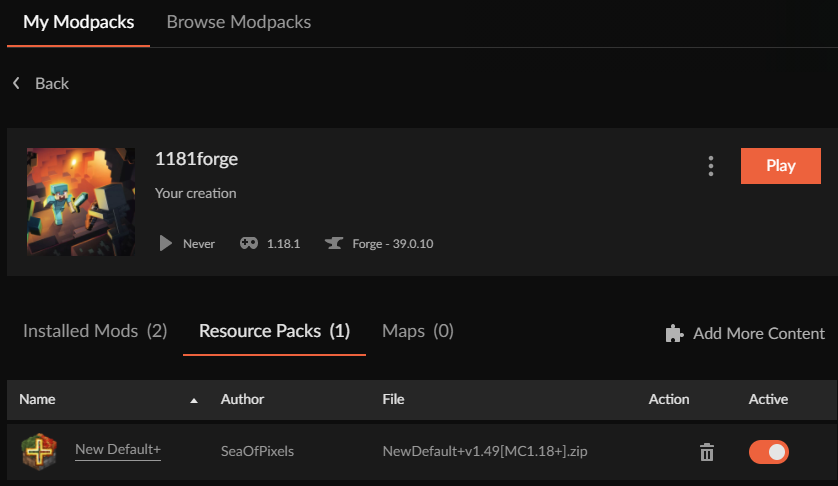 lyric crescent
?owlogs
red patioBOT
<:overwolf:857375414002384916> How to get Overwolf logs! <:overwolf:857375414002384916>
lyric crescent
send that
fallow kestrel
idk how your confused as to what my problem is though... like idk how to be more clear. the app says there is an update for a mod that has no update, and also isnt showing me in the modlist when there are new updates available
fallow kestrel
it seems that the entire update tracking thing is broken
or not giving me updates
like its not checking the server for new updates
so it thinks that old versions are the latest, cuz thats all it knows exists
ok
lyric crescent
Nah, but i passed it on to the CF devs.
its outside their working hours, but someone will probably contact you later
fallow kestrel
ok thanks
😄
like a LONG time ago
ive been using it for forever
but it updates and stuff
i get notifications every once in a while when i launch it that it updated and has new stuffs
like back when it was twitch app
then again when it wasnt anymore
i mean i didnt
i installed it the first time when it wasnt twitch app anymore
and it updates on its own
im on version 0.189.2.2
well i mean i had it installed while it was twitch too
ive been in minecraft scene since inf dev
im not new to this
yes
like ive said 3 times
i installed a new fresh app after twitch integration ended
and it updates on its own
well then somthing else is broken, because i should have to uninstall and reinstall an app all the time
thats dumb
the updater should be cleaning up and leftover code
i mean i can try a fresh install. will I lose my profiles though?
lyric crescent
Can we not with the random tangent. This isn't going to lead anywhere.
lyric crescent
Just let the curseforge devs handle it. they need to get info to get this fixed properly anyway.
lyric crescent
welp..
 calm raft
BTW not new mods been updated in like 6+ Hours not sure if this means no staff to approve it or if their system broke. Not sure if any mods get auto approved or not... Just thought I let you guys know.
maiden kiln
do modpacks update automatically?
queen storm
maiden kiln
do modpacks update automatically?
No
queen storm
calm raft
BTW not new mods been updated in like 6+ Hours not sure if this means no staff t...
!status
red patioBOT
Project Moderation Time
Project/File moderation is done on these days unless otherwise mentioned:
Sunday, Monday, Tuesday, Wednesday, Thursday: <t:1631170800:t> - <t:1631199600:t> (Your time)
Friday, Saturday: No Moderation!
Projects are moderated First in, First out. If you submit late in the work day, it will likely get left until the next day!
New Projects or anything flagged for manual review: 1-3 Working Days
Updates to approved projects not needing manual approval: 1 Hour
-If your file has been "Under Review" for more than an hour, then it is at manual review!
Changes will only show in the app if the project meets the requirements in the ?sync command and up to 24 hours has passed from when it was accepted.
 tender canyon
um hello, forge the app wont allow me to update nor delete a mod pack, its keeps on saying its in use and the file is locked.... i deleted and reinstalled the app btw
 slender island
Im wondering how to add pokehaan craft or pixlemon to a apex pro housing smp
 timid moon
um I think we need to talk about ads
west folio
yeah no that needs addressing, children use the launcher
 brittle cargo
I think they're already addressing it I saw it and told them too
queen storm
Because you complained about it being bad, then it is bad here as well
timid moon
true
queen storm
As Marijn said: been addressed already
timid moon
cool
 fading sage
Hey guys just a question: I got my modpack approved and my first/ Initial upload of the modpack is on Curseforge client but when I updated it (uploaded another updated zip file) and it got approved I can't find it on Curseforge client (the updated version)
I can only download the older version
anyone knows what that is?

 lyric crescent
usually takes an hour for things to sync, but can be up to 24
fading sage
oh damn with the first release it was instant
 fading sage
try repairing the installation or is it only with RLCraft?
 odd sparrow
any mod
odd sparrow
fading sage
try repairing the installation or is it only with RLCraft?
how do i do that
i deleted rlcraft tho
i tried to open it when i installed it and said it couldnt verify the version
or something
fading sage
click on the 3 dots right to Create Custom profile and then choose repair installation

 rich flint
Restart PC, click repair installation again
 dapper belfry
Could someone help me ? I’m trying to open forge but it keeps crashing and I can’t relaunch it
 fleet bear
!oops
red patioBOT
You had an "Oops, that was not supposed to happen!"
https://support.curseforge.com/en/support/solutions/articles/9000194900-curseforge-troubleshooting#oops
Please follow these instructions
 spiral igloo
Anyone else noticed that the review stage of publishing a project is taking a bit longer than usual? It usually completes between 2-5 minutes, but it's taking about 40-50 minutes, right now.
Is it due to lots of traffic?
lyric crescent
!status
red patioBOT
Project Moderation Time
Project/File moderation is done on these days unless otherwise mentioned:
Sunday, Monday, Tuesday, Wednesday, Thursday: <t:1631170800:t> - <t:1631199600:t> (Your time)
Friday, Saturday: No Moderation!
Projects are moderated First in, First out. If you submit late in the work day, it will likely get left until the next day!
New Projects or anything flagged for manual review: 1-3 Working Days
Updates to approved projects not needing manual approval: 1 Hour
-If your file has been "Under Review" for more than an hour, then it is at manual review!
Changes will only show in the app if the project meets the requirements in the ?sync command and up to 24 hours has passed from when it was accepted.
spiral igloo
Ah, thank you 🙂
spiral igloo
Can manual reviews sometimes be declared at random instead of non-manual reviews?
fleet bear
spiral igloo
Can manual reviews sometimes be declared at random instead of non-manual reviews...
No, but if the bot check fails its shoved to manual.
 real oasis
I might being paranoid but could you get virus on cures forge
spiral igloo
fleet bear
No, but if the bot check fails its shoved to manual.
Ah, gotcha. I was just a bit confused as I have received an automatic review until now 🙂 I assume the bot has had a wee hiccup.
fleet bear
real oasis
I might being paranoid but could you get virus on cures forge
Is it possible? Yes. It's possible with any minecraft mods. You are trusting code made by hundreds or thousands of people.
Will it happen? Not likely.
fleet bear
spiral igloo
Ah, gotcha. I was just a bit confused as I have received an automatic review unt...
The bot doesnt have hiccups. Something you changed or did flagged it.
spiral igloo
Oh, strange.. I'm not sure what changes could've caused that to happen. I'll just await manual review 🙂
real oasis
how do i access curse forage files to put a friends modpack in
fleet bear
real oasis
how do i access curse forage files to put a friends modpack in
!mc-packshare
red patioBOT
There are two ways to share a modpack you've made with others...
Export and Share - For Friends to Small Groups.
- Click the Icon for the modpack.
- Click the button next to play.
- Click
Export. - Select the files that should be included.
- Send the zip to the people that want it! They can follow the instructions in
!mc-installpackto install the pack!
Upload to Curseforge - For Public Release to Everyone.
This options will make your pack public to EVERYONE, it comes with extra requirements and will take some effort to set up.
- Go to here: https://www.curseforge.com/project/432/4471/create
- Fill out the information with a proper description of the pack. This should allow anyone to understand what the pack is.
- Click the Icon for the modpack in the CurseForge app.
- Click the button next to play.
- Click
Export. - Select the files that should be included.
- Open your Project you made on the CurseForge site and Upload the file you just made.
- Wait for Moderation & Sync so it can show up in the client! (See
!syncfor limitations)
 umbral magnet
anyone know how to change ur skin in the minecraft mods im stuck as steve?
patent hatch
I responded to this but I'm not sure if you saw it
 rustic hearth
Yo uh

One of my friends got this ad on the curseforge app
You know children play Minecraft right
Btw that’s a cropped image, I think you can guess the bottom half of the image
And no the add does not censor anything
pastel pagoda
pastel pagoda
it's approved now
okay, my new file can't get approved now (2 hours since i uploaded it)
are all my files going to be reviewed by hand now ?
if so that's really, really disappointing
rustic hearth
Give it time dude
pastel pagoda
but my 30 latest files were all approved in 2 minutes...
pastel pagoda
seems like it's not happening to other pack devs
just me
also server packs are approved in 2 minutes
fleet bear
I'm going to mute you if you keep coming here to complain about an automated system that's been explained to you multiple times at this point.
rustic hearth
Oh hi Claycorp
rustic hearth
rustic hearth
Yo uh
You see this?
fleet bear
Yes we know about the ad, it's been reported
fleet bear
Theres eventually going to be a system for handling it in app by the sounds of it too
rustic hearth
Will there also be a moderation system for approving ads before they are sent out to be displayed?
fleet bear
rustic hearth
Will there also be a moderation system for approving ads before they are sent ou...
That's not part of overwolfs job. That's on the ad service.
Overwolf has no control over an issue like this.
rustic hearth
Ah I see
 quaint holly
HOW TO RESOLVE THE PROBLEM OOPS???????????
Someone can help me
i have do all the think to do
lyric crescent
what did you do
 shut wharf
Does Curseforge auto update or is there a way to make it check for updates?
lyric crescent
Restart it
 next sierra
Im trying to install some modpacks for minecraft and its not letting me install anything it just says "an exception occurred during a WebClient request" can anyone help
lyric crescent
?owlogs
red patioBOT
<:overwolf:857375414002384916> How to get Overwolf logs! <:overwolf:857375414002384916>
lyric crescent
Send that
 spiral badge
hey how do i add the shadospaks for on curseforge
digital roost
I’m trying to download the curseforge app and everytime I launch the installer it pops up but it’s just a solid black screen
It doesn’t actually load the installer
red patioBOT
Looking to install the CurseForge app?
<:windows:798410728188936222> Windows
Minimum Requirements:
- OS Version: 7 (64 bit), 8.1, 10, 11
- 64 bit Required.
- 350MB storage space.
- Microsoft .Net 4.8
- Intel/AMD quad-core CPU
- 8GB ram
Download: https://download.overwolf.com/install/Download?&PartnerId=4047
If you are having issues with the installer use the URL below to install Overwolf then go to the app store to download CurseForge.
https://content.overwolf.com/downloads/setup/latest/regular.html
<:mac:798410654418862130> Mac
Minimum Requirements:
- OS Version 10.14 or newer.
- 64 bit Required.
Download: https://curseforge.overwolf.com/downloads/curseforge-latest.dmg
:penguin: Linux
Minimum Requirements:
Yes.
Download: :person_shrugging:
fleet bear
use the second link
digital roost

clicked the link
this happened
trying to download rlcraft to minecraft lol isnt doing too good it seems
digital roost
my windows is up to date? i checked a few min ago when i tried looking for how to enable it as a trusted website

yeah its up to date

this is the only thing i see when i launch the installer
fleet bear
Did you use the second link?
digital roost
Everytime that I try to create a new custom profile, I get this error:
 fleet bear
restart the app and try again
digital roost
fleet bear
restart the app and try again
same error
fleet bear
!owlogs
red patioBOT
<:overwolf:857375414002384916> How to get Overwolf logs! <:overwolf:857375414002384916>
fleet bear
!mc-path Try this and reinstall your packs.
red patioBOT
Change your install path to the following:
For Windows: C:\CurseForge
For Mac: /Users/Shared/CurseForge
If Minecraft is not installed in CurseForge App:
- Click the in the top left.
- Select Minecraft from the list of games.
- Select the
Advancedoption and pickC:\drive. - Click
Continue.
If Minecraft is installed in CurseForge App:
- Click the in the bottom left.
- Select the Minecraft tab.
- Click
Change. - Select the
C:\drive.
:no_entry_sign: Minecraft Files should NOT be installed inside the following locations :no_entry_sign:
:no_entry_sign: .minecraft folder.
:no_entry_sign: OneDrive folders.
:no_entry_sign: Desktop folder.
:no_entry_sign: iCloud enabled folders.
:no_entry_sign: or any other cloud saved folder.
:no_entry_sign: or folders with non-English characters in them.
If any of the above are in the path you need to change/move it!
digital roost
@fleet bearCan I just put the old instances on the new folder?
fleet bear
You can try but most people complain that it doesn't work.
digital roost
fleet bear
You can try but most people complain that it doesn't work.
k, tysm, it worked
🙂
digital roost
fleet bear
Did you use the second link?
I still can’t load the second link. That’s from the main pages installer
fleet bear
Then I'm not really sure what to say. Sounds like you have other issues.
Try installing just overwolf first
digital roost
Over wolf is installing lol yay
fleet bear
Once you install OW use the App store to get CurseForge
 simple jackal
DOES ANYONE KNOW IF YOU CAN PLAY THE MUSTARD VIRUS MOD WITH FRIENDS
sry had caps lock
 brave quest
Is CurseForge closed right now? I released a few new files yesterday and they are still under review
13 hours ago it is now
fleet bear
!status
red patioBOT
Project Moderation Time
Project/File moderation is done on these days unless otherwise mentioned:
Sunday, Monday, Tuesday, Wednesday, Thursday: <t:1631170800:t> - <t:1631199600:t> (Your time)
Friday, Saturday: No Moderation!
Projects are moderated First in, First out. If you submit late in the work day, it will likely get left until the next day!
New Projects or anything flagged for manual review: 1-3 Working Days
Updates to approved projects not needing manual approval: 1 Hour
-If your file has been "Under Review" for more than an hour, then it is at manual review!
Changes will only show in the app if the project meets the requirements in the ?sync command and up to 24 hours has passed from when it was accepted.
fleet bear
simple jackal
DOES ANYONE KNOW IF YOU CAN PLAY THE MUSTARD VIRUS MOD WITH FRIENDS
You make a server to play on. This doesn't have anything to do with CurseForge tho.
fleet bear
brave quest
hmm why would my files be at manual review
🤷 Perhaps they changed something and tons of files got flagged?
 vital trench
Hate to bother you guys, but I'm having an issue with reverting a mod in a new profile to an older version. I go and instal the correct version for minecraft to run, the correct version is displayed on the modlist, but the game still won't load, saying the mod is the wrong version.
Not sure if this is a forge problem or a mc problem
upper root
Post the error in #👽︱game-support
rustic hearth
noticed a tiny typo at the bottom of this page - i believe "not tax" should be "no tax" https://support.curseforge.com/en/support/solutions/articles/9000197902-reward-program-faq
CurseForge Support
We're here to get you informed on everything you need to know about CurseForge, including helpful guides and troubleshooting articles to back you up when you get in a pickle
not a huge concern, just something i noticed
also, if I change my pfp on twitch.tv, how long would it usually take for the cf website to update it as well?
upper root
Iirc you need to log out and then log back in for it to refresh on cf
calm raft
brave quest
hmm why would my files be at manual review
I posted early I think curse having issues. 15 hours since the last mod been updated normally mods that been approved don't need to go into manual process I thought.
 white minnow
yeah it's been quite a while since any mods have updated so I think it's safe to say there's an issue and/or changes being made
queen storm
Or they all require manual checks now
brave quest
They have been approved finally
 winter rock
Hello, Im trying to upload my modpack but it says it has to be in english... but it is al in english.. can someone maybe explain/help?
opal cipher
Show the packname/description.
winter rock
This modpack is made for my private server
This modpack adds magic, more diverse mob and clientsite mods like minimap and world map.
RPG adventure modpack that stays close to vanilla but better!
this modpack brings more life and diversity to your world, with a few suprises!
Do you want a more diverse world but with not to many mods? then this mod pack is for you!
ヘ( ^o^)ノ\(^_^ )
Mods Included:
Alex's mobs
Repurposed structeres
Aquacultere 2
Ars nouveau
Awesome dungeons
Castle dungeons
Copper golem
Dungeon crawl
Fast leaf decay
Tree harvester
And many more life and world improving mods.
queen storm
Now show a screenshot of the message

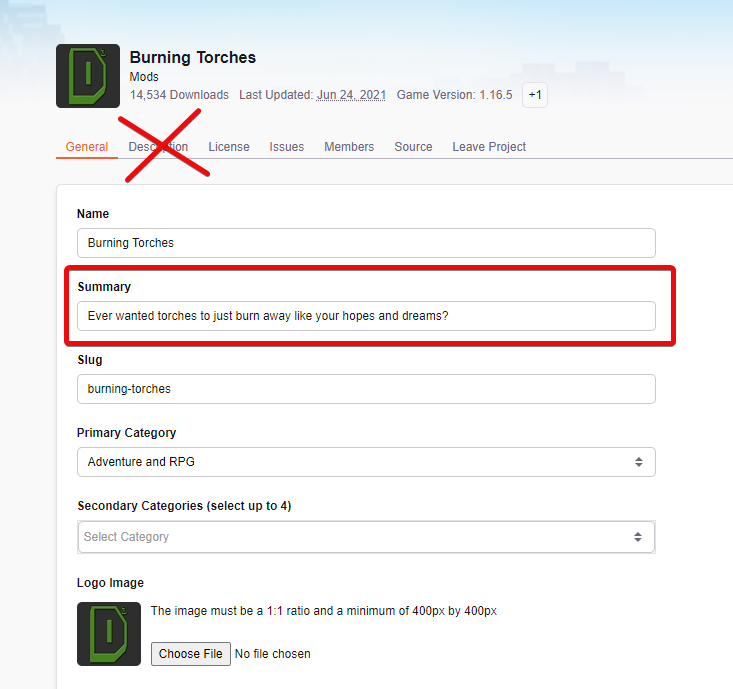


 opal cipher
Damn, Clay was faster
winter rock
that one is in fact in dutch. im sorry. thanks for your Help!😅
opal cipher
No worries!
fleet bear
😄
winter rock
"modpack for my private server" will this do?
 frigid iron
After the latest CurseForge client update (v 0.189.2.2), I'm now getting this error when trying to launch any of my MC modpacks... any idea why? I'd try to downgrade to an older version of the launcher, but I don't see any options to do so in any obvious place.
 queen storm
winter rock
"modpack for my private server" will this do?
queen storm
winter rock
"modpack for my private server" will this do?
Then you are better off just dropping the export in discord
fleet bear
frigid iron
After the latest CurseForge client update (v 0.189.2.2), I'm now getting this er...
!owlogs
red patioBOT
<:overwolf:857375414002384916> How to get Overwolf logs! <:overwolf:857375414002384916>
frigid iron
Alright, do I just... upload it here or?
fleet bear
yes
frigid iron
fleet bear
frigid iron
Did you use a K: drive for your modding folder at any point?
frigid iron
No.
All I know is, things were working fine, then I rebooted my machine, and when CurseForge started up again, it popped up some release notes dialog (which is why I said/suspect "after the latest client update"), and then when I went to launch my modpacks, I get that error.
Which honestly looks like it's a bug in .NET itself... which is kinda troubling.
fleet bear
It's been passed to one of the team members so whatever it is can be found and hopefully solved.