#🔥︱curseforge-support
1 messages · Page 452 of 1
 digital roost
 queen storm
digital roost
could someone help? when ever i try to run MCB (minecraft breakdown) the game cr...
queen storm
digital roost
could someone help? when ever i try to run MCB (minecraft breakdown) the game cr...
!mc-logs
 red patioBOT
Where to find the log on the CurseForge Client.
Right-click the modpack profile icon OR click the  button in the modpack profile.
Click 
Open Folder.
Open the logs folder.
Find the file called latest.log and drag it into discord.
queen storm
And follow rule 4
 queen storm
Crash is useless
digital roost
i can't find the logs
queen storm
Crash report then?
queen storm
Focus on class, come back when off.
red patioBOT
- Click on the Minecraft Tab on the Left side of the App.
- Click button next to the
Create Custom Profileoption. - Click

Repair Installationoption. - Play game.
NOTE: You will not lose any modpacks or worlds, These are saved in the Instances folder. DO NOT TOUCH THIS FOLDER OR YOU WILL LOSE EVERYTHING
queen storm
!mc-installfix
 limpid pier
Something went wrong :(
digital roost
YESS IT WORKS
hey guys! I am currently attempting to use the modpack "Better Minecraft Plus" with more than enough RAM allocated (5 GB) and it seems to crash constantly. Here is my latest.log file.
My sincere apologies for sounding annoying/obnoxious, but this problem has been occuring for months and I am unable to fix it.
I have done a variety of things, yet it still doesn't seem to work. I can also screenshare in a private call and show how the problem occurs
https://www.curseforge.com/minecraft/modpacks/better-minecraft-plus#:~:text=While the Main Version of,still very new and WIP.
here is the link to the modpack
digital roost
ayo can anyone help me with this problem? if i try to use mods in the curseforge app and i pick the folder path it says invalid folder path was chosen even though i chose the right one
queen storm
digital roost
ayo can anyone help me with this problem? if i try to use mods in the curseforge...
!mc-path
red patioBOT
**Minecraft Files should NOT be installed inside the following locations
.minecraft folder.
OneDrive folders.
Desktop folder.
Drive roots I.E. Directly into the C:\ drive.
iCloud enabled folders.
If any of the above are in the path you need to change/move it by following the instructions below!**
If Minecraft is not installed, start here.
Click the  in the top left.
Select Minecraft.
Click "Edit".
Move to the "Continue here:" section below.
If Minecraft is installed, follow these steps.
Click the  in the bottom left.
Select the Minecraft tab.
Click "Change".
Move to the "Continue here:" section below.
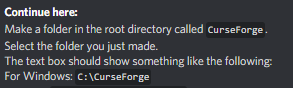
Continue here:
Make a folder in the root directory called CurseForge.
Select the folder you just made.
The text box should show something like the following:
For Windows: C:\CurseForge
For Mac: /Users/Shared/CurseForge
 digital roost
curseforge didnt have permissions to do anything so that was the problem, just running it as an admin worked
 thick oak
i tried everything but it still says
Failed to download file.
Name: patchy-1.1.jar
URL: https://libraries.minecraft.net/com/mojang/patchy/1.1/patchy-1.1.jar
Error details: Server aborted the SSL handshake
Filename on disk: patchy-1.1.jar
Path: /Users/hem/Documents/curseforge/minecraft/Install/libraries/com/mojang/patchy/1.1/patchy-1.1.jar
Exists: Nonexistent
idk what to do
 velvet cedar
Hey ! I'm currently trying to upload a mod to curseforge, so I start a project, give it a title, and when I want to upload the file, a few seconds after that I receive a notification saying that the file has been rejected because it already exist in a previous project : this is because I made a first project but I forgot to add something to the summary and I couldn't add it anymore. So I deleted the project and started a new one, and I still receive the notification, even after deleting the previous one ! I even tried to delete my twitch account since I login to curseforge with it, but it still don't work ! How could I delete my curseforge account and delete definitively all the projects (I only have this one) ?
queen storm
velvet cedar
Hey ! I'm currently trying to upload a mod to curseforge, so I start a project, ...
That project name contain "Auto" ?
And things are not fully deleted on Curseforge
velvet cedar
No "auto" is not in the title
But how can I make these projects disappear ? I still see them in the "projects" tab... Is it just impossible ?
queen storm
Yes, and you can change the summary elsewhere.
Now you need to change the content of the file.
Don't delete projects if something goes wrong please, just ask for help instead
thick oak
does anyone know what do to for what I said?
queen storm
thick oak
does anyone know what do to for what I said?
!mc-installfix
red patioBOT
- Click on the Minecraft Tab on the Left side of the App.
- Click button next to the
Create Custom Profileoption. - Click
Repair Installationoption. - Play game.
NOTE: You will not lose any modpacks or worlds, These are saved in the Instances folder. DO NOT TOUCH THIS FOLDER OR YOU WILL LOSE EVERYTHING
thick oak
i did this too
queen storm
!mc-path
red patioBOT
**Minecraft Files should NOT be installed inside the following locations
.minecraft folder.
OneDrive folders.
Desktop folder.
Drive roots I.E. Directly into the C:\ drive.
iCloud enabled folders.
If any of the above are in the path you need to change/move it by following the instructions below!**
If Minecraft is not installed, start here.
Click the in the top left.
Select Minecraft.
Click "Edit".
Move to the "Continue here:" section below.
If Minecraft is installed, follow these steps.
Click the in the bottom left.
Select the Minecraft tab.
Click "Change".
Move to the "Continue here:" section below.
Continue here:
Make a folder in the root directory called CurseForge.
Select the folder you just made.
The text box should show something like the following:
For Windows: C:\CurseForge
For Mac: /Users/Shared/CurseForge
 tidal goblet
My forge is really laggy and i get bad frames, my average frames are like 3,4. It crashes a bit and how do i fix this in minecraft
queen storm
thick oak
doesnt work
Define "doesn't work"
thick oak
it still says the same thing
Failed to download file.
Name: patchy-1.1.jar
URL: https://libraries.minecraft.net/com/mojang/patchy/1.1/patchy-1.1.jar
Error details: Server aborted the SSL handshake
Filename on disk: patchy-1.1.jar
Path: /Users/hem/Documents/curseforge/minecraft/Install/libraries/com/mojang/patchy/1.1/patchy-1.1.jar
Exists: Nonexistent
digital roost
thick oak
doesnt work
yo
thick oak
anyone know anything else to fix it?
 lyric crescent
um, you didnt actually do the thing that "doesnt work"
 polar grotto
!status
red patioBOT
It is 02:39PM on Monday for CurseForge my dudes.
Project Moderation Time
Project/File moderation is done on Sunday - Thursday from 10am - 6pm GMT+2
This process is First in, First out. Thus files submitted late in the work day may not be checked until the next work day.
New Projects or uploads requiring manual approval: 1-3 Working Days
Updates to approved projects not needing manual approval: 1 Hour
File sync to the Curseforge app may take up to 24 hours after approval.
digital roost
digital roost
hey guys! I am currently attempting to use the modpack "Better Minecraft Plus" w...
may I please receive support regarding my concern. If you are unable to help me out, please tell me so I can take down this message
thick oak
lyric crescent
um, you didnt actually do the thing that "doesnt work"
it doesnt show /Users/Shared/CurseForge
digital roost
digital roost
may I please receive support regarding my concern. If you are unable to help me ...
in order to prevent the flooding
queen storm
thick oak
it doesnt show /Users/Shared/CurseForge
Because you need to make it first...
thick oak
queen storm
Because you need to make it first...
ohhhh
lyric crescent
that isnt what it said to do either
lyric crescent
digital roost
may I please receive support regarding my concern. If you are unable to help me ...
whatever projectvibrantjourneys is is the issue. try reinstalling the pack. if that doesnt help report it to the packmaker.
 uneven jay
I'm sure this gets asked all the time, but how do I switch to WoW classic on curseforge for mac?
thick oak
queen storm
Because you need to make it first...
i made it what next?
queen storm
Now you select it and try again
 minor zephyr
g'day how do i creat a server versions for my modpack that i made
queen storm
minor zephyr
g'day how do i creat a server versions for my modpack that i made
Make a server for it
minor zephyr
but how do they have it were you can click the download server version of it ?
queen storm
Do you have a localhost server that works?
digital roost
lyric crescent
whatever `projectvibrantjourneys` is is the issue. try reinstalling the pack. if...
understood, is there anything else I should remove or not?
minor zephyr
yes
queen storm
minor zephyr
yes
Now zip the mods and config folder and add instructions on how to turn it into a server
velvet cedar
queen storm
Yes, and you can change the summary elsewhere.
Now you need to change the conten...
Ok, thank you ! So i need to change something in the modfile, like the name of a file/item and it will work ?
minor zephyr
like this button
 queen storm
velvet cedar
Ok, thank you ! So i need to change something in the modfile, like the name of a...
queen storm
velvet cedar
Ok, thank you ! So i need to change something in the modfile, like the name of a...
Yup
velvet cedar
Okaaay thanks ^^
queen storm
minor zephyr
like this button
I know what you meant
uneven jay
so... wow classic + curseforge + mac... anyone know if that even is supported?
 unborn basin
uneven jay
so... wow classic + curseforge + mac... anyone know if that even is supported?
unborn basin
uneven jay
so... wow classic + curseforge + mac... anyone know if that even is supported?
It is
uneven jay
hm, how do you switch to classic mods then?
lyric crescent
should be a drop down menu iirc
unborn basin
If you have both classic and retail you should see a dropdown menu, if you only have one then the mods should be already set to the one you have
uneven jay
yeah, someone mentioned that but I'm not seeing it. could be a case of the dumbs
unborn basin
uneven jay
yeah, someone mentioned that but I'm not seeing it. could be a case of the dumbs
 uneven jay
weird, I just dont have that. I'm definitely playing classic right now tho
unborn basin
Click on the 3 dots and scan your computer for games
uneven jay
 unborn basin
Well these mods should already be suited to the instance you are using
uneven jay
that did it, thanks @unborn basin !
digital roost
when i open the curse forge instaler it ask me to say yes or no but when i say yes nothing happens can any one help me?
thick oak
ive tried everything but it still doesnt work
lyric crescent
show the current error
 still tide
does anyone know why forever stranded as a mod pack won't work and won't open my game it just opens the launcher
queen storm
It is supposed to open the launcher
queen storm
!mc-logs
red patioBOT
Where to find the log on the CurseForge Client.
Right-click the modpack profile icon OR click the button in the modpack profile.
Click Open Folder.
Open the logs folder.
Find the file called latest.log and drag it into discord.
queen storm
!mc-installfix
red patioBOT
- Click on the Minecraft Tab on the Left side of the App.
- Click button next to the
Create Custom Profileoption. - Click
Repair Installationoption. - Play game.
NOTE: You will not lose any modpacks or worlds, These are saved in the Instances folder. DO NOT TOUCH THIS FOLDER OR YOU WILL LOSE EVERYTHING
 cedar flame
my minercraft launcher has a gray screen if i hit play on a modpack
queen storm
cedar flame
my minercraft launcher has a gray screen if i hit play on a modpack
Do above
cedar flame
k
still tide
now it says this when I do it Failed to download file.
Name: forge-12.18.3.2511.jar
URL: https://s3.amazonaws.com/Minecraft.Download/versions/forge-12.18.3.2511/forge-12.18.3.2511.jar
Filename on disk: forge-12.18.3.2511.jar
Path: C:\Users\fisha\curseforge\minecraft\Install\versions\forge-12.18.3.2511\forge-12.18.3.2511.jar
Exists: File
queen storm
Restart your pc
 mossy yoke
Good day my first time here. Just a question about loading mods to create a minecraft personal modpack. Is anything being worked to make sure that " Fabric " and "Forge " mods are clearly labeled? I have lost count on how many times I have had to delete mods because they were "Fabric" and were not clearly identified as such. tahnks
 slim robin
mossy yoke
Good day my first time here. Just a question about loading mods to create a mine...
slim robin
mossy yoke
Good day my first time here. Just a question about loading mods to create a mine...
That is a good idea, have had that problem a couple times myself
queen storm
mossy yoke
Good day my first time here. Just a question about loading mods to create a mine...
They are working on that
 verbal arch
I keep getting this error? Can anyone help me? Its for Minecraft
 queen storm
verbal arch
I keep getting this error? Can anyone help me? Its for Minecraft
queen storm
verbal arch
I keep getting this error? Can anyone help me? Its for Minecraft
!mc-path
red patioBOT
**Minecraft Files should NOT be installed inside the following locations
.minecraft folder.
OneDrive folders.
Desktop folder.
Drive roots I.E. Directly into the C:\ drive.
iCloud enabled folders.
If any of the above are in the path you need to change/move it by following the instructions below!**
If Minecraft is not installed, start here.
Click the in the top left.
Select Minecraft.
Click "Edit".
Move to the "Continue here:" section below.
If Minecraft is installed, follow these steps.
Click the in the bottom left.
Select the Minecraft tab.
Click "Change".
Move to the "Continue here:" section below.
Continue here:
Make a folder in the root directory called CurseForge.
Select the folder you just made.
The text box should show something like the following:
For Windows: C:\CurseForge
For Mac: /Users/Shared/CurseForge
 twilit blaze
how can i fix exit code:0 crash?
unborn basin
mossy yoke
Good day my first time here. Just a question about loading mods to create a mine...
As you can see, it is pretty up high here, and is planned for the near future https://curseforge-ideas.overwolf.com/
Customer Feedback for CurseForge . Add a new product idea or vote on an existing idea using the CurseForge customer feedback form.
twilit blaze
twilit blaze
how can i fix exit code:0 crash?
help pls
 night rock
minecraft keeps starting in 1024x768 rather than auto i keep having to set it help?
 plush parcel
what are the rules on uploading projects that you didnt make?
i cant seem to find a page about that in knowledge base
lyric crescent
Check the licence to make sure you are allowed. If you need permission from the creator, get it first.
Assuming no licence issues: Make sure the creator is okay with you doing this to prevent drama.
plush parcel
ah, so curseforge doesnt have any extra rules about it then?
lyric crescent
nothing i can think of other than what the licence of the project dictates.
plush parcel
alr, thx
 night blade
i heard i can play among us mods on curse forge. how do i do it?
lyric crescent
Find them on the website, install them by following the instructions on the page.
lyric crescent
No idea. Sorry.
night blade
ok
 vernal epoch
so, uh, macos 10.14 is basically useless for cursefroge now, right?
 sour sparrow
question i wanna run a mod pack and optifine at the same time but im running the mod pack in the launcher so how would i do that
lyric crescent
?mc-optifine
red patioBOT
Optifine and Curseforge
To install Optifine with modpacks on Curseforge:
Right click the modpack icon, select Open Folder.
Put the Optifine.jar into the mods folder.
Now load the modpack normally.
We do not offer support for Optifine. If you have issues with Optifine, remove it. If you want further support try the discord found on their website.
https://www.optifine.net/home
lyric crescent
vernal epoch
so, uh, macos 10.14 is basically useless for cursefroge now, right?
only 10.15+ is supported
vernal epoch
Ty
 granite herald
So...I got Stardew on Steam, but Curseforge cant find it...what do I do?
lyric crescent
?knownissues see other games at the bottom
red patioBOT
Known Issues with solutions or status of the issue.
Overwolf maintains a known list of issues here, some with solutions, others without.
https://support.curseforge.com/en/support/solutions/articles/9000196615-curseforge-known-issues
 primal coyote
Hey, I'm trying to get a very small modpack put up on CurseForge, and my files keep getting rejected. Is there somewhere I can find out why exactly?
queen storm
Look at the notification
primal coyote
It says it's a duplicate of an existing file.
queen storm
Did you have an error and recreate the project?
primal coyote
Not that I can recall
lyric crescent
screenshot the message
primal coyote
 primal coyote
It's a new project, so I don't think I can until at least one file is approved
lyric crescent
just send the link
lyric crescent
now what are you doing step by step to get a file uploaded
primal coyote
I have an existing personal modpack that I'm basing this off of using jars I downloaded from curseforge
- Uploading .jar using upload file button
- Release type: release
- Updating the changelog
- Choosing 1.12.2 supported version
- Submitting the file
I don't think it's anything too wild
Unless I'm supposed to be uploading an archive or exported modpack instance instead?
red patioBOT
There are two ways to share a modpack you've made with others...
Export and Share - For Friends to Small Groups.
- Click the Icon for the modpack.
- Click the button next to play.
- Click

Export. - Select the files that should be included.
- Send the zip to the people that want it! They can follow the instructions in
!mc-installpackto install the pack!
Upload to Curseforge - For Public Release to Everyone.
This options will make your pack public to EVERYONE, it comes with extra requirements and will take some effort to set up.
- Go to here: https://www.curseforge.com/project/432/4471/create
- Fill out the information with a proper description of the pack. This should allow anyone to understand what the pack is.
- Click the Icon for the modpack in the CurseForge app.
- Click the button next to play.
- Click
Export. - Select the files that should be included.
- Open your Project you made on the CurseForge site and Upload the file you just made.
- Wait for Moderation & Sync so it can show up in the client! (See
!syncfor limitations)
lyric crescent
good luck 😉
 karmic dome
I have a question:
I found a resource pack from a tiktok and I'm not sure how to download it on my pc (minecraft). This is my first time using this application
 soft trellis
 rugged shoal
Hello, I have a computer with 32 gigs of ram and the game itself tells me that i only have 4 and a half, so I dont use my pc full potential, i do 5 fps, so can anyone help me?
 scenic flare
Hello, could you review my project?
lyric crescent
scenic flare
Hello, could you review my project?
Projects are reviewed in the order they are received.
!status
red patioBOT
It is 07:45PM on Monday for CurseForge my dudes.
Project Moderation Time
Project/File moderation is done on Sunday - Thursday from 10am - 6pm GMT+2
This process is First in, First out. Thus files submitted late in the work day may not be checked until the next work day.
New Projects or uploads requiring manual approval: 1-3 Working Days
Updates to approved projects not needing manual approval: 1 Hour
File sync to the Curseforge app may take up to 24 hours after approval.
 narrow minnow
rugged shoal
Hello, I have a computer with 32 gigs of ram and the game itself tells me that i...
narrow minnow
rugged shoal
Hello, I have a computer with 32 gigs of ram and the game itself tells me that i...
?mc-ram
red patioBOT
How to set Global Minecraft RAM value.
- Click the icon in the bottom left to open settings.
- Click the Minecraft tab.
- Scroll down.
- Slide slider to recommended ram range as seen below.
 digital roost
im back now that my internet is better
 red patioBOT
- Click on the Minecraft Tab on the Left side of the App.
- Click button next to the
Create Custom Profileoption. - Click
Repair Installationoption. - Play game.
NOTE: You will not lose any modpacks or worlds, These are saved in the Instances folder. DO NOT TOUCH THIS FOLDER OR YOU WILL LOSE EVERYTHING
digital roost
repairing the intallation, as well as the profile does not work
yes ive been struggling with this for weeks
lyric crescent
rugged shoal
Hello, I have a computer with 32 gigs of ram and the game itself tells me that i...
You don't want to allocate any more ram than you need. Ram is generally not the cause of low fps. Adding too much ram will only make things worse.
digital roost
ive uninstalled minecraft, curse, and overwolf, and re installed them, ive done a bit of research on this error code and no solutions have worked for me, and here is my crash log, same as always- this happens with every pack and even wen i open vanilla on curse forge.
narrow minnow
digital roost
ive uninstalled minecraft, curse, and overwolf, and re installed them, ive done ...
i'll dm
 mortal drift
digital roost
narrow minnow
i'll dm
mortal drift
digital roost
narrow minnow
i'll dm
thank you mega much
 tight garnet
Is it possible to update forge for a profile?
lyric crescent
?mc-modifypack
red patioBOT
How to add/remove mods in a modpack.
- Click on the picture of the modpack.
- Click the

Add More Contentbutton, IF this button is not there, see below before continuing. - Find the Mods, Resource Packs or Maps you wish to Install and click
Installon them. - Wait for all the required mods to be downloaded.
- Start the modpack.
How to Enable/Disable content management for modpacks.
- Click on the picture of the modpack.
- Click on the button next to the
Playbutton. - Click on

Profile Options. - Check the
Allow content management for this profileoption if you want to edit the content of the modpack, uncheck it to disable.
NOTE: The Allow content management for this profile option is what allows you to Delete, Disable, Update or Install any Mods, Resource Packs or Maps managed by CurseForge. It must be on to modify any of them! (Currently)
 vapid plover
hey can someone help me create my mods cuz i have no idea how to code
lyric crescent
How to Enable/Disable content management for modpacks.
at step 4 you can change the forge version
vapid plover
pl
 signal ridge
vapid plover
hey can someone help me create my mods cuz i have no idea how to code
signal ridge
vapid plover
hey can someone help me create my mods cuz i have no idea how to code
What game? Go to #786424115535544350 and pick the gave your playing
vapid plover
minecraft
signal ridge
Mod or modpack?
signal ridge
Go to #786424115535544350 Get the minecraft role > then Ask in #⚙️︱authors-help
vapid plover
i did
 late marsh
what is the difference between a mod and a modpack?
signal ridge
!!=
red patioBOT
Wording is important!
Forge = Minecraft Forge, This is a modloader often just called "Forge".
CurseForge = A Website/App that has content for games.
Mods = Individual mod files.
Modpacks = Multiple mods put into the mods folder or downloaded from CurseForge.
These are not Interchangeable! Please use the correct terms as it allows us to help you faster!
late marsh
ok
signal ridge
is the basic gist of it
late marsh
so like skyfactory is a modpack and xaeros is a mod
signal ridge
correct
late marsh
ok thx
signal ridge
np
 arctic hamlet
Have anyone had this problem, i'm new to the mod stuff of minecraft
 narrow minnow
arctic hamlet
Have anyone had this problem, i'm new to the mod stuff of minecraft
narrow minnow
arctic hamlet
Have anyone had this problem, i'm new to the mod stuff of minecraft
Yeah - this is not related to mods but rather your video driver. Check if you have a new one and make sure to restart you machine
arctic hamlet
narrow minnow
Yeah - this is not related to mods but rather your video driver. Check if you ha...
I have update to the newest one. so I many just need to reset the computer then
signal ridge
navidia?
arctic hamlet
narrow minnow
Yeah - this is not related to mods but rather your video driver. Check if you ha...
It still do it after the reset
signal ridge
?mc-videocard try this
red patioBOT
How to set minecraft to use your videocard
 narrow minnow
in this case it is the minecraft.exe not java
narrow minnow
arctic hamlet
It still do it after the reset
https://www.reddit.com/r/Minecraft/comments/ipagqq/weird_graphical_glitch_in_minecraft_launcher_how/

reddit
16 votes and 12 comments so far on Reddit
 west folio
👀
signal ridge
 trim stump
help its not letting me download a modpack
trim stump
help its not letting me download a modpack
#📛︱rules 5 read it
trim stump
ok sorry
signal ridge
Also need to expalin your issue. Are there any Error messages? Are you using the curse app?
trim stump
no it just blank when i click the zip file
queen storm
What zip file?
signal ridge
Where did it come from as well?
trim stump
i made it
queen storm
How did you make it?
trim stump
it has mods and resource packs then i compressed it into a zip file
red patioBOT
How to install mods in CurseForge App.
- Click
+ Create Custom Profile - Name it, select the required Minecraft version, select the Forge version (usually the highest number), click
Create. - Click the profile icon.
- Click
Add New Content - Search and install the desired mods.
- Start the game!
How to install mods not on CurseForge.
- Right click the profile picture or Open the profile and click the Icon next to the play button.
- Click
Open Folder. - Drag the mod(s) into the
modsfolder. (Note: Some mods will require others, to run. Make sure to read the instructions for the mod!) - Start the game!

 cunning kindle
Hi, I've been having some trouble with launching CurseForge. Whenever I try to open it, the application looks like its opening and then about 2 minutes later when I right click on the application icon, it says that the application is not responding. When I try opening it through the application folder in Finder, this line of code comes up in Terminal: "/Applications/CurseForge.app/Contents/MacOS/CurseForge ; exit;" (I'm on macOS)
narrow minnow
cunning kindle
Hi, I've been having some trouble with launching CurseForge. Whenever I try to o...
Hi, when did you download the app?
cunning kindle
narrow minnow
Hi, when did you download the app?
I first downloaded it about a week ago, I've redownloaded it twice since then but it still won't open
narrow minnow
cunning kindle
I first downloaded it about a week ago, I've redownloaded it twice since then bu...
DMed you
 thin latch
Hi! I can find a mod the curseforge download app that is on the website. Any help?
The mod is Origins by Apace100
signal ridge
thin latch
Hi! I can find a mod the curseforge download app that is on the website. Any hel...
!mc-installmods
red patioBOT
How to install mods in CurseForge App.
- Click
+ Create Custom Profile - Name it, select the required Minecraft version, select the Forge version (usually the highest number), click
Create. - Click the profile icon.
- Click
Add New Content - Search and install the desired mods.
- Start the game!
How to install mods not on CurseForge.
- Right click the profile picture or Open the profile and click the Icon next to the play button.
- Click
Open Folder. - Drag the mod(s) into the
modsfolder. (Note: Some mods will require others, to run. Make sure to read the instructions for the mod!) - Start the game!
thin latch
Thanks!
 timber locust
Where can I find my favorites/follows as I can find the mod I want for minecraft on the website but not the app and for some reason it's not installing if I download it off of the site
signal ridge
timber locust
Where can I find my favorites/follows as I can find the mod I want for minecraft...
Read the bot message above
 slender stag
My modpack isn't working. When I download it only 23 of the 71 mods are there. How can I fix this?
signal ridge
slender stag
My modpack isn't working. When I download it only 23 of the 71 mods are there. H...
!mc-logs
red patioBOT
Where to find the log on the CurseForge Client.
Right-click the modpack profile icon OR click the button in the modpack profile.
Click Open Folder.
Open the logs folder.
Find the file called latest.log and drag it into discord.
slender stag
signal ridge
slender stag
Well first thing:
snowrealmagic requires kiwi 3.4 or above, and below 3.10
slender stag
I have that, but it doesn't show up
signal ridge
Not from what the log says
Currently, kiwi is not installed
How did you install it?
slender stag
I installed it from the curseforge app
The custom profile I created has 71 mods. I exported it and uploaded it to my project on curseforge. After I did that I downloaded it from the "Browse Mods" section on the curse forge app. The file from the app only has 23 mods for some reason. Hopefully that makes more sense.
 rotund adder
I'm having some trouble with starting a server and this appears

 fleet bear
Curseforge does not support servers. This would be a #👽︱game-support issue
tidal goblet
tidal goblet
My forge is really laggy and i get bad frames, my average frames are like 3,4. I...
can anyone help me with this?
lyric crescent
digital roost
can anyone help me with the failed to create modpack error?
lyric crescent
how did you get it
digital roost
idk, this morning it worked fine when i downloaded RLcraft but now when i try to download skyfactory 4 it just came up
lyric crescent
so its working on my end, lets start with a pc restart
digital roost
i already did that a couple mins ago didnt do anything
lyric crescent
?mc-installfix
red patioBOT
- Click on the Minecraft Tab on the Left side of the App.
- Click button next to the
Create Custom Profileoption. - Click
Repair Installationoption. - Play game.
NOTE: You will not lose any modpacks or worlds, These are saved in the Instances folder. DO NOT TOUCH THIS FOLDER OR YOU WILL LOSE EVERYTHING
digital roost
i think ive already found the problem
it didnt have enough permissions, so i ran it as an admin and it worked
lyric crescent
makes sense
 hidden spire
I have just downloaded forge servers and Im wondering why is the forge not opening
lyric crescent
Curseforge is not involved in server issues. #👽︱game-support or #🧱︱mc-other-help (get the role in #786424115535544350 )
hidden spire
thankyou
 timid cedar
 austere wedge
hey guys, i downloaded stoneblock, it download fine but it takes an astronomical time to load (30 mintes) it does this eveery time how do i make it shorter?
when it finishes download the game works smoothly im on a mac btw
red patioBOT
How to install modpacks with the search features in app.
- Open the

Minecraftsection of the app. - Click the top search bar where it says
Search for modpacksOR Click theBrowse ModpacksTab. - Find the Modpack you want to install and click install on it.
- Wait for CurseForge app to download and unpack all the required files.
- Once finished, click
Play!
How to install modpacks from a Export. (Custom/Private/Site downloaded Modpack zip)
- Get CurseForge App if you don't have it, use
!downloadfor a link. - Get the exported modpack from CurseForge or someone else,
!mc-packshareexplains how to make them. - Open the
Minecraftsection of the app. - Click

Create Custom Profile - Click the
Importoption. - Find the file you just downloaded in step 2 and select it.
- CurseForge app will now attempt to download and unpack the modpack. If it fails, try steps 4-6 again.
- Once finished, click
Play!
 austere wedge
installing it is not the prob when i launch the game and it ust loalds so sow
 mighty rover
that wasnt for you it was meant for me
mighty rover
austere wedge
installing it is not the prob when i launch the game and it ust loalds so sow
try giving it more ram
austere wedge
oh ok mb
mighty rover
?mc-ram
red patioBOT
How to set Global Minecraft RAM value.
- Click the icon in the bottom left to open settings.
- Click the Minecraft tab.
- Scroll down.
- Slide slider to recommended ram range as seen below.
 sour jewel
can java not work with curseforge
lyric crescent
?
signal ridge
 wicked saffron
ayo my atm6 keeps crashing
wicked saffron
ayo my atm6 keeps crashing
!mc-logs do this
red patioBOT
Where to find the log on the CurseForge Client.
Right-click the modpack profile icon OR click the button in the modpack profile.
Click Open Folder.
Open the logs folder.
Find the file called latest.log and drag it into discord.
wicked saffron
signal ridge
Is it crashing or just freezing?
wicked saffron
freezing then microsoft opens up
signal ridge
microsoft what?
wicked saffron
idk it says close program or wait for it to respond
signal ridge
How much ram have you allocated to the curse app? AND how much does your pc have total?
signal ridge
6-8gb should be enough for atm6, when it freezes just leave it, may still be loading in the background just the visual is frozen for a sec
 royal dawn
i cant change my minecraft java to 64 bits even tho mines 64 in app
signal ridge
Screen shot what your looking at
 wicked saffron
mine is 64
signal ridge
Id say reinstall the curse app
wicked saffron
and i can't change it to anything else
signal ridge
Uninstall curseforge and overwold and reinstall them
your pc itself is 64bit right?
royal dawn
yea
its annoying i wanna play modpacks
but i cant cuz its 32 and i cant sighn in cuz its 32
red patioBOT
Looking to install the CurseForge app?
Todo: Place system requirements here.
<:windows:798410728188936222> Windows
<:mac:798410654418862130> Mac
Linux
:person_shrugging:
royal dawn
i am
setting it up now\
ok the installers now downloading
gotta reinstall my downloading wasnt working
._.
i-
whats wrong ith my internet
im getting 0.02 mb download
wait
i notice im installing this with 32 bits
signal ridge
are you using the download like the bot posted?
signal ridge
win or mac?
royal dawn
win
signal ridge
The zip should only be 134MB?
royal dawn
yea
signal ridge
Its not really that big
royal dawn
yea but my download spped is 10kb
*speed
ima download this in microsoft
dam so fast now
 fallen dagger
almighty wise ones
I'm able to get into the game w ease, but it loads then freezes while loading into the world
suggestions?
almighty wise ones??
signal ridge
fallen dagger
I'm able to get into the game w ease, but it loads then freezes while loading in...
Are you using the curse app? What mod pack?
signal ridge
?
fallen dagger
I'm gooseisloose
signal ridge
ah ok
fallen dagger
I'm here atleast once a week lmfao
signal ridge
Need the latest log then
fallen dagger
aye capn
royal dawn
ok i try reinstalling over wolf but...
 bleak grove
i have both aroma core and ftb backups installed j to be extra extra careful. would that by any chance be messing w the game?
signal ridge
bleak grove
i have both aroma core and ftb backups installed j to be extra extra careful. wo...
Changing premade packs can cause issues.
royal dawn
how do i install 64 bit curse forge
bleak grove
yeah yeah, lil to late though. its been running smoothly no blue screen crashes or trouble getting in till now
signal ridge
royal dawn
how do i install 64 bit curse forge
!ticket
red patioBOT
Issue Reporting with Overwolf tickets!
Issues can be reported two ways!
Via the website, or in app. Instructions for both are below!
Make sure to include logs when reporting a problem!
Upload your Overwolf logs with the Upload File option on the ticket, information on how to get these logs can be found here https://support.overwolf.com/en/support/solutions/articles/9000176827-how-to-get-your-overwolf-logs
:bug: Reporting via Website :bug:
Can't open the app or would rather use the website? You can do so here: https://support.curseforge.com/en/support/tickets/new
Fill out the form with accurate detailed information, "It doesn't work" isn't helpful! What exactly doesn't work and why doesn't it work should be easy to answer!
:question: Ticket Status :question:
Tickets you have made can be looked at, replied to and closed if you make/login to an account. If you submit a ticket with a specific Email make sure to use that when you make your account so you can see your past tickets!
https://support.curseforge.com/en/support/tickets
Otherwise you will only get email replies at the email you used to open the ticket.
:bug: Reporting via the CurseForge App :bug:
- Click the
 icon in the bottom left.
 - Select

Open a Ticket. - Fill out the form with accurate detailed information, "It doesn't work" isn't helpful! What exactly doesn't work and why doesn't it work should be easy to answer!!
- Upload your Overwolf logs with the
Upload Filesection. (see the top of this message for details) - Submit!
bleak grove
like ill load till it says "0%" then itll freeze
signal ridge
bleak grove
like ill load till it says "0%" then itll freeze
Could be ram, could be stuff you add isnt compatible with the pack. No idea
signal ridge
From the look of your log it crashed crash-2021-04-26_22.13.34-server.txt
bleak grove
also last question, is it bad to have 2 different backup mod things?
signal ridge
Depends did you add them or did the pack come with em?
bleak grove
signal ridge
From the look of your log it crashed `crash-2021-04-26_22.13.34-server.txt`
yeah, might be when i tried to restore it to previous versions
added them
lmao
signal ridge
I am looking that the log you game me
signal ridge
bleak grove
lmao
Then probably. Like I said it is NOT recommended to modify pre-made packs. At that point Anything can happen and getting help to fix it, well isnt all that great since we have no idea what you did or changed
bleak grove
ah
signal ridge
Best I can say is reinstall the modpack,
 tawny comet
Whenever I Install Minecraft On Curse Forage There Is No Mod Folder In My Files
signal ridge
bleak grove
i shall take my chances
Then your on your own
signal ridge
tawny comet
Whenever I Install Minecraft On Curse Forage There Is No Mod Folder In My File...
Did you install a modpack or make a custom profile and install mods?
bleak grove
tawny comet
Whenever I Install Minecraft On Curse Forage There Is No Mod Folder In My File...
nice pfp
signal ridge
Not the room for random Chat goose
tawny comet
signal ridge
Did you install a modpack or make a custom profile and install mods?
i tried a modpack it did not work And No I Have Not Made A Custom Profile
tawny comet
bleak grove
nice pfp
Thx Fellow Kermit
signal ridge
tawny comet
i tried a modpack it did not work And No I Have Not Made A Custom Profile
Define didnt work? Did you get an error message?
bleak grove
together strong lmfao
royal dawn
!ticket
red patioBOT
Issue Reporting with Overwolf tickets!
Issues can be reported two ways!
Via the website, or in app. Instructions for both are below!
Make sure to include logs when reporting a problem!
Upload your Overwolf logs with the Upload File option on the ticket, information on how to get these logs can be found here https://support.overwolf.com/en/support/solutions/articles/9000176827-how-to-get-your-overwolf-logs
:bug: Reporting via Website :bug:
Can't open the app or would rather use the website? You can do so here: https://support.curseforge.com/en/support/tickets/new
Fill out the form with accurate detailed information, "It doesn't work" isn't helpful! What exactly doesn't work and why doesn't it work should be easy to answer!
:question: Ticket Status :question:
Tickets you have made can be looked at, replied to and closed if you make/login to an account. If you submit a ticket with a specific Email make sure to use that when you make your account so you can see your past tickets!
https://support.curseforge.com/en/support/tickets
Otherwise you will only get email replies at the email you used to open the ticket.
:bug: Reporting via the CurseForge App :bug:
- Click the icon in the bottom left.
- Select
Open a Ticket. - Fill out the form with accurate detailed information, "It doesn't work" isn't helpful! What exactly doesn't work and why doesn't it work should be easy to answer!!
- Upload your Overwolf logs with the
Upload Filesection. (see the top of this message for details) - Submit!
tawny comet
signal ridge
Define didnt work? Did you get an error message?
Idk
signal ridge
tawny comet
Idk
Try again, if an error pops up screen shot it
tawny comet
k
tawny comet
signal ridge
Try again, if an error pops up screen shot it
yo
signal ridge
?
signal ridge
np
signal ridge
this still the extra on top of RLcraft?
Need latest log. Better to post it then a crash report, says more
 warped dirge
!help
red patioBOT
╰( ͡° ͜ʖ ͡° )つ──☆*:・゚ *˜”*°•.˜”*°• Many Help •°*”˜.•°*”˜* <:curselit:796985620550385705>
Please provide a description of your issue with as much detail as possible. If you have an issue with a mod or modpack, tell us the name. Explain what you can see happening. Be specific!
 Tell us what is happening, we already know it "doesn't work".
Avoid using words like "it", tell us exactly what "it" is.
Don't assume anyone knows what you are talking about, be specific.
Tell us what you expected to happen.
Provide screenshots or video if possible.
Provide a log if possible. ?mc-log
lyric crescent
found a report of a similar issue TickNextTick list out of synch but no resolution
signal ridge
think its just world == screwed
 main thorn
Hey, is there a link where i can go to a website to get a list of issues. I want to check on something
I am currently facing an issue that I think Curseforge app is the cause of the issue
It somehow caused my computer freezing. I was able to reboot just fine, but when i try to open any application and nothing will show up. It's almost like freezing.
you can @ me if you have the link so i can look at the list of issues
warped dirge
@lyric crescent can you manage your Two-Factor Authentication on Reward Program ?
tawny comet
 signal ridge
tawny comet
signal ridge
tawny comet
Moder warfare mod is for minecraft 1.12.2 it will not work on minecraft 1.11
tawny comet
signal ridge
Moder warfare mod is for minecraft 1.12.2 it will not work on minecraft 1.11
now nothing is even there
signal ridge
?
How are you downloading mods?
Are you using the app to download? OR getting then off the site?
tawny comet
site
red patioBOT
How to install mods in CurseForge App.
- Click
+ Create Custom Profile - Name it, select the required Minecraft version, select the Forge version (usually the highest number), click
Create. - Click the profile icon.
- Click
Add New Content - Search and install the desired mods.
- Start the game!
How to install mods not on CurseForge.
- Right click the profile picture or Open the profile and click the Icon next to the play button.
- Click
Open Folder. - Drag the mod(s) into the
modsfolder. (Note: Some mods will require others, to run. Make sure to read the instructions for the mod!) - Start the game!
tawny comet
signal ridge
Why not use the app?
bc i cant find the mods that i use in there

Bruh Whenever I Go In The Inventory And Scroll To The Guns My Game Crashes
 high drift
I'm getting this error when I try to buy from the reward store. Am I doing something wrong? I'm entering the code from the twitch Authy app (which I used to log in):
 fleet bear
high drift
I'm getting this error when I try to buy from the reward store. Am I doing somet...
fleet bear
high drift
I'm getting this error when I try to buy from the reward store. Am I doing somet...
You need a curseforge 2factor key I believe.
high drift
How do I get that?
fleet bear
Uhhhhhhhhh....
Let me look quick.

CurseForge Support
We're here to get you informed on everything you need to know about CurseForge, including helpful guides and troubleshooting articles to back you up when you get in a pickle
high drift
Oh! I see, thanks
 mystic eagle
Hey, I can't start mod packs. There is only a gray screen in the Minecraft Launcher and nothing happened
 mystic eagle
Wtf
 fierce torrent
ne
mystic eagle
doch
 opal cipher
Rule 1, English only
fierce torrent
ok
mystic eagle
Yes
fierce torrent
okey
mystic eagle
Nice
fierce torrent
doch what
mystic eagle
it is German
mystic eagle
Wher ar you from ?
fierce torrent
türkiye
sorry turksh
okey
ı am spekıng turkısh but I know english too
Hey, are you there
minencraft why moneys
 scenic onyx
i got a problem with installing stuff
whenever i click continue it just says "An invalid folder path was chosen" anyone know how to fix it?
if someone has any idea on how to fix pls dm me
limpid pier
scenic onyx
whenever i click continue it just says "An invalid folder path was chosen" anyon...
screenshot?
limpid pier
:D
 lilac nimbus
hi while im trying to launch RLcraft minecraft just crashes and i cant play can any1 help me?
narrow minnow
lilac nimbus
hi while im trying to launch RLcraft minecraft just crashes and i cant play can ...
Please try the following:
- Repair Installation
- Search and Install a modpack called: MMDJam
- Run and play MMDJam (you can close it after the forging stage)
- Try to play RLCraft again
 warped dirge
@fleet bear That guide in the best but want create new account only for manage 2FA on curseforge and twitch account if old account i can't manage 2FA.
Now i open new Request on support but have not some one help me.
 thorny garden
urm i am a bit new to the whole mod scene could you help w/ this
 opal cipher
Looks like the pixelmon mod is missing
warped dirge
If admin support see this please check my ticker #89813.
queen storm
warped dirge
If admin support see this please check my ticker #89813.
Just wait, no need to ask here
 torn crater
Why cant I find my modpack on curseforge? Or is it too unpopural that you cant find it?
lyric crescent
send the link
red patioBOT
Sync and your Project.
CurseForge REQUIRE a project to have one file marked Released on them for the projects to show up in search. Otherwise only Direct links to the project work.
Files can take a while to show up in the app. If your files still have not shown up either your project is new and you have yet to mark a file as Release or there is issues with the sync system making it slow.
torn crater
Oh thanks
 fading elm
i dont know where to download that version of forge
 opal cipher
Change the version in the profile in CurseForge.
lyric crescent
?mc-editpack
red patioBOT
How to add/remove mods in a modpack.
- Click on the picture of the modpack.
- Click the
Add More Contentbutton, IF this button is not there, see below before continuing. - Find the Mods, Resource Packs or Maps you wish to Install and click
Installon them. - Wait for all the required mods to be downloaded.
- Start the modpack.
How to Enable/Disable content management for modpacks.
- Click on the picture of the modpack.
- Click on the button next to the
Playbutton. - Click on
Profile Options. - Check the
Allow content management for this profileoption if you want to edit the content of the modpack, uncheck it to disable.
NOTE: The Allow content management for this profile option is what allows you to Delete, Disable, Update or Install any Mods, Resource Packs or Maps managed by CurseForge. It must be on to modify any of them! (Currently)
lyric crescent
same as step 4 on the bottom
fading elm
ok thank youy
fading elm
where do i find that version?

 mint dagger
where can i download it from? 🙂 ty
queen storm
mint dagger
where can i download it from? 🙂 ty
Download what?
mint dagger
curseforge itself
queen storm
!getcf
red patioBOT
Looking to install the CurseForge app?
Todo: Place system requirements here.
<:windows:798410728188936222> Windows
<:mac:798410654418862130> Mac
Linux
:person_shrugging:
 silver temple
whenever i go to download something it says this
 night rock
it keeps changing to this instead of auto help
 fleet bear
night rock
it keeps changing to this instead of auto help
fleet bear
night rock
it keeps changing to this instead of auto help
Change the settings in curseforge.
night rock
How?
fleet bear
By going to the curseforge settings?
austere wedge
can anyone help? I installed the stoneblock mod and i'm trying to join my friend's minecraft server but all i have is the loading screen
after that, it says Connection Timed out
my friend says i join the game and then instantly leave
im on the same version
night rock
what do i do now
 night rock
fleet bear
By going to the curseforge settings?
night rock
fleet bear
By going to the curseforge settings?
where is it?
i cant type auto in it
whenver i set it to auto it sets back
fading elm
can someone help me
queen storm
fading elm
can someone help me
Rule 10
fleet bear
night rock
i cant type auto in it
It's not a text box....
It takes numbers. You select the other option...
 austere wedge
can anyone help? I installed the stoneblock mod and i'm trying to join my friend...
austere wedge
austere wedge
can anyone help? I installed the stoneblock mod and i'm trying to join my friend...
any idea guyz?
lyric crescent
This isnt for server support. #👽︱game-support or #🧱︱mc-other-help (get the role in #786424115535544350 )
 vital forum
what is the difference between forge and cursedforge?
opal cipher
CurseForge is the mod manager for multiple games, where as Forge is the mod loader for Minecraft.
vital forum
ohhhh
lyric crescent
!!=
red patioBOT
Wording is important!
Forge = Minecraft Forge, This is a modloader often just called "Forge".
CurseForge = A Website/App that has content for games.
Mods = Individual mod files.
Modpacks = Multiple mods put into the mods folder or downloaded from CurseForge.
These are not Interchangeable! Please use the correct terms as it allows us to help you faster!
vital forum
ohh i see now thanks
digital roost
night rock
whenver i set it to auto it sets back
If you haven't fixed this yet, what resolution do you want to set it to?
night rock
auto
digital roost
Do you want to play on your monitors resolution?
It's not really possible to do auto on curseforge as far as I'm aware so if you want to use your monitors resolution click the circle that says "use desktop resolution"
fading elm
fading elm
can i get help on this
 deep lake
hey i have a problem, when i want to click on minecraft to install minecraft mods i have this : "Please make sure that your system user has sufficient permissions (read/write) to your modding folder." But i dont know how to do this.. can someone help me please ?
lyric crescent
?mc-path
red patioBOT
**Minecraft Files should NOT be installed inside the following locations
.minecraft folder.
OneDrive folders.
Desktop folder.
Drive roots I.E. Directly into the C:\ drive.
iCloud enabled folders.
If any of the above are in the path you need to change/move it by following the instructions below!**
If Minecraft is not installed, start here.
Click the in the top left.
Select Minecraft.
Click "Edit".
Move to the "Continue here:" section below.
If Minecraft is installed, follow these steps.
Click the in the bottom left.
Select the Minecraft tab.
Click "Change".
Move to the "Continue here:" section below.
Continue here:
Make a folder in the root directory called CurseForge.
Select the folder you just made.
The text box should show something like the following:
For Windows: C:\CurseForge
For Mac: /Users/Shared/CurseForge
lyric crescent
try that
lyric crescent
If Minecraft is not installed, start here.
deep lake
I have Minecraft in my computer but i cant add it Game Specific
and when i click on Add Minecraft it says the same :Please make sure that your system user has sufficient permissions (read/write) to your modding folder.
lyric crescent
🤦♂️
deep lake
? im sorry i dont have a good english im French

 normal shadow
hi i have a problem, when my modpack is loading it crashes, my other modpacks work perfectily

 slim thunder
normal shadow
hi i have a problem, when my modpack is loading it crashes, my other modpacks wo...
slim thunder
normal shadow
hi i have a problem, when my modpack is loading it crashes, my other modpacks wo...
?mc-log
red patioBOT
Where to find the log on the CurseForge Client.
Right-click the modpack profile icon OR click the button in the modpack profile.
Click Open Folder.
Open the logs folder.
Find the file called latest.log and drag it into discord.
normal shadow
lyric crescent
reinstall the pack. if it still fails report it to the pack devs
 hollow timber
Hello! I just recently got my modpack approved and was excited to download it to playtest but it seems the file will not show up in my software files nor with any of the mods. All it gives is a override files and a server html list of all the mods in it
lyric crescent
you need it install it with the curseforge app
hollow timber
I've tried doing that and it won't download like any other mods i've done before
lyric crescent
"won't download like any other mods i've done before" huh?
hollow timber
modpacks
lyric crescent
what are you doing to install it
hollow timber
I'm going to the install button that's on the right side of the modpack file and it takes me to another tab where it says launch into your cursedforge application
i click continue and it just brings me into all my modpacks i have downloaded
it doesnt download
lyric crescent
use the app to find and install it
lyric crescent
send the link
hollow timber
Alright give me one second
lyric crescent
hollow timber
Alright give me one second
!sync
red patioBOT
Sync and your Project.
CurseForge REQUIRE a project to have one file marked Released on them for the projects to show up in search. Otherwise only Direct links to the project work.
Files can take a while to show up in the app. If your files still have not shown up either your project is new and you have yet to mark a file as Release or there is issues with the sync system making it slow.
hollow timber
I'm sorry but i'm not entirely following
How do I get it to get a mark for released
lyric crescent
click on the file, edit, change the release type
hollow timber
oh ok
I got it. I really Appreciate the help!
So i'm guessing all I need to do now is wait for it to show up?
queen storm
Yes
hollow timber
Perfect!
 random cedar
is there a fast way to get a mod list out of a your modpack? for example a txt file with all names and links ¯_(ツ)_/¯
lyric crescent
export it, the zip will have a list
 lyric crescent
doesnt look like an export?
random cedar
Just got a power outage lol😄 ill try again soon
hollow timber
Hey, uh I'm back
The modpack finally showed up and i was able to download it but I keep crashing
And I can't seem to see what is crashing it in the logs file
It also won't show the modpack's version in the cursedforge app
lyric crescent
im guessing since you deleted the last message that it's not actually fixed then?
hollow timber
yeah
lyric crescent
?mc-log
red patioBOT
Where to find the log on the CurseForge Client.
Right-click the modpack profile icon OR click the button in the modpack profile.
Click Open Folder.
Open the logs folder.
Find the file called latest.log and drag it into discord.
lyric crescent
file called latest.log
lyric crescent
remove dynamic surroundings
hollow timber
Alright let me try again
random cedar
lyric crescent
doesnt look like an export?
wdym? i have the sanme problem again
lyric crescent
did you export the pack?
random cedar
yes
lyric crescent
and that is the file in the zip?
random cedar
yes
lyric crescent
dunno then
 viscid marten
!status
red patioBOT
It is 09:01PM on Tuesday for CurseForge my dudes.
Project Moderation Time
Project/File moderation is done on Sunday - Thursday from 10am - 6pm GMT+2
This process is First in, First out. Thus files submitted late in the work day may not be checked until the next work day.
New Projects or uploads requiring manual approval: 1-3 Working Days
Updates to approved projects not needing manual approval: 1 Hour
File sync to the Curseforge app may take up to 24 hours after approval.
 desert vapor
Hello. I am very new to Curseforge. I just started playing Minecraft Java and added All The Mods 6. My game is so incredibly laggy. How can I choose which mods to use and which to not use? Thank you.
lyric crescent
desert vapor
Hello. I am very new to Curseforge. I just started playing Minecraft Java and ad...
#👽︱game-support or #🧱︱mc-other-help (get the role #786424115535544350 ) would be more appropriate for that.
desert vapor
Sorry, thank you.
 tough marsh
Anybody know how long it will take for a moderator to accept a mod pack that you upload?
lyric crescent
look up
viscid marten
Anyone know how to fix curseforge client outputting nothing but "item" for the modlist file?
tough marsh
lyric crescent
look up
Did you mean the #👽︱game-support ?
viscid marten
no the bot replying to the status command
lyric crescent
no i mean literally look up like 5 messages
tough marsh
Oh my bad
hollow timber
Hey I removed dynamic and it definitely helped but its still crashing
lyric crescent
send new log
lyric crescent
remove performant
hollow timber
trying again
 thick furnace
hey could someone help me finding a modpack ?
 pseudo lotus
which one?
thick furnace
it wont download properly
that or i dont know what im doing but ive downloaded and played multiple mods on curse
lyric crescent
what exactly is the issue
thick furnace
i dont know how to download the mod i guess?
lyric crescent
?mc-installmods
red patioBOT
How to install mods in CurseForge App.
- Click
+ Create Custom Profile - Name it, select the required Minecraft version, select the Forge version (usually the highest number), click
Create. - Click the profile icon.
- Click
Add New Content - Search and install the desired mods.
- Start the game!
How to install mods not on CurseForge.
- Right click the profile picture or Open the profile and click the Icon next to the play button.
- Click
Open Folder. - Drag the mod(s) into the
modsfolder. (Note: Some mods will require others, to run. Make sure to read the instructions for the mod!) - Start the game!
hollow timber
Another Crash
thick furnace
that might be what i needed let me try it but thank you
lyric crescent
send the log
lyric crescent
refined storage, probably incompatabile with something. would need to report to the dev or figure out what it doesnt work with
hollow timber
I'm assuming removing it will also solve the issue?
lyric crescent
yep
lyric crescent
need to remove the refined storage addons
lyric crescent
reborncore and rebornstorage
hollow timber
oh
 tawny terrace
hello im new to modding with mc and would like help. Ive looked at the tutorials and that but thats not helping me learn anything so would appreciate it if someone could spend time with me and teach me why I need to do this and why i need to do that. If not can you direct me to somewhere that provides such services
lyric crescent
hope you're learning from these
hollow timber
Yeah
lyric crescent
Invalid id 4096 - maximum id range exceeded.
get a mod to extend id range, like jeid
lyric crescent
wat
signal ridge
Justenough IDs
hollow timber
oh
signal ridge
digital roost
And I have an apex server with fabric in it
Not a curseforge issue. #👽︱game-support or ask apex
tawny terrace
hello im new to modding for 1.12. Where can I find help except from on yt? Like an actual 1-1 convo w someoen
lyric crescent
you've made it to the place
lyric crescent
 jaunty saddle
I have a bug
jaunty saddle
I have a bug
#📛︱rules 4 & 10
jaunty saddle
im french
lyric crescent
hollow timber
Should i also add the JustenoughID's integration?
lyric crescent
if you need it
hollow timber
So the Modpack itself on the app isn't updating even though im removing and adding mods from the site
do i have to change the modpack from release back to alpha?
lyric crescent
..what
hollow timber
So im updating the modpack on the website
so it doesnt keep the mods that crash it'
and i added in jeid's
but when i try to redownload the modpack
it hasn't updated anything
it has all the mods from when i started
lyric crescent
well first off you should not be uploading things without actually testing them properly
and when you upload a new file it needs to be approved all over again
 vernal anchor
Hey guys! Just over 4 days ago I created a Minecraft modpack which was uploaded as a project to CurseForge, however a couple of days later I used the "Account Info Missing?" feature on the main CurseForge website and two of my three active modpacks which I am the owner of (including the one I recently created) now say I "do not have permission to access this page" on all of the tabs under the "manage project" section, except for "delete project", meaning I cannot edit the description, change the cover image, or add new files to any of the effected projects. I've had a look around on the forum for people with a similar issue but have had no luck in finding a solution, so I was wondering if anyone here has any idea if there's a way to fix this or where else I might be able to go to hopefully get this sorted out. Thanks in advance for any help you guys can give!
fading elm
where do i find that verison

 hybrid flicker
how to fix this?
 hollow timber
fixed my issue seeing if it changes

 opal cipher
 foggy pendant
help please
foggy pendant
help please
!mc-fabric
red patioBOT
Fabric modpacks or the use Fabric mods require you to install a mod called Jumploader.
Fabric mods do not work with Forge.
Forge mods do not work with Fabric.
Fabric mods should be marked with a Fabric Icon like this: 
foggy pendant
 opal cipher
Looks like you're missing appliedenergistics2
foggy pendant
I will try to uninstall and install to see if it corrects
lyric crescent
#🧱︱mc-other-help or #👽︱game-support for server issues
 rare yew
So-I'm new, how do I add a map to a modpack?
 stark isle
does anyone know how to fix this The following files belong to CurseForge-hosted projects, and should therefore not be added directly to zip files:
Flan/Modern+Warfare-Content+Pack-1.12.2-5.8.2.jar
Flan/Simple+Parts-Content+Pack-1.12.2-5.7.2.jar
Flan/WW2-Content+Pack-1.12.2-5.7.2.jar
These files should, instead, be referenced in the manifest.json file generated by the Twitch Desktop App during a profile export.
I am so confused
red patioBOT
:bug: Reporting via the CurseForge App :bug:
-
Click the
icon in the bottom left. -
Select
Open a Ticket. -
Fill out the form with accurate detailed information, "It doesn't work" isn't helpful! What exactly doesn't work and why doesn't it work should be easy to answer!
-
Make sure to upload your Overwolf logs with the
Upload Fileoption on the ticket, information on how to get these logs can be found here https://support.overwolf.com/en/support/solutions/articles/9000176827-how-to-get-your-overwolf-logs -
Submit!
 stark isle
ok
 tired gale
Hey! My recent modpack got denied for "non-curseforge mods". The 2 in question have had the recipes deleted (so they cannot be used in survival), is this against TOS or do I just need to name the .jar files the original names?
lyric crescent
show the reject message
tired gale
The status of the file RichdaleMedieval 0.63Beta (Richdale Medieval RP) has been changed to Rejected
Notes:
The following files do not appear to belong to any mods on the approved Non-CurseForge list:
overrides/mods/Coinscustom-1.16.5-6.0.2.jar
overrides/mods/create-richdale 3.1a.jar
Please see https://authors.curseforge.com/knowledge-base/game-specific-support/3279-non-curseforge-mods for full details.
If you have any questions please contact our support team https://support.curseforge.com.
lyric crescent
you cant include custom mods
tired gale
It's not a custom mod, I just removed the recipes. Or is that not okay?
lyric crescent
no, that would be "custom"
lyric crescent
use a mod or datapack to do it
signal ridge
Why mot use something like craftweaker or datapacks to remove them?
tired gale
We literally have crafttweaker, I just have 0 clue how to use it
lyric crescent
time to dig in
fleet bear
Then read the wiki and copy paste.
tired gale
Alrighty, appreciate the help
digital roost
hello, is there a problem with curseforge support ticket system, tickets dont seem to be answered at all (referring to support.curseforge.com), ty
lyric crescent
after how long?
digital roost
i submitted current ticket 7 days ago, still says being processed
lyric crescent
try replying to it
digital roost
can i reply on the webform on support.curseforge.com or does it have to be an email reply
lyric crescent
site would be best
digital roost
ok ill do that, can i change my email that i use for curseforge support?
lyric crescent
Unsure, i dont see a way.
digital roost
it's best to create a new account then
tough marsh
any way to speed up mod pack acceptance?
signal ridge
!status
red patioBOT
It is 11:25PM on Tuesday for CurseForge my dudes.
Project Moderation Time
Project/File moderation is done on Sunday - Thursday from 10am - 6pm GMT+2
This process is First in, First out. Thus files submitted late in the work day may not be checked until the next work day.
New Projects or uploads requiring manual approval: 1-3 Working Days
Updates to approved projects not needing manual approval: 1 Hour
File sync to the Curseforge app may take up to 24 hours after approval.
tough marsh
😔
lyric crescent
sleeping makes time go faster
lyric crescent
read the message..
 midnight lagoon
whenever I launch a pack from curseforge while booting up it just randomly crashes
happens for every pack
Also happens in MultiMc
 nova ginkgo
how do I install world edit?
midnight lagoon
anyone know wat the problem might be?
signal ridge
midnight lagoon
whenever I launch a pack from curseforge while booting up it just randomly crash...
!mc-logs
red patioBOT
Where to find the log on the CurseForge Client.
Right-click the modpack profile icon OR click the button in the modpack profile.
Click Open Folder.
Open the logs folder.
Find the file called latest.log and drag it into discord.
lyric crescent
nova ginkgo
how do I install world edit?
?mc-installmods
red patioBOT
How to install mods in CurseForge App.
- Click
+ Create Custom Profile - Name it, select the required Minecraft version, select the Forge version (usually the highest number), click
Create. - Click the profile icon.
- Click
Add New Content - Search and install the desired mods.
- Start the game!
How to install mods not on CurseForge.
- Right click the profile picture or Open the profile and click the Icon next to the play button.
- Click
Open Folder. - Drag the mod(s) into the
modsfolder. (Note: Some mods will require others, to run. Make sure to read the instructions for the mod!) - Start the game!
midnight lagoon
nova ginkgo
how do I install a thing that isn't a mod pack in minecraft?
midnight lagoon
nova ginkgo
how do I install a thing that isn't a mod pack in minecraft?
Pretty much
Find the mod
download it
put it in the mod folder
nova ginkgo
wgere
midnight lagoon
in the minecraft folder
lyric crescent
nova ginkgo
how do I install a thing that isn't a mod pack in minecraft?
read the message i just sent.. wtf
midnight lagoon
nova ginkgo
wgere
what launcher are u using
nova ginkgo
there is only mod packs for me
midnight lagoon
curseforge or vanilla
lyric crescent
read
midnight lagoon
lyric crescent
**read**
chill bro
nova ginkgo
curseforge
signal ridge
Bot message literally explains how to do it
signal ridge
nova ginkgo
curseforge
viscid marten
is there any way to install an older version of the curseforge client?
signal ridge
viscid marten
is there any way to install an older version of the curseforge client?
why?
lyric crescent
no
nova ginkgo
midnight lagoon
so
there is only modpacks
midnight lagoon
When I launch any modpack from Curseforge it crashes while launching
signal ridge
nova ginkgo
there is only modpacks
Please read the bot message
!mc-installmods HOW TO INSTALL MODS
red patioBOT
How to install mods in CurseForge App.
- Click
+ Create Custom Profile - Name it, select the required Minecraft version, select the Forge version (usually the highest number), click
Create. - Click the profile icon.
- Click
Add New Content - Search and install the desired mods.
- Start the game!
How to install mods not on CurseForge.
- Right click the profile picture or Open the profile and click the Icon next to the play button.
- Click
Open Folder. - Drag the mod(s) into the
modsfolder. (Note: Some mods will require others, to run. Make sure to read the instructions for the mod!) - Start the game!
midnight lagoon
midnight lagoon
When I launch any modpack from Curseforge it crashes while launching
.
signal ridge
midnight lagoon
.
That would be a java error
midnight lagoon
signal ridge
That would be a java error
thought so 😩 . fricking oracle website been down for a month so cant download any old java versions

signal ridge
midnight lagoon
thought so 😩 . fricking oracle website been down for a month so cant download a...
?
lyric crescent
the website has been fine.. what even
midnight lagoon
lyric crescent
the website has been fine.. what even
The website where u download old oracle java versions
red patioBOT
- Click on the Minecraft Tab on the Left side of the App.
- Click button next to the
Create Custom Profileoption. - Click
Repair Installationoption. - Play game.
NOTE: You will not lose any modpacks or worlds, These are saved in the Instances folder. DO NOT TOUCH THIS FOLDER OR YOU WILL LOSE EVERYTHING
midnight lagoon
fleet bear
Not to mention downloading java would do nothing to help you
?. The error is with Forge and Java however Forge has alerady fixed their side. To get rid of the error u would have to install a older java version
signal ridge
midnight lagoon
?. The error is with Forge and Java however Forge has alerady fixed their side. ...
Where did you get that info from? Source please
midnight lagoon
signal ridge
Where did you get that info from? Source please
let me get link
lyric crescent
curseforge uses the java that comes preinstalled with minecraft, not one on your pc
fleet bear
Their butt
midnight lagoon
lyric crescent
curseforge uses the java that comes preinstalled with minecraft, not one on your...
then it might be a forge side bug. wait sorry I said wrong info forge fixed only up till 1.8.9
so ye its a forge glitch
fleet bear
No. Not at all.
midnight lagoon
fleet bear
No. Not at all.
so ur saying java is just broken
fleet bear
Do what the command said to do
fleet bear
I'm saying you have no clue what you are talking about and should stop.
Then when I get to the computer I can look at the new error log you get.
midnight lagoon
ok
nova ginkgo
mine says there is a eror whenever i do that
lyric crescent
do what
signal ridge
nova ginkgo
mine says there is a eror whenever i do that
Screen shot the error
 signal ridge
What did you do to get that message?
nova ginkgo
press play on the custom profial
signal ridge
!mc-installfix try this
red patioBOT
- Click on the Minecraft Tab on the Left side of the App.
- Click button next to the
Create Custom Profileoption. - Click
Repair Installationoption. - Play game.
NOTE: You will not lose any modpacks or worlds, These are saved in the Instances folder. DO NOT TOUCH THIS FOLDER OR YOU WILL LOSE EVERYTHING
nova ginkgo
thx
fleet bear
midnight lagoon
When I launch any modpack from Curseforge it crashes while launching
Try another pack and post the log and java crash please
 left cypress
hey can someone help me export a pack from curseforge only like 10 out of the 130 mods are in the exported file
lyric crescent
that is what it's supposed to do. which mods are left


 lyric crescent
did you get those mods from curseforge?
lyric crescent
delete them all from your profile and reinstall them with the app. repeat until all are gone
left cypress
so i only want the 7z file in there?
lyric crescent
there shouldnt be any files in there
left cypress
why?
lyric crescent
go back to the beginning of the zip and see the manifest file, all the mods go into that
left cypress
whats the manifest file
lyric crescent
if exported correctly anyway
left cypress
i am very confused
signal ridge
How did you make the zip?
left cypress
export zipped it
lyric crescent
export puts all the mods into the manifest file
if mods are not in the manifest file then the zip will be rejected
left cypress
so i just unistal the mod?
lyric crescent
rare yew
How do I add optifine to a modpack?
signal ridge
Do you have jumploader installed as well?
 silent flax
sorry whats that
signal ridge
!mc-fabric
red patioBOT
Fabric modpacks or the use Fabric mods require you to install a mod called Jumploader.
Fabric mods do not work with Forge.
Forge mods do not work with Fabric.
Fabric mods should be marked with a Fabric Icon like this:
silent flax
thank you
digital roost
I uploaded my updated pack file, it's under review, then I uploaded the server file and it got approved before the main file
is that normal? is the main file's status stuck or something?
the main file is still under review since 6 hours ago, it usually takes around 5 minutes (pack updates)
 pine tundra
hey guys i just installed curseforge and it loads but won't open
 silent patio
Hey, i just got the Forever stranded mod and im having trouble make a server for me and my friends any tips?
signal ridge
pine tundra
hey guys i just installed curseforge and it loads but won't open
Did you install overwolf as well?
signal ridge
silent patio
Hey, i just got the Forever stranded mod and im having trouble make a server for...
#👽︱game-support OR #🧱︱mc-other-help( #786424115535544350 and get minecraft role) Curseforge doesnt do servers
silent patio
Dose that mean there is no online play?(or group activity?)
signal ridge
silent patio
Dose that mean there is no online play?(or group activity?)
No means that curseoforge itself doesnt host or deal with servers. This isnt the channel for this question
 ornate siren
so i downloaded the sev tech ages mod is there a reason it runs so poorly i have a relatively powerful mid tier pc so it shouldnt be running bad
signal ridge
ornate siren
so i downloaded the sev tech ages mod is there a reason it runs so poorly i have...
How much memory have you given to the curse app?
!mc-ram
red patioBOT
How to set Global Minecraft RAM value.
- Click the icon in the bottom left to open settings.
- Click the Minecraft tab.
- Scroll down.
- Slide slider to recommended ram range as seen below.
ornate siren
ok i'll try launching it again to see if its better
ornate siren
i turned it up and the framerate is still bugging out
its smooth frames but its definitely still choppy
pine tundra
signal ridge
Did you install overwolf as well?
yea doesnt it auto install it as well?
signal ridge
pine tundra
yea doesnt it auto install it as well?
Need to install overwolf first then use it to install the curse app
Explain
ok? Doesnt explain what the issue it, so cant really help
Have you made a report for what ever the mod is to the mod author?
your aware there are like 1000+ mods right? so I have no idea what you are talking about
Post the link to the mod
Did you join their discord and ask there?
that is the most useless discord I have ever seen....
Its in their pack?
Id say post a comment on their curse pasge.
All good
Actually
Press Esc > controls > and make sure the move options are set correctly. (reset em if needed)
Screen shot, I dont do calls
I dont do calls
make sure nothing else is using that key
No other controls should be using w,a,s,d and e. will either need to find which ones are conflicting with it OR set it all to default again
to reset it? or
is there a seach bar in your control menu?
Find the keys that are also using the movement keys, Click them to change the key but instead of picking another key press Esc > this will set that key to none
Or there should be a button beside the key named reset that should set it to default (unless it is grayed out)
Then you will need to bind em to a key not in use
2 options, change the other control options that are using w,a,s,d,e to none (esc) OR post on the projects curse page that the key binds are broken
Go to #786424115535544350 get the minecraft role (click the ) and ask down in #🧱︱minecraft-chat
 floral hound
everytime i try to launch a mod, the minecraft launcher works and i press play but the actual game just never launches
signal ridge
floral hound
everytime i try to launch a mod, the minecraft launcher works and i press play b...
Curseforge app?
floral hound
yeah
red patioBOT
Where to find the log on the CurseForge Client.
Right-click the modpack profile icon OR click the button in the modpack profile.
Click Open Folder.
Open the logs folder.
Find the file called latest.log and drag it into discord.
signal ridge
!mc-logs do this
floral hound
okay
signal ridge
If there is no logs folder let me know
floral hound
signal ridge
This something you made? Or downloaded
signal ridge
mod or modpack?
floral hound
modpack
signal ridge
reinstall the pack, be sure to backup any saves if you have any
floral hound
its still not launching
signal ridge
!mc-installfix try this
red patioBOT
- Click on the Minecraft Tab on the Left side of the App.
- Click button next to the
Create Custom Profileoption. - Click
Repair Installationoption. - Play game.
NOTE: You will not lose any modpacks or worlds, These are saved in the Instances folder. DO NOT TOUCH THIS FOLDER OR YOU WILL LOSE EVERYTHING
 nova locust
I just delete my old files and made a few changes to re upload it, but smh I kept getting it's "duplicated" thing, there is no such file in the file page anymore, any idea what could be wrong?

 ionic wolf
 fleet bear
nova locust
I just delete my old files and made a few changes to re upload it, but smh I kep...
fleet bear
nova locust
I just delete my old files and made a few changes to re upload it, but smh I kep...
deleting a file doesn't remove it from duplicate checks.
fleet bear
ionic wolf
hover over the +1 to see what it applies to
nova locust
nvm
fleet bear
nova locust
is there any other way to re upload it?
Not unless you change the file
 opal sage
My game keeps crashing and I get the error message "Java SE Binary Not Responding" The game worked before (while doing this every so often) I allocated more RAM and it didnt help. ANy help?
digital roost
How do you play your own modded modpack with your friends?
opal cipher
#👽︱game-support would probable be better, since this is a custom modpack, or #🧱︱mc-other-help when you got the role from #786424115535544350
As this is not a CurseForge question/support related issue
digital roost
aha, understood.
 heavy ocean
why does it say this when I try to delete a modpack (the second modpack on the list)?
I didn't have the problem 5 minutes ago and didn't change anything on my computer.
 opal cipher
Restart your computer.
opal cipher
Still locked?
heavy ocean
yes
opal cipher
Interesting, the file locks should have released when you restarted your computer.
heavy ocean
I mean I am not the admin on this computer (for personal reason) but I installed the modpack 30m ago and I deleted another one 5m ago.
and I didn't change anything
opal cipher
Then I have no clue why that particular modpack cannot be uninstalled/deleted.
heavy ocean
ok
thx anyways
btw I uninstalled another modpack and it worked for this one
can't I just delete the pack's folder manually from the computer and not from curse forge?
opal cipher
I guess you could.
Sounds like it was installed with another user, and that might be why you can't delete it.
 inland cypress
anybody know why it uses the old minecraft launcher when i try to open up a modpack. it works just fine for the modpack but i want tot make sure i use the current launcher
 fleet bear
That shouldn't be possible. Restart the app
fleet bear
inland cypress
anybody know why it uses the old minecraft launcher when i try to open up a modp...
^
inland cypress
🤦 opened and closed it many times, never thought to end the task, but that did it, sorry for wasting time, thx.
 viral briar
how the heck you manage that 😆
fleet bear
Not having the app set to actually exit on close. (Its default and I hate it)
The jar launcher is just due to an old client.
viral briar
I do like the new one
but for some unknown reason kids don't know the big green button saying "play" doesn't tell them enough that's how you start the game 🤦
fleet bear
That's due to people expecting it to work like other launchers where it doesn't use the methods mojang wishes.
viral briar
😆
queen storm
@digital roost #786424115535544350 Minecraft, #768717413918179368
tough marsh
What do i do to get this aprroved?
 queen storm
tough marsh
What do i do to get this aprroved?
queen storm
tough marsh
What do i do to get this aprroved?
What type of project is it?
tough marsh
i put a bunch of mods from create packs into one that me and my friends liked
it mainly has create and the abyss
queen storm
So modpack right?
tough marsh
yes
queen storm
Post a link to the project
queen storm
That is not a modpack project
digital roost
tough marsh
https://www.curseforge.com/minecraft/customization/the-cdc-mod
you uploaded it as a customization and not as a modpack which is why it was declined
tough marsh
so do i change it to be a modpack?
digital roost
yes
queen storm
Need a new project for that