#🔥︱curseforge-support
1 messages · Page 442 of 1
 signal ridge
 fair shadow
 lyric crescent
usually the higest forge version is the one to use
signal ridge
Highest 1.16.5 is 36.1.4 (last I checked)
 sick bloom
Why would my approved modpack not appear when I search for it?
signal ridge
sick bloom
Why would my approved modpack not appear when I search for it?
When was it approved? Link it
signal ridge
!sync
 red patioBOT
Sync and your Project.
CurseForge REQUIRE a project to have one file marked Released on them for the projects to show up in search. Otherwise only Direct links to the project work.
Files can take a while to show up in the app. If your files still have not shown up either your project is new and you have yet to mark a file as Release or there is issues with the sync system making it slow.
sick bloom
oh I see, very well. Thank you ❤️
signal ridge
Go to your modpacks file page > edit the file and change it from A(alpha) to R(release)
can take up to 24h to sync with the app as well
sick bloom
Thank you
signal ridge
np
 rough bison
u r missing smth in the curseforge launcher
u should add the discord game status on that Addons list on the app
that's it
lyric crescent
add what
signal ridge
rough bison
u r missing smth in the curseforge launcher
u should add the discord game status...
What are you talking about?
 verbal tangle
Hey all. Does anyone know the location that CurseForge stores addon backups? I'd like to browse there & make sure they exist. Thanks!
lyric crescent
right click an instance and open folder, then back up one(or two) and you should see a backup folder
backups are only made if you update a modpack btw, there is no automated backup. you need mods to do that
verbal tangle
Great, thank you very much!!
 desert knoll
when is it going to be fix
 outer wagon
is it possible to browse mods in the curseforge app instead of just modpacks? or will i still need to browse the website for mods
 fleet bear
!mc-installmods
red patioBOT
How to install mods in CurseForge App.
- Click
+ Create Custom Profile - Name it, select the required Minecraft version, select the Forge version (usually the highest number), click
Create. - Click the profile icon.
- Click
Add New Content - Search and install the desired mods.
- Start the game!
How to install mods not on CurseForge.
- Right click the profile picture or Open the profile and click the
 Icon next to the play button.
 - Click

Open Folder. - Drag the mod(s) into the
modsfolder. (Note: Some mods will require others, to run. Make sure to read the instructions for the mod!) - Start the game!
 outer wagon
thanks
 digital roost
May someone help me with my minecraft mods?
 queen storm
digital roost
May someone help me with my minecraft mods?
queen storm
digital roost
May someone help me with my minecraft mods?
Rule 10
 narrow minnow
desert knoll
when is it going to be fix
narrow minnow
desert knoll
when is it going to be fix
works for me - maybe something on your end?
desert knoll
? end
narrow minnow
desert knoll
? end
nevermind - it is the View All pages - we're working on a fix

 solid helm
 narrow minnow
desert knoll
i went trying again and it took me here???????
narrow minnow
desert knoll
i went trying again and it took me here???????
fixed now
desert knoll
ok ty
 rare iron
queen storm
digital roost
how to get mods for me it just says modpacks
rare iron
queen storm
digital roost
how to get mods for me it just says modpacks
! mc-installmods
red patioBOT
How to install mods in CurseForge App.
- Click
+ Create Custom Profile - Name it, select the required Minecraft version, select the Forge version (usually the highest number), click
Create. - Click the profile icon.
- Click
Add New Content - Search and install the desired mods.
- Start the game!
How to install mods not on CurseForge.
- Right click the profile picture or Open the profile and click the Icon next to the play button.
- Click
Open Folder. - Drag the mod(s) into the
modsfolder. (Note: Some mods will require others, to run. Make sure to read the instructions for the mod!) - Start the game!
digital roost
oooh thx
 final schooner
for some reason every mod i try to download (not use curseforge launcher) is for the launcher and i cant download the mods any good structure mods?
queen storm
final schooner
for some reason every mod i try to download (not use curseforge launcher) is for...
Post a link to one of the mods please
final schooner
i dont know if they are always like theese but, every single time i search around the only option is to play it on curseforge launcher
queen storm
That is a modpack, not a mod
queen storm
! mc-installmods
red patioBOT
How to install mods in CurseForge App.
- Click
+ Create Custom Profile - Name it, select the required Minecraft version, select the Forge version (usually the highest number), click
Create. - Click the profile icon.
- Click
Add New Content - Search and install the desired mods.
- Start the game!
How to install mods not on CurseForge.
- Right click the profile picture or Open the profile and click the Icon next to the play button.
- Click
Open Folder. - Drag the mod(s) into the
modsfolder. (Note: Some mods will require others, to run. Make sure to read the instructions for the mod!) - Start the game!
 night blade
hey, why is my RLCraft server just not working like RLCraft?
final schooner
maybeeee you are playing on a later version and it is updated???
night blade
oh i wasnt on rlcraft version
 unreal hearth
Hey can somebody help me when i start a modpack with curseforge i always get the Error code 0 what should i do to prevent my game from crashing ?
 unborn basin
unreal hearth
Hey can somebody help me when i start a modpack with curseforge i always get the...
unborn basin
unreal hearth
Hey can somebody help me when i start a modpack with curseforge i always get the...
Send logs please
unreal hearth
here or private ?
unborn basin
unreal hearth
here or private ?
I've PMed you
 empty tiger
having trouble with loading up my mods, sometimes it keeps crashing at 1/7 constructing mods, for ATM 6 it crashes when it is on the mojang loading screen after loading the mods, on pixelmon it crashes on 4/7 loading pixelmon mod. Is anyone able to help me, I have screenshots if this isn't clear enough - also have logs
 lost tangle
Can you make an RLcraft desktop shortcut?
 zinc estuary
How can I publish a modpack in minecraft?
queen storm
lost tangle
Can you make an RLcraft desktop shortcut?
Not yet sadly
queen storm
zinc estuary
How can I publish a modpack in minecraft?
! mc-packshare
red patioBOT
There are two ways to share a modpack you've made with others...
Export and Share - For Friends to Small Groups.
- Click the Icon for the modpack.
- Click the button next to play.
- Click

Export. - Select the files that should be included.
- Send the zip to the people that want it! They can follow the instructions in
!mc-installpackto install the pack!
Upload to Curseforge - For Public Release to Everyone.
This options will make your pack public to EVERYONE, it comes with extra requirements and will take some effort to set up.
- Go to here: https://www.curseforge.com/project/432/4471/create
- Fill out the information with a proper description of the pack. This should allow anyone to understand what the pack is.
- Click the Icon for the modpack in the CurseForge app.
- Click the button next to play.
- Click
Export. - Select the files that should be included.
- Open your Project you made on the CurseForge site and Upload the file you just made.
- Wait for Moderation & Sync so it can show up in the client! (See
!syncfor limitations)
 quasi hound
sorry , can i add my mod to stardew valley with curse forg ?
quasi hound
thanks
 half flower
anyone have a modded minecraft server I can join?
 light raft
hello how do i download the lucraft core addon pack? Because when I start the game with the mod, the addon pack part comes out that I don't have it downloaded
half flower
anyone have a modded minecraft server I can join?
queen storm
half flower
anyone have a modded minecraft server I can join?
#786424115535544350 pick Minecraft, then look in #768717413918179368
Download the mod, drop into mods folder
queen storm
Yes
digital roost
I don't get new updates of modpacks where manage modpack option is enabled in the new version of the curse app
I have to download the new version as a new profile and move my saves
lyric crescent
should be here https://i.imgur.com/qApsFk7.png
 digital roost
I didnt get it, my profile has "allow content management" enabled
I used to get it before the latest update tho
lyric crescent
show the issue
digital roost
too late I downloaded the latest version as a new profile and deleted the old one, I'll find a way to replicate the issue
 marble parcel
Does this mean that I can no longer have my minecraft server folder on my desktop?
 lyric crescent
curseforge has nothing to do with your server
it's usually a bad idea to have servers on your desktop
marble parcel
I was referring to The Minecraft modding folder can no longer be on your desktop or root folders Howso?
lyric crescent
it means the folder curseforge uses..
marble parcel
I see
 modest elm
!sync
red patioBOT
Sync and your Project.
CurseForge REQUIRE a project to have one file marked Released on them for the projects to show up in search. Otherwise only Direct links to the project work.
Files can take a while to show up in the app. If your files still have not shown up either your project is new and you have yet to mark a file as Release or there is issues with the sync system making it slow.
fleet bear
marble parcel
Does this mean that I can no longer have my minecraft server folder on my deskto...
You should never use your desktop as a space to install things. Make shortcuts, this is the reason why they exist.
fleet bear
Clutter, certain things dont work correctly due to the desktop being a special space.
marble parcel
oh
fleet bear
It can cause things to be slower too
 torn crater
hi i have a question i created a modpack for my minecraft world but every time i try to launch it it just keeps crashing
it says exit code 0
marble parcel
weird
 pulsar badge
so im trying to install forge 1.7.10 into the launcher. i downloaded it and installed it to the launcher. i go to the launcher, and it isnt there
queen storm
pulsar badge
so im trying to install forge 1.7.10 into the launcher. i downloaded it and inst...
Launcher manages its own stuff.
pulsar badge
so that means
queen storm
! mc-installmods
red patioBOT
How to install mods in CurseForge App.
- Click
+ Create Custom Profile - Name it, select the required Minecraft version, select the Forge version (usually the highest number), click
Create. - Click the profile icon.
- Click
Add New Content - Search and install the desired mods.
- Start the game!
How to install mods not on CurseForge.
- Right click the profile picture or Open the profile and click the Icon next to the play button.
- Click
Open Folder. - Drag the mod(s) into the
modsfolder. (Note: Some mods will require others, to run. Make sure to read the instructions for the mod!) - Start the game!
 fickle frost
How do I update my modpacks while keeping my save file?
lyric crescent
updating is supposed to keep your save file. if you're worried make a backup of it first or install the update as a new instance
 violet ledge
when do you guys check modpacks
 viral briar
!status
red patioBOT
It is 06:32PM on Sunday for CurseForge my dudes.
Project Moderation Time
Project/File moderation is done on Sunday - Thursday from 10am - 6pm GMT+2
This process is First in, First out. Thus files submitted late in the work day may not be checked until the next work day.
New Projects or uploads requiring manual approval: 1-3 Working Days
Updates to approved projects not needing manual approval: 1 Hour
File sync to the Curseforge app may take up to 24 hours after approval.
 pine perch
overwolf hacked me
queen storm
pine perch
overwolf hacked me
Got proof?
queen storm
False positive
pine perch
Its not good
It auto deleted minecraft and only lets me go through the curse forge launcher
queen storm
Get the folder ignored then
queen storm
pine perch
So no windows auto deleted overwolf
So, the thing, Overwolf can't control the detection
viral briar
This just windows defender? Most definitely a false positive . Windows defender can be a derp at times with stuff like that
Can’t get a more trustworthy place for mods than curseforge
 hazy flower
How do i search a mod using its ID?
queen storm
hazy flower
How do i search a mod using its ID?
Why do you want to do that?
hazy flower
I can't find it using its name
queen storm
Where are you searching?
hazy flower
in curse forge
hazy flower
thanks!
 gray flame
I have a modpack on curse that has been approved, included 3 versions, and is syncing across the app. But for some reason, people don't see an update button on the app
Any ideas what could be causing that?
queen storm
gray flame
I have a modpack on curse that has been approved, included 3 versions, and is sy...
Check their versions please
hazy flower
queen storm
You might be looking at modpacks instead
where do i look for mods?
queen storm
!mc-installmods
red patioBOT
How to install mods in CurseForge App.
- Click
+ Create Custom Profile - Name it, select the required Minecraft version, select the Forge version (usually the highest number), click
Create. - Click the profile icon.
- Click
Add New Content - Search and install the desired mods.
- Start the game!
How to install mods not on CurseForge.
- Right click the profile picture or Open the profile and click the Icon next to the play button.
- Click
Open Folder. - Drag the mod(s) into the
modsfolder. (Note: Some mods will require others, to run. Make sure to read the instructions for the mod!) - Start the game!
hazy flower
queen storm
!mc-installmods
thanks!
gray flame
queen storm
Check their versions please
Check what with the versions. For example I can't update from 1.3a to 1.5
queen storm
gray flame
Check what with the versions. For example I can't update from 1.3a to 1.5
Link your pack please
digital roost
can i install a voice chat to a modpack
queen storm
digital roost
can i install a voice chat to a modpack
If you can find a mod for it: yes
digital roost
on a nitrado server?
queen storm
gray flame
Check what with the versions. For example I can't update from 1.3a to 1.5
Got a screenshot for that?
queen storm
digital roost
on a nitrado server?
Probably
gray flame
https://gyazo.com/9d169ce08f6b4a4eefc9f4d90085eabb Heres the file list
 queen storm
Yeah, saw that myself, want to see the inability to update though
 queen storm
Find the pack on the client, does it list all versions?
 winter edge
Whats the difference between ftb, forge, and curseforge xd
gray flame

FTB and Curseforge are collections of mods/packs while forge is the actual modloader program that minecraft uses
queen storm
gray flame
Yes https://gyazo.com/2fb05cd8781ca0e6ffebf8c58f266c07
Nothing under the 3 dots either?
gray flame
Negative
queen storm
gray flame
Negative
I can hover over the packs on the main page and it shows a play and update button, do you have that as well?
gray flame
queen storm
I can hover over the packs on the main page and it shows a play and update butto...
No. It just has the play button
signal ridge
Have you tried restarting the app?
gray flame
Many times
narrow minnow
profile options
gray flame
Ok thats interesting.The update buttons shows up if you are upgrading from 1.1 or 1.2. From 1.3a up I was using the option to rename the display name on the file upload. For some reason it looks like if you change the name and its different from the file upload name, it doesnt show the upload button
digital roost
my friend doesnt know how to download curseforge can someone send me a video for me
 verbal pike
guys since the update messed upo my java version usage. what was the argument to force use the newest version?
-version 1.8 something?
queen storm
digital roost
my friend doesnt know how to download curseforge can someone send me a video for...
!getcf
red patioBOT
Looking to install the CurseForge app?
Todo: Place system requirements here.
<:windows:798410728188936222> Windows
<:mac:798410654418862130> Mac
Linux
:person_shrugging:
 humble mulch
how long does it useally take for a ticket to get worked on?
verbal pike
2 , 3 maybe 4
humble mulch
ic thx
verbal pike
timtower you may accidentally know the argument i have to use? cant make it work -.-
and modpack wont launch with this old builtin version
queen storm
verbal pike
timtower you may accidentally know the argument i have to use? cant make it work...
Curseforge, settings, minecraft, scroll down, select java version
queen storm
verbal pike
nice app wont start any modpack now ...
Any errors?
unreal hearth
Every mod up to date?
queen storm
verbal pike
only exit code 0 in console
!mc-logs
red patioBOT
How to get a Minecraft log file.
Where to find the log on the CurseForge Client.
Right-click the modpack profile icon OR click the button in the modpack profile.
Click Open Folder.
Open the logs folder.
Find the file called latest.log and drag it into discord.
torn crater
what does this mean?
 verbal pike
doesnt matter
torn crater
or how do i fix it
queen storm
torn crater
or how do i fix it
What is your forge version?
torn crater
12.18.3.2185
torn crater
ty
 glad flint
Not a problem ❤️
unreal hearth
verbal pike
any modpack
Did you tried normal Mc?
torn crater
how do i fix this
 verbal pike
install mods that are missing as listed
torn crater
but they aren't on curseforge
queen storm
torn crater
but they aren't on curseforge
Then get them from google?
torn crater
on how to download mods for curseforge it says that that isn't possible
!mc-installmods
red patioBOT
How to install mods in CurseForge App.
- Click
+ Create Custom Profile - Name it, select the required Minecraft version, select the Forge version (usually the highest number), click
Create. - Click the profile icon.
- Click
Add New Content - Search and install the desired mods.
- Start the game!
How to install mods not on CurseForge.
- Right click the profile picture or Open the profile and click the Icon next to the play button.
- Click
Open Folder. - Drag the mod(s) into the
modsfolder. (Note: Some mods will require others, to run. Make sure to read the instructions for the mod!) - Start the game!
queen storm
So did you google them already or not?
torn crater
no not yet
queen storm
Do that, you won't find them on curseforge as the devs didn't put them there
 drifting heron
I got my 1099-misc from amazon for pre-acquisition; how do I get a 1099 for post acquisition payments I got? [rewards program $]
queen storm
1099 ? What?
drifting heron
money you get from https://authors.curseforge.com/store needs to be declared (in the USA to the IRS)
queen storm
Ahh, no idea on that one.
torn crater
i downloaded it but it still says i dont have it how do i fix this?
 drifting heron
can someone please pm me the right email for tax stuff related to author rewards maybe? (this being said it's possible I didn't do any redeeming since the acquisition but still would like to be sure and also have it setup for next year)
verbal pike
maybe a ticket would be a good solution for this?
drifting heron
are tickets working these days? up until recently it was still going to twitch and/or /dev/null
queen storm
drifting heron
are tickets working these days? up until recently it was still going to twitch a...
!ticket-site
red patioBOT
:bug: Reporting via Website :bug:
Can't open the app or would rather use the website? You can do so here: https://support.curseforge.com/en/support/tickets/new
Fill out the form with accurate detailed information, "It doesn't work" isn't helpful! What exactly doesn't work and why doesn't it work should be easy to answer!
Make sure to upload your Overwolf logs with the Upload File option on the ticket, information on how to get these logs can be found here https://support.overwolf.com/en/support/solutions/articles/9000176827-how-to-get-your-overwolf-logs
drifting heron
thx!
 half vapor
viral briar
half vapor
viral briar
With?
 lofty kindle
how do i open only mods not modpacks?
digital roost
yeah i was about to ask that
lofty kindle
ima wait for answer
red patioBOT
How to install mods in CurseForge App.
- Click
+ Create Custom Profile - Name it, select the required Minecraft version, select the Forge version (usually the highest number), click
Create. - Click the profile icon.
- Click
Add New Content - Search and install the desired mods.
- Start the game!
How to install mods not on CurseForge.
- Right click the profile picture or Open the profile and click the Icon next to the play button.
- Click
Open Folder. - Drag the mod(s) into the
modsfolder. (Note: Some mods will require others, to run. Make sure to read the instructions for the mod!) - Start the game!
queen storm
digital roost
how do I upload a server pack to a project of mine
! mc-packshare
red patioBOT
There are two ways to share a modpack you've made with others...
Export and Share - For Friends to Small Groups.
- Click the Icon for the modpack.
- Click the button next to play.
- Click
Export. - Select the files that should be included.
- Send the zip to the people that want it! They can follow the instructions in
!mc-installpackto install the pack!
Upload to Curseforge - For Public Release to Everyone.
This options will make your pack public to EVERYONE, it comes with extra requirements and will take some effort to set up.
- Go to here: https://www.curseforge.com/project/432/4471/create
- Fill out the information with a proper description of the pack. This should allow anyone to understand what the pack is.
- Click the Icon for the modpack in the CurseForge app.
- Click the button next to play.
- Click
Export. - Select the files that should be included.
- Open your Project you made on the CurseForge site and Upload the file you just made.
- Wait for Moderation & Sync so it can show up in the client! (See
!syncfor limitations)
lofty kindle
yes
digital roost
huh I already have a approved modpack up I was tryna upload a server pack so people can use it for their servers
bro im trying to create a custom profile and its not working
idk why
hello my friend can not connect his tell him to put a file or I do not know what we are French suddenly we can not speak too much English if we could have some help
 topaz rampart
when i enter curseforge and select minecraft its asks me to put a file but when i select one its tells me that its not working and that you need a file that has an english name but its not working
I speak french just to say thank you
queen storm
!mc-path
red patioBOT
**Minecraft Files should NOT be installed inside the following locations
.minecraft folder.
OneDrive folders.
Desktop folder.
Drive roots I.E. Directly into the C:\ drive.
iCloud enabled folders.
If any of the above are in the path you need to change/move it by following the instructions below!**
If Minecraft is not installed, start here.
Click the  in the top right.
Select Minecraft.
Click "Edit".
Move to the "Continue here:" section below.
If Minecraft is installed, follow these steps.
Click the  in the bottom left.
Select the Minecraft tab.
Click "Change".
Move to the "Continue here:" section below.
Continue here:
Make a folder in the root directory called CurseForge.
Select the folder you just made.
The text box should show something like the following:
For Windows: C:\CurseForge
For Mac: /Users/Shared/CurseForge
 torn crater
does anyone understand this crash report when i load into my mc world i get a message saying shutting down internal server how can i fix this?
lyric crescent
crash caused by galacticraft
 broken light
Is there an easy way to set up a modded server with curseforge like FTB has where you just pick the modpack you want and the directory and it downloads all the mods and installs all the stuff you need for your server automatically? I'm new to modding and do prefer cf but must admit that functionality of ftb is nice, hoping cf has something similar.
torn crater
@lyric crescent do you how i can fix this?
lyric crescent
report to the dev or remove it
torn crater
ok
lyric crescent
broken light
Is there an easy way to set up a modded server with curseforge like FTB has wher...
there is not currently anything like that. Would be good to put in the feedback tracker if its not there already.
broken light
Alright, thank you
 frigid stratus
when i try to download the pixelmon modpack when it gets to the pixelmon mod it will continue to try to download but then it will stop after some time and says it failed and i was wondering if that was a bug or if there is something i have to do to let it download it im currently trying again and if it fails ill send the crash report if it gives one
viral briar
@sly rune wrong room to be posting that
@frigid stratus if it’s a webclient error then I would advise resetting your router and then when downloading the modpack to make sure you are not running any other programs like watching Netflix , YouTube or such . Give curseforge all the internet bandwidth it can by not doing other things
signal ridge
frigid stratus
when i try to download the pixelmon modpack when it gets to the pixelmon mod it ...
Pixelmon can take a long time to download, its a rather large pack.
frigid stratus
ive reset my router many times and when im downloading it nothing else is running
signal ridge
Is it just timing out? takes too long to download then stops?
frigid stratus
it says time out attempting to download
signal ridge
?mc-timeout try this
red patioBOT
Increase the timeout for downloading mods and modpacks
Increase the timeout for downloading mods and modpacks
If you have issues with CurseForge getting timeouts when you try to download Modpacks or Mods,
you can try running this file: https://cdn.discordapp.com/attachments/778097796410376242/817150662953402368/increase_timeout.reg
What it will do, is increase the download timeout to 20 minutes.
You need to run the increase_timeout.reg, and when it is done, you'll need to restart CurseForge,
you can do this by right clicking the tray icon and select "Relaunch".
frigid stratus
ok thanks ill try it
viral briar
Maybe with just your internet bandwidth and how large it is . It’s just hitting the timeout
signal ridge
For any other pack maybe, but since its pixelmon most have issues with it, even with good internet. Mod is just huge.
Can take 40+min to download that pack for some.
frigid stratus
yeah thats probably the problem
because its always stopped about after about 20 min
signal ridge
Give that a try and see how it goes.
frigid stratus
ok thanks
digital roost
when i try to open world backup to the new version of atm, it doesnt work, does anyone know why
frigid stratus
which one is the tray icon i dont think i restarted my curseforge and i cant find the tray icon
nvm i was being stupid forgeting how to computer
 dry epoch
how long estimated do you think it will take for the curse staff to review my modpack?
i've already submitted once and it was not accepted, but i've changed what needs to be changed in it, and it's been almost a 19 hours since i submitted it the second time
lyric crescent
!status
red patioBOT
It is 11:42PM on Sunday for CurseForge my dudes.
Project Moderation Time
Project/File moderation is done on Sunday - Thursday from 10am - 6pm GMT+2
This process is First in, First out. Thus files submitted late in the work day may not be checked until the next work day.
New Projects or uploads requiring manual approval: 1-3 Working Days
Updates to approved projects not needing manual approval: 1 Hour
File sync to the Curseforge app may take up to 24 hours after approval.
 dusky pendant
hey ummm quick question. if i accidentally deleted my custom mod pack i made from the app, is there any way to get it back or is it gone gone and i gotta redo it
frigid stratus
ok yeah it still isnt downloading so idk
 marsh ivy
so i moved my instances folder and when i brought the modpacks to it did not load then in the mincraft modpack place in the main menu it did
 rancid bobcat
Everytime I click on my modpack, it crashes curseforge, any way to fix?
I also can't view profile
 zealous wolf
is there a aot modpack on curseforge that is not a virus???
fleet bear
dusky pendant
hey ummm quick question. if i accidentally deleted my custom mod pack i made fro...
It's gone.
fleet bear
rancid bobcat
Everytime I click on my modpack, it crashes curseforge, any way to fix?
!bug-app sounds like a bug, open a support ticket include your logs and mention me in it.
red patioBOT
:bug: Reporting via the CurseForge App :bug:
-
Click the
 icon in the bottom left.
 -
Select

Open a Ticket. -
Fill out the form with accurate detailed information, "It doesn't work" isn't helpful! What exactly doesn't work and why doesn't it work should be easy to answer!
-
Make sure to upload your Overwolf logs with the
Upload Fileoption on the ticket, information on how to get these logs can be found here https://support.overwolf.com/en/support/solutions/articles/9000176827-how-to-get-your-overwolf-logs -
Submit!
 fleet bear
zealous wolf
is there a aot modpack on curseforge that is not a virus???
fleet bear
zealous wolf
is there a aot modpack on curseforge that is not a virus???
There shouldn't be anything that's a virus on curseforge.
zealous wolf
fleet bear
There shouldn't be anything that's a virus on curseforge.
ok thank you!!
glad flint
All modpacks are checked before being published correct? That's why there's a wait time after you post it right?
rancid bobcat
ok i submitted a ticket
digital roost
hey how do upload a modpack
 coral steppe
Can I get some help real quick? I'm trying to add mods to a modpack but the mods aren't loading up. I've looked up on google how to enable it says I need to make sure the "Locked" tickbox is unticked in profile options but it's not showing the that option in there. I did click the content management option but nothing happened. Can anyone lend a hand?
lyric crescent
more importantly, what are you doing to add the mods
fleet bear
glad flint
All modpacks are checked before being published correct? That's why there's a wa...
Every file passes through a virus scan.
coral steppe
The mods that are in the modpack are loading up but the ones I've added to it won't load, adding to the the mod file
Guess i should say the Modpack loads up but the ones i've added in the mod file won't?
lyric crescent
what mod file
signal ridge
coral steppe
The mods that are in the modpack are loading up but the ones I've added to it wo...
How did you add the mods?
 signal ridge
!mc-logs post the log called latest. Have a feeling on whats going on
red patioBOT
How to get a Minecraft log file.
Where to find the log on the CurseForge Client.
Right-click the modpack profile icon OR click the button in the modpack profile.
Click Open Folder.
Open the logs folder.
Find the file called latest.log and drag it into discord.
coral steppe
Want me to post it here?
signal ridge
Drag and drop it here, yes
coral steppe
red patioBOT
Fabric modpacks or the use Fabric mods require you to install a mod called Jumploader.
Fabric mods do not work with Forge.
Forge mods do not work with Fabric.
Fabric mods should be marked with a Fabric Icon like this: 
signal ridge
Non-Fabric mod JAR ForgeEndertech-1.16.4-7.1.0.0-build.0075.jar", ignoring
Non-Fabric mod JAR OreExcavation-1.8.157.jar", ignoring
Non-Fabric mod JAR MouseTweaks-2.14-mc1.16.2.jar", ignoring
Non-Fabric mod JAR SimpleStorageNetwork-1.16.5-1.3.5.jar", ignoring
Non-Fabric mod JAR vanguard-uninstaller.jar", ignoring
Non-Fabric mod JAR toms_storage-1.2.16.jar", ignoring```np
 meager forge
im struggling setting up curseforge for mc, what files best to send the modpacks to?
 stray belfry
is it possible to publish my mod or one of my friends mods on curseforge
 steep garden
can somwon help me
lyric crescent
meager forge
im struggling setting up curseforge for mc, what files best to send the modpacks...
just use the folder it gives
lyric crescent
stray belfry
is it possible to publish my mod or one of my friends mods on curseforge
?mc-packshare
red patioBOT
There are two ways to share a modpack you've made with others...
Export and Share - For Friends to Small Groups.
- Click the Icon for the modpack.
- Click the button next to play.
- Click
Export. - Select the files that should be included.
- Send the zip to the people that want it! They can follow the instructions in
!mc-installpackto install the pack!
Upload to Curseforge - For Public Release to Everyone.
This options will make your pack public to EVERYONE, it comes with extra requirements and will take some effort to set up.
- Go to here: https://www.curseforge.com/project/432/4471/create
- Fill out the information with a proper description of the pack. This should allow anyone to understand what the pack is.
- Click the Icon for the modpack in the CurseForge app.
- Click the button next to play.
- Click
Export. - Select the files that should be included.
- Open your Project you made on the CurseForge site and Upload the file you just made.
- Wait for Moderation & Sync so it can show up in the client! (See
!syncfor limitations)
stray belfry
i said mod not modpack
steep garden
why cant i play any mode pack cause when i try to play the mode pack mc eternel the game craches
lyric crescent
ok make a mod project then
steep garden
me?
stray belfry
no me
steep garden
ok
lyric crescent
steep garden
why cant i play any mode pack cause when i try to play the mode pack mc eternel ...
?mc-log
red patioBOT
How to get a Minecraft log file.
Where to find the log on the CurseForge Client.
Right-click the modpack profile icon OR click the button in the modpack profile.
Click Open Folder.
Open the logs folder.
Find the file called latest.log and drag it into discord.
lyric crescent
maybe should get info before making random guesses
stray belfry
ok bruv
lyric crescent
tks sis
meager forge
parently faulty via chosen files not working
 red patioBOT
**Minecraft Files should NOT be installed inside the following locations
.minecraft folder.
OneDrive folders.
Desktop folder.
Drive roots I.E. Directly into the C:\ drive.
iCloud enabled folders.
If any of the above are in the path you need to change/move it by following the instructions below!**
If Minecraft is not installed, start here.
Click the in the top right.
Select Minecraft.
Click "Edit".
Move to the "Continue here:" section below.
If Minecraft is installed, follow these steps.
Click the in the bottom left.
Select the Minecraft tab.
Click "Change".
Move to the "Continue here:" section below.
Continue here:
Make a folder in the root directory called CurseForge.
Select the folder you just made.
The text box should show something like the following:
For Windows: C:\CurseForge
For Mac: /Users/Shared/CurseForge
 half mist
How do I get mods to work for stardew valley
fleet bear
half mist
How do I get mods to work for stardew valley
!knownissues under other
red patioBOT
Known Issues with solutions or status of the issue.
Overwolf maintains a known list of issues here, some with solutions, others without.
https://support.curseforge.com/en/support/solutions/articles/9000196615-curseforge-known-issues
dry epoch
red patio
** **
**It is 11:42PM on Sunday for CurseForge my dudes.**
so i will need to wait until thursday to hopefully get my pack approved?
lyric crescent
might want to reread that
 burnt lava
hello i am sorry to bother everybody but i have tried everything to get my overwolf and my curse forge to open but it just wont. can anyone help?
 steel verge
hi guys i need help i cant open rlcraft
my error is code 0
 slim thunder
steel verge
hi guys i need help i cant open rlcraft
my error is code 0
slim thunder
steel verge
hi guys i need help i cant open rlcraft
my error is code 0
?mc-log
red patioBOT
How to get a Minecraft log file.
Where to find the log on the CurseForge Client.
Right-click the modpack profile icon OR click the button in the modpack profile.
Click Open Folder.
Open the logs folder.
Find the file called latest.log and drag it into discord.
steel verge
what is this?
slim thunder
steel verge
what is this?
something that will help me solve the problem

 slim thunder
 nova locust
have anyone had this before, the link just took me to the same place smh...
nova locust
have anyone had this before, the link just took me to the same place smh...
where did you download those mods?
nova locust
I made them myself
red patioBOT
Minecraft Modpack 3rd party
Mods not on CurseForge must be on the 3rd-party list to be included in modpacks uploaded to CurseForge. If a mod is not on this list it can't be included in the export of a modpack and must be removed before uploading. If you upload with a mod that isn't on this list the file will be rejected.
List of approved 3rd party mods:
https://docs.google.com/spreadsheets/d/176Wv-PZUo9hFxy6oC6N8tWdquBLPRtSuLbNK-r0_byM
slim thunder
also if you do plan to upload them to curseforge make the filenames have versioning in them
 steel verge
slim thunder
something that will help me solve the problem
steel verge
slim thunder
something that will help me solve the problem
ok thx
slim thunder
steel verge
ok thx
you need to upload it though
slim thunder
nova locust
you should use .jar as the file extension, but .zip works
empty tiger
having trouble with loading up my mods, sometimes it keeps crashing at 1/7 constructing mods, for ATM 6 it crashes when it is on the mojang loading screen after loading the mods, on pixelmon it crashes on 4/7 loading pixelmon mod. Is anyone able to help me, I have screenshots if this isn't clear enough - also have logs
viral briar
How much ram you got allocated to the instance? @empty tiger
empty tiger
viral briar
How much ram you got allocated to the instance? <@676617399751147593>
i've tried 12, 6, 8, 4
viral briar
How much do you have in total?
empty tiger
viral briar
How much do you have in total?
on my pc, 32
viral briar
Wow ok . Future proofing with that but least you have plenty 😂
Surprised it would crash at loading with that then
Would post up logs would be the next thing
viral briar
Post it up so then not just myself but others will see it also to help
empty tiger
k, just as a text file?
viral briar
?mc-log
red patioBOT
How to get a Minecraft log file.
Where to find the log on the CurseForge Client.
Right-click the modpack profile icon OR click the button in the modpack profile.
Click Open Folder.
Open the logs folder.
Find the file called latest.log and drag it into discord.
empty tiger
oh thanks
pixelmon, 6 gb ram
all the mods 6 - 12gb ram
sky factory four crashes at 3/7 modeloader items (couldn't find a log of crashing at 1/7, it hasn't happened for a while
 heavy mural
why the overwolf app is always open like this?
 fleet bear
I don't even know what that is
heavy mural
i just wanna know why is it open in this very small window
fleet bear
¯_(ツ)_/¯
heavy mural
kinda sus 😳
viral briar
tried dragging it bigger? or right click and maximize?
queen storm
!mc-installmods
red patioBOT
How to install mods in CurseForge App.
- Click
+ Create Custom Profile - Name it, select the required Minecraft version, select the Forge version (usually the highest number), click
Create. - Click the profile icon.
- Click
Add New Content - Search and install the desired mods.
- Start the game!
How to install mods not on CurseForge.
- Right click the profile picture or Open the profile and click the Icon next to the play button.
- Click
Open Folder. - Drag the mod(s) into the
modsfolder. (Note: Some mods will require others, to run. Make sure to read the instructions for the mod!) - Start the game!
fleet bear
!mc-packshare
red patioBOT
There are two ways to share a modpack you've made with others...
Export and Share - For Friends to Small Groups.
- Click the Icon for the modpack.
- Click the button next to play.
- Click
Export. - Select the files that should be included.
- Send the zip to the people that want it! They can follow the instructions in
!mc-installpackto install the pack!
Upload to Curseforge - For Public Release to Everyone.
This options will make your pack public to EVERYONE, it comes with extra requirements and will take some effort to set up.
- Go to here: https://www.curseforge.com/project/432/4471/create
- Fill out the information with a proper description of the pack. This should allow anyone to understand what the pack is.
- Click the Icon for the modpack in the CurseForge app.
- Click the button next to play.
- Click
Export. - Select the files that should be included.
- Open your Project you made on the CurseForge site and Upload the file you just made.
- Wait for Moderation & Sync so it can show up in the client! (See
!syncfor limitations)
empty tiger
@viral briar did the logs specify that something was wrong or are you not sure?
viral briar
is it any and all modpacks that are crashing?
i'm going through them all but can't quite figure it out , need coffee 😆
viral briar
empty tiger
pixelmon, 6 gb ram
^ if anyone wants to look at his logs to try figure this out.
empty tiger
all
haven't seen one that works and i've tried 5
rl craft, sky factory 4, pixelmon, all the mods, DD&SS
 subtle valve
How can I create a server to play these mods with my friends
queen storm
!mc-installserver
red patioBOT
How to **manually** install a server - **On your own PC**
- Go to the Forge website http://files.minecraftforge.net/ and download the Installer for the forge version the pack is using.
- Run the installer and choose
Install server. Do not install to your desktop. Also do not install inside a OneDrive folder. - Run the server using the forge.jar. A file called
eula.txtwill be generated. Open it and changeeula=falsetoeula=true - From the Client; Copy the
modsfolder,configfolder, and any other folders needed for the pack to work into the server folder. If the modpack has a server pack, use this instead! - Run the server again.
lyric crescent
..what?
red patioBOT
It is 01:58PM on Monday for CurseForge my dudes.
Project Moderation Time
Project/File moderation is done on Sunday - Thursday from 10am - 6pm GMT+2
This process is First in, First out. Thus files submitted late in the work day may not be checked until the next work day.
New Projects or uploads requiring manual approval: 1-3 Working Days
Updates to approved projects not needing manual approval: 1 Hour
File sync to the Curseforge app may take up to 24 hours after approval.
queen storm
Probably what you are looking for
 bleak grove
would anyone know why there is weird borders. not solid material just blue borders randomly placed all over?
is there a way to get rid of it?
viral briar
screenshot
queen storm
bleak grove
would anyone know why there is weird borders. not solid material just blue borde...
 jovial apex
Does anyone know why older minecraft modpacks aren't loading in at all?
Just booting up like normal and it doesn't load any of the mods, just skips the mods part entirely and goes into vanilla of that said version.
queen storm
jovial apex
Does anyone know why older minecraft modpacks aren't loading in at all?
Just boo...
Did you have anything else running next to curseforge?
jovial apex
Besides overwolf, nothing.
Unless you count the normal stuff like Firefox, Spotify, Discord, etc.
narrow minnow
Did you have the Twitch app with mods before the new CF app?
jovial apex
I did.
After it transfered i decided, heck i'll get overwolf and Curseforge then. and none of the older packs have ever worked for me.
narrow minnow
ok, i'll DM
 tardy spoke
is there any way to reorder project files on CurseForge?
queen storm
There is not, latest is the top one
tardy spoke
damn, I uploaded some old mods and one of my files got rejected since I renamed it to zip (when I was 13) so it's out of order :/
 river jungle
Hi
I can't checkout the $50 PayPal in the reward store.
It says my 2FA token is invalid.
I'm using the Twitch token using the Authy app I use to log into Curseforge, is there a new 2FA thing to activate for the reward store ?

 fossil drift
i tryed to add optifine to one of the mods but it didnt work is there a way to fix that
queen storm
fossil drift
i tryed to add optifine to one of the mods but it didnt work is there a way to f...
!mc-optifine
red patioBOT
Optifine and Curseforge
To install Optifine with modpacks on Curseforge:
Right click the modpack icon, select Open Folder.
Put the Optifine.jar into the mods folder.
Now load the modpack normally.
We do not offer support for Optifine. If you have issues with Optifine, remove it. If you want further support try the discord found on their website.
https://www.optifine.net/home
queen storm
 rugged hinge
i cant upload a pack that more than 5 mg=egabites?
rugged hinge
i cant upload a pack that more than 5 mg=egabites?
How is it that big?
queen storm
rugged hinge
12865 kb
How did you make that zip?
 frosty spruce
when the release notes say that ads will not be intrusive... does that include not tracking me? Don't get me wrong, I don't REALLY mind ads, especially if a good chunk of the revenue is going to mod devs, but the privacy aspect of the advertising industry (on the whole) is one of the major reasons I tend to block ads on websites. (I assume some of the information I'm looking for is probably in the privacy policy, but those don't always mention an opt out option even if one exists)
rugged hinge
yeah it is zipped
i used the launcher to zip it and export
it says request is to large though?
queen storm
rugged hinge
it says request is to large though?
Then what is the big file in the zip?
rugged hinge
avatr mod with addons tinkers and jurrasicraft also galacticraft
queen storm
But those would be in the manifest (minus galacticraft)
frosty spruce
queen storm
But those would be in the manifest (minus galacticraft)
... assuming he didn't try to add the mods manually like I've accidentally done on occasion. the size warning will show up before the pack has a chance to be rejected for having a hosted mod in the overrides
rugged hinge
i added some manually cuz i couldnt find them in the addition menu
in add content
k
but what should i do
i really wanna make a modpack but its crazy there is no modpack thats 5 megabytes'
queen storm
rugged hinge
i really wanna make a modpack but its crazy there is no modpack thats 5 megabyte...
Open the zip, send screenshot
 queen storm
rugged hinge
there
queen storm
rugged hinge
there
Now overrides/mods
queen storm
No
queen storm
You should send a screenshot of the overrides folder
I want to know what is adding so much data
frosty spruce
we're trying to figure out why the zip is so big
queen storm
Then open that and send a screenshot
 queen storm
I start to hate that mod
frosty spruce
well there's your problem. Massive mod in the overrides folder
viral briar
its been a common problem for a lot of people to do with that mod
frosty spruce
generally you should only override (add manually) mods that absolutely are not on curseforge. If they have a project page, it's best to figure out, one way or another, how to get it into the manifest so it can be downloaded on demand by the launcher when the pack is installed. I'm still a newbie at this so I haven't figured out all the ways of doing that, but... yeah
queen storm
They are not on curseforge
rugged hinge
yeah'
queen storm
Yell at the dev to put his things on curseforge
rugged hinge
thats why i aadded manually
frosty spruce
hmm... that's an issue
rugged hinge
with out it would it work?
queen storm
Yes, because an export with just CF mods is a couple kb
frosty spruce
rugged hinge
with out it would it work?
without that in the overrides, it will let you upload most likely, but you won't have galacticcraft
queen storm
Nope as it is not on curseforge
river jungle
river jungle
Hi
I can't checkout the $50 PayPal in the reward store.
It says my 2FA token is ...
up 🙂
rugged hinge
ok
queen storm
river jungle
up 🙂
!ticket-site
red patioBOT
:bug: Reporting via Website :bug:
Can't open the app or would rather use the website? You can do so here: https://support.curseforge.com/en/support/tickets/new
Fill out the form with accurate detailed information, "It doesn't work" isn't helpful! What exactly doesn't work and why doesn't it work should be easy to answer!
Make sure to upload your Overwolf logs with the Upload File option on the ticket, information on how to get these logs can be found here https://support.overwolf.com/en/support/solutions/articles/9000176827-how-to-get-your-overwolf-logs
rugged hinge
thanks for the help 🙂
frosty spruce
frosty spruce
generally you should only override (add manually) mods that absolutely are not o...
speaking of the manifest... I could use some guidance with my pack.
I've been working on trying to port over a 1.7.10 pack (yeah I know, it's old. Bear with me please) from my technic account. Problem I'm running into is a lot of mods that TECHNICALLY have curseforge pages don't actually sync with the launcher for various reasons such as being marked as abandoned, and other mods appear to have been archived (or at least I assume this to be why they no longer have a public project page) but are still possible to download as part of the pack I based my pack on (it's based on FTB Infinity, with a bunch of tweaks and additions requested by my friends). Is there anything I can do to get these files into the manifest manually?
queen storm
Drop the mods in the folder and restart curseforge?
frosty spruce
will it figure it out automatically? Would not have thought that...
queen storm
frosty spruce
will it figure it out automatically? Would not have thought that...
Maybe
frosty spruce
queen storm
Maybe
seems like it did. All I did was drop them in and it automatically detected one of them was from an archived mod version (meaning it probably auto-matched all of them). Should've done this from the start. Thanks!
 hardy anvil
does CurseForge have terraria mods?
narrow minnow
Yes, but only on the web: https://www.curseforge.com/terraria/maps
hardy anvil
Ok thx
 inner kelp
Whenever our modpack gets rejected because we didn't have a manifest.json file
can we upload it again when we do have that file?
inner kelp
what does it accept?
rugged hinge
it just says application/x-zip-compressed is not a supported file type
so like what should i do?
inner kelp
rugged hinge
so like what should i do?
idk mine got rejected because of missing minifest.json file
lyric crescent
you need to use the app to export your pack. and yes you just upload again once you've done it correctly
?mc-packshare
red patioBOT
There are two ways to share a modpack you've made with others...
Export and Share - For Friends to Small Groups.
- Click the Icon for the modpack.
- Click the button next to play.
- Click
Export. - Select the files that should be included.
- Send the zip to the people that want it! They can follow the instructions in
!mc-installpackto install the pack!
Upload to Curseforge - For Public Release to Everyone.
This options will make your pack public to EVERYONE, it comes with extra requirements and will take some effort to set up.
- Go to here: https://www.curseforge.com/project/432/4471/create
- Fill out the information with a proper description of the pack. This should allow anyone to understand what the pack is.
- Click the Icon for the modpack in the CurseForge app.
- Click the button next to play.
- Click
Export. - Select the files that should be included.
- Open your Project you made on the CurseForge site and Upload the file you just made.
- Wait for Moderation & Sync so it can show up in the client! (See
!syncfor limitations)
rugged hinge
can someone send a logo imag ei dont care what
lyric crescent
open paint, make it the required size, save.
inner kelp
How have the modpack icon show up on your discord status when you create your modpack?
lyric crescent
add a mod that does that
inner kelp
what mod?
lyric crescent
idk, there are several
hardy anvil
I downloaded a map how do you start it?
 inner kelp
lyric crescent
idk, there are several
inner kelp
lyric crescent
idk, there are several
Found it thank you for the info!
lyric crescent
 tacit pumice
cause it says this
tacit pumice
cause it says this
?mc-installmods
red patioBOT
How to install mods in CurseForge App.
- Click
+ Create Custom Profile - Name it, select the required Minecraft version, select the Forge version (usually the highest number), click
Create. - Click the profile icon.
- Click
Add New Content - Search and install the desired mods.
- Start the game!
How to install mods not on CurseForge.
- Right click the profile picture or Open the profile and click the Icon next to the play button.
- Click
Open Folder. - Drag the mod(s) into the
modsfolder. (Note: Some mods will require others, to run. Make sure to read the instructions for the mod!) - Start the game!
tacit pumice
ok ill follow that
lyric crescent
hardy anvil
I downloaded a map how do you start it?
you put the map into your saves folder
hardy anvil
lyric crescent
you put the map into your saves folder
ok thx
where is the saves folder?
! rank
oh
hardy anvil
Where is the saves folder on terraria
 misty shard
So eeh, if I have an experimental curseforge project and I would like to change it away from experimental... How would one do that? There does not seem to be an option in the project management settings... 😛
lyric crescent
well you didnt say terraria when you asked
hardy anvil
yes
lyric crescent
thought you meant minecraft
lyric crescent
google it
 verbal minnow
ok
hardy anvil
ok
rugged hinge
hi
how long does it take for a moderator to review a modpaack an is there any way to speed it up
slim thunder
rugged hinge
how long does it take for a moderator to review a modpaack an is there any way t...
!status
red patioBOT
It is 06:14PM on Monday for CurseForge my dudes.
Project Moderation Time
Project/File moderation is done on Sunday - Thursday from 10am - 6pm GMT+2
This process is First in, First out. Thus files submitted late in the work day may not be checked until the next work day.
New Projects or uploads requiring manual approval: 1-3 Working Days
Updates to approved projects not needing manual approval: 1 Hour
File sync to the Curseforge app may take up to 24 hours after approval.
digital roost
are there curse forge mods for the windows 10 edition of minecraft
rugged hinge
how will i know if my modpack has been checked?
signal ridge
digital roost
are there curse forge mods for the windows 10 edition of minecraft
there are bedrock addons on the site. under addons
digital roost
ight
signal ridge
rugged hinge
how will i know if my modpack has been checked?
On the site, if its been accepted it will say Approved, otherwise check your notifications if it was rejected
queen storm
Would use one more generic
lyric crescent
maybe not "server modpack", i imagine that may get rejected. every modpack needs to be for clients
rugged hinge
ok thanks for the help
digital roost
signal ridge
there are bedrock addons on the site. under addons
cant find it
 lost wagon
heya. I'm having a bit of a problem. I'm trying to make a minecraft modpack, but whenever I try to run it from the launcher, I get an error that says:
Unable to locate the Java runtime.
Error details: The operation completed successfully.
Filename on disk:
Path: .
Exists: Directory
the modpack currently does not have any mods in it
is this a known issue?
lyric crescent
screenshot the error please
lost wagon

I figure I need to go into the settings somewhere on curseforge to set a directory, and I can't seem to find it
the base game works with no issues, and the modpack has no mods in it
digital roost
pog
lyric crescent
lost wagon
?mc-log
red patioBOT
How to get a Minecraft log file.
Where to find the log on the CurseForge Client.
Right-click the modpack profile icon OR click the button in the modpack profile.
Click Open Folder.
Open the logs folder.
Find the file called latest.log and drag it into discord.
lyric crescent
did it make a log?
lost wagon
it did not. only thing in that folder is a minecraftinstance.json and an empty mods folder
lyric crescent
mods folder..? are you using curseforge?
lost wagon
I am
lyric crescent
screenshot this folder
lost wagon
 red patioBOT
- Click on the Minecraft Tab on the Left side of the App.
- Click button next to the
Create Custom Profileoption. - Click

Repair Installationoption. - Play game.
NOTE: You will not lose any modpacks or worlds, These are saved in the Instances folder. DO NOT TOUCH THIS FOLDER OR YOU WILL LOSE EVERYTHING
lost wagon
I will try to repair again
 grave lake
does anyone know how to turn off specific things in no tree punching?
lyric crescent
check the config?
grave lake
wdym
lyric crescent
go to the mods config and see what can be changed
grave lake
ok
lost wagon
I'm trying a full re-install of curseforge. I think my version maybe might have been out of date or something, as there was not some of the options the bot recommended
slim thunder
buy the game
queen storm
We don't support other launchers
 hardy wren
k
 golden cliff
how can i make servers on the modpacks?
queen storm
golden cliff
how can i make servers on the modpacks?
!mc-installserver
red patioBOT
How to **manually** install a server - **On your own PC**
- Go to the Forge website http://files.minecraftforge.net/ and download the Installer for the forge version the pack is using.
- Run the installer and choose
Install server. Do not install to your desktop. Also do not install inside a OneDrive folder. - Run the server using the forge.jar. A file called
eula.txtwill be generated. Open it and changeeula=falsetoeula=true - From the Client; Copy the
modsfolder,configfolder, and any other folders needed for the pack to work into the server folder. If the modpack has a server pack, use this instead! - Run the server again.
lost wagon
ok, yamza, I installed the most up to date version of curseforge, did the repair installation as requested. same error
lyric crescent
has it ever worked?
lost wagon
if I use the standard launcher (ie. not curseforge) the game boots right up
red patioBOT
**Minecraft Files should NOT be installed inside the following locations
.minecraft folder.
OneDrive folders.
Desktop folder.
Drive roots I.E. Directly into the C:\ drive.
iCloud enabled folders.
If any of the above are in the path you need to change/move it by following the instructions below!**
If Minecraft is not installed, start here.
Click the in the top left.
Select Minecraft.
Click "Edit".
Move to the "Continue here:" section below.
If Minecraft is installed, follow these steps.
Click the in the bottom left.
Select the Minecraft tab.
Click "Change".
Move to the "Continue here:" section below.
Continue here:
Make a folder in the root directory called CurseForge.
Select the folder you just made.
The text box should show something like the following:
For Windows: C:\CurseForge
For Mac: /Users/Shared/CurseForge
grave lake
thx its changed now
 lusty stump
what if it says An exception occurred during a web client request how to fix
lyric crescent
restart your pc
lusty stump
ok
lost wagon
yamza, I think it had something to do with being in the my documents folder. putting it in a folder in C:/ (ew) did it
thanks a bunch dude(ette)
lyric crescent
yw
inner kelp
How to publish your modpack correctly on curseforge without any errors?
lusty stump
its not working still
queen storm
inner kelp
How to publish your modpack correctly on curseforge without any errors?
Without any errors?
inner kelp
queen storm
Without any errors?
yes because I uploaded my winrar zip folder to curseforge for my modpack and it got rejected because I was missing a manifest.json file
lusty stump
bro someone help me
queen storm
inner kelp
yes because I uploaded my winrar zip folder to curseforge for my modpack and it ...
Because you need to export it using the client
!mc-packshare
red patioBOT
There are two ways to share a modpack you've made with others...
Export and Share - For Friends to Small Groups.
- Click the Icon for the modpack.
- Click the button next to play.
- Click
Export. - Select the files that should be included.
- Send the zip to the people that want it! They can follow the instructions in
!mc-installpackto install the pack!
Upload to Curseforge - For Public Release to Everyone.
This options will make your pack public to EVERYONE, it comes with extra requirements and will take some effort to set up.
- Go to here: https://www.curseforge.com/project/432/4471/create
- Fill out the information with a proper description of the pack. This should allow anyone to understand what the pack is.
- Click the Icon for the modpack in the CurseForge app.
- Click the button next to play.
- Click
Export. - Select the files that should be included.
- Open your Project you made on the CurseForge site and Upload the file you just made.
- Wait for Moderation & Sync so it can show up in the client! (See
!syncfor limitations)
queen storm
lusty stump
bro someone help me
You got a decent internet connection?
lusty stump
how to fix
queen storm
Yes or no?
lusty stump
i dont think so
queen storm
There is your issue
lusty stump
what
queen storm
That error is due to a bad internet connection
lusty stump
ok
inner kelp
How to get your own modpacks loaded public on the curseforge app like others?
signal ridge
inner kelp
How to get your own modpacks loaded public on the curseforge app like others?
!mc-packshare
red patioBOT
There are two ways to share a modpack you've made with others...
Export and Share - For Friends to Small Groups.
- Click the Icon for the modpack.
- Click the button next to play.
- Click
Export. - Select the files that should be included.
- Send the zip to the people that want it! They can follow the instructions in
!mc-installpackto install the pack!
Upload to Curseforge - For Public Release to Everyone.
This options will make your pack public to EVERYONE, it comes with extra requirements and will take some effort to set up.
- Go to here: https://www.curseforge.com/project/432/4471/create
- Fill out the information with a proper description of the pack. This should allow anyone to understand what the pack is.
- Click the Icon for the modpack in the CurseForge app.
- Click the button next to play.
- Click
Export. - Select the files that should be included.
- Open your Project you made on the CurseForge site and Upload the file you just made.
- Wait for Moderation & Sync so it can show up in the client! (See
!syncfor limitations)
signal ridge
 rigid bane
how can i have in mc one mods( NO MODPACK)
rigid bane
how can i have in mc one mods( NO MODPACK)
!mc-installmods
red patioBOT
How to install mods in CurseForge App.
- Click
+ Create Custom Profile - Name it, select the required Minecraft version, select the Forge version (usually the highest number), click
Create. - Click the profile icon.
- Click
Add New Content - Search and install the desired mods.
- Start the game!
How to install mods not on CurseForge.
- Right click the profile picture or Open the profile and click the Icon next to the play button.
- Click
Open Folder. - Drag the mod(s) into the
modsfolder. (Note: Some mods will require others, to run. Make sure to read the instructions for the mod!) - Start the game!
inner kelp
I mean how to public publish it on the app itself like these
 signal ridge
You do as the bot says, then when it is approved it will sync to the app
signal ridge
yeah, app is linked to the curseforge site
 opal cipher
Oh wait, it was a few lines up as well. Was outside of my screen. \o/ Sorry yoyo.
opal cipher
I'll leave you be. *rolls away*
lusty stump
this
 signal ridge
restart your app
inner kelp
!sync
red patioBOT
Sync and your Project.
CurseForge REQUIRE a project to have one file marked Released on them for the projects to show up in search. Otherwise only Direct links to the project work.
Files can take a while to show up in the app. If your files still have not shown up either your project is new and you have yet to mark a file as Release or there is issues with the sync system making it slow.
lusty stump
signal ridge
restart your app
how im dum
signal ridge
Close it and re open it?
signal ridge
Reboot your pc
signal ridge
Other option is reboot your router, The issue is internet connection is too weak or unstable.
lyric crescent
!status
red patioBOT
It is 08:20PM on Monday for CurseForge my dudes.
Project Moderation Time
Project/File moderation is done on Sunday - Thursday from 10am - 6pm GMT+2
This process is First in, First out. Thus files submitted late in the work day may not be checked until the next work day.
New Projects or uploads requiring manual approval: 1-3 Working Days
Updates to approved projects not needing manual approval: 1 Hour
File sync to the Curseforge app may take up to 24 hours after approval.
 zealous orbit
I heard that forge allows you to host servers is there any truth to this
lyric crescent
!!=
red patioBOT
Wording is important!
Forge = Minecraft Forge, This is a modloader often just called "Forge".
CurseForge = A Website/App that has content for games.
Mods = Individual mod files.
Modpacks = Multiple mods put into the mods folder or downloaded from CurseForge.
These are not Interchangeable! Please use the correct terms as it allows us to help you faster!
lyric crescent
neither forge or curseforge host servers
zealous orbit
oh I'm dumb sorry
 narrow zephyr
when i try to start up a mod it takes me to a minecraft demo do u know why
queen storm
narrow zephyr
when i try to start up a mod it takes me to a minecraft demo do u know why
Logout there, log back in
And make sure you use an account that bought the java edition
narrow zephyr
ok thx
 wild anvil
when ever i try to launch a modpack it crashes how do i fix this?
viral briar
yeah Timtower, I think I was helping a guy earlier but from the looks of it probably had windows 10 version not Java 🤦♂️
dry epoch
my pack has been approved, but my brother can't find it on the curse website or the app. How do i make others able to download my pack after it's been approved?
queen storm
!sync
red patioBOT
Sync and your Project.
CurseForge REQUIRE a project to have one file marked Released on them for the projects to show up in search. Otherwise only Direct links to the project work.
Files can take a while to show up in the app. If your files still have not shown up either your project is new and you have yet to mark a file as Release or there is issues with the sync system making it slow.
dry epoch
oh i see. Thanks
lyric crescent
Use #👽︱game-support or #🧱︱mc-other-help for that.
violet ledge
thx
 lean arrow
Mmmm, where is the appropriate place for bug reports? The java selection setting doesn't work, and the -version:1.8+ argument is once again needed to use system Java that's (hopefully) not 6 years old
 lyric crescent
not a bug, the functionality had to be removed temporarily.
lean arrow
Ah fair - was it mentioned in the notes of the update? I think I would have seen that
lyric crescent
not sure it was
lean arrow
Aight, thanks for the update :)
 odd holly
im trying to open crashlanding and it has a hard time loading in the minecraft launch menu... any tips?
inner kelp
@queen storm btw thank you for help 
 polar trout
hey guys i have a question whenever i try to download overwolf or cursforge it say virus scan failed and wont download
narrow minnow
polar trout
hey guys i have a question whenever i try to download overwolf or cursforge it s...
Make sure you don't have a problematic anti-virus like Segurazo
A workaround is to download Overwolf: https://content.overwolf.com/downloads/setup/latest/regular.html
and then, from the AppStore, download CurseForge
polar trout
ok thank you very much
digital roost
Hey I need some help!
Ive been trying to download the mod Minecraft Comes Alive, and it's on curseforges website, but not on the launcher.
opal cipher
!mc-installmod
red patioBOT
How to install mods in CurseForge App.
- Click
+ Create Custom Profile - Name it, select the required Minecraft version, select the Forge version (usually the highest number), click
Create. - Click the profile icon.
- Click
Add New Content - Search and install the desired mods.
- Start the game!
How to install mods not on CurseForge.
- Right click the profile picture or Open the profile and click the Icon next to the play button.
- Click
Open Folder. - Drag the mod(s) into the
modsfolder. (Note: Some mods will require others, to run. Make sure to read the instructions for the mod!) - Start the game!
digital roost
But the thing is, it downloads as a jar file and it wont let me transfer it to the app!
opal cipher
Follow the instructions of the bot. ^^
opal cipher
np!
digital roost
<3
digital roost
how to publish a modpack
red patioBOT
There are two ways to share a modpack you've made with others...
Export and Share - For Friends to Small Groups.
- Click the Icon for the modpack.
- Click the button next to play.
- Click
Export. - Select the files that should be included.
- Send the zip to the people that want it! They can follow the instructions in
!mc-installpackto install the pack!
Upload to Curseforge - For Public Release to Everyone.
This options will make your pack public to EVERYONE, it comes with extra requirements and will take some effort to set up.
- Go to here: https://www.curseforge.com/project/432/4471/create
- Fill out the information with a proper description of the pack. This should allow anyone to understand what the pack is.
- Click the Icon for the modpack in the CurseForge app.
- Click the button next to play.
- Click
Export. - Select the files that should be included.
- Open your Project you made on the CurseForge site and Upload the file you just made.
- Wait for Moderation & Sync so it can show up in the client! (See
!syncfor limitations)
digital roost
its say This site is inaccessible when i press upload
 turbid oasis
I am just needing some help to get curse forge to say that I actually own my copy of minecraft
because I do
lyric crescent
digital roost
its say This site is inaccessible when i press upload
try another browser
lyric crescent
turbid oasis
I am just needing some help to get curse forge to say that I actually own my cop...
what does this mean
turbid oasis
someone helped me out
signal ridge
And this is why you don't post in multiple channels... Just adds confusion
turbid oasis
Yeah my bad
dry epoch
so does adding a file to an already approved pack require it to be approved a second time?
signal ridge
if you want your users to have that new file yes, you need to upload an updated version to the site
lyric crescent
updates to approved projects are usually only an hour
dry epoch
could I open a server with version 1.0 of my modpack and when 1.1 is approved switch it over, or will I need to make a new server every time i update the pack?
 naive stump
So I’m running into an issue getting cursed forge to work. When I go to Minecraft is says to create a folder for modding files and then it says “Path can only include English letters and numbers”
red patioBOT
Hey there, it is Curseforge, not "Cursed forge"
lyric crescent
?mc-path
red patioBOT
**Minecraft Files should NOT be installed inside the following locations
.minecraft folder.
OneDrive folders.
Desktop folder.
Drive roots I.E. Directly into the C:\ drive.
iCloud enabled folders.
If any of the above are in the path you need to change/move it by following the instructions below!**
If Minecraft is not installed, start here.
Click the in the top left.
Select Minecraft.
Click "Edit".
Move to the "Continue here:" section below.
If Minecraft is installed, follow these steps.
Click the in the bottom left.
Select the Minecraft tab.
Click "Change".
Move to the "Continue here:" section below.
Continue here:
Make a folder in the root directory called CurseForge.
Select the folder you just made.
The text box should show something like the following:
For Windows: C:\CurseForge
For Mac: /Users/Shared/CurseForge
inner kelp
What does it mean when it said rejected because: the two jars cannot be there and have to be in the manifest.json?
inner kelp
fleet bear
Delete the mods from the pack and install them via the app again.
Okay what I found interesting is that I do not have ice and fire and another mod in there in the list of mods I installed through the content section.
And whenever I exported the profile it has it 
fleet bear
Then delete the jar from the folder

 glossy reef
Hey does anyone know how to fix lag spikes
lyric crescent
find the cause
find a fix
inner kelp
glossy reef
Hey does anyone know how to fix lag spikes
it might be because of your internet
connection
 terse radish
Quick question, I downloaded some addons for WoW Classic, like Auctionator and other auction addons like AuctionFaster but they are “out of date” when I load the game, I see where others seem to be using them but I cannot, anyone know of a reason this would not be working?
digital roost
lyric crescent
try another browser
i tried with 3 browser and its still not working
fleet bear
terse radish
Quick question, I downloaded some addons for WoW Classic, like Auctionator and o...
Try allowing out of date addons.
 haughty dome
hello i need help for my curseforge
i need help because i dont know how to switch from modpacks to just mods
because there are some mods that I want to try it with forge, but only modpacks show up
slim thunder
?mc-installmods
red patioBOT
How to install mods in CurseForge App.
- Click
+ Create Custom Profile - Name it, select the required Minecraft version, select the Forge version (usually the highest number), click
Create. - Click the profile icon.
- Click
Add New Content - Search and install the desired mods.
- Start the game!
How to install mods not on CurseForge.
- Right click the profile picture or Open the profile and click the Icon next to the play button.
- Click
Open Folder. - Drag the mod(s) into the
modsfolder. (Note: Some mods will require others, to run. Make sure to read the instructions for the mod!) - Start the game!
haughty dome
oh thank you kinetic
 jovial blade
why cant we make is so we can install other versions of a mod (like in hwylathe mod is availabe for 1.16.3 but not 1.16.5 even though it works)
lyric crescent
mod dev needs to tag it correctly if it works
fleet bear
Because curseforge doesn't know if it works or not.
 north otter
How do i host a modded minecraft server? Is there a way to host it off my pc for free?
fleet bear
Not a curseforge issue.
north otter
Sorry
fleet bear
Therea tons of guides for setting up servers, try one.
north otter
Most of the guides i looked at for forge looked outdated
fleet bear
It hasn't changed in ~7 years.
violet ledge
How do I add/remove mods from my modpack?
fleet bear
!mc-editpack
red patioBOT
How to add/remove mods in a modpack.
- Click on the picture of the modpack.
- Click the

Add More Contentbutton, IF this button is not there, see below before continuing. - Find the Mods, Resource Packs or Maps you wish to Install and click
Installon them. - Wait for all the required mods to be downloaded.
- Start the modpack.
How to Enable/Disable content management for modpacks.
- Click on the picture of the modpack.
- Click on the button next to the
Playbutton. - Click on

Profile Options. - Check the
Allow content management for this profileoption if you want to edit the content of the modpack, uncheck it to disable.
NOTE: The Allow content management for this profile option is what allows you to Delete, Disable, Update or Install any Mods, Resource Packs or Maps managed by CurseForge. It must be on to modify any of them! (Currently)
 grave vault
How would I make a server in curseforge? is there an officially supported way?
lyric crescent
grave vault
How would I make a server in curseforge? is there an officially supported way?
lyric crescent
rugged hinge
is it normal for mods to be checking the modpack for 7 hours?
!status
red patioBOT
It is 02:56AM on Tuesday for CurseForge my dudes.
Project Moderation Time
Project/File moderation is done on Sunday - Thursday from 10am - 6pm GMT+2
This process is First in, First out. Thus files submitted late in the work day may not be checked until the next work day.
New Projects or uploads requiring manual approval: 1-3 Working Days
Updates to approved projects not needing manual approval: 1 Hour
File sync to the Curseforge app may take up to 24 hours after approval.
grave vault
lyric crescent
https://discord.com/channels/428228256236306434/782027635252920322/8313202643604...
so there's no official way?
lyric crescent
curseforge is not invloved in servers in any way
 velvet pumice
how can someone approve of my modpack upload
rugged hinge
i know !status but is it normal?
velvet pumice
!statis
lyric crescent
did you read it..?
velvet pumice
!status
red patioBOT
It is 03:01AM on Tuesday for CurseForge my dudes.
Project Moderation Time
Project/File moderation is done on Sunday - Thursday from 10am - 6pm GMT+2
This process is First in, First out. Thus files submitted late in the work day may not be checked until the next work day.
New Projects or uploads requiring manual approval: 1-3 Working Days
Updates to approved projects not needing manual approval: 1 Hour
File sync to the Curseforge app may take up to 24 hours after approval.
grave vault
Is there any supported way for me to play with others that isn’t LAN?
lyric crescent
Still not a curseforge issue, use #👽︱game-support
violet ledge
how do you make an update to your modpack public
lyric crescent
upload it to your project
violet ledge
the entire thing?
because I did that and they said that I sent a duplicate even though I checked the mod folder and it wasn't the same.
lyric crescent
you need a diffrent file name for every file
violet ledge
they rejected it and said it was a duplicate again.
lyric crescent
link your project and show the message
violet ledge
how do I link it?
lyric crescent
the url
violet ledge
its a file though
lyric crescent
link the project, not file
violet ledge
ahhhhhhhhhh
The status of the file Updated BetterBunny111's Modpack (BetterBunny111's Modpack) has been changed to Rejected
File is a duplicate of an existing file. AutoBanPlus on AutoBanPlus
If you have any questions please contact our support team https://support.curseforge.com.
lyric crescent
oh that
violet ledge
I named the new file Updated BetterBunny111's Modpack
fleet bear
who approved this anyway
Please update your description with proper information for the modpack.
fleet bear
this isn't valid.
https://i.imgur.com/v23QEM1.png
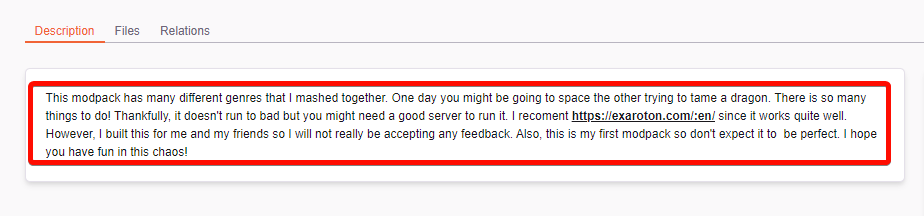 lyric crescent
that's why it shouldnt have been approved. curseforge isnt a "just for friends upload service"
fleet bear
then just give them the file if it's just for friends.
violet ledge
ya that wasn't working plus we need a server
fleet bear
CurseForge doesn't host servers
fleet bear
Thus there is no reason for it to be there.
CurseForge doesn't make server files either.
violet ledge
ya but I still need to share it with friends and it wasn't working
fleet bear
Give them the file
violet ledge
I tried
fleet bear
It's the same thing if you give it to them or they download it from the site
violet ledge
I tried giving it to them and it didnt work is what I am saying
fleet bear
Then either you did it wrong or they did it wrong.
violet ledge
do you want me to use curse forge or not? I just wanted to do a small project with my friends and you guys just start saying it is incorrect
you were the ones who approved it but not directly of course
fleet bear
CurseForge isn't a "For my friends" hosting service.
violet ledge
I know that
but do you really think a low effort modpack named BetterBunny111's modpack is going to get any attention
fleet bear
Then fix your modpack description to fit what everyone else needs to do. It's already in the mod queue to get looked at and I know for a fact it will get set to "Changes Required"
violet ledge
what do I need to add?
violet ledge
what, I did
fleet bear
You need to explain the pack, what it offers, how it's unique, what you did with it.
Saying it has mods, use this hosting service and "This is for my mates" doesn't do any of the above.
violet ledge
"One day you might be going to space the other trying to tame a dragon. There is so many things to do!"
does that not explain
fleet bear
That tells me literally nothing about the pack.
violet ledge
there is a wide variaty
I litteraly looked at a modpack and went off the basic things they said
digital roost
try going into detail about the variety of mods that are included
violet ledge
alright
fleet bear
There's a good example of a simple modpack description.
Tells you what it's goal is for existing, says what it has for primary content.
If you want to go crazy: https://www.curseforge.com/minecraft/modpacks/multiblock-madness
 kindred wraith
why is rlcrfat not starting?
i click play but it loads for some time and then stops

 hot shell
I am trying to build a Minecraft modpack, some of the mods are still in beta. I have selected to 'prefer beta' in the Minecraft settings, but it still does NOT allow me to search mods that are in beta... Is there a fix for this?
lyric crescent
like what
hot shell
Astral Sorcery, for one, but i have several i;d like to add
lyric crescent
screenshot you searching for it
hot shell
 lyric crescent
now go to the astral sorcery page and see what version it is for
your profile is 1.16.5
hot shell

However i know it work in 1.16.5, 'cause i have manually made my pack just by dl the individual files...
lyric crescent
if its not tagged for the profile you are using you cant get it with the app
mod dev needs to fix that
hot shell
I wish there was a setting that allowed me to at least browse for anything in the range, e.g. 1.16+ maybe with a warning that it may not work and we should test it first... something like that
fleet bear
How about no.
lyric crescent
maybe if people actually read warnings
fleet bear
That's what manual installing is for.
hot shell
at least it would let us break our own pack, and with the warning, it becomes our own fault
lyric crescent
then do it manually as clay said
hot shell
I guess i need to learn how to manually install and still have my pack accepted for listing on Curseforge 😛
 wet forum
Those are indeed the great secrets
 copper acorn
what's the difference between a verified role and a normal role
hot shell
I am sorry to be a pain, but i am unable to locate the KB article on how to manually add this mod
copper acorn
e.g. @Verified WoW
fleet bear
#829596904589361162 covers that
digital roost
hot shell
I am sorry to be a pain, but i am unable to locate the KB article on how to manu...
download the mod and drag and drop it into mods folder?
fleet bear
hot shell
I am sorry to be a pain, but i am unable to locate the KB article on how to manu...
you need to manually edit the manifest file.
hot shell
digital roost
download the mod and drag and drop it into mods folder?
Does this allow the approval of my pack when i submit it to Curseforge? Granted the mod(s) i want are listed on curseforge, just the client will not allow me to add it to my pack with the app yet.
digital roost
hot shell
Does this allow the approval of my pack when i submit it to Curseforge? Granted ...
oh idk that
digital roost
im not an actual helper or anything, im just a community member
copper acorn
would a verified role not be the same as a dev role?
how would one apply for a verified role instead of a dev role
fleet bear
Ah shoot
I didn't explain that
It's a 2 part role system.
Instead of making individual roles for every possibility you get a game role and a dev/artist/pack role.
copper acorn
oh that makes sense
fleet bear
I'll add an explanation quick.
 mossy heath
Out of curiousity, let's say I downloaded a minecraft modpack and wanted to update a mod but it requires a newer version of forge. How would I go about updating the forge
digital roost
mossy heath
Out of curiousity, let's say I downloaded a minecraft modpack and wanted to upda...
go to profile options and select a newer/older version of forge
fleet bear
copper acorn
oh that makes sense
thanks for that question. Updated the FAQ with info.
digital roost
I dont if this has been asked or posted somewhere, ive check and cant find anything relevant in the discord, but how does one get the Community Support role
fleet bear
I hand them out to people I've seen helping and know they have the experience to handle the mass of questions we get here.
digital roost
ahh ok
fleet bear
Typically other mods and community support people will also approve/reject the people before it happens too.
digital roost
Thank you
 verbal swan
how make mod?
digital roost
a mod or modpack?
verbal swan
just a mod because i already made a modpack
digital roost
First step is to know how to code in java and to google
 grand mural
Hello. How can i download Among Us "Town Of Us mod"?
queen storm
grand mural
Hello. How can i download Among Us "Town Of Us mod"?
You can do that on the site
grand mural
queen storm
You can do that on the site
Thank you
 wraith cargo
hi
grand mural
But i have one more question. I downloaded this file but it moved me to some folder. Do you know how to open this file?
wraith cargo
can i get some help with something
queen storm
wraith cargo
can i get some help with something
Rule 10
queen storm
grand mural
But i have one more question. I downloaded this file but it moved me to some fol...
Instructions are on the mod page
wraith cargo
o my bad lol
was making sure i weren't talking to myself
so u probably get this a lot but i did my research and can't find how to make mods so i came here in hopes to find the answer would u be able to tell me or suggest a web/app to do this
queen storm
wraith cargo
so u probably get this a lot but i did my research and can't find how to make mo...
Minecraft?
wraith cargo
no create one
digital roost
Google?
wraith cargo
minecraft
queen storm
Forge or fabric?
wraith cargo
ok i read this
queen storm
All I googled was "forge tutorial"
digital roost
"How do I make a minecraft mod"
wraith cargo
digital roost
"How do I make a minecraft mod"
OMG
digital roost
:\
wraith cargo
what's an empty directory
digital roost
its basically an empty home folder/location
digital roost
no
wraith cargo
gradlew.bat ain't there tho
digital roost
.bat is an executable and .properties is a text file
final schooner
some1 help
wraith cargo
oooo like jar files
queen storm
wraith cargo
gradlew.bat ain't there tho
This is not related to curseforge anymore.
Go to #786424115535544350 pick minecraft, use #⚙️︱authors-help
queen storm
final schooner
some1 help
Remove optifine, try again
queen storm
wraith cargo
how can i put if i can't chat tho
Read the messages, you don't chat there


 queen storm
wraith cargo
Mod addon developer?
queen storm
wraith cargo
Mod addon developer?
No, Minecraft as I said
wraith cargo
o u said MC dev so i was confused
queen storm
as the channel to go to 🤦♂️
digital roost
👍
final schooner
timtower it didnt work???
queen storm
forge-client.toml might be broken
final schooner
o but where is it located
final schooner
for my pack?
digital roost
yes
 ancient plank
thisis shit
digital roost
open up the folder that your pack is located in
ancient plank
i can't choose folder for mods
final schooner
mods?
digital roost
No the entire folder
digital roost
 ancient plank
BeCaUsE ThErE Is "uŻyTkOwNiCy" aNd tHiS Is wRoNg
digital roost
the .toml file will be in the config folder
just find it or search it
delete it
relaunch
digital roost
there is a folder called config when you click "Open Folder"
ancient plank
bugged