#👽︱game-support
1 messages · Page 151 of 1
 hardy zodiac
 rapid trail
how to change folder locations?
 wild jewel
!mc-path
 golden muskBOT
Change your install path to the following:
For Windows: C:\CurseForge
-Go to C:\ drive. Make a new folder. Name it Curseforge.
For Mac: /Users/Shared/CurseForge
If Minecraft is not installed in CurseForge App:
- Click the
 in the top left.
 - Select Minecraft from the list of games.
- Select the
Advancedoption and pick the folder you just made. - Click
Continue.
If Minecraft is installed in CurseForge App:
- Click the
 in the bottom left.
 - Select the Minecraft tab.
- Click
Change. - Select the folder you just made.
:no_entry_sign: Minecraft Files should NOT be installed inside the following locations :no_entry_sign:
:no_entry_sign: .minecraft folder.
:no_entry_sign: OneDrive folders.
:no_entry_sign: Desktop folder.
:no_entry_sign: Drive roots I.E. Directly into the C:\ drive.
:no_entry_sign: iCloud enabled folders.
:no_entry_sign: or any other cloud saved folder.
If any of the above are in the path you need to change/move it!
 cobalt horizon
Anyone know if the Medieval Minecraft Modpack is broken? Or doesnt run correctly?
The Modpack states 7GB ram is enough, but im running 8GB and server can crash when i mine a tree down
 autumn agate
i was trying to play fabric with a bunch of mods but when i open minecraft it instantly closes and this is the log
 last parcel
guessing a conflict between immersive portals and betterf3. not too familiar with fabric logs tho
last parcel
gunna want to take this to fabric support i think
last parcel
dont have the link. should be easy enough to find on google
autumn agate
k thx again
 magic kiln
help when a world loads the modpack crashes crashes
 mortal hawk
 lethal umbra
hello there. I'm playing engineer's life 2 actually and i've a problem now. when i click on an item, it change position in my inventary and i cannot select how many items i want. what i can do for fix it?
also i cannot press U for see a crafting
 agile crater
when i try download curseforge when i open it the file deletes
wild jewel
!getcf Use the second link
golden muskBOT
Looking to install the CurseForge app?
<:windows:798410728188936222> Windows
Minimum Requirements:
- OS Version: 7, 8.1, 10
- 64 bit Required.
- 350MB storage space.
- Microsoft .Net 4.8
- Intel/AMD quad-core CPU
- 8GB ram
Download: https://download.overwolf.com/install/Download?&PartnerId=4047
If you are having issues with the installer use the URL below to install Overwolf then go to the app store to download CurseForge.
https://content.overwolf.com/downloads/setup/latest/regular.html
<:mac:798410654418862130> Mac
Minimum Requirements:
- OS Version 10.14 or newer.
- 64 bit Required.
Download: https://curseforge.overwolf.com/downloads/curseforge-latest.dmg
:penguin: Linux
Minimum Requirements:
Yes.
Download: :person_shrugging:
 rapid bear
Hi I wanted to ask why the game crashed every now and then if it is because the modpack is heavy or it is a mod expetion pls can you help me
 fluid socket
Question, is there a way to make a custom mod pack I made into a server for free?
wild jewel
fluid socket
Question, is there a way to make a custom mod pack I made into a server for free...
!mc-installserver
golden muskBOT
How to **manually** install a server - **On your own PC**
- Check if the modpack has a server pack, if it does: use that and skip below.
- Go to the Forge website http://files.minecraftforge.net/ and download the Installer for the forge version the pack is using.
- Run the installer and choose
Install server. Do not install to your desktop. Also do not install inside a OneDrive folder. - Run the server using the forge.jar. A file called
eula.txtwill be generated. Open it and changeeula=falsetoeula=true - From the Client; Copy the
modsfolder,configfolder, and any other folders needed for the pack to work into the server folder. If the modpack has a server pack, use this instead! - Run the server again.
- Port forward your machine if needed. (Google it)
rapid bear
rapid bear
Hi I wanted to ask why the game crashed every now and then if it is because the ...
I'm waiting for your reply
@wild jewel
wild jewel
rapid bear
<@!525950791710801921>
Rule 5
fluid socket
wild jewel
!mc-installserver
it says
- install client
2.install server - extract
which one do i chose
rapid bear
rule 5?
wild jewel
fluid socket
it says
1. install client
2.install server
3. extract
which one do i chose
Which one do you think for a server?
wild jewel
rapid bear
rule 5?
rapid bear
a ok sorry
fluid socket
wild jewel
Which one do you think for a server?
when i click install server it says "there are already files at target directory"
wild jewel
fluid socket
when i click install server it says "there are already files at target directory...
Then why are you putting it in a used folder?
rapid bear
but tim is there someone who can help me
wild jewel
rapid bear
but tim is there someone who can help me
Just wait, or try again later
rapid bear
ok thanks
fluid socket
rapid bear
ok thanks
Can I add a zip to the mods folder or do I have to get the Java.jar versions of the mods into the folder?
wrong guy sry
fluid socket
wild jewel
Then why are you putting it in a used folder?
Can I add a zip to the mods folder or do I have to get the Java.jar versions of the mods into the folder?
wild jewel
fluid socket
Can I add a zip to the mods folder or do I have to get the Java.jar versions of ...
Mods are never zips
fluid socket
k
rapid bear
you have to add the mods in the mods folder not the zip
 smoky dirge
And they were years ago
fluid socket
So do I copy/paste these into that folder?
 rapid bear
yes
fluid socket
Even the 1.12.2 and memory repo thing?
smoky dirge
Won't hurt anything
fluid socket
so yes?
smoky dirge
It doesn't really matter
fluid socket
Ol
smoky dirge
They'll just generate it again
fluid socket
Ok*
rapid bear
as you want as much you generate the server
fluid socket
How to I get the IP for the server?
smoky dirge
Look up a youtube tutorial
fluid socket
Ok
fluid socket
Well the bot said if needed so maybe you don’t need port forwarding?
smoky dirge
If you've set it up before then you don't need to
 acoustic idol
If your playing with people in your network only you dont need to. But if you want to play with people outside your home then youll need to portforward
fluid socket
acoustic idol
If your playing with people in your network only you dont need to. But if you wa...
Alright, yea I need to port toward
smoky dirge
If somebody is at your house and wants to join then you don't have to
fluid socket
Is that safe btw?
fluid socket
Yea? But isn’t that like sending your personal IP to your friends
smoky dirge
And all you'd be able to access is whatever you have open on the port
Which would be the server
fluid socket
Ok
smoky dirge
Could hypothetically have a duplicate port that does bad stuff but I've never heard of that happening
Plus you'd still need your ip
fluid socket
so im at my router settings and it says the chose game/application.
it doesnt have minecraft, does that matter?
wild jewel
Nope
fluid socket
Ok
 charred dune
I have a problem with codechickenlib:
net.minecraftforge.fml.common.LoaderExceptionModCrash: Caught exception from CodeChicken Lib (codechickenlib)
Caused by: codechicken.lib.configuration.ConfigFile$ConfigException: codechicken.lib.configuration.ConfigParseException: Invalid value type d, @Line:20, dump_asm=true
any idea? Thx
fluid socket
wild jewel
Nope
but it says, the game/application is under another game? are you sure that doesnt matter and will work fro mc?
wild jewel
fluid socket
but it says, the game/application is under another game? are you sure that doesn...
It only cares about the port
fluid socket
k
smoky dirge
fluid socket
but it says, the game/application is under another game? are you sure that doesn...
You can call it anything you like it's just a label so you can easily figure out what it is in the future
rapid bear
rapid bear
Hi I wanted to ask why the game crashed every now and then if it is because the ...
can you help me pls
acoustic idol
rapid bear
can you help me pls
Remove optifine and try again
 grizzled perch
Hi
Does anyone know how I can fix this issue? Is there a step by step guide?
Server Mod Rejections.
I started trying to download the individual program files to the ones which the error says I need but I was getting in a bit of a mess with it.
Ps. I'm running this on Windows 10.
 acoustic idol
Make sure the version of your pack matches the one on the server. Same mods versions
acoustic idol
Optifine changes the way the game loads. If you want to use it you would need to ask the optifine devs
rapid bear
ok thanks very much
 stark pulsar
hello good afternoon, does anyone know how to change my profile picture in curseforge?
 dusk lichen
Hey is anyone else have the error 0 when they launch there game it’s just started happening to me
acoustic idol
dusk lichen
Hey is anyone else have the error 0 when they launch there game it’s just starte...
!mc-logs
golden muskBOT
Sending logs for support.
Right-click the modpack profile icon OR click the  button in the modpack profile.
Click 
Open Folder.
Open the logs folder.
Find the file called debug.log OR latest.log and drag it into discord.
dusk lichen
acoustic idol
!mc-installfix try this
golden muskBOT
- Click on the Minecraft Tab on the Left side of the CurseForge App.
- Click button next to the
Create Custom Profileoption. - Click

Repair Installationoption. - Play game.
NOTE: You will not lose any modpacks or worlds, These are saved in the Instances folder. DO NOT TOUCH THIS FOLDER OR YOU WILL LOSE EVERYTHING
dusk lichen
Hey i followed the steps yall gave me and im still getting the error code 0 when i use any modpack in curseforge
acoustic idol
Post the new latest log
dusk lichen
no they all stopped working when i downloaded medieval minecraft for fabric literately everything was fine before that
acoustic idol
In the app click > Miencraft tab > Screen shot your modded minecraft path
dusk lichen
 acoustic idol
That should be ok,
dusk lichen
every time i load up the modpack it finalizes then gives me the error code
acoustic idol
From the looks of the log you posted its not even finding minecraft all together. Give the install fix another go then as soon as it is done reboot your pc
dusk lichen
ok ill give that a shot
acoustic idol
If thet doesnt wok will have to try a new path
dusk lichen
now its saying minecraft directory not found
acoustic idol
!mc-path
golden muskBOT
Change your install path to the following:
For Windows: C:\CurseForge
-Go to C:\ drive. Make a new folder. Name it Curseforge.
For Mac: /Users/Shared/CurseForge
If Minecraft is not installed in CurseForge App:
- Click the in the top left.
- Select Minecraft from the list of games.
- Select the
Advancedoption and pick the folder you just made. - Click
Continue.
If Minecraft is installed in CurseForge App:
- Click the in the bottom left.
- Select the Minecraft tab.
- Click
Change. - Select the folder you just made.
:no_entry_sign: Minecraft Files should NOT be installed inside the following locations :no_entry_sign:
:no_entry_sign: .minecraft folder.
:no_entry_sign: OneDrive folders.
:no_entry_sign: Desktop folder.
:no_entry_sign: Drive roots I.E. Directly into the C:\ drive.
:no_entry_sign: iCloud enabled folders.
:no_entry_sign: or any other cloud saved folder.
If any of the above are in the path you need to change/move it!
acoustic idol
May just be easier to do this
dusk lichen
it worked you legend its been 4 days thank you so much
 shrewd flint
Hi! Do you guys know any mod that lets me lock crafting recipes behind FTB Quest?
 coarse elm
shrewd flint
Hi! Do you guys know any mod that lets me lock crafting recipes behind FTB Quest...
coarse elm
shrewd flint
Hi! Do you guys know any mod that lets me lock crafting recipes behind FTB Quest...
Game stages.
shrewd flint
coarse elm
Game stages.
Thank you!
 upbeat hemlock
when i want to join into minecraft i need to register i did but it says update your mod i dont know how somebody pls help
coarse elm
upbeat hemlock
when i want to join into minecraft i need to register i did but it says update y...
wha?
 spring walrus
so i cant find a mod ( Mine Mine no mi) even if i put the name in on the app so i downloaded it on google threw forge and it still doesnt show up how do i play it

 worldly ether
!mc-installmods
golden muskBOT
How to install mods in CurseForge App.
- Click
+ Create Custom Profile - Name it, select the required Minecraft version, select the Forge version (usually the highest number), click
Create. - Click the profile icon.
- Click
Add New Content - Search and install the desired mods.
- Start the game!
How to install mods not on CurseForge.
- Right click the profile picture or Open the profile and click the Icon next to the play button.
- Click
Open Folder. - Drag the mod(s) into the
modsfolder. (Note: Some mods will require others, to run. Make sure to read the instructions for the mod!) - Start the game!
 worldly ether
it's latest version only went up to 15.2 so to find it on the app search , you would need to be on a forge profile for 15.2
and then search for it in the "add more content" section , use it's project ID code - 78726
to find it
spring walrus
worldly ether
it's latest version only went up to 15.2 so to find it on the app search , you w...
thx man
i didnt know all this
worldly ether
searching "Mine Mine no Mi" will not find it on app but using the project ID code works
no problem
spring walrus
thx
 novel fractal
yo, can someone help me?
i need a reminder of which key force-crashes forge
 nova fern
anyone got experience with forge installation serverside? We're trying to run spongeforge for pixelmon, but it wants specifically forge version 1.12.2 14.23.5 2838, but that forge version's installer doesn't seem to work for any of us- prints an error log. Latest versions work, but that one won't. We'd really like to be able to use spongeforge, but it doesnt seem to have a ver for the latest 1.12 forge.
golden muskBOT
Known Working Forge Installers
1.5.2: 7.8.1.738
1.6.4: 9.11.1.1345
1.7.10: 10.13.4.1614
1.8.9: 11.15.1.2318
1.9.4: 12.17.0.2317
1.10.2: 12.18.3.2511
1.11.2: 13.20.1.2588
1.12.2: 14.23.5.2855
acoustic idol
?forgeinstaller
Unfortunatly forge broke their installers. those are the known working installers for 1.12.2 and down
 indigo fable
Is there a way to find out what version of Minecraft a mod needs? Trying to install an older mod but can’t get it working. Assuming it’s a Minecraft version mismatch.
acoustic idol
If your looking on the site click the mods file name, this will show you what version the mod is for
Otherwise yous the cf app to install your mods
indigo fable
Thanks! It says 1.7.1 but it hadn’t been updated since 2018 haha. Wasn’t sure it was right.
acoustic idol
1.7.1 is rather old in the 1.7 days
 weary schooner
 smoky dirge
@south plume What's the problem?
 south plume
It's not mapping the surface. IDK what it's doing
It's the 1.17.1 version so I assume it's a bug they'll fix in a later update
 smoky dirge
Then go into the cartography settings and turn it on
 smoky dirge
Always map surface
south plume
doesn't change a thing
smoky dirge
Hmm strange
 chrome ledge
Guys
Like there is lockette and block locker for spigot/bukkit
Is there any mod for fabric
THere is one
But
It has low downloads
so aternos wont allow
 cursive ravine
with the all of fabric modpacks i cant download them
so i would like some help
it comes up saying :failed to get mod loader from manifest
 rancid sun
So i just downloaded this for world of warcraft, it show's my other download however the mod i just downloaded doesn't show up under addons in WoW. how do i get it into the addons list in wow
 quiet willow
it says i have minecraft forge mods, i have 66 but i dont know how to delete them because it wont let me and ive gone into the appdata thing and looked in mods but they dont show up, i downloaded the mods on anothwer pc quite a while ago please help
nvm ive fixed it
chrome ledge
When no one answers you...
 twilit tusk
how do I update a modpack for minecraft using the app as I saw that a new version was released yesterday but do not see a button that says update will share a screenshot of the version that I have then one of the version that I want


 agile blade
The game crashed whilst fml will not run in demo mode
Error: java.lang.RuntimeException
Exit Code: -1
im getting this error code
what does it mean
 idle nimbus
As you just said, forge will not run in demo mode
agile blade
how do i take it off demo mode
wild jewel
Login with an account that has the java version
twilit tusk
hey Timtower do you know how to update a modpack using the app I have a screenshot of the version that I have and the version that I want in my last message
twilit tusk
how often can you repost a question
wild jewel
Link the file
twilit tusk
how do i do that
is this what you meant by linking the file https://www.curseforge.com/minecraft/modpacks/enigmatica6/files
wild jewel
twilit tusk
how do i do that
Is your client configured to load beta versions?
autumn agate
can i have some help please my friend made a server ATM6 and he can join the server something to do with foces close by remote host .... we have tried reinstalling java and mc also have tried dns and firewall settings.
idle nimbus
Logs
autumn agate
which logs?

this is what he gets when trying to load up the server
he can join other servrs just not this one specifically also the only one who cant form our group
idle nimbus
Server logs
autumn agate
on serverside nothing shows up
idle nimbus
That doesn't sound true but send the client logs then
twilit tusk
Timtower my client is configured to accept beta versions
autumn agate
idle nimbus
That doesn't sound true but send the client logs then
[07Aug2021 13:32:21.187] [Server thread/INFO] [net.minecraft.network.login.ServerLoginNetHandler/]: com.mojang.authlib.GameProfile@6cb2c920[id=27f41c45-7091-47d1-aa7a-47b992b06113,name=NorDoxIan,properties={textures=[com.mojang.authlib.properties.Property@72a3f202]},legacy=false] (/77.219.3.80:44326) lost connection: Timed out
this is what i could find on his name
last parcel
check the ip being used
send the client log
autumn agate
im trying to get the client log now its not my pc iits my mates
last parcel
well yea
twilit tusk
Timtower correction i am running this pack in single player but I thought that the changes made to the server would apply to single player as well
wild jewel
twilit tusk
Timtower correction i am running this pack in single player but I thought that t...
Client as in curseforge client
 karmic flame
hi
 broken halo
hey waht is good mod fo 1.16 taht is like veinminer
 cunning relic
Hi, when I try to connect to the site, it puts me that from since yesterday, it's normal?
 twilit tusk
sorry had to step away for a while but yes it is configured to accept betas
karmic flame
always when im starting curse forge it shows me this message: Oooops, that was not supposed to happen! Seems like we could not load CurseForge. Lets try one more time. But i tried it like 10 time and this always happens
 hot hamlet
my installation of CurseForge just doesn't work. I don't know entirely why but the entire thing is downloaded but when i open it, it just plain doesn't show up as a window or anything. the only thing I see is the icon in my dock.
 faint ingot
how do i keep my modpack from excluding mods i added
 chrome ether
I have some mods on my modpack 9 mods and minecraft keeps crashing is it my pc?
my pc has 8gb ddr2 ram, a gt 710 and intel quad core
twilit tusk
I got the newest version of the pack that I wanted updated by uninstalling the pack and reinstalling the same pack but with the newest version
 pastel maple
Can anyone help me with a Exit Code: 0 Crash?
pastel maple
 lunar oasis
Can someone explain to me how to get rid of this error? It keeps lagging my server and crashing it..
Server thread/WARN [minecraft/ServerWorld]: Trying to add entity with duplicated UUID ea670a81-7bee-4b56-96fa-9ee2d2e42e1b. Existing
golden muskBOT
╰( ͡° ͜ʖ ͡° )つ──☆*:・゚ *˜”*°•.˜”*°• Many Help •°*”˜.•°*”˜* <:curselit:796985620550385705>
Please provide a description of your issue with as much detail as possible. If you have an issue with a mod or modpack, tell us the name. Explain what you can see happening. Be specific!
 Tell us what is happening, we already know it "doesn't work".
Avoid using words like "it", tell us exactly what "it" is.
Don't assume anyone knows what you are talking about, be specific.
Tell us what you expected to happen.
Provide screenshots or video if possible.
Provide a log if possible. ?mc-log
 mental comet
out of no where my game keeps crashing to "The game crashed whilst rendering overlay Error: java.lang.RuntimeException: null Exit Code: -1" This happens when I press play to start up and after about 2min into the starting up process the game crashes. Anyone know how to fix this?
 tame depot
find the latest.log file and look for any errors in it
tame depot
dm it to me
mental comet
alright
 coarse elm
And that's a ban.
 stone vessel
Hey so didnt there used to be a small udpate button whenever a modpack had an update
wWAit
i see it
gotta hover
stone vessel
anyways so my actual question is when i update my public modpack, does it overwrite any custom mods a player have added?
like if someone added optifine
coarse elm
Yes.
stone vessel
damn
coarse elm
Well, it can.
stone vessel
wdym
coarse elm
To be more correct
If you install to a new profile obviously none of the settings transfer. If you install to the same profile depending on what you include in the pack it can overwrite some things.
autumn agate
coarse elm
And that's a ban.
tried to message you, being more discrete ... but you dont allow messages
 gaunt bluff
how long does it take for a modpack to get uploaded cause mine craft under review what does that mean?
coarse elm
You dont need to be descrete about people breaking the rules. Unless it has sensitive information, then just ask to add me and explain why
stone vessel
gaunt bluff
how long does it take for a modpack to get uploaded cause mine craft under revie...
mine took like 2 days to get approved be patient my guy
autumn agate
coarse elm
You dont need to be descrete about people breaking the rules. Unless it has sens...
can i add you? XD
coarse elm
gaunt bluff
how long does it take for a modpack to get uploaded cause mine craft under revie...
!status
golden muskBOT
It is 11:31PM on Saturday for CurseForge my dudes.
Project Moderation Time
Project/File moderation is done on;
Sunday, Monday, Tuesday, Wednesday, Thursday: 10AM - 6PM GMT+2
Friday, Saturday: No Moderation!
This process is First in, First out. Thus files submitted late in the work day may not be checked until the next work day.
New Projects or uploads requiring manual approval: 1-3 Working Days
Updates to approved projects not needing manual approval: 1 Hour
File sync to the Curseforge app may take up to 24 hours after approval.
coarse elm
autumn agate
can i add you? XD
Only if you have a reason to.
I dont just add people and have dms blocked due to people not understanding I'm not 24/7 support for all their issues.
autumn agate
coarse elm
Only if you have a reason to.
I dont just add people and have dms blocked due t...
clearly, its called a job and a life, why cant everyone else understand that?
coarse elm
It's not even my job. None of us orange or blue names are employed by curseforge.
Only the red people work for overwolf/curseforge.
I could up and leave tomorrow if I wanted to and there wouldn't be anyone to replace me right away. Many people would be very disappointed though.
autumn agate
yeah and everyone was tripping over them selves to help me
autumn agate
Where can I get a server download to host stoneblock 2? I have port forwarding set up but cant find the server download
coarse elm
From ftb
 hearty mulch
Could someone help me out with a crash I just got? Been dealing with crashes all day, uninstalled the crashy Newest Version of Pam's harvestcraft... but upon trying to create a world my game shut down.
Here's my latest:
https://gist.github.com/JadeOfTheSky/69140583b2a002f983bf09750951d027
 autumn agate
In server setting for stoneblock 2 I do not see a level-type to change world to void world
I see a levle-name and level seed-
hearty mulch
oh? wait, in my latest-log?
 dusty atlas
i think it would be cool if there was a channel for like "mod of the week" to post mods that are amazing but aren't very famous
coarse elm
Not so sure about a weekly thing but a monthly thing perhaps?
How would you pick one though?
dusty atlas
coarse elm
Not so sure about a weekly thing but a monthly thing perhaps?
How would you pic...
search textConjure on yt
he does things like that
coarse elm
Also, CurseForge supports many games, How do you decide what game gets it?
worldly ether
the website itself already has a featured section which displays mods from several of the games
coarse elm
If your offering the idea up i'd hope you can provide the information to back it up. I'm not gonna hunt down info
dusty atlas
coarse elm
Also, CurseForge supports many games, How do you decide what game gets it?
maybe the ones on discord, like minecraft, wow and amogs
coarse elm
so we would need one per game
coarse elm
i spose we could look into doing something
not sure how many people around here would really care tho
 obtuse sky
hello, i just made a raid farm in my minecraft survival world, and it is really annoying to have to sit there and click my mouse every 2 seconds, does anyone kow a virus-free mauto clicker for minecraft if so please tell me
obtuse sky
pls telllll meeeeeeeeeeeee ifffff uuuuu knnnnoooowwwwwwwwwwwwwwwwwwwww
last parcel
that.. has nothing to do with support or anything related to curseforge at all. not really a suprise no one answered you.
 hollow temple
Is there a mod that makes chest have loot in them? i made a modpack server and all the chests are empty.
 tight rose
how do you downgrade minecraft modpack profiles?
acoustic idol
tight rose
how do you downgrade minecraft modpack profiles?
As in downgrade the minecraft version?
 granite fulcrum
hey so im trying to install minecraft mods but when i click on standered it says modding folder cannot be found on one drive]
acoustic idol
You make a new custom profile for the mc version you want
acoustic idol
granite fulcrum
hey so im trying to install minecraft mods but when i click on standered it says...
!mc-path
golden muskBOT
Change your install path to the following:
For Windows: C:\CurseForge
-Go to C:\ drive. Make a new folder. Name it Curseforge.
For Mac: /Users/Shared/CurseForge
If Minecraft is not installed in CurseForge App:
- Click the in the top left.
- Select Minecraft from the list of games.
- Select the
Advancedoption and pick the folder you just made. - Click
Continue.
If Minecraft is installed in CurseForge App:
- Click the in the bottom left.
- Select the Minecraft tab.
- Click
Change. - Select the folder you just made.
:no_entry_sign: Minecraft Files should NOT be installed inside the following locations :no_entry_sign:
:no_entry_sign: .minecraft folder.
:no_entry_sign: OneDrive folders.
:no_entry_sign: Desktop folder.
:no_entry_sign: Drive roots I.E. Directly into the C:\ drive.
:no_entry_sign: iCloud enabled folders.
:no_entry_sign: or any other cloud saved folder.
If any of the above are in the path you need to change/move it!


 ruby echo
yes
acoustic idol
Link where you got it from
ruby echo
its all the mod six
acoustic idol
What version? Just link the server pack your using
acoustic idol
Contact the projects dev. Most likely something they will need to fix
ruby echo
damn fr thanks anyways bro
acoustic idol
np
 celest wedge
tryna join my friends server in enigmatica 6 but im getting this error

 dusky sandal
I keep getting the reauth login when I click to do that I type in my email and my password and it tells my my credentials are bad??? I am on a dell and had no problem logging in a couple days ago.
coarse elm
dusky sandal
I keep getting the reauth login when I click to do that I type in my email and m...
remove the mod
dusky sandal
@coarse elm so uninstall the pack and then reinstall it?
coarse elm
no. remove the reauth mod
dusky sandal
Ummm not a clue how to do that. ><
coarse elm
!mc-editpack
golden muskBOT
How to add/remove mods in a modpack.
- Click on the picture of the modpack.
- Click the

Add More Contentbutton, IF this button is not there, see below before continuing. - Find the Mods, Resource Packs or Maps you wish to Install and click
Installon them. - Wait for all the required mods to be downloaded.
- Start the modpack.
How to Enable/Disable content management for modpacks.
- Click on the picture of the modpack.
- Click on the button next to the
Playbutton. - Click on

Profile Options. - Check the
Allow content management for this profileoption if you want to edit the content of the modpack, uncheck it to disable.
NOTE: The Allow content management for this profile option is what allows you to Delete, Disable, Update or Install any Mods, Resource Packs or Maps managed by CurseForge. It must be on to modify any of them! (Currently)
coarse elm
do the second part, then click the on/off thing or delete it
dusky sandal
Ok will do. Ty for your help. If I have any more probs will do anitjer comment.
 fierce thistle
Does anyone know what mod is doing this?

It was still there when i turned off shaders so i know its one of my mods
Heres all my mods
 idle nimbus
Dynamic surroundings I'm pretty sure
fierce thistle
Doesn't that mod just add sounds?
fierce thistle
oh
idle nimbus
You should be able to individually disable them
fierce thistle
Is it trying to do this?
 idle nimbus
I think it was either through a keybind or a config file
Yes that is what you're looking at
fierce thistle
Is there a way to fix the colors of it?
idle nimbus
I think they're randomized
idle nimbus
It's not like this color is wrong they're not all green you know
idle nimbus
Something something magnetic fields are low something something solar rays
idle nimbus
I don't really remember
fierce thistle
Do they show up anywhere in the world?
Like do they show up in like canada or something
I wanna go see them in person now
Im really interested in these things now
Im gonna drive somewhere to see them in the winter and grab a coffee and timbits for a snack
idle nimbus
Well yeah if you go north enough
They show up at the poles
Probably don't go there during winter
fierce thistle
Wait why
idle nimbus
It's cold and dark
idle nimbus
Well yes but you also don't want it to be dark for 24h a day
fierce thistle
oh i guess so
I heard as a kid that if i see them by myself they can take my soul
idle nimbus
I cannot confirm nor deny that they will take you soul
But anyways we're way off topic now
worldly ether
I and many others would not recommend using hamachi for such as there is security risks
!mc-installserver
golden muskBOT
How to **manually** install a server - **On your own PC**
- Check if the modpack has a server pack, if it does: use that and skip below.
- Go to the Forge website http://files.minecraftforge.net/ and download the Installer for the forge version the pack is using.
- Run the installer and choose
Install server. Do not install to your desktop. Also do not install inside a OneDrive folder. - Run the server using the forge.jar. A file called
eula.txtwill be generated. Open it and changeeula=falsetoeula=true - From the Client; Copy the
modsfolder,configfolder, and any other folders needed for the pack to work into the server folder. If the modpack has a server pack, use this instead! - Run the server again.
- Port forward your machine if needed. (Google it)
last parcel
We do not support pirated launchers here.
worldly ether
Using such launcher is severely frowned upon since it is illegal.
 hoary briar
Yeah i know.
Alright then. Are you free later? Cuz i might need help on setting the forge server up.
idle nimbus
Wait but you're trying to play locally you said?? You don't need hamachi for that either way
 placid sedge
What does this error mean? that I have to do?
 last parcel
?mc-log
golden muskBOT
Sending logs for support.
Right-click the modpack profile icon OR click the button in the modpack profile.
Click Open Folder.
Open the logs folder.
Find the file called debug.log OR latest.log and drag it into discord.
last parcel
looks like an issue with geckolib
placid sedge
I don't have gheckolib
these are the mods of the folder + fabulousy optimized modpack

 hasty glen
what should i do

this is for enigmatica 2 server i cant start it
did anyone else had this before ?
 tight hinge
I am using the wow classic tbc addon version of Aux and some items in the auction house are coming up with higher bid price than buy out price, any one else had this problem? have i been loosing gold using this addon?😩

 lost tendon
i have a problem whenver i try launchcing the curse forge ap it just shows an error,"oopsie that wasn't supposed to happen" and asks me to try again. When i launch on my browser it says curseforge cant provide a secure connection with the error code ERR_SSL_PROTOCOL_ERROR
golden muskBOT
- Click on the Minecraft Tab on the Left side of the CurseForge App.
- Click button next to the
Create Custom Profileoption. - Click
Repair Installationoption. - Play game.
NOTE: You will not lose any modpacks or worlds, These are saved in the Instances folder. DO NOT TOUCH THIS FOLDER OR YOU WILL LOSE EVERYTHING
coarse elm
!mc-installfix
 glossy scroll
 manic patio
Is this optifine's fault?

 charred dome
Speaking of optifine is there optifine for 1.7.10?
golden muskBOT
Optifine and Curseforge
To install Optifine with modpacks on Curseforge:
Right click the modpack icon, select Open Folder.
Put the Optifine.jar into the mods folder.
Now load the modpack normally.
We do not offer support for Optifine. If you have issues with Optifine, remove it. If you want further support try the discord found on their website.
https://www.optifine.net/home
 next jasper
I cant download skyfactory 4 with the server pack
 stark fractal
Can anyone please help me with this, this is so frustrating.
I spent 8 hours setting up a server only for me not being able to join it, my friends are fully able to.
This is copy pasted from a reddit post I made:
After struggling all day to setup a server I finally managed to setup a ATM 6 server that my friends could join the only problem is that I can't. I've reinstalled the modpack 4 times, reinstalled overwolf and Curse and restarted my PC and the laptop I'm hosting the server on but I still can't join. I would greatly appreciate help.
my friends and I all have this X: https://i.imgur.com/R4RN9j7.png under the server but they are still able to join.
This is the error message I get every time I try to join:

Pastebin
Pastebin.com is the number one paste tool since 2002. Pastebin is a website where you can store text online for a set period of time.
 viscid dune
I need some help to be able to set up a server with my friend for stoneblock. Please and thank you.
 torpid aspen
I keep trying to play large mod packs and I would load in but it will crash in game
 past plover
torpid aspen
I keep trying to play large mod packs and I would load in but it will crash in g...
past plover
torpid aspen
I keep trying to play large mod packs and I would load in but it will crash in g...
That's a case of 'My pc is a potato' Syndrome, believe me, we all experience it one or twice (Or a thousand times 😠 )
past plover
Simple, allocate as much ram as you can before it lags, then GOOD LUCK! @torpid aspen
torpid aspen
Thanks
 teal ibex
hello, im tring to play better minecraft on curseforge and it keeps saying unable to update the minecraft native lancher
hoary briar
idle nimbus
Wait but you're trying to play locally you said?? You don't need hamachi for tha...
Locally but not same net same location. My friend is in china while im in philippines.
 minor delta
One message removed from a suspended account.

 pine rapids
?mc-logs
golden muskBOT
Sending logs for support.
Right-click the modpack profile icon OR click the button in the modpack profile.
Click Open Folder.
Open the logs folder.
Find the file called debug.log OR latest.log and drag it into discord.
 night maple
coarse elm
night maple
coarse elm
It's a mod that runs only on the client and does things related to the client. Primarily rendering related as servers are headless. They dont see or render anything.
So like if you wanted to make a mod that shows where you died last, the server isnt required to know where you died last and the marker you set doesn't rely on the server to tell you the location.
So you can make a client mod that does all of that and then play on any server with it.
 earnest cape
hey
i cant open normal mc
i can only open it through curseforge
tf
hello?
ruby echo
hey when i put optifine into my server it didnt work and i dont know why like it didnt show the extra settings and shaders option
acoustic idol
Optifine is a client side only mod. It will not work on a server
pine rapids
...what?
I feel like you're completely misunderstanding how Optifine (and other client-only mods like it) works
acoustic idol
Clint side == Mods that are for the client only, ie: mods that change how things are rendered. ex: resource packs, optifine, shadders
Client/server mods == Mods that add content to the game. ex: Blocks, items etc
Clients with Client side mods can still join servers that dont have the mods and use them tho. Hence the Client side only aspect
 ancient burrow
Hey ive been trying for awhile to get my curse forge to find my stardew valley but it just wont work anyone know why?
 sage pier
!stardew
golden muskBOT
Overwolf maintains a known list of issues here, some with solutions, others without.
https://support.curseforge.com/en/support/solutions/articles/9000196615-curseforge-known-issues
Scroll down, look at "Other games"
 strong sierra
heyowhat do the green R and blue B mean on the website when downloading mc mods?
coarse elm
 = Release
 = Beta
 = Alpha.
It's the state of the mod in development according to the person that uploaded it.
strong sierra
ahhhhh i see tysm
 lavish fractal
hey any one know how i can find citadel on the app
i want to play ice and dragons in the best experiance
worldly ether
mind not channel hopping with the same question😆 , i've answered on #🔥︱curseforge-support
lavish fractal
sorry its just cause i noticed this said community and i thought ied have a better chance at getting a anwser here
wont happen again
 deep spindle
when loading my modpack after updating dynamic surroundings i get this crash
any ideas?
last parcel
remove it?
deep spindle
i dont want to do that though its just a really nice mod, if i cant figure it out ill just bring it back down a version
golden muskBOT
Please visit the project page for the content you posted about and look for a way to contact the developer.
Somewhere on the page there is usually a method of contact. Look for one of the following things:
Issuestab like the image below.- Discord link.
- Twitter link.
- Comments section below the project.
If no contact method exists you will either have to remove the project or find a solution on your own.
 deep spindle
oh yeah i forgot about that lol
 ionic pond
Hey was messing around with a modpack and when I try to load into the server it says "Payload may not be larger than 1048576 bytes" not sure how to fix it, or if it is possible.
wild jewel
 tribal gale
Follow rule 4
 misty sky
can anyone teach me how to compile a mod sourced from github? or a video on how to do so
im not sure if im supposed to ask it here or on another channel
wild jewel
misty sky
ah, i see
 fringe shard
Hello guys every time I try and go to the end in my modded singlelplayer world the game crashes. This happens on all newly generated worlds. I am running quite a few mods so is anyone able to interpret this log:
 slim sparrow
hi i've been trying to add floralis to my modpack for dye farming (only about 3 dye farm mods that are relatively realistic and floralis is by far the best), but for some reason hunger overhaul ismessing with it. whenever i hover over anything from floralis in my inventory or jei, the game will immediately crash. I've tested and it's definitely hunger overhaul causing the problem. does anybody know how i can fix this without removing either mod? please ping if you have an answer
 last parcel
slim sparrow
hi i've been trying to add floralis to my modpack for dye farming (only about 3 ...
last parcel
slim sparrow
hi i've been trying to add floralis to my modpack for dye farming (only about 3 ...
?projectissue ⬇️
golden muskBOT
Please visit the project page for the content you posted about and look for a way to contact the developer.
Somewhere on the page there is usually a method of contact. Look for one of the following things:
Issuestab like the image below.- Discord link.
- Twitter link.
- Comments section below the project.
If no contact method exists you will either have to remove the project or find a solution on your own.
 lament sinew
is it possible to create a server with better minecraft?
 feral willow
Minecraft is barely using 20% of both GPU and CPU (according to MSI afterburner overlay), while still being laggy. I've done a few things and now vanilla can get somewhat consistent 60fps, but still doesnt use much processing. Modded is nigh unplayable, even the light modpack i made. Other games can keep higher framerates but should be more intensive. Anyone got ideas?
last parcel
press f3 ingame and take a screenshot

 spiral apex
wild jewel
spiral apex
wild jewel
Because the user broke rule 4, and I cleaned the entire conversation
lament sinew
so theres no way to play better minecraft without hosting on a paid server?
wild jewel
You can make your own server
lament sinew
but how do i add the whole mod pack in? sorry new to server creation
wild jewel
!mc-installserver
golden muskBOT
How to **manually** install a server - **On your own PC**
- Check if the modpack has a server pack, if it does: use that and skip below.
- Go to the Forge website http://files.minecraftforge.net/ and download the Installer for the forge version the pack is using.
- Run the installer and choose
Install server. Do not install to your desktop. Also do not install inside a OneDrive folder. - Run the server using the forge.jar. A file called
eula.txtwill be generated. Open it and changeeula=falsetoeula=true - From the Client; Copy the
modsfolder,configfolder, and any other folders needed for the pack to work into the server folder. If the modpack has a server pack, use this instead! - Run the server again.
- Port forward your machine if needed. (Google it)
wild jewel
Silly bot
wild jewel
How did you start the server?
lament sinew
i made a new folder for the server after step 3
this was all there was and i tried clicking the run and nothing happened
 wild jewel
And, where did those arguments came from?
autumn agate
How do I fix java.lang.nullpointerexception
last parcel
need logs
lament sinew
im not sure its from the run file
pine rapids
lament sinew
this was all there was and i tried clicking the run and nothing happened
You need Java 16 to run a 1.17.1 server, that message is the result of using another version
lament sinew
oh its running after updating it !
so im able to set the server up
how do i add the mods for better minecraft?
last parcel
step 5
lament sinew
so copy the whole betterminecraft file in?
last parcel
that is not what step 5 says
lament sinew
im not sure which is the essentials for it
last parcel
you should ask the person(s) that created it then
lament sinew
ah alright thank you
 lucid panther
Anyone got any recommendations for how to go about hosting a custom created modpack from curseforge? Just created one and I am looking for some advice from you guy
autumn agate
whenever i try to load my world it just freezes and i have to close using task manager
 tranquil lantern
I need to know what this means. I tried finding the modmenu mod but it doesnt show up.
"mod 'Giselbaers Durability Viewer' (durabilityviewer) recommends any version of mod modmenu, which is missing!
- You must install any version of modmenu.
 fickle berry
Hey! i was playing normally and this morning my minecraft stops to start. Dont show any log and dont open either using the original launcher nor the curse forge launcher. I uninstall and install everything, java, minecraft and curse forge. Someone could help me?
stark fractal
I can't join my own ATM6 server and I have no idea why when parsing these logs. I'm assuming the issue here is on line 5 since it's fatal. https://pastebin.com/f8eK6uLC
Pastebin
Pastebin.com is the number one paste tool since 2002. Pastebin is a website where you can store text online for a set period of time.
I could join my server just an hour ago and now I can't rejoin. My friends have no issues joining
 crystal temple
so has everyone been having trouble loading up modpacks? every time i click play on one it loads for a while then stops and my computer says it stoped a virus
last parcel
nope, just you. are you using the curseforge app?
crystal temple
yes i am
someone told me they think its a fire wall issue but idk how to fix that. and also it just started today its been fine for months now and just started doing it today
last parcel
can you show the message
ionic pond
Hey I am getting this error when loading into my server. Anyone know of a fix without removing mods?
 acoustic idol
What mods? And screen shot how your searching for them
 pine rapids
Do we have a command for that or do I need to type it out?
 stark holly
why are there main mods missing for 1.7.10
pine rapids
Orespawn and its related mods were removed following a period of controversy
crystal temple
last parcel
can you show the message
i dont know how to
stark holly
pine rapids
Orespawn and its related mods were removed following a period of controversy
wait why
pine rapids
Short and dirty version is people are dicks
stark holly
pine rapids
Short and dirty version is people are dicks
what explain in english
acoustic idol
Think Gil pinned the orespawn stuff in #🔥︱curseforge-support
pine rapids
Yeah he did: #🔥︱curseforge-support message
 frosty glen
why can't my curseforge read what's in my D drive?
frosty glen
how do I connect it?
coarse elm
like, can you open it on your computer?
frosty glen
If I try on normal Minecraft, it works
but if I try on curseforge, it doesn't work
nvm
I'm just dumb
coarse elm
ok
frosty glen
I put my file location thingy in instance
not minecraft
which meant it didn't read anything else in there
except 4 specific file
acoustic idol
Huh?
acoustic idol
 gray wigeon
does anybody have a minecraft 1.16.5 jar file for mods
gray wigeon
does anybody have a minecraft 1.16.5 jar file for mods
What are you trying to do?
gray wigeon
make a 1.16.5 curseforge multiplayer server
acoustic idol
!mc-installserver
golden muskBOT
How to **manually** install a server - **On your own PC**
- Check if the modpack has a server pack, if it does: use that and skip below.
- Go to the Forge website http://files.minecraftforge.net/ and download the Installer for the forge version the pack is using.
- Run the installer and choose
Install server. Do not install to your desktop. Also do not install inside a OneDrive folder. - Run the server using the forge.jar. A file called
eula.txtwill be generated. Open it and changeeula=falsetoeula=true - From the Client; Copy the
modsfolder,configfolder, and any other folders needed for the pack to work into the server folder. If the modpack has a server pack, use this instead! - Run the server again.
- Port forward your machine if needed. (Google it)
acoustic idol
Youll need to install forge. Curseforge itself doesnt do servers
acoustic idol
Click the link for forge in the bot. You will find the version you need there
 acoustic idol
I see that. You can download it from the forge site and make your server files.
 acoustic idol
This for installing forge itself?
acoustic idol
wait. Are you using the curseforge app? OR installing forge manually for vanilla client or server?
 sterile solstice
not using the app
isntalling forge for a client
i dont know either manual or auto
acoustic idol
Why not use the cf app for your client? Makes life easier
sterile solstice
maybe
acoustic idol
Otherwise you would need to ask the forge devs on this issue
Forge discord: https://discord.gg/UvedJ9m
 naive niche
Hello! When running engimatica 2 my friends are getting an error at loading JEI at 6/7.
 acoustic idol
!mc-logs
golden muskBOT
Sending logs for support.
Right-click the modpack profile icon OR click the button in the modpack profile.
Click Open Folder.
Open the logs folder.
Find the file called debug.log OR latest.log and drag it into discord.
naive niche
I looked it up and it's caused by an old java version, but curseforge doesn't show any other versions
whoops sorry lemme get those
thats the log sorry for the wait
acoustic idol
From the look of the log it is closed by the user. Out of curiosity how much ram have you allocated to the cf app?
naive niche
Just added more that fixed it thanks
acoustic idol
np
 thorny depot
hey i got a question is anypone here
 finite hare
so i got the curseforge installer and everytime i open it, it asks for admin permissions, when i say yes nothing happens, anyone know why?
i also got overwolf which allowed me to get the installer without it deleting itself
finite hare
ty
 prime summit
hello guys i have issue on mod dark trilogy when i join in the game pls help 😦 (sorry for bad eng -_-)

 misty slate
Is there any way to use my modpacks offline?
last parcel
no
misty slate
dam
last parcel
you can start it up online then leave it open
misty slate
I know that, it's happened a few times. But I just turned on my computer. (My internet is ass during the day).
 warm pagoda
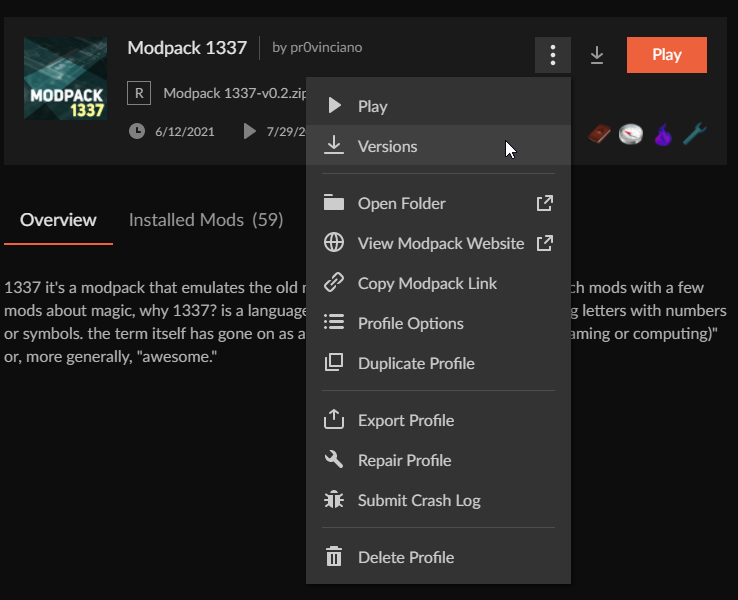
Having an issue with a modpack profile no longer having access to the versions option? It just disappears and I can no longer update or downgrade the modpack profile?
 junior light
warm pagoda
Having an issue with a modpack profile no longer having access to the versions o...
junior light
warm pagoda
Having an issue with a modpack profile no longer having access to the versions o...
Wdym by access?
What do you see?
warm pagoda
So where you would normally access the versions options it's just not present. So if I click the menu button to the left of play, there is not versions option. And there is not arrow next to the menu button to access versions.
last parcel

 junior light
warm pagoda
So where you would normally access the versions options it's just not present. S...
junior light
warm pagoda
So where you would normally access the versions options it's just not present. S...
If you got this enabled then you cannot change version

Make sure to disable it
warm pagoda
Gah, okay
warm pagoda
And tyvm, that has been driving me nuts.
 sinful sequoia
I'm seeing something odd in my logs. I created a pack in the CF app, then went to the mods folder and copied all of the mods from the client to the server. Whenever I try to connect the client to said server I get this line of code, and then my client crashes to the server list
"[20:05:16] [Netty Client IO #0/INFO]: Client has mods that are missing on server: [druidcraft, abnormals_core, soaringstructures2, wawla, create, ensorcellation, waystones, nnow, clumps, comforts, village_employment, artifacts, cb_multipart_minecraft, framedcompactdrawers, mahoutsukai, enderstorage, akashictome, ftbchunks, bloodmagic, selene, tconstruct, enchdesc, mana-and-artifice, forbidden_arcanus, towers_of_the_wild, easy_villagers, cookiecore, quark, storagedrawers, statues, grinder, auraddons, tramplenomore, minecolonies, chisel, solcarrot, jungle_villages, illagers_plus, spawn, thebeginning, mana-plus, exnihilotinkers, expandability, valhelsia_core, translocators]"
last parcel
server isnt loaded with those mods. not much else to say on that
sinful sequoia
Yeah... That's what I thought. But they are all on the server. Sounds like an issue for the server host to deal with?
last parcel
that, or whoever put the mods on the server did it wrong
sinful sequoia
Alright, thanks Yamza
 solid cypress
I recently got my mod pack approved just the other day but the pack itself still hasn’t shown up on the curseforge launcher, does that take time or should it pop up instantly after approval?
wild jewel
solid cypress
I recently got my mod pack approved just the other day but the pack itself still...
!sync
golden muskBOT
Sync and your Project.
CurseForge App and site do not share the same requirements! You can find things on the site but this does not mean it will be in the app!
For a mod to show up in the app:
- Projects MUST have a file marked as RELEASE or BETA
- Projects MUST be APPROVED
- Projects MUST have a file marked for the GAME VERSION SELECTED/LOADED
- Projects CAN'T be EXPERIMENTAL
- Projects CAN'T be ABANDONED
Files can take a while to show up in the app. If your files still have not shown up either your project is new and you have yet to mark a file as Release/Beta or there is issues with the sync system making it slow.
Vote this issue up if you would like to know when the last sync was! https://curseforge-ideas.overwolf.com/ideas/CF-I-1617
solid cypress
Thank you!
gray wigeon
are there any minecraft servers for The Kingdom of Daldar mod?
gray wigeon
solid cypress
Thank you!
what is your mod called?
solid cypress
I don’t have a mod, I have a mod pack called Sponty SMP
slim sparrow
the mod im trying to add to my modpack (which i am planning to make official) is not showing up. its called concrete extends, and is in the right version. I have it open on the curseforge website, but it doesn't show up on the app. is it cuz its abandoned? how do i add it?
wild jewel
slim sparrow
the mod im trying to add to my modpack (which i am planning to make official) is...
If it is abandonded then that is the reason
slim sparrow
ik i can just move the file to the mods folder but i was told that it wouldn't then show up when i make it official/submit to curseforge and it would act like the mod isn't there
ok but how do i add it tho
wild jewel
Add it by hand, or search on project number
 paper swift
Hey strangers :), I hope everyone here is having a wonderful day today.
I was wondering if anyone knows a way to make a modpack private, but have files able to be publically downloaded.
And also I had a quick question about expirimental files. If I have a modpack in expirimental, and our first file is still tagged as "under review" over 4 days. Is it not being seen by a mod because the pack is labaled as expirimental?
wild jewel
paper swift
Hey strangers :), I hope everyone here is having a wonderful day today.
I was ...
Private modpacks don't exist.
And experimantal breaks things, don't use it
paper swift
@wild jewel thankyou for the clarification.
So it sounds like, I will just have to try to release as a public pack rather than experimental then. And there is no way to link it as unlisted?
My issue is i need to work with devs and share the pack to them, I don't know some of them very well and don't want the files stolen. But the pack is also very buggy at this stage and I'm hoping to wait until its more stable before releasing it for public download
wild jewel
Just send them the zip then
slim sparrow
wild jewel
Add it by hand, or search on project number
i used the project number and found it on the app but now its giving an error. It says "An error has occurred. Please check your connection and trya gain." except i have been adding mods and searching things for a while now and it says i have connection. after it gave error i tried and successfully downloaded another mod and went back and gives same error
wild jewel
slim sparrow
i used the project number and found it on the app but now its giving an error. I...
Probably because of the abandoned
slim sparrow
so there is no way to add it then 😦
 crimson lion
I get this mod note when i get rejected, the files were added from the curseforge app how do i fix, i need this pack for my modded server
 wild jewel
How did you install them? Using the app or drag and drop?
crimson lion
a mix of both
the version before added fine
but now it wont, and this time it was just the app
dont know why this started happening now
last parcel
?REJECT-CFHOSTED
golden muskBOT
The following files belong to CurseForge-hosted projects, and should therefore not be added directly to zip files:
-
Remove any mods listed in the error message from the profile you exported. Then reinstall them with the CuseForge app. DO NOT drag and drop files from the site.
-
Export the profile again, open the new zip that was just made. Check for the
overrides/modsfolder. If you still see any mods in that folder do the step above again for each mod. -
Upload the zip once complete and no more mods show in the
overrides/modsfolder.
crimson lion
thanks
 gleaming ore
When i ask curseforge to launch vanilla minecraft, it starts the updater, gets to 'Downloading update installer...' and closes. If I try to launch any modpacks, it simply does nothing. I can launch the game no problem with the regular launcher.
acoustic idol
gleaming ore
When i ask curseforge to launch vanilla minecraft, it starts the updater, gets t...
!mc-installfix try this
golden muskBOT
- Click on the Minecraft Tab on the Left side of the CurseForge App.
- Click button next to the
Create Custom Profileoption. - Click
Repair Installationoption. - Play game.
NOTE: You will not lose any modpacks or worlds, These are saved in the Instances folder. DO NOT TOUCH THIS FOLDER OR YOU WILL LOSE EVERYTHING
gleaming ore
already tried
acoustic idol
Try it agin the reboot your pc as soon as it’s done
gleaming ore
ok
 hybrid bramble
Can anyone suggest me a nice airplane mod please?
acoustic idol
gleaming ore
acoustic idol
Try it agin the reboot your pc as soon as it’s done
still getting the same issue
acoustic idol
In the app, click the > Minecraft tab > screen shot your modded Minecraft path
 dim pewter
can anyone help me figure out why bigger reactors and easy villagers mod in atm 6 sky block isnt working?
no coolant is working for bigger reactors and i cant pick any villagers up for easy villager mod
gleaming ore
acoustic idol
In the app, click the <:CFsettings:798388925072408577> > Minecraft tab > screen ...
 acoustic idol
gleaming ore
acoustic idol
gleaming ore
Only thing I can think of if the installfix didnt work is could try changing your path (can copy old files to the new path)
!mc-path
golden muskBOT
Change your install path to the following:
For Windows: C:\CurseForge
-Go to C:\ drive. Make a new folder. Name it Curseforge.
For Mac: /Users/Shared/CurseForge
If Minecraft is not installed in CurseForge App:
- Click the in the top left.
- Select Minecraft from the list of games.
- Select the
Advancedoption and pick the folder you just made. - Click
Continue.
If Minecraft is installed in CurseForge App:
- Click the in the bottom left.
- Select the Minecraft tab.
- Click
Change. - Select the folder you just made.
:no_entry_sign: Minecraft Files should NOT be installed inside the following locations :no_entry_sign:
:no_entry_sign: .minecraft folder.
:no_entry_sign: OneDrive folders.
:no_entry_sign: Desktop folder.
:no_entry_sign: Drive roots I.E. Directly into the C:\ drive.
:no_entry_sign: iCloud enabled folders.
:no_entry_sign: or any other cloud saved folder.
If any of the above are in the path you need to change/move it!
 mild flicker
hey I need help i have a problem whenever I start a modserver that I get an error "Could not find valid java version installed." I searched the internet but it didn't help
acoustic idol
Do you have java installed on your pc?
mild flicker
yeah
acoustic idol
windows or mac?
mild flicker
windows
acoustic idol
open a cmd and run this: java -version and take a screen shot of what it spits out
mild flicker
perfekt i installed java secounds ago but there is nothing
i install again
it still say nothing
acoustic idol
For the latest version of java 8: https://java.com/en/download/manual.jsp
Try this. Offline 64bit option
acoustic idol
screen shot how your running it in command prompt
mild flicker
 acoustic idol
mild flicker
acoustic idol
mild flicker
after you downloaded it you ran the installer as well?
mild flicker
yeah
acoustic idol
autumn agate
!mc-logs
golden muskBOT
Sending logs for support.
Right-click the modpack profile icon OR click the button in the modpack profile.
Click Open Folder.
Open the logs folder.
Find the file called debug.log OR latest.log and drag it into discord.
acoustic idol
Looking for the one called latest, not the crash report
autumn agate
 random basin
im getting "fml.modloading.dupedmod" when trying launch custom modpack, how do i fix this
acoustic idol
autumn agate
Give this a try while I look at the log
 autumn agate
didnt work
acoustic idol
mild flicker
yeah
Did some googling, have a look through this https://answers.microsoft.com/en-us/windows/forum/windows8_1-networking/how-to-install-java-on-windows/a53547f0-310f-4d98-9024-2cb0d3e8b12e
Seems the install but not staying installed has come up before. This is their go at trying to "fix" it
mild flicker
Okay thx
autumn agate
i thought you were talking to me, got confused in hell, then noticed the mention
acoustic idol
Yours is making me think its a mod compatibility issue. Maybe with Healthoverlay
gleaming ore
changed the modding folder, even changed drives, still the same issue
maybe curseforge just doesn't like ssd/hd splits
worst thing is, it worked first time i tried to play, the day after that it started with the bug and is still bugged the same way
 azure wedge
would anyone be able to help me?
autumn agate
whats wrong
azure wedge
One of my good friend has a server right? Well I am playing it and whatever and its going good but then he updates it. now I cant connect to the server or something and I can't move around at all without my game either crashing or freezing
autumn agate
probably either you got the wrong mods or an mod compatibility issue
or maybe possibly internet/ram
is it aternos?
azure wedge
its the better minecraftt mod
autumn agate
that sounds you guys have a different version then eachother or even wrong launcher
azure wedge
but like it was working befoer so I don't know what changed
autumn agate
try comparing the versions
mild flicker
i have it now when i start the server it says "ForgeDownloadURLNotFound"
azure wedge
we all have v 32
autumn agate
try checking again, once i was crashing and i thought my minecraft broke but i accidentally installed forge version of a mod
if it isnt that then im out of ideas
azure wedge
okay thank you very much
autumn agate
hooo boy
mild flicker
?
mild flicker
wtf
autumn agate
obligatory latest . log
 rare harbor
Im trying to join my friends modded server but it said that the authentication servers are down
is that just his server or minecraft itself
autumn agate
autumn agate
obligatory latest . log
anyone can help me?
mild flicker
when i start a mod server it says "ForgeDownloadURLNotFound"
sinful sequoia
autumn agate
awww it looked so cool
There is a similar mod called Armor and Health ++ or something like that, does the same thing for health and armor
autumn agate
Is there a way to run optifine with curseforge?
gleaming ore
alright, now my issue is slightly different:
trying to launch any instance, modded or vanilla, starts the Minecraft Updater, but the updater closes/crashes without any message as soon as it reaches 'Running update installer...'
after that, it stops launching until i repair the installation, after wthich the same problem occurs again
coarse elm
autumn agate
Is there a way to run optifine with curseforge?
!mc-optifine
golden muskBOT
Optifine and Curseforge
To install Optifine with modpacks on Curseforge:
Right click the modpack icon, select Open Folder.
Put the Optifine.jar into the mods folder.
Now load the modpack normally.
We do not offer support for Optifine. If you have issues with Optifine, remove it. If you want further support try the discord found on their website.
https://www.optifine.net/home
 rich tangle
im haing an issue where when i download a mod it shows up like this when downloading
but after downloading it shows up like this
it doesnt have the logo and it will not work in mods folder
 calm mantle
ok so i have a problem, i try to play stoneblock and everytime i play it stop responding when guide manager loads then i wait a bit and it permanently stops at 6/7 when loading CraftTweaker2. Does anyone know how to fix this?
btw i allocated 10 gb of ram and here are my specs
Ryzen 5 2600
Radeon 5600 xt
16 gb ram
Asus Tuf b450 plus
autumn agate
I'm having an issue with loading into my server, i keep getting this:
Error: java.lang.RuntimeException: Tried to access DataManager before its initialization
jdk 8
1.12.2 mc forge
mod list:
 coarse elm
post the whole log
autumn agate
client log:
server log:
[Server thread]: Server side modded connection established
Infolycal[/xxx.xxx.xxx.xxx:xxxxx]: logged in with entity id 75 at (-328.5, 67.0, 110.5)
Infolycal joined the game
New player Infolycal joined the server!

Playerlogger/WARN03:36:42
=============================================================
MOD HAS DIRECT REFERENCE System.exit() THIS IS NOT ALLOWED REROUTING TO FML!
Offender: antlr/Parser.panic()V
Use FMLCommonHandler.exitJava instead
=============================================================
Server thread/INFO03:36:53
Infolycal lost connection: Internal Exception: io.netty.channel.unix.Errors$NativeIoException: syscall:read(..) failed: Connection reset by peer
Infolycal left the game
will the mod work if i use a newer mod's mc version?
coarse elm
that's not how mods work
you need to use the one made for the version of the game you are playing
autumn agate
the issue is, the mod dev made only 3 versions for 1.12.2
do you know any alternatives for forge essentials?
coarse elm
ok then if none work, time to remove it and find something else or not have something at all
Idk
that's what google is for
autumn agate
it's an important mod to me though 
coarse elm
Not as important as having the ability to play the game
autumn agate
coarse elm
Not as important as having the ability to play the game
apparently it was user error.. i installed the server version instead of client on my client...
everything works fine

or atleast i think...
pine rapids
Stupid mods with separate server and client versions... that hasn't been the norm in at least a decade I think
autumn agate
pine rapids
Stupid mods with separate server and client versions... that hasn't been the nor...

1.12.2
 unique venture
I'm trying to make a modpack server and nothing is happening when I run the forge.jar file. It is supposed to generate a EULA but it is not doing anything.
autumn agate
create it yourself,
eula.txt:
eula=true
and everyone ignored me
ok guess im not playing mc
 lone blade
Does anyone know how to fix a fml.modloading.dupedmod error? I looked through my mods didn't see any dupes
autumn agate
forge mod loader more like FML because noone helped me :(
lone blade
yeah fixing an error is much too hard
lone blade
my game crashes before it finishes loading
autumn agate
does it freeze as it says "100%" on the world?
lone blade
i havent even gotten that far yet
 jagged crest
how do u get vein miner cause it just says download in chrome and when i search it up on curse forge it just doesnt come up
jagged crest
1.16
jagged crest
what?
jagged crest
y
autumn agate
it gets stuck at 100% and i have to close via taskmagaer
autumn agate
what
jagged crest
is it a mod
autumn agate
structures are off
jagged crest
cause same for me for like
lone blade
to add mods you click the 3 dots then click allow content management
lone blade
Opheebop how much ram are u using?
lone blade
u need to be in my modpacks first
 obsidian fjord
hi, how can i create a server with curseforge ?
jagged crest
now what
lone blade
the 3 dots
jagged crest
still says the same thing
lone blade
yep
after the clicking on the pack u should see the option
at the dots
not at the top
but by play
lone blade
u allowed management?
jagged crest
wdym
lone blade
there is an option that says allow conetent managment
lone blade
thats way too low
autumn agate
thats all i can set
lone blade
youll have to play with less mods
autumn agate
i have 8gb and my computer uses 4gb just to run
what do you mean
play modless?
i only have like 57
wayy less then ones ive played before
lone blade
did u add anything?
autumn agate

no
absolutely nothing
ive created a world like 5 minutes ago and it worked
but i deleted it
jagged crest
u should restart
jagged crest
oh
jagged crest
wait
autumn agate
idk whats wrong
jagged crest
did u restart with minecraft open
autumn agate
nio
jagged crest
or
lone blade
marc click profile options
autumn agate
no
lone blade
it should be there
lone blade
now u should see add more content button
autumn agate
so noone cares at all
lone blade
i just dont how to fix ur problem Oph
autumn agate
jagged crest
when i search vein miner i dont see it
lone blade
I play with 20 gigs
autumn agate
wtf do you mean 20 gigs
lone blade
autumn agate
wtf do you mean 20 gigs
gigs of ram
autumn agate
no ik but how and why
lone blade
i use shaders
lone blade
try a few times
lone blade
well if download the mod from the site
and ad to ur mod folder it will work
ur mod folder should show up after you click open folder (the 3 dots) by play
jagged crest
how do u add it
lone blade
Just paste it in ur mod folder
jagged crest
paste the link
jagged crest
i did
lone blade
Yeah so copy the download
jagged crest
ok
lone blade
And once u paste it in the mod folder after restarting Minecraft it'll work
 buoyant grove
sorry
acoustic idol
!help
golden muskBOT
╰( ͡° ͜ʖ ͡° )つ──☆*:・゚ *˜”*°•.˜”*°• Many Help •°*”˜.•°*”˜* <:curselit:796985620550385705>
Please provide a description of your issue with as much detail as possible. If you have an issue with a mod or modpack, tell us the name. Explain what you can see happening. Be specific!
Tell us what is happening, we already know it "doesn't work".
Avoid using words like "it", tell us exactly what "it" is.
Don't assume anyone knows what you are talking about, be specific.
Tell us what you expected to happen.
Provide screenshots or video if possible.
Provide a log if possible. ?mc-log
 molten karma
need help with mod pack pic
hearty mulch
Hey so I'm currently working towards making a high-fantasy Multiplayer modpack, and everything seems to be working just lovely except for mob spawning. I want to have a lot of biodiversity with this pack but it seems like the only things that are properly spawning are Monsters, not any sort of Animals or Creatures.
I do have a mod that allows me to edit the spawn weights of mobs, but even cranking up the spawn weights of animals like pigs and sheep doesn't lead to them spawning at all except for with pre-generated structures. Would anyone be able to help me take a look at this? I have a server up, and I have the modpack in a ZIP if need be.
coarse elm
hearty mulch
Hey so I'm currently working towards making a high-fantasy Multiplayer modpack, ...
are you hitting mob caps?
hearty mulch
coarse elm
are you hitting mob caps?
I'm not sure. I could have sworn there were seperate mob caps for Monsters and Passives/Neutrals
coarse elm
there is but that also requires devs to make things correctly.
i'd see if you can find a mod that breaks down what's currently spawned if one exists
hearty mulch
I dunno where i'd really look for that specifically on CF
I can try looking through my Editable Spawn Weights thing?
coarse elm
🤷
hearty mulch
ill see what i can do. maybe going into individual mods and editing the spawn weights there might be a good idea.
 craggy heron
@coarse elm why do you deserve community admin?
coarse elm
Why does that matter?
coarse elm
craggy heron
<@117433042401886214> why do you deserve community admin?
Is there something you actually wanted or are you just wanting to be annoying?
craggy heron
It's a genuine question, like I'm surveying Admins on why they think they deserve the position.
hearty mulch

coarse elm
🤔
hearty mulch
Yeah for like
Commissions, dude.
for people who specifically know about my artwork.
craggy heron
Who said I wouldn't pay you
hearty mulch
:/
hearty mulch
I'm not at leisure to talk about that in a Minecraft server.
coarse elm
hearty mulch
Yeah fr
craggy heron
Well respond to your DMs
coarse elm
Yes
hearty mulch
i've heard it's fairly useful for stuff like raising the mob cap, which is what I'm aiming to do mostly
craggy heron
coarse elm
🤔
I guess you don't deserve it if you can't answer
coarse elm
Just ignore them.
craggy heron
Alright bye
hearty mulch
For sure, that's what I'm daunted by haha
coarse elm
it's not too crazy hard if you look at the examples and move stuff around
hearty mulch
gotcha, gotcha.
Am I to assume it's a per-mob basis or can you just straight up say "Raise Passive cap to 160" or something silly
coarse elm
No idea, I think I used it once like 2 years ago
hearty mulch
Yaknow what that's entirely fair
I did find a mod straight up called "Mob Cap editor" or something and I'm looking into it as we speak, hopefully it'll be as simple as it sounds.
coarse elm
but if you have done recipes with something like craft tweaker it's not gonna be too far off from that
hearty mulch
Gotcha. Also is it possible to file a report on someone :v
coarse elm
Sure, drop it here
hearty mulch
Cool, not happy with how Liam was just treating me in DMs.
I asked them to get out of my DMs because i wasn't comfortable starting a commission with them from how they were acting here, and this is how it ended.

after i already asked him to get out of my DMs, he refused, and then prodded me about what I do.
coarse elm
🙄
Some people ruin nice things.
hearty mulch
Yerp!
coarse elm
I'd just turn off DM's here
hearty mulch
Ok so the Increase Mob Cap mod has a config file, let's see if it works on my server.
I probably will yes
Alright, time to see just how many mobs Mario can handle.
 rustic nymph
Guys how can i download optifine on my modpack?
 coarse elm
rustic nymph
Guys how can i download optifine on my modpack?
coarse elm
rustic nymph
Guys how can i download optifine on my modpack?
!mc-optifine
golden muskBOT
Optifine and Curseforge
To install Optifine with modpacks on Curseforge:
Right click the modpack icon, select Open Folder.
Put the Optifine.jar into the mods folder.
Now load the modpack normally.
We do not offer support for Optifine. If you have issues with Optifine, remove it. If you want further support try the discord found on their website.
https://www.optifine.net/home
rustic nymph
 worldly ether
you are double clicking optifine jar,
for putting it in a forge mod loader instance that is not how you do it
you are meant to just drag and drop it into the mods folder of the modpack
autumn agate
I need help, When ever i try to download a mod / put a mod in the mod folder, it Starts normal, but then it over downloads stretching the green download bar. And then closes and pops up with "ERROR game crashed ect ect Exit code: 0. This only happens when i put a mod in the folder/ download it from the app. Also note that it works just fine with resource packs...


Ping me if you find a fix
worldly ether
!mc-logs exit code 0 could be many things, would need to look at logs to find out what the issue is.
golden muskBOT
Sending logs for support.
Right-click the modpack profile icon OR click the button in the modpack profile.
Click Open Folder.
Open the logs folder.
Find the file called debug.log OR latest.log and drag it into discord.
autumn agate
worldly ether
!mc-logs exit code 0 could be many things, would need to look at logs to find ou...
Okay i'll come back to you in a bit
@worldly ether Here!