#👽︱game-support
1 messages · Page 81 of 1
 wild jewel
Link it
 solar sleet
How do you do that? From the app, anyway
wild jewel
You don't, you open the website
 last parcel
standard changes werent addressed until ~3 months ago
last parcel
OW only took over 4 months ago
wild jewel
Then report those, but no need to complain here
last parcel
 wild jewel
Just fix your own description
wild jewel
If a project is breaking the CurseForge rules use the report feature on the website. You do not need to post here about it. Someone from the CurseForge Moderation team will look at the report and handle it appropriately.
 quartz valve
@wild jewel thx for help
wild jewel
We are not staff on there 🤷♂️
last parcel
time would have been better spent just fixing yours
solar sleet
Well, the "notification" does not say how to fix it, just says to fix it, and the modpack is not some professional one with a purpose that needs a description. It is just a collection of mods that are fun together and used in a private server and the only way to get it to the other users was to make it public because file-sharing services just break it.
So, guess I'll BS some words or something
wild jewel
solar sleet
Well, the "notification" does not say how to fix it, just says to fix it, and th...
Why not export and drop them the file?
solar sleet
You're not reading what I am saying are ya
last parcel
curseforge is not intended to be used as a private upload service. if you put a pack there it needs to be for everyone who uses curseforge
wild jewel
How does it break things then?
solar sleet
Yea, anyone can use it if they want
last parcel
then it needs to conform to standards that people can understand
solar sleet
Well, usually corrupts the files, or ApexHosting is unable to use it once exported to those
They were the ones who instructed me to do this lol
solar sleet
last parcel
then it needs to conform to standards that people can understand
Ok, THAT is a bit of hypocrisy when HALF the modpacks have 2 sentences lol
Standards, lol
wild jewel
Let me rephrase: then new modpacks needs to conform to standards
solar sleet
I gotta say, laughing at that irony. But, since the site moderator notifications give no fix explanation and you guys do not either aside from "follow the new standards" that are nowhere to be seen, we'll see what I can BS
Because there are modpacks from February with 1 sentence
wild jewel
Explain what the mods do instead of listing them
last parcel
it literally says what you should have
solar sleet
But I know you dont wanna here that because it means contradicting your "new standards"
last parcel
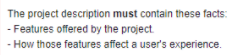 solar sleet
And that is what I mean by vague. "Features offered" It offers mods, which I listed
What other features are there? It is a modpack
 sage pier
And what does those mod add to the gameplay? ^^
solar sleet
It has mods
sage pier
Is it configured in a special way that combines the mods in a good way?
last parcel
mods are something curseforge offers, not a feature your pack offers
solar sleet
Holy shit this Server Booster just became a better staff member! Thank you so much for that explanation! Ok, I will write about that @sage pier
last parcel
explain why your pack is unique. just being a collection of mods is not unique
solar sleet
No Life just answered what I had to literally rip out of you two
And I didnt even ask him
Im off to write
sage pier
And I'm not a staff member, and this boost will run out this summer :'D
solar sleet
You should be
sage pier
Nah. I'm too bad at staffing things.
solar sleet
Thank you
sage pier
You're most welcome.
solar sleet
Nice trying to take credit lol the message doesn't state that. You proved it with the screenshot how unbelievably vague it is
sage pier
I know how to extrapolate data from incompl
solar sleet
Love it
wild jewel
solar sleet
Love it
Do you have a suggestion for a better message to avoid this confusion?

 shy leaf
i have ethernet and it work ok
solar sleet
Well, I think it would go better as
- State the features this modpack includes. Examples include highlights of each mod, important features of each mod, and how different mods go well with each other.
That way, you get the message across about what you are trying to portray without any confusion. It is bad to automatically assume people know what a few words mean. Always be detailed, imo. @wild jewel
wild jewel
solar sleet
Well, I think it would go better as
- State the features this modpack includes...
Can you post the entire rejection message with that piece in it?
solar sleet
This project requires changes in order to be approved. Until the changes are made and the project is approved by a moderator, the project will not be visible to others, and its files will not synchronize across CurseForge.
Your project, TKFT Pack (https://www.curseforge.com/minecraft/modpacks/tkft-pack), requires changes before it can be approved:
Your project requires a better Description and Summary. You can change this by clicking Settings above the description on the project page.
The project description must contain these facts:
- State the features this modpack includes. Examples include highlights of each mod, important features of each mod, and how different mods go well with each other.
- How those features affect a user's experience.
The project Summary must be in English, and should give a quick 1 sentence idea what the mod is, but not as detailed as the description
The project summary should not contain these facts:
- Instructions
- Personal messages
- Just name of the mod/author
- Version numbers
- Me and my friends (etc) is not a valid summary
Be as thorough as possible with your Description, and avoid vague statements. Potential users should have a reason to consider using what you are offering.
Things which do not qualify as a valid description:
- Links to demonstration videos.
- Links to descriptions of your project on another site.
- Names of or links to other projects. These provide no explanation of what your project does, without prior knowledge of those projects.
- An advertisement.
If you have any questions please contact our support team https://support.curseforge.com.
wild jewel
Thank you
solar sleet
Np ❤️
sage pier
*unsaltens the meatball*
solar sleet
XD
Ngl there was a modpack that I stumbled upon a long awhile back, the whole description was just lined with pictures of "dickbutt" and I'll never forget that haha. Wish I remembered the name
wild jewel
solar sleet
Ngl there was a modpack that I stumbled upon a long awhile back, the whole descr...
We seen worse
solar sleet
So, can the modlist stay in the description too, or does that need to go?
It says it should not contain "- Just name of the mod/author", so does that mean it can have a modlist if it is more detailed? Or just no modlist?
wild jewel
There is no need for a modlist, there is a relations tab
last parcel
modlist is completely unneeded as curseforge has that feature already. you dont need to remove it though
solar sleet
Ok sounds good. I'll take it down since there is a tab for it
solar sleet
Am I suppose to tell someone when I am done? Or is it just set back up for approval automatically?
I put my romantic soul into it
last parcel
solar sleet
Am I suppose to tell someone when I am done? Or is it just set back up for appro...
Think you need to upload a file again
shy leaf
sorry
 spark swallow
When I launch a modpack it states that minecraft didnt start because of unknown, anyone know how to help?
spark swallow
the game or the mods foleder?
 next panther
the message
 next panther
ok, i guess you need to start removing mods until you find the problematic one
you can also try to read the client.txt it might shed more light on it
spark swallow
i cant find the txt, clicking does nothing
last parcel
?mc-log
 golden muskBOT
How to get a Minecraft log file.
Where to find the log on the CurseForge Client.
Right-click the modpack profile icon OR click the  button in the modpack profile.
Click 
Open Folder.
Open the logs folder.
Find the file called latest.log and drag it into discord.
spark swallow
this one?
last parcel
another one that installed curseforge to the .minecraft folder
reinstall the modpack, error isnt clear what the issue is
spark swallow
i should mention i added some other mods
last parcel
good place to start removing mods from then
last parcel
dont think it is, usually it would have an error containing optifine and not containing mixins
you should also probably get curseforge out of that folder while you're messing with stuff
?mc-path
golden muskBOT
Minecraft Files should NOT be installed inside the .minecraft folder or inside OneDrive folders. If this shows up in the path at all you need to move it by following the instructions below!
If Minecraft is not installed, start here.
Click the  in the top right.
Select Minecraft.
Click "Edit".
Move to the "Continue here:" section below.
If Minecraft is installed, follow these steps.
Click the  in the bottom left.
Select the Minecraft tab.
Click "Change".
Move to the "Continue here:" section below.
Continue here:
Make a folder in the root directory called CurseForge.
Select the folder you just made.
The text box should show something like the following:
For Windows: C:\CurseForge
For Mac: /Users/Shared/CurseForge
 spark swallow
same error
last parcel
same error without adding mods?
spark swallow
i made a custim profile with the right forge version and just moved all of the files in the mod pack folder
last parcel
moving the problem doesnt fix the problem. reinstall the pack without adding things
 peak loom
does the macOs version work?
my friend downloaded it and he says it crashes on his mac
last parcel
need your friend here to explain the problem
spark swallow
last parcel
moving the problem doesnt fix the problem. reinstall the pack without adding thi...
one of my added mods was the problem lmao
quartz valve
how do you make a mc server free
last parcel
quartz valve
how do you make a mc server free
rule 4 #📛︱rules
 hazy rock
my modpacks arent launching and when they do its just a black screen
but just the ones in earlier versions all the 1.16 modpacks are launching fine
 whole elk
My modpacks wont open. there is no error message, but a gray line appeires and dissaperes in the same place no matter how many mods are installed


 potent tartan
 autumn agate
this keeps popping up when i try and use mods
autumn agate
this keeps popping up when i try and use mods
Forge Forums
Hey, I hope I did everything according to the rules. Today my MacBook Pro M1 got delivered and I wanted to play Minecraft. The normal Java version without Forge does work perfectly fine, but whenever I try to start the Forge Version this Crash appears. Does anyone have an idea how I can solve my ...
short answer: it's not fixable
autumn agate
i was playing RLCraft earlier and now it says that too
 tame current
So im trying to delete a completely empty modpack that i made to test something, MonoCraft Testing Region, and it just completely refuses to uninstall. Would the only way to uninstall it be to delete it from the instances folder?
 potent tartan
that is the most useless error message i've ever seen
tame current
i dont have anything else what the fuck
what else do you expect me to show you
government files?
tame current
i find that comment pretty pointless
anyways
its gone now because curse client can be stoopid sometimes and not delete things
i had to manually delete it from the instances folder
sage pier
Hey there @tame current, could you please open a ticket from the app, with the logs attached?
!ticket-app
golden muskBOT
:bug: Reporting via the CurseForge App :bug:
-
Click the
 icon in the bottom left.
 -
Select

Open a Ticket. -
Fill out the form with accurate detailed information, "It doesn't work" isn't helpful! What exactly doesn't work and why doesn't it work should be easy to answer!
-
Make sure to upload your Overwolf logs with the
Upload Fileoption on the ticket, information on how to get these logs can be found here https://support.overwolf.com/en/support/solutions/articles/9000176827-how-to-get-your-overwolf-logs -
Submit!
 sage pier
That way Overwolf can get an insight into why the removal didn't work.
tame current
gotcha
sage pier
Thanks :)
autumn agate
hello if anyone knows, does RLCraft work with hamachi?
(wireless LAN connector btw)
tame current
just tried it again and it worked deleting an empty modpack that was just made, not sure what was up or what it couldnt delete
specific circumstances probably
autumn agate
I launched stoneblock 2, but the game never opened
The launcher closed and all but nothing happened
I checked task manager and there was a java binary thing under the launcher
somebody pls
i found something

what does this mean
last parcel
think it might mean you have an incorrect version of that fml
autumn agate
I dont know what fml is
last parcel
forge mod loader
last parcel
no idea, dont know what you did
 hot shuttle
"Exception during a WebClient request" when installing sevtech ages
 coarse elm
Restart the app
hot shuttle
and when installing pixelmon it times out cause it just doesnt install pixelmon mod
hot shuttle
coarse elm
Restart the app
did it
coarse elm
Your internet is too slow/not stable enough
hot shuttle
crap
coarse elm
it will be fixed eventually.
coarse elm
then just play that?
last parcel
there's a fix here #🔥︱curseforge-support message
hot shuttle
coarse elm
then just play that?
?
tnx yamza
and i just realized that you guys are mods :P
coarse elm
yep
hot shuttle
but, it downloaded before i opened the file... did changing the router placement made my internet better?
and in sevtech i think more mods can download before the error
now its 126 mods, maybe it will accualy download
146
yes! its going further 100%
163
169 (nice)
200!!!
IT DOWNLOADED!!!!!!!!!!!!!!!!!!
 quiet hill
I am trying to set-up a server, can anyone help me?
With a curseforge modpack thingy I set-up
Wait
I might have figured it out, maybe
 glossy stump
i dont know how to fix this.. it only does this for modded vanilla works just fine

 hallow pewter
i just downloaded curseforge on my mac but then when i try to download minecraft in the directory it says that the "directory" has to have only english letters and numbers. What does this mean and how do i fix it?

 brazen charm
I need help

So I tried loading in a new modpack but it said this when I dont have a mod in the modpack called this
Its the boss_tools one
glossy stump
brazen charm
try a different version the version you might have could be beta and still a work in progress, going back versions might help you
autumn agate
Yo I Made a new mod pack and I don't know how to use a server on it
 young cape
Heya folks! 👋
I'm not sure if you can help, but running into an issue and not sure what to do to troubleshoot it. Each time I try to downlaod a Minecraft modpack through the cursforge loader, it gives an error about one mod or another failing to download. This only started today.
I tried to download a fresh copy of a modpack I already have and it ran into the same issue
brazen charm
young cape
Heya folks! 👋
I'm not sure if you can help, but running into an issue and not...
How do I troubleshoot
 rigid kraken
Hi i'm trying to download a mod and I get this message, what do I do to fix this?

 frigid bison
Trying to install Enigmatica 2: Expert, keep getting this same error every time. It's always a random Addon, sometimes it's the 13th addon it tries to install, sometimes it is the 235th
 glossy stump
brazen charm
And most of the mods require 1.16.4
glossy stump
brazen charm
And most of the mods require 1.16.4
not the minecraft version, the modpack you're trying to run, look at the mod pack version
 vocal prism
every time i play a minecraft mod i cant use my inventory as left click is dropping my items
 glass oracle
vocal prism
every time i play a minecraft mod i cant use my inventory as left click is dropp...
glass oracle
vocal prism
every time i play a minecraft mod i cant use my inventory as left click is dropp...
I got the same problem, but I found it's caused by alt-tabbing, and just pressing alt fixes it (I'm not sure why this works, but it does)
vocal prism
oh ok thanks
glass oracle
no problem, I know the frustration of going through your chest and dropping everything onto the ground (and it's even worse if the modpack has realistic item drops with auto-pickup disabled)
autumn agate
Hi im trying to get the item tracker mod but i cant seem to find the download link. Can anyone send me the download link?
You already said that In the other chat
Yes
brazen charm
glossy stump
not the minecraft version, the modpack you're trying to run, look at the mod pac...
Yeah it's 1.16.4
glossy stump
are you sure thats not the curse forge launcher? lol what mod pack is it again?
vocal prism
i know this sounds dumb, but can you breed bulls in most modpacks, or must it be a sow and bull? like vanilla (all cows have udders)
 frigid pelican
How do I share a mod pack I created with my friends?
potent tartan
frigid pelican
How do I share a mod pack I created with my friends?
?mc-packshare
golden muskBOT
There are two ways to share a modpack you've made with others...
Export and Share - For Friends to Small Groups.
- Click the Icon for the modpack.
- Click the button next to play.
- Click

Export. - Select the files that should be included.
- Send the zip to the people that want it! They can follow the instructions in
!mc-installpackto install the pack!
Upload to Curseforge - For Public Release to Everyone.
This options will make your pack public to EVERYONE, it comes with extra requirements and will take some effort to set up.
- Go to here: https://www.curseforge.com/project/432/4471/create
- Fill out the information with a proper description of the pack. This should allow anyone to understand what the pack is.
- Click the Icon for the modpack in the CurseForge app.
- Click the button next to play.
- Click
Export. - Select the files that should be included.
- Open your Project you made on the CurseForge site and Upload the file you just made.
- Wait for Moderation & Sync so it can show up in the client! (See
!syncfor limitations)
 twin hound
Hi I'm having some issues with CurseForge. I'm able to open curseforge but I'm not able to launch the modpack I've been playing on for the past week. I noticed that I'm also not able to open Minecraft Java Edition after trying to launch the modpack, but I am able to open it before trying to launch the modpack. I don't know what to do.
frigid pelican
!mc-installpack
golden muskBOT
How to install modpacks with the search features in app.
- Open the

Minecraftsection of the app. - Click the top search bar where it says
Search for modpacksOR Click theBrowse ModpacksTab. - Find the Modpack you want to install and click install on it.
- Wait for CurseForge app to download and unpack all the required files.
- Once finished, click
Play!
How to install modpacks from a Export. (Custom/Private/Site downloaded Modpack zip)
- Get CurseForge App if you don't have it, use
!downloadfor a link. - Get the exported modpack from CurseForge or someone else,
!mc-packshareexplains how to make them. - Open the
Minecraftsection of the app. - Click

Create Custom Profile - Click the
Importoption. - Find the file you just downloaded in step 2 and select it.
- CurseForge app will now attempt to download and unpack the modpack. If it fails, try steps 4-6 again.
- Once finished, click
Play!
glossy stump
i need help...
 potent tartan
glossy stump
i need help...
potent tartan
glossy stump
i need help...
turn off any antiviruses you have
glossy stump
would avast happen to have anything i would need to shut off or since its free can i?
young cape
frigid bison
Trying to install Enigmatica 2: Expert, keep getting this same error every time....
I was having this issue as well, but I just tried again and it worked with a modpack that wasn't working before. I think someone fixed something.
glossy stump
okay thereee we go thank you @potent tartan
 sick badger
yall big brains
 jade zodiac
Are the buttons broken for anyone else?
 autumn agate
Can someone help me with sodium mod
 steady sparrow
Good dedicated server providers? Thinking whole servers not just server by server. Or should I source my own parts and make my own server at home?
 sacred arrow
Can someone help me with the antimatter chemistry modpack, it keeps crashing randomly and I dont know why
sage pier
!mc-logs
golden muskBOT
How to get a Minecraft log file.
Where to find the log on the CurseForge Client.
Right-click the modpack profile icon OR click the button in the modpack profile.
Click Open Folder.
Open the logs folder.
Find the file called latest.log and drag it into discord.
sacred arrow
here
sage pier
I'm not sure, but there's some errors about missing resource packs
FMLFileResourcePack:Extra Utilities 2
And then there's a lot of errors about unknown recipes and advancements..
All issues seems to be on the server side of it.
sacred arrow
i dont know why, the modpack when originally installed worked perfectly fine for the first few weeks, but when i got into industrial foregoing machines and more about extra utilities 2 it started to crash more and more often, now it crashes in the first 3 mins of playing
sage pier
Maybe they didn't test the modpack out fully, so could be a broken modpack.
sacred arrow
is there any way to fix the issues?
sage pier
Should probably contact the developer of the modpack.
I don't know, ask the developer of the modpack.
sacred arrow
how do i ask them directly.....?
sage pier
Check if they have a Discord or something, on the modpack description
 sage pier
.. that's really interesting..
sage pier
Try following the steps here: https://support.overwolf.com/en/support/solutions/articles/9000177154-overwolf-installation-troubleshooting

Overwolf Support Help Center
We're here to get you informed on everything you need to know about Overwolf, including helpful guides and troubleshooting articles to back you up when you get in a pickle
 wispy willow
ok
sage pier
And head on over to the Overwolf Discord if this does not work, but be sure to test all things in the article posted.
wispy willow
i can not under stand
sacred arrow
i already found that already, but thankyou
 slim sparrow
Hello, I was just playing Skyfactory 4 on my server, but i died and couldn't respawn. I tried to restart both the server and mc but now when i try to launch skyfactory 4 it will not open the launcher. When I click the launch button, it will go through the list of processes and then just do nothing. It will not open anymore. Does anybody know why? Please ping me if you answer this.
wild jewel
slim sparrow
Hello, I was just playing Skyfactory 4 on my server, but i died and couldn't res...
!mc-installfix
golden muskBOT
- Click on the icon in the bottom left.
- Click the
MinecraftTab. - Click
Changenext to theMinecraft Modding FolderOption. - Select the folder named
Install. - Delete it.
- Restart CurseForge App.
- It will ask to install MC again, do so.
- Play game.
NOTE: You will not lose any modpacks or worlds, These are saved in the Instances folder. DO NOT TOUCH THIS FOLDER OR YOU WILL LOSE EVERYTHING
slim sparrow
I just did everything there, and usually it would open the launcher in about 2-4 seconds, but it still won't open it
wild jewel
slim sparrow
I just did everything there, and usually it would open the launcher in about 2-4...
Restart your pc please
 rough aurora
you're more than welcome to report projects you see that require a better description. we have already done that with many, and the community is a great way to help with this.
and yes, we lifted the standard. I think improving the content is good for everyone 🙂
you're welcome to DM if you'd like and i'd be happy to help with the submission to get it approved
coarse elm
mornin gil
 steep swift
Morning! My modpack was accepted a few hours ago and it's first file accepted 45 minutes ago, but I don't see it on the curse forge app? Is there just a delay or did I do something wrong?
rough aurora
is the project experimental?
is there at least 1 Release file type?
(alpha/beta dont sync to the app unless there is one release file as well)
also, sometimes it takes a while (we're getting better at that). Wednesdays are a bit of a peak day though
steep swift
Oh, that'd be the problem, I made it alpha! Thank you!
 desert lichen
Can anyone help me with this error?
The game crashed whilst initializing game
Error: com.google.common.util.concurrent.UncheckedExecutionException: java.lang.IllegalStateException: Recursive load of: INVALID-tetra:modular_double
Exit Code: -1
wild jewel
!mc-logs
golden muskBOT
How to get a Minecraft log file.
Where to find the log on the CurseForge Client.
Right-click the modpack profile icon OR click the button in the modpack profile.
Click Open Folder.
Open the logs folder.
Find the file called latest.log and drag it into discord.
wild jewel
Tetra mod is broken, please contact the dev
desert lichen
ok thx
 neon heron
I am trying to get this on my school laptop, and i have a custom install of java, and when I try changing the java version, it doesn't come up. How can I add it to the list?
slim sparrow
wild jewel
Restart your pc please
Figured out the problem. The launcher was open, but it was doing that glitch thing where it has the crash error but when I use Command+tab to switch between windows it won't appear there, so I thought it wasn't opening. Thank you for your help 🙂
neon heron
neon heron
I am trying to get this on my school laptop, and i have a custom install of java...
Adding onto this, is it possible if I can use the java version that the official minecraft applies
steep swift
I'm having more issues... I think it's mostly because I'm not very smart.
The following files belong to CurseForge-hosted projects, and should therefore not be added directly to zip files:
overrides/mods/voicechat-1.16.4-1.1.7.jar
These files should, instead, be referenced in the manifest.json file generated by the Twitch Desktop App during a profile export.
Is there some way of fixing this? My file got rejected because of this.
neon heron
idk
wild jewel
steep swift
I'm having more issues... I think it's mostly because I'm not very smart.
The f...
Reinstall the mod using the app
steep swift
Alright
I've resubmitted it doing it through the app, thank you! Hope it works!
@wild jewel It's been approved! tysm
 candid helm
I'm creating a custom profile with mc version 1.16.4, forge 35.1.4 thru the curseforge launcher. I have crafttweaker, JEI and JEIintegration installed. When i boot it up, mc launcher opens. I click play, the screen opens and closes after 3 secs. I expect it to load and not to crash My latest.log : https://paste.feed-the-beast.com/view/98fb1a38
 karmic sand
Can some one help I press play on zombie apocalypse and it takes me to minecraft launch I press play and the mods are not there ?
wild jewel
karmic sand
Can some one help I press play on zombie apocalypse and it takes me to minecraft...
Close all minecraft instances first
candid helm
candid helm
I'm creating a custom profile with mc version 1.16.4, forge 35.1.4 thru the curs...
Does anybody have an idea what could cause my problem?
karmic sand
@wild jewel when you start up a new mod pack do have have to keep logging in ?
 alpine egret
can someone help me i don't know how to get atm6 from curseforgein 1.16.5 because it is no forge version or do i didn't got something. i have windows pls help
sry for my bad english
wild jewel
karmic sand
<@525950791710801921> when you start up a new mod pack do have have to keep logg...
Yes, curseforge doesn't handle logins
karmic sand
Okay
wild jewel
alpine egret
can someone help me i don't know how to get atm6 from curseforgein 1.16.5 becaus...
It is no forge version?
candid helm
alpine egret
can someone help me i don't know how to get atm6 from curseforgein 1.16.5 becaus...
Click on the search bar located on the top
search atm6
alpine egret
i have no forge version of inecraft 1.16.5
alpine egret
but i downloaded it
candid helm
just download the atm6 pack
wild jewel
alpine egret
but i downloaded it
Are you using the app?
alpine egret
and it was a normal minecrat 1.16.5 world
karmic sand
I’m already confused
alpine egret
i'm using curse forge in brwoser
wild jewel
alpine egret
i'm using curse forge in brwoser
Use the app, browser can't install modpacks
karmic sand
alpine egret
i'm using curse forge in brwoser
Get the app
karmic sand
@alpine egret do you need a link ?
alpine egret
for what
karmic sand
The download
alpine egret
no
karmic sand
Okay
candid helm
I'm creating a custom profile with mc version 1.16.4, forge 35.1.4 thru the curseforge launcher. I have crafttweaker, JEI and JEIintegration installed. When i boot it up, mc launcher opens. I click play, the screen opens and closes after 3 secs. I expect it to load and not to crash My latest.log : https://paste.feed-the-beast.com/view/98fb1a38
alpine egret
but i can't download because of the admin pasword which i forgot
candid helm
Thats not sth u will get support for in here
karmic sand
alpine egret
but i can't download because of the admin pasword which i forgot
We can’t fix that my friend your on your own
wild jewel
candid helm
I'm creating a custom profile with mc version 1.16.4, forge 35.1.4 thru the curs...
!mc-installfix
golden muskBOT
- Click on the icon in the bottom left.
- Click the
MinecraftTab. - Click
Changenext to theMinecraft Modding FolderOption. - Select the folder named
Install. - Delete it.
- Restart CurseForge App.
- It will ask to install MC again, do so.
- Play game.
NOTE: You will not lose any modpacks or worlds, These are saved in the Instances folder. DO NOT TOUCH THIS FOLDER OR YOU WILL LOSE EVERYTHING
 wheat tartan
Uh-
Anybody know the name of this mod

It kinda just
Makes stacked items look more realistic
 candid helm
wild jewel
!mc-installfix
candid helm
wild jewel
!mc-installfix
When trying to delete the install folder, it tells me that its opened, so it cant delete. I dont have anything running except file explorer.
anything i can do about that?
wild jewel
candid helm
When trying to delete the install folder, it tells me that its opened, so it can...
Close overwolf in the task tray
candid helm
Yeah that is closed
wild jewel
PC restart
candid helm
yeah just did that, thanks
 paper cradle
Well..... I tried chancing my profile picture on the curseforge website and now my old one got deleted, and the new one didn't upload tried uploading a new one for a couple of times, just doesn't work
need a profile picture fast
how can I fix it?
wild jewel
paper cradle
Well..... I tried chancing my profile picture on the curseforge website and now ...
Change it on twitch
wild jewel
Now logout, log back in
karmic sand
@wild jewel can I get x-ray on the web and mods ?
wild jewel
karmic sand
<@525950791710801921> can I get x-ray on the web and mods ?
Would suggest to use the app
karmic sand
It’s just mod packs
wild jewel
!mc-installmods
golden muskBOT
How to install mods in CurseForge App.
- Click
+ Create Custom Profile - Name it, select the required Minecraft version, select the Forge version (usually the highest number), click
Create. - Click the profile icon.
- Click
Add New Content - Search and install the desired mods.
- Start the game!
How to install mods not on CurseForge.
- Right click the profile picture or Open the profile and click the Icon next to the play button.
- Click
Open Folder. - Drag the mod(s) into the
modsfolder. (Note: Some mods will require others, to run. Make sure to read the instructions for the mod!) - Start the game!
 wild jewel
 surreal umbra
why is my mc launcher saying its not connected to the internet ?
surreal umbra
why is my mc launcher saying its not connected to the internet ?
Restart it please
wild jewel
Screenshot then
karmic sand
golden musk
Can you pin it
surreal umbra
ok
wild jewel
karmic sand
Can you pin it
No, people don't read them anyways
karmic sand
Okay
surreal umbra
it has my email there
wild jewel
karmic sand
Okay
It is in #🔥︱curseforge-support
wild jewel
surreal umbra
it has my email there
Then blur it
surreal umbra
how tf
wild jewel
surreal umbra
how tf
Paint?
 wild jewel
Close overwolf, open it again
wild jewel
surreal umbra
doesnt work
Check your network settings, do you have ipv6 enabled?
sage pier
Disable IPv6 in wind... Damnit Tim
surreal umbra
doesnt work
wheat tartan
So uh i need help with a crash report:
wild jewel
surreal umbra
doesnt work
!ticket-site
golden muskBOT
:bug: Reporting via Website :bug:
Can't open the app or would rather use the website? You can do so here: https://support.curseforge.com/en/support/tickets/new
Fill out the form with accurate detailed information, "It doesn't work" isn't helpful! What exactly doesn't work and why doesn't it work should be easy to answer!
Make sure to upload your Overwolf logs with the Upload File option on the ticket, information on how to get these logs can be found here https://support.overwolf.com/en/support/solutions/articles/9000176827-how-to-get-your-overwolf-logs
wheat tartan
It says: The game crashed whilst initializing game game Error:java.lang.runtimeexception: Invalid Id 4096 - maximum id range exceeded exit code: -1
What does this mean?
wild jewel
Not that
 safe needle
Tim knows best
wild jewel
wheat tartan
It says: ``The game crashed whilst initializing game game Error:java.lang.runtim...
You need notenoughid's
or similar
 wild jewel
Existing pack or your own?
wheat tartan
(Is it a mod?)
surreal umbra
BRUHHHH
wild jewel
wheat tartan
(Is it a mod?)
It is a mod
last parcel
get jeid
last parcel
neid is kinda defunct
wheat tartan
Download?
wild jewel
App?
wheat tartan
Yep
wild jewel
Find it there?
wild jewel
Yes
wheat tartan
Aight
Going good so far (Normally it crashes in the first 5 seconds of the constructing mod thing)
 blazing girder
hi, can i gets some help
wild jewel
blazing girder
hi, can i gets some help
Rule 10
blazing girder
haha sorry
im trying to install a mod but every time i try to it says invalid file
wheat tartan
Think its working
last parcel
install it how?
wheat tartan

blazing girder
i hit download off the website
golden muskBOT
How to install mods in CurseForge App.
- Click
+ Create Custom Profile - Name it, select the required Minecraft version, select the Forge version (usually the highest number), click
Create. - Click the profile icon.
- Click
Add New Content - Search and install the desired mods.
- Start the game!
How to install mods not on CurseForge.
- Right click the profile picture or Open the profile and click the Icon next to the play button.
- Click
Open Folder. - Drag the mod(s) into the
modsfolder. (Note: Some mods will require others, to run. Make sure to read the instructions for the mod!) - Start the game!
 robust raven
how can i get stardew valley mods as it doesnt detect it?
last parcel
!knownissues in other games
golden muskBOT
Known Issues with solutions or status of the issue.
Overwolf maintains a known list of issues here, some with solutions, others without.
http://support.curseforge.com/en/support/solutions/articles/9000196615-known-issues
last parcel
?mc-installfix
golden muskBOT
- Click on the icon in the bottom left.
- Click the
MinecraftTab. - Click
Changenext to theMinecraft Modding FolderOption. - Select the folder named
Install. - Delete it.
- Restart CurseForge App.
- It will ask to install MC again, do so.
- Play game.
NOTE: You will not lose any modpacks or worlds, These are saved in the Instances folder. DO NOT TOUCH THIS FOLDER OR YOU WILL LOSE EVERYTHING
wild jewel
surreal umbra
it still says its not connected
Did you make the ticket?
last parcel
check your antivirus/firewall. use google
sage pier
You can leave it blank
 bitter belfry
what should I do
last parcel
what i said to do
bitter belfry
I did that, it didn't work
surreal umbra
;-;
last parcel
then you say that..
surreal umbra
why is it always me that gets the issues :/
last parcel
send another log @bitter belfry
surreal umbra
i did the ticket can i have some help pls '-'
bitter belfry
last parcel
you renamed your thing so now it cant be found
surreal umbra
pls help ;-;
last parcel
really, just dont ever use ! in file names
Searching C:\Users\clutc\Twitch\Minecraft\Instances\CLUTCH PACK!!!!
java.io.FileNotFoundException: C:\Users\clutc\Twitch\Minecraft\Instances\CLUTCH PACK!!!
bitter belfry
oh ok
surreal umbra
yamza
pls help me
my mc launcher says its not connected to the internet and i cant do anything i tried everything
last parcel
surreal umbra
pls help ;-;
You need to wait for a reply. Instead of spamming here you can do the things I said to try. If you couldn't be bothered to read that then idk what you expect.
surreal umbra
...
sage pier
Does your vanilla installation of Minecraft work?
surreal umbra
nope
sage pier
Then we can't help you.
wheat tartan
Uh just a quick question, anybody know really good lag reducing mods?
sage pier
Do you have access to another computer you could try with?
surreal umbra
nope
blazing girder
every time i try and download the mod i want off the site it says jar was blocked beacuse this file type can harm yourdevice
sage pier
Because it's probably something related to your computer.
sage pier
blazing girder
every time i try and download the mod i want off the site it says jar was blocke...
Use the application to download the mods instead.
surreal umbra
my wifi does keep disconnecting me tho
blazing girder
when i use the app the mod i want is not there
sage pier
surreal umbra
all my drivers are updated
Run a check for virus/malware, could be something like that as well.
surreal umbra
ok
sage pier
blazing girder
when i use the app the mod i want is not there
!mc-installmods
golden muskBOT
How to install mods in CurseForge App.
- Click
+ Create Custom Profile - Name it, select the required Minecraft version, select the Forge version (usually the highest number), click
Create. - Click the profile icon.
- Click
Add New Content - Search and install the desired mods.
- Start the game!
How to install mods not on CurseForge.
- Right click the profile picture or Open the profile and click the Icon next to the play button.
- Click
Open Folder. - Drag the mod(s) into the
modsfolder. (Note: Some mods will require others, to run. Make sure to read the instructions for the mod!) - Start the game!
bitter belfry
@last parcel thanks it worked 🙂
wild jewel
surreal umbra
ok
The people that answer the tickets can read the logs, so they can help you, no need to keep asking here
blazing girder
ty!!!!
surreal umbra
wym read logs ?
wild jewel
surreal umbra
wym read logs ?
You did not attach logs to the ticket?
surreal umbra
logs are no problem
it legit says i have no connection to internet
i cant get logs without sdigning in
;-;
wild jewel
surreal umbra
it legit says i have no connection to internet
!owlogs
golden muskBOT
<:overwolf:798413750981492736> How to get Overwolf logs! <:overwolf:798413750981492736>
surreal umbra
this always happpens to me and i dont like it
wild jewel
Talking about the launcher logs
wheat tartan
oofs
I got another error:
An unexpected issue occured and the game has crashed. Were sorry for the inconvenience Exit Code: 0
i tried 5 times
to relaunch the game
last parcel
log
wheat tartan
Cant find the log-
last parcel
restart curseforge, close any running minecraft windows
 kind wren
So i deleted a modpack bc i forgot to make the modpack in the first place but it is the status deleted but still in the dashboard how do i get rid of it?
wheat tartan
last parcel
restart curseforge, close any running minecraft windows
Nope
Still the same
last parcel
restart pc
wheat tartan

Now there is another problem
I cant launch it
It like opens the small thing
And says: Launching app on overwolf
once it is finished
it never opens
Know a answer to this?
last parcel
?mc-installfix
golden muskBOT
- Click on the icon in the bottom left.
- Click the
MinecraftTab. - Click
Changenext to theMinecraft Modding FolderOption. - Select the folder named
Install. - Delete it.
- Restart CurseForge App.
- It will ask to install MC again, do so.
- Play game.
NOTE: You will not lose any modpacks or worlds, These are saved in the Instances folder. DO NOT TOUCH THIS FOLDER OR YOU WILL LOSE EVERYTHING
wheat tartan
golden musk
Which settings tho-
wild jewel
Curseforge
last parcel
oh
wild jewel
Open overwolf
wild jewel
Start curseforge by right clicking the overwolf icon and finding it there
wheat tartan
YOS
It works

Thanks
welp
The first problem is back
An unexpected issue occured and the game has crashed. Were sorry for the inconvenience Exit Code: 0
Reeeee
HOW DO I FIX THISSSS
This happened like 10 times allready
So uh-
last parcel
any log?
wheat tartan
Nope
last parcel
?ticket-app
golden muskBOT
:bug: Reporting via the CurseForge App :bug:
-
Click the
icon in the bottom left. -
Select
Open a Ticket. -
Fill out the form with accurate detailed information, "It doesn't work" isn't helpful! What exactly doesn't work and why doesn't it work should be easy to answer!
-
Make sure to upload your Overwolf logs with the
Upload Fileoption on the ticket, information on how to get these logs can be found here https://support.overwolf.com/en/support/solutions/articles/9000176827-how-to-get-your-overwolf-logs -
Submit!
last parcel
what
last parcel
read the instructions?
wheat tartan
Aight-
And Uh i dont understand 2 things in the ticket
CF username and CF Project link
last parcel
if it doesnt apply, dont put anything
wheat tartan
Okay
blazing girder
hi, im wathcing a vid on how to install a mod and in the video he is downloading it off the website and his are an executable jar fire but when i do it mine are just a .jar file and dont work
last parcel
?mc-installmods
golden muskBOT
How to install mods in CurseForge App.
- Click
+ Create Custom Profile - Name it, select the required Minecraft version, select the Forge version (usually the highest number), click
Create. - Click the profile icon.
- Click
Add New Content - Search and install the desired mods.
- Start the game!
How to install mods not on CurseForge.
- Right click the profile picture or Open the profile and click the Icon next to the play button.
- Click
Open Folder. - Drag the mod(s) into the
modsfolder. (Note: Some mods will require others, to run. Make sure to read the instructions for the mod!) - Start the game!
blazing girder
i already tried that
last parcel
well what you just explained is not how you use mods, this is
last parcel
explain
blazing girder
so i have them downloaded in curse forge app, i hit play and it pulls up the launcher, i make sure the mod is selected and click play, the mod does not show up, u want me to share my screen?
wild jewel
blazing girder
so i have them downloaded in curse forge app, i hit play and it pulls up the lau...
Show a screenshot of your launcher


 wild jewel
Should not have latest release there.
Did you close all minecraft things first?
wild jewel
.4? What?
Restart your pc, try again, make sure to hit play on curseforge
blazing girder
1.16.4 instead of 1.16.5?
wild jewel
That is not the issue
blazing girder
ok ill be back lemme restart
 languid parcel
hey so
is there any way to play modpacks on linux
I tried multimc but buildcraft keeps crashing me
last parcel
not with curseforge. people say other launchers work but i dont know personally if that's true
languid parcel
multimc allows installation of curse modpacks
ig I should try a diferent pack and see if it works
worst things worse I just disable buildcraft
blazing girder
ok now is showing up
is this right?

i thought it wasnt supposed to be on forge tho but i did exactly what u said
last parcel
forge is a modloader, if you use forge mods it uses forge
last parcel
it looks like you have something installed, idk if it's right. that's what you need to find out
blazing girder
something preventing it?
last parcel
?
blazing girder
like i have fabric installed but its not showingup
last parcel
?mc-fabric
golden muskBOT
Fabric modpacks or the use Fabric mods require you to install a mod called Jumploader.
Fabric mods do not work with Forge.
Forge mods do not work with Fabric.
Fabric mods should be marked with a Fabric Icon like this: 
 frigid knot
Heya, I am looking for someone to help me make a mod
Sorry if this is the wrong channel
wild jewel
frigid knot
Heya, I am looking for someone to help me make a mod
#786424115535544350 Minecraft there, #⚙️︱authors-help
frigid knot
Thanks!
 south wing
with files do i need to upload my modpack to work in minecraft 1.12.2
for my modpack
(can you make your curseforge overwolf modpack for minecraft ''public')
last parcel
you need the mods folder, and anything else you've edited that needs to go with them (configs, scripts, etc)
golden muskBOT
There are two ways to share a modpack you've made with others...
Export and Share - For Friends to Small Groups.
- Click the Icon for the modpack.
- Click the button next to play.
- Click
Export. - Select the files that should be included.
- Send the zip to the people that want it! They can follow the instructions in
!mc-installpackto install the pack!
Upload to Curseforge - For Public Release to Everyone.
This options will make your pack public to EVERYONE, it comes with extra requirements and will take some effort to set up.
- Go to here: https://www.curseforge.com/project/432/4471/create
- Fill out the information with a proper description of the pack. This should allow anyone to understand what the pack is.
- Click the Icon for the modpack in the CurseForge app.
- Click the button next to play.
- Click
Export. - Select the files that should be included.
- Open your Project you made on the CurseForge site and Upload the file you just made.
- Wait for Moderation & Sync so it can show up in the client! (See
!syncfor limitations)
last parcel
?mc-packshare
 thick fractal
Im trying to play a modpack but whenever im leading into the launcher its says "play demo" when i have a real copy of java. My game then crashes when i load it up.
last parcel
?mc-installfix
golden muskBOT
- Click on the icon in the bottom left.
- Click the
MinecraftTab. - Click
Changenext to theMinecraft Modding FolderOption. - Select the folder named
Install. - Delete it.
- Restart CurseForge App.
- It will ask to install MC again, do so.
- Play game.
NOTE: You will not lose any modpacks or worlds, These are saved in the Instances folder. DO NOT TOUCH THIS FOLDER OR YOU WILL LOSE EVERYTHING
last parcel
try that and log in again, make sure you are using the correct account
spark swallow
how do i find which mods are crashing my game when i load it up?
golden muskBOT
How to get a Minecraft log file.
Where to find the log on the CurseForge Client.
Right-click the modpack profile icon OR click the button in the modpack profile.
Click Open Folder.
Open the logs folder.
Find the file called latest.log and drag it into discord.
last parcel
thick fractal
nah it still says demo
that would be an issue with your account then
spark swallow
the log is too large to put in discord
potent tartan
put it in a paste site
spark swallow
https://drive.google.com/file/d/1HkPhK0h5vqHhHHrZt--oyMQbECFmhBC3/view?usp=sharing heres the log, i dont know which mod is causeing my game to crash
potent tartan
you made it so we have to ask for access to view it
spark swallow
try now
potent tartan
works now
thick fractal
@last parcel noticed i bought the game on my microsoft account instead of mojang
potent tartan
holy its 239 megabytes
spark swallow
yea
potent tartan
did you leave your game on overnight or something
spark swallow
i will mention it work before with optifine but who knows now
potent tartan
still try without optifine
 supple vector
Hi guys can somebody tell me how can i use optifine and curse forge at the same time pls ?
potent tartan
supple vector
Hi guys can somebody tell me how can i use optifine and curse forge at the same ...
?mc-installmods
golden muskBOT
How to install mods in CurseForge App.
- Click
+ Create Custom Profile - Name it, select the required Minecraft version, select the Forge version (usually the highest number), click
Create. - Click the profile icon.
- Click
Add New Content - Search and install the desired mods.
- Start the game!
How to install mods not on CurseForge.
- Right click the profile picture or Open the profile and click the Icon next to the play button.
- Click
Open Folder. - Drag the mod(s) into the
modsfolder. (Note: Some mods will require others, to run. Make sure to read the instructions for the mod!) - Start the game!
potent tartan
do How to install mods not on CurseForge.
@spark swallow Optifine and Immersive Portals are incompatible with each other iirc
have to remove one of them
supple vector
ty
south wing
last parcel
you need the mods folder, and anything else you've edited that needs to go with ...
thanks
spark swallow
potent tartan
<@!591412877102153728> Optifine and Immersive Portals are incompatible with each...
still crashes
potent tartan
new latest.log
spark swallow
Google Docs
 opaque cape
how i change ram to 6gb
potent tartan
spark swallow
https://drive.google.com/file/d/1HkPhK0h5vqHhHHrZt--oyMQbECFmhBC3/view?usp=shari...
try removing immersive portals
wild jewel
!mc-ram
golden muskBOT
How to set Global Minecraft RAM value.
- Click the icon in the bottom left to open settings.
- Click the Minecraft tab.
- Scroll down.
- Slide slider to recommended ram range as seen below.
 opaque cape
ty
spark swallow
potent tartan
try removing immersive portals
i hope immersive portals isnt the problem
potent tartan
i think it is
 jaunty parrot
On Curseforge I am trying to import my modpack from a previously exported instance however it doesn't do anything and just sends me back to the My Modpacks screen
wild jewel
jaunty parrot
On Curseforge I am trying to import my modpack from a previously exported instan...
How is that instance exported?
jaunty parrot
I hit Export Profile and selected the mods and Config
spark swallow
potent tartan
i think it is
wild jewel
jaunty parrot
I hit Export Profile and selected the mods and Config
And it is not working?
jaunty parrot
The profile exported but it isn't allowing me or my friends to import it
wild jewel
jaunty parrot
The profile exported but it isn't allowing me or my friends to import it
Please drop the file here
jaunty parrot
wild jewel
Look at the page again
jaunty parrot
Like the My Modpacks Page?
jaunty parrot
Not for me, it doesn't install in general
jaunty parrot
ok
I'll give it a bit but it doesn't show anything new
and it's the same way for my friend on a different computer as well, they try and nothing happens
spark swallow
heres the log withot optifine and immersive @potent tartan
wild jewel
 jaunty parrot
So walk me though the steps, you hit create custom profile right?
 cosmic fulcrum
hi, i'm making a modpack, and i wonder how can i change the picture of presentation of the modpack ?
wild jewel
jaunty parrot
So walk me though the steps, you hit create custom profile right?
Yes, then import, then select the file, hit ok
wild jewel
cosmic fulcrum
hi, i'm making a modpack, and i wonder how can i change the picture of presentat...
Need to upload it to curseforge for that
cosmic fulcrum
ok!
potent tartan
spark swallow
heres the log withot optifine and immersive <@!640339552073940993>
is it crashing?
spark swallow
potent tartan
is it crashing?
yup
potent tartan
doesn't look like its crashing to me
jaunty parrot
So I hit import and it lets me open the file, however when I hit Open it closes the file select and brings me back to the my modpacks page
potent tartan
@spark swallow did it generate a crash report?
cosmic fulcrum
huum how can i upload a modpack to curseforge ?
spark swallow
potent tartan
<@!591412877102153728> did it generate a crash report?
it froze for a min so i taskmgr ended it
potent tartan
cosmic fulcrum
huum how can i upload a modpack to curseforge ?
?mc-packshare
golden muskBOT
There are two ways to share a modpack you've made with others...
Export and Share - For Friends to Small Groups.
- Click the Icon for the modpack.
- Click the button next to play.
- Click
Export. - Select the files that should be included.
- Send the zip to the people that want it! They can follow the instructions in
!mc-installpackto install the pack!
Upload to Curseforge - For Public Release to Everyone.
This options will make your pack public to EVERYONE, it comes with extra requirements and will take some effort to set up.
- Go to here: https://www.curseforge.com/project/432/4471/create
- Fill out the information with a proper description of the pack. This should allow anyone to understand what the pack is.
- Click the Icon for the modpack in the CurseForge app.
- Click the button next to play.
- Click
Export. - Select the files that should be included.
- Open your Project you made on the CurseForge site and Upload the file you just made.
- Wait for Moderation & Sync so it can show up in the client! (See
!syncfor limitations)
wild jewel
jaunty parrot
So I hit import and it lets me open the file, however when I hit Open it closes ...
Yeah, now wait a couple minutes on that page
jaunty parrot
even if no indicator pops up?
potent tartan
spark swallow
it froze for a min so i taskmgr ended it
you loaded a world that had that mod before you deleted it right? (immersive portals)
wild jewel
jaunty parrot
even if no indicator pops up?
Yes
spark swallow
potent tartan
you loaded a world that had that mod before you deleted it right? (immersive por...
it loaded, but is there a way to try and get immersive portals to wrok?
jaunty parrot
Could it be a settings issue or something? cause nothing is popping up
wild jewel
jaunty parrot
Could it be a settings issue or something? cause nothing is popping up
No idea, need to read logs for that, not gonna do that, not my job.
Make a ticket
wild jewel
jaunty parrot
Could it be a settings issue or something? cause nothing is popping up
!ticket-app
golden muskBOT
:bug: Reporting via the CurseForge App :bug:
-
Click the
icon in the bottom left. -
Select
Open a Ticket. -
Fill out the form with accurate detailed information, "It doesn't work" isn't helpful! What exactly doesn't work and why doesn't it work should be easy to answer!
-
Make sure to upload your Overwolf logs with the
Upload Fileoption on the ticket, information on how to get these logs can be found here https://support.overwolf.com/en/support/solutions/articles/9000176827-how-to-get-your-overwolf-logs -
Submit!
potent tartan
spark swallow
it loaded, but is there a way to try and get immersive portals to wrok?
probably incompatible with another mod
 golden drift
idk if this is a question for this server but when i try to enter my volcano block island it tells me i have an old level data or something and asks for a backup and then it just crashes. Any ideas to help me ? ive played this many times its the first time it is happening
potent tartan
its not worth it to try to get it to work
spark swallow
would it be helpfull if you had the list of mods?
spark swallow
potent tartan
its not worth it to try to get it to work
heres the list
 plain frost
How Do I Set Up A Server With Curseforge Mods
wild jewel
plain frost
How Do I Set Up A Server With Curseforge Mods
Which modpack
plain frost
My Own Custom One
wild jewel
!mc-installserver
golden muskBOT
How to **manually** install a server - **On your own PC**
- Go to the Forge website http://files.minecraftforge.net/ and download the Installer for the forge version the pack is using.
- Run the installer and choose
Install server. Do not install to your desktop. Also do not install inside a OneDrive folder. - Run the server using the forge.jar. A file called
eula.txtwill be generated. Open it and changeeula=falsetoeula=true - From the Client; Copy the
modsfolder,configfolder, and any other folders needed for the pack to work into the server folder. If the modpack has a server pack, use this instead! - Run the server again.
 proven dove
My project says it requires changes to the summary, but when I go to edit it I can change the description but I cant find where the summary seciton is
oh nvm
found it
 green grove
i made a minecraft modpack and its approved, so why cant my friends see it so we can play together
wild jewel
green grove
i made a minecraft modpack and its approved, so why cant my friends see it so we...
Link it please
green grove
how?
wild jewel
You go to the website, find it, link it
wild jewel
!sync
golden muskBOT
Sync and your Project.
CurseForge REQUIRE a project to have one file marked Released on them for the projects to show up in search. Otherwise only Direct links to the project work.
Files can take a while to show up in the app. If your files still have not shown up either your project is new and you have yet to mark a file as Release or there is issues with the sync system making it slow.
green grove
i released the modpack can they see it now or should i do something else
*released the file
wild jewel
You should change alpha to release
green grove
yes i have done this
autumn agate
Hi
wild jewel
green grove
yes i have done this
Now wait a day till it is synced to the client
autumn agate
i don't know if this is normal but when i start all mods 6 it start minecraft and all mods 6
how exactly do i play mods with my friends?
wild jewel
autumn agate
how exactly do i play mods with my friends?
Need a server for that
autumn agate
like what kind
wild jewel
autumn agate
i don't know if this is normal but when i start all mods 6 it start minecraft an...
What else would it do?
wild jewel
autumn agate
like what kind
Forge, the one with the same mods installed
autumn agate
a forge server
well i instaled all mods 6 i press play i press play to forge and

this
wild jewel
Restart pc, try again
spark swallow
i added some mods to a pack, can someone tell me which one had a seizure
last parcel
all i see is optifine garbage
spark swallow
optifine was working fine until i added some other mods
but i guess ill just use better fps
so i can use immersive portals as well
and would that work @last parcel ?
wild jewel
autumn agate
can i pls call u?
No
autumn agate
well what can i do?
spark swallow
took out optifine, which mod is dying now?
autumn agate
why do mine 36.0.43 is the max version?
 last parcel
spark swallow
took out optifine, which mod is dying now?
last parcel
spark swallow
took out optifine, which mod is dying now?
seems to die when loading textures, so might not have been optifine. never seen gpu memory called out in a log before either, what's up with that..
spark swallow
last parcel
seems to die when loading textures, so might not have been optifine. never seen ...
do you know any soultion?
last parcel
thought it was pretty clear that i dont even know the problem
spark swallow
ah
[15:50:44] [Render thread/INFO]: Optifine is not present, looks like the mod needs optifine which is werid
last parcel
does not mean that
spark swallow
what does it mean then
last parcel
means optifine isnt present, exactly what it says
 stray bloom
is it normal that i have to log into my acc when i download a modpack
autumn agate
why do mine 36.0.43 is the max version?
stray bloom
ok thank you
wild jewel
autumn agate
why do mine 36.0.43 is the max version?
What other versuon do you expect then?
spark swallow
@wild jewel do you know which mod is dying here?
wild jewel
spark swallow
<@!525950791710801921> do you know which mod is dying here?
No need for random pings
spark swallow
sorry
robust raven
my friend is trying to install the forge version 1.16.4 (windows) but it just opens in notepad how can she fix this?
wild jewel
robust raven
my friend is trying to install the forge version 1.16.4 (windows) but it just op...
Let her use the app
 lyric coral
Yo I have a modpack on curseforge (approved) and it will not show up in overwolf search
Is this a known issue?
wild jewel
Link it please
wild jewel
Takes 1-24 hours to sync
lyric coral
Ah gotchu
autumn agate
is it possible to host a modded server from my pc?
wild jewel
autumn agate
is it possible to host a modded server from my pc?
Yes
wild jewel
Which modpack?
autumn agate
all the mods
i read the recommended was 4 if i bought a server but idk if it would be the same if i hosted from my pc
wild jewel
Check if it has a serverpack, if so: download, open, run it
autumn agate
it does im guessing its a persistant server?
and how do I set it up I run the .bat file and it gives me errors
 rapid river
Seeking support for a modded server here too. If you can help, DMs would be appreciated.
Issues:
.bat file won't run the server
universal.jar file won't open, but the server.jar file will
When placing a modded block in game in the server, it simply disappears, along with most if not all modded items disappearing
-I've ensured that I'm using the same exact version of forge clientside and serverside
-I did what I could to determine which mods are clientside only and removed those from the server mod file
-The mods work just fine on singleplayer, and even on LAN when using ngrok to safely portforward to some friends
-I made sure all mods and their dependencies are available, and that none of the mods I'm using are incompatible
-As far as connecting to the server itself, it works just fine
Any and all help would be appreciated, thank you.
rapid river
autumn agate
actually whats the best place to get a server
Forge. You download the installer and select Install Server.
Works for vanilla just fine
autumn agate
so normal forge not the launcher @rapid river
 languid compass
Hey all, im trying to get mods intalled for stardew valley, but CurseForge is having trouble locating my game. Any suggestions?
rapid river
languid compass
Hey all, im trying to get mods intalled for stardew valley, but CurseForge is ha...
There is an option in the curseforge application that allows you to search files I believe
If you got stardew on Steam, you may be able to locate your game files in Program Files x86
languid compass
Yes ive found that, when i try to select my application its unselectable
rapid river
Is stardew on the curseforge application by default? If not, I suggest you mod it through steam workshop
rapid river
autumn agate
so normal forge not the launcher <@!557060627617546240>
Install it like you're installing normal forge, but when you get the option between Install Client or Install Server, select server
languid compass
yes it is on the menu by default.
rapid river
Unfortunately I'm not entirely sure in that case. Maybe try running the game while cf is open and see what happens?
languid compass
ah, havent tried that yet. ill get back to you.
autumn agate
what do I do with this @rapid river
 rapid river
Where did you get that?
autumn agate
from curse forge launcher
rapid river
Oh. Go to forge's website and download the minecraft forge installer
 limber valley
does anyone know how to make a free rlcraft server with the ice and fire update
rapid river
Yes that one
autumn agate
alright
rapid river
limber valley
does anyone know how to make a free rlcraft server with the ice and fire update
You'll have to install the forge server file and add your mods to both the server and your client
autumn agate
this is for hosting the server from my pc right?
rapid river
Yes
limber valley
whats the forge server file?
rapid river
http://files.minecraftforge.net/
Find the version you want here, then download the installer. Launch the installer, and select server. You may want to launch the installer again and select client
Minecraft Forge
Just reposting so it doesn't get lost in the channel lmao
Seeking support for a modded server here too. If you can help, DMs would be appreciated.
Issues:
.bat file won't run the server
universal.jar file won't open, but the server.jar file will
When placing a modded block in game in the server, it simply disappears, along with most if not all modded items disappearing
-I've ensured that I'm using the same exact version of forge clientside and serverside
-I did what I could to determine which mods are clientside only and removed those from the server mod file
-The mods work just fine on singleplayer, and even on LAN when using ngrok to safely portforward to some friends
-I made sure all mods and their dependencies are available, and that none of the mods I'm using are incompatible
-As far as connecting to the server itself, it works just fine
Any and all help would be appreciated, thank you.
autumn agate
ok I downloaded it but it doesn't show up in my version directory
limber valley
is there any good tutorials?
 acoustic idol
limber valley
is there any good tutorials?
acoustic idol
limber valley
is there any good tutorials?
for?
limber valley
rlcraft servear
rapid river
limber valley
is there any good tutorials?
TheBreakDown has an okay tutorial for setting up a modded server but you might run into the same issues I'm having
acoustic idol
Their discord might have something
rapid river
No, I tried their discord
acoustic idol
Whats the issue?
rapid river
They said "we don't help other servers here, sorry hun"
My issues here:
Seeking support for a modded server here too. If you can help, DMs would be appreciated.
Issues:
.bat file won't run the server
universal.jar file won't open, but the server.jar file will
When placing a modded block in game in the server, it simply disappears, along with most if not all modded items disappearing
-I've ensured that I'm using the same exact version of forge clientside and serverside
-I did what I could to determine which mods are clientside only and removed those from the server mod file
-The mods work just fine on singleplayer, and even on LAN when using ngrok to safely portforward to some friends
-I made sure all mods and their dependencies are available, and that none of the mods I'm using are incompatible
-As far as connecting to the server itself, it works just fine
rapid river
acoustic idol
Whats the issue?
Listed above
acoustic idol
Just reading / looking at rlcrafts sever packs
autumn agate
whats the best place to buy a server from? (all the mods 6)
acoustic idol
autumn agate
whats the best place to buy a server from? (all the mods 6)
Depends on how much you wanna spend for what your getting
limber valley
this is what happens when i try to put the server in rlcraft
 acoustic idol
rapid river
Listed above
acoustic idol
rapid river
Listed above
So basically to sum it up:
Mods are on both server and client, forge versions are the same, But when you try placing down blocks on the server they vanish?
autumn agate
most is 15$ a month, playing with 3 other people, running all the mods 6
preferably no lag
rapid river
acoustic idol
So basically to sum it up:
Mods are on both server and client, forge versions ar...
Yes, that's exactly what happens
acoustic idol
autumn agate
most is 15$ a month, playing with 3 other people, running all the mods 6
Im not sure you will be able to find something for $15 or less with the amount of ram youll need
rapid river
It could be that some mods I have are still client side that are installed in the server, but I'm not sure
acoustic idol
rapid river
Yes, that's exactly what happens
Are you opped by chance? Sounds almost like the spawn protection blocking you.
autumn agate
how much ram would I need?
i have 32gb on my pc would it be better to host from my pc?
rapid river
acoustic idol
Are you opped by chance? Sounds almost like the spawn protection blocking you.
Yes, I've opped every time
acoustic idol
For atm6 with 3 people, maybe 8+
acoustic idol
autumn agate
i have 32gb on my pc would it be better to host from my pc?
Be cheaper, as long as you have good internet
acoustic idol
rapid river
Yes, I've opped every time
hmmm, any errros in the servers console?
rapid river
acoustic idol
hmmm, any errros in the servers console?
Used to have some, but there are none now
acoustic idol
If your able try placing down some vanilla blocks, starting to wonder if its a case of it not loading the mods
rapid river
acoustic idol
If your able try placing down some vanilla blocks, starting to wonder if its a c...
I have a feeling it's not loading the mods. I'm able to manipulate the vanilla world freely
acoustic idol
Drop your servers latest log here. Can confirm with that
rapid river
Alright, give me a few, thanks
acoustic idol
np
rapid river
acoustic idol
yep, that is a pure vanilla world
 acoustic idol
take a screen shot of the base server folder
 acoustic idol
how are you starting the server?
rapid river
Through the minecraft_server.jar
The forge universal.jar doesn't do anything when I try to open it
acoustic idol
Ah ok, generally when you want moded you would use the forge jar
Here give me a sec
limber valley
how free gud rlcraft server
rapid river
Thanks so much for the help
rapid river
limber valley
how free gud rlcraft server
Forge server installer
acoustic idol
limber valley
how free gud rlcraft server
!mc-installserver
golden muskBOT
How to **manually** install a server - **On your own PC**
- Go to the Forge website http://files.minecraftforge.net/ and download the Installer for the forge version the pack is using.
- Run the installer and choose
Install server. Do not install to your desktop. Also do not install inside a OneDrive folder. - Run the server using the forge.jar. A file called
eula.txtwill be generated. Open it and changeeula=falsetoeula=true - From the Client; Copy the
modsfolder,configfolder, and any other folders needed for the pack to work into the server folder. If the modpack has a server pack, use this instead! - Run the server again.
acoustic idol
Do that ^ for an atm home personal, for friends to join google : how to portforward minecraft
limber valley
then what do you do
acoustic idol
Crzar how much ram you got
rapid river
Uhh, 8 GB total I think
acoustic idol
on your pc?
rapid river
Yes
acoustic idol
If your planing to play and host on the same pc gunna need at least 16Gb total
rapid river
Yeah there's not much I can do about that as of now lol
Just trying to see if it works better than what I have been doing already
acoustic idol
Your pc will crash if you use more then what it has. Server needs the same as the client. So if both are say 6GB = 12/8 == Crash
 open summit
acoustic idol
Do that ^ for an atm home personal, for friends to join google : how to portforw...
open summit
acoustic idol
Do that ^ for an atm home personal, for friends to join google : how to portforw...
what are the advantages to hosting a server instead of just port-forwarding a single player that is open to LAN? Also, whats the preferred port forwarding application, rn i use himachi and it works only like 70% of the time
autumn agate
how much ram would i need for stoneblock 2
acoustic idol
autumn agate
how much ram would i need for stoneblock 2
Most modded packs need anywhere from 4-8ish GB
All depends on the pack*
coarse elm
port forwarding application...? That would be your modem/router. Hamatchi isn't a port forwarding program.
open summit
i mean vpn app my bad
autumn agate
how laggy would all the mods be with 4?
coarse elm
It's not a VPN either.
autumn agate
would it be horrible?
acoustic idol
Hamatchi isnt good all together in my opinion
rapid river
coarse elm
port forwarding application...? That would be your modem/router. Hamatchi isn't ...
Use ngrok
coarse elm
if you use any networking tunneling software it's gonna suck
acoustic idol
autumn agate
would it be horrible?
No idea, never played it. But if your planing to use the same pc for a server anc your client you NEED more ram
autumn agate
I have 32GB but I was talking about buying a server
acoustic idol
coarse elm
if you use any networking tunneling software it's gonna suck
yeah... Found out years later after using hamatchi it "opened" our network to attacks...
rapid river
acoustic idol
Your pc will crash if you use more then what it has. Server needs the same as th...
Understood. Aside from the RAM problem, how do I fix the issue of the forge universal file not launching?
open summit
rapid river
Use ngrok
anything that specifically makes ngrok stand out or is it just more reliable
rapid river
open summit
anything that specifically makes ngrok stand out or is it just more reliable
It's simple to use, and creates an alternate IP for you to forward. It uses the ngrok servers as well
So you can forward a pregenerated IP instead of your IPv4
coarse elm
Why would I use any tunneling software when you can port-forward your own machine... Layers = Problems
open summit
coarse elm
Why would I use any tunneling software when you can port-forward your own machin...
idk anyother way besides tunneling software
coarse elm
These things aren't designed for running servers on.
autumn agate
acoustic idol
yeah... Found out years later after using hamatchi it "opened" our network to at...
would I be able to run it from my pc with 32gb?
coarse elm
open summit
idk anyother way besides tunneling software
You look at the name and model number of the box that gives you internet, put it in google and add "port forwarding" to the end of it
acoustic idol
rapid river
Understood. Aside from the RAM problem, how do I fix the issue of the forge univ...
Try Making a .bat file and add this in it
java -Xmx1G -Xms1G -jar yourForgeVersionHere.jar nogui
-Xmx#minram
-Xms#MaxRam
then run the bat file,
open summit
coarse elm
You look at the name and model number of the box that gives you internet, put it...
how do i found out the required TCP and UDP Ports though?
rapid river
acoustic idol
Try Making a .bat file and add this in it
java -Xmx1G -Xms1G -jar yourForgeVers...
What does it need to be named?
acoustic idol
basic mc uses port 25565 usually, Would be in the servers .properties
coarse elm
open summit
how do i found out the required TCP and UDP Ports though?
it's the same minecraft uses 25565
acoustic idol
rapid river
What does it need to be named?
Anything you want. As long as it ends in .bat
rapid river
acoustic idol
Anything you want. As long as it ends in .bat
Alright I'll lyk how it works
acoustic idol
Sounds good. Let me know if you have any issues
rapid river
For sure. And thanks for all the help
rapid river
acoustic idol
Sounds good. Let me know if you have any issues
Opening the bat file made it close immediately
acoustic idol
edit the bat file, on the second line add the word pause let me know if it stays open
Actually send me a screen shot of the .bat file, make sure its written correctly
 last parcel
remove nogui
acoustic idol
last parcel
remove nogui
Doesnt change much other then gets rid of mcs launcher.
rapid river
It closed immediately, but opening it multiple times consecutively got it to stay open
acoustic idol
rapid river
Remove the -Xmx# and the one below it. Those were just notes
 acoustic idol
those are connected tho yeah? Like same line just wrapped?

 gleaming oriole
yeah all of the args should be line 1
acoustic idol
yeah, they need to all be on the same line. Would also recommend setting the -Xmx1G to -Xmx4G and the Xms6G
gleaming oriole
having some room between them helps like 256 mb
rapid river
Same result, opens and immediately closes
acoustic idol
Make sure the bat is in the same folder as the unversal jar


 acoustic idol
has to be the same name as the jar
rapid river
So I had to spam it a couple of times but it stayed open
But if I were to launch it once it would close immediately
acoustic idol
Add pause to the second line again
rapid river
 acoustic idol
rapid river
acoustic idol
rapid river
looks right, still closes?
 tepid cliff
Hello I’m new to mods, only playing on my Mac book. When I try to download on cutseforge it says “no Java executable found. Cannot execute post installation tasks forge” I have no clue what this means
rapid river
tepid cliff
Hello I’m new to mods, only playing on my Mac book. When I try to download on cu...
Have you downloaded java?
 warm wing
I have a mod and I donwloaded it. Its the oirign mod. But I want to play with my friends on it. how do I do that. also I am java edtiton.
tepid cliff
rapid river
Have you downloaded java?
Yes I have it downloaded
acoustic idol
warm wing
I have a mod and I donwloaded it. Its the oirign mod. But I want to play with my...
would need a server, or if your all in the same house a lan
rapid river
 warm wing
we are not in the same house. And Idk how to make a server
rapid river
tepid cliff
Yes I have it downloaded
Try the #🔥︱curseforge-support
acoustic idol
rapid river
1 sec, might have gotten something back wards, been a while since I wrote a little bat file
rapid river
Sure thing
open summit
coarse elm
You look at the name and model number of the box that gives you internet, put it...
does portforwarding my Router affect other gaming devices on the same network?
acoustic idol
open summit
does portforwarding my Router affect other gaming devices on the same network?
Only things that use the tcp/udp 25565 port.
Which is only mc
warm wing
does someone know how I could make a modded server to play with my friends?
acoustic idol
rapid river
Sure thing
wait how did you install your forge? I just did it (same version) and mines not a universal.jar
acoustic idol
warm wing
does someone know how I could make a modded server to play with my friends?
!mc-installserver
golden muskBOT
How to **manually** install a server - **On your own PC**
- Go to the Forge website http://files.minecraftforge.net/ and download the Installer for the forge version the pack is using.
- Run the installer and choose
Install server. Do not install to your desktop. Also do not install inside a OneDrive folder. - Run the server using the forge.jar. A file called
eula.txtwill be generated. Open it and changeeula=falsetoeula=true - From the Client; Copy the
modsfolder,configfolder, and any other folders needed for the pack to work into the server folder. If the modpack has a server pack, use this instead! - Run the server again.
acoustic idol
Will need to portforward as well
warm wing
yo thanks yoyok9
rapid river
acoustic idol
wait how did you install your forge? I just did it (same version) and mines not ...
So I downloaded the universal.jar from the website after installing the server through the installer. I heard that the universal file is required for modded servers after doing a few hours of research
acoustic idol
rapid river
So I downloaded the universal.jar from the website after installing the server t...
ah ok, so when using the installer you just need to say install server, and tell it to install to your servers folder. Only need the installer not the extra universal one
rapid river
Alright, in that case I'll replace universal with the standard
acoustic idol
soo, in the servers folder to be safe, delete the minecraft server jar, the uni jar and the Libraries folder
then redo the forge installer, be sure to also fix the forge name in your bat file to match the new forge jar
acoustic idol
Let me know when you got that done, will need to readjust the bat file a bit more
open summit
acoustic idol
Which is only mc
so in a scenario where someone on the same network were to join the minecraft server, would the port forward affect them at all? Btw thanks for the help you guys have been amazing
rapid river
acoustic idol
Let me know when you got that done, will need to readjust the bat file a bit mor...
Everything reinstalled, ready for next steps
acoustic idol
nope, portfarwarding allows those on the outside of your network to connect. Those inside are fine
acoustic idol
rapid river
Everything reinstalled, ready for next steps
in the bat file change the -Xmx4G -Xms6G to -Xmx6G -Xms4G and make sure the -jar forge.x.x.x.jar matches the new forge you installed
rapid river
 acoustic idol
yep, try running the bat now
rapid river
The bat opened, sending screen