#ror2-tech-support
1 messages · Page 78 of 1
 plush treeBOT
 jovial inlet
y
plush treeBOT
@jovial inlet,
This issue occurs when Windows is reporting a gamepad, joystick, or other input device providing a non-neutral input. This is usually caused by:
- Having a gamepad, flight stick, HOTAS, pedal, racing wheel, or any other kind of non-keyboard/non-mouse input device plugged in. Simply unplug the device from your computer.
- Having vjoy installed. If you've ever tried to use a GameCube controller with your PC, you probably have it installed. Opening your computer's Device Manager window should allow you to disable or uninstall it.
jovial inlet
you have already done both, so all i can really think of is that something is providing imputs
 smoky blaze
So, if neither of the above solutions work for me, then my game will likely just be stuck like this?
jovial inlet
im afraid so
controllers have never been very consistent
you can try contacting gearbox support though
link is in the pins
 muted slate
I'll try the monitor thing when I'm finished reinstalling (I do use a second monitor)
smoky blaze
jovial inlet
im afraid so
This is very disappointing news. Thanks for your support @jovial inlet
 steel owl
huuuh gasoline won't count as visited and My logbook is constantly yellow confusing me lol

 ocean pier
Its one of the 3 that for some reason never go away, you are not the only one
steel owl
Sheeesh thanks-
 dusk hound
Having the same problem as @steel owl but with N'kuhana's Opinion
jovial inlet
known issue and devs are aware
 inner dagger
yo how do i make a vanilla lobby with more than 4 players and shared items
 rotund spear
Does anyone know how to fix a problem where an item in the logbook won't be marked off?
No matter have many times I open and read through the description of N'kuhana's opinion, it still have the yellow frame around the icon
 wise crescent
I have a problem
a friend of mine cant seem to run risk of rain 2
when they try to load the game they get an unity error
jovial inlet
inner dagger
yo how do i make a vanilla lobby with more than 4 players and shared items
you can do the former with a dedicated server or via console commands
you cant do the latter without some serious pains so just use mods
jovial inlet
rotund spear
Does anyone know how to fix a problem where an item in the logbook won't be mark...
cant be fixed but its known and being investigated
jovial inlet
wise crescent
when they try to load the game they get an unity error
have them work through the 3rd pin
 tall ledge
Umm i just got the game as a gift today and when I open it it shows the loading screen on 1% for like a breif moment and then crashes i tried reinstalling the game and the same problem ocurres do you have any ideas for what to do
dont worry i re opened steam as admin and then it ran properly
 orchid flame
where and how to i run dxdiag?
orchid flame
does anyone know why the logbook still says i have new unlocks even after ive clicked on them?
 glad hatch
Known bug
 regal olive
Could anyone help me launch mods
Ive used both methods
direct through files
and the r2modman launcher
However there is no sign of them when I launch the game
through either method
 unborn olive
Any idea how to make my game launch as windowed full screen?
 upbeat acorn
ok i know me and many others have been having issues with loading risk of rain modded after having to launch with high dpi settings due to risk of rain 2 crashing i know that a good few people are simply unable to play modded due to that high dpi setting well after literally days of testing i finally found the issue it looks like if you have your display apps at more than 100% you will immediatly crash
so if anyone is unable to play modded after launching in the high dpi compatability mode that setting is likely higher than 100% this has been tested on two people with the same problem and its worked both times
this will also not make you have to launch with high dpi compatability setting anymore
 jovial inlet
orchid flame
where and how to i run dxdiag?
jovial inlet
orchid flame
where and how to i run dxdiag?
just type dxdiag in the window search bar
it should pop up automatically
jovial inlet
regal olive
Could anyone help me launch mods
jovial inlet
unborn olive
Any idea how to make my game launch as windowed full screen?
in the config.cfg file, there should be a line that says fullscreen, just change that to windowed, save and launch the game.
config file is in Risk of Rain 2\Risk of Rain 2_Data\Config\Config.cfg
you can edit it with notepad
jovial inlet
upbeat acorn
ok i know me and many others have been having issues with loading risk of rain m...
thanks for letting us know
its greatly appreciated 👍
 timber pawn
hey guys since I bought the game 1 year ago I cant play the game because it crashes/freezes my pc every single time I´m in a run. Its completly random and has nothing to do with my drivers. I got told like 1000 times that my drivers aren´t up to date but when I update them them its still not working. Its also nothing in my bios or my RAM. I already tried that.
In my crashreport theres somthing being told about bukkit overflow
orchid flame
timber pawn
hey guys since I bought the game 1 year ago I cant play the game because it cras...
U could try the pinned messages too
timber pawn
orchid flame
U could try the pinned messages too
which of them?
jovial inlet
timber pawn
which of them?
pin 3 & 5
and if the issue persists even after all that, drop a player.log and error.log here
 brazen goblet
Hello - I have been crashing at 0% and ran through the pin suggestions already. I submitted a ticket with DxDiag.txt and crash.dmp included. Just wanted to confirm whether there is anything else needed to help with an issue like this. Thanks!
jovial inlet
brazen goblet
Hello - I have been crashing at 0% and ran through the pin suggestions already. ...
there isnt as of this moment. apologies we cant help further here :/
brazen goblet
no prob at all. thanks for letting me know 😁
 orchid glacier
falling permanently through the map on a god run. Any way to solve through console commands? or am i forced to end run?
 wind halo
brazen goblet
Hello - I have been crashing at 0% and ran through the pin suggestions already. ...
wind halo
brazen goblet
Hello - I have been crashing at 0% and ran through the pin suggestions already. ...
what gpu do you have? im getting the same issue and my gpu is shit.
wind halo
wind halo
what gpu do you have? im getting the same issue and my gpu is shit.
if your gpu is good enough then dunno
wind halo
orchid glacier
falling permanently through the map on a god run. Any way to solve through conso...
did you even get the patch?
 slender jay
I dont know where else to put this but from watching other people's gameplay I'm pretty sure that this is not how thermal harpoons are supposed to work but they've behaved this way for me even pre-dlc(forgive the crappy audio, my computer doesn't record well)
and it's unrelated to any mods, it happens in vanilla as well
if this isnt the right channel for this type of question lmk
 worldly skiff
I have the steam version of the game and at some point I had uninstalled it and when I reinstalled it I didn't have any of my characters. How can I get them back?
jovial inlet
slender jay
I dont know where else to put this but from watching other people's gameplay I'm...
they have no firing animation but the rest still works fine
jovial inlet
worldly skiff
I have the steam version of the game and at some point I had uninstalled it and ...
check the save editor in the pins
 fast yarrow
Tried the steam start parameters fix with "11-0" instead of "10-1" since I have a AMD Radeon HD 6000 series, but I still seem to be getting the "d3d11: failed to create staging 2D texture w=128 h=2 d3dfmt=10 [887a0005]" crash that is spammed when I check player log, ideas?
jovial inlet
fast yarrow
Tried the steam start parameters fix with "11-0" instead of "10-1" since I have ...
does 10-1 not work?
 shrewd edge
Radeon 6000s should work with 11 but well
fast yarrow
10-1 has the water texture issue
jovial inlet
and 11-1?
shrewd edge
they don't (I also have one  )
)
shrewd edge
jovial inlet
and 11-1?
Shouldn't be supported
jovial inlet
i know, but maybe it still works
fast yarrow
Ill give it a shot and see
jovial inlet
it indeed will likely just not work but then at least we are certain it didnt
shrewd edge
i think it's most likely because those cards haven't seen drivers since 2015 and this is Unity 2019 acting sus
fast yarrow
I mean it runs normal, but the crash is random so cant tell yet
need to get me a new graphics card
shrewd edge
also inflation (my country has 50% yearly )
fast yarrow
yeaa so it seemed fine but still crashed, doesnt have the d3d11 log spam though
jovial inlet
fast yarrow
yeaa so it seemed fine but still crashed, doesnt have the d3d11 log spam though
do you have an error.log though
i can take a look tomorrow
will take a while before i get the chance but i will
fast yarrow
Lemme go crash again and ill send
 cobalt terrace
multiplayer isnt working, it just loads me and my friend into the character select screen but everything is blank
 cursive ibex
My friend is having an issue with his RoR2 experiencing a unity crash on startup. His graphics drivers were updated after the crash to try and resolve the issue, but it has not fixed the problem. We have uninstalled from steam and reinstalled from steam as well. He is using a Lenovo Gaming laptop, running it off of his SSD. Has had it in the past, ran just fine, wasn’t until he just did this last reinstall that he ran into this problem.
shrewd edge
check 3rd pin @cursive ibex
cursive ibex
Looking at it now, spaced on the pins. Ty
 dawn folio
when i play multiplayer, the game the world stops moving, my team mates start no clipping then i take 4000 damage in one instance?like every 2 or 3 minutes
did a packetloss test and my internet should be fine
wind halo
oaaaaaaaaaaaaaaaaaaaaaaa
the game wont work at all
crashes at 0%, i have tried EVERYTHING.
i guess its because of my shitty gpu
 left pivot
ok so my HUD is ridiculously small and this has been happening all day for me and tried reinstalling the game but that did not work at all ive changed profiles etc nothing has worked

 somber pendant
So my game wouldn't launch bc I had multiple displays, now that I've launched it the loading screen is stuck on 100%
I got the dlc day one and wasn't able to get it to work so I kinda waited for a patch, but today I looked in here.
somber pendant
 orchid flame
hi, where can i go for modding tech support
brazen goblet
jovial inlet
there isnt as of this moment. apologies we cant help further here :/
Found the fix and wanted to report back in case others are seeing the same - A clean install of nvidia drivers via GeForce Experience did the trick!
For anyone wondering how to do a clean install: Choose **Custom **instead of Express and click the clean install checkbox when prompted.
It was that easy. Here's hoping it works out that well for anyone else who tries it! 😁
brazen goblet
wind halo
crashes at 0%, i have tried EVERYTHING.
I hear ya trying everything. I found a fix and hope it works for you too #ror2-tech-support message
orchid flame
someone pinged me?
brazen goblet
Yea I tried to link you the RoR2 modding discord, but it got removed
Just sent via pm
 foggy cloak
anyone know what the default mouse settings are in risk of rain 2
because I forgot them...
and I kind of want to reset them
I was told to go to this channel
is the sensitivity 20 50 50?
foggy cloak
that doesn't sound right tho...
 carmine wren
tried rejoining friend after geting disconnected in simulacrum and im just stuck in this screen

I was bale to see my character after a teleport but i couldnt move
I can look around but i cant move
 urban plinth
My friend is trying to join our games, but everytime he does, his screen goes black and the drop pods don't come down for him. Sometimes it won't let him into the lobby and eventually will just disconnect him.
does anyone have solutions?
 open jolt
shrewd edge
foggy cloak
that doesn't sound right tho...
open jolt
shrewd edge
foggy cloak
that doesn't sound right tho...
there should be a fresh config file in 3rd pin
sorry for late response
 steady topaz
@foggy cloak progress is saved pn steam userdata, there is some mapping for gamepads and some other settings related to controlls.
Mods also write its progress there.
Gfx settings are stored in config file in game data.
foggy cloak
So that means if I delete the config file all will be saved?
 knotty sigil
wish there was a modding tech support
because i'm getting this really annoying crash and i don't know which mod is causing it
steady topaz
@urban plinth does this always happen, or just this one particular time, after he got disconnected?
Session to ISP needs to be reconnected each 24hrs. It might've just reconnect him during your play to another gateway that have problems with passing data.
What you need to do is go to http://www.myip.com, press copy on external ip, press winkey+r, type in "cmd.exe" and press enter, write in that black terminal window "tracert xxx.xxx.xxx.xxx:7777" command using the ip of eachother you just copied before wnd see if data gets lost. Command attempts to jump across 30 nodes to reach your friend's pc and tells time it took to do so, aka ping.
If data lost or took too long to reach you both need to investigate if your network settings are correctly set and there is no NAT restrictions.
@foggy cloak make a backup anyways, never a bad idea
knotty sigil
steady topaz
<@178550402462121994>
https://discord.com/channels/562704639141740588/562711077...
can't view the link
steady topaz
@open jolt check integrity of game files with steam.
If you used mods before and installed them manually, without r2modman then delete the game with steam and then manually wipe its root folder from whatever left there, reinstall.
@knotty sigil read previous message, and never install mods manually. Use r2modman
knotty sigil
i don't install mods manually but thanks
steady topaz
@knotty sigil
Your bepinx 5.4.19.0
And you need 5.4.19.3
foggy cloak
steady topaz
<@411702913862336512> make a backup anyways, never a bad idea
I'm a bit dumb you see. How do you do that again?
steady topaz
@foggy cloak give me your steam name or id, also note that you better not to alter and game related data while game is running.
knotty sigil
steady topaz
<@178550402462121994>
Your bepinx 5.4.19.0
And you need 5.4.19.3
ror2modman says it's the latest version
steady topaz
@knotty sigil log states mismatch of versions. I can't check it rn, away from pc
@foggy cloak
C:\Program Files (x86)\Steam\userdata`YOUR STEAM ID HERE`\632360\remote\UserProfiles
Get your steam id either on steamfinder website, or steam page where you invite friends.
Use in that link.
Or you could navigate there from userdata, but make sure that you picked the one userid, where you have ror2 purchased, in case you have multiple accounts on steam.
foggy cloak
Thank you
jovial inlet
brazen goblet
Found the fix and wanted to report back in case others are seeing the same - A c...
thanks for letting us know
 brave roost
urban plinth
My friend is trying to join our games, but everytime he does, his screen goes bl...
brave roost
urban plinth
My friend is trying to join our games, but everytime he does, his screen goes bl...
same happens to us. after 3-5 tries it eventually works(for us at least)
wind halo
brazen goblet
Found the fix and wanted to report back in case others are seeing the same - A c...
me when intel graphics driver
wind halo
still cant run risk of rain 2 
 wintry adder
Please tell me how to solve this problem in multiplayer
 wind halo
to people saying: bruh just update to windows 10
first of all i cant do it without a format + windows 10 is laggy and oh god the windows defender re-enabling itself
jovial inlet
windows 10 almost never causes issues on its own, it either solves those itself with updates or can be repaired with a simple scan
wind halo
jovial inlet
windows 10 almost never causes issues on its own, it either solves those itself ...
ok i might be getting windows 10....
but are we sure that this will fix my issue
jovial inlet
what are you running rn?
wind halo
wind halo
but are we sure that this will fix my issue
(def not because of my shitty gpu1!11!)
jovial inlet
w7?
wind halo
jovial inlet
w7?
yup.
wind halo
so i meet ALL the requirements except for one.... gpu...
wind halo
this vs intel(R) graphics driver 4400
 jovial inlet
those are generally a lot cheaper and work just fine
intel graphics are just unreliable
wind halo
jovial inlet
intel graphics are just unreliable
yeah...
jovial inlet
not bad per se, but when the machine needs the cpu, 💀
anyway 4gb 2nd hand cards are generally fine to purchase
those are probably your cheapest option these days
AMD releases some new cards that are relatively cheap that have 4gb
wind halo
what do you recommend?
jovial inlet
LTT made a video some time ago, one sec
wind halo
jovial inlet
LTT made a video some time ago, one sec
alright
jovial inlet
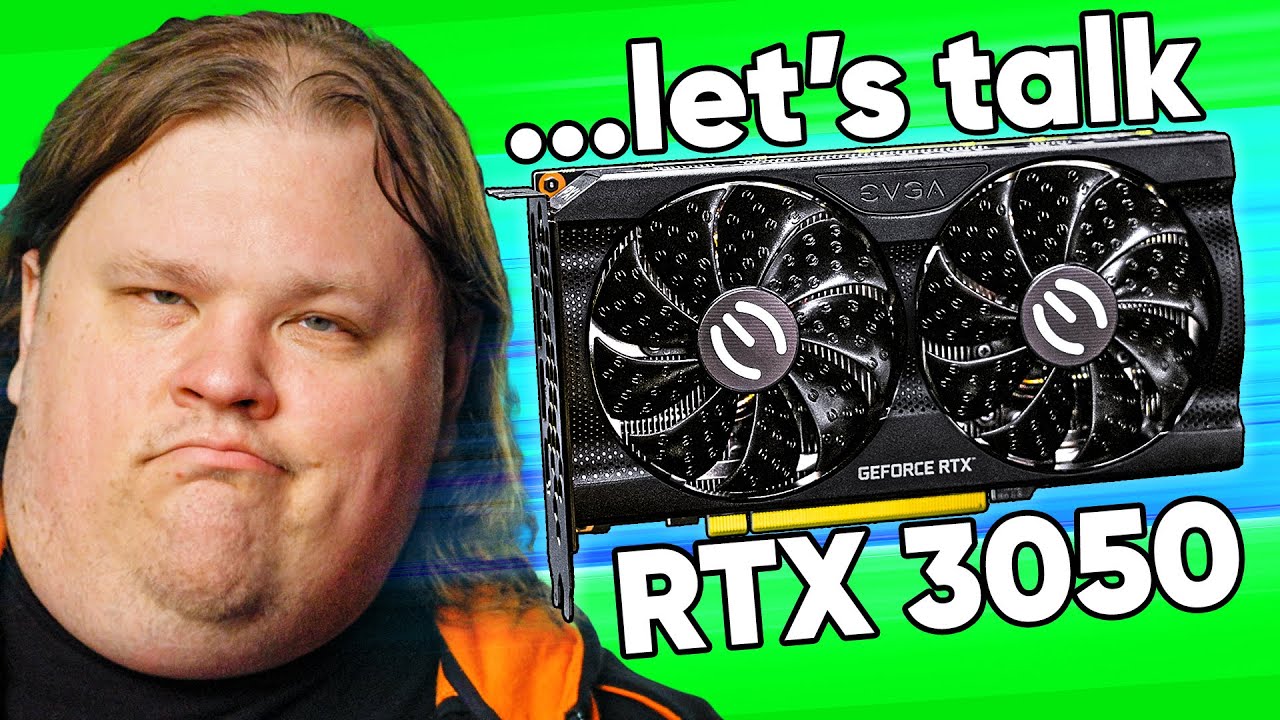
Thanks to Mine for sponsoring this video! Discover where your data is, and take it back at https://bit.ly/saymine-LTT
Get your Crucial P5 Plus NVMe SSD today at:
https://crucial.gg/LinusTechTips
Nvidia’s new “budget” GPU is finally here, promising more performance than ever at a price point higher than ever. Is this our new normal, or should g...
it doesnt have to be this one specifically but they compare a lot
wind halo
alright
jovial inlet
try checking those out, hope it has something for you
wind halo
the rtx..... oh god..
 jovial inlet
:/
wind halo
i dont have too much money rn so no risk of rain 2
jovial inlet
im very sorry friend :(
 oblique pond
Anybody able to help me with deleting a profile? I tried deleting it in game by pressing delete on my keyboard while hovering over the profile I then said yes to deleting it and it didn't work. On top of that when I delete the files in my pc they randomly appear again when I launch the game even though the files weren't even on my pc anymore. So how can I actually delete the profile I don't care if they say corrupt profile afterwards...
 vestal jasper
oblique pond
Anybody able to help me with deleting a profile? I tried deleting it in game by ...
vestal jasper
oblique pond
Anybody able to help me with deleting a profile? I tried deleting it in game by ...
i think if you turn off steam cloud sync for risk of rain 2 and then delete the actual file for your profile, it should actually delete it upon launching the game again
oblique pond
vestal jasper
i think if you turn off steam cloud sync for risk of rain 2 and then delete the ...
It worked thank you
 dreamy gyro
so i’m getting this Unity 2019 crash.. i was playing all day yesterday, quit RoR2 and tried opening it 20 min later and have been getting this error ever since. i updated all my drivers, redownloaded steam, RoR2, restarted laptop, verified integrity of files, tried running as admin.. even compied the file to my SSD and tried running from there. have over 100GB of extra space on my laptop and 16GB of ram. tried everything i could find online. at a loss on what to do now 😦
jovial inlet
dreamy gyro
so i’m getting this Unity 2019 crash.. i was playing all day yesterday, quit RoR...
check 3rd/5th pin
 coral anvil
is bulwark ambry logbook still bugged?
slender jay
jovial inlet
they have no firing animation but the rest still works fine
sorry for responding so late but is it normal for them to just not hit things like that? That's completely consistent even against large enemies like bosses
jovial inlet
slender jay
sorry for responding so late but is it normal for them to just not hit things li...
oh i honestly didnt even notice that
but no, thats not normal, but i have to ask regardless if you can replicate it without mods
 sudden kite
hello ! I ve done everything in pinned section and I am still randomly crashing. I own the DLC but crashes happen anywhere
jovial inlet
sudden kite
hello ! I ve done everything in pinned section and I am still randomly crashing....
delete this message please
the dxdiag contains personal info
thank you
sudden kite
oh
slender jay
jovial inlet
but no, thats not normal, but i have to ask regardless if you can replicate it w...
I'm not home right now but I'll do it later in vanilla and send the clip
jovial inlet
please email the dxdiag to hopoo, follow Ben's pin for instructions
sudden kite
Alright sorry for that
jovial inlet
no worries
just wanted to let you know that those kinda files shouldnt be posted on discord
sudden kite
I appreciate that. Should I delete the other one too ?
jovial inlet
nah
the player.log and error.log do not reveal anything aside from the username of the profile the PC is logged into
or, if the machine has one, it displays the custom name of it instead which you can edit freely
sudden kite
Alright Imma delete that just in case too hah, emailing now, thanks for your time
jovial inlet
up to you
almost everyone is fine with posting them here, if that makes you feel better ig
but im not gonna force you, its your choice
 scenic elbow
Hello everyone and good afternoon, I'm trying to delete some profiles off my game but they won't delete off my profile. I've tried turning off cloud save and deleting them from the folder but when I launch it pulls up as a corrupted profile. can anyone help

 slow edge
jovial inlet
intel graphics are just unreliable
slow edge
jovial inlet
intel graphics are just unreliable
HD4400 is a different situation all together
anything before skylake has zero proper driver support on windows now
The HD4400 isn't bad on Linux, but limited to great OpenGL drivers and "experimental" vulkan drivers
and OpenGL only doesn't get you very far for gaming on Linux these days
 sharp fox
I just changed the names of enemies in characterbodies.txt, now my game wont start from 100% loading. What happened?
I dont have any foreign characters such as , or ' in any of the enemy texts
Except Voidling (with the angles)
sharp fox
Okay, I think its because i renamed the ancestral incubator "POD_BODY_NAME" to something else, and i cant remember what it is

I did change Simulacrum texts, but i reverted that. Nothing's working

 upbeat willow
Random question but is it common for anyones game to freeze up after getting something like a ceremonial dagger brilliant behemoth chain? Or anything that causes a-lot of assets to be displayed on the game? Ive checked my task manager and it doesn’t seem to be using much of my gpu or cpu. Maybe its just a me problem idk Ive been getting some good runs and my game just kinda freezes up
 tardy knot
upbeat willow
Random question but is it common for anyones game to freeze up after getting som...
tardy knot
upbeat willow
Random question but is it common for anyones game to freeze up after getting som...
Wtf did you expect from insta killing everything on the map
upbeat willow
Guess its a dumb question but its happened atleast 3-4 times so yeah
Rip my eclipse run
 gilded coyote
 upper onyx
I usually play RoR2 on my laptop but today it won't open.
When i run the game from Steam this window pops up, swiftly disappears and then nothing else happens
I already verified the integrity of local game files and even re installed it, but it still won't work
 jovial inlet
upper onyx
I usually play RoR2 on my laptop but today it won't open.
When i run the game fr...
jovial inlet
upper onyx
I usually play RoR2 on my laptop but today it won't open.
When i run the game fr...
check 3rd/5th pin
upper onyx
@jovial inlet Thanks, it was my second creen's fault
jovial inlet
it will get fixed soon hopefully, but this should suffice for now
 silent adder
Hey, my friend's audio suddenly just... stopped. He was launching the game when it crashed as he alt-tabbed to look something up and now all sound is just gone. He's tried validating his files and messing around with the audio settings but nothing is working. Any ideas?
Edit: Turning the PC on and off again has fixed it. Yay for spaghetti code.
 tame forum
So, I'm having trouble with Risk of Rain (1) every time i try to launch the game it starts syncing files and my entire computer stops responding to anything. cant even close steam or open task manager.
jovial inlet
silent adder
Hey, my friend's audio suddenly just... stopped. He was launching the game when ...
probably related to Visual C++ or an audio driver goofing off
jovial inlet
tame forum
So, I'm having trouble with Risk of Rain (1) every time i try to launch the game...
we dont really do ror1 support here
i believe there is a ror1 discord, perhaps ask there, they may be able to help you
 dark bloom
Hi everyone my game is not responding

it gets to me at random times
I can hear sound but that's all
tame forum
jovial inlet
i believe there is a ror1 discord, perhaps ask there, they may be able to help y...
Figured out it’s a steam problem and not ror1, but thanks for letting me know
shrewd edge
dark bloom
it gets to me at random times
can you send a player.log and error.log?
also check out 3rd pin
 twin hatch

 reef pelican
i have a question for admins of the discord.
in the reaction roles, how did you get the text to show up? im doing buttons on dyno bot on my own server and the emoji shows up but the text does not.
 dark parrot
I was able to play yesterday, but today (Mods or no mods) I can't even open up the game. I even did a full reinstall, but have no idea why I can't even open up the game. As soon as I do, it just closes itself instantly.
 foggy thistle
dark parrot
I was able to play yesterday, but today (Mods or no mods) I can't even open up t...
foggy thistle
dark parrot
I was able to play yesterday, but today (Mods or no mods) I can't even open up t...
Check the channel pins
 north grove
upper onyx
I usually play RoR2 on my laptop but today it won't open.
When i run the game fr...
north grove
upper onyx
I usually play RoR2 on my laptop but today it won't open.
When i run the game fr...
I just had this problem too, thanks for asking!
 dreamy wasp
I’ve been having issues where I’m using voice chat on discord and when I try to play multiplayer on ROR2 it goes black screen or doesn’t even join the lobby
north grove
dreamy wasp
I’ve been having issues where I’m using voice chat on discord and when I try to ...
Ram issue?
maybe network if you're trying to join online
north grove
monitor your Network and RAM usage while in and out of a voice call
see if either of those are causing the issue
dreamy wasp
Okay I’ll check it out, thank you
north grove
if none of that works ping someone who has actively given advice
Network and RAM are the two most common issues i experience myself
 fiery warren
what Processor are you using?
 plucky sonnet
Anyone know anything about asus routers and port forwarding?

i get this now every time
 floral dirge
anyone have any experience running ror2 with proton? ive tried every version of proton and it runs at an abysmal framerate or crashes on start
 austere mango
Anyone else getting input delay and delays today in multiplayer? For host it feels fine but for others it is delaying on input of boxes in simulacrum
 lost condor
anyone know if theres any way to force the game to run on directx 9? i get fairly frequent crashes, and ive narrowed down the cause to directx 11.
I dont really expect to find a way out of using dx11, but im desperately trying to find a solution, ive been at this for a while and this is like a desperate last hope
jovial inlet
plucky sonnet
check bottom of 3rd pin
jovial inlet
floral dirge
anyone have any experience running ror2 with proton? ive tried every version of ...
its not made for linux
jovial inlet
lost condor
anyone know if theres any way to force the game to run on directx 9? i get fairl...
check 3rd pin, it lists 10.1 specifically but you can make that 10.0 if you want
lost condor
if this works, youre my new best friend
lost condor
9.0 also crashes
 slender musk

 dull musk
I'm unable to copy over pictures to the #ror2-bug-reports-pc channel, I've tried ctrl+v and right click+paste, the option seems to be missing from that specific channel when using integrated Discord UI for sharing files.
jovial inlet
lost condor
10.1 broke water textures, 10.0 crashes still
the water texture glitch is a known issue and is being investigated
jovial inlet
dull musk
I'm unable to copy over pictures to the <#559902343068385330> channel, I've trie...
you can get file perms by grabbing any role in #roles
 clever trellis
can someone please help me concerning random crashes? I've already checked drivers (they're all updated), my RAM is new and adequate (16 GB), GPU is old but not faulty so far (GTX 1050), verified game files, reinstalled the game, reinstalled to different drives, turned on compatibility mode, yet my game still does random crashes. There's no tell on when, why, or how my game crashes. Sometimes I crash upon spawn. Sometimes I crash upon teleporter activation. Sometimes I crash just for no apparent reason whilst playing the game as usual. Sometimes my game doesn't crash no matter what happens to me.
Checking my crash logs say issues with "UnityPlayer.dll caused an Access Violation (0xc0000005)" but also sometimes "d3d11.dll caused an Access Violation (0xc0000005)". Please help...
jovial inlet
clever trellis
can someone please help me concerning random crashes? I've already checked drive...
check 3rd pin
dreamy wasp
north grove
monitor your Network and RAM usage while in and out of a voice call
So i checked it today and it wasnt causing any issues but after 5 minutes of playing the characters just run in place and i cant deal any damage. the people i play with are still moving but i dont see them firing their weapons? any ideas.
 olive spruce
Hi All! Looking for some help with a multiplayer bug I'm experiencing with a friend. When I join them or they try to join my lobby they get stuck at the character creation screen and the side menu is blank / not loaded. We've tried a few solutions we found online but unfortunately we're still not able to play together.
The bug I'm referring to is similar to the below posts:
https://steamcommunity.com/app/632360/discussions/1/3049483103535489147/
https://steamcommunity.com/app/632360/discussions/0/1812044473307317967/
jovial inlet
olive spruce
Hi All! Looking for some help with a multiplayer bug I'm experiencing with a fri...
check last part of 3rd pin
it may help out
olive spruce
jovial inlet
it may help out
cheers mate, I searched "multiplayer" in this channel and found this:
#ror2-tech-support message
Looking at installing RadminVPN with my friend to try and fix this but it's getting late 😂
 wide bluff
Hey, I'm trying to play simulcrum, but in the loading menu it won't start? I can play other modes just fine, no issue.
I was told to ask here
 foggy thistle
wide bluff
Hey, I'm trying to play simulcrum, but in the loading menu it won't start? I can...
foggy thistle
wide bluff
Hey, I'm trying to play simulcrum, but in the loading menu it won't start? I can...
Do you own the expansion?
wide bluff
@foggy thistle i do not, is it required to play this mode?
foggy thistle
wide bluff
<@!816530536465170483> i do not, is it required to play this mode?
Yes, I apologize for the confusion; in the next patch it will be clear
You can, however, still play the mode with friends as long as one of them has the expansion
wide bluff
foggy thistle
Yes, I apologize for the confusion; in the next patch it will be clear
Its all good! I just didn't understand and was failing to understand if the DLC was required or not. Thanks for replying and everything! 🙂
north grove
dreamy wasp
So i checked it today and it wasnt causing any issues but after 5 minutes of pla...
I'm pretty sure that's a network issue then
 median phoenix
I can't delete my profiles.
I'm just trying to have a fresh save.
When I click delete it asks me If I'm sure, I say yes, it does nothing.
 weary gull
Has anyone been getting control latency issues when playing online since the update?
The host appears to be unaffected but clients can see things smoothly but suffer like a ten second delay
steady topaz
@weary gull unrelated to the game, its your connection to the host. Game runs on p2p
 balmy marlin
How do you turn on cheats through console commands? I’m trying “cheats=1” but that doesn’t work
plucky sonnet
jovial inlet
check bottom of 3rd pin
did not work for me
plucky sonnet
I have set up port forwarding but still am having disconnect issues
steady topaz
@balmy marlin you don't.
Use mods. Ror2 cheats
@plucky sonnet no one can help you remotely. All we can do rn to confirm connection issue.
Get your friend's external ip adres from copy button on http://myip.com using copy button.
Open up cmd by pressing winkey+r and typing in the "cmd.exe"
Type into black window of cmd this "tracert 192.168.1.1:7777", but use your friend's external ip.
Must be xxx.xxx.xxx.xxx:7777 format.
Wait till it done, rrsize the window to fit entire table, press alt+printscreen to make a screenshot.
Send it my way into personal message.
 mental patrol
I've had issues multiple times where during a run, my game freezes and my pc says "program is not responding", and I'm forced to reopen it. I verified the integrity of the game files, but it still happened again. Does anyone have any tips that could help?
 oblique raptor
hello is help for the vr mod given here?
im having an issue where i cant select anything when i boot it up
 waxen finch
Ask in the mods discord
jovial inlet
mental patrol
I've had issues multiple times where during a run, my game freezes and my pc say...
check 3rd/5th pin
 willow current
does anyone have solution for the infinite black screen upon launching the game? I've tried alt + shift, deleting download cache, disabling steam cloud, updating the graphics driver, and reinstalling the game several time but none of them fixed the issue.
 turbid rampart
oblique raptor
im having an issue where i cant select anything when i boot it up
turbid rampart
oblique raptor
im having an issue where i cant select anything when i boot it up
Select a profile in vanilla, then open in VR again. Will be fixed soon.
jovial inlet
willow current
does anyone have solution for the infinite black screen upon launching the game?...
check 3rd/5th pin
willow current
I've tried all of the methods in 3rd and 5th pin and the problem still persists. Is there anything else I can try to fix it?
jovial inlet
willow current
I've tried all of the methods in 3rd and 5th pin and the problem still persists....
follow 2nd pin
 round breach
Gasoline and N'kuhana's Opinion in the Logbook for some reason won't stop being "new" in it, despite me scrolling or anything
jovial inlet
round breach
Gasoline and N'kuhana's Opinion in the Logbook for some reason won't stop being ...
known issue
orchid flame
I got locked out of #roles after clicking Egocentrism, how do I fix it.
 burnt flower
orchid flame
I got locked out of #roles after clicking Egocentrism, how do I fix it.
burnt flower
orchid flame
I got locked out of #roles after clicking Egocentrism, how do I fix it.
It consumed the other roles of course
orchid flame
Where can I remove it.
burnt flower
idk tbh, i just joined XD
shrewd edge
become assimilated
orchid flame
Sounds like I need to get a mod.
 pastel fractal
 static locust
hey is anyone a person who accepts mod requests?
 smoky gale
heya since this evening when trying to join any public game, or have anyone try to join one i host, i/they get this screen, the host sees pretty much normal single player screen but cant press ready. does anyone recognise this or know how to fix it?

nothing about my internet or computer situation has changed since being able to join the game, so im not sure what the cause could be
ive tried restarting everything, the internet, steam, the game, etc etc
foggy thistle
smoky gale
heya since this evening when trying to join any public game, or have anyone try ...
Check out the pinned messages on this channel for some suggestions
 hot veldt
Does starstorm2 work with sotv?
 short fjord
nope, has been depreciated
hot veldt
short fjord
nope, has been depreciated
Assuming because it hasnt been updated by the publisher? New to modding
short fjord
iirc the modding team is kinda in shambles for it and hasn't been worked on for some time
plucky sonnet
if I change my wifi router would I see less issues with port forwarding?
hot veldt
Use lan. Wifi will almost always have issues.
steady topaz
plucky sonnet
if I change my wifi router would I see less issues with port forwarding?
No, it's how networking functions.
There is too much stuff to explain, many steps where it can go wrong. That's why i asked you for the screenshot. I need some understanding how your network functions.
Im still waiting for those screenshots btw.
plucky sonnet
steady topaz
No, it's how networking functions.
There is too much stuff to explain, many step...
I figured everything out but though
steady topaz
hot veldt
Use lan. Wifi will almost always have issues.
An answer so true, yet so false.
Lets say nothing wrong with wi-fi, it's tottaly viable, but you need additional steps and settings required for user to know how to change.
steady topaz
plucky sonnet
I figured everything out but though
So your initial issue is solved? Did you let 7777 port thru and that's it, or changed something more?
clever trellis
jovial inlet
check 3rd pin
I did everything the pins said, my game just crashed now again
plucky sonnet
steady topaz
So your initial issue is solved? Did you let 7777 port thru and that's it, or ch...
I just did a fresh install of windows. Works perfectly now
steady topaz
@plucky sonnet note this means your internal network, stuff that plugs inside your pc (or connects via wi-fi) were set correctly. Whatever the problem was it is on your computer only.
That might be antivirus, firewall, vpn or some misbehaviour or interference of other programs, namely remote desktop or other admin tools.
plucky sonnet
Maybe
steady topaz
This also includes work provided software
@clever trellis you mentioned mew ram, say more about that part.
If it's new, there still might be issues with it, details are essential
clever trellis
steady topaz
<@404680413651402755> you mentioned mew ram, say more about that part.
2x 8GB HyperX DDR4
steady topaz
They are bought in pair, from same vendor, packaged or oem? @clever trellis
clever trellis
in pair, same vendor
steady topaz
@clever trellis try disabling xmp memory profile from bios. If that didn't help unplug one ram card. If it still crashes reseat it and change for the one you unplugged.
Even if memtests passed there were cases when ram conttoller misbehaved with some ram cards. And cases where similar or equal ram didn't go well together under load.
Other games might not be affected, but if you have something like this issue on other games that might be hardware failure.
Send me your player logs from 3-5 crash folders, and your dxdiag.txt in personal message.
clever trellis
well I dont have issues with other games, I USED to have Unity crashes with other games like Genshin Impact, but I've played other Unity games and they seem to behave now
I also play Dota 2, but while it doesn't crash, sometimes it DOES freeze and I have to restart the game, but that's it.
 low lagoon
No idea why but just now my game is consistently crashing anytime I try to load up a game, single or multiplayer. Sometimes I can get into a game for a stage but before I can get to the next stage I get this exact crash again. Anyone have any idea what's happening? I already uninstalled and reinstalled the game to no effect
 jovial inlet
low lagoon
No idea why but just now my game is consistently crashing anytime I try to load ...
jovial inlet
low lagoon
No idea why but just now my game is consistently crashing anytime I try to load ...
check pin 3&5
steady topaz
 worn valve
thats like humiliating
worn valve
thats like humiliating
They hold us in basement feed with  and
and  only and hit with
  each Friday. Oh here they come!
But really, this os just a channel, like any other. Techsupport is pinned, its gearbox. We have awesome devs, that came here often an theyr free time just to try to help players.
I feel i need to help with that, many others must be feeling something similar.
 summer briar
Hi everybody, when i click the portal - my character teleports, UI dissapears and nothing happens, monsters walk around, but i dont jump to next level. Which mod makes this issue, any ideas?
Here's the log
 steady topaz
¯\_(ツ)_/¯
Log is almost unreadable, this pic takes more kb than the log itsrlf, yet nothing i can see on it due to pixelation.
Anyway, disable one by one and test. Start with the ones that change teleporter events
summer briar
[Error: Unity Log] NullReferenceException: Object reference not set to an instance of an object
Stack trace:
Basil_ror2.DII.updateInventory (RoR2.CharacterMaster child, RoR2.CharacterMaster player) (at <50b7655617b940ee8231fd5efa54cfe2>:0)
Basil_ror2.Hooks+<>c.<updateAfterStage>b__4_0 (On.RoR2.Run+orig_AdvanceStage orig, RoR2.Run self, RoR2.SceneDef nextScene) (at <50b7655617b940ee8231fd5efa54cfe2>:0)
DMD<>?-1158285056.HookRoR2.Run::AdvanceStage?1519690624 (RoR2.Run , RoR2.SceneDef ) (at <dd6d6aef72004f69b237b08782abe7bd>:0)
RoR2.Stage.FixedUpdate () (at <0f44b36eaa194934bb127b3fdd08e444>:0)
summer briar
steady topaz
Log is almost unreadable, this pic takes more kb than the log itsrlf, yet nothin...
Disable what? Please explain
steady topaz
@summer briar damn, just drop the file, don't copy snippets. Get a #roles to be able to.
Disable mods you have enabled untill issue stops, that way you figure out what mod is broken
summer briar
@steady topaz
steady topaz
@summer briar без понятия, попробуй выключить zed aspects
low lagoon
low lagoon
No idea why but just now my game is consistently crashing anytime I try to load ...
Just to follow up this message, I followed the advice but what it said to do did not fix it. Particularly this option failed me:
"right click on it > Properties > Compatibility > Change high DPI settings > check the High DPI scaling override box > switch the scaling from Application to System or System enhanced."
When that failed, I decided to try switching it from "system enhanced" to Application. THIS fixed the problem.
Also what is the point of "tech support" if the people who respond just say "check the pin" every time like come on. The solutions proposed didn't solve the problem and I had checked the pin
I played a whole bunch just now and it didn't give me the crash after I set override on and set it to application, just incase anyone else gets the same problem...
steady topaz
@low lagoon not to offend you in any way, but check the message history for me or the person who made thos pinned messages.
We tell exact same things over and over and over again to each who asks about certain problem.
It is impossible to fix something that we never reproduced by exact steps.
We didn't had those issues ourselves. All the solutions were derived by us, the comunity with help of the devs. We aren't able to fix your problem exactly, if you provide not enough data. But weable to point you in right direction.
You solved your issue, good for you. You even provided us feedback on how you did that. That's very welcome, you help us improve our workarounds that way.
But what's difficult, is to pinpoint what exactly made the difference.
It might've been not what you think, but other issue you managed to fix while trying pinned messages.
jovial inlet
whats also an issue right now is that many crashes are still rather hard to trace down
Ben and other users have pitched solutions that work, but we have to wait for a patch that will hopefully fix many of these issues
error.log is useful, but all DLC-specific crashes are Unityplayer.dll which is not a very helpful code line (still better than d3d11 tho)
 trim parcel
Friend and I can't play ROR2 when he has the right requirements. He gets lag spikes all the time and sometimes the game freezes and crashes his PC. Please fix this!
jovial inlet
trim parcel
Friend and I can't play ROR2 when he has the right requirements. He gets lag spi...
check 3rd/5th pin
also, lag spikes as in network or framerate?
jovial inlet
framerate issues are often caused by Gup funnily enough
anyway, the best solution is to lower corpse limit drastically and setting vfx cutting bias to low
trim parcel
this happened before the DLC
trim parcel
I thought Gup was DLC exclusive
jovial inlet
he is
vestal jasper
also, just wanna be sure about something. your game network-wise is running just fine, and it's just the game that's causing the frame rate to be so low?
jovial inlet
network issues rarely cause framerate lag spikes
jovial inlet
trim parcel
It freezes and crashes his pc
also in singleplayer actually?
cus that does make a big difference
vestal jasper
make sure their graphics drivers and/or cpu drivers are up to date
or if it is on the latest version, try installing a very recent version of them
jovial inlet
that i wouldnt recommend
only take verified updates
not all new updates are stable
trim parcel
He says he can't because he's PC is trash(his words not mine)
jovial inlet
he cant what, exactly?
trim parcel
He says he's tried everything (even following yt tutorals), but it doesn't work
vestal jasper
jovial inlet
not all new updates are stable
you mean the "recommended" updates should be skipped and "required" ones should be installed? i use amd so i'm not sure if the terms are different for nvidia
jovial inlet
tutorials of what
trim parcel
How to update CPU
jovial inlet
cpu drivers are nearly never an issue, if they are then your entire machine is malfunctioning
its likely a windows component thats broken
hence the scans listed in the 5th pin
trim parcel
Luckily tho, he's going to get a new PC soon so it isn't that big of a problem. I just wanted to know in case it happens again
jovial inlet
vestal jasper
you mean the "recommended" updates should be skipped and "required" ones should ...
there is no official termonology for this, but here we generally define them as verified/experimental. the verified updates only appear once every 2/3 months but never cause crashes/issues on a windows level. experimental updates generally dont cause issues but that still means they can happen, even seemingly out of nowhere. these happen every few weeks so its always hard to pinpoint whether they are the reason for the issues.
both AMD and Nvidia have this as a setting you can toggle
it is indeed generally referred to as recommended/(something i forgot)
hopefully that cleared up what i said 👍
vestal jasper
@jovial inlet ok i see what you mean now. for a second there i honestly thought you meant that graphics drivers shouldn't be updated to the latest or second latest verified versions
jovial inlet
vestal jasper
<@!379700829965516801> ok i see what you mean now. for a second there i honestly...
oh goodness, no i never meant to say that
vestal jasper
but actually, what about the second latest verified drivers? i've rolled back drivers before for the sake of stuff like half life alyx and it worked really well for me
jovial inlet
it can work but is very rarely the issue
vestal jasper
yeah
also the problem with alyx was both that i had the minimum amount of vram to run it and that (for some reason) alyx around launch used to go like 12-20 frames below your headset's cap. still have no idea why they did that
and for some reason a rollback helped greatly
 clever bronze
Not sure if this is the right place or not... I'm running a dedicated RoR2 server, but it doesn't show up in the list. What can I do to make it show up in the list in game? Would just make it easier to find and join than using the console method.
 rapid kestrel
jovial inlet
both AMD and Nvidia have this as a setting you can toggle
rapid kestrel
jovial inlet
both AMD and Nvidia have this as a setting you can toggle
Where can you toggle that?
rapid kestrel
ok thx
jovial inlet
i dont have Nvidia myself so i dont know where its found there
jovial inlet
clever bronze
Not sure if this is the right place or not... I'm running a dedicated RoR2 serve...
there is a pin detailed some stuff
clever bronze
Whoops, should have checked there, sorry... Some of those things in Discord are new to me.
jovial inlet
np np
but aside from that, knowledge of dedi. servers aint very big here
maybe some steam forums or maybe the modding discord have some knowledge about it
clever bronze
K, Thanks @jovial inlet I'll pop over there and see if they can help.
 brittle cargo
Is it a known issue that on Simulacrum the Focus thingy can stop under rocks, making it impossible to interact with?

 blissful dawn
It could be above where you are
 wintry parrot
Hi all, I just set up a dedicated server tonight because one of our friends can't use peer to peer connections. We're trying to get it to work with more than 4 players now and can't get it to work. I've changed all the appropriate variables and I still get errors saying there isn't space. I've seen some people here and on Steam forums mention there might be a bug right now? Any workarounds? Any advice is appreciated!
 twilit jungle
Hey guys, I have been having troubles with the multiplayer system and most times it allows me into the lobby then we get into a game and then it doesn't let me into the game. Sometimes it kicks me from the lobby / doesn't allow me to enter and sends me to the main menu. (i'll send screenshot). Can someone please help. https://cdn.discordapp.com/attachments/559902278018924557/952809059562688552/Screenshot_217.png
 jovial inlet
twilit jungle
Hey guys, I have been having troubles with the multiplayer system and most times...
jovial inlet
twilit jungle
Hey guys, I have been having troubles with the multiplayer system and most times...
check last point of 3rd pin
brittle cargo
blissful dawn
It could be above where you are
Unfortunately not. We followed the Focus, and it just went inside the rock and landed there. So we couldn't start the next wave.
jovial inlet
brittle cargo
Unfortunately not. We followed the Focus, and it just went inside the rock and l...
Hubert has a failsafe where it will put itself above its landing spot if its invalid
even if the trip to said spot is beneath it
its still being investigated for this to not even be necessary but it is what it is right now
brittle cargo
Ah okej, wasn't aware of that. Will keep this in mind if it happens again. Thanks for the reply 🙂
 bright minnow
Hoping I can get some insight on an issue that started once I downloaded the new DLC. It starts to load in steam, but then goes through to start running, then it stops and its as if I never tried loading the game at all.
I've tried countless things to fix the issue but have not been able to find the right fix. Any advice?
jovial inlet
bright minnow
Hoping I can get some insight on an issue that started once I downloaded the new...
check 3rd/5th pin
 frank agate
Killed a bunch of gups on a god run with with void glasses + Dios, simulacrum just stopped spawning monsters entirely

 tawdry pike
Does anybody have a good way to reduce the lag spikes on boss waves in the simulacrum once you break into higher waves?
 teal oak
immense lag for all non hosts in multiplayer, doesnt fix it if we switch hosts, it just always lags for the person joining the host
orchid flame
my game constantly crashes and I cant even begin a run before my game crashes
 bold stream
orchid flame
my game constantly crashes and I cant even begin a run before my game crashes
bold stream
orchid flame
my game constantly crashes and I cant even begin a run before my game crashes
Can you tell more about your problem?
orchid flame
it started happening after the new dlc was added
bold stream
Whats your gpu?
bold stream
orchid flame
all i know it worked fine before it
Check 3rd pin, you probably have AMD gpu and it might help
orchid flame
ok
 olive peak
What
jovial inlet
bold stream
Check 3rd pin, you probably have AMD gpu and it might help
fyi, its not limited to AMD
jovial inlet
 sullen rock
I'm having issues with controls
sullen rock
I'm having issues with controls
no gamepad binding
plush treeBOT
@jovial inlet, We have two known solutions for the topic 'no gamepad binding'. Would you like to view them? (Y/N)
jovial inlet
y
plush treeBOT
@jovial inlet,
This issue occurs when Windows is reporting a gamepad, joystick, or other input device providing a non-neutral input. This is usually caused by:
- Having a gamepad, flight stick, HOTAS, pedal, racing wheel, or any other kind of non-keyboard/non-mouse input device plugged in. Simply unplug the device from your computer.
- Having vjoy installed. If you've ever tried to use a GameCube controller with your PC, you probably have it installed. Opening your computer's Device Manager window should allow you to disable or uninstall it.
jovial inlet
if it says the above on the title screen, follow these steps. if it doesnt, make sure steam has configured the gamepad properly
jovial inlet
teal oak
immense lag for all non hosts in multiplayer, doesnt fix it if we switch hosts, ...
check last point of 3rd pin
jovial inlet
tawdry pike
Does anybody have a good way to reduce the lag spikes on boss waves in the simul...
lower corpse limit and set VFX cutting bias to low
 blissful turtle
not sure if my pc became poopy or ror2 has lower fps this time around
i remember playing when captain wasnt around yet and the fps was a bit higher
(also side note, is there really no pink mushrooms on low settings?)
jovial inlet
blissful turtle
not sure if my pc became poopy or ror2 has lower fps this time around
i remember...
the game has become a bit more graphically intense, but not by much
and for your latter question, i do believe so yes
 timber crane
Hey guys, have an issue with Mercenary, obliterated on Monsoon twice and got the skin / achievement but he's still not showing up on the survivor logbook. What do?
jovial inlet
timber crane
Hey guys, have an issue with Mercenary, obliterated on Monsoon twice and got the...
you mean that the challenge is not unlocked in the logbook?
or when you click on merc in the survivors tab he doesnt show it
timber crane
challenge is unlocked, survivor tab isn't
jovial inlet
timber crane
challenge is unlocked, survivor tab isn't
oh for the logbook you need to kill mithrix and escape the moon
but not on monsoon per se, any difficulty will do
timber crane
That was it, ty @cosmic zinc PS Chef ftw
 cosmic zinc
Lmoa
jovial inlet
dang
 lilac geode
I cannot do multiplayer with a friend when he joins he cant switch class and when he clicks ready it shows only to me that he did ready... also he just has a black screen when game starts
i opened port and tryed to install the c++ and it failed to install
 vestal folio
what do you guys mean when you say check the 3rd or 5th pin, like how to check a pin?
jovial inlet
vestal folio
what do you guys mean when you say check the 3rd or 5th pin, like how to check a...
read the steps listed there
 tender vessel
A modpack gave me all artifacts, survivors, and abilities, how can i undo this to play legitimately?
jovial inlet
tender vessel
A modpack gave me all artifacts, survivors, and abilities, how can i undo this t...
you can create a new save file and re-unlock the stuff you had with the save editor listed in the pins
 dapper inlet
lilac geode
I cannot do multiplayer with a friend when he joins he cant switch class and whe...
dapper inlet
lilac geode
I cannot do multiplayer with a friend when he joins he cant switch class and whe...
have the same issue
tender vessel
jovial inlet
you can create a new save file and re-unlock the stuff you had with the save edi...
it seems to have not worked for me, is there anything else specific i have to do?
jovial inlet
tender vessel
it seems to have not worked for me, is there anything else specific i have to do...
wdym 'not worked?'
you can select this new profile in game and just click the stuff you had in the editor
tender vessel
jovial inlet
wdym 'not worked?'
it just didnt
jovial inlet
tender vessel
it just didnt
which part of the process didnt work
tender vessel
how would i "replace" a save file? simply remove the old one?
jovial inlet
tender vessel
how would i "replace" a save file? simply remove the old one?
essentially, yes
tender vessel
jovial inlet
which part of the process didnt work
ok, I'll try that
jovial inlet
go into the local files of the game, edit the new file (and be sure which one it is), copy that back into the save file folder and remove the old one
then restart the game
note that you may need to select it in the main menu first
tender vessel
jovial inlet
go into the local files of the game, edit the new file (and be sure which one it...
where would the save file folder be, it seems to not be in the files for me
jovial inlet
its located elsewhere, one second

the marked out thingy is the ID of your steam account
tender vessel
jovial inlet
the marked out thingy is the ID of your steam account
ok so that is where i replaced it though...
jovial inlet
and it doesnt show up in-game?
tender vessel
nothing is different
the save file simply moves itself back everytime i move it elsewhere
i even tried deleting it
it came back again
jovial inlet
oh right, you have to disable steam cloud for a bit, restart steam and then place it
otherwise it will just keep on doing that
tender vessel
it didnt work
tender vessel
jovial inlet
oh right, you have to disable steam cloud for a bit, restart steam and then plac...
nothing is working
tender vessel
jovial inlet
oh right, you have to disable steam cloud for a bit, restart steam and then plac...
if i want anything to go back to normal i think I'll have to make one
yes
jovial inlet
okay
then that is your only option as of right now im afraid
unless you are willing to edit your save file manually which can take a bit of work
especially considering you didnt have certain things unlocked
 solid wagon
is there a way to fix the slow load times. i just got a new mobo ram and cpu in my computer and the load times since the dlc came out are the same in these 2 computers. i tried reinstalling the game and verifying integrity of files and disabling HPET. Nothing makes the game load faster. It takes 3 minutes to launch.
jovial inlet
solid wagon
is there a way to fix the slow load times. i just got a new mobo ram and cpu in ...
not really, as of right now
its likely an issue caused by the updated Unity engine, so our best hope is some optimization in the next patch
 indigo ruin

 shy plinth
anyone else having this issue where you can't pick up lunar coins?
I don't think it's a mod issue cause I got a clean install
tried not using artifacts but still no dice
I press E and it just doesn't do anything
 chilly minnow
I can't move my character at all, it just say no key binding or some shit
chilly minnow
thanks i guess
 noble marten
My game stopped opening out of nowhere everytime I try to launch it it loads for half a second then closes and ive tried to fixes recommended 😦
 lapis cedar
Im trying to delete old and corrupted saved from the folder 632360 and no matter what I do when I launch the game they appear again and duplicate. Going in game and pressing delete on the profile does nothing and I even tried deleting the entire folder and uninstalling the game with no fix
Fully uninstalled turned off cloud save and deleted the 632 folder but they keep showing up.

If I hover over it click delete and say yes it does nothing.
lapis cedar
They no longer even appear in the 632 folder they are just magically there.
summer briar
[Error : Unity Log] NullReferenceException: Object reference not set to an instance of an object
Stack trace:
Basil_ror2.DII.updateInventory (RoR2.CharacterMaster child, RoR2.CharacterMaster player) (at <50b7655617b940ee8231fd5efa54cfe2>:0)
Basil_ror2.Hooks+<>c.<updateAfterStage>b__4_0 (On.RoR2.Run+orig_AdvanceStage orig, RoR2.Run self, RoR2.SceneDef nextScene) (at <50b7655617b940ee8231fd5efa54cfe2>:0)
DMD<>?573076224.HookRoR2.Run::AdvanceStage?-1830829568 (RoR2.Run , RoR2.SceneDef ) (at <d4b55cbf961a49c7bb2eb747050f033e>:0)
RoR2.Stage.FixedUpdate () (at <0f44b36eaa194934bb127b3fdd08e444>:0)
Hi, could anyone help me please with that error? Nothing happens when i hit teleport
jovial inlet
lapis cedar
They no longer even appear in the 632 folder they are just magically there.
known issue
jovial inlet
noble marten
My game stopped opening out of nowhere everytime I try to launch it it loads for...
you mean you followed all steps from pin 3&5?
steady topaz
summer briar
[Error : Unity Log] NullReferenceException: Object reference not set to an inst...
Broken mod, i see mod hooks. Try disabling code ne by one. Last time it was zed aspects.
 misty canyon
how would i fix this https://cdn.discordapp.com/attachments/760945335702388756/960488406280978462/unknown.png?size=4096
 steady topaz
@lapis cedar game keeps track of corrupted profiles. Look for bad profiles, corrupted profiles or just profiles folder names, you would see similarly named txt file next to them. Delete.
Note: if its in steam userdata its current, actual save, leave it.
steady topaz
misty canyon
how would i fix this https://cdn.discordapp.com/attachments/760945335702388756/9...
Idk what it m looking at
misty canyon
whenever i press ready instead of going to the whip it just goes to this
steady topaz
@misty canyon mods? Single player?
misty canyon
yeah and yeah
steady topaz
@misty canyon welp, outdated mods tend to do stuff like that. Check for updates, look at dates, disable one by one, inform creators.
Nothing else you can do, unless you familiar with c+
misty canyon
ok
 glad gate
jovial inlet
its not made for apple os
glad gate
jovial inlet
its not made for apple os
Right but there has to be a way to make it run with some 3rd party stuff right?
I managed to get the game to launch but all the character models including mine are invisible
steady topaz
@glad gate there's too many things that could be wrong. But main one – its mac and windows game.
You have some chances with emulating linux and launching the game there but my knowledge level on this is close to ground level. Unlikely you find an anser here.
Google for how to run unity game on mac, general instructions.
Note ror2 cpu and ram heavy game, there will be crashes, no doubt
jovial inlet
glad gate
Right but there has to be a way to make it run with some 3rd party stuff right?
maybe, but that is not something we really do here because A) it is unsupported, unofficial software and B) it causes a lot of other unforseen issues
you are free to do so, absolutely, but we cannot really help with troubleshooting or glitches
i dont want to sound discouraging because playing the game and supporting hopoo is awesome, but just note that our conventional ways of support likely cant help you if anything goes wrong
jovial inlet
steady topaz
Broken mod, i see mod hooks. Try disabling code ne by one. Last time it was zed ...
question, which lines are these broken mod hooks?
so i can spot them myself in the future
steady topaz
jovial inlet
question, which lines are these broken mod hooks?
That was a wide guess, based on last log I've seen. Entire log contained hooks for all the mods and zed aspects mentioned before scene loading. Also devig message that there is no items left to give for players on teleport to another stage event.
User tild that zed aspects broke somenother mod I don't remember the name of which.
This log just similar part of that before it.
jovial inlet
steady topaz
That was a wide guess, based on last log I've seen. Entire log contained hooks f...
i see, thanks chief 👍
orchid flame
guys my game has been out of sync for the entire day now

should i just play the game?
jovial inlet
orchid flame
guys my game has been out of sync for the entire day now
and you cant sync it manually?
orchid flame
yes
jovial inlet
yes as in?
replying with yes to a negative question means your answer is positive, my bad
can you sync it manually?
orchid flame
does syncing it manually just mean turning off steam cloud?
jovial inlet
not necessarily
i believe you can force steam to sync in the properties tab
right click on ror2 in your steam games list, then click properties
there should be a tab for steam cloud there
orchid flame
yes sir
jovial inlet
iirc there is a sync button there
orchid flame
yes there is
jovial inlet
and does that work?
orchid flame
ok so uhmmm
when i disable it
the game runs
but it still stay steam cloud error
should i worry about that?
jovial inlet
well
it simply means your save data isnt saved on the server
so if you either transfer to a new machine or lose your save file, its gone
orchid flame
ohhhh
jovial inlet
on a gameplay level it really doesnt matter
restarting your machine may work as well cus steamworks being wonky is a normal occurance
orchid flame
i tried restarting my laptop a few times already but it is still the same
it doesn't really matter i guess
if i ever need to grinding this game is fun
tysm
jovial inlet
oh @orchid flame what may actually be an issue
steam cloud has limited storage
check if it isnt full
it likely isnt, but i dont know how many games you have backed up in there
 cerulean parrot
excuse me, me and my friend have been trying to play together but the lag is very heavy, with black loading screen, broken hud, and a lot of delay, is there any fix or troubleshoot i could do?
jovial inlet
cerulean parrot
excuse me, me and my friend have been trying to play together but the lag is ver...
check the last part of pin 3
we have a massive explaination there
hope it is useful to you and your friend
cerulean parrot
ok thanks i will check it now
cerulean parrot
@jovial inlet we fixed it thanks a lot
orchid flame
jovial inlet
oh <@456226577798135808> what may actually be an issue
Yeah it isnt full lol. It is just at 250kb. Thanks for the suggestion
 zinc wind
anyone know what drivers ror2 takes, trying something really broken
jovial inlet
zinc wind
anyone know what drivers ror2 takes, trying something really broken
what kinda drivers do you mean exactly?
jovial inlet
it doesnt need anything special as far as im aware
zinc wind
mk
jovial inlet
mainly Visual C++
zinc wind
k
jovial inlet
the 2015-2019 version, both x64 and x86
zinc wind
thats what I was looking for thanks
 lavish reef
dunno if the question fits here, so tell me and I move it
I am developping a python app to randomize the game settings (which gamemode, which survivor and which artifact).
(this is a standalone thing, nothing is connected to game and modifies it in real time.)
I wanted to push it openly on my GitHub account, but can I push it with the icons from the game ?
icons like this one https://riskofrain2.fandom.com/wiki/Acrid
and also if you have a folder with all the icons I would thank you 😁

Risk of Rain 2 Wiki
Acrid is a playable character in Risk of Rain 2.
A macabre, poison-spewing ex-prisoner, Acrid fights with a potent array of damage-over-time effects and self-sustaining melee ability, as well as a mix of long-range and crowd control options for any situation. It also sports the highest base damage stat of any Survivor barring the Heretic, allo...
 marble gulch
Hello, i was just wondering how i could delete profiles on ror2 ?
 deft stag
Hi, i keep getting a black screen on startup, I've tried windowed as many others have but that didn't help, i checked pinned messages but didn't see anything that was similar to my issue
marble gulch
marble gulch
Hello, i was just wondering how i could delete profiles on ror2 ?
Hover the profile and press delete doesn't work
jovial inlet
marble gulch
Hover the profile and press delete doesn't work
its a known issue
jovial inlet
lavish reef
dunno if the question fits here, so tell me and I move it
I am developping a py...
@severe ridge you are more qualified to answer this
jovial inlet
deft stag
Hi, i keep getting a black screen on startup, I've tried windowed as many others...
pin 3&5 also work for your issue, its just that crashing is the most common issue, so follow the steps regardless please
deft stag
alright thanks!
 severe ridge
jovial inlet
<@101392673478303744> you are more qualified to answer this
severe ridge
jovial inlet
<@101392673478303744> you are more qualified to answer this
cant see why not assuming you are not charging for the app or something
marble gulch
jovial inlet
its a known issue
So I can't do anything about it?
jovial inlet
marble gulch
So I can't do anything about it?
you can try turning off steam cloud, deleting them from your local files and then launch the game without cloud
marble gulch
jovial inlet
you can try turning off steam cloud, deleting them from your local files and the...
Ok thx mate
lavish reef
severe ridge
cant see why not assuming you are not charging for the app or something
I am not, it will be there just in case anybody wants to give it a try !
thanks !
lapis cedar
jovial inlet
known issue
So their is no known fix?
jovial inlet
lapis cedar
So their is no known fix?
if you tried fixing it by turning off steam cloud, there currently is not
 charred scaffold
Does anyone else get a white screen on the ending page ? unable to click anything?

 olive topaz
[Error : Unity Log] FileNotFoundException: Could not load file or assembly 'UnityEngine.Networking, Version=1.0.0.0, Culture=neutral, PublicKeyToken=null' or one of its dependencies.
Stack trace:
Game keeps crashing with this, let me know if ya recognize what it may be.
I assume UnityEngine.Networking is likely a game file not a result of some mod, but I even reinstalled the game and issue remains.
foggy thistle
olive topaz
I assume UnityEngine.Networking is likely a game file not a result of some mod, ...
You're still running with mods--try uninstalling the mods


 empty verge
"BepInEx"
Anyway, did an update fix the "cant delete profiles" thing yet? I still can't if it did.
 pulsar quarry
?
jovial inlet
pulsar quarry
follow these steps please:
- back up your save data on your machine
- uninstall the game via steam
- go into the steamapps\common folder and delete the entire ror2 folder that lingers there
- reinstall the game and verify game files
(if your save file didnt come back on its own, copy it back manually)
jovial inlet
empty verge
"BepInEx"
Anyway, did an update fix the "cant delete profiles" thing yet? I sti...
keep an eye on #announcements for patch notifications
pulsar quarry
ight
 slender ravine
hoping this is the right place for it but i havent been able to access my game for like 2 months because i keep getting this issue

i can't find anything about it online. i'm playing vanilla
jovial inlet
slender ravine
i can't find anything about it online. i'm playing vanilla
check pin 3&5
slender ravine
ty ty
 fickle island
Hello! I have an interesting issue. I have unlocked the Void Fiend a couple of days ago by beating wave 50 in the void simulation gamemode, and today I logged into the game to see that the character is still locked. I have the achievement in Steam, even. Properties->Local Files>Verify integrity of game files did not seem to work, nor did restarting the computer. Has anyone encountered this issue before?
 sleek ore
Excuse me and hi, I've been having an issue for a while now and it's mostly in relations to multiplayer. I've been trying to play with my friend for the better part of months now, but every time we try to get in a lobby it just never works and the lobby screen glitches out. Does this ever happen to anyone else? Oh, and sorry if I'm asking in the wrong area.
jovial inlet
sleek ore
Excuse me and hi, I've been having an issue for a while now and it's mostly in r...
check last point of 3rd pin
jovial inlet
fickle island
Hello! I have an interesting issue. I have unlocked the Void Fiend a couple of d...
ensure you close the game properly via the main menu and let steam cloud sync properly
other than that, you will have to unlock him again im afraid
fickle island
Awe damn, I probably alt f4d out of the game
 wind burrow
Hey, recently I've been running into issues with the game crashing. It happens after a seemingly random amount of time in the beginning of a run, though so far it's always been during stage 1. I've tried the solutions in the pins, but nothing there seems to be working. The player.log files mention failing to draw textures, so I thought it might be a memory issue of some sort, but lowering the texture resolution all the way to minimum didn't help. Does anyone have any ideas about how to fix this?
jovial inlet
wind burrow
Hey, recently I've been running into issues with the game crashing. It happens a...
both pin 3&5?
wind burrow
yeah, although there is the chance I did one of the steps wrong I suppose
jovial inlet
which one is that?
wind burrow
Not a specific one, I just meant in general I may have missed something while trying them
jovial inlet
oh, i see
wind burrow
I'm pretty sure I did them properly, though
plush treeBOT
@jovial inlet,
Output Logs
While the game is running, it is continually writing to a file called output_log.txt. This file can help us get more information about the issue. If possible, please upload the file here. The file is usually located at:
C:\Users\<UserName>\AppData\LocalLow\Hopoo Games, LLC\Risk of Rain 2\output_log.txt
Crash Dumps
If the game crashes it will generate a Dump file. Similarly to output_log.txt, it can help us track down the source of the crash. Please upload your crash dumps here if possible. The file is usually located at either:
C:\Users\<UserName>\AppData\Local\Temp\Hopoo Games, LLC\Risk of Rain 2\Crashes\crash.dmp
or
C:\Users\<UserName>\AppData\LocalLow\Hopoo Games, LLC\Risk of Rain 2\Crashes\crash.dmp
wind burrow
wind burrow
Cheers, appreciate it
jovial inlet
wind burrow
okay, so, woopdidoo its unityplayer
anything could be wrong if you already tried the fixes listed in the pins
wind burrow
that's encouraging
jovial inlet
truly
anyway, please re-install your GPU driver and make sure you only take verified updates, not experimental ones
also run Windows' diagnostics to see if nothing is wrong there, and make sure its up to date
wind burrow
alright, I'll try those, thanks
jovial inlet
your player.log also mentions d3d11 but that practically means the same thing as your error.log
shrewd edge
hmm feature level downgrade should fix d3d11
directx11 can't cause issues if u using directx10
or at least that's my limtied understanding
jovial inlet
that is true
but dx11 shouldnt cause issues in the first place
that would mean your GPU driver is broken
wind burrow
I did try that, the water turned into a pure pink texture and everything, but it still crashed
jovial inlet
thats a known issue yeah
mostly happens on GPU's whose drivers are either outdated or broken
wind burrow
Uninstalled GPU drivers and restarted, still crashed. There's an update available though, which I did install earlier today, so I'll see if installing that helps
hm, nope
onto windows diagnostics I guess
Did do this before but a second try can't hurt
jovial inlet
if nothing ends up working, check 2nd pin
wind burrow
Yeah, looks like I'll have to do that
Alright, sent off an email
Thanks for the help anyway
lapis cedar
I'm no longer able to launch the game due to the userprofile corruption bug as when I launch the game fails to respond when loading. So am I just fucked until an update comes out
 humble wharf
Hey! This may sound a little weird but my friend can't connect to multiplayer when in a discord voice channel... He keeps getting disconnected or send back to character choice when he tries to join multiplayer when in a discord call or channel. Is there any solution for this problem?
 small nebula
Super random question. my friend and i played a round earlier today, and shes fairly new to this game, but she just booted up her game, and her profile name changed to "100% Complete" and everything unlocked. any theories of how to reset this?
wind burrow
wind burrow
Hey, recently I've been running into issues with the game crashing. It happens a...
In case anyone's running into the same issue as me, uninstalling AMD Adrenalin fixed this
 rancid lodge
how do i enable cheats in the console?
ive tried just using the command cheats 1 or cheats = 1 neither change anything
short fjord
i don't believe there's any such thing
median phoenix
Hello I'm wondering if there is any way to delete a save without unlinking the steam cloud.
jovial inlet
wind burrow
In case anyone's running into the same issue as me, uninstalling AMD Adrenalin f...
thanks for letting us know!
jovial inlet
small nebula
Super random question. my friend and i played a round earlier today, and shes fa...
you can make a new profile
jovial inlet
rancid lodge
ive tried just using the command `cheats 1` or `cheats = 1` neither change anyth...
these do not exist
jovial inlet
median phoenix
Hello I'm wondering if there is any way to delete a save without unlinking the s...
its a known issue, and will likely be fixed soon
 cedar raft
Anyone know how to stop lag around stage 18 ish? Was trying to do the special unlock for Commando where I need to survive 20 stages without any lunar items and well, I started lagging at like stage 15 or 16 ish and it got worse at stage 18 and I died. I'm on the lowest everything, never lagged before in this game until this happened. I'd say I'm lacking more in the cpu department, I am also playing on drizzle difficulty
PC specs would be:
GTX 1060 6GB
Xeon 1230V2 (basically i7 3770)
12GBs DDR3
jovial inlet
cedar raft
Anyone know how to stop lag around stage 18 ish? Was trying to do the special un...
that is certainly a normal thing to happen late game but not to this degree
but settings you should lower that dont affect the game much at all are:
Gold/EXP VFX
Corpse Limit down to like 5/10
VFX Cutting Bias to low
and the rest can be lowered for guaranteed results but the game will definitely look worse because of it
also, what definitely helps is lowering your resolution to 720p
 shrewd radish
cedar raft
Anyone know how to stop lag around stage 18 ish? Was trying to do the special un...
shrewd radish
cedar raft
Anyone know how to stop lag around stage 18 ish? Was trying to do the special un...
It always depends on your items IMO. If you stack lots of polylutes and plasma shrimp for example, this will cause mondo lag.
fickle island
Another question - is this feature just glitched or am I doing something wrong? I'm pressing 'delete' on the 'Tutorial?' profile, yet clicking 'Yes I'm sure' does not delete it. Re-starting my laptop or syncing the gamefiles doesn't seem to be removing the profile either.
 shrewd radish
Some items cause more lag than others.
jovial inlet
shrewd radish
It always depends on your items IMO. If you stack lots of polylutes and plasma s...
not really. item displays/vfx are some of the least impactful in the game AND get murdered by VFX cutting bias fast
shrewd radish
fickle island
Another question - is this feature just glitched or am I doing something wrong? ...
I've seen it said that this is a known issue.
fickle island
Thank you for the info!
shrewd radish
jovial inlet
not really. item displays/vfx are some of the least impactful in the game AND ge...
Tell that to any game where I fire on an enemy when I have plasma shrimp + ICBM + ~ 20 poly lutes and they trigger. Instant lag.
cedar raft
jovial inlet
but settings you should lower that dont affect the game much at all are:
Gold/EX...
Thank you!
jovial inlet
shrewd radish
Tell that to any game where I fire on an enemy when I have plasma shrimp + ICBM ...
ok know what, fair enough
shrewd radish
I mean, you go for 20 stages, you are bound to accumulate some items like that.
jovial inlet
but anyway, item displays barely cause any lag because items are very low-poly, and that also goes for enemies. the art style is just so good that its not noticable. the big expection funnily enough is Gup, who causes frame lag just by existing
Gup is just too powerful
shrewd radish
It's just certain items specifically that I think need another optimization pass, though I will agree Gup magnifies the lag issue, but is not the sole source of it.
jovial inlet
shrimp already has no AI to save resources, actually
its kinda like
(if player has shield
yes)
shrewd radish
I know that, it doesn't track other enemies when it's target dies. The polylute though for some reason seems to be an issue for whatever reason.
Just the time it spends going off or calculating how many zots
Something there is off.
jovial inlet
still, all said and done, the DLC is generally well optimized for how good it looks/runs
shrewd radish
Anyways, I have to go to work. Have a good day.
 gray solar
anyone know if theres a feature to change which monitor the game defaults to?
it used to be monitor 1 but it swapped to monitor 2 for a while
 south storm
is there a setting for servers to load up with X gamemode or is it just done via console command atm?
median phoenix
jovial inlet
its a known issue, and will likely be fixed soon
Ok thank you.
jovial inlet
gray solar
anyone know if theres a feature to change which monitor the game defaults to?
there is an issue regarding monitors that causes crashes right now
that may be a part of the issue
but it generally defaults to screen 1 iirc
jovial inlet
south storm
is there a setting for servers to load up with X gamemode or is it just done via...
you mean a dedicated server?
there is a guide in the pins here, other than that i dont have much info for you im afraid
gray solar
jovial inlet
there is an issue regarding monitors that causes crashes right now
this has been an issue since c.u.m.
jovial inlet
weird
i could check if the config file has something in it but im not at my pc right now
 gray bluff
Could someone help me? Im trying to do some testing with the Ctrl+Alt+` debug console
All commands say that I must first enable cheats
But nothing works. I've tried cheats=1, cheats = 1, cheats=true, cheats = true, cheats="1", cheats = "1", cheats=enable
foggy thistle
you have to enable it in config.cfg
gray bluff
foggy thistle
you have to enable it in config.cfg
Do you know the directory for that file?
Is it in Appdata somewhere or right in the game's
foggy thistle
...\Steam\steamapps\common\Risk of Rain 2\Risk of Rain 2_Data\Config...
foggy thistle
south storm
is there a setting for servers to load up with X gamemode or is it just done via...
yeah, gamemode <gamemode name>;
 storm geode
I have lost all my progress for some reason after reinstalling RoR2 on a fresh install of Windows 11. Any chance this can be reversed so I get my achievements back?
orchid flame
how does one mod game
short fjord
ask in #ror2-modding and the associated discord server
orchid flame
found a woolie vid so i got it
 shell goblet
hlep
the game used to start but the menu was all glitchy and now it just chrashes at 100% loading
 plucky breach
Hi, hope this is the right place to ask.
I am unable to join a friends multiplayer lobby, any suggestions on how to fix this?
 pearl lynx
Hey, recently saw this game and decided to want to play it again after a long break. I am looking to delete my old save, but it isn't working. Tips?
short fjord
iirc you need to unlink your steam cloud to do so successfully, known bug
pearl lynx
Thanks. Will do
pearl lynx
I'm sorry. It didn't seem to work. I installed the game offline. Player a bit, turned back on the cloud, loaded it up, and It still has the profiles.
jovial inlet
storm geode
I have lost all my progress for some reason after reinstalling RoR2 on a fresh i...
the save editor is in the pins
otherwise, file verification/steam cloud stuff should have your save file if you hadnt tried that yet
jovial inlet
shell goblet
the game used to start but the menu was all glitchy and now it just chrashes at ...
check pin 3&5
jovial inlet
plucky breach
Hi, hope this is the right place to ask.
I am unable to join a friends multipla...
check last point of 3rd pin
jovial inlet
pearl lynx
I'm sorry. It didn't seem to work. I installed the game offline. Player a bit, t...
indeed known issue, will likely be fixed soon
 formal pendant
It won’t let me and my friend connect when we try to play. Does anyone know how to fix this?
On Xbox
jovial inlet
formal pendant
It won’t let me and my friend connect when we try to play. Does anyone know how ...
console mp is broken
hopefully will be adressed when SotV releases but for now, it just randomly decides to not work
lavish reef
lavish reef
dunno if the question fits here, so tell me and I move it
I am developping a py...
about the app I was talking about, it is done !
can I drop the link somewhere ?
jovial inlet
lavish reef
about the app I was talking about, it is done !
can I drop the link somewhere ?
best done in the modding discord or #ror2-modding
it would be great if it could be included on Thunderstore somewhere as well, but i dont know who is the admin of the website, so you may want to get in touch with them
orchid flame
heya so my game keeps crashing when i press singleplayer or any other tab is there any fix for that issue
orchid flame
orchid flame
heya so my game keeps crashing when i press singleplayer or any other tab is the...
shrewd edge
orchid flame
Check pins 3&5
since you have an old GPU I'd recommend trying the feature level downgrade
I had similar issues with a similar gpu and that fixed it
orchid flame
shrewd edge
Check pins 3&5
thanks mate
 tall crane
Once I loaded up Survivors of the void all my previous progress, characters, achievements etc. are wiped... Anyone else experience this?
jovial inlet
tall crane
Once I loaded up Survivors of the void all my previous progress, characters, ach...
what happened to your profile?
was it corrupted or literally wiped?
 flat junco
Hi, i had unlocked "Dragged below" achi and unlocked the last new pg, this in 6th april, now i run the game and the new pg is locked again. How can i fix?
 jovial inlet
flat junco
https://imgur.com/BICLMZ5
jovial inlet
flat junco
https://imgur.com/BICLMZ5
you can use the save editor listed in the pins
tall crane
jovial inlet
what happened to your profile?
Same Steam profile and everything nothing changed just booted up dlc after install and wiped
jovial inlet
next time, close the game via the main menu and let steam cloud sync properly
jovial inlet
tall crane
Same Steam profile and everything nothing changed just booted up dlc after insta...
so you reinstalled the game is what im understanding?
if so, please make sure steam cloud was enabled and have it sync your data
verifying files via steam may also bring it back
tall crane
Nvm it seems Risk of Rain 2 wasn't showing my steam profile in game, and I deleted the newest profile and it showed the steam profile again. That was weird
Backup, delete, replace. thanks for the help though Fancy 🙂
jovial inlet
so you have it back now?
tall crane
guess it wasnt syncing properly. yes!
 tepid garnet
Hello, I'm trying to get the "Worth every penny" achievement but despite buying the Prototype drone as captain three times now I still haven't gotten the unlock or the achievement.
Not sure what to do about this but another question is if I can use the save editor to fix this will I still get the achievement on steam?
 remote pasture
Where can I find the crash reports/logs for the game?
shrewd edge
?files
plush treeBOT
@shrewd edge,
Output Logs
While the game is running, it is continually writing to a file called output_log.txt. This file can help us get more information about the issue. If possible, please upload the file here. The file is usually located at:
C:\Users\<UserName>\AppData\LocalLow\Hopoo Games, LLC\Risk of Rain 2\output_log.txt
Crash Dumps
If the game crashes it will generate a Dump file. Similarly to output_log.txt, it can help us track down the source of the crash. Please upload your crash dumps here if possible. The file is usually located at either:
C:\Users\<UserName>\AppData\Local\Temp\Hopoo Games, LLC\Risk of Rain 2\Crashes\crash.dmp
or
C:\Users\<UserName>\AppData\LocalLow\Hopoo Games, LLC\Risk of Rain 2\Crashes\crash.dmp
shrewd edge
@remote pasture
remote pasture
epic
ill have another question in a sec
well. Its not there. I guess its because my game was slightly modded.
 dawn pond
I don't know what exactly caused this but is there a way to reset eclipse levels, never played eclipse but it's at e8 and I don't want to start at e8
 ashen tangle
Basically, if i try and join my friends hosted game, it goes into a glitched version of the lobby then i get sent to the menu shortly after. Same thing happens to him if I host it. Anyone know a fix?
steady topaz
@ashen tangle #ror2-tech-support message
lilac geode
we tried all the options listed here
our internet is completly fine
and yet we still cant connect
there is clearly a problem with the code of the game when connecting to lobby, we took our time the gliched lobby responds at a ms of about 20 seconds, but our internet works just fine on anyother game and i have open ports
game worked perfectly fine before dlc
steady topaz
@lilac geode 99.9% sure you're wrong on this.
Test your connection in cmd with tracert for external ip, copy it here http://www.myip.com
Answer with @ or better yet drop me the result by screenshot in personal message.
lilac geode
i dont understand what to do?
humble wharf
Hey! This may sound a little weird but my friend can't connect to multiplayer when in a discord voice channel... He keeps getting disconnected or send back to character choice when he tries to join multiplayer when in a discord call or channel. Is there any solution for this problem?
steady topaz
@humble wharf yes, restart router. There can't be two data streams on same channel. I didn't figure out how that happens, but suspect isp mixing channels when signal compressed to save on bandwidth.
If didn't help you need to dive into network settings and set programs routing.
I have no step by step for that.
humble wharf
steady topaz
<@581094659078488064> yes, restart router. There can't be two data streams on sa...
alright, thanks! may I find some step by step on the webs 🙂
steady topaz
Just try to restart the router first.
You can also read this page https://www.remote.tools/remote-work/discord-keeps-disconnecting-and-reconnecting#whitelist

Remote Tools
If Discord keeps disconnecting and reconnecting for you, this guide will teach you ways to resolve the underlying connection problem and get Discord working buttery smooth.
Im not comfortable with suggesting something so finicky and unreliable that i did not test myself multiple times. You better not to alter default settings unless you know what you're doing exactly and confident it will solve an issue with out creating ten.
tepid garnet
yup that worked and i got the steam achievement too thanks.
 autumn comet
Hi, how can I fix this? I have spent lots of time trying to fix already.

 fresh mirage
Hey! I really love this game but whenever i try to launch the game it keeps crashing with a unity screen opening and says "Risk of Rain 2 - Unity 2019.4.26f1_e0392c6b2363" Its since i got the new dlc before i could play without any problems. I tried to unplug my monitor and did some other "fixes" but nothing helped me
jovial inlet
fresh mirage
Hey! I really love this game but whenever i try to launch the game it keeps cras...
did you follow all solutions listed in pin 3&5?
fresh mirage
yes
jovial inlet
also, the error.log is in the same folder as the crash.dmp, we can read that one
.dmp files require a special program to read we dont have access to
jovial inlet
fresh mirage
something something audio drivers
do you have any audio program/drivers besides Realtek installed?
fresh mirage
well there are no specific drivers for audio installed. Should be the windows default ones
jovial inlet
well, if thats the case
fresh mirage
 jovial inlet
reinstall Visual C++
fresh mirage
ok i will try that
fresh mirage
this is from my steelseries headset its a little device for changing volume and eq
i reinstalled c++ but it didnt helped :/
jovial inlet
fresh mirage
this is from my steelseries headset its a little device for changing volume and ...
do you have the player.log perchance?
maybe that can tell me something more specific, though im not sure which one of those audio drivers is causing issues
fresh mirage
jovial inlet
do you have the player.log perchance?
sure wait a sec
jovial inlet
because nothing else seems out of order
fresh mirage
jovial inlet
hmm

seems like windows is forgetting something
make sure windows is up to date and working properly
fresh mirage
hm ok i checked no updates left. Im on Windows 11
jovial inlet
i see, that may be a cause of this
but i dont really have concrete evidence for that
all the scans listed in pin 5 mentioned nothing was wrong?
fresh mirage
sfc scanow?
jovial inlet
no, all of them
fresh mirage
yep nothing
fresh mirage
aight thank you
fresh mirage
ok i will do that 👍
 peak palm
is there any chance that there is times that the teleporter doesn't spawn?? i know it was a super rare issue back in the day but is there one with it now?? i have been running around this map for the last 30+ minutes and there is no teleporter in site. I'm not a new player so I know the tricks to finding it but none of those seem to be helping at all. I also don't have access to a radar either to double check that
 primal kraken
hey fellas, my game is mega freezing all of a sudden. sometimes for 20-30 seconds. this never happend before and now its reaccuring every few seconds out of the bloom, anybody experienced anything like this?
 wraith latch
Hey guys, my friend can't open the game, and we don't know why, we tried reinstalling, repairing the local files and with steam cloud, still no opening any ideas of what could it be?
shrewd edge
wraith latch
Hey guys, my friend can't open the game, and we don't know why, we tried reinsta...
try pins 3 & 5
wraith latch
shrewd edge
try pins 3 & 5
I dont understand bro, 3and 5?
shrewd edge
check the third and fifth pinned messages
third and fifth from top to bottom that is
those are all the crash fixes we were able to find
wraith latch
ok thx
wraith latch
we can't still solve the problem :c
 latent yew
Hello My friend just got risk or rain 2 and when we tried to play with each other this is what popped up and he lives in Australia and i live in japan but i can play with my friend that in america we tried all the things this sever recommended with no success
 jovial inlet
latent yew
Hello My friend just got risk or rain 2 and when we tried to play with each othe...
jovial inlet
latent yew
Hello My friend just got risk or rain 2 and when we tried to play with each othe...
check last point of 3rd pin
 stoic falcon
ror2 doesnt save my previous runs
i had like 5 victories in a row and it just saves the latest one

and i have way more than 3 pages of runs
shrewd radish
Were you not the host in a multiplayer game @stoic falcon? It doesn't seem to save the runs where you are not the host in multiplayer for some reason.
stoic falcon
shrewd radish
Were you not the host in a multiplayer game <@247660958619664384>? It doesn't se...
Some runs are multiplayer yes, but I have like 4 god runs on singleplayer that have been overwritten for some reason
The multiplayer ones get overwritten too
shrewd radish
Ok, well, the only ones I've consistently noticed do not get recorded are multiplayer runs where you are not the host. Not really sure about the others.
jovial inlet
shrewd radish
Ok, well, the only ones I've consistently noticed do not get recorded are multip...
it extends to victories
those arent saved sometimes
also affects eclipse levels which is annoying
 earnest sundial
fresh mirage
Hey! I really love this game but whenever i try to launch the game it keeps cras...
earnest sundial
fresh mirage
Hey! I really love this game but whenever i try to launch the game it keeps cras...
I believe we have the same problem, have you found any solution?
fresh mirage
earnest sundial
I believe we have the same problem, have you found any solution?
well i wrote an email to the support. Anyways if i remove the audio folder out of the game folder it starts. But ofc you dont have any ingame sounds then...
earnest sundial
fresh mirage
well i wrote an email to the support. Anyways if i remove the audio folder out o...
I'll see if that helps, thanks
fresh mirage
no problem. i hope we can hop soon into the game with sounds again
earnest sundial
hopefully, also hopefully there's a good fix to this, it seems to be the most recent update which introduced it
fresh mirage
D:\Steam\steamapps\common\Risk of Rain 2\Risk of Rain 2_Data\StreamingAssets instead of D: your own drive
earnest sundial
thanks, that works
fresh mirage
no problem but no sound 😦
earnest sundial
is there anything in the error logs which would indicate a certain audio file causing a crash?
fresh mirage
for me its the aksoundengine.dll
earnest sundial
where are error logs actually found for this game?
earnest sundial
fresh mirage
for me its the aksoundengine.dll
I'm guessing if that's removed, it removes all audio for the game?
fresh mirage
i dont have any plan why we cant start the game because of aksoundengine.dll. i also dont find any fixes for that.My last hope are only the devs
earnest sundial
did you delete aksoundengine.dll?
I deleted it but it doesn't allow me to open the game so that's not the cause for me
earnest sundial
jovial inlet
also, the error.log is in the same folder as the crash.dmp, we can read that one
where can these files be found?
jovial inlet
?files
plush treeBOT
@jovial inlet,
Output Logs
While the game is running, it is continually writing to a file called output_log.txt. This file can help us get more information about the issue. If possible, please upload the file here. The file is usually located at:
C:\Users\<UserName>\AppData\LocalLow\Hopoo Games, LLC\Risk of Rain 2\output_log.txt
Crash Dumps
If the game crashes it will generate a Dump file. Similarly to output_log.txt, it can help us track down the source of the crash. Please upload your crash dumps here if possible. The file is usually located at either:
C:\Users\<UserName>\AppData\Local\Temp\Hopoo Games, LLC\Risk of Rain 2\Crashes\crash.dmp
or
C:\Users\<UserName>\AppData\LocalLow\Hopoo Games, LLC\Risk of Rain 2\Crashes\crash.dmp
earnest sundial
jovial inlet
?files
should I upload the error log in this channel?
jovial inlet
earnest sundial
should I upload the error log in this channel?
yeah sure
i can take look tomorrow


 gleaming dragon
What pc resolution does risk of rain 2 need?
steady topaz
@gleaming dragon not sure i understood your question.
You have a monitor resolution. If you running the game in fullscreen it is your max resolution.
There is no need to go higher. The game setting for that might be anything. User interface and performance of your pc are limiting factors. You can go 640x480, but hp bar, stage and other indicators won't be scaled down so much. And if you go stupid high resolution those ui elements will try to scale up to a limit.
Settings accesible from the game menu have multiple choices that reasonable and tested. But you can override it from configs and drivers too
latent yew
jovial inlet
check last point of 3rd pin
sadly that didnt work
 fiery willow
Any idea why trying to kick/ban a player using the command console kept returning a steam client id not found message
it was late into a simulacrum run and some guy kept stealing items and starting the rounds without waiting for everyone else, but even when I could copy paste his steam ID and try typing kick_steam [ID] or ban_steam it wouldent work
short fjord
currently bugged, iirc
steady topaz
fiery willow
Any idea why trying to kick/ban a player using the command console kept returnin...
bugged, Ben said:
#ror2-tech-support message
 fiery willow
man thats super frustrating
steady topaz
fiery willow
man thats super frustrating
They think they are
But in fact they are ♋
 keen bough
So im trying to delete a profile that has become corrupt (when playing the Lunar coins no longer appear in the top left but are there and monsters trying to spawn but not) but everytime i go to delete it as you normally would, for whatever reason ROR2 doesn't remove it at all. Gives me all the confirmation boxes to permanently delete it but it just hangs around.
jovial inlet
keen bough
So im trying to delete a profile that has become corrupt (when playing the Lunar...
known issue
and will likely be fixed soon
keen bough
ah smashing thanks
 viscid quest
Hello! After the release of the new DLS, my game stopped working. After the game loads, when I click on any button in the menu, the game freezes for a second and a black screen appears. At the same time, music from the menu is playing, but I can't see anything and I can't do anything. Please help, can this be fixed? My friend from Ukraine gave me money for this DLS, as much as 200 rubles, and this is as much as 79 hryvnia.🙏 🙏
jovial inlet
viscid quest
Hello! After the release of the new DLS, my game stopped working. After the game...
check pin 3&5
hopefully those solutions will fix your issues
if something is unclear let me know
viscid quest
Thank you very much!!! Changed steam launch parameters fix my problem
gleaming dragon
steady topaz
<@851903432893792306> not sure i understood your question.
You have a monitor re...
I’m not sure if this helps but I’m building a pc and I just want to make sure the gpu I’m getting is good enough to play ror2
The one I’m getting is either an nvidia 3050 or a 3060
jovial inlet
 crisp grove
My multiplayer ror2 game is insanely laggy, how do I fix it?
crisp grove
My multiplayer ror2 game is insanely laggy, how do I fix it?
check last point of pin 3
jovial inlet
gleaming dragon
The one I’m getting is either an nvidia 3050 or a 3060
thats more than good enough
gleaming dragon
Ah ok thanks
jovial inlet
whats more important for ror2 specifically is a good CPU and proper cooling
and a 8GB GPU accompanies that nicely if you build your machine correctly
make sure its not placed in a dusty environment, clean the inside every couple months and make sure cooling is as efficient as can be, that will all drastically help for your machine in the long run, not just ror2
 dusk aspen
so i clikced the extra game mode the nselected the simulcrum but it doesnt let me hit start, i select my character but the ready doesnt work
steady topaz
gleaming dragon
The one I’m getting is either an nvidia 3050 or a 3060
im fine playing on r9 270x 4gb... dude. this game is cpu heavy, not gpu. You will be waaaaay overshooting with 3060. But i guess you can bring up a wall sized monitor...
jovial inlet
dusk aspen
so i clikced the extra game mode the nselected the simulcrum but it doesnt let m...
you need to own the DLC for that
dusk aspen
ah
 quaint nebula
Hello frens! Anyone up for trying to help me get a dedicated server up? I'm seeing a lot of conflicting information in a lot of different places and I have read the pinned message.
 stoic talon
I have a dedicated server running via https://github.com/avivace/ror2-server but I'm having 2 issues:
-Player names are often shown as ??? in-game and in the server's console
-Maximum players is set to 16, and the TooManyFriends mod is installed server-side, but we were unable to get a 5th player to join.

GitHub
Host your own Risk of Rain 2 dedicated server. No technical skills required. Runs everywhere. - GitHub - avivace/ror2-server: Host your own Risk of Rain 2 dedicated server. No technical skills requ...
jovial inlet
stoic talon
I have a dedicated server running via https://github.com/avivace/ror2-server but...
the pin here may help
 fickle dune
Can someone perma ban me please? this bot has been spamming my computer with invites for a fat minute now
jovial inlet
fickle dune
Can someone perma ban me please? this bot has been spamming my computer with inv...
what?
do you mean a bot from this server is?
if so, you can DM a moderator with screenshots to have that done
 solemn spindle
Hello here at tech-support. bringing this over from a message I sent in #ror2-bug-reports-pc. My friends and I recently experienced an issue where joining on each other we cannot start a game. The person who joins or gets invited sees a very broken looking lobby screen, can't ready up, and eventually gets disconnected without them doing anything. On the end of the player hosting the lobby, they can see the player connect in the chat box, but their character never spawns in and they can never ready up. One suggestion was given that it might be a vpn, but we confirmed none of us were running a vpn, and it seems like network settings have not changed, but in the last two days we have been unable to connect on each other and play. Any suggestions on how we might address this would be great. Thank you
jovial inlet
solemn spindle
Hello here at tech-support. bringing this over from a message I sent in <#559902...
check last part of pin 3
we have a general help message
stoic talon
jovial inlet
the pin here may help
It unfortunately did not have much to say about our situation
jovial inlet
stoic talon
It unfortunately did not have much to say about our situation
i see, thats unfortunate
im not well-versed when it comes to dedi servers im afraid
maybe the modding discord has someone knowledgable
 versed pollen
Hey question, I have a Ryzen 5, and a 3070ti, why cant I get above 30fps? Like in all situations Im like stuck at 30fps or even 1 fps in some situations. Please help, Ive tried most of the methods Ive read online, just want to know if you guys know of anything I can do
jovial inlet
versed pollen
Hey question, I have a Ryzen 5, and a 3070ti, why cant I get above 30fps? Like i...
vsync is likely turned on
versed pollen
Naw its off
jovial inlet
both in game and driver
versed pollen
What do you mean by drive? In game its off
jovial inlet
versed pollen
What do you mean by drive? In game its off
your GPU driver
i know AMD has a vsync built into its driver and can be toggled per game
i believe Nvidia has it as well
versed pollen
Ill check Nvida control panel and get back to you
It was on in Nvidia Control Panel, launching now, will let you know if there is a difference
versed pollen
jovial inlet
your GPU driver
I turned it off, and I was stable around 35 fps. It should be a lot higher, my friend with a worse computer than me is rocking like stable 100+ fps
jovial inlet
versed pollen
I turned it off, and I was stable around 35 fps. It should be a lot higher, my f...
how is your CPU doing?
versed pollen
Around 40%-60% nothing bad
jovial inlet
ror2 can be quite CPU intensive, be sure to close all programs you dont need
and thermals?
versed pollen
Peak was like 50C on CPU (water cooled) and gpu was like max of 60C or so
Overall great thermals
versed pollen
My old PC would run this game like a DREAM now I can barley run it'