#ror2-tech-support
1 messages · Page 77 of 1
 tranquil wedge
IT WORKS
FOR ME AS WELLI TESTED MUL-T FIRST THEN RAILGUNNER!
THIS NEEDS TO BE PINNED!
 mossy dragon
tranquil wedge
THIS NEEDS TO BE PINNED!
mossy dragon
tranquil wedge
THIS NEEDS TO BE PINNED!
YAAAAY
tranquil wedge
nice, thanks bro!
 soft fossil
I'll try on Artificer ASAP since it crashed the most for me
Stage 2, so that's a tentative fix here, too!
that's not good, though

 foggy thistle
This might help #ror2-tech-support message
 weary skiff
foggy thistle
This might help https://discord.com/channels/417739215355510784/5599022780189245...
weary skiff
foggy thistle
This might help https://discord.com/channels/417739215355510784/5599022780189245...
ok then, i'll test it now to see if it works
soft fossil
definitely seems to have fixed mine. I'll take magenta water over crashing any day
weary skiff
foggy thistle
This might help https://discord.com/channels/417739215355510784/5599022780189245...
IT WORKED, thank you very much
 vestal folio
did anyone ever find a fix to the problem that people were having with not being able to join multiplayer games
foggy thistle
weary skiff
IT WORKED, thank you very much
Don't thank me, thank @shrewd edge
weary skiff
@shrewd edge thank you so much man
foggy thistle
vestal folio
did anyone ever find a fix to the problem that people were having with not being...
 shrewd edge
weary skiff
<@!284865320089419776> thank you so much man
shrewd edge
weary skiff
<@!284865320089419776> thank you so much man
np, hf :)
foggy thistle
soft fossil
that's not good, though
That command line argument is setting the DirectX 11 feature level, so perhaps there's a better feature level for your graphics card https://en.wikipedia.org/wiki/Feature_levels_in_Direct3D#Direct3D_11
Feature levels in Direct3D define strict sets of features required by certain versions of the Direct3D API and runtime, as well as additional optional feature levels available within the same API version.
mossy dragon
omg Im so happy it worked thanks to everyone :>
 stuck nebula
mossy dragon
OMG I CAN PLAY THE GAME
stuck nebula
mossy dragon
OMG I CAN PLAY THE GAME
Too bad i dont have amd
But im glad it works for you guys :)
mossy dragon
stuck nebula
But im glad it works for you guys :)
Il still assit you to find a solution
foggy thistle
stuck nebula
Too bad i dont have amd
This solution is related to the graphics card, but it isn't exclusive to AMD. You can check to see what the maximum feature level is for your graphics card to see if this is potentially a fix for you
mossy dragon
You could try it at least
stuck nebula
I can try it, ill just need to figure out how to lower whatever i need to
At this point i just want to play the game, i can get the dlc later
 vague hawk
Trying to make sense of this error message:
Socket: bind failed, error: Only one usage of each socket address (protocol/network address/port) is normally permitted.
Cannot open socket on ip {*} and port {7777}; check please your network, most probably port has been already occupied
(Filename: Line: 499)
Description: Error occurs when clicking "Create game" in Multiplayer. Joining other games is possible, if a little laggy.
Error has persisted for a while now, I've been putting off fixing it thinking an update or two might have the answer. But another PC in the same network has the same issue, and I'm trying to understand what steps I can take to try and fix it.
foggy thistle
If you google Socket: bind failed, error: Only one usage of each socket address (protocol/network address/port) is normally permitted., you'll get helpful results. A port is essentially a channel for communication identified by its number, and it's already in use. It's like if you wanted to call someone, but another person is already using your phone.
vague hawk
foggy thistle
If you google `Socket: bind failed, error: Only one usage of each socket address...
Would {7777} be the port in use I need to free up?
 fallow orbit
Has there ever been a real fix other than restarting the game for the "stuck sound looping at some place on every stage" bug?
foggy thistle
fallow orbit
Has there ever been a real fix other than restarting the game for the "stuck sou...
If you tell me which sound is looping, I can take a look
fallow orbit
@foggy thistle hard to describe it, but it sounded like the weeping fungus sound sort of?
I was playing artificer with gummy item, didn't have weeping fungus
Is there a log/whatever I can look at? I already restarted the game
Ah good, the time I was lazy and used the workaround one of the developers is here and ready to help, sorry
 slim ether
!!! I've had a similar issue
Can be replicated by activating the teleporter and using void fiend's trespass in such a way that you proceed to the next stage before the animation ends - the void noise will keep playing in the same spot until the game is restarted (sometimes audible in the main menu)
 jovial inlet
same also generally applies for magma worms or golems
its incredibly annoying
sound doesnt get properly deleted on stage transition
fallow orbit
@jovial inlet Yeah, I have no idea how unity deals with .... sound garbage collection?
jovial inlet
im not sure how it works, but its been in the game since i started playing it back at skills 2.0
fallow orbit
oh yeah, this has been a longstanding thing
@slim ether nice bug report, has a way to reproduce it too
slim ether
It's probably set up in such a way that the sound loops until the animation sends a signal to stop it (I'd imagine that helps a lot with how the game adjusts animation speeds with attack speed), and since stage transition cuts the animation short, the signal to stop the loop never gets sent
foggy thistle
slim ether
!!! I've had a similar issue
Can be replicated by activating the teleporter and...
Excellent, thank you
fallow orbit
@slim ether Python lets you create a MyClass.__del__ method that gets called when the object is garbage collected. do you happen to know if C# has anything like that ? Maybe a sort of "Oh before I die, turn off my sound ? kthnx"
die in the garbage collection sense, not the game mechanics sense
slim ether
I have no idea unfortunately, the only gamedev I did was in Python and Lua
But since most game engines compile to some variant of C anyway then there's definitely at least one way to make sure a whole hierarchy is removed
fallow orbit
I know the game is C# + Mono
the Mono stuff was .... I am not sure how it is wired in.....
 echo sundial
when i try to launch the game it shows me a loading screen with the risk of rain logo with a red exclamation point and simply doesnt launch. the screen just disappears and nothing happens
nothing in task manager and steam doesnt show it being played
i think its also important to mention that i have no 3rd party mods added just the base game and dlc, ive also updated my drivers and looked at many forums trying to fix this
vague hawk
foggy thistle
If you google `Socket: bind failed, error: Only one usage of each socket address...
So, this is a bit of an odd one, but I can't find any system in my network using the port. Looking it up, I found out Terraria uses the same port for multiplayer, and it was able to open and host a server without an issue [image]. Risk of Rain 2 opens the other ports just fine, it seems, but doesn't seem to make an attempt at 7777? Or can't, for some reason.

I'm going to disconnect everything but this PC and see what happens.
 foggy thistle
echo sundial
when i try to launch the game it shows me a loading screen with the risk of rain...
foggy thistle
echo sundial
when i try to launch the game it shows me a loading screen with the risk of rain...
Check the pins. If that doesn't help, please attach your Player.log file. You'll need to go to #roles to be able to attach files
echo sundial
idk what check your pins means sorry
foggy thistle
vague hawk
So, this is a bit of an odd one, but I can't find any system in my network using...
Hm... I'm not sure...
fallow orbit
@echo sundial the thumbtack icon at the top right of this chat window
foggy thistle
echo sundial
idk what check your pins means sorry
No worries, they're messages that are saved at the top of the channel
 echo sundial
ah okay i thought it had something to do with game files and i was like wtf lol
so ive already done a lot of the pins suggestions but when i look at my player log the most recent activityu says "ERROR: SymGetSymFromAddr64, GetLastError: 'Attempt to access invalid address."
foggy thistle
Yeah, that error doesn't really indicate what might be causing the issue. There's a good chance it's hardware related, so pay close attention to the suggestions for fixes for graphics cards, monitors, drivers, etc.
But if you attach the full log, that might give more clues
 hearty mural
hey, not sure what channel i'm supposed to post this since i'm not too sure if it's a bug or if i'm stupid
but i just got to the Planetarium and the Voidling isn't spawning, so i'm kinda stuck here
so idk if i'm doing something wrong or if it's a bug and i'll have to end my run
foggy thistle
hearty mural
but i just got to the Planetarium and the Voidling isn't spawning, so i'm kinda ...
hearty mural
foggy thistle
Also, it doesn't spawn as soon as you reach the donut. Have you tried walking around?
hearty mural
yeah, i walked around jumped around, jumped off a few times
foggy thistle
Looks like you've got mods enabled--could be an issue with mods
hearty mural
:( rip
i got like 2 mods cause i was afraid it was gonna mess something up but i guess it messed something up
do i still keep the stuff i unlocked in the run?
cause it was a 2h30 run and i got so much stuff
foggy thistle
Yeah, you should
hearty mural
ok, thanks for the help!
 pine plaza
dumb question, is a config file supposed to exist? i can't open the in-game settings without crashing so i wanted to edit them in the file but there's no config file where it should be, only a server config file.
shrewd edge
check third pin @pine plaza
pine plaza
oh, thanks
 scarlet ermine
Hey guys I cant delete my profile even when hovering over delete? Also deleting the xml file doesnt work either.
 ancient flume
I am having the same problem. I haven't seen any of the devs acknowledge it yet though.
echo sundial
 scenic jolt
When will Risk of Rain 2 be in epic games? Never?
 jolly thorn
I can't change my dpi settings I don't know where to look either
 stuck nebula
scenic jolt
When will Risk of Rain 2 be in epic games? Never?
stuck nebula
scenic jolt
When will Risk of Rain 2 be in epic games? Never?
When dlc is out for console if im not wtong
scenic jolt
stuck nebula
When dlc is out for console if im not wtong
When will Risk of Rain 2 be in console?
stuck nebula
No specific date, buts gonna be around summer (if its in q2)
 jolly thorn
I see
 twilit jungle
I have been having troubles with the multiplayer system and most times it just kicks me from the lobby, it sends me to the main menu and there is this weird thing that happens, i'll send a screenshot. Is there anyway that I can prevent it from happening, i have tried making a lobby with a code but that didn't work. Can someone please help. https://cdn.discordapp.com/attachments/559902278018924557/952809059562688552/Screenshot_217.png

 azure swan
I've had two crashes today specifically in Rallypoint Delta 🤔 both were using mods. One was with Commando, other with Bandit. There were not many enemies on the map, and I wasn't doing anything in particular, just sprinting around. Is this part of the log a clue for anything?
[Error  : Unity Log] NullReferenceException
Stack trace:
UnityEngine.Transform.get_localToWorldMatrix () (at <469e86e97fa2467ebffe49bbd6086325>:IL_0000)
DynamicBone.UpdateParticles2 () (at <0f44b36eaa194934bb127b3fdd08e444>:IL_0064)
DynamicBone.UpdateDynamicBones (System.Single t) (at <0f44b36eaa194934bb127b3fdd08e444>:IL_00BF)
DynamicBone.LateUpdate () (at <0f44b36eaa194934bb127b3fdd08e444>:IL_0031)
This gets repeated for ~200 000 lines (which was during the game freeze)
The mods I was using were pic related

 blissful isle
can someone help me with setting up a dedi server
 orchid flame
hey does anyone know why i cant delete a corrupt player save file?
azure swan
orchid flame
hey does anyone know why i cant delete a corrupt player save file?
Same thing happening to me, think it's a bug
 cyan topaz
Does anyone know the best guide on setting up a server? I am having major issues.
 hybrid obsidian
Hey guys, I'm coming back to risk of rain after couple months to play this new DLC. However, my artifacts aren't showing up? I ran a normal monsoon run to go find a artifact like anyone would, but it still didn't show up after I obtained one? I've tried uninstalling the game, running it as admin but its doing me no good.
 mossy dragon
hybrid obsidian
mossy dragon
hybrid obsidian
If you don't mind doing this you could edit your save to give you all the artifacts
hybrid obsidian
mossy dragon
If you don't mind doing this you could edit your save to give you all the artifa...
how so
mossy dragon
Let me send a link
hybrid obsidian
thanks so much man
mossy dragon
hybrid obsidian
thanks so much man

How to unlock every item, character, and achievement without actually doing work, as well as how to register every item as discovered (in the logbook)...
You can edit only the artifacts if you'd like you don't have to do everything
hybrid obsidian
ill give it a go thank you bro
hybrid obsidian
mossy dragon
https://steamcommunity.com/sharedfiles/filedetails/?id=1704500228
thank you so much dude it worked!
mossy dragon
hybrid obsidian
thank you so much dude it worked!
No problem!
 eternal linden
blissful isle
can someone help me with setting up a dedi server
eternal linden
blissful isle
can someone help me with setting up a dedi server
check pins. there's a decent guide there.
jovial inlet
it should also be noted that the save editor has been updated to include SotV achievements so that should also work again
 dull cedar
is there a plan for a patch? boght the dlc since it came out cant play it. it crashes on startup and ive tried deleting game updating drivers everything... people here told me to wait for patch but is anything like that planned?
 ember elk
hello, hopefully this isn't a repeat, but for some reason I cannot get a "Logbook - NEW" notification to dismiss, specifically only for N'kuhana's Opinion. Any way to get that to go away?
 tall lily
Does anyone know why this keeps happening when I try to join my friend, it happens to him as well
 tall lily
Like I was able to join a random lobby ONCE and now I can't join anything. I just get sent back to the main menu or I get the same screen
 raven steeple
My game crashed during a run, when I tried restarting the game it wouldn’t load. After restarting my laptop the game is starting, but with severe frame lag. I did a file integrity check and Steam said it was fine
 long jacinth
I downloaded the update ror worked, but when I bought and installed the dls, I go into the settings for the crash, select a new Persian, the crash I go into the race, or after 10 seconds or after the first shots, the crash, what to do before that, I calmly played ror, I already set another direct and in cfg dug and reinstalled the game and already reinstalled Windows, it still crashes.
Help please.
jovial inlet
dull cedar
is there a plan for a patch? boght the dlc since it came out cant play it. it cr...
check pins
jovial inlet
raven steeple
My game crashed during a run, when I tried restarting the game it wouldn’t load....
also check pins
jovial inlet
long jacinth
I downloaded the update ror worked, but when I bought and installed the dls, I g...
im very sorry but i cant make much sense of what you are saying
if you are looking for general crash solutions, check pins
 bold stream
jovial inlet
if you are looking for general crash solutions, check pins
bold stream
jovial inlet
if you are looking for general crash solutions, check pins
i think he got same problem as we do
he's russian btw
jovial inlet
did the new thing that was discovered not help you?
bold stream
jovial inlet
did the new thing that was discovered not help you?
me?
jovial inlet
its listed in the pin
seems to be related to AMD specifically but couldnt hurt to try if you dont have one
bold stream
which pin should i check?
jovial inlet
number 3
tall lily
do you guys know anything about the multiplayer issue I'm having?
jovial inlet
tall lily
do you guys know anything about the multiplayer issue I'm having?
best i can do im afraid
connection issues arent very easy to fix
tall lily
I'll take a look
bold stream
Oh my god
jovial inlet
bold stream
Oh my god
did it work?
bold stream
Its back
long jacinth
jovial inlet
im very sorry but i cant make much sense of what you are saying
sorry, I'm from Ukrainian, I don't speak English well.
I updated RoR2 and bought DLS after installing the DLS the game stopped working normally. I go into the settings the game crashes if I go into a single player game at the character selection stage it also crashes
jovial inlet
ah, that makes it very clear
the 3rd pin has a bunch of fixes for DLC-specific crashes, please try those out
and no worries about your english, i just wanted to make sure i could provide the right help
scenic jolt
Well...
Ror2 in epic games store release in april-june
jovial inlet
scenic jolt
Well...
Ror2 in epic games store release in april-june
yes?
bold stream
@jovial inlet thank you so much man
jovial inlet
that was announced by suncles
bold stream
I enjoy railgunner so much
jovial inlet
bold stream
<@379700829965516801> thank you so much man
dont thank me, thank the person who found this
bold stream
jovial inlet
dont thank me, thank the person who found this
who
jovial inlet
this good person
scenic jolt
jovial inlet
yes?
And i can hope for april right?
jovial inlet
scenic jolt
And i can hope for april right?
i cannot say unfortunately
i believe it was scheduled for late april, early may
but please dont take that as truth because im not very sure
 faint igloo
@bold stream Привет, у тебя какая проблема была?
long jacinth
what is 3rd pin
bold stream
faint igloo
<@!429717635790536705> Привет, у тебя какая проблема была?
Игра морозилась
scenic jolt
faint igloo
<@!429717635790536705> Привет, у тебя какая проблема была?
О русский
jovial inlet
long jacinth
what is 3rd pin
#ror2-tech-support message this one
bold stream
Ребят давайте тут не писать
jovial inlet
the link should take you right to it
scenic jolt
Ок
bold stream
Thank you so much dude
scenic jolt
jovial inlet
i cannot say unfortunately
Are you dont have info or its secret information
jovial inlet
i dont think its secret info
they just arent announcing it when they cant be sure
you can always ask suncles though
the output logs are outdated
the player.log is the newer version
Ben has the folder path pinned in this channel
 stray knot
Well that thing's got basically nothing in it.
jovial inlet
huh, weird
stray knot
At least nothing that would give actual info.
jovial inlet
the game should always be writing one when its running
but whats your issue exactly
stray knot
Oh, I guess that explains it, because the game won't even run.
jovial inlet
then check 3rd pin
we have a bunch of solutions listed there
hope one of them fixes your issue
 mighty pagoda
does anybody know if there's a way to reset my eclipse stuff? I forgot there was an update and when I launched modded it auto set me to 8 eclipse on all characters, even on vanilla now
jovial inlet
mighty pagoda
does anybody know if there's a way to reset my eclipse stuff? I forgot there was...
there is, technically
if you are willing to try and edit your save files
mighty pagoda
how hard would that be?
jovial inlet
not very hard, but its prone to corrupting stuff so be sure to make a back-up
How to unlock every item, character, and achievement without actually doing work, as well as how to register every item as discovered (in the logbook)...
mighty pagoda
also if I join my friends, will it use my eclipse or there's? if it just uses there's then I don't think I'd have to do that
jovial inlet
this guide describes what lines are based on eclipse levels
if you remove those from your profile file, it should be reset
BUT I CANNOT STRESS THIS ENOUGH, MAKE A BACK-UP
jovial inlet
mighty pagoda
also if I join my friends, will it use my eclipse or there's? if it just uses th...
uses the lowest available
so if your friend is at E3 while you are at E8, it should jump to E3
mighty pagoda
alrighty, thank you
jovial inlet
also, because this has happened in the past, close the game before editing shit
i hope i dont have to explain why
mighty pagoda
lmao, I will thank you
jovial inlet

stray knot
So I guess I just have to wait for whenever they make the game work again.
 wispy widget
No matter what I do, I cannot enable cheats in the console, so I can't really change the things I want to... like "director_combat_disable" Is this a known bug?
 proud folio
Why does the game take so long to load? It's supposed to on an SSD but...
 floral basalt
cant boot the game at all, just shows this and disappears, failing to load game

dont know if thats a "crash" or something else
 chilly agate
floral basalt
cant boot the game at all, just shows this and disappears, failing to load game
chilly agate
floral basalt
cant boot the game at all, just shows this and disappears, failing to load game
it's a common issue with the current dlc release, the devs are looking into it but it's taking time since alot of times they can't even get crash logs from players
in the mean time, there are a few fixes in the pinned section of this channel
floral basalt
where are crash logs saved? ill have a hunt
chilly agate
floral basalt
where are crash logs saved? ill have a hunt
nah the problem is the game dosen't even generate them
chilly agate
i have no idea lol
floral basalt
im betting on unity issue.
reasoning: i do not like unity
chilly agate
that's fair honestly
shrewd edge
floral basalt
cant boot the game at all, just shows this and disappears, failing to load game
check third pin for possible solutions
foggy thistle
floral basalt
where are crash logs saved? ill have a hunt
Check the pins for the location of the logs + possible solutions
 indigo raptor
Should I send player.log if the game freezes at the start of a run?
foggy thistle
chilly agate
nah the problem is the game dosen't even generate them
I appreciate you trying to help, but we don't know that the logs weren't generated until we look.
 formal nebula
i have played ror2 before but havent in a week. i recently tried to run it (to play the new dlc characters) and it opens in a small window (its like the top left rectangle of my screen). I already tried doing the config.cfg file but it does not fix the issue anyone know how to fix this?
shrewd edge
formal nebula
i have played ror2 before but havent in a week. i recently tried to run it (to p...
- Go to the RoR2.exe in the local files of the game (NOT right-clicking in the Steam client) > right click on it > Properties > Compatibility > Change high DPI settings > check the High DPI scaling override box > switch the scaling from Application to System or System enhanced.
try this
formal nebula
the high dpi scaling override box is already checked and it is alreayd set to system enhanced
 cobalt lantern
Hey has the new update broken custom servers slot limits as I can't get a 5th person in my lobby setup for 8?
jovial inlet
formal nebula
i have played ror2 before but havent in a week. i recently tried to run it (to p...
check 3rd pin for a list of solutions
 prime geyser
Fixed my issue, thanks ❤️
 river cairn
THIS WORKED THANK YOU SO MUCH
 grand jasper
Whenever I go to commencement, I’m experiencing massive frame drops whenever I look in the direction of Mithrix’s arena. I have to look straight down at the ground in order to maintain a stable frame rate.
Is this an issue with the game or my computer?
This also occurs during the moon detonation event
 spark marsh
Before i submit a ticket to the gear box support i was wondering if there was somebody who happened to have a solution to a multiplayer issue I have been having. Every time i join someone's game where the character select should be it instead shows an empty screen where the text should be outlining the characters/skills and along the right side where the artifacts should be (and difficulty) its empty "containers" per se. anyone have a solution for this? happened before the dlc dropped and couldnt find anything via google.
example:

 tidal ginkgo
I ran into this and disabling my VPN solved this.
 thorny spade
:sobbing: a fantastic run ended because the pathfinding of the void jelly or whatever went through a wall. that's twice now

it's too bad there's not like. a console command or anything to temporarily pass through this wall (w/o mods). i can simply cry as the other new character remains out of my reach :P
jovial inlet
spark marsh
example:
 opaque bluff
How do you uninstall risk of rain 2 dlc?
On steam, my laptop can't run the game at all with the dlc
bold stream
It is
orchid flame
is anyone having a problem where the cant delete a corrupt player save file its preventing me from making a new save file
jovial inlet
orchid flame
is anyone having a problem where the cant delete a corrupt player save file its ...
known issue
orchid flame
if i open risk of rain 2 it shows this, i can hear audio in like a minute but it doesnt show anything aside from that bar... if i play other games this doesnt happen only risk of rain 2
 jovial inlet
orchid flame
if i open risk of rain 2 it shows this, i can hear audio in like a minute but it...
jovial inlet
orchid flame
if i open risk of rain 2 it shows this, i can hear audio in like a minute but it...
note: the resolution line should be 1920x1080x{whatever your monitor's refresh rate is}
you can edit it in notepad, and be sure to save after editing it
 night rain
a black screen instead of a menu and can't move the mouse

and can also hear music from the menu
grand jasper
night rain
a black screen instead of a menu and can't move the mouse
I understand not being able to move the mouse, that happens sometimes when I load the game
I usually just hit the windows button, then go back and my mouse works fine
night rain
I can't even do anything even shift+tab press
The game hovered on a black screen
only music and a black screen with a cursor
orchid flame
jovial inlet
https://discord.com/channels/417739215355510784/559902278018924557/9299867506323...
doesnt work or did i do something wrong
 jovial inlet
set window mode to Fullscreen
 jovial inlet
 toxic wren
i click yes but nothing happens
toxic wren
i click yes but nothing happens
known issue
 zenith star
I know i prob cant but wont hurt to ask, can you switch saved data from console to pc
jovial inlet
zenith star
I know i prob cant but wont hurt to ask, can you switch saved data from console ...
nope
 crimson hornet
I cant start a round of simulacrum it just won't start. Do i need the DLC to paly it.
?
toxic wren
jovial inlet
known issue
so how do i fix the issue?
jovial inlet
toxic wren
so how do i fix the issue?
you cant as of right now
jovial inlet
crimson hornet
I cant start a round of simulacrum it just won't start. Do i need the DLC to pa...
yes
toxic wren
oh ok
crimson hornet
thx i jsut found out that all my progress is lost after the update.
waht can i do to get my items back?


 gloomy wasp
low graphics
tranquil wedge
oh
gloomy wasp
if your graphic settings is low enough, the water texture won't load
 fickle forum
How do I join a started game when using join_as as void fiend?
tranquil wedge
gloomy wasp
if your graphic settings is low enough, the water texture won't load
which setting specifically?
gloomy wasp
I'm not sure, sorry
jolly thorn
I tried all anti crash methods on the pinned messages and none of them have worked what else can I do
game worked fine before I got sotv so I don't think it can be a issue regarding my hardware
jovial inlet
jolly thorn
game worked fine before I got sotv so I don't think it can be a issue regarding ...
then please follow Ben's ping about the dxdiag
foggy thistle
jolly thorn
game worked fine before I got sotv so I don't think it can be a issue regarding ...
It absolutely still can be an issue with hardware (and/or drivers). Components can fail, our memory footprint has increased, apparently our DirectX usage has changed (and is leading to crashes--see the pins about force feature level), etc. We've heard of crashes resulting from completely weird things like having a second monitor or a printer connected to the network. But please send us an email and/or a support ticket to GBX (https://support.gearboxsoftware.com/hc/en-us/requests/new ). If you can attach your Player.log, that can be very helpful.
 dark marsh
I downloaded some mods and now my game will load to 100%, but not fully launch. I could show my mod folder if needed. I have restarted several times.

 bitter sluice
I’m trying to play the game modded with my friend whom has the exact same mods yet whenever we start the game my screen is glitched or other things of the sort anybody know a fix ?
 ebon kraken
@dark marsh @bitter sluice help with modded games is better placed in the modding server; check the pins in #ror2-modding for access 
 broken kernel
im not sure if this is the right channel for this but; i was hosting a 16 player server with the commands earlier just fine, and i tried re-hosting to change the name and stuff and now it reverts back to 4 players whenever i host, but the sv_maxplayers command says its set to 16 before hosting. anyone know why?
orchid flame
does anyone know if there is any fix for the multiple profiles and not being able to delete them?
eternal linden
I'm guessing that everyone that is having this problem hasn't checked their network NAT type, port forwarding ports, or anything like that, But I can say with a clear conscious that this bug seems to be directly caused by some sort of internet problem, whether through Proxy, DNS, NAT, or what it may be. I say this because on my 5G hotspot through my phone I have this same problem, however my phone does not support TCP protocols. With my 4G LTE hotspot through my tablet this problem no longer arises as it does support TCP protocols. So take this what you will I have tried this work around many times and always works for me. I understand that a lot of you aren't truckers and therefore do not solely depend on truckstop wifi or mobile hotspots, so... yeah. This has been the fix for me though and as I said it's probably due to some sort of issue with your internet
 dark marsh
ebon kraken
<@!422844793270435842> <@!751914016292470856> help with modded games is better p...
dark marsh
ebon kraken
<@!422844793270435842> <@!751914016292470856> help with modded games is better p...
Yeah that was gonna be my second idea, just curious if this was a vanilla bug
 nocturne bloom
Is there any way to get ror2 to generate a crash file? my pc just freezes and I dont think I can get any logs from it. that or i'm just not looking for the crash file in the right place, maybe it changed with the update?
ive done a fresh install of my os and i think the problem is with some piece of hardware but im really not sure how to find out what is causing the issue
jovial inlet
nocturne bloom
Is there any way to get ror2 to generate a crash file? my pc just freezes and I ...
not in that sense
the player.log should still be written though
nocturne bloom
yeah i can locate the player.log, output_log.txt, & player-prev.log
 rich nymph
 quartz basin
I get the same issue on my laptop since the update! Would love to know a solution as well
 steady topaz
@jovial inlet hi, do you know if kick/ban command bugged?
 steady topaz
@foggy thistle sorry for ping, but there appears to be a issue with console commands: ban_steam and kick_steam
Both returning Client not found, even if steam_lobby_print_members used to get user id.
Could you please check that? Is it a bug or feature were disabled?
 mossy dragon
Never been here for a while lol
 maiden compass
ok so i just installed Linux, and i made sure to turn on proton, but whenever i open the game it just leaves me at a 0% loading screen
 tardy plaza
real quick, what's the launch property that stops crashes with an AMD gpu?
 visual nebula
So I've got 4 corrupted profiles. I don't care about them they can be gone I don't need to recover them but I do want them gone. now they're just 4 corrupted files that I can't delete in game nor outside of it. the del button does nothing sadly any way there is a fix for this or a planned one?
jovial inlet
maiden compass
ok so i just installed Linux, and i made sure to turn on proton, but whenever i ...
well i mean, game isnt made for it
¯\_(ツ)_/¯
you can try looking into the pins and try whats possible on linux
jovial inlet
tardy plaza
real quick, what's the launch property that stops crashes with an AMD gpu?
listed in the pins
tardy plaza
found it, thank you
 bold summit
 foggy thistle
steady topaz
<@!816530536465170483> sorry for ping, but there appears to be a issue with cons...
foggy thistle
steady topaz
<@!816530536465170483> sorry for ping, but there appears to be a issue with cons...
I am unaware of this feature, but I can look into it
 tropic vine
I'm pressing delete and confirming but the profiles I'm trying to get rid off aren't going away
 gilded wren
Hello i found problem in russian localisation
somehow slayer translated as poisonous on russian

 tropic vine
I'm pressing delete and confirming but the profiles I'm trying to get rid off ar...
tropic vine
tropic vine
I'm pressing delete and confirming but the profiles I'm trying to get rid off ar...
Managed to "fix" it by deleting them through Steam Cloud Save Manager
 wet dew
Im getting a unity error when loading up the game, anybody knows how to fix it?
 raw salmon
Please help!!! I haven't been able to play the game since the update came out. It keeps crashing during the beginning cutscene. I don't know what to do to solve it.
stuck nebula
mossy dragon
Never been here for a while lol
I just have a habit of checking this channel
stuck nebula
wet dew
Im getting a unity error when loading up the game, anybody knows how to fix it?
Please check pins :)
indigo raptor
Why is water purple?
bold stream
indigo raptor
Why is water purple?
Low graphics
wet dew
heres my dmp
indigo raptor
bold stream
Low graphics
No?
jovial inlet
wet dew
Im getting a unity error when loading up the game, anybody knows how to fix it?
check 3rd pin
jovial inlet
raw salmon
Please help!!! I haven't been able to play the game since the update came out. I...
same for you
 gaunt osprey
hi guy can please someone help me i downloaded the game cracked (im poor) but its the old version when redownload the latest version i lose my data so the question is : can i download the update or redownload the game without losing my data??
orchid flame
i cant join multiplayer lobby or invite. when joining it give me a screen similar to the image below. any solution to this
 jovial inlet
gaunt osprey
hi guy can please someone help me i downloaded the game cracked (im poor) but it...
jovial inlet
gaunt osprey
hi guy can please someone help me i downloaded the game cracked (im poor) but it...
nope
jovial inlet
orchid flame
i cant join multiplayer lobby or invite. when joining it give me a screen simila...
 steel canyon
I'm wondering, I just got a 3070ti and I get very minimal (like 20fps) performance difference between ultra settings and everything off/low
Even with it reasonable, I only get like 70-80fps
 clever trellis
Can someone help me with this issue? Water on Titanic Plains and Wetland Aspect is a solid pink like this, along with other things like Sky Meadow's teleporter and the entirety of Newt's shop. My settings are NOT set on low as shown here, and I have no mods whatsoever.
I've already: Verified game cache, reinstalled the game, reinstalled GPU drivers, moved game drive location, restarted PC. Every other game I play is fine so I doubt this is my GPU acting up.


 wraith fulcrum
I'm not super sure what is happening but my game has crashed twice tonight after about stage 4. I was playing railgunner on monsoon with command and sacrifice both times, but otherwise the crashes happened after stage 4 on different environments.
I saw a unity loading thing on the second one, in case that is important.
steady topaz
foggy thistle
I am unaware of this feature, but I can look into it
That would be greatly appreciated. Thanks!
 agile coral
https://cdn.discordapp.com/attachments/559901542787055636/954606651942502441/unknown.png Are these, ig performance, overlay things alright? just wanna make sure

 icy furnace
Hey, I have a slight problem with the Log Entry for N'kuhana's Opinion in that it won't mark as being read no matter how many times I read it
clever trellis
I will go check...
OKAY THAT FIXED IT! Thank you!!! God thank you so much
I simply had to disable that AMD thing
 latent vessel
there a way to certified disable controller support?
orchid flame
i think i might have found out why there are save profiles that are corrupt and cant be deleted, i think they are there after i stop using cloud saves and tried to delete the profiles and ive been trying all day to clear the appid remote files with powersell and im having trouble with it not picking upo the the program files x86 location. Any help would be nice!

sorry for the repost i just wanted to add that picture
 supple basin
can anyone help me with this, for some reason at some certin stages thse kinds of..bright things start acting up and its hard to see, i have no ide a what is causing this (playing modded)

 iron pelican
My friend is having save file issue but the game is not allowing him to delete the old savefile
 heady river
Just bought the game and it crashes after the intro cutscene
jovial inlet
heady river
Just bought the game and it crashes after the intro cutscene
check 3rd pin
 pale vessel
my friend and i are trying to multiplay but when we start the game one of us get kicked out and goes back to the main menu
 spark heron
hey I have changed my dpi scaling but I cant play with my friends that want to play modded risk of rain 2 is there anyway I can play modded ever again. Because if I don't change my dpi scaling the a small window pops up where I see the ror2 logo with error and vanish again. I can however start the game on r2modman after I have done the 3rd pin but the mods doesn't show up instead only vanilla.
and obviously I picked mods that work for my friends
tall lily
Hey does anyone know how to delete my profile data
I was a massive flid and installed a modpack with the unlockall mod in without me realising and I don't want that
nvm
jovial inlet
spark heron
hey I have changed my dpi scaling but I cant play with my friends that want to p...
best to ask the modding discord, pin in #ror2-modding
jovial inlet
tall lily
Hey does anyone know how to delete my profile data
currently bugged
but i believe you can do so via steam cloud
if steam cloud lets you select specific data but i cant speak from experience on that
jovial inlet
thats good to know
im not gonna add a disclaimer since it doesnt happen for a vast majority of people though
limited characters in a message and what have you
but its good to be aware of, thanks for notifying us about it
👍
 tepid token
I have the pink water problem after the AMD fix
is there any solution? bc if I remove the fix the game crashes
 hoary gull
Hey can someone help me out I have this bug where I can not choose a character or ready up to play a game and its started since i bought the expansion
 echo hinge
hey guys, any of you know whether it is possible to load custom fonts for making custom translations? some of the characters show us as "?"s even with the correct file encodings
if not, any workaround for the missing characters, apart from not using them?
 pure cliff
tepid token
I have the pink water problem after the AMD fix
pure cliff
tepid token
I have the pink water problem after the AMD fix
What kind of fix?
Oh, i saw it nvm
jovial inlet
clever trellis
Can someone help me with this issue? Water on Titanic Plains and Wetland Aspect ...
@foggy thistle sorry for the ping but this is quite something
could you have an idea as to why this happens?
(happens after applying the AMD launch parameter fix)
shrewd edge
foggy thistle
That command line argument is setting the DirectX 11 feature level, so perhaps t...
.
jovial inlet
shrewd edge
.
that doesnt explain this weird issue though?
shrewd edge
it was in response to someone having the issue
jovial inlet
oh wait actually it does explain how it works
shrewd edge
i'd assume it has smth to do with unsupported shaders in lower feature levels idk
jovial inlet
but how would we fix it then, im not smart when it comes to this kinda stuff
icy furnace
icy furnace
Hey, I have a slight problem with the Log Entry for N'kuhana's Opinion in that i...
Looks like I forgot to provide my log! Whoops! 😅
 odd venture
Nitpick: I don't suppose there's any way of falling back to the system mouse cursor instead of using the in-game one?
 willow pine
Whenever my friend joins me he gets kicked out to the main menu when I start the session. When I join him, the same happens. I have played this game for a year and have never experienced this until he bought the game a couple of days ago. He hasn't been able to play any multiplayer game with me or anyone else because he keeps getting kicked to the main menu no matter who he joins/invites. How can we fix this?
 honest steeple
Whenever I try to launch RoR2 it won't start. When i view lutris logs i see this error "ERROR: ld.so: object 'libgamemodeauto.so.0' from LD_PRELOAD cannot be preloaded (wrong ELF class: ELFCLASS64): ignored." after a bunch of "gamemodeauto:" would appreciate some help
Edit: installed lib32-gamemode, no longer get this error but game still refuses to open.
 hardy flicker
My Risk of rain 2 wont open and I have tried all of the suggested fixes what should I do to fix this
 heavy depot
So me and my friends are trying to play multiplayer but when every time the 1st friends tries to make a game or join a game he gets this screen. We've tried fixing it for an hour or so but nothing works, renistalling the game, turning off the pc, making a new profile. We need help
 heavy depot
read up top to see if there's any fix and it doesn't look like it
 idle crescent
Hi, I tried to modify my lunar coin count to do some speedrunning, and now all of my unlocks have been reset, does anyone have a 100% save file for survivors of the void?
 cerulean stump
uh yea i do i thinky
idle crescent
tysm
cerulean stump
lemme go get it
idle crescent
I kind of went panic mode when all of my characters were dark
 stone siren
No matter what I do I can't get rid of the 'new item' notification in the logbook for jade elephant, I have no idea what to do, the only odd thing I've noticed is it doesn't play the sound effect when I click on it but otherwise seems to work normally

 lean cloud
my friend is trying to open risk of rain 2 and its giving him some sort of error loading screen thing and hes reset his computer his internet and has unistalled the game and reinstalled it so what can he do to fix it
 wise steppe
is there a way to make the game borderless fullscreen
bold stream
lean cloud
my friend is trying to open risk of rain 2 and its giving him some sort of error...
Try 3rd pin
bold stream
wise steppe
is there a way to make the game borderless fullscreen
Settings
wise steppe
@bold stream turning off fullscreen mode still locks my cursor in the window without doing something like pressing the win key
bold stream
wise steppe
<@!429717635790536705> turning off fullscreen mode still locks my cursor in the ...
You can try config
 vagrant raptor
hello, I tried to play the simulacrum mode but it never start when I click ready, is this a bug or do I have to buy this content?
 keen maple
friends game keeps freezing and it kicks everyone out, after like 15 minutes it fixes but then it happens again. any clue why or how to possibly stop it from happening?
seems to be at random intervals, we can typically still move around and stuff but it tends to kick people out 1 by 1 slowly
 prisma horizon
Hey so im trying to delete a old corrupted profile from when i first started playing the game
icy furnace
stone siren
No matter what I do I can't get rid of the 'new item' notification in the logboo...
Same problem with me and N'kuhana's Opinion
 orchid glacier
Hello, i just purchased risk of rain 2 for my friend on PC. When trying to make a lobby we can connect to the intial lobby no problem. Once we go to character select screen whoever isn't the host cannot connect and gets a screen with 3 blue bars on the right hand side of the page. Anyone know what could be wrong with his game/PC? My game works fine and i can connect to others. He is not able to.
 tame jetty
orchid glacier
Hello, i just purchased risk of rain 2 for my friend on PC. When trying to make ...
tame jetty
orchid glacier
Hello, i just purchased risk of rain 2 for my friend on PC. When trying to make ...
Can confirm I am the friend that this is happening to. I have tried re-installing steam, re-installing RoR2, checking my firewall settings, etc.. still nothing. Any help would be greatly appreciated
 plucky sonnet
Hello I am having trouble connecting to a friends game every time I join them I get stuck on black screen while they are able to play the game as normal I am only able to press esc to open pause menu to go back to main menu or quit. it does this every time. how can I fix this?
I have tried reinstalling game and no luck
 zenith aspen
Hey, so for some reason, my user profile has corrupted - I literally did nothing except change the number of lunar coins I had, and now it just shows this...

I have no idea what's gone wrong here... I uninstalled and reinstalled the game, and there was unfortunately no change
agile coral
My game loads up slowly into the cutscene when it never did it before
zenith aspen
That's just a general thing with the new dlc I believe
agile coral
i had to fix some locked stuff with a mod, and now when I play on vanilla it just does it, it never went slow before
zenith aspen
Huh weird
agile coral
accidentally unlocked all, and i fixed it now and now it loads pretty slowly
idk why
i should probably fix the cloud / verify maybe
agile coral
hmm
 undone solar
mouse wont aim at anything, but works in menu. can use left and right click, but aiming and looking around doesnt work
 drowsy flax
uh
so im in simulacrum right now
and it says 3 remaining, even though theres nothing
the zone closes in but no damage indicators anywhere
jovial inlet
zenith aspen
I have no idea what's gone wrong here... I uninstalled and reinstalled the game,...
why you always make a backup
anyway, we have a pin with the save editor
 desert dragon
oh, so the incredibly slow inital load is just a thing now?
i was hoping i'd just accidentally broken something
 patent marsh
hey, my friend is having trouble lauching the game. This shows up and the game doesn't launch. Is there any known fix ?
 jovial inlet
patent marsh
hey, my friend is having trouble lauching the game. This shows up and the game d...
jovial inlet
patent marsh
hey, my friend is having trouble lauching the game. This shows up and the game d...
check 3rd pin
jovial inlet
desert dragon
oh, so the incredibly slow inital load is just a thing now?
i guess so yeah
my guess is that it has something to do with the unity engine being updated but im not sure on that
desert dragon
i was hoping i'd broken something
jovial inlet
maybe it is, who knows
 cunning shoal
stone siren
No matter what I do I can't get rid of the 'new item' notification in the logboo...
cunning shoal
stone siren
No matter what I do I can't get rid of the 'new item' notification in the logboo...
I'm getting this same issue with Gasoline, N'kuhana's Opinion, and Jade Elephant
 analog coral
visual nebula
analog coral
visual nebula
@cunning shoal thank god it ain't just me xD
jovial inlet
this is a known issue that will likely be fixed with the next patch
 jovial inlet
orchid flame
is void fiend suppose to be half invisible
jovial inlet
orchid flame
is void fiend suppose to be half invisible
integrated graphics have this issue
 worn vessel
orchid flame
worn vessel
orchid flame
vo ie d
 obsidian skiff
Is it possible to disable voting/blacklist certain artifacts entirely on your server?
 loud hamlet
So me and my 2 other friends tried playing tonight and every time we would reach Sky Meadows whoever wasn’t hosting would lag. Every other stage would be perfectly fine. We even tried switching hosts and the same problem occurred
obsidian skiff
Anyone have any idea why my server wouldn't allow more than 4 people to join when it's showing and set to a max of 8?
 edgy turret
 fallen pulsar
can someone help me? voidling's music doesnt advance as his phases do like its supposed to
jovial inlet
fallen pulsar
can someone help me? voidling's music doesnt advance as his phases do like its s...
known bug
 mossy halo
Can Someone Help me Perhaps I have been Running RoR2 for a While on my Laptop (EliteBook 8760w) and Since the SotV Update everytime I switch Characters or Look around the Map my Game Instantly Crashes and before SotV I have never had a Problem I could Run Mods Without Problems etc. any Ideas ? Or maybe it has to do with me not being able to Update to Windows 11 ? Thx in advance!!!
jovial inlet
mossy halo
Can Someone Help me Perhaps I have been Running RoR2 for a While on my Laptop (E...
check 3rd pin
also, the w11 stuff has nothing to do with it
 lyric yoke
finally fixed the crashing
fallen pulsar
jovial inlet
known bug
is it going to be fixed?
jovial inlet
fallen pulsar
is it going to be fixed?
probably
fallen pulsar
alright I hope so
loud hamlet
loud hamlet
So me and my 2 other friends tried playing tonight and every time we would reach...
Anyone?
orchid flame
Can somebody help me? On my ps4 it won't show the new dlc anywhere, so i can't download it. Is it not on PlayStation?
 static pulsar
On PC, multiplayer has significant lag on players that aren't the host. We've tried switching hosts and when the joining player is in game there's about a 3-5 second lag between when an action is taken and when it actually happens. For example; Hit 'e' on a chest to open, it takes time to open, once item it selected (artifact of command) it takes another 3-5 to pickup. Also stuff like loader's actions will be in real time except for the grappling hook which will fire and then take 3-5 seconds to pull in. Half the time it just cancels
We've tested connections, internet latency, verified integrity of game, prioritized game with task manager and lowered graphic quality but the issue still remains even on the starting levels with low mob count.
I didn't see another post like this so decided to make one, sorry for duplicate if there is any. This issue only started happening around 3/17. When the void update initially came out this wasn't an issue.
orchid flame
orchid flame
Can somebody help me? On my ps4 it won't show the new dlc anywhere, so i can't d...
Can somebody respond
jovial inlet
orchid flame
Can somebody help me? On my ps4 it won't show the new dlc anywhere, so i can't d...
it is not
orchid flame
ok
loud hamlet
static pulsar
On PC, multiplayer has significant lag on players that aren't the host. We've tr...
I’m having the same issue. I posted earlier but haven’t had anyone respond. Well, we only experience lag on Sky Meadow for people who weren’t hosting
 spark palm
my friend downloaded the update and his game seems to lock up at 100% loaded when first launching
any suggestions? he verified files
 slow basin
on PC, since SotV update the game freezes for 3-5 seconds consistently in multiplayer for both host and other players. So far we've have had it happen on Siren's Call and Sky Meadows.
 green bloom
https://appuals.com/how-to-increase-a-dedicated-video-ram-vram-on-windows-10/ (oops you out the issue nice)!
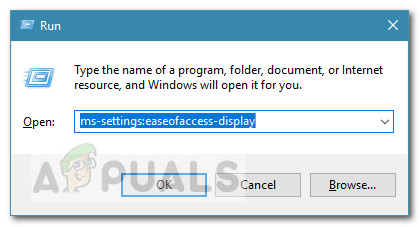
The graphics card is the most determining piece of hardware of your system when it comes to impacting your overall PC performance. If your graphics card
 short jasper
i just downloaded the game and it played great for about 20 minutes until i exited out of it and tried to open it again. but when i tried to open it, a window popped up with the logo and an exclamation mark next to it for like 2 seconds before it closed. the game wont open at all. I have tried unintlalling it, i checked and verified the game files, and enabled it through the firewall. help!
 wanton pebble
I disabled steam sync, deleted these save files from the /userdata/x/x/remote/UserProfiles folder, uninstalled the game, and reinstalled. All of that to get rid of the extra profiles on my main menu screen, can someone help me with this? This is exactly the clutter I wanted to avoid lmao

 tepid flint
patent marsh
hey, my friend is having trouble lauching the game. This shows up and the game d...
tepid flint
patent marsh
hey, my friend is having trouble lauching the game. This shows up and the game d...
has anyone gotten the fix for this yet? ive been having this problem for over 2 weeks now
short jasper
patent marsh
hey, my friend is having trouble lauching the game. This shows up and the game d...
me too
short jasper
tepid flint
has anyone gotten the fix for this yet? ive been having this problem for over 2 ...
i fixed it by unplugging my second monitor
willow pine
willow pine
Whenever my friend joins me he gets kicked out to the main menu when I start the...
can someone please help me with this?
I love this game and it sucks that my friend can't enjoy it with others
jovial inlet
spark palm
my friend downloaded the update and his game seems to lock up at 100% loaded whe...
check 3rd pin
jovial inlet
short jasper
i just downloaded the game and it played great for about 20 minutes until i exit...
^
jovial inlet
tepid flint
has anyone gotten the fix for this yet? ive been having this problem for over 2 ...
^
 weary terrace
Hey yesterday i unlocked acrid skin and now it's gone. I don't know what happened im 100% sure i had it. What can i do besides unlocking it again?
steady topaz
weary terrace
Hey yesterday i unlocked acrid skin and now it's gone. I don't know what happene...
Save edit. See pins
weary terrace
Can i do that on console? (Xbox one)
steady topaz
weary terrace
Can i do that on console? (Xbox one)
no
weary terrace
Cool
steady topaz
all that's left is to check if this particular unlock is bugged on console and unlock it again if not.
weary terrace
Well i will do that thanks mate
 elfin rose
is there a fix yet for the random crashes?
jovial inlet
elfin rose
is there a fix yet for the random crashes?
check pins i guess
random crashes isnt a very helpful description, can you be more precise?
elfin rose
Did that, was waiting for the patch but seems like it didnt fix it either. Mailed support but still no help :c
Thats it... its random. Didnt notice a pattern. So far Ive mostly gotten blue screens along with a few regular crashes mid run.
elfin rose
Uh dont think i remember it. Okay then Ill just play and wait for it to crash again xD Ty
 agile sundial
i have picked up the bulwark ambry's log like 15 times but i still havent gotten the log in my game. any ideas whats up?
if anyone can help with that? im down to edit the text file if i need but idk where even to find it for environment logs. id appreciate the help!
jovial inlet
agile sundial
if anyone can help with that? im down to edit the text file if i need but idk wh...
it was deleted from the logbook
professional oopsie by the devs
jovial inlet
yup
agile sundial
i actually just checked my files and it says its unlocked but ofc not there
oh goodie, thanks!
 feral kite
- If you have an AMD card and experiencing crashes, imput "-force-feature-level-10-1" in steam launch parameters (without the "").
what are the steps to access "steam launch parameters" to make this change?
lyric yoke
go to steam
right click on risk of rain 2 and click properties
I forgot the name of the tab but find one with launch options on it
and type it in
heavy depot
heavy depot
So me and my friends are trying to play multiplayer but when every time the 1st ...
I want to bring attention to this, we have still not been able to fix this and all we've found out is that this makes no sense
What we have tried to do:
Reinstall game,
Firewall shinanigans
Anti virus Shinanigans
Verify Integrity of game files
Reinstall again
Steam sync files
Us reinstalling the game
Please for the sake of Mithrix I bought the game for the three of us so we can play and we can't, at least one of us can't.
I will tell everything I know about the bug.
we have player 1, player 2 and player 3
player 1 is bugged, when he creates a game (character select) while player 2 and 3 are in his lobby they get the screen that was posted and cannot procced.
When players 2 or 3 create a game (character select) player 1 gets the empty game of dispair.
When players 2 or 3 create a game and player 1 tries to join them trough the join game button the ping says N/A and cannot join.
When player 1 creates a game same happens but on players 2 and 3's sides.
BUT Player 1 can join any game that player 2 and 3 can join, and then they can play toghether.
I have read the pinned comments and multiple steam and reddit posts with no luck, I have tried to contact the support team to no response.
 cold shell
@foggy thistle Heres the file you asked for a while ago, sorry that i havent sent them earlier,(its about the black screen issue in multiplayer with certain players)
foggy thistle
jovial inlet
<@816530536465170483> sorry for the ping but this is quite something
@shrewd edge 's assumption is almost certainly correct. That magenta color tells me that the shader most likely isn't supported by that DirectX feature level, but another feature level might work better for them. Users should be able to look up their graphics cards to see the maximum supported DirectX feature level, and then they can adapt the command line fix to set to the correct feature level.
jovial inlet
heavy depot
I want to bring attention to this, we have still not been able to fix this and a...
im not sure if you have read through this
but it may help
foggy thistle
cold shell
<@!816530536465170483> Heres the file you asked for a while ago, sorry that i ha...
My best guess is that your issue is related to mods
cold shell
foggy thistle
My best guess is that your issue is related to mods
Yeah it probably is, the weird thing is that im able to play with one friend no problem while i cannot play with the other, both got/installed the game at the same time(at the time that my original post was) and none of them got mods installed
foggy thistle
cold shell
Yeah it probably is, the weird thing is that im able to play with one friend no ...
Oh, wait, the log you sent is an old output_log from before the SotV update; since the update, the correct file is named Player.log (in the same location).
Also, the log gets overwritten every time you start the game, so it won't show the issue if you didn't encounter it the last time you ran the game
mossy halo
@jovial inlet where is the Compatibility Window ?
 fickle vigil

i got disconnected twice i was able to rejoin once but next itme this is showing
is ther anyhting i can do or can i not rejoin anmyore
jovial inlet
mossy halo
<@!379700829965516801> where is the Compatibility Window ?
its a right-click on the ror2.exe
not in steam
mossy halo
I Did the Previous Steps tho and It led me to a Small Window where it shows 5 Tabs called General , Release , Security , Earlier Versions , Adjust @jovial inlet
Oh nvm I clicked with Rightclick before now i Left clicked
mossy halo
@jovial inlet I forgot to say I also Crash when I go in my Options Menu
and it still crashes I did the DPI thing I checked in my Mods folder there is only a Editor File Called enabled Mods where there is nothing written inside
and for the last Points I have a Config.cfg file I dont have a second Storage Disk I have a laptop so no multiple screens and I dont have a AMD Card
jovial inlet
i see, thats a shame
could you try the AMD card thingy? even if you dont have a card from them it may still work
mossy halo
How do I do that
How do I access the Steam Launch parameters
@jovial inlet ?
Found it I think
IT FIXED IT
@jovial inlet I DID IT
Thank you so so much
jovial inlet
youre welcome, i guess
foggy thistle
jovial inlet
could you try the AMD card thingy? even if you dont have a card from them it may...
It might be a good idea to remove the AMD bit from the pinned message. The manufacturer is kind of a red herring; it really has to do with the specs of the graphics card
jovial inlet
updated
seems like the issue isnt limited to AMD cards anyway so the info was incorrect regardless
 tardy knot
Is there some kind of way to patch that fix into the game or something so lazy/incompetent people can get the fix?
Or people not in this discord
jovial inlet
tardy knot
Is there some kind of way to patch that fix into the game or something so lazy/i...
its not that easy
tardy knot
That's what I thought
jovial inlet
Ben mentioned they were working on it, but troubleshooting takes time
so it will come of course, but not tomorrow
tardy knot
Ok
 hasty gyro
Just did the -force-feature-level-10-1 thing and the game is now working and not crashing, however water on some stages is now purple not sure why. Is there a fix to this? Here's 2 examples i took while doing a test run to see if the game'll crash


Sorry for bad screenshots
bold stream
hasty gyro
Just did the -force-feature-level-10-1 thing and the game is now working and not...
Low settings i think
 tardy knot
hasty gyro
do you know which ones i should bump up?
tardy knot
hasty gyro
do you know which ones i should bump up?
Try texture resolution
I don't know if that's the issue but it seems plausible
hasty gyro
Alright ill try to get a stage where there was purple water
jovial inlet
hasty gyro
Just did the -force-feature-level-10-1 thing and the game is now working and not...
hasty gyro
jovial inlet
https://discord.com/channels/417739215355510784/559902278018924557/9534090156547...
Should i use the highest that my gpu supports?
jovial inlet
yes
 tired gazelle
any one have a fix for a black screen into a kick back into the main menu after trying to join a multiplayer game?
 cedar rock
Hey, after playing with a Friend I had a disconnect and when I rejoined Im stuck in the spectator mode. Weird thing is I can still see my Inventory aswell my Drones I used to have. Is there a way to rejoin into the game?

 mossy halo
New Tiny Problem My Water and the walls In Newts Cave is Pink
 hasty gyro
jovial inlet
yes
hasty gyro
jovial inlet
yes
Whenever i change to a different one the game just freezes when i play singleplayer, I still hear the music and the audio
here's a screenshot

I've tried 11-0 and 11-1
Both same results
jovial inlet
may i ask what that overlay is
jovial inlet
mkay
that shouldnt cause issues then
could you try the other directx's then?
as in, 10-something
actually wait nvm
hasty gyro
the 10-1 works but the water's pink in that one
jovial inlet
10-0 shouldnt work i think
hasty gyro
I could try 10-0
jovial inlet
please do
hasty gyro
Alright
Also ive just noticed that i the musics stops when i press esc while the game is frozen (not sure if its important)
jovial inlet
it normally does that when you pause
hasty gyro
The game doesnt freeze on 10-0 however the water's still pink
Just got titanic plains as stage 1
 jovial inlet
weird
be sure to check your GPU driver
both that it is up to date and, on occasion, requires a checkmark for something like directX support
hasty gyro
My card hasnt gotten new drivers since 2015 So i'm pretty sure its up to date but ill check again
hasty gyro
So it could be because its an older card?
The game worked fine before the dlc came out so its weird that its not working properly rn
jovial inlet
it isnt
the Unity engine got updated with the patch
so that means its framework may have changed to a state your GPU cant handle well
Ben is investigating this issue but im not very smart when it comes to Unity itself, so i cant give you a proper answer
hasty gyro
Okay that's fine. At the very least i can play the game now unlike when it completely crashed before
Thank you for your help
jovial inlet
you're welcome
 true nest
So uh. I played RoR2 with a buddy the other day just fine.
I loaded it up today and it won't let me launch any lobbies.
SIngle or Multi doesn't matter. It just won't play.
Start button is there. I can select character. It just won't let me play the game.
Anyone know what might cause this?
I also tried uninstalling and reinstalling. Still didn't change anything.
cold shell
@foggy thistle this the correct file(sorry for pinging so mutch)
true nest
Ok. So the issue seems to be with simulacrum mode.
I can play single player just fine.
foggy thistle
true nest
Ok. So the issue seems to be with simulacrum mode.
Do you own the expansion?
foggy thistle
Yeah, there's currently a bug where the button is appearing for everyone
true nest
Ah so the reason I could play it before was coz my buddy has it?
 old crescent
On PC, multiplayer has significant lag on players that aren't the host. We've tried switching hosts and when the joining player is in game there's about a 3-5 second lag between when an action is taken and when it actually happens. For example; Hit 'e' on a chest to open, it takes time to open, once item it selected (artifact of command) it takes another 3-5 to pickup. Also stuff like loader's actions will be in real time except for the grappling hook which will fire and then take 3-5 seconds to pull in. Half the time it just cancels
We've tested connections, internet latency, verified integrity of game, prioritized game with task manager and lowered graphic quality but the issue still remains even on the starting levels with low mob count.
I didn't see another post like this so decided to make one, sorry for duplicate if there is any. This issue only started happening around 3/17. When the void update initially came out this wasn't an issue. (edited)
repost because my friend and i havent seen our issue addressed
foggy thistle
true nest
Ah so the reason I could play it before was coz my buddy has it?
Yep
foggy thistle
old crescent
repost because my friend and i havent seen our issue addressed
Well, we haven't patched the game since March 11th, so no need to repost. However, latency issues that don't coincide with a release are a pretty good indicator that it's unrelated to the game itself.
 mental narwhal
So I managed to take a Simulacrum run up to stage 235 and it lagged so much that the game crashed, which I was kinda expecting to happen at any boss wave at that point. Probably worth noting that I'm almost certain it's based on enemy count, maybe something chaining out of control? Not sure if this is even something to be fixed and I'm not really expecting anything for me, but I thought it might be at least useful in terms of how the game performs in extreme scenarios? (any tips that could push it further would be cool tho)
One of the interesting things is that when the game was in its "seconds per frame" moments, my GPU usage would actually drop below 10%. Not entirely sure what the CPU was doing but most cores also dropped in usage I think. I also didn't notice any high memory usage until the slowdown that managed to crash.
Settings at the point it crashed were all at minimum. Resolution was 1280x720 since that's half of my 1440p monitor, and framerate was limited to 59fps. Vsync was disabled but my monitor has Adaptive Sync, which is on.
Player.log was 669MB (nice) so here's a drive link instead of the file: https://drive.google.com/file/d/1q2AL-m1YfSCnCc7eXee3GNX0DyE72sZy/view?usp=sharing
System specs: Ryzen 5 3800X, 16GB RAM, Nvidia 1060 6GB (if any other specs would be useful lmk)
Google Docs
mossy dragon
Probably doesn't belong in tech support but will Void Fiend get more abilites
plucky sonnet
Hello I am having trouble connecting to a friends game every time I join them I get stuck on black screen while they are able to play the game as normal I am only able to press esc to open pause menu to go back to main menu or quit. it does this every time. how can I fix this?
I have tried reinstalling game and no luck
 polar torrent
anyone know of any issues since the expansion that would lead to extreamly long load times, its gone from like 10 seconds to no less than 5 minutes, nothing takes more than a minute to load on my pc and thats generous. ive tryed full reinstall, veirfy, no mods are active.
 low mountain
Game load times seem to have gone up for me aswell
 jovial inlet
mossy dragon
Probably doesn't belong in tech support but will Void Fiend get more abilites
jovial inlet
mossy dragon
Probably doesn't belong in tech support but will Void Fiend get more abilites
unlikely
jovial inlet
 normal garden
anyone know if I can get my profile back?
normal garden
anyone know if I can get my profile back?
you can use the save file editor in the pins
jovial inlet
polar torrent
anyone know of any issues since the expansion that would lead to extreamly long ...
likely due to the unity engine update
will probably be optimized in a future patch
normal garden
jovial inlet
you can use the save file editor in the pins
thanks man
been sitting here for like 2 hours
 wet plume
Hey, my friend is having an issue where his game doesn't save his unlocks after he closes it and opens it back up
orchid flame
hasty gyro
My card hasnt gotten new drivers since 2015 So i'm pretty sure its up to date bu...
what video card is this
hasty gyro
orchid flame
what video card is this
Radeon hd 6670
orchid flame
hasty gyro
Radeon hd 6670
no guarantees but you could give a go at some unofficial drivers such as guru3d Nimez drivers/Amernime drivers
you'll want to wipe the old drivers using DDU (display driver uninstaller)

guru3D Forums
Amernime Zone Unified Radeon 3rd-Party Driver Family
[ATTACH]
Driver Catalog Compiled Under Windows & Driver SDK version 10.0.22000.0
[ATTACH]...
budget builds official has done a few videos on these drivers AND linus just did a video about them today https://www.youtube.com/watch?v=0YDy6ygIjfY

Try FreshBooks free, for 30 days, no credit card required at https://www.freshbooks.com/linus
Use code LINUS and get 25% off GlassWire at https://lmg.gg/glasswire
Is your GPU getting long in the tooth? Or maybe your new graphics card crapped out, so you are stuck gaming on your old workhorse. Just how screwed are you if you want to play new ga...
jovial inlet
orchid flame
no guarantees but you could give a go at some unofficial drivers such as guru3d ...
this can indeed work but i personally do not recommend it
mainly due to the fact i have no experience with 3rd party drivers and MANY causing issues for people that have reported issues here in the past
orchid flame
considering the latest driver they are currently using is end of life from 2015 i feel its worth a shot (though as you said, before reporting new visual bugs in the game, may be worth checking if its an issue with 3rd party drivers or not)
jovial inlet
orchid flame
considering the latest driver they are currently using is end of life from 2015 ...
i simply dont want to hand this out as a solution because its not official software
i have nothing against the people who made it, in fact im very impressed, but personally i dont want people to install or edit things that are potentially not safe/working
mossy dragon
I have 10 Lens Maker Glasses but I'm not getting crits on every shot
bold stream
polar torrent
anyone know of any issues since the expansion that would lead to extreamly long ...
I think its okay that game loads for a long time after dlc
polar torrent
I've booted it no less than 10 times since getting the dlc and it has taken easily more than 3 times as long as any other game on my PC including cyberpunk and Skyrim. Its definitely an issue
bold stream
Probably optimization issue
 wind halo
why will risk of rain 2 crash after the sotv patch? also im using windows 7
bold stream
wind halo
why will risk of rain 2 crash after the sotv patch? also im using windows 7
Can you tell more about your problem?
Also check 3-rd pin
tardy knot
wind halo
why will risk of rain 2 crash after the sotv patch? also im using windows 7
Why tf are you using windows 7?
bold stream
tardy knot
Why tf are you using windows 7?
Why should you care, i use that too
wind halo
tardy knot
Why tf are you using windows 7?
cant update to windows 10 + windows 10 is too laggy
wind halo
bold stream
Also check 3-rd pin
i did literally everything there. doesn't work.
bold stream
wind halo
i did literally everything there. doesn't work.
Even amd card thing?
wind halo
bold stream
Can you tell more about your problem?
the game opens, then there's the not responding and the black screen and as soon as the percentage and that pink character appears, the game crashes.
bold stream
What gpu do you have?
 loud turret
Hi, whenever i get to the asteroid stage my fps drops from ~90-100 to an unbearable low of ~20 frames per second. anyone know if there's a setting to combat this problem?
wind halo
bold stream
What gpu do you have?
Intel(R) HD Graphics Family 4400
bold stream
wind halo
Intel(R) HD Graphics Family 4400
Your problem appeared after dlc?
wind halo
bold stream
Your problem appeared after dlc?
no, after patch.
also void fiend was missing his chest in the pre-patch dlc
wind halo
wind halo
also void fiend was missing his chest in the pre-patch dlc
so ig its because of my gpu?
bold stream
wind halo
no, after patch.
Try 1-st pin and pre-dlc pin
bold stream
wind halo
so ig its because of my gpu?
Maybe
 fervent wren
How host more than 4 players wothout mods on dedicated server right now ?
jovial inlet
wind halo
so ig its because of my gpu?
yeah
integrated graphics dont work well regardless, a dedicated GPU is recommended
wind halo
jovial inlet
yeah
no risk of rain 2 
jovial inlet
the game is already CPU intensive so dedicated graphics have very little room to work
its unfortunate, but it is what it is (and also why the steam page mentions a dedicated GPU as a minimum)
wind halo
jovial inlet
the game is already CPU intensive so dedicated graphics have very little room to...
wait i meet all the minimum requirements
 wind halo
jovial inlet
integrated graphics are neither an Nvidia card nor AMD
wind halo
jovial inlet
integrated graphics are neither an Nvidia card nor AMD
nvm i dont meet it
jovial inlet
some CPU's are built for it by those manufactorers but you have an Intel CPU
wind halo
jovial inlet
some CPU's are built for it by those manufactorers but you have an Intel CPU
my laptop had a sticker saying: AMD radeon graphics hd 8670m
wind halo
wind halo
my laptop had a sticker saying: AMD radeon graphics hd 8670m
but it isnt actually an amd
wind halo
jovial inlet
you sure you just dont have it turned on?
wait lemme check...
jovial inlet
it would be weird for it to say that if you mention you use Intel graphics
wind halo
jovial inlet
it would be weird for it to say that if you mention you use Intel graphics
nope, only intel graphics
jovial inlet
wack
wind halo
wind halo
nope, only intel graphics
when a fucking sticker lies to you
jovial inlet
do you have an AMD driver anywhere?
wind halo
jovial inlet
do you have an AMD driver anywhere?
nope
jovial inlet
if not, look up the card mentioned on that sticker and install the software for it
if its still being distributed anyway
wind halo
god im so confused now
wind halo
jovial inlet
if not, look up the card mentioned on that sticker and install the software for ...
alright ig
652mb... holy
loud turret
Hi, whenever i get to the asteroid stage my fps drops from ~90-100 to an unbearable low of ~20 frames per second. anyone know if there's a setting to combat this problem?
 carmine fractal
I'm with a couple friends trying to do multiplayer, but it's not really working. We can all get in the lobby just fine, but when we go to choose characters, one of us gets this weird screen and can't actually do anything. If that one person instead tries hosting the lobby, then everyone else gets this screen.
Any ideas how to fix this? we've tried a few different methods of inviting each other to lobbies or just using the multiplayer lobby browser, but my friend is still unable to join
We're also trying to check VPNs and port forwarding settings, but it hasn't worked
 static pulsar
foggy thistle
Well, we haven't patched the game since March 11th, so no need to repost. Howev...
static pulsar
foggy thistle
Well, we haven't patched the game since March 11th, so no need to repost. Howev...
That's the weird thing though, if the game hasn't updated since the 11th and our issue didn't start until the 17th it's a mystery as to why it happened to both of us simultaneously. It seems like the host, regardless of who it is, doesn't experience the problem and only people joining do. I've seen other forum posts on steam stating the same or similar issue and everyone's answer is just bad internet and lower your graphics settings but that's not satisfactory. I'm not the developer so what do I know about how the game runs but if the answer is "the game is fine it's just your independent machines having the same problem at the same time " then we'll just have to wait until the next patch to see if that's true. I work in IT too so I understand there's not always a clear answer, it's just a really weird problem to have happen
foggy thistle
static pulsar
That's the weird thing though, if the game hasn't updated since the 11th and our...
If it's network latency, it's not two independent machines simultaneously having the same problem by coincidence--the issue is the connection between the machines. The host is the server, so any server authoritative action doesn't need to travel over the network before being reflected locally, which is why only clients are having issues.
static pulsar
foggy thistle
If it's network latency, it's not two independent machines simultaneously having...
Yeah I understand it's P2P hosting, it's just that pinging and running tracert on external IPs didn't show any latency higher than like 43ms which in the past has been more than adequate. Like you said though it's not like it's just coincidence. We'll look further and when it's resolved i'll let ya know. Thanks for your time
 hollow temple
carmine fractal
I'm with a couple friends trying to do multiplayer, but it's not really working....
hollow temple
carmine fractal
I'm with a couple friends trying to do multiplayer, but it's not really working....
I came to report the same thing, created a new profile and the same thing happens

 woven spindle
Hi
so, i've been having this issue since the DLC patch update happened, have been trying to play the game but i've gotten stuck immediately after the intro cutscene
the game launches fine for the most part, but when getting to the cutscene, it always freezes at the same exact point, on the second line of dialogue it manages to write "This planet... It" and it entirely freezes at that point (screenshot for for reference), waiting after that or trying to skip the intro movie by pressing space twice just leads to a Unity error, and skipping the movie at any point before that freeze just causes a permanent black screen, but in both scenarios the game is still working in the background, the noises of the letters in the dialogue appearing still play after the freeze, and skipping the movie does load the main menu into a point where the buttons can be interacted with, although none of the menu is visible in the slightest
i do not have the DLC, neither bought, nor installed
the game worked perfectly fine on the device before the update
any help with troubleshooting this, and maybe even fixing it, would be appreciated
 foggy thistle
hollow temple
I came to report the same thing, created a new profile and the same thing happen...
foggy thistle
hollow temple
I came to report the same thing, created a new profile and the same thing happen...
Can you attach your Player.log? See the pins for instructions, and you'll need to go to #roles for permissions
foggy thistle
woven spindle
Hi
so, i've been having this issue since the DLC patch update happened, have bee...
Can you attach your Player.log? See the pins for instructions, and you'll need to go to #roles for permissions
foggy thistle
woven spindle
here's the log from waiting for the unity crash
Check the pins regarding the force feature level command line argument--that might help. But your VRAM is lower than our min spec card's (see the steam store page), which appears to be an issue here
woven spindle
will do, though i somewhat doubt the VRAM is the issue, given that i was able to run the game perfectly fine before the DLC's update, and since i don't currently have the DLC i don't quite know how that could have suddenly come into effect, but if it is, then i'm wrong lol
that fixed it
thank you so much!
foggy thistle
glad to help!
 fallow cedar
Need some help here with the multiplayer mode. My friend and I used to play together with no lag at all. We bought the dlc then there comes the 10seconds lag. The game was completely unplayable in multiplayer, but works flawlessly in single player. We weren’t using mod, and we’re in good internet connection. We play in Taiwan, southeast Asia region. Pls help! Thank you!
 slender ember
Hey y'all, my friend is trying to join me for a multiplayer game but any time he tries to join the lobby he's met with this screen
Is there a known fix for this?

Additionally, whenever I join him, I get the same screen
It eventually kicks us out
But my partner doesn't experience this issue when joining me, or when joining him
We're both on the same game version, both have verified files, reinstalled the game to be sure
Issue only seems to exist between him and I, while my partner sees no issues with either of us
 wise mica
Is there support for modded on this server or no? because my game is having a fit and I need help.
elfin rose
Ive been getting seemingly random crashes. Before the patch it was just bsods but its not as frequent now. Its just crashes like this now. These happen at random times. Sometimes i got till wave 50 in simulacram with no problem other times it happens on wave 10
 steady topaz
If you stuck on this black bugged character selection screen: https://media.discordapp.net/attachments/559902278018924557/955989996697956352/unknown.png
There might be a couple issues with your game:
-
Turn off crossplay from game settings.
-
You used mods some time ago, it went well and then you took a break, returned without updating mods or its contigs and this happens.
Your modded api is outdated, you need to uninstall the game with steam and then manually wipe the root folder of the game to delete leftover mod files. Don't worry game progress saved in other folder in steam userdata, however gfx settings will be reset.
Do not install mods manually to avoid this situation. Use r2modman to care for you and integrity of game files. -
You played the game before, and it was fine, but after you changed something in your OS, for example installed Microsoft Visual C++ for 2019 or 2015-2019 year, your game shows this screen.
Likely librarys that contain instructions for game engine went corrupted. This might happen even without changes in your OS. Fix is easy, just uninstall said Microsoft Visual C++ libs from your programs and features menu in system menu. Download and install both 86 and 64 of those https://www.microsoft.com/en-us/download/details.aspx?id=48145
In rare cases uninstalling throws an error, but still says press ok. Make sure it is actually uninstalled.
Same with installation of new ones. Read before you click. In both of those Ccleaner helps, it's a free software. Easy to use, press registry, run check, press fix for all. Restart pc and retry installation.


Microsoft Download Center
The Visual C++ Redistributable Packages install run-time components that are required to run C++ applications built using Visual Studio 2015.
- Most common issue — poor connection between host and you (client). You're always a client if you see this screen, host sees normal character select menu.
Game runs on p2p connection type, with help of steam to find servers. Inotial connection thru steam might be good, but actual p2p connection failed to pass data from host to you. Most likely you forgot to turn your VPN service off, refused connections for the game in windows firewall when you run the game 1st time or misconfigured your NAT.
First of all try to fix your network, if was working even an hour ago doesn't mean it is actually working. If you have dynamic ip (most of us do) Your connection session to your provider changes each 24hr and each reconnect. There is limited number of true ip addresses, so ISP uses technology to temporarily assign to you virtual ip, it is unique only whithin your particular netvork, external internet refers to you by ip provided by your ISP with additional numbers — port.
Game uses 7777 port, it must be open or forwarded. Also try Upnp if your router have that option.
If this doesn't help you need to get a bit more techy.
Download radminVPN, it's a virtual lan network that installs its own adapter and talks to your router in order to establish connection between another radmin user. They provide theyr own ip, much like your ISP.
Host needs to open the console in any place of the game with ctrl+alt+' button combo and thennuee host 1 command to start lan game.
Clients need to open the console and use connect 11.11.11.11:7777 command with use of radmin provided ip pf the host.
It works in most cases, but if your network is very restrictive, there might be relayed connection, that means much more delay.
Ask your provider for static ip option, talk about p2p connection problems, usually there is a paid option. Static ip keans no ISP induced obstruction, make sure your network, antivirus or firewalls aren't blocking data before that move
Read above @hollow temple @carmine fractal @slender ember
steady topaz
eternal linden
I'm guessing that everyone that is having this problem hasn't checked their netw...
Correct. See some info above.
odd venture
Adding to this, yesterday a friend of mine was attempting to host through a VPN and the rest of us as clients would be met with that lobby bug. When he tried to join me as host instead, he got the bug. After he tried cycling through different VPN servers, the issue resolved itself.
jovial inlet
odd venture
Adding to this, yesterday a friend of mine was attempting to host through a VPN ...
VPN's in general cause issues, we recommend not using them altogether
 rustic vale
Void seeds aren't collapsing because of one last void monster not dying yet also not appearing on the stage. This seemed to start becoming consistent after having had it occur many times in a row. Here's the link describing this issue probably less indepth but you get a look at what else could have caused the problem. #ror2-bug-reports-pc message Here is also the player log.
 unique temple
attempting to play the game w/ controller via Steam is. not behaving right. the game won't let me bind buttons, and playing the game presents me with... This, in the attached image. player.log is attached

after checking with other games, my own Steam settings, and so on and so forth, all is working elsewhere as it should, so it's localized to RoR2
eternal linden
Any chance we can get @steady topaz 's messages pinned, mods/devs?
hollow temple
steady topaz
If you stuck on this black bugged character selection screen: https://media.disc...
How do you delete the root files?
jovial inlet
unique temple
attempting to play the game w/ controller via Steam is. not behaving right. the ...
no gamepad binding
 plush treeBOT
@jovial inlet, We have two known solutions for the topic 'no gamepad binding'. Would you like to view them? (Y/N)
jovial inlet
y
plush treeBOT
@jovial inlet,
This issue occurs when Windows is reporting a gamepad, joystick, or other input device providing a non-neutral input. This is usually caused by:
- Having a gamepad, flight stick, HOTAS, pedal, racing wheel, or any other kind of non-keyboard/non-mouse input device plugged in. Simply unplug the device from your computer.
- Having vjoy installed. If you've ever tried to use a GameCube controller with your PC, you probably have it installed. Opening your computer's Device Manager window should allow you to disable or uninstall it.
jovial inlet
eternal linden
Any chance we can get <@!302553827389865986> 's messages pinned, mods/devs?
ill edit mine
unique temple
jovial inlet
no gamepad binding
yeah okay, but
the game won't let me bind buttons
jovial inlet
unique temple
yeah okay, but
> the game won't let me bind buttons
check the autosupport message below
:^)
unique temple
none of the above applies
i don't use vjoy, and the only """gamepad""" is the Xbox One controller i'm attempting to use -- of which i cannot unplug for obvious reasons
if it helps, i do technically have other gamepad-esque programs and whatnot installed, but they are not active and require me to open them for their drivers to be used
jovial inlet
unique temple
if it helps, i *do* technically have other gamepad-esque programs and whatnot in...
those can still cause issues
Vjoy for example just messes the game up, and only uninstalling it solves the issue
odd venture
Are there any tweaks specific to this game or the unity that can help with performance that may be less well known?
I know about the "-window-mode exclusive" launch parameter for instance which can help a bit with perf and input delay.
 idle summit
hey yall i got a weird visual glitch and idk how to fix it
 foggy hedge
I am getting micro stutters on a 3080
idle summit
im getting these weird invisible walls around from time to time and i have no idea how to fix it


 quasi crow
Anyone else having save corruption? My Run History doesn't show like 2/3rds of my runs, and beating Eclipse 1 on engineer didn't progress it to 2. The run doesn't even show up?
 inland wasp
So my friend gifted me Risk of Rain 2 last night and I've been experiencing frequent crashes followed by an incomprehensible unity error that occur at random.
Farthest I've been able to get without a crash is the third teleporter event. Earliest crash happened less than a minute into the run and happened less than an hour ago as of writing this. I'm quite new to PC gaming, so I can't make any sense of crash logs and have no idea how to make a DMP file readable.
Please I need help, I don't want his money to be wasted and I'm having quite a bit of fun so far.
A similar unity error happened back when I played Unturned, but I never figured out how to fix it.
 stuck nebula
check pins
inland wasp
aight
jovial inlet
idle summit
im getting these weird invisible walls around from time to time and i have no id...
this can be fixed by enabling soft particles
however, the checkbox was removed from the settings screen (on accident, presumably), so you have to go into [Risk of Rain 2\Risk of Rain 2_data\Config\Config.cfg] (Open the Config.cfg file with notepad). There, look for the line {r_softparticles 0;} and change that 0 into a 1, then save the file and reboot the game
inland wasp
stuck nebula
check pins
yeah so I don't know what I'm looking for
jovial inlet
inland wasp
yeah so I don't know what I'm looking for
3rd pin
or the 5th pin, since the DLC crashes are mostly experienced on start-up
inland wasp
Update: been in game for about 4 minutes so far, if I can get passed the 3rd teleporter event, I’m calling it a win
jovial inlet
very cool
 proper fox
So uhm? Any ideas?
 foggy thistle
proper fox
So uhm? Any ideas?
foggy thistle
proper fox
So uhm? Any ideas?
If you can post your Player.log (see pins), that would be helpful. You'll need to go to #roles for permissions to post a file in the channel
rich nymph
patent marsh
hey, my friend is having trouble lauching the game. This shows up and the game d...
I have the same issue since the DLC! any fix found yet?
shrewd edge
jovial inlet
check 3rd pin
same problem same suggestions @rich nymph
 golden nimbus
I am trying to delete old profiles and reset my game data, but have had 0 success. I have tried the simple delete profile option, but nothing changes. Been trying to clear the Steam cloud files, which also hasn't worked... PLEASE HALP!!!

 lilac scroll
my game was just working and i closed it and when i came back to try and launch it again it just opens up a window for a second and does nothing, ive tried reinstalling, restarting, and updating my driver. if someone know how to fix this message me please
steady topaz
hollow temple
How do you delete the root files?
Steam library > right clic on game > settings > local files.
You're now should be looking at your game's root folder.
steady topaz
lilac scroll
my game was just working and i closed it and when i came back to try and launch ...
Restart steam client. If didn't fix send fresh player log.
hollow temple
steady topaz
Steam library > right clic on game > settings > local files.
You're now should b...
If you have uninstalled the game and gone into Steam > common > steammapps > RoR2 and deleted that, is it the same thing?
steady topaz
@hollow temple you can install it back to be sure.
Im on a phone and writing those by memory. But steam installs all games into a specific folder you can look up in its settings. User have a numeric id and each game have it too. So it should look like 35853646/475355060/ i dont remember bumbers.
hollow temple

This is what it brought me to, I've deleted this a couple times and reinstalled it a couple times
I don't have a VPN and the person I'm trying to play with has been able to play with 2 other people with no problems. I did use R2modman in the past but I also uninstalled that when I had issues.
steady topaz
@hollow temple looks like im still half awake. Previous message is wrong, its a path to save file. You found the game root folder.
First of all, do you see this screen in singleplayer or when trying to connect to a friend's game?
hollow temple
Trying to connect
And when I joined said person and two other people, they couldn't do anything
It's from the newest patch, because we were able to play on DLC launch together
steady topaz
Then mods have nothing to do with it. You don't need to uninstall it.
Are you familiar with p2p?
hollow temple
No
I'm also trying again without the DLC installed to see if that changes anything
steady topaz
@hollow temple this have nothing to do with dlc or any update really, as any of those didn't change how connecting works. It is a connection issue between you and your friends.
P2p means peer to peer, its a direct connection and it requires there is no obstruction for data to pass from your pc to your friends pcs.
hollow temple
It worked this time
Okay, I lied
I hosted, it had a valid screen for me. Not for them, they invited me, invalid screen for me
steady topaz
@hollow temple i need you to ask your friend with whom you have a problem to go to http://www.myip.com and fetch you his external ip, there is a copy button.
Then you need to open the windows console (cmd.exe)
Simply press winkey and R at same time, window pops up, tupe cmd.exe there and press enter
hollow temple
The long one or the short one?
steady topaz
Black console opens and there you need to type in with your keyboard:
Tracert 192.168.1.1
Use your friends external ip for numbers
steady topaz
hollow temple
The long one or the short one?
Pardon?
steady topaz
It's ipv6 a newer version, wr need short ipv4 that looks like number string with dots
hollow temple
I typed that and then pressed enter and it's doing the hops thing
steady topaz
Lets wait
When its done, expand the console window to fit all the hops press alt+printscreen and send me it to a personal message with ctrl+v
That's taking a while.. i can already see data loss
hollow temple
I sent it
steady topaz
So it is data loss, you were unable to reach your friend pc even for 30 hops, and attempt timed out.
I see data past your router and went missing then picked up after 60ms, that's a long time for internal isp network, usually its 10 times less or even just 1ms for that to route to external internet.
No vpns involved, no public wi-fi (same with work networks) ?
hollow temple
I don't have a VPN, they might (but probably not), I have a family that uses the same wi-fi but it's password protected
steady topaz
Open 192.168.12.1 in your internet browser, does it ask you for login and pass?
hollow temple
I dm'd you a screenshot
steady topaz
@jovial inlet so ugh..
The person above have 5g home network. There is no wired connection between his router and his ISP. Its wireless to a tower in his area.
And by the looks of it people complain for beeing unable to use tcp/udp at all.
The way 5g deals with signal just breaks this feature of ipv4. Im not familiar with those networks at all and i found this page. https://community.t-mobile.com/tv-home-internet-7/port-forwarding-on-home-internet-35486
By the looks of it people won't be able to use radminVPN too.
So there, a possible dead end for yhis particular issue with the game.

From what I understand: Does the 5G home internet service not accept port forwarding options? If so, this doesn't make it home internet, it is merely a very advanced hot spot. I can neither work from home (as my VPN is not a commercial product that can be configured) nore play multiplayer games with...
 upbeat acorn
ok so right now I'm working on trying to fix some stuff involving risk of rain 2 and that problem is also caused by running it in high dpi compatibility so what I'm curious about is why does turning on high dpi compat setting fix the crash from ror2 start up is there a reason that it fixes it and are there alternatives thanks for anyone who is seeing this and thanks to any replies
lilac scroll
@steady topaz ive restarted steam multiple diffrent ways doesnt seem to work, where do i find the fresh player log
steady topaz
?files
plush treeBOT
@steady topaz,
Output Logs
While the game is running, it is continually writing to a file called output_log.txt. This file can help us get more information about the issue. If possible, please upload the file here. The file is usually located at:
C:\Users\<UserName>\AppData\LocalLow\Hopoo Games, LLC\Risk of Rain 2\output_log.txt
Crash Dumps
If the game crashes it will generate a Dump file. Similarly to output_log.txt, it can help us track down the source of the crash. Please upload your crash dumps here if possible. The file is usually located at either:
C:\Users\<UserName>\AppData\Local\Temp\Hopoo Games, LLC\Risk of Rain 2\Crashes\crash.dmp
or
C:\Users\<UserName>\AppData\LocalLow\Hopoo Games, LLC\Risk of Rain 2\Crashes\crash.dmp
steady topaz
@lilac scroll ⤴️
steady topaz
It is, ill check it later and contact you
lilac scroll
thanks bro
steady topaz
@lilac scroll C:/Users/Littl/AppData/Local/Temp/Hopoo Games, LLC/Risk of Rain 2/Crashes
Drop error.log and crash.dmp
lilac scroll
@steady topaz
steady topaz
All logs refer to missing memory. Game fails in attempt to load game data at very beginning of data loading.
Suggests a vouple of things. MsVC++ corruption
Ram card physically failed
Memory controller makes mistakes.
See pinned messages.
Run memtests, reinstall msvc++ from pinned link, try disabling xmp.
@lilac scroll laptop?
 rotund spear
Does anyone know how to fix a problem where an item in the logbook won't be marked off?
No matter have many times I open and read through the description of N'kuhana's opinion, it still have the yellow frame around the icon
 blazing linden
Hey, trying to play a run of simulacrum with my friend - both of us on unmodded clients. Reinstalled game from steam, verified game files, deleted all files I could find and reinstalled... every time we try to do anything in multiplayer together it looks like this

Does anyone have any idea how to fix this?
jovial inlet
steady topaz
<@379700829965516801> so ugh..
The person above have 5g home network. There is n...
@foggy thistle may be something to investigate
jovial inlet
blazing linden
Hey, trying to play a run of simulacrum with my friend - both of us on unmodded ...
blazing linden
jovial inlet
https://discord.com/channels/417739215355510784/559902278018924557/9560587969360...
Thanks for the tips here, I'll try to update my VC redist stuff... Already tried full uninstall/reinstall, definitely not a connection issue as I'm trying to play with my roommate lol
jovial inlet
jovial inlet
<@816530536465170483> may be something to investigate
does this message apply to you?
blazing linden
No, we're hard wired over 10gig Ethernet through a more than overkill router
Internet speeds are like 400/30 but we're on LAN so local link speed should be the only issue there
(it's not from a cell tower either, regular copper)
steady topaz
blazing linden
Internet speeds are like 400/30 but we're on LAN so local link speed should be t...
The facts above have nothing to do with how game trying to connect you.
It still uses internet connection if you did it with steam.
Refer to my previous message on how it is actually a connection issue, just instead of radmin's provided ip use your local IPs whithin your lan network. You can look it up in network settings, in adapter settings or properties.
And even more, if youre under the same network you still need correctly set port forwarding so data meant for pc 2 wont end up blocked by pc 1
steady topaz
jovial inlet
<@816530536465170483> may be something to investigate
That's not something that HG or any other game dev team could solve easily.
It is ISP fault to fail on data compression and handling of tcp/udp. They however managed to implement ipv6 right and given that it is still underdeveloped tech to replace ipv4 most of internet using now, despite beeing utter mess of obsolete addressees and ports. Devs still have to rely on steam to deliver data in ipv4.
The day ipv6 come to each home isn't close and it was like that for years now.
jovial inlet
rip
 queen dome
Sooooo since the DLC has been released, my game always crashes whenever I launch it either on the main menu, on the character screen or right in the beginning of a new run. There is no crash log, but I can just attach the most recent error.log:
jovial inlet
queen dome
Sooooo since the DLC has been released, my game always crashes whenever I launch...
check 3rd pin
queen dome
jovial inlet
check 3rd pin
Already tried some of those but will try the rest and see it, thanks.
 crimson arrow
can I get some help with crashes
jovial inlet
crimson arrow
can I get some help with crashes
check 3rd/5th pin
jovial inlet
bold stream
Game crashes when loading screen appears
^ same for you, if it occurs again
jovial inlet
are the steps not clear enough?
if its too complicated, please let me know
im gonna make/have dinner first but id be happy to answer your questions when im done
bold stream
jovial inlet
^ same for you, if it occurs again
I fixed it
Something happened to steam cloud
foggy thistle
steady topaz
<@816530536465170483> Hi. Bumping this question. Any info?
It's on my list of things to investigate, but we've had other issues taking priority, so no update yet.
orchid flame
I was doing some testing on a few new profiles but i cant seem to delete them! anyone know how to help?
blazing linden
steady topaz
The facts above have nothing to do with how game trying to connect you.
It still...
Last night I tried a latency test between our internal IPs and was below 1ms for 99% of pings - how would you recommend testing? I'm not at home currently, but can try some stuff later. I've used Radmin in the past, but I doubt it would make a difference in this case because we are already on the same local network
Please ping with responses - working so I may not see stuff immediately
 hazy kraken
@orchid flame I found RoR2 profiles at: Steam > userdata > [########] > 632360 > remote > UserProfiles ..
my game got corrupted recently so I had to find this info in the save editor pinned post. hope that helps
jovial inlet
should be noted that its currently bugged and that save files cannot be deleted from in-game, will be fixed soon ™️
raw salmon
Hello. Is it possible to get a refund on the DLC. I haven't been able to play since I updated the game. I've tried every fix under the sun and nothing seems to work. At this point I really just want a refund.
shrewd edge
when have you bought it @raw salmon
if less than 2 weeks just go through normal refunding procedure yes
 autumn lotus
a friends game always crashes and he gets this error, can someone tell me if they know how to fix it?
 shrewd edge
have they tried verifying game files @autumn lotus
autumn lotus
lemme ask
autumn lotus
shrewd edge
have they tried verifying game files <@402621206194290688>
yeah they did
still crashes
he has an error with unity and if its not unity its that one
jovial inlet
autumn lotus
he has an error with unity and if its not unity its that one
check 3rd/5th pin
those have many solutions
autumn lotus
the 5th are for the game without dlc?
shrewd edge
they are fixes that applied before the dlc and still should
dlc is built into the game now anyway
autumn lotus
i think his problem is a computer thing, since other games are crashing too
blazing linden
yo @steady topaz did you have any other troubleshooting steps for making sure my connection to my roomie is fine for ror2?
 solemn herald
Does the game freeze every couple of seconds some stages in multiplayer for anyone else?
 slender tiger
steady topaz
slender tiger
steady topaz
@blazing linden see previous message with 3rd point, where it describes how to open the console and use radmin with a game, do same thing, but instead radmin provided ip like you normally do, youse your network local ips. No radmin needed.
blazing linden
steady topaz
<@105808584192847872> see previous message with 3rd point, where it describes ho...
So run traceroute?
Trcroute rather
Er was it tracert
Anyway trace route correct?
steady topaz
@blazing linden dude...
Just wait till im home, you lost in 3 trees. Ill provide step by step then. About 20m
blazing linden
Sure sounds good
If you can just post the commands that need run in terminal I can get whatever output for you once I'm home here. I'm also like 20-30min out
blazing linden
if there's router settings or port forwards to apply can do those too idk
okay so i've got upnp on, port 7777 shouldn't be manually closed by anything, my nat type is open and i manually set it that way
https://www.tweaking4all.com/network-internet/pfsense-strict-nat-xbox-one/
these instructions were used to open my NAT

Tweaking4All.com
A quick solution to change the annoying STRICT NAT, to OPEN NAT, on an XBox One (and possibly other consoles), when using pfSense as your firewall.
ips are static assigned via DHCP reservation
steady topaz
@blazing linden sup.
Are your friend around?
Open the game normally.
Press ctrl+alt+` in that order. (last key is under esc on eng keyboards)
Game console pops out.
Leave it that way for now.
Go to windows desktop.
Select Start > Settings > Network & internet > Ethernet.
Under Properties, look for your IP address listed next to IPv4 address.
Copy that for you and for your friend.
If you're going to host you do not need those, but your friend needs your ip.
Go to the game console and type in
host 1
Stop there.
Your friend needs to open the game console and type in
connect 192.168.1.5:7777
He must use your internal lan ip not external one, not radmin one.
Address must be finished with :7777
He needs to press enter and game should connect.
If not:
Try to set your network to "home". Some routers even warn you for something like your printer wont work in other network type.
Try to unisolate clients. This might be excessive, as it usually apply for wi-fi only, in that case all connected users (mobile or laptop) gonna see each other and be able to share data, for good or for bad (viruses included).
Ports shouldn't be a problem, aswell as NAT, because router (a good one) already understands that there is no need for that. But you might need to allow 7777 port in tcp/udp for going to itself. Like tcp/udp 7777:7777 You might need a rule to throw it, or open it.
Some routers manage firewalls too, i nthat case go to your router security settings (firewall) and check the game both for private and public networks. Looks like this:
 blazing linden
steady topaz
<@!105808584192847872> sup.
Are your friend around?
Open the game normally.
Pres...
blazing linden
steady topaz
<@!105808584192847872> sup.
Are your friend around?
Open the game normally.
Pres...
Both computers set to private networks, both computers allowed ror2 through both public and private firewalls, tried connection through the terminal in game and still the same thing
Also replaced Ethernet cable
steady topaz
@blazing linden can you see other pc from your network at all?
blazing linden
Yes, can ping and tracert gets there in a single hop from my router
Same network
20 feet apart
blazing linden
So, after troubleshooting we found that the game connects fine if steam is not online, and we use the terminal to connect... but if steam is running and the client is connected through steam then the game doesn't let us in
idk if anyone else has any guidance but i think we're both just confused to high hell and back at this point as to why it isn't working
orchid flame
yoo everytime i click on the start button it crashes right when it say 0% loading
jovial inlet
orchid flame
yoo everytime i click on the start button it crashes right when it say 0% loadin...
check 3rd pin
orchid flame
jovial inlet
check 3rd pin
where do i check wheres properties
jovial inlet
the ror2.exe file in your system files
orchid flame
oh ok
jovial inlet
you can find it via steam's local files tab
that takes you straight to the game's data folder
orchid flame
cant find compatibility tho
jovial inlet
can you show a screenie of what you see?


 jovial inlet
thats the folder
not the .exe file
the ror2.exe has the ror2 logo, its inside that folder
orchid flame
oh
jovial inlet
how dare they name everything ror2 in the files :^)
jovial inlet
same
orchid flame
how do i verify the files using steam?
jovial inlet
go to the local files tab
there should be a button that says 'verify integrity of files' or something along those lines
jovial inlet
there is a list in the pin
just follow along with every single one you can do
and if something is not clear, feel free to @ me and ill explain
bold stream
What option makes water pink?
jovial inlet
bold stream
What option makes water pink?
directX
aka the launch imput
the link leads to a message with Ben explaining it/the wikipedia page
Ben also said that this was an unintended side effect from updating the unity version and is being investigated
jovial inlet
it turned out it
A) isnt limited to AMD users
B) is primarily an issue for older GPU's without proper drivers to support them
bold stream
Alright, thanks
jovial inlet
as in, drivers that have had their support ended many years ago and thus no longer have a manufactored driver to fall back on, requiring either the use of one that is very outdated or made by a 3rd party
orchid flame
jovial inlet
there is a list in the pin
actually i remembered last night i used the unlock all website
jovial inlet
the save file editor?
orchid flame
yea
jovial inlet
shouldnt matter
orchid flame
i cant find the old file though
jovial inlet
if the game cant load a profile it will simply generate a new one and mark the old as corrupted
orchid flame
but i tried all of the things on the list
it still crashes
i cant get through the main intro
 signal sonnet
My friend bought ror2 and he lives in Australia me being in the USA when he clicks on multiplayer it gives him a error message
loud turret
Hi, my game always runs buttery smooth except for when i get to the sky meadows stage. After a minute my FPS continuously drop below 30fps until i leave the stage. Does anyone know why or has a fix to this issue?
jovial inlet
orchid flame
i cant get through the main intro
then check 2nd pin
jovial inlet
loud turret
Hi, my game always runs buttery smooth except for when i get to the sky meadows ...
Gup, likely
loud turret
jovial inlet
Gup, likely
is there a fix?
jovial inlet
you can tone down some graphics
other than that, not specifically for this issue im afraid
Gup is simply too beautiful for machines to handle
but its been reported and will likely be investigated
 smoky blaze
Hi all. I've encountered the "no gamepad binding" bug that others have previously reported, but the two known solutions that are often suggested have not worked for me at all. I don't have Vjoy installed on my PC and disconnecting my gamepads doesn't do anything - as soon as I reconnect them, the bug happens immediately. Can anyone offer any support? Thank you!
plush treeBOT
@smoky blaze, We have two known solutions for the topic 'no gamepad binding'. Would you like to view them? (Y/N)
smoky blaze
N
jovial inlet
do you have any gamepad drivers installed?
vjoy is just a common one, but literally any can disrupt steam
smoky blaze
jovial inlet
do you have any gamepad drivers installed?
Thanks for the swift response. The only gamepad drivers I would have installed would be the ones that auto-installed when I connected my gamepads for the first time.
jovial inlet
do you have your controllers enabled on steam?
as in, does steam recognize your gamepads
 muted slate
Question:
I tried opening my game today, and it didn't work at all (it launched perfectly fine yesterday and every day before that)
- Steam thought the game had launched (ie shows the blue button that says "stop"), but there is no game
- The execuatable is running when I check task manager, but it's not really doing anything (low cpu/memory usage)
- Steam cloud sync does it's thing each time I attempt to relaunch it, which seems normal
- Verifying the game files does changes nothing
- Deleting the main exe and verifyin the game files does nothing
- i tried double clicking the executable myself, and it does nothing
- I'm currently in the process of reinstalling the entire game (which will take a while)
I realise now I should have checked the logs before reinstalling.
Has anyone had this issue (now or prior)? I want to know if it's just me
jovial inlet
muted slate
Question:
I tried opening my game today, and it didn't work at all (it launched ...
this is a first
please refer to the 3rd pin, anyway
smoky blaze
jovial inlet
as in, does steam recognize your gamepads
It does recognise them, yeah.
jovial inlet
and what kind of gamepad are you using?
smoky blaze
Xbox 360.