#ror2-tech-support
1 messages · Page 65 of 1
 inner anvil
 orchid flame
i literally just said i turned all graphics down
its as low as possible
everything else is fine, its just the framerate
idk why but its really slow
i turned up the max framerate and it helped slightly
please help me someone this is awful
fancyfrenc is offline so
 last laurel
i recommend the other fixes you can see in the pinned or anything frec might’ve said to me. Look up the basic fixes. It might be overclock, I haven’t tested it out bc I couldn’t find it in my Bios. Try playing without using discord bc my issue is discord not letting me plat when I use it

 tepid sedge
 little sandal
<@&559786374228738069>
little sandal
<@&559786374228738069>
Yes?
Everything seems normal, if its related to the save file, im not sure what could cause it. We dont really tech support often, just moderate the discord server aha
 jovial inlet
little sandal
Have you seen something like this before?
jovial inlet
little sandal
Have you seen something like this before?
what you can try to do is delete the file from its folder and have steam verify files to bring it back, may work
if that does not work, you can unlock all challenges via this save file editor https://riskofrain2-save-editor.web.app/
Save editor for Risk of Rain 2
please note this website is not affiliated with Hopoo games in any way
 broken fulcrum
So, I`ve been having connection problem with my friend - My steam starts using all available internet and it begins to ramp up a ping
its so damn high, that me or my friend gets 3-4 minutes back in time in RoR itself
for example, its late game, im the host and I have 95 minutes on timer, while my friend is still lagging and fighting in previous stage as his timer is 92
Is it a fixable problem or is it on my pc ?
jovial inlet
broken fulcrum
for example, its late game, im the host and I have 95 minutes on timer, while my...
does the game actually lag or is it just the timer
because the timer is just cosmetic
broken fulcrum
It actually lags, all the actions happen after my friend hits the time
he can open command essence after 3 minutes gets passed
jovial inlet
and does this go for every steam game?
broken fulcrum
no
jovial inlet
or just ror2
broken fulcrum
only RoR2
broken fulcrum
Nah man, the funny thing is me and my friend live in the same region
Connection problem occures only in RoR and nothing else
We still can use some vpn services and it doesnt have such problem
jovial inlet
wait, you use a vpn?
broken fulcrum
No
jovial inlet
even so, you have connection issues
try out Goo's solutions
they have solved 90% of connection issues in the past
broken fulcrum
Dude no, i dont, i turned off everything connected to my wi fi
its steam, he really starts ramp up internet usage over time
maxing up to my limit
jovial inlet
do you know that ror2 uses p2p connection?
broken fulcrum
It wasnt the issue in the past
jovial inlet
and neither yours nor your friends' internet changed
broken fulcrum
No
jovial inlet
aight
broken fulcrum
We still have same devices
broken fulcrum
Wdym ?
jovial inlet
firewalls may block a connection if they think it is unsafe and therefore slow or disable connections
router consoles can update and put you in bad wifi channels
broken fulcrum
How can firewall sus steam ?
jovial inlet
so steam succs internet when it boots up, not when ror2 is activated?
jovial inlet
yeah ok figured
one sec
follow the message past Goo's solutions (even though you should still try them)
orchid flame
jovial inlet
vsync
i turned down the resolution which helped immensely (looks awful though), and i have vsync turned off in ror2, i don’t have a driver i don’t think
is there another way i can make it not lag without turning down resolution?
 hardy relic
hey i got problem with my friend playing with mods
its smes when he lunch ror2 with ror2mod
he just have normal ror
wihout mods
@jovial inlet sry for ping but i gues you might help
jovial inlet
im not a modding expert, go to the modding discord for that
link is in the pins of #ror2-modding
orchid flame
fancyfrenc didn’t answer my question
 jovial inlet
orchid flame
fancyfrenc didn’t answer my question
jovial inlet
orchid flame
fancyfrenc didn’t answer my question
what are your specs
cpu, gpu and ram please
orchid flame
jovial inlet
cpu, gpu and ram please
uhh i’ll have to get back to you on that one cuz i can’t access my computer rn
my grandmothers computer*
jovial inlet
👍
 jovial inlet
do you have a graphics card
jovial inlet
vine boom
orchid flame
i dont think so
jovial inlet
thats the issue
orchid flame
mkay
orchid flame
 jovial inlet
cant really do much for you, sorry buddy
orchid flame
okay
thats fine... ill just wait until i get back to a computer with a graphics card
last laurel
Hey Frenc do you know an issue that has todo with ror2 and discord
jovial inlet
last laurel
Hey Frenc do you know an issue that has todo with ror2 and discord
not really
nobody has ever reported such a thing yet, as far as im aware
last laurel
damn bc that be the issue i would have discord open and i’ll be in a vc and the bug would happen but if i join on my phone i play normally
orchid flame
well explain the bug lol
last laurel
this is what i call the bug

i got dual monitor so i have ror2 on my main and discord on the side one
last laurel
yeah but whenever im not using discord it puts me in the lobby
orchid flame
thats interesting
last laurel
yeah i know, i've tried every fix
orchid flame
hm
last laurel
i got ethernet now
sometimes i can play but then the monster freezes or they move around and not attack and so do the players
then it crashes me
last laurel
ok i believe i made one, how do i join my own server/how do i get my friend to join
@orchid flame
last laurel
i got confused on it idk how to like enable the server itself, i did the config notepad thing part but after that the connection to it i dont understand or they didnt say anything
orchid flame
ah
uh ping fancyfrenc lol idk how do this
im not an expert
i mean i could prolly figure it out if i was at the computer, but im not doing that lmao
last laurel
ye i get you thanks tho
orchid flame
youre welcom
last laurel
@jovial inlet If your down to help me with the server thing, it be appreciated
jovial inlet
i dont know shit about dedicated servers
last laurel
imma stick my dick into my pc case
i shall try and maybe fail on learning it
thank you anyways your a big help regardless
wait is the server ip address just my ip?
jovial inlet
i dont know
last laurel
we'll just do random ip's until it works
nah i cant get it to work this keep popping up
 last laurel
ok so ror2 did work when i booted up on my laptop but my laptop is shit so it crashed as soon as i started the teleporter event
so my pc is the issue now its to figure out why its the issue
last laurel
i dont have this file in the folder. Does anyone know how to get it?
 last laurel
im so desperate to get this shit working its a headache
orchid flame
hey so how do i get the code for a mod that i have downloaded
 vapid pagoda
bruh
im tryna play ror 1 but everytime i launch it nothing happens. task managers says its not responding. anyone else have this issue?
 crimson condor
I am trying to get into a lobby, but when it loads, no one in the lobby appears, and then I am just pushed back to the main menu. I have reinstalled the game, attempted port forwarding, and analyzing the game cache files. I have no idea why i can't join multiplayer. Please help
jovial inlet
crimson condor
I am trying to get into a lobby, but when it loads, no one in the lobby appears,...
are you using a hotspot or vpn?
orchid flame
vapid pagoda
bruh
im tryna play ror 1 but everytime i launch it nothing happens. task manager...
that happens every time you start the game lol
you just have to keep waiting until it works, don’t click at all
it could be something worse, so if that doesn’t work you may need something else
 opal harbor
Hi everyone, new to the server so I hope this is okay to post here. I tried to launch RoR2 but when I get to the main menu it crashes and I get a Unity dialog/error box. I've tried googling but not had much luck. It worked earlier today so I've no clue what could have changed.

System specs;

GTX 970
jovial inlet
@opal harbor please read the first pin
a driver or program may be malfunctioning
?files also please send your error.log, found in the same folder as the crash.dmp
 plush treeBOT
@jovial inlet,
Output Logs
While the game is running, it is continually writing to a file called output_log.txt. This file can help us get more information about the issue. If possible, please upload the file here. The file is usually located at:
C:\Users\<UserName>\AppData\LocalLow\Hopoo Games, LLC\Risk of Rain 2\output_log.txt
Crash Dumps
If the game crashes it will generate a Dump file. Similarly to output_log.txt, it can help us track down the source of the crash. Please upload your crash dumps here if possible. The file is usually located at either:
C:\Users\<UserName>\AppData\Local\Temp\Hopoo Games, LLC\Risk of Rain 2\Crashes\crash.dmp
or
C:\Users\<UserName>\AppData\LocalLow\Hopoo Games, LLC\Risk of Rain 2\Crashes\crash.dmp
opal harbor
Thanks for the response, I'm following the steps of the pinned message now - here's my latest error log
 analog reef
Not really sure where i should ask this but i'll do it here. So when i play ror2(modded) when i first won i got the captain but i didn't get the second skin of the character. I played normal and also won but didn't get the secondary skin. Any ways i can fix this?
last laurel
Can someone tell me step by step how to get output logs or crash dumps. I dont know where to find users or <username>
opal harbor
@last laurel for output_log, open the start menu and type '%appdata%' without the '. Go UP a folder to Appdata, then follow; AppData\Local\Temp\Hopoo Games, LLC\Risk of Rain 2\Crashes
last laurel
opal harbor
<@!756729004450513016> for output_log, open the start menu and type '%appdata%' ...
do i need to have ror2 open?
opal harbor
No your last crash log should be saved there
last laurel
small issue there is no Hopoo Games file
opal harbor
Boot the game, wait for crash, check again. If still nothing I'm clueless I'm afraid
last laurel
my game doesnt crash it just does this shit, do you think it'll show tho?
 opal harbor
I'm a layman, but I would say no because that is not a crash.
last laurel
rip ig ror2 multiplayer just isnt meant to be
it oddly works on my laptop tho but on the lowest graphics
until i start the teleport then it crashes
jovial inlet
@opal harbor something inside of Unity is malfunctioning
have you read the pin i pointed you to earlier?
because a Unity error in it of itself is hard to pinpoint
also, if you have not done so, verify files via steam first
it may solve the issue
opal harbor
jovial inlet
have you read the pin i pointed you to earlier?
-Verified files on Steam
-Uninstalled and reinstalled
-Followed the cmd commands in the pinned message
I did get a crash/dmp file this time which I have attached
jovial inlet
the .dmp is worthless to me
you already sent the error log which is the one i can read
opal harbor
Ah, my bad
jovial inlet
okay so, do you have something like citrix or sonic studio installed?
opal harbor
Neither
jovial inlet
overclock is disabled?
opal harbor
Hm my memory was overclocked but I still crashed after disabling it
last laurel
have i found my twin???
vapid pagoda
orchid flame
that happens every time you start the game lol
you just have to keep waiting un...
just tried it. i waited for like 5 mins and nothing. it says in the task manager that its not responding. ive tried running it in compatibility mode and ran i as administrator ( in all different variations). nothing. im starting to think its my specs. (i7 11700k, 6900xt)
i just wanna play this game man 😦
vapid pagoda
@jovial inlet pls. i need help
vapid pagoda
ok
last laurel
yeah i think most of us are fine in the computer specs department
so idk why this happens
i just wanna play multiplayer with the boys
i hope they update the game with a multiplayer bug fix or something idk what they gotta do
vapid pagoda
ya lol
i might not have specified that
i hear there are alot of bugs in ror 1 but shesh....
i cant even play the flipn game
heres the thing
i can play ror 1 on my old dell laptop
work perfectly on there. that why im thinking it my pc. maybe the specs are just to new for the old game?
last laurel
ror2 multiplayers works sometimes for me, but then the game just stops and only the players are moving but thats it, i kept thinking its my wifi but once ur connected to ethernet its hard to believe that
crimson condor
jovial inlet
are you using a hotspot or vpn?
i am just using my normal wifi router
 robust yacht
morning. need some help please. Getting serious over heating issues with my gpu playing this. 2080Ti. Doesnt happen with any other game.
jovial inlet
robust yacht
morning. need some help please. Getting serious over heating issues with my gpu ...
turn down some settings/resolution
mainly corpses and bloom
opal harbor
For anyone who was having the same problems as me, it ended up being a .dll file associated with my GPU driver. I had to completely uninstall the driver and reinstall it to fix the problem
last laurel
opal harbor
For anyone who was having the same problems as me, it ended up being a .dll file...
did your game just crash, or did you have the issue like me that a fake lobby screen would show up
opal harbor
last laurel
did your game just crash, or did you have the issue like me that a fake lobby sc...
I was crashing at the main menu
last laurel
ahh ok so my issue is still unknown
 teal sleet
sort of a minor question but the rust on the equipment barrels seem very over-exaggerated compared to what i remember it being. is this normal behavior or is something off?
 jovial inlet
teal sleet
sort of a minor question but the rust on the equipment barrels seem very over-ex...
jovial inlet
teal sleet
sort of a minor question but the rust on the equipment barrels seem very over-ex...
i believe the rust is completely random
it is also tied to a graphics setting (i dont know if there is a 'details' slider or something like it but if there is one, its that)
teal sleet
a lot of the time it ends up cutting off at the tops and stuff and i was just wondering if it was an issue i was having or if it was just the way it was being generated
 orchid flame
Does anybody know why this is happening?
 jovial inlet
orchid flame
Does anybody know why this is happening?
jovial inlet
orchid flame
Does anybody know why this is happening?
i believe its because steam cant see if your copy is legit
may be something completely different ill check when i get to my pc
jovial inlet
@orchid flame ok what it actually is
verify steam files and cache files
that should fix it
also, manually installed mods may give this message, so please delete those and use r2modman
 chilly basin
manually installed mods shouldn't cause that message
pretty sure the fix (assuming a legit copy) is to just restart steam
something to do with a steamworks token expiring
jovial inlet
i dont know about the mods either but a steam post mentioned it so i just threw it in here
 last tide
here's an output log of my most recent crash. I thought there was a second one but the file I looked in only had the one
found it
 serene sequoia
there.
 worthy nacelle
@serene sequoia if it doesn't have a GPU i'd reccomend a 1050 or 1050TI. they're relatively old but they run most games at medium 60fps fine tbh. i'm using one for games like borderlands 3 and i get 60fps
idk what the price for them rn is
but i doubt its super expensive
just shop around and check second hand places for gpus first though, they're the most expensive part by far
 forest flint
I wouldnt suggest buying anything until you are 110% sure on if you have one or not
worthy nacelle
^^^ also that
 left zephyr
Ive been having the same issue as PyKcu,
 serene sequoia
hopefully that’s a good enough picture @worthy nacelle
left zephyr
restarted steam, cleared download cache and relogged, verfied game files, uninstalled and reinstalled the game, and restarted my router. Still giving the error when i hit multiplayer and try to host or join a friends game. Wait approx a minute at char select and i get the error.
 worthy nacelle

@serene sequoia can u tell me what this thing is called? like the name of it on the actual part. it should say
it might be the gpu but i can't tell
serene sequoia
uh okay sure
worthy nacelle
if it doesn't say don't worry, but i'm pretty sure its a gpu
@pastel bluff you sound a little more knowledgeable than me, is that the gpu?
left zephyr
thats the gpu
do you have your display cable / hdmi connected to that and not the motherboard
worthy nacelle
@serene sequoia
 pastel bluff
there is absolutely no way you bought a pre built gaming pc that doesn't come with a gpu.
yes that looks to be the gpu
serene sequoia
it doesn’t really seem to say
worthy nacelle
some do, some don't. but yeah we think its the gpu
serene sequoia
pastel bluff
there is absolutely no way you bought a pre built gaming pc that doesn't come wi...
i didnt but it
pastel bluff
kazzy open your device manager and check under disaplay adapters
 serene sequoia
so, should i buy new parts or something?
again i’m sorry this sort of thing is brand new to me
left zephyr
are you asking because youve been lagging in game?
serene sequoia
yeah, even with all the settings turned extremely low to off it is lagging an absurd amount
also having delay w the mouse/controller but that just maybe because of my setup and the mouse being far away
pastel bluff
serene sequoia
so, should i buy new parts or something?
thats entirely up to you lol. obviously it will make your games run smoother but it's hella expensive, especially right now
left zephyr
yeah id wait until prices stabilize again
pastel bluff
in theory your gpu is good enough to run ror2
worthy nacelle
again, if you are gonna be getting anything with how expensive they are right now, 1050 is the best bet if your just dipping your toes in
pastel bluff
you're saying you cant even run it on min settings?
worthy nacelle
@pastel bluff keep in mind pre-builts sometimes install windows in a weird way that causes the entire OS to be slower.
serene sequoia
pastel bluff
you're saying you cant even run it on min settings?
barely,
worthy nacelle
i had to re-install my entire OS to segregate and partition the drives properly, and it made my pc run like twice as fast
serene sequoia
i find it really weird as i know this pc shouldn’t be worse than my extremely old ps4
worthy nacelle
ror2 is an incredibly well optimised game, so i don't rly know what the issue is
left zephyr
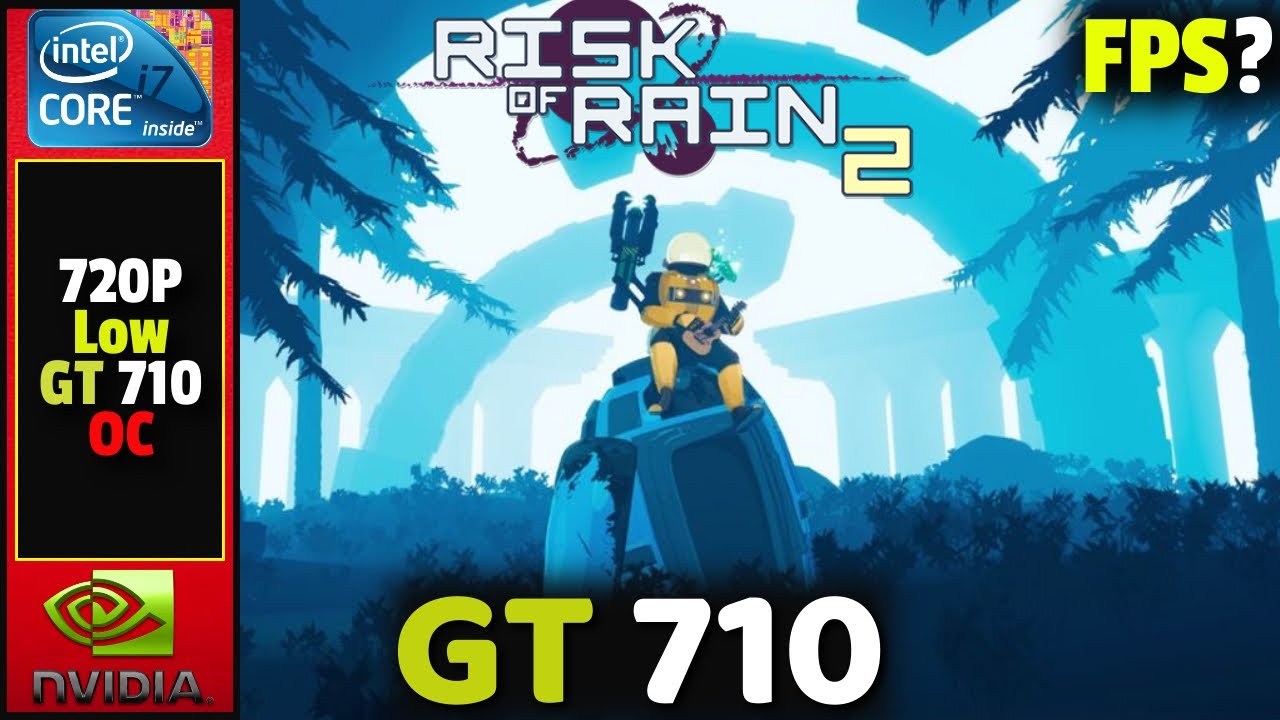
Risk of Rain 2 | GT 710 1gb Vram | I7 860 | 10gb Ram
_/More GT 710 Gaming
Gt 710 Gaming | 25 best games for gt 710 ►
https://youtu.be/Y4gZkrd0GFQ
Gt 710 Gaming | 10 Games Tested in 2020 ► https://youtu.be/259R00Zfn2o
Gt 710 In Gaming Playlist ► https://www.youtube.com/watch?v=Ao7az0lpgQs&list=PLdaCUpUutrn0qPU4ZW3RD...
yeah this guy plays it fine
you may need to lower your resolution
pastel bluff
your computer is only as good as your worst part. so if you're got a shitty processor or no ram it's gonna slow down everything
worthy nacelle
@serene sequoia go into "my pc" and check your drives
serene sequoia
left zephyr
you may need to lower your resolution
how much would you sa
worthy nacelle
 serene sequoia
alright
 unborn bone
serene sequoia
so, should i buy new parts or something?
unborn bone
serene sequoia
so, should i buy new parts or something?
Before you do that try turning down the settings in ror2
 jovial inlet
i would jump in but yall can handle this right
serene sequoia
 jovial inlet
its like nearly midnight for me
worthy nacelle
serene sequoia
fuck
serene sequoia
unborn bone
Before you do that try turning down the settings in ror2
i did all basically based off this video https://youtu.be/qplmlEye_Dc a little bit lower than what he recommends
Tune in EVERYDAY for more content and SUBSCRIBE for more hilarious nonsense!
Like, Comment, and Subscribe for more content daily.
Live TwitchTV: http://www.twitch.tv/jessupsgamingchannel#
If you scrolled this far down, you might as well subscribe.
¯_(ツ)_/¯
worthy nacelle
its not a huge deal, deal with that later. but keep in mind you'll want to sort that out when you're more adept with pcs.
serene sequoia
as in, get more space
or?
left zephyr
yeah you can install another hard drive in there later
serene sequoia
noted
worthy nacelle
parition your drives so theres a system reserved specifically for your OS, but on a prebuilt you'd have to completely re-install windows to my knowledge. but don't do that now.
thats for the future. just wanted to let u know 1 way to speed it up
serene sequoia
alright thank you
worthy nacelle
sorry if i'm overloading you with info or being annoying
serene sequoia
it’s alright it’s to be expected also you are not annoying
is there anything i could do atm or
unborn bone
Btw kazzy this isn’t related your pfps cool B)
serene sequoia
unborn bone
Btw kazzy this isn’t related your pfps cool B)
thank you i drew it
left zephyr
yeah you can make sure you have the most up to date Nvidia drivers, may help with performance
serene sequoia
this is my other pfp
 serene sequoia
left zephyr
yeah you can make sure you have the most up to date Nvidia drivers, may help wit...
serene sequoia
left zephyr
yeah you can make sure you have the most up to date Nvidia drivers, may help wit...
as in the gpu? or
worthy nacelle
nice art!
left zephyr
yeah GPU driver
unborn bone
serene sequoia
this is my other pfp
Damn epic art
serene sequoia
okay got it, matti recommended the 1050? so if i were to look for it id just have to search for a 1050 GPU?
pastel bluff
make sure to do some research before buying anything
serene sequoia
is there anything i could do right now? i’m just a bit worried
worthy nacelle
serene sequoia
okay got it, matti recommended the 1050? so if i were to look for it id just hav...
see how you get on with the 710 for a while, buying a part straight away might not be the best option. however, if you are going to, get a gtx 1050 for now. they're decent, run most things well, and you can get them refurbished for somewhat reasonable prices, there are other options ofc, i just say the 1050 because i've had mine since i got the pre-built and its still going strong.
refurbished work almost as good as new and cost waaay less
pastel bluff
again, a bad processor will slow down your entire system no matter what gpu you have
left zephyr
NVIDIA
NVIDIA GeForce Experience Auto Update Drivers and Optimize Game Settings
pastel bluff
its hard to say whats wrong when we dont know what your computer is made of
serene sequoia
i’m just trying to figure out why i can’t even run ror2,
serene sequoia
pastel bluff
its hard to say whats wrong when we dont know what your computer is made of
is there anything on the computer that shows all of that
pastel bluff
consider downloading speccy to know what your parts are
serene sequoia
the about specs thing seems to only show a portion so
worthy nacelle
its defo an auroras motherboard atleast, i've got a similar one. they're normally pretty good.
idk about the cpu
left zephyr
yeah its free
pastel bluff
speccy tells you what your computer is made of
serene sequoia
alright i’ll take a pic of what it shows me
left zephyr
after updating drivers, id lower resolution in game to 1280x720 or something like that
pastel bluff
just for reference, I have a 970. which is better than what you have but still pretty outdated and I'm running the game on high graphics with no problems
left zephyr
and just keep lowering the settings in game till you get something playable.
worthy nacelle
also, run your game in fullscreen instead of borderless windowed/windowed, it helps performance allot
serene sequoia
okay, apparently there was one more update that required a restart, which is what it led me to after trying to update drivers and telling me it was up to date
restarting computer rn because of said update, hopefully that helps
serene sequoia
pastel bluff
just for reference, I have a 970. which is better than what you have but still p...
 serene sequoia
after the update thing i’m going into game now to see if it’s better
serene sequoia
whats the preferred resolution?
wow this looks like ass, but seems manageable
the mouse feels like it has a delay to it though
pastel bluff
just try playing around in your settings
like lowering the max amount of corpses allowed could help if it's too high
serene sequoia
actually i take that back i really like how it looks pixelated
seems to be playing generally okay,
left zephyr
i wouldnt try running it any higher than 1920x1080 on that gpu
serene sequoia
left zephyr
after updating drivers, id lower resolution in game to 1280x720 or something lik...
turned it down to this
left zephyr
gotcha
serene sequoia
seems to be playing pretty smooth,
generally for pretty small games would this be okay? let’s say generally under 20 GB games
my goal is to be able to play destiny on PC
i obviously need more space though.
left zephyr
most of them yeah. You MIGHT be able to play destiny on lowest settings, probably at 720p
serene sequoia
left zephyr
most of them yeah. You MIGHT be able to play destiny on lowest settings, probabl...
and by might are you saying potentially smooth or pretty smooth
i just want an improvement on my ps4
pastel bluff
you can run a lot of simple games with this, but yea destiny might be rough
serene sequoia
alright then, i’m going to try downloading a few mods
via woolies guide so r2modman or whatever
left zephyr

*System is a Lenovo H210
CPU: Intel Q6600 2.4ghz
GPU: MSi GT 730 2gb gddr5 OC (+45 core +10 memory*)
Ram: 4gb ddr2
OS: Win10 fall creators update, game was recorded with Elgato Game Capture HD (external recorder)
Res: 720p low settings
Click on the link to subscribe:
https://www.youtube.com/user/delfin217122?sub_confirmation=1
Twitter:
htt...
this guy runs it fine on 720p
serene sequoia
thank you very much for the help. it means quite a lot
unborn bone
serene sequoia
via woolies guide so r2modman or whatever
Woolie 🤢 if you want help with modding I’m down to help tho
serene sequoia
is r2modman fine? or is there something else i should use?
serene sequoia
left zephyr
https://www.youtube.com/watch?v=U_LY74DCJIc
alright good to know
left zephyr
i use r2modman
serene sequoia
what part mainly affects FPS? as in what part would i have to replace to go for higher FPS
unborn bone
serene sequoia
is r2modman fine? or is there something else i should use?
Nah r2modmans great
worthy nacelle
R2modman is based.
left zephyr
resolution the game is running at is huge. Texture settings also, dont want it set too high. It used the VRAM in your GPU for all those textures, if the game needs more VRAM than the card has it will lag hard
worthy nacelle
Woollies guide is absoloutely fine. The hate for him is overblown. Guy makes good easy to dip into quick and easy guides that get to the point and give people the info they need. Not every small detail.
If you want proper guides sure he sucks
But for small stuff hes fine.
And his modman guide is fine
worthy nacelle
From the r2modman launcher? Yeah. Just pick one you want (that isnt depreciated) and it auto installs with all the extra things it requires to work.
It even has a search bar to find what your looking for
left zephyr
So anyone have any ideas for this?
 serene sequoia
awesom thank you very much for the help friends
 forest jasper
So are there any plans as anyone knows to do a quick update on the orginal risk of rains multiplayer system? this whole port forwarding thing is giving my brain a swirlie in a not so clean toilet
jovial inlet
left zephyr
So anyone have any ideas for this?
mostly fixed by either restarting steam or verifying steam files and cache
jovial inlet
forest jasper
So are there any plans as anyone knows to do a quick update on the orginal risk ...
probably not, no
forest jasper
is there a reliable guide to follow on how to set up the forwarfd porting then? me and my friend got it to work once but now it doesnt seem to be working at all
jovial inlet
honestly, i dont really know
best chance is to search in this channel, Ghor's messages and Port Forward as the keyword
use the top right of discord's search bar
left zephyr
jovial inlet
mostly fixed by either restarting steam or verifying steam files and cache
Ive restarted PC, steam, reset download cache, verified game files, reinstalled the game to a new drive, also tried port forwarding 7777, no change.
left zephyr
also reinstalled steam
left zephyr
So update on my problem. It was caused by my DNS server (Was 9.9.9.9). Had to switch to my ISPs DNS for now. Googles DNS would probably work also.
Did that after restarting my modem and it works
 stuck meteor
Why does every now and then all my enemy and environment logs disappear?
jovial inlet
stuck meteor
Why does every now and then all my enemy and environment logs disappear?
do you use the unlockall mod?
because that is what causes this to my knowledge and experience
stuck meteor
No I haven’t
 kind plaza
heavily modded game. going to start disabling new mods one by one and see if that fixes it. anyone seen this happen before?
 kind plaza
unity log helped out- camera error. refightlization does not play nice with atherium it seems
 coral basalt
Hi, I am trying to figure out why my game won't run with more than 30fps, I have the settings set to 144 and vsync is off.
Is anyone able to assist me in troubleshooting?
orchid flame
do you have a graphic card
coral basalt
This is my specs
Nvidia GeForce GTX 1650
Driver version 471.96 (the latest, I updated it yesterday and restarted my computer too)
Intel Core i5-3470 cpu @ 3.20GHz
16 GB RAM
1920 x 1080, 60Hz
orchid flame
ping fancyfrenc they can help you a lot more than i can
orchid flame
jovial inlet
because that is what causes this to my knowledge and experience
^ this guy
coral basalt
For an example and hopefully to be of more help than anything.
Yesterday I was playing with a friend and we go to the hardest difficulty, a bunch of monsters started spawning and instead of my computer using more GPU, CPU, and memory it just lowered my fps down to 5 and began to lag extremely.
@jovial inlet Can you help me?
orchid flame
oh you prolly just need to turn down some settings
coral basalt
I did try that and it changed litterally nothing exepect for how everything looked, I still only was getting 5fps
coral basalt
I have also tried making sure my monitor is set to handle high fps, setting the RoR2 process as a high priority. but nothing has worked.
coral basalt
Another thing that is a big part of why I am very confused is that I did not have this problem a month ago when my friend and I would play every day.
orchid flame
hm. well i can’t really help, just wait until fancyfrenc responds
jovial inlet
@coral basalt i will have a look when i get to my pc
may not be today so if i dont answer today feel free to ping me again tomorrow
coral basalt
jovial inlet
may not be today so if i dont answer today feel free to ping me again tomorrow
Will do! Thank you!
jovial inlet
👍
orchid flame
This issue has definitely happened before, which was why I tried to look in the pinned messages but found nothing. The game was running fine yesterday but I attempt to play today, and the FPS is terrible. Terrible as in maybe 2-3 fps, this happened quite literally overnight and hasn't happened previously
And by the issue has happened before I mean someone else has probably had this happen to them
 wet finch
Haven't played Ror2 in a while and decided to boot it up. Crashed the whole computer shortly after the cutscene started (black screen, audio goes on for a few seconds). Took a look at the error.log and was seeing this error:
  in module d3d11.dll at 0033:3bd2c370.```
Also this in the output_log.txt:
```========== OUTPUTTING STACK TRACE ==================

0x00007FFD2763C370 (d3d11) CreateDirect3D11SurfaceFromDXGISurface
  ERROR: SymGetSymFromAddr64, GetLastError: 'Attempt to access invalid address.' (Address: 00007FFCCE75FB21)
0x00007FFCCE75FB21 (UnityPlayer) (function-name not available)
  ERROR: SymGetSymFromAddr64, GetLastError: 'Attempt to access invalid address.' (Address: 00007FFCCE755097)
0x00007FFCCE755097 (UnityPlayer) (function-name not available)
  ERROR: SymGetSymFromAddr64, GetLastError: 'Attempt to access invalid address.' (Address: 00007FFCCE758CE5)
0x00007FFCCE758CE5 (UnityPlayer) (function-name not available)
  ERROR: SymGetSymFromAddr64, GetLastError: 'Attempt to access invalid address.' (Address: 00007FFCCE7C053B)
0x00007FFCCE7C053B (UnityPlayer) (function-name not available)
  ERROR: SymGetSymFromAddr64, GetLastError: 'Attempt to access invalid address.' (Address: 00007FFCCE7C1CAB)
0x00007FFCCE7C1CAB (UnityPlayer) (function-name not available)
  ERROR: SymGetSymFromAddr64, GetLastError: 'Attempt to access invalid address.' (Address: 00007FFCCE7C1D87)
0x00007FFCCE7C1D87 (UnityPlayer) (function-name not available)
0x00007FFCCEA78161 (UnityPlayer) UnityMain
0x00007FFD2C627034 (KERNEL32) BaseThreadInitThunk
0x00007FFD2E202651 (ntdll) RtlUserThreadStart```any ideas how to fix this?
Tried reinstalling graphics drivers, verified Ror2, reinstalled Ror2 after deleting all the game folder files.
jovial inlet
coral basalt
This is my specs
Nvidia GeForce GTX 1650
Driver version 471.96 (the latest, I u...
first of all, trying to have the game run at 144 fps with a 60hz monitor is completely worthless, a 60hz screen can only handle up to 60 fps
second, it is only 4gb of visual ram, thus i recommend you turn down some settings, mainly bloom, corpses and shadows
whats more, your pc may not be well-ventilated. this sometimes just happens if too much dust gets into the case or a fan malfunctions because of whatever reason. pop your pc case open and clean it with an anti-static dust wipe
if it gets too hot, your pc will limit itself to avoid overheating
lastly, if this applies to you, disable overclock, period
jovial inlet
wet finch
Haven't played Ror2 in a while and decided to boot it up. Crashed the whole comp...
please read the first pin on crashes
if the entire message does not help you, feel free to ping me
 bronze spear
144fps 60hz is noticeably more smooth than 60fps 60hz
jovial inlet
that is fair enough, but with a 4gb gpu that may be very taxing to achieve
it will also cause a lot of screen tearing
 formal sage
jovial inlet
first of all, trying to have the game run at 144 fps with a 60hz monitor is comp...
formal sage
jovial inlet
first of all, trying to have the game run at 144 fps with a 60hz monitor is comp...
I have a friend who has no cooldowns, even in vanilla sometimes.
Steps we've taken to fix the problem:
- Reinstalled the game
- Installed it to a different drive
- Tried with less mods
- Tried with no mods
- Deleted the .ini file that's under
.../userdata/ - Tried singleplayer
- Tried multiplayer
- Tried with and without artifacts
- Verified the game files
No solutions.
Oh also. Not useless. The display can only scan out 60 frames in one second but with v-sync disabled the latency will be lower, instead of a constant 16.6ms it has the potential to be less, because the display will simply scan out a partial frame every 16.6ms. While you will not see a difference the overall latency is lower.
formal sage
wet finch
Haven't played Ror2 in a while and decided to boot it up. Crashed the whole comp...
This is a RAM issue. Not a GPU problem. Access violation is basically always RAM. This isn't a graphics setting problem. It's ROR2. You can fit the entire game in your VRAM.
Go run a RAM checker. Get a flash drive, get a bootable RAM checker, and check your RAM. Guarantee there's a fault. In the event there isn’t my best guess is a failure in your graphics driver or your GPU itself. Next time you get a stop code (BSOD) write down the error.
wet finch
formal sage
Go run a RAM checker. Get a flash drive, get a bootable RAM checker, and check y...
Hey man. So did run mdsched.exe and had no errors. I’m using a stable driver for my system and had previously logged like 300 hours on ror2 with it. Reinstalled in in case of corruption but issue persists. The crash doesn’t produce a bsod. It’s just a black screen. I looked in the error logs too and it just says system unexpectedly lost power which is true because I can only recover by turning the power off and resetting the system. Any recommendations on testing for GPU failures?
I’ve run a GPU memtest without errors too the other day
 real plume
Hi, I've also posted on Reddit about this and nobody was really able to help me yet.
I haven't played this game in a while after taking a break when it was in earlier dev and started coming back to it the past few days.
When I played ~2 yrs ago, I was running an i7 3770 + GTX 1080 on highest settings and easily got over 100 FPS at all times, even when the game became really busy in 20+ Stages runs. I also played on a Laptop with a 4th gen i7 + GTX 880M, and performance was worse, but still really good (60+ at all times and 40+ in 20 stage runs.
Now, when I try to play on my Ryzen 7 3800x + GTX 1080, I launch the stage at 150 FPS, but the moment monsters start spawning, the FPS absolutely plummets down to mid to low 30s and never recovers fully and stays really inconsistent. The SAME happens on the laptop as well.
Changing graphics settings doesn't reaaally improve it, although I havent tried going lowest yet because I feel like my PC should be able to handle it.
Anybody have an idea why this happens? It really maims the enjoyment of the game in some parts.
jovial inlet
real plume
Hi, I've also posted on Reddit about this and nobody was really able to help me ...
just gonna ask it just in case
- are your drivers up to date
- is vsync both in-game and in-driver disabled
formal sage
real plume
Hi, I've also posted on Reddit about this and nobody was really able to help me ...
I have the same issue. Only thing that’s the same between us is Ryzen. First gen?
AMD is also the only change in your builds as well. Specifically Ryzen.
formal sage
wet finch
Hey man. So did run mdsched.exe and had no errors. I’m using a stable driver for...
So it freezes the computer, but doesn’t crash it?
🤔
Hmm. Try a bootable. Access violation is usually RAM and isn’t a game-level thing, your kernel throws that error. The game doesn’t have a whole lot of textures so I have a really hard time believing it’s a VRAM issue. Check the Windows Event Log for issues around the time you launch ROR2, or during play.
Also, try DriverIdentifier — it will scan your computer and find any not up to date drivers, as well as supply updates for them. You’ll have to manually install them but it has never given me the wrong driver, and has even allowed me to use my HTC Vive link box as my source of Bluetooth because of its device identification.
Attempt to access invalid address. This means it went to look for something and when it tried the door wasn’t locked, there simply was no door where it needed there to be one.
real plume
jovial inlet
just gonna ask it just in case
1) are your drivers up to date
2) is vsync both ...
Drivers are up to date, yep!
I am not sure, if Vsync was enabled in Nvidia control panel, it was set to some third option. But I turned it off globally now, cuz fuck Vsync in general lol
FPS still sometimes dips, but it's better maybe? GPU and CPU utilization is still rather low, which is unfortunate
real plume
formal sage
I have the same issue. Only thing that’s the same between us is Ryzen. First gen...
I'm running 3rd gen Ryzen. Try the steps Fancy suggested too, tho.
orchid flame
My game launches and then crashes after a few seconds, whether I launch it vanilla or modded
formal sage
real plume
Drivers are up to date, yep!
I am not sure, if Vsync was enabled in Nvidia contr...
Probably fast. Fast is where the GPU renders unconstrained (like v-sync off) but it drops frames in excess of the monitor’s refresh rate.
Oh yeah and my drivers are up to date. Happens on Windows 10 and 11.
Just accepted that it’s part of the game at this point. 1060 6G, doesn’t matter what graphics settings.
formal sage
wet finch
Tried reinstalling graphics drivers, verified Ror2, reinstalled Ror2 after delet...
I am going to send you my D3D11.dll. I want you to make a copy of yours, and then overwrite the original with mine.
also, run sfc /scannow from CMD in administrator mode.
wet finch
formal sage
I am going to send you my D3D11.dll. I want you to make a copy of yours, and the...
Thanks will try this now. Was just twiddling around with some DCOM errors that were showing up in the event viewer right when ROR2 starts up but nothing conclusive on that yet
jovial inlet
orchid flame
My game launches and then crashes after a few seconds, whether I launch it vanil...
check first pin
orchid flame
I got it fixed up now but thanks
jovial inlet
👍
 bitter parcel
i just bought the game and when i start the game its just black screen. i checked for driver updates steam and discord settings.What should i do?
orchid flame
either its just the normal loading thing where it takes a minute to load, or its another problem
bitter parcel
its crashes
jovial inlet
@bitter parcel check first pin
orchid flame
^
 native yacht
my game is going to like 20fps :/
as soon as i go ingame its 20fps
i have the same specs as my friend and hes getting a solid 144fps so idk why mine is like this
orchid flame
@jovial inlet
jovial inlet
thats not much to go off of
im guessing its probably vsync, turn it off both in-game and in-driver
native yacht
nah i dont have vsync on in driver or ingame
jovial inlet
hm
native yacht
my game is at 144fps when im on the menu
jovial inlet
yes i understand what the issue is
native yacht
as soon as i go ingame, when it loads up the little screen to pick ur character it goes to 20fps
and even if i go back to the menu it still stays at 20fps until i restart
native yacht
yeah
jovial inlet
thanks
im gonna go to bed now but please post the results here and ill read it tomorrow
formal sage
jovial inlet
im guessing its probably vsync, turn it off both in-game and in-driver
question. vsync is only supposed to reduce your frame rate to the refresh rate of your monitor so why do you blame vsync first for like every frame rate problem? no modern monitor has a refresh rate of 20Hz. What leads you here? I am curious.
 subtle violet
ok can someone explain this? Me and my friend both have laptops with integrated graphics. Userbenchmark says mine are like 25% better. He can run the game at default settings at 60+fps and me at super low and 20.
formal sage
subtle violet
ok can someone explain this? Me and my friend both have laptops with integrated ...
if i take a page from the support book, make sure you have v-sync turned off.
also there is more to it than just benchmarks. stuff like memory bandwidth or CPU you gotta think about too. I have a 1060 and have never had consistent frame rates even in vanilla. v-sync on or off. still haven't even had an acknowledgement of my no cooldown issue too. very cool.
i've honestly just accepted that the game chooses how it wants to run at launch.
formal sage
subtle violet
ok can someone explain this? Me and my friend both have laptops with integrated ...
there could be settings that differ between you at the driver level. there could be other differences in hardware outside of the GPU that affect your FPS vs his. check that your drivers on everything are up to date (I personally use DriverIdentifier) then try again.
subtle violet
I moved it from external monitor to laptop monitor and now I'm running 60fps
formal sage
I wonder, can anyone help me with my issue? 1060 6G, Ryzen 5 1600X, 16GB 2133MHz RAM
Basically play the game at 18 FPS at all times.
Running @ 1080p 60Hz, Fullscreen
Doesn't matter what settings I use. Sometimes making the settings lower loses me ~20 FPS for the rest of the run.
Doesn't matter what I have v-sync set to. On/off in game, on/off/fast in driver, issue persists.
Doesn't matter if I run it from SSD or HDD, issue persists.
Doesn't matter if I run it modded or vanilla, issue persists.
Doesn't matter if I run it on monitor 1 or monitor 2, issue persists.
Doesn't matter if I have monitor 2 unplugged, issue persists.
Doesn't matter what else or how much else I have open, issue persists.
GPU is factory overclocked, that's its default. CPU is default clock speed.
Still looking for even a "hey we see you have this issue" on the no cooldowns thing too.
Would appreciate answers that aren't low effort and actually help me diagnose the problem.
I get that the issue is probably common, and you go through the steps, but I've done basically everything you can possibly do.
I've run it on Windows 10 and Windows 11. Changed driver settings. tried with/without overclocks. verified files.
Changed game settings. changed BIOS settings. had everything closed. had usual things open. tried windowed. tried fullscreen. tried game mode on and off.
manually set the game to high performance in Settings. set power to highest performance. force unparked all cores. forced ror2 to use all 12 cores. excluded from probalance.
tried multiplayer, singleplayer, no artifacts, some artifacts...
jovial inlet
formal sage
question. vsync is only supposed to reduce your frame rate to the refresh rate o...
honestly, i have no idea
it just tends to fuck up a lot of stuff in the game
native yacht
@jovial inlet btw the issue was msi afturburner
jovial inlet
native yacht
<@!379700829965516801> btw the issue was msi afturburner
thanks for letting me know
native yacht
np
jovial inlet
👍
 tough laurel
Does anybody know why my game stutters when i turn quickly?
I have roughly 370 hours or so on the game, and this issue started only recently. I have a good pc, and had never experienced lag prior, so i know that i can definitely run the game without any issues. I have tried multiple things, such as uninstalling and reinstalling, updating my drivers, turning down my graphics to the lowest settings, and so on. Nothing that I do seems to fix the issue, and the game is essentially unplayable in this state because if I don't turn at a snails pace i just end up freezing
Would appreciate if anybody has any solutions that I could try, because I have no idea what to do
 frail haven
Hey, this is for ROR1 but anyone know why when i try to connect to a multiplayer game it just freezes? i cant do anything during this process as tabbing out doesnt work, have to try and close it or get host to exit lobby.
 dire lava
Cannot join private multiplayer lobbies, nor can friends. Help?
formal sage
native yacht
<@!379700829965516801> btw the issue was msi afturburner
curious.
just from being installed?
i also have afterburner, but hardly ever running.
what part of it was the problem? it being on the system? it running? it messing with clock speeds?
alright. where do i go to get obscure game problems fixed because obviously nobody is going to acknowledge the no cooldowns issue.
figured i'd get support here but apparently that's just not gonna happen. please point me somewhere people will actually help me.
or you know
my frame rate issue?
any help at all would be nice but apparently that's not gonna happen. where do I go.
you know i tried to be patient but it's been days without even an acknowledgement of my problem. obviously this is just low effort problems and answers which is fine, it's a discord. but that's not gonna work, i need actual assistance. so if someone could at the very least point me somewhere i may get some actual help that would be nice.
i don't mean to be an asshole because i get it's probably a team of volunteers but i just keep asking and just keep being ignored which to be frank is pretty shitty support.
so if one of you support people wants to actually do support things with me that would be cool but if you can't, won't, or don't know how to fix the problem, don't fucking ignore me just point me to someone who can help me. please. i mean jesus how hard is it to be like "we don't know how to fix this"? i'm not asking you to anydesk into my computer and give me one-on-one support like you're some fuckin Indian dude in a call center, i want someone to at least give enough of a fuck to tell me they can't help me. like. it's a support channel. where you ask for help. which i have done and not one fucking support person has even bothered to be like "sorry dude don't know". no. instead i get n o t h i n g.
I shouldn't have to send like five different requests over several days to not have my problem ignored.
i want to play the game at greater than 18 FPS. i want my friend to maybe have cooldowns. but hey, that's fine, let's just ignore the people asking for help if the problem is too hard to fix because that's what support people do amirite? forgive me for being a dick but come on. I've been asking for four days. I see support people active. I see them answer other questions. One of them even fucking replied to me but you know not one can bother to tell me they can't fix my issue or don't know how? what the fuck kind of support is this? like what? how the fuck am i not supposed to get pissed off at this?
seriously support dudes i'm sorry but i can't even say you're trying your best because not a single one of you has tried at all.
and mods i get this is probably pushing it should you read this but read this and tell me this wouldn't piss you off too before you decide to superban me.
jovial inlet
@formal sage to explain why afterburner causes issues: secondary gpu drivers like that or citrix workspace causes the game to be very confused and run massively worse as a result, often resulting in crashes mid-game, so please uninstall it and try again
jovial inlet
tough laurel
Does anybody know why my game stutters when i turn quickly?
I have roughly 370 ...
please check the scans listed in the first pin. if those dont work, maybe try opening the game in administrator mode (ram may be limited for whatever reason)
formal sage
jovial inlet
<@307287365783781376> to explain why afterburner causes issues: secondary gpu dr...
very confused? i'm sorry? me changing my GPU clock speed somehow makes the game confused?
but every other Unity engine game just works fine?
jovial inlet
i believe newer versions of unity work fine with it
the game runs in the 2018 version, fyi
formal sage
and you think that people weren't overclocking in 2018? wh
huh?
i dunno dude. doesn't make sense to me but whatever i'm not a game dev.
jovial inlet
overclocking is generally a bad idea, it causes a lot of issues
if you are doing it, disable and try the game again
 tidal ravine
Hi my friend need help to create a dedi server on linux is that possible ? and how ( if u got a guide on it )
orchid flame
tidal ravine
Hi my friend need help to create a dedi server on linux is that possible ? and h...

formal sage
jovial inlet
overclocking is generally a bad idea, it causes a lot of issues
It's only generally a bad idea if you're dumb and do an unstable overclock.
However if you properly test your system under load after overclocking and it is stable, then... it's stable. No worries.
However I have tried it with/without overclocks.
I actually had someone reach out and DM me to offer assistance. ShadowPlay, despite not doing anything ever in my case, will absolutely eat your FPS in ROR2.
At least in my case.
formal sage
tidal ravine
Hi my friend need help to create a dedi server on linux is that possible ? and h...
Linux is the "figure it out" operating system. If he is unable to figure out how to run a server he should probably switch back to Windows.
Source: friend of mine who uses Linux religiously despite its very endless shortcomings.
jovial inlet
im not a dev either, i dont know how exactly it works, but overclock is a very common culprit when it comes to fps issues in ror2
 barren cedar
Hi! I had a question about Ps5 and PS4…if I have risk of rain 2 can I play with my wife on PS4 with the family share on a PlayStation
Or would that require her to buy a PlayStation plus account
jovial inlet
barren cedar
Hi! I had a question about Ps5 and PS4…if I have risk of rain 2 can I play with ...
i think the people in #ror2-console-discussion may know
 tribal dagger
Anyone here that understands of graphi card please? My gaming laptop is using RTX 2070 super as standard but I've noticed frames drops and when checked the task manager it changes from GPU1 3D to GPU copy out of nowhere?
Would that affect my fps
formal sage
tribal dagger
Anyone here that understands of graphi card please? My gaming laptop is using RT...
No. Don't use Task Manager it's a filthy fucking liar. Use <any GPU monitoring utility> to see more accurate and verbose information about GPU usage.
formal sage
tribal dagger
Anyone here that understands of graphi card please? My gaming laptop is using RT...
Also, RoR2 is simplistic enough that the laptop may be choosing to use your iGPU to save power sometimes.
Go into your NVIDIA control panel, set the game to Risk of Rain 2, and make sure it's forced to use the high performance GPU.
Similar issues exist with Rust where even though the game is absolutely graphically intensive, sometimes the driver chooses the wrong chip to use.
orchid flame
Everttime I try to starta private game it wants like 30 seconds and then says could not connect anyone know why
Nvm
tribal dagger
jovial inlet
<@475178526492983296> do what Daemris told you
thanks every1
 gray tree
so I've got an issue where the game will run fine for a while and then randomly quit working. it will constantly crash after the hopoo games logo and when I verify files steam will say either it's fine or that 107 files failed to validate, over and over and over. I've tried what I can to fix it but even a fresh install and clearing steam's download cache didn't fix it.
 marsh flint
Hello, wasn't sure where to put this. But would there be any issue using the RoR2 sound track as my streams opening music?
 harsh tulip
hey i have an issue where i cant play with any of my friends, they get a black screen when the game loads, it allows us to be in the character select screen together
just saw the pinned messages nvrmind, thanks 

harsh tulip
dire lava
Cannot join private multiplayer lobbies, nor can friends. Help?
did u ever get a fix
dire lava
harsh tulip
did u ever get a fix
I did! It turns out it was university internet firewall issues. Solved by using a VPN.
harsh tulip
dire lava
I did! It turns out it was university internet firewall issues. Solved by using ...
hmmm ill have to try that out
formal sage
gray tree
so I've got an issue where the game will run fine for a while and then randomly ...
Put it on another drive if you have one.
gray tree
don't have one
formal sage
Hmm
Randomly quit working huh?
Any errors that it throws in output.log or?
Also check the Event Viewer
Look for disk read/write errors
May be indicative of the death of your drive.
Also also get Speccy and DM me a screenshot of the drive's SMART statistics
jovial inlet
marsh flint
Hello, wasn't sure where to put this. But would there be any issue using the RoR...
read a description of Chris' music on youtube
it should be listed there
formal sage
marsh flint
Hello, wasn't sure where to put this. But would there be any issue using the RoR...
Yes, almost certainly. Whatever service you're using will take your stream down for using copyrighted music without written express permission.
jovial inlet
gray tree
so I've got an issue where the game will run fine for a while and then randomly ...
be sure to restart steam before scanning
formal sage
dire lava
I did! It turns out it was university internet firewall issues. Solved by using ...
Universities will usually not allow peer-to-peer connections.
This is because if you decide to pirate stuff on their network, they have to pay the legal costs of you doing so.
formal sage
gray tree
so I've got an issue where the game will run fine for a while and then randomly ...
Hmm. Can you get in game at all?
Do other games work?
gray tree
I can but the game runs poorly if I let it load past freezing, and while my computer needs to run at lower graphics settings and resolutions, it's practically unplayable because I have to constantly keep resetting the resolution and it constantly freezes. Other games run fine.
formal sage
Hmm.
Do you want to troubleshoot this now?
If so I will get in vc with you, and we will go through things I think the issue is until it's fixed.
Right now I'm pointing to hard drive. A few minutes and some free software will tell me more.
gray tree
Considering the only reason the problem fixed itself was because my computer had a bad update and needed to self-repair with a fresh wndows install, I'm thinking it's just my PC at this point.
formal sage
Hmm.
I think your hard drive is dying.
Go make sure Windows isn't dying first.
sfc /scannow in an elevated command prompt
windows key + R
cmd
ctrl+shift+enter
it will ask for yes/no
tell it yes, run the command, tell me the results.
formal sage
gray tree
I have no idea how or why
Then it isn’t fixed.
It’s just stopped showing symptoms. For now.
 vale star
im having the following issue, anyone know a fix?:
https://cdn.discordapp.com/attachments/160908424220114944/888904635975352340/Picture1.png
 jovial inlet
vale star
im having the following issue, anyone know a fix?:
https://cdn.discordapp.com/a...
jovial inlet
vale star
im having the following issue, anyone know a fix?:
https://cdn.discordapp.com/a...
 dire arch
my video settings keep reverting back to 60hz when i want it to be 300hz, does anyone have a fix?
i fixed this, all i had to do was plug in my laptop
 jagged arrow
hi, i have the same problem since one years maybe , the game cant start since, always the same message, i'v find nothing on internet so i try here. thanks you!

 fleet lion
So I uh... Crashed the game 7 times this week, and I got irritated because most of them were in the middle of an eclipse run that I was doing well in, plus 1 or 2 multiplayer games. The games start normally, and I have no problem up until the video just freezes, but I can hear the audio updating just fine for another 3 seconds. Then the game freezes and crashes. I found the .dmp files. What did I do? (I attached the most recent crash.)
jovial inlet
jagged arrow
@fleet lion both of you check first pin
jagged arrow
@jovial inlet first pin?
jovial inlet
this
jagged arrow
Yess , thanks you
I was testing nothing on it, your the best <3 , i ive many prob with many game with this "new pc" im pretty sure it was the same trouble, thanks alot
I will fix all
jagged arrow
Yes my god, it work, finaly, it was the gpu utility (msi dragon center) , i really appreciate that, have a good life sir
jovial inlet
fleet lion
So I uh... Crashed the game 7 times this week, and I got irritated because most ...
can you send the error.log instead?
the .dmp is not of use to me since i cant read those
it should be in the same folder
fleet lion
jovial inlet
can you send the error.log instead?
Here it is.
plush treeBOT
@jovial inlet, We have two known solutions for the topic 'no gamepad binding'. Would you like to view them? (Y/N)
jovial inlet
y
plush treeBOT
@jovial inlet,
This issue occurs when Windows is reporting a gamepad, joystick, or other input device providing a non-neutral input. This is usually caused by:
- Having a gamepad, flight stick, HOTAS, pedal, racing wheel, or any other kind of non-keyboard/non-mouse input device plugged in. Simply unplug the device from your computer.
- Having vjoy installed. If you've ever tried to use a GameCube controller with your PC, you probably have it installed. Opening your computer's Device Manager window should allow you to disable or uninstall it.
 novel ermine
Hey everyone. Me and my friends aren't able to play together. They are able to see the starting lobby just fine, but for me it appears blank and I can't ready up or pick any character. To my knowledge, we all have compatible NAT types. Any help would be appreciated 🙂
 fleet lion
My game crashed again in the middle of an eclipse run. Got it on video too.
jovial inlet
novel ermine
Hey everyone. Me and my friends aren't able to play together. They are able to s...
orchid flame
in mid-late game when frames start dropping is that because of cpu or gpu, i have a r5 3600 and rtx 2060, i want to upgrade my gpu and i want to justify my purchase
i also play at 1440p 21:9, high gpu usage and early game 140-110fps, mid-late game is anywhere between 110-30
bitter parcel
i have the game for now over 5 days. the Customer Service didnt replied to me over 2 days. if somebody can help to me we could go on a discord call or something. I really want to now
*play now
bitter parcel
when i load the game black screen and then its shots down
orchid flame
@jovial inlet
orchid flame
bitter parcel
when i load the game black screen and then its shots down
so try whats in the first pin
look at the first pin and type those things into the cmd
pretty sure that this is a common issue
jovial inlet
@bitter parcel check first pin
 bitter parcel
im not the best at english so what should i do at the first one. The others are good
orchid flame
press windows key and run cmd
then type in each of these things individually
'sfc /scannow'
'chkdsk /r'
'DISM /Online /Cleanup-Image /ScanHealth'
'memtest'
bitter parcel
this one
The most common cause seems to be audio drivers inserting sound files the game does not recognize and thus resulting in a crash (audiodevprops2.dll). So far, the main culprit appears to be Sonic Studio 3, so if possible, please uninstall it and try again.
orchid flame
ah ok, so its saying that a certain thing is inserting files in the wrong place, just uninstall Sonic Studio 3 and try running the game again
jovial inlet
it can be any program affecting the game, its easier to pinpoint if you send your error.log here
?files
plush treeBOT
@jovial inlet,
Output Logs
While the game is running, it is continually writing to a file called output_log.txt. This file can help us get more information about the issue. If possible, please upload the file here. The file is usually located at:
C:\Users\<UserName>\AppData\LocalLow\Hopoo Games, LLC\Risk of Rain 2\output_log.txt
Crash Dumps
If the game crashes it will generate a Dump file. Similarly to output_log.txt, it can help us track down the source of the crash. Please upload your crash dumps here if possible. The file is usually located at either:
C:\Users\<UserName>\AppData\Local\Temp\Hopoo Games, LLC\Risk of Rain 2\Crashes\crash.dmp
or
C:\Users\<UserName>\AppData\LocalLow\Hopoo Games, LLC\Risk of Rain 2\Crashes\crash.dmp
jovial inlet
its in the same folder as the crash dump
jovial inlet
then the game doesnt generate it due to a non-unity crash
ill read it later, am busy rn
bitter parcel
ok
bitter parcel
@jovial inlet
jovial inlet
something refuses to load properly, but i dont exactly know what it is
im gonna ask you to verify your files via steam first, and if that does not work, re-install your graphics driver
@bitter parcel
bitter parcel
its still not working
jovial inlet
@steady topaz could you have a look at the output log?
bitter parcel
if it help i have only one error in event viewer and thats DistributedCOM event id 10016
jovial inlet
@bitter parcel have you tried launching the game as administrator
bitter parcel
yes
jovial inlet
https://www.makeuseof.com/tag/fix-distributedcom-error-10016-windows/ then you should try this
 steady topaz
@bitter parcelRestarting steam client usually helps.
If you have multiple steam library folders make sure game on the one that in C drive.
If didnt help:
Reinstall the steam client itself, run registry cleanup with ccleaner, install steam back. no need to wipe gamesdata, but be aware uninstalling steam might wipe it anyway. Move/rename root folder name to avoid this.
 glass jungle
Hey I can't join my two brothers lobby on ps4 how do I fix this problem so all three of us can play togather
jovial inlet
glass jungle
Hey I can't join my two brothers lobby on ps4 how do I fix this problem so all t...
nobody knows, console mp sometimes just does/doesn't work
glass jungle
So we just have to keep trying I guess and hope we can play together
jovial inlet
im sorry, maybe the folks in #ror2-console-discussion can help a bit more but i doubt it
steady topaz
@glass jungle If you have router try to ope its interface page, check on upnp setting. Might help.
glass jungle
@steady topaz I'm on ps4 not pc
steady topaz
@glass jungle You have to be connected to the internet somehow, the fact that you dont have a pc doesnt mean anything. If you have router - you can acces its page. Use mobile phone.
jovial inlet
@glass jungle to access your router console, check the manual
it should tell you the site (usually the ip address) and the password
glass jungle
@jovial inlet OK Ill check it our when I get home tonight cause I no my little brother can join my lobby but I can't join his and all three of us can't be in the same lobby at once
jovial inlet
👍
bitter parcel
@steady topaz thank you soo much and everybody else that helped me
steady topaz
bitter parcel
<@!302553827389865986> thank you soo much and everybody else that helped me
@bitter parcel well, you're welcome. You fixed your issue right? would be helpfull for others if you tell us how exactly in steps.
This might increase our accuracy for troubleshooting next time 😄
 hazy patio
Can somebody help ? My friend tries to connect to my lobby, but he end up in main menu, we tried in modded version (mods all same, we double check it) and vanilla version. He already tried recheck files in steam, but nothing helped
Sorry, not in main menu, in lobby but nothing is loading
jovial inlet
@hazy patio does it look like a standard lobby but character models and the panels not loading?
hazy patio
Yes
hazy patio
Thank you
bitter parcel
@steady topaz your last suggestion helped.
this one
Reinstall the steam client itself, run registry cleanup with ccleaner, install steam back. no need to wipe gamesdata, but be aware uninstalling steam might wipe it anyway. Move/rename root folder name to avoid this.
 latent finch
Does anybody know what to do, when the game says "incompatible mods" when joining a server?
orchid flame
latent finch
Does anybody know what to do, when the game says "incompatible mods" when joinin...
Gotta remove your mods ig
latent finch
We have the same mods and all, and it has worked with mods before. I wonder what we did...
latent finch
Yeah I think we're gonna try disabling some mods and see if it works
orchid flame
latent finch
Does anybody know what to do, when the game says "incompatible mods" when joinin...
it should say which mod you or they don’t have at the bottom
 thorny quartz
Me and my buddy were trying to play last night. We're both on ps5, and could not connect to each other. Both of us tried hosting the lobby. But each time it sat at joining, until it just disconnected. Not sure if there is a solution, but it's frustrating, for a game I'm having a blast on. Just want coop time lol
 old matrix
Where do I put the Dyphon Sphere? (For R2modman)
 real scroll
when do you unlock lunar coins so you can se them in the corner
 tranquil bear
When i launch the game only a really small window pops up i cant play help
 orchid flame
tranquil bear
When i launch the game only a really small window pops up i cant play help
orchid flame
tranquil bear
When i launch the game only a really small window pops up i cant play help
go in it and press alt+enter, which should make it full screen. if that doesnt help then i dont know
tranquil bear
Aight
steady topaz
@tranquil bear Open up C:\Program Files (x86)\Steam\steamapps\common\Risk of Rain 2\Risk of Rain 2_Data\Config\config.cfg and edit your resolution in 22 line.
Should look like:
window_mode Fullscreen;
resolution 1280x1024x75;
fps_max 60;
Where 1280x1024 is your display resolution and 75 is your display refreshrate. Note that fps is still capped at 60, its recommended.
tranquil bear
orchid flame
go in it and press alt+enter, which should make it full screen. if that doesnt h...
It worked thanks
orchid flame
you’re welcome :)
 vocal loom
Crash on PC, happened 5/5 times when in multiplayer session in normal play. Both environment types in starter levels and always crashed before reaching the second stage.
I have a history of consistent crashes in this game, and singleplayer has always been somewhat more stable. However, anywhere past the first chance to obliterate in singleplayer will always lead to crashing. The errors in the past were also pointing towards failure to create staging 2D textures.
Graphics drivers updated, other applications closed, gone through fresh installs and integrity checks.
 agile pecan
vocal loom
I have a history of consistent crashes in this game, and singleplayer has always...
agile pecan
vocal loom
I have a history of consistent crashes in this game, and singleplayer has always...
How did you updated your graphics drivers?
vocal loom
geforce experience, clean install - the standard recommended way to do it

 rare cedar
Hey how can i get the game character's files?
agile pecan
rare cedar
Hey how can i get the game character's files?
You mean save files?
agile pecan
Oh... You need unity ripper or smth like this
 pale leaf
My friend can’t join me or anyone at all when ever he tries to join a lobby he can chose a character then the he screen goes black and kicks him out he’s uninstalled it and verified the files and nothing is wrong but all his characters and items are golden like he unlocked them and I’m not sure how to fix it
jovial inlet
pale leaf
My friend can’t join me or anyone at all when ever he tries to join a lobby he c...
 rancid helm
Hey im having an issue where RoR2 thinks I have a gamepad plugged in, yet it says no gamepad bound. I dont use a gamepad with steam and disabling my gamecube controller with vjoy didnt help. I disabled controllers in RoR2's steam properties and even uninstalled/reinstalled
orchid flame
@jovial inlet
jovial inlet
no gamepad binding
plush treeBOT
@jovial inlet, We have two known solutions for the topic 'no gamepad binding'. Would you like to view them? (Y/N)
jovial inlet
y
plush treeBOT
@jovial inlet,
This issue occurs when Windows is reporting a gamepad, joystick, or other input device providing a non-neutral input. This is usually caused by:
- Having a gamepad, flight stick, HOTAS, pedal, racing wheel, or any other kind of non-keyboard/non-mouse input device plugged in. Simply unplug the device from your computer.
- Having vjoy installed. If you've ever tried to use a GameCube controller with your PC, you probably have it installed. Opening your computer's Device Manager window should allow you to disable or uninstall it.
jovial inlet
@rancid helm
rancid helm
jovial inlet
<@197177503037521921>
Thank you! I didnt realize there was a bot that worked like this in the channel. I appreciate your help! 🙂
 prime path
disconnect
 solemn radish
Hey, i have a problem creating a dedicated server, checked all the guides i could find and didn't figure it out, when i start the server it throws out a lot of errors, here is the console log:
Mono config path = 'E:/ror2server/MonoBleedingEdge/etc'
Initialize engine version: 2018.4.18f1 (61fce66342ad)
Forcing GfxDevice: Null
GfxDevice: creating device client; threaded=0
NullGfxDevice:
    Version:  NULL 1.0 [1.0]
    Renderer: Null Device
    Vendor:   Unity Technologies
Begin MonoManager ReloadAssembly
- Completed reload, in  0.078 seconds
WARNING: Shader Unsupported: 'Hidden/PostProcessing/Uber' - Pass '' has no vertex shader
WARNING: Shader Unsupported: 'Hidden/PostProcessing/Uber' - Pass '' has no vertex shader
WARNING: Shader Unsupported: 'Hidden/PostProcessing/ScreenSpaceReflections' - Pass '' has no vertex shader
ERROR: Shader Shader is not supported on this GPU (none of subshaders/fallbacks are suitable)WARNING: Shader Unsupported: 'Hidden/PostProcessing/ScreenSpaceReflections' - Setting to default shader.
WARNING: Shader Unsupported: 'Hidden/PostProcessing/FinalPass' - Pass '' has no vertex shader
WARNING: Shader Unsupported: 'Hidden/PostProcessing/DepthOfField' - Pass 'CoC Calculation' has no vertex shader
WARNING: Shader Unsupported: 'Hidden/PostProcessing/DepthOfField' - Pass 'CoC Calculation' has no vertex shader
ERROR: Shader Shader is not supported on this GPU (none of subshaders/fallbacks are suitable)WARNING: Shader Unsupported: 'Hidden/PostProcessing/DepthOfField' - Setting to default shader.
WARNING: Shader Unsupported: 'Hidden/PostProcessing/Debug/LightMeter' - Pass '' has no vertex shader
ERROR: Shader Shader is not supported on this GPU (none of subshaders/fallbacks are suitable)WARNING: Shader Unsupported: 'Hidden/PostProcessing/Debug/LightMeter' - Setting to default shader.```Network message MsgType.Highest + 22 is unregistered.
(Filename: C:\buildslave\unity\build\Runtime/Export/Debug.bindings.h Line: 45)
Fallback handler could not load library E:/ror2server/Risk of Rain 2_Data/Mono/data-000002046DF94020.dll
Fallback handler could not load library E:/ror2server/Risk of Rain 2_Data/Mono/data-000002046DF67C70.dll
Fallback handler could not load library E:/ror2server/Risk of Rain 2_Data/Mono/data-000002046E024010.dll
Searching for compatible XInput library...
(Filename: C:\buildslave\unity\build\Runtime/Export/Debug.bindings.h Line: 45)
Found Xinput1_4.dll.
(Filename: C:\buildslave\unity\build\Runtime/Export/Debug.bindings.h Line: 45)
Initializing Mod System...
(Filename: C:\buildslave\unity\build\Runtime/Export/Debug.bindings.h Line: 45)
Mod System initialized.
(Filename: C:\buildslave\unity\build\Runtime/Export/Debug.bindings.h Line: 45)
Launch Parameters:
arg[0]="E:\ror2server\Risk of Rain 2.exe"
(Filename: C:\buildslave\unity\build\Runtime/Export/Debug.bindings.h Line: 45)
"user_profile_main" = ""
The current user profile.
(Filename: C:\buildslave\unity\build\Runtime/Export/Debug.bindings.h Line: 45)
Loaded archived convars.
(Filename: C:\buildslave\unity\build\Runtime/Export/Debug.bindings.h Line: 45)
Could not load config /Config/autoexec.cfg: Could not find file "E:\ror2server\Risk of Rain 2_Data\Config\autoexec.cfg"
(Filename: C:\buildslave\unity\build\Runtime/Export/Debug.bindings.h Line: 45)
Cannot call LocalUserManager.SetLocalUsers at this time, user login changes are not safe at this time.
(Filename: C:\buildslave\unity\build\Runtime/Export/Debug.bindings.h Line: 45)
Loading custom server configuration...
(Filename: C:\buildslave\unity\build\Runtime/Export/Debug.bindings.h Line: 45)
Hosting server...
(Filename: C:\buildslave\unity\build\Runtime/Export/Debug.bindings.h Line: 45)
Also couldn't find any of the default config files and they wouldn't generate (eg. config.cfg, server.cfg etc.)
Any help is much appreciated
(also when/if someone responds to me, please ping me)
 mint compass
hey folks, my game keeps encountering unity 2018.4.16f1_e6e9ca02b32a crashes about 30 to 40 seconds after starting. I was running the game with a bunch of mods, but the game keeps crashing even when playing vanilla. I have updated my drivers, verified game files, uninstalled and reinstalled the game, I have checked the temps on my hardware they are fine, my power settings are not on power saving mode. Here is my crash log: https://pastebin.com/eaHtGmeD
Pastebin
Pastebin.com is the number one paste tool since 2002. Pastebin is a website where you can store text online for a set period of time.
Any help would be greatly appreciated
a friend of mine is able to run the game with all the mods, no crashes.
I was playing just fine until the game randomly crashed and then the unity stuff started happening
 daring dune
^please help this poor bastard
jovial inlet
ill have a look tomorrow
mint compass
jovial inlet
ill have a look tomorrow
I appreciate that friend
steady topaz
@mint compasssee nothing unusual there, drop your error log
C:/Users/Jags/AppData/Local/Temp/Hopoo Games, LLC/Risk of Rain 2/Crashes
mint compass
those are the three files in my folder
there are a number of folders
because I crashed multiple times
@steady topaz any help would be much appreciated.
steady topaz
@mint compass Try those gpu drivers:
https://www.nvidia.com/download/driverResults.aspx/177830
mint compass
will do
steady topaz
@mint compass Drop some more error logs from crashfolders too, could be helpfull
mint compass
NVIDIA Installer cannot continue. This NVIDIA graphics driver is not compatible with this version of Windows. This graphics driver could not find compatible graphics hardware.
I am running a GTX 780
It says the 780 is compatible with this driver on the website you linked
you think i have a hardware issue?
the card is old
steady topaz
That's my bad. sjould get a check about OC before sending you exact drivers. Let me fix that.
@mint compass same drivers for win 10 x64:
https://www.nvidia.com/en-us/drivers/results/177774/
Latest compatible drivers for win 10 x64:
https://www.nvidia.com/en-us/drivers/results/180557/
Try the 1st one, its confirmed to be working fine.
And drop some more error.log from other crashfolders. This could be ram issue.
mint compass
i have 32gb of ram
I will drop some more folders
@steady topaz I will try the new drivers and send you the error log if it crashes
Thank you so much for helping
i am also having trouble playing youtube videos and watching movies i have downloaded on my pc
steady topaz
Pretty consistent d3d11.dll reference. Ram should be fine.
The fact that you having video problems kinda points into driver/gpu issue.
mint compass
I'm installing the new drivers and this is what it looks like

Massive visual glitches.
steady topaz
Thats no good. Let me know about how it went. Ill be around later in 2 hrs
mint compass
I think it's my gpu.
I ordered a new one. But I'll keep troubleshooting so that if this happens with another person you can at least know what it was.
My pc is completely frozen in the state I just sent.
No idea what to do.
The computer completely crashed.
I don't think I will turn it on again. I will install the new gpu and update.
jovial inlet
if your entire pc crashed then its probably not the drivers
you can try opening the bios and set it to integrated graphics
that wont really do much good for gaming, but it at least allows you to use your pc again
mint compass
the whole thing was glitchy and kept going blank, when I hit ctrl alt del to get the task manager, it was like some LSD trip, all colors and lights and squares. Then it started glitching some more, so when the screen went normalish for a second I hit the shut down button once it popped up at the bottom right. Lucky too because it started glitching immediately again
i will wait and just install the new gpu
jovial inlet
hope it works out when it arrives then
steady topaz
@mint compass considering "old" gpu it might be hardware fault. Drivers shouldnt cause glitchines, this happens usually when chip itself, gram bus or gram itself is damaged. In humid, dusty environments its very easy to get soldering contacts corroding, pathways around edge of textolit base could also corrode, its much more difficult to spot, but corroded copper looks green-ish. Corroded solder and smd components usually black.
This is more likely to cause what you get.
Wiping with alchogol isnt gonna fix things for you, but propper resoldering might. It defenetly not something that we could fix for you if that's the case.
All i can say here now that its probably is faulty gpu. If the motherboard itself and PC case in general in the same conditions you better to clean insides. Id start with the gpu to see if its corroded somewhere. Then check pc case, its zink coated metal, where there were scratches, rivets, corners - it might sprout oxidation and corrosion.
If you find any - likely whole pc needs an inspection.
Having the case on the floor, around where your cat might be and floor dust in general isnt a good idea.
Do yourself a favour and put some silica gel pack inside to absorb water inside, but dont put it near radiators, preferable on the bottom of the case, away from PCU, as heating this stuff isnt good.
 mint compass
Everything else in the system is new, replaced a few months ago. Due to the gpu shortage, I was waiting to upgrade. I think dust might be the major factor.
I appreciate your input and advice. Great community. Thank you so much for your help.
steady topaz
Can i get a clear pic under good lighting of your gpu? Just to estimate if its too old and could be in danger of rusting to death.
I definitely seen not too old gpus beyond repair due to poor environmental conditions, but generally it shouldn't be so bad in normal house.
Sometimes its edge cases, where "whole house air re-freshener/humidifier" placed next to pc, because "it had a free space there" or leaky water cooling, or even owner that thought keeping it clean by washing with soapy water that completely ruin insides.
orchid flame
So my friend is having an issue where he launches ror2 as modded with ror2modman but it doesn't have any of his mods
 sage epoch
my risk of rain 2 keeps crashing its happend 3 times today and not yesterday in the middle of 3 really great run ive lowered my setting but its not changing
 hoary solstice
Ror2 wont load from steam. I press the start button, it goes to stop for a second, then crashes and goes back to play. any ideas?
jovial inlet
@sage epoch @hoary solstice read the first pin please
jovial inlet
orchid flame
So my friend is having an issue where he launches ror2 as modded with ror2modman...
best to ask in #ror2-modding or the modding discord, which is pinned in the channel
 torpid eagle
my game keeps freezing super hard whenever i hover over one of my skills in my loadouts idk what to do
orchid flame
@jovial inlet thank you
 sullen plover
how do I turn on my computer
 sullen plover
jovial inlet
<:happiesttroll:790347758732050463>
sullen plover
jovial inlet
<:happiesttroll:790347758732050463>


 pale leaf
My friend is having a problem we cant join him and he cant join us when ever he joins us its just a black screen and hes back to the main menu and when we try and join him the same thing happens is there any way to fix this issue
subtle violet
ok so I just got a new pc (yay) and I decided to run Ubuntu. I got steam and proton installed but whenever the game launches it shows a white window thats titled risk of rain 2 - unity and then a long string of characters. the window contents are the game logo and a progress bar. the window then closes, along with the game
anyone know what the heck
agile pecan
Could you provide logs?
subtle violet
agile pecan
Could you provide logs?
Where I find? New to this
agile pecan
Hmmm... Not sure you got one on unmodded versions ^^'
subtle violet
Right I still need to get r2modman
agile pecan
Would be easier I guess
subtle violet
Ok this is weird, I took a break from trying to get ror working, installed Minecraft just to test it - default 1.8 is at sub 30 frames... I just got this 3060 Ti wtf
agile pecan
Hmmm... This is kinda offtopic tho XD
agile pecan
But if you're on a laptop could be integrated GPU related
subtle violet
No I just built this 5600x 3060ti pc yesterday
orchid flame
subtle violet
Where I find? New to this
C:/Users/Jags/AppData/Local/Temp/Hopoo Games, LLC/Risk of Rain 2/Crashes
 leaden hornet
Is it a raid?
 rancid void
leaden hornet
Is it a raid?
rancid void
leaden hornet
Is it a raid?
mod got hacked and posted trojan
leaden hornet
OOOOOOF that really sucks
rancid void
it should be fixed since they brought back the text servers
real scroll
anybody know what the yellow/green border is?
 jovial inlet
real scroll
anybody know what the yellow/green border is?
jovial inlet
real scroll
anybody know what the yellow/green border is?
its a lower visual setting
im not sure but i think its bloom?
real scroll
bloom?
jovial inlet
yes, bloom is a graphical setting
orchid flame
real scroll
anybody know what the yellow/green border is?
turn on soft particles, it fixes it

 orchid linden
I am currently using share suite, and I have manually downloaded the mod. Whenever I try playing the game, anytime I kill a monster or do anything that should be giving me coins I dont get any
can someone explain to me what the problem is?
My other mods work perfectly fine
orchid flame
coins arent guarenteed to drop? its a 0.5% chance that halves each time it drops
orchid flame
orchid linden
I am currently using share suite, and I have manually downloaded the mod. Whenev...
or do you mean when you kill mithrix or scavengers
orchid linden
in general, anything I kill doesnt drop cash
the blood offer thing in return for coins doesnt give me coins either
 humble cobalt
Hey - don't really know where to ask this (or if this even ok to ask), but I was curious. I'm a Game Dev student looking to make a game prototype much like RoR2 meets Binding of Isaac (Dungeon Crawler like).
I was wondering if any developers would be willing to share some insights on the framework of RoR2, as well as documentation (CRCs and/or UMLs) to help with the pre planning of a project like such!
If not, that's ok - but I figured I'd shoot my shot!
orchid flame
humble cobalt
Hey - don't really know where to ask this (or if this even ok to ask), but I was...
so the devs dont usually read the chat, but you could ping hopoo or ghor. not sure theyd completely appriceate it tho. you can also email hopoogames
 safe sable
Having an issue with my game were I can no longer play online with my buddy anymore. As we are having an issue when I join his multiplayer upon loading in to the match I get a black screen and can't do anything. Same will happen to my friend if I'm the host of the multiplayer server he will black screen an never join the match.
We thought it had to due with me having out dated mods on my computer like so uninstalled the game. Deleted the bepinex folder, the doorstop.ini file. and the winhttp.dl file and then my friend and I both verified our steam files. this was to no avail as we are still having this issue. Hence why I am here no asking for advice on how to fix this.
humble cobalt
orchid flame
so the devs dont usually read the chat, but you *could* ping hopoo or ghor. not ...
Dope - thanks for the reach!
orchid flame
welcome
orchid flame
safe sable
We thought it had to due with me having out dated mods on my computer like so un...
may be one of a few problems
check the first pin and do what it says
vps may also break multiplayer, so if you have a vpn, youre gonna wanna disable it
 covert spade
Hi! I'm having an issue where the game will not recognize my Mouse/Keyboard. I have no controllers plugged in, and everything that would have a keybinding listed shows whats in the picture below. Cursor does not appear on Menus, and thus they can only be navigated if I plug in a controller. Starting a run this way and switching to using Mouse/Keyboard will force the camera downwards permenantly. Hlep? ;w;

(I have rebooted the game, Steam, the PC, and re-plugged all devices. If the only fix is to reinstall so be it but I was wondering if there was a more elegant fix)
Scratch all that. I had vjoy installed. Uninstalling that completely has fixed the issue
 candid night
Hello. Starting a few hours ago, the game has started crashing almost immediately after being started. I get a black screen for a few seconds and then it closes. The game was working perfectly fine a few hours ago and now it just refuses to start. I've tried running it without any mods to no avail. I've verified the game files and even reinstalled it, but it still keeps crashing. Any help would be appreciated.
steady topaz
@candid night Token error, restart your steam.
candid night
I've already tried restarting steam, didn't fix it
Trying to reboot my pc right now
A system scan reported broken files and that along with the reboot seems to have fixed it. Thanks a lot for the input
 vital summit
I've had an issue that's started last night, and I can't find anything that changed to trigger it.
Upon joining a multiplayer session, I will either get kicked to the main menu without explanation, or the lobby will look like the image below.
I have no issues with other games and Windows has been blocked from updating for some time now - about a month.
I use a VPN, but this issue persists across its servers, and the service has not updated.
Anyone have any ideas?
 jovial inlet
vital summit
I've had an issue that's started last night, and I can't find anything that chan...
jovial inlet
vital summit
I've had an issue that's started last night, and I can't find anything that chan...
disable vpn
that will literally solve this instantly probably™️
if not feel free to ping me back
vital summit
still not sure why this would have started just now? I've used the service for a while and it's been fine
I'll try though, one sec
now it doesn't want to connect to anything at all, so it's probably being blocked by the router, which I don't have control over
jovial inlet
what kinda router is it?
if its your own private router, you can simply get into it via the internet
if its public, then there's not much i can do for you
vital summit
jovial inlet
if its your own private router, you can simply get into it via the internet
nah I can't it's my parents' and they have the key
jovial inlet
do you know the password of the wifi?
vital summit
the parental controls are still on even though they tried to turn them off, and for some reason the settings are constantly changing
damn thing is wildly broken
jovial inlet
ah well
vital summit
actually
I just realized I might have corrupt files
jovial inlet
i could say i'd look into it but that sounds like more of an issue you should call the company for
vital summit
my antivirus might have deleted something
because it deleted Unity when installing Subnautica
jovial inlet
bruh what
vital summit
yeah no shit
jovial inlet
what kinda antivirus you using
vital summit
Sophos Home, all the settings are online and I can't access the account
I kid you not
jovial inlet
because anything other than windows defender is generally pretty bad
so long as you dont download weird stuff of the internet, anyway
can you disable/uninstall it?
vital summit
have a script repeatedly force-kill the services as they restart, and delete the individual program files
jovial inlet
thats weird
vital summit
the uninstaller doesn't work
jovial inlet
because you need the password?
vital summit
last I remember at least
jovial inlet
sometimes antivirusses want to make sure its not a virus deleting the program
which is very fucking annoying
vital summit
yeah, well, the whole thing is running off of an account that isn't mine
it's incredibly paranoid software and really does nothing but delete my programs and hog RAM
it has only been helpful twice, by blocking malware attacks while downloading minecraft mods
jovial inlet
thats something windows defender can do just fine
can you show me what happens when you run the uninstaller?
vital summit
oh shit it's functional now
something must have changed in the last few months
...welp, I'll uninstall it as soon as I can find a better option, and I'll go look now... in the meantime, I'll make Steam scan for missing/corrupt files
thanks for the help :)
jovial inlet
you dont need a better option, honestly
just install/update windows defender, maybe set windows firewall to extra safe mode, but so long as you are responsible with your actions on the internet, aka not downloading off of sketchy websites, you are totally fine
 tardy sphinx
I hope this is the right chat to ask, but me and my friend (ps4) can't seem to join each other in a co-op game, we tried everything, we even reinstalled it, brought our consoles to friends with other internet providers to check if it'd just a connection problem etc. could someone help?
jovial inlet
tardy sphinx
I hope this is the right chat to ask, but me and my friend (ps4) can't seem to j...
its not your connection, console multiplayer just kinda broken as can be right now on consoles
nothing to be done about it, sorry
tardy sphinx
Okay, thank you :/
 quaint patio
hey guys, i have a kinda weird problem but i dont know what to do, so anyway here it goes: im a controller player (pls dont judge) and recently whenever i tried to play the game my controller has been automatically aiming upwards (the controller perfectly works in other games and i even tried another controller but i always have the same issue), its really annoying cause i love this game but unfortunately cant play it anymore; if you have any idea whatsoever pls tell me, im seriously desperate here
 wanton prism
Im having an issue with mulitplayer while playing with friends, it seems like I halfway load into a lobby but I cannot pick a charater or ready up. i even reinstalled the game and it didnt work
jovial inlet
quaint patio
hey guys, i have a kinda weird problem but i dont know what to do, so anyway her...
the game detects it as a non-neutral imput. if you have something like vjoy installed, that could be the cause. you can also try unplugging your mouse, though i doubt that that is the issue
jovial inlet
wanton prism
Im having an issue with mulitplayer while playing with friends, it seems like I ...
quaint patio
jovial inlet
the game detects it as a non-neutral imput. if you have something like vjoy inst...
thx ill look if i have some kind of program like that
 dawn lynx
Hey, so i 100% the main achievements on steam on saturday and i opened the game yesterday to my save data being completley gone. I have the steam achievements to prove it, but i would really like to get my save data back
dawn lynx
nvm, turns out that while doing mods, i made a new save data profile and didnt realize it
 solid tide
How do i get rid of Corrupted profiles
 coarse tree
my friend is having a wierd connectivity issue on windows 11; he can get into a game but itll disconnext him soon after, any ideas as a fix?
 keen latch
Does any of you guy know this bug where you can't edit your gamepad controls and it just defaults to this


People suggest ways to avoid it but I want to use my Xbox controller so what do I do
jovial inlet
no gamepad binding
plush treeBOT
@jovial inlet, We have two known solutions for the topic 'no gamepad binding'. Would you like to view them? (Y/N)
jovial inlet
y
plush treeBOT
@jovial inlet,
This issue occurs when Windows is reporting a gamepad, joystick, or other input device providing a non-neutral input. This is usually caused by:
- Having a gamepad, flight stick, HOTAS, pedal, racing wheel, or any other kind of non-keyboard/non-mouse input device plugged in. Simply unplug the device from your computer.
- Having vjoy installed. If you've ever tried to use a GameCube controller with your PC, you probably have it installed. Opening your computer's Device Manager window should allow you to disable or uninstall it.
jovial inlet
@keen latch follow above
jovial inlet
coarse tree
my friend is having a wierd connectivity issue on windows 11; he can get into a ...
did/does this happen on w10 as well?
w11 shouldnt cause such issues, but its uncertain because its not a 1.0 release yet i believe
coarse tree
jovial inlet
did/does this happen on w10 as well?
im not having the issue on w10
coarse tree
yeah told him that too. dk what is doing lmao
jovial inlet
its not unheard of for w11 to fail in its current state
thats a risk of upgrading now as opposed to waiting a few months
orchid flame
solid tide
How do i get rid of Corrupted profiles
verify your steam files
solid tide
orchid flame
verify your steam files
They are still there
jovial inlet
@solid tide there are a few solutions, though this is a baseline guide. if you use(d) mods, please tell me.
- Make a backup of your profile and then delete the profile from the folder (should be in x86/Steam/userdata/[your profile number]/632360{this is the game's number}/remote/UserProfiles). Then verify steam files, and it may come back uncorrupted.
- Make a fresh profile via the game and copy parts of the corrupted one to the new one, that way you can see what is corrupted. This takes a lot of time but is the safest method. If you do not know how this works, https://steamcommunity.com/sharedfiles/filedetails/?id=1704500228 this guide will help with that.
- Use https://riskofrain2-save-editor.web.app/ to unlock a lot of stuff on a fresh profile. Note that this website is NOT affiliated with Hopoo Games in any way, shape or form and may break your profile if not placed back properly. This will also not unlock any logbooks, only unlocks.
 languid swan
My game crashes about 10 minutes in to a run. This happens with both modded and vanilla version. Tried using the pinned comment fixes but they didn't help.
 orchid flame
@jovial inlet
jovial inlet
@languid swan question first: are these mods manually installed or played via modman?
second, im going to need an error.log of an UNMODDED version
orchid flame
they said it happens in vanilla too
jovial inlet
?files
plush treeBOT
@jovial inlet,
Output Logs
While the game is running, it is continually writing to a file called output_log.txt. This file can help us get more information about the issue. If possible, please upload the file here. The file is usually located at:
C:\Users\<UserName>\AppData\LocalLow\Hopoo Games, LLC\Risk of Rain 2\output_log.txt
Crash Dumps
If the game crashes it will generate a Dump file. Similarly to output_log.txt, it can help us track down the source of the crash. Please upload your crash dumps here if possible. The file is usually located at either:
C:\Users\<UserName>\AppData\Local\Temp\Hopoo Games, LLC\Risk of Rain 2\Crashes\crash.dmp
or
C:\Users\<UserName>\AppData\LocalLow\Hopoo Games, LLC\Risk of Rain 2\Crashes\crash.dmp
jovial inlet
they can be found in the same folder as the crash.dmp
jovial inlet
orchid flame
they said it happens in vanilla too
yes, but i want to know if manual modding is involved because that sometimes messes up a lot of stuff
orchid flame
yeah
languid swan
yeah, I use modman
languid swan
no
jovial inlet
good
then ill need an error.log, read above as to where to find it
reminder that it has to be of a vanilla crash, modded may include stuff i do not understand
feel free to @ me when you post it here
languid swan
@jovial inlet It doesn't crash anymore for some reason, ill @ you if it happens again.
jovial inlet
oh, well, sure
 high tide
I get stuck on this screen whenever I load ror2. Can't work in modded or vanilla, and in modded, it shows "Could not load file or assembly 'Assembly-CSharp, Version=0.0.0.0, Culture=neutral, PublicKeyToken=null' or one of its dependencies."
 jovial inlet
high tide
I get stuck on this screen whenever I load ror2. Can't work in modded or vanilla...
jovial inlet
high tide
I get stuck on this screen whenever I load ror2. Can't work in modded or vanilla...
restart steam, verify files and try again
 nocturne bloom
Experiencing unity crash, but sometimes my pc freezes/bsods. happens during gameplay and i think once when i was just in the main menu, but launches fine
tried lots of things (inc pinned msgs) but yeh idk how 2 fix it :( not using mods
jovial inlet
@nocturne bloom i believe something is interfering with the game
are you sure no program is affecting the game?
nocturne bloom
how would i be able to know if there is a program affecting the game? i've tried closing random processes before launch. and i've been playing with everything closed except steam i guess
jovial inlet
mostly drivers interfere
this means that any windows C++, GPU/Audio driver or what have you can interfere
if you followed the first pin, it is unlikely the first is the issue
also, i would like to ask
a) do you use mods (and if yes, manually or via r2modman?)
b) have you tried launching in administrator mode?
@nocturne bloom
nocturne bloom
i always launch in admin & do not have mods
jovial inlet
oh, well that rules that out
@steady topaz could you take a look at this, maybe im just dumb and missing something
jovial inlet
nocturne bloom
error.log here
 winged pagoda
Why does my game keep losing connection?????
jovial inlet
winged pagoda
Why does my game keep losing connection?????
if you mean multiplayer, thats not the game, its your own internet
or that of the people you play with
winged pagoda
I have fibre, with a 50 mb line, plus my party remains fine but i lose connection to the game
I don't understand how thus game could have such unstable lobbies, it's such a fun game but damn
jovial inlet
the game uses a p2p connection, so if the connection of others is unstable/far away from your location, this may happen
 faint shell
whenever i open the game it gives blackscreen for a couple seconds and then just crashes
at the very bottom of the output log it says InitClient: SteamAPI_Init returned false which i suspect is the main problem but i dont know how to fix it
posting full log incase that wasn't the problem
sfc/scannow fixed it
nvm
steady topaz
@nocturne bloom worked from home? any remote workspace programs?
If you have Citrix installed - update it to latest version.
Check that you dont have /!\ icons on any of your devices in device manager, open it by typing in start menu (or run menu win+R) this command - devmgmt.msc
Try updating windows.
@jovial inlet i see nothing helpful in the logs. except of ram address 0xc0000005, its shouldn't ever be touched by the game and any resources it uses. Likely os update or driver issue, might be even not a gpu one, just some random.
jovial inlet
thanks, ill keep that in mind
nocturne bloom
I have some /!\ icons so ill sort those out. don't have any of those kinds of programs unless if PuTTY counts
steady topaz
@nocturne bloomIm not an expert by any means, Citrix was commonly mentioned as a root of similar problem. However in many cases people who had never installed it having the same problem.
Rumors say its a known engine issue that's going to be fixed soon™️
@nocturne bloomBtw, make an exception for the game exe in C:\Program Files (x86)\Steam\steamapps\common\Risk of Rain 2 for your antivirus.
nocturne bloom
I've got the exception already it seems
nocturne bloom
thank you both for the help. I think i'll just have to do a clean reinstall of windows to fix this lol
agile pecan
nocturne bloom
thank you both for the help. I think i'll just have to do a clean reinstall of w...
Have you tried doing a clean boot?
https://support.microsoft.com/en-us/topic/how-to-perform-a-clean-boot-in-windows-da2f9573-6eec-00ad-2f8a-a97a1807f3dd
Describes how to use the clean boot process to troubleshoot a problem in Windows 8.1, Windows 8, Windows 7, or Windows Vista.
nocturne bloom
i think so but i'll give it a shot since i've done all the steps recommended to me here
agile pecan
It can't hurt 🙂
agile pecan
@nocturne bloom Don't forget to tell us if you find a way to fix your issue 😄
jovial inlet
yes that would be appreciated, so we can help others in the future as well
nocturne bloom
problem appears to be fixed ^_^
will troubleshoot some more to see if i can get it to crash again, and if i cant, ill start reenabling programs/drivers to see if i can determine what was causing the crash. thanks again everyone :)))
game has been running for 90 minutes though which is about double the length ive ever made it to before crashing so fingers crossed lmao
agile pecan
So the clean boot "fixed" it?
nocturne bloom
that or disabling the drivers Goo mentioned
nocturne bloom
nevermind -- it crashed again ^^;
agile pecan
Arf... Logs?