#ror2-tech-support
1 messages · Page 62 of 1
 heady cobalt
comparing with other people might help because I went through SOOOO many internet forums that were like YEARS old and I'm slowly losing my sanity just to play this game
I hard reset my computer but that did nothing so I would advise you to just email RoR2 support(it's on the pinged messages) and hope you get a reply before I do? if I figure it out I will let you know
for comparison mine is the top one and yours is the one below

they both have the same error code but yours seem to be caused by an audio driver? try updating or reinstalling that I guess @still hemlock
 still hemlock
 north bay
Looking at your message, I decided to see witch dll was the problem for me.
Searched in the game folder and found it there, a googled and found a replacement in a forum, replaced it and its fixed. 😬
 barren abyss
hello my name is dom and I had a question. Ever since the captin update came out for this game I haven't been able to host lobbies for anyone and I can't ever join friends or play multiplayer in general. I can play by my self but I wish I could play with my friends again. Would you be able to help me solve this issue
north bay
heady cobalt
for comparison mine is the top one and yours is the one below
Did a search for your dll and found its from directx. Have you tried installing the latest directx version?
heady cobalt
north bay
Did a search for your dll and found its from directx. Have you tried installing ...
I kept running dxdiag but it says my direct x is up to date
I think I tried downloading d3d11.dll from the .dll website and replacing it but I'm not sure it might have been some other .dll files
heady cobalt
heady cobalt
I think I tried downloading d3d11.dll from the .dll website and replacing it but...
did you say doing this fixed it for you @north bay ?
like I said I even reset my computer which I assumed would have replaced all the files
north bay
heady cobalt
did you say doing this fixed it for you <@!272537731937206272> ?
Just tested. Replacing the file only delayed the crash...
From 30~40 min to 60~90 min in a run.
heady cobalt
My main problem is I can't tell if it is a fundamental issue(like hardware damage or smthn) that is being caused by the GPU or a problem with the game and that worries me a bit
becaue I have problems with literally no other game
 nova echo
Hey all, I have been playing alot of risk of rain lately with my girlfriend. We are trying to beat monsoon, however, every time without fail on sky meadow, she starts having major lag (she goes minutes behind on the counter). No other map does this, only sky meadow. This makes it extremely difficult to beat as I have to rush to the boss teleporter, attempt to kill the boss solo, and we get no items on that stage. Anyone having the same issue? <3
 atomic dome
is there a mod or anything that optimises the game for integrated graphics?
 orchid flame
I can run the game on Pop!_Os or Linux mint using one of the outdated versions of proton but I can't play multiplayer on it, the game just shuts off when I even try to play multiplayer. Anyone know the reason behind this?
It's a shame because I'm this close to moving to linux full time
 jovial inlet
orchid flame
I can run the game on Pop!_Os or Linux mint using one of the outdated versions o...
jovial inlet
orchid flame
I can run the game on Pop!_Os or Linux mint using one of the outdated versions o...
Linux is a gamble because its not Windows, so there isn't really a solution
 split raptor
I'm stuck at around 20-30 FPS. Using a GTX 1060 with low settings. Any suggestions to boost that FPS?
jovial inlet
split raptor
I'm stuck at around 20-30 FPS. Using a GTX 1060 with low settings. Any suggestio...
turn off anti-aliasing, shadows and especially corpses
other than that, if the lag is due to ram, try keeping the background processes to a minimum
 narrow ice
Why does my ROR2 always crash my cpu when I play online
It either crashes the game so I restart or it will crash my whole cpu. I've reinstalled Steam, verified file integrity.
 unkempt granite
Playing with the Hook of heresy on Captain sometimes bugs the supply beacon
Video related to a bug report, I couldn't post the video there so I'm posting it here for the time being
 mystic fog
Multiplayer in my game is unplayable. Anytime I try to start a game with friends online i get kicked to the main menu or a black screen. I've tried running the game in admin mode, tried uninstalling and reinstalling steam, and the game. It's not an issue with internet as Friend #1 could join Friend #2 on the same network no problem at all. I've also verified file integrity and checked windows firewall. Please help me, i really miss playing this game 😦

 undone solar
might be a stretch, but i also had crash issues. what is your UI antialiasing set to in your game?
jovial inlet
 oak elbow
#ror2-tech-support message try this
 steady topaz
@narrow ice Disable XMP memory profile from BIOS, google how to for your specific motherboard. If didnt help and there is multiple ram cards are installed - swap them around, put one at a time and see if it still brings you unity crash dialogue window. Might be faulty ram/combo of ram cards that gets faulty under load (might not happen in other games) Run ram tests.
Pc shutdowns in case if that meant by it will crash my whole cpu most likely related to PSU failures. Type in your start menu a eventvwr command, press enter. This opens windows event viewer where on the left panel you should select windows and then system, after that on the right panel filter all errors for criticals only. Look into most recent occurrence after you get a shutdown and google for its code (power PSU-based code is 41)
 brisk lark
Hello, I have a problem, I cannot find any servers in my multiplayer browser. I tried to change all the filters but nothing appear after constantly refreshing it.
nevermind I fixed it, weird.
 crimson flume
i've been experiencing an issue where i absolutely cannot play with other people due to some problem with my connection that i cannot seem to figure out. I've reset my modem, verified game files multiple times, reinstalled the game multiple times and I have also tried switching from a wired to a wireless connection and vice versa. I've even tried using my phone data to hotspot.
my connection is stable and works on every other game that requires a good network connection it seems to only be Risk of Rain 2 that has a problem
and all of my game files have been verified multiple times through steam
jovial inlet
crimson flume
i've been experiencing an issue where i absolutely cannot play with other people...
have you tried firewall stuff?
crimson flume
yup i've checked all my firewall settings and its set to bypass all of them
crimson flume
jovial inlet
have you tried firewall stuff?
and I know it's my pc that's the issue because the guys that I play RoR2 with are all able to play online with each other. It's just that whenever I join, everyone gets kicked or their game bugs out.
crimson flume
jovial inlet
hmm
ethernet cable.
jovial inlet
okay so its not something related to that
crimson flume
yeah i even had a friend of mine who works in the field to come check my setup and everything
and he said it was solid if i'm using an ethernet cable
lol i'm gonna try just plugging the end that's in the router into a different LAN port
jovial inlet
what weirds me out is that you essentially crash lobbies
normally when someone has trouble connecting, which happens often, i know a few solutions
but when you just nuke a lobby, i dont have a clue
jovial inlet
it shouldnt be related to that
oh @crimson flume before i forget, you are playing on windows right, not some linux emulator or shadow?
just gonna ask that before i bang my head into the wall trying to find a solution
 proper echo
wait they already verified files my bad
I'd imagine that it is not an internet issue however, being as they tried multiple types.
However, I have no experience with computer stuff
crimson flume
jovial inlet
oh <@!766439103356862505> before i forget, you are playing on windows right, not...
Yeah I just launch the game straight from steam like I do all my other games. Keeps it simpler for me
jovial inlet
hmm okay
so i think it is something related to your router
specifically, the frequency it is on
try fiddling around with the so-called 'channels'
see if that works
it should be on swap automatically, but try setting it to one specifically and then connect
i cant promise it'll work but thats the one thing i can think of tbh
 restive valley
hey sorry, i am trying to upload an image to art and content but it is not letting me :///
nevermind i am stupid
no i am right
no plus button
i am sad
nvm all is well
 regal merlin
Hey guys my mate is opening ROR2 and hes just getting like a clear screen, like theres nothing open but he can hear the game running. Is there a way to fix this?
all his drivers are updated
 kindred cosmos
For some unknown reason modded game runs better on my pc than vanilla
Vanilla freezes whenever I pick up logbook entries
And sometimes it freezes at random
But modded has no issues
Even though I don't have any performance mods installed
 sharp bolt

 hot tapir
I am trying to get the Paladin Mod to work. It is the only one I am having trouble with.
 slender sparrow
I have a friend who's game loads up and he gets super low fps in the menu. Cant even get into a run. Any advice?
 modest solar
lower graphics
slender sparrow
He's never had this issue before but he just restarted his computer for the fourth time and everything is fine now
modest solar
always remember, all indie games are built off spaghetti code
proper echo
I’ve had it be super slow before restart, and also with other games. It might be a computer thing
 near gust
modest solar
always remember, all indie games are built off spaghetti code
near gust
modest solar
always remember, all indie games are built off spaghetti code
All games are built off spaghetti code. Ftfy
 errant hatch
All games are code
 north swan
Whenever i try to start the game it only displays a black screen for a couple seconds then crashes and displays an error message. I've tried all solutions i could find (reinstalling, drivers, integrity of game files and some launch options) here is the error message: unity 2018.4.16f1_e6e9ca02b32a, and error log: https://gist.github.com/Loyerman/7be75d535a9a3574c160504014fca5cd and also the output log: https://gist.github.com/Loyerman/aef80e1ad241296016d183870d433795
near gust
all code is spageth
 daring kraken
all spaghetti is spaghetti
steady topaz
@north swan Run steam files integrity check. Seems like a missing chunk of files.
@crimson flume Anything that runs on 7777 port? Game needs that. Two apps cant use the same port at same time.
@me when you have the time, id want to probe your network thru game console.
north swan
steady topaz
<@!254338669257687041> Run steam files integrity check. Seems like a missing chu...
i've tried but it still doesn't launch
steady topaz
north swan
i've tried but it still doesn't launch
drop some more error logs from crashfolders
?files
 plush treeBOT
@steady topaz,
Output Logs
While the game is running, it is continually writing to a file called output_log.txt. This file can help us get more information about the issue. If possible, please upload the file here. The file is usually located at:
C:\Users\<UserName>\AppData\LocalLow\Hopoo Games, LLC\Risk of Rain 2\output_log.txt
Crash Dumps
If the game crashes it will generate a Dump file. Similarly to output_log.txt, it can help us track down the source of the crash. Please upload your crash dumps here if possible. The file is usually located at either:
C:\Users\<UserName>\AppData\Local\Temp\Hopoo Games, LLC\Risk of Rain 2\Crashes\crash.dmp
or
C:\Users\<UserName>\AppData\LocalLow\Hopoo Games, LLC\Risk of Rain 2\Crashes\crash.dmp
steady topaz
⬆️ from the crashdumps @north swan
crimson flume
steady topaz
<@!766439103356862505> Anything that runs on 7777 port? Game needs that. Two app...
hey good what's up?
north swan
crimson flume
i'm not really tech savvy so i'm gonna apologize in advance if i ask to simplify things
steady topaz
@north swani mean i need more error logs, crash dumps is useless for me rn, ran out of license
steady topaz
@north swan open this file propertys where you can see how much space this file takes on your hdd in bytes.
C:\Program Files (x86)\Steam\steamapps\common\Risk of Rain 2\Risk of Rain 2_Data\Plugins\AkGuitarDistortion.dll
@crimson flumesorry for ignoring for a while. Its tottaly fine to ask anything you dont know.
north swan
it takes up 118 KB
steady topaz
@crimson flumeill be around for a couple of days, having a sudden break in a bisy work.
@north swanshould be 120 320 bytes
north swan
steady topaz
<@!254338669257687041>should be 120 320 bytes
yeah sorry was looking wrong place but it says size is 120 320 but size on disk is 122 880
 prisma bay
Hello,
My problem search has led me here. Ive tried all other net suggested methods with no success.
When I launch the game, I get the initial mouse lock, the startup music but what loads is just the menu bar and nothing else.
Any help with this would be greatly appreciated.
 steady topaz
@prisma bay Check this post #ror2-tech-support message
Drop here your error log and corresponding output log from crashdumps folder.
orchid flame
Trying to play with a friend from Brazil, I'm in US. They get bad ping if I host, and vice-versa. Is there anything that could help us?
steady topaz
@orchid flame #ror2-tech-support message
orchid flame
steady topaz
<@456226577798135808> https://discord.com/channels/417739215355510784/5599022780...
not sure what i'm looking at
orchid flame
I cant join my friends in multiplayer I just get a black screen and see my cursor then I get kicked back to the main meny how do I fix?
 split pewter
Is there still no fix for the blank lobby ?
 lyric elk
I was wondering what the porblem for this is but im tryna play with a buddy and i can play with other people but it wont let me play with this on. Once i join the lobby it loads verry slow and it like im out of sync with the server, we live in the same town so its not a distance issue. Any help is needed. On PC if thay helpe
jovial inlet
split pewter
Is there still no fix for the blank lobby ?
i believe your issue is due to a bad connection
Both ror1 and ror2 use kinda same connection type - peer to peer (p2p) In case of ror2 data gets trown thru steam servers to establish connection.
The one who creates a game becomes the host to others (clients) all clients are separated to eachother. Host connects everyone, enemys, projectiles, clients effects etc - all those are networked and synced thru the host. If host connection to clients have problems, like firewalls, closed ports, network restrictions (like ofice network or mobile internet) there likely will be problems, loss of data, unreliable connection, long delays.
Game tryes to connect directly, if it isnt possible or this connection is bad - it uses help of relays (middle points that throw connection) In case of relays there usually very bad delays. NA to China is practically unplayable for characters like artificer because of that.
And what about disconnections - its likely because someone in a group have dynamic ip and closed ports. Sometimes connection works well, but on the next day it doesnt. Its because your ISP gives you access thru network gate only for 24hr session, after that it must be changed. When this happens your connection might not properly pass data. It doesnt mean that it cant, dynamic ip works just fine, but it needs correctly set network - routers, firewalls and brandmouer.
More info and some workarounds:
#ror2-tech-support message
#ror2-tech-support message
copied
regal merlin
So my mate can't play risk of rain 2. Whenever he starts up his game, the game opens, the music can be heard playing and the icon is showing up in the taskbar, but the game window itself is not showing up and there is nothing he can do. All of his drivers are updated but he doesn't know how to fix this. Is there anyone that can suggets how he can fix this problem? Thank you
steady topaz
@regal merlin
C:\Program Files (x86)\Steam\steamapps\common\Risk of Rain 2\Risk of Rain 2_Data\Config\config.cfg
Edit this file for his native monitor resolution fullscreen mode
Kinda like this:
vsync_count 0;
window_mode Fullscreen;
resolution 1280x1024x75;
fps_max 60;
aight he did this and he got the black screen
so he can hear things but its just a black screen
plush treeBOT
@steady topaz,
Output Logs
While the game is running, it is continually writing to a file called output_log.txt. This file can help us get more information about the issue. If possible, please upload the file here. The file is usually located at:
C:\Users\<UserName>\AppData\LocalLow\Hopoo Games, LLC\Risk of Rain 2\output_log.txt
Crash Dumps
If the game crashes it will generate a Dump file. Similarly to output_log.txt, it can help us track down the source of the crash. Please upload your crash dumps here if possible. The file is usually located at either:
C:\Users\<UserName>\AppData\Local\Temp\Hopoo Games, LLC\Risk of Rain 2\Crashes\crash.dmp
or
C:\Users\<UserName>\AppData\LocalLow\Hopoo Games, LLC\Risk of Rain 2\Crashes\crash.dmp
regal merlin
aight ill try get it off him
@steady topaz This is the output log while the game is running
steady topaz
@regal merlin i dont see anything that could point at the problem.
Reboot the PC, wait till steam starts up, then close the steam client with exit button. Run it again. Start the game, wait till you're at blackscreen, wait about 3 min and then press alt+f4, this should close the game. Then drop me the log again, it will be rewritten by this time.
steady topaz
@regal merlinThat doesnt look like something definitive to problems that i know about. You might want to ask devs.
regal merlin
how should I contact the devs?
regal merlin
@steady topaz
steady topaz
@regal merlinthey check this channel when they have time, its a small team.
You also can check pinned messages for more info.
@mild ridge Hi! This guy @regal merlin have problems starting the game. It goes to blackscreen, sounds/music is playing and nothing happens.
Log: #ror2-tech-support message
I wasnt able to help with that.
Also @north swan having weird problem with what i assume sound engine components. Game doesn't run when those file are present and runs with distorted sounds/music when those files are removed.
AkGuitarDistortion.dll caused an Illegal Instruction (0xc000001d)
in module AkGuitarDistortion.dll at 0033:33f866b5.```Thank you so much bro @steady topaz
prisma bay
Let me know how you go with this @regal merlin - it looks very similar to the problem I was having
 mild ridge
steady topaz
<@!101389503087792128> Hi! This guy <@!309221877388279808> have problems starti...
mild ridge
steady topaz
<@!101389503087792128> Hi! This guy <@!309221877388279808> have problems starti...
@regal merlin my first guess is that it's either a graphics driver issue or an overlay (steam, discord, GeForce overlay, etc) issue? Might be worth checking if the issue affects other games built on Unity as well
mild ridge
steady topaz
<@!101389503087792128> Hi! This guy <@!309221877388279808> have problems starti...
@north swan could be a problem with the Microsoft Visual C++ Redistributable 2015 x64 install?
Won't be able to follow up on this for a bit. Flight home is taking off soon
orchid flame
I cant join my friends in multiplayer I just get a black screen and see my cursor then I get kicked back to the main meny how do I fix?
mild ridge
orchid flame
I cant join my friends in multiplayer I just get a black screen and see my curso...
Restart steam
orchid flame
I restarted my pc 3 times
mild ridge
Might be a different network issue then. The game asks steam to connect to the other player for you, but something is keeping steam from doing that, so it times out and sends you back to the menu
bbl 🛫
orchid flame
the thing is 1 of my friends are in the same house
and my other friend is not and they can play together but I cant play with anyone
 keen quail
This game has been crashing my PC constantly since yesterday. Everytime it either gives me a BSOD, or freezes the whole computer, requiring a hard reboot. It always happens when there’s a lot going on. For example more enemies, lots of bosses, ect. I’ve tried reinstalling the game, and Windows 10. I’ve disabled VSnyc, turned my TV that I run my games on to 30hz, unplugged it entirely, and tried a monitor. The strangest part is that I can run the game just fine using the VR mod. If I play it with that mod, it runs flawlessly. Nothing besides that seems to work.
I will note, the PC gets hot when it crashes, however it gets just as hot after a run with the VR mod. For some reason, the day I bought it, last Friday, it was running perfectly fine, even while I was streaming on twitch! But when I played it the next day it started to crash...
I’ve seen a few others mention this or similar crashing issues, so I hope it can be resolved.
 lost flint
Having the same issues here too, Spario, plus that I have followed every major guide on how to fix it.
My issue involves the IRQL_NOT_LESS_OR_EQUAL (or however the stopcode was called). I have done everything up to the point I freshly installed Windows on my PC and only downloaded the game to test if it crashes. It still does which makes me sad :(
keen quail
lost flint
Having the same issues here too, Spario, plus that I have followed every major g...
From what I gather googling around, it appears it could be a save file corruption, but I can't be sure. I've delete all other profiles, and created a new one. Fingers crossed that fixed it. I know it started after I edited my save to unlock all the artifacts. So maybe that was it.
lost flint
Now that you remind me... I edited my save file too, but only for the unlocks..
I will defiantly give this attempt a try.
But there also is a thing where my acquaintance pointed out that I needed a new motherboard because my PC has been harder to boot up without freezing on bootup.
mild ridge
Save file corruption won't cause crashes. Most crashes are caused by issues with the hardware or overclock, especially BSODs.
Unity is so hard to crash that we'd have to go out of our way to write code to cause that
Most crashes result from RAM or CPU overclocks that are too high, often from the factory
lost flint
I am not too tech-savvy when it comes to the hardware things but from what I can tell (and have been told) that my RAM is not overclocked. Maybe it's just my PC needing a new motherboard
mild ridge
Make sure your BIOS is up-to-date. I remember a user in this channel solved their issue by doing that
keen quail
My CPU is running stock speeds,3.00gHz. I also may need a new motherboard. I'm on a pre-built pc. BIOS was updated aswell
Perhaps my CPU is damaged. It's pretty weird that the game runs with the VR mod though...
mild ridge
It's interesting that you had fewer crashes while streaming and playing vr. Have you experienced a crash while playing unmodded and streaming since then?
keen quail
I have yet to try streaming it again.
mild ridge
Note that your machine was busier while trying to run the game
keen quail
Yeah. I was just thinking about that.
mild ridge
Instead of focusing on just the unmodded game
keen quail
Perhaps it has to do with the CPU needing more, thus getting more power
mild ridge
That seems pretty plausible
keen quail
I can't seem to find any info or help for my CPU crashing while NOT streaming/Doing more. Everything is about it being worked more and crashing more...
keen quail
I tried running the game with a high CPU priority, and still got a crash. And it was a bit earlier this time. However it's not a BSOD, or whole system freeze. It just crashed to desktop. I'm gonna try setting it to low. I will note that the system isn't hot, and my CPU usage was at 20% at the time of the crash.
 median tulip
anyone here know how to get better performance on Manjaro? I lower all of my settings and the game still drops a lot of frames
 keen quail
OK so I just noticed my GPU usage percent was at 100 when the game crashed.
 turbid scarab
my game doesn't recognize my mouse or keyboard. is there anything i can do to fix that? or should i try and uninstall and reinstall?
jovial inlet
median tulip
anyone here know how to get better performance on Manjaro? I lower all of my set...
thats because its still an emulator of some kind
the game is not made for it, so any troubles it has while running kinda make sense
north swan
mild ridge
<@254338669257687041> could be a problem with the Microsoft Visual C++ Redistrib...
i uninstalled it but the problem is still there
mild ridge
"no gamepad binding"
plush treeBOT
@mild ridge, We have two known solutions for the topic 'no gamepad binding'. Would you like to view them? (Y/N)
mild ridge
y
plush treeBOT
@mild ridge,
This issue occurs when Windows is reporting a gamepad, joystick, or other input device providing a non-neutral input. This is usually caused by:
- Having a gamepad, flight stick, HOTAS, pedal, racing wheel, or any other kind of non-keyboard/non-mouse input device plugged in. Simply unplug the device from your computer.
- Having vjoy installed. If you've ever tried to use a GameCube controller with your PC, you probably have it installed. Opening your computer's Device Manager window should allow you to disable or uninstall it.
mild ridge
turbid scarab
my game doesn't recognize my mouse or keyboard. is there anything i can do to fi...
🔼
prisma bay
@mild ridge Hello, was a solution found for the non-loading screen crash that @regal merlin mentioned earlier? I am enduring the same issue
mild ridge
prisma bay
<@!101389503087792128> Hello, was a solution found for the non-loading screen cr...
mild ridge
north swan
i uninstalled it but the problem is still there
what's your CPU model?
north swan
mild ridge
what's your CPU model?
Intel Core i5 9400F
turbid scarab
mild ridge
🔼
I see. Thanks for the help. I deleted vjoy and I thought I’d be good but I’m still having the same problem could it be any other remote programs?
 tulip depot
hey my mates trying to play ror2 off of steam but he cant get his controller to register, he either has it act as if there were no controllers or all of the bindings would be unkown along with a heavy downward drift. hes trying to load it using steam but he says that this is the only game that has had issues like this
mild ridge
turbid scarab
I see. Thanks for the help. I deleted vjoy and I thought I’d be good but I’m st...
Go to Control Panel and search "controllers". There should be an option for "Set up USB game controllers", which will show you all the controllers your machine is currently detecting, both physical and virtual
you can use this to see if there's anything else that's being detected
mild ridge
tulip depot
hey my mates trying to play ror2 off of steam but he cant get his controller to ...
sounds like either a physical or virtual gamepad is being detected with the stick slightly tilted at all times
the "downward drift" is almost always vjoy
mild ridge
north swan
Intel Core i5 9400F
still looking into this
mild ridge
north swan
Intel Core i5 9400F
I've been looking through the crash dump and doing research on the issue it reports, but it's a bit weird. The code at the location of the crash is telling the CPU to do one of its operations that takes two 8-byte numbers and writes out a new 8-byte number where it alternates the first four bytes of the two inputs. It's a really simple and safe operation, and has been pretty standard on CPUs for years. For whatever reason, though, the CPU is acting like it doesn't know how to do that?
north swan
mild ridge
I've been looking through the crash dump and doing research on the issue it repo...
that's very weird I've never had any problems with the CPU before this. Is there anyway to fix this?
mild ridge
when was the last time you updated your motherboard BIOS?
I don't know if that'd fix it but it's all I can immediately think of
north swan
mild ridge
when was the last time you updated your motherboard BIOS?
i don't think I've ever done that if that is something you do manually
mild ridge
it is
north swan
i've used bios to setup the booting but what would i do to fix this
mild ridge
try googling update <your motherboard model here> bios
turbid scarab
mild ridge
Go to Control Panel and search "controllers". There should be an option for "Set...
it ended up working. i really appreciate the help. i restarted and then found a random vjoy hiding in my settings after already deleting LOL
 jovial swan
Hi, I'm trying to host a dedicated server locally on my PC and I am unable to connect to it, when I do I just get the following errors repeating and then it goes back to the title screen.
 jovial swan
nvm I just have to use my local ipv4 address
 small nebula
my friend is trying to join my lobby but when I start the game he gets kicked
we tried switching the host
north swan
mild ridge
try googling `update <your motherboard model here> bios`
i tried both the latest bios update and the latest experimental bios update neither worked
 pastel pike
my girlfriends ror2 userprofile got corrupted, any way of getting this checked out?
i have the xml file if need?
mild ridge
north swan
i tried both the latest bios update and the latest experimental bios update neit...
https://support.microsoft.com/en-us/topic/fix-programs-that-are-built-in-visual-c-2013-crash-with-illegal-instruction-exception-d1d72972-1578-801e-27f1-3c795e662364 this could be the issue? there's a download for a patch on this page
Fixes a problem in which programs that are built by using Visual C++ 2013 crash and return an "Illegal Instruction" exception.
north swan
mild ridge
https://support.microsoft.com/en-us/topic/fix-programs-that-are-built-in-visual-...
it doesn't seem to change anything
mild ridge
north swan
it doesn't seem to change anything
which windows version are you running?
north swan
windows 10 version 2004
mild ridge
north swan
windows 10 version 2004
https://www.reddit.com/r/Windows10/comments/glyo6h/avx_supported_but_disabled/ this could have useful information. the current theory I'm working with is that your CPU supports AVX instructions, but Windows doesn't have support for it enabled. You could try using the tools mentioned in the post to see if support for it is enabled or not
north swan
mild ridge
https://www.reddit.com/r/Windows10/comments/glyo6h/avx_supported_but_disabled/ t...
I tried the "bcdedit /set xsavedisable 0" command which didnt change anything. The hwpolicy.sys file i apparently don't have since the command "sc start hwpolicy" gives the answer "The specified service does not exist as an installed service."
mild ridge
north swan
I tried the "bcdedit /set xsavedisable 0" command which didnt change anything. T...
were you able to confirm through Aid64/Intel Processor Diagnostic Tool that the feature is supported, though?
north swan
mild ridge
were you able to confirm through Aid64/Intel Processor Diagnostic Tool that the ...
oh i checked it now and it says it doesn't support AVX
mild ridge
north swan
oh i checked it now and it says it doesn't support AVX
ok. that's gonna be what you'll have to find a way to solve then
that's the cause of the crash
the CPU should support it, but for whatever reason that's disabled in Windows
 chilly knot
Any update on anniversary release date for console?
 abstract surge
Sometime this month
 empty tangle
is there any way to get geforce experience to clip an unsupported game
specifically ror2
empty tangle
nvm I figured it out
 analog sparrow
No idea how or why but for some reason upon opening Risk of Rain 2, it says [NO GAMEPAD BINDING] and doesnt allow me to use mouse and keyboard. I've never used a gamepad for this game ever
plush treeBOT
@analog sparrow, We have two known solutions for the topic 'no gamepad binding'. Would you like to view them? (Y/N)
analog sparrow
y
plush treeBOT
@analog sparrow,
This issue occurs when Windows is reporting a gamepad, joystick, or other input device providing a non-neutral input. This is usually caused by:
- Having a gamepad, flight stick, HOTAS, pedal, racing wheel, or any other kind of non-keyboard/non-mouse input device plugged in. Simply unplug the device from your computer.
- Having vjoy installed. If you've ever tried to use a GameCube controller with your PC, you probably have it installed. Opening your computer's Device Manager window should allow you to disable or uninstall it.
analog sparrow
Unfortunately I've done both of those. No gamepads are connected, and I have uninstalled vJoy completely as well as the other programs that go along with it and still am having the same issue
 wide grove
not sure where to post this but someones def trying to scam me using this server as in its scam

 worn ocean
Hm <@&559786374228738069> might wanna check this out?
 velvet comet
They were already banned
velvet comet

wide grove
👍
worn ocean
Oh ok cool, I only pinged cause it was like 6 minutes ago and maybe you hadn’t gotten to it yet lmao
modest solar
wide grove
not sure where to post this but someones def trying to scam me using this server...
why the fuck do you have so many pings?
 knotty canyon
another discord im in got a wave of those bots too
knotty canyon
rip. idk how anyone falls for those anymore
modest solar
I had a good friend get compromised but their account wasn't actually stolen
jovial inlet
analog sparrow
Unfortunately I've done both of those. No gamepads are connected, and I have uni...
there is probably still a vjoy program activated
use winkey+r and type in [services.dsc]
look for anything vjoy related and disable it permanently
analog sparrow
jovial inlet
there is probably still a vjoy program activated
Yeah, I uninstalled and restarted my PC, but I had to go into the control panel and disconnect it, then I had to go into device manager. It wasn’t listed, but once I switched to “devices by connection” there was another vJoy device there I uninstalled. It was crazy
 loud oyster
@exotic oxide
 exotic oxide
yes?
loud oyster
you'd want to ask here instead of the bug report channel, sb may help you out
exotic oxide
oh sorry

well its that no sure what to do it just crashes right when i launch the game
i got the game few weeks after it release and this just started
exotic oxide
ig ill just email or something
wide grove
modest solar
why the fuck do you have so many pings?
i actually had max servers with 100 pings each for ahwile
 fair yew
Using a modded client here, does anyone know how to fix that spectator issue? I have been playing with a friend normally (both on Windows), but recently, they had to change their OS to Linux, and now every time we play together, the non-host gets stuck in spectator mode.
proper echo
Modded client?
fair yew
Don't know if that is the right term, but I am using r2modman to start the game
proper echo
Are you launching vanilla or modded? Also I think modded conversation should go in #ror2-modding
fair yew
Ah, didn't know if this was supposed to go in tech support or modding, since it includes both topics, but we are both launching the game as modded
 teal adder
Hey, uhh is there anyway to play a family shared copy while the family sharer is online??
I dont get to play that often bc its family shared
 brittle lagoon
Hi, For the past few days I have been crashing almost every run and I cannot do a run. I can start the game and it only crashes after I play sometimes I crash on stage 2 and sometime stage 15. Sometimes it gives me a unity crash and sometimes it just freezes I can hear pause. But my screen is like a photo. I would really appreciate the help. I have already checked integrity, Compatibility and I even deleted and reinstalled steam.
 shy sluice
nvm i can just do delete on profile
shy sluice
brittle lagoon
Hi, For the past few days I have been crashing almost every run and I cannot do ...
what are your specs?
brittle lagoon
Intel core i7 10th gen. I have a built in graphics card. And i usually can run the game at 60 frames.its a lenevo laptop as well.
Sorry for the late reply
proper echo
teal adder
Hey, uhh is there anyway to play a family shared copy while the family sharer is...
Not multiplayer, however if you launch the game before them, and then turn of internet before you get kicked it’s all good
shy sluice
brittle lagoon
Intel core i7 10th gen. I have a built in graphics card. And i usually can run ...
i have the same proccesor but i have my own gpu
do you have double monitors?
brittle lagoon
No I use a laptop.
shy sluice
damn
i was gonna say pull up task manager and right where it ussaly crashes look hwere is exxeeding and is like at 100%
if it is
english 100
also is it bought or pirated
shy sluice
brittle lagoon
No I use a laptop.
so apparently integrated graphics don't do the best with ror2
but for now just run in admin mode
brittle lagoon
ive been using admin but still.
shy sluice
idk what to say iv'e been lookin all over for the issue on internet
btw are the graphic settings lowered
cause the main probelm stems from a out of date or bad gpu
brittle lagoon
Yeah all settings. I actually think it might be the gpu.
 loud depot
I played with a few mods on the modmanager and when I went back to play eclipse, all of my eclipse saves were set back to eclipse 1 and all of my logbook entries are gone too
is there any rollback or anything like that?
jovial inlet
loud depot
I played with a few mods on the modmanager and when I went back to play eclipse,...
no, but you can edit your profile
loud depot
oh how so? @jovial inlet
proper echo
Is it a new computer thingy
 split kindle
Hey guys sup! I bought the game this week and i am unable to play for more than some minutes beacuse its always crashing, if someone could help me please contact me i really wanna dive in the game
Thanks in advance
proper echo
Does your computer fit the minimum requirements? and btw if your mouse is dragging that means you want to turn down the graphics
split kindle
i think it does, well the mouse sometimes appers on the game you know, like the normal thing not the game one
i really dont what to do
 proper echo
set all the graphics setting to minimun, and lower the resolution, and do a run... it sucks, but you can see if its your computer not handling the game
if it crashes, I have no idea whats wrong, maybe verify integrity of game files, if it doesn't find a sweet spot with graphics where it looks nice but doesn't crahs
split kindle
i veryfied the game files and, but idk, it says is a unity error something
i will try zinq thanks
jovial inlet
@split kindle
-make sure no firewall stuff related to ror2 is enabled
-update your graphics drivers
-disable vsync
general random solutions that may work
split kindle
i tried and now is working @jovial inlet thank you
awesome game man thanks to helping me
 real sleet
anybody else running the game on linux via proton? it runs fine but sometimes the main level gemoetry flickers in and out of existence briefly. i think it happens more on certain levels but has anybody else seen this and is there a fix? I've tried a few different proton versions too, all the same results. Perfectly playable lol just irritating (and also kind of a little bit cheating when it helps me find chests behind walls)
 serene heron
Hello , i bought the game 3 days ago and i'm having some problems with it , when i'm playing risk of rain 2 it makes my computer freeze , is there a fix for this ?
proper echo
Fully freeze? Can you close the game or Ctrl Alt Delete?
serene heron
proper echo
Fully freeze? Can you close the game or Ctrl Alt Delete?
i cant , i have to restart the computer
i tried updating the drivers , using programs to clean disk but nothing works
a friend of mine recommended to use msi afterburnner to monitor the usage of pieces but i dont know what to loot for
proper echo
Verifying integrity through steam has probably been done
serene heron
yes
proper echo
Has it ever frozen if you stay in the lobby, or is it only when playing?
If you were to stay in the lobby for over an hour would it freeze?
serene heron
i dont know , didnt test that
i will do so , and try to play after 30 mins has passed in the lobby,
if the game doesnt make my computer crash.
proper echo
I’m curious if it only happens because your computer like overused itself during gameplay
Also for like a test nerf your graphics to as low as they can be, and see if it runs longer
serene heron
what do you mean ?
serene heron
proper echo
Also for like a test nerf your graphics to as low as they can be, and see if it ...
okay
serene heron
proper echo
I’m curious if it only happens because your computer like overused itself during...
i dont know about this.
proper echo
I don’t either
serene heron
i put everything in the lowest possible setting , i will try to play for a bit.
 nova sluice
Best weapons on mul t?
 inner anvil
wrong channel bro, should be #ror2-game-questions
for retool rebar/saw is probably the best
there's also nail/rebar
for powermode saw/saw is really good
and if you wanna play something a bit easier i'd go saw/nail powermode
 molten phoenix
Console keeps dcing?
molten phoenix
like everytime we playyy
brittle lagoon
So My game crashed when I only had 70 degrees so like I don't know anymore.
jovial inlet
brittle lagoon
So My game crashed when I only had 70 degrees so like I don't know anymore.
what stage were you on?
brittle lagoon
2
 fervent portal
i'm having same issues with the game crashing within 5 minutes of gameplay, i've tryed everything to fix it but nothing worked :-;
 restive pebble
Risk of Rain 2 is amazing, it is definitely my favorite game I have ever played, but a strange problem has occurred lately. The game runs amazingly, but occasionally (about every ~1-2 minutes) the frames drop to about 5-10 fps for about 2 seconds. It isn't that bad, but is really annoying, and has caused me to lose many many runs. I can't think of the problem, and I have done as much as I can, but nothing has worked. I have a very good computer, and it runs much more intensive games without issue. It is using the correct graphics card, and turning the graphics down to minimum doesn't help either.
proper echo
I have that when my computer is on silent mode or just being slow. If it works fine normally just restart it and it should be good
 outer slate
Just wanted to bring this up, there may be a small virus going through discord right now. A friend from my college sent me this and never replied. Other friends got the same message and when they joined that discord it got resent to everyone on their friends list. Dont know if it is wide spread but it may be important to warn about it
 jovial inlet
@outer slate its better that you DM that to one of the mods
orchid flame
outer slate
Just wanted to bring this up, there may be a small virus going through discord r...
HOLY SHIT
IN THE SERVER IM IN THERE WAS THIS ONE KID WHO WAS POSTING A FAKE NITRO VIRUS JUST TODAY
SOME KID WITH A BONZI BUDDY PFP
orchid flame
outer slate
Just wanted to bring this up, there may be a small virus going through discord r...
i went on the discordnitro. fun that he sent (not the full thing, just discordnitro. fun) and look at wtf it is:
modest solar
they're taking advantage of the epic games 3 months nitro promotional I guess
orchid flame
orchid flame
i went on the discordnitro. fun that he sent (not the full thing, just discordni...
 modest solar
that's not what the epic games promotional page looks like
orchid flame
modest solar
that's not what the epic games promotional page looks like
nope
also the timers for when i can use !work again in the server i was talking about
 hollow frigate
Whenever i try to play modded, this screen comes up and it makes the game unplayable:

I can send the modpack code, please help.
Uoi8MN7iHl
 feral saddle
hello i have the game cracked because im broke asf, but want to play with my friend that has the game
is it safe for his account to play with me ?
i dont want to risk it for rain (this joke sucks) because hes account might be banned
 hardy tinsel
im engineer on final boss on a god run, and i literally can not kill this enemy... ive tried everything. Ive afked in the corner, ive shot my primordial cube, mostly anything you can think of i have tried... please help me 😭

 muted bramble
When is the update coming?
 iron coral
@hardy tinsel are the drones able do hit it?
 undone lichen
So I've been having some laptop issues for a while. Had to send it in twice now. Some of the issues seem to be gone now, others not. Risk of Rain 2 keeps crashing like it did when I was having the other issues so I was hoping for some help on what exactly is going wrong.
This computer was able to run it at some point, but it's crashing all the time now.
Any help would be great, thanks
hardy tinsel
iron coral
<@290183789857079296> are the drones able do hit it?
none of them
iron coral
sad
orchid flame
this has been like this for months
wanted to ask for help on this
made smaller

upon starting no movement, no abilities, and overall ability to do nothing but pause and escape
starting

there were mods previously loaded in and was working at one point bepinex
uninstalling and reinstalling does not fix this issue, does anyone know
chilly knot
Guessing there's still no date on when consoles getting the anniversary Update?
worn ocean
Joon
jovial inlet
orchid flame
uninstalling and reinstalling does not fix this issue, does anyone know
im just gonna assume you used mods manually instead of r2modman
uninstall the game, go into the steamapps folder and delete the entire ror2 folder. steam only uninstalls game files and anything you placed there yourself will not be deleted
orchid flame
thank you
feral saddle
hello im trying to join my game
feral saddle
can someone please help
im trying to join my friend's game but when i join i dont get to select any character
its like im there but my character is not showing up and there is a massive delay between me and him
and its not a problem of connection either
if he join he gets the same problem
 rustic charm
I'm currently having the Issue that every time I try to play the game I simply cannot, the game defaults into gamepad settings and I can't do anything other than skip the beginning cutscene that plays with the use of the enter button, does anyone know how to fix this issue? I do not own a controller (one that works with my pc)
jovial inlet
feral saddle
if he join he gets the same problem
so it is a connection problem
ror2 runs on a p2p connection, and if either has bad internet it can create lag for both
jovial inlet
rustic charm
I'm currently having the Issue that every time I try to play the game I simply c...
does it say [NOGAMEPADBINDING] on the title screen?
no gamepad binding
plush treeBOT
@jovial inlet, We have two known solutions for the topic 'no gamepad binding'. Would you like to view them? (Y/N)
jovial inlet
y
plush treeBOT
@jovial inlet,
This issue occurs when Windows is reporting a gamepad, joystick, or other input device providing a non-neutral input. This is usually caused by:
- Having a gamepad, flight stick, HOTAS, pedal, racing wheel, or any other kind of non-keyboard/non-mouse input device plugged in. Simply unplug the device from your computer.
- Having vjoy installed. If you've ever tried to use a GameCube controller with your PC, you probably have it installed. Opening your computer's Device Manager window should allow you to disable or uninstall it.
jovial inlet
@rustic charm if yes, follow above steps
if not, feel free to @ me and ill respond asap
feral saddle
jovial inlet
so it is a connection problem
i used to play me and my friend on cracked version of game and it ran good
it only became this bullshit when i bought the game
jovial inlet
is your friend still playing on a pirated copy?
if so, he should buy the game
if not, then i would like some screenshots of the lobby
feral saddle
no we both have the game purchased
 vocal cargo
Yo how tf do I nick myself on mobile
I wanna be <Jon Arcuckle>
/nick doesn't work
Oh shit wrong channel
 lapis linden
Yo is there a way to like permenantly get everything back like all the acheivements and whatnot because they got wiped for me after i got a new pc
orchid flame
Pretty sure you can go into the code and edit it, there are some guides on it. No idea how to do it myself
lapis linden
ok
love the name
one time i was using command and i got 30+ corpseblooms
i healed 90/sec permanently
TYSM
it worked bcz i found software that unlocks a bunch of achievements
oh
nevermind it did not unlock anything
hollow frigate
Help
I fucked up
I uninstalled and redownloaded steam
And now R2ModMan won’t work
Can someone help me?
orchid flame
lapis linden
thanks for telling me about this!
Lmao you’re welcome
orchid flame
lapis linden
i healed 90/sec permanently
Jesus
orchid flame
hollow frigate
And now R2ModMan won’t work
Delete it and reinstall modman
hollow frigate
Ok
orchid flame
That should work.
hollow frigate
How do I do that
I reinstalled it
And now it’s just a white screen
I’m scared this sucks
Someone help
Please
orchid flame
I dunno, sorry 😞
 amber grove

It happens when i try join my friend on steam, yesterday it worked without any issues
i think our p2p connection might be dead
jovial inlet
amber grove
 brisk dust
I uh,dont think I saw my server in the steam list?
 undone lichen
Could I get some help debugging this please?
I've tried a couple of "solutions" I saw on the steam forums, one of which was deleting certain shader files, but that only lead to another problem involving AKSoundEngine or something..
(I have the output_log.txt file as well if that's any help)
 tall brook
i dont know where to put this but here

for some reason gearbox software didnt update their response email because it still thinks we are in december
 timber pawn
Hello, I have big problems with the game. Every time I start a run my game crashes or my whole PC freezes. It happens completely by accident and I don't know what to do next. All my drivers are up-to-date and my anti-virus program doesn't cause any problems. I have all the necessary resources to play the game. I've also deactivated my V-Sync and reinstalled the game several times, but nothing worked. I've already written to Gear Support and sent a DxDiag, but I haven't received an answer for a week. Can someone help me maybe?
timber pawn
👌 🥲
 thorn dew
picture of lobby when i join, notes are in bug reports pc
 thorn dew
@jovial inlet thanks for the help, found out it was his VPN that was the problem
 tulip plover
i dont know if this is the right channel but a friends ror2 save file got corrupted he hasnt played in like 2 months, has over 400 hours on that file is there any way to fix it?
jovial inlet
tulip plover
i dont know if this is the right channel but a friends ror2 save file got corrup...
delete the save file in Steam > userdata > [profile number] > 632360 (ror2's number) > remote > userprofiles > .xml file. Then verify files through steam and it should recover properly.
 crimson sapphire
followed the guide for the lan server etc to get my friend in, we're getting the same bug as brazzlers
can't connect to my IP
port forwarded and everything, followed everything
 ancient ermine

 thick hull
stadia is getting the update as well as Xbox and Playstation too right? or has that already been updated?
proper echo
Stadia was already update iirc
 pseudo notch
I'm trying to add a new profile by adding a .xml to my userprofile and it doesn't show up in game. I'm pretty sure I'm in the correct folder since creating a new profile from in game shows up in the folder. Any help? Just trying to unlock everything since I don't have the time to unlock most of it again after my old save got corrupted.
 wind wind
So I booted up the game and now it says my profile is corrupted
lost absolutely everything. On a scale of 1-fucked, how gaped is it?
 acoustic rover
Wondering if anyone has had similar problems. Whenever I starts a multiplayer game where I am NOT the host, I get stuck on a black screen when the ready timer hits "0". I am located in China and using a vpn if that helps...
jovial inlet
pseudo notch
I'm trying to add a new profile by adding a .xml to my userprofile and it doesn'...
you should create a new profile via the game because otherwise it wont recognize it
jovial inlet
acoustic rover
Wondering if anyone has had similar problems. Whenever I starts a multiplayer ga...
vpn issue
acoustic rover
you know ways to fix?
jovial inlet
disable vpn 🤷♂️
acoustic rover
right, do you know ways to fix without having to do that...
jovial inlet
no
wind wind
no, vpns fuck matchmaking. so dont use them when playing games.
 keen jackal
I get blue screened randomly while playing only this game for some reason can anyone help me?
 late gull
When I buy the game I still get a key to give to a friend?, if yes it takes a while to get it because mine is not in my steam inventory
jovial inlet
late gull
When I buy the game I still get a key to give to a friend?, if yes it takes a wh...
no?
to my knowledge, that only happened during the first week or sth when the game released
 primal tartan
I got on the game after a while of not playing and all my saved stuff was gone and everything I had unlocked is locked again.
 steady tinsel
every time i open the game i just get a black screen then it crashes
steady tinsel
nvm i fixed it
 latent jay
what does N/A ping mean in the game browser?
 slim swallow
Hey!
I am writing because a few moments ago I accidentally deleted the progress of Risk of Rain 2 account on Steam and I would like to recover it. I have played for 50 hours with that profile and I wouldnt like to lose them. My username on steam is SrCarrasquito. Please I need help.
jovial inlet
slim swallow
I am writing because a few moments ago I accidentally deleted the progress of Ri...
you deleted your profile?
slim swallow
was an error
jovial inlet
first, i need to know if you did it manually via the folder or via the game
slim swallow
manually
slim swallow
rllY? D:
slim swallow
I had all the champs except the plant, and i have all artifacts, and the gold loader
jovial inlet
Save editor for Risk of Rain 2
if you upload a blank savefile into this website, you can select what you want unlocked and copy it back
jovial inlet
👍
 shut girder
excuse me , when i open my game it become blackscreen then the game crash how should i fix it
can anyone help me
jovial inlet
shut girder
excuse me , when i open my game it become blackscreen then the game crash how ...
ensure your drivers are up to date, have the proper VC++ installed, and be sure to disable firewall limitations for ror2
those three fix most issues
steady topaz
shut girder
excuse me , when i open my game it become blackscreen then the game crash how ...
If you see an error window pops up when game closes - that's a crash, most common solutions are already there. But if you dont see anything - restart your steam client, make sure you have the game on main steam library folder, there is no old game files somewhere else on other drives, etc.
Attach your most recent logs here if nothing from above helps, someone might check it for you.
 lone vale
any suggestions on how to fix? if it's even fixable?

Please @ me so that I may be notified of any responses
lone vale
I've tried verifying files, restarting computer, reinstalling game, none of them have fixed the issue, and it's only when I'm joining my friends
 misty plinth
Hello, I need some help with a gamebreaking bug.
Basically, the utility skill appears to be constantly going off on its own NONSTOP as soon as gameplay begins. It happened to my friend randomly and we can't seem to fix it.
I tried looking into this on Steam and found 2 threads mentioning the what seems to be the same problem, but no fix so I'm not sure how common this bug is.
We've only been able to make it stop temporarily by reinstalling the game, where it'll work fine during one run. But we try to play again after that initial run, the problem comes back. Is there any word on how to fix this? Sorry for posting on different chats, not sure where I should ask.
jovial inlet
 next skiff
can I sell lunar coins??
next skiff
can I sell lunar coins??
both, no, but you can cheat them in
lone vale
jovial inlet
https://discord.com/channels/417739215355510784/559902278018924557/8288982604580...
I appreciate the link, however I can't seem to get it fixed. and unfortunately my friends are a bit too lazy to do the manual connection process lmao
 sage wedge
Neither me or my friends can open console using what those instructions say in one of those messages?

nevermind
we just figured it out, my friend was on a vpn...
 marsh gyro
@steady topaz if you're interested in looking @ my past messages here when you were helping me at some point, i did fix the issue
I just needed a better PSU. RoR2 was the only game I played apparently that needed enough power that caused the crashed I was experiencing. I had the same issue when I got my VR headset and both went away when I swapped the PSU
orchid flame
hello gamers, I'm currently experiencing the audio stuttering glitch. I have tried verifying the integrity of the game files, and the problem persists.
jovial inlet
orchid flame
hello gamers, I'm currently experiencing the audio stuttering glitch. I have tri...
do you experience other forms of lag when this happens?
if yes, its probably a ram issue
orchid flame
yes, mild input drops
jovial inlet
how much ram do you have
orchid flame
16gb
jovial inlet
okay so thats not the issue it seems
hmm
how many cores do you have?
the game can only use a single core
orchid flame
4 cores, 8 logical processors
jovial inlet
the game is programmed to only use a single core
so that may be the issue
im not quite sure what exactly the issue is honestly
jovial inlet
yeah figured
okay so
have task manager run in the background, play for a bit, see if it occurs and if it does, see if the task manager is showing something
 orchid flame
oh yea that's much better
lowered settings and the sound came back to normal
thank you 
jovial inlet
the game also has 4gb of vgu listed as the minimum
so i cannot say it wont occur again on later stages
if it does, keep lowering some settings
orchid flame
I had a pretty good captain run going with 0 issues
jovial inlet
make sure your pc has proper cooling and dust-free and whatnot
that tends to fix some general issues if you have those but i doubt that its necessary in your case
orchid flame
with the lowest settings:
 jovial inlet
its your gpu thats too weak
on the store page it states the game needs 4gb vgu to run properly
so if you can, i recommend upgrading it since most games require at least 4gb these days
orchid flame
jovial inlet
so if you can, i recommend upgrading it since most games require at least 4gb th...
that's gonna be an issue since I'm always on a very tight budget, and there's a shortage
jovial inlet
yeah im very sorry but aside from lowering every setting i cant help much here
at least the main issue is fixed for now i suppose
orchid flame
lowest settings looks kinda gross.
 jovial inlet
🤷♂️
orchid flame
thanks for the help
jovial inlet
im gonna go to sleep (europe) so if you have other issues feel free to @ me and ill read them later
orchid flame
alright, limiting the fps works :)
inner anvil
lower your resolution @orchid flame
orchid flame
inner anvil
lower your resolution <@456226577798135808>
why?
inner anvil
it will help
you could lower the resolution and uncap the fps to make the game run smoother

 still solstice
are there known issues with joining a party? My friend joins on me and just gets 6 create choose artifact icons on the right side of the screen and can't pick characters
Heres a picture

 short meadow
A friend of mine is trying to play the game, but they crash after a few minutes each time, with this error screen- does anyone know a way to fix it?

Here's the output file
jovial inlet
still solstice
 sage sky
Hey, my game keeps making my pc crash. I don't think it's a problem with my pc since it doesnt crash at all when i play other game. The crashes have only started ever since i started playing Risk of Rain 2 and only occur when i'm in game. I don't knnow what's causing this issue. Could someone please help me?
jovial inlet
sage sky
Hey, my game keeps making my pc crash. I don't think it's a problem with my pc s...
gonna list some general solutions:
- verify files
- disable firewall for ror2
- update all drivers
those fix most of the issues
 ionic zodiac
hi guys, me and my friend cant play togheter since the last update, this is what he sees:

he cant interact with anything on screen
ok so what should i do to fix the problem?
sage sky
jovial inlet
those fix most of the issues
I've tried all those
And I just crashed again
I can't even complete a single run :((
jovial inlet
sage sky
I can't even complete a single run :((
what are your cpu/gpu
sage sky
intel core i7 - 8700 (16 gb RAM)
nvidia geforce gtx 1660 super
6 gb
i play higher demanding games than ror2 for hours and my pc doesnt crash
only seems to be ror2
lone vale
@still solstice I experienced this too. It seems to be a new glitch of sorts. The only solution I've found is to disable any VPN that you or the host has. For some reason VPN's are interfering with the p2p (Peer to Peer) connection that Risk of Rain 2's multiplayer functions on. if that does not work try disabling firewalls or other things that could alter/interfere with direct connections.
 rugged flower
Can ror2 run on a HP 14 laptop with UHD 620 GPU and intel i3 processor?
 clever meteor
Ok I am really getting fed up. I get the empty lobby glitch or whatever whenever I try to play with my friend. We can't play together. But that's not just it. When I try to join public multiplayer lobbies, I can join some, but others I cannot!? And sometimes I join a game just fine, but when we finish teleportation to the next map, I get kicked out. How come I can join some games but others not? And how come I can join a game and then get kicked off mid way when we go to a new map? I literally have no idea what the problem could be to even try to fix it. I just bought this game a couple of days ago and I really want a fix! I can't play at all!!
inner anvil
rugged flower
Can ror2 run on a HP 14 laptop with UHD 620 GPU and intel i3 processor?
it can, but text won't be readable, you won't see your crosshair and icons will be barely recognizable as you'd have to lower your resolution a lot
jovial inlet
clever meteor
Ok I am really getting fed up. I get the empty lobby glitch or whatever whenever...
as the good person above you already described, the game runs on a p2p connection
things like distance and stable connection are very important here
disable things like vpn and firewall, or get a better internet connection in general
 red sparrow
hey can someone help me out? having a really weird issue that i've been trying to fix for hours with no luck
basically the game used to run 100% fine for me, it always has and so does every other game, i haven't played ror2 for a while and now when i try to play, the game runs 100% smooth until i move my mouse and then the framerate stutters hard until i stop moving my mouse
i can run around and stuff with no issue, it's only when i move my mouse it happens
even on the main menu
i can stream the issue if anyone wants to help out
 shadow kettle
multiplayer lag how to fix?
 crimson flare
Hi~ my game instantly crashes on startup when running on my gpu after the Patch v1.0.3.1 on Dec but starts up fine on my integrated intel card. I can only narrow down to gpu related issue, hopefully someone can help me out. GPU = Nvidia 840m
jovial inlet
red sparrow
basically the game used to run 100% fine for me, it always has and so does every...
have you tried lowering some settings?
red sparrow
jovial inlet
have you tried lowering some settings?
i lowered everything to minimum to see if that was the issue, its the exact same
it's not my specs, i'm on a 2060 with 16gb ram
i can run any other game 100% fine
jovial inlet
mkay
red sparrow
the game itself runs perfectly fine at 60fps no issue, even if i move forward or backwards, it's when i move my mouse the issue starts
same applies to the menu too
jovial inlet
just gonna ask the standard 3 then:
- disable vsync both in game and driver
- disable any firewall that may potentially affect ror2 (yeah ik its weird)
- ensure you have the correct windows VC++ installed
 bitter hatch
Hey guys, same like with several of the guys here, I'm having trouble playing online with my friends. My friends and I have a rather good and stable internet connection, we also live in the same area so distance is not really a problem. We also have no vpn and tried to disable our firewall but still no good. 2 days ago we play together just fine but somehow only since yesterday it become unplayable; for example: It's almost impossible to pick characters as there's a huge delay in the lobby and when we are able to go through that, we experience extreme lag in game. Please help so that I can play this lovely game with the lads :).
 safe ermine
bitter hatch
Hey guys, same like with several of the guys here, I'm **having trouble playing ...
safe ermine
bitter hatch
Hey guys, same like with several of the guys here, I'm **having trouble playing ...
ayy fam we got the same problem here. normally playing with my friends couple days ago and now we're having noticeable lag in the game. We tried switching the host but it doesn't fix the problem. any suggestions and help would be much appreciated! thanks
rugged flower
inner anvil
it can, but text won't be readable, you won't see your crosshair and icons will ...
Okay, thank you
timber pawn
sage sky
only seems to be ror2
Have u fixed it yet? I have the same Problem. But it seems like no one on this discord server is telling you something helpful. :((
And the Support is still not answering me. Im waiting for over a month to get no answer that really sucks. I want my money back :c
clever meteor
jovial inlet
as the good person above you already described, the game runs on a p2p connectio...
my internet’s 30mb, i’m not using any vpn and i disabled my firewall. problem still happening
jovial inlet
clever meteor
my internet’s 30mb, i’m not using any vpn and i disabled my firewall. problem st...
and your friend's?
orchid flame
So, the game started to crash a couple of months ago, I thought that if I waited for some patch, the error would be fixed, but as a result, I still can't play this game. I tried to reinstall the ROR, Steam, checked the power, ram, but nothing helps. I have a guess that this is related to my saves, but I'm not sure
 sage sky
timber pawn
And the Support is still not answering me. Im waiting for over a month to get no...
sage sky
timber pawn
And the Support is still not answering me. Im waiting for over a month to get no...
no, i havent been able to fix it :((
havent been able to find help anywhere
dont know what to do
timber pawn
sage sky
dont know what to do
Same here
sage sky
sucks huh
ionic zodiac
ionic zodiac
hi guys, me and my friend cant play togheter since the last update, this is what...
so guys is there a fix?
 red sparrow
Hello
I beat the game for the first time using the Bandit. But this didn't unlock the alternate skin. Am I missing something? Thanks in advance.
 glossy thicket
red sparrow
I beat the game for the first time using the Bandit. But this didn't unlock the ...
glossy thicket
red sparrow
I beat the game for the first time using the Bandit. But this didn't unlock the ...
Did you clear the game on Monsoon? If not, then there's why you didn't get the skin.
red sparrow
That's the reason....I misunderstood. Thanks.
 bitter compass
Sup guys, I've got a problem with ror2 on pc. In random moment the game freeze and don't respond. There are sounds but screen is in locked position. My drivers are up to date, requirements too. Please help
jovial inlet
bitter compass
Sup guys, I've got a problem with ror2 on pc. In random moment the game freeze a...
does the game permanently freeze?
or does it eventually come back
jovial inlet
and does it freeze your pc as well?
bitter compass
pc is good and coursor is active, sound of game doubles
jovial inlet
hmm
well since you didnt specify if you tried these already:
- disable vsync in both drivers and game (sometimes fixes really random screen issues)
- verify files via steam to ensure nothing is missing or broken
also, be sure no firewall or antivirus program is affecting the game
 halcyon cave
Game has been crashing in multiplayer sessions, starting at around stage 4. As both host and client.
 vocal osprey
I just bought the game and it literally won't accept any input other than the enter key from my keyboard? Says I need a controller, but after connecting a controller to it it still doesn't accept any input. I'm stuck on the title menu
jovial inlet
no gamepad binding
plush treeBOT
@jovial inlet, We have two known solutions for the topic 'no gamepad binding'. Would you like to view them? (Y/N)
jovial inlet
y
plush treeBOT
@jovial inlet,
This issue occurs when Windows is reporting a gamepad, joystick, or other input device providing a non-neutral input. This is usually caused by:
- Having a gamepad, flight stick, HOTAS, pedal, racing wheel, or any other kind of non-keyboard/non-mouse input device plugged in. Simply unplug the device from your computer.
- Having vjoy installed. If you've ever tried to use a GameCube controller with your PC, you probably have it installed. Opening your computer's Device Manager window should allow you to disable or uninstall it.
jovial inlet
@vocal osprey follow above steps
 edgy verge
Can a GTX 860M run this game?
jovial inlet
edgy verge
Can a GTX 860M run this game?
in theory, yes
but not very well
probably best on 1600x900 resolution
 hardy swan
KogMoe
#9545 is a scammer dming people on this server
 paper garden
is there a way to disable controller support ingame, i dont wanna unplug it everytime i wanna play risk of rain 2
jovial inlet
paper garden
is there a way to disable controller support ingame, i dont wanna unplug it ever...
your pc has a 'devices' tab
there you can turn them off
paper garden
@jovial inlet did that, but it doesnt turn off without a restart
aka it cant be disabled without one
jovial inlet
thats the best i can say
there may be a 3rd party program that could work but im not recommending stuff i have no knowledge about
paper garden
fair enough
 silver orbit
Hi. Did anybody found a solution to the multiplayer lag issue? I was playing with a friend and I have started to have lag by the second loop. My friend did not had lag he was the host
 surreal crown
Hey guys, I am having an issue where I'm not getting any visuals, When I tab into the game after launching it it won't show up on my screen. I can hear music and interact with the game but nothing is showing up on either of my screens. The game preview when I alt+tab is transparent.
I have just downloaded the game today, I have done a file check and even reinstalled the game. My drivers are up to date.
errant hatch
hardy swan
KogMoe
#9545 is a scammer dming people on this server
do you have a screenshot?
 twilit bolt
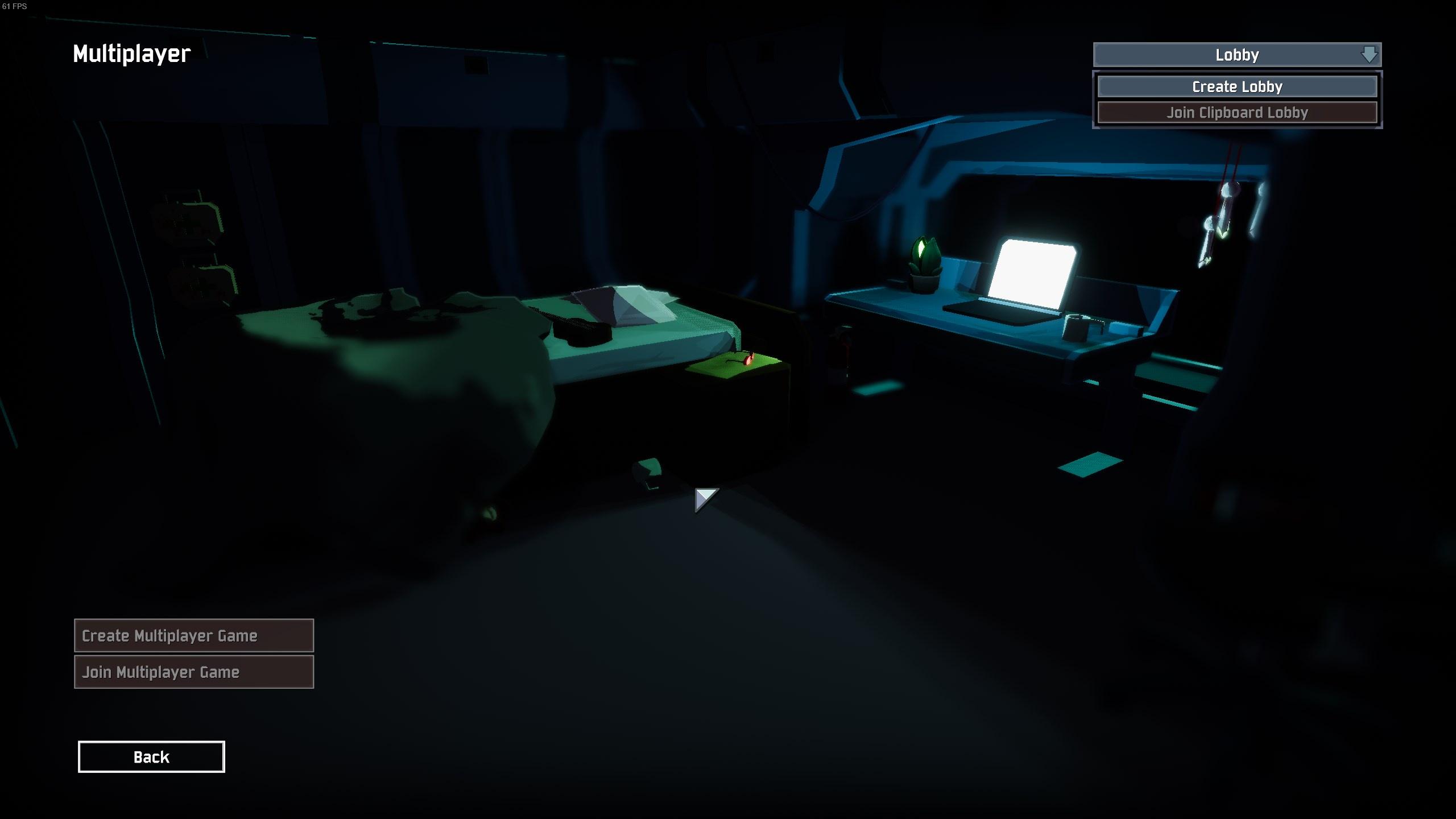
Not sure if a known bug but I can't create/join. Create lobby does nothing sadly. https://i.imgur.com/d9s6usK.jpeg
I have: Verified integrity, made a new profile and tried that. None have resolved it so far
Fixed it reloading steam
 stone fiber
Hello, I've been having blue screens randomly when playing, does anyone know how to fix?
jovial inlet
stone fiber
Hello, I've been having blue screens randomly when playing, does anyone know how...
what does the bluescreen say?
bluescreens typically state the reason for them occurring
paper garden
jovial inlet
there may be a 3rd party program that could work but im not recommending stuff i...
i did some digging and i found that theres essentially no other option than me buying a usb hub with a switch
so not only did i pay 80 dollars for a controller i also gotta buy a hub just to play a 20 dollar game that doesnt have fucking controller support like any other game since 1995
this is unbelievable
jovial inlet
most controllers are wireless these days though
unless you dont have bluetooth or usb-ports right next to you
and its not necessarily ror2's fault, i believe its something related to unity
paper garden
My controller is wireless but my 2017 pc doesnt have bluetooth because i didnt wanna spend 60 bucks extra for it
And i havent had this issue in any other unity game
And constantly removing a usb cable from the port is damaging to the components
jovial inlet
you can also remove the cord from the controller
also usb ports dont get damaged quickly, their design is rather simple
paper garden
They are rated at around 1500 cycles
If i have to unplug my controller everytime i play this game the port is gonna be broken in no time
But i dont understand why we cant just disable the controllers in a config file, it works in most games like that
It just stops the controller from being detected
If the device manager disabling would work without a restart itdbe a perfect solution, for some reason it only works like that 50% of the time
 wide lantern
how do i fix going to the void
 wide lantern
Failed to send internal buffer channel:6 bytesToSend:1096
Send Error: WrongConnection channel:6 bytesToSend:1096
ChannelBuffer SendBytes no space on unreliable channel 6
GameNetworkManager.desiredHost={ hostType=None }
jovial inlet
seems to me that its the standard: connection bad
im gonna assume this screen shows up when trying to connect to your friend, yes? @wide lantern
if so, try switching who is the host
stone fiber
jovial inlet
what does the bluescreen say?
took a picture of the blue screen while I was playing

 rare lion
Hi, im trying to host a dedicated server with my other pc and no1 is able to join it. And myself i can join it only through lan ip but not with WAN ip. I have done port forwardings and enabled DMZ to my server pc aswell and still nothing. Everybody who tries to join gets console spammed with that same text what @wide lantern posted. I downloaded server through SteamCMD and started thinking is that because of that and should i buy another copy of risk of rain 2 to other steam account and try RoR2DS instead ?
Failed to send internal buffer channel:6 bytesToSend:1099
Send Error: WrongConnection channel:6 bytesToSend:1099
ChannelBuffer SendBytes no space on unreliable channel 6
GameNetworkManager.desiredHost={ hostType=None }
ClientDisconnected due to error: Timeout
 worn carbon
So i tried starting the game today and was met with this error.

I first tried verifying integrity of game files.
After that didn't work i restarted my PC.
Then I tried doing what the messeage said, and deleted, and reinstalled Visual C++ Redistributable for Visual Studio 2015.
And i did that last one twice.
and now after restarting my PC for the second time I feel like I've hit a dead end.
Has anyone experienced this before?
jovial inlet
worn carbon
I first tried verifying integrity of game files.
After that didn't work i restar...
just to make sure: did you delete 2017 and '19 as well?
as in, deleting those and then only reinstalling '15
jovial inlet
stone fiber
took a picture of the blue screen while I was playing
this is not a game-related issue, something is wrong with your pc
basically, try the following:
- update windows
- update all drivers
- use Error Checking utility to perhaps find a faulty file
- disable overclocking in your BIOS
ONLY try one at a time and then continue to the next if that doesnt work or is already fully up to date/done
if all of these fail, there is most likely something wrong with presumably your ram
jovial inlet
rare lion
Hi, im trying to host a dedicated server with my other pc and no1 is able to joi...
as far as im aware, ror2 dedicated servers app is free
worn carbon
jovial inlet
just to make sure: did you delete 2017 and '19 as well?
Only have up to '15, what about older versions, should i delete those?
rare lion
yea from steamcmd its free but from steam market it said that i have to buy it on other account
jovial inlet
@worn carbon show me the list
worn carbon
aight 2 sec
rare lion
me?
worn carbon
 jovial inlet
okay so
i cannot exactly know which one is faulty
its basically a massive dice roll
deleting them will not necessarily do any harm, but random programs may stop working (you can always redownload them for free though)
okay so, im just gonna ask this just in case: your windows version is up to date @worn carbon ?
if so, open command prompt in administrator mode, and type 'sfc /scannow' without the ''
that scans your pc for faulty windows files, it will take a while but if a Visual C++ is faulty, this scan will notice it
worn carbon
jovial inlet
okay so
Alright its scanning
worn carbon
it shows % slowly going up
jovial inlet
mhm, as it should
worn carbon
jovial inlet
mhm, as it should
It's done. Cmd promt says it found corrupt files and repaired them. Should i restart or just try launching the game?
jovial inlet
yup
restart first and then try
restart shouldnt be necessary but it doesnt hurt to do so
worn carbon
aight wish me luck
worn carbon
jovial inlet
they are like slapping the tv remote
Beautiful, it works!
jovial inlet
gotcha
worn carbon
Thank you
jovial inlet
no problem friend
enjoy the game
Visual C++ are always a pain to deal with because there is no easy way to scan them
worn carbon
Will do 😄
stone fiber
jovial inlet
this is not a game-related issue, something is wrong with your pc
Thank you! I finally got the game working without it having to crash
jovial inlet
what did the trick @stone fiber ?
stone fiber
had to update windows and my drivers
didnt even realize they needed an update until I looked into it
really appreciate the help!
 nimble meadow
jovial inlet
what did the trick <@324676360423604224> ?
nimble meadow
jovial inlet
what did the trick <@324676360423604224> ?
I see you in this chat 24/7 are you just the tech support guy @jovial inlet
 brave surge
Hey guys, I cant play with my friend on xbox. Can anyone help?


It disconnects in between these lobbies
@jovial inlet Do you have any clue?
jovial inlet
nimble meadow
I see you in this chat 24/7 are you just the tech support guy <@!379700829965516...
not really, but i have seen others help so i just parrot the answers i know
like, i cannot read output logs or crash dumps because i have no idea what the text in those mean, but if they arent needed, i can generally help without pinging the actual smart people
jovial inlet
brave surge
<@379700829965516801> Do you have any clue?
yes, certified console moment
console multiplayer is generally broken
i have no exact cause to name but its broken, i know that much
brave surge
@jovial inlet have you ever heard of a fix?
jovial inlet
im not a console expert, unfortunately
for actual console knowledge is best to ask Gabbo but he will answer the same thing i just did, mp on console is broken and nobody knows why but it just refuses to work properly
 rotund totem
How do fix I the pc multiplayer i keep getting black screen and its not allowing me to join my friends
 tropic zephyr
I don't have a gamepad setup, but my pc version isnt letting me use my keyboard
everything says [NO GAMEPAD BINDING]
plush treeBOT
@tropic zephyr, We have two known solutions for the topic 'no gamepad binding'. Would you like to view them? (Y/N)
tropic zephyr
Y
plush treeBOT
@tropic zephyr,
This issue occurs when Windows is reporting a gamepad, joystick, or other input device providing a non-neutral input. This is usually caused by:
- Having a gamepad, flight stick, HOTAS, pedal, racing wheel, or any other kind of non-keyboard/non-mouse input device plugged in. Simply unplug the device from your computer.
- Having vjoy installed. If you've ever tried to use a GameCube controller with your PC, you probably have it installed. Opening your computer's Device Manager window should allow you to disable or uninstall it.
tropic zephyr
fixed! it was the second one. thank you!
jovial inlet
rotund totem
How do fix I the pc multiplayer i keep getting black screen and its not allowing...
sounds to me like your connection isnt good
have you tried it the other way around?
 indigo iron
rotund totem
How do fix I the pc multiplayer i keep getting black screen and its not allowing...
indigo iron
rotund totem
How do fix I the pc multiplayer i keep getting black screen and its not allowing...
was gonna ask it
indigo iron
jovial inlet
sounds to me like your connection isnt good
i played with other people seems to work but now with my friend i cant ready up
jovial inlet
then its probably your friend's internet
 mossy crown
Hey i got ror2 recently and started playing it on pc. However every time i get really far into my run, the game just gives me a unity crash and its so
annoying. My drivers are all updated and I've verified my files on steam multiple times yet the game still crashes. My pc is good enough to handle the game, and I have way better then the recommended specs and I've tried playing the game on lower graphic settings as well just to make sure but the game still gets a unity crash.
Does anyone know a fix to this?
jovial inlet
mossy crown
Hey i got ror2 recently and started playing it on pc. However every time i get r...
have you tried ensuring that the Visual C++ are working correctly?
open command prompt in administrator mode and type 'sfc /scannow' without the ''
if something about the C++ files is broken and thus causing the unity crash, that will fix it
the scan will take a while so just let it do its work for a bit
mossy crown
jovial inlet
have you tried ensuring that the Visual C++ are working correctly?
It said it found corrupt files and repaired them but then it told me where to go for online or offline repairs, do i need to do that as well?
jovial inlet
can you send a screenie rq?
mossy crown
 jovial inlet
thats just the log
mossy crown
Alright so im good right
jovial inlet
restart your pc and then try again
restarts are like slapping the tv remote
fixes a lot of stuff for no reason
mossy crown
Try ror2 again or the scan again
 sterile spoke
can anyone help me with ror1 multiplayer?
 frail thistle
PLS help...?
<color=#FF0000>Failed to send internal buffer channel:6 bytesToSend:1096</color>
<color=#FF0000>Send Error: WrongConnection channel:6 bytesToSend:1096</color>
ChannelBuffer SendBytes no space on unreliable channel
a friend cant connect to my server...
edgy verge
My screen turns and stays black after choosing character and loading in multiplayer game. Then I get kicked
 kind chasm
So I am currently unable to get the captains smushed challenge on console because I am unable to use the support beacons on the moon for some reason
 warm orchid
i cant play the game. it blue screens me evrytime i try a run, only game this has ever happened in and only time ive ever gotten a blue screen. ive checked gpu, cpu, memory, verified integrity of game files, updated drivers, used nvidia optimized settings and nothing has worked. please help me
jovial inlet
warm orchid
i cant play the game. it blue screens me evrytime i try a run, only game this ha...
open command prompt in administrator mode and type 'sfc /scannow' without the ''
that'll probably do the trick
bluescreens are often caused by Visual C++ shenanigans
jovial inlet
kind chasm
So I am currently unable to get the captains smushed challenge on console becaus...
certified console moment
Captain unlocks are janky, and its best to report this in #bug-reports-console , though it was already noted
jovial inlet
edgy verge
My screen turns and stays black after choosing character and loading in multipla...
does this go for any multiplayer game or only with a specific person?
jovial inlet
even if you are the host?
edgy verge
They get kicked out instead
jovial inlet
sounds like a connection issue
edgy verge
I see
kind chasm
jovial inlet
certified console moment
Captain unlocks are janky, and its best to report this...
Ahh ok I hope it gets fixed soon I’d like to nuke some bosses with a ship
edgy verge
I'll check it out, thanks
jovial inlet
if this doesnt work, then your connection is probably too weak to establish a proper p2p connection
jovial inlet
frail thistle
PLS help...?
<color=#FF0000>Failed to send internal buffer channel:6 bytesToSend...
do you get the same message the other way around?
if so, be sure that any firewall, vpn or other setting that can affect connections may hinder your connection
jovial inlet
jovial inlet
open command prompt in administrator mode and type 'sfc /scannow' without the ''
oh and @warm orchid if the scannow doesnt fix it, show me a picture of the bluescreen which should state what isnt working
warm orchid
jovial inlet
oh and <@294622777053544449> if the scannow doesnt fix it, show me a picture of ...
ok the blue screen error is WHEA_UNCORRECTABLE_ERROR
jovial inlet
i dont really have time right now to look into it cus im away from my pc atm, hope to have it done around noon my time
warm orchid
OK thank you. once again this has only happened in RoR2 and i play rust and other games for hours at a time
jovial inlet
warm orchid
OK thank you. once again this has only happened in RoR2 and i play rust and othe...
did some quick digging and i advice you try this

if this doesnt fix it, try disabling overclock, as that causes WHEA quite often
WHEA is caused when Windows thinks its gonna lose data and shuts down just in case
so i think either the pic above or overclock disable (if you have it on) should fix it
if neither works, one of your ram sticks may be faulty
 idle valve
does anyone know what causes this giant wall to cover entrances?
 jovial inlet
idle valve
does anyone know what causes this giant wall to cover entrances?
jovial inlet
idle valve
does anyone know what causes this giant wall to cover entrances?
i think that that is fog
on lower settings the game creates these glass-like barriers
if you can make another screenie from a different angle i can give a better comment
 remote relic
Hello, I got the game a couple of days ago. I closed and opened the game a couple of times, and I noticed some of the things I unlocked were locked again. I found a temporary fix online (and used it 2 days ago to get the MUL-7 back), but yesterday I did a couple of runs where I unlocked the Loader and the Engineer. Before going to sleep, I did a run with both to try them out. Today, I just opened RoR2 and they're both gone.
Do I have to manually remember and give myself the unlocks I lost? I found an article online that explained how to copy a file into the save, but I am missing some of the folders that the article uses. I still managed to find a single file and write the command to give myself the robot, but if there is another method I'd prefer to use it.
I'm playing on Steam, let me know if any other info is needed.
jovial inlet
remote relic
Hello, I got the game a couple of days ago. I closed and opened the game a coupl...
do you have steam cloud enabled?
and how do you close the game, do you use the title screen or press alt+f4
remote relic
If it's disabled by default, no
I left by the title screen
Steam cloud is enabled for all other games, I haven't touched that setting at all
jovial inlet
okay
it should not randomly delete unlocks
have you tried making a new profile and seeing if it has the same results?
remote relic
I have a guess at what may be causing it. My pc has a problem with the internal clock
jovial inlet
yeah ok thats the issue
remote relic
jovial inlet
have you tried making a new profile and seeing if it has the same results?
Not yet. I can try now, but usually after I close the game and I reopen it immediately after, there are no issues
remote relic
Alright, it makes sense. The clock goes to random times, basically at random. Right now, it's set to 4 am of yesterday
jovial inlet
yeah so the save reverts itself as well
i dont exactly know how it works but it really be like that
remote relic
Sigh... I think I'll have to manually save the file every time I close the game
Until I can find a fix for the pc. It's been bothering me for months, but it never caused issues
 novel cypress
jovial inlet
do you get the same message the other way around?
novel cypress
jovial inlet
do you get the same message the other way around?
Yes,we tried to join him,invite him Me and @frail thistle tried multiple methods to solve our friend's issue.Port Forwarding,Firewall,Verifying the integrity of the game files,reinstalling the game,basically we tried every solution available on the internet that could fix it but to no avail.
jovial inlet
then its definitely the connection thats faulty
novel cypress
Yeah we came to the conclusion that lastly it could be his internet provider blocking the ports
jovial inlet
have both of you tried joining a random quickplay match and see if that works (may be laggy but that doesnt matter)
novel cypress
singleplayer works fine,multiplayer doesn't at all even if its a random open lobby
jovial inlet
if that also doesnt work, then all i can really say is that better internet is the only solution
sorry i couldnt be of much help
 pliant ore
Bit of a long one here.
So Risk of Rain 2 keeps crashing Windows 10. Somehow. I've tried multiple recommended fixes, including running the game in compatability mode for Windows 7. That worked for a little while, but now the game is crashing my pc again. This is getting extremely frustrating because I quite like this game, and would like to be able to play with friends without constantly dropping out unannounced because windows is being a piece of shit about the game.
I've tried setting it as an exception to my antivirus, and that didn't work.
It's already an exception for Windows Defender, so I just tried turning that off, and that didn't work
And the reliability history just says that RoR2 stopped working, along with a few notifications of Windows itself crashing
My graphics driver is completely up to date, so it's not that
I've kept track of the GPU, CPU, and other such things on task manager, and it manages just fine, so it's not that.
I've verified the integrity of the game files and they're fine
About the only thing I haven't tried is moving it to another drive, and at this point, I highly doubt that will fix it.
warm orchid
Me again. I’m in safe mode on my pc and i see yellow things that mean I’m supposed to update them. I keep pressing update drivers but it says windows determined the beat drivers are there, and it remains yellow.
warm orchid
uninstalled software components and restarted. seemed to have fixed the issue i will see how far i can go without blue screening
jovial inlet
pliant ore
About the only thing I haven't tried is moving it to another drive, and at this ...
open command prompt as administrator and type 'sfc /scannow' without the ''
if it finds broken drivers or windows components, it will fix itself
the scan will take a while, so dont go button mashing through
if that doesnt work, show me the error message the blue screen gives
jovial inlet
warm orchid
uninstalled software components and restarted. seemed to have fixed the issue i ...
which drivers did you delete?
pliant ore
Says it found and repaired corrupt files. Let's see how things go for the next day or two.
jovial inlet
restart your pc first
tends to fix up loose ends of the scan that sometimes exist (also just restarting your pc after a major scan is generally a good idea)
warm orchid
jovial inlet
which drivers did you delete?
all 3 under software. it was doing good but happened again just now
jovial inlet
what was the blue screen message?
jovial inlet
have you tried to disable overclock in your bios?
warm orchid
I can try to find out how to do it

 jovial inlet
pliant ore
jovial inlet
pliant ore
same issue as Capital, yeah
its a very wide error message so its hard to pinpoint
jovial inlet
jovial inlet
did some quick digging and i advice you try this
but try this and disable overclock if enabled
pliant ore
I've never enabled overclocking before
pliant ore
How do i check?
jovial inlet
you can find those settings in your bios
google can tell you what button to press during startup
depends on your motherboard iirc
edgy verge
Is it normal for my frames to drop after stage 1
I get a solid 60 in stage 1 then after that, it goes to 20-40 on 2 and even lower after that
I’m using a GTX 860M
pliant ore
Ok, that tells me how to open bios, but not check overclocking.
Tried to play again, got around 5 stages in before the game itself crashed to desktop.
warm orchid
beat the game, started another, then got blue screened again
jovial inlet
if either of you have crash dumps, drop em here
someone thats actually smart can read those
 echo fiber
my friend joined my multiplayer lobby and is unable to pick a character and ready up...
echo fiber
so we isolated the issue and playing the game on his school wifi wouldn't let him play online and is giving us that ready up problem
pliant ore
The Memory.DMP is too big for Discord.
pliant ore
Please, I really need help here.
 night cape
echo fiber
so we isolated the issue and playing the game on his school wifi wouldn't let hi...
night cape
echo fiber
so we isolated the issue and playing the game on his school wifi wouldn't let hi...
some wifi connections dont allow playing online. it has to do with the config of the wifi network itself, not something you could fix computer side. So best bet is maybe use hotspot on his phone, or just dont use the school wifi to play with you.
 lethal tendon
I can't join my friend's server, instead i joined and just got redirected back the the main menu
any solutions for this?
pliant ore
Please, anyone that can read a crash log, I really need help with this. I want to like this game, but I can't even play through it if it keeps crashing my pc.
steady topaz
marsh gyro
<@!302553827389865986> if you're interested in looking @ my past messages here w...
Thx for coming back with that info! Its very rare that someone does so. This info helps others to fix their issue. And i am glad you figured it out for yourself and others too!
@ionic zodiacI am replying to old message (This one: #ror2-tech-support message)about your friend having an issue when connecting to you.
Sorry for a long time to reply, i got a job that often forces me to change city closer to the place where work is actually done. It also takes all my free time and i stopped bringing my pc with me.
Anyway, from what i see on the pic - its might be only 2 possible issues. Connection - where you or your friend got not reliable connection to eachother.
Or old, outdated, manually installed mods that break the way the lobby room loads. (unlikely)
If you used mods (or have them installed manually) you need to get rid of them entirely. Uninstalling the game with steam does nothing to modfiles, and when you install the game back - things just be like they were before. So, wipe out the game root folder and then redownload game files with steam game files integrity check feature.
If its connection.. well. I know some workarounds, but basically you have 3 options:
- play on someone's else server (easiest one)
- route, forward, open ports on your (and your friend) network. Game uses 7777 for the game and 27015, 27016 for steam and dedicated server.
- use Lan immitation software like RadminVPN, establish connection with your friend thru it and use the ingame console to host a lan based game for your friend to connect to. (You will find how to do so in this comment: #ror2-tech-support message)
Also before doing something watch some videos on youtube how to open ports, use radmin etc.
Good luck!
warm orchid
pliant ore
Please, anyone that can read a crash log, I really need help with this. I want t...
yeah idk buddy.
pliant ore
That's ok, i... MIGHT have found a fix. It seems fine when I run it directly from the folder as opposed to the shortcut.
warm orchid
hmmm
pliant ore
It MIGHT be because running it from the shortcut on my desktop doesnt really qualify as being in the exception-marked folder to my antivirus.
warm orchid
just got WHEA-UNCORRECTABLE_ERROR again very shortly after starting. this is ridiculous please help
i have all my settings on lowest they can possibly go too
pliant ore
The issue isn't the game itself, it's Windows 10 being a little bitch about it
warm orchid
are you sure?
warm orchid
pliant ore
The issue isn't the game itself, it's Windows 10 being a little bitch about it
it crashed on me again. it feels like there is no fix
pliant ore
Scratch that. It took much longer, but it crashed again. This time it was a DPC_WATCHDOG error
warm orchid
this game just deadass doesnt work. i posted a forum on the steam site and others said this happens to them too'
 hybrid valve
how can i past my time
jovial inlet
warm orchid
just got WHEA-UNCORRECTABLE_ERROR again very shortly after starting. this is rid...
i think it may be due to faulty hardware then
your drive or ram may be broken
try removing one of your ram sticks
 limber trout
warm orchid
this game just deadass doesnt work. i posted a forum on the steam site and other...
limber trout
warm orchid
this game just deadass doesnt work. i posted a forum on the steam site and other...
It's happening to me as well, the highest I've gone without crashing is about an hour in a single run. Me and my brother got pc's at the same time and he has no problem with it. Imma try reinstalling steam (and revalidating all my games kill me) and see if that works
Otherwise i have no idea
warm orchid
jovial inlet
i think it may be due to faulty hardware then
ive checked all them and have had no problems
warm orchid
limber trout
It's happening to me as well, the highest I've gone without crashing is about an...
lmk how it goes it seems a good amount of people have this issue ONLY with this game
 swift pagoda
Um could someone help me

I just got the peon accumulator
@pallid ibex I think you will know more about this bc you helped make the game
I'm playing on PS4 rn
jovial inlet
swift pagoda
please do not ping the devs
ps4 seems to have a weird save data wipe bug atm
its best to ask in #ror2-bug-reports-console as they have more knowledge about this issue
swift pagoda
Ok but I cant send the picture
jovial inlet
get a survivor role in #role-assignment for perms
swift pagoda
Ok
warm orchid
tell the devs to help us with trhe WHEA
jovial inlet
listen man WHEA is a message that can mean literally anything
warm orchid
ik but it only happens with this game. i have lowestr graphics settings so something isnt right with the game
jovial inlet
have you tried chdsk /r yet?
warm orchid
whats that
warm orchid
just did. nothing wrong
jovial inlet
im out of ideas man
ive already said everything i know on the subject
maybe try this idk if you haven't already
 warm orchid
yeah idk i might just get a refund
jovial inlet
if one of your drivers is faulty via that method lemme know which one it is
warm orchid
no symbols by any drivers
warm orchid
crashed again. imma refund if anyone finds a fix lmk
 modest plume
warm orchid
this game just deadass doesnt work. i posted a forum on the steam site and other...
modest plume
warm orchid
this game just deadass doesnt work. i posted a forum on the steam site and other...
prolly something to do with the save file being messed up
limber trout
jovial inlet
maybe try this idk if you haven't already
Nah my driver's are fine, however me uninstalling steam MIGHT'VE worked
It's hard to tell since how erratic and random it is, and I've only done one run, but seems fine
NEVERMIND IT JUST CRASHED
limber trout
i already have 40+ hours on the game
but idk if I can continue since at this point it's hard to even make it to stage 5
warm orchid
limber trout
but idk if I can continue since at this point it's hard to even make it to stage...
facts
warm orchid
modest plume
prolly something to do with the save file being messed up
idk ive reinstalled twice now
limber trout
yeah constantly reinstalled the game and steam
switched the drive it was saved to (for both steam and the game)
updated all my drivers did all windows updates
warm orchid
limber trout
updated all my drivers did all windows updates
nothing worked still?
limber trout
Yeah
Still is broken
All I want to do is play the game but can't because I can only start one loop at most
modest plume
warm orchid
idk ive reinstalled twice now
Have you googled the error code?
Idk how I sent a gif while I was peeing but aight
limber trout
I found that my other steam games crash as well
But i never noticed the problem till after i installed ror2

Are you feeling upset when your Steam keeps crashing? You're not alone! But don't worry! We've put together some methods to help you fix the problem.
Im going to go through each of these to see if it works
limber trout
Ok
Didn’t work at all
I reinstalled steam and steam setup to see if maybe the setup was wrong
But an attempt to play any game failed and actually sometimes crashed my pc
I’m legit about to factory restart my pc