
#ror2-tech-support
1 messages · Page 61 of 1
 celest night
ok
i deleted my server.cfg and it's working now
that's odd, so having a server.cfg seems to break the server so I guess i'll just edit the server startup even though it tells me not to
 elfin seal
Hopoo needs to seriously give consoles some love. This is basically a hot patch which makes consoles 3 updates behind. Captain is still bugged on console!!!
 low quiver
defo your mods lmao
 abstract surge
elfin seal
Hopoo needs to seriously give consoles some love. This is basically a hot patch ...
abstract surge
elfin seal
Hopoo needs to seriously give consoles some love. This is basically a hot patch ...
#ror2-game-questions message read this message from hopoo to understand why consoles are behind in updates
 summer jackal
question for yall, what to do if no enemies are spawning? like right off the bat at the start of the run lol i just want to play bandit man
im just gonna unin and rein
hmm
it didnt work
nvm, solved. Artifact of dissonance is bugged (at least that one idk about others)
 burnt plaza
Nobody else has controller issues? 
 halcyon peak
is drone AI completely bugged now? just bought a healing drone and it didnt move and just died
 jovial inlet
try disabling vsync in both the game and drivers
 young charm
hi guys! Yesterday i tried to launch the game,but black screen appears for a few seconds and the game closes.What am i suppose to do?
 minor socket
I have a glitch with the game. When I try to exit my drop pod and press my interact button it will pull up my info screen instead I have tried switching my controls in the menu and it still will not work I have also uninstalled the game and reinstalled it and that has not done anything either
jovial inlet
minor socket
I have a glitch with the game. When I try to exit my drop pod and press my inter...
wdym info screen?
minor socket
jovial inlet
wdym info screen?
The screen that shows the items I have
jovial inlet
ah i just saw you were on console yes?
minor socket
Yeah sadly
jovial inlet
if thats the case, i cant really help you, sorry
minor socket
That's alright man
 ocean cloak
I am desperate for some help - couple hundred hours into the game but just logged in to have no characters, no artifacts, no skins, no anything
no achievements
 autumn yarrow
jovial inlet
try disabling vsync in both the game and drivers
autumn yarrow
jovial inlet
try disabling vsync in both the game and drivers
Nope, still no good. I lasted longer this time though.
 sour magnet
Hello! i need some help!
MY game keeps crashing and i dont know why!
Hello?
Can someone help me?
sour magnet
gotcha who would i wait for?
 delicate temple
im not really active on here, someone will ping you when they're going to respond so just keep an eye out, in the mean time have you tried uninstalling and reninstalling?
and do you have any mods whatsoever
abstract surge
it's probably because people need more information than just "the game crashed", I'd assume
sour magnet
I've played the game in beta and it ran just fine but recently its been causing a computer crash on my computer its never happned before
I start playing the game and it can randomly either crash the game itself on unity or it will crash my computer entirely.
Should i post the data in here?
sour magnet
heres my crash
sour magnet
A dynamic link library (DLL) initialization routine failed.
 wooden frost
Is there a way to change this in-game profile name? I want to keep it up to date with my steam name

 regal wraith
maybe you can edit the name in the xml profile file
thats all that comes to mind though
@wooden frost \
wooden frost
Okay. I’m aware of how to edit the xml file, but idk where to edit the actual name
 wooden frost
i'll try that thanks
 vague moon
Anyone know how to fix the disconnect from multiplayer on join bug?
 halcyon dagger
Hey we are having a problem with multiplayer, no enemies spawn at all
abstract surge
Are you using artifact of dissonance? @halcyon dagger
halcyon dagger
We are using 4 arts
 abstract surge
Yeah dont use it
halcyon dagger
ok thx
abstract surge
It should be fixed whenever the next patch comes out
halcyon dagger
Thank you! helpful!!!
 hot pier
yo uhh, this mean anything?

 agile pecan
modded?
agile pecan
Hmmmm... idk tbh
sour magnet
@delicate temple I never saw these messages! And yes i have done all of that even switched from harddrive to ssd
delicate temple
hot pier
yo uhh, this mean anything?
Ive had that before, something to do with pushing rocks with your shift
sour magnet
I've gone through so much and I just want to play the game I love but I may have to do a system wipe
delicate temple
i would say wait until a mod or something, this does seem to be a real important problem and they could be the only people who can fix it
if you do a system wipe that is the last resort of any problem
sour magnet
I have never crashed before this but it seemed to be a unity problem bacuase I have a differnt new unity game that also crashes**
delicate temple
have you tried updating your drivers?
sour magnet
Yes
delicate temple
have you checked unity problems online?
sour magnet
Yeah but it's only with developer edition of unity. no explanation on why or what the errors are or why it's so severe
 sour magnet
Read it
delicate temple
oh
maybe there is no fix just yet, which really sucks i know but its better than losing everything else as well yeah?
your files are all there
unity will have to fix it
sour magnet
It started 3 months ago
Its just depressing but I will wait
Also I dont think that was my error
delicate temple
3 months?
jesus christ
can you show me what the error is?
let me call you in dms and stream it to me?
delicate temple
you dont have to talk
sour magnet
The error is above and the log data if you want to look
delicate temple
its not gonna help me i was gonna ss it and send it if you hadnt already
sour magnet
Ss?
sour magnet
Gotcha
I think the system restart may be best because the computer crashing concerns me
But I would like to hear what the dev's say first
sour magnet
The game appears to cause the crash and there Is no log after a full crash
But it's only risk of rain
Its infuriating
 balmy fjord
hello guys i need some help. So the scrapper doesn t work for me for some reason . is it because of the mods ?
The only mods that i have are these
 agile pecan
balmy fjord
agile pecan
balmy fjord
Recipe: log (Owner: iDeathHD#7866)
A full log is way more useful for finding what your mod problem is.
If you are using r2modman or Thunderstore Mod Manager:
You can copy your log by going to the Settings screen, selecting the Debugging tab and clicking Copy LogOutput.log to clipboard
And paste it in this channel.
If you have manual install:
You can find such log file in your Risk of Rain 2/BepInEx/ folder, the file is called LogOutput.log.
Drag the file in this channel so that other users can help you.
balmy fjord
am . Do u want me to drag the mod files here ? or ?
i only downloaded bepin r2api and better ui
abstract surge
I answered in the other channel, but I think it's a bug with better ui
I remember hearing people discuss it in the modding server
balmy fjord
abstract surge
I answered in the other channel, but I think it's a bug with better ui
o ty . then i guess i shoul uninstall it?
should
abstract surge
only way to fix it until it's updated
balmy fjord
ok ty
 orchid ingot
anyone having performance issues on a decent PC? I hover around 40-50FPS with no cap, regardless of settings, fullscreen vs windowed makes little difference
GPU usage hovers around 20%, the menu performs way better with much higher GPU usage
AMD 3960X + 128GB 3200MHz Quad Channel, ASUS TUF 3090
 vast rampart
You have tried things like lowering the resolution and turning off bloom n stuff, right? If you've done that and you're still lagging, I have no ideas on how to help you
 worldly tree
is there a way i can somehow connect my switch controllers to my PC so i can play the game with a controller?
yes, its standard joy cons
 rare saddle
Bro please someone tell me why Risk of Rain 2 keeps freezing my entire PC. I have 200 hours on the game and have never experienced this issue before the most recent patch.
regal wraith
worldly tree
yes, its standard joy cons
i dont think you can with joycons, but you can with a pro controller
 unique basin
um I have lost my entire save file with the recent update???
ive literally lost everything my game is back to 0
someone please help
i still have all my achievements but all ingame content is completely gone
sour magnet
@rare saddle I've been having the same problem
 bronze spear
uhhhhhhhhhhhhhhh

i might have thrown in one too many 9s for my coins
nvm all good i accidentally typed something at the start of the file
 opaque geode
ive been expieriencing crashes when starting a run with the latest update
Here's the file
 scenic raptor
Hey I am on xbox and when ever a friend and I try to join lobbies it says "Disconnect Lost connection". We can play every other game fine but this one does not seem to work. Anyone know how to fix this? Our NAT is OPEN, 100mbps+ down, 10mbps up.
 vale fjord
The newest Stadia update seems to be bugged! :( I've played two games so far, one online and one solo, and both of them ended in the same way: my character (Mul-T) began repeatedly launching rockets, and activating basically everything else I had (infinite sticky bombs clipping all over the map), and the game began stuttering under the immense load of everything happening, and then it permanently froze, with the music still playing in the background.
Here is my loadout, in case it helps. Screen capture won't work right now with the game frozen and I don't believe I can get any sort of a log using Stadia?
 unique basin
@steady topaz hi there I was told you would be able to help with a issue quite simple i think I have lost all my progress in game like save file been deleted or something
but i still have all my achievements and game time
i started the game up and it was like it was first time playing everything was gone brand new game all over again randomly happen over night
 jaunty ledge
so i had launched the game with my gamecube controller drivers on and i just turned them off and the game is stuck in controller mode
jovial inlet
jaunty ledge
so i had launched the game with my gamecube controller drivers on and i just tur...
does it say no gamepad binding ?
 plush treeBOT
@jovial inlet, We have two known solutions for the topic 'no gamepad binding'. Would you like to view them? (Y/N)
jovial inlet
y
plush treeBOT
@jovial inlet,
This issue occurs when Windows is reporting a gamepad, joystick, or other input device providing a non-neutral input. This is usually caused by:
- Having a gamepad, flight stick, HOTAS, pedal, racing wheel, or any other kind of non-keyboard/non-mouse input device plugged in. Simply unplug the device from your computer.
- Having vjoy installed. If you've ever tried to use a GameCube controller with your PC, you probably have it installed. Opening your computer's Device Manager window should allow you to disable or uninstall it.
jovial inlet
if so, follow these steps
jaunty ledge
yeah
 viscid smelt
howdy, ive been trying to unlock rex's secondary with the "complete a teleporter event at less than 50% health" and ive done it two or three times and have yet to unlock it, i even unlocked the "glorious battle" achievement which is doing the same thing but with 10% health, any idea as to why i cant unlock it?
 tidal tinsel
Hey all, when I launch the game on steam and skip the intro, as soon as I click single player my entire PC just turns off. Like flash off and restart as if the psu can't handle the game. It doesn't do this for any other games, and I've tried reinstalling / verifying files and nothing seems to change. I've played like 50 hours in the past two weeks and this only started maybe two or three days ago
[sorry if this is a known bug OR if it's completely on my end haha] Edit: Just played ten minutes of doom eternal and it ran fine on max, so I assume its ror ;( Editdit: game runs fine on other systems so its not ror, pain 
 steady topaz
@unique basin Sorry mate, iam very bisy this time, work stuff grabbed me real hard. I am writing this on 2 am at my local time and i need to be at work in 6hrs.
So yeah.. you might want to find somenone else.
But i am pretty sure this loss is reversible, you can edit your save file with txt redactor (file is utf-8 and game is sensitive to it) use notepad++ instead of regular notepad from windows. Also make a backup before you do any changes.
What you should do is copy your data from old save (there might be a corrupted file copy along the normal one) and carefully paste it to a new one.
I cant give you exact dirrections however, but its not as hard as it looks.
Save should be here C:\Program Files (x86)\Steam\userdata\Your steam id here. Example: 99691376\632360\remote\UserProfiles
File looks like this 506e0616-0351-4d6f-a01d-167ceb3bb438.xml the name is different tho.
 muted bramble
When is the anniversary update hitting Xbox?
 vale tangle
Hey guys Can rate my pc 1 to 5

 abstract yew
Does anyone know what might be causing this problem? I can hear the game running but I can't figure out how to maximize this window.
EDIT: Also, this is vanilla RoR2, no mods whatsoever.

 wintry flume
Anyone else experience bizarre mouse lag on a fresh install? A buddy of mine has delayed mouse input and he literally just installed the gamr
steady topaz
@wintry flume your friend have some "gaming" mouse that have presets including higher polling rate Tell him to google what mouse polling rate is and how to lower it.
However, this is the case if you're absolutely sure that those fps drops occur when mouse is moved and never occur when mouse unplugged (but you run around with your character using the keyboard)
If not - its performance issue, check FPS counter. Steam overlay has one that is simple to enable. In this case update gpu drivers, drop the log here. And @me
@abstract yew include your log pls. You will find where to find one here ⬇️
?files
plush treeBOT
@steady topaz,
Output Logs
While the game is running, it is continually writing to a file called output_log.txt. This file can help us get more information about the issue. If possible, please upload the file here. The file is usually located at:
C:\Users\<UserName>\AppData\LocalLow\Hopoo Games, LLC\Risk of Rain 2\output_log.txt
Crash Dumps
If the game crashes it will generate a Dump file. Similarly to output_log.txt, it can help us track down the source of the crash. Please upload your crash dumps here if possible. The file is usually located at either:
C:\Users\<UserName>\AppData\Local\Temp\Hopoo Games, LLC\Risk of Rain 2\Crashes\crash.dmp
or
C:\Users\<UserName>\AppData\LocalLow\Hopoo Games, LLC\Risk of Rain 2\Crashes\crash.dmp
steady topaz
@tidal tinsel not sure what you meant by other systems. But ror2 is known for single cpu core heaviness and also ram usage. Drop your game logs, if there are crashes - include log from crashdumps and corresponding to this crash error log. Two files from same folder. If game didnt have a chance to save crashdumps and your pc went off before that you can press win+R and type in eventvwr.msc this opens windows logs. Look for system on the left panel and select "critical" from filter in the right panel.
It should show you the cause of pc shutting down in form of codes. Like PSU issue with power are commonly goes by the code 41. Place a pic of most recent critical event open. Use alt+printscreen combo to create the pic and ctrl+V here to upload.
@opaque geode Drop the error log from this location: C:/Users/milos/AppData/Local/Temp/Hopoo Games, LLC/Risk of Rain 2/Crashes
 drowsy laurel
Hi, I've already posted it in the bug report channel but I'm not sure if it's the right one. I've got a small problem. when I try to play the game all the keys are titled unknown, the mouse doesn't work(it doesn't even show the cursor) and the only keys working are enter, return and escape. I already tried plugging out and reinstalling my mouse and keyboard as well as all my controllers. De- and reinstalling the game or steam itself didn't work either so I'm kind of in a dead end right now. The only thing I can think of spontaneously that I didn't try is wiping my entire hard drive. If anyone could help me playing the game again that would really be appreciated.

second pic regarding my problem. The gamepad works somewhat better than my mouse and keyboard but not by much so not enough to play properly


the 3rd and 4th pic are with controller plugged in. I can get into the game but not actually leave the escape capsule.
steady topaz
no gamepad binding
plush treeBOT
@steady topaz, We have two known solutions for the topic 'no gamepad binding'. Would you like to view them? (Y/N)
steady topaz
y
plush treeBOT
@steady topaz,
This issue occurs when Windows is reporting a gamepad, joystick, or other input device providing a non-neutral input. This is usually caused by:
- Having a gamepad, flight stick, HOTAS, pedal, racing wheel, or any other kind of non-keyboard/non-mouse input device plugged in. Simply unplug the device from your computer.
- Having vjoy installed. If you've ever tried to use a GameCube controller with your PC, you probably have it installed. Opening your computer's Device Manager window should allow you to disable or uninstall it.
steady topaz
@drowsy laurel ⤴️
jovial inlet
no gamepad binding
plush treeBOT
@jovial inlet, We have two known solutions for the topic 'no gamepad binding'. Would you like to view them? (Y/N)
jovial inlet
y
plush treeBOT
@jovial inlet,
This issue occurs when Windows is reporting a gamepad, joystick, or other input device providing a non-neutral input. This is usually caused by:
- Having a gamepad, flight stick, HOTAS, pedal, racing wheel, or any other kind of non-keyboard/non-mouse input device plugged in. Simply unplug the device from your computer.
- Having vjoy installed. If you've ever tried to use a GameCube controller with your PC, you probably have it installed. Opening your computer's Device Manager window should allow you to disable or uninstall it.
jovial inlet
@drowsy laurel follow the above steps
drowsy laurel
uninstalling vjoy fixed it, thx 😄
abstract yew
@steady topaz Here's my log file. As far as I know the game itself hasn't crashed, I just can't access the screen (I can hear music and sound effects in the background). I also tried deleting my config file, deleting my cloud save data, and uninstalling/reinstalling the game.
steady topaz
@abstract yew had mods before? Did you close the game window yourself or game closed itself?
If you had mods before - wipe game folder C:\Program Files (x86)\Steam\steamapps\common\Risk of Rain 2 and check integrity of game files with steam so it could redownload the game.
Steam doesnt delete mod files at all.
Also check that in your config there is no negative or 0 resolution width and length C:\Program Files (x86)\Steam\steamapps\common\Risk of Rain 2\Risk of Rain 2_Data\Config\config.cfg Set your monitor resolution instead.
If this didnt help uninstall MSvc 2019 for 64 and 86 and install those two instead https://www.microsoft.com/en-us/download/details.aspx?id=48145

Microsoft Download Center
The Visual C++ Redistributable Packages install run-time components that are required to run C++ applications built using Visual Studio 2015.
abstract yew
@steady topaz Thx for the advice I'll try that. I usually use R2modman to either start with mods or start as vanilla. I'll try deleting everything and trying again. (Although my gut says its the resolution issue)
EDIT: (Also, it didn't close by itself, I ended up closing it manually because I couldn't access anything.)
EDIT2: Yep it was the resolution lol. (I somehow got it stuck on 44x1x60?)
Just wanted to say that you are a godsend. Very glad I got it working. Thank you very much
tidal tinsel
@steady topaz Here's a screencap of my most recent critical event. I've played dozens of hours in the past two weeks, and I've never had issues running the game before this. The first critical error is dated April 15th at 11:33PM in the event viewer.

I thought my PSU needed an upgrade, and it may still, but what I don't understand is why it only seems to happen with ror. Thanks for taking a look
steady topaz
@tidal tinsel I cant say for sure why it happens with ror2, but it seems to be a common problem. Ror2 tends to load ram and cpu a bit more than other games due to nature of enemys spawning/despawning alot more than in other games. Let me know if you change the PSU and if that fixed the issue.
 soft sapphire
I had to reinstall Windows on my dedi server and now my friend and I on LAN can connect, but when anyone on WAN tries to it'll attempt to load them in and then get stuck on an infinite black screen.
Ports are fine and forwarded, firewall off for tests, ideas?
 unborn flame

Has anyone had this issue? Trying to play multiplayer but I can't see anything but can still control the player.
I can still move around with WASD but moving the mouse only moves the cursor around. I can still shoot however.
Also the game only shows my friend's health
steady topaz
@unborn flame game shows info screen that can be brought in by holding tab button. Check if its isnt stuck pressed. Try to reassign it from game settings controlls to other button.
Hp bars are individual to players, your hp is on bottom left, and smaller hp bars are for allyes only - players, turrets, drones, ghosts, etc.
 static sinew
so
I killed Mithrix and the blue barriers won't go away
I'm literally stuck inside, is there any way to get outside?
bronze spear
go quick otherwise you'll just lose to time
static sinew
what do I do with the balls?
I can't punch them, I tried
1:19 min left :,)
@bronze spear
bronze spear
you run into them
you're kinda screwed sorry
hope it wasn't a mastery run or something
steady topaz
It was a learning run then
static sinew
aaaaaa
I'm inside the spaceship but there's no animation or anything
T_T 11sec left
static sinew
bronze spear
hope it wasn't a mastery run or something
nah, it's not, but it's the first time I'm beating the game lol
nvm, I died :,)
It was at 67%
I just noticed, ty for telling me the ball thing, I didn't knew lol
 haughty plank
do you guys offer support on mod problems too? if so i'm just gonna copy what i've sent on the ror2 modding channel if that's ok
haughty plank
haughty plank
do you guys offer support on mod problems too? if so i'm just gonna copy what i'...
nvm, turning it off and on again was the solution
jovial inlet
haughty plank
do you guys offer support on mod problems too? if so i'm just gonna copy what i'...
to answer your question regardless, no this channel is not for modding support
the modding discord or #ror2-modding are the places for those
haughty plank
yea that's why i asked there first i wasn't sure if it was allowed here thanks though
steady topaz
@haughty plank well, you are, but there is a better place where chances of getting the right answer are much higher.
Link to Risk of Rain 2 Modding server, to the #techsupport channel there:
https://discordapp.com/channels/562704639141740588/562711077453037589
haughty plank
got it, thanks
rare saddle
When playing my game randomly freezes my entire PC
Cant figure out why
Please help.
steady topaz
@rare saddle can you explain in more details what you mean by freezing whole pc? Is it like complete stop, or your fps drops?
fast look over your log doesnt show anything exceptional.
@rare saddle i see you're currently in the game. unfortunatly i have no time rn. Ill just leave my assumption its performance and not actual crashing/hanging of the system. If that's it id recomment to try slightly older gpu drivers. Here's the link for your particular gpu:
https://www.nvidia.com/download/driverResults.aspx/168776/en-us You can always revert to latest drivers, just download it here:
https://www.nvidia.com/Download/index.aspx?lang=en-us
Your current drivers:
https://www.nvidia.com/Download/driverResults.aspx/172458/en-us
If its hanging - it might be ram related, try to disable xmp memory profile from bios to test this issue.
 hearty stump
I have a friend whose laptop (GTX 1650) is getting very poor performance in the game - the game's pinning the GPU at 9x% and pulling about 40fps. It's definitely using the correct GPU according to task manager and temperatures look fine (in the 60s). Does that card fall below minimum specs or is something wrong here?
steady topaz
@hearty stump What about the cpu usage?
hearty stump
also hovering around 50%
steady topaz
it might be set to low performance due to power saving. Game wants single core cpu performance to be high.
Check power settings, back in a day it was set for 5% performance for some players for no reason after some windows update.
And yes, plug the laptop charging cable, it matters alot.
 toxic wadi
idk if this is the right channel, but I can't figure out how to change this value in the player stats screen to what is should be. I believe it was caused by using modded items but I'm not sure. Anyone know how to fix this?

 knotty canyon
even unmodded accounts do that (mine does, i never had a ror2 mod). its including hidden items such as, we believe, drizzle protection and also elite equipment and other items not in the logbook
 dire plover
not sure if its a bug or a function but when i did prismatic trials and exited the game it isnt there anymore
nevermind i got it fixed by acident sorry for disturbing everyone
 drowsy rover
When I first got the game I was having unity error crash issues which u later found out were largely because of some memory acceleration thing in my bios. After the anniversary update in having these same issues again. Does anyone have any solutions to these kinds of issues?
steady topaz
?files
plush treeBOT
@steady topaz,
Output Logs
While the game is running, it is continually writing to a file called output_log.txt. This file can help us get more information about the issue. If possible, please upload the file here. The file is usually located at:
C:\Users\<UserName>\AppData\LocalLow\Hopoo Games, LLC\Risk of Rain 2\output_log.txt
Crash Dumps
If the game crashes it will generate a Dump file. Similarly to output_log.txt, it can help us track down the source of the crash. Please upload your crash dumps here if possible. The file is usually located at either:
C:\Users\<UserName>\AppData\Local\Temp\Hopoo Games, LLC\Risk of Rain 2\Crashes\crash.dmp
or
C:\Users\<UserName>\AppData\LocalLow\Hopoo Games, LLC\Risk of Rain 2\Crashes\crash.dmp
drowsy rover
Should I post the file?
 weak otter
Help, ever since I got the last update put out for the game my game has been having fps issues and idk why
I've reinstalled and updated drivers, cleared steam cache, reinstalled the game more than once, dropped the graphical settings to their lowest, and overclocked my device just to see if it would help, amongst other optimization settings
and nothing has worked
idk what's wrong, I just want to play the game without the fps dropping to near 0 as soon as combat starts 😦
I went to the subreddit for help but when i showed them my specs they didn't understand why I was having the issues either

 near lagoon
sounds like some deep shit and i have no clue
all i can guess is to take a physical look at your hardware to make sure it's not all jacked up
is this happening in other games or just ror2?
also may be a monitor issue
weak otter
near lagoon
is this happening in other games or just ror2?
just ror2
near lagoon
i'm no tech expert so next person who comes along in this channel don't pass this off as solved
weak otter
and im on a gaming laptop that can handle much more graphically intensive games like apex legends and outriders
so like, im not sure why this is happening
This stuff comes up as early as the first boss fight
makes the game unplayable
weak otter
I just wanna play ROR2 with my partner 😭
weak otter
I reinstalled my graphics card and it sorta helped
 hearty bronzeBOT
 wetMONGROL#8871 was banned
unique basin
@steady topaz sorted out the tech issue thanks to your help with losing my save file got everything back
 inner anvil
anyone knows why my friends resolution randomly resets to native in game?
 cyan lynx
anyone knows why my Hz is locked to 59?

i change it to 75, but when i close settings it goes right back to 59
 shy arch
did you press apply?
 golden seal
when i try to join my friends lobby i always get blackscreened
help :(
hes on ubuntu
is that a problem?
jovial inlet
cyan lynx
anyone knows why my Hz is locked to 59?
make sure it is set to 75 in your drivers and turn off vsync in both the game and drivers
jovial inlet
golden seal
hes on ubuntu
makes the report kinda invalid cus the game isnt made for that
but its most likely that either of your connections is bad
golden seal
okay thanks anyway well try
cyan lynx
jovial inlet
make sure it is set to 75 in your drivers and turn off vsync in both the game an...
it seems to be off, what's weird is that 75 hz works just fine in lower resolutions
jovial inlet
what resolution are you using when it constantly resets?
cyan lynx
1920x1080
jovial inlet
hmm well i dont know what could be wrong then, i know it sometimes has trouble with higher resolutions than that
cyan lynx
eh, its alright, thanks for the help anyways!
 elder yew
i had to reinstall recently and forgot what my settings were, any idea which setting might be causing these translucent walls to appear? On the staircase on commencement there are a couple opaque white walls as well

 noble hedge
that used to happen to me often, no idea what fixed it
 sour onyx
try LOD bias/reduction
elder yew
Thank you :)
vast rampart
No problem gamer
weak otter
Does anyone think I could get help on my issue now
 tacit forge
A friend and I were having an issue with multiplayer on Sunday. There was a lot of latency and desync, and when we started the game, the player who wasn't hosting was always spectating and couldn't play.
Both of our internet connections were fine.
Were there server problems or anything like that?
We haven't had the chance to test it again since.
Log: https://pastebin.com/sRpThwAa
Pastebin
Pastebin.com is the number one paste tool since 2002. Pastebin is a website where you can store text online for a set period of time.
 sudden raft
ror2 has been crashing for a while now, it happens midway through runs

on the crash folder i found this error
d3d11.dll caused an Access Violation (0xc0000005)
in module d3d11.dll at 0033:1d983e9f.
tried re-installing and updating graphics drivers, didn't work. Any help would be appreciated, thanks.
sour magnet
@sudden raft ive had the same problems
 stiff lotus
I can't set the game to 144Hz, I select the option, apply changes, confirm... it doesn't change refresh rate and when I get back to menu/options its still 60Hz
 pearl kernel
I have my max fps set to 120, and the game isn't even using 30% of my GPU in strenuous situations but it'a also not keeping near 120 at 1080p high.
strenuous as in late run where there are big money effects, you've got major proc chains, etc. But it's not even beginning to use all of my resources.
 split raptor
I'm having trouble running the game on Steam. It gets stuck at the black loading screen
Couple restarts did it
jovial inlet
stiff lotus
I can't set the game to 144Hz, I select the option, apply changes, confirm... i...
make sure vsync is off in both drivers and game
jovial inlet
pearl kernel
strenuous as in late run where there are big money effects, you've got major pro...
could be cpu related
try checking if vsync is turned off and you arent overclocking your cpu
pearl kernel
jovial inlet
could be cpu related
CPU is also not nearly bottlenecked, and there's sufficient RAM too.
jovial inlet
pearl kernel
CPU is also not nearly bottlenecked, and there's sufficient RAM too.
do you run multi core?
pearl kernel
jovial inlet
do you run multi core?
I have an i7-10700
but none of the threads are maxxed out.
jovial inlet
i believe that that is a multicore
pearl kernel
yee
jovial inlet
the game primarily runs on single core
pearl kernel
well yeah, but I'm saying that the GPU isn't nearly maxed out, nor is any individual thread/core.
jovial inlet
yeah thats why im confused
pearl kernel
I'm gonna try disabling hyperthreading.
but yeah I'm at low utilization on good hardware and it's odd
inner anvil
ror2 moment
stiff lotus
jovial inlet
make sure vsync is off in both drivers and game
yes it is, I never use Vsync


then I apply and accept, and the game turns back to 60Hz
jovial inlet
hmm well i cant help much then, im just reciting the common answers to problems
stiff lotus
ok thx
pearl kernel
Okay so apparently there's not a good way to rapidly turn hyperthreading on and off...
Which sucks because hyperthreading is fucking great for say, 3d rendering.
weak otter
@pearl kernel wait are you having fps issues in the game too
I feel like my game just keeps dropping frames even when I have graphics set to a minimum and stuff
Idk what to do at this point
pearl kernel
weak otter
<@81582040536846336> wait are you having fps issues in the game too
Yeah, later on in runs I'm dropping frames left and right despite not being anywhere near full utilization of my compy
weak otter
My issues are immediate 😭
Can't even play the first boss let alone the mobs
It just keeps tearing and freezing and skipping and all that
I just wanna play with my partner :(
weak otter
I tweaked graphics and cpu/gpu settings and I think I fixed the baseline experience, but the bosses are still an issue
I'm not sure why the bosses are dropping my fps so much
Keep in mind this is level 1 boss stuff
It shouldn't be dropping my fps like 3rd loop areas that have floods of enemies and stuff
pearl kernel
Yeah I'm talking about proc chains out the ass
weak otter
Oh I see
 mild ridge
@sudden raft @sour magnet for crashes, the main cause is overclocked RAM. you'll want to check your XMP settings and turn down or disable the overclock. even if you haven't overclocked the RAM yourself, a lot of computers will come with it overclocked for you.
pearl kernel
Yeah, had that issue a while back. I'm also hoping to get more than 16GB of RAM soon.
 last star
hey having an issue when i start the game it says for every prompt that there is no gamepad binding for anything and I can't see my mouse, I can still hit spacebar to skip the cutscene though
plush treeBOT
@last star, We have two known solutions for the topic 'no gamepad binding'. Would you like to view them? (Y/N)
last star
y
plush treeBOT
@last star,
This issue occurs when Windows is reporting a gamepad, joystick, or other input device providing a non-neutral input. This is usually caused by:
- Having a gamepad, flight stick, HOTAS, pedal, racing wheel, or any other kind of non-keyboard/non-mouse input device plugged in. Simply unplug the device from your computer.
- Having vjoy installed. If you've ever tried to use a GameCube controller with your PC, you probably have it installed. Opening your computer's Device Manager window should allow you to disable or uninstall it.
sour magnet
mild ridge
<@!353459826564792320> <@!784984409869778985> for crashes, the main cause is ove...
Thank you so much!!
sour magnet
@mild ridge the Crashing problem is fixed I think however the game itself still crashes
It still crahsed
my whole pc
mild ridge
some tuning might still be in order? changing the overclock settings could have side effects. I'm not an expert on this sort of thing, unfortunately, I just know that something about overclocking makes unity trip over itself and crash
sour magnet
mild ridge
some tuning might still be in order? changing the overclock settings could have ...
Okay thank you for your help !
 split belfry
a friend of mine is having really bad performance issues on his new PC. he ran it perfectly fine on his last one, but he just bought a new one and it runs terribly. he has a 3060 if that matters
 lunar crypt
Anyone experiencing heavy amounts of lag when trying to play multiplayer? Both PCs hardwired and had no issues playing prior to anniversary update
tacit forge
lunar crypt
Anyone experiencing heavy amounts of lag when trying to play multiplayer? Both P...
I've had some lag issues recently, as well as other issues with multiplayer.
See my above post: #ror2-tech-support message
Didn't get a response, though.
And me and my friend still haven't had a chance to test it again. Scheduling issues.
lunar crypt
tacit forge
I've had some lag issues recently, as well as other issues with multiplayer.
Se...
Hopefully we can get a response!
tacit forge
Here's hoping. Nice to know that I'm not alone.
 orchid flame
im looking to switch to an ultra wide
but it has a 4ms GTG response time, i currently have a 1 ms GTG response time. would i notice a difference at all?
steady topaz
@orchid flame 1 ms = 0.001 sec
Ask yourself.
@lunar crypt @tacit forge game is peer to peer. Its entirely your side type of problem. Game is fine, it have no central server.
Check those messages:
#ror2-tech-support message
#ror2-tech-support message
@split belfry try slightly older drivers for gpu.
A 3 month back should work.
@sour magnet if you have 2 separate ram cards from different manufacturers or with different specs this might cause ram read/write issues on higher ram loads, which ror2 does.
Id recommend you to remove one and then other card and test the game.
Also check what windows event manager collected prior to computer shutdowns. Look for critical errors and then google the codes.
Sometimes its 41, that refers to power issue. It might be insufficient/ustable PSU output. However its not exactly precise, because if is actually the ram - it still says 41 sometimes.
sour magnet
I took a whole day looking through my computer and i belive it is an 41 error let me check
steady topaz
@sour magnet press win+R and type in eventvwr.msc
On left panel select system and on right panel select filter for criticals, then click on 1st error and press alt+print screen. Then click here and press ctrl+v and send it
 steady topaz
@sour magnet that does look like ram to me, but also the ammount of those errors is kinda.. there alot! You might want to check your PSU.
sour magnet
okay umm how
YEAhhh every time i paly RR2 it messing my pc up and idk if it is the program or na
steady topaz
Well i dont think we can do it, should be disassembled and tested by specialist, not a cat from the internet 😐
steady topaz
Power Supply Unit
steady topaz
it might be
sour magnet
true
steady topaz
i cant provide exact answer from the info i have
my assumption is based on previous experience with others and myself
sour magnet
the issue is that the amount of erros that have happend are due to risk of rain and its the only game that i remeber ever causing an error like this
so why now
sorry
you cant answer that lol
Thank you tho for the help
I went to windows support and they said it was my CPU but i called bs
becuase its never run in the red
steady topaz
Well i guessing that's because of how ror2 works, there is alot of things spawning/despawining, moving, shooting etc at same time. It takes some small calculations each time and those calculations need to be stored in the ram.
sour magnet
I was contiplating a PC wipe due to all the extra files i have and not know what goes where
steady topaz
doubt that entire hdd wipe would change anything
sour magnet
Oh when risk of rian crashes it Freezes and the pc keeps running but everything is running still
Im sorry for asking so mcuh
but its stuck and the audio is jsut botched
Its frozen
steady topaz
checl your ram, if you have more than one ram card - swap them around, test one by one and in junctions together. It was the cause for other players that had same issue. One of ram cards malfunctioned when worked together with others.
One guy had two ram cards from different manufacturers. They were rated to work together, yet they didnt get along.
sour magnet
I have two of the same ram cards but i will try that
steady topaz
Feel free to poke me, dms are open. Ill answer right after i jump infront of my pc next time. Gl
 surreal stirrup
Hi so i've just reached final stage and have gotten stuck in the barrior for the final boss but i cant get out (see image for details)
 tacit forge
steady topaz
<@!188435918221344768> <@!274451849518514179> game is peer to peer. Its entirely...
tacit forge
steady topaz
<@!188435918221344768> <@!274451849518514179> game is peer to peer. Its entirely...
Thanks, good to know.
And P2P problems can cause the spectator issue I was having? Where the non-host player can't actually play the game but only ends up spectating?
steady topaz
@tacit forge Yea
tacit forge
Interesting. Thanks!
 lavish trout
I tried to hop on risk of rain today and the game was so choppy whenever i tried to do anything. Turning, placing a turret, shooting, they all lagged the game out so much it was unplayable
 ember wren
I'm sure someone has raised this issue before. Does anyone have a solution to when I attempt to join a friend's game. I show up in the lobby before we load into the character select and ready up screen, but as soon as we move to the next step I can't select a character or ready up. The ready up button reads 0:00 every time. I've tried every form of troubleshooting that I've scoured the internet for. I just want to be able to play with friends. Hope someone has a fix. Thanks in advance!
I'm playing on PC btw

 vernal finch
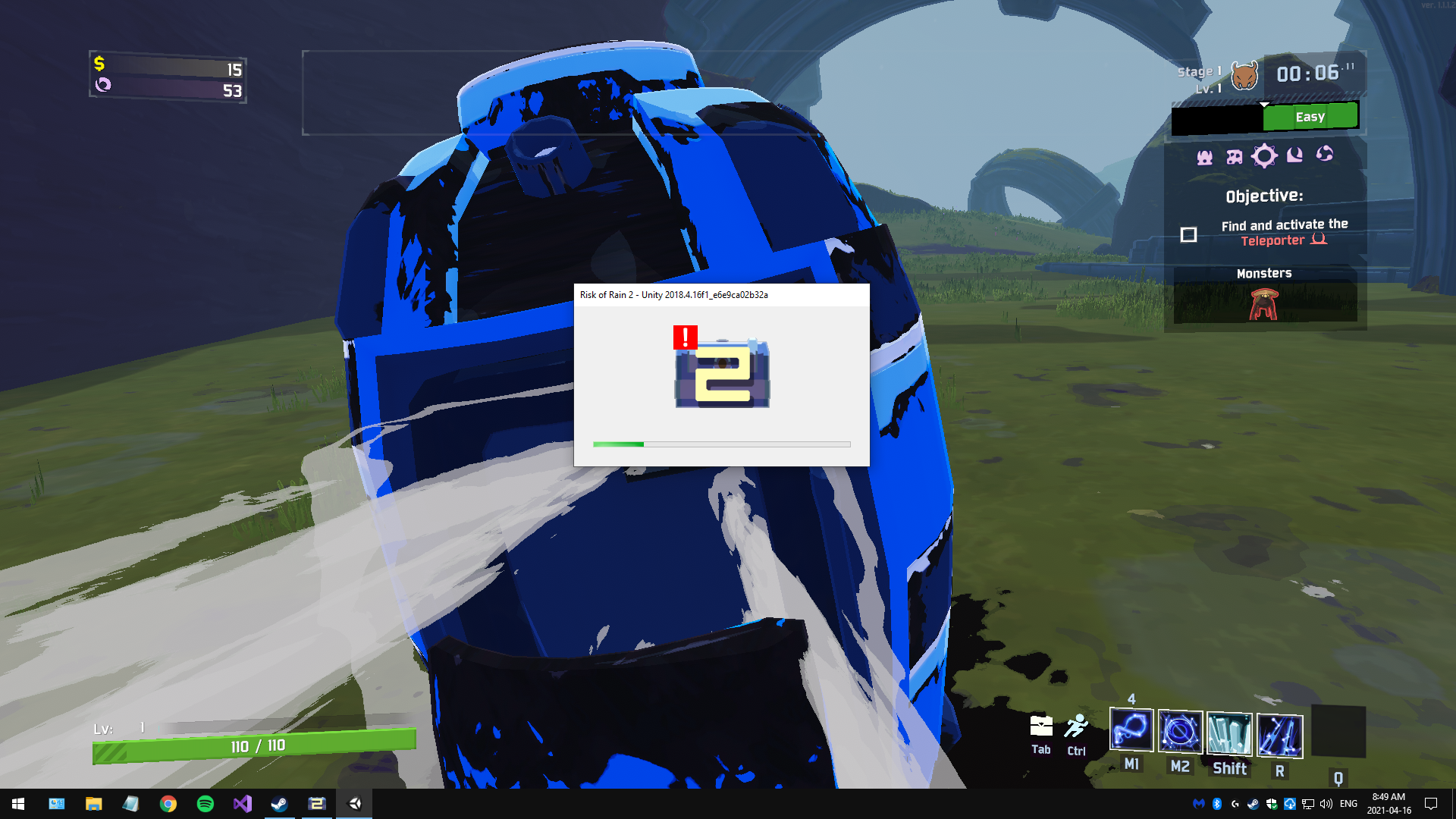
Does anyone know how to fix that error? I've been having it since the anniversary update and it's so frequent now that I haven't been able to play in three weeks.
Please PM me so I can see what you've said as I'm just on my way to bed.
 nova mirage
ember wren
I'm sure someone has raised this issue before. Does anyone have a solution to wh...
nova mirage
ember wren
I'm sure someone has raised this issue before. Does anyone have a solution to wh...
Having the same issue for the past couple days with one specific friend, any luck?
nova mirage
ember wren
I'm sure someone has raised this issue before. Does anyone have a solution to wh...
actually just found a fix, was on my schools VPN because i was doing work earlier. Disconnected and fixed instantly
ember wren
No fix for me yet. My VPN is disconnected and it still persists. I've tried port forwarding, disabling my firewall, verifying file integrity, restarts, reinstallations, and just about anything I can think of or found. Only game I own that gives me an issue with multiplayer. @nova mirage
nova mirage
ember wren
No fix for me yet. My VPN is disconnected and it still persists. I've tried port...
That stinks, what i did see is that it could be because of poor connection, is it multiplayer in general or just between you and one person? I could play on the VPN with one of my friends but not the other, and i think thats what was causing the issue
 patent bone
My refresh rate is stuck at 59 hertz, it just changes back when i change tabs after i apply it
 jagged crystal
can anyone tell me why i can't set a .exe directory to my r2modman
whenever i try to set it, the Risk of Rain.exe doesn't come up, but i know where it is
 grim vector
Uhh, not sure where to post this, but I found this on the Play store 
 ember wren
nova mirage
That stinks, what i did see is that it could be because of poor connection, is i...
ember wren
nova mirage
That stinks, what i did see is that it could be because of poor connection, is i...
It's just multiplayer in general. I have pretty good connection too. Nat type is open and I'm hard wired. I'm truly lost as to what to do. It sucks because I predominantly purchased the game to play with friends or even just strangers at this point.
steady topaz
@ember wren@nova mirage This game doesnt have a central server, its a peer to peer connection type with a relay from steam servers. Whoever hosts a game - connects everyone else together, those clients are separated from each other. That's why if you connected to host that already have players inside the lobby, but connection is crappy (or blocked) you wont see anyone else. @ember wren this particular screenshot of empty lobby means that game is able to establish connection, but its unreliable and game cant pull data from the host to fill the missing parts like buttons, players etc. It tyres to connect multiple times then finnaly exits this lobby automatically. You can see this process in the game console. (to open the console you need to press ctrl+alt+`
Possible cause - wrong port forwarding. Game uses 7777 for the game and 27015, 27016 for steam and dedicated server.
ISP sending game network packets to wrong port (might happen if network is bisy, happens by itself and fixes itself when you reboot your router/connection or when 24hrs session expires and you're given new one)
Firewall
Rarely an antivirus, that monitors incoming trafic (with web filtering)
Workarounds - #ror2-tech-support message
 lost condor
game randomly crashes. heres my error log and crash log files from my most recent one. ive tried reinstalling, verifying files, running in windows compatibility mode, and adding an exception to my antivirus.
any help would be massively appreciated
steady topaz
@lost condor disable xmp memory profile from bios
lost condor
Alright I'll try that
I am not sure if that's a feature on my hardware or if I'm too stupid to find it
vernal finch
Where can I find an error report?
lost condor
appdata/local/temp/hopoogames or something like that
lost condor
steady topaz
<@!218032723296649217> disable xmp memory profile from bios
I'm not sure I can find this
I did some googling but it's just a bunch of dead ends on how to do this so far
vernal finch
@lost condor It's in your BIOS settings. You have to restart and hit the buttom prompt to gain access. Do research though as you can accidentally screw things up pretty bad in there.
lost condor
yeah i went through my bios, i just cannot find it in there. looked through every page of it i could.
i just am not seeing anything related to xmp
vernal finch
Could someone PLEASE tell me what's going wrong? This time the game crashed at the main menu. I've literally not been able to play for three weeks and I really miss it.
Hang on, @lost condor are you having the same Unity error that I'm having?
Crashing whenever it damn well feels like but usually within 2 minutes of gameplay.
lost condor
mine usually lasts around half an hour but its really just randomly crashing
ive had runs of like 120 minutes fine, but other days its just crash crash crash every 5 minutes
vernal finch
Mine will go either at the main menu or the earliest I've had it happen was 6 seconds into a game. Literally just as the pod was opening up.
lost condor
mine seems to always happen during gameplay
ive noticed that turning down graphics settings seemed to help it last a little longer, but nothing has outright fixed the issue
vernal finch
I've tried that too but it didn't help. I've even stress-tested my GPU and checked for bad RAM and nothing. I thought maybe the problem was with my GPU as it's a GTX 980 but nothing else crashes like that.
Yep. Just tried playing again with Windows Firewall turned off and it crashed as I was dialing back the graphics.
Interestingly, after I deleted the UnityCrashHandler and re-verified the files the first game I played lasted just over 7 minutes before crashing. Just long enough for me to think the problem had been solved.
lost condor
i tried moving my game off my D drive to my C drive. had one 120 minute run. was super excited. next run crashed in 5 minutes
it was heartbreaking
vernal finch
I've tried moving it from my SSD to my HDD as well. No change.
lost condor
why dont you try the xmp thing the other guy suggested
you seem to have at least a little more knowledge on how to do it than i do, and it might work
vernal finch
Tried that. No difference. People keep saying the problem with this Unity crash is over/underclocked RAM or CPU but both of mine are at default.
lost condor
yeah mine are probably at default as well
vernal finch
I'll see if maybe I missed that setting. Be right back with results.
No change. In fact it crashed quicker than it's ever done.
lost condor
Well, I gotta go do some stuff, thanks for the attempted tech support john
vernal finch
I don't know what the problem could be anymore. Given that this problem only started after the Anniverary Update and I've physically checked my hardware for faults, I'm betting it's a problem with the update.
How do you know my name? lol
lost condor
I spotted it In your error log lmao
vernal finch
Oh. lol
steady topaz
@vernal finch First of all - this log is unusual, it does look like ram issue, but id checked game files integrity 1st.
have you used mods without modmanager?
@lost condor same^ question.
vernal finch
I've never installed any mods and I've checked both my ram for a bad stick.
steady topaz
@vernal finch there were ppl with passing all tests ram cards that wont go together. It's likely not a game issue.
Did your pc ever crashed into a bluescreen?
vernal finch
Has done a few times after the Anniversary Update.
steady topaz
@vernal finch press win+R and type in eventvwr.msc
On left panel select system and on right panel select filter for criticals, then click on 1st error and press alt+print screen. Then click here and press ctrl+v and send it
vernal finch

It's only been crashing with Risk of Rain and Scrap Mechanic but I play much more demanding games than both of them with zero crashing. No Man's Sky for instance, I have had zero crashes and zero performance problems.
Could this possibly be a problem with my PSU?
steady topaz
@vernal finch same issue as @sour magnet
might be PSU failing, or ram. If you have 2 (or more) separate ram cards - unplug all, but one and swap them around. Test the game for crashing. If it still crashes - its likely failing PSU.
vernal finch
I've tested my ram by doing the boot with one at a time thing. No change. I bet it's a problem with my PSU then.
steady topaz
@vernal finch i linked the other guy because this still might be the game issue. Dont rush to buy new one, if you're able to - test the pc with other psu.
Id also looked into your dxdiag.
vernal finch
I don't have another PSU to use and the closest PC parts retailer is almost three hours away with a 2-3 week waiting period.
steady topaz
Press win+R type in dxdiag and then wait for the thingy to finish. Save the data to a txt file with a button on bottom right and send it to my pm. Dont put it here.
lost condor
steady topaz
<@!218032723296649217> same^ question.
Have not touched mods ever
Also it BETTER not be a PSU issue because my PSU is the freshest part of my PC
lost condor
steady topaz
<@!197505227266457600> there were ppl with passing all tests ram cards that wont...
have not bluescreened on it
steady topaz
@lost condor @vernal finch Drop here your most recent crashdumps< paths is below ⤵️
?files
plush treeBOT
@steady topaz,
Output Logs
While the game is running, it is continually writing to a file called output_log.txt. This file can help us get more information about the issue. If possible, please upload the file here. The file is usually located at:
C:\Users\<UserName>\AppData\LocalLow\Hopoo Games, LLC\Risk of Rain 2\output_log.txt
Crash Dumps
If the game crashes it will generate a Dump file. Similarly to output_log.txt, it can help us track down the source of the crash. Please upload your crash dumps here if possible. The file is usually located at either:
C:\Users\<UserName>\AppData\Local\Temp\Hopoo Games, LLC\Risk of Rain 2\Crashes\crash.dmp
or
C:\Users\<UserName>\AppData\LocalLow\Hopoo Games, LLC\Risk of Rain 2\Crashes\crash.dmp
vernal finch
I'm going to try removing Risk of Rain 2 from Steam Cloud Save, backing up my save, and doing a totally fresh install. I am pretty certain I've never installed any mods but I know I've looked at them.
vernal finch
I am more than certain this is a problem with the UnityCrashHandler as deleting that and re-verifying gave me the best results I've had in weeks,
steady topaz
@mild ridge Hi there! Could you get a look on those two crash cases? I think they are the same, yet the hardware is different and it seems that ram and psu is fine, but both PCs still crash into bsod with 41 (power related) error code in eventvwr after a couple of minutes of the gameplay. Sometimes longer, sometimes instantly on main menu load.
Logs are above this message
vernal finch
I have tried literally everything now.
lost condor
steady topaz
<@!197505227266457600> press win+R and type in eventvwr.msc
On left panel select...
wasnt an error but its the only thing that happened at the same time as last crash
 steady topaz
Both say that it started on last content update.
sour magnet
Yep! Last updat this went wack I know
lost condor
i cant compare my current game state to what it was like before the update, i havent had the game that long
vernal finch
I've had one over two hour long game after the Anniversary Update that then crashed just as I started the fight with Mithrix, and I was actually on the phone biding my time until I could get off the phone and fight him, and the game crashed as soon as the fight started. Ever since then the game has been crashing either at main menu or within 2 minutes of gameplay.
@sour magnet @lost condor Do both of you have UnityHub installed on your PC?
lost condor
i do not
vernal finch
Nevermind then. Thought it might be problem with that as I also started learning Unity around about the same time the Anniversary Update came out.
lost condor
aside from chrome, steam, krita, and winrar, i barely have anything installed
somewhat new-ish pc
vernal finch
I feel more sorry for you then. Sounds like a fresh PC and it's a real shame to not be able to play on a fresh one.
lost condor
newly owned at least
vernal finch
I've had mine for just over a year.
lost condor
the hardware is mostly hand me downs i got from friends who upgraded other parts in theirs
vernal finch
Mine is all new except the GPU which I bought off a coworker.
lost condor
still the best pc ive ever had, by a long shot as well
vernal finch
Same here. I was all hand-me-downs and "I'm surprised this still works" until this build.
sour magnet
Nope no unity hub
steady topaz
@sour magnet have you tryed to separate ram cards yet?
mild ridge
steady topaz
<@!101389503087792128> Hi there! Could you get a look on those two crash cases?...
these both look like the sorts of crashes that come from RAM (and maybe CPU) overclocks
vernal finch
I'm not overclocked as far as I can tell. I admit to not knowing much about those settings. I have checked it and none of the values appear to be bumped up.
mild ridge
a lot of motherboard manufacturers overclock for you
steady topaz
@mild ridge yeah, asked them to turn down xmp and about general oc. The thing is - they were able to play prior to update. Changed nothing in specs.
mild ridge
these are engine crashes and we didn't change the engine version, so I don't think it was the update
steady topaz
@mild ridge Gotcha, mad coincedence then. One thing more - could it be some software, like driver update?
lost condor
i have no idea how to change the xmp profile thing. I tried to, and every single thing i googled would just lead me to things that werent there
mild ridge
one of these crashes is coming from a unity engine operation that interfaces with the GPU, so it could be a driver issue
mild ridge
squirrelly
lost condor
oh?
steady topaz
@lost condor drop me mor of the error logs, id check if its the only cause
mild ridge
it might not be XMP depending on the manufacturer, since that's an Intel thing
lost condor
mild ridge
other manufacturers probably have a different name for something similar
lost condor
that would definitely explain why absolutely nothing related to xmp showed up in my bios
mild ridge
both of these files indicate a crash related to a unity engine operation that interfaces with the GPU
could be a driver thing
steady topaz
@lost condor You have an intel cpu on asus motherboard, there should be
ASUS
             System Model: All Series
                     BIOS: BIOS Date: 03/09/15 16:59:21 Ver: 22.01 (type: BIOS)
                Processor: Intel(R) Core(TM) i3-4170 CPU @ 3.70GHz (4 CPUs), ~3.7GHz
Device Problem Code: No Problem
Driver Problem Code: Unknown
vernal finch
Mine said the same thing.
lost condor
this might possibly be related but this is an issue i have in general, my screen does do this tiny stutter where it shifts downwards a few pixels for maybe a frame
vernal finch
Just disabled XMP on my ASUS motherboard, game crashed to BSOD in 3 seconds.
mild ridge
BSOD tends to be a hardware or hardware configuration issue
it could be a side effect of disabling that setting
vernal finch
Then why did this start only after the anniversary update and this is the only game crashing to BSOD? This time booting up after re-enabling XMP i delibratley avoided changing any graphical settings and the game crashed at 3 minutes instead of immedietley.
mild ridge
difficult to say. these are all unity engine crashes, but we haven't changed engine versions at all for over a year.
we don't touch anything related to hardware at all, and since all of our code is managed C# it's extremely difficult to even cause an engine crash on purpose
it could be some sort of performance management software that detects when the game is running and tries to change your power/clock settings, and is no longer detecting it as the same game anymore and is using a different configuration as a result? but that's a complete shot in the dark
vernal finch
I don't think I have anything like that except maybe Logitech G Hub which is known to have troubles with its updates.
That's just for my keyboard and mouse profiles and RGB though.
Unless it's Geforce Experience.
lost condor
as i said way earlier, i have not installed almost anything on this pc.
vernal finch
Was Risk of Rain 2 compatible with the Geforce Experience optimizer prior to the Anniversary Update?
steady topaz
@lost condor its likely a driver issue on your side. Have you installed the AMD thingy yet?
And what about @vernal finch i see
Risk of Rain 2.exe
DarkDevotion.exe
ScrapMechanic.exe
having crashes, why? i have no idea, but Ghor also points towards the hardware.
lost condor
i am not quite sure where to grab the amd thing
im looking but i really am not sure which thing to get
vernal finch
Dark Devotion, for whatever reason, crashed the very first time I played it and never did it again. That is in no way a demanding game on hardware. Scrap Mechanic is poorly optimized and is known to crash to the community.
Scrap Mechanic is a voxel-based vehicle building sim in a procedurally generated world. Those types of games are known for their crashes and optimization problems from my experience.
I think if this wsas a hardware issue then the crashing would be persistent through other games. Nothing else is crashing to BSOD. Both Dark Devotion and Scrap Mechanic crash to desktop.
I could put No Man's Sky on and put myself inside the multiplayer hub for the next 24 hours and not have it crash or lose performance. Subnautica as well, known for performance issues, has never crashed for me.
mild ridge
hmmmm. subnautica is the game probably most similar among those to ours, as it runs on the same engine
vernal finch
Indeed.
And is much more demanding on hardware and I play that at max graphics and view distance.
Valheim, also, no crashing.
steady topaz
Scrapmechanic is also on unity
Dev of the game:
It’s Ogre with custom plugin and bullet.
We added so much on top that it’s basically our own engine at this point.
mild ridge
I can easily see subnautica being more demanding on the GPU, but what about the CPU?
mild ridge
steady topaz
~~Scrapmechanic is also on unity~~
Dev of the game:
It’s Ogre with custom plugin...
I tried looking up which engine they use and what I found was that they use their own custom engine
vernal finch
Temps are well within normal.
mild ridge
maybe it's something where the PC is trying to save power by reducing clock speed when not much is happening, but then tries to throttle it up when things get demanding? which could happen more frequently in ror2
and then that jump in power demand isn't well-handled by the power distribution system
causing a power-related bsod
vernal finch
That could explain why Scrap Mechanic crashes. I do notice most of the crashes are when I leave the game idle.
lost condor
mild ridge
maybe it's something where the PC is trying to save power by reducing clock spee...
ive noticed my fans are really inconsistent on ror2. they go from quiet to weeee a lot more than other games.
vernal finch
Does what happens before the BSOD matter? I get the repeating sounds and freeze up. Total siezure.
mild ridge
not sure. that's way beyond my area of expertise
vernal finch
And for the record, since we mentioned Subnautica, I've been playing it and just swimming around with zero frame drops or crashes.
lost condor
im actually not sure if i have any other unity games on my pc
i might but i cant recall any other ones being on unity
vernal finch
Hang on. Nevermind. Subnautica just crashed when the gane changed from day to night.
BSOD too.
lost condor
gg!
vernal finch
So that's three Unity games with crashing problems and zero non-Unity games. Could it have anything to do with that Unity update that came out a few weeks ago?
I remember the test game I was making with Unity had problems loading after that update.
lost condor
just checked and some of my games are in fact made with unity
none of them have been crashing for me
however at this point i think you and i are having a different issue
vernal finch
That there was the first time Subnautica has ever crashed on me.
mild ridge
nope, ror2's been built on the same version of unity since at least december 2019. unity updates wouldn't affect anything because the game ships with a copy of the engine version it was built on and runs on that
 chilly basin
jagged crystal
can anyone tell me why i can't set a .exe directory to my r2modman
chilly basin
jagged crystal
can anyone tell me why i can't set a .exe directory to my r2modman
Because it’s a directory select
https://github.com/ebkr/r2modmanPlus/wiki/Why-aren't-my-mods-working%3F
vernal finch
I don't understand why a game showing no performance drops would suddenly crash to BSOD though. Right now I'm playing No Man's Sky on a very busy world and having frame drops but no crashing.
lost condor
lag is like driving down a busy street, it takes a long time, its slow, its annoying. A crash is aptly named.
vernal finch
But why only with Unity games am I experiencing this crash? Could it be a problem with a recent Windows 10 update?
mild ridge
dunno
vernal finch
I just don't think this is a hardware issue. If it was then it would be consistent.
lost condor
it could be an incompatibility issue
an issue where the hardware can handle the load, but the instructions are unclear to that specific piece of hardware
so it just gets confused and gives up
vernal finch
I wonder if I dial back to a windows update that came out a few weeks ago if this issue will go away.
lost condor
definitely a plausible solution
vernal finch
Apparently I'm not the only person to have the problem with all games using UnityPlayer.dll to crash constantly.
This can apparently vary between problems with Nvdia Audio Drivers to having re-register UnityPlayer.dll to Windows via comand prompt.
orchid flame
Why does Risk of Rain 2 keep crashing on 4 player co op?? Playing Series X
Never finished a run
Always crashes on Sky Meadows
 left mountain
My game keeps crashing with a Unity error on pc with the code 0xc0000005. I'
ve already replaced my ram.
Does anyone know what else could be the problem?
 jolly haven
pressed something when i picked up my keyboard, cant figure out how to put it back
 jolly haven
it was alt-something
 shadow salmon
Hi! I'm new here, looking for help with some graphical issues and crashes on my risk of rain 2.
When i switch the FPS limit beyond 60 these lights start to appear on my screen more and more until the game crashes. This happened the first time i opened the game, without any mods at all, and i think it got worse when i modded the game, since now i'm having this issues at 60 fps. Before mods, i could play at 60 fps normally, but setting the game to 120 fps or more would crash the game almost immediately. Does anyone know how to fix this? Really wish i could play at higher fpses, even without mods.
 jovial inlet
shadow salmon
Hi! I'm new here, looking for help with some graphical issues and crashes on my ...
jovial inlet
shadow salmon
Hi! I'm new here, looking for help with some graphical issues and crashes on my ...
have you tried deleting the game an re-installing and/or verifying files. plus, are you modding manually or with r2modman
chilly basin
shadow salmon
Hi! I'm new here, looking for help with some graphical issues and crashes on my ...
If there’s a vsync setting, turn it off
shadow salmon
jovial inlet
have you tried deleting the game an re-installing and/or verifying files. plus, ...
I did. I am modding manually, but am having issues even without mods.
shadow salmon
chilly basin
If there’s a vsync setting, turn it off
I already did. Also, graphic card is already up to the latest software.
jovial inlet
shadow salmon
I did. I am modding manually, but am having issues even without mods.
what i would recommend is deleting the game via steam (make a back-up of your profile!) and then deleting the ror2 folder because steam doesn't delete any non-game files, then re-install
also, next time you use mods, just use r2modman, its super convenient
shadow salmon
I'll try it. Thank you very much!
vernal finch
@mild ridge THIS was what was causing the problem. I'm, sorry for getting frustrated the other day.
Since this morning there's been two Windows updates and as of the second one I am now able to play. Tested for 15 minutes, no crashing.
shadow salmon
Hey guys. I updated my risk of rain and reinstalled and my graphical issues are gone! Ty so much for the help ❤️
 smoky gorge
sorry if this is the wrong channel, but is there any way to run ror2 on linux?
mild ridge
vernal finch
<@!101389503087792128> THIS was what was causing the problem. I'm, sorry for get...
glad to hear it's been solved!
mild ridge
smoky gorge
sorry if this is the wrong channel, but is there any way to run ror2 on linux?
there's no native client, but last I heard it apparently runs well with Proton
smoky gorge
on the versions of proton i was running, it wouldnt even launch sadly
its a shame, risk is easily my fave game, but i guess thats why you gotta keep a windows partition handy
 torpid sundial
What’s up with multiplayer for console
 keen owl
vernal finch
Apparently I'm not the only person to have the problem with all games using Unit...
keen owl
vernal finch
Apparently I'm not the only person to have the problem with all games using Unit...
I do have the same bug and its painful, Not just On RoR2 but on Raft and a few others
vernal finch
All my Unity games were crashing prior to the Windows 10 uodates today.
There's a few fixes online for the error you're having.
 soft heart
having some extreme rubber banding/lag issues in multiplayer. shots not damaging targets, typical lag issues etc. runs fine in single player. other online games work laglessly too. help?
jovial inlet
soft heart
having some extreme rubber banding/lag issues in multiplayer. shots not damaging...
probably you or your friends have an unstable connection, this game runs on p2p
 rose sinew
I knocked the boss out of bounds and now I cant kill him, will he eventually make it back or am I better just starting a new run.

nvm I just reset the run
 hollow ridge
what does this means and why it pops everytime i start my game?
 keen owl
Probably means the profile your using is corrupt, Maybe no tho
keen owl
hollow ridge
what does this means and why it pops everytime i start my game?
Question tho, Does it appear when you start the game or does it appear at a point during a run?
keen owl
rose sinew
I knocked the boss out of bounds and now I cant kill him, will he eventually mak...
btw how did you do that?
hollow ridge
keen owl
Question tho, Does it appear when you start the game or does it appear at a poin...
the one about the pod appears evetime i start a game, the artificer one everytime i use the ice spear
keen owl
hm..
rose sinew
keen owl
btw how did you do that?
Idk I think I did the new dash move and then uppercutted him and the momentum from the dash and uppercut sent.him flying
keen owl
ah
hollow ridge
keen owl
Question tho, Does it appear when you start the game or does it appear at a poin...
this also appears and i don't know what to do :/

 heady cobalt
My game used to crash my whole computer whenever a run went over 35+ or something minutes. This coupled with some other reasons led me to just format my whole drive. However I still get the game crashing a bunch although this time I get the unity error-loading thing(something similar to attached image), or the game freezes and stops responding. I tried whatever I could find on the internet, even changed my graphics driver back to an older, more stable version it's still the same

Output file
Crahs file(I have 3 of them it seems, this is the latest)
keen owl
heady cobalt
My game used to crash my whole computer whenever a run went over 35+ or somethin...
I GET THE SAME THING!
 wintry flare
Hey all, been having trouble joining multiplayer for about a month.
I can get in the game just fine, single player works fine... when I go to play multiplayer I will join a lobby, and a few things can happen:
- Lobby loads, but I can't select a character, goes to a black screen, back to the main menu.
- Black Screen - back to the main menu
- 1 successful game in multiplayer in the last month.
I've updated all video drivers. Verified all game files via Steam. Poked holes for the Steam ports in my router... and I'm still unable to join multiplayer games.
I read through the output_log.txt file and not much useful in there to me... I can see I connect to a lobby, then disconnect from the lobby, but no errors logged there. (I'll attach it per instructions)
I'm at a loss here, I'd be happy for some help figuring this out, because I'm at the end of my rope here...
Thanks,
-=Dreylor=-
jovial inlet
<@&559786374228738069> advertising
hearty bronzeBOT
morozashiy#0103 was banned
jovial inlet
ty
jovial inlet
modded stuff doesnt belong here
you can go to the modding discord for that (pinned in #ror2-modding )
 olive moon
wintry flare
Hey all, been having trouble joining multiplayer for about a month.
I can get ...
olive moon
wintry flare
Hey all, been having trouble joining multiplayer for about a month.
I can get ...
Same thing for me. Have tried joining the regular multiplayer games or private through friend invites. I've only been able to make it work once. Screen will just go black and be bumped back to the main menu.
keen owl
how do i drop error files?
sour magnet
@vernal finch is this the solution for my problem as well?!
vernal finch
@sour magnet It very well might be! I've been playing like crazy and haven't had a single crash yet.
sour magnet
keen owl
I GET THE SAME THING!
I have a similar problem as well
 ionic heart
are the servers down or something me and the bois cant make a private game
 tidal girder
On today's refreshed Prismatic Trial, a friend of mine beat the first level and ported to the forest. When I beat the first level, it takes me to mythrix. Is one of these behaviors incorrect?
 lucid bridge
how does it work?

 near gust
Doesn't
 glacial flare
My game crashes with this error message, what do I do?

 solid dirge
orchid flame
solid dirge
orchid flame
So uhh I’m playing on switch and I can’t join peoples lobbies but I can see my friend lobby and it won’t let me click accept
 keen epoch
wintry flare
Hey all, been having trouble joining multiplayer for about a month.
I can get ...
keen epoch
wintry flare
Hey all, been having trouble joining multiplayer for about a month.
I can get ...
I am having the same problem, any luck on a solution?
 gray glen
Does anyone know where the wiki site was moved to for the game?
 steady plover
keen epoch
steady plover
keen epoch
man i just want to play with my friends again
 pliant trout
Hi, I'm not sure where to ask this question but does anyone know why the dedicated server keeps giving me this message?

I notice the specific dll is in the Risk of Rain 2_Data\Plugins folder so I'm not sure what I'm doing wrong
 copper hemlock
hello ur computer has virus
jovial inlet
copper hemlock
hello ur computer has virus
@tepid sedge idk what to think of this but considering its tech support
 tepid sedge
Yea it seems like maybe a meme but id probably refrain from joking about that kind of thing in the support channel. Its not really helpful and may send people down a wrong path.
 azure sierra
my game keeps crashing at rallypoint delta
im doing a multiplayer with a friend and when i try to rejoin the game crashes
orchid flame
Hi hi! So my game for some reason in the menu has "title_singleplayer" "title_multiplayer" and such. Is there a fix?
Uhp nvm I just had to restart the game
jovial inlet
azure sierra
im doing a multiplayer with a friend and when i try to rejoin the game crashes
have you tried verifying your files via steam yet?
azure sierra
jovial inlet
have you tried verifying your files via steam yet?
nope ill do it rn
 dusk snow
Hi! I have a problem with in-game control. The game is not switch to keyboard+mouse. I can only press "enter" and no other. I have controller xbox series and it works. But in-game look is stuck on "up". Right stick works and I can look down for example, but automatically look comes back maximally up. I try redownload game, verifying files, switch off steam-cloud. My question is - can I forcibly switch the game on keyboard+mouse? Config file etc
 jovial inlet
no gamepad binding
plush treeBOT
@jovial inlet, We have two known solutions for the topic 'no gamepad binding'. Would you like to view them? (Y/N)
jovial inlet
y
plush treeBOT
@jovial inlet,
This issue occurs when Windows is reporting a gamepad, joystick, or other input device providing a non-neutral input. This is usually caused by:
- Having a gamepad, flight stick, HOTAS, pedal, racing wheel, or any other kind of non-keyboard/non-mouse input device plugged in. Simply unplug the device from your computer.
- Having vjoy installed. If you've ever tried to use a GameCube controller with your PC, you probably have it installed. Opening your computer's Device Manager window should allow you to disable or uninstall it.
jovial inlet
@dusk snow huzzah, follow these
dusk snow
@jovial inlet ty so much
pliant trout
pliant trout
Hi, I'm not sure where to ask this question but does anyone know why the dedicat...
Has no one actually encountered this issue before?
 soft ledge
I was wondering if anyone has this issue that my friend and I have. We would like to play together in a discord call, but the game will kick one of us back to the menu when we try to join each other when discord is opened. Our only fix is to use steam voice chat which isn't the best. If anyone has a fix for this, please let me know.
 lament oak
Hello guys, i need some help... I have buy the game yersterday and i can't run it. When i start the game, i have a black screen and he crash without message error. My graphic driver, window, directx are updated (directx 12). I have try many things to fix it : uninstalle and dowload again, check folder of the game, run the game in windows 7, dowload without antivirus, etc..... Please help😑
steady topaz
@lament oak restart your steam client. Check that your system time is correct if this didnt help
lament oak
I have already restart my steam client and my system time is correct but the game continue to crash🤔
steady topaz
?files
plush treeBOT
@steady topaz,
Output Logs
While the game is running, it is continually writing to a file called output_log.txt. This file can help us get more information about the issue. If possible, please upload the file here. The file is usually located at:
C:\Users\<UserName>\AppData\LocalLow\Hopoo Games, LLC\Risk of Rain 2\output_log.txt
Crash Dumps
If the game crashes it will generate a Dump file. Similarly to output_log.txt, it can help us track down the source of the crash. Please upload your crash dumps here if possible. The file is usually located at either:
C:\Users\<UserName>\AppData\Local\Temp\Hopoo Games, LLC\Risk of Rain 2\Crashes\crash.dmp
or
C:\Users\<UserName>\AppData\LocalLow\Hopoo Games, LLC\Risk of Rain 2\Crashes\crash.dmp
steady topaz
@lament oak drop me your game output_log.txt ⬆️
lament oak
its in my game folder because i don't find it, i have that D:\Vidéo Game\SteamLibrary\steamapps\common\Risk of Rain 2
steady topaz
@lament oak C:\Users<UserName>\AppData\LocalLow\Hopoo Games, LLC\Risk of Rain 2\output_log.txt
lament oak
@steady topaz
steady topaz
@lament oak You didnt restart your steam client it seems. Just turn it off from bottom right corner and run again.
lament oak
again he dont want 🤔
steady topaz
@lament oak game doesnt see steam running. Do you have multiple steam library folders?
lament oak
i don't really no, how i can clean that?
steady topaz
@lament oak https://support.steampowered.com/kb_article.php?ref=7418-YUBN-8129&l=english
If you have multiple folders listed - try to install the game on C drive.
This issue were happening for another player who got multiple game folders present on his machine, one was outdated and this caused steam to wrongly pick it up to talk to. When he removed the old game folder and moved the game to C drive it went fine.
Not sure what's in your case. Try both.
Article "Moving a Steam Installation and Games"
 ruby belfry
how to play with a friend over the network?
lament oak
Okk i go try this i send you a message if its good or not, thank you for your help!
steady topaz
@ruby belfry You mean how to use multiplayer button?
ruby belfry
yes
steady topaz
@ruby belfry You press on this button, it copies your lobby id to the clipboard. And then you just give it to your friend to copy.
109775241024714773
Looks like this ^

@ruby belfry Once your friend has this string of numbers on his clipboard the game recognises it as a lobby code and offers a join button.
 ruby belfry
steady topaz
<@!759317039709028353> Once your friend has this string of numbers on his clipbo...
ruby belfry
steady topaz
<@!759317039709028353> Once your friend has this string of numbers on his clipbo...
I have a hacked version
steady topaz
@ruby belfry you mean.. like pirated? or just modded?
ruby belfry
pirate
steady topaz
 ruby belfry
?
steady topaz
Well i mean.. what did you expect? Go buy the game, support great devs!
The answer is not gonna happen here for sure not from me.
ruby belfry
ok
inner anvil
lol
 pearl merlin
Hi my friend and I are trying to play together in risk of rain 2 on Xbox. But whoever tries to join the other just gets a black screen and won't join the other player. Anyone knows a solution?
 unreal veldt
Due to previous issues me and my friend both deleted steam and reinstalled steam + ROR2, we have no mods on our devices (meaning a fresh download with little to no adjustments, he also lost his old save files due to corruption) and are getting this error. This only goes to the none host of the lobby, the enemies stop moving like normal, only continue in a single direction, the other play continues moving as they are on their side, and eventually the lobby guest's game black screens and goes to the lobby. Item wise in both runs there was a shatterspleen, crit goggles, ukulele, leech seed, and harvester scythe

 inland onyx
My game Keeps lagging ingame but is fine when I tab out im also getting unity crashes pls help
I have verified my files re installed the game
at first the verify said 108 were borked so thgey were replaced and the lag got better but its still there and this has never happened before By the way
jovial inlet
inland onyx
My game Keeps lagging ingame but is fine when I tab out im also getting unity cr...
disable vsync in both drivers and in game
that tends to fix a lot of lag
inland onyx
Thx
 round skiff
I see that there is a lot of discussion about the game crashing from the Unity engine. My brother who just bought this game is having this issue. He has a 9900k, gtx1080. It is a self built computer and yes, I did so some research and indeed the memory is overclocked with XMP. But to play devil's advocate, my memory is overclocked using XMP (probably we are both using different speeds though) as well. Anyways, included in this crashdump.zip is the crash.dmp and output_log.txt files. Hope this helps the devs. I really want my brother to play the game, I barely ever get him to play games with me so its a big bummer. Edit: I actually uploaded the files on discord as well, but the .zip includes them all. Whatever your more happy with using. Edit 2: We tried everything with his video card drivers, we just can't get the game to work correctly.
steady topaz
@round skiff didnt disable xmp? Try.
Right where you got the dumps there should be an error logs, drop a couple here as well.
steady topaz
@round skiff that does look exactly as xmp issue. Disabling it should fix that.
round skiff
steady topaz
<@!49257055957028864> that does look exactly as xmp issue. Disabling it should f...
Doing it in like 5 mins, I'll report back in a second.
steady topaz
@me , its 3:38 am for me, ill be asleep probb.
round skiff
So, I just disabled XMP tried playing and in like two mins the game crashed again.
 obsidian ridge
I'm having an issue with a Corrupted profile
the game bricked after playing for 2+ hours, black screen'd so I shut it off
anyway of getting it back or do I have to get everything back (im down to get everything back just wondering if I could save time)
 hallow compass
Has anyone else on switch not unlocked bandit yet? I have all the other characters already but can't figure out how to get him.
jovial inlet
hallow compass
Has anyone else on switch not unlocked bandit yet? I have all the other characte...
cum is not out on console yet
 young zenith
I recently installed Risk of Rain 2 on my machine with a 2070, and with a 240Hz display, but at most, I'm getting 70fps. Seems low... Any ideas?
I'm hitting like 180+ in Overwatch; so it can't be a hardware issue, right?
jovial inlet
young zenith
I recently installed Risk of Rain 2 on my machine with a 2070, and with a 240Hz ...
disable vsync in both game and drivers for starters
young zenith
Already disabled @jovial inlet
jovial inlet
do you have a single core or multiple?
jovial inlet
thats not what i mean
young zenith
So specs are
i7 8th Gen
16GB RAM
2070
1TB SSD
young zenith
jovial inlet
thats not what i mean
Oh, sorry!
jovial inlet
nah its ok
im just gonna assume its not that then
then i dont really know what is causing it, sorry
young zenith
No worries
Thanks for trying to help! It is just frustrating having a decent machine like this with a 240Hz display and never really hitting triple digit FPS
orchid flame
@young zenith hey man I might know this issue it might be cuz you're running the game on windowed fullscreen
or if you have 2 gpus (integrated and the 2070) the game is automatically running on the integrated card
heady cobalt
Does anyone else have this crash where the visually, game freezes but the game is actually still going(you can hear the sounds of you using abilities and the environment when the game is frozen and the menus if u press Esc).
young zenith
orchid flame
<@!282138666023780362> hey man I might know this issue it might be cuz you're ru...
It is running in fullscreen mode and the fps is too high for the igpu to be running it. Task manager shows a 60% gpu usage if that helps
vast rampart
Have you tried lowering the resolution?
 vast inlet
is anyone else having random control resets on pc? no gamepad displays on anything in-game displaying controls in hud interface (i.e. artifact of command hud display) controls cannot be used to leave the game or select items with a missing cursor.
 steady topaz
@vast inlet if you have vjoy installed - uninstall it completely.
Hotas and wheel sometimes also cause this problem, unplug any non keyboard/mouse controllers to test.
NO GAMEPAD BINDING
plush treeBOT
@steady topaz, We have two known solutions for the topic 'no gamepad binding'. Would you like to view them? (Y/N)
steady topaz
y
plush treeBOT
@steady topaz,
This issue occurs when Windows is reporting a gamepad, joystick, or other input device providing a non-neutral input. This is usually caused by:
- Having a gamepad, flight stick, HOTAS, pedal, racing wheel, or any other kind of non-keyboard/non-mouse input device plugged in. Simply unplug the device from your computer.
- Having vjoy installed. If you've ever tried to use a GameCube controller with your PC, you probably have it installed. Opening your computer's Device Manager window should allow you to disable or uninstall it.
steady topaz
@vast inlet read ⬆️
vast inlet
thanks @steady topaz!
 hollow frigate
Can anyone help me with a problem I’m having? I downloaded r2modman and it’s working fine until I tried to launch the game. It said set directory and I followed a YouTube tutorial but my Risk of Rain 2 isn’t in the steam common folder. How do I fix this?
 jovial inlet
hollow frigate
Can anyone help me with a problem I’m having? I downloaded r2modman and it’s wor...
jovial inlet
hollow frigate
Can anyone help me with a problem I’m having? I downloaded r2modman and it’s wor...
mod-related issues go to #ror2-modding or the modding discord, not here
link to the modding discord is in the pins of the channel
jovial inlet
bruh what
well anyway, check your other storage disk to see if its installed somewhere there
you can also let steam lead you to the game files via the client
 chilly knot
Hey there, ive recently started playing ror2 on my series s and I've heard that there's supposed to be an anniversary Update that should have been released on console too? I'm just trying to see if it's something I messed up
 bold hornet
artifacts dont load on switch
any fixes? are devs aware?
already tried deleting n reinstalling
 tight linden
chilly knot
Hey there, ive recently started playing ror2 on my series s and I've heard that ...
tight linden
chilly knot
Hey there, ive recently started playing ror2 on my series s and I've heard that ...
Consoles dont have the update
 leaden pollen
I got a problem. My game only works with controller anymore even without controller attached to my computer. Anyone had a similar problem?
steady topaz
@leaden pollen if you installed vjoy - uninstall it.
 tardy haven
Guys, how do i delete a profile on the game?
 slim marten
me and a friend are trying to start up a multiplayer lobby, they just installed the game and seems like we get booted out to main menu if we attempt to join the lobby, any clues?
jovial inlet
tardy haven
Guys, how do i delete a profile on the game?
if you have a second profile, go to the profile tab on the top right of the title screen and press del while hovering over the profile you want gone
leaden pollen
steady topaz
<@!281860031513886720> if you installed vjoy - uninstall it.
Actually worked for my friend. Thank you so much.
steady topaz
@slim marten More info needed. Describe what you do and what you see in steps. Include an output log, link below.
?files
plush treeBOT
@steady topaz,
Output Logs
While the game is running, it is continually writing to a file called output_log.txt. This file can help us get more information about the issue. If possible, please upload the file here. The file is usually located at:
C:\Users\<UserName>\AppData\LocalLow\Hopoo Games, LLC\Risk of Rain 2\output_log.txt
Crash Dumps
If the game crashes it will generate a Dump file. Similarly to output_log.txt, it can help us track down the source of the crash. Please upload your crash dumps here if possible. The file is usually located at either:
C:\Users\<UserName>\AppData\Local\Temp\Hopoo Games, LLC\Risk of Rain 2\Crashes\crash.dmp
or
C:\Users\<UserName>\AppData\LocalLow\Hopoo Games, LLC\Risk of Rain 2\Crashes\crash.dmp
tardy haven
jovial inlet
if you have a second profile, go to the profile tab on the top right of the titl...
ty
 wise oar
Any way to restore progress from Steam achievements?
I have the achievements on Steam for a bunch of stuff that doesn't show up ingame
 vast socket
My game refuses to fully start. It opens, freezes and then crashes before i can do anything. I've tried all the recommended troubleshooting steps (restarting steam, updating drivers, restarting computer) and still nothing works. Can anyone help me.
 blissful slate
Hey so none of my controls are working on my keyboard or mouse the only thing that's working is the enter button. Only way I can do anything in the game is plug in a controller.
steady topaz
@blissful slate if you installed vjoy - uninstall it.
@vast socket looks like ram related issue. Try to disable xmp memory profile. If it doesnt help unplug one ram card and then try the game, swap cards and try again.
@vast socket If you game worked fine before - uninstall 2019 MSVC both for 64 and 86, install those two instead https://www.microsoft.com/en-us/download/details.aspx?id=48145
Microsoft Download Center
The Visual C++ Redistributable Packages install run-time components that are required to run C++ applications built using Visual Studio 2015.
blissful slate
steady topaz
<@!747066831222734939> if you installed vjoy - uninstall it.
I don't have that on my pc though or anything like it.
steady topaz
@blissful slate unplug any non keyboard/mouse controllers. Hotas, wheel.
Also drop me yours dxdiag.txt in pm, ill check for vjoy.
Press "winkey"+R and type in dxdiag into run window that just opened. Press enter.
Wait for dxdiag to get all the data and then save it into a txt file with a button on bottom right.
vast socket
steady topaz
<@!560566914661744650> looks like ram related issue. Try to disable xmp memory p...
could you explain to me how to do that?
steady topaz
@blissful slate can you get me a pic of game menu buttons?
blissful slate
I hope this is what you meant idk
 steady topaz
@vast socket you better to find a guide on the internet, find out what motherboard do you have, google for its name how to disable xmp memory profile, follow the instructions.
In short - you turn off your pc, start it again and press F2 multiple times before it boots.(different manufacturers have different button)
This way you get to the BIOS, where you should be able to turn off xmp (some motherboards do not have an off option, so just turn it down a notch.)
@blissful slate yea, that does look like your system have some controller input that game cant recognise. I saw the dxdiag, no vjoy. But i see lots of usb devices in weird tree shape. Multiple keyboards? wireless? Its best to unplug them and leave only wired mouse and keyboard to test.
NO GAMEPAD BINDING
plush treeBOT
@steady topaz, We have two known solutions for the topic 'no gamepad binding'. Would you like to view them? (Y/N)
steady topaz
y
plush treeBOT
@steady topaz,
This issue occurs when Windows is reporting a gamepad, joystick, or other input device providing a non-neutral input. This is usually caused by:
- Having a gamepad, flight stick, HOTAS, pedal, racing wheel, or any other kind of non-keyboard/non-mouse input device plugged in. Simply unplug the device from your computer.
- Having vjoy installed. If you've ever tried to use a GameCube controller with your PC, you probably have it installed. Opening your computer's Device Manager window should allow you to disable or uninstall it.
steady topaz
@blissful slate ⬆️
heady cobalt
My game still freezes, now 35 minutes into a run, after I got a new RAM and allocated virtual memory space
I know my specs should be good enough so I can go on at least an hour without crashing
my fps wasn't even getting that low either, it was around 100s(although it felt quite laggy probably kept spiking down momentarily)
I also cannot cap my frames at all, if I do it crashes my whole PC
idk if these two issues may be related but if you have ANYTHING I haven't tried yet please do let me know I am desperate at this point
 shy ocean
I seem to not have a full view of the game. I tried looking in the settings, but nothing seems to work. Not a huge problem in my opinion but I'd like to get it fixed if I can.

 thorn swan
hello anyone who can help, ive been playing on mouse and keyboard for a bit until the mouse stop tracking in game but worked everywhere else. Switched to xbox controller and now all the commands got unbound and the thumbsticks dont work (movement and turning). what do?
jovial inlet
@thorn swan uninstall vjoy if you have it
thorn swan
i dont i think looked through most of the trees
randomly worked for a round closed the app and it happened againj
jovial inlet
does it say nogamepadbinding?
thorn swan
ye for the controller, so i redid the binds but the thumbsticks stopped working
jovial inlet
no gamepad binding
plush treeBOT
@jovial inlet, We have two known solutions for the topic 'no gamepad binding'. Would you like to view them? (Y/N)
jovial inlet
y
plush treeBOT
@jovial inlet,
This issue occurs when Windows is reporting a gamepad, joystick, or other input device providing a non-neutral input. This is usually caused by:
- Having a gamepad, flight stick, HOTAS, pedal, racing wheel, or any other kind of non-keyboard/non-mouse input device plugged in. Simply unplug the device from your computer.
- Having vjoy installed. If you've ever tried to use a GameCube controller with your PC, you probably have it installed. Opening your computer's Device Manager window should allow you to disable or uninstall it.
jovial inlet
try the first step since you dont have vjoy
thorn swan
lemme take a crack rq
i did i unplugged the dongle for the controller
rn im using a usb hub for a wireless mouse and keyboard
thorn swan
thats fair, god speed at work chief
jovial inlet
ty
thorn swan
so i did some testing . From what i can see the profile config literally loses the binds to the thumbsticks like how the buttons lost binds. I was able to fix the issue by making new profile, this gave a brand new default button bind. you can copy paste the button binds in word pad between the two accounts so u dont lose progress.

C:\Program Files (x86)\Steam\userdata\ (user specific) \632360\remote\UserProfiles
and replace this section of the user profile to restore the default control scheme
(this fix includes mouse and keyboard, it seems that the tracking laser also gets unbound)
 torpid kettle
yeah i cant play with a controller

not a big issue i just want to know how to sort it for if i did want to play with one
jovial inlet
no gamepad binding
plush treeBOT
@jovial inlet, We have two known solutions for the topic 'no gamepad binding'. Would you like to view them? (Y/N)
jovial inlet
y
plush treeBOT
@jovial inlet,
This issue occurs when Windows is reporting a gamepad, joystick, or other input device providing a non-neutral input. This is usually caused by:
- Having a gamepad, flight stick, HOTAS, pedal, racing wheel, or any other kind of non-keyboard/non-mouse input device plugged in. Simply unplug the device from your computer.
- Having vjoy installed. If you've ever tried to use a GameCube controller with your PC, you probably have it installed. Opening your computer's Device Manager window should allow you to disable or uninstall it.
torpid kettle
thanks
 compact elbow
Hi there, folks. So after the latest update (Anniversary, 1.1) the game's framerate has taken a nosedive. I used to be able to drive it 120+ with no sweat (it's a simplistic looking indie game for truck's sake) but now the game drops a 30 fps whenever action gets heated.
What I observed:
- game utilises the GPU correctly in the main menu and Bazaar (95-99%)
- game utilises the GPU incorrectly on every stage, with little to no difference depending on the amount of visible / spawned enemies (15-60%, GPU clocks are essentially halved)
What I did:
- reinstalled the GPU drivers (using DDU)
- reinstalled the game itself
- changed the graphical settings (to perhaps stress the GPU more)
- played with V-Sync on and off
- changed from windowed to fullscreen and back
PC stats:
- 3700X
- 32 GB RAM
- SSD (which on the game is installed)
- RX 5700 XT
The game is modded, but my friend that I play with has the exact same pc config and doesn't suffer from aforementioned issue.
jovial inlet
compact elbow
The game is modded, **but** my friend that I play with has the exact same pc con...
and have you tried playing without mods?
just gonna ask that because just because your build is the same does not mean your pc's will function the exact same
compact elbow
jovial inlet
and have you tried playing without mods?
yes, the exact same behaviour
compact elbow
jovial inlet
just gonna ask that because just because your build is the same does not mean yo...
I know, but wanted to bring that up anyway*
 proper roost
I have a problem where models disappear from the map if I look at them a certain way from all the way to bridges in comencment to rocks in distant roost
And this has been happening nonstop since I first got the game
inner anvil
could just be a bug, can you post a clip?
proper roost
can try to get a picture


 heady cobalt
Anyone had an issue where their GPU is using too much power to run the game and then eventually just stops working altogether and the game crashes? I think the game puts maximum stress on my GPU unnecessarily. However I can't limit the frame rate because that causes another in game crash (solutions tell me to update my graphics driver but I already have) or worse, crashes my whole computer.
rare saddle
@heady cobalt I believe I have a similar issue where my game draws too much power and it crashes my PC
 zealous stone
Hello everyone
I recently got a new PC and when I got back into Risk of Rain 2, it said I needed to create a profile for some odd reason. I created one with my username but the moment I looked through single player mode... I lost all my characters which in turn made me look through other categories.
Apparently I lost my profile from my previous PC and was wondering is there any way to recover my old profile or do I have to restart all over again?
zealous stone
Never mind, problem solved lol
 simple wedge
I'm trying to play risk of rain 2 with a friend, but whenever I try joining them, this shows up:

It also happens the other way around as well (when my friend tries to join me)
jovial inlet
simple wedge
I'm trying to play risk of rain 2 with a friend, but whenever I try joining them...
basically, one of your connections is bad
also mods could technically have a play in it i guess
try unmodded first
simple wedge
I think it might be connection, because it also happens with no mods, we just tried doing it with mods so maybe it would be different.
also thanks for the help
 frail agate
i bought the game recently and for the first couple of hours everything was fine then the game kept on crashing and crashing my pc along with it.
i've tried every solution available aside from wiping my PC (verifying game files, reinstalling steam and the game, changing graphics settings, updating drivers, etc,,,)
i need any advice that can help me fix it.
orchid flame
proper roost
I have a problem where models disappear from the map if I look at them a certain...
honestly the images you posted look cooler than what commencement actually looks like
proper roost
that does not help much
 wanton crystal
Why do I see everyone as [unknown] while playing multiplayer?
jovial inlet
wanton crystal
Why do I see everyone as [unknown] while playing multiplayer?
my guess is bad internet
 atomic dome
my mouse hardly moves as my laptop is quite bad, is there a fix?
orchid flame
on ubuntu 20.04, using proton 5.21-ge-1

i have 2015-2019 visual c++ dlls installed using wine
jovial inlet
orchid flame
on ubuntu 20.04, using proton 5.21-ge-1
is that some Linux thing?
jovial inlet
well then yes of course it has the chance of not working because the game is not made for linux
bronze spear
that helped
 slim brook
after the last update my game was running fine, but since then i removed a stick of ram from my computer and now its taking like seven minutes to launch the game. It just sits frozen at 4%. when it does eventually launch it works fine, is there some way i can get it back to normal?
 proud pasture
guys have the dev implement auto detect graphic settings? cause my laptop apparently is having performance issue more specifically on the main menu where the lag hits the hardest, although the gameplay fps isn't highly affected only the mouse delay issue have been minor inconveniences.
btw my laptop specification is
BRAND/SERIES : HP OMEN 15 GAMING LAPTOP
CPU: AMD RYZEN 7 4800H w/ Radeon Graphics 16 CPUs ~2.9GHz
RAM: 16 GB
VGA/GPU: NVIDIA GEFORCE RTX 2060 6GB + AMD RADEON 4GB
orchid flame
jovial inlet
well then yes of course it has the chance of not working because the game is not...
:/
 spring brook


 fallen blade
Reinstalled and my game still has no audio what so ever, any help? Ping if you got something
fixed; Issue: Fuck audio driver softwares like kraken.
orchid flame
Hi I was curious I used to be able to play multiplayer fine about a year ago but since then i've redownloaded multiple times and my game always crashes when I try to open multiplayer. I use shadow as my pc. does anyone know anything?
jovial inlet
orchid flame
Hi I was curious I used to be able to play multiplayer fine about a year ago but...
is shadow something Linux related?
orchid flame
jovial inlet
is shadow something Linux related?
stfu bitch
jovial inlet
ok
orchid flame
jovial inlet
is shadow something Linux related?
Shadow is a virtual pc
jovial inlet
im gonna assume it is something akin to a windows emulator, then?
orchid flame
jovial inlet
im gonna assume it is something akin to a windows emulator, then?
Yea it emulates a whole computer. So I can’t play valorant and genshin impact because of the way their anti cheat works it affects shadow
But I used to play risk of rain 2 just fine but now it just crashes when I open multiplayer. I’ve reset my pc and everything
jovial inlet
alright, so to give a bit more of a nuanced answer than what i gave the last person
its probably something unity related
i cannot really say for sure what causes the issue, but since its not really 'normal' windows, i cant really help you unfortunately
orchid flame
Okay thanks idk I hope it starts working again lmao I just wanna play with my friends
patent bone
i cant change my refresh rate up from 59 hertz, everytime i apply the changes it just goes back down when i switch menus. its been like this ever since i got ror2 for pc. i have an amd graphics card, maybe theres a problem with that? it works fine for everyone else ive talked to
jovial inlet
patent bone
i cant change my refresh rate up from 59 hertz, everytime i apply the changes it...
be sure drivers are updated, and disable vsync both in drivers and in game, that tends to solve it sometimes
 ancient wasp
Guys - Just sharing my experience here to anyone who struggled with this. Because of constant multiplayer desynch issues, I went looking for how to set up a dedicated server. Finally made the server shop up on the Steam Internet Tab. I did a test and it seemed to work. So for anyone struggling with multiplayer desynchs and looking for a solution.
- I first followed the steps here https://steamcommunity.com/sharedfiles/filedetails/?id=1938378081 by installing the ROR2 Dedicated Server tool in Steam.
- In Risk of Rain 2 Dedicated Server\Risk of Rain 2_Data\Config, copy "server_startup.cfg" file and renamed it to "server_pregame.cfg". Open the file with text reader and edit the configurations. Mine look like this:
sv_maxplayers 4; // The maximum number of players.
steam_server_heartbeat_enabled 1; // Set to 0 to not advertise to the master server.
sv_hostname "XXX"; // The name that will appear in the server browser.
sv_port 29990; // The port that the server will bind to. You cannot have multiple server instances with overlapping ports.
steam_server_query_port 27016;
steam_server_steam_port 27017;
sv_password "YYY"; // The password someone must provide to join this server. Leave empty if none. This is obviously not encrypted so don't use anything sensitive. - Go to your router setup page, usually 192.168.0.1, use login info usually written on your router or found in the router manual.
- Find the port forwarding menu and port forward the three ports (both (UDP and TCP) bove to the LAN IP address of the computer hosting the server. You should be able to find this in your router "home page" or just google how to find this online. It is easy.
- I also enabled something called DMZ to the address of the computer hosting.
- If you try to access the server without having started the game first, it will give you a wrong password.
This made it work for me at least.

How to Host, Join, and Configure a RoR2 Dedicated Server!...
inner anvil
@errant hatch pin?
 errant hatch
yes
errant hatch
ancient wasp
Guys - Just sharing my experience here to anyone who struggled with this. Becaus...
 urban tendon
hello, so my buddy was able to play just fine a while ago and just recently got back into the game. but now he just keeps getting unity errors, anyone got a fix for that??
jovial inlet
urban tendon
hello, so my buddy was able to play just fine a while ago and just recently got ...
what kind of unity error are you getting?
like, does the game just straight-up crash or do you get an error message
proud pasture
proud pasture
guys have the dev implement auto detect graphic settings? cause my laptop appare...
What's with the 2 people using blush reaction? 🤨
More importantly does that mean anything to solving my case?
inner anvil
very cool pc
heady cobalt
patent bone
i cant change my refresh rate up from 59 hertz, everytime i apply the changes it...
I have a similar problem to this. Through a long troubleshooting process I gathered the crashes I have are connected to my video settings. My monitor is 240Hz but I can't put an FPS limit of that value and whenever I put 144 fps limit with 239 HZ refresh rate in game my computer completely crashes. I tried changing in game refresh rate down to 143Hz but like the guy said, it keeps reverting back to original(239hz).
right now I'm trying to run unlimited frames with vsync so my GPU doesn't overforce itself
 leaden blaze
Anyone know when anniversary update is coming to xbox? @ me when theres an answer
 slow barn
leaden blaze
Anyone know when anniversary update is coming to xbox? @ me when theres an answe...
slow barn
leaden blaze
Anyone know when anniversary update is coming to xbox? @ me when theres an answe...
sometime in june
leaden blaze
Thx
urban tendon
jovial inlet
what kind of unity error are you getting?
it just straight up crashes at totally random times
jovial inlet
do you have the crash dumps? the people who actually know the code can look at it
where to find them is in the pins
urban tendon
i dont but im sure i can find them
jovial inlet
im just kinda parroting the common solutions to people since ive been reading this channel for a while, so i cannot really help you with the files themselves
urban tendon
okay thats fine anything helps really
proud pasture
inner anvil
very cool pc
thanks man
but i also find it odd having some minor inconvenience... although it's not the end of the world kind of problem lol
 worn crypt
any1 know how to kick someone from a public lobby? we tried voting him out bc hes afk on commencement and it didnt work
kinda dumb how the guy being voted off has to vote for himself but there is nothing else we can do
@orchid flame
would be nice if there was a fix we came so far
heady cobalt
worn crypt
<@456226577798135808>
the balls on this man tagging hopoo himself
jovial inlet
thats not hopoo
inner anvil
lol
 rocky copper
does anyone know how to lock a character? Removing the <unlock>charname</unlock> line in the save file does not work
jovial inlet
rocky copper
does anyone know how to **lock** a character? Removing the <unlock>charname</unl...
you can always make a new profile
 ember pond
I dont know if this is part of the update but all my characters and unlocks are locked again I even lost all artifacts what happened and anyone know if its fixable and if so how to fix it
had to make a new profile too
 proper echo
If you were to get a new unlock (one that you had), would it say new and be yellow?
ember pond
I dont know I can go rush and try to unlock something I had and see tho, all the lockedo ones are yellow
I FIXED IT
proper echo
Did you have to reselect the profile?
 crystal jacinth
Has anyone tried this game on an M1 Mac by any chance? Looking to buy one in the future and I'm wondering if it's playable via Parallels or something like that
 undone solar
anyone know how to read error logs or output logs? I keep getting constant crashes (and have been for months). I've reached out to gearbox, and they've really not been any help. I've also been told to turn off XMP Profiling, but I've never turned it on. My BIOS gives me two options (default and manual) with no real 'off' option. I really want to get this fixed since its getting really annoying getting crashed constantly and not being able to play through a full game.
jovial inlet
crystal jacinth
Has anyone tried this game on an M1 Mac by any chance? Looking to buy one in the...
wouldn't count on it working
and even if it works now, it might randomly not someday
 edgy root
Hello! i formated my computer yesterday and installed RoR2 today, and when i entered it said corrupted profile and didn't let me log on it, i have 350hrs on that profile im gonna lose my mind!
 still hemlock
I'm having a lot of issues with crashing when I'm playing in a private lobby with friends, I've only gotten a couple levels in every time before the entire room goes down
 vivid creek
hello quick question, I have one copy of the game not from steam and I want to get it on steam. The copy not from steam is of a later version of the game. Is it possible for me to transfer saves?
jovial inlet
edgy root
Hello! i formated my computer yesterday and installed RoR2 today, and when i ent...
delete the profile from the user files (in explorer) and then have steam verify files
jovial inlet
vivid creek
hello quick question, I have one copy of the game not from steam and I want to g...
no, but console will get updated soon
@edgy root to elaborate a bit further, this is where your profile file is stored. its an xml-file you have to delete, and then verify files via steam and it should come back properly. if it is still corrupt, make a new profile and manually unlock everything via editing it (its fairly easy to do, and if you are having trouble/questions about it feel free to dm)

crossed out red is your steam profile number
 pale vessel
Anybody know how to fix this crash? https://external-preview.redd.it/dnVwKFAJk373uH82PvbKsU76SfiTffE_bS5Z11rCK6c.jpg?auto=webp&s=67dac6d4a22ad4ba858f185e363e456fdf05c06c


always pops up usually in a multiplayer run or sometimes a good single player run
undone solar
pale vessel
Anybody know how to fix this crash? https://external-preview.redd.it/dnVwKFAJk37...
I get random crashes like that a lot. the proposed solution for people is turning off XMP Profiles.
still hemlock
undone solar
I get random crashes like that a lot. the proposed solution for people is turnin...
How do you...do that?
pale vessel
Yea lol
undone solar
still hemlock
How do you...do that?
@pale vessel Its a setting within your computer's BIOS. typically under the overclocking section. Since every bios is slightly different, I can't say for sure where it is for you.
pale vessel
@undone solar alright thx
undone solar
Well, I've been playing with UI anti-aliasing OFF, and its seemingly a lot more stable. no crashes so far.
chilly knot
Do we have an actual console release date for the anniversary Update or no?
jovial inlet
chilly knot
Do we have an actual console release date for the anniversary Update or no?
june, no exact date yet
 thick latch
Does anyone know a fix for this ?
 jovial inlet
thick latch
Does anyone know a fix for this ?
jovial inlet
thick latch
Does anyone know a fix for this ?
connection issue
You dont need to change anything to 27015, you need this port open or forwarded.
Read this and following chain of messages for more info. This is basically same workaround, but easyer to do all things considered.
#ror2-tech-support message
copied
 spark granite
i keep having internet issues when i get into a ror2 lobby, everything has been completely fine when i am playing other games like lol etc. but as soon as i get into a lobby with my friends my internet will disconnect as often as every few minutes to every 30 seconds or so making it pretty much unplayable
jovial inlet
spark granite
i keep having internet issues when i get into a ror2 lobby, everything has been ...
sounds to me like either of you has a bad connection due to the game being p2p
spark granite
everyone else in the lobby was fine
and its not just me dcing from the lobby, like the internet on my pc would drop
still hemlock
I'm still having crash issues ;-;
 north bay
Hi, I've been getting crashes every 30 ~ 40 min in a run.
No mods installed, fresh game install, new save, all there is to update is up to date, including gpu and mobo bios.
I have no problems with any other game, even when playing while streaming.
heady cobalt
north bay
Hi, I've been getting crashes every 30 ~ 40 min in a run.
No mods installed, fr...
can you post the error.txt file in your Temp folder (look up pinned messages if you don't know what I'm talking about). If it is the same issue as mine I can tell you what DIDN'T fix it so you can avoid going through it.
same for you @still hemlock
still hemlock
This one?