#ror2-tech-support
1 messages · Page 12 of 1
 limpid frigate
 mystic citrus
Upon loading up risk of rain 2, the loading bar gets stuck at 3%. I un-installed it and reinstalled and it loaded up fine, but quiting and loading it back up makes it get stuck at 3% again. I did this 3 times to see if it was a fluke and it keeping stopping at 3%
 echo osprey
Has anyone ever had a problem when loading into a multiplayer lobby (either Public, Private, or Friends Only) it will put either of us into the lobby, but then sit there and eventually kick us out of the lobby back to our own? I had no problems right until tonight!
 harsh trout
Currently having some issues with RoR2, maybe someone has had similar issues.
Trying to create a multiplayer game like normal... can make the lobby, can invite friend to lobby. But when I click Start Game it only puts the host into character select.
Neither of us are running mods. We've been playing these passed few days just fine. Today it's not working at all.
Edit: He could connect on his Steam Deck and go through to character select. But on PC, not at all.
Edit #2: Turning on Cross Play for both of us is a work around issue. Still dumb that non-crossplay multiplayer seems broken.
 orchid flame
the game still does not load for me 💔
which sucks cause i have 100 hours and only took a break to play some other stuff and now that i wanna play again it doesn't load
 viral oriole
notes down “sucks cause” for later misuse
 empty dirge
Meowdy! Just bought the game did two runs, disabled cross-play, and now i'm having trouble making a multiplayer game.
I create a lobby -> friend joins -> I press create multiplayer game -> start game -> I go to character select and she gets booted out.
-# PC, Steam btw!
Any Idea what's going on..? 
empty dirge
harsh trout
Currently having some issues with RoR2, maybe someone has had similar issues.
T...
seems to be the same issue, i'll try this fix..!
 chilly temple
empty dirge
Meowdy! Just bought the game did two runs, disabled cross-play, and now i'm havi...
chilly temple
empty dirge
Meowdy! Just bought the game did two runs, disabled cross-play, and now i'm havi...
been happening to me for few days. pleaasseee help fix
 uneven dragon
so I've found out I can sort of bypass this issue by force quitting the game, and relaunching it from steam's toolbar menu before it realizes the program is not running
it doesn't work every time, but more often than not it does
uneven dragon
I think I may have figured out what may be causing that stuck at 3% issue

if anyone could forward this to the devs, that'd be nice
viral oriole
Unlikely that that's the cause – that's the backtrace which I saw during testing yesterday. It happened regardless of whether start-up succeeded (and only on Deck).
(fairly sure that it's a consequence of an invalid UTF-8 sequence)
uneven dragon
it occurs within InitializeGameRoutine which means it could be related with startup
viral oriole
Yes, there's a bug somewhere. Something should be catching and handling this, but whether it's game code or the relevant Steam library code… probably the latter, and probably in the first fn in that trace.
… hmm, actually, you might be right: I'm re-testing now and not seeing that – or the hang. You can report at https://support.gearboxsoftware.com/ (you should be able to attach Player.log when reporting).
Unfortunately, I didn't keep any log files with that backtrace present or I'd do it myself.
… hmm, never mind, just got it to hang again. With the backtrace (slightly different, likely due to platform differences):
ArgumentException: Illegal byte sequence encounted in the input.
Parameter name: string
  at (wrapper managed-to-native) System.Object.__icall_wrapper_mono_string_from_byvalstr(intptr,int)
  at (wrapper other) SteamNative.SteamInventoryRequestPricesResult_t.PtrToStructure(intptr,object)
  at (wrapper managed-to-native) System.Runtime.InteropServices.Marshal.PtrToStructure(intptr,System.Type)
  at SteamNative.SteamInventoryRequestPricesResult_t.FromPointer (System.IntPtr p) [0x00022] in <0ca17294c1634ce4acda47c711e5ecf1>:0
  at (wrapper delegate-invoke) SteamNative.CallResult`1+ConvertFromPointer[SteamNative.SteamInventoryRequestPricesResult_t].invoke_T_intptr(intptr)
  at SteamNative.CallResult`1[T].RunCallback () [0x00078] in <0ca17294c1634ce4acda47c711e5ecf1>:0
  at SteamNative.CallResult.Try () [0x0002e] in <0ca17294c1634ce4acda47c711e5ecf1>:0
  at Facepunch.Steamworks.BaseSteamworks.RunUpdateCallbacks () [0x00023] in <0ca17294c1634ce4acda47c711e5ecf1>:0
  at Facepunch.Steamworks.BaseSteamworks.Update () [0x0000b] in <0ca17294c1634ce4acda47c711e5ecf1>:0
  at Facepunch.Steamworks.Client.Update () [0x00025] in <0ca17294c1634ce4acda47c711e5ecf1>:0
  at Facepunch.Steamworks.Client..ctor (System.UInt32 appId) [0x001e7] in <0ca17294c1634ce4acda47c711e5ecf1>:0
  at RoR2.SteamworksClientManager..ctor () [0x00053] in <a149dbd7438a4e73b97d6600b3a2bbd4>:0
  at RoR2.SteamworksClientManager+<>c.<Init>b__12_0 () [0x00000] in <a149dbd7438a4e73b97d6600b3a2bbd4>:0
  at RoR2.RoR2Application+<InitializeGameRoutine>d__111.MoveNext () [0x002cc] in <a149dbd7438a4e73b97d6600b3a2bbd4>:0
  at UnityEngine.SetupCoroutine.InvokeMoveNext (System.Collections.IEnumerator enumerator, System.IntPtr returnValueAddress) [0x00026] in <a20b3695b7ce4017b7981f9d06962bd1>:0
(Hah, good thing that I put OpenSSH on that Deck. Makes this a lot easier to do.)
viral oriole
I've added this info to the report which I sent to Gearbox yesterday.
 viral oriole
… 9 January? That doesn't look right.
mystic citrus
 onyx ether
anyone know why they arent attacking
onyx ether
anyone know why they arent attacking
They're friendly 🙂
onyx ether
viral oriole
… 9 January? That doesn't look right.
oh shid
yea idk, thats what was in the file
viral oriole
FWIW, version number's fine. The date's probably actually 1 Sept in that mixed-up American format. And no idea about why those blobs of goo aren't attacking…
mystic citrus
uneven dragon
I think I may have figured out what may be causing that stuck at 3% issue
I assume this means there's nothing I can do to fix this then. I've tried verifying my files and all. Still only loads up once and I need to uninstall and reinstall to play again
viral oriole
mystic citrus
I assume this means there's nothing I can do to fix this then. I've tried verify...
You've checked that that exception is being logged? (And uninstalling and reinstalling is pointless unless something's corrupting files or memory – in which case you probably have Other Problems.)
FWIW, I'm aware of two reported causes of this 3% hang. https://discord.com/channels/417739215355510784/1278076723501727948 I can poke at a bit, https://discord.com/channels/417739215355510784/1281382123391025251 doesn't happen here.
There may be other causes.
onyx ether
still cant actually play the game and i have no idea whats going on

 pastel agate
I was in lobby of 4 when half of us randomly died and next stage we were invincible

 outer roost
my friend enabled crossplay to try and fix multiplayer and it literally just bricked his game, anyone know where the setting is stored in the files so we can just disable it
none of the buttons on the main menu work at all not even settings
 haughty flume
idk if this counts for tech support, but ive been trying to start RoR2 modded through R2modman and it keeps starting vanilla
I've even tried uninstalling and reinstalling the game and shi still dont work
 proven briar
Does anyone know how to fix the bug where health bars aren't showing for anything on pc?
 last tide
Anyone else get an issue where the game freezes within the first stage?
also where do I find the crash files?
 severe thorn
empty dirge
Meowdy! Just bought the game did two runs, disabled cross-play, and now i'm havi...
severe thorn
empty dirge
Meowdy! Just bought the game did two runs, disabled cross-play, and now i'm havi...
ditto
 deft falcon
the game keeps crashing
or like any unity game like this happened with lc aswell
at the same time
but randomly the game crashes like 5-10 minutes after launching it and it freezes with a unity window that pops up for like a split second then goes away and closes the game
 rugged vigil
I'm tryina play multiplayer with my friend and crossplay isn't on, we are both on steam, I've tried joining him and he's tried joining me, but we cant get into the actual lobby character select screen without the other person being disconnected. anyone know what to do?
 warm kernel
Same issue, tested with a full lobby and others attempting to host, can't get to the select character screen
 obsidian sonnet
i've tried fixing it with my friend and somehow his progress went to his epic games launcher (he don't own the game there) and it created a new steam profile with zero progress
 jolly aurora
Yeah I've been having problems getting friends in a lobby any fixes or did gearbox ruin the game?
 fierce grail
I solved the multiplayer problem by activating crossplay with Epic, for the moment the game is working well, I don't know if it will be a permanent solution
obsidian sonnet
fierce grail
I solved the multiplayer problem by activating crossplay with Epic, for the mome...
yeah but it kinda scares you when your 600+ hrs progress gets transported to a launcher in which you dont even have the game
fierce grail
If you don't have the Epic launcher, is there still that possibility?
obsidian sonnet
my friend have both launchers, steam and epic
but once he got crossplay on, a new in game profile was created
with his steam progress saved as epics
but he only owns the gaon steam
game-
fierce grail
If that happens, is there no solution to return your game to Steam?
obsidian sonnet
idk lol
if it ends up being deleted once the problem is solvd, we'll just get everything back
but thats fd up
 hushed blade
does anyone know how to fix my friends not being able to join
 quiet cloak
hi uh
i have that same problem
my friend cant join me on steam, theres no mods or funny business he just cant join me
and i cant join him at all idk why
actually, we CAN join eachother, but only in the mp screen, it doesnt show our steam pfps, and if the host presses make multiplayer lobby, it doesnt bring the other person, just the host
also the buttons for promoting someone to host are not there
i am on linux but this was never a problem before the dlc patch
proven briar
The new patch apparently messed up multiplayer for everyone which really sucks
 finite gulch
proven briar
The new patch apparently messed up multiplayer for everyone which really sucks
finite gulch
proven briar
The new patch apparently messed up multiplayer for everyone which really sucks
i was able to play with my friend you just need to turn cross play on and verify game files
proven briar
finite gulch
i was able to play with my friend you just need to turn cross play on and verify...
Oh that’s awesome. Thanks for the tip :)
finite gulch
i wasent able to find a multiplayer lobby idk if people are not on or if you just cant find them, all i know is you can play with your friends
 delicate canopy
dont really know where to leave this info but ill leave it here. me and my brother figured out finally the reason for the frequent multiplayer cross-play disconnects seems to be that his Steam account wasnt properly linked to Epic, and even with cross play enabled, Ror2 doesnt do a good job of verifying all users actually have linked accounts. my account was already linked and i was asked to authorize the link through a pop up web browser after turning on cross play, but he was never asked to do this. he went onto his Epic account and manually linked his Steam account, and then the next time he launched Ror2 a browser popped up asking to authorize the link. after doing this he never disconnected again
this is in reference to the random disconnects after about 30 minutes with cross play on
 finite parcel
idk if this is fixable i have cross play on (its the only way to even be able to join each other), but randomly ussually after stage 2 we discconnect, and its very recent, like since the last patch, not internet (probably).
 torn dagger
Is multiplayer just busted? I can't play with my friends, it leaves them in the create lobby screen when I load the character select?
delicate canopy
@finite parcel @torn dagger 1. create epic account if you dont already have one 2. link to your steam account through epic account settings 3. turn on cross-play in risk of rain 2 4. press accept when a browser window pops up. this should fix both of your problems
every player will need to do this
finite parcel
delicate canopy
<@1076257372852457522> <@745124145007689900> 1. create epic account if you dont ...
already have all this, set up, and this doesnt fix disconnection issues
delicate canopy
make sure the other players have it set up too, my friends didnt have their steam accounts linked to epic even though cross play was enabled and after doing it we stopped having issues
 thick plaza
I'm having this same issue with my friend, we have all the setup. but when I go into the game, I cant click the invite button, and when I'm in his lobby, it kicks me when he starts it
 grave mortar
Me and a friend just took out the artifact of command and the escape portal didnt spawn
 orchid flame
my game keeps crashing i reinstall the game and itll play once maybe then it'll crash on 1% i followed all the steps in pin 4 and 6, i dont have a crash log
severe thorn
Had to enable cross play to get games working but now after about 30 min the game will kick one of us. I dorn have Epic and my friend does
*dont
severe thorn
thick plaza
I'm having this same issue with my friend, we have all the setup. but when I go ...
both of you need to enable cross play
thick plaza
severe thorn
both of you need to enable cross play
tried it, didnt work
 short swan
anyone know how to fix this

 spring quartz
hi sorry i know this is ror2 tech support but i have a rorr issue and i just want to see if someone can assist me with troubleshooting by joining a lobby i host
last night i was unable to get past a character select screen with a friend when either of us hosted the lobby, and im unsure if is a problem with one of us or the game
severe thorn
game keeps freezing and kicking after 30 min
orchid flame
I’m fighting Mithrix stage 3 and he’s at full health at all times
finite gulch
spring quartz
hi sorry i know this is ror2 tech support but i have a rorr issue and i just wan...
both of you turn cross play on and verify game files
spring quartz
finite gulch
both of you turn cross play on and verify game files
risk of rain returns doesnt have that setting :((((
 long geyser
Steam friend cannot get to char select screen in multiplayer, is there a fix
uneven dragon
anyone running on wine/proton/whiskey getting an invisible health bar?

 sharp dock
Opened a support ticket and apparently this is on their todo to resolve - we pray lol

 orchid forge
can you not play with people who don't have seekers of the storm DLC?
does multiplayer not work at all?
Tried turning off the DLC but i still can't start a lobby with my friend
 barren ibex
why is my ping saying N/A
 river nacelle
Stuck in the menu, impossible to go to the character screen. Somebody help?
 elfin oriole
Dose someone now way dose it say dis howan I try to lonche the game

 cold lion
How do I fix my risk of rain 2 I am on PS4 but my log books black completely
Due to I think I can't earn mastery skins only the verdant event ones
 balmy copper
why i cant pick any expantions they bith have a lock 🔒
btw xbox
is there a chance it might be a internet problem
 thorn portal
does anyone know how to delete corrupted profiles?
 thorn portal
does anyone know how to delete corrupted profiles?
thorn portal
thorn portal
does anyone know how to delete corrupted profiles?
UPD: Press small delete button
 serene estuary
what does this mean?


 alpine fern
why is my game randomly freezing every few seconds
 main girder
so i've just tried to open my game and i'm met with this. it doesn't go past 52%, this is the first time i've gotten it past 51. does anyone have any idea how to fix this?
 main girder
issue was fixed
 unreal pebble
imma redirect my question from ror2 general to here; as far as i remember it wasn't the case until the SOTS patch


 stray fern
Im not really sure what the issue could be, I know Im not using the greatest hardware but I use to be able to run the game pretty well, sots came out and i started getting random frame drops and stuttering. Is there anything I can do? I can run other games pretty smoothly so its weird its RoR2 out of no where
 main eagle
unreal pebble
imma redirect my question from ror2 general to here; as far as i remember it was...
main eagle
unreal pebble
imma redirect my question from ror2 general to here; as far as i remember it was...
have you tried deleting the config files to force the game to generate new ones?
other things I can think of off the top of my head are steam cloud conflicts, game folder not having permissions, anti virus conflicts, and maybe bad game file integrity
unreal pebble
main eagle
other things I can think of off the top of my head are steam cloud conflicts, ga...
it's a fresh install; config folder itself is set to read-only (which resets upon game reboot) but none of the files in it have that attribute; deleting the files to regenerate them didn't work


disabling steam cloud didn't work either
only video and graphics settings reset, other tabs stay
 sick zealot
anyone can help me?
so when the void dlc came out my game was fine, had a different pc
with this new dlc i came back to risk of rain 2, with my new pc
32gb ram
radeon rx 6900 xt
AMD Ryzen 7 5700X 8-Core Processor
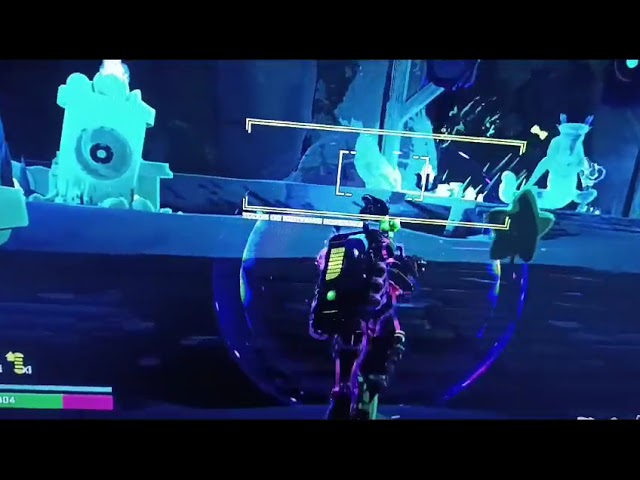
and im having a lot of weird problems with the game, hope its noticeable in the video, the games seems to speed up or stutter idk, but the weird part is that the FPS doesnt drop or go up
i tried a lot of different settings, vsyng on or off, fps cap, update drivers, nothing seems to work
https://youtu.be/876m79tOAYQ

 slow night
Is there anyone who can restore me?
I was in a 80 minute eclipse run trying out the huntress skills I just unlocked and randomly kicks me out and says I lost connection. I had to restart my game and when I loaded back in all of my huntress new skills were reverted. I tested in game if I did actually lose wifi connection I was still in run. Ik it’s probably not possible to get my run back unfortunately but I at least want the skills I unlocked for huntress back.
 sick zealot
what this symbol means?

 fallen grail
Why is it that when playing with a friend in multiplayer, the host is fine, but the other
has no ping in other games, the Internet is normal
 muted stream
how to play simularcrum?
 queen kernel
slow night
Is there anyone who can restore me?
I was in a 80 minute eclipse run trying out ...
queen kernel
slow night
Is there anyone who can restore me?
I was in a 80 minute eclipse run trying out ...
If console works the same as pc, then unfortunately all user data is stored locally. There is no way to back up your character 😦
queen kernel
muted stream
how to play simularcrum?
Main Menu -> Alternate Game Modes -> Simulacrum -> Enjoy! 😄
 magic arch
Can anyone help me get out of this glitched out Trial ?i want to get out with set_scene but it doens't allow me because i don't have any cheats enabled.. but when i try to enable it, it doesn't even allow me. 😐

 chilly echo
what is that character
 wild mantle
my game doesn't load when im trying to run it with mods, any fixes
 civic quiver
Hello, is this a known issue that on Switch the music stops playing in like 5-10 seconds after the stage started and then doesn’t play until the next stage or until a moment when nothing happens (looks like memory problem)?
 shell mountain
Is there a way to make the stages look brighter on low settings? I play on a laptop sometimes, so I have to run low settings, but the textures on some stages are so dark it's hard to tell walls apart from floors, especially on Helminth Hatchery and The Planetarium.
 sudden fox
I dont know if this is the right place but is there anyone able to help me with editing my save file, i want to remove all the artifacts so i can redo them, i was playing modded and found a mod pack that looked cool but it had an achievement unlocker in it and i want to do all the artifacts legit. Please let me know if you know a way to help me.
 copper pagoda
how do i mod the game? i just want to install jump in and probably a cheat menu (diablo strike and rex are a pain in the ass ok?)
 balmy root
For mod related questions its best to ask #ror2-modding because they know their stuff
However cheating most of the unlocks may take away some enjoyment of the game. Things like the demons and the crabs are mainly just tedious but things like the diablo and rex challenges incentivise you to play a bit differently than you usually would and see what approach works best in doing the unlocks
orchid flame
shell mountain
Is there a way to make the stages look brighter on low settings? I play on a lap...
There’s a gamma setting somewhere brother, in the settings.
shell mountain
Doesn’t fix the issue, I have it cranked to max
 warm prism
Is there console support on here as well
My buddy bought the game and it won't let him play multiplayer it allowed us to load into
Two games but when I hosted I got kicked when he hosted he got kicked since we cannot even get into a lobby for more then 5 seconds it isn't his Wi-Fi he has fiber Wi-Fi and downloads stuff at 1gb per second sometimes any fixes ?
copper pagoda
how do i edit the lunar coins count? can I do the same for the artifact of rebirth item?
 winged shadow
Hey gang - having a weird issue where my progress hasn't been saving since SOTS released? For example, I'll finish a run, unlock a survivor, close the game, re-open, and it's no longer unlocked. My run history lists my last run just before the release of SOTS, so I believe the update removed my ability to save? I've tried with and without running mods, uninstalled both the game and R2modman. Sadly no luck. Moreover, unlocks such as mastery skins never work, I don't get the achievement or the skin. Ability unlocks work fine though. Any ideas crew?
 tardy tendon
Can someone help me when i restart my game my graphics settings goes back to default
 dense urchin
I have the same issue than Rhy if someone can help to fix that it will be nice, thx
 dense belfry
i see dedicated server files last update was 2 years ago, getting this error when joining my server https://gyazo.com/4320d38433da5a9b7e737ff6ff1871e0 does the dedicated servers still work with current versions of the game ?

 alpine gulch
How would I transfer a pirated save file to a steam save file?
 signal pivot
does anyone know how to render health bars on mac? (whiskey)
 swift wing
i need help
this is what happens when my friend tries to join me
and i start the lobby
 solar quail
this isn't directly related to ror2, but my steam deck isn't playing sound through my headphones. I can hear the popping noise when I change the volume (see image), but nothing else. No discord, no firefox, nothing
 solar quail
Nvm I figured it out
 worn vale
I've been playing on my steam deck lately and I've noticed that the game won't load after 3% when I don't have any internet connection. Does anybody know how to fix that?
 graceful linden
My game has been constantly crashing when it reaches 35%, don't know why.
Tried booting it up while modded, and it crashes at 66% any solutions?
Edit: Reinstallation fixes it
 lapis junco
how do i restore my corupted profile (i think i did somtn to the files)
 chrome trail
hey not sure if this question has been asked but in multiplayer in the laster stages anyone that isnt the host will crash but they will stay in the game this makes it so we cannot join back after restarting the game as risk still thinks we are in the lobby and the host cant go on to beat mythrix as not every player is present even though we crashed
 vestal shale
is risk of rain crossplay?
 lunar cosmos
No
 marsh cedar
trying to host a dedicated server but this shows up

thought it was a modding thing but i tried vanilla for both server and client and it still doesnt work
 feral dock
When ever I try to join any online game I get a have purple and halve black screen when we go to the character select screen.
I can't see any of the ui during this but I can back out.
It does this with vanilla and modded ror2 I also verify the files .
I do not have a VPN on

 timber scarab
is it just me or does void feind carrying void items not increase void bar anymore
like i have a couple void items but my deafault void % is 14

 severe thorn
can someone ban tinman hes coming in and saying n word and stuff
 crimson fulcrum
marsh cedar
trying to host a dedicated server but this shows up
crimson fulcrum
marsh cedar
trying to host a dedicated server but this shows up
did you ever figure this out? i was trying to set up a dedicated server as well and got so far as this.
 proud hornet
timber scarab
like i have a couple void items but my deafault void % is 14
proud hornet
timber scarab
like i have a couple void items but my deafault void % is 14
Just you
 dusk perch
Hey people, I unlocked the new character on Xbox by cleansing the heart and stuff, but when I logged on today it shows that he’s locked again? I don’t know how to fix this. I even still have the Xbox achievements for unlocking him and everything
 harsh orbit
@hearty bronze
marsh cedar
crimson fulcrum
did you ever figure this out? i was trying to set up a dedicated server as well ...
i've read that they havent updated the dedicated server for a long time now so its just a version mismatch
 verbal cliff
when i skip the intro scene, sometimes it breaks and doesnt fade out, and doesnt let me start a game at all - not singleplayer, not multiplayer etc. Does anyone else have that problem? I think it has something to do with tabbing out while the game is loading
 vital trench
hello, my game is crashing on startup. ror2
i already verified file integrity on steam and that didn't fix it
 primal chasm
I lost progress on my deicide item and my mastery skin for void fiend. I'm on xbox, is it possible to get them back? I tried uninstalling and reinstalling, and deleting my saved data, and power cycling the console.
 grizzled sandal
Im boutta lose my fucken mind. My artifacts arent showing up whatsoever even though i have the achievements for them. Ive tried to edit my user data file thing but it keeps changing itself back. Can anybody help? And no, this happens without mods aswell.
Also attaining them again doesnt work, ive already tried.
 weak hornet
vital trench
hello, my game is crashing on startup. ror2
weak hornet
vital trench
hello, my game is crashing on startup. ror2
DId you end up fixing this?
My girlfriend is having the same issue.
 summer lion
Ok so I have a corrupted run on ps5 and need to delete my run data without deleting everything like characters or skins my logbook doesn’t work and I can’t earn mastery skins I’ll dm pictures if you need
vital trench
weak hornet
DId you end up fixing this?
Restarting my PC fixed the problem yeah
 hard spindle
Error: Corrupted Profile.... Is it possible to restore the profile? Or is there no point? Played 93h and completed a little more than half of the achievements... it's kind of a shame.
 scenic vine
Is there any fix planned or that has been discussed with the constant disconnects in multiplayer as well as progress being randomly wiped? Got kicked out of 3 runs in a row with my brother. Then we try again and his unlock progress is gone. Restarting game and Xbox didn’t fix the issue.
Read various people online after searching speak about having similar issues but didn’t seem any fix was in the works
 fervent kernel
Why didn't I get the false son I had the seed and I killed him but it didn't give it too me
Oh I figured it out I killed it too quickly
scenic vine
Do you actually get tech support in this channel or not. Bought both DLC so I could play with my family and the game is broken
Wiped our unlocked characters and abilities
Paid $30-40 to progress and everything just wiped
 neon oracle
I have this bug where I can't turn my head. All the other movement and buttons work (along with ping) but the camera will not move. If it helps i play on a lenovo legion go and i use a nintendo switch pro controler. (And yes i have played ror2 perfectly fine with this setup before but it is just bugging out now.)
 raven briar
Hi.
Translation of the game depends on console or the game itself ?.
For us Bandit = Bandido (castellano latin america) why it says " Granuja " in PS5 ¿?
Almost sure this said ' bandido ' in xbox one. Bandido translation it is, by far, better suited anyway for the character.
I'm sorry, is one of my favorite characters in the game : )
 verbal zephyr
My game either crashes on startup or constantly freezes every 10-15 seconds ever since i downloaded the new DLC, managed to get past the startup crashing by just restarting my pc, but the freezing keeps happening and it even desyncs the audio too.
 fast raptor
what does this mean.....?

 obtuse spear
fast raptor
what does this mean.....?
obtuse spear
fast raptor
what does this mean.....?
I send your screenshot to GPT, and he said that:
The error in your screenshot indicates that there is an authentication issue with the Epic Online Services (EOS) in your game Risk of Rain 2, likely caused by the game failing to validate your account's authentication token. Here's a breakdown of the key messages:
-
P2PInterface ReceivePacket returned a failure: InvalidAuth
This means the game attempted to handle a multiplayer packet, but the authentication failed. -
Attempted to get next received packet with a LocalUserId that did not validate correctly
The LocalUserId (your account/session ID) was not authenticated properly.
Possible Causes
- Invalid or Expired Token: Your authentication token may have expired, or there was an issue with the login process.
- Epic Games Launcher Issues: If you're using the Epic Games Launcher, it might not be properly linked or logged
fast raptor
👍
 serene pawn
guys
I dont know if this is a general thing
but both me and my friend cant get past the menu screen
like, the game wont let us enter any modes or other menus
we managed to enter
think it was a bug with the dlc
 quiet kindle
Hello friends! I'm currently on a road trip and wanna play ROR2 but I'm locked out of the DLCs. I don't have my Series S hooked up to wifi nor can I do so. Does anyone know a fix to this?
I've restarted the game a few times and I'm still locked out
 gray perch

 past cipher
Do you have mods on?
 charred hazel
I have been getting this error every time I try to launch risk of rain 2 and have no idea what is happening. I have reinstalled the game 3 times and verified my files like 5 times. every time I verify my files 3 of them fail to validate and are reacquired

 rough rose
I installed a mod and The gameplay runs normally, but my modded character dont shoot or land projectiles. Why is this hapenning?
alpine gulch
how do i fix startup failure failed to start steamworks integration
 violet agate
alpine gulch
how do i fix startup failure failed to start steamworks integration
violet agate
alpine gulch
how do i fix startup failure failed to start steamworks integration

Reddit
Explore this post and more from the macgaming community
alpine gulch
violet agate
https://www.reddit.com/r/macgaming/comments/1hcat7i/risk_of_rain_2_steamworks_fa...
whby did u send me thsi
violet agate
are you on mac*.?
alpine gulch
how do i fix startup failure failed to start steamworks integration
alpine gulch
violet agate
are you on mac*.?
no
 empty helm
Hi, I'm not really sure where to ask at this point. Ever since the new DLC dropped I eventually started running into an issue where I could never open the game. Back then, I'd just get stuck at 3%. I tried everything, uninstalling mods, verifying files, running as admin etc but nothing. Now with the phase 1 update, instead of getting stuck at 3% the game now justs always gets a Steam Integration error when opening. Again, tried as many options as I could, nothing.
If anyone knows of a definitive solution, it would be highly appreciated. It's been nothing short of frustrating to having not had access to RoR2 for months now. The only thing that I noticed from trying to fix it is that validating files always says there's 3 failed files that are supposed to be reacquired.


 sick whale
Hi just got new DLC, but im having an issue of clicking singleplayer and it just keeps taking me back to the menu
nothing even happens when clicking multiplayer
 zinc void
when ever i open the game the loading screen gets stuck on 7% anyone knows how i can fix this
 bright crow
Whenever I reach the first teleporter (going from stage 1 to stage 2) the game gets stuck on a black screen. I can hear the music and its possible to pause the game (cursor appears) and I leave the session, though the menu doesn't appear at all. I tried checking file integrity on steam and re-installing the game, though it didn't work. I am using mods, but for some time the game worked completely fine while I was using them. I found posts online of people encountering the same issue, though that seems to be happening in multiplayer mostly, while I play in singleplayer. Does anyone know how to fix this issue?
 oblique matrix
` -You may have overclock enabled, disable it in your BIOS. Note that ram/cpu that sync their clock rate also causes this issue, set both to base clock rate.
-Programs like Citrix or non-official GPU drivers are active. This can stop the game from launching, but mostly causes crashes during gameplay. Uninstall all GPU programs except the official/up-to-date drivers. Only enable recommended updates. `
Been experiencing crashes mid-game, especially when i get to stages 3 and so forth. I'm trying out the pinned solutions but I am stumped with these 2.
For the first one, I don't think I have to option to change the clock rate on my laptop and I'm not sure if i have any workarounds.
The second, I only have Geforce experience installed. I'm wondering if this counts.
Also can't dismiss this being a hardware issue. This laptop has already had multiple hardware issues before.
bright crow
oblique matrix
` -You may have overclock enabled, disable it in your BIOS. Note that ram/cpu th...
Fixed it, removed one of the mods I had installed and it worked. No idea if it was no longer compatible but I figured out that it could be it as it was an autosave mod that was supposed to save progress after teleporter events. Everything works now
 noble agate
when playing with a friend online, when we try to join each others' game, we can join the lobby fine. but when we actually go to character select, it just transitions to this screen :((

for the non host, to be clear
the host sees character select fine
this is the first time i've tried to play multiplayer since sots got updated with reworked items
restarting the game for either player didn't fix the issue :(
please if someone could help, we would appreciate it
 supple swan
im having issues, with r2modman i cannot load any of my mods, it just boots the vanilla. i checked and all my mods have been updated since aug 2024
 rancid yacht
Have you tried closing and rebooting the app
noble agate
rancid yacht
Have you tried closing and rebooting the app
i did, yeah. so did my friend
 stable sun


 ionic fox
guys sometimes the game freezes and turns black for two flashes then its back any fixes for that?
 subtle pebble
What is this thing guys?
 rancid yacht
A 2
 inner snow
noble agate
when playing with a friend online, when we try to join each others' game, we can...
inner snow
noble agate
when playing with a friend online, when we try to join each others' game, we can...
i have the same bug if you found the solution please share
noble agate
did not find :( but it only happens for my friend and not me. i can play multiplayer with other people, but my friend seemingly cannot
 limpid valley
same exact thing happened to me - really frustrating as it happens every 20-30 minutes - game is quite literally unplayable for me right now

 olive phoenix
i understand the game was nearly unplayable when the DLC update hit but did they really have to take the feedback and go "fine we'll make it unplayable"?
verified the games files (a total of 6 times now) and restarted steam each time, once my entire pc. each time, it says 3 file are missing.

 signal hull
anyway to fix the load times on PC? i cant even play the game since i get stuck at like 55%
 wraith pasture
olive phoenix
i understand the game was nearly unplayable when the DLC update hit but did they...
wraith pasture
olive phoenix
i understand the game was nearly unplayable when the DLC update hit but did they...
Same here, wanted to play the game solo as I got no wifi. Then this pops up and had the 3file issue too. Tried restarted the deck completely, validating, etc. gonna see if proton experimental will work
Ya so it wasn’t working when I was doing it offline yet works with internet (hotspot) what the hell
 echo olive
Anyone knows how to open console commands? I tried CTRL + ALT + ` and it only does what's on the screenshot. My keyboard is on US layout.

 vivid sable
My account got reset back to before I unlocked the false son. Anyone know why? I lost my unlocks and outfit for huntress and feel like not even playing the game anymore
wraith pasture
vivid sable
My account got reset back to before I unlocked the false son. Anyone know why? I...
You can use the unlock mod to get back where you were
vivid sable
wraith pasture
You can use the unlock mod to get back where you were
On Xbox? How?
orchid flame
could someone help?
 wraith pasture
vivid sable
On Xbox? How?
wraith pasture
vivid sable
On Xbox? How?
Oh for pc you can mod thought you weren’t on console
vivid sable
wraith pasture
Oh for pc you can mod thought you weren’t on console
Damn lol
wraith pasture
Still got no new on startup failure no clue why it’s doing it. Games working if I’m connected to internet yet it can’t play with no internet
 heavy whale
i might be missing something but when i play it turns off my mouses acceleration and it makes the game a little awkward to play
 hybrid path
Hello guys, I've been trying to play Ror2 with my friends, but our wifi just keeps getting too laggy for some reason. Before this, we can play together pretty normally, but something happened and the wifi decided to just die
can anyone help me with this? One example off this is:
-I host
-friends join lobby
-I create game
-friends can't join/ get blackscreen'd/ tp straight to sky meadow
Please help me with this, thank you (we all have cross-play off)
thank you!
So I was creating duo with a friend and he couldn't join, the lobby just doesn't show that he's here
 hybrid path
I'm not using any mods, and everyone wifi is dying apparently
No, I'm also not on LAN
I tried verifying the integrity of the files, but so far it showed that only me and one other guy is better
the others showed nothing
hm, let me ask them to do it again, maybe try it with vpn
no, only I play mods, but this time I didn't turn mosd on
I'm playing on laptop lmao
I'm fine now, but idk if my friends are better yet, we haven't tried together
maybe Viettel is just fucking up our ispn or sum shit
oh well, thanks for helping me
appreciate it
 dull breach
Friend and I are having this issue when we try to connect to the other in a multiplayer lobby. The person trying to connect just gets this dark, starry screen, The other person sees a message saying they joined the lobby, but they don't actually get to character selection.
We tried verifiying game files, tried to launch game with mods and vanilla, same issue.
We were playing with each other just fine a couple days ago
 noble agate
dull breach
https://cdn.discordapp.com/attachments/458611827295780865/1323284594866520074/20...
noble agate
dull breach
https://cdn.discordapp.com/attachments/458611827295780865/1323284594866520074/20...
i had the same issue :( #ror2-tech-support message
but unfortunately this chat is mainly dead, and i haven't been able to get a response from it besides others who run into it too.
I have been able to play with other friends that aren't the person whom i ran into this bug with, and the other person hasn't played ror2 recently, so idk if the issue persists with them. but perhaps worth having either of you try playing with others? to see if the issue is isolated to one of you two
dull breach
noble agate
i had the same issue :( https://discord.com/channels/417739215355510784/55990227...
I see. Hmm. Thanks for the reply anyhow 
dull breach
@noble agate @inner snow
My friend and I both uninstalled and reinstalled the game, and we're now able to connect.
Give it a go if you haven't already!
 subtle kite
I tried playing multiplayer today, first time since the shitfest of the last DLC launch, excited to try new items, but multiplayer just does not work at all. I get my friend in the lobby, click start game, nothing happens. I join him and I have uncontrolable lag among other things. We have BOTH, verified game files, then uninstalled and reinstalled, restarted pc, turned on and off crossplay. I have reset internet and still experience extreme lag, I know it has to do with this game because we play tons of other multiplayer games together and experience 0 lag beyond norms.
Will try to get footage
hybrid path
subtle kite
I tried playing multiplayer today, first time since the shitfest of the last DLC...
Me 2 bro, I still don't know what happened
 gloomy brook
I play on PlayStation, can someone tell me why this games multiplayer is so god awful, like I love the game but it may genuinely hold the title for worst multiplayer experience, it generally just does not work, and I know it’s not my console because this game is the SINGLE outlier when it comes to connection issues
LIKE RIGHT AFTER I TYPE THIS WE JOIN A RUN AND IT SPAWNS ME IN DEAD?? NO LIFE POD???
 languid saddle
gilded elites crash the game

 torpid shoal
I play with a xbox one controller on steam, but the camera stick (the right stick) is not working. I can only look to the same direction
I can use the mouse to move the camera
The problem isn't on the controller, the controller works in other games
New profiles in ror2 have the same problem
I tried a solution that i found on internet: delete the joystick map in the game files but it doesn't work
 hasty zephyr
anyone got any help as to why my game's SFX are so quiet?
 short palm
This is correct, right? All bonus health is lost until you have at least one infusion, and if you remove all, you get zero benefits?

I had an argument that someone was saying that scrapping the infusions made you keep the benefits, and me trying to explain to them it didn’t.
Only keeping at least one infusion let you keep all benefits.
Ps. Let me know if an update changed that.
lunar cosmos
short palm
This is correct, right? All bonus health is lost until you have at least one inf...
It's correct
heavy whale
for some reason when i play ror2 my mouse acceleration doesn't work which isn't anything crazy but it just feels weird
bright crow
Hello, I'm not certain if this is the right place to ask this question - I have just started modding ror2 via r2modman rather than trough manual file downloading, and I got this error messages right away, as well as I am stuck on 99% on the loading screen. I tried disabling most mods, and right now I only have Bepinex and R2API enabled. Game workes when running vanilla, but most mods depend on those 2 and I'm not certain what to do now. I also verified game file integrity on steam. A screenshot of the error messages will be attached
 lunar cosmos
bright crow
Hello, I'm not certain if this is the right place to ask this question - I have ...
lunar cosmos
bright crow
Hello, I'm not certain if this is the right place to ask this question - I have ...
It's getting errors because the sacrifice drop rate was altered
After DLC dropped modders kinda stopped updating do to spaghetti code and the amount of redundancy
bright crow
lunar cosmos
It's getting errors because the sacrifice drop rate was altered
Oh yea I remeber I once got a mod that did that and had it installed manually
I guess I'm gonna try to uninstall it and see if it works
lunar cosmos
Better to just downgrade your game pre-sots
 civic igloo
My game crashes randomly, I don't know why , here
s my log report
bright crow
lunar cosmos
Better to just downgrade your game pre-sots
I deleted any mods I previously had, reinstalled the game, and those errors are still there. I barely know the basics of modding so I don't really know what to do anymore
 still wing
Currently have a issue with my game that is making it unplayable but doesnt cause a game crash, i can load into a game perfectly. however when i pick up the first item it will go into my inventory like normal but when i pick uyp the second item it doesnt go into my inventory, doesnt dissapear off the groud but i get the effects and can continue picking up the item infinately. along with this when i defeat the first boss and go through the portal im just stuck on the loading screen indefinately and it doesnt crash ect, ive already tried reinstalling the game and checking and repaireing the file but nothing seems to work. i havent found anything on line about this so anyh help with be great thank you
sorry if this is meant for bug report
orchid flame
I remember being able to edit the item names and descriptions by going into the english language local game files and changing stuff in notepad, but it dosent seem to work anymore. I save the notpad, and when i open it again it keeps the chnages I've made but it dosent display in game and I cant figure out why
balmy root
orchid flame
I remember being able to edit the item names and descriptions by going into the ...
Yeah that doesnt work anymore
orchid flame
so theres no way to edit them?
 gusty ingot
1 monster remaining bug???
gusty ingot
it happened 3 times in the same run
 jade holly
Sometimes when me and my friend play (both vanilla) we get cursed with weird lag. Our internet connections are fine and we even live in the same city, but the game behaves laggy. Enemies move fine but your hits don't properly register and you die from nothing. Basically the game is weirdly desynced or cursed. It fixes itself somehow sometimes after we take a break. Is this a common netcode issue or is my/his game cursed? We both used/use mods at some point in our installs but not for coop
 kind topaz
I played the game once and it worked properly, I tried to play again only to be met with an error when the game finished loading that state that steamworks integration didn't open
 halcyon socket
having an issue where i die because im bad
 night mica
kind topaz
I played the game once and it worked properly, I tried to play again only to be ...
night mica
kind topaz
I played the game once and it worked properly, I tried to play again only to be ...
verify game it's missing some files had same issue
kind topaz
night mica
verify game it's missing some files had same issue
Did it already
orchid flame
[Startup failure]
[[Failed to start steamworks integration. Restarting the application usually fixes this issue, if problem persist please report a a bug]] I'm on a steam deck it's whole system is steam what's the issue
This only occurs when I try to launch the game from offline mode I heard I had to disable the epic cross so I did buut
 slow prawn
im here

hey ive been getting this error when i get to 50ish % on the game loading screen
 granite dirge
slow prawn
hey ive been getting this error when i get to 50ish % on the game loading screen
granite dirge
slow prawn
hey ive been getting this error when i get to 50ish % on the game loading screen
i'd say try the standard troubleshooting first, so if you have mods, make sure they're updated to this version, and if not, right click on the game in the steam library > properties > installed files > verify integrity of game files
slow prawn
granite dirge
i'd say try the standard troubleshooting first, so if you have mods, make sure t...
i did that already, right now I'm trying to get steam to acquire the 2 missing files that's causing the current crashes, cause when i indentify the intergrity it says it's 2 files that need to be acquired
granite dirge
I believe it's supposed to say there's 2 missing files every time, because of gearbox magic actually
Next i'd probably say updating drivers, but i'm really just using generic problem solvers
slow prawn
granite dirge
Next i'd probably say updating drivers, but i'm really just using generic proble...
They are up to date
granite dirge
Well, if verifying files doesn't work, you might want to try a fresh install
Deleting the files from steam completely, I mean. Uninstall + reinstall will restore the original stage from when you uninstalled, not the base state, but deleting the files makes it not have that little checkmark it would use
This will get rid of your settings though, like sound levels and controls
As long as it's saved to the cloud, the save should be fine
Worst case, you always have RealerCheatUnlocks to toggle items you should have
slow prawn
Will do,i hate gearbox magic
granite dirge
Nah that's steam magic lol. Had to do that kind of wipe many times in Skyrim modding
slow prawn
granite dirge
Nah that's steam magic lol. Had to do that kind of wipe many times in Skyrim mod...
understandable
slow prawn
granite dirge
Nah that's steam magic lol. Had to do that kind of wipe many times in Skyrim mod...
yea it didnt quite work,got the same issue again,im just lost at this point
@round vessel hello Preston,i have a problem that i don't know how to fix,after i have tried everything in my power to do,its still appearing and i do not know why,so if u have any idea of how to fix it,i would be appreciated to know!

 round vessel
granite dirge
I believe it's supposed to say there's 2 missing files every time, because of ge...
round vessel
granite dirge
I believe it's supposed to say there's 2 missing files every time, because of ge...
whooow, I did not know that. Just tested it and ya, looks like it always says 3 files. I'll ask some folks to take a look at why that is
round vessel
slow prawn
<@155402671979757568> hello Preston,i have a problem that i don't know how to fi...
did you try uninstalling -> resetting computer -> installing -> launching?
It feels like a mod thing so if you have any mods you should also temporarily ditch those
slow prawn
round vessel
did you try uninstalling -> resetting computer -> installing -> launching?
nope i literally tried everything,and its not my pc thats a problem,since i can run some very good games at 60 fps no problem,and im sorry for the ping !
i mean i wouldnt be so picky to find an fix if i were the one that spent the money but my friend gifted it so im rly tryna get it to work!
its been a day and i still cant find an answer to it
round vessel
@slow prawn if you had a sec, it'd be awesome if you could generate a DXDiag file for us. I'll walk that + your report over to the team and see if we can't get you some answers
DXDIAG
DxDiag (DirectX Diagnostic) is a tool that comes with Windows. It shows technical info about the software on your computer. Epic Sup
slow prawn
round vessel
<@824646907350745118> if you had a sec, it'd be awesome if you could generate a ...
do you want me to send it here or in your dms
idk if its some personal info in the file so thats why im asking
sorry for answering late had some work to do.
 novel cliff
Anyone here have experience with running the game with Proton? I have music but no sfx.
When I revalidate game files it says that 3 files have to be reaquired. When I run the game and revalidate again then 3 files have to be reaquired again. I'm not sure if they're related but it might be relevant
slow prawn
novel cliff
Anyone here have experience with running the game with Proton? I have music but ...
its always 3 files
 tawdry raven
slow prawn
its always 3 files
tawdry raven
slow prawn
its always 3 files
it's 2 files bro-
slow prawn
round vessel
<@824646907350745118> if you had a sec, it'd be awesome if you could generate a ...
did u get any info bout the error
 willow narwhal
so i'm having trouble joining another player. we both had 3 files fail to validate. for some reason, even after i hit "validate" it still gives me that error when i try to validate the files on steam.
regardless, when i try to join him or he tries to join me, we get kicked into this limbo screen. i don't know what's happening. i'm using linux with proton experimental and he's using windows

 quick hound
Hi i wanted to ask if anyone have the same issue as me, my game is lagging and im normaly droping to 20 fps by stage 2-3 and i dont know why, i have all my settings to as low as posible and its still lagging i tried to reinstal it and that didnt help either.
This happens when i play modded (r2modman) but when i play vanila its better but not good, in same scenario (low settings) I have max 60 fps and by stage 4 i had only 20-40 fps.
I dont have any good pc, in fact i have notebook that i play games on, but when i play different games i play minimaly on 100 fps (finals...)
I didnt play ror 2 for some time and than this issue occour, some time back i didnt have this problem
Does anyone know what to do ?
round vessel
slow prawn
here you go <@155402671979757568>
perfect, thank you very much
 fading crystal
Does anyone here have the issue were when you start up modded risk2 you spawn in in spectating mod??? i've removed some mods and reinstalled the game twice and it stills happens not sure what to do on how to fix it
slow prawn
round vessel
perfect, thank you very much
no probs
round vessel
slow prawn
no probs
this may not do anything but could you try launching with this in your launch options?
-force-d3d11

If not that then the other two things could be the number of audio audio drivers on your system or GPU drivers. I guess Unity tends to have some issues if there are a bunch of devices, I have no idea how much that's ever been an issue with ROR though. Looks like you have at least Voicemeeter, VB-Audio Virtual Cable, & Voicemod.
Past that maybe clean GPU install? It'd be awesome to know if this is happening with all unity games or just ROR. So trying to launch something like lethal company and seeing what happens would be useful
I'm just spitballing here
slow prawn
alright let me see
slow prawn
round vessel
If not that then the other two things could be the number of audio audio drivers...
yea i was thinking of deinstalling them since i dont even use them
round vessel
might as well
slow prawn
it crashes still with the launch option
lemme deinstall the things rq
let try now

still crashes
yea nothing helped idk whats going on
what happened to my nonitor,it went to 64herz something doesnt let me change it
@round vessel something bad happened after i did clean GPU install
my pc got all weird
display res was on 1024 and it says its recommended cant change Hz and cant open the GPU app
its like the GPU aint even recognizable
or somth
ye its like there aint no GPU
round vessel
@slow prawn were you able to check another unity game?
 uneven ruin
why is it saying this?
 slow prawn
round vessel
<@824646907350745118> were you able to check another unity game?
slow prawn
round vessel
<@824646907350745118> were you able to check another unity game?
i could try wait
i dont have any other game bought but i did had lethal company before was playing with my friend
it was working fine
 wooden adder
hi guys, i need some help. so just got a new pc and every game i play is running super smooth...except ror2. i keep going from 144 to 20 fps and its making the game unplayable. anyone had this before ir know a fix??
ive tried limiting the fps, checking for driver updates, setting the graphics to super low, validating the files, reinstalling, having nothing but ror2 running. nothing is working
 acoustic crane
any help
balmy root
acoustic crane
any help
Also worth noting that this persisted even when restarting the game
acoustic crane
twice even
jade holly
wooden adder
hi guys, i need some help. so just got a new pc and every game i play is running...
It may be running on an integrated GPU if you have one, it's a common issue in unity games in my experience
 stoic prawn
Anyone having an issue of the logbook just not loading? And not being able to unlock anything pre dlc?
Like I'm just not able to unlock monsoon skins and the scythe even tho I've done the requirements for then multiple times now
 celest latch
Hey I don't really know if this is a bug or tech support but ill send it here right now.
My friend has been unable to play risk of rain 2 on his computer for I think around a year and he has no idea on how to fix it here's what
failed to start steamworks integration ror2
-verified files
-restarted steam
-got clean config folder
he thinks it could be an outdated hard drive so he is restarting his computer right now, so ill keep updating

 silver mango
celest latch
Hey I don't really know if this is a bug or tech support but ill send it here ri...
silver mango
celest latch
Hey I don't really know if this is a bug or tech support but ill send it here ri...
hi the friend here... yeah ive tried everything i can find and nothing works
been at this for over an hour now
😭

restarted my entire pc twice
 wispy mural
Hello!, I have a problem when I play Ror2, the game simply crashes and closes no matter what stage I am in or if there is a lot of chaos and it can crash due to the fps, the error it gives me is the code "UNITY 2021.3.33f1_ee5a2aa03ab2", Does anyone know the solution that could help me... :c

 rose axle
why does it startup failure when i try and load in ro2? im on mac using whisky to use window apps btw,
^ i just wanted to say that it was working completely fine and i had some nice gameplay but now startup just wont work
rose axle
rose axle
why does it startup failure when i try and load in ro2? im on mac using whisky t...
i still have this issue but sometimes when i open ro2 it resolves the issue and idk how but it just does but when i quit the isuse comes back
 leaden depot
My game won't launch, i already tried Everything, checking if every file is there, changing high DPI settings, closing Everything in my pc except for steam, still didn't work, the game just don't go past 1% in the loading screen
Does anyone had the same issue?
 gentle cradle
so my game file corrupted after editing lunar coins. i opened it up with Bing on accident after i corrupted it and it told me the error was "error on line 1 at column 1879: error parsing attribute name"
 static burrow
Is the game still buggy? I'm having massive frame drops when game play gets intense. This wasn't an issue before the update. Is the behavior normal?
Quick note, I also have upgrade my gpu since then from an nvidia 2080 ti to a Radeon 7900xtx.
Also I'm on Linux.
 zinc bane
I have an issue that on commando my m2 will not fire? Does anyone know what this could be. I have some qol mods installed but that's pretty much it.
zinc bane
zinc bane
I have an issue that on commando my m2 will not fire? Does anyone know what this...
Aight so it looks like it's the StandaloneAncientScepter.
 sterile egret
Me and my buddy are having an issue where we try to join eachothers lobbies and whoever isnt the host gets a blank screen and eventually gets disconnected from the game. We had a slim chance yesterday with getting to see both characters in the lobby but once loaded in, he just saw a still image of a part of the map but could not play at all. Don't know if this is a game issue or a issue with our games itself ;(
 rustic kraken
acoustic crane
any help
rustic kraken
acoustic crane
any help
Been having a problem with that as well but it seems to happen when I'm not connected to wifi. This wasn't a problem before the new dlc dropped and I am unable to play until I'm connected
Was able to update the game (before and after item changes) and I'm still not able to play offline
 spiral finch
Hello support or whoever is listening. I have had a problem with the game for years now where the game just randomly either crashes or blue screens my computer. This happens at random times in every run and with no warning, the game just freezes for a second then the game closes or my whole pc goes down. This only happens when I'm actively in a run never in the menu. This is only a problem i have with ror2 and nothing else i play. I have looked on every forum post and cannot find someone with my same problem and I've exhausted seemingly every possible solution. if someone could help me i would be very grateful because i love this game and literally cannot play it without it crashing. Thank you
ive heard this channel is more or less dead but im literally out of options
 steady topaz
spiral finch
ive heard this channel is more or less dead but im literally out of options
steady topaz
spiral finch
ive heard this channel is more or less dead but im literally out of options
Well, thanks to some boxy gears not only the channel, but the game itself are.
Bluescreens most likely indicate unstable hardware, ram in particular.
Try to reduce xmp setting or turn it off in bios. Downclock and add some voltage if xmp didn't help.
Reseat your ram cards make sure to use 2 or 4 cards in pairs, don't use different ram cards. If you happen to have no matching ones - use one at a time.
Use slots 2 and 4, not 1 and 3 if possible.
Test ram cards on a stress test longer than 6 hrs. Counting pi seems to be the good one. It absolutely do need to be that long to spot a problem.
No, the "other games are fine" is not an indicator of good ram at all.
 mystic surge
Is there anything i can do to intigrate my steamworks? Has God simply forsaken me if I get this error?
 solid breach
i beat the false son with the halcyon seed and didn’t unlock him, how do i unlock him?
 tame birch
Hello, i logged into my account on risk of rain 2, and it told me to create a new account. Now i have zero characters unlocked. Not sure what to do. It shows i have all achievements on steam still
 hasty plinth
hello ive tried searching all over for a fix but cant find one. i play on the ps5 and its my favorite game. i have the latest update and the first of the two dlcs. all of a sudden when i play i get a constant stutter every second. its unplayable. ive spent some time trying fixes like some ps5 settings. nothing has solved it yet. it happens everywhere but the main menu
 acoustic nimbus
I'm having some framedrops at later stages. Usually my game runs at 100-120 fps, but on later stages it drops to low 40s. I also noticed the game never uses more than 50% of my gpu memory, only staying at 4 gigs of VRAM. Is there any solution to this? Or is it my hardware?
My specs are
R5 5600g
Radeon RX 7600
16GB RAM
 dapper kraken
I have a problem where the game will randomly tab me out for no reason, does anyone know how to fix?
 round fiber
So I re download the game after not playing if for a month or two and now it's chunky, with no sound affects and won't register my kea movement properly. I have switched OSs twice, I was on Windows and it ran no problems (of course) then I switched to Fedora Linux and it played wonderful! Now I'm o Ubuntu Linux and all these issues have arisin even though I have everything in place for it to run well. Help would be appreciated!
 brazen glen
https://steamcommunity.com/app/632360/discussions/1/4344355442318351967/
Ive been having this issue and the steam page never had a fix. i’m not sure if this has been fixed yet but i was wondering if anyone knew how to fix it since it’s been happening a lot recently

I play a lot of multiplayer with my friend. After one hour of starting up the game, the non host gets disconnected. On top of that, they are unable to rejoin the lobby until after the host restarts the game. It is almost always at the hour mark after launching the game. To counter this, the non host can leave right before disconnecting and then ...
 lean marsh
anyone know how to fix?
game keeps crashing and i cant launch
i dont have a separate monitor either
 oblique hill
lean marsh
anyone know how to fix?
oblique hill
lean marsh
anyone know how to fix?
Do you by chance use Nvidia Broadcast?
lean marsh
oblique hill
Do you by chance use Nvidia Broadcast?
no
oblique hill
lean marsh
no
Nevermind than.
 echo sleet
https://discordapp.com/channels/417739215355510784/559905030304694273 is crashing my discord
 candid fern
I NEED HELP

my friends ror2 crashed and
i cant continue the game because the game thinks hes still there
 naive trellis
has the seekers of the storm dlc been fixed on xbox?
 fiery sleet
hey guys a friend of mine is having issues, he cant play singleplayer or multiplayer, when he tries to the screen turns black for a second then goes back to the menu
anyone got a solution ?
 uncut torrent
so i tried to change my lunar coin count, clearly it did not go well

I tried to change the values in front of both of these places, when I changed the first value it did nothing to my coin count, but after putting it in front of the second place (indicated by the highlight) it broke my save file, I even erased the value, yet it still is broken. Help please.


 astral ore
I was playing ror2 perfectly fine today and now whenever i start the game loading stops between 50 and 56%
any other steam games i try work fine its just ror2
Updaste: Redownloading my game worked
bug probably happened when accidenlty playing with a deprecated
mod
rancid yacht
Have you tried closing and reopening
 mellow lotus
Uhm my controller is not working
I'm using a PS4 controller, but I tried using ds4, no response
It works for other games
It's working now
lunar cosmos
<@&559786374228738069>
 hearty bronzeBOT
 kap1barara was banned.
 round halo
whenever my friend invites me and we start a game i just get stuck on that screen?

we cant even play together
 swift kettle
obliterating w/ beads sends u to the scavanger place right?
 normal dirge
Hey! I seem to have an issue with the game. Me and my friends seem to have an issue with a black screen, with the expection of one player who can play normmally. He claims it's probably the combo of Seed of Life and Gesture of the Drowned activating as soon as a new map begins, as the issue appears to be with these items every time.
The black screen is gone as soon as he solos the map and starts a new one with the seed of life gone.
Seed of life on it's own, without Gesture of the Drowned, works just fine.
Sidenote: I might appear as a new user, but I was active in this discord in 2022s and earlier. I hope that might remove any suspecion of being a new user =)
 gray belfry
Hi!
I got a problem, I cant seemed to play solo, even on multiplayer mode. I just reinstalled the game the other day, what couldve been the problem?
 ocean olive
Hello, i have a problem joining my dedicated server, for some reason this error pops up, how can i fix this? Also another question, do i need the risk of rain 2.exe in the Risk of rain 2 dedicated server open to host the dedicated server? if i don't leave it open i get another error while trying to join.

 hot raptor
my game file is corrupted dk what to do
 sharp token
Have you tried uninstalling and reinstalling?
mystic surge
i actually dont understand
"steamworks intigration failed", verified file integrity, reinstalled, everything, tried mods, nobody ever answers this question apparently so much that some guy had to spam it like 400 times. how many times do yall have to ignore this question
is this some cruel joke
its a meme???
 mystic bough
before i get hit with the "Does anyone know how to fix the steamworks integration error"
the game isn't working on steam deck (99% of the time)
i've tried reinstalling the game, verifying game files, restarting my deck, etc. and i'm still getting the error
i've gotten it to work maybe 2 times? and that was after trying to brute force the game by closing and opening it again
 wet ocean
Same issue 
wet ocean
Was finnaly gonna play it again after not playing it for like a year only to return to Steamworks Intigration Failed
 lilac basin
i have a lot of connection problems when playing multiplayer, how do i solve them?
the fixed comment didn't work for me
 astral wren
Need some help finding why and what files are getting removed while I launch the game.
 astral wren
 mystic surge
wet ocean
Was finnaly gonna play it again after not playing it for like a year only to ret...
mystic surge
wet ocean
Was finnaly gonna play it again after not playing it for like a year only to ret...
it may not be the same issue for you but if you have risk of rain installed on a D: or other drive i just moved it to my C: drive and it started working
wet ocean
mystic surge
it may not be the same issue for you but if you have risk of rain installed on a...
I'm on Linux so idk, seems to happen less after I copied the steam api dll to a specific folder
 idle monolith
im having some problems loading up my mod pack it gets to 99% and wont finish loading ive tried to use r2modman and thunderstore same problem on both
 verbal rampart
i play on pc, windows 10, using an xbox controller, every once in a while, usually when playing with mods (problem persists even when running vanilla afterwards), i'll be unable to look around using the controller (i've confirmed that its not the controller thats a problem) then after a day or two it'll go back to normal, if there's a better and quicker fix than waiting that'd be super cool
idle monolith
ive had the same problem i just unplug mine wait a sec and plug it back in
verbal rampart
idle monolith
ive had the same problem i just unplug mine wait a sec and plug it back in
ill see if that works after trying the steam controller mapping stuff
verbal rampart
idle monolith
ive had the same problem i just unplug mine wait a sec and plug it back in
didnt work :(
 austere hazel
Hello! Me and my son want to play split screen on the Series X but it doesn't bring up the 2nd player. We've tried everything, signing in/out at various screens with the 2nd controller and nothing works. YouTube offers no help either. Thanks!
 frank token
Hey there, playing on Xbox Series S, trying to create a lobby or invite a friend immediatly prompts a "Disconnected Lost Connection" error
Not really sure what the issue is or how to go about it, we've tested some other games and all of them work fine
 steep vine
i am trying to play multiplayer with my buddy, were both on steam, no crossplay enabled, but we just cant join each others lobbies. he is able to join other games, but i can't. i can't find anyone else having this problem please help
steep vine
nvm i figured it out i just played multiplayer portal 2 then tried it again and it worked 👍
 potent nymph
Does anyone know how to fix this issue with dedicated servers? I just cant get it up :/

 misty salmon
astral wren
misty salmon
astral wren
I had this same issue! were you everr able too fix it? if so how
 round copper
potent nymph
Does anyone know how to fix this issue with dedicated servers? I just cant get i...
round copper
potent nymph
Does anyone know how to fix this issue with dedicated servers? I just cant get i...
as far as I know gearbox bought the game and stopped supporting it entirely, really glad I spent money on a game I could locally host dedicated servers for and have lost that feature :^)
astral wren
misty salmon
I had this same issue! were you everr able too fix it? if so how
Nope, tried to restart, reinstall, force to not update the data from steam, heck even checked all the damn files and steam is stupid for some reason they say 3 files are missing but in reality is more like 29 and the more important files are 3 items. Didn't find a solution soo if I don't manage to get a beta key I will need to wait for the next update and hope
misty salmon
astral wren
Nope, tried to restart, reinstall, force to not update the data from steam, heck...
sucks bro
the only time I get too play risk of rain is when im on break and even then I cant play online
astral wren
Yup I know after about 400-500 hours that happens randomly when the boys gather
 near gale
Hi! Is this a known bug? Everytime i try to play with my friends it happens, but its something new
 misty salmon
near gale
Hi! Is this a known bug? Everytime i try to play with my friends it happens, but...
misty salmon
near gale
Hi! Is this a known bug? Everytime i try to play with my friends it happens, but...
if u look up we both have this
near gale
Oh thats true
misty salmon
and im so dead ass, theirs no like solution too fix it
we just gotta wait for the next bug fix and pray it fixes it
near gale
I see, thank you
 wet tundra
hello im new here! my game is somehow constantly running at only 60fps. even though i've disabled vsync in both nvidia and ingame, it still somehow runs at 60fps.
my monitor is 144hz. any ideas why?
 peak tiger
why does it look so foggy
is they a way to not have it be foggy
 balmy root
Thats just the lighting, you can still see everything relevant very clearly
peak tiger
balmy root
Thats just the lighting, you can still see everything relevant very clearly
how to turn down the lighting
balmy root
Idk, you can try to play around in the settings but some lighting settings are currently broken and dont change anything
Like the gamma setting
 maiden coral
peak tiger
how to turn down the lighting
maiden coral
peak tiger
how to turn down the lighting
Maybe if you change the "LoD" setting it changes the distnace at which the blur is applied.
 cedar flame
how can i resolve this??
 shell mountain
so i just got a new monitor but am having problems getting ror2 to launch on it and not the second monitor
ok nvm managed to fix it
 storm nova
I'm having a problem with multiplayer, I'm playing with friends and a buddy of mine can't move his mouse whatsoever after pausing the game for a extended period of time
Does anyone know what could be causing this bug?
I've tried to find a controller in Human Interface Devices, but nothing can be found
He left for like 30+ minutes and now the cursor won't move whatsoever in the game
But in other tabs it works fine
 indigo merlin

 red rivet
vanilla launching through steam shows this and boots back to menu when trying to start a game
relaunching, reinstalling, restarting computer, & validating game files all didn't work

- can't open settings
 slim leaf
make sure this is disabled @red rivet
also for some reason, after buying the new dlc, I wasnt able to run RoR2 offline mode, but deleting my profile and starting a new game seemed to fix that, very odd

 sterile shale
need help with "item every stage" mod
 fading crow
My friend and I recently got our hands on RoR2 and are utterly sadenend by its Multiplayer (non) functionality.
-
What happens?
We've both enabled crossplay on the first prompt that you get when booting the game up for the first time.
We played a coupled rounds - died - played some more, though once rounds got to ~40min the non hoster always disconnects in a very weird fashion.
He is just randomly kicked back into the Lobby screen, but his character exists in my World, not to be found as it vanishes into Limbo. He cant rejoin etc. -
Disable Crossplay
We did and tried, however we cant form a lobby, when one of tries to join the other we get a very Dark image of a horizon and wait in there for ~2mins until it kicks the person trying to connect back into the Menu.
We've scoured the Internet and Forums and the only thing we've found is people with similiar issues saying that disabling crossplay fixed it for them.
Fyi we are both running the Steam version, I usually host (Open NAT) and have a very strong and stable internet connection, same goes for him though he is a NAT 2.
Perhaps someone can shed some light here?
This is getting really frustrating as it feels like we're just wasting time.
lunar cosmos
fading crow
My friend and I recently got our hands on RoR2 and are utterly sadenend by its M...
Don't have crossplay on
fading crow
lunar cosmos
Don't have crossplay on
We cant join each others lobbies with crossplay off
even though we're both on Steam
And we tried:
- Steam friend invites
- clipboard code joining
- creating a public lobby
lunar cosmos
Have you tried being on the same NAT?
fading crow
nat 1 and nat 2 should work outta the box, only if its a nat3 it becomes dicey, this works in all other peer to peer games and should work as intended here.
Its also not that easy for him to get nat 1 nor is it easy for me to become nat2
also i doubt Nat Type is the issue here tbh, this issue is not only met by the two of us. I've seen a couple subreddits and other Forums with the same issues, everyone just stats "disable crossplay" but as I mentioned we legit cant get into the character selection if we have it off for some reason. It doesnt make sense
shell mountain
ok this is something weird
i just had a run where the more procs i get from attacking enemies, the power my FPS
for the rest of the stage
i remember having runic lens, 3 polylutes, clover, stickybombs, and bleed
and was engi with mobile turrets
got to mithrix but then my fps went down to like 5 frames a second and i just didn't want to continue
definately seemed tied to dealing damage to enemies. i'd assume something to do with the proc chains.
 normal plinth
Is this game just fucked? Friend and I reinstalled the game and verified game files and we still can't do multiplayer together, we're just stuck looking at the void instead of being sent to the character selection screen
fading crow
normal plinth
Is this game just fucked? Friend and I reinstalled the game and verified game fi...
had the same issue
- if you have Crossplay active, disable it
- Make sure none of you are in a vpn or port forwarding
 onyx glacier
normal plinth
Is this game just fucked? Friend and I reinstalled the game and verified game fi...
onyx glacier
normal plinth
Is this game just fucked? Friend and I reinstalled the game and verified game fi...
me and my buddy are having the same issue
cant figure out a fix either. tried lobby codes, public lobbies w and w/o passwords, tried disabling and re-enabling cross play. Played this game for 150+ hours and never had an issue with the game, just coming across this issue first time
 rugged pond
brother's having a problem opening the game
it won't connect to his steam integration
 void cloud
I’m having issues on Xbox with save data disappearing. From March 25-27 I finished 10 different challenges and when I got on to finish the last skin challenge I had to do, the others were all gone. They still show completion in the “run history” section of the log but not in my challenges. Was wondering if anyone knew what happened. I’ve already been through both gearbox and Xbox support lines who’ve both directed me to each other
 oblique lance
Hey, so everytime I restart my computer, I have to validate ROR2's files and restart steam otherwise I get "Failed to connect to Steam"
Is there a way to permanently fix this? This is so incredibly infuriating.
 gilded wren
Me and my friend are playing both on PS5 but every time we want to play, it shows „connection lost“ and this happends every time. Please help !
ocean olive
(2 player co-op) after going in the blue portal after the blue stage, the game just went into the black screen and i can still hear the game in background.

 inland pike
hi there, how can i have a server for myself and my brother to play on? I set up one with pingperfect servers but it doesnt work. Any help?
 wintry warren
inland pike
hi there, how can i have a server for myself and my brother to play on? I set up...
wintry warren
inland pike
hi there, how can i have a server for myself and my brother to play on? I set up...
You've already asked the same question in several channels... There are no game servers.
 rotund flame
how can i fix this issue with the logbook? (i don't have mods installed, i am also a PC player)
 rotund flame
how can i fix this issue with the logbook? (i don't have mods installed, i am al...
rotund flame
rotund flame
how can i fix this issue with the logbook? (i don't have mods installed, i am al...
can anyone help me with this issue? Also, no matter how many runs i complete I'm not getting the washed away achievement, nor captain.
 vernal crypt
rotund flame
can anyone help me with this issue? Also, no matter how many runs i complete I'm...
vernal crypt
rotund flame
can anyone help me with this issue? Also, no matter how many runs i complete I'm...
Maybe restart your computer? Have you tried that?
Idk
rotund flame
i mean ive turned my computer off for quite a few days and came back to it still being broken sadly
 deep wharf
anyone know why whenever I click a button on the menu, it just goes black and then retursn to the menu? PC.
have verified game files.
also the logo is missing

I have played before, just reinstalled
verkified again but not working still
deep wharf
still looking for a solution
solar quail
Hi folks,
currently on steam deck and having some issues loading in. Atm the game isn't giving me the error, but I've gotten an error about steam integration not working.
It seems the only way to not get the error is to play modded (or at least boot the game from r2modman).
Any thoughts?
 lament shell
alright, friends and i are having problems with multiplayer where at random times, any player other than the host will be unable to deal damage and shit. like, i was playing artificier and my flame bolts bounced off enemies and my nano-bombs wouldn't detonate. we're not sure if it's hella lag, desync or what but it's rendering multiplayer completely unplayable
 snow remnant
void cloud
I’m having issues on Xbox with save data disappearing. From March 25-27 I finish...
snow remnant
void cloud
I’m having issues on Xbox with save data disappearing. From March 25-27 I finish...
Did you find a fix
void cloud
snow remnant
Did you find a fix
Not yet. Went through customer support and they elevated it to the dev team tho
 tardy oxide
When I go onto alternate gamemodes, the only options are Simulacrum and Eclipse. This isn't problematic because i already have scythe and etheral, but its just strange
 snow needle
tardy oxide
When I go onto alternate gamemodes, the only options are Simulacrum and Eclipse....
snow needle
tardy oxide
When I go onto alternate gamemodes, the only options are Simulacrum and Eclipse....
playing modded will remove the option to play trials
tardy oxide
ty
 jolly juniper
Just tried to launch and steam saying the file is corrupted I’ve tried so much stuff from online someone pls tell me there’s a fix for this
 bitter vessel
Hey why is it just stuck on 3%???
 sharp token
Have you tried verifying integrity of local files? (Works on steam only)
wintry warren
Anyone else having issues with artificer launching straight up but having zero forward motion?
tardy oxide
you mean with ion surge? ion isnt supposed to go forward
 tough swift
whenever im playing multiplayer, my ping will be fine for like 1 stage, and then afterwards my game will just suddenly become really laggy, while for my friends its fine for them
has anyone else experienced something like this
bitter vessel
sharp token
Have you tried verifying integrity of local files? (Works on steam only)
yes HUNDREDs of times atp
 cloud notch
my friends cant join each other a bug happens that 1 creates lobby other joins but not the character selection screen lobby create screen than gets kicked from the lobby
any solving to that did anyone got that b4
 spark idol
same
 fading crow
@cloud notch @spark idol
Ladies and Gentlemen, I've had the same issues previously.
No one answered me here nor did anyone actually help.
However, I fixed it in my case, perhpas itll fix it in your case as well.
- make sure everyone has crossplay disabled if you need crossplay enabled enjoy the random disconnect someone gets at around the 40min mark.
- The Lobby host may not be in a VPN, if you're in a VPN ppl wont be able to join.
- If those two points don't work, the Lobby host has to enable port forwarding on his router allowing others to join his local session. (Ask ChatGPT or watch a yt tut as its a couple steps but quite straight forward)
Kindly let me know if any of those steps fixed it for ya, if it didn't, at least I tried
cloud notch
yeah when they "enabled" crossplay they start playing lol
fading crow
cloud notch
yeah when they "enabled" crossplay they start playing lol
Do they dc after around 40ish minutes?
cloud notch
no
fading crow
Lucky, most ror2 players have that issue, me and my friends included. If Crossplay works do Crossplay
spark idol
fading crow
<@614493125263622169> <@424928225467170828>
Ladies and Gentlemen, I've had the...
Turning off the VPN helped, didn't realize it was still on. thank you
 sonic wave
Okay, I turned off “Toggle Epic Games/Steam Cross-play” that seemed to be the only cross play setting I could find
 zenith patrol
Hey so just unlocked every character last night and logged on today to see most of my characters gone


Xbox btw
 wide zenith
My friend has literally never been able to join a multilayer game with us. I don't think he has a network problem since he's fine on other games, but on risk of rain it always disconnects him from our game. Does anyone know how to fix this? We all have the ps5 version, and we're all in the same region.
He said an error pops up that says "unable to host due to NAT restrictions" When he tries to host and invite us instead of us hosting and inviting him.
 main island
I can't get into a game no mattter what I do, not single player not multiplayer
 simple shadow
wide zenith
He said an error pops up that says "unable to host due to NAT restrictions" When...
simple shadow
wide zenith
He said an error pops up that says "unable to host due to NAT restrictions" When...
sounds like a network issue
maybe something to do with his firewall
simple shadow
main island
I can't get into a game no mattter what I do, not single player not multiplayer
what error does it give you
main island
no error
just doesn't do anything when I click single player
and doesn't do anything when I click start gamee in the multiplayer
simple shadow
try verifying integrity of game files
right click the game in your library for options
 iron parcel
Me and my friends struggle to play together on console with lags. Is there a fix for ps5?
 strong topaz
can anyone help my game is stuck on the loading screen
strong topaz
can anyone help my game is stuck on the loading screen
strong topaz
can anyone help my game is stuck on the loading screen
sharp token
simple shadow
try verifying integrity of game files
this maybe?
strong topaz
sharp token
this maybe?
@sharp token how do you do that
sharp token
you're gonna want to click the 'Manage' button directly to the right of the play button, click 'Properties' in the context menu, go to 'Installed files', then click 'Verify integrity of game files'. I'm a Steam user so idk if you can do this on Epic Launcher.
it might not work for you though and idk how to help you if it doesn't.
 fervent valley
Can't join my dedicated server, kicks me after these messages in the console. Anyone know why

 quartz nest
game stuck like this when I try to play online with a friend, does anybody know what causes this?

 cosmic tartan
uhhh guys I dont know what happened to my game. Its been a few weeks since i played and i decided to launch the game and it gave me this. I have not downloaded any mods nor messed around with the game files or whatever

although strangely enough when i launched teh game it would tab me to chrome and ask me to link my Epic account to this, to which i declined is that maybe teh reason?
i submitted a ticket just not to gearbox I just really hope this is just some minor issue that can be fixed rather than going through the trouble of reseting and losing everything and then using some save editor or whatnot to bring everything back that i lost, i wanted to save some of my run results too
i tried verifying the integrity of the game through steam and still i am met with the same thing : /
 random dragon
is there a way to exit the boss arena for mithrix, i kinda entered it and my friend is still down there and i want to help them with pillars
 grim iron
One message removed from a suspended account.
 paper hawk
really weird situation here. i cant move in multiplayer, cant press E to leave pod, and when the stage changes i cant move/interact with anything. however in single player i can play just fine. any idea what could be causing this multiplayer only issue
 obtuse sinew
I'm unable to finish Pandemic. I've tried runs with and without artifacts, on all difficulties, only using epidemic and I cannot get the bar to progress at all. Any ideas? This is on PC, on steam, no modified game files.
 obtuse sinew
Can anyone offer any feedback? Have you been unable to finish Pandemic? Any steps I can try to resolve this problem?
sharp token
you could try manually editing your save to brute force it
 kind yacht
paper hawk
really weird situation here. i cant move in multiplayer, cant press E to leave p...
kind yacht
paper hawk
really weird situation here. i cant move in multiplayer, cant press E to leave p...
either extreme game lag / you are in a modded lobby (some server side mods often fucks up clients like dropin multiplayer) or your game files is borked
reverify game files first
kind yacht
kind yacht
either extreme game lag / you are in a modded lobby (some server side mods often...
for the modded lobbies part dropin multiplayer for some reason often bugs out clients
other mods work fine
can you try hosting a server and see if you have the same issues
 open charm
Hi! Has anyone managed to get Xbox Series X Splitscreen to work? For some reason the game runs super smooth in single but on splitscreen it runs on 30 FPS cap and has a solid half a second of input lag
 tardy jungle
I need help with restoring my progress, after monsoon bandit run, it crashed and reset me back by at least 3 or 4 days of play time
 celest swift
I uh, literally cannot play the game, I press on Singleplayer and it just goes back to the Title Screen
When I launch the game it also pops open the Epic Games Account Linking Page, but thats unrelated to Singleplayer
Im reinstalling to see if that fixes it
 solar helm
I got a steam deck recently and installed r2modman using appimage launcher to work in game mode. Ever since launching r2modman in game mode, none of the controls work in risk of rain 2 and it says “no gamepad detected”. Any way to fix this?
 surreal shadow
Hey if anyone is available to help or hear me out, I haven't played in quite a few months, then decided to get back on with some buddies only to find out that my original profile on Steam had been corrupted after the most recent update. I have not modified the game files, haven't edited any values, have no modding history or anything. I verified my files and did a fresh install to no avail. I had all the characters with a decent amount of progress and would like some help resolving the issue if possible.
 loud delta
hey! not sure if this goes here or bug reports, since I'm trying to fix the problem, but my controller has not worked since the new update. it appears to be specific to this controller, my other one works (but I like this one more). the menu is just fine, but I can't control my survivor, and all bindings are labeled "[NO GAMEPAD BINDING]." also tried creating a new profile and copy/pasting the XML for joystickmap, but that did not work.
 livid kettle
Hey! My Profile corrupted out of nowhere and I don't wanna lose everything I've worked for so I'm hoping someone could lend a hand on how to potentially recover my data. I play it on my steam deck and I do have steam cloud save on I just don't know how to recover old data if it's even possible. Thank you for your help in advance
surreal shadow
livid kettle
Hey! My Profile corrupted out of nowhere and I don't wanna lose everything I've ...
Bumping this^
 rancid kestrel
is there anything i can do? nothing moves or changes and i cant progress

 proper field
Hello, after the new update all my controller keybinds got unbinded and I am not able to put them back, the controller works in the menu but once I'm inside of the game the joystick and buttons are not functional, is anyone else having this issue or know any fixes? Thank you
 proper field
It seems to be connected to steam imput, because if I unable that and plug a different controller (ps4) the bindings come back but if I plug the controller I want to play with (switch) and enable steam imput it doesn't work
rancid kestrel
uh... im placing multiple turrets despite not having any item that allows me to do so

 crystal plaza
proper field
Hello, after the new update all my controller keybinds got unbinded and I am not...
crystal plaza
proper field
Hello, after the new update all my controller keybinds got unbinded and I am not...
I'm having the same issue as well
orchid flame
R2 chinese translation has some glitches,some characters r shown as question mark,and some descriptions completely wrong ingame,casuing misunderstanding,is there a way for volunteers to improve it?
 tired pumice
my game now crashes on launch after the new update...

:/
nevermind, i verified files on steam and it fixed
 gloomy nest
do yall know whats up with runs rewarding stuff and then not having it later?
been grinding out the meridian skins and the runs show up in my history but i dont have some of the skins now
 bold trail
quartz nest
game stuck like this when I try to play online with a friend, does anybody know ...
bold trail
quartz nest
game stuck like this when I try to play online with a friend, does anybody know ...
Im having the same problem as this person does anyone know what casues it?
 cyan dove
Hey I have an issue trying to boot up ROR2. It keeps crashing on the loading screen. Are there any permanent fixes?
 tropic junco
Anyone know a fix for this? Used to work fine before this update and now I can't play singleplayer, multiplayer or even go to settings.
- Tried to verify game files which shows 3 missing files, downloads them, then when I open I have the same problem. If I try to verify again it shows the that there are 3 files that are missing and goes through a loop again.
- Also tried uninstalling and reinstalling. This is unmodded btw

 stark coyote
uhh is there crossplay between egs and steam versions of the game
 white wren
why the flip would the game need IE...
proper field
loud delta
hey! not sure if this goes here or bug reports, since I'm trying to fix the prob...
Hello, have you gotten any news or fixes on this? I'm having the same issue and I've still haven't been able to fix it
I can't use my switch controller but I can use a ps4 one, which controller can't you use?
tropic junco
stark coyote
uhh is there crossplay between egs and steam versions of the game
Yes but it used to work fine before, will check if closing it fixes the issue
stark coyote
i got it to work fine so that's good
cosmic tartan
livid kettle
Hey! My Profile corrupted out of nowhere and I don't wanna lose everything I've ...
Im also having this issue too, i contacted support and they told me to download the save file from the Steam Remote file site and insert that into the game files but it still didnt work for me, have you found any other solution for this too?
cosmic tartan
hello guys, it seems I am at the very end of this rope for some reason, I can't seem to understand why my profile has become corrupted and lost all my progress because of this
cosmic tartan
cosmic tartan
uhhh guys I dont know what happened to my game. Its been a few weeks since i pla...
this is following up on this issue a week or 2 back
I have opened up a ticket with gearbox and they have mentioned that i delete my file and replace it with the file found on the Remote Steam files however i am then met with TWO files and thus TWO corrupt profiles

i do not know what else to do at this point and gearbox seems to have given up and told me to come here for help, no I have never used mods, no I have never tampered with the game files to give me coins or whatnot I'm just a person who put in just under 200 hours into this game and love to play it a lot
but right now i feel at a loss and i dont know what else to do, everytime i delete the file and run the game it gives me both of those profiles, i recheck the Userprofile section in the file explorer and magically find both of them
 robust smelt
i ran out of disk space and its now saying my profile is corrupted, i lost my progress. any fixes? tried googling but all the results were from years ago
cosmic tartan
robust smelt
i ran out of disk space and its now saying my profile is corrupted, i lost my pr...
same here i tried opening a ticket but no help so far
has anyone else found a solution to this issue?
robust smelt
cosmic tartan
has anyone else found a solution to this issue?
https://riskofrain2-save-editor.web.app/ i just ended up using this to make a new save file
Save editor for Risk of Rain 2
cosmic tartan
what does this do exactly? i put in the userprofile and im met with a black screen instead
cosmic tartan
robust smelt
https://riskofrain2-save-editor.web.app/ i just ended up using this to make a ne...
oh wait did you just create the savefile and then export it?
robust smelt
cosmic tartan
oh wait did you just create the savefile and then export it?
i created a new one from scratch. i only had 2h of progress so it wasnt a huge deal for me
cosmic tartan
did that in any way mess up with obtaining achievements?
robust smelt
it lets you unlock items that you get via achievements, but youll still not have the non-achievement items from ingame or the logbook entries
robust smelt
cosmic tartan
did that in any way mess up with obtaining achievements?
it didnt for me, but i made sure to only pick achievements in the editor i had already obtained. if you give yourself an achievement you dont already have, im not sure what happens. im pretty sure it automatically pops it on steam for you but im not sure
cosmic tartan
when you export the file, do you simply delete the one thats in your file explorer? to not have the game register two different profiles?
robust smelt
cosmic tartan
when you export the file, do you simply delete the one thats in your file explor...
yes, but instead of deleting it just move the old one to your desktop or something. always worth keeping a backup even if its broken
cosmic tartan
robust smelt
yes, but instead of deleting it just move the old one to your desktop or somethi...
the issue for me is that for some reason it finds its way BACK into the userprofile section, and since that same file can be found in the Steam Remote File section i delete it so nothing happens, i might try this tho
robust smelt
ohhh you have to turn off steam cloud saves first
steam > manage > properties > general > steam cloud, flip off
axe the old profile, add the new one, launch the game, verify it all works as intended, then you can turn the cloud sync back on
cosmic tartan
i'd verify the game files BEFORE launching right?
robust smelt
yeah thats what i did
idve said so earlier except i completely forgot. its 3am for me, running on fumes lmao
cosmic tartan
i've been going at this problem for the last week and a half
200 hours all down the drain and the support team is so atrocious they gave up and told me to come here
robust smelt
ouch, im sorry man
im told theres better websites than the one i linked above
or mods that let you toggle stuff
so you can hopefully restore all the items and logbook stuff
cosmic tartan
my main issue was that i wanted to avoid all 3rd part stuff cause i never used any of them to begin with but the ticket system has been nothing but a waste of time so im at the end of my rope now
robust smelt
all the third party stuff does is basically generate a new save file
that may or may not be enough to restore all your progress
cosmic tartan
yeah im trying it now, i'll let you know if things work out or not
robust smelt
i gtg sorry, gotta eat then sleep, crashing hard lol. ping me tomorrow if youre still having trouble, ill see what i can do to help
nice, ttyl
cosmic tartan
strange this doesnt seem to be working either
cosmic tartan
WAIT IT WORKED
i just had to RENAME that save file into the one that was there previously
cosmic tartan
@robust smelt im just gonna leave this ping here for you and let you know that things do seem to have worked really well, I just had to rename the save-editor file and change into the name that was in my remote steam file and that seems to have fixed most of the things, all the unlocks that i had checked in on the website are there and even a few of my older runs are still saved in teh history, sadly most of the logbook stuff are gone but im guessing i can just acquire those again just by playing, I had previously disabled the cloud save as you mentioned and then after seeing teh game worked fine i re-enabled it and everything works smoothly, all I did other than that was edit the userprofile to change the name from "Tommy" to my username
bless you my good friend, thank you for your help in this matter
now whenever i have the time i want to see if achievement are still unlockable normally, i still have a few trial achievements i need to finish up so i wanna see if doing them actually gives it to me on steam
lean marsh
lean marsh
anyone know how to fix?
i've tried for such a long time these last two years and still havent found a fix
ive swapped pcs, i've entered even a nividia, but always a 7% crash and then unity crash handler
can never launch the goddamn game.
 abstract seal
Not able to start a lobby with friends. We have crossplay off, no one is using mods, and we've all verified our game files. Is there anything else we're missing? We are on PC.
 kind cargo
"Startup Failure
Failed to start Steamworks Integration. Restarting the
application usually fixes this issue. If problems persist,
please report a bug.
Quit to Desktop"
How can I fix it?
Restarting the PC does not help (it has been more than 5 times).
Checking the game files does not help (it was more than 5 times).
Reinstalling the game does not help (it has been more than 5 times).
Compatibility with Windows 8 and running as an administrator does not help either...
 pure zenith
does anyone know why some items wont show up for me when using command artifact even though i have them unlocked
 rotund gull
help?
me and my friends are trying to play together but its no longer working?
we played just a few days ago but now we cant join each other?
both modded and vanilla.
im host 99% of the time but when they join, it says they join the lobby in the top right but not in the bottom left and i never see them join the lobby?
nothing has changed as in no new mods or anything.
everyone gets stuck in the "Multiplayer" screen?
sharp token
this actually just happened to me as well
 brazen juniper
same
 nocturne plover
how do i use body_list
 dusky light
My game is not letting me join my friend. We are both on PC
It keeps kicking me out of his lobby whenever he creates a new game.
 wise sand
I just got risk of rain 2 on steam and is says its running but its not opening
 static lotus
hello! I have a big problem when I play rain risk after a while, at stage 1-2, my computer freezes and gives me a blue screen of death (the PCs are good, it pull all modern games), I searched the Internet and found nothing, and I only have this with risk of rain 2, please help
 toxic stirrup
uhh, the dedicate server still not updated yet? i still get malformed auth data
 flint heart
i start the game then skip the intro and it gets stuck. i can not move my in game cursor but i can move my main cursor in the screen. howewer i cant interact with the game nor with my keyboard neither my mouse. i got the game on epic games and had already tried uninstalling, checking the files, trying a different disk. how can i
get help
i dont know which one it is
 echo timber
I've been trying to change the polling rate of my controller on xbox (series s), but I can't find a guide that fixes the problem. Is there some sort of step by step guide that I'm just missing? Help would be appreciated
 long charm
If I use any high firerate attack, the game just starts lagging (most easily seen with laser of the father)
for some reason i can't get it to work right now
 bitter slate
When I play this game, my mouse keeps going off screen, it makes the game literally unplayable with multiple monitors, is there a single solution to this? Or no
 signal ether
anyone know why the game always asks me to create a new profile on launch? i am playing modded but it happens on vanilla too, and its not deleting my old profiles either, it just keeps asking me to make new ones every time
 tardy fulcrum
i get this whenever i join my friend's lobby

 rigid mist
I get to 3% then crash for whatever reason and see the ror2 logo with a red exclamation point unmoddded and modded
 dark dust
does anyone else on pc find the game is unplayable on controller unless they disable steam input?
why is this? it worked flawlessly up until literally the other day
 spark quartz
dark dust
does anyone else on pc find the game is unplayable on controller unless they dis...
spark quartz
dark dust
does anyone else on pc find the game is unplayable on controller unless they dis...
is it just ror2 or is it any game
dark dust
just ror2 since phase 3
 rare quail
How do I set up splitscreen co-op on Xbox series s for risk of rain 2? I’ve seen videos of a option in the main menu that says “multiplayer splitscreen” but that option never shows up. Do I have to sign in another controller? What do I do?
 covert drift
Hey everybody I have a question, my 50 hour profile was corrupted on ROR2 and I just wanted to know if I’ve now lost it forever or if I can some how save it
 real grove
Coming back to the game after a little break.
- Message on launch asking to connect to Epic (I decline)
- Single Player button does nothing
- Settings button does nothing
Help?
update: fixed by spam clicking in rage on every button until eventually settings opened for no apparent reason. What the actual fuck is this crossplay garbage it's been literal years...
 broken gale
When I was playing with my friend I have experienced this issue multiple times this is just the first time I clipped it. To explain what happened I used sojourn then there was a lag spike so it never activated but i got stuck in the beginning animation. This has also happened with loader where i used my grappling hook and lagged then the hook was still in the ground and i couldnt use any of my other abilities. Can I fix this it is quite annoying when i just suddenly can’t use my abilities
also ignore me and my friend talking in the background
on ps5 too
this also didnt start happening until recently and while I wasn’t the host in both situations and it can still affect the host because when i got the loader bug it made our games lag terribly and eventually crash them
 muted elbow
i understand its ROR1 but idk where else to ask for help, how one earth do i play with my friends on ror1 idk how to join em
kind yacht
real grove
Coming back to the game after a little break.
- Message on launch asking to conn...
Disable Steam/Epic crossplay
kind yacht
muted elbow
i understand its ROR1 but idk where else to ask for help, how one earth do i pla...
You can just play RoR Returns yknow
Exact same stuff as RoR1
static lotus
hello! I have a big problem when I play rain risk after a while, at stage 1-2, my computer freezes and gives me a blue screen of death (the PCs are good, it pull all modern games), I searched the Internet and found nothing, and I only have this with risk of rain 2, please help
And it crashes only in normal mode, in eclipse or other modes everything is fine.
muted elbow
kind yacht
You can just play RoR Returns yknow
I kinda just got the first
Is there like an upgrade to it
kind yacht
Returns is the upgrade
New items, mechanics, survivors, all new Providence Trials, etc etc
You can turn them off if you are more "classic" type of player
 short root
im having a bit of a unique case  i want to completely remove all my save data and steam achievements so i can completely start fresh again with my knowledge of playing the game for so long already. how would i go about doing that?
ive tried disabling steam cloud and it only corrupts my saves and its still there when i resync it
 weak nebula
Question is this where we ask the mods for discord help?
 vivid jolt
hello, i just got a 8bitdo controller and everytime i try to play ror2 it just says [NO GAMEPAD BINDING] and even tho i can remap the other buttons, the joysticks do not work at all. I've tried making a new profile, ive tried updating the drivers, i verified the game files and nothing worked. I have nothing else plugged in and no drivers or remap software. What can i do?
vivid jolt
short root
im having a bit of a unique case <:engiclueless:1087124689727525014> i want to ...
you cant get rid of steam achievements
short root
vivid jolt
you cant get rid of steam achievements
🤨 yea you can. Ive done it before
vivid jolt
short root
🤨 yea you can. Ive done it before
my fault, i didnt know
static lotus
crash with blue screen. PLEASE help
 loud zenith
Is there any way to transfer save data from switch to steam if I don't own the game on steam?
 raw ermine
real grove
Coming back to the game after a little break.
- Message on launch asking to conn...
raw ermine
real grove
Coming back to the game after a little break.
- Message on launch asking to conn...
Help im having this exact issue right now. I uninstalled/reinstalled and verified files. It said 3 files failed to validate but didnt say which or how to fix them. I cant play the game at all, singleplayer and multiplayer dont work, it goes to a black screen then back to main menu.
I play on PC
 eager bronze
game keeps crashing or freezing my pc cant seem to find what it is have verified files a million times tried sfc updated drivers bios and am at an end cant play for 10 minutes without it crashing
static lotus
eager bronze
game keeps crashing or freezing my pc cant seem to find what it is have verified...
You try play another gamemode?
eager bronze
static lotus
You try play another gamemode?
u mean like eclipse or simulacrum?
static lotus
Yes
eager bronze
ill try
static lotus
eager bronze
ill try
I'll say right away, I do not know how to solve this problem and they will not help you here, so if you want to play, look for where they can help you or write to someone in private messages
 spiral mortar
 eager bronze
static lotus
I'll say right away, I do not know how to solve this problem and they will not h...
eager bronze
static lotus
I'll say right away, I do not know how to solve this problem and they will not h...
Oh wow ok thx
vivid jolt
vivid jolt
hello, i just got a 8bitdo controller and everytime i try to play ror2 it just s...
any fixes for [NO GAMEPAD BINDING] ?
 meager bane
okay so like is this the place for modded help?? we're and gen vc and i dont even know how to put it into words its weird if anyone can help
 frigid glade
Good morning. I have an immodest question, why I have a game is not saved? At each new entry the game requires you to create a new profile. Only the history of the passage, and graphics settings are saved, that's all. And also, in what folder these saves are saved here?

 static owl
Hello, I am not sure where to ask but a while ago when seekers of the storm came out and it was barely playable, I downpatched my game eventually I uninstalled it because I didnt play it much at the time. I have recently reinstalled the game and verified my game files integrity but Im unable to play the DLC I paid for.
Is there a fix?
static owl
Hello please?
vivid jolt
is the dlc active in game, or does it not appear?
 tardy dew
Hey, does anybody knows how well ror2 runs in crossover on mac air m1?
vivid jolt
not sure
 wary lake
So, I'm playing False Son on PC and for some reason I cant jump while charging the club. I can jump just fine on switch though.
Any way to fix this?
Weird Update:It does work, but only on my controller. If it helps, I use one of the side buttons on my mouse to jump normally, and it works fine on False Son unless I'm charging club.
vivid jolt
wary lake
Weird Update:It *does* work, but only on my controller. If it helps, I use one o...
maybe because you are alreday holding down 2 mouse buttons so it cant register the third?
wary lake
vivid jolt
maybe because you are alreday holding down 2 mouse buttons so it cant register t...
After a bit of testing
I cant hold my primary and secondary and jump at all
My secondary is on keyboard and controller.
It doesn't work with any character, but its just especially evident with Son because even if you let go of one of the secondary button, he still wont jump.
vivid jolt
oh then im not sure, i thought the mouse just couldnt handle all the inputs
wary lake
My mouse has Primary (m1), Special (m2), Equip (Scroll wheel click). Jump (m4) and Ping (m5)
I only just noticed because its more glaring on him because holding these two and jumping is a big part of his gameplan for me
Me like hit floor with big big stick
Only question now is how to fix this, because not being able to hop up even little 90 angles kinda sucks
vivid jolt
wary lake
My mouse has Primary (m1), Special (m2), Equip (Scroll wheel click). Jump (m4) a...
you tried putting jump on keyboard and tstign?
wary lake
No, primarily because Ive gotten way too used to playing on controller from switch and, my admittedly, very weird play style on PC.
Left side of Xbox Controller, and Mouse has the rest
vivid jolt
i just assume its too many inputs from mouse
like same thing happens if you press too many on a keyboard and the last one usually doenst work
 vivid jolt
for those with the [NO GAMEPAD BINDING] bug. I found a fix where you uninstall these drivers in device manager (go to view -> hidden devices if not present) and restart your computer, it should install the proper ones and work after that. [NO GAMEPAD BINDING] FIX
 wary lake
Oh christ, is that whats been going on??
Okay so, if I move it to spacebar, it does jump.
But I can still do other inputs from my mouse like ping and use equips
Its only jump that it doesnt take
wary lake
If it helps, I use steams controller thing. Set all my gamepad stuff to keyboard keys
As far as the game is aware, my gamepad is my keyboard
vivid jolt
im no expert but i just thought that the mouse was getting too many inputs to register properly, im not sure if i can help further since
wary lake
Maybe theres some way to have the game read M4 as Space?
Still, I appreciate the help. Doing gods work ye are
vivid jolt
wary lake
Maybe theres some way to have the game read M4 as Space?
yes definitely, but with a little delay
wary lake
Lets hear it, see if I can adapt to it as the game commands we do
vivid jolt
maybe try AutoHotkey
but then it will be bound the entire time not just for ro2
so you might have to do it with steam input or something
wary lake
Steam Input can swap your mouse n' keyboard buttons around too?
vivid jolt
oh nevermind i thought when you said your "gamepad is your keyboard" that meant you could but its the other way around
i would definitely try autohotkey
ive used it before and its very useful
at least thats the easiest solution i can see, maybe there's others. Maybe if you have a mouse software its possible to do it there ?
wary lake
I dont have one that I'm aware of. This thing seemed pretty cut and dry, plugged it in and all the buttons worked out just fine. I'll try hotkey sometime soon though
I just wanna play funny bonk man with mouse aim
vivid jolt
wishing you the most luck!
 final stump
So can someone tell me how I didn’t get the 44 or however many secondaries from that much healing items

 fleet token
Hi, I just got the seekers dlc and since then when I start a run there is no keybinds set for my keyboard. That is solvable, but I cannot move the camera with my mouse. I can use the binded skills but there is no looking around. I've tried to restart my pc, reinstall ror2, unplug my mouse and back and checked file integrity.
What could I do with it please?
fleet token
fleet token
Hi, I just got the seekers dlc and since then when I start a run there is no key...
Well, I removed from my userProfile this joystickMap field and since it my camera is working again, but I lost every unlocked item, skills, etc.. I got
 vestal berry
 limber prairie
<@&559786374228738069> can u ban the guy in vc 8
limber prairie
<@&559786374228738069> can u ban the guy in vc 8
Missed it, what’s going on?
limber prairie
no worries just lots of trolls today
 green mortar
Ever since getting SotS, my framerates have been horrible. I'm talking 40 frames on Stage 1 with a 3070 Ti and Ryzen 5 5600x. Is there a reason for this?
For more context, I've benchmarked my GPU and CPU, run memory scans, lowered settings and other tests, and everything seems to be up to snuff. I also am able to run other, more intensive games as 60 fps or more.
green mortar
Can anyone help me?
kind yacht
final stump
So can someone tell me how I didn’t get the 44 or however many secondaries from ...
Stack 
Best way to do the achievement
final stump
I did it yesterday tho, thanks anyway
 digital geyser
Why am I hearing my steam friends audio while playing? He and I are in completely separate runs and I can hear his game's audio overlaying mine.
 hasty mica
 gaunt briar
proper field
Hello, after the new update all my controller keybinds got unbinded and I am not...
gaunt briar
proper field
Hello, after the new update all my controller keybinds got unbinded and I am not...
i have this thing now, playing on steam deck
 unique mountain
Hello
I've come back to RoR2 after years and tried to play with a friend, but the lag is completely unplayable, the lobby doesn't even load if you're the lobby joiner, a full 10-15 second delay on attempting to swap characters and press ready etc.
We've tried on/off VPN, different hosts, disable crossplay (it was off by default) etc
Is there anything else to try? If we can't get it working tomorrow my friend will unfortunately refund
 gritty mirage
unique mountain
Hello
I've come back to RoR2 after years and tried to play with a friend, but t...
gritty mirage
unique mountain
Hello
I've come back to RoR2 after years and tried to play with a friend, but t...
There might be too many people on the same WiFi network. Sometimes when I’m playing with friends one of us can’t host because it is just too unbearable to deal with, lemurians flying and shots bouncing off walls. I honestly don’t know how much I can help, but sometimes if you get on a game after a long break it tends to be pretty glitchy. I think you should try again tomorrow with your friend, and if that doesn’t work, then you have full reason to uninstall. Hope I helped a little!
unique mountain
gritty mirage
There might be too many people on the same WiFi network. Sometimes when I’m play...
I'm using a LAN connection, and I'm the only person in my house.
To clarify, we couldn't even start a game, I'd get 10+ second delay in the lobby and just get disconnected.
gritty mirage
unique mountain
I'm using a LAN connection, and I'm the only person in my house.
To clarify, we ...
Alright, so you definitely have a stable connection to your house, so we can rule that out. That specific case, with the lag and disconnect, has happened to me once, but I just tried again and it fixed. I’m presuming you guys are both using steam to play this? If you aren’t, remember that there is no cross PLATFORM, as in Xbox can’t play with PC. Are you all updated with your steam clients and windows updates? I’m only asking this if you are using computers.
unique mountain
Yes, we're both using PC steam, everything else is updated.
I want to add we're both IT techs IRL and I hope that we have already covered all the basics before posting here haha. My "professional" brain doesn't understand what the technical networking requirements are, and I'm struggling to find documentation on this.
it also seems the dedicated server tool has been abandoned and isn't functional (without some custom/modding??). It's hard to find solid answers.
 rancid holly
I'm having some insane lag issues. It's taking forever to even get to the menu and after I do, selecting things takes even longer.
It's not my computer, as I can run programs alongside ror2 and they all run just fine. The performance in the game is the same no matter if I'm running other things, nothing at all, and even after fresh reboot. Didn't have these issues before sots either
 tough stag
anyone had this before? blank, white screen where only ui is visible

ruined a 100 minute run, this was in mithrix
 kind yacht
unique mountain
Hello
I've come back to RoR2 after years and tried to play with a friend, but t...
kind yacht
unique mountain
Hello
I've come back to RoR2 after years and tried to play with a friend, but t...
Make sure your friend's internet is also stable
And your friend PC can handle it
(Bring back dedicated servers please Gearbox)
unique mountain
His machine and network are fine. We play other P2P games without issues.
kind yacht
Then its just RoR2 then
NGL the game netcode is bad
About the dedicated servers, there does exist a version for SOTS but its not publicly available
In fact the dedicated server got thrown out after Gearbox acquired RoR2
 marble coral
I don't know where to report this. I have been snooping through game code to mod my code into and I noticed this thing. UpdateCrosshair method calls "target" gameObject from CameraRigController to then GetComponent for a CharacterBody component from that gameObject every frame for every crosshair instance. CameraRigContoller has a "targetBody" property, which contains CharacterBody component of "target" gameObject. Getting component from "target" gameObject every frame makes an impact on performance. I have tested UpdateCrosshair that calls "targetBody" instead and it worked fine, though I don't know how much performance did it gave

 marble coral
It's not really a bug, everything works as expected
 naive owl
is r2modman working?
naive owl
kind yacht
Some mods will not be working for a while
like it straight up doesnt load any mods
idk why
kind yacht
does the game get stuck while loading or
naive owl
no
it just starts up vanilla,
it doesnt load the bepinex console,
and it still lets me do prismatic trials which dont work on modded
 ripe cypress
vivid jolt
for those with the [NO GAMEPAD BINDING] bug. I found a fix where you uninstall t...
ripe cypress
vivid jolt
for those with the [NO GAMEPAD BINDING] bug. I found a fix where you uninstall t...
Hey where is this?
ripe cypress
vivid jolt
hello, i just got a 8bitdo controller and everytime i try to play ror2 it just s...
Having this exact issue.
ripe cypress
I don't see it in my device manager
vivid jolt
is the controller plugged in and working?
ripe cypress
Yes, it just doesn't work for ror2 for some reason
vivid jolt
go to View and Show Hidden devices
vivid jolt
yup i uninstalled all of them and next time i booted pc it worked
vivid jolt
🤞
vivid jolt
try disabling steam input
vivid jolt
you have anything else plugged in or any other controller drivers?
ripe cypress
I have my keyboard and my mouse plugged in
vivid jolt
i did like 2-3 hours of troubleshooting and at the end uninstalling the drivers seemed to fix it
because i tried it on my laptop and it worked fine
so i knew it was fixable
vivid jolt
i tried making a new profile, tried vanilla and modded, re downloading the game, verifying the files, deleted every other controller driver with DriverStoreExplorer, tried different controller, tried with cable and over 2.4G, tried downgrading and updating firmware on the controller and then i tried it on my laptop and it seemed to work fine so i checked the drivers there and decided to delete the ones i had on my pc and when i booted up the game it worked
vivid jolt
@ripe cypress what controller do youhave?
vivid jolt
to me it only works WITHOUT steam input
 cloud breach
i cant join my freinds game, idk what to do
 teal brook
cloud breach
i cant join my freinds game, idk what to do
teal brook
cloud breach
i cant join my freinds game, idk what to do
First step is always to check if you have crossplay enable. It must not be enabled
 plucky fulcrum
Hello I'm trying to play on my backbone controller by streaming to phone but everytime I get in a game I keep getting no controller bindings
 lusty hazel
- When I open the game from epic launcher or r2modman (all mods disabled) my mouse is stuck in the top left corner of the screen. If I open it from the .exe it is fine. I had this issue before and I can't remember how I fixed it. I have and have never owned a controller or joystick or similar and I have checked in human interface devices and there is nothing there that is like a controller or anything.
- When I click singleplayer it fades to black and then boots me back to the menu.
kind yacht
Reverify game files
 dusty mortar
Hi, just trying to get some help on my friends behalf.
They brought a pre-built PC not long ago and we have been playing risk of rain 2 with no issues. Earlier this week his game just gets stuck launching at 7%. His game is fully vanilla, no mods or DLC installed.
Have tried verifying files and reinstalling multiple times, gave all the advice a try from the forum link below but no luck. Any suggestions?
https://www.reddit.com/r/riskofrain/comments/1f2qkz0/game_wont_load_past_3/
Also here's the PC build if that's of any help:
https://www.currys.co.uk/products/pcspecialist-icon-240-gaming-pc-amd-ryzen-5-rtx-4060-1-tb-ssd-10254546.html
lusty hazel
kind yacht
Reverify game files
I have obviously tried that
 hoary storm
hello, my whole progress has reset, i am in despair please help
 prisma vector
how can i delete and stop the game from forcing me to make new profiles
cyan dove
Hey I have an issue booting up the game. I haven't played the game in a few months and tried playing it again a month ago and it wont open. It'll crash on like 1%-3% and then I'll try verifying the game files. It'll say "1-3 files not found and will be downloaded." Try it again, it STILL won't work so I tried to uninstall and reinstall the game and then the process just repeats itself. Are there any permanent solutiuons or am i just locked out of playing a good game?
 still crow
I was redirected here
So the game runs absolutely horrendous
Menu runs at 27 fps
And even tho my stronger gpu is going through ifentity crisis
every other game runs just fine
Is there anything I can do yo return to glorious 144 fps
and what could sudden dissapearence of gpu indicate
kind yacht
Force the game to run on the main gpu
 serene peak
Ever since the last update dropped i lost the ability to host multiplayer games? I'm able to create the lobby but whenever i create game i'm the only one that's able to load in
 devout arrow
Question: since gearbox is owned by take2 now and take2 has been getting slammed for updating their EULA to include essentially spyware in their games, is risk is rain also going to get affected by that/added that in?
snow needle
ror1/ror2/rorr are not affected whatsoever by the eula, as it is t2's generic eula that they put on pretty much every game they own
kind yacht
serene peak
Ever since the last update dropped i lost the ability to host multiplayer games?...
are you sure the lobby is set to public
and are you hosting any mods
serene peak
kind yacht
are you sure the lobby is set to public
completely vanilla, and i'd have to check if the lobby is set to public but i always invite through steam
yeah i always had them set to private this has only been an issue post performance patch for me
kind yacht
serene peak
completely vanilla, and i'd have to check if the lobby is set to public but i al...
so:
people can join your lobby
but people cannot join the character loading screen
this might be an issue with your net
open your console and see if your friend is timing out
 potent root
uhhhh guys, my ror2 "cant establish a connection to steamworks", already try validating files 3 times any solution ?
halp

 narrow wedge
@potent root
potent root
narrow wedge
<@432066979864510484>
so... ? any suggestion on what should i do ?

 unique glen
Can someone help me pls?
My RoR2 is not reading my controller inputs
My controller is FlyDeeDee Apex 3
 tough geode
I need to return a gift i sent on xbox
I gifted my girlfriend both;
- Risk of rain
- Risk of rain + DLCS
(Im aware i did a double)
I need to return this as microsoft, being the utter sickening capitalist monuments of shit-fuckery they are, does not allow me to gift it to her as she is in another country.
I desperately need help returning this. I have gone through every loop except “contacting the retailer” as Microsoft suggests
still crow
still crow
I was redirected here
update
Apparently my GPU got incinerated
whoopsies!
kind yacht
RIP
 vital aspen
from time to time my game crushes mid run without any apparently reason, in the crash logs it seems like the crash handler cant find a reason why it happened.
i have turned off all my overlays, updated alll my drivers and pc components, uninstalled the game and all the game files and reinstalled everything from zero and i have no mods activated,
I checked my ram and cpu and theyre working perfectly, any solution?
 daring swan
Hello, I'm almost having a mental breakdown after 3 hours of trying to get this to work, me and my wife got the game to play together, we've both turned off crossplay, and no matter what, she always gets randomly kicked. Like she will disconnect on my game but on hers everything will just stop. We've tried downpatching to 1.4.4( i think thats the popular one? ), and even though we both did the process correctly, when she joins my lobby and i try to create a game, she getsa black screen for a while, then booted to the main menu screen. All of the above also happens to me if she tries to be the party leader.
I am simply trying to enjoy the multiplayer with my loved one without losing the run, which already happened 3 times on runs that were well over an Hour long.... We literally cannot progress in the game like this. Please, any help is apreciated.
We're both on steam with good PC's
I'm on a I7-12700K / 64GB /RX 9070XT
She is on a Ryzen 7 5800X / 32GB / RTX 3070
Any and every help is wanted and appreciated...
 covert yoke
daring swan
Hello, I'm almost having a mental breakdown after 3 hours of trying to get this ...
covert yoke
daring swan
Hello, I'm almost having a mental breakdown after 3 hours of trying to get this ...
Are you running modded? if so load the game off modded and turn off crossplay. I had this problem with a friend and that fixed it
I have 2 problems.
Problem one
When my friend invites me via steam it has about a 80% chance of black screening his pc. This only happens for him.
Problem Two (The more important one)
When Alt+Tabing out of RoR2 it has about a 50/50 chance of bricking the game. I lose all fps and get sent down to about 30-40 it's impossible to play and the run is cooked. This also happens to my friend 50% of the time. And I have looked everywhere for a solution.
Please reply or ping me if you might know the problem.
*We both play modded but its just small QoL mods nothing adding anything to the game.
kind yacht
problem two can be fixed by going borderless fullscreen
directx games doesnt like alt tabbing while in fullscreen
for the problem one: does the screen show stars? can your friend still access the pause menu
 frigid rose
At first, I can't sync steamcloud with RoR2, then in an attempt to fix it, I reinstalled steam and my profile just crashed, writing Corrupted Proffile when logging into the game. I also still can't sync steamcloud.
frigid rose
I got my profile back, but I still can't sync steamcloud, what should I do?
vital aspen
vital aspen
from time to time my game crushes mid run without any apparently reason, in the ...
any ideas for me?
covert yoke
kind yacht
for the problem one: does the screen show stars? can your friend still access th...
No fully black has to turn off pc
covert yoke
kind yacht
problem two can be fixed by going borderless fullscreen
How do I do this? I only know of the fullscreen option never seen a borderless fullscreen

 covert yoke
kind yacht
I can still alttab fine with those settings
covert yoke
kind yacht
I can still alttab fine with those settings
Why do you cap your hz at 60?
kind yacht
Do you think I have money for a better monitor
covert yoke
kind yacht
Do you think I have money for a better monitor
I only asked because you had your fps set to 144
 solar garnet
Hey, I have been having issues with Risk of rain 2 for a while and figured I'd ask here to see if anyone else has had this issue and solved it before. I used to (from launch just post sotv) be able to run RoR2 with no issues, but now I have been getting crashes every few minutes. The exact crashes tend to vary, and I have tried some of the fixes mentioned in the pinned messages, such as using "-force-feature-level-10-1" steam launch parameters, unplugging my second monitor, and verifying integrity of game files. The crashes generally are a dark grey screen and then a unity crash or hard computer crash. I have the player log but I don't know how to read it to find the issue, and can post it here if needed. Any help is appreciated!
 sleek vigil
My game is also crashing a lot as of late, like half of my runs seem to end in crashes that happen for no particular reason. The crashes occur as either a bluescreen, the game freezing, or my computer abruptly shutting down.
For context i have a new laptop and the crashes have only been happening on it, my old laptop ran the game without crashes. The new laptop can run the game on high graphics just fine without frame drops, so it shouldn't be an issue of performance.
I have tried verifying game files, updating my graphics drivers, and resetting my computer multiple times.
This is all happening on singleplayer (i haven't played any multiplayer but i suspect the same would happen), and i don't have the dlc or any mods installed.
Any fix ideas or further info i should provide? Thx (:
kind yacht
what error does the pc throws out during the blue screen
sleek vigil
kind yacht
what error does the pc throws out during the blue screen
ah i havent written it down, i just did a whole uninstall-reinstall of the game so ill keep playing and if it keeps crashing ill check for the code
sleek vigil
kind yacht
what error does the pc throws out during the blue screen
Ok it happened, this is what i got

This time what happened is i died with the game working normally, then with the game still open in the back i opened google to look something up, and then it crashed. Idk if that makes a difference
sleek vigil
Ok i seem to have maybe found a solution (thank god for 3 year old reddit threads)
I went into the system32 folders, found the nvlddmkm.sys file, and in Properties went to Security and gave it full permissions for everything. I managed to finish a run for the first time today without a crash (though i didnt win lmao)
sleek vigil
ok nvm it crashed again fml 🫠
teal brook
You have tried verifying files, but have you tried uninstalling it? Take your save files to a different folder, uninstall and reinstall. Try a run like that. For some people there performance has improved after doing this
sleek vigil
teal brook
You have tried verifying files, but have you tried uninstalling it? Take your sa...
I did that, didnt help
teal brook
But wiping the save files (after securing them), not just reinstalling
sleek vigil
teal brook
But wiping the save files (after securing them), not just reinstalling
i just did a generic uninstall-reinstall but if the save file thing can help i can try it, do you know where the save files are and what the file/folder/whatever name is?
teal brook
They sent me a guide recently
go to
~/.steam/steam/userdata/[number]/[number starting with 6]/remote/userprofiles/ (linux)
and C:\Program Files (x86)\Steam\userdata(number)\632360\remote\UserProfiles (windows)
then make a new file, then cut everything from the game file into there, then delete everything from the game file, then uninstall and then reinstall @teal brook
ALSO BACKUP YOUR SAVE DATA
sleek vigil
will try thx
teal brook
Sure. Let me know whether it works or not so we can relay it
sleek vigil
teal brook
Sure. Let me know whether it works or not so we can relay it
Ok if i understood everything correctly i think i did it right(?), game is working and my save file seems to be fine, will try a couple runs and check back if it crashes again
Nevermind i didnt even have time to start a run and it crashed and my computer shut down 💀
kind yacht
somethings really wrong with your laptop
or pc
does this happens with other directx games too
sleek vigil
kind yacht
does this happens with other directx games too
I only got this laptop like a month ago so the only games ive really played on it so far are BG3, balatro, poly bridge and RoR2. None of the other games are having issues 🤷♂️
its also literally brand new so it shouldnt be broken or anything so idk what the deal is
teal brook
Oh, but this fix attemp is based on the idea that the save files are corrupt (which some are) so you have to try it without restoring them
If it works, then you can give yourself everything you had unlocked, but the idea is trying from completely blank
Sorry if it was confusing
sleek vigil
ahh ok i can try that
teal brook
If this doesnt work I am sorry for making you do all this stuff. I am just trying to share what I have seen working for similar issues
sleek vigil
nah its fine id rather try and know it doesnt work than not try at all
ok trying from a fully blank game file now
Still no it crashed again
This time i set my phone up to record exactly what happens but idk if this is gonna give anyone any leads its pretty ambiguous
kind yacht
something's seriously wrong with your graphic card
what card are you using and what os are you in
theres also a way to contact gearbox for support
sleek vigil
kind yacht
what card are you using and what os are you in
The gpu is nvidia geforce rtx 4060, and im on windows 11
When i look at it in device manager it says its working properly at least, is there any other diagnostics or whatever i could run to check if there acc is something wrong?
Looked it up, i just ran dxdiag and it said no problems found
kind yacht
weird
sleek vigil
Ok ive now tried a whole uninstall-reinstall of my gpu's drivers since that might be the problem
This better work istg
kind yacht
if anything fails try to contact gearbox
sleek vigil
Atp i might have to u right
sleek vigil
ok it seems to have worked i got a run in without a crash, the drivers seemed to be screwing it up
solar garnet
Hey, reposting this with my logs since I now can send the files. After coming back to RoR2 I have been having consistent crashes after a certain amount of time in game, then it begins to crash pretty regularly. The exact appearance of the crashes does seem to vary, but generally the screen will go grey and then my computer will either recover or hard crash. I have tried many of the suggestions on the pinned comments, such as turning off my second monitor, running the game from the C: drive, and using "-force-feature-level-10-1" in launch parameters, to no avail. I also took the time to clean reinstall my graphics drivers and clear out old versions of visual C++ and reinstalling it. Any help would be appreciated, and I attached my crash logs.
sleek vigil
sleek vigil
ok it seems to have worked i got a run in without a crash, the drivers seemed to...
nvm seems like i just got lucky that time bc it just crashed again, jfc 😭 i think i have to look for official gearbox tech support or sth bc this is just not going my way
 ivory cloak
hello, does anyone know a fix/cause for an absurdly low FPS? My device normally runs the game at 60fps without struggle, but after a month of not playing i'm stuck at 20fps ish.
I tried checking if the system refresh rate had changed, but both my device and game are at 60hz.
sleek vigil
ivory cloak
hello, does anyone know a fix/cause for an absurdly low FPS? My device normally ...
Have you tried all the basic fixes everyone always suggests first? Verify game files, uninstall-reinstall, update graphics drivers, all that?
ivory cloak
Ive tried verifying file integrity, graphic drivers, checking my PC performance settings (balanced + game mode ON), but it didnt really change anything.
Didnt reinstall the game yet cause my download speed is at 500kB/s 
Though I figured file integrity check would do the same result.
sleek vigil
well damn
And you're sure all your in-game graphics settings are the same as whatever they usually are? Does lowering them help at all?