#ror2-tech-support
1 messages · Page 11 of 1
 fiery pollen
 wintry magnet
anyone know why the revivepillar has a sonic something that pushes you away?
 lunar cosmos
Pillar of design?
 lean ginkgo
If you are talking about the pillar of design in the 6th stage this is perfecty normal I think
 lone slate
wintry magnet
anyone know why the revivepillar has a sonic something that pushes you away?
lone slate
wintry magnet
anyone know why the revivepillar has a sonic something that pushes you away?
I know you talking about pillars of design on the mod to respawn allies,
but,
imagining;
The pillar having a Sonic that pushes you away is funnier
wintry magnet
is it right to turn it all to 0 to disable them?

 orchid flame
Okay sorry for reposting this. I thought this will be a more appropriate channel
So I just got RoR2 today and I installed it from steam and I realized when comparing versions to my friend he said he had 1.10 2024 while I was on 1.2.4.4 2023
I also couldn't join his lobby
I reinstalled the game but it's still 1.2.4.4 is there a way to get 1.10 I'm just not noticing
Excuse my lack of knowledge. I'm very new to this
 languid sentinel
Hello,
i bought my friend the game today and i wanted to play with him, but he couldnt join my lobby somehow.
We both have no mods installed, current version and he is using a vpn to play, crossplay is disabled, is there any fix?
 steady topaz
@languid sentinel vpn often mess p2p connection. Ror2 is a p2p game.
You can try using emulated lan connection with radmin vpn. See pinned comments for lobby malfunctions.
Or you can try using phone hotspot as an internet carrier.
steady topaz
orchid flame
Okay sorry for reposting this. I thought this will be a more appropriate channel...
This sounds like pirated content problem.
But I'll make a shot anyway. If your friend used version swap mod for dedicated server he needs to delete it from the game files (steam doesn't do that) and use r2modman for modded game so no game files get polluted by modfiles.
 quartz musk
Hey fellas, whenever I try to boot up ror2 the game freezes for a moment, the loading screen begins with the lemurian in bottom right corner stating 0% then the game crashes. I've played with mods but have since removed all my profiles in thunderstore mod manager and reinstalled the game. I've also removed my save file and disabled steam cloud
 fast carbon
i have had the same issue after downloading r2modman been a couple days and nobody can find anything
 paper glade
How can I remove the item I received for the achievement?
I tried to remove the achievement in Steam itself, but when I go into the game they give it to me again
lunar cosmos
Why would you want to do that?
paper glade
When I was having fun with mods I accidentally discovered several achievements
paper glade
OMG I found how to solve this problem!!
 austere lintel
having trouble joining my brother's lobby and vice versa

despite selecting a survivor the menu doesn't update and you acn never ready up
wait does ror2 multiplayer not work with one of us having a vpn on
I'm in

 steady topaz
quartz musk
How do I remove a corrupted profile?
steady topaz
quartz musk
How do I remove a corrupted profile?
Delete key, while you hover your mouse over.
Sometimes doesn't work, the file gets deleted but the entry reappear. Then look for corrupted profiles txt file whithing the game files, delete it.
Make a backup of your main profile btw.
quartz musk
The corrupted profile was my main profile so I have no need to do that
Thank you for the reminder and help
fast carbon
fast carbon
i have had the same issue after downloading r2modman been a couple days and nobo...
Anyone got any idea legit can’t play the game at all very annoying
quartz musk
The game fixed itself after I removed all mods, reinstalled the game and restarted my pc
After which my save was corrupted but the game booted
 sharp dock
Any word on the devs updating the server software to latest? Still cant use it 😅
 sturdy crypt
austere lintel
having trouble joining my brother's lobby and vice versa
sturdy crypt
austere lintel
having trouble joining my brother's lobby and vice versa
was this issue answered somewhere
im having the same one
austere lintel
sturdy crypt
was this issue answered somewhere
Somewhere further up. We suspect it’s a vpn issue but haven’t tried it out. We were able to play together by joining some random public lobby tho so we haven’t messed with it
 balmy root
Ay <@&559786374228738069> this scam message survived for some reason
 olive peak
thank you
 strong token
yo how do you turn off aim assist for controller on pc?
 past salmon
Whenever I boot up the game, it never loads. Just shows a black screen.
 low minnow
I can't play co-op with a friend, the one who joins the host is lagging, no one have problems with internet and we live next to each other
 karmic urchin
When I try to play the game on my PlayStation it doesn't let me press anything
I can't go in single or multiplayer
The logbook is also grayed out
This is what it looks like sorry for the ba camera
 lean ginkgo
past salmon
Whenever I boot up the game, it never loads. Just shows a black screen.
lean ginkgo
past salmon
Whenever I boot up the game, it never loads. Just shows a black screen.
same 😦
 cursive agate
low minnow
I can't play co-op with a friend, the one who joins the host is lagging, no one ...
cursive agate
low minnow
I can't play co-op with a friend, the one who joins the host is lagging, no one ...
Did you ever find a solution? I'm having the same problem and I've looked all over Reddit trying the methods posted there and none worked
 proud jacinth
Hi, friends. Im having a big problem. I Can't play the game. Whenever I click on play single player the screen just blinks in black and return to the main menu. Someone has haved this problem before? Know how to fix it? 🇧🇷
steady topaz
proud jacinth
Hi, friends. Im having a big problem. I Can't play the game. Whenever I click on...
Send player.log from game folder in appdata
steady topaz
proud jacinth
Didn't find it
The folder is hidden. Press winkey+r, type in appdata. Navigate the local and local low folders to find hopoo folder where the game is, find player.log
steady topaz
I need the fresh one. That is relevant. Means that you reproduced the problem before launching the game again. So the log does contain the error.
proud jacinth
This is the newest
steady topaz
proud jacinth
Can I send it here?
Get #roles to post files here
proud jacinth
There it is, right?
steady topaz
@proud jacinth did they cut off steam in your country?
You're connecting with epic games right?
proud jacinth
No, Im using steam
I abled crossplay then. Can be it the problem?
Cause was trying to log in my friends server (steam only)
When I click on multiplayer it doesn't show neither server
steady topaz
@proud jacinth this is some weird authentication error with epic games backend. They aren't giving you certificate, game doesn't know how to handle that.
Try to disable crossplay. May be registry edit required.
proud jacinth
Yes, man. It worked
I just turned off my crossplay
I dont understand
Thank you so much for the fast awnser. Can I help someway?
steady topaz
I don't recall exactly, but there were some issues with not properly linked steam/epic acconut.
You don't actually need to use crossplay to play cross platrofm, because you can use direct or relayed connection instead. If you won't resolve the account linking try using lan emulated connection with radminvpn.
It's easy.
proud jacinth
Perfect
steady topaz
See this message for howto #ror2-tech-support message
proud jacinth
Thank you so much. For the effort!! 😄
 vagrant forum
Heya, im encountering a visual bug when trying to join a multiplayer game
neither of us have a vpn on, we both have crossplay off

He has the DLC, I dont
weve been playing with these settings the entire time we've had the game
this only started today
low minnow
cursive agate
Did you ever find a solution? I'm having the same problem and I've looked all ov...
nope
steady topaz
@low minnow @cursive agate @vagrant forum
All of you having connection problems #ror2-tech-support message
Scroll up a bit for the 1st part of the message too.
vagrant forum
none of those seems to have fixed my issue
although my friend has been using a phone hotspot to play recently
that could be the issue, but ive done the same in the past and tis never made that happen
 hollow zephyr
are pin 6 solutions only for those that dont have dlc, or do they apply for both
nvm
 versed smelt
So I had risk of rain 2 for a while, probably when it came out. I tried to play it again but it kept crashing in the intro with the ship. I uninstalled my graphic driver and it worked without crashing but it was very lagging, it was unplayable. So I reinstalled my driver and updated it and it still crashed, so I decided to install some mods without fixing the problem and the mods actually worked and they were only character mods. I got to the main menu screen without crashing but it would still crash if I go in the settings or 2 seconds after deploying. I don’t know what the problem is and I can’t play risk of rain 2 with or without mods. Please help?
Also I was going to try the compatibility mode but when I went to properties it wasn’t there. Please help 🙏
 south storm
Need someone with Smarts to quickly help me. Set up a server, set up version changer to be able to use the current build, but on joining the lobby, I can't start it, just says locked in. Anyone got any ideas?
 steady topaz
south storm
Need someone with Smarts to quickly help me. Set up a server, set up version cha...
steady topaz
south storm
Need someone with Smarts to quickly help me. Set up a server, set up version cha...
Nat restricted network, check your connection to server.
hollow zephyr
can anyone help me figure out why my game crashes in the middle of runs?
heres my player log
steady topaz
hollow zephyr
can anyone help me figure out why my game crashes in the middle of runs?
Hard to say for sure, but it's one of three.
Ram failing under load.
Game files/drive have corrupted files/bad sector
Gfx driver does wonky stuff with textures.
Try to run with reduced dx3d feature level.
Test, reseat, remove, swap ram cards.
Run files integrity check (make sure to wipe entire game root folder if you ever used mods without r2modman)
hollow zephyr
steady topaz
Hard to say for sure, but it's one of three.
Ram failing under load.
Game files/...
thanks
would sending crash log help?
 karmic kettle
Hello i'm a french streamer and I have a problem. My pc is rly powerfull and can run everything in ultra even risk of rain 2 but when i stream him the pc is in overheating and then the game have a lot of little freeze, do you have any idea to fiix it ? (Other than ventilation etc... i'm not that dumb, lol)
hollow zephyr
steady topaz
Hard to say for sure, but it's one of three.
Ram failing under load.
Game files/...
"Try to run with reduced dx3d feature level." what does that mean
 steady topaz
karmic kettle
Hello i'm a french streamer and I have a problem. My pc is rly powerfull and ca...
steady topaz
karmic kettle
Hello i'm a french streamer and I have a problem. My pc is rly powerfull and ca...
What fps does the game runs at?
 south tundra
steady topaz
south tundra
south tundra
steady topaz
south tundra
scroll above and send me player.log
versed smelt
versed smelt
So I had risk of rain 2 for a while, probably when it came out. I tried to play ...
I have literally tried everything, can someone please help me play the game I paid for.
 paper carbon
why does it lag in the first video without my fps dropping but it doesnt lag in the second one? I don't know why this is happening its very random and its not like my pc can't run it. any help would be appreciated!
 wanton wraith
versed smelt
I have literally tried everything, can someone please help me play the game I pa...
wanton wraith
versed smelt
I have literally tried everything, can someone please help me play the game I pa...
You should send the log file. You can find where its located if you check pins. Note I can't help you any other way though
 steady topaz
 copper tide
Give me player.log and comfig.cfg.
Log is in appdata, config in root folder.
copper tide
steady topaz
Give me player.log and comfig.cfg.
Log is in appdata, config in root folder.
cant find it
steady topaz
copper tide
cant find it
Can't find it for you.
steady topaz
Winkey+R > appdata to open appdata folder, then there is local and local low, in one of them there is a hopoo folder, the risk of rain folder there, look for log in it.
Open steam, right click on the game, properties, installed files, browse files. That's the root folder, navigate from here to configs, find the config.cfg
hollow zephyr
steady topaz
Hard to say for sure, but it's one of three.
Ram failing under load.
Game files/...
if it's the second one, what should I do?
steady topaz
hollow zephyr
if it's the second one, what should I do?
1 Run files intergrity check with steam. (If used mods without r2modman - wipe entire root folder and then do integrity check to redownload the game)
2 Run disk check for confirming bad sectors, plenty of software that repairs that.
3 Create secondary steam library folder on other driver, install game there.
copper tide
steady topaz
`Winkey+R > appdata` to open appdata folder, then there is local and local low, ...
i found them
@steady topaz i sent on dm
steady topaz
@copper tide that seems to be more complicated problem than i am anticipated.
The windowed opens like that because of invalid config, here's the valid one.
copper tide
aightt tyty
steady topaz
But the game does not run it seems, at least if you gave me the log after it loaded.
Async loading of game resources seems to be stuck. This basically means your game's engine waits for some operation to be done, while that operation does not finish propperly, yet i assume it does not throw an error and doesn't lead to the crash. Because from game engine view it just waits for files to arrive.
This may be due to bloatware that comes with laptops, drivers that are known to be wonky on laptops or software that manages files in some way, antiviruses for example.
Try to uninstall the game, delete the root folder. Then install it back there again. Make sure to turn off anitivirus if you have one (you really shouldn't have any other but windows defender really)
Make sure that gpu drivers are up to date, make sure game runs from dedicated gpu. See energy management, control panel, plug the power cord in.
Run the game from game exe with admin rights.
copper tide
damn
copper tide
steady topaz
But the game does not run it seems, at least if you gave me the log after it loa...
Cant get on my pc rn will send u the log later
Here
steady topaz
It seems you started the game and then closed right away. Is that so?
copper tide
steady topaz
It seems you started the game and then closed right away. Is that so?
yes i guess
steady topaz
copper tide
yes i guess
Log would be useless if it isn't logging the problem don't you think?
So what's the current problem exactly?
copper tide
steady topaz
Log would be useless if it isn't logging the problem don't you think?
So what's...
wait im going for breakfast
i ll be right back
 reef harness
Hello my friend recently started playing Risk of Rain 2 and at some point he decided to try multiplayer but there was a popup and he selected a random option and afterwards, the game crashed and whenver he tries to open the game it just runs in the background in task manager and asks him to login in epic games. We tried deleting save files and reinstalling the game completely, what can we do?
steady topaz
@reef harness show me player.log
You may need to edit registry now.
https://cdn.discordapp.com/attachments/559902343068385330/966764863156260975/unknown.png?ex=66936db0&is=66921c30&hm=2e5d0634923946105dcbe33b28e78ca346075cc7c98393f87f28765364e0ae8d&
 copper tide
steady topaz
Log would be useless if it isn't logging the problem don't you think?
So what's...
copper tide
steady topaz
Log would be useless if it isn't logging the problem don't you think?
So what's...
check ur dm
reef harness
steady topaz
<@1075269825779216386> show me player.log
You may need to edit registry now.
htt...
We managed to fix it, thank you for trying to help anyway :)
steady topaz
copper tide
check ur dm
Did you do anything with config i gave you at all?
copper tide
yes
i mean i deleted the one i had
and put the one u sent me
shall i just delete the root folder
and install it back
alright my game working
still ty for ur help @steady topaz
 bronze remnant
hello, i hope anyone can helo me with the crasging proble. Game does not load at all. it starts to load showing the bar at 0% ans then crash immidietly
no errors windows, no unity crash. just closes
 dreamy ocean
bronze remnant
hello, i hope anyone can helo me with the crasging proble. Game does not load at...
dreamy ocean
bronze remnant
hello, i hope anyone can helo me with the crasging proble. Game does not load at...
i have the exact same problem
i've tried verifying files, switching monitors, capping fps to 60, reinstalling vcredist 2019
nothings worked
bronze remnant
dreamy ocean
i've tried verifying files, switching monitors, capping fps to 60, reinstalling ...
Ssme here
dreamy ocean
i also deleted and reinstalled vcredist 2015 but idk if thats what fixed it or not
bronze remnant
dreamy ocean
uninstall the game and reinstall it
did that. didnt work
dreamy ocean
bronze remnant
did that. didnt work
75% your game is messed up somehow or it has some other software related issue and a 25% its a hardware issue. if you use dual monitors try unplugging your secondary and attempt to launch the game
if your setup is really good try capping the FPS for risk of rain 2 to 60fps or whatever fps your monitor is
in my case my game was messed up somehow so i just had to redownload it
bronze remnant
dreamy ocean
i also deleted and reinstalled vcredist 2015 but idk if thats what fixed it or n...
that was it
 marsh linden
Hello. my save corrupted, and now i lost 36 hours of progress, ALL my characters, ALL my items
dreamy ocean
marsh linden
Hello. my save corrupted, and now i lost 36 hours of progress, ALL my characters...
do you have a backup?
 patent depot
recycler does not work when im playing with anyone else, only works for me in single player
 main oriole
Hi! I'm trying to help my friend sort out a technical issue, and despite extensive googling, I'm rather stumped.
They're playing through steam on PC. When trying to play multiplayer, it shows their steamid, an old name they'd rather not see/share with people. It also doesn't show the steam profile picture.
We've tried editing out this name in the game files and reinstalling the game, verifying game files. Turning on Epic Games crossplay, but nothing has worked.
 sweet charm
ror pulls the name directly from steam afaik, the name in the files would just be temporary.
just change the name on steam
no idea what would be happening with the profile picture not appearing though, unless that only happened after messing with the files
main oriole
That's the problem though! It's not pulling their current steam name, instead it pulls the steamID.
False alarm. It was Epic Games interfering.
 long yew
Mid run my game crahses and has a unity 2019 popup. I've tried going into compatability and setting the mode to high dip and that didn't work. Anyone know any fixes to this?
balmy root
If the game somehow has performance issues that early I recommend turning down graphics settings and turning off money and xp effects
If this isnt caused by performance issues I have no clue whats the cause of that or how to fix it
long yew
balmy root
If the game somehow has performance issues that early I recommend turning down g...
not a performance issue because i feel like my pc is pretty good (ryzen 5 3600, rtx 2060, 32 gigs of ram)
 unique brook
hello, i had a problem with the Annilation quest of railgunner. i did the quest but didn't get the ability that it gives, although i have the achievement on steam. i already sent a ticket about it and they told me to contact the discord channel.
steady topaz
Can you post a pic with the tech-support convo? It's hard to belive they did refer you here instead of providing support. We're not paid staff, just regular survivor Joe here and we help over love to the game only.
That's likely caused by antivirus/some restrictions on read/write to the game profile, which is also is a save file. Sometimes steam cloud save malfunctions, turn it off.
You can edit that file, manually adding the achievement (unlock). See pinned comments for save editor, instructions are on the site itself. Make sure to make a copy before doing that.
steady topaz
@unique brook ☝️
@long yew read error. That's a subtype of access violation error.
That's commonly a hardware error. Cpu>motherboard ram controller>ram something from that train of read/write devices malfunctions and pc is forced to shutdown the program (ror2)
My bet is on ram. 32gb typically assembled with 4 ram cards and if that's the case even one faulty ram card can cause that.
Recommend to:
Reseat cards.
Turn xmp memory profile off or to 1st notch (in the bios, see tutorial for specific motherboard).
Swap ram cards for others.
Try each card alone.
Memtest might find the faulty one, but even longer stress tests known to be useless as ram may misbehave only in specific conditions and be perfectly good in all the other games.
long yew
steady topaz
<@372469034051960842> read error. That's a subtype of access violation error.
Th...
I did a memtest recently and it came up faulty, so I bought two new sticks, 16 gigs each. I ran another memtest and it came up fine on the new ram. Still got the risk of rain crashes after. I have xmp memory profile all turned off. I also did the Windows Memory Diagnostic which also came up fine with no errors.
steady topaz
@long yew send me new player.log and error.log
Also make a dxdiag.txt and drop it in my dms.
long yew
steady topaz
<@372469034051960842> send me new player.log and error.log
where can i find this
long yew
steady topaz
Also make a dxdiag.txt and drop it in my dms.
and where can i find this
steady topaz
@long yew paths are pinned.
Both txt are in hidden appdata folder. Open it by pressing winkey+r and typing in appdata in run window. Navigate local and locallow folders then.
Dxdiag.txt can be created by dxdiag with a button. Press winkey+r and type in dxdiag to open it.
 tall heron
Risk of rain on steam deck won’t accept controller based movements
And only resorts to mouse when it didn’t before
It only works outside of gameplay
I believe I fixed the problem for now
 rapid wyvern
any russian plz help
 tough terrace
does anybody know how to fix this? its been like this every time im in stage 5 even when all my settings are on low (i get 80-120 fps usually on stages 1-4)


 orchid flame
 marble jolt
nvm eulogy zero
marble jolt
nvm eulogy zero
RAHH
marble jolt
orchid flame
RAHH
AHHHH THE EULOGY ZERO MAN
orchid flame
I smelt the eulogy
 neat folio
whenever i use risk of rain 2 mod manager and start the game modded, then play as mul-t and activate anything it'll just make me disappear. anyone know what might be causing this?

 vapid iris
I’m lagging out of the games, I need help
 cunning birch
Does anyone know why my game immedietly closes after I open it? I found a reddit post with possible solutions to my problem including verifying the game files, checking high dpi scaling, deleting and reinstalling the game, and closing all other tasks on my computer. Does anyone know anything else I could try? I just want to play the game.
I also attempted to open the game directly from files and I know I have my config file.
 somber mauve
Buddy just installed he gets to the menu and tries to styart a game, it then takes him back to the main menu screen, he cant join my lobbies or others, or create his own. hes deleted and reinstalled but it fixed nothing
 sleek rover
Hay yall I am having an issue with my ps5 version of ror2, I think my profile is corrupted but I cannot say for sure. I can load into the game just fine but when I get to the main menu I can not select any of the options start a run or anything like that, my logbook is also greyed out and I can not even hover over it, I have reinstalled the game and that does not fix. Any help would be greatly appreciated 😃
 golden parrot
ok so i tried to get this one mod to do something funny and for some reason and it corrupted the save after freezing and i can't find the xml file and everything i find is extremely unhelpful so any help i could get would be great.
here's the R2modman profile if this helps pinpoint any issues: ||01911b89-de5a-0478-00c9-f0f418801d59||
past salmon
RISK OF RAIN 2 WONT EVER LOAD AND THE SCREEN GOES BLACK WHEN IT STARTS SOMEBODY HELP ME
I CANT PLAY THE GAME

 hard sage
I'm having an issue when trying to enter any lobby, single or multiplayer, my screen will fade to black to normal like normal but i get sent back to main screen with the main title gone. I cant figure out what's wrong, I uninstalled the game and uninstalled my mods but that did not help.
 grand wind
so this happened, the game resolution changed to 144x1 (I kid you not) during a random startup and I haven't been able to fix it in any way
I tried: clean reinstalling (deleting every single gamefile included), manually changing the config resolution, all to no avail

 night ruin
grand wind
so this happened, the game resolution changed to 144x1 (I kid you not) during a ...
night ruin
grand wind
so this happened, the game resolution changed to 144x1 (I kid you not) during a ...
Try setting launch options to "-screen-width 1920 -screen-height 1080"
grand wind
aye aye
night ruin
without quotation marks ofc
night ruin
❤️
 slow osprey
today, i tried to launch ror2, but it stopped responding in a black screen before anything actually happened.
ive tried to launch steam in admin mode, restarted my pc, and verified the games file integrity. I still don't know what to do besides reinstalling the game
 austere oracle
How do I connect to people online. It doesn't seem to work for me on my steam deck
slow osprey
im still having the same problems as yesterday
slow osprey
i uninstalled, then reinstalled the game, with no dlc, now it works
 cursive meteor
I have an LG dualup monitor.
It has a 16:18 aspect ratio (as opposed to a 16:9)
Could this cause lag spikes somehow? Would this change anything for the host?
My GF and I play this game, and we are both in the same house, but somehow we still get strange connection problems.
Client gets rubber banding.
Crossplay is disabled.
Would reducing the visuals on one or more machines have an effect?
Sometimes the game crashes entirely.
We both have modern machines that are less than 3 years old with good GPUs, CPUs, and MoBos.
sweet charm
the monitor and all the visual settings should have absolutely no effect on the other person; client, host, doesn't matter, if it's showing everything properly at a non-atrocious framerate it's not the problem.
sometimes multiplayer connection is weird even if your connection is otherwise good, experiment with the other person hosting, a computer restart can help sometimes too. crashing could be a million things, but unless it's consistently happening when you open the game or do a specific thing it's hard to tell what.
you can try using steam to "verify integrity of game files" or reinstall, but if it's running fine for the most part I doubt corrupted stuff would be the issue
steady topaz
cursive meteor
I have an LG dualup monitor.
It has a 16:18 aspect ratio (as opposed to a 16:9)...
You're not connecting to eachother directly, you're connected with middle point. Whoever hosts the game does all the computations for projectiles, spawn, pathfinding and all the items going off. Clients are banding (lag) due to slow or restricted connection. Speed of your internet plan means nothing either, session bandwidth is lower than if you open any modern website. The actual problem is the speed at which the data gets from client to host and back. Likely that's caused by what known as double nat. Look into how your home network functions and see if that's the case. Game have no idea and won't attempt to directly connect you even if both pc are directly wired. But game can establish such connection. See pinned comments for lobby malfunctions, there is a detailed instruction how to use radminvpn as your middle point connection instead aswell as direct connection (direct won't work under double nat, but radmin have tech for this and likely will wotk flawlessly)
For crashes you need to be specific. I need player.log and error.log from a couple of recent crashes, game writes logs automatically when crash intercepted and does continuous player.log that gets rewritten each game session.
If you'll go for it send me dxdiag.txt too. You can create one by winkey+r and typing dxdiag to the run window.
To access hidden appdata folder (required for finding error.log and player.log, see pins for paths) type the appdata instead.
Don't post dxdiag to public, mention me if you send a pm.
cursive meteor
steady topaz
You're not connecting to eachother directly, you're connected with middle point....
Is a dedicated server also a valid solution, or no?
steady topaz
cursive meteor
Is a dedicated server also a valid solution, or no?
Same routing and non double nat required. It's better to just host direct then.
Radmin punches through nat with tunneled connection, it will work in most cases.
cursive meteor
steady topaz
Same routing and non double nat required. It's better to just host direct then.
...
I looked into the issue, and from what I understand, double NAT occurs when you have two gateways in your network setup. This might look like:
gateway > router > your machine
In this setup, the router uses NAT to manage your connection to the gateway, and then the gateway uses NAT to manage the connection for the router. This results in the NAT process happening twice, which can cause issues.
I’m using a Netgear Nighthawk DOCSIS 3 modem/router combo, so I only have one device performing NAT.
This leaves me with two questions:
- My research indicates that radmin can still help even when you have single nat. Is this true?
- I did not find the pinned comment about hosting direct. Would you mind helping me find it? I'm the kind of guy that needs help finding ginger at the grocery store 😞
Thank you for your help!
Is it this one?
#ror2-tech-support message
cursive meteor
Radmin is installed, and I'm ready to use it btw. I'm mostly just asking out of curiosity, I guess.
steady topaz
@cursive meteor i couldn't find that pin too. Not 1st time this happened, it's a discord moment.
Refer to this
#ror2-tech-support message
Radmin will work with nat, mainly why i suggest it in the 1st place. It won't fix your connection to other non radmin players, but for your friend group it's perfect workaround.
cursive meteor
Ah so the direct connection, we would do port forwarding in the router on 7777 to the machines?
Wouldn't quite work if we are on an actual LAN (same house) then though, right?
I think radmin is looking like our best bet.
steady topaz
@cursive meteor i assume you have a desktop and laptop. Desktop being connected with lan cable to router and laptop with wifi?
In that case see if you have option for isolated clients, disable it and you should be able to play with just direct connection even without internet. It's considered unsafe as anyone who joins your wifi will have access to shared files and router ui.
See if you have option for upnp it should help with automatic port configuration, also considered unsafe but this time external internet attacks may happen. Don't know much about it, but far more knowledgeable people suggest against upnp.
There are online guides that step by step guide you to setup router settings for p2p connections and ports. Google for specific model and you will see plenty.
Check your windows firewall. On the 1st start of the game it asks if you allow the game to use network, if it set for no the game may still work sometimes, but hosting will be troubled for sure.
Radmin doesn't require anything, it installs virtual network adapter and uses it to configure connection with your router to punch through those.
cursive meteor
2 Desktops.
steady topaz
In case of direct connection with lan wires you don't need to setup ports as this the same level network. Both pc would have unique to that network ip.
But you do need ports for external connection.
cursive meteor
Both cat6
steady topaz
cursive meteor
2 Desktops.
Lan cables?
cursive meteor
We intend to add a couple remote players in the future, too.
steady topaz
Got it, that's likely just not fully configured nat on your router. When middle point sends you data packets they get jumbled and fail to arrive at intended pc.
Setting up upnp/ports correctly should fix that.
@cursive meteor do any of you use epic games connection (eos)?
It's recommended to turn cross play off.
cursive meteor
We have no cross play.
I have never looked into uPnP before. I'm gonna have to learn what this beef does.
😄 Good thing I like networking hahaha
cursive meteor
steady topaz
Got it, that's likely just not fully configured nat on your router. When middle ...
Gotcha. Are there specific ports I need to add (eg 7777, 27015, and 27016?)
wait, I'm a silly goose. You don't add ports to UPnP.
Do these settings look good to you?
 steady topaz
cursive meteor
Gotcha. Are there specific ports I need to add (eg 7777, 27015, and 27016?)
steady topaz
cursive meteor
Gotcha. Are there specific ports I need to add (eg 7777, 27015, and 27016?)
The last two are for steam services, the game uses all 3. I don't remember if those are tcp or udp, I'd say later one, but set both.
steady topaz
cursive meteor
Do these settings look good to you?
Usually it doesn't matter, most routers doesn't even present the selection. Just a checkbox.
It should work.
I can handle my own router, but there are so many and every time there is some new quick or setting change that derail any troubleshooting attempt. That's why it's best to follow guides.
Sometimes you need to update the software for the router too.
cursive meteor
That makes sense. I think my router software and settings might be good to go.
With radmin, would we all connect to the network that I create, and then join via steam?
Thank you again for all of this help! You are awesome!
steady topaz
With radmin steam can be used if you host the game per usual, regular (without radmin) clients will be connected with steam middlepoint. If host and client are in the same radmin network they can also connect. There are no communications between clients ingame, computation and sync happens on host machine.
If there are connection problems to steam clients only they will expirience banding and other connectivity problems. Likewise if radmin connection will be relayed or bad in other ways which is rare - only radmin user clients will expirience issues. Host never sees banding.
@cursive meteor forgot the answer lul.
If you're going to play together and can all use radmin go for it and use the host 1 command. This will not use steam at all.
cursive meteor
so open the console with this shortcut: ```
ctl+alt+`
In the console, do the following:
1. Host runs `host 1` command
2. Each player consults radmin for the hosts ip and then runs `connect [ip from radmin]:7777`

Is this correct?Just dont use brackers ][
orchid flame
the game always crashes when i launch it from steam
it says like game not responding
then i press waitand it shows the loading screen and it says on 0% for like a second than crashes
 knotty cliff
my game also keep crashing the moment i launch it. it freezes at 0% and my steam crashes, the game will remain unresponsive
 candid pike
im having the same issue as the 2 people above me, afaik its not an issue with RAM or CPU usage, checking task manager shows the GPU usage spikes when the game opens and spikes when it crashes, does anyone have a solution?
knotty cliff
i noticed it is a steam DRM issue
removing steam_api64.dll helps, but it crashes the game when you try multiplayer
steady topaz
knotty cliff
i noticed it is a steam DRM issue
Sounds wrong.
Give me this:
C:\Users\ <UserName> \AppData\LocalLow\Hopoo Games, LLC\Risk of Rain 2\output_log.txt
 dense ridge
hey, I have aproblem, me and my friend cannot join eachother multiplayer. we both play on steam with crossplay enabled just in case. Nothing like this happened in risk of rain returns. I dont exactly know why this happens, it just doesn't let us play, we cannot connect to eachother, and when we pass through the character selection screen, we either:
Someone is dead at spawn and spectates the host
or
Only one of us actually joins in the game and the other gets kicked out.
Any fix or suggestion will be appreciated!
 karmic anchor
dense ridge
hey, I have aproblem, me and my friend cannot join eachother multiplayer. we bot...
karmic anchor
dense ridge
hey, I have aproblem, me and my friend cannot join eachother multiplayer. we bot...
step 1 would be to turn off crossplay, it's notoriously terrible and best kept off if you don't actually need it.

 thick wedge
?
 graceful delta

missing file privileges
aint played in a while but last time it worked fine
nvm i fixed it
with this
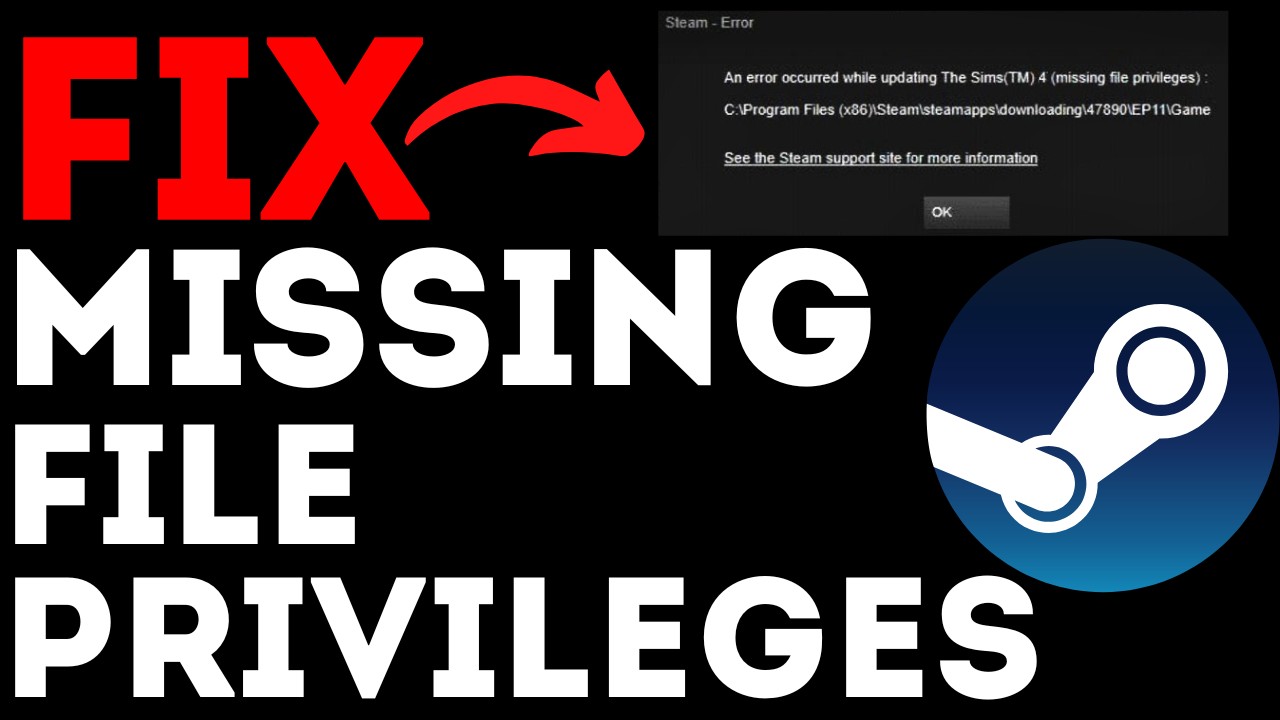
How to fix Steam error missing file privileges? In this tutorial, I show you several steps that will fix Steam error missing file privileges. This Steam Error has been stopping people from updating or playing games on Steam with a message of "Steam - Error An error occurred while updating (missing file privileges)". Let me know in the comments ...
it didnt fix anything


i uninstalled and reinstalled it and now i got this
wtf bruh
 uneven maple
This is a copy/paste from my reddit post just fyi
Can't Open Console in Ror2
RoR2
Title is essentially it, I have tried multiple keyboards and every combo of ctrl, shift and alt and even to the point of mashing every key while holding them in different combos until the console opened, but nothing. I know it is "control+alt+'" by default, and then "'" to open console, but it is not working. Has anyone else had this issue? My game is installed through Steam if that matters, and I do have the mod launcher installed but I am not using it at the moment. Game is updated as well.
steady topaz
uneven maple
Can't Open Console in Ror2
RoR2
Title is essentially it, I have tried multiple k...
`
Not ' or "
uneven maple
steady topaz
Not ' or "
Lmao word thanks
 granite dirge
I've been trying really hard to resolve this, but I'm getting such high ping on ror2 that it's unplayable in multiplayer. This is only happening on ror2 too, I've played CS2, TF2, Hunt: Showdown and more just fine. I've validated my files, did a clean reinstall, validated them again, changed my visual settings, none of that worked. I checked my drive speed, and it's way above average. My internet speed is also above average. My ping on Discord calling the same people I'm playing with maxes out at like 35, but averages lower. I've tried changing my settings, none of it works, and half my attacks just have an insane 10 second delay. I've looked at some of the servers in the public multiplayer, the average ping there is 250, with the minimum I've seen being 80. This used to run fine, but I took a long break to focus on other games, and went back to the game as a solo, but now that I'm trying it out again in multiplayer, the ping is just way too high. I've been researching all over, and after not finding anything after a few hours I asked some AIs, doing about everything they suggested, and I thought I'd finally come here instead.
steady topaz
granite dirge
I've been trying *really* hard to resolve this, but I'm getting such high ping o...
What's the ping though?
granite dirge
Most lobbies were 250-300
Absolute lowest I found was 80, it's just a problem for ror2
steady topaz
granite dirge
Most lobbies were 250-300
Did you get that ping reading from lobby or actual connection?
granite dirge
From a lobby preview, but in an actual game there were multiple full seconds of delay on attacks, up to 10. All same region as me in the lobby
steady topaz
granite dirge
From a lobby preview, but in an actual game there were multiple full seconds of ...
10 seconds delay is 10000 ping, you would've been timed out by the host if that was the actual ping.
Open up the console during gameplay, use ping command. Post what is the ttr= (may be rtt, don't remember, but you'll see it)
granite dirge
steady topaz
10 seconds delay is 10000 ping, you would've been timed out by the host if that ...
Well everyone else was rendering fine, it was just my attacks. I would use slicing winds and it would take multiple full seconds. It sounds like an exaggeration, I know, but its not.
granite dirge
steady topaz
10 seconds delay is 10000 ping, you would've been timed out by the host if that ...
Does it matter if I host a solo multiplayer or if I join someone?
steady topaz
@granite dirge delays that feel like a couple seconds are connection, but not ping related. Most likely nat restricted or relayed connection. Most of the times from connection to distant host or to spoofed one.
steady topaz
granite dirge
Does it matter if I host a solo multiplayer or if I join someone?
You'll never see any delay as a host.
granite dirge
Figured, let me find a public and see the numbers
actually, are you on to host one rq? i feel like joining a random one from china would be gimicky connection wise, and most NA players aren't up
steady topaz
@granite dirge nope, don't even have it installed. And also i am far from my pc.
granite dirge
oh, i found an empty dedicated one, ill run the command
hmm, that one didnt seem to work, but the only non-password protected server is in china
i mean i could run the command there ig, it just has base 260 ping
can't join that one, nvm
ugh i might have to do the command tomorrow then
it's too late to get a good lobby since basically everyone I know is asleep
steady topaz
@granite dirge so here's the deal.
When someone hosts they become the middle point for all clients, clients do not exchange anything between eachother. All computations are happening on host's pc. Host requires unrestricted, non relayed connection to every client both ways. Clients may work fine with restricted networks, but not always.
Connection by default is relayed through steam services. You can use direct connection or own relay (if it allows both ways data to pass unobstructed)
If you use vpn it may compress or straight delete required data. Recommend to not use any.
If you're using crossplay - don't, eos doesn't play nice with the game.
Your friend group can install radminvpn to emulate lan network. This will act like middlepoint instead of steam. It will punch through restrictive nat. Here's how: #ror2-tech-support message
Otherwise you need someone to connect to and test your connection. If you see long delays in game and desync of players that's likely some restriction. ISP rarely blocks p2p connections, mostly by bad nat. Games that have central server and programs like discord, steam, etc would work as usual. But p2p connections won't
Firewall also may cause the delays, but likely it will not allow connection in the first place.
Anti-virus with active network protectiins would 100% cause those delays.
Hosts with slow cpu and poor framerate too. If the game runs 60 frames at all times the clients likely won't feel any desync.
For example with 100ms ping you need to lead shots of artificer 2x more and will mark a 100% hitrate. But if host is lagging lead may be the same, yet hits won't be registered.
Try to use radmin with your host, other players may connect normally or use it too for better ping.
Additionally any mods mismatch may cause severe desync. Ingame compensation for that will eventually fail.
granite dirge
I'm sure an emulated VPN server would work, but I'd prefer to play with LFG, not a friend group
Other than that, I don't know what would be blocking it, since ror2 is allowed through windows defender/firewall, and it seems i'm the only one having problems.
It makes me think it would be some sort of obscure conflict
I'll take a look at some ISP settings later, into the settings of my router and all that
oh i finally found a lobby, i used ping on an english lobby twice and it was around 80 and 70
my average ping is like 15-20, upwards of 30, so it's quite confusing that it's happening consistently with this game, not just certain servers
i'd expect it to be slightly higher on things that don't have game servers like CS2, but it's way higher than reasonable
especially because 70-80 is on the lower end of some of these servers
 scenic obsidian
Hello! I seem to be having a problem where the game crashes on startup, more specifically as soon as the loading icon appears the game crashes, this started happening out of nowhere, right after I got a new graphics card (rtx 3050)
I tried verifying integrity of game files, tried running the game through the exe file, tried restarting steam, tried reinstalling the game, tried running the game in compatibility mode, tried turning off my anti-virus, and I tried updating my graphics card yet nothing works
Any help is appreciated I really wanna get this fixed before the DLC drops
steady topaz
scenic obsidian
Hello! I seem to be having a problem where the game crashes on startup, more spe...
Drop me error.log and output.log from most recent crashfolder. See paths in pinned messages. Appdata is a hidden folder, use run or winkey+r and type in appdata to access it.
scenic obsidian
UPDATE! I restarted my computer and that magically fixed it, I love technology
Sorry for any inconvenience
 frosty bay
just downlaoded the game and i can barely stay over 15fps thoughts?
im running a 3070 i7 87k 32gb ram i just wanna beable to turn without going to 1 fps
 warm kestrel
frosty bay
just downlaoded the game and i can barely stay over 15fps thoughts?
warm kestrel
frosty bay
just downlaoded the game and i can barely stay over 15fps thoughts?
It's a fricking hunk of a game
It dips quite a bit, especially when things get crazy...
I'm no technical expert though so who knows
orchid flame
it shouldn't be that low but i don't know if that's a good cpu, i guess so
steady topaz
@frosty bay other unity based games work fine?
steady topaz
warm kestrel
It's a fricking hunk of a game
It dips quite a bit, especially when things get ...
It never dipped below 30fps on a pc from 2012 (if you exclude totally melting conditions like 88 meteors active at once)
Those specs should run the game above 60 for more than hour long run on 4 player party.
steady topaz
orchid flame
it shouldn't be that low but i don't know if that's a good cpu, i guess so
🫡thoughts on dlc? Yay/nay?
orchid flame
steady topaz
🫡thoughts on dlc? Yay/nay?
YAY
well, at least for content, we will see if it will brings a lot of bugs or balance anyway
but from the look of it it look good to me
steady topaz
orchid flame
but from the look of it it look good to me
I am leaning more to nay, but you're totally right we will see.
orchid flame
Also i hope the fact that Take Two bought Gearbox doesn't bring any bad direction in the franchise or something
I'm pretty confident about the DLC for now and they took time to "unify the code" with the consoles too, but i hope they will patch some technical problems there is right now too
steady topaz
orchid flame
I'm pretty confident about the DLC for now and they took time to "unify the code...
I'll blindly burp this here, but if the engine version wasn't updated the cost for dlc is too high.
warm kestrel
steady topaz
It never dipped below 30fps on a pc from 2012 (if you exclude totally melting co...
I guess my experiences with Monsoon on switch are lone ones
sweet charm
steady topaz
I'll blindly burp this here, but if the engine version wasn't updated the cost f...
I really doubt they would only update the engine if you got the dlc though
Either they would go up versions for everyone or not at all
steady topaz
@sweet charm the way it works is the game will be updated to contain dlc for everyone, even those who didn't buy it. Only the access will be restricted.
It is entirely possible and even makes the most sense to update engine version for better performance to fit new items, for better support and codebase unity across game versions for platforms to further development ease and for bugfixes.
That's why i really hope the version gets updated.
So yeah, everyone or no one.
 proper beacon
Question have you guys had problems with anyone spawning in as a mob?
sweet charm
as in an enemy? no..
you running a mod that does that? shouldn't just randomly happen
Isee
no idea how that's possible
try reinstalling or verifying game files
 winged orbit
help my game will not load properly
 hollow wren
can't join like any multiplayer game at all
lunar cosmos
hollow wren
can't join like any multiplayer game at all
State your platform
 stray flower
I am having the same issue with a friend after we both turned off crossplay. Whenever we try to enter character select, it throws the other one out with a blackscreen.
We are on PC and we have tried reinstalling and the trick listed here: https://www.reddit.com/r/riskofrain/comments/iju98h/risk_of_rain_2_black_screen_when_joining/
Reddit
Explore this post and more from the riskofrain community
We turned off crossplay in hopes of fixing a different bug where we would always disconnect roughly half an hour into a run.
 manic violet
We're having the exact same issue :/
balmy root
Funnily enough turning on crossplay seems to solve it
Although I imagine the experience wont be pleasant
 manic surge
I'm having that problem as well
Whenever I try to start a game with my brother It kicks my brother out of the game back to the main menu
orchid flame
steady topaz
<@539495923353649152> the way it works is the game will be updated to contain dl...
i'm actually hoping they would have fixed the problems there is commonly here before but now i'm hoping they would do it after the dlc, actively trying to fix things that shouldn't have been this long to fix, for example "the double monitor problem" but that would be weird otherwise if they wouldn't do this after the serious issues the consoles had too, since there's not much communication on that it's just a wait&see now 
unless it's just a unity problem idk
 burnt umbra
I tried literally almost every solution out there, my game crashes upon the very first loading screen with no visible error, It just closes. I have no logs or anything, It literally just ends the task upon starting the first load
burnt umbra
restarting steam fixed it 🫥
stray flower
stray flower
I am having the same issue with a friend after we both turned off crossplay. Whe...
The bug fixed itself after we both started and quit a singleplayer game each!
 brave arch
anyone that understands a little in modpacks and stuff dm me i need help
brave arch
all good now
steady topaz
REMINDER
To wipe out mods before updating the game with new dlc.
Mod files are **not **deleted when you delete the game with steam. You have to delete them manually from game files folder.
Saves are stored in Userdata folder and won't be deleted, yet it's wise to turn off cloud save and do a manual backup.
 elder shuttle
I have an issue , I currently own risk of rain ps4 edition on my ps5 with survivors of the void dlc , but I am getting no free ps5 upgrade meaning I’d have to buy base game, survivors of void and seekers of the storm again?
 steady topaz
@icy totem @elder shuttle devs don't go here. Write a ticket to the gearbox support. Link pinned.
Or summon gearbox staff with role callout.
 icy totem
Okay, thank you
 tired geode

 lost hollow
Hiya,
My friend is having issues with ror2 on Xbox series x.
We are trying to select anything on the main screen menu and it’s not letting us click anything at all.
Any clue what this issue could be?
 wild osprey
lost hollow
Hiya,
My friend is having issues with ror2 on Xbox series x.
We are trying to s...
wild osprey
lost hollow
Hiya,
My friend is having issues with ror2 on Xbox series x.
We are trying to s...
Is the logbook greyed out?
steady topaz
lost hollow
Hiya,
My friend is having issues with ror2 on Xbox series x.
We are trying to s...
Can you create new player profile? Try it
lost hollow
wild osprey
Is the logbook greyed out?
Yes it is
 lost hollow
steady topaz
Can you create new player profile? Try it
lost hollow
steady topaz
Can you create new player profile? Try it
We’ll try that
wild osprey
Had the same thing on PS before the DLC dropped.
It was my save being corrupted. So that might be it. 🫡
lost hollow
I’m guessing the update messed things up
steady topaz
Unfortunately that's my guess aswell
 warm vine
I'm having the same issue on series s
lost hollow
Oh weird we just tried it on a fresh account and it’s fine but a game with save data is bugging
warm vine
So we'd have to delete our save data, lol
lost hollow
I’m sure a patch will be soon, I’m not able to check on pc as I’m not home. I wonder if it’s a console issue
warm vine
Seems to be
 woven prawn
even before the dlc, my game suddenly drops frames and then goes back to normal. my laptop is more than capable of running the game
 limpid loom
lost hollow
Yes it is
limpid loom
lost hollow
Yes it is
Exactly the same bug here lol
lost hollow
It’s weird we’re testing it now and when we connect the save data account to the split screen it crashes us
The save data account only has loader as a survivor in each slot then it crashes
But the non save data account is fine
orchid flame
lost hollow
Yes it is
Same here, series s
 rocky rover
for anyone who is stuck at the menu screen and can't start a run, make sure epic/steam crossplay is turned off
I had the same issue and that seems to have fixed it
sleek rover
Is anyone having trouble moving SOTV over from the ps4 version to the ps5 version
steady topaz
sleek rover
Is anyone having trouble moving SOTV over from the ps4 version to the ps5 versio...
We're currently investigating reports that the Free PS5 upgrade for Risk of Rain 2 is requesting players to purchase to take advantage of the next gen updates.
Thanks for your patience, we'll report back when we have more information. 🫡
 twin ore
What twitter account
orchid flame
Risk of rain twitter

 twin ore
Ty
 violet hawk
The game's not getting past the loading screen for me, I think it's because I didn't delete my mods before downloading the dlc, anyone have any ideas?
steady topaz
violet hawk
The game's not getting past the loading screen for me, I think it's because I di...
@orchid flame what a disaster. And also just as i expected gb fucked people over, like usually they do.
I won't buy the dlc, not because i am blocked out, not because other regions have the price 6 times more than the main game with other dlc + soundtrack, but bc gb has trashy business for many years now. This time i could slip an exception for the ror's heritage. But seems nothing changed since borderlands 1 times. So yeah. Rip.
 ionic prairie
Thank you btw @steady topaz goo for everything honestly, I know I joined hot headed and angry but you’ve actually been the only one to help me
 quartz socket
I just got the dlc and suddenly none of the buttons work in ror2? Like I can't play single player or multi-player can't even open the logbook
icy totem
quartz socket
I just got the dlc and suddenly none of the buttons work in ror2? Like I can't p...
Oh did you not hear the news? Gearbox aquired ror2
quartz socket
icy totem
Oh did you not hear the news? Gearbox aquired ror2
What does that mean??
icy totem
quartz socket
What does that mean??
That gearbox can never do things right
quartz socket
So uh. Do I just wait orrrr Do I gotta do a whole process to actually play the game
orchid flame
steady topaz
<@456226577798135808> what a disaster. And also just as i expected gb fucked peo...
I was waiting for theses, that's pretty sad, i think i won't buy it either
 harsh sapphire
I have none of my characters or artifacts? Is anyone else having this issue?
And the characters I have are missing their abilities that I unlocked
and Prestige skins
steady topaz
ionic prairie
Thank you btw <@302553827389865986> goo for everything honestly, I know I joined...
Glad to hear that, thank you. But it's ok. I was along and about with developed of the egret a bit.
I knew from the start about how gearbox does their business so fully expect bad outcome.
I am glad Duncan managed to steer this ship in the right direction. And accepted their decision to give up the ip. Geffry left HG because it's already a huge dedication and time spent for the game. I think he's right and will do the same.
Time to move on.
ionic prairie
steady topaz
Glad to hear that, thank you. But it's ok. I was along and about with developed ...
I love RoR and always have and always will, I don’t mind paying an extra 30$ for both dlcs. And I wouldn’t have minded rebuying the game for goodness sake. But to flat out lie about the price, and then say oh well we can’t help you? That’s another issue entirely not to mention the game is LITERALLY unplayable
steady topaz
orchid flame
I was waiting for theses, that's pretty sad, i think i won't buy it either
I mean if it's good it's good. Thanks for support, but you shouldn't give up fun if you think the price is reasonable.
Besides the team that assembled the code has nothing to do with higher ups decisions and geopolitics.
ionic prairie
All I wanted was to come home and play the new dlc I’ve been waiting several years for…
I’m just so disappointed in gearbox right now.
orchid flame
steady topaz
I mean if it's good it's good. Thanks for support, but you shouldn't give up fun...
i mean, right now it's a buggy mess anyway, might as well wait a bit i guess, i'm just curious the "trashy business" you're talking about, what's that for ? Releasing unfinished things or something ?
The prices locations are a pain tho, for a big company i would expect at least that for others countrys...
steady topaz
@orchid flame they are known for mistreatment of regions. Translations are trashy, prices are high, support nonexistent. Marketing and promo are predatory. Behavior and studio treatment poor.
In ru most of their games are pirated or not popular. Steam basically pulled russians out of piracy with good service, gb undone that completely for all of their games. It's literally easier to get a game on high seas than to pay in steam for it. So yeah, good management gb!
orchid flame
I see, sound like a lot of others big studios as well too, a repetitve cycle in the game industry right now :/
i mean editors mostly
 vague meadow
is there any way to turn the rarity outlines for items in multishops back on?


 dark berry
can anone help me wih this? i have the log for mocha and a bunch of other items, but i cant select hem with the artifact of command, they're locked. is this supposed to be like that? i know a long while ago when the dlc dropped i played and got mocca and then could select it with the artifact, but now i cant?
steady topaz
orchid flame
I see, sound like a lot of others big studios as well too, a repetitve cycle in ...
I started my poke your nose behind the gamedev curtain with indi game, i am sticking to that still. Number of aaa games i bought/played in last 5 years is 0 and i missed literally nothing.
But seeing alot of cool stuff that has no competition yet.
Look what dedicated to own work artist can do. They will spend nights to make sure each cm of their game is polished as much as possible, placing each sand grain on its place... by hand
https://cdn.discordapp.com/attachments/1060596254142374029/1268250012811526216/image.png?ex=66cf55de&is=66ce045e&hm=94231d020d91ec151860d3f428f750d063d56f541efb130de75436c131575701&
Big studios will make random gen with ai and never fix small details out of place.

 spring dirge
hey when I try to invite my friend to my game he gets a black screen then is kicked out anyone know why? We both are updated but only I have the DLC?
orchid flame
steady topaz
I started my poke your nose behind the gamedev curtain with indi game, i am stic...
Basically the same with indies, the only one i would try this year is Space marine, also using AI for theses is so bad ._.
steady topaz
spring dirge
hey when I try to invite my friend to my game he gets a black screen then is kic...
Connection problem, disable vpn, disable crossplay. If didn't work search my messages for radminvpn keyword for workaround.
orchid flame
one look at https://discord.com/channels/417739215355510784/1278019180154851358 made my body shiver
steady topaz
Daamn
 night bronze
I'm stuck at 3% and can't even launch the game, and every time I verify the integrity of the file there's a file missing every time I quit and restart
 torpid kettle
||having an issue with the new dlc, is there supposed to be a prompt or something here after the false son fight||

theres nothing else seemingly
 lost pelican
am having similar issue
 balmy copper
why i cant play i only can get in the main menu and cant press any option and the logbog is darken

 flat lodge
Same issue here on xbox
balmy copper
i know another thing that when i get in my friend account it work
 young crow
If you wanna play you have to delete your save data unless they patch the game
balmy copper
the different is my account is 100% and my fraind is still only 1 run
young crow
Old saves dont work at all since the next gen upgrade it seems and no one knows when its gonna be fixed
 balmy lodge
young crow
Old saves dont work at all since the next gen upgrade it seems and no one knows ...
balmy lodge
young crow
Old saves dont work at all since the next gen upgrade it seems and no one knows ...
So wait... does that mean a 100% progress wipe for old gen players?
young crow
Im not sure
young crow
I just know that ever since the next gen upgrade saves from before the next gen upgrade dont work at all
The only options is waiting however long it takes for them to patch it or deleting your save data
Im just gonna wait and see if they do anything and if they dont then ig im doing everything again
 livid hare
Think I might just restart, gives me something to do I guess. I just really don’t wanna to obtain some characters/abilities 😩
 worn plinth
Anyone else having the issue that steam shows you own the new DLC but in-game it's not appearing? Very confused and not sure if I'm missing something obvious, haven't played in a long time, do I need to progress to a certain point before it's available?
 timid forge
did the anti aliasing in the game get changed with the update? swear edges look so much blurrier now like it's TAA or something
 jaunty egret
i dont know where to report this but now when i take damage there is no visual effect on screen
 desert shoal
When I downloaded the update I lost 22% completion, all my mastery skins, 3 survivors, and half my logbook entries. please tell me there's a fix for this?I haven't even tried to play the new content because so much of my previous progress disappeared. It still shows the correct time played and even shows my previous runs before the save is gone (Some featuring survivors that it now says I haven't even unlocked)
following FAQ instructions
 naive narwhal
After I downloaded sots my graphics seem to be downgraded and the visual effect for getting hurt isnt showing up. Is there a way to fix this?
Im on Steam Deck btw
 fathom oxide
naive narwhal
After I downloaded sots my graphics seem to be downgraded and the visual effect ...
fathom oxide
naive narwhal
After I downloaded sots my graphics seem to be downgraded and the visual effect ...
They removed the damage alert
Everyone is dealing with that
naive narwhal
Will it be readded? Even as an option would be noce
 velvet needle
my friends and I turned on crossplay but the invite system was being kinda weird for steam so we turned it off again and now all of our games are out of sync so we cant do online at all. does anyone have a solution to this? we tried turning cross play back on but its still not working

if I try to retry the sync it still wont work
nevermind
just had to uninstall and reinstall
so for anyone also having this issue just reinstall the game
 lament socket
velvet needle
so for anyone also having this issue just reinstall the game
lament socket
velvet needle
so for anyone also having this issue just reinstall the game
thank you 🙏
velvet needle
lament socket
thank you 🙏
no problem man lol
 nocturne pond
hello, been enjoying ror2 and the update with my friend however, my friend has been having this issue where the game randomly kicks him back to the lobby and he can't rejoin, is there a way to fix this? This has happened to him before the dlc as well. Thanks
 raw ermine
nocturne pond
hello, been enjoying ror2 and the update with my friend however, my friend has b...
raw ermine
nocturne pond
hello, been enjoying ror2 and the update with my friend however, my friend has b...
I've ran into a similar issue, not sure what to do... UPDATE: Happened 2 more times....
 autumn garnet
I’m on my ps5 and I owned the game before the update but after that it’s asking me to buy the game again for the ps5 version
 civic path
whenever I boot up the game, it keeps getting stuck at 51 %
 lament socket
is the dlc just unplayable right now?
autumn garnet
autumn garnet
I’m on my ps5 and I owned the game before the update but after that it’s asking ...
 lament socket
i bought it its in my library but its still locked in game and nothings new
 digital pier
Hey my game is not loading past 3% during loading screen. I boot up the game before wiping out the mods, maybe that was the issue, so I deleted it but it still persists. Is there any way to fix this?
lament socket
digital pier
Hey my game is not loading past 3% during loading screen. I boot up the game bef...
uninstall and reinstall? Could be that everyone wants to play right now so we should just give them some time
autumn garnet
autumn garnet
Does anyone else on console have to go through this?????
night bronze
guys I would really like some advice, I can't even open the game after buying the dlc and its stuck at 3% loading when the game starts up and whenever i exit out of the game to verify the integrity of the files, 1 file fails to validate each time I exit out the game. Any help would be great
 karmic quartz
I was able to get the ps5 upgrade but the sotv dlc did not carry over. Is that intentional?
 simple breach
Im not sure why but im playing as seeker and mythrix is invincible to everything in his final phase?
 craggy crane
has anyone been able to make a lobby with >4 players? using console commands?
 paper venture
digital pier
Hey my game is not loading past 3% during loading screen. I boot up the game bef...
paper venture
digital pier
Hey my game is not loading past 3% during loading screen. I boot up the game bef...
@night bronze
what worked for me was just completely resetting my device
 glossy scarab
Unlock dlc for Russia
digital pier
paper venture
<@670345528529125401>
what worked for me was just completely resetting my devic...
got it working fine
thanks!!
 zenith jewel
i need help. there are zero games appearing in my multiplayer menu no matter what setting i sleect or deselect
zenith jewel
ok now this issues is intermettent and it wont let me join clipboard lobbies
night bronze
paper venture
<@670345528529125401>
what worked for me was just completely resetting my devic...
Did not help, unless you meant doing a factory reset cause I've restarted my pc a bunch of times and still no luck
 vague oxide
digital pier
got it working fine
vague oxide
digital pier
got it working fine
what did you do to fix it?
 obsidian prism
I got mine to start working after updating my graphics drivers.
 sullen saffron
Hi there, my friend was trying to play but it crashes immediately with no error logs - we've tried uninstall/reinstall, verify files, and driver upgrades to no avail
and he only has one monitor so that doesn't affect it i don't think?
Would anyone happen to know a fix?
 signal ether
same thing happening to me rn
 west dune
hello, i lost all my progress for ror2 on my epic games account. I reinstalled my game to see if it would fix a bug, and i clicked local files instead of cloud files. is there anything i can do to get my progress back?
 sick gorge
anyone know what im supposed to do when it says approach the shrine on stage 4
nothing happens when i walk up to it
 orchid flame
graceful delta
why am i getting so much trouble with this game now
orchid flame
graceful delta
why am i getting so much trouble with this game now
happened in SOTV too dw
graceful delta
orchid flame
happened in SOTV too dw
would you happen to know how to fix the issue?
CORRUPT UPDATE FILES


i just wanna play the new update why is it being so cringe rn
mfw it just randomly works
it shuts down when i try to start it
why is the game like this bro

wwhat does this mean
orchid flame
graceful delta
would you happen to know how to fix the issue?
i don't remember sadly :x
graceful delta
orchid flame
i don't remember sadly :x
orchid flame
graceful delta
<:pepepoopoo:1139720587556700180>
look the pins and if you can bring the crash log if there is any
i don't remember the path file
orchid flame
do you have a SSD ?
 tender frigate
I accidentally input a key combination that turned on this overlay and I can’t figure out how to turn it back off help

I’m playing on a tiny ass portable keyboard and my fingers kept slipping
 timber current

 signal ether
my game keeps crashing everytime i try to start a multiplayer lobby, any help? i can play just fine in single player
 remote compass
does anyone know how to downpatch
 light cobalt
The main menu doesn't work, and the logbook is greyed out on xbox.
The game is basically unplayable.
 rapid sorrel
help me, my friend cant turn on cross platform play in the game, after he is turned it on, he restart the game and its crashed, and settings are off again
 violet shale
Just going to put this on here I bought the ps5 upgrade which is supposed to be free and also at the time the game didn't actually work (stuck in main menu can't select anything) contacted PS support they have issued a refund hope this helps for anyone who has had this problem too
 fleet night
What do I do in this situation 🙏 🙏 https://www.youtube.com/watch?v=9U9DOcTwcqk

Follow me on Twitter: https://twitter.com/bloomylumi
 keen walrus
Having a similar issue to someone else here. Menu is unresponsive, and it looks like my profile isn’t signed in.
To clarify, this is also happening on my xbox.
orchid flame
yo when i play multiplayer my friends chat name is blank so i cant see their names and in game it just says their classes not names
 fading laurel
keen walrus
To clarify, this is also happening on my xbox.
fading laurel
keen walrus
To clarify, this is also happening on my xbox.
ive heard that if you plug in a 2nd controller something like that happens, other than that everyone knows that you cant play at all on consoles rn, or on xbox at least
 wheat rapids
tender frigate
I accidentally input a key combination that turned on this overlay and I can’t f...
wheat rapids
tender frigate
I accidentally input a key combination that turned on this overlay and I can’t f...
That's not the game. Looks to be you're on the Steam Deck. It's an overlay for the device.
orchid flame
fading laurel
ive heard that if you plug in a 2nd controller something like that happens, othe...
I've heard switch is fine but idk for sure
 slow needle
hey does anyone know how to downgrade the game back to the devotion update version?
tender frigate
wheat rapids
That's not the game. Looks to be you're on the Steam Deck. It's an overlay for t...
How do I turn it off
And yeah I’m on a steam deck
wheat rapids
tender frigate
How do I turn it off
Press the ... button & go to the battery icon. Then there's a slider called performance overlay. Just turn that slider all the way to the left & it should turn off.
tender frigate
thanks
 placid valley
my game wont start it load to 3% and crash on pc by the way
tender frigate
It worked, you da best
placid valley
can no one help me?
 timid wave
Is my laptop ram fried or is there something else happening

 wild pivot
multiplayer refresh doesn't populate any tips?
 stray abyss
is this teleport spawn nomral?
I just spent the last 8 mins searching for this one, time to restart the run 😦
 solemn quail
How do you downgrade risk of rain 2 on steam? I'd like to return to the devotion update version, because the new update breaks not just the base game, but also gives me issues with mods
 spiral verge
im having a problem where when i boot the game it stops loading at 53% and when i boot it with mods it stops at 99%
fixed
quartz socket
Okay so I reset Uninstalled reset cache. Tried to play it didint work. Un-installed cache un-installed game reinstalled game. Still didint work
 untold flume
My game loads to 51% then just stops, I played earlier yesterday with no problem any idea what's causing this?
 pastel granite
I lost all my progress after downloading the new dlc what should I do?
quartz socket
quartz socket
Okay so I reset Uninstalled reset cache. Tried to play it didint work. Un-instal...
Adding onto this. It's just my xbox account. I log onto my fiances account with my xbox and it works just fine. She logs into her account on her xbox works just fine but if she logs onto my account on her xbox ror2 doesn't work. At all
 willow iris
I thinks it’s playing time. The more time played you have on your profile the more likely it is that you can’t get on Xbox. I made an alt account and I can play the base game just fine.
orchid flame
solemn quail
How do you downgrade risk of rain 2 on steam? I'd like to return to the devotion...
Nebblet posted this on the starstorm 2 mod discord, you can serach it on R2modman probably https://github.com/risk-of-thunder/RoR2VersionSelector or just using the github
GitHub
RoR2 Version Selector. Uses DepotDownloader behind the scene. - risk-of-thunder/RoR2VersionSelector
For anyone that want to downgrade patch until they fix things up
 viral orchid
It's been like this for a while...

 dawn wharf
so are all of the laser attacks invisible for everyone else too? ive been killed by invisible diablo strikes and stone golem lasers too many times now
 compact pumice
corrupted profiles fix?
 latent atlas
@tepid sedge quick thing was the slipt screen for switch bc i would love to play it but i dont know if its on it
 tepid sedge
slipt screen?
latent atlas
tepid sedge
the game should be
i mean yea but its on ps and xbox
so what about switch fans
tepid sedge
i think i might not be following something haha, sorry
what are you asking about exactly?
latent atlas
tepid sedge
i think i might not be following something haha, sorry
if i can play with my brother with not owning mult copys of the games
tepid sedge
oh you mean like split screen
latent atlas
tepid sedge
oh you mean like split screen
yea
tepid sedge
idk about that, i dont have it on switch myself
if it was added to other consoles i would assume it would also be on switch? but im not sure, i havent paid much attention to that
latent atlas
tepid sedge
idk about that, i dont have it on switch myself
can you ask if they can add it please i be
happy
@tepid sedge il should i got HOURS ON THIS GAME
balmy root
tepid sedge
idk about that, i dont have it on switch myself
Its not on switch
Likely due to performance and capacity problems
latent atlas
@tepid sedge I HAVE HOURs and i would like to play with my brother
 latent atlas
balmy root
Likely due to performance and capacity problems
latent atlas
balmy root
Likely due to performance and capacity problems
i have no problems with it
@balmy root + seekers of the storm is big af and it runns fine
balmy root
latent atlas
i have no problems with it
Me neither but ever since the newest update crashes have become quite the common occurrence
latent atlas
balmy root
Me neither but ever since the newest update crashes have become quite the common...
how
balmy root
latent atlas
how
Idk but various things seem to cause crashes
latent atlas
i did a stage 20 run and no problems
balmy root
I once even crashed frame 1 of loading into a run
balmy root
latent atlas
i did a stage 20 run and no problems
Was it on the current update?
latent atlas
balmy root
Was it on the current update?
yea
balmy root
Because I only ever crashed once in my 400 hours prior
balmy root
latent atlas
yea
Interesting
latent atlas
@tepid sedge i just saying this can you ask them bc that would mean alot to me
@balmy root im goona just try
latent atlas
balmy root
Interesting
i dont have it modded or shit
balmy root
Well yeah youre on switch
 twin hatch
#announcements message regarding gifted dlc's, can they get adjusted to the regional pricing?
twin hatch
hope i can get a response, thank you @proper kiln since its almost half price.
 obtuse bear
guys what option should i go with

refund or charged the wrong amount
because its cheaper because of regional pricing now
 worldly reef
Why can't Risk Of Rain 2 be bought in Russia, but it's still available in that region?
 real condor
obtuse bear
guys what option should i go with
real condor
obtuse bear
guys what option should i go with
They recommended us to refund it fully and then repurchase at the new price. Any of those options should work though.
I'd do the full refund just to be safe
 dire prawn
can someone go on a call and help me get loader
 errant wind
can someone help me get mods
 placid fog
is acrid supposed to not trigger shift by bumping into a wall anymore during a jump
placid fog
worldly reef
Why can't Risk Of Rain 2 be bought in Russia, but it's still available in that r...
забей хуй и свапни на казахстан
так с 99% игр
 valid plume
trying to load mods but im stuck at 99% when loading in to game
anyone have solution?
 acoustic scaffold
How do you pause on multiplayer?
 burnt cliff
can someone tell me what i need to do to get my ror to work again? after i updated my amd drivers i havent been able to fullscreen the game, every time that i do it results in my whole pc crashing and then afterwards 1-2 files fail to validate too, its been doing this for about a week now
 magic ivy
valid plume
trying to load mods but im stuck at 99% when loading in to game
magic ivy
valid plume
trying to load mods but im stuck at 99% when loading in to game
most mods are still broken
 polar hazel
I got the PS5 upgrade and now it's making me rebuy survivors of the void as well as keeping me locked on the main menu any fixes?
 sonic tiger
acoustic scaffold
How do you pause on multiplayer?
sonic tiger
acoustic scaffold
How do you pause on multiplayer?
There's a setting you need to turn on. Afterwards, go into the pause menu and click "Pause".
 thorn canopy
Any news on fixing the issues going on with the console menu bug that's stopping people from playing?
 fickle depot
polar hazel
I got the PS5 upgrade and now it's making me rebuy survivors of the void as well...
fickle depot
polar hazel
I got the PS5 upgrade and now it's making me rebuy survivors of the void as well...
I'm having the same issue
 winged moat
can someone help me downpatch
 edgy zinc
My game takes longer than any other game to boot up every time, tried adjusting config to remove the intro but no luck, anyone else experiencing this issue or have a solution? Even shader caching of a modern UE5 game takes less time than booting up this game for whatever reason
Just timed it and it takes me 2 minutes and 20 seconds from pressing play on steam to loading into the menu which is frankly speaking unacceptable on a modern NVME drive 😄
Also noticed that verifying game integrity seems to reset audio, video and graphics settings
Oh also some of the gameplay settings like sprint sensitivity reduction
 fiery oasis
I need help
 hollow prairie
Hey I have had a problem with multiplayer that where i join a friends server (or he joins mine) and then when we start the game it only takes the party leader in. I have already verifyed game files, reinstalled, and done everything listed here (https://www.reddit.com/r/riskofrain/comments/iju98h/risk_of_rain_2_black_screen_when_joining/)
Reddit
Explore this post and more from the riskofrain community
anyone know whats wrong/ how to fix it
we have epic crossplay disabled btw
 unkempt bluff
Does anyone know if there is a console command or anything that sends you to the next stage? They said they fixed the edge case that causes the tp to not spawn but obv not
 proven briar
Does anyone know how to fix ror2 stuck at 3% loading? I've tried reinstalling the game and verifying game files but neither have consistently worked so far. I'm playing on an M3 MacBook Air via whisky
 spare path
So idek if this is a risk of rain issue or if Xbox just hates me. I've made 2 alt accounts now to play since the new update so I don't wipe my progress. Both of them have been locked out of Xbox entirely due to violating terms of service. All I've done is play risk of rain 2.
 severe thunder
For people who want to downgrade ROR2 using steam console:
open Run command window and type in steam://open/console
in steam console type: download_depot 632360 632361 9058106608706845920
it is a depot for previous ror2 version
copy and swap the downloaded depot files to ROR2 folder
turn off automatic updates in steam properties for ROR2
this should work (it did for me)
 sacred fulcrum
I just tried to install Risk of Rain 2 since it heard it just got a new dlc and whenever i try to play it i've encountered the same seemingly unsolvable issue.
Whenever i boot up the game it opens up to a black screen with no sound or anything and if i press a button or do anything it crashes
I've tried restarting steam, restarting my pc, reinstalling the game, verifying files, refunding and repurchasing the game, alt enter to go into windowed mode, changing my high DPI settings in properties, and a ton of other methods from the 3 and a half hours i spent trying to get it to work yesterday
 versed copper
is there a way i can just like go to the version before the update?
i cannot play some of my favorite survivors the way the game exists right now and its pissing me off
sacred fulcrum
versed copper
is there a way i can just like go to the version before the update?
so like in the betas tab?, i'll try that hold on
versed copper
sacred fulcrum
so like in the betas tab?, i'll try that hold on
there are no public ones
sacred fulcrum
oh well nvm then
versed copper
gearbox try not to ruin a game challenge
sacred fulcrum
versed copper
gearbox try not to ruin a game challenge
yeah i installed the game so i could play it with my friends who also have it and they both told me the exact same thing lmao
 brave sage

GitHub
RoR2 Version Selector. Uses DepotDownloader behind the scene. - risk-of-thunder/RoR2VersionSelector
versed copper
loader, acrid and merc are borderline unplayable right now
brave sage
use this to downpatch the game, DLC won't work but at least the game will be playable
versed copper
i dont ever plan on getting the DLC so its fine
brave sage
great
severe thunder
brave sage
https://github.com/risk-of-thunder/RoR2VersionSelector
yeah either use this or #ror2-tech-support message this to downgrade the game
 latent axle
i bought the dlc yet cant play due to "content file locked" ive tried a bunch of different tutorials and ive written to steam support roughly 24 hours ago and theyve yet to respond so im trying my luck with you guys
 viral oriole
latent axle
i bought the dlc yet cant play due to "content file locked" ive tried a bunch of...
viral oriole
latent axle
i bought the dlc yet cant play due to "content file locked" ive tried a bunch of...
Anything relevant showing up in Steam log files? Specifically, in …/Steam/logs/content_log.txt.
latent axle
Steam\steamapps\common\Risk of Rain 2\Risk of Rain 2_Data\StreamingAssets\Audio\GeneratedSoundBanks\Windows\antiHeal.bnk"
i forgot that i did look at that file earlier today after it popped up as an error on steam but i have next to no knowledge about this tuff so idk what to do about it
viral oriole
latent axle
Steam\steamapps\common\Risk of Rain 2\Risk of Rain 2_Data\StreamingAssets\Audio\...
I'd try to delete/rename the file or check that nothing's holding that file open (and if something is, exit that program – error message will tell you which, apparently); then I'd then verify files to get Steam to redownload and replace it).
latent axle
i tried it and it did not work :c even after reinstalling the game verifying game files and reparing libary
the files gone 😦 lost at sea or something :,C
hollow prairie
hollow prairie
Hey I have had a problem with multiplayer that where i join a friends server (or...
still got this issue if anyone can help
 fickle forum
How do I start split screen on pa5 I can’t seem to get it working
 fresh plinth
Can someone please help me with my controller? For some reason, the right stick won't work, and I don't know what to do about it
 thin umbra
I cant find the dlc in the nintendo store
I only see the base game and the survivors of the void dlc
fresh plinth
fresh plinth
Can someone please help me with my controller? For some reason, the right stick ...
please help, I just want to be able to play with a controller again >_<
 oak latch
hello guys, my multiplayer kicks my friend out when i get to the last stage
what can I do?
sometimes also after 20/30 minutes
 keen veldt
fresh plinth
Can someone please help me with my controller? For some reason, the right stick ...
keen veldt
fresh plinth
Can someone please help me with my controller? For some reason, the right stick ...
do the analog triggers move your camera? because if then the game might need you to use DS4Windows
 pearl crypt
oak latch
hello guys, my multiplayer kicks my friend out when i get to the last stage
pearl crypt
oak latch
hello guys, my multiplayer kicks my friend out when i get to the last stage
I have the same thing happening all the time. I tried everything, nothing helped.
 tame nova
I cant click on single Player and i cant choose WHO i want to play
IT doesnt even let me click on it
oak latch
pearl crypt
I have the same thing happening all the time. I tried everything, nothing helped...
before this update i try to play with another person and fixed i
it*
but now doesn't work
keen veldt
pearl crypt
I have the same thing happening all the time. I tried everything, nothing helped...
i tried using the dedicated server on Steam and it doesn't seem to work anymore. Gives a bunch of errors about it being unable to load shaders, IDK if I'm missing something
so this problem is just here to stay and prevents you from playing multiplayer
pearl crypt
pearl crypt
I have the same thing happening all the time. I tried everything, nothing helped...
the world seems to hang and just everyone starts walking endlessly in the same direction and you can't interact with anything. at the same time, everything is fine with the host and it shows that I am simply not in the game
keen veldt
i'd imagine it's a problem with an unstable internet connection, but like, why does it always happen on the last stage
pearl crypt
in other online lobbies, everything is fine and this has never happened. It's when I'm playing with a friend that this happens. and it doesn't matter who the host is
pearl crypt
How is this supposed to help?
pearl crypt
How exactly did you fix it?
oak latch
just play a game with a steam friend but not same friend
pearl crypt
and?
pearl crypt
Well, I also played with other friends. there was no such problem with them.
pearl crypt
what exactly are you going to do to fix the problem. If you just play a race, I don't think it will fix everything.
keen veldt
bro he just told you playing with a different person helped him once and solved the problem on an older game version
pearl crypt
...
fresh plinth
keen veldt
do the analog triggers move your camera? because if then the game might need you...
No, it only works when I hold the center button down
knotty cliff
steady topaz
Sounds wrong.
Give me this:
C:\Users\ <UserName> \AppData\LocalLow\Hopoo Games, ...
i don't have a output_log.txt, only player.log
 loud pagoda

Anything I can do it shows I have runs with false son and unlocked the new equipment but they show as locked
I’ve closed and opened my game like five times
This on Xbox btw
Also missing loader’s meridian skin and all new item logbooks
Anyone know anything I can try
 glass sedge
anyone know wht to do my ror2 wont start bc it closes at 3%
 blazing sail
Uhhhh what?

 mild kraken
hello, one of my friends has motion blur on ror2 (even though the game doesn’t HAVE it) after downpatching, and after checking amd GPU settings im at a loss on how to fix it it because motion blur sucks
if anyone knows please dm or @ me thank you
this is confusing me so much
 final coyote
Does anyone know how to fix the glitch on ps5 were nothing will load? Log book won’t load, when I click on lobby it shows like 10 of the same character and it also doesn’t let me click difficulties or artifacts.
mild kraken
mild kraken
this is confusing me so much
deleting config fixed this, there is a hidden flag for motion blur in the game 😭
fresh plinth
fresh plinth
Can someone please help me with my controller? For some reason, the right stick ...
Still having this issue
 wraith elbow
Tried to play and loaded it up on switch ☹️idk https://discord.com/channels/417739215355510784/1279676779904106559


 signal gate
I was playing false son yesterday launched the game with a few mods didnt work but now i dont have false son unlocked
 pale musk
what the fps limit on pc so the difficulty scaling is normal on monsoon?
mild kraken
pale musk
what the fps limit on pc so the difficulty scaling is normal on monsoon?
play on 60
orchid flame
wraith elbow
Tried to play and loaded it up on switch ☹️idk https://discord.com/channels/4177...
using a switch is your first mistake
 empty swan
 cosmic ether
my friend playing ror2 on pc are getting kicked from the lobby at character selection
 summer cairn
My friends and I can join each others lobbies but whenever one of us actually creates the game to go to character select it kicks the others out, is this a common thing with a fix or is this just us
 somber mesa
can we play on PC w/ split screen after the lastest update?
 onyx ether
do i have too down patch to play with cwt ?
 marble jolt
beetle guard

 sleek rose
everytime i try to launch the game it puts me in the loading screen for a good second or 2 and then just crashes...
i tried uninstalling, verifying files, deleting mods, and even then deleting folder's connected to the game along with the most recent driver update
orchid flame
onyx ether
do i have too down patch to play with cwt ?
probably
if the mod isn't updated at least
 burnt nova
hi guys, i have down patched by following cabbage's wiki guide. I have selected "Only update this game when I lauch it" from the steam updates options. How do I ensure this will never update the game? Will I get an option to skip the update?
 mint torrent
IDK if this goes in here, but here we go:
I bought SOTS on launch day, but on Humble Store, and I can't get a refund. I feel a bit scammed, having bought the DLC at full price now
I can provide recipts and de-blurred screenshots to support rep if needed

 ancient granite
Has anyone figured out whats causing the game to stop loading after 3% on start up? I cannot play the newest version of the game after it loaded once. Downpatching to the previous version (pre dlc) works perfectly fine but this update only booted successfully once and has bricked my game since.

I found a reddit thread with some other people having the same issue but it seems the "fixes" are all over the place and none of them worked for me
Reddit
Explore this post and more from the riskofrain community
ancient granite
Okay new development. I turned off steam overlay and the game managed to get all the way to 53% before it stopped and started looping the music that plays during the cut scene. Incredible.

verified the game files and its back to 3% omg
gearbox what have you done
viral oriole
Is something interfering, perhaps? Some third-party utility?
ancient granite
I've tried narrowing it down as much as I could. Some people said chrome could do it or discord but I shut off nearly every other program on my pc and it still doesn't boot
 fleet grove
anybody else struggling to launch ROR2 on their steam deck?
mine launched once after checking the integrity of files
then the day after, on the train, it couldn't get past 3% on the initial load
wraith elbow
orchid flame
using a switch is your first mistake
🫤 thanks for the useless comment.
orchid flame
wraith elbow
🫤 thanks for the useless comment.
Well this updates useless 😠
wraith elbow
That's helpful thanks for the very helpful information.
🫤
 tardy thorn
I'm trying to get the game running on my Steam Deck but I can't get it to launch. It'll start up for a few seconds then a box with an exclamation point will appear and the game crashes. Looking into online i've tried all the fixes I could think of but nothing helped. Does anyone have any ideas?
ancient granite
fleet grove
then the day after, on the train, it couldn't get past 3% on the initial load
From what I could gather the root of the problem seems to be that the new update does not save the config file like at all and it freaks out on start up
tardy thorn
ancient granite
From what I could gather the root of the problem seems to be that the new update...
Do you know if there's a fix for that? I verified the config file was in the correct location but I'm still crashing at startup
ancient granite
tardy thorn
Do you know if there's a fix for that? I verified the config file was in the cor...
Honestly not sure. Steam decks are linux based and I'm on windows.
But if theres no obvious fix for windows then I doubt there will be one for linux at the moment. I don't think theres anything we can really do until gearbox can straighten out the spaghetti code.
tardy thorn
ancient granite
Honestly not sure. Steam decks are linux based and I'm on windows.
Yeah, guess it's just a waiting game at this point. Of course I pick the day they break the game to finally try it out lol
 idle canyon
Me and my friend are playing multiplayer on PC, the host can play the game perfectly fine but the one connecting lags so bad they cant use abilities, hurt enemies, open chests or do really anything
we arent having any internet issues
viral oriole
tardy thorn
I'm trying to get the game running on my Steam Deck but I can't get it to launch...
Set the launch command to PROTON_LOG=1 %command%, try to launch, have a look at or upload/pastebin ~/steam-632360.log. Might be something useful there.
~/.local/share/Steam/steamapps/compatdata/632360/pfx/drive_c/users/steamuser/AppData/LocalLow/Hopoo Games, LLC/Risk of Rain 2/Player.log may also be useful.
(Also, desktop mode or game mode?)
tardy thorn
viral oriole
Set the launch command to `PROTON_LOG=1 %command%`, try to launch, have a look a...
Won’t lie, I pirated it originally to see how it would run on the deck. I know the latest updated borked the game so I was hesitant to actually buy it. Spent a couple hours troubleshooting with no luck. I just ended up just buying the game and downgrading it to a version before the patch, seems to be running fine so far.
 smoky zodiac
anyone know why it'll show me in a lobby but not bring me to the character select?
 viral oriole
smoky zodiac
anyone know why it'll show me in a lobby but not bring me to the character selec...
viral oriole
smoky zodiac
anyone know why it'll show me in a lobby but not bring me to the character selec...
No idea, but there may be something relevant in Player.log.
smoky zodiac
this seems to be the place in the log where the problem would have occurred, but I'm not 100% sure what this indicates

Pastebin
Pastebin.com is the number one paste tool since 2002. Pastebin is a website where you can store text online for a set period of time.
viral oriole
smoky zodiac
https://pastebin.com/1HecBXXC
Tested multiplayer here – works (joining), works (launching local), but I've not tested with other players joining (and I've run out of time for now).
Main problem's the network time-out, clearly; firewall blocking outgoing packets, or possibly dropping replies?
Also, your log indicates that there's a corrupted file (old run record in …/Risk of Rain 2/Risk of Rain 2_Data/RunReports/History/). These files should begin with
<?xml version="1.0" encoding="utf-8"?> <RunReport> <version>2</version>.
smoky zodiac
thanks
 jolly cedar
smoky zodiac
anyone know why it'll show me in a lobby but not bring me to the character selec...
jolly cedar
smoky zodiac
anyone know why it'll show me in a lobby but not bring me to the character selec...
I'm having the same issue
friend tries to join, i start game, he doesnt get accepted into character select
For iteration 0, out of 1
Adding local player controller 0 on connection hostId: -1 connectionId: 0 isReady: False channel count: 0
NetworkManagerSystem.AddPlayerInternal(conn=hostId: -1 connectionId: 0 isReady: False channel count: 0, playerControllerId=0, extraMessageReader=NetBuf sz:274 pos:274
A connection has already been set as ready. There can only be one.
For iteration 0, out of 1
Player 0 already added, aborting.
Could not load config /Config/server_pregame.cfg: Could not find file "M:\Program Files\Steam\steamapps\common\Risk of Rain 2\Risk of Rain 2_Data\Config\server_pregame.cfg"
Attempting to generate PreGameVoteController for Superasil
Unloading 320 unused Assets to reduce memory usage. Loaded Objects now: 203842.
Total: 133.243900 ms (FindLiveObjects: 10.455200 ms CreateObjectMapping: 11.304200 ms MarkObjects: 109.426500 ms  DeleteObjects: 2.057600 ms)

Received vote from Superasil
Accepting vote from Superasil
InputSourceFilter.Refresh: Null eventSystem on CharacterSelectUIMain(Clone)
InputSourceFilter.Refresh: Null eventSystem on CharacterSelectUIMain(Clone)
Internal: JobTempAlloc has allocations that are more than 4 frames old - this is not allowed and likely a leak
OnLobbyStateChanged memberStateChange=Entered initiatorUserId=76561198044022962 affectedUserId=76561198044022962
Incoming Steamworks connection from Steam ID 76561198044022962: accepted
Incoming Steamworks connection from Steam ID 76561198044022962: rejected
OnLobbyStateChanged memberStateChange=Left initiatorUserId=76561198044022962 affectedUserId=76561198044022962
NetworkManagerSystem.OnClientP2PConnectionFailed steamId=76561198044022962 sessionError=Timeout
Closing connection with steamId 76561198044022962
Empty player list given to NetworkServer.Destroy(), nothing to do.
Closing connection with steamId 76561198044022962
Empty player list given to NetworkServer.Destroy(), nothing to do.
NetworkManagerSystem.OnClientP2PConnectionFailed steamId=76561198044022962 sessionError=Timeout
OnLobbyStateChanged memberStateChange=Entered initiatorUserId=76561198044022962 affectedUserId=76561198044022962
Incoming Steamworks connection from Steam ID 76561198044022962: accepted
Incoming Steamworks connection from Steam ID 76561198044022962: rejected
OnLobbyStateChanged memberStateChange=Left initiatorUserId=76561198044022962 affectedUserId=76561198044022962
NetworkManagerSystem.OnClientP2PConnectionFailed steamId=76561198044022962 sessionError=Timeout
Closing connection with steamId 76561198044022962
Empty player list given to NetworkServer.Destroy(), nothing to do.
Closing connection with steamId 76561198044022962
Empty player list given to NetworkServer.Destroy(), nothing to do.
NetworkManagerSystem.OnClientP2PConnectionFailed steamId=76561198044022962 sessionError=Timeout
OnLobbyStateChanged memberStateChange=Entered initiatorUserId=76561198044022962 affectedUserId=76561198044022962
Incoming Steamworks connection from Steam ID 76561198044022962: accepted
Incoming Steamworks connection from Steam ID 76561198044022962: rejected
OnLobbyStateChanged memberStateChange=Left initiatorUserId=76561198044022962 affectedUserId=76561198044022962
NetworkManagerSystem.OnClientP2PConnectionFailed steamId=76561198044022962 sessionError=Timeout
Closing connection with steamId 76561198044022962
Empty player list given to NetworkServer.Destroy(), nothing to do.
Closing connection with steamId 76561198044022962
Empty player list given to NetworkServer.Destroy(), nothing to do.
NetworkManagerSystem.OnClientP2PConnectionFailed steamId=76561198044022962 sessionError=Timeout
InputSourceFilter.Refresh: Null eventSystem on SettingsPanel(Clone)
InputSourceFilter.Refresh: Null eventSystem on FooterContainer
InputSourceFilter.Refresh: Null eventSystem on FooterContainer```I'm not a programmer or anything but all I see related is "Incoming Steamworks connection from Steam ID 76561198044022962: accepted Incoming Steamworks connection from Steam ID 76561198044022962: rejected", just accepted and then instantly rejected.
We both have Crossplay disabled
 fervent plover
anyone having massive lag issues within multiplayer Ror2. no matter which one of my friends host we are all lagging. no frame issues just what seems like packet loss or high ping.
ancient granite
ancient granite
Okay new development. I turned off steam overlay and the game managed to get all...
managed to recreate this. If you replace the new config file with the old one and turn the intro/splashart skip values from 0 to 1 you get stuck at 50~ percent and the music loops indefinitely
 cloud mauve
anyone know how to do a wide item/character unlock bc my profile got corrupted for no reason :)
ancient granite
ancient granite
Okay new development. I turned off steam overlay and the game managed to get all...
SOLVED!!!!
Delete your config file and then Run as an administrator
ancient granite
oh you also have to change the compatibility settings in windows to windows 8

in conclusion
- every config file the game generates is bugged and you need to delete it every time before you load the game
- the compatibility is messed up in some way, and setting it to windows 8 allows it to run
 fluid thistle
am i stupid? i dunno how to activate split screen on xbox. i've got the two controllers with their own profiles assigned, i just can't activate it. help please? ping me 🙏
 ionic hazel
How do I view my item's effects on controller? I can flip through my powers and abilities but nog my items
 brave coral
We play in co-op, in the middle of a run the non-host is accidentally kicked out. No notifications, just kicks out. Has anyone encountered this?
 sacred barn
I am currently not able to join ror2 through steam with friends. I was just fine yesterday and havent changed anything since. I am launching through r2 ModMan but with the same list the other two players have, and they can join eachother just fine, any suggestions?
I have just firewall allowed on public and private networks and have set it to run as admin, have not treid to rejoin since.
Crossplay setting is disabled, we are all on steam
could the preferred thunderstore cdn in r2 have anything to do with it
 cinder kite
smoky zodiac
anyone know why it'll show me in a lobby but not bring me to the character selec...
cinder kite
smoky zodiac
anyone know why it'll show me in a lobby but not bring me to the character selec...
were you able to fix this issue? My friend and I (and if I had to guess the person above me) are having this issue as well. Was the corrupt file the issue?
We've both verified game files, restarted multiple times, and checked to make sure it wasn't on steam's end, but still nothing.
 edgy dagger
Im having the same exact issue with friends all the same steps have been taken
@round vessel @severe ridge Hey some friends and it seems other people are having trouble playing online multiplayer. Any help or information would be great.
 abstract crystal
My friend and I want to play the recent update but for some reason we can't join each others lobbies. Whenever we try, the following happens:
One of us creates a lobby
The other one joins
Host hits "start game" and goes into the character select screen
Non-host is booted back to their own lobby in the multiplayer screen
I've been able to play w/ friends over steam fine in the past, I have no idea what's causing this issue. I've checked my firewall, RoR2 is being allowed through it, neither of us are using a VPN and cross play isn't enabled (we're both playing on steam).
I think that the recent update may have messed things up a bit. Has anyone else encountered this? If so, have you been able to do anything to get around it?
edgy dagger
@abstract crystal My friends and I are having the exact same issue. You typed it out perfectly. 😦
@abstract crystal and others enabling cross play for all of us fixed this issue.
 finite parcel
abstract crystal
My friend and I want to play the recent update but for some reason we can't join...
finite parcel
abstract crystal
My friend and I want to play the recent update but for some reason we can't join...
same
 haughty horizon
abstract crystal
My friend and I want to play the recent update but for some reason we can't join...
haughty horizon
abstract crystal
My friend and I want to play the recent update but for some reason we can't join...
bump
cinder kite
abstract crystal
My friend and I want to play the recent update but for some reason we can't join...
same issue here
smoky zodiac
cinder kite
were you able to fix this issue? My friend and I (and if I had to guess the pers...
I did disable the firewall and removed the corrupt game file, and it did work
not sure if it was the firewall or the file, but my issue was solved
cinder kite
smoky zodiac
not sure if it was the firewall or the file, but my issue was solved
alright, thats good to keep in mind, though based on how many people have recently typed in this chat I have a feeling its a similar yet different issue. Thanks for the reply regardless!
smoky zodiac
yeah, no problem
 night arrow
I am having issues with renamed items, after I renamed all of them in the en folder I went into the game and nothing changed, I even changed the .json file to .txt and it didnt work either
 static ridge
i cant find my ror2 save file im tryna edit it so i dont have to beat a prismatic no hit for a fifth time but i cant find my file there are only 2 so im very confused as to where my third could be
 rapid steeple
static ridge
i cant find my ror2 save file im tryna edit it so i dont have to beat a prismati...
rapid steeple
static ridge
i cant find my ror2 save file im tryna edit it so i dont have to beat a prismati...
Have you checked the documents file on your PC?
 jade hull
anyone having the stuck at 3% problem? i was able to fix it once by capping my fps at 10 in the config file but now for some reason the game refuses to cap the fps
-fps_max does nothing in launch options
maybe theres a diff config for it?
fixed it
delete all configs and run as admin nice
and delete unity crash handler for whatever reason
 lapis arrow
fervent plover
anyone having massive lag issues within multiplayer Ror2. no matter which one of...
lapis arrow
fervent plover
anyone having massive lag issues within multiplayer Ror2. no matter which one of...
you still having this? happening to me as well
 night mica
nope
onyx ether
abstract crystal
My friend and I want to play the recent update but for some reason we can't join...
still having this issue, idk what the fuck my games doing but i cant play with people
 open mason
abstract crystal
My friend and I want to play the recent update but for some reason we can't join...
open mason
abstract crystal
My friend and I want to play the recent update but for some reason we can't join...
bump
 lavish scarab
where is the mods channel
 ivory gulch
Could someone help me get all my people and stuff back? new update took it all away
 empty bluff
ivory gulch
Could someone help me get all my people and stuff back? new update took it all a...
empty bluff
ivory gulch
Could someone help me get all my people and stuff back? new update took it all a...
I'm not sure if this is your issue, but check to make sure you're on the correct profile. When my friends and I all launched it for the first time after the new dlc dropped, it forced us onto a different profile that had nothing.

 pale musk
I have a question about the multiplayer command for vanilla game
sv_maxplayers X
steam_lobby_max_members X about this 2 command
do only the host need to do it or all player must to do it?
brave coral
What to do with the fact that the non-host just throws out at about 40 minutes? And the proper-save mod does not save the teammate's progress.
brave coral
someone...
 strong ruin
I really need help gamers I randomly can’t play with my friends we are all on steam and when we try to join each other it’s sits there and then we disappear with no error code
strong ruin
Please 😭
 thin saddle
strong ruin
I really need help gamers I randomly can’t play with my friends we are all on st...
thin saddle
strong ruin
I really need help gamers I randomly can’t play with my friends we are all on st...
Having having the same issue
strong ruin
That’s three of us lol maybe if we get enough someone will see and help out
A big mention was bad internet but we all have absolutely stellar internet and it worked less than a day prior
 glass flame
strong ruin
I really need help gamers I randomly can’t play with my friends we are all on st...
glass flame
strong ruin
I really need help gamers I randomly can’t play with my friends we are all on st...
same
strong ruin
THATS FOUR JOHN RAIN PLEASE
 alpine zinc

 whole wagon
So I have an issue. It seems that on Stage 5, regardless of the actual stage itself, I suffer massive framerate loss. It seems to only be S5, both first time in the loop and on subsequent revists in a loop. It's also not isolated to a single difficulty either. I can also say that (since I host MP with some friends) they don't generally suffer from the framerate loss and it seems to be me only, on the client side.
 stone marlin
Anyone else getting kicked from multiplayer games like 50% of the time now
lunar cosmos
whole wagon
So I have an issue. It seems that on Stage 5, regardless of the actual stage its...
We think it's Void Crit
whole wagon
Oh, so it's not an isolated thing for me? My friends don't seem to have the issue. Just me :/
I also want to note that this has been a thing for months now. It's not just a new thing with the new DLC
strong ruin
strong ruin
I really need help gamers I randomly can’t play with my friends we are all on st...
I wanna keep forwarding this in the chat so it gets the attention it needs
 pastel agate
i am having an issue where i cant join multiplayer games. i also cant host a game with friends, only randoms. my friends can host and join lobbies but not with me in it. is there a setting i need to enable or update or anything i need to do? just to clarify we both have the crossplay setting off and we both use steam.
 ashen ether
I'm having the issue too, been trying to join my friend's lobby but anytime i do it just, doesn't work? It puts me in the lobby but when it tries to go to the character select it just boots me out
Friend tried to join me when i hosted and it's the same issue for them
 last garden
Things are still tied to fps even tho I updated the game... did I do something wrong or--?
 dreamy mango
ashen ether
I'm having the issue too, been trying to join my friend's lobby but anytime i do...
dreamy mango
ashen ether
I'm having the issue too, been trying to join my friend's lobby but anytime i do...
my friend and i also having this issue, we both verified the integrity of the files, completely vanilla, have steam epic crossplay disabled, and it just wont work. weird thing is i asked some random dude i have friended on steam if multi works for him and it does. We tried using steam invites and clipboard but no luck. anybody know any reason to why this is happening???
strong ruin
ashen ether
I'm having the issue too, been trying to join my friend's lobby but anytime i do...
YES this is the issue we are trying to get attention on its really discouraging
 quick grove
strong ruin
YES this is the issue we are trying to get attention on its really discouraging
quick grove
strong ruin
YES this is the issue we are trying to get attention on its really discouraging
+1
 pliant crystal
same issue here
 lime birch
ashen ether
I'm having the issue too, been trying to join my friend's lobby but anytime i do...
lime birch
ashen ether
I'm having the issue too, been trying to join my friend's lobby but anytime i do...
same issuue here
 vital copper
ashen ether
I'm having the issue too, been trying to join my friend's lobby but anytime i do...
vital copper
ashen ether
I'm having the issue too, been trying to join my friend's lobby but anytime i do...
I had this yesterday but eventually got past it
idk how lots of trial and error
ALSO. My game will rarely load past 3%, and when I somehow get it to, it won't get past 48%. I have tried a very large array of fixes and solutions and none of them even get close
 gloomy river
How do you play split screen on Steam? I can't figure it out...
 open halo
dreamy mango
my friend and i also having this issue, we both verified the integrity of the fi...
open halo
dreamy mango
my friend and i also having this issue, we both verified the integrity of the fi...
Please help us. So many of us have this issue
 tardy pelican
my friends and I can't get into a multiplayer game together on Steam
we all get stuck at the "Lobby" menu
does anyone have a workaround for this?
 sharp vapor
I have the same issue, we can get into the pregame lobby but only the host makes it to survivor selection
 slate jacinth
we are in the same boat
we cannot play together because either i or they get booted
 unkempt salmon
steam multiplayer doesn't work at all. looks like most people are having this issue
open halo
But when I tried open a public lobby others can join but not my friend
 calm shale
cant run on linux, for whatever reason after the patch the game wont launch
granite dirge
calm shale
cant run on linux, for whatever reason after the patch the game wont launch
iirc ror2 isn't supported on Linux without random emulators and such, but one of the first results was to disable steam overlay (kinda dated though, since it seems not many people have this problem )
calm shale
granite dirge
iirc ror2 isn't supported on Linux without random emulators and such, but one of...
nope didnt change a thing
and with proton worked great prior patch
other than a few stutters and such
granite dirge
calm shale
nope didnt change a thing
Honestly from what I'm reading online it doesn't seem like a ror2 issue. I'd just try various traditional troubleshooting methods, like drivers
calm shale
again, prior to the most recent patchtoday v1.3.2 something changed which is not letting me run the game
prior to today
it worked great and had no issues
i already uninstalled fully and reinstalled, verified files, made sure the shaders were compiled properly
granite dirge
I understand it worked fine previously, but I don't see any problems online about Ror2 and Linux that are under a year old, let alone this DLC. You might be the first person to find it, or it might be a random technical problem.
 ionic minnow
hey, so me and my friends found out something about not being able to coop with each other after the new update. We can play on another person's lobby. We tried making our own public lobby to no avail. One of my friends then unadded me, restarted his pc immediately after, and he could join me in character select. But then it wouldn't work again
it looks like it has to do with him being my friend beforehand so I don't understand why? but I also couldn't join someone who wasn't my friend a little earlier. I can join their lobby but not their character select screen. Idk if this helps but just please fix it soon. take your time and do it right but you guys have a great game. good luck
pastel agate
I know this is ror2 tech support but I think it’s worth mentioning that returns also has the same issue with friends in multiplayer. Me and my friend tried returns but to no avail (we even tried unfriending). I don’t know what this means for the problem at hand but hopefully this information is helpful
quick grove
I was able to play with friends on steam (using steam myself) by enabling crossplay. not an ideal solution but at least it worked for the meantime
 lusty rune
Hi all, I opened a dedicated server with default setting. I failed to connect to it with the error Message "A connection has already seen set as ready. There can only be one." Then server show malformed auth data, then I was kicked by the server. Anyone have any idea? Many many thanks!!!
ionic minnow
quick grove
I was able to play with friends on steam (using steam myself) by enabling crossp...
i tried this and it didn't work
it is super inconsistent it seems if I look at the steam community hub
quick grove
ionic minnow
i tried this and it didn't work
did everyone you were trying to play with also enable crossplay?
after enabling crossplay I couldn't create any multiplayer lobbies until I finished linking my account either
ionic minnow
Yes I tried everything I spent 3 hrs trying to play the game with friends
vital copper
just uninstalled and reinstalled the game -- still stuck at 3% on launch.
fickle forum
I’m trying to install the ps4 version on my ps5 again but it’s not downloading. I have good WiFi and enough storage
granite dirge
vital copper
just uninstalled and reinstalled the game -- still stuck at 3% on launch.
uninstalling via steam doesnt change the files btw
you have to delete the folder for a fresh install
verifying also helps
vital copper
it worked after I verified
 ruby rover
is it still possible to change the names of things through the text files?
 hearty wolf
hey guys found fix for multiplayer joining bug???
 lament patio
hearty wolf
hey guys found fix for multiplayer joining bug???
lament patio
hearty wolf
hey guys found fix for multiplayer joining bug???
im having this problem too, i cant join my friend and vice versa, does anyone have a way to solve it
hearty wolf
i saw reddit posts that said they turned on crossplay and it started working imma try that
worked
turn on crossplay (both people)
 gray solar
I've also had the multiplayer bug and used the crossplay fix.
But now it forces me to use my Epic username. Is there a way I can use my Steam username instead?
lament patio
yess it worked thanks so much
steady topaz
ruby rover
is it still possible to change the names of things through the text files?
They didn't put a dime for decent translation back when the game launched, why should they do it now?
steady topaz
ionic minnow
it looks like it has to do with him being my friend beforehand so I don't unders...
No dev goes here ever.
This is entirely you problem, namely p2p connection.
Fix your networks or use workarounds. You will find one with word search for my channel history : radmin
ionic minnow
steady topaz
No dev goes here ever.
This is entirely you problem, namely p2p connection.
Fix ...
Hhhhmmm, I can try again Ig, thank you
lime birch
my audio keeps going to max, even when i turn it down
steady topaz
lime birch
my audio keeps going to max, even when i turn it down
Like gradually or it's just won't save the setting?
 vapid geyser
devs ever gonna update ROR2 dedicated server?
vapid geyser
lusty rune
Hi all, I opened a dedicated server with default setting. I failed to connect to...
dedicated server hasn't been updated since gearbox took over
 lime birch
steady topaz
Like gradually or it's just won't save the setting?
lime birch
steady topaz
Like gradually or it's just won't save the setting?
sometimes just wont save the setting
steady topaz
lime birch
sometimes just wont save the setting
Delete config file or edit it and place read only flag.
Config.cfg
steady topaz
vapid geyser
dedicated server hasn't been updated since gearbox took over
Ask them, but i doubt it. It wasn't work of them iirc. You can trick your game with swapping version to match the dedicated server, but expect desync.
lime birch
steady topaz
Config.cfg
in steam or ror2?
steady topaz
lime birch
in steam or ror2?
Huh?
lime birch
wait nvm im slow
 sand yacht
how do i get the "NEW" on settings homescreen to go away
lusty rune
vapid geyser
dedicated server hasn't been updated since gearbox took over
Thank you!! Then it there any way we can fix that?
vapid geyser
no
lusty rune
But I find somesone dose play with the dedicated server, on the steam master server.
vapid geyser
not even server hositng sites will work unless they've setup their own.
vapid geyser
lusty rune
But I find somesone dose play with the dedicated server, on the steam master ser...
It would most definitely be with something private then
 tropic lichen
can somebody help me? my game is crashing at 2% when i start the game
tropic lichen
tropic lichen
can somebody help me? my game is crashing at 2% when i start the game
can anybody help?
 gilded heron
any word on steam being back to normal?
iirc people were saying multiplayer issues were happening steamwide the last two days
lime birch
steady topaz
Delete config file or edit it and place read only flag.
didnt fix it
thin saddle
Anyone found a reason why multiplayer is being weird?
lunar cosmos
What platform?
 waxen trail
I'm gonna be without wifi for the next couple days and I keep trying to boot up ror2 on my steam deck and it loads up but then just stays at 3%, anyone know the issue?
thin saddle
lunar cosmos
What platform?
Steam
 tacit sundial
Problems with sound are some kind of joke, why isn’t there a fix?
 night chasm
waxen trail
I'm gonna be without wifi for the next couple days and I keep trying to boot up ...
night chasm
waxen trail
I'm gonna be without wifi for the next couple days and I keep trying to boot up ...
I have the same issue
waxen trail
night chasm
I have the same issue
Have you found any solution
night chasm
No, I tried reinstalling, deleting download cache and deleting some files, but nothing works
And if I verify the game files there 3 or 2 files that are always corrupted
night chasm
Now it randomly works
waxen trail
@night chasm I can’t do half that stuff cuz I don’t have service
Wifi*
But I’ve seen some people say it has something to do with the crossplay which is kinda like I can’t turn crossplay off if I can’t even load up the game
But I’ve tried to verify the files and it always finds 0 that have issues
 ember sleet
Anyone know why my one friend in specific isn't able to join my lobby on pc? As soon as we get to character select it boots them from the lobby. Both playing vanilla on PC
Likewise, I can't join their lobbies. Other friends the game is fine tho???
waxen trail
ember sleet
Likewise, I can't join their lobbies. Other friends the game is fine tho???
Could be a crossplay issue
Does he have it from epic games store and you have it from steam or vice versa
 sour cedar
I cant seem to host a multiplayer game, can I get some help why? it just seems to crash no matter what I do
 bronze rivet
cant seem to be able to join my friends or my friends join me, we just having problems being able to connect
orchid flame
truthfully i have no idea what happened but my name after turning on crossplay doesnt match my Steam name or my Epic Games name and im not sure how to fix it
 glossy flare
Same problem here. I can create a solo game/lobby, but whenever my friend tries joining the character selection screen he meets a black screen and is promptly booted out of the lobby
 chilly temple
is anyone else having issues with having friends joining the lobby, but unable to connect to the player select, crossplay is not on.
glossy flare
glossy flare
Same problem here. I can create a solo game/lobby, but whenever my friend tries ...
Fixed my issue! I used hamachi to create common vpn for my friend and I ( as if we were on the same network). From then he was able to join without any problem!
Hope this helps if anyone experiences similar problems.
 topaz prairie
 frosty abyss
loading screen stuck at 3%
frosty abyss
loading screen stuck at 3%
im having this same issue, anyone got a fix???
 polar rampart
frosty abyss
loading screen stuck at 3%
polar rampart
frosty abyss
loading screen stuck at 3%
Cannot load game too
polar rampart
polar rampart
Cannot load game too
I cleared steam cache and it helped me somehow
steady topaz
glossy flare
Fixed my issue! I used hamachi to create common vpn for my friend and I ( as if ...
Thought hamachi died like it should have long ago.
If it works for you - good!
But better switch to radminvpn, it is not just pair 2 peers over internet, it masks, compress and encapsulate traffic so it punches through restrictions. As a bonus has better servers. Ime it was actually faster than steam connection.
I assumed you used console commands to connect, otherwise game doesn't really prioritize lan/lan emulated connection or by any metrics like ping, it just uses either steamworks or eos depending on crossplay setting. So if you didn't it used steam or epic, not hamachi.
For lan you need commands. See my chanel history, filter by rafmin keyword for howto.
glossy flare
steady topaz
Thought hamachi died like it should have long ago.
If it works for you - good!
B...
Thanks for the advice! I’ll look into it. Didn’t really use console commands. Simply invited my friend via steam and it worked. I really don’t know what happened. All I know is that the problem was probably due to my friends connection and that the vpn was the only thing that could make it work.
We tried public lobbies too and it was pretty weird. Random people could join my game and his game, but we couldn’t join each other for some reason. I am by no means a professional in this domain, but I had a flash that maybe this could work and it did lol
steady topaz
@glossy flare ha ha, glad you were able to play. But the vpn (tunneled connection, in case of hamachi - emulated lan) didn't do anything.
When you use steam invites, when you use ingame code and when you join/host a server for ingame lobby all that does not use or even aware of lan or vpn.
For a couple of weeks steam servers and alot more others are under cyber attacks. Only known workaround is to swap your download region from steam settings. It works for some games that use that to determine connection service based on chosen cdn.
Ror2 doesn't do that, yet that's just my guesstimation. Try to swap regions on those near you that have all ok next to them on steamstat.com
Or use other workarounds like direct or emulated lan connections that do not use steam services and force the game to use your own relays.
Radminvpn seems to be unaffected so should works just as good as before.
 gilded fable
Does anyone know why when i open risk of rain 2, all my audio gets muted from everything including the game itself?
 zealous cape
im having an issue where occasionally the game will freeze for a few seconds does anyone know how to fix this?
 neon venture
my friends and i have been having an issue since the new update. sometimes multiplayer just doesnt work. we can get in the pre-character select lobby, but as soon as host hits the "create multiplayer game" button, everyone gets kicked. sometimes theres a "golden host" player and the game works perfectly fine, and sometimes only 1 or 2 of the players actually get in, but most of the time we just dont play because not everyone can join. we are all on steam
 steel topaz
Hello, do you know what can I do to config will save my settings?
Reinstalled whole game twice, verified steam files too. I even deleted all my profiles and started over.
Still when I change anything (but audio) it will be changed back to default when game loads. Stuff like Graphics settings, even Gameplay settings.
Didn't have luck on Google/Reddit
 sacred crane
gilded fable
Does anyone know why when i open risk of rain 2, all my audio gets muted from ev...
sacred crane
gilded fable
Does anyone know why when i open risk of rain 2, all my audio gets muted from ev...
same
 grand cedar
glossy flare
Same problem here. I can create a solo game/lobby, but whenever my friend tries ...
grand cedar
glossy flare
Same problem here. I can create a solo game/lobby, but whenever my friend tries ...
a friend of mine is having the exact same problem, ill refer to him as player C below.
we are a group of 3, player A and B can join each other without issues but when player C tries to join either A or B, he connects to the pre-character select lobby but instead of being taken to the character screen after, he gets put in a black "void" and soon dumped back to the pre-character lobby on his own.
when player C hosts and A/B try joining him, the same thing occurs.
video is of player A/B trying to join C. Console is enabled in the off chance it helps.
this problem only began to occur after player C lost power, after which when he came back, he was unable to join as explained above.
so far we've tried:
all players verified game files, testing in both modded and vanilla, computers restarted, player C reinstalled game.
HOWEVER enabling crossplay seemingly fixes the problem for player C? it did seem to be problematic later in a run but i cant confirm whether those were due to crossplay it self or us using a few mods along with it.
note: disabling crossplay will render player C unable to connect once again
update: we tried again the day after and now player C is suddenly able to connect.
 austere musk
tropic lichen
can somebody help me? my game is crashing at 2% when i start the game
austere musk
tropic lichen
can somebody help me? my game is crashing at 2% when i start the game
same
austere musk
tropic lichen
can anybody help?
ping me if someone gives you the solution please
 delicate isle
hey so i tried running the game and it kept crashing without any notice after like two seconds. so i uninstalled it and installed it again, and its doing the same thing. whats happening here?
austere musk
delicate isle
hey so i tried running the game and it kept crashing without any notice after li...
same
gilded fable
sacred crane
same
hey i fixed this issue, for me at least it was a common issue with bluetooth earphones/headphones, needed to go into sound panel and disable the mic for some reason and that fixed it
delicate isle
austere musk
same
idk what’s the problem i can’t tell if it’s added by the patch or not
 celest bone
Who can help unlock false son?
steady topaz
gilded fable
hey i fixed this issue, for me at least it was a common issue with bluetooth ear...
You should put it here, many people actually do use search feature. It may help others.
 hollow sail
I'm having trouble joining a friend that I play with all the time. We played earlier this morning with no issue. Now we can't get into a game together. I can join his lobby but I won't enter into character select and vice versa. Is there a fix for this?
 rose dragon
hollow sail
I'm having trouble joining a friend that I play with all the time. We played ear...
rose dragon
hollow sail
I'm having trouble joining a friend that I play with all the time. We played ear...
it’s a known bug, i don’t think it was included in the most recent patch, see: https://discord.com/channels/417739215355510784/1281352784289071114
orchid flame
it's joever
rose dragon
and you verified game files, uninstalled/reinstalled?
orchid flame
yes
rose dragon
also check pins for possible solutions
orchid flame
i am getitng fallout new vegas flashbacks 💔
 uneven dragon
I've been stuck on this loading screen almost every time I launch the game

never going above 3%
and theres a very slim chance the game actually loads on a restart
viral oriole
uneven dragon
I've been stuck on this loading screen almost every time I launch the game
I think that this is a networking issue – packet loss somewhere at that point during startup causes the game to get stuck. Might be worth testing other 'net connection methods (phone in hotspot mode, for example) to see if this goes away.
uneven dragon
I don't think the game relies on network in any way
it should be able to run offline just fine
viral oriole
It does, because in that case it gets told that the connection can't be made.
(I've been poking at this with the help of firewalling rules: if I specifically reject packets, it's fine; if I merely drop them, it gets stuck.)
uneven dragon
I've been able to run the game completely disconnected from network before
viral oriole
See above.
viral oriole
I'm not sure that you're understanding…
uneven dragon
have you tested this alongside a console or a log?
viral oriole
I've been testing on a Steam Deck and setting firewall rules on my router and watching network activity.
uneven dragon
I think that may likely be related to running the game through proton then
viral oriole
No. Everything points to networking.
Reliable hangs at that 3% point when my firewall drops packets (discarding them, no response to the Deck).
Reliably working otherwise. (Note that rejecting packets and no networking are equivalent for this purpose: the difference is where the rejection happens.)
uneven dragon
I have no firewall active and my network functions perfectly well either way
viral oriole
I've been explicitly setting firewall rules for this; no network problems at all here. (This 3% is just interesting.)
uneven dragon
I've seen other people online have this issue, so I'm trying to see if any fix has been discovered here
viral oriole
The problem doesn't need to be on your LAN. It could easily be your ISP or somebody else dropping packets.
Maybe try and get a packet dump from your router (or perhaps the PC on which you're trying to run the game) when this is happening? (Also when it's not happening; in both cases, you'll need to start capturing packets before starting the game.)
 proud plinth
i just got the game, and i am able to join my friends lobby, but when he starts it, only he gets in, and i am in the lobby. the same happens to him when i am the lobby owner
 vernal merlin
proud plinth
i just got the game, and i am able to join my friends lobby, but when he starts ...
vernal merlin
proud plinth
i just got the game, and i am able to join my friends lobby, but when he starts ...
same is happening to me right now, anyway to fix it?
 pseudo aspen
hey anyone had any issues with downpatch multiplayer? trying to play with a friend and we both downpatched for some mods though when we try and start up a game in the lobby the non-host gets kicked out and cant join again (happens both modded and vanilla sadly and we both are on 1.2.4.4)
uneven dragon
starting ror2 feels like starting a lawnmower rn
pseudo aspen
pseudo aspen
hey anyone had any issues with downpatch multiplayer? trying to play with a frie...
ok so enabled crossplay on both our ends and it worked?? idk why but it worked (placing here for anyone who has the same issue in the future)
viral oriole
uneven dragon
starting ror2 feels like starting a lawnmower rn
Can't be. It's not Advanced Lawnmower Simulator.
(Findings re. packet loss and the 3% hang have been reported to Gearbox. Let's see what happens.)
austere musk
delicate isle
hey so i tried running the game and it kept crashing without any notice after li...
did you find a solution?
delicate isle
austere musk
did you find a solution?
it worked after i updated and checked integrity of files. after the first check it still said a file was missing but after the second it said everything's fine so i booted the game and it was playable
maybe the update fixed it idk
austere musk
delicate isle
it worked after i updated and checked integrity of files. after the first check ...
that one file that keeps being reaquired isnt staying installed when im verifying the files, its missing every time, i dont know what to do
delicate isle
idk, i just kept verifying files until it worked
 vital panther
uneven dragon
I've been stuck on this loading screen almost every time I launch the game
vital panther
uneven dragon
I've been stuck on this loading screen almost every time I launch the game
Same problem for me and still find any solution. I have this problem since update from 5 september.
I tryed everything the only thing that worked for me is to download a downgrade version of Ror 2 before the new DLC.
But I want to play the DLC with my friends so I cant play Ror2 for the moment 😭
uneven dragon
I haven't even bought the new dlc and I still have issues
vital panther
It's only from the update from 5 september even if you dont have the DLC.
vital panther
uneven dragon
I haven't even bought the new dlc and I still have issues


Fun fact I was in game with a friend just before the update.
A friend wanted to join the next run but he said hey guys there is a update to do for play with me.
After I did the update I'm stuck forever at 3%
 limpid frigate
anyone know a fix for why my game runs horribly