#Badge Issue Help Desk
1 messages · Page 1 of 1 (latest)
 tribal smelt
@minor totem get in
Welcome to the Badge Brigade Help Desk! We are a thread of people attempting to solve badge concerns that come with the migration from Nintendo to Pretendo! This is our small FAQ to help you get started.
My badges vanished when I switched to Pretendo!
This is normal! Pretendo profiles are separate from Nintendo profiles, meaning that your badges will not carry over between both profiles. This is simply a limitation of Pretendo as a program.
Can Give You This Badge / GYTB be used to fix this?
- Using GYTB saves all your badges as plain images with no Categories or other data, and old versions of GYTB delete your real badges when it's done.
- Signing into Badge Arcade on Pretendo Network completely deletes your badges on the 3DS because of a different account ID (Don't launch Badge Arcade, it's useless now! IT WILL ACTUALLY DELETE YOUR BADGES.)
- Anyone who used Badge Boxes to store more than 100 badges only has one Badge Box saved on their 3DS, the rest are on dead Nintendo servers.
Using GYTB results in you losing access to your official badges on the Nintendo side, meaning that you will only be able to keep your badges on one profile at a time. Please ONLY use it for custom badges.
How do I prevent being locked out of my official badges?
Back up your official badge directory into a safe spot! You can find this directory in:
SD Card:\Nintendo 3DS[ID0][ID1]\extdata\00000000\000014d1
(Keep in mind that ID0 and ID1 are placeholder numbers and can vary.)
For safety's sake, it's best to back up the entire Nintendo 3DS folder. Better safe than sorry!
Can I use Simple / Advanced Badge Injector to load my badges?
We've attached a guide to get you started with SBI / ABI: https://github.com/PretendoNetwork/website/pull/277/files
The same guide is found a few messages below for your convenience.
 minor totem
YES SIR WE ARE SO BACK
tribal smelt
this mf lied we can change the title
minor totem
very nice person just didn’t want to change it. smh
tribal smelt
can't pin tho
alr what else to add
Restoring Nintendo Badge Arcade Badges
- Insert your SD Card into your PC.
- Back up your badges at the folder on your SD Card SD:Nintendo 3DS/ID0/ID1/extdata/00000000/000014d1.
- Download Simple Badge Injector.
- Insert your SD Card into your console.
- Use Nimbus to switch to Pretendo.
- Open Simple Badge Injector and make a note of the "Nintendo Network ID" value.
- Still inside SBI, choose the option to dump your badge data files.
- Turn off your 3DS and remove the SD card. Insert your SD card into your PC.
- Download and open Advanced Badge Editor.
- Go to File > Open Data, then choose the folder where BadgeData.dat and BadgeMngFile.dat are.
- Replace the NNID value with the one you made a note of in SBI earlier.
- Select Save As to save the modified file separately from the backup.
- Put your SD card back into your 3DS and go back into SBI
- Inject your modified badge data files.
If you encounter any errors, restore your backed up badge data through SBI. Injecting badges while using Pretendo Network will make them disappear when swapping back to Nintendo Network, and vice versa.
minor totem
and please don’t be afraid to ask for help! we’re all in the same boat, discovering pretendo’s newest data murders little quirks that you may run into. we’ve learned a lot in the past week, so if you have questions about your badges please put it in here!
tribal smelt
what other guides have we made to dump here,,,
 sand vigil
hi, i have done everything in the instructions (albeit, after my badges went missing.) and under my Pretendo 3DS account, I get the error "failed to copy badge files". the files are there, where else do I put them?
tribal smelt
from when was your backup?
sand vigil
the backup was made after my badges went missing, but i had also returned to my NNID 'account' on the 3ds (by nimbus), and then was functionally able to "dump" them, assuming there was anything to be dumped.
this was done minutes or 2 hours within the few since this midnight
tribal smelt
ah, yeah, that's your issue
sand vigil
ok so its gone
sand vigil
probably opening swapdoodle, my guess. the only thing i really opened
tribal smelt
and your badges vanished immediately afterwards?
sand vigil
i didn't notice immediately but thats what I think.
swapdoodle can use badges and it probably checked & compared the badge NNID (mismatching) with my current PNID, then vanished them.
tribal smelt
mmm, yeah. swapdoodle isnt even compatible w/ pretendo yet
sand vigil
welp. first bug for them when they get to that bridge
tribal smelt
this is a very urgent bridge seeing how it is on fire
sand vigil
so with my data, is there something i can do or do i effectively have nothing at this moment
tribal smelt
alright guessing your deal failed at step 7
sand vigil
except i still dumped and did the advanced badge editor thing
tribal smelt
sand vigil
so with my data, is there something i can do or do i effectively have nothing at...
cases similar to this usually spell corruption but tbf i am NOT the guy that decrypts badge data (theres like 5 of us on this little group and we just moved threads)
sand vigil
sand vigil
except i still dumped and did the advanced badge editor thing
and even checked in HxD and found string names for (nintendo ips, related to badge groups), though not necessarily anything i could distinguish as the 'data' except maybe interesting blocks that might resemble an ACNL pattern (if thats the hex data holding the badge texture?)
tribal smelt
so your hex data wasn't all 00!! that's a great sign
it means your badge data's still intact
minor totem
sand vigil
and even checked in HxD and found string names for (nintendo ips, related to bad...
if the text on the right side of the screen in hex editor is a bunch of random symbols and unreadable text, you’re seeing the encrypted file. you need to look at it unencrypted to know for sure if your badges are there or not
tribal smelt
ah shit i assumed it was decrypted already. im not a tech wiz!!!!!!!!
sand vigil
i contain not knowledge of decryption for this case but would value if there was a lead or guide to follow.
tribal smelt
use GM9's A: drive
from our resident stev, who is our tech guy
you'll need to crack open godmode9 for this
minor totem
there is a short guide that a wonderful person named stev helped me through, i can walk you through it as well
sand vigil
i'm at the file in GM9 rn, A: drive, i'm there
minor totem
alright so you’re gonna have to go back to the main “page” of GM9, you won’t be able to see the decrypted file through the SD. you need to go into “SYSNAND SD”
then you can make your way through the files back to the 000014d1 folder, and up to (I think they’re all the same for everyone) 00000004 file
hit “mount as DIFF image” on the bottom, press A for yes, then A again to select partitionA.bin, then “show in hexeditor”
if your badges are still intact and (I think) salvageable, they should have the names of each badge/collection on the right side of the top screen next to the hexcode
if it’s all 00’s all the way down…unfortunately that would be the worst case scenario
sand vigil
ok could Pretendo Please Prioritize a PSA (pppp) to prevent ppl from destorying their badge collection and homescreen murals
like yesterday, i hope
minor totem
sand vigil
**ok could Pretendo Please Prioritize a PSA (pppp) to prevent ppl from destoryin...
this would be fantastic.
sand vigil
i'm dying here. i'm gonna (use a search engine)
tribal smelt
sand vigil
**ok could Pretendo Please Prioritize a PSA (pppp) to prevent ppl from destoryin...
 (we've been asking quite a bit, and giving out advisory warnings. many people have destroyed their collections and saves-)
sand vigil
minor totem
if it’s all 00’s all the way down…unfortunately that would be the worst case sce...
(i had collection names, but the rest looked 00.)
sand vigil
tribal smelt
<:goodbye:1210004896582209667> (we've been asking quite a bit, and giving out ad...
are you telling me this applies to saves as well, which ones if i may ask
tribal smelt
weve uh
been investigating that over the past week?
this jank seems to be tied to some type of check the system runs, and it's been wiping out random saves left and right
sand vigil
golly this open beta test. as much as i love them for their efforts.
tribal smelt
honestly none of us are programmers and we've been hypothesizing based on cases we've seen and had described to us
giraffe lost their badges after simply swapping profiles quickly post-mario kart, one guy booted up mario kart and just lost his save, someone had several of their saves wiped out
minor totem
sand vigil
(i had collection names, but the rest looked 00.)
you have collection names? this is a semi-good sign…i didn’t have that luck, so i never needed any help past that. when stev comes in here later, he might be able to help!
tribal smelt
honestly the whole lotta 00s implies corrupted badge data, yet intact collection data?
minor totem
tribal smelt
honestly the whole lotta 00s implies corrupted badge data, yet intact collection...
yeah, that definitely sounds like a possibility. mine were wiped altogether so there would be no names, but if the files are corrupted it would still show them but no data
you’re probably right about that
tribal smelt
we saw people lost their saves to Pretendo Badge Arcade throwing up an error saying "The ID mismatches your badge data, your save has been deleted" and immediately destroys all badge data. it's how we began theorizing that the system's running random checks that's causing loss of data
sand vigil
the file size is constant, yay or nay (looks fixed, so irrelevant to actual content?)
 tribal smelt
hmmm
sand vigil
i don't mind sending my data decrypted or not if it can help. i won't if its copyrighted or something.
 slim plank
tribal smelt
**Welcome to the Badge Brigade Help Desk!** We are a thread of people attempting...
slim plank
tribal smelt
**Welcome to the Badge Brigade Help Desk!** We are a thread of people attempting...
The reason I wrote the text in the second paragraph are warnings when messing around with badges.
GYTB hasn't been updated in 7 years (according to https://github.com/mrcheeze/gytb and you shouldn't be telling people to use it, unless they want to add custom badges.
You should replace the random forum posts for SBI/ABE with LiamM's instructions for moving badges to Pretendo
https://github.com/PretendoNetwork/website/pull/277/files
tribal smelt
gotcha! this warning's a bit outdated, so i'll get to editing it now
minor totem
slim plank
The reason I wrote the text in the second paragraph are warnings when messing ar...
i personally agree with this, since it seems like GYTB can potentially take away your official badges when mixing with pretendo. from my experience ABE and SBI have been much more reliable (and easy to use)
tribal smelt
god wait i misread my own guide and took my 'hypothetical exclamation' as an instruction. absolutely changing that
horrendous wording mistake, it's been edited out
slim plank
tribal smelt
### Restoring Nintendo Badge Arcade Badges
1. Insert your SD Card into your PC....
Just copy this stuff into the main post instead of putting the GitHub link
or say something like "see the instruction guide a few messages below for how to back up your badges"
tribal smelt
i put the link namely bc im running out of characters
will give it a shot regardless
yeah it physically does not fit
pay me nitro and i'll do it /j
i just kinda take comms on occasion for nitro or sometimes get it as a handout
alright, edited
so, will we take foil's decrypted data to examine it?
slim plank
sand vigil
the file size is constant, yay or nay (looks fixed, so irrelevant to actual cont...
Yeah you could send those .dat files and we have a look at them in Advanced badge Editor or try to load them on our 3DSes, I don't know if we can fix the files though
sand vigil
slim plank
Yeah you could send those .dat files and we have a look at them in Advanced badg...
do i Copy to 0:/gm9/out from inside A:/?
tribal smelt
correct!
sand vigil
any additional files? (or the whole folder)
tribal smelt
mm. toss us all of 14d1 if possible
slim plank
tribal smelt
mm. toss us all of 14d1 if possible
14d1 folder is encrypted to foil's 3DS, I don't think we can use any of the files inside it
tribal smelt
ah, shit, apologies
can we at least review the decrypted files to see what's up w/ them, or is that breaking some kinda rule?
sand vigil
tribal smelt
can we at least review the decrypted files to see what's up w/ them, or is that ...
this is the question
sand vigil
slim plank
Yeah you could send those .dat files and we have a look at them in Advanced badg...
noted, not the files from 14d1 but the .dat files extracted
delete as necessary [i can too lmk
tribal smelt
not virus totally real
ok, got badgedata open
holy shit the categories are there
visual studio's having a rough time actually processing the text and notepad crashes,, lemme try another program
slim plank
I can't open them in Advanced Badge editor 😭
The same files from my 3DS open fine in this program and show all my badges,
but it shows nothing when I try to open foil's badge data
tribal smelt
visual studio's not enjoying actually displaying it but the scroll bar is??
my dumbass
well i softlocked notepad trying to open this
slim plank
tribal smelt
well i softlocked notepad trying to open this
Use a hex editor
Most of it is image data from the badges that a human or normal text editor can't read
 tribal smelt
.
my dumbass trying to force visual studio to do this
since youve got it open, what's the state of the data looking like?
slim plank
There's some badge names at the start of the file,
then stuff like this which might be parts of an image with the same color repeating over and over
 tribal smelt
so this bad boy's corrupted as hell
its weird that this is partially corrupted and not even fully?
slim plank
No it's just computer hex code that human's can't read
The red parts doesn't mean that it's corrupted
tribal smelt
oh i was talking about the sporadic blips in the first image
 vital hatch
I'm going to copy/paste the questions I asked on the other thread here. I've backed up my 3DS' SD card about half way through the CFW installation. Can I recover my badges from this? How do I translate ID0 and ID1 to what's on my 3DS' backup? Can I install the Simple Badge Injecter without taking my SD card out using FTPD?
 fringe tapir
You only need one folder to backup your badge data.
Nintendo 3DS \ [ID0] \ [ID1]\extdata\00000000\000014d1
This is on the SD card.
And yes, you can install SBI using FTPD.
fringe tapir
 vital hatch
fringe tapir
Nintendo 3DS \ [ID0] \ [ID1]\extdata\00000000\000014d1
vital hatch
fringe tapir
Nintendo 3DS \ [ID0] \ [ID1]\extdata\00000000\000014d1
But when you say ID0, do you mean the first folder or the second one? And which one's ID1?
fringe tapir
The one with a bunch of characters.
 hasty thicket
@tribal smelt I’m going to make a temporary github site for the guide, and we could link people to that once its made, will prob be abt 5-15ish mins
fringe tapir
Basically. Nintendo 3DS -> 9r8uydfs9hdsiufhdsu -> ncjkxzcvhufsshoi -> extdata -> 00000000 -> 000014d1
hasty thicket
fringe tapir
The one with a bunch of characters.
32 char folder
vital hatch
fringe tapir
The one with a bunch of characters.
There's two of them
 fringe tapir
Well I've never seen that before lol
hasty thicket
hold on
i know this, i just gotta look at the hb discord rq
i think its answered there
Just give me a min and I’ll find it
alright going to start working on the temp guide hold on
@fringe tapir and @tribal smelt https://github.com/LiamMGit/PretendoBadgeLostGuide/wiki

GitHub
This is a temp documentation on how to recover deleted badges after opening 'Nintendo Badge Arcade' while on Pretendo's custom servers. - LiamMGit/PretendoBadgeLostGuide
fringe tapir
You might also want to add that all badges on the home menu will be deleted, and that you have to readd them.
fringe tapir
About Allbadges, even after dumping the update data there is still not every single one. For example, the BoxBoy badges are no where to be found.
The easiest way to import the BoxBoy badges for example would have to be to download the sprite sheet and then use a tool to get every single .png of the entire set.
 obtuse saddle
fringe tapir
About Allbadges, even after dumping the update data there is still not every sin...
obtuse saddle
fringe tapir
About Allbadges, even after dumping the update data there is still not every sin...
Did you extract the update data for all regions? If you did and it's still not there, it could either be:
-
In the regular game's pc.sarc rather than the update,
-
In an older update but removed from the current one (hopefully not), or
-
In an older version of AllBadge.dat from Nintendo's servers that they don't distribute anymore, which would suck the most because they're no longer available at all, meaning you'd have to inject your own manually.
fringe tapir
I can only extract the update data for my region, the US.
obtuse saddle
I think I remember seeing BoxBoy in the JPN one (and maybe the EUR one) - let me just double-check...
obtuse saddle
fringe tapir
About Allbadges, even after dumping the update data there is still not every sin...
Aha - I thought it was missing as well, but then I realised it's in the folder named "Hakoboy" because that must be what they're called in Japan: (see pic below)
This means Allbadge Tool almost definitely can give you all the badges, but you may need to "jump through some hoops", so to speak.

Apologies for the pic quality, lol
I can tell it's BOXBOY because I remember the main character is named Qbby after Kirby.
fringe tapir
Ah, thanks for letting me know.
Currently trying to rebuild my badge collection from GYTB with all of the categories and fowarders lol
obtuse saddle
If there are any others that appear to be missing, it might be a Japanese name issue.
Speaking of the Japanese files, every single badge has its own name in the Japanese files rather than just being called "<set_name> Badge"
Unfortunately, they're all in Japanese. Perhaps the localisation team decided it was too much time & effort to translate the names of thousands of badges, so they just went with generic names.
obtuse saddle
hasty thicket
<@610585273620758550> and <@240593332965867520> https://github.com/LiamMGit/Pret...
Nice job, but I've thought of a few possible changes to the "Restoring deleted badges." page:
- Maybe rename the page to restoring vanished badges, since if Badge Arcade (or Swapdoodle, apparently) deletes your badges, this method won't bring them back since they're gone - only AllBadge Tool or a backup can give you your badges back at that point.
On this topic, perhaps the quick method to check if your badges still exist should be listed there? (#1227137764529803294 message or #1228611794575294545 message)
Also, perhaps the Allbadge Tool GBAtemp thread should be linked somewhere for people who find out their badges are missing: https://gbatemp.net/threads/get-any-official-badges-without-other-users-data.476300
-
On step 9, I think it'd be a good idea to mention the location of the dumped files (i.e. sdmc:/3ds/SimpleBadgeInjector/Dumped).
-
Between steps 11 and 12, there should be a step telling readers to put their modified badge data files into "sdmc:/3ds/SimpleBadgeInjector".
-
I'm a little confused on why it says the badges will now be deleted at the end, since the whole point of going through this process is so they'll show up again at the end of it.
Discord
Discord is the easiest way to communicate over voice, video, and text. Chat, hang out, and stay close with your friends and communities.
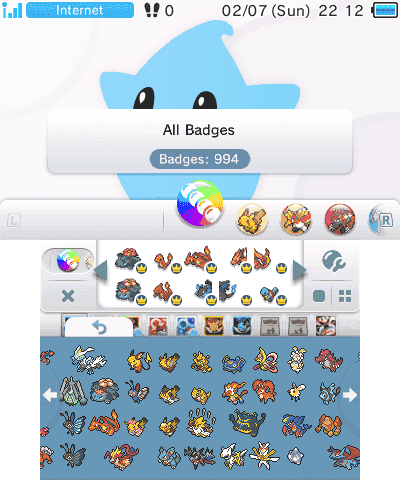
GBAtemp.net - The Independent Video Game Community
Video Guide
Introduction
This thread will guide you through on how to get any official badge you could possibly think of, and also how to group each badge into sets.
Setup
Before starting, you're going to need a few things:
A modded 3DS with boot9strap
Simple Badge Injector (CIA)...
hasty thicket
obtuse saddle
Nice job, but I've thought of a few possible changes to the "Restoring deleted b...
the "deleted" part is that they wont be in the order you laid it out in, aka just the badges shown on places on your home screen but i'll remove it as it is kinda confusing
obtuse saddle
sand vigil
and even checked in HxD and found string names for (nintendo ips, related to bad...
Here's the info on the the structure of the badge files for you:
https://www.3dbrew.org/wiki/Home_Menu#Home_Menu_badge_SD_ExtData
This lets you know the offsets where you can find each piece of data (those being badge set names, badge names, set icons, large badge icons and small badge icons for BadgeData.dat, as well as a bunch of metadata stuff, such as the "Nintendo Network ID Number"/PrincipalID, which is the number that shows up under "NNID" in ABE that must match the one that shows up in SBI, in BadgeMngFile.dat. I think both files are in little-endian).
obtuse saddle
hasty thicket
the "deleted" part is that they wont be in the order you laid it out in, aka jus...
Ah, I see - that means the ones that were placed. Perhaps it should day that placed badges will have been removed rather than "All badges on the home menu will be deleted"? (Unless I'm the only person to have ever misinterpreted that, lol)
hasty thicket
obtuse saddle
Ah, I see - that means the ones that were placed. Perhaps it should day that *pl...
yeah, i removed it for now just to not cause any confusion
hasty thicket
obtuse saddle
Nice job, but I've thought of a few possible changes to the "Restoring deleted b...
everything is done/fixed
steps updated on PR now
obtuse saddle
hasty thicket
everything is done/fixed
That's great - nice work.
The only thing now is that you could move the link to the Allbadge Tool thread to the page for checking if the badges have been fully deleted, since, if they're gone, you can create new badge data files in ABE and inject them with SBI without having to convert your empty badges from NNID to PNID, then replacing them anyway.
hasty thicket
obtuse saddle
That's great - nice work.
The only thing now is that you could move the link to...
ah alright
done
obtuse saddle
hasty thicket
done
Cool. Thinking about it, though, I don't think people whose badges are fully gone will need to follow the restoring vanished badges guide because have none to make reappear, so maybe the guide should tell people to start at the the deletion check page, then tell people who do have badges to proceed to the backing up their data page and then to the restoring vanished badges page, and tell people whose badges are gone to go to the Allbadge Tool thread instead.
hasty thicket
obtuse saddle
Cool. Thinking about it, though, I don't think people whose badges are fully gon...
Yeah the "Home" page link links you to the check first
ill change it to the stuff that you mentioned though
there we go

oops didnt take a pic of the full thing
 obtuse saddle
hasty thicket
Yeah the "Home" page link links you to the check first
obtuse saddle
hasty thicket
Yeah the "Home" page link links you to the check first
Looks like it currently links you to page 2, i.e. backing them up. I think it should probably go like:
Start -> Checking if badges have been fully deleted
-> If they have, go to Allbadge Tool
-> If they haven't, continue to backing up badges -> restoring vanished badges
hasty thicket
obtuse saddle
Looks like it currently links you to page 2, i.e. backing them up. I think it sh...
Yeah, i picked up on that earlier, already fixed now lol
obtuse saddle
Ah, sorry - just had a look and it's different now. Seems like it's now perfect, afaik 👍 🎉
 misty brook
Hello I’m back!
misty brook
tribal smelt
cases similar to this usually spell corruption but tbf i am NOT the guy that dec...
Yep
misty brook
sand vigil
the file size is constant, yay or nay (looks fixed, so irrelevant to actual cont...
Yep. It’s constant because there’s lots of filler 0x00 bytes
misty brook
hasty thicket
<@240593332965867520> I’m going to make a temporary github site for the guide, a...
OOH HES
hasty thicket
misty brook
OOH HES
it is out
GitHub
This is a temp documentation on how to recover deleted badges after opening 'Nintendo Badge Arcade' while on Pretendo's custom servers. - LiamMGit/PretendoBadgeLostGuide
misty brook
hasty thicket
it is out
Just saw that ❤️
obtuse saddle
hasty thicket
https://github.com/LiamMGit/PretendoBadgeLostGuide/wiki
Now if only we could pin this link somehow...
hasty thicket
obtuse saddle
Now if only we could pin this link somehow...
we can get a mod to pin it
obtuse saddle
lol rip - guess they don't want people abusing that
misty brook
I mean in the AP discord you can ping a moderator in a thread and ask for pin permissions through their bot
obtuse saddle
Looks like the correct ping would be @ Moderator, but I'm not sure if we'd be allowed to do that. Might be alright in this case, though
Wait, you already tried that one - maybe they're case sensitive? (Or they've disabled it due to constant pings)
hasty thicket
I think we should wait until a mod is in #pretendo and then ask them there
misty brook
@vital trout can we get some messages pinned in here?
tribal smelt
fringe tapir
Well I've never seen that before lol
This is USUALLY for when cards have been used on two 3ds consoles, its not an issue
We are so back
obtuse saddle
Or if you format without having the SD in the 3DS
 kind jolt
how can i tranfer my badges from nnid to pnid using advance badge editor
tribal smelt
did you back them up first
kind jolt
tribal smelt
did you back them up first
yep
 tribal smelt
Oh awesome
kind jolt
ok, how do I open those encrypted files on the advanced badge editor?
i have the movable.sed
tribal smelt
The encrypted files are opened through godmode9's A drive, i believe
kind jolt
now i got partitionA.bin
fringe tapir
GitHub
This is a temp documentation on how to recover deleted badges after opening 'Nintendo Badge Arcade' while on Pretendo's custom servers. - LiamMGit/PretendoBadgeLostGuide
vital hatch
How do I mount the 00000004 file as the DIFF image?
hasty thicket
vital hatch
How do I mount the 00000004 file as the DIFF image?
through gm9 i think
vital hatch
hasty thicket
through gm9 i think
I know, I'm in GM9 now
It's not showing the option
vital hatch
hasty thicket
it should be near the bottom
No mention of mounting or DIFF image
I found the file, just don't know what to do next
 obtuse saddle
vital hatch
obtuse saddle
vital hatch
Looks like you're in 0:SDCARD rather than A:SYSNAND SD - you need to be in the latter because they're encrypted in the former, so GM9 can't do anything with them unless you go into A: where they're decrypted.
vital hatch
obtuse saddle
Looks like you're in 0:SDCARD rather than A:SYSNAND SD - you need to be in the l...
Yeah I made my way there, but now I have no idea what I'm looking at. Let me snap a pic
obtuse saddle
Ok :)
vital hatch
 obtuse saddle
The fact that you can see the names of the sets means your badges are intact :)
vital hatch
obtuse saddle
The fact that you can see the names of the sets means your badges are intact :)
Really? cuz there's a lot of 00s on this list
obtuse saddle
vital hatch
Really? cuz there's a lot of 00s on this list
That's only if it's completely 0s - if you can see the names, they're there. The reason there are so many 0s is to give Nintendo a lot of space when naming the badges.
You can now move onto the next part of the guide.
obtuse saddle
hasty thicket
it is out
Here's a list of everything else to change:
I think step 4 of the badge deletion check page saying "if it's all 0s" is fine, but it should stress that there will be values other than zeroes if your badges are intact.
Secondly, that same step should also tell people who already have a backup to restore their "000014d1" folder by copying it into "Nintendo 3DS\ID0\ID1\extdata\00000000\000014d1", then continue with the guide.
Also on that same step again, for those who have their badges, it should tell them to switch to Pretendo in Nimbus first, then follow the Allbadge Tool thread.
Also, on the vanished badge restoration page this time, step 4 should say to only switch to Pretendo if you aren't already in Pretendo.
On the same page, step 11 should say to select File > Save Data To instead of saying "Select Save As ..."
Inbetween steps 9 and 10, there should be a step saying to check the right side of the window to see if the badges show up, and that the badge data is probably corrupted if they don't, in which case they should either restote a backup or follow the Allbadge Tool thread.
Finally, also on that same page, instead of "extract" the badge data, step 6 should say "dump" the badge data because that's how SBI words it.
...Sorry if this is a lot!
vital hatch
obtuse saddle
That's only if it's completely 0s - if you can see the names, they're there. The...
I'm about to download the simple badge injector. Where on the SD card do copy it to?
And do I download both the 3dsx and cia?
tribal smelt
Just the .cia! You don't need two versions
hasty thicket
obtuse saddle
Here's a list of everything else to change:
I think step 4 of the badge deletio...
Ah, I’ll try and do it later as I am about to do stuff
obtuse saddle
vital hatch
I'm about to download the simple badge injector. Where on the SD card do copy it...
If you have a cias folder, you can put it there, but it doesn't really matter
hasty thicket
hopefully nobody gets confused
vital hatch
obtuse saddle
If you have a cias folder, you can put it there, but it doesn't really matter
I just made a folder for CIAs
obtuse saddle
vital hatch
And do I download both the 3dsx and cia?
If you want to access it via the homebrew launcher, get the 3dsx. If you want it on your home menu, get the cia and install it.
obtuse saddle
vital hatch
I just made a folder for CIAs
Cool - now put the CIA in there & install it with GM9 or FBI.
I prefer doing so with GM9 because you can do more things with it, such as install DSiWare .nds files & uninstall & reinstall games without deleting their saves.
vital hatch
obtuse saddle
Cool - now put the CIA in there & install it with GM9 or FBI.
Ok, I'm in the injector. Inject custom badge data?
or do I dump it?
obtuse saddle
Wait, no
Extract, sorry. Lol
(For context, I originally told them to inject by accident, then deleted the message, but now I'm starting to think the "failed to copy badge files" message displaying is the common thread between the two cases of BadgeMngFile.dat corruption, i.e. accidentally selecting "Inject" with no data in the SBI folder causes them to become corrupted.
Update: Nah, it wasn't that. Maybe it's opening SwapDoodle with mismatched IDs that does this, then?)
obtuse saddle
What shows up on your screen?
tribal smelt
Hey wait someone else had this exact issue last night
vital hatch
 obtuse saddle
Dump, then - perhaps that's another thing to be reworded, lol
vital hatch
obtuse saddle
Dump, then - perhaps that's another thing to be reworded, lol
says it was successful
obtuse saddle
Dump = extract when it comes to software stuff
vital hatch
now inject?
vital hatch
Sorry, I'll go back to the guide. I'm jumping the gun here
obtuse saddle
That's alright 👍
misty brook
yeah if it has text in it they're fine
the way to actually get the two .dat files is to use 3ds-save-tool to unpack the decrypted thing from the a-drive
vital hatch
obtuse saddle
That's alright 👍
Is there a step missing on this page? Step 4's got me worried. https://github.com/LiamMGit/PretendoBadgeLostGuide/wiki/Restoring-vanished-badges.
I've been on Pretendo the whole time
obtuse saddle
misty brook
yeah if it has text in it they're fine
That said, the Japanese one will just have gibberish on the side because Japanese does not display correctly in a gex editor when represented in UTF-16 LE encoding.
obtuse saddle
vital hatch
I've been on Pretendo the whole time
That step's just for people who haven't switched over yet - don't worry. (Another thing to re-word, though - my fault for putting that originally)
vital hatch
obtuse saddle
That step's just for people who haven't switched over yet - don't worry. (Anothe...
I followed the guide and injected the modded badge file, but it still says I have no badges.
obtuse saddle
You mean the files you edited the NNID value of in ABE?
obtuse saddle
misty brook
the way to actually get the two .dat files is to use 3ds-save-tool to unpack the...
You can also dump them in SBI or copy them from Ext Save Data to your SD card in FBI to acheive the same result of ending up with BadgeData.dat and BadgeMngFile.dat.
vital hatch
obtuse saddle
You mean the files you edited the NNID value of in ABE?
Yeah, I used ABE
Changed the NNID to the Pretendo one
obtuse saddle
Then you chose File -> Save As and saved the modded ones somewhere else, then copied those modded ones into the SBI folder?
vital hatch
It doesn't have save as, it has save data and save data to
vital hatch
obtuse saddle
Then you chose File -> Save As and saved the modded ones somewhere else, then co...
I opened the one in the dumped folder and saved it to SBE's root folder.
obtuse saddle
vital hatch
It doesn't have save as, it has save data and save data to
It's the latter, then
vital hatch
Wait a minute. I just opened the one in the dumped folder again. all the readings are zero
 obtuse saddle
vital hatch
obtuse saddle
vital hatch
Uh-oh. There should be badge entries on the right side. Could you go into GM9, then navigate to "0:SDCARD/3ds/SimpleBadgeInjector/Dumped", select BadgeData.dat and show it in the hex editor, then provide a picture of your screen?
vital hatch
obtuse saddle
Uh-oh. There should be badge entries on the right side. Could you go into GM9, t...
 obtuse saddle
vital hatch
obtuse saddle
vital hatch
Okay, now press X, choose "Go to offset" and then input "00035E80", press A and send a pic of that?
vital hatch
obtuse saddle
Okay, now press X, choose "Go to offset" and then input "00035E80", press A and ...
 obtuse saddle
Thanks - now press X, choose "Go to offset" and then input "00250F80", press A and send a pic of that
vital hatch
 vital hatch
obtuse saddle
Thanks - now press X, choose "Go to offset" and then input "00250F80", press A a...
vital hatch
obtuse saddle
Thanks - now press X, choose "Go to offset" and then input "00250F80", press A a...
Something scared me about this bit. The values are repeating until the 3rd way down the bottom screen
obtuse saddle
That's probably the background, which would be a solid colour.
Finally, repeat the process with offset "00318F80".
It looks like they're there, but I'm just making extra sure.
 obtuse saddle
vital hatch
obtuse saddle
vital hatch
Yep, they're all present. Maybe try copying them to somewhere on your PC first, then try opening them in ABE? (I suggest making two folders, "Nintendo" and "Pretendo", putting your dumped files in the Nintendo one, then saving the modded ones to the Pretendo one.)
vital hatch
obtuse saddle
Yep, they're all present. Maybe try copying them to somewhere on your PC first, ...
 vital hatch
obtuse saddle
Yep, they're all present. Maybe try copying them to somewhere on your PC first, ...
vital hatch
obtuse saddle
Yep, they're all present. Maybe try copying them to somewhere on your PC first, ...
I might start this again, but this time, run the SBI in Nintendo mode to begin with
obtuse saddle
Well, they show up fine in the hex editor, so that shouldn't affect anything. What does the dumped BadgeMngFile.dat look like in GM9?
Maybe this is some sort of ABE bug...
vital hatch
obtuse saddle
Maybe this is some sort of ABE bug...

I'm guessing this is the problem?
obtuse saddle
I don't know, actually. I thought perhaps it'd be invalid somehow, but I can't see anything wrong with it at first glance.
vital hatch
obtuse saddle
I don't know, actually. I thought perhaps it'd be invalid somehow, but I can't s...
So all those 00s are normal?
To be honest, I think it's because I've fucked up somewhere. I'm sure I followed the guide to the letter.
I've scrolled past a lot of 00s to find a lot of FFs. This that normal?
obtuse saddle
There is one weird thing, actually - it says your total badges are 1495, but it also says that yiu have no badge sets, placed badges or unique badges. Maybe you should try dumping them again in NNID and see what happens? (Also to see if they're still there...)
obtuse saddle
vital hatch
I've scrolled past a lot of 00s to find a lot of FFs. This that normal?
Whereabouts do the FFs start?
i.e. what value does it say on the left side of the screen on the line where they begin?
vital hatch
obtuse saddle
Whereabouts do the FFs start?
The 00s start at 00000020, the FFs start at 000003E8
Want a pic?
obtuse saddle
vital hatch
Want a pic?
Yeah, sure 👍
vital hatch
obtuse saddle
Yeah, sure 👍

 honest token
I made a support on this too but I just wanna fix it soon and dont know if anyone will
When opening Badge Arcade it comes up with the following error code
tribal smelt
...on pretendo?
because badge arcade isn't supported yet, and opening the badge arcade on pretendo actually deletes your data
vital hatch
obtuse saddle
Yeah, sure 👍
Any news?
obtuse saddle
Was really confused for a bit, then realised I was looking at the wrong data.
Again, it looks normal at first, but then I realised it's saying you have a bunch of badges with ID "FF FF FF FF", and you own 0 of each type of badge, which might explain why they appear to have no data in ABE. They also appear to have links to EUR System Settings and EUR 3DS Camera for some reason.
vital hatch
obtuse saddle
Was really confused for a bit, then realised I was looking at the wrong data.
Ag...
Oh, that's right. There were badges that opened those apps. I used the Zelda Wind Waker themed ones.
honest token
tribal smelt
because badge arcade isn't supported yet, and opening the badge arcade on preten...
no on Nintendo
tribal smelt
why were you opening badge arcade on nintendo?
obtuse saddle
vital hatch
Oh, that's right. There were badges that opened those apps. I used the Zelda Win...
Okay, so it looks like parts of the data are correct, but other parts are wrong - for instance, it should come up with the title ID for those apps twice, whereas yours says a bunch of FFs before the title ID. Also, I don't think the badge IDs should be FFs, and it should say you own at least 1 badge.
vital hatch
obtuse saddle
Okay, so it looks like parts of the data are correct, but other parts are wrong ...
Here's another factor to consider. About half way through my jailbreaking my 3DS, I backed up the entire contents of it's SD card. After I finished the jail break, the badges came back once when I switched back to Nintendo mode. What if I fished out the back up?
obtuse saddle
So it looks like your badges are still present, but BadgeMngFile.dat is somehow corrupted - to test this, could you please try switching back to Nintendo via Nimbus and seeing if the badges show up?
obtuse saddle
vital hatch
Here's another factor to consider. About half way through my jailbreaking my 3DS...
Oh yeah - that could work. Maybe try restoring that after seeing if the badges show up as they are on the Nintendo side.
vital hatch
obtuse saddle
Oh yeah - that could work. Maybe try restoring that after seeing if the badges s...
Badges are absent in Nintendo mode now
vital hatch
obtuse saddle
Oh yeah - that could work. Maybe try restoring that after seeing if the badges s...
I just want Nintendo 3DS\ID0\ID1\extdata\00000000\000014d1\00000004, right?
obtuse saddle
vital hatch
Badges are absent in Nintendo mode now
As suspected - something happened in Pretendo mode that corrupted their metadata. Lucky thing you made that backup, then!
Try repeating all the relevant steps after replacing the 000014d1 folder.
slim plank
copy everything inside of Nintendo 3DS\ID0\ID1\extdata\00000000\000014d1 from your Backup to the SD Card and it should replace your broken badges with the old ones from the backup
vital hatch
obtuse saddle
As suspected - something happened in Pretendo mode that corrupted their metadata...
Okay, so I'm going to try the whole thing again. Do I start in Nintendo mode or Pretnedo mode?
obtuse saddle
vital hatch
I just want Nintendo 3DS\ID0\ID1\extdata\00000000\000014d1\00000004, right?
The whole folder, as the guy above me says - extdata is structured in a way that it's usually impossible to replace 1 file on its own.
Either - I don't think it matters, tbh
slim plank
sand vigil
delete as necessary [i can too lmk
@obtuse saddle There's another corrupted badge file posted by this user that I was trying to help with yesterday
It looks okay in a hex editor from what we checked, but won't show any badges in Advanced Badge Editor or a real 3DS
Kind of the same problem that Virtual Knight was having
vital hatch
obtuse saddle
Either - I don't think it matters, tbh
Now we're getting some positive results.
 obtuse saddle
slim plank
<@360113413063704576> There's another corrupted badge file posted by this user t...
obtuse saddle
slim plank
<@360113413063704576> There's another corrupted badge file posted by this user t...
Aha - checked their BadgeMngFile in a hex editor, and they have the exact same issue, just like you said.
 obtuse saddle
That's such a relief - glad you managed to restore them!
The only mystery now is what action you took that corrupted BadgeMngFile.dat without deleting the data from BadgeData.dat.
vital hatch
obtuse saddle
That's such a relief - glad you managed to restore them!
The only mystery now is...
Good question. I have no idea what I did.
obtuse saddle
sand vigil
delete as necessary [i can too lmk
Looks like the problem is that your BadgeMngFile.dat has somehow been corrupted despite all the data in BadgeData.dat being present.
I can see you had 455 badges, but not which ones - the IDs have been replaced by FFs.
sand vigil
i may have an SD backup of sorts from some years back. sans the sparse inclusions in the past few.
i appreciate yalls analysis and efforts, regardless
don't stop pushing until a PSA is made- ppl are finding out their badges are poofing
tribal smelt
god im marveled that the same error happened twice but one was accidentally fixed
this isn't as impossible as i thought itd be
honest token
 tribal smelt
i dont understand why you're opening badge arcade in nintendo mode?? @honest token
the servers shut down last week, what was the plan here?
obtuse saddle
sand vigil
i may have an SD backup of sorts from some years back. sans the sparse inclusion...
If you want any extra badges back, you can use Allbadge Tool to obtain them, then extract your working badge data files in SBI and open BadgeData.dat in ABE, then import the .prbs and .cabs Allbadge Tool gave you.
Don't forget that ABE can give you 255 of each badge!
minor totem
honest token
all of nintendo’s official servers shut down on monday, so the badge arcade application will no longer load anything past the welcome screen
fringe tapir
badge data on the servers is gone, millions will perish
tribal smelt
😭 theyre dead, andrew
fringe tapir
🫡
 austere horizon
on badge editor, I'm trying to make badges that link to certain apps. How do I do that?
fringe tapir
There’s a little drop down menu which allows you to pick an app.
Just make sure you’re on the right region.
austere horizon
oh forgot the region toggle, thanks for help!
 pearl raptor
My dumb*** deleted all my badges...
tribal smelt
what did you do exactly?
pearl raptor
I... opened badge arcade with my pretendo account selected.
 tribal smelt
OH YOU HAVE A BACKUP??
pearl raptor
Gone.
tribal smelt
oh
fringe tapir
it's so over
fringe tapir
GBAtemp.net - The Independent Video Game Community
Video Guide
Introduction
This thread will guide you through on how to get any official badge you could possibly think of, and also how to group each badge into sets.
Setup
Before starting, you're going to need a few things:
A modded 3DS with boot9strap
Simple Badge Injector (CIA)...
 fringe tapir
You'll be able to get any badges you want.
pearl raptor
fringe tapir
You'll be able to get any badges you want.
You're a god!
 pearl raptor
I will!
minor totem
fringe tapir
https://gbatemp.net/threads/get-any-official-badges-without-other-users-data.476...
if you need help at any of the steps in this process, don’t be afraid to ask! i just learned how to do it two days ago and feel confident in my guiding abilities
pearl raptor
Quick question... Do I need a Window's computer for this?
vital hatch
One question I've been meaning to ask, since Pretendo requires jailbroken and hacked 3DSes, will we be able to make our own badges for our home screens?
fringe tapir
vital hatch
One question I've been meaning to ask, since Pretendo requires jailbroken and ha...
Yes, people have done that for years now.
pearl raptor
fringe tapir
Or you can use Wine on Mac and Linux iirc.
I have a Chromebook. That count?
fringe tapir
 slim plank
pearl raptor
Quick question... Do I need a Window's computer for this?
slim plank
pearl raptor
Quick question... Do I need a Window's computer for this?
Advanced Badge Editor is only made for Windows computers (they only have an exe on the GitHub releases)
https://winehq.org lets you run Windows programs on most other systems if you can figure out how to set it up
fringe tapir
pearl raptor
I have a Chromebook. That count?
Do you have access to Linux on it?
I think that's a feature on Chromebooks.
pearl raptor
It messed up my chromebook once.
I guess I'll have to use a backup windows computer.
slim plank
epic chromebook moment
https://alvarotrigo.com/blog/wine-chromebook/

Discover how to use Wine on your Chromebook to use
austere horizon
Thanks! It works!
austere horizon
Imagine making badges that link to the homebrew channel 😲
obtuse saddle
austere horizon
Imagine making badges that link to the homebrew channel 😲
I remember reading somewhere that you can only link to system apps, unfortunately... but it might be worth changing the Title Shortcut (Low ID) to D921E00 and the High ID to 40000 to test it out.
austere horizon
obtuse saddle
I remember reading somewhere that you can only link to system apps, unfortunatel...
Besides, anything is possible with homebrew, who knows within a few months, you can link badges to any application or game. That would be sick! In ABE, you can apparently link badges to Face Raiders Imao
obtuse saddle
And AR Games and Mii Plaza, but again, they're all system apps, so it'd be cool if someone figured out a way to link to SD apps.
Unfortunately, neither badge app has been updated for years, so I don't think a workaround will be implemented. :(
obtuse saddle
vital hatch
Just realised something - if you had 1,495 badges, but you can only have up to 1,000 at a time, and you only had one backup, does that mean you left some in your badge box? In that case, I think they might be gone now :(
Also, do you have SwapDoodle on your 3DS?
Edit: Never mind - it isn't SwapDoodle that resets BadgeMngFile.dat.
pearl raptor
Update: My Chromebook. has no space. I literally can’t even run Linux. I’m gonna have to wait until I get a GOOD Windows computer
tribal smelt
sorry that you're using garbage
pearl raptor
Oh. Didn’t know.
tribal smelt
i mean how're you supposed to lmao we just met
pearl raptor
Lmao yeah
tribal smelt
yeah youre outta luck unless you borrow a computer
pearl raptor
I mean, I may be lucky.
In the state I’m in, they have a program.
I can try to apply.
tribal smelt
mf gonna apply for a program just to get their badges
pearl raptor
LMFAOOOOO
tribal smelt
motive:
badj
minor totem
if you have any friends with better PCs you might be able to ask them to borrow it as well!
fringe tapir
If you tell me what sets you want, I could give you the badge data.
pearl raptor
Hmmm…
Well, there’s a lot.
I know that.
I need time to decide.
Then, when the time comes, I’ll tell.
pearl raptor
Some sets I remember having:
- Super Mario bros
- Mario maker
There's more.
I clicked the wrong button.
minor totem
pearl raptor
Some sets I remember having:
- Super Mario bros
- Mario maker
you can look through the badge collections on this page to see which ones you had/want https://nintendo-badge-arcade.fandom.com/wiki/Collection
pearl raptor
minor totem
you can look through the badge collections on this page to see which ones you ha...
Super Mario Bros. 293 53
Super Mario Maker 488 35
Mario & Friends 65 14
Mario Kart 8 90 15
Mario Party 29 6
Mario & Luigi: Paper Jam Bros. 105 8
The Legend of Zelda 91 18
The Legend of Zelda: A Link Between Worlds 33 7
The Legend of Zelda: Majora's Mask 3D 71 13
The Legend of Zelda: Wind Waker HD 162 22
The Legend of Zelda: Twilight Princess HD 139 10
Pixel Collection 121 22
Cat Mario 6 1
Here
fringe tapir
It might be over the limit, but I’ll see what I can do.
pearl raptor
Then just Mario and Luigi Paper Jam, Pixel Collection and Mario maker
fringe tapir
Also, I’ll need your NNID value to make it work.
pearl raptor
Wait. SBI, or FBI?
pearl raptor
Oh crap.
Hold on...
Can I find it on Universal Updater, or do I have to download it manually and add it manually?
(In case its obvious, I'm a little new to this)
minor totem
i believe SBI is in universal updater, but i’m not 100% positive
tribal smelt
i believe its not, no
fringe tapir
Also, what's your 3DS region?
pearl raptor
NA
fringe tapir
Everything is ready, just need the ID.
fringe tapir
Yes.
pearl raptor
629C08CA
tribal smelt
ok andrew inject the virus
fringe tapir
on it
fringe tapir
I believe you need to make a folder in the “3ds” directory.
pearl raptor
named what specifically?
fringe tapir
Yes.
fringe tapir
No problemo
fringe tapir
 tribal smelt
the funny image returns
minor totem
this is a fantastic revelation for everyone who doesn’t have access to the allbadgetool and ABE

 minor totem
speaking of that pic, is juxt down right now? i’ve tried going into it a couple times today and it says maintenance
fringe tapir
Yeah servers are wacky right now
minor totem
alright
tribal smelt
juxt is 50/50 shitting itself yea
minor totem
MK7 servers are working great rn, i was playing for a bit
full rooms too which is based
tribal smelt
did your badges stay
minor totem
yes! on NNID side
i’m not gonna fuck around with injecting or deleting badges for a little while and just use my 3DS in MK7 and other areas (not badge arcade) and see if the badges disappear off the NNID side at all, if not my next goal will be to figure out how to balance badges on both profiles
if that’s even possible but we’ll see
my idea is to make the same badge file twice in ABE, just with the different unique NNID values for each profile, and then inject them
the only problem i can think of is the fact that SBI wipes the other badge file before injecting a new one
tribal smelt
pretendo making an independent badge arcade will be tossing wrenches in this too
minor totem
pretendo turning the badge arcade into a dual-profile badge injector…that’s the dream
tribal smelt
that'd be the pitch of a lifetime. and jank filled
fringe tapir
held together by duck tape and hope
sand vigil
obtuse saddle
If you want any extra badges back, you can use Allbadge Tool to obtain them, the...
for 'Allbadge Tool', what is 'data folder' referring to, my Nintendo 3DS\id0\id1\..\000014d1 folder?
fringe tapir
The data folder is just where all of the badges are dumped to.
When you run the program.
sand vigil
ah. gracias.
sand vigil
hey, did someone here share a link to a page detailing like, each Badge Set & their technical names? so I can have an idea of what i'm importing? e.g. i'm looking to import the retro console pixel arts. idk what set they're in.
tribal smelt
we have an archive of the .pngs, but not their technical names, sadly
i do know the retro consoles are titled the Pixel Collection
fringe tapir
You can just import the sets into ABE to see what they are.
sand vigil
sand vigil
hey, did someone here share a link to a page detailing like, each Badge Set & th...
"DotHard"
minor totem
sand vigil
hey, did someone here share a link to a page detailing like, each Badge Set & th...
I have the folder of PNGs if you want it!
sand vigil
minor totem
I have the folder of PNGs if you want it!
I would appreciate this
minor totem
well, partially. for some reason when i tried unzipping it, it errored halfway through. but the pixel badge pngs are all intact!
fringe tapir
deep.
minor totem
you can't send folders in discord can you
fringe tapir
I mean you can compress them and send the .zip
tribal smelt
you can send .zip files
sand vigil
make a big .7z (or .rar), i can handle it
tribal smelt
go on. send a .zip file
fringe tapir
send the 10tb zip bomb
minor totem
zip bomb
tribal smelt
make the people happy, giraffe. zip bomb this stranger's computer
minor totem
here comes the bomb
 minor totem
like i said when i opened it originally, half of them did not work so the pngs are just broken
but all of the dothards are working
tribal smelt
how much is in there
minor totem
18 mb don't worry
tribal smelt
how many silly pngs
tribal smelt
you sent a folder containing 10 thousand pngs to a 40k member discord server
minor totem
yes!
 minor totem
i'm actually gonna try to fix the file right now so all the pngs are accessible
okay i fixed it, i'm gonna send the full png folder now
kaboom. the motherlode of silly little pngs

now we can send silly little pngs in here
 tribal smelt
minor totem
tribal smelt
minor totem
free discord emoji

i got this one

shoutouts to silly little pngs. the club penguin set on theme plaza is what got me into this mess
sand vigil
if my 000014d1 data (backup from November 2017) indicates that, my Region is "EUR",, even though I'm ||american||, am i still okay to use this data?? or what is the program doing, miss-reading outdated data?
minor totem
sand vigil
if my `000014d1` data (backup from November 2017) indicates that, my Region is ...
is it showing EUR in ABE?
sand vigil
Yes.
The rest of the data (which is present at this state) looks valid and is parseable. But the region is set to EUR, which I had no part in afaik
minor totem
yeah, it seems to be a consistent symptom of using ABE. every imported badge dump from your 3DS says EUR in ABE
mine did the same thing when i checked the new badges in ABE today
sand vigil
should I touch that setting or ignore it 😅
minor totem
sand vigil
should I touch that setting or ignore it 😅
i didn’t touch it before injecting and they work just fine anyway, so you could change it but i’m not sure it matters lol. up to you!
tribal smelt
sand vigil
if my `000014d1` data (backup from November 2017) indicates that, my Region is ...
thank you for spoilering that :] very sensitive topic
tribal smelt
 i now have my funny role
minor totem
HOW
tribal smelt
ask a mod for it in general chat
tribal smelt
minor totem
so fl*pping cool. i love it
tribal smelt
fr*ck
minor totem
i’m having so much f*n on here
tribal smelt
f***
obtuse saddle
sand vigil
hey, did someone here share a link to a page detailing like, each Badge Set & th...
If you ever want to add any more badges in the future, and you're wondering what they are, you can use this and turn on large icons in your file manager to look at previews of the .prb files' images without having to compare them to anything else or open them in ABE first:
https://github.com/GerbilSoft/rom-properties
GitHub
ROM Properties Page shell extension. Contribute to GerbilSoft/rom-properties development by creating an account on GitHub.
 humble canyon
tribal smelt
humble canyon
tribal smelt
puffle‼️
I miss those little guys
especially when they used to look like that
hasty thicket
sand vigil
should I touch that setting or ignore it 😅
If you have badges that launch applications, change it to the correct region.
hasty thicket
tribal smelt
ask a mod for it in general chat
gonna get mine soon hopefully
obtuse saddle
Just found out that SwapDoodle is actually the most lenient 3DS app to use badges - not only does it not delete them, it also lets you view & use them regardless of whether your PrincipalID matches or not!
obtuse saddle
hasty thicket
Ah, I’ll try and do it later as I am about to do stuff
Btw, in case you haven't seen, I updated that message with a few more things to change in the guide:
#1228611794575294545 message
I hope this isn't too much of a nuisance, though, lol
hasty thicket
obtuse saddle
Btw, in case you haven't seen, I updated that message with a few more things to ...
nah its good, I just got home so I’ll start working on it in a min
obtuse saddle
Ty very much :)
hasty thicket
obtuse saddle
Here's a list of everything else to change:
I think step 4 of the badge deletio...
Step 6 already does say "dump"
hasty thicket
obtuse saddle
Here's a list of everything else to change:
I think step 4 of the badge deletio...
also, everything should be done!
obtuse saddle
hasty thicket
also, everything should be done!
Just checked it and it looks pretty good. I can't think of any other ways people could misinterpret the guide now, but you never know if anyone else will report any new problems with their badges...
 floral kettle
if advanced badge editor says no badges are the badges gone for good ?
 obtuse saddle
floral kettle
if advanced badge editor says no badges are the badges gone for good ?
obtuse saddle
floral kettle
if advanced badge editor says no badges are the badges gone for good ?
Would you mind sending over your BadgeData.dat and BadgeMngFile.dat?
floral kettle
obtuse saddle
Thanks - I'll have a look at them in a hex editor.
floral kettle
Thank u
obtuse saddle
floral kettle
Thank u
As I suspected, it's the same situation 2 others have had - somehow, BadgeData.dat is still intact and has all set names, badge names & images, but BadgeMngFile.dat has been reset by something - the only thing I can see in there is that you had 291 badges, and what software shorcuts certain badges had.
I'm not really sure what it's been reset by, though, because Badge Arcade normally resets both files. Do you remember what apps you opened since switching to Pretendo?
floral kettle
The apps i can recall opening after installing Pretendo are MK7, Tennis open, NTR CFW, CTGP7, Anemone3ds, and Checkpoint
Maybe it was Anemone3ds?
obtuse saddle
Maybe - I'll test some of those apps out with deliberately invalid badge data to try and see for myself. Thanks for the info 👍
floral kettle
👍
Is it possible to somehow reconstruct BadgeMngFile.dat or would it just be better to go through and manually re-add them
obtuse saddle
I think it might be faster to do the latter, but you can look through BadgeData.dat in a hex editor (e.g. HxD or the one in GodMode9) to see which sets you had badges in if you want.
If you don't have a backup, you'll need to follow the Allbadge Tool method, in which this (https://github.com/GerbilSoft/rom-properties) will help you preview all of the badges you obtain so you can see which ones are which.
I'm starting to wish there was a PC program to easily extract all images from BadgeData.dat so you can see ehich ones you had before.
GitHub
ROM Properties Page shell extension. Contribute to GerbilSoft/rom-properties development by creating an account on GitHub.
hasty thicket
obtuse saddle
I think it might be faster to do the latter, but you can look through BadgeData....
i think that could easily be done with some python code
 wide owl
So I ran gytb on pretendo, and now when i go to NNID mode my badges are gone. Oops
fringe tapir
wide owl
So I ran gytb on pretendo, and now when i go to NNID mode my badges are gone. Oo...
Did your badges save to the badge folder?
hasty thicket
it reads the data from the BadgeData.txt and compiles it into a nice to read .json/.txt, or just exports images of the badges
obtuse saddle
floral kettle
Is it possible to somehow reconstruct BadgeMngFile.dat or would it just be bette...
Oh, and don't forget to extract your pc.sarc with the gm9 script, or that ABE can give you 255 of each badge!
wide owl
fringe tapir
Did your badges save to the badge folder?
ill check
fringe tapir
If they did, just run GYTB again and they'll appear again.
wide owl
theres nothing in the folder
fringe tapir
Do you have a backup of your badge save data?
fringe tapir
It happens. However, you can get any badge you want now!
GBAtemp.net - The Independent Video Game Community
Video Guide
Introduction
This thread will guide you through on how to get any official badge you could possibly think of, and also how to group each badge into sets.
Setup
Before starting, you're going to need a few things:
A modded 3DS with boot9strap
Simple Badge Injector (CIA)...
wide owl
thanks.
fringe tapir
Follow this and you'll be able to get any badges you want.
floral kettle
obtuse saddle
Oh, and don't forget to extract your pc.sarc with the gm9 script, or that ABE ca...
is this in the megascript?
hasty thicket
@obtuse saddle im going to work with @analog skiff to make a application that will take the badge data file and export it as a nice to read json, we may need to ask for your help with it because you know like everything about this 😭
hasty thicket
 analog skiff
😭
analog skiff
😭
hallo
analog skiff
il try smth
hasty thicket
analog skiff
i never said yes but ok
you dont need to, i can do stuffs
obtuse saddle
I'm only reading off of https://www.3dbrew.org/wiki/Home_Menu#Home_Menu_badge_SD_ExtData, so you might not need me if you can understand the format from there.
floral kettle
obtuse saddle
Oh, and don't forget to extract your pc.sarc with the gm9 script, or that ABE ca...
where can i find the script?
obtuse saddle
floral kettle
where can i find the script?
If you're following the Allbadge Tool thread, it's in the part where it says something like "EXTRA: extracting pc.sarc from Badge Arcade updates".
If you aren't following it yet:
https://gbatemp.net/threads/get-any-official-badges-without-other-users-data.476300/
GBAtemp.net - The Independent Video Game Community
Video Guide
Introduction
This thread will guide you through on how to get any official badge you could possibly think of, and also how to group each badge into sets.
Setup
Before starting, you're going to need a few things:
A modded 3DS with boot9strap
Simple Badge Injector (CIA)...
hasty thicket
@obtuse saddle I'm really not familiar with Hex, I'm trying to understand it but all I can understand is the badge set, (i think?) which might be all I need, I'm reading from @floral kettle's (sry for ping) data. Is it possible for you to show me exactly where the badge title is?
obtuse saddle
floral kettle
The apps i can recall opening after installing Pretendo are MK7, Tennis open, NT...
Well, it doesn't look like Checkpoint or Anemone3DS causes BadgeMngFile.dat to reset - maybe going online in the former 3 games does that, or perhaps it's MK7 specifically because that game had an update years later?
I'm not sure because I'm actually holding off on moving over to Pretendo for now, but other people have had issues with MK7 on Pretendo, so maybe it's something to do with that...
obtuse saddle
hasty thicket
<@360113413063704576> I'm really not familiar with Hex, I'm trying to understand...
The badges' titles are at offset 0x35E80. They are in UTF-16 Little Endian format, and there are 16 names per one badge (one for each language).
I've used this site to decode UTF-16 LE strings before:
https://dencode.com/en/string/hex
(Choose UTF-16 LE from the drop down arrow)
Not sure how useful that info is when coding something, though.

DenCode
Hex to String converter. (e.g. "Hello, world!" <=> "48 65 6C 6C 6F 2C 20 77 6F 72 6C 64 21")
 obtuse saddle
Also, the set names are at the beginning in the same format, but I'm sure you'd already figured that one out yourself.
hasty thicket
obtuse saddle
Also, the set names are at the beginning in the same format, but I'm sure you'd ...
yeah, I think it shouldn't be too hard, I just need to it convert every HEX string starting at offset 0x35E80 into a json/txt, and end when it reaches the junk text like this

then i can make it remove the unnessasary titles and dots
obtuse saddle
hasty thicket
yeah, I think it shouldn't be too hard, I just need to it convert every HEX stri...
I think that "junk text" is the where the images start, lol
hasty thicket
ah, well i dont think we need the images?
even so, i do not know how to read that lmao
obtuse saddle
You might do, because all the badges' names are the same outside of Japan
i.e. they are all named after their sets, like "Super Mario Bros. badge"
floral kettle
i wish i could help you all with this tool but im entering finals season at uni unfortunately
hasty thicket
ah yeah, do you know how to read the image data?
hasty thicket
floral kettle
i wish i could help you all with this tool but im entering finals season at uni ...
its alright, need an excuse anyways to make something
obtuse saddle
hasty thicket
ah yeah, do you know how to read the image data?
They're like BCLIM files in format 5 (RGB565), but without the 0x28-byte footer.
Open-source programs that can open BCLIM files:
https://github.com/PabloMK7/EveryFileExplorer
https://github.com/kwsch/png2bclim
GitHub
Every File Explorer Fork with some extra features. - PabloMK7/EveryFileExplorer
GitHub
(3DS) BCLIM Converter (to/from PNG). Contribute to kwsch/png2bclim development by creating an account on GitHub.
And an example of the footer:
https://gbatemp.net/threads/help-bclim-files-to-png.403158/#post-5808185

GBAtemp.net - The Independent Video Game Community
Hi GBAtemp.
As most of you are aware, some over at the Homebrew subforum have been attempting to hack Badge Arcade. We've arrived at an error, however. The badge files are in the .bclim format, and up until now, we've found no solution to extract a .png out of it and repack it back into the...
hasty thicket
how would i go about making the HEX image data into .bclim, or is that a different file i need to find?
obtuse saddle
hasty thicket
how would i go about making the HEX image data into .bclim, or is that a differe...
Actually, thinking about it, because those tools are open-source, all you would have to do to view the image data in BadgeData.dat as pngs is to incorporate one of them into your own badge extraction program.
For example, you could have your program separate each bit of 0x2000-byte-long 64x64 RGB565 image data for the badge sets starting at 0x250F80 - as well as the 0x2000-byte-long 64x64 RGB565 image data for the badges themselves starting at 0x318F80 (skipping out the 0x800-byte-long 64x64 A4 alpha data right afterwards for each entry, since that's only useful for the backs of the badges) - into separate files, then have your program add the following BCLIM footer to the end of each file and save them as .bclim files:
43 4C 49 4D FF FE 14 00 00 00 02 02 28 20 00 00 01 00 00 00 69 6D 61 67 10 00 00 00 28 00 28 00 05 00 00 00 00 20 00 00
Then just have png2bclim mass-convert all the bclim files to png. 👍
hasty thicket
hm, ill try manually coverting it first to understand it then i'll try to write some code that'll automaticlly do it
yeah, i have no clue on what im doing 😂 im sure someone else here would actually understand this
hasty thicket
fringe tapir
Another victim o7
redirect them here please
fringe tapir
I did
hasty thicket
nvm you did
Praying Jon or someone else gets my PR approved soon, just waiting for people to review it 🙏
tribal smelt
me when i press the death and dying button
fringe tapir
the great badge purge of 2024
I made a post on Juxt about this thread to hopefully save some people.
hasty thicket
now that juxt is back everyone is going crazy trying every single online service again
so tons of people are losing their badges as we speak
 pure flower
Alr, I lost my badges, did not have GYTB, but I do have a backup of my nintendo 3ds file
 ionic spire
Did you boot up the badge arcade
pure flower
yes, thats how It got deleted
my backup file is my nintendo 3ds file from before that happened
tribal smelt
alr we need you to find a specific folder within that backup
pure flower
alr
tribal smelt
dont matter, just look for it in your pc
tribal smelt
go find the 14d1 directory on your sd card
youll copy your backup over to replace it
pure flower
so replace the whole folder
hasty thicket
pure flower
so replace the whole folder
the whole 14d1 folder, yes
 dusky sphinx
Iirc yea
tribal smelt
just slip in your sd card again and boot up the console, it should work
obtuse saddle
pure flower
but is there any way to bring my official badges to pretendo?
Yep - follow this guide: https://github.com/LiamMGit/PretendoBadgeLostGuide/wiki
GitHub
This is a temp documentation on how to recover deleted badges after opening 'Nintendo Badge Arcade' while on Pretendo's custom servers. - LiamMGit/PretendoBadgeLostGuide
hasty thicket
our lord and savior stev is here
vital hatch
I asked earlier about modders making their own badges, how do you add them? They don't mean erasing the official badges you already have, does it?
dusky sphinx
vital hatch
I asked earlier about modders making their own badges, how do you add them? They...
- Basically what asomn said
- No it shouldn't erase current badges
dusky sphinx
vital hatch
I asked earlier about modders making their own badges, how do you add them? They...
This may help a bit but I could be outdated so check earlier comments if this link doesn't apply for custom making: https://wiki.hacks.guide/wiki/3DS:GYTB
ionic spire
Dude
fringe tapir
Yeah but GYTB erases the categories and fowarders don’t work.
ionic spire
Asomn answered his question already
Didn't we already have a fucking conversation about this
fringe tapir
No need to get upset, it’s all good.
ionic spire
Alright man, I'm sorry
I'm just pissed cause he did the same damn thing in another thread
tribal smelt
hey man this is the funny badge desk, we all like badges here. we grind for silly pngs
however, we don't suggest gytb due to reasons asomn already noted
ionic spire
Yeah.....
fringe tapir
Also GYTB erased like 2 of my badges 😔
ionic spire
Apologies for the outburst 💔
tribal smelt
fringe tapir
Also GYTB erased like 2 of my badges 😔
gytb burned our crops
dusky sphinx
tribal smelt
<:goodbye:1210004896582209667> hey man this is the funny badge desk, we all like...
That's why I said check earlier comments if I'm wrong
dusky sphinx
ionic spire
Asomn answered his question already
There are no pinned messages here and it's a universal thread so that's why I asked others to check in case I'm wrong
Also, I can't find where asomn said don't use gytp so again you're not right in this situation
tribal smelt
i mean we physically can't pin here
dusky sphinx
tribal smelt
i mean we physically can't pin here
Unfortunately but a mod could
tribal smelt
im not summoning imora again
dusky sphinx
ionic spire
Didn't we already have a fucking conversation about this
This time I actually had possible useful info on what to do/not to do
dusky sphinx
tribal smelt
im not summoning imora again
Probably best if we don't unless absolutely necessary. I think a solution to this is to have at least 2-3 people confirming the next step unless physically cited and found/used in the instruction process
dusky sphinx
tribal smelt
and also we wrote the instructions so 🤷
Yes but it got flooded and no pinned so idk
dusky sphinx
tribal smelt
yeah 'badge brigade' is the key word
I had to scroll up 11 times to the top
So it's pretty long
Ngl
dusky sphinx
tribal smelt
idk what you want us to do about that lol
Nothing
Just make sure we are correcting each other and we should be fine lmao
tribal smelt
ah yeah itll be fine
dusky sphinx
tribal smelt
ah yeah itll be fine
accidentally wipes someone's console (joke)
ionic spire
dusky sphinx
This may help a bit but I could be outdated so check earlier comments if this li...
You were kind of close to doing that by recommending this though.
Just be more careful when giving help next time, don't contribute unless you are absolutely sure you know what you're talking about, etc.
vital hatch
dusky sphinx
This may help a bit but I could be outdated so check earlier comments if this li...
I'm not using that again! it erased my bades!
dusky sphinx
ionic spire
Just be more careful when giving help next time, don't contribute unless you are...
I said correct me if I'm wrong
vital hatch
Good thing I was able to use the SBI to get them back in an instant!
dusky sphinx
Otherwise I wouldn't post
ionic spire
vital hatch
Good thing I was able to use the SBI to get them back in an instant!
Awesome!!!!!
SBI is goated
GYTB never worked for me lmao
dusky sphinx
dusky sphinx
I said correct me if I'm wrong
I should rephrase this: I wouldn't have posted if there were pinned/easily accessible messages that said don't use GYTB. Since there weren't and knew about his, I suggested and wanted people to correct me if I'm wrong since I'm not sure with the whole switching to PNID from NNID
That's why I said correct me if I'm wrong because I knew there was a good chance I had outdated info
vital hatch
ionic spire
Awesome!!!!!
GYTB erased my badges for the custom one I tried making. Good thing I still had the injectable profile from earlier.
dusky sphinx
Now that I know GYTB is bad, I can now use this info to correct any further problems with badges
It benefits both sides as I learn something new and help them advise others on what not to use
Sorry if I seem aggressive in this message.
pure flower
wait GYTB is bad?
ionic spire
dusky sphinx
Sorry if I seem aggressive in this message.
You're good. Sorry for lashing out
dusky sphinx
ionic spire
You're good. Sorry for lashing out
Np man
hasty thicket
dont think i got support helper :(
tribal smelt
i feel like folks thought support helper was like. a type of mod role
bc theres a weird amount of people grinding for it
fringe tapir
support helper speedrun
tribal smelt
ive seen like three folks actively grind for it
austere horizon
tribal smelt
ive seen like three folks actively grind for it
I want your role 🥴
hasty thicket
tribal smelt
ive seen like three folks actively grind for it
i am grinding for it
i want it
i require it?!1!1?1!2!1!1!1!
fringe tapir
how will i go on if i dont have a png next to my name
wait a minute
the role is basically a badge if you think about it
austere horizon
Me too, but no mods online 😥
hasty thicket
austere horizon
Me too, but no mods online 😥
i asked a mod, and they said “wow, you really did a lot of stuff in badge related support stuff, impressive” and then never contacted me again
austere horizon
tribal smelt
they stopped giving them out tbf
Wtf it just started today #announcements message 💀
tribal smelt
well yeah thing is right
everyone saw the funny badge and like 5 people scrambled to grab it
austere horizon
But I would actually use it
tribal smelt
wym actually use it
its got no benefits
like, unironically
all that happened is that someone confused me for a dev
tribal smelt
ligma bals
but yeah all thats happened so far w/ the addition of this role is like
a few people desperately scrambling for the role + a few pings asking us to do things we physically cannot do
 tribal smelt
and one actual question
pure flower
wide owl
I guess I screwed myself, huh
you did make a backup of your nintendo 3ds folder, right?
fringe tapir
They said they didn't.
pure flower
oh
fringe tapir
Tis sad.
minor totem
tribal smelt
ive seen like three folks actively grind for it
i actively don’t want it just because i don’t feel skilled enough to help people and would look like a poser lmfao
tribal smelt
my brother in christ
you immediately superceded my ability in the past week
tribal smelt
#pretendo message wake up chat we have another one
@hard creek
ok so your badge data is gone forever
like eviscerated completely destroyed
 hard creek
Damn
tribal smelt
but we can offer you means to like. manually rebuild your collection another way
hard creek
There's another way to get badges?
tribal smelt
yes, you can inject them
hard creek
Oh
tribal smelt
https://github.com/LiamMGit/PretendoBadgeLostGuide/wiki one of our dudes made this guide. its a LITTLE complex though
GitHub
This is a temp documentation on how to recover deleted badges after opening 'Nintendo Badge Arcade' while on Pretendo's custom servers. - LiamMGit/PretendoBadgeLostGuide
hard creek
Ah
tribal smelt
if you get that done you can just get whatever badge you want
hard creek
Alright then
tribal smelt
good luck out there n dont open badge arcade n all
hard creek
Aight
sand vigil
obtuse saddle
If you ever want to add any more badges in the future, and you're wondering what...
lovely. recommended. thank you
tribal smelt
wtf solving issues,,,,
 tribal smelt
isnt juxt down
minor totem
nope thank god otherwise the hours i spent on that would’ve been painfully wasted
sand vigil
have pretendo made any warnings or advisories for badges yet
sand vigil
minor totem
i didn’t touch it before injecting and they work just fine anyway, so you could ...
The region matters for Badges that act as shortcuts to system apps, after checking the github of ABE (last updated in 2017, except for the desc. in 2023), the issue I've described and only being able to save with the region of EUR despite choosing USA (https://github.com/AntiMach/advanced-badge-editor/issues/4), in addition to.. the clunkiness of the interface (can't rearrange the order of sets? And I have duplicate sets, possibly badges too. there's too much to remember & 'recreate')
Coupled with the badge archive missing badges that I seem to have in my backup, this is a situation with increasing hairiness that makes me weep. I wish I could just make the program I'm desperate for.
i'm also wondering if my choice of badge extraction (.3dsx) resulted in avoidable corruption. .too late
 austere horizon
Also you may have problems linking apps to badges, which may have different title ids in different regions
 glass steppe
tribal smelt
https://github.com/LiamMGit/PretendoBadgeLostGuide/wiki one of our dudes made th...
glass steppe
tribal smelt
https://github.com/LiamMGit/PretendoBadgeLostGuide/wiki one of our dudes made th...
Which guide should I use if I used GYTB to get my badges usable on Nimbus Pretendo and I just want to get my stock badges back?
 loud robin
do you not heve them on NNID anymore?
glass steppe
loud robin
do you not heve them on NNID anymore?
I don't know, I have the same NNID on my system for what it's worth. I'll check with GM9 though
...there is no Nintendo 3DS folder in SYSNAND SD, though
loud robin
but how?
shouldn't there always be one
That directory should already be there even before modding
glass steppe
loud robin
shouldn't there always be one
I don't know. There's only backup, dbs, extdata, Nintendo DSiWare, and title.
There's a Nintendo 3DS folder in my sd card, but it doesn't have the ID0 or ID1 folders. Maybe I just need to switch back to Nintendo Network
loud robin
you could try viewing the SD with a pc
glass steppe
Oh yeah, I remember I backed up my extradata in Checkpoint in November
loud robin
Not sure how that works tbh I usually just back up my entire SD card and this really is at the end of my kwgnoledge
Try asking "Guy 3Deri"
glass steppe
yep, GYTB seems to have deleted all my badge data as the hex editor is all zeores. that's nice
pure flower
Ok, so guessing I really should not use GYTB
glass steppe
pure flower
*Ok, so guessing I really should not use GYTB*
oh wait, I scrolled down a bit and started to find some data!
But yeah, you really shouldn't
glass steppe
loud robin
you don't happen to have a backup of that file
No, but I have a Checkpoint extdata backup and I scrolled down further and found data! Looks like ther were just some collections I didn't have any badges in
Is there a way to restore badges to Nintendo Network as well as Pretendo?
loud robin
Not sure how to do that using the checkpoint backup sadly
austere horizon
FYI: GYTB is good if you just want PNGs for badges, use SBI and Advanced Badge Editor for custom sets and badges that link to apps
fringe tapir
You lose the categories if you use GYTB however.
And you can also just add custom badges in ABE as well, there’s no reason to use GYTB.
Another thing is that whenever you add or remove badges in GYTB, the home menu gets messed up with all of the badges changing.
austere horizon
You can also make custom categories too
minor totem
as a general rule, GYTB kind of sucks and doesn’t perform the way you expect. it’s always better to use ABE and SBI when possible
 hushed field
Is there a way to get my supressed badge back ??
And is pretendo preparing a server for the badge arcade ? (With rotation ect)
Thanks for your response
tribal smelt
pretendo will be restoring the badge arcade with new, original badges, meaning that it's not a way to actually collect your old collections
did you open badge arcade on pretendo mode?
hushed field
Yup
hushed field
tribal smelt
pretendo will be restoring the badge arcade with *new, original badges,* meaning...
Nice, is there a date for release or something like that ?
tribal smelt
no date of release, badge arcade is a massive project that needs a lot of time
tribal smelt
hushed field
Yup
did you have a backup of your badge extdata?
hushed field
tribal smelt
did you have a backup of your badge extdata?
Nope
tribal smelt
ah, that's permanent
tribal smelt
sadly, opening badge arcade while on pretendo instantly erases all your badges
https://github.com/LiamMGit/PretendoBadgeLostGuide/wiki we have a guide on how you can rebuild your collection another way tho
GitHub
This is a temp documentation on how to recover deleted badges after opening 'Nintendo Badge Arcade' while on Pretendo's custom servers. - LiamMGit/PretendoBadgeLostGuide
(thank you liam youre a godsend)
hushed field
Okay thanks for your response
minor totem
hushed field
Nope
 hushed field
minor totem
hushed field
minor totem
Literaly me
tribal smelt
you and ten other people over the past week
minor totem
should we keep a list of users who have lost their badges like an “in memoriam” section
hushed field

hasty thicket
tribal smelt
(thank you liam youre a godsend)
yw :)
tribal smelt
minor totem
should we keep a list of users who have lost their badges like an “in memoriam” ...
itd help make our statements more intimidating
hasty thicket
just writing about stuff i love
hasty thicket
tribal smelt
itd help make our statements more intimidating
also it would bring more attention to the problem so devs would see it
glass steppe
Thank goodness I didn't open Badge Arcade on Nimbus Pretendo out of curiosity... now to get rid of GYTB's uncategorized badges & restore my originals
...do I just reopen GYTB to delete the bad badges?
tribal smelt
im fairly sure they just get overridden
glass steppe
...weird. Advanced Badge Editor says the data's region is EUR despite my console being NA, and the Title shortcut settings seem to be scattered. random pokemon pixels have them but not the actual badges with home menu app icons
By Home menu app icons I mean stuff like 3DS Music, eShop, System Settings, etc.
minor totem
glass steppe
...weird. Advanced Badge Editor says the data's region is EUR despite my console...
this seems to be an ABE issue, so far everyone (including myself) has seen the badges’ region say EUR when importing the file to ABE
glass steppe
I did the "restore vanished badges but it didn't restore my organized badges; they're all still GYTB generics under "All badges".
obtuse saddle
glass steppe
I don't know. There's only `backup`, `dbs`, `extdata`, `Nintendo DSiWare`, and `...
- A:SYSNAND SD is the decrypted version of
Nintendo 3DS/<ID0>/<ID1>- since you're already inside those folders, you won't see them there. ID0andID1are placeholder names - the actual names will be a bunch of letters and numbers that are specific to your system.
@hasty thicket New edits!
-
For step 2, "Nintendo 3DS\ID0\ID1" can be removed from the file path because A:SYSNAND SD already takes you there.
-
Since
ID0andID1are still mentioned in a few more places, I think the guide should explain what these are values are on page 2 (i.e. the backup instructions), as well as moving the "more than one ID0" troubleshooting steps to that page as well.
hasty thicket
alright cool
i got my support helper role
lets goooo
will start working on doc edits in a few lol
glass steppe
glass steppe
I did the "restore vanished badges but it didn't restore my organized badges; th...
Yeah GYTB wiped all the set data. The right side of Advance Badge Editor is greyed out. cool, nice. I guess here's to hoping I can restore it with Checkpoint
obtuse saddle
Also, I just remembered a program that technically dumps data from BadgeData.dat... unfortunately, that program is the dreaded GYTB, and the way it's coded makes it fail to dump your badges as .pngs if you have an invalid BadgeMngFile.dat since it reads the badge IDs from there to add to the file name, as well as the badge indexes so that it can determine which badges in BadgeData.dat are multi-part so it doesn't get get the names wrong (but it DOESN'T read the shortcut IDs and write THOSE to your pngs' names so that you don't lose your shorcuts).
It then claims it has successfully dumped your badge data, then WIPES BadgeData.dat if you have a badges folder in your SD's root! Wtf?
Here's the code that reads the badge data; unfortunately, I don't know C, so I don't know exactly how this works:
https://github.com/MrCheeze/GYTB/blob/master/source/main.c
Edit: tbf, Advanced Badge Editor also does this, but 1. it actually reads the shortcuts from it, and 2. it lets you save your data as separate files and warns you if you try to overwrite your original data (rather than instantly wiping it as soon as you open it), so it gets a pass from me for that.
GitHub
Super simple custom badge homebrew for the 3DS home menu. - MrCheeze/GYTB
austere horizon
glass steppe
Yeah GYTB wiped all the set data. The right side of Advance Badge Editor is grey...
Create a new set Imao
glass steppe
OH SNAP, I realized I made a backup with threeSD to setup for Citra!
Only problem is the extdata folder is setup like this, but the /user/ folder has two familiar files! and it WORKS in ABE!
obtuse saddle
glass steppe
No, but I have a Checkpoint extdata backup and I scrolled down further and found...
Wait, which file were you looking at in your Checkpoint extdata backup?
I didn't know checkpount could back up badge extdata, tbh, although I know it can back up Badge Arcade's extdata
glass steppe
obtuse saddle
I didn't know checkpount could back up badge extdata, tbh, although I know it ca...
Yeah, I was hoping that it backs up badge data in Badge Arcade's extdata
No need to now, though!
obtuse saddle
I tried that, but all that backs up is two save data files for Badge Arcade and two badge data .sarc files.
Btw, that sounds promising - looks like all you'll need to do now is pop those into 3ds/SimpleBadgeInjector after editing their NNID value, and you'll be able to reinject them!
glass steppe
It's missing 2 unique badges since it's 2 months old but man, am I glad I started getting into Citra (and by that I mean set it up for whenever I wanna use it)
They were some unique ones I got right before the Nintendo Network shutdown
hasty thicket
glass steppe
It's missing 2 unique badges since it's 2 months old but man, am I glad I starte...
you could still import them, you’ll just have to do it manually
obtuse saddle
glass steppe
Is there a way to restore badges to Nintendo Network as well as Pretendo?
Also, if you ever want to put them back onto Nintendo again, you can replace BadgeMngFile.dat with the unmodded one from your threeSD backup.
obtuse saddle
glass steppe
It's missing 2 unique badges since it's 2 months old but man, am I glad I starte...
If you want those 2 badges back:
https://gbatemp.net/threads/get-any-official-badges-without-other-users-data.476300/
GBAtemp.net - The Independent Video Game Community
Video Guide
Introduction
This thread will guide you through on how to get any official badge you could possibly think of, and also how to group each badge into sets.
Setup
Before starting, you're going to need a few things:
A modded 3DS with boot9strap
Simple Badge Injector (CIA)...
glass steppe
Ladies & Gentlemen... we got 'em (back)
obtuse saddle
Note that the locations of the pins on the backs of the badges will reset to the centre whenever you use AllBadge Tool, as well as all your badges being put back into your badge box.
sand vigil
minor totem
should we keep a list of users who have lost their badges like an “in memoriam” ...
pleas
obtuse saddle
I think those are the only quirks I can think of for now, though.
glass steppe
obtuse saddle
Also, if you ever want to put them back onto Nintendo again, you can replace Bad...
Would that make it possible to have the badges on both networks?
I get it's not necessary, I just like the "time capsule" factor
obtuse saddle
If you mean on both at once, then no - there's an internal ID called the PrincipalID that changes every time you switch from one to the other, and if a certain value in BadgeMngFile.dat doesn't match that ID, the HOME Menu won't open the file and opening Badge Arcade will have it wipe all of the badge data except the total badges number and the values of each badge's software shortcuts.
glass steppe
obtuse saddle
If you mean on both at once, then no - there's an internal ID called the Princip...
Aaaahh, I see. Thank you!
pure flower
If I try to use the new pretendo badge arcade, will it also delete my nintendo badges?
glass steppe
And thank you to the peeps who manage the Lost Badge guide VERY much!
obtuse saddle
glass steppe
Aaaahh, I see. Thank you!
np 👍
Further info:
https://www.3dbrew.org/wiki/Home_Menu#Home_Menu_badge_SD_ExtData
pure flower
pure flower
If I try to use the new pretendo badge arcade, will it also delete my nintendo b...
or would i have to reload my backup every time I want my nintendo badges back?
obtuse saddle
pure flower
or would i have to reload my backup every time I want my nintendo badges back?
You would have to load your unmodded backup files to use them on Nintendo and load your modded ones to use them on Pretendo.
pure flower
so I have to swap backups to swap services
obtuse saddle
Yep, unfortunately - #1228611794575294545 message
vital hatch
How do I use the SBI and the ABE to add custom badges without deleting my collection?
obtuse saddle
sand vigil
The region matters for Badges that act as shortcuts to system apps, after checki...
Just an FYI, the dev of that tool ceased development in 2017 due to GYTB being more popular because of its simplicity (oh, the irony of that now), so you might not get any response, but you never know - they might have a change of heart if Pretendo suddenly makes it popular again :)
obtuse saddle
vital hatch
How do I use the SBI and the ABE to add custom badges without deleting my collec...
Make sure you select File -> Open Data, and then choose the folder where your badge files are, then import new .prbs and .cabs.
minor totem
pure flower
would a nand backup contain badges
as far as i know, no. it has to be an SD backup containing the extdata files from the badge arcade application
pure flower
Asking for someone else btw
tribal smelt
pure flower
would a nand backup contain badges
nope, theyre separate
hasty thicket
obtuse saddle
<@538887142559055882> New edits!
1. For step 2, "Nintendo 3DS\ID0\ID1\" can be ...
oh crap i forgot about this, I’ll make the changes after school lol
pure flower
ngl I feel like pretendo should do a better job at telling people not to use badge arcade
tribal smelt
weve tried submitting warning requests but theyre busy in development
austere horizon
[Badge arcade moment |https://juxt.pretendo.network/posts/2B8BHvNTebQQ9tUwgLPxZ]

Juxtaposition
An open source Nintendo Network replacement that aims to build custom servers for the WiiU and 3DS family of consoles
pure flower
uh oh
dusky sphinx
tribal smelt
https://discord.com/channels/408718485913468928/408723233030799362/1229903496128...
Should we ping him here to help?
tribal smelt
He didnt want help
dusky sphinx
tribal smelt
He didnt want help
Bruh
 random nova
I used GYTB and it did not work with badges I did not back up
dusky sphinx
random nova
I used GYTB and it did not work with badges I did not back up
Never use GYTB
We stress this a lot
random nova
dusky sphinx
Never use GYTB
sarcastically Great! Now I have lost all the other badges!
dusky sphinx
random nova
I used GYTB and it did not work with badges I did not back up
Do you know how to get them back normally in here or do I need to send you links
dusky sphinx
random nova
I used GYTB and it did not work with badges I did not back up
GitHub
This is a temp documentation on how to recover deleted badges after opening 'Nintendo Badge Arcade' while on Pretendo's custom servers. - LiamMGit/PretendoBadgeLostGuide
fringe tapir
random nova
I used GYTB and it did not work with badges I did not back up
Are your badges still in the “badge” folder?
3ds -> badge
They should all be .pngs, but they should still be there.
random nova
I forgot to mention a crucial detail
I hopped between Nintendo and Pretendo a few times
dusky sphinx
random nova
I hopped between Nintendo and Pretendo a few times
🗿
fringe tapir
All GYTB does is save all of your badges as .pngs, then injects them.
Switching shouldn’t matter.
fringe tapir
As in the badges were saved in the badge folder?
random nova
yes
Should this work in WINE https://github.com/AntiMach/advanced-badge-editor/releases/tag/1.3.1 ?

GitHub
New features:
Create new badge data.
Save badge data to a new location.
EDIT: Fixed the app name :P
fringe tapir
Yes.
To get your badges, open GYTB.
They should appear again if you run it.

Something like this.
random nova
They did, but the layout did not
fringe tapir
The layout doesn’t save, you have to place them again.
 honest musk
ah it seems I have found the new badge forum
tribal smelt
yesss hello hello
pure flower
welcome to badge hell
tribal smelt
WHAT THE FUCK MOD ACKNOWLEDGEMENT
fringe tapir
we are so back
 dusky sphinx
tribal smelt
gytb burned our crops
dusky sphinx
tribal smelt
gytb burned our crops
Here
tribal smelt
"Gytb burned our crops" means "gytb has caused massive issues"


idk what beef you got with farmers but burning people's crops usually is extremely bad
pure flower
HE DID?
pure flower
OH CRAP I MISGENDERED AN APPLICATION
tribal smelt
Oh wait mb i confused you with alex and thought you were like one giga dumbass 😭 really sorry i woke up like ten minutes ago
BUT YEAH NO GYTB POISONED OUR WATER SUPPLY BURNT OUR CROPS DELIVERED A PLAGUE UPON OUR HOUSES AND SHIT IN THE SINK
pure flower
IT DID?!?
tribal smelt
YES!!!
pure flower
wow
 woven stratus
What did I read
tribal smelt
gytb POISONED OUR WATER SUPPLY BURNT OUR CROPS DELIVERED A PLAGUE UPON OUR HOUSES and SHIT IN THE SINK
pure flower
nah, it shit in the toilet
but like
in the top deck of the toilet
it fucked up your toilet water
what a dick
austere horizon
PSA
GYTB is dog 💩
SBI + ABE is 🔛🔝
humble canyon
damn I use gytb 
pure flower
Well sorry to say, but you've been using dog💩
I know, first time realizing is always hard
humble canyon
I just use it cause it’s easier
Im a lazy lil fella
plus custom badges and what not
obtuse saddle
Just realised from looking back through sysdata/00010038's account data file that I messed up - every time I've said "PersistentID", I actually meant "PrincipalID".
Edited every message to be accurate now, though.
dusky sphinx
:0
 sinful cairn
how do i get badges?
sinful cairn
so i cant anymotre via legit ways?