#🔧-evrima-troubleshooting-🔧
1 messages · Page 260 of 1
 tall fox
Still problems to play via Shadow PC?
 formal skiff
i have a problem , when i enterforest the fps drops to 1fps , how can i fixthis
 stone python
how do i fix "Data acquisition failed"
 drowsy quarry
formal skiff
i have a problem , when i enterforest the fps drops to 1fps , how can i fixthis
drowsy quarry
formal skiff
i have a problem , when i enterforest the fps drops to 1fps , how can i fixthis
disable foliage physics
drowsy quarry
stone python
how do i fix "Data acquisition failed"
try pinned fix
 blazing flame
I crashed in the loading screen and lost my 40% rex! can i have it back pls!
 crimson vine
blazing flame
I crashed in the loading screen and lost my 40% rex! can i have it back pls!
crimson vine
blazing flame
I crashed in the loading screen and lost my 40% rex! can i have it back pls!
why are you asking here? officials wont give it back+
blazing flame
i no but i just whant to realise my anger
crimson vine
ah play unofficials will be better there
crimson vine
blazing flame
ye thats where i lost it
create an ticket then over the discord of the server. If you lost it on Triassic they wont give it back
formal skiff
i will try , Thanks
 delicate smelt
Has a fix been found for this yet

 warped bronze
is there any command to respawn ?
 winter python
warped bronze
is there any command to respawn ?
winter python
warped bronze
is there any command to respawn ?
No, just /unstuck
warped bronze
perfect bc i fell too deep to unstuck
warped bronze
is it a known issue that ptera cant grab meatchunks and organs ?
whenever i try nothing happens and if i try multiple trimes it bugs the body under the map no matter what body
works every time
its so annoying like everytime i trhow the body trough the air altough i just want the organs
 unkempt mantle
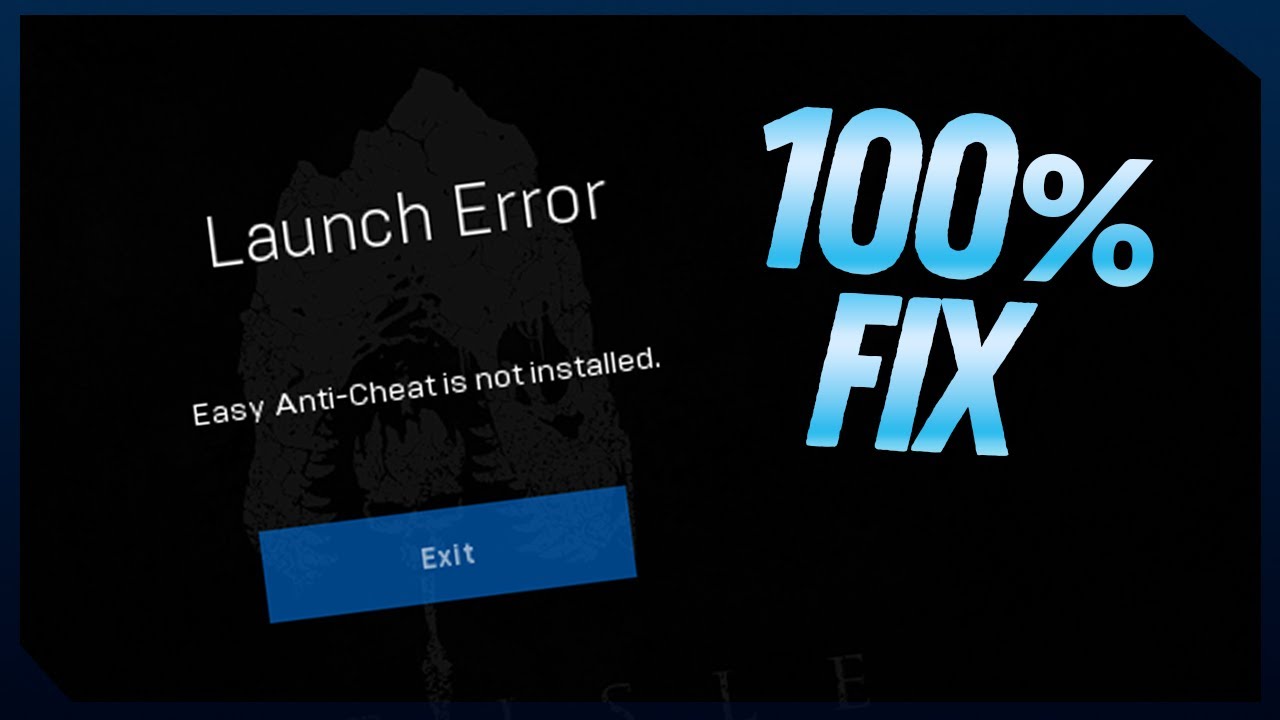
easy anti-cheat not installed issue, any solution? verify files through steam will fix it or gotta do something else?
drowsy quarry
unkempt mantle
easy anti-cheat not installed issue, any solution? verify files through steam wi...
👀 Welcome! Boas-Vindas! 👀
My Guides Playlist: https://youtube.com/playlist?list=PLdvqZdnB0LRXw2S_uSlgjno_i8bE1LbIn
✨ Donations / Doações ✨
Become an EGG: https://www.youtube.com/channel/UCfDA4JuElm5SPE--LL-mjsw/join
LivePIX: https://livepix.gg/kougaart
Tips: https://streamlabs.com/kougaart/tip
🔗 Find me / Me encontre 🔗
Commu...
 kind sandal
well it depends on your other specs, but with a ryzen 5 7600x 32gb ddr5 and the 2060S i get 60-70 with all settings high
and 60-90 with optimized settings
but anyways i still cant cure my crashes
i tried every trick in the book, i used DDU to reinstall my drivers in safe mode, disabled expo, changed the game to dx11 than dx12 (dx12 is crash prone) and i dont get gpu crash dumps anymore but unhandled exceptions
for the unhandled exceptions i thought it may have been a corrupted shader compiler/cache so i deleted my DxCache and GlCache in local app data and even wiped the entire the isle folder in local too. quite stumped atp as to how im gonna fix these unhandled exception crashes
if anyone could possibly help me with getting this fixed so i can play the game with minimal crashes, please ping me. thanks
 solar sleet
My game keeps crashing on the main menu any idea how to fix it?
 clear skiff
Why are my GPU and CPU at 60% most of the time?
drowsy quarry
clear skiff
Why are my GPU and CPU at 60% most of the time?
fps locked?
 hasty forge
my rex cannot drink water
 sage tusk
When fishes in waters gonna be fixed and will ptera ever have more stamina or quicker recover stamina?
 weak smelt
Hey im having a problem where im stuck on the fetching all frequencies screen this has been going on since yesterday and i have tried everything, ill try uninstall and reinstall.

tried to reinstall still not working.
 eternal pivot
weak smelt
Hey im having a problem where im stuck on the fetching all frequencies screen th...
eternal pivot
weak smelt
Hey im having a problem where im stuck on the fetching all frequencies screen th...
Try this it may work.. right click The isle in steam > properties > general > Delete anything in Launch option window
weak smelt
eternal pivot
Try this it may work.. right click The isle in steam > properties > general > De...
there nothing there already.
eternal pivot
weak smelt
there nothing there already.
worth a shot
weak smelt
eternal pivot
worth a shot
I guess so
eternal pivot
weak smelt
I guess so
tried restarting your router, or even verify the game
weak smelt
i verified the game files like 3 times ill give a router restart a try along with a pc restart
eternal pivot
weak smelt
i verified the game files like 3 times ill give a router restart a try along wit...
good luck
weak smelt
eternal pivot
good luck
thx
 amber swallow
anyone got an idea why im just stuck on loading assets after joining a severs
drowsy quarry
amber swallow
anyone got an idea why im just stuck on loading assets after joining a severs
** Infinite loading **
- Right click The Isle on steam
- Properties
- at the launch options see if there's anything written
- remove it completely
try this
sage tusk
What is this in air?

 hearty hinge
 lapis creek
Guys, why did I lose all my progress when logging into the server?
 ashen oracle
lapis creek
Guys, why did I lose all my progress when logging into the server?
ashen oracle
lapis creek
Guys, why did I lose all my progress when logging into the server?
Bug or you haven’t been on after the wipe a couple weeks ago
clear skiff
drowsy quarry
fps locked?
No.
lapis creek
ashen oracle
Bug or you haven’t been on after the wipe a couple weeks ago
I already played today, and when I wanted to log in again today, it automatically selected Dino, showed 'data failed' during login, and I lost Dina.
ashen oracle
lapis creek
I already played today, and when I wanted to log in again today, it automaticall...
Then you lost it to a bug
lapis creek
ashen oracle
Then you lost it to a bug
And now what? Do I have to start all over again?
ashen oracle
lapis creek
And now what? Do I have to start all over again?
Yep.
lapis creek
ashen oracle
Yep.
f.... this game thanx bro
clear skiff
@drowsy quarry Hello, I hope you are well.
May I know what graphics settings you use?
warped bronze
and again frail elder on pt altough i did everything possible
feels like a bug atp
drowsy quarry
clear skiff
<@398550373402411009> Hello, I hope you are well.
May I know what graphics sett...
dlss quality
lumen on
shadow medium
texture medium
everything low
render distance close
clear skiff
drowsy quarry
dlss quality
lumen on
shadow medium
texture medium
everything low
render distan...
Thank you.
drowsy quarry
all good
clear skiff
My GPU is at 40%, does anyone know why?
drowsy quarry
bottleneck
CPU bottleneck, engine bottleneck, driver, ram bottleneck, PCIe slot, amount of power supply
tons of different types
clear skiff
But sometimes it reaches 80% and it seems that it depends on the graphic quality that I put on it.
drowsy quarry
yeah that's normal
the better the settings = more GPU usage
that is, if the CPU cannot push it
clear skiff
Isn't there a way to make it work as much as it can, whatever the graphic settings are?
My FPS doesn't go up either if I lower the graphic quality, they stay the same.
drowsy quarry
yep it requires the cpu to push it
it would already push it if you leave the fps unlocked
clear skiff
They are unlocked.
drowsy quarry
and what is the fps
clear skiff
There is no improvement in my FPS even if the graphic settings are the lowest.
clear skiff
drowsy quarry
and what is the fps
<60
clear skiff
drowsy quarry
do you have any other fps lock somewhere
I have the NVIDIA app, where can I check the FPS?
clear skiff
I don't see any.
This only happens to me with The Isle, it doesn't happen to me with any other game.
I already checked and I don't have any limit on the FPS in the NVIDIA app.
I have enabled the "Preferred Maximum Performance Mode" option.
clear skiff
clear skiff
I have enabled the "Preferred Maximum Performance Mode" option.
It improved.
Neither my CPU nor my GPU reach 80%.
 astral wharf
Evrima just refuses to use my GPU. It's using 60% of my cpu and 0% of my gpu in the menu and just crashes if I try to join a game
How would I allocate more of my gpu
clear skiff
clear skiff
Neither my CPU nor my GPU reach 80%.
My CPU does, but just sometimes.
drowsy quarry
clear skiff
This only happens to me with The Isle, it doesn't happen to me with any other ga...
seems like a CPU core bottleneck then
or again, a driver issue
drowsy quarry
astral wharf
Evrima just refuses to use my GPU. It's using 60% of my cpu and 0% of my gpu in ...
tried to disable foliage physics?
 ebon swallow
@drowsy quarry so yk how i was having issues with loading the game up? im still having them, i thought i updated my bios but i guess not, do you know how too?
astral wharf
This is also the only game I have that does this
clear skiff
drowsy quarry
seems like a CPU core bottleneck then
Do I have to change my CPU or is there any way to fix it?
drowsy quarry
clear skiff
Do I have to change my CPU or is there any way to fix it?
there's no fix
if that particular CPU core cannot handle the task and is constantly 100% usage, it's a bottleneck
clear skiff
I already searched on the internet and saw that also a factor is the resolution at which I am playing, I saw that my GPU works better at 1440p and I play with a 1080p monitor.
astral wharf
Im running at all lowest settings and this is still occuring
drowsy quarry
ebon swallow
<@398550373402411009> so yk how i was having issues with loading the game up? im...
sorry I don't remember
drowsy quarry
astral wharf
Evrima just refuses to use my GPU. It's using 60% of my cpu and 0% of my gpu in ...
do you have an integrated GPU
astral wharf
yes, and a seperate gpu
clear skiff
drowsy quarry
I have a 1440p GPU but I'm using it at 1080p
Oh.
drowsy quarry
can do so using either windows itself or the app of the manufacturer
astral wharf
no crap. how do I do that
drowsy quarry
clear skiff
Oh.
I would advice you to open task manager, performance and right click the CPU graphics to show all cores
then keep the tab open somewhere and play the game
if you see one the graphs constantly at 100% it's a bottleneck
astral wharf
the isle isn't even showing up in the app
ebon swallow
drowsy quarry
sorry I don't remember
ight
drowsy quarry
remind me
astral wharf
what would be the setting in nvidia to force it to use a certain gpu
also it says this
 drowsy quarry
cuda one
 astral wharf
it's set to that already
 astral wharf
is that all?
drowsy quarry
nope
im finding the windows setting one
games

game mode

graphics

find the isle in the list
put your gpu
 clear skiff
drowsy quarry
if you see one the graphs constantly at 100% it's a bottleneck
clear skiff
drowsy quarry
if you see one the graphs constantly at 100% it's a bottleneck
Thank you.
None is 100%.
astral wharf
drowsy quarry
put your gpu
Made no difference for me. Still using 60% of cpu, 0% of gpu
drowsy quarry
clear skiff
None is 100%.
gpu drivers updated?
astral wharf

 lyric veldt
Hi guys any AMD users have any tips for ghosting, artifacting, shimmering, etc? - My games visuals look really bad even on all epic settings. Thanks.
drowsy quarry
lyric veldt
Hi guys any AMD users have any tips for ghosting, artifacting, shimmering, etc? ...
thats the TAA of unreal engine doing its job
and their job is terrible
lyric veldt
drowsy quarry
thats the TAA of unreal engine doing its job
I'm curious why I see it in my game, but often times don't see it at all in other people's game in youtube videos and stuff?
lyric veldt
Is there a way to use FSR? Even through something like optiscaler?
FSR 4 is really good
Wish I could use it
drowsy quarry
the anticheat will get you if you try to implement the fsr file
i also wanted to use the dlss 4.5
but this anticheat is weird
lyric veldt
Okay, I don't see DLSS in my menu, how are people using DLSS?
drowsy quarry
cause theyre nvidia users
lyric veldt
Assuming it's cause I have an amd card so it doesn't show
Yeah that's what I thought
That rly blows, got a 9070 xt and 7800x3d and would like the game to look nice on highest settings
drowsy quarry
ye it just wont happen unless they add fsr or xess
lyric veldt
Out of curiosity, is there any particular reason they haven't yet?
drowsy quarry
i have absolutely no idea, been asking that myself for years.
lyric veldt
Damn, so you're on AMD as well?
lyric veldt
How come you can't use DLSS in game?
drowsy quarry
why cant i?
lyric veldt
I thought you said u wanted to use DLSS 4.5? Is that just not an option yet
Using older DLSS then?
drowsy quarry
ye the isle has old dlss
drowsy quarry
all good
astral wharf
made zero difference, tried reinstalling, still zero difference
i was able to play this game fine a month ago i'm not sure what happened but the game being nonfunctional isn't something new
just being this nonfunctional is ridiculous
drowsy quarry
would be nice if you could monitor your components ingame
using msi afterburner or any other similar app
astral wharf
would be nice if the game functioned properly
finally managed to load into a server just to be at 2fps and now using 70% of my cpu, 0% of my gpu
why is it using epic webhelper
drowsy quarry
astral wharf
finally managed to load into a server just to be at 2fps and now using 70% of my...
try to enable foliage physicas and disable them again
it solved for one person
astral wharf
i saw gpu go from 0 to 0.4% then back to 0 when i did that
also nothing is loading in the game, im invisible, theres no flora at all
id like to reiterate that i played this game a month ago without any of these problems
drowsy quarry
whats your gpu
astral wharf
astral wharf
.
astral wharf
yes
drowsy quarry
deleting the isle folder from %localappdata%
astral wharf
oh I can try that
be a lot cooler if the game thats been in development for 10 years now just worked as intended but I can try that
is there anything else i should delete
clear skiff
drowsy quarry
gpu drivers updated?
Yes.
drowsy quarry
can try to delete config folder to reset your graphics 🤷
clear skiff
It's the CPU bottleneck.
astral wharf
is there no way to allocate more ram, I'd like to do anything to increase performance
drowsy quarry
clear skiff
It's the CPU bottleneck.
you found it?
clear skiff
drowsy quarry
you found it?
No, but I'm sure.
drowsy quarry
astral wharf
is there no way to allocate more ram, I'd like to do anything to increase perfor...
there is but i never did it, search online
drowsy quarry
clear skiff
No, but I'm sure.
->
astral wharf
no difference at all, 70% cpu, 0% gpu, even with the graphics reset
enjoying an incredible 1 fps right now
why does forcing the game to use a gpu just not work?
the isle is unique in this aspect
astral wharf
restarting pc made no difference either
tested 3 other steam games just to make extra sure, they all use gpu fine
drowsy quarry
astral wharf
tested 3 other steam games just to make extra sure, they all use gpu fine
perhaps you could clean your gpu shaders?
astral wharf
how do I do that
drowsy quarry
astral wharf
how do I do that

then %localappdata%, nvidia, enter both DX and GL and delete their contents
restart pc

 gray goblet
Hi, i need help whit this
 drowsy quarry
gray goblet
Hi, i need help whit this
drowsy quarry
gray goblet
Hi, i need help whit this
i answered you in #evrima-sa
gray goblet
drowsy quarry
i answered you in <#855544219091730442>
oh ok tanks
astral wharf
drowsy quarry
then %localappdata%, nvidia, enter both DX and GL and delete their contents
rest...
Did this, it made no difference
drowsy quarry
meh
astral wharf
I give up, still cant get it to work. Isle devs better fix this
 blissful river
lyric veldt
I thought you said u wanted to use DLSS 4.5? Is that just not an option yet
blissful river
lyric veldt
I thought you said u wanted to use DLSS 4.5? Is that just not an option yet
I mean you can theoretically force 4.5, I'm doing that too
And Preset L on 2160p with Ultra Performance looks really really good and provides a good performance too
 restive kiln
Why does this game keep deleting my dino's? I have lost so many now, one's I have entombed and got prime on just gone for no reason.. If this is the norm, it's way more of a sh!tty game than I thought... Why put in all that time just to have it deleted
drowsy quarry
blissful river
I mean you can theoretically force 4.5, I'm doing that too
doing it in multiplayer games is a risk, you're brave
astral wharf
is the game supposed to have this many background processes? I'm still trying to troubleshoot and find anything that might fix my problem
 astral wharf
You and me both
ebon swallow
how too update my bios
its just this over and over

i went too the websitr it said
and it says this
 drowsy quarry
ebon swallow
how too update my bios
drowsy quarry
ebon swallow
how too update my bios
but didn't you said you updated it?
ebon swallow
drowsy quarry
but didn't you said you updated it?
i thought i did
i went too the nividia app
and updated my gpu
drowsy quarry
what
ebon swallow
and it worked
drowsy quarry
what do you mean worked
ebon swallow
i got too play the gbame once
im ngl if you fix this ill send you nitro bro
i havent got too play consitenly in weeks
drowsy quarry
you need to update your bios because your processor has wrong tensions
due to Intel
ebon swallow
yeah idk how too do that
drowsy quarry
and updating the bios will fix this with their microcode
drowsy quarry
well I would need to know what is your motherboard name first
you can either take a picture of it or open your system specifications
ebon swallow
drowsy quarry
well I would need to know what is your motherboard name first
ok how do i check that
ok

 ebon swallow
 drowsy quarry
ffs it's a laptop
ebon swallow
no its a desktop
drowsy quarry
a pre made one?
ebon swallow
yes
drowsy quarry
this is gonna be a nightmare for you
pre build systems are terrible for you to control
ebon swallow
my friends tyring too help me
drowsy quarry
updating bios on normal motherboards is so much easier 😭
idk why those companies do that in pre build pcs
drowsy quarry
perfect
kind sandal
drowsy quarry
perfect
yo kouga you may be able to help me with something, how do i force my DirectX engine into dx11 instead of dx12, its causing me to crash every 30 minutes or so
drowsy quarry
kind sandal
yo kouga you may be able to help me with something, how do i force my DirectX en...
you cant, the isle only run in dx12
kind sandal
drowsy quarry
you cant, the isle only run in dx12
damn fr, i keep getting unhandled exception error crashes back to back to back, sometimes the msg will show d3d12 instead of TheIsleClient_Win64_Shipping
i also hear that dx12 is super crash prone
idk how to fix it, ive been trying to for ages
kind sandal
drowsy quarry
depending on the system, drivers and stuff
i tried to delete my DxCache and GlCache in local appdata to try and fix it, but it seems it didnt do much
it worked for a little bit, giving me crashes every few hrs. but now its back to every 30 mins or even less
drowsy quarry
what are your components name
kind sandal
you just want general specs?
RTX 2060S, Ryzen 5 7600x, 32gb ddr5
(btw i dont think it was driver instability, as i already had gpu dump crashes and fixed them with a clean install using DDU in safe mode)
kind sandal
drowsy quarry
what are your components name
^ (just in case you didnt look bc no ping)
drowsy quarry
kind sandal
RTX 2060S, Ryzen 5 7600x, 32gb ddr5
what operational system
kind sandal
drowsy quarry
what operational system
im running windows 11 home
drowsy quarry
do you have any monitoring application like msi afterburner?
kind sandal
drowsy quarry
do you have any monitoring application like msi afterburner?
no, i dont. can it help fix my crashes?
drowsy quarry
it will help you understand where its coming from
kind sandal
drowsy quarry
it will help you understand where its coming from
alright im installing rn, how does it show where its coming from?
drowsy quarry
we will see first if the issue is in any of your components
and if not, move to other investigation
kind sandal
drowsy quarry
we will see first if the issue is in any of your components
alright will do, ill report back if i find something note worthy
drowsy quarry
turning off game mode on windows can help too
kind sandal
drowsy quarry
turning off game mode on windows can help too
okay, where in msi afterburner will the problems show up at
drowsy quarry
you enable the data you want to see
like cpu usage, cpu temperature, cpu clock
gpu usage, gpu temperature, gpu clock, gpu memory usage
ram usage
and updating your redistributable runtime can help
https://www.techpowerup.com/download/visual-c-redistributable-runtime-package-all-in-one/

TechPowerUp
This archive contains the latest version (December 2025) of all VCRedist Visual Studio C++ runtimes, installable with a single click by running the i
 slow kraken
if im stuck can anyone help?
drowsy quarry
slow kraken
if im stuck can anyone help?
try /unstuck
kind sandal
drowsy quarry
and updating your redistributable runtime can help
https://www.techpowerup.com...
do i download all the files in the zip?
kind sandal
drowsy quarry
its very simple
i may be a little dumb, but i cant manage to find the tut
drowsy quarry
 kind sandal
where even was that? is that a diff page of the website? nonetheless i appreciate the help
kind sandal
oh well, its mostly irrelevant now since you already helped me with it
 drowsy quarry
 kind sandal
huh thats strange, i clicked the link you posted here
i was kinda getting the feeling we had different webpages
omg bruh i clicked the redirect below it instead of the hyperlink
thought theyd be the same thing 🤦♂️
anyways i did end up running as not admin so i uninstalled them all and ran it again as admin this time
should be good now
so what exactly did that do tho?
kind sandal
so it basically just updated everything microsoft essentially?
kind sandal
i see
tho dx12 was what was causing my crashes for the most part
so did it even do anything for that? (that being it doesnt update anything for directx)
drowsy quarry
kind sandal
tho dx12 was what was causing my crashes for the most part
didnt you said the error was unhandled exception?
kind sandal
drowsy quarry
didnt you said the error was unhandled exception?
it was unhandled exception and underneath that it would switch between the shipping and then d3d12
so i would crash and itd just say the shipping mumbo jumbo then a few crashes later it would say d3d12
kind sandal
it just repeated d3d12 a lot
may have been something else in there i missed
i could perhaps try to replicate it
drowsy quarry
theres tons of possibilities
downgrade the gpu driver, update chipset, update bios, keep onedrive open when playing (somehow worked for someone???), reinstall directx, clean directx folder, clean gpu shaders, etc
kind sandal
drowsy quarry
downgrade the gpu driver, update chipset, update bios, keep onedrive open when p...
i did actually clean the directx folder already
but i did manage to replicate one type of crash


the reading address is different than it usually is tho 🤔
drowsy quarry
interesting
kind sandal
same thing happened again immediately after logging in again

same type of msg
trying to get the d3d12 msg to pop up tho
tbh i cant get the d3d12 to replicate
i keep getting the same ones
drowsy quarry
could be there
or simply in your system, with the name of redefinition or something
kind sandal
drowsy quarry
or simply in your system, with the name of redefinition or something
i found it, in recovery settings
going to reinstall now
cya on the other side lol
drowsy quarry
too many possibilities for this error
can be cpu, ram, gpu, even motherboard sometimes
kind sandal
well it didnt automatically restart so guess im still here
kind sandal
drowsy quarry
can be cpu, ram, gpu, even motherboard sometimes
i checked like everything hardware wise if thats what youre worried abt
secondarily i can run god of war ragnorok without a singular hitch on high settings
drowsy quarry
have you tried reducing the graphics?
kind sandal
i have everything low except shadows and view distance
with dlss on quality
my internet so buns this reinstall is gonna take ages 💔
drowsy quarry
maybe personal events
if you started the program with admin rights
im taking a look at mine too, found why my pc turned off yesterday
insuficient virtual memory <3
kind sandal
uh oh, that problem is out of my pay grade and im a pc component nerd
btw im actually not seeing a personal events on event viewer but after looking around im not seeing anything that remotely relates to the unhandled exception
drowsy quarry
 kind sandal
im assuming thats custom views right
drowsy quarry
should be
 drowsy quarry
depends if that error appeared right after your crash
it has the hour and day, so you can check
drowsy quarry
whatever works best for you
kind sandal
but im still downloading that windows reinstall 😓
pretty sure itll fail to download if i boot the game rn
do i even need the windows reinstall
kind sandal
then ill wait for the windows install, run the game again and keep an eye on event viewer
drowsy quarry
theres also the isle logs
but im not expert on it, theres too many lines to look at
kind sandal
hopefully itll either A. fix itself with the windows reinstall or B. at least give me a why as to why its crashing
kind sandal
drowsy quarry
but im not expert on it, theres too many lines to look at
more than likely too advanced for me if even you dont know how to operate it 😭
drowsy quarry
ye usually its better to send it to the devs
thats why that "send" button was added
kind sandal
yeah ive sent over at least 80 crash reports
drowsy quarry
lmao
kind sandal
theyre probably annoyed with me atp
drowsy quarry
a shot in the dark but maybe some AI can analyze it? XD
kind sandal
drowsy quarry
a shot in the dark but maybe some AI can analyze it? XD
im ngl i tried to use chatgpt to analyze it, thats how i got that far deleting Dxcache and clean installing drivers
but it was to no avail
and it then told me to force dx11 which is kinda how i got that idea earlier
but all is to no avail
drowsy quarry
yeah it doesnt know how exactly isle runs
kind sandal
the only thing that it managed to actually fix was my gpu crash dumps
i havent gotten one since i redid my cable management and clean installed drivers
but unhandled exception just took its place
windows reinstall 93%
 drowsy quarry
🫡
kind sandal
yo bro aint no way it just hit 100 and went back down to 0, there was more than 1!??
holy moly my potato internet cant handle this
astral wharf
is the game supposed to have this many background processes? I'm still trying to troubleshoot and find anything that might fix my problem
 astral wharf
is the game supposed to have this many background processes? I'm still trying to...
astral wharf
astral wharf
is the game supposed to have this many background processes? I'm still trying to...
is this perchance the cause of all my woe? what does epic games have to do with the isle? also I had a few others show me their task manager for comparison, and they dont have the 12 background processes like I do...
 drowsy quarry
astral wharf
is this perchance the cause of all my woe? what does epic games have to do with ...
drowsy quarry
astral wharf
is this perchance the cause of all my woe? what does epic games have to do with ...
the isle uses unreal engine, which is from epic
and isle servers are hosted there too
astral wharf
womp womp i'm still stuck then
kind sandal
@drowsy quarry it seems the window install may have worked, ive been playing almost an hr no crash. mightve jinxed it tho
thanks for your help
drowsy quarry
glad ^^
kind sandal
@drowsy quarry sadly... i crashed again after reinstalling windows
took an insanely longer time tho
now im REALLY stumped
drowsy quarry
thats a sign tbh
that you should consider reinstalling your windows completely
or just live with it
kind sandal
so like wipe the whole pc type
drowsy quarry
ye..
kind sandal
i got one last trick up my sleeve before i spent 10 hrs reinstalling all my apps and games...
run as admin...
run as admin save me 🙏
well now idek what i would run as admin
theisleclient or like what
eh i give up im just gonna chuck all my setup files drivers and windows into a flash drive
 livid vault
I think i spawned Under the map or under a rock I can see myself only with Night Vision But cant see ANYTHIGN else and cant move
Do i report the Coordenates here? -312,657.802, 180,452.282, 32,238.436
 edgy ivy
Atleast a Rex wont find you
livid vault
Yhea but ill have to wait or discconect for today till the dino is dead
and i literally just spawned, so i dont want the same to happen to someone else
edgy ivy
Imagine IT Happens on your 3th entomb with rex
livid vault
exactly, So where can i report such thing so its looked into?
 crimson warren
i think my acc is banned bc i cant play with it but with my other acc game works fine, i never used cheats and i dont even know how to enable them btw, but i remember last time i was playing this acc i got disconnected with a message talking about thrid party software, how do i resolve this?
i remeber back then they told me to dm punchpacket but i never got answered haha
and why i cant appeal, what does that mean?

 errant fractal
crimson warren
and why i cant appeal, what does that mean?
errant fractal
crimson warren
and why i cant appeal, what does that mean?
i recommend speaking to a senior admin
let them know of everything youve spoken about so far
crimson warren
ill try
 trim atlas
Fix herrera hitbox i keep getting killed when im 5m above players
 shy sonnet
US 3 keeps rolling back. It's happened to me 3 times yesterday and twice today. Is someone already looking at this issue? This server was full regularly and now no one seems to be playing on it. I assume this is why.
ashen oracle
The devs know
 agile minnow
I just went to press Play on steam for Evrima... as soon as I clicked Play it turned into an update button that wasn't indicated before. Got a 3.1GB update and now I can't join the unofficial server I play on due to this:


 narrow ingot
agile minnow
I just went to press Play on steam for Evrima... as soon as I clicked Play it tu...
narrow ingot
agile minnow
I just went to press Play on steam for Evrima... as soon as I clicked Play it tu...
im having the exact same issue, and I own and run a unoffical server, updating the server is doing nothing, game version is 0.21.399 server version is TheIsle 0.21.397 and wont update to the 399 no matter what I do
 rose meadow
I get disconnected immediately after loading in when trying to join unofficial servers
 leaden parcel
yeah new update...
narrow ingot
rose meadow
I get disconnected immediately after loading in when trying to join unofficial s...
they broke the unoffical servers again with another update, my server wont update to the new version, tried to update it 20+ times, and still stays on version 0.21.297 where the lastest version of the game is 0.21.399, so i cant even join my own pve server and none of my regular players can either
 karmic token
narrow ingot
they broke the unoffical servers again with another update, my server wont updat...
karmic token
narrow ingot
they broke the unoffical servers again with another update, my server wont updat...
I cant even play the officials XD
 fervent solstice
Hello, good morning everyone.
I've always played Legacy, but last week I decided to try Evrima. However, I have the problem that I can only play for 15–20 minutes before I always get this error. I asked ChatGPT for advice, and it gave me several possible solutions. I tried them all, but the result is always the same crash.
I downloaded a "stable" video driver (566.36), set my RAM XMP profile back to default, verified the game files on Steam more than 10 times, updated the GPU drivers, lowered the graphics settings, disabled overlays, closed background programs, switched to DirectX 11, tried DLSS both ON and OFF, and cleared the shader cache. I really don’t know what else to do.
Any ideas? Thanks for reading.
Adding my PC specs: Intel Core 9 Ultra 285k, Nvidia GeForce 4060, Asus Tuf Gaming Z890 pro wifi, and Corsair DDR5 32GB RAM.

 exotic trail
<@&505047238674874368> I need hellp getting unstuck im stuck on eu 2 and my ign is Sr_Oriax and i already tried /unstuck but I yust slide back down.
drowsy quarry
fervent solstice
Hello, good morning everyone.
I've always played Legacy, but last week I decided...
if I remember correctly I fixed this error for someone using Intel extreme tuning app
and reducing their core power by 1x
 valid swift
hello i was playing on a server when i hust got kicked and i cant join back
on anything the game just puts me on the main menu everytime i try to join
rose meadow
valid swift
on anything the game just puts me on the main menu everytime i try to join
were u close to human structure?
valid swift
No
 signal ermine
After i have selected creature it takes so long for me to see my dino on the screen and the background when chosing colours
 mossy hollow
Shouldn't there be an Update? Because i've got none
 odd timber
I keep randomly disconnecting from an unofficial server. My internet is not the issue and other players seem to not have this problem. How to fix?
 halcyon crystal
why is my menu in like 15 fps
steam says i have 280 fps in menu but my mouse moves in 10 fps the moment im on the isle
i tried windowed fullscreen and fullscreen
wait i figured it out it was AFMF
 tame nacelle
Can somebody run throught the tunnel to port ? I was disconected in the middle of the tunnel. Then after joining back, my rex is swimming under the texture and disconected again.
[2026.02.03-16.24.47:760][294]LogPlayerController: Warning: ServerUpdateLevelVisibility() ignored non-existant package. PackageName='/Game/TheIsle/Maps/Game/Gateway/Gateway/_Generated_/1U29OYOMQX87MRS6ODFO9TX7W', FileName='/Game/TheIsle/Maps/Game/Gateway/Gateway/_Generated_/1U29OYOMQX87MRS6ODFO9TX7W'
Only this in server logs and almost nothing at client...
<@&818552355796287508>
 hollow fulcrumBOT
Many players encounter issues that already have solutions. Be sure to check the pinned messages for quick-fixes to common problems. If an issue persists a representative in this channel will assist you when available, otherwise you may contact Punchpacket directly.
 mighty stratus
is evrima 8.5gb?
 white knoll
mighty stratus
white knoll
mighty stratus
why do officals work but no unoffical
tame nacelle
ok there is problem with HARBOR, Site K15 , site I12 and much more <@&818552355796287508> @cloud crow
hollow fulcrumBOT
Many players encounter issues that already have solutions. Be sure to check the pinned messages for quick-fixes to common problems. If an issue persists a representative in this channel will assist you when available, otherwise you may contact Punchpacket directly.
 patent quartz
- i tried all the quickfixes, ive almost the same issue as above but close to a garage. as soon as i join and it tries to load the building it kicks me out of the server. i nuked the game, i tried all suggested fixes that could even mildly be something related to this issue. nothing goes. as long as im close too that building i cant continue. and i dont have such a superior mapawereness to dodge every building in the game
rose meadow
yeah i have the same issue, am also stuck in port and cant leave bc of the instant disconnect
 drifting girder
Guess I'll ask here. Does anyone know if it is only port causing the endless crash loops, or every single human structure?
astral wharf
astral wharf
tested 3 other steam games just to make extra sure, they all use gpu fine
I finally fixed it. I had to turn on gpu scheduling
patent quartz
drifting girder
Guess I'll ask here. Does anyone know if it is only port causing the endless cra...
ive the problem with a simple garage, so i dont think its only on port
drifting girder
patent quartz
ive the problem with a simple garage, so i dont think its only on port
Oof. Okay. Ty for the warning >_>
So we must avoid nesting and human buildings at the moment to try to avoid crashes. And... Windows I guess.
patent quartz
yeah
 median star
odd timber
I keep randomly disconnecting from an unofficial server. My internet is not the ...
median star
odd timber
I keep randomly disconnecting from an unofficial server. My internet is not the ...
im having the same problem, apparently has smth to do with the buildings
odd timber
median star
im having the same problem, apparently has smth to do with the buildings
Really? I was at port when this started happening.
median star
odd timber
Really? I was at port when this started happening.
yea all i know is that its the games problem not ours
odd timber
Welp then seems I cant play that server atm
 vale monolith
Would an RTX 3070 with 8gb VRAM , I5 10600k , and 16gb ram run the isle?
mighty stratus
vale monolith
Would an RTX 3070 with 8gb VRAM , I5 10600k , and 16gb ram run the isle?
yes i im using rtx 3050
vale monolith
I’m mainly worrying about the I5 bottlenecking or anything
The graphics card I assumed would be good enough anyway
vale monolith
mighty stratus
yes i im using rtx 3050
What fps do you average if you don’t mind me asking?
drowsy quarry
vale monolith
What fps do you average if you don’t mind me asking?
a 3050 can do about 70fps
if you optimize it
saw some with 90fps too
 tall cedar
Hello! I’m having trouble seeing skins in game, they kind of come off blurry and all put together and blotchy. Are there any fixes for this at all? I’m not sure what else to do.
 humble spindle
why is us2 official gone?
drowsy quarry
tall cedar
Hello! I’m having trouble seeing skins in game, they kind of come off blurry and...
put texture medium
tall cedar
drowsy quarry
put texture medium
I’ve tried that already I believe but nothing changed, any other suggestions? 🥲
drowsy quarry
tall cedar
I’ve tried that already I believe but nothing changed, any other suggestions? 🥲
delete config folder to reset all graphics
mighty stratus
vale monolith
What fps do you average if you don’t mind me asking?
40-50
tall cedar
drowsy quarry
delete config folder to reset all graphics
Alright I’ll try this when I get home!
mossy hollow
So, we just got another Update which doesn`t work?
vale monolith
drowsy quarry
a 3050 can do about 70fps
What about a 3070
 surreal otter
odd timber
I keep randomly disconnecting from an unofficial server. My internet is not the ...
surreal otter
odd timber
I keep randomly disconnecting from an unofficial server. My internet is not the ...
same problem automatic disconnect after loggin lost connection
odd timber
surreal otter
same problem automatic disconnect after loggin lost connection
Were you at a human building too?
surreal otter
odd timber
Were you at a human building too?
no instant after spawn and after that every log in insta kick
 mighty heart
where is US 2?
 wheat lava
server juste shut down?
 amber bay
Yes same
 vagrant tartan
i guess
amber bay
Nothing popping up now
wheat lava
i was in us 4 what about you
vagrant tartan
i was in eu5
amber bay
Us 7
vagrant tartan
4 i mean
 desert anchor
desert anchor
desert anchor

 lapis yacht
where did all servers disappear? y'all have this issue rn?
 flat pilot
yea i have update and its just no servers
 olive wharf
Me too!
 late swift
Yeah, I don't see the servers too. " Offical Network Status: Error " On top of left.
olive wharf
Yup
flat pilot
same
amber bay
Sheesh another day of no isle….
edgy ivy
late swift
Yeah, I don't see the servers too. " Offical Network Status: Error " On top of l...
Update your Game Guys and Hope IT IS Just a regular restart Not Like Last Time a full wipe because they did Something by mistake
 dense badge
flat pilot
dense badge
flat pilot
we have updated and still no servers
 spiral trench
update was like 300mb so not sure if I don't have the right update or if they just cooked servers
edgy ivy
Just wait 10 min
late swift
edgy ivy
Update your Game Guys and Hope IT IS Just a regular restart Not Like Last Time a...
Ahh yeah I see. The update is started...
edgy ivy
After 10 min WE can Panic
I remember Last Update everyone lost their Progress they wiped everything
flat pilot
okey well its been 10 min så shall we start panic?
edgy ivy
flat pilot
okey well its been 10 min så shall we start panic?
Not yet at 21:28 WE are allowed
flat pilot
then its been 30 min xD
lapis yacht
ALWAYS at peak-gaming time in europe ffs
edgy ivy
flat pilot
then its been 30 min xD
For me after Update IT was Like 3-4 min
olive wharf
My Isle is not updating whats the problem?
lapis yacht
now we gotta wait for all the unofficials to notice this and get their servers updated
amber bay
Time for a bump and over watch
 gritty lynx
just updated and restarted and im still getting a network error and none of the servers are loading 😭
 harsh rover
edgy ivy
Not yet at 21:28 WE are allowed
harsh rover
edgy ivy
Not yet at 21:28 WE are allowed
 lapis yacht
...if their servers even work
flat pilot
olive wharf
My Isle is not updating whats the problem?
try restart the steam
edgy ivy
lapis yacht
ALWAYS at peak-gaming time in europe ffs
Logic why should they Update the Game when there are No Players online there would be No fun
late swift
olive wharf
My Isle is not updating whats the problem?
Just a tip. Close the steam. Wait few secs and open it again. Maybe that will find the patch.
flat pilot
edgy ivy
Logic why should they Update the Game when there are No Players online there wou...
hahah yea they need to have some fun atleast xD
olive wharf
flat pilot
try restart the steam
This is the second update today right?
flat pilot
olive wharf
This is the second update today right?
yea it is
spiral trench
olive wharf
This is the second update today right?
yeah
gritty lynx
edgy ivy
Logic why should they Update the Game when there are No Players online there wou...
tbf EU and NA are on a different clock
lapis yacht
yeah don't hurry about updating your game, you will still need to wait for all servers to update to new build too and that will take some time... by experience from the last 4 build releases, it will take at least 30-60 min
flat pilot
gritty lynx
tbf EU and NA are on a different clock
no we are at the right clock xD
 grave flax
Mine has updated but it's now saying no servers and network status; Error
 crude bone
congarts you fixed it and broke all the servers lmao
olive wharf
I do a pc restart maybe this will solve the update problem, because steam restart dont,
lapis yacht
gritty lynx
tbf EU and NA are on a different clock
yeah, but why not update when it's evening in Asia?? who needs Asia right
gritty lynx
flat pilot
no we are at the right clock xD
nuh uh!!
spiral trench
olive wharf
I do a pc restart maybe this will solve the update problem, because steam restar...
there is no update problem
edgy ivy
gritty lynx
tbf EU and NA are on a different clock
Are you Sure ? I tought my time IS the only real time everything Else does Not exist
spiral trench
they released a 300mb update mid game and it broke everything
i wouldn't go out of your way trying to fix it
gritty lynx
lapis yacht
yeah, but why not update when it's evening in Asia?? who needs Asia right
are there even a lot of asia-based players? I know legacy got chinese botted to hell, but are there any actual players?
lapis yacht
spiral trench
they released a 300mb update mid game and it broke everything
well, progress.. at least it's not 20gb for a small fix anymore
edgy ivy
spiral trench
there is no update problem
Yes yes and then do a Router restart and If IT does Not work unplug your Microwave and fridge at the Same time for 12,3 Seconds and then Plug both at the Same time in Again
lapis yacht
gritty lynx
are there even a lot of asia-based players? I know legacy got chinese botted to ...
that's what I meant.. I don't really ment to hate on asia or anything, jk. I meant what you wrote, that so few players so it wouldn't matter to them
gritty lynx
oh word
 bronze bone
So everybody got timed out of servers and can’t reconnect? I already downloaded the update
edgy ivy
Oh Servers are working for me the fridge and Microwave fix did it
spiral trench
update doesnt work
lapis yacht
edgy ivy
Yes yes and then do a Router restart and If IT does Not work unplug your Microwa...
remember to open and close the microwave and fridge doors before plugging back in.. and they have to be closed exactly at the same time
edgy ivy
lapis yacht
remember to open and close the microwave and fridge doors before plugging back i...
Yes IT depends wich build IT IS
 tough grove
Hey, is anyone experiencing crash issues in the Isle Evrima constantly. Now, I can't even join any server no more and the official online status says a red "error". I deleted the game and reinstall it, but still nothing.
 spare lake
yeah games cooked, again...
lapis yacht
tough grove
Hey, is anyone experiencing crash issues in the Isle Evrima constantly. Now, I c...
HAHAH! did you remember to close the fridge door?
 deep crescent
Guyyyysss the servers are broken 
tough grove
lapis yacht
HAHAH! did you remember to close the fridge door?
Indeed, but alas, nothing works! 😭
edgy ivy
If the Game does Not work for you after unpluging your Microwave and fridge at the Same time for 13,5 Seconds and Plug IT Back in at the Same time then try to go ohtside your Home find the nearest manhole and throw 1 gold coin in
gritty lynx
man.. I skipped class for this game 😠
now it no work!
I sacrificed my grade for you and THIS IS HOW YOU REPAY ME??
deep crescent
I was in the middle of growing lol
lapis yacht
edgy ivy
If the Game does Not work for you after unpluging your Microwave and fridge at t...
Will silver work? gold is so damn expensive nowadays
 copper knoll
gritty lynx
man.. I skipped class for this game 😠
now it no work!
I sacrificed my grade fo...
copper knoll
gritty lynx
man.. I skipped class for this game 😠
now it no work!
I sacrificed my grade fo...
Yikes
tough grove
gritty lynx
man.. I skipped class for this game 😠
now it no work!
I sacrificed my grade fo...
Crazy work 💀
edgy ivy
lapis yacht
Will silver work? gold is so damn expensive nowadays
Nah but you can Put your Notebook or PC in Rice and a Professional will Spawn and fix everything for you
deep crescent
gritty lynx
man.. I skipped class for this game 😠
now it no work!
I sacrificed my grade fo...
That’s wild 😭
flat pilot
servers back ^^
deep crescent
Yessss they areee
tough grove
deep crescent
I was in the middle of growing lol
Same here. I was growing a tenoto and it just crashed out of nowhere bruh
crude bone
 lapis yacht
edgy ivy
If the Game does Not work for you after unpluging your Microwave and fridge at t...
lapis yacht
edgy ivy
If the Game does Not work for you after unpluging your Microwave and fridge at t...
NO now I know why servers are not working!! When they patched the game last time, I threw in the gold coin... now someone must have gone down that manhole and picked the coin up!1
gritty lynx
OMG YIPEEE WERE SO BACK!
mossy hollow
Imagine you release a "fix" which caused more problems than the actual problem lmao
 edgy ivy
lapis yacht
NO now I know why servers are not working!! When they patched the game last time...
edgy ivy
lapis yacht
NO now I know why servers are not working!! When they patched the game last time...
Yep thats the Problem i dont wanna say wich people did comme Out in new York from manholes but If you know those Type of humans Like coins
Probably IT was them
tough grove
I see the unofficial servers are back up, but not the official ones.
gritty lynx
mossy hollow
Imagine you release a "fix" which caused more problems than the actual problem l...
this is me when I revise papers tbh
flat pilot
damn
gritty lynx
somehow get a lower grade by following teacher suggestions (they just out to get me at this point)
olive wharf
Servers not available now or its working for you guys?
 earnest dirge
olive wharf
Servers not available now or its working for you guys?
earnest dirge
olive wharf
Servers not available now or its working for you guys?
not working for me
gritty lynx
olive wharf
Servers not available now or its working for you guys?
oh wait.. its not working for me on official servers.. I can just see unofficial ones but cant join them
nvm crash out time again
deep crescent
And it’s not working again
olive wharf
Same, i think we have to wait
 mossy hollow
The third Update in a row with the same problem. Like, wtf we doing. We shall just change our job at this point.
tough grove
The servers bruh
olive wharf
Now Servers Online, but not showing up

 grand ferry
I'm getting nothing but error in the Network Status
olive wharf
Now same to me
 slate halo
What in the world happened ???? Why
mossy hollow
Because ALL servers are down, since they released their "FIX"
tough grove
My screen rn.
 bronze bone
tough grove
My screen rn.
bronze bone
tough grove
My screen rn.
I’m in the same boat
spare lake
 late swift
Yeah, was online few secs but it's error again.
olive wharf
See you tomorrow Isle :DDD
mossy hollow
Like HOW can you make the same mistake in every Update.
tough grove
bronze bone
I’m in the same boat
Fr this blows
olive wharf
mossy hollow
Like HOW can you make the same mistake in every Update.
They do make the same mistakes?
Just scream please if we can play again
 little estuary
updated busted the game for the day
 mossy hollow
olive wharf
They do make the same mistakes?
mossy hollow
olive wharf
They do make the same mistakes?
Yes, they do. It was the same problem with the last Update.. the update didn`t work for windows and every server went down. Same thing yet.
olive wharf
Oh
edgy ivy
I think Something went wrong and WE May lose Our Progress Again so lets Panic and risk a ban on dc
bronze bone
edgy ivy
I think Something went wrong and WE May lose Our Progress Again so lets Panic an...
Brother no way, I just got a Rex to 50% for the first time
harsh rover
 edgy ivy
bronze bone
Brother no way, I just got a Rex to 50% for the first time
edgy ivy
bronze bone
Brother no way, I just got a Rex to 50% for the first time
Bro i have a 3x Prime Trike 3x entombed
mossy hollow
olive wharf
Oh
Yea, they just.. idk.. don't know what they doing.
tough grove
edgy ivy
Bro i have a 3x Prime Trike 3x entombed
RIP you and Peter if the progress isn't saved. This is ridiculous.
 marsh otter
anybody else seeing no servers?
tough grove
I'm still seeing an red "error" both on official and unoffcial servers.
tough grove
marsh otter
anybody else seeing no servers?
Yeah, I ain't seeing any either.
 main barn
marsh otter
anybody else seeing no servers?
main barn
marsh otter
anybody else seeing no servers?
👋
edgy ivy
tough grove
RIP you and Peter if the progress isn't saved. This is ridiculous.
Yep and Off topic btw i think Epstein IS related to Einstein
olive wharf
edgy ivy
I think Something went wrong and WE May lose Our Progress Again so lets Panic an...
No way this will happen
edgy ivy
olive wharf
No way this will happen
Last Update IT did
 queen geode
Ah yes a update that broke the servers again
olive wharf
I will be so angry for sure
marsh otter
do they even test the updates like tf
tough grove
olive wharf
No way this will happen
Well they do have stein at the end of their names. Who knows? 🤷♂️ 😆
olive wharf
How much time this situation took last time?
harsh rover
marsh otter
do they even test the updates like tf
Na cmon bro with the baddy pic. We dont know whats going on. Maybe a lighting struck the server center who knows
queen geode
😅
queen geode
harsh rover
Na cmon bro with the baddy pic. We dont know whats going on. Maybe a lighting st...
Maybe bro is just the baddy
harsh rover
Its a baddy bro?
 cedar bramble
yeah man 🙁
harsh rover
duno man Im just a deino
Or at least I wanna be but a Obrital canon hit the game studio


 maiden void

 sullen forum
queen geode
sullen forum
queen geode
i have it to how can i fix it
harsh rover

 willow badger
is hordetesting down?
queen geode
Gracias The Isle
drowsy quarry
willow badger
is hordetesting down?
already ended
willow badger
when
queen geode
sullen forum
i have it to how can i fix it
Idk man
 quasi schooner
pls work again :(
 willow badger
quasi schooner
pls work again :(
willow badger
quasi schooner
pls work again :(
they mightve switched to normal evrim
 frozen epoch
same
 harsh rover
Lets stay toghether in prayer to all mighty dev Team
earnest dirge
same
quasi schooner
willow badger
they mightve switched to normal evrim
does that mean i need to change from beta version back or?


 harsh rover
So be the servers online soon just like in the big crisis of Meta 2022
 wet portal
this game is so ass
earnest dirge
wet portal
this game is so ass
+1
harsh rover
how dare you
earnest dirge
harsh rover
how dare you
 frozen epoch

 ember jackal
are we going to lose our dinos?
queen geode
wet portal
this game is so ass
Agreed but we will still play it
ember jackal
im almost prime rex
earnest dirge
queen geode
Agreed but we will still play it
+1
ember jackal
aslo, why update it just to make it unplayable!
harsh rover
They have to keep us wanting
wet portal
how many years we been in beta now?
ember jackal
i dont want to play if they make it to where we can barely do anything
gritty lynx
any updates? is it up yet?
 gloomy dragon
no
wet portal
This month I have been working primarily on bug fixes for several systems while we focus on bug cleanup, but I’ve had some small time to work on some upcoming changes for the skin system. You will get a limited type of color pick gradient for skin palettes that change per layer and not every palette will be on every pattern, but overall it should offer more freedom and consistency in the look of your animal
queen geode
harsh rover
They have to keep us wanting
I haven't been able to play on my fav servers since the update a week or two ago, Today I was finally able to join for 30 minutes before this update
wet portal
my ass
patent quartz
it doesnt say error anymore. just offline 🙂
gritty lynx
wet portal
how many years we been in beta now?
I remember playing with an ex of mine 7 years ago and thinking "wow this game looks great! but I'm gonna wait a while till I try it so more content can come out and more bugs fixed!"  well.. here we are..
wet portal
grapeeee
wet portal
gritty lynx
I remember playing with an ex of mine 7 years ago and thinking "wow this game lo...
literally lowkey bouta hop back on legacy
gritty lynx
lowkirkenuinely same
queen geode
From "Data acquisition failed" to "Error"
wet portal
lowkirk
willow badger
theyre up
wet portal
up my butt
queen geode
 harsh rover
Actually I can give some estimate whats going on.
Either they are doing a roll back in which case a new update should be out soon and servers online.
Or they are trying to troubleshoot it right now and find + fix the bug. In which case they could find it in 5 mins. or they could find it in 3 hours
harsh rover
YAY
gritty lynx
willow badger
the servers aare up
bait or you fr?
 burnt glen
frozen epoch
same
burnt glen
frozen epoch
same
how can i solve this?
queen geode
Its up
queen geode
 gritty lynx
k they're up but now Im getting "incompatable game" message on official servers.. bro I JUST UPDATED
willow badger
switch to regular evrima
gritty lynx
willow badger
switch to regular evrima
I am on regular evrima lol
gritty lynx
w/e
giving up for the night
gl y'all
 sturdy trout
Servers are on boys
harsh rover
 willow badger
i got in
willow badger
gritty lynx
w/e
giving up for the night
gl y'all
i think its just from so many people join at once
edgy ivy
lapis yacht
NO now I know why servers are not working!! When they patched the game last time...
Bro did you find Out wich Kind of people comme Out of manholes?
But dont say it
drowsy quarry
Vram usage (total 12gb available)


 vocal tartan
wie inkompetent kann man sein, um jedes Update so zu verkacken? Sucht euch bitte einen Job bei Mc Donalds!!!!
So dumm kann doch keiner sein, da ist ein Vorsatz, alles andere wäre nicht normal
 fierce kite
Hey, I'm not seeing US 2 for the Evrima server. Is it down or is my PC just being dumb?
vocal tartan
fierce kite
Hey, I'm not seeing US 2 for the Evrima server. Is it down or is my PC just bein...
No, it was another fail from the devs.
fierce kite
vocal tartan
No, it was another fail from the devs.
I don't think that needs to be that mean. Was it cause of this update?
vocal tartan
Devs - Update - not working
ashen oracle
They’re working on it. Chill
vocal tartan
after 3 Updates always the same? Chill?
ashen oracle
Yes. Chill. Go watch some Cocomelon
fierce kite
Hey, hey. Relax. Both of y'all. This is a big game, big undertaking. If they can fix it, they can. I trust them. The devs are doing their best. At least they're not BHVR.
vocal tartan
I name it incompetent and unqualified
edgy ivy
vocal tartan
Devs - Update - not working
Im Sure they Apollobolognese
edgy ivy
vocal tartan
I name it incompetent and unqualified
Restart steam
ashen oracle
Honestly it could be worse right now. I’m seeing plenty of people on servers.
edgy ivy
ashen oracle
Honestly it could be worse right now. I’m seeing plenty of people on servers.
Progress gone ? Or
vale monolith
I’m going to genuinely cry if I buy a pc tomorrow and can’t play the isle
ashen oracle
I only had a few juvies here and there so I’m not upset about it. Just glad to get in the game
ashen oracle
vale monolith
I’m going to genuinely cry if I buy a pc tomorrow and can’t play the isle
Double check your specs and compare for the game
fierce kite
edgy ivy
Progress gone ? Or
I mean, we won't know until US 2 gets up, but I had a 70% Allo on it, so hopefully not. I mean, all things considered, Allos grow pretty fast.
 fallow steeple
anyone know why this is happening

just updated my game
twice
and no update showing on steam
fierce kite
fallow steeple
anyone know why this is happening
There was just an update, so servers need to update too. You just gotta give it time, and if it's a unnoffical server, you gotta wait for them to do it.
vocal tartan
We admins of the unofficial servers pay a lot of money every month! So don't tell me what's right and what's wrong. This incompetence of the programmers is an outrage! We're losing players, our costs are beyond your wildest dreams. And the fact that they're still making the same mistakes after three updates is practically predictable. They couldn't care less about the community!
fallow steeple
ok
just weird cause my friend is in the server im trying to join
after updating
ashen oracle
vocal tartan
We admins of the unofficial servers pay a lot of money every month! So don't tel...
Please calm down and just wait a day for them to finish fixing the issue that’s happening. Go play something else for now.
No need for that hun.
fierce kite
There is no way in hell that a game is worth this man. Take a breather.
ashen oracle
Really.
fierce kite
Yes. I mean, lets be real. This is just a bunch of squares that change colors very fast. There is nothing in this game worth dragging politics or this level of anger out.
vocal tartan
The motto is: keep your mouth shut and pay up. Very clear.
ashen oracle
No. It’s have a bit of patience and play something else for the day or go touch some snow.
harsh rover
Servers are laggy after update no?
edgy ivy
I Apollobolognese
edgy ivy
harsh rover
Servers are laggy after update no?
3
vocal tartan
The first update failed, it was okay, the second update failed too. With the third update failing, I'm getting annoyed at the programmers' incompetence. Did you even notice that there have been problems after every update since December? They haven't learned anything from it, why not? Incompetence or deliberate design?
ashen oracle
If you can do better go ahead and make a game.
Now let’s all move on and stop hogging trouble shooting for those who need it.
vocal tartan
keep dreaming!
ashen oracle
I do thanks. I like my dreams
vocal tartan
❤️
The fact is, there's a bunch of incompetent programmers at work here. Sorry, that's my opinion, and I'm not budging from it. Whether I get banned tomorrow or not is irrelevant. If that's the case, then freedom of speech probably isn't allowed here! For understandable reasons. Because nobody wants to admit complete failure!
ashen oracle
vocal tartan
The fact is, there's a bunch of incompetent programmers at work here. Sorry, tha...
You can always give polite feedback in #general-feedback
harsh rover
vocal tartan
The fact is, there's a bunch of incompetent programmers at work here. Sorry, tha...
"The fact is" and "Sorry, thats my opinion" in one sentence is crazy
vocal tartan
You have your opinion, I have mine, and that's okay as long as it's acknowledged and accepted. Please take this as criticism and make sure you don't mess up the next update in the same way!
harsh rover
You have no idea how to programm, never made a game, prob. never done anything with your live which is hard but you complain about the devs who prob. already feel bad because of it and do their best
harsh rover
vocal tartan
You have your opinion, I have mine, and that's okay as long as it's acknowledged...
Nononono thats not critisism or feedback. Thats hate
If you regret it now. Delete the post and write actuall feedback in the feedback channel. Maybe you can try fixing it if it annoys you that much. Find out what net code they are using and fix it
vocal tartan
So, in my opinion, you can't take criticism! You messed up and you won't own up to it. Sad.
harsh rover
"The fact is, there's a bunch of incompetent programmers at work here. Sorry, that's my opinion,"
get lost mate
vocal tartan
Do what you want! You'll never learn with this attitude. Ask the unofficial community what they think of you. That's a good tip! I'm officially saying goodbye here; you'll ban me tomorrow anyway.
harsh rover
Bro thinks I am a programmer on this game
vocal tartan
No, you're just a show-off.
ashen oracle
<@&401466542140817419>
harsh rover
I am just telling you that you are hating and not helping. I aknowledge that you dont know what criticism is
vocal tartan
No, i am not hating, this ist critic
harsh rover
@ashen oracle sorry you are right. But sometimes....
vocal tartan
and hopefully help
 vague heart
vocal tartan
No, i am not hating, this ist critic
vague heart
vocal tartan
No, i am not hating, this ist critic
You can criticize- but in the right channel, which is #general-feedback
Please just be civil and you're good, spreading hate doesn't help anyone. Now leave this be in here, thank you.
 shy mirage
i have this issue and i can't play, what can i do?
 drowsy quarry
shy mirage
i have this issue and i can't play, what can i do?
drowsy quarry
shy mirage
i have this issue and i can't play, what can i do?
this means youre not running the game with a dedicated gpu
vocal tartan
Good Night!
shy mirage
drowsy quarry
this means youre not running the game with a dedicated gpu
oh so.. Would the solution basically be to get a dedicated GPU?
i'll get a new one really soon
spiral trench
servers still down?
drowsy quarry
shy mirage
oh so.. Would the solution basically be to get a dedicated GPU?
yup
make sure its compatible with the game and your system
shy mirage
drowsy quarry
make sure its compatible with the game and your system
Thank you so much
 fallen pebble
im getting this error when attempting to join us 3 "Client disconnected-The match you are trying to join is running an incompatiable version of the game please try upgrading your game version."
astral wharf
harsh rover
You have no idea how to programm, never made a game, prob. never done anything w...
What does any of that have to do with the game being unoptimized and poorly made?
harsh rover
astral wharf
What does any of that have to do with the game being unoptimized and poorly made...
Nothing. Didnt say that did I.
 silver pine
the game just got crashed and my dino disappeared, why did this happen? i mean sudden wipe of character due to the crash
astral wharf
harsh rover
Nothing. Didnt say that did I.
Then what's your argument? Why point out that he's not a programmer?
 rustic wing
It looks like shift+ins menu is gone. Can anyone confirm?
errant fractal
rustic wing
It looks like shift+ins menu is gone. Can anyone confirm?
it is, it wasn’t intended to be added
 round sierra
it keeps saying i am not running the game on the correct version and verifying files doesnt work, or reinstalling the game, can someone help :(
 blissful adder
Guys i cant join somebody know why?
 desert anchor
blissful adder
Guys i cant join somebody know why?
desert anchor
blissful adder
Guys i cant join somebody know why?
i would try closing steam completely and then try again.
tall cedar
drowsy quarry
delete config folder to reset all graphics
Sooo
How do I get to the config folder 😝
vale monolith
I might be dumb but do I need a display port to hdmi or a hdmi to display port cable
drowsy quarry
tall cedar
How do I get to the config folder 😝
windows + r
%localappdata%/theisle/saved
delete config
drowsy quarry
vale monolith
I might be dumb but do I need a display port to hdmi or a hdmi to display port c...
if your monitor is DP (display port) and your GPU has DP output, you can simply get a DP cable
youre the one that decide what mess you want to make
vale monolith
Idk man I’m getting a 200hz monitor but apparently need a display port to hdmi coz my hdmi on pc might not be 2.1
drowsy quarry
well you need to see what output it has
tall cedar
drowsy quarry
windows + r
%localappdata%/theisle/saved
delete config
Still didn’t work 💔
humble spindle
us2 just vanished lol
 tacit aurora
307,072.746, -93,821.709, 21,270.827
Stuck in these cords
EU3
 tacit aurora
<@&818552355796287508>
hollow fulcrumBOT
Many players encounter issues that already have solutions. Be sure to check the pinned messages for quick-fixes to common problems. If an issue persists a representative in this channel will assist you when available, otherwise you may contact Punchpacket directly.
ashen oracle
tacit aurora
<@&818552355796287508>
This is not an unstuck channel as stated in the title and the image posted to you.. Read pinned messages in #evrima-eu
tacit aurora
That helps better than the screenshot, thank you
ashen oracle
tacit aurora
That helps better than the screenshot, thank you
Uh huh.
 peak grotto
its just loading this page and not leting me join a server can anyone help ?
 drowsy quarry
peak grotto
its just loading this page and not leting me join a server can anyone help ?
drowsy quarry
peak grotto
its just loading this page and not leting me join a server can anyone help ?
** Infinite loading **
- Right click The Isle on steam
- Properties
- at the launch options see if there's anything written
- remove it completely
try this
 olive juniper
Why does us 8 kick me out for running an incompatible version of the game but i can get on the other server.
 steep socket
olive juniper
Why does us 8 kick me out for running an incompatible version of the game but i ...
steep socket
olive juniper
Why does us 8 kick me out for running an incompatible version of the game but i ...
fr says the same for me
olive juniper
i just got to 3 ton on my trex
desert anchor
a few people have reported issue with US8, i would suggest playing elsewhere for now
steep socket
bro i got prime deino for the first time ever i main deino and not even 5 munites later i died... :{
olive juniper
There no reason to even grow just to lose your dinosaur
 quasi arch
Anyone knows when i watch replay it crashes and shows TheIsleClient_Win64_Shipping
TheIsleClient_Win64_Shipping
TheIsleClient_Win64_Shipping
TheIsleClient_Win64_Shipping
TheIsleClient_Win64_Shipping
TheIsleClient_Win64_Shipping
TheIsleClient_Win64_Shipping
TheIsleClient_Win64_Shipping
TheIsleClient_Win64_Shipping
TheIsleClient_Win64_Shipping
TheIsleClient_Win64_Shipping
kernel32
ntdll. How i can fix this
<@&818552355796287508>
hollow fulcrumBOT
Many players encounter issues that already have solutions. Be sure to check the pinned messages for quick-fixes to common problems. If an issue persists a representative in this channel will assist you when available, otherwise you may contact Punchpacket directly.
 severe stone
guys I need some help, whenever I go into a forest or jungle area my fps drop from like 100-130 to 2-3fps. In MSI-Afterburner it says my gpu is not being utilized and my CPU is being over-utilized. How do I fix this? For reference I have an RX 9070XT and a 7800X3D Cpu
drowsy quarry
severe stone
guys I need some help, whenever I go into a forest or jungle area my fps drop fr...
disable foliage physics
drowsy quarry
quasi arch
Anyone knows when i watch replay it crashes and shows TheIsleClient_Win64_Shippi...
honestly the replay is so bugged rn
severe stone
drowsy quarry
disable foliage physics
okay, I'll try that
severe stone
drowsy quarry
disable foliage physics
Omg, tysm, that is a night and day difference
Thanks a lot
drowsy quarry
all good
 dense yacht
ok fellow dino lovers can someone tell me how to fix my game
so whenver i boot it up i hit play like usual but whenever i wait for servers to load they never do
and my internet connection in the top left says
ERROR
but im right beside my wifi box so i know its not my internet
also whenever i leave the server list and go back to the beginning menu of the game
it says steam subsystem failure
and now whenever i try and close the game
my whole game bugs out and stay at
closing game
and it never fully closes
yes ive updated the game
and ive reinstalled and uninstalled the game numerous times already
and yes i haveanti cheat running as administrator
same for steam
 vague basin
look in pinned messages
 rough cloud
is there a reason offical US 2 is not up ?
dense yacht
vague basin
look in pinned messages
ive already went to %appdata% and local and deleted the whole entire game file
still didnt work
 gleaming trail
Yo there's something severely wrong with my game, I haven't played in like 1-2 years and never had this issue back then
I start playing and it's fine but then the fps gets stuck at like 20
and sometimes it goes and stays at as low as 1
or even seconds per frame territory
I can't figure out what could be causing it
gleaming trail
It's definitely not a GPU issue though, I tried setting 3d resolution down to 1% and view distance to close and nothing changed
 exotic jackal
gleaming trail
I can't figure out what could be causing it
exotic jackal
gleaming trail
I can't figure out what could be causing it
(for me at least) I have to re assign the graphics once i load to medium and that fixes it for me, Ermvia is pretty resource intensive as well so could be that
dense yacht
and it makes me sad that the whole game is broken already
ok fellow dino lovers can someone tell me how to fix my game
so whenver i boot it up i hit play like usual but whenever i wait for servers to load they never do
and my internet connection in the top left says
ERROR
but im right beside my wifi box so i know its not my internet
also whenever i leave the server list and go back to the beginning menu of the game
it says steam subsystem failure
and now whenever i try and close the game
my whole game bugs out and stay at
closing game
and it never fully closes
yes ive updated the game
and ive reinstalled and uninstalled the game numerous times already
and yes i haveanti cheat running as administrator
same for steam
and yes ive deleted game files from %localappdata%
gleaming trail
Did you check that the game isn't blocked in your firewall
quasi arch
drowsy quarry
honestly the replay is so bugged rn
So its not my fault? I need to wait for update fix ah
vague basin
if it says steam subsystem failure ur prob gonna need to restart ur pc or update ur drivers
dense yacht
vague basin
if it says steam subsystem failure ur prob gonna need to restart ur pc or update...
ive restarted my pc but how do i update my driver because this is my first pc ive ever owned
ive been a pc main since the beginning of last month]
is when i got my first pc
and i bought the isle 2 days ago
and it pains me that its completely unplayable
drowsy quarry
gleaming trail
and sometimes it goes and stays at as low as 1
disable foliage physics?
gleaming trail
drowsy quarry
disable foliage physics?
didn't change anything
It also fluctuates, sometimes it fixes itself and goes back to 120+ fps for like a minute and then it dies again
exotic jackal
dense yacht
ive restarted my pc but how do i update my driver because this is my first pc iv...
if you have nividia drivers the app should just be able to do it for yous
gleaming trail
Currently my biggest suspicion is proximity to other players
dense yacht
@vague basin by update driver do you mean update my pc?
dense yacht
exotic jackal
if you have nividia drivers the app should just be able to do it for yous
i just checked windows updates and it said im avaible for one
is that the reason why the isle doesnt work?
gleaming trail
drowsy quarry
did you monitor your components?
task manager says the game is using 0% gpu but apparently that's common for this game
exotic jackal
im not gonna say thats the reason but it could be
dense yacht
ok im going to update my pc and if the issue persist i will be back of course
drowsy quarry
gleaming trail
task manager says the game is using 0% gpu but apparently that's common for this...
not common, ngl
gleaming trail
I've seen at least one person on steam discussions with the same issue

My FPS is capped at 20 FPS and it's not changing after I change my graphics settings
As of today the game refuses to use my gpu, task manager showing it is using 0% of my GPU while using 50-70% of my CPU, thus I have terrible performance and only 1-5 fps in game. I was able to play with 60 fps and high performance last month. Using NVIDIA and windows graphics settings to force the game to use my 2060 did not change anything. Res...
It's definitely not just a me thing but I have no idea where this stems from
exotic jackal
dense yacht
ok im going to update my pc and if the issue persist i will be back of course
if not that it could be your app control as well, I don't remember if thats what it was exactly called cause im not on my home PC rn but i had to allow The Isle files for me to play iirc
gleaming trail
is dingle like 10
drowsy quarry
i tried to fix it for another person and didnt really worked
i wonder if it has anything to do with an user-end error, like plugging the monitor at the motherboard and not gpu
gleaming trail
That's literally impossible
That assumes I have never played another game ever
and have 0 understanding of hardware
lol
I just restarted the game and joined a server, running at 130 fps, let's see how long it takes for it to die
dense yacht
gleaming trail
is dingle like 10
no im not
are you age assuming just cuz of my user?
not very nice dude
or is it cuz of my bio?
can a man not be humble
quasi arch
drowsy quarry
i wonder if it has anything to do with an user-end error, like plugging the moni...
About that replays i can ask Maybe I should lower graphisc or dont use freecam because its crashes around 2-3 min of replay whole video is 10 min
drowsy quarry
quasi arch
About that replays i can ask Maybe I should lower graphisc or dont use freecam b...
do you leave the replay playing or hit a determined moment to see?
quasi arch
drowsy quarry
do you leave the replay playing or hit a determined moment to see?
I left it playing Because whole action was pretty long I didnt choosed one moment
dense yacht
does anyone know why DyonisX just said "is dingle 10" and then ignores me
like a genuienly wanna know why he thinks im underage
quasi arch
I mean i speedup this maybe something Really happens around this 2-3 min which makes replay crash
fallow steeple
Whats happening with the servers rn
gleaming trail
@dense yachtthe way you write
gleaming trail
I was close enough
gleaming trail
calling yourself a pc main after 1 month of having one and saying "I will be back of course" after updating your pc were what made me think it in particular
initially I was gonna guess 13
dense yacht
well its because ive swapped everything to pc
and sold my xboxs
thats why i said im a pc main
because everything i own now
is on my pc
and i said i will be back of course
cuz i know jack crap about the game and how to fix it
 narrow ridge
wet portal
how many years we been in beta now?
narrow ridge
wet portal
how many years we been in beta now?
better to call it early access for this game
ashen oracle
Basically the same thing