AVG is one of the worst performing AVs out there, excluding the scam ones like TotalAV. If you really really don't like Windows Defender then I recommend F-Secure, ESET, or BitDefender. Bitdefender is the "safest" but that comes at a performance cost, ESET is the lightest weight but doesn't do some things like script protection, F-Secure is in the middle and is my choice of the 3.
#🔧-evrima-troubleshooting-🔧
1 messages · Page 191 of 1
 signal path
Please check channel description. Unstuck generally moved you backwards, and the cooldown can be reset by relogging, but there are lots of places that cannot be escaped with unstuck.
Fatal Errors like that are usually a sign that you have hardware issues with your PC, typically a bad RAM stick, though may also be caused by Windows corruption or interference from another program. As a starting point, could you please download OCCT and do a CPU + RAM Stability test? Prime95 is an Open-Source option if you prefer, but it isn't as user-friendly.
Ocbase is the home of OCCT, the most popular all-in-one stability / stress testing / benchmarking / monitoring tool available for PC

GitHub
Highlights of version: 30.8 build 15
see the latest WhatsNew.txt file for a full list of changes.
Huge improvements to stage 2 of P-1 when lots of memory is available.
Warning: upgrading in the mi...
Audio stuttering is typically caused by your CPU not keeping up, though this can be exacerbated by having low RAM. Do you know your system specs?
Have you installed any sort of after market antivirus?
Having something stuck in your mouth is a common bug in Evrima, the only real way to fix it is to relog
 ionic granite
signal path
Having something stuck in your mouth is a common bug in Evrima, the only real wa...
ionic granite
signal path
Having something stuck in your mouth is a common bug in Evrima, the only real wa...
wasnt stuck in my mouth though my entire body was stuck inside it and i just froze, i relogged a few hours ago though and im good now
 timber raft
I'm encountering the bug again where whenever I load the game up it just zooms into the top left corner of the menu
signal path
timber raft
I'm encountering the bug again where whenever I load the game up it just zooms i...
On your keyboard press the Windows key and R, put %localappdata% and hit enter, scroll down and double click TheIsle, then Saved, then delete Config. This will also delete all your settings.
timber raft
signal path
On your keyboard press the Windows key and R, put **%localappdata%** and hit ent...
that did not fix it
signal path
timber raft
that did not fix it
Open up the game, press F11 or Alt+Enter, then go into settings and change the resolution to your desktop resolution
timber raft
signal path
Open up the game, press F11 or Alt+Enter, then go into settings and change the r...
neither of these buttons are doing anything when i press them
signal path
timber raft
neither of these buttons are doing anything when i press them
OK let's do the full battery. There are instructions to delete your config - I know you have already done it once, but please do it a second time
Make sure the game is exited for each step below.
- Make sure Windows is completely up-to-date. Restart your PC if any updates are applied.
- In Steam, right-click The Isle, Properties, Installed Files, Verify integrity of game files. If Steam finds a problem, you will see the game start updating.
- On your keyboard press the Windows key and R, put %localappdata% and hit enter, scroll down and double click TheIsle, then Saved, then delete Config. This will also delete all your settings.
- On your keyboard press the Windows key and X, then select "Command Prompt (Administrator)" or "Windows PowerShell (Admin)". Copy the following two commands and paste (by right-clicking in the window, not ctrl-v) into the window that opened:
sfc /scannow
DISM /Online /Cleanup-Image /RestoreHealth
``` then restart your PC.
5. Uninstall then reinstall your graphics drivers (follow NVIDIA, AMD, or Intel instructions depending on which you have).
6. If it's still not working, please try uninstalling then reinstalling The Isle split parcel
signal path
Have you installed any sort of after market antivirus?
split parcel
signal path
Have you installed any sort of after market antivirus?
no, but i managed to get it fixed, after steam and discord the isle was quite literally the first thing i installed
my prios were straight alr
signal path
split parcel
no, but i managed to get it fixed, after steam and discord the isle was quite li...
What fixed it?
 worthy cosmos
constantly getting fatal error message, que is the forever wait. Is there any resolution for the fatal error?
signal path
worthy cosmos
constantly getting fatal error message, que is the forever wait. Is there any re...
Fatal Errors like that are usually a sign that you have hardware issues with your PC, typically a bad RAM stick, though may also be caused by Windows corruption or interference from another program. As a starting point, could you please download OCCT and do a CPU + RAM Stability test? Prime95 is an Open-Source option if you prefer, but it isn't as user-friendly.
Ocbase is the home of OCCT, the most popular all-in-one stability / stress testing / benchmarking / monitoring tool available for PC
GitHub
Highlights of version: 30.8 build 15
see the latest WhatsNew.txt file for a full list of changes.
Huge improvements to stage 2 of P-1 when lots of memory is available.
Warning: upgrading in the mi...
worthy cosmos
game runs around 35 ping and getting 150-200 fps. I will try the OCbase link
cpu: AMD Ryzen 7 7800X3D GPU: AMD Radeon RX 7900 XTX
signal path
Specs are definitely good enough, and you don't have one of the failure-prone Intel CPUs, so start with making sure your RAM is good then we'll move on from there
worthy cosmos
no errors detected
signal path
worthy cosmos
no errors detected
Alright, could you follow through this list?
Make sure the game is exited for each step below. Feel free to try the game again after each step and stop if it is working correctly.
- Make sure Windows is completely up-to-date. Restart your PC if any updates are applied.
- In Steam, right-click The Isle, Properties, Installed Files, Verify integrity of game files. If Steam finds a problem, you will see the game start updating.
- On your keyboard press the Windows key and R, put %localappdata% and hit enter, scroll down and double click TheIsle, then Saved, then delete Config. This will also delete all your settings.
- On your keyboard press the Windows key and X, then select "Command Prompt (Administrator)" or "Windows PowerShell (Admin)". Copy the following two commands and paste (by right-clicking in the window, not ctrl-v) into the window that opened:
sfc /scannow
DISM /Online /Cleanup-Image /RestoreHealth
``` then restart your PC.
5. Uninstall then reinstall your graphics drivers (follow NVIDIA, AMD, or Intel instructions depending on which you have).
6. Uninstall then reinstall The Isle haughty zinc
I have a big problem. The game was working on the same device some time ago, and now it crashes and it looks like in the screenshot. I have no idea what to do. The device is powerful enough, all drivers are up to date. I've tried deleting the folder from %appdata%, compatibility modes, reinstalling, running from another user's account, verifying files and I have no idea what else I can do. I have Windows 11.

 bright kernel

Game just doesn't Launch for me, Tried Veryfying game files, Running as admin, Doesnt launch
 potent depot
bright kernel
potent depot
bright kernel
I am getting the same thang
haughty zinc
Do you have the same problem as me, that it freezes immediately after starting?
potent depot
haughty zinc
Do you have the same problem as me, that it freezes immediately after starting?
yes
signal path
@haughty zinc @bright kernel @potent depot
That sounds like interference from your Anti-Virus. Either uninstall Norton/Avast/AVG/McAfee/Kaspersky and let Windows Defender take over or add the entire TheIsle folder in Steam as an exception.
bright kernel
signal path
<@693717809162747904> <@263422517417476096> <@288420645174509568>
That sounds l...
Worked, Thanks man 🙂
potent depot
signal path
<@693717809162747904> <@263422517417476096> <@288420645174509568>
That sounds l...
how would you add it as an exception
bright kernel
God damn it man, Whats the solution to this?
 haughty zinc
@signal path its working bro, thank you so much
signal path
bright kernel
God damn it man, Whats the solution to this?
What's you GPU?
 jovial spear
How can I get my controls back when the creature stops responding? this is on maia. I encountered 8 man omni pack and couldn't use A or D to turn myself, couldn't use the mouse/camera and W to go foward the way I was looking, couldn't use headbutt, couldn't use stomp, couldn't use kicks, and couldn't use ALT-attacks
Do you have to log all the way out and all the way back in to get your controls back? Mid fight?
Has anyone else experienced this?
Please DM me if you have a fix for this or have found a solution
 regal sable
can this pc run the game with 60 fps on average or more
Gigabyte Radeon RX 7700 XT 12GB
AMD Ryzen 5 7600X 4.7GHz Processor 6 Core for Socket AM5
G.Skill Flare X5 32GB DDR5 RAM with 2 Modules (2x16GB) and 6000 Speed
 shut tide
regal sable
Gigabyte Radeon RX 7700 XT 12GB
AMD Ryzen 5 7600X 4.7GHz Processor 6 Core for So...
shut tide
regal sable
Gigabyte Radeon RX 7700 XT 12GB
AMD Ryzen 5 7600X 4.7GHz Processor 6 Core for So...
easy 120+ fps on high settings lol
cuz you some how have the same specs as me
 unreal fractal
Are developers going to add DLSS support for the game? I was checking the graphics options, but did not see DLSS option. If they add it - that would increase fps ingame
 eternal kiln
NA2 rubber banding hard
signal path
regal sable
can this pc run the game with 60 fps on average or more
Yes
signal path
unreal fractal
Are developers going to add DLSS support for the game? I was checking the graphi...
Evrima has DLSS support, perhaps you are looking at Legacy or don't have an RTX card?
signal path
jovial spear
How can I get my controls back when the creature stops responding? this is on ma...
There are a few bugs that can cause that, all require relogging. A common one for herbivores is using G to grab oranges from the orange tree
unreal fractal
how long should I wait untill fluid deficient is gone? I am trying to do the saltwater mutation - so I drinked saltwater untill my water bad was empty (even puked 2 times). Then I drinked fresh water, but the fluid deficient is still here
signal path
unreal fractal
how long should I wait untill fluid deficient is gone? I am trying to do the sal...
The only way to get rid of it is finishing getting the perk. It's about 2 full bars of water loss, not counting vomiting
With vomiting, assuming you drink, vomit, then drink to empty, it's about 8-10 repeats from memory
 eager raven
Anyone know what this is about?

 smoky cargo
hey guys can anyone tell me if they play this game on a Intel Arc B580 video card and if so how does it run?
im currently using my old video card in a new system, budget 1080p 144hrz gaming.
the rx580 i have now is giving me a solid 60fps but everything is off or low as it goes. resolution default 50 @1080p. but no dlss or anything cause its an old ATI card.
what cheap video card do you guys find runs great on this game at 1080p with high fps?
thanks.
 drowsy quarry
smoky cargo
hey guys can anyone tell me if they play this game on a Intel Arc B580 video car...
drowsy quarry
smoky cargo
hey guys can anyone tell me if they play this game on a Intel Arc B580 video car...
buying an Arc is risky I gotta say
the isle doesn't even have support to FSR anymore, despite having it in the code, and I doubt it will have Xess soon or the "good" GPU drivers for the b580
unreal fractal
@smoky cargo I am using GTX 1080 and I get between 60 to 80 fps in The Isle. I just watched a review of Arc B580 compared to GTX 1080 Ti - basically they have the same framerate - you will probably have between 90 to 100 fps if you use it. This game needs at least RTX 3060 to run somewhat decently
drowsy quarry
some GPUs I recommend for a nice price:
- Rtx 3060 12gb
- Rtx 4060
- Rx 6600
- Rx 7600
signal path
drowsy quarry
the isle doesn't even have support to FSR anymore, despite having it in the code...
Why do you say that? It's using FSR on my machine
drowsy quarry
you have the option to choose fsr?
signal path
FSR is what it uses if DLSS is unavailable
smoky cargo
FSR isn't something i'm worried about. i want to go with DLSS since it makes it look better anyhow.
i think what i'll do is go for something like a 4070 or maybe even an older 3070 ti then. those two cards are still kind cheapish... sorta
drowsy quarry
well, 4070 is amazing I gotta say
smoky cargo
how is this game with ray tracing turned on?
im hoping the price on the 40 series drops in march
signal path
afaik Evrima does not support Ray tracing
smoky cargo
if not, i will go cheaper. like 4060ti or 7700xt then
signal path
signal path
afaik Evrima does not support Ray tracing
I should say: it uses Lumen, which has light casting, but it doesn't have artificial lights so ray tracing wouldn't help
Sun rays are precomputed
smoky cargo
when we watch a youtube video and the game looks amazing, do they have it modded then maybe? like a eni video mod or something. i thought it was my entire lack of ray tracing
drowsy quarry
oh and plus, you said something about everything on low...
well, the isle don't really have low graphics
some people play the game in high and epic settings and change nothing tbh
the game looks very amazing if you put low
signal path
Even with everything on the highest settings it doesn't look like the cinematic videos, in my experience. They are a little bit deceptive
drowsy quarry
tho a good card will definitely help in the 3d resolution
which is a key thing for "good visual"
smoky cargo
yeah
signal path
eager raven
Anyone know what this is about?
That sounds like interference from your Anti-Virus. Either uninstall Norton/Avast/AVG/McAfee/Kaspersky and let Windows Defender take over or add the entire TheIsle folder in Steam as an exception.
drowsy quarry
smoky cargo
yeah
for reference, after my optimization I play the game in 115fps with a 1660ti
but I hate playing high fps XD
smoky cargo
Kouga what are your settings at and lumen on or off?
smoky cargo
ok
smoky cargo
my rx580 is close sorta to a 1660. 1660 still beats it but its in the same ball park
except the rx580 does have anything going for it but straight fps
drowsy quarry
try this

This video shows you epic settings are a lie. Here you will see how to improve your FPS with my settings breakdown!
👀Bem vindo! Welcome!👀
PT-BR / ENG
Watch my Evrima Guides: https://youtube.com/playlist?list=PLdvqZdnB0LRXw2S_uSlgjno_i8bE1LbIn
Watch my Combat Guides: https://youtube.com/playlist?list=PLdvqZdnB0LRVhGGslKlu4wrFilMn_DsEj
--------...
seems to help people a lot
signal path
Rx580 is plenty good enough for Evrima, but it is a very CPU heavy game
smoky cargo
ill check that out.
i did one tutorial. and i got 60fps 100% of the time. but i just gotta get a new video card regardless. so might as well grab one that is good for the game im on
my cpu is meh' its 13th gen at least :p but its an i3
signal path
It uses a lot of procedural generation for all the forests and landscape which sucks a lot of CPU. The audio engine is also very CPU hungry
smoky cargo
with this gpu- no. my gpu is 100% cpu is 44%.... but i mean when i get a new video card. get a new cpu too. just a small upgrade to an i5 13th gen would be huge
signal path
drowsy quarry
if the GPU already hits 100% then no
This isn't always a good measure these days, just quietly
Intuitively it might make sense but experimentally not so much
drowsy quarry
smoky cargo
with this gpu- no. my gpu is 100% cpu is 44%.... but i mean when i get a new vid...
don't forget to update your motherboard bios XD
to not get oxidation ahha
drowsy quarry
yey
 cursive breach
Hi everyone, I just noticed that the Dilo’s hallucination doesn’t cause damage. To the best of my knowledge, it used to. Is this the result of a new update?
 velvet charm
so i allowed the isle to bypass both windows defender and my avast antivirus, though it still doesnt want to load up
do i uninstall and reinstall, maybe?
im not sure what else i can try
the game worked completely fine for me prior to this newest update
drowsy quarry
cursive breach
Hi everyone, I just noticed that the Dilo’s hallucination doesn’t cause damage. ...
it's a bug sadly
drowsy quarry
velvet charm
so i allowed the isle to bypass both windows defender and my avast antivirus, th...
allow the entire the isle folder then restart your pc
velvet charm
oh ok! ill restart n report back
signal path
velvet charm
so i allowed the isle to bypass both windows defender and my avast antivirus, th...
My advice is uninstall Avast
cursive breach
drowsy quarry
it's a bug sadly
When can the fix be expected?
drowsy quarry
cursive breach
When can the fix be expected?
I don't know
make sure to report it
 ruby shuttle
me or my friend can't see the servers, it search for it but nothing appear.
Are the servers all down or... ?
signal path
ruby shuttle
me or my friend can't see the servers, it search for it but nothing appear.
Are...
They are currently restarting, they do it 3 times a day
ruby shuttle
aaah ok ^^"
signal path
For future reference the times are <t:1738425900:t>, <t:1738454700:t>, and <t:1738483500:t>. They take up to 15min to finish restarting
 cold zenith
signal path
They are currently restarting, they do it 3 times a day
cold zenith
signal path
They are currently restarting, they do it 3 times a day
I was here to ask about that earlier and saw the message, ty for the info!
split parcel
signal path
What fixed it?
I downloaded the Microsoft drivers from Microsoft themselves then I was experiencing an issue with the net framework so I started the isle through the .exe file and it opened then crashed then opened on steam no problem
Kinda wierd way
signal path
Very strange! I'm glad you got it sorted, though.
Being a fresh install you might have been missing some updates that got installed in the background while trying to fix it
split parcel
I think that was what was it, +I had installed steam on my m.2 and not onto my drive w windows
So it may have been something with that too
But it's sorted
velvet charm
signal path
My advice is uninstall Avast
did this. it worked
finally in, but what about pcs protection? surely windows defender isnt strong enough?
 static shale
Hello! My game Get crash since yesterday. I join server 2-3 mins FATAL ERROR! Worked fine for months. I dont know what hapenning. My Crash Log :
I tried Deleting TheIsle Folder from local Appdata and verify files. Also fresh installed like 5 times already. On steam i have The isle (Evrima) launch option selected.
Please some one help I need my daily dose of adrenaline from Isle.
 cyan ravine
Guys how do you know if you are banned from server ?
 harsh sage
Hey not my problem but someone i know installed the isle and no servers on official or unofficial are showing up at all
drowsy quarry
velvet charm
finally in, but what about pcs protection? surely windows defender isnt strong e...
windows defender is the best one you can have
drowsy quarry
static shale
Hello! My game Get crash since yesterday. I join server 2-3 mins FATAL ERROR! Wo...
make sure all your drivers and windows are updated
and see if your system is performing correctly while playing the game
(not overheating, not overclocked, etc)
drowsy quarry
harsh sage
Hey not my problem but someone i know installed the isle and no servers on offic...
are they in evrima?
harsh sage
yes
drowsy quarry
what version
harsh sage
@drowsy quarry Spiro
static shale
drowsy quarry
make sure all your drivers and windows are updated
Its not overclocked. certainly not overheating its around 80C while i play. My settings are all low Epic distance 100 3D res with DLSS Quality. Lumen also Off.
Drivers are updated I made sure
Does MSI afterburner stats Trigger VAC or smthing ?
drowsy quarry
harsh sage
<@398550373402411009> Spiro
that's not evrima
I mean, not the "correct" version of it
Spiro is abandoned
drowsy quarry
static shale
Does MSI afterburner stats Trigger VAC or smthing ?
I only use MSI to see the usage of the components
harsh sage
oh okay
drowsy quarry
to stress your PC you can use other tools to detect crashes and stuff
drowsy quarry
harsh sage
oh okay
tell them to pick evrima
eager raven
signal path
That sounds like interference from your Anti-Virus. Either uninstall Norton/Avas...
❤️
harsh sage
drowsy quarry
tell them to pick evrima
alright thanks ill let you know if its still happening
drowsy quarry
sure
static shale
The game works now for some reason 30 mins No crash so far..... 2 days unplayable now playable ? WTF
 granite moss
hi guys i need a help my the isle isle evrima when i launch it and when its loading just got lagged in loading screen and i cant play
 vast lotus
im not sure if this goes here but i wasnt sure where else but what is this tan border? https://prnt.sc/aMYbtA2yrMAw

 orchid jackal
Any1 know why my game freezes on the intro when i start my game? Like it freezes after like 5 seconds after i start it

It just freezes here
I have played it before, i have verified the files
 dusky sand
!help!! i can't open the isle for like one sec before it pause and it say #000000022 easy anticheat
nnvm i am going to reset my pc
granite moss
orchid jackal
Any1 know why my game freezes on the intro when i start my game? Like it freezes...
i have the same problem
orchid jackal
granite moss
i have the same problem
Yeah its really weird
granite moss
orchid jackal
Yeah its really weird
yeah when i launch legacy its everything normal but evrima is freezing
drowsy quarry
granite moss
hi guys i need a help my the isle isle evrima when i launch it and when its load...
if you have a third app antivirus, disable it
drowsy quarry
vast lotus
im not sure if this goes here but i wasnt sure where else but what is this tan b...
log out of the server and log in again
usually happens when it's raining
if the problem persists, you'll need to delete config folder
drowsy quarry
orchid jackal
if you have a third app antivirus, disable it
making an exception for the entire the isle folder works too, sometimes.
orchid jackal
drowsy quarry
if you have a third app antivirus, disable it
i have a antivirus, i tried to disable it but it didnt stop my game from freezing
granite moss
orchid jackal
i have a antivirus, i tried to disable it but it didnt stop my game from freezin...
same
 leaden bolt
drowsy quarry
orchid jackal
i have a antivirus, i tried to disable it but it didnt stop my game from freezin...
leaden bolt
drowsy quarry
orchid jackal
i have a antivirus, i tried to disable it but it didnt stop my game from freezin...
did you made an exception
@granite moss you as well
granite moss
wdym?
 lunar hound
how do i fix my screen freaking out
drowsy quarry
granite moss
wdym?
either make an exception to the isle in your antivirus
or just uninstall your antivirus and let windows defender do the job
drowsy quarry
lunar hound
how do i fix my screen freaking out
disable DLSS
granite moss
drowsy quarry
either make an exception to the isle in your antivirus
no i dont i will do it
granite moss
drowsy quarry
make sure you choose the entire isle folder as an exception
okay
orchid jackal
ill try that too
drowsy quarry
yeah do it
dusky sand
!help!! i can't open the isle for like one sec before it pause and it say #000000022 easy anticheat
orchid jackal
drowsy quarry
yeah do it
that did the trick, added my whole steam folder as an exception, now it works, thanks

on my way in to stomp some people
drowsy quarry
all good
granite moss
i will test this soon
orchid jackal
granite moss
i will test this soon
should work for you too if you had the same problem, i installed this virus protection today so it was quite obvious for me, tho i didnt think about it
granite moss
orchid jackal
should work for you too if you had the same problem, i installed this virus prot...
what antivirus do you have?
orchid jackal
granite moss
what antivirus do you have?
Norton
orchid jackal
Let me know if u need help with adding it as an exception
static shale
so apperently the bloody game crash if i turn Lumen off ? WTF
granite moss
drowsy quarry
all good
omg works i love you bro
drowsy quarry
yey ^^
 sleek inlet
i cant load into it at all it just keeps saying the error is easy anti-cheat isnt instaled
 winter python
sleek inlet
i cant load into it at all it just keeps saying the error is easy anti-cheat isn...
winter python
sleek inlet
i cant load into it at all it just keeps saying the error is easy anti-cheat isn...
Check the pinned messages
sleek inlet
winter python
Check the pinned messages
but its an anti cheat error
and how do i do that btw
i dont normally do these things
 reef meadow
Hi, any fix ? i stayed in que for 50 mins ..and the only fix that i know is relogging .. but cba staying in que again
 winter python
sleek inlet
and how do i do that btw
winter python
sleek inlet
and how do i do that btw
Click the thumbtack icon in the top right of the channel
winter python
reef meadow
Hi, any fix ? i stayed in que for 50 mins ..and the only fix that i know is relo...
Disable DLSS
sleek inlet
winter python
Click the thumbtack icon in the top right of the channel
no not that, i mean the code thing on it
winter python
sleek inlet
no not that, i mean the code thing on it
What code thing?
reef meadow
winter python
Disable DLSS
thank you!
sleek inlet
winter python
What code thing?
you need to make an exclusion for TheIsleClient-Win64-Shipping.exe in your antivirus program
that part
winter python
sleek inlet
you need to make an exclusion for TheIsleClient-Win64-Shipping.exe in your antiv...
That's not relevant to your issue, you said that anticheat wasn't installed
winter python
sleek inlet
i verified the files so idk why its not
Try these #🔧-evrima-troubleshooting-🔧 message
 rich heron
anyone got any information about dlss 4? anyway we can inject it oursselfs? is the Nvidea app coming with support soon?
 tulip wedge
whne the next upda
drowsy quarry
tulip wedge
whne the next upda
no eta
bright kernel
signal path
What's you GPU?
i9 13900k CPU with 4060 GPU
winter python
tulip wedge
whne the next upda
Read rule 10 #rules-and-info
tulip wedge
drowsy quarry
no eta
huh hi ik u from youtube
all subscribe on her channel trust me she is telling all news so good
tulip wedge
winter python
Read rule 10 <#401465366615949322>
huh ok
drowsy quarry
hi XD
 languid adder
Is it possible to get unstuck by admin or not?
winter python
languid adder
Is it possible to get unstuck by admin or not?
Did you try /unstuck?
languid adder
winter python
Did you try /unstuck?
Yes 😦
winter python
What server are you on?
winter python
Check the pinned messages in #evrima-eu to see how to request assistance
signal path
velvet charm
finally in, but what about pcs protection? surely windows defender isnt strong e...
It typically scores top marks in independent testing, just because there are paid alternatives doesn't mean the paid alternatives are better 😉
signal path
bright kernel
i9 13900k CPU with 4060 GPU
A lot of 13900k have or will fail due to the oxidation issues, it would be good to eliminate that first. Could you please download OCCT and do a CPU + RAM Stability test? Prime95 is an Open-Source option if you prefer, but it isn't as user-friendly.
Ocbase is the home of OCCT, the most popular all-in-one stability / stress testing / benchmarking / monitoring tool available for PC
GitHub
Highlights of version: 30.8 build 15
see the latest WhatsNew.txt file for a full list of changes.
Huge improvements to stage 2 of P-1 when lots of memory is available.
Warning: upgrading in the mi...
signal path
winter python
Try these https://discord.com/channels/401464048610312193/723260797719019620/100...
The pin contains outdated instructions that won't work anymore, could this be updated?
winter python
signal path
The pin contains outdated instructions that won't work anymore, could this be up...
Which part doesn't work?
signal path
winter python
Which part doesn't work?
Running EasyAntiCheat_EOS_Setup with no parameters will just error and do nothing, it needs to have the ID of the game passed to it (which the batch file does). The steps for how to get to the folder aren't quite correct either
It would be good to have the full uninstall/reinstall instructions instead, aka deleting the two EAC folders from appdata and C:\program files (x86)\ then running either the install batch file or verify files
It would be nice to have the fix for the AE screen freeze (antivirus) pinned as well
signal path
rich heron
anyone got any information about dlss 4? anyway we can inject it oursselfs? is t...
Evrima uses the DLSS plugin straight from nVidia, once that is updated it will include support for DLSS4, and may even already have it.
 frail narwhal
are na 3 west down rn?
signal path
dusky sand
!help!! i can't open the isle for like one sec before it pause and it say #00000...
0000022 means EAC has detected a program that is not allowed, can you please make sure that you are not running any filters or emulation/input tools? DS4W is a common one that catches people out.
 hollow widget
how do i fix infinite connecting screen when trying to join a server
 vast spire
having some problems with anticheat, any suggestions?
 arctic moth
i’ve been having problems where i can’t stay connected to a server before getting host lost connection, is there a fix for this? it’s random and annoying
signal path
@hollow widget @arctic moth Connection issues can be all manner of things. If you use an after-market anti-virus or other security suite, start by disabling or (for preference) uninstalling it. If that doesn't work, the following post might: #🔧-evrima-troubleshooting-🔧 message
signal path
vast spire
having some problems with anticheat, any suggestions?
What error specifically are you getting? Interference from Norton/McAfee/AVG/Avast/Kaspersky is a common issue, you will need to either uninstall it and use Windows Defender (or ESET/F-Secure/Bitdefender, if you prefer) or add the entire TheIsle folder in Steam as an exception
 young mirage
Hello! I keep having an error when launching Evirma (easy anti cheat not installed)
I've done everything, reinstalled the game, installed spiro first then Evirma, did all that and still doesn't work any advice?:
For those with that "Easy Anti-Cheat is not installed" issue, there are some steps you can do to solve it
"C:\Program Files (x86)\Steam\steamapps\common\The Isle"
there is a file called InstallAntiCheat.bat, just run it and try running the game again.
--------------------------------- 1 -------------------------------
Go to the game folder. Right click game in steam, properties, local files, browse.
Should send you here: steamapps\common\The Isle
Delete EasyAntiCheat folder.
Then Verify intergrity of game files.
After this the game should download an insignificant small amount of files.
Run the game, now it installs EasyAntiCheat for you.
----------------------------------2--------------------------------
Right Click The Isle [Evrima] in steam.
Properties
Local Files
Browse
Open EasyAntiCheat Folder
Double click EasyAntiChaet_EOS_Setup. Most likely nothing will happen.
Return to Properties / Local Files
Verify integrity of the game files.
-----------------------------------3--------------------------------
For anyone else with this issue, go to the game directory
"C:\Program Files (x86)\Steam\steamapps\common\The Isle"
there is a file called InstallAntiCheat.bat, just run it and try running the game again.
(Update windows may work too if none of these doesnt work)
signal path
young mirage
Hello! I keep having an error when launching Evirma (easy anti cheat not install...
Could you please press Windows key + R, type services.msc, and hit enter?
In the window that opens, can you please check for EasyAntiCheat and Easy Anti-Cheat (Epic Online Services)?
 chilly imp
Howdy, everytime I try to launch the isle evrima, i get stuck on this screen.
 signal path

 signal path
chilly imp
Howdy, everytime I try to launch the isle evrima, i get stuck on this screen.
signal path
chilly imp
Howdy, everytime I try to launch the isle evrima, i get stuck on this screen.
That sounds like interference from your Anti-Virus. Either uninstall Norton/Avast/AVG/McAfee/Kaspersky and let Windows Defender take over or add the entire TheIsle folder in Steam as an exception.
chilly imp
signal path
That sounds like interference from your Anti-Virus. Either uninstall Norton/Avas...
ty ill look into that
young mirage
Thank you guys! im looking into it now
chilly imp
signal path
That sounds like interference from your Anti-Virus. Either uninstall Norton/Avas...
how do i add the file as an exception?
i have norton
but im not sure if thats the issue
young mirage
Hey hey i uninstall and stopped everything and its still happening
young mirage
signal path
Hey did that and couldn't find easy anti cheat
signal path
chilly imp
i have norton
If you have Norton it's 100% the issue, I have never personally used it so I can't help with adding exceptions, if you want my personal advice it's to uninstall it but if you are against that I can try and find a guide for you
signal path
young mirage
Hey did that and couldn't find easy anti cheat
Alright sweet, means we know what the problem is - just to confirm, you made sure it was sorted by name and not status or something?
chilly imp
signal path
If you have Norton it's 100% the issue, I have never personally used it so I can...
it would be much appreciated
young mirage
signal path
Alright sweet, means we know what the problem is - just to confirm, you made sur...
yep that right by name but when enter my ths isle file the easy anti cheat is there
ive double click on install anti cheat and now it appears
signal path
chilly imp
it would be much appreciated
This one looks right, different app but the process should be right https://www.youtube.com/watch?v=gTelqDwCf_A

Hello GamerHashians!
In this video we’re going to show you how to add the GamerHash app to the list of exclusions in the Norton Antivirus program! It’s only a few easy steps so sit comfortably and follow our tutorial!
If you found it useful, give this video a THUMBS UP & SUBSCRIBE to our Youtube channel!
Twitter https://twitter.com/GamerHashCom...
young mirage
now when i lauch the game another error appear saying please close ACE-BASE before starting the game
chilly imp
signal path
This one looks right, different app but the process should be right https://www....
ty ill try
signal path
The folder you want to add should be C:\program files (x86)\steam\steamapps\common\The Isle
signal path
young mirage
now when i lauch the game another error appear saying please close ACE-BASE befo...
ACE is a different brand of anti-cheat I believe, I **think **the only way to get around that is to uninstall the game that uses it
young mirage
I don't know which game use it
signal path
Though articles like this one suggest you just need to make sure they aren't running
This error appears when Anti-Cheat Expert (ACE) is working in the background while you are launching Fortnite.
Anti-Cheat Expert (ACE) is
 crystal holly
hi i am playing on NA east 5, my in game name is loganpks, my omniraptor is stuck in a rock near south plains, ive tried to unstuck and i relogged and waited for server restart, any way you could help out?
signal path
young mirage
I don't know which game use it
What you might be able to do is go back to Services and look for ACE in that list, if it's there, right-click and Stop
winter python
crystal holly
hi i am playing on NA east 5, my in game name is loganpks, my omniraptor is stuc...
Check this channel's description
crystal holly
hi i am playing on NA east 5, my in game name is loganpks, my omniraptor is stuck in a rock near south plains, ive tried to unstuck and i relogged and waited for server restart, any way you could help out? @river lichen @mossy geode
signal path
crystal holly
hi i am playing on NA east 5, my in game name is loganpks, my omniraptor is stuc...
You need to ask in the appropriate #evrima-na or #evrima-au or whatever, and make sure you take the yellow @.Official Server Admin role . You can also just relog to use /unstuck again. You usually go backwards when using unstuck, so facing the right way can help, but there are spots that are just impossible to get out of
young mirage
@signal path Okay Agouti i found a game an restated my computer and it worked! Thank you so much for helping!
signal path
young mirage
<@117186041248481283> Okay Agouti i found a game an restated my computer and it ...

And thanks for confirming what the solution was, it's super helpful for the next person
young mirage
Thank you guys!
 autumn lance
Getting the AE Screen freze. Is there an official way to fix it?
drowsy quarry
autumn lance
Getting the AE Screen freze. Is there an official way to fix it?
disable your third app antivirus if you have one
or create an exception for the entire the isle folder
autumn lance
drowsy quarry
disable your third app antivirus if you have one
That did the trick. Thanks!
drowsy quarry
all good
signal path
Hmmm you could try setting the resolution by hand in %localappdata%\Theisle\saved\Config\WindowsClient\GameUserSettings.ini
Set it for ResolutionSizeX, ResolutionSizeY, LastUserConfirmedResolutionSizeX, and LastUserConfirmedResolutionSizeY
If it reverts it on you after launching you might be able to force it by setting the file to read-only
 onyx junco
Anyone know a fix?
 signal path
onyx junco
Anyone know a fix?
signal path
onyx junco
Anyone know a fix?
Please follow this message chain #🔧-evrima-troubleshooting-🔧 message
Just to make sure, your desktop resolution is 4k and your screen is definitely a 4k screen too?
The logs are in the parent folder, you might be able to see an error there that points you in the right direction
If you want to upload them or DM them to me I'd be happy to look through them too
signal path
This will sound trite, but anything which looks out of place. Errors and such
A few pages down it should have the logs for setting up the display outputs, e.g. for me it's:
[2025.02.02-00.40.58:283][  0]LogWindows: Attached monitors:
[2025.02.02-00.40.58:283][ 0]LogWindows: resolution: 2560x1440, work area: (0, 0) -> (2560, 1400), device: '\\.\DISPLAY1' [PRIMARY] ```I'd be curious what the engine thinks your displays are
One more thing, if you are displaying to a TV make sure you are using an appropriately rated cable for 4k - people have been caught out using great long HDMI cables that physically cannot handle 4k
 runic pagoda
hey where do i report bugs like getting penaslized cuz i died cuz it was raining so hard i couldnt see
can anyone help please?
thank you!
signal path
Hmmm that is strange for sure, this one in particular looks very wrong
[2025.02.02-04.57.39:705][ 0]LogWindows: resolution: 1920x1080, work area: (2560, 9) -> (4480, 1041), device: '.\DISPLAY2'
Perhaps the engine can't cope with whatever your screen arrangement is for some reason? Perhaps try disabling one of the 4k displays
 pseudo carbon
hey uhh, I'm having trouble launching the game
everytime I launch it, the game freezes and after a while it just crashes
its trouble with the easy anti-cheat
I don't really know what other information to give other than its a game security violation and its (#00000022)
 ember glade
anyone know how to fix the problem where I alt tab and the game goes to a weird windowed mode that I cant interact with
 violet laurel
how do i fix asset locastion not showing up?

 short burrow
thank you very much
 oak wyvern
am trying to play the croc but when am in water my screen wont stop glitching out can anyone help?
 boreal fable
Am trying to play on NA1 but the server just doesn't pop up, I have tried everything, idk if there is a solution I haven't checked yet
 weary warren
does anyone know why i dont have evrima servers appear on my server list
 final vine
How do I fix this

 dry remnant
game keeps giving fatal error, tried all the suggested resolutions anyone else have a solution?
shut tide
dry remnant
game keeps giving fatal error, tried all the suggested resolutions anyone else h...
look at the pins
ok
 dry remnant
i've tried all the pinned solutions
 low carbon
has anyone found a fix (aside from clipping the water) to underwater nightvision?
low carbon
shut tide
ok
lmao i was right on queue
final vine
Why cant i see the full thing?

 true siren
i launched the game after a long time and its just stuck here

 signal path
pseudo carbon
I don't really know what other information to give other than its a game securit...
signal path
pseudo carbon
I don't really know what other information to give other than its a game securit...
That error means there is a tool or program you are running which is not allowed by EAC
This includes input emulation tools like DS4W
signal path
weary warren
does anyone know why i dont have evrima servers appear on my server list
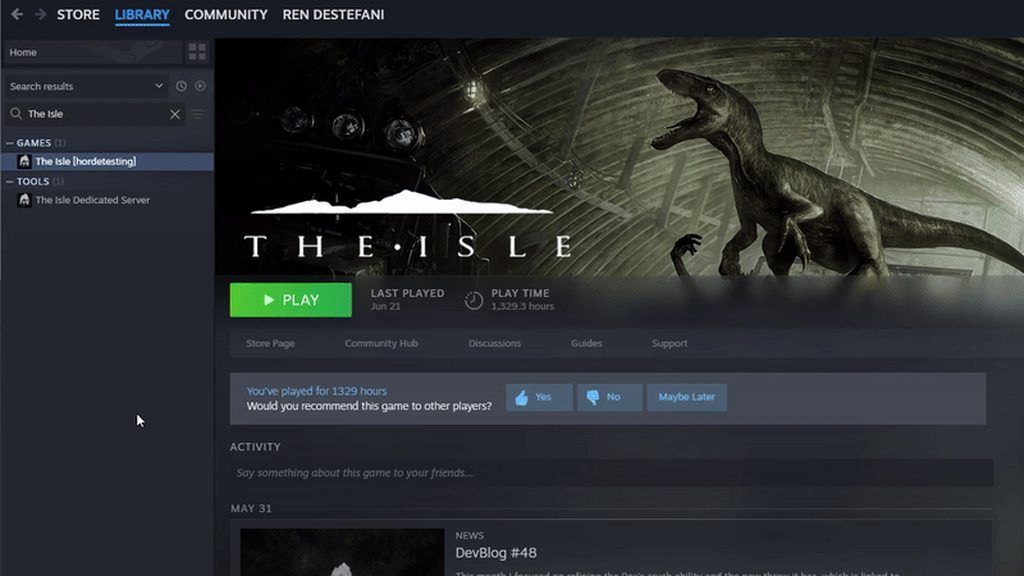
You are probably on Legacy.
 signal path
dry remnant
game keeps giving fatal error, tried all the suggested resolutions anyone else h...
signal path
dry remnant
game keeps giving fatal error, tried all the suggested resolutions anyone else h...
Fatal Errors like that are usually a sign that you have hardware issues with your PC, typically a bad RAM stick, though may also be caused by Windows corruption or interference from another program. As a starting point, could you please download OCCT and do a CPU + RAM Stability test? Prime95 is an Open-Source option if you prefer, but it isn't as user-friendly.
Ocbase is the home of OCCT, the most popular all-in-one stability / stress testing / benchmarking / monitoring tool available for PC
GitHub
Highlights of version: 30.8 build 15
see the latest WhatsNew.txt file for a full list of changes.
Huge improvements to stage 2 of P-1 when lots of memory is available.
Warning: upgrading in the mi...
rich heron
trying to connect to every server gives me this message, any solutions?
 signal path
final vine
Why cant i see the full thing?
signal path
final vine
Why cant i see the full thing?
I'm not sure what you are talking about, but it looks like you have Streamer mode on. Turn that off in the settings and see if it resolves your issue
signal path
true siren
i launched the game after a long time and its just stuck here
That is likely interference from your Anti-Virus. Either uninstall Norton/Avast/AVG/McAfee/Kaspersky and let Windows Defender take over or add the entire TheIsle folder in Steam as an exception.
signal path
 solemn willow
What are your computer specs, please?
CPU, RAM, and GPU
signal path
shut tide
ok
If you are seeing that only in a particular part of the swamp, the solution is to leave that part of the swamp
shut tide
yh i did
dry remnant
signal path
Fatal Errors like that are usually a sign that you have hardware issues with you...
@copper dock
signal path
low carbon
has anyone found a fix (aside from clipping the water) to underwater nightvision...
Underwater night vision is supposed to be dark if not outright black in some parts of the map, notably the swamp. It is supposed to represent murky, muddy water. There is no fix.
low carbon
signal path
Underwater night vision is supposed to be dark if not outright black in some par...
im more refering to the black squares
but i see the solution is to ignore the problem
signal path
low carbon
im more refering to the black squares
That just happens in places. If it happens everywhere, or in several places outside the swamp, that is something that we can figure out
true siren
signal path
That is likely interference from your Anti-Virus. Either uninstall Norton/Avast/...
okay thanks
low carbon
signal path
That just happens in places. If it happens everywhere, or in several places outs...
it happens to me at all locations ive been to at some point (water access, swamp, north lake)
true siren
signal path
That is likely interference from your Anti-Virus. Either uninstall Norton/Avast/...
Exception worked, thanks
signal path
low carbon
it happens to me at all locations ive been to at some point (water access, swamp...
Alright that's definitely not normal. Could you run through this list for me?
Make sure the game is exited for each step below. Feel free to try the game again after each step and stop if it is working correctly.
- Make sure Windows is completely up-to-date. Restart your PC if any updates are applied.
- In Steam, right-click The Isle, Properties, Installed Files, Verify integrity of game files. If Steam finds a problem, you will see the game start updating.
- On your keyboard press the Windows key and R, put %localappdata% and hit enter, scroll down and double click TheIsle, then Saved, then delete Config. This will also delete all your settings.
- On your keyboard press the Windows key and X, then select "Command Prompt (Administrator)" or "Windows PowerShell (Admin)". Copy the following two commands and paste (by right-clicking in the window, not ctrl-v) into the window that opened:
sfc /scannow
DISM /Online /Cleanup-Image /RestoreHealth
``` then restart your PC.
5. Uninstall then reinstall your graphics drivers (follow NVIDIA, AMD, or Intel instructions depending on which you have). visual whale
hello, My friend can't join in any server, he just stays in conecting it is possible that he has ban?
final vine
signal path
I'm not sure what you are talking about, but it looks like you have Streamer mod...
Ty
signal path
visual whale
hello, My friend can't join in any server, he just stays in conecting it is poss...
No, but there are a few things that can cause it. Do you know if it's specific to his account? That is, if you or him uses your account on his PC, does it work?
rich heron
plz help, joining all servers gives same messages
 signal path
rich heron
plz help, joining all servers gives same messages
signal path
rich heron
plz help, joining all servers gives same messages
Do you use any sort of aftermarket antivirus or security suite?
Also, could you please try joining a community (non-official) server?
signal path
oak wyvern
am trying to play the croc but when am in water my screen wont stop glitching ou...
Could you please describe or clip how it is glitching?
rich heron
signal path
Do you use any sort of aftermarket antivirus or security suite?
i fixed running th isle yesterday by giving my AV Exclusion for the isle. was running perfect 12 houra go. now i ceep getting data message. havnt changed anything
signal path
violet laurel
how do i fix asset locastion not showing up?
Turn off streamer mode in settings
signal path
rich heron
i fixed running th isle yesterday by giving my AV Exclusion for the isle. was ru...
You might not have changed anything but we can't be certain your AV didn't change something on its own. Could you please double-check the exclusion is still in place?
rich heron
yes it is
signal path
Make sure you exclude the whole folder too, not just TheIsle.exe
visual whale
signal path
No, but there are a few things that can cause it. Do you know if it's specific t...
his pc is ok
rich heron
signal path
Also, could you please try joining a community (non-official) server?
same results
visual whale
He has 1000 hours and the last one if when he wanted to play he couldn't
signal path
visual whale
He has 1000 hours and the last one if when he wanted to play he couldn't
Just because its been fine for a long time doesn't mean something hasn't changed. My car has been fine for 200,000km doesn't mean it cannot have issues
It is important to try a different account on the same machine to eliminate one of the likely causes
 pliant bison
 signal path
pliant bison
signal path
pliant bison
That's just what part of the map looks like, no fix I'm sorry
rich heron
signal path
Make sure you exclude the whole folder too, not just TheIsle.exe
issue persist after excluding whole folder
signal path
rich heron
issue persist after excluding whole folder
OK, can you please follow through this process? The first few steps will be different if you are on Windows 11
#🔧-evrima-troubleshooting-🔧 message
For Windows 11, the first couple of steps can be found here #🔧-evrima-troubleshooting-🔧 message
If that doesn't work, could you please try uninstalling your AV, restart your PC, then trying the game?
Could you show me that part of the log with the other displays disabled?
Perhaps try unplugging the screens too, not just disabling in windows
signal path
ember glade
anyone know how to fix the problem where I alt tab and the game goes to a weird ...
Could you describe the windowed mode? Is it just The Isle in a smaller window, or is it completely black, or something else? If you haven't already, try hitting F11 or alt+enter after alt tabbing back to the game
rich heron
signal path
OK, can you please follow through this process? The first few steps will be dif...
my apologies, VPN was stil turned on. There was they issue. ty for your time
signal path
rich heron
my apologies, VPN was stil turned on. There was they issue. ty for your time
Oh, all good, the most important thing is you got it fixed.
 slim depot
Hey Guys, my mate get DX12 error on his old PC at his home but his new PC have no issue, we are complete new to this gamee but at reddit its seems like a common error, any helpers?
signal path
slim depot
Hey Guys, my mate get DX12 error on his old PC at his home but his new PC have n...
A DX12 error on an old machine most likely just means it is too old to play Evrima, I'm sorry. If you know the exact GPU it has we can make sure
slim depot
Readon r9 390 i think
10y old
or 380
it is a 390
he got dx12 installed tho correctly i checked that
signal path
Do you know if DX12 is 100% up to date? The only real way to get them is through windows updates; people who have disabled windows updates tend to get issues with some DX12 games as a result
signal path
Just DX12? No underscore after it?
slim depot

 static spruce
Does anyone have a solution to this?
 signal path
slim depot
signal path
slim depot
Could you please tell me what it says on the page for the main display, on the right side under Feature Levels?
slim depot
not right now its all i have i do this for him because hes at work at tonight we wanna play
but thx for the help, i will double check when hes back
 copper dock
Can' run, jump, or use secondary attacks (including alt) but can use primary (and alt) attacks.
I have reset all my settings.
signal path
slim depot
but thx for the help, i will double check when hes back
As far as I can see r9 390 don't fully support DX12, only DX12_0 (aka 12.0) and Evrima requires 12_1 (aka 12.1). It's hard to be certain, though
Historically Evrima ran fine on 12.0 cards but a change recently means they now require 12.1
static spruce
copper dock
Can' run, jump, or use secondary attacks (including alt) but can use primary (an...
Have you been on legacy recently?
copper dock
static spruce
Have you been on legacy recently?
I had no stam LOL I'm so dumb
static spruce
copper dock
I had no stam LOL I'm so dumb
Oh😭
static spruce
static spruce
Does anyone have a solution to this?
Someone?😭
signal path
static spruce
Does anyone have a solution to this?
That could be interference from your Anti-Virus. If you have Norton/Avast/AVG/McAfee/Kaspersky, consider uninstalling it and letting Windows Defender take over or add the entire TheIsle folder in Steam as an exception
static spruce
signal path
That could be interference from your Anti-Virus. If you have Norton/Avast/AVG/Mc...
I don’t get it thought my isle has been fine for months
signal path
static spruce
I don’t get it thought my isle has been fine for months
AVs update themselves all the time, and some just don't like playing nicely with anti-cheat systems
static spruce
Hopefully this solves my issue then, will I have to restart my pc after it’s uninstallation?
signal path
Yes please!
 silk peak
Hey, since the new update when i want to start the game i´m stuck at the loading screen. I wanted to ask if someone could help me.

 sharp sequoia
silk peak
Hey, since the new update when i want to start the game i´m stuck at the loading...
sharp sequoia
silk peak
Hey, since the new update when i want to start the game i´m stuck at the loading...
i have same problem, for me, i deleted my anti virus and it work
static spruce
signal path
Yes please!
Thank you that seems to have solved it for now!
 honest drum
If i cant /unstuck is there way to get out? or is my dino lost?
 hexed adder
still getting fatal error after finishing system check.....


 stable fjord
any admins that can help?
 thin oracle
I cant seem to play this game because i dont have enough space on my video card but i see i have enough
 tame grail
Someone can help me with:
"Plugin 'NeuralNetworkInference' failed to load because module 'NeuralNetworkInferenceShaders' could not be found. Please ensure the plugin is properly installed, otherwise consider disabling the plugin for this project."
Reinstall does not work, same to integrity check.
drowsy quarry
honest drum
If i cant /unstuck is there way to get out? or is my dino lost?
have you tried logging out, logging in and doing the command without moving?
signal path
silk peak
Hey, since the new update when i want to start the game i´m stuck at the loading...
That is typically caused by interference from your Anti-Virus. Either uninstall Norton/Avast/AVG/McAfee/Kaspersky and let Windows Defender take over or add the entire The Isle folder in Steam as an exception.
tame grail
tame grail
Someone can help me with:
"Plugin 'NeuralNetworkInference' failed to load becau...
LogHAL: Log category LogTheIsleAntiCheat verbosity has been raised to Verbose.
LogPluginManager: Error: Plugin 'NeuralNetworkInference' failed to load because module 'NeuralNetworkInferenceShaders' could not be found. Please ensure the plugin is properly installed, otherwise consider disabling the plugin for this project.
Message dialog closed, result: Ok, title: Message, text: Plugin 'NeuralNetworkInference' failed to load because module 'NeuralNetworkInferenceShaders' could not be found. Please ensure the plugin is properly installed, otherwise consider disabling the plugin for this project.
LogCore: Engine exit requested (reason: EngineExit() was called)
LogExit: Preparing to exit.
LogPakFile: Destroying PakPlatformFile
LogExit: Exiting.
Log file closed, 02/02/25 15:40:49
signal path
hexed adder
still getting fatal error after finishing system check.....
OK, that's really good news. Next we'll try to make sure there isn't some sort of corruption with the game or Windows.
Make sure the game is exited for each step below.
- Make sure Windows is completely up-to-date. Restart your PC if any updates are applied.
- In Steam, right-click The Isle, Properties, Installed Files, Verify integrity of game files. If Steam finds a problem, you will see the game start updating.
- On your keyboard press the Windows key and R, put %localappdata% and hit enter, scroll down and double click TheIsle, then Saved, then delete Config. This will also delete all your settings.
- On your keyboard press the Windows key and X, then select "Command Prompt (Administrator)" or "Windows PowerShell (Admin)". Copy the following two commands and paste (by right-clicking in the window, not ctrl-v) into the window that opened:
sfc /scannow

DISM /Online /Cleanup-Image /RestoreHealth
``` then restart your PC.
5. Uninstall then reinstall your graphics drivers (follow NVIDIA, AMD, or Intel instructions depending on which you have).
6. If none of the above has helped, uninstall then reinstall The IsleUnstuck can be a bit fiddly. If you are swimming or sliding it won't work, but if you are standing still and nothing happens, leave the server, rejoin, and without moving at all use /unstuck again.
If that doesn't work, you can try pinging the Official Server Admin role in the Evrima channel for your region with the server and your in game name but it's rare for them to have time to help
Edit: whoops just noticed Kouga already answered you. Sorry for the duplicate ping! Hope you managed to get out safely
signal path
thin oracle
I cant seem to play this game because i dont have enough space on my video card ...
Could you please give us your system specs? CPU, RAM, GPU
signal path
tame grail
Someone can help me with:
"Plugin 'NeuralNetworkInference' failed to load becau...
Where is the game giving you this error?
dusky sand
help it pause when i open it
 signal path
dusky sand
help it pause when i open it
signal path
dusky sand
help it pause when i open it
Sorry, could you explain exactly what the issue you are having is? Do you mean that clicking refresh doesn't do anything?
 foggy niche
My game won’t load any online servers, when I try to host one the screen goes black and doesn’t load erm
dusky sand
signal path
Sorry, could you explain exactly what the issue you are having is? Do you mean t...
no it pauses when i go into the server meu i can try to sed a video
foggy niche
foggy niche
My game won’t load any online servers, when I try to host one the screen goes bl...
(Also just got a new computer so maybe smth with that?)
signal path
foggy niche
My game won’t load any online servers, when I try to host one the screen goes bl...
Double check the Session Filter on the right hand side is Official?
foggy niche
signal path
Double check the Session Filter on the right hand side is Official?
I did, still not loading 😔
foggy niche
I’m pretty sure but let me check
signal path
dusky sand
help it pause when i open it
Please change the Session Filter on the right hand side to Official
foggy niche
signal path
Please change the Session Filter on the right hand side to Official
Apparently I didn’t have it lol, ty for helping, I’ll see if it works
dusky sand
signal path
Please change the Session Filter on the right hand side to Official
it will to the same thing
signal path
foggy niche
Apparently I didn’t have it lol, ty for helping, I’ll see if it works
No worries! Sometimes the game gets a bit funny switching from Legacy to Evrima, could you also do the following while it downloads?
On your keyboard press the Windows key and R, put %localappdata% and hit enter, scroll down and double click TheIsle, then Saved, then delete Config. This will also delete all your settings.
dusky sand
i have prayed to god and it did't work
signal path
dusky sand
it will to the same thing
Could you please take a screenshot of the main menu and post it here?
dusky sand
like not in the server menu
signal path
Yeah, just the main menu that opens when the game first opens
dusky sand
ok
foggy niche
Now its saying I dont have Easy anti cheat installed, Where could I download this?
signal path
foggy niche
Now its saying I dont have Easy anti cheat installed, Where could I download thi...
In Steam, could you please right-click The Isle, Manage, Browse local files, then double-click UninstallAntiCheat then double-click InstallAntiCheat?
foggy niche
alr!
signal path
You won't get any confirmation message but it should work
foggy niche
signal path
You won't get any confirmation message but it should work
I think it finally worked, Thank you!
signal path
No worries! Servers are about to restart, you'll need to wait 10-15min to join
dusky sand
signal path
Could you please take a screenshot of the main menu and post it here?
here it crashed again
 foggy niche
ty for telling me lol
signal path
It gets a lot of people the first time haha, so many manage to time it just perfectly
signal path
dusky sand
here it crashed again
Wait, it's crashing?
I didn't realise that, sorry
Do you get any sort of error message?
dusky sand
nnnno i mean it pasuse something it says easy anticheat error #000000022
@signal path
signal path
oK, so the same error as you were having before. Did you make sure you aren't running any tools or filters? DS4W etc?
dusky sand
whats that
signal path
The error you are getting usually means there's a program running that is not allowed. If you have installed cheats for any other game, or any special programs to help make games easier, they need to be cleaned off your PC
 clever swift
having pretty consistant fatal error issues, running a pc stress test and everything is fine, running a fairly decent rig
 untold lotus
Stuck at scanning all frequencies. Any issues at the moment or this my side?
signal path
untold lotus
Stuck at scanning all frequencies. Any issues at the moment or this my side?
Yup, servers are currently restarting
untold lotus
signal path
Yup, servers are currently restarting
Even private ones?
Or Unofficial?
dusky sand
signal path
The error you are getting usually means there's a program running that is not al...
i installed rage lspdfr for gta and more mods for that how to i get rid of them?
signal path
Unofficial should be up
signal path
dusky sand
i installed rage lspdfr for gta and more mods for that how to i get rid of them?
That could be it, can you make sure it isn't currently running? Perhaps it has a icon in the system tray down the bottom right next to your clock?
signal path
Could you take a screenshot of what is in the system tray? Use the little up arrow to expand it out
signal path
clever swift
having pretty consistant fatal error issues, running a pc stress test and everyt...
Could you please follow through this process #🔧-evrima-troubleshooting-🔧 message
The windows update part is pretty important, if you are too far behind you will be missing updates to DirectX12 that are needed
dusky sand
signal path
Could you take a screenshot of what is in the system tray? Use the little up arr...
here
 signal path
dusky sand
here
signal path
dusky sand
here
See the little ^ icon far right next to the time?
Could you click that then screenshot what pops up?

 signal path
Is that what you see when you click on the yellow triangle?
 dusky sand
signal path
Is this icon Task Manager or something else?
dusky sand
signal path
Is this icon Task Manager or something else?
task manger
signal path
dusky sand
but with #000000022
OK, I'm not positive that lspdfr is the issue but it seems the most likely, could you follow the guide in this thread to remove it then try?
https://www.lcpdfr.com/forums/topic/129288-uninstall-lspdfr/
LCPDFR.com
What is the best way to uninstall lspdfr just delete its folder in the main game menu then reinstall it or should I do it another way?
I won't be able to respond again for a while, but will when I can if that doesn't fix it for you 🙂
dusky sand
signal path
I won't be able to respond again for a while, but will when I can if that doesn'...
oe last thing it didn't work theres nothing and i gtg eat
 signal path
dusky sand
oe last thing it didn't work theres nothing and i gtg eat
signal path
dusky sand
oe last thing it didn't work theres nothing and i gtg eat
If you have Armoury Crate could you please uninstall it?
Next, on your keyboard please press the Windows key and R, put %localappdata% and hit enter, scroll down and double click TheIsle, then Saved, then delete Config. This will also delete all your settings.
 fiery mauve
can someone help me im baby herrera stuck inside a tree, server CA 1 - Central my user is EndoDinosaur
signal path
fiery mauve
can someone help me im baby herrera stuck inside a tree, server CA 1 - Central m...
Wrong channel, I'm sorry. Please try /unstuck in chat first, if that doesn't work please ping the yellow Official Server Admin role in #evrima-na with the server and your in game name
signal path
All good 😌
tame grail
signal path
Where is the game giving you this error?
it does not even starts. The problem happened after I upgraded my GPU for a RTX 5080.
signal path
tame grail
it does not even starts. The problem happened after I upgraded my GPU for a RTX ...
Did you upgrade from AMD? If so, did you make sure to uninstall the old drivers first?
Please make sure your GPU drivers are completely up to date, and same goes for Windows
dusky sand
signal path
Next, on your keyboard please press the Windows key and R, put **%localappdata%*...
should this fix it bc i did it
signal path
dusky sand
should this fix it bc i did it
It was a long shot tbh, but I'm glad it did
dusky sand
should it fix it?
signal path
tame grail
it does not even starts. The problem happened after I upgraded my GPU for a RTX ...
If that doesn't work please press Windows + R, type
%localappdata%\Theisle\saved\Config\WindowsClient\GameUserSettings.ini
And press enter, then find the line DLSSEnabled and change it from true to false and then save. If it is already set to false, try setting it to true
signal path
dusky sand
should it fix it?
Yup
dusky sand
ok
dusky sand
signal path
Yup
didnt work
thin oracle
@modest drum I’m literally talking also I’m not on lol
dusky sand
@signal path didn't work
pseudo carbon
signal path
That error means there is a tool or program you are running which is not allowed...
is there a way I can see which program isn't allowed by EAC?
 supple plume
I have to change my mono board to play
 hazy spire
T.T
 signal path
pseudo carbon
is there a way I can see which program isn't allowed by EAC?
signal path
pseudo carbon
is there a way I can see which program isn't allowed by EAC?
Not that I know if, but possibly. Armour Crate is one, anything else which watches or draws to the screen might be the culprit too
Some people have said that disabling TPM 2.0 in their bios fixed it
You could try completely uninstalling EAC (delete C:\Program Files (x86)\EasyAntiCheat_EOS, and the EAC folder in %appdata% or %localappdata% restart, verify files on Evrima)
Sorry I can't give more specific instructions at the moment
signal path
dusky sand
<@117186041248481283> didn't work
Try some of the steps above if you feel comfortable
 plain pendant
supple plume
I have to change my mono board to play
plain pendant
supple plume
I have to change my mono board to play
I don't know what a mono board is.
 coral finch
how would i fix this bug
winter python
coral finch
how would i fix this bug
Disable DLSS
 obsidian pewter
anyone have the game freeze right at the AE blue screen? I have cleared steam DL cache, deleted the AEC folder and restarted my pc.
coral finch
winter python
Disable DLSS
thx
dusky sand
@signal path i am going to reset my pc see to whe i get discord downloaded aging
drowsy quarry
obsidian pewter
anyone have the game freeze right at the AE blue screen? I have cleared steam DL...
disable your third app antivirus if you have one
or make an exclusion to the isle folder in it
obsidian pewter
drowsy quarry
disable your third app antivirus if you have one
ok going to try that know
 stoic briar
what i can do in this situation? i typed /unstuck but did nothing and now is on cooldown
 drowsy quarry
stoic briar
what i can do in this situation? i typed /unstuck but did nothing and now is on ...
drowsy quarry
stoic briar
what i can do in this situation? i typed /unstuck but did nothing and now is on ...
relog and try /unstuck once more
 late hedge
Game looks a little different these days

 obsidian pewter
drowsy quarry
disable your third app antivirus if you have one
obsidian pewter
drowsy quarry
disable your third app antivirus if you have one
sweet ty that worked
 hot gull
Crashing/freezing on start up screen? I've already reinstalled, deleted the folder in appdata, verified game files. nothing seems to work
freezes here

 hot rain
what does this mean
 winter python
hot rain
what does this mean
winter python
hot rain
what does this mean
What GPU do you have?
hot rain
idk
winter python
hot gull
freezes here
Antiviruses seem to be causing that, try disabling it
winter python
hot rain
idk
Open Task Manager, then click Performance, then click GPU. The name of it will be in the top right
obsidian pewter
hot gull
Crashing/freezing on start up screen? I've already reinstalled, deleted the fold...
I had the same problem. I tryed clearing the steam DL cache and deleteed the EAC folder with restarting my pc. But what worked for me was disable your third app antivirus if you have one or make an exclusion to the isle folder in it
hot rain
winter python
What GPU do you have?
this one
 winter python
hot rain
this one
winter python
hot rain
this one
That's a CPU, I need to know your GPU
hot rain
oh
hot gull
obsidian pewter
I had the same problem. I tryed clearing the steam DL cache and deleteed the EA...
Nail on the head. Made an exclusion and that worked. Thanks!
hot rain
itd doesnt give me the option of gpu
drowsy quarry
hot rain
itd doesnt give me the option of gpu
show me your task manager > performance screen

 velvet bear
When I turn on the isle evrima the screen freezes at that moment why is that?
 drowsy quarry
hot rain
drowsy quarry
hot rain
i see, you have an integrated gpu, usually integrated gpus dont work with the isle but ive seen people playing with radeon graphics.
im not sure how tho 🤷 they just download and done.
hot rain
i went on the isle today so idont know what happend
drowsy quarry
ah yes i was about to say that, sometimes the gpu randomly decides to not support the game anymore
seems to happen only with radeon graphics
hot rain
ok
drowsy quarry
velvet bear
When I turn on the isle evrima the screen freezes at that moment why is that?
disable your third app antivirus
hot rain
?
drowsy quarry
?
 hallow portal
When I turn on the isle evrima the screen freezes at that moment why is that?
 drowsy quarry
hallow portal
When I turn on the isle evrima the screen freezes at that moment why is that?
drowsy quarry
hallow portal
When I turn on the isle evrima the screen freezes at that moment why is that?
disable your third app antivirus
or create an exclusion to the isle folder in it
 deep rose
Friends of mine used to run the game with very high FPS and now they're only getting 15-20 since a certain update (not sure which). Does anyone have any suggestions or ideas as to why or how this can be improved?
I have suggested turning down graphics, namely view distance, and enabling Nvidia DLSS.
drowsy quarry
deep rose
Friends of mine used to run the game with very high FPS and now they're only get...
This video shows you epic settings are a lie. Here you will see how to improve your FPS with my settings breakdown!
👀Bem vindo! Welcome!👀
PT-BR / ENG
Watch my Evrima Guides: https://youtube.com/playlist?list=PLdvqZdnB0LRXw2S_uSlgjno_i8bE1LbIn
Watch my Combat Guides: https://youtube.com/playlist?list=PLdvqZdnB0LRVhGGslKlu4wrFilMn_DsEj
--------...
deep rose
Alright, thank you!

 untold brook
try reinstall
 gloomy cargo
untold brook
try reinstall
gloomy cargo
untold brook
try reinstall
Ok
untold brook
if it not work i dont can help
gloomy cargo
Are you allowed to @ the text support people?
 modest bobcat
drowsy quarry
disable your third app antivirus
modest bobcat
drowsy quarry
disable your third app antivirus
How can i do that?
drowsy quarry
modest bobcat
How can i do that?
search on google with the name of your antivirus
like norton, avast, avg, etc
or simply uninstall it
 wraith widget
Has nothing to do with the Freeze
drowsy quarry
the antivirus? it has
gloomy cargo
Does no one know how to fix my problem?
modest bobcat
wraith widget
Has nothing to do with the Freeze
How to fix it then?
wraith widget
modest bobcat
How to fix it then?
Dealing with the Same ima let you know once i figure it out 😉 but disable or uninstall your av is a straight up bad advice
drowsy quarry
windows defender is more than enough
drowsy quarry
modest bobcat
How to fix it then?
you can also add the whole the isle folder as an exception
then restart your pc
drowsy quarry
gloomy cargo
Does no one know how to fix my problem?
deleting config folder can help
How to delete CONFIG folder
- close your game
- press windows + r
- search %localappdata%
- find The Isle > Saved > DELETE Config
- do not write anything, just search it by eye!
all your settings will become default, including the automatic alt bite
gloomy cargo
drowsy quarry
deleting config folder can help
That did not fix it
I also can't press anything
drowsy quarry
you can also try puttin in steam launch: windowed
gloomy cargo
drowsy quarry
you can also try puttin in steam launch: windowed
How do I do that?
drowsy quarry
properties > launch options
then write -windowed
theres also a line that can specify widht and height
like this

 naive bluff
Someone send me the settings and original engine please I deleted everything and don't restore
drowsy quarry
naive bluff
Someone send me the settings and original engine please I deleted everything and...
original engine?
modest bobcat
drowsy quarry
you can also add the whole the isle folder as an exception
How do i do that?
naive bluff
drowsy quarry
original engine?
yea and settings
drowsy quarry
modest bobcat
How do i do that?
search on google, each antivirus is different
drowsy quarry
naive bluff
yea and settings
to restore your settings to default you can delete the config folder
modest bobcat
u sure it works?
drowsy quarry
yeah it works, been dealing with people with the same problem for 2 weeks now
naive bluff
OK thanks
drowsy quarry
you can scroll the chat to be certain if you want
naive bluff
easy anti cheat my
modest bobcat
drowsy quarry
yeah it works, been dealing with people with the same problem for 2 weeks now
K
naive bluff
kk maravilha
drowsy quarry
#evrima-sa fale comigo por aqui
gloomy cargo
drowsy quarry
then write -windowed
Thanks that worked
drowsy quarry
yey ^^
 dire sparrow
Hello, I have a problem:
After I rolled back Windows 11 to 10, I got soapy graphics, while before it was much better. Now I have very soapy trees from afar, soapy dinosaur texture...
computer specifications:
RTX 4060 inno3d
Amd Ryzen 7 7700x
32 gb
All settings are set to epic, DLLs are not enabled...
dire sparrow
dire sparrow
Hello, I have a problem:
After I rolled back Windows 11 to 10, I got soapy grap...
Screen resolution maximum
drowsy quarry
dire sparrow
Hello, I have a problem:
After I rolled back Windows 11 to 10, I got soapy grap...
have you tried a complete uninstall or deleting config folder
dire sparrow
drowsy quarry
have you tried a complete uninstall or deleting config folder
Tried it
dire sparrow
dire sparrow
Screen resolution maximum
 drowsy quarry
yeah, very bad 🤔
 plush birch
hello where can i report a noclip and speedhacker?
<@&505047238674874368>
was on eu2 west about 5-10 mins ago have vid/clip
modest bobcat
drowsy quarry
you can speak portuguese with me btw.
Amassou irmao
Qual é a pasta do the isle pra add?
tem q ir no %appdata%?
drowsy quarry
é a da steam
drowsy quarry
modest bobcat
tem q ir no %appdata%?
right click the isle in steam > properties > local files > browse
so you can see where your game is located
then go to your antivirus and add the exclusion from the same path to the entire isle folder
drowsy quarry
yeey ^^
dire sparrow
drowsy quarry
yeah, very bad 🤔
What can be done to get a good picture back?
drowsy quarry
i dont know anything else other than updating drivers, updating windows, deleting config foler or cleaning the isle from your pc to reinstall it
winter python
 open cradle
Please help me im stuck
open cradle
Please help me im stuck
Try /unstuck
open cradle
it doesnt work
winter python
open cradle
it doesnt work
Check this channel's description
winter python
open cradle
soo im basically dead?
What server are you on?
winter python
Which region?
open cradle
EU
winter python
Check the pinned messages in #evrima-eu to see how to request assistance
 stuck drum
How come i cant see the water in any of my replays? Is it because of some settings not being high enough?

 torpid parcel
granite moss
torpid parcel
granite moss
turn off Nvidia DLSS
granite moss
oh thank you so much
signal path
dire sparrow
Hello, I have a problem:
After I rolled back Windows 11 to 10, I got soapy grap...
Make sure windows 10 is 100% up to date
Windows updates include DirextX12 updates which l might cause issues if not applied
 unborn flower
Is stego diet bugged. I still have a juvi diet at 51%
signal path
unborn flower
Is stego diet bugged. I still have a juvi diet at 51%
There aren't separate diets for different life stages, excluding regurgitation for hatchlings and Sanctuary Mushrooms for babies. Diets dynamically change based on your Patrol Zone
unborn flower
signal path
There aren't separate diets for different life stages, excluding regurgitation f...
Oh so if I left the swamp my preferences would change?
 echo orbit
Can someone help me start an Evrima server?
signal path
unborn flower
Oh so if I left the swamp my preferences would change?
Not quite, it's a bit of a weird system. Your Patrol Zone (PZ) is tied to your group (even if its a group of 1) and should periodically respawn, aka move, but it's often pretty buggy. If you leave your current group, or join someone elses group, that usually triggers the PZ to respawn to the closest available zone
So you need to leave swamp and head towards where you want to be, then when you get there hit Leave Group (your PZ will disappear if it works), then wait for it to respawn
Alternatively your Migration Zone (MZ) should also contain or set your diet, but that isn't reliable either
unborn flower
signal path
So you need to leave swamp and head towards where you want to be, then when you ...
Thank you so much. I've been living off only protein because nothing else spawns here. Plus the migration has no food in it
signal path
PZ often stop spawning food or otherwise go wrong (like you are experiencing), manipulating it is an important part of herbivore life at the moment
unborn flower
You're a hero
signal path
The Vulnona map can show you where all the zones are, the best for you from Swamp would probably be far south of South Plains, or if you want to meet more herbivores (and don't want to risk the fighting around South Plains) up at North Lake
unborn flower
signal path
The Vulnona map can show you where all the zones are, the best for you from Swam...
Thank you. I'll pass on the knowledge you've blessed me with ☺️
signal path
Windows 10 or Windows 11?
1 screen 4k isn't one of them, though
Do you know how to get into your Display Adapter Properties?
I meant, it's possible that it doesn't like unique/strange collections of monitors but just a single fairly common monitor wouldn't be an issue
Unreal Engine should be getting the available resolutions and screen area reported to it by Windows, I want to make sure something weird isn't happening there
I believe the way to get to display properties in 11 is Start > Settings > System > Display > Advanced display
It's easy to blame the game but all this stuff should be happening natively inside the engine (Unreal Engine 5.4) which is rock-solid
Can you go into Display adapter properties?
There's somewhere where it should report the list of available resolutions
Yup, that's the one
Hmmm the native resolution is usually the bottom one... I don't suppose the last entry is 1440p by any chance?
OK, so not that. I'll have to do some research here I think
Only other thing that comes to mind is maybe DLSS is causing problems, it's pretty buggy in Evrima, but that's a bit of a long shot too
Probably a silly question, have you tried setting the game to Fullscreen and seeing if your settings stick?
I know you probably prefer Windowed Fullscreen for alt-tabbing and stuff but Evrima typically runs better in Fullscreen, and it's pretty smooth about alt-tabbing in and out (as long as you are careful about alt being sticky and press it when you get back in)
Hmph. Sadly all I know is based on how I implement resolution detecting and how I assume they have done it, and that doesn't match up with the symptoms you are seeing, it doesn't make much sense at all
Especially it doing two attempts at resolution detection
Yeah, you are the first that I've seen, which given how many issues come up again and again and again seems very odd. Have you tried deleting the Config folder in %localappdata%/TheIsle/Saved ?
There's a bunch of oddball issues that seem to be resolved by wiping the config settings and letting the game auto-generate them again
Just in case, could you do the following?
On your keyboard press the Windows key and X, then select "Command Prompt (Administrator)" or "Windows PowerShell (Admin)". Copy the following two commands and paste (by right-clicking in the window, not ctrl-v) into the window that opened:
DISM /Online /Cleanup-Image /RestoreHealth```
then restart your PC.How is that
signal path
dire sparrow
How is that
Press Windows key or open Start menu or click in Search box in task bar, type updates, then click Check for updates
If it says Updates available in the top left click Install updates as soon as possible
Did it report anything detected or corrected? I'm assuming not
Not everyone, but it's kinda common yeah. Hard to know how many people, there's thousands that play after all
Yeah, was a bit of a long shot. If I was in your shoes - and this is getting a little janky - I'd try uninstalling your monitors in Device Manager, letting them reinstall, and seeing if that helps. That might be a bit too far under the hood for you though, not knowing how comfortable you are tinkering around like that
 gilded sparrow
I am stuck in-between rocks sorry but unsure if this is the right place to ask for help
signal path
It's got to be something different in your GPU or display configuration in Windows, since you've tried different monitors on their own
signal path
gilded sparrow
I am stuck in-between rocks sorry but unsure if this is the right place to ask f...
You need to ask in the appropriate #evrima-na or #evrima-au or such, and make sure you take the yellow @.Official Server Admin role . You can also just relog to use /unstuck again. You usually go backwards when using unstuck, so facing the right way can help, but there are spots that are just impossible to get out of
gilded sparrow
signal path
You need to ask in the appropriate <#543084446853890049> or <#855544175507406848...
thank you
signal path
It is a game issue, since you said it wasn't happening with other games, but it's also something somehow fairly unique to you. To put it another way, somethign with how your windows has the displays configured or presented is exposing a bug in the game, we can't fix that bug but maybe can fix whatever is different in Windows.
But, as you said, the payoff probably isn't worth the investment at this point
Oh, that just gave me a thought. You don't have your task bar in an oddball spot or a strange size, do you?
Like on the sides of the screen or double height or something
Could be, that'd be strange but it's a strange problem
Worth a shot 🤷♂️
 winter cave
DirectX 12 is not supported on your system. Try running without the -dx12 or -d3d12 command line argument. Can someone please help me with this issue? It would be much appreciated.
winter python
winter cave
DirectX 12 is not supported on your system. Try running without the -dx12 or -d3...
What GPU do you have?
winter cave
winter python
What GPU do you have?
Where do i find it? I'm on a bummy laptop if that helps 🤣
winter python
winter cave
Where do i find it? I'm on a bummy laptop if that helps 🤣
Easiest way imo is in task manager, click Performance at the top then click GPU
winter cave
winter python
Easiest way imo is in task manager, click Performance at the top then click GPU
Clocking at i'm pretty sure a good 0
winter python
winter cave
Clocking at i'm pretty sure a good 0
I need to know its name, it'll be in the top right
winter cave
winter python
I need to know its name, it'll be in the top right
The Intel(R) UHD Graphics or something else?
winter python
Aw, yea that's it. THat's an integrated GPU, though, so you won't be able to run evrima
winter cave
winter python
Aw, yea that's it. THat's an integrated GPU, though, so you won't be able to run...
Would i run something else tho?
winter python
You could probably run the legacy version
winter cave
winter python
You could probably run the legacy version
Thank you so much for your help 🙏
 jolly wyvern
Is this an anti cheat issue? or something else
 signal path
jolly wyvern
Is this an anti cheat issue? or something else
signal path
jolly wyvern
Is this an anti cheat issue? or something else
Ace is the Tencent anti-cheat, it comes with a bunch of their games. You'll need to uninstall those games or manually disable ACE to play any game using EAC.
The following games come with ACE
Arena Breakout: Infinite
The Bornless
Free Fantasy Online [zh]
Goddess of Victory: Nikke
Honor of Kings
Arena of Valor
Dragon Raja
Strinova
Dungeonborne
Delta Force
jolly wyvern
okay small issue I don't have any of those another games
so I am not sure where it came from
signal path
I have never (and will never) install any game that comes with it so I don't have personal experience, do you feel comfortable following this procedure?
https://web.archive.org/web/20211128084200/https://support.sharkmob.com/hc/en-us/articles/4406977269521
Bloodhunt
Anti-Cheat Service Manual Uninstall Script
Make sure you have restarted your computer since the last time you played Bloodhunt.
Copy the script below (Mark it all, right click and press "Copy")
...
jolly wyvern
let me see if I can follow this but i am still confused on how this anti cheat got here
jolly wyvern
signal path
I have never (and will never) install any game that comes with it so I don't hav...
Okay full honesty the website you linked me was giving me super bad vibes so I tried looking into other games that was under the Tencent umbrella Wuthering Waves made by Kuro games is also under that list because it used Ace Base I uninstalled that and my game worked so add it to the tencent list lol
signal path
jolly wyvern
Okay full honesty the website you linked me was giving me super bad vibes so I t...
Yeah it looks a bit sketch because it was archived
You might just need to google "ACE uninstall" and follow whatever instructions feel right
jolly wyvern
true but for the time being uninstalling Wuthering waves helped me and could help others
 ebon peak
anyone else getting a lot of fatal errors?
signal path
ebon peak
anyone else getting a lot of fatal errors?
Fatal Errors are usually a sign that you have hardware issues with your PC, typically a bad RAM stick, though may also be caused by Windows corruption or interference from another program. As a starting point, could you please download OCCT and do a CPU + RAM Stability test? Prime95 is an Open-Source option if you prefer, but it isn't as user-friendly.
Ocbase is the home of OCCT, the most popular all-in-one stability / stress testing / benchmarking / monitoring tool available for PC
GitHub
Highlights of version: 30.8 build 15
see the latest WhatsNew.txt file for a full list of changes.
Huge improvements to stage 2 of P-1 when lots of memory is available.
Warning: upgrading in the mi...
signal path
That's fair. Prime95 is open source, which is more trustable than anything else you could download - including games on steam
If you aren't prepared to download anything, your only real tool is Windows Memory Diagnostic, which you will need to configure to run around 20 passes in Detailed mode. It'll take a while to run, best to leave it going overnight
signal path
 old hull
it opens for a minute then freezes
old hull
it opens for a minute then freezes
What happens after it freezes?
Can you get the the main menu or does it freeze before that?
old hull
it freezes before that while its loading, i verified files, reinstalled, not sure what else to try
 granite mirage
hmm ive tried everything and cant figure this

sorry if its somewhere ive looked all over the net
signal path
old hull
it freezes before that while its loading, i verified files, reinstalled, not sur...
signal path
granite mirage
hmm ive tried everything and cant figure this
That sounds like interference from your Anti-Virus. Either uninstall Norton/Avast/AVG/McAfee/Kaspersky and let Windows Defender take over or add the entire The Isle folder in Steam as an exception.
Depending on the AV you may also need to add C:\Program Files (x86)\EasyAntiCheat_EOS
and
C:\Program Files (x86)\EasyAntiCheat
granite mirage
signal path
That sounds like interference from your Anti-Virus. Either uninstall Norton/Avas...
ok legend ill give it a try
signal path
It's the anti-cheat it doesn't like
Anti-virus rely a lot on what's called "heuristics", basically if it looks sus block it. Anti-cheats do a lot of things that look sus, like poking through running processes, running at kernal level, the sort of things needed to catch cheats. Good anti-virus have the anti-cheat programs sort of white listed, so they don't get flagged, but others don't
 gilded yarrow
hacker cera with snipe hacks and knock back hack i eu 1 at south plaines, about salt lake
signal path
gilded yarrow
hacker cera with snipe hacks and knock back hack i eu 1 at south plaines, about ...
Calling out players locations isn't allowed, even if you think they are hacking. This is also the wrong channel, please follow the pins on #evrima-eu or submit the information and evidence to one of the orange admins through DM
hexed adder
signal path
OK, that's really good news. Next we'll try to make sure there isn't some sort o...
thanks, I will try it one by one while im playing small tier playables
 elder mist
I have some trouble starting The Isle Evrima version.
It doesn´t give an error, but just freezes upon loading the game. Right at the time where the unreal logo shows or the AE screen shows.
I´ve tried removing the isle folder in localappdata and verifying the file integrity within steam, but nothing seems to be working.
Anyone has any idea what this might be related to?
signal path
hexed adder
thanks, I will try it one by one while im playing small tier playables
Those steps really require you to be exited out of everything you can be, especially games, so I'd recommend just taking 10-15min to work through them and play with your phone while it's thinking 🙂
signal path
elder mist
I have some trouble starting The Isle Evrima version.
It doesn´t give an error, ...
That issue is typically interference from your Anti-Virus. Either uninstall Norton/Avast/AVG/McAfee/Kaspersky and let Windows Defender take over or add the entire The Isle folder in Steam as an exception.
 sick jewel
my game is launching but it just freezes on this screen
 signal path
sick jewel
my game is launching but it just freezes on this screen
signal path
sick jewel
my game is launching but it just freezes on this screen
That issue is typically interference from your Anti-Virus. Either uninstall Norton/Avast/AVG/McAfee/Kaspersky and let Windows Defender take over or add the entire The Isle folder in Steam as an exception.
elder mist
signal path
That issue is typically interference from your Anti-Virus. Either uninstall Nort...
Ahh man I had no idea that Norton would just interfere with it without at least showing a short popup. Thank you so much for the advice 🙂
I added the whole Isle folder to the exception list and it works now
dire sparrow
signal path
Press Windows key or open Start menu or click in Search box in task bar, type **...
All updates are installed
dire sparrow
dire sparrow
Hello, I have a problem:
After I rolled back Windows 11 to 10, I got soapy grap...
Please help 😦
signal path
dire sparrow
Please help 😦
What is the 3D resolution set to? It is located down the bottom of the Evrima Graphics Settings menu.
sick jewel
it worked, thank you
dire sparrow
signal path
What is the 3D resolution set to? It is located down the bottom of the Evrima Gr...
100%
signal path
dire sparrow
100%
Please check your NVIDIA Control Panel and ensure that all settings that can be are Application Controlled
 still chasm
Can someone help me when im playing the isle my GPU usage in some spots is only 30-20% and my FPS are low because of this i already tried using diffrent stettings but nothing changed in other games my GPU usage is around 70-100%
GPU-3070
CPU-7 5700x
signal path
still chasm
Can someone help me when im playing the isle my GPU usage in some spots is only ...
Make sure the game is exited for each step below.
- Make sure Windows is completely up-to-date. Restart your PC if any updates are applied.
- In Steam, right-click The Isle, Properties, Installed Files, Verify integrity of game files. If Steam finds a problem, you will see the game start updating.
- On your keyboard press the Windows key and R, put %localappdata% and hit enter, scroll down and double click TheIsle, then Saved, then delete Config. This will also delete all your settings.
- On your keyboard press the Windows key and X, then select "Command Prompt (Administrator)" or "Windows PowerShell (Admin)". Copy the following two commands and paste (by right-clicking in the window, not ctrl-v) into the window that opened:
sfc /scannow

DISM /Online /Cleanup-Image /RestoreHealth
``` then restart your PC.
5. Uninstall then reinstall your graphics drivers (follow NVIDIA, AMD, or Intel instructions depending on which you have).
6. If none of the above has helped, uninstall then reinstall The IsleI dont even have file named Saved
winter python
still chasm
I dont even have file named Saved
Are you in Appdata?
still chasm
I was in file the isle and there was nothing named Saved
signal path
still chasm
I was in file the isle and there was nothing named Saved
Could you please take a screenshot of what you are looking at?
still chasm
 winter python
still chasm
winter python
still chasm
You're not in Appdata, follow step 3 of Agouti's message
still chasm
i think it worked
signal path
Step 3 fixed it?
still chasm
yes i did it
 green gorge
anyone knows how to fix meat stuck in mouth
 molten vault
Hey why is nobody online
I just downloaded the game and it is dead
What is happening rn in game?
winter python
molten vault
Hey why is nobody online
Right click the game in your steam library, click properties, click betas, select the drop-down bar and select evrima
drowsy quarry
molten vault
Not a single tutorial mentioned it
the beginner tutorial does, sadly not official
 exotic holly
why does my audio keep lagging and bugging and sound really sharp and can anyone plz help i cant play with that audio
signal path
green gorge
anyone knows how to fix meat stuck in mouth
For carnivores it can eventually rot and disappear, but usually you just want to relog
signal path
exotic holly
why does my audio keep lagging and bugging and sound really sharp and can anyone...
Audio glitches can occur when your CPU can't keep up or when you have too little RAM, do you know your system specifications?
signal path
Yeah. If you upgraded to 16GB of RAM you'd be OK
signal path
10400 isn't fast but it should be fast enough as long as you don't use bad antivirus or such which hurt performance
exotic holly
i have 2 stick of 8 gigs of ram so gonna plug them in thanks for help
oak wyvern
is there a way i can get unstuck?
winter python
oak wyvern
is there a way i can get unstuck?
Try /unstuck
signal path
exotic holly
i have 2 stick of 8 gigs of ram so gonna plug them in thanks for help
heck yeah. Make sure to match your RAM sticks accross channels (so just use 8+8 not 4+4+8+8 unless you have to)
oak wyvern
winter python
Try /unstuck
thank you
 young island
help MEEEEE
 exotic holly
signal path
heck yeah. Make sure to match your RAM sticks accross channels (so just use 8+8 ...
exotic holly
signal path
heck yeah. Make sure to match your RAM sticks accross channels (so just use 8+8 ...
yeah i know i just doesn't have time
signal path
young island
help MEEEEE
Can you join other servers?
young island
yeah
signal path
or is it all of them
young island
only eu 5
signal path
Oh. As far as I know, there is no fix except to wait for the server to restart.
The servers restart every day at <t:1738425900:t>, <t:1738454700:t>, and <t:1738483500:t>. They take up to 15min to finish restarting
Sorry. It just seems like a bug with the servers, some people just can't connect sometimes. It's not your fault
young island
So it will most likely fix itself with a restart?
signal path
Yeah, when the server next restarts you should be OK, but not guaranteed sorry
young island
Okay bro, thanks
signal path
gl 🙏
still chasm
still chasm
i think it worked
Never mind my GPU usage is still dropping to 20%
signal path
still chasm
Never mind my GPU usage is still dropping to 20%
Could you please use a hardware monitoring tool to see what your CPU and GPU clocks and temperatures are like when playing normally and when having the issues?
I recommend MSI Afterburner but there are also open source options https://www.msi.com/Landing/afterburner
I'd just like to make sure your CPU or GPU isn't entering some sort of low-performance mode due to overheating or such

MSI Afterburner is the world’s most recognized and widely used graphics card overclocking utility. It provides detailed overview of your hardware and comes with some additional features like customizing fan profiles, benchmarking and video recording.
still chasm
Max on GPU 70 CPU 65
signal path
GeForce Experience will show GPU details if your press Alt+R but I'm more interested in what your CPU is doing
still chasm
CPU usage is around 40%
signal path
still chasm
Max on GPU 70 CPU 65
%utilisation is not very useful I'm sorry, need Temperature (C or F) and Clock (MHz)
If you could take a screenshot that would be much much more helpful 🙂
 signal path
still chasm
signal path
still chasm
Is that while the game is running and while your framerate is low?
If possible please use the overlay to monitor it in game
 west mist
does anyone know how to request admin to help me with stuck situation? i tried /unstuck but it doesnt help
signal path
west mist
does anyone know how to request admin to help me with stuck situation? i tried /...
Please check the pins in the channel for your region (e.g. #evrima-eu )
west mist
ty
still chasm
signal path
Is that while the game is running and while your framerate is low?
this is when my gpu usage is 40%
signal path
still chasm
this is when my gpu usage is 40%
If possible please use the overlay to monitor it in game. You CPU temperature is also important to see
signal path
still chasm
Could you please enable graphing in MSI Afterburner and take a screenshot of the graphs after 5min+ of gameplay? Longer if you don't get the low framerate
It's very important that you capture when the framerate is low, not just when Windows says the utilisation is low
still chasm
still chasm
This screenshot is after 1h of playing
in that time my gpu usage was dropping like 5 times
signal path
The graphs are important to make sure the clock is stable. Please do not focus on usage
The graphs will look similar to this

If you could also download https://www.hwinfo.com/download/ and graph CPU details that would be useful too

Start to analyze your hardware right now! HWiNFO has available as an Installer and Portable version for Windows (32/64-bit) and Portable version for DOS.
 willow garden
how do i fix this i have other game that use easy so idk what the problem is
 winter python
willow garden
how do i fix this i have other game that use easy so idk what the problem is
winter python
willow garden
how do i fix this i have other game that use easy so idk what the problem is
Check the pinned messages
signal path
Questions about hosting a server should be asked in #server-hosting
It is likely a configuration issue, recommend searching for your issue before asking as it is very likely that it has been previously answered
still chasm
signal path
It's very important that you capture when the framerate is low, not just when Wi...

 fresh dagger
Heya, been years since I last opened. I can't get past the initial screen, not getting into the menu (tried restarting the game by killing process)
 still chasm
signal path
That issue is typically interference from your Anti-Virus. Either uninstall Nort...
still chasm
signal path
That issue is typically interference from your Anti-Virus. Either uninstall Nort...
Try this
signal path
still chasm
That looks normal for 60Hz VSync, can you please confirm what the problem you are seeing is?
Exactly how low is you FPS?
still chasm
i have 100Hz monitor and no frame limit
still chasm
signal path
Exactly how low is you FPS?
when gpu usage is 50% around 60fps but when its dropping to 20% they are below 30
 sick grove
Cant be in q for 10 mins without disconnecting
still chasm
nah i thought it help but it didnt
signal path
If you haven't already, could you also make sure you finish the steps here? #🔧-evrima-troubleshooting-🔧 message
It's a very very strange issue you are having
 open crow
My Stamina takes unnormally long to regen when I am sitting down. After 5min I am still not even halfway done. Is this a bug or did I break something?
signal path
open crow
My Stamina takes unnormally long to regen when I am sitting down. After 5min I a...
Are you injured? Is your blood low? Food? Water? All these things hurt stamina regen
winter python
Only low blood impacts stam regen
still chasm
i did everything i think
open crow
signal path
Are you injured? Is your blood low? Food? Water? All these things hurt stamina r...
I just spawned in as a pteranodon so nothing should be a issue
signal path
winter python
Only low blood impacts stam regen
Are you certain? The Wounded status did in my testing
But perhaps I made a mistake
winter python
open crow
I just spawned in as a pteranodon so nothing should be a issue
Ptera takes 4 min to regen from 0 to 100% while sitting, assuming you've got full blood
Getting up and sitting back down makes it take longer, as the regen speed ramps up based on how long you've been resting
open crow
oh so its just long? gotcha
 white sierra
My game keeps freezing on start up, when I launch the beta versions of the game, typically either the UE or AE logos
signal path
white sierra
My game keeps freezing on start up, when I launch the beta versions of the game,...
That issue is typically caused by interference from your Anti-Virus. Either uninstall Norton/Avast/AVG/McAfee/Kaspersky and let Windows Defender take over or add the entire The Isle folder in Steam as an exception.
white sierra
what a stupid pain in the ass that is 😂
signal path
still chasm
i did everything i think
I'm not sure what else it could be. It feels like your CPU is being slowed down but it's not from temperature. I've not seen any graphs of CPU clock rates but you said you checked that
signal path
white sierra
what a stupid pain in the ass that is 😂
Yes. There is a reason experts do not recommend those AVs
white sierra
why is it just the beta versions of the game, and not the default though? 🤔
signal path
Because the beta uses a better anti-cheat, and the anti-cheat is what the AVs incorrectly target
 azure orchid
How to fix this?
 white sierra
signal path
Because the beta uses a better anti-cheat, and the anti-cheat is what the AVs in...
white sierra
signal path
Because the beta uses a better anti-cheat, and the anti-cheat is what the AVs in...
and I suppose turning it off doesnt work? full on uninstall?
signal path
white sierra
and I suppose turning it off doesnt work? full on uninstall?
You can disable it to launch the game and then let it re-enable itself, but Windows Defender typically outperforms Norton, doesn't slow your system down as much, and doesn't cause issues with games
My advice is to uninstall
signal path
azure orchid
How to fix this?
 shell latch
Am I the only one with a bugged Hererasaurus? Pounce has not worked for 1 month for me..
 high dagger
Im struggling to collect nesting materials as a Pteradon, a bunch spawned but we are unable to pick them up
 rigid moss
I was a bit laggy so i turned DLSS to off, and everything appeared as missing textures - switched to "balanced" and now my footsteps are glowing when i play carni species lol

simple restart fixed it. don't know if that's a bug that needs to be tended to, or if it's just a little glitch
 latent rampart
hello i have a problem : when i launch the evrima version my game freeze but in the legacy versio i have no problem there is some advice here?
winter python
 hollow vigil
hey im stuck
hollow vigil
hey im stuck
Try /unstuck
 drowsy quarry
shell latch
Am I the only one with a bugged Hererasaurus? Pounce has not worked for 1 month ...
drowsy quarry
shell latch
Am I the only one with a bugged Hererasaurus? Pounce has not worked for 1 month ...
are you holding RMB while you're pounce and mid air?
drowsy quarry
latent rampart
hello i have a problem : when i launch the evrima version my game freeze but in ...
disable your third app antivirus or create an exclusion for the entire the isle folder
drowsy quarry
hollow vigil
to reset the cooldown of the command you can exit the server and join again, then without moving do the command
signal path
high dagger
Im struggling to collect nesting materials as a Pteradon, a bunch spawned but we...
Sticks are buggy to pick up for me too at the moment, I have to spam G for it to work.
ionic granite
anyone know how to fix this? im stuck on this screen
 drowsy quarry
ionic granite
anyone know how to fix this? im stuck on this screen
drowsy quarry
ionic granite
anyone know how to fix this? im stuck on this screen
disable your third app antivirus or create an exclusion for the entire the isle folder
 molten geyser
 high dagger
signal path
Sticks are buggy to pick up for me too at the moment, I have to spam G for it to...
high dagger
signal path
Sticks are buggy to pick up for me too at the moment, I have to spam G for it to...
Ohh okay ty ❤️
latent rampart
drowsy quarry
disable your third app antivirus or create an exclusion for the entire the isle ...
TY SO MUCH
drowsy quarry
all good
 tribal meadow
my bites arnt doing damage
signal path
tribal meadow
my bites arnt doing damage
Can you clip it for us please?
signal path
I appreciate that, but it's not a common issue at all, so we will need a lot more detail to try and figure out what is going on
tribal meadow
signal path
I appreciate that, but it's not a common issue at all, so we will need a lot mor...
my deno starved i not sure if it will keep happening
 hearty mirage
I am currently I believe stuck in a bush
I can't move, make any calls, or lay down
And the /unstuck command is going through
 marsh ferry
i grew a deino for 3 days, and a cera hacker in SA1 killed me from the distance just biting the earth, could see me under water and with an odd speed. carefull people of SA1
its a white and black cera
tribal meadow
marsh ferry
i grew a deino for 3 days, and a cera hacker in SA1 killed me from the distance ...
i saw them yesterday on eu3
and a raptor out swam my deno today
marsh ferry
tribal meadow
i saw them yesterday on eu3
yeah they are everywhere, my mate saw him teleporting even
tribal meadow
yeah
marsh ferry
i wasn´t filming so i don´t have the record sadly neither the names
winter python
marsh ferry
i grew a deino for 3 days, and a cera hacker in SA1 killed me from the distance ...
Check the pinned messages in #evrima-sa to see how to report hackers
marsh ferry
forgot to say, you cant kill them, i bite them and they didn't die
marsh ferry
winter python
Check the pinned messages in <#855544219091730442> to see how to report hackers
thanks
 glad prairie
I’ve noticed the leaf textures often look pixely. Is there a graphics setting that can improve this?
signal path
 lime flower
im stuck inside a tree and /unstuck isnt working
lime flower
im stuck inside a tree and /unstuck isnt working
Please check the #evrima-?? channel pins for your region, e.g. #evrima-eu #evrima-au #evrima-na
 glossy oxide
stuck in a hole, /unstuck isnt working :(
signal path
glossy oxide
stuck in a hole, `/unstuck` isnt working :(
Please check pins on #evrima-au
Sometimes if you relog, don't move, and use /unstuck it works
glossy oxide
gotcha
signal path
glad prairie
I’ve noticed the leaf textures often look pixely. Is there a graphics setting th...
That should be controlled by the Textures setting
but turning up Materials and Effects could also help
 sturdy flame
Launch error easy cheat is still coming up despite me validating my files
Nvm went into the actual game files and there was a thing called “download anticheat” that you have to double click if anybody experience a similar issue
 dark night
drowsy quarry
disable your third app antivirus or create an exclusion for the entire the isle ...
dark night
drowsy quarry
disable your third app antivirus or create an exclusion for the entire the isle ...
how do you do that?
im getting the same problem of freezes on evrima even after manual reinstall
dire sparrow
signal path
Please check your NVIDIA Control Panel and ensure that all settings that can be ...
I didn't quite understand how..
signal path
dark night
im getting the same problem of freezes on evrima even after manual reinstall
If you use Norton, Avast, AVG, McAfee, or Kaspersky you will need to uninstall it and let Windows Defender take over or add the entire The Isle folder in Steam as an exception.
My personal recommendation is to uninstall any of those - Windows Defender outperforms them and doesn't cause issues with games like they do. There's often an assumption that different = better or paid = better but this is simply not the case
signal path
dire sparrow
I didn't quite understand how..
What is your native language?
 dense matrix
im stuck in a tree, tried /unstuck but it didnt work
signal path
dense matrix
im stuck in a tree, tried /unstuck but it didnt work
Please check the #evrima-?? channel pins for your region, e.g. #evrima-eu #evrima-au #evrima-na
Sometimes if you relog, don't move, and use /unstuck it works
silk peak
signal path
That is typically caused by interference from your Anti-Virus. Either uninstall ...
It worked Thank you
drowsy quarry
 true blaze
hey guys, anyone knows how to report hackers?
true blaze
hey guys, anyone knows how to report hackers?
you need to go to #evrima-eu and @admin role + server + hacking "dino"
 idle laurel
true blaze
drowsy quarry
you need to go to <#855544149407039520> and @admin role + server + hacking "dino...
idle laurel
true blaze
drowsy quarry
you need to go to <#855544149407039520> and @admin role + server + hacking "dino...
Thank you!
still chasm
signal path
I'm not sure what else it could be. It feels like your CPU is being slowed down ...

 ivory sapphire
what should i do if my footprints are like this
 dire sparrow
signal path
What is your native language?
dire sparrow
signal path
What is your native language?
Russian
signal path
ivory sapphire
what should i do if my footprints are like this
Exit out of the game.
On your keyboard please press the Windows key and R, put %localappdata% and hit enter, scroll down and double click TheIsle, then Saved, then delete Config. This will also delete all your settings.
signal path
dire sparrow
Russian
https://youtu.be/7zOq7ko_UWo?si=qhQ510WrSyNNPTY2
На экране, показанном на 1:48, выполните действия, чтобы нажать «Восстановить»

Как сделать полный сброс настроек NVIDIA до заводских.
Правой клавишей мыши на рабочем столе и в контекстном меню выберите «Показать дополнительные параметры» и в следующем окне панель управления NVIDIA. Во всех пунктах щелкните на восстановить. Если появиться снизу кнопка Применить, то нажмите на него.
signal path
still chasm
That looks fine, too. I'm sorry, I don't know what is causing it.
Do you have problems with other games too?
still chasm
No
signal path
The only other thing I can recommend from here is making sure your Anti-virus isn't interfering - add The Isle folder in Steam as an exception
The only things left I can think of is something wrong with your GPU drivers, something wrong with Windows, or some other program causing interference
As for why Evrima and not other games, not many games use DirectX12.1, maybe the issue is specific to a feature in that
still chasm
I just updated my GPU drivers and i dont even have windows active
signal path
Oh, are you a Linux user?
still chasm
I upgraded my CPU and i need to activate windows
signal path
If Windows isn't activated then it isn't up to date, you need to start there
 mossy geode
@muted onyx You’re on the Evrima version correct?
 muted onyx
mossy geode
<@764540555786321981> You’re on the Evrima version correct?
muted onyx
mossy geode
<@764540555786321981> You’re on the Evrima version correct?
correct
mossy geode
muted onyx
correct
Have you tried verifying game files?
muted onyx
mossy geode
Have you tried verifying game files?
i have and still not working
still chasm
signal path
If Windows isn't activated then it isn't up to date, you need to start there
My friend also dont have windows activated and his GPU is always on 70-98% usage
mossy geode
muted onyx
i have and still not working
Have you tried clearing your config files?
muted onyx
mossy geode
Have you tried clearing your config files?
i'll give that a go, which files are these?
mossy geode
muted onyx
i'll give that a go, which files are these?
- If running The Isle, exit the game.
- Open File Explorer.
- Click the address bar at the top.
- Type %localappdata% then press Enter.
- Find "TheIsle" folder. Open it.
- Open the "Saved" folder.
- Delete the "Config" folder. Note: This will reset any of your custom settings to their defaults.
- Start the game.
muted onyx
mossy geode
1. If running The Isle, exit the game.
2. Open File Explorer.
3. Click the addre...
nope still minimises the window then freezes
mossy geode
muted onyx
nope still minimises the window then freezes
Make sure your antivirus isn’t blocking parts of your game
muted onyx
mossy geode
Make sure your antivirus isn’t blocking parts of your game
it get past the anticheat page, shows me the unreal engine logo, goes to play the blue screen video and then completley freezes
signal path
muted onyx
it get past the anticheat page, shows me the unreal engine logo, goes to play th...
That issue is typically caused by interference from your Anti-Virus. If you use Norton/Avast/AVG/McAfee/Kaspersky you will need to either uninstall it and let Windows Defender take over or add the entire The Isle folder in Steam as an exception.
gilded yarrow
bugged food in EU4
i think it is in every server, you can't reach it with your dino, it is not something big but without eating this i couldn't reset my patrole zone
if you could fix it would ba amazing !!!!!!
i will give goords to

274,904.604, -187,997.231, 22,963.385
<@&505047238674874368> not sure if i need to ping or not so sorry if not
muted onyx
signal path
That issue is typically caused by interference from your Anti-Virus. If you use ...
thank you so much! bloody AVG the biggest virus going i swear down!
signal path
muted onyx
thank you so much! bloody AVG the biggest virus going i swear down!
100%, it used to be the GOAT but they've slipped hard
Good luck in game!
signal path
gilded yarrow
bugged food in EU4
i think it is in every server, you can't reach it with your ...
Just for your information, if you need to reset your PZ you can just press Leave Group in the tab menu (even if solo) and then wait a few minutes.
Sometimes you need to press it a bunch of times, you know it's worked when it disappears from your sniff radar
You will find there's lots and lots of bugged food that spawns, you can relog to fix it but best to just move to a new area and reset PZ
gilded yarrow
signal path
Sometimes you need to press it a bunch of times, you know it's worked when it di...
yo tysm !!!
but i think i bugged it?
i did this exactly before asking how to reset and well i can eat the leave and it will give me diet XDDD
signal path
gilded yarrow
yo tysm !!!
but i think i bugged it?
i did this exactly before asking how to re...
What happens is you get desync between what the server has for food spawns and what your client thinks they are
So your client thinks there's food, you go to eat, server says nuh-uh no food there so nothing happens
So yes you probably bugged it but it's only bugged for you so it doesn't actually matter ^_^