#🔧-evrima-troubleshooting-🔧
1 messages · Page 188 of 1
 dense geyser
 olive trellis
the game dosen't start, it closes immediately, i already tried the vcruntime but it dosen't do anything
 gaunt coral
Why are all the servers 150 ping
 worldly junco
gaunt coral
Why are all the servers 150 ping
worldly junco
gaunt coral
Why are all the servers 150 ping
muy alto el ping
a mi siempre me va en 110 el ping nunca me baja
 desert rain
yes - esp as troodon. i noticed if i pounce something, it goes invisible, esp as younger troo
Anyone experienced getting locked in place when eating as dibble? yesterday I was just eating from a dots tree and it just froze me in place. could only f call/chat. can't move, lay down, anything
 shy trail
Does anyone have a fix for textures showing up as extremely low poly versions? We've already tried deleting the config file and trying to make sure drivers are up to date, but no where seems to have answers.

 dreamy phoenix
which admin can i write to report a cheater?
 lapis flax
Hello, I'm not seeing any AI animals in any server. Everythhing was working fine last time I played. Today, on multiple servers, AU 1 & 2, NA 4, I cannot see any AI, yet can kill and eat them.
 ashen oracle
dreamy phoenix
which admin can i write to report a cheater?
ashen oracle
dreamy phoenix
which admin can i write to report a cheater?
Gotta go to your regions channel and read pinned messages on how to report properly
 signal path
shy trail
Does anyone have a fix for textures showing up as extremely low poly versions? W...
signal path
shy trail
Does anyone have a fix for textures showing up as extremely low poly versions? W...
What are your system specs?
 small sparrow
Hello I recently started playing again and messed with my graphics since my parts are better but for some reason now my footprints are now bright white squares, could someone tell me how to fix it?
 red osprey
Is anyone else having trouble or having a black screen trying to launch isle
 eternal pivot
red osprey
Is anyone else having trouble or having a black screen trying to launch isle
eternal pivot
red osprey
Is anyone else having trouble or having a black screen trying to launch isle
Some with issues around their Anti Virus blocking the game
 crimson root
Hi, I'm stuck in a river with a Dinosuchus
-198,121.796, 147,855.292, 25,652.589
SA 1 server
I tried the command to unstuck but it did not worked
 drowsy quarry
crimson root
Hi, I'm stuck in a river with a Dinosuchus
drowsy quarry
crimson root
Hi, I'm stuck in a river with a Dinosuchus
read pinned message #evrima-sa
 stuck drum
All my replays are stuck on 30 min. Anyone know how to fix?
signal path
small sparrow
Hello I recently started playing again and messed with my graphics since my part...
In Steam, right-click The Isle, Properties, Installed Files, Verify integrity of game files.
If that doesn't work, quit the game, then on your keyboard press the Windows key and R, put %localappdata% and hit enter, scroll down and double click TheIsle, then Saved, then delete Config. This will also delete all your settings.
If that doesn't work, on your keyboard press the Windows key and X, then select "Command Prompt (Admin)". In that window, copy and paste (by right-click paste, not ctrl-v) the following two commands:
sfc /scannow
DISM /Online /Cleanup-Image /RestoreHealth
``` then restart your PC.
If that doesn't work, uninstall then reinstall your graphics drivers (follow NVIDIA, AMD, or Intel instructions depending on which you have).
If that doesn't work, uninstall then reinstall The IsleThere is an ongoing issue with wounded AI being invisible. You have to find them by following their blood trails
 peak gate
NA1, unstuck not working
-198,154.533, 147,821.255, 25,738.015
waterfall
NA1, unstuck not working, -198,154.533, 147,821.255, 25,738.015, waterfall, unjointedspoon, unjointedspoon,<@&505047238674874368>
rip <@&505047238674874368>
 winter python
peak gate
rip <@&505047238674874368>
winter python
peak gate
rip <@&505047238674874368>
Check this channel's description
peak gate
I apologize for wasting your time
signal path
peak gate
NA1, unstuck not working
For future reference, if /unstuck doesn't work (and it isn't because you are sliding or swimming) relog, don't move, and use /unstuck again
peak gate
Thank you
signal path
Some little hollows you can grow out of too
 lone tundra
Can anyone help with an error with my server?
Ran Evrima servers before, never had an issue, but now I'm getting 0 & -1,000 ping and when i try to connect to it this error pops up in the console. Then obviously does not let me connect.
LogSteamShared: Warning: Steam Dedicated Server API failed to initialize.
signal path
lone tundra
Can anyone help with an error with my server?
Ran Evrima servers before, never ...
Best to ask in #server-hosting
lone tundra
signal path
Best to ask in <#401466217744957460>
ty
eternal pivot
stuck drum
All my replays are stuck on 30 min. Anyone know how to fix?
likely bug, It fixes itself after awhile
 ebon tinsel
any help

 spare rivet
It says directx12 is not enabled, how can I turn it on?
spare rivet

 vital wharf
Should I get 1660ti or rtx 3050 to run evrima?
signal path
1660ti would be the better choice, I think, as it's got 50% more VRAM and is only 7% slower
3050 has DLSS which is useful but not worth the VRAM tradeoff I think
spare rivet
spare rivet
hey look pls,
 sand canopy
I have 3050rtx, Evrima used to work pretty well with it. After last updates it's not working anymore but it may be not videocard's fault
signal path
sand canopy
I have 3050rtx, Evrima used to work pretty well with it. After last updates it's...
Note he's talking about mobile not desktop
or at least, was last time he was asking
sand canopy
signal path
Note he's talking about mobile not desktop
O_O oh
Didn't know this was about mobile, yeah
signal path
ebon tinsel
any help
You probably need more RAM
It's possible you have done something strange with your pagefile, or your C: is full
vital wharf
signal path
1660ti would be the better choice, I think, as it's got 50% more VRAM and is onl...
Thanks
signal path
vital wharf
Thanks
There is a 6GB version of the 3050 mobile too I think, make sure it isn't that one first
vital wharf
Oh
signal path
Apparently called the "3050 Mobile Refresh"
vital wharf
Is there any difference in 3050 ti
ebon tinsel
signal path
You probably need more RAM
alr thx
signal path
vital wharf
Is there any difference in 3050 ti
The ti is about 10% faster than the 3050, but only came in a 4GB model. I'd take a 6GB 3050 over the 3050ti
signal path
ebon tinsel
alr thx
If you want to give your specs I can tell you for certain
 stray canyon
Anyone have a fix for all the AI being invisible?
vital wharf
Also is the difference very significant between 4gb vram and 6gb vram? Or is it minor and not much?
signal path
Sort of depends on the game, if the game needs 6GB it'll be a big difference, if it doesn't then it won't really matter
vital wharf
And in evrima?
signal path
I think it'll make significant difference, but I can't be certain
https://www.youtube.com/watch?v=hKqc7diDdDA the games in these benchmarks will probably match Evrima
#shorts #viralshort #rtx3050 #msi #inteli5 #msikatana #asustufa15
Laptop RTX 3050 6GB vs 4GB Gaming Benchmark
RTX 3050 + i5 12450H Gaming Benchmark
Nvidia RTX 3050 Gaming Benchmark Test
MSI Katana 15 Gaming Benchmark
So in today's video we have done the gaming benchmark test between Nvidia GPU'S which is RTX 3050 6GB and 4GB.
So watch the f...
vital wharf
Alright I'll check it out
signal path
It's possible that at some point in the future Evrima won't even run on a 4GB card, a few people haven't been able to on their low end cards
spare rivet
spare rivet
pls look that
signal path
spare rivet
pls look that
Do you know what your GPU is?
 signal path
That won't run Evrima, sorry. You need a dedicated GPU
You only have the one that comes with your CPU
signal path
vital wharf
Alright I'll check it out
This is the sort of difference I'd be expecting with Evrima
 vital wharf
signal path
It's possible that at some point in the future Evrima won't even run on a 4GB ca...
vital wharf
signal path
It's possible that at some point in the future Evrima won't even run on a 4GB ca...
Unfortunately I can't find rtx 3050 6gb vram laptops in my budget... I'm afraid I'll have to go for the Asus tuf f15 rtx 3050 ti
 signal path
I think I would still take the 1660ti over the 3050ti if I could
signal path
ebon tinsel
That should be fine, there's something else going on
vital wharf
I'll try to find a laptop which isn't second hand which has the 1660 ti, since it's an old gpu
ebon tinsel
signal path
That should be fine, there's something else going on
my pc is cooked ig
spare rivet
signal path
That won't run Evrima, sorry. You need a dedicated GPU
can't I open this?

off-
signal path
ebon tinsel
Can you please open Windows Explorer, right click on This PC, click Properties, then Advanced system settings on the right hand side (let me know if you don't see this option)
signal path
spare rivet
can't I open this?
No, Intel Iris cannot run DirectX12 and can't run Evrima. I'm sorry. (Hayır, Intel Iris DirectX12'yi çalıştıramaz ve Evrima'yı çalıştıramaz. Üzgünüm.)
vital wharf

My specs:
HP Pavillion
Ryzen 5 5600H
RTX 3050 4gb
16gb DDR4 RAM
tarkov, tarkov pvp, new tarkov, tarkov aug, tarkov loot, tarkov wipe, wipe tarkov, tarkov news, tarkov fight, tarkov aug a3, aug a3 tarkov, tarkov fights, tarkov update, tarkov twitter, tarkov new gun, tarkov new aug, new tarkov map, tarkov gameplay, tark...
The performance is good
Not bad at all
ebon tinsel
signal path
Can you please open Windows Explorer, right click on This PC, click Properties, ...
what now?
 signal path
Awesome! Under Performance, click Settings (the one that's highlighted now), then Advanced up the top, then take a screenshot for me?
signal path
vital wharf
https://youtu.be/dHksvhHNUhc?si=iqNtYieE5tTnvuBO
Yeah, that's actually pretty decent. That is an older version (look at that card grass!), can't promise you will get the same now
vital wharf
I understand... Well on the system that I currently have, the vega 3 and 7520u, it will still be miles better
I got 10 fps max
ebon tinsel
signal path
Awesome! Under Performance, click Settings (the one that's highlighted now), the...
 vital wharf
Now it's around 30
signal path
I think I would rather have 15% slower FPS across all games for the 1660ti then 50% less framerate in some games for the 3050ti, but both are valid options
signal path
ebon tinsel
Yeah that's crazy, something is cooked for sure
Can you open Task Manager, go to Performance, and take a screenshot?
 ebon tinsel
signal path
Are you in any game at the moment?
ebon tinsel
signal path
Are you in any game at the moment?
not rn
vital wharf
Well, my final choice is probably Asus tuf f15 or the Acer nitro 5 with the rtx 3050 or 3050 ti.
ebon tinsel
signal path
Can you see what's chewing your CPU?
no clue
vital wharf
Thanks for helping me agouti, really appreciate it.
signal path
vital wharf
Thanks for helping me agouti, really appreciate it.
No worries, I'm not an expert on laptops so I'm not really certain which would be better. I think you are on the right track comparing the specs though
ebon tinsel
signal path
Are you in any game at the moment?
this is with no game
 signal path
ebon tinsel
no clue
signal path
ebon tinsel
no clue
Can you go to the Details tab, then sort by CPU?
(click on the word CPU up near the top so the top row has the biggest number in that column)
 glossy storm
does anybody know why i cant vomit as cerato anymore
ebon tinsel
glossy storm
does anybody know why i cant vomit as cerato anymore
to small?
signal path
glossy storm
does anybody know why i cant vomit as cerato anymore
Are you out of bile? You can only vomit on a corpse once, and if someone else vomited you cant
glossy storm
Ahh so i can only vomit while near a corpse?
ebon tinsel
signal path
Can you go to the Details tab, then sort by CPU?
it was giulded takeing up 35%
closed it now should be all sweat
signal path
glossy storm
Ahh so i can only vomit while near a corpse?
Yeah, that's the idea behind Vomit, it infects the corpse and makes it rot faster. Rotting corpses give more diet for Cera
glossy storm
signal path
Yeah, that's the idea behind Vomit, it infects the corpse and makes it rot faste...
oh ok cool thank you
vital wharf

My specs:
HP Pavillion
Ryzen 5 5600H
RTX 3050 4gb
16gb DDR4 RAM
signal path
ebon tinsel
it was giulded takeing up 35%
If you have the patience I'd go through everything that's using lots of CPU or RAM and google the process name, work out what it is. You can add more columns to make working it out easier, or you can use Resource Monitor (type it into your start menu)
vital wharf
vital wharf
https://youtu.be/lWoh9BYgunc?si=-oF_cNDChBctg09z
If I use dlss, I'll get around 45-55 fps
Which is great
ebon tinsel
signal path
If you have the patience I'd go through everything that's using lots of CPU or R...
that will we alr for now but ty so mutch the game is running now better then ever
signal path
vital wharf
If I use dlss, I'll get around 45-55 fps
Are you sure that doesn't have DLSS on already?
signal path
ebon tinsel
that will we alr for now but ty so mutch the game is running now better then eve...

That previous one didn't have DLSS or anything on, 3D resolution was at 100%, and it was getting 60 FPS, while the second one dropped all the way down to 22 FPS, which is what I'd expect when the card runs out of VRAM
vital wharf
signal path
That previous one didn't have DLSS or anything on, 3D resolution was at 100%, an...
I think it's because of the new map and nope the one I sent just now didn't have dlss on
The new map does has some performance issues
signal path
vital wharf
The new map does has some performance issues
Are you Australian? Just looking at prices
vital wharf
Yes
signal path
If you are, I'm seeing the newer ASUS TUF F15 with the 6GB 4050 in it for less than the Nitro 5
 signal path
ebon tinsel
<@117186041248481283> ?
signal path
ebon tinsel
<@117186041248481283> ?
I think you should probably reset/reinstall Windows at this point, your PC has some nasties on it I think
signal path
vital wharf
Can you send me the link?
This is JB HiFi, and 100% not usually the best price, but is this in your price range? https://www.jbhifi.com.au/products/hp-victus-15-6-full-hd-144hz-gaming-laptop-13th-gen-intel-i7geforce-rtx-4060
JB Hi-Fi
With HP VICTUS provide a great product at a great price. Buy online or instore today at JB Hi-Fi


That's an 8GB 4060 and is the same price as the 3050 F15
I haven't researched that model to make sure it hasn't got overheating issues or anything yet tho
vital wharf
Wow that's a good deal
Alright
I'll try to find it for cheaper and if I can, I'll buy this one for sure.
Thanks a lot again
signal path
It's probably on special because it has a 13th gen Intel chip, which were hit hard by oxidation issues and most people won't touch, but to my knowledge the 13700H that one has wasn't (and if you get the extended warranty you should be sorted either way)
ebon tinsel
signal path
I think you should probably reset/reinstall Windows at this point, your PC has s...
dam
eternal pivot
vital wharf
I'll try to find a laptop which isn't second hand which has the 1660 ti, since i...
The RTX 3050 Ti will allow you to play with DLSS 4, that's a big deal for performance, the 1660 Ti is not compatible with DLSS.. any RTX over this is great
signal path
vital wharf
Thanks a lot again
No worries. Looks like the 13700H version of the Victus is a solid laptop too from the reviews. That's a solid choice if you can get it in your price range
and it'll blow the 3050 and 3050ti ones out of the water
blackcactus: note laptop (mobile) GPU, not desktop, they are very different specs
eternal pivot
RTX 4060 is a nice card
 daring jungle
eternal pivot
The RTX 3050 Ti will allow you to play with DLSS 4, that's a big deal for perfor...
daring jungle
eternal pivot
The RTX 3050 Ti will allow you to play with DLSS 4, that's a big deal for perfor...
if they ever fix the DLSS issue 😉
eternal pivot
daring jungle
if they ever fix the DLSS issue 😉
they will
 ripe elk
<@&818552355796287508> im stuck in a mountain and i cant use the /unstuck thing cause i alr tried and it put me in another one
 hollow fulcrumBOT
Many players encounter issues that already have solutions. Be sure to check the pinned messages for quick-fixes to common problems. If an issue persists a representative in this channel will assist you when available, otherwise you may contact Punchpacket directly.
drowsy quarry
ripe elk
yeah im stuck
read pinned message of the regional server you're stuck in
like #evrima-eu #evrima-na
 viral lotus
Hello,
I seem to be banned from the server due to not verifying on this discord server. Could anyone help me with the issue?
signal path
viral lotus
Hello,
I seem to be banned from the server due to not verifying on this discord ...
Official servers do not do that, and this Discord does not have authority over community servers. You will need to contact the discord of the community server you are having problems with.
 blissful flax
 fast pulsar
...
what is wrong with the ground
 stuck drum
eternal pivot
likely bug, It fixes itself after awhile
stuck drum
eternal pivot
likely bug, It fixes itself after awhile
Ty ❤️
 alpine drift
Do we still not have a fix for the invisible AI? Sometimes you can see it, and sometimes you can't, and with the existing "AI only calls once" bug still intermittently causing issues it's a real pain
fast pulsar

 jolly plover
Evrima keeps crashing after starting it up. It goes to the Unreal Engine Sequence and crashes. I tried literally every solution possible. From reinstalling the game multiple times to verifying the files and updating and so on - is there any solution?
fast pulsar
 mystic isle
wtf
mystic isle
wtf
I think my PC is getting closer to exploding every minute I play this game
 cedar cape
I think my head is dizzy from thinking about this game
mystic isle
fast pulsar
I think my PC is getting closer to exploding every minute I play this game
ohh sad! 😦
cedar cape
I've tried everything keep freezing screen
fast pulsar
mystic isle
ohh sad! 😦
I have an 1660 Ti with a very very bad cpu.. (8 GB RAM) 🤑

 mild sphinx
I haven't played in a long time, and decided to hop on now but I keep getting a fatal error either in menu or after spawning. Is there any fix for this or is it a known bug?
fast pulsar
I got the same, I updated my drivers and later it worked fine
cedar cape
fast pulsar
I got the same, I updated my drivers and later it worked fine
i update and still freezing
fast pulsar
cedar cape
i update and still freezing
What specs do U have
cedar cape
Geforce rtx 2070 super intelcore i5 9600 and 24GB RAM
fast pulsar
I have no idea then
cedar cape
🥹
 ashen pawn
I would like to ask for a little help
can someone release it?
 drowsy quarry
jolly plover
Evrima keeps crashing after starting it up. It goes to the Unreal Engine Sequenc...
drowsy quarry
jolly plover
Evrima keeps crashing after starting it up. It goes to the Unreal Engine Sequenc...
do you have any antivirus in your pc
drowsy quarry
cedar cape
I've tried everything keep freezing screen
do you have any antivirus in your pc
cedar cape
yes
drowsy quarry
uninstall it
cedar cape
i chceck its not on quarantine
drowsy quarry
even so, sometimes the antivírus modules work even though you allow the file through it
jolly plover
Yes but I have it on both pc and on the second the game is running fine
drowsy quarry
that's how we fixed the freezing issue, uninstalling the antivirus
cedar cape
drowsy quarry
that's how we fixed the freezing issue, uninstalling the antivirus
and i can install again?
jolly plover
Gonna try that
drowsy quarry
everyday there's new people with this issue coming here, that's the only solution we found for now
and you might need to install the game again, cause the files can be blocked even after you uninstall it
cedar cape
well i need uninstall atyviurs and the game yep?
drowsy quarry
yeah the antivírus
if possible make a clean uninstall
some antivirus are very tricky to get out
cedar cape
drowsy quarry
yeah the antivírus
idk how it works i unistall antyvirus
and the game is work lmao
ty bro ❤️
drowsy quarry
glad so ^^
 rain magnet
Im having this weird bug that makes AI invisible... I can hear em, I can find em, I can even eat them. But for some reason their models in game just do not show up. I've just killed this boar around a sactuary and it was invisible. It was also standing still for some reason. Good thing for sound cues. Any idea how to make this bug go away?
whats weird is i've seen AI before so I know it used to work. Idk why it doesnt now.
 turbid atlas
How do i fix my graphics?they look so bad
 umbral ridge
Why cant I see AI
I hear them but cant see them
Is this a game bug or is it wrong with my game
winter python
Game bug, it's known by the devs
winter python
They're working on fixing it, we don't know when it'll be
 coarse dagger
what do i do when im stuck. and unstuck doesnt do anything 🥲
umbral ridge
winter python
They're working on fixing it, we don't know when it'll be
Okay
turbid atlas
Idk how to fix this. Someone pls help me;-;

 ruby nymph
I was 1/70 away from queue and lost connection? is this on purpose or some kind of fault?
 drowsy quarry
 brazen plinth
stuck in the loading screen? uninstall your antivirus if you have one
 steel warren
My replays aren’t downloading how could I fix this. I’ve tried to restart, reinstalling and waiting a day to see if it would go away but it hasn’t. Does anybody know how I could fix it?
 turbid atlas
<@&505047238674874368>
steel warren
steel warren
My replays aren’t downloading how could I fix this. I’ve tried to restart, reins...
Please someone help with the replays not downloading!
 rocky vessel
anyone have an answer for the isle crashing my pc? was working find days before. now it crashes the pc. ive tried everything google and reddit said to do.
drowsy quarry
steel warren
Please someone help with the replays not downloading!
as far as i know, its been an issue for some weeks. No fix yet, depends on the devs
but you can try going out of the isle and coming back, then wait 30min
drowsy quarry
rocky vessel
anyone have an answer for the isle crashing my pc? was working find days before....
what are your pc specs?
steel warren
I have a 2060 rtx and a ryzen 7 4700
And 16 g ram
O sorry
Thought you meant mine
drowsy quarry
all good
signal path
rocky vessel
anyone have an answer for the isle crashing my pc? was working find days before....
If your whole PC crashes there is something wrong with your PC hardware.
If it's 13 or 14 series Intel, your CPU could be dying due to the oxidation issues. If not, your RAM is likely bad.
signal path
steel warren
Please someone help with the replays not downloading!
There's nothing you can do except restart the game, wait, and hope. It's not a very reliable system, sadly.
signal path
ruby nymph
I was 1/70 away from queue and lost connection? is this on purpose or some kind ...
It's just a connection bug. Sorry.
signal path
turbid atlas
Idk how to fix this. Someone pls help me;-;
What are your PC specs?
 cobalt scroll
Hi guys, anyone knows if Evrima is more oriented to Nvidea or AMD graphics? I have a Nvidea rn but maybe will upgrade for the new ones that are coming soon
signal path
cobalt scroll
Hi guys, anyone knows if Evrima is more oriented to Nvidea or AMD graphics? I ha...
Neither, or very slightly AMD since Unreal Engine 5 games typically use the Vulcan render pipeline
If you look at STALKER2 benchmarks that should give you a good feel for expected performance
cobalt scroll
Do you know if Evrima has FSR available like DLSS?
drowsy quarry
cobalt scroll
Do you know if Evrima has FSR available like DLSS?
it had
idk what happened but its disabled right now
though, fsr is still in the code 🤷
turbid atlas
signal path
What are your PC specs?
Idk but what i do know is that my graphics were fine before this and idk what i touched to make the dinos look so low poly
signal path
drowsy quarry
though, fsr is still in the code 🤷
I believe FSR is the default fallback if DLSS is unavailable
FSR is available for all cards, even though it's an AMD tech
cobalt scroll
drowsy quarry
idk what happened but its disabled right now
oh thats bad. is something to consider if I chose AMD card
drowsy quarry
i would go with nvidia, ngl
signal path
I would go with AMD, ngl
drowsy quarry
intel b580 is lovely as well, but the isle had problems with the A gpus
signal path
I wouldn't recommend Intel cards to anybody, they are still at the tech demo stage. If you need recommendations to decide they are not for you
Same goes for the laptops coming out with them
In a year or two they might be there but not yet
 mild gyro
hey im having an issue when tryin to start the game in evrima. every time i get to the load in my game freezes and will suspend entirely. i have windows 11 i7 12700kf 4070ti super 64gb ddr4. ive tried reinstall verifying files nothing seems to work... anybody have a resolve for this?
drowsy quarry
yeah theyre still not out but are very promising, way better than arc A
drowsy quarry
mild gyro
hey im having an issue when tryin to start the game in evrima. every time i ge...
do you have an antivirus in your pc
mild gyro
i have norton
signal path
To be clear: AV other than the windows default, which will activate when you uninstall Norton
mild gyro
alright im uninstalling ill lyk if this works
signal path
Restart your PC afterwards, too
cobalt scroll
signal path
I wouldn't recommend Intel cards to anybody, they are still at the tech demo sta...
alright, thank you both
drowsy quarry
yey
ruby nymph
signal path
It's just a connection bug. Sorry.
Oh alright thanks a lot tho
signal path
@rocky vessel I can walk you through the process for identifying what is crashing your system, if you want, but it will involve swapping RAM sticks in and out of your machine. If you aren't comfortable with that you might need to find someone who is.
There are a few things we can try first just in case but 99% chance that's what it is
 thorny wind
I spent several hours playing this game last night and now I cant find my progress the server I was on, even after filtering to history nothing shows up..
drowsy quarry
thorny wind
I spent several hours playing this game last night and now I cant find my progre...
were you in an official server or unofficial?
thorny wind
drowsy quarry
were you in an official server or unofficial?
official im sure
drowsy quarry
when you click a server it shows your progress at the right side of the screen, with the picture of your dino
thorny wind
drowsy quarry
when you click a server it shows your progress at the right side of the screen, ...
yea i see none of that even after watching my croc safelog and refreshing servers several times
thorny wind
drowsy quarry
were you in an official server or unofficial?
even the history filter is empty
drowsy quarry
history never worked tbh
drowsy quarry
thorny wind
yea i see none of that even after watching my croc safelog and refreshing server...
do you remember your ping
thorny wind
yea around 6am this morning it was around 46
drowsy quarry
are you from europe, north america? south america?
thorny wind
drowsy quarry
history never worked tbh
ah im new so seems like a lot of features dont work
thorny wind
drowsy quarry
are you from europe, north america? south america?
Im in Houston, Tx
thorny wind
drowsy quarry
try na1, na2, na3, na4, etc.
yes im sure it was NA 2 but all good i just started over with a new croc
thorny wind
drowsy quarry
sooo maybe you died while sleeping?
na i watched the safelog, some other players were saying that sometimes dinos get wiped and that it just happens
thorny wind
drowsy quarry
sooo maybe you died while sleeping?
i really appreciate u taking the time to help mate
 wise flax
any way to stop the rain noise? it's not raining but theres a long queue and thats the only way ik how to fix it
thorny wind
im stuck and /unstuck isnt working
 deft vale
So is there a way to fix this or is it a bug?
 eternal pivot
deft vale
So is there a way to fix this or is it a bug?
eternal pivot
deft vale
So is there a way to fix this or is it a bug?
DLSS bug, turn DLSS OFF for now, and reactivate it later to see if goes away
deft vale
Okay but when i dont use DLSS i get like 20 fps
eternal pivot
deft vale
Okay but when i dont use DLSS i get like 20 fps
understand, try turning it on again at some later time, it can just go away
deft vale
okay thank you!
eternal pivot
np
 shell oak
i got stuck in a waterfall. cant move out of it. i mistakenly put "im F'ing stuck help" will i be banned for that? i que back in then instantly get kicked. while my deino is still stuck. poor choice of words but a ban would suck
drowsy quarry
i dont think thats worth of a ban
if you manage to enter the server, type /unstuck
drowsy quarry
in chat
shell oak
thanks
drowsy quarry
np
shell oak
pressing enter to open chat is just windowing the game
its fine ill just ride it out til i die
error 21: lost connection with server
 pastel cargo
what do you do if your stuck in rocks?
drowsy quarry
pastel cargo
what do you do if your stuck in rocks?
/unstuck
pastel cargo
ive tried this but i guess im not truly stuck, more like in tine area i cant get out of
lapis flax
Hello <@&505047238674874368> Looked through the pinned and such, but can't find something related to my situation, can someone link me to the instructions to open a ticket etc?
 mossy geode
lapis flax
Hello <@&505047238674874368> Looked through the pinned and such, but can't find ...
mossy geode
lapis flax
Hello <@&505047238674874368> Looked through the pinned and such, but can't find ...
What’s up?
lapis flax
I was on AU2, at the highlands lake, a croc attacked me, sent me through the ground "no-clipping". I tried to swim out and I was unable. I kept swimming for around 5 minutes, stamina draining slowly, kept trying /unstuck but it would not apply due to "movement conditions", eventually I fell through the map and got kicked from the server.
On re-joining, my character is lost.
mossy geode
lapis flax
I was on AU2, at the highlands lake, a croc attacked me, sent me through the gro...
In future events such as that where Unstuck doesn’t work, you can follow these instructions to request a manual unstuck #evrima-na message
lapis flax
mossy geode
In future events such as that where Unstuck doesn’t work, you can follow these i...
Thanks.
 wheat hawk
how do you fix the no preffered diet bug?
 vivid urchin
<@&505047238674874368> I and another person are stuck in the connecting screen after waiting over and hour in the queue but I do not want to back out because I will have to wait another hour
 errant badger
do u guys know how to fix replays not working? stuck on available in 30 mins
 feral hound
I’m stuck on the Scanning All Frequencies screen after exiting the game while accidentally clicking on my EU7 save-
How do I make it so I can connect again?
 dense slate
Now I've encountered the old problem again, searching for a server can't find it.
signal path
feral hound
I’m stuck on the Scanning All Frequencies screen after exiting the game while ac...
Me too, and someone else I know is stuck on Connecting. I think the servers are having issues atm
signal path
wheat hawk
how do you fix the no preffered diet bug?
Leave group (even if solo) and wait 5-10min sometimes fixes it, otherwise you need to relog
 haughty phoenix
vivid urchin
<@&505047238674874368> I and another person are stuck in the connecting screen a...
haughty phoenix
vivid urchin
<@&505047238674874368> I and another person are stuck in the connecting screen a...
Stuck here as well sadly, sometimes it loads the servers but won't allow me to connect.
 thin oracle
Connection issues on servers right now, stuck on "Scanning all frequencies" anybody know a fix for this? I can confirm its not my internet
 deft haven
SaME problem as some days ago fix it
 viral aurora
thin oracle
Connection issues on servers right now, stuck on "Scanning all frequencies" anyb...
viral aurora
thin oracle
Connection issues on servers right now, stuck on "Scanning all frequencies" anyb...
Same issue here
thin oracle
@cloud crow Just letting you know alot of people are having issues with the servers connecting rn!
 feral cipher
Also stuck on scanning all frequencies. Tried restarting the game, computer, resetting config, and no luck.
 zenith briar
I’m stuck on scanning all frequencies as well
 misty forge
I can't get any servers to load in.
 ebon peak
i see i'm not the only one with this issue, i'll wait till something gets announced then
 proper loom
Glad I'm not the only one who cannot load servers . Thought I was doing something wrong.
signal path
If you are stuck on Scanning all frequencies, just be patient. Takes like 3-5min to load
If you click Refresh the timer starts over
I got through the queue but got "Server is full" at the end, so 🤷
ebon peak
thanks for the info
 blissful adder
Cant found server too
 flat sand
not finding servers
ebon peak
someone said if you just wait a bit, 3-5 minutes they might show up
 gloomy sun
im here 10 mins in
ebon peak
while not spamming the refresh button
gloomy sun
yep not touched refresh yet
ebon peak

 timid mauve
y cant i connect
 severe jackal
Why arn't the Servers loading?
 neat warren
why cant i see the servers in evrima it keeps me on scanning all frequences for hours
gloomy sun
its broked
neat warren
oh
severe jackal
Do you think they will be able to fix it?
severe jackal
alr
 nova sky
yo why am i stuck on scaning all frequencies?
 elfin swan
its broken atm
nova sky
ahhh
elfin swan
yep its fixed
 vale shadow
servers are still not showing for a bunch of people
thin oracle
it still says "connecting.." after i get thru queue im crying
vale shadow
frustrating !
 sacred galleon
no servers are coming up, anyone know why?
vale shadow
nope
severe jackal
Now it's not working for me
thin oracle
itll come up for me, ill join a server, sit in queue, and then just on "Connecting..." forever
severe jackal
i got kicked out
 slim hound
thin oracle
itll come up for me, ill join a server, sit in queue, and then just on "Connecti...
slim hound
thin oracle
itll come up for me, ill join a server, sit in queue, and then just on "Connecti...
same here, its doing it for a lot of people
 crystal forge

 fringe notch
same thing for me
 young pollen
having the same issue, tried basically everything
 native quarry
same here
 analog burrow
anyone know how to fix the scanning all frequencies
 tacit aurora
Same here and another game im playing too, no servers 😂 🥲
analog burrow
i got my servers i just reinstalled
errant badger
drowsy quarry
/unstuck
check dms :)\
 void sluice
if you are having trouble searching servers currently, it is because EOS is having an outage. keep an eye on this page to know when the issue is resolved
Welcome to Epic Games Public's home for real-time and historical data on system performance.
 hushed elm
does anyone know how to install easy anti cheat? the game doesnt automatically install it ig and my buddy cant play because of it
winter python
hushed elm
does anyone know how to install easy anti cheat? the game doesnt automatically i...
Check the pinned messages
hushed elm
Thank you!
 ripe basin
guys does anyone know why I can't find any server, like they just don't show up, keep loading and loading and never find
void sluice
void sluice
if you are having trouble searching servers currently, it is because EOS is havi...
eos outage is why you arent seeing servers
ripe basin
alr
native quarry
https://medal.tv/games/the-isle/clips/jxtjlmMqGhugImWBM?invite=cr-MSxoNEcsMTk3MTAwMDgzLA
should my night vision be clipping in and out like this?

Watch The Isle and millions of other The Isle videos captured using Medal.
 verbal oak
https://kappa.lol/HsdLi anyone know how to fix this ?

verifed game files and now it crashes on this screen https://kappa.lol/FmW9u
 signal path
verbal oak
verifed game files and now it crashes on this screen https://kappa.lol/FmW9u
signal path
verbal oak
verifed game files and now it crashes on this screen https://kappa.lol/FmW9u
That's your Anti-Virus interfering (Norton, McAfee, Avast, etc). Uninstall it (Windows Defender will take over) or add the entire TheIsle folder in Steam as an exception
thin oracle
void sluice
if you are having trouble searching servers currently, it is because EOS is havi...
Thank you Ghost!
verbal oak
signal path
That's your Anti-Virus interfering (Norton, McAfee, Avast, etc). Uninstall it (W...
seems to have worked thank you
 analog sphinx
is there a way to fix this?
 eternal pivot
analog sphinx
is there a way to fix this?
eternal pivot
analog sphinx
is there a way to fix this?
Don't play on a CRT monitor 😛.. maybe update your GPU Driver, verify the game, even turn DLSS off to see if that has a positive effect
signal path
analog sphinx
is there a way to fix this?
Is your desktop resolution the same as your monitor resolution?
signal path
Oh, well I'm glad you fixed it, though I don't think even out-of-date drivers should cause that
 novel ocean
The isle has twice now had a fatal error when I exit the game. Thankfully this doesnt affect my actual gameplay as I don't seem to be having (new) problems in game. However, this seems to affect my computer after i restart it - after the error, the next time i try to turn my computer on the monitor says that there is no hdmi signal and i have to restart a few times to get everything to work properly.
I don't know if this is another fun graphics driver error because ive been having problems with that for a while (which have recently been fixed by the addition of four more fans to my computer)
signal path
novel ocean
The isle has twice now had a fatal error when I exit the game. Thankfully this d...
Fatal Error on exit isn't too much to be worried about, though UE5 engine crashes of any sort are normally a concern; The other symptoms you are talking about definitely are something I would be investigating. What GPU have you got?
I'd try the usual steps, if you haven't already:
Make sure the game is exited for each step below.
In Steam, right-click The Isle, Properties, Installed Files, Verify integrity of game files. If Steam finds a problem, you will see the game start updating.
If that doesn't work, then on your keyboard press the Windows key and R, put %localappdata% and hit enter, scroll down and double click TheIsle, then Saved, then delete Config. This will also delete all your settings.
If that doesn't work, on your keyboard press the Windows key and X, then select "Command Prompt (Admin)". In that window, copy and paste (by right-click paste, not ctrl-v) the following two commands:
sfc /scannow
DISM /Online /Cleanup-Image /RestoreHealth
``` then restart your PC.
If that doesn't work, uninstall then reinstall your graphics drivers (follow NVIDIA, AMD, or Intel instructions depending on which you have).You could probably skip to sfc, dism, and reinstalling your graphics drivers given the issues you have on restart - I don't think it's an Evrima issue based on that
signal path
I'd also install a hardware monitoring tool of some sort (hwinfo, occt, adrenaline, afterburner) and keep an eye on your 12v rails during GPU stress tests. It's possible your PSU 12v is sagging, that could cause your symptoms potentially
novel ocean
i have adrenaline installed! i will do that
 thin crater
Yall have any optimized mods or software settings for the games foliage, its so dense that when I look at the leaves i get 10 fps, I have a rx 550 and ryzen 5 5600gt
signal path
thin crater
Yall have any optimized mods or software settings for the games foliage, its so ...
Best you can do is set everything to low and Render Distance to close
RX 550 is an entry-level card from 2017, there's only so much you can do
thin crater
signal path
RX 550 is an entry-level card from 2017, there's only so much you can do
what budget cards can you recommend me?
signal path
thin crater
what budget cards can you recommend me?
If you are on a budget second-hand is probably the way to go, 2060 3050 3060 or AMD 6500XT 6600 6600XT something in that vintage
Minimum 6GB preferabbly 8GB or more
1660ti would probably be about the lowest I'd go
I'm not very across the older AMD cards though
If you are in Australia something like this would be a good choice, I think. https://www.centrecom.com.au/asus-dual-radeon-rx-6600-v3-8gb-gddr6-graphics-card
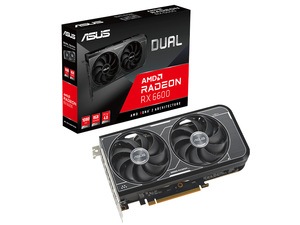
Boost your gaming experience with the ASUS Dual Radeon RX 6600 V3 8GB GDDR6 Graphics Card. Enjoy exceptional performance with OC mode featuring speeds up to 2491 MHz (Boost Clock) and 2064 MHz (Game Clock). The Axial-tech fan design ensures efficient cooling, while 0dB technology offers a quiet, immersive gaming experience. With fast dispatch an...
 uncut flare
Are the servers down at the moment? I keep hitting refresh but no servers are coming up at all even with no filters
 modest herald
any ideas as too why when i try to launch the game it gets to the part where it says unreal engine and then just freezes? loading the game in evrima version
drowsy quarry
modest herald
any ideas as too why when i try to launch the game it gets to the part where it ...
do you have an antivirus in your pc
modest herald
i have Norton
drowsy quarry
gonna have to uninstall it
recently all antivírus have been blocking the isle connection
modest herald
why would it be blocking it?
modest herald
hmm yeah i just turned it off and now i can play that is indeed odd
 oblique forge
can u puke manually with the diablo? cause my dino just puked for no reason
 livid surge
does anyone know how to fix the isle essentially shutting down my desktop? I dont have this issue for any other game. my monitors go black, say no hdmi signal, the lights on my pc go dark and the fans turn off. The only way i get my pc to turn back on is to manually hit the kill switch for power, or unplug it. (the pc power button doesnt work when this happens!) My gpu maxes at 40-50% usage running the game, cpu around 20% usage. This issue only happens when im actively running the isle. No other program causes issues. My drivers are up to date, and i deleted my entire saved folder.
 unique pier
oblique forge
can u puke manually with the diablo? cause my dino just puked for no reason
unique pier
oblique forge
can u puke manually with the diablo? cause my dino just puked for no reason
I don't think so.
drowsy quarry
unique pier
What should my avg FPS be?
depends on your PC
and if you optimized the game or not
unique pier
Idk how to optimize lol
Im getting 120+
I am pretty sure thats good
But idk
Settings are cranked
And it looks really nice
drowsy quarry
unique pier
Settings are cranked

This video shows you epic settings are a lie. Here you will see how to improve your FPS with my settings breakdown!
👀Bem vindo! Welcome!👀
PT-BR / ENG
Watch my Evrima Guides: https://youtube.com/playlist?list=PLdvqZdnB0LRXw2S_uSlgjno_i8bE1LbIn
Watch my Combat Guides: https://youtube.com/playlist?list=PLdvqZdnB0LRVhGGslKlu4wrFilMn_DsEj
--------...
drowsy quarry
I saw a person with a 4080 getting 45 fps lol
but it's because of poor optimization
 wraith dew
No, is this right? Please get me out. I'm stuck in position because of a bug;

-170,997.393, 187,027.089, 22,505.966
drowsy quarry
wraith dew
No, is this right? Please get me out. I'm stuck in position because of a bug;
/unstuck
wraith dew
This is so annoying. How did I spend all my time, and it's such a waste of time I spent because of a bug like this.
drowsy quarry
wraith dew
This is so annoying. How did I spend all my time, and it's such a waste of time ...
you won't die if you don't want to
either use /unstuck (can relog to try again if doesn't help at first)
or call an admin
 mystic bison
did the way normal walk works change, or am i glitched, my normal walk is basically the same speed as if i was crouched
got it nvm
turbid atlas
Wtf i go to skin creator and my graphics look normal but i go in the game and they look so low poly.
1st image is Skin creator
2nd image is in game


Ive tried everything. Ive tried deleting the config folder, ive tried validating my files, messing with the settings and still nothing…
And my graphics card was able to handle the graphics but idk why they look so poly now
Can someone please help me
 gleaming coyote
why cant we nest? everytime we pair n make a nest, it wont let us lay any eggs. did something break or was something added?
 hearty pumice
<@&505047238674874368> Ca1 Ign: Ronin. I have a breakdancing Bunny. Dunno if you are aware of this?
 inner ibex
i found a invisible chicken
ashen oracle
It’s a known bug right now
inner ibex
eaven ate one of them there was like 3
 hallow prawn
anyone knows what this is? and how to fix
 hallow prawn
anyone knows what this is? and how to fix
hallow prawn
hallow prawn
anyone knows what this is? and how to fix
i saw fixed message and disabled DLSS and im trying to log in ill see if it works
hallow prawn
hallow prawn
i saw fixed message and disabled DLSS and im trying to log in ill see if it work...
it worked
wheat hawk
are migrations bugged? ive only got a patrol zone rn
 blazing grove
how to fix this?

 opaque kestrel
Anyone know how to change directional attack bind? Dont like left alt
thin oracle
its saying easy anti cheat is not installed where do i get that?
winter python
opaque kestrel
Anyone know how to change directional attack bind? Dont like left alt
Use the boxes next to the keybind setting for PrimaryAttackB (alt+lmb by default) and SecondaryAttackB (alt+rmb by default)
winter python
thin oracle
its saying easy anti cheat is not installed where do i get that?
Check the pinned messages
opaque kestrel
winter python
Use the boxes next to the keybind setting for PrimaryAttackB (alt+lmb by default...
Thank you so much😁
turbid atlas
Snowy can u please help me.
winter python
turbid atlas
Snowy can u please help me.
What's going on?
turbid atlas
i go to skin creator and my graphics look normal but i go in the game and they look so low poly.
1st image is Skin creator
2nd image is in game


Ive tried everything. Ive tried deleting the config folder, ive tried validating my files, messing with the settings and still nothing…
And my graphics card was able to handle the graphics but idk why they look so poly now
winter python
Do you know if your graphics card has a program that "optimizes" games like the Nvidia App? It might be possible that the settings applied by that are causing the issue
turbid atlas
I use Amd
winter python
Yea Adrenalin has its own version of optimizing games, I'd recommend disabling it if it isn't already
turbid atlas
Amd Radeaon?
winter python
You might also want to try a clean reinstall, where you manually delete the files from both Steam and the entire TheIsle folder on Appdata/Local
winter python
turbid atlas
Amd Radeaon?
The software is called AMD Adrenalin
turbid atlas
Oh mine is Radeon . Im not sure if they are the same
turbid atlas
winter python
You might also want to try a clean reinstall, where you manually delete the file...
How do I do that?
winter python
That's the hardware you have, the app is called AMD Adrenalin
winter python
turbid atlas
How do I do that?
Which part?
turbid atlas
The clean reinstall
turbid atlas
winter python
That's the hardware you have, the app is called AMD Adrenalin
Ohh oki
winter python
The easiest way to get to the files in Steam is to right click the game in your library, hover Manage, and click Browse. Then, delete everything in the folder it takes you too
For wiping the folder in Appdata, follow the instructions to delete the config folder but delete TheIsle instead
turbid atlas
Thank you. Ima try that
What folder do i delete? I clicked on browse but idk what folder to click on to delete
winter python
turbid atlas
What folder do i delete? I clicked on browse but idk what folder to click on to ...
Everything there
turbid atlas
All the folders?
winter python
Could you show me a screenshot of what you're looking at?
turbid atlas
 winter python
Yea, delete everything there
winter python
Delete the folder in appdata
turbid atlas
The isle
Folder?
winter python
Yea, there'll be a folder called TheIsle in Appdata/Local, delete it
turbid atlas
Sorry im not very techy😭
Deleted
What do i do next
Thank u for helping me
I deleted the isle folder what do
I do next?
winter python
Try reinstalling the game and relaunching it
turbid atlas
Thank youu
 manic viper
This is the first time this has happened to me. Game freezes when launching at AE screen, right after unreal engine. Drivers up to date, logged out/in steam and restart computer multiple times. Even verified files. Suggestions?
drowsy quarry
manic viper
This is the first time this has happened to me. Game freezes when launching at A...
do you have an antivirus
drowsy quarry
turbid atlas
How do i turn off my amd?
what
drowsy quarry
 supple notch
game just freezes in loading screen
supple notch
game just freezes in loading screen
do you have an antivirus
supple notch
yeh
drowsy quarry
gonna have to uninstall it
supple notch
thats alr
manic viper
drowsy quarry
do you have an antivirus
Yes but its never been an issue before
drowsy quarry
recently all antivirus are blocking the isle
manic viper
hmm interesting
turbid atlas
AMD Radeon
drowsy quarry
what about it
turbid atlas
How do I disable it? Im having issues with my textures
drowsy quarry
do you have another gpu
supple notch
drowsy quarry
do you have an antivirus
ty it fixed it
turbid atlas
I was told to disable it and do a clean uninstall
Bc my skin editor graphics look normal but in game they’re so low poly
And idk how to fix it
drowsy quarry
doing a clean reinstall is easy
turbid atlas

 drowsy quarry
but to disable a gpu is kinda not ok
its the component in your machine that delivers the images you see
turbid atlas
drowsy quarry
doing a clean reinstall is easy
I did that and it didnt work
And my graphics were fine before
So its not my graphics card bc it worked fine and now im getting low poly models
Idk what i touched
drowsy quarry
yeah i wonder.
turbid atlas
Idk what to do ;-;

 drowsy quarry
 simple leaf
/unstuck
simple leaf
o thanks youu
 obtuse glacier
When im trying to join a server in evrima, it just stays “connecting”. With legacy everything is fine. Also before I start the game, it says hard drive on this computer. Thought maybe its the problem?
drowsy quarry
obtuse glacier
When im trying to join a server in evrima, it just stays “connecting”. With lega...
what do you mean hard drive on this computer?
obtuse glacier
 obtuse glacier
drowsy quarry
what do you mean hard drive on this computer?
obtuse glacier
drowsy quarry
what do you mean hard drive on this computer?
.
drowsy quarry
if you have any antivirus installed, that may be the cause
like norden, avast, etc
obtuse glacier
Will check
obtuse glacier
drowsy quarry
if you have any antivirus installed, that may be the cause
You mean only web protections?
drowsy quarry
i never heard about it but it seems like an antivirus
evrima is being blocked by all antivirus, so to acess the game you need to uninstall them
lapis flax
That's a cool glitch/bug. Wait in queue for ages, get in, get kicked "Server is full, please join the queue"
 toxic wigeon
does anyone know why i keep getting disconnected from que? like all it says is disconnected from que. This has been happening for a while.
 brisk gull
Anyone else's game freeze when trying to launch the game on the green/blue AE screen? like full freeze and not open ?
i dont know what to do, i tried clearing cache, updated drivers, restarted my pc and even tried booting from the .EXE file itself
 peak iron
why this is happening? I did upgrade my GPU
brisk gull
brisk gull
Anyone else's game freeze when trying to launch the game on the green/blue AE sc...
like its fully frozen on this
 brisk gull
signal path
That's your Anti-Virus interfering (Norton, McAfee, Avast, etc). Uninstall it (W...
brisk gull
signal path
That's your Anti-Virus interfering (Norton, McAfee, Avast, etc). Uninstall it (W...
worked! Thank you! i was actually going insane
drowsy quarry
peak iron
why this is happening? I did upgrade my GPU
disable dlss
 potent silo
someone pls help, i got eaten by the shark as a deino but didnt die, im js not even on my own screen anymore (na4)
eternal pivot
potent silo
someone pls help, i got eaten by the shark as a deino but didnt die, im js not e...
may have to log out and back in, probable bug
potent silo
and wait thru a 50 player queue. might as well uninstall this game
eternal pivot
potent silo
and wait thru a 50 player queue. might as well uninstall this game
try another server, but patience in this beta is an actual requirement to play it
signal path
brisk gull
like its fully frozen on this
That's your Anti-Virus interfering (Norton, McAfee, Avast, etc). Uninstall it (Windows Defender will take over) or add the entire TheIsle folder in Steam as an exception
signal path
obtuse glacier
Please follow ghostway's instructions here to make sure The Isle is allowed through the firewall #🔧-evrima-troubleshooting-🔧 message
 gentle pebble
Hello, I am a 99% full grown croc in the south river glitched in the rock.. is there a way out of that glitch?
NA3-WEST is the server
eternal pivot
gentle pebble
Hello, I am a 99% full grown croc in the south river glitched in the rock.. is t...
you can try typing /unstuck in chat, if no one is near and there is flat ground nearby it should work
gentle pebble
eternal pivot
you can try typing /unstuck in chat, if no one is near and there is flat ground ...
perfect thank you so much!
 carmine forum
i get a fatal error like within 5 mins after i join a server anyone know how to stop
lapis flax
Is it okay to ask for a kill from an admin? I've been stuck in this spot I migrated to for an 1 hour 30 lol
waiting to die of starvation is a pretty fun experience
 eternal kiln
my friend just got the game when they try and click play it sends them to the discord
any fix?
lapis flax
<@&505047238674874368> AU 1 - Hellsvien - Unstuck not working, jammed in some sort of human contraption.
winter python
lapis flax
<@&505047238674874368> AU 1 - Hellsvien - Unstuck not working, jammed in some so...
Send this in #evrima-au
lapis flax
winter python
Send this in <#855544175507406848>
I got sweet sweet death :/
eternal kiln
my friend just cant play the game please help
signal path
carmine forum
i get a fatal error like within 5 mins after i join a server anyone know how to ...
Fatal Error is almost always caused by your PC hardware starting to go bad, usually RAM
signal path
eternal kiln
my friend just cant play the game please help
Can your friend please ask on here? Trying to troubleshoot via a 3rd party makes it way harder
carmine forum
signal path
Fatal Error is almost always caused by your PC hardware starting to go bad, usua...
i only got 8 gigs of ram thats prolly why
signal path
carmine forum
i only got 8 gigs of ram thats prolly why
That will hurt FPS but shouldn't cause Fatal Error
carmine forum
signal path
That will hurt FPS but shouldn't cause Fatal Error
my fps is fine around 60-90
signal path
It would be even better with more RAM, and replacing your 8GB with 16GB would also likely fix the Fatal Error. Is that an option for you?
We can try some other things first but it is unlikely to help much
 prisma barn
hey guys im trying to start up my game and its not letting me and says this "DirectX 12 is not supported on your system. Try running without the -dx12 or -d3d12 command line argument." anyone got any idea??
winter python
prisma barn
hey guys im trying to start up my game and its not letting me and says this "Dir...
What GPU do you have?
winter python
GPU is a graphics card, it's easiest to check in Task Manager. Click Performance at the top, then click GPU
prisma barn
AMD Radeon (TM) 390 Series
winter python
I'm sorry, but I don't believe that card can run evrima. You can try updating its drivers using AMD Adrenalin or by downloading them directly from AMD's website, though I'm not sure if it'll help
winter python
Check if you have AMD Adrenalin installed on your PC, there'll be a button that says Drivers
prisma barn
ok
 mystic lichen
after about 30 min of playing the game 100% without a doubt i have to log before my game crashes why is that happening
signal path
prisma barn
because it used too but now it cant run evirma or the original
There have been updates to Evrima which require full DirectX12 support, which the 390 does not have
signal path
mystic lichen
after about 30 min of playing the game 100% without a doubt i have to log before...
What message do you get when it crashes? Does the whole computer crash or just the game?
Also, your complete computer specs would be good, please
sacred galleon
hey what reasons for crashing on load up, would be helpful to know some reasons
signal path
sacred galleon
hey what reasons for crashing on load up, would be helpful to know some reasons
There's a few reasons, can you be more specific?
 round laurel
anyone know how to fix input delay/stuck movement?
i keep getting stuck moving forward or my game input is slowed way down. makes it unplayable when i cant walk without getting stuck moving forward and only way to stop movement is a alt or heavy attack
winter python
round laurel
i keep getting stuck moving forward or my game input is slowed way down. makes i...
The alt key can get "stuck" when you tab out, so try tapping alt a few times after tabbing back in
wraith dew
Please, please, please, please, please, please...

-170,995.938, 187,024.499, 22,515.944 Na3..
Please get me out of this bug. Please...
drowsy quarry
wraith dew
/unstuck
 wraith dew
drowsy quarry
/unstuck
wraith dew
drowsy quarry
/unstuck
😍
 split monolith
any updated methods to fix fatal crashing issues?
Also to fix loading screen freezes?
 cold rose
are there any admins on? i used the /unstuck command and now im under the map T-T
split monolith
sacred galleon
hey what reasons for crashing on load up, would be helpful to know some reasons
did you find a fix?
uncut flare
Alright can anyone help me with servers not appearing?
My internet connection is fine but after pressing play not a single server is showing up. I’ve hit refresh multiple times now and still nothing.
I’ve checked the integrity of the files and full restarted steam and my pc and still nothing.
This is the third day in a row of this issue as well.
uncut flare
uncut flare
Alright can anyone help me with servers not appearing?
My internet connection i...
<@&818552355796287508>
hollow fulcrumBOT
Many players encounter issues that already have solutions. Be sure to check the pinned messages for quick-fixes to common problems. If an issue persists a representative in this channel will assist you when available, otherwise you may contact Punchpacket directly.
 jade fiber
I’m having trouble launching in evrima I have verified files, deleted anti cheat folder, restarted computer, uninstalled Norton, I’m running everything as administrator, uninstalled the game ext… its installed on my c:drive. I have read almost every comment in here I can’t seem to fix the problem. It’s stuck on a boot loop. Also I have a rtx 3070 graphics card
obtuse glacier
I have these boxes marked
 heavy spire
 novel ocean
Hi, I'm trying to look at some recording that i took however they all say 'available in 30min' despite the most recent one having been taken yesterday and some of them having been taken as long ago as the 19th. I can't even delete them
jade fiber
jade fiber
I’m having trouble launching in evrima I have verified files, deleted anti cheat...
<@&818552355796287508>
hollow fulcrumBOT
Many players encounter issues that already have solutions. Be sure to check the pinned messages for quick-fixes to common problems. If an issue persists a representative in this channel will assist you when available, otherwise you may contact Punchpacket directly.
heavy spire
heavy spire
it really would be nice to know the issue before wasting more money <@&818552355796287508>
hollow fulcrumBOT
Many players encounter issues that already have solutions. Be sure to check the pinned messages for quick-fixes to common problems. If an issue persists a representative in this channel will assist you when available, otherwise you may contact Punchpacket directly.
signal path
split monolith
any updated methods to fix fatal crashing issues?
Fatal Error crashes are almost always a problem with your PC hardware or, more rarely, your windows install. There is no fix other than addressing that. I am happy to walk you through further investigation.
signal path
heavy spire
We need to know your PC specs but I think you already know the answer
If you can tell us what to have we can tell you what the bottleneck is, and that might help you understand how much you would need to spend to get performance to an acceptable level
heavy spire
signal path
We need to know your PC specs but I think you already know the answer
its amd ryzen 7 3700x 8-core processor
wait thats my
wait
signal path
novel ocean
Hi, I'm trying to look at some recording that i took however they all say 'avail...
The timeout on the recordings are sadly just very buggy. They've never worked for me and others who have problems haven't worked out how to fix it except "restart PC and hope"
heavy spire
its in my texts
signal path
You said "2020 card", need more detail than that. Also how much RAM you have
signal path
uncut flare
Alright can anyone help me with servers not appearing?
My internet connection i...
Did you switch to Evrima? There are no official legacy servers.
 heavy spire
signal path
You said "2020 card", need more detail than that. Also how much RAM you have
heavy spire
signal path
You said "2020 card", need more detail than that. Also how much RAM you have
8 gb of ram
PULSE RX 5600 XT 6G GDDR6 -graphics
signal path
jade fiber
I’m having trouble launching in evrima I have verified files, deleted anti cheat...
Out of curiosity, could you try changing your desktop resolution to 1920x1080 and see if it will boot?
signal path
heavy spire
8 gb of ram
PULSE RX 5600 XT 6G GDDR6 -graphics
OK, that should all be fine. If your entire system is crashing, even after switching to Ubuntu, it's almost definitely a hardware failure. I'd suspect your PSU first
You need to do some stress and stability tests to narrow it down
It's unlikely to be your CPU but some 5600 XT have had board failures
heavy spire
signal path
OK, that should all be fine. If your entire system is crashing, even after switc...
im not totally familiar with that part, so it might not be in there
im not even sure how to do those tests; partly cant write down code as once it crashes its as good as a brick if i dont hold down the power button
signal path
OK so your computer has 5 main parts - the CPU and GPU you know, the memory (RAM), the motherboard which connects everything together, and the Power Supply Unit (PSU) which powers everything
heavy spire
oH thats it
had an issue when i first made this finding out the right buttons to press to get it online, but it is 500v
jade fiber
signal path
Out of curiosity, could you try changing your desktop resolution to 1920x1080 an...
doing the same thing i had task manager open as well and nothing is stressing the computer while its trying to launch
signal path
CPU and Motherboards rarely have problems, outside a few isolated models, RAM does go bad but the symptoms are usually a bit more random, GPU issues usually look different too, but if it's crashing under load (that is, when everything starts drawing a lot of power) that's classic PSU problems
sand canopy
I currently gave up with these fatal errors 🤷♀️
I'm not a tech-pro, all these manipulations around testing hardware is not an easy task for me, and in the end you'll probably will need a new pc while your current one has not that bad specs and aren't cheap one (RTX3050, 32RAM, i5-11500) but is not perfect-new enough on some microlevel to run Evrima and one other UE5 game so far (it hits different error but also fails on launch). Since I don't have money now to change hardware anyway I just put this question aside for some time in hope that UE5 devs will take this problem in count since it looks like mass-problem and not always it's because of old hardware.
All this is damn sad, but oh well...
signal path
sand canopy
I currently gave up with these fatal errors 🤷♀️
I'm not a tech-pro, all these...
Your RAM almost certainly has a lifetime warranty, and as it is the most likely culprit the fix likely wouldn't cost you anything
heavy spire
signal path
CPU and Motherboards rarely have problems, outside a few isolated models, RAM do...
how to i measure this? the ram and psu^
sand canopy
signal path
Your RAM almost certainly has a lifetime warranty, and as it is the most likely ...
Currently I have no guarantee that RAM change will solve these problems.
Even if so, I'll have a chance to upgrade it only after 3-4 months, not now
signal path
heavy spire
how to i measure this? the ram and psu^
If you suspect the PSU usually you run a hardware logging program of some sort (I'm not sure what that would be on Ubuntu) and you run programs that progressively load your computer down more and watch the voltage levels
heavy spire
signal path
If you suspect the PSU usually you run a hardware logging program of some sort (...
thank you, i only have sensors for temp atm but im sure i can find just that
signal path
If you see the voltages start to change, especially if they change right before it crashes, that makes it very likely
In a proper computer shop it's a lot easier, you just put a new part on and see if that fixes it
heavy spire
i almost dont trust other hands on what i made 😭
 mild bloom
what do i do if evrima keeps crashing when i try to start it no matter what i do?
sand canopy
mild bloom
what do i do if evrima keeps crashing when i try to start it no matter what i d...
wecome in the club
signal path
sand canopy
Currently I have no guarantee that RAM change will solve these problems.
Even i...
Nothing in life is guaranteed but you can test it fairly easily. If you are not prepared to help yourself there is nothing else I, or anyone else here, can do.
signal path
mild bloom
what do i do if evrima keeps crashing when i try to start it no matter what i d...
How far does it get before it crashes? Is it always at the same place? Do you get any messages popping up?
mild bloom
sand canopy
wecome in the club
its not like that easy anticheat aint installed its just crashing all the time when im half way in the louding screen
mild bloom
signal path
How far does it get before it crashes? Is it always at the same place? Do you ge...
like half way in louding screen
signal path
mild bloom
its not like that easy anticheat aint installed its just crashing all the time w...
Is it always at the AE screen?
heavy spire
signal path
In a proper computer shop it's a lot easier, you just put a new part on and see ...
ill see if they can do something before i touch it again though, after measuring the bit i can. i will come back later if anything doesnt work
i just remembered as you said ae screen- it seems to get very immensely staticy the more i open it and stress whatevers failing
sand canopy
signal path
Nothing in life is guaranteed but you can test it fairly easily. If you are not ...
I have no car to take my pc to shops on testing. Dragging it on me can cause more problems and not worth it since risks are much more.
So it ends up at 'buy and try'. And yeah, it will be not faster than after a few months.
signal path
mild bloom
a lil box shows up and say the isle eu crashed
That is usually from interference from your anti-virus (Norton McAfee etc). You need to either uninstall it and let Windows Defender take over or add the entire TheIsle folder in Steam as an exception
signal path
sand canopy
I have no car to take my pc to shops on testing. Dragging it on me can cause mor...
I explained the steps to test, and at no point did I tell you that you had to buy anything
I am happy to help you but not fight you
mild bloom
signal path
That is usually from interference from your anti-virus (Norton McAfee etc). You ...
ill try that
sand canopy
signal path
I explained the steps to test, and at no point did I tell you that you had to bu...
it happened to be not any easier because I still haven't found what is blocking these apps, but I'm slowly testing windows updates while trying not to kill with them things I need to work with. Memtest needs bootable usb and currently it just broke my brain for a bit.
And doing all this in your only free from work days means you will not be able to do anything else on other projects you need to do.
Honestly, Evrima with these fatal errors gave me so much headache I'd wish never to experience
signal path
sand canopy
it happened to be not any easier because I still haven't found what is blocking ...
I understand. I have my own problems too. The time I am spending to try and help you and everyone else here is my free time, and I'm not even benefiting from it.
jade fiber
i finally got an error it said failed to execute game prosses @signal path
signal path
If you don't understand something, I can help explain it. If you don't know something, I can help teach it. But if you just aren't motivated to do what you need to do that is not something I can help with. There isn't some secret answer that you unlock only by being upset enough or asking enough times
I think you would also benefit a lot from acknowledging what you know and what you assume aren't the same things
sand canopy
signal path
I understand. I have my own problems too. The time I am spending to try and help...
I'm grateful for advices and I'm trying to go with list of what I can do. It's just requies more time and braincells than I can spend on it at day. 😔
And because of it I'm slow
on doing things
signal path
The memtest86 isn't easy the first time, if you do have a spare USB drive and are prepared to do it I can link you to a YouTube video that walks you through it step by step, or you can google it and pick any of the top results
The only difference will be where you download it from, there's a shareware one most will send you to (https://www.memtest.com) but it's limited without paying, the open source one (https://www.memtest.org) is the best
It will take you about 5min to do
 muted river
I have a very big problem with the isle everytime I try to boot it up the game just freezes on one frame of the spinny globe thing and I can't do anything
 signal path
obtuse glacier
I have tried ghostways instructions, but it still doesnt work
signal path
obtuse glacier
I have tried ghostways instructions, but it still doesnt work
I'm sorry, I'm not very good with networking things, the only thing I know to do is restart your modem/router
signal path
muted river
That is usually from interference from your anti-virus (Norton McAfee etc). You need to either uninstall it and let Windows Defender take over or add the entire TheIsle folder in Steam as an exception
sand canopy
Around the Internet I found another thing that may help the problem (at least it works with other UE5 failing games sometimes) - it's to lower RAM frequency, same thing as with newer CPUs. But my current RAM appeared to not support XMP so even this turned into headache and I decided not to touch what I don't know. But maybe this hint can help someone else if someone will decide to try.
muted river
signal path
That is usually from interference from your anti-virus (Norton McAfee etc). You ...
oh thanks that sounds like something my pc would do
how do I set it as an exception
signal path
sand canopy
Around the Internet I found another thing that may help the problem (at least it...
Yes, lowering RAM frequency and upping the RAM voltage can reduce errors with bad RAM but it isn't reliable and won't work long term
obtuse glacier
signal path
I'm sorry, I'm not very good with networking things, the only thing I know to do...
With legacy is everything fine, but in evrima i cant join servers. Dunno if its network problem
sand canopy
signal path
The only difference will be where you download it from, there's a shareware one ...
Thank you! I'll try to collect my braincells together and to try it one day ;_;
signal path
sand canopy
Thank you! I'll try to collect my braincells together and to try it one day ;_;
I'm happy to walk you through it on a VC if you want
signal path
obtuse glacier
With legacy is everything fine, but in evrima i cant join servers. Dunno if its ...
Ohh, there's some funky stuff that can happen switching between legacy and Evrima. This is a long list but it's worth trying
Make sure the game is exited for each step below.
In Steam, right-click The Isle, Properties, Installed Files, Verify integrity of game files. If Steam finds a problem, you will see the game start updating.
If that doesn't work, then on your keyboard press the Windows key and R, put %localappdata% and hit enter, scroll down and double click TheIsle, then Saved, then delete Config. This will also delete all your settings.
If that doesn't work, on your keyboard press the Windows key and X, then select "Command Prompt (Admin)". In that window, copy and paste (by right-click paste, not ctrl-v) the following two commands:
sfc /scannow
DISM /Online /Cleanup-Image /RestoreHealth
``` then restart your PC.
If that doesn't work, uninstall then reinstall your graphics drivers (follow NVIDIA, AMD, or Intel instructions depending on which you have).
If that doesn't work, uninstall then reinstall The IsleThe last two aren't relevant for your problem but the first two definitely are
jade fiber
hey i finally loaded the game!!!!!!!!!!!!!!!!!! i took it off of admin and it loaded right up. i know its hard to help everyone with problems but your doing great its really appreciated even if it dont seem like it sometimes @signal path
signal path
jade fiber
hey i finally loaded the game!!!!!!!!!!!!!!!!!! i took it off of admin and it...

I'm so glad you managed to get it working, that makes it all worth while
(and thanks  )
)
heavy spire
jade fiber
hey i finally loaded the game!!!!!!!!!!!!!!!!!! i took it off of admin and it...
im with you on your statement there🫡 only one person can do so much
obtuse glacier
signal path
Ohh, there's some funky stuff that can happen switching between legacy and Evrim...
Im at trying prompt command thing, I cant paste anything there
signal path
obtuse glacier
Im at trying prompt command thing, I cant paste anything there
Do you know how to take a screenshot?
If you hold down the Windows key and Shift and press S you can draw a box around a thing and it will take a screenshot of just that thing
You can then ctrl-v it into here so I can see what you are looking at
obtuse glacier
signal path
Do you know how to take a screenshot?
 signal path
obtuse glacier
signal path
obtuse glacier
After Windows + X did you click "Command Prompt" or "Command Prompt (Admin)"? It needs to be the second one
If you are having trouble copy pasting the commands in you can also just type them out yourself
obtuse glacier
signal path
After Windows + X did you click "Command Prompt" or "Command Prompt (Admin)"? It...
When I press Windows+X, there is no such thing like Command Prompt or Command prompt admin in the list
So I searched it
signal path
Oh! Do you instead have PowerShell and PowerShell (Administrator)?
signal path
OK PowerShell (Administrator) is what you want
Then the same deal, you should be able to select those two commands, ctrl-c, then right click inside the PowerShell window and Paste
obtuse glacier
Cant find the Administrator one🫤
signal path
Oh. Hmm. Try them in the one you have
obtuse glacier
Still cant paste it there, only can write by myself
signal path
Oh, that sucks. The first one is pretty short at least
obtuse glacier
I need 2 of them right?
signal path
One at a time
signal path
The second one (DISM) is still one long command, just need to write it all out with a space before each / as shown
obtuse glacier

I have tried these thing before, bc of the integrity check failed
Now that error is gone but the connecting one is back
 signal path
obtuse glacier
signal path
obtuse glacier
Ah. Do you own the PC you are using?
signal path
Hmmm it's very very strange that you don't have admin in that case
If that is the only account on your PC and you don't have another admin account you can use, you might have to reset/reinstall Windows
I'm also very concerned about what removed your admin privileges, it seems likely that it was virus/malware of some sort, that's a trick some of them use
obtuse glacier
ughhh
signal path
If you right click a shortcut or program, do you have an option to Run As Administrator?
signal path
OK, maybe you just have something weird with the windows X menu.
Can you hit start, type in cmd, then right click on the Command Prompt result and hit Run As Administrator?
obtuse glacier
To where?
signal path
Into the little search box down the bottom of the windows (also called start) menu
obtuse glacier
Yep, can do it
signal path
OK, phew. That's good
obtuse glacier
Should I click run as administrator
signal path
Yes please
signal path
Yup
Same thing, you can just type them out again if that's easier
(it's a good idea to do this anytime the computer blue screens or completely crashes or if you lose power when using it, so it's worth remembering how to do it. You can just google "DISM" if you forget too)
obtuse glacier
Still doesnt work🙁
 broken elm
why some deers sound like boars?
 torn pollen
Fix easy anticheat bug
split monolith
signal path
Fatal Error crashes are almost always a problem with your PC hardware or, more r...
Actually its more like the game freezes on start up. It freezes either during the blue AE splash screen, or on the black screen just before that
signal path
obtuse glacier
Still doesnt work🙁
That's all I have, sorry. Did you restart your modem/router too?
signal path
split monolith
Actually its more like the game freezes on start up. It freezes either during th...
That sounds like interferance from your Anti-Virus. Either uninstall Norton/Avast/McAfee/Kaspersky and let Windows Defender take over or add the entire TheIsle folder in Steam as an exception.
obtuse glacier
signal path
That's all I have, sorry. Did you restart your modem/router too?
Will try. Thanks for your time!
signal path
obtuse glacier
Will try. Thanks for your time!
Of course! Sorry nothing has helped so far
obtuse glacier
signal path
Of course! Sorry nothing has helped so far
No worries, seems like my pc is a bit weird 😆
 calm spire
are the servers down?
broken elm
restarting
calm spire
Ahh okay thanks for telling me ^_^
mystic lichen
signal path
What message do you get when it crashes? Does the whole computer crash or just t...
just the game it sends me back to the main menue
cold rose
<@&818552355796287508> can someone help me out, im stuck underneath the map and the unstuck command isnt working
hollow fulcrumBOT
Many players encounter issues that already have solutions. Be sure to check the pinned messages for quick-fixes to common problems. If an issue persists a representative in this channel will assist you when available, otherwise you may contact Punchpacket directly.
hollow fulcrumBOT
Many players encounter issues that already have solutions. Be sure to check the pinned messages for quick-fixes to common problems. If an issue persists a representative in this channel will assist you when available, otherwise you may contact Punchpacket directly.
 gaunt wagon
hollow fulcrum
Many players encounter issues that already have solutions. Be sure to check the ...
gaunt wagon
hollow fulcrum
Many players encounter issues that already have solutions. Be sure to check the ...
where can i find solution to this problem i cant see it
<@&818552355796287508>
hollow fulcrumBOT
Many players encounter issues that already have solutions. Be sure to check the pinned messages for quick-fixes to common problems. If an issue persists a representative in this channel will assist you when available, otherwise you may contact Punchpacket directly.
cold rose
gaunt wagon
where can i find solution to this problem i cant see it
check the pins to see if there is a solution, if there isnt, you just gotta wait for a response ig
drowsy quarry
gaunt wagon
my game cant find the server whats the issue
did you switched to evrima yet?
gaunt wagon
drowsy quarry
did you switched to evrima yet?
sorry?
drowsy quarry
when you buy the game there's two branches
legacy and evrima
legacy has known issues with server finding
drowsy quarry
so you're in evrima?
gaunt wagon
yes
gaunt wagon
no only windows defender
drowsy quarry
you can try to restart steam
drowsy quarry
all good
gaunt wagon
yep restarting the steam worked
 fervent ruin
does anyone how to fix my evrima cuz it gets stuck on the blue AE screen
drowsy quarry
muted river
How do I make Norton overlook the isle
I think you need to allow the entire the isle folder
not just the .exe
drowsy quarry
fervent ruin
does anyone how to fix my evrima cuz it gets stuck on the blue AE screen
do you have an antivirus
muted river
drowsy quarry
I think you need to allow the entire the isle folder
the same one that opens when i browse local files?
from steam
drowsy quarry
muted river
the same one that opens when i browse local files?
yeah can be
and the one from appdata/local might be good as well
 serene cairn
Hello, I have a problem with a fatal error on the island of Evrima, any advice?
Because I want to play but I don't know how because he keeps kicking me out
 hexed bone
I looked in the pinned messages and I couldn't find anything I'm stuck at the AE screen with the globe and my game freezes any idea what I could do?
muted river
hexed bone
I looked in the pinned messages and I couldn't find anything I'm stuck at the AE...
anti virus issue
Im struggling with it too rn
carmine forum
signal path
It would be even better with more RAM, and replacing your 8GB with 16GB would al...
i have a laptop rn so no but im building a computer atm so im gonna have 32gb eventually
anything else i could do
drowsy quarry
carmine forum
anything else i could do
depends on the other PC specs
CPU, GPU, storage,
mystic lichen
why every thirty min this happens
 serene cairn
Hello, I have a problem with a fatal error on the island of Evrima, any advice?
serene cairn
serene cairn
Hello, I have a problem with a fatal error on the island of Evrima, any advice?
Please help me
drowsy quarry
serene cairn
Please help me
what are your PC specifications
 sweet fjord
Why is the server fatal erroring so much since last update?
 drowsy quarry
if no other people are fatal erroring as well, you may need to look to see if it's a problem in your side
like PC, drivers, etc
drowsy quarry
near you?
sweet fjord
wdym near you?
serene cairn
 serene cairn
serene cairn
serene cairn
is this it?
drowsy quarry
serene cairn
is this it?
I can see some of the specs but it's better to enter task manager > performance > click the components to see
drowsy quarry
sweet fjord
not exactly near me
weird.
you can try to make sure your drivers are updated
such as GPU drivers, Windows
serene cairn
I come from Poland so it's in Polish
 drowsy quarry
serene cairn
I come from Poland so it's in Polish
drowsy quarry
serene cairn
I come from Poland so it's in Polish
can you click the processor grafic 1
the one that is written Nvidia
serene cairn
 serene cairn
 serene cairn
drowsy quarry
what's the driver date written
serene cairn
drowsy quarry
what's the driver date written
Where is the data?
serene cairn
 drowsy quarry
wtf there's nothing >:p
serene cairn
there is nothing here
 serene cairn
I have the same problem, when I download the driver I have to install it again, I don't know what's going on 😦

I'll download it again


and I still have this "reinstall"
and the worst thing is that I had omni 90% and when it gave me a fatal error something killed me
drowsy quarry
serene cairn
and I still have this "reinstall"
the reinstall button will always be there Incase you face a problem with the current driver
the important thing is a phrase that says "latest driver downloaded"
or something
serene cairn
drowsy quarry
the reinstall button will always be there Incase you face a problem with the cur...
okey
drowsy quarry
another way to prevent fatal errors is decreasing the graphics or locking the fps to help your machine
cause perhaps the error comes when your components crash from too much work
I had tons of fatal errors back there, but they all stopped when I locked my fps to 45
serene cairn
okey
serene cairn
I'll try to lock the fps because you're right, I had 60fps, then jumped to 80, then to 30
drowsy quarry
yeah try to see if it helps you
always lock the fps where your machine can reach it without struggling
serene cairn
drowsy quarry
or rather, the game itself
idk
drowsy quarry
for example, I can reach 45fps with 70% usage of my GPU
but I can reach up to 100fps with 100% usage
 civic kiln
Why does my Evrima just say...Scanning all frequencies? i've validated files, reset steam
winter python
civic kiln
Why does my Evrima just say...Scanning all frequencies? i've validated files, re...
What's the game version listed in the bottom right of the main menu?
civic kiln
0.18.122
winter python
Hmm, you're on the right version then. I'd try verifying the game files anyway, though, it could help
civic kiln
I've just done that now, just wondering what's next
drowsy quarry
civic kiln
I've just done that now, just wondering what's next
do you have any antivirus
civic kiln
nope just windows defender
oh nvm thanks for help it's working now but have no clue how xD
drowsy quarry
lol
serene cairn
I have such a stupid question... how to lock fps?
drowsy quarry
how much fps do you want
drowsy quarry
serene cairn
I have such a stupid question... how to lock fps?
.
drowsy quarry
serene cairn
45
go to Nvidia app, graphics or system idk, click the isle
scroll all the way down and put 45
 drowsy quarry
yeah
 viscid rain
Hello everyone, I have an annoying problem. My game The Isle won't start. It only shows the banner at the beginning, and then just a second of a black screen. So please, if you have a solution, let me know.
 radiant crown
@drowsy quarry I appreciate you helping everyone, was able to fix my fps problem by reading all the answers you've given to others
drowsy quarry
radiant crown
<@398550373402411009> I appreciate you helping everyone, was able to fix my fps ...
nice :D
if you need an optimization guide I also have
drowsy quarry
viscid rain
Hello everyone, I have an annoying problem. My game The Isle won't start. It onl...
do you have an antivirus
viscid rain
drowsy quarry
do you have an antivirus
Yes, I have Norton.
drowsy quarry
perhaps it's not something with you
it can be the server issue
I've seen some people today fatal erroring as well
serene cairn
I don't know, I went back and just showed up, I started ptero and it kicked me out
and in the morning I had only one for 2 hours
 formal shuttle
last night i logged out safely but today i try to log in and says my stego is UNKNOWN and took me to character selection screen like my stego is gone? help or anyone able to help me figure whats going on?
formal shuttle
formal shuttle
last night i logged out safely but today i try to log in and says my stego is UN...
relogged again and my stego loaded properly this time, not sure what happened
hexed bone
Any update on the frozen AE screen?
drowsy quarry
hexed bone
Any update on the frozen AE screen?
do you have an antivirus
hexed bone
Yeah advast
hexed bone
drowsy quarry
do you have an antivirus
?
drowsy quarry
hexed bone
?
gonna have to disable it
antiviruses are blocking the isle connection
hexed bone
I found a work around
drowsy quarry
go on
hexed bone
If I disable advast for 10 minutes it allows me to launch the game and still play
drowsy quarry
ah great
signal path
carmine forum
anything else i could do
You can try the following but if your RAM is the issue then it won't help. Your RAM is likely covered by warranty if you wanted to get it replaced, too, so it may still be worth investigating that further.
Make sure the game is exited for each step below. Feel free to try the game again after each step and stop if it is working correctly.
- In Steam, right-click The Isle, Properties, Installed Files, Verify integrity of game files. If Steam finds a problem, you will see the game start updating.
- On your keyboard press the Windows key and R, put %localappdata% and hit enter, scroll down and double click TheIsle, then Saved, then delete Config. This will also delete all your settings.
- On your keyboard press the Windows key and X, then select "Command Prompt (Admin)". In that window, copy and paste (by right-click paste, not ctrl-v) the following two commands:
sfc /scannow
DISM /Online /Cleanup-Image /RestoreHealth
``` then restart your PC.
4. Uninstall then reinstall your graphics drivers (follow NVIDIA, AMD, or Intel instructions depending on which you have).
5. Uninstall then reinstall The IslePlease try following the above steps if you haven't already
No other Linux users have reported that, and I would be very very surprised if that was the case. You might need to reinstall EAC, though.
signal path
mystic lichen
why every thirty min this happens
Please follow through the trouble shooting steps a few messages up
 signal path
Verify file integrity?
signal path
Might need to reinstall the game. Steam isn't always good about catching corrupt files
 ionic granite
does anyone know how to fix disconnecting? i wait in a queue and when im finally connecting it shows a view of under the map then disconnects me, when i finally connect after waiting in queue again it shows me a view of a bridge then loads me in
drowsy quarry
ionic granite
does anyone know how to fix disconnecting? i wait in a queue and when im finally...
did it happened just now? cause all the servers restarted
 peak surge
signal path
Verify file integrity?
peak surge
signal path
Verify file integrity?
ok somhow that worked and now this problem now
 ionic granite
drowsy quarry
did it happened just now? cause all the servers restarted
ionic granite
drowsy quarry
did it happened just now? cause all the servers restarted
it usually happens when i try to join after restart
but sometimes it just happens after queue when im connecting
this is what i see right before i disconnect

otherwise i see the bridge screen, then the game loads me in
idk, sometimes its a 50/50 chance i get in
eternal pivot
hexed bone
I need an antivirus
Windows Security does that job already for free and is quite good, also works with games
fervent ruin
could anyone help me with this cuz my the isle evrima keeps getting stuck on the blue AE screen and then just freezes im trying everything anyone what it could be?
drowsy quarry
fervent ruin
could anyone help me with this cuz my the isle evrima keeps getting stuck on the...
disable your antivirus
drowsy quarry
ionic granite
it usually happens when i try to join after restart
how much do you wait to enter after restart?
the servers came back like 15min ago only
fervent ruin
i had this problem for like a week now so yeah
drowsy quarry
fervent ruin
i had this problem for like a week now so yeah
just disable the antivirus
all antiviruses hate the isle at the moment
ionic granite
drowsy quarry
how much do you wait to enter after restart?
i refresh a few times
drowsy quarry
ionic granite
i refresh a few times
what if you try to join now
ionic granite
drowsy quarry
what if you try to join now
i already disconnected, im in queue