#🔧-evrima-troubleshooting-🔧
1 messages · Page 187 of 1
 patent sapphire
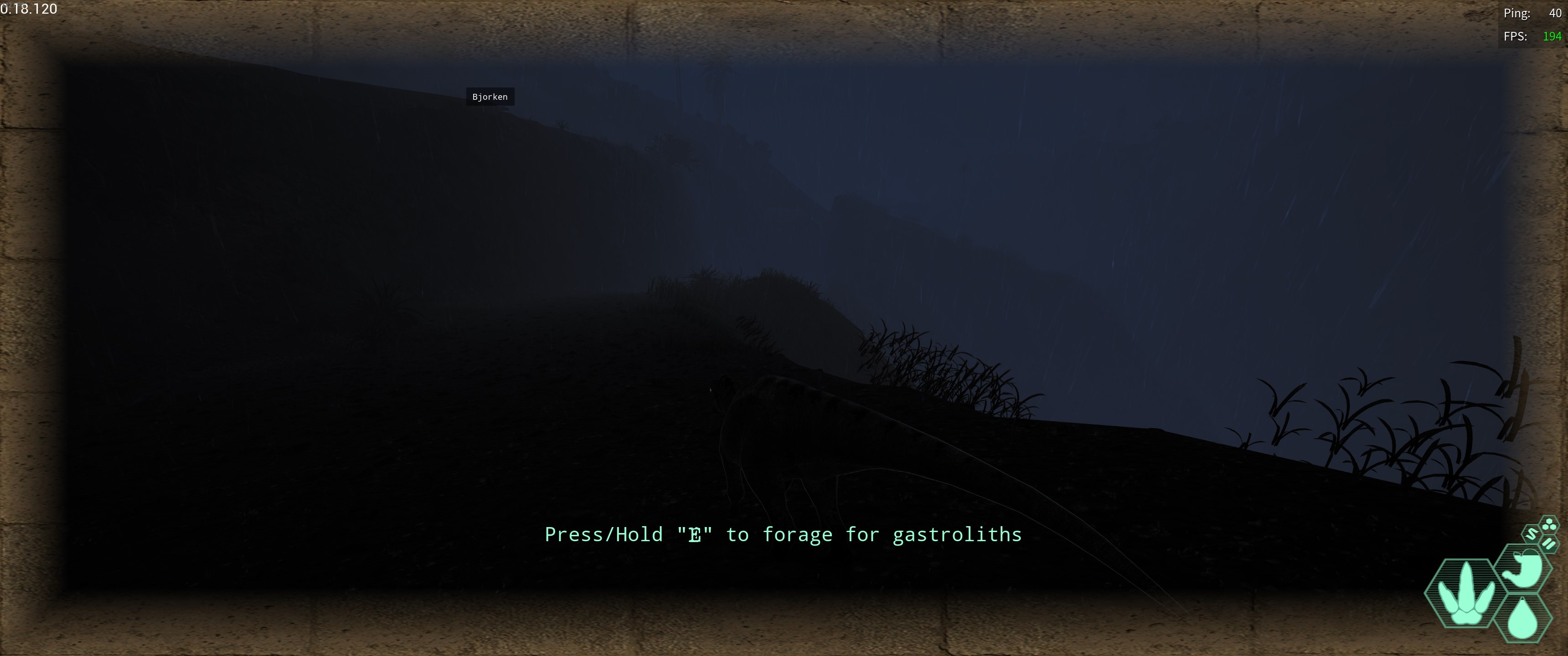
Can someone explain, why I am getting this brown outline in Evrima?
https://i.imgur.com/WFEzaNl.jpeg
 drowsy quarry
patent sapphire
Can someone explain, why I am getting this brown outline in Evrima?
https://i.im...
drowsy quarry
patent sapphire
Can someone explain, why I am getting this brown outline in Evrima?
https://i.im...
it's related to the graphics settings you're using
can try increasing effects or restart the game
patent sapphire
drowsy quarry
it's related to the graphics settings you're using
Everything is on Epic. I am currently trying to reinstall the game. Hopefully that works.
drowsy quarry
deleting config folder fixes it as well
patent sapphire
drowsy quarry
deleting config folder fixes it as well
Alright, thank you!
 late tulip
lines where appearing on my screen and my dino was duplicating
 signal path
In the address bar of Windows Explorer put %localappdata% then press enter. Go to TheIsle, then Saved, and delete Config
signal path
late tulip
lines where appearing on my screen and my dino was duplicating
Are you able to clip it or take a photo/screenshot?
signal path
 velvet prism
What are your PC specifications? RAM?
 frigid slate
signal path
In the address bar of Windows Explorer put %localappdata% then press enter. Go t...
frigid slate
signal path
In the address bar of Windows Explorer put %localappdata% then press enter. Go t...
i try it but it also dont work:(
everytime i start the game it closed byself and than if i started again there is its already runnin but in task manager there is nothing
 neat musk
how long does server restart take
signal path
frigid slate
everytime i start the game it closed byself and than if i started again there is...
I have to go now, but tomorrow maybe we can screen share and work it out. English/Deutsch makes it hard.
signal path
neat musk
how long does server restart take
10-15min
neat musk
signal path
10-15min
ok thanks
late tulip
signal path
Are you able to clip it or take a photo/screenshot?
next time im on i got you
 burnt knoll
my friend and I are trying to make a nest, but it's not letting us. Is there something we're not understanding? We've paired (holding N) and tried to build our nest (hold B (and tried just pressing B) and it's not spawning a nest for us...
drowsy quarry
burnt knoll
my friend and I are trying to make a nest, but it's not letting us. Is there som...
nest spawn with N
burnt knoll
we tried that a few times too, nothing spawned
drowsy quarry
try to forcefully unpair, ungroup and pair again
burnt knoll
drowsy quarry
try to forcefully unpair, ungroup and pair again
we did that three times now, same issue
drowsy quarry
what dino are you
burnt knoll
herrera
drowsy quarry
do you have gestated eggs
burnt knoll
yes
drowsy quarry
is any of u guys infertile
burnt knoll
that's mine (female), it has errors for some things but doesn't say I'm infertile
 drowsy quarry
your pair is good as well?
burnt knoll
drowsy quarry
your pair is good as well?
 burnt knoll
welp is exactly my reaction
 gentle oak
i have this weird bug which is my game screen glitches every time i press enter to open chat
and my screen glitches a few times when im playing

so this is what happens
it turns back to normal but does the same thing still
drowsy quarry
gentle oak
disable dlss
 silent coyote
i HAVE very bad lighting underwater. Basically pitchblack. Anyone that can assist?
 hearty pumice
silent coyote
i HAVE very bad lighting underwater. Basically pitchblack. Anyone that can assis...
hearty pumice
silent coyote
i HAVE very bad lighting underwater. Basically pitchblack. Anyone that can assis...
Press x to toggle night vision. That should help. There is also some for of lighting issues when in swamp, where you may have a massive black rectangle in your line of sight.
silent coyote
hearty pumice
Press x to toggle night vision. That should help. There is also some for of li...
yes that was it!
 narrow burrow
Anyone have a fix for when you are in the patrol or migration zone but all food is showing up as non-diet food? We tried ungrouping and regrouping as well as leaving the zone and reentering.
This is the third zone we've tried and 2 of the 3 people in our group are having this issue
 obtuse glacier
Didnt have to change anything, still doesnt work
 sour charm
would anyone know how to fix this?

 mystic idol
the game on evrima is crashing on start up. i've read so many different posts, i cant find the answer. my gpu 4080 driver is up to date and my windows 11 is also up to date. my av is allowing the anti cheat through. VRchat works. does anyone have any suggestions...
drowsy quarry
sour charm
would anyone know how to fix this?
tried verifying files?
mystic idol
yeah i tried that, it didnt help
drowsy quarry
that was for zenin, for you i would recommend a clean reinstall
like this
How to do a clean uninstall
- windows + r
- search %localappdata%
- find The Isle folder and DELETE it
then - Right click the game on steam
- properties > local files > browse
- DELETE The Isle folder
- try to reinstall the game
 cursive pulsar
i got the game for the first time but when I open it, the easy anit cheat menu pops up, then the game opens, I see the unreal engine screen and then it freezes and nothing happens
does someone know what to do?
sometimes it get to the blue title, sometimes its just black screen or the unreal engine screen
I have reinstalled 3 times already, also did the VRchat download, all my drivers are up to date, ...
i have found no videos online or info to fix this problem yet
it just stayes frozen
really unfortunate cause i really wanted to play this game
obtuse glacier
For me it stays like this
 austere skiff
cursive pulsar
austere skiff
cursive pulsar
mine is doing the exact same thing right now, i've verified the files multiple times and reinstalled it and it's still freezing
austere skiff
neither
cursive pulsar
Looks like Well have to play PoT instead haha
No but legacy works fine i think for me... It's just Evrima that doesnt work
 barren meteor
I'm stuck and unstuck doesnt help can you help me
velvet prism
signal path
What are your PC specifications? RAM?
Idk my specifications but I got 32 GB ram
 mental valve
I got exactly the same problem, I can play legacy just fine but when I try to play Evrima it just stays frozen after lauching
Also tried everything since updating my drivers, verifying the game files integrity , manual unnistalling and reinstalling , I tried everything
feels like I bought the game for nothing
cursive pulsar
i just played legacy, its fun! but indeed its not fun that evrima doesnt work
i dont know what the issue is and seeing that multiple people have the same issue makes me wonder if my laptop is the problem or something about the launcher?
velvet prism
Ye bro but it was all good but after a update it just showed me these that’s so bad
velvet prism
cursive pulsar
i dont know what the issue is and seeing that multiple people have the same issu...
I guess it might be just our laptops they can be just to bad I have this problem for over 5 months
But I’m not sure
cursive pulsar
hmmm but i have the same drivers as everyone tho...
and it is a pretty good one, can almost play any game i want on it
so i dont know
velvet prism
I tried to update them and everything idk what the issue is then
cursive pulsar
me neather
velvet prism
Maybe it’s the whole graphic card or sth
cursive pulsar
well normally yougot the newest update on it right?
velvet prism
Ye
cursive pulsar
so i dont think thats the issue
i really dont know and also dont know if someone knows what the answer is
velvet prism
Fr
I tried to do the thinks the game is saying
I don’t remember what they said but I’m sure I did both of them
At this point we just have to wait until they fix the issue if it’s even possible
I guess
Let’s hope there is a way to fix the issue
 nova sky
velvet prism
I guess it might be just our laptops they can be just to bad I have this problem...
nova sky
velvet prism
I guess it might be just our laptops they can be just to bad I have this problem...
just got this problem after updating my windows 11 im pc
sour charm
drowsy quarry
like this
**How to do a clean uninstall**
- windows + r
- search %localappdata...
I did everything u said but now it keeps freezing
 elfin gust
after the restart me and my friend cant find servers anymore it keeps searching
 rose parrot
im new here i have same issue that evirma is freezing on launch
 swift vector
how
signal path
cursive pulsar
i got the game for the first time but when I open it, the easy anit cheat menu p...
Uninstall Norton or Avast
signal path
velvet prism
Idk my specifications but I got 32 GB ram
Can you please open Task Manager, go to Performance, and under GPU tell me what model GPU you have? You can just put a screenshot in here if that's easier
signal path
rose parrot
im new here i have same issue that evirma is freezing on launch
Uninstall Norton or Avast
signal path
frigid slate
when u are online?
I can help from now, you or your friend can DM if you like
rose parrot
can i send you dm?
signal path
Sure!
 untold lodge
@signal path game is no longer having fatal errors and not getting anything on my tests so I think it was dirty or smth
signal path
Heck yeah, nice result
 sinful mist
What can I do if my dino is stuck in a rock?
untold lodge
try /unstuck
untold lodge
signal path
Heck yeah, nice result
yeah smth could still be wrong but not getting any problems yet
signal path
untold lodge
try /unstuck
The student has become the teacher 
nova sky
can someone help me after updating my windows my isle freezes upon start i can provide a video if needed?
signal path
nova sky
can someone help me after updating my windows my isle freezes upon start i can p...
Does it freeze with the AE screen? If so, uninstall Norton or Avast and it will work
 signal path
nova sky
i dont have norton or avast btw
signal path
nova sky
i dont have norton or avast btw
What anti-virus do you use?
nova sky
mcaffe
signal path
Oh, DEFINITELY uninstall that
signal path
🤞
signal path
Welcome 🤗
rose parrot
im just updating evirma
 ornate shard
Just was hoping I could get some advice on a on going issue for me. I tend to have fairly high ping even in the same country server I live in. About 160, it makes the game difficulty to play, I feel like a have relatively good internet, can anyone explain what's going on or how I could improve this? Thank you!
rose parrot
signal path
Welcome 🤗
thx i did uninstal avasti and now my game work
nova sky
@heavy ridge just do /unstuck
 heavy ridge
i can't
nova sky
why?
heavy ridge
it says that the command can't be use because of the movement
heavy ridge
what does fg means
nova sky
if your dino is full grown
heavy ridge
40%
nova sky
damn if u cant get out ur prob dead
heavy ridge
i can't even sleep
nova sky
u try relogging?
heavy ridge
ye tried
if i quit the game
and join tommorow
will i be dead because of the hunger?
nova sky
your hunger will drain when ur dino despawns its stops @heavy ridge
if your stuck like that and cant do unstuck i would just let it die
signal path
heavy ridge
ye tried
Sadly some spots you just can't get out of. Dying is just a part of the game, happens a lot
signal path
If one is on and has time, yes, but the chances of that is pretty low sadly
nova sky
heavy ridge
can't like some admin come and tp me
what dino ru btw?
heavy ridge
crocodile
heavy ridge
😦
signal path
If you are really attached to it, try pinging the Official Server Admin role with the server and your IGN in the correct channel (e.g. #evrima-na or #evrima-eu or whatever) and mention that you logged out to avoid dehydration
Ask if they can DM you when they have time to rescue you
It might work.
Alternatively there's lots of other dinos to choose from, maybe this is a good opportunity to try something else?
 cosmic river
anyone having issues where their frames will drop every 30 seconds?
signal path
cosmic river
anyone having issues where their frames will drop every 30 seconds?
I haven't heard of that issue before, it sounds like there's something else running on your system that's causing it
 quick tinsel
<@&933486433342222376>

 mossy geode
quick tinsel
<@&933486433342222376>
mossy geode
quick tinsel
<@&933486433342222376>
Check the pinned comments in the regional server channels to see how to request an unstuck if /unstuck doesn’t work

 rancid canyon
Hey i got diconnected from game and it wasnt from my internet. i have a 100% omni and i just reconnected and im dead... is there a way to reimburse me my omni. NA5 East and Mad Lad is my username
<@&505047238674874368>
 drowsy cape
unfortunately no. we cannot offer regrows due to bugs
rancid canyon
ok
 grizzled seal
when you get stuck in place from glitched fruit, is there a way to get unstuck other than hard logging? (unstuck command doesnt work) cant walk, call, eat, hit/bite, anything
 long flame
I... have no idea

worked fine just 3 days ago
I just spawned in on this server. Character menu, everything worked fine
 winter python
long flame
I... have no idea
winter python
long flame
I... have no idea
Disable DLSS
long flame
winter python
Disable DLSS
I logged out and back in again and it fixed itself. Might have just been a temper tantrum?
I didnt have to touch any settings
thank you kindly though!
 burnt lake
I try to log into a server that shows my latest growth progress, however whenever I log in I go to the character select screen?
signal path
The picture you see before joining is just what you had when you last quit, when you load in it's whatever is saved on the server. There are a few reasons it can be different; You didn't safe log is the usual reason, but sometimes servers just reset or rollback dinos too
 jade adder
I doubt anyone would know anything about this but every time I launch the game malwarebytes just decided to complain about the isle in a new way. Its usually saying its compromised but now its saying this. If I manage whats blocked and whats not it doesnt matter it comes up no matter what
 signal path
jade adder
I doubt anyone would know anything about this but every time I launch the game m...
signal path
jade adder
I doubt anyone would know anything about this but every time I launch the game m...
Anti-cheat systems (including EAC, what Evrima uses) often get mistakenly identified by AV and anti-malware programs
You need to add an exclusion for that file
jade adder
alright, maybe I havent been doing it correctly and thats why it keeps showing up
Ill see what happens, thanks
 desert rain
grizzled seal
when you get stuck in place from glitched fruit, is there a way to get unstuck o...
desert rain
grizzled seal
when you get stuck in place from glitched fruit, is there a way to get unstuck o...
did you figure out a way around that?
signal path
grizzled seal
when you get stuck in place from glitched fruit, is there a way to get unstuck o...
Anything that inflicts a stun will also free you (teno tail slam, dibble charge, raptor pin)
Other than that no, you have to relog
 frail narwhal
how do you get rid of fluid deficiency
 dense geyser
does anyone know how to fix the AE blue screen thingy? everytime you load up the isle
it somtimes lets me in the game but somtimes it doesnt
 dapper leaf
frail narwhal
how do you get rid of fluid deficiency
dapper leaf
frail narwhal
how do you get rid of fluid deficiency
drink saltwater till your water is low, then fill up on fresh water
rinse and repeat till its gone
cursive pulsar
dense geyser
it somtimes lets me in the game but somtimes it doesnt
I had thé same problem, it's a antivirus problem. Your antivirus on your pc doesnt allow to open thé game
dense geyser
yea ever since mine got a update its been doing this
cursive pulsar
So either delete thé antivirus or make An exeption in your antivirus zo it doesnt look at thé files
cursive pulsar
dense geyser
yea ever since mine got a update its been doing this
So best way is to search on Google how to add An exeption in your i'abtivirus settings so it wont stop thé game
cursive pulsar
velvet prism
Fr
I Found thé problem! It's your antivirus that doesnt Wanne work with thé game. So delete antivirus or make An exeption in thé setting s for thé game
dense geyser
cursive pulsar
So best way is to search on Google how to add An exeption in your i'abtivirus se...
I cant make the isle an exception for some reason
 junior lance
is there a way too get unstuck? i'm between 2 rocks
cursive pulsar
dense geyser
I cant make the isle an exception for some reason
I took thé while folder
cursive pulsar
junior lance
is there a way too get unstuck? i'm between 2 rocks
A command /unstuck
junior lance
thx
mental valve
signal path
Does it freeze with the AE screen? If so, uninstall Norton or Avast and it will ...
I just woke up and read this , I tried it and it finally works, tysm bro you saved me
heavy ridge
can an admin help me <@&505047238674874368> i got stuck and i can't use unstuck, my name is whiteTG and i'm on eu 6 south
please
signal path
mental valve
I just woke up and read this , I tried it and it finally works, tysm bro you sav...


 vague heart
heavy ridge
<@&933486433342222376>
vague heart
heavy ridge
<@&933486433342222376>
Check this channels description please.
 twilit comet
Anyone know how to fix this problem?
Wanting to fire up the game [evrima] I can't even get to the game menu because after a few seconds the game gets hangs
Is this a hardware fault? I don't know. And I doubt it because I have Inter core i7 and NVIDIA GeForce RTX 4050 so....
Anyone know what to do?
btw- Yes, I updated the driver. And the problem remained unchanged so I don't know what to do anymore :/
heavy ridge
vague heart
Check this channels description please.
oh sorry
 torn pollen
<@&818552355796287508> i need help with evrima sorry for tagging you,but my problem is when i launch evrima it says easy anticheat is not installed,and i verified the game files just like you guys said
 hollow fulcrumBOT
Many players encounter issues that already have solutions. Be sure to check the pinned messages for quick-fixes to common problems. If an issue persists a representative in this channel will assist you when available, otherwise you may contact Punchpacket directly.
torn pollen
and it still is not working,how do i do it without accessing the files
signal path
torn pollen
and it still is not working,how do i do it without accessing the files
In Steam, right click The Isle, Manage, Browse Local Files, then doubleclick UninstallAntiCheat then double click InstallAntiCheat
torn pollen
can i do it without accessing the files
signal path
You could try completly uninstalling then reinstalling the game, but I can't recommend anything else without understanding why you can't complete the above steps
torn pollen
well i can explain but i wont
ok will try reinstalling the game,and no its not cheats
its bc im at an internet cafe bc im not home im graduating,and at the internet cafe they have blocked the files access
without a ticket
can that anticheat bug be fixed by the game itself somehow
 quaint nebula
My evrima wont load it just crashes on the blue screen, does anyone know how to fix it?
torn pollen
i did that and still doesnt work
i deleted and downloaded the anticheat and still dont work
 rough monolith
where do i do that can smbd help?
 quaint nebula
My evrima wont load it just crashes on the blue screen, does anyone know how to ...
quaint nebula
quaint nebula
My evrima wont load it just crashes on the blue screen, does anyone know how to ...
Nevermind i fixed it
signal path
torn pollen
its bc im at an internet cafe bc im not home im graduating,and at the internet c...
Can you open a command prompt or PowerShell terminal?
If so you could execute the scripts using those; otherwise I'm not sure there's anything else you can do. I'd suggest that a support ticket with the cafe staff would probably be a good idea
signal path
Not tonight, sorry, I'm only going to be online for a little while longer. Feel free to DM and I'll do what I can to help
torn pollen
ok i will
signal path
rough monolith
where do i do that can smbd help?
Do you know what your GPU is? If you open Task Manager and go to the Performance tab it will tell you
rough monolith
signal path
Do you know what your GPU is? If you open Task Manager and go to the Performance...
amd rx 6600
 agile coyote
Hi, I hope someone might be able to help. About 4 weeks ago, my game stopped lunching. It will start up and get to the blue screen with the genetics art. Then it will just give a black screen and not launch. I have ubinstalled my game 3 times. I have wiped my PC. I have verified the game files. But the game just does not want to launch. All it gives me when I CTRL + ESC, is a small popup that says fatal error...
signal path
rough monolith
amd rx 6600
Windows 10 or 11?
rough monolith
signal path
Do you know what your GPU is? If you open Task Manager and go to the Performance...
i played this game before but i upgraded everything else and i reinstalled windows i fixed the thing where it told me that easy anti cheat wasnt installed but i got that problem now windows 10
signal path
agile coyote
Hi, I hope someone might be able to help. About 4 weeks ago, my game stopped lun...
If you have an aftermarket antivirus (Norton, Avast, McAfee, etc) uninstall that and it should work. If you don't, you have a bad RAM stick
agile coyote
signal path
If you have an aftermarket antivirus (Norton, Avast, McAfee, etc) uninstall that...
Ok, thanks. I have Kaspersky as my antivirus
signal path
rough monolith
i played this game before but i upgraded everything else and i reinstalled windo...
From Start, type dxdiag in the Search box, and then press enter.
Tap or click on dxdiag from the results.
Check DirectX Version on the first page of the report in the System Information section.
rough monolith
signal path
From Start, type dxdiag in the Search box, and then press enter.
Tap or click o...
said direct x 12
 torn pollen

 signal path
Hmm. Can you install the latest drivers for your RX 6600? https://drivers.amd.com/drivers/whql-amd-software-adrenalin-edition-24.10.1-win10-win11-oct-rdna.exe
 rough monolith
signal path
Hmm. Can you install the latest drivers for your RX 6600? https://drivers.amd.co...
rough monolith
signal path
Hmm. Can you install the latest drivers for your RX 6600? https://drivers.amd.co...

already up to date
 tall lagoon
how to fix this
 rough monolith
wait who is this for
signal path
rough monolith
said direct x 12
Press windows + X and click either Command Prompt (Administrator) or PowerShell (Admin) and put the following two commands:
sfc /scannow
DISM /Online /Cleanup-Image /RestoreHealth
You can paste each command by right-click paste, ctrl-v won't work. Wait for the first to finish before running the second, and let me know if either has any errors
signal path
torn pollen
That means EAC is not installed properly or is not launching properly, and if you are in an internet cafe without admin or the ability to open windows explorer there's nothing you can do about it except reinstall the game in steam. You will need to open a support ticket with th cafe operators
signal path
rough monolith
wait who is this for
Thanks for asking, the reply didn't stick. Fixed.
rough monolith
signal path
Press windows + X and click either Command Prompt (Administrator) or PowerShell ...
 torn pollen
signal path
That means EAC is not installed properly or is not launching properly, and if yo...
torn pollen
signal path
That means EAC is not installed properly or is not launching properly, and if yo...
now it says easy anti cheat is not installed
i downloaded and deleted it
and still not work
signal path
rough monolith
After pressing Windows + X there is Command Prompt and Command Prompt (Administrator), you need the second one
signal path
torn pollen
and still not work
Then as I said you need to open a support ticket with the internet cafe staff. There is nothing else you can do.
torn pollen
signal path
That means EAC is not installed properly or is not launching properly, and if yo...
i can open windows explorer i found a way
it has to be the game bc every other game woprks
signal path
torn pollen
it has to be the game bc every other game woprks
Every game has its own EAC instance.
signal path
torn pollen
i can open windows explorer i found a way
Navigate to the steam install folder, then SteamApps, Common, TheIsle, then doubleclick UninstallAntiCheat then double click InstallAntiCheat
rough monolith
signal path
After pressing Windows + X there is **Command Prompt** and **Command Prompt (Adm...
i did the sfc scannow

now i do the other commands?
rough monolith
signal path
It's all one big command
it gave me this
 signal path
There needs to be a space before each /
rough monolith
oh ok my bad
signal path
All g
signal path
tall lagoon
how to fix this
Please follow ghostway's instructions here to make sure The Isle is allowed through the firewall #🔧-evrima-troubleshooting-🔧 message
tall lagoon
its fixed thanks
signal path
tall lagoon
its fixed thanks
What fixed it, so we know for the next person?
rough monolith
signal path
All g
alright so now that its finished i can just launch the game right?
rough monolith
signal path
Yup
it says the same thing
signal path
rough monolith
it says the same thing
Restart PC then try again
If you are still getting the error, can you download this and see if it will work?
https://store.steampowered.com/app/3132990/Black_Myth_Wukong_Benchmark_Tool/
This tool is separate from the "Black Myth: Wukong" game itself and is non-playable.The "Black Myth: Wukong Benchmark Tool" is a PC benchmark application specifically developed for "Black Myth: Wukong". It evaluates your hardware performance and system compatibility through the real-time rendering of an in-game sequence.You can customize benchma...
 rough monolith
signal path
If you are still getting the error, can you download this and see if it will wor...
rough monolith
signal path
If you are still getting the error, can you download this and see if it will wor...
i dont have the game also it did just give me the same error
signal path
What I linked you to is just the benchmark tool, it's free
rough monolith
signal path
What I linked you to is just the benchmark tool, it's free
oh yeah i just saw it lol
signal path
But it's the same engine and dirextx version so it's a good equivalent thing to evrima
tall lagoon
signal path
What fixed it, so we know for the next person?
deleting config folder
and restarting
signal path
Oh, Thanks that's good to know. Well done working it out
That's a question for #server-hosting . Please ask there and try to provide as much detail as possible
I'm signing off now, but for Jolly:
If BMW works, then it's probably a problem with Evrima and I'd try uninstalling, deleting %localappdata%/TheIsle and then reinstalling.
If BMW doesn't work, it's something up with your PC, and you might need to reset or reinstall windows
rough monolith
signal path
I'm signing off now, but for Jolly:
If BMW works, then it's probably a problem w...
thank u for helping me so far it would be sad to install windows again i just installed it yesterday lol
wait
signal path
Oh. Dumb question, you aren't just a long long way behind on updates are you?
rough monolith
signal path
Oh. Dumb question, you aren't just a long long way behind on updates are you?
im not sure tbh
also i launched the tool
nothing popped up
and i ran it in compatibility mode too
signal path
Ok open start menu (windows key) type updates and follow the prompts
Make sure windows is all up to date
rough monolith
alrighty i will
signal path
Could just be you are a few years behind somehow and you have an old version of dx12
rough monolith
signal path
Could just be you are a few years behind somehow and you have an old version of ...
might be the stick with windows that i have is pretty ancient
signal path
Oh, then yeah that's probably it. It'll need to restart a whole bunch of times and Windows sometimes takes its sweet time about it
rough monolith
signal path
Oh, then yeah that's probably it. It'll need to restart a whole bunch of times a...
luckily for me i have time
signal path
Good luck chief let us know how you go
 pine zinc
Hello my friend have a win10 and he try to play the isle now but it freeze up on the blue screen we figured out ther was aupdate for his windows 10 and Efficiency mode is turned on on the isle... we cant figure out how to turn it off but we think that can be the cause of the problem...
anyone see the same error before?
it was working perfecty for him until today...
signal path
pine zinc
Hello my friend have a win10 and he try to play the isle now but it freeze up on...
If it is freezing on the AE screen, it's their anti-virus interfering with the game. They need to either uninstall it and use the default Windows one or add The Isle as an exception
I'd you are talking about a Blue Screen where the whole computer freezes, that's a hardware problem
pine zinc
signal path
If it is freezing on the AE screen, it's their anti-virus interfering with the g...
Thank we will try it out...
pine zinc
signal path
I'd you are talking about a Blue Screen where the whole computer freezes, that's...
He played the game berofe and it was perfectly fine... this issue is new... it started to do this after a windows update
@signal path he deleted AWG from his pc the game started up perfectly Thank you for your help!
 mystic saddle
hello y'all, just to let you know. If you experience the rain sound bug that is stuck forever, just use /unstuck. It fixed it for me.
pine zinc
i got disconnected from the 1 position and now im back to 30 why is this happening time to time?
 wintry mist
hello all! i have a friend who would like to play evrima version of the isle with me, but she uses a laptop and it becomes very choppy while playing. is there a way to help squeeze some more fps into gameplay?
drowsy quarry
wintry mist
hello all! i have a friend who would like to play evrima version of the isle wit...

This video shows you epic settings are a lie. Here you will see how to improve your FPS with my settings breakdown!
👀Bem vindo! Welcome!👀
PT-BR / ENG
Watch my Evrima Guides: https://youtube.com/playlist?list=PLdvqZdnB0LRXw2S_uSlgjno_i8bE1LbIn
Watch my Combat Guides: https://youtube.com/playlist?list=PLdvqZdnB0LRVhGGslKlu4wrFilMn_DsEj
--------...
wintry mist
Thank you!
 bright torrent
Hey folk, My diablo has been stuck on Marigold, Cashew and Fireweed on the Islander server for the last few days. Relogging, grouping/ungrouping and server restarts don't seem to help. Essentialy, my diablo is stuck on these 3 specific plants (which don't spawn at the same locations) and therefore I can not get diets from any other plants which should be on my diet, and are on the diets of my fellow diablos when I group with them.
 placid surge
anyone know how to fix the jumpy/clicky audio on isle? it's like it skips over every other millisecond
austere skiff
my game keeps freezing on the AE screen, i don't have norton or avast
 dense slate
help me pls


I've tried deleting Steam and reinstalling the game. Server not found yet
Now my friends are starting to be like me. After resetting the server
Previously, I couldn't join my friends for hours.
<@&505047238674874368>
 supple robin
My Problem is,i played as a Human,my game crashed and now i get stuck in the loading screen everytime!
I deleted the game and new downloadet it
i repaired the game like 10 times
i deleted anti cheat and let it download again
i deleted download cache
i restarted my computer and the first time i close it after it gets stuck ist shows
 velvet prism
cursive pulsar
I Found thé problem! It's your antivirus that doesnt Wanne work with thé game. S...
velvet prism
cursive pulsar
I Found thé problem! It's your antivirus that doesnt Wanne work with thé game. S...
Ima try it later and ill be really thankgul ig this works!
Where can I find the place to delete the antivirus tho?
drowsy quarry
velvet prism
Where can I find the place to delete the antivirus tho?
depends on your antivirus
 wanton merlin
Just before todays restart like a hour ago or so, i could see boars. Deer and goats are invisible. But now, the boars are invisible as well. Any fixes? Have already went down from 4k to 1440P and now 1080P but that didn’t help
Lots op players online have this issue
 fathom bear
Hello, anyone sharing this error? i got everytime i'm logging into game server. Not using wifi
 velvet prism
drowsy quarry
depends on your antivirus
velvet prism
drowsy quarry
depends on your antivirus
Dang I can’t find any antiviruses except Easy anti cheat
Is it this one then?
dense slate
dense slate
help me pls
I didn't edit anything. Is this a problem or not?
 drowsy quarry
velvet prism
Dang I can’t find any antiviruses except Easy anti cheat
drowsy quarry
velvet prism
Dang I can’t find any antiviruses except Easy anti cheat
easyanticheat if from evrima/fortnite or vrchat
its for games, automatically downloaded by them
velvet prism
Aight
Idk it seems like I don’t have any antiviruses except the windows one that can’t be removed
drowsy quarry
velvet prism
Idk it seems like I don’t have any antiviruses except the windows one that can’t...
you can make an exception for the isle in your firewall
 indigo mango
When I try to open the game it loads for about 3 seconds then it freezes. I’ve done just about everything, checked for corrupted files, cleared the cache,uninstalled the game,restarted my pc and some other small things. Any fix?
supple robin
indigo mango
When I try to open the game it loads for about 3 seconds then it freezes. I’ve d...
did the same,now i deleted the isle and all folders in steam with the isle
velvet prism
drowsy quarry
you can make an exception for the isle in your firewall
It might work now
supple robin
hope it will fix it..
indigo mango
I deleted the isle too and it didn’t work
drowsy quarry
supple robin
did the same,now i deleted the isle and all folders in steam with the isle
did you deleted the isle from your localappdata too?
supple robin
yes
supple robin
still gets stuck
 wanton mica
ya i have tried all the ideas. joined this discord in hopes to fix it. Looks like nobody knows. but How are people playing it !!!!!
 warped breach
Any fixes for the ai bug?
drowsy quarry
@velvet prism @supple robin @wanton mica can you guys drop your pc specifications here? i'm trying to understand where your bug is coming from
like CPU, RAM, GPU, if youre using ssd or hd in the game
supple robin
The Problem is i could play it all the time,now i played like 10sec for Human,wanted to shot and got fatal crash,an now im stuck
drowsy quarry
does it happen if you play dinosaurs
supple robin
no never ! never had this problem
drowsy quarry
then perhaps its a human bug, can report it
supple robin
yeah,but i get stuck in the loading screen
drowsy quarry
indigo mango
When I try to open the game it loads for about 3 seconds then it freezes. I’ve d...
could you give me your pc specifications too?
cpu, ram, gpu, ssd or hd
supple robin
after start the game
drowsy quarry
supple robin
after start the game
drop your pc specifications pls
 wanton mica
drowsy quarry
<@1179407032416215050> <@253103727462842369> <@716169178251264000> can you guy...
wanton mica
drowsy quarry
<@1179407032416215050> <@253103727462842369> <@716169178251264000> can you guy...
Amd ryzen 5 5600x 6 core, 32gb ram 4000MHz, GeForce rtx 3060
drowsy quarry
wanton mica
Amd ryzen 5 5600x 6 core, 32gb ram 4000MHz, GeForce rtx 3060
did you bought the game recently? or did you ever managed to play it a bit?
supple robin
i played it for 132h
like i said,today i played as human,and now i have that problem
indigo mango
It’s not my pc that’s the problem since I was playing on evrima a couple night ago and I played on the regular server right before I decided to swap to evrima
wanton mica
Got it lastnight. played the old version thinking that was it didnt know i had to do the thing for evrima
drowsy quarry
indigo mango
It’s not my pc that’s the problem since I was playing on evrima a couple night a...
im just trying to trace the issue
if you guys got similar hardwares i might get new ideas
indigo mango
Im making a new steam account and im buying the game again. Ill let you know if it works lol
supple robin
this is the only i see when it gets stuck
 indigo mango
Yeah same
wanton mica
supple robin
this is the only i see when it gets stuck
thats what i see too
drowsy quarry
i see, its the same issue but the hardwares are very different
indigo mango
yeah
drowsy quarry
has anyone tried deleting the config folder?
it helps with graphic issues and stuff
drowsy quarry
im suspecting a bit more because of your pc, shady
 normal badger
supple robin
this is the only i see when it gets stuck
normal badger
supple robin
this is the only i see when it gets stuck
im getting the same issue. tried all the fixes but still not working. think i might just ask steam for a refund
drowsy quarry
i might suggest your manually change your graphics to reduce the pc usage
to see if the game stops freezing
drowsy quarry
nvidia doesnt work well, sadly
they are very bad at optimizing games through there
in fact, its for the isle, not evrima even
supple robin
yeah,but i can't set the graphics lower, because i don't get there
drowsy quarry
you can manually do it if youre willing to try
drowsy quarry
lemme get you the step by step
normal badger
mine is crashing on load up and not even getting to the in game menus.
drowsy quarry
supple robin
how?
windows + r
%localappdata%/theisle/saved/config
click windows
open gameusersettings
supple robin
crash reports

[CrashReportClient]
bHideLogFilesOption=false
bIsAllowedToCloseWithoutSending=true
CrashConfigPurgeDays=2
Stall.RecordDump=false
Ensure.RecordDump=true
drowsy quarry
here you will find this and you can manually change your graphics. 0 low, 1 medium, etc
 supple robin
ok im on it
drowsy quarry
at the very top you have fullscreen and fps

my game is in windowed, so you can copy it as well
supple robin
and than safe right
drowsy quarry
yeah its all good, i did it coutless times
normal badger
supple robin
[CrashReportClient]
bHideLogFilesOption=false
bIsAllowedToCloseWithoutSending=tr...
this all i get when i follow your instructions..
drowsy quarry
it ensures the game follows what you put in the settings, cause sometimes isle is buggy
drowsy quarry
normal badger
this all i get when i follow your instructions..
meaning you dont have a windows folder? can happen because you never managed to open the game
supple robin
nope gets stuck again
drowsy quarry
alright, i do have another idea
wanton mica
BTW We do thank you for your help
drowsy quarry
its all good, i love troubleshooting stuff lol
let me take a look at the log file
or maybe the crash file, both of them can have secret stuff
indigo mango
I bought the game again and it didn’t work. I thought i was a genius. Now im just an idiot who payed twice the amount for a game that doesn’t work for me 🤦♂️
supple robin
 drowsy quarry
windows + r
%localappdata%/theisle/saved/logs
pick the latest one, the newer (or the one that crashed)
 drowsy quarry
O_o
 tranquil jetty
updated GPU drivers before bed, woke up this morning, and getting EU4 fatal errors non stop, anyone know any solutions
wanton mica
tranquil jetty
updated GPU drivers before bed, woke up this morning, and getting EU4 fatal erro...
revert back
tranquil jetty
do u know how with nvidia?
indigo mango
drowsy quarry
you can drop the file to me
If I factory reset my pc, would that fix the problem
wanton mica
LogICUInternationalization: ICU TimeZone Detection - Raw Offset: -8:00, Platform Override: ''
LogAssetRegistry: Premade AssetRegistry loaded from '../../../TheIsle/AssetRegistry.bin'
LogInit: Session CrashGUID >====================================================
Session CrashGUID > UECC-Windows-79EFF366448EB10A6402FDAAEED62C82
Session CrashGUID >====================================================
LogConfig: No local boot hotfix file found at: [C:/Users/tiems/AppData/Local/TheIsle/Saved/PersistentDownloadDir/HotfixForNextBoot.txt]
LogPluginManager: Mounting Engine plugin Paper2D
drowsy quarry
indigo mango
If I factory reset my pc, would that fix the problem
thats something. but are you sure you want to do it?
drowsy quarry
wanton mica
LogICUInternationalization: ICU TimeZone Detection - Raw Offset: -8:00, Platform...
ty
is that all your log?
wanton mica
no there is lots but that looks to be the crash part
indigo mango
I’m not sure to be honest. Why is it that the regular isle works but when I swap it to evrima it freezes. That’s why I’m perplexed
normal badger
@drowsy quarry im having the same issues as @wanton mica
drowsy quarry
so, here's the deal
normal badger
thanks for helping us @drowsy quarry #
drowsy quarry
evrima is made on the newest unreal engine, it cannot be compared to legacy version at all
plus, it has much more plugins inside it, many many other stuff
drowsy quarry
normal badger
thanks for helping us <@398550373402411009> #
its okay, im really curious abt this issue anyways
 sweet kite
hey all!
I'm struggling to watch my in game recordings, all say i have to wait 30 minutes to unlock, even though my last recording was done an hour ago and the others were done weeks ago? any advice welcome 🙂
supple robin
drowsy quarry
plus, it has much more plugins inside it, many many other stuff
so Kouga you found something?
drowsy quarry
im reading through it
supple robin
ok sorry
drowsy quarry
ok i compared the two log files, i didnt noticed anything specific, everything was loading correctly
compared with my file as well
perhaps this is not the right file to see the issue, it can be at the crash reports
supple robin
crash report ive sent
supple robin
supple robin
[CrashReportClient]
bHideLogFilesOption=false
bIsAllowedToCloseWithoutSending=tr...
here
normal badger
[CrashReportClient]
bHideLogFilesOption=false
bIsAllowedToCloseWithoutSending=true
CrashConfigPurgeDays=2
Stall.RecordDump=false
Ensure.RecordDump=true
drowsy quarry
what i suggest to do, to be able to warn the devs (as they dont come here often) is:
- pick your crash report + log file and export it in a place you can get a link (can be here as well, if it fits)
- open #🐞-evrima-bug-reports-🐞
- write your issue there with as many details as you can (your pc specifications count as well)
the devs know coding better than i do, and plus it's an engine they've been using for years
if a sufficient amount of people report it, the issue will be known very fast
sadly i didnt found anything specific in the log files
supple robin
okay ty anyways 🙂
drowsy quarry
all good, best of luck
supple robin
drowsy quarry
all good, best of luck
👍
dense geyser
does anyone know how to fix the blue screen AE thingy even though i made it where my anti virus doesnt detect it?
 thin oracle
Good afternoon, I have a question. I don't know if the rain is buggy, but when entering closed areas you can still hear it. Is this normal?

I would also like to ask if it is possible to make a group of herbivores but of different species.
drowsy quarry
thin oracle
I would also like to ask if it is possible to make a group of herbivores but of ...
no
 next escarp
just reporting a bug i was a baby croc and a bull shark killed me but it didnt say dead it just gliched and i was just sitting there no croc just looking around
 tender thorn
Anyone know how to make all the textures load back in without having to log?
 tidal ruin
drowsy quarry
no
tidal ruin
drowsy quarry
no
people do it anyways and just kill everyone its such bull crap. think your about to fight a carno then 2 dibble just come out and they all kill you.
drowsy quarry
tidal ruin
people do it anyways and just kill everyone its such bull crap. think your about...
she meant invite them to group tho
tidal ruin
drowsy quarry
she meant invite them to group tho
ahhh haha my bad. still happened and happens all the time though. lol
drowsy quarry
yah, its a mixpack
tidal ruin
ik its nearly impossible to stop but it just sucks
 dull kernel
Does anyone know how to fix when the screen freezes on launch
 tidal warren
a glitch on my screen keeps happening were its like screen tearing but its with 3840 x 2160 which is my reselution
thin oracle
Guis im stacking in rocks, can admin teleport me?
winter python
thin oracle
Guis im stacking in rocks, can admin teleport me?
Try /unstuck
 valid patrol
hey guys, I started using my ps5 controller on Evrima but now I cannot open chat with "enter" only with F6, and I can't type anything now. Any of you know what the issue is?
 graceful anvil
so this is the second time that I've been eaten by a large fish as a deino (under 100kg) but the problem is that both times it has disconnected me from the server, anyone else experience this?
 inner stone
launched meultiple times and this keeps showing up

 light marsh
 signal path
dense geyser
does anyone know how to fix the blue screen AE thingy even though i made it wher...
signal path
dense geyser
does anyone know how to fix the blue screen AE thingy even though i made it wher...
If you are stuck on AE your antivirus is causing it. Either the exception you added wasn't correct or the AV is ignoring it. I'd recommend uninstalling it and just using the windows default
signal path
inner stone
launched meultiple times and this keeps showing up
3005 is usually caused by aftermarket antivirus programs. Recommend uninstalling it and using the windows default
indigo mango
@drowsy quarry @supple robin i was able to fix the problem!

Finally was able to get passed the loading screen that froze after you hit play
 drowsy quarry
indigo mango
drowsy quarry
indigo mango
could you tell me the details?
drowsy quarry
 slow saddle
disable dlss
indigo mango
drowsy quarry
could you tell me the details?
Honestly there was no rhyme or reason as to why it was happening. All ive been doing for the past couple of hours is downloading evrima then trying to play it, finding out it doesn’t work then undownloading it. I did that about 30 times I’d say and it just magically worked
I’ve never had a problem quite like this so I’m not sure what changed but it worked so 🤷♂️
indigo mango
Yeah. I mean i also did all the other possible fixes like clearing the cache, restarting my pc, trying to find missing files and what not but this was the only thing that fixed it
who knows
drowsy quarry
what a mystery.
indigo mango
Honestly I’m afraid to quit out of the game because I don’t think it was supposed to work. I’m probably not going to be able to replicate it
tidal warren
slow saddle
im having the same thing
slow saddle
disable dlss
slow saddle
tidal warren
im having the same thing
tuen off dlss
 short marten
yoo everytime i load up my game its starts up for about 3 seconds but then freezes fully.
i restart steam + reinstall game but its still the same issue
i played fine the other day
any help?
wanton mica
short marten
yoo everytime i load up my game its starts up for about 3 seconds but then freez...
same issue.
 dapper lotus
does anyone know how to fix this bug? It launches in the resolution of 3620x2036
I literally cannot change the resolution in game and I have no idea how else to fix this
 signal path
dapper lotus
does anyone know how to fix this bug? It launches in the resolution of 3620x2036...
signal path
dapper lotus
does anyone know how to fix this bug? It launches in the resolution of 3620x2036...
Exit the game if you are in it.
Press windows button plus R, type %localappdata% in the box and hit enter. In the window that opens, double click TheIsle, then saved, then right-click the config folder and delete.
Relaunch the game and it shows or be good.
signal path
short marten
yoo everytime i load up my game its starts up for about 3 seconds but then freez...
What anti-virus do you use?
signal path
short marten
Norton
Uninstall it.
short marten
have played past weeks with
signal path
Norton is one of the most problematic antivirus programs out there
short marten
unlikely too be the problem
signal path
Bet you it is haha
short marten
aight
dapper lotus
signal path
Exit the game if you are in it.
Press windows button plus R, type %localappdata%...
The resolution did not change sadly
signal path
dapper lotus
The resolution did not change sadly
Alright, give me a few minutes and I'll make up a config to send to you. Do you know what your desktop resolution is? Looks like it might be 1920x1080 but games normally get confused about 1440p
dapper lotus
My desktop resolution is 1920x1080p but the monitor itself does run a higher resolution
would changing to my original resolution, then relaunching might work?
signal path
Quite possibly, yes
dapper lotus
I probably should've tried that first tbh
okay so that resolution it keeps launching in IS my monitors resolution when not in 1920
so I am gonna fix this, but thank you for all the help Agouti
signal path
Out of curiosity, what is the reasoning behind using a lower desktop resolution? If it's just to make icons and text bigger, there are better ways of doing that I can walk you through too
dapper lotus
gaming purposes
most, if not all games look better in 1920x1080
and I don't ever go beyond that for like 4K or anything because I like FPS
 terse rose
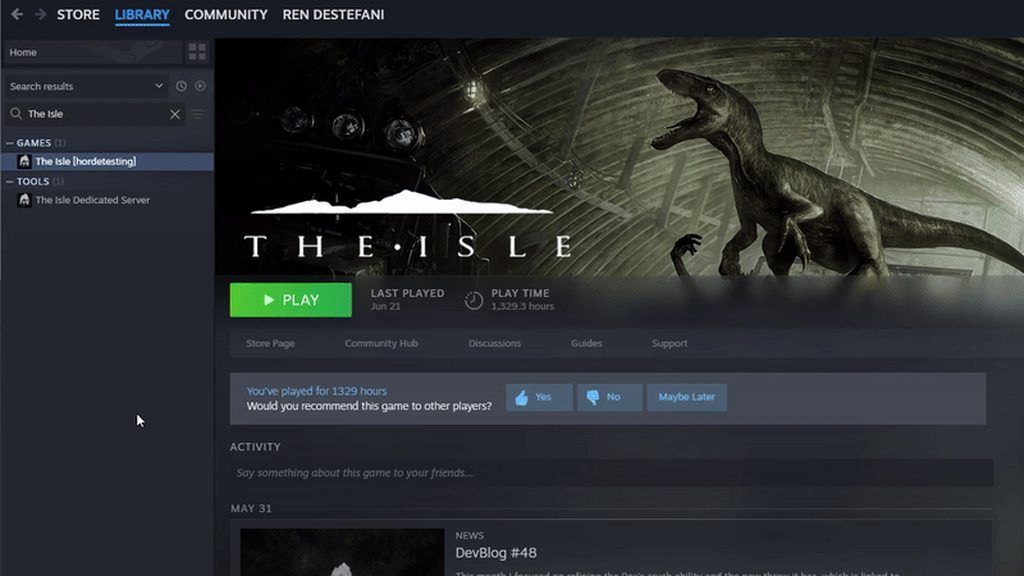
how do i find servers?
 terse rose
Tysm
signal path
dapper lotus
most, if not all games look better in 1920x1080
That's fair, you know what you like. I'd say there's other ways to get the game to render at 1080p and let your card upscale to your monitors resolution but it's all just personal preference
and if you play older games a lot of them don't play well with high resolutions too, so it's fair from that POV too
 patent elk
Asking for yalls help! I need to help my girl because her screen freezes like that when she opens the game, yesterday everything was fine and we already troubleshooted the games files. I dont know whats going on
 signal path
patent elk
Asking for yalls help! I need to help my girl because her screen freezes like th...
signal path
patent elk
Asking for yalls help! I need to help my girl because her screen freezes like th...
Uninstall Norton/Avast/McAfee/Kaspersky
dapper lotus
signal path
That's fair, you know what you like. I'd say there's other ways to get the game ...
Oh yeah absolutely. But having it on 1080p is just the easiest way to do it without going into a games settings. PLus I've just been using 1080p for so long that other resolutions look odd
patent elk
signal path
Uninstall Norton/Avast/McAfee/Kaspersky
Going to try it rn, tho thank you <3
patent elk
signal path
Uninstall Norton/Avast/McAfee/Kaspersky
Again, thank you very much. It worked <3
 heady hound
Hello could someone tell me if my friends gamerusersettings is right

Because they keep freezing when they try to get into the game
signal path
patent elk
Again, thank you very much. It worked <3
terse rose
Is their mods for evrima?
signal path
terse rose
Is their mods for evrima?
No, the anti-cheat prevents mods sadly
untold lodge
@signal path yo u know why cordinates arent working in game
all cords just say error
signal path
Ooohh I have seen that before, give me a sec
signal path
untold lodge
<@117186041248481283> yo u know why cordinates arent working in game
Disable Streamer mode in gameplay settings
untold lodge
sick thx my friend was having issues
 frank summit
anyone know why it freezes on this screen before opening?
 signal path
frank summit
anyone know why it freezes on this screen before opening?
signal path
frank summit
anyone know why it freezes on this screen before opening?
Uninstall Norton/Avast/McAfee/Kaspersky
signal path
heady hound
Hello could someone tell me if my friends gamerusersettings is right
That looks completely different from mine, I'd tell them to delete that file and let the game regenerate a default one
 sand canopy
I'm getting 'fatal error' on launch. Last time I played The Isle was a few weeks or so before last big update, all was fine, and I've never had any crash problems with Evrima earlier. All other games works fine and smoothly as always, so this is problem with Evrima only.
Re-installing didn't help. Thinking about re-installing graphic driver to an earlier version since it updated itself few weeks ago... any other suggedtions?
terse rose
How do I switch Dino’s?
 low blade
I fell through the ground is there anyway to get out or at least kill my dino
even the unstuck command wont get me out
nvm got it
signal path
sand canopy
I'm getting 'fatal error' on launch. Last time I played The Isle was a few weeks...
99% of Fatal Error issues are caused by bad RAM sticks
I'd recommend doing a stability test with a tool like OCCT
I know other games might work fine, but open world UE5 games stress systems in ways other games don't
signal path
terse rose
How do I switch Dino’s?
Switch servers or let your current dino die
Most people jump off cliffs, deliberately drown, or just 1 call until something comes to eat them
heady hound
signal path
That looks completely different from mine, I'd tell them to delete that file and...
okie tysm! ill let them know and see if that helps
 rose needle
does anyone know if you lose your progress/lives in evrima when you uninstall the isle on steam and reinstall
heady hound
rose needle
does anyone know if you lose your progress/lives in evrima when you uninstall th...
you dont lose them no worries!
rose needle
heady hound
you dont lose them no worries!
cool thank you!!
heady hound
rose needle
cool thank you!!
ofc ofc!
 trim pagoda
signal path
Uninstall Norton/Avast/McAfee/Kaspersky
trim pagoda
signal path
Uninstall Norton/Avast/McAfee/Kaspersky
Anyone have a fix for loading screen freeze? My friend doesn't have any of those things
 kind copper
AI is being invisible( been like this on EU4 for the past 3 hours now)
 cold junco
I got stuck and the unstuck command is not working
wanton mica
trim pagoda
Anyone have a fix for loading screen freeze? My friend doesn't have any of those...
YES !!!! i have. delete your anti virus . start the game. exit main menu, install antivirus and it will work. Your firewall is blocking it
 novel cairn
 little pilot
new here having a problem with getting the game to launch any tips ??
wanton mica
little pilot
new here having a problem with getting the game to launch any tips ??
is it just freezing ? Try disabling firewall of del it temporarily
little pilot
it just stays in the launching and wont play i just got the game like 30s ago
wanton mica
might be fire wall issue
little pilot
oh great and how do u fix that
wanton mica
ya need to disable it. but only temporary
 stone mesa
I have an audio glitch of static near waterfall and sometimes when rain comes once it starts it wont go away . happens when to many dinos roar at the same time or roaring during battle . I play all sorts of games and it is not a hardware problem only happens on Evrima not on legacy servers . Any help much appreciated
 twilit charm
I am stuck in a rock on official is there anyway for me to get out without dying
winter python
twilit charm
I am stuck in a rock on official is there anyway for me to get out without dying
Try /unstuck
twilit charm
worked thanks
 stoic heath
AI is invisible everywhere
 tame agate
can anybody help me here?, my night vision seems to be broken, I can only get it to work at the most minute angles. For the most part, my screen is almost entirely black


a quick video of what I mean
signal path
tame agate
can anybody help me here?, my night vision seems to be broken, I can only get it...
That's just the swamp. Water is very murky. The slight camera angle to see underneath is actually an exploit 😉
tame agate
I mean, it's completely black though. I cannot see anything at all. Not my character, I should at least be able to see it's eyes or things in front of me no?
signal path
I think that's just what swamp is like at night 🤷♂️
 eternal pivot
tame agate
I mean, it's completely black though. I cannot see anything at all. Not my chara...
eternal pivot
tame agate
I mean, it's completely black though. I cannot see anything at all. Not my chara...
Would say its a bug, as it wasn't always like this
 sacred galleon
hey im new to game what do you do if unsuck command dosent work
winter python
sacred galleon
hey im new to game what do you do if unsuck command dosent work
Check this channel's description
sacred galleon
its not a request tho im just asking what do i do
eternal pivot
sacred galleon
hey im new to game what do you do if unsuck command dosent work
Make sure no other Dino is near and you have flat ground close, if that is not the issue, a server Admin may help
sacred galleon
eternal pivot
Make sure no other Dino is near and you have flat ground close, if that is not t...
im like stuck in a crack so idk just dosent work
eternal pivot
sacred galleon
im like stuck in a crack so idk just dosent work
did you type /unstuck or just unstuck? /unstuck is the command
eternal pivot
sacred galleon
i put /unstuck
I assume there is no flat ground near, unless another Dino is close
wont work
eternal pivot
which server?
eternal pivot
sacred galleon
eu2- west
make a request for help in the evrima-eu official server thread
ok 😦
signal path
sacred galleon
i put /unstuck
Log out of the server, log back in, and try again without moving
Don't worry about safe logging or anything just leave and rejoin the server
sacred galleon
i will next time thx
eternal pivot
signal path
Log out of the server, log back in, and try again without moving
he died
signal path
oh, I missed that. Well, for next time I guess
sacred galleon
yh thanks
 hot bear
Im stuck on a piece of terrain, is there a console command to get out?
winter python
hot bear
Im stuck on a piece of terrain, is there a console command to get out?
/unstuck
hot bear
winter python
/unstuck
thanks
sand canopy
signal path
99% of Fatal Error issues are caused by bad RAM sticks
I'm sorry but this sounds nonsense. After update game stopped working but it's your pc's fault.
I'll check it later but I'm sure that this is NOT pc.
 amber pelican
After I drown a dino with deino, it auto drops from my mouth and I can't pick it up. Is there a way to fix this/am i doing something wrong?
 balmy kelp

 signal path
sand canopy
I'm sorry but this sounds nonsense. After update game stopped working but it's y...
signal path
sand canopy
I'm sorry but this sounds nonsense. After update game stopped working but it's y...
Do a search in this channel and have a look at how many Fatal Errors in the last week were bad RAM.
Every person says "That doesn't sound right" and every time it is
I was one of those people, for what it's worth, 3 weeks ago
It would take 15min to do a CPU + RAM stability test, why not give it a go?
sand canopy
signal path
It would take 15min to do a CPU + RAM stability test, why not give it a go?
It would be easy if this OCCT actually worked. But it isn't launching at all and I'm unable to find the reason
signal path
Oh. Haven't heard of that before
sand canopy
I'm not a pro in searching which windows update killed it
and all this sounds just like 'just don't play the isle anymore' 🤷♀️
signal path
I don't think there's been any Windows Update which would stop it, I assume you don't have an anti-virus installed which would stop it? Nothing happening when you execute sounds a lot like that
Norton and McAfee are the worst, but Avast and Kaspersky cause their fair share of problems too
sand canopy
signal path
I don't think there's been any Windows Update which would stop it, I assume you ...
I disabled it. Nothing happened
Run from administrator didn't help too
signal path
Depending on which you have disabling doesn't always disable. I'd honestly recommend uninstalling whatever it is and just using the default Windows Defender, it consistently scores well in tests
The other way to test is to use another UE5 game benchmark, like https://store.steampowered.com/app/3132990/Black_Myth_Wukong_Benchmark_Tool/
This tool is separate from the "Black Myth: Wukong" game itself and is non-playable.The "Black Myth: Wukong Benchmark Tool" is a PC benchmark application specifically developed for "Black Myth: Wukong". It evaluates your hardware performance and system compatibility through the real-time rendering of an in-game sequence.You can customize benchma...
(it's free, obviously)
sand canopy
...No comment.
Looks like really 'don't play the isle, bro'. Sorry if I'm sounding rought but sometimes people buy different antiviruses on purpose too since PC is not only gaming.
signal path
It's no skin off my nose, I'm only trying to help
Like I said, Windows Defender consistently scores above most top-google-search antiviruses, so don't just assume that after market = better
Norton and McAfee consistently score lower; there's a reason prebuilts bundle them
sand canopy
If devs don't seems to want to take these things in count and answers is basically 'go check/change your ram' or 'delete something else' - it's just... ugh
signal path
Fatal Error is Unreal Engine itself crashing, there's very little the developers can do.
You can't stop games crashing from faulty hardware
Unreal Engine is rock-solid on good hardware
sand canopy
in my case this was not proved yet
signal path
Can't prove what isn't tested 🤷
All I can say is I'm not your enemy, I don't gain anything either way, but I've seen a LOT of people with the exact same symptoms with the exact same cause, including myself
sand canopy
can't test because of third-party utility and don't want to delete antivirus I trust for software I don't know 🤷♀️
and as I googled there can be windows fault too in failing to launch this
signal path
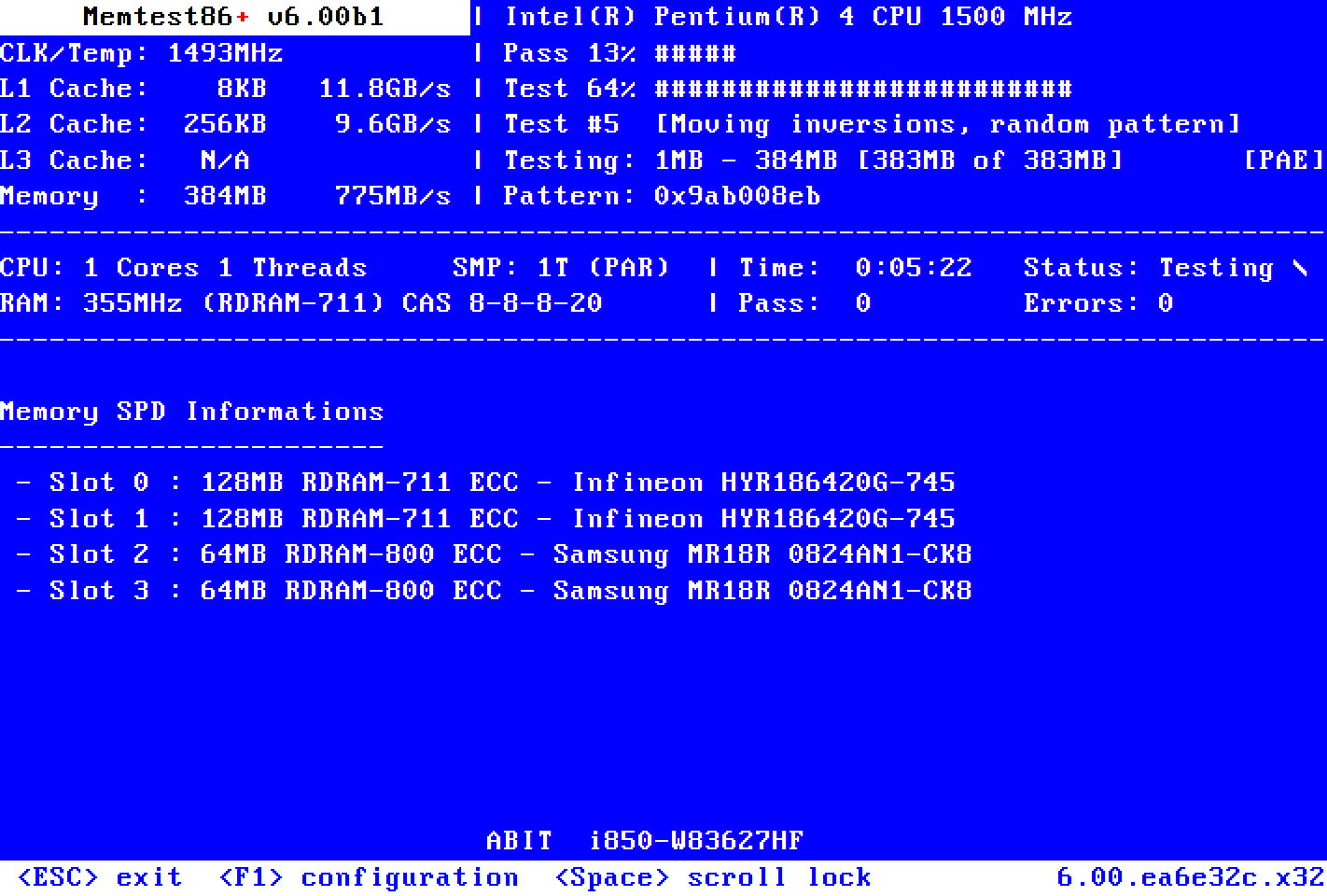
The Black Myth Wukong benchmark is a good way to test. If you are too paranoid for that, then https://www.memtest.org is open source. You will need to run a minimum of 12 passes for this to reliably catch minor RAM issues like you would have, and probably at least 20. Mine was crashing worse than yours and I got one error from 20 passes (overnight)
Memtest86+
Memtest86+ is an advanced, free, open-source, stand-alone memory tester for 32- and 64-bit computers (UEFI & BIOS supported)
sand canopy
it may be even not antivirus at all
signal path
True, it might not be. Have you done sfc /scannow and DISM?
That is, the following two commands in an admin command prompt:
sfc /scannow
DISM /Online /Cleanup-Image /RestoreHealth
If either report errors fixed, restart and try again
sand canopy
I don't know even what it is x_x
signal path
Oh, sorry.
Press the Windows button + X, then Command Prompt (Admin)
copy these two lines and right-click paste into the command prompt window:
sfc /scannow
DISM /Online /Cleanup-Image /RestoreHealth
.
If your AV is being as reactionary as it appears to be, it can also cause crashing on launch - for hyper-sensitive anti-viruses, the way the anti-cheat operates can look like a virus doing DLL injections
Normally that manifests as freezing on the AE loading screen though, not Fatal Error
sand canopy
These problems usually fixable on Kaspersky-side, but yeah, not the case
sand canopy
signal path
copy these two lines and right-click paste into the command prompt window:
sfc...
did this, now waiting
signal path
If you played Legacy before switching to Evrima, sometimes deleting the config folder can help too. Windows key + R, put %localappdata% into it and hit enter, scroll down and double click TheIsle, then delete the saved folder
sand canopy
No, I was playing Evrima and haven't turned on Legacy for years now
signal path
sand canopy
These problems usually fixable on Kaspersky-side, but yeah, not the case
Just in case, when you adding exceptions for The isle, you need to add both TheIsle.exe and .\TheIsle\Binaries\Win64\TheIsleClient-Win64-Shipping.exe
This is the case for all Unreal Engine games, the executable in the base directory is just a bootstrapper
sand canopy
I'll try to reroll graphic drivers back to few versions since some display problems started to appear after last updates few weeks ago, but I'll be able to so only after a few hours
sweet kite
my replays are all stuck on 30 minutes, any idea how to solve this ? really want to get my most recent recording
 signal path
sweet kite
my replays are all stuck on 30 minutes, any idea how to solve this ? really want...
signal path
sweet kite
my replays are all stuck on 30 minutes, any idea how to solve this ? really want...
Others have said that restarting your game and let the timer run down again works, other than that I'm not sure. sorry.
sweet kite
signal path
Others have said that restarting your game and let the timer run down again work...
have restarted and rebooted, thanks though!
sand canopy
signal path
The other way to test is to use another UE5 game benchmark, like https://store.s...
This is not starting too 🤣 Tbh I doubt this is antiviruss (completely disabled and stopped him), more looks like windows/BIOS restrictions but I'm not sure how to pass them yet
I never needed to pull out technical information before
signal path
The only thing in BIOS that could be causing this is overclocking or bad memory timings - you could verify that your RAM is set to a supported timing or XMP profile
If I was in your shoes, and unwilling/unable to get OCCT working, I'd be setting up memtest86 to run overnight
There are other memory stability testing programs out there, Prime95 etc, but they are not as approachable
If you have a 13900k or 14xxx series Intel CPU, it's possible you are being hit by the die oxidation issue, but that normally manifests differently as well
sand canopy
i5-11500
signal path
You're good there
You should also be able to check Kaspersky and see the incident log (or whatever they call it) to see if it intervened when OCCT and BMW were trying to start
 undone dune
still getting black shadow box when swimming with the gator dino, is this known and is there a fix?
signal path
undone dune
still getting black shadow box when swimming with the gator dino, is this known ...
If it's in the swamp or such, it's just a thing, no fix
 daring scroll
signal path
Does it freeze with the AE screen? If so, uninstall Norton or Avast and it will ...
daring scroll
signal path
Does it freeze with the AE screen? If so, uninstall Norton or Avast and it will ...
was having this issue and your comment helped however, just disabling it while you are playing seems to work w avast
no need to fully uninstall it seems
signal path
Just double checking: When you disabled Avast, did Windows Defender activate? Not good to have no AV at all
If you want to stick with Avast you can also add The Isle folder in steam as an exception
daring scroll
Windows defender did come up yh but imma try adding it as an exception
see if it works cause having to pause avast everytime will get annoying fast
daring scroll
signal path
If you want to stick with Avast you can also add The Isle folder in steam as an ...
it did indeed work, ty very much for your help og
sand canopy
signal path
You should also be able to check Kaspersky and see the incident log (or whatever...
Currently I ended up with updating/rerolling on different versions everything that can affect this OCCT since it seems still be easier than other tools for me... Kaspersky did add it to exceptions so this is probably windows problem, at least if count explanations I've found
And I've disabled Windows updates long ago after they killed my work few times with sudden "I know better when you need this" updates 🤦♀️
sand canopy
And so far I only got headache trying to understand what's blocking them 🤦♀️ 🤯
signal path
For what it's worth, later versions of windows updates got a lot less invasive that way, and if you are not installing at least the important security updates you are leaving yourself open to exploits that can get past even the best AV. Unfortunately this means having to actively sort through what is and isn't important, and inevitably there are checkpoints which force you to update everything else, too; I'm pretty tired of a lot of the Windows nonsense - I'll be switching to Linux soon.
Kaspersky is still the #1 suspect here, and I will say that if you are paranoid about security Kaspersky isn't what I'd be choosing. I know it used to be the go-to but they've done a few suspect things over the last few years and are, at the end of the day, still a Russian company; They are banned from sale in the USA for a good reason.
ESET, Bitdefender, or F-Secure would my choices if you really don't want Windows Defender.
sand canopy
Windows Defender in my experience messed more things than Kaspersky and he has more limitations. Most of Kaspersky problems, if appeared, was fixed with temporarily disabling him or adding things in white list. But this is my experience. Worse than Defender with headache level was only Avast 🤣 🙈
I can't delete or reinstall it without losing money. License I have now on this pc linked to another country and I will not be able to activate it again since next few months I'll live in different region, I'll need to buy a new one in this case...
sand canopy
Another reason of why this whole situation with Evrima made me burn. I have no crashes nowhere or at iddle state, no freezes and pc overall runs smoothly and stable, and looks like I can't even check what can be wrong without high-tech inner knowledge. Memtest86+ don't look any easier to launch than these programs.
Windows updates are ok until they break your whole system or you lose workfiles because devs once thought that allowing to force restart in process of something is a great idea (and yeah, it ignores settings if you already have ditched these updates a few times). Got tired of such problems, disabled it and started to update it manually when needed. In security way it's not best but all this update-delivering problem sometimes is getting worse than treats...
With OCCT I have more suspects in some inner windows security moments, but there's almost no information about what and where you should search and check... at least what I've found I tried to do and check 😭
 cedar cape
Does it get stuck when charging to a device?
I uninstalled and reinstalled, it still doesn't work
 uneven ibex
Hey guys Ive got an issue when trying to load evrima, the game freezes on the blue ae logo everytimei load the game.
Ive veriified the files, deleted the config folder, deleted the eac folder reinstalled the game but always the same thing
at my wits end and i just want to play the game
cedar cape
uneven ibex
Hey guys Ive got an issue when trying to load evrima, the game freezes on the bl...
i have this same
cedar cape
legacy worked without any problems
uneven ibex
has anyone tried to help?
cedar cape
uneven ibex
has anyone tried to help?
I'm trying to find something but I've tried everything
uneven ibex
does legacy even have any servers?
it has to be a file thing but steam makes it so painfull to delete a game entirely
cedar cape
uneven ibex
does legacy even have any servers?
Asura
uneven ibex
what does evrima have that legacy doesnt?
sand canopy
uneven ibex
what does evrima have that legacy doesnt?
everything
drowsy quarry
uneven ibex
what does evrima have that legacy doesnt?
new game engine
new dinosaurs
new graphics
new attacks
new system
mutations
new nesting
more AI
etc
drowsy quarry
cedar cape
I updated the drivers and it still doesn't work
what's the issue?
game froze?
uneven ibex
yeah on loading screen after the unreal engine one
im forced to play on legacy because the evrima constantly freezes on the blue ae loading screen
uneven ibex
drowsy quarry
what's the issue?
any idea?
drowsy quarry
uneven ibex
any idea?
yesterday 4 people had your issue, and they fixed it by simply allowing the isle through the firewall/antivirus
cause for some reason the isle is "acting" like a virus for the programs, so they block it
uneven ibex
yeah ive noticed that it was quarantined in my antivirus but ive allowed it and still no dice
 proven plinth
Hi, can someone help me to rescue my stuck croc?
signal path
As Kouga said, it's your Anti-Virus that's causing the issue. In order to detect the cheats that people use anti-cheat programs (including the one Evrima uses, EAC) do things that some anti-virus software doesn't like.
You need to either uninstall the AV and just use the default Windows Defender or add an exception for the entire TheIsle folder in Steam. Just adding TheIsle.exe won't work.
signal path
proven plinth
Hi, can someone help me to rescue my stuck croc?
Please check channel description
proven plinth
signal path
Please check channel description
Link message please?
signal path
proven plinth
Link message please?

You need to use the server channel appropriate to your region
Try typing /unstuck into chat first
proven plinth
signal path
What official channel? This one is under server discord link..
proven plinth
signal path
Try typing /unstuck into chat first
will try
signal path
proven plinth
What official channel? This one is under server discord link..
#evrima-na #evrima-eu #evrima-au #evrima-sa
proven plinth
signal path
<#543084446853890049> <#855544149407039520> <#855544175507406848> <#855544219091...
typed there already..
signal path
proven plinth
typed there already..
Then sadly nobody is available to help you right now. If /unstuck doesn't work you can relog to try again
Make sure to face away from where you want to go
proven plinth
signal path
Then sadly nobody is available to help you right now. If /unstuck doesn't work y...
I afraid my croc will die by that time 😩
 signal path
You have lots of water and food and they won't go down when you are logged out. You have plenty of time to try 🙂
proven plinth
signal path
Make sure to face away from where you want to go
Can't rly move here..
drowsy quarry
proven plinth
Can't rly move here..
I saw your messages in the Evrima chat. You forgot to ask admins for help
need to tag the @ admin role + server + in-game name + I'm stuck
or just keep trying /unstuck
it works quite well. and some people related it requires 2 or 3 tries to get out
proven plinth
signal path
Make sure to face away from where you want to go
Seems it worked, THANKS!
signal path
proven plinth
Seems it worked, THANKS!
proven plinth
signal path
<:TI_Yay:464844598632513536>
But the place is all bugged there.. 😒
signal path
Yup. Lots of evil little traps for explorers to fall into haha
proven plinth
signal path
Yup. Lots of evil little traps for explorers to fall into haha
Stuck at the same place again, it's a TRAP! 😅
What is the CD for /unstuck?
 proven plinth
Don't know how the get out from there. This place is cursed.
signal path
proven plinth
What is the CD for /unstuck?
About 8 minutes, but you can reset it by relogging
Sometimes you just have to do it again and again until it puts you in a spot you can crawl out from
 daring jungle
uneven ibex
im forced to play on legacy because the evrima constantly freezes on the blue ae...
daring jungle
uneven ibex
im forced to play on legacy because the evrima constantly freezes on the blue ae...
keep it open on that loading screen for 10/15 minutes
it probably will say something like game security violation detected
proven plinth
signal path
Sometimes you just have to do it again and again until it puts you in a spot you...
I think Im gona die..
proven plinth
signal path
Sometimes you just have to do it again and again until it puts you in a spot you...
It seems this waterfall got a gap in it, and then I'm trying to cross it I'm falling in that gap..
signal path
Good opportunity to try a different Dino, perhaps
proven plinth
signal path
Good opportunity to try a different Dino, perhaps
I think any dino with stack there 😒
signal path
proven plinth
It seems this waterfall got a gap in it, and then I'm trying to cross it I'm fal...
Oh, are you on that waterfall that has two steps and a log across it?
That's a big dieno trap 🪤
proven plinth
signal path
Oh, are you on that waterfall that has two steps and a log across it?
Not this one..
 signal path
I would recommend using /unstuck, don't move at all, relog, then use /unstuck again
 lavish kelp
hello erima keeps crashing on launch
signal path
lavish kelp
hello erima keeps crashing on launch
What error?
proven plinth
signal path
I would recommend using /unstuck, don't move at all, relog, then use /unstuck ag...
It would be fine if not the crowd and a line on the server, I guess..
signal path
lavish kelp
just a freeze
On the AE screen?
daring jungle
lavish kelp
ive tired everything
keep it open on that loading screen for 10/15 minutes
it probably will say something like game security violation detected
lavish kelp
mostly
k
ty ill see what it says it seems to just stay like that forever till i pull the lpug
daring jungle
Its an EA issue. Im guession you installed steam on another drive? Like D?
signal path
lavish kelp
k
Its your Anti-Virus doing it. Uninstall Norton/McAfee/Avast/Kaspersky and it will work
You can also add TheIsle folder as an exception but most people struggle doing that
lavish kelp
unitsall my anti virus ?
ah
i would rather do that
i mean ive played itweeks ago fine
signal path
The default Windows AV works well and doesn't cause problems
daring jungle
Windows Defender is the best AV you can get
signal path
Yup 👍
daring jungle
lavish kelp
ah so just try tyrning norton off ty
Did you install steam/the isle on C or a diffrent drive?
lavish kelp
c
daring jungle
ok nvm, then its not related
sand canopy
I tried to go to unreal e support forums and check what's written about this fatal error there.
Git this.
It just couldn't get more hilarious than it was but it did. 🤣
 signal path
lavish kelp
ive tried many things
signal path
lavish kelp
ive tried many things
Norton is causing it 100%
sand canopy
I used search once
lavish kelp
signal path
Norton is causing it 100%
ty
ill see how easy it is for norton to igniore the isle
trying now 🤞
 hearty cairn
signal path
https://i.imgur.com/wpZNmO7.mp4
hearty cairn
signal path
https://i.imgur.com/wpZNmO7.mp4
love you man
signal path

 quiet tiger
does anyone know how to fix this?
 drowsy quarry
quiet tiger
does anyone know how to fix this?
drowsy quarry
quiet tiger
does anyone know how to fix this?
disable DLSS
quiet tiger
ah okay, thanks
signal path
Kouga with the fastest DLSS quick draw in the west
lavish kelp
damn it wasnt nortoncrashing it
drowsy quarry
the isle being a virus 100% lol /j
signal path
lavish kelp
damn it wasnt nortoncrashing it
Where is it crashing?

 thin oracle
If Legacy owned the official server, there would be no players left in Evrima.
Why isn't there an official server for Legacy? We tolerate stupid server admins like Asura
signal path
lavish kelp
Did you uninstall Norton or just "disable" it?
drowsy quarry
thin oracle
Why isn't there an official server for Legacy? We tolerate stupid server admins ...
devs abandoned that branch a long time ago
signal path
Uninstall. You can always reinstall later
drowsy quarry
disable doesn't really work, they always keep some modules active XD
lavish kelp
ah
drowsy quarry
man I'm so happy to have windows as my AV
thin oracle
drowsy quarry
devs abandoned that branch a long time ago
Then we should continue to tolerate stupid asura admins
drowsy quarry
thin oracle
Then we should continue to tolerate stupid asura admins
until you can play evrima, yes :/
thin oracle
ı play already evrima
drowsy quarry
🤨 ah
drowsy quarry
alright, you can play some official servers in evrima if you want
legacy doesn't have much servers anyway
thin oracle
whats up
drowsy quarry
hiya
drowsy quarry
 thank youuuuu
lavish kelp
still does it withnorton unistalled
signal path
lavish kelp
still does it withnorton unistalled
Restart PC
drowsy quarry
Norton also has a uninstall tool, no? it's weird.
signal path
Norton has historically been very tricky to uninstall properly. It was like a barnacle
drowsy quarry
I'm seeing some feedback, seems like the uninstall tool works very ok
but yeah he's very difficult to get rid
lavish kelp
damn still nothing with norton gonewith seems likeno trace at all left of it
drowsy quarry
lavish kelp
damn still nothing with norton gonewith seems likeno trace at all left of it
did u used Norton uninstall tool?
may be worth a try
Learn how to uninstall Norton security products from your computer. This article contains steps to uninstall Norton device security from Window 10, Windows 8, and Windows 7.
drowsy quarry
uh oh.
lavish kelp
ran out of ideas
signal path
I gotta go but he might need to do the full EAC uninstall (qa-factory-reset)
Can you guide them through that @drowsy quarry ?
lavish kelp
gonna try get an error code by leaving it
drowsy quarry
🤷 never did it
signal path
Oh
drowsy quarry
I did clean reisntalls, eac reinstall, etc
signal path
If you just use the uninstall reinstall script it doesn't actually uninstall EAC, it just removed Evrima as a user of it
drowsy quarry
it's all good
drowsy quarry
lavish kelp
gonna try get an error code by leaving it
sooo, you can try to do a clean reinstall of the game and the easy anti cheat
lavish kelp
yeah done that xd sorry
drowsy quarry
to clean everything related to it
lavish kelp
went in appdata cleared it all
all files gone
even anti cheat
then reinstalled it
same issue
drowsy quarry
someone said they opened the game like 30x for it to work
lavish kelp
yeah my issue
drowsy quarry
as if each time it was opening, the progress would go a little further
drowsy quarry
you're not the first one and won't be the last that's for sure
I already counted 12 people with your problem
and everyday there's more
lavish kelp
damn
drowsy quarry
it's happening all of sudden, for both veterans and new players
drowsy quarry
if you would like to help the issue being known to the devs, you can make a report
lavish kelp
yeah will do
 weak bear
My friend from south america has problem where he cannot see official servers, even though they loaded for me. What now?
drowsy quarry
servers restarted not long ago, try again in a few minutes
lavish kelp
drowsy quarry
would help a lot
done ty
cedar cape
drowsy quarry
game froze?
yep
 cedar wyvern
invsible ai?
cedar cape
cedar wyvern
invsible ai?
?
cedar wyvern
is anyone seeing or experiencing invisible ai? as a server host its really annoying to have people complain of invisible ai- then say its not happening elsewhere. I don't know if its because its a linux server or what, but its not amazing to have our 3x ai selling point marred by literally invisible ai...
if there is any knowledge about why- our how to fix it i would love to know
its a really strange issue
they appear, then dissapear and freeze- so they are still tangible, but no longer visible
 crystal abyss
How can i watch the replays on evrima, because every time i have the replay thing on, and it saves the gameplay afterwards, it lets me go to the replays, but wont let me click them, i can only click the ”back” button
indigo mango
drowsy quarry
someone said they opened the game like 30x for it to work
It worked perfectly last night. Now I have the same issue again lol
drowsy quarry
cedar cape
yep
delete your antivirus (norden, McAfee, avast, etc)
sand canopy
drowsy quarry
it's happening all of sudden, for both veterans and new players
tbh this gives a hope that problem WILL be fixed someday from game side, not just with tries to find a reason in player's pc xd
I didn't have any problems at all with Evrima, ever, even at potato pc (with zero fps) and now I'm also here
drowsy quarry
yeah, it's important for players to report their issues
so the devs know about them
sand canopy
Managed to switch from Fatal Error message to createfile error somehow, playing with windows rights. But now I'm back to where I started.
Haven't had luck to test pc's ram, but it still hard to believe that literally everything else works fine and The Isle suddenly reques fresh-clean hardware (if some minor unstability really presists - this is still a bit insane tbh, ecpecially when all worked fine not long ago)
I'll try to run hardware tests when I'll find a reason what's blocking them so hardly, but currently seems that I'll wait for next updates in hope with other players with these problems 🤷♀️
mossy geode
Close out the game and restart steam
Try verify the integrity of your steam files
Have you tried clearing config files?
daring jungle
I'm not an Admin but happy to help 🙂 someone suggested to exclude the game in your anti virus
daring jungle
signal path
Its your Anti-Virus doing it. Uninstall Norton/McAfee/Avast/Kaspersky and it wil...
Here
 tired star
I have an issue where my camera keeps looking up till it cant go any further...tried restarting the isle and my pc but doesn't work.
I found an old fix to delete the save file and then restart but there is no save file to be found now so i guess that doesnt work at this time...any recent fix for this?
 outer kettle
is ai prey still invisible?
winter python
tired star
I have an issue where my camera keeps looking up till it cant go any further...t...
Do you have a controller plugged in?
daring jungle
lavish kelp
ran out of ideas
lots of players have the same issue
 acoustic coyote
Is there a fix for the replay being stuck on 30min?
tired star
winter python
Do you have a controller plugged in?
thats so silly...i did 
thanks! had that same issue in legacy once so i thought it was an actual issue lmao
 green jay
i have a problem with that when i turn on the isle my game becomes frozen i tried reinstalling i did everything with the anticheat and yet nothing. i have this problem only on evrima and the other one's work for me. does someone know how to help?
drowsy quarry
green jay
i have a problem with that when i turn on the isle my game becomes frozen i trie...
disable and uninstall your antiviruses
such as norton, mcafee, avast, etc
green jay
okay i will try
indigo mango
drowsy quarry
disable and uninstall your antiviruses
Is that the solution?
drowsy quarry
seems like so
green jay
doesnt work :/
indigo mango
I just keep swapping between my 2 pcs and it’s actually working. When one freezes I just go to the other one lol
Let me try deleting the anti viruses tho
indigo mango
green jay
doesnt work :/
Its a very annoying problem icl
green jay
ik i've been trying to figure this out for like 2-3 days now
drowsy quarry
green jay
doesnt work :/
did you restart your pc
green jay
yeah but still nothing
drowsy quarry
do you think theres any traces of the antivirus in your pc? in appdata, etc
and maybe allowing the whole the isle folder in your firewall can help
green jay
its a fresh pc and only had windows defender and norton
green jay
i will try do disable it or uninstall even maybe it is the thing like you say
indigo mango
I have avast antivirus on my pc. So is that the problem?
drowsy quarry
cannot be a simple coincidence
all the ones with this freezing problem has an antivirus
indigo mango
How did I by pass it last night without uninstalling it?
drowsy quarry
most people only use windows defender, its super good
drowsy quarry
yeah idk honestly, it just happens
the problem is getting rid of the antivirus
they are all super difficult to disable, theres always some module enabled that mess with the most important stuff
indigo mango
Wait that makes sense. I went on my other pc which doesn’t have any antivirus software and it works perfectly fine
drowsy quarry
and even after uninstalling it, you might need to uninstall the isle too, cause it can still be blocked
indigo mango
Will that delete my progress?
drowsy quarry
indigo mango
Wait that makes sense. I went on my other pc which doesn’t have any antivirus so...
that helps to prove the point lol
drowsy quarry
indigo mango
Will that delete my progress?
not at all, its saved in cloud
indigo mango
Thank god
drowsy quarry
will delete skins though
indigo mango
Meh I don’t care about that. As long as my progression is saved I’m fine
drowsy quarry
heres how to do a clean reinstall
How to do a clean uninstall
- windows + r
- search %localappdata%
- find The Isle folder and DELETE it
then - Right click the game on steam
- properties > local files > browse
- DELETE The Isle folder
- try to reinstall the game
indigo mango
You’re the best @drowsy quarry
Didn’t even have to uninstall. It was in fact the antivirus
drowsy quarry
indigo mango
Didn’t even have to uninstall. It was in fact the antivirus
glad so
dense geyser
does ai cause high ping?