#🔧-evrima-troubleshooting-🔧
1 messages · Page 70 of 1
 drowsy quarry
 stark haven
My friend is having issues, this is what came up, any help?
 drowsy quarry
stark haven
My friend is having issues, this is what came up, any help?
drowsy quarry
stark haven
My friend is having issues, this is what came up, any help?
what is his GPU?
stark haven
I'll ask
 open sinew
Does anyone know how to fix this issue
 stark haven
drowsy quarry
what is his GPU?
stark haven
drowsy quarry
what is his GPU?
They have an AOI so they don't know
drowsy quarry
what is an AOI
drowsy quarry
stark haven
They have an AOI so they don't know
open task manager > performance > click GPU and see the name on top right
stark haven
drowsy quarry
what is an AOI
That's what I'm asking too but they said it's a pc without the box
drowsy quarry
jesus
stark haven
I'm still questioning how it runs anyway
 stark haven
Press refresh
 real notch
Already but nothing happens
 robust jungle
after new patch fix, not all servers are shown
stark haven
Oh
robust jungle
fixed the issue with playercount and adding new issue
 nimble wharf
open sinew
Does anyone know how to fix this issue
nimble wharf
open sinew
Does anyone know how to fix this issue
have smae problem all the time
drowsy quarry
stark haven
I'm still questioning how it runs anyway
either your friend has a really weak and old GPU and can no longer play the game or he needs to update his driver's in order to play
I'm almost sure it's the first option
stark haven
drowsy quarry
jesus
So basically it's all behind the screen, which is probably why, ty for trying to help tho, I'm trying to ask company to see if they can download something with more info
 ionic kindle
Whoever put out the new patch: I can't even join any servers now. I was playing fine before but after this patch, I try to join a server that's 77/100 people and it still says it's full. Try to join another and it crshes. Smh
open sinew
nimble wharf
have smae problem all the time
did you manage to fix it, becasue it will plat for like 3 min then i will crash
 karmic tartan
I'm playing on an Macbook Pro M1 on Parallels Desktop application, with windows 11, and at the Evrima's loading screen I get this message: "unsupported host machine architecture. (ARM64)". If I switch back to The Legacy I can play the game no problem, so an older game can perform on ARM, but a newer version can't?
Some say it's the Anticheat software that's giving this error, but I wonder, isn't there any support for ARM architecture in Evrima?
drowsy quarry
stark haven
So basically it's all behind the screen, which is probably why, ty for trying to...
he can't find his GPU?
stark haven
drowsy quarry
he can't find his GPU?
Yeah basically it
drowsy quarry
even opening task manager?
stark haven
Alright
drowsy quarry
alright?
stark haven
It's a lenovo monitor if that helps
drowsy quarry
no it doesn't
i just need the GPU
just open task manager > performance > click GPU
stark haven
Okay
 arctic flicker
Lol
drowsy quarry

arctic flicker
How is it going? xD
drowsy quarry
bad
arctic flicker
Why
 arctic flicker
I haven’t seen this one before
karmic tartan
I got this as well back when I played on a windows laptop
stark haven
Weird
karmic tartan
last year
arctic flicker
Try verifying the files?
 late rock
k
drowsy quarry
arctic flicker
Why
many new issues
drowsy quarry
stark haven
Weird
what is weird
please just sent a screenshot to me
I'll handle everything else
arctic flicker
drowsy quarry
many new issues
😔
stark haven
drowsy quarry
what is weird
I've never seen anything happen like this before
 drowsy quarry
not you dw
stark haven
drowsy quarry
please just sent a screenshot to me
Yeah he's checking
late rock
drowsy quarry
not you dw
oh ok
drowsy quarry
stark haven
Yeah he's checking
why is it taking so long 😥
I have a video step by step if HE NEEDS it
arctic flicker
I think he does
stark haven
I don't know what is taking forever
I'm on phone so I'm needing to correct every message I send lol
 floral matrix
after that patch from a few minutes ago i needed to download the entire game again cus it said files are missing anyone else got this ??
arctic flicker
You need to verify the files
late rock
floral matrix
after that patch from a few minutes ago i needed to download the entire game aga...
for me were 3
i got the same thing rn
floral matrix
my internet is quite slow so its a pain trying to download again
drowsy quarry
stark haven
I don't know what is taking forever
get him on this server lol, let me talk to him
we will never fix it at this point
arctic flicker
floral matrix
my internet is quite slow so its a pain trying to download again
You need to verify the files
floral matrix
arctic flicker
You need to verify the files
how do i do that
and does that make the download faster ??
 thorn bobcat
more fixes. WHEN WILL NIGHT VISION BE CORRECTED UNDER WATER FOR BEIPI??!?!?
arctic flicker
floral matrix
and does that make the download faster ??
You don’t need to download again
You just need to verify the files
drowsy quarry
thorn bobcat
more fixes. WHEN WILL NIGHT VISION BE CORRECTED UNDER WATER FOR BEIPI??!?!?
are you really worried about that?
arctic flicker
Lol
drowsy quarry
servers are main priority lol
floral matrix
arctic flicker
You don’t need to download again
okay but the download already started 😦
arctic flicker
😔
floral matrix
rn its running 126mbps
 marble grove
my replay never starts, it is in my controls for F2 but whenever I press it, nothing happens
arctic flicker
Its buggy I think
drowsy quarry
marble grove
my replay never starts, it is in my controls for F2 but whenever I press it, not...
delete config file
arctic flicker
floral matrix
its going to take forever to finnish
You shouldn’t have uninstalled it
marble grove
drowsy quarry
delete config file
didnt work
floral matrix
okay but i didnt see another choice
normally the internet speed is about 300/350mbps
stark haven
drowsy quarry
get him on this server lol, let me talk to him
Sorry they need to go, I don't know why but what I'm assuming evrima is too powerful for them
drowsy quarry
check if you have any icon popping on the top left when you start recording
later, stop the recording on the same button and check replays
thorn bobcat
drowsy quarry
are you really worried about that?
of course. I want to play normally, not in complete darkness
drowsy quarry
stark haven
Sorry they need to go, I don't know why but what I'm assuming evrima is too powe...
okay
stark haven
Was trying to get them on here but wasn't happening
 red elbow
guys who can help? my 3d resolution doesnt change. how to fix it?
marble grove
drowsy quarry
check if you have any icon popping on the top left when you start recording
la...
yeah nothing is appearing
 pliant talon
I waited in Queue and was in place 36/36. i waited so long and in the end when i was finallyh first it got stuck in connecting... so to everybody dont go into the queque when there are so many places left. do it only when you see you are like 9th place or something. because in the end it may trick you like it did to me. unbelievable
Queue *
 bronze pivot
 icy trout
does anyone else get like a fatal error and then the game crashes
 thin oracle
did they fix the connection to the host problem yet???
thin oracle
icy trout
does anyone else get like a fatal error and then the game crashes
i just got it
icy trout
annoying when u are standing right next to a corpse and then yo game crashes
stark haven
@drowsy quarry this is what they have, they might have diff windows version or dark mode on but yeah
 thin oracle
i was just trying to swim but fetal error
 bronze basin
I got the second client patch and now I can't see a single unofficial server. Only the official servers want to load
icy trout
i was never able to see any unoffical servers either
thats why i thought they didn't exist
 open pewter
The patch did worst as before ?? Or i dream
 tribal oar
does anyone have the problem of crashing as soon as they eat? my game seems to run perfectly fine and i had really good frames and ping but the moment i try to eat my game freezes and i have to restart my pc everytime
 half shale
there any fix for this? spawn from egg. get this strange blue glowing background. vision range is like 10cm.

 celest socket
thorn bobcat
more fixes. WHEN WILL NIGHT VISION BE CORRECTED UNDER WATER FOR BEIPI??!?!?
celest socket
thorn bobcat
more fixes. WHEN WILL NIGHT VISION BE CORRECTED UNDER WATER FOR BEIPI??!?!?
Im still having this issue!! Yet I see people playing it and theirs is fine?? Lmk if you find a fix
thorn bobcat
celest socket
Im still having this issue!! Yet I see people playing it and theirs is fine?? Lm...
many people have this problem. some of them are fine
celest socket
thorn bobcat
many people have this problem. some of them are fine
Ye I don’t get if
 vernal blaze
Is there a way to get my coordinates & server name/pop to work or is this just because of the server I'm in? it happens every time I join one.

 dawn cloud
hi i cant see any official server, someone know why????
 opaque holly
should i just wait for update?

 mellow mural
for everyone with the dx12 error: https://support.microsoft.com/en-us/windows/checking-your-version-of-directx-7b71e74f-02e8-456f-72c7-9a1c1bbf0e9a tells you how to know if your system has dx12 installed. In the tool you can see it here:
If you dont use dx12, you probably wont be able to play the game

Checking your version of DirectX
thin oracle
mellow mural
for everyone with the dx12 error: https://support.microsoft.com/en-us/windows/ch...
thnx ❤️
drowsy quarry
stark haven
<@398550373402411009> this is what they have, they might have diff windows versi...
not enough to play the game on its atual state
integrated graphics does not support unreal engine 5
stark haven
alright, ty
drowsy quarry
vernal blaze
Is there a way to get my coordinates & server name/pop to work or is this just b...
try to disable stream mode?
 quick tartan
how do i make this work? game wont open cus it wont install this
 drowsy quarry
try to clean download cache
 devout crescent
I'm still having problems with the DX12 thing. Was wondering where to go to check if my drivers are okay and if this is good enough GPU, Nividia Geforce RTX 2080 Super. Also can you just install DX12.
drowsy quarry
devout crescent
I'm still having problems with the DX12 thing. Was wondering where to go to chec...
go to NVIDIA drivers website, fill everything that it asks you and download it
double click the file when it's done
quick tartan
drowsy quarry
try to clean download cache
oka trying
drowsy quarry
your GPU is compatible with the game so rest assured.
 wind pivot
Why does The Isle close every time I try to join a server?
 scenic jetty
I’m still getting this message, does anyone know how to fix it?
 wind pivot
I have a quiet similar problem bro 😦
quick tartan
drowsy quarry
try to clean download cache
says this now

 inland arch
Anyone have a really pixelated game even with max graphics? especially backgrounds.
GIF for reference: https://gyazo.com/3b2c98431b59150e7044c6617f57b289
note the background

 plush heath
how do i fix this?


 sudden dawn
I used to get 60-160 fps before the update and now I get around 30. I tried deleting the config file but it only gave me like 10 more fps
What's wrong?
 frigid creek
this is the third time after i try to join a servers whats going on

 robust jungle
can't eat .. after relog still not working .. elite AI fish killed and corpus runs away
stark haven
is there a fix to crashing every 10 mins? when in game
 sour cove
queue's don't seem to work for me?
scenic jetty
Bro this keeps happening…
 drowsy quarry
quick tartan
says this now
drowsy quarry
quick tartan
says this now
try to launch steam as administrator
 harsh fern
still having this bug

 keen trellis
help plis i love th isle help
 robust jungle
keen trellis
help plis i love th isle help
robust jungle
keen trellis
help plis i love th isle help
update the game
keen trellis
robust jungle
update the game
whats?
robust jungle
keen trellis
whats?
sry wrong answer
quick tartan
drowsy quarry
try to launch steam as administrator
life saver honestly, thank you
it worked
keen trellis
robust jungle
sry wrong answer
okey help
drowsy quarry
yey :)
robust jungle
keen trellis
okey help
tried the repait funktion ?
keen trellis
robust jungle
tried the repait funktion ?
you can't do it
 cedar hollow
verify the data game via steam
keen trellis
cedar hollow
verify the data game via steam
is it for me?
cedar hollow
yes
keen trellis
cedar hollow
yes
okey
keen trellis
cedar hollow
yes
 celest socket
Is it okay to dm Amarok privately about an issue or will I get banned lol ?
cedar hollow
keen trellis
i dont undestand this language
cedar hollow
keen trellis
im frond poland
can you translate that?
 weary prawn
How do i fix my game completely freezing on me every 5 mins
keen trellis
cedar hollow
can you translate that?
passed successfully
weary prawn
i have to hard quit the game
keen trellis
cedar hollow
can you translate that?
succesfully
cedar hollow
keen trellis
im frond poland
If you encounter client performance issues, it's highly recommended that you wipe your Config folder.
- If running The Isle, exit the game.
- Open File Explorer.
- Click the address bar at the top.
- Type %localappdata% then press Enter.
- Find "TheIsle" folder. Open it.
- Open the "Saved" folder.
- Delete the "Config" folder. Note: This will reset any of your custom settings to their defaults.
- Start the game.
cedar hollow
keen trellis
succesfully
try that i think is a run time issue
keen trellis
I can't do it, can you help me
cedar hollow
keen trellis
succesfully
or try to reinstall all the game
sudden dawn
cedar hollow
If you encounter client performance issues, it's highly recommended that you wip...
I tried that but it didn't fix the performance issues I have
Is there anything else I can try?
keen trellis
cedar hollow
or try to reinstall all the game
my friend will help me with what you wrote, when git will respond
 dusty torrent
I keep getting disconnected from the servers, any fixes?
cedar hollow
im not programer, so.... i dont know
sudden dawn
Alright
keen trellis
cedar hollow
im not programer, so.... i dont know
okey
floral matrix
i cant get into servers again it tells me they are full but it also says that there are about 13 slots left
is there a fix for this
cus its annoying as shi
drowsy quarry
floral matrix
i cant get into servers again it tells me they are full but it also says that th...
servers are full, there's no fix for it
update = more players
drowsy quarry
don't believe your eyes ^^
there's so many players joining and quitting that the servers cannot keep up
 dusky nest
Anyone know how to get replays to work for evrima? I'm pressing f2 but nothing happens
 void citrus
another update wtf ?
drowsy quarry
dusky nest
Anyone know how to get replays to work for evrima? I'm pressing f2 but nothing h...
theres not an icon on top left?
camera icon
dusky nest
No ;-;
drowsy quarry
check your settings, you may need to delete the config folder
dusky nest
Is there something I need to enable in settings?
drowsy quarry
not really, but deleting config folder is a common thing among new players
sudden dawn
drowsy quarry
not really, but deleting config folder is a common thing among new players
Is there anything else I can do to fix my fps? I tried deleting the config folder but it didn't help much
I used to get 60-160 fps but once the update came out I got 30
cedar hollow
sudden dawn
Is there anything else I can do to fix my fps? I tried deleting the config folde...
is strange, i use a 2060 32 ram and i7 8700 = 60 FPS
drowsy quarry
sudden dawn
Is there anything else I can do to fix my fps? I tried deleting the config folde...
what are your PC configs?
sudden dawn
You mean my specs?
cedar hollow
sudden dawn
You mean my specs?
yeah
sudden dawn
5950X, RTX 3060, 32 gigs of 3800MHz CL14 RAM
I've tried turning down my settings but it doesn't affect my fps, it just affects how the game looks
It's super weird
drowsy quarry
it may or may not be because of loaded servers
 dire bobcat
sudden dawn
I used to get 60-160 fps but once the update came out I got 30
dire bobcat
sudden dawn
I used to get 60-160 fps but once the update came out I got 30
same here
drowsy quarry
keep an eye on your specs on task manager when you're running the game
floral matrix
wasnt there a qeue system placed ?
sudden dawn
drowsy quarry
keep an eye on your specs on task manager when you're running the game
Alright, I'll check if my graphics card is maxing out or not
floral matrix
cus i still cant get into a server line cus its still tellls me they are full
void citrus
floral matrix
cus i still cant get into a server line cus its still tellls me they are full
u should be in queue
 dire bobcat
floral matrix
cus i still cant get into a server line cus its still tellls me they are full
dire bobcat
floral matrix
cus i still cant get into a server line cus its still tellls me they are full
apparently the queue only work if it's showing the server is in 100/100
floral matrix
well am not it just says connecting and after a minute or 2 its says disconnected server is full
red elbow
inland arch
Anyone have a really pixelated game even with max graphics? especially backgroun...
even in the game? while you run game start look so bad right?
floral matrix
dire bobcat
apparently the queue only work if it's showing the server is in 100/100
but then it still shouldnt give me the server is full error
am trying to load in EU3 but it just doesnt work on any of them
even says there are 5 slots open

 wind badge
im having an issue where my manual alt bite settings option keeps automatically unchecking itself after about a minute ive already tried deleting my config and the entire save file is there anything else i can try to fix this?
void citrus
wind badge
im having an issue where my manual alt bite settings option keeps automatically ...
i think in setting is opinion about manual alt bite
 plush igloo
Cuz I couldn't play with the optimisation
wind badge
void citrus
i think in setting is opinion about manual alt bite
ya ik but when i check it in settings it automatically unchecks itself after a short time
void citrus
no clue what to do than
floral matrix
 ashen dune
https://discord.com/channels/401464048610312193/401469622659973120/1123652095862...
ashen dune
https://discord.com/channels/401464048610312193/401469622659973120/1123652095862...
iknow this but i shouldnt be placed in a qeue in the first place cus it says it got empty slots
 brisk cloak
kinda wish steam don't need to reinstall the game after every new patch came in,
ashen dune
floral matrix
iknow this but i shouldnt be placed in a qeue in the first place cus it says it ...
playercount is updatin weird, there might ge a queue for a server already or just full
its very rare that there are empty slots on official servers
thin oracle
did they fix the bug were it would keep kicking you out for lost of connection to the host in Avery server?
ashen dune
thin oracle
did they fix the bug were it would keep kicking you out for lost of connection t...
not sure, I saw someone above saying hes still havin this problem. I had it yesterday, going to test if it works for me rn
 modern remnant
I got into EU1 for a while earlier then got a fatal error and game crash while eating as corpse as a Cerato.
 echo mist
Just checking if anyone here has a fix for the "Maximum Simultaneous Game Instances Reached!" error.
Can't play at all.
fix found thanks to Fräulein_Unschuld:
"You can create a new steam library with the steam client. Go to steam -> configuration -> Storage. There you can assign a new storage when clicking on +. Than the new storage shows up. Now you can move in the same window the isle to the new storage (where a new steam library was created). And than try again
Of course you need for that try a diffrent storage and Partitition (I also had it before on Disk C)"
 hollow mortar
Does anyone know how to make the evrima sens lower because the lowest is still far too fast
 vast gazelle
I am also getting the server full error after waiting a half hour in a queue. Somehow managed to get into one of the not full servers after.
 uncut onyx
how do i fix this, pops up everytime i load the isle since the new update
 vast gazelle
I am also getting the server full error after waiting a half hour in a queue. So...
vast gazelle
vast gazelle
I am also getting the server full error after waiting a half hour in a queue. So...
Aannd.. Night vision doesn't work on first load.. 😦
I'm lying, it seems to be the X button now
 void citrus
when is restart ?
dawn cloud
uncut onyx
how do i fix this, pops up everytime i load the isle since the new update
i have the same problem
 halcyon willow
uncut onyx
how do i fix this, pops up everytime i load the isle since the new update
halcyon willow
uncut onyx
how do i fix this, pops up everytime i load the isle since the new update
Check for any graphics driver updates, install them and restart your computer
halcyon willow
 stark tinsel
Try verifying the integrity of your game files by going to steam, right-click "The Isle" game, go to "properties" > Installed Files > Verify Integrity of Game Files
drowsy quarry
uncut onyx
how do i fix this, pops up everytime i load the isle since the new update
what's your GPU?
wind badge
im having an issue where my manual alt bite settings option keeps automatically unchecking itself after about a minute ive already tried deleting my config and the entire save file is there anything else i can try to fix this?
wind badge
ya but i also did it in the menu once and still didnt work
ik i havnt heard anyone else with tthis issue
drowsy quarry
yeah I never saw someone with this issue 🤔
wind badge
which sucks cause that mean almost no one else knows any fix
i was just wondering if there was any basic troubleshoot people did to solve issues other then the config and save folder delete
drowsy quarry
I can only think of a reinstall at this point
wind badge
ya ig i could ttry that
sudden dawn
drowsy quarry
what's your GPU?
I unplugged my monitor and plugged it back in and now I'm at 130 fps max settings
 cold lily
drowsy quarry
I can only think of a reinstall at this point
cold lily
drowsy quarry
I can only think of a reinstall at this point
what ram do u suggest for the isle ? how much
drowsy quarry
cold lily
what ram do u suggest for the isle ? how much
dunno, I use 16gb
sudden dawn
cold lily
what ram do u suggest for the isle ? how much
16 gigs is the most you'll need
 hallow girder
Anyone know How to fix the Lanch error
 stark mirage
Hello, Can someone please tell me why whenever i go to play the isle, anticheat loads but not the game. After a while it blanks out. Anyone have tips??
 sinful kestrel
trying to update the game freezes up my entire PC 🙃
I have other games that had some updates today and they're fine, but the isle keeps locking out my PC when I try to update it.
 empty turret
Hey guys, Every time I tab out of the game, my controls change. Can someone tell me how I can fix this?
 rich talon
i would like to report a dead hole at -202,029.392, -533,363.357, -28,450.271 .... not sure if its intended but i fell there and im just waiting for the starvation to kill me xD
i might be at the wrong channel... im sorry if im
thin oracle
my game always freezes within the like first 12 seconds and ive put epic on all the settings deleted the config so what the hell is going on
 vale hornet
updated and im still seeing empty server slots but full server
sinful kestrel
sinful kestrel
trying to update the game freezes up my entire PC 🙃
I have other games that ha...
Just going to uninstall. Game doesn't even run good enough to justify having it take up space on my drive 🤣
Maybe if it's ever decent to run I'll try again.
 worn pebble
 cosmic turret
help needed game stuck on splash screen and says failuer app running
 dull brook
All the time any help ?

 lapis bone
over an hour to get in due to twice being disconnected at pos 1..........server restart in 1 min msg
 lapis basalt
Hey guys, I think the bepi night vision is supposed to look like this underwater; However, mine is almost all black. I can only occasionally see some outlines for stuff on the surface. And ideas on what I could do?
 cosmic turret
@lapis basalt atleast you can play 😦
lapis basalt
That much is true correct
cosmic turret
@lapis basalt is this update fun or no ?
lapis basalt
This is the first issue I’ve had with the isle, other than getting only like 30 fps, but that’s my computers fault
I’ve only played the duck, it’s fun
cosmic turret
@lapis basalt what are your specs?
 tender trench
Can anyone help me fix the replay system?
 cursive tendon
Any idea how to fix this. Having this isue like 10x times a day

 shell current
can anyone help with the DX12 system error
 lime fiber
cursive tendon
Any idea how to fix this. Having this isue like 10x times a day
lime fiber
cursive tendon
Any idea how to fix this. Having this isue like 10x times a day
Try the following if you can
Go to windows settings instead Go to Settings > System > Display Graphics. On "Add an app/Browse" select,"TheIsleClient-Win64" then, select which graphics processor this application will use under "options" after it is selected. Select high performance.
shell current
halcyon willow
Check for any graphics driver updates, install them and restart your computer
how do u do that?
cursive tendon
lime fiber
Try the following if you can
Go to windows settings instead Go to Settings > ...
will try thanks
halcyon willow
shell current
how do u do that?
This video may help. Updating your drivers is gonig to depend on what video card you have installed. https://www.youtube.com/watch?v=_JYPVGRjqk4

Want to know how to update graphics card drivers on a Windows 10 PC or laptop? This video will show you how to update your graphics card drivers in Windows 10. You might want to update GPU drivers on a Windows 10 PC to play the latest games or fix a graphics card that's not working. This video will cover how to update Nvidia graphics card driver...
 alpine lantern
after joining servers after queing, dino select screen is just this
 tender trench
i need help with the replay system. Im not sure why i can pull any of these replays. Any time i select one and hit "play" it sends me back to the main menu

 idle pine
Hey i get an error when launching it says error 20006 servicefailed 193 any fix for my problem? I cant play evrima but thats the version i wanted to have any fixes? Its an errorvwith eac
thin oracle
why is my game freezing
cursive tendon
lapis basalt
Hey guys, I think the bepi night vision is supposed to look like this underwater...
same problem
 whole ocean
I'm trying to file a bug report but I'm having trouble getting the url of my screenshot. Does anyone know how to do it?
 rain geyser
Hey Guys 🙂 I have a question... I joined the Server's queue-system today of an unofficial Server. It Said Queue Position 10/12... and then I dropped to 1 and then... I actually connected successfully to the Servers! So the queue system is working now? And the biggest question: how to I join the queue of a server?
 hollow pasture
hii, I got a little problem where the game doesn't launch (it indicates the processing but then it just stops ) does anyone know what could be wrong? 'Cause i tried everything, and it stills does the same-
whole ocean
hollow pasture
hii, I got a little problem where the game doesn't launch (it indicates the proc...
Try closing any remaining Files or whatever of the isle in task manager
whole ocean
rain geyser
Hey Guys 🙂 I have a question... I joined the Server's queue-system today of an ...
If a server is full instead of joining it should put you in a queue
vale hornet
cursive tendon
Any idea how to fix this. Having this isue like 10x times a day
just got this same error
cursive tendon
vale hornet
just got this same error
now I got fattal error lol not that one
 devout plank
i get the 'easy anti cheat not installed' error and i have no idea why, but even if i try to manually install the program from the games files it doesnt want to open, can anybody think of possible solutions?
cursive tendon
devout plank
i get the 'easy anti cheat not installed' error and i have no idea why, but even...
I had that too I wqanted to play evrima. I played legacy then evrima and was fixed
devout plank
i just switched from legacy to evrima again, i even tried installing other games that use EAC (like VRChat) but its still not working
stark mirage
devout plank
i get the 'easy anti cheat not installed' error and i have no idea why, but even...
just install anticheat off a web
it worked for me one time
anyone have any tips that can get my game to run and not crash ???
devout plank
i dont see any download options on EACs website though
its just 'download it manually from your games files'
 north flower
I get so much audio glitching and sound overlapping/cutting the game is totally unplayable. 16gb ram, updated all drivers.
shell current
halcyon willow
This video may help. Updating your drivers is gonig to depend on what video card...
It worked yippie yippie thank u!!
hollow pasture
whole ocean
Try closing any remaining Files or whatever of the isle in task manager
i tried already and nothing
 glacial moth
anyone know the fix for the anti-cheat integrity check failed (0x2200) ?
 short ether
i still cant even play the damn game
i just open it up and it gets stuck on the splash screen
 vernal bramble
how to fix hit ?
 weak bear
Im having little problem with fps because of heat problems. I have fan under my laptop. However, I dont know how to activate it. Can someone help me please?
 sour helm
Guys, does the troodon have a very long spasm effect or is it a bug and it is endless? I haven't had half an hour now...
weak bear
Im having fps problems while mostly using troodon. I think its because of heat problems, since my computer starts lagging the isle only after some time of activation.
 obsidian dagger
When i'm getting into the game, the game load for a few minutes and then close alone, anyone know how to fix that?
 amber spoke
Is Nvidia GTX 650 GPU compatible?
 worldly dune
So I have run the game both from files and steam many times. When I run on steam, it gives me the error "Failure: app running" and when I run it in the files it starts up twice (for some reason) before I get the error message "maximum simultaneous game instances reached!" and it crashes both instances of the game. I have reinstalled multiple times, as well as verified the files multiple times. It could be something to do with Windows 11 but idk
 real gale
guys whats going on with that issue ??

this is the main thing that everyone handling right now
any new fixes ? something ?
 echo iris
So guys a lot of people have this problem, you can't get into the evrima version using GeForce now. I highly recommend the devs look into this, I suggest a way to fix this is by asking GeForce now for another version for the isle you can play that lets you play evrima test branch https://youtu.be/aWSikDHauh4
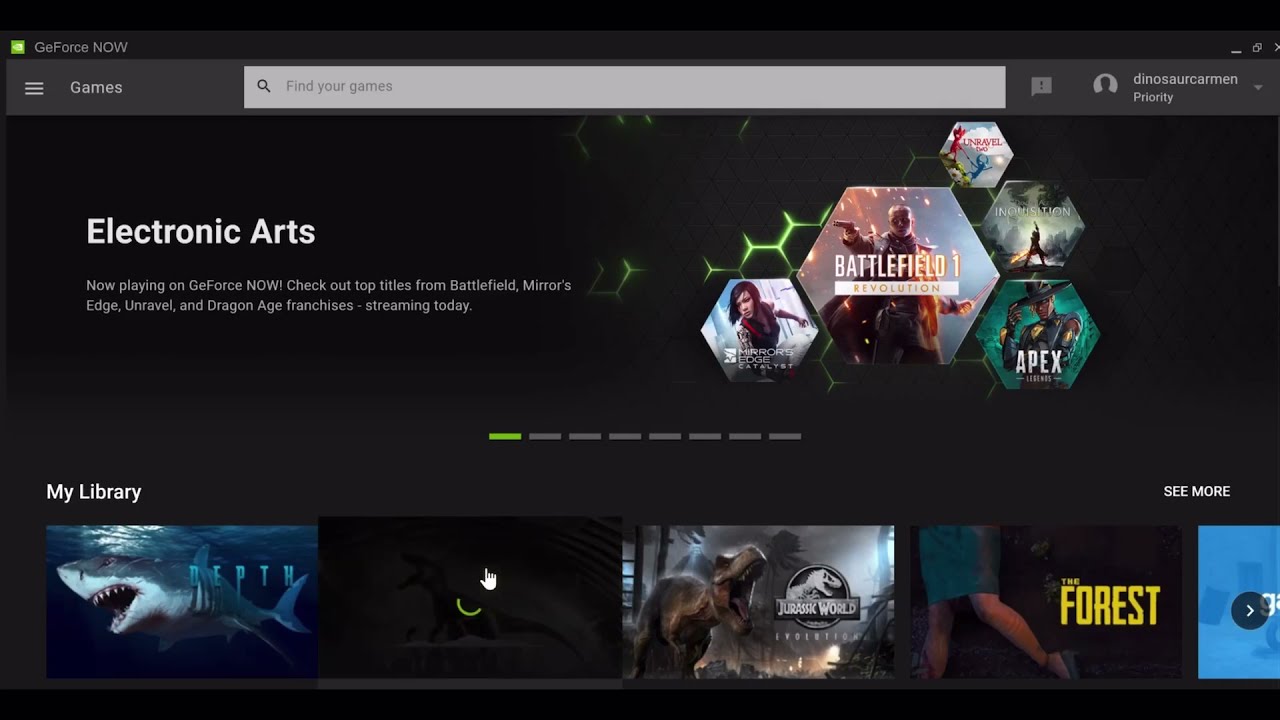
I hated every second of this
 summer urchin
real gale
summer urchin
real gale
i have been having the same thing since they updated to 6.5, i could play the game just fine before..
 sand sierra
worldly dune
So I have run the game both from files and steam many times. When I run on steam...
sand sierra
worldly dune
So I have run the game both from files and steam many times. When I run on steam...
same
 merry monolith
same here it stopped working after the new update
 real gale
yes it happened to me as well , or the fatal error only
I don't understand if they made some updates today, why don't they focus on this problem, I have been following a solution for a long time and this is the main problem, does anyone know if they are trying to do something about it?
 proud falcon
nope same problem
 charred fjord
How do i fix this?
 dusky nest
how do i delete my config?
 azure bane
how do i prevent getting dropped out of queeu after waiitng over 20 minutes only for it to say server full when it tries to conect me
 devout scroll
I queued into a server and waiting a couple minutes, when I it was my turn I got disconnected because the server is full
azure bane
same
devout scroll
TI is broken
dusky nest
hey so i deleted my config how ever the replay system still doesnt work
any idea on how to fix it?
 edgy canopy
gasp
 thin oracle
dusky nest
any idea on how to fix it?
thin oracle
dusky nest
any idea on how to fix it?
tick it on - esc - settings - gameplay - streamer mod iirc , and then you won't see how many players playing on the server , to use the recording press f2
 forest cypress
Something is wrong with eu 5
 proven brook
How do i turn admin esp, I have it enabled but I still don't see anyone

or plants etc
no matter what option I use
azure bane
 dire gyro
I have only 40 fps with high end pc
dire gyro
I have only 40 fps with high end pc
are you actually using ur gpu?
dire gyro
idk
azure bane
whats ur system?
dire gyro
I have geforce 3080
 jade verge
Hello everyone! I am attempting to log onto a server, any server, but when I click connect it doesn't do anything. I hear the sound for it but it just sits there. It's not frozen because I can click around easily and even go back to the main menu w/o any issue. Can anyone provide insight/help me with this?

 violet dove
Can’t hop on due to this message but the thing is that I have DX12

 heavy ingot
Anyone having trouble with queues?
I wait for 23 people and then get kicked randomly
real gale
heavy ingot
I wait for 23 people and then get kicked randomly
me too , i waited 40 people and then it kicked me
stark mirage
Can someone help me enter the game pls? anticheat would start but not the game. Pls help!
 mental lava
Why does it say patching 17.8 gb evrey day is it normal?
 tepid bridge
Figured I'd try after the update. I have a NASA PC and I swear on my cats everything is completely updated. Still can't play longer than 5 mins without some fatal crash error. I've followed all the pinned steps.. Fed up.
 hearty saffron
fatal error after couple min ingame ... pc isn't the issue either
modern remnant
I keep getting a fatal error and a full game crash when eating as a Cerato. Keeps giving me this error. Tried all the steps in pinned messages, updates etc but it still happens.

 last iris
is there a unstuck command i pounched a cera and when i jumped of im under a rock
real gale
man i cant see the words "fatal error" damm 🤪
 plain fable
since the 6.5 update my game has fps between 0 and 10 in a low config, it's unplayable (whereas before I was running between 30-40+)
 random mason
i think ceratosaurus needs to improve damage and weight because at this moment this dinosaur is uncompetitive
 vagrant cliff
I have been playing evrima on my steam deck and just with the last two updates I have been getting a fatal error when before I was able to play it.
heavy ingot
Class balance is the least of my problems with the game right now
 spice stone
Oh boy
spice stone
dire gyro
I have geforce 3080
Have you deleted your saved file
 light lake
Is it normal that TODAY my game crashed 3 times in less than 25 mins? yesterday worked fine!!
spice stone
stark mirage
Can someone help me enter the game pls? anticheat would start but not the game. ...
Start by verifying your game files and ensuring the isle is allowed through your anti virus and firewall
spice stone
light lake
Is it normal that TODAY my game crashed 3 times in less than 25 mins? yesterday ...
Did it have an error?
stark mirage
spice stone
Start by verifying your game files and ensuring the isle is allowed through your...
how do i check for both ?
light lake
spice stone
Did it have an error?
yes: ''Fatal Error''
it is absurd, yesterday and the other days back the game was working
spice stone
stark mirage
how do i check for both ?
Antivirus depends on what kind you have. A simple google search of “how to exclude a game through “your antivirus”” should do
Find out the risks of allowing apps through Windows Defender Firewall and how to add or remove apps from the list of approved apps.
spice stone
light lake
yes: ''Fatal Error''
Weird. There were some patches, so verify the integrity of your game files
 dreamy temple
is there already a fix for the "client error" kick?
spice stone
dreamy temple
is there already a fix for the "client error" kick?
Disconnected from host?
dreamy temple
uh ye, when you just get kicked from the server
light lake
spice stone
Weird. There were some patches, so verify the integrity of your game files
maybe those patches provoking these errors that im having?
because prior to those patches, the game worked
spice stone
dreamy temple
uh ye, when you just get kicked from the server
Ah. Generic disconnection message, usually occurs when you obviously loose connection, from poor internet/ping, but also happens when joining full servers (even if they show they aren’t, it’s still bugged)
dreamy temple
spice stone
Ah. Generic disconnection message, usually occurs when you obviously loose conne...
ye but I only join servers <100 ping and play for some hours and suddenly get kicked
spice stone
light lake
maybe those patches provoking these errors that im having?
It’s possible. They may have downloaded incorrectly, have a bug in them, or something else
spice stone
dreamy temple
ye but I only join servers <100 ping and play for some hours and suddenly get ki...
it could be a server restart as well
light lake
spice stone
It’s possible. They may have downloaded incorrectly, have a bug in them, or some...
then please tell me they are gonna fix it ...
vagrant cliff
Fatal Error on the steam deck 
 spice stone
light lake
then please tell me they are gonna fix it ...
spice stone
light lake
then please tell me they are gonna fix it ...
I mean, I’d suggest first trying a few fixes on your own, like ensuring verifying your game files and ensuring gpu is up to date. More than welcome to dm Krow or Punch tho for more assistance.
light lake
thank you Furious
spice stone
plain fable
since the 6.5 update my game has fps between 0 and 10 in a low config, it's unpl...
Have you deleted your saved folder?
stark mirage
spice stone
Start by verifying your game files and ensuring the isle is allowed through your...
does this have something to do with it ?
 plain fable
spice stone
Have you deleted your saved folder?
plain fable
spice stone
Have you deleted your saved folder?
yes 2 times
spice stone
stark mirage
does this have something to do with it ?
I don’t think so. That’s for windows operations I believe
dire gyro
spice stone
Have you deleted your saved file
where is the saved file
spice stone
dire gyro
where is the saved file
#🔧-evrima-troubleshooting-🔧 message
Follow this, but stop at 6 and delete the folder called Saved
dire gyro
ok
spice stone
plain fable
yes 2 times
What are your system specs? Cpu gpu and Ram
 pearl temple
I picked a 100/100 servers and was 40 in queue and when i was first in the queue it says the servers is full????
do i have to do it again?
I was waiting for like 20 min or something
spice stone
vagrant cliff
Fatal Error on the steam deck <:TI_Unamused:721795243963449365>
Interesting. Not even sure if the isle is supported on steam deck or will work properly. @cloud crow does it or is the fatal error caused because it doesn’t work?
 upper stag
Has anyone found a fix for this?
 hallow girder
pls anyone know how to fix launch error...
 vapid depot
violet dove
Can’t hop on due to this message but the thing is that I have DX12
vapid depot
violet dove
Can’t hop on due to this message but the thing is that I have DX12
dx12 error - not sure if you fixed this yet but another player having the same dx12 error thought they had up to date graphics driver (nvidia) but turned out their graphics card driver was out of date ... so they manually downloaded and installed the latest nvidia graphics driver from the nvidia website which fixed the dx12 error and they could start playing 6.5 ....
 radiant jackal
anyone know how to fix not have the toggle replay (F2) setting?
upper stag
I love not being able to even join a server. Drives me absolutely insane.
 dusty nebula
violet dove
Can’t hop on due to this message but the thing is that I have DX12
dusty nebula
violet dove
Can’t hop on due to this message but the thing is that I have DX12
I had the problem with directX12 and I fixed it.
-uninstall the game
-delete saved folder in %localappdata%
-update graphic card drivers to latest
-update Windows to latest
-re-download the game
I am not sure if everything up is necesarry but this worked for me. Just do every step. 🙂
pearl temple
upper stag
I love not being able to even join a server. Drives me absolutely insane.
got the same problem too
Just deleted the save files on the isle and see if its work or not
upper stag
pearl temple
got the same problem too
Just deleted the save files on the isle and see if its...
didnt work for me just a heads up
pearl temple
damn...
plain fable
spice stone
What are your system specs? Cpu gpu and Ram
Intel(R) Core(TM) i7-10750H CPU @ 2.60GHz
NVIDIA GeForce RTX 2060
16.0 GB installed, with 15.8 GB usable
 supple flume
Why is my alt bite my regular left click
 drowsy rampart

 trim shore
why i don t see in setting night vision ?
spice stone
plain fable
Intel(R) Core(TM) i7-10750H CPU @ 2.60GHz
NVIDIA GeForce RTX 2060
16.0 GB instal...
Okay. Try updating your gpu through Nvidias website or GeForce experience. Might also want to try deleting the entire isle folder in localappdata
dusty nebula
drowsy rampart
 neon spindle
Had to relog due to a glitch where I was unable to eat or drink, sat through the queue again and it says I'm banned for "Unauthorised use of third party programs"?
Anyone else have this issue?
drowsy quarry
trim shore
why i don t see in setting night vision ?
close the game
press windows + r
type %localappdata%
find the isle > saved > delete config
 lilac flume
An error came out after a new update, checked the integrity of the files and nothing wrong
 spice stone
neon spindle
Had to relog due to a glitch where I was unable to eat or drink, sat through the...
spice stone
neon spindle
Had to relog due to a glitch where I was unable to eat or drink, sat through the...
Interesting. Are you running the isle with any reshaders or anything of that sort? Even performance enchancers, anything
 frail flower
Any solution dx12?
plain fable
spice stone
Okay. Try updating your gpu through Nvidias website or GeForce experience. Might...
ok thanks, I'll try !
drowsy quarry
frail flower
Any solution dx12?
what's your GPU?
neon spindle
Nothing I know of, the only thing I can think of would maybe be something to do with a Razer app? But I don't interact with it at all for the isle.
 grizzled nest
 frail flower
drowsy quarry
what's your GPU?
frail flower
drowsy quarry
what's your GPU?
1650s
grizzled nest
anyone know why this is happening?
drowsy quarry
frail flower
1650s
update to latest driver, issue should be fixed
use Nvidia driver website to do so
spice stone
neon spindle
Nothing I know of, the only thing I can think of would maybe be something to do ...
Unfamiliar with that, what does it do?
frail flower
drowsy quarry
use Nvidia driver website to do so
It's updated.
spice stone
Oh wait, nvm. Razer. Yeah, that shouldn’t do anything tho
 quasi rose
Im beipi and female my beipi is always getting the muscle spasms
 wanton adder
If im downloading the update and a patch gets released while im downloading nothing will happen right?
neon spindle
I believe it optimizes games to run smoother for your PC, but I really don't think it has anything to do with it, I haven't even touched it in months since I got a better PC.
drowsy quarry
frail flower
It's updated.
strange, what's the latest version of the driver?
spice stone
neon spindle
I believe it optimizes games to run smoother for your PC, but I really don't thi...
I’d honestly just DM punch about it, as he handles all bans and such. He might have some more info. Assuming you can’t get back into the server?
drowsy rampart
drowsy quarry
what's your GPU?
i3 10gen
drowsy quarry
drowsy rampart
i3 10gen
that's CPU, I need the GPU
drowsy quarry
all good
lilac flume
lilac flume
An error came out after a new update, checked the integrity of the files and not...
Anybody knows something about this one?
drowsy rampart
drowsy quarry
that's CPU, I need the GPU
integrated in cpu
drowsy quarry
drowsy rampart
integrated in cpu
you don't have anything more? that's all?
neon spindle
@spice stone In queue again to see if it was a one-time thing, I'll DM Punch about it. Thanks for your time!
drowsy quarry
drowsy rampart
integrated in cpu
cause if so, I'm sorry but you can't play the game anymore, it's too weak
spice stone
lilac flume
Anybody knows something about this one?
Generic disconnected message, usually from full server (even if it doesn’t show full) or poor ping
vagrant cliff
spice stone
Interesting. Not even sure if the isle is supported on steam deck or will work p...
I mean it has the little yellow indicator that's says it's playable and up til the last couple updates I've been able to play.
 crisp snow
Is a AMD Radeon R9 380 series not enought to run the game anymore?
drowsy quarry
that's likely a weak GPU isn't it?
wanton adder
wanton adder
If im downloading the update and a patch gets released while im downloading noth...
?
spice stone
vagrant cliff
I mean it has the little yellow indicator that's says it's playable and up til t...
Were you able to play public stress test or 6.5 at all?
drowsy quarry
wanton adder
?
nah
crisp snow
i was able to play after launch till i updated my audio
drowsy quarry
crisp snow
i was able to play after launch till i updated my audio
after 6.5?
crisp snow
yes
drowsy quarry
hmmm
spice stone
drowsy quarry
that's likely a weak GPU isn't it?
Yes, like a gtx 770 ish
drowsy quarry
how was be able to play...?
stark mirage
bro none of these methods work, I hope yall take refunds smh.
drowsy quarry
dang I'm curious now
spice stone
Maybe 960? But not that good
drowsy quarry
crisp snow
yes
are your driver's updated? could you double check on the website?
crisp snow
i was able to play for a few hours with just static for audio
vagrant cliff
I didn't get to play stress test, but I could play before 6.5 and before they added the other dinos in
crisp snow
i updated them all yesterday
drowsy quarry
what type of error are you getting?
crisp snow
no error just a message that says my pc dose not support dx12
spice stone
vagrant cliff
I didn't get to play stress test, but I could play before 6.5 and before they ad...
Ah, it could be a UE5 thing then making it unplayable
drowsy quarry
well that's an error tbh
crisp snow
but i have dx12
drowsy quarry
that's strange??? af
wanton adder
crisp snow
no error just a message that says my pc dose not support dx12
Is ur windows updated
crisp snow
yes
drowsy quarry
I'm pretty sure your GPU is too weak to play the game in it's stage rn
but you said you played it
wanton adder
Its time for a new GPU bud
vagrant cliff
spice stone
Ah, it could be a UE5 thing then making it unplayable
Damn no isle for me then til I build my new computer 
drowsy quarry
there's no other fix for dx12 UNLESS updating drivers
crisp snow
thanks for the help ill look into getting a new gpu
 fair trout
Anyone else getting this weird screen while playing?

 fair trout
lmao
drowsy quarry
fair trout
Anyone else getting this weird screen while playing?
did you tried deleting config?
fair trout
Yeah
drowsy quarry
all good
wanton adder
fair trout
Anyone else getting this weird screen while playing?
Did you hit the monitor with about 10,000 pounds of force with a hammer?
 harsh raft
Fatal error every 5-10 min… is there a fix?
thin oracle
fair trout
Anyone else getting this weird screen while playing?
Yes. Its rare but i've seen two people with it so far and it fixes after 30 minutes or so. Havent tried relogging to fix it yet
thin oracle
harsh raft
Fatal error every 5-10 min… is there a fix?
How many times has it happened? And on what kind of server? official/unofficial
frail flower
The bugsland
harsh raft
If I sit in bush im fine, but as soon as I get into action…
 worthy steeple
since the new engine when i play the game it is using more cpu than gpu and I am having terrible performance i have an rtx 3080ti anyone knows what could be the problem?
 dire zenith
Is it normal that every second time I try joining a server that the game crashes?
thin oracle
harsh raft
If I sit in bush im fine, but as soon as I get into action…
Is it whenever you kill a beipi? Or when you kill something as a beipi?
frail flower
the reason for all your problems is play bugsland uwu
harsh raft
I’ve played troodon and cera only
thin oracle
On official servers?
dire zenith
My game crashes every other time I try joining a server
thin oracle
dire zenith
Is it normal that every second time I try joining a server that the game crashes...
I havent played since Sunday but apparently it seems as if it is
thin oracle
dire zenith
My game crashes every other time I try joining a server
Try unofficial servers
dire zenith
thin oracle
Try unofficial servers
ok
thin oracle
worthy steeple
since the new engine when i play the game it is using more cpu than gpu and I am...
Check the latest pin in #isle-discussion I think that's the fix
worthy steeple
alr ty
 high onyx
hello is there anyway to play Evrima on Geforcenow
thin oracle
high onyx
hello is there anyway to play Evrima on Geforcenow
Scroll down in the pinned messages in this channel till you find it. Idk if it still works or not though
supple flume
Why is my regular bite an alt bite when I stand still but when I run is regular
An in my settings it’s the regular left click
vapid depot
for those getting dx12 errors:
one way to check what level of directx 12 support you have:
run dxdiag.exe from the windows start/search ... select the display tab ... on the right hand side look for where it says feature levels ... check if it supports 12_1, 12_0 and not just 11_1, 11_0, 10_1, 10_0, 9_3, 9_2, 9_1, 9_0 etc ... you can also see what graphics driver version/date you are running just above it.
nb. installing the latest graphics driver for your graphics card has fixed the dx12 not supported error for players whose graphics driver was out of date ... this still depends on if your graphics card has the hardware to support directx 12
some people have onboard graphics as well as a discrete graphics card installed so make sure windows is configured so you are runing the game using the more powerful of the two which is usually the discrete graphics card
- you can check what graphics cards/adapters you have installed by running devmgmt.msc (device manager) from the windows start/search then go to display adapters to see if you have multiple display adapters installed
run winver.exe from the windows start/search to see what version of windows 10 or 11 you are running ... eg. mine is running Windows 10 22H2 and is up to date on windows updates (Windows Start - Settings - Update & Security - Windows Update)
nb. watch out for Microsoft trying to install Windows 11 as an update under Windows 10 if you are wanting to stay on Windows 10
spice stone
worthy steeple
since the new engine when i play the game it is using more cpu than gpu and I am...
Delete you saved folder
spice stone
high onyx
hello is there anyway to play Evrima on Geforcenow
Not at the moment, no
spice stone
supple flume
Why is my regular bite an alt bite when I stand still but when I run is regular
Go to settings, gameplay, turn manual alt attack on
supple flume
spice stone
Go to settings, gameplay, turn manual alt attack on
Thank u
 bitter cape
i just downloaded the game but no matter which serve i choose, it says its full and the client disconnected. help?
proven brook
How do i turn admin esp, I have it enabled but I still don't see anyone
https://cdn.discordapp.com/attachments/723260797719019620/1123701406281515098/image.png

this goes for everything, plants etc
tender trench
I need help with the replay system
 strange epoch
which driver is recommended? i saw something about geforce and now im unsure lol
 thin oracle
strange epoch
which driver is recommended? i saw something about geforce and now im unsure lol
thin oracle
strange epoch
which driver is recommended? i saw something about geforce and now im unsure lol
Get the second one for better performance.
strange epoch
and for this?
 radiant jackal
Anybody having issues with the replay system not working?
thin oracle
strange epoch
and for this?
Express
strange epoch
okay thank you 
spice stone
radiant jackal
Anybody having issues with the replay system not working?
Disabled on officials and is a server config option for unofficials
radiant jackal
@spice stone I mean the toggle option (F2) in settings isn't there for me at all.
drowsy rampart
drowsy quarry
cause if so, I'm sorry but you can't play the game anymore, it's too weak
but my pc runs legacy
spice stone
radiant jackal
<@860550630136086558> I mean the toggle option (F2) in settings isn't there for ...
iirc, you can’t change it in your keybinds. It just exists as a standard.
radiant jackal
@spice stone but I can't use it even on servers that allow it. It won't activate.
spice stone
Double check they allow it, but do this just in case, even if you already have
 turbid rampart
anyone know how to fix this? :,)
 spice stone
turbid rampart
anyone know how to fix this? :,)
spice stone
turbid rampart
anyone know how to fix this? :,)
Run command prompt as an administrator, then run this command
sfc /scannow
Be sure to leave the space
 frank narwhal
Guys i have a problem as a croc i can bite normally only the alt bite who Can help me pls ?
spice stone
frank narwhal
Guys i have a problem as a croc i can bite normally only the alt bite who Can he...
Go to settings, gameplay, turn manual alt attack on
frank narwhal
Oh thx alot rlly
turbid rampart
spice stone
Run command prompt as an administrator, then run this command
sfc /scannow
Be ...
it tells me im not an administrator
spice stone
turbid rampart
it tells me im not an administrator
Right click it, then select “run as administrator”
 unique sorrel
does anyone know whats the problem when I check the official box and nothing shows up?
radiant jackal
spice stone
https://discord.com/channels/401464048610312193/401469622659973120/1121863852066...
that worked, thank you!!!
 craggy sandal
Has anyone ecountered this fatal error before? My friend keeps randomly getting it we tried verifying his files and deleting config folder but id didn't help ( started happening after this update)
 turbid rampart
spice stone
Right click it, then select “run as administrator”
turbid rampart
spice stone
Right click it, then select “run as administrator”
didnt work, still gives me the error
dire zenith
So why is it kicking m from the servers?
drowsy quarry
drowsy rampart
but my pc runs legacy
what about it?
legacy and evrima are totally different
 tardy escarp
i tried doing the nvidia and amd suggestions but they wont let me use it for no reason
 viscid sage
So i sit in a que for a while just to get sent back to menu cuz the server is full. Whats the point of a fucjen que then???

 bronze crystal
na 4 showing up as 20 people and still tells me its full
thin oracle
You have it worse than me, I'll give you that
drowsy rampart
drowsy quarry
legacy and evrima are totally different
I have dx12
bronze crystal

 drowsy quarry
drowsy rampart
I have dx12
drowsy quarry
drowsy rampart
I have dx12
that doesn't mean a thing XD
unreal engine required a different type of GPU
 ivory solar
craggy sandal
Has anyone ecountered this fatal error before? My friend keeps randomly getting ...
ivory solar
craggy sandal
Has anyone ecountered this fatal error before? My friend keeps randomly getting ...
Yes, same error/crash here every time i try play. I'm trying resolve this since the last update. Can someone help?!
 buoyant gate
Guys , I wanna play the game

I've been told it's "the best game ever" . And I can't even boot it up :/
 civic pier
bro this update made the game UNPLAYABLE. it FREEZES aproximately 4 minutes into gameplay and does NOT UNFREEZE. i cant exit, so im forced to unplug my pc . not a very good way of shutting it down. i once waited 30 MINUTES just for it to unfreeze so i could log out. never did. ridiculous
 molten pumice
buoyant gate
Guys , I wanna play the game
molten pumice
buoyant gate
Guys , I wanna play the game
same thing is happening to me
civic pier
fr
buoyant gate
civic pier
bro this update made the game UNPLAYABLE. it FREEZES aproximately 4 minutes into...
I know it's bad
That's why I want to play it
It's my fetish
civic pier
lol
buoyant gate
Also my buddy bought it for me so I have to play it, LEGALLY OBLIGATED
civic pier
like i thought the lag before the update was bad. now it freezes. never happened before
bruh
buoyant gate
molten pumice
same thing is happening to me
I found some info about it
for those getting dx12 errors:
one way to check what level of directx 12 support you have:
run dxdiag.exe from the windows start/search ... select the display tab ... on the right hand side look for where it says feature levels ... check if it supports 12_1, 12_0 and not just 11_1, 11_0, 10_1, 10_0, 9_3, 9_2, 9_1, 9_0 etc ... you can also see what graphics driver version/date you are running just above it.
real gale
any dev here to give some info about the fatal errors ?? whats going on ?
buoyant gate
someone sent it here
molten pumice
buoyant gate
for those getting dx12 errors:
one way to check what level of directx 12 suppor...
thanks i'ma go check it out
 sacred basin
i got stuck
buoyant gate
molten pumice
thanks i'ma go check it out
muah, not a problem amigo
buoyant gate
sacred basin
i got stuck
lol
drowsy quarry
buoyant gate
Guys , I wanna play the game
what's your GPU?
bitter cape
no night vision?? cant see anything, help??
drowsy quarry
molten pumice
same thing is happening to me
what's your GPU?
drowsy quarry
bitter cape
no night vision?? cant see anything, help??
close game
press windows + r
type %localappdata%
find the isle > saved > delete config
civic pier
question- am i the only one getting 30 minute freezes?
turbid rampart
ive tried so many different things to fix this but it wont run and continues to give me this error. i dont know what to do :,)

 night tusk
 real gale
no fixes for the fatal errors for now , its everyone problem
buoyant gate
drowsy quarry
what's your GPU?
 civic pier
im not getting fatal errors, but jus unplayable lag and freezes., any way to stop this or is this also a everyone problem?
drowsy quarry
buoyant gate
that's the only you have?
if so, I'm sorry but you cannot play the game, your GPU is not compatible with the latest update on the isle
buoyant gate
 drowsy quarry
what's your operational system? is it windows?
buoyant gate
yup
drowsy quarry
what version
buoyant gate
windows 10
buoyant gate
yeah
real gale
civic pier
im not getting fatal errors, but jus unplayable lag and freezes., any way to sto...
i think that its still belong to the fatal errors even thoue you don't see fatal error message , when i get the fatal error window the screen is freezing about 10 sec before that
civic pier
huh
 near sparrow
So my only GPU seems to be my Intel(R) UHD. Can I not play the game on that?
civic pier
this is weird
drowsy quarry
buoyant gate
yeah
download this file (it's the latest driver for your RTX) then you double click it to install
https://www.nvidia.com.br/Download/driverResults.aspx/205468/en-us

Download the English (US) GeForce Game Ready Driver for Windows 10 64-bit, Windows 11 systems. Released 2023.6.14
drowsy quarry
near sparrow
So my only GPU seems to be my Intel(R) UHD. Can I not play the game on that?
you cannot, I'm sorry
near sparrow
Until when-
buoyant gate
I don't like how many people are complaining about game performace . Words "you can run the game " are starting to feel like a dream
drowsy quarry
until you buy a new GPU :(
near sparrow
Fr.
drowsy quarry
buoyant gate
I don't like how many people are complaining about game performace . Words "you ...
hopefully that donwload will fix your GPU ^^
as it did for many people who had it outdated
 civic pier
ok stupid question basically my second time using discord, how to i connect my message with someone elses, like how yonas did to answer my question?
drowsy quarry
civic pier
ok stupid question basically my second time using discord, how to i connect my m...
mobile?
or pc
civic pier
pc
drowsy quarry
hover your mouse on the guys message and see a little arrow on the right
you can enable or disable the @
@ enabled means the person will get notified
civic pier
ok
civic pier
drowsy quarry
@ enabled means the person will get notified
like this
drowsy quarry
yup
civic pier
ok thx
stark mirage
Not gonna lie, this very frustrating. I reinstalled this game 8 times and NO progress. this is sucking up my internet for false methods. I contacted several staffs and no response.

 vapid finch
I have tried every method under the damn Sun. Been having this problem since day one of the update, nothing has worked so far......... So thank you devs for pushing an update that messed everybody up.
 spice stone
stark mirage
Not gonna lie, this very frustrating. I reinstalled this game 8 times and *NO* p...
spice stone
stark mirage
Not gonna lie, this very frustrating. I reinstalled this game 8 times and *NO* p...
What’s your issue?
spice stone
 quartz sapphire
Update your graphics cards through your graphics cards website or panel
spice stone
vapid finch
I have tried every method under the damn Sun. Been having this problem since day...
Just gonna go through everything to ensure. Have you verified your games files, updated graphics card through your graphics card panel or website, and ensured windows is up to date?
vapid finch
🤣 Unfortunately yes to all
My record for staying on the server the longest has been 14 minutes
spice stone
Hmmm. Can I have your gpu, cpu and ram?
 thick canopy
night tusk
thick canopy
night tusk
im getting the same problem cant seen to find the solution. updated my gpu, windows up to date
 cobalt estuary
why did i spawn here bug or what?
 spice stone
cobalt estuary
why did i spawn here bug or what?
spice stone
cobalt estuary
why did i spawn here bug or what?
Bug
turbid rampart
man ive tried so many different things and the isle still wont work
 flat kernel
how do i fix the not being able to look left or right with the mouse, and i dont even have night vision in my setting
 jagged dock
keep getting fatal error how would i fix that :]
flat kernel
i tired validating the files uninstalling and reinstalling nothing has worked
drowsy quarry
flat kernel
how do i fix the not being able to look left or right with the mouse, and i dont...
How to delete CONFIG folder
- close your game
- press windows + r
- search %localappdata%
- find The Isle > Saved > DELETE Config
- do not write anything, just search it by eye!
cobalt estuary
th f is the goat still alive?
 real gale
servr reset is now ?
oh yes it is lol
btw i tried something that might fix the fatal error i played more smoothly without crash for a 30 min but still ill try it again after the server reset , if it work for you pls notice me

download only those

This article lists the download links for the latest versions of Visual C++ Redistributable packages.
install both of them
 winter kindle
game keeps freezing. i tired deleting the save folder still didnt work. any other fixes for this issue?
ivory solar
Everytime.. Someone can help? 
 vapid finch
@spice stone nvidia geforce gtx 1660 super
amd ryzen 5 3600 6-core
16.0
drowsy quarry
vapid finch
<@860550630136086558> nvidia geforce gtx 1660 super
amd ryzen 5 3600 6-core
16....
what issue did you have btw?
vapid finch

 weary cairn
@drowsy quarry sup? any good news?
vapid finch
I can't play more than 14 minutes before I get this and get kicked out automatically
And I have tried pretty much every single method under the sun
drowsy quarry
hmmm, its a good GPU, do you perhaps noticed if your PC got too hot or something like that?
drowsy quarry
weary cairn
<@398550373402411009> sup? any good news?
more and more dx12, sad news around
vapid finch
Honestly no it doesn't overheat or anything I clean it pretty regularly too
vapid finch
The only things I have running while I play the isle is Discord nothing else in the background
drowsy quarry
vapid finch
The only things I have running while I play the isle is Discord nothing else in ...
ok, another question: are your drivers updated? i mean windows and GPU
 fallow jackal
it just shows me this for 2 minutes then dissapears. steam says game still running but nothing happens
 vapid finch
Yup everything
spice stone
It should be good as Kouga said. Can you grab your TheIsle.log file from AppData/Local/TheIsle/Saved/Logs? Might have more info there
vapid finch
I already verified My Files on steam as well
drowsy quarry
some people suggested verifying this windows file 🤔
 real gale
still not working that visual files , my game just crashed
yes , FATAL ERROR
damm
guess we will have to wait
weary cairn
drowsy quarry
more and more dx12, sad news around
😦
vapid finch
[0628/183749.363:ERROR:gpu_init.cc(426)] Passthrough is not supported, GL is disabled
this and
drowsy quarry
GL is disabled? uh oh i recognize that name
real gale
drowsy quarry
at least its fixable lol
what fixable ?
drowsy quarry
real gale
what fixable ?
dx12
vapid finch
[2023-06-28 18:35:49] [NGXCheckHardwareSupportUsingINF:242] error: unsupported hardware detected
drowsy quarry
.>
 swift crag
I've been getting this:
 weary cairn
vapid finch
[0628/183749.363:ERROR:gpu_init.cc(426)] Passthrough is not supported, GL is dis...
weary cairn
vapid finch
[0628/183749.363:ERROR:gpu_init.cc(426)] Passthrough is not supported, GL is dis...
this is normal, safe to ignore
swift crag
Has anyone figured it out?
 drowsy quarry
swift crag
I've been getting this:
drowsy quarry
swift crag
I've been getting this:
whats your gpu?
drowsy quarry
weary cairn
this is normal, safe to ignore
what about that "fix" you managed to do with that guy? to go on 3d settings and so
swift crag
drowsy quarry
whats your gpu?
I'll check brb
weary cairn
drowsy quarry
what about that "fix" you managed to do with that guy? to go on 3d settings and...
ah, yes, if gfx drivers are uptodate that might be an option
fallow jackal
i cant launch the game
spice stone
vapid finch
[2023-06-28 18:35:49] [NGXCheckHardwareSupportUsingINF:242] error: unsupported h...
Are these from the logs?
cobalt estuary
im flying im a hacker lol
 drowsy quarry
yeah the drivers are up to date, thats what im finding strange
perhaps we could try the fix? but i myself dont even have that option
so i cant actually guide people there
weary cairn

 drowsy quarry
weary cairn
drowsy quarry
weary cairn
@vapid finch how does this looks for you? on Nvidia control pannel > manage 3d settings
fallow jackal
my game shows me this then nothing happens for like 10 minutes, what cna i do
 vapid finch
I'll give it a shot at this point I'm desperate for anything
drowsy quarry
sure
vapid finch
@spice stone And yes those were from the logs
drowsy quarry
i also noticed your cpu is a bit weak but i dont think that should be a problem 🤔
vapid finch
It really shouldn't because I've been running this game on it for a number of years now I know people with weaker GPU's and they run it perfectly
drowsy quarry
no no, i mean the cpu
the gpu is fine
but dont forget we migrated to a new, powerful engine
cobalt estuary
fallow jackal
my game shows me this then nothing happens for like 10 minutes, what cna i do
reload
cobalt estuary
vapid finch
It really shouldn't because I've been running this game on it for a number of ye...
3050 laptop
vapid finch
🤣 I know a guy with a 5 year old laptop and he still runs the game perfectly and is playing Right Now
fallow jackal
cobalt estuary
reload
oh really?
cobalt estuary
fallow jackal
oh really?
just try
fallow jackal
cobalt estuary
just try
bro ive done it
cobalt estuary
fallow jackal
bro ive done it
restart your laptop
fallow jackal
done it
cobalt estuary
fallow jackal
done it
well check you drivers
vapid finch
It's a 1050 with A amd 5
fallow jackal
uninstall eac, updated drivers, deleted legacy files, reinstalled the game
nothin workin
vapid finch
He told me hes had it for 5 years and have been tinkering with it but still though
weary cairn
fallow jackal
uninstall eac, updated drivers, deleted legacy files, reinstalled the game
deleted the Saved folder?
fallow jackal
yezzir
weary cairn
what Anti-Virus software do you use?
fallow jackal
normal windows
weary cairn
does the splash screen disappear?
fallow jackal
i only get this

then nothing, it just goes away, closes the window but steam says its still running
weary cairn
ok, so you rebooted meanwhile, right?
fallow jackal
wym?
weary cairn
restart the pc
 sonic badger
I am getting the same issue i think, it displays a black screen for a few mins then goes back to my steam menu i was on.
vapid finch
 vapid finch
Should I restart the computer just in case or do I not have to do that
weary cairn
vapid finch
unless you are playing on battery that Power mode should be on maximizing performance
 hard flicker
please tell me I can fix all these crashes
 weary cairn
unless you are playing on battery that Power mode should be on maximizing perfor...
weary cairn
weary cairn
unless you are playing on battery that Power mode should be on maximizing perfor...
(but that is just a performance tweak)
hard flicker
I crash 3-4 times before I can even properly play
weary cairn
hard flicker
please tell me I can fix all these crashes
nope, sadly not, thus far I am trying to reproduce it on my PC (had it once) with a lot of debugging options on
 swift crag
yeah plz
 tidal fulcrum
how do u get rid of muscle spasms
drowsy quarry
tidal fulcrum
how do u get rid of muscle spasms
waiting
vapid finch
I have to go feed my dogs real quick shouldn't take too long and then I'll try the game out
drowsy quarry
alr
swift crag
drowsy quarry
alr
there
 sonic badger
i had 2 files fail to validate, now its patching, hopefully this works.
drowsy quarry
swift crag
there
click gpu 1
swift crag
alr
drowsy quarry
and show me
swift crag
drowsy quarry
and show me
is it?
 drowsy quarry
youre lucky, you can run the game with that
ill grab you a link so you download the driver in order to play the game
weary cairn
tidal fulcrum
how do u get rid of muscle spasms
that is a gameplay mechanic. find and lick salt, use vulnuno map
swift crag
damn am i meeting the least pc requirement xD
drowsy quarry
weary cairn
that is a gameplay mechanic. find and lick salt, use vulnuno map
no)))
its not like vomit
swift crag
so i can barely run it or is in the mid tier
drowsy quarry
swift crag
so i can barely run it or is in the mid tier
what windows version are ya
10?
drowsy quarry
ok hold on
swift crag
tyt
 drowsy quarry
Download the English (US) GeForce Game Ready Driver for Windows 10 64-bit, Windows 11 systems. Released 2023.6.14
this is for the 1650 super
sonic badger
patch seemed to have worked, game loaded. now to get in and play it.
swift crag
so I go ahead and download the driver
drowsy quarry
swift crag
so I go ahead and download the driver
wait wait
weary cairn
 swift crag
sure i can wait all day
hard flicker
weary cairn
nope, sadly not, thus far I am trying to reproduce it on my PC (had it once) wit...
seems like just playing the game recreates the issue. I have now crashed for the 3rd time in the last 15 minutes with this error
drowsy quarry
swift crag
sure i can wait all day
Download the English (US) GeForce Game Ready Driver for Windows 10 64-bit, Windows 11 systems. Released 2023.6.14
here, found it!
swift crag
ur legend
drowsy quarry
download it and double click it when its done
swift crag
alr ill be back ❤️
drowsy quarry
suree
weary cairn
hard flicker
seems like just playing the game recreates the issue. I have now crashed for the...
what server, what dino, what region? (dm me if you don't want to expose)
hard flicker
Noctis, Beipi, NW is where I currently just crashed. But yesterday I was crashing in Swamp, and also the river that leads to the south section from centre
swift crag
drowsy quarry
suree
 weary cairn
hard flicker
Noctis, Beipi, NW is where I currently just crashed. But yesterday I was crashin...
weary cairn
hard flicker
Noctis, Beipi, NW is where I currently just crashed. But yesterday I was crashin...
always Beipi?
swift crag
V as in?
weary cairn
swift crag
yes, that is good
swift crag
alr, that's the default directory it gave me, i'm clicking ok
drowsy quarry
go on
swift crag
installing...
hard flicker
weary cairn
always Beipi?
Those spots were with beipi. I also crashed with Troodon in NW, Centre, the waterfall to the south of Centre.
weary cairn
hard flicker
Noctis, Beipi, NW is where I currently just crashed. But yesterday I was crashin...
do you have raytracing enabled?
swift crag
drowsy quarry
was just an emoticon
lol im nerd
hard flicker
weary cairn
do you have raytracing enabled?
I think it is. Is it causing issues currently?
hard flicker
sorta figured a 3080 would be fine running rt on ue5, but ig not lol
swift crag
Am I supposed to check the game once it's done should I do something else bro?
hard flicker
silly me for assuming
drowsy quarry
swift crag
Am I supposed to check the game once it's done should I do something else bro?
try to launch the game
swift crag
drowsy quarry
try to launch the game
alr on it
weary cairn
hard flicker
*silly me for assuming*
something else you should do is check your windows
- corrupted system files -> have windows repair them
- press Windows key
- find the "Command Prompt" app
- right click and "Run as Administrator"
- paste sfc /scannow
- press enter
- make sure to "Restart" (not Shutdown and boot back up as this might do a "quick boot" which is not what we want)
 weary cairn
 proud ridge
anyone have an idea of why my game wont show me any unoffical servers
proud ridge
anyone have an idea of why my game wont show me any unoffical servers
assuming you clicked refresh
proud ridge
weary cairn
assuming you clicked refresh
many times, also restarted
weary cairn
proud ridge
many times, also restarted
and do you see official servers?
proud ridge
i was on one with my friend then i got the food glitch so i logged, couldnt see the server i was in, then i restarted my game after refreshing 20 times (lol) and now i see none
proud ridge
weary cairn
and do you see official servers?
yes
weary cairn
Config or cache might be corrupted.
- corrupted config -> delete "Saved" folder
- press Win + R
- paste %localappdata%\TheIsle
- click 'Ok'.
- delete or rename the Saved folder
game needs to be stopped for that


 solar cargo
so does anybody know why I cant see underwater as beipi, even with night vision on?
I know it should look like the first image, but the second image is all I see. All my graphic settings are on epic, and I've tried changing it around, but it still wont work, any known fixes?

 weary cairn
 sleek chasm
Any idea why this error pops up after converting legacy to Evirma?
sleek chasm
Any idea why this error pops up after converting legacy to Evirma?
is your windows up-to-date?
swift crag
drowsy quarry
try to launch the game
Thank you Mr. Kouga, I thank you Kouga, I thank you for the time to help me out man
It's working.
drowsy quarry
yeee >:D
swift crag
❤️ legend
drowsy quarry
solar cargo
so does anybody know why I cant see underwater as beipi, even with night vision ...
iirc safelogging should fix it
sleek chasm
weary cairn
is your windows up-to-date?
Windows 7, but Evirma worked before no issue until flip flopped to legacy and back to Evirma
proud ridge
weary cairn
Config or cache might be corrupted.
* corrupted config -> delete "Saved" folder...
well see if this works. hope so cause now my skins are gone -.-
 blazing oasis
my utahs 1 call is very quite, but the rest are full bars on the speaker symbol. im full health, stam etc. anyone know if its a bug and if i can fix it?
weary cairn
sleek chasm
Windows 7, but Evirma worked before no issue until flip flopped to legacy and ba...
I guess it is not supported. That specific function call is pretty new (August 2022)
sleek chasm
weary cairn
I guess it is not supported. That specific function call is pretty new (August 2...
Evirma ran no issue just last month.
weary cairn
sleek chasm
Evirma ran no issue just last month.
yes, before the update
solar cargo
drowsy quarry
iirc safelogging should fix it
It's been like this since I first played as beipi, and it never works
drowsy quarry
either way its a known issue
weary cairn
they changed the engine - major update
drowsy quarry
so it should be fixed soon
sleek chasm
weary cairn
yes, before the update
If that were the case, wouldn't other windows 7 users be saying anything about it?
weary cairn
blazing oasis
my utahs 1 call is very quite, but the rest are full bars on the speaker symbol....
what is your growth?
solar cargo
drowsy quarry
so it should be fixed soon
alright then, hope they fix it soon T w T
weary cairn
sleek chasm
If that were the case, wouldn't other windows 7 users be saying anything about i...
yes, we have had this issue a few times already but were not able to track it down to Win7 yet. I will make a note
sleek chasm
weary cairn
yes, we have had this issue a few times already but were not able to track it do...
Much appreciated, I just wanna play the new dinos!
weary cairn
sleek chasm
Much appreciated, I just wanna play the new dinos!

Creates or opens a file or I/O device.
weary cairn
sleek chasm
Much appreciated, I just wanna play the new dinos!
sorry, you will have to update.
I also recommend updating because you are not getting any security fixes anymore. Win7 went out of support a long time ago. You are exposing yourself to a bunch of cyber threats.
 wet kayak
Is there a crash log for this game somewhere?
 novel remnant
Anyone else crashing the second time you try to join a full server?
spice stone
wet kayak
Is there a crash log for this game somewhere?
appdata/local/theisle/saved/logs
wet kayak
ty, tired of random crashes to have to wait 30 mins to get back
spice stone
You’ll have to do Windows R then type %appdata% to get there as it’s usually hidden
wet kayak
yeah ik how to get there %appdata% in explorer works too
Where can I submit a crash log?
novel remnant
Game keeps crashing upon trying to join a full server 💀
vapid finch
back and I have been testing to see if the fixed work it did not I still get kicked out after a couple minutes
spice stone
wet kayak
Where can I submit a crash log?
You can do it here, someone will read through it. You can also send it in dms. But be sure to send with with your issue, like “I keep getting fatal error 868, I’ve done this and that, here is the log”
wet kayak
It seems to be a pretty random crash during gameplay
 onyx thicket
Weird issue, but my friend opens the game, first load screen comes up and goes through, then "The Isle" logo comes up with the raptor on it, then after a few second his steam says he's no longer playing the game (steam icon green to blue despite theisle.exe and easy anti cheat and it's bootstrapper open on the task manager) and after a good bit will just close.
Should I upload crash log here?
wet kayak
CTD during gameplay
vapid finch
 spice stone
onyx thicket
Weird issue, but my friend opens the game, first load screen comes up and goes t...
spice stone
onyx thicket
Weird issue, but my friend opens the game, first load screen comes up and goes t...
Have them ensure that the isle is allowed through your firewall and antivirus
vapid finch
It appeared for a split of a second and then disappeared again at this point I'm gonna have nightmares about this damn error code
onyx thicket
spice stone
Have them ensure that the isle is allowed through your firewall and antivirus
No antivirus and firewall is completely off atm
blazing oasis
weary cairn
what is your growth?
full. and full stam, health etc
spice stone
onyx thicket
No antivirus and firewall is completely off atm
Well having it completely off isn’t a good idea so I hope you mean off for the isle. Have you verified game files, done a pc restart, and ensured all drivers are up to date
onyx thicket
i do lol
just to make sure it 100% isn't that
done all the above, and tried going from legacy to evrima, fresh install, full pc restart, etc.
I've definitely done a fair amount of research before coming here and feel like I've exhausted all the common options online
they're my roommate so been next to them helping
weary cairn
wet kayak
Is there a crash log for this game somewhere?
%localappdata%/Saved/Crashes
weary cairn
spice stone
appdata/local/theisle/saved/logs
%localappdata%/Saved/Crashes
novel remnant
Why is my game all... smooth and weird looking. Look at the person on the right.
 weary cairn
novel remnant
Game keeps crashing upon trying to join a full server 💀
weary cairn
novel remnant
Game keeps crashing upon trying to join a full server 💀
define crash
weary cairn
novel remnant
Why is my game all... smooth and weird looking. Look at the person on the right.
looks like super low textures
Are you overheating?
novel remnant
My textures are all set to epic, before this last patch it ran the game just fine. Lemme check.
weary cairn
vapid finch
back and I have been testing to see if the fixed work it did not I still get kic...
ok, thanks for trying
vapid finch
🤣 I am forever cursed to never play this game properly ever again
 bold sentinel
Hello everyone I have the easy cheat error and I have verified my files and I'm still unable to play. Any ideas?
weary cairn
onyx thicket
Weird issue, but my friend opens the game, first load screen comes up and goes t...
- as advised by the devs -> delete Saved folder
- press Win + R
- paste %localappdata%\TheIsle
- click 'Ok'.
- delete or rename the Saved folder
weary cairn
wet kayak
CTD during gameplay
that is likely not the ctd but the previous run. Check the timestamps
[2023.06.29-00.33.56:422][574]LogTemp: Warning: MyQueue Pos: 43 TotalQueueLength: 44
[2023.06.29-00.34.02:366][429]Closing by request
 void prism
bold sentinel
Hello everyone I have the easy cheat error and I have verified my files and I'm ...
void prism
bold sentinel
Hello everyone I have the easy cheat error and I have verified my files and I'm ...
i am also having this issue
bold sentinel
Hmmm
Unsure how to fix this...I guess I will talk with my staff if anyone else has had this issue
 little prism
Hey anyone else having a bug with Beipi where they cant see with NV under water?????
void prism
the other day i was able to load into the game but it said it was unable to verify once i tried to load into a server now i am not even able to load up the game even after an uninstall
little prism
little prism
Hey anyone else having a bug with Beipi where they cant see with NV under water?...
its like pitch black
drowsy quarry
little prism
Hey anyone else having a bug with Beipi where they cant see with NV under water?...
known bug, usually safelogging fixes it
little prism
drowsy quarry
known bug, usually safelogging fixes it
restarted, updated drivers, and verified files multiple times
still doesnt work
 elder seal
why is it pitch black underwater for me as a beipi, my night vision is on
 drowsy quarry
we expect a fix then ^^
drowsy quarry
elder seal
why is it pitch black underwater for me as a beipi, my night vision is on
known bug, usually safelogging fixes it
elder seal
This is the 4th time i've played as beipi different days, its still the same everytime
 gaunt schooner
Is there a fix for the blurry graphics while moving yet?
drowsy quarry
let's wait for another hotfix then
weary cairn
onyx thicket
I've definitely done a fair amount of research before coming here and feel like ...
did you delete the Saved folder?
wet kayak
weary cairn
that is likely not the ctd but the previous run. Check the timestamps
I played for about 10 mins before it crashed. I skimmed the log and didn't really see anything indicating the crash
weary cairn
gaunt schooner
Is there a fix for the blurry graphics while moving yet?
Blurry/ghosting / grainy + weird black pixels
for AMD GFX:
- weird amd settings -> enable image sharpening in AMD Adrenalin
- make sure the resolution is set correctly
for NVIDIA GFX: - no user setting has worked so far, sorry
weary cairn
wet kayak
I played for about 10 mins before it crashed. I skimmed the log and didn't reall...
check the Crashes folder that I linked to earlier
onyx thicket
sorry yes sniping, but do i revalidate first or run it?
weary cairn
%localappdata%/Saved/Crashes
weary cairn
onyx thicket
sorry yes sniping, but do i revalidate first or run it?
doesn't matter
weary cairn
please make double sure you are deleting the right one - unfortunately we had people finding other folders and wondering why it didnt make a difference
- configs got mangled -> delete Saved folder
- press Win + R
- paste %localappdata%\TheIsle
- click 'Ok'.
- delete or rename the Saved folder
weary cairn
onyx thicket
same issue sniping
did I advise you this check yet?
weary cairn
elder seal
why is it pitch black underwater for me as a beipi, my night vision is on
From the Release Announcement:
Known Major Issues
- Sometimes night vision does not work correctly underwater as deinosuchus and beipiaosaurus. Safelogging will fix this (update: not limited to underwater)