#🔧-evrima-troubleshooting-🔧
1 messages · Page 64 of 1
 night niche
 fossil sage
Has anyone run into this?
 fossil sage
I have, it comes up everytime I try to start up the game
 drowsy quarry
night niche
ik you can but how do I do it in steam
drowsy quarry
night niche
ik you can but how do I do it in steam
right click game > properties > local files > verify
 spice stone
fossil sage
Has anyone run into this?
spice stone
fossil sage
Has anyone run into this?
Ooo, you can be my Guinea pig for a a couple fixes I’ve been thinking about, since this is a new error.
 crude crypt
why is this happening
 drowsy quarry
oh no >.>
spice stone
fossil sage
I have, it comes up everytime I try to start up the game
Firstly, have you updated windows and your gpu from your gpus respective website?
drowsy quarry
crude crypt
why is this happening
steam was down minutes ago, try to restart your steam
crude crypt
ok ty
fossil sage
spice stone
Firstly, have you updated windows and your gpu from your gpus respective website...
I have yes
spice stone
fossil sage
I have yes
Okay. That’s the solution punch had given. Is your gpu overclocked by any chance?
fossil sage
spice stone
Okay. That’s the solution punch had given. Is your gpu overclocked by any chance...
It is not
 gray rampart
crude crypt
why is this happening
gray rampart
crude crypt
why is this happening
Just got this for the first time tonight as well
spice stone
fossil sage
It is not
Alright. What is your gpu?
 harsh swift
can I get into a server!
 fossil sage
spice stone
Alright. What is your gpu?
fossil sage
spice stone
Alright. What is your gpu?
would you like the whole thing or just the model
drowsy quarry
night niche
------- third way to fix
- may sound weird but install VRChat, the free game on steam
- run it and then close it
- try to play The Isle
did you launch it?
night niche
launch vr chat?
drowsy quarry
yes
spice stone
fossil sage
would you like the whole thing or just the model
Just the model, like Nvidia rtx 3060 or Radeon rx580
drowsy quarry
night niche
ill get in game
just to the login screen, then you quit and go to the isle
 river drift
does anyone know how to fix "Fatal error 868"? i crash everytie i try to play. it lets me play for about 5-10 ins then crashes and gives me a fatal error and kicks me out?
fossil sage
ah ok sorry AMD Radeon RX 6600 XT
spice stone
fossil sage
ah ok sorry AMD Radeon RX 6600 XT
Ah okay. And did you use the website or panel to update it?
night niche
thanks
fossil sage
spice stone
Ah okay. And did you use the website or panel to update it?
Through steam
spice stone
fossil sage
Through steam
? Can you update a gpu through steam
drowsy quarry
what
fossil sage
spice stone
? Can you update a gpu through steam
i'm sorry i thought you meant the game ^^:
spice stone
Oh no, your gpu
fossil sage
spice stone
Oh no, your gpu
the panel
 mild dune
Official servers are not showing for me how do I fix?
night niche
how do I fix high temps in game I have a 3060 and my pc is nwe
spice stone
fossil sage
the panel
Update it from the website, panel sometimes is incorrect with the version https://www.amd.com/en/support/graphics/amd-radeon-6000-series/amd-radeon-6600-series/amd-radeon-rx-6600-xt
drowsy quarry
night niche
how do I fix high temps in game I have a 3060 and my pc is nwe
thought you were buying a brand new pc?
 elder isle
Anyone know why when I try to play the isle it’s unable to sync?
night niche
drowsy quarry
thought you were buying a brand new pc?
its for my brother
drowsy quarry
so you would buy him a 4090?
 cosmic slate
drowsy quarry
------- third way to fix
- may sound weird but install VRChat, the free game on...
cosmic slate
drowsy quarry
------- third way to fix
- may sound weird but install VRChat, the free game on...
Yoh, launch and than exit immediately?
drowsy quarry
cosmic slate
Yoh, launch and than exit immediately?
doesnt need to, just go to the login screen then you can close it
cosmic slate
Aah, okay, gonna try
 gaunt kayak
Everytime I try to join official servers it loads forever then says server is full but when I refresh they're still at like 90/100 is it my game issue?
drowsy quarry
gaunt kayak
Everytime I try to join official servers it loads forever then says server is fu...
its a "this" issue

 tropic palm
anyone know why i keep on getting fatal errors 5-10 min into a server ? ive tried everything it seems
 shut vine
anyone found out how to fix the "DX12 is not supported on your system. Try running without the -dx12 or -d3d12"???
drowsy quarry
DX12 not supported error
- Make SURE you have all drivers updated
- You can use Nvidia Drivers website and fill what it asks
- Or AMD website for AMD cards
- After that, make SURE your windows is updated
- If nothing works, most likely you have a WEAK GPU that cannot support this type of game.
DX12 Ultimate is supported by GTX1060 and up
Radeon HD7000/RX6000 and up
 copper marten
Most of people were able to play this game before the update so... that point doesn't make any sense
 umbral latch
drowsy quarry
**DX12 not supported error**
- Make SURE you have all drivers updated
- You can...
umbral latch
drowsy quarry
**DX12 not supported error**
- Make SURE you have all drivers updated
- You can...
Yea I’m having the same issues
I played the game before
drowsy quarry
we switched to another engine, that's why most people can't play
 gaunt glacier
Updates on steam?
drowsy quarry
seems good now
gaunt glacier
Alr thanks 🙂
shut vine
drowsy quarry
**DX12 not supported error**
- Make SURE you have all drivers updated
- You can...
for the Nvidia Drivers, where do I find to fill out the things?
drowsy quarry
nvidia driver website
drowsy quarry
task manager > performance > click GPU > top right (name of your gpu)
shut vine
drowsy quarry
task manager > performance > click GPU > top right (name of your gpu)
if the option isnt there?
drowsy quarry
show me
shut vine
GPU 1
NVIDIA GeForce GTX 1650

Driver version:    27.21.14.5167
Driver date:    7/5/2020
DirectX version:    12 (FL 12.1)
Physical location:    PCI bus 1, device 0, function 0

Utilization    0%
Dedicated GPU memory    0.0/4.0 GB
Shared GPU memory    0.0/3.9 GB
GPU Memory    0.0/7.9 GB
 tidal finch
Idk if this is like the right channel but like
tidal finch
Idk if this is like the right channel but like
what servers are you trying to find?
tidal finch
NA8
drowsy quarry
shut vine
GPU 1
NVIDIA GeForce GTX 1650
Driver version: 27.21.14.5167
Dri...
GTX 1650, thats all you need
now you can go fill the form
drowsy quarry
tidal finch
NA8
you on evrima right?
 visual verge
Anyone know why I keep getting this?
 tidal finch
drowsy quarry
you on evrima right?
tidal finch
drowsy quarry
you on evrima right?
Is the Isle and Evirma the same?
Im hella new
Bru

This is all i see
shut vine
drowsy quarry
GTX 1650, thats all you need
but I dont see GTX 1650...
drowsy quarry
tidal finch
Im hella new
right click the game on steam > properties > betas > select EVRIMA
drowsy quarry
shut vine
but I dont see GTX 1650...
whats your operational system? ill get it for you
tidal finch
I dont see Evirma
shut vine
drowsy quarry
whats your operational system? ill get it for you
how do I find that? I am sorry I dont know much for computers
drowsy quarry
tidal finch
I dont see Evirma
show me
drowsy quarry
shut vine
how do I find that? I am sorry I dont know much for computers
is it windows 10? 8? 11?
shut vine
drowsy quarry
is it windows 10? 8? 11?
oh, 11
umbral latch
Can someone run me through how to update my drivers lol
tidal finch

 ornate timber
click where it says "none"
drowsy quarry
shut vine
oh, 11

Download the English (US) GeForce Game Ready Driver for Windows 10 64-bit, Windows 11 systems. Released 2023.6.14
download this
ornate timber
and switch that to evrima
drowsy quarry
tidal finch
do as bea said, click none > evrima
@shut vine once done downloading remember to run it (double click)
shut vine
drowsy quarry
<@757321489690263592> once done downloading remember to run it (double click)
K
tidal finch
I see thanks
drowsy quarry
tidal finch
I see thanks
if you also want some guidance i can be this person lol, im a guide maker who helps new players. Either way welcome to the game.
 tawny timber
Okay so I dunno where to post this but-- Playing on an Unofficial Evrima Server - Asura #1 - I gave them a bug report too - since it could be a server bug OR an Evrima bug. I logged out yesterday as a 97% Cera and logged in today, but I was mayyybe 60% or less juvie but had the same neuts, hunger, thirst, same health (bout 50% or so -- had a leg break before logging lol) Had all the stats I had logged out with - Prolly just a weird bug, but wanted to report it incase it's something other people might have had happen too. I dunno what would cause it tho. usually growth loss takes you back to like the last server save or something right? so you would have different stats than you did after growing - if that makes sense - anyway just a heads up.
 lost wagon
Why is the water in my game like this?
shut vine
lost wagon
Why is the water in my game like this?
pretty sure thats just a glitch
 abstract wagon
is steam back up?
drowsy quarry
it is
ornate timber
still getting this error if anyone has any ideas
-on Windows 11 22H2, Nvidia RTX 3070 Ti laptop
-Drivers have been clean updated
-OS is up to date
-sfc /scannow hasn't detected any system corruption
-have manually reinstalled the game and verified files afterwards
-have rebooted more than once
any other troubleshooting would be appreciated v.v
 lost wagon
shut vine
pretty sure thats just a glitch
lost wagon
shut vine
pretty sure thats just a glitch
How Can I fix?
ornate timber
ornate timber
still getting this error if anyone has any ideas
-on Windows 11 22H2, Nvidia RTX...
if it helps at all, that path (C:\Users\Administrator) doesn't exist, and if it did, that'd be a really weird place to install the isle
 forest plover
any clue on what this is?

 rigid carbon
Do i need updates? Can i run it? What needs updated... to what


 ornate timber
forest plover
any clue on what this is?
ornate timber
forest plover
any clue on what this is?
hit ctrl-shift-esc (and "more details" if needed) then end any instances of the isle already running
shut vine
lost wagon
How Can I fix?
I am not sure, it might be somthing the devs need to fix or its just something with your computer, report it in the bugs
night niche
drowsy quarry
so you would buy him a 4090?
how do I run low temps in the isle its like I have 50C and out of know wear it go to 80C????
shut vine
drowsy quarry
<@757321489690263592> once done downloading remember to run it (double click)
what should I do after that?
night niche
like HUHUHUH
forest plover
ornate timber
hit ctrl-shift-esc (and "more details" if needed) then end any instances of the ...
i tried but it still doesnt work
ornate timber
rigid carbon
Do i need updates? Can i run it? What needs updated... to what
I mean your specs look fine and you're already on DX12. are you running into an issue?
lost wagon
shut vine
I am not sure, it might be somthing the devs need to fix or its just something w...
What Channel?
rigid carbon
ornate timber
I mean your specs look fine and you're already on DX12. are you running into an ...
 ornate timber
forest plover
i tried but it still doesnt work
ornate timber
forest plover
i tried but it still doesnt work
restart your computer then
shut vine
lost wagon
What Channel?
drowsy quarry
night niche
how do I run low temps in the isle its like I have 50C and out of know wear it g...
its normal temperature when playing a game
rigid carbon
ornate timber
I mean your specs look fine and you're already on DX12. are you running into an ...
Ive already tried the delete configuration folder.... verified folders, lowered graphics in game.
It plays for like 5 minutes then freezes, gives me this and closes
 ornate timber
rigid carbon
ornate timber
rigid carbon
I mean. your screenshots of dxdiag don't show driver version, so you could try updating your graphics drivers, verifying game files, or re-installing the game (especially if you've played legacy previously)
forest plover
ornate timber
restart your computer then
still doesnt work
shut vine
drowsy quarry
play the gume
OH, it worked, thank you VERY much. I subbed to your channel for thanks :}
rigid carbon
ornate timber
I mean. your screenshots of dxdiag don't show driver version, so you could try u...
How do i look up driver version?
ornate timber
rigid carbon
How do i look up driver version?
search for Device Manager- find your display adapter- right click- properties- drivers. or, for you, it may show in your GeForce Experience if you have that installed
drowsy quarry
shut vine
OH, it worked, thank you VERY much. I subbed to your channel for thanks :}
oh thanks ^^ have fun!
ornate timber
nvidia releases driver updates... annoyingly frequently, though. if you haven't updated them this month, they're probably at least minorly out of date and an update wouldn't hurt
forest plover
it gets stuck like this sometimes
 shut vine
drowsy quarry
oh thanks ^^ have fun!
shut vine
drowsy quarry
oh thanks ^^ have fun!
it this usual or is the connection taking a while
drowsy quarry
yea its normal
shut vine
drowsy quarry
oh thanks ^^ have fun!
it says Anti-cheat integirdy failed
drowsy quarry
means full server, failed to connect
rigid carbon
ornate timber
search for Device Manager- find your display adapter- right click- properties- d...
This

 covert fable
My game keeps hard crashing, or screen locking. Task manager only says “Stopped Responding” there is no error code provided for what the cause maybe. My Dino does seem to stay in the server to continue starving/thirsting to death and can die to others still. I do find it makes my Dino “sick” for no reason, and loose all my stats. I’ve, deleted the config, and verified files. Didn’t seem to fix anything. I can play for… roughly 15 minutes every time before the crash, some times less. Anyone know what’s goin on there? It is entirely possible my computer is just too old now.
I’ve also noticed my games having a difficult time rendering.
shut vine
drowsy quarry
what?
nvm dumb question, its working now thanks again
ornate timber
rigid carbon
This
yep, right-click your geforce rtx under that, click properties, then click the "driver" tab at the top
forest plover
covert fable
My game keeps hard crashing, or screen locking. Task manager only says “Stopped ...
your lucky you get to play i cant even launch my game
covert fable
D:
rigid carbon
ornate timber
yep, right-click your geforce rtx under that, click properties, then click the "...
 ornate timber
rigid carbon
ornate timber
rigid carbon
yeah so the driver's last update date was the 5th of december, 2022. might wanna update that
...or 12th of may 2022
rigid carbon
ornate timber
yeah so the driver's last update date was the 5th of december, 2022. might wanna...
Just click update? Or do i need to download a whole new one?
ornate timber
rigid carbon
Just click update? Or do i need to download a whole new one?
I would not recommend clicking "update" from there because it's trying to search Microsoft for drivers for it, not the manufacturer. If you have Nvidia Geforce Experience installed, update through that. otherwise you will need to download the latest driver from Nvidia's website.
forest plover
thats weird normal isle works but evierma doesnt. i think my easy-anti cheat thing is messed up or something
ornate timber
forest plover
thats weird normal isle works but evierma doesnt. i think my easy-anti cheat thi...
yes, because normal isle doesn't use the updated engine Evrima's on now
rigid carbon
ornate timber
I would not recommend clicking "update" from there because it's trying to search...
This top one?
 ornate timber
forest plover
thats weird normal isle works but evierma doesnt. i think my easy-anti cheat thi...
ornate timber
forest plover
thats weird normal isle works but evierma doesnt. i think my easy-anti cheat thi...
just trying to confirm- it's either always hanging at the splash card, or saying "app is running," correct? does that splash card ever dissappear or are you trying to re-launch it while it's still up?
ornate timber
rigid carbon
This top one?
yes
 finite cedar
how do u turn off the auto alt biting?
forest plover
ornate timber
just trying to confirm- it's either always hanging at the splash card, or saying...
it dissappears after a while but nothing else launches
rigid carbon
ornate timber
yes
Wow just opening that has a update of itself ^^"
ornate timber
forest plover
it dissappears after a while but nothing else launches
is it still running in task manager?
forest plover
ornate timber
is it still running in task manager?
yeah
 strange plinth
my friend isnt able to open the isle at all but this message shows up does anyone know what to do with it? they checked file integrity already and nothing was wrong
 ornate timber
forest plover
yeah
ornate timber
forest plover
yeah
how long are you usually giving it before trying to exit it/relaunch?
forest plover
ornate timber
how long are you usually giving it before trying to exit it/relaunch?
like 10-15 minutes
ornate timber
strange plinth
my friend isnt able to open the isle at all but this message shows up does anyon...
update graphics drivers or Windows
ornate timber
forest plover
like 10-15 minutes
well that's unfortunate. what GPU do you have?
ornate timber
strange plinth
my friend isnt able to open the isle at all but this message shows up does anyon...
or make sure their GPU actually supports DX12
forest plover
ornate timber
well that's unfortunate. what GPU do you have?
Radeon RX 580
ornate timber
forest plover
Radeon RX 580
😬
forest plover
yeah its pretty old and slow
ornate timber
I don't know that a 6 year old gpu's quite gonna manage evrima in its current state. sorry, dude
technically it supports dx12 though? so could try updating drivers and nonsense and see if it'll run
forest plover
thing is it can handle avery other game perfectly without any issues the isle was also working at one point when the update came out
 limpid solar
ornate timber
still getting this error if anyone has any ideas
-on Windows 11 22H2, Nvidia RTX...
limpid solar
ornate timber
still getting this error if anyone has any ideas
-on Windows 11 22H2, Nvidia RTX...
i still get the same thing after i have done everything and a little bit more
i re installed the drivers today and still doesnt work ill accept that ill not be able to play the isle till another patch is sent
ornate timber
limpid solar
i still get the same thing after i have done everything and a little bit more
...
I heard someone mention that they turned off resolution scaling in their Nvidia Control Panel settings, but my display's integrated so I don't have that option. Hope it works for you!!
 young sparrow
is there a fix to this?


 glass trout
What kind of NVIDIA driver should I use,
ornate timber
glass trout
What kind of NVIDIA driver should I use,
...the latest one for your make and model of GPU
glass trout
I have an acer laptop how would I check that?
ornate timber
young sparrow
is there a fix to this?
I haven't found one. Can try updating/reinstalling your GPU drivers, updating Windows, performing a sfc /scannow to correct system corruption. I've also heard turning off resolution scaling in your Nvidia control panel may elp
strange plinth
ornate timber
or make sure their GPU actually supports DX12
what do i do if their GPU doesnt support it?
ornate timber
strange plinth
what do i do if their GPU doesnt support it?
can't play Evrima then, DX12 is required currently
strange plinth
oh
 coral nebula
is there any way to turn off light bloom and lens flare in the latest update? I have it on low rn but it's still very prevalent and I can't stand those effects
ornate timber
glass trout
I have an acer laptop how would I check that?
search Device Manager and find the model of your GPU under display adapter
rigid carbon
ornate timber
yes
I just got their latest game driver, hope it works. I gotta restart my pc to finish installing but im also in the middle of copying folders so restarts gonna wait a little.
I appreciate you taking the time to help me, i hope it works after this , thank you
ornate timber
rigid carbon
I just got their latest game driver, hope it works. I gotta restart my pc to fin...
godspeed friend!
 robust frost
 untold patrol
MY PARTNER CANNOT PLAY BECAUSE HE DOESN'T HAVE THE ANTI CHEAT INSTALLED but there is another problem although he chooses to install the anticheat from the game folder it still doesn't work
glass trout
What’s good for intel iris?
ornate timber
robust frost
MY PARTNER CANNOT PLAY BECAUSE HE DOESN'T HAVE THE ANTI CHEAT INSTALLED but ther...
try downloading VRChat (since it's free) running that once and then launching The Isle. we have some reports the Isle's easycheat is busted, so "borrowing" it from another game fixes it
robust frost
ok i need try this
 shell raft
someone help! my mouse is drifting in the isle and its made the game unplayable
 mighty saddle
Any reason that when I try to to connect, it just says connecting indefinitely?
shell raft
i tried deleting the 'saves' folder but that didnt work. in the menus its fine but when im playing as a dino it just drifts up
ornate timber
mighty saddle
Any reason that when I try to to connect, it just says connecting indefinitely?
server's probably full. try unnofficial servers, there's a lot of people trying to play rn. the server player counts aren't always accurate
drowsy quarry
shell raft
i tried deleting the 'saves' folder but that didnt work. in the menus its fine b...
do same path but try to Saved > DELETE config folder
shell raft
ok
glass trout
I hate to say but I think I’m just gonna have to stick with the original game until I get a better system
untold patrol
ornate timber
try downloading VRChat (since it's free) running that once and then launching Th...
How i can do it
 lost depot
trying to join any official, spots open, says full
ornate timber
untold patrol
How i can do it
search VR chat in Steam's store. Add to library. Install (like you would any steam game.) run it once (just need the game to run, don't need to register/login) then launch the isle
ornate timber
lost depot
trying to join any official, spots open, says full
the player counts lie. there's thousands of players trying to get into official servers, it's going to take you ages to get in. play unnofficial for now.
 frail gale
is there a solution to the crashing that displays no error message when trying to join a server? ive tried everything i can think of
forest plover
if i were to do the vr chat thing do i need to run it then close it then run the isle?
untold patrol
ornate timber
search VR chat in Steam's store. Add to library. Install (like you would any ste...
Thanks
ornate timber
yes. run it, then close it and run the isle
lost depot
ornate timber
the player counts lie. there's thousands of players trying to get into official ...
thx
 livid pewter
Is this DX12 a problem? My pc says it has DX12 installed and can run ARK no problem. I’m having a huge problem trying to get into this game when I had no problem before so I’m really confused if this is intentional or not 😂 my other friend is also having the same problem
 static wasp
Is anybody having an issue where if you're in a full server your computer will just randomly shut off?
shell raft
drowsy quarry
do same path but try to Saved > DELETE config folder
im still drifting, what else can i do?
ornate timber
livid pewter
Is this DX12 a problem? My pc says it has DX12 installed and can run ARK no prob...
what error message are you getting?
drowsy quarry
maybe its your mouse sensitivity?
ornate timber
static wasp
Is anybody having an issue where if you're in a full server your computer will j...
no, that's a new one
visual verge
Why the hell is it so hard to get in these servers 😦 93/100 been trying for hours.
static wasp
ornate timber
no, that's a new one
it just started happening so idk
ornate timber
shell raft
im still drifting, what else can i do?
are you on windowed, boarderless windowed, or fullscreen?
shell raft
fullscreen
ornate timber
visual verge
Why the hell is it so hard to get in these servers 😦 93/100 been trying for hou...
don't play official, the player counts lie
ornate timber
shell raft
fullscreen
try switching that
strange plinth
ornate timber
can't play Evrima then, DX12 is required currently
they updated windows + graphics drivers and their GPU does support dx12 but its still giving the same message any more suggestions?
static wasp
Is there any advice as to how to not make Evrima shut your computer off?
ornate timber
visual verge
im playing evirma
the official server counts aren't real. even if it says like 93/100 it's almost definitely full. try playing on unnofficial servers for now
shell raft
visual verge
Why the hell is it so hard to get in these servers 😦 93/100 been trying for hou...
ik its pretty annoying, my strat is to refresh and then click on one really quickly, that sometimes works
frail gale
i keep crashing when trying to join a server, ive updated drivers, verified files, deleted saved folders, it displays no error message but i can't find a fix
ornate timber
static wasp
Is there any advice as to how to **not** make Evrima shut your computer off?
that... sounds like some kind of critical overheating or shorting problem. I'd try updating drivers
static wasp
ornate timber
that... sounds like some kind of critical overheating or shorting problem. I'd t...
Can you guide me on how to do that?
ornate timber
a game cannot and should not make your computer actually turn off. you may have bigger fish to fry
livid pewter
ornate timber
what error message are you getting?
“DX12 is not supported on your system. Try running without the DX12 or -d3d12 command line argument.”
forest plover
when i press play it now says something about letting easy anticheat change somehting idk if i click yes it runs the game but i cant play it then it will ask me again and if i click yes it will crash and if i say no it will close the game
 old nova
untold patrol
old nova
untold patrol
need help with this too
forest plover
forest plover
when i press play it now says something about letting easy anticheat change some...
i would send a screenshot but it doesnt let me
ornate timber
forest plover
i would send a screenshot but it doesnt let me
use the prtscr key on your keyboard, click in here, and ctrl-v
shell raft
ornate timber
try switching that
still stuck
i can resist the drift by moving my mouse down but its still unplayable
its so bad that even when i die the camera moves up even on the death screen
ornate timber
alt-tab a couple of times and see if that fixes it? idk. that's a weird one
forest plover
ornate timber
use the prtscr key on your keyboard, click in here, and ctrl-v
it like blures out both my monitors and if i do that if will just screenshot my home screen and discord
i can try taking a picture on my phone
ornate timber
I don't know how to help you take a screenshot
shell raft
ornate timber
alt-tab a couple of times and see if that fixes it? idk. that's a weird one
i just tried changing the fullscreen but nothing happened, i changed it to windowed and nothing happened but then i disconeccted from the server
forest plover
 shell raft
isnt it supposed to change the fullscreen when i change it
ornate timber
forest plover
you do have to click "yes" on that
old nova
forest plover
how 😦
forest plover
ornate timber
you do have to click "yes" on that
i do tho
then it asks me again if i say yes it will crash if i say no with will stop running the game
strange plinth
this message shows up every time my friend tries to launch evrima theyve checked file integrity made sure graphic drivers and windows was up to date and made sure their gpu supports dx12 yet this is still showing up any suggestions?

 wise wave
strange plinth
this message shows up every time my friend tries to launch evrima theyve checked...
wise wave
strange plinth
this message shows up every time my friend tries to launch evrima theyve checked...
yeah me too, I dont have any arguement lines on either
old nova
😠
 spice stone
strange plinth
this message shows up every time my friend tries to launch evrima theyve checked...
spice stone
strange plinth
this message shows up every time my friend tries to launch evrima theyve checked...
What’s your gpu?
ornate timber
old nova
😠
try downloading VRchat, running it once, then running the isle
ornate timber
search it on Steam's store and install it like any game
 dire zenith
Is it normal for the soun in my game to be lagging?
wise wave
spice stone
What’s your gpu?
does a 6GB GDDR6 work for a gpu?
 vast hearth
anyone familiar with this error?
 dire zenith
Is it normal for the soun in my game to be lagging?
dire zenith
dire zenith
Is it normal for the soun in my game to be lagging?
It occasionally smooths out then becomes choppy again
spice stone
wise wave
does a 6GB GDDR6 work for a gpu?
No, it needs to be something like Nvidia rtx 3060 or Radeon 5500xt
shell raft
the drift gets worse
spice stone
vast hearth
anyone familiar with this error?
Update your graphics card (from website, not through windows) and windows itself
shell raft
its getting worse every time i relaunch the game
ornate timber
vast hearth
anyone familiar with this error?
unfortunately i've been trying to find a fix for that error all day and haven't made much headway
wise wave
spice stone
No, it needs to be something like Nvidia rtx 3060 or Radeon 5500xt
ohh that, I have a nvidia geforce rtx 3060
vast hearth
spice stone
Update your graphics card (from website, not through windows) and windows itself
so dont update thru geforce?
spice stone
wise wave
ohh that, I have a nvidia geforce rtx 3060
Okay. Then use this link to update your graphics card https://www.nvidia.com/download/index.aspx
Download the latest official NVIDIA drivers
wise wave
ok thank you
old nova
ornate timber
try downloading VRchat, running it once, then running the isle
y que es lo que hace? parece un juego comun y corriente llevo intentando de todo menos esto que esta bien raro y no me funciona nada
spice stone
vast hearth
so dont update thru geforce?
Depending on the gpu, yes. Sometimes doesn’t work for some reason
shell raft
just inverted the vertical sensitivity and the drift is now going up, so its definitely an in game thing
 noble wedge
ok, i can't install EAC. I've deleted the folder and verified. The .bat file doesn't install crap
spice stone
old nova
y que es lo que hace? parece un juego comun y corriente llevo intentando de todo...
le permite jugar el juego agregando los archivos EAC adecuados. es raro, pero funciona
English: it enables you to play the game by adding the proper EAC files. its weird, but it does work
spice stone
noble wedge
ok, i can't install EAC. I've deleted the folder and verified. The .bat file doe...
Download and then run VRchat from steam. Then try the isle
strange plinth
spice stone
What’s your gpu?
i believe its intel hd graphics 630 although im not exactly sure
ornate timber
noble wedge
ok, i can't install EAC. I've deleted the folder and verified. The .bat file doe...
install VRChat from the Steam store, run that once, then run the isle. apparently the isle's easycheat install is busted so borrowing it from another game works
old nova
ok
spice stone
strange plinth
i believe its intel hd graphics 630 although im not exactly sure
Unfortunately that will not be able to run the isle. You will need a dedicated graphics card, at least a mid 10 series. It’s possible you have a second one. You can check in task manager, then performance. If you have a gpu 1, it’s under that
noble wedge
ill try
old nova
spice stone
le permite jugar el juego agregando los archivos EAC adecuados. es raro, pero fu...
😅😭
 wise wave
spice stone
Okay. Then use this link to update your graphics card https://www.nvidia.com/dow...
wise wave
spice stone
Okay. Then use this link to update your graphics card https://www.nvidia.com/dow...
um is there a video for this- I suck at this kinda stuff
if so, can you dm me it please?
spice stone
wise wave
um is there a video for this- I suck at this kinda stuff
Google probably has one. Just look up how to update your nvidia graphics card.
wise wave
ok, thanks
spice stone
old nova
😅😭
Oof. Is that when you try to open VRchat?
 obtuse sleet
How do I fix the anticheat not installed?
noble wedge
you guys, it worked. thank you so much
spice stone
obtuse sleet
How do I fix the anticheat not installed?
Weird fix, but instal VRchat from steam. Then run it for a minute or two. Close and try the isle.
old nova
😭😭😭

 boreal vigil
Weird question. So I got the fatal error and I finally got around to looking at the crash minidump for it, but I'm not good at reading minidumps. Is there anyone here I could have help me take a look at it to understand what I'm looking at? I'd like to understand where the crash is coming from and how it's starting :>
spice stone
old nova
😭😭😭
Update your gpu and windows
ornate timber
boreal vigil
Weird question. So I got the fatal error and I finally got around to looking at ...
I'd take a peep at it for funsies
old nova
how
boreal vigil
ornate timber
I'd take a peep at it for funsies
i'll message you :D
shell raft
i really dont want to uninstall and re install because that would take ages, this stupid bug makes no sense
ornate timber
shell raft
i really dont want to uninstall and re install because that would take ages, thi...
unplug and replug your mouse?
spice stone
old nova
how
Updating your graphics driver — and updating your Windows drivers as well — can give you a speed boost, fix problems, and sometimes even provide new features.
shell raft
its not my mouse
ornate timber
dude idk. that's the weirdest issue i've heard about today
shell raft
its just with the isle
spice stone
boreal vigil
Weird question. So I got the fatal error and I finally got around to looking at ...
If it’s fatal error 868, can you send me the log as well? Been comparing a few looking for the cause
shell raft
i was playing last night and everything was normal and now today my cloud didnt sync, fixed that, but this drift is still happening and its just awful
 civic hedge
Just got the game. But ... I cannot get it to play. Have windows 11 and a very good Nvidea graphics card 3070. I make selections on map, game play, and server. Click CONFIRM and get nothing. I get a black screen with some sounds in the background. Cannot close the program without doing a CTRL_ALT-DELETE. Need help to fix because game is unplayable for me now.
shell raft
ornate timber
dude idk. that's the weirdest issue i've heard about today
im just gonna re install it and if that doesn't work ill just uninstall it until the next patch comes out
 rotund pier
would love to be able to see more than 2 servers for my region
Only seeing NA 1 and 4
shell raft
ornate timber
dude idk. that's the weirdest issue i've heard about today
thanks for trying to help tho there isn much anyone can do
 nimble lantern
strange plinth
this message shows up every time my friend tries to launch evrima theyve checked...
nimble lantern
strange plinth
this message shows up every time my friend tries to launch evrima theyve checked...
Update your graphic drivers
Update your windows
Or do both
 delicate sapphire
Are a lot of the NA servers still down? All I see is NA 1 and NA 4
 elfin plaza
Hey so the isle evrima's sound is bugged for me and I don't have directional sound. Everything sounds like it is in front of me and this just started happening since update 6.5
 raw kite
I cant join na1
 fallen kiln
raw kite
I cant join na1
fallen kiln
raw kite
I cant join na1
was about to say the same
nimble lantern
raw kite
I cant join na1
That's totally normal
elfin plaza
delicate sapphire
Are a lot of the NA servers still down? All I see is NA 1 and NA 4
yes
nimble lantern
elfin plaza
Hey so the isle evrima's sound is bugged for me and I don't have directional sou...
What kind of sound
Is it like
Calls from other dinosaurs
civic hedge
I cannot see any servers since the video does not work.
elfin plaza
Yes
wise wave
spice stone
Google probably has one. Just look up how to update your nvidia graphics card.
it worked! thank you
elfin plaza
nimble lantern
Calls from other dinosaurs
^ yes
 tropic pivot
hi so i have this issue and idk what to do ill do the hole verify https://gyazo.com/3dc6db272d93fb469705da9f909edfa3 and then after this will pop up https://gyazo.com/8b3de575c9b8841583a9a213ec04fd45 i have done this 2 times now and even uninstall the game thinking something steam did or my pc did but this keeps poping up x.x what do i do?

 nimble lantern
Maybe because they're infront of you who knows
nimble lantern
elfin plaza
^ yes
Is it troodon
nimble lantern
tropic pivot
hi so i have this issue and idk what to do ill do the hole verify https://gyazo....
Hmm
I think it's fine ?
I got that in other games before
elfin plaza
nimble lantern
Is it troodon
no it's almost all dinos and i think it's their footsteps too, I have 4k hours in this game and I'm pretty confident I'd know if it was in front of me
 tribal schooner
i have deleted the easy anti cheat folder and verified the files but i cant play it, i got a new pc
tropic pivot
i cant do anything no severs pop up it or anything
nimble lantern
elfin plaza
no it's almost all dinos and i think it's their footsteps too, I have 4k hours i...
Now i have no idea, Sorry
elfin plaza
nimble lantern
Now i have no idea, Sorry
no worries, thanks anyways
 thin oracle
old nova
😭😭😭
thin oracle
old nova
😭😭😭
Make SURE you have all drivers updated
Uninstall graphics driver
Go to Nvidia website for drivers (Don't install Geforce Experience)
Or AMD website for AMD cards
After that, make SURE your windows is updated
If nothing works, most likely you have a WEAK GPU that cannot support this type of game.
limpid solar
ornate timber
I heard someone mention that they turned off resolution scaling in their Nvidia ...
got news............didnt work either
civic hedge
thin oracle
Make SURE you have all drivers updated
Uninstall graphics driver
Go to Nvidia we...
If an Nvidea 3070 cannot support this game, there is a problem and it is not mine.
ornate timber
limpid solar
got news............didnt work either
heck
limpid solar
yeah im mostly trying different things but not even wiping my computer worked so well have to wait
thin oracle
civic hedge
If an Nvidea 3070 cannot support this game, there is a problem and it is not min...
It's the faulty driver. It wants to run dx11 but the game runs on dx12. I have a 3060 Ti. I understand.
civic hedge
thin oracle
It's the faulty driver. It wants to run dx11 but the game runs on dx12. I have a...
I have DX12 on this card. I will try to update the driver.
 summer wharf
spice stone
https://www.structurestudios.com/help/how-to-update-video-drivers
summer wharf
spice stone
https://www.structurestudios.com/help/how-to-update-video-drivers
Thank youuu! It work !
thin oracle
civic hedge
I have DX12 on this card. I will try to update the driver.
If it doesn't work after the update. You will have to uninstall the gpu driver. Overtime, computers get gpu driver bloat and it can cause errors in games. Starting fresh with out going through Geforce Experience or other softwares will cause less bloat.
noble wedge
ok, I got EAC working but now i'm not getting all the official servers
I changed my max ping to every setting and nothing changed
and my firewall isn't blocking it
delicate sapphire
Why are all the servers still down?
thin oracle
noble wedge
ok, I got EAC working but now i'm not getting all the official servers
Are the servers just full? What kind of error?
delicate sapphire
It's been 30 minutes
noble wedge
there's no error. it just shows a limited number.
and nothing is checked
like "hide full servers" none of those are checked
thin oracle
noble wedge
like "hide full servers" none of those are checked
Those checks dont really do anything at this time.
noble wedge
Ok but that doesn't fix my problem of only limited servers showing up
thin oracle
noble wedge
Ok but that doesn't fix my problem of only limited servers showing up
Yeah not all servers are back up from the restart.

 weary cairn
noble wedge
Ok but that doesn't fix my problem of only limited servers showing up
weary cairn
noble wedge
Ok but that doesn't fix my problem of only limited servers showing up
its the same for me
thin oracle
noble wedge
You got more than me. lol
tribal schooner
what do i do if EasyAntiChaet_EOS_Setup doesnt appear in the easy anti cheat folder?
weary cairn
I think this is not an isolated problem but an issue with the game master
weary cairn
tribal schooner
what do i do if EasyAntiChaet_EOS_Setup doesnt appear in the easy anti cheat fo...
anti cheat not installed
- EAC Setup is missing -> install the game "VRchat" from Steam Store (no cost, 1GB), run it once and close it
- play TheIsle
- Background: TheIsle is missing the EAC setup file since the update and we use VRChat's EAC install as a substitute that way.
thin oracle
noble wedge
I have friends on NA5 and its not showing up on the list. lol
delicate sapphire
thin oracle
I have friends on NA5 and its not showing up on the list. lol
Same for me
thin oracle
delicate sapphire
Same for me
🤷♂️
tribal schooner
weary cairn
**anti cheat not installed**
* EAC Setup is missing -> install the game "VRchat"...
ty
 indigo cypress
now my game crashes when i try to join servers. no errors just poof
weary cairn
maybe they hid the full servers so that there are not 100 ppl trying to connect to them at the same time when they are already full
indigo cypress
i think only on successful joining its crashing
weary cairn
indigo cypress
now my game crashes when i try to join servers. no errors just poof
Random crashes/freezes
- corrupted config -> delete "Saved" folder
- press Win + R
- paste %localappdata%\TheIsle
- click 'Ok'.
- delete rename or delete the Saved folder
- corrupted or outdated drivers (usually gfx driver) -> update drivers (get them from AMD, NVIDIA, or Intel directly!)
- missing windows update -> check for updates
- press Windows-Key
- type "check for updates"
- click it and install all missing updates
- reboot, even if it doesn't say you have to (for good measure)
- corrupted system files -> have windows repair them
- press Win + R
- paste sfc /scannow and press ok
- reboot your PC
Download the latest official NVIDIA drivers

Intel
The Intel® Driver & Support Assistant helps keeps your system up-to-date by detecting when updates are available.
delicate sapphire
thin oracle
🤷♂️
We waited 6 months for this : D
thin oracle
delicate sapphire
We waited 6 months for this : D
I've been here on and off for 5 years. 🤣
delicate sapphire
thin oracle
I've been here on and off for 5 years. 🤣
Same lol
ornate timber
ornate timber
still getting this error if anyone has any ideas
-on Windows 11 22H2, Nvidia RTX...
so I think I might've fixed this by updating my chipset drivers? haven't crashed in a few minutes at least
delicate sapphire
thin oracle
I've been here on and off for 5 years. 🤣
Just kinda disappointing there's still so many performance issues after how long this game takes to update
static wasp
ornate timber
a game cannot and should not make your computer actually turn off. you may have ...
updated my drivers and it still does it lol, any ideas?
thin oracle
ornate timber
so I think I might've fixed this by updating my chipset drivers? haven't crashed...
🥳
 neon nexus
some dinos on my screen when they move they leave "mini dino blurs" or ghostings behimd then, trees do it too any fix please?
weary cairn
ornate timber
so I think I might've fixed this by updating my chipset drivers? haven't crashed...
which chipset?
weary cairn
static wasp
updated my drivers and it still does it lol, any ideas?
did you try a bios update yet?
ornate timber
weary cairn
which chipset?
they're just labeled chipset from my laptop manufacturer website, sorry
weary cairn
ah ok
static wasp
weary cairn
did you try a bios update yet?
how do you do a bios update?
weary cairn
neon nexus
some dinos on my screen when they move they leave "mini dino blurs" or ghostings...
AMD gfx? Others reported this issue too, not sure if there was a solution found, yet.
neon nexus
I have motion blur anti analysing and post processing all off resolutoin 100 and to my monitor yet everything is super blurry and nasty when i move, when i stand still everything slowly gets better any fix ;-; its been that way since yesterday, using AMD image sharpener works but is that the only option for now?
AMD ;-;
ornate timber
nevermind, crashed again :c
neon nexus
i think its an unral engine 5 but because in unreal engine 4 it never did that and it was good
weary cairn
static wasp
how do you do a bios update?
you identify the manufacturer of your motherboard or the manufacturer of the laptop and get it from their support site - there are different ways a bios is updated depending on the vendor.
 vapid folio
i tried joining a server for like 5 mins it was "connecting": then i get a message saying anti-cheat intergrity check failed
what does this mean
 gusty sequoia
I've installed and reinstalled Evrima twice now and keeps saying "Easy Anti-Cheat Not Installed" and makes me exit the game. :/
 winter igloo
So, got a bit of a problem.
I've tried every solution I can really find, and it's for the Issue with the Anticheat not being installed.
I have installed the anticheat before using a seperate download file.
I've tried using the method where you use the file from the EOS in VRchat.
I've tried every single method I saw on a steam forum; Various different attempts at installing the anticheat through the file directory, deleting the file and re-verifying the game, etc.
And i've tried restarting my computer atleast 4 times.
I currently am running on Windows 11, and my computer has never had a single issue running The Isle, even on high settings.
Just looking for some help, i've been trying to solve this for over an hour, and i'm out've ideas.
weary cairn
vapid folio
i tried joining a server for like 5 mins it was "connecting": then i get a messa...
Anti-Cheat integrity check failed (i.e. 0x2200)
- might be temporary -> just try again
- corrupted files -> verify game files
- file handles still open -> reboot your PC
 weary cairn
gusty sequoia
I've installed and reinstalled Evrima twice now and keeps saying "Easy Anti-Chea...
weary cairn
gusty sequoia
I've installed and reinstalled Evrima twice now and keeps saying "Easy Anti-Chea...
anti cheat not installed
- EAC Setup is missing -> install the game "VRchat" from Steam Store (no cost, 1GB), run it once and close it
- play TheIsle
- Background: TheIsle is missing the EAC setup file since the update and we use VRChat's EAC install as a substitute that way.
neon nexus
does anti cheat need to be installed on the same area as the isle?
winter igloo
winter igloo
So, got a bit of a problem.
I've tried every solution I can really find, and it'...
Ended up running VRchat, since I ended up not reading the fact I needed to run it.
It worked for the anticheat, but now it's saying that "DX12 is not supported on your system. Try running the -dx12 or -d3d12 command line argument"
Any solutions for this?
 tardy blade
I can play for about 5 minutes then the game will freeze and give me a fatal error with error code 868. Anyone experience this problem and know a fix?
weary cairn
neon nexus
does anti cheat need to be installed on the same area as the isle?
no, just follow the instructions
weary cairn
winter igloo
Ended up running VRchat, since I ended up not reading the fact I needed to run i...
DX12 is not supported
- missing a driver update (usually gfx driver) -> update drivers (get them from AMD, NVIDIA, Intel directly!)
- or missing a windows update -> Check for Updates
- or are using Windows7 (only supports DX11) -> Upgrade to newer Windows or hope for devs to add a DX11 option (unlikely but you can vote here #general-feedback message)
- or you have 2 gfx adapter: one internal which is incompatible and one dedicated gpu which might be compatible -> ensure the dedicated gpu is selected as the main device
- or your gfx hardware really doesn't support this new game version (i.e. Intel Iris Xe chipsets, GTX <1000) -> hope for devs to add a DX11 option (unlikely but you can vote here #general-feedback message)
Download the latest official NVIDIA drivers
Intel
The Intel® Driver & Support Assistant helps keeps your system up-to-date by detecting when updates are available.
Discord
Discord is the easiest way to communicate over voice, video, and text. Chat, hang out, and stay close with your friends and communities.
winter igloo
Thank you.
weary cairn
tardy blade
I can play for about 5 minutes then the game will freeze and give me a fatal err...
Crash with "Fatal Error... ...D3D12Submission.cpp... with error 8..."
- corrupted or outdated drivers (usually gfx driver) -> update drivers (get them from AMD, NVIDIA, Intel directly!)
- also some people experience no luck fixing this sofar
Download the latest official NVIDIA drivers
Intel
The Intel® Driver & Support Assistant helps keeps your system up-to-date by detecting when updates are available.
shell raft
just reinstalled the game. drift was still there so i guess i wont be playing the isle for a few months
tardy blade
weary cairn
**Crash with "Fatal Error... ...D3D12Submission.cpp... with error 8..."**
* cor...
Yeah my wife was having the same problem the other day and I updated the Nvidia driver, fixed the problem. My problem started yesterday and I updated the driver and still having the problem.
 waxen raven
is there anthing for not working night vision
tidal finch
Whenever i attack my whole game crashes
weary cairn
shell raft
just reinstalled the game. drift was still there so i guess i wont be playing th...
do you have a controller connected where the stick is being pressed (serious) I once had a second keyboard attached and covered by cloth - I was wondering why I was spamming a specific letter ... something was just pressing on the button
weary cairn
tardy blade
Yeah my wife was having the same problem the other day and I updated the Nvidia ...
there are some scenarios where these fatal errors are currently unfixable - we are hoping the devs can do something about it
weary cairn
waxen raven
is there anthing for not working night vision
nightvision not working (x key)/no nightvision binding in setting
- configs got mangled -> delete Saved folder
- press Win + R
- paste %localappdata%\TheIsle
- click 'Ok'.
- delete rename or delete the Saved folder
weary cairn
tidal finch
Whenever i attack my whole game crashes
Random crashes/freezes
- corrupted config -> delete "Saved" folder
- press Win + R
- paste %localappdata%\TheIsle
- click 'Ok'.
- delete rename or delete the Saved folder
- corrupted or outdated drivers (usually gfx driver) -> update drivers (get them from AMD, NVIDIA, or Intel directly!)
- missing windows update -> check for updates
- press Windows-Key
- type "check for updates"
- click it and install all missing updates
- reboot, even if it doesn't say you have to (for good measure)
- corrupted system files -> have windows repair them
- press Win + R
- paste sfc /scannow and press ok
- reboot your PC
Download the latest official NVIDIA drivers
Intel
The Intel® Driver & Support Assistant helps keeps your system up-to-date by detecting when updates are available.
tardy blade
weary cairn
there are some scenarios where these fatal errors are currently unfixable - we a...
Thanks for letting me know!
 dapper rune
does any one know how to fix this issue im having here

all my stats are in error and i cant even check my coordenates if i want to in evrima
spice stone
dapper rune
all my stats are in error and i cant even check my coordenates if i want to in e...
Check settings, you have streamer mode on
dapper rune
spice stone
Check settings, you have streamer mode on
oh ya its all back to normal, many thx
 uncut quarry
my isle program is delivering next to no audio? this green blip doubles at most when 1-calling.

 mint charm
i’ve done all the things that the internet has told me to do to fix this issue. i cant seem to solve it. i’ve deleted my config folder, save folder, verified my files, updated my drivers and my game still isn’t working. it either crashes everytime i try entering a server after fixing my settings. and if i do get into a server , my game crashes after 5ish minutes. i’ve uninstalled and reinstalled. not sure how to fix it
 atomic jungle
This pops up everything I try running the isle and it all started when the update came
 rigid carbon
ornate timber
godspeed friend!
rigid carbon
ornate timber
godspeed friend!
It works!!! Thank you
 fervent robin
keep getting client disconnected server is full even in servers that are not full
 steady umbra
i have done all the trouble shooting listed and my laptop is more than capable of running evrima (it runs the normal verson fine) i have reinstalled it about 5 times now, no error pops up it will launch and then stop with out going anywhere, going through EAC i get to the small opening picture then it freezes im not sure where to go from here
 sudden mural
I already have latest version windows 10, latest nvidia update from nvidia official... Why may i have problem with dx12???
(My Pc writes that it is the dx12 system that is used)
steady umbra
this is before update
atomic jungle
Yea idk has everyone find out how to fix the dx12 problem
 peak ingot
weary cairn
**DX12 is not supported**
* missing a driver update (usually gfx driver) -> upda...
peak ingot
weary cairn
**DX12 is not supported**
* missing a driver update (usually gfx driver) -> upda...
I'm getting the "DX12 is not supported" error when I try opening the game. I don't understand computer stuff at all, if you wouldn't mind could you explain how to know if your driver is updated or not? Or which one it will be on if it is updated? (idk termonology lol) i have NVIDIA
peak ingot
sudden mural
I already have latest version windows 10, latest nvidia update from nvidia offic...
how do you check the latest nvidia update?
steady umbra
steady umbra
i have done all the trouble shooting listed and my laptop is more than capable o...
the only thing is i cant get a link to download a possible missing file to work but redoawnloading and verifying should of fixed it aswell
 novel wren
I'm getting server full messages even though the server is 76/100. Is there a way to fix this?
 tight lava
when I joined the server to see if my stego was there it was not i was just on the chose your dino screen this was after the restart
weary cairn
uncut quarry
my isle program is delivering next to no audio? this green blip doubles at most ...
- configs got mangled -> delete Saved folder
- press Win + R
- paste %localappdata%\TheIsle
- click 'Ok'.
- delete rename or delete the Saved folder
fervent robin
Why am i getting this on all servers when trying to connect some show EX. 84/100
 weary cairn
mint charm
i’ve done all the things that the internet has told me to do to fix this issue. ...
weary cairn
mint charm
i’ve done all the things that the internet has told me to do to fix this issue. ...
Random crashes/freezes (game)
- corrupted config -> delete "Saved" folder
- press Win + R
- paste %localappdata%\TheIsle
- click 'Ok'.
- delete rename or delete the Saved folder
- corrupted or outdated drivers (usually gfx driver) -> update drivers (get them from AMD, NVIDIA, or Intel directly!)
- missing windows update -> check for updates
- press Windows-Key
- type "check for updates"
- click it and install all missing updates
- reboot, even if it doesn't say you have to (for good measure)
- corrupted system files -> have windows repair them
- press Win + R
- paste sfc /scannow and press ok
- reboot your PC
Download the latest official NVIDIA drivers
Intel
The Intel® Driver & Support Assistant helps keeps your system up-to-date by detecting when updates are available.
weary cairn
atomic jungle
This pops up everything I try running the isle and it all started when the updat...
DX12 is not supported
- missing a driver update (usually gfx driver) -> update drivers (get them from AMD, NVIDIA, Intel directly!)
- or missing a windows update -> Check for Updates
- or are using Windows7 (only supports DX11) -> Upgrade to newer Windows or hope for devs to add a DX11 option (unlikely but you can vote here #general-feedback message)
- or you have 2 gfx adapter: one internal which is incompatible and one dedicated gpu which might be compatible -> ensure the dedicated gpu is selected as the main device
- or your gfx hardware really doesn't support this new game version (i.e. Intel Iris Xe chipsets, GTX <1000) -> hope for devs to add a DX11 option (unlikely but you can vote here #general-feedback message)
Download the latest official NVIDIA drivers
Intel
The Intel® Driver & Support Assistant helps keeps your system up-to-date by detecting when updates are available.
Discord
Discord is the easiest way to communicate over voice, video, and text. Chat, hang out, and stay close with your friends and communities.
weary cairn
fervent robin
keep getting client disconnected server is full even in servers that are not ful...
long loading/waiting to join/non-full servers are suddenly full/connection timeouts
- the numbers (i.e. 91/100) are not reliable the server is actually full -> ignore these
- servers are at capacity -> try a different one, preferably filter for "unofficial"
- we have ~2000 slots capacity on official servers, ~6000+ ppl are online - thounds of people are trying to get on the same server at the same time
fervent robin
thanks new to the game this helps
weary cairn
steady umbra
i have done all the trouble shooting listed and my laptop is more than capable o...
- configs got mangled -> delete Saved folder
- press Win + R
- paste %localappdata%\TheIsle
- click 'Ok'.
- delete rename or delete the Saved folder
weary cairn
sudden mural
I already have latest version windows 10, latest nvidia update from nvidia offic...
you need to check the build of your windows - needs to be 2004 or above
weary cairn
steady umbra
i have done all the trouble shooting listed and my laptop is more than capable o...
- or are using Windows7 (only supports DX11) -> Upgrade to newer Windows or hope for devs to add a DX11 option (unlikely but you can vote here #general-feedback message)
- or you have 2 gfx adapter: one internal which is incompatible and one dedicated gpu which might be compatible -> ensure the dedicated gpu is selected as the main device
- or your gfx hardware really doesn't support this new game version (i.e. Intel Iris Xe chipsets, GTX <1000) -> hope for devs to add a DX11 option (unlikely but you can vote here #general-feedback message)
Discord
Discord is the easiest way to communicate over voice, video, and text. Chat, hang out, and stay close with your friends and communities.
steady umbra
weary cairn
* configs got mangled -> delete Saved folder
* press Win + R
* paste *%local...
i have done this multiple times and it doesnt work
steady umbra
weary cairn
* or are using Windows7 (only supports DX11) -> Upgrade to newer Windows or hope...
windows 11
weary cairn
steady umbra
i have done this multiple times and it doesnt work
sry, was not meant for you
weary cairn
sudden mural
I already have latest version windows 10, latest nvidia update from nvidia offic...
- or are using Windows7 (only supports DX11) -> Upgrade to newer Windows or hope for devs to add a DX11 option (unlikely but you can vote here #general-feedback message)
- or you have 2 gfx adapter: one internal which is incompatible and one dedicated gpu which might be compatible -> ensure the dedicated gpu is selected as the main device
- or your gfx hardware really doesn't support this new game version (i.e. Intel Iris Xe chipsets, GTX <1000) -> hope for devs to add a DX11 option (unlikely but you can vote here #general-feedback message)
Discord
Discord is the easiest way to communicate over voice, video, and text. Chat, hang out, and stay close with your friends and communities.
weary cairn
atomic jungle
Yea idk has everyone find out how to fix the dx12 problem
DX12 is not supported
- missing a driver update (usually gfx driver) -> update drivers (get them from AMD, NVIDIA, Intel directly!)
- or missing a windows update -> Check for Updates
- or are using Windows7 (only supports DX11) -> Upgrade to newer Windows or hope for devs to add a DX11 option (unlikely but you can vote here #general-feedback message)
- or you have 2 gfx adapter: one internal which is incompatible and one dedicated gpu which might be compatible -> ensure the dedicated gpu is selected as the main device
- or your gfx hardware really doesn't support this new game version (i.e. Intel Iris Xe chipsets, GTX <1000) -> hope for devs to add a DX11 option (unlikely but you can vote here #general-feedback message)
Download the latest official NVIDIA drivers
Intel
The Intel® Driver & Support Assistant helps keeps your system up-to-date by detecting when updates are available.
Discord
Discord is the easiest way to communicate over voice, video, and text. Chat, hang out, and stay close with your friends and communities.
weary cairn
peak ingot
I'm getting the "DX12 is not supported" error when I try opening the game. I don...
follow the links - read the instructions there
weary cairn
steady umbra
the only thing is i cant get a link to download a possible missing file to work ...
clear Steam download cache
weary cairn
novel wren
I'm getting server full messages even though the server is 76/100. Is there a wa...
long loading/waiting to join/non-full servers are suddenly full/connection timeouts
- the numbers (i.e. 91/100) are not reliable the server is actually full -> ignore these
- servers are at capacity -> try a different one, preferably filter for "unofficial"
- we have ~2000 slots capacity on official servers, ~6000+ ppl are online - thounds of people are trying to get on the same server at the same time
weary cairn
tight lava
when I joined the server to see if my stego was there it was not i was just on t...
make sure you joined the right server, if so - nothing we can do
weary cairn
fervent robin
Why am i getting this on all servers when trying to connect some show EX. 84/100
long loading/waiting to join/non-full servers are suddenly full/connection timeouts
- the numbers (i.e. 91/100) are not reliable the server is actually full -> ignore these
- servers are at capacity -> try a different one, preferably filter for "unofficial"
- we have ~2000 slots capacity on official servers, ~6000+ ppl are online - thounds of people are trying to get on the same server at the same time
shell raft
weary cairn
do you have a controller connected where the stick is being pressed (serious) I ...
oh my god dude i do have a controller plugged in, you might be onto something
tight lava
weary cairn
make sure you joined the right server, if so - nothing we can do
I am on the right server but my stego is gone and it took 7 hours to grow it
weary cairn
tight lava
I am on the right server but my stego is gone and it took 7 hours to grow it
this is tech trouble shooting, contact server admins in the respective offical servers channel (i.e. #evrima-na )
 supple mango
Game crashes frequently when trying to connect to a server. Doesn't matter if it's official or unofficial. There's no error messages or anything. The game literally just randomly closes. It's also happened a couple of times while playing on a server (unofficial). Any ideas what to do to fix it? It's getting pretty frustrating
weary cairn
supple mango
Game crashes frequently when trying to connect to a server. Doesn't matter if it...
Random crashes/freezes (game)
- corrupted config -> delete "Saved" folder
- press Win + R
- paste %localappdata%\TheIsle
- click 'Ok'.
- delete rename or delete the Saved folder
- corrupted or outdated drivers (usually gfx driver) -> update drivers (get them from AMD, NVIDIA, or Intel directly!)
- missing windows update -> check for updates
- press Windows-Key
- type "check for updates"
- click it and install all missing updates
- reboot, even if it doesn't say you have to (for good measure)
- corrupted system files -> have windows repair them
- press Win + R
- paste sfc /scannow and press ok
- reboot your PC
Download the latest official NVIDIA drivers
Intel
The Intel® Driver & Support Assistant helps keeps your system up-to-date by detecting when updates are available.
shell raft
@weary cairn dude thanks bro i unplugged the controller (forgot it was even there) and its fixed
tysm dude
supple mango
weary cairn
**Random crashes/freezes (game)**
* corrupted config -> delete "Saved" folder
...
Thanks, I'll give these a try!
sudden mural
weary cairn
you need to check the build of your windows - needs to be 2004 or above
@weary cairn Windows 10 home
Version 22H2
installation date 26.06.2023
OS assembly 19045.3086
PC 2017 year assembly
weary cairn
shell raft
<@122860317985210371> dude thanks bro i unplugged the controller (forgot it was ...
nice
thanks for dropping by for closure
weary cairn
sudden mural
<@122860317985210371> Windows 10 home
Version 22H2
installation date...
then it probably is your hardware actually not supporting the specific dx12 features required - sorry
what is your gfx card?
 balmy mesa
idk what this means, im not hip with the tech lingos
 sudden mural
weary cairn
then it probably is your hardware actually not supporting the specific dx12 feat...
sudden mural
weary cairn
then it probably is your hardware actually not supporting the specific dx12 feat...
geforce gtx950m
 spice stone
@hollow violet Updating windows is another solution to this that’s proved to solve the issue if updating GPU doesn’t btw (believe Punch also mentioned it, though it might’ve been in dms).
spice stone
balmy mesa
idk what this means, im not hip with the tech lingos
Been an on going issue that’s pin difficult to solve, however you can try updating your gpu and windows. Be sure to update your gpu from the website and not through windows
 elder knot
why wont my auto alt bite turn off ?
 fast spire
anti cheat was no installed how do i fix this?
spice stone
elder knot
why wont my auto alt bite turn off ?
Settings, gameplay, turn manual alt attack on
spice stone
fast spire
anti cheat was no installed how do i fix this?
Download VRchat from steam and run it. After a minute, close VRchat and open the Isle
 hollow violet
spice stone
<@331636976539271169> Updating windows is another solution to this that’s proved...
hollow violet
spice stone
<@331636976539271169> Updating windows is another solution to this that’s proved...
Thanks. I'll update this channel soon with some new fixes guys. But please do get through the pins if you can before requesting help.
spice stone
hollow violet
Thanks. I'll update this channel soon with some new fixes guys. But please do ge...
Oh sweet, good to know, thanks
 small veldt
old nova
😅😭
small veldt
old nova
😅😭
One message removed from a suspended account.
steady umbra
weary cairn
**clear Steam download cache**
* https://help.steampowered.com/en/faqs/view/6AD7...
still not working :/
 rich talon
@hollow violet hello i would like to put my little bit of sand in helping others... today i fixed a error crash that was happening to me ( the attached image ) and i hope it helps others too... i was having this error poping in my game when getting into the main menu... how i fixed it? dissabling image scaling in the GeForce experience settings menu 🙂

 near saddle
Is there a fix for the blurry graphics and ghosting/trailing issue yet?
or rather, anything else aside from turning off anti aliasing/using image sharpening which dont fix the issue for me :')
i am practically blind playing this game because of it
to clarify im having the same issue as this person. i've tried every fix i've been able to find searching through both google and the discord. tried deleting the config file, tried using image sharpening, tried messing with my gpu settings (i have everything in my gpu settings disabled now) tried all kinds of ingame settings high and low quality
the gpu im using is AMD Radeon RX 580
 gaunt schooner
near saddle
to clarify im having the same issue as this person. i've tried every fix i've be...
gaunt schooner
near saddle
to clarify im having the same issue as this person. i've tried every fix i've be...
Also having this issue
limpid solar
rich talon
<@331636976539271169> hello i would like to put my little bit of sand in helping...
sadly i still keep getting the same issue 😭
near saddle
i had this issue when i first installed evrima a couple years ago and disabling anti-aliasing fixed it at the time but now it doesn't, in fact the anti aliasing settings in isle seem to do absolutely nothing visually regardless of which one i'm using atm
limpid solar
rich talon
<@331636976539271169> hello i would like to put my little bit of sand in helping...
did u do anything like restart the pc or anything before booting up the game again?
rich talon
limpid solar
did u do anything like restart the pc or anything before booting up the game ag...
well i updated windows and video graphics as i was trying to fix the poroblem but it worked when i chaged that setting... but ive been noticing that some pple have a different error number.. like i have a 7 in the end and some ppl have a 6
887A0007 and other pple have a 887A0006
spice stone
rich talon
887A0007 and other pple have a 887A0006
It’s the 6 error that’s been the problematic one
Both are similar afaik tho
limpid solar
rich talon
well i updated windows and video graphics as i was trying to fix the poroblem bu...
tyty
limpid solar
rich talon
well i updated windows and video graphics as i was trying to fix the poroblem bu...
found out i have the six ripperoni
 rich talon
limpid solar
found out i have the six ripperoni
rich talon
limpid solar
found out i have the six ripperoni
aww
 junior jasper
what exactly does that one mean? i have been getting it alot tonight
limpid solar
i have no idea but for now its the one that makes the game unplayable for me cause i loose my dino everytime i get this thing
 shadow magnet
I also got a crash, going to try and get back in to see what the message was.
 glad prairie
Any way to understand how fatal errors occur? Got two less than 10 min from each other
 ashen dune
Is Official EU 6 server gone? or is this only a problem for me?
 eager narwhal
Why can't I run this game? Every time I try, it says Every time I launch, it says, " Unable to launch with RHI 'D3D11RHI' since the project is not configured to support it."
 formal dust
I deleted my config file, then my saved file when my night vision wasn't working properly for beipi. Still didn't work. Not sure what else to do other than verifying my file integrity. Any ideas?
 torpid silo
My Deino is stuck in a rock on NA7
 real gale
only eu4 and eu5 are active
 finite raven
Why there are no more EU servers online when those two are full ...
 mint robin
im constantly walking to the right is this a game bug? or is it client side?
without touching any buttons
real gale
the game freeze and keeps saying fatal error
 rapid badger
Whats with the servers? only 7, 5 and 4 avaliable
real gale
real gale
the game freeze and keeps saying fatal error
any solution for that ?
 vivid bridge
spice stone
Been an on going issue that’s pin difficult to solve, however you can try updati...
vivid bridge
spice stone
Been an on going issue that’s pin difficult to solve, however you can try updati...
one thing that "helped" me a bit as turning settings to windowed instead of fullscreen. I manage to play for over an hour sometimes, without crashing, though it always comes after a while 😦 I still do have loop crash too, but it works sometimes...game is unplayable for prog of big dino, but playin with a small, fast growth one, is possible.
 summer urchin
Hello, my game has been crashing for a while now always under one hour of playing.. and after that my dinosaur just dissapears too. I have no idea how to fix this, anybody have some idea of whats causing this? Thank you :)
 vivid bridge
summer urchin
Hello, my game has been crashing for a while now always under one hour of playin...
vivid bridge
summer urchin
Hello, my game has been crashing for a while now always under one hour of playin...
Maske sure your GPU and windows are up to date, also check game integrity in Steam, to be safe.
If that doesn't help, it's sadly one of the error that we can't currently fix and need a patch from devs/Epic Games/Unreal Engine.
 edgy canopy
Man, everything in low mode, 3d 40%, fps limit 60 and I'm going at 20/10 fps, what the hell, I mean, the new update was supposed to bring optimization and now the fact is that I'm doing worse than before???? ?? In 6.0 I could play everything epic without any such alarming problem (50/60 with 20fps drops) and now super bad!
 limber anvil
did you delete your saved folder as recommended in announcements
(you will lose saved skins)
 bold cloud
Hello, is there no way to restart the server after a certain time? I know you can do that with a bot via Rcon. but unfortunately this is new territory for me and I'm not done with it. isn't it possible to give a command via the console? Greeting Dream.
 alpine harbor
 vivid bridge
alpine harbor
alpine harbor
vivid bridge
https://discord.com/channels/401464048610312193/723260797719019620/1004216986563...
vivid bridge
alpine harbor
alpine harbor
vivid bridge
https://discord.com/channels/401464048610312193/723260797719019620/1004216986563...
I'm confused, what do you mean, because I did post it in evrima-troubleshooting
vivid bridge
alpine harbor
I'm confused, what do you mean, because I did post it in evrima-troubleshooting
Yes, I gave you link to fix your easy anti cheat problem. Krow made a walkthrough to solve it, the link (post icon) leads to it. You can also find in the pinned posts at the top of your discord window
edgy canopy
limber anvil
(you will lose saved skins)
It's not working, I'm trying all
 kindred yacht
is there a fix to this yet?
 vivid bridge
kindred yacht
is there a fix to this yet?
vivid bridge
kindred yacht
is there a fix to this yet?
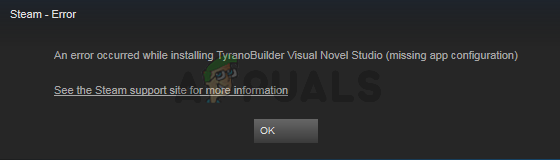
Appuals.com
Steam is a game distribution platform that lets users buy, download, install, and play games. Recently, a lot of users are complaining about the Steam app
if you're lucky erasing the file will work, otherwise, need to wait for steam to update
kindred yacht
vivid bridge
https://appuals.com/fix-steam-app-configuration-unavailable/
thanks! it worked had this issue for soooo long LMAO
 vivid bridge
kindred yacht
thanks! it worked had this issue for soooo long LMAO
vivid bridge
kindred yacht
thanks! it worked had this issue for soooo long LMAO
you're welcome 🙂 enjoy the game !
 hollow cairn
Does anyone know why my game just exits when trying to connect to a server?
 rustic moss
nevermind, response is pinned.
alpine harbor
vivid bridge
you're welcome 🙂 enjoy the game !
It didn't work, when he tries to install the anti-cheat it pops up for a nano-second and disappears
real gale
By the way, guys, after I tried everything that appears in pinned message regarding the fatal error error and it didn't help, after I put graphics from epic to highe, so far there is no crash of the game, I would appreciate it if you let me know that it works for you too
rustic moss
my drivers are all up to date, I've checked 5x over. Does this mean I cannot run the game?

 silk mural
edgy canopy
Man, everything in low mode, 3d 40%, fps limit 60 and I'm going at 20/10 fps, wh...
silk mural
edgy canopy
Man, everything in low mode, 3d 40%, fps limit 60 and I'm going at 20/10 fps, wh...
Same,so much for a more "optimized" version
vivid bridge
alpine harbor
It didn't work, when he tries to install the anti-cheat it pops up for a nano-se...
Try this one then : #🔧-evrima-troubleshooting-🔧 message
thin oracle
anybody got problem with NV as beipi underwater? Not showing white lines on sticsk rocks etc?
vivid bridge
rustic moss
my drivers are all up to date, I've checked 5x over. Does this mean I cannot run...
Seems like it sadly, Unreal Engine version the game uses requires DX12 :/
hollow cairn
@vivid bridge my game just exits when I try and connect to a server, no error message, just closes the game. Any advice?
 tall zenith
we fixed the error! my friend installed another windows patch and everything works, he tries the game out rn!
alpine harbor
What is "EAC"
vivid bridge
alpine harbor
What is "EAC"
Easy Anti Cheat
rustic moss
This hasn't worked for me. What else, if anything, can I do?
I have confirmed through dxdiag that I do have dx12.
vivid bridge
hollow cairn
<@790141346610544652> my game just exits when I try and connect to a server, no ...
Have you checked your game integrity in Steam ? Also are your GPU drivers and Windows up to date ?
hollow cairn
yes just validated it on steam and installed drivers so up to date
rustic moss
vivid bridge
Seems like it sadly, Unreal Engine version the game uses requires DX12 :/
from my dxdiag
 vivid bridge
rustic moss
from my dxdiag
vivid bridge
rustic moss
from my dxdiag
so you have it :/ strange
rustic moss
I'll say.
vivid bridge
alpine harbor
How do you launch it from EAC
they give you walkthough : https://www.easy.ac/en-us/support/game/guides/installer/
tall zenith
rustic moss
from my dxdiag
hi, i had the same problem
a full windows update helped, you need to make sure your windows version is 22H2
also it’s better to download drivers from the official website, not the nvidia app
hollow cairn
So my drivers are up to date, my windows is 22H2 and integrity is good. Still just closes the game back to steam.
vivid bridge
hollow cairn
yes just validated it on steam and installed drivers so up to date
have you restarted computer after GPU update ?
hollow cairn
twice
vivid bridge
hollow cairn
twice
I won't be of any more help further but I would suggest trying to see the crash log in %localappdata%, try to see what the error code is.
hollow cairn
sure thing, appreicate the help
vivid bridge
more experienced helper might be of better help once they know where the issue is.
rustic moss
tall zenith
hi, i had the same problem
a full windows update helped, you need to make sure y...


 alpine harbor
vivid bridge
more experienced helper might be of better help once they know where the issue i...
alpine harbor
vivid bridge
more experienced helper might be of better help once they know where the issue i...
Alright thank you brother/sister
hollow cairn
[CrashReportClient]
bHideLogFilesOption=false
bIsAllowedToCloseWithoutSending=true
CrashConfigPurgeDays=2
any use? @vivid bridge
rustic moss
Directx: DX12
version: 22H2
Updated fully
restarted
still nothing.
hollow violet
rustic moss
Directx: DX12
version: 22H2
Updated fully
restarted
still nothing.

Dm this to me please
vivid bridge
hollow cairn
[CrashReportClient]
bHideLogFilesOption=false
bIsAllowedToCloseWithoutSending=tr...
for me no, but more experienced helper might know. Also see in the The Isle text document at the end of the file, in the crashes folder
hollow violet
I can take a look
 potent flint
Hello guys, so after the update I noticed something strange… some of my Dino’s do not have the normal bite anymore, left-click will deliver the Omnidirectional bite at no stamina cost…is this intended?
 late marsh
Did anyone find a fix for the blurry graphics yet?
late marsh
potent flint
Hello guys, so after the update I noticed something strange… some of my Dino’s d...
that is the automatic alt bite you can revert it back to manual in settings
 wispy sigil
Hey anyone say for what i have 3 fps ?
potent flint
late marsh
that is the automatic alt bite you can revert it back to manual in settings
Where?
late marsh
wispy sigil
Hey anyone say for what i have 3 fps ?
if your getting only 3 fps your computer can definitely not handle this game
wispy sigil
O no Its good Its just because the serv lag sry xdd
hollow cairn
hollow violet
I can take a look
Any luck? 😄
thin oracle
why does my beipi underwater nv look like this?!

 paper lake
guys UE5 crashes aka it says fatal error, any ideas how to fix it?:))
 light axle
anyone know anything on this?
 vivid bridge
light axle
anyone know anything on this?
vivid bridge
light axle
anyone know anything on this?
one of the error we still have no way to fix 😦 same boat for me....
 nocturne yarrow
heh?
 nocturne yarrow
ok one sek
 prisma ibex
I encountered the same problem, it still doesn't works.
 inner trellis
nocturne yarrow
heh?
inner trellis
nocturne yarrow
heh?
install vr chat run it then run the isle it works
nocturne yarrow
hollow cairn
just check game integrity on steam
nope
nocturne yarrow
inner trellis
install vr chat run it then run the isle it works
ok sure
hollow cairn
^^
prisma ibex
it worked ??
nocturne yarrow
yep
prisma ibex
ok let me try
nocturne yarrow
try
just make sure you run it
cuz vr chat installs easy anti cheat when you run it
mint robin
im constantly walking to the right without touching any buttons, is this a game bug? or is it client side?
prisma ibex
Awesome ! It worked, thank you. ^^
 wanton chasm
Does any one know how to fixs this it havent been working for some time now and idk what to do 😦

 hallow dust
can somebody help me please

got kicked out of a server and this popped up also had some problems before that
hollow cairn
I tried connecting to various servers but the outcome is the same when it just closes the game. Could it be a firewall issue? Im still unsure why it does it as it doesnt produce a crash report window.
 zenith charm
dx12 thngy still not fixet
edgy canopy
some have this problem of the sound?
thin oracle
Why if i Play the isle my cpu work on 100% and my GPU work on 10% i have this problem only the isle
hallow dust
hallow dust
can somebody help me please
somebody know how to fix this?
thin oracle
hallow dust
somebody know how to fix this?
Server restart its normal
hallow dust
thin oracle
Server restart its normal
how long does it take to go online again?
thin oracle
5 minutes
hallow dust
you sure? this was 20 minutes ago and i still cant see it on the list of servers dont know why
but i wanna play w my progress yk
 jade dove
I can't start the game because of the dx12 error at startup (like many others it seems).
Windows is up to date (22H2, no more recent update), my GPU drivers and every others are up to date. I've tried reinstalling the game, verified files but nothing works.
My GPU is Sapphire Radeon R9 380X Nitro and my dxdiag says my version of dx is 12, just as d3d ddi.
Someone told me my graphics card may not be compatible with ue5 but since I have dx12, how? Any idea?
hallow dust
i was on sa 2 and it doesnt show up why?
 tough tinsel
I also have the same issue as Sulfax
hallow dust
hallow dust
i was on sa 2 and it doesnt show up why?
somebody know why?
or how i can make it show on my server list
 jade gorge
Hello! Ive got a 3060 and an I7 6th gen. My game runs only on 60 fps, its not capped. If i set my graphics low i get the same fps is im on epic the same 60. Ive already deleted the config folder and in the nvidia controll panel i didnt capped it, Please help.
tough tinsel
@hallow dust did u try refreshing the server list and make sure you havent typed, miss spelt or clicked on the search panel
tough tinsel
ok
tough tinsel
you have closed and reopend the isle ??
tough tinsel
I cant open the game bro so I apolagise but I am very limited in what I can do to help
hallow dust
its ok but i just played 1.5 hours growing now i cant play yk
and idk if i will have the same issue playing on another server
 vernal bramble

 woeful burrow
I love "fatal error" !!!!!!!!!!!!!!!!!
jade dove
jade dove
I can't start the game because of the dx12 error at startup (like many others it...
@thin oracle did you try the different solutions usually recommended here? Didn't work for me though
 coral helm
i keep having this problem i have reinstalled the game and downloaded the vrchat and nothing works, can anybody help me?
 jade dove
Windows updates & gpu drivers updates worked for some ppl
Look for windows update in your win search bar then check for updates. For the gpu driver, depends on your graphics card brand (Nvidia or AMD usually), so check out the appropriate website and look for drivers updates for your hardware
 cobalt owl
game just crashing without any error
coral helm
it's very frustrating not being able to play evrima
I have done what they say in all the forums and nothing works
allat? (sorry i'm spanish and it's hard for me to understand some words)
 eager rose
all of that
😭
u need to know how to update ur drivers?
Performing regular driver updates can help prevent problems with your PC and strengthen your system to prevent cybercriminals from exploiting your device.
try this
Then that might not be the issue

 soft wedge
inner trellis
install vr chat run it then run the isle it works
soft wedge
inner trellis
install vr chat run it then run the isle it works
Can this solution be pinned?
thin oracle
I dont have night vision i press x and nothing happens
coral helm
inner trellis
install vr chat run it then run the isle it works
It has worked for me to enter the game but not to enter the servers
thin oracle
I will try
 calm drum
how do we fix the fatal crash error?

 lament wagon
hey <@&505047238674874368> i am stuck behind a rock on EU 5 it's possible to unstuck me ?
sorry for the ping
eager rose
??


 long flame
within the last 5 secs? i got kicked out of the server
 umbral ridge
i cant see any servers
 rustic zenith

 undone sparrow
all server gone
umbral ridge
ye
 limpid vault
China???
eager rose
 honest pike
when I put the game's texture on lower than epic it just looks like mush... how do I fix that so I can actually play cause rn I turn less than 15 fps
umbral ridge
the update is alredy out
long flame
oh lol
eager rose
honest pike
when I put the game's texture on lower than epic it just looks like mush... how ...
I have my game on like all medium and it doesnt look that bad?
 snow viper
hello, my game has been crashed and now the servers doesnt appear
honest pike
eager rose
I have my game on like all medium and it doesnt look that bad?
when I put it on lower it looks like the texture don't really charge ? like imma take a screeshot if needed
it's not normal tho
undone sparrow
there is an u[date
undone sparrow
just restart steam and it will patch it
umbral ridge
what kind of update
eager rose
eager rose
bug fixes / patches
thin oracle
@coral helm tank bro
 quaint mirage
guys anyone with this issue please help i am not getting any servers to join
eager rose
quaint mirage
guys anyone with this issue please help i am not getting any servers to join
New update, check announcements
Restart steam, it should update for you
quaint mirage
thank you !
 rustic pine
i keep getting this error when moving across the land, have already tried deleting The Isle files manually and reinstaling
 calm drum
does anyone know how to fix the fatal crash error???
 clear fern
did the game just update?
 serene sapphire
How to fix integrity check fail?
 hollow cairn
serene sapphire
How to fix integrity check fail?
hollow cairn
serene sapphire
How to fix integrity check fail?
install vrchat on steam
 ivory tangle
Were servers and growth fully reset?
hollow cairn
already done the update but now huge patch coming through

 silk ridge
Hey guys I only logged out to have dinner I come back and all the servers dissapear except for unofficial is their a glitch or something ?
 floral osprey
silk ridge
floral osprey
silk ridge
Oh another update cheers
jade dove
Patch not solving dx12 trouble however
 brisk totem
Could I ask for possible fixes regarding a Fatal Error? It's been recurring quite often.
thin oracle
hello guys can anyone help me i have i5 10400f rtx 3060 12 gb and still not 75 fps what settings would yall reccomend
wanton chasm
@rustic pine i have that same proplem
 smoky bridge
this isn't really to do with evrima but any idea on how to fix this? been like this for a mnute and I've tried restarting

and for some reason it's using my D drive even tho my game's installed on the C drive
 fast pulsar
how do I fix this?

 velvet flame
im confused on what to do, people said i needed DX12 but i already had dx12 installed


 pseudo scroll
i have 100-120 ping on eu servers why?
brisk totem
I think its because of the increased server cap and the amount of players trying to get in. How's your network?
brisk totem
fast pulsar
how do I fix this?
You will have to manually uninstall “The Isle” from Steam. This issue is typically caused when someone
switches from the Legacy to the EVRIMA branch.
● Open “Steam”
● Right Click The Isle
● Select Properties > Local Files > Browse Local Files
● Delete everything inside of The Isle’s folder.
If you’re having no luck, consider updating your graphics card or Windows if you haven’t already.
smoky bridge
fast pulsar
how do I fix this?
delete the system file in the easy anti cheat folder in c: program files (x86)>easy anti cheat
fast pulsar
brisk totem
You will have to manually uninstall “The Isle” from Steam. This issue is typical...
I test that thank you!
fast pulsar
smoky bridge
delete the system file in the easy anti cheat folder in c: program files (x86)>e...
I test that thank you
brisk totem
fast pulsar
I test that thank you!
No problem!
 mild granite
I have gotten this 4 times in a row now. I have had fatal errors here and there since the 6.5 update but with the lastest patch they just did I have gotten that erorr 4 times in a row. Sometimes it happened after I launched the game and was looking at the server list or it would happen as soon as I got into a server
 brisk totem
velvet flame
im confused on what to do, people said i needed DX12 but i already had dx12 inst...
brisk totem
velvet flame
im confused on what to do, people said i needed DX12 but i already had dx12 inst...
Have you downloaded the latest patch?
pseudo scroll
brisk totem
I think its because of the increased server cap and the amount of players trying...
Network should be fine 50 begabits per sec
brisk totem
mild granite
I have gotten this 4 times in a row now. I have had fatal errors here and there ...
My friend has been having the same issue. I'm also waiting for an answer.
fast pulsar
brisk totem
You will have to manually uninstall “The Isle” from Steam. This issue is typical...
Like delete this folder? or everything
 velvet flame
brisk totem
Have you downloaded the latest patch?
velvet flame
brisk totem
Have you downloaded the latest patch?
yes this was showing up even before the patch
brisk totem
fast pulsar
Like delete this folder? or everything
I believe you delete everything in the folder.
fast pulsar
brisk totem
I believe you delete everything **in** the folder.
okay 👍🏼
mild granite
brisk totem
My friend has been having the same issue. I'm also waiting for an answer.
Atleast I know its not an issue on my end then. Please tag me or DM me if you find a answer.
brisk totem
mild granite
Atleast I know its not an issue on my end then. Please tag me or DM me if you fi...
I'll let you know. Has this occurred even after the new patch?
 mild granite
brisk totem
I'll let you know. Has this occurred even after the new patch?
mild granite
brisk totem
I'll let you know. Has this occurred even after the new patch?
Its started occurring since the last patch they did like an hour ago. I would get ocassional fatal errors occasionally before this latest patch but nothing like this.
brisk totem
mild granite
Its started occurring since the last patch they did like an hour ago. I would ge...
I hope we get a fix 😦 or just an answer.
 untold void
I tried to read the announcement but I don't understand

 gusty thunder
Did devs remove the mechanic for pteras to eat when latched to trees or is it a bug?
 drowsy dove
cant connect to a single server, and i think rn i was about to connect and the game crashed.
do i need to do somethin with the RCON thingy? idk what that is
 mild crystal
how to fix?
 untold void
I got that as well
ivory tangle
at that into startup param in steam for this game
untold void
add what?
mild granite
brisk totem
I hope we get a fix 😦 or just an answer.

 long dome
i get the same error
eager narwhal
How do I get the game to work? I Have a newish PC and getting this message. DX12 is not supported on your system. Try running without the -dx12 or -d3d12 command line argument.
untold void
ivory tangle
at that into startup param in steam for this game
What should I add? and whats the start up param
I have that too Raiff
long dome
untold void
What should I add? and whats the start up param
update ur drivers
untold void
long dome
update ur drivers
how do I do that?
long dome
eager narwhal
How do I get the game to work? I Have a newish PC and getting this message. DX12...
update ur drivers
eager narwhal
They are.
 ivory tangle
no...
untold void
ivory tangle
 ivory tangle
Add what they said in your thing if thats the error you are getting
 sudden sleet
untold void
how do I do that?
sudden sleet
untold void
how do I do that?
there are tutorials on how to do that
long dome
i dont think that will work
ivory tangle
look at google about how to disable it
untold void
sudden sleet
there are tutorials on how to do that
but I dont even know what to look up cause idk whats going on 😭
sudden sleet
untold void
but I dont even know what to look up cause idk whats going on 😭
"how to update your drivers"
untold void
ohhh kk
ivory tangle
how to add no dx12 startup param in steam?
 rocky gazelle
mild granite
I have gotten this 4 times in a row now. I have had fatal errors here and there ...
rocky gazelle
mild granite
I have gotten this 4 times in a row now. I have had fatal errors here and there ...

just got it twice
wanton chasm
I have been getting that error evry time i try to join serv
rocky gazelle
and just started after the new update
vernal bramble
same
ivory tangle
rocky gazelle
you need to update your video card driver to the latest version.
silk mural
imma enter now in a bit to see if the update fixed some performance in my end
rocky gazelle
ivory tangle
you need to update your video card driver to the latest version.
updated yesterday
mild granite
rocky gazelle
Seems like a programming issue that happend with the latest patch they just did. Talked with a friend of mine and shes not having any issues. Seems to only be affecting some people. So maybe its only affecting certain GPU's. What card do you have?
vernal bramble
ivory tangle
you need to update your video card driver to the latest version.
where can take this ?
rocky gazelle
mild granite
Seems like a programming issue that happend with the latest patch they just did....
3080TI
untold void
ivory tangle
how to add no dx12 startup param in steam?
I got these one after the other after adding -dx11 to the launch

 mild granite
rocky gazelle
3080TI
mild granite
rocky gazelle
3080TI
Maybe its an issue with 3000 series cards then I have a 3090ti
 pearl acorn
vernal bramble
where can take this ?
pearl acorn
vernal bramble
where can take this ?
if you have an NVIDIA card, use GeForce Experience
mild granite
Checked my drivers too their updated so thats not the issue
vernal bramble
pearl acorn
if you have an NVIDIA card, use GeForce Experience
my version :

 dim elbow
Help please
 pearl acorn
vernal bramble
my version :
pearl acorn
vernal bramble
my version :
thats the latest version, maybe updating your cpu drivers will help
silk ridge
how you guys having problems with the GPU Im running DX10 or 11 its running nice
untold void
untold void
I got these one after the other after adding -dx11 to the launch
someone help me on this I dont really understand
 heavy horizon
eu1 77/100 tryed joining - server is full
untold void
heavy horizon
eu1 77/100 tryed joining - server is full
that always happens just reload
heavy horizon
official evrima is complete garbo
pearl acorn
heavy horizon
eu1 77/100 tryed joining - server is full
yeah player count display is bugged, dont trust
untold void
What does RHI 'D3D11RHI' mean
 thorn bobcat
Some corrections. And nothing has been fixed for beipi. We'll swim in the dark


 desert hamlet
guys how to fix infinity connecting on any servers?i tried to check files/delete isle folder/restart pc/update driver
sometimes i can get a server is full thing
 charred tundra
desert hamlet
guys how to fix infinity connecting on any servers?i tried to check files/delete...
charred tundra
desert hamlet
guys how to fix infinity connecting on any servers?i tried to check files/delete...
dont worry about that. Its just bugged they show u for example 70/100 but there are 100/100 thats the 1st of the millions of bugs u will see 🙂
wanton chasm
No one knows how to fixs this?

 odd nebula
untold void
odd nebula
untold void
You have to delete -dx11 from the launch options. The game will not launch with DX11. If you have the ”DX12 not supported by your system” error, you need to update your graphics drivers and Windows.
 ivory stone
desert hamlet
guys how to fix infinity connecting on any servers?i tried to check files/delete...
ivory stone
desert hamlet
guys how to fix infinity connecting on any servers?i tried to check files/delete...
same
odd nebula
wanton chasm
No one knows how to fixs this?
If you crash with the ”Fatal error: [File:Unknown] [Line: 868] … cpp:910 with error 887A0006” error message, it seems this is due to a problem with DirectX rendering. To fix it, you can try to:
- update your graphics drivers;
- if they're already up-to-date, uninstall your graphics drivers with DDU and reinstall them;
- if you have a Nvidia GPU, uninstall Geforce Experience and manually install the drivers through the Nvidia website;
- lower the FPS limit;
- lower your graphics settings;
- lower your resolution;
- disable Riva Tuner Statistics Server (it comes with MSI Afterburner);
- revert your GPU's overclocking including if it's overclocked from the factory;
- disable third-party software like for example any RGB software.
rocky gazelle
rocky gazelle
oh well, back to playing rust while devs fix this mess 😄 Just got another crash with the same error
mild granite
wanton chasm
No one knows how to fixs this?
I'm having the same issue. What gpu do you have?
untold void
odd nebula
You have to delete -dx11 from the launch options. The game will not launch with ...
but if I don't put in DX11 then it doesnt work as well, should I put in DX12?
desert hamlet
charred tundra
dont worry about that. Its just bugged they show u for example 70/100 but there ...
so what should i do? just wait for it to connect me or
charred tundra
wanton chasm
No one knows how to fixs this?
sales on 3060 to see the grass in hd XD
odd nebula
untold void
but if I don't put in DX11 then it doesnt work as well, should I put in DX12?
No, you have to update your graphics drivers and Windows.
charred tundra
upgrade graphics
untold void
odd nebula
No, you have to update your graphics drivers and Windows.
oh okay
 nova basalt
odd nebula
No, you have to update your graphics drivers and Windows.
nova basalt
odd nebula
No, you have to update your graphics drivers and Windows.
that didnt work for me 🤔
untold void
random question how do I check if my windows is 10 or something?
odd nebula
nova basalt
that didnt work for me 🤔
Can you please provide:
- your graphics card (right-click on your task bar > Task manager > Performance > GPU. If there are two GPU, it's GPU 1 you have to look at);
- your graphics driver version and date (same as above, but scroll down to see the driver's version and date);
- your Windows version (right-click on the Windows icon > System > scroll down to Windows specifications and see what version it says you have).
rocky gazelle
odd nebula
If you crash with the ”Fatal error: [File:Unknown] [Line: 868] … cpp:910 with er...
Why do all this since it wasn't a problem in previous version. it's clearly a problem with the game and not our PCs. that's 101 trouble shooting. but i applaud your effort 🙂
odd nebula
untold void
random question how do I check if my windows is 10 or something?
Right-click on the Windows icon > System > scroll down to Windows specifications and see what version it says you have. If you have the version 22H2, it's good.
 jolly gulch
Is anyone else having problems finding that actual “anti cheat” folder. Because it isn’t showing up for me.
odd nebula
rocky gazelle
Why do all this since it wasn't a problem in previous version. it's clearly a pr...
It's a problem with Unreal Engine 5 and DirectX 12. The game is not directly responsible.
untold void
odd nebula
Right-click on the Windows icon > System > scroll down to Windows specifications...
ohh I do, but why wont the game work then?
odd nebula
jolly gulch
Is anyone else having problems finding that actual “anti cheat” folder. Because ...
Install VRChat (free game on Steam that uses EAC), run it, exit it, then launch The Isle.
ivory stone
why it took so long to connect to a server???
odd nebula
untold void
ohh I do, but why wont the game work then?
Make sure your graphics drivers are updated.
long dome
my pc is pretty old but it could run the isle 6.0 on high
charred tundra
I'm feeling like i were hacking and putting a crack on this game to be able to play it.. sadge xD
long dome
and still have really good fps
jolly gulch
odd nebula
Install VRChat (free game on Steam that uses EAC), run it, exit it, then launch ...
I’ll give it a try. Thanks.
long dome
but i get the -dx12 error now
odd nebula
long dome
but i get the -dx12 error now
You need to update your graphics drivers and Windows.
rocky gazelle
odd nebula
It's a problem with Unreal Engine 5 and DirectX 12. The game is not directly res...
but again, the problem just started after a game update, so it is clearly responsible, since neither UE or drivers had changed in the 5 minutes the game took to update 🙂
long dome
and i checked my system and i do support dx12
 scarlet crown
Can someone tell my why i keep crashing when i try to join an official server?
odd nebula
rocky gazelle
but again, the problem just started after a game update, so it is clearly respon...
Because the game just migrated to Unreal Engine 5.
 lethal geyser
Bonjour j'arrive pas à me connecter sur les serveur officiel il me dise qu'il sont plein allor que y a que 70 personne connecter.
charred tundra
lethal geyser
Bonjour j'arrive pas à me connecter sur les serveur officiel il me dise qu'il so...
english
long dome
lethal geyser
Bonjour j'arrive pas à me connecter sur les serveur officiel il me dise qu'il so...
french
rocky gazelle
odd nebula
Because the game just migrated to Unreal Engine 5.
and so was the previous version without the RCON config fix that didn't have this issue. this patch that solved the RCON issue broke the game. not anything on they players PCs
mild granite
odd nebula
Because the game just migrated to Unreal Engine 5.
He means the patch they just released not the 6.5 update. I am having the same error
nova basalt
odd nebula
Can you please provide:
- your **graphics card** (right-click on your task bar >...
-INTEL(R) UHD Graphics
-12.1( FL 12.1) 25/02/2020
-22H2
if i understand correctly your assignement
odd nebula
lethal geyser
Bonjour j'arrive pas à me connecter sur les serveur officiel il me dise qu'il so...
Ils sont pleins même si le nombre de joueurs dit le contraire. C'est buggé.
charred tundra
odd nebula
Ils sont pleins même si le nombre de joueurs dit le contraire. C'est buggé.
english
nova basalt
parle en français ça sera lus simple x)
odd nebula
nova basalt
-INTEL(R) UHD Graphics
-12.1( FL 12.1) 25/02/2020
-22H2
if i understand correc...
Do you have another GPU? If that's the only one you have, you can't run the game. Those are integrated graphics. They don't work with the DX12-only features the game uses.
odd nebula
nova basalt
parle en français ça sera lus simple x)
People will not like it.
charred tundra
if u writte in english u can resolve other questions to other people with the same problem
lethal geyser
odd nebula
Ils sont pleins même si le nombre de joueurs dit le contraire. C'est buggé.
OK merci beaucoup 👍
 rugged flint
I'm always getting the 'Client disconected; Server is full' Message when I try to join official servers, even when there are only about 50 people playing. Am I just unlucky or is this a bug?
pearl acorn
rugged flint
I'm always getting the 'Client disconected; Server is full' Message when I try t...
player count is bugged
charred tundra
rugged flint
I'm always getting the 'Client disconected; Server is full' Message when I try t...
just.. the isle
nova basalt
odd nebula
Do you have another GPU? If that's the only one you have, you can't run the game...
This is the only one i got, so does it means i paid this game for nothing ?
 weak bear
My game normally can run The Isle, but for no reason at completly random time my game starts having 1 fps. This issue goes only for The Isle. Please help.
odd nebula
mild granite
He means the patch they just released not the 6.5 update. I am having the same e...
That problem was present since 6.5 for other people. I'm sure the game will figure out how to fix that. It's the first time they move to UE5.
nova basalt
charred tundra
if u writte in english u can resolve other questions to other people with the sa...
np mate 👍
rugged flint
charred tundra
just.. the isle
Ah, thanks
odd nebula
nova basalt
This is the only one i got, so does it means i paid this game for nothing ?
It's written in the steam requirements that integrated graphics will not work. It was just pure luck that it ran until now.
pearl acorn
nova basalt
This is the only one i got, so does it means i paid this game for nothing ?
you can refund it if you didn't play enough,
nova basalt
odd nebula
It's written in the steam requirements that integrated graphics will not work. I...
alright my bad i guess
untold void
odd nebula
Make sure your graphics drivers are updated.
I tried to do that but when I search it up its making me download something and then pay?? I do not want to do that 😭
nova basalt
pearl acorn
you can refund it if you didn't play enough,
i didnt play it at all just bought it yesterday
pearl acorn
the game crashes after about a minute or once I join a server, any fix?
odd nebula
untold void
I tried to do that but when I search it up its making me download something and ...
Yeah you're not going to the right place. Can you please provide:
- your graphics card (right-click on your task bar > Task manager > Performance > GPU. If there are two GPU, it's GPU 1 you have to look at);
- your graphics driver version and date (same as above, but scroll down to see the driver's version and date);
pearl acorn
nova basalt
i didnt play it at all just bought it yesterday
you might be able to refund
rocky gazelle
every one just chill the patch they released today, while it solved a server side issue regarding RCON, it clearly broke the game, and possibly the server view/player count/server browser. just let the devs figure out a solution and push a new update
nova basalt
pearl acorn
you might be able to refund
i will try this then
fast pulsar
brisk totem
I believe you delete everything **in** the folder.
dang 😔 Still dont work
 weak bear
My game normally can run The Isle, but for no reason at completly random time my...
weak bear
weak bear
My game normally can run The Isle, but for no reason at completly random time my...
Anyone help pls?
pearl acorn
weak bear
Anyone help pls?
what are your specs
 radiant ruin
am i the only one getting kicked
weak bear
whats specs?
radiant ruin
it says 70/100 i join server full then the isle just shots down
pearl acorn
weak bear
whats specs?
your computer's hardware
pearl acorn
radiant ruin
it says 70/100 i join server full then the isle just shots down
player count display is bugged
weak bear
pearl acorn
your computer's hardware
But as I said the problem is only for the isle
untold void
odd nebula
Yeah you're not going to the right place. Can you please provide:
- your **graph...
what do I do when I get it?
odd nebula
untold void
what do I do when I get it?
Just send me the information I asked you and I'll help you from there.
pearl acorn
weak bear
But as I said the problem is only for the isle
alright- have you updated all your drivers? I used to have similar problems until then
 weak bear
pearl acorn
alright- have you updated all your drivers? I used to have similar problems unti...
weak bear
pearl acorn
alright- have you updated all your drivers? I used to have similar problems unti...
i have ge force
odd nebula
untold void
What GPU? Your drivers aren't up-to-date.
pearl acorn
weak bear
i have ge force
check if you are running the latest Game Ready drivers
weak bear
pearl acorn
check if you are running the latest Game Ready drivers
How do I do that?
untold void
odd nebula
What GPU? Your drivers aren't up-to-date.
it says GPU 0 ? But I don't know how to update it 😭
 charred tundra
unplayable
radiant ruin
where u find that
odd nebula
untold void
it says GPU 0 ? But I don't know how to update it 😭
You don't have GPU1?
untold void
odd nebula
You don't have GPU1?
no, it only shows these things
 pearl acorn
weak bear
How do I do that?
pearl acorn
weak bear
How do I do that?
go to the drivers tab
click "check for updates"
radiant ruin
where du find that george
odd nebula
untold void
no, it only shows these things
It means you only have integrated graphics. They can't run the game anymore. Sorry.
pearl acorn
untold void
no, it only shows these things
looks like you dont have a dedicated gpu :c
untold void
😭 wtf oh no, so I cant play the isle?
pearl acorn
no :(
radiant ruin
dont u just have to opdate the gforce driver
charred tundra
what is that new server? is a test server for admins?
 weak bear
pearl acorn
go to the drivers tab
>click "check for updates"
weak bear
pearl acorn
go to the drivers tab
>click "check for updates"
I have game ready ge force
untold void
radiant ruin
where du find that george
right click on your task bar and task manager then performance
 umbral crater
idk if this is the right channel, but i've seen people get the queue window and get queues into servers 🥺 is there a way to get it or is that just something that happens completely at random whenever the game feels like it
odd nebula
untold void
😭 wtf oh no, so I cant play the isle?
You can't play The Isle anymore, no. It's written in the Steam requirements that integrated graphics will not work. It was just pure luck that it worked until now.
mild granite
radiant ruin
dont u just have to opdate the gforce driver
Have to have a Geforce card first lol
 lofty rivet
radiant ruin
dont u just have to opdate the gforce driver
lofty rivet
radiant ruin
dont u just have to opdate the gforce driver
you cant update geforce drivers when you dont have a nvidia graphics card
radiant ruin
oh yeah okay
pearl acorn
weak bear
I have game ready ge force
okay, just make sure it is updated
untold void
odd nebula
You can't play The Isle anymore, no. It's written in the Steam requirements that...
thats bullshitttt 😭
</3
damn
pearl acorn
weak bear
I have game ready ge force
latest version
 radiant ruin
yeah got that
weak bear
pearl acorn
okay, just make sure it is updated
I forgot to mention, the isle for me is running completly fine until most random moment in which point it drastically drops to 1 fps
 torn wren
Did you restart your pc after installing it
pearl acorn
weak bear
I forgot to mention, the isle for me is running completly fine until most random...
does it go back up after a few seconds or is it stuck at 1 fps until you restart the game
weak bear
pearl acorn
does it go back up after a few seconds or is it stuck at 1 fps until you restart...
Well it is the second thing but sometimes it is still laggy in same server after i rejoin
pearl acorn
weak bear
Well it is the second thing but sometimes it is still laggy in same server after...
what gpu and cpu do you have? how much RAM does your device have?
weak bear
pearl acorn
what gpu and cpu do you have? how much RAM does your device have?
how do i check how much gpu and cpu i have?
and ram
charred tundra
Its normal when im in a server it kicks me out at 10 min with "Host with server is lost"?
eager narwhal
What trash. Just what I expect of this game's development team.
fast pulsar
Is this enough to play the isle evrima?
 pearl acorn
weak bear
how do i check how much gpu and cpu i have?
pearl acorn
weak bear
how do i check how much gpu and cpu i have?
you can hit ctrl+shift+esc, go to the "Performance" menu and check
charred tundra
fast pulsar
Is this enough to play the isle evrima?
laggy but i think in min you could be able to play.. is a bit old graphic card but its not bad yet i think
radiant ruin
what does the Cpu gotta be
pearl acorn
radiant ruin
what does the Cpu gotta be
the recommended is a " Quad-core Intel or AMD processor, 3.4 GHz or faster."
radiant ruin
ah okay then im fine

 pearl acorn
well i dont even know if the GPU meets the recommended requirements. Were you having the same problems before the newest update? You also have 8 GB of RAM, maybe that is a factor as well
weak bear
pearl acorn
well i dont even know if the GPU meets the recommended requirements. Were you ha...
less ram = less lag?
weak bear
pearl acorn
well i dont even know if the GPU meets the recommended requirements. Were you ha...
also yes i did before this new update
lofty rivet
💀
pearl acorn
weak bear
also yes i did before this new update
how many fps are you getting this update
weak bear
pearl acorn
how many fps are you getting this update
Normally while I play the game I get around 30 - 60 fps, but it randomly after like 30 mins drops to 1 fps
jolly gulch
Which one should I be installing?

 pearl acorn
weak bear
Normally while I play the game I get around 30 - 60 fps, but it randomly after l...
pearl acorn
weak bear
Normally while I play the game I get around 30 - 60 fps, but it randomly after l...
ah man, i used to have the same problems but they went away after i updated everything, maybe try that
weak bear
pearl acorn
ah man, i used to have the same problems but they went away after i updated ever...
Updating what?
pearl acorn
weak bear
Updating what?
windows, graphic drivers, cpu drivers
weak bear
pearl acorn
windows, graphic drivers, cpu drivers
How to do that lol
pearl acorn
weak bear
How to do that lol
well for windows updates you can just check on windows settings
for gpu check Geforce Experience
weak bear
pearl acorn
well for windows updates you can just check on windows settings
Updating to windows 11?
pearl acorn
for cpu check either Intel Driver and Support Assistant or Adrenalin Software
thin oracle
I need help When I start the isle I get the error message unknownfile version (theissleclient-win64.exe what shoold I do?
lofty rivet
weak bear
Normally while I play the game I get around 30 - 60 fps, but it randomly after l...
It might just be a optimization issue currently with the new update.

 pearl acorn
weak bear
Updating to windows 11?
pearl acorn
weak bear
Updating to windows 11?
yeah, helped me with performance in all my games. Plus the game is weirdly optimised
jolly gulch
What should i do?
 weak bear
pearl acorn
yeah, helped me with performance in all my games. Plus the game is weirdly optim...
weak bear
pearl acorn
yeah, helped me with performance in all my games. Plus the game is weirdly optim...
Is there any other option? I get alot of files deleted when I update to windows 11
 zinc vale
pearl acorn
try running it without the command line argument and see...
zinc vale
pearl acorn
try running it without the command line argument and see...
How do I run it without the command line argument?
thin oracle
??
lofty rivet
jolly gulch
What should i do?
Go to the link displayed and download the driver that it says to download
jolly gulch
lofty rivet
Go to the link displayed and download the driver that it says to download
That’s the problem, idk which one to download.

It takes me to this.
pearl acorn
weak bear
Is there any other option? I get alot of files deleted when I update to windows ...
not sure. Updating stuff and time was the only thing that fixed it. I didn't lose any files when i updated to Win 11 though... no harm backing up all your important files and updating
weak bear
pearl acorn
not sure. Updating stuff and time was the only thing that fixed it. I didn't los...
What about the gpu and cpu update? How do I do it?
lofty rivet
jolly gulch
That’s the problem, idk which one to download.
In the search for products tab select your GPU
And then install the latest AMD driver
pearl acorn
zinc vale
How do I run it without the command line argument?
Right click on the settings icon in the steam library,
go to "General" and remove anything written under "Launch Options"
 pearl acorn
for cpu check either Intel Driver and Support Assistant or Adrenalin Software
pearl acorn
pearl acorn
for cpu check either Intel Driver and Support Assistant or Adrenalin Software
@weak bear
jolly gulch
lofty rivet
In the search for products tab select your GPU
Like click “products” on the top left of the screen?
weak bear
pearl acorn
<@953314872563757176>
Where to check it?
pearl acorn
jolly gulch
That’s the problem, idk which one to download.
you can also click on the "Download Windows Drivers". It will install their software and will update the drivers
pearl acorn
weak bear
Where to check it?
what cpu do you have