#🔧-legacy-troubleshooting-🔧
1 messages · Page 1 of 1 (latest)
 stuck oyster
 wintry bear
why arent legacy servers showing up on the isle?
 placid whale
Happening every single time and no one is helping please I have past max requirements, my firewall is accepting it (windows defender) and perfect internet. Happens in legacy too.
 wintry bear
why are you replying to yourself
placid whale
wintry bear
why are you replying to yourself
i dont know!! I have gone mad!
 languid fern
everytime I open the isle it goes through the first startup screen then stays on a black screen. I have tried multiple times verifying the integrity of the files same with reinstalling aswell as my drivers being fully up to date I am not sure on how to fix please respond
is there a place where i can ask somebody thats higher up in the server on a way i could fix this
 hazy fox
hello a question how can I solve the fatal error of the island? exactly 1157 this happened to me after installing the evrima version and I can no longer enter the legacy version and I uninstalled the game twice and I still haven't found a way to solve it
 honest river
if this doesnt fix the keybindings is there another fix?
 foggy storm
languid fern
everytime I open the isle it goes through the first startup screen then stays on...
foggy storm
languid fern
everytime I open the isle it goes through the first startup screen then stays on...
For anyone encountering fatal errors leading to crashes. You will have to manually uninstall “The Isle” from Steam.
Open “Steam”
Right Click The Isle
Select Properties > Local Files > Browse Local Files
Delete everything inside of The Isle’s folder.
Then
-
Press Windows key.
-
Type "Run" to launch Run program.
-
Type in "%localappdata% and click 'Ok'.
-
Search for TheIsle folder.
-
Delete the TheIsle folder once it has been located. And then verify files afterwards
 turbid merlin
any solutions for an endless white screen after launching legacy, i hear sounds and sliding over the menu but i cant see a thing (edit i also have this issue with evrima after switching to this version) Edit: I fixed the issue after following the steps of Punchpackets Crash Encounter for Legacy
languid fern
foggy storm
For anyone encountering fatal errors leading to crashes. You will have to manual...
thank you for the reply did this but unfourtunetly it is still happening
 maiden eagle
does anyone know why all the servers on legacy are missing for me they were there earlier but now ive only got the china ones
 languid fern
this server is no help
 lilac salmon
Check pins please.
stuck oyster
I'm still having a game breaking issue with the legacy version. The main menu and the actual game stutters to the point of being unplayable and it takes me around 5 minutes to load into any server even though the game is on my SSD
I've tried everything from verifying the game files to reinstalling and checking my drivers
stuck oyster
<@&818552355796287508>
stuck oyster
Nevermind, figured it out
honest river
Why do my the isle settings say NEST- DISABLED
 lucid lotus
Anyone knows if there's a way to fix this? All graphics are on medium and Textures on high(I believe effects and shadows is on low) and the dinosaur still looks pretty bad. The computer has a pretty good last generation i7 processor and no graphics card.

 coarse fjord
Why does it take so long to load the server list when i search for a server?, It didn't do that before
 fickle bramble
rly?

 spare musk
fickle bramble
rly?
spare musk
fickle bramble
rly?
Please use #🔧-evrima-troubleshooting-🔧 to seek help with the evrima beta
 frozen tendon
I went back on legacy after a while and found that almost all of my controls won’t respond anymore. The only thing I can do is move. I can’t attack, use night vision, open any menus, or chat. I checked my settings and nothing seems wrong. Can anyone help?
spare musk
frozen tendon
I went back on legacy after a while and found that almost all of my controls won...
Check the 2nd pinned message
 wet gale
Ive reinstalled The Isle, reset computer, check for updates on both Windows and my Graphics, and the game still produces the Fatal Error upon loading into a server. Im at a loss. Last fix I could only find was completely wiping my computer. Now its back and im not sure what to do.
frozen tendon
spare musk
Check the 2nd pinned message
That seems to have worked Ty:)
wet gale
Not sure what to try anymore
 spring nacelle
Black screen with menu sounds everytime i try to host a server
honest river
stuck oyster
Nevermind, figured it out
how did you fix it? if you don't mind telling me. i've been trying all sorts of things.
stuck oyster
honest river
how did you fix it? if you don't mind telling me. i've been trying all sorts of ...
For anyone encountering fatal errors leading to crashes. You will have to manually uninstall “The Isle” from Steam.
Open “Steam”
Right Click The Isle
Select Properties > Local Files > Browse Local Files
Delete everything inside of The Isle’s folder.
Then
-
Press Windows key.
-
Type "Run" to launch Run program.
-
Type in "%localappdata% and click 'Ok'.
-
Search for TheIsle folder.
-
Delete the TheIsle folder once it has been located. And then verify files afterwards
I did that even though the game didn't crash/give me an error code but for some reason I have to do that entire process everytime I turn my pc off. It's a bit tedious, but atleast the game is playable
honest river
stuck oyster
For anyone encountering fatal errors leading to crashes. You will have to manual...
thank you, i'll try it soon
stuck oyster
honest river
thank you, i'll try it soon
Did it work?
honest river
stuck oyster
Did it work?
No🤔
stuck oyster
Damn
 silk frigate
Anyone know how to unistall just the legacy branch? I need to clear up space if I can just delete it and not envirma
spare musk
silk frigate
Anyone know how to unistall just the legacy branch? I need to clear up space if ...
Do you have both installed at the same time?
silk frigate
spare musk
Do you have both installed at the same time?
Yes I do would I have to completely unistall both?
spare musk
No, you just have to delete the legacy file and make sure you're on the Evrima beta branch
silk frigate
Mmkay would that be in the steam folder properties?
spare musk
silk frigate
Mmkay would that be in the steam folder properties?
It's wherever you made the legacy folder
silk frigate
Thank you! I think you and that other person helped me understand lol
 lethal path
lucid lotus
Anyone knows if there's a way to fix this? All graphics are on medium and Textur...
lethal path
lucid lotus
Anyone knows if there's a way to fix this? All graphics are on medium and Textur...
what's your render scale?
I use to have the same issue and just set it up to 66%
lucid lotus
lethal path
what's your render scale?
100%
lethal path
lucid lotus
100%
can I see your settings rq
lucid lotus
Its in another language sadly
lethal path
that's fine dw
 lethal path
I dont have a graphics card either lmao
lucid lotus
So the high render scale wont work..??
lethal path
try setting your anti aliasing to high or epic
lucid lotus
Okay
lucid lotus
lethal path
try setting your anti aliasing to high or epic
Dis on 66% render scale, anti aliasing on epic
 lethal path
hmmm
lucid lotus
33% render scale

Game looks bad (really bad) and the dinosaur looks stuck on low graphs
lucid lotus
I'll try that
 worldly stratus
not sure if it's really a troubleshooting issue. but when i switched back to legacy from evrima. the entire server list is filled with thousands of chinese servers all max players. so i join them and go through the dinosaur customisation like normal. i spawn in and i can't move at all, my controls don't work like clicking escape to see my character screen thing. Is there a way to fix this? maybe deleting the isle folders
 west temple
help my combat controls gone lmao

 faint wren
yes, there are tutorials on youtube
 merry rampart
Good evening!I have a terrible Error that appears when my games launches, after the little cinematic when you open the game, my game immediately goes to a black screen and it freezes.
Is there someone i can talk too here to maybe help me out or shall i speak to someone, somewhere else?
I'd be most grateful if somebody could provide me some assistance, because ive exhausted my options.
 shell obsidian
can somone help me in legacy my controls are all weird and they look fine in the settings but when i try them they don't work and i cant turn on nigh vision i cant really move either and i cant open my chat box
spare musk
shell obsidian
can somone help me in legacy my controls are all weird and they look fine in the...
@west temple 2nd pinned message
shell obsidian
spare musk
<@803597321454747699> 2nd pinned message
what?
spare musk
Check the 2nd pinned message in this channel, top right under the thumbtack icon
shell obsidian
spare musk
Check the 2nd pinned message in this channel, top right under the thumbtack icon
thank you so much 🙂
 vast viper
i thought legacy was deleted?
spare musk
vast viper
i thought legacy was deleted?
Not yet
vast viper
it gone on steam for me for some reason
spare musk
vast viper
it gone on steam for me for some reason
Select "none" as a beta branch
vast viper
oh thanks
 frigid nexus
There was an error updating The Isle (disk write error):
C:\Program Files (x86)\Steam\steamapps\downloading\376210\TheIsle\Content\Paks\TheIsle-WindowsClient.pak
..

This file does not appear in the requested folder, I went to my steam and checked the integrity of the files, there was no error, could it work if someone sends me the file and I download it and put it in that folder?
I don't understand this and I don't know how to solve this problem, I need someone's help.
 meager willow
spare musk
No, you just have to delete the legacy file and make sure you're on the Evrima b...
meager willow
spare musk
No, you just have to delete the legacy file and make sure you're on the Evrima b...
How do you delete the legacy file?
spare musk
meager willow
How do you delete the legacy file?
Did you save it separately?
 sour holly
hey, for some reason my game has no sound. i tried reinstalling it didnt help. I hear the loading menu sound then nothing on menu and in game.
 gray pier
how do i find normal servers that are not a bunch of scam ones
 distant drum
Why can't I find any officall server in legacy
 ancient oar
hello i cant start the game anymore cause i get blackscreen, anyone know the problem? it worked yesterday and i tried re installing the game, download both legacy and evrima and i have tried repairing files. any help is appreciated 🙂
stuck oyster
I'm still having a game breaking issue with the legacy version. The main menu and the actual game stutters to the point of being unplayable and it takes me around 5 minutes to load into any server even though the game is on my SSD. I believe I've tried all the fixes from which one worked, but only temporarily as the game reverted back to it's stuttery and unplayble state <@&818552355796287508> @lilac thistle
I've a 3080 coupled with an i9-12900k and 32gb of ram so it's not about the lack of power
 solar swift
distant drum
Why can't I find any officall server in legacy
solar swift
distant drum
Why can't I find any officall server in legacy
theres none
 steady spire
just downgraded from evrima to legacy and almost non of my controls work? i cant open any menues, use my nightvision, rest, etc. I can only move with WASD
<@&818552355796287508>
gray pier
https://serverranks.com/the-isle I use these to find them @distant drum

Find the best The Isle Servers for 2022. Search The Isle Servers by rank, players, country, map or votes.
There is a lot
And connect to them by clicking the IP
Connect only to the high populated ones are ur best bet


 zealous vine
hey guys everytime i try and load into a game or reply the screen either freezes or loads in but freezes can anyone help me
?
<@&505047238674874368>
 raw thunder
I cant play Legacy. I was watch all guide for play legacy but all are not working to me please help.
honest river
@lunar schooner i need help with something and all the admins that i have contacted don't wanna help. sorry for the ping but i need help with my legacy.
stuck oyster
/\
This!!
stuck oyster
honest river
My conf
You either have to drop your resolution, render scale or both lower man. If that doesn't work then you simply have to get a better pc, or better parts
spare musk
honest river
<@700969112230297620> i need help with something and all the admins that i have ...
Don't attempt to ping the developers. Read our #rules-and-info
honest river
spare musk
Don't attempt to ping the developers. Read our <#401465366615949322>
what do u want me to do if every admin i ask doesnt wanna help. like come on.
u know what forget it ive ask for help to many times and no one helps so ill just delete the game.
spare musk
honest river
u know what forget it ive ask for help to many times and no one helps so ill jus...
Have you ever tried pinging tech support or contacting Punch?
honest river
spare musk
Have you ever tried pinging tech support or contacting Punch?
yeah they never answered
well it is what it is i just wont play legacy anymore
 stray sentinel
having a bug where i cant eat, only started happening recently
ive tried deleting my save folder, reinstalling the game, resetting the controls
nothing has worked
happens to all dinos
stuck oyster
spare musk
Have you ever tried pinging tech support or contacting Punch?
We should be allowed to ping the devs all we want because we simply aren't getting any help with the intense stuttering issue that makes legacy version literally unplayable. I've tried contacting punch, and the tech support team multiple times, but have not received any help, nor even an acknowledgement about this problem existing, which is super frustrating and anti consumer as fuck. I paid for this game, and I'd atleast expect it to work
spare musk
stuck oyster
We should be allowed to ping the devs all we want because we simply aren't getti...
That point is moot, as Punchpacket is the only developer both willing and able to help with troubleshooting. On that note, you're more than welcome to try contacting them again with a description of your issue. As for your issue, when you mentioned reinstalling, did you do so manually or through your Steam library? Are you over/underclocking your pc in any way? Sadly it may be possible that legacy is simply unable to run well on newer cards as it hasn't been updated or optimized for them, as I've heard of others with 30 series cards with the same or similar issue
stuck oyster
spare musk
That point is moot, as Punchpacket is the only developer both willing and able t...
I've uninstalled in manually and automatically, haven't overclocked my PC and I've tried all the troubleshooting guides that are pinned in this channel. The fix that is supposed to resolve the steam fatal errors worked for a couple of days, after which it totally stopped working aswell, which I find extremely odd.
 white haven
uh hi ive just downloaded the game for the first time after buying it a couple hours ago and im getting a missing dll error ive tried some things online but nothing seems to be working
anyone got any insight?
stray sentinel
im unable to eat or interact with nests, ive tried resetting my controls, deleting my saves folder, deleting the isle folder from appdata, reinstalling the game, deleting the game from my computer, and verifying the game files. literally nothing has worked so the game is unplayable right now
 pale root
hey how do i acsess the config file for legacy?
i know how to fix my control issue i just cant remember how to acess the config file
spare musk
 digital swallow
I can't type in legacy, nor access chat or bite
digital swallow
I can't type in legacy, nor access chat or bite
Check the pinned messages, should be the 2nd one
spare musk
pale root
i know how to fix my control issue i just cant remember how to acess the config ...
- If running The Isle, exit the game.
- Press the Windows key
- Type %localappdata% then press Enter.
- Find "TheIsle" folder. Open it.
- Open the "Saved" folder.
- Open the "Config" folder
I'm not sure what you're looking for specifically, but this should be a start
digital swallow
spare musk
1. If running The Isle, exit the game.
2. Press the Windows key
3. Type %localap...
Which one do I delete?
Not sure what to look for in config folder...
spare musk
digital swallow
Which one do I delete?
Sorry, that wasn't meant for you, but you start with the same instructions. You can delete the entire Config or Saved folder, they'll do the same thing
digital swallow
spare musk
Sorry, that wasn't meant for you, but you start with the same instructions. You ...
My game wont load now...Im gonna undo it and go back to everima 
 ruby mica
Does anyone know what might be causing my mouse to be off in legacy?
if i move my mouse over any of the menu buttons it doesn't register but if i move it off to the side or up a bit away from the button it suddenly selects it as if thats where the button really is.
spare musk
ruby mica
Does anyone know what might be causing my mouse to be off in legacy?
if i move ...
That's weird, maybe try changing the resolution the game is at? Or try pressing f11 to change it from fullscreen to windowed (or vice versa)
 tardy tendon
any reason why swapping from evrima to legacy has caused my legacys game quality to look really bad?
all my settings are on epic to cinematic like they always have been. But since switching to and from evrima my game looks ugly. Is there anyway to fix it?
 quartz onyx
So, apparently swapping from legacy to Evrima and deleting that local file to fix your controls... breaks legacy controls. Anyone know how to fix it?
spare musk
quartz onyx
So, apparently swapping from legacy to Evrima and deleting that local file to fi...
The same fix as evrima. You'll have to do it whenever you swap
 brave bridge
So esc,N,H and my mouse isnt working
i have restarted my pc , uninstalled game ,everything
 cedar solar
can someone please help me i changed my game to legacy and i can only use calls crouch and i think thats it please help
like i cant use chat menu or anything other then the things i said
nvm im sorry if i bothered anyone apparently the chat and stuff was set to none
no its still broken
spare musk
cedar solar
no its still broken
For those of you experiencing issues with your keybindings or other controls;
While the game is closed
- Press Windows key
- Type %localappdata% and press enter
- Find the folder called TheIsle
- Delete the folder
Relaunch the game
spare musk
honest river
why cant i find any servers
Try enabling the Hide empty option, changing the maximum results, and/or changing your Maximum Pings per Minute setting on Steam
honest river
spare musk
Try enabling the Hide empty option, changing the maximum results, and/or changin...
still wont work
 noble quail
 high tiger
Having issues with Legacy.
I join in a server and I cannot move at all or type in chat. I can call but I cannot move and cannot pause
 undone inlet
high tiger
Having issues with Legacy.
I join in a server and I cannot move at all or type ...
undone inlet
high tiger
Having issues with Legacy.
I join in a server and I cannot move at all or type ...
SuperLunary answered that if you scroll a bit up
cedar solar
spare musk
For those of you experiencing issues with your keybindings or other controls;
W...
thank u but i already fixed it and changed the game back to evrima since it was boring -
honest river
i need help, my game looks very blurry even tho i have all settings to epic
it wont really change anything
 cerulean anvil
@honest river Is your rendering at 100%?
 tiny wave
Does anybody know how to fix this by any chance?
 spare musk
tiny wave
Does anybody know how to fix this by any chance?
spare musk
tiny wave
Does anybody know how to fix this by any chance?
For those of you experiencing issues with your keybindings or other controls;
While the game is closed
- Press Windows key
- Type %localappdata% and press enter
- Find the folder called TheIsle
- Delete the folder
Relaunch the game
tiny wave
spare musk
For those of you experiencing issues with your keybindings or other controls;
W...
Thanks, I’ll try that out now ^^
zealous vine
bro ive ask so many time if someone can help with my game not loading in and no one answers u devs suck
spare musk
zealous vine
bro ive ask so many time if someone can help with my game not loading in and no ...
You've asked once. What are your specs? Has this been happening since you bought the game or only recently?
zealous vine
hapopned only recently and has started happening with envirima
 merry estuary
spare musk
For those of you experiencing issues with your keybindings or other controls;
W...
merry estuary
spare musk
For those of you experiencing issues with your keybindings or other controls;
W...
Hi there, I tried this but I accidentally left me game open. Now, I cannot find the server i want to join. I've tried reinstalling the game but no succes. In addition, when i try to play the isle on my laptop it says: Cloud out of date. Is there a way to fix this so i can join all servers?
 heady cipher
when i start legacy i get this and then no servers found i tierd multiple ways to fix this but ijust won t work

can somebody help me ?
 latent smelt
 thorny plaza
welp another victim =(
https://cdn.discordapp.com/attachments/1005798465844019261/1005800618453127238/Screenshot_1829.png

 trail crown
Hello, i have a Problem with my controls, only half of it works and some of them are controller controls and i didn't even played or started it with one, i tried with deleting the saved folder but that didn't worked?
thorny plaza
No fix for the eu4 errors yet?
thorny plaza
Okay... i figured out the fix for the Fatal Error
well, a workaround not a fix.
its fking weird lemme make sure this actually all needs to be done
yeah its worked 5+ times
Okay - this is a weird workaround for this issue, but it has consistently worked for me.
: Workaround for EU4 Fatal Error (Line:1157)
issue happens: After the first loading screen of the game
• Open Steam
• Right Click on The Isle and select Properties
• Go To Local Files
• At the Top Right select Browse
• On the first screen, Launch the Isle Application (launches the game)
• While that game is loading (it will freeze/error) go back to Steam
• Launch the game in Steam (you now have 2 isle games open at once)
• The steam version should now load normally.
• After 2 minutes you will get the error message (from the first Isle you opened) just exit that out and continue to play the game as normal. You will now only have 1 game of the isle open, and working normally.
• So far this is how I have to open the game every time if I want to play.


 raven haven
hello so i cant bite or open the menu in servers and is there any fix this issue?
pls i want respond
 valid moss
okay so i have both legacy and evrima, and when i have both it seem like i break my legacy and my dino sometimes wont bite and it makes me mad, and another problem show up that little tiny box when i press left click show up. anyone know about this thing?

 valid moss
okay so i try to constantly use some random drags but somtimes my dino wont bite u can see if my dino only do small sprint but not biting eventho press bite key
spare musk
@raven haven @valid moss Check the pinned messages
valid moss
spare musk
<@718926002964791306> <@838428709324455957> Check the pinned messages
So i should delete the isle on app data? I tried delete the config before but it didnt fix it
spare musk
valid moss
So i should delete the isle on app data? I tried delete the config before but it...
That might help, yea
valid moss
spare musk
That might help, yea
Sry again is there a chance someone cant have both legacy and evrima because of what happen to me?
spare musk
Perhaps, but usually what happens is that you need to delete the appdata file whenever you switch between them
valid moss
spare musk
Perhaps, but usually what happens is that you need to delete the appdata file wh...
Alr im gonna try it, if it doesnt work may i tag u?ohh and thanks
spare musk
Sure! But I'm not aware of really any other solutions
valid moss
Its alright i just have to live with it until the dev could figure it out for me xd
Tbf its only my bite who break others is actually fine
raven haven
spare musk
<@718926002964791306> <@838428709324455957> Check the pinned messages
urs one?
raven haven
spare musk
<@718926002964791306> <@838428709324455957> Check the pinned messages
its gonna delete the app?
spare musk
raven haven
its gonna delete the app?
No, just your settings like your controls and graphics
raven haven
spare musk
No, just your settings like your controls and graphics
oki but last question its gonna delete my data from ervima?
spare musk
raven haven
oki but last question its gonna delete my data from ervima?
Actually, it might mess up your saved skins. Try doing it this way instead, hopefully legacy won't try to overwrite your skins
If you are experiencing issues with your controls since the latest update (can't move camera, unable to court, etc) then please try wiping your config files in localappdata.
- If running The Isle, exit the game.
- Press the Windows key
- Type %localappdata% then press Enter.
- Find "TheIsle" folder. Open it.
- Open the "Saved" folder.
- Delete the "Config" folder. Note: This will reset any of your custom settings to their defaults.
- Restart the game. The issues should be fixed.
raven haven
oki tysm
 topaz ore
I am having issues with my screen randomly freezing up and my fps dropping with it, ik it ain't my computor cuz every other game works like a charm, i think it might have to do something with FT at the top right of my screen as it goes up alot when the frames drop. can anyone help me?

 agile pelican
so uhm, i dont know.. what this is-

This appeared when i tried to open the isle, it just closed immedately and showed me this
agile pelican
nevermind, i fixed it ^^
valid moss
@spare musk it doesnt fix this small lil box

i havent tried the bite tho cause i only have legacy rn
 kind roost
are legacy servers down?
 jaunty acorn
Fixed it
 exotic sedge
kind roost
are legacy servers down?
exotic sedge
kind roost
are legacy servers down?
The official servers yes, there's plenty unofficials
 tall sonnet
how do i fix it? reinstalling the game didn't work
 valid moss
Bro what happen with my legacy my dino sometimes wont bite, i tried delete saved folder but it doesnt work
tall sonnet
jaunty acorn
Oh is that the thing where you controls stop workinh
how to fix it?
honest river
help

 elfin jacinth
Can someone help me? When I try to look for servers I only find a few hundred chinese servers and only around 10 normal servers with 10 people online and nothing else. I tried reinstalling the game and also deleting the config files.
 gaunt seal
 white trellis
[wrong channel, moving it ti #🔧-evrima-troubleshooting-🔧 ]
sorry, can you go to #🔧-evrima-troubleshooting-🔧 ? >.< posted it in the wrong channel
 fringe jackal

everytime i try and play my game freezes and shoes this message anyone now how to fox it been trying for 2 days
jaunty acorn
tall sonnet
how to fix it?
Press the windows button. Then search in %localappdata%. Press it. Then find the folder labeled TheIsle and delete it
tall sonnet
ok thx
lilac salmon
If you are encountering the issue where you can only see [China] servers try the following
Open an Administrator level command prompt
- Type in CMD on your windows search through your computer.
- Right click Command Prompt
- Click Run as Admin. It'll open a black weird box
- Type ipconfig /flushdns
- Hit enter
- Type netsh winsock reset
- Hit enter
- Reboot your computer
- Open up The Isle
lilac salmon
lilac salmon
If you are encountering the issue where you can *only* see [China] servers try t...
 loud topaz
My isle legacy was working just fine, until one day my screen just kept lag spiking. I turned down the graphics and it still happens no matter what. And sometimes when I log in my textures seem to glitch and never load in for some reason. And no it isn't my computer, because literally every other game I play runs smoothly. Also every time I lag spike my FT rises like a BUNCH, don't know if that's normal.
thorny plaza
thorny plaza
: Workaround for EU4 Fatal Error (Line:1157)
issue happens: *After the first lo...
Can we just pin this? This is such a common issue and there is no other workaround discovered yet.
fringe jackal
@thorny plaza your method is the only one that worked i went 2 days trying to find a fix then saw yours and its been working perfectly thank you sm
honest river
I can‘t find servers

 wooden cipher
Hello I'm having an issue with playing legacy servers. Whenever I load in and try to select a dino A fatal error shows up saying I don't have cooked packages. Dose anyone know how to fix this?
 modest scaffold
wooden cipher
Hello I'm having an issue with playing legacy servers. Whenever I load in and tr...
modest scaffold
wooden cipher
Hello I'm having an issue with playing legacy servers. Whenever I load in and tr...
Verify game files or delete The Isle folder at %localappdata%
 sudden crane
MY friend is having problems loading servers? any fix
 quasi elk
so is legacy the normal version of the isle?
quasi elk
but i get so much more fps on legacy than evrima which is sooooo anoyying
loud topaz
loud topaz
My isle legacy was working just fine, until one day my screen just kept lag spik...
anybody knows how to fix this?
raven haven
I have this crap when i moving go back and forward i cant pvp any proplem?
spare musk
raven haven
<@&401466542140817419>
Ping tech support instead of us. In the meantime, try this For those of you experiencing issues with your keybindings or other controls;
While the game is closed
- Press Windows key
- Type %localappdata% and press enter
- Find the folder called TheIsle
- Delete the folder
Relaunch the game
raven haven
spare musk
Ping tech support instead of us. In the meantime, try this For those of you expe...
didnt help
honest river
Where is select view?
 mild garnet
It's just view, you need to select the "view" option
 simple portal
I have a problem where I can't find the server I always play on but I can find every other server. It has been hours now. I have tried changing the max results, restarted steam 4-5 times, restated my pc twice and nothing works.
<@&818552355796287508>
loud topaz
loud topaz
My isle legacy was working just fine, until one day my screen just kept lag spik...
<@&818552355796287508>
honest river
Why does it say "no servers found" on every server that i try to find
Everything was okay until today
 raven haven
spare musk
Ping tech support instead of us. In the meantime, try this For those of you expe...
raven haven
spare musk
Ping tech support instead of us. In the meantime, try this For those of you expe...
Didn't help btw
spare musk
Try pinging tech support with your issue, they may be able to help
 shut citrus
how do u spawn as any dino as an admin
raven haven
raven haven
I have this crap when i moving go back and forward i cant pvp any proplem?
<@&818552355796287508>
Pls help
 fleet ice
So my friend just bought The Isle...when she opens the game and the loading screen goes away she immediately gets a pop up that says "Fatal Error" and nothing else
Tho she did manage to open it once but got this
 raven haven
 solid talon
If you are encountering the issue where you can only see [China] servers try the following
Open an Administrator level command prompt
- Type in CMD on your windows search through your computer.
- Right click Command Prompt
- Click Run as Admin. It'll open a black weird box
- Type ipconfig /flushdns
- Hit enter
- Type netsh winsock reset
- Hit enter
- Reboot your computer
- Open up The Isle
 zinc hound
Hey, I seem to get a fatal error only when trying to join one server, the others work fine. Anyone able to help?
 upbeat grail
my hud is not showing up any ideas?
 granite forge
raven haven
If you are encountering the issue where you can only see [China] servers try the...
granite forge
raven haven
If you are encountering the issue where you can only see [China] servers try the...
that is not worked
 rich escarp
it wont load eny servers at all
jaunty acorn
I have gotten both legacy and evrima at the same time on my laptop. I acccess legacy through a shortcut and evrima though steam but legacy says this every time I try to open it. Any suggestions??

 static chasm
hey i cant find any servers ive tried the stuff on youtube but i cant find one
 spare oar
<@&818552355796287508> I'm having problems with my Legacy version of the game since when I load it up I get a message saying "Steam Subsystem Failure" and I've looked at yt to see what I can but it hasn't helped
jaunty acorn
Same
 indigo patio
I cannot find any servers, anyone know how to help, please do so:/
 fast oracle
indigo patio
I cannot find any servers, anyone know how to help, please do so:/
fast oracle
indigo patio
I cannot find any servers, anyone know how to help, please do so:/
same, infinitely loading
 mossy isle
why cant i see servers i look up??
 hollow tapir
Omg same!!!
How do i fix this problem thi
Thi
Tho*
Well my problem is a bit diffrent than eveyone in this channel, i have all the filters turned off and everything meaning it will show ALL the servers that are around the world and it only shows me a few, like all the china ones and tapkin survival, as well as a few other ones but there’s only a few servers, i enjoyed playing on asura servers but now it’s like they’re gone like there’s no sign of them i typed it in the search bar and it’s gone, many servers are gone!!
Like i have wifi akd everything
hollow tapir
I’ve been playing the game for more than half a year and one day some of the servers just dissapeared
 prisma aspen
I can't even see servers at all, even if I hide empty servers, and I set my max ping on steam to 1000 and 500

 hollow tapir
well, is anyone gonna tell us how to fix that?
 gentle belfry
had this problem for over a week, help would be greatly appreciated
 fresh cedar
my key settings looks like this. i cant press escape, i can turn left, and cant move up and down.

<@&818552355796287508>
honest river

You could pay me back by telling me how to change the alt bite button, I really want to do that.
The thing to put in run: %localappdata%/theisle
I was having the exact same problem and this video helped me fix it
honest river
You’re welcome
 autumn anvil
any idea what this means?

 vital compass
My friend has a problem in which the server list loads for an infinite amount of time. We've tried most the common fixes, such as changing the steam server ping, and changing the max results. Anyone know any other potential solutions?
 floral stone
I'm unable to find the servers I wish to play on when searching, so I tried using servers through steam and only around 4 legacy servers showed up and then the rest was Evrima.
 dull plaza
vital compass
My friend has a problem in which the server list loads for an infinite amount of...
dull plaza
vital compass
My friend has a problem in which the server list loads for an infinite amount of...
Could try dns flush / restarting modem
- cmd prompt
- type ipconfig /flushdns
 crimson falcon
nesting and nighvision is not working for me
hollow tapir
Can someone PLEASE help with my problem? :/
 frozen tangle
anybody know how fix problem "steam subsystem failure"?
spare musk
frozen tangle
anybody know how fix problem "steam subsystem failure"?
There's a fix in the pinned messages, let me know if you have any questions about it
 primal kayak
well, i have an issue with china servers, but cmd things didn't work. what should i do now?
 tardy sorrel
idk if its my internet but my game couldnt load a single server, i keep refreshing and its just black screen
frozen tangle
spare musk
There's a fix in the pinned messages, let me know if you have any questions abou...
idk why, but it doesn't work, I did it every month (since February 2022), nothing changes. reinstalling/deleting all files doesn't help either
 halcyon ferry
What do I do if I can’t launch evirma due to Easy anti cheat not being installed? I go to the local game files to fix it and I go to the Easy anti cheat file. I double clicked it and something flashes for a quick mili second then disappears and nothing opens. Also happens in legacy
honest river
I can’t use any controls besides walking and looking in normal isle🥲
spare musk
honest river
I can’t use any controls besides walking and looking in normal isle🥲
While the game is closed
- Press Windows key
- Type %localappdata% and press enter
- Find the folder called TheIsle
- Delete the folder
Relaunch the game
honest river
spare musk
While the game is closed
- Press Windows key
- Type %localappdata% and press ent...
I’m on laptop 😅 I do that and it takes me to Google
spare musk
Alright, try pressing the Windows key and R at the same time, then type in %localappdata% into the program that launches
honest river
spare musk
Alright, try pressing the Windows key and R at the same time, then type in %loca...
Didn’t do anything when I pressed those
honest river
spare musk
Alright, try pressing the Windows key and R at the same time, then type in %loca...
It might be the type of laptop
hollow tapir
OMG my servers are back!!
frozen tangle
(0((
 spare musk
frozen tangle
(0((
spare musk
frozen tangle
(0((
Check the pinned messages here, there's a potential solution
frozen tangle
I've already tried everything, it doesn't work
 acoustic lava
Anyone know how to fix this?
Fatal error: [File:Unknown] [Line: 3194]
MaterialInstanceConstant /Game/TheIsle/Particles/Water/MI_RadialRipple.MI_RadialRipple: Serial size mismatch: Got 244675, Expected 442662
0x00007ffb201a4fd9 KERNELBASE.dll!UnknownFunction []
0x00007ff7dc2f50b6 TheIsleClient-Win64-Shipping.exe!UnknownFunction []
0x00007ff7dc2f7156 TheIsleClient-Win64-Shipping.exe!UnknownFunction []
0x00007ff7dc2bbc4d TheIsleClient-Win64-Shipping.exe!UnknownFunction []
0x00007ff7dc33c8d3 TheIsleClient-Win64-Shipping.exe!UnknownFunction []
0x00007ff7dc34e051 TheIsleClient-Win64-Shipping.exe!UnknownFunction []
0x00007ff7dc32f163 TheIsleClient-Win64-Shipping.exe!UnknownFunction []
0x00007ff7dc34cf89 TheIsleClient-Win64-Shipping.exe!UnknownFunction []
0x00007ff7dc35a0db TheIsleClient-Win64-Shipping.exe!UnknownFunction []
0x00007ff7dc355262 TheIsleClient-Win64-Shipping.exe!UnknownFunction []
0x00007ff7dc306d27 TheIsleClient-Win64-Shipping.exe!UnknownFunction []
0x00007ff7dc301341 TheIsleClient-Win64-Shipping.exe!UnknownFunction []
0x00007ffb20e87034 KERNEL32.DLL!UnknownFunction []
0x00007ffb22a02651 ntdll.dll!UnknownFunction []
Crash in runnable thread FAsyncLoadingThread
Come back from Evrima and this happens every time I attempt to open the game.
 full pike
When i join în game i have framerate and on servers also and i have a rtx 2060 and i5 9600k 16 gb ram and evrima works but legacy doesnt work well i have framerates
honest river
frozen tangle
(0((
Im getting the same thing, dk how to fix.
 rustic current
I redownloaded legacy and when I join a server I can neither Bite or go to my Character info and have to close the game without even logging out. Does anyone what the problem could be?
spare musk
rustic current
I redownloaded legacy and when I join a server I can neither Bite or go to my Ch...
If you are experiencing issues with your controls since the latest update (can't move camera, unable to court, etc) then please try wiping your config files in localappdata.
- If running The Isle, exit the game.
- Press the Windows key
- Type %localappdata% then press Enter.
- Find "TheIsle" folder. Open it.
- Open the "Saved" folder.
- Delete the "Config" folder. Note: This will reset any of your custom settings to their defaults.
- Restart the game. The issues should be fixed.
rustic current
Alright Thanks
 tiny cairn
if i was to update my thing to legacy nothing will work like if i join a server the only way for me to leave is alt f4
spare musk
tiny cairn
if i was to update my thing to legacy nothing will work like if i join a server...
If you are experiencing issues with your controls (can't move camera, etc) then please try wiping your config files in localappdata.
- If running The Isle, exit the game.
- Press the Windows key
- Type %localappdata% then press Enter.
- Find "TheIsle" folder. Open it.
- Open the "Saved" folder.
- Delete the "Config" folder. Note: This will reset any of your custom settings to their defaults.
- Restart the game. The issues should be fixed.
tiny cairn
ok
tiny cairn
spare musk
If you are experiencing issues with your controls (can't move camera, etc) then ...
this helped with my night vision problem with evrima
 dusk pilot
why cant i lay down or attack
spare musk
dusk pilot
why cant i lay down or attack
If you are experiencing issues with your controls (can't move camera, etc) then please try wiping your config files in localappdata.
- If running The Isle, exit the game.
- Press the Windows key
- Type %localappdata% then press Enter.
- Find "TheIsle" folder. Open it.
- Open the "Saved" folder.
- Delete the "Config" folder. Note: This will reset any of your custom settings to their defaults.
- Restart the game. The issues should be fixed.
spare musk
Yup, try to follow those instructions exactly
dusk pilot
ok but when i tried l %localappdata% there were no results
spare musk
Try pressing the Windows key and R at the same time, then type %localappdata%
dusk pilot
didnt work im sorry i dont know what to do
spare musk
Alright, when you have the file window open, do you see where it says View at the top left?
dusk pilot
yeah
spare musk
Click that, then make sure to enable Hidden Items on the right side

It should be checked, like in that picture
Your menu might look a bit different from mine
spare musk
Alright, now you should be able to search for %localappdata%, since that file is usually hidden
dusk pilot
in quick accses right
spare musk
Sure!
dusk pilot
wait i just relized that i cant grow because i cant open the menu
and i cant attack
ok its not ok
i need hellp
spare musk
Did you try using the Run program? It opens when you press Windows and R at the same time
dusk pilot
ok it showed some other games but not the isle
spare musk
Could you show me a screenshot of the files? If you're comfortable with that, of course
 spare musk
dusk pilot
spare musk
dusk pilot
You're in the Roaming folder, not Local
Back out into AppData and open Local
dusk pilot
ok did that
found theisle
wheres config
oh wait found it
ok deleted it
now what
should i just run the game normally?
spare musk
Hopefully, yup
dusk pilot
ok
 scarlet remnant
Why is my auto record not staying active?
 earnest swallow
Legacy was working fine until I switched back from evrima and now its constantly having lag spikes
Is there any fix?
 crystal karma
hi every time when i join a server i only see this screen where i normally should create my dino. I hear the wind in the game but thats all. Getting no error code, the polar lights and the clouds are moving but i can´t do anything in the game. The game is fresh installed.

 brazen shoal
how can I fix this? everytime I open the game it crashes
 brazen shoal
Please mention me with an answer
 sage gorge
Legacy was working great, and everything was fine until I used evrima for like one day, switched back, and the only controls that work are W A S D and Shift to sprint. I have never messed with my controls or customized them. I can't play the game because of it, and I really do adore this game, I've tried deleting my "The isle" folder from my steam folder in files. I've redownloaded it time and time again, nothing will seem to fix it. Plus, I've been having such bad lag I cannot even barely move, if someone could please help me that'd be great, please ping me with a response.
spare musk
sage gorge
Legacy was working great, and everything was fine until I used evrima for like o...
While the game is closed
- Press Windows key
- Type %localappdata% and press enter
- Find the folder called TheIsle
- Delete the folder
Relaunch the game
sage gorge
I've tried that :,]
It didn't work for me
I've looked at steam trouble shooting and everything I could find
spare musk
You said you deleted a folder in Steam, that's the wrong folder
This file is in Local, in AppData
sage gorge
Alright, I'll see if I can find it,
Also, I have the isle downloaded on a drive or something that gives my computer more space, will this make it more difficult to fix-?
spare musk
I doubt it, I have my games on a non-C: drive as well
sage gorge
Alright
I found the file and deleted it, thank you so much! I really do appreciate it! :D
 fierce bear
After installing evrima now legacy is lagging really bad, installed it fully a couple of times and that still doesn't work. I wonder why
 tepid lark
i have a glitch where if i install legacy my combat controls don’t work, like the category for combat in my settings just doesn’t exist?? is that fixable
spare musk
tepid lark
i have a glitch where if i install legacy my combat controls don’t work, like th...
While the game is closed
- Press Windows key
- Type %localappdata% and press enter
- Find the folder called TheIsle
- Delete the folder
Relaunch the game
 sullen python
hi i have a problem on legacy i can't use the windows key and neither alt+tab
 nocturne prawn
I have a problem on legacy no servers are showing up
 verbal tulip
I need help. every time i choose a skin for my dino and spawn in, when i log out and log back in it changes it back to default
 hidden kettle

someone can tell me what happens with this game, I try to play legacy (nothing) try evrima (NOTHING)
PLIS
😡😠
the only game that gives me problems on steam only after installing them 3 times
spare musk
hidden kettle
Have you checked the pinned messages? A potential solution to that problem is there
hidden kettle
Really?
spare musk
Yea
hidden kettle
😒 dislike
hidden kettle
spare musk
https://discord.com/channels/401464048610312193/401485101046693888/8520359434720...
thx, and to run evrima that also does not open the game do you know how to solve them?
spare musk
What happens when you try to open evrima?
hidden kettle
it's more complicated, there literally closes the game when I run it
 mossy palm
when i load intoa server my esc button nor my night vison button is working , how do i fix this
spare musk
mossy palm
when i load intoa server my esc button nor my night vison button is working , ho...
This should help with that
While the game is closed
- Press Windows key
- Type %localappdata% and press enter
- Find the folder called TheIsle
- Delete the folder
Relaunch the game
Let me know if you have any questions or issues with those instructions!
 half sapphire
I can’t find any servers at all I don’t know why
 celest temple
 tardy tendon
Any way to fix the pixilation in legacy? since i downloaded evrima, my legacy looks ugly af and all my settings are still the same. Normally everything is cinematic, bit it looks low quality
i removed evrima, but my legacy still looks the same even after deleting content files and resets
 worthy obsidian
I just hoped on legacy and for some reason I can’t bite and can type on chat, all my keys were strang and messed up. If u know how to fix this pls tell me
And also the ESC key does not work so I can’t get out of the game with out dieing
Cant*
spare musk
worthy obsidian
And also the ESC key does not work so I can’t get out of the game with out diein...
While the game is closed
- Press Windows key
- Type %localappdata% and press enter
- Find the folder called TheIsle
- Delete the folder
Relaunch the game
spare musk
tardy tendon
Any way to fix the pixilation in legacy? since i downloaded evrima, my legacy lo...
Do you know what the resolution is set to?
tardy tendon
spare musk
Do you know what the resolution is set to?
its set to 1920 x 1080 which ive always had it at
spare musk
When you mentioned deleting content files, do you mean the files in Local in AppData?
tardy tendon
spare musk
When you mentioned deleting content files, do you mean the files in Local in App...
yes
ive done all troubleshooting i know of from staffing
i was able to fix it once by resetting everything. But its never allowed me to fix it again. Its rather irritating as the game is so hard to look at now
spare musk
tardy tendon
Any way to fix the pixilation in legacy? since i downloaded evrima, my legacy lo...
<@&818552355796287508> Any ideas? They've tried wipes and are using their native resolution
tardy tendon
This has only been an issue since downloading evrima, so im just lost now 
dull plaza
tardy tendon
This has only been an issue since downloading evrima, so im just lost now <:TI_H...
you using nvidia?
Im guessin you tried changing your isle graphic settings around to fix it and nothing worked?
fleet ice
So my friend just bought The Isle...when she opens the game and the loading screen goes away she immediately gets a pop up that says "Fatal Error" and nothing else
Tho she did manage to open it once but got this
 tardy tendon
spare musk
<@&818552355796287508> Any ideas? They've tried wipes and are using their native...
tardy tendon
spare musk
<@&818552355796287508> Any ideas? They've tried wipes and are using their native...
still 0 luck on my end
 carmine sentinel
the isle breaks my computers wifi
no other game does this and i have never had any problems with any game or website except for the isle
this has been going on for years
usually have 500 mbps download and upload but when i try to load the isle servers my entire pcs network completely tanks
nobody else in my household experiences it
thought it mightve been a corrupted file but ive redownloaded the game multiple times and it doesnt seem to work
when i first load up the isle theres no problem searching for servers, although it ALWAYS takes 2+ minutes to load them
but if i then try to load any servers again within 5 minutes of me loading them the first time, the entire thing breaks
pls help
 merry basin
Is there a reason why the quality is really pixelated when I play, I got anti aliasing set to epic but its still the same
 jaunty acorn
So I did the thing where your able to play both evrima and legacy at the same time but this happens on legacy? Anyone know how to fix it? It doesn’t load any servers in

 stone ridge
i cant bite or sit or anything like that and everything is pixelated.
honest river
how to fast loading map ?
 stable cradle
jaunty acorn
So I did the thing where your able to play both evrima and legacy at the same ti...
stable cradle
jaunty acorn
So I did the thing where your able to play both evrima and legacy at the same ti...
How do you play both at the same time?
 remote jewel
I just downloaded the original isle again and I cant talk in chat or attack others or anything
spare musk
remote jewel
I just downloaded the original isle again and I cant talk in chat or attack othe...
- If running The Isle, exit the game.
- Press the Windows key
- Type %localappdata% then press Enter.
- Find "TheIsle" folder. Open it.
- Open the "Saved" folder.
- Delete the "Config" folder. Note: This will reset any of your custom settings to their defaults.
- Restart the game. The issues should be fixed.
remote jewel
spare musk
1. If running The Isle, exit the game.
2. Press the Windows key
3. Type %localap...
thank you youre a life saver
 steel spindle
@jaunty acorn did u make a steam_appid txt?
@stable cradle you have to rename the legacy folder then install evrima
stable cradle
steel spindle
<@694273101806174300> you have to rename the legacy folder then install evrima
Oh
Wdym rename it like rename it to what?
steel spindle
anything
stable cradle
Ah ok
steel spindle
i made mine The Isle - Legacy
then steam will make another TheIsle folder and I named that one to "The Isle - Evrima"
the shortcut i mean
stable cradle
Hey kimpy can you coach me thru this idk what i'm doing
stable cradle
Like vc
steel spindle
do you have legacy installed rn?
stable cradle
And i screenshare
stable cradle
steel spindle
do you have legacy installed rn?
Ye
steel spindle
do you know how to get to the isle files?
stable cradle
steel spindle
do you know how to get to the isle files?
Yup
stable cradle
Ok
steel spindle
then go into steam, right click the isle go to properties then enable Evrima public beta
stable cradle
I did that
stable cradle
Hold up explain that again just simple
I'm still in the isle folder and i just renamed it to the isle - legacy
 stable cradle
Ok
stable cradle
steel spindle
but before u go into steam
Ye
stable cradle
Wait
steel spindle
and right click under Win64 shipping exe
steel spindle
ok
stable cradle
Go to general 8
steel spindle
@carmine sentinel do you use ethernet or a wifi adapter?
carmine sentinel
steel spindle
<@279669074215043072> do you use ethernet or a wifi adapter?
ethernet
steel spindle
hm weird
@merry basin you have to configure Nvidia DLSS in the main menu, pretty sure this is the cause because I noticed a significant difference when I joined a game and set it to "Quality". It just doesn't work when you're in game
 tiny tree
jaunty acorn
So I did the thing where your able to play both evrima and legacy at the same ti...
tiny tree
jaunty acorn
So I did the thing where your able to play both evrima and legacy at the same ti...
I have the same issue if anyone has a fix for this ?
My bad, found the solution here
Okay now i have another problem, it says i don't have the up to date version of the game installed

 naive lily
works for me
tiny tree
tiny tree
Okay now i have another problem, it says i don't have the up to date version of ...
Anyone to help me out on this ?
honest river
can someone explain me why i dont have my dino anymore after a reset?
stone ridge
spare musk
1. If running The Isle, exit the game.
2. Press the Windows key
3. Type %localap...
by restart game you mean like go back into is?
spare musk
stone ridge
by restart game you mean like go back into is?
Yup!
stone ridge
im testing rn
stone ridge
spare musk
Yup!
OMG i thought my Isle broke and i'd had to reset my license your such a life saver!
tiny tree
tiny tree
Okay now i have another problem, it says i don't have the up to date version of ...
Still having the same problem, if anyone has a minute to check it out ? :<
 shell totem
<@&818552355796287508> When I start The Isle, I have a black monitor/black screen after the short movie scene and the following error code appears after 120 seconds of waiting: "The UE4-TheIsle game has crashed and will close" and I have also uninstalled and reinstalled The Isle several times. Please help, thank you
spare musk
shell totem
<@&818552355796287508> When I start The Isle, I have a black monitor/black scr...
Please ping tech support instead of the admins
naive lily
tiny tree
Still having the same problem, if anyone has a minute to check it out ? :<
reinstall the game, i did exactly what you were told to do and it worked
 alpine roost
got a problem here, my game doesnt have any audio i cannot hear anything even with speakers, i tried to reinstall and the game and delete saved files. Any ideas?
 hoary mountain
- Press the Windows key +R
- Type %localappdata% then press Enter.
- Find "TheIsle" folder. Open it.
- Open the "Saved" folder.
- Delete the "Config" folder. Note: This will reset any of your custom settings to their defaults.
- Restart the game. The issues should be fixed.
tiny tree
naive lily
reinstall the game, i did exactly what you were told to do and it worked
Alrighty !
 languid rain
<@&818552355796287508> Does anyone possibly know how to fix the game suddenly freezing whenever you click Settings, Play and Replay in the main menu? Asking for a friend, suddenly started doing it tonight. He's tried reinstalling from fresh and it didn't fix. Also cleared the isle config files.
I believe it's something to do with the "TheIsleClient-Win64-Shipping.exe", because every time he checks task bar while it's frozen, that is the thing that isn't responding, the normal Isle.exe is responding fine. When he runs it from that file directly in the file explorer it opens settings fine without freezing, just pops up with this when it's launched. Do note, he only has one version of the game installed at once, not both.
 languid rain
Told him to wait for a bit to see what'd happen and this came up.

 unborn gale
languid rain
I believe it's something to do with the "TheIsleClient-Win64-Shipping.exe", beca...
unborn gale
languid rain
I believe it's something to do with the "TheIsleClient-Win64-Shipping.exe", beca...
Basically an extension to this, in order to combat crashing, an advanced rule in Windows Defender fire wall was created to block the connection with main game file launcher on both inbound and outbound. It had helped with crashing on other games before, but seems to have resulted in this issue. Right now, the rules have been disabled and deleted, as well as trying the invers, and creating rules that allow it through, still the same issue. (Note the second screen shot is only of inbound, the rules do not appear in outbound.) Removing, adding, disabling, tweaking these rules has been attempted to no avail, as had disabling the fire wall, still no fix.

 alpine roost
hoary mountain
1. Press the Windows key +R
2. Type %localappdata% then press Enter.
3. Find "Th...
alpine roost
hoary mountain
1. Press the Windows key +R
2. Type %localappdata% then press Enter.
3. Find "Th...
Ill try that later when im home thanks
jaunty acorn
steel spindle
<@884717745944555522> did u make a steam_appid txt?
Don’t think so?
languid rain
languid rain
Told him to wait for a bit to see what'd happen and this came up.
Is there anyone who can respond to this issue please?
alpine roost
alpine roost
Ill try that later when im home thanks
didnt work :/
tiny tree
I'm having an issue with the game, when i launch it it freezes entirely and drops down to like 1 FPS or less for up to a minute or two and then goes back to being extra smooth, but the worst part is whenever i'm in-game and i alt+tab out, if it's for a period of time less than 10seconds everything's fine, but if it's more than a few seconds the game goes back into the crazy 1 FPS laggy mode and i have to force shutdown and launch it back up
Would resetting the graphic settings help ? I feel it's more on the graphic side
 pseudo lintel
<@&505047238674874368> im stuck under the world EU3
languid rain
unborn gale
Basically an extension to this, in order to combat crashing, an advanced rule in...
<@&818552355796287508> Hello??? Xeno is still having issues with this and he can't play the game at all because of it.
unborn gale
languid rain
<@&818552355796287508> Hello??? Xeno is still having issues with this and he can...
Refreshed the system to before firewall edits, and still no fix. Literally worked 24 hours ago.
 brave nova
<@&818552355796287508> um idk if this happens to everyone or what
 unborn gale
<@&818552355796287508> Any advice on this kind of crash?

 wary meadow
how do i get server bot for my discord for work crime etc.?
 oak shoal
How do i make a server? When I try to host one and press confirm my screen just goes black and i need to close the isle
 stiff bone
Hey I switched over to legacy again cause i had it on emvira but, how can i get my old skins back and my controls are saying gamepad. (edit: I did my controls they fixed now (edit: ima just switch back to emvira at this point
 hardy garden
I have a question. I play the isle a lot, both legacy and evrima, and I have never had issues before. For some reason, starting this evening, when I boot up the game, the screen just turns black. I can see my cursor and I can hear the main menu but I see it. I thought maybe it was a gpu issue or something similar, but I have tried EVERYTHING short of resetting my pc to fix it but nothings worked. It is not steam either because I tried playing other steam run games and they worked. Does anyone have any clues, tips, tricks/and or advice to help me. I want to play T.T
honest river
On evrima I can get a steady 80-90 fps on legacy it keeps dropping
Anyone know why?
 cerulean socket
Is anyone having issues finding certain servers?
I'm staff in a server that isn't showing up and i'd like to do my job ^^
cerulean socket
<@&818552355796287508>
 tame star
cerulean socket
Is anyone having issues finding certain servers?
tame star
cerulean socket
Is anyone having issues finding certain servers?
The official servers are down and moved over to Evrima I had the same issue finding the official servers on Legacy. If someone can tell me wrong but that's what I think.
cerulean socket
Its just unofficials for me
tame star
Yeah I think they shut down the officials and moved them to Evrima, I am unsure cause I had the same issue....
cerulean socket
no no i mean
I'm not having issues with officials on legacy
ik they're down
I can't see certain unofficial legacy servers
naive lily
cerulean socket
I can't see certain unofficial legacy servers
you must change the server polling rate thing
cerulean socket
the max pings per minute in-game?
naive lily
yes
cerulean socket
what do i need to change it to
cause i've tried keeping it at 1000 but that doesn't work
naive lily
just change it around, i think it's sorta random
 bleak pagoda
can i get some help i can just do some things i can't go in my menu i can't check caracther tried to reset my settings and re installed the game
spare musk
bleak pagoda
can i get some help i can just do some things i can't go in my menu i can't chec...
If you are experiencing issues with your controls since the latest update (can't move camera, unable to court, etc) then please try wiping your config files in localappdata.
- If running The Isle, exit the game.
- Press the Windows key
- Type %localappdata% then press Enter.
- Find "TheIsle" folder. Open it.
- Open the "Saved" folder.
- Delete the "Config" folder. Note: This will reset any of your custom settings to their defaults.
- Restart the game. The issues should be fixed.
bleak pagoda
Ok thanks
honest river
i was just wondering if there was anything that i could do to help server load times and help with "servers not found" when i type it in the search bar. when i have nothing typed it brings up a small amount of servers just not the ones that im looking for.
 silent sundial
I am an Asian player but I can't find some servers
what should I dp
also, how could I go into other server's discord??
 frail field
my game is stuck on closing on steam so I cant launch how do I fix this
 naive lily
frail field
my game is stuck on closing on steam so I cant launch how do I fix this
naive lily
frail field
my game is stuck on closing on steam so I cant launch how do I fix this
task manager kill the process
 safe delta
So idk when I noticed this but when I watch back replays in legacy no calls are recorded, the animation doesnt play nor does the sound. The only audio in the replay is footsteps, ambient noise, bite noise, and dying sounds. Is this just a broken game portion or is there a fix?
 mild marsh
Thats just how it is for everyone im pretty sure. It’s annoying for rule breaks that include calls.
silent sundial
I cannot get into a server called asura. I changed the ping settings in steam but it still doesn't work. Pls help me
silent sundial
help me pleeeeeease
naive lily
silent sundial
I cannot get into a server called asura. I changed the ping settings in steam bu...
change it again
 misty jacinth
Yeah for some reason when I went to play legacy there were no servers. I refreshed and turned off all the filters that were on, and yes I was connected to the internet. Or was legacy shut down?
naive lily
misty jacinth
Yeah for some reason when I went to play legacy there were no servers. I refresh...
tardy tendon
Anyone know how to get legacy replays to show players names?
i can only seem to get 1 name and thats it, ive slowed time down, gone inside dinos and restarted the replay god knows how many times
never normally have an issue
 vague anvil
how i can request dino?
spare musk
vague anvil
how i can request dino?
You'll have to go to the discord server for the server you're on
vague anvil
i am new player idk how i can do this
spare musk
You can try searching the name of the server you're playing on to find their Discord
vague anvil
ok thx
 dull glen
My isle randomly started to just not load anymore. I press play on steam, it goes through the loading sequence and when its supposed to pop up with the start menu its just a black screen. I have validated my files, Uninstalled andbreinstalled, and rebooted windows several times. Anyone else had this issue?
honest river
my isle will randomly crash during game and the servers are really lagy
 brazen timber
dull glen
My isle randomly started to just not load anymore. I press play on steam, it goe...
brazen timber
dull glen
My isle randomly started to just not load anymore. I press play on steam, it goe...
yeah, but with evrima. Haven't found a fix
are you Windows 11 by any chance?
Insider build?
dull glen
brazen timber
yeah, but with evrima. Haven't found a fix
I updated my drivers and now it works
brazen timber
which drivers?
 slate hill
hello, i have a problem with the isle legacy, keeps crashing after i downgraded from evirma with error code 198
 silk owl
Hello, I have a very big problem and I was wondering if you can help me. I reset the keys without doing it on purpose on the game the isle and since then no key works except advanced and going to the right even if in the parameters I change the keys it does not change anything. And also to change the keys I have more access to combat and another.
 unique thunder
<@&818552355796287508> I'm on Noobz - High AI -US Server! #2
I can not move my dino at all.
 slender aurora
unique thunder
<@&818552355796287508> I'm on Noobz - High AI -US Server! #2
I can not move my d...
slender aurora
unique thunder
<@&818552355796287508> I'm on Noobz - High AI -US Server! #2
I can not move my d...
Check pins in this server, it wil most likely have a fix to your problem
unique thunder
slender aurora
Check pins in this server, it wil most likely have a fix to your problem
Did not work, I've played this game months ago and didn't have this issue
"For those of you experiencing issues with your keybindings or other controls;
While the game is closed
- Press Windows key
- Type %localappdata% and press enter
- Find the folder called TheIsle
- Delete the folder
Relaunch the game "
slender aurora
Hmm wierd
slender aurora
unique thunder
**Did not work, I've played this game months ago and didn't have this issue**
"F...
What was your issue again, are you able to move your camera or not being able to move at all?
unique thunder
slender aurora
What was your issue again, are you able to move your camera or not being able to...
Yes I can move camera. It won't let me move with WASD the default movement keys.
slender aurora
unique thunder
Yes I can move camera. It won't let me move with WASD the default movement keys.
Did you try this or? If not then I have no idea: For those of you experiencing issues with your keybindings or other controls;
While the game is closed
- Press Windows key
- Type %localappdata% and press enter
- Find the folder called TheIsle
- Delete the folder
Relaunch the game
silk owl
unique thunder
**Did not work, I've played this game months ago and didn't have this issue**
"F...
A huge thank you I swear you save my life
unique thunder
slender aurora
Did you try this or? If not then I have no idea: For those of you experiencing i...
Yes....I posted ABOVE that I tried that.
unique thunder
unique thunder
<@&818552355796287508> I'm on Noobz - High AI -US Server! #2
I can not move my d...
<@&505047238674874368>
slender aurora
unique thunder
Yes....I posted ABOVE that I tried that.
Sorry didn’t see that but that’s interesting, I would try to ping server admin or mod…nvm you already did that
mild garnet
unique thunder
<@&505047238674874368>
That is an unofficial private server you would need to contact them for assistance on their servers
unique thunder
mild garnet
That is an unofficial private server you would need to contact them for assistan...
How do I contact them while I'm in game?Ask for admin?
mild garnet
If they have a global chat that is an option, or look for their Discord and ask an admin there
naive lily
slate hill
hello, i have a problem with the isle legacy, keeps crashing after i downgraded ...
skill issue
should just be able to verify files and it'll work
or install the anticheat maybe
spare musk
naive lily
skill issue
If you are not going to be helpful, then you do not need to post here at all
naive lily
spare musk
If you are not going to be helpful, then you do not need to post here at all
except my entire plan was to help?
when I had that problem, when I verified the game, it found 20 problems. I had just downgraded so idk how it failed to do stuff. I also recall using the anticheat installer, but I don't fully remember if that was legacy or not.
also, @slate hill, if you want to have both installed at once there's some folder you gotta make named after some steam app id. I'll try finding it
slate hill
naive lily
when I had that problem, when I verified the game, it found 20 problems. I had j...
I fixed it, had to delete a map and now its fixed
naive lily
slate hill
I fixed it, had to delete a map and now its fixed
what map? how did you know to do that?
might be helpful if others have the problem
slate hill
If you've downgraded from Evrima to Legacy and your game is broken, it's because Evrima overwrites the Legacy game settings and Legacy version doesn't know how to read those settings.
To fix it, you have to remove the game's configuration files: Open Windows Start Menu Search, paste this in %appdata%\..\Local\TheIsle\Saved\Config and click enter. A folder will open, delete everything in it and your game will work again. You will have to do this every time you go back to Legacy from Evrima.
slate hill
naive lily
might be helpful if others have the problem
Hope this is helpfull
naive lily
ah...yes, the classic config deletion procedure. guess everyone should just do it for good measure anytime they do anything
 winter moon
i cant do anything
 blazing snow
So how do i deal with it?
 naive lily
blazing snow
So how do i deal with it?
naive lily
blazing snow
So how do i deal with it?
verify game perhaps
dull glen
blazing snow
So how do i deal with it?
Had this issue not too long ago, verify your game files and update your drivers
 ocean jay
 potent berry
Can anyone here help me>?
potent berry
Can anyone here help me>?
Hi again. Check pinned messages , there's where the known fixes are located
 sullen snow
hi, i did the trick to download both legacy and evrima simply by naming one file legacy, went fine but now i cannot open legacy. ive tried adding the steam_appid file, restarting, whatnot and nothing seems to be working so far 😦
when legacy is opened it comes up with a message saying steam subset failure ^
naive lily
sullen snow
hi, i did the trick to download both legacy and evrima simply by naming one file...
delete config folder
 indigo barn
I wanted to ask how to fix The Isle legacy as the game crashes randomly, it comes up with
"Fatal Error: [File Unknown] [Line: 1114]
GameThread timed out waiting for RenderThread after 120.00 secs"
I have uninstalled The Isle twice and reinstalled it, I have verified the game files and nothing is wrong with the game files, I have deleted the saved folder, still does not work. I can not alt + F4 to close the game and have to go into task manager to close The Isle from there, and shows up in the task manager that the game is not responding. This started happening after I switched from Evrima to Legacy, if I'm alt tabbed from the game, it shows up with the error above, when I crash while I'm in game, it makes pixels in different colors and later comes up with the same error message.
If someone has any idea or have experience the same and have a solution to the issue, please reply to this message ^^
naive lily
indigo barn
I wanted to ask how to fix The Isle legacy as the game crashes randomly, it come...
update drivers, underclock gpu (could be unstable)
 chrome crow
my friend cant use nightvision even tho its updated any fixes?
spare musk
chrome crow
my friend cant use nightvision even tho its updated any fixes?
Check the pins in #🔧-evrima-troubleshooting-🔧
chrome crow
Yep I did, fixed it
 wooden pond
hEY, so i'm having some trouble here (unsure if this is where i need to come to to actually be able to talk to someone but)
so i tried doing the thing where you can have both evrima and legacy. so, i did everything the tutorial told me to, but there's an issue-
[the image above]
is there a way i can fix this? this is for legacy, by the way, evrima runs just fine
 naive lily
wooden pond
hEY, so i'm having some trouble here (unsure if this is where i need to come to ...
naive lily
wooden pond
hEY, so i'm having some trouble here (unsure if this is where i need to come to ...
did you add the app_id thing?
wooden pond
naive lily
did you add the app_id thing?
i did
naive lily
wooden pond
i did
try firewall. if that doesnt work, try to verify the game i guess (good luck with that part)
firewall or anti-virus in general
 tropic aspen
I had the Fatal Error, tried rebooting, uninstalling/reinstalling both the game and Steam itself. It ended up being an out of date driver on my graphics card. updated that and it worked right away!
 glass kraken
i cant use any of my buttons
i can only walk eat and drink but now type or press esc
spare musk
glass kraken
i can only walk eat and drink but now type or press esc
- If running The Isle, exit the game.
- Press the Windows key
- Type %localappdata% then press Enter.
- Find "TheIsle" folder. Open it.
- Open the "Saved" folder.
- Delete the "Config" folder. Note: This will reset any of your custom settings to their defaults.
- Restart the game. The issues should be fixed.
glass kraken
yeah that workd thanks
stiff bone
help i switcherd emvira back to legacy and my legacy controls won't work i changed them and still won't worked i kept deleting the isle files still won;t work.
spare musk
- If running The Isle, exit the game.
- Press the Windows key
- Type %localappdata% then press Enter.
- Find "TheIsle" folder. Open it.
- Open the "Saved" folder.
- Delete the "Config" folder. Note: This will reset any of your custom settings to their defaults.
- Restart the game. The issues should be fixed.
stiff bone
spare musk
1. If running The Isle, exit the game.
2. Press the Windows key
3. Type %localap...
ok ty it might work i had to delete somthing in the folders anyway its the same issue but it won't work when i changed the controls
 shrewd eagle
i keep getting this box saying fatal error occured repeatedly for some reason
shrewd eagle
ok it fixed itself
 vivid relic
can I get some help with this?
 naive lily
vivid relic
can I get some help with this?
naive lily
vivid relic
can I get some help with this?
do you have another game open?
vivid relic
Yeah Lost Ark
naive lily
vivid relic
Yeah Lost Ark
well, there you go.
vivid relic
can I not have anything else open? or is it just games?
naive lily
it's games that use easy anti cheat
vivid relic
alright thank you for your time
naive lily
most anti-cheats dont do this. EAC is kinda bad apparently
 left relic
 honest river
hello can someone tell me why my Isle can't find EU (asura,dino World ...)servers ? Only china or Russian server i can find. Last time i can play on this servers
naive lily
honest river
hello can someone tell me why my Isle can't find EU (asura,dino World ...)server...

put this at random numbers until it works
i think 1000 or under should work, not sure though
honest river
I try it
 near jasper
hey hello i got a error that there was an error updating and then invalid platform after that
but i just have windows 10
naive lily
near jasper
hey hello i got a error that there was an error updating and then invalid platfo...
verify the game?
honest river
@naive lily i try it, but not help Fix my priblem
near jasper
naive lily
verify the game?
it says disk error
naive lily
near jasper
it says disk error
you tried verifying and it said 'disk error'? reinstall instead i guess?
near jasper
naive lily
you tried verifying and it said 'disk error'? reinstall instead i guess?
okey
 woven drift
 halcyon grotto
anybody now how do i change my legacy settings back i got evrima settings on legacy cause i have both games
 simple bolt
My game says this when i try to start it. failed to start the process for the Isle
"the file or directory is corrupted and unreadable" (0x570)
 white bramble
heyy there, is there anyone else with this problem?
my friends isle keeps crashing as soon as she is about to join a server, along with it crashing when she opens her settings and replays. she has tried everything, such as validating the files, deleting her savedgames file, unistalling (multiple times).

 frigid dove

I quite literally cannot play this game. Single player is a black screen and always has been. When I first purchased the game months ago multiplayer worked for like a week. End it hasn’t worked since no matter how many times I’ve tried to troubleshoot this
shrewd eagle
when i move forward i move back to where i was a few secnds ago
lilac salmon
If you are experiencing issues with loading the game, and staying connected to servers after joining, and use Nvidia software, try the following
-Open your Nvidia control panel
-Search for The Isle on the Nvidia program list
-If you cannot find it add it
-Set your preferred graphics processor to "High performance Nvidia processor"
-Make sure to use "global high performance settings"
lilac salmon
lilac salmon
**If you are experiencing issues with loading the game, and staying connected to...
 velvet iron
Hey i dont know if anyone else has had this problem but whenever i join into a server and im at the dinosaur selection my fps completely drops to one fps and doesnt go up, can anyone help?
 green marsh
 little mauve
spare musk
1. If running The Isle, exit the game.
2. Press the Windows key
3. Type %localap...
little mauve
spare musk
1. If running The Isle, exit the game.
2. Press the Windows key
3. Type %localap...
i had the same problem thanks
mossy isle
hi, the isle caps at 60 fps on my pc, idk why but i can go far past that, how do i fix this?
velvet iron
mossy isle
hi, the isle caps at 60 fps on my pc, idk why but i can go far past that, how do...
Try turning vsync off if it's on
 polar acorn
Hi. I have a problem with my game. After i changed to legacy i cant use: escape, tab, hud menu and left click attack. What is that? What should i do?
spare musk
polar acorn
Hi. I have a problem with my game. After i changed to legacy i cant use: escape,...
- If running The Isle, exit the game.
- Press the Windows key
- Type %localappdata% then press Enter.
- Find "TheIsle" folder. Open it.
- Open the "Saved" folder.
- Delete the "Config" folder. Note: This will reset any of your custom settings to their defaults.
- Restart the game. The issues should be fixed.
 harsh horizon
Hey, I have a Common issue but can't solve it.
I only find Russian/Chinese servers, Tried to re-install the game and Steam, played with the Ping numbers written above, did Winshock reset multiple times, deleted TheIsle folder in %APPDATA% but NOTHING helps..

 unborn karma
How do I get spino
velvet iron
unborn karma
How do I get spino
Pretty sure its in sandbox and progression
 vague totem
why i cant join any server?
 mossy isle
why am i getting no servers found??
 haughty mirage
harsh horizon
Hey, I have a Common issue but can't solve it.
I only find Russian/Chinese serve...
haughty mirage
harsh horizon
Hey, I have a Common issue but can't solve it.
I only find Russian/Chinese serve...
put your server loads on 5000
that should increase the chance of finding the server you want
i also have the china/russia problem but i just get along with it
mossy isle
haughty mirage
put your server loads on 5000
hey idk if u can help me, but like i deleted the isle, deleted my evrima isle, everything, but whenever i try to open up the isle and play it, it always sais no servers found, or it loads, forever.
haughty mirage
hmm
haughty mirage
have you also tryed the 5000 server method?
haughty mirage
alr i know a good yt vid that could help you out
mossy isle
ok :)
haughty mirage
 mossy isle
thanks <3
haughty mirage
no problem 😼 👍
mossy isle
haughty mirage
no problem 😼 👍
uh.. i dont think it worked....
wth is going onnnnn with my gamee
mossy isle
i think it has been since i had evrima and legacy downloaded at the same time, i deleted the evrima, legacy, reinstalled legacy, but idk
mossy isle
haughty mirage
have you tried restarting your pc
ill try that, but like 199 times yes
haughty mirage
damn
delet the isle and evrima and before you reinstall restart your pc
maybe that gets the game going
hope that helps
 vestal thunder
Sorry to interrupt you guys and if this ends up not being the most appropriate channel for this, but does anyone know how can I figure which servers have mods like the ones here https://www.youtube.com/watch?v=xl2vsEnJ_yg&t=30s ?
 haughty mirage
vestal thunder
Sorry to interrupt you guys and if this ends up not being the most appropriate c...
haughty mirage
vestal thunder
Sorry to interrupt you guys and if this ends up not being the most appropriate c...
when you are in the isle
there are some qubes on the right side
ore kubes
idk sorry for bad ingles 🤓 well there should be one with modsomething tick that one and refresh
vestal thunder
Well... that I already did lol
haughty mirage
ore install the mods you want to play and restart the isle
i have never in my 2 years of playing used mods so i cant help in that case
mossy isle
haughty mirage
delet the isle and evrima and before you reinstall restart your pc
steam or folder?
haughty mirage
steam
mossy isle
vestal thunder
Well, guess I gotta figure out how to download the mods
ik how
vestal thunder
mossy isle
ik how
Just saw how on a reddit post. Now the problem is finding out where those exact remodels are
vestal thunder
Could you send me in the private messages then?
haughty mirage
welp if yall have questions im not online
haughty mirage
@mossy isle did it work?
mossy isle
hey guys i found out something, why i couldnt find servers... i can find servers, but it takes about 15-20 min to search for them, no exageration, does anyone know how i can counter this and get my game back to normal?
mossy isle
haughty mirage
<@734486438623838288> did it work?
no :(
mossy isle
hey guys i found out something, why i couldnt find servers... i can find servers, but it takes about 15-20 min to search for them, no exageration, does anyone know how i can counter this and get my game back to normal?
read that tho
if you can help with it ;(
haughty mirage
alr
haughty mirage
mossy isle
hey guys i found out something, why i couldnt find servers... i can find servers...
is your wifi stable?
mossy isle
uh.. i think so
mossy isle
if not wifi, what could it be?
haughty mirage
probably a steam error
mossy isle
i hope not
but this morning i did have steam subsystem error but i think i fixed that..
haughty mirage
you think 👱
mossy isle
wellllll, i think it issss
mossy isle
yeah
mossy isle
uh nop
buttt i did hit ignore on the steam subsystem error, then i fixed it i think
now i have this problem where it takes milleniums to find a serber
server*
mossy isle
dev or discord mod?
spare musk
mossy isle
dev or discord mod?
Check the pinned messages, if you can't find a solution there, ping Tech Support
haughty mirage
idk the one you can contact easier
mossy isle
i think i can ping you, ive had big problems with The isle, and this morning, i had steam subsystem faliure, i think ive resolved the problem, but now i cant find servers, well, i think i can.... but it takes like 30 mins searching for a server to find one, it would be really handy of you could help me :)
<@&818552355796287508>
and ive tried some of the solutions in pinned, none worked.
mossy isle
spare musk
Check the pinned messages, if you can't find a solution there, ping Tech Support
pls tech support help me lmao
mossy isle
haughty mirage
idk the one you can contact easier
hey, i just had the steam subsystem failure, again
what the hell do i doo
 terse frost
i cant open chat, bite, turn on nv, hit tab, but i can walk around and call. Help?
<@&818552355796287508>
spare musk
terse frost
i cant open chat, bite, turn on nv, hit tab, but i can walk around and call. Hel...
- If running The Isle, exit the game.
- Press the Windows key
- Type %localappdata% then press Enter.
- Find "TheIsle" folder. Open it.
- Open the "Saved" folder.
- Delete the "Config" folder. Note: This will reset any of your custom settings to their defaults.
- Restart the game. The issues should be fixed.
terse frost
spare musk
1. If running The Isle, exit the game.
2. Press the Windows key
3. Type %localap...
It worked. Tysm!! ❤️
mossy isle
spare musk
1. If running The Isle, exit the game.
2. Press the Windows key
3. Type %localap...
hey, i semi fixed my problem, the only problem i have now is, i cant search up my specific server, new begginnings, is there a way to fix this?
vague totem
i cant join any server @lunar schoonereloper

 open veldt
I cant find any servers. how can I fix it?
honest river
<@&505047238674874368> Hello guys, sorrry for tagging you, but I really do not get help from any side.. I cannot play this game, cuz all the time servers no found, but it worked a week ago perfectly... What happend?
 devout widget
its the same to me i just bought the game and i cant play even make a new server myself :S i had to do something in the properties of steam and put a beta but there are only 4 dinos for carn and 4 herb
 copper pawn
hello could someone tell me how to install legacy
 unique sandal
 white trellis
copper pawn
hello could someone tell me how to install legacy
white trellis
copper pawn
hello could someone tell me how to install legacy
How do you mean ? o:
Did you manage to fix your problem ?
 proper gulch
If i open the isle Legacy its just a black screen its like this for 2-3 days before that it worked perfectly i can only play evrima now, and if i close Legacy (the black screen) its says: process of closing while it is closed and it keeps on that so everytime i try Legacy again to see if its fixed i have to restart my whole pc again. Any ideas what it might be or how i'm able to fix this problem?
 low jewel
hey could someone help me fix the issue with legacy where it says steam subsystem failure i did the fire wall trick and uninstall and reinstall steam plus the game but to no avail
 honest river
can some one tell me why i cant bite when i click left click and i can some one else tell why it dosent let me open esc
spare musk
honest river
can some one tell me why i cant bite when i click left click and i can some one ...
If you are experiencing issues with your controls since the latest update (can't move camera, unable to court, etc) then please try wiping your config files in localappdata.
- If running The Isle, exit the game.
- Press the Windows key
- Type %localappdata% then press Enter.
- Find "TheIsle" folder. Open it.
- Open the "Saved" folder.
- Delete the "Config" folder. Note: This will reset any of your custom settings to their defaults.
- Restart the game. The issues should be fixed.
honest river
My isle legacy will not start.
CLick play then 1-2 seconds later it goes back to where id have to click play again.
 warm thicket
Just a question can you play legacy on the Mac mini
honest river
warm thicket
Just a question can you play legacy on the Mac mini
No
I do not play legacy on a mac
warm thicket
honest river
I do not play legacy on a mac
Are you saying you personally don’t play it on Mac or you can’t even play it on Mac
 vestal canopy
I got my headphones on max volume as well as the game but it’s still super quiet. Anything I can do about this?
 ruby barn
since yesterday when I try to enter both legacy and evrima I get a black screen after the intro, in legacy I hear the music in the background, I have 900 hours in the game and so far it worked well, does anyone know how to fix it?
 neon plinth
guys
i just booted up the isle and its not showin any servers
are all the servers evirma now?
spare musk
neon plinth
guys
i just booted up the isle and its not showin any servers
are all the server...
Legacy only has community servers, so if you enable the Official filter then nothing will appear
ruby barn
ruby barn
since yesterday when I try to enter both legacy and evrima I get a black screen ...
any admin or staff can help me?
 exotic pasture
I went into the game and saw the intro, but after it a black screen😕
honest river
warm thicket
Are you saying you personally don’t play it on Mac or you can’t even play it on ...
i donnt play on mac
honest river
For some reason when i Switched to Evrima it worked fine, But when i went to switch it back to Legacy, it dont work, none of the buttoms work, i can move my dino, i can eat or drink, i cant do anything
spare musk
honest river
For some reason when i Switched to Evrima it worked fine, But when i went to swi...
If you are experiencing issues with your controls since the latest update (can't move camera, unable to court, etc) then please try wiping your config files in localappdata.
- If running The Isle, exit the game.
- Press the Windows key
- Type %localappdata% then press Enter.
- Find "TheIsle" folder. Open it.
- Open the "Saved" folder.
- Delete the "Config" folder. Note: This will reset any of your custom settings to their defaults.
- Restart the game. The issues should be fixed.
 unborn wasp
it says no folders found when i say localappdata
i typed in appdata and it worked but i cant find the isle
spare musk
unborn wasp
i typed in appdata and it worked but i cant find the isle
Back out into the AppData folder and see if Local is there
 tall granite
hello i need help with servers i only can see china servers
 stiff quiver
Female Full Grown Giga after making an nest, couldnt interact with anything, have correct keybind but text for interactions wont appear for nest, water and food. rejoining wont help
 rustic spoke
my controls are very odd after going from evrima to legacy, ive redownloaded like 3 times and deleted theisle folder on %appdata% any other things i can do to fix this? legacy is unplayable for me currently

 oak flint
Hello. I have no "save folder" in The isle folder. Reinstalling doesnt help to fix it.
<@&401466542140817419>
spare musk
oak flint
Hello. I have no "save folder" in The isle folder. Reinstalling doesnt help to f...
Are you in AppData or your Steam directory?
oak flint
oak flint
Appdata
+theres no the isle folder
spare musk
Are you in Local or Roaming?
oak flint
Roaming. theres no local too 😄
spare musk
Back out from Roaming into Local
oak flint
 spare musk
That is the Steam directory, you need to be in Local in Appdata
 spare musk
That is the Roaming folder, click AppData at the top
oak flint
Clicked here but i dont see The isle here
spare musk
Could you share a screenshot?


 spare musk
Of course!
 indigo barn
 wintry valley
why only china servers ?
wintry valley
why only china servers ?
🦇Krow🦇 — 13/08/2022
If you are encountering the issue where you can only see [China] servers try the following
Open an Administrator level command prompt
- Type in CMD on your windows search through your computer.
- Right click Command Prompt
- Click Run as Admin. It'll open a black weird box
- Type ipconfig /flushdns
- Hit enter
- Type netsh winsock reset
- Hit enter
- Reboot your computer
- Open up The Isle
 bronze harbor
what this -- tried restarting
 bronze harbor
nvm Found fix
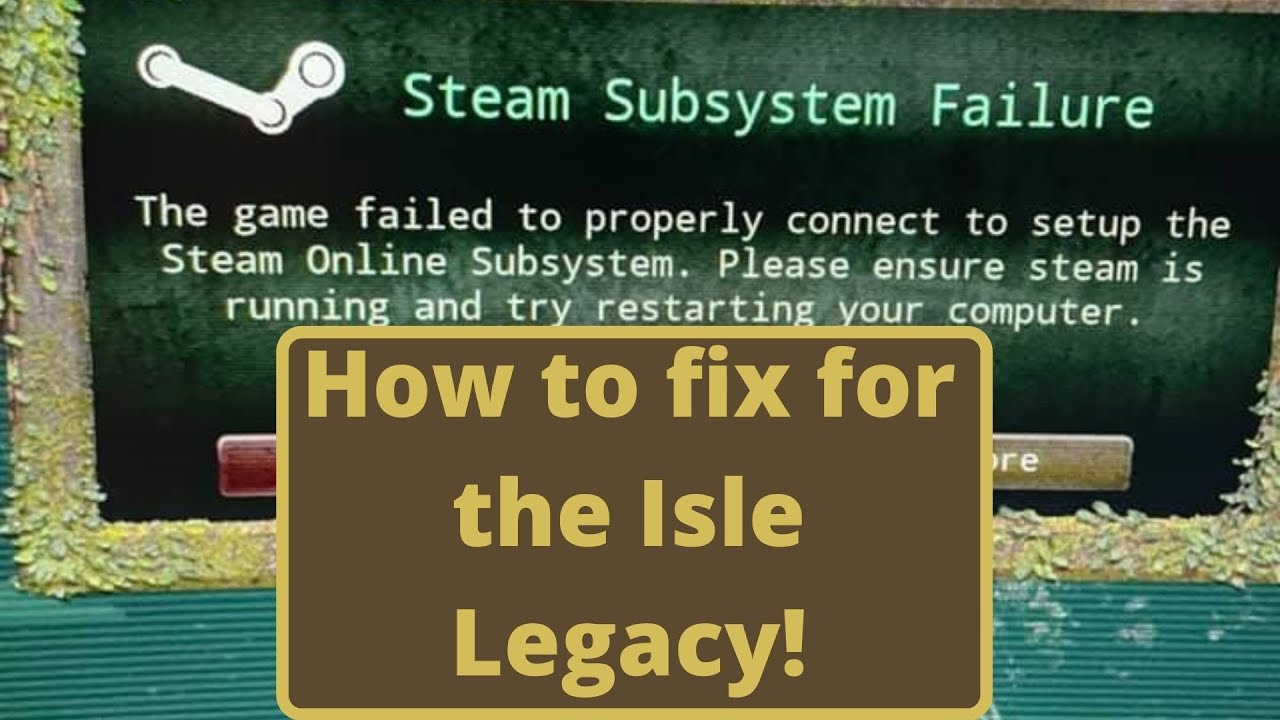
So after this recent update (June 16 2021) is current date. I have both of the versions installed. If you have not done this here is the link to how to do that.
vvvvvvvvvvvvvvvvvvv
Installing both versions
https://youtu.be/7Db9VMtrXSc
So after you do that then you can do what I show you in the video to fix the issue of legacy not launching pro...
For anyone else
bronze harbor
New problem - No servers loading

 civic nova
my friends combat options wont show, he reinstalled the game and everything too yet the still wont show up. how can we fix this?

 vivid cipher
Hello there, I only get chines servers how can I fix it?
 robust oasis
vivid cipher
Hello there, I only get chines servers how can I fix it?
robust oasis
vivid cipher
Hello there, I only get chines servers how can I fix it?
i second this
robust oasis
vivid cipher
Hello there, I only get chines servers how can I fix it?
i found a fix
exit the game
window key + r
%localappdata%
find TheIsle folder
delete it
relaunch
set max servers to 5000
do hide empty
 opal crag
@civic nova im having the same issue please lmk if you figure it out
 night nimbus
none of my controls are working when i launch legacy, I can walk around and sniff and that's all
spare musk
night nimbus
none of my controls are working when i launch legacy, I can walk around and snif...
- If running The Isle, exit the game.
- Press the Windows key
- Type %localappdata% then press Enter.
- Find "TheIsle" folder. Open it.
- Open the "Saved" folder.
- Delete the "Config" folder. Note: This will reset any of your custom settings to their defaults.
- Restart the game. The issues should be fixed.
night nimbus
I will try this, thank you!
 runic latch
hello i have a problem
im trying to launch legacy and no work
says starting but in the end it no start
 shell pecan
rustic spoke
my controls are very odd after going from evrima to legacy, ive redownloaded lik...
shell pecan
rustic spoke
my controls are very odd after going from evrima to legacy, ive redownloaded lik...
I'm having the same problem
shell pecan
spare musk
1. If running The Isle, exit the game.
2. Press the Windows key
3. Type %localap...
Oh..
This did not solve my issue
._.
spare musk
shell pecan
._.
Try deleting the whole TheIsle folder, that might work
shell pecan
I have, and completly deleted my evrima and legacy versions
And re-installed it
Oh, my key binds were messed up
 rancid jewel
I am trying to load into The River Den #1 server but I keep crashing on the loading screen. UE4 Fatal Error comes up. I have tried installing the game again and verified my files.
vivid cipher
robust oasis
i found a fix
I know about the folder thing but didn't know about the 5000 and hide empty thank you so much it worked ^^
 tired jolt
Im trying to play the game but when I look down when its early morning or evening my screen goes completely black. This also happens when I look down in some trees
 neon marsh
None of my buttons are working! Only WASD
spare musk
neon marsh
None of my buttons are working! Only WASD
- If running The Isle, exit the game.
- Press the Windows key
- Type %localappdata% then press Enter.
- Find "TheIsle" folder. Open it.
- Open the "Saved" folder.
- Delete the "Config" folder. Note: This will reset any of your custom settings to their defaults.
- Restart the game. The issues should be fixed.
wintry valley
robust oasis
i found a fix
thank you it worked with me too
robust oasis
vivid cipher
I know about the folder thing but didn't know about the 5000 and hide empty tha...
No problem :)
robust oasis
wintry valley
thank you it worked with me too
Happy to help !
 north pecan
The sprint button on my controller isn't working.
 woeful walrus
Has anyone loaded in but isnt able to move or even press esc to log? I switched back over to legacy from evrima but i cant even do anything.
spare musk
woeful walrus
Has anyone loaded in but isnt able to move or even press esc to log? I switched ...
- If running The Isle, exit the game.
- Press the Windows key
- Type %localappdata% then press Enter.
- Find "TheIsle" folder. Open it.
- Open the "Saved" folder.
- Delete the "Config" folder. Note: This will reset any of your custom settings to their defaults.
- Restart the game. The issues should be fixed.
woeful walrus
@spare musk Ty! fixed the issue
granite forge
bruh only china servers...
honest river
one of friends has an issue where the isle only displays a black screen but plays the isle sounds. Thus he can't play the game but really wants to. Anyone heard of that issue?
wintry valley
robust oasis
exit the game
window key + r
%localappdata%
find TheIsle folder
delete it
relau...
@granite forge see this
granite forge
It didnt work
 fossil spindle
hi im so confused, i cant move but esc works and i can type in chat and everything but i cant move or anything, ive deleted saved file, deleted the game and re downloaded and i cant move or do anything ???
need serious help
deleted the config from the saved folder and everything, i just cant do anything
 copper pulsar
just bought the game and cant find any other server than china any solution ?
 willow spoke
hello! I'm having trouble, when I play the legacy Theisle I cant my ESC button isn't working, and neither is my night vision or chat button, please help me when you possibly can 
indigo barn
For those of you experiencing issues with your keybindings or other controls;
While the game is closed
- Press Windows key
- Type %localappdata% and press enter
- Find the folder called TheIsle
- Delete the folder
Relaunch the game
@willow spoke @fossil spindle
indigo barn
copper pulsar
just bought the game and cant find any other server than china any solution ?
If you are encountering the issue where you can only see [China] servers try the following
Open an Administrator level command prompt
- Type in CMD on your windows search through your computer.
- Right click Command Prompt
- Click Run as Admin. It'll open a black weird box
- Type ipconfig /flushdns
- Hit enter
- Type netsh winsock reset
- Hit enter
- Reboot your computer
- Open up The Isle
willow spoke
indigo barn
For those of you experiencing issues with your keybindings or other controls;
W...
Thx!
copper pulsar
indigo barn
If you are encountering the issue where you can only see [China] servers try the...
i did this many times still not working any other way ?
indigo barn
copper pulsar
i did this many times still not working any other way ?
If servers are not showing up:
- Click Steam in the top left of your Steam library.
- Go to Settings > In-Game > click the bottom dropdown box and change your max pings to 1000. *Note: You may need to play around with the best setting for you. Some players have reported 500 works better for them.
Have you tried this one?
 dreamy mortar
Hello Im having trouble with launching the game. When I start the game it black screens me and only plays the audio, What do i do?
 earnest tide
soooo i have a question, i tried playing but the only keys that work are WASD and the calls, i cant bite, i cant toggle night vision, sit down, tab, open game chat, or check my stats for that matter, restarted my pc 2 times, reinstalled the game as well, i verified the files but nothing seems to fix it? last time i played it was fine, but that was in evrima a few days ago, and now switched to normal version (where im having this issue, idk if it would b the same in evrima havent tried)
 twilit drift
spare musk
1. If running The Isle, exit the game.
2. Press the Windows key
3. Type %localap...
twilit drift
spare musk
1. If running The Isle, exit the game.
2. Press the Windows key
3. Type %localap...
Will we have to go through this process every time we switch between Evrima and Legacy?
 prime cliff
twilit drift
Will we have to go through this process every time we switch between Evrima and ...
prime cliff
twilit drift
Will we have to go through this process every time we switch between Evrima and ...
Yes
 haughty grail
Update ds
spare musk
haughty grail
Update ds
What's going on?
haughty grail
nun
 errant elbow
honest river
spare musk
What's going on?
errant elbow
honest river
spare musk
What's going on?
can't attack and do stuff like ins and that stuff do u know why in legacy do u know why?
spare musk
honest river
can't attack and do stuff like ins and that stuff do u know why in legacy do u k...
There's a fix in the pinned messages
honest river
spare musk
There's a fix in the pinned messages
where?
spare musk
In the top right, there's a thumbtack icon. Click that to see the pinned messages
 honest river
spare musk
In the top right, there's a thumbtack icon. Click that to see the pinned message...
honest river
spare musk
In the top right, there's a thumbtack icon. Click that to see the pinned message...
thx for the help
dreamy mortar
Hey does anyone know why my game is black screening on launch?
And I can only hear the audio
 hollow elm
noticing a lot of shadow flickering, and also trees in the distance have this weird aliasing issue when you move. Anyone else experiencing this or know a fix? I've tried to tweak my graphic settings, playing on all Epic right now.
tall sonnet
tall sonnet
i cant find servers
can anyone help?
 thorny cove
dreamy mortar
Hey does anyone know why my game is black screening on launch?
thorny cove
dreamy mortar
Hey does anyone know why my game is black screening on launch?
did you ever get an answer for this? mine just randomly started doing this too
dreamy mortar
thorny cove
did you ever get an answer for this? mine just randomly started doing this too
Well what I did was I uninstalled my current nvidia system I had and searched for my 3060 graphics card and what system would be good with it to download. downloaded it and it worked after that. something must have been corrupted in the nvidia files I had before.
If That makes sense
 winter iron
anyone else not able to do anything but walk and call on legacy?
spare musk
winter iron
anyone else not able to do anything but walk and call on legacy?
For those of you experiencing issues with your keybindings or other controls;
While the game is closed
- Press Windows key
- Type %localappdata% and press enter
- Find the folder called TheIsle
- Delete the folder
Relaunch the game
 hushed solar
Hello I am playing on legacy and I created a nest and incubated several eggs like I usually do. I then invited someone then I found that I couldn't close the invite screen nore complete sending the invite. I had to log to get my screen back. Upon relogging my nest had deleted. I felt sad so I closed the game and came back an hour later and restarted my nest. Same thing occurs. I then immediately try a 3rd time to the same result. I am very confused as I have never seen or heard of this bug before.
 spare harbor
hey im trying to play and i get the loading screen then my screen turns black and i cant play
pls help
all my other games work
spare harbor
dreamy mortar
Hey does anyone know why my game is black screening on launch?
i have the same problem
spare harbor
can someone help
spare harbor
Can someone help
 weary oyster
spare harbor
Can someone help
weary oyster
spare harbor
Can someone help
Do you still have issues
 golden lava
Hey How to play as anky?
 untold finch
my isle keeps on crashing and wont let me play my screen turns black and crashes i deleted it nad reinstalled it doesnt work i cant play ):
 glacial loom
controls on legacy not working after moving from evrima including being able to check settings ingame. Is there something on files i need to change?
spare musk
glacial loom
controls on legacy not working after moving from evrima including being able to ...
Yea, you'll have to wipe your controls and settings
While the game is closed
- Press Windows key
- Type %localappdata% and press enter
- Find the folder called TheIsle
- Delete the folder
Relaunch the game
glacial loom
@spare musk thank you
 marble charm
im not able to switch to 'group' when im on the character menu, does anybody know how to fix that? i already reinstalled the game twice and it still doesn't work.
 golden gate
Game crashing when I try to join a server
spare musk
Have you tried verifying your files?
Right click the game in your Steam library, click Properties, click Local Files, click Verify integrity of game files
 near stag
anyone know how to fix? it takes like 10-15minutes to load servers:/ and once they show up it doesnt show everything, im from eu and shows like china servers and stuff
and if i search a specific server it usually says no servers found
 civic flint
Hello, how can I fix the error ue4 constantly crashes the game
 turbid swift
unable to find servers. Unable to click refresh. ive tried searching server names and changing max results number. ive also verified files.

 grim gull
ANYONE MORE CANT ACTIVE CHAT IN SERVERS OF THE ISLE LEGACY? BC I CANT ACTIVE IT AND I CANT SEE MY GROWTH AND THAT THINGS
DO THEY REMOVED IT?
spare musk
grim gull
ANYONE MORE CANT ACTIVE CHAT IN SERVERS OF THE ISLE LEGACY? BC I CANT ACTIVE IT ...
You may need to manually reset your controls
- If running The Isle, exit the game.
- Press the Windows key
- Type %localappdata% then press Enter.
- Find "TheIsle" folder. Open it.
- Open the "Saved" folder.
- Delete the "Config" folder. Note: This will reset any of your custom settings to their defaults.
- Restart the game. The issues should be fixed.
 polar tartan
Hey! Having some issues on the isle legacy as no servers on the list are showing up at all. wont even let me refresh!
any help would be much appreciated B
 marble stream
Yo, I’m having an issue with The Isle Legacy <@&818552355796287508> . I’m unable to do anything but walk around. ESC doesn’t work, night vision won’t work, etc. Not sure what to do. Plz help. 🙏
I can’t sit down either.
spare musk
marble stream
Yo, I’m having an issue with The Isle Legacy <@&818552355796287508> . I’m unable...
- If running The Isle, exit the game.
- Press the Windows key
- Type %localappdata% then press Enter.
- Find "TheIsle" folder. Open it.
- Open the "Saved" folder.
- Delete the "Config" folder. Note: This will reset any of your custom settings to their defaults.
- Restart the game. The issues should be fixed.
marble stream
spare musk
1. If running The Isle, exit the game.
2. Press the Windows key
3. Type %localap...
Thanks! It worked.
polar tartan
turbid swift
unable to find servers. Unable to click refresh. ive tried searching server name...
im having the same issue. any fix you found?
turbid swift
polar tartan
im having the same issue. any fix you found?
Not yet
polar tartan
turbid swift
Not yet
i changed back to evrima for now - but i’ve been having the same issue for over a year !!
its why i stopped playing for a long time
evrima wasn’t great when it first came out and i stayed on legacy but as soon as it came out i had issues with the server list - and ive redownloaded legacy a few times and never been able to get it working
if you find a fix let me know- i’d love to go back to legacy for PVP
 nocturne blaze
Good night I took a ban a long time ago on the isle and I wanted to know if I could remove my ban when I try to enter any server a message appears '' the host closed a connection '' can any admin of the game help me?
the strange thing is that on evrima i can play normally
 runic wraith
i want to play legacy by geforce now but my controls are glitched
 wispy basalt
The Isle Legacy says ' Steam subsystem Failure ' and when, I go to 'play' and look for servers, there aren't any..
I would also like to play The Isle Evrima but the game won't open and show me a message. ( I don't really remember the message that it showed me but it looked like they said there was an error with the system. )
I saw all the pings and tried to fix it, but all of them didn't work. Should I give up or there is something else I could do to fix it maybe?
 trim sorrel
<@&818552355796287508> need help, my stego on eu5 is stucked. Nickname "NyZe"
spare musk
trim sorrel
<@&818552355796287508> need help, my stego on eu5 is stucked. Nickname "NyZe"
Please ping the official admin role in #evrima-eu with this information, not tech support
trim sorrel
sorry, but i really dont understand how it works 😄 i tried it several times now
trim sorrel
okay, and i need to type that in the textchannel "evrima-eu"?
spare musk
Yup!
nocturne blaze
@spare musk Good night I took a ban a long time ago on the isle and I wanted to know if I could remove my ban when I try to enter any server a message appears '' the host closed a connection '' can any admin of the game help me?
the strange thing is that on evrima i can play normally
Pls help me
spare musk
nocturne blaze
<@267085947688976384> Good night I took a ban a long time ago on the isle and I ...
Try reinstalling the game
nocturne blaze
spare musk
Try reinstalling the game
I already did this friend but I think they banned my id something like this some admin would have to help I believe
I haven't been able to play for 2 years because of this problem.
spare musk
nocturne blaze
I already did this friend but I think they banned my id something like this some...
I don't think "Host closed connection" is ever caused by a ban, but you would have to talk to Punchpacket about that
nocturne blaze
spare musk
I don't think "Host closed connection" is ever caused by a ban, but you would ha...
how do i talk to him??
spare musk
nocturne blaze
how do i talk to him??
He has messages in #isle-phase-three, right click his name then choose Message, it'll open a dm for you to talk to him
nocturne blaze
I will do this

 loud jacinth
hi, i wonder if any of you have played yet the isle v0.1.62 (online/host on lan simulators) because i got a partial big problem wich is : Black screen on host game (local network). or Lost conection on the servers (online). and the ideea of all this is that steam game got 2k players meanwhile the.. grey hat/black hat got arround 8k or less. that statistics were 2y ago. anyone can help me fixing it? or if anyone have it on steam i would love to download steam files so i try to compare or copy paste till it works (my last ideea) to make it work. add me up if anyone knows anything or tag me ! thank you. when i loged in the game i saw tons of servers almost full in cracked version..
Please help me
 tawdry patio
every time i play the isle legacy i cant roar or bite or eat or drink or even open menu? any one can help?
 muted sonnet
Hey! wondering if anyone knows the evirma server dreamworld? and if so could i get their discord link? its very urgent and i dont have much time
 midnight solar
My legacy is randomly running very VERY poorly, anyone have any idea why?
It's not a hardware issue, I run other games (including Evrima) just fine
Sound and the main menu are very laggy and it takes ages for any servers to show up
spare musk
tawdry patio
every time i play the isle legacy i cant roar or bite or eat or drink or even op...
- If running The Isle, exit the game.
- Press the Windows key
- Type %localappdata% then press Enter.
- Find "TheIsle" folder. Open it.
- Open the "Saved" folder.
- Delete the "Config" folder. Note: This will reset any of your custom settings to their defaults.
- Restart the game. The issues should be fixed.
 charred anchor
i need to get into erivma version but i can't
spare musk
charred anchor
i need to get into erivma version but i can't
That's not for this channel, but you do that by right clicking the Isle in Steam, click Properties, click Betas, click the bar and choose evrima
charred anchor
spare musk
That's not for this channel, but you do that by right clicking the Isle in Steam...
you told me to come to this channel
but thanks
spare musk
charred anchor
you told me to come to this channel
I said to come to this channel for legacy issues
 open notch


 strange geyserBOT
Many players encounter issues that already have solutions. Be sure to check the pinned messages for quick-fixes to common problems. If an issue persists a representative in this channel will assist you when available, otherwise you may contact Punchpacket directly.
 dire crypt
Hello, I got an issue, I just joined a server and I cant turn my screen around with my mouse
EDIT: Also once a while it sets my hp to i think 1 and breaks my leg? After like 10 seconds it disappears.
spare musk
dire crypt
Hello, I got an issue, I just joined a server and I cant turn my screen around w...
- If running The Isle, exit the game.
- Press the Windows key
- Type %localappdata% then press Enter.
- Find "TheIsle" folder. Open it.
- Open the "Saved" folder.
- Delete the "Config" folder. Note: This will reset any of your custom settings to their defaults.
- Restart the game. The issues should be fixed.
dire crypt
spare musk
1. If running The Isle, exit the game.
2. Press the Windows key
3. Type %localap...
I did it. Didnt work